 KitGuru KitGuru.net – Tech News | Hardware News | Hardware Reviews | IOS | Mobile | Gaming | Graphics Cards


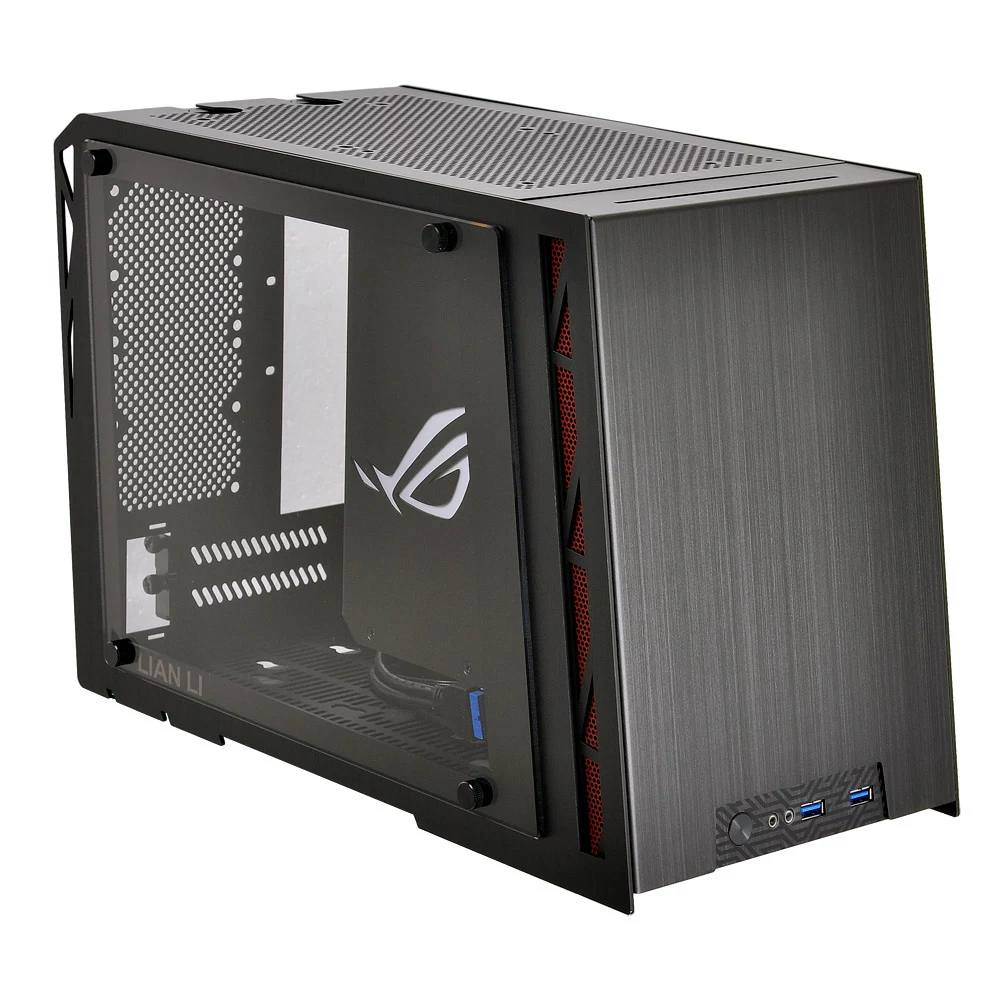
Mini-ITX as a form-factor is definitely a fast-growing trend. Technology has advanced to the point where you can build a system as a powerful as a regular mid-tower desktop, but in a case with a tiny footprint. The Lian Li PC-Q17 caters to that market – those looking for a premium-grade experience without the clutter and hassle of an ATX case.
Designed in collaboration with ASUS Republic of Gamers, and priced at a shade over £160, the Lian Li PC-Q17 is certainly a good-looking Mini-ITX case. Made entirely from aluminium, with a tempered glass side panel to boot, it is definitely targeting those looking for a classy yet functional ITX chassis. We walk you through its features, build quality and ease-of-use before giving our final verdict.
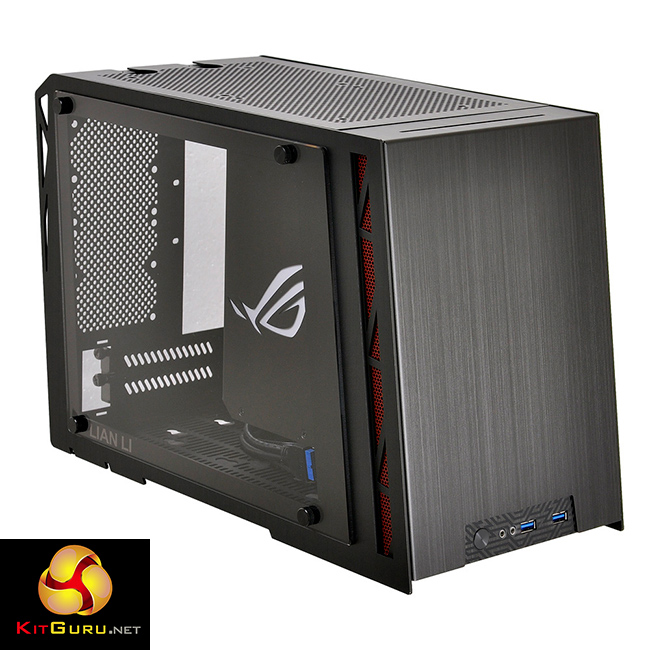
Specification
- Model: PC-Q17 WX
- Case Type: Mini Tower Chassis
- Dimensions: (W) 201mm x (H) 276mm x (D) 407mm
- Colour: Black
- Front bezel Material: Aluminum
- Side Panel: Aluminum
- Body Material: Aluminum
- Net Weight: 2.7kg
- 5.25″ drive bay (External): 1 Slim ODD (Slot-In) or 3.5″ HDD x1 or 2.5″ HDD x1
- 3.5″ drive bay (External): None
- HDD bay: 3.5″ HDD x3, 2.5″ HDD x5
- Expansion Slot: 2
- MB Type: Mini-ITX
- System Fan: (Rear) – 80mm x2(Optional), System Fan(Top) – 140mm x1, 120mm x1(Optional), System Fan(Base) – 120mm x2(Optional)
- I/O Ports: USB 3.0 x 2, HD Audio
- PSU Type: ATX /SFX
- Maximum Compatibility: VGA Card length: 270mm, CPU cooler height: 140mm, PSU length: 150mm
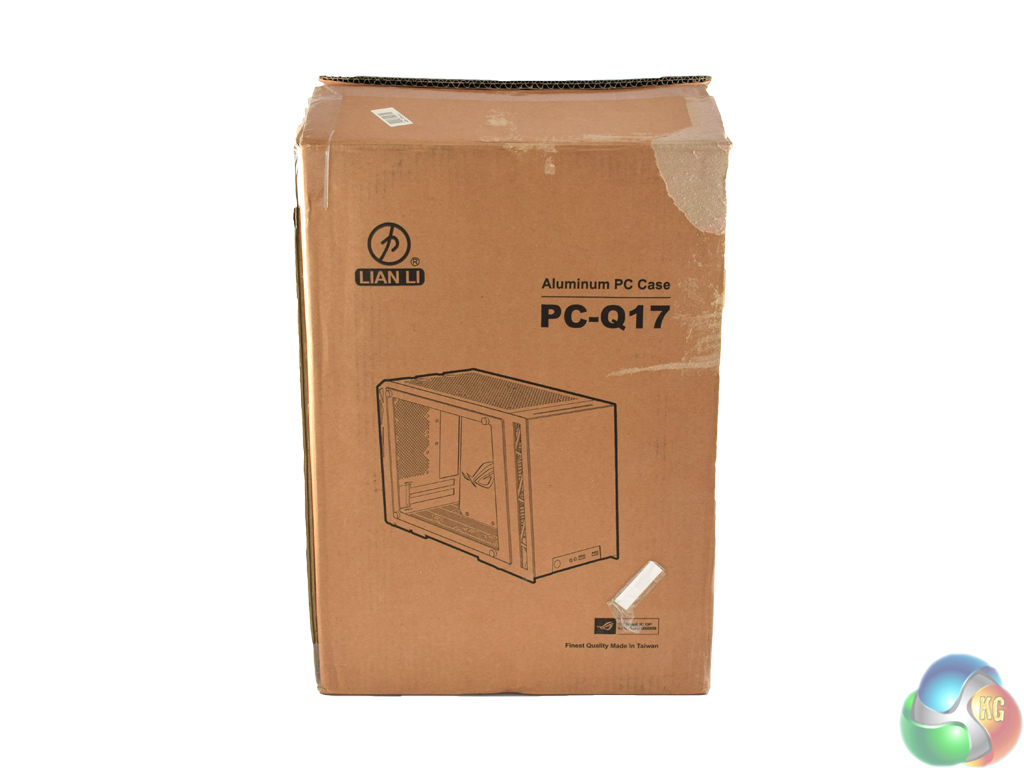
Being a small chassis, and being constructed entirely from aluminium, the Lian Li PC-Q17 ships in a compact and light brown box.

Inside, there is little in the way of stand-out extras, but there are a lot of screws.
You have plenty of options when it comes to mounting 2.5-in and 3.5-in drives as there are enough screws for 5x 2.5-in drives and 3x 3.5-in drives (though you cannot fit a total of 8 drives in the case.) Also included are rubber anti-vibration mounts to dampen any noise HDDs could make.
Of course, there are some standard motherboard standoff screws – 4, as it is an ITX case – as well as plenty of extra fan screws.
Most notably, the PC-Q17 also includes two small red LED strips – each powered by a 3-pin fan header. This is a nice touch – but my only concern comes from the fact that the strips are powered by fan headers. Mini-ITX motherboards tend to have the bare minimum of fan headers – the board I used to build in the PC-Q17 has just 3, for example. This means, unless you have a fan-splitter (which is sadly not provided) you will either have to sacrifice 2 case fans or go without the LEDs.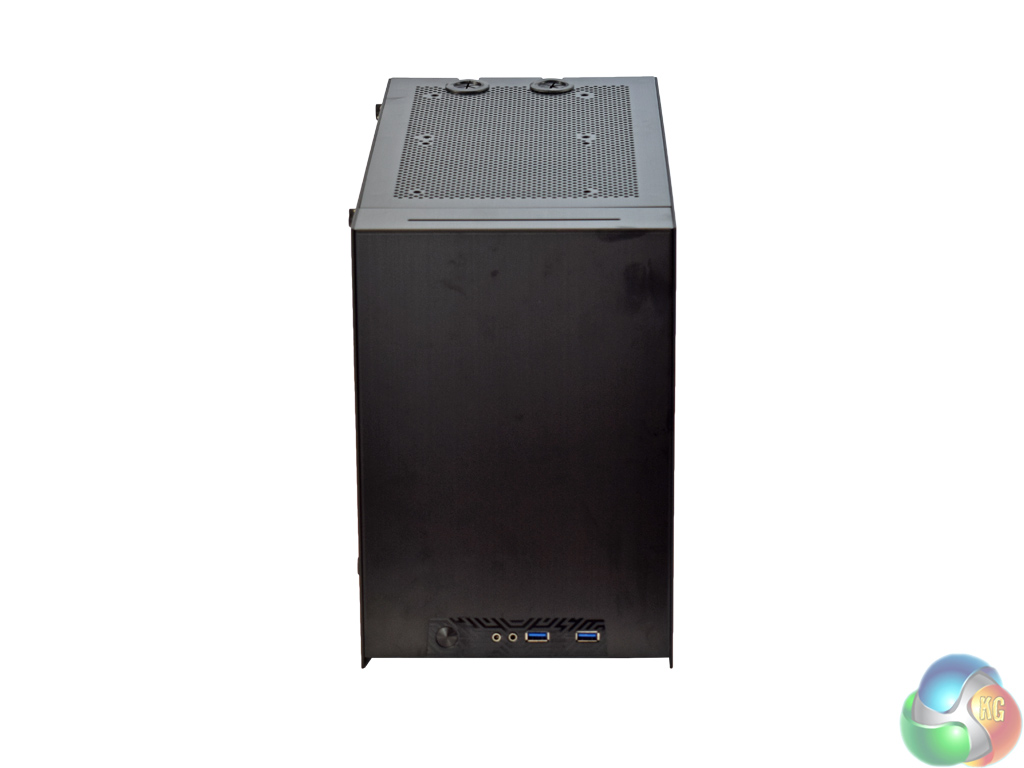
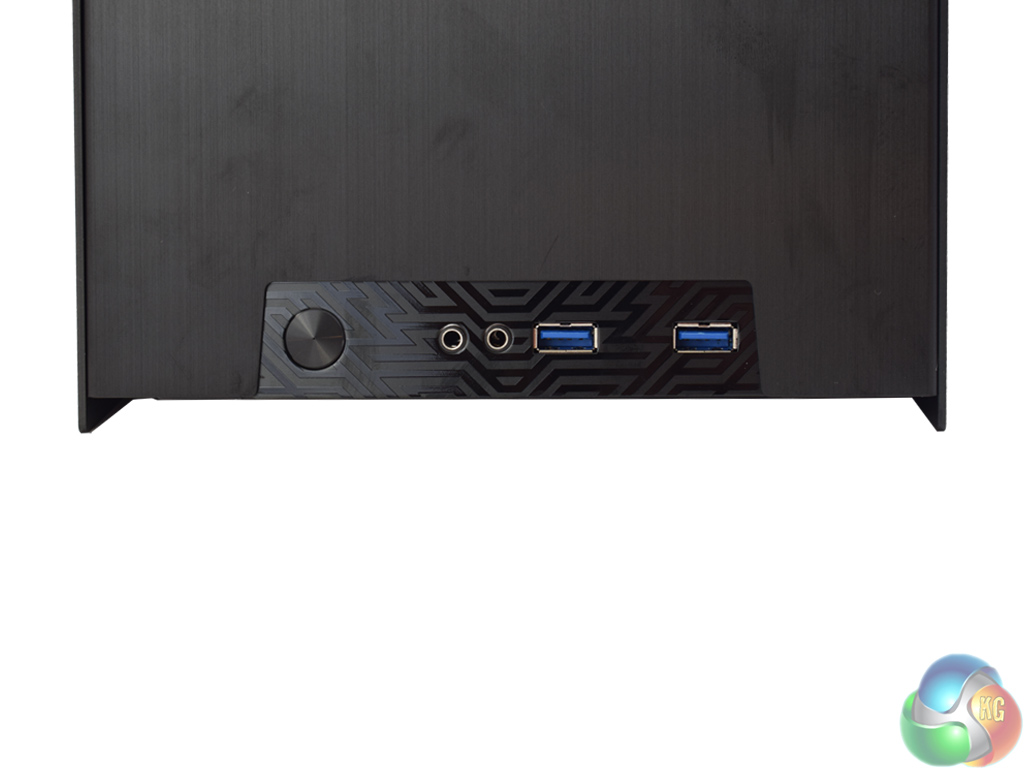
Here we get our first look at the exterior of the PC-Q17. Made entirely from brushed aluminium, on first impressions it is certainly very classy.
The front panel I/O is pretty limited, though, comprising of 2x USB 3.0, headset jacks and a power button. However, it would be unreasonable to expect more from a Mini-ITX chassis.
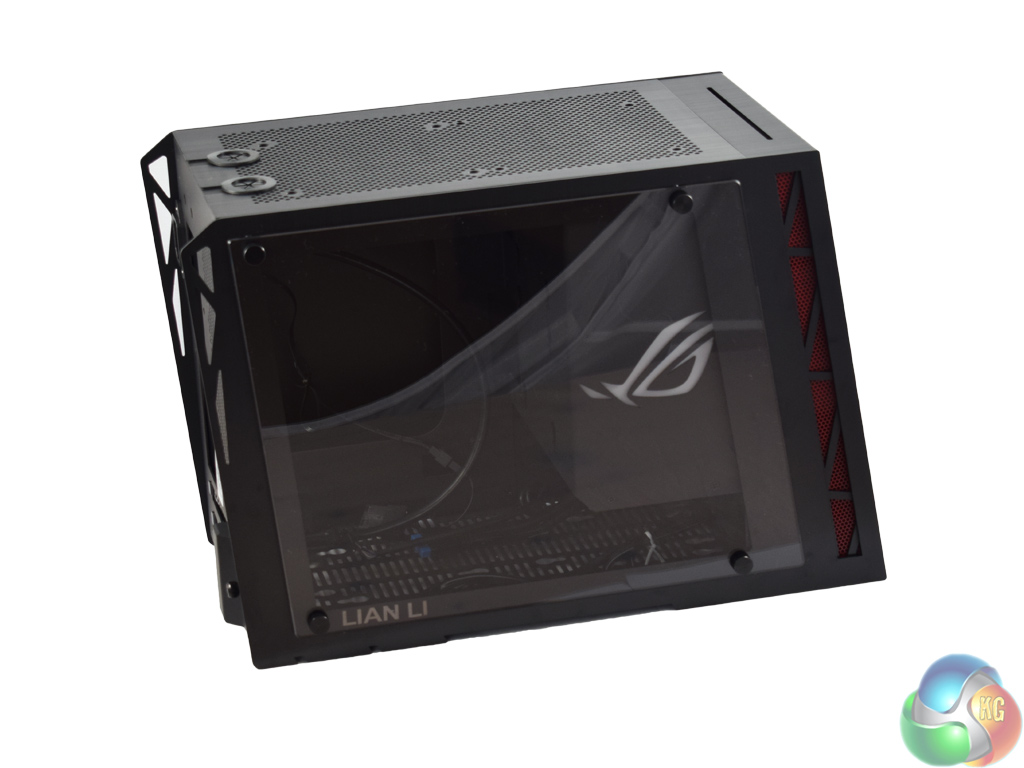
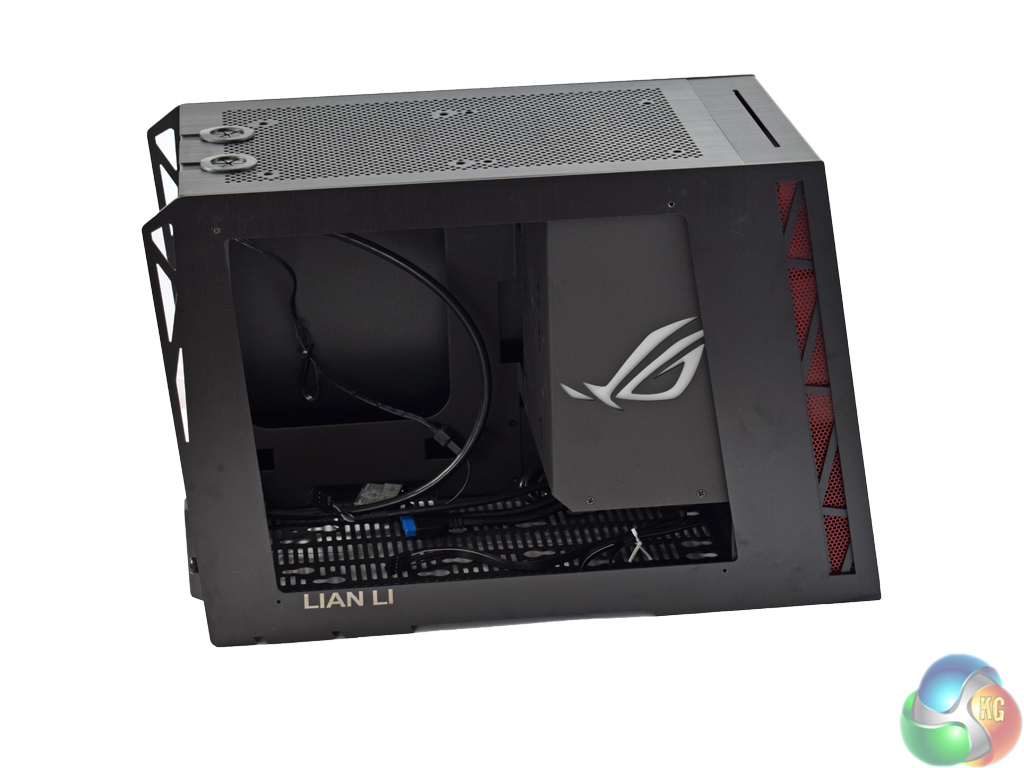
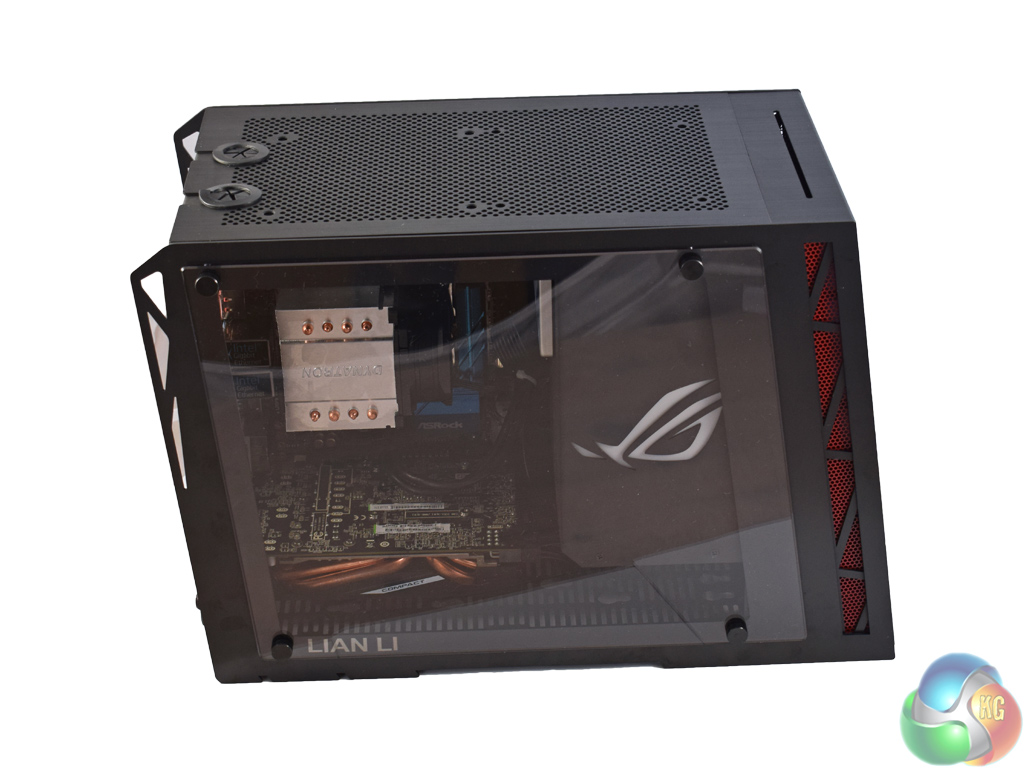
The picture on the left shows the tempered glass side panel – and you will have to excuse the reflections, but there is very little I can do about that! It is held in place with 4 thumb screws in each corner. Once that is off, you get a better look at the interior of the case, but more of that on the next page of this review.
A tasteful Lian Li logo is visible in the bottom left corner of the side panel, too, which adds a touch of class since Lian Li are associated with high-end cases.
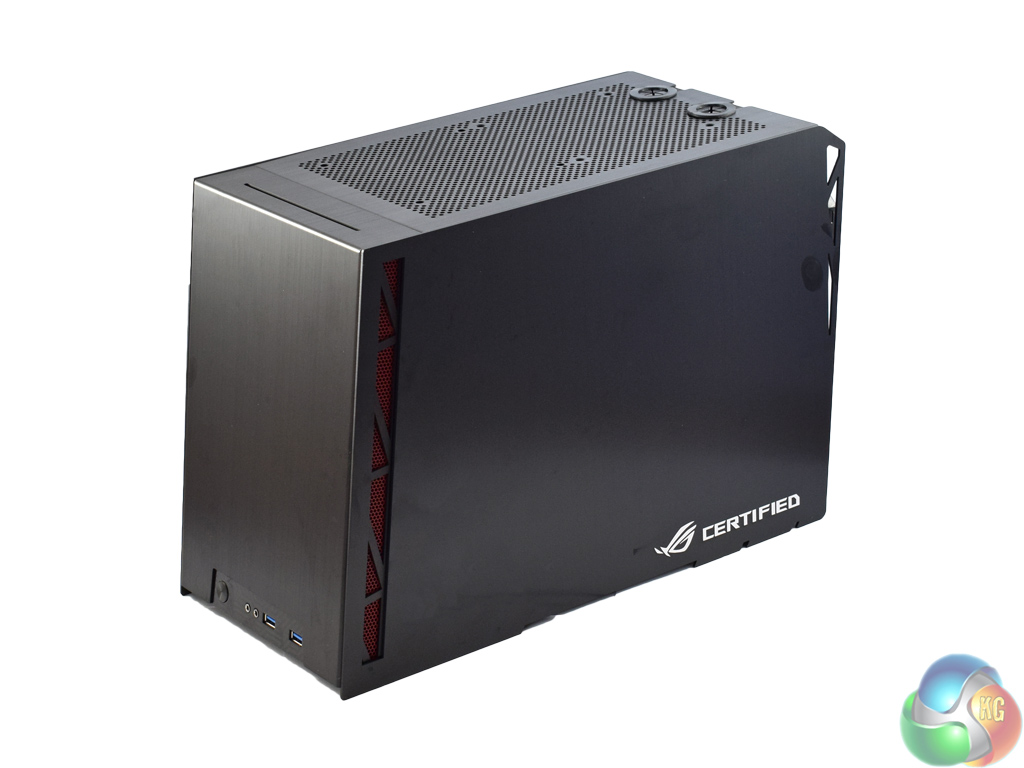
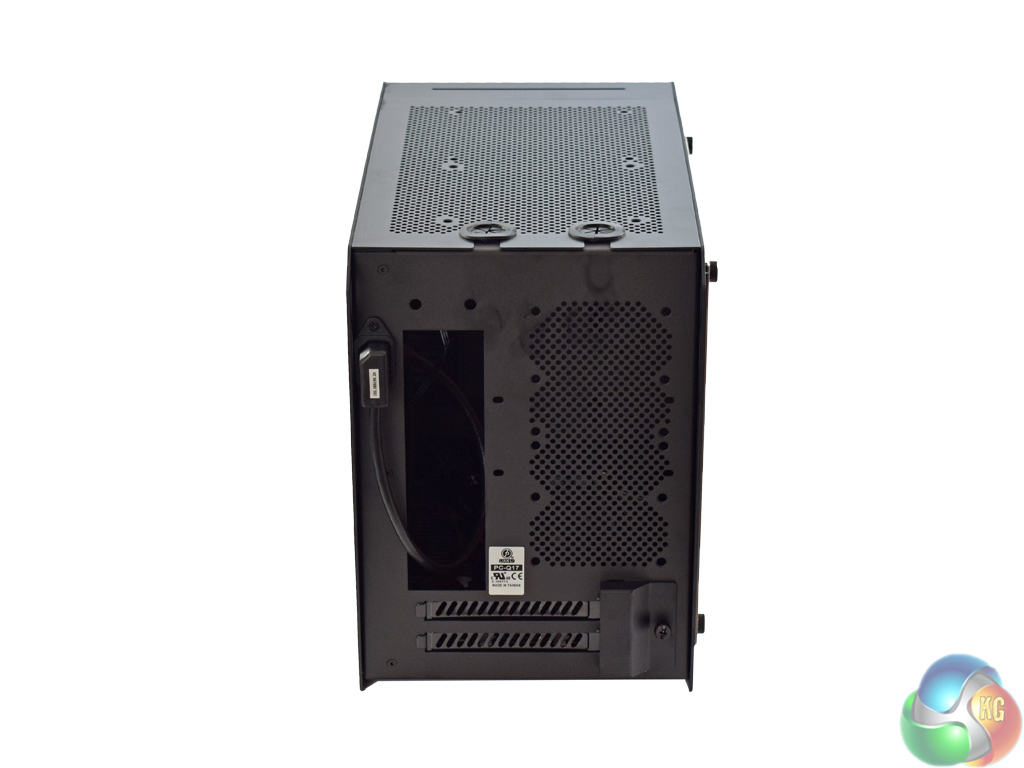
The other side panel is aluminium, though, and not glass. One problem with the all-aluminium construction is that it shows fingerprint marks very easily – so you will have a hard job keeping the PC-Q17 very clean. An ASUS ROG logo has been placed in the bottom right corner – a visible demonstration of the fact that this case is ‘ROG certified.'
At the rear of the case, users can mount 2x 80mm fans, and there are just 2 expansion slot covers.
So far so good – the PC-Q17 is very attractive thanks to the aluminium construction. The tempered glass side panel is stunning, too, and it will look even better when it is showing off the components inside.
Also, before moving on, I should note the case's dimensions. It measures (W) 201mm x (H) 276mm x (D) 407mm, meaning it is very small. What most impresses me is how low to the ground it is – NZXT's Manta ITX chassis is 426mm tall, in comparison.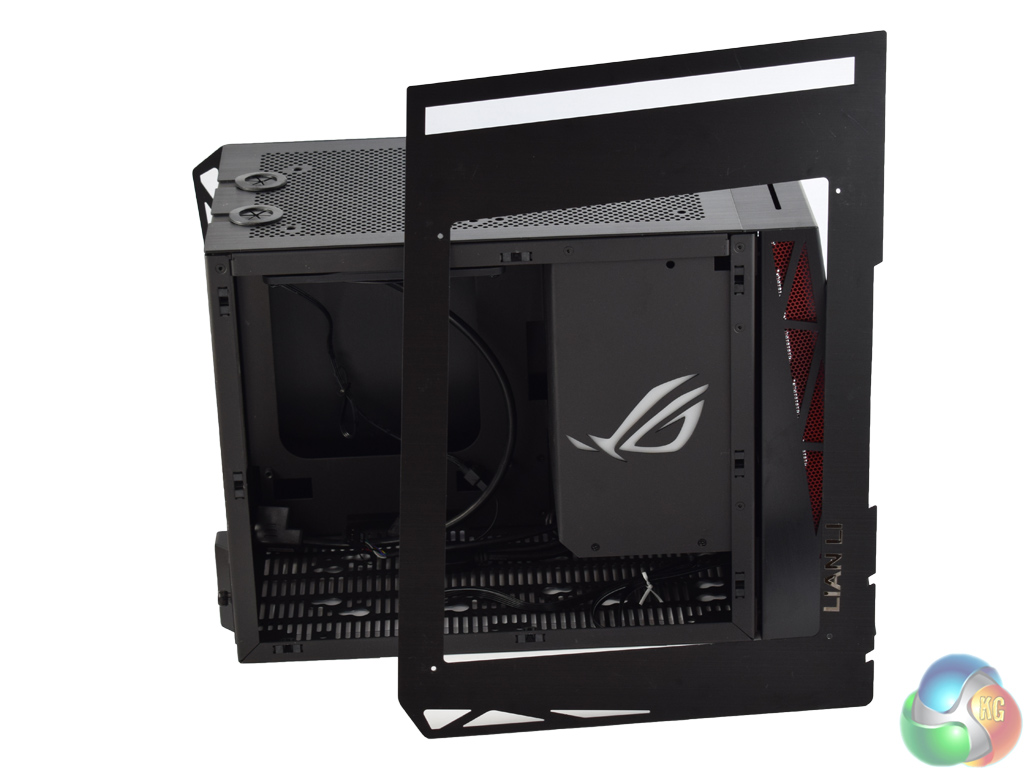
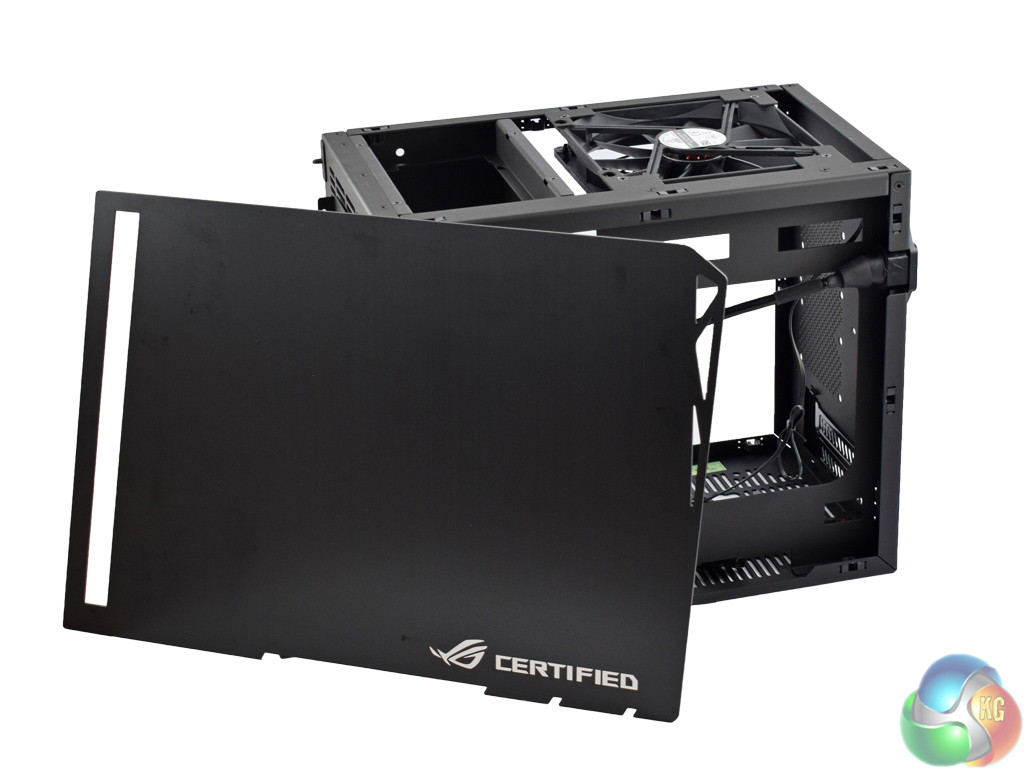
Before we take a look at the interior of the Lian Li PC-Q17, it is worth noting how we actually gain access to the insides of the case.
Rather than a conventional ‘sliders and rails' system for the side panels, they use small push pins which lock into corresponding holes on the chassis itself. Essentially, the panels clip on and clip off – just give them a small tug and they will pop free. It makes accessing the interior of the case very easy, and there is no faffing about trying to align the side panel correctly as with more standard cases.
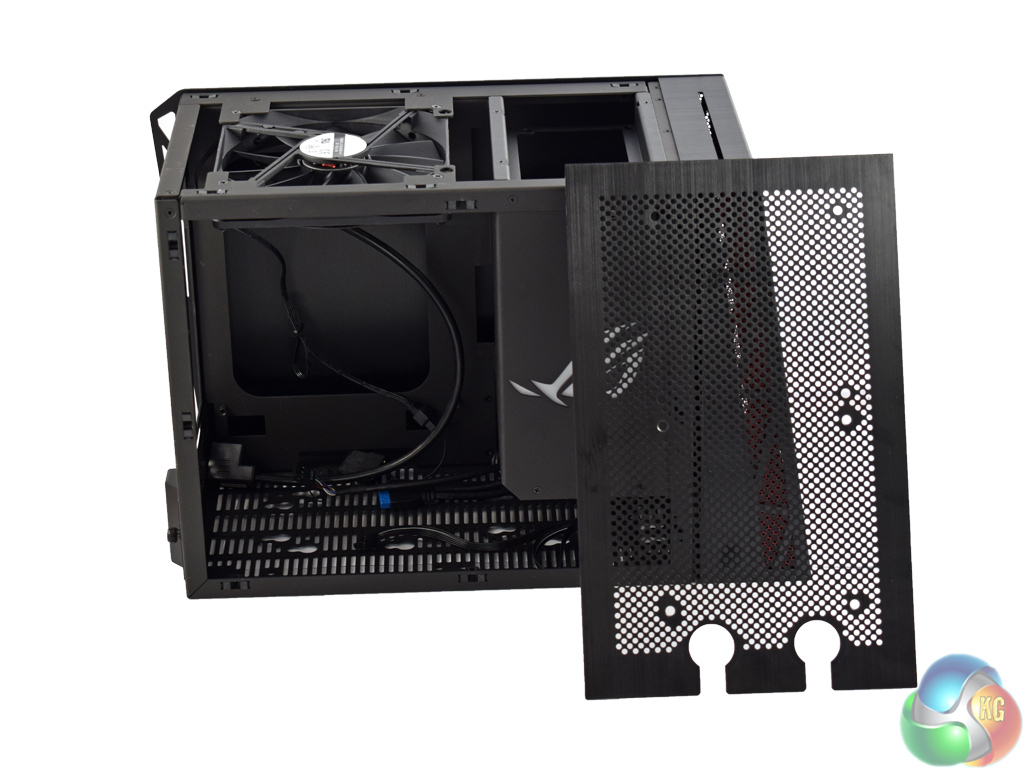
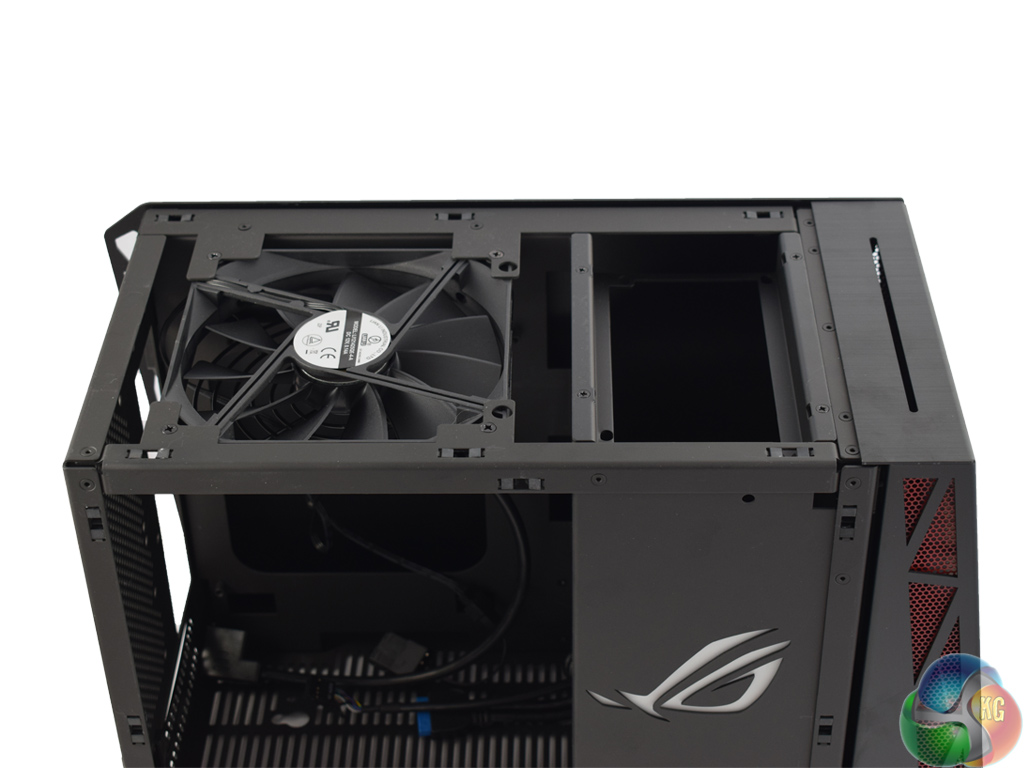
Turning to the top of the case, there is a removable mesh panel. This can fit 2x 120mm fans, or even house a radiator up to 240mm in size. Anything you fit here will sit outside of the chassis, but it does give extra options for fan mounting. On the next page, we demonstrate installing a 240mm radiator so you can see exactly how it works.
Under the removable panel is the only included fan. A 120mm unit, it connects with a 3-pin header, though a 3-pin-to-Molex power adaptor is included.
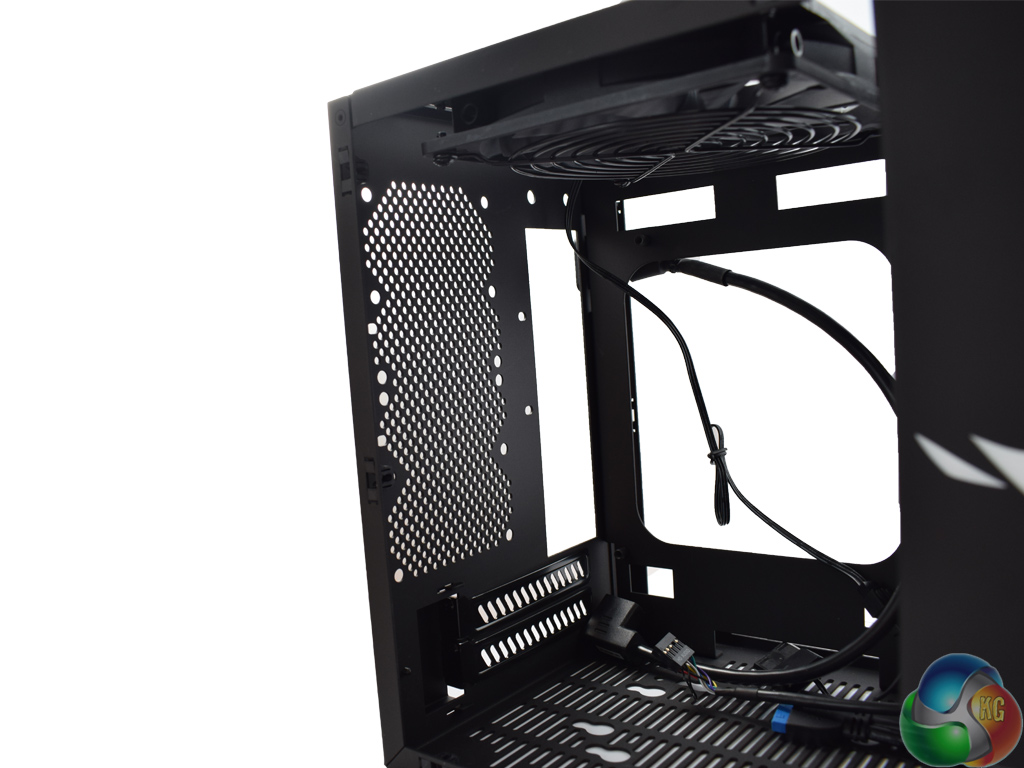
While on the subject of fans, 2x 80mm fans can be installed in the rear of the case – however, none are included.
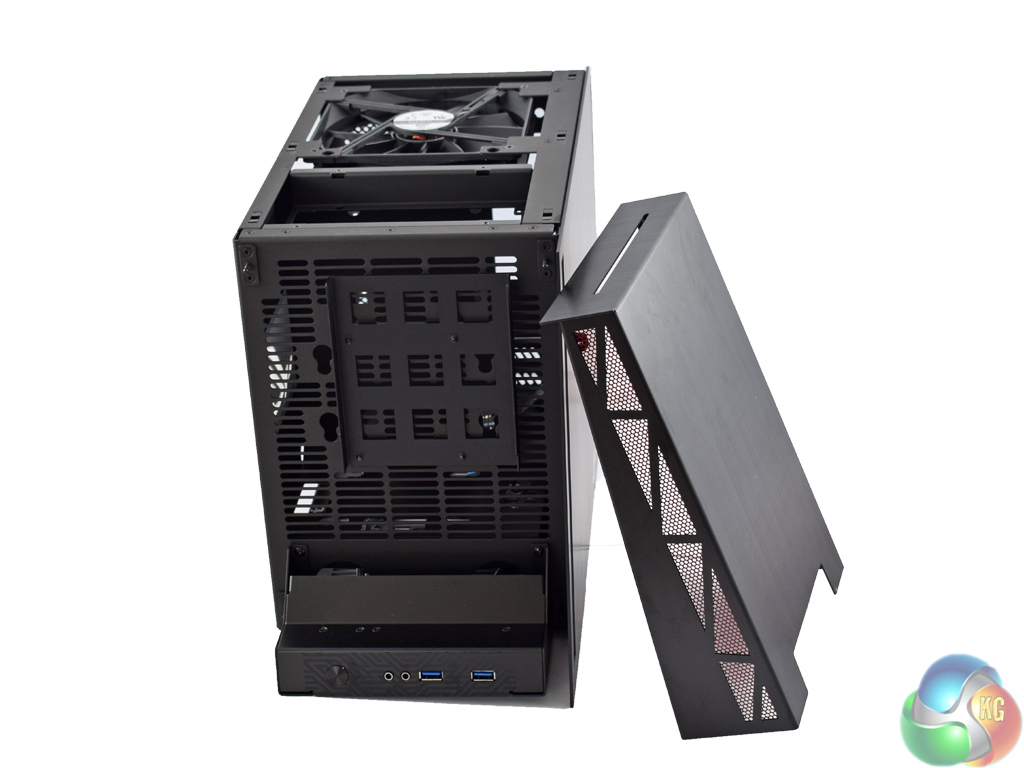
Turning to the front of the PC-Q17, the front panel pops off to reveal a small mounting bay. This can hold one of a 2.5-in drive, a 3.5-in drive or even a slot-in, slim ODD.
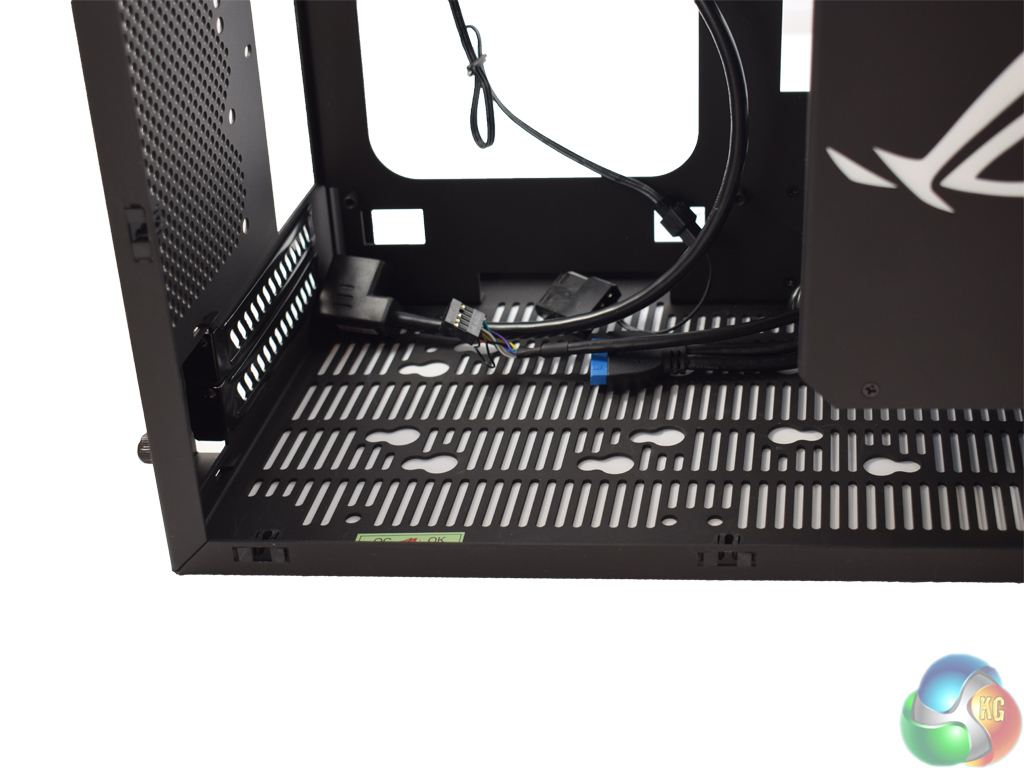
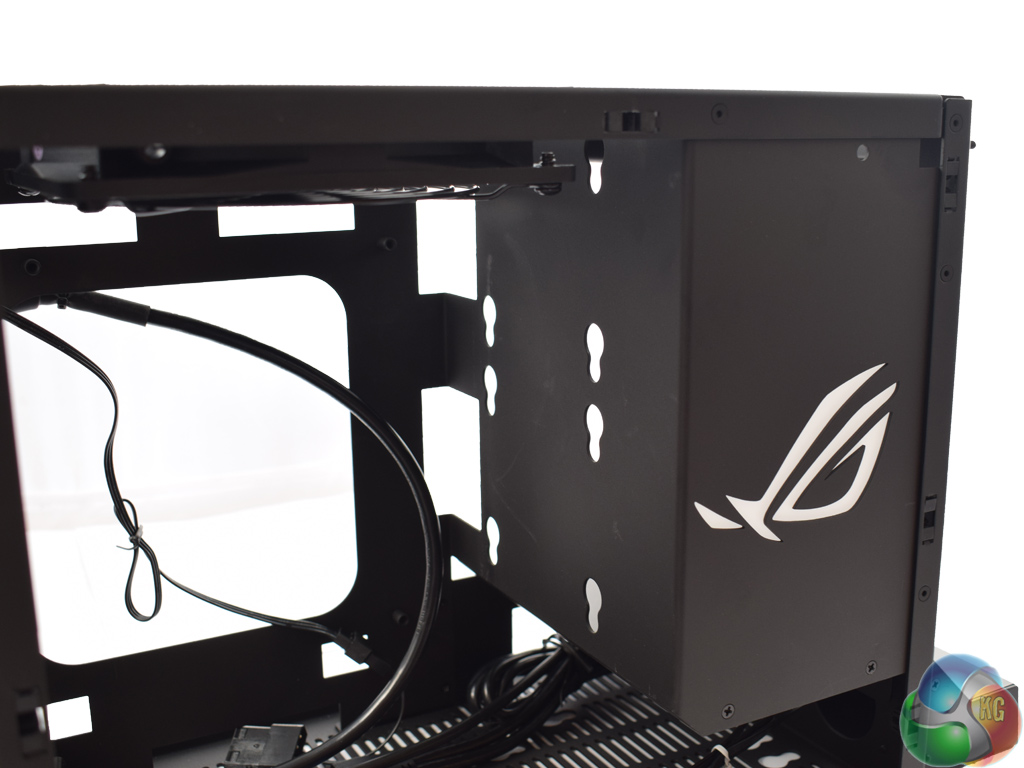
Storage options are certainly prevalent throughout the PC-Q17. The key-shaped holes you see in the above images are all for mounting 2.5 or 3.5-in drives. The holes are designed to work with the rubber anti-vibration mounts that come included with the PC-Q17. Simply slot them in place and then screw in your disk drive as normal.
In total, the PC-Q17 can hold 3x 3.5-in drives (two in the bottom of the case, and one in the front panel bracket) or 5x 2.5-in drives. This is certainly a lot of potential storage in such a small case, although if you include a graphics card the mounts in the floor of the case are inaccessible.
On that note, I would have liked to see a removable dust filter in the bottom of the case. It is a large, ventilated section of the case and a graphics card will pull a fair amount of dust through the gaps into the case, should you install one (as I imagine most people would.) It is also worth pointing out video cards up to 270mm can be used in the PC-Q17.

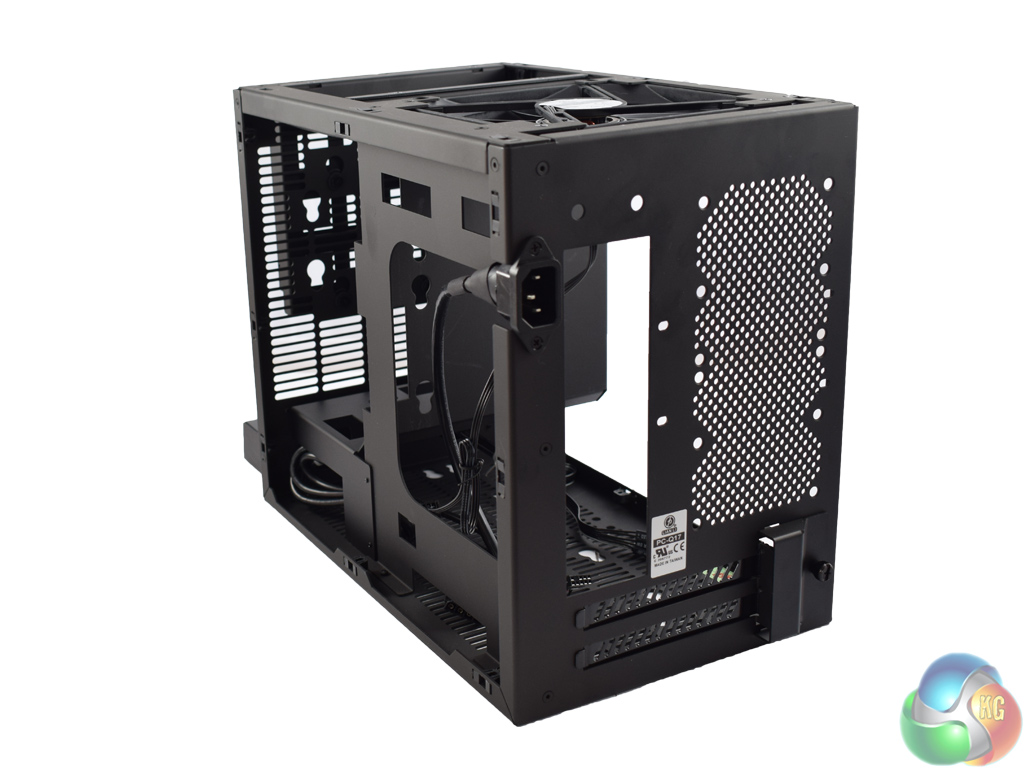
The above left picture shows the PSU mounting bracket. PSUs sit vertically in the mount, and they can be up to 150mm in length.
A power extension cable connects to your PSU, which allows you to still plug the PC to power from the rear.
The image on the right also gives a good indication of the space behind the motherboard tray – and there is a good inch of space. This is good to see, especially in such a small chassis, as it makes cable management much easier when cables can be routed behind the motherboard tray.
The PC-Q17 also features lots of cut-outs for cable routing, as well as a large cut-out behind the motherboard socket – allowing you easy access to your CPU cooler.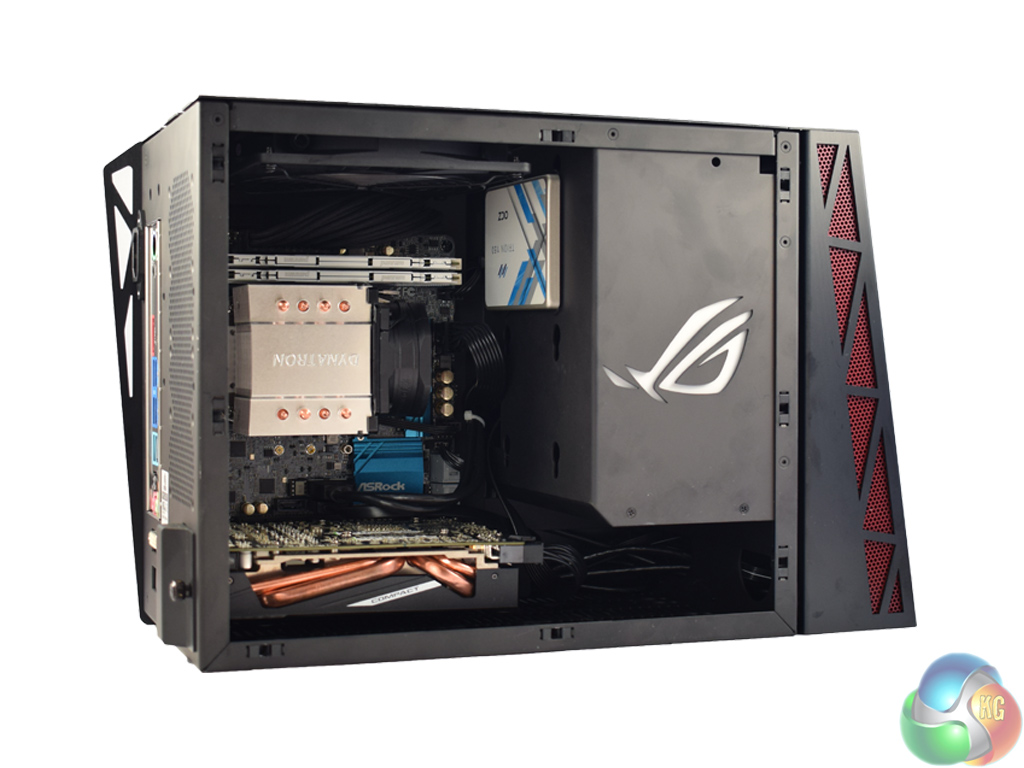
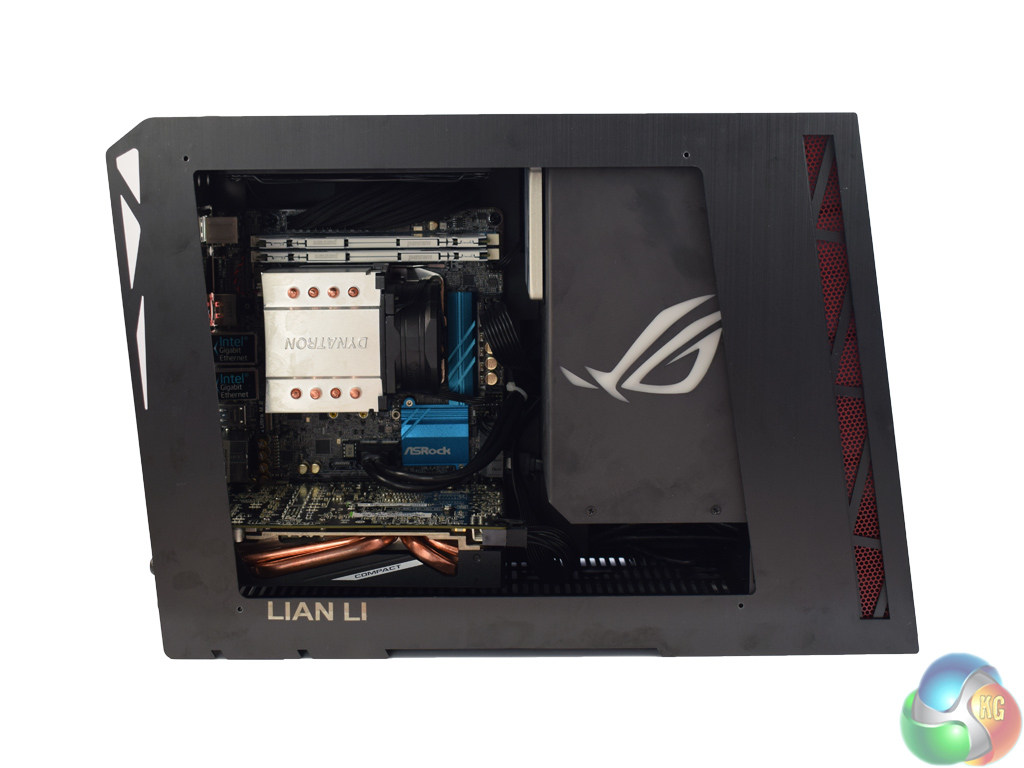
Building in the Lian Li PC-Q17 is actually very straightforward, despite the small size of the chassis. I used the following hardware:
- Asrock X99E-ITX/ac motherboard
- Intel 5960X CPU
- Dynatron R24 cooler
- 2x4GB of Panram Ninja V DDR4 3000MHz
- Sapphire R9 285 ITX GPU
- Corsair SF600 PSU
- OCZ Trion 150 SSD
The biggest issue I had was not because of the case, but the motherboard. The Asrock X99E-ITX/ac uses the narrow-ILM mounting mechanism, meaning most coolers are not compatible out-of-the-box. Because of this, I had to use the bundled Dynatron air cooler which is both ugly and not hugely effective at dissipating lots of heat. However, this is not the fault of the case and does not affect the review – it is just worth pointing out. When using a socket 115x motherboard, for example, air coolers up to 140mm in height can be used.
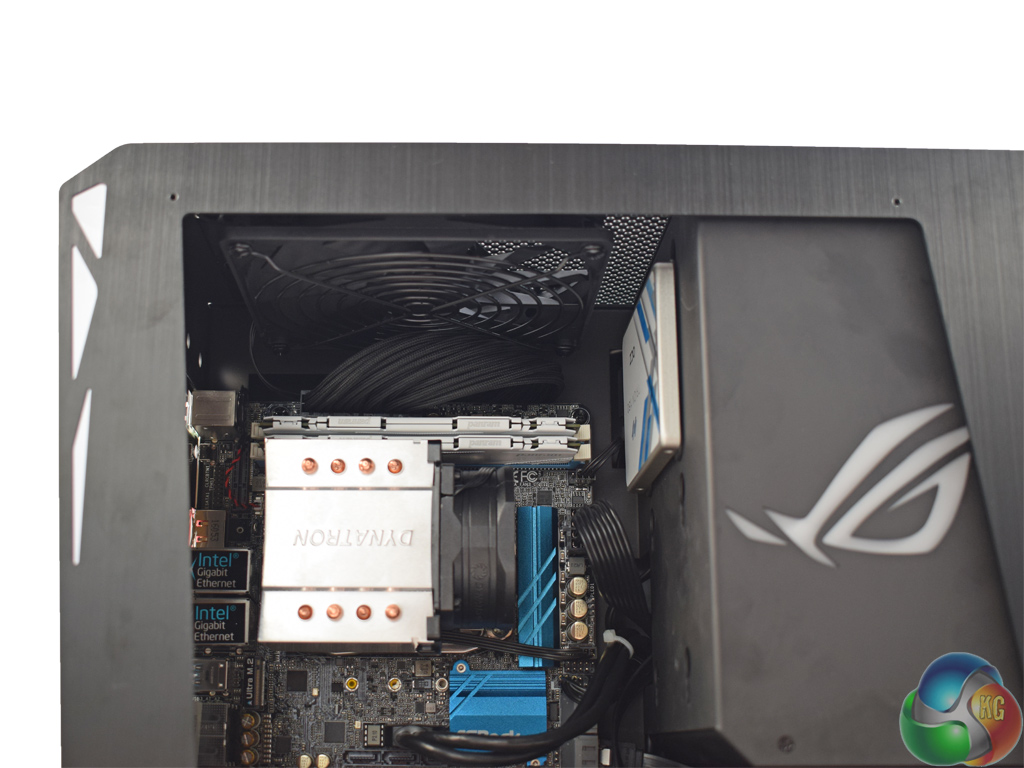
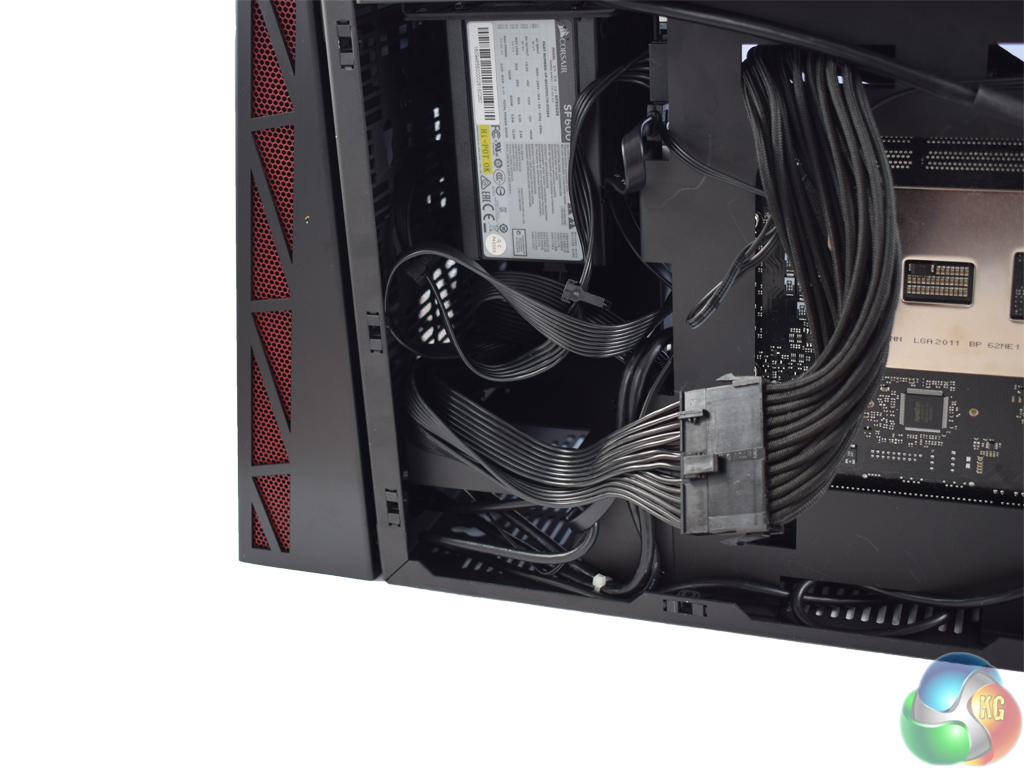
When building in the PC-Q17, I was surprised at how easy cable management is. I was able to route all cables behind the motherboard tray, and use the extra space in the PSU mounting area to fold excess cabling.
I did have to use a 24-pin extension cable for the motherboard's power connector – but this is simply because I used the Corsair SF600 power supply, which is an SFX PSU and thus has much shorter cables than is standard. An ATX PSU would not have this issue when building in the PC-Q17.
What helps matters is the number of cut-outs in the PC-Q17. There are two at the top of the motherboard tray, as well as two smaller ones at the bottom of the tray. Finally, two more larger cut-outs can be found between the PSU mounting area and the motherboard tray.
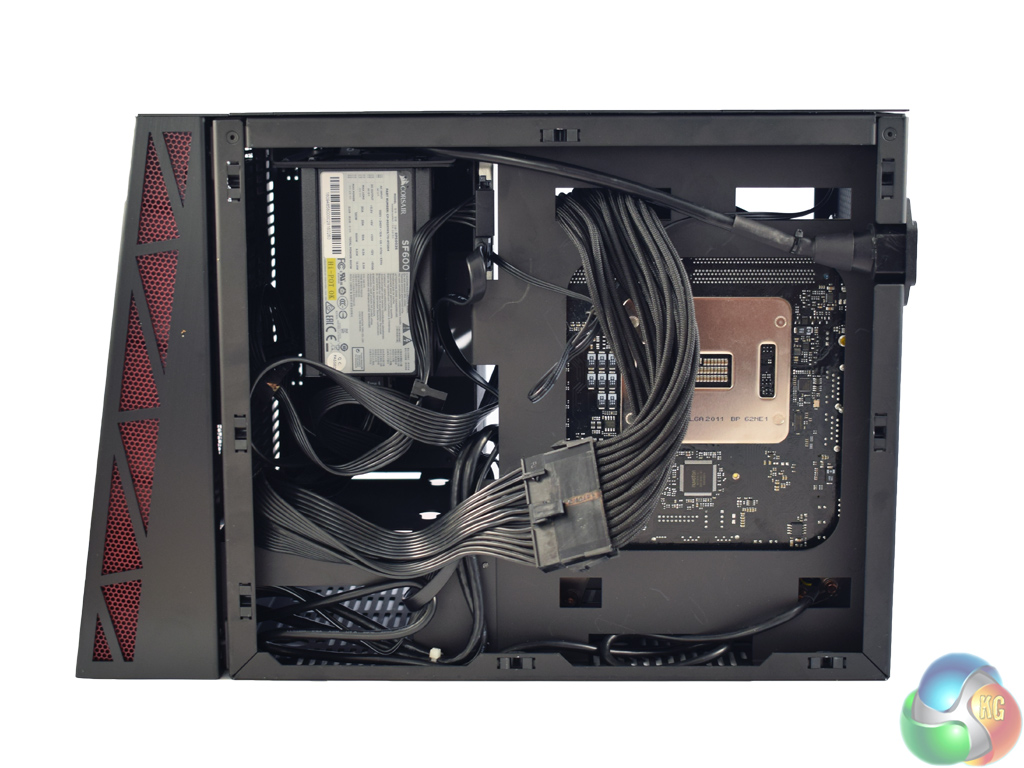
The only issue with cable management in this chassis is the lack of tie-down points. I would have liked to tie down the 24-pin extension cable to the motherboard tray, but there is not a single tie-down point to be seen. As such, the cable stood off from the chassis somewhat, which does not look overly tidy.
However, the PC-Q17's saving grace is its side panels. As I mentioned on the previous page, they simply pop into place using push pins – which means, as long as there is not ridiculous amounts of excess cabling behind the motherboard, the side panel just pops back on very easily.
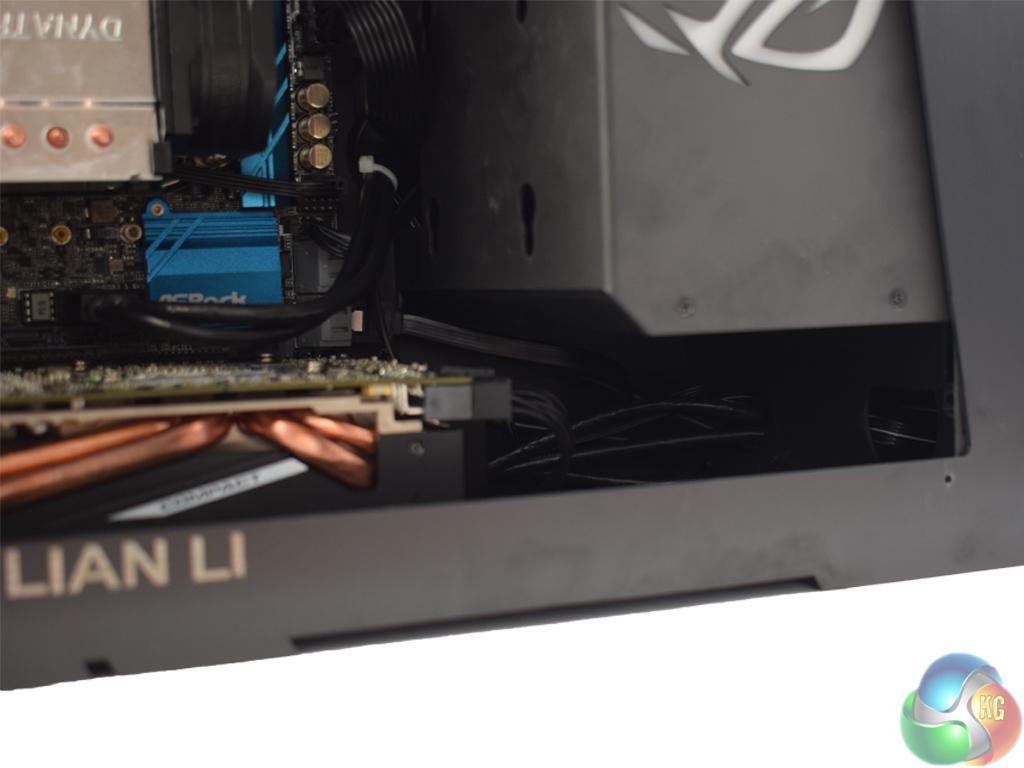
From the front, too, cabling is not on show at all. The only place where you might see any cabling is under the PSU mounting area, as pictured on the right, but you would have to be looking at a very specific angle to see the all-black cables. When viewed straight on, everything is neatly hidden behind the motherboard tray.
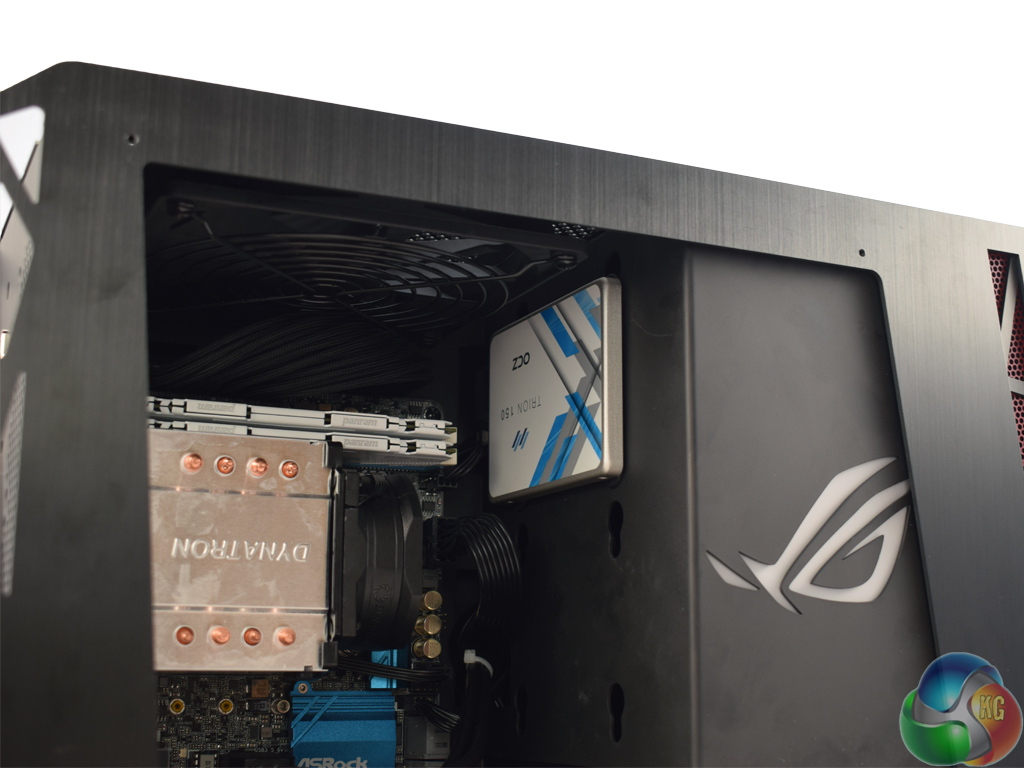
Here you can see the mounting of my OCZ Trion 150 SSD. Ignoring the fact the label is upside when the SSD is oriented with its ports facing away from the side-panel window, the mounting system in the PC-Q17 is very easy. Lots of anti-vibration dampeners are included which is a lovely touch from Lian Li, and not having actual drive bays means the case can be as small as possible. Simply mount your desired number of drives where you like – job done.
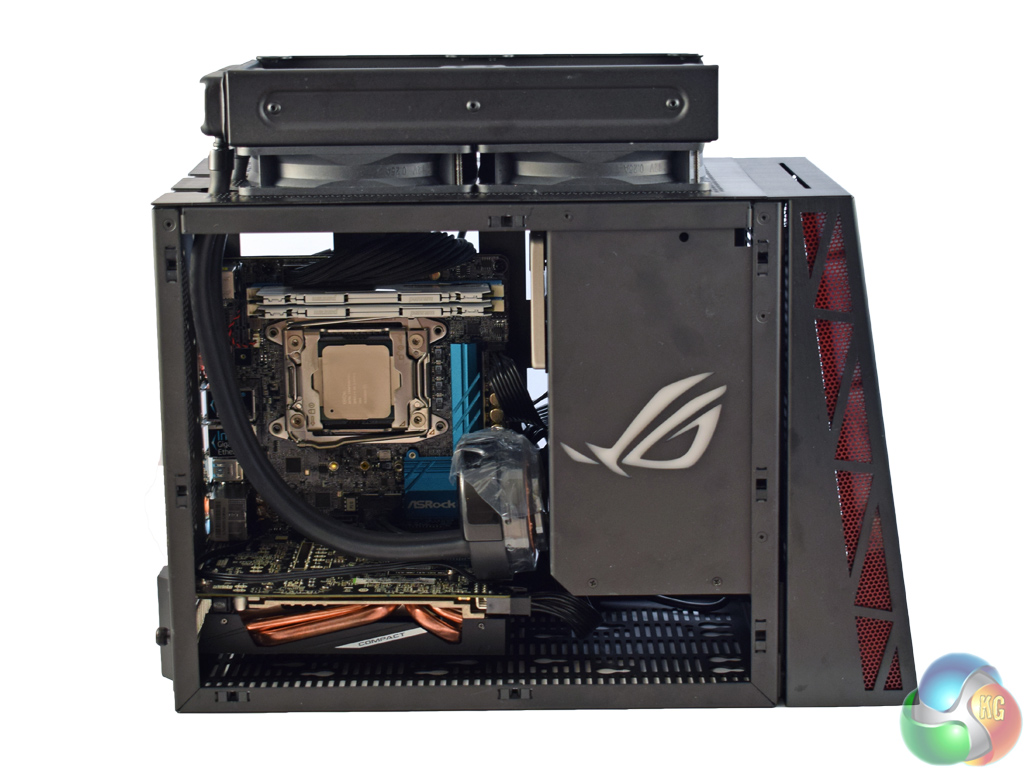
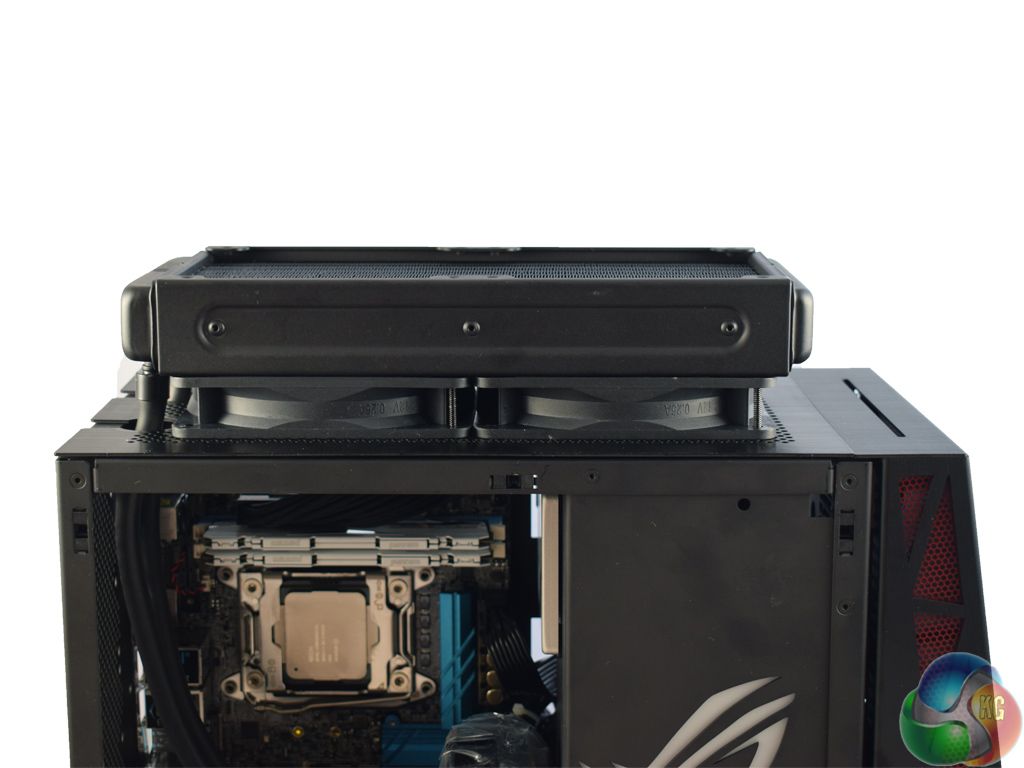
Lastly, I must demonstrate installing a 240mm radiator. It is possible to install a 120mm radiator on the inside of the PC-Q17 – simply remove the pre-installed 120mm fan and install a radiator there. However, for a 240mm radiator, or 2x 120mm fans, these have to be installed externally to the roof of the chassis, as seen above.
The hoses fit through two cut-outs in the roof, which have cable grommets installed, allowing a pump/waterblock to be installed inside the case.Testing a case consists of finding out how the chassis deals with heat generated by the installed components, and how much noise it produces while doing so.
To create excess heat, I used AIDA64 to stress both the CPU and GPU for 15 minutes. After 15 minutes, I recorded the maximum temperatures for each component to report here.
To test the Lian Li PC-Q17, I installed the following components:
- Asrock X99E-ITX/ac motherboard
- Intel 5960X CPU
- Dynatron R24 cooler
- 2x4GB of Panram Ninja V DDR4 3000MHz
- Sapphire R9 285 ITX GPU
- Corsair SF600 PSU
- OCZ Trion 150 SSD
Thermal dynamics
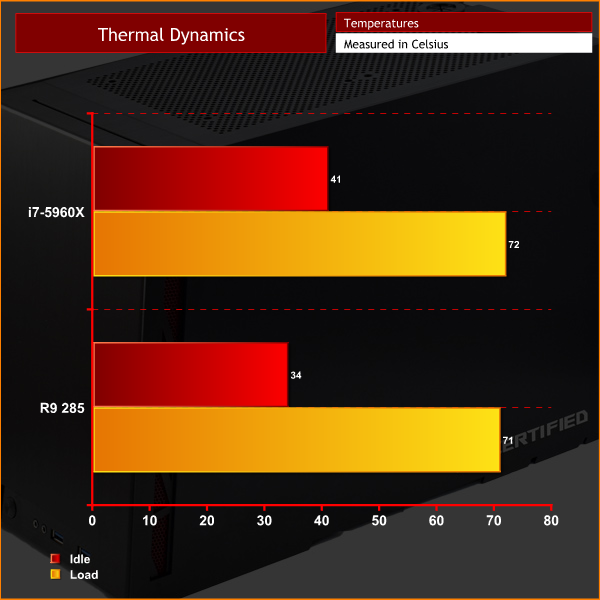
Out-of-the-box, the single 120mm fan included with the PC-Q17 is configured to exhaust air out of the chassis. This is a sensible move, as if there is only one fan in a case, ideally it would be drawing hot air out – rather than pushing air in to the case with nowhere for it to go.
As the temperature charts show, the 120mm exhaust fan keeps temperatures in-check, although a beefier cooler would be able to do a better job than the cheap Dynatron cooler than comes bundled with the Asrock motherboard.
Ideally, I would have liked to have some cool air being brought into the chassis, though. I think this would be best achieved by using the two 80mm fan mounts at the rear of the case – if they were occupied, intaking air, while the 120mm fan remained exhausting air, I think temperatures would benefit. However, Lian Li only saw fit to include a single fan and it does the job just fine.
Acoustics
As there is only one fan, the PC-Q17 is as quiet or as loud as you configure it. With a ‘silent' fan profile enabled, I could not hear the fan at all – but if you run it at 100% speed it quickly becomes intrusive. The fan itself is good quality, too, and there is no mechanical noise coming from the bearing or anything like that – the only noise produced comes from the fan blades spinning, and this is entirely up to you to configure to your liking.Made in collaboration with ASUS Republic of Gamers, the Lian Li PC-Q17 is a good-looking and practical case to build your next Mini-ITX system in.
For starters, it is made entirely from brushed aluminium – which looks great and is very sturdy. Just make sure you keep it clean, as it picks up fingerprints easily.
The stand-out feature is the tempered glass side panel, though – it shows off your components beautifully, and is easy to remove with 4 simple thumbscrews.
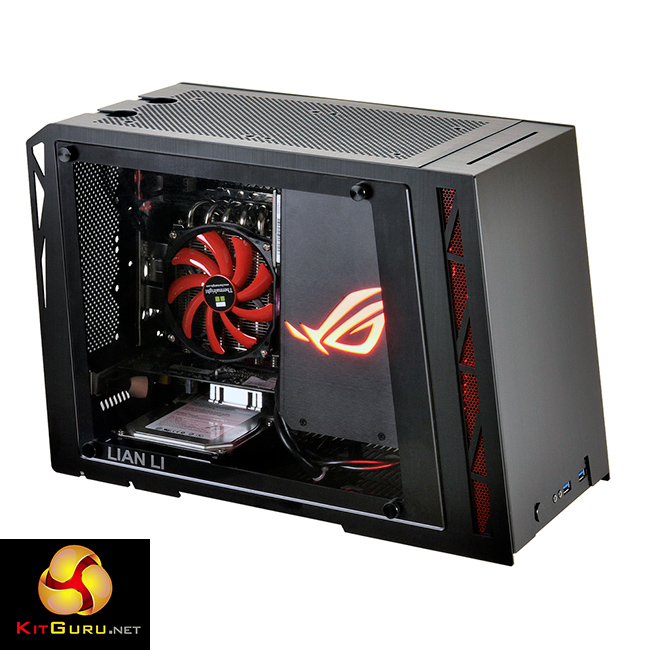
It also has a lot of useful features – the ability to mount up to 5x 2.5-in drives or 3x 3.5-in drives, for instance, would be great for anyone building a media centre. The panels are all removable, too, and use pushpins to simply pop on and off – no faffing with sliders and rails here.
The downsides are few and far between. There are no cable tie-down points behind the motherboard, though there is plenty of space to fit excess cabling thanks to the inch of space between the motherboard tray and the side panel.
Thermals would benefit from more than just a single 120mm fan, too, but there is space to fit a 240mm radiator externally to the case – while there are also 2x 80mm fan mounts at the rear of the chassis.
All-in-all, this is certainly a high-grade and beautiful case. It does cost a fair bit though, coming in at £162.95 here in the UK. Add that to the minor niggles, the Lian Li PC-Q17 does not win our highest award, but it certainly comes well recommended.

You can buy one from OverclockersUK for £162.95 HERE.
Discuss on our Facebook page HERE.
Pros
- Lovely aluminium construction.
- Tempered glass side panel is beautiful.
- Side panels pop on and off very easily.
- Supports 240mm radiators.
- Lots of space for storage drives.
- Very compact.
Cons
- Aluminium panels attract fingerprints.
- Just 1x 120mm fan included.
- No cable tie-down points.
KitGuru says: If you are looking for a high-end, but very small chassis the Lian Li PC-Q17 looks great and has plenty of good features making it a definite contender for your money.

that isn’t a lot of space for a graphics card however it would have been nice to include the max length for one in the review
Written on multiple pages that VGA cards up to 270mm are supported.
ok, my bad
No problem. 270mm is a lot and should fit many modern, high-end graphics cards
I see here that it is stated that the side panel is tempered glass, but on other sites it is mentioned to be acrylic. Have they made an update to the case or was that an error?