KitGuru KitGuru.net – Tech News | Hardware News | Hardware Reviews | IOS | Mobile | Gaming | Graphics Cards


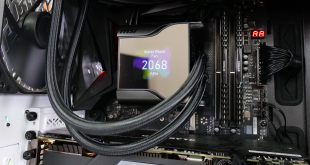
Screens on AIO liquid coolers have been one of the new fashion features in recent times. We have already examined some models from big cooling vendors such as Corsair and Thermaltake. This time, it’s MSI’s turn on our test system. The MSI MEG Coreliquid S360 is a £250 Asetek 7th Gen 360mm All-in-One liquid cooler with a 2.4” IPS display and an integrated 60mm waterblock fan.
Timestamps:
00:00 Start
00:43 First look at the cooler
01:44 Pump/block and sizing
02:39 MEG SilentGale fans
03:22 MSI Center app
04:29 Closer look at the IPS display
05:56 Installation process
06:34 Test setup
07:52 Noise output
08:37 Thermal performance
11:40 Luke’s closing thoughts
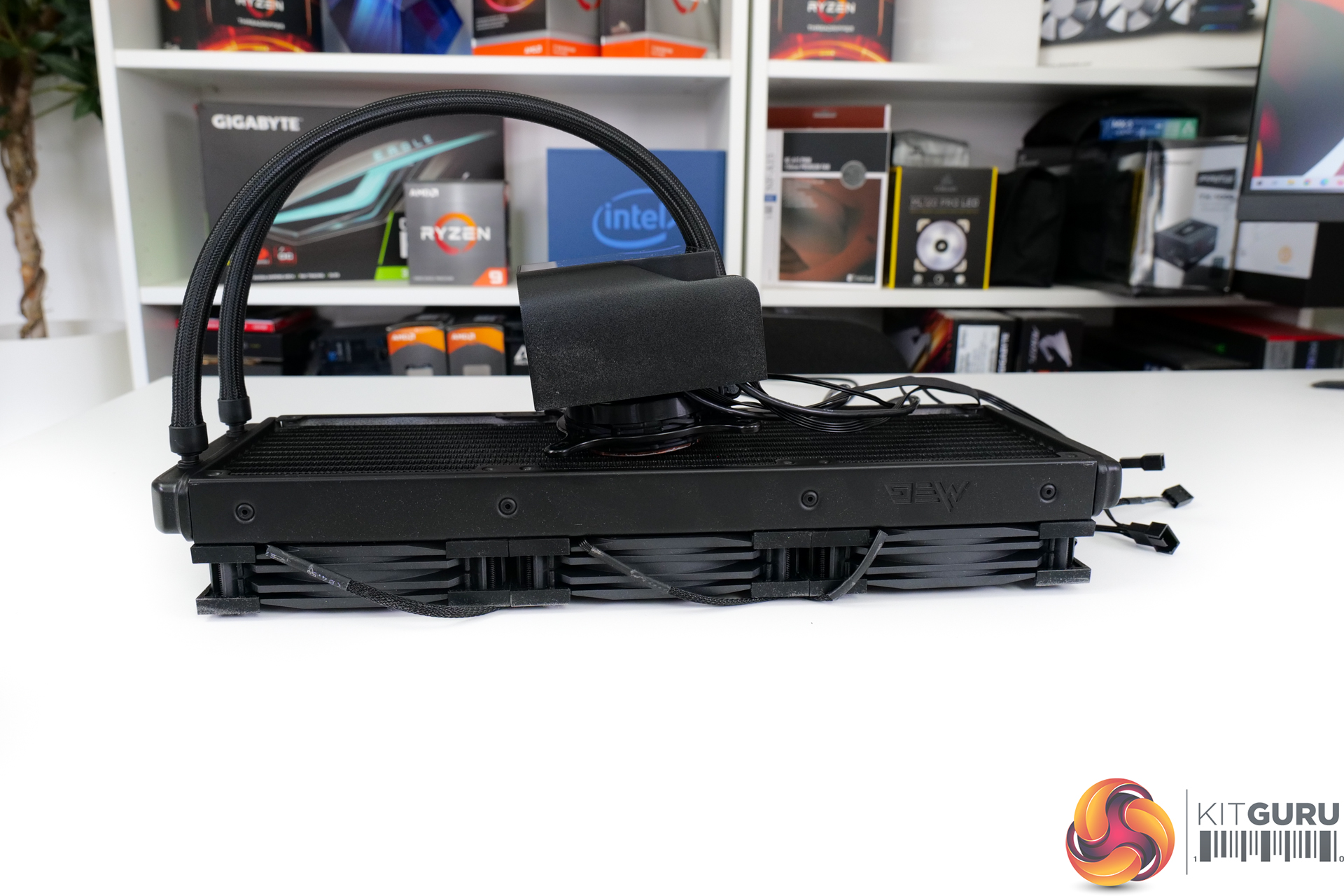
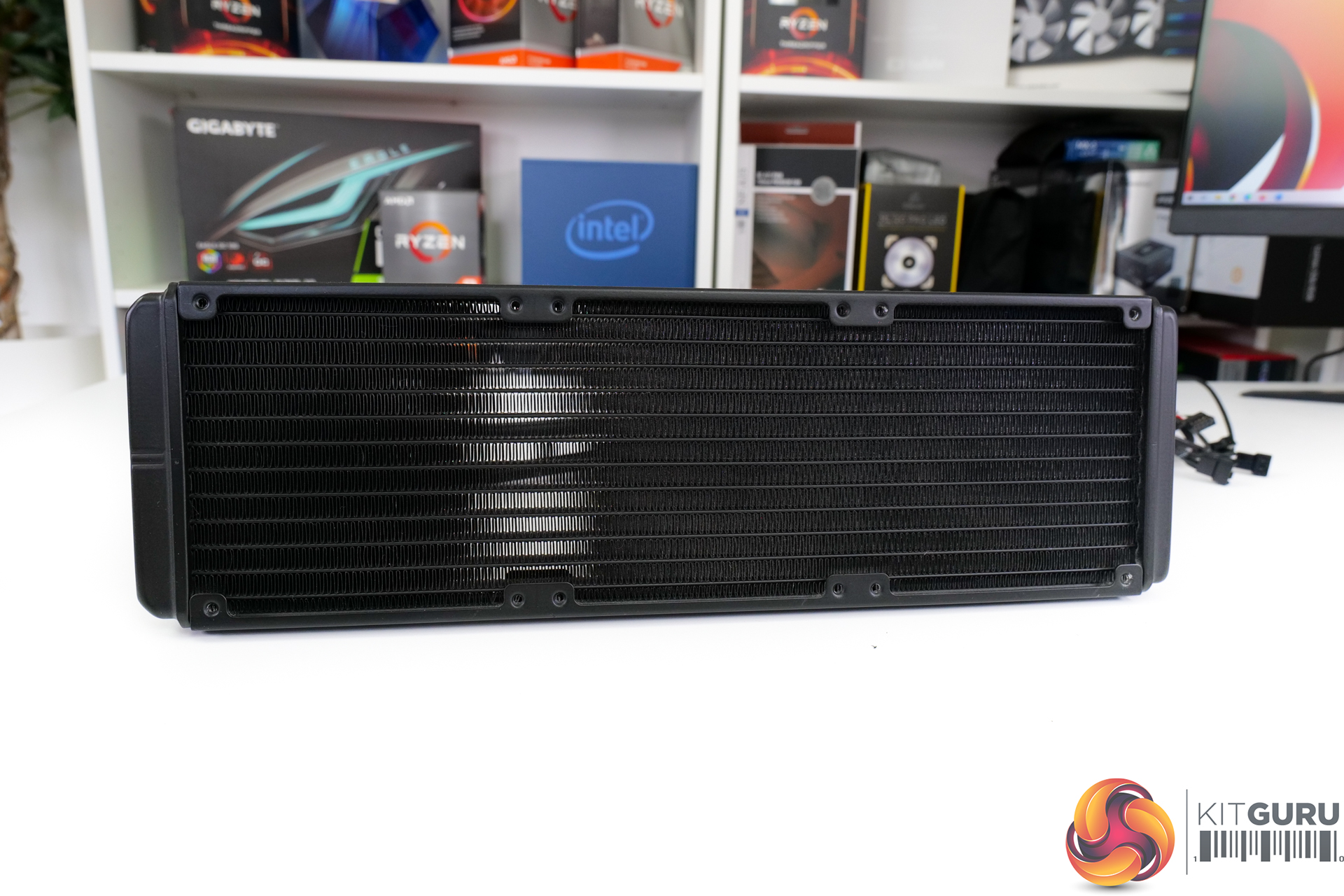
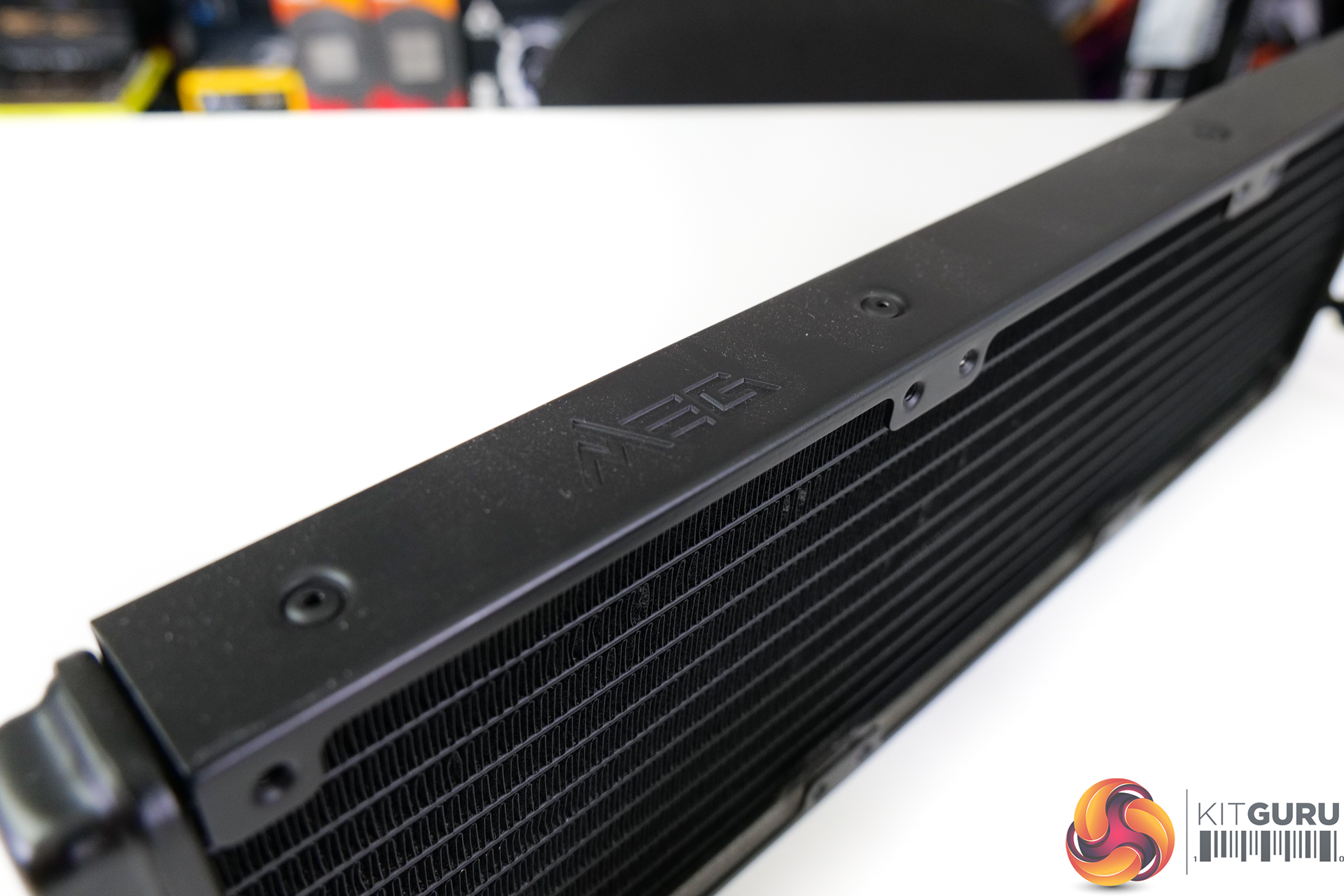
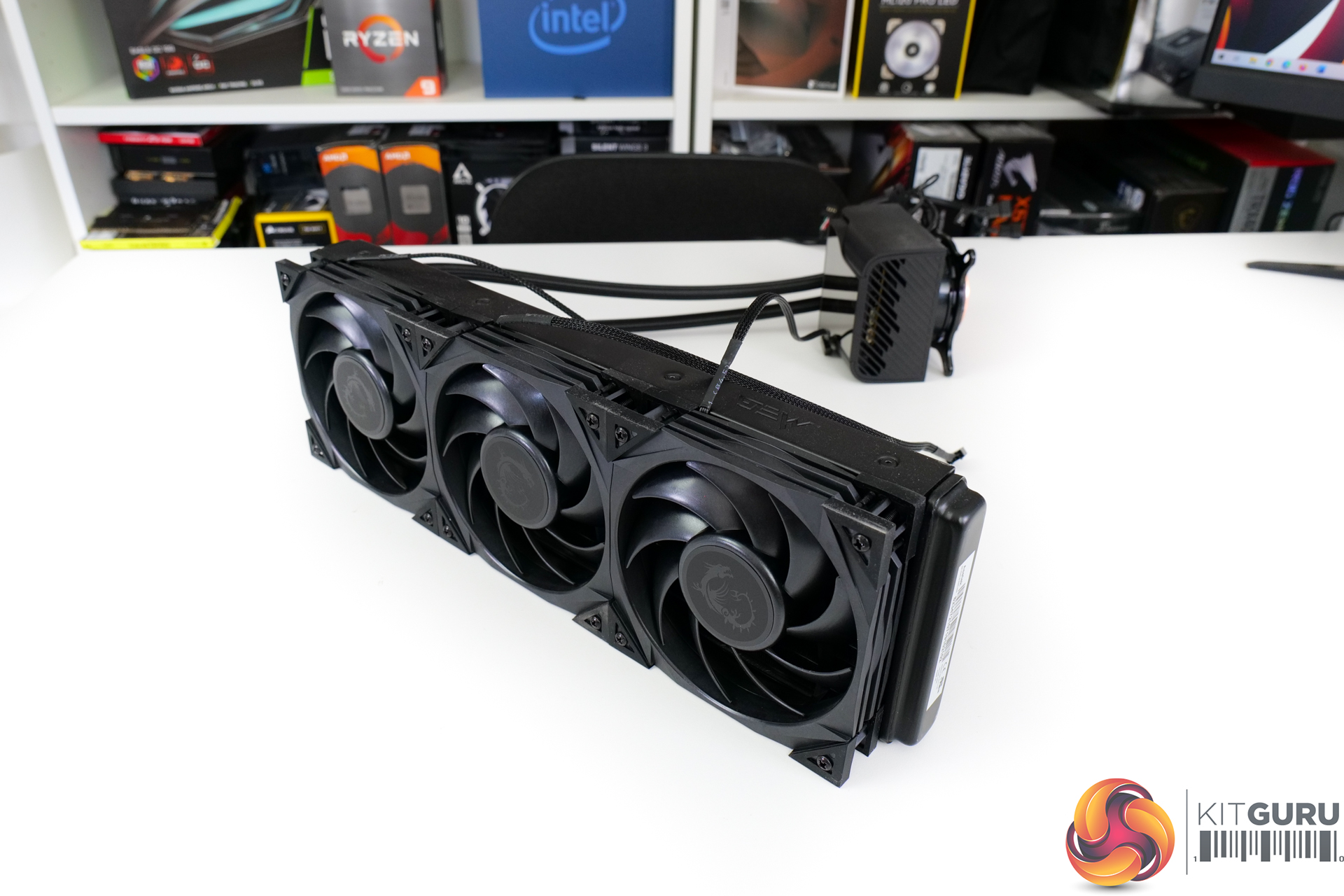
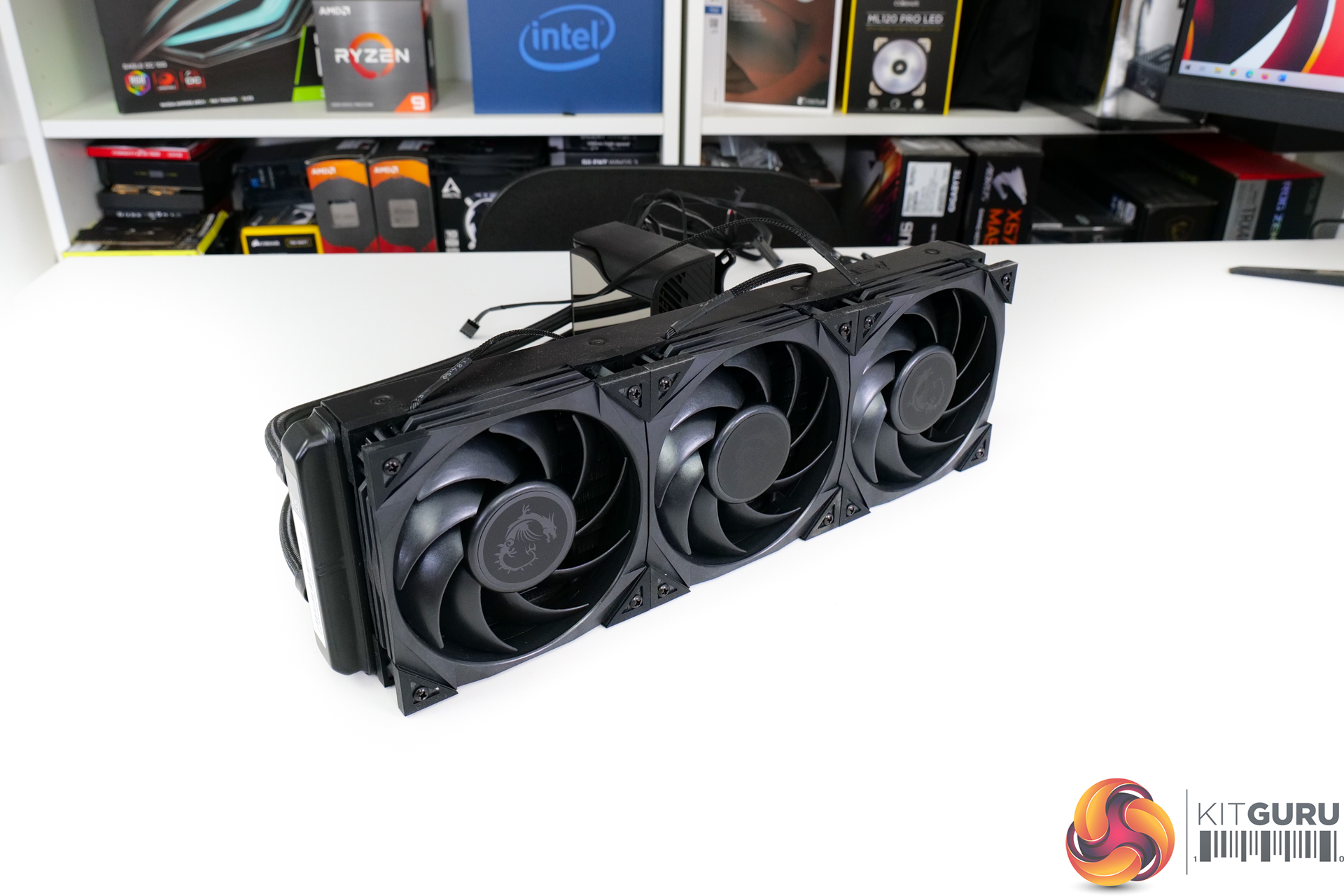
Once we open the box and remove the generic Asetek installation hardware, we see the radiator. MSI uses a conventional 27mm-thick aluminium radiator with dense fin spacing optimised for high-pressure fans. The radiator is coloured all-black to match the underlying colour scheme.
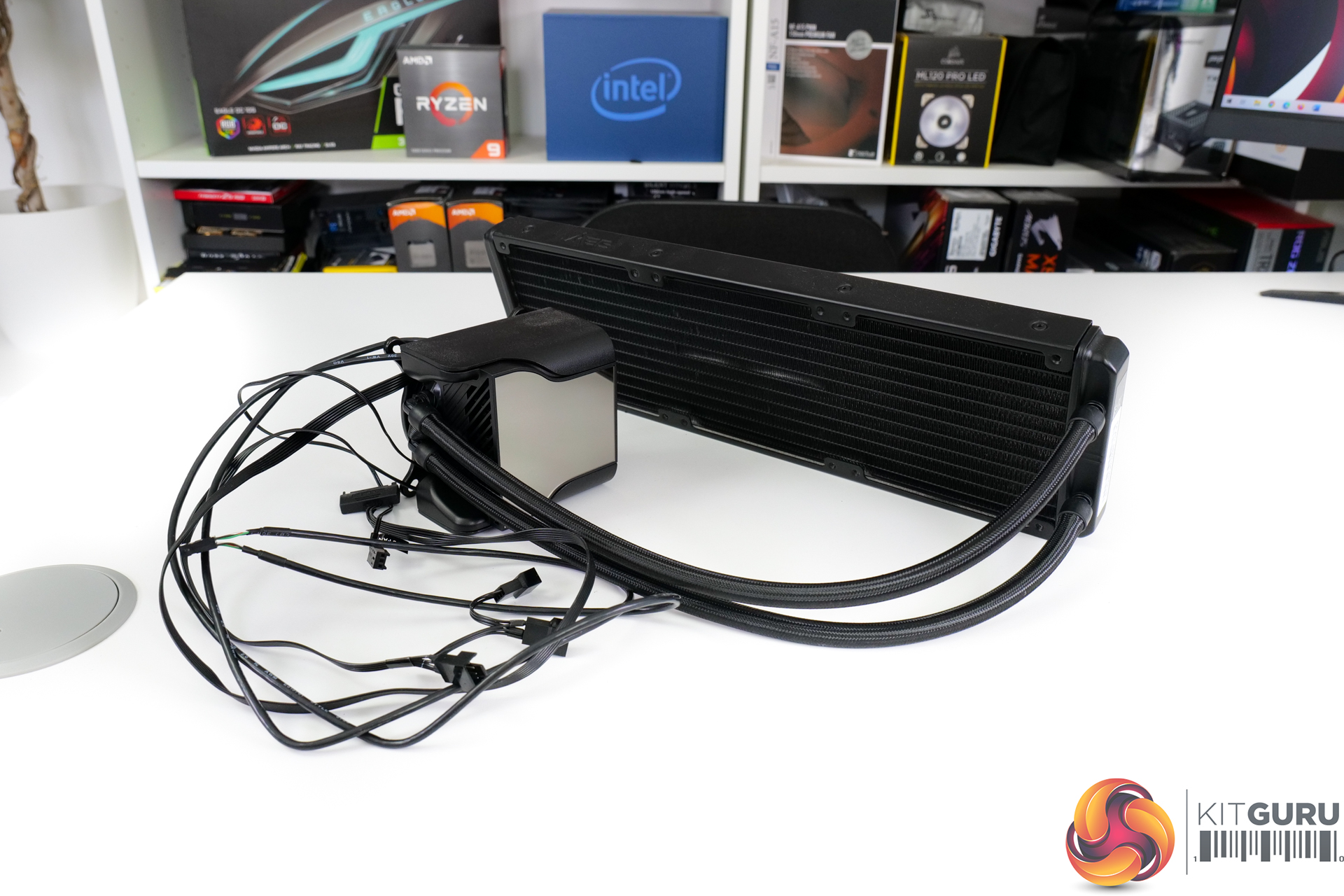
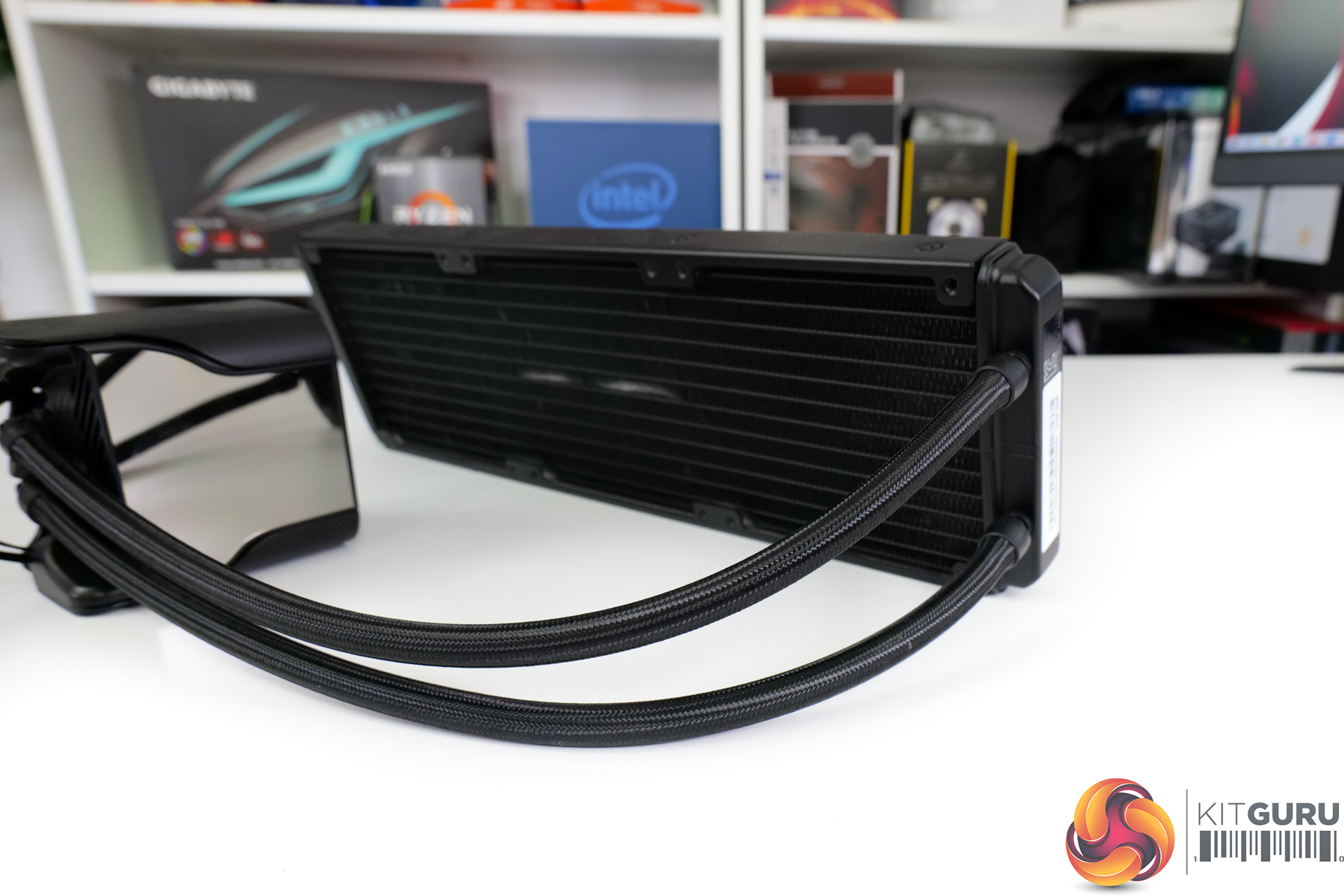
MSI uses what it calls evaporation-proof tubing on the unit which it says is constructed with rubber and a reinforced mesh. The tubes measure in at 400mm-long and have a high-quality braided outer to maintain a sleek appearance.
Flexibility of the tubing is a positive. Though MSI’s other design implementations severely limit the realistic flexibility of the cooler’s install and orientation.
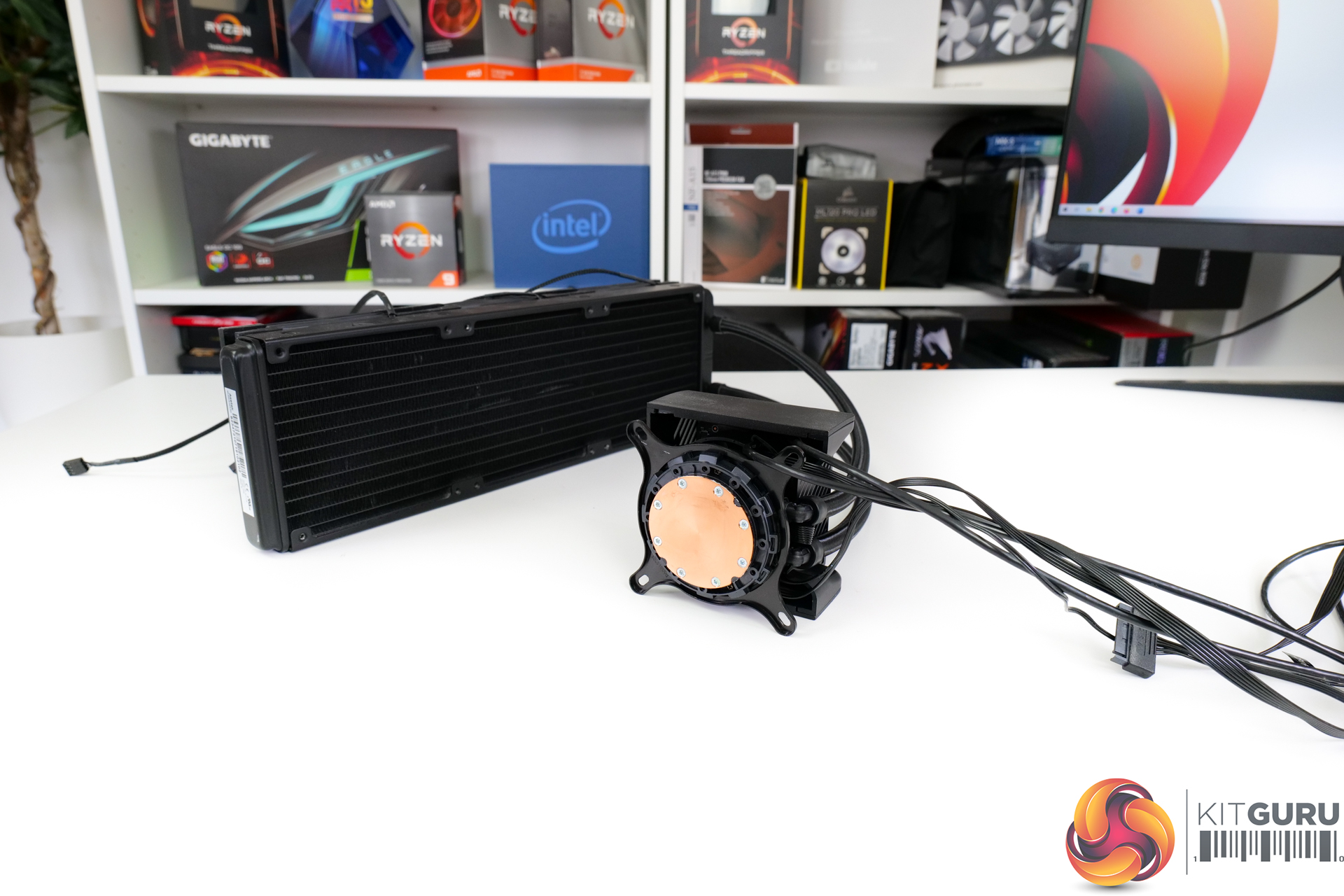
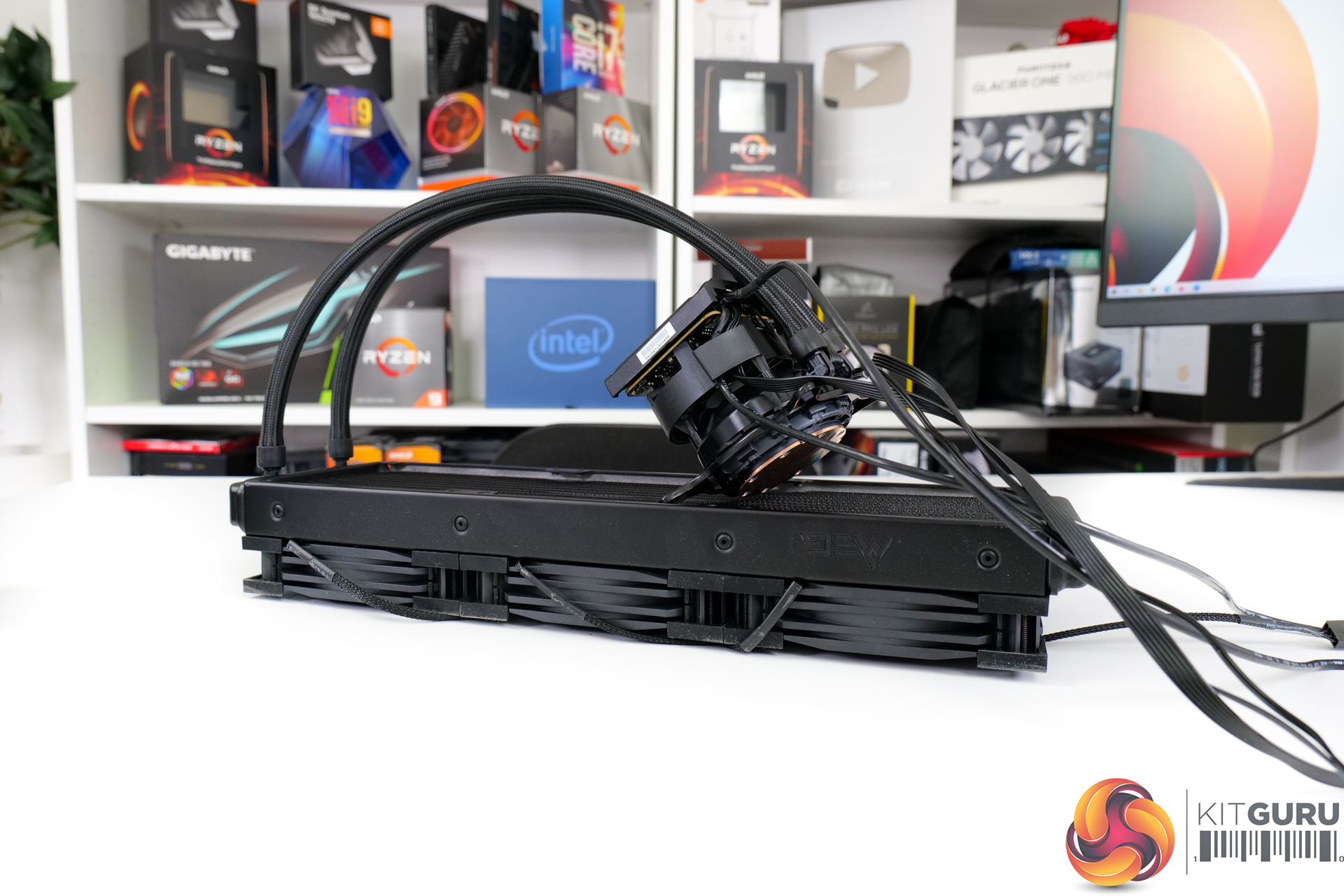
We see a bare copper cold plate in the standard Asetek form for this generation 7 cooler. The unit does come with thermal paste pre-applied, but we had already used this prior to photography. There’s no spare tube of thermal paste which is disappointing.
Sizing of the cold plate should be fine for even large HEDT CPUs, as we have seen over the years with Asetek.
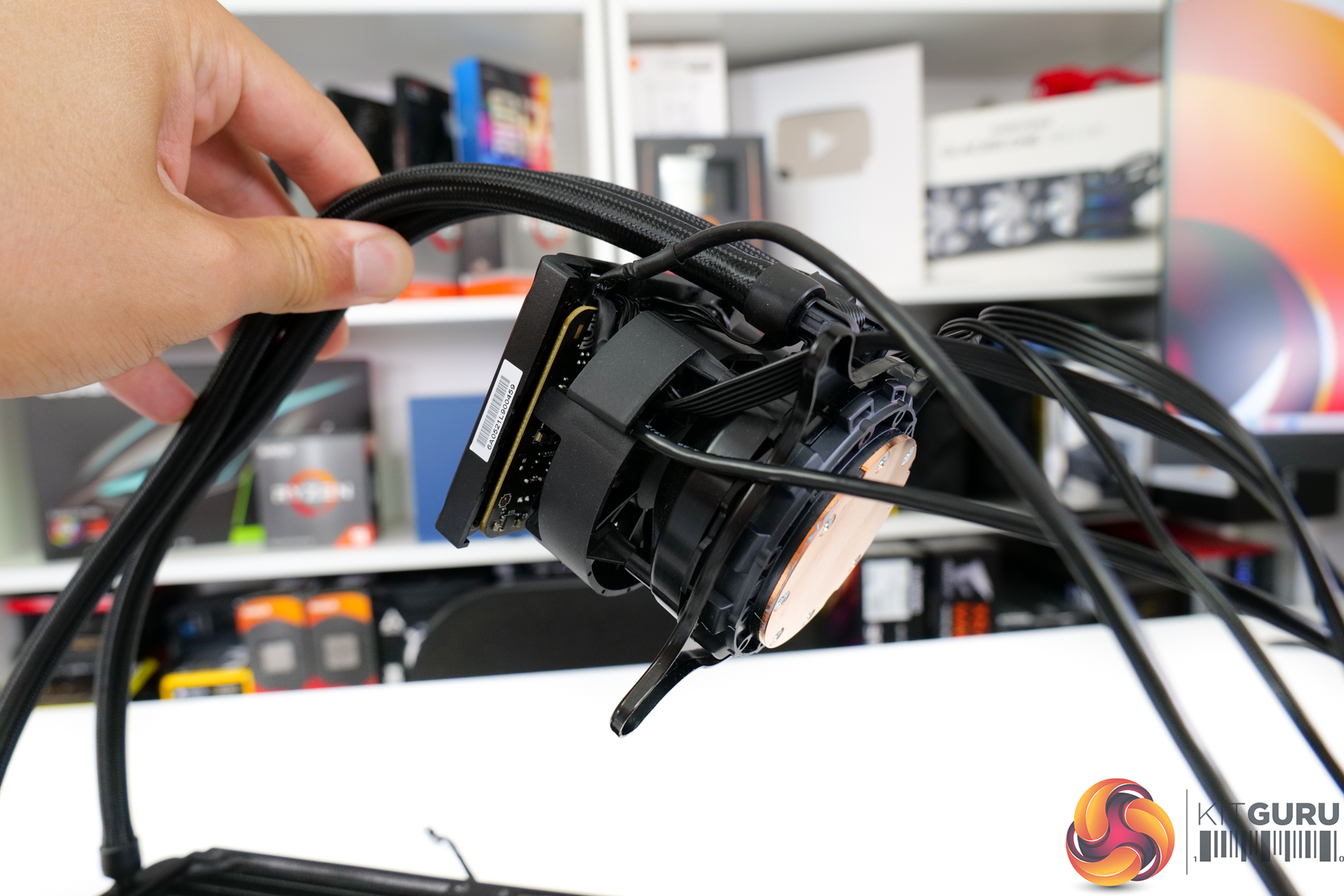
Physically, the pump-block unit is not all that big given that it is an Asetek system. However, the unit is huge in practise thanks to the inclusion of a 60mm 4000 RPM waterblock fan positioned directly above. Oh, and there’s the 2.4” display mounted on top of that.
The pump unit is PWM controlled and operates up to 2800 RPM top speed. Its speed curve can be controlled within MSI’s Windows software.
That software-controlled, 60mm waterblock fan is intended to aid nearby component temperatures by directing airflow to the VRM and M.2 SSDs, for example. However, it is a relatively small 60mm blower and has significant airflow restrictions above from the screen and below from the pump-block unit.
So, we will have to wait and see how useful it actually is for incidental motherboard VRM cooling.
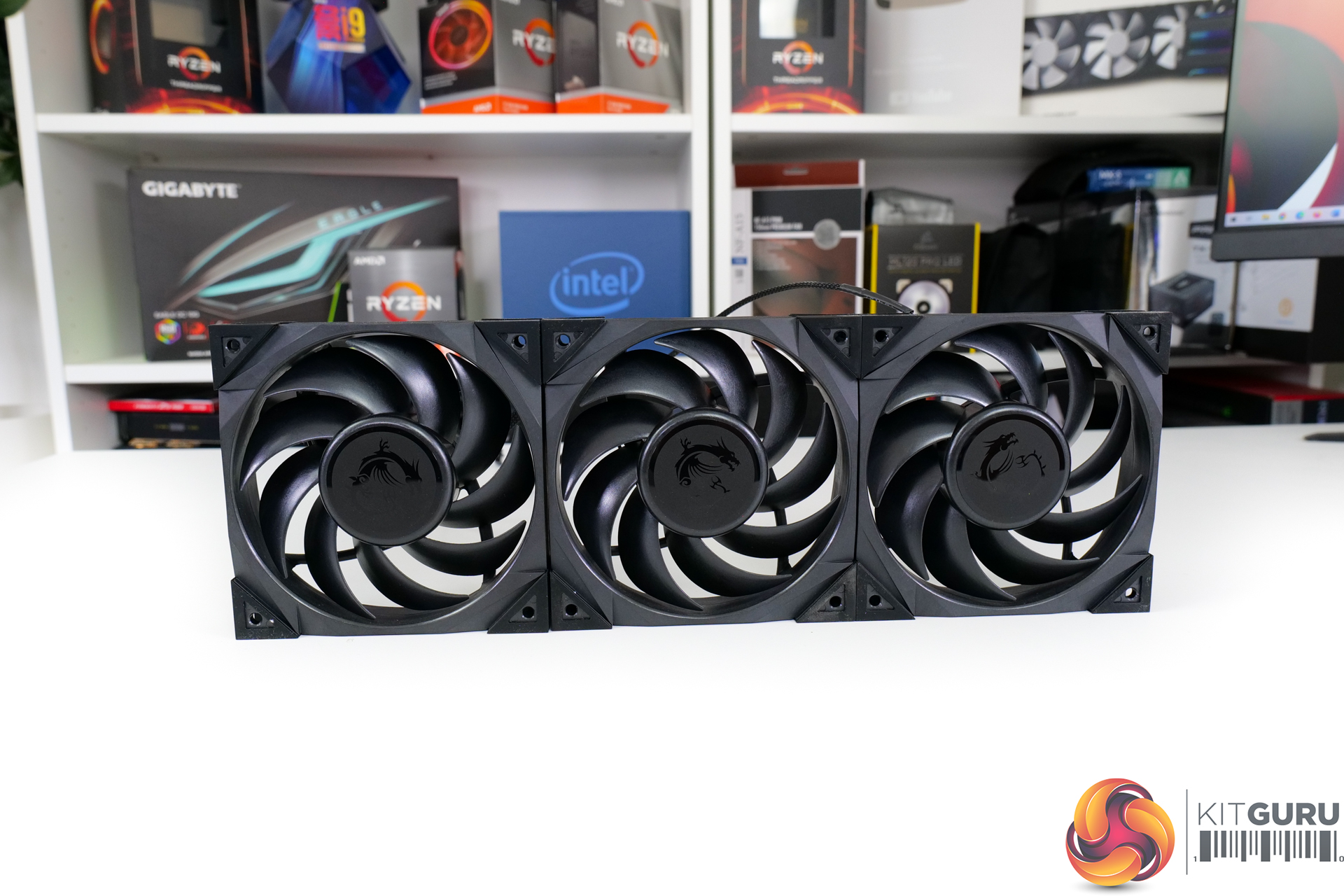
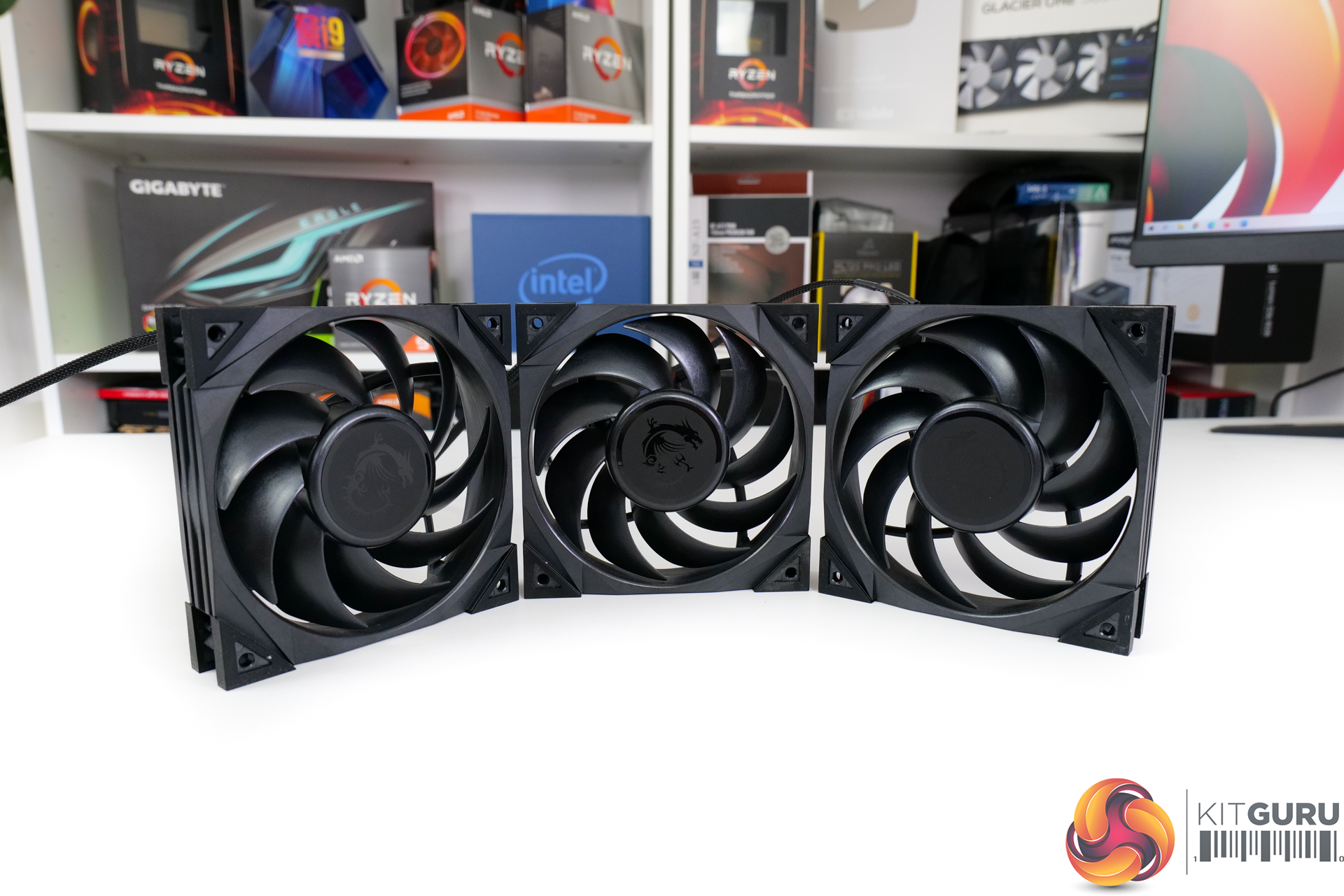
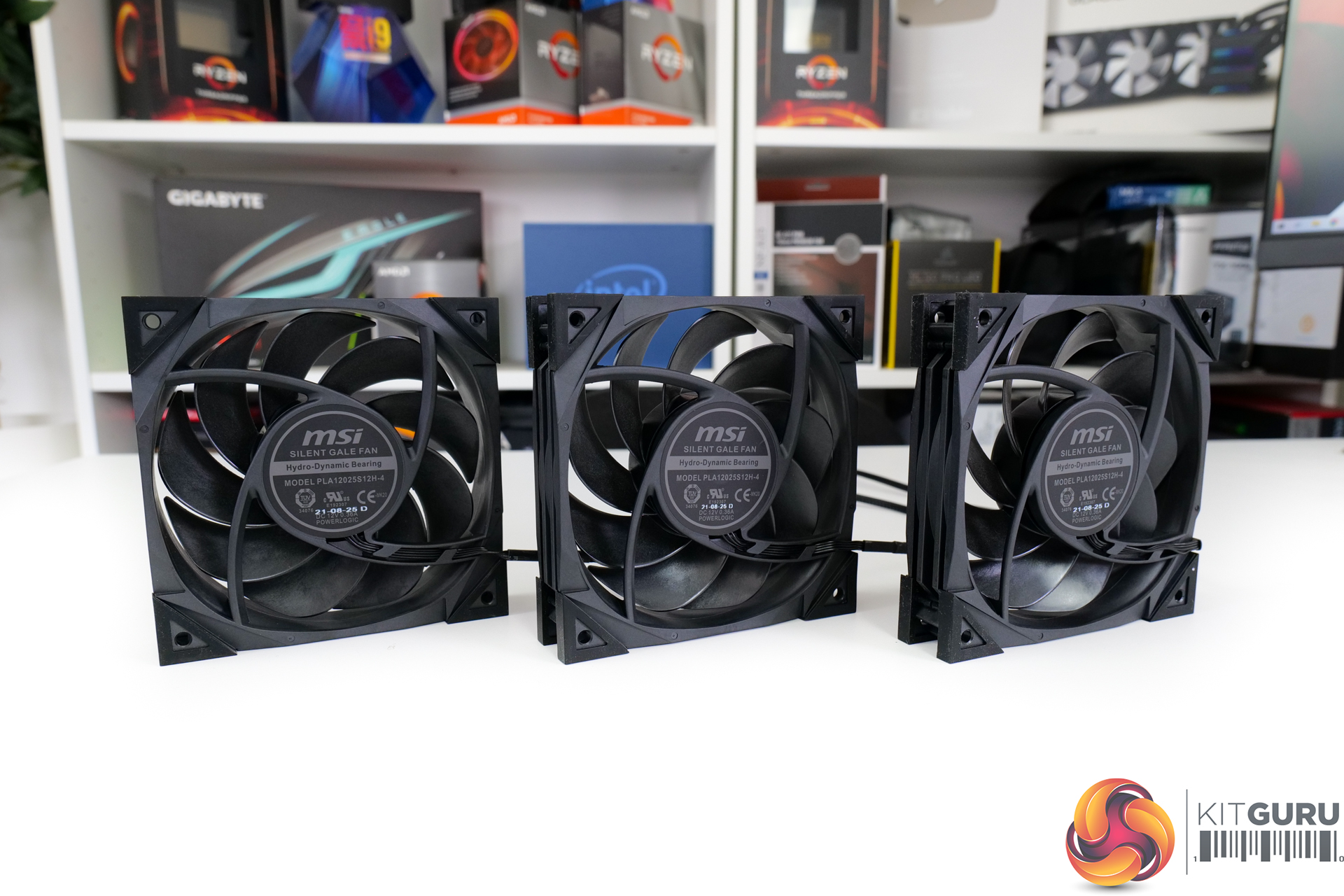
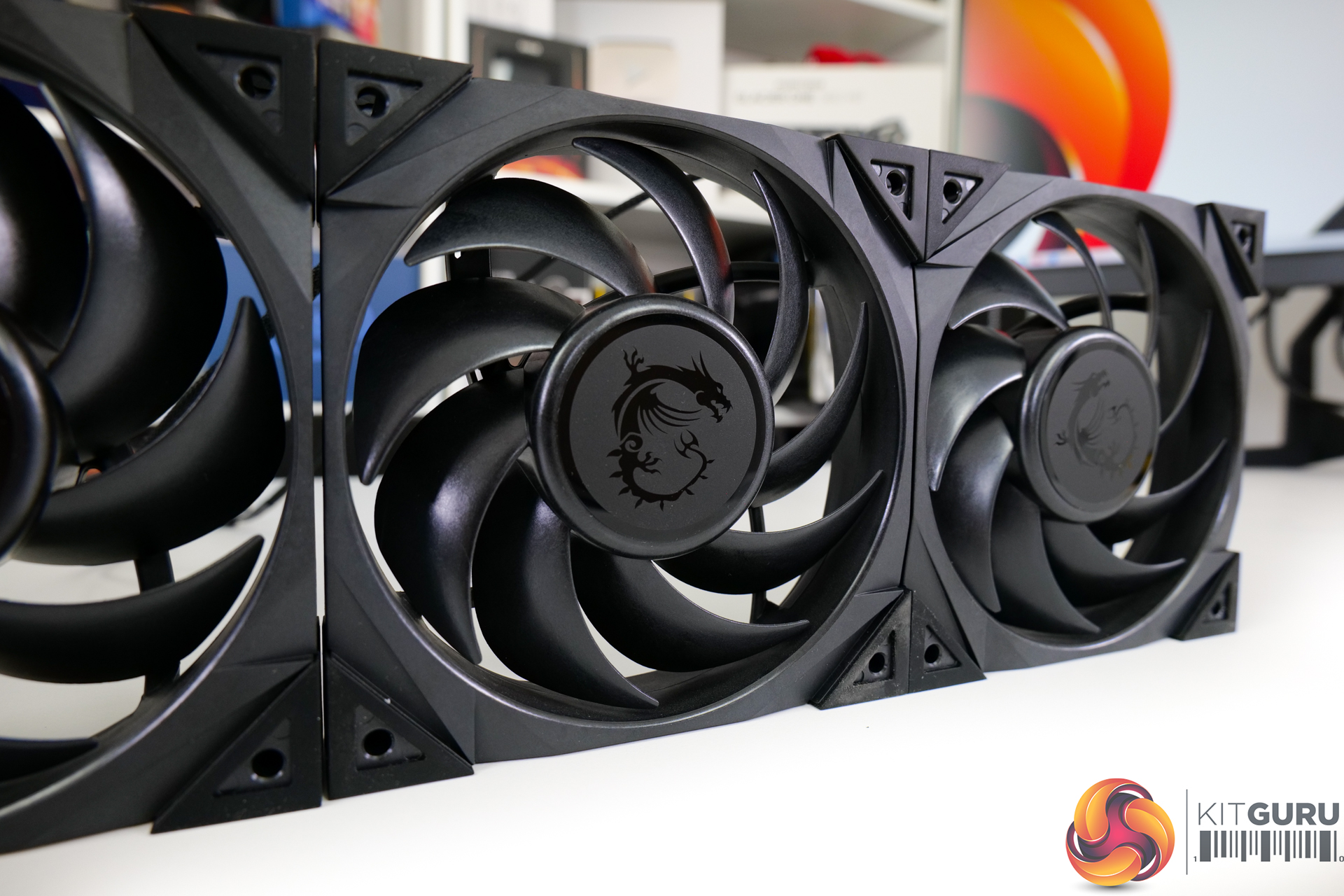
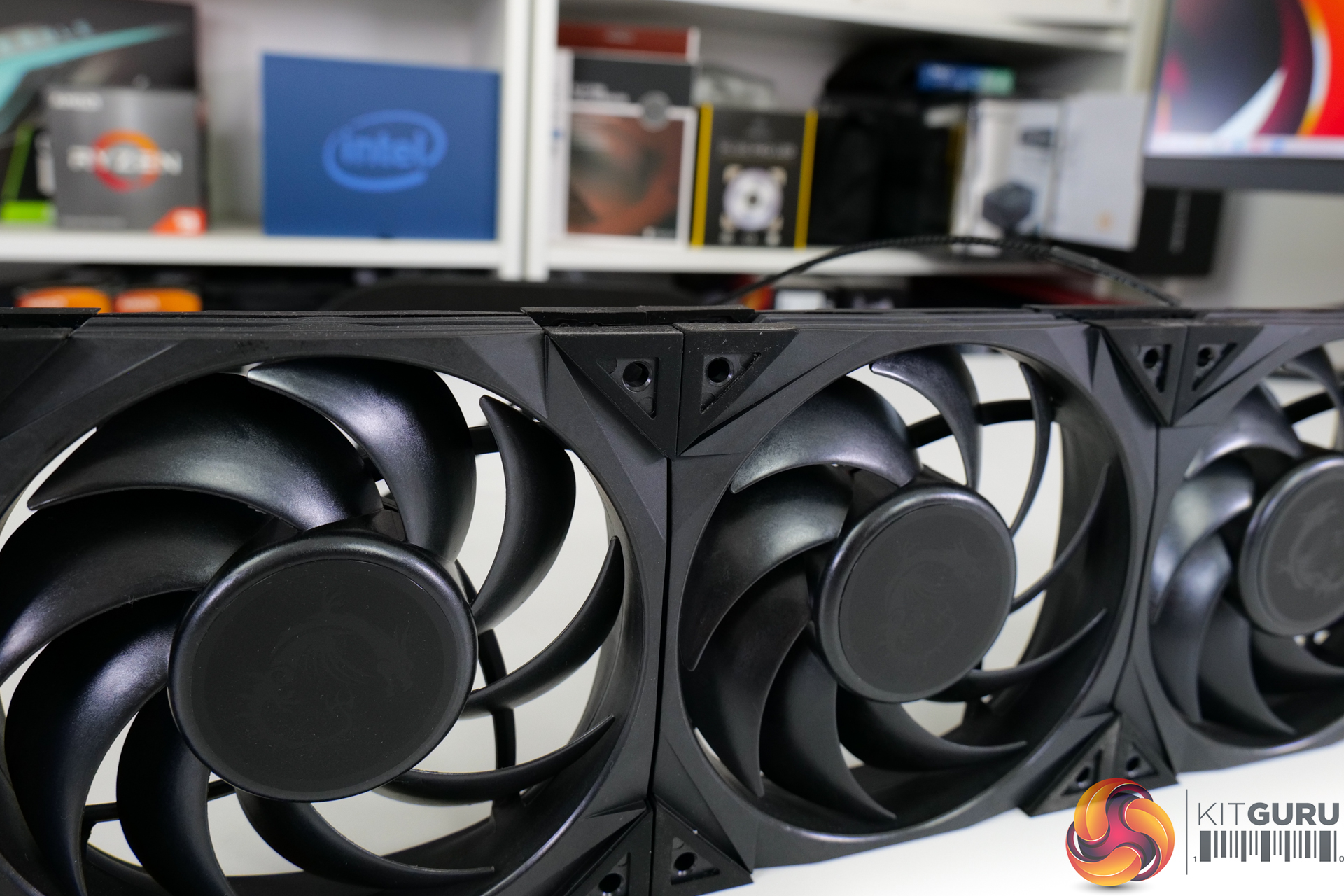
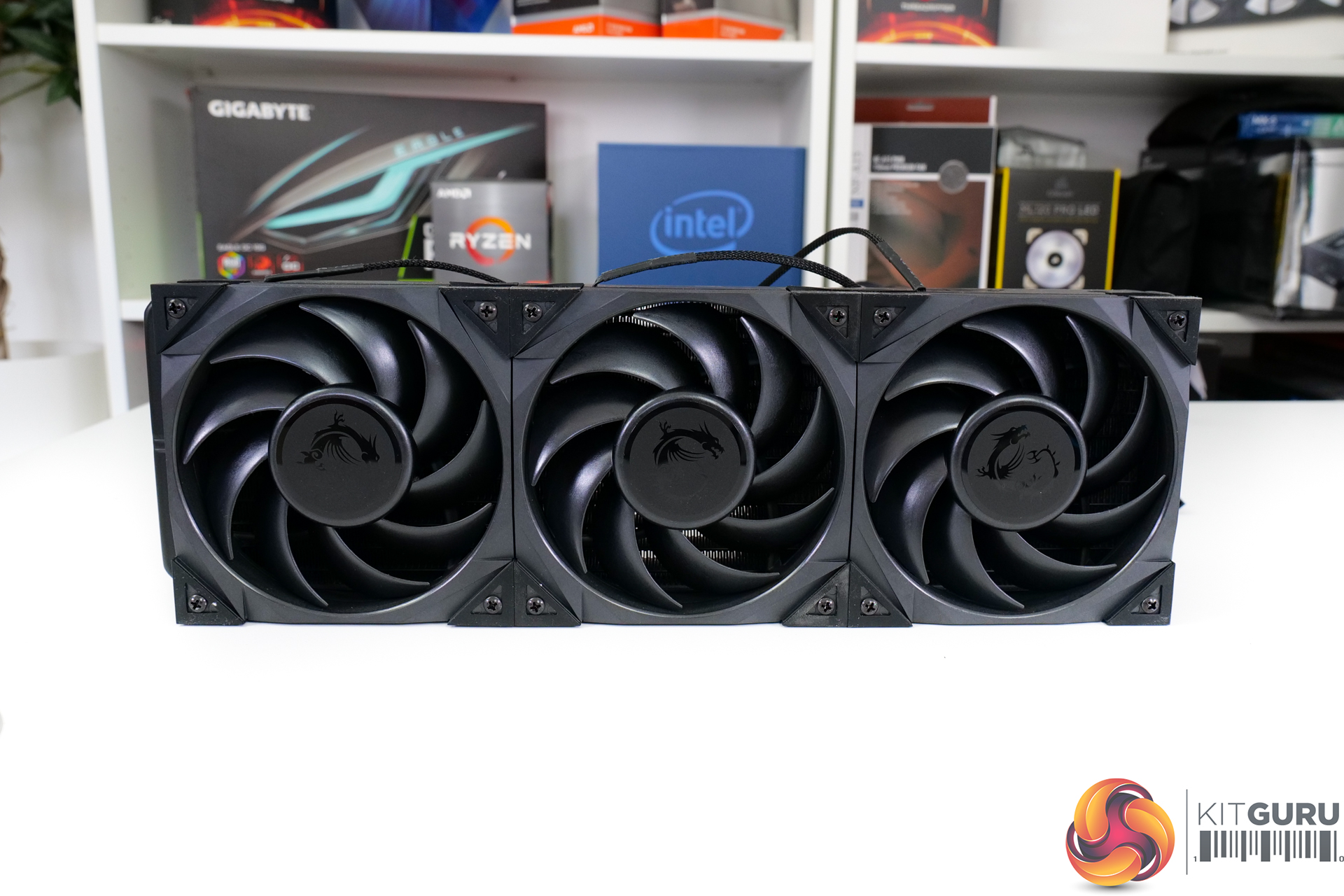
MSI’s choice of fans is a trio of the MEG Silent Gale P12, which are intended for noise-efficient cooling according to MSI. These hydro-dynamic bearing 120mm blowers operate at up to 2000 RPM top speed.
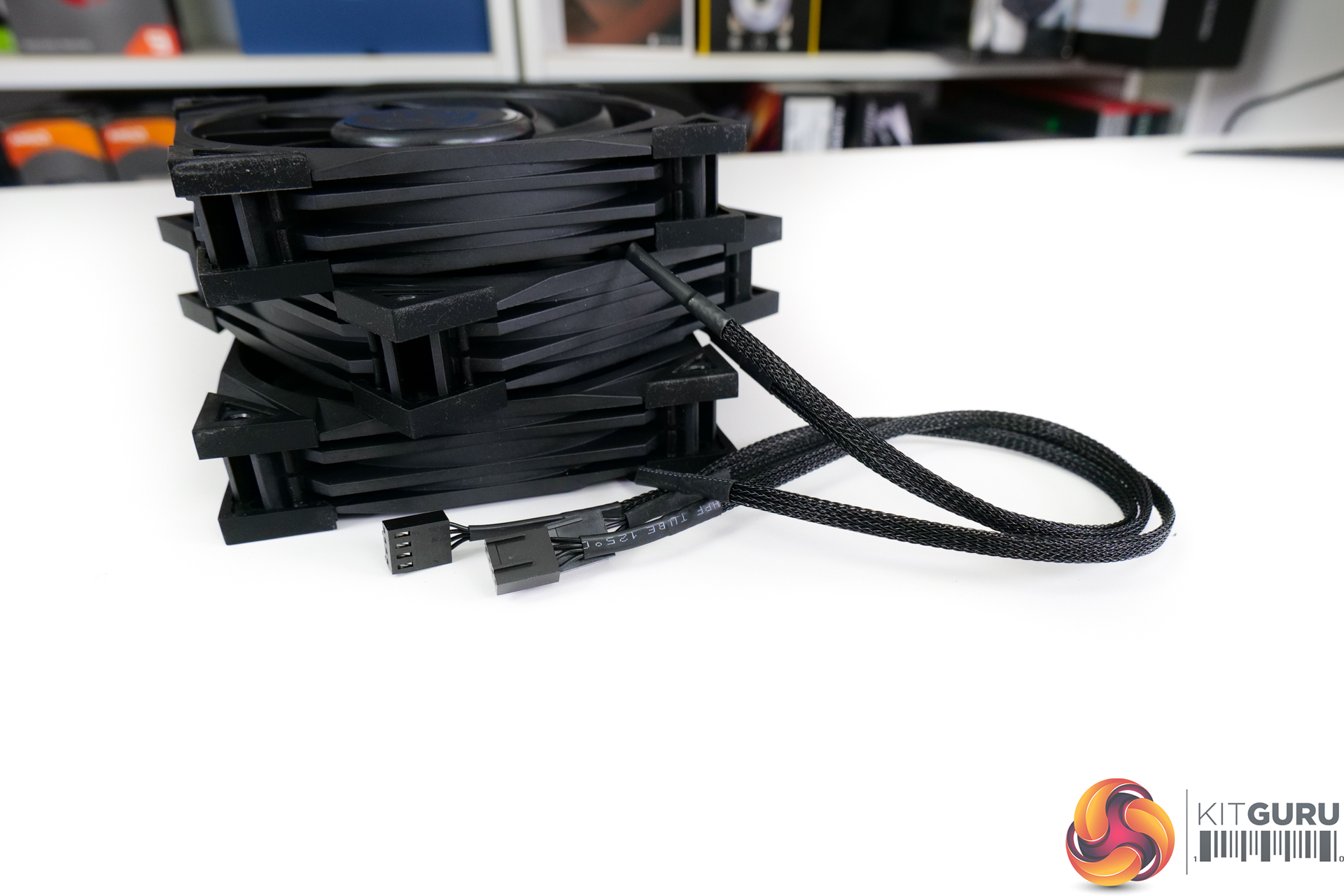
They use a 350mm-long, braided 4-pin PWM cable for connection and can operate under a zero-RPM mode. There is no fancy RGB LED lighting on the fans, which is odd given the already superfluous nature of an AIO with an LCD screen.
MSI does include rubber noise-isolating dampers on each corner of the fans, though, which is good to see.
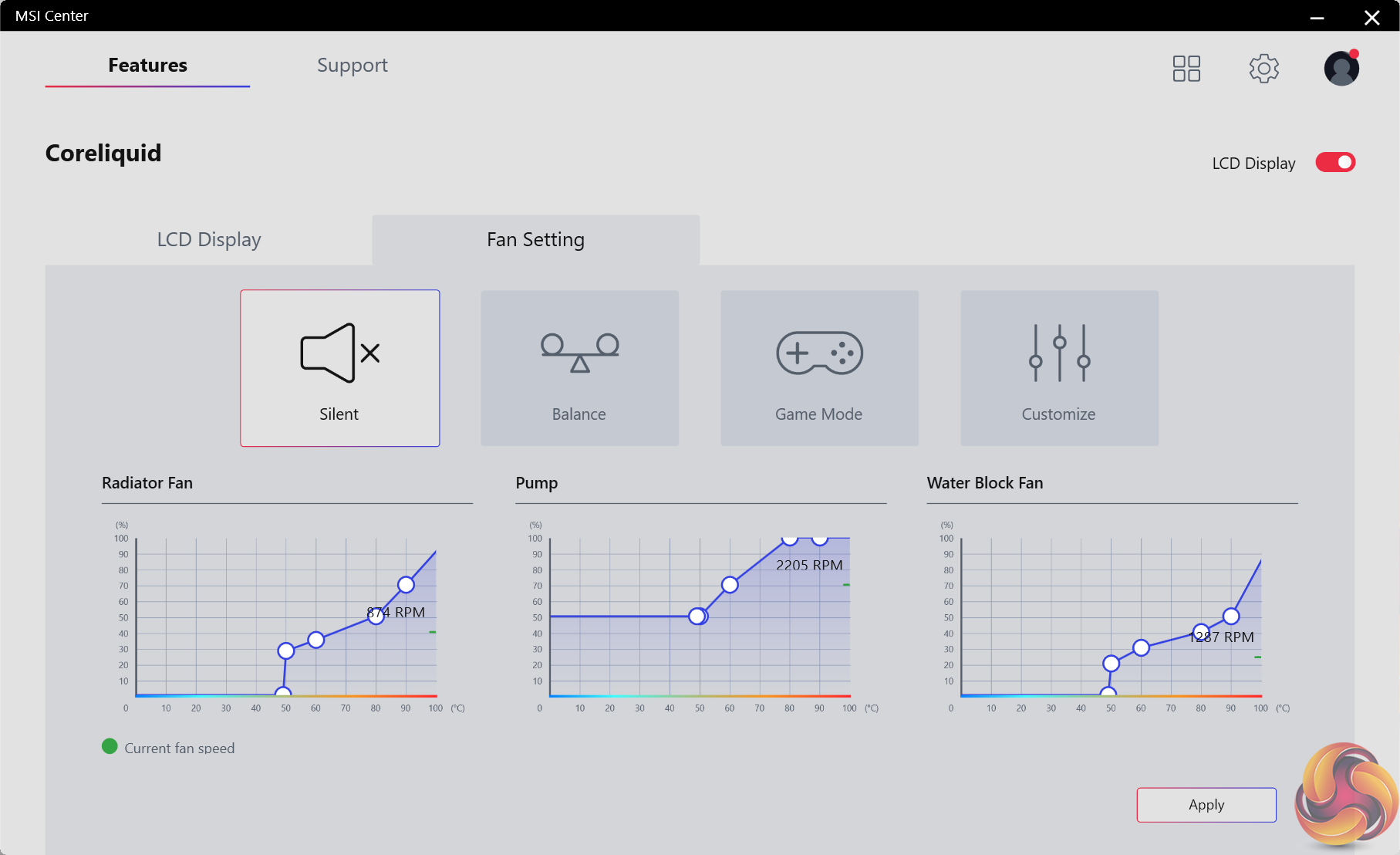
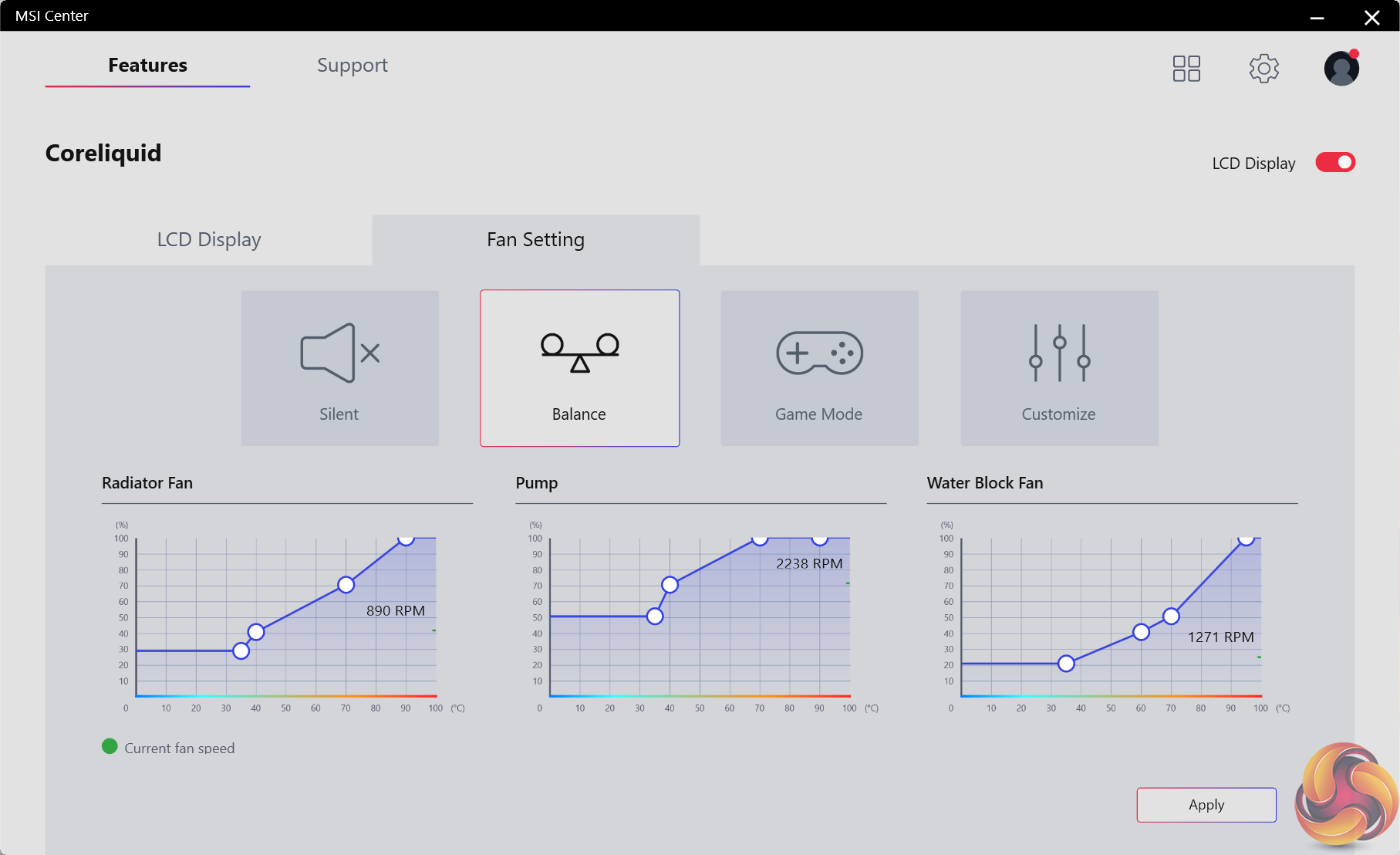
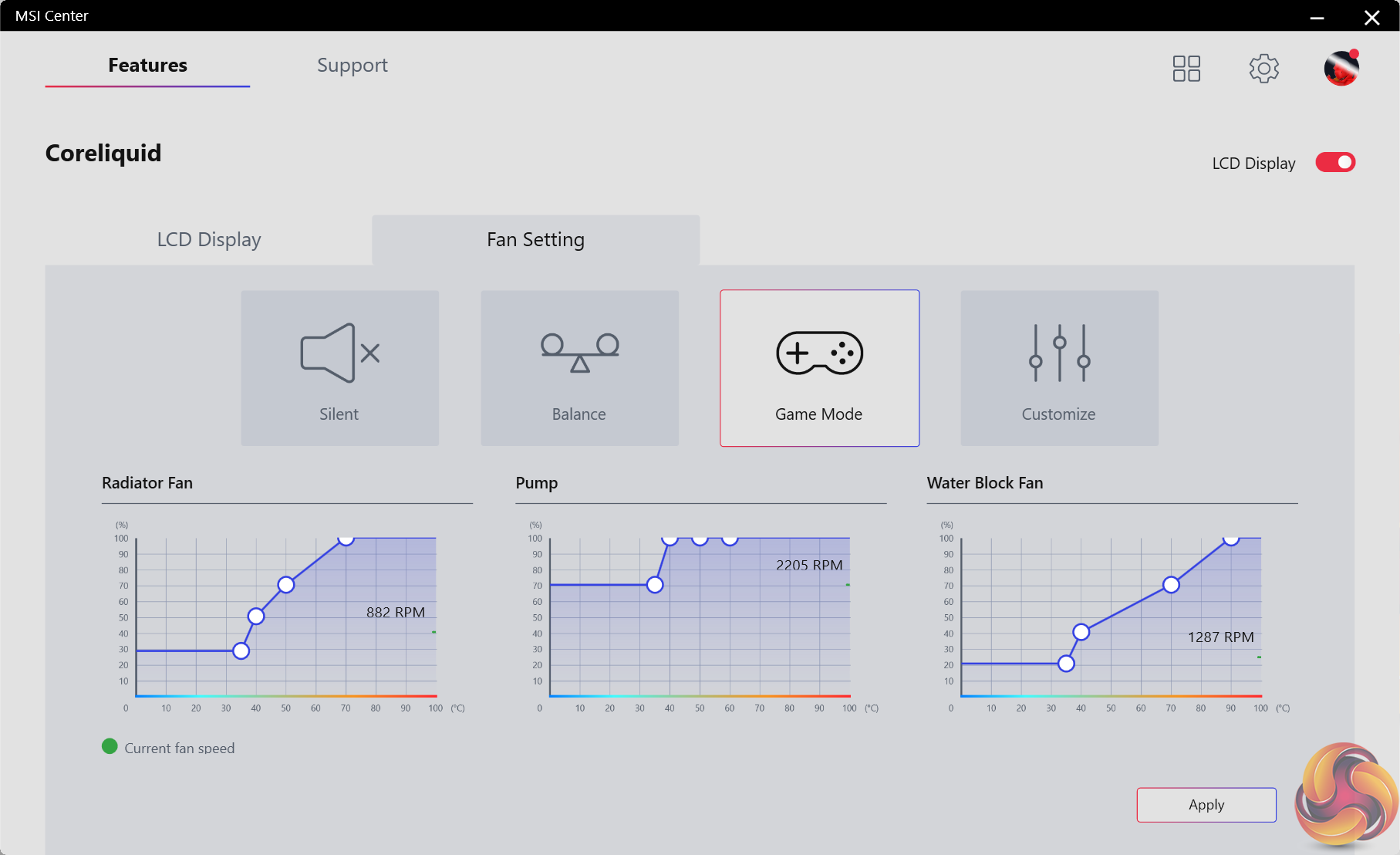
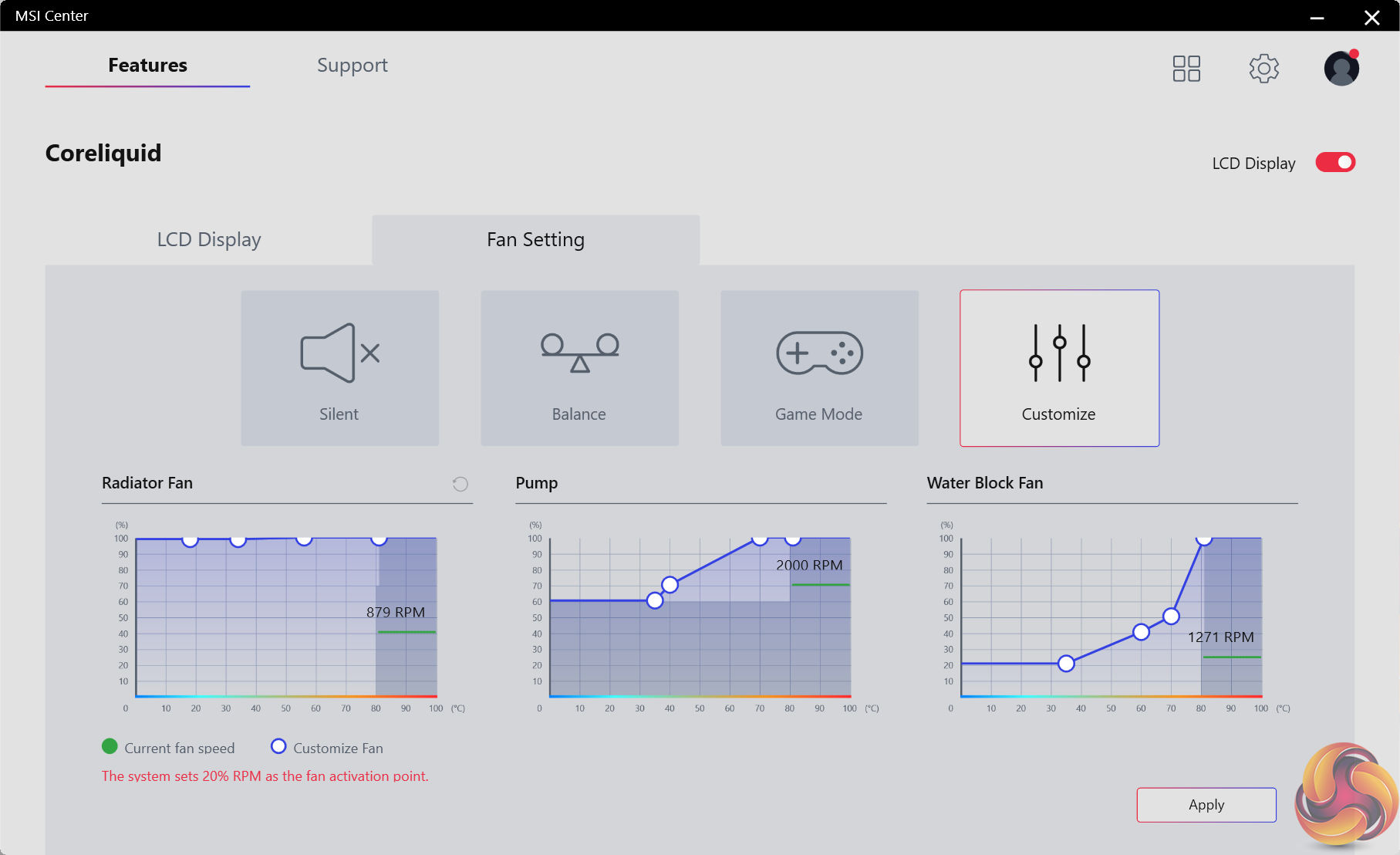
Control for the fans and cooler operation is handled through the MSI Center software. The pre-defined fan speed settings are helpful, and the ability to set custom fan curves is useful.
There is a limitation of 70% minimum radiator fan speed when the CPU temperature is above 80C, though this is unlikely to be an issue for most users.
While MSI Center is functionally good and worked for our needs, it is undeniably basic versus the market-leading Corsair iCUE implementation. That’s particularly true with respect to synchronising with other system hardware – a task that iCUE handles very well.
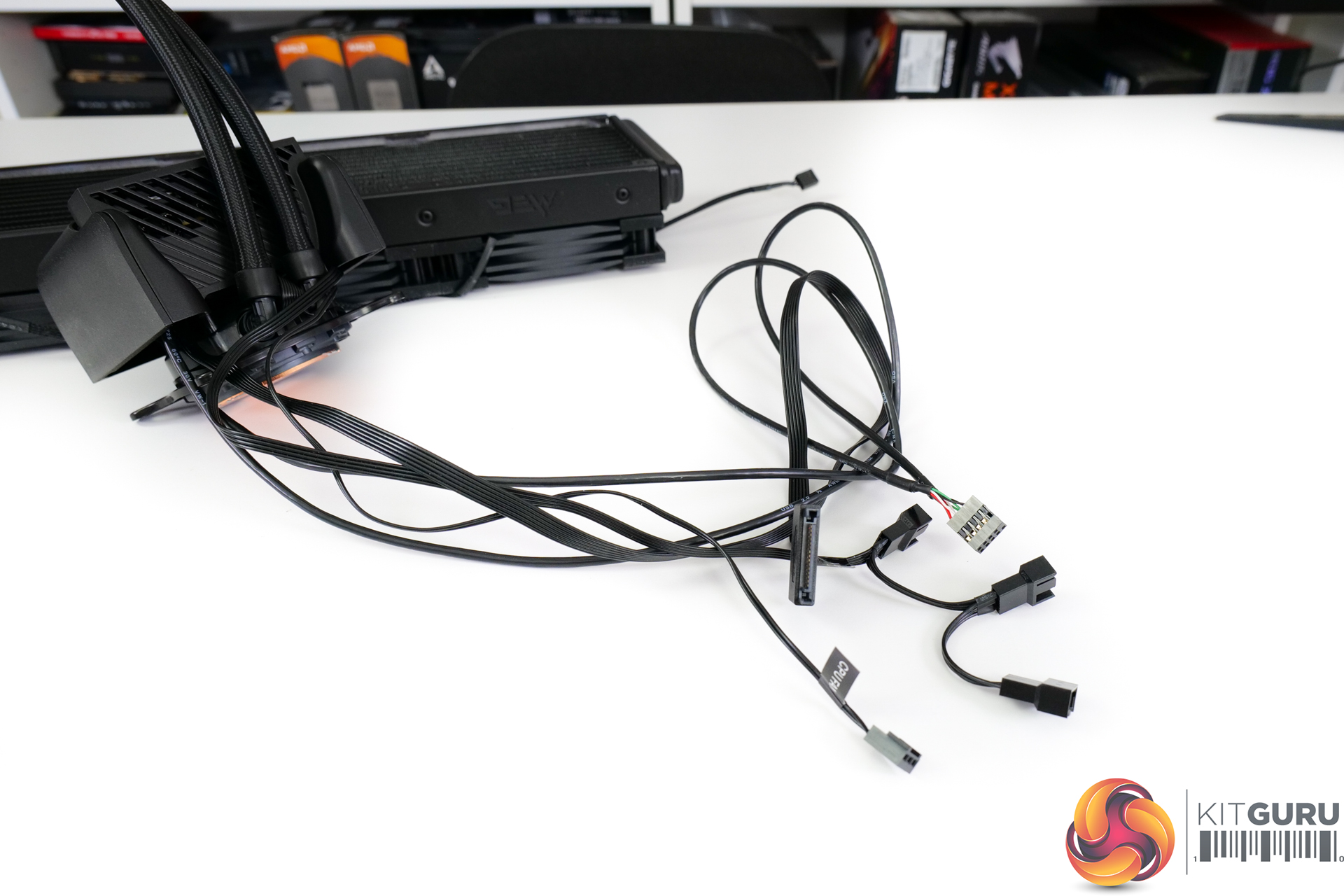
The sheer number of cables leaving the pump-block unit will make tidy management more challenging. You get USB 2.0, SATA power, 3-pin power, and three-way fan splitter cables. This is versus the far sleeker single- or dual-cable approach used by the Corsair and Thermaltake competing coolers.
Thankfully, these cables are lengthy enough to be hidden behind the motherboard tray. But you’ll still have five wires trailing away from your build’s CPU area.
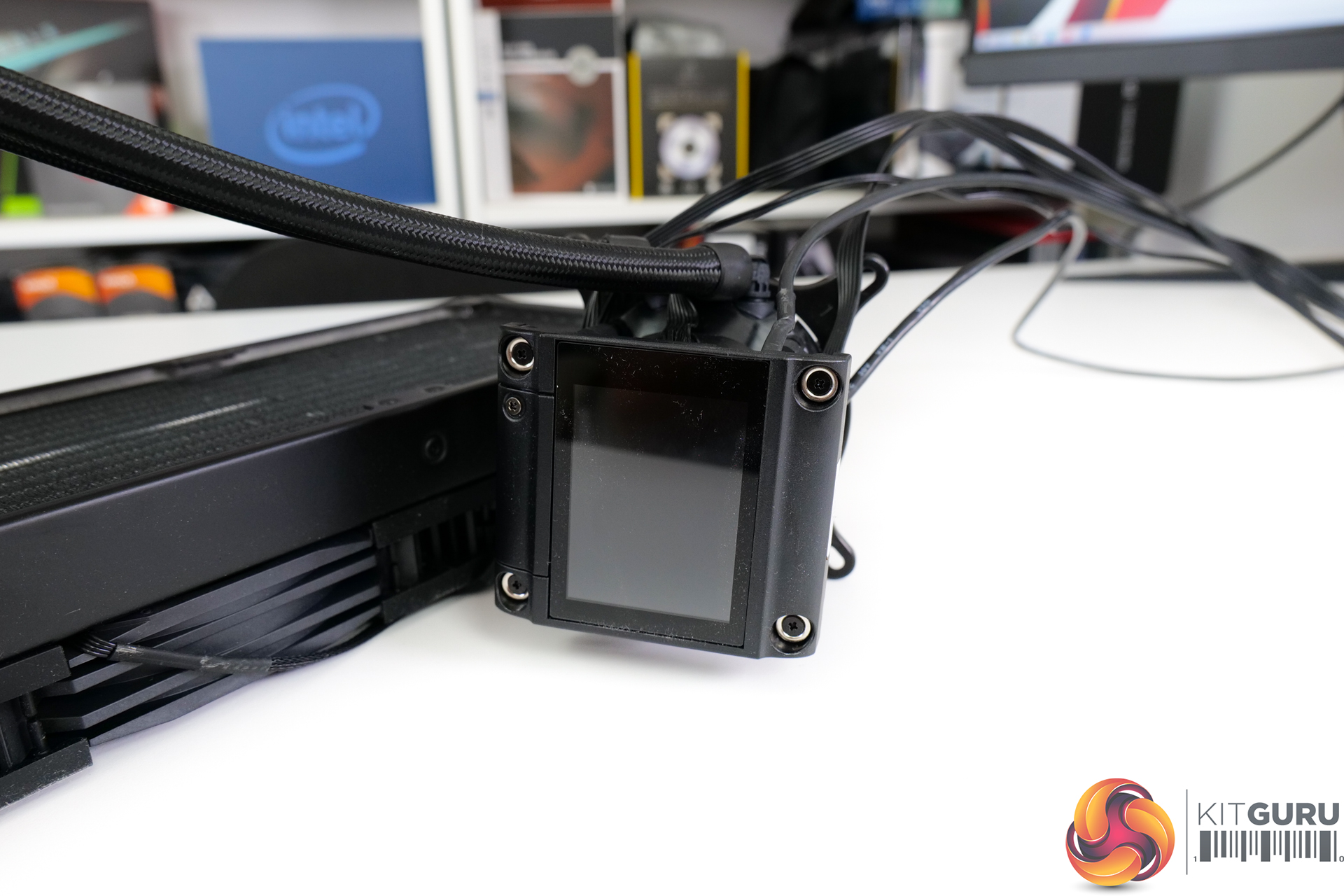
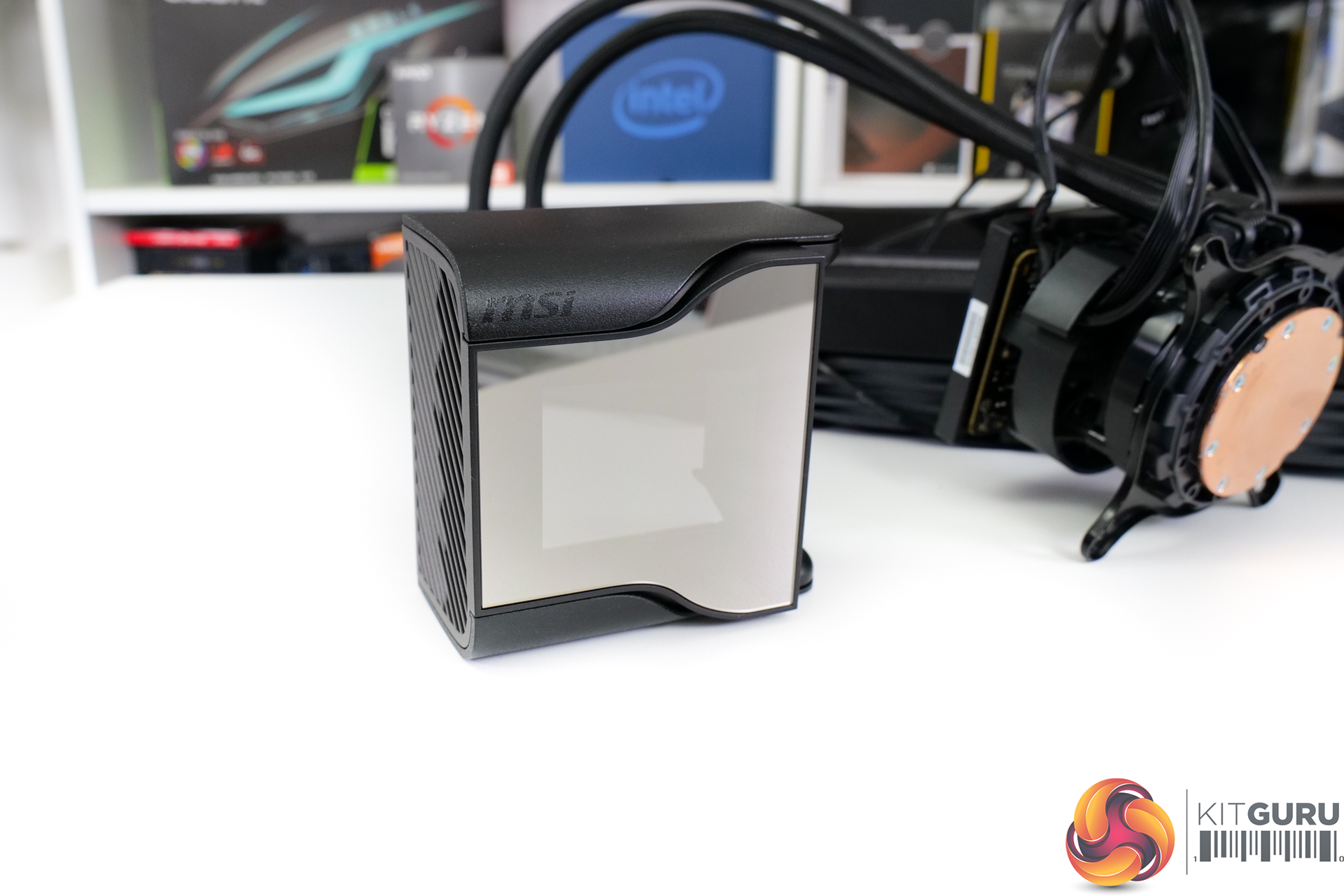
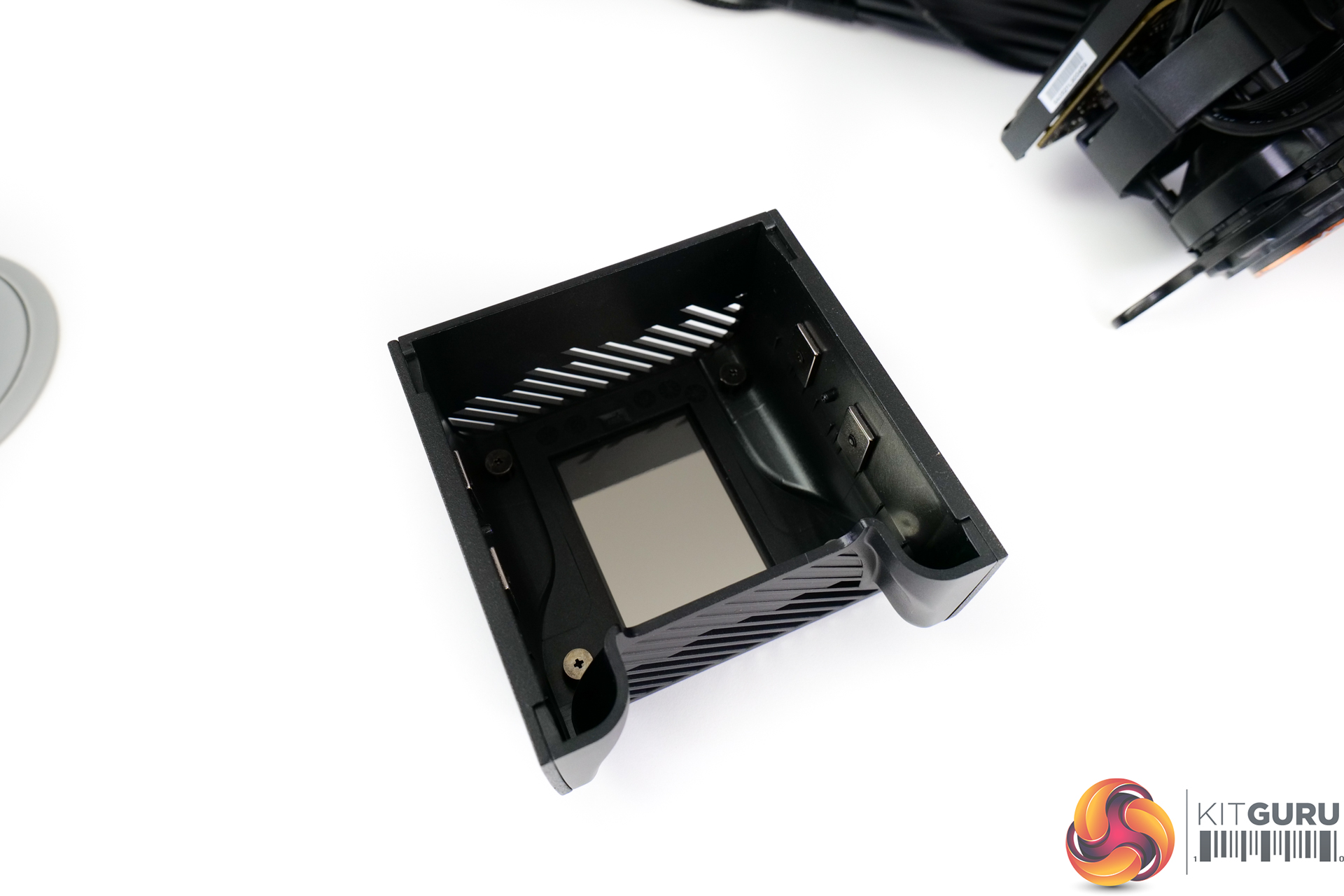
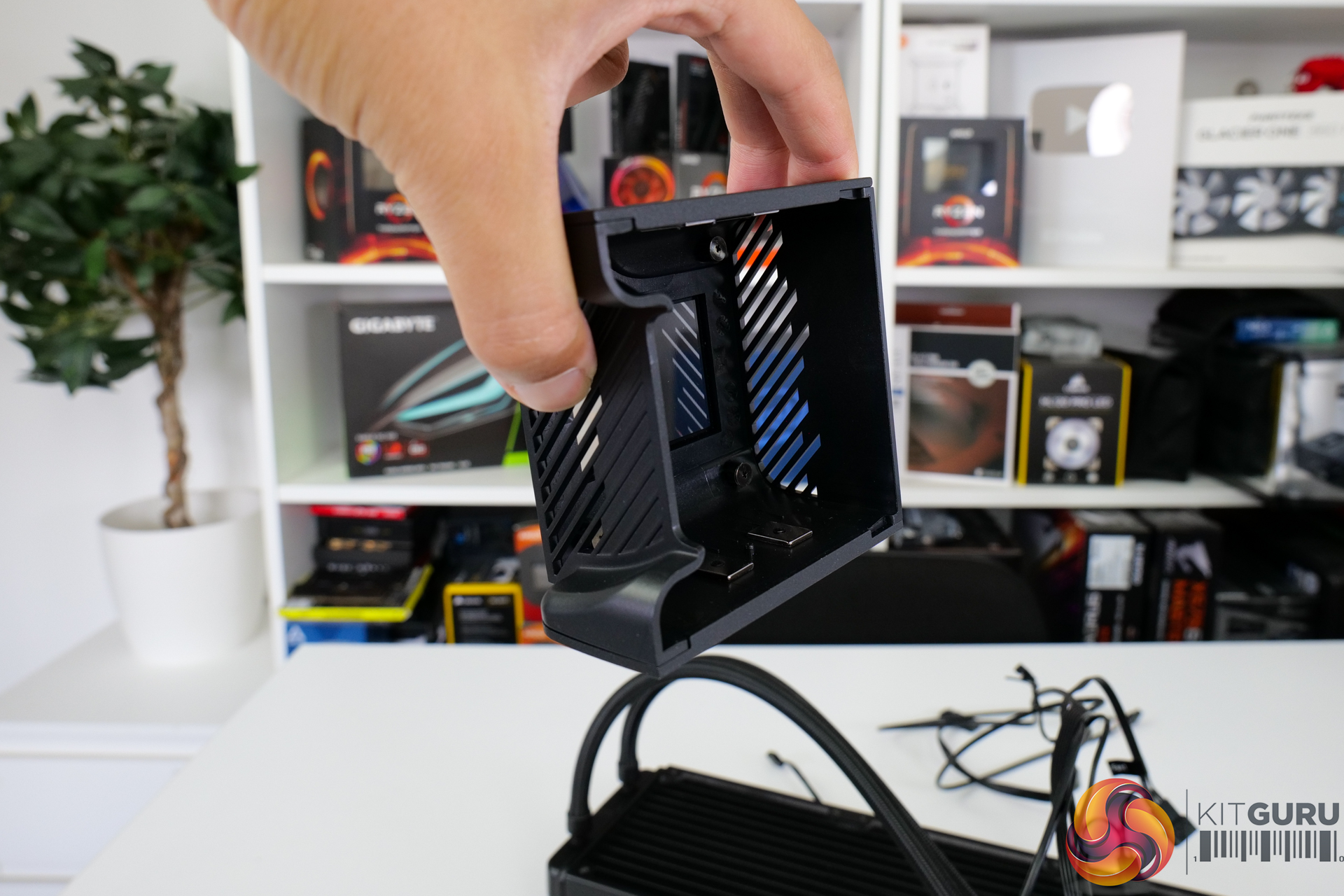
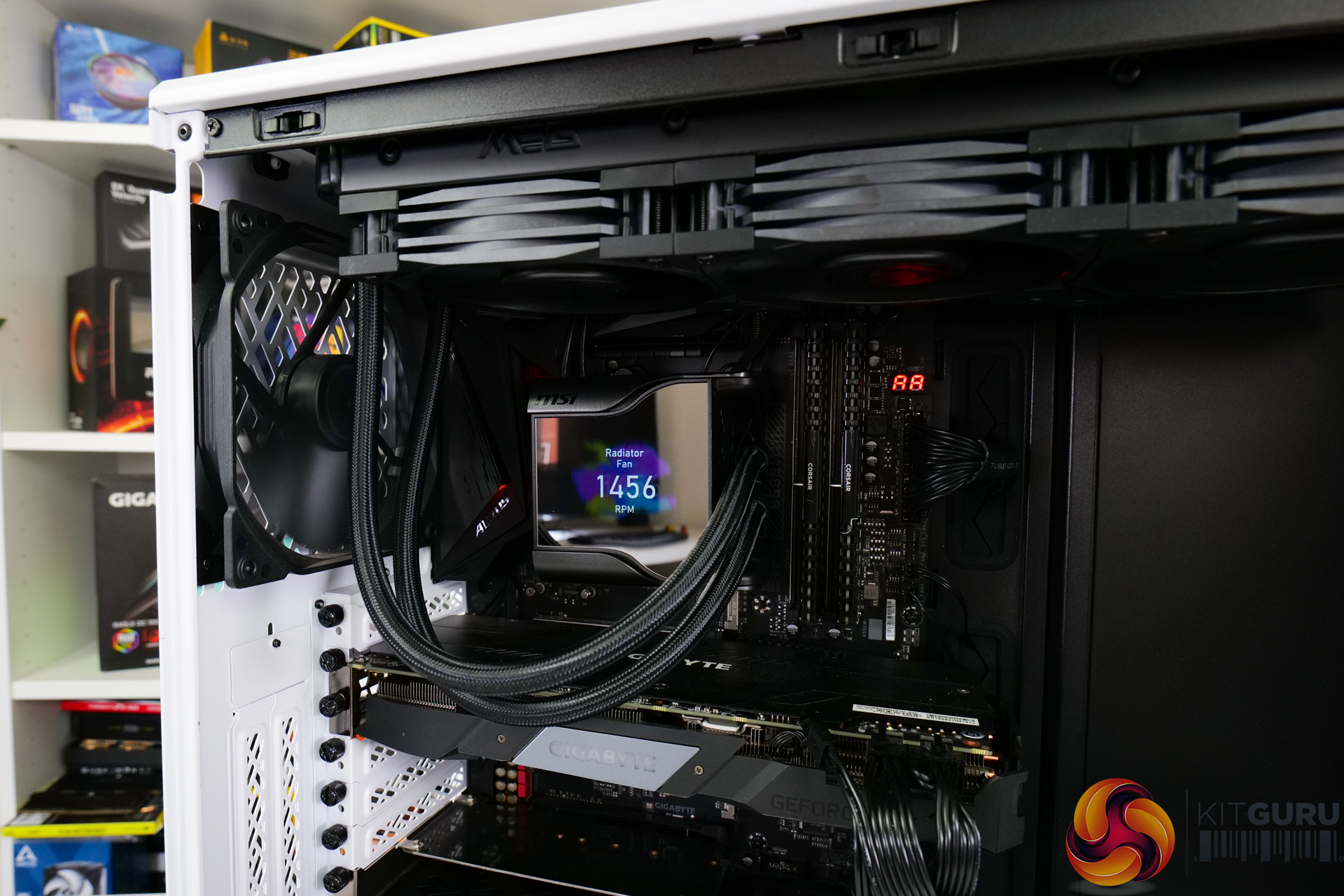
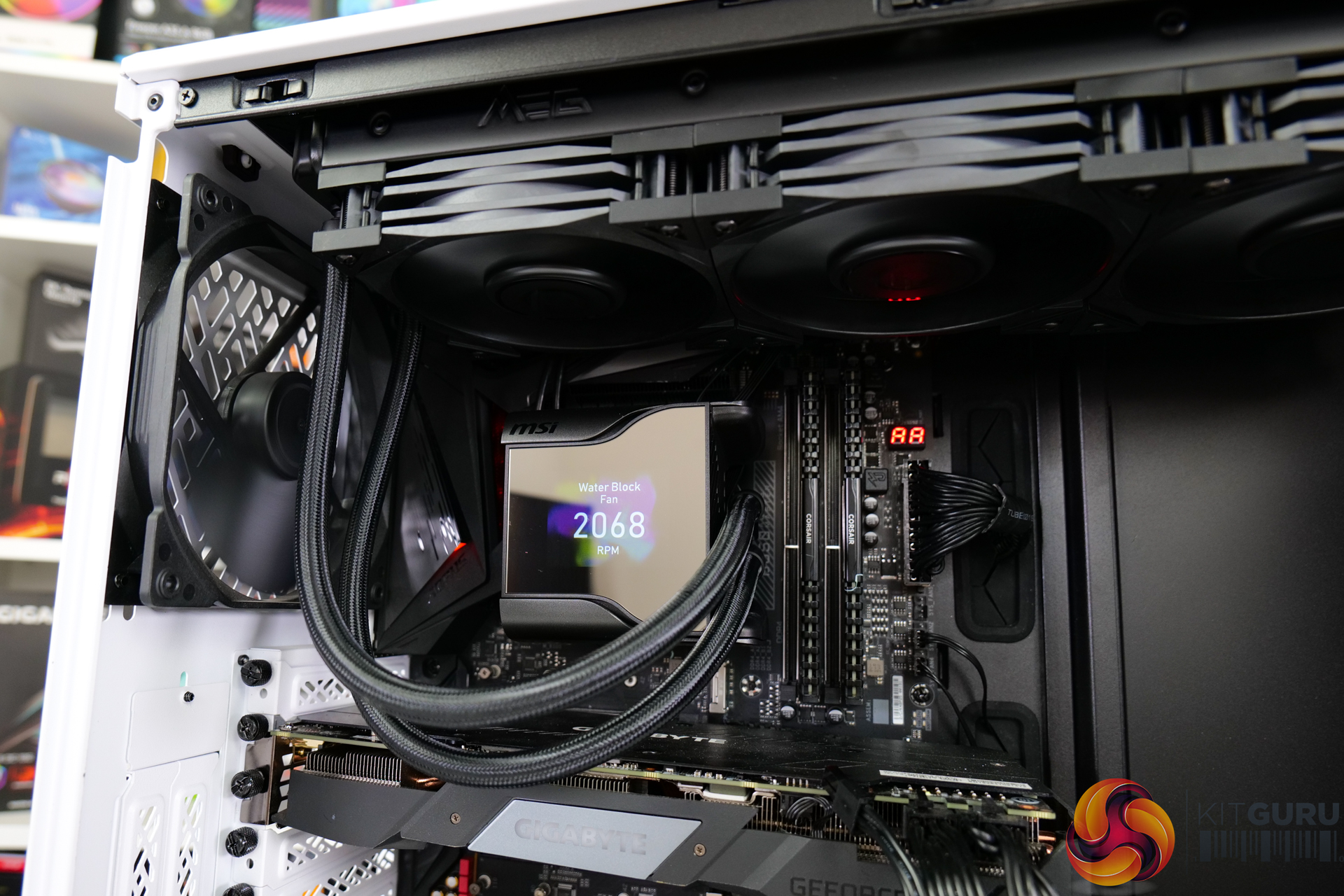
The 2.4” IPS display is fastened to the pump-block unit and has a very large, magnetically-held cover sitting atop it. This cover is designed to allow ventilation for the 60mm fan whilst also hiding the connectivity cables and projecting the screen’s image. It does, however, severely limit the angles of the tubing entering the block.
Resolution is 320×240 with 16-bit colour depth and 500-nits of brightness. 500-nits of brightness was just about fine in our testing, but the 320×240 screen lacks some sharpness versus the 480×480 resolution competition from Corsair and Thermaltake.
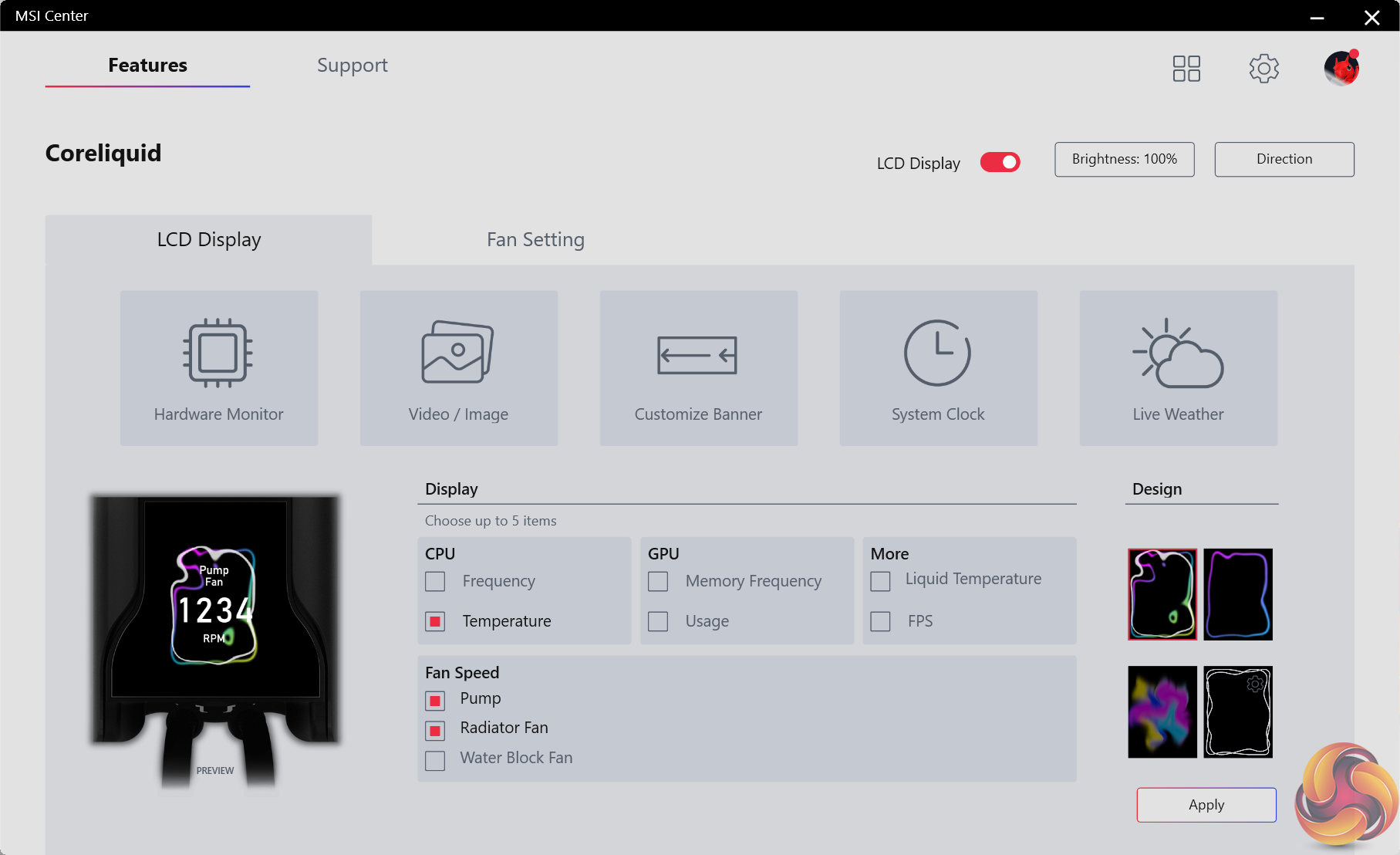
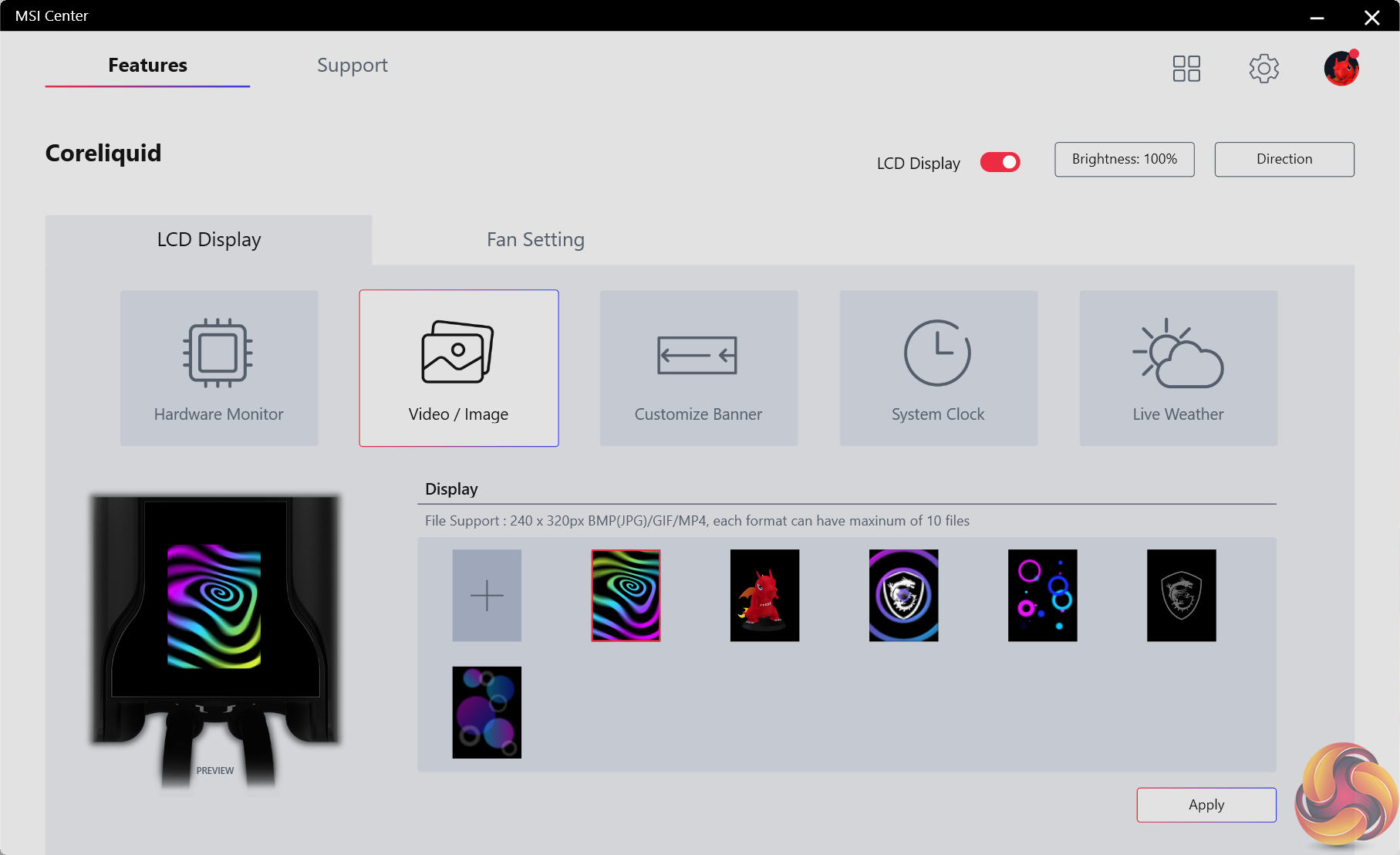
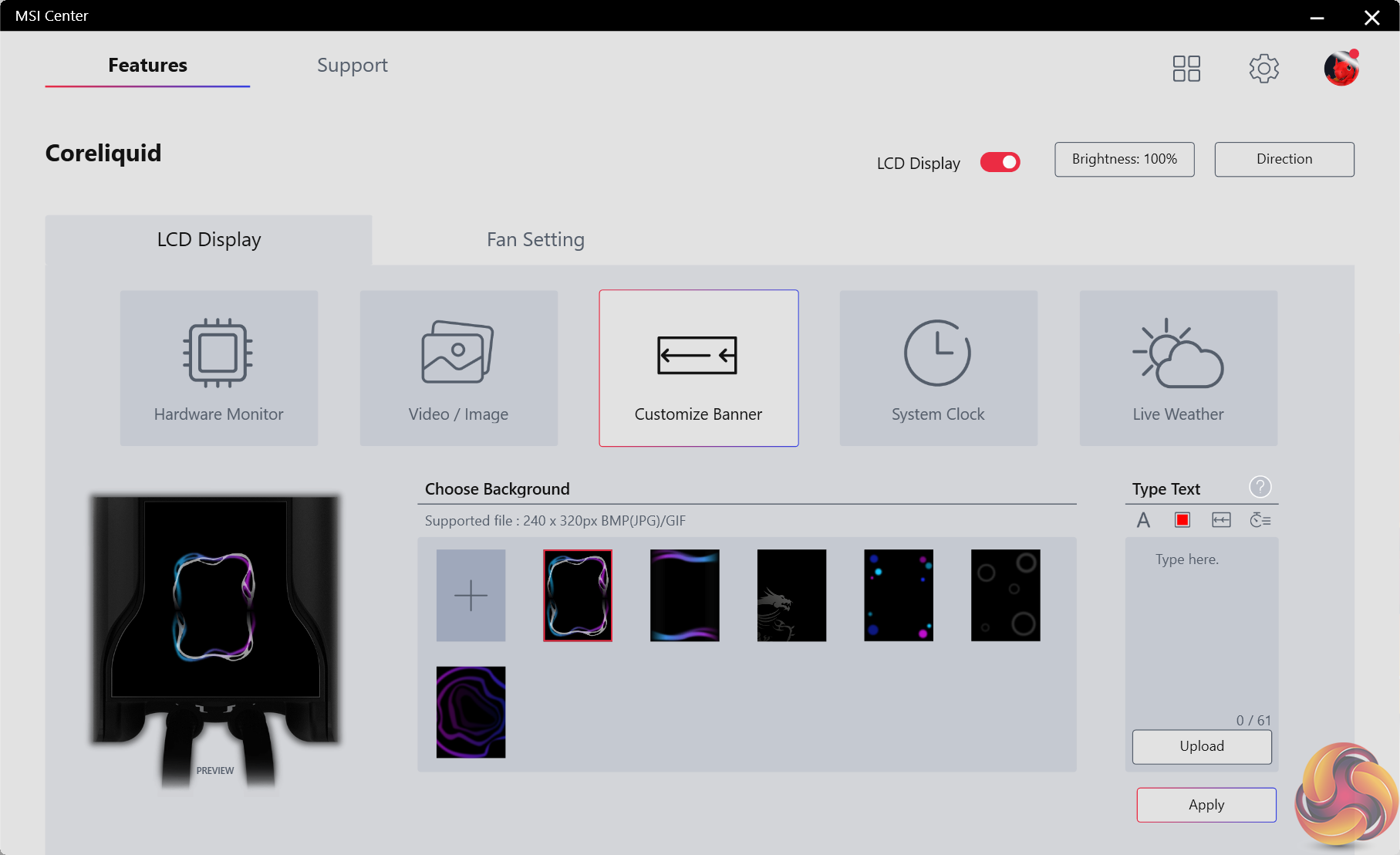
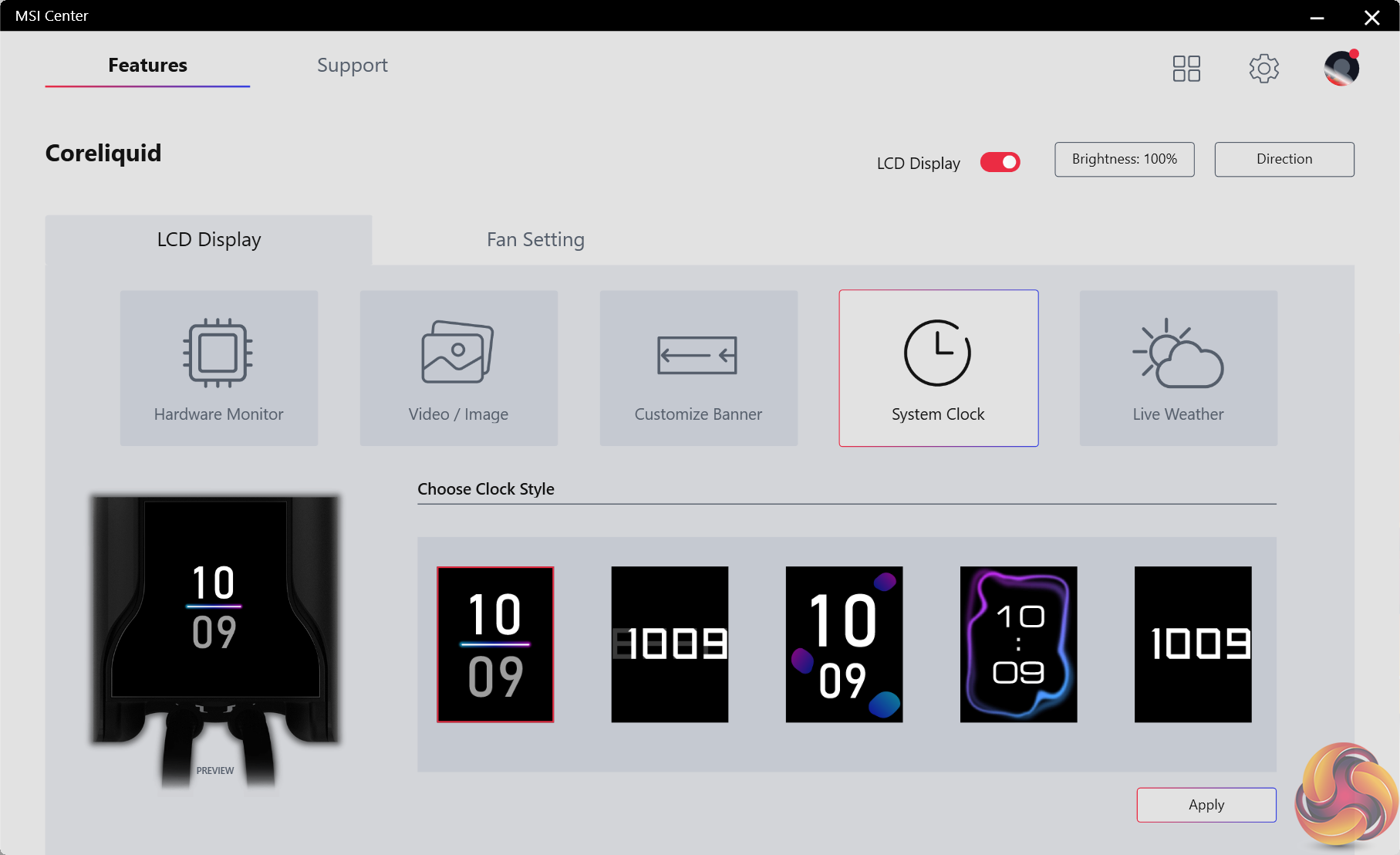
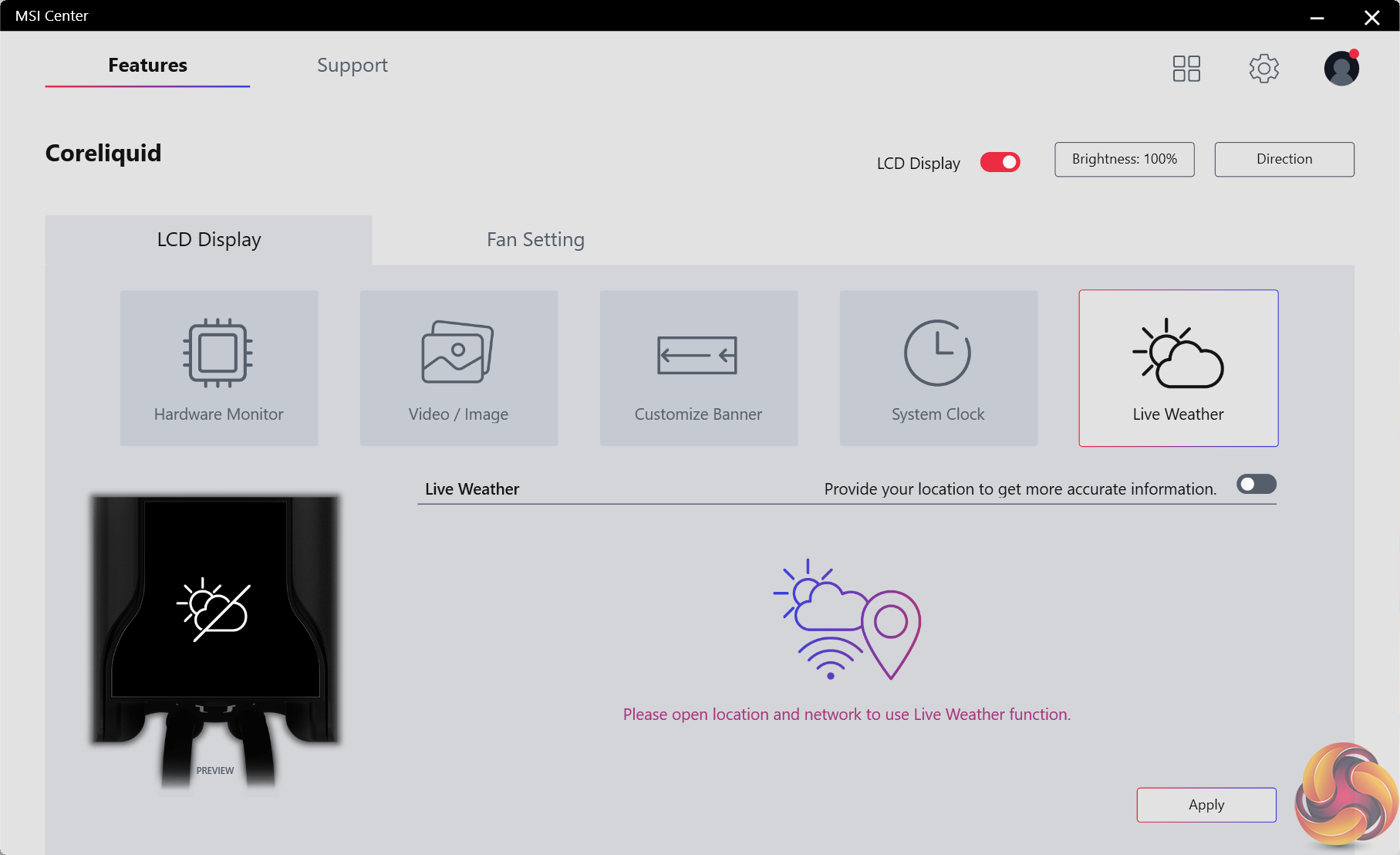
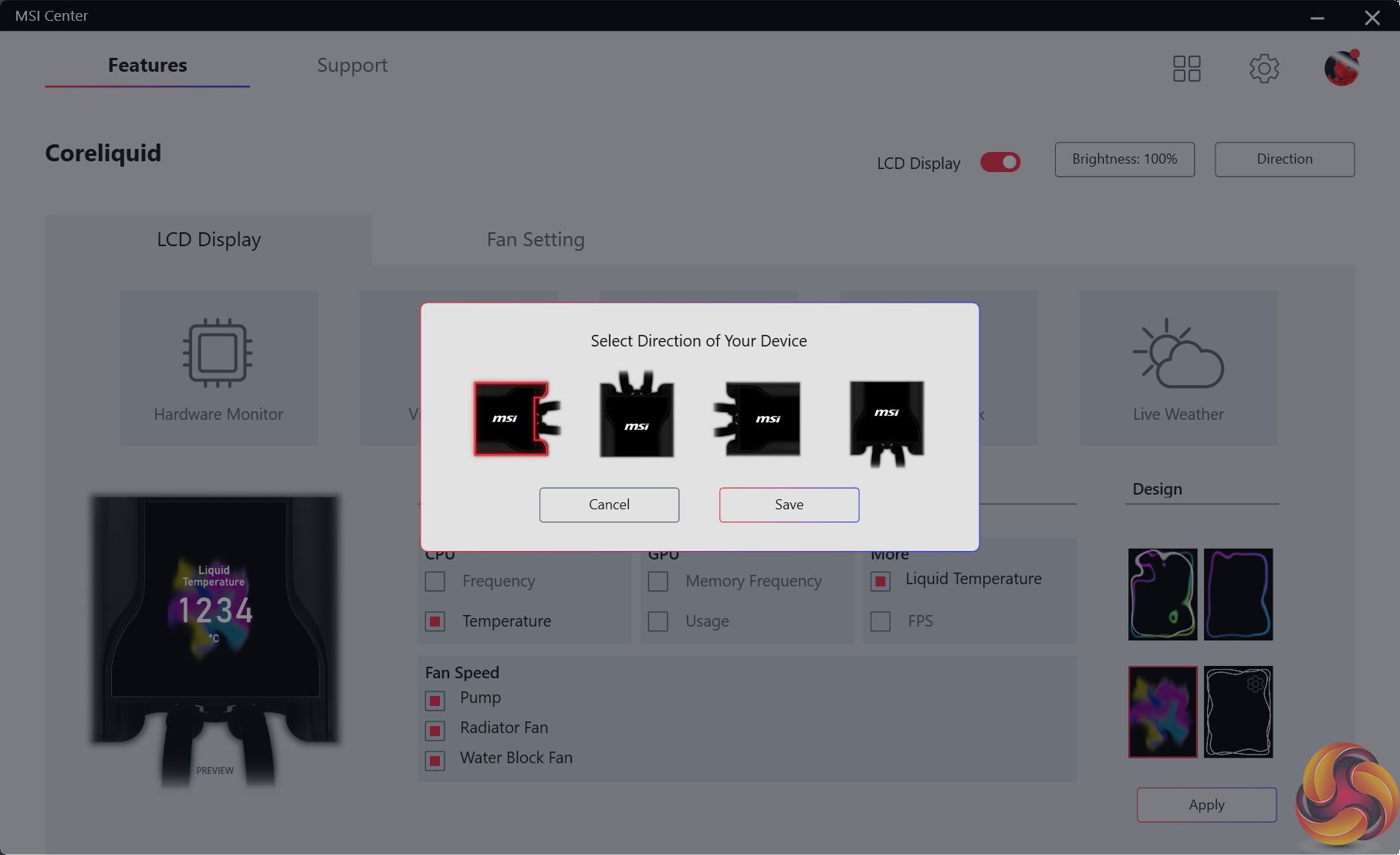
For the functionality it offers, I was happy with the screen’s performance. Seeing things like fan speeds, CPU temperature, liquid temperature, and FPS are all useful and are clear on the screen. Plus, the ability to use personalised images or local weather updates are also useful, depending on your preference.
Control for the screen is handled through the MSI Center software and works well.
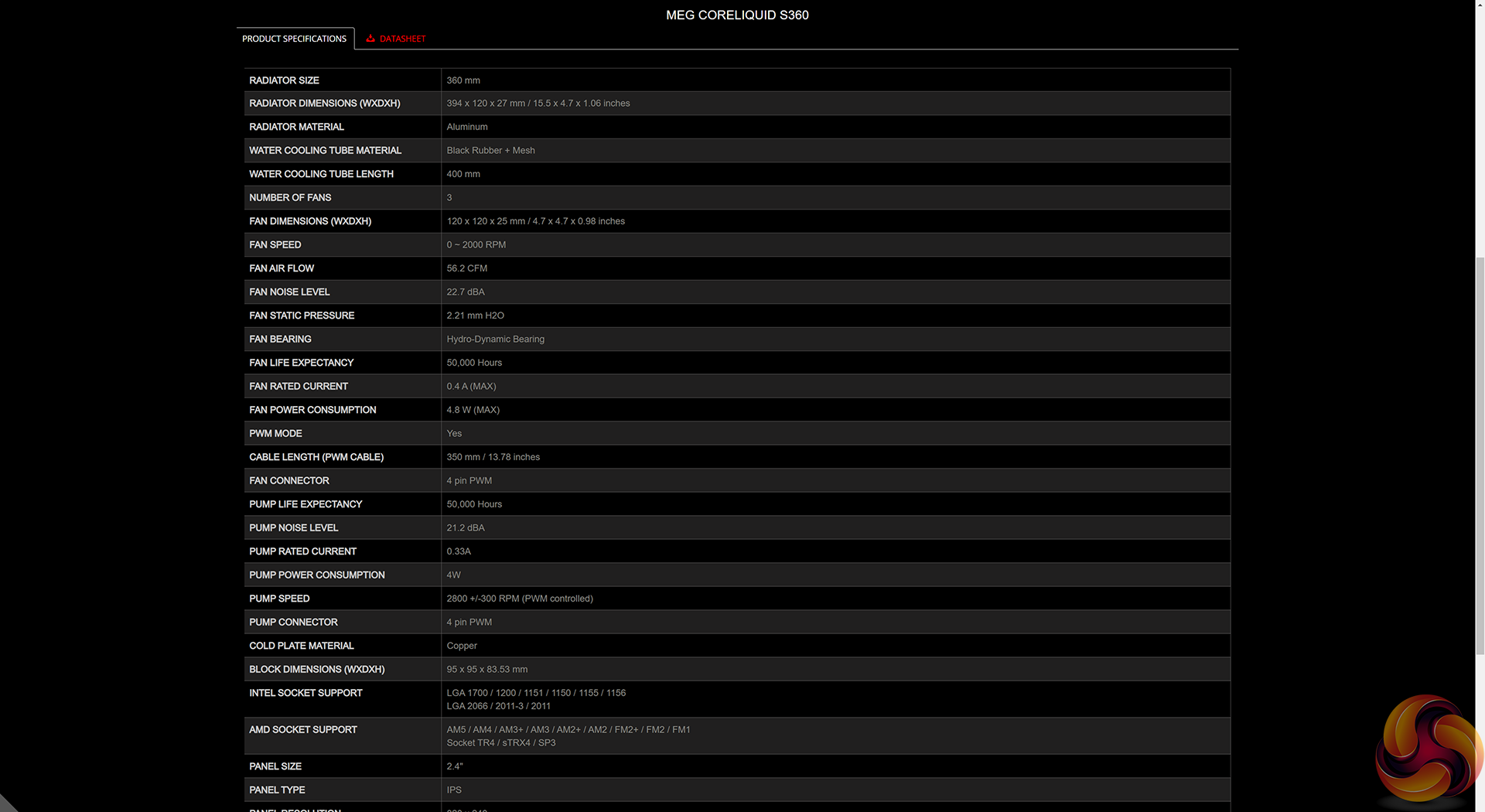
Interestingly, MSI rates the fans and pump life expectancy as 50,000 hours each, which is very low by modern PC cooling hardware standards. As such, you will have to take care as to which e-tailer you purchase this cooler from, and how much warranty support and coverage they offer.
Worth quickly noting is that MSI supports all modern Intel and AMD platforms and has already highlighted AM5 support when it releases.
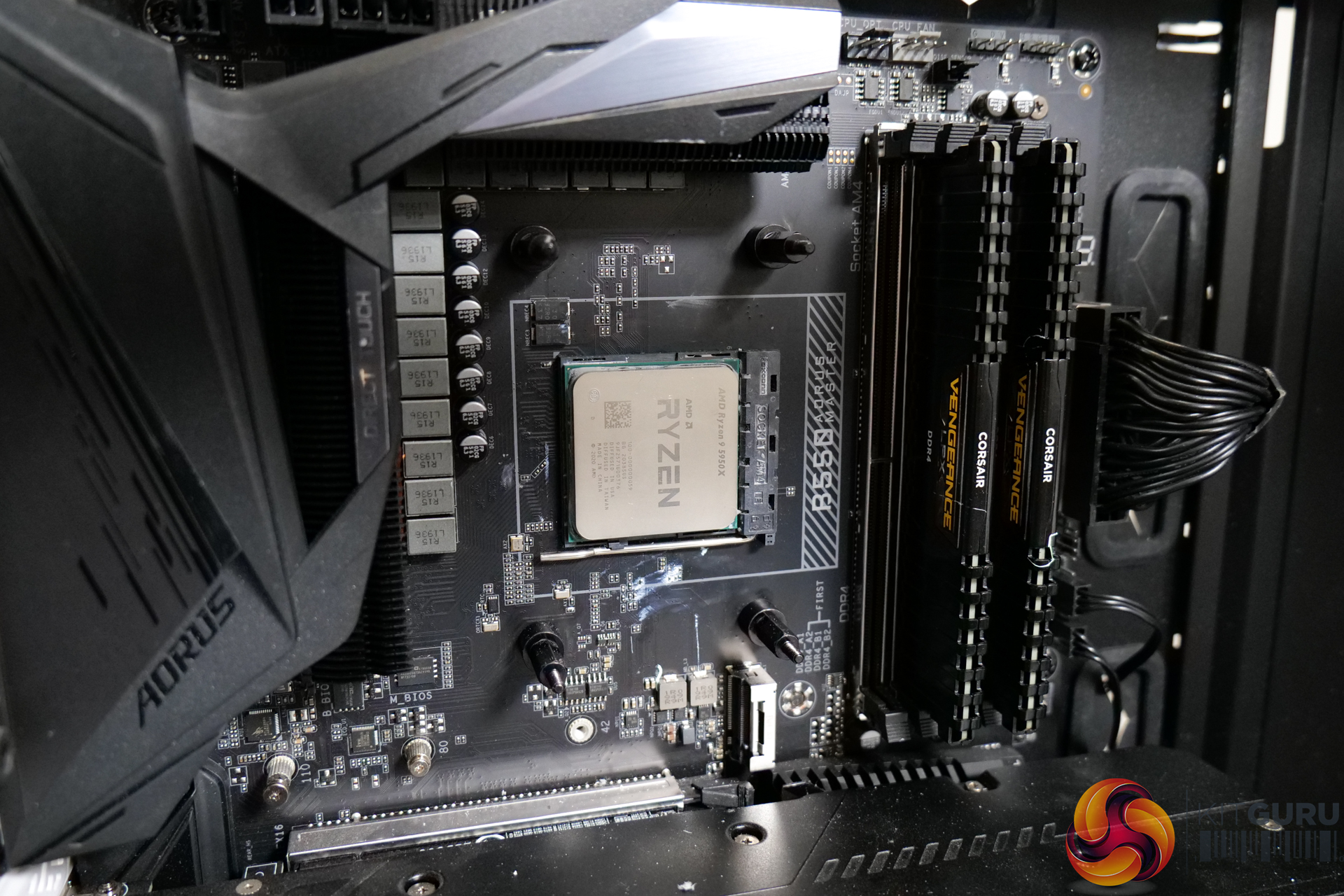
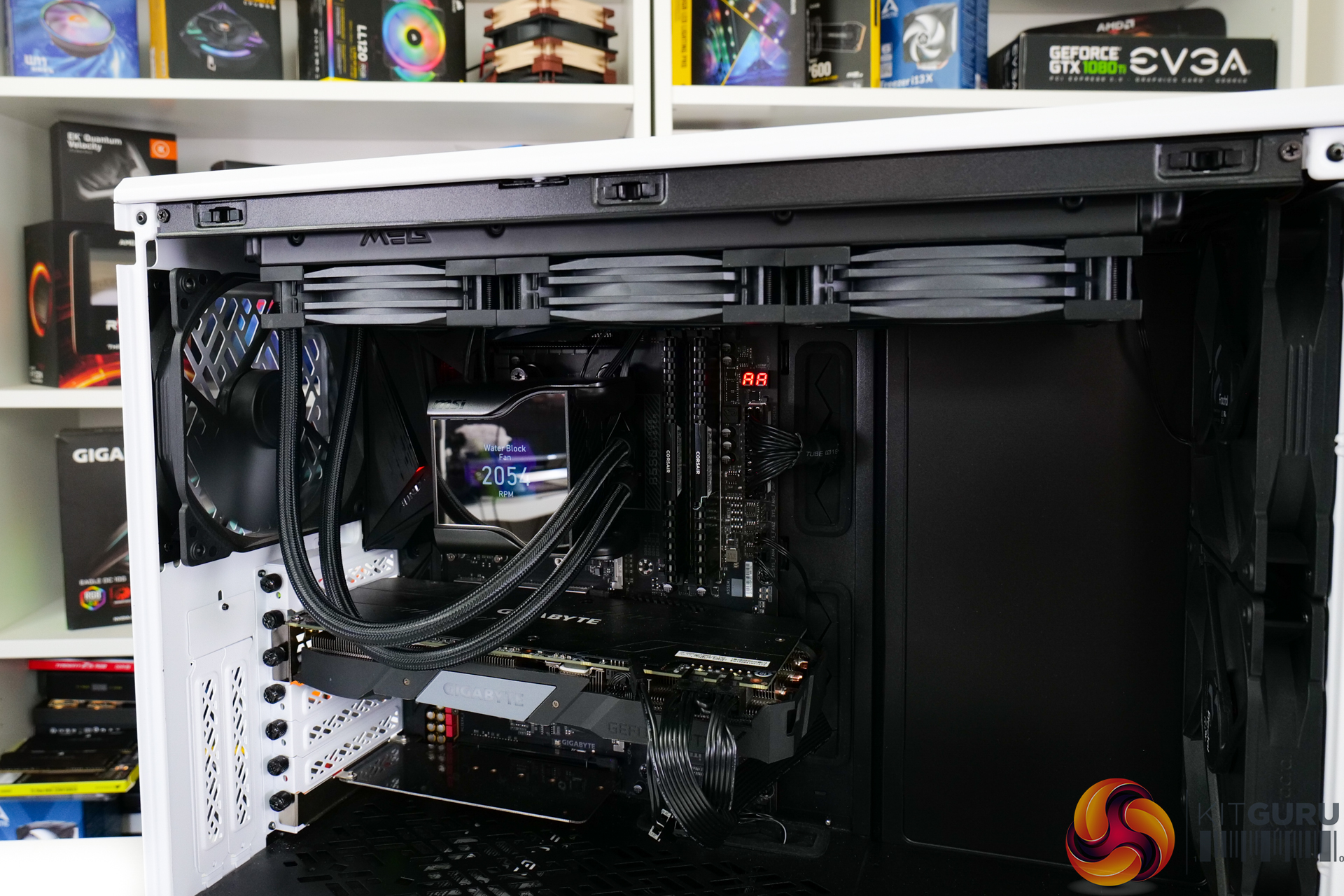
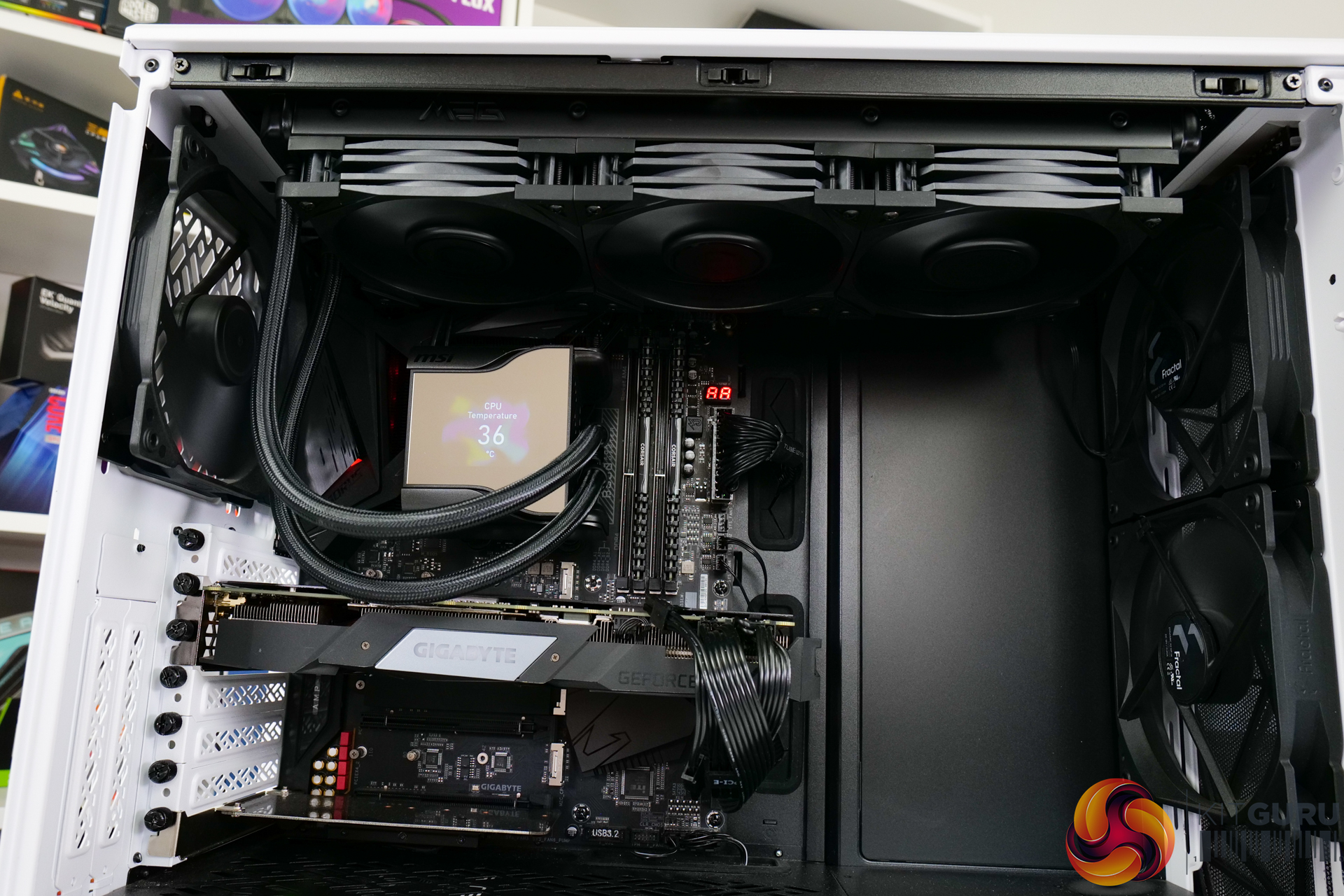
Installation on our AM4 platform is as easy as we would expect from an Asetek cooler.
You screw the posts into the default AM4 backplate before fixing the pump-block unit and its pre-applied thermal paste into position. Once this is all fastened, the cables can be routed and the screen cover can be applied.
The screen cover’s design does mean that it should be mounted in the correct orientation to the tubing. But the images displayed on the screen can be rotated by 90-degree increments inside MSI’s software.
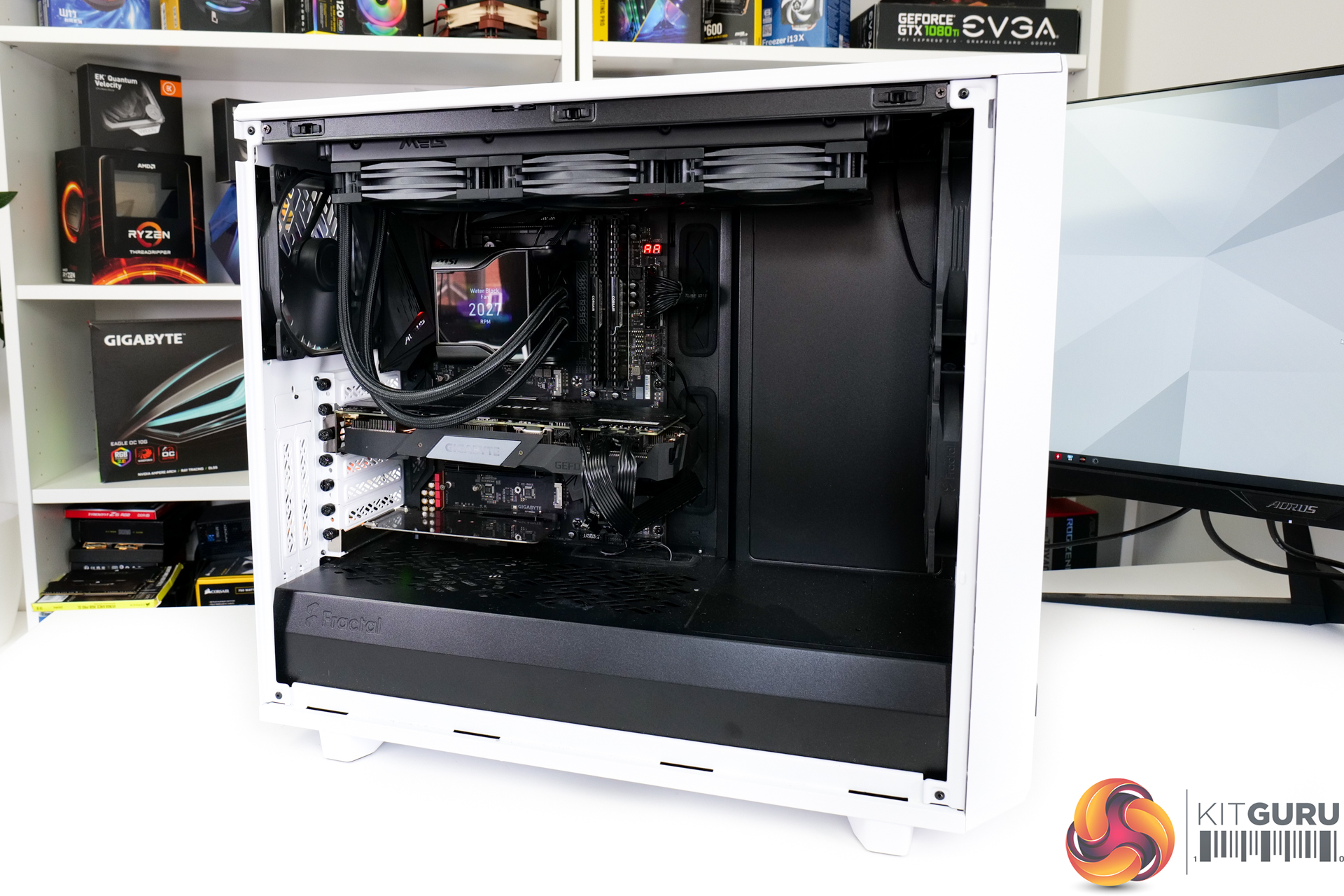
Test System:
- Processor: AMD Ryzen 9 5950X
- Overclocked Settings: 4.45GHz all-core @ 1.312V (UEFI), Medium LLC – around 1.3V delivered
- Motherboard: Gigabyte B550 Aorus Master
- Memory: 32GB (2x16GB) Corsair Vengeance LPX 3600MHz 16-18-18-36 DDR4 @ 1.35V
- Graphics Card: Gigabyte RTX 2060 Super 0dB Mode
- Chassis: Fractal Design Meshify 2
- Chassis Fans: 2x140mm 1000 RPM Fractal Front Intake, 1x140mm 1000 RPM Fractal Rear Exhaust, 1x140mm 1000 RPM be quiet! Pure Wings 2 Roof Exhaust (for air cooler testing)
- Power Supply: Seasonic Prime TX-1000
- Operating System: Windows 10 Pro 64-bit
Testing Methodology:
- For testing, we use a 30-minute looped run of Cinebench R23 and record the steady-state CPU temperature at the end of the test. This ensures that the CPU has had ample time to warm up and reach steady state under all of the coolers.
- Ambient is maintained around 22-24 degrees Celsius. Where there is variation beyond this temperature range, we add in extra repeated tests to ensure consistency.
- We also test each cooler with at least two fresh installs (typically three) to mitigate the likelihood of a dodgy mount spoiling results.
Test Results:
Acoustics
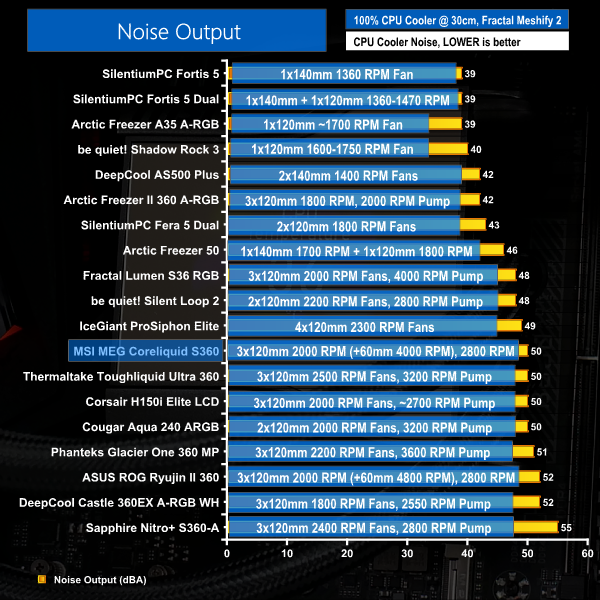
Let’s start off with noise performance at 100% fan speed. This is important for getting an indication of where our performance expectations should lie based on noise output.
Running at 50 dBA in our test system, noise output from the MSI MEG Coreliquid S360 is about where would expect for a high-end, 360mm, Asetek-build AIO liquid cooler.
The notable Corsair and Thermaltake 360mm, screen-equipped competitors are both at similar noise levels, despite MSI running slower – 2000 RPM – fans versus the Toughliquid Ultra 360. But MSI does also have that 60mm waterblock fan running at 4000 RPM top speed, so 50 dBA total output is absolutely fine, on balance.
You get reasonable fan speed curve control in MSI’s software too, so that can allow better tailoring of noise output.
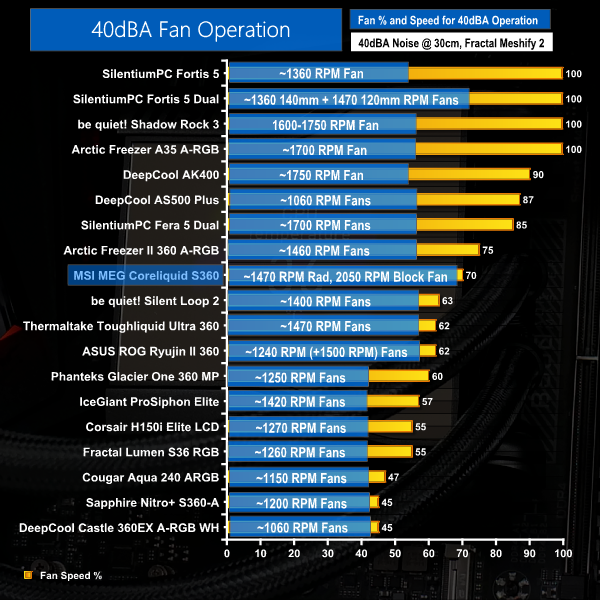
In order to get the unit running at 40 dBA, we had to restrict the radiator fans down to 70% duty cycle which translates to around 1470 RPM operating speed.
As MSI’s software only permits for the fourth point on the radiator fan curve to go as low a 70% fan speed for 81C recorded temperature, we realistically had no room to further reduce the radiator fan speeds for our testing methodology. This was an issue because the noise output was still above our 40 dBA necessitated target level.
As such, we were forced to also reduce the waterblock fan speed to hit our target noise output. This was reduced to 40% duty cycle which recorded as around 2050 RPM according to the MSI software. The pump was maintained at its 2800 RPM maximum speed output.
Thermal Performance
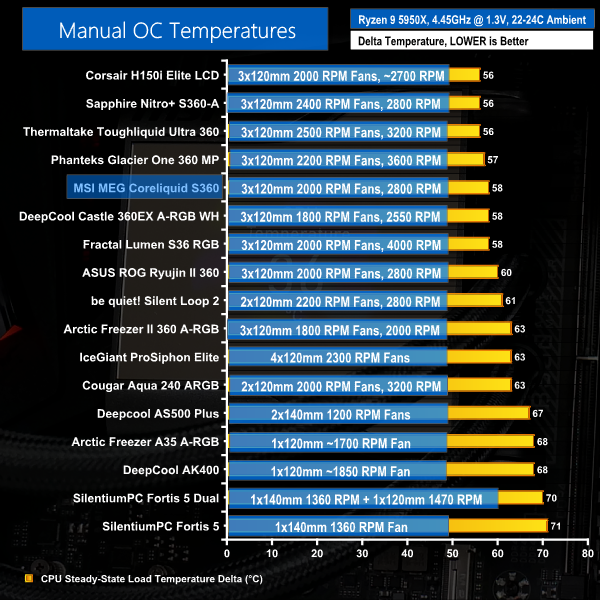
Overclocked temperature performance from MSI’s cooler is strong, in isolation. A delta temperature of 58C is a good result and is comparable to some of the other 360mm coolers in our chart – albeit the more cost-effective ones.
However, MSI’s performance versus its logical market positioning and cost competitors – the Corsair H150i Elite LCD and Thermaltake Toughliquid Ultra 360 – is less flattering. Both of those competing coolers offer slightly better performance than MSI’s MEG Coreliquid S360. And as our previous chart showed, both coolers also run at very similar noise levels.
That’s not a great result for MSI, so we will have to see how the fans are able to maintain their performance versus the competition when locked to 40 dBA.
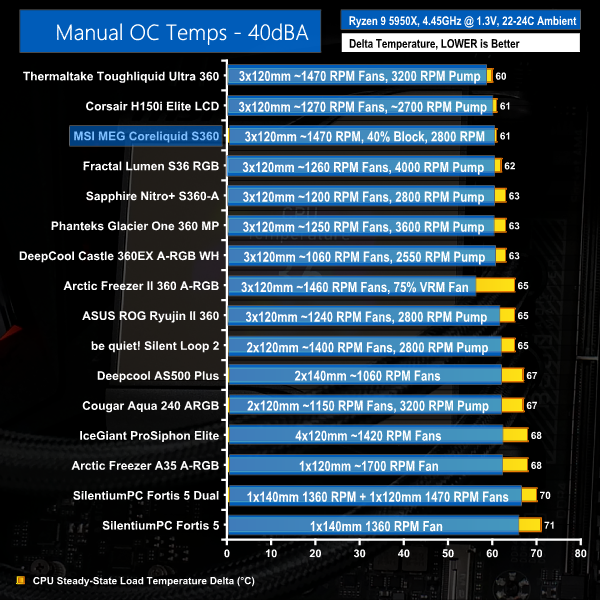
Noise efficiency looks to be a strength for the MSI MEG Coreliquid S360, as indicated by the 40 dBA locked performance result.
Here, we see the cooler putting in a 61C delta, which is only a 3C reduction in performance versus the full fan speeds. And now, we see very competitive performance from MSI versus the Thermaltake LCD-equipped competitor and only a slight deficit versus Corsair’s alternative.
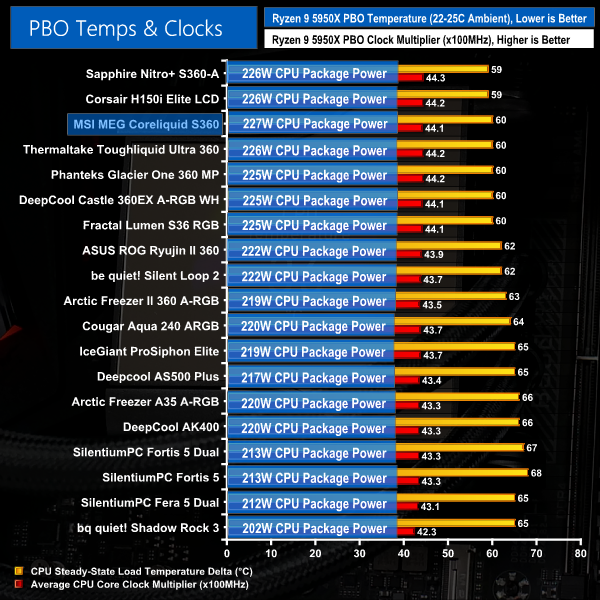
As always, it is critical to note that small difference in the displayed delta temperatures are not as important for our PBO testing because the clock speed and cooling power achieved are more important metrics.
Precision Boost Overdrive performance from the MSI MEG Coreliquid S360 is very positive. We see cooling performance that matches the Thermaltake Toughliquid Ultra 360 competitor and manages a slightly better CPU power dissipation value, albeit at marginally lower all-core clocks. And only the Corsair and Sapphire 360mm AIOs are better than MSI’s by a very small – almost insignificant – margin.
227W of package power handled is a very good result and shows that MSI’s unit does have strong cooling abilities at particularly high thermal loads.
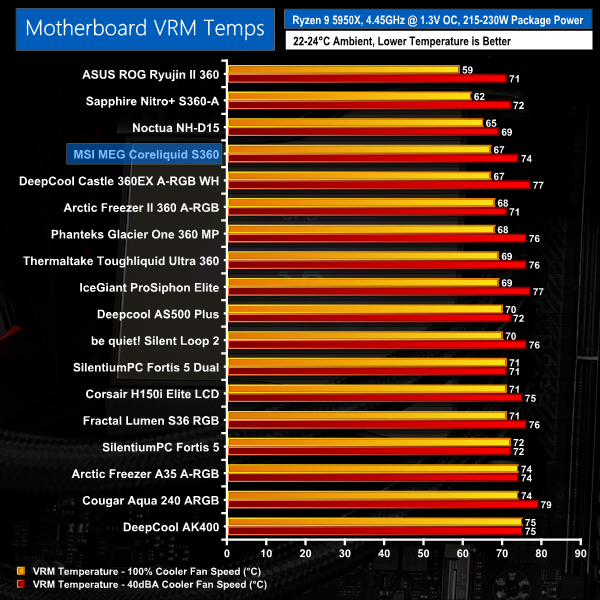
VRM cooling performance is solid thanks to the inclusion of MSI’s 4000 RPM, 60mm waterblock fan. With that said, I did expect a bigger improvement versus some of the 360mm competitors, particularly when the other 60mm-fan-equipped, Asetek-built unit – ASUS’ ROG Ryujin II 360 – offers so much better VRM cooling.
Either way, we don’t have complaints with the incidental VRM cooling from MSI’s unit. It’s just that the noise penalty of the waterblock fan is probably not worth as much performance gain as we’d have liked.
To summarise, all-out and noise-restricted cooling performance from the MSI MEG Coreliquid S360 is strong.
Typically, we saw cooling and package power performance only slightly behind that of Corsair’s H150i Elite LCD and Thermaltake’s Toughliquid Ultra 360 LCD-equipped AIOs. The noise output levels were the same too.
The supplementary waterblock fan on MSI’s unit seems to be of little importance when balanced against its noise output. But it can have a small benefit to VRM or possibly M.2 SSD temperatures depending on your specific motherboard.
Cooling control through MSI’s software is generally good, albeit with some minor limitations. As usual, though, Corsair really has set the standard when it comes to software with iCUE and it is difficult for MSI to compete with that fully-fledged, mature ecosystem.
Of course, some of the much cheaper 360mm AIOs outshine MSI’s MEG Coreliquid S360 from a performance value perspective, but they don’t offer the screen or waterblock fan or dedicated software control that some buyers may be looking for.
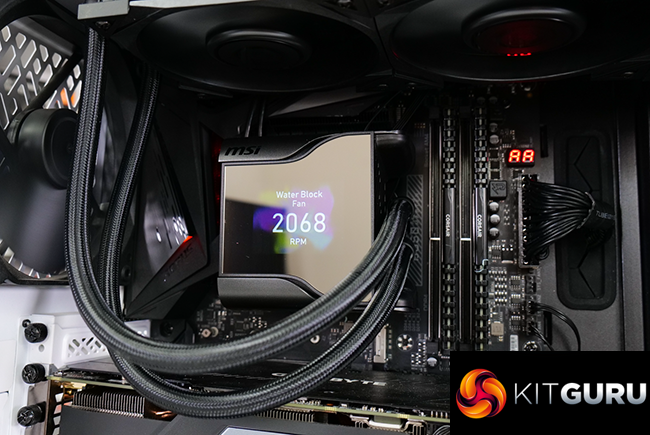
Aesthetics of MSI’s cooler are good, provided you’re happy with an absolutely humongous pump block unit that engulfs your entire CPU area. That IPS screen works well and is functionally easy to use through MSI’s software.
I am, however, disappointed by the lack of RGB lighting for MSI’s fans. I think it’s fair to assume that users spending £250 on a liquid cooler with the superfluous bling of a 2.4” IPS display will also want some flashy RGB lights. Having lighting with the option to turn it off should be the default position for a £250 AIO cooler.
Overall, MSI has done a reasonable job with the MEG Coreliquid S360 AIO liquid cooler. Noise-efficient cooling performance is good, the screen works well, and the 60mm waterblock fan offers flexibility. There is stiff competition at this uber-high price point – notably from Corsair’s H150i Elite LCD – but the MSI MEG Coreliquid S360 is worthy of consideration.

You can buy the MEG Coreliquid S360 for £249.95 from Overclockers UK HERE.
Pros:
- Good, noise-efficient cooling performance.
- Massive 2.4” IPS display works well.
- 60mm waterblock fan may be very useful in some installation scenarios.
- MSI Center software control works well.
- Easy, clean installation and cable management.
Cons:
- Oversized pump block unit could cause interference.
- Performance gain from the 60mm waterblock fan is minimal.
- Non-RGB fans.
- Very expensive.
KitGuru says: If you are looking for a high-performance, screen-equipped AIO liquid cooler, MSI’s MEG Coreliquid S360 is worthy of consideration.