KitGuru KitGuru.net – Tech News | Hardware News | Hardware Reviews | IOS | Mobile | Gaming | Graphics Cards


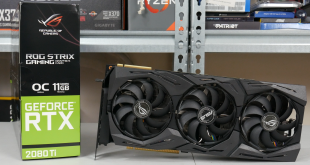
Having already analysed ASUS ROG's RTX 2080 Strix model, today our attention turns to the company's flagship RTX 2080 Ti offering. It's overall a very similar card to the Strix RTX 2080, but with all the power of the RTX 2080 Ti, it promises to be an absolute beast. It definitely has a price tag to match, however, as this card comes in at an eye-watering £1499.99, making it £400 more expensive that Nvidia's own Founders Edition 2080 Ti., could it possibly be worth it?
Given that the RTX 2080 Ti Strix OC (O11G) is ASUS ROG's flagship card, it is no surprise to see that it ships packed to the gills with features. If you have read our review of the Strix 2080, many of these features will be familiar to you – but to pick out some of the highlights, there is dual-BIOS functionality, an on-board Aura RGB header, completely redesigned fans and a factory overclocked GPU as well.
Even then, asking £400 more than Nvidia's Founders Edition is certainly brave to say the least, so we will have to see if this card is worth it. £1,500 is a lot of money.
| GPU | RTX 2080 Ti (FE) | GTX 1080 Ti (FE) | RTX 2080 (FE) | GTX 1080 (FE) |
| SMs | 68 | 28 | 46 | 20 |
| CUDA Cores | 4352 | 3584 | 2944 | 2560 |
| Tensor Cores | 544 | N/A | 368 | N/A |
| Tensor FLOPS | 114 | N/A | 85 | N/A |
| RT Cores | 68 | N/A | 46 | N/A |
| Texture Units | 272 | 224 | 184 | 160 |
| ROPs | 88 | 88 | 64 | 64 |
| Rays Cast | 10 Giga Rays/sec | 1.1 Giga Rays/sec | 8 Giga Rays/sec | 0.877 Giga Rays/sec |
| RTX Performance | 87 Trillion RTX-OPS | 11.3 Trillion RTX-OPS | 60 Trillion RTX-OPS | 8.9 Trillion RTX-OPS |
| GPU Boost Clock | 1635 MHz | 1582 MHz | 1800 MHz | 1733 MHz |
| Memory Clock | 7000 MHz | 5505 MHz | 7000 MHz | 5005 MHz |
| Total Video Memory | 11GB GDDR6 | 11GB GDDR5X | 8GB GDDR6 | 8GB GDDR5X |
| Memory Interface | 352-bit | 352-bit | 256-bit | 256-bit |
| Memory Bandwidth | 616 GB/sec | 484 GB/sec | 448 GB/sec | 320 GB/sec |
| TDP | 260W | 250W | 225W | 180W |
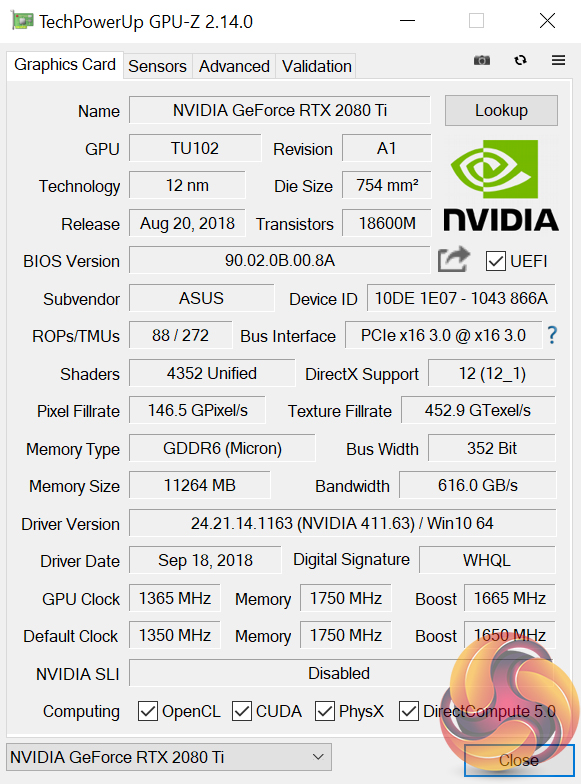
Being an RTX 2080 Ti, the Strix OC model we are looking at today shares all its core specs with every other 2080 Ti on the market. That means 4352 CUDA cores, 544 Tensor cores and 68 RT cores, while the 11GB of GDDR6 memory operates over a 352-bit bus, with a total bandwidth of 616GB/s.
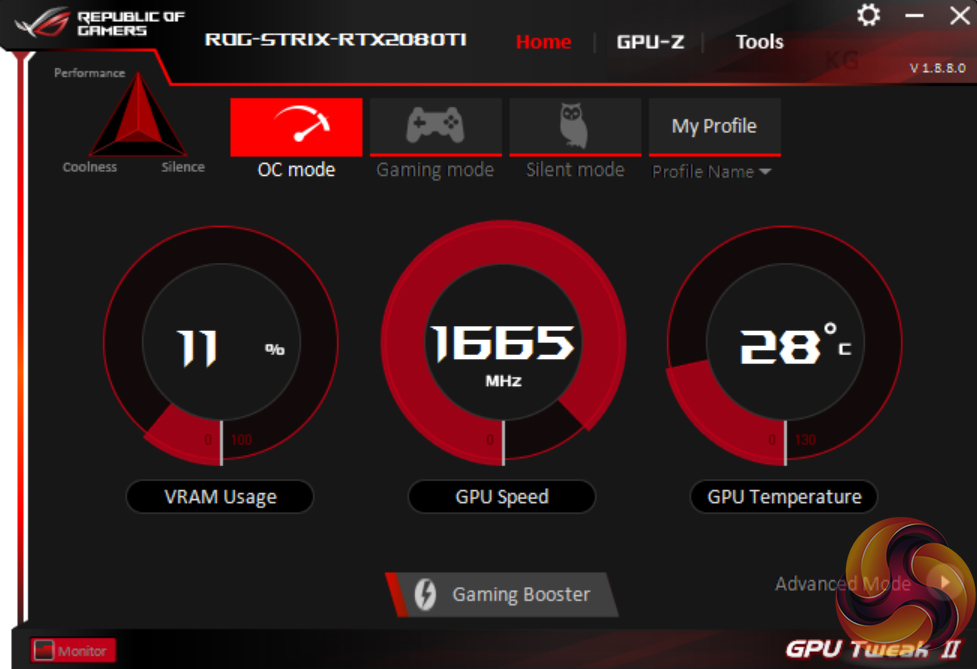
What this ROG Strix card changes compared to Nvidia's Founders Edition card, however, is clock speed. Out of the box, the Strix runs at 1650MHz – 15MHz faster than Founders – but there is an OC mode within ASUS' GPU Tweak II tool which adds an extra 15MHz on top, giving a rated boost clock of 1665MHz. That makes the card 30MHz faster than Founders, but 120MHz faster than Nvidia's reference design. We did our testing with OC mode enabled to get the most from the card, though we also look at manual overclocking later.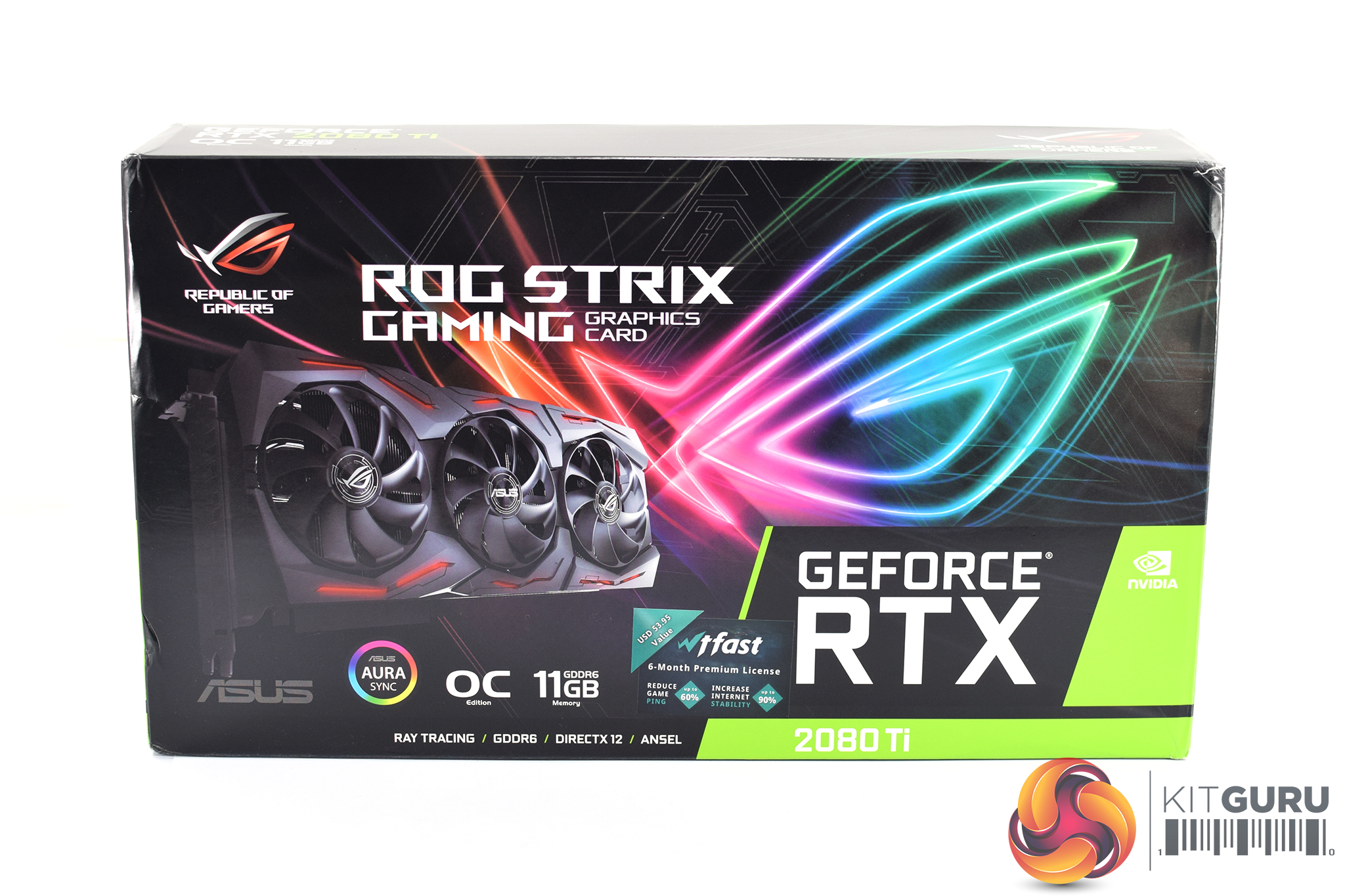
The ASUS ROG RTX 2080 Ti Strix OC ships in essentially an identical box to its smaller brother, the Strix 2080. This means a large, neon ROG logo dominates the front of the box, with an image of the card itself positioned on the left-hand side.
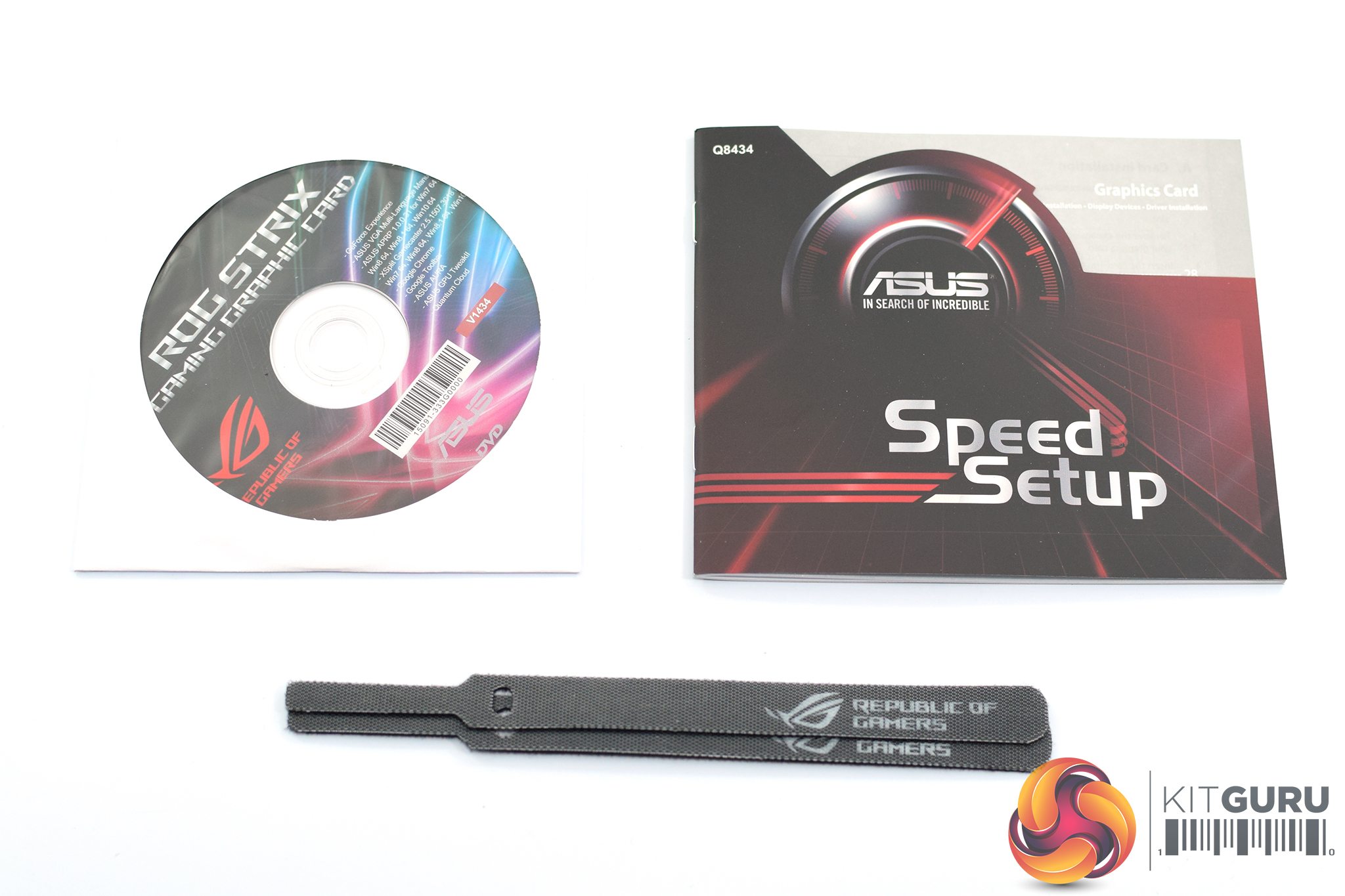
Inside, we don't find much in the way of accessories – one driver disk, one quick start guide and two Velcro ties is all that is included.
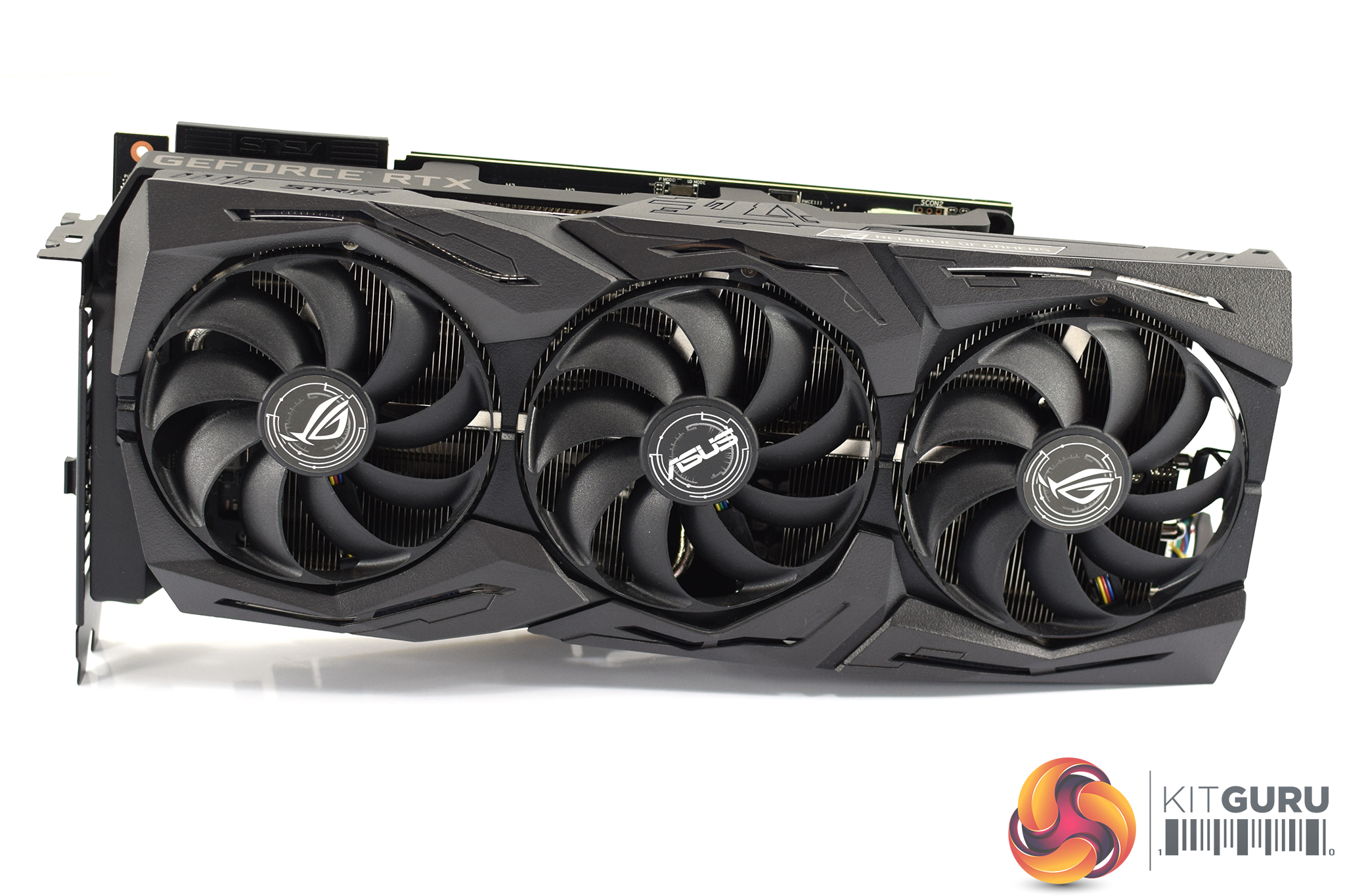
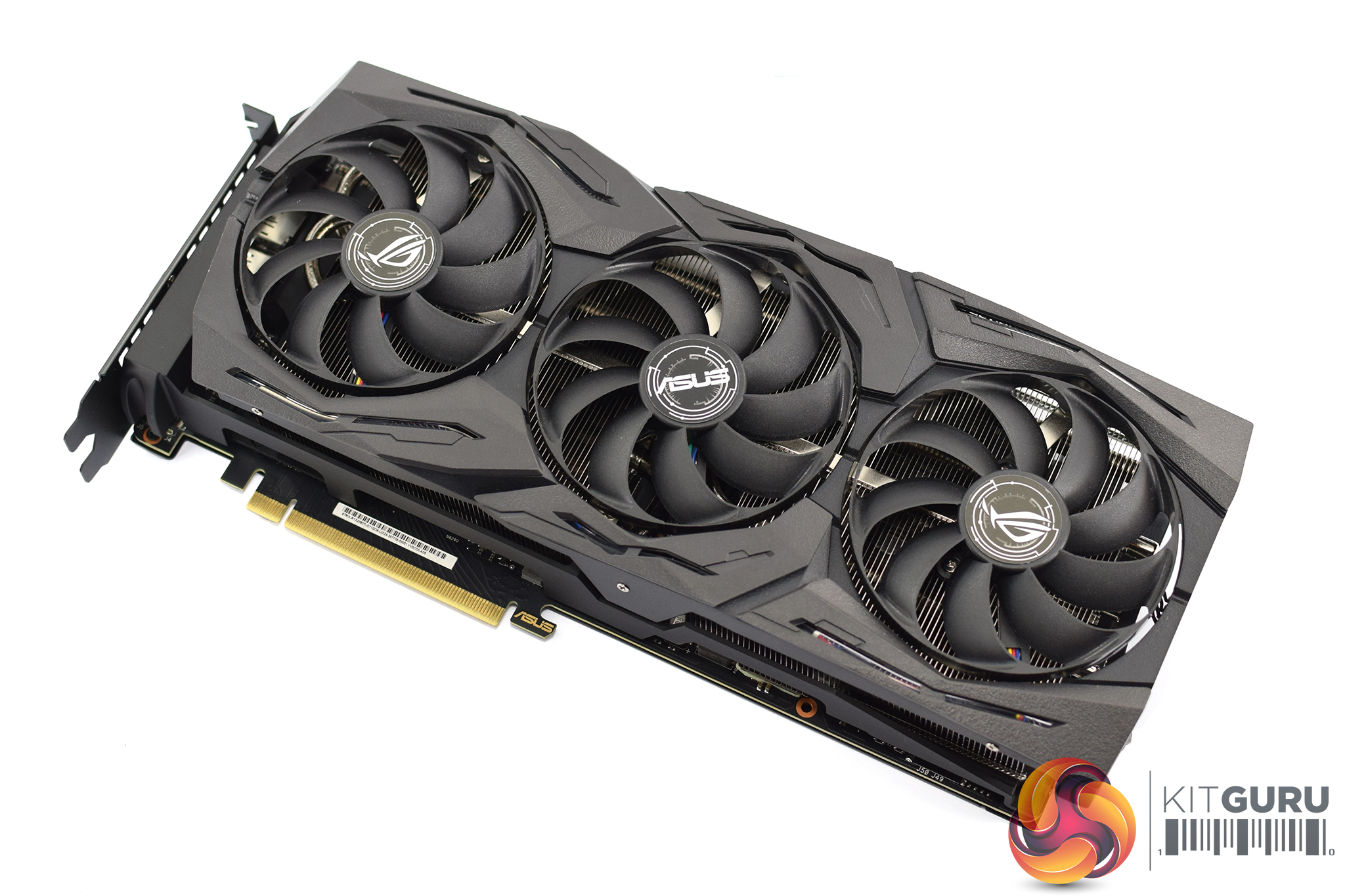
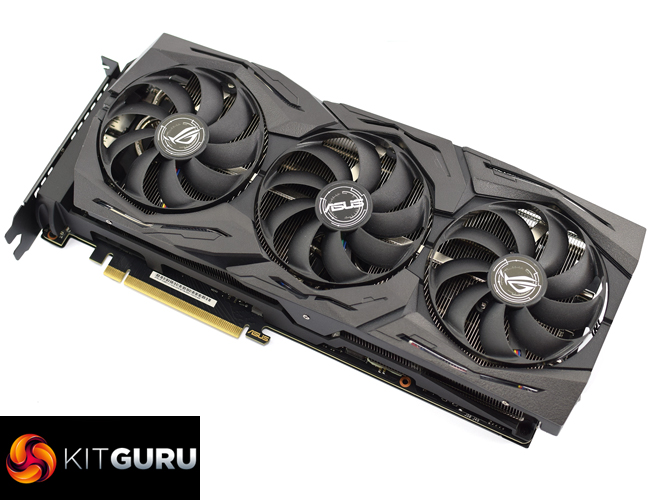
Getting our first look at the card itself, it is essentially indistinguishable from the Strix 2080 model. As far as I can tell, the cooler and shroud is exactly the same between both cards – if you had the two side by side, it would be almost impossible to say which was which.
Compared to the previous generation of Strix cards, the fans is the first area of difference to note. The Strix RTX 20-series cards use what ASUS calls ‘Axial-tech Fans’, when the previous generation used ‘Wing-blade Fans’. The new fans still measure 85mm, so they're not any bigger, but you will note the blade design is different, as the new fan blades are more swept in their shape, when the previous fans were much straighter.
On top of that, the new axial-tech fans also have a ring around the outside of the fan blades, where the previous generation blades were left open. ASUS says this new design allows for up to 27% increased air flow, and 40% greater static pressure.
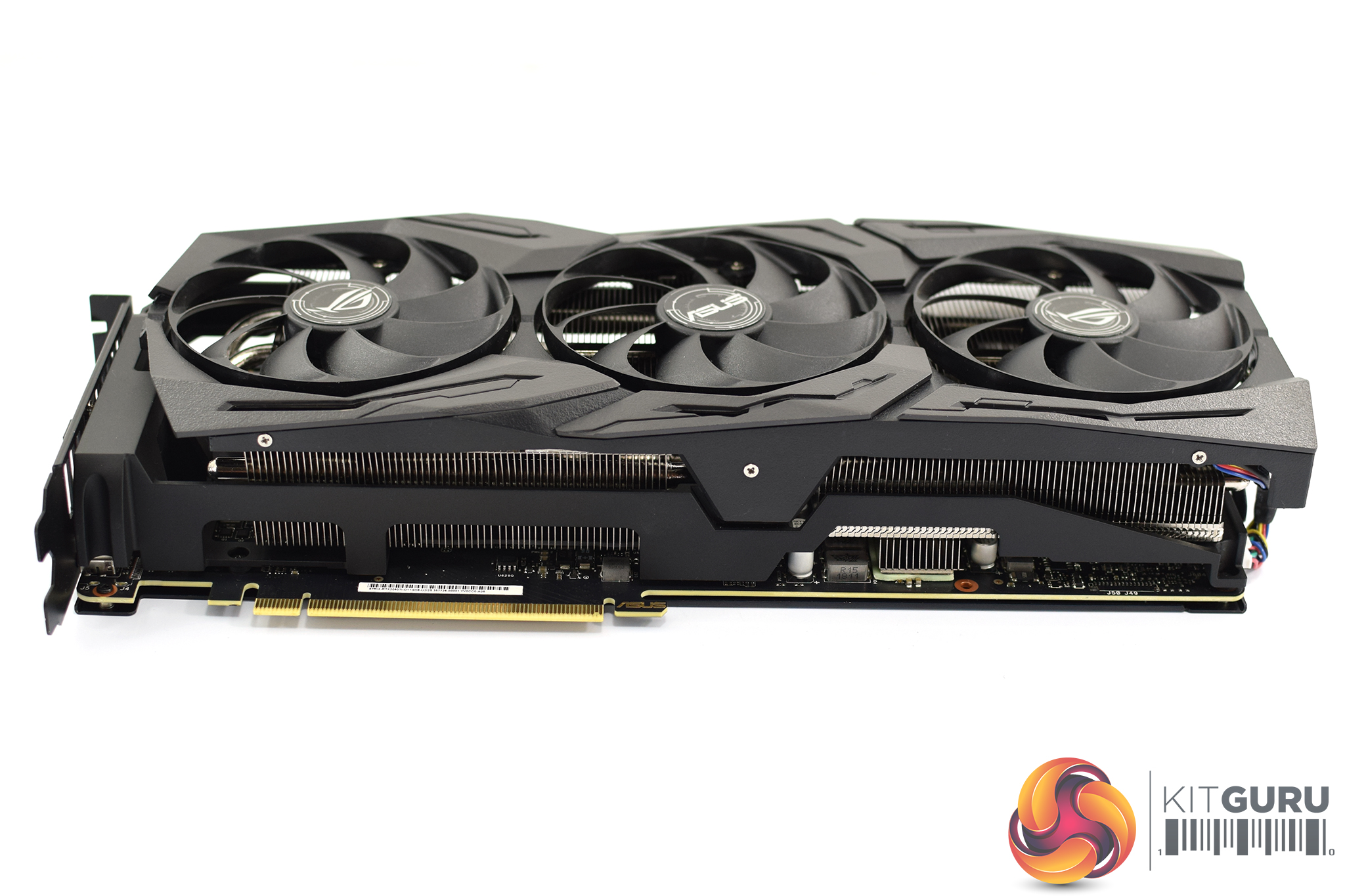
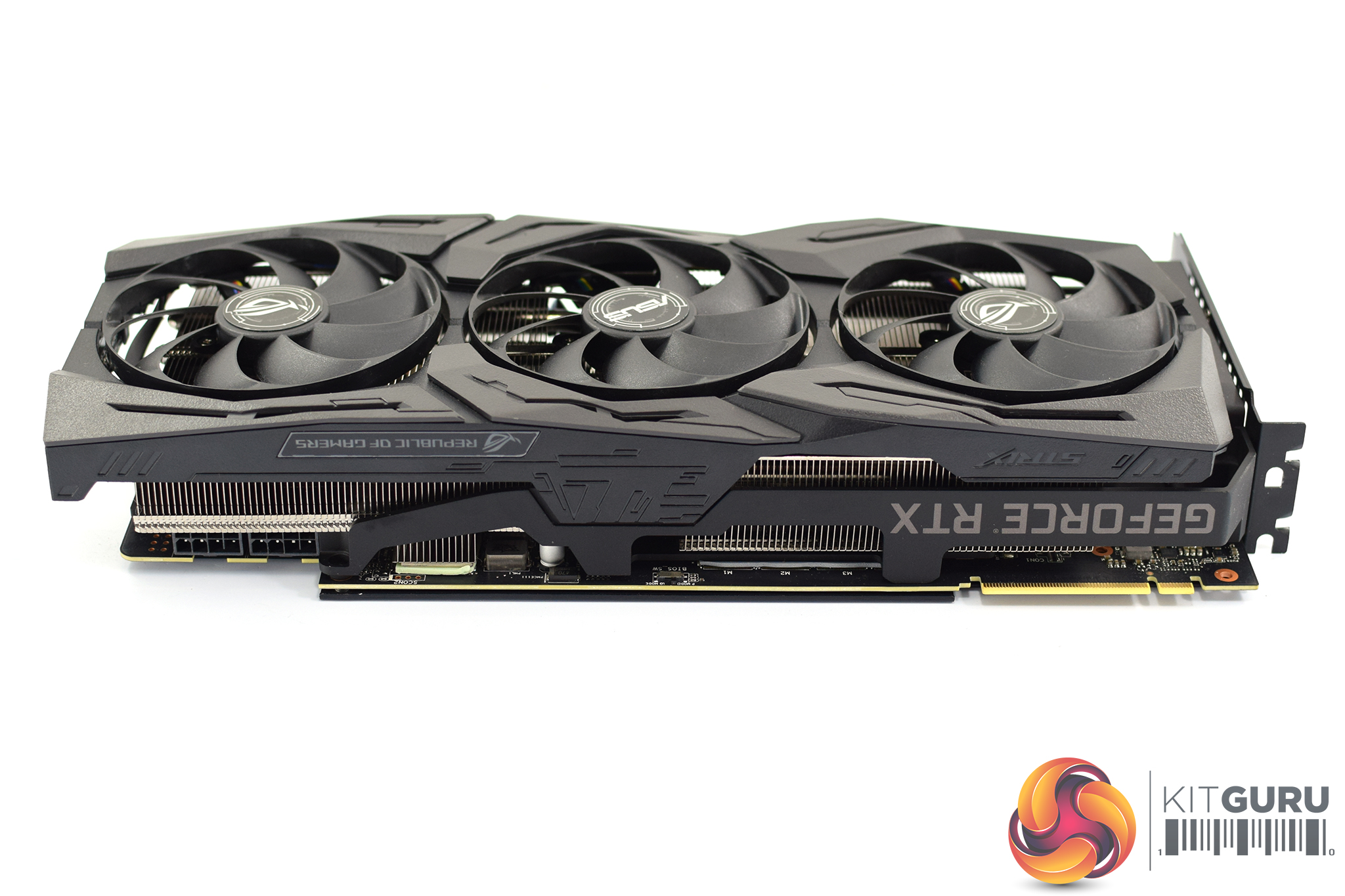
In terms of dimensions, the Strix 2080 Ti measures in at 30.47 x 13.04 x 5.41 cm, making it a 2.7-slot card. These are identical dimensions to the Strix 2080, although it worth re-emphasising that you will definitely want to check the card will fit in your case.
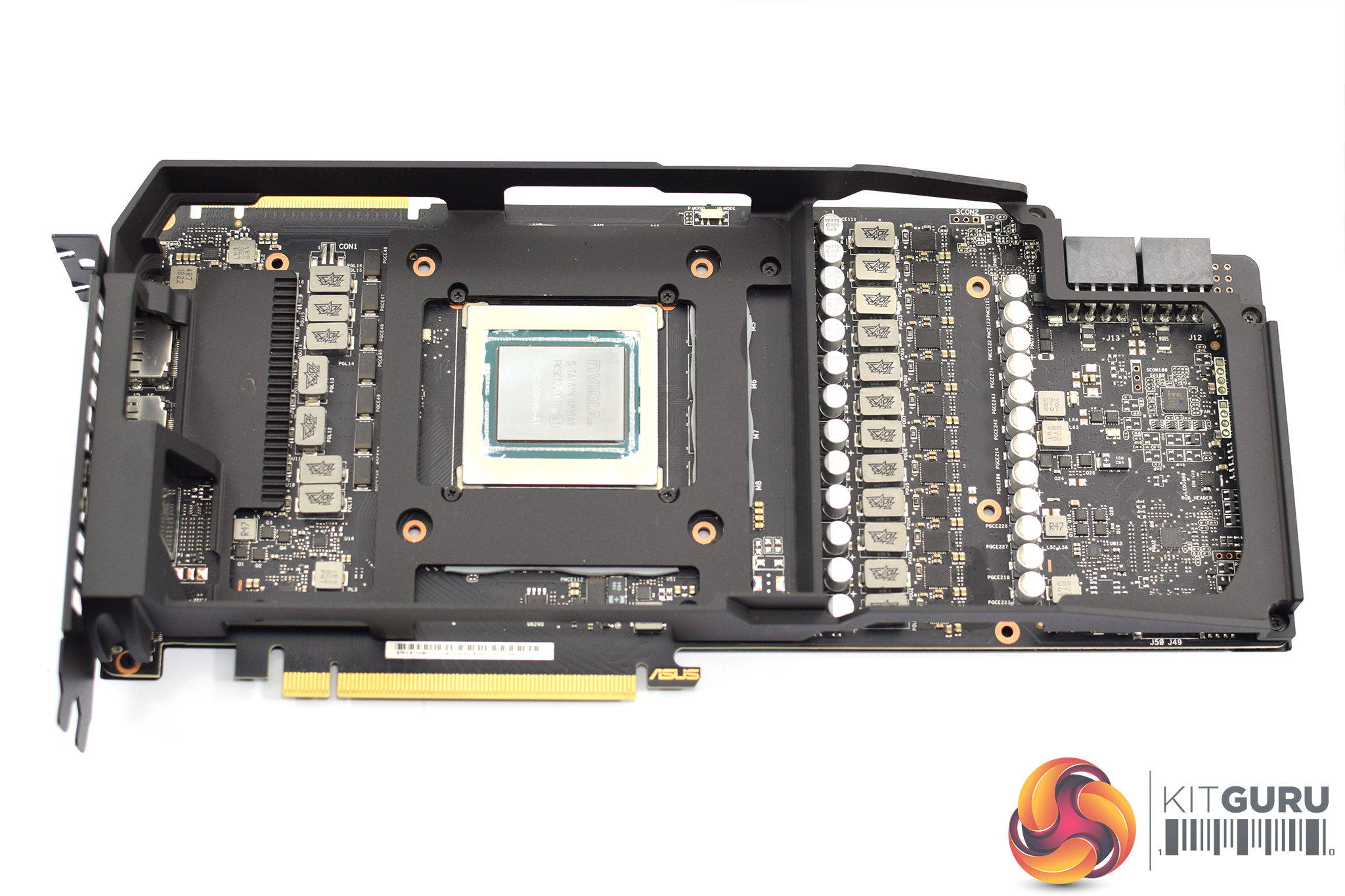
Only 6 screws need to be removed from the back of the card to prise off the heatsink, and that reveals the PCB. You will notice there is still a metal frame screwed into the backplate, however, and this provides extra structural support to the card – to prevent any sagging – while it also acts as a heatsink for the VRAM chips.
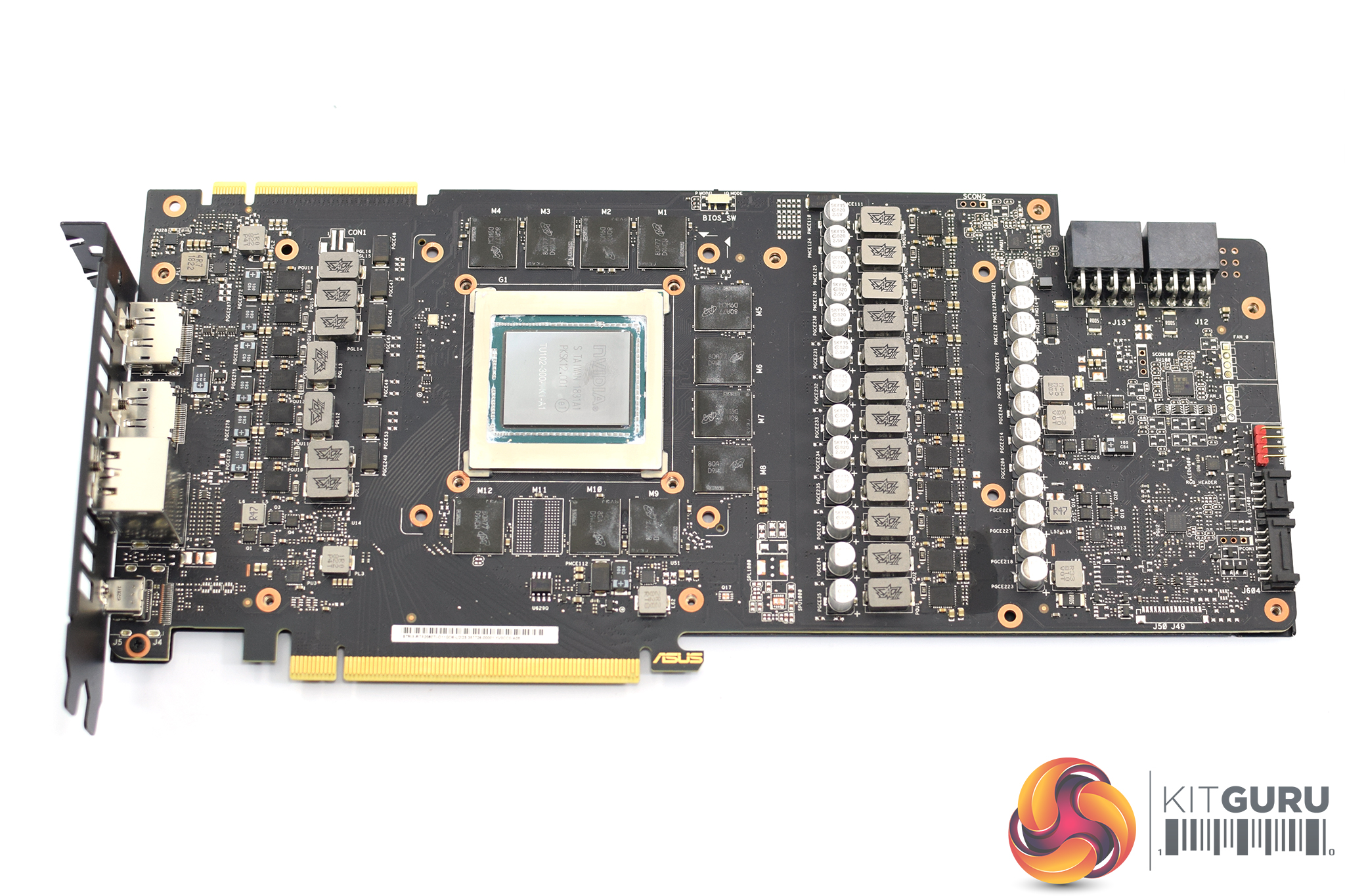
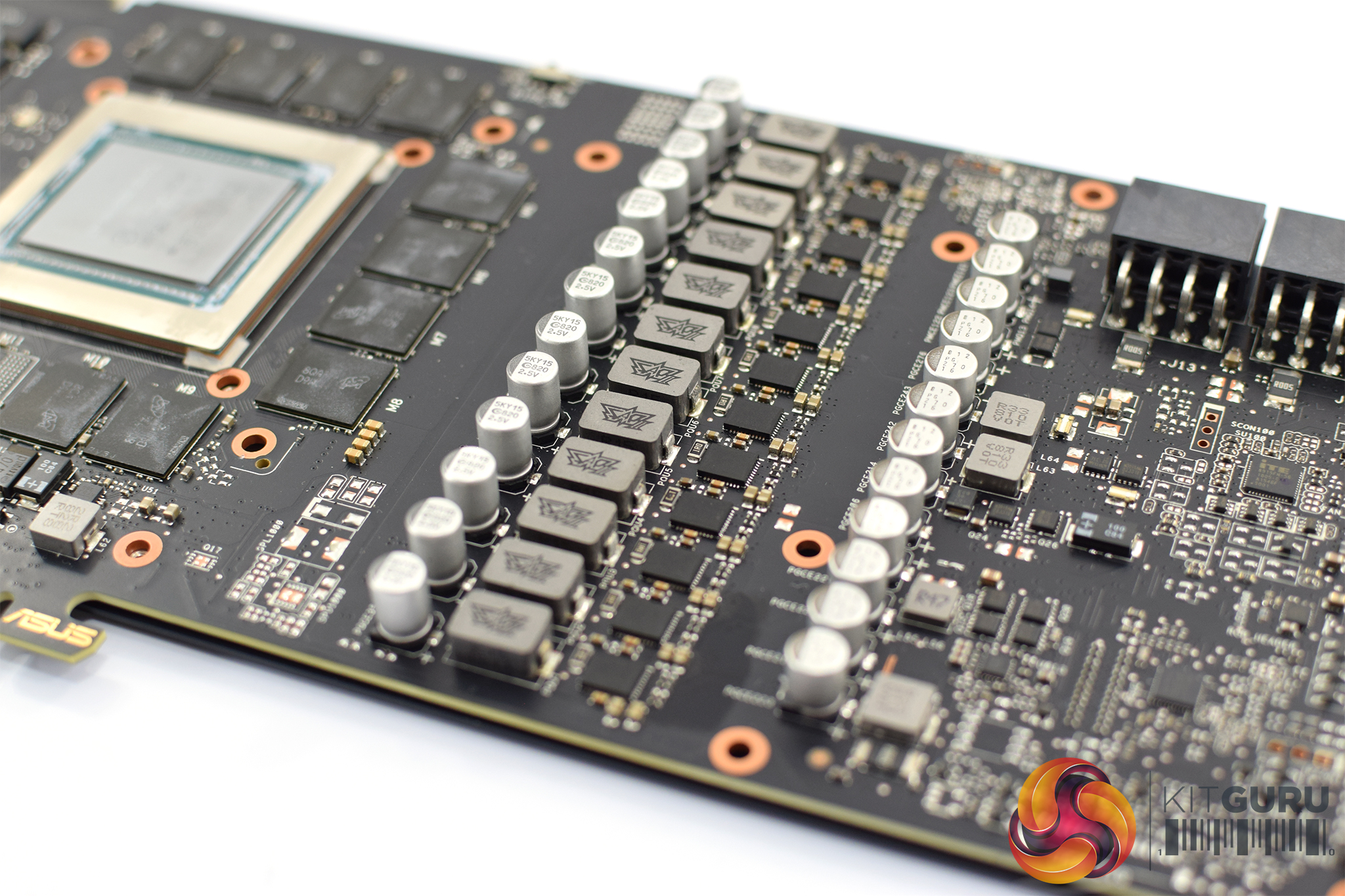
Removing that frame gives us a clear look at the custom PCB, and it is certainly a piece of work. Where Nvidia's Founders Edition 2080 Ti uses 13+3 power phases, ASUS has upped this to 16+3 with its Super Alloy Power (SAP) II design. As part of its SAP II design, it also reckons its capacitors offer over 90,000 hours longer lifespan than traditional capacitors, although we would have to be here for a very long time to actually verify that!
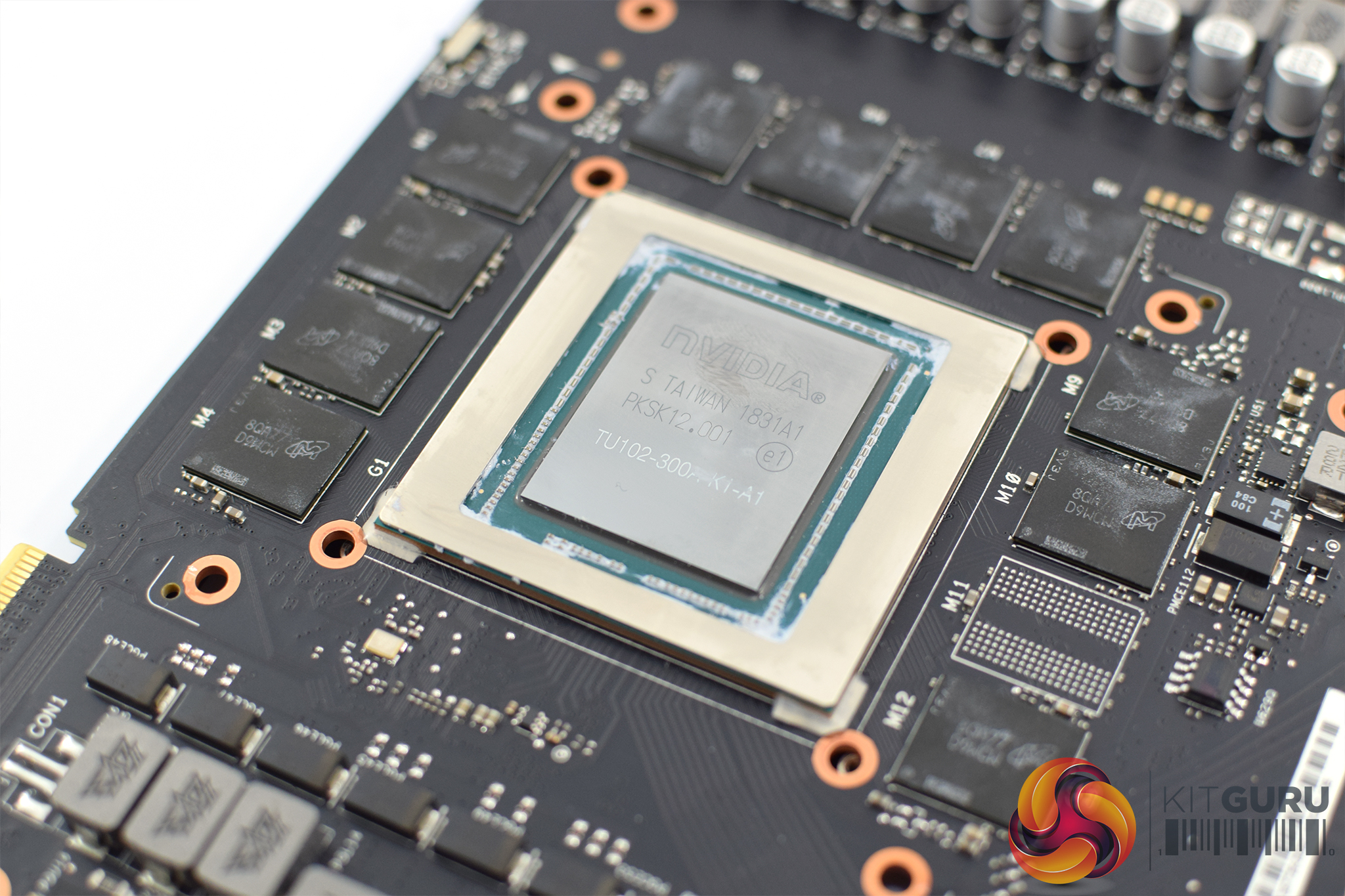
Elsewhere, our 11GB of GDDR6 memory comes from Micron, with the chips labelled ‘8QA77D9WCW'. The RTX 2080 Ti uses the TU102 GPU, and this is labelled ‘TU102-300A', with the ‘A' designating that this is a binned chip suitable to be sold with a factory overclock.
Another thing worth noting is the BIOS switch at the top of the PCB. This lets users choose between the ‘performance’ BIOS or the ‘quiet’ BIOS – the only change is the fan curve is drastically reduced when using the card with its quiet BIOS. This is something we test later in the review.
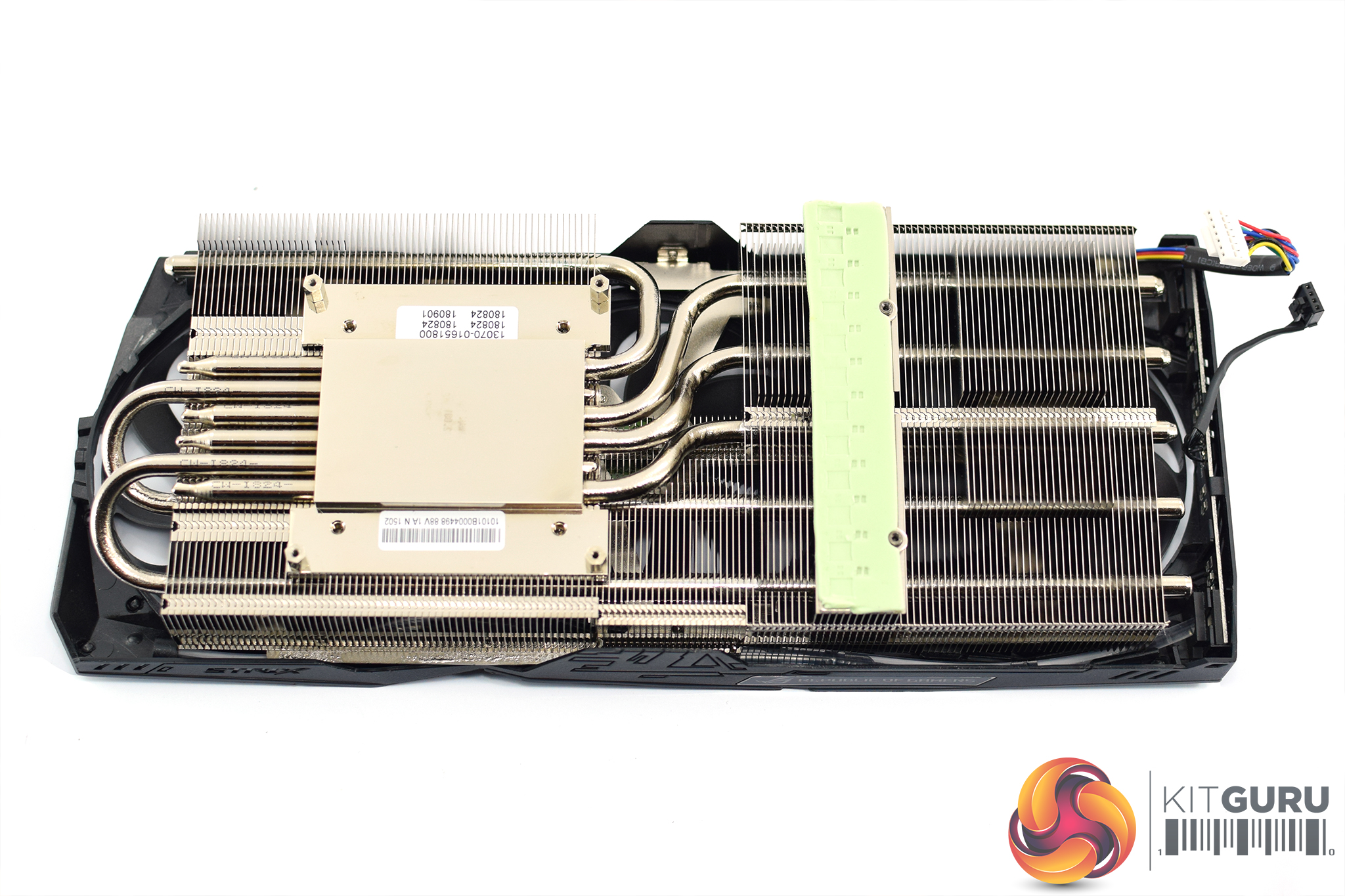
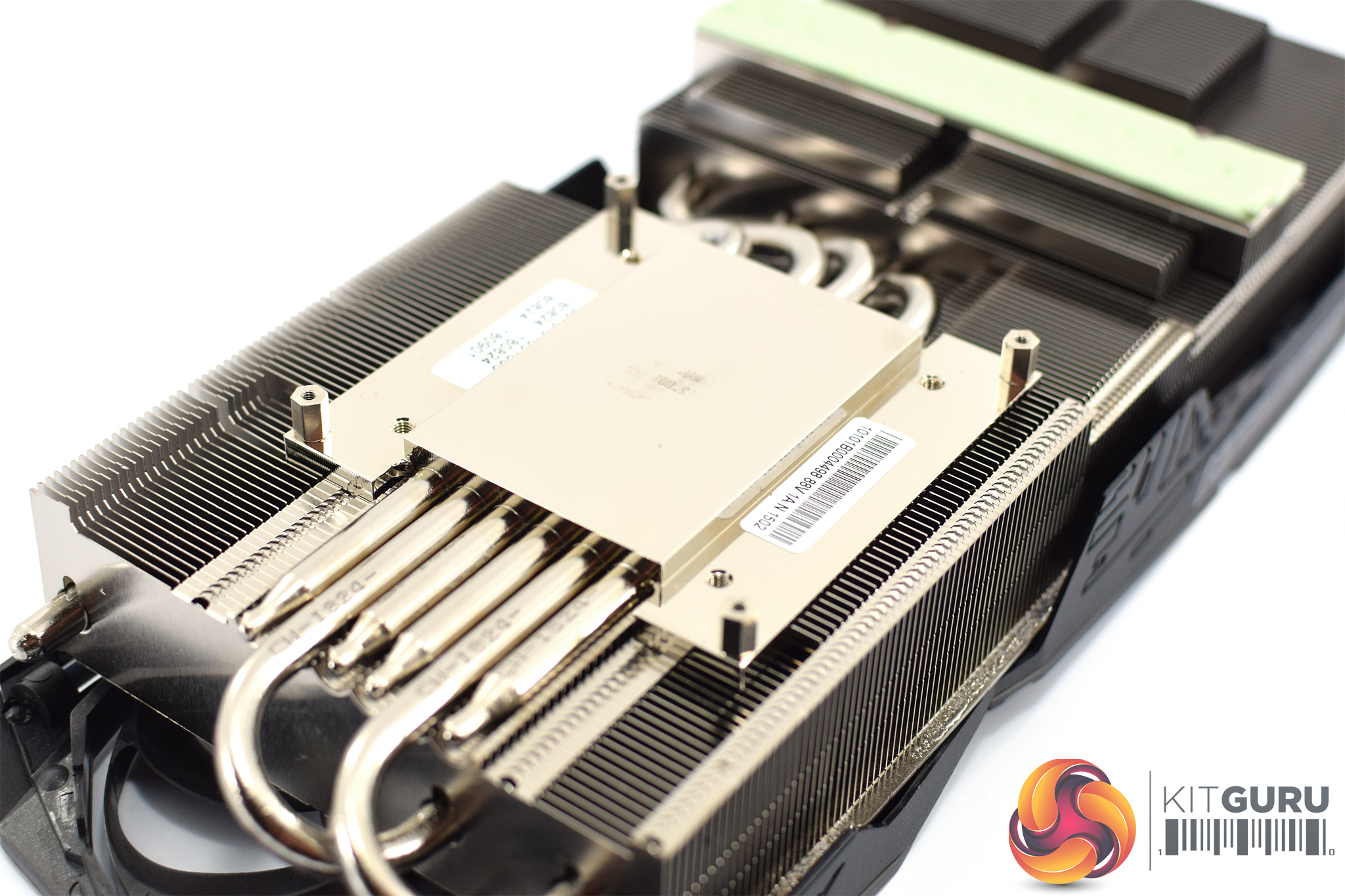
As for the heatsink, this uses 6 nickel-plated heatpipes and an aluminium fin array which ASUS claims has 20% larger surface area than the previous generation – hence why this Strix 2080 Ti is a 2.7 slot card, compared to the 2.5-slot Strix GTX 1080 Ti.
The GPU contacts with a nickel-plated copper base, and this uses ASUS’ MaxContact technology which essentially makes the surface a lot flatter than traditional heat spreaders – up to 10 times flatter according to ASUS. This simply ensures increased contact between the GPU die and the plate, thus enabling greater heat transfer.
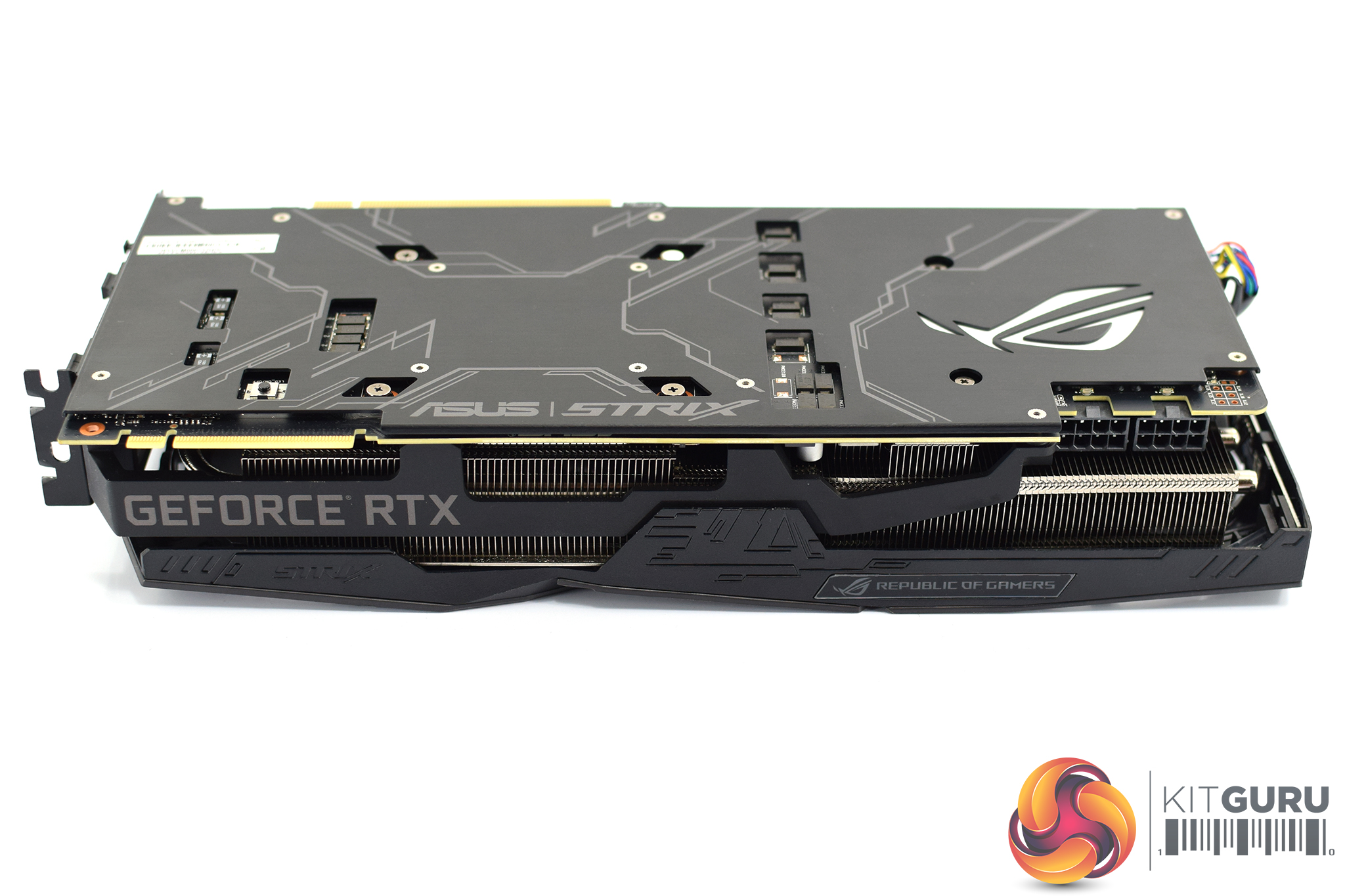
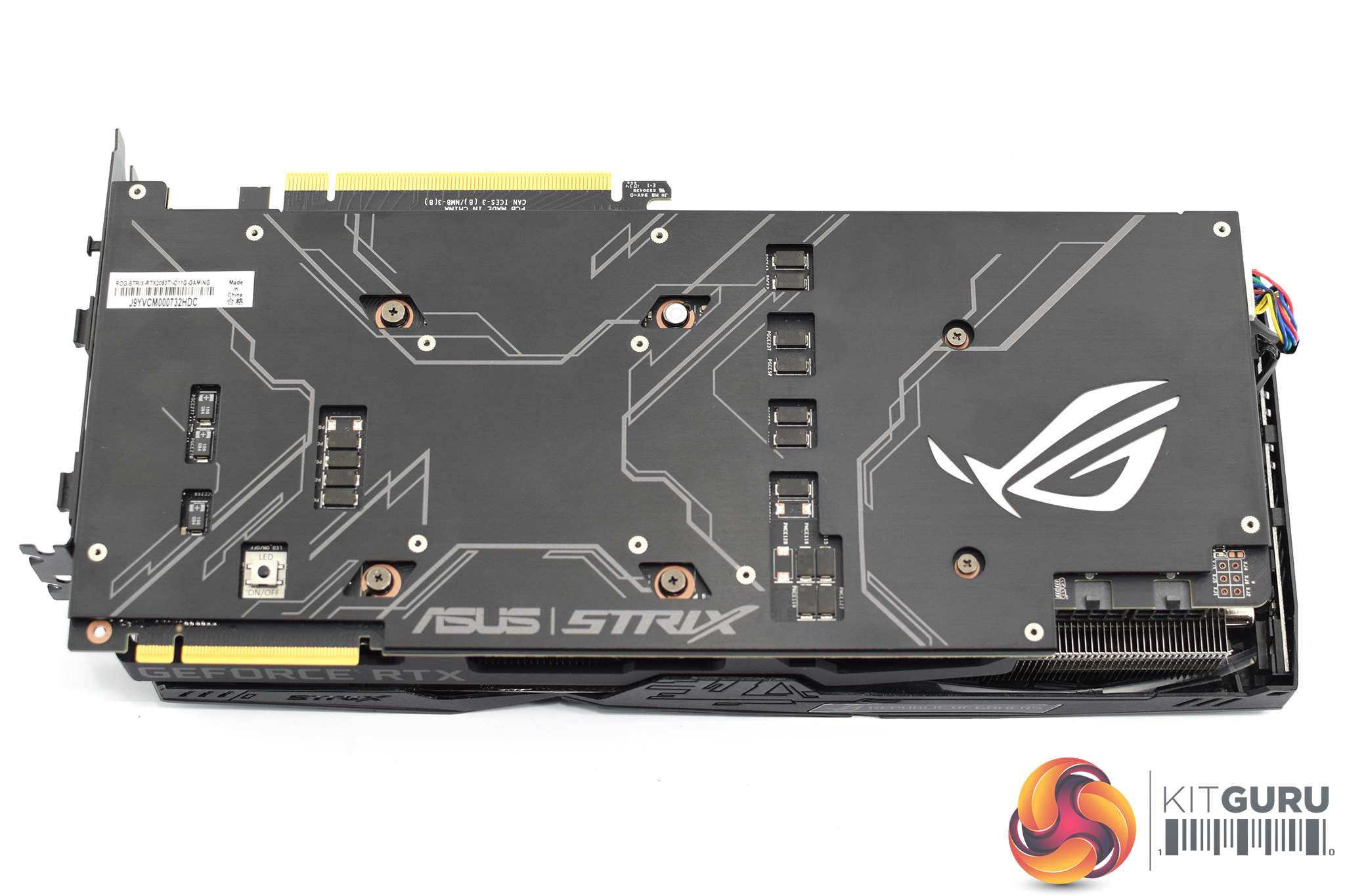
Moving on, the front side of the card is home to some subtle GeForce RTX branding printed in grey, with the NVLink connector sitting just above that.
ASUS has stuck with its lovely brushed metal backplate, too, and I really quite like the look of it, though be careful not to touch it as it is really quite hard to clean fingerprints off! The ROG logo on the back is RGB illuminated as you would expect, though as with the Strix 2080, there is a master power button for the RGB lighting just above the NVLink connector – push this, and all the RGB will turn off. Simple.
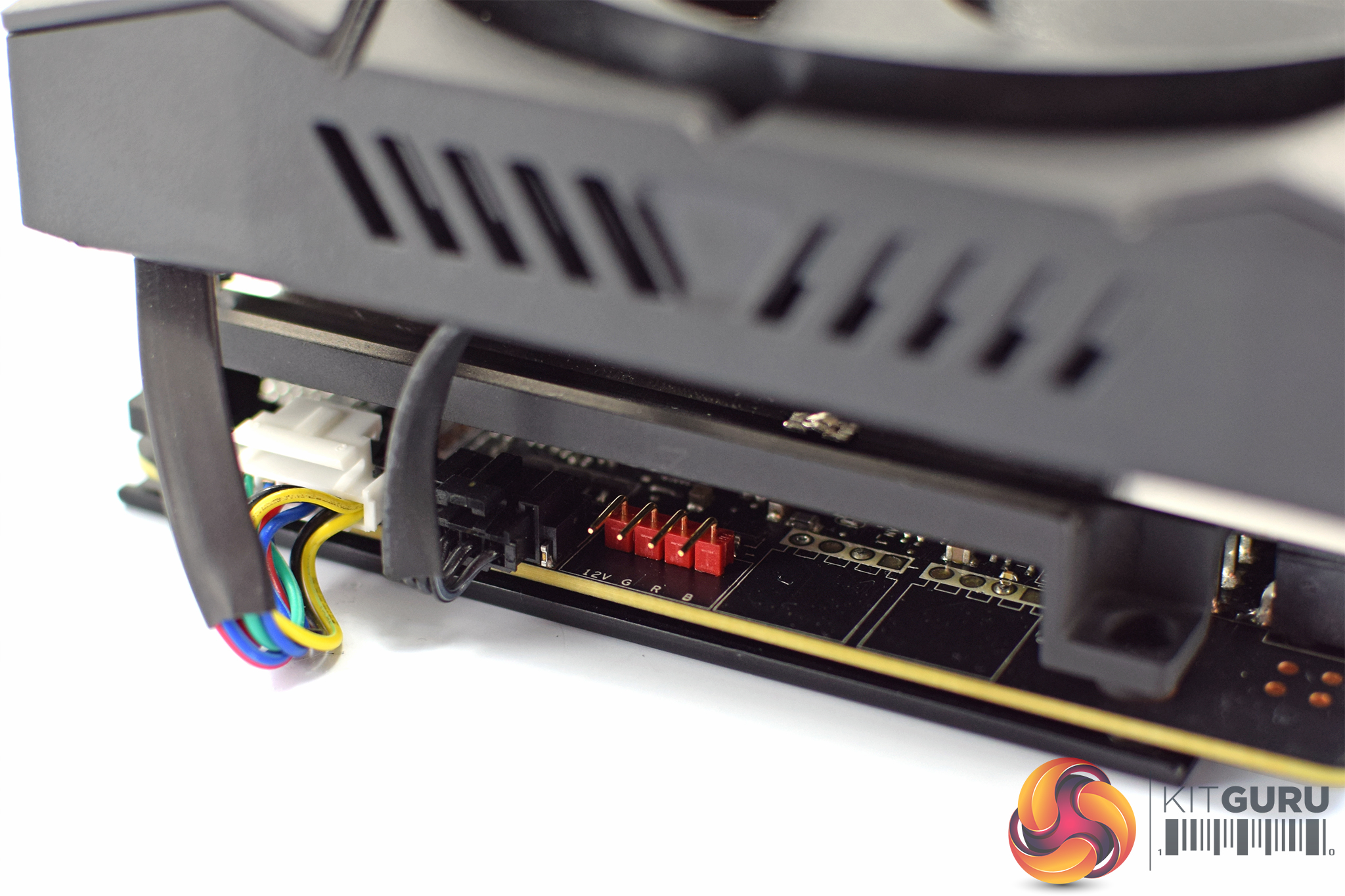
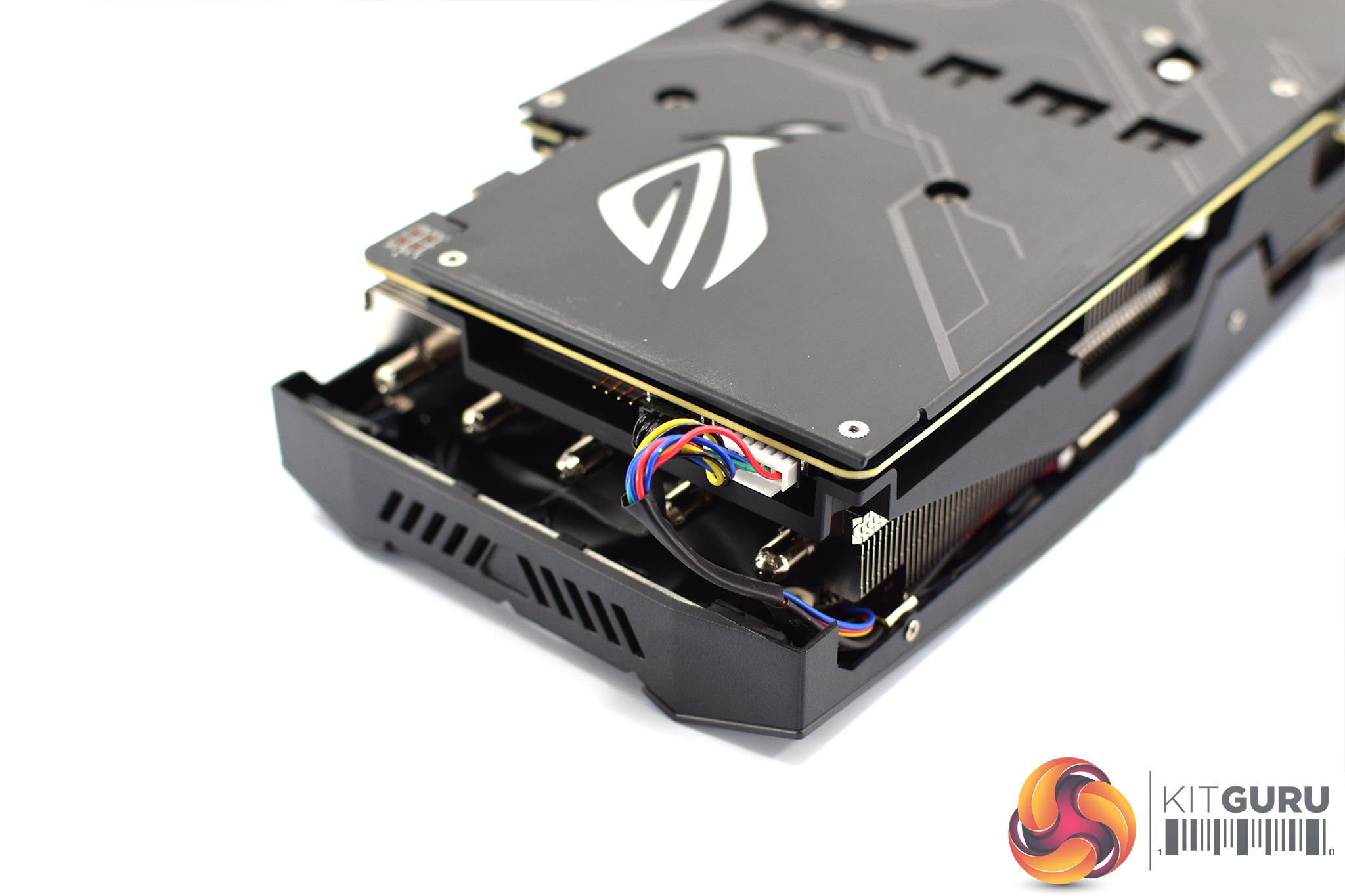
Just at the end of the card, we again find a 4-pin RGB header that lets you connect an RGB fan or LED strip (or whatever you should want), although there is one surprise move – the Strix 2080 had two extra 4-pin fan headers here, but these are missing on the 2080 Ti. I think that is a shame as I do appreciate the ability to have your case fans controlled via the GPU temperature, and not the CPU temperature, as the latter doesn't really heat up that much when gaming.
Unfortunately, the hideous multi-colour fan cable has not changed from the Strix 2080, and you can clearly see it stick out at the end of the card. I have to say, this just does not compute with me at all – ASUS genuinely expects users to drop £1.5 grand on a graphics card, yet they think they can get away with this kind of cable? It's just so lazy for a card of this price – realistically, how much extra is it going to cost to have all-black cabling? Come on now ASUS.
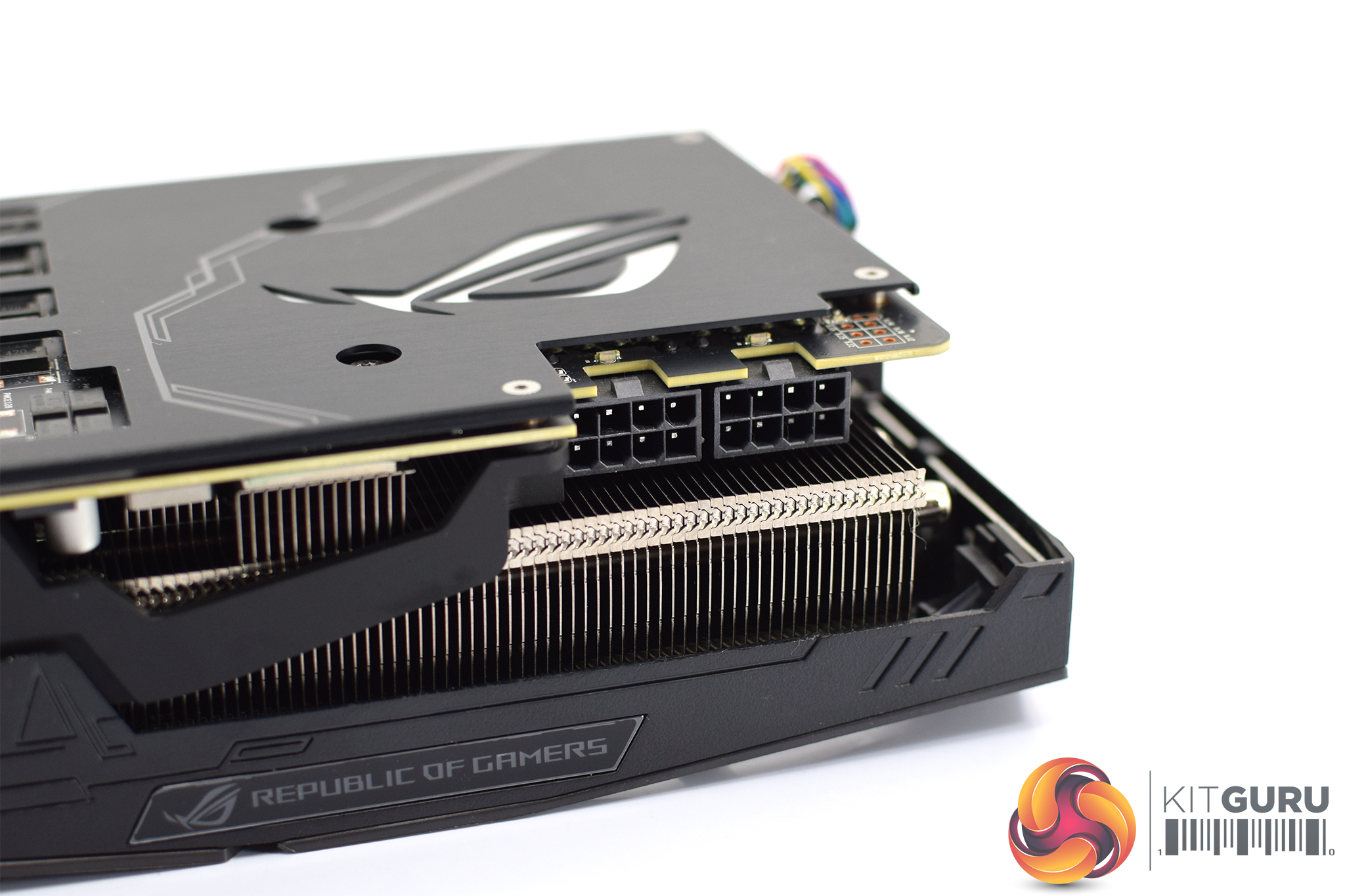
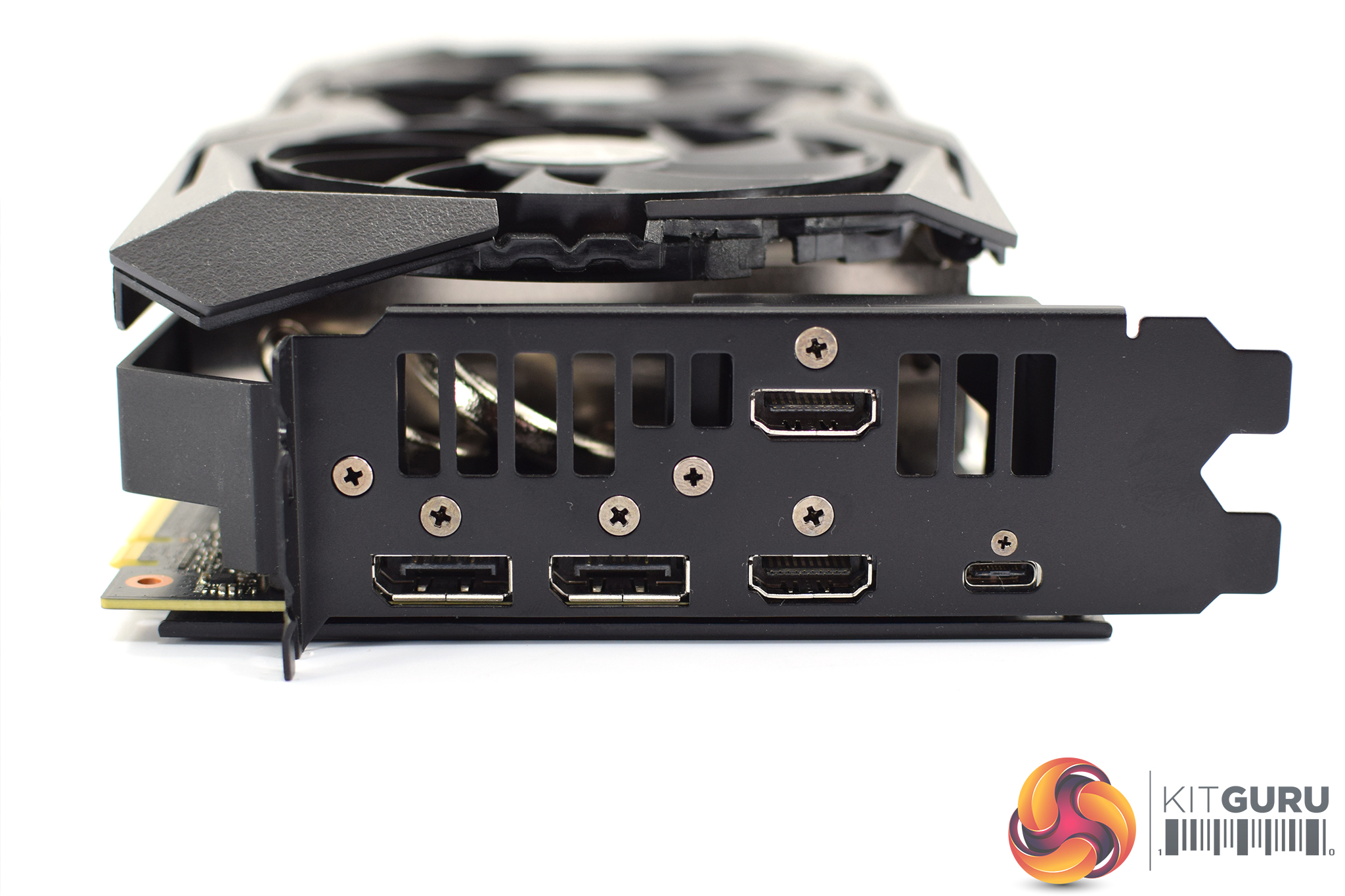
One of the last things to mention are the 2x 8-pin PCIe power connectors that are required to power this card, and we can also see that ASUS has tweaked the display outputs over reference, with 2x HDMI 2.0b ports, 2x DisplayPort 1.4 and the USB-C connector present.Our newest GPU test procedure has been built with the intention of benchmarking high-end graphics cards. We test at 1920×1080 (1080p), 2560×1440 (1440p), and 3840×2160 (4K UHD) resolutions.
We try to test using the DX12 API if titles offer support. This gives us an interpretation into the graphics card performance hierarchy in the present time and the near future, when DX12 becomes more prevalent. After all, graphics cards of this expense may stay in a gamer’s system for a number of product generations/years before being upgraded.
We tested the RX Vega64 and Vega56 using the ‘Turbo‘ power mode in AMD’s WattMan software. This prioritises all-out performance over power efficiency, noise output, and lower thermals.
As mentioned, the Strix runs at 1650MHz out of the box, but we tested with OC mode enabled within GPU Tweak II, giving a boost clock of 1665MHz.
We did the bulk of our testing using the card’s performance BIOS to get the most from the card. We did re-run some tests using the quiet BIOS – including all of our 4K gaming benchmarks – to see what performance difference it made. Each result for the card is clearly marked depending on what BIOS was used.
It is also worth clarifying that clock speed is not affected by choice of BIOS – so we used both with the 1665MHz OC mode enabled. However, we can expect a significantly quieter fan curve to cause the GPU to run hotter, thus affecting how far GPU Boost 4.0 will take the clock speed. How much of a difference that will make (if any) is what we are testing today.
Driver Notes
- AMD graphics cards were benchmarked with the Adrenalin 18.9.1 driver.
- Nvidia graphics cards (apart from RTX 20 series cards) were benchmarked with the Nvidia 399.24 driver.
- RTX 2080 and 2080 Ti cards were benchmarked with the Nvidia 411.63 driver.
- RTX 2070 cards were benchmarked with the Nvidia 416.33 driver.
Test System
We test using the Overclockers UK Germanium pre-built system. You can read more about it over HERE. It is important to note we have had to re-house the components to an open-air test bench to accommodate our new GPU power testing (more on that later) but the core of the system is unchanged and the performance figures you see presented here are what you can expect from the Germanium.
| CPU |
Intel Core i7-8700K
Overclocked to 4.8GHz |
| Motherboard |
ASUS ROG Strix Z370-F Gaming
|
| Memory |
Team Group Dark Hawk RGB
16GB (2x8GB) @ 3200MHz 16-18-18-38 |
| Graphics Card |
Varies
|
| System Drive |
Patriot Wildfire 240GB
|
| Games Drive | Crucial M4 512GB |
| Chassis | Streacom ST-BC1 Bench |
| CPU Cooler |
OCUK TechLabs 240mm AIO
|
| Power Supply |
SuperFlower Leadex II 850W 80Plus Gold
|
| Operating System |
Windows 10 Professional
|
Comparison Graphics Cards List
- Nvidia RTX 2080 Ti Founders Edition (FE) 11GB
- Nvidia RTX 2080 Founders Edition (FE) 8GB
- Gigabyte RTX 2080 Gaming OC 8GB
- Palit RTX 2080 GameRock Premium 8GB
- ASUS ROG RTX 2080 Strix OC 8GB
- Gigabyte Aorus RTX 2080 Xtreme 8GB
- MSI RTX 2070 Gaming Z 8GB
- MSI RTX 2070 Armor 8GB
- Nvidia GTX 1080 Ti Founders Edition (FE) 11GB
- Gigabyte GTX 1080 G1 Gaming 8GB
- Palit GTX 1070 Ti Super Jetstream 8GB
- Nvidia GTX 1070 Founders Edition (FE) 8GB
- Nvidia GTX 1060 Founders Edition (FE) 6GB
- Gigabyte GTX 980 Ti XTREME Gaming 6GB
- AMD RX Vega 64 Air 8GB
- AMD RX Vega 56 8GB
- Sapphire RX 580 Nitro+ Limited Edition (LE) 8GB
- ASUS RX 570 ROG Strix Gaming OC 4GB
Software and Games List
- 3DMark Fire Strike & Fire Strike Ultra (DX11 Synthetic)
- 3DMark Time Spy (DX12 Synthetic)
- Deus Ex: Mankind Divided (DX12)
- Far Cry 5 (DX11)
- Tom Clancy’s Ghost Recon: Wildlands (DX11)
- Middle Earth: Shadow of War (DX11)
- Shadow of the Tomb Raider (DX12)
We run each benchmark/game three times, and present averages in our graphs.3DMark Fire Strike is a showcase DirectX 11 benchmark designed for today’s high-performance gaming PCs. It is our [FutureMark’s] most ambitious and technical benchmark ever, featuring real-time graphics rendered with detail and complexity far beyond what is found in other benchmarks and games today.
Performance BIOS:
Quiet BIOS:
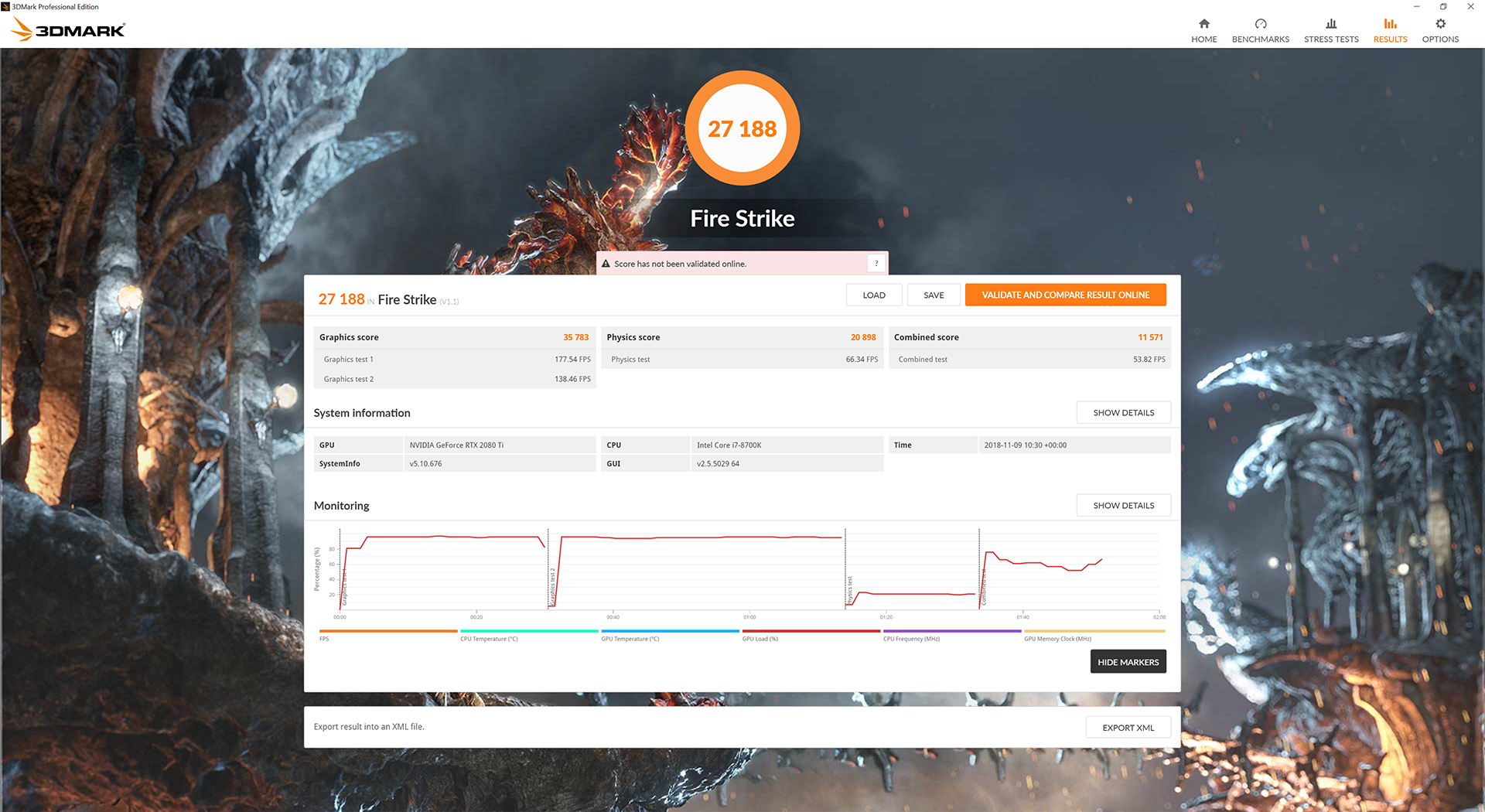
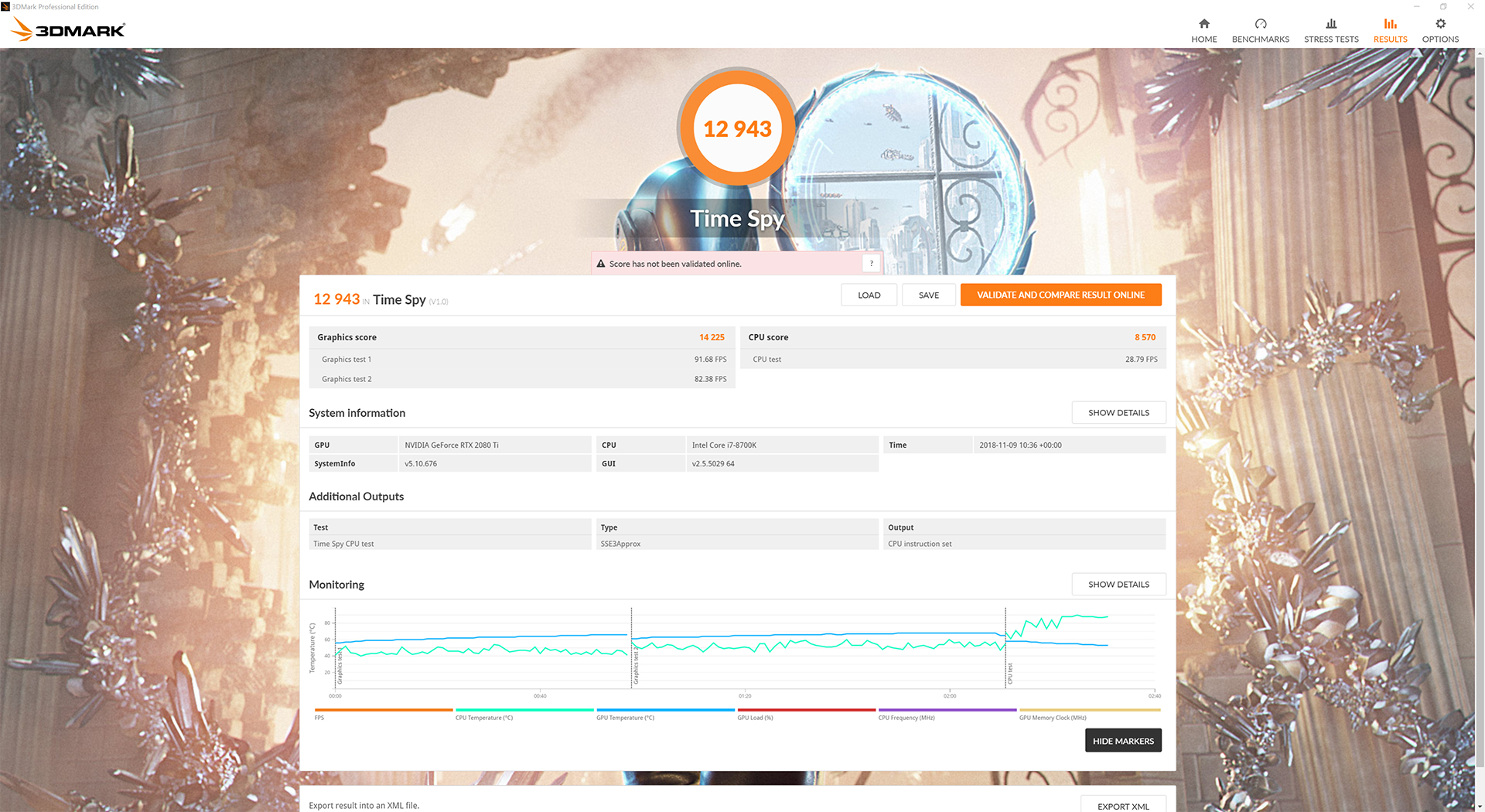
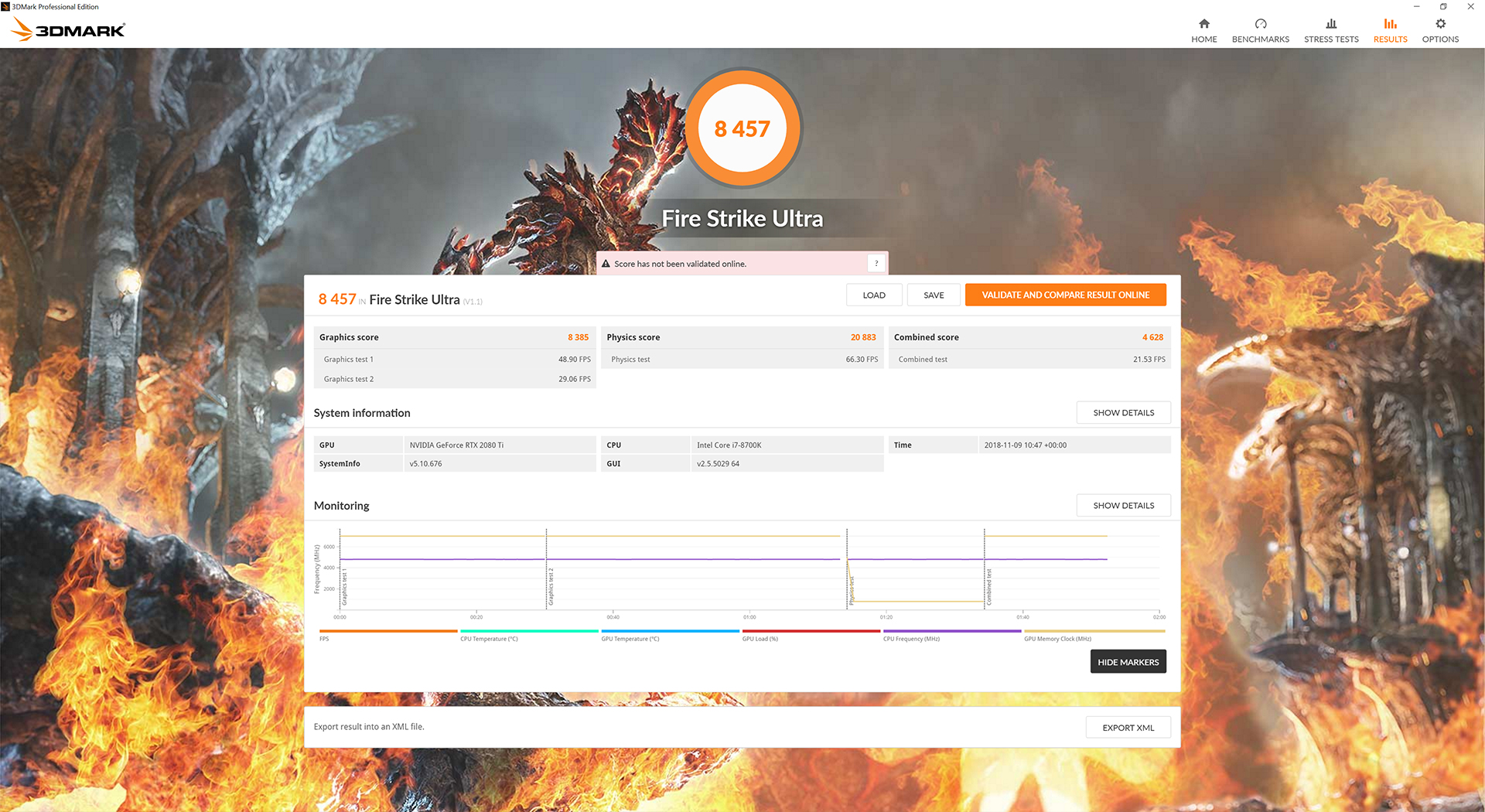
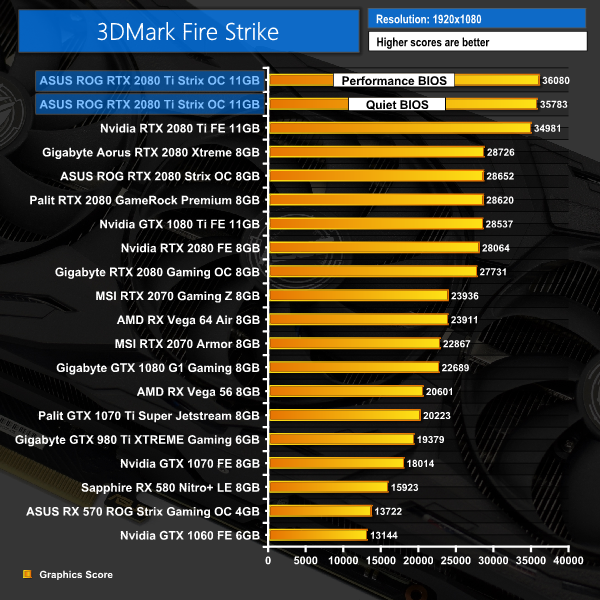
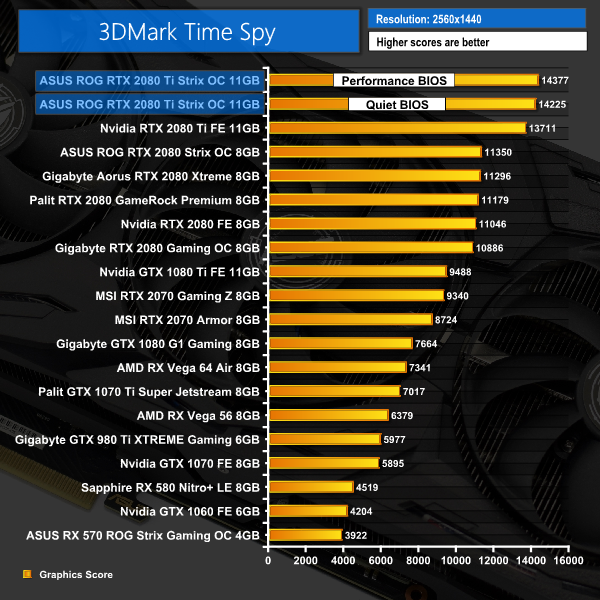
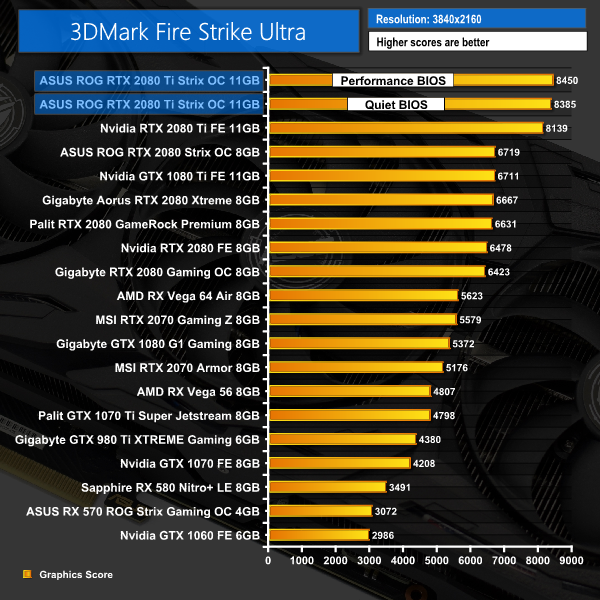
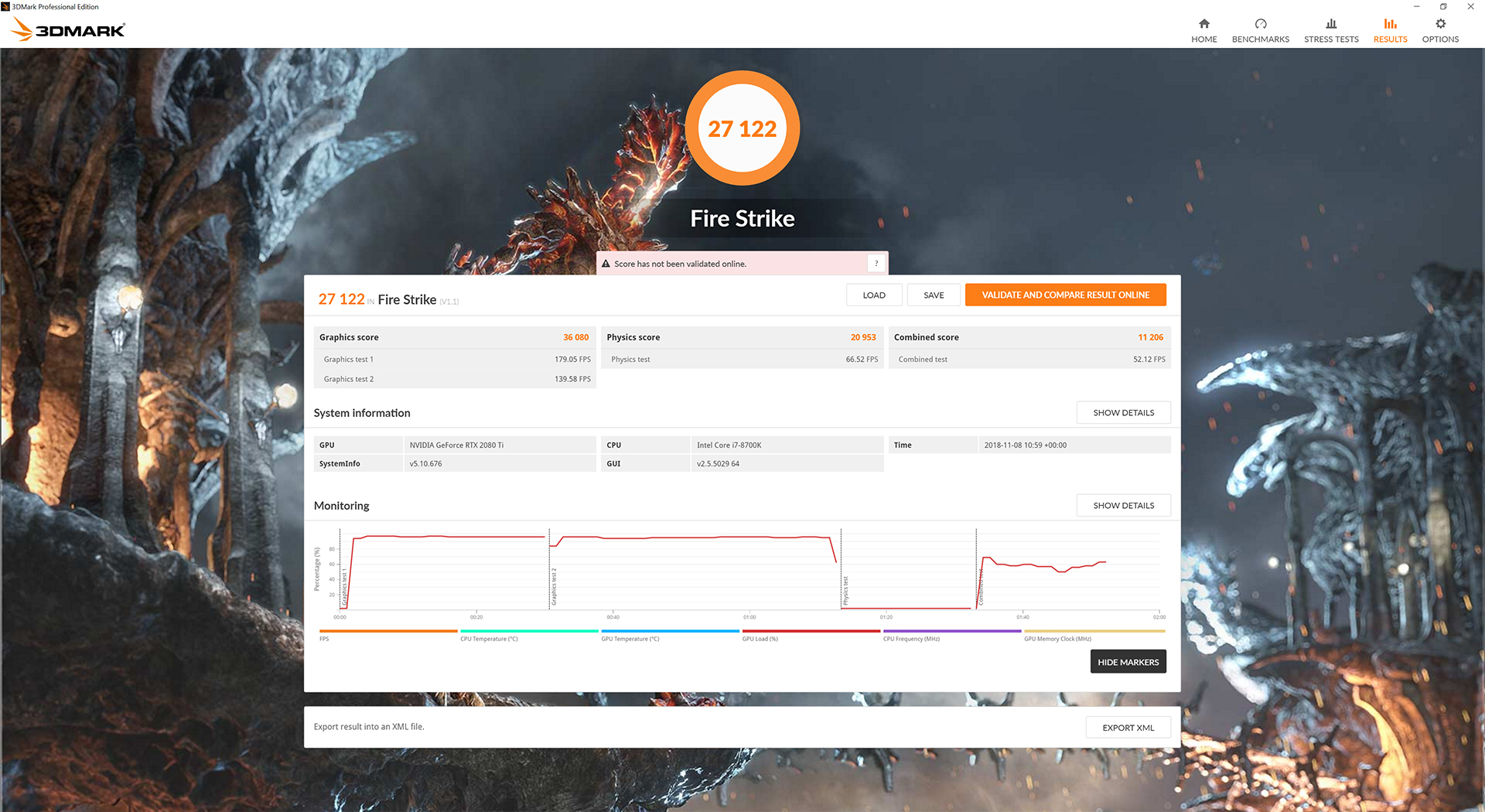
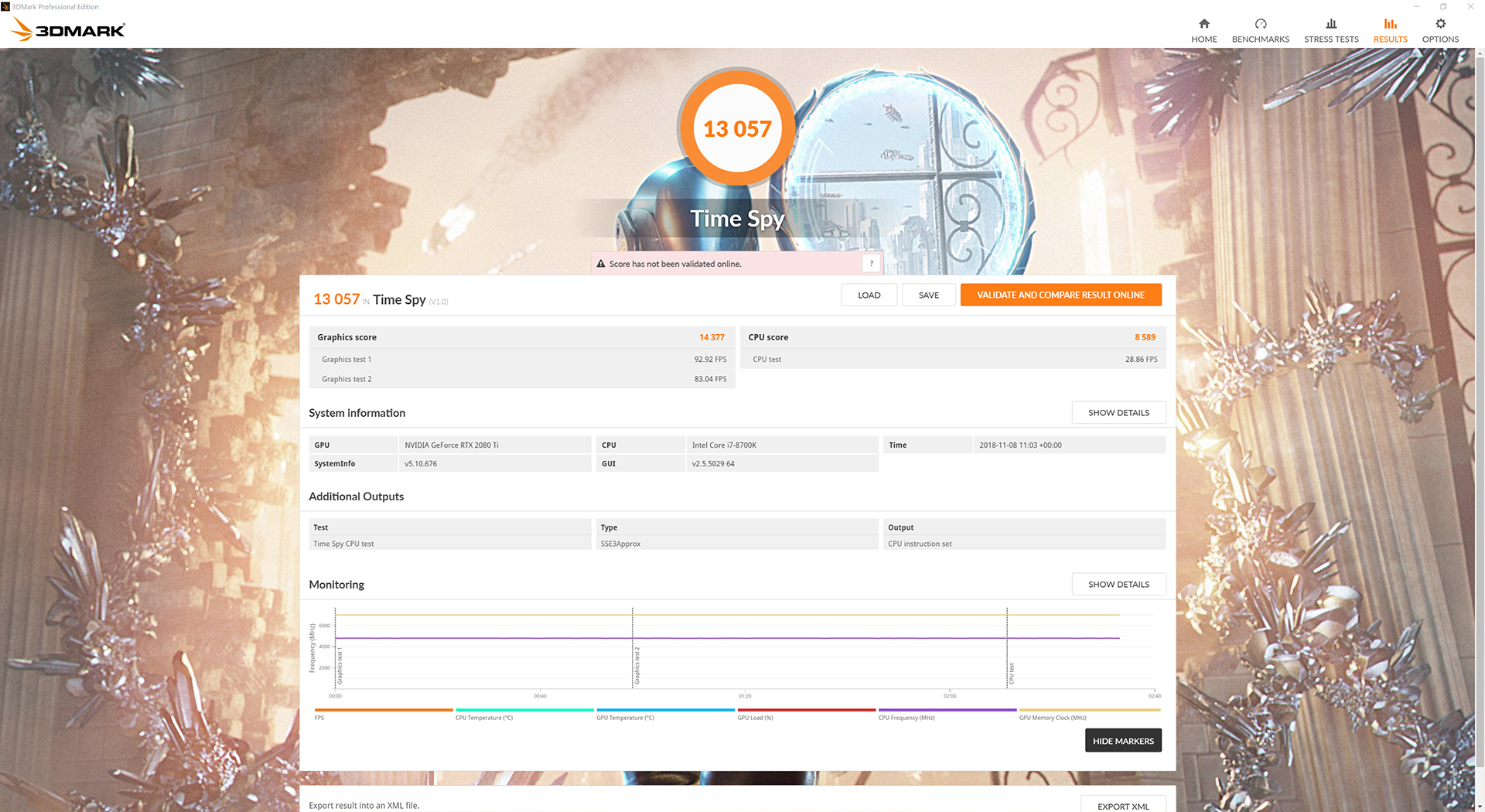
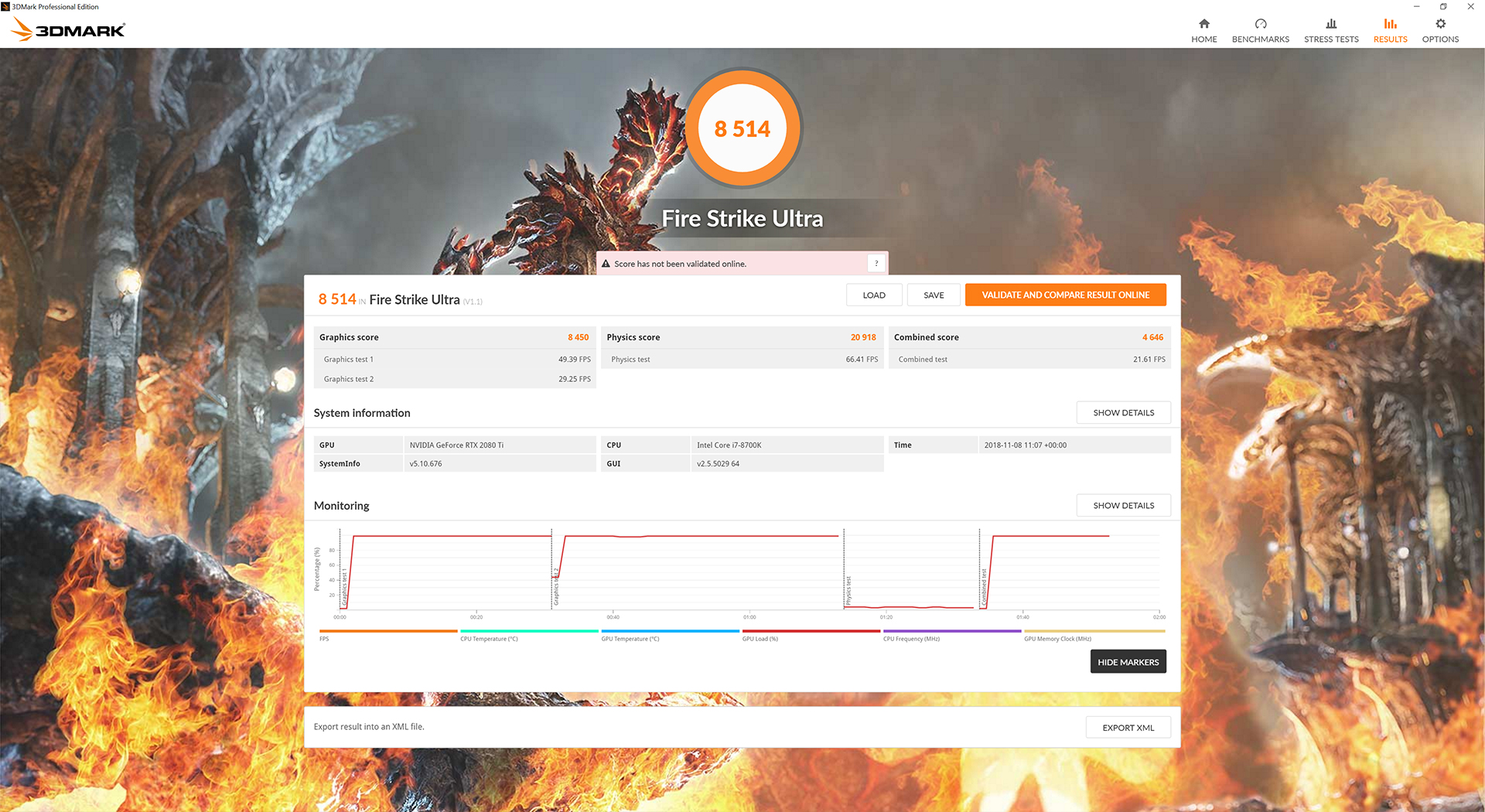
I always expected the Strix 2080 Ti to score higher than the Founders Edition 2080 Ti in our 3DMark tests, and that is exactly what we can see. The margins aren't big – it is about 3% faster in Fire Strike, for instance – but it is certainly something.
We can also see that the quiet BIOS is only just behind the performance BIOS, too, so even that is faster than Nvidia's Founders 2080 Ti out of the box.Deus Ex: Mankind Divided is set in the year 2029, two years after the events of Human Revolution and the “Aug Incident”—an event in which mechanically augmented humans became uncontrollable and lethally violent. Unbeknownst to the public, the affected augmented received implanted technology designed to control them by the shadowy Illuminati, which is abused by a rogue member of the group to discredit augmentations completely. (Wikipedia).
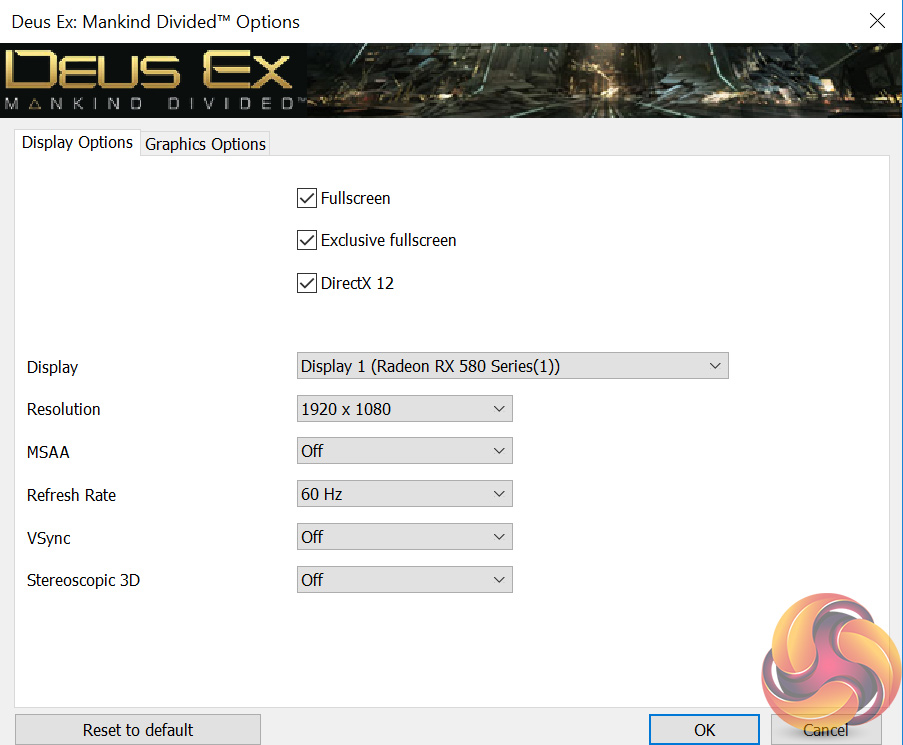
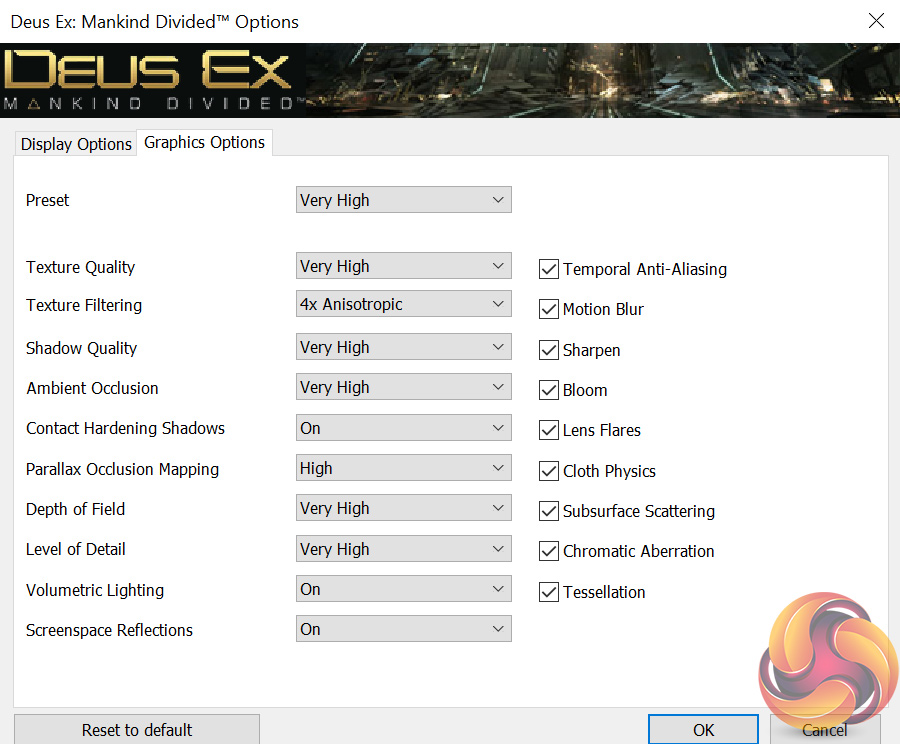
We test using the Very High preset, with MSAA disabled. We use the DirectX 12 API.
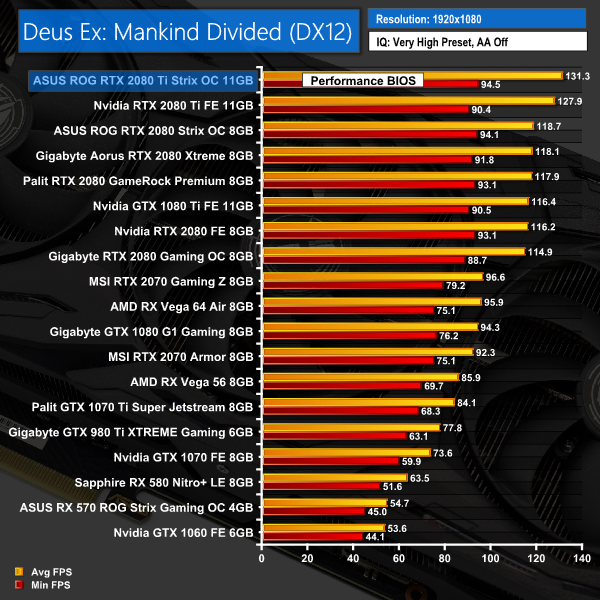
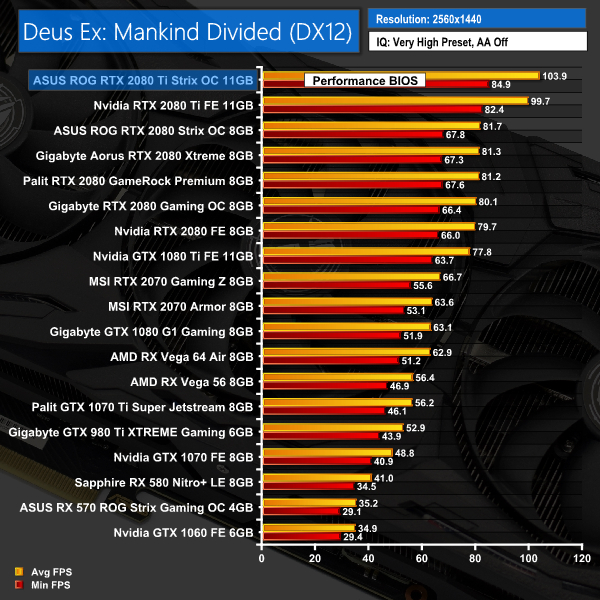
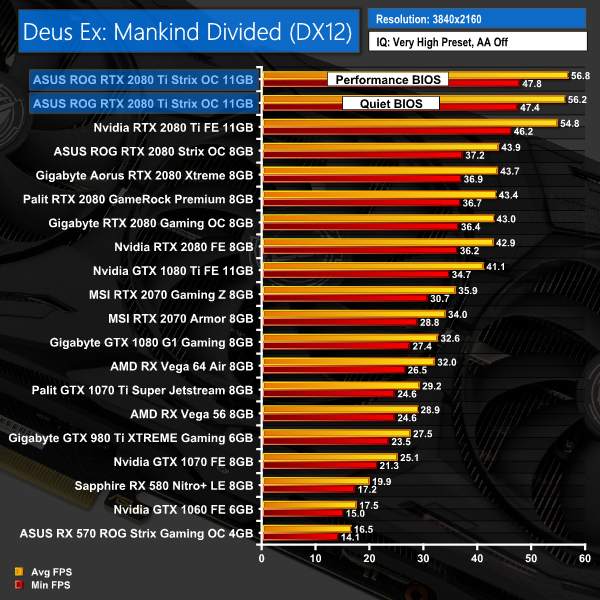
As expected, the Strix 2080 Ti again takes top sport when tested with Deus Ex: Mankind Divided – it is the fastest card we have tested to-date across all three resolutions.Far Cry 5 is an action-adventure first-person shooter game developed by Ubisoft Montreal and Ubisoft Toronto and published by Ubisoft for Microsoft Windows, PlayStation 4 and Xbox One. It is the eleventh entry and the fifth main title in the Far Cry series, and was released on March 27, 2018.
The game takes place in the fictional Hope County, Montana, where charismatic preacher Joseph Seed and his cult Project at Eden’s Gate holds a dictatorial rule over the area. The story follows an unnamed junior deputy sheriff, who becomes trapped in Hope County and works alongside factions of a resistance to liberate the county from Eden’s Gate. (Wikipedia).
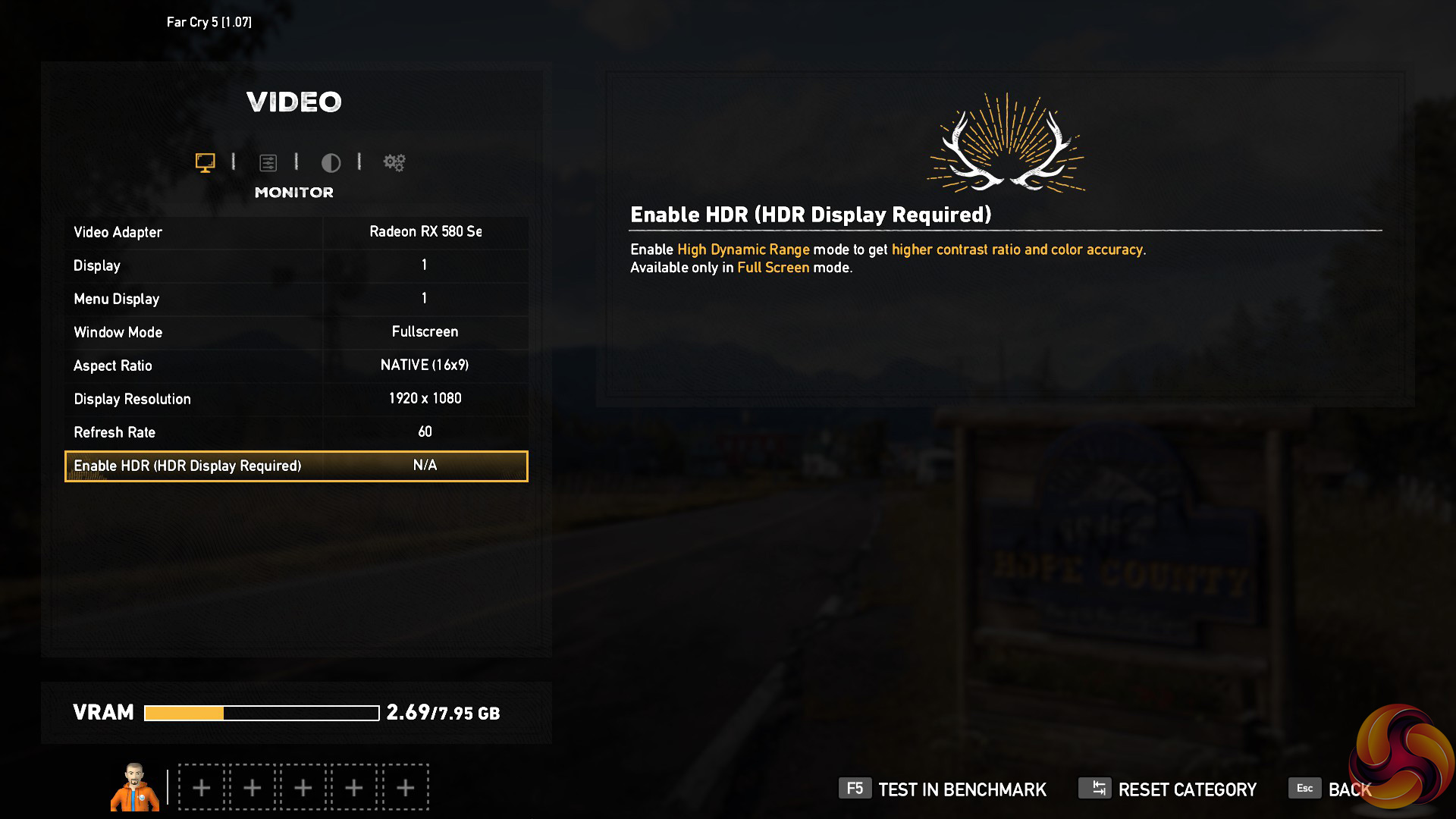
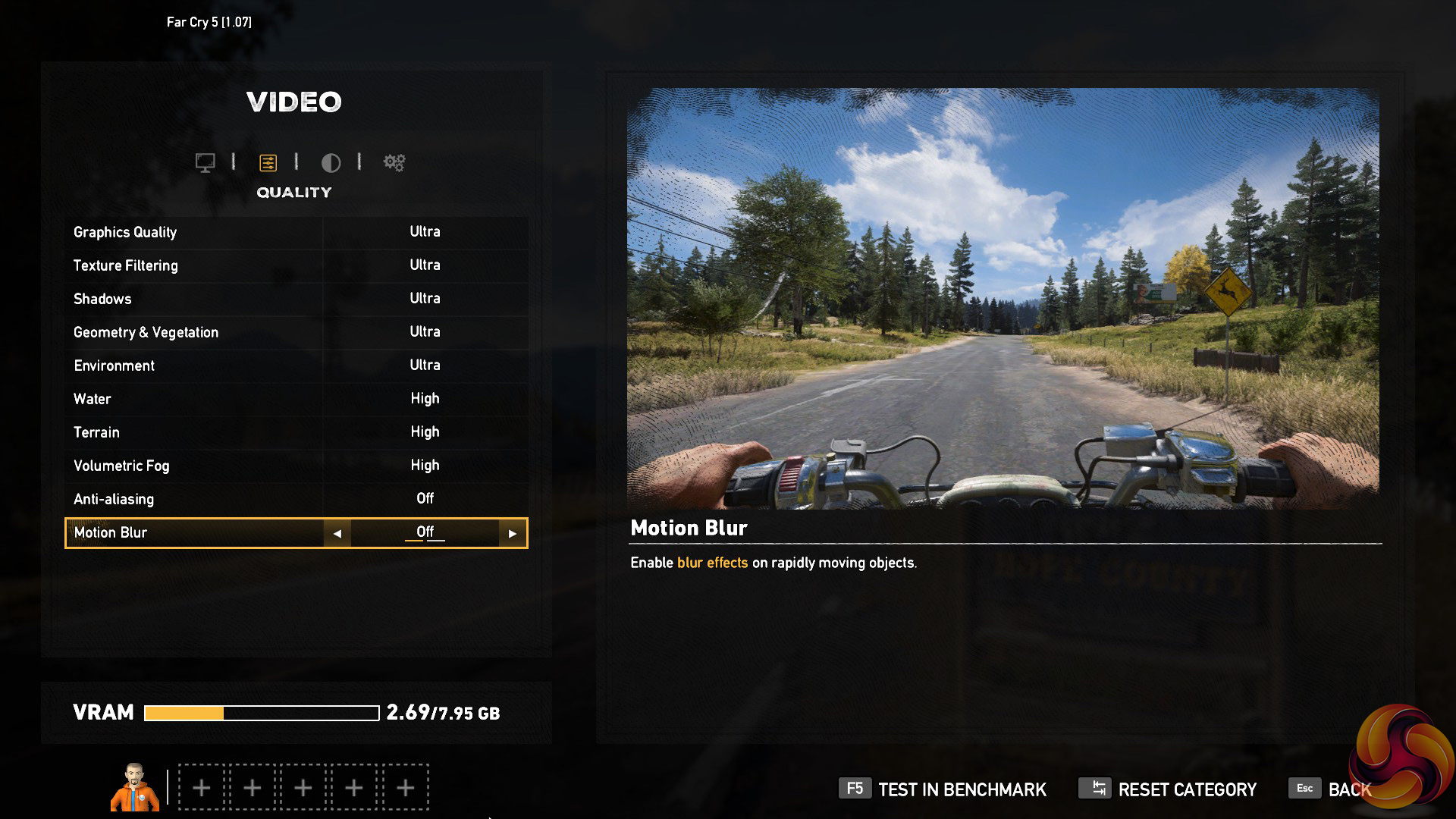
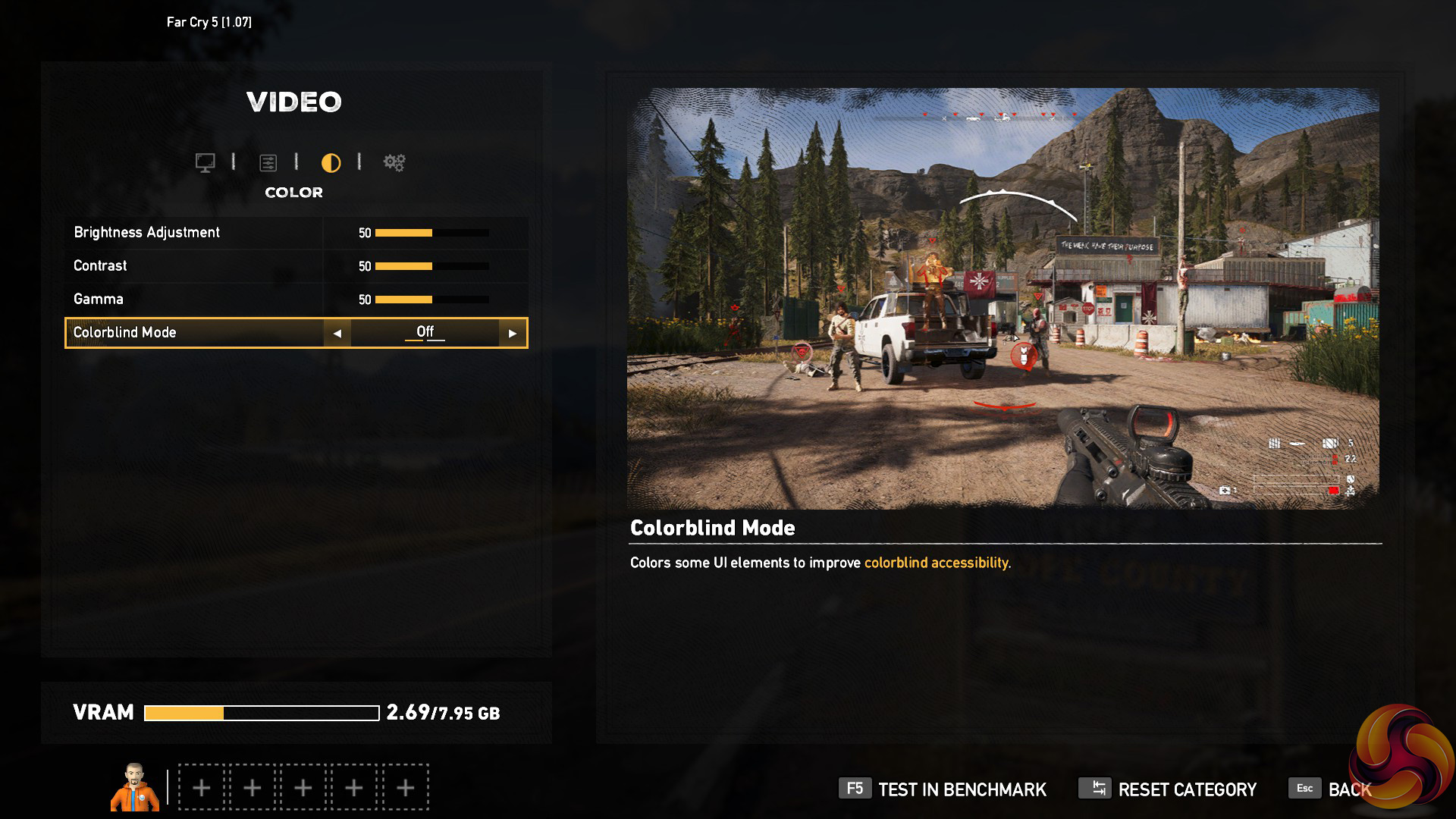
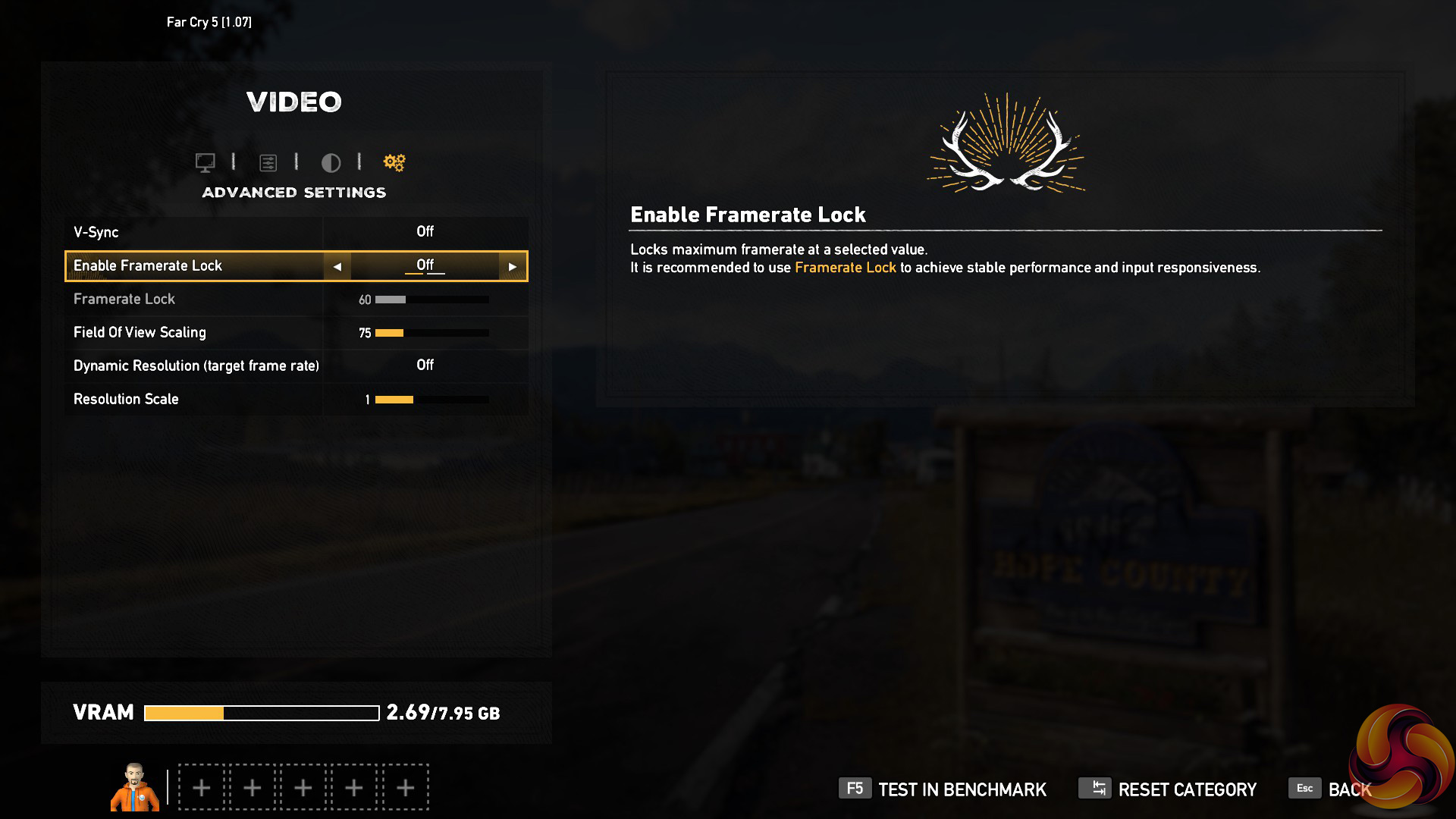
We test using the Ultra preset, with AA and motion blur disabled.
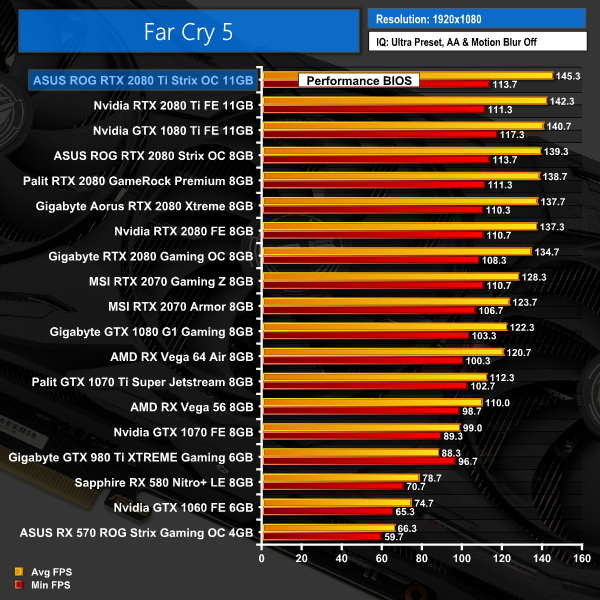
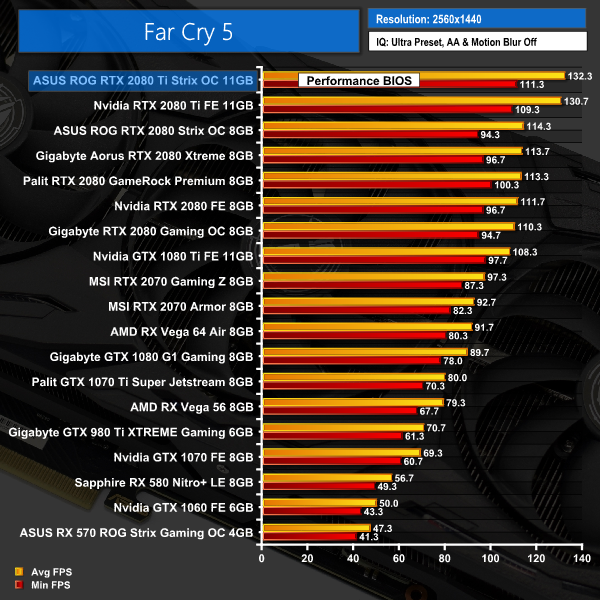
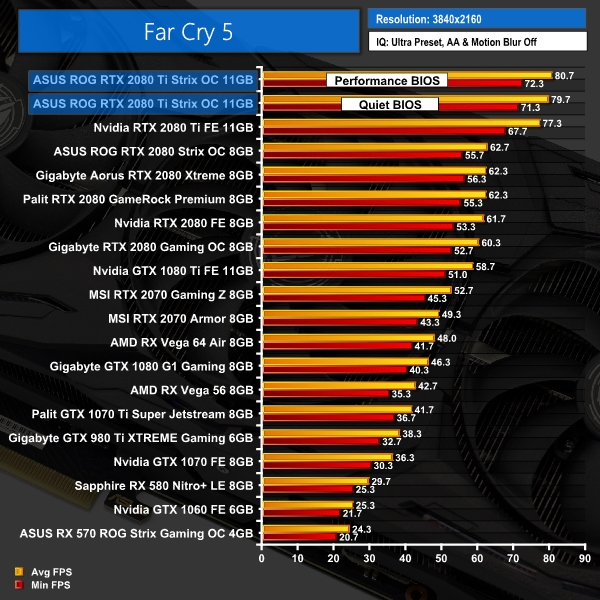
Moving onto Far Cry 5, we again see the Strix edge ahead of the Founders 2080 Ti. At 4K, for instance, it is about 3FPS faster when tested with the performance BIOS.Tom Clancy’s Ghost Recon Wildlands is a tactical shooter video game developed by Ubisoft Paris and published by Ubisoft. It was released worldwide on March 7, 2017, for Microsoft Windows, PlayStation 4 and Xbox One, as the tenth installment in the Tom Clancy’s Ghost Recon franchise and is the first game in the Ghost Recon series to feature an open world environment. (Wikipedia).
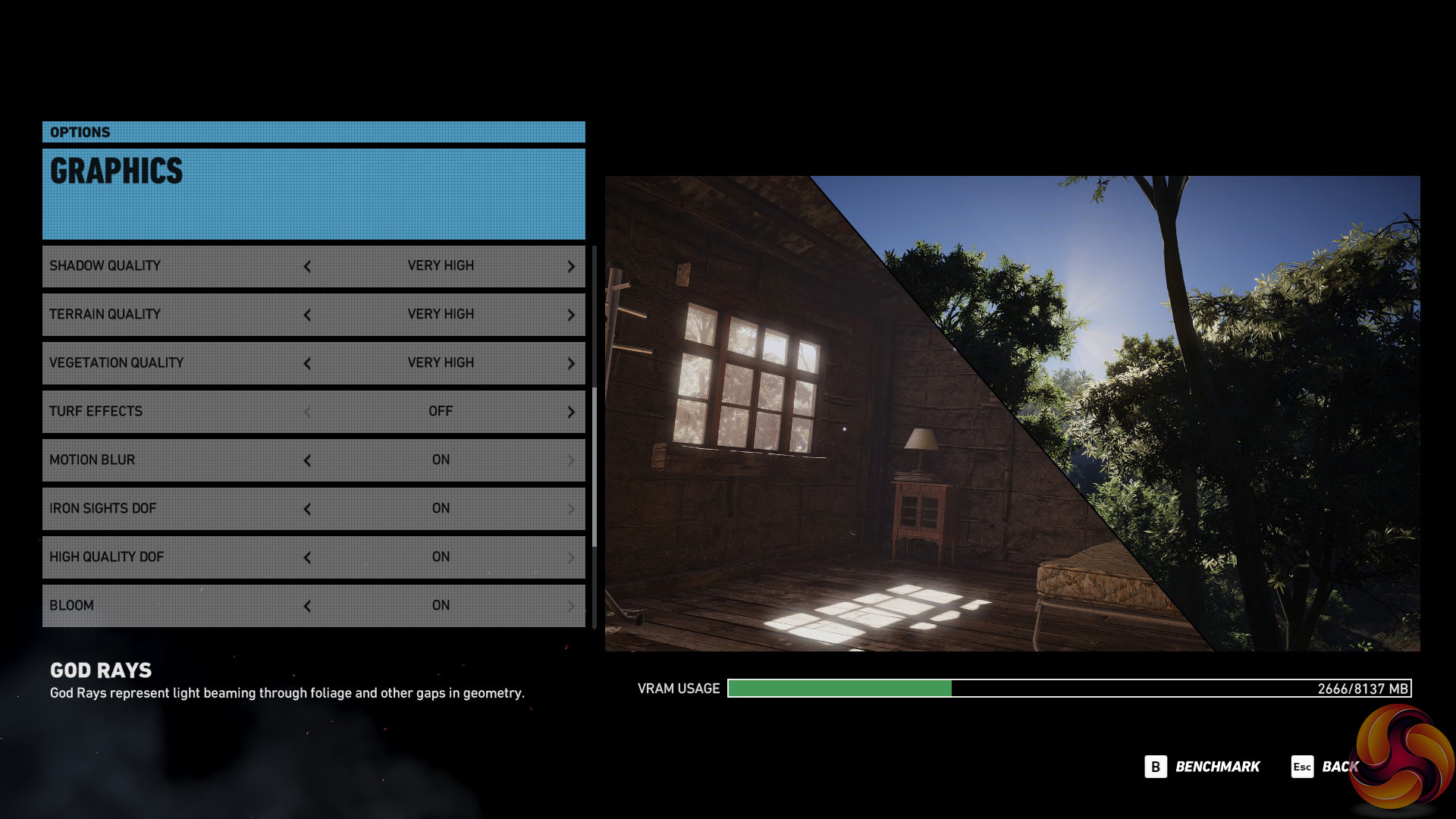
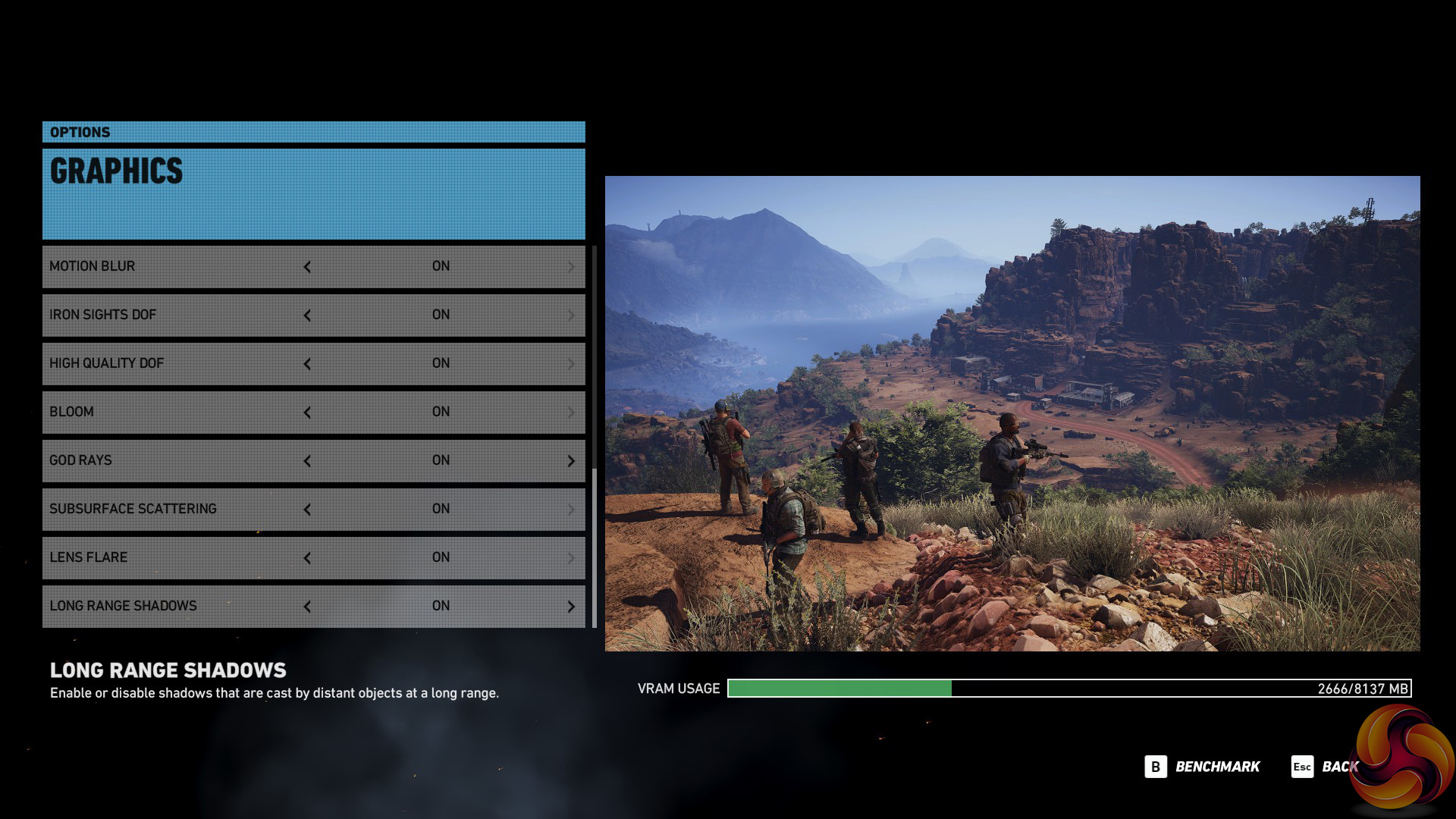
We test using the Very High preset.
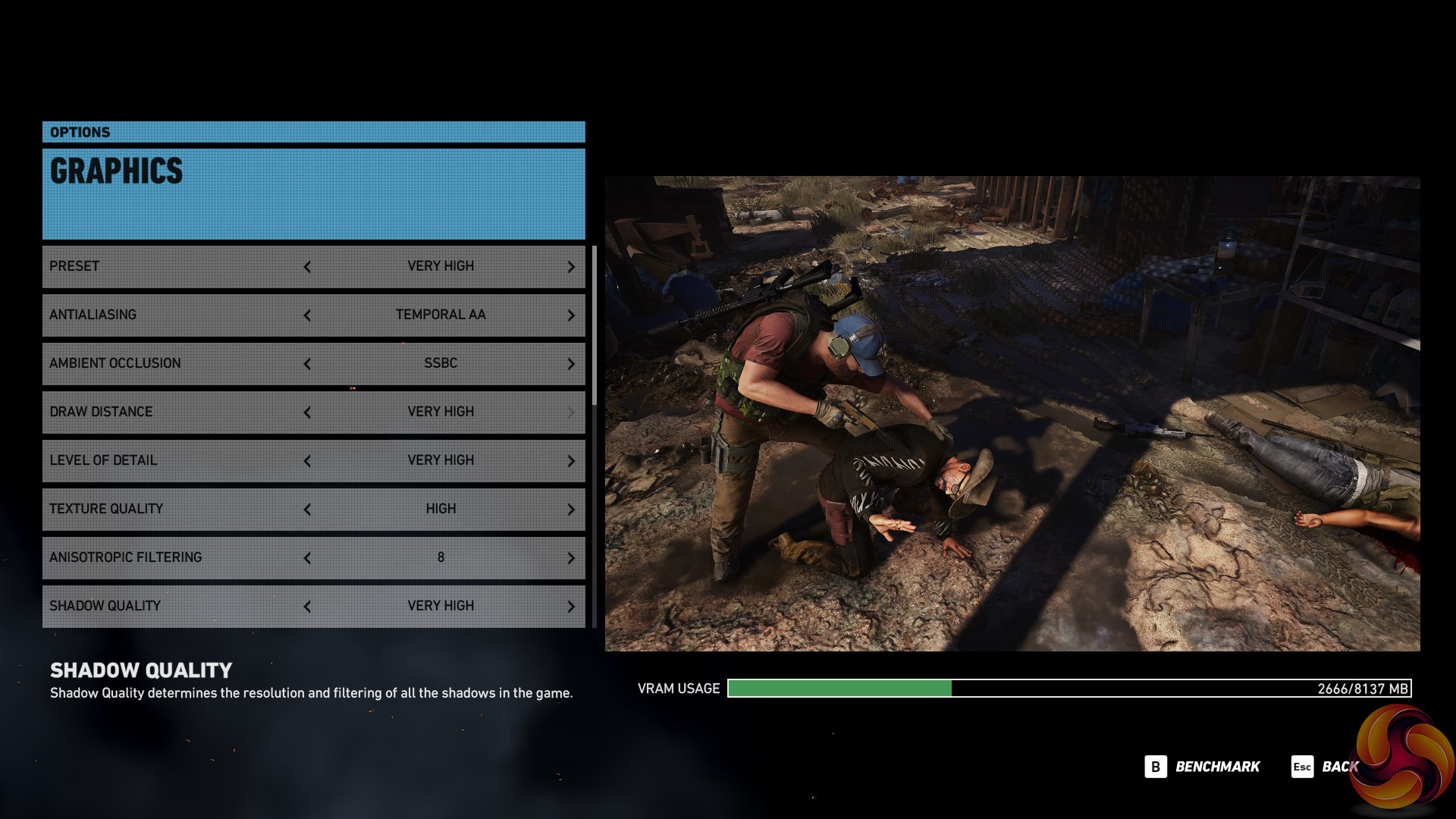
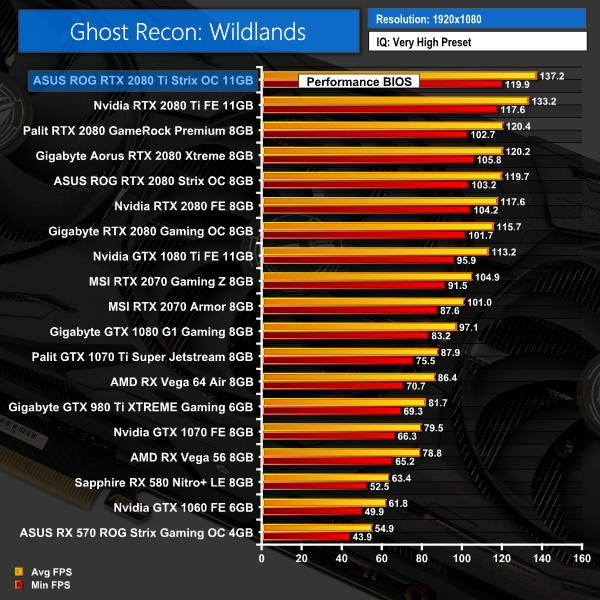
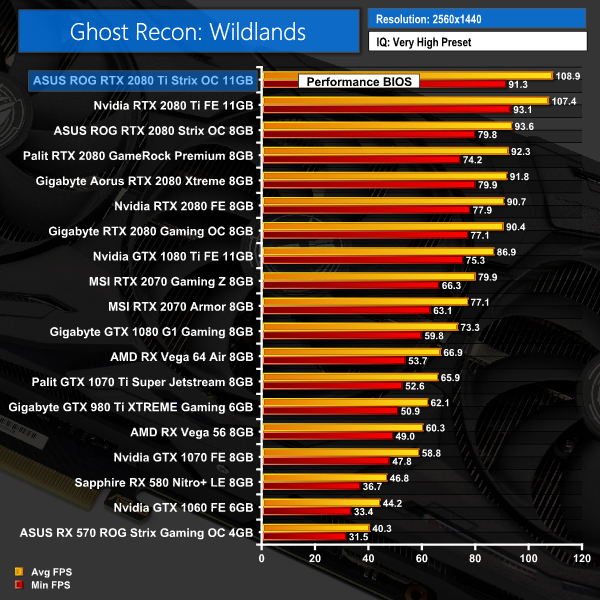
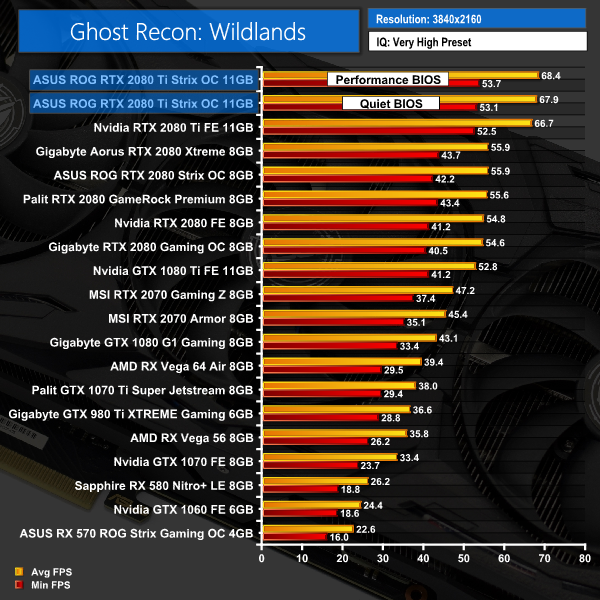
The margins are a bit smaller with Ghost Recon: Wildlands, but again – the Strix card takes top spot at 1080p, 1440p and 4K resolutions.Middle-earth: Shadow of War is an action role-playing video game developed by Monolith Productions and published by Warner Bros. Interactive Entertainment. It is the sequel to 2014’s Middle-earth: Shadow of Mordor, and was released worldwide for Microsoft Windows, PlayStation 4, and Xbox One on October 10, 2017. (Wikipedia).
We test using the Very High preset.

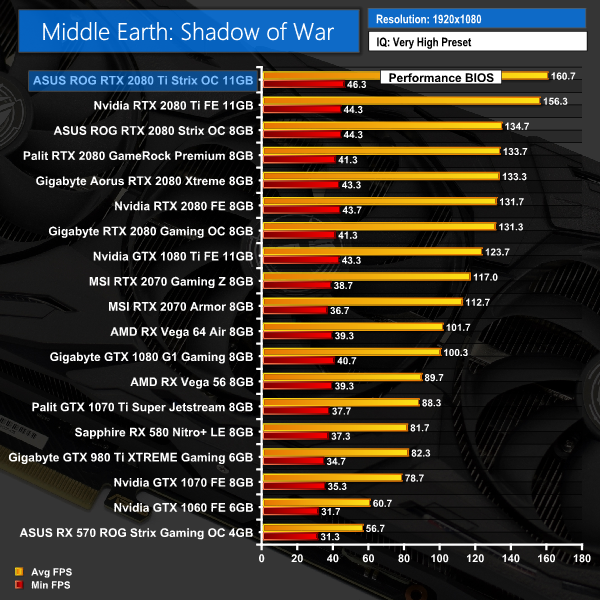
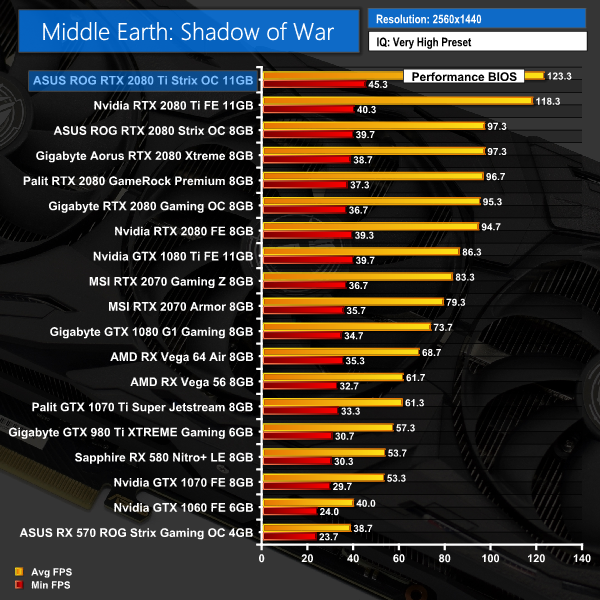
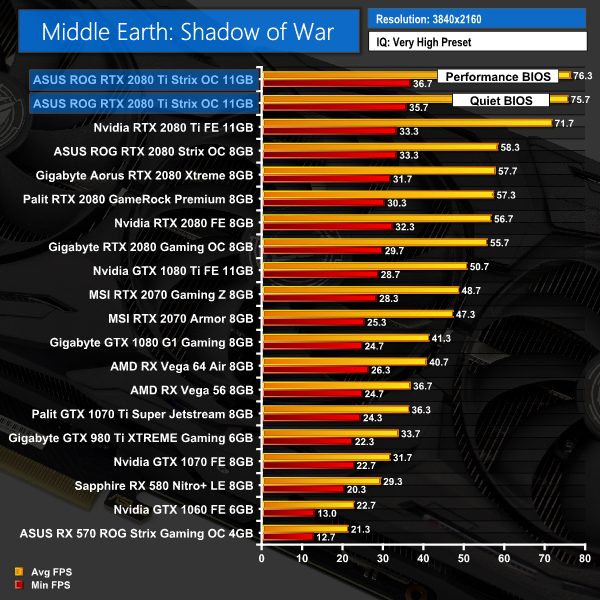
When playing Middle Earth: Shadow of War at 4K, the Strix posts its best result of the day coming in almost 5FPS faster than Nvidia's Founders Edition 2080 Ti.
Shadow of the Tomb Raider is an action-adventure video game developed by Eidos Montréal in conjunction with Crystal Dynamics and published by Square Enix. It continues the narrative from the 2013 game Tomb Raider and its sequel Rise of the Tomb Raider, and is the twelfth mainline entry in the Tomb Raider series. The game released worldwide on 14 September 2018 for Microsoft Windows, PlayStation 4 and Xbox One. (Wikipedia).
We test using the Highest preset, with AA disabled. We test using the DX12 API.
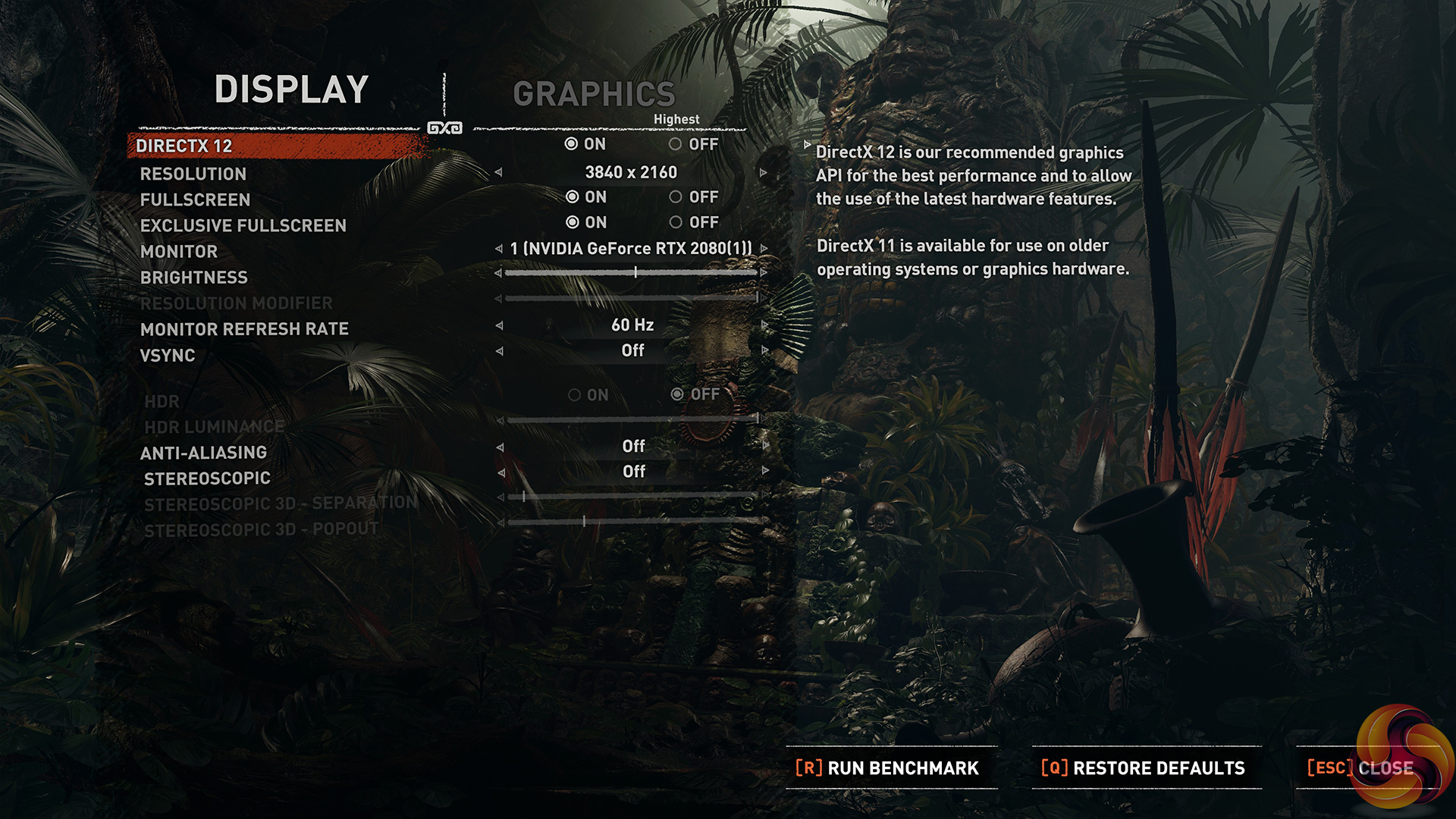
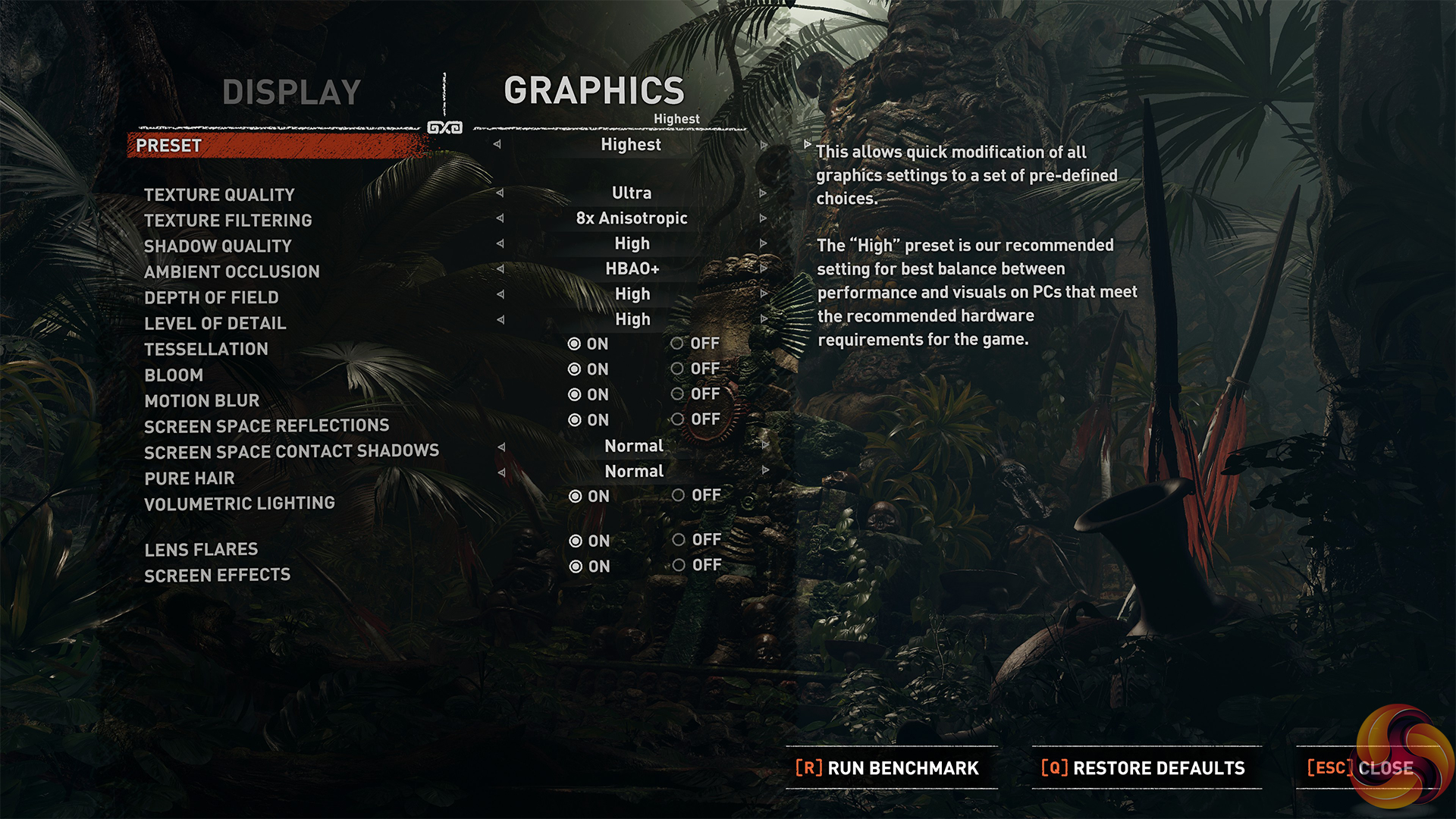
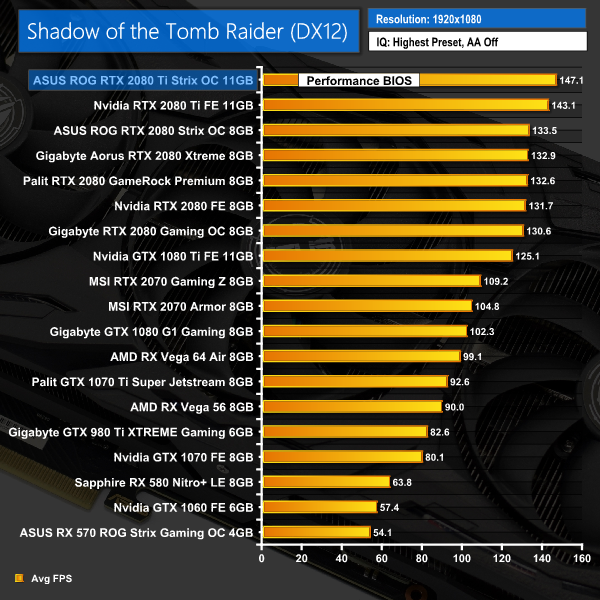
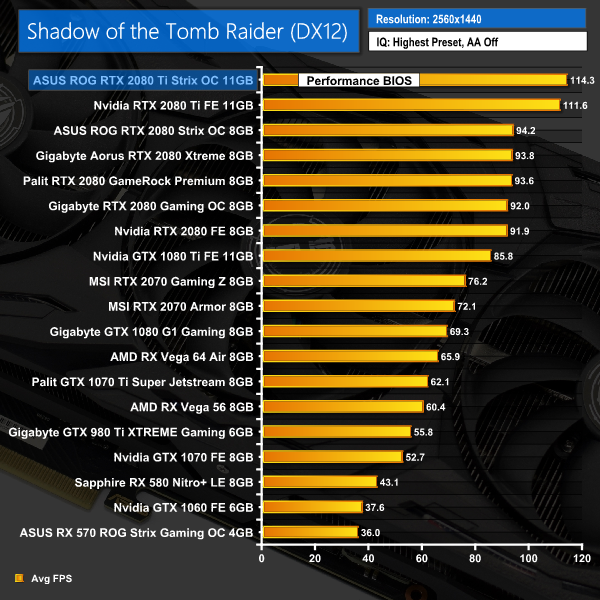
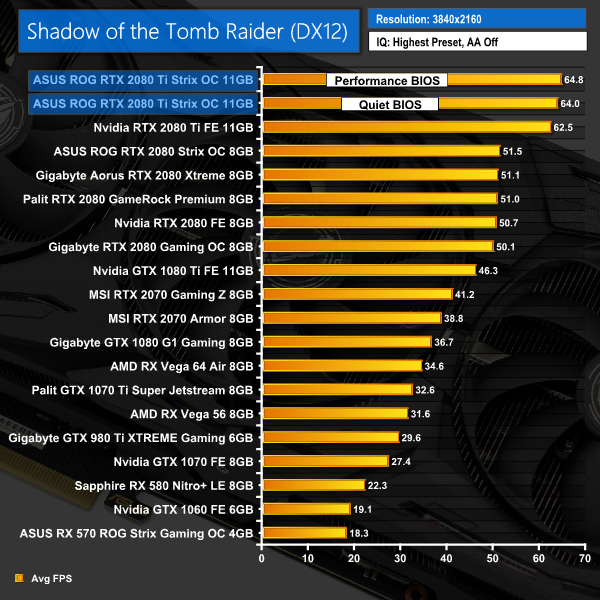
Last of all, we come to Shadow of the Tomb Raider. The Strix 2080 Ti again takes the lead across the board here, with gains of 2-3FPS when compared to the Founders 2080 Ti.
Here we present the average clock speed for each graphics card while running the 3DMark Fire Strike Ultra stress test 20 times. We use GPU-Z in tandem with the Powenetics Project to record the GPU core frequency during the Fire Strike Ultra runs – at the end, we are left with around 4300 data entries.
We calculate the average core frequency during the entire 20-run test to present here.
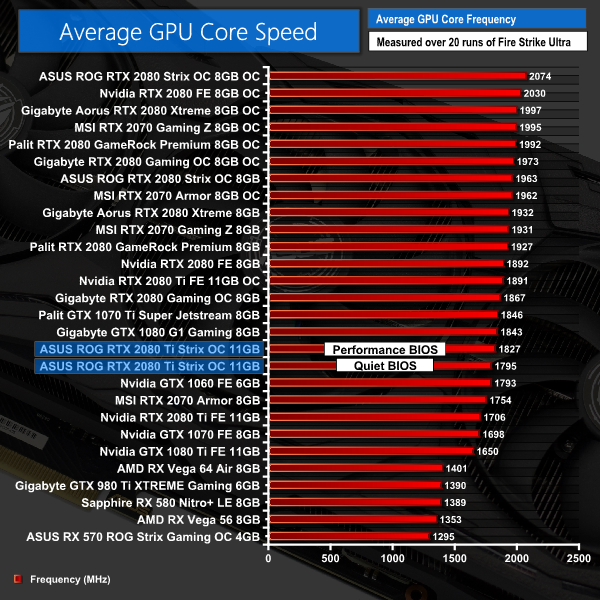
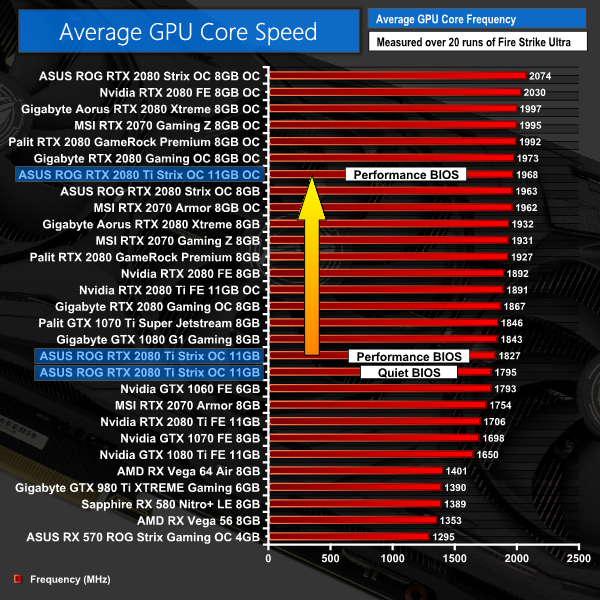
Getting a look at average clock speed out of the box, we can clearly see the the Strix holds an advantage over the Founders Edition 2080 Ti – with the performance BIOS, it is about 120MHz faster and that only drops to 90MHz when we switch to the quiet BIOS.
So despite the Strix only having a rated boost clock of 1665MHz – 30MHz faster than the Founders card – the superior cooler allows the GPU to boost further and run at faster speeds.For our temperature testing, we measure the peak GPU core temperature under load, as well as the GPU temperature with the card idling on the desktop. A reading under load comes from running the 3DMark Fire Strike Ultra stress test 20 times. An idle reading comes after leaving the system on the Windows desktop for 30 minutes.
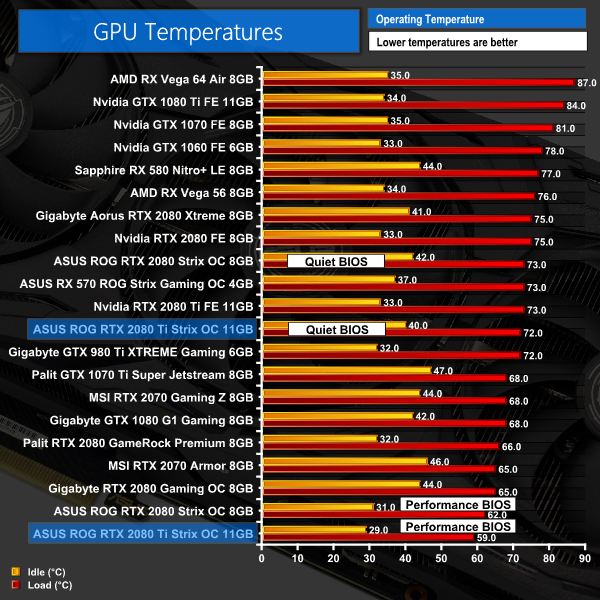
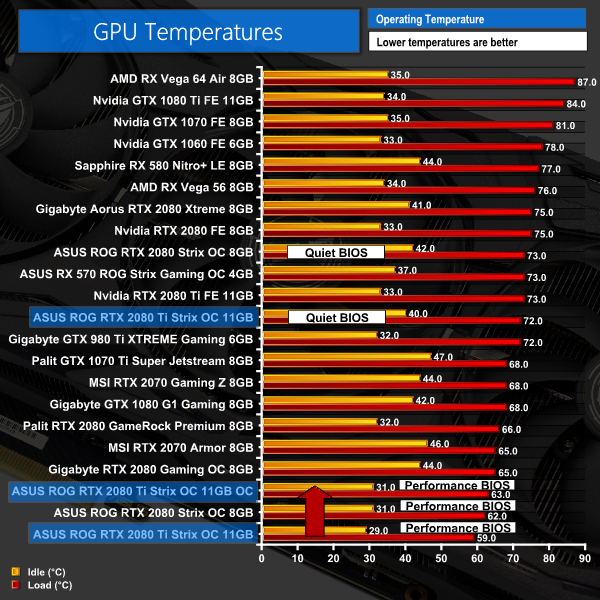
If you thought the thermal performance of the Strix 2080 was good, the Strix 2080 Ti is even better. Using the performance BIOS, it peaked at just 59C on the GPU core, which is simply fantastic. It did run little louder in this mode, but more on that on the next page.
What really impresses me is how cool the quiet BIOS stays. That peaked at just 72C which is still cooler than Nvidia's Founders Edition, despite being faster – and significantly quieter, as we will again see on the next page.
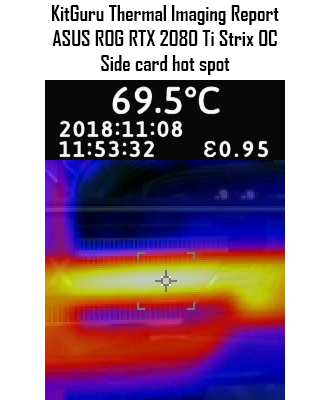
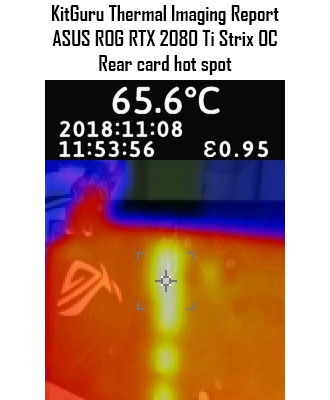
In terms of our thermal imaging, results are again excellent. We saw a peak of 69.5C on the side of the card, and the peak of 65.6C on the back was from an area of exposed componentry that was not covered by the backplate.We take our noise measurements with the sound meter positioned 1 foot from the graphics card. I measured the sound floor to be 34 dBA, thus anything above this level can be attributed to the graphics cards. The power supply is passive for the entire power output range we tested all graphics cards in, while all CPU and system fans were disabled.
A reading under load comes from running the 3DMark Fire Strike Ultra stress test 20 times. An idle reading comes after leaving the system on the Windows desktop for 30 minutes.
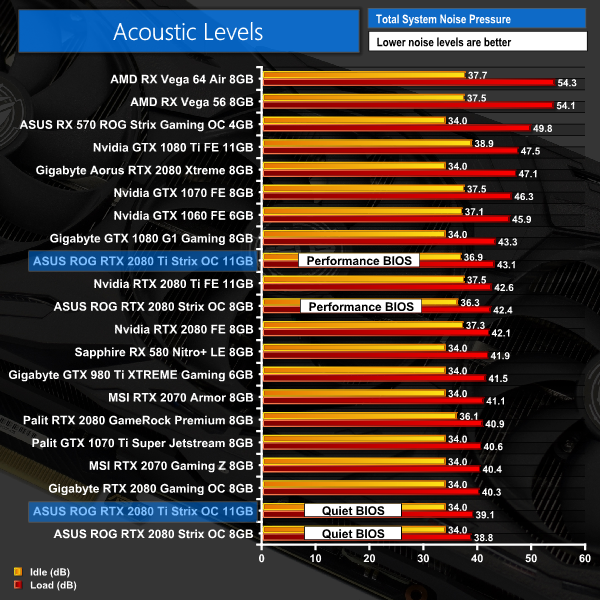
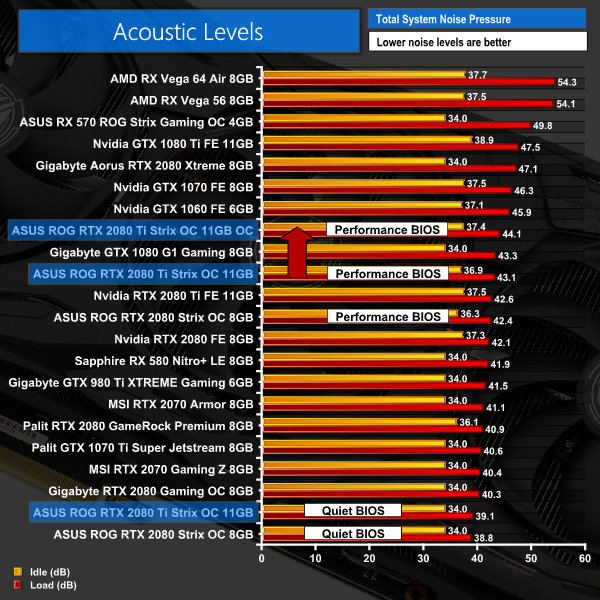
As we mentioned, the performance BIOS does run the fans slightly louder – with a peak of 43.1dB. It's certainly not loud, but it is 2-3dB louder than other aftermarket RTX cards we have seen over the last few weeks.
The quiet BIOS, however, peaked at just 39.1dB, making it essentially inaudible – I could only hear it if I pressed my ear within a couple of inches of the card itself. Bearing in mind that we tested with an open-air test bench, too – once the card is in a case, you simply would not be able to hear it at all.
This difference in fan curve is clearly demonstrated by the average fan speed taken during the 20 runs of Fire Strike Ultra. The performance BIOS, for instance, ran the fans at 1600rpm, whereas the quiet BIOS ran the fans much slower at 1075rpm.We have recently revamped our GPU power consumption testing. Previously we would measure the total system power draw with each graphics card installed. Given that the rest of the components did not change, this gave us an idea of the relative power consumption of each graphics card, but we could not be more specific than that.
Now, however, thanks to Cybenetics Labs and its Powenetics Project, we are able to measure the power consumption of the graphics card alone, giving much more precise and accurate data. Essentially, this works by installing sensors in the PCIe power cables, as well as the PCIe slot itself thanks to a special riser card. This data is recorded using specialist software provided by Cybenetics Labs and given it polls multiple times a second (between 6 and 8 times a second, based on my observations) we can track the power consumption in incredible detail over any given amount of time.
You can read more about the Powenetics Project over HERE.
As with previous testing, a reading under load comes from running the 3DMark Fire Strike Ultra stress test 20 times. An idle reading comes after leaving the system on the Windows desktop for 30 minutes. This stress test (20 runs) produces approximately 4300 data entries in the Powenetics software, which we can then export to an Excel file and analyse further. Here we present the average continuous power consumption of each graphics card across the entire 20 run test.
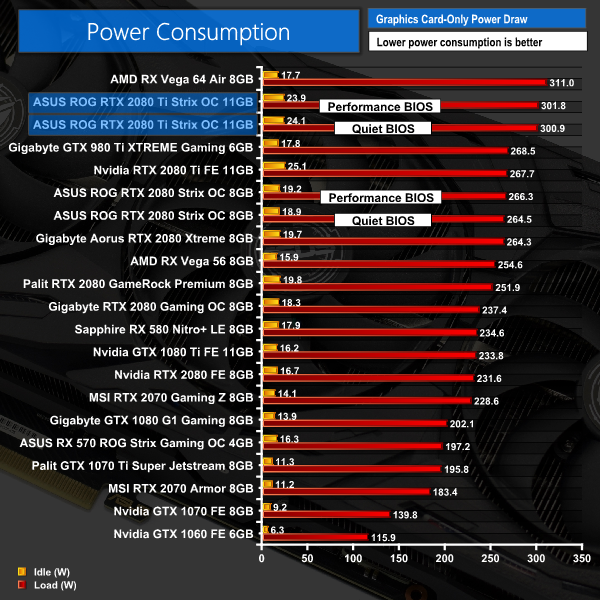
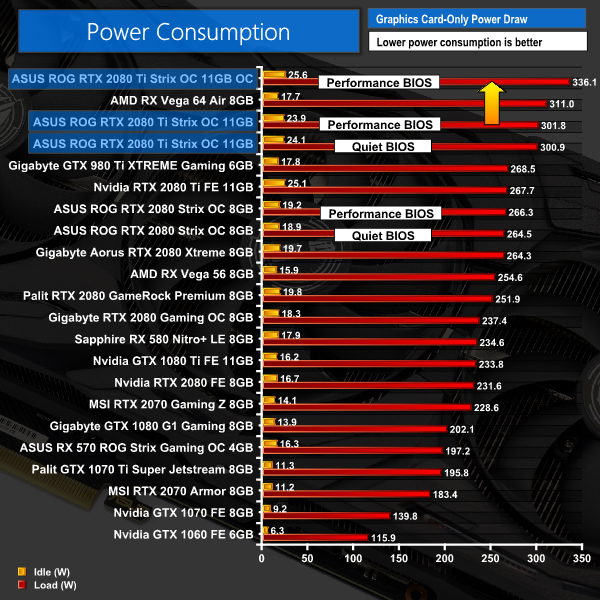
The Strix 2080 Ti is certainly a power-hungry card – neither BIOS makes much difference, with both drawing just over 300W. This means it only draws 10-11W less than a Vega64, although performance is significantly better than the Vega64 as well which is worth remembering when looking at the power figures. In any case, I doubt very much that an extra few pounds a month on the electricity bill is going to bother anyone that would spend £1500 on a graphics card in the first place.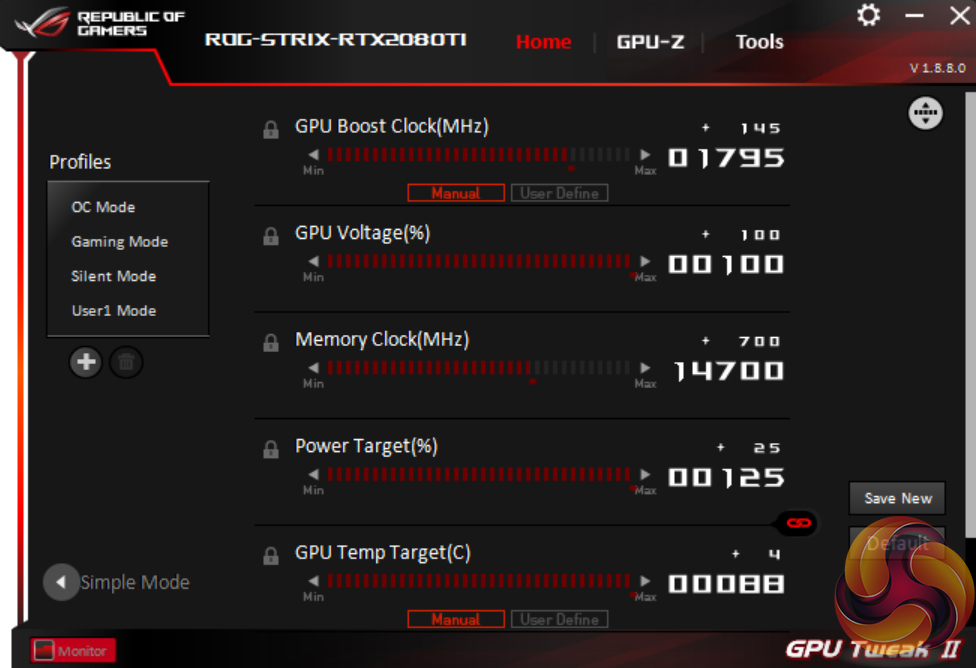
When overclocking the Strix 2080 Ti, we used GPU Tweak II with the performance BIOS engaged. We maximised the the voltage, power limit and temperature target sliders before adding +145MHz to the GPU core and +700MHz to the memory. It’s worth noting that the ‘+145MHz’ is relative to the out of the box clock speed (1650MHz), so considering we tested the card at 1665MHz, we really added an extra +130MHz to that.
3DMark and Games Testing
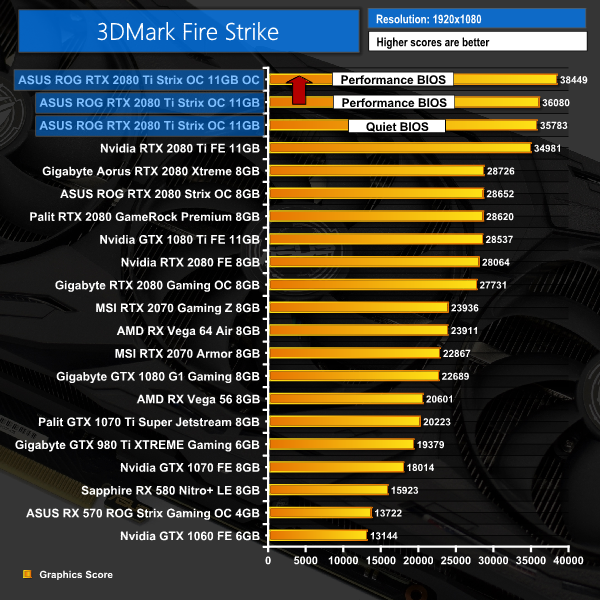
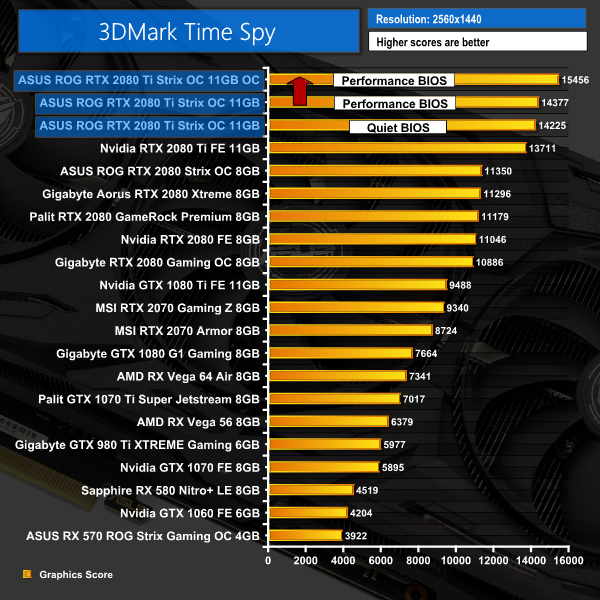
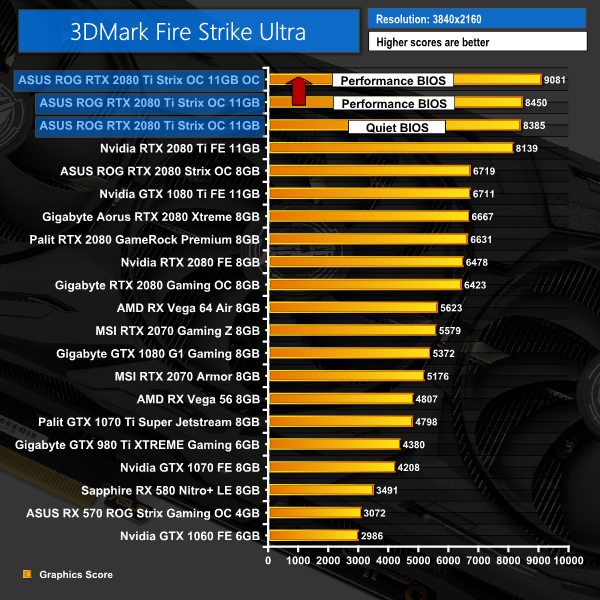
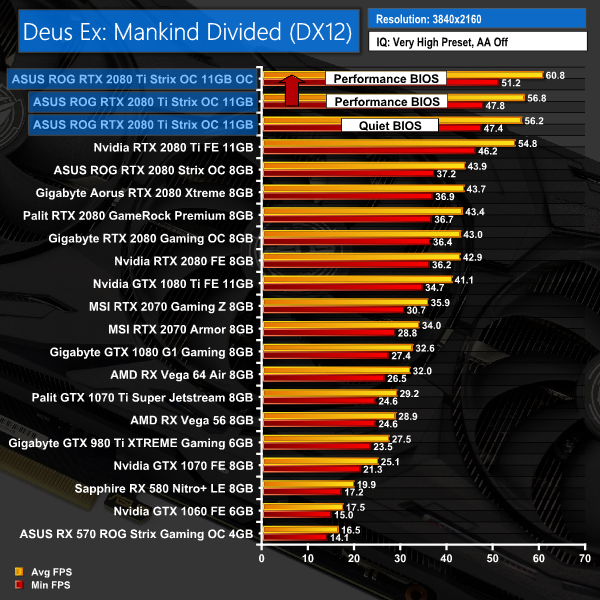
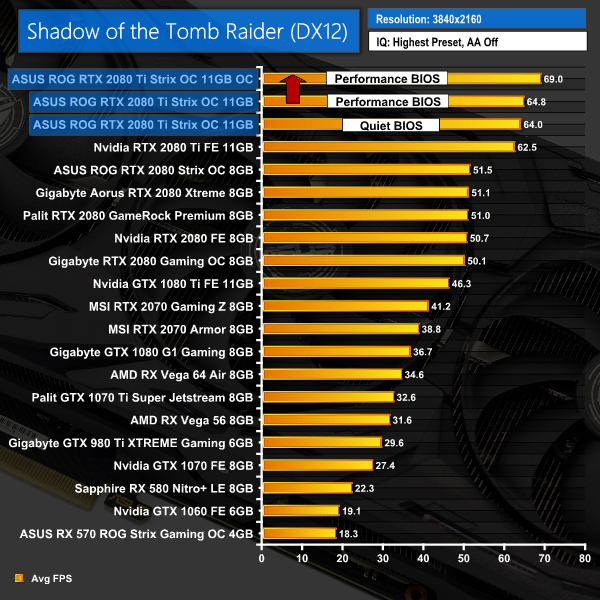
This overclock definitely brought some solid gains – our Fire Strike score shot up almost 2500 points, while we also saw between 3-5FPS improvements when gaming at 4K.Here, we take a further look at the impact of our overclock, looking at the increased temperatures, acoustics, power draw, and lastly, the effect had on the average clock speed.
Temperatures
Acoustics
Power consumption
Average clock speed under load
Overview
As expected, this card does run both hotter and louder when overclocked. The GPU core increased 4C, from 59C to 63C, but we have to remember that is still one of the coolest resulted we have seen, even with an overclock applied. Noise levels only rose 1dB, too, which is not that noticeable in the real world. If we look at power consumption, this jumped up 35W or so – taking it past stock Vega64 – but again, that is not a big concern for me.
We did see an average clock speed of almost 1970MHz, too, meaning a real-world gain of about 140MHz from our overclock – certainly a good result, and we can see the tangible effect it had on our game benchmarks on the previous page.There is no doubt in my mind that the ASUS ROG RTX 2080 Ti Strix OC is one of the finest – if not the finest – graphics cards to ever come through the KitGuru labs.
For me, it really checks all the boxes. Starting with the design, its stealthy matte black shroud won't clash with a colour coordinated system, and there are also three zones of RGB lighting to customise to your heart's content.
On top of that, it's both fast out of the box and also able to handle a hefty overclock. We could add an extra 145MHz to our card before experiencing any instability, and even without a manual overclock we still saw the Strix run 2-5FPS faster than Nvidia's Founders Edition card.
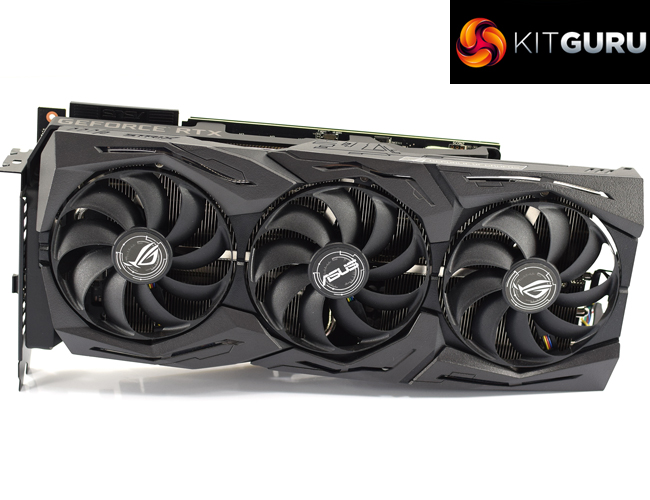
My favourite feature, though, is the dual-BIOS functionality. This lets you choose between all-out performance, with a very cool-running GPU but slightly louder fans, or a silence-optimised profile that does run slightly hotter but is effectively inaudible. It's the quiet BIOS that impresses me most, though, considering it performs hardly any worse than the performance BIOS, yet it is just so quiet.
So in my opinion, this is undoubtedly an excellent card in almost every way. The main thing left to discuss, of course, is pricing. That's because this Strix will set you back a whopping £1499.99 here in the UK – and that is still only a pre-order as stock has not yet landed in the retail channel.
Considering this is £400 more than Nvidia's Founders Edition, I really don't think it holds up as a value proposition – no one would sensibly pay an extra £400 for 2-5 frames per second gains. The thing is, though, I don't think you can realistically judge RTX 2080 Ti cards based on a value dynamic – it is has never been about value for money or bang-for-buck.
Instead, RTX 2080 Ti is all about delivering the best consumer graphics card available for those who want the best, regardless of price. And in that regard, I think anyone spending £1100+ on a graphics card is likely to want to consider spending £1500 for this Strix, considering it improves on the Founders Edition in every way.
So while it is certainly not good value, at the moment if you want the best of the best, and ultimate bragging rights for your PC, then the ASUS ROG RTX 2080 Ti Strix OC is right up there.

You can pre-order the Strix 2080 Ti from Overclockers UK for £1499.99 HERE.
Pros
- Looks good.
- Very cool using performance BIOS.
- Very quiet using quiet BIOS.
- Faster than Founders Edition by 2-5FPS at 4K.
- Overclocked well.
Cons
- Very expensive.
- Multi-colour fan cable.
KitGuru says: While its price certainly limits this card to the cash-rich enthusiast gamers out there, we have to stand back and say this is one the best graphics cards we've ever tested.