KitGuru KitGuru.net – Tech News | Hardware News | Hardware Reviews | IOS | Mobile | Gaming | Graphics Cards



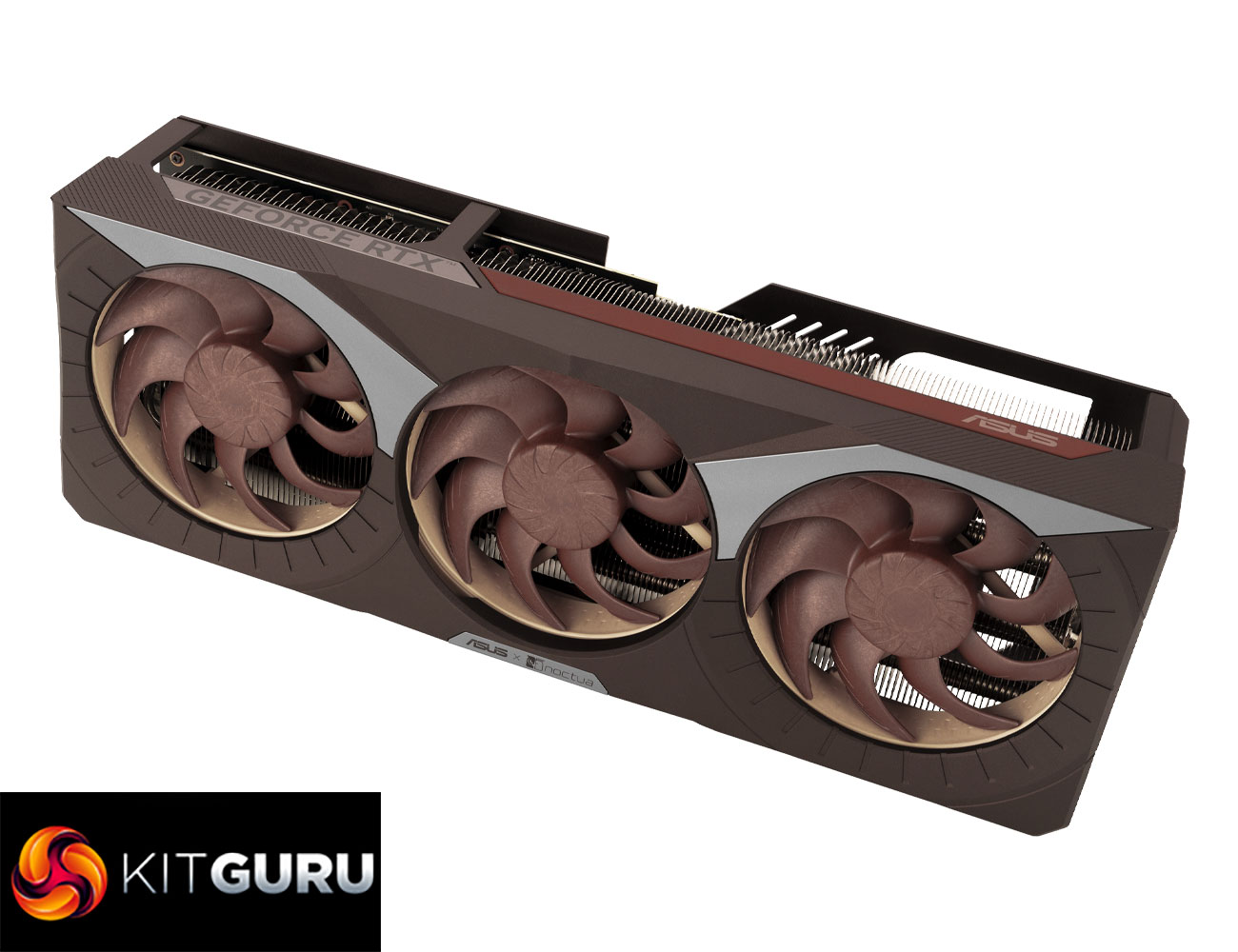
It has been some time since we last reviewed a graphics card from ASUS, let alone one of the Noctua Edition models, but that is exactly what we are checking out today. First shown at Computex 2025 but officially launched this month, the ASUS RTX 5080 Noctua Edition is the biggest card we have ever reviewed here at KitGuru, packing in a quad-slot cooler, alongside three 120mm NF-A12x25 G2 fans and a heatsink that sports no less than eleven heatpipes. ASUS and Noctua are clearly aiming for near-silent operation, so let's see how it performs…
As you may have guessed, all of that engineering work does not come cheap, and this is far and away the most expensive RTX 5080 I have ever seen, listed at £1500 over on Scan. During the process of this review, we actually saw Nvidia drop the price of its RTX 5080 Founders Edition to £909, meaning the ASUS RTX 5080 Noctua Edition commands a whopping 65% premium over the MSRP. Can any graphics card justify that sort of price increase? Let's find out.
| RTX 5090 | RTX 5080 | RTX 4090 | RTX 4080 Super | RTX 4080 | |
| Process | TSMC N4 | TSMC N4 | TSMC N4 | TSMC N4 | TSMC N4 |
| SMs | 170 | 84 | 128 | 80 | 76 |
| CUDA Cores | 21760 | 10752 | 16384 | 10240 | 9728 |
| Tensor Cores | 680 | 336 | 512 | 320 | 304 |
| RT Cores | 170 | 84 | 128 | 80 | 76 |
| Texture Units | 680 | 336 | 512 | 320 | 304 |
| ROPs | 176 | 112 | 176 | 112 | 112 |
| GPU Boost Clock | 2407 MHz | 2617 MHz | 2520 MHz | 2550 MHz | 2505 MHz |
| Memory Data Rate | 28 Gbps | 30 Gbps | 21 Gbps | 23 Gbps | 22.4 Gbps |
| L2 Cache | 98304 KB | 65536 KB | 73728 KB | 65536 KB | 65536 KB |
| Total Video Memory | 32GB GDDR7 | 16GB GDDR7 | 24GB GDDR6X | 16GB GDDR6X | 16GB GDDR6X |
| Memory Interface | 512-bit | 256-bit | 384-bit | 256-bit | 256-bit |
| Memory Bandwidth | 1792 GB/Sec | 960 GB/Sec | 1008 GB/Sec | 736 GB/Sec | 716.8 GB/Sec |
| TGP | 575W | 360W | 450W | 320W | 320W |
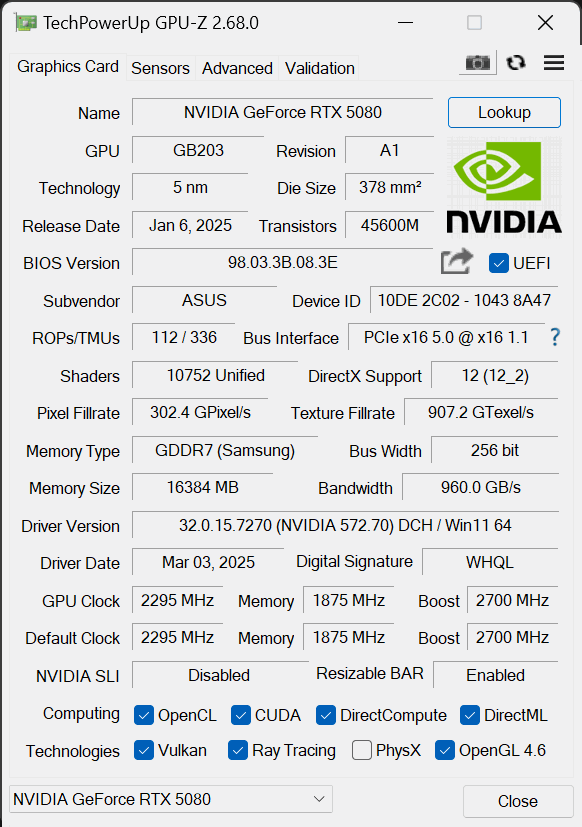
First, a quick spec recap. Unlike the RTX 5090, which is built on the GB202 die, RTX 5080 uses smaller silicon as it is a full implementation of the GB203 die, measuring 378mm2. Comprised of 7 Graphics Processing Clusters (GPCs), each holds up to eight Texture Processing Clusters (TPCs), with a total of 42. Each TPC is home to two Streaming Multiprocessors (SMs), giving us 84, and each SM still holds 128 CUDA Cores, meaning the RTX 5080 has a total of 10752 shaders. We also find 84 RT cores, 336 Tensor cores, 336 Texture Units, and 112 ROPs.
This time around, however, there's no node-shrink, and GB203 remains fabricated on TSMC's N4 node, as per the RTX 40-series. As such, rated clock speed is barely changed this generation, with the RTX 5080 rated at 2617MHz, compared to the RTX 4080 Super's 2550MHz boost.
The memory configuration is also fairly similar, but sports one key upgrade – GDDR7 memory. The RTX 5080 comes equipped with 16GB, running at 30Gbps, and that puts total memory bandwidth at 960 GB/s, a 30% increase over the RTX 4080 Super. L2 cache remains at 65MB.
Power draw has also increased, with the RTX 5080 sporting a 360W TGP. This is something we focus on closely in this review, using our enhanced GPU power testing methodology, so read on for our most detailed power and efficiency testing yet.
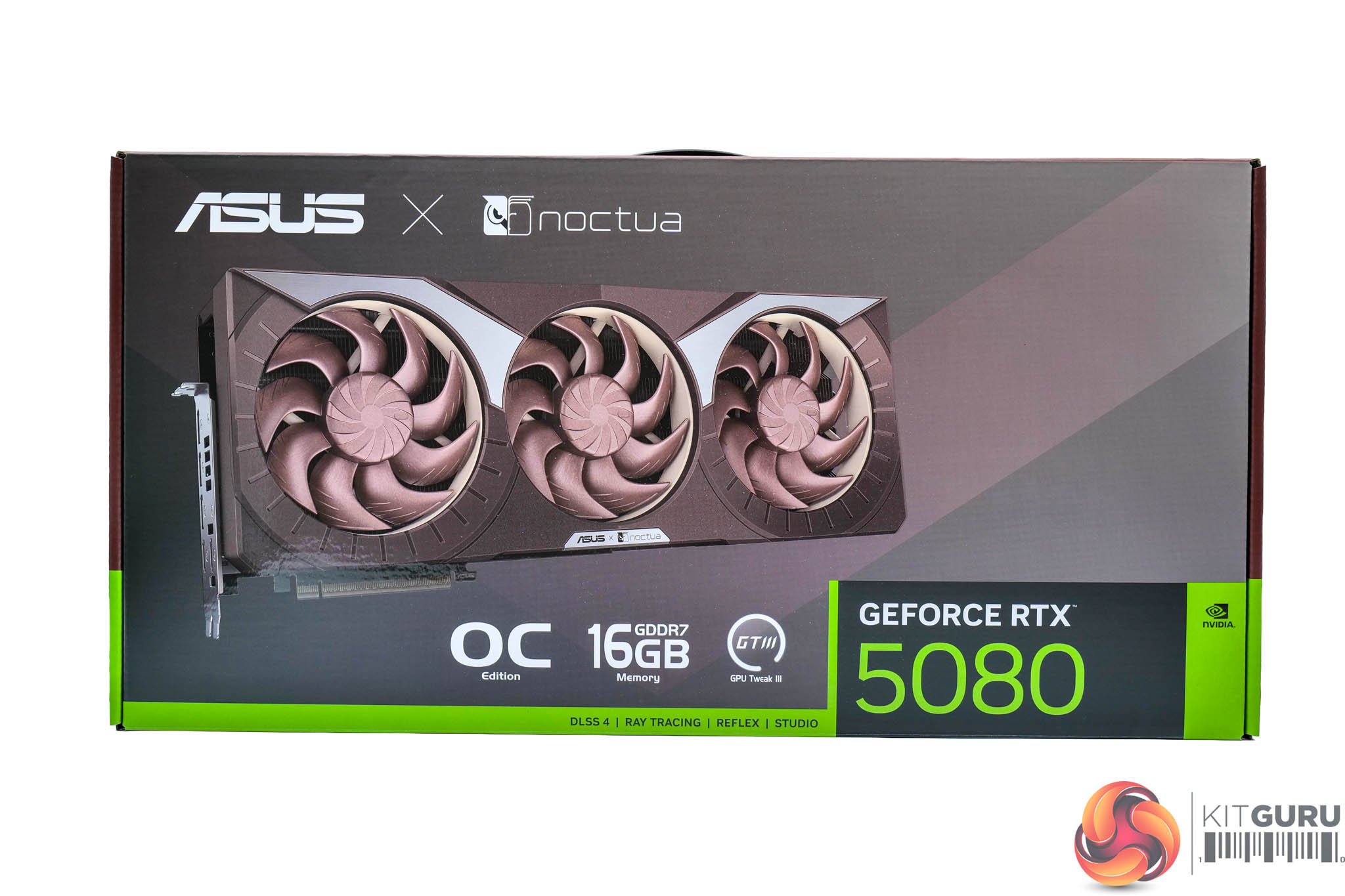
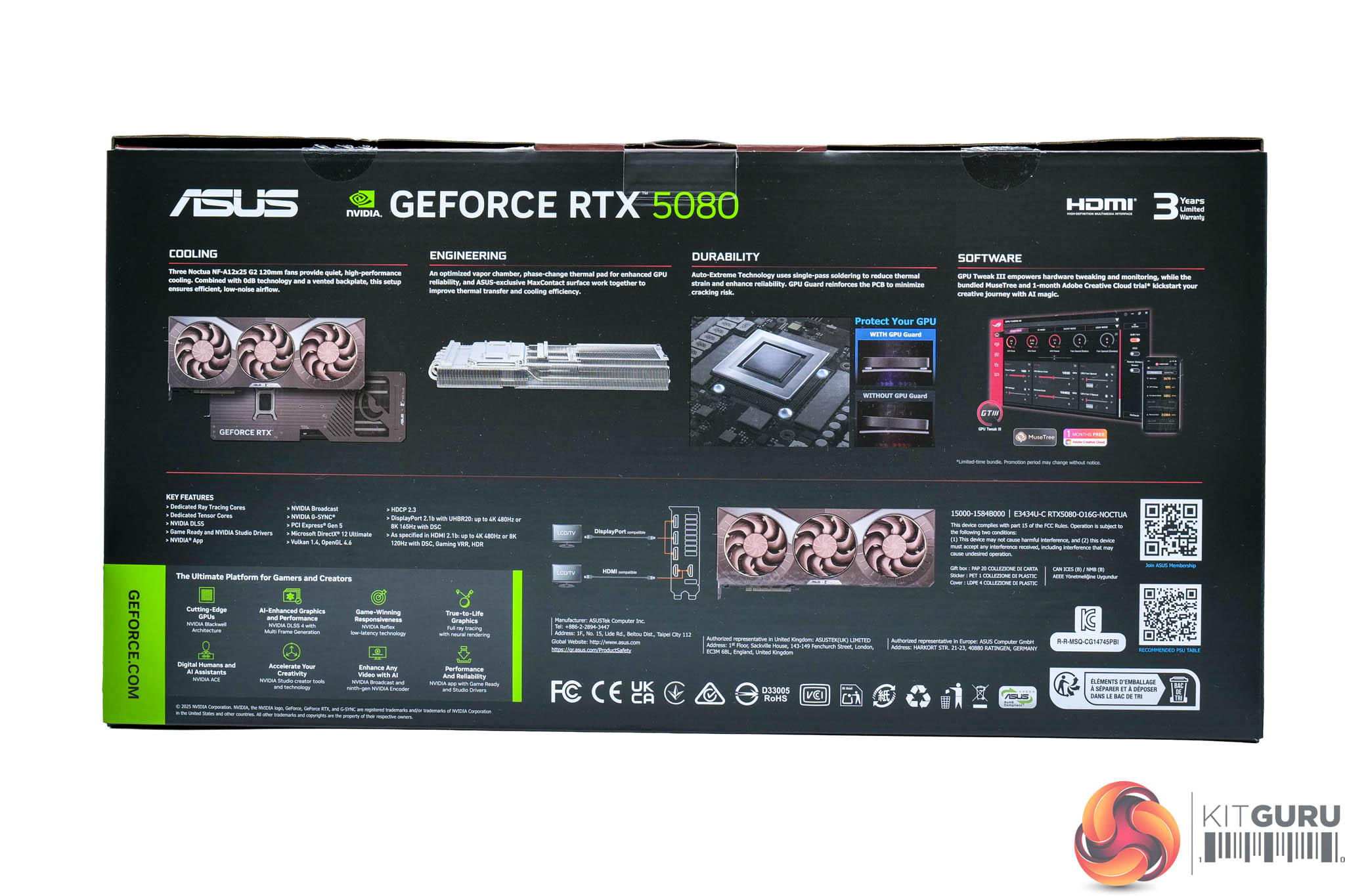
The ASUS RTX 5080 Noctua Edition ships in a large brown box, complete with an image of the graphics card visible on the front, along with the ASUS and Noctua branding.
On the back, various key features of the card and cooler design are highlighted.
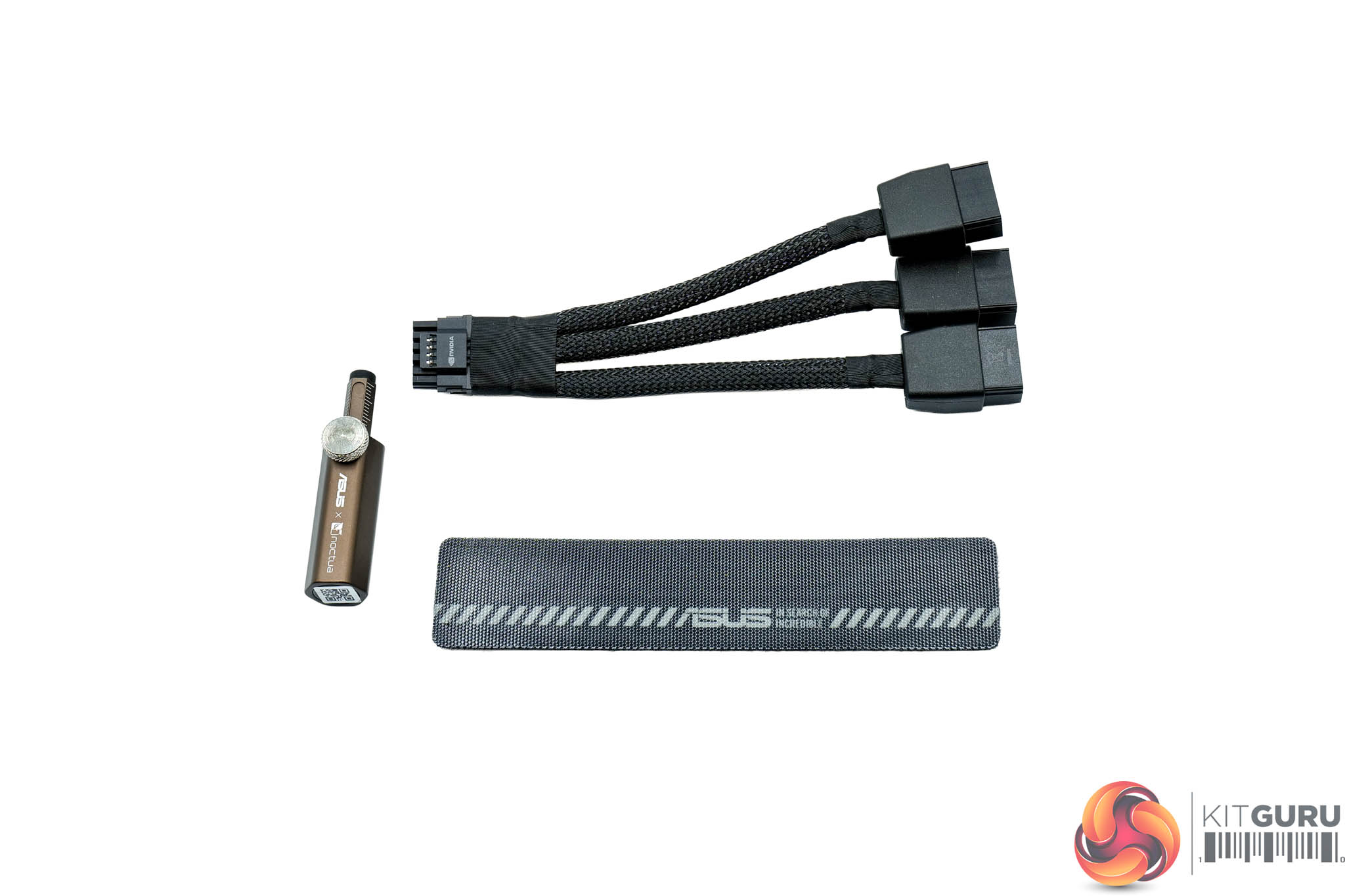
Inside, the accessory bundle consists of one small GPU holder, triple 8-pin to 12VHPWR adapter, plus a single velcro cable tie. The graphics card is obviously the main event, but considering this is a very premium RTX 5080, and a special edition collaboration with Noctua no less, it would have been nice to see a few unique extras in the box to add to that premium feel.
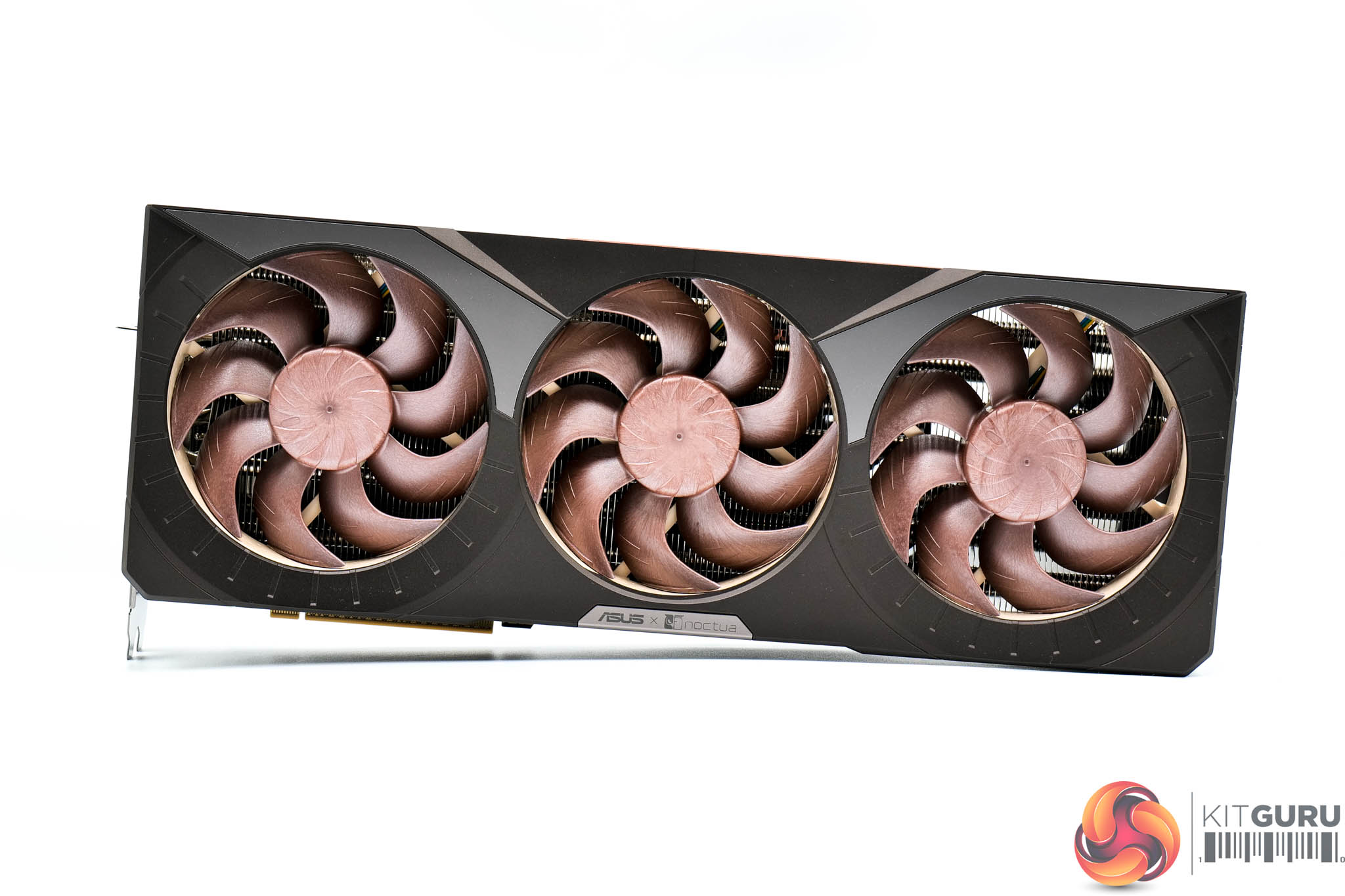
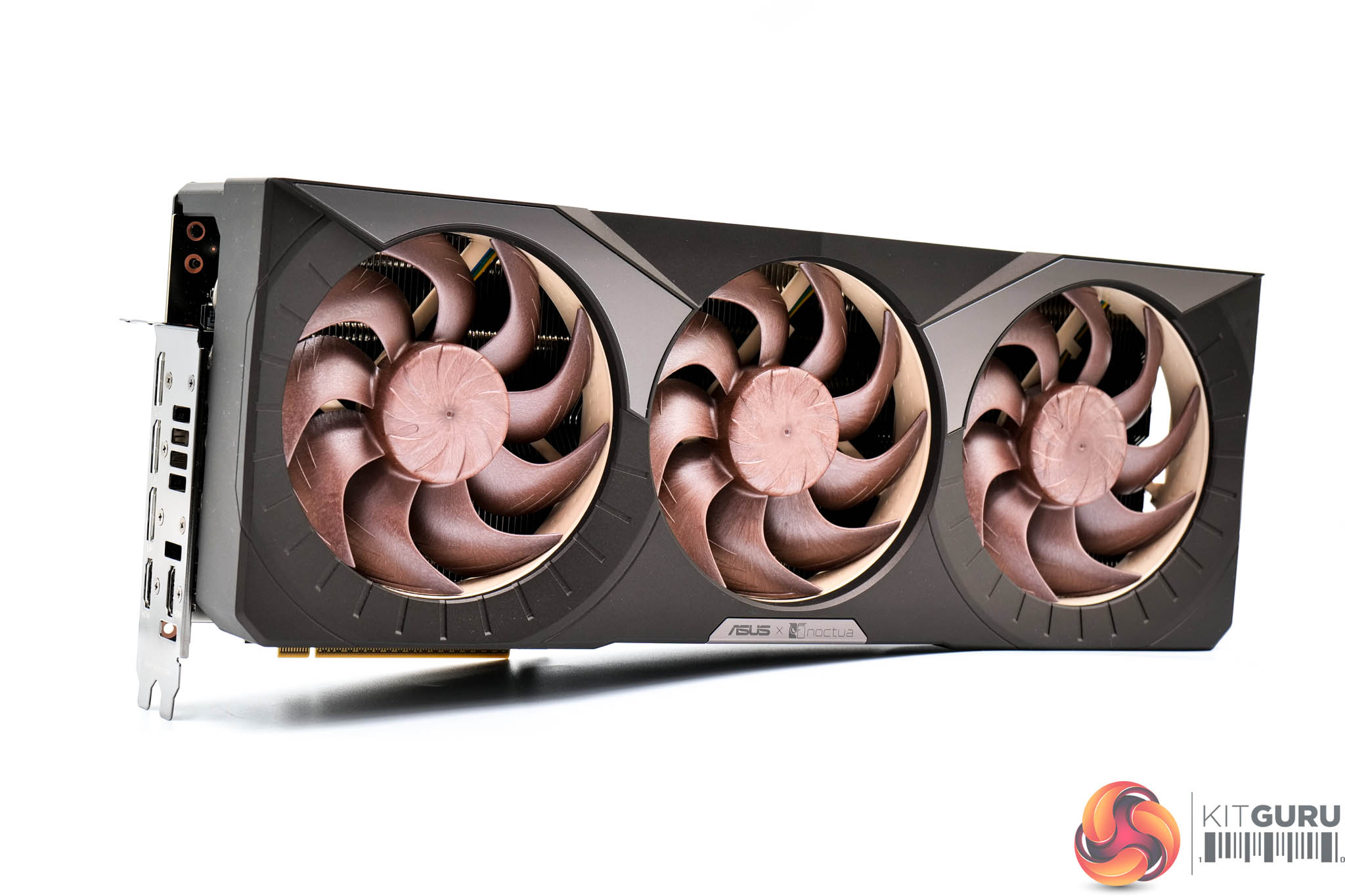
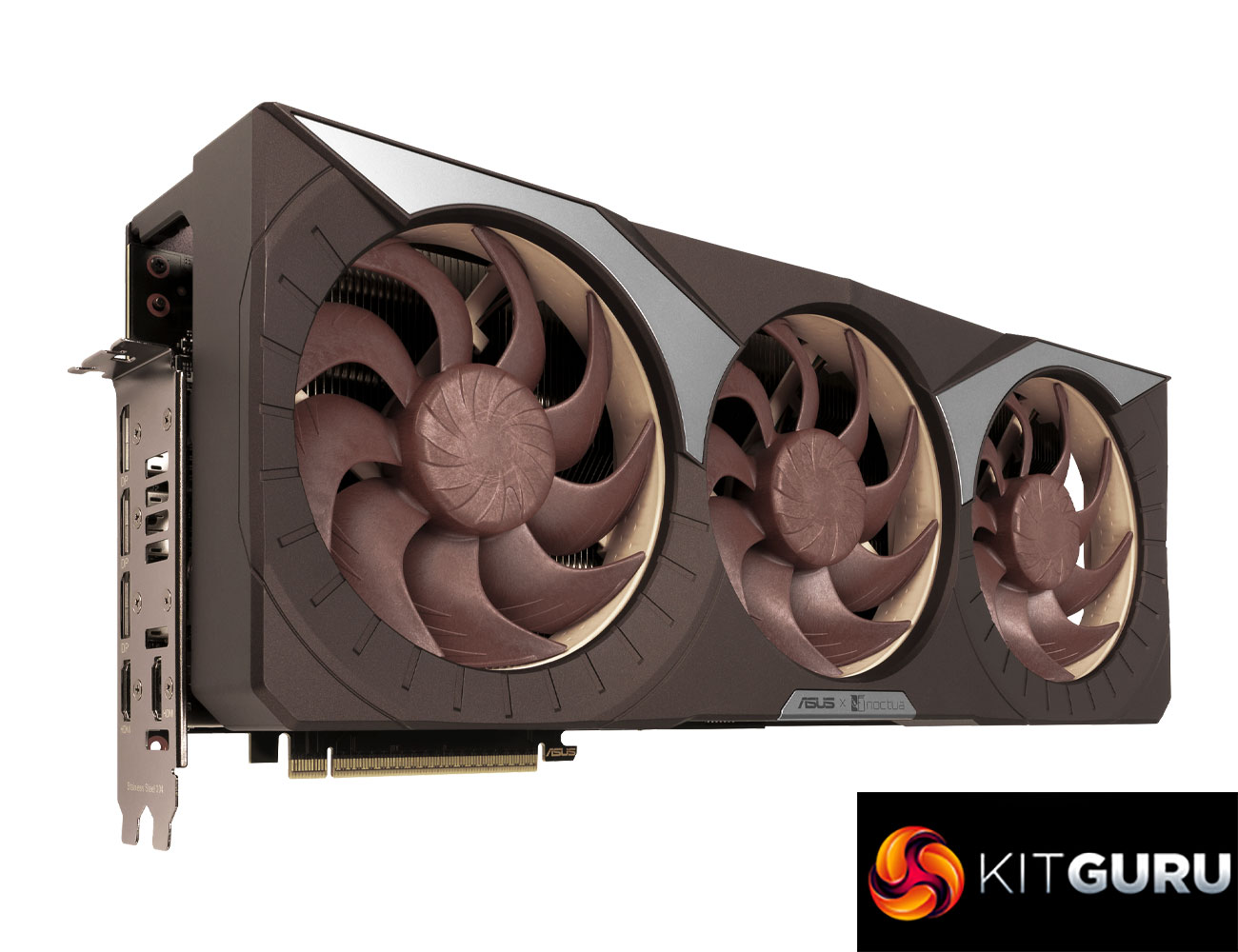
Then for what we are all here for – the card itself. It really is Noctua all over, with a brown shroud and the three 120mm NF-A12x25 G2 fans on show with the tan fan blades and beige frames. There's also a couple of grey strips in the shroud to help break things up a bit. I'm not really going to comment on the aesthetics themselves – you'll probably love it or hate it, but safe to say Noctua has enough supporters of its iconic colour theme, so I am sure plenty of people would love to have this card in their systems.
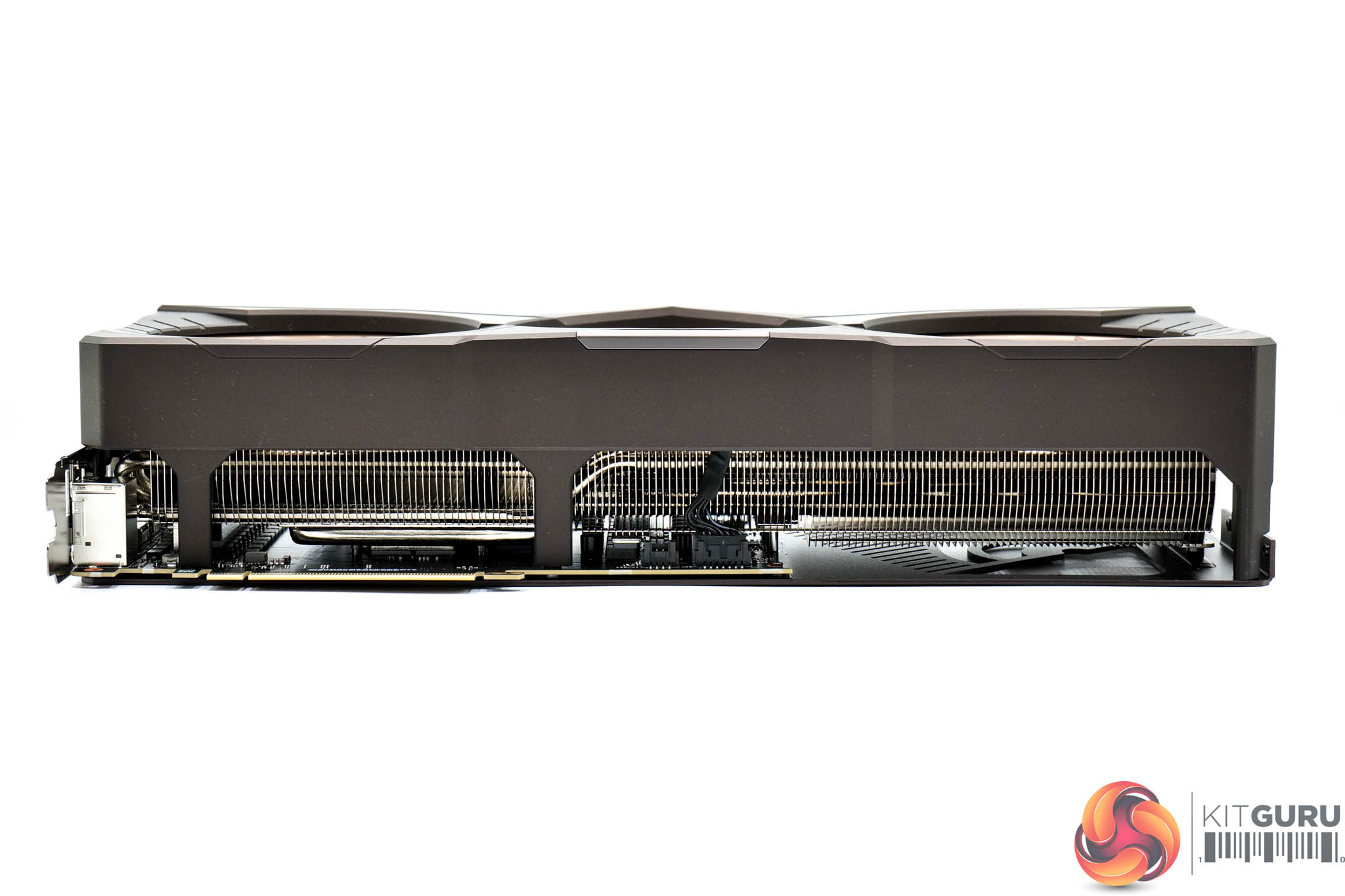

We can't go any further without discussing the sheer size of this graphics card though, as it is an absolute monster. It measures in at 385 x 151 x 80 mm, so it's almost 40cm long (!) and as you can see in the video, there was not much room to spare installing it in our MSI MPG Gungnir 300R Airflow case. Its weight is also quite immense, tipping my scales at 2691g, compared to 1655g for the RTX 5080 FE, making this card over a kilogram heavier.
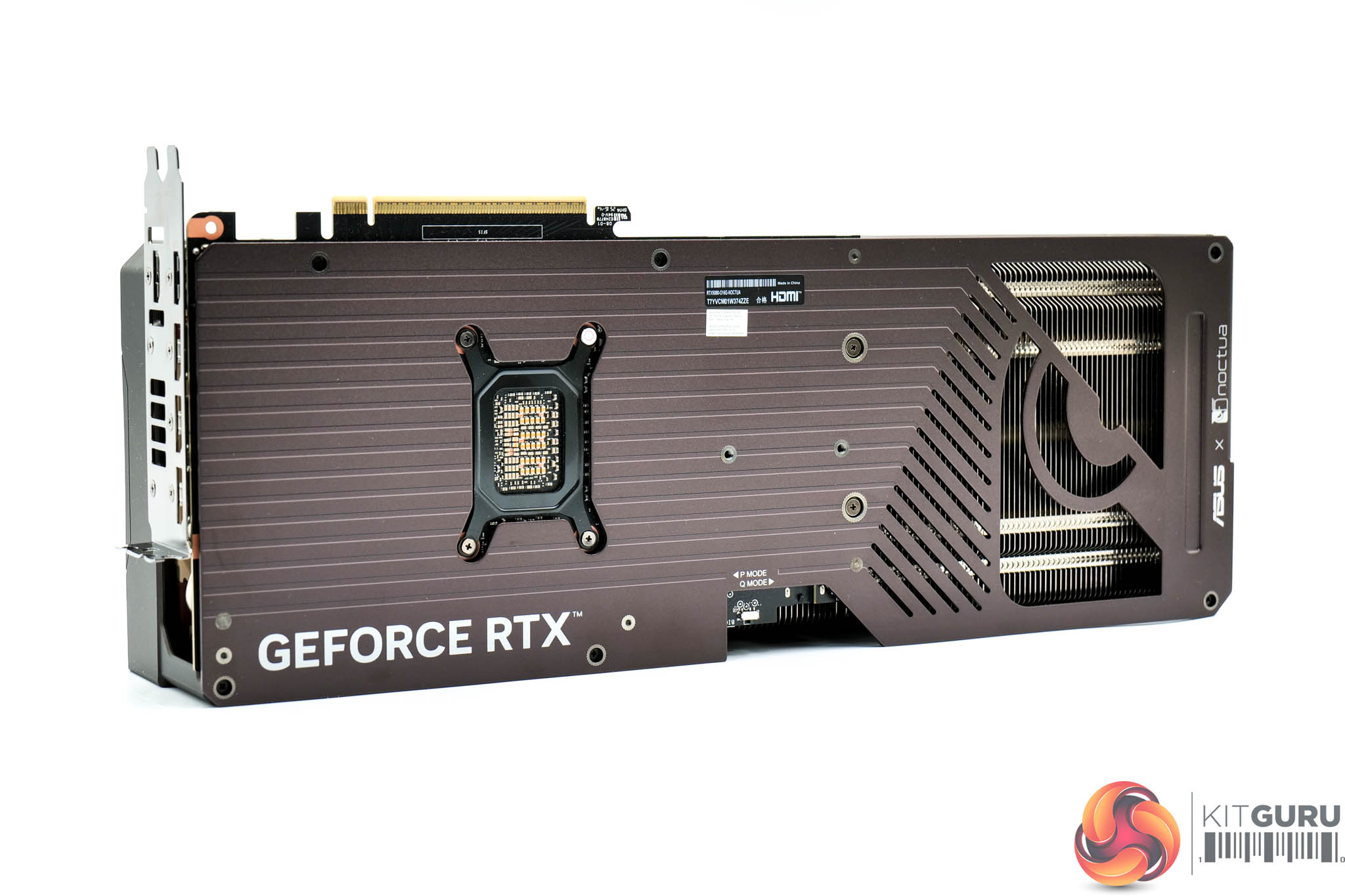
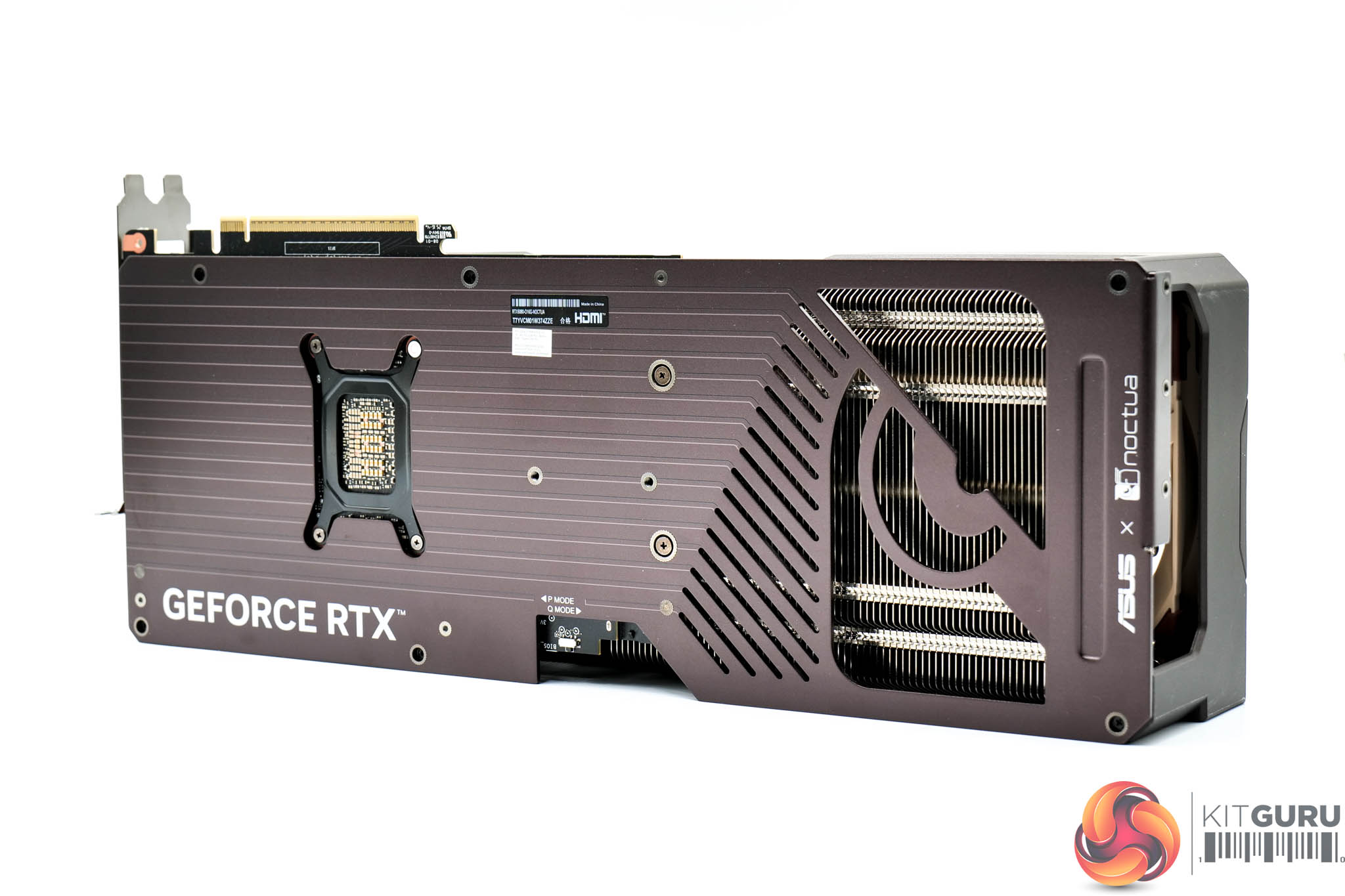
The backplate is made from metal and sports a deep brown colour, in keeping with the overall design. There's a relatively small cut-out for airflow towards the end of the card, too.
You will also note the dual-BIOS switch positioned in the middle, with an option for either the Quiet or Performance modes. Quiet is the default option here and the only difference is the fan curve, as both modes share the same power and clock speed targets.
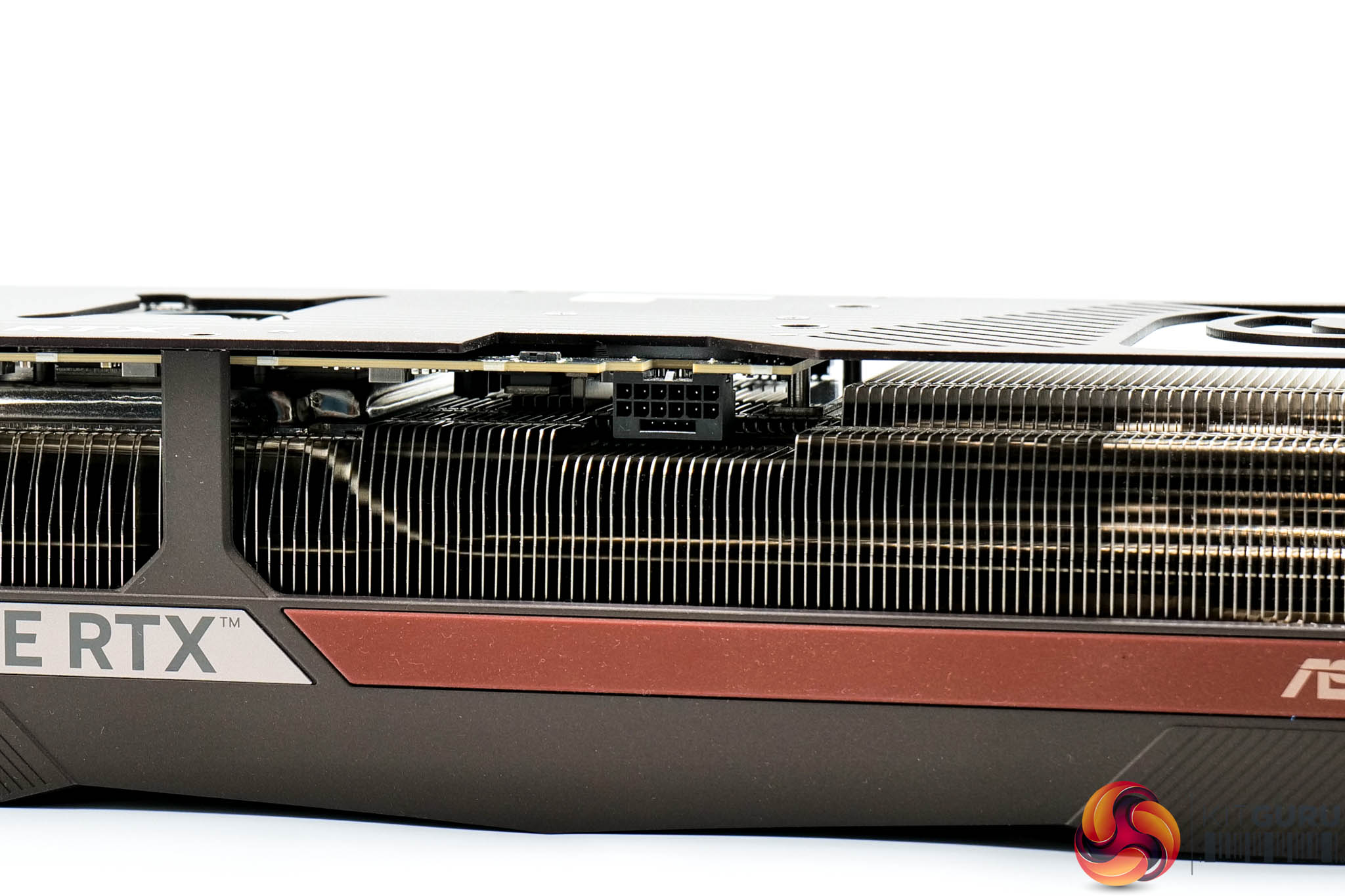
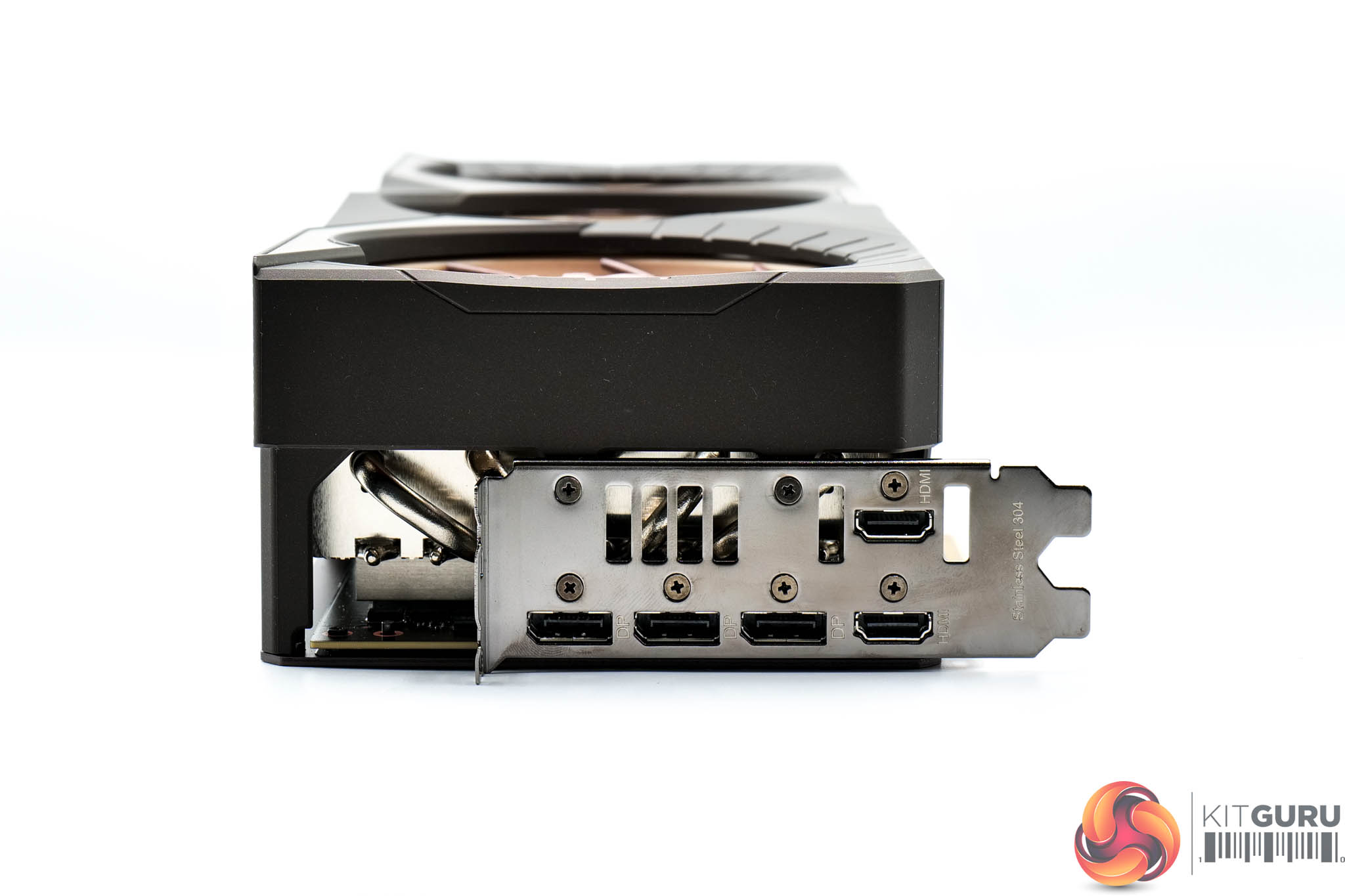
Power is of course supplied by a single 12VHPWR connector, while display outputs consist of three DisplayPort 2.1 and two HDMI 2.1 connectors.
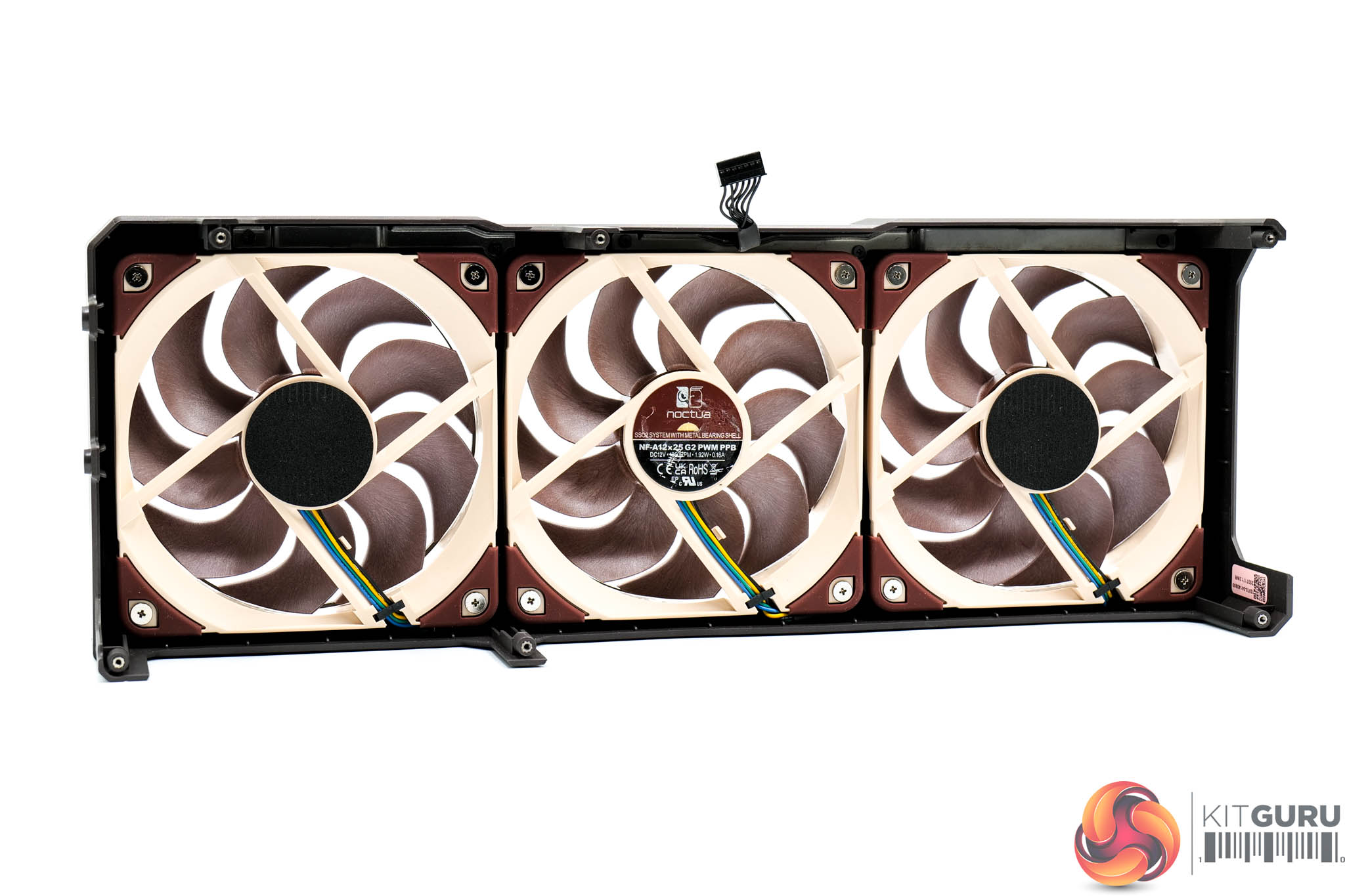
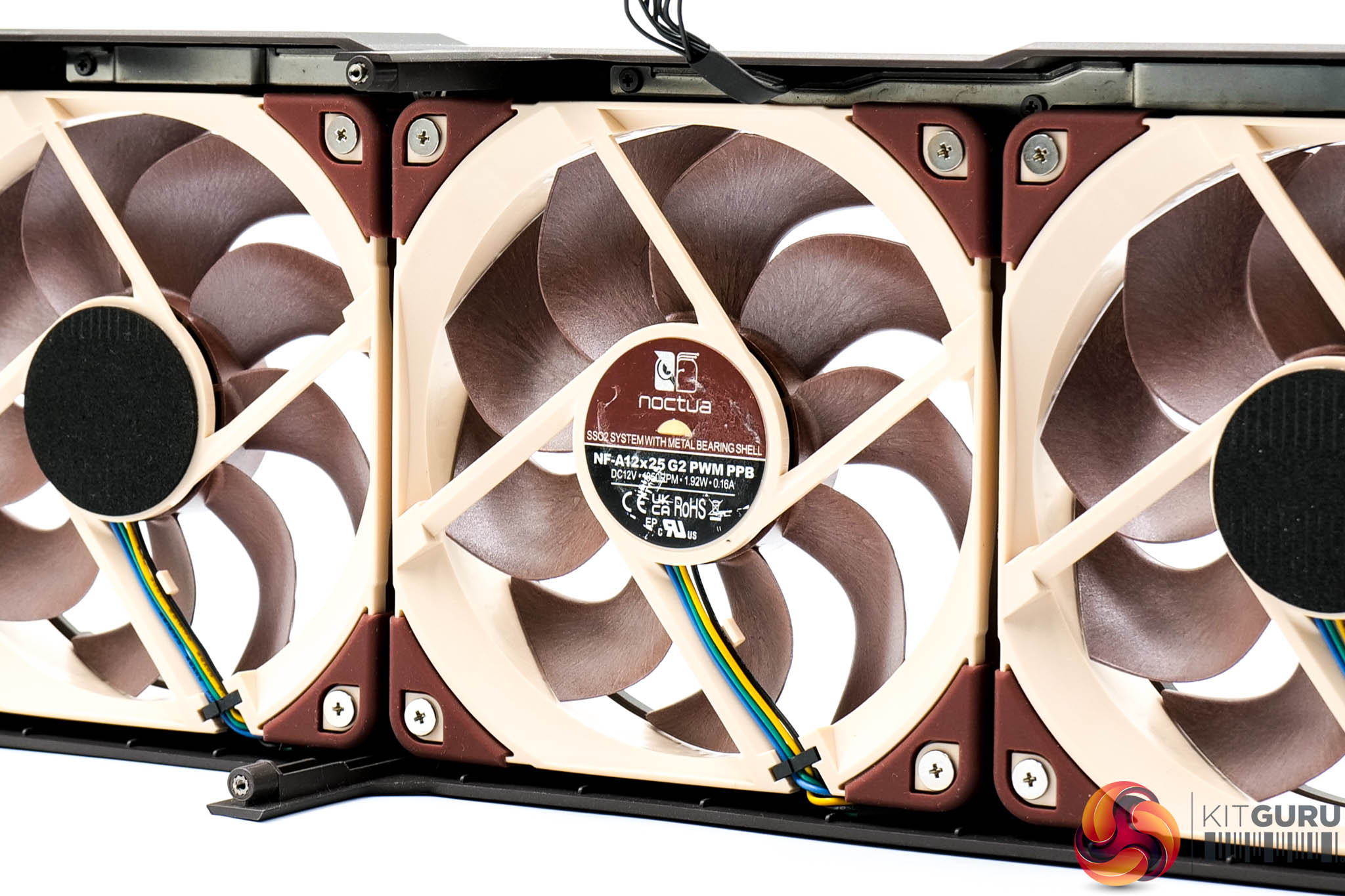
To get started on disassembly, the good news is that the fan shroud comes away first, so you can easily swap or replace a fan without removing the heatsink. As mentioned, Noctua's 120mm NF-A12x25 G2 PWM models are deployed here.
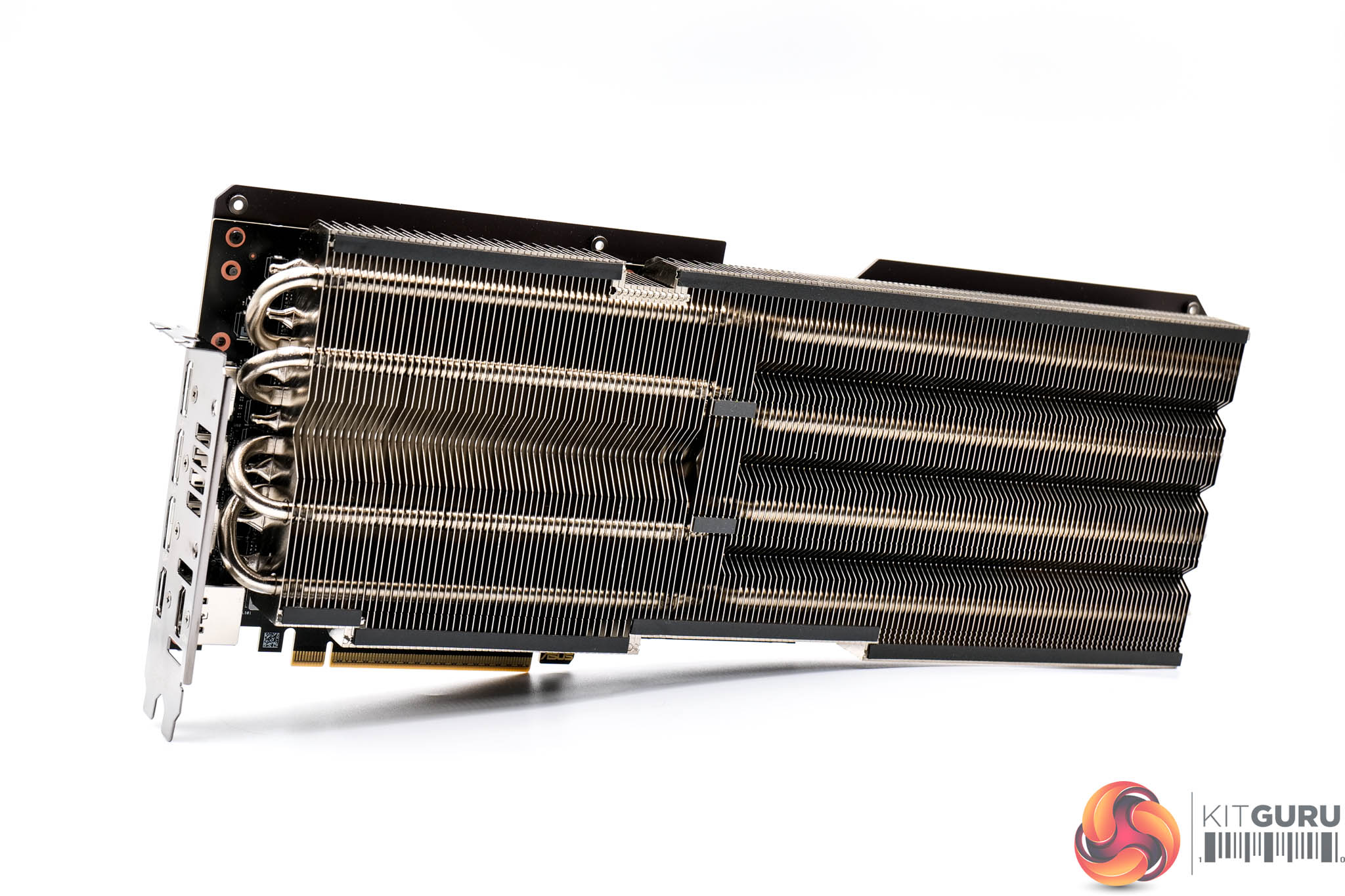
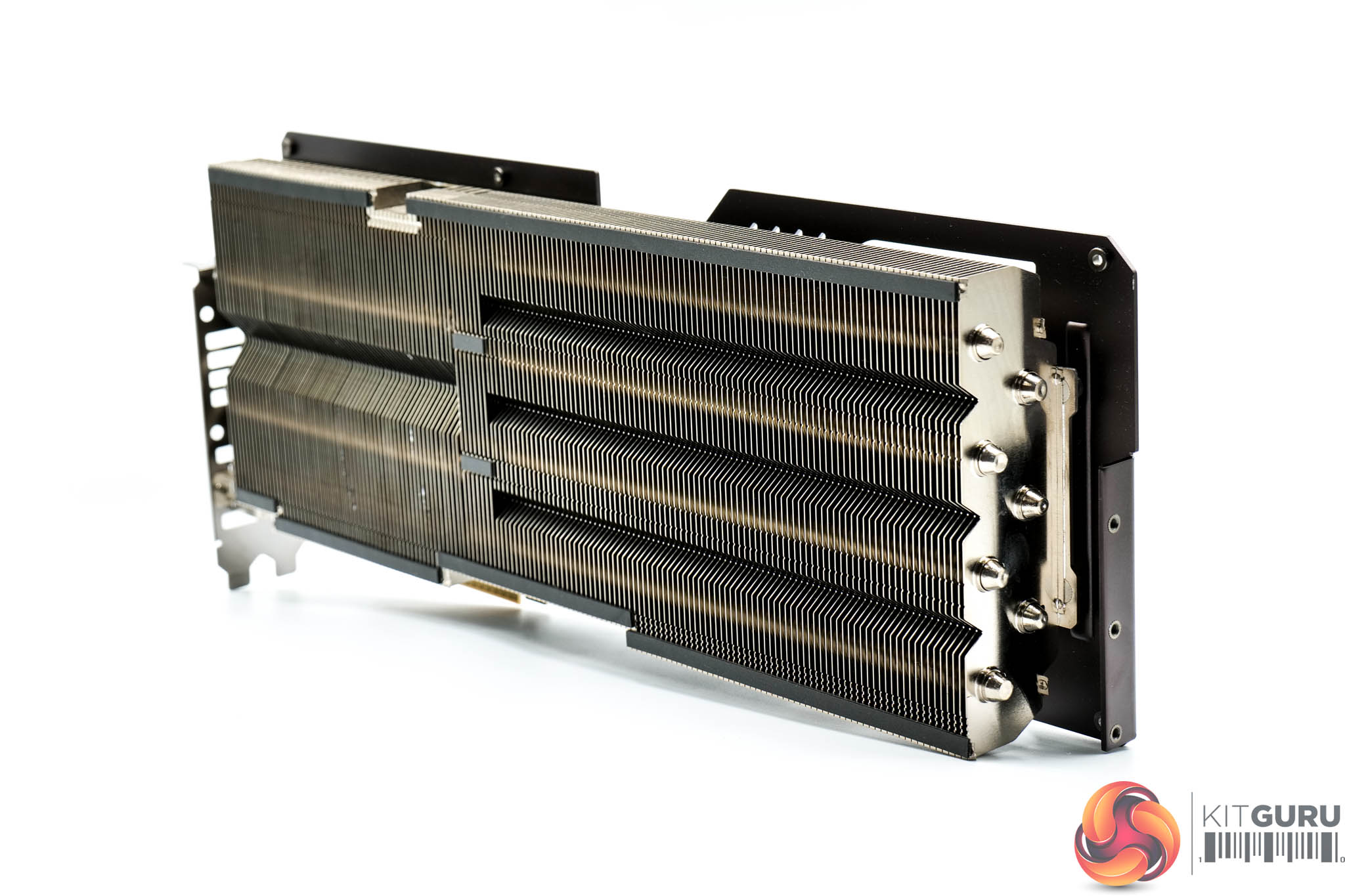
With the shroud removed, the heatsink is visible, still attached to the PCB, but we'll take a look at that in more detail shortly.
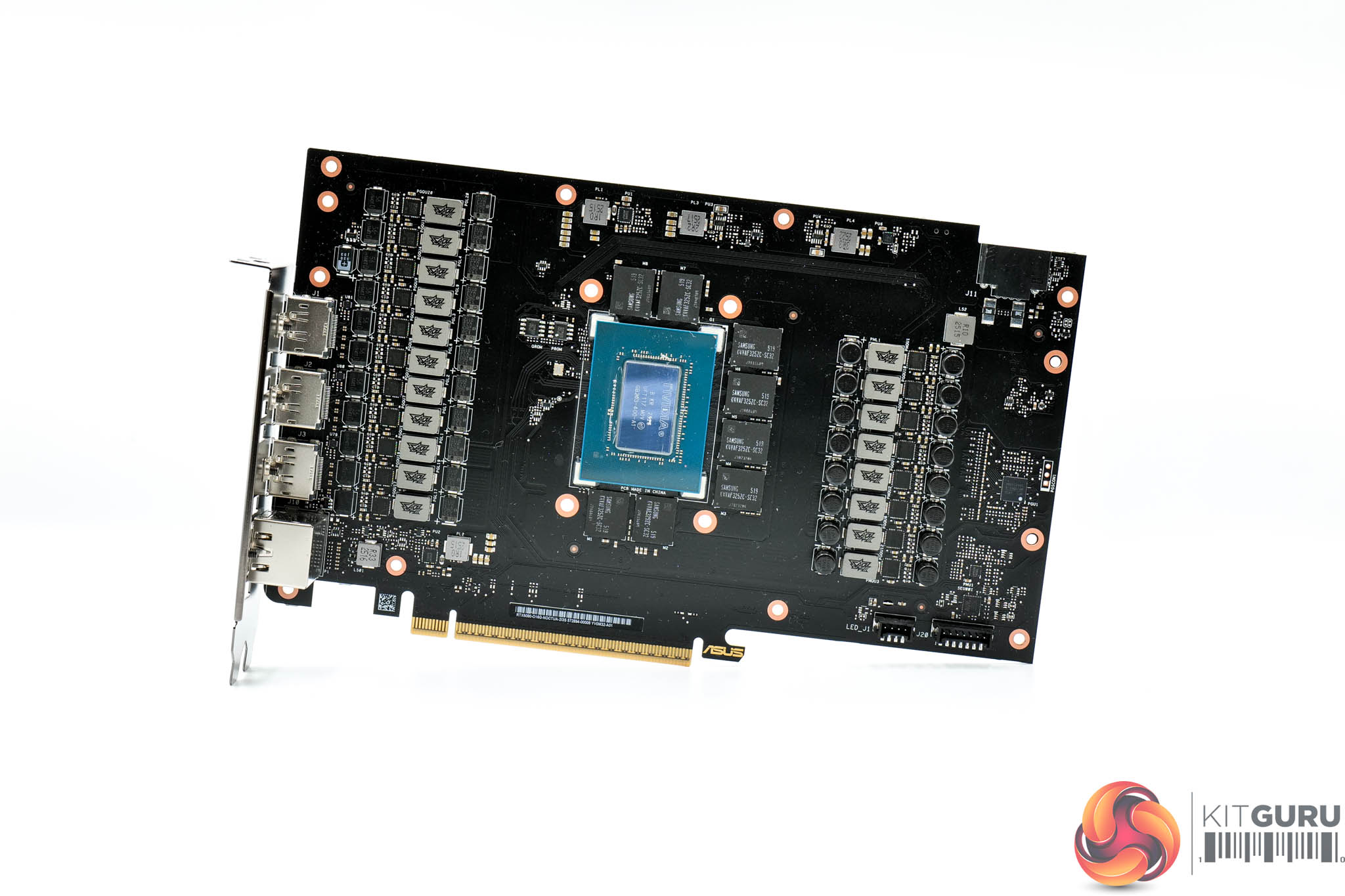
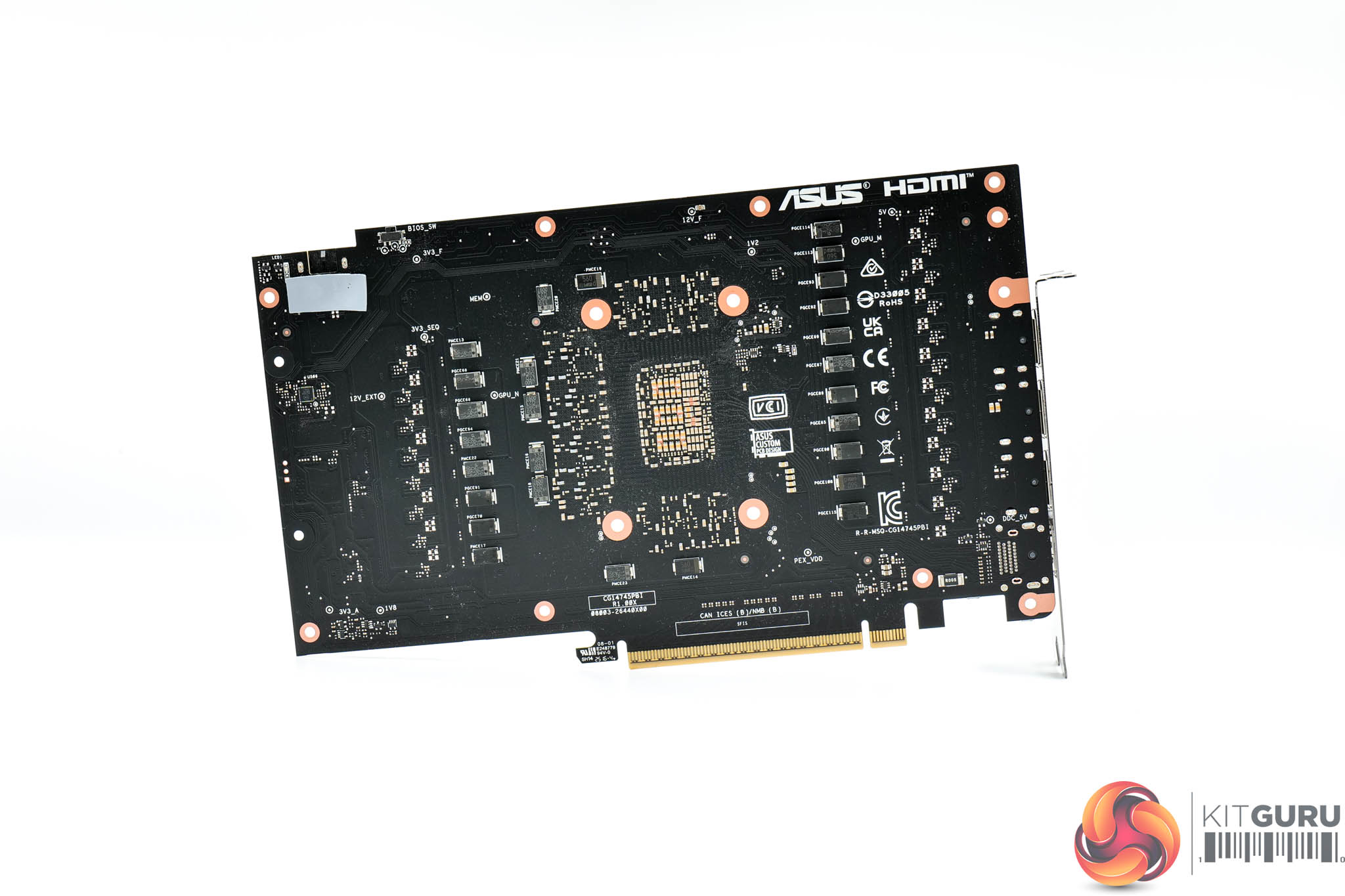
First, the PCB is using the same design as the ASUS TUF RTX 5080 model, and that's no bad thing considering it's packing in a 16-phase VRM for the GPU, controlled by a Monolithic Power Systems MP29816. The memory VRM is three-phase, this time controlled by a Monolithic UPI UP9529Q. Both GPU and memory use 50A Vishay SIC658A MOSFETs.
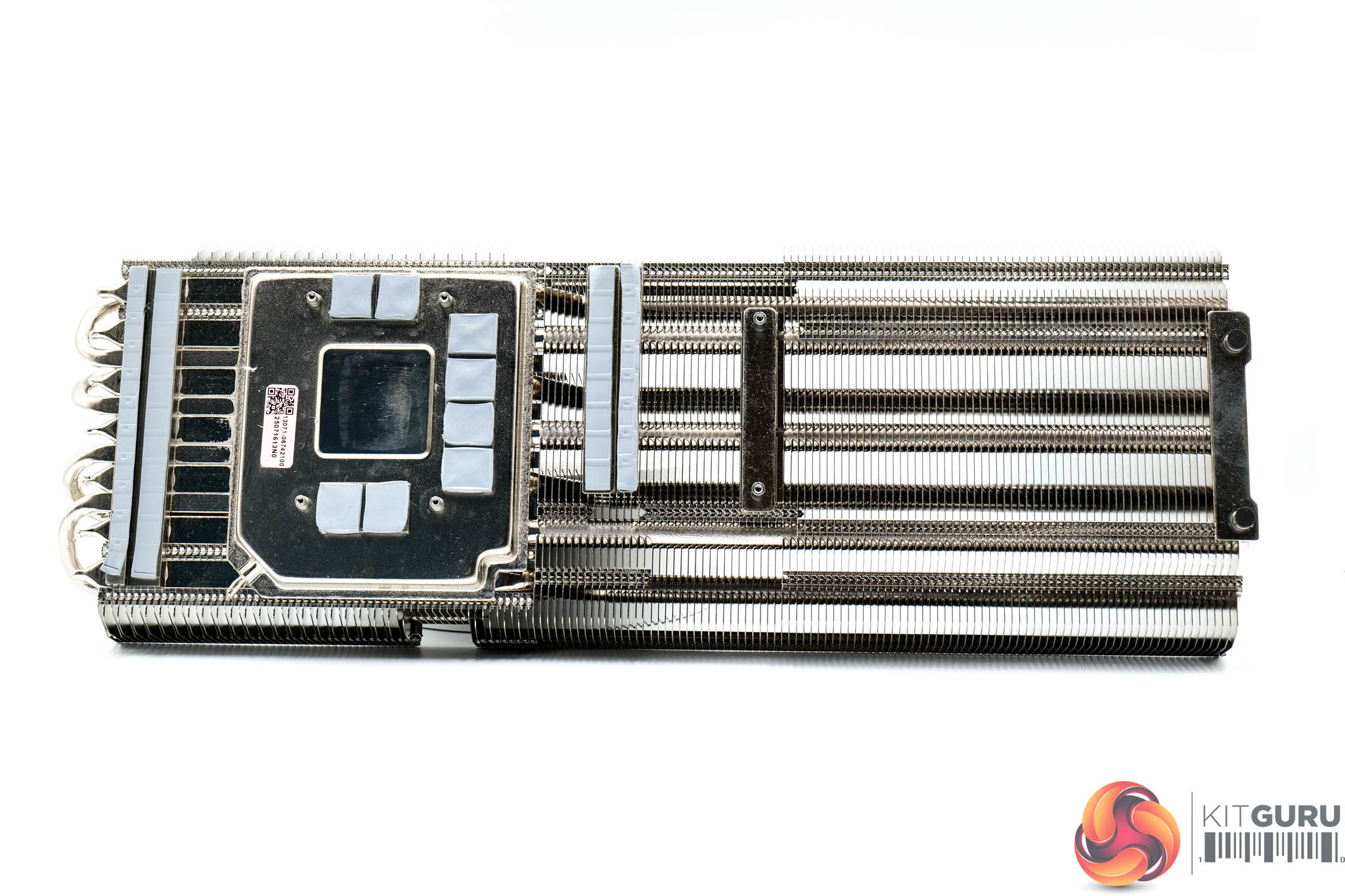
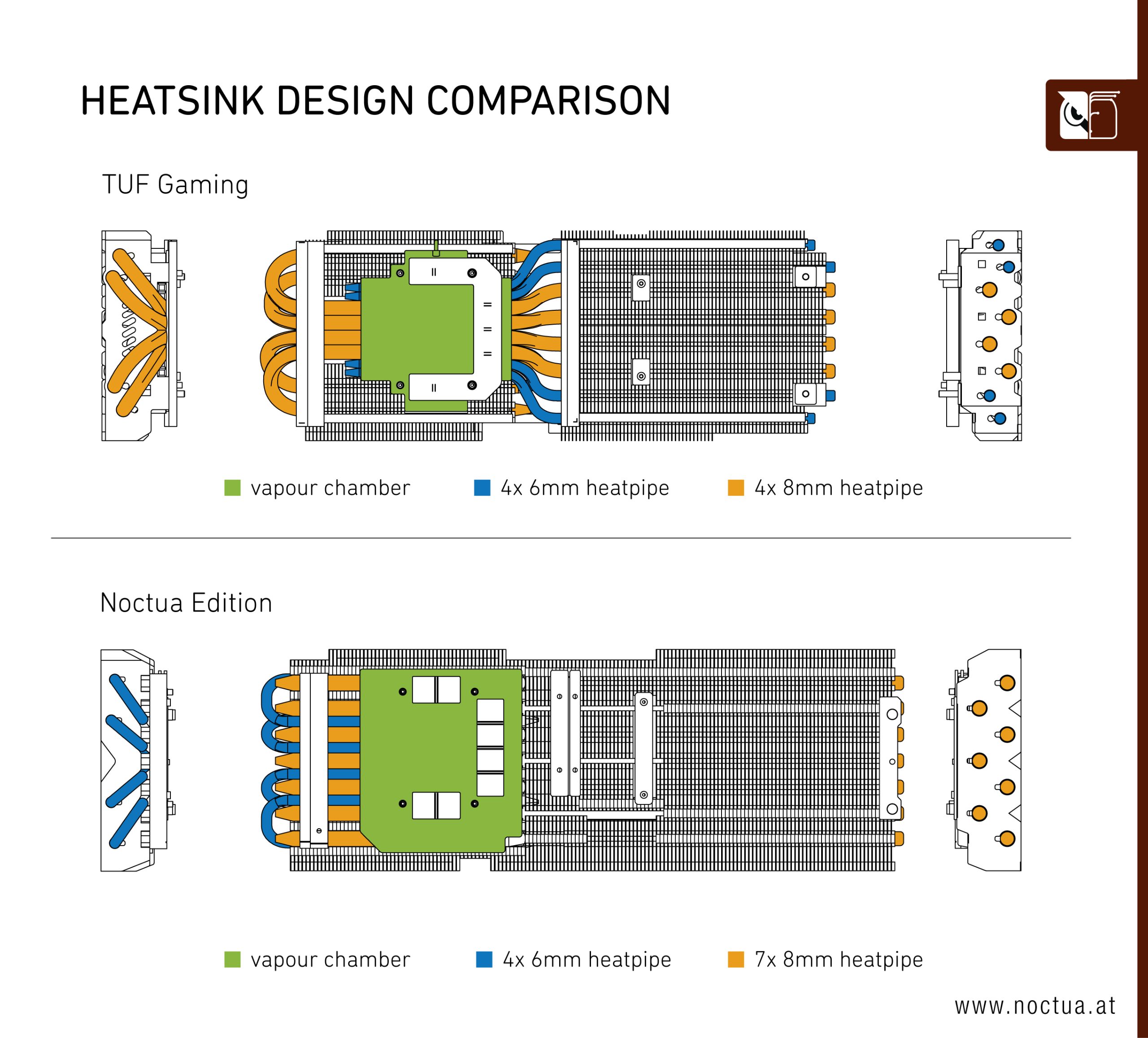
As for the heatsink itself, this is also based on the TUF model, but as you can see in the graphic kindly provided by Noctua, its cooling capabilities have been significantly enhanced. Not only does it now pack in eleven heatpipes, with 4x 6mm and 7x 8mm pipes, the heatsink itself is bigger, while the base plate has been expanded to help cool the memory modules too. And yes, it is also using a vapour chamber!
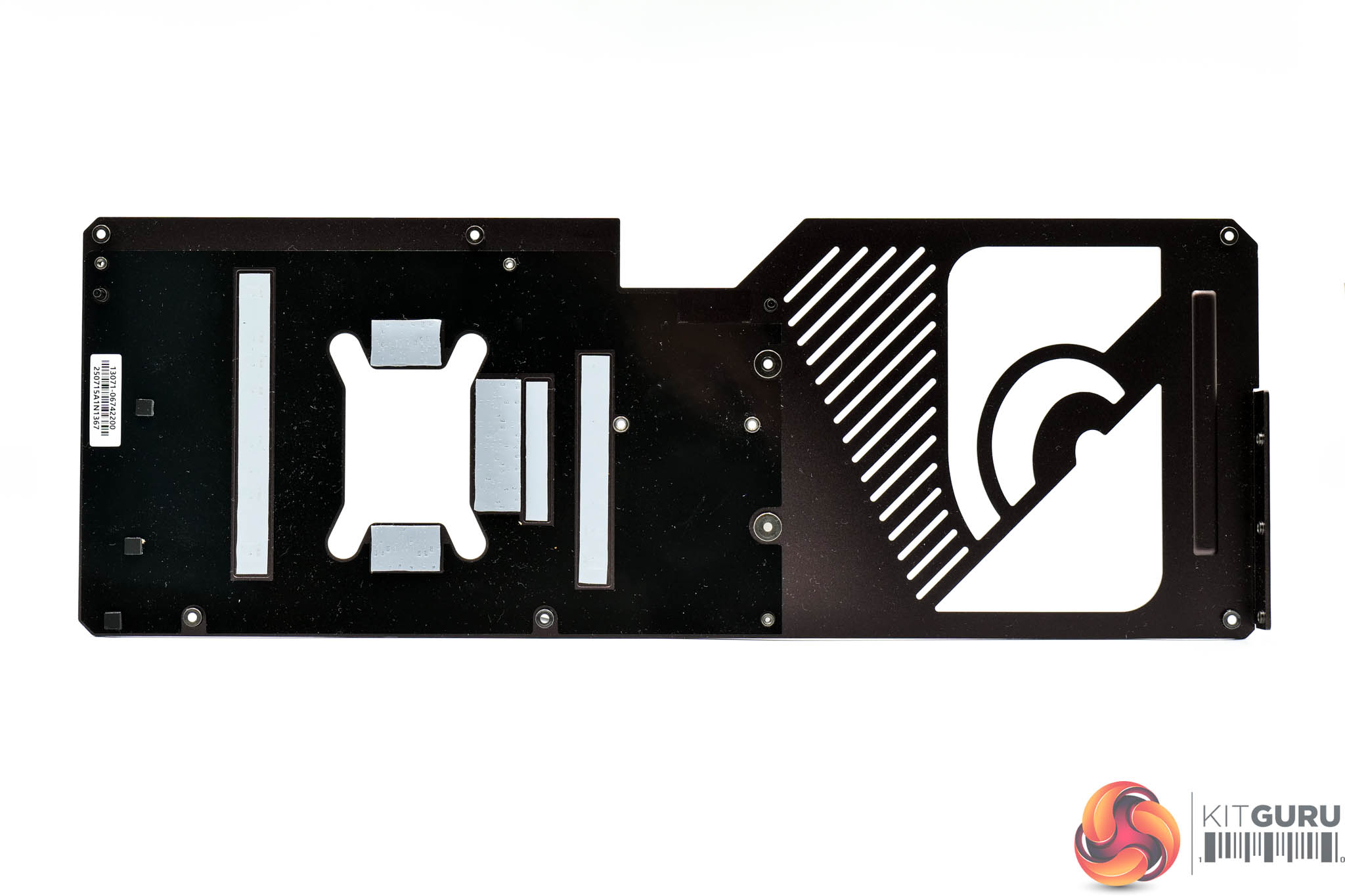
Last but not least, we can also note a number of thermal pads on the backplate which can help draw out some heat from the rear of the PCB.
Driver Notes
- All AMD GPUs (except RX 9060 XT) were benchmarked with the 25.3.1 driver.
- All Intel GPUs were benchmarked with the 101.6651 driver.
- All Nvidia GPUs (except for RTX 5060 Ti 8/16GB) were benchmarked with the 572.70 driver.
- RTX 5060 Ti 8/16GB were benchmarked with the 575.94 driver supplied to press.
- RX 9060 XT was benchmarked with the 25.10.09.01 driver supplied to press.
Results are only directly comparable where this exact configuration has been used.
Test System:
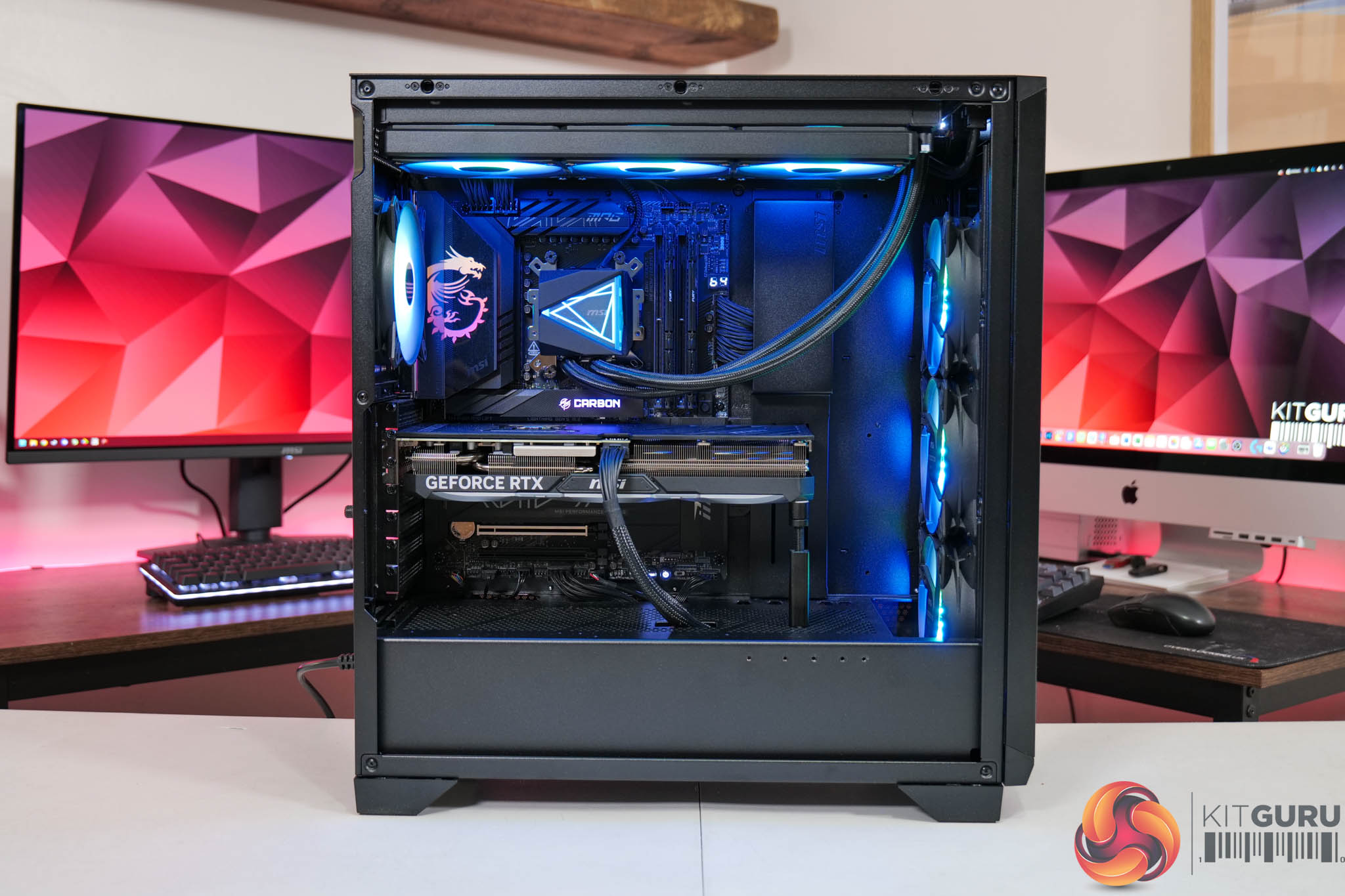
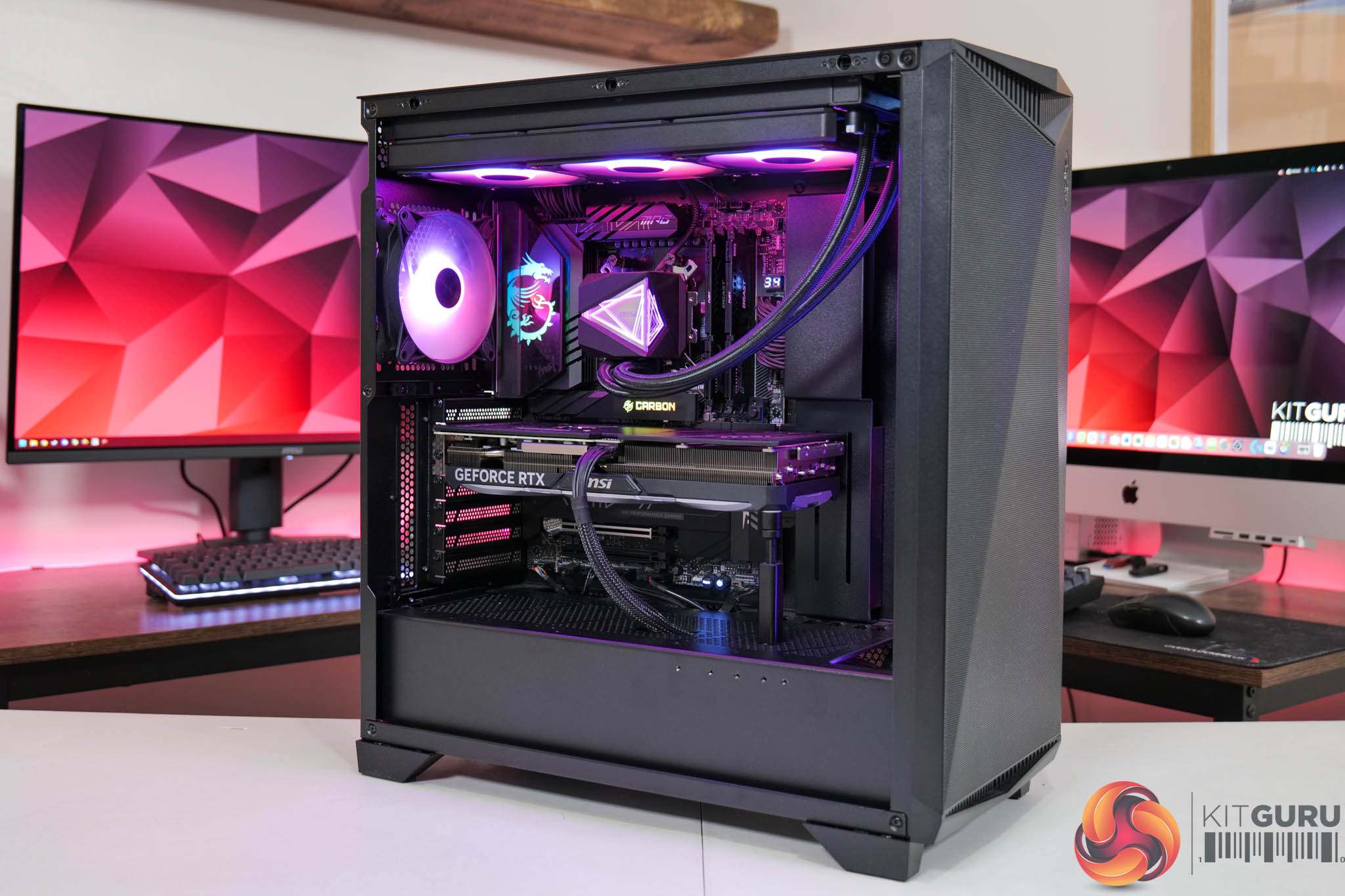
We test using a custom built system powered by MSI, based on AMD's Zen 5 platform. You can view the Powered by MSI store on AWD-IT's website HERE.
| CPU |
AMD Ryzen 7 9800X3D
|
| Motherboard |
MSI MPG X870E Carbon WiFi
|
| Memory |
64GB (2x32GB) Kingston Fury Beast DDR5 6000MT/s CL30
|
| Graphics Card |
Varies
|
| SSD |
4TB Kingston NV3 Gen 4 PCIe NVMe
|
| Chassis | MSI MPG Gungnir 300R Airflow |
| CPU Cooler |
MSI MAG CoreLiquid i360
|
| Power Supply |
MSI MEG Ai1300P
|
| Operating System |
Windows 11 23H2
|
| Monitor |
MSI MPG 321URX QD-OLED
|
| Resizable BAR |
Enabled for all supported GPUs
|
Comparison Graphics Cards List
- ASRock RX 9070 XT Taichi 16GB
- Sapphire RX 9070 Pulse 16GB
- AMD RX 7900 XTX 24GB
- AMD RX 7900 XT 20GB
- Sapphire RX 7900 GRE Nitro+ 16GB
- AMD RX 7800 XT 16GB
- Nvidia RTX 5090 FE 32GB
- Nvidia RTX 5080 FE 16GB
- MSI RTX 5070 Ti Ventus 3X 16GB
- Nvidia RTX 5070 FE 12GB
- Nvidia RTX 4090 FE 24GB
- Nvidia RTX 4080 Super FE 16GB
- MSI RTX 4070 Ti Super Ventus 3X 16GB
- Gigabyte RTX 4070 Ti Gaming 12GB
- Nvidia RTX 4070 Super FE 12GB
- Nvidia RTX 3080 Ti FE 12GB
All cards were tested at reference specifications. For factory overclocked cards, this means we manually ‘undo' the overclock via MSI Afterburner or AMD/Intel's built-in tuning tools. Or, for cards like the Sapphire RX 7900 GRE Nitro+, we enable the reference-clocked BIOS instead of the default OC BIOS.
Software and Games List
- Alan Wake II (DX12)
- Black Myth: Wukong (DX12)
- Cyberpunk 2077 (DX12)
- F1 24 (DX12)
- Final Fantasy XVI (DX12)
- Forza Horizon 5 (DX12)
- Ghost of Tsushima (DX12)
- Horizon Forbidden West (DX12)
- The Last of Us Part 1 (DX12)
- A Plague Tale: Requiem (DX12)
- Ratchet and Clank: Rift Apart (DX12)
- Returnal (DX12)
- Senua's Saga: Hellblade 2 (DX12)
- Shadow of the Tomb Raider (DX12)
- Starfield (DX12)
- Star Wars Outlaws (DX12)
- Total War: Warhammer III (DX11)
We run each benchmark/game three times, and present mean averages in our graphs. We use FrameView to measure average frame rates as well as 1% low values (99th percentile) across our three runs.
Here we test three games, all at 3840×2160 resolution using maximum image quality settings.
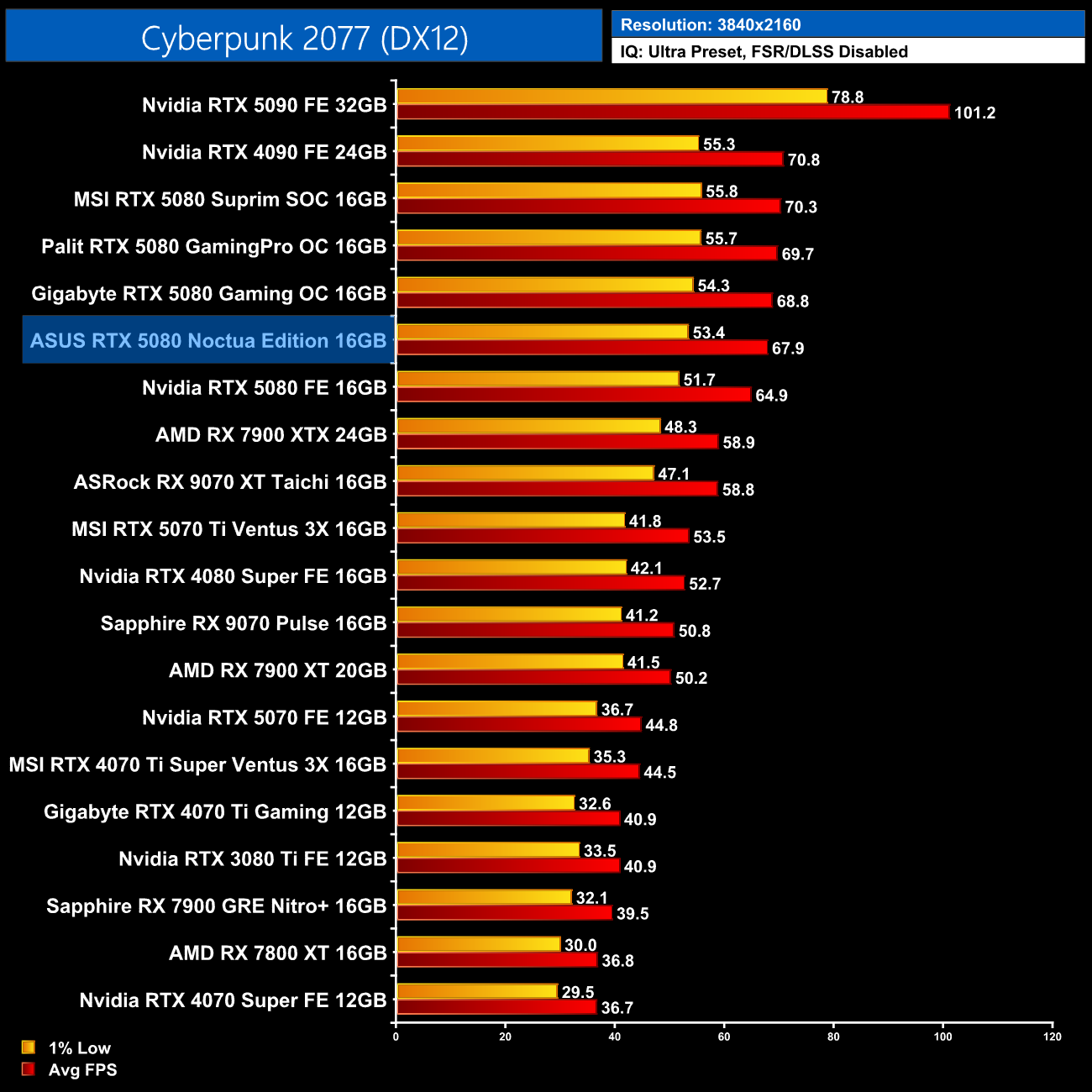
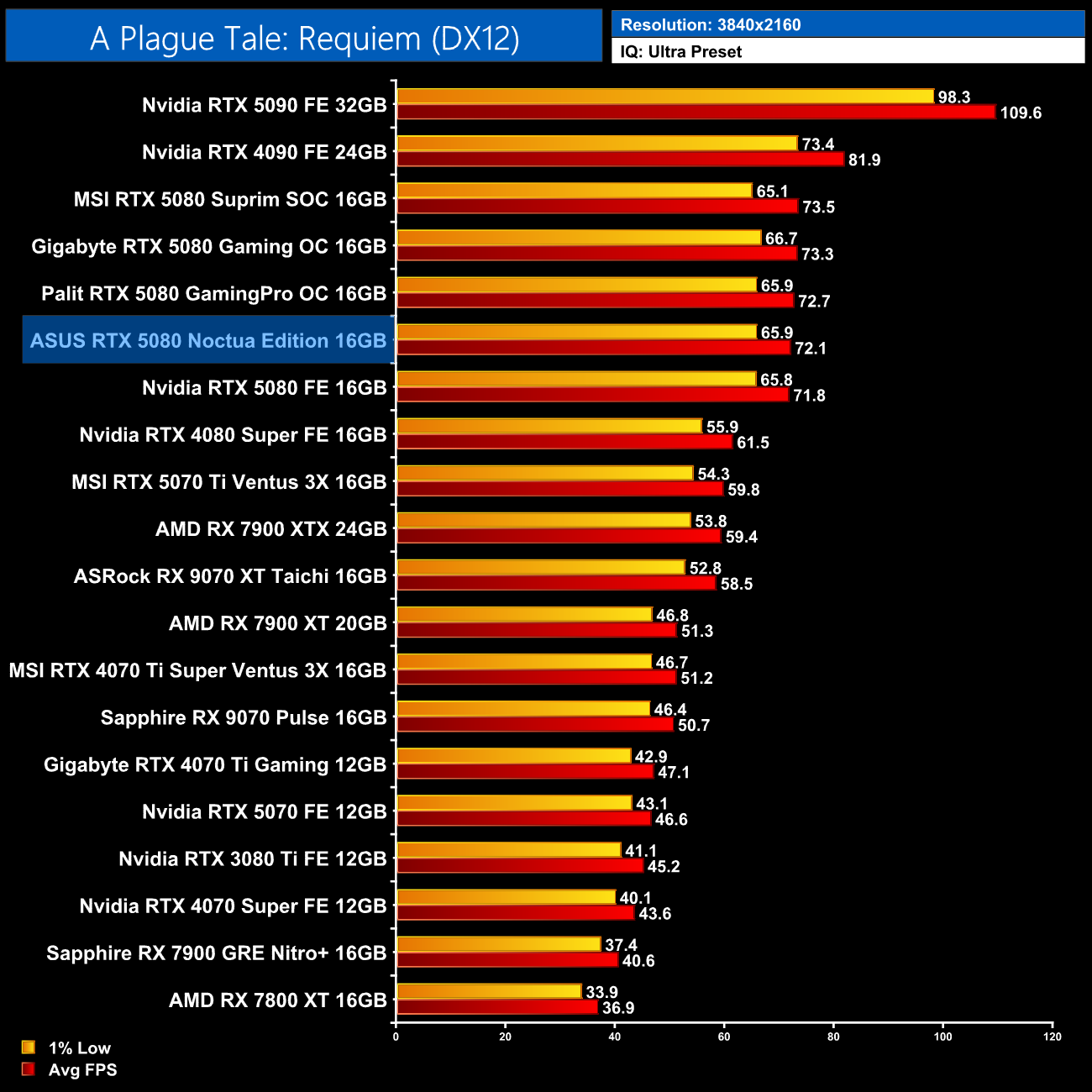
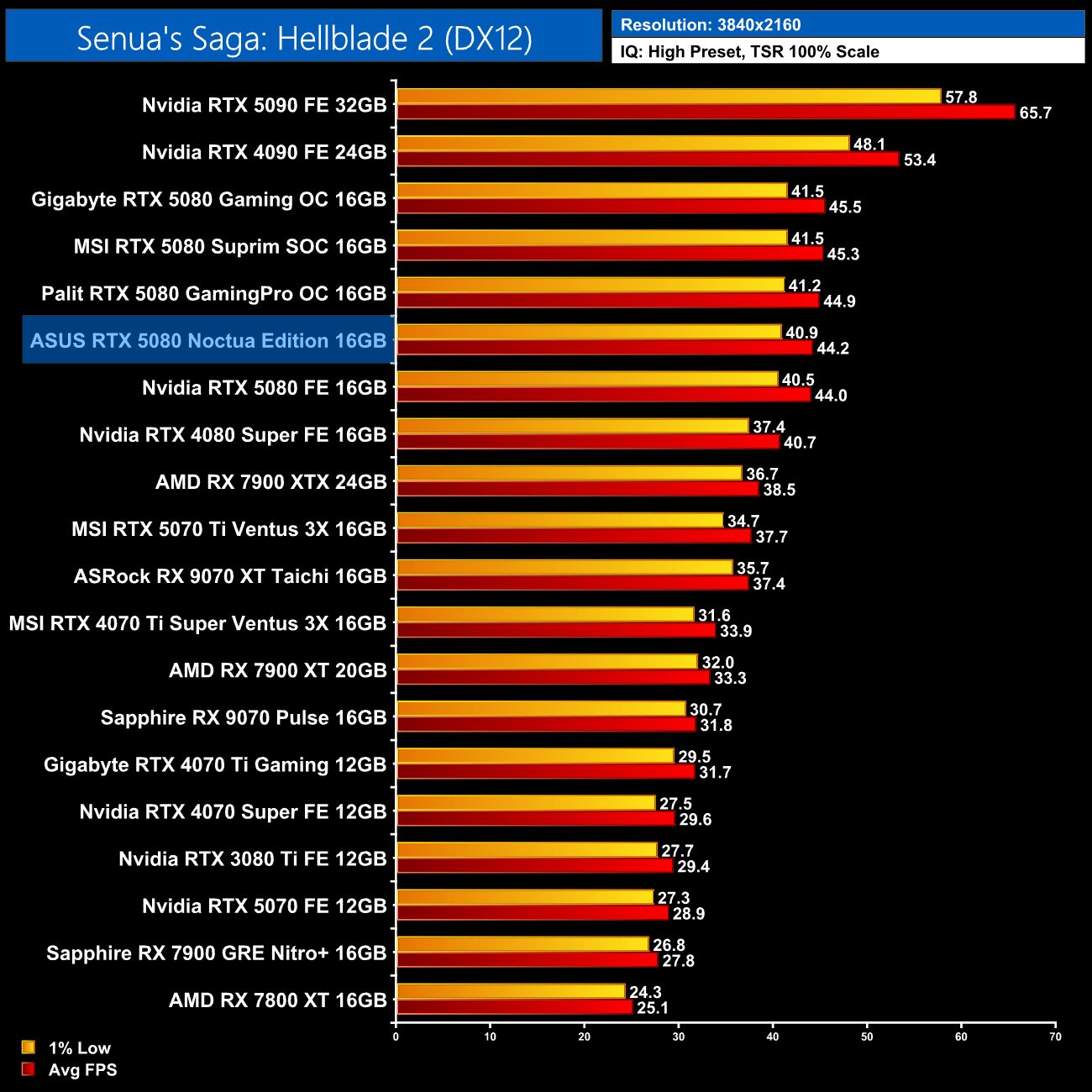
We don't focus too heavily on game benchmarks in our partner cards reviews as performance doesn't tend to change a whole lot when compared to the reference models. That said, it was interesting to see the Noctua Edition lagging slightly behind the other 5080 AIBs we've tested – not by much, and it was always faster than the 5080 FE, but it didn't surpass the likes of the MSI Suprim SOC or the Gigabyte Gaming OC.
Here we present the average clock speed for each graphics card while running A Plague Tale: Requiem for 30 minutes. We use GPU-Z to record the GPU core frequency during gameplay. We calculate the average core frequency during the 30 minute run to present here.
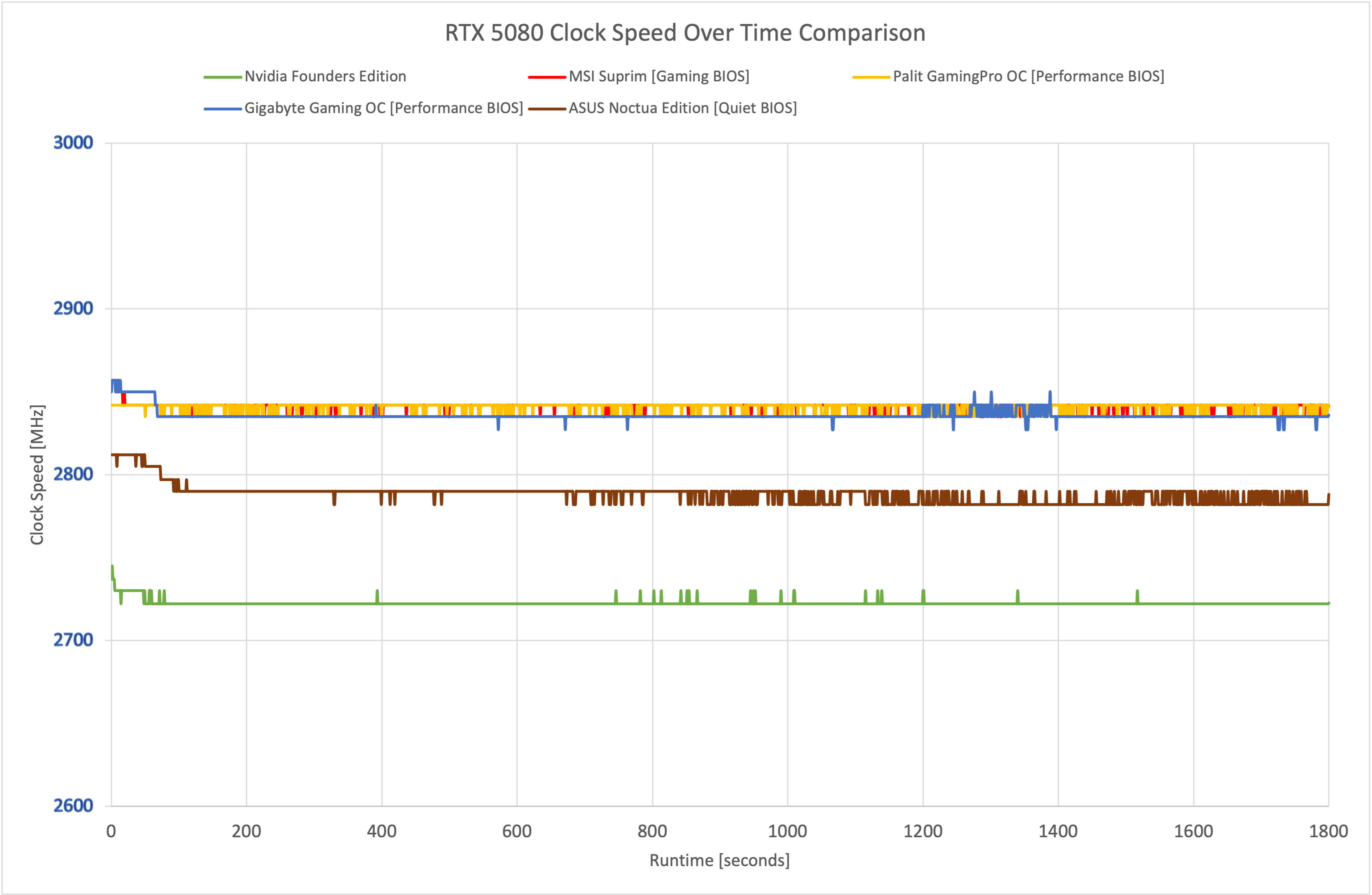
As it turns out, the reason for the gaming performance just lagging behind the competition slightly, is due to the relatively conservative factory overclock. In our real world testing, that saw the Noctua Edition running below 2800MHz most of the time, whereas the other 5080s tested were comfortably faster.
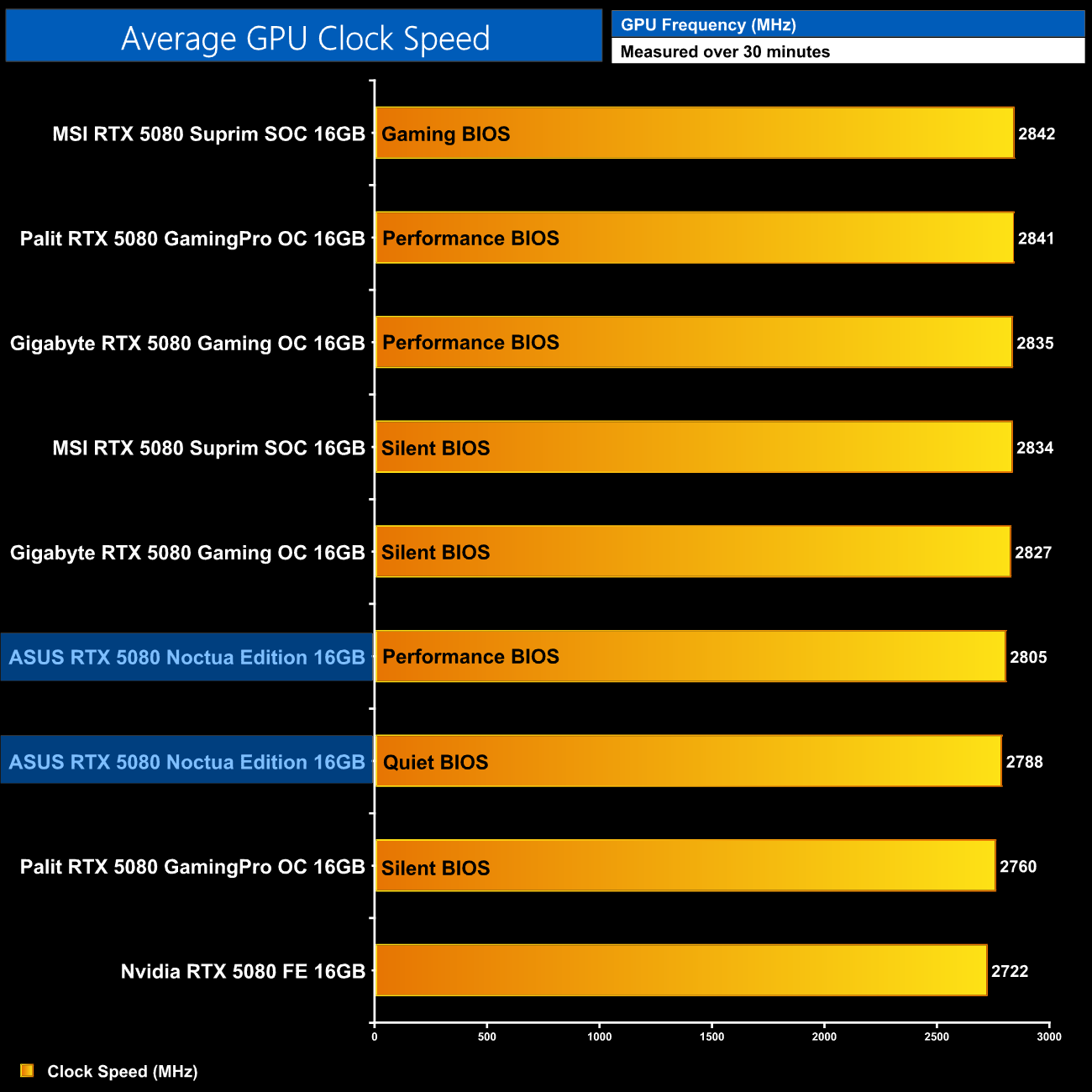
It's also worth pointing out that we always use the default BIOS mode for our game testing, which is the Quiet mode for the ASUS Noctua Edition, but even the Performance mode isn't able to catch up to the likes of the Suprim SOC or Palit's GamingPro OC.
For our temperature testing, we measure steady-state GPU temperatures under load. A reading under load comes from running A Plague Tale: Requiem for 30 minutes.
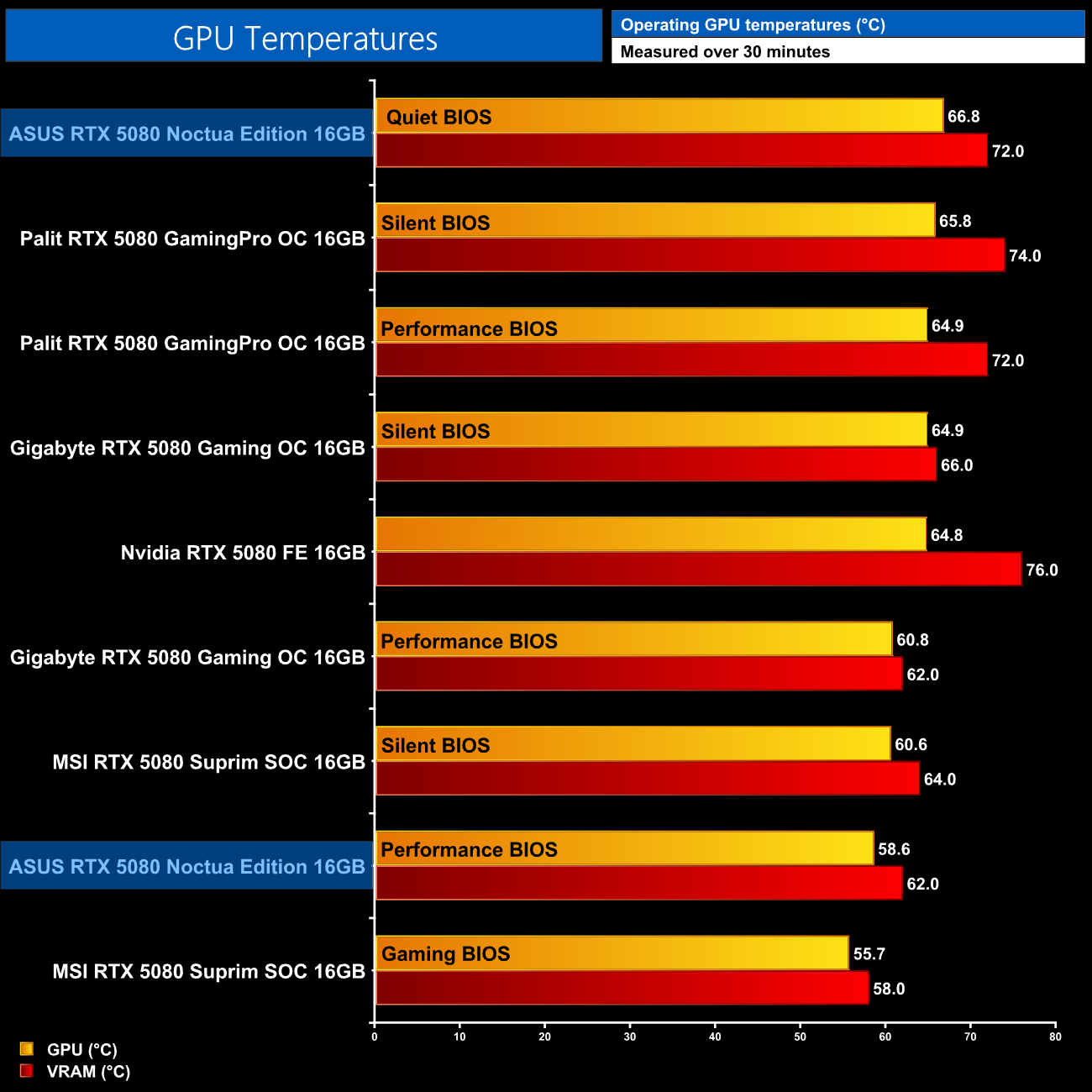
As for out of the box thermals, using the default fan curves, temperatures are kept well within check. The Performance BIOS keeps things very cool indeed, with the GPU at 58.6C and the VRAM at just 62C over our thirty minute stress test. The Quiet BIOS does run warmer, up at 66.8C and 72C for GPU and VRAM temperatures, respectively, but as we will see shortly, the fans barely spin in that mode so it's actually quite impressive – and the temperatures themselves are still nice and cool.
In the video we also show results from our thermal camera when using the default Quiet BIOS, with a hot spot in the high 60C range in the area right behind the GPU core, but other areas on the backplate are even cooler than that, so nothing to worry about.
We take our noise measurements with the sound meter positioned 1 foot from the graphics card. I measured the noise floor to be 32 dBA, thus anything above this level can be attributed to the graphics cards. The power supply is passive for the entire power output range we tested all graphics cards in, while all CPU and system fans were disabled. A reading under load comes from running Cyberpunk 2077 for 30 minutes.
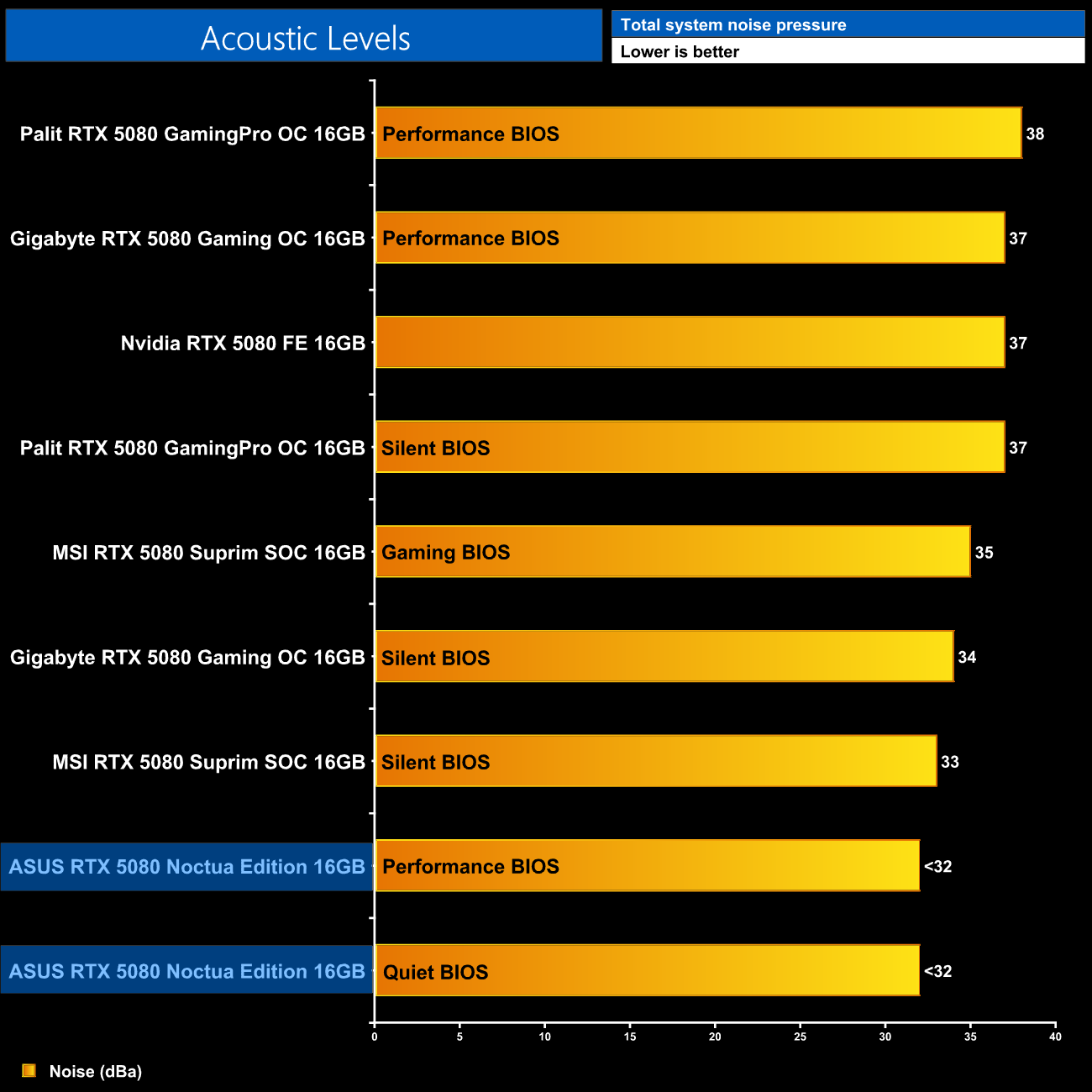
It's talking about noise levels where we actually run into some difficulty. That's because my testing environment has a noise floor of 32dBa, so we can't accurately measure the noise of anything below that figure – and you guessed it, both Quiet and Performance BIOS did not register above 32dBa in my testing. We saw the Performance BIOS run the fans at 980rpm, while the Quiet mode reduces that to just 650rpm. That's such a low speed I am convinced you wouldn't be able to hear the graphics card at all in a case with the side panel installed, and even with the side panel removed, I had to press my ear right up against the card itself to hear it. In other words, this is about as close to silent as we can get without going completely fanless.
Following on from our stock thermal and acoustic testing, here we re-test the operating temperature of the GPU, but with noise levels normalised to 40dBa. This allows us to measure the efficiency of the overall cooling solution as varying noise levels as a result of more aggressive fan curves are no longer a factor.
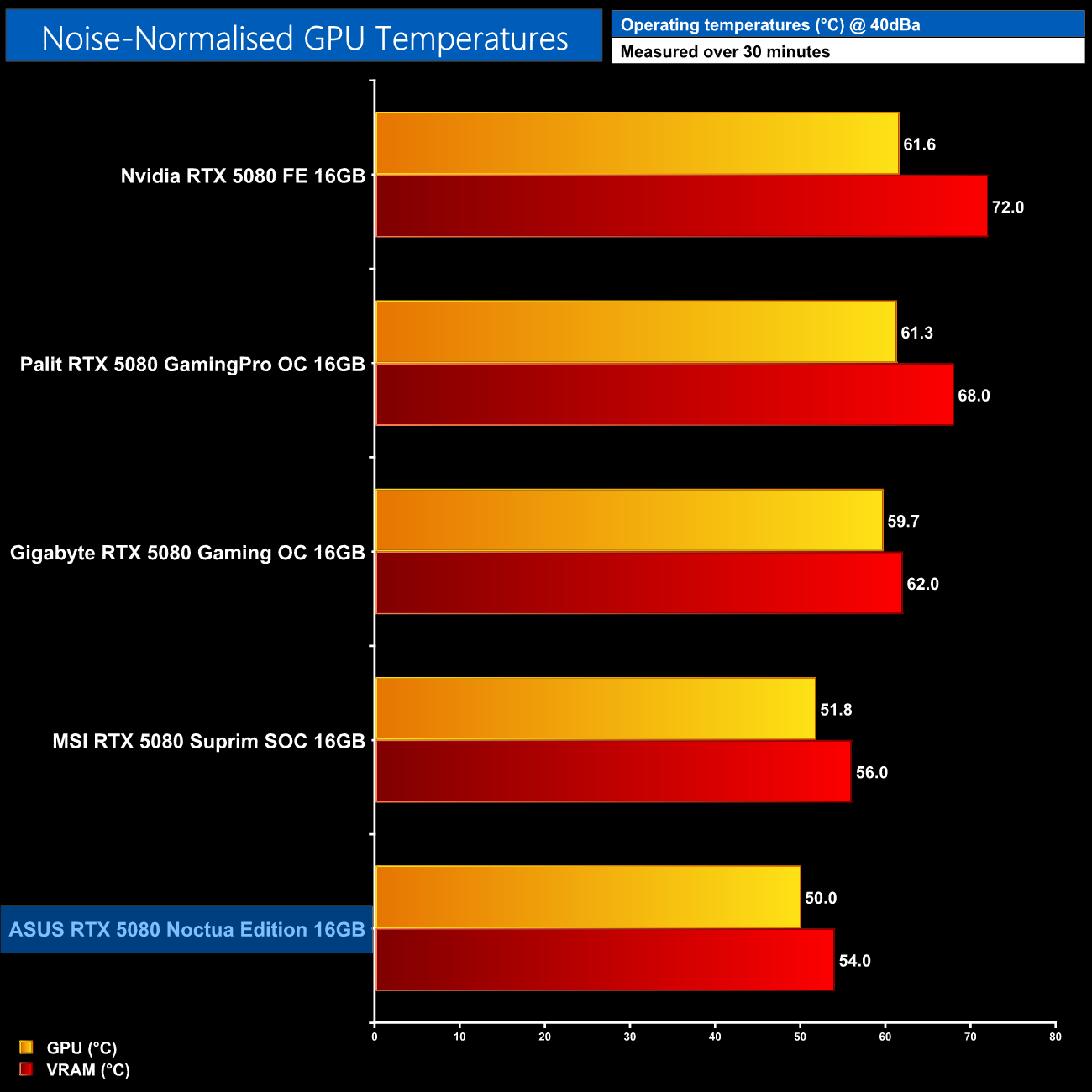
To take noise levels out of the equation and test the true efficiency of the cooler, we noise-normalise fan speed to 40dBa, which meant increasing speeds to 1540rpm for the Noctua Edition. Re-running our thermal tests at that fan speed results in best-in-class results, with the GPU hitting 50C and the VRAM at 54C. However, the results really aren't that much better than the MSI Suprim SOC, with less than a 2C difference, when you'd perhaps hope for more given the size of the Noctua Edition, plus it's 11 heatpipe heatsink and triple 120mm fan setup.
Power Draw
We use Nvidia PCAT to measure power draw of the graphics card only, with readings from both the PCIe slot and the PCIe power cables combined into a single figure. We use A Plague Tale: Requiem (4K/2160p) for this testing.

As for power draw, ASUS has not increased the default power target above the 360W TGP figure, and in practice we saw power draw hitting just about 350W, which is right in line with the MSI Suprim SOC.
For those interested, in the video we also test live current readings of the 12VHPWR cable, using a clamp meter. Under full load, each of the six 12V wires ranged from 4.28-5.05A, so load balancing is absolutely fine, and the total across all six wires hit about 28.5A, which checks out considering the power draw we measured. So there was nothing out of spec for this example, but as we know, bad things can and do happen with this connector.
Performance per Watt
Combining the power draw values shown above with the performance data, we present performance per Watt for each graphics card tested:
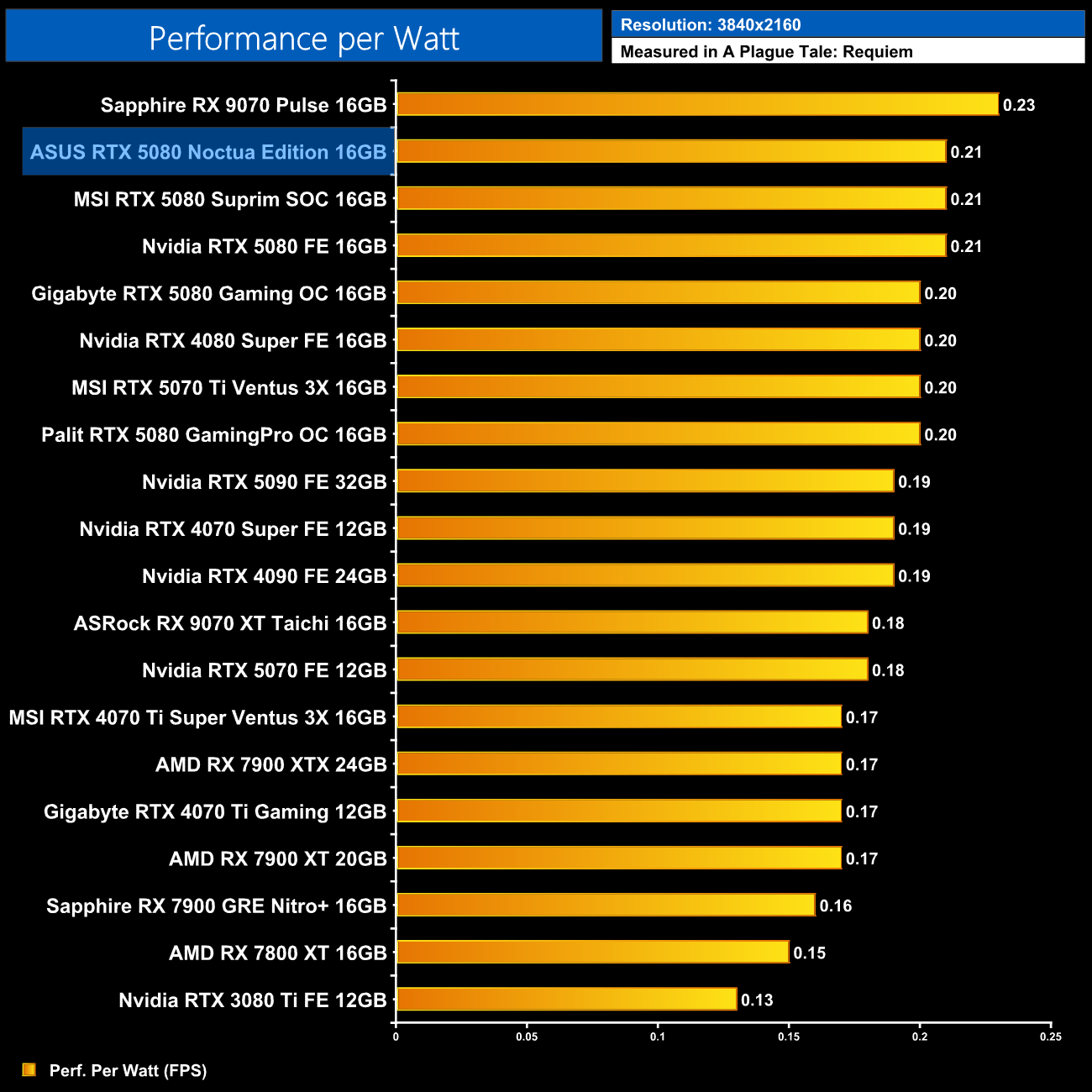
Just to quickly touch on efficiency, performance per Watt is right in line with the 5080 FE and Suprim models – it can't quite hit the lofty heights as the RX 9070, but the 5080 is the next most efficient GPU we have tested and the Noctua Edition does not change that fact.
For our manual overclocking tests, we used MSI Afterburner. Our best results are as below.

Overclocking the RTX 5080 is very straightforward. We maximised the memory slider at +2000MHz and also maxed out the power limit at 125%, for a 450W theoretical target. Our best result came with 375MHz added to the core – 400MHz was stable in Cyberpunk but crashed in A Plague Tale: Requiem, so I dialled it back slightly.
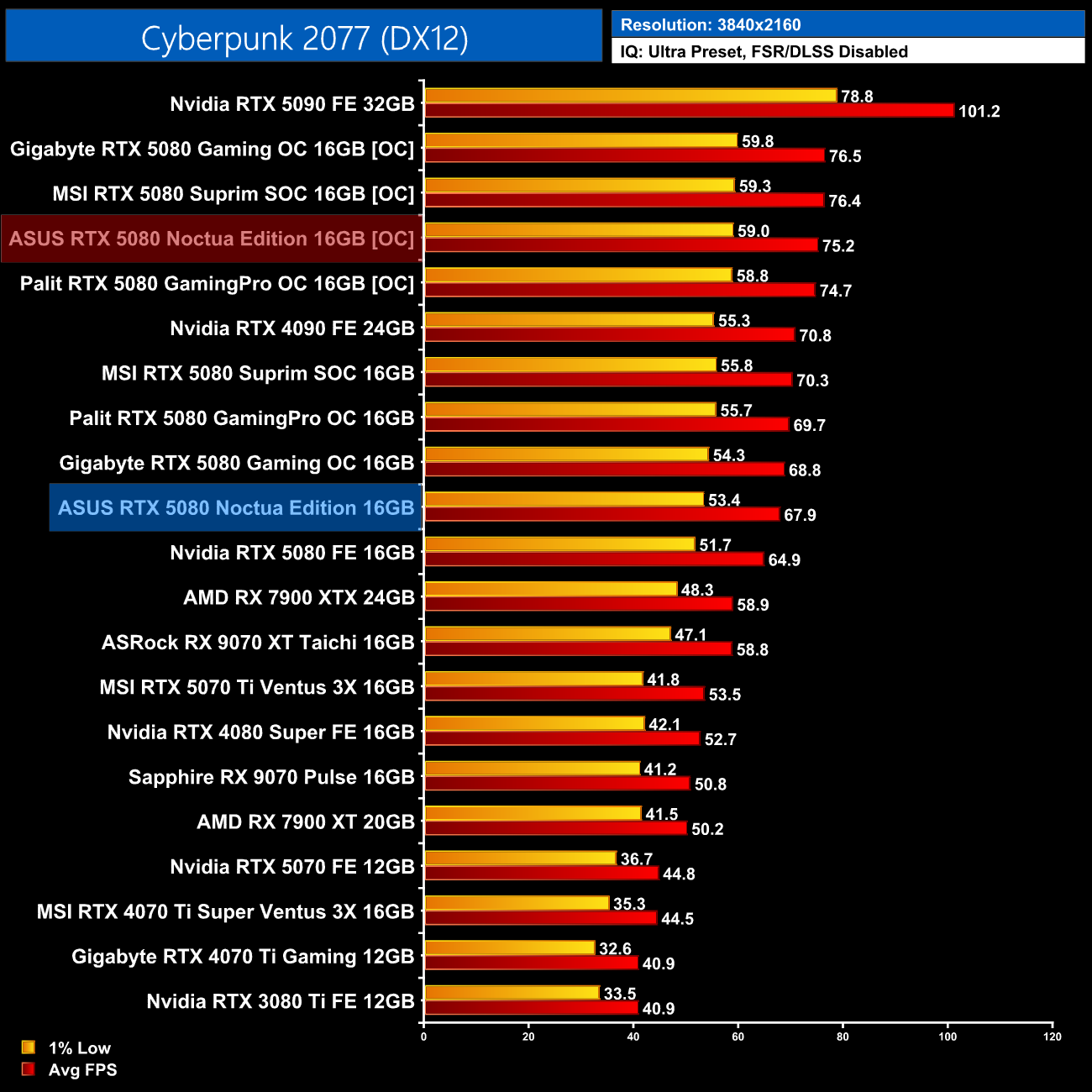
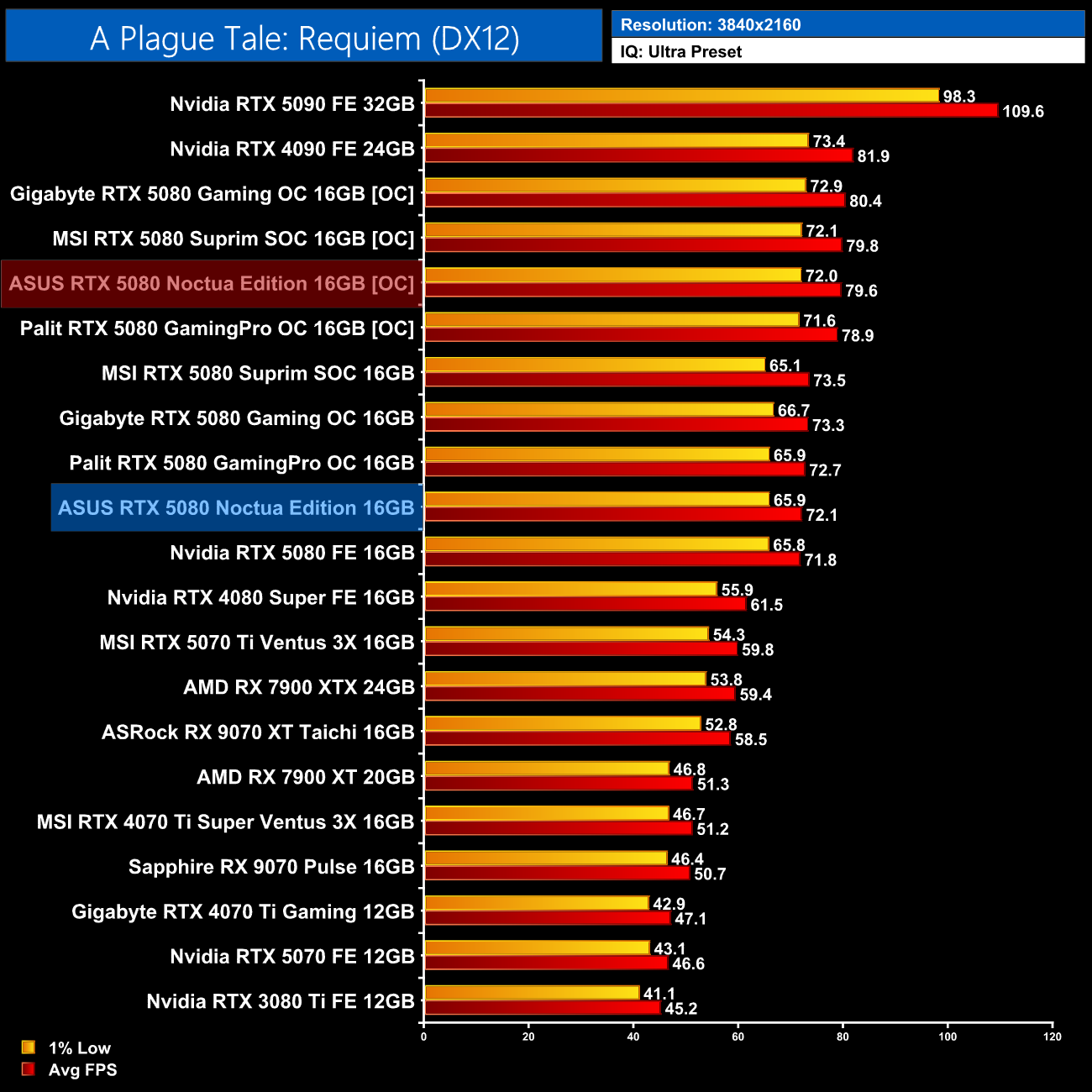
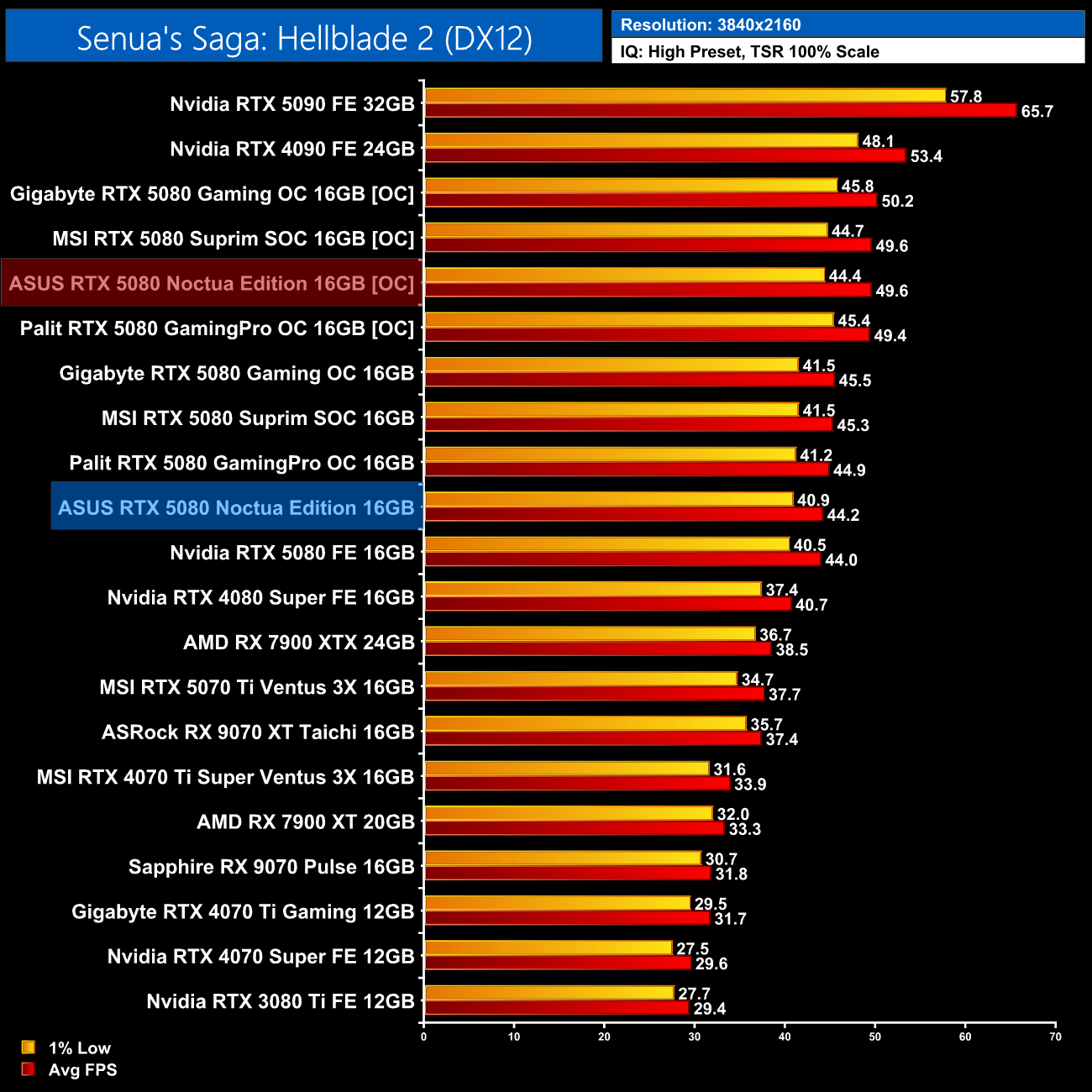
As we've come to expect from the RTX 5080, overclocking headroom is very good indeed, and we saw real-world clock speed right around 3.2GHz, bringing performance gains of 10-12% in the three titles I tested. It didn't overclock any better, or any worse, than the likes of the Suprim SOC, but it goes to show what can be achieved with this GPU.
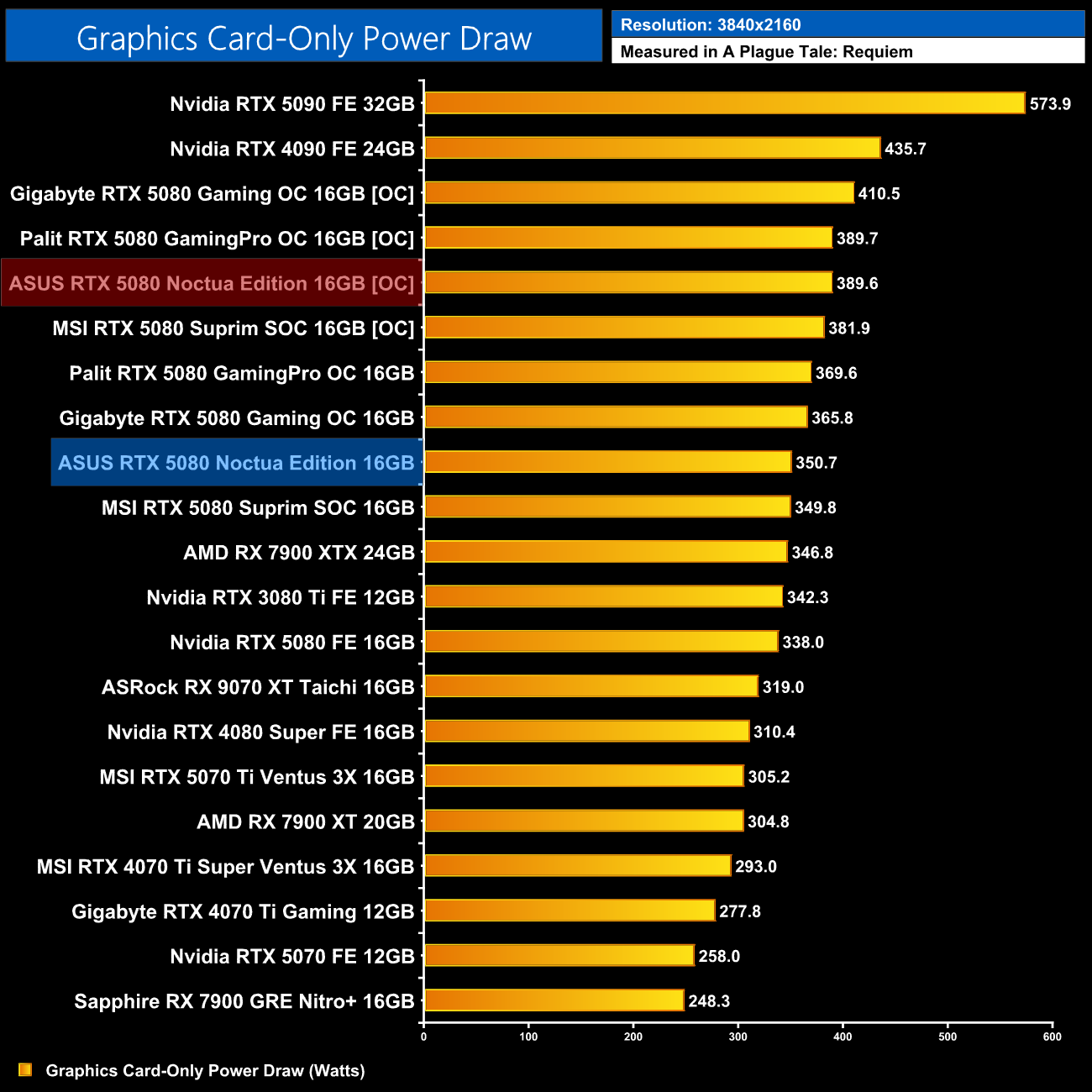
Power draw did also increase, but still didn't come close to the theoretical 450W maximum, instead pulling just under 390W in A Plague Tale: Requiem at 4K.
There's no doubt about it, the ASUS RTX 5080 Noctua Edition is one of the most technically proficient graphics cards we have ever tested at KitGuru. The level of engineering that allows for a triple fan setup, using 120mm NF-A12-x25 G2 models, alongside a heatsink that incorporates a vapour chamber and no less than eleven heatpipes, is highly, highly impressive.
That technological prowess is borne out by our testing results, too, as this is easily one of the quietest graphics cards we've ever tested, with the fans barely spinning above 600rpm using the default Quiet BIOS. That's while keeping GPU temperatures below 70C under a full 4K load, while noise-normalised thermals are the best we have seen from an RTX 5080.
However, as good as this card is from an objective sense, I feel it poses more questions than it has answers. Given its price of £1500 (!), for instance, how many people are really prepared to drop this much cash on an RTX 5080, but wouldn't step up to an RTX 5090, given they now start at below £2000?
In a similar vein, I find it strange that ASUS and Noctua continue to choose GPUs for these special collaborations that aren't the current flagship in Nvidia's lineup. First it was the Noctua Edition of the 3070 and 3080, then the 4080 and 4080 Super, and now the 5080. Surely if you're going to go all out on a unique design and cooler like this, it makes more sense to put it on the fastest consumer GPU that's currently available and make an RTX 5090 version.
I suspect the reason we haven't seen a 5090 model is because the extra power demands would mean adjusting the noise profile of the card, which neither ASUS or Noctua would want to do, but I still can't help but feel this card is stuck in somewhat of a no man's land. After all, RTX 5080 is not a whole lot faster than RTX 5070 Ti – generally in the region of 20% – and doesn't offer any more VRAM, despite this model coming in at well over twice the price of some 5070 Ti cards.
We also can't ignore the fact the rumour mill has been churning out more and more RTX 5080 Super leaks, suggesting a 24GB model may be launching by the end of the year. I appreciate things move fast in this industry and there's always something new on the horizon, but I can imagine a potential customer would be pretty peeved to drop £1.5K on a 5080 now, only for a new model with 50% more VRAM to launch by Q4.
Ultimately, the ASUS RTX 5080 Noctua Edition is a highly impressive feat of engineering, but to actually ask customers to go out and spend £1500 on one of these – which is now a 65% premium over MSRP – does feel somewhat ridiculous. If you want one and can afford it, I have no doubt you'll be happy with it, but I don't think I'd ever understand why you wouldn't just grab an RTX 5090 instead.
Update: After going live, Noctua got in touch and told us they would ‘love' to make an RTX 5090 version, but it's not quite so simple. We published an article detailing their statement, and what the company thinks a speculative RTX 5090 Noctua Edition might look like, over HERE.
We found it listed on Scan for £1500 HERE.
Pros
- Ridiculously quiet.
- Best in class noise-normalised thermals.
- First graphics card to feature three 120x25mm fans.
- Noctua fanboys will love the aesthetic.
- Overclocked very well.
Cons
- Enormous price increase over the RTX 5080 MSRP.
- Is anyone spending £1500 on this but not dropping a few hundred more to get an RTX 5090?
- Physically massive – quad-slot thickness and almost 40cm long.
KitGuru says: It's technically impressive and a great showcase, but I'm not sure it makes a whole lot of sense to go out and buy.