KitGuru KitGuru.net – Tech News | Hardware News | Hardware Reviews | IOS | Mobile | Gaming | Graphics Cards


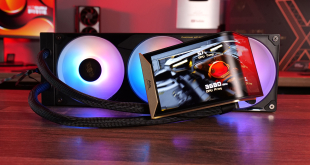
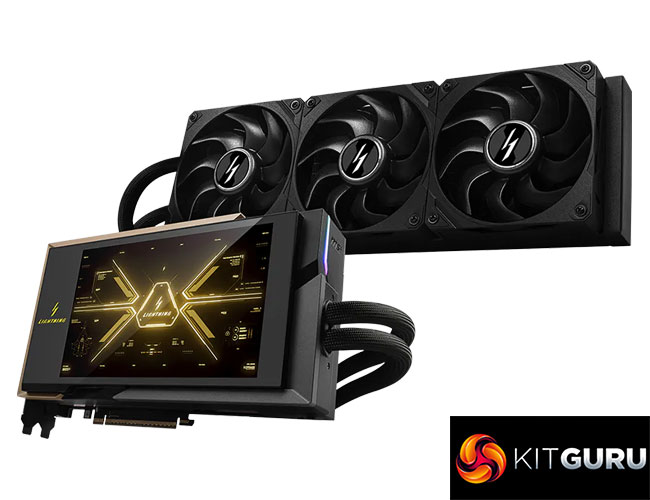
Today we are checking out what is undoubtedly the most insane graphics card to pass through the KitGuru labs – MSI’s RTX 5090 Lightning Z. Not only is it cooled with a 360mm AIO, but MSI says it's the world's first graphics card with an 8in LCD screen, while it also offers an Extreme BIOS that is rated for up to 1000W. That’s only scratching the surface of what this card has up its sleeve, though, so let’s dive in and take a closer look at this beast of a GPU.
Timestamps:
00:00 Intro
00:44 Pricing and key info
01:34 Unboxing and first impressions
02:20 Design features
03:32 PCB and cooler details
04:38 Screen close-up
05:39 Test setup
06:13 Clock speed and game benchmarks
07:01 Thermals + acoustics
08:27 Power draw – we hit 1076W!
10:27 Current readings + thermal imaging
11:04 Manual overclocking
11:40 Closing thoughts
First things first, we are not calling this article a ‘review', simply because it is impossible to offer buying advice for a graphics card like this. Not only is it Limited Edition, with only 1300 units manufactured worldwide, but we were also told only 30 of those are coming to the UK retail channel. And what’s more, the MSRP is an eye-watering £4999, so basically five grand. That alone is absolutely absurd, especially when considering the fact you could build a whole system with an air-cooled 5090 for less money…
Nonetheless, it’s an extremely interesting GPU to analyse from a technical perspective, even if basically no one will be able to buy one, so let's see what it can do…
| RTX 5090 | RTX 5080 | RTX 4090 | RTX 4080 Super | RTX 4080 | |
| Process | TSMC N4 | TSMC N4 | TSMC N4 | TSMC N4 | TSMC N4 |
| SMs | 170 | 84 | 128 | 80 | 76 |
| CUDA Cores | 21760 | 10752 | 16384 | 10240 | 9728 |
| Tensor Cores | 680 | 336 | 512 | 320 | 304 |
| RT Cores | 170 | 84 | 128 | 80 | 76 |
| Texture Units | 680 | 336 | 512 | 320 | 304 |
| ROPs | 176 | 112 | 176 | 112 | 112 |
| GPU Boost Clock | 2407 MHz | 2617 MHz | 2520 MHz | 2550 MHz | 2505 MHz |
| Memory Data Rate | 28 Gbps | 30 Gbps | 21 Gbps | 23 Gbps | 22.4 Gbps |
| L2 Cache | 98304 KB | 65536 KB | 73729 KB | 65536 KB | 65536 KB |
| Total Video Memory | 32GB GDDR7 | 16GB GDDR7 | 24GB GDDR6X | 16GB GDDR6X | 16GB GDDR6X |
| Memory Interface | 512-bit | 256-bit | 384-bit | 256-bit | 256-bit |
| Memory Bandwidth | 1792 GB/Sec | 960 GB/Sec | 1008 GB/Sec | 736 GB/Sec | 716.8 GB/Sec |
| TGP | 575W | 360W | 450W | 320W | 320W |
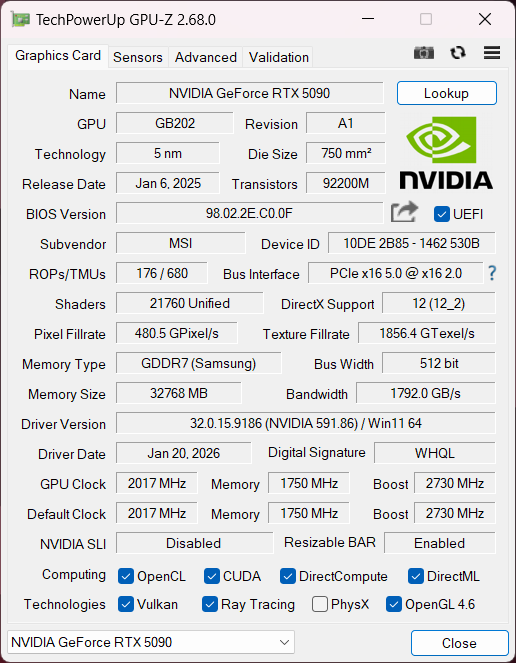
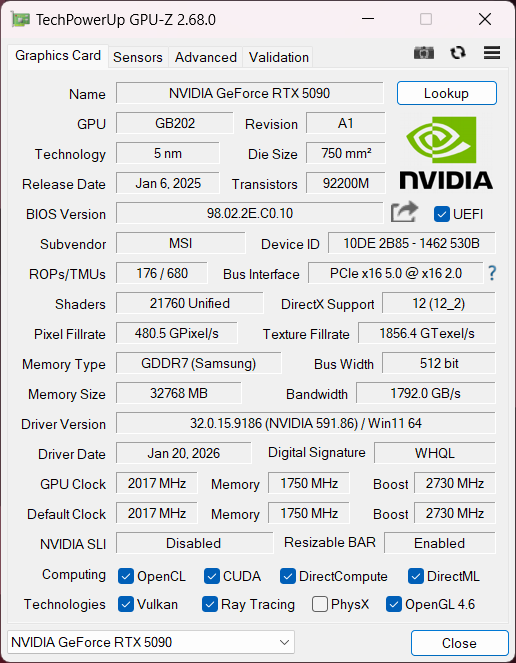
OC BIOS, left, Extreme BIOS, right
First, a quick spec recap. The RTX 5090 is built on the new GB202 die, measuring 750mm2, though it's not quite a full implementation of the silicon. Instead we find a total of 11 Graphics Processing Clusters (GPCs), each holding up to eight Texture Processing Clusters (TPCs), for a total of 85. Each TPC is home to two Streaming Multiprocessors (SMs), giving us 170, and each SM still holds 128 CUDA Cores, meaning the RTX 5090 has an eye-watering total of 21760 shaders. We also find 170 RT cores, 680 Tensor cores, 680 Texture Units, and 176 ROPs.
This time around, however, there's no node-shrink, and GB202 remains fabricated on TSMC's N4 node, as per the RTX 40-series. As such, rated clock speed is not increased this generation and is actually touted slightly below that of the RTX 4090, with the RTX 5090 delivering a rated 2407MHz boost clock, compared to its predecessor's 2520MHz boost.
The memory configuration has seen significant upgrades, though. The RTX 5090 now comes equipped with a super-wide 512-bit memory interface, paired with 32GB GDDR7 memory running at 28Gbps, and that puts total memory bandwidth at a staggering 1792 GB/s. L2 cache is also increased to 98MB, up from the 74MB of the RTX 4090.
Considering the large increases to die size and core count, but with no node shrink, it's perhaps unsurprising to see power draw has increased, this time boasting a 575W TGP. This is something we focus on closely in this article, using our enhanced GPU power testing methodology, so read on for our most detailed power and efficiency testing yet.
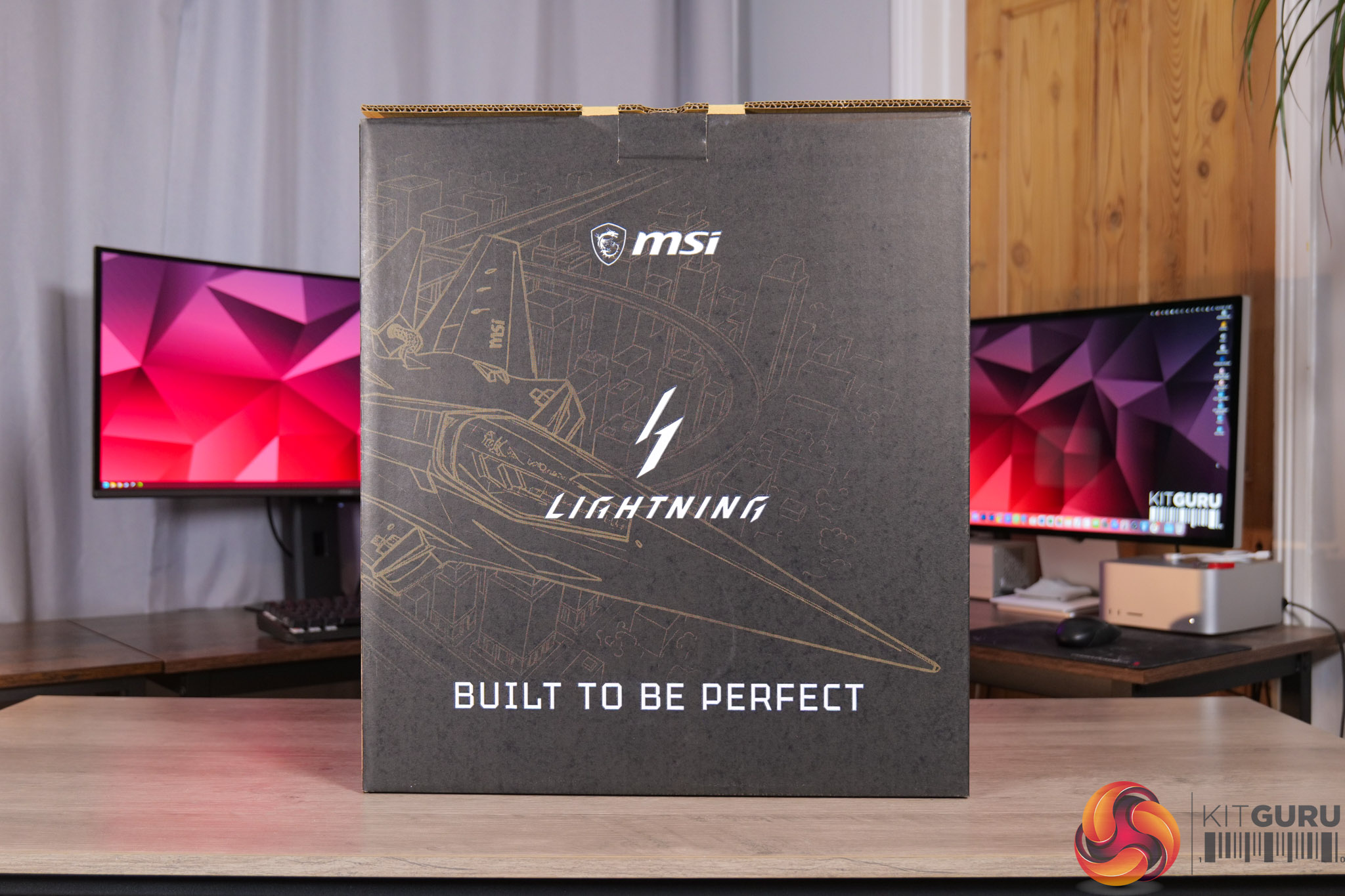
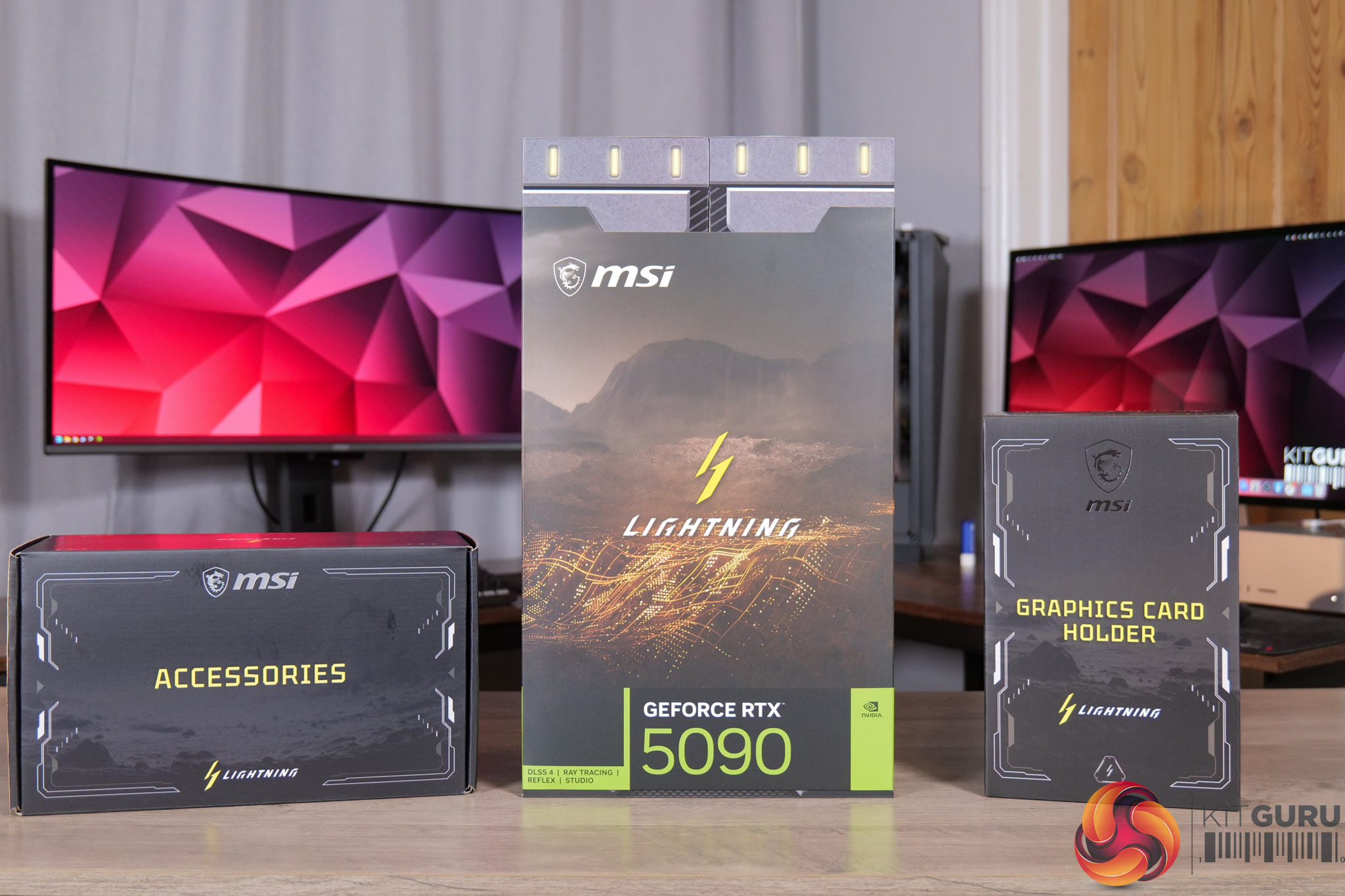
First things first, the unboxing experience. The MSI RTX 5090 Lightning Z comes in a huge box, and inside that we find three more.
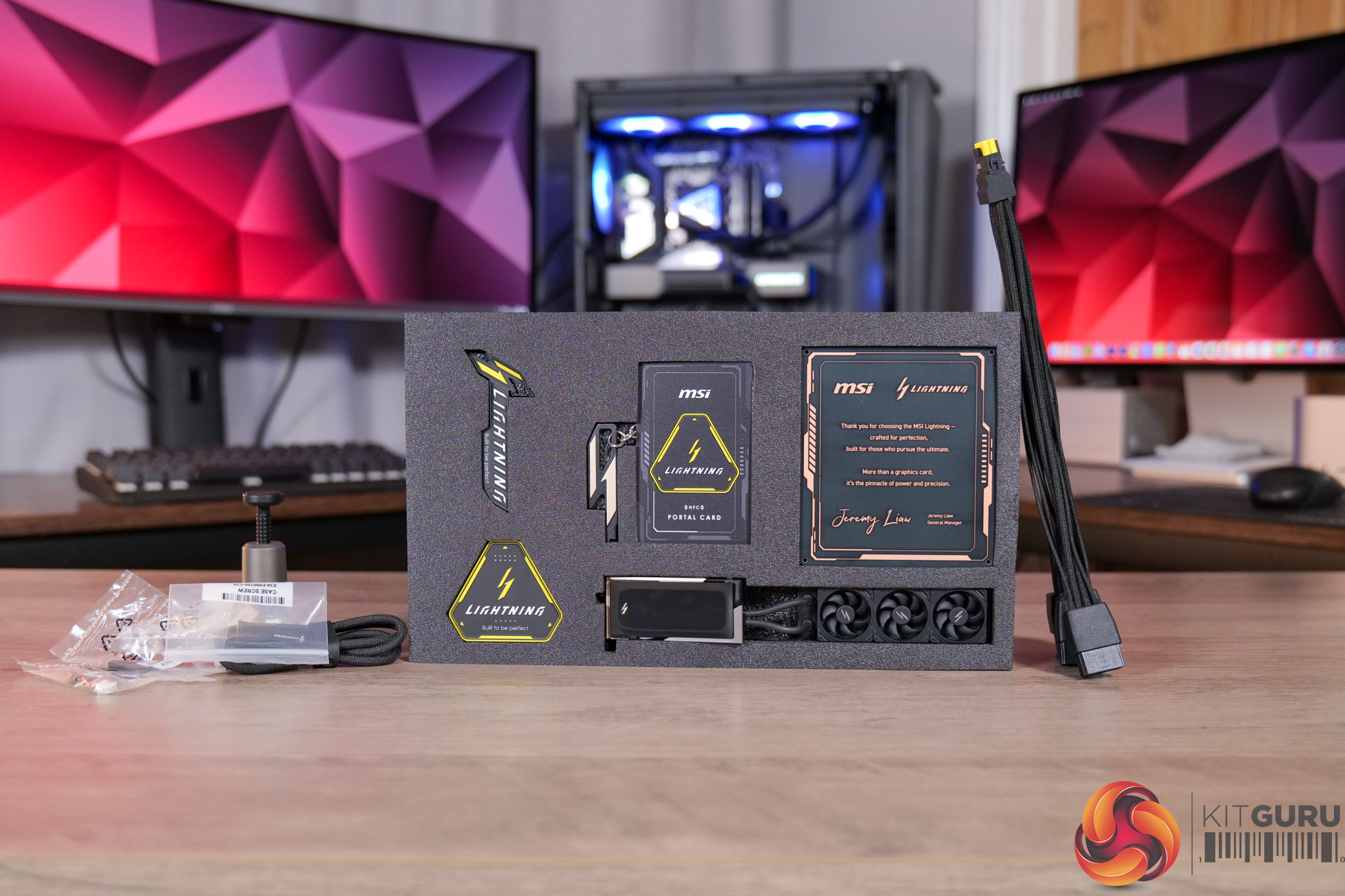
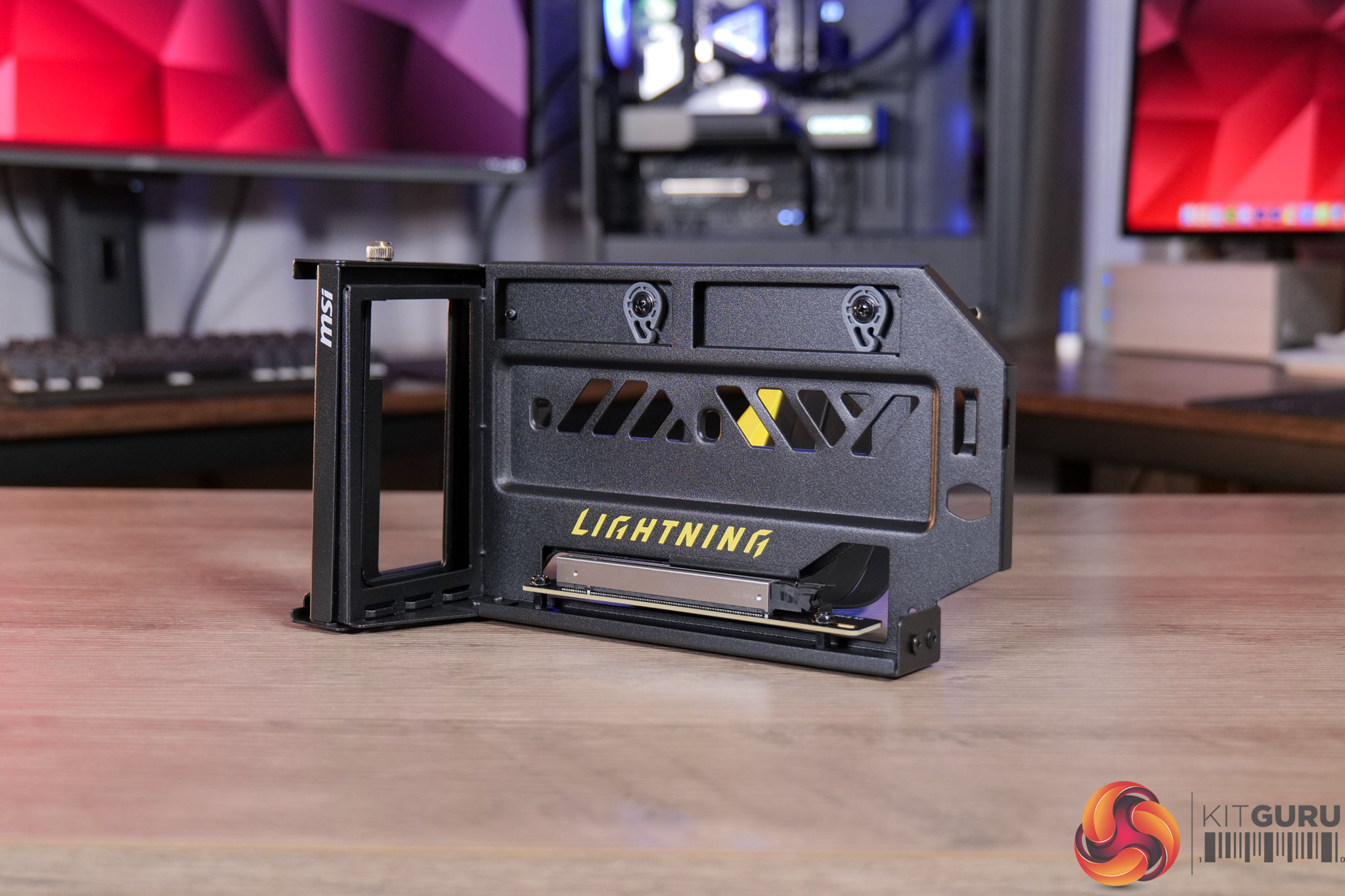
One houses all of the accessories, while the other is home to the graphics card holder – a neat inclusion that lets you vertically mount the card, even if your case doesn't natively support that feature.
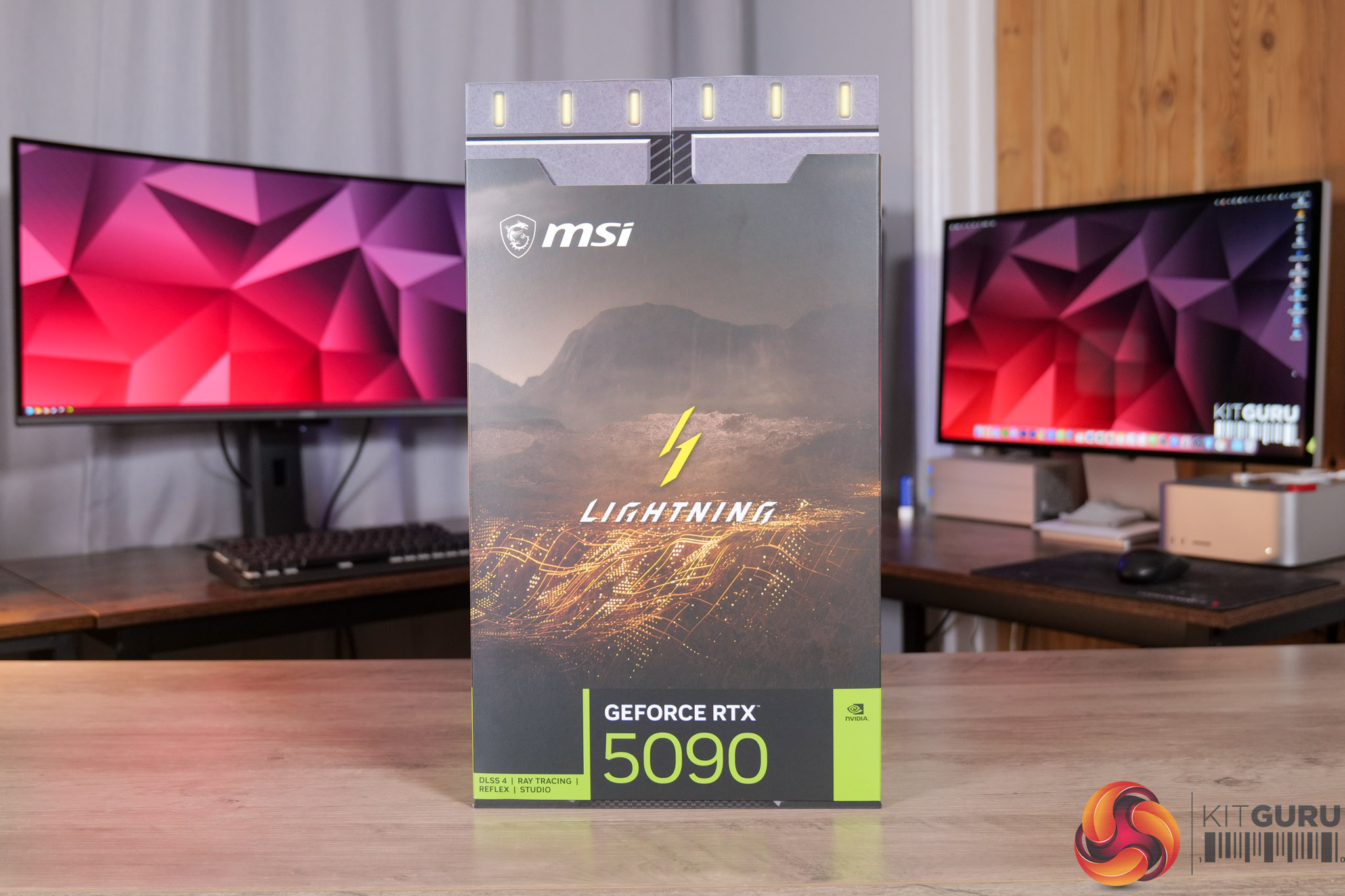
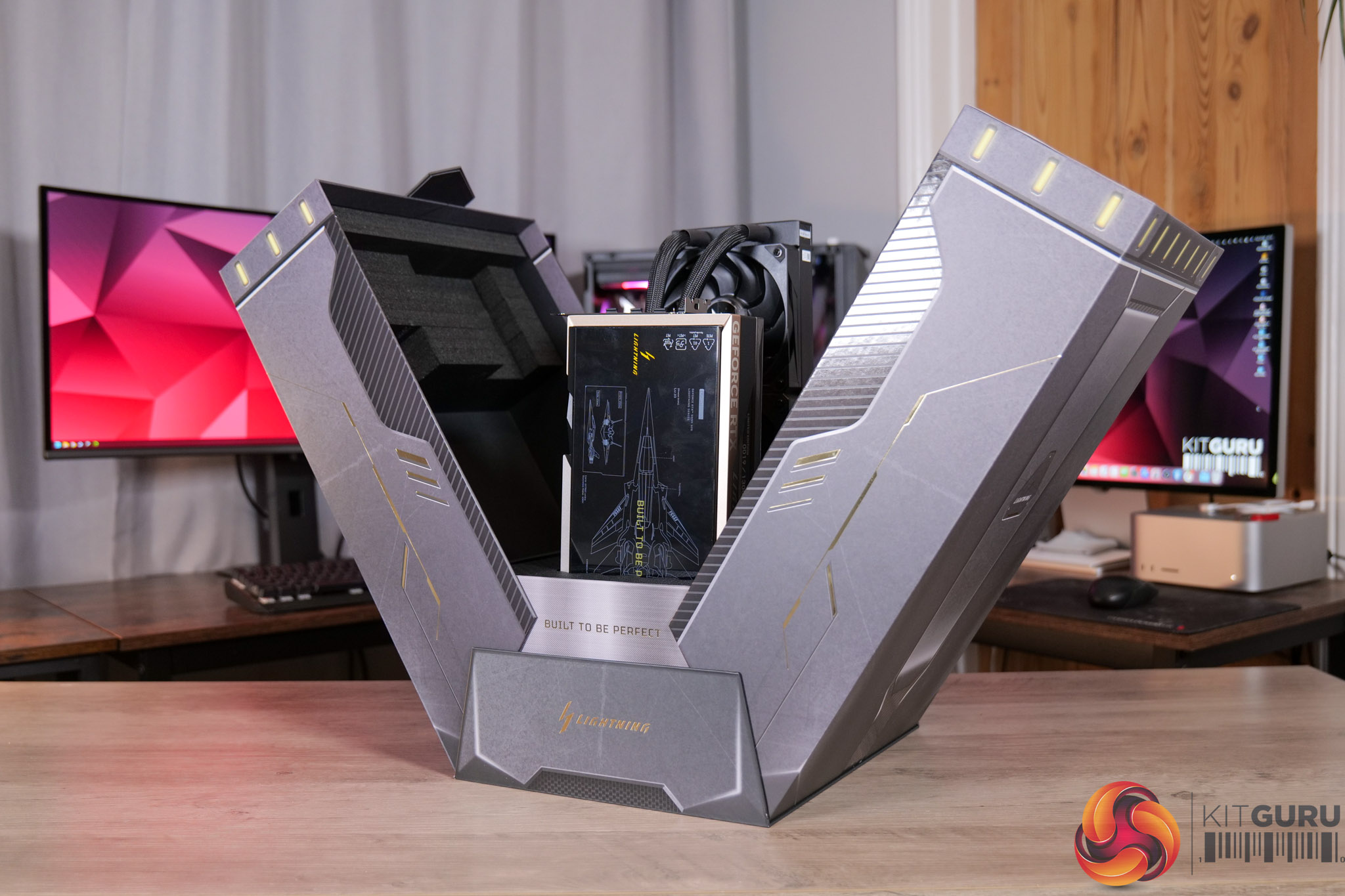
Then we come to the graphics card box, which opens outwards, somewhat like a spaceship.
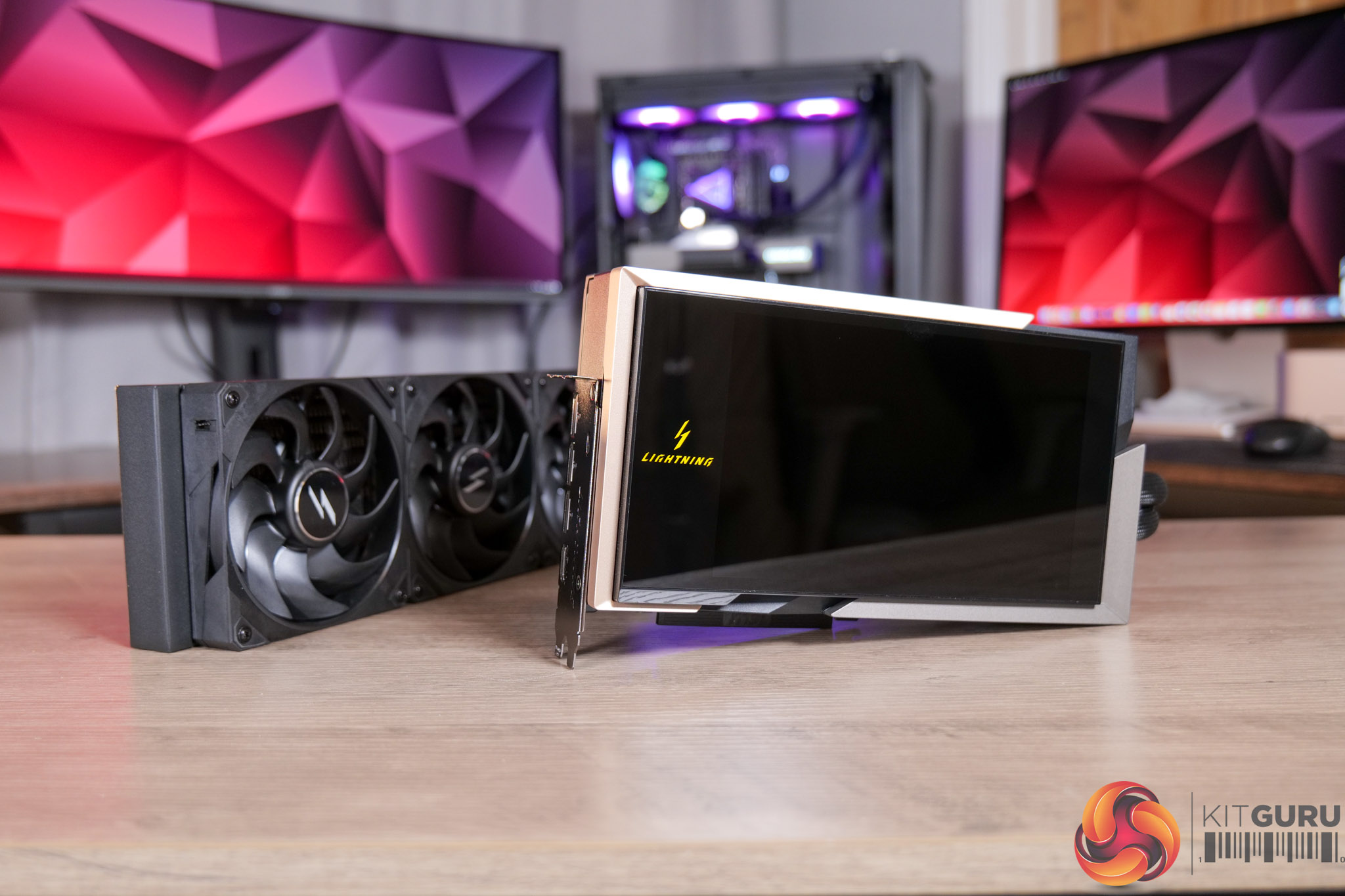
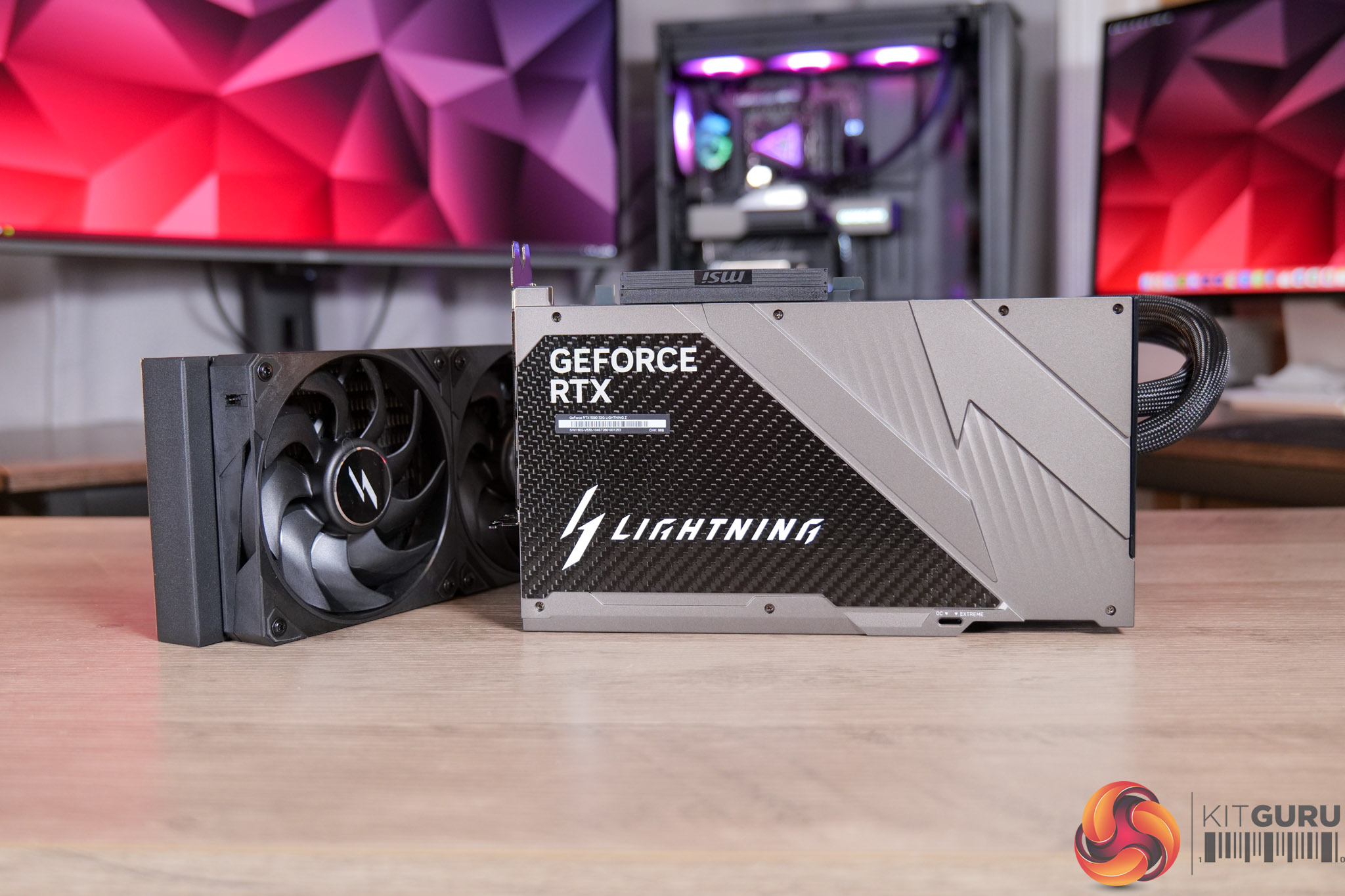
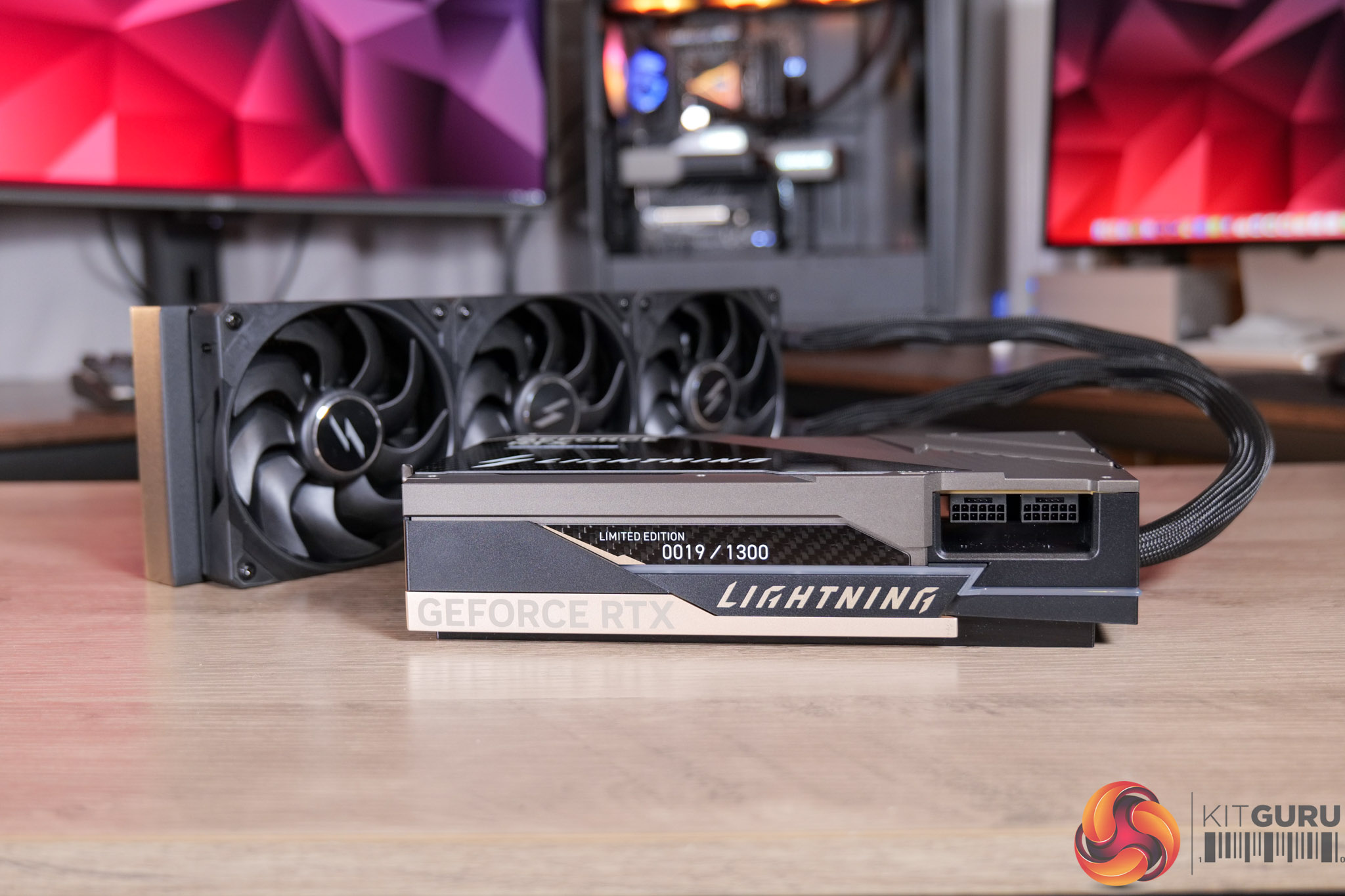
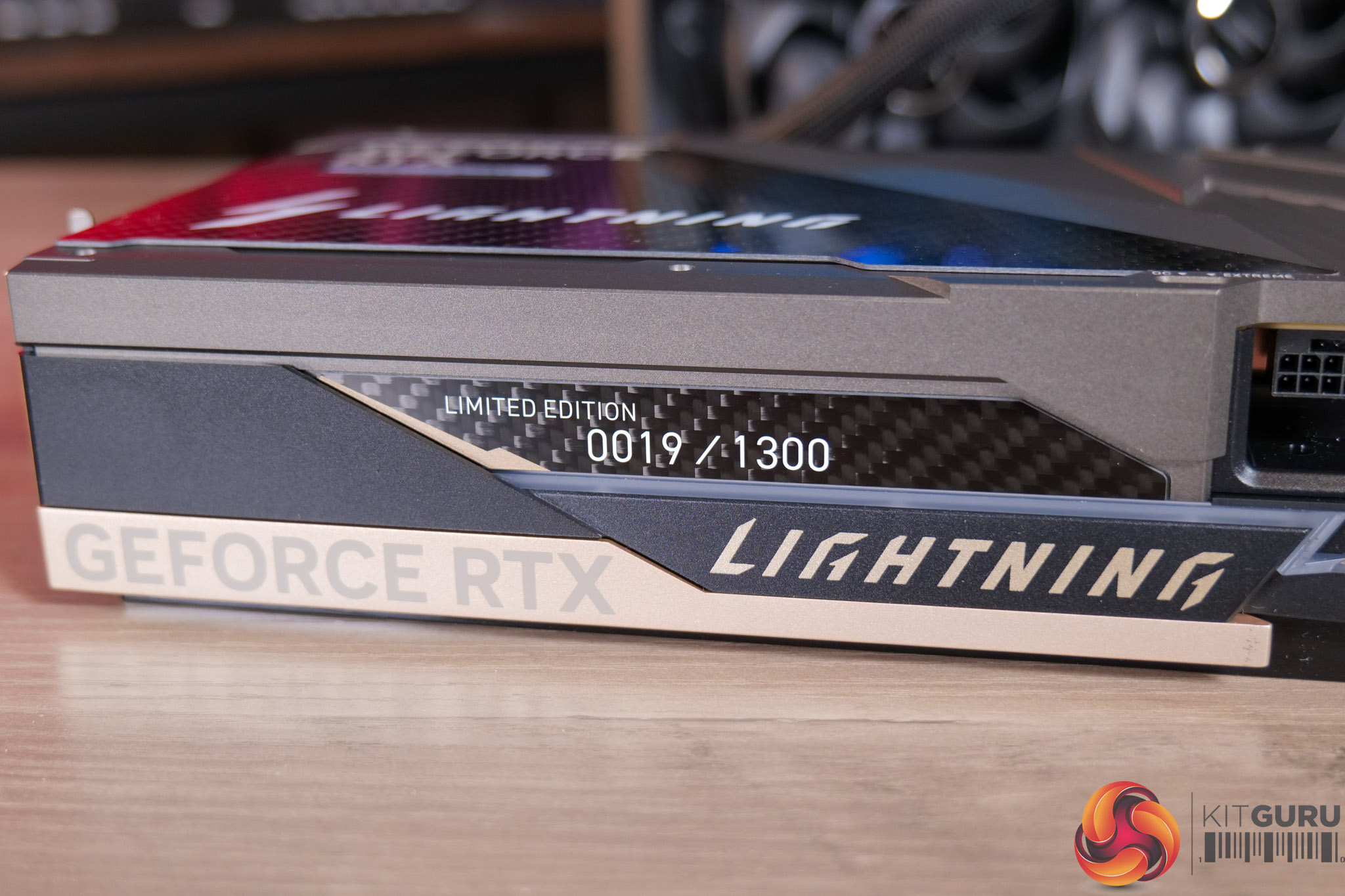
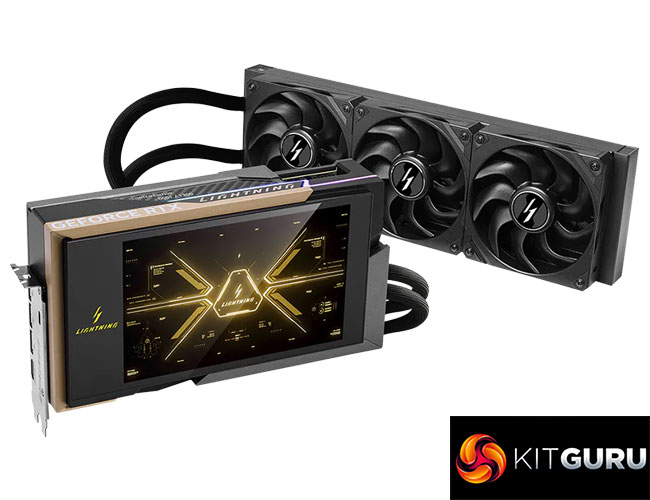
The card itself is, fundamentally, a liquid-cooled graphics card with a 360mm AIO attached, but it's clearly not just any GPU with an AIO. The shroud is given over, almost entirely, to the 8in LCD which is customisable via MSI's Lightning web hub.
There's also a die-cast aluminium backplate, accented with a large piece of carbon fibre, giving it a classy yet still somewhat ‘gamer-y' aesthetic. That extends to the front side of the card too, with the Lightning logo, while there’s also a badge indicating the Limited Edition number.
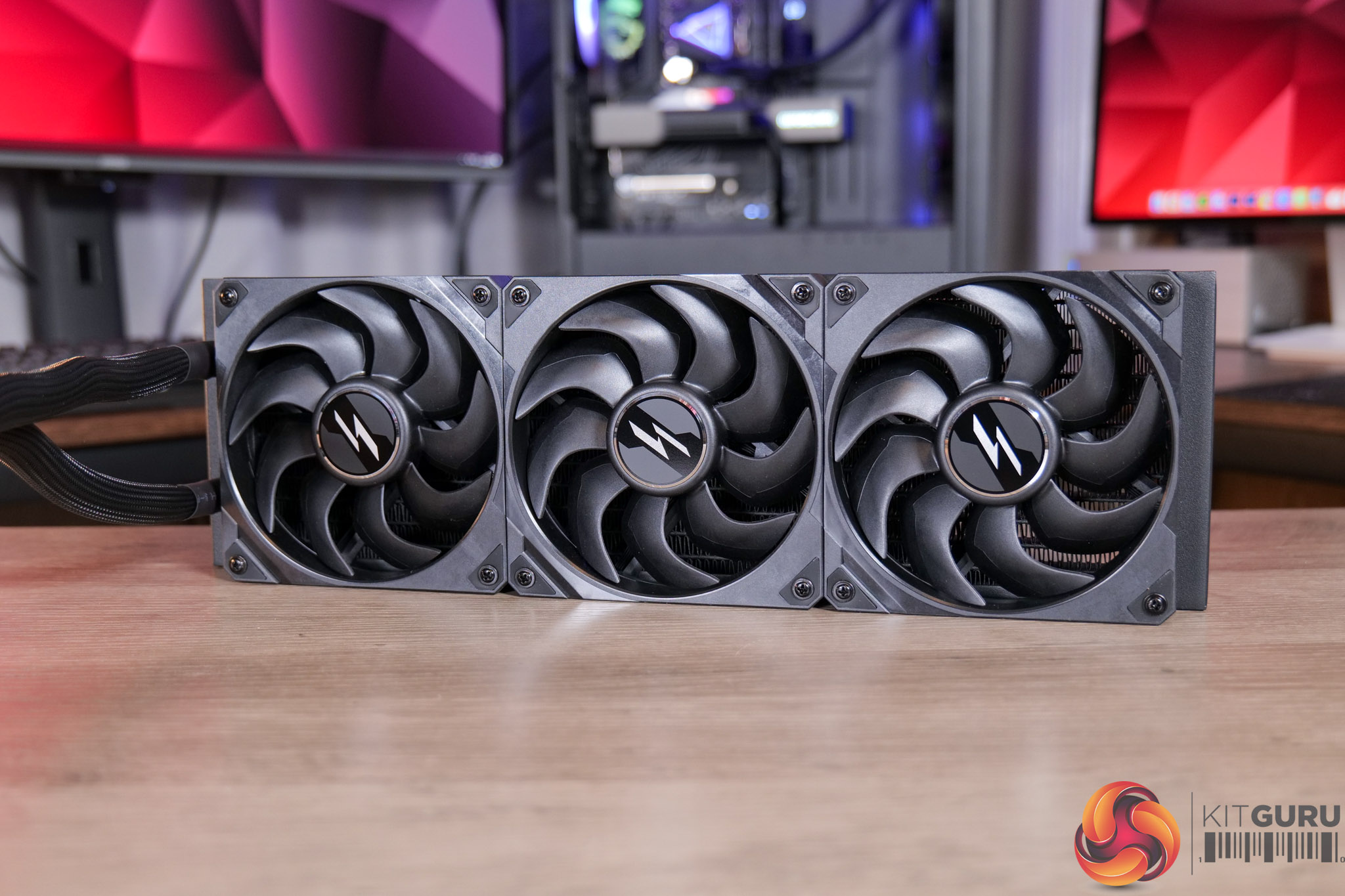
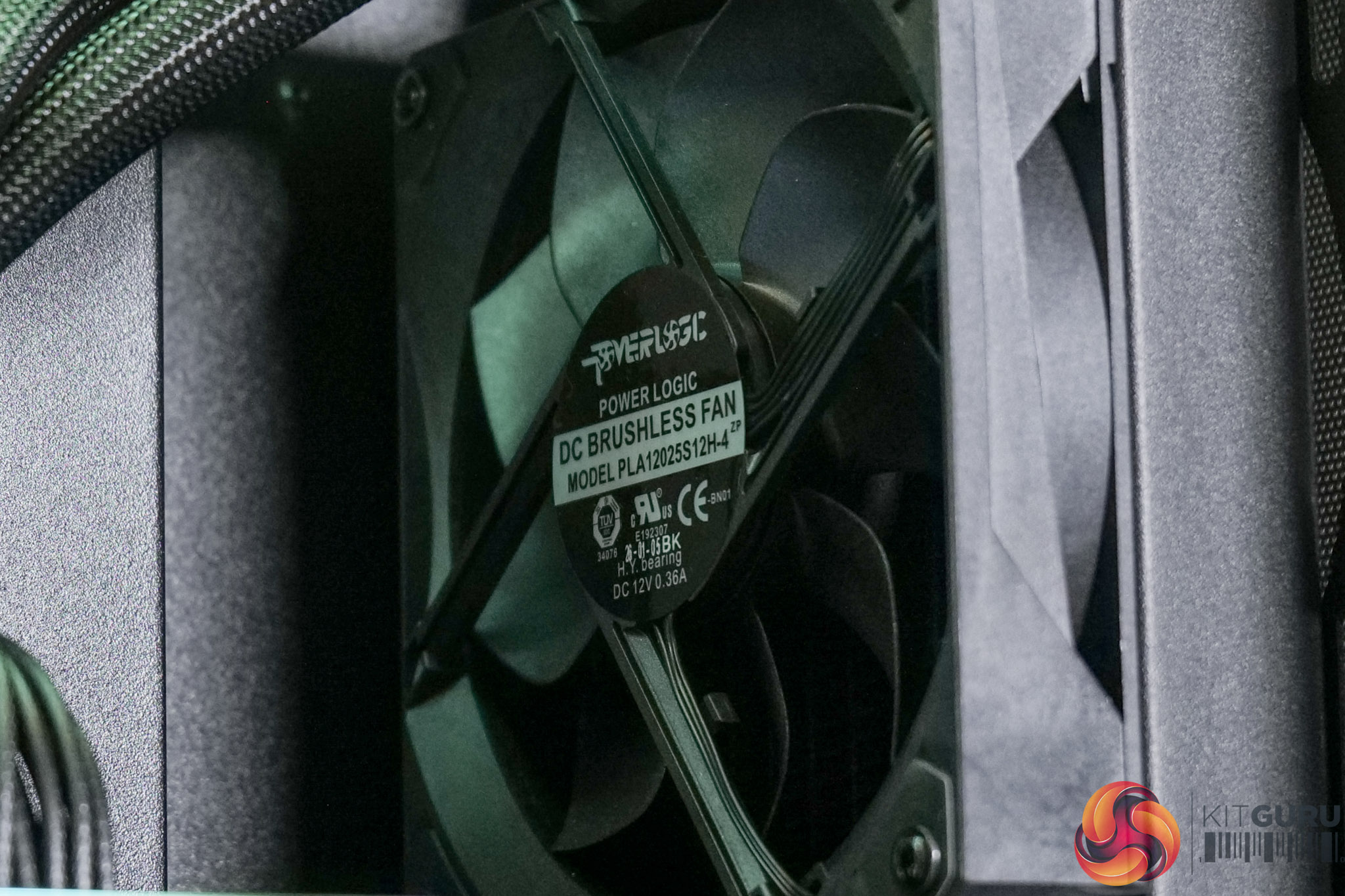
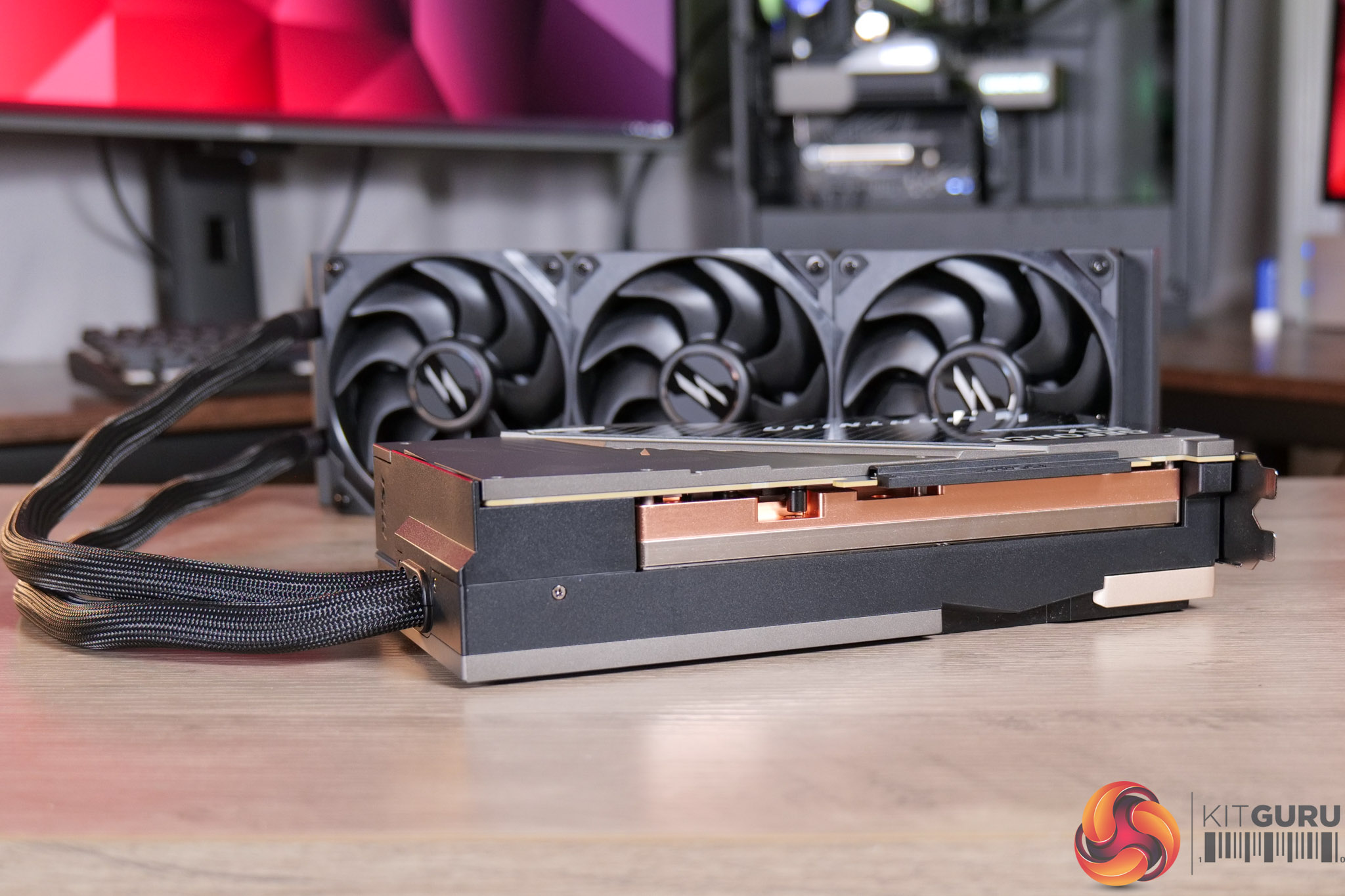
The AIO, meanwhile, is pretty conventional, being 360mm in size, and MSI are using three of their Lightning-branded fans, which the company claims are manufactured from Liquid Crystal Polymer. The labels indicate they are manufactured by Powerlogic.
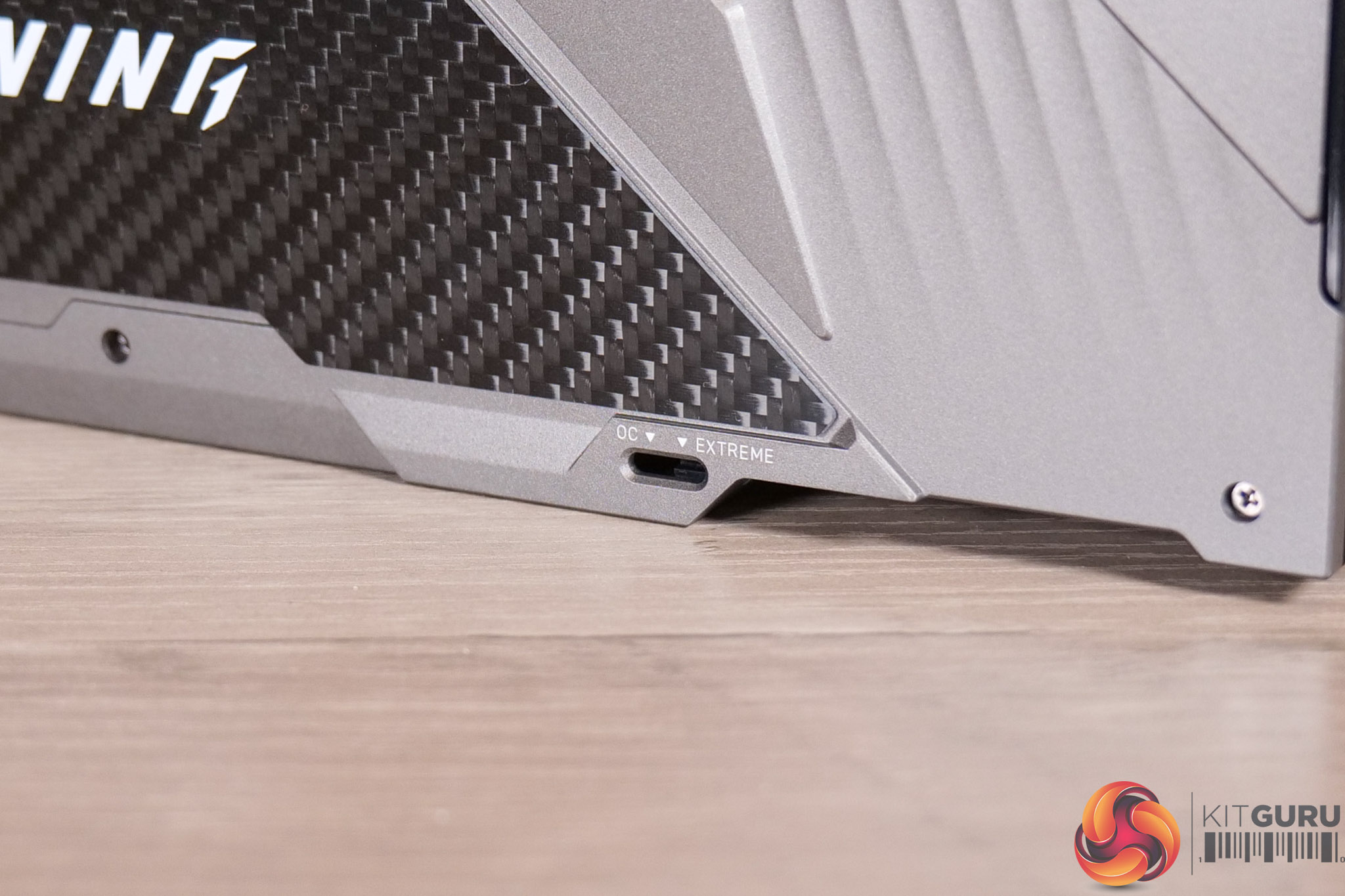
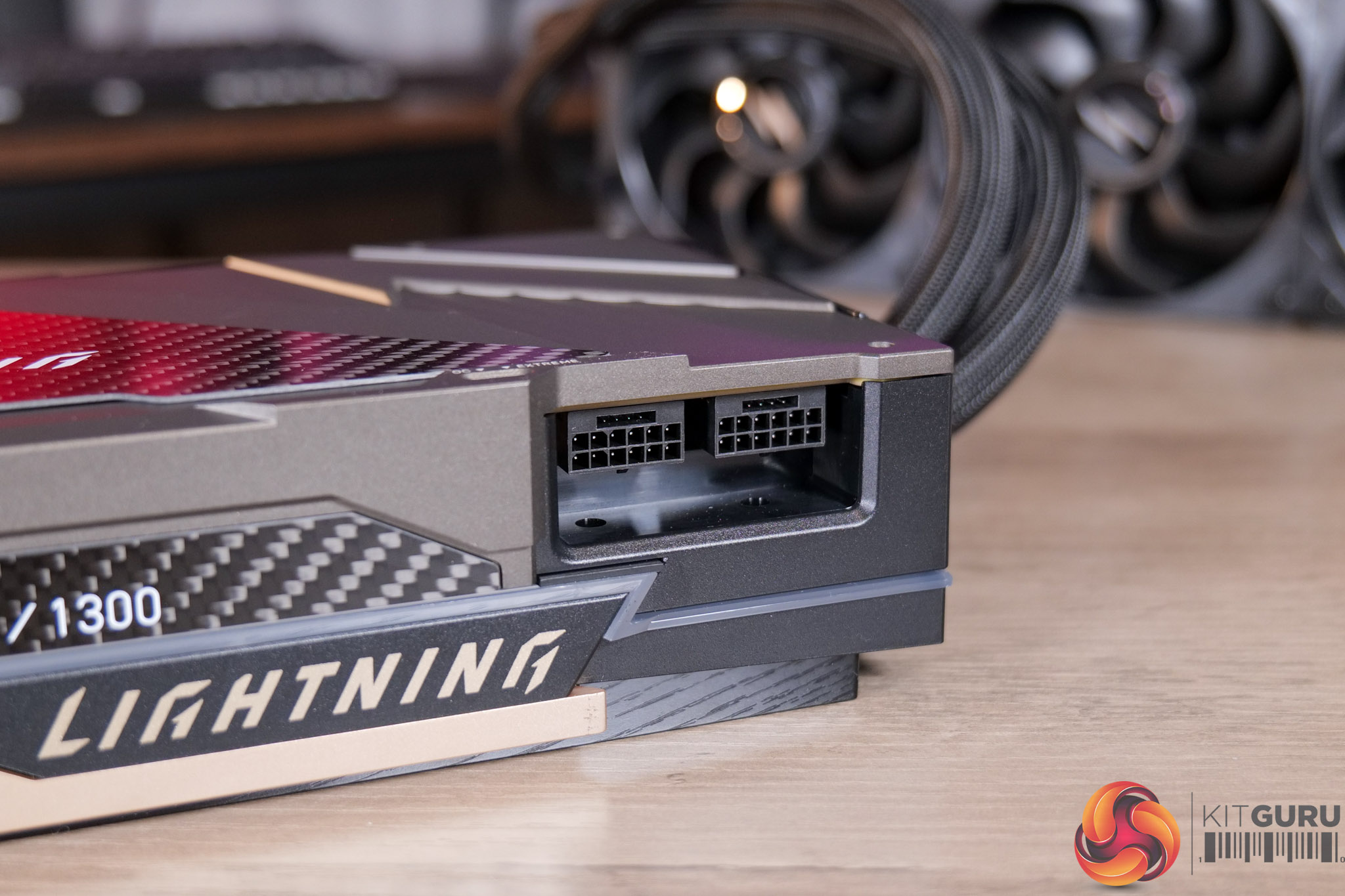
Other things to note include the BIOS switch, with users given a choice of the OC or Extreme modes, Extreme being the one that pushes the power limit to 1000W. Obviously that means a single 600W 12V-2×6 connector is not enough, so MSI doubled up and included two of them, and we do a lot of power testing later in the article.
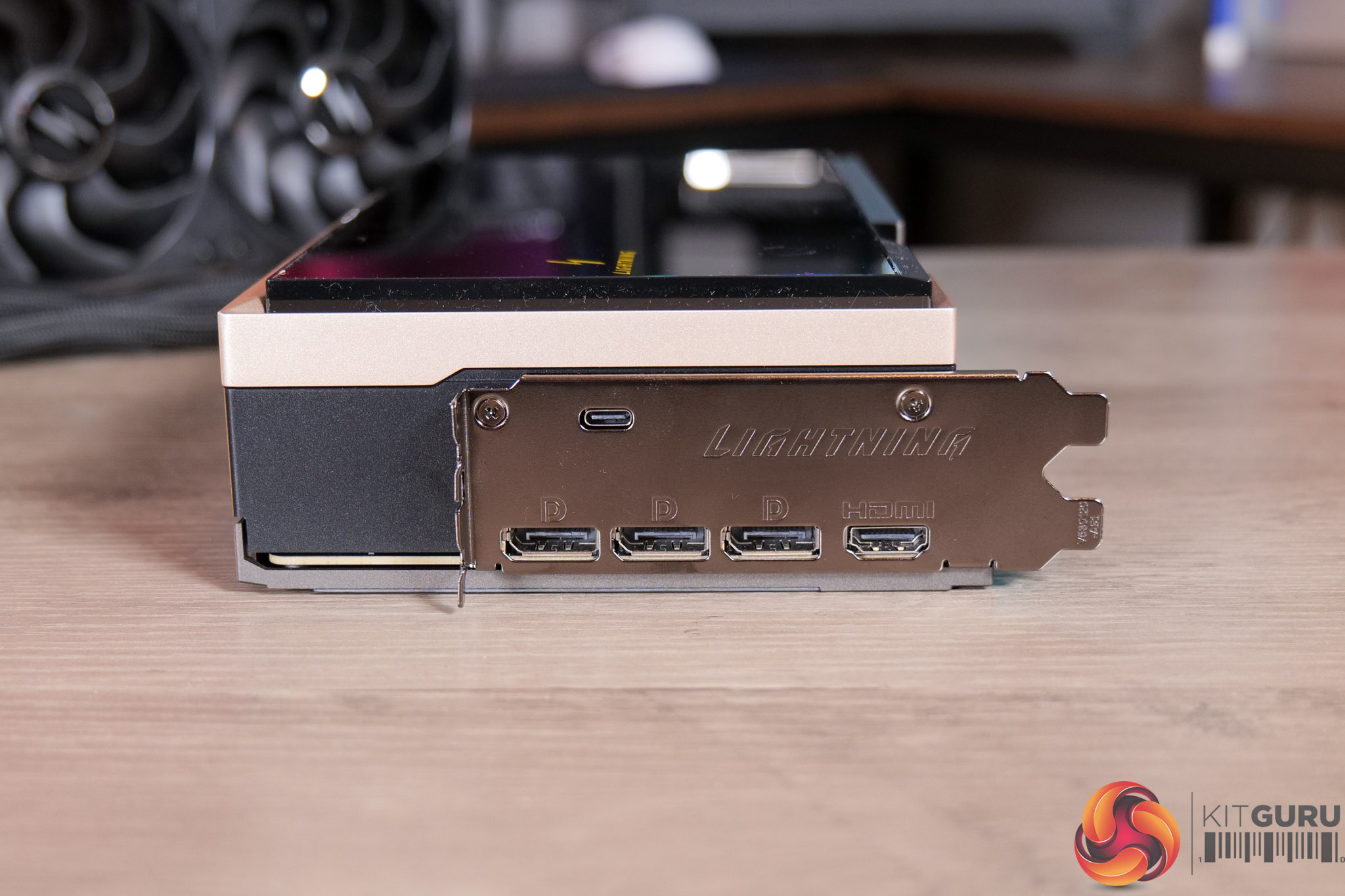
We can also note the I/O, with the standard 3x DP 2.1 and 1x HDMI 2.1, alongside a USB-C, which is used to connect the GPU’s built-in screen.
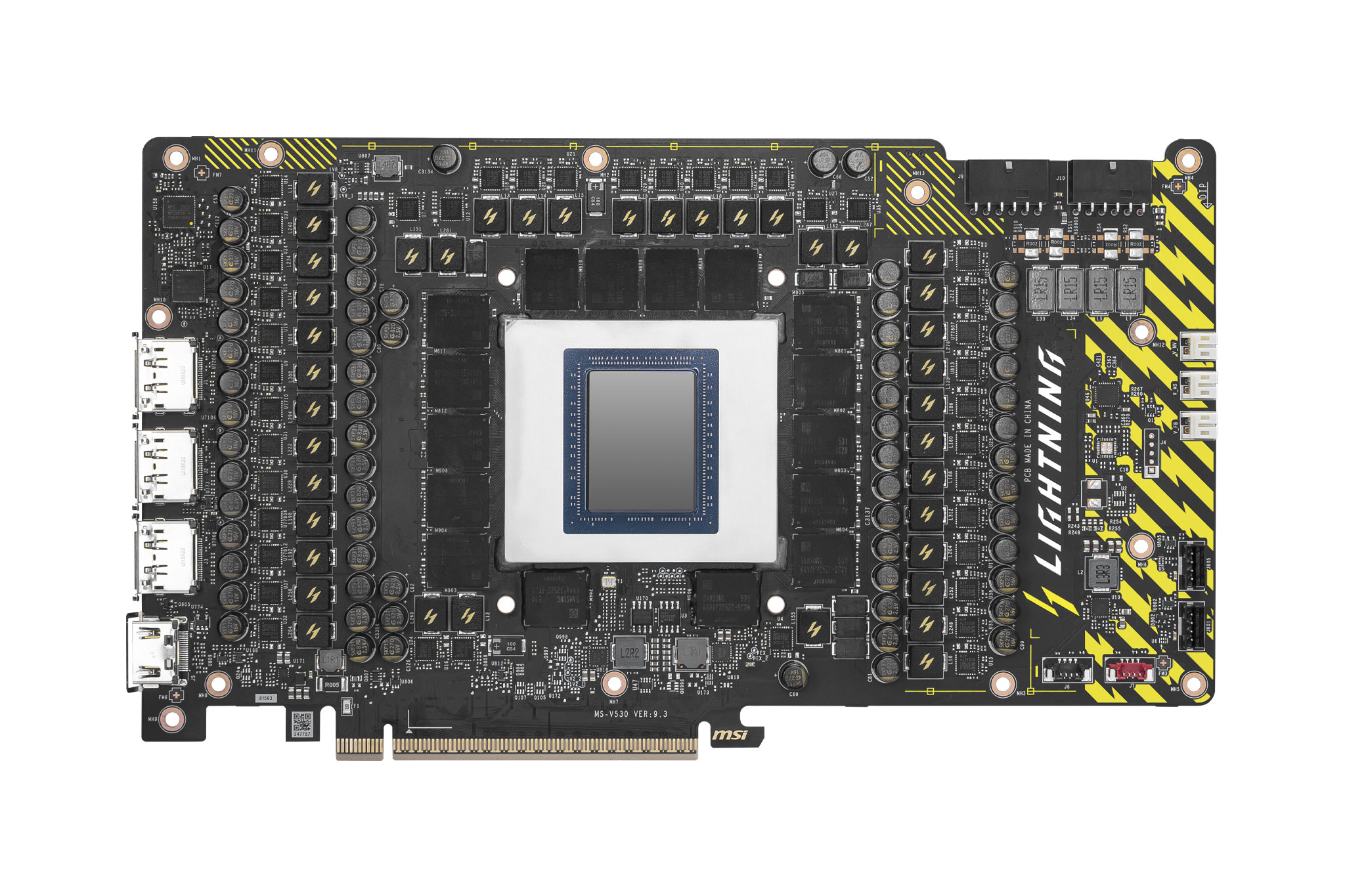
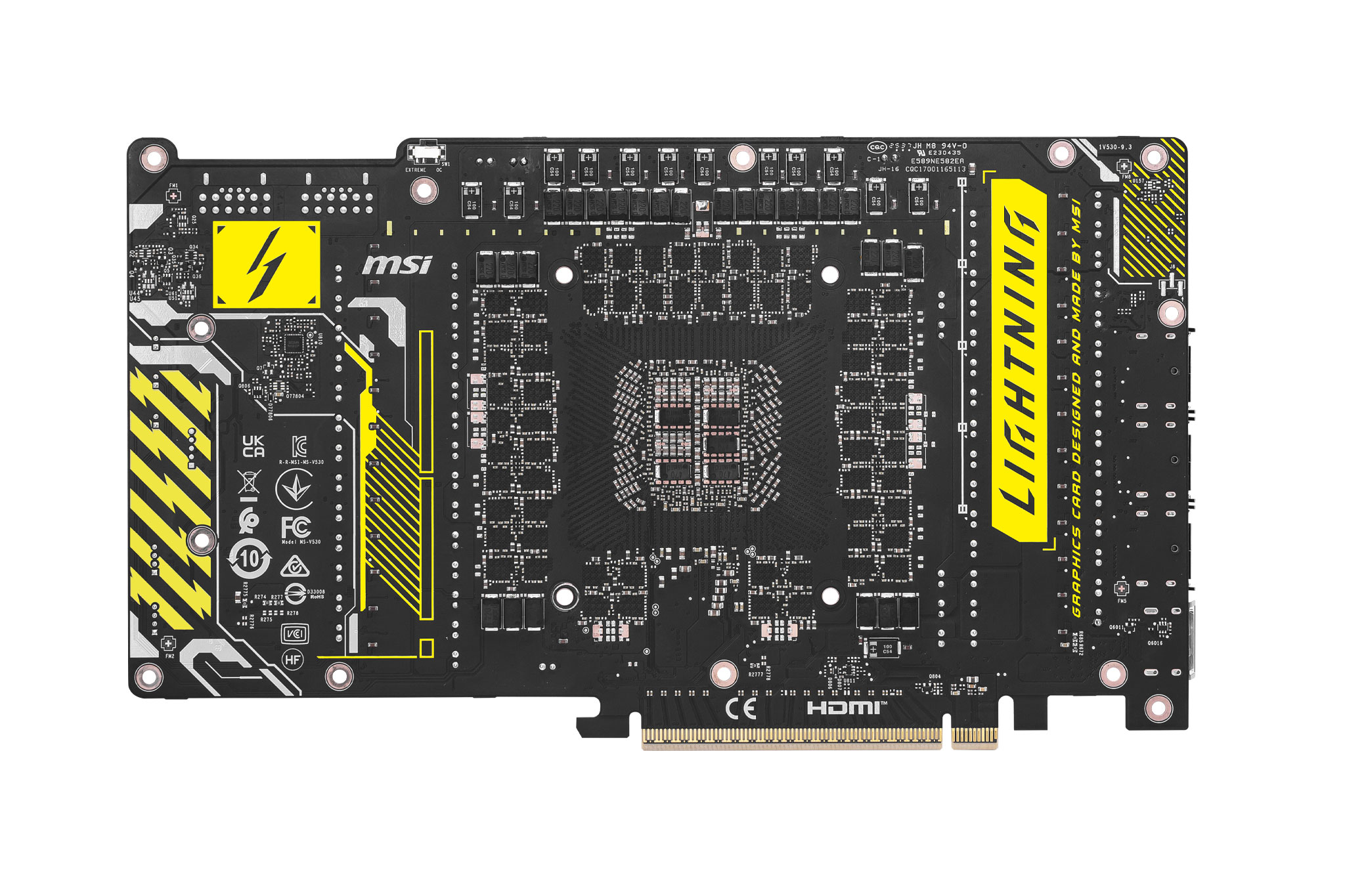
Images above provided by MSI
In terms of the PCB, I didn’t disassemble the card for this analysis, but MSI did send us the above PCB shots, and it is clearly an absolute monster of a design. We can see a total of 40 Monolithic Power Systems MP87661 60A MOSFETs, as well as a pair of Monolithic MP29816-A controllers. For reference, the MSI 5090 Suprim SOC is a total 29-phase design, so this is a huge step up. There’s even voltage check points on the end of the PCB, with the included cables allowing users precise voltage readings for those who want to control every aspect when overclocking.
MSI didn’t send us any pictures of the internal block, but we can see from the website it’s a full cover approach, cooling GPU, VRAM and MOSFETs. It's also a copper block that spans the length of the PCB, which we can see from the side of the card.
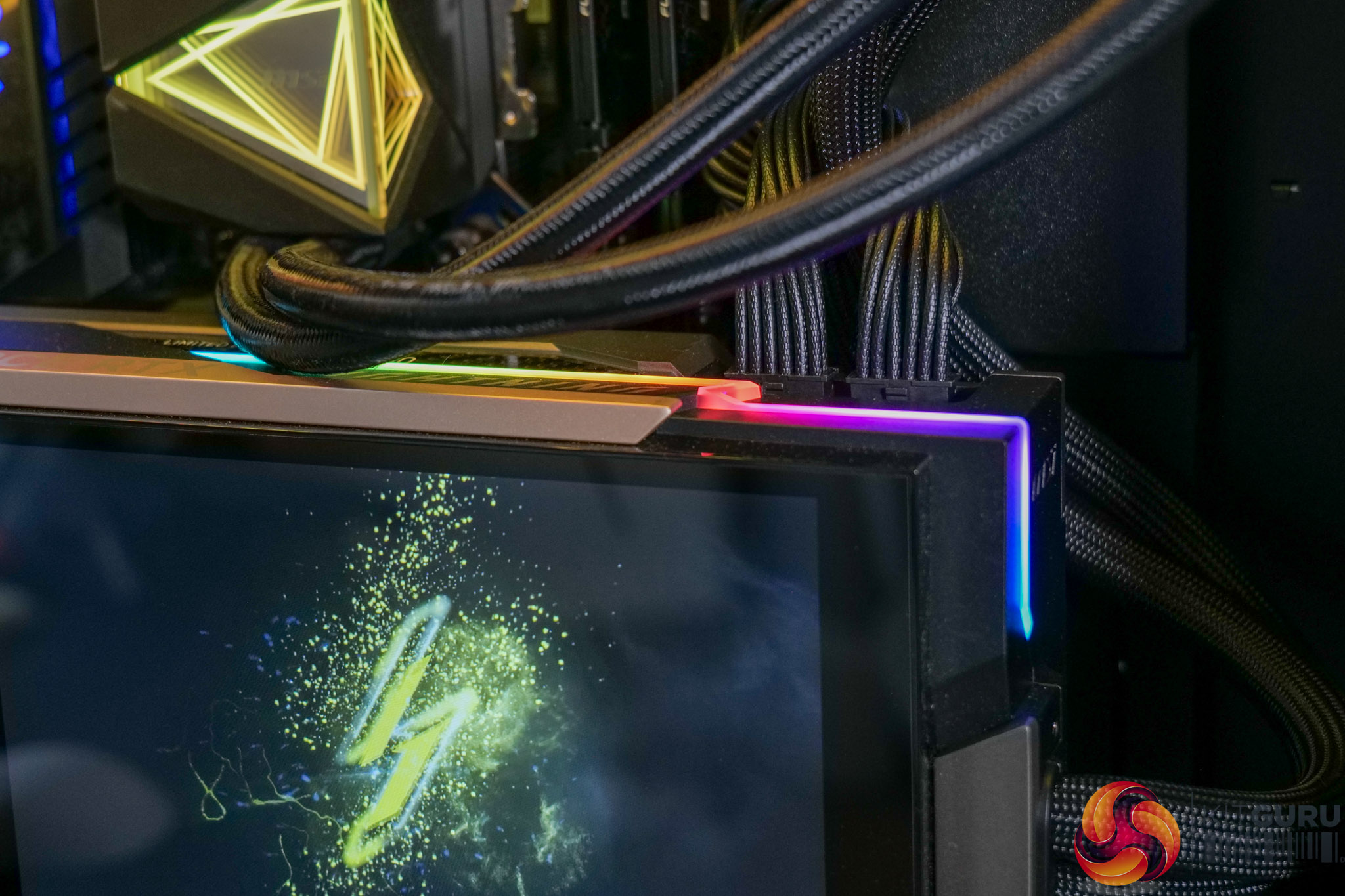
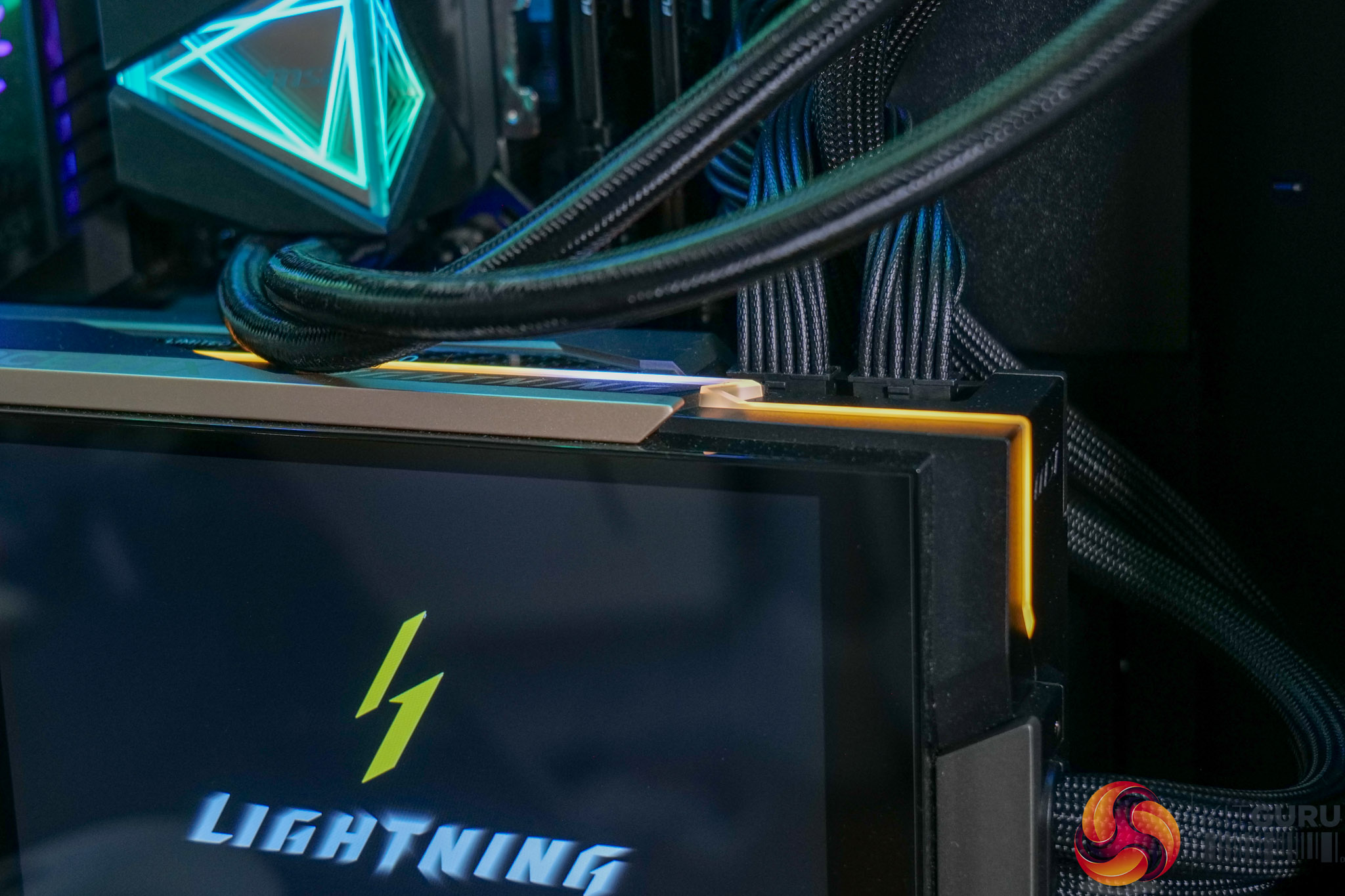
There's also RGB lighting that can be customised via the Lightning web hub.
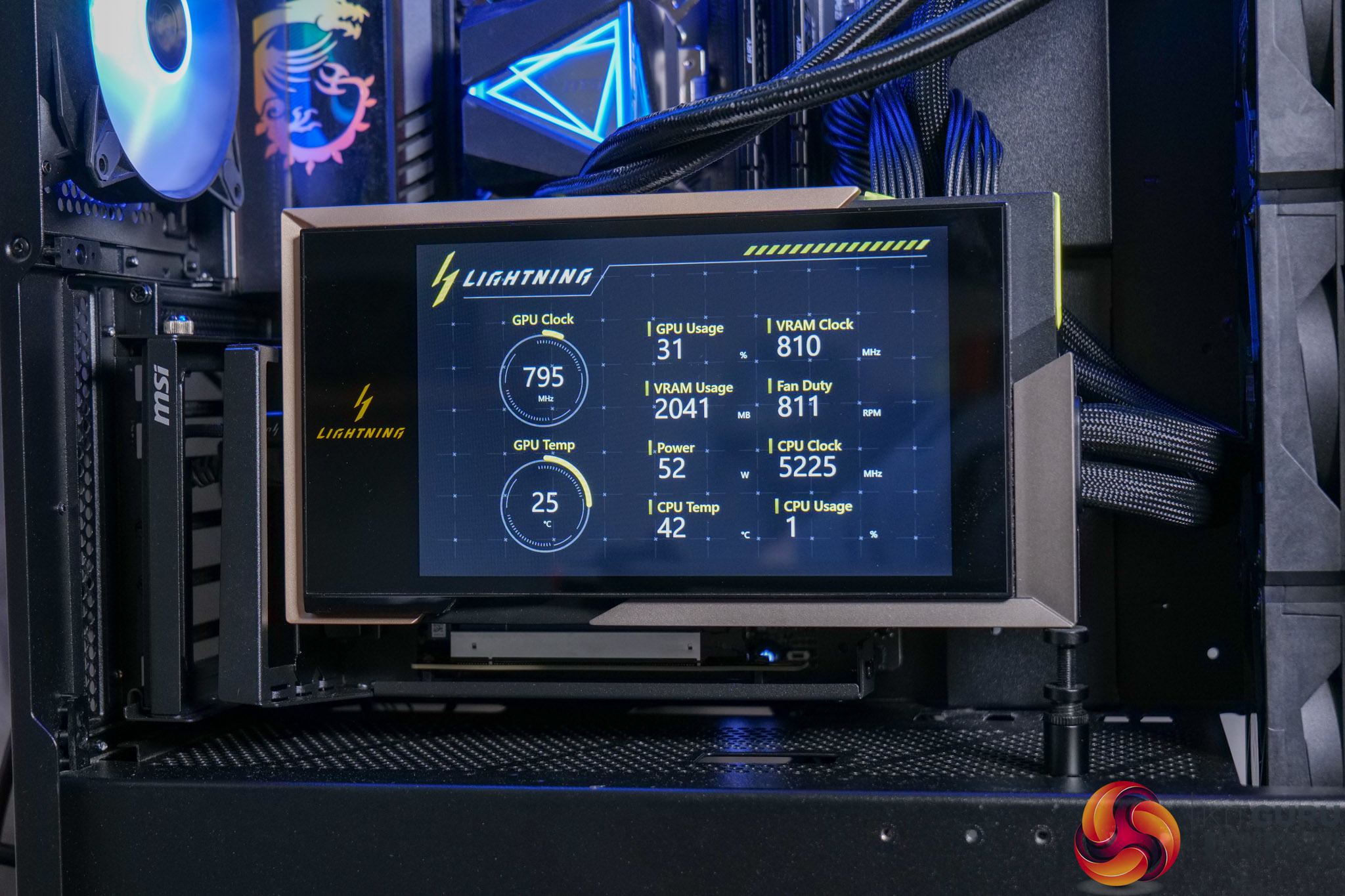
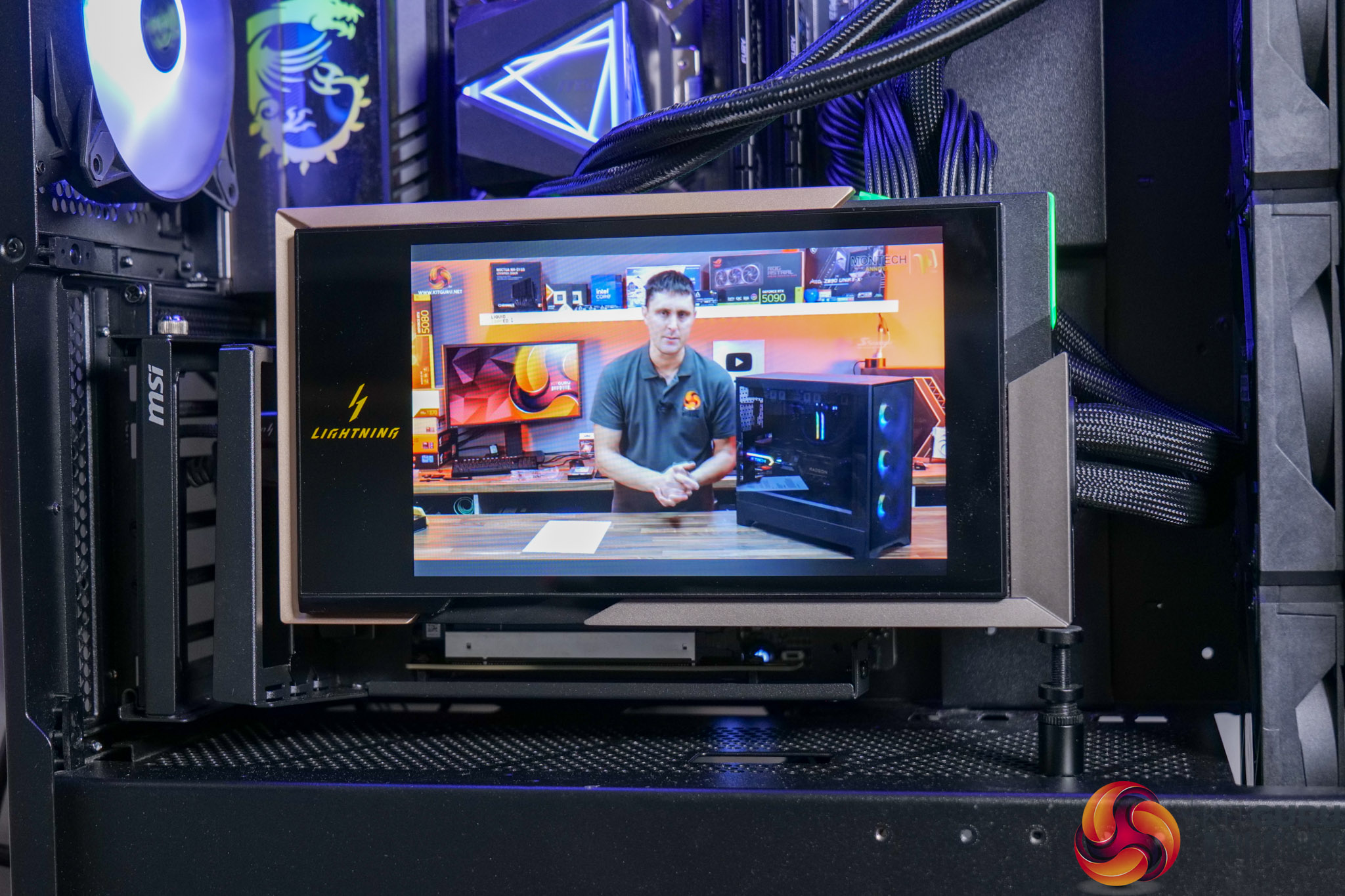
The web hub also allows control of the 8in LCD screen. We measured this hitting up to 316 nits brightness with a 1526:1 contrast ratio, so it's likely an IPS panel, while its resolution is 1280×800.
It allows four key modes to be configured:
- Displaying GPU and other system metrics
- Video playback via YouTube
- Displaying custom, user-uploadable images or video
- Use as a secondary display
It works well and certainly looks good. The range of control allows users to more-or-less do what they want with it, so it will certainly appeal if you want to quickly see GPU or system temperatures, or run your own custom animation etc.
Test System:
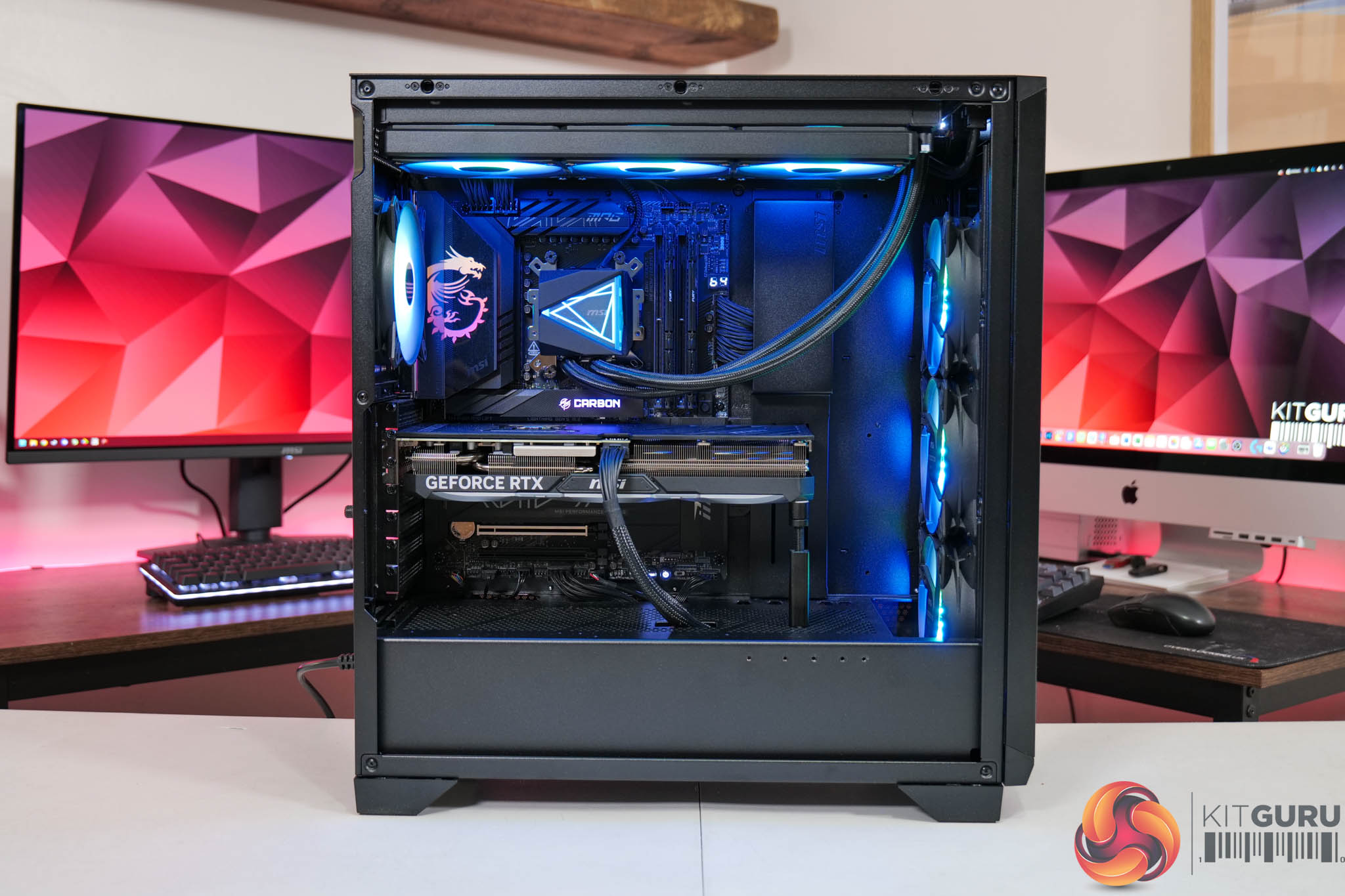
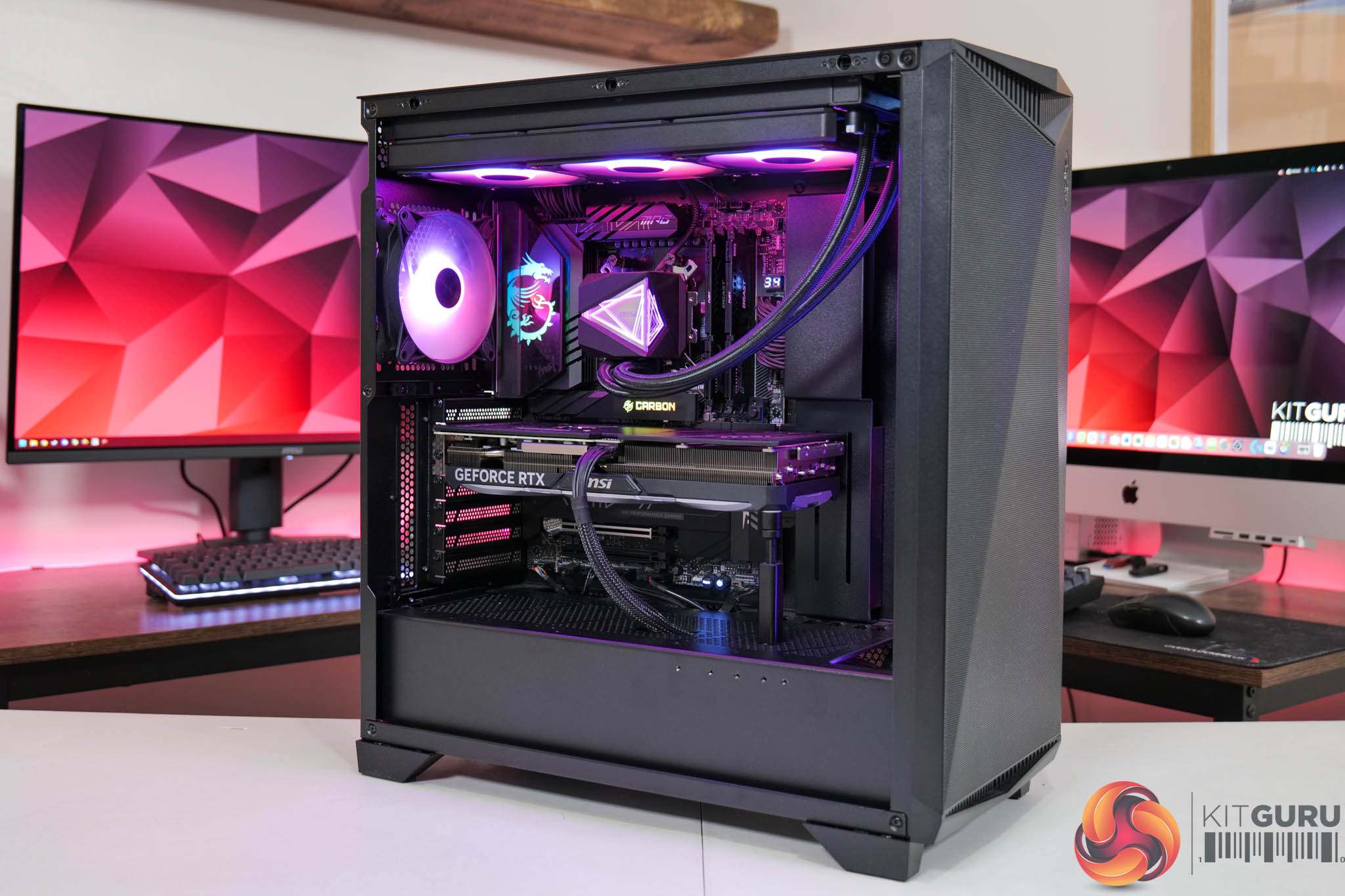
We test using a custom built system powered by MSI, based on AMD's Zen 5 platform. You can view the Powered by MSI store on AWD-IT's website HERE.
| CPU |
AMD Ryzen 7 9800X3D
|
| Motherboard |
MSI MPG X870E Carbon WiFi
|
| Memory |
64GB (2x32GB) Kingston Fury Beast DDR5 6000MT/s CL30
|
| Graphics Card |
Varies
|
| SSD |
4TB Kingston NV3 Gen 4 PCIe NVMe
|
| Chassis | MSI MPG Gungnir 300R Airflow |
| CPU Cooler |
MSI MAG CoreLiquid i360
|
| Power Supply |
MSI MPG Ai1600TS
|
| Operating System |
Windows 11 23H2
|
| Monitor |
MSI MPG 321URX QD-OLED
|
| Resizable BAR |
Enabled for all supported GPUs
|
Comparison Graphics Cards List
- ASRock RX 9070 XT Taichi 16GB
- Sapphire RX 9070 Pulse 16GB
- AMD RX 7900 XTX 24GB
- AMD RX 7900 XT 20GB
- Sapphire RX 7900 GRE Nitro+ 16GB
- AMD RX 7800 XT 16GB
- Sapphire RX 7700 XT Pulse 12GB
- Nvidia RTX 5090 FE 32GB
- Nvidia RTX 5080 FE 16GB
- MSI RTX 5070 Ti Ventus 3X 16GB
- Nvidia RTX 5070 FE 12GB
- Nvidia RTX 4090 FE 24GB
- Nvidia RTX 4080 Super FE 16GB
- MSI RTX 4070 Ti Super Ventus 3X 16GB
- Gigabyte RTX 4070 Ti Gaming 12GB
- Nvidia RTX 4070 Super FE 12GB
- Nvidia RTX 4070 FE 12GB
- Nvidia RTX 3080 Ti FE 12GB
- Nvidia RTX 3070 Ti FE 8GB
- Nvidia RTX 3070 FE 8GB
All cards were tested at reference specifications. For factory overclocked cards, this means we manually ‘undo' the overclock via MSI Afterburner or AMD/Intel's built-in tuning tools. Or, for cards like the Sapphire RX 7900 GRE Nitro+, we enable the reference-clocked BIOS instead of the default OC BIOS.
Software and Games List
- Alan Wake II (DX12)
- Black Myth: Wukong (DX12)
- Cyberpunk 2077 (DX12)
- F1 24 (DX12)
- Final Fantasy XVI (DX12)
- Forza Horizon 5 (DX12)
- Ghost of Tsushima (DX12)
- Horizon Forbidden West (DX12)
- The Last of Us Part 1 (DX12)
- A Plague Tale: Requiem (DX12)
- Ratchet and Clank: Rift Apart (DX12)
- Returnal (DX12)
- Senua's Saga: Hellblade 2 (DX12)
- Shadow of the Tomb Raider (DX12)
- Starfield (DX12)
- Star Wars Outlaws (DX12)
- Total War: Warhammer III (DX11)
We run each benchmark/game three times, and present mean averages in our graphs. We use FrameView to measure average frame rates as well as 1% low values (99th percentile) across our three runs.
Here we test three games, all at 3840×2160 resolution using maximum image quality settings.
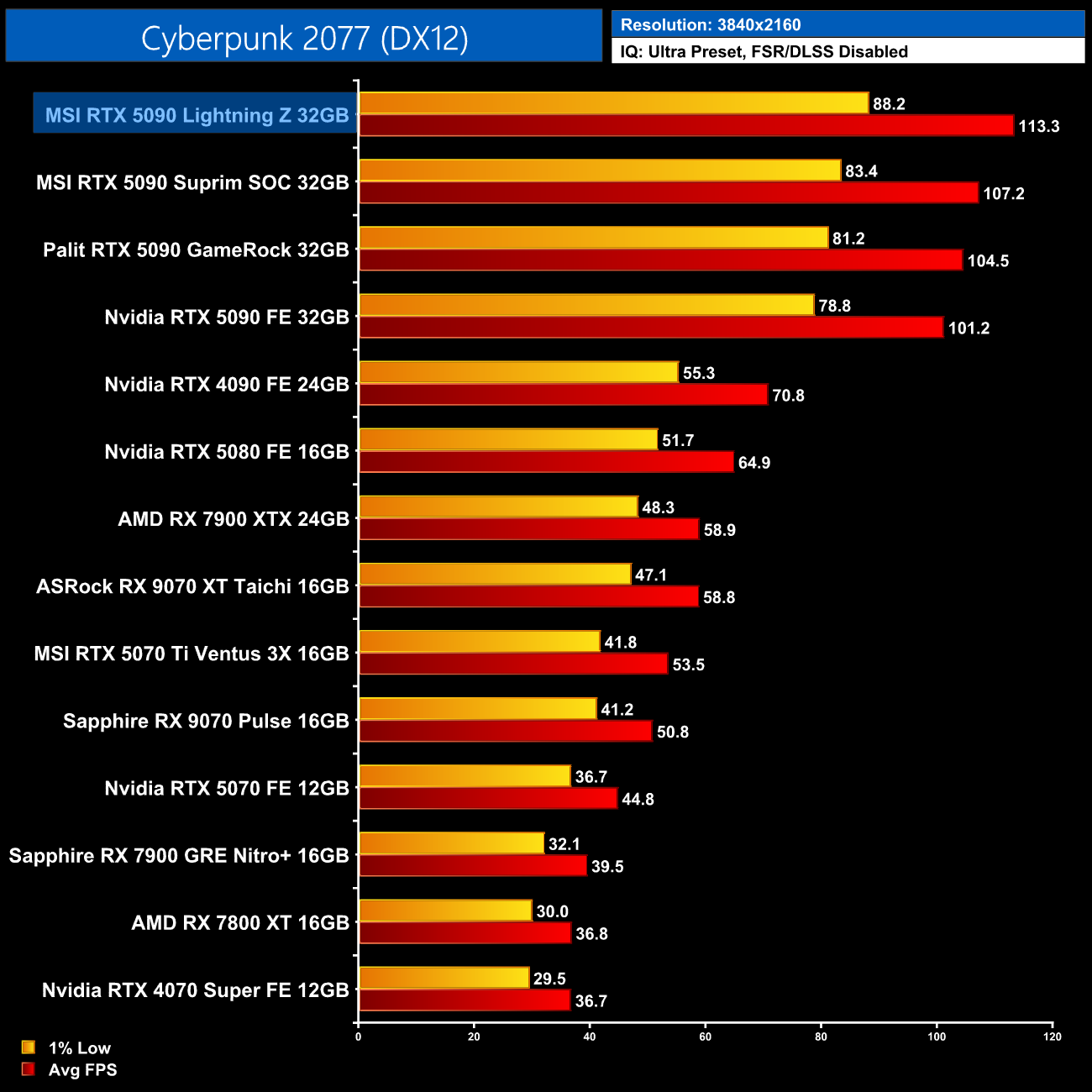
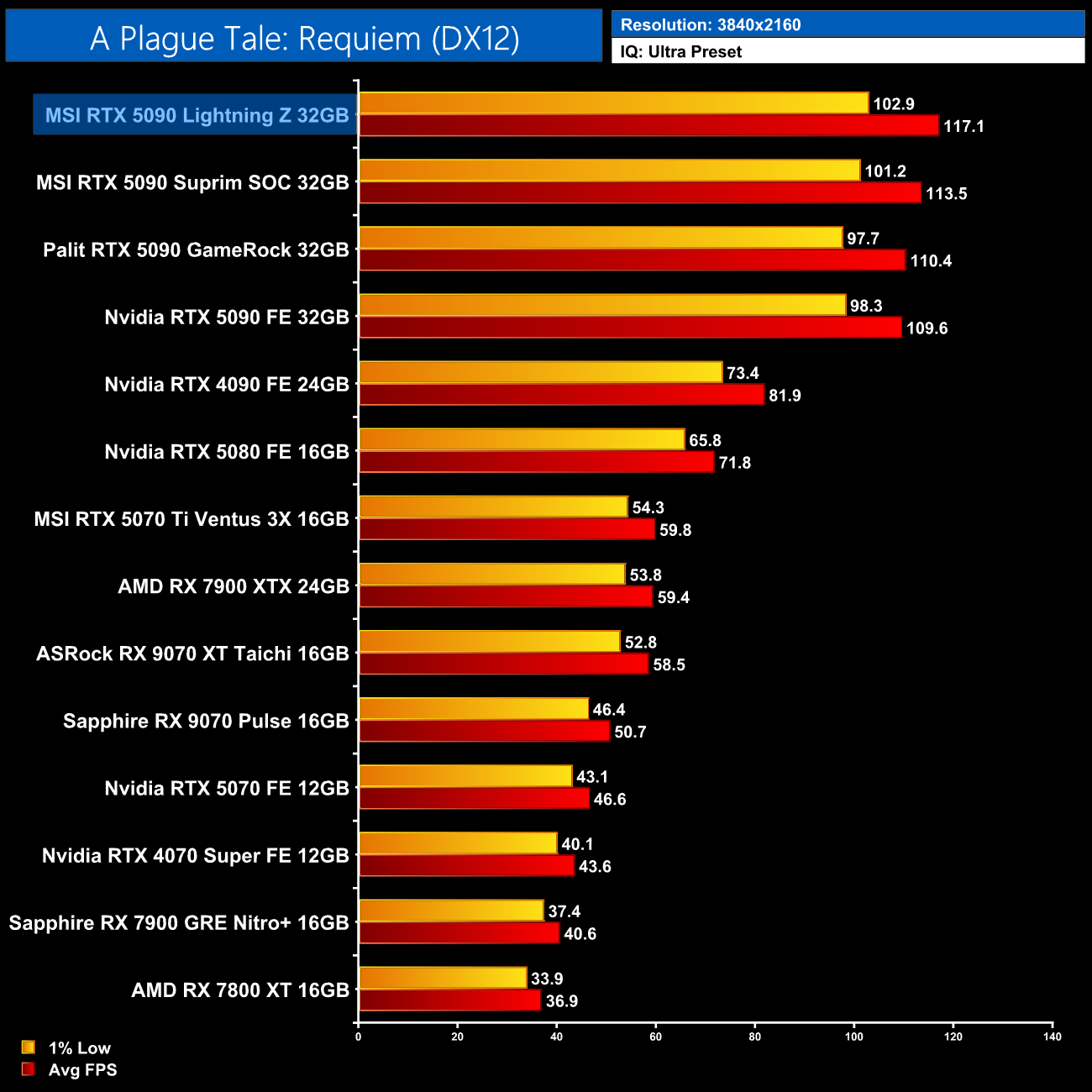
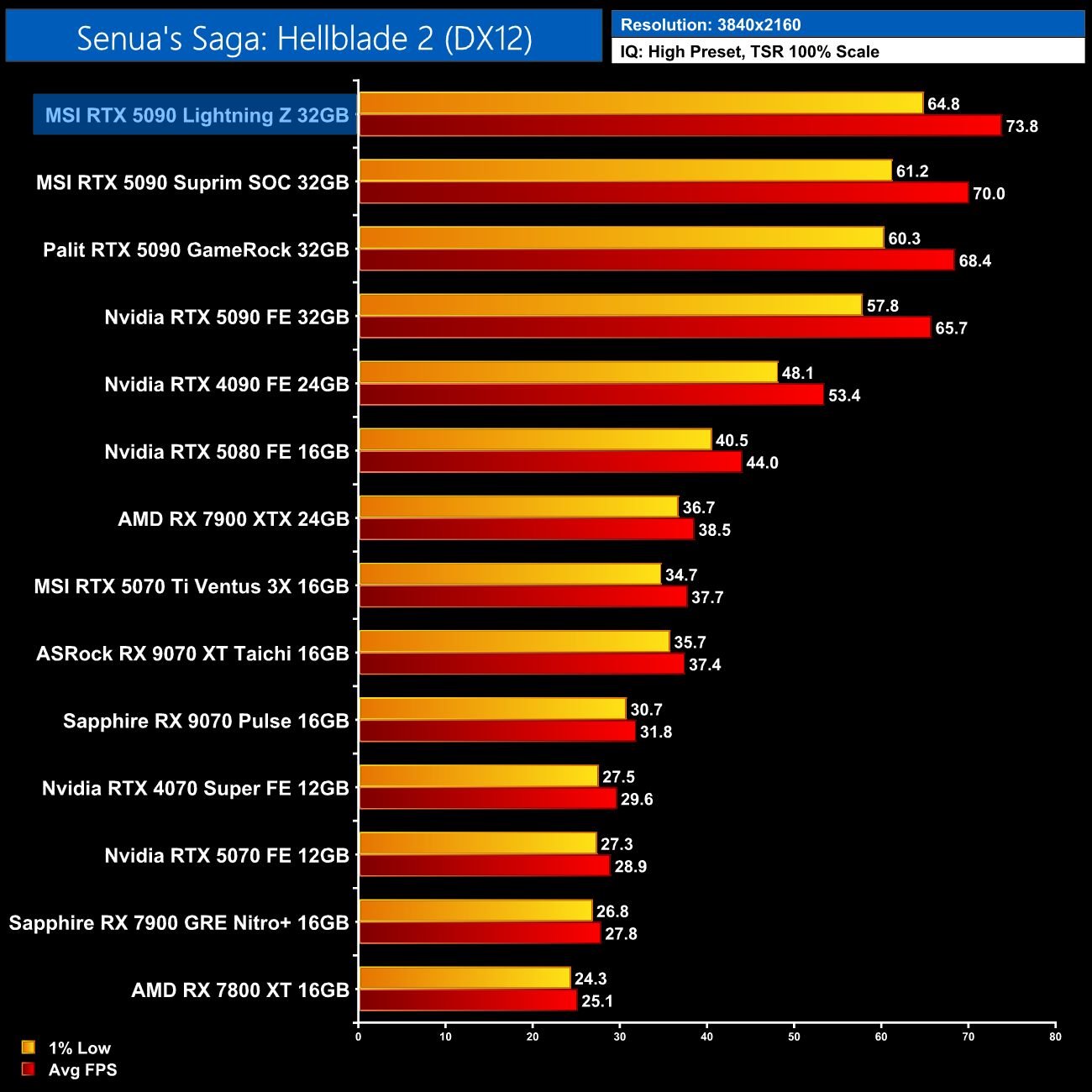
We don't focus too heavily on game benchmarks in our partner cards reviews as performance doesn't tend to change a whole lot when compared to the reference models. With that said, the Lightning Z provides more of a tangible performance improvement that you might expect – in the region of 7-12% ahead of the Nvidia Founder's Edition, though that gap does shrink compared to the factory overclocked Suprim SOC.
Here we present the average clock speed for each graphics card while running A Plague Tale: Requiem for 30 minutes. We use GPU-Z to record the GPU core frequency during gameplay. We calculate the average core frequency during the 30 minute run to present here.
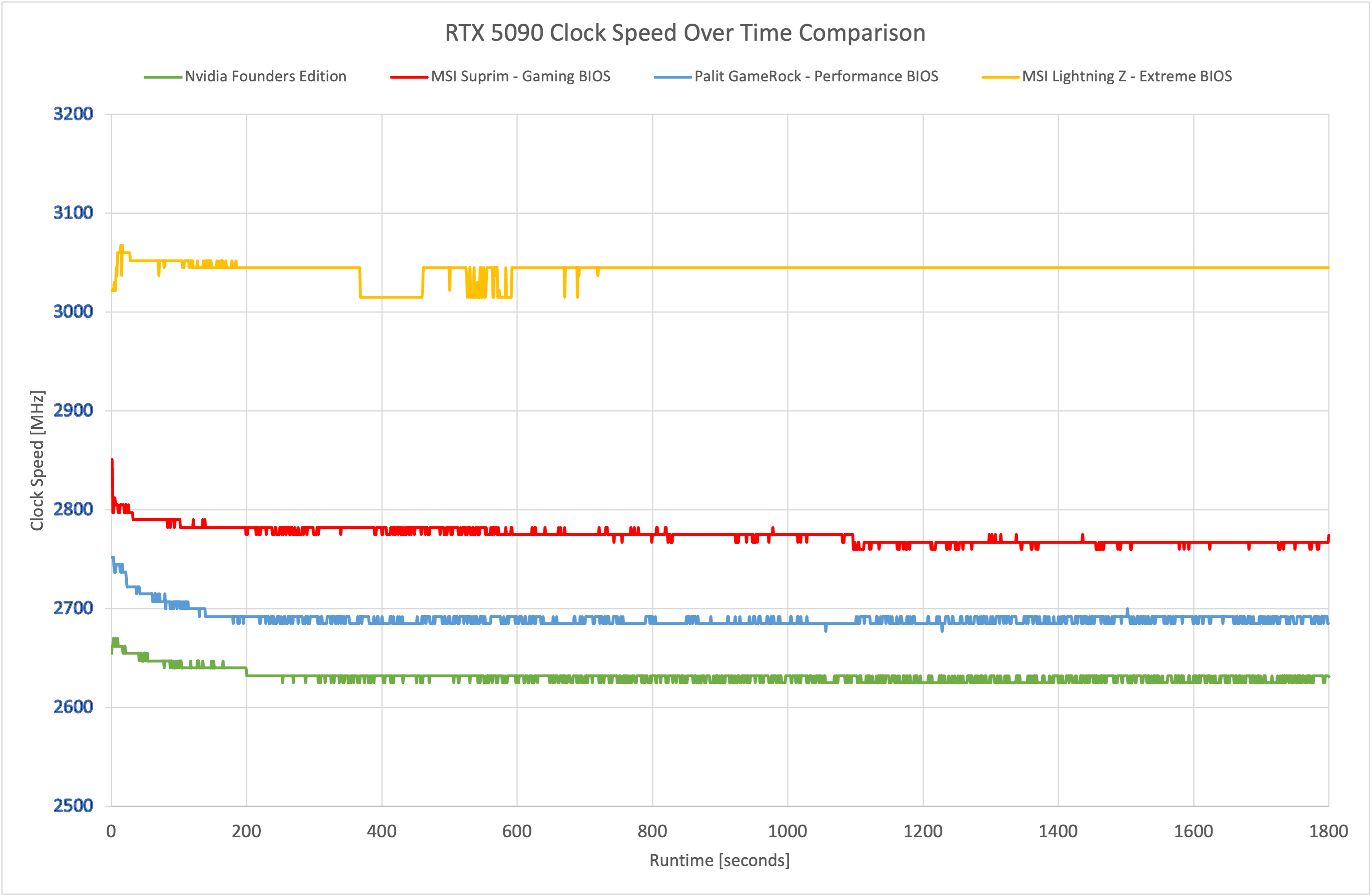
Out of the box, both BIOS modes average over 3GHz, giving the Lightning Z a commanding lead over the other RTX 5090s in terms of clock frequency, so that explains the performance gains we saw on the previous page.
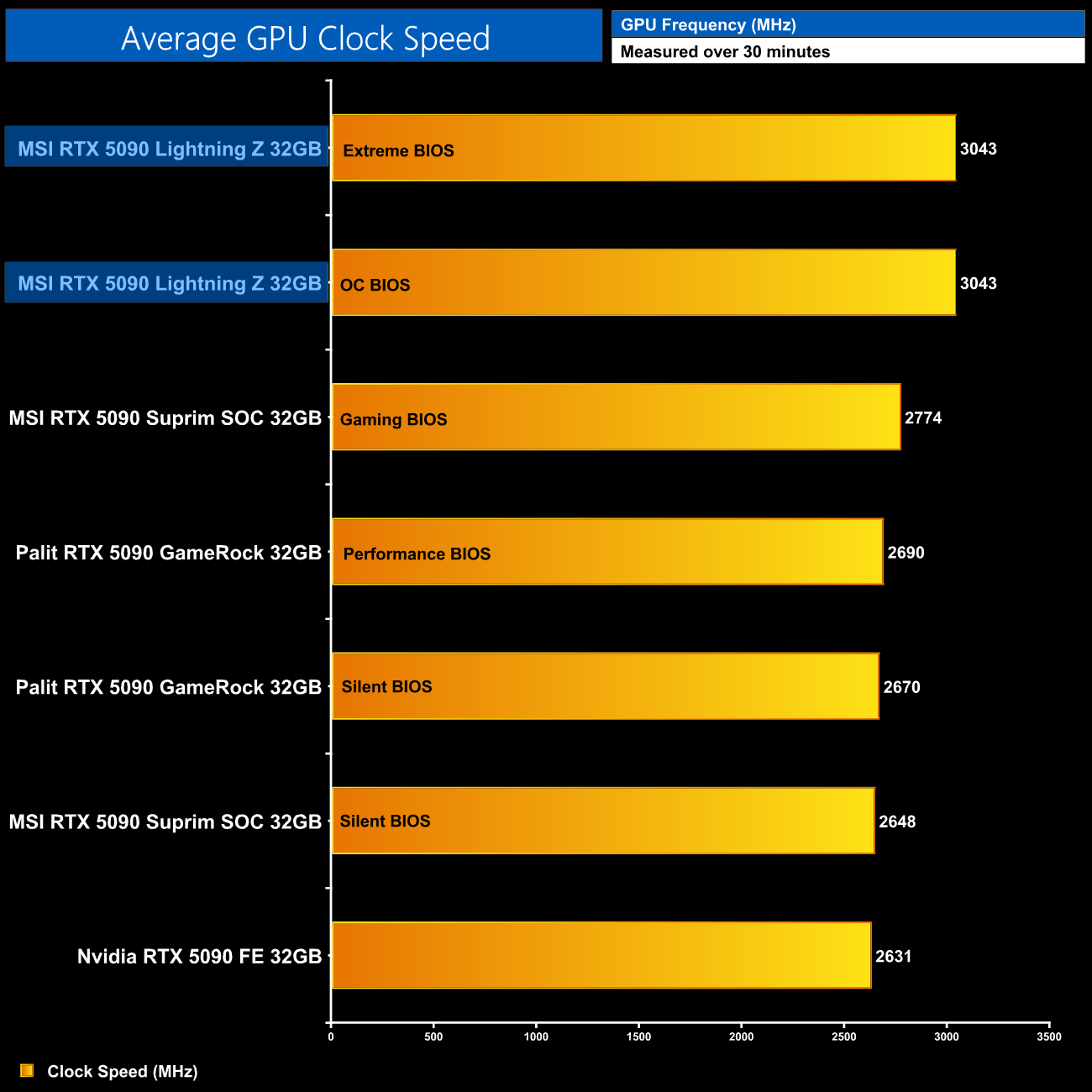
Both modes averaged 3043MHz over our thirty minute stress test.
For our temperature testing, we measure steady-state GPU temperatures under load. A reading under load comes from running A Plague Tale: Requiem for 30 minutes.
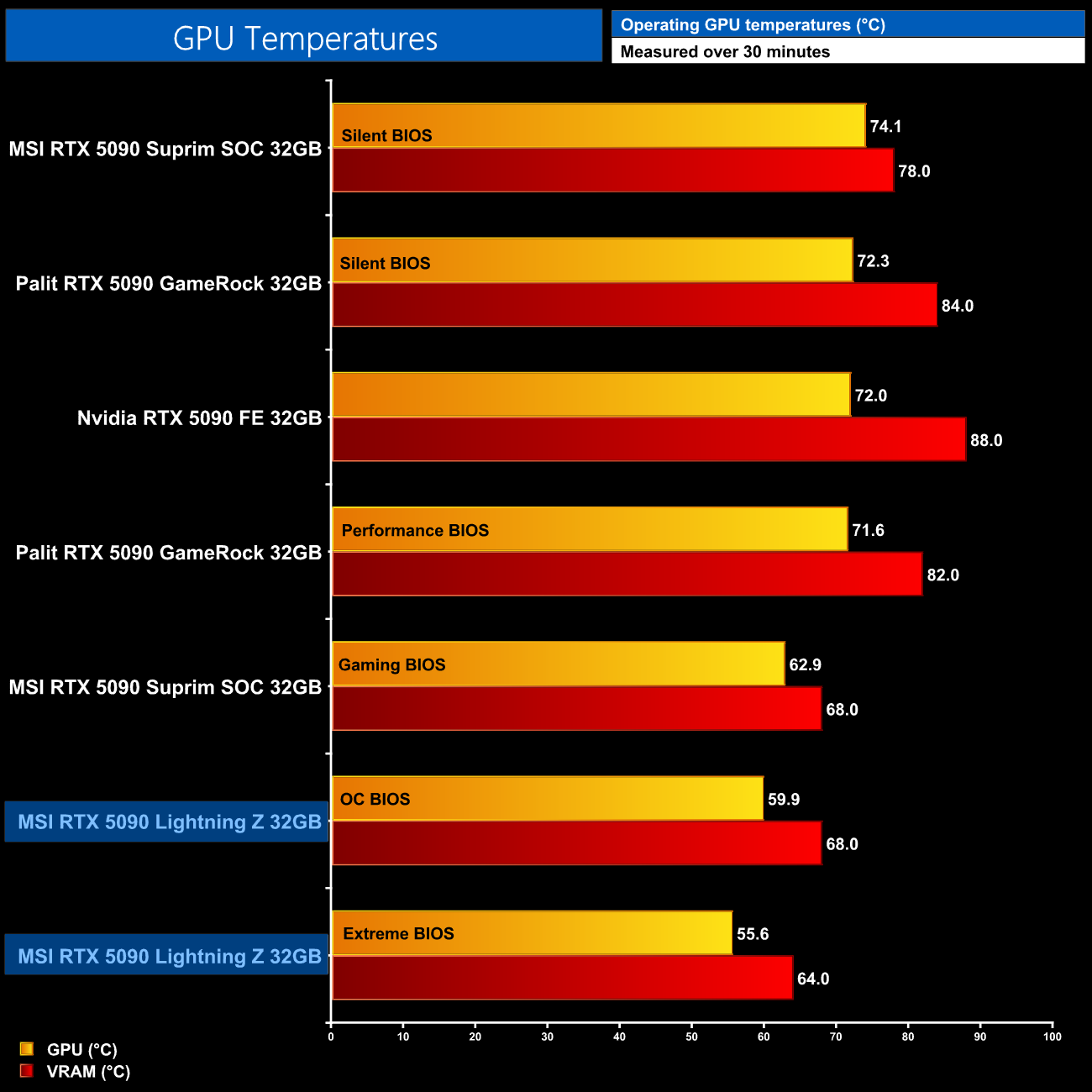
As for thermal performance, things are probably as expected considering this does utilise a 360mm AIO, and the other 5090s we've tested are all air-cooled. That means the Lightning Z sits at the bottom of the chart, delivering the two lowest temperature results we have seen, with the Extreme BIOS at 55.6C and the OC BIOS a hair under 60C.
We take our noise measurements with the sound meter positioned 1 foot from the graphics card. I measured the noise floor to be 32 dBA, thus anything above this level can be attributed to the graphics cards. The power supply is passive for the entire power output range we tested all graphics cards in, while all CPU and system fans were disabled. A reading under load comes from running Cyberpunk 2077 for 30 minutes.
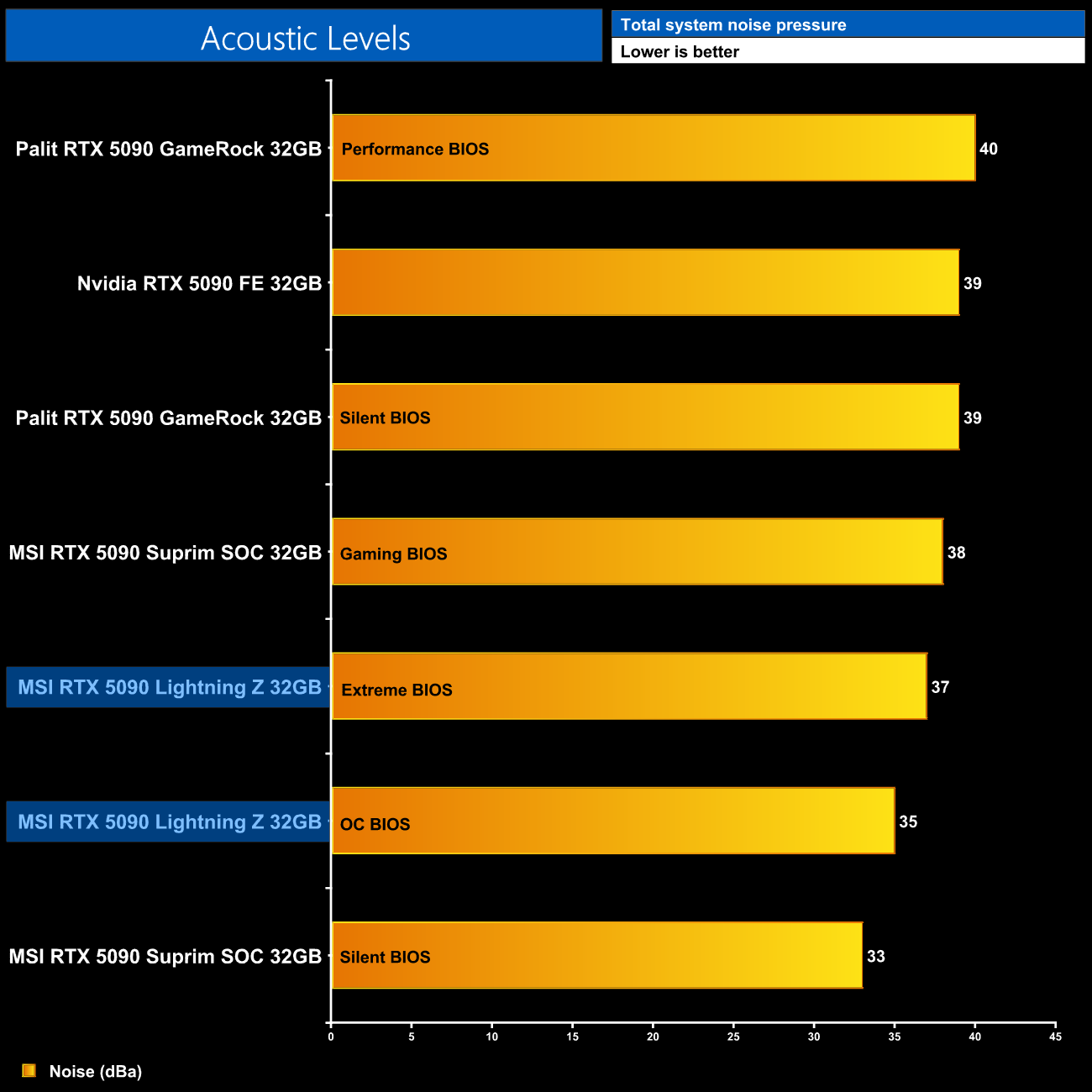
As for noise levels, considering there's no fan on the card itself, all the noise is down to the AIO. Using the OC BIOS we saw the fans running at 1220rpm, and that hit 35dba, whereas the Extreme BIOS is louder at 37dba, given the fans increased to 1490rpm. That means the Suprim Silent BIOS is still the quietest 5090 we've ever tested, but the Lightning Z is hardly loud and still quieter than the rest of the other 5090s.
Following on from our stock thermal and acoustic testing, here we re-test the operating temperature of the GPU, but with noise levels normalised to 40dBa. This allows us to measure the efficiency of the overall cooling solution as varying noise levels as a result of more aggressive fan curves are no longer a factor.
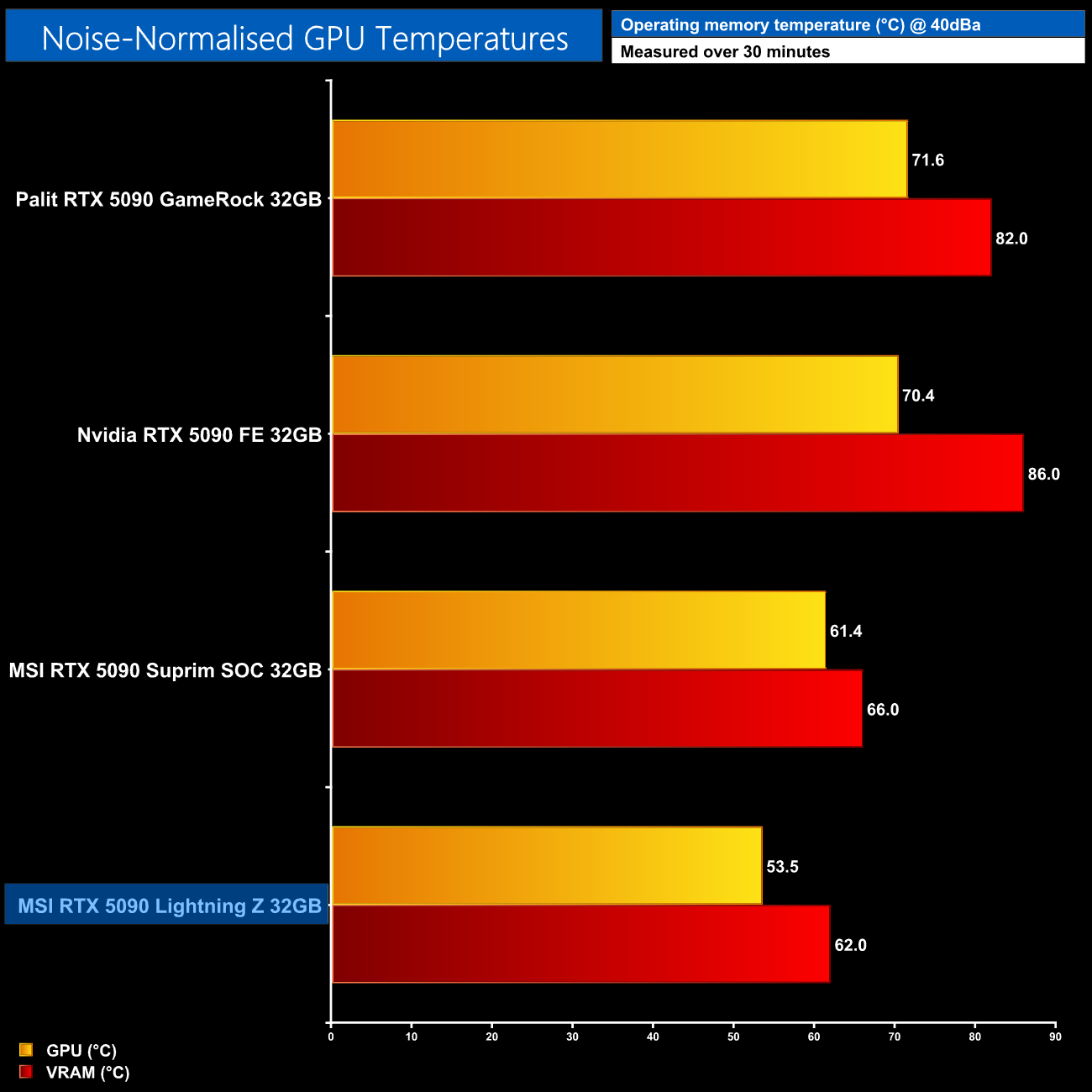
We can see a bigger difference when looking at noise-normalised thermals, however, where we re-run our thermal tests but with noise output tuned to 40dba. This opens up a big lead for the Lightning Z, considering it hit just 53.5C on the GPU and 62C on the memory, so it does go to show the raw cooling benefits of using the 360mm AIO, even if the power limit of the card is higher, too.
Power Draw
We use Nvidia PCAT to measure power draw of the graphics card only, with readings from both the PCIe slot and the PCIe power cables combined into a single figure.
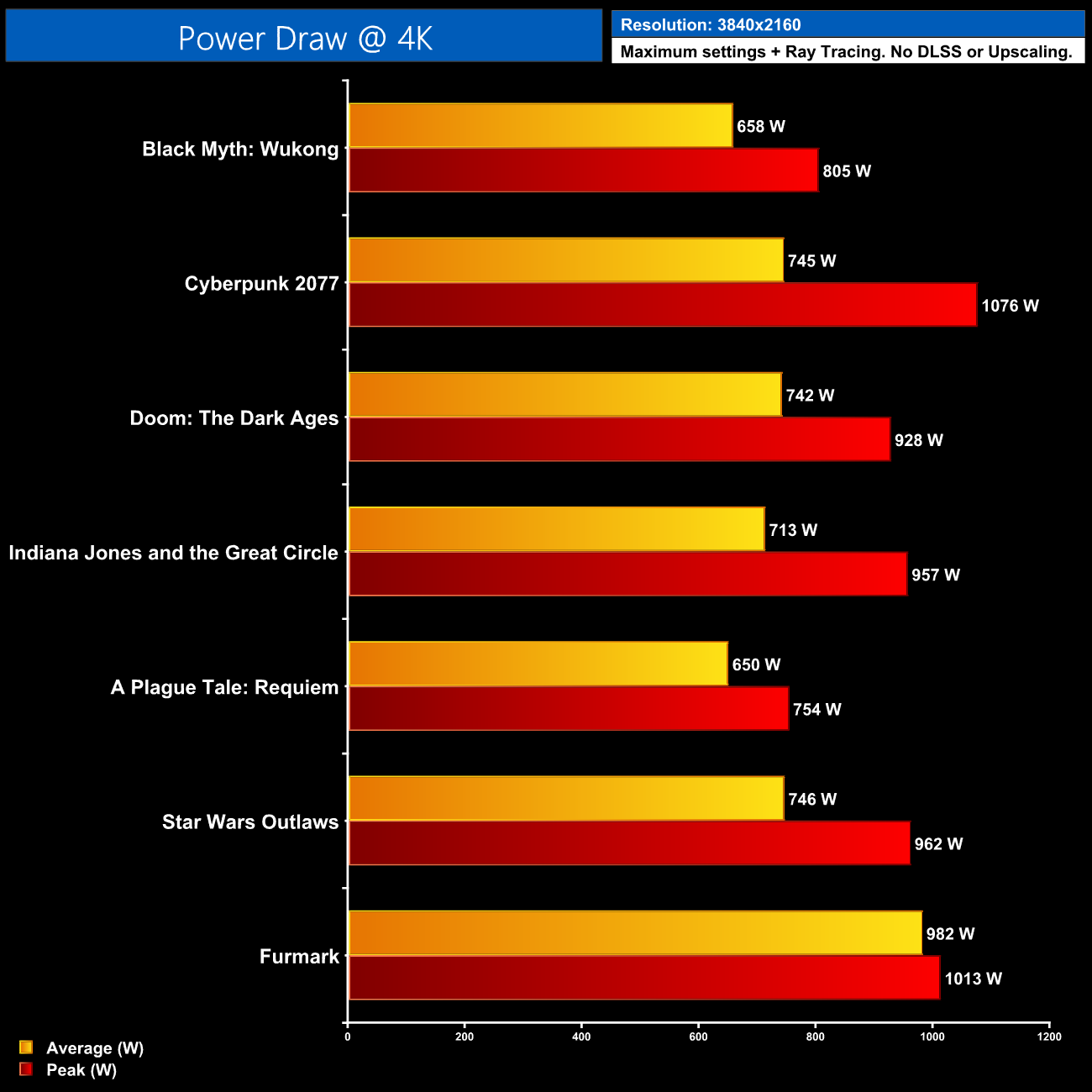
We were curious to test power draw, as while MSI rates the Extreme BIOS for up to 1000W, I wasn't sure if it would actually draw that much power in the real-world.
We tested a bunch of games to find out, and did actually see peak power draw coming close to that figure, even exceeding it in Cyberpunk 2077! In most situations though, average power draw appears to settle around 650-750W.
Furmark does stress the card to a higher degree, and that resulted in sustained power draw just under 1000W. It was also pleasing to see that the power was split very evenly between the two cables – it wasn't like one was pegged at 600W and the other was pulling significantly less.
As shown in the video, we also used a current meter to measure current over the 12V wires and found nothing untoward – all of the wires hit between 6.7-7.2A, so perfectly in spec and well balanced across the two cables.
For our manual overclocking tests, we used MSI Afterburner. We were able to add 150MHz to the GPU core and 2000MHz to the memory. All OC testing was done using the Extreme BIOS which has a maximum power limit of 1000W.
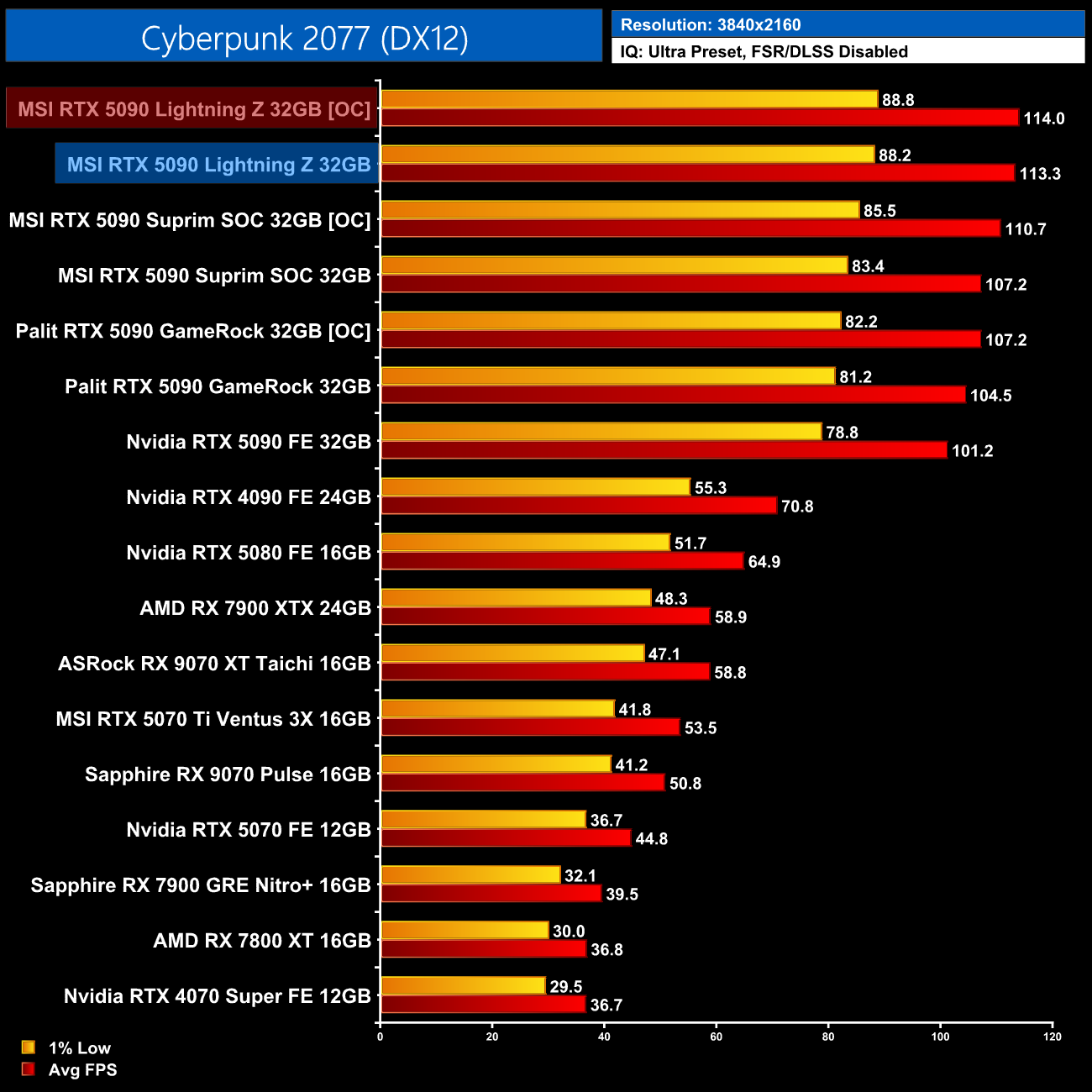
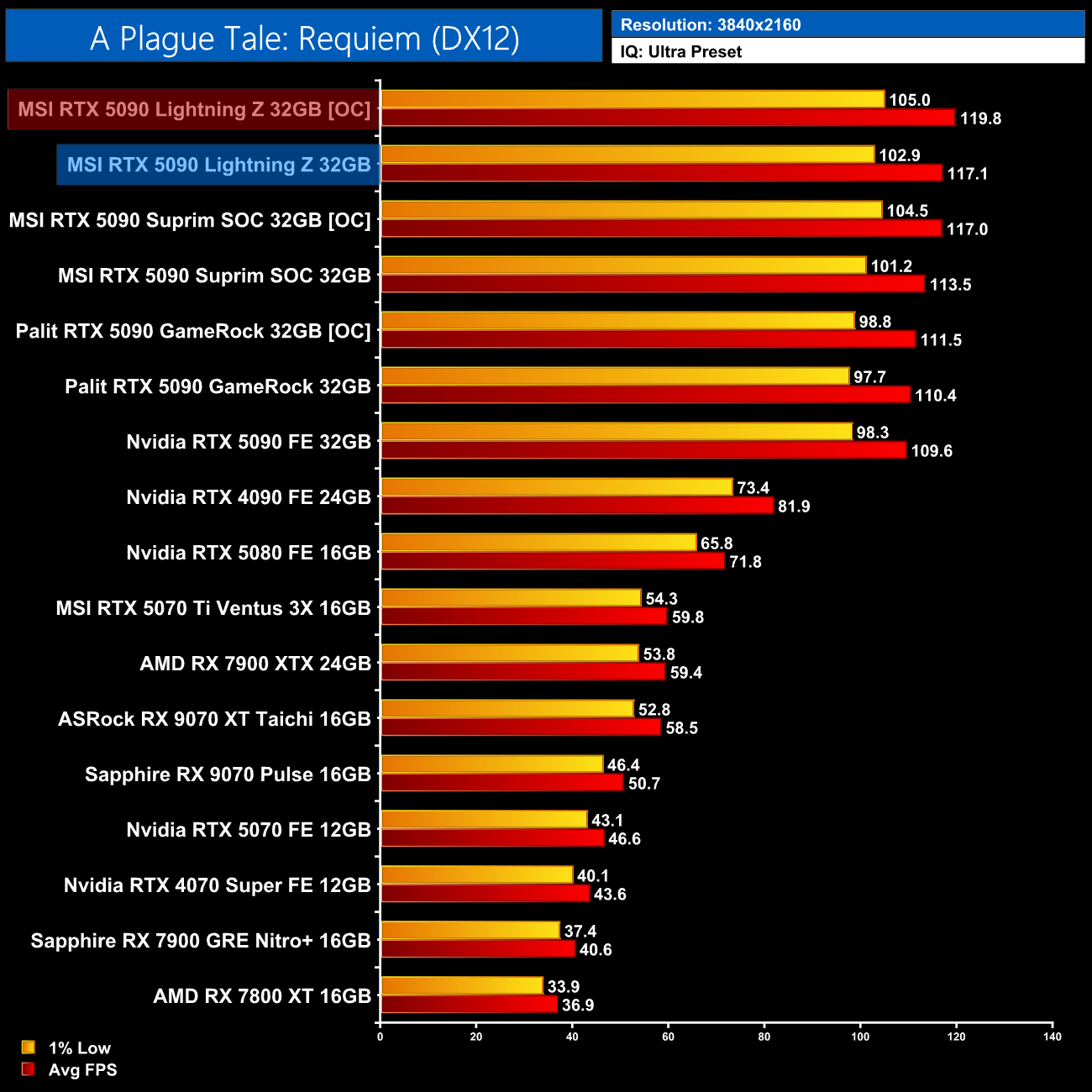
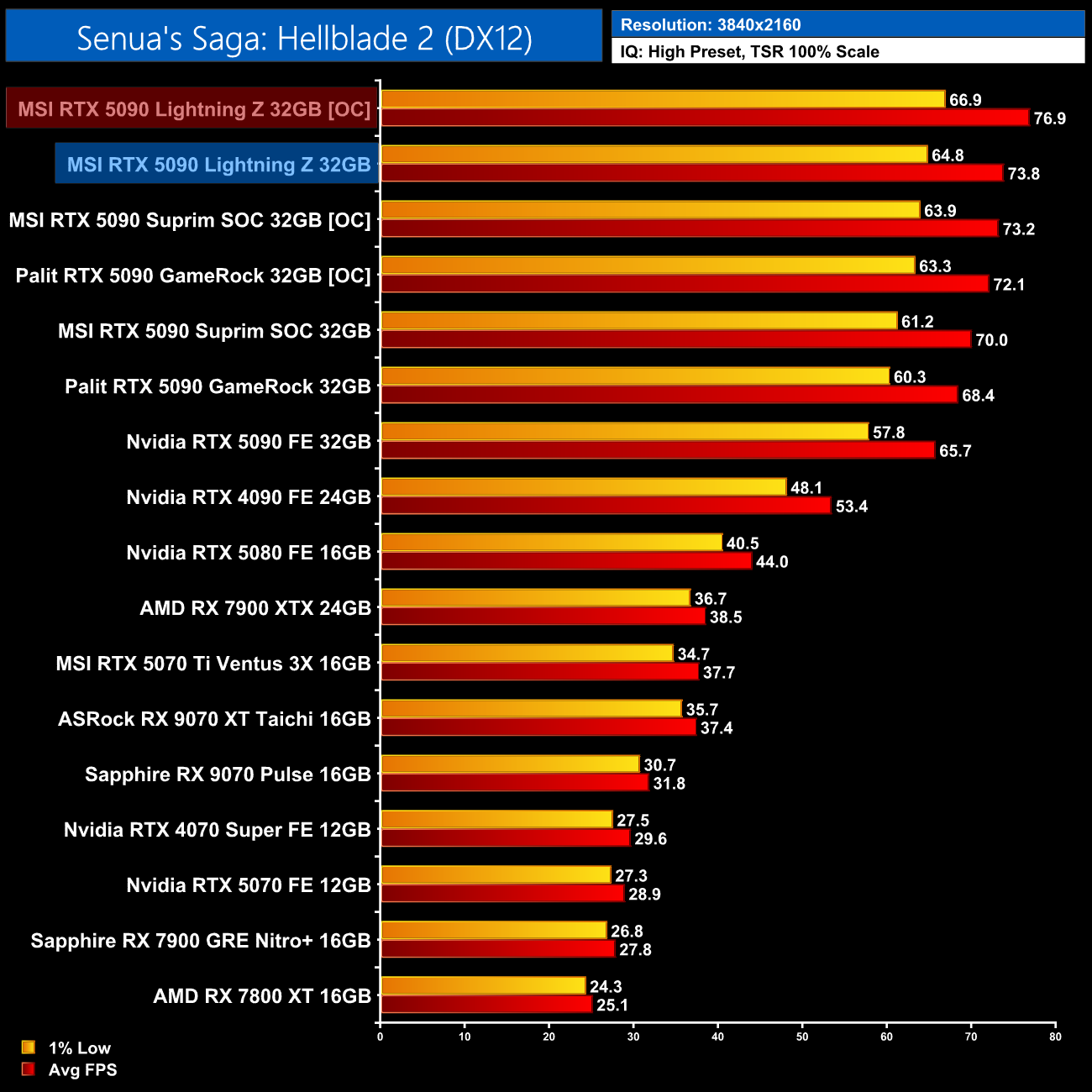
Lastly, we also tried manual overclocking, but found there was little headroom left considering the Lightning Z already ran at 3GHz out of the box. I added 150MHz to the GPU and 2000MHz to the memory, which saw some improvement in certain titles, but next to nothing in Cyberpunk 2077.
I think the extreme overclockers will definitely want to use MSI’s custom 2500W BIOS (!) which is available on request, and even voids your warranty, but that was clearly beyond the scope of this analysis!
All in all, there's no disputing the fact that MSI’s RTX 5090 Lightning Z is an extreme card in every way. It's extreme in terms of pricing, extreme in terms of its performance and cooling capabilities, and extremely bonkers considering it has a massive user-configurable LCD screen built-in to the shroud!
From a pure performance perspective, it does exactly what you'd expect. It’s some 7-12% faster than Nvidia's Founders Edition, and it runs nice and cool, especially when noise-normalised. It's also good to see the dual 12V-2×6 implementation has been handled properly, with our testing showing even loading and nothing out of spec.
From a bang-for-buck perspective, however, it obviously makes zero sense over any other RTX 5090, considering the performance gains – while tangible – aren’t huge, and it costs almost twice as much as some air-cooled 5090 models.
Of course, that line of thinking misses the point entirely though, as the Lightning Z was never designed to deliver good value or anything close to it. It’s really just designed to appeal to those who want the bragging rights for having such a fast and expensive card, while the fact there’s only 1300 units worldwide only amplifies that. In a nutshell, it's a halo product aimed at the filthy rich or extreme overclockers.
Because of that, there’s ultimately no point in me saying whether I think you should buy it or not, as even by KitGuru’s enthusiast audience standards, I can’t see more than 0.01% of people being able to buy one, considering it costs an eye-watering £5000, and we were told to expect just 30 units coming to the UK.
From a technical and engineering perspective, though, it is clearly incredible, and I do think it's important to see companies still trying to push boundaries and push the envelope, even when the PC landscape is looking more challenging than ever. So fair play to MSI for that – basically no one will be able to buy a Lightning Z, but that doesn't mean it isn't an awesome graphics card.
MSI sent us the following retail links: Scan HERE and OCUK HERE.
KitGuru says: It's an insane feat of engineering on multiple levels.