KitGuru KitGuru.net – Tech News | Hardware News | Hardware Reviews | IOS | Mobile | Gaming | Graphics Cards


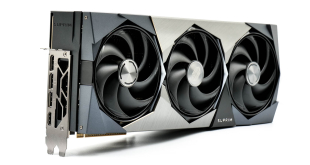
Today we are back with our first RTX 50 series partner card review! We're looking at the MSI RTX 5090 Suprim SOC – a beast of a graphics card in every sense of the word. Not only does it boast a quad-slot cooler that's about 36cm long, but it's been aggressively factory overclocked, while also featuring dual-BIOS, three 100mm fans and plentiful RGB lighting. Let's see just how well it compares to Nvidia's Founders Edition.
Timestamps
00:00 Intro
00:44 The pricing situation
01:41 Design impressions
02:15 It’s HUGE – comparisons vs 5090 FE
02:57 Dual-BIOS, RGB lighting
04:09 Revealing the PCB and heatsink
05:33 Test setup
06:19 Thermals, noise
07:34 Game benchmarks
08:08 Clock speed + power
09:08 Overclocking
10:07 Closing thoughts – is it worth 2.6K?
Of course, the other factor to consider is pricing, and while MSI didn't actually disclose an official MSRP to us, we've found it on Currys for £2600, while it's higher still at OCUK. Needless to say, that is some extreme pricing, with a £660 price premium over the £1939 MSRP. It's hard to say if those are just inflated figures given there's zero stock of the RTX 5090 right now, and I'd have to hope that pricing falls as supply levels increase. Right now that's all we have to go on though, so that will have to factor into our final buying advice.
| RTX 5090 | RTX 5080 | RTX 4090 | RTX 4080 Super | RTX 4080 | |
| Process | TSMC N4 | TSMC N4 | TSMC N4 | TSMC N4 | TSMC N4 |
| SMs | 170 | 84 | 128 | 80 | 76 |
| CUDA Cores | 21760 | 10752 | 16384 | 10240 | 9728 |
| Tensor Cores | 680 | 336 | 512 | 320 | 304 |
| RT Cores | 170 | 84 | 128 | 80 | 76 |
| Texture Units | 680 | 336 | 512 | 320 | 304 |
| ROPs | 176 | 112 | 176 | 112 | 112 |
| GPU Boost Clock | 2407 MHz | 2617 MHz | 2520 MHz | 2550 MHz | 2505 MHz |
| Memory Data Rate | 28 Gbps | 30 Gbps | 21 Gbps | 23 Gbps | 22.4 Gbps |
| L2 Cache | 98304 KB | 65536 KB | 73728 KB | 65536 KB | 65536 KB |
| Total Video Memory | 32GB GDDR7 | 16GB GDDR7 | 24GB GDDR6X | 16GB GDDR6X | 16GB GDDR6X |
| Memory Interface | 512-bit | 256-bit | 384-bit | 256-bit | 256-bit |
| Memory Bandwidth | 1792 GB/Sec | 960 GB/Sec | 1008 GB/Sec | 736 GB/Sec | 716.8 GB/Sec |
| TGP | 575W | 360W | 450W | 320W | 320W |
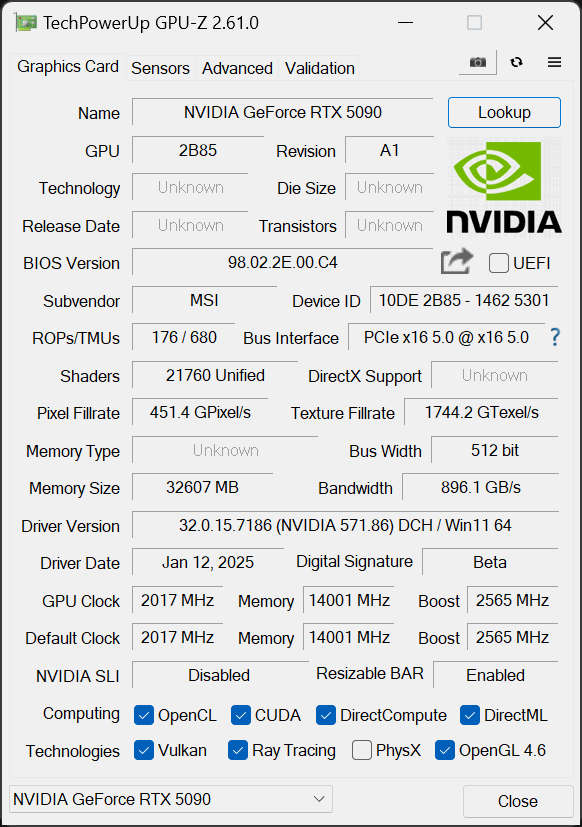
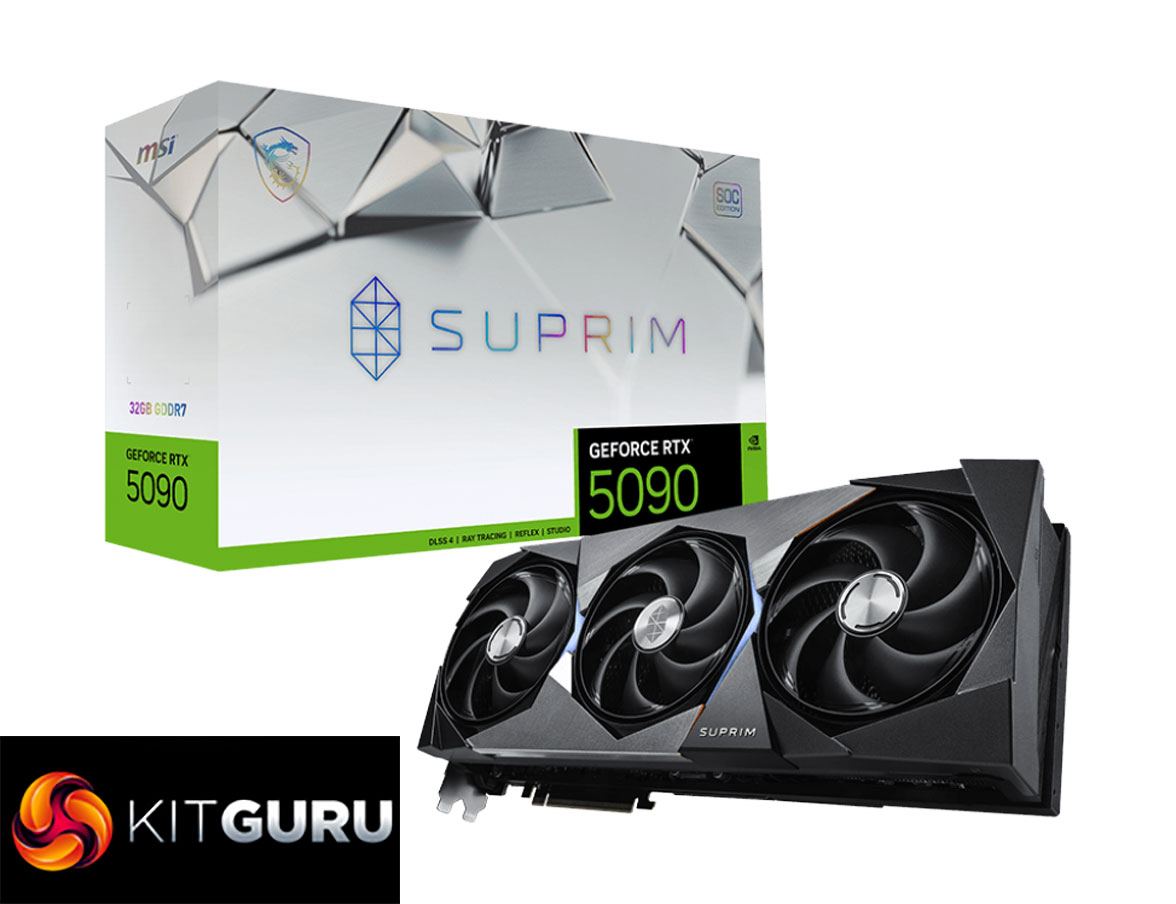
First, a quick spec recap. The RTX 5090 is built on the new GB202 die, measuring 750mm2, though it's not quite a full implementation of the silicon. Instead we find a total of 11 Graphics Processing Clusters (GPCs), each holding up to eight Texture Processing Clusters (TPCs), for a total of 85. Each TPC is home to two Streaming Multiprocessors (SMs), giving us 170, and each SM still holds 128 CUDA Cores, meaning the RTX 5090 has an eye-watering total of 21760 shaders. We also find 170 RT cores, 680 Tensor cores, 680 Texture Units, and 176 ROPs.
This time around, however, there's no node-shrink, and GB202 remains fabricated on TSMC's N4 node, as per the RTX 40-series. As such, rated clock speed is not increased this generation and is actually touted slightly below that of the RTX 4090, with the reference RTX 5090 delivering a rated 2407MHz boost clock. MSI has increased this to 2565MHz for the Gaming BIOS, and 2512MHz for the Silent BIOS.
The memory configuration has seen significant upgrades this generation. The RTX 5090 now comes equipped with a super-wide 512-bit memory interface, paired with 32GB GDDR7 memory running at 28Gbps, and that puts total memory bandwidth at a staggering 1792 GB/s. L2 cache is also increased to 98MB, up from the 74MB of the RTX 4090.
Considering the large increases to die size and core count, but with no node shrink, it's perhaps unsurprising to see power draw has increased, this time boasting a 575W TGP at reference. MSI has maxed this out at 600W for the Gaming BIOS, too, the limit of the 12V-2X6 connector.
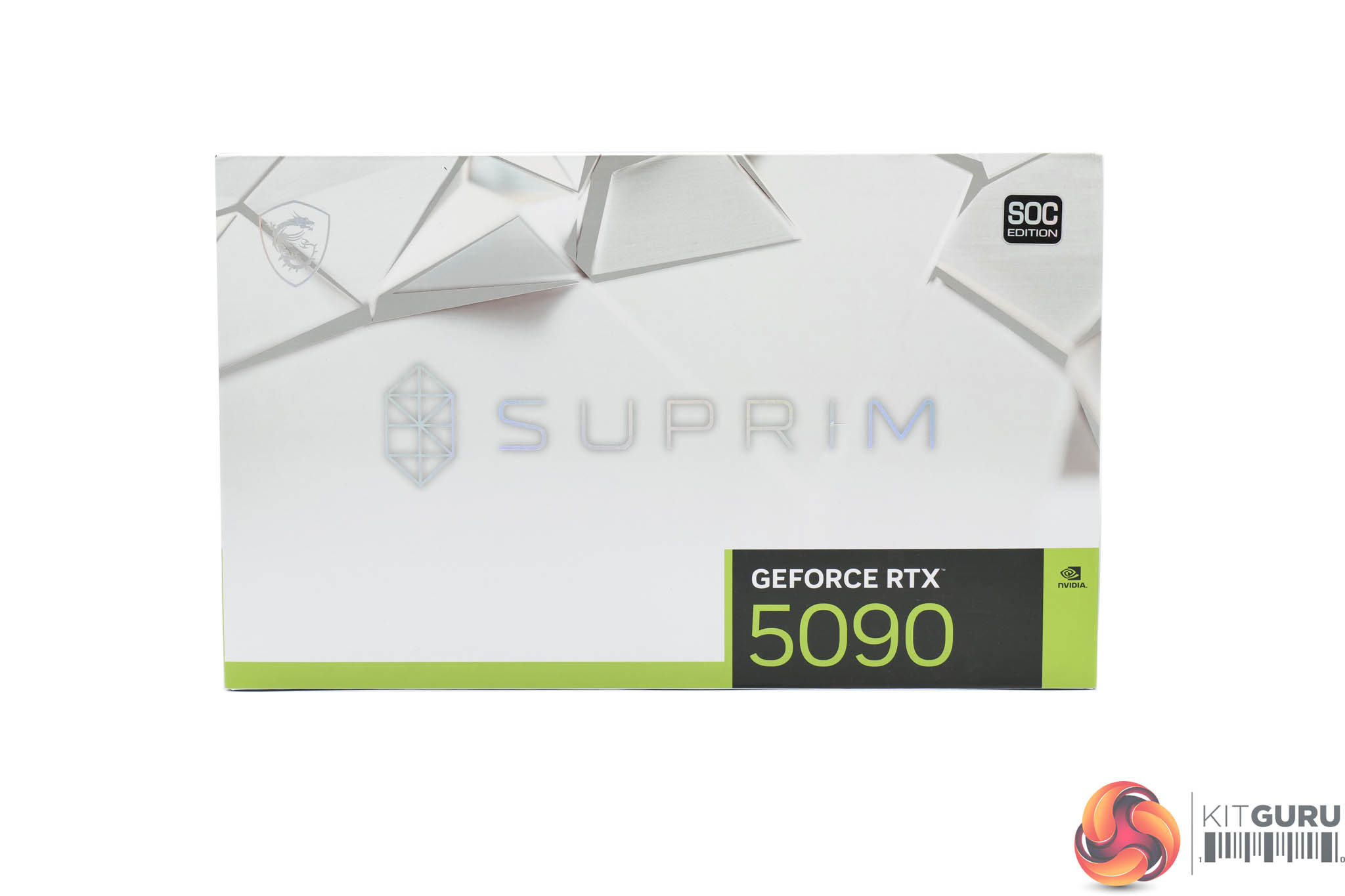
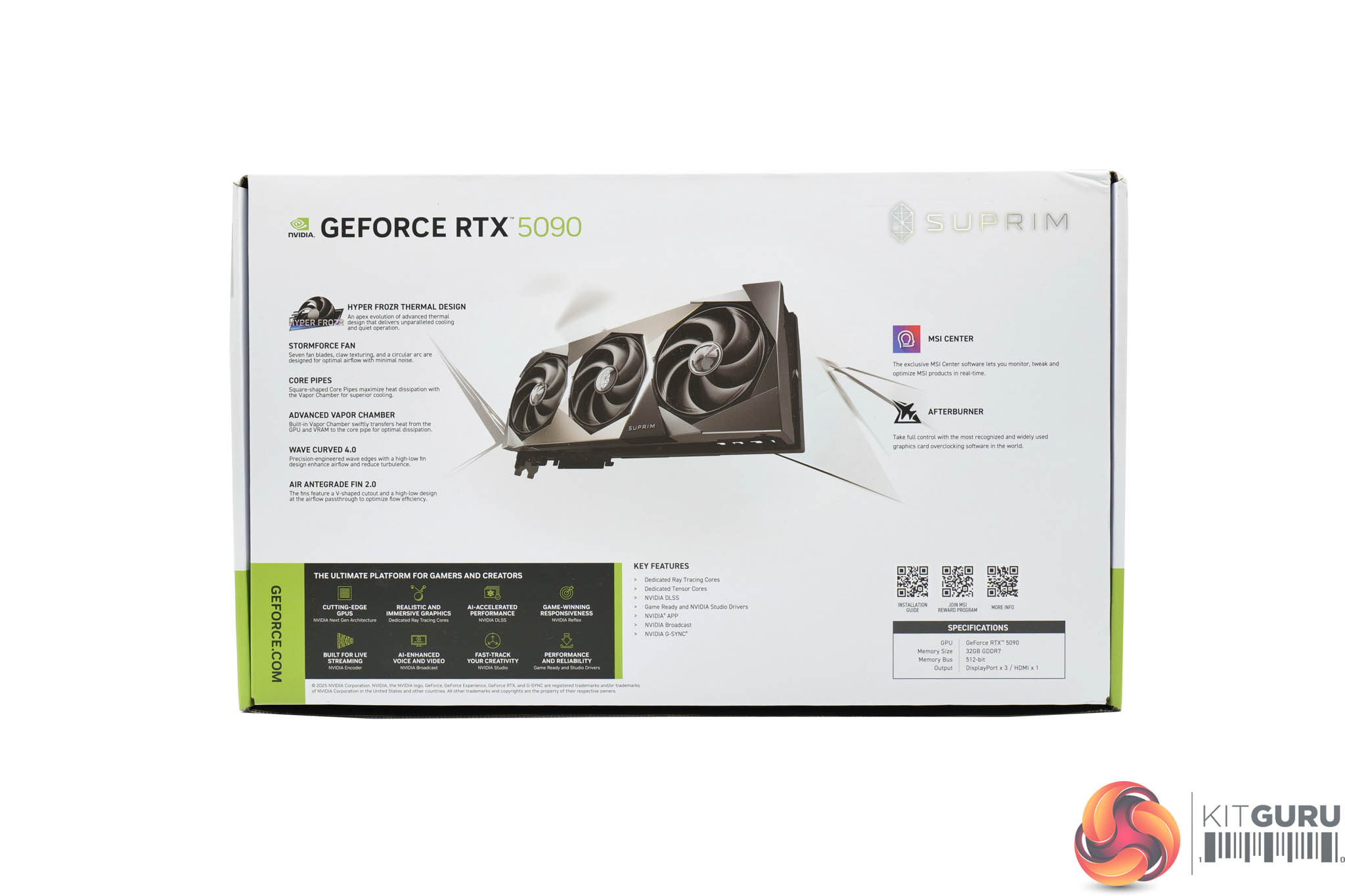
The MSI RTX 5090 Suprim SOC ships in a clean white box, with the Suprim logo printed dead centre. On the back, MSI highlights select key features of the card itself.
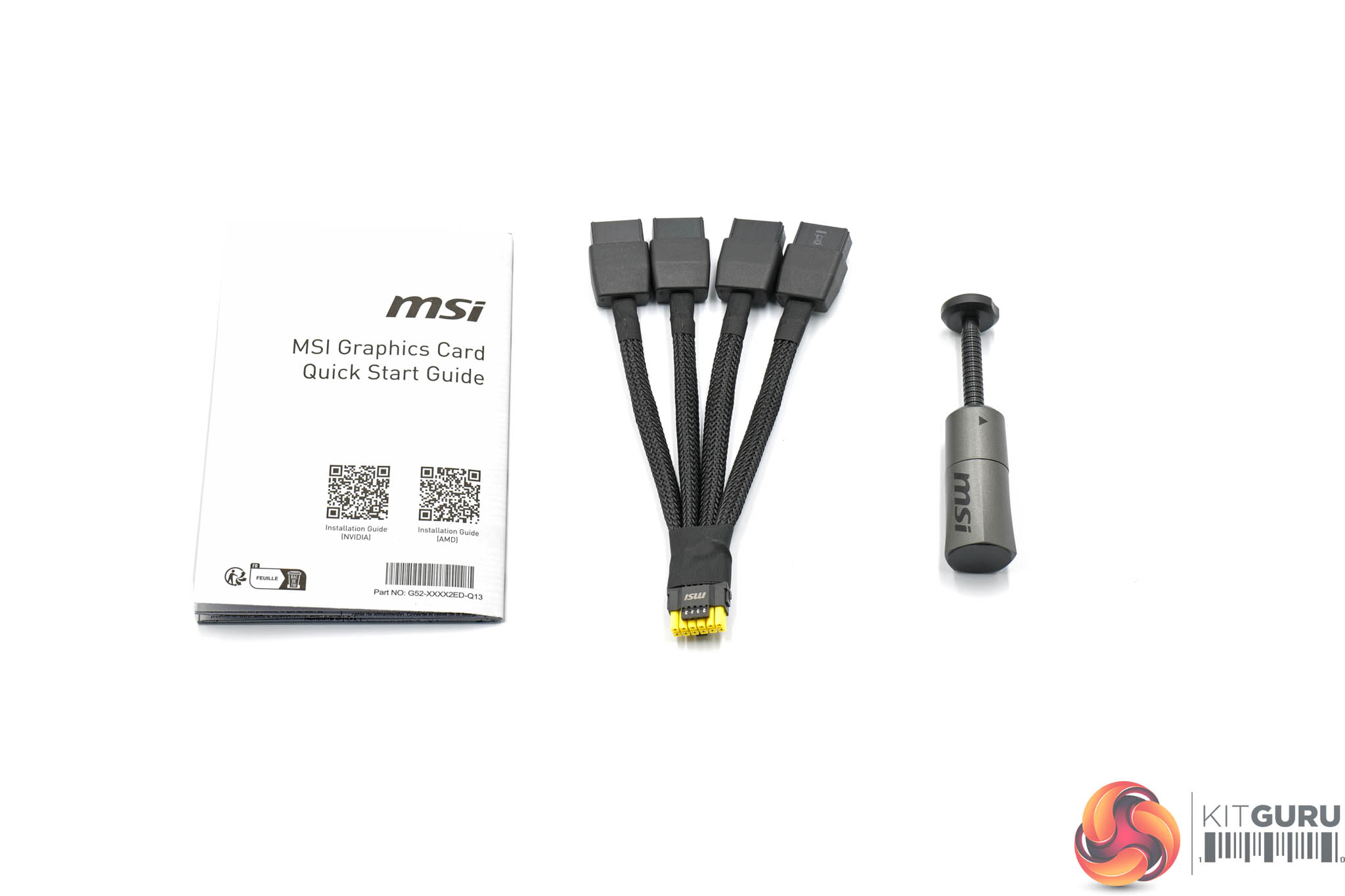
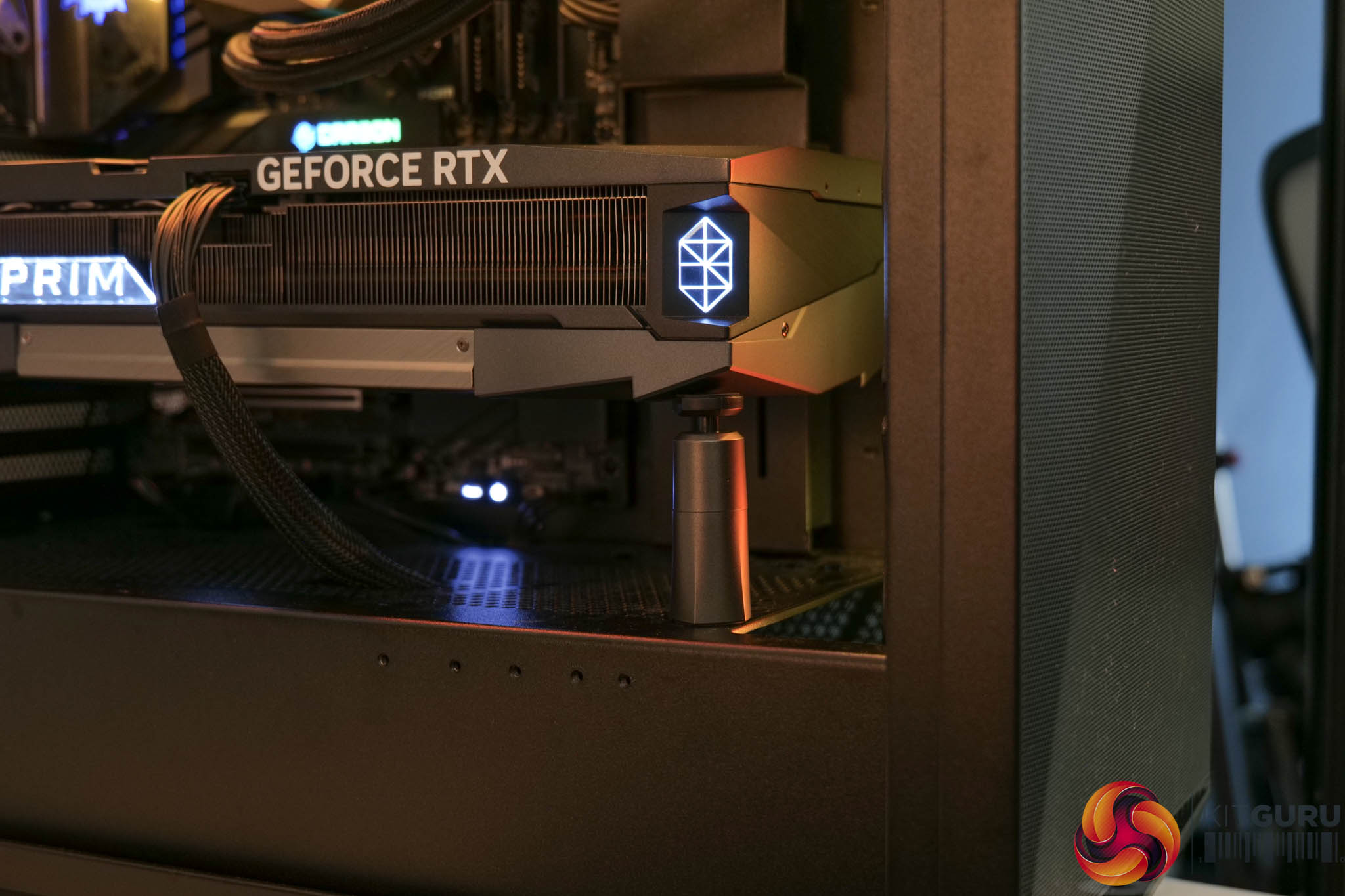
Inside, MSI bundles a quick start guide, 4x 8-pin power adapter, alongside a small height-adjustable GPU support stand – you can see it in action above.
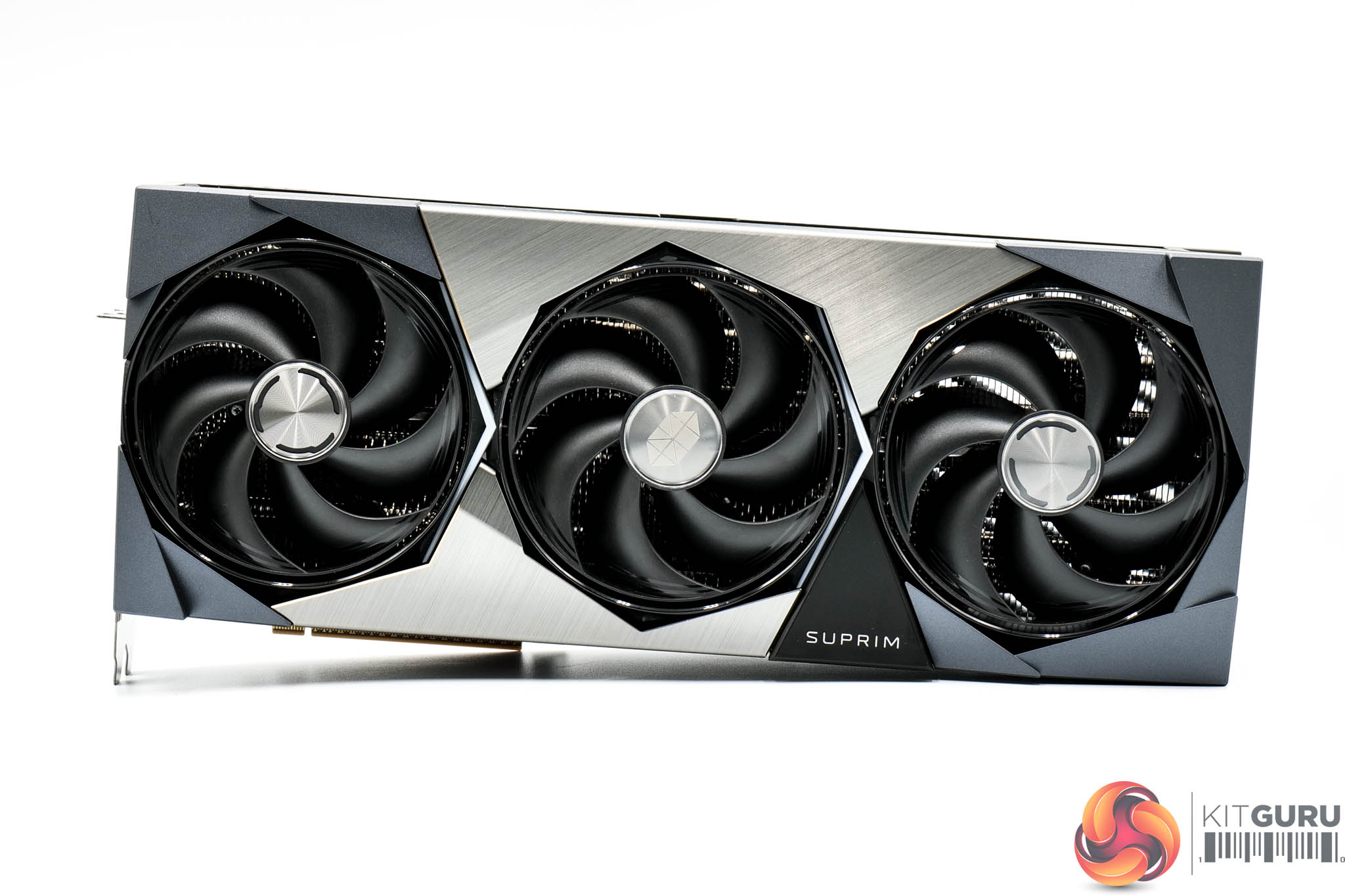
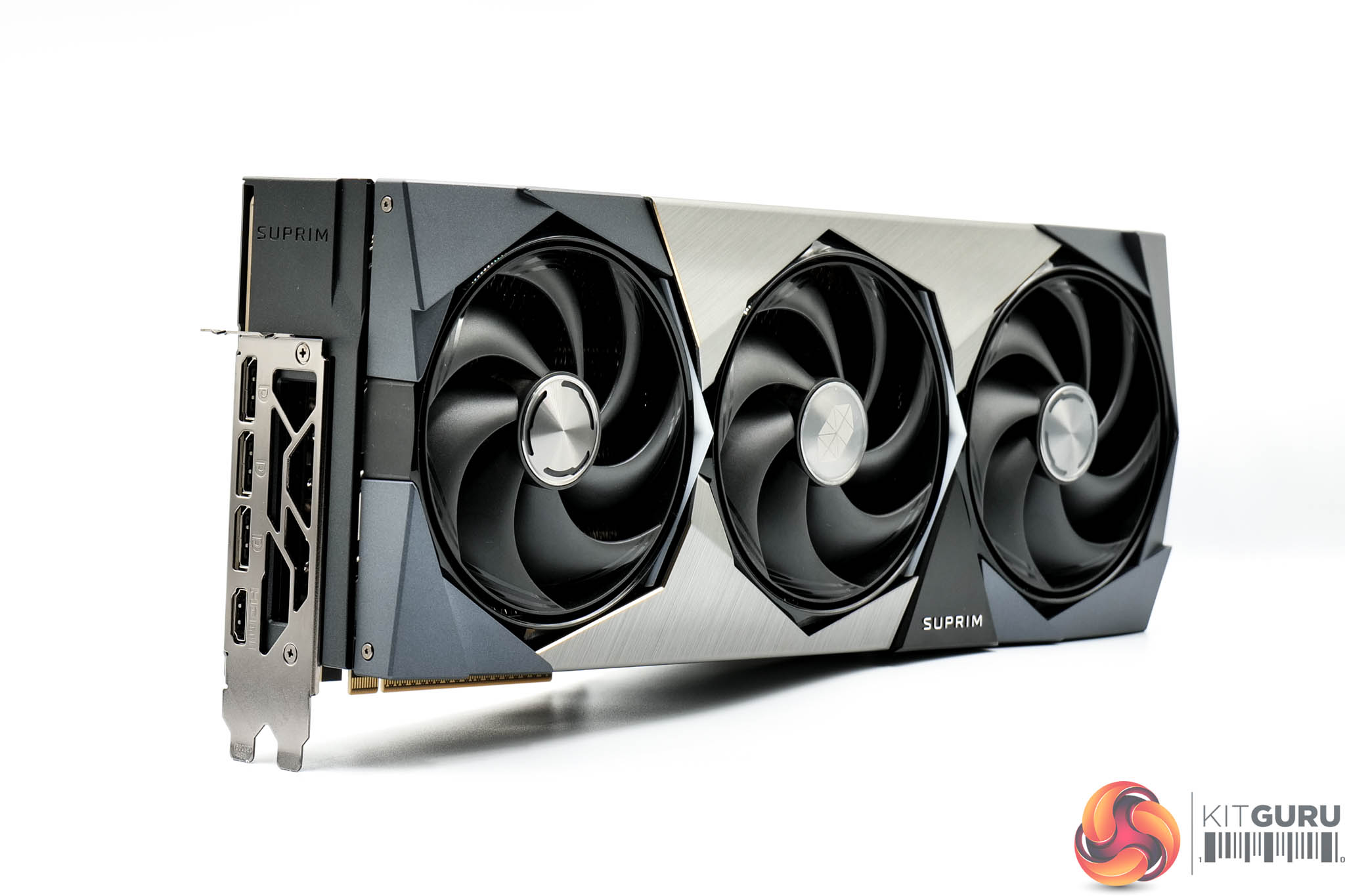
The graphics card itself looks very similar to previous iterations of the Suprim series. That means we find a slightly angular, almost blocky aesthetic, with the shroud comprised of a combination of rigid plastic and some brushed metal sections. It's certainly a good looking card – it doesn't quite excite me like one of Sapphire's Nitro+ range – but it's very well built.
MSI is using what it calls the ‘Hyper Frozr' thermal design, and that includes three Stormforce fans, each of which measures 100mm in diameter. We'll take a look at the internals further down the page.
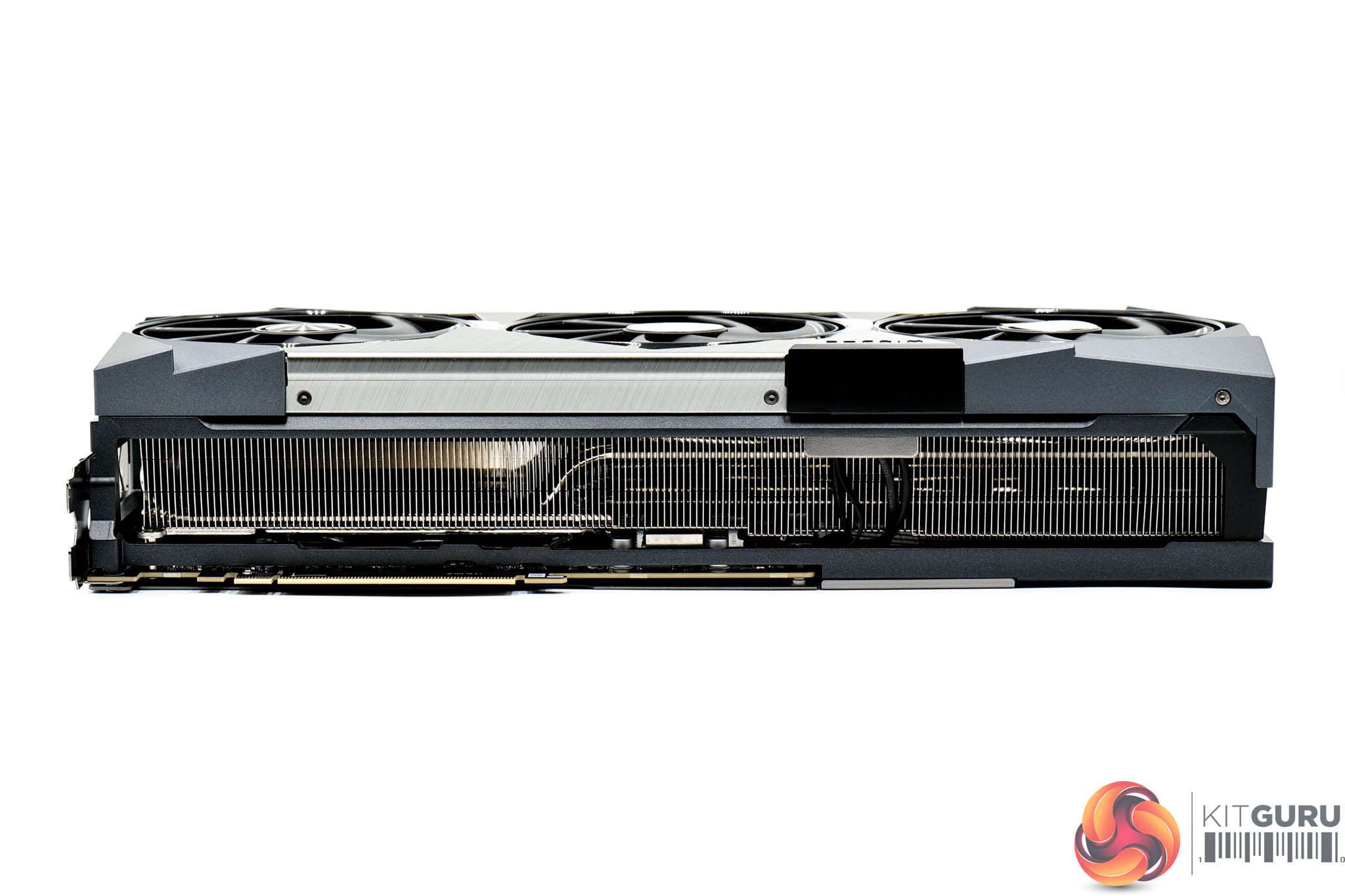
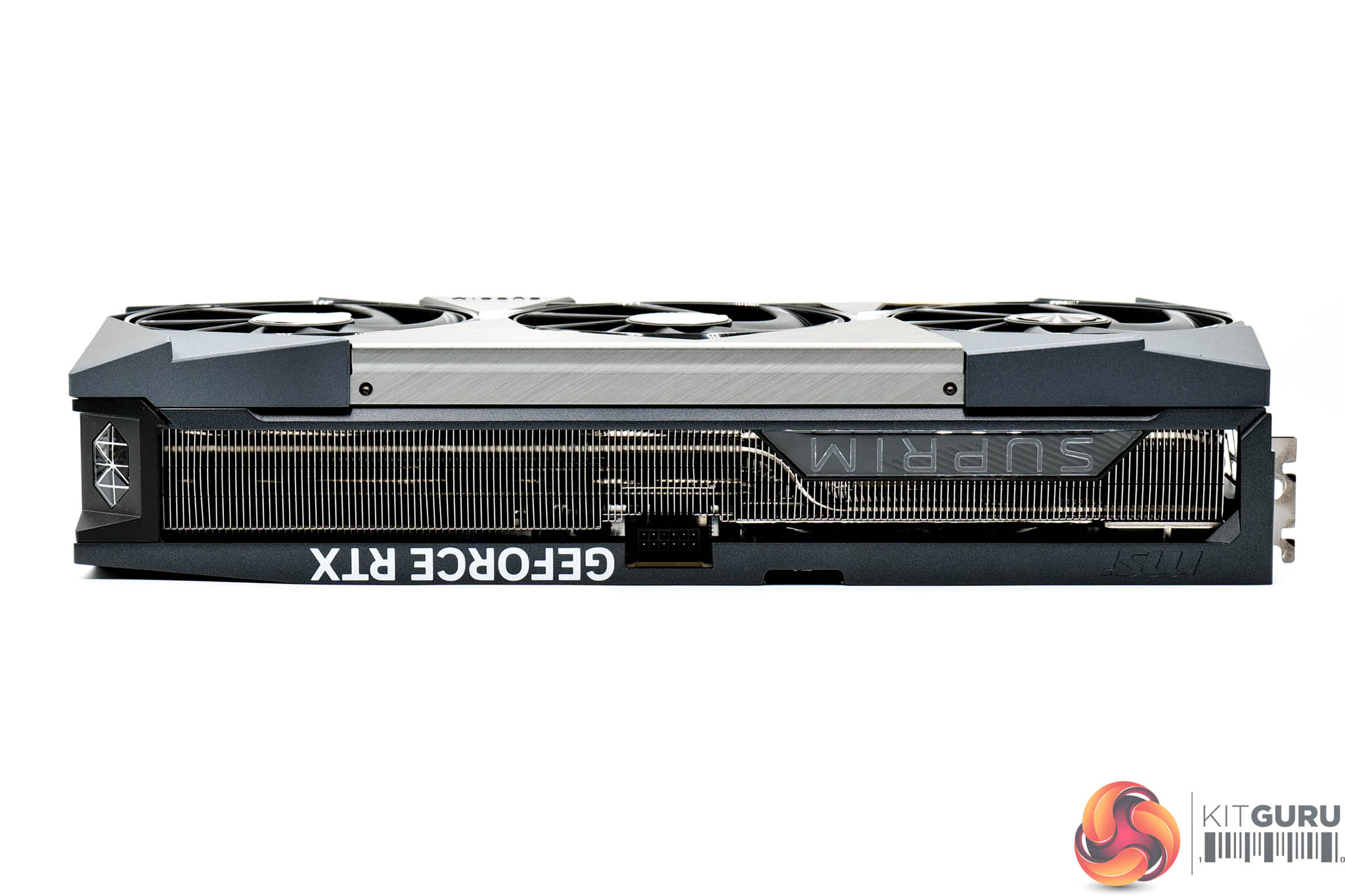
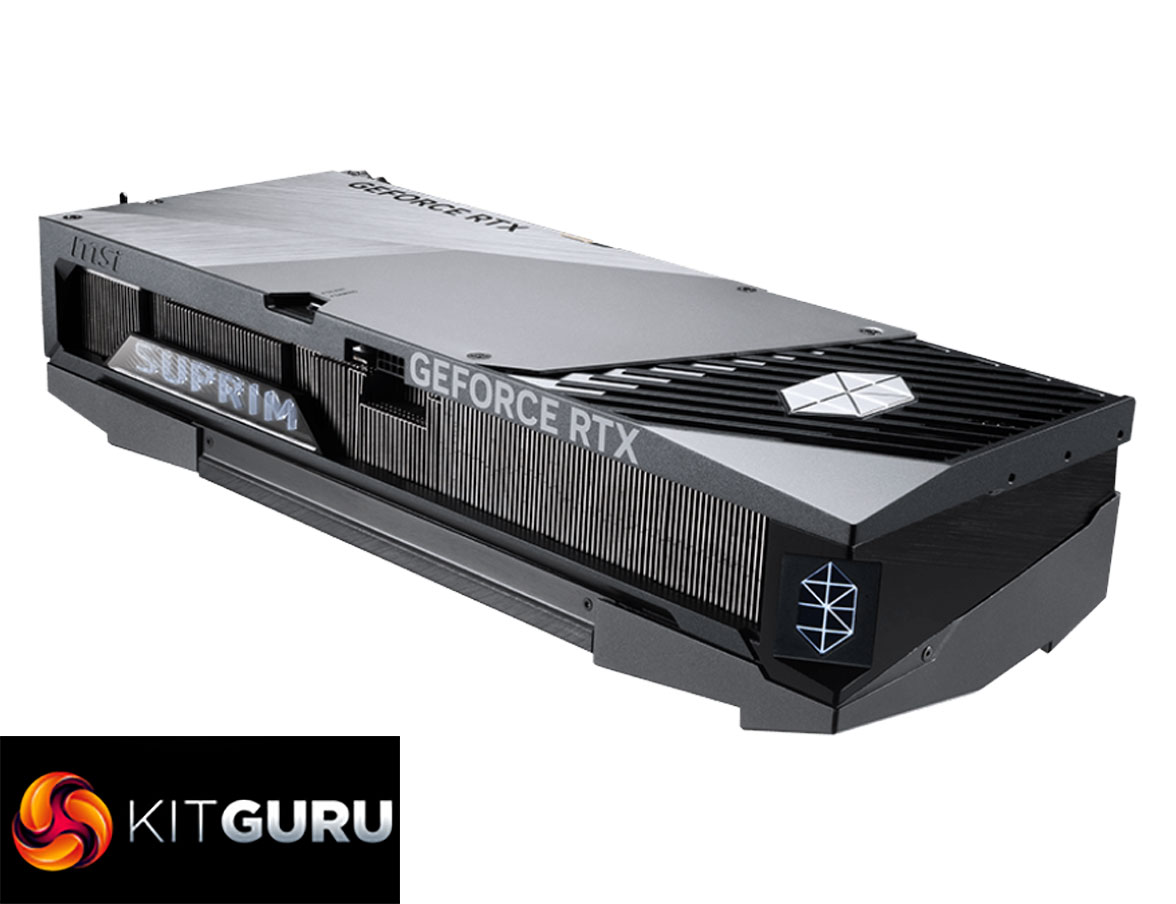
We can't go further without mentioning the sheer size of this graphics card, however – it is easily the largest I have ever tested, measuring 359 x 150 x 76 mm, so it's pretty much a quad-slot card, which is bonkers. On top of that, it weighed in at 2841g on my scales – nearly three kilos!
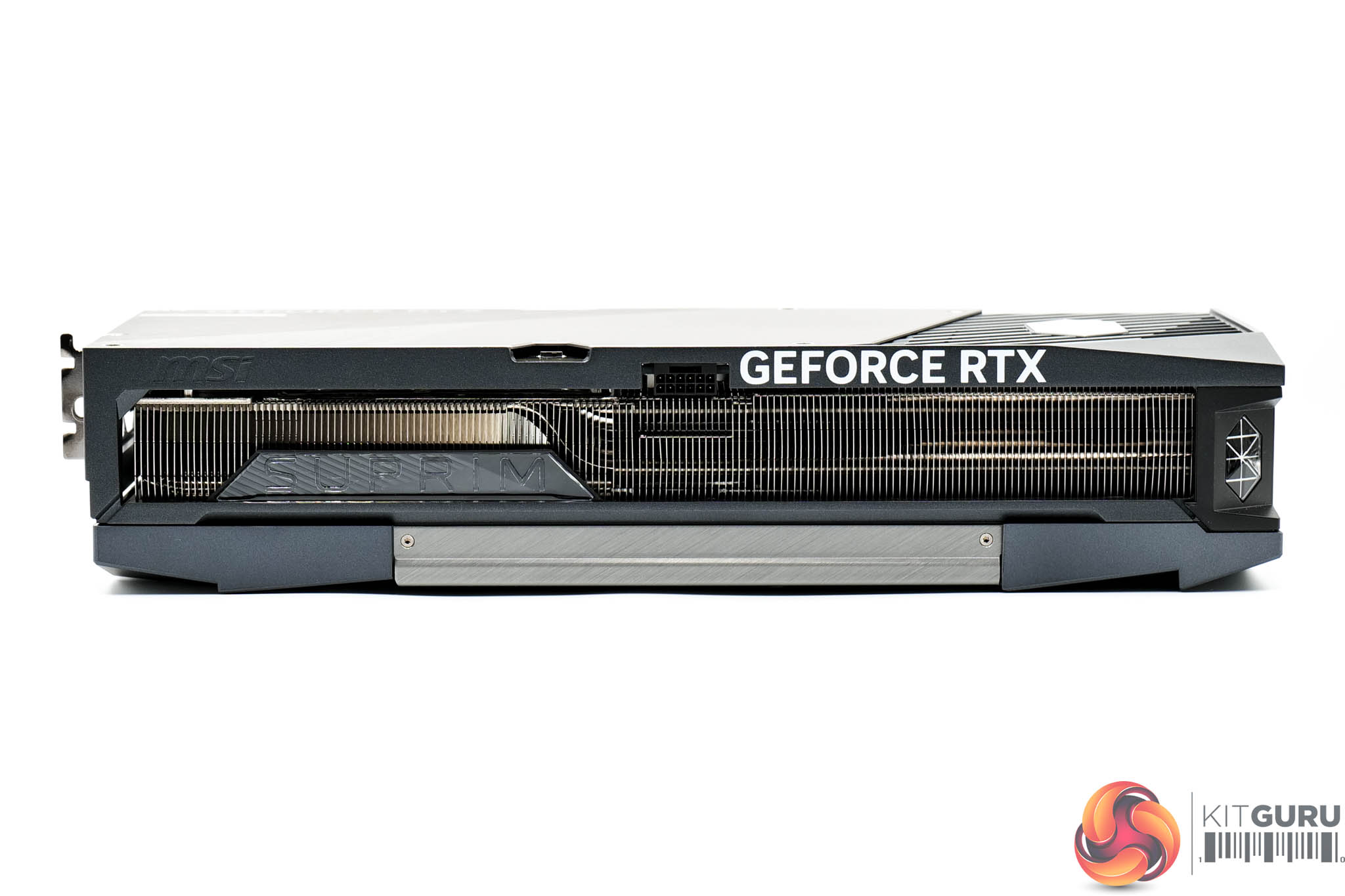
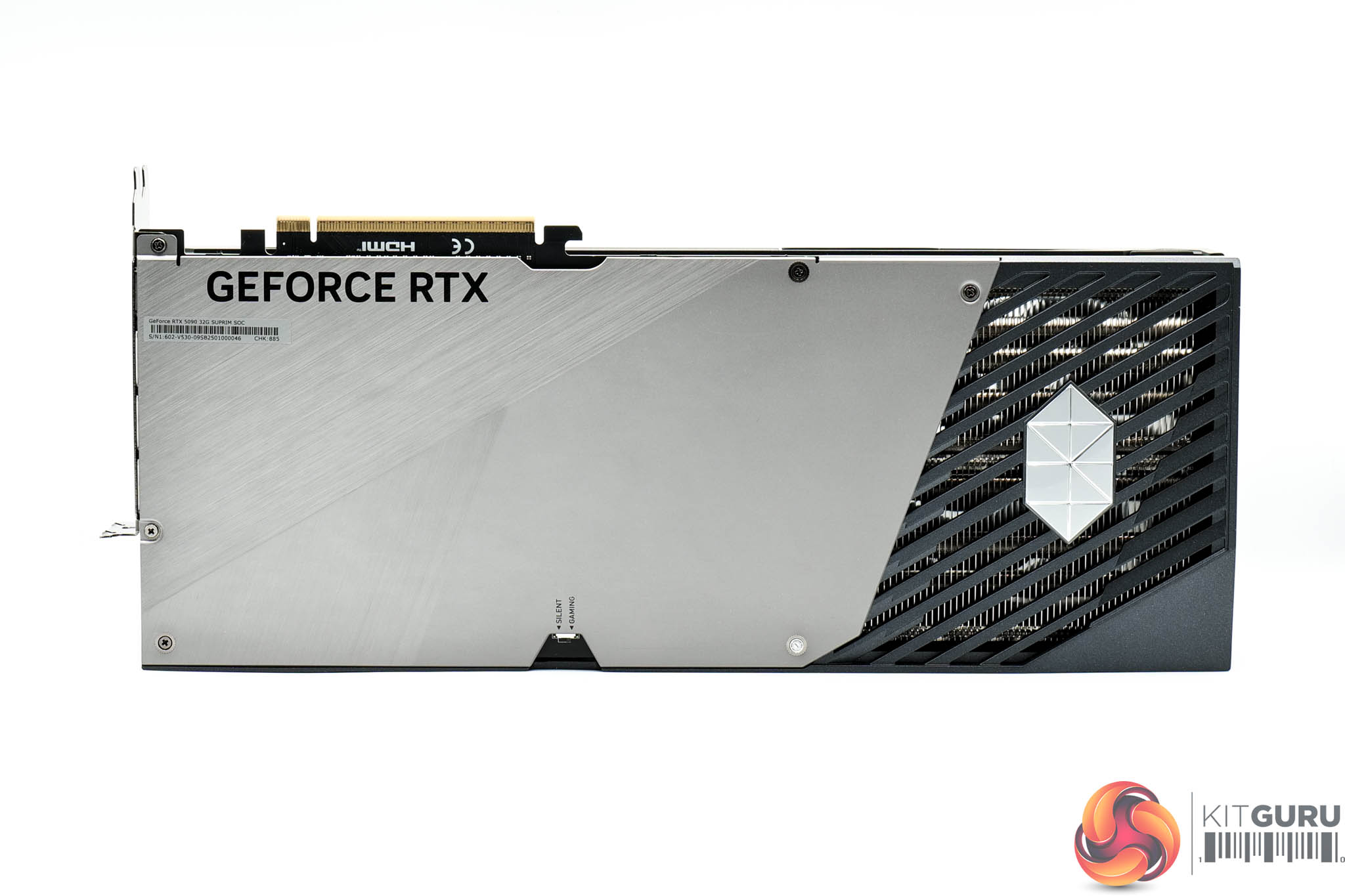
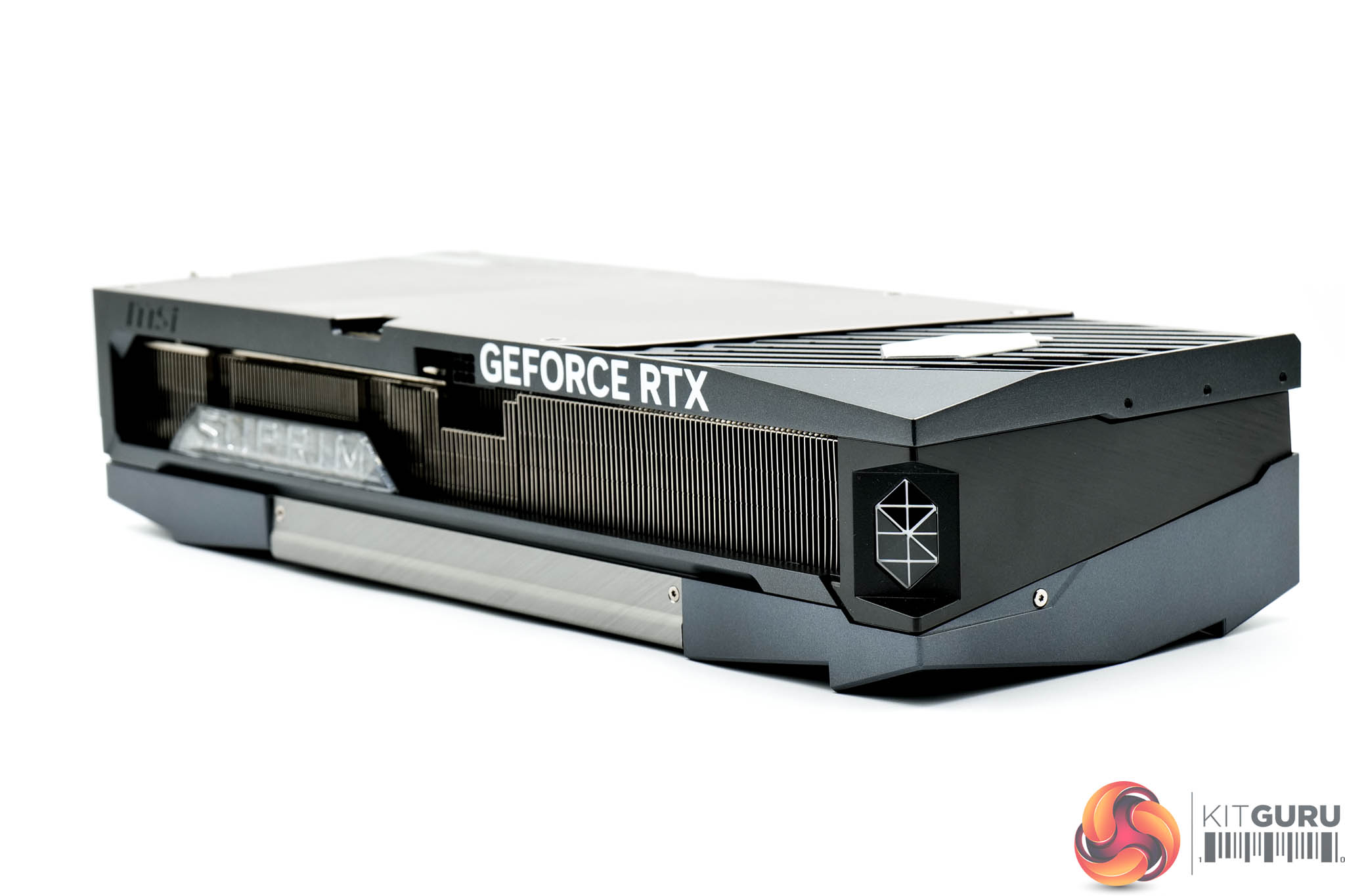
The front side of the card is home to the GeForce RTX and Suprim branding – the latter of which acts as one of the card's RGB zones.
As for the backplate, MSI has opted for a single piece of metal that extends about three quarters of the length of the card – the rest is left open to act as a ‘flow through' area, so air can pass directly through the heatsink, to aid cooling performance.
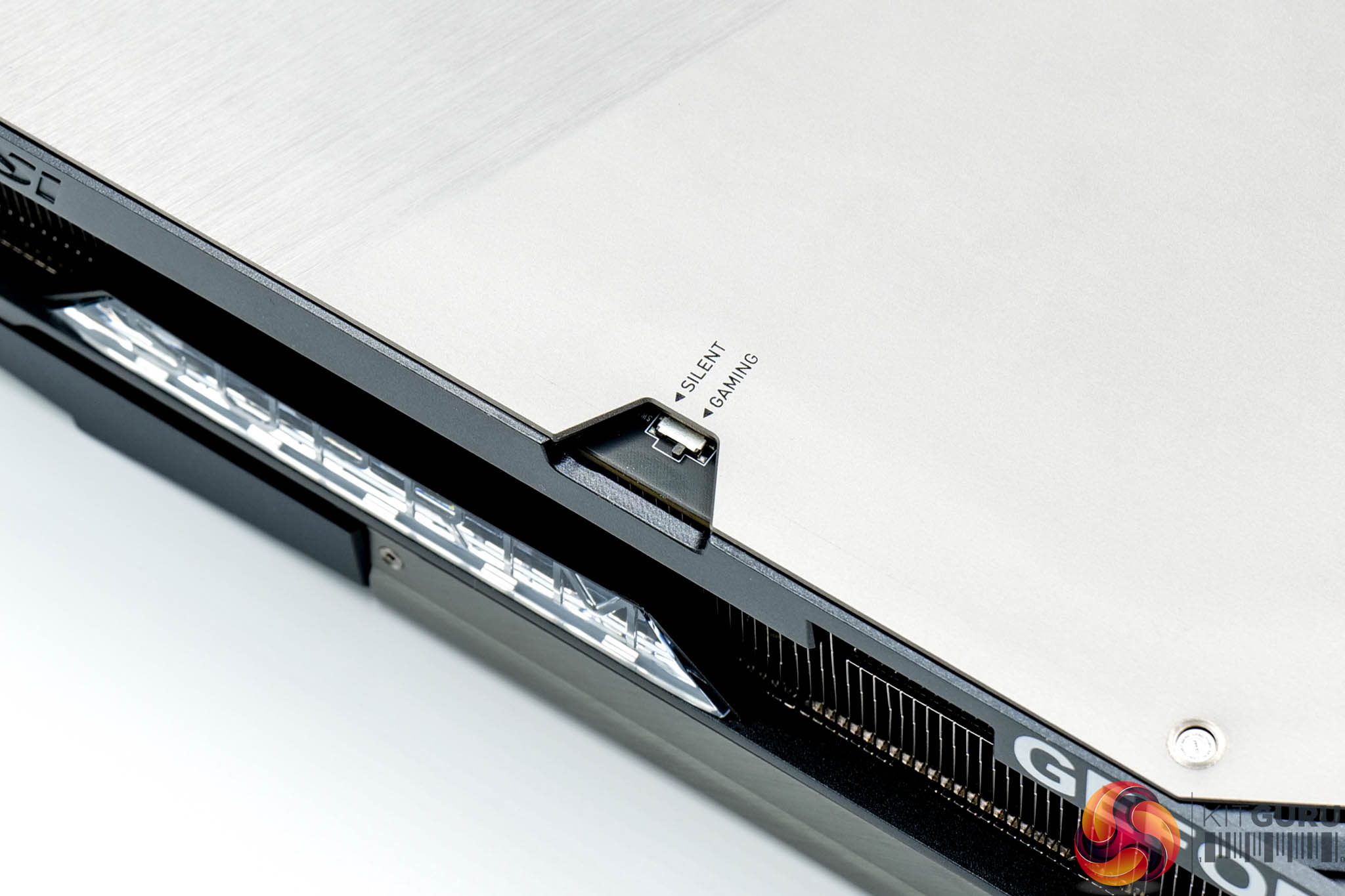
A dual-BIOS switch is positioned on the back of the card, offering a choice of the Gaming or Silent modes. Silent has a TGP of 575W and a rated clock speed of 2512MHz, whereas the Gaming mode increases power to 600W, with a clock speed of 2565MHz.
Positioned at the end of the card, straddling the corner we find MSI's Suprim logo, and this is another of the RGB zones.
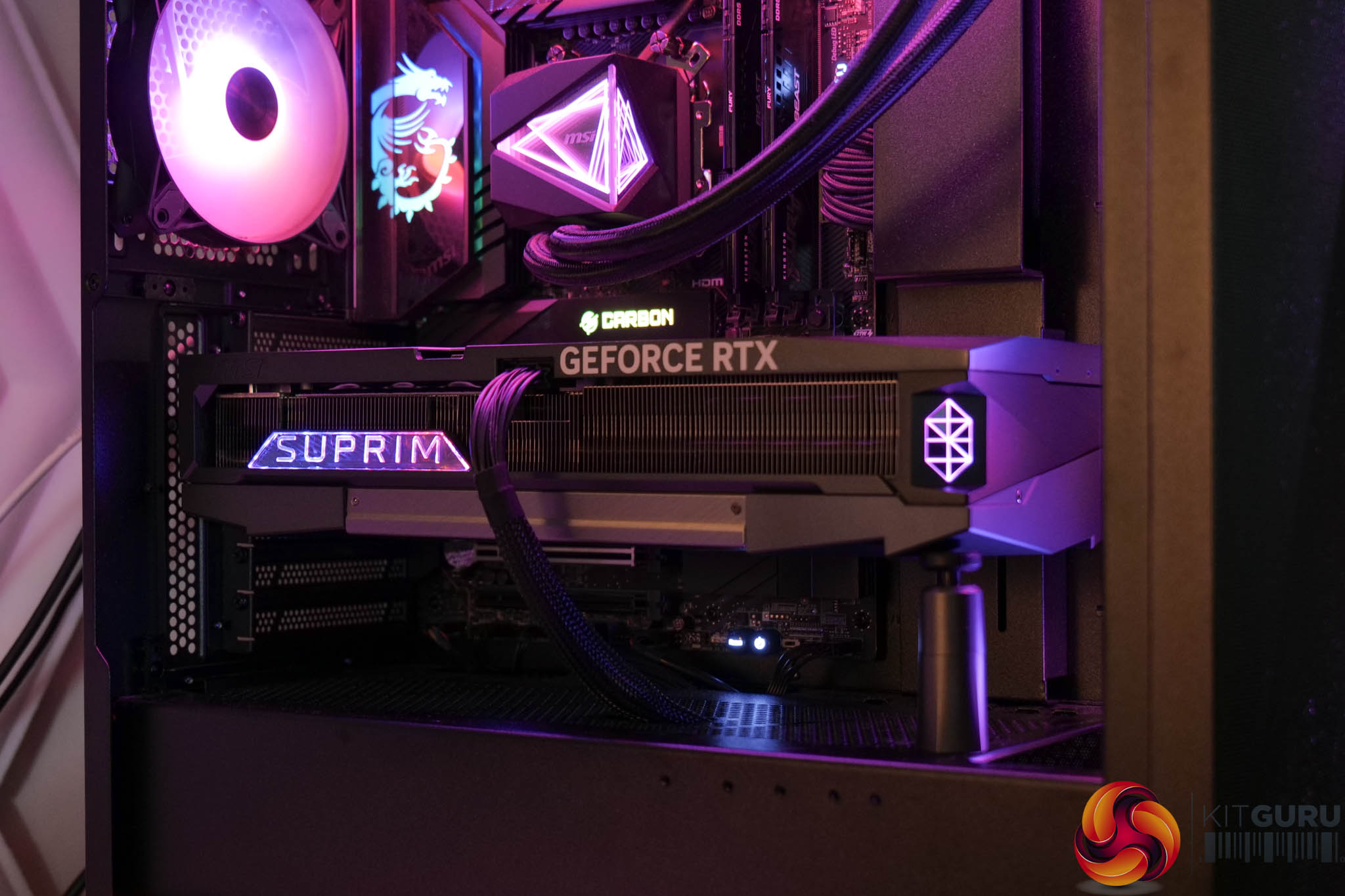
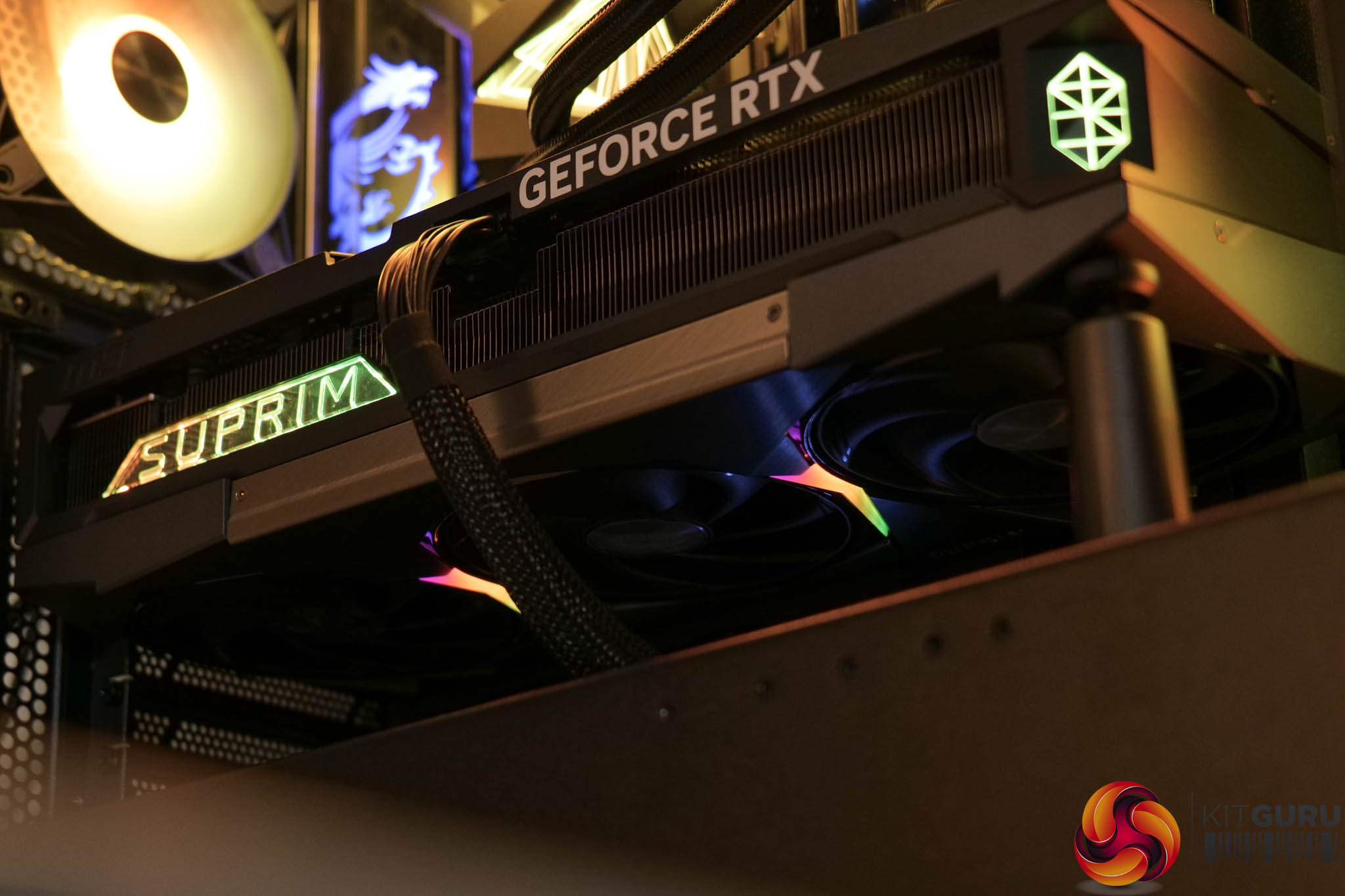
The final RGB zone is a pair of LED strips either side of the central fan, and above you can see the card lit up in all its glory – MSI Center is used to control the lighting.
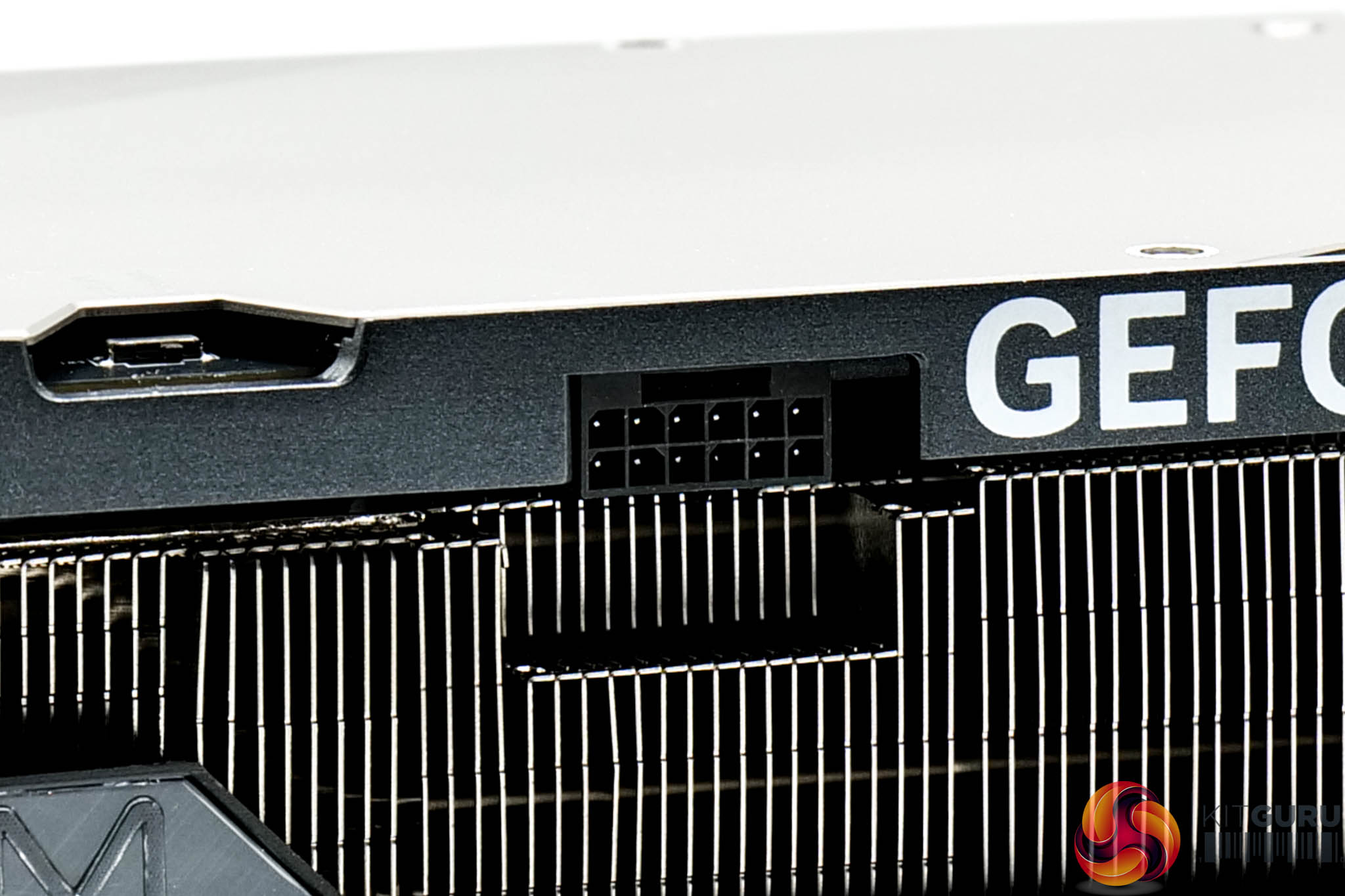

Power is of course supplied by the 12V-2X6 connector, with the adapter shown above. Display outputs consist of three DisplayPort 2.1 and one HDMI 2.1 connectors.
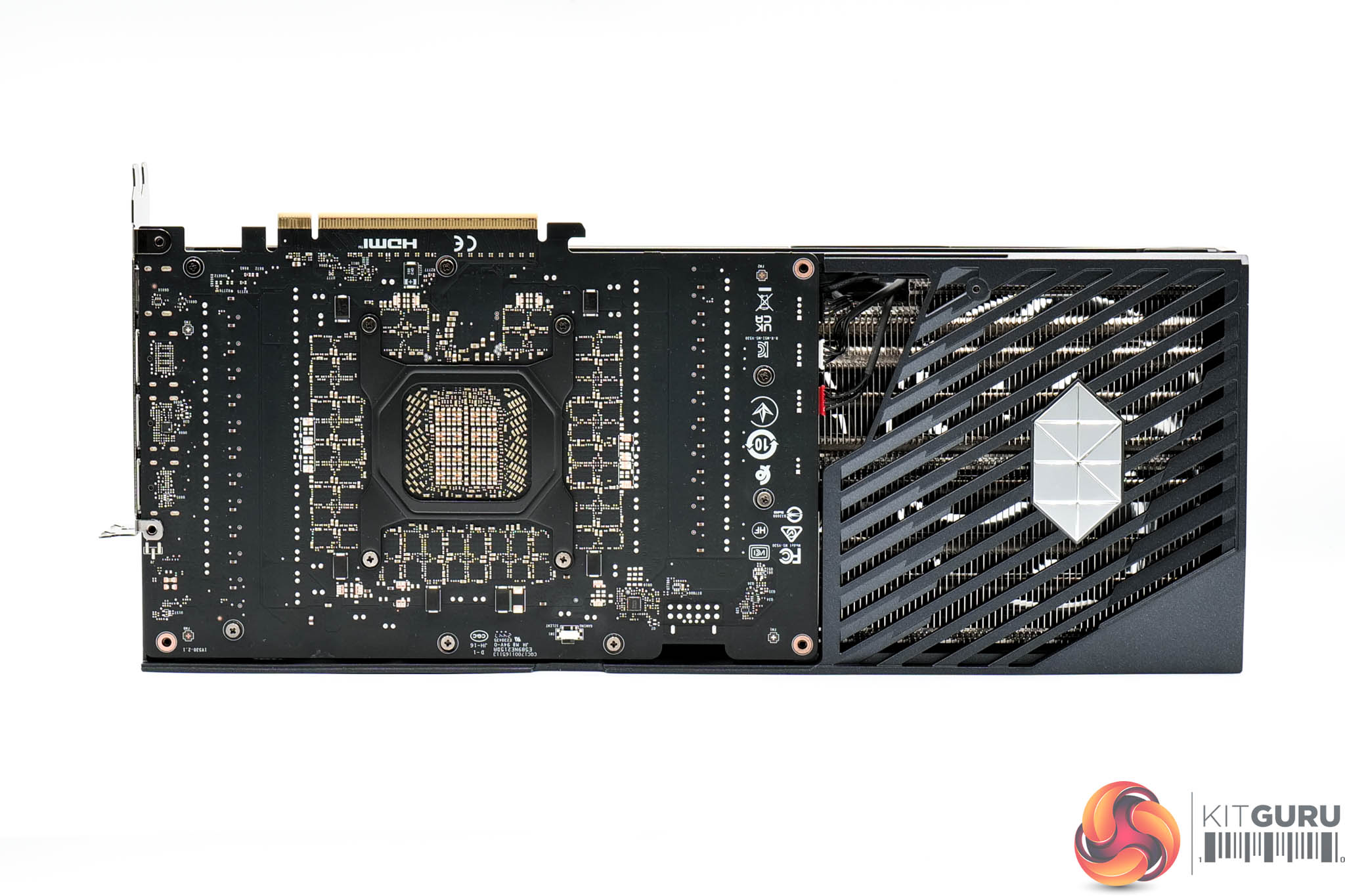
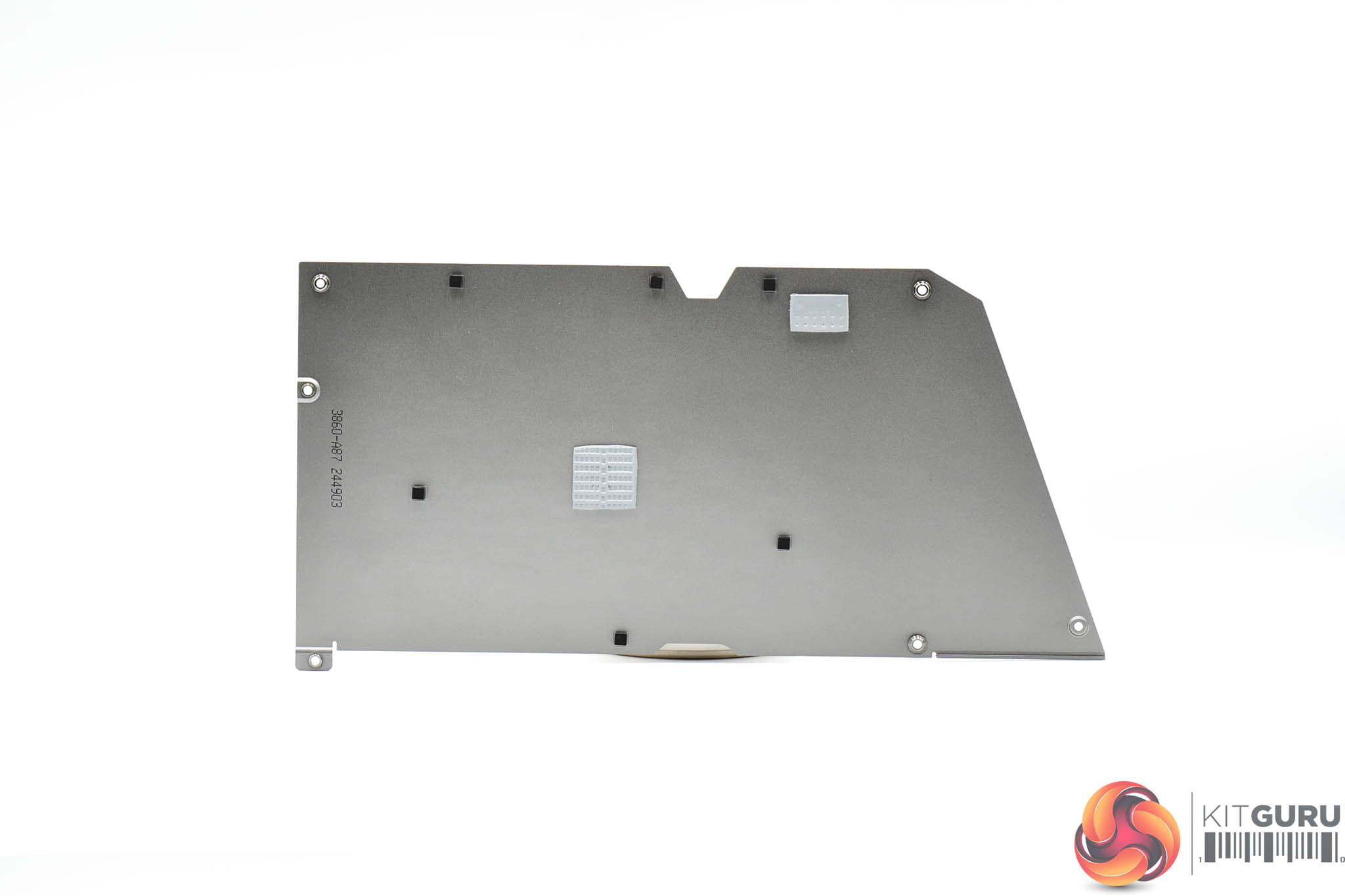
The first step for disassembling the card is to remove the backplate, revealing the back of the PCB. You can also see just how much ‘flow through' space MSI has built into the card – the PCB extends only about 22cm, leaving nearly 14cm dedicated to unobstructed airflow.
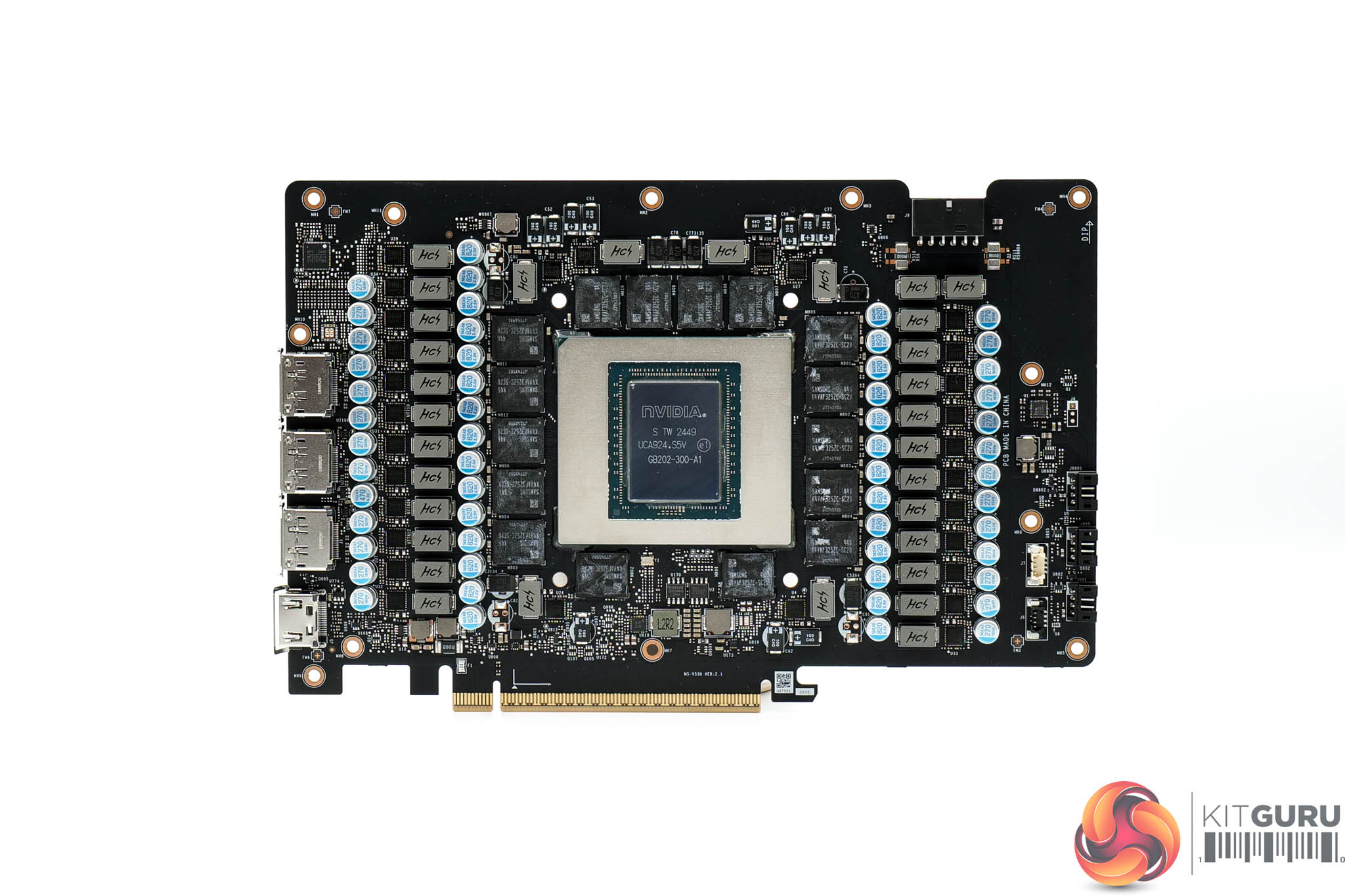
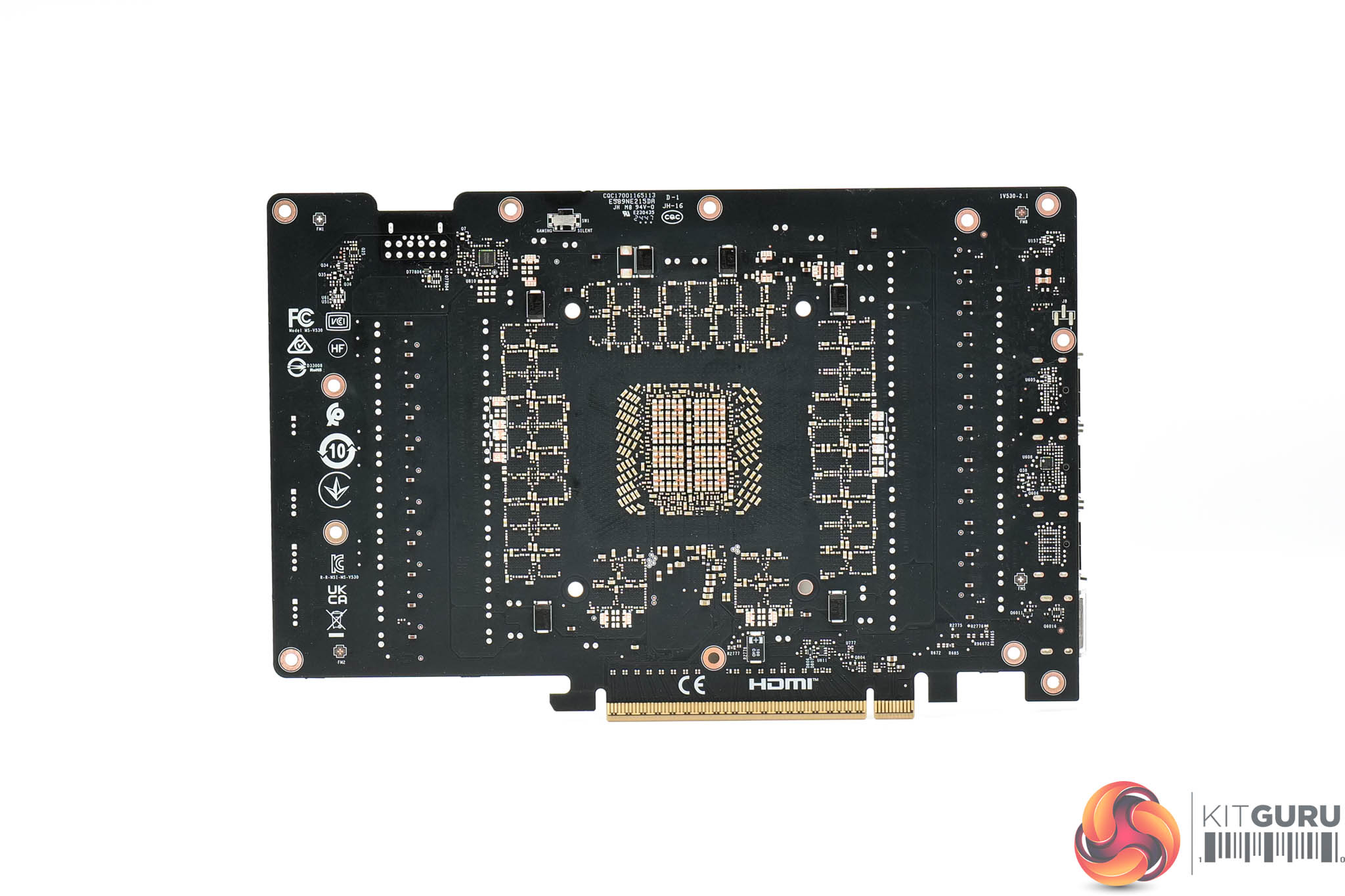
Then we get a look at the PCB itself. It's very densely packed, with no less than 22 phases for the GPU, and seven for the memory. Monolithic Power Systems MP87993 MOSFETs are used throughout, and these are rated at 50A. I could only see one controller on the PCB too, Monolithic MP29816-A, so it would seem this is used for both memory and GPU VRMs.
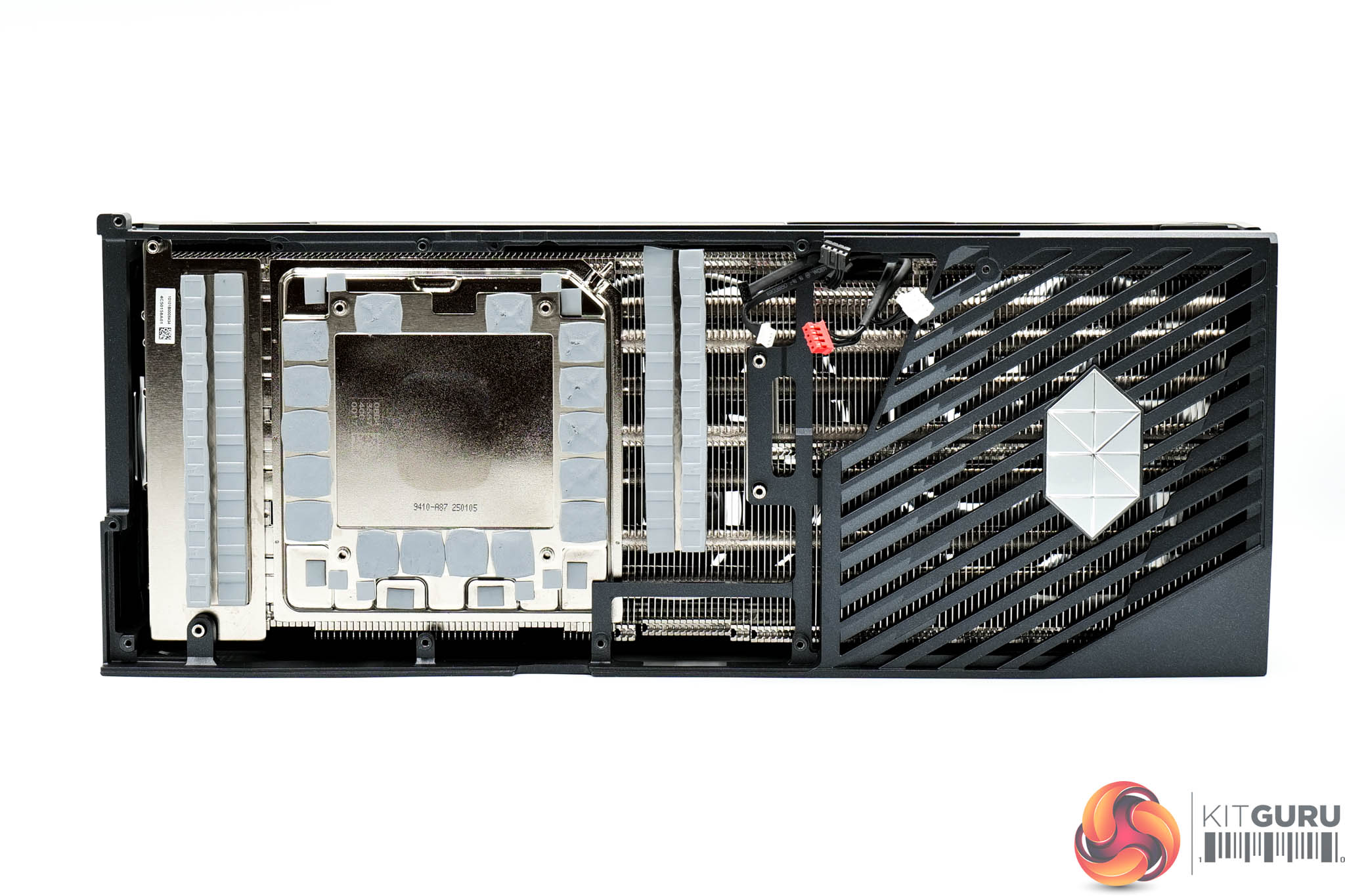
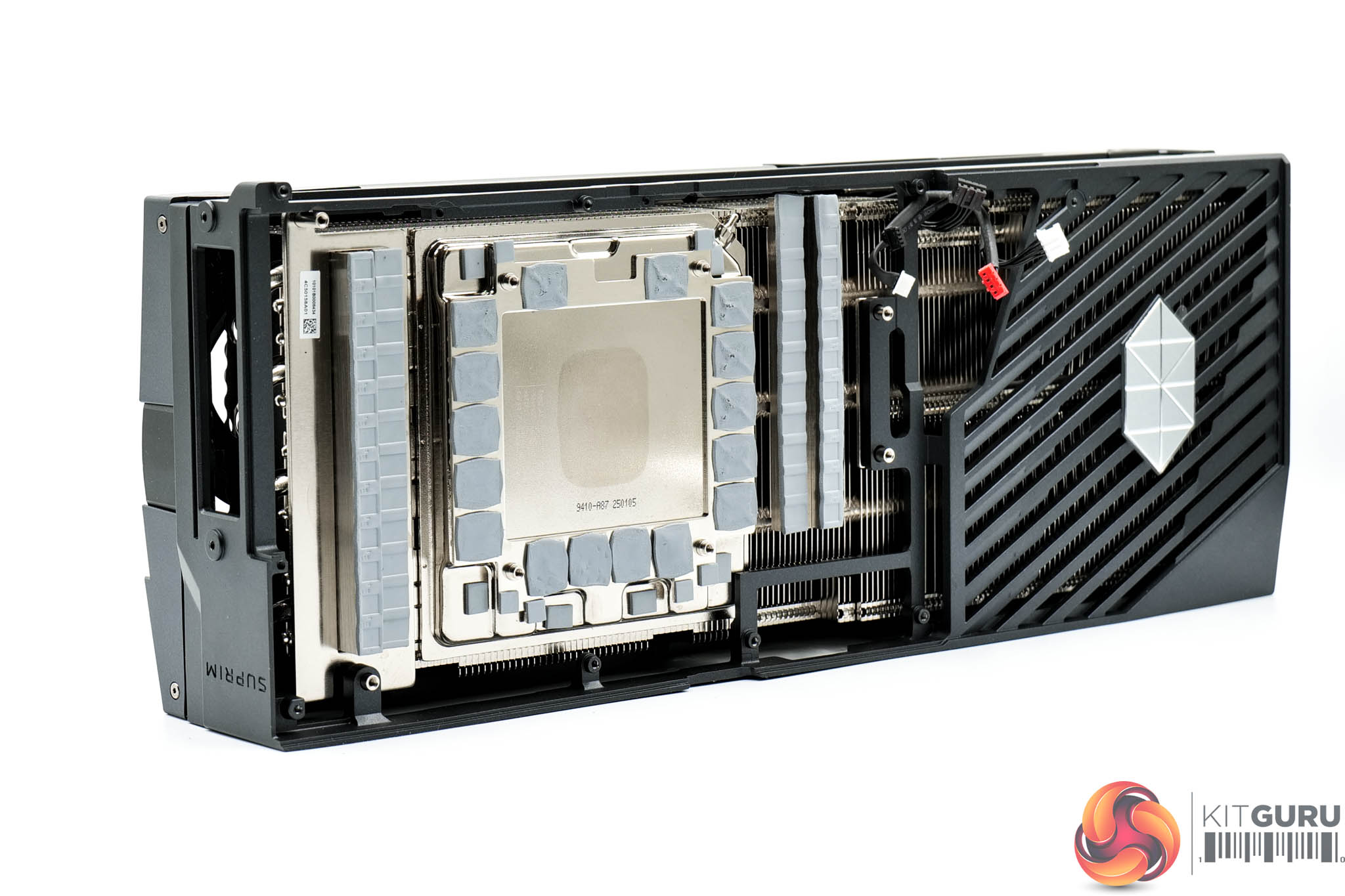
As for the cooler, MSI is using a huge heatsink array here, while the GPU and VRAM contacts with a vapour chamber. Secondary baseplates are used to cool the MOSFETs. The heatsink utilises a total of eleven heatpipes, which MSI says have been designed with a ‘square-shaped contact area' to improve overall cooling efficiency.
In case you're wondering, MSI opted for what appears to be standard thermal paste, unlike the RTX 5090 Founders Edition which uses liquid metal TIM.
Driver Notes
- AMD GPUs were benchmarked with the Adrenalin 24.12.1 driver.
- Nvidia GPUs (except for RTX 5090 and RTX 5080) were benchmarked with the 566.14 driver.
- RTX 5090 was benchmarked with the 571.86 driver supplied to press.
- RTX 5080 was benchmarked with the 572.02 driver supplied to press.
Results are only directly comparable where this exact configuration has been used.
Test System:
We test using a custom built system powered by MSI, based on AMD's Zen 5 platform. You can view the Powered by MSI store on AWD-IT's website HERE.
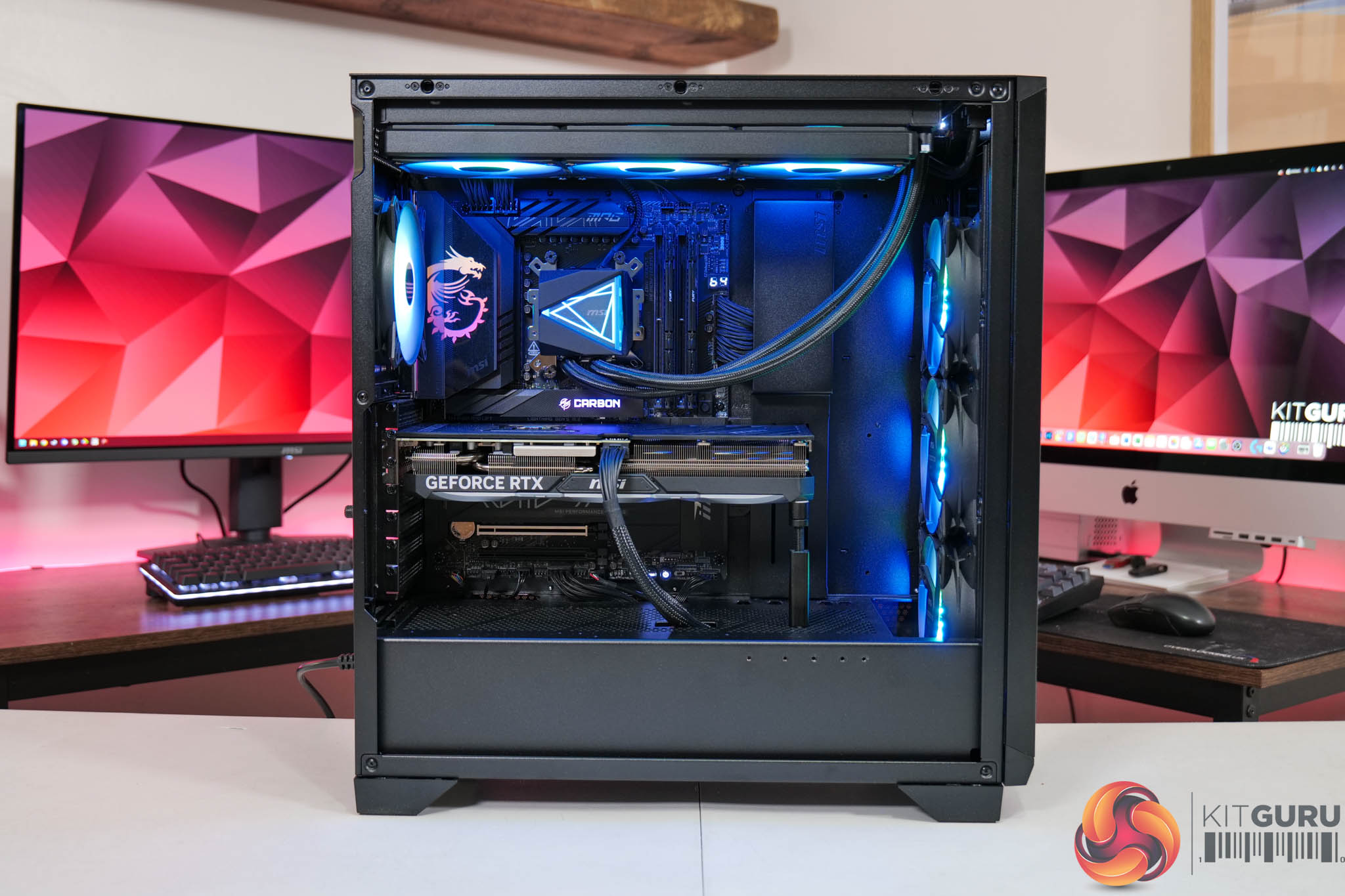
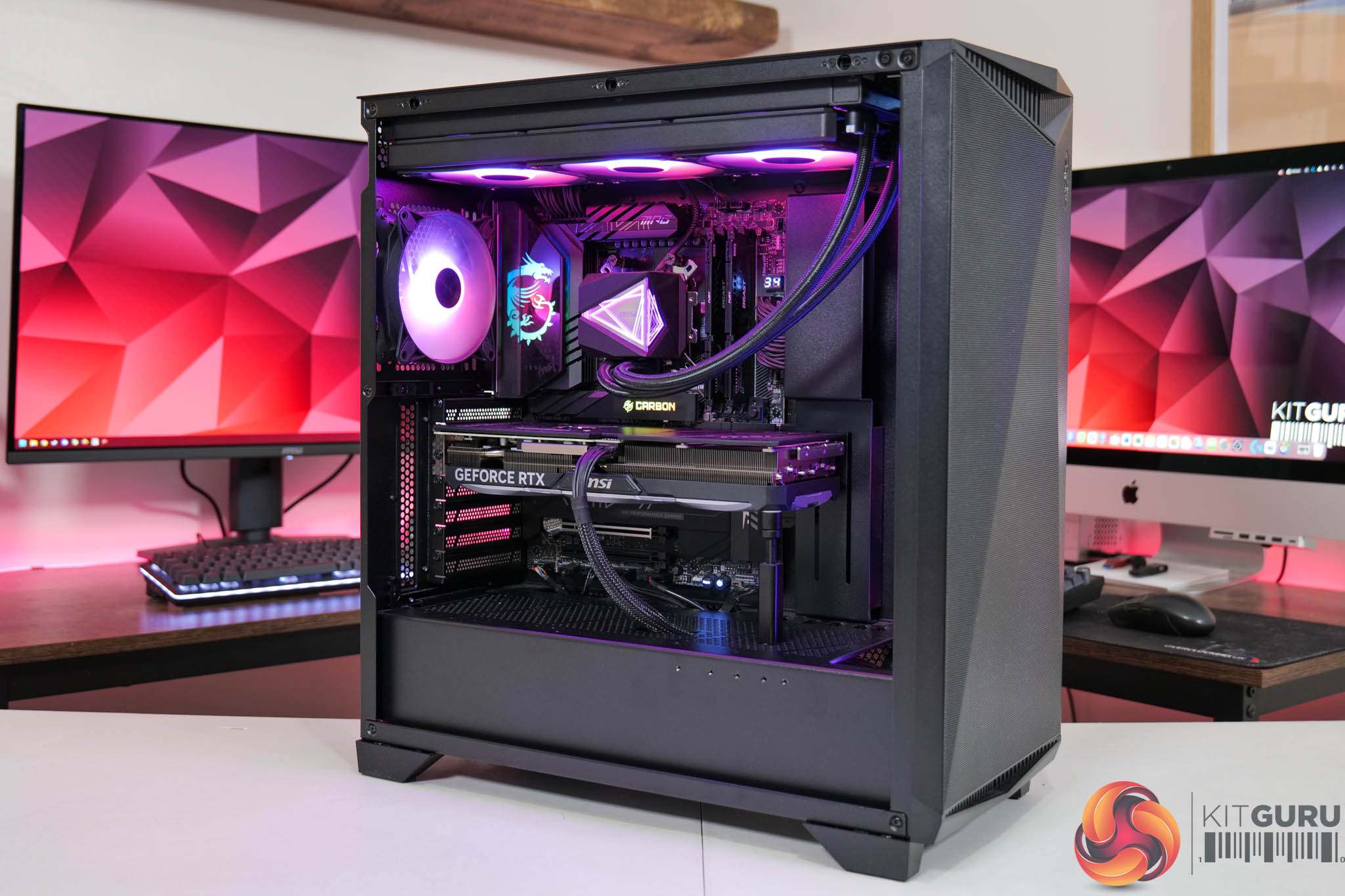
| CPU |
AMD Ryzen 7 9800X3D
|
| Motherboard |
MSI MPG X870E Carbon WiFi
|
| Memory |
64GB (2x32GB) Kingston Fury Beast DDR5 6000MT/s CL30
|
| Graphics Card |
Varies
|
| SSD |
4TB Kingston NV3 Gen 4 PCIe NVMe
|
| Chassis | MSI MPG Gungnir 300R Airflow |
| CPU Cooler |
MSI MAG CoreLiquid i360
|
| Power Supply |
MSI MEG Ai1300P
|
| Operating System |
Windows 11 23H2
|
| Monitor |
MSI MPG 321URX QD-OLED
|
| Resizable BAR |
Enabled for all supported GPUs
|
Comparison Graphics Cards List
- AMD RX 7900 XTX 24GB
- AMD RX 7900 XT 20GB
- Sapphire RX 7900 GRE Nitro+ 16GB
- AMD RX 7800 XT 16GB
- Sapphire RX 7700 XT Pulse 12GB
- Nvidia RTX 5090 FE 32GB
- Nvidia RTX 5080 FE 16GB
- Nvidia RTX 4090 FE 24GB
- Nvidia RTX 4080 Super FE 16GB
- MSI RTX 4070 Ti Super Ventus 3X 16GB
- Nvidia RTX 4070 Super FE 12GB
- Nvidia RTX 4070 FE 12GB
- Nvidia RTX 4060 Ti FE 8GB
- Nvidia RTX 3080 Ti FE 12GB
All cards were tested at reference specifications. For factory overclocked cards, this means we manually ‘undo' the overclock via MSI Afterburner or AMD/Intel's built-in tuning tools. Or, for cards like the Sapphire RX 7900 GRE Nitro+, we enable the reference-clocked BIOS instead of the default OC BIOS.
Software and Games List
- Alan Wake II (DX12)
- Black Myth: Wukong (DX12)
- Cyberpunk 2077 (DX12)
- F1 24 (DX12)
- Final Fantasy XVI (DX12)
- Forza Horizon 5 (DX12)
- Ghost of Tsushima (DX12)
- Horizon Forbidden West (DX12)
- The Last of Us Part 1 (DX12)
- A Plague Tale: Requiem (DX12)
- Ratchet and Clank: Rift Apart (DX12)
- Returnal (DX12)
- Senua's Saga: Hellblade 2 (DX12)
- Shadow of the Tomb Raider (DX12)
- Starfield (DX12)
- Star Wars Outlaws (DX12)
- Total War: Warhammer III (DX11)
We run each benchmark/game three times, and present mean averages in our graphs. We use FrameView to measure average frame rates as well as 1% low values (99th percentile) across our three runs.
Here we test three games, all at 3840×2160 resolution using maximum image quality settings.
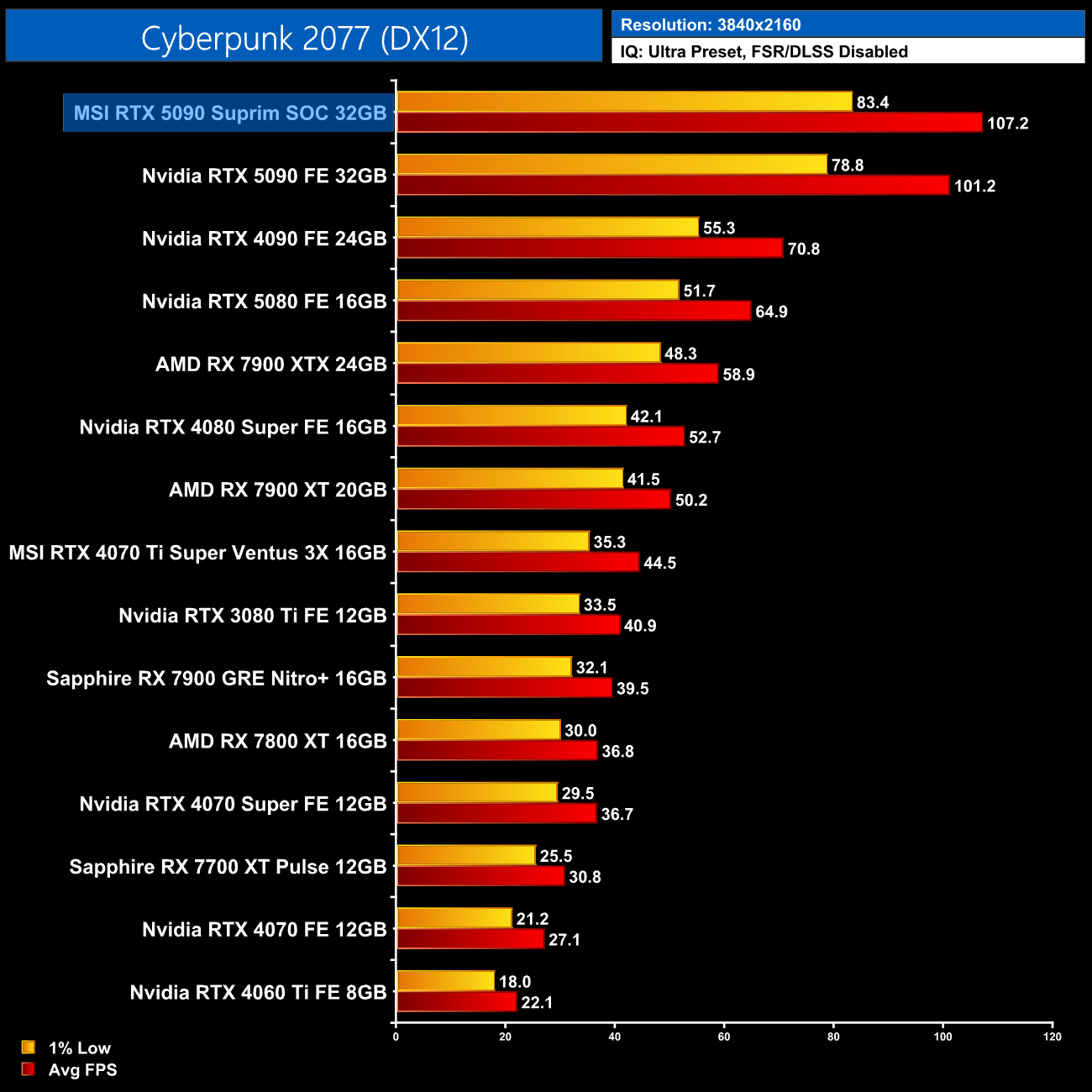
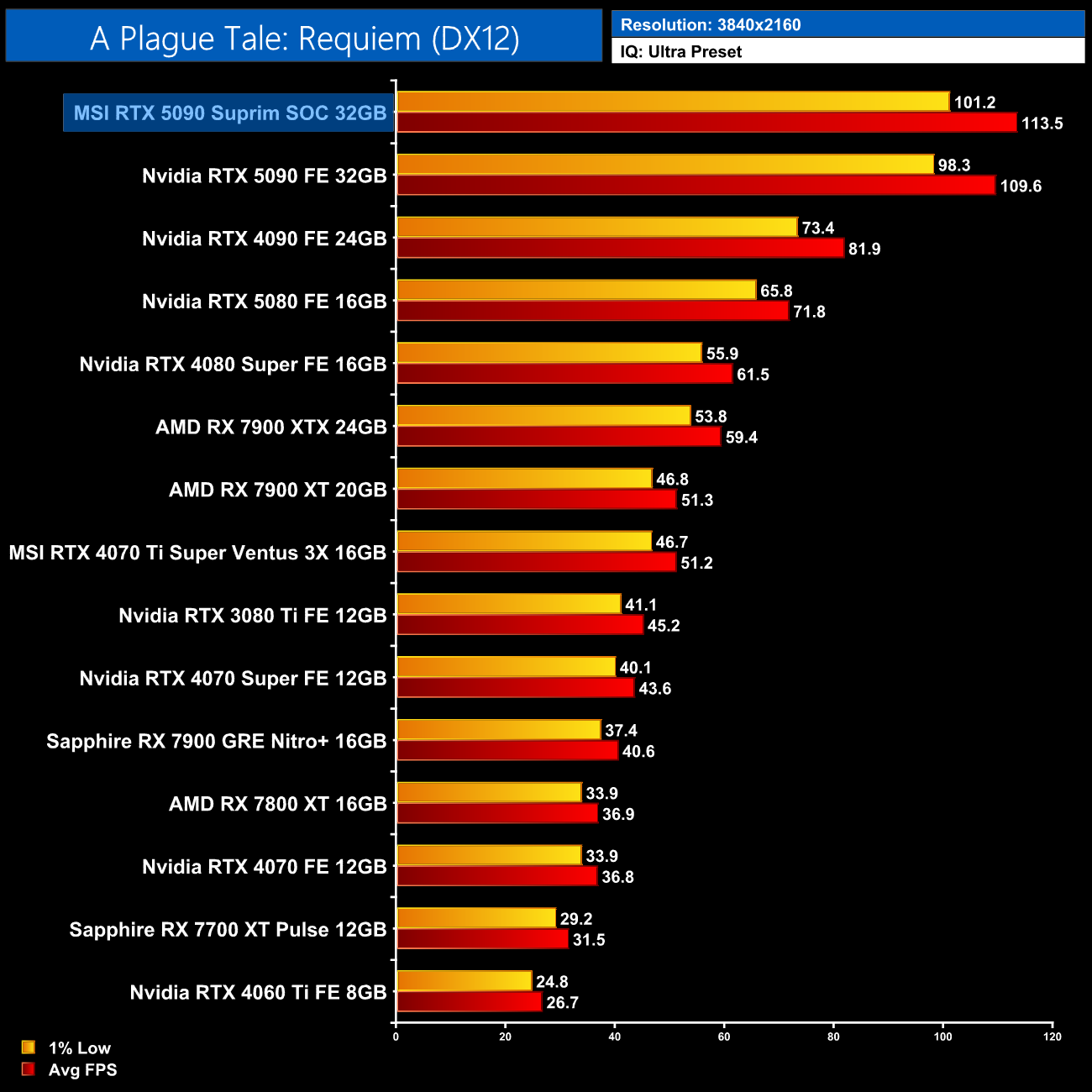
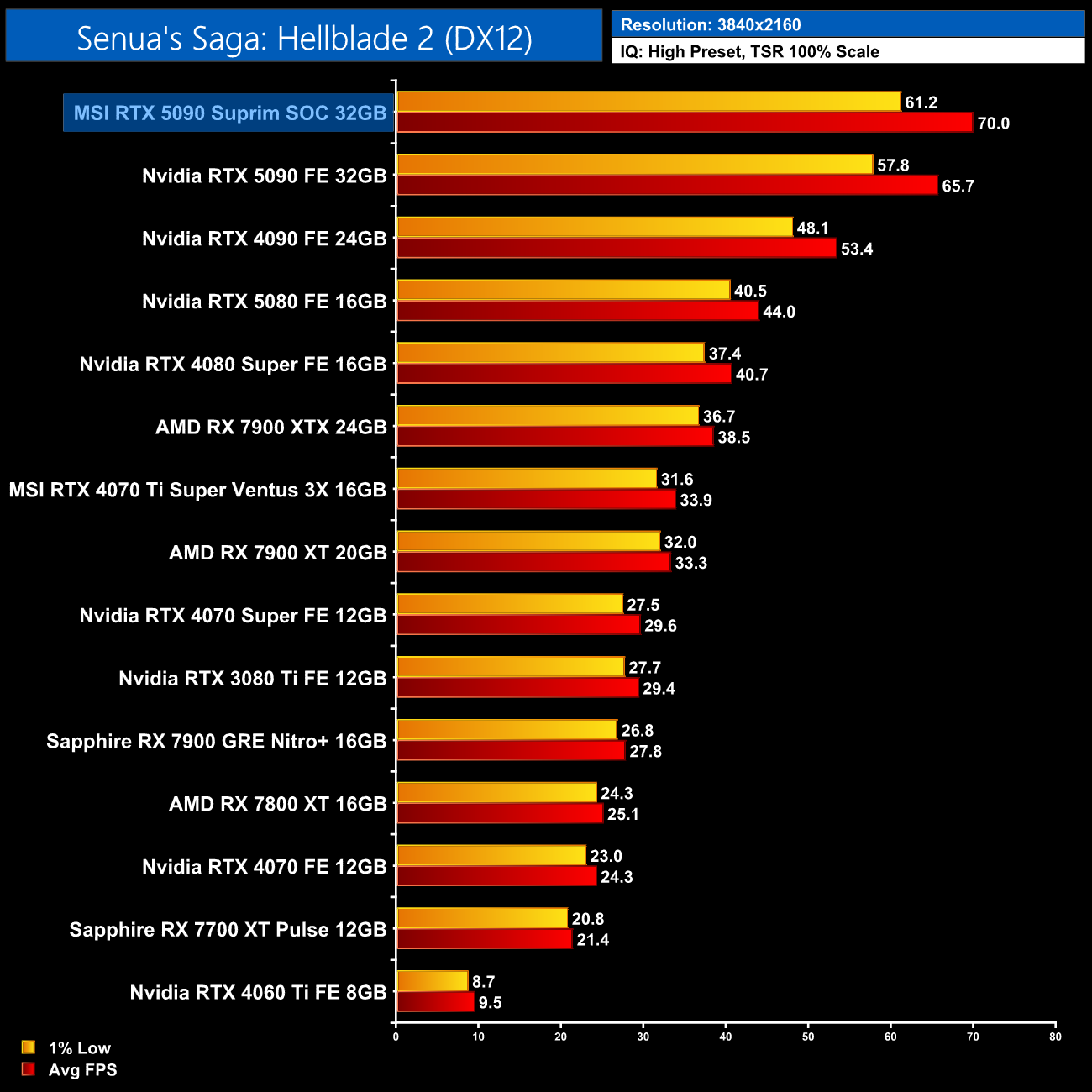
We don't focus too heavily on game benchmarks in our partner cards reviews as performance doesn't tend to change a whole lot when compared to the reference models. With that said, the gains provided by the Suprim were larger than expected – coming in 4-7% faster than the Founders Edition when tested with the Gaming BIOS. It's still not a huge difference, and I'm not sure you'd be able to notice in the real-world, but it's more than nothing.
Here we present the average clock speed for each graphics card while running A Plague Tale: Requiem for 30 minutes. We use GPU-Z to record the GPU core frequency during gameplay. We calculate the average core frequency during the 30 minute run to present here.
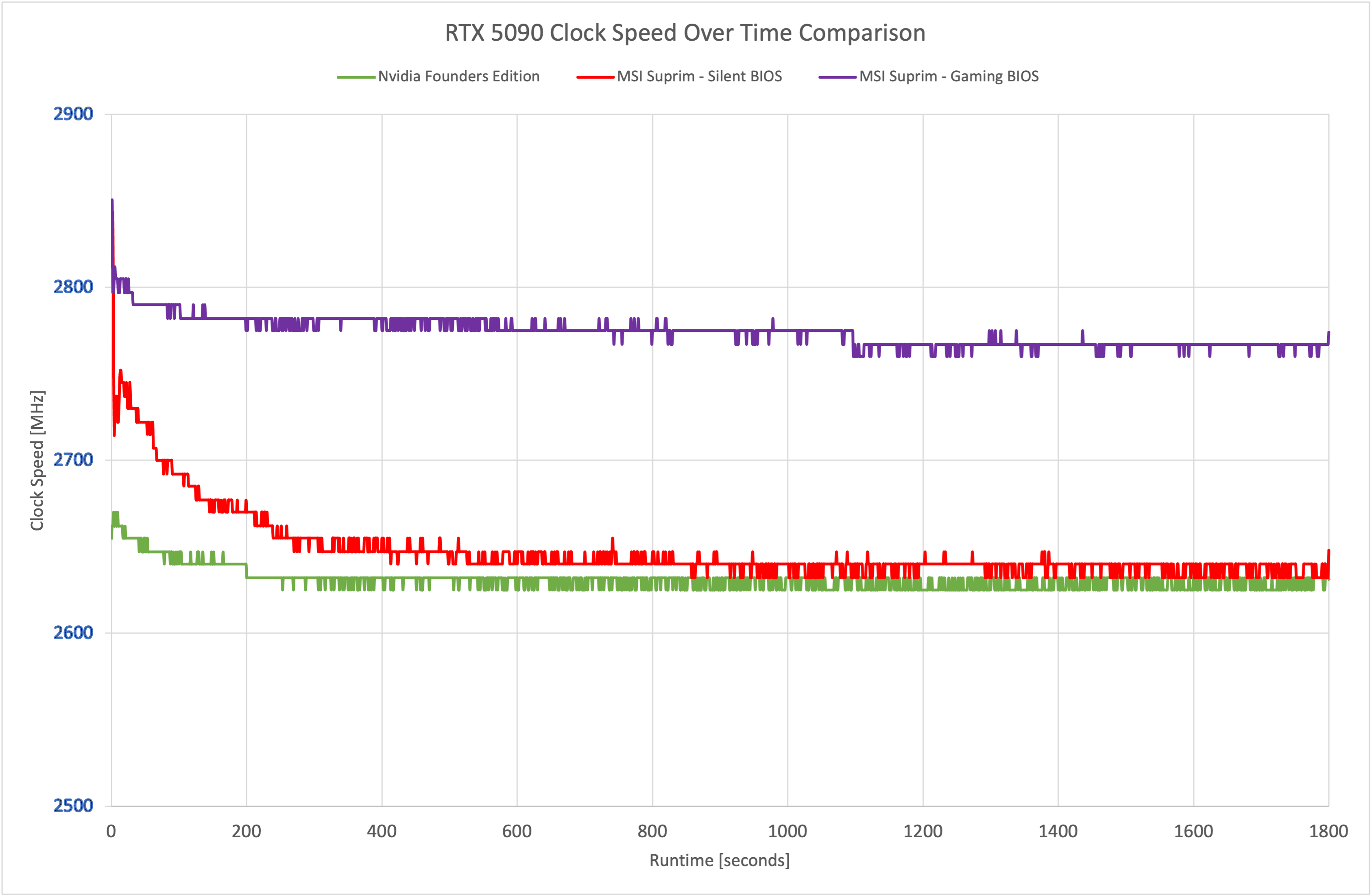
The reason for the extra performance is that MSI has pushed clock speed fairly high, at least compared to the FE. The Gaming BIOS ran at just below 2800MHz for most of our 30-minute stress test, though the Silent BIOS does run a good chunk slower and is fairly closely matched to the Founders Edition.
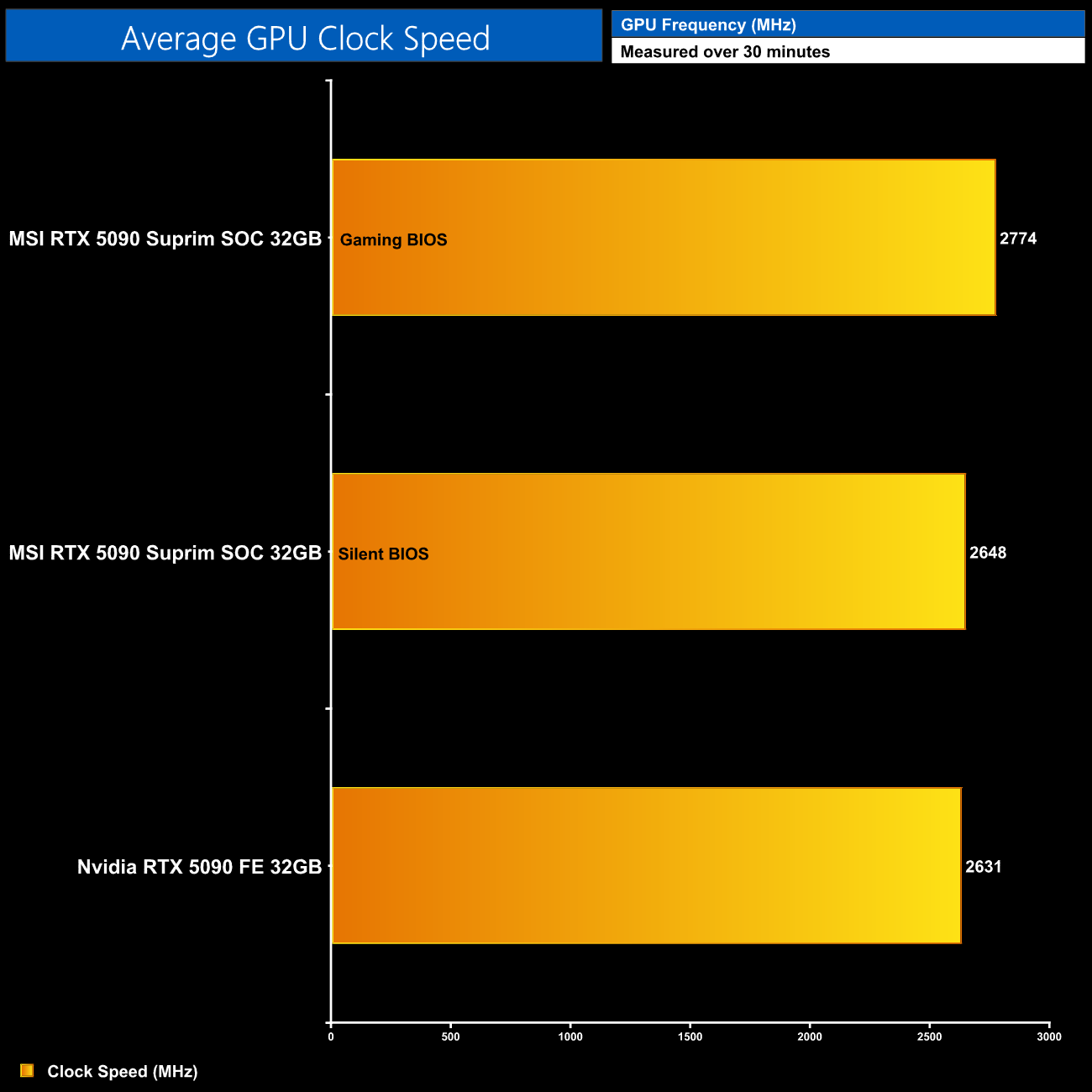
Averaged over the thirty minute run, the Gaming BIOS hit 2774MHz, a good 140MHz faster than the 5090 FE, while the Silent BIOS was just under 20MHz faster than Nvidia's model.
For our temperature testing, we measure steady-state GPU temperatures under load. A reading under load comes from running A Plague Tale: Requiem for 30 minutes.
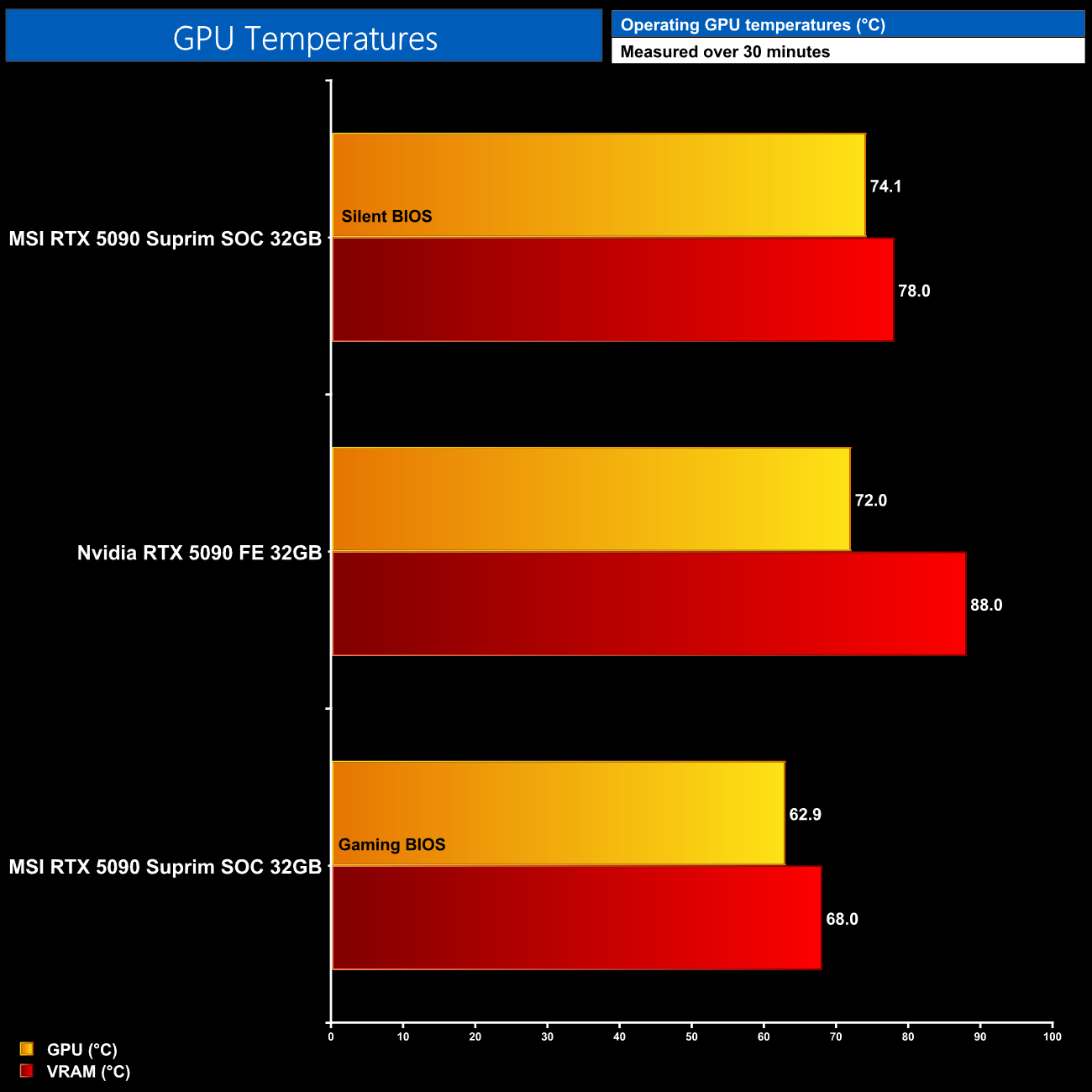
Thermals are no problem for the Suprim, either. Starting out with the Silent BIOS, the GPU ran 2C hotter than the Founders Edition, but the VRAM actually saw a 10C reduction in temperature, which is very good going. You'll get even better thermals from the Gaming BIOS, though, given it runs with a more aggressive fan speed, and that resulted in a GPU temperature of just under 63C, while the VRAM topped out at 68C.
We take our noise measurements with the sound meter positioned 1 foot from the graphics card. I measured the noise floor to be 32 dBA, thus anything above this level can be attributed to the graphics cards. The power supply is passive for the entire power output range we tested all graphics cards in, while all CPU and system fans were disabled. A reading under load comes from running Cyberpunk 2077 for 30 minutes.
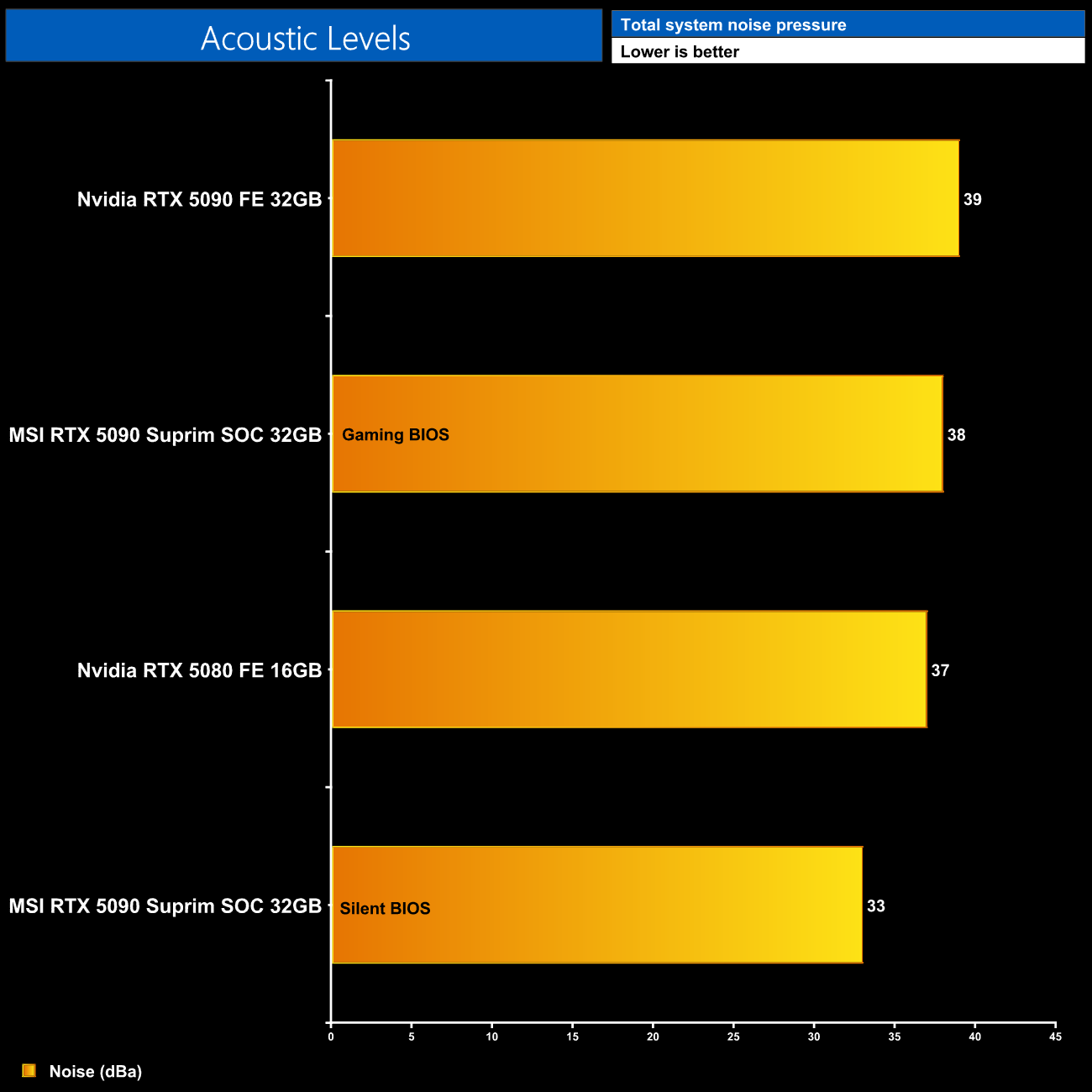
The good news is that both BIOS modes run quieter than Nvidia's Founders Edition. The Gaming BIOS saw the fans run at 1640rpm, and that produced 38dBa on my sound meter. The Silent BIOS, meanwhile, runs the fans at just 1100rpm, producing a whisper-quiet 33dBa – only just above the noise floor of my testing environment, so it is very quiet indeed.
Following on from our stock thermal and acoustic testing, here we re-test the operating temperature of the GPU, but with noise levels normalised to 40dBa. This allows us to measure the efficiency of the overall cooling solution as varying noise levels as a result of more aggressive fan curves are no longer a factor.
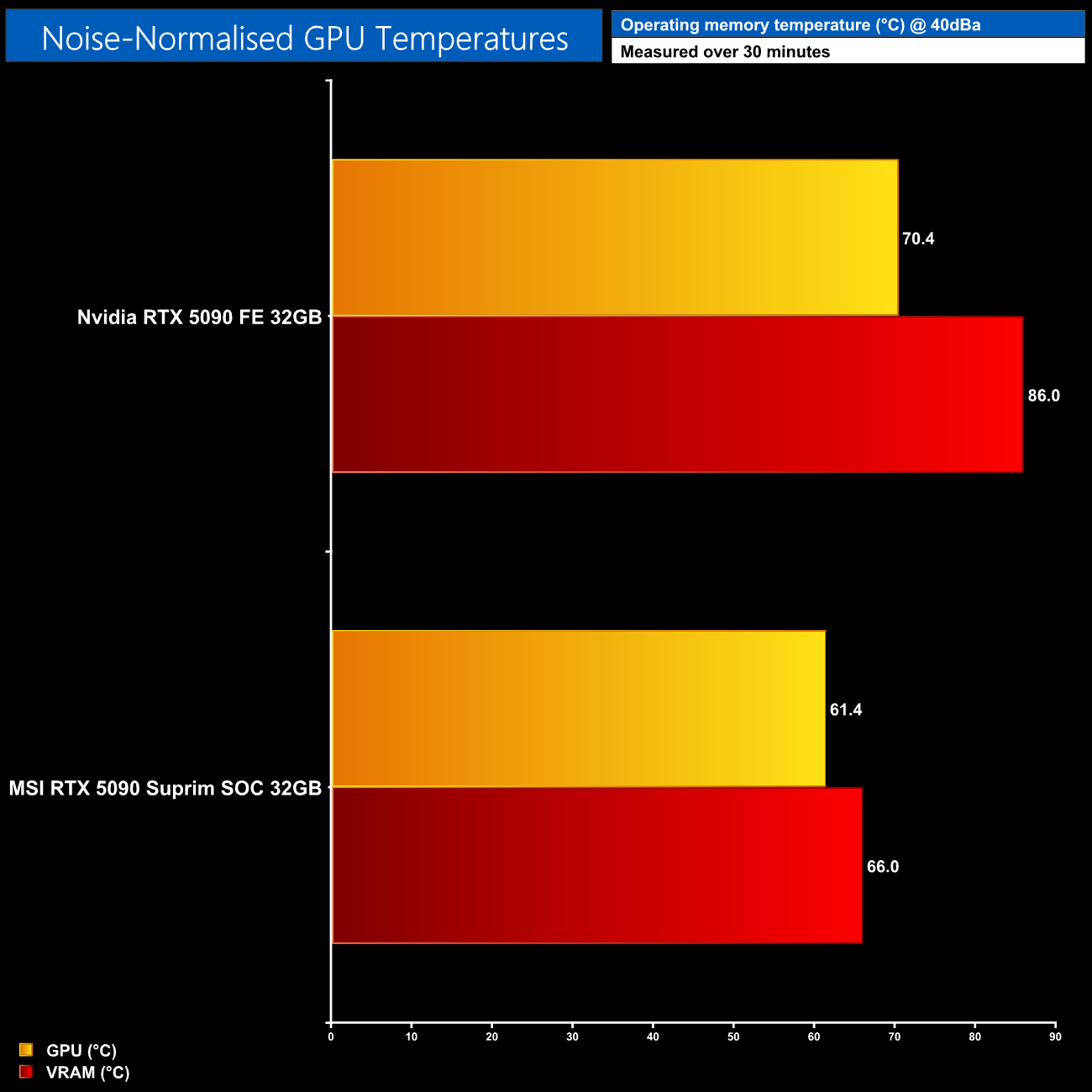
As a final test, we increase fan speed until we hit 40dBa output, and then run the thermal tests again. We can clearly see that the Suprim SOC is a more efficient cooler design than the Founders Edition, with the GPU hitting 61C, while the VRAM peaked at 66C. Of course, we would expect this given the sheer size differences, but the proof is in the pudding, as they say.
Power draw
We use Nvidia PCAT to measure power draw of the graphics card only, with readings from both the PCIe slot and the PCIe power cables combined into a single figure. We use A Plague Tale: Requiem (4K/2160p) for this testing.
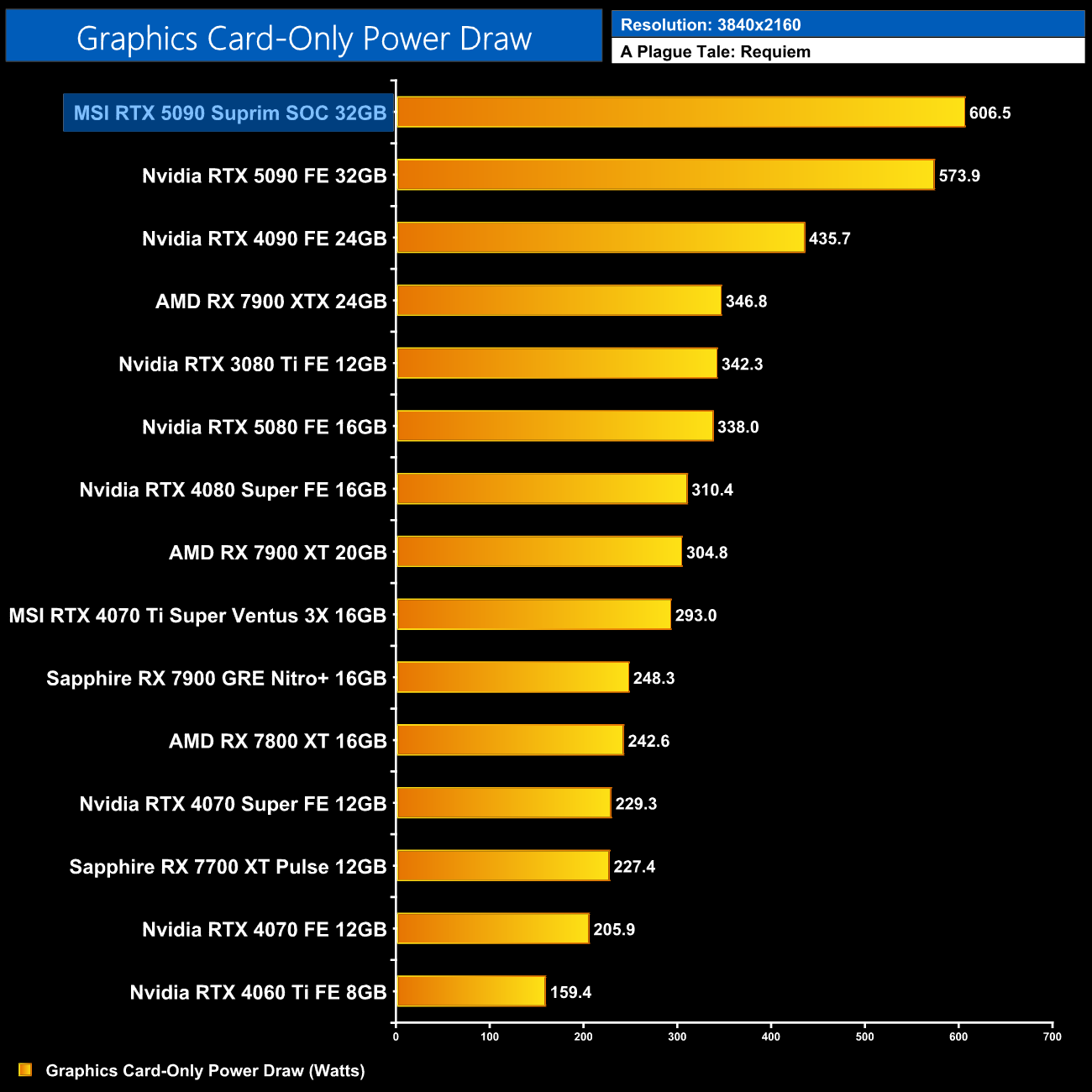
Power draw has increased for the Suprim SOC, at least when using the Gaming BIOS. This saw an average result of 606.5W when running A Plague Tale: Requiem at 4K, which is the game where we saw the highest power draw in our day 1 RTX 5090 review. That means the MSI card pulls about 6% more juice than the FE.
Performance per Watt
Combining the power draw values shown above with the performance data, we present performance per Watt for each graphics card tested:
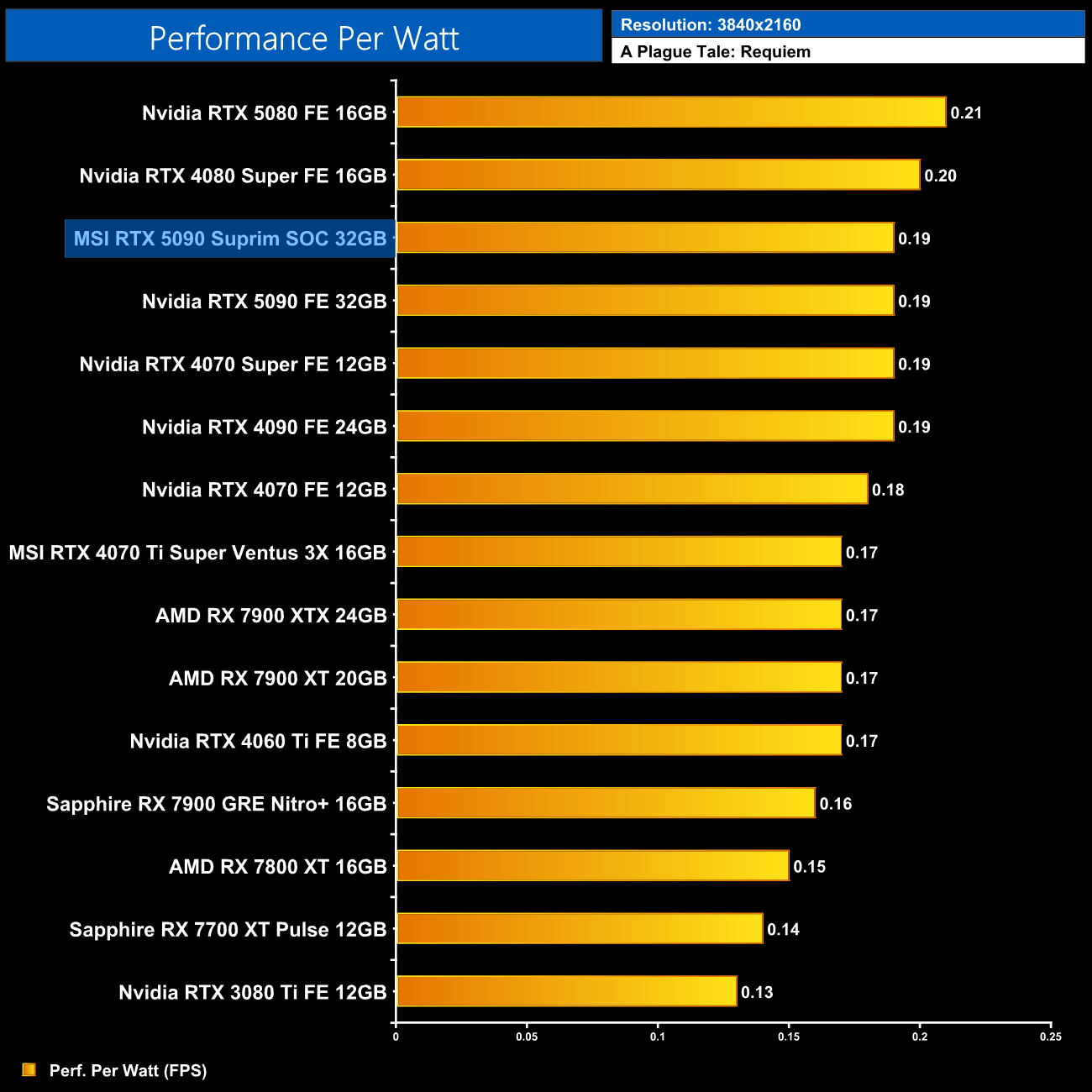
Despite that increased power draw, general efficiency is on par with the 5090 FE, given the Suprim SOC also runs faster – the differences effectively cancel themselves out.
For our manual overclocking tests, we used MSI Afterburner. Our best results are as below.
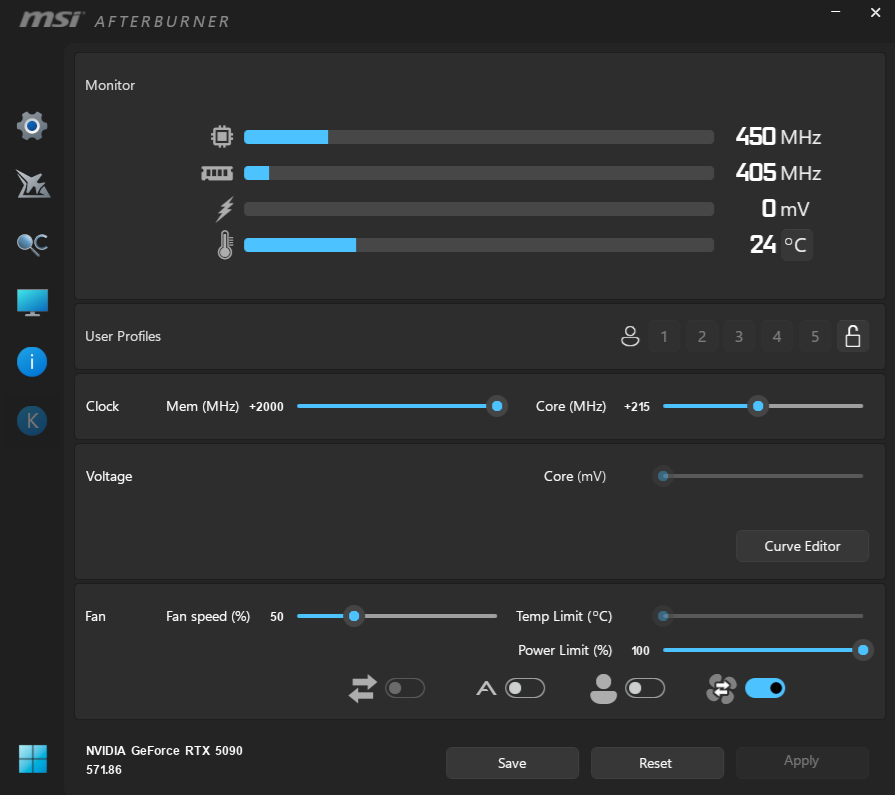
For our overclocking tests, we were able to max out the memory slider at +2000MHz, bringing effective speeds up to 33.2Gbps. My best GPU result came with +215MHz applied, and this brought real-world frequency to just over 3GHz.
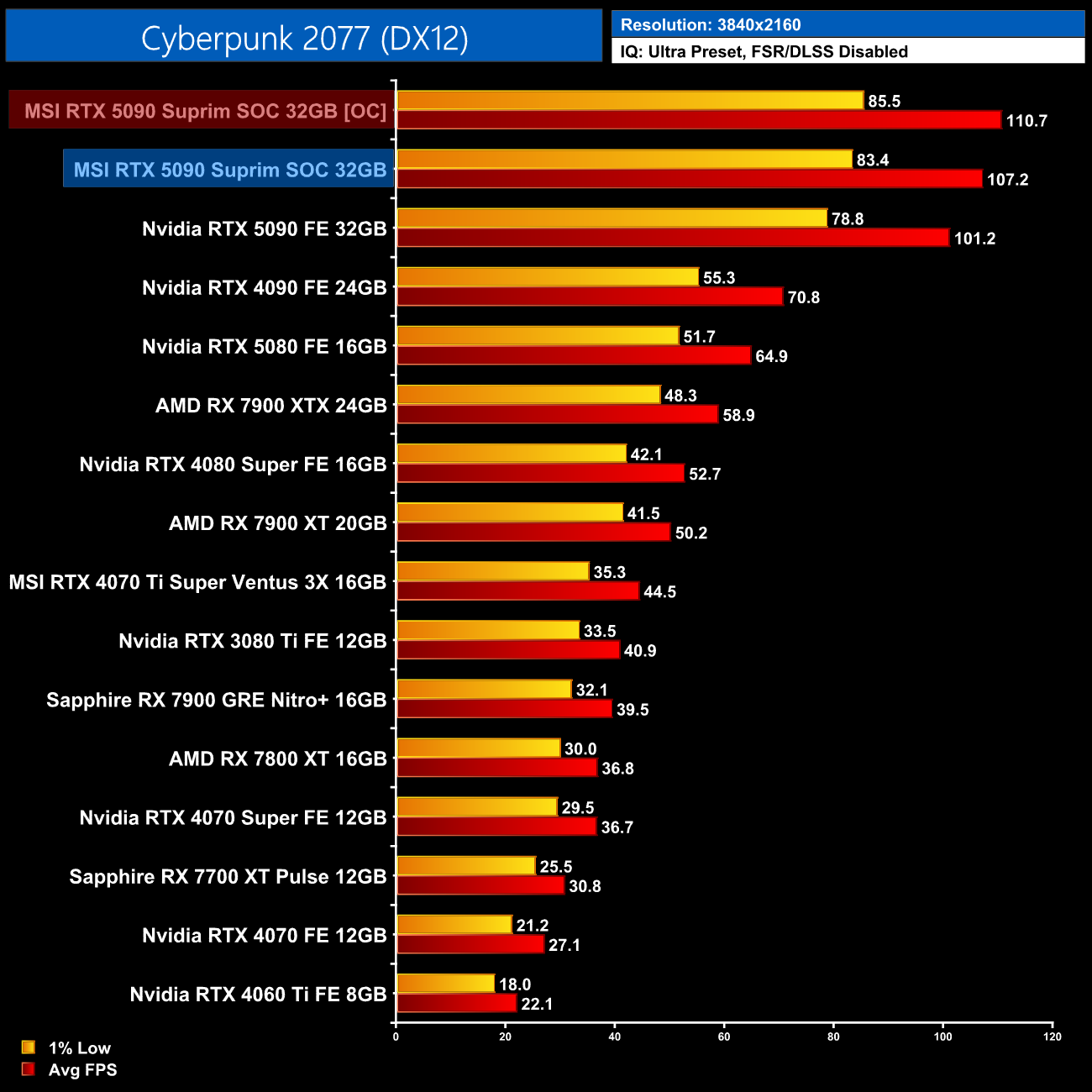
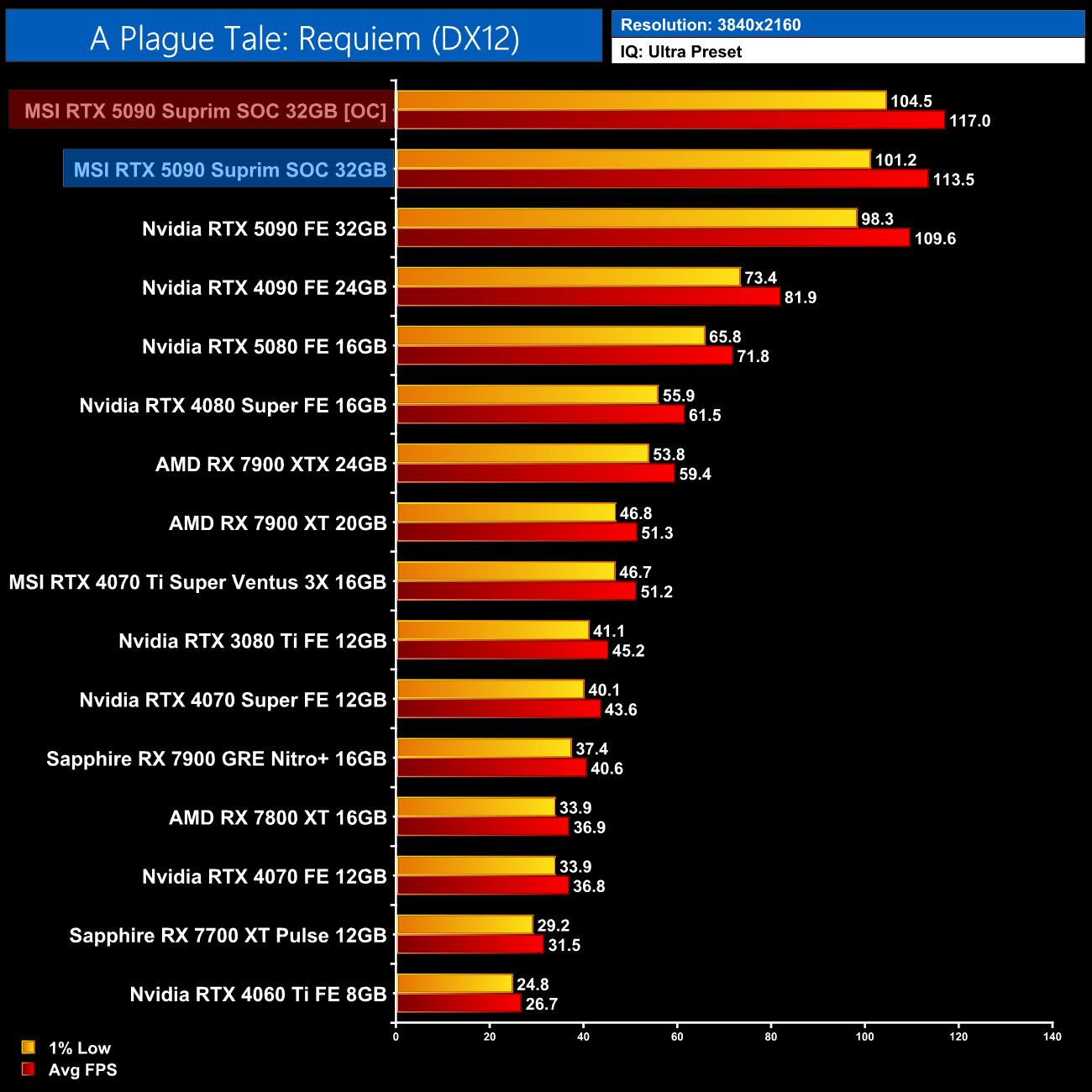
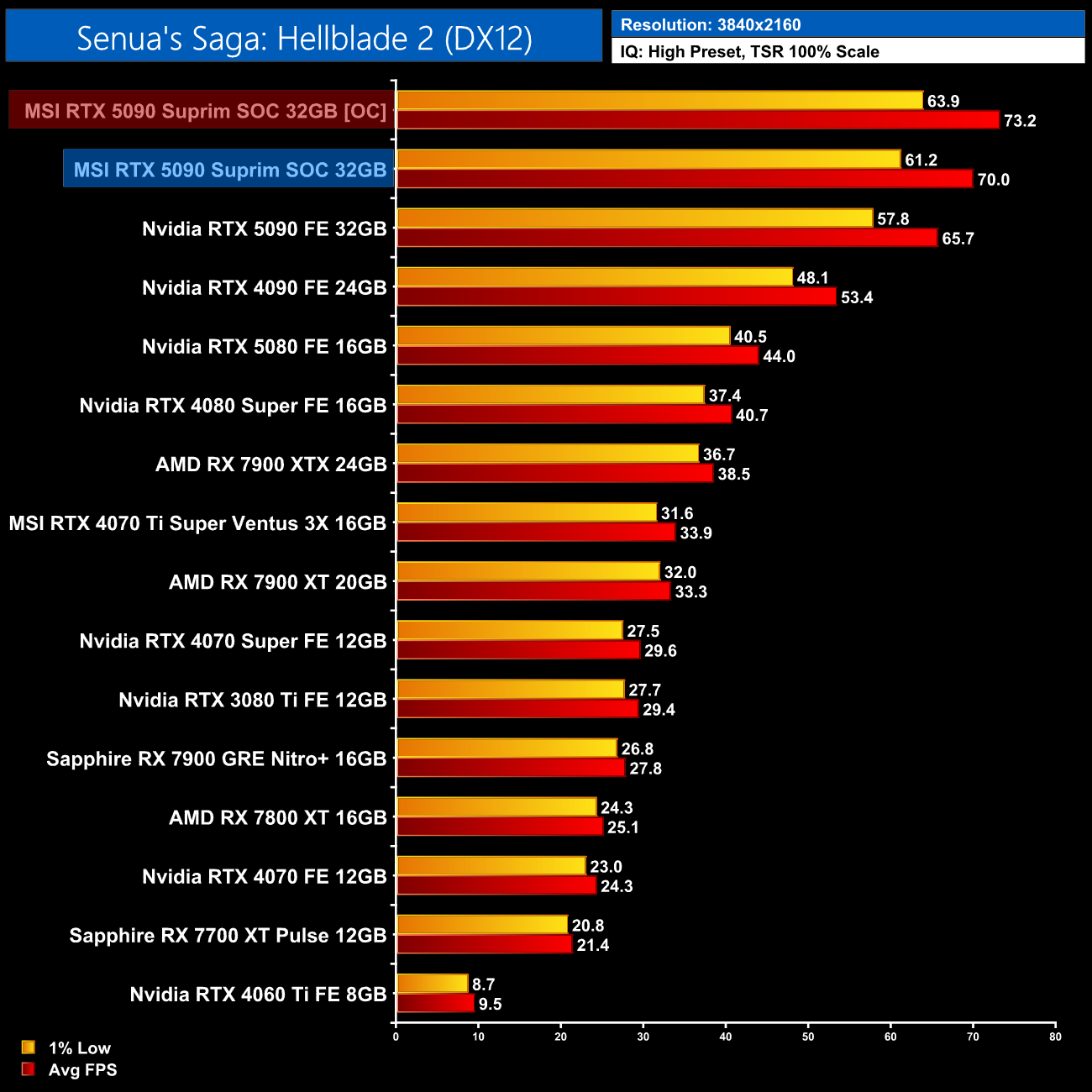
Now this overclock didn't net us much extra performance, just 3% in both Cyberpunk and A Plague Take: Requiem, though we did see a 4.5% gain in Hellblade 2.
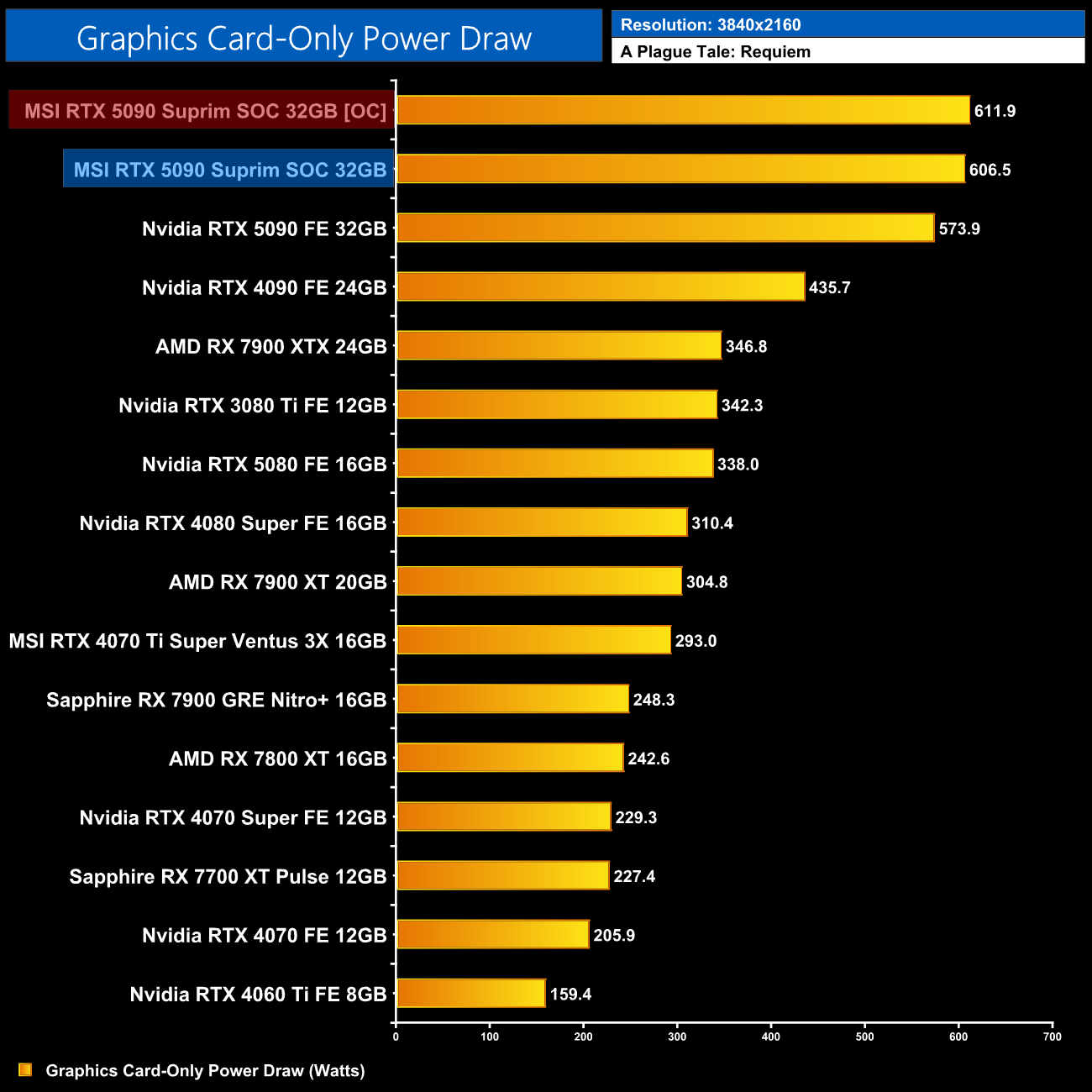
Considering the power slider was already maxed out at 600W, it didn't increase much beyond the stock figure, coming in at just under 612W power draw when overclocked. Which is still nuts to think about!
As mentioned at the start of this review, MSI's RTX 5090 Suprim SOC is really an insane graphics card in every sense of the word – the cooling performance, size, power draw and pricing are all pretty nuts to think about. Of course, that's both positive and negative depending on the specific area you are looking at, and that does make this quite a tricky review to conclude!
First things first, on an objective level, there's no doubt MSI has built a highly effective graphics card. We saw thermal performance that was either on-par with the Nvidia Founders Edition or a good chunk better, depending on which BIOS was used, while noise levels were lower across the board – significantly so when using the Silent BIOS. Of course, considering how much larger the Suprim SOC is over the FE model, we would expect improved thermals, but MSI has not failed to deliver in that regard.
Actual gaming performance also improved by more than I was expecting. We did all of our game benchmarking with the Gaming BIOS enabled, and this resulted in gains of 4-7% over the FE – not huge amounts, but more than your typical AIB card uplift. Power draw did also increase using this mode and we measured almost 607 Watts of juice being pulled by the Suprim alone, which really is quite something! However, the increase in power is effectively balanced out by the increase performance, so we did not record any loss of efficiency versus the Founders Edition.
Overclocking didn't net us huge gains, but could be worth doing if you want to extract every last drop of performance – our sample ran at 3GHz fairly comfortably, while the GDDR7 memory topped out at over 33Gbps.
We can't end this review without a discussion on pricing, however – perhaps the most eyebrow-raising element of this graphics card. That's because it's listed for £2600 on Currys, and even more at OCUK. I asked MSI if they had an official MSRP but we were not given one for this review. I would have to think that the current prices are inflated due to the lack of stock – after all, cards were almost non-existent on launch day, but we'll just have to wait and see how things unfold.
However, if pricing does persist at this level, it really does seem crazy to me. I mean, I get that this is a good graphics card, but is it really £660 better than the Founders Edition – a 31% premium? Perhaps the £1939 MSRP was never realistic to begin with, and there's no denying some enthusiasts do have deep pockets – but even then, £2600 is simply a vast amount of money to spend on a single graphics card, especially one that was meant to start at under two grand.
All of that does make concluding this review quite challenging. I could understand MSI pricing the Suprim SOC at, say, £2200 – a 13% premium over the baseline MSRP – and you could easily argue that the enhanced cooling, lower noise levels and other features, such as dual-BIOS, would make it worth the extra outlay. At £2600+, I struggle to really recommend this graphics card and can only hope that pricing drops as supply increases.
Pros
- Reasonable performance gains over the RTX 5090 Founders Edition.
- Quad-slot cooler reduces thermals and noise levels compared to the FE.
- Our sample hit 3GHz when overclocking with relative ease.
- Huge 32GB GDDR7 frame buffer.
- DLSS 4 has improved Ray Reconstruction and Super Resolution scaling.
- Multi Frame Generation enables higher frame rates than would otherwise be possible.
Cons
- Absurd increase in price over the £1939 MSRP.
- Very high power demands.
- It's absolutely enormous.
KitGuru says: Taken in isolation, the Suprim SOC is a very impressive graphics card. The price increase does boggle the mind, however, so we have to hope things will start to make more sense as supply levels increase.