KitGuru KitGuru.net – Tech News | Hardware News | Hardware Reviews | IOS | Mobile | Gaming | Graphics Cards


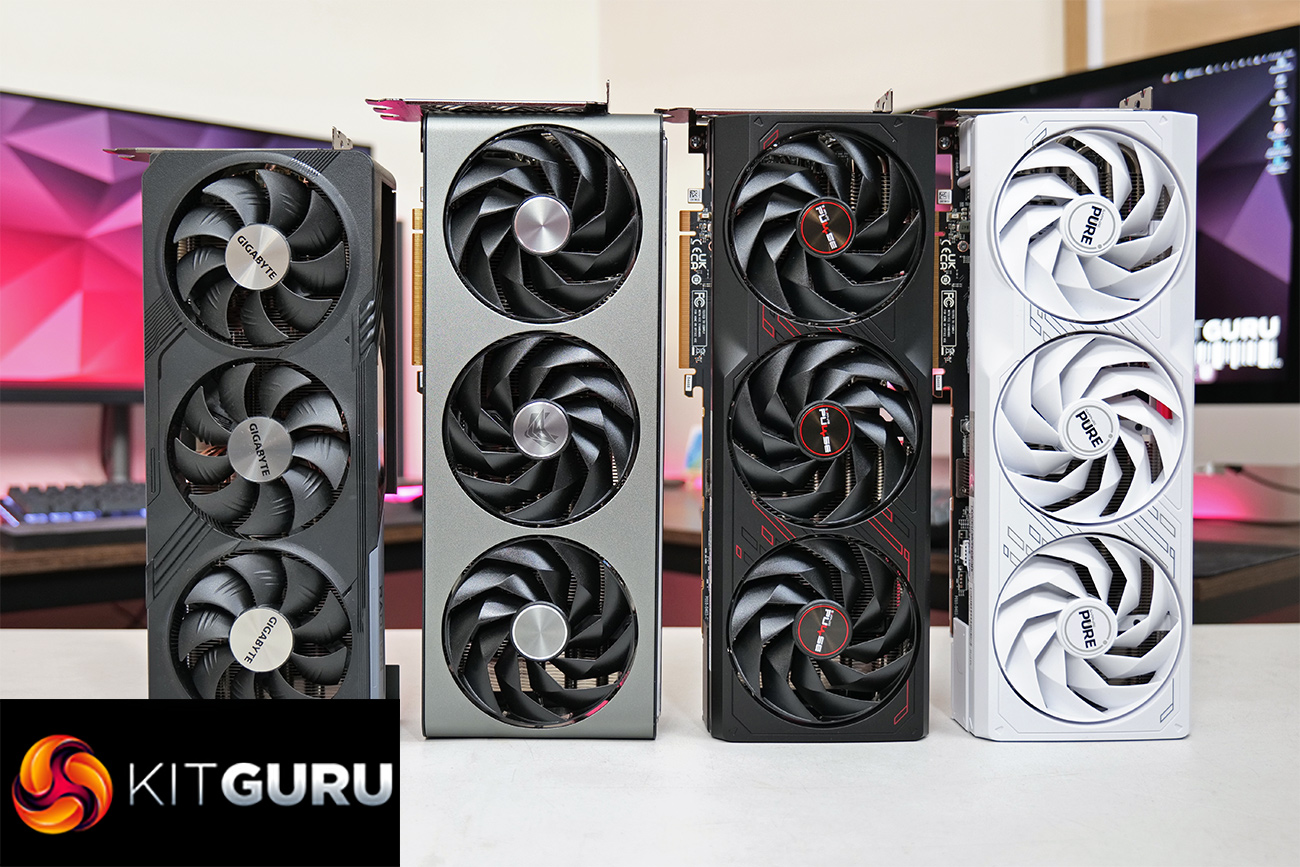
In for review today we have no less than four RX 7900 GRE partner cards – three from Sapphire and one from Gigabyte. It's safe to say we weren't blown away by the AMD reference model when the formerly Chinese-exclusive GPU launched globally at the end of February, so can AMD's partners improve things and make this a product worth buying?
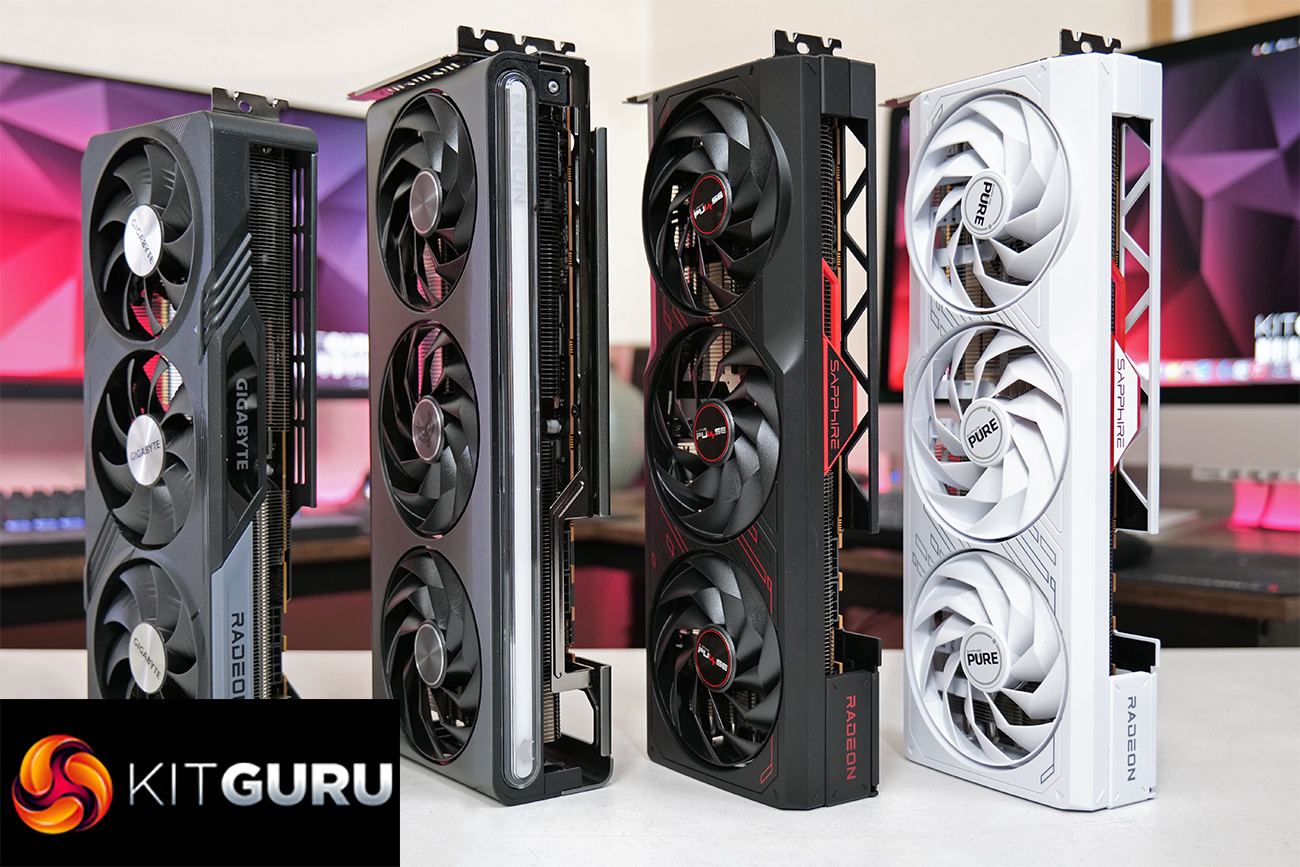
In alphabetical order, the first model we are looking at today is the Gigabyte RX 7900 GRE Gaming OC, sporting a triple-fan cooler, dual-BIOS and reasonably aggressive factory overclock. Then we have the Sapphire RX 7900 GRE Nitro+, with a triple-slot cooler that looks as good as ever, along with dual-BIOS and plentiful RGB lighting. The Sapphire RX 7900 GRE Pure is the first time we have looked at an all-white Pure model from Sapphire, and rounding out the show we have the Sapphire RX 7900 GRE Pulse, with the Pulse family proving to be a dependable wallet-friendly option over the last few years.
| RX 7900 XTX | RX 7900 XT | RX 7900 GRE | RX 7800 XT | RX 7700 XT | |
| Architecture | RDNA 3 | RDNA 3 | RDNA 3 | RDNA 3 | RDNA 3 |
| Manufacturing Process | 5nm GCD + 6nm MCD | 5nm GCD + 6nm MCD | 5nm GCD + 6nm MCD | 5nm GCD + 6nm MCD | 5nm GCD + 6nm MCD |
| Transistor Count | 57.7 billion | 57.7 billion | 57.7 billion | 28.1 billion | 28.1 billion |
| Die Size | 300 mm² GCD
220 mm² MCD |
300 mm² GCD
220 mm² MCD |
300 mm² GCD
220 mm² MCD |
200 mm² GCD
150 mm² MCD |
200 mm² GCD
150 mm² MCD |
| Compute Units | 96 | 84 | 80 | 60 | 54 |
| Ray Accelerators | 96 | 84 | 80 | 60 | 54 |
| Stream Processors | 6144 | 5376 | 5120 | 3840 | 3456 |
| Game GPU Clock | Up to 2300MHz | Up to 2000 MHz | 1880 MHz | 2124 MHz | 2171 MHz |
| Boost GPU Clock | Up to 2500 MHz | Up to 2400 MHz | Up to 2245 MHz | Up to 2430 MHz | Up to 2544 MHz |
| ROPs | 192 | 192 | 192 | 96 | 96 |
| AMD Infinity Cache | 96MB | 80MB | 64MB | 64MB | 48MB |
| Memory | 24GB GDDR6 | 20GB GDDR6 | 16GB GDDR6 | 16GB GDDR6 | 12GB GDDR6 |
| Memory Data Rate | 20 Gbps | 20 Gbps | 18 Gbps | 19.5 Gbps | 18 Gbps |
| Memory Bandwidth | 960 GB/s | 800 GB/s | 576 GB/s | 624 GB/s | 432 GB/s |
| Memory Interface | 384-bit | 320-bit | 256-bit | 256-bit | 192-bit |
| Board Power | 355W | 315W | 260 W | 263W | 245W |
First, let's take a quick look at the specs. The RX 7900 GRE is using the same Navi 31 die that we first saw with the RX 7900 XTX and 7900 XT, but it has been significantly cut-down. Still, using the same die means we find a 300mm² Graphics Compute Die, based on TSMC's 5nm node, flanked by six 37mm² Memory Cache Dies (though two are disabled for the 7900 GRE). In total, the Navi 31 GPU packs 57.7 billion transistors.
While a full Navi 31 GPU packs in 96 Compute Units, the 7900 GRE is cut down to 80 CUs, 4 fewer than the 7900 XT, and each CU houses 64 Steam Processors, for a total of 5120 shaders. There's also 80 Ray Accelerators – one per CU – and 192 ROPs.
As for clock speed, AMD has de-coupled the clocks, so the front-end and shaders can operate at different clock speeds in a bid to save power. With the RX 7900 GRE, all four cards tested today come factory overclocked – the Nitro+ has a boost of 2391MHz, the Pure has a boost of 2333MHz, the Pulse is at 2293MHz, while the Gigabyte Gaming OC clocks at 2391MHz.
The memory configuration is where we see the biggest change compared to the 7900 XT, however. With two of the six MCDs disabled, the RX 7900 GRE packs 16GB of GDDR6 memory clocked at 18Gbps, operating over a 256-bit memory interface, for total memory bandwidth of 576 GB/s. 64MB of Infinity Cache is also present, which allows AMD to claim an ‘effective memory bandwidth' of up to 2265.6 GB/s.
Power draw for the RX 7900 GRE is also rated at 260W Total Board Power (TBP), but the Sapphire Nitro and Gigabyte Gaming OC have increased this closer to 300W, while the Pure and Pulse are just above 260W TBP.

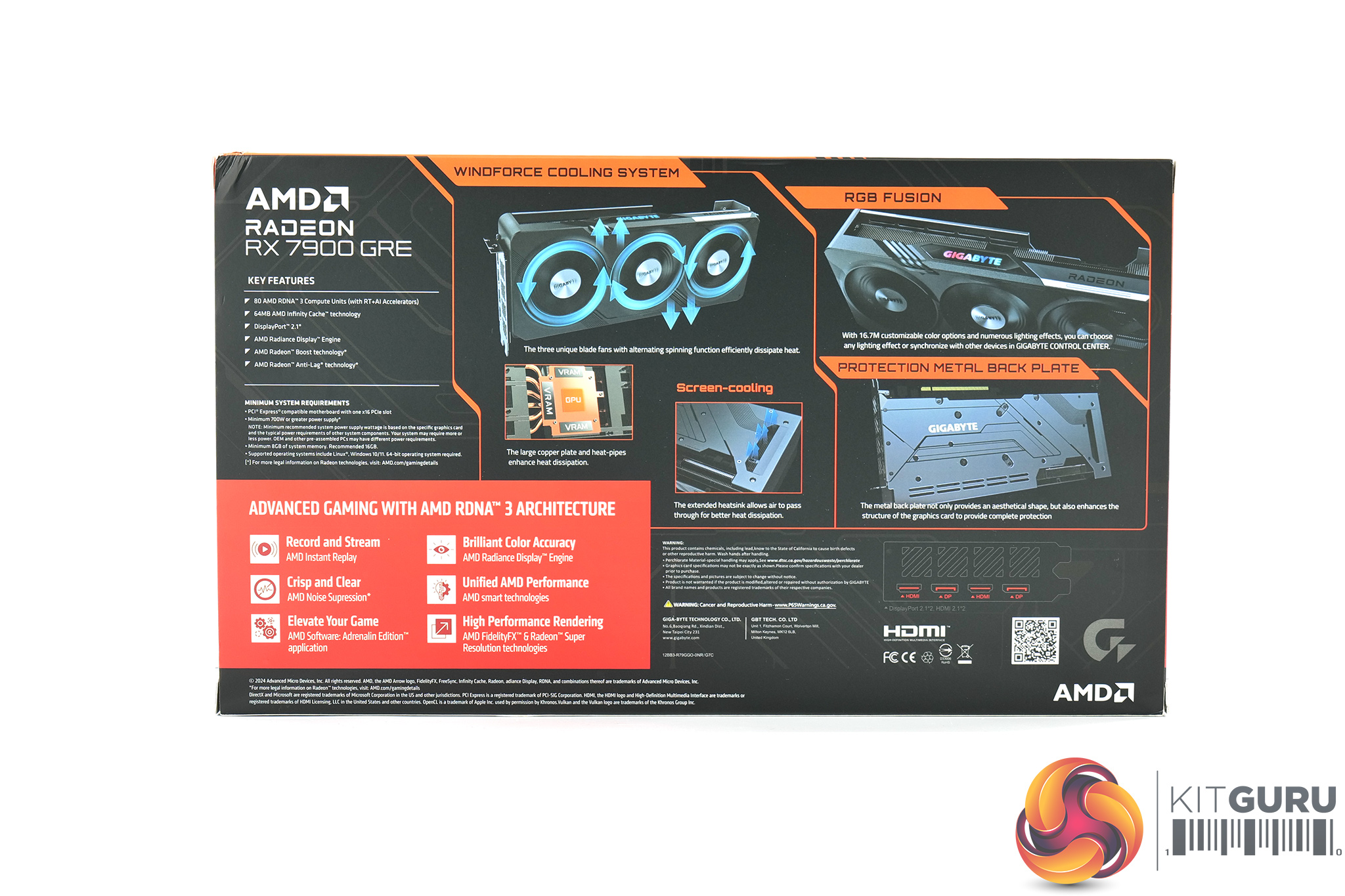
The Gigabyte RX 7900 GRE Gaming OC ships in a black box, with a futuristic-looking image of some sort of cyber soldier on the front. On the back, the company highlights a few key features of the card and the Windforce cooler.
Inside, the only included accessory is a small quick-start guide.
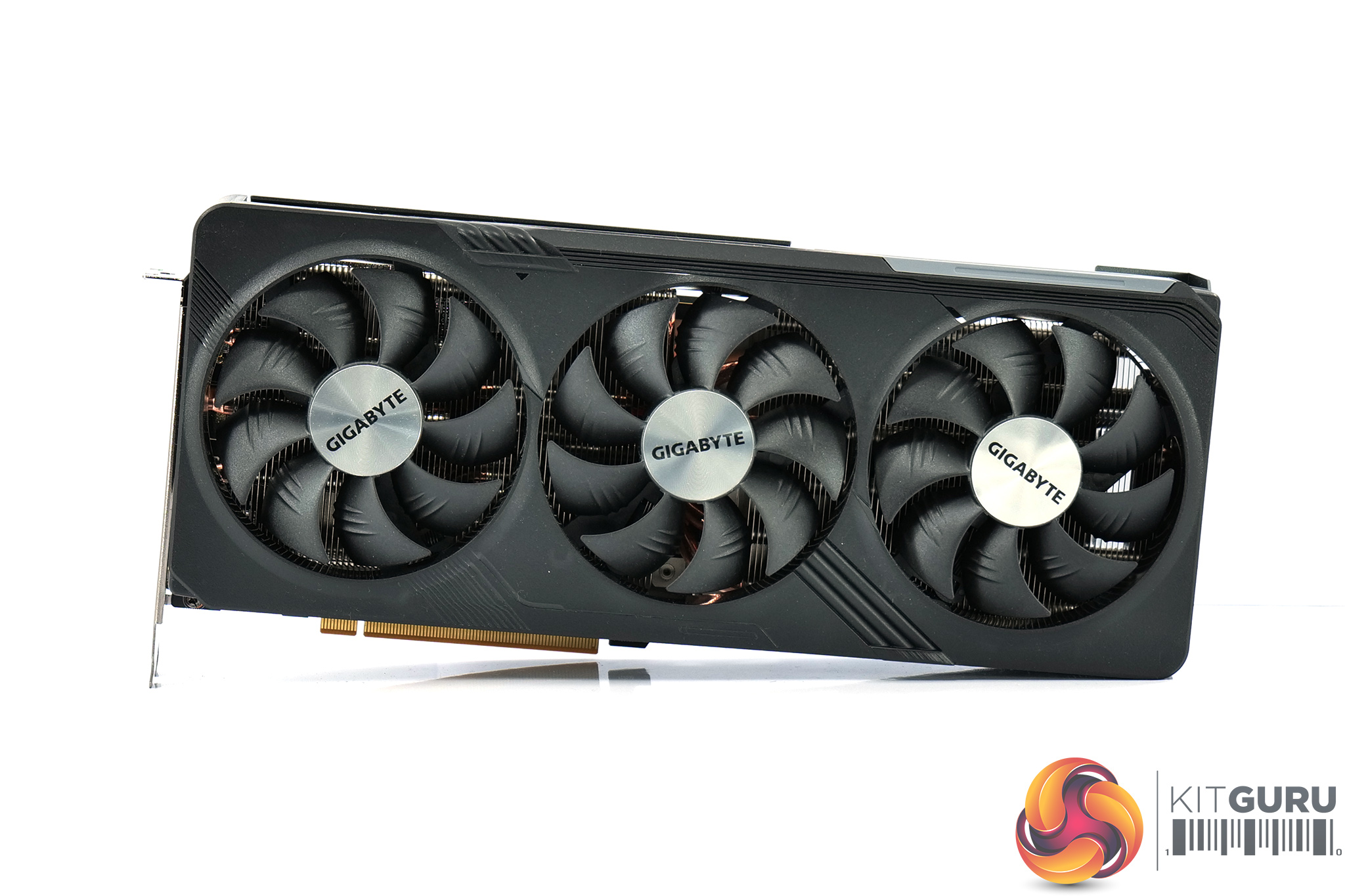
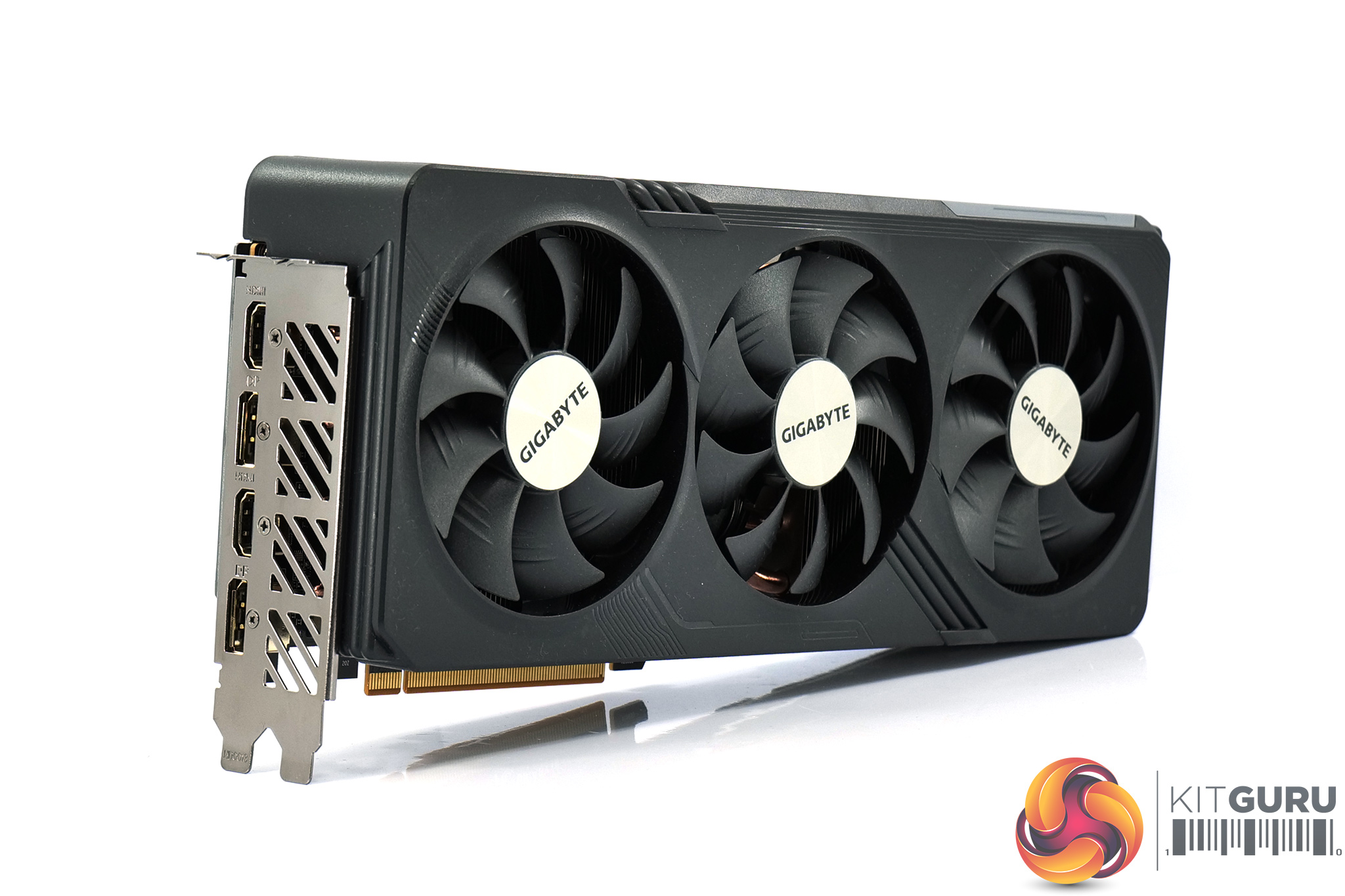
As for the card itself, the design will be instantly familiar if you've seen any of our other Gigabyte Gaming OC reviews this GPU generation. The shroud is almost entirely black, with just a couple of grey accents, while it features some circuit board-style traces and other design elements to add some visual interest.
It's obviously sporting a triple-fan setup as well, part of Gigabyte's Windforce cooling solution. Each fan measures 90mm in diameter, while the central fan spins in reverse, a common feature designed to reduce airflow turbulence.
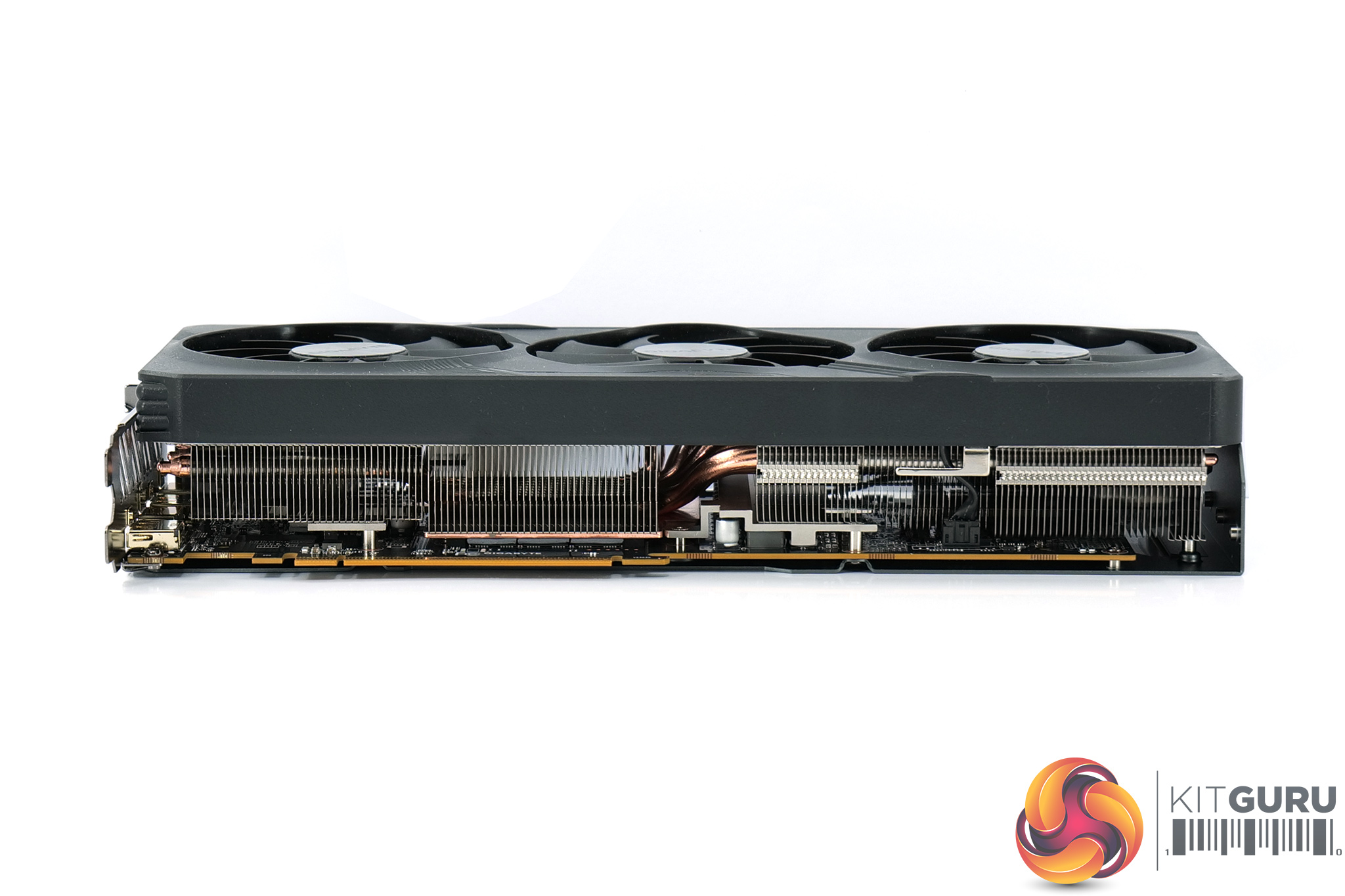
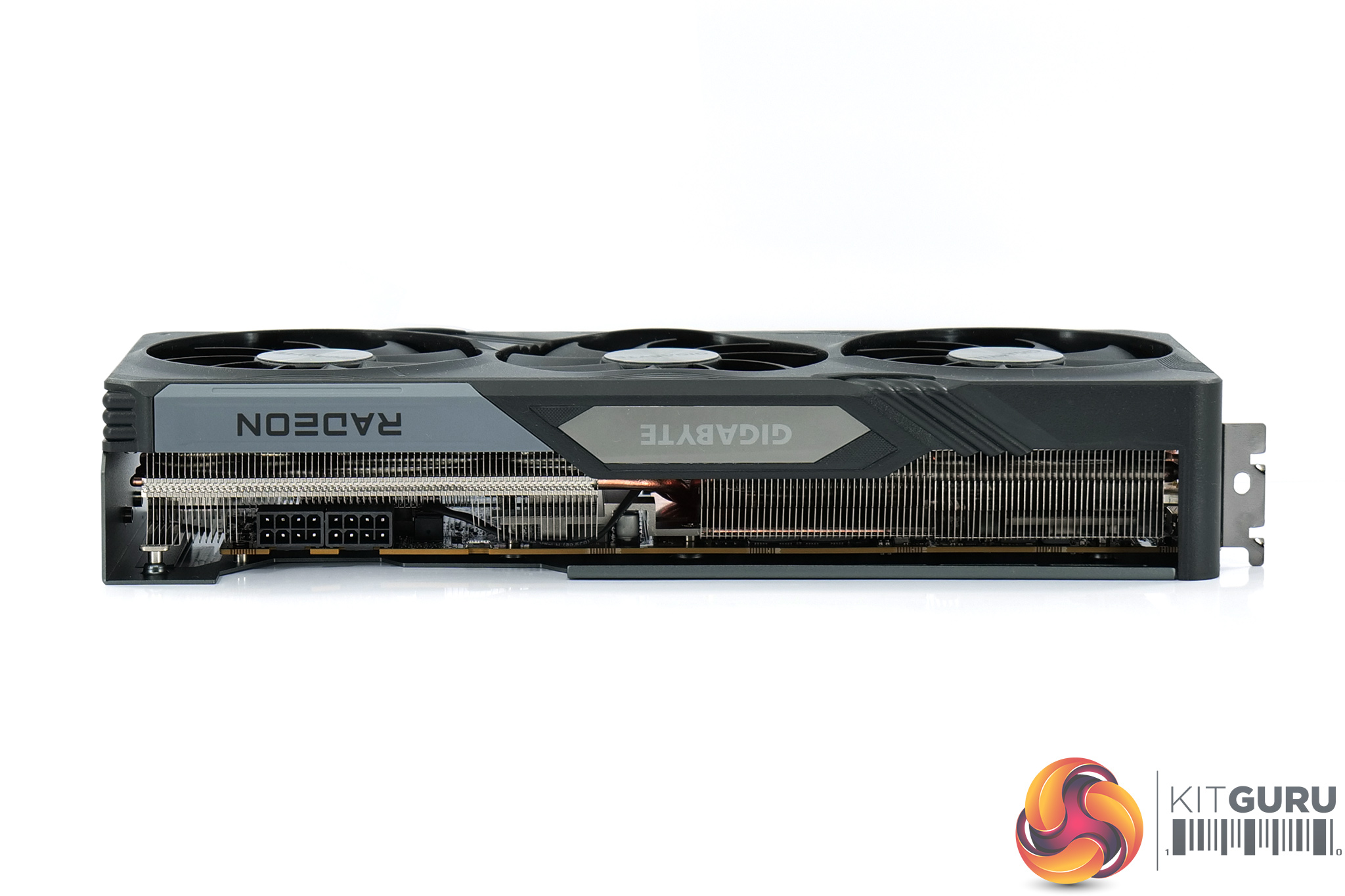
In terms of the dimensions, the Gaming OC measures 302x 130 x 56 mm, so it's fairly long and almost a triple-slot thickness, though obviously it's not quite as large as the RTX 4090 Gaming OC… It also weighed in at 1321g on my scales.
The front side of the card is home to a glossy plastic section, with the Gigabyte logo housed within it acting as the only RGB zone on the card. This uses a rainbow-style effect out of the box but can be configured using Gigabyte Control Center software.
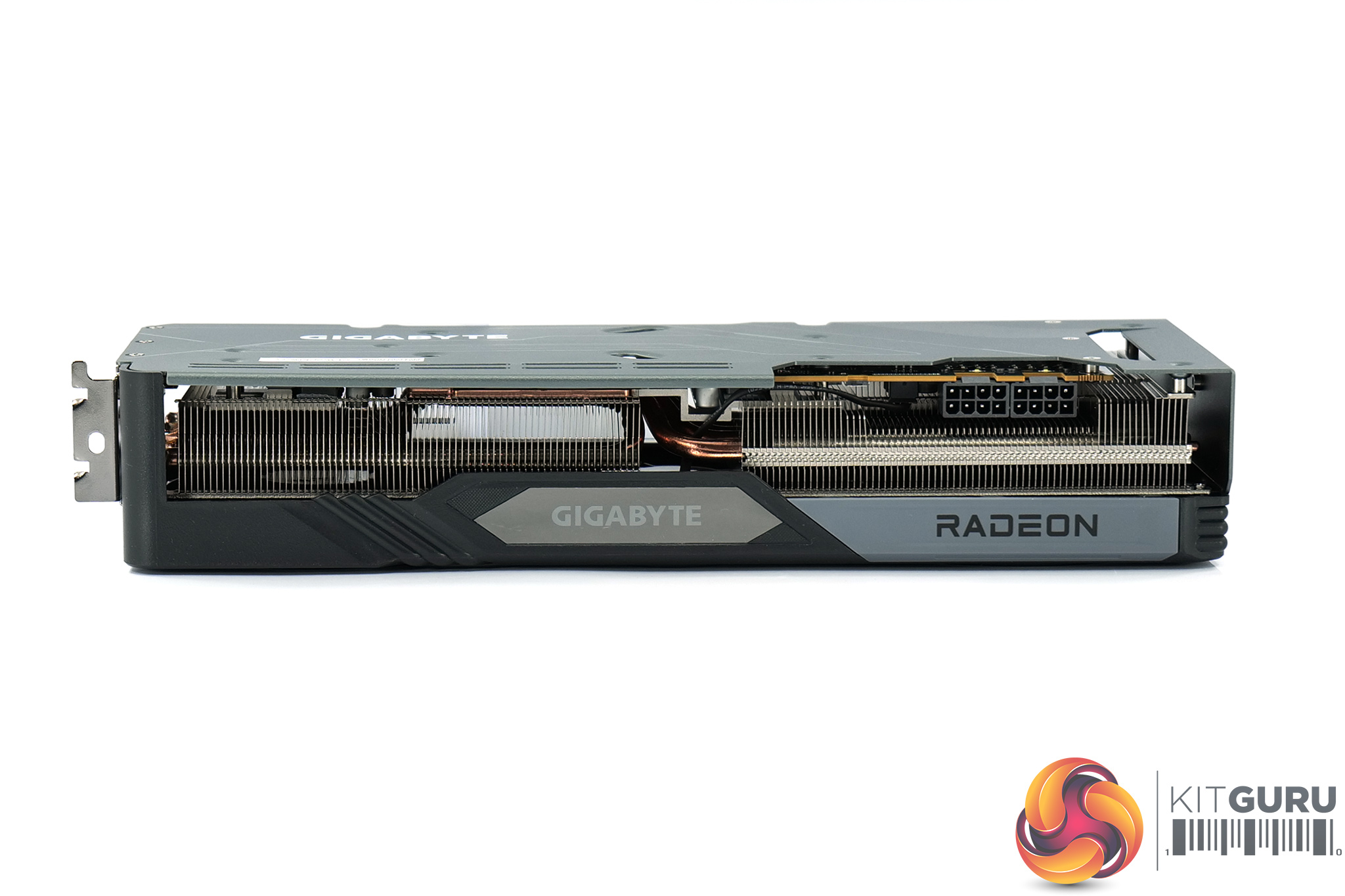
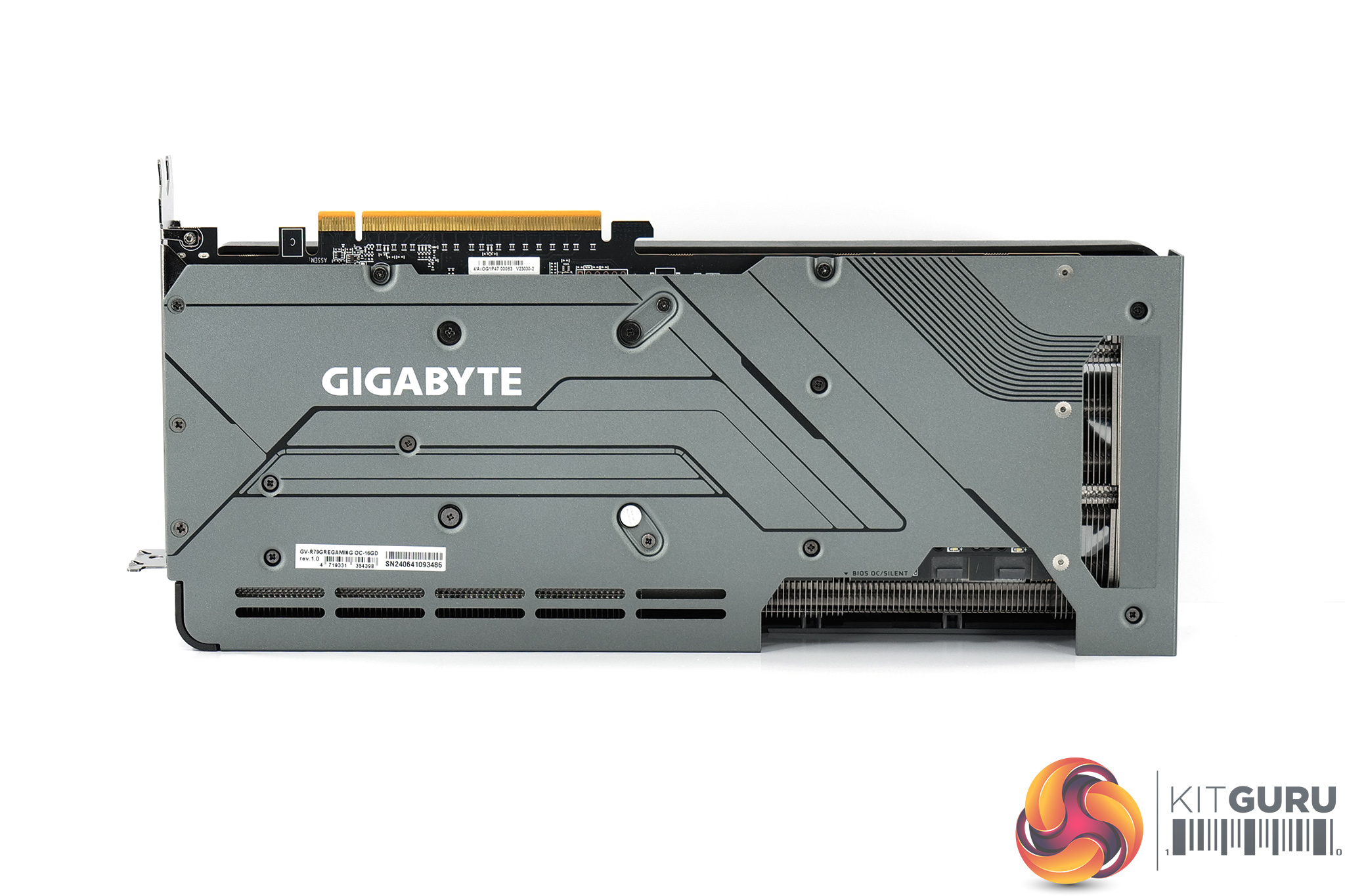
Flipping over to the backplate, this is a full-length design that is made of a grey metal. We can see the Gigabyte logo printed in white, while there is a very small cut-out right at the end of the card to allow some air to pass straight out of the heatsink – but as this is so small, I'm not sure it will do a whole lot for cooling.
A BIOS switch is located to the left of the two power inputs. This offers a choice of the OC or Silent modes – both offer identical power and clock speed targets, the only difference is the fan curve.
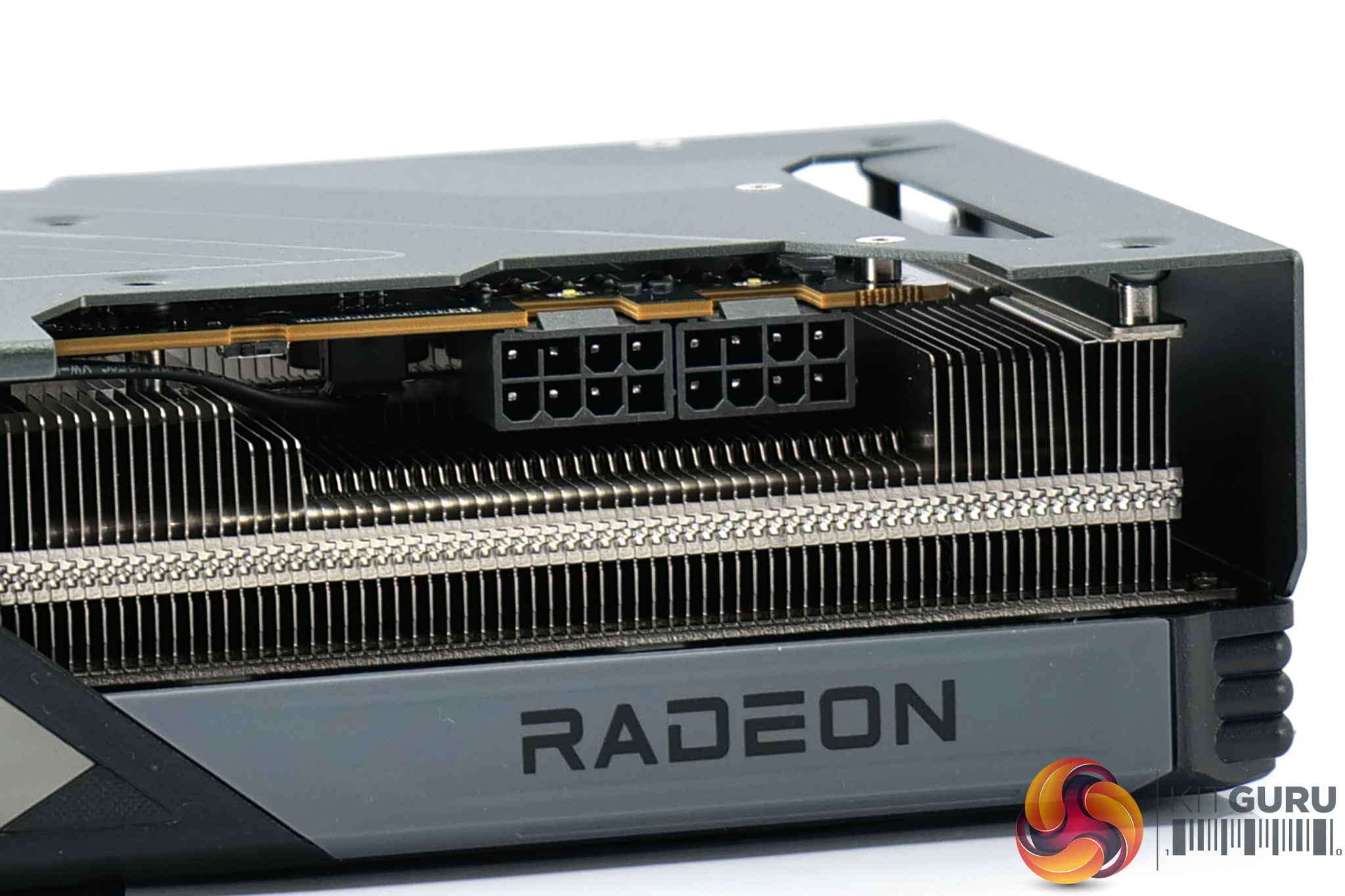
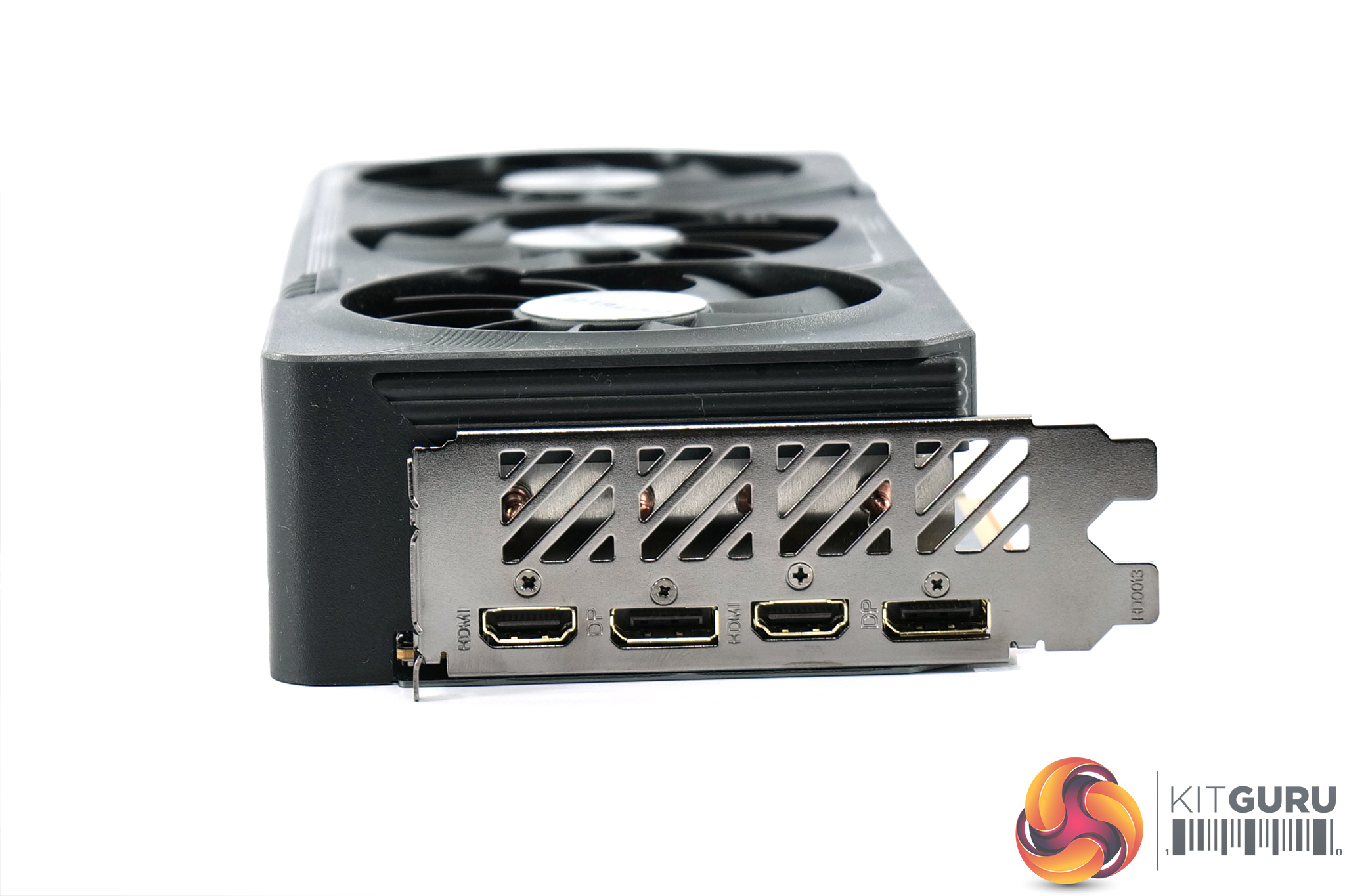
We can also note two 8-pin power connectors as expected, though for display outputs we have 2x DisplayPort 2.1 and 2x HDMI 2.1, so that's an extra HDMI port (and one less DisplayPort) than the typical configuration.
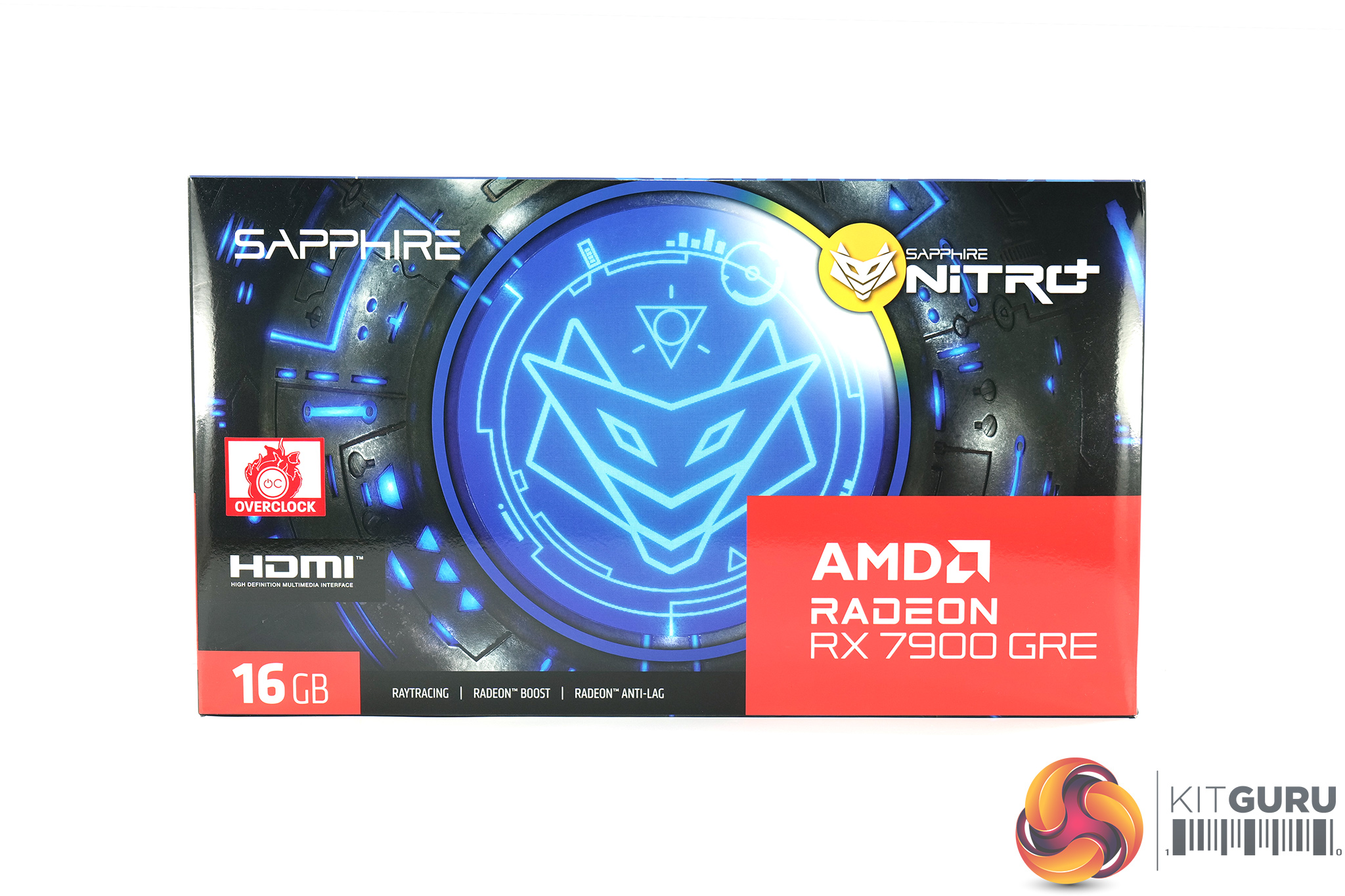
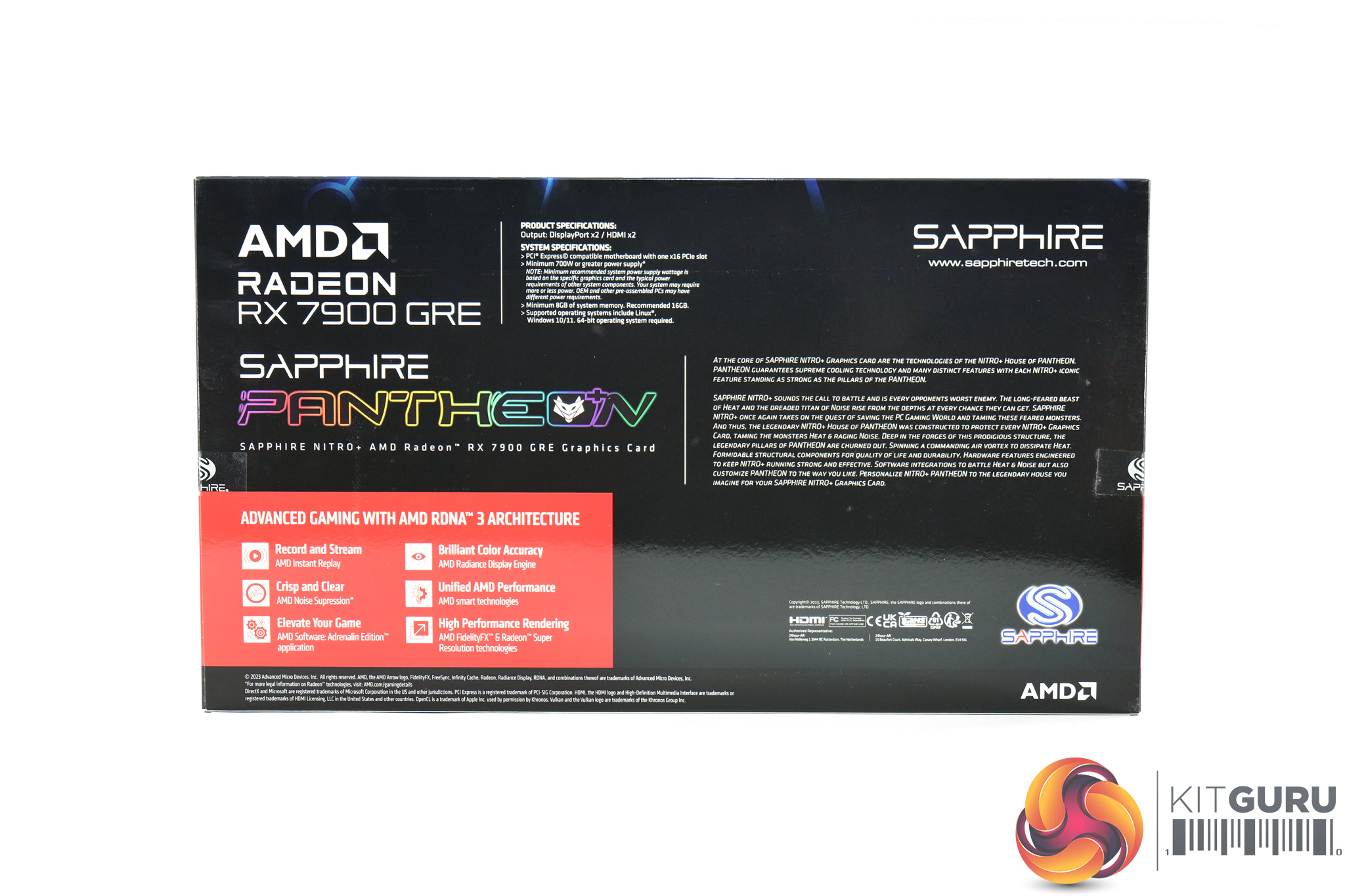
The Sapphire RX 7900 GRE Nitro+ ships in a mostly black and blue box, but with a large Nitro+ logo dominating the front. On the back, the company highlights required specifications and there's some marketing-speak about the card.
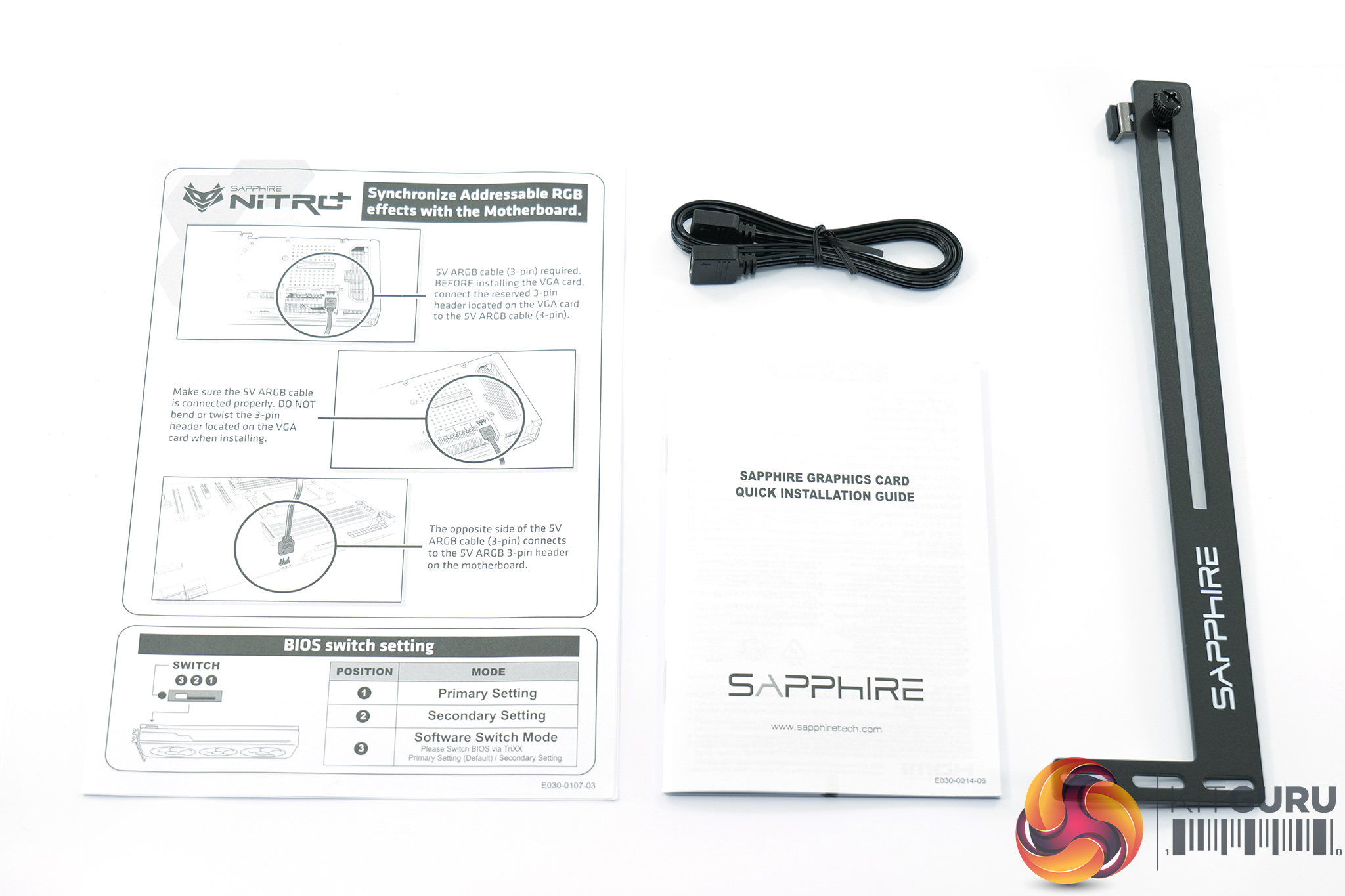
Inside, we find a quick start guide, but more interesting is the included GPU support bracket which sits below the card to help prevent GPU sag. There's also an ARGB 5V cable which connects the graphics card to your motherboard if you want to synchronise the LED lighting that way.
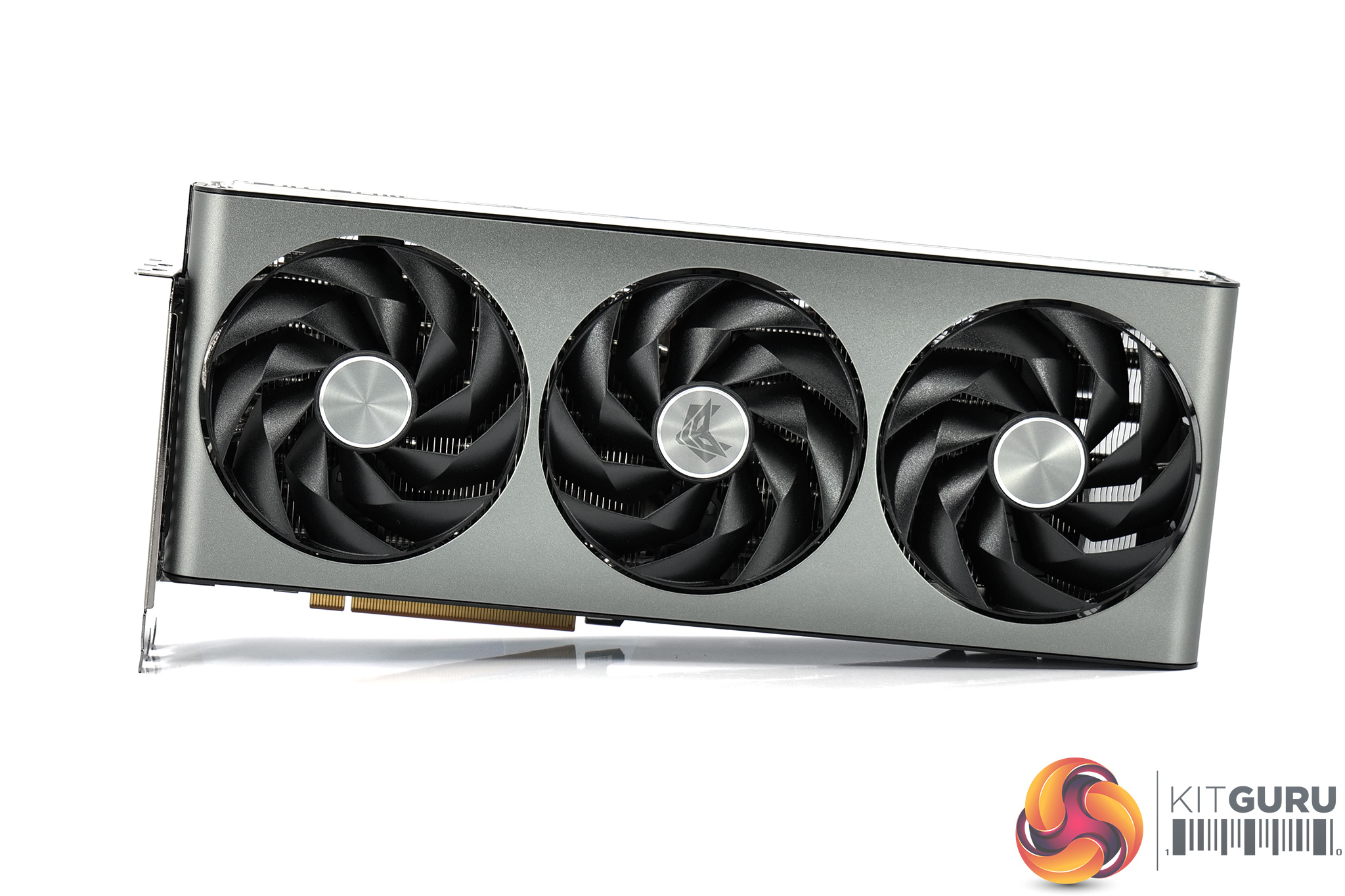
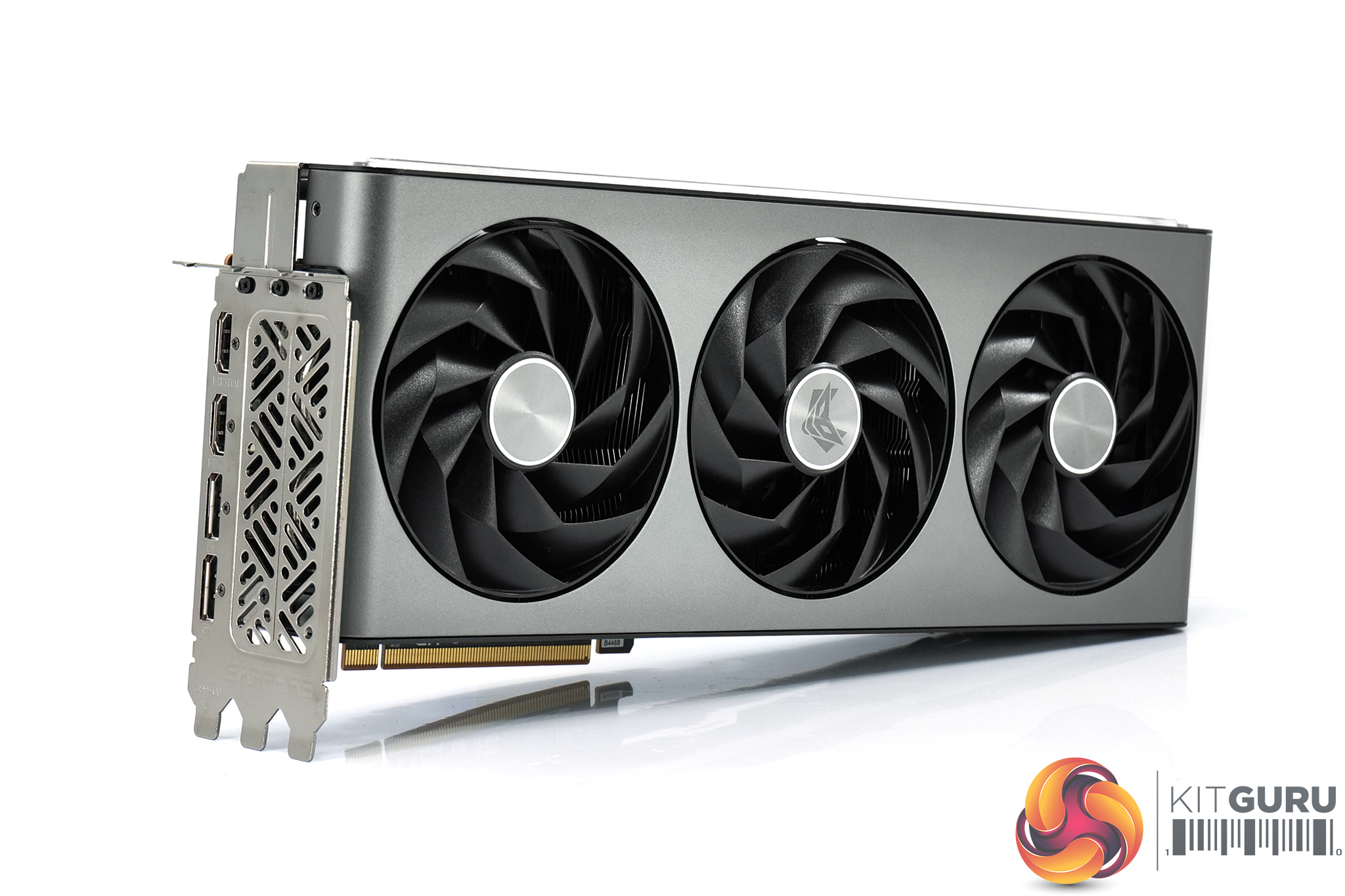
As for the card itself then, it's using the same design as the other Nitro+ cards we have reviewed this generation. That's a very good thing though, as I think this is up there as one of the very best-looking GPU designs on the market right now. The grey shroud wraps beautifully around both the front and end of the card, creating the sense of a unibody design – it's not, but it looks very sleek.
We get a good look at the triple fan setup, too. These utilise Sapphire's Angular Velocity Blade design, notable for their very sharp and angular appearance, while each fan measures approximately 100mm in diameter. These fans also feature Sapphire's Quick Connect technology, so they can be removed after unscrewing just one screw per fan.
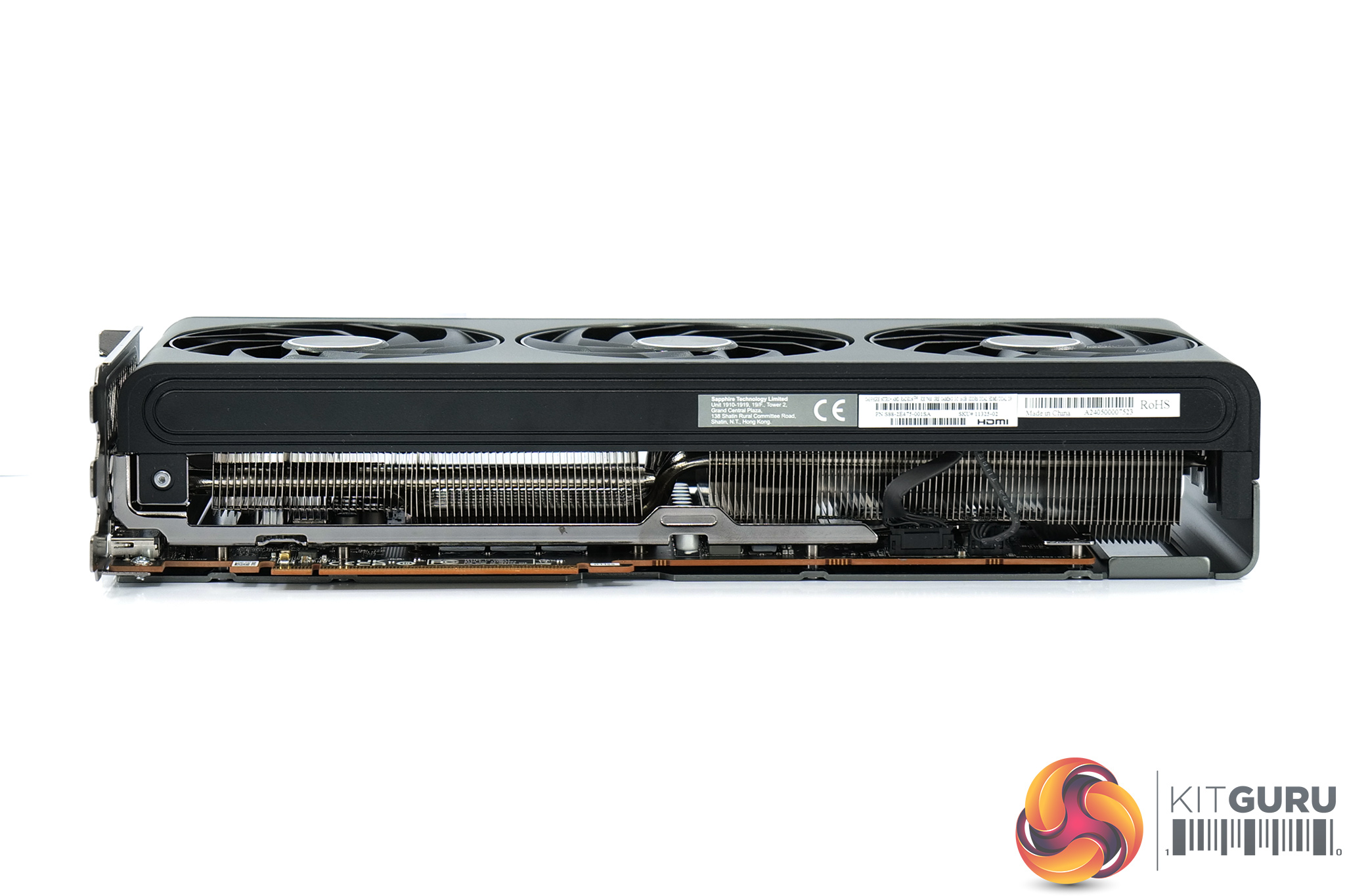
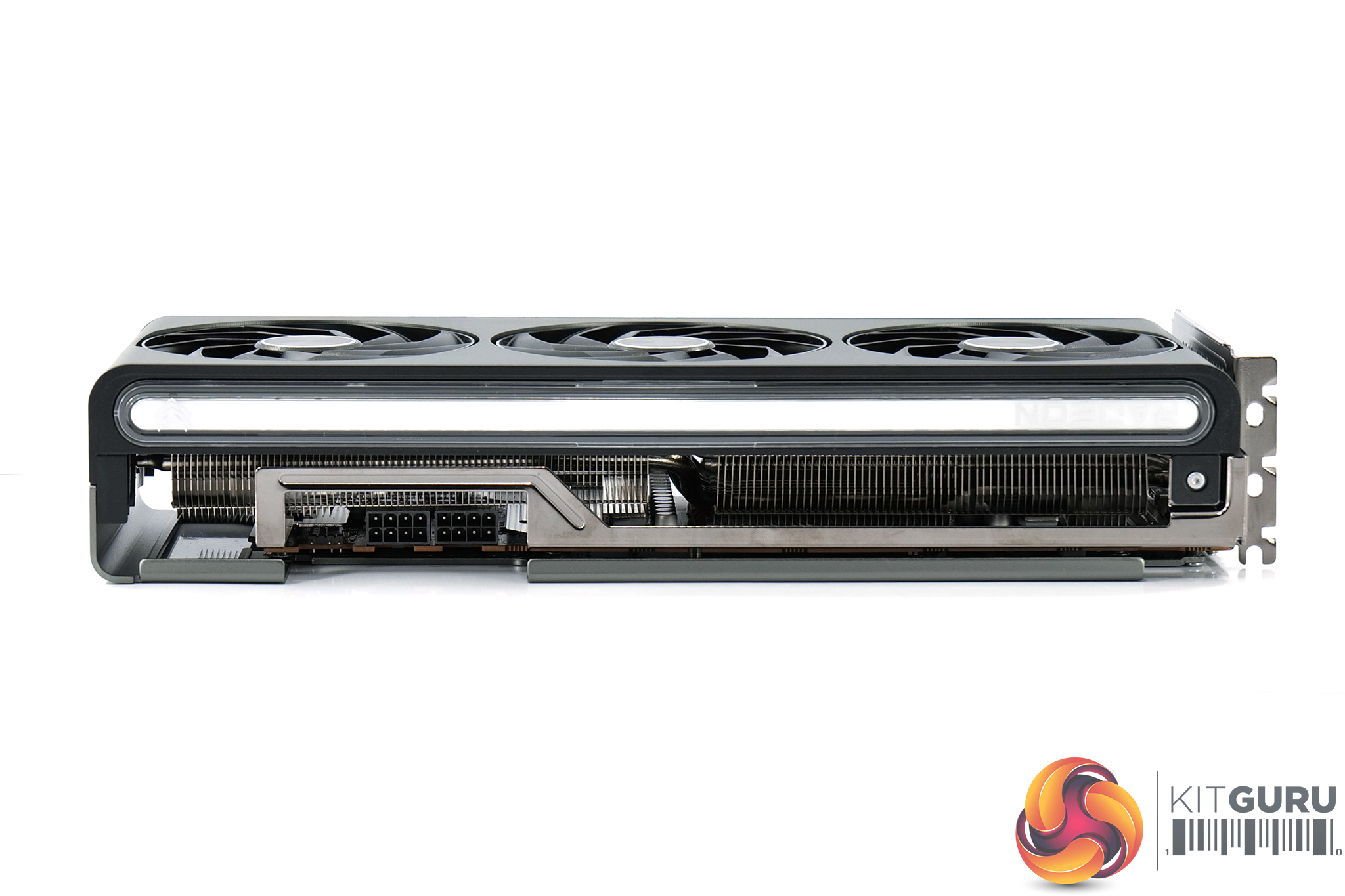
In terms of its dimensions, the Nitro+ measuring 320 x 134.85 x 61.57mm, so it's well over 30cm in length and is over three-slots thick. It weighed in at 1600g on my scales.
On the front side of the card, you will notice a metal frame that sits just below the backplate. Sapphire calls this a ‘Cold Rolled Steel Frame', and it's essentially a bracket screwed onto the PCB to offer extra structural rigidity to the card.
We also get a good look at the ARGB light bar running the length of the card. This is a lovely RGB implementation, the LEDs blend together very well and there are no visible hot spots.
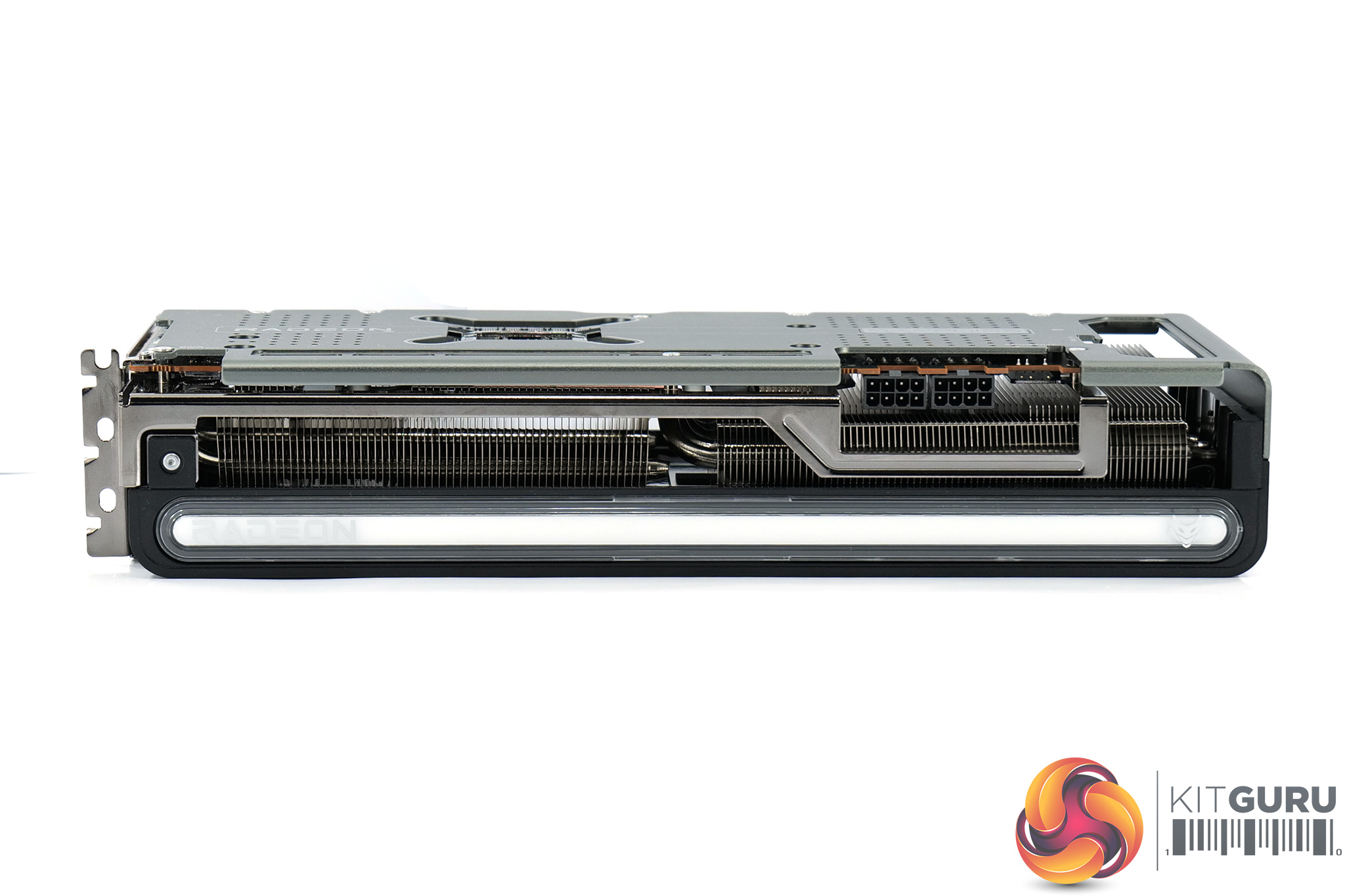
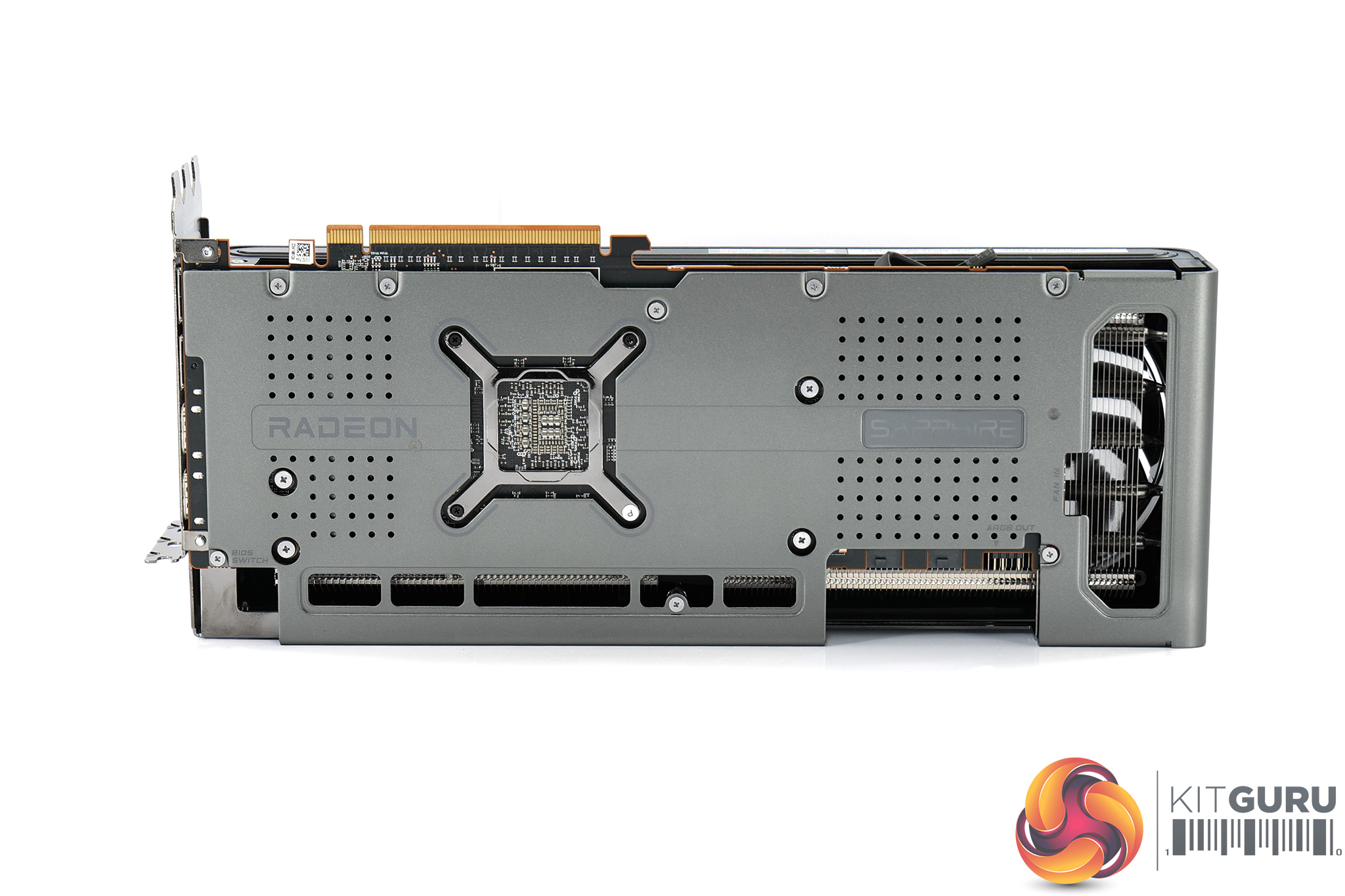
As for the backplate, this is made of metal and runs the length of the card but with a relatively large cut-out towards the end to allow air to pass through the heatsink. The Sapphire logo is another RGB zone on the card.
We can also note the dual-BIOS switch positioned near to the I/O bracket – this offers a choice of either the OC or Silent modes, or a third setting allowing you to toggle between those two modes using TriXX software instead.
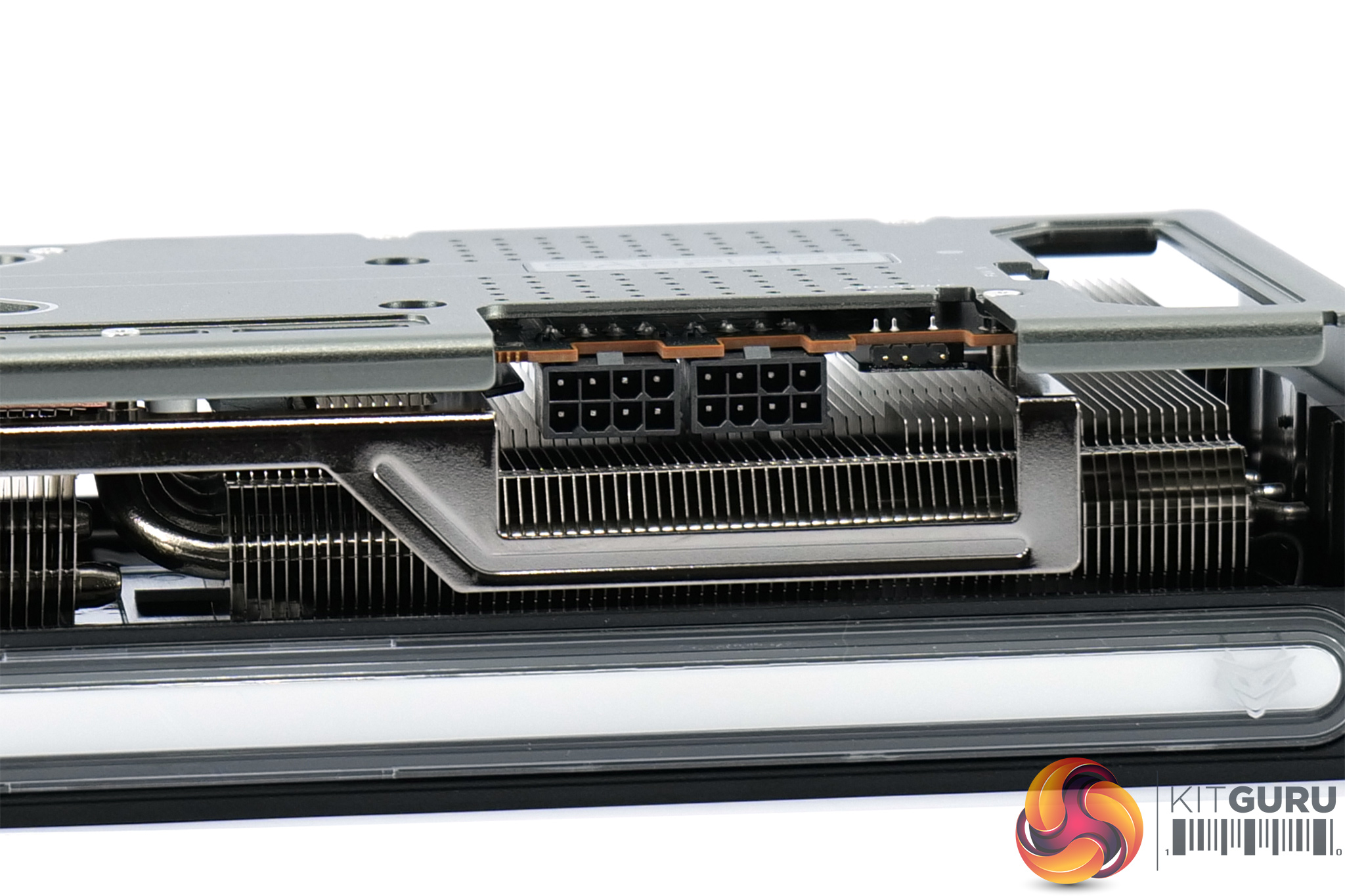
Above we can see the ARGB header which is positioned next to the power inputs. This lets you connect the graphics card to your motherboard if you want to synchronise the LED lighting that way, though do note you have to download the TriXX software and set the LED setting to ‘external source'. Another header is positioned at the end of the PCB, this one is a 4-pin PWM fan header allowing you to connect a case fan and have it directly controlled by the GPU's temperature.
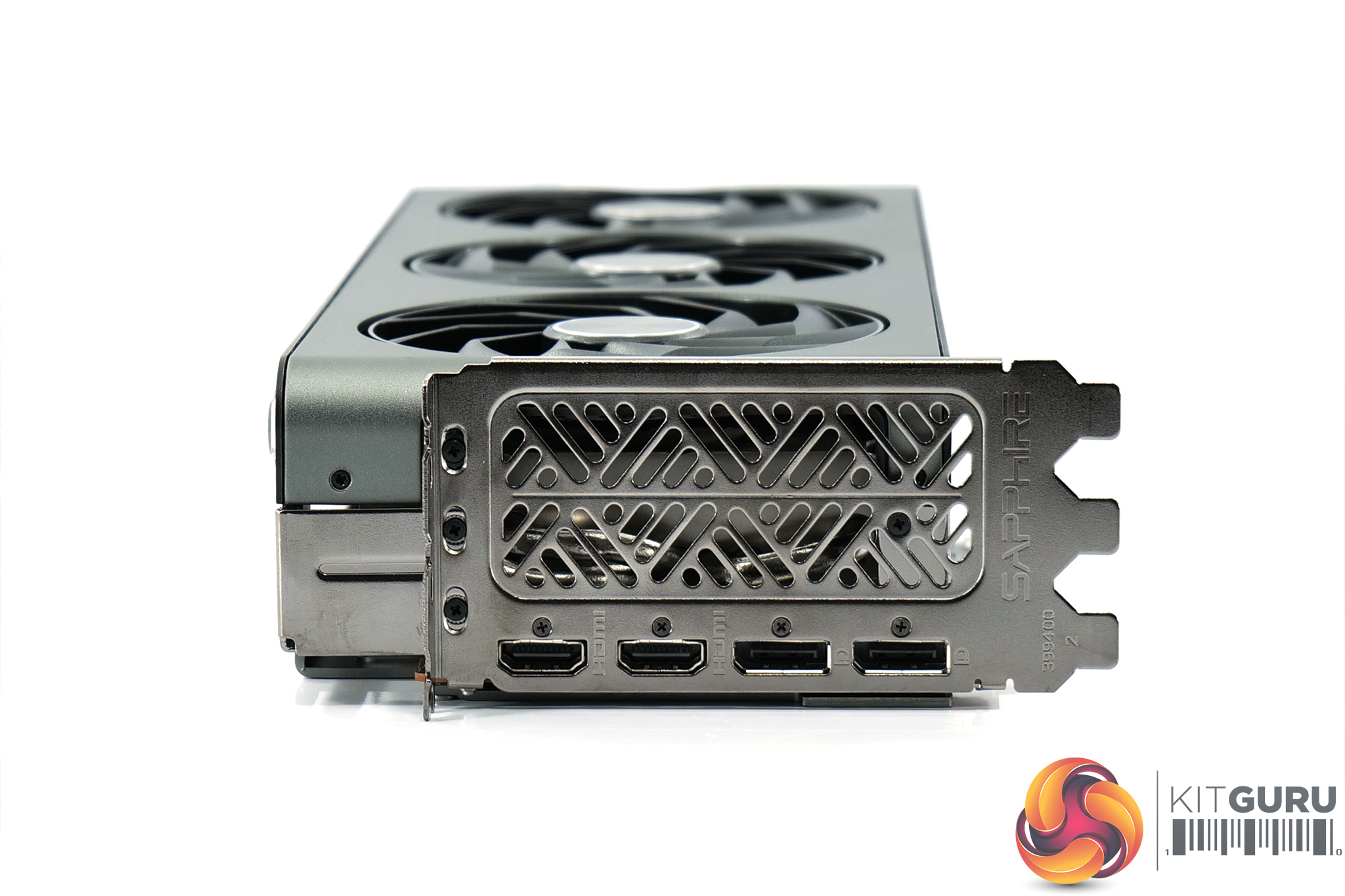
We already mentioned the power connectors, with 2x 8-pin connectors utilised here, while display outputs consist of 2x HDMI 2.1 and 2x DisplayPort 2.1, an increasingly common allocation.
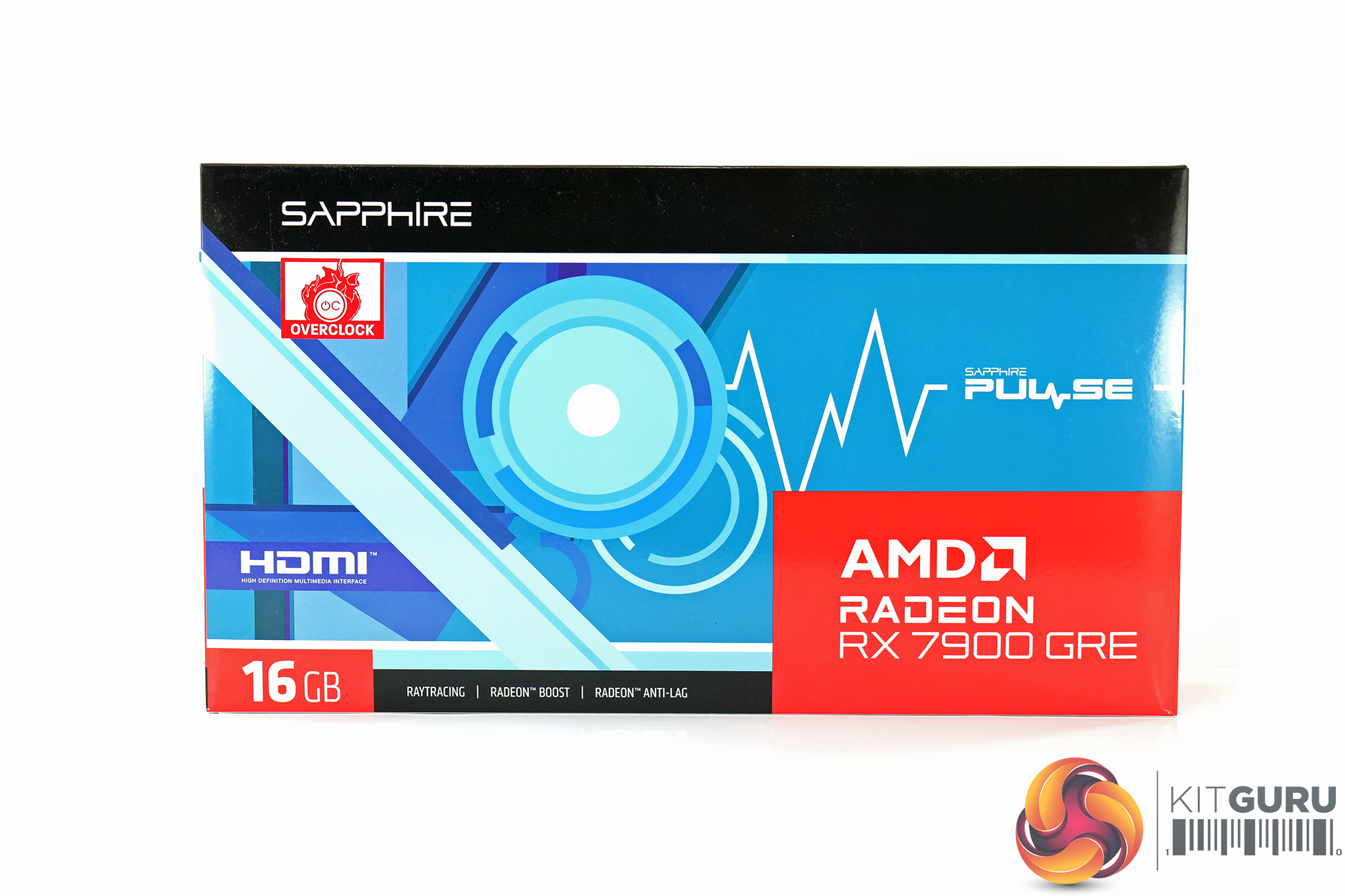
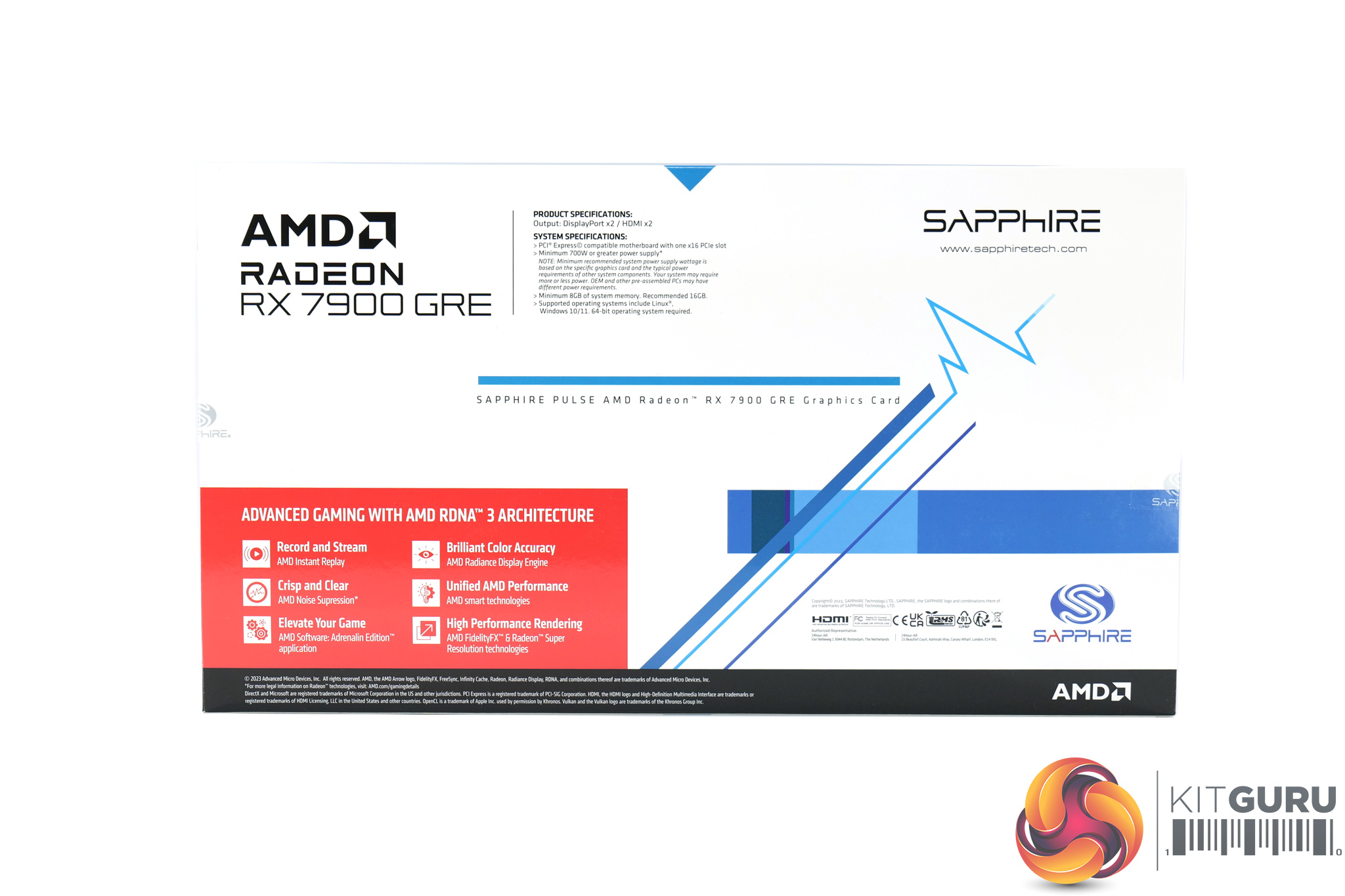
The Sapphire RX 7900 GRE Pulse ships in a bright blue box, with a large AMD Radeon logo and 7900 GRE branding in the bottom corner.
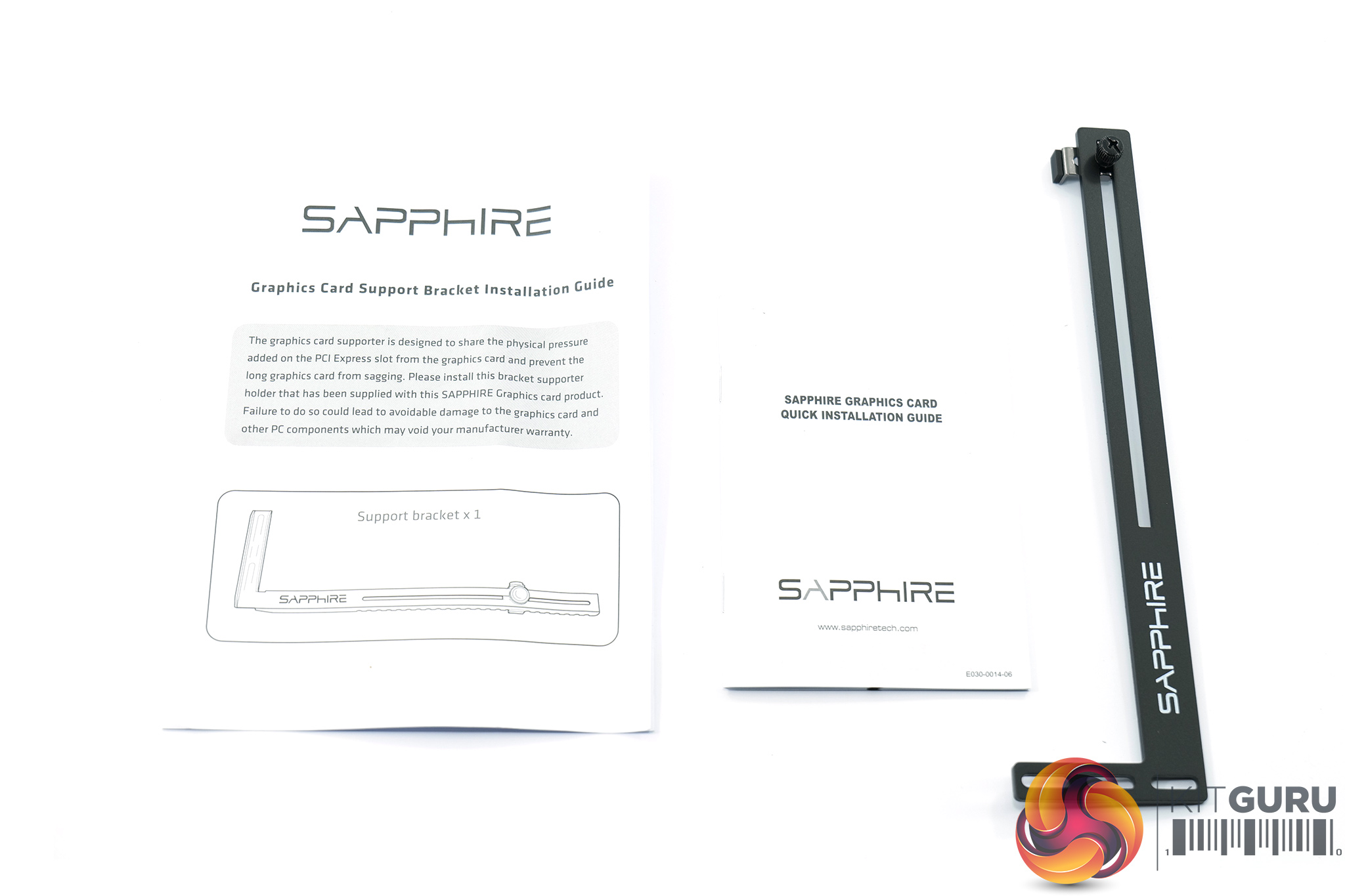
Inside, the only included accessories are a short quick installation guide and GPU support bracket.
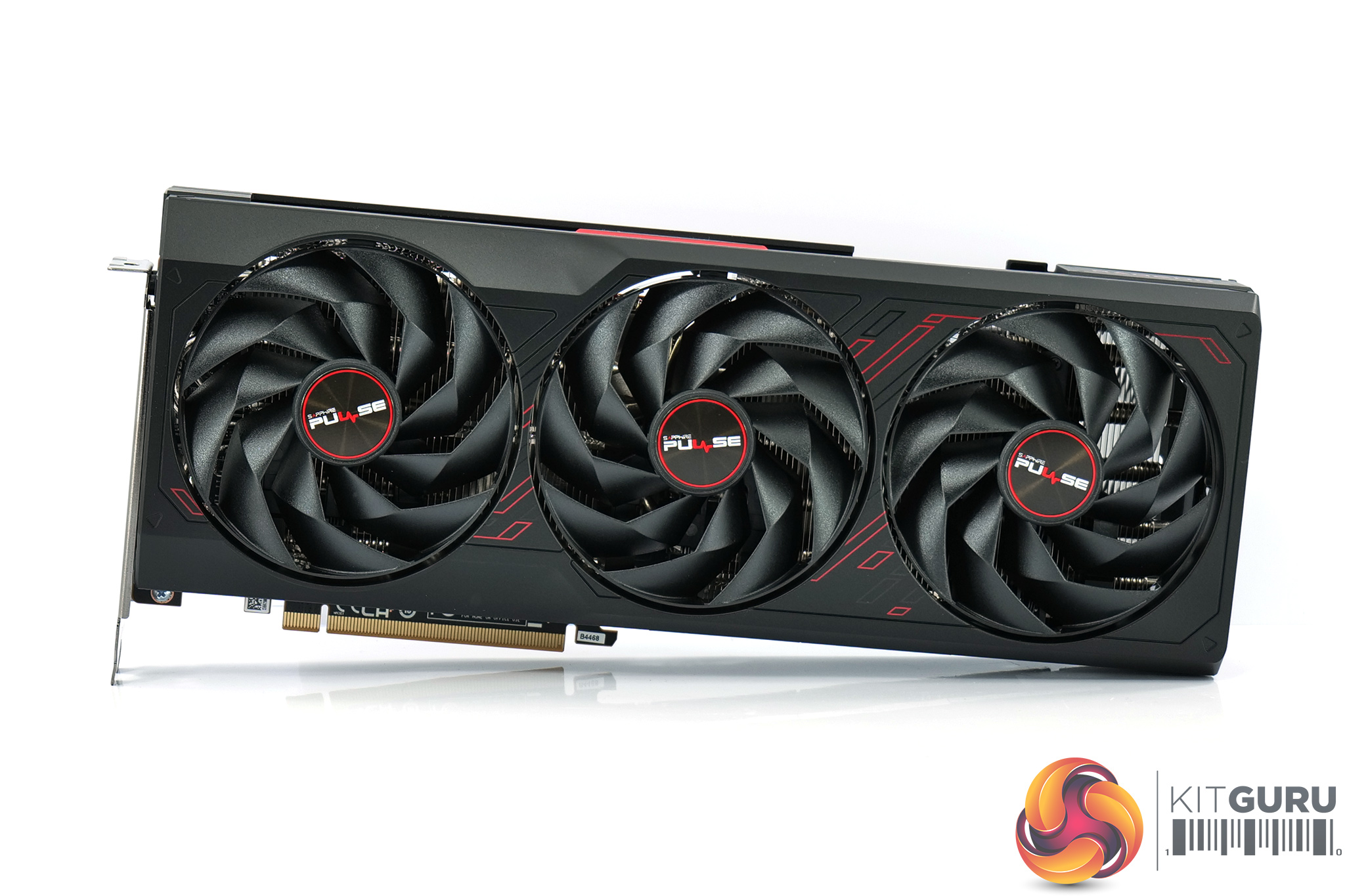
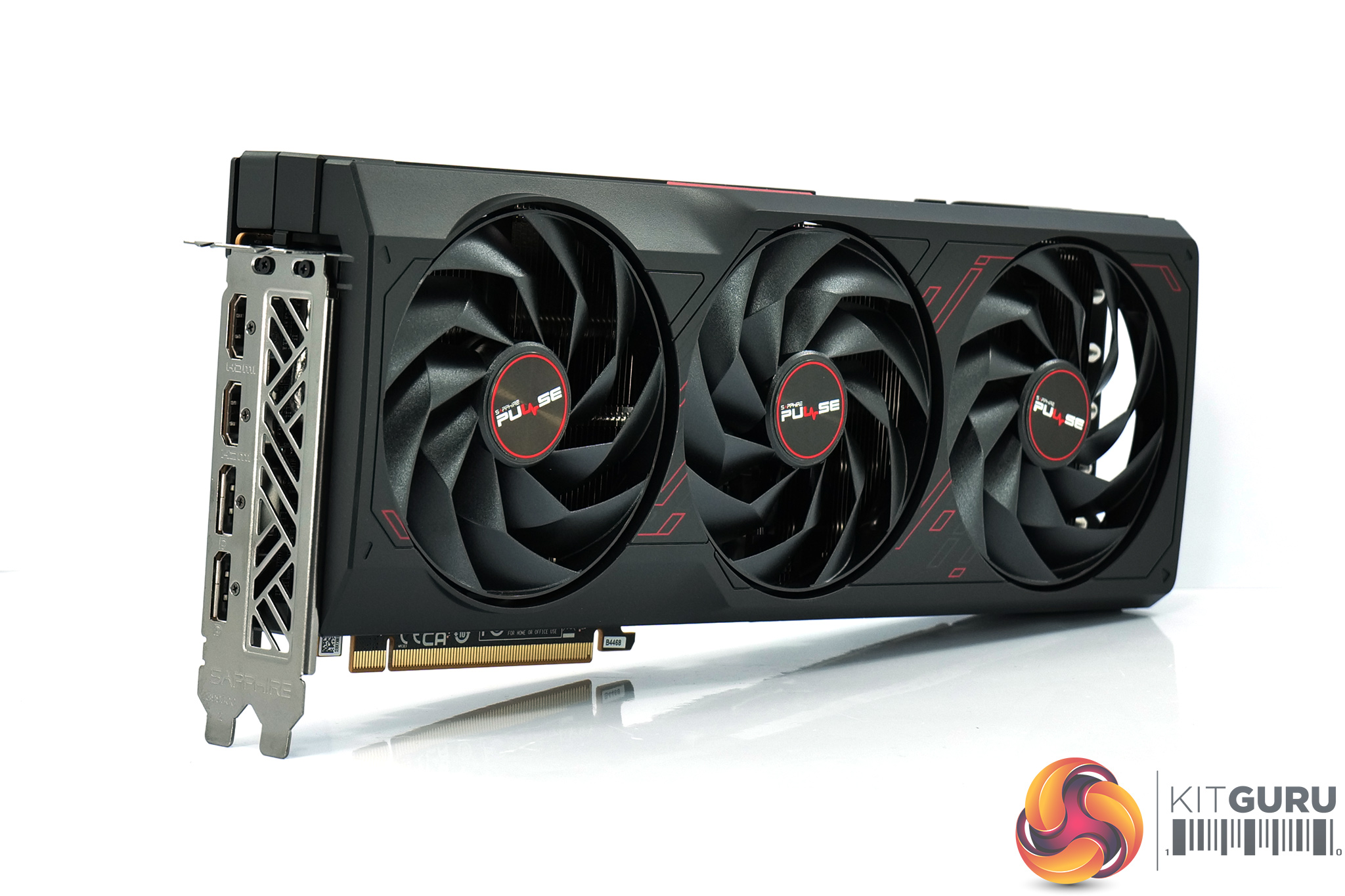
As for the design of the card, it is very reminiscent of the RX 7900 XT Pulse we looked at in 2023. Its shroud is made of mostly black plastic, though there are a few red accents which tie in with the Pulse colour scheme.
We can also note the triple fan cooler, using Sapphire's Angular Velocity Fan Blades, while each fan measures in at just under 100mm in diameter.
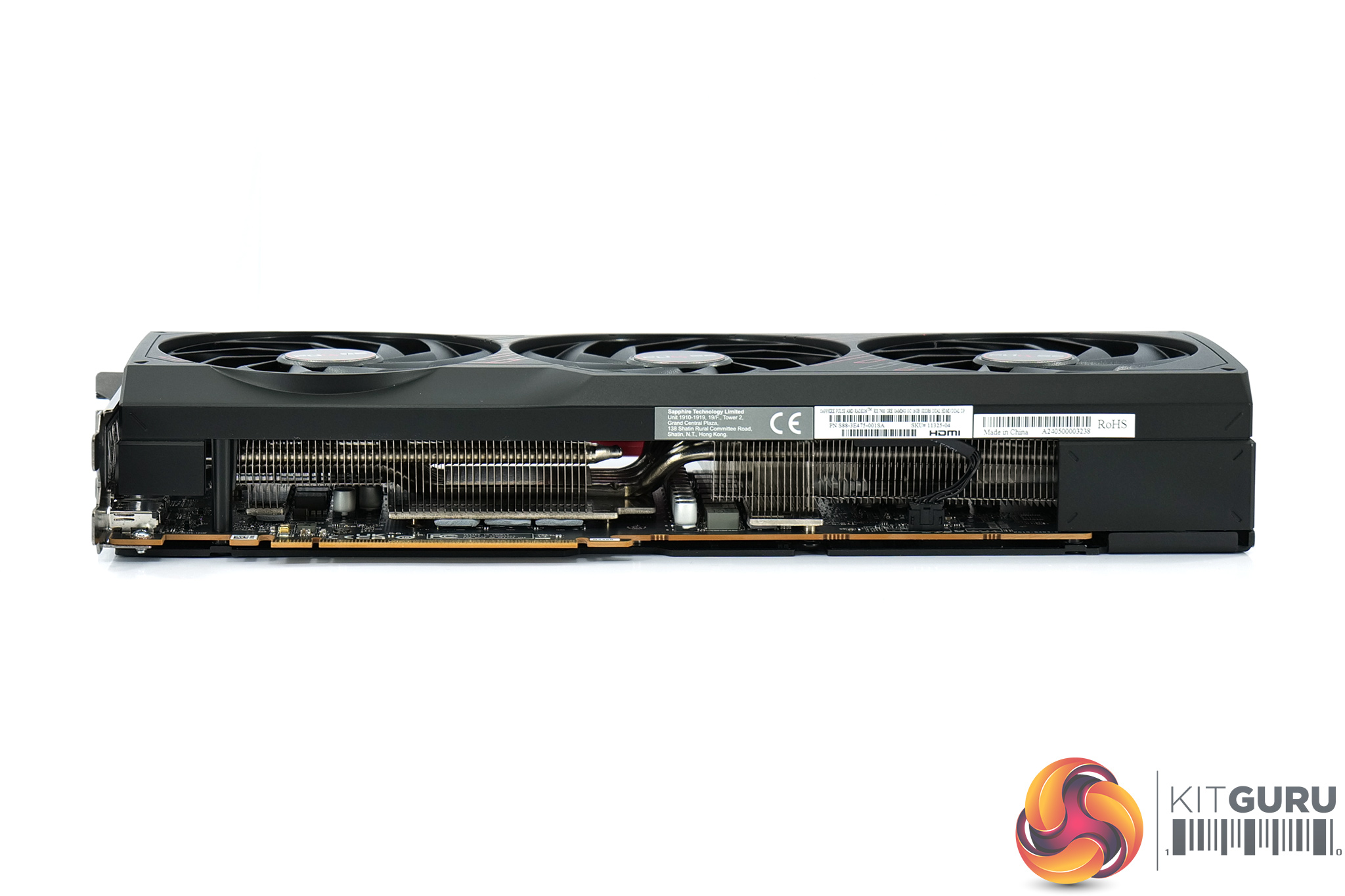
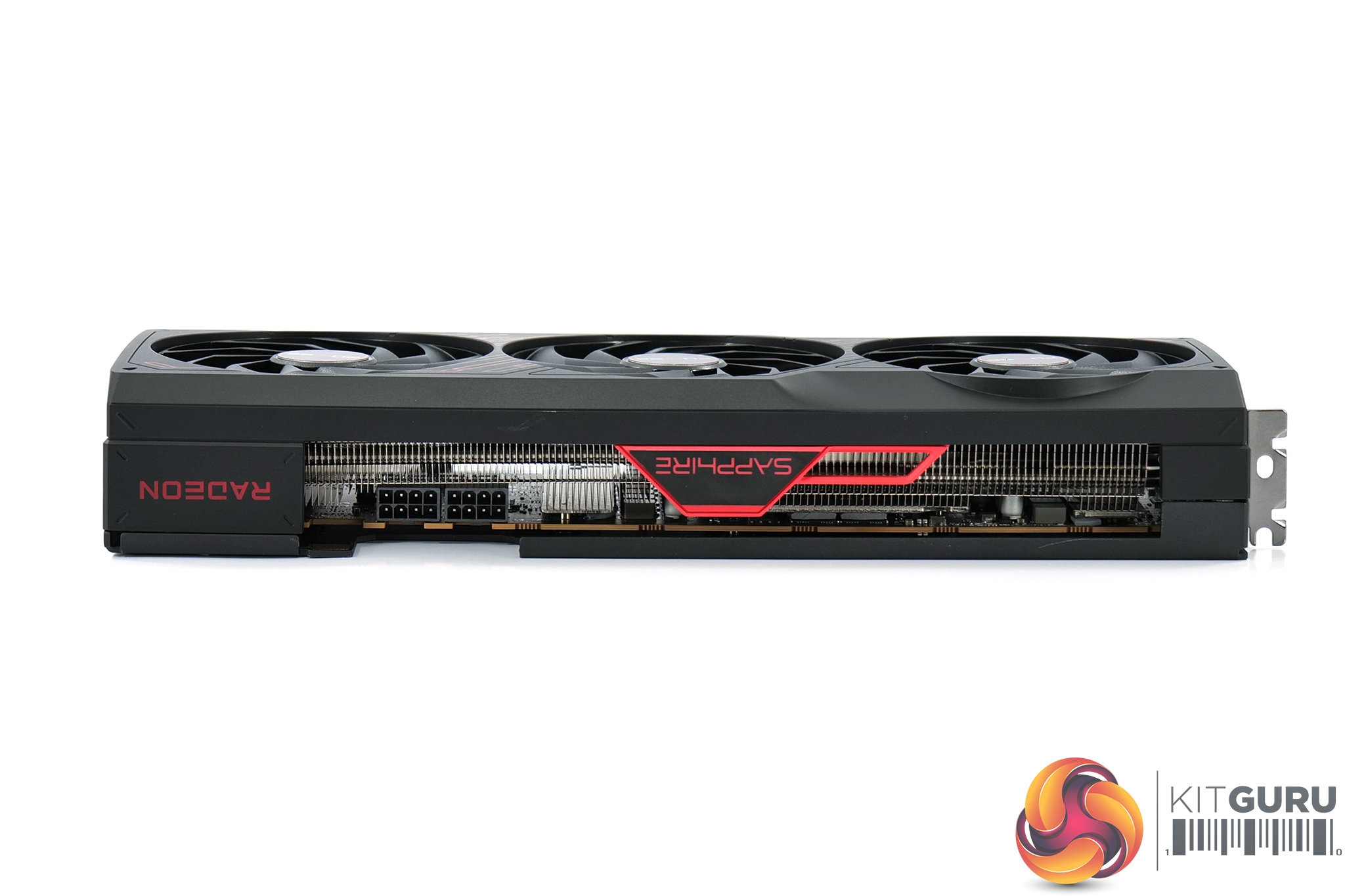
The Pulse isn't quite as large as the Nitro+, measuring 320 x 128.75 x 52.57mm, while it weighed in at 1105g on my scales.
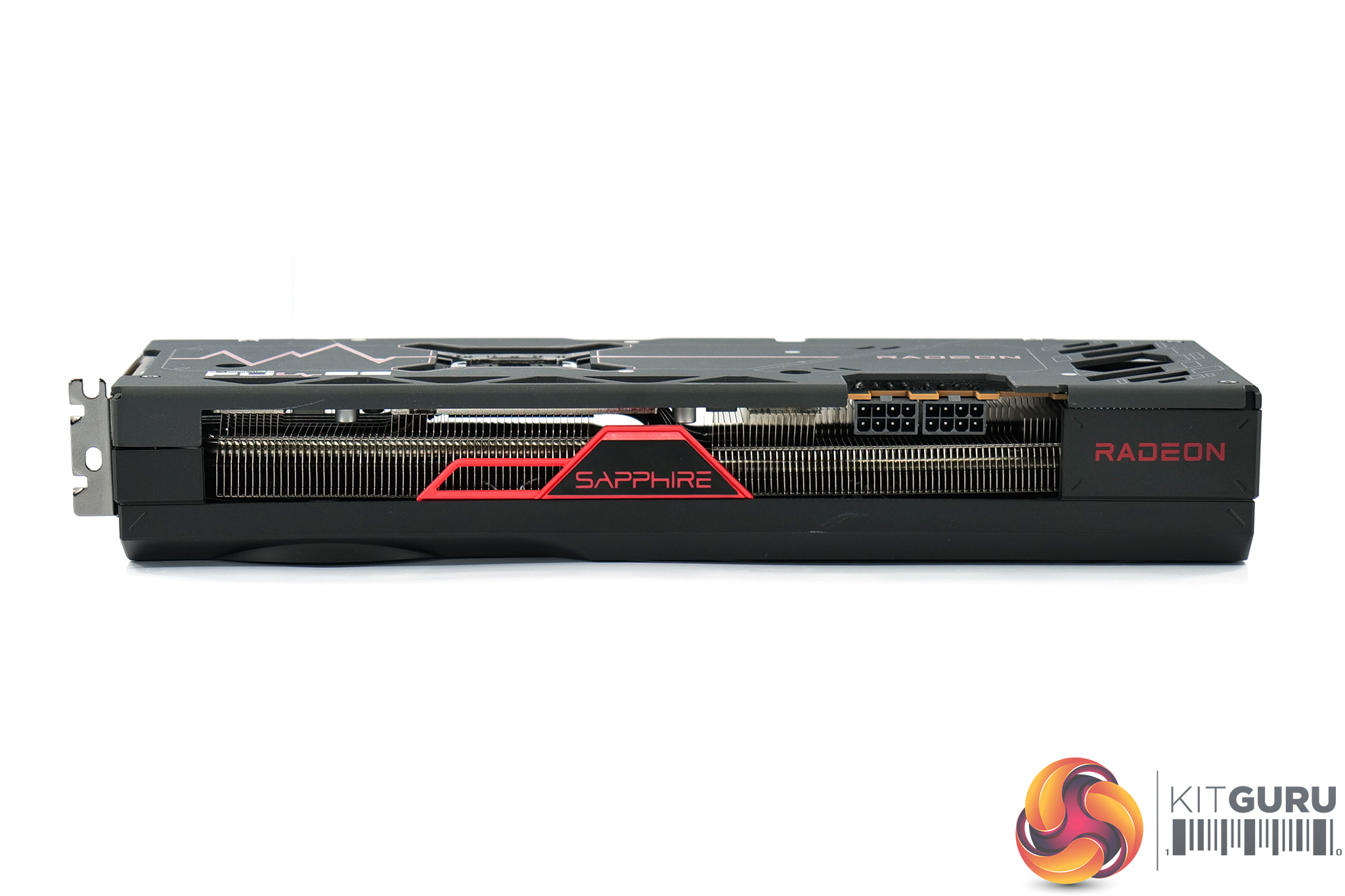
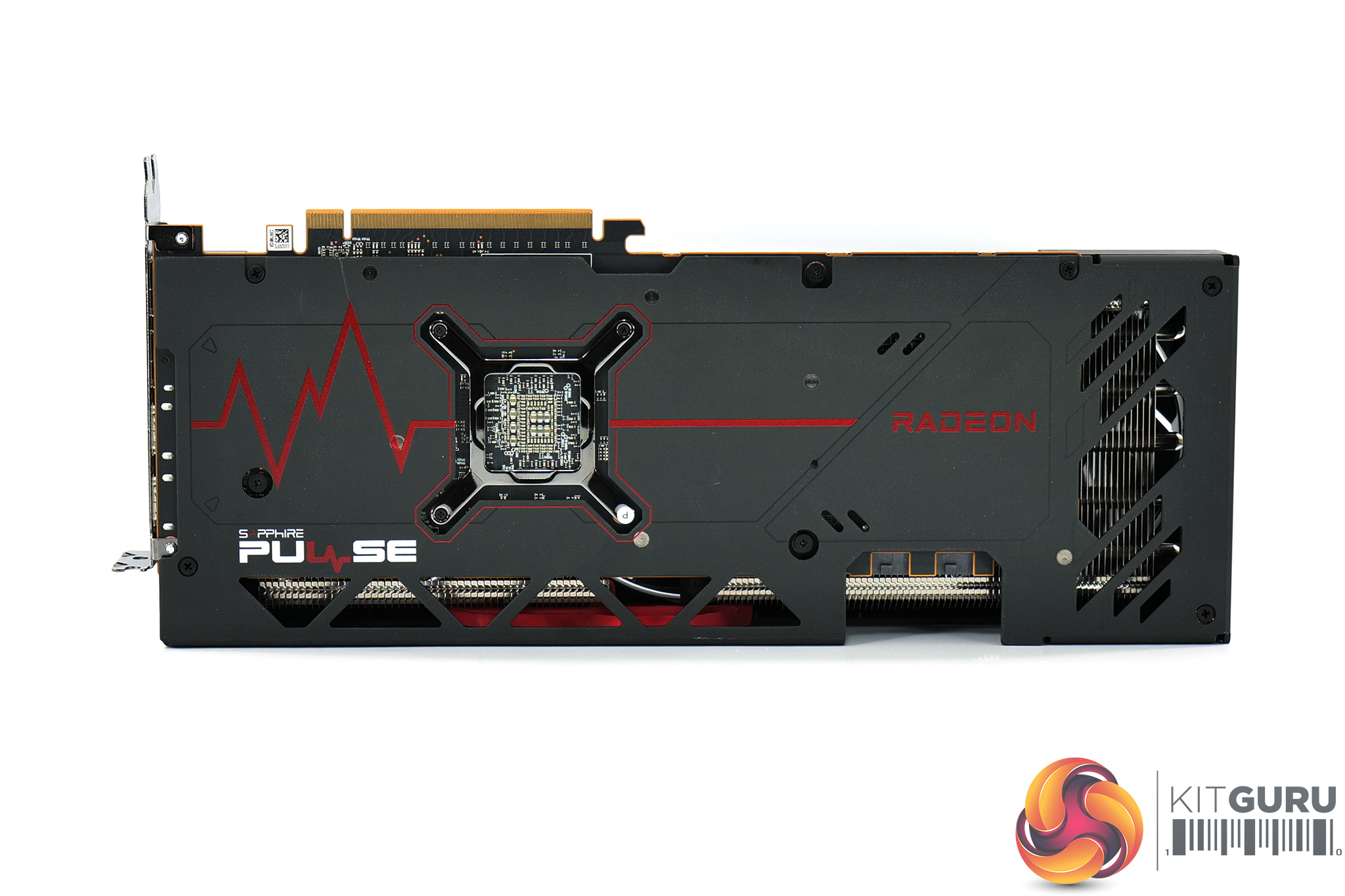
The side of the card is home to the Radeon and Sapphire logos, again coloured red. We can also note the full-length metal backplate, with the Pulse branding and an ECG printed in red – a staple of the Pulse series throughout the years.
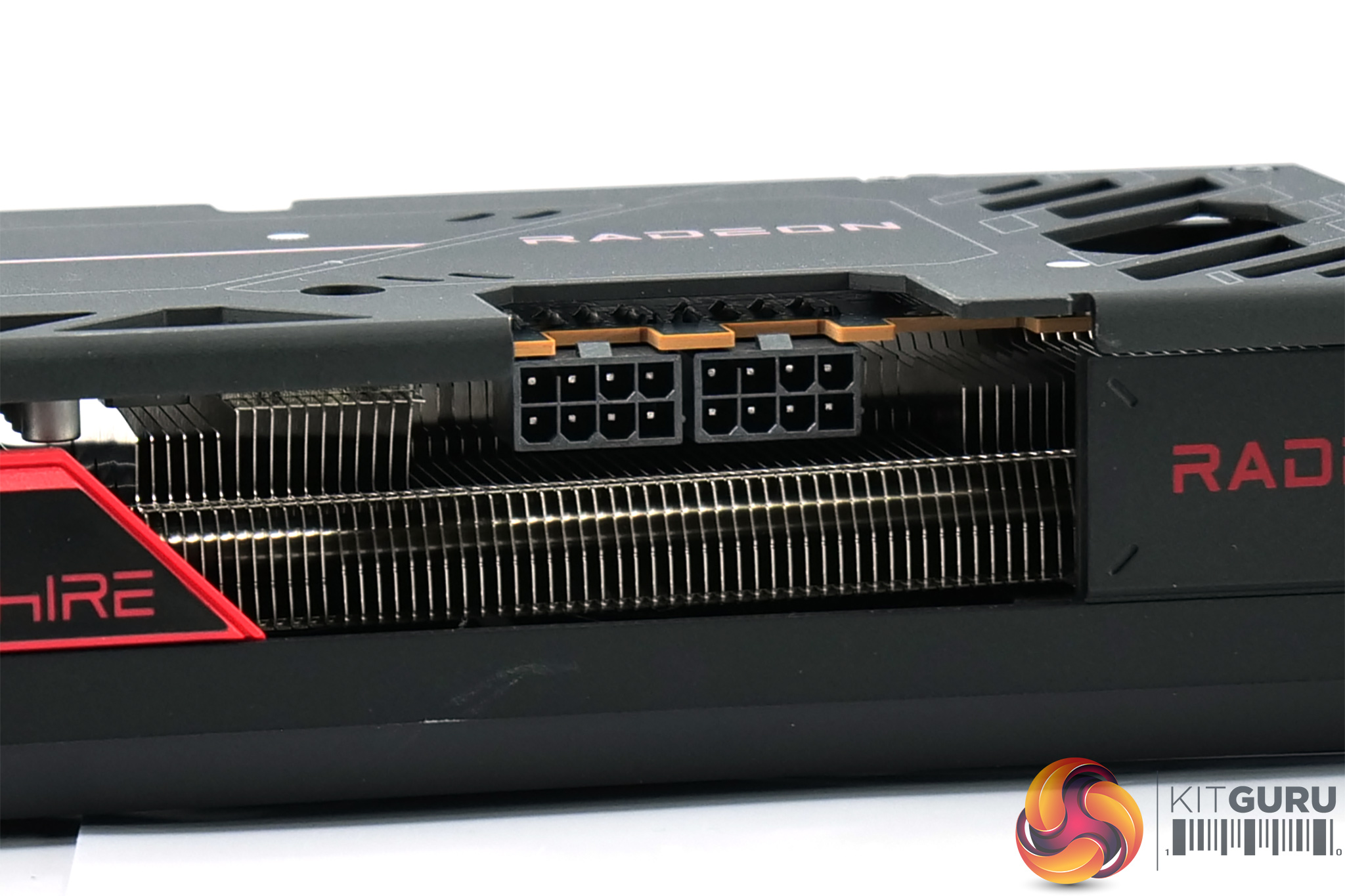
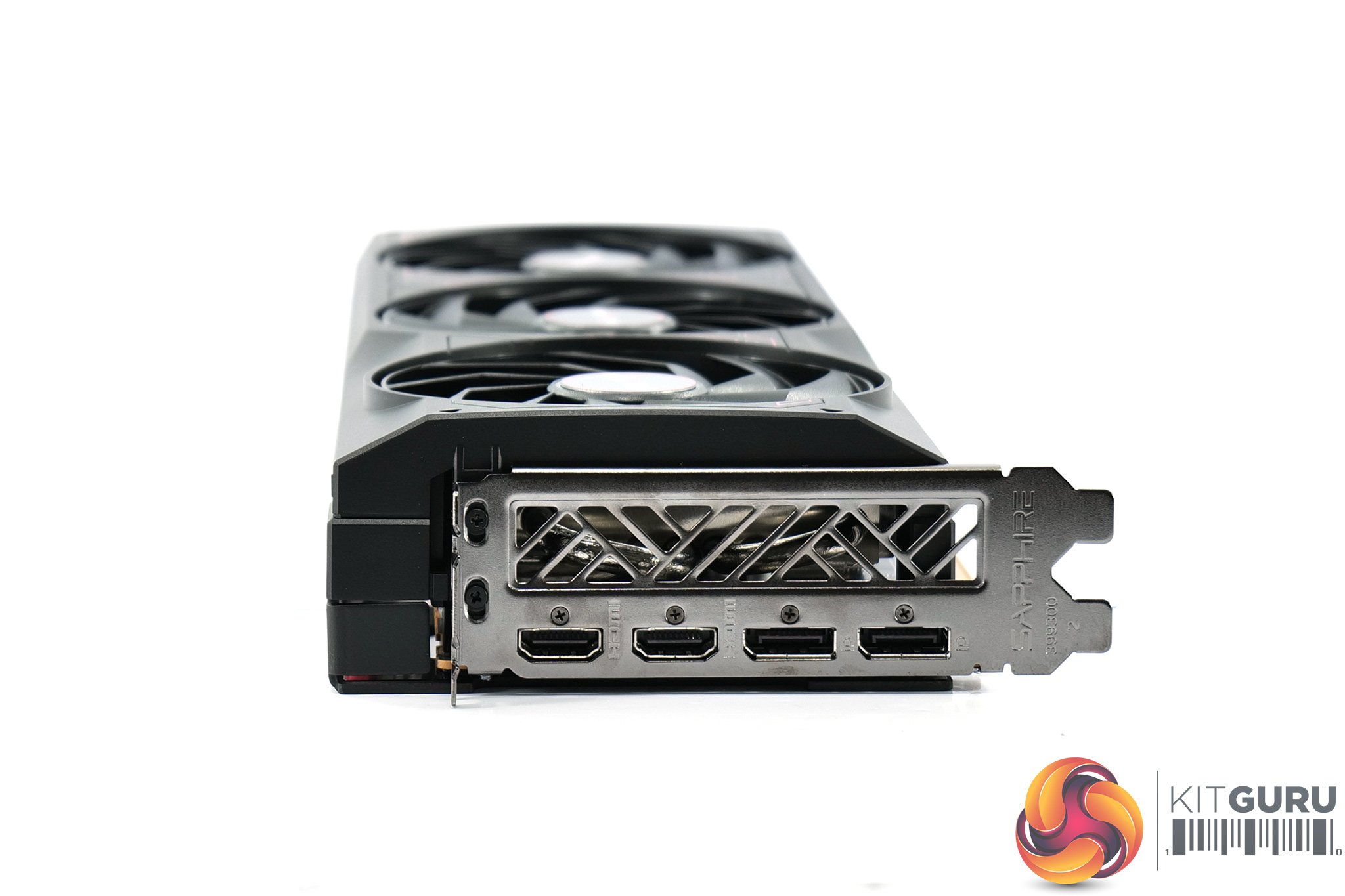
As expected, power is still delivered by two 8-pin connectors. Display outputs consist of 2x HDMI 2.1 and 2x DisplayPort 2.1, so there's an extra HDMI but one less DisplayPort than what we usually see.
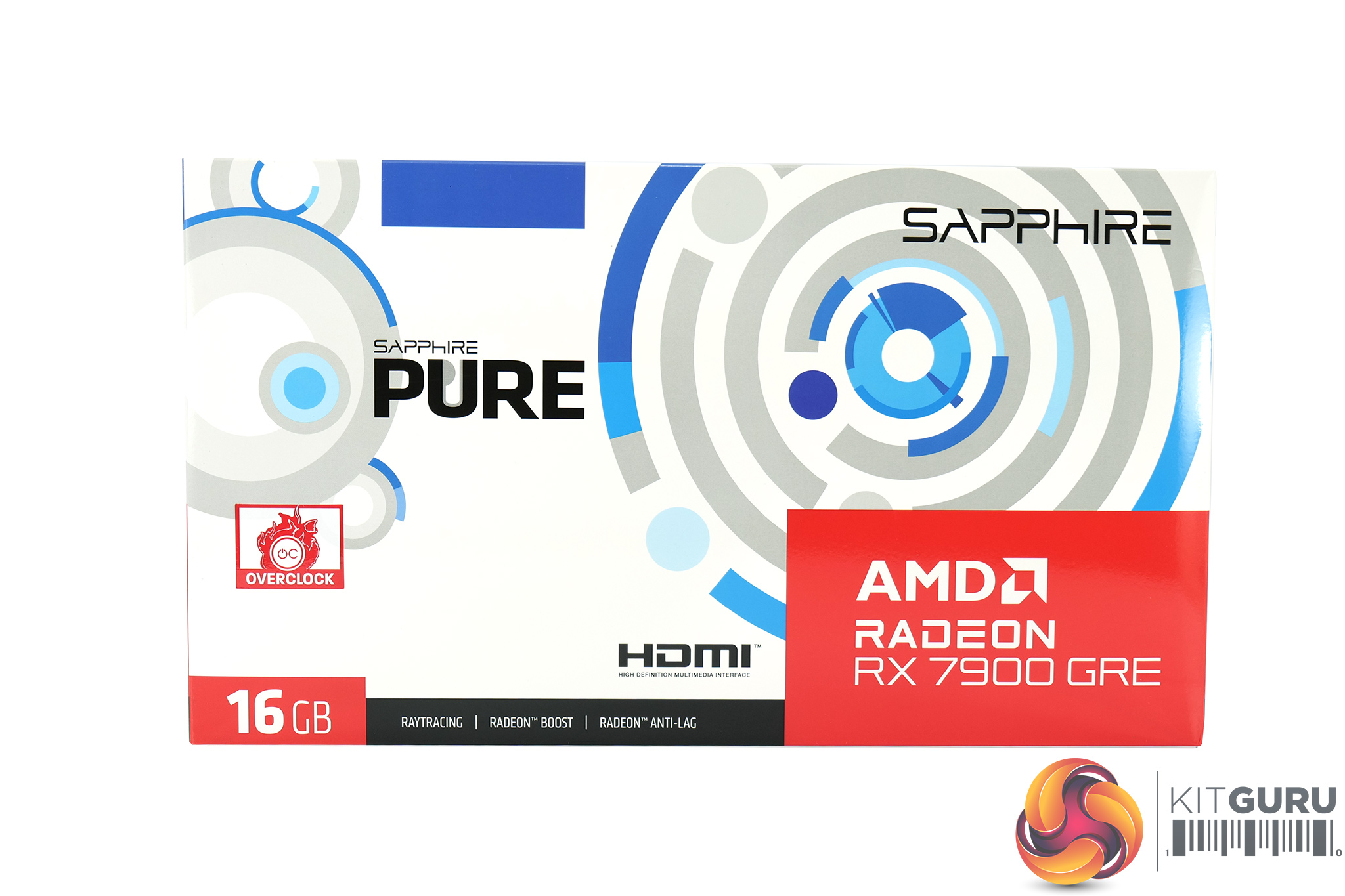

The Sapphire RX 7900 GRE Pure ships in a white and blue box, with a large AMD Radeon logo and 7900 GRE branding in the bottom corner.
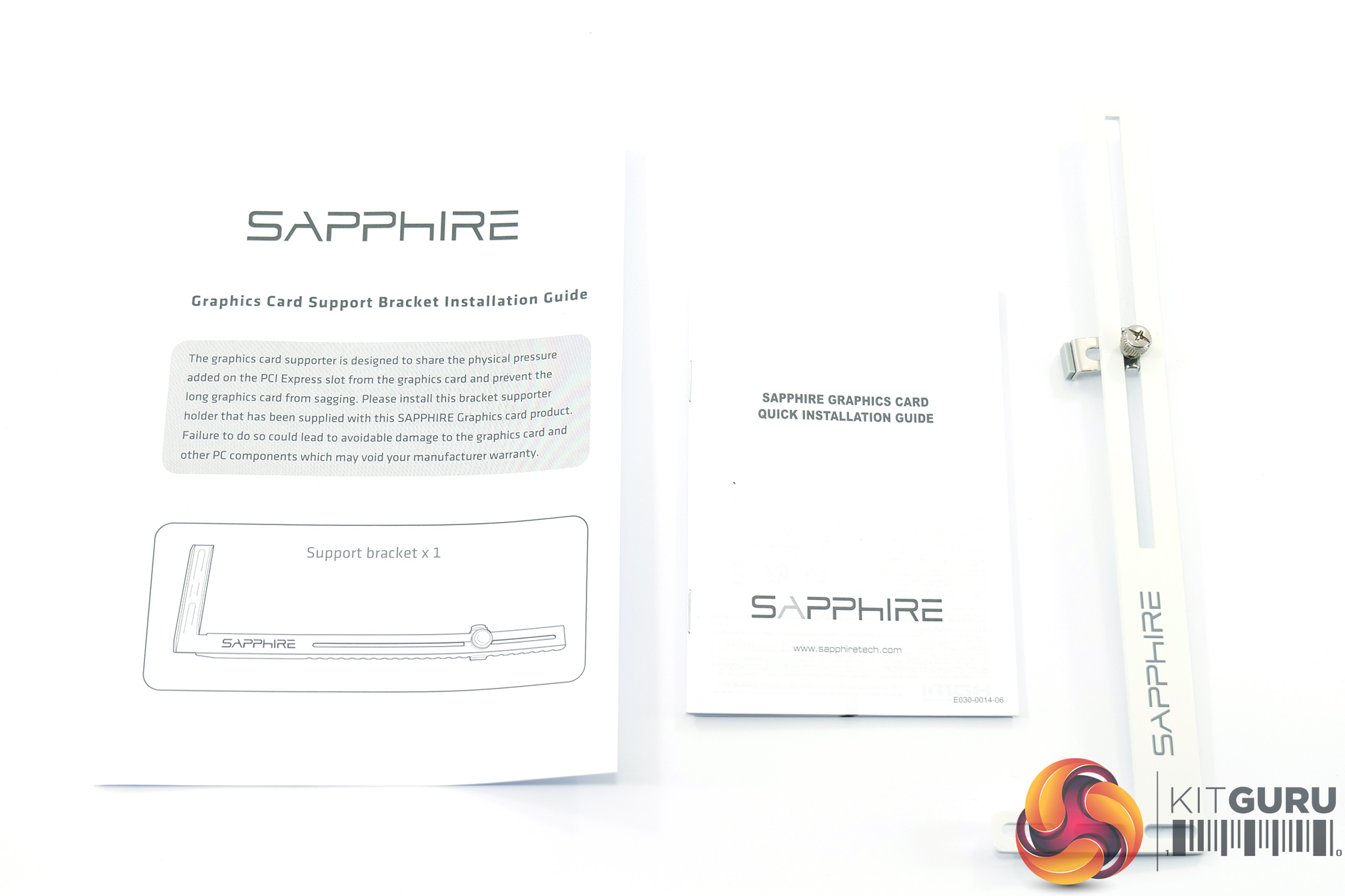
Inside, the only included accessories are a short quick installation guide and GPU support bracket.
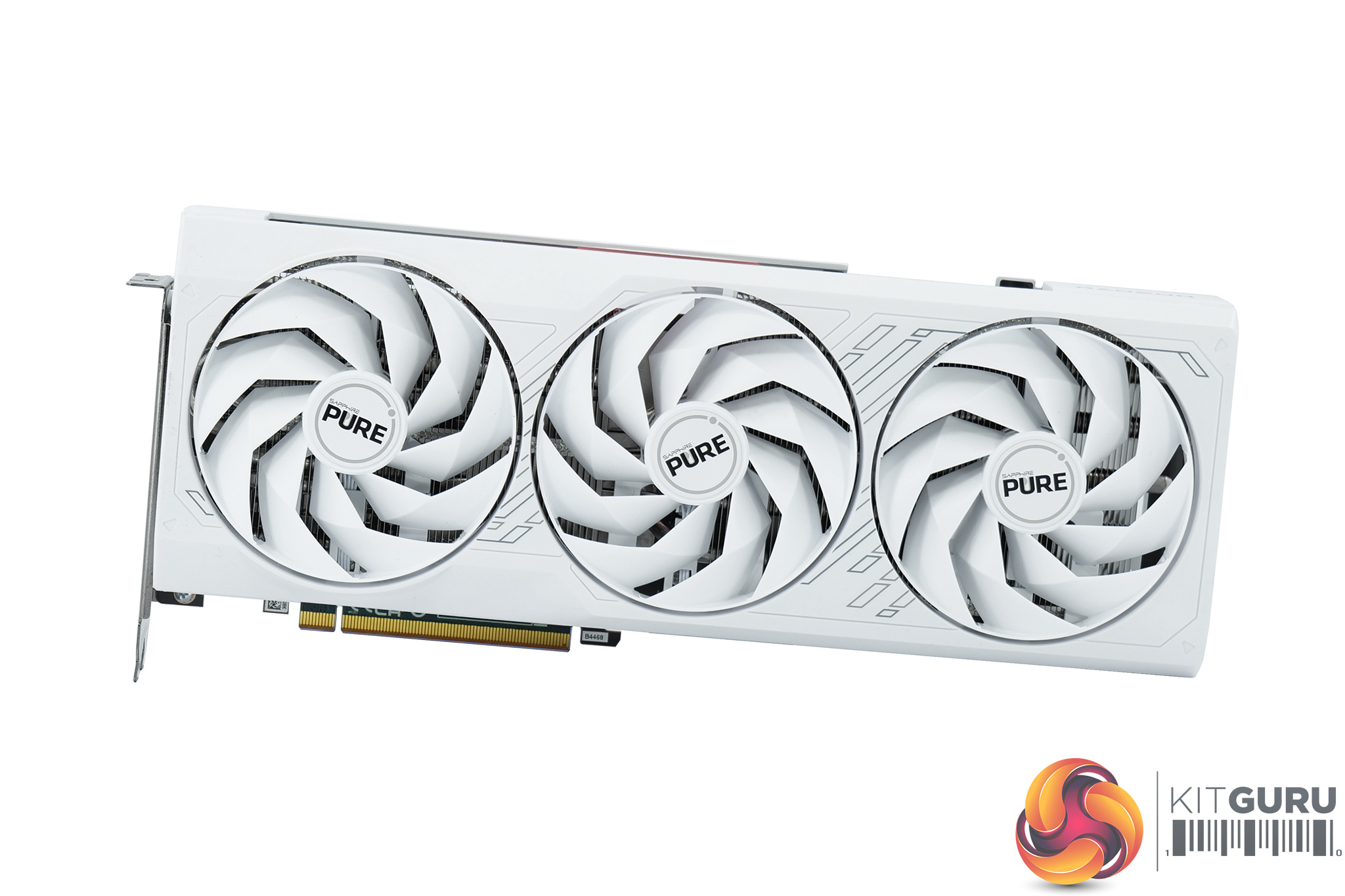
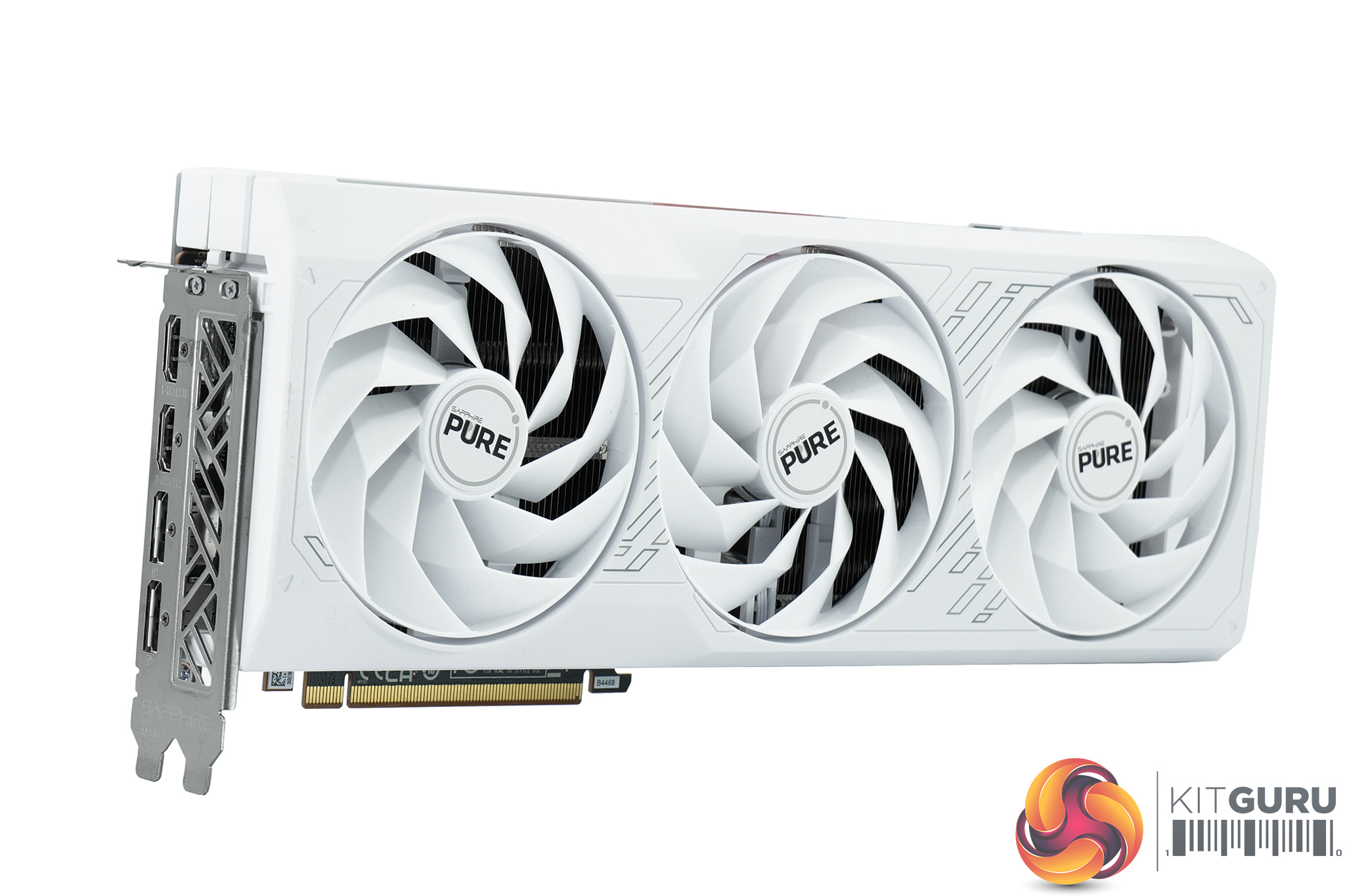
As the Pure is a new model to us, we've not looked at any other cards from the family. It did quickly become apparent, however, that the core design is the same as the Pulse, but with a white colour scheme, while there are some grey accents, too.
We can also note the triple fan cooler, using Sapphire's Angular Velocity Fan Blades in white, while each fan measures in at just under 100mm in diameter.
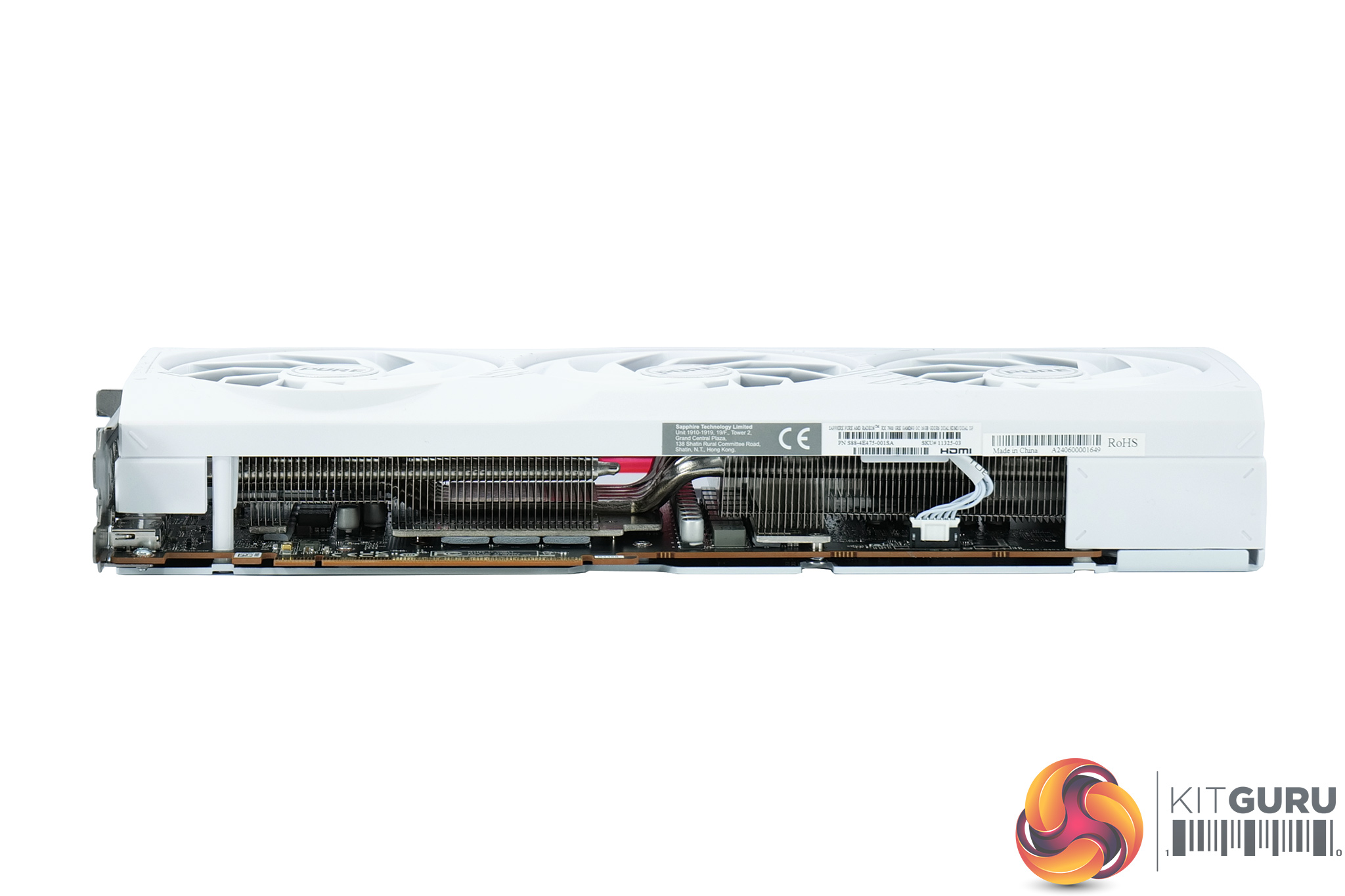
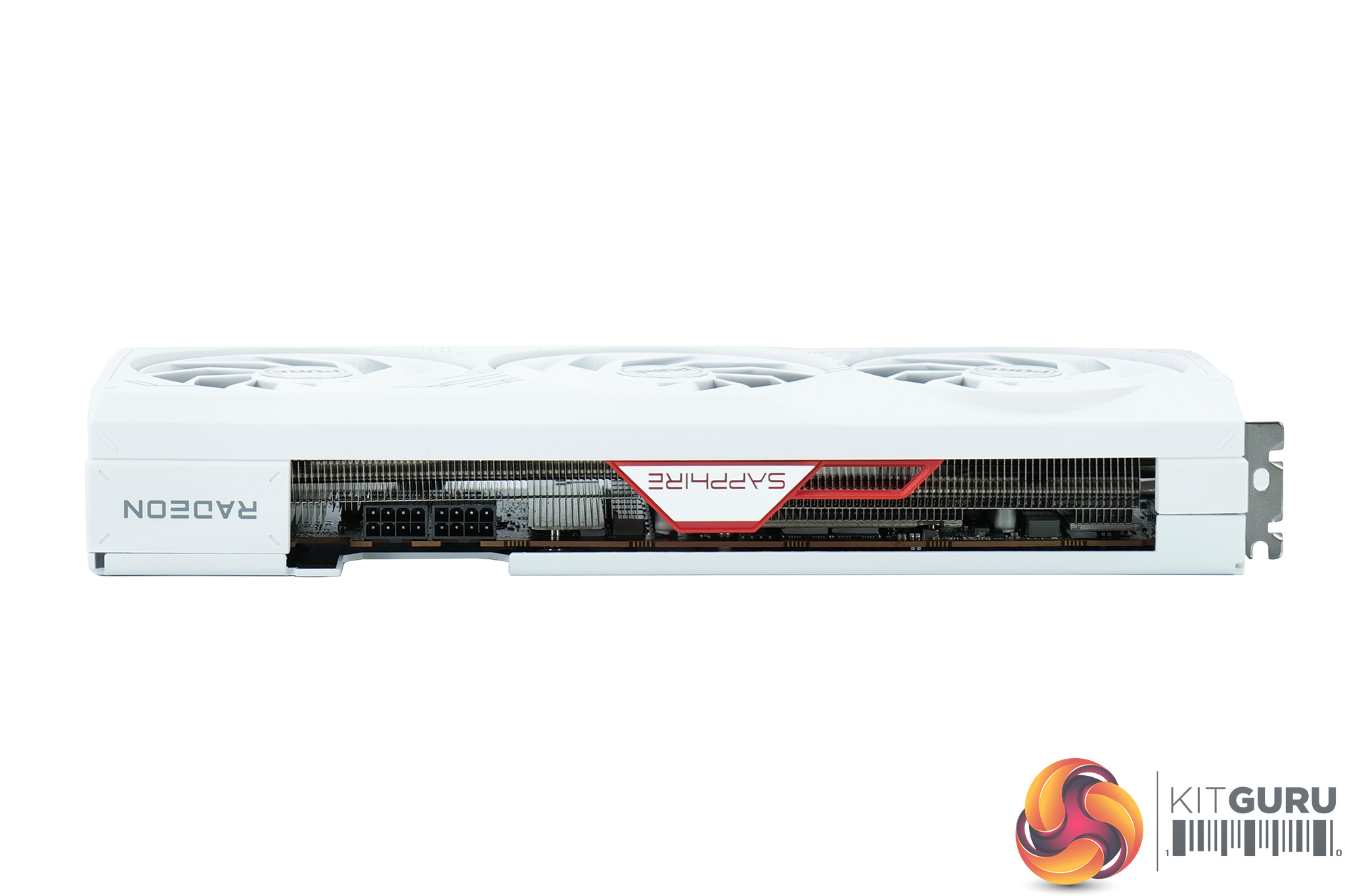
Dimensions are identical to the Pulse, measuring 320 x 128.75 x 52.57mm, while it weighed in at 1116g on my scales.
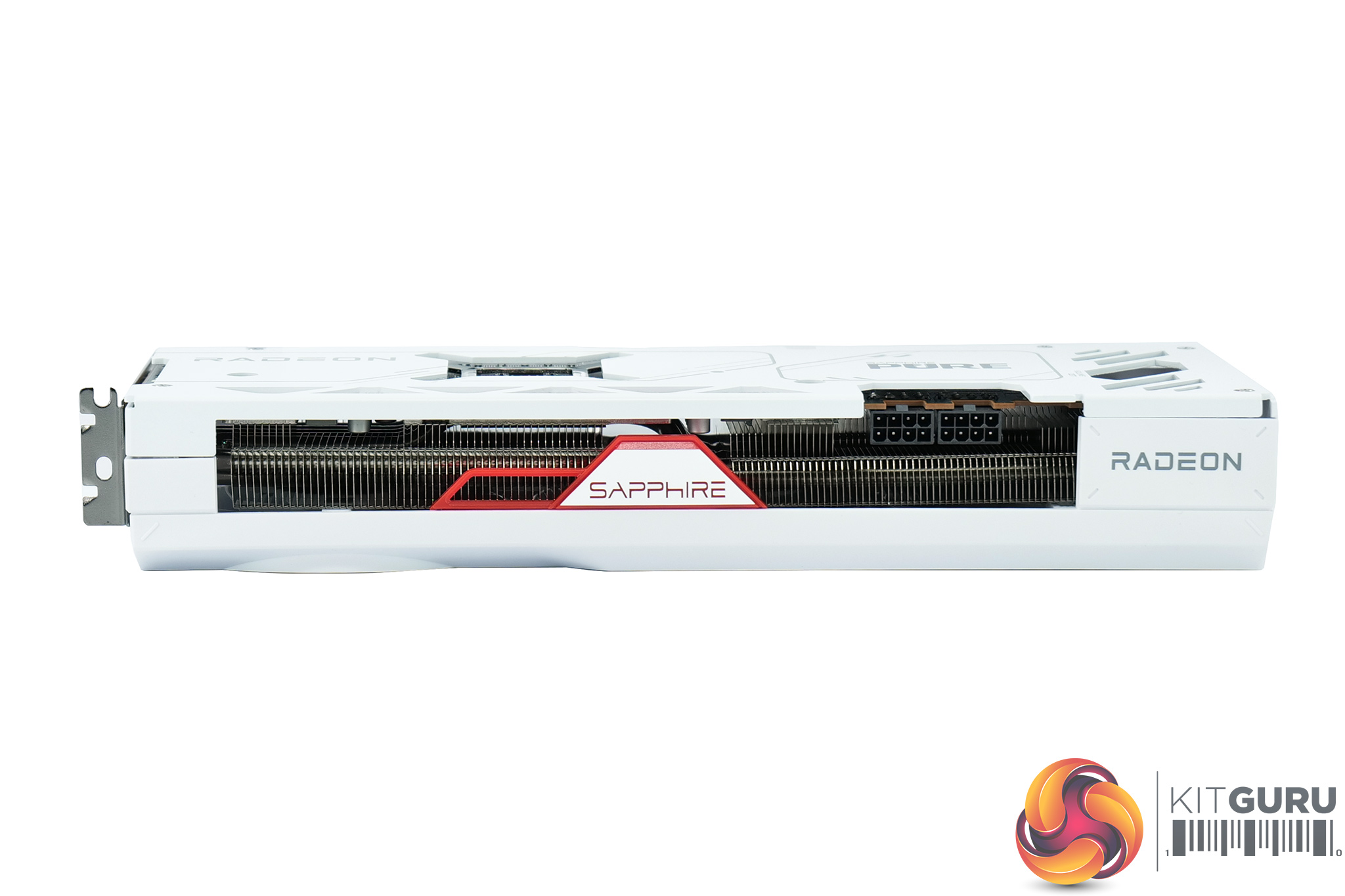
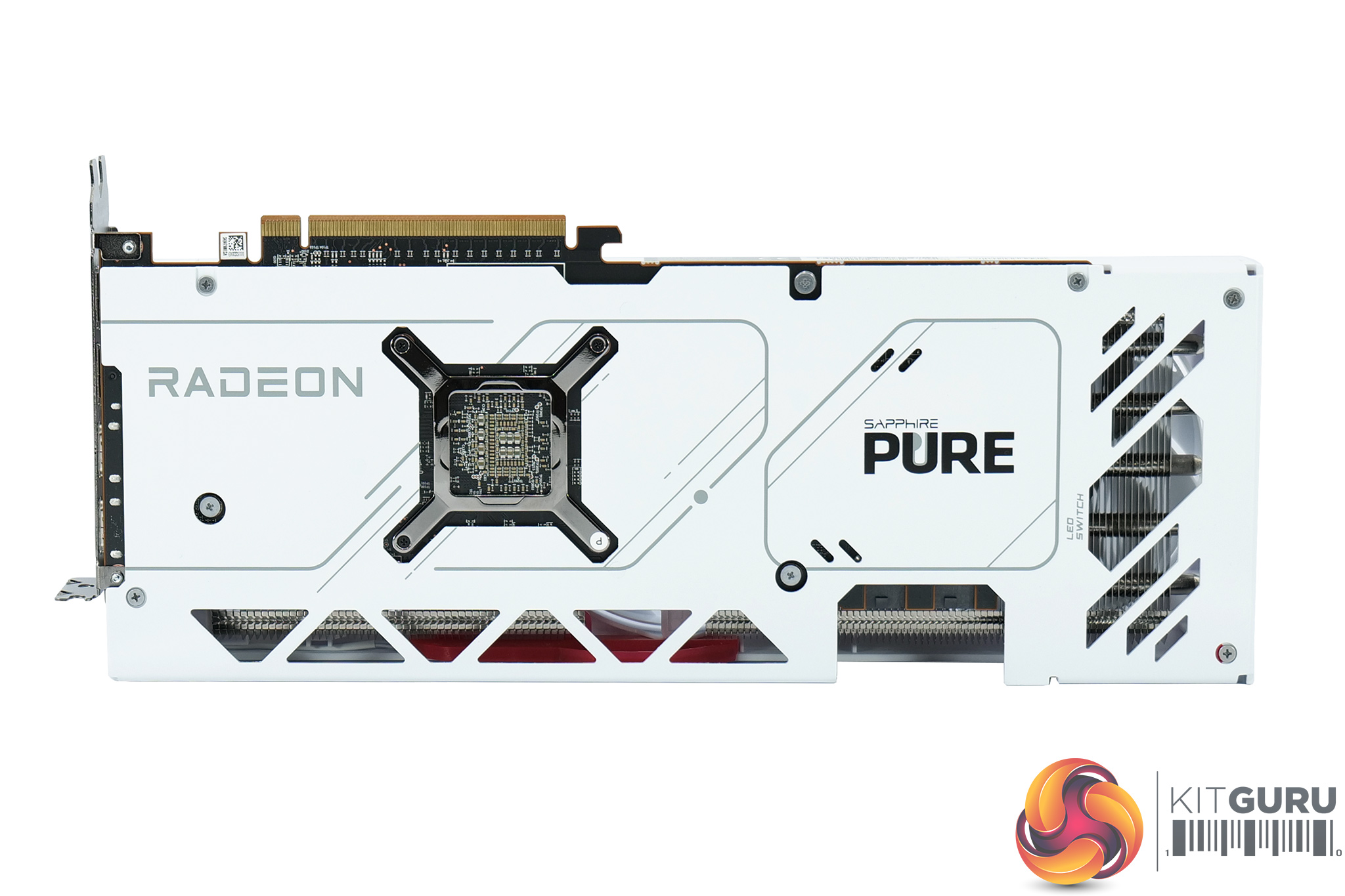
The side of the card is home to the Radeon and Sapphire logos, with the Sapphire logo finished with a red accent. This illuminates with red LEDs when powered on, and the colour cannot be changed which I think is a shame. There is, however, a physical toggle to allow you to turn the LEDs off without the need for any software.
We can also note the full-length white metal backplate, along with a few cut-outs and the Pure logo printed on the back.
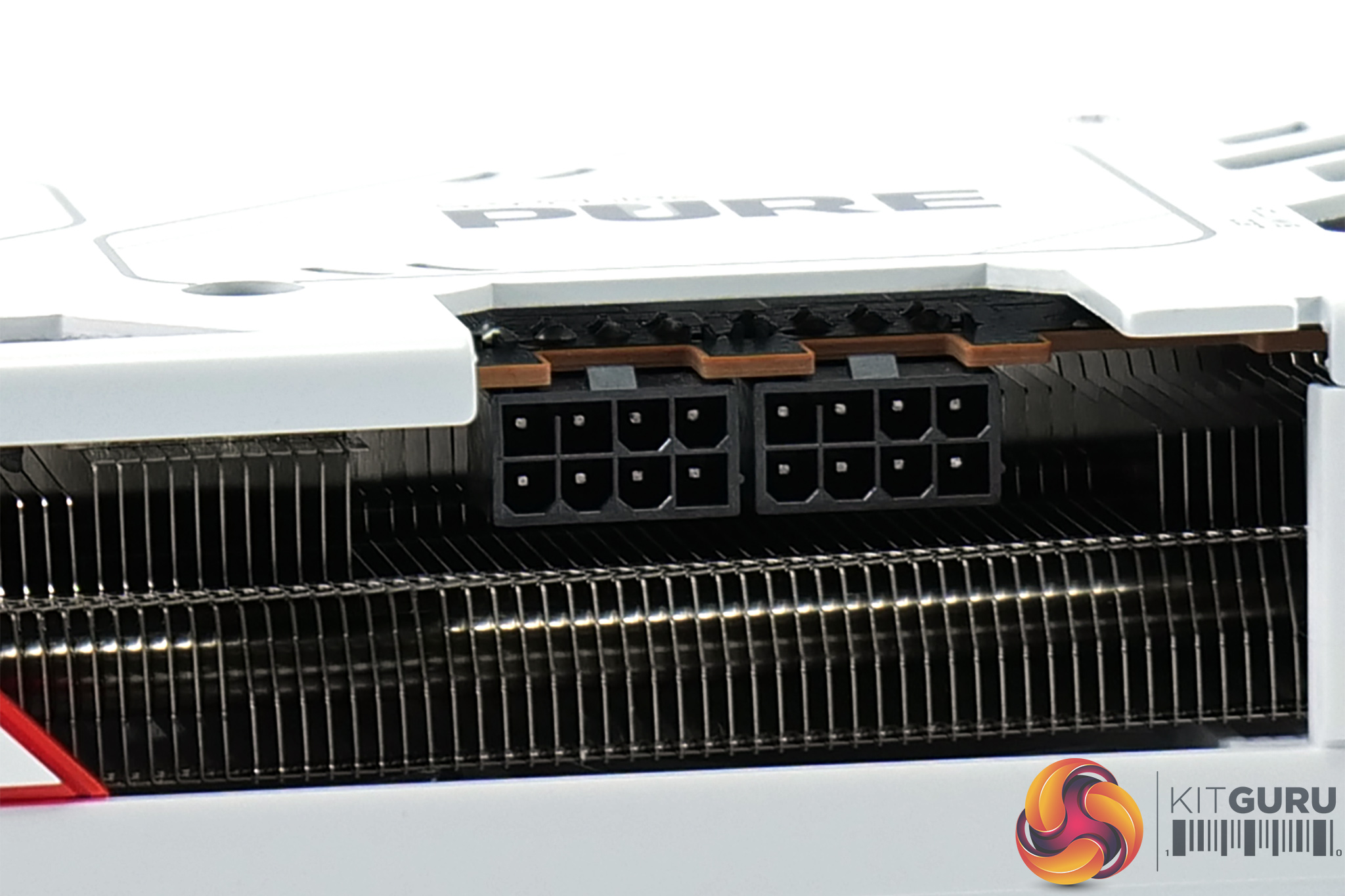
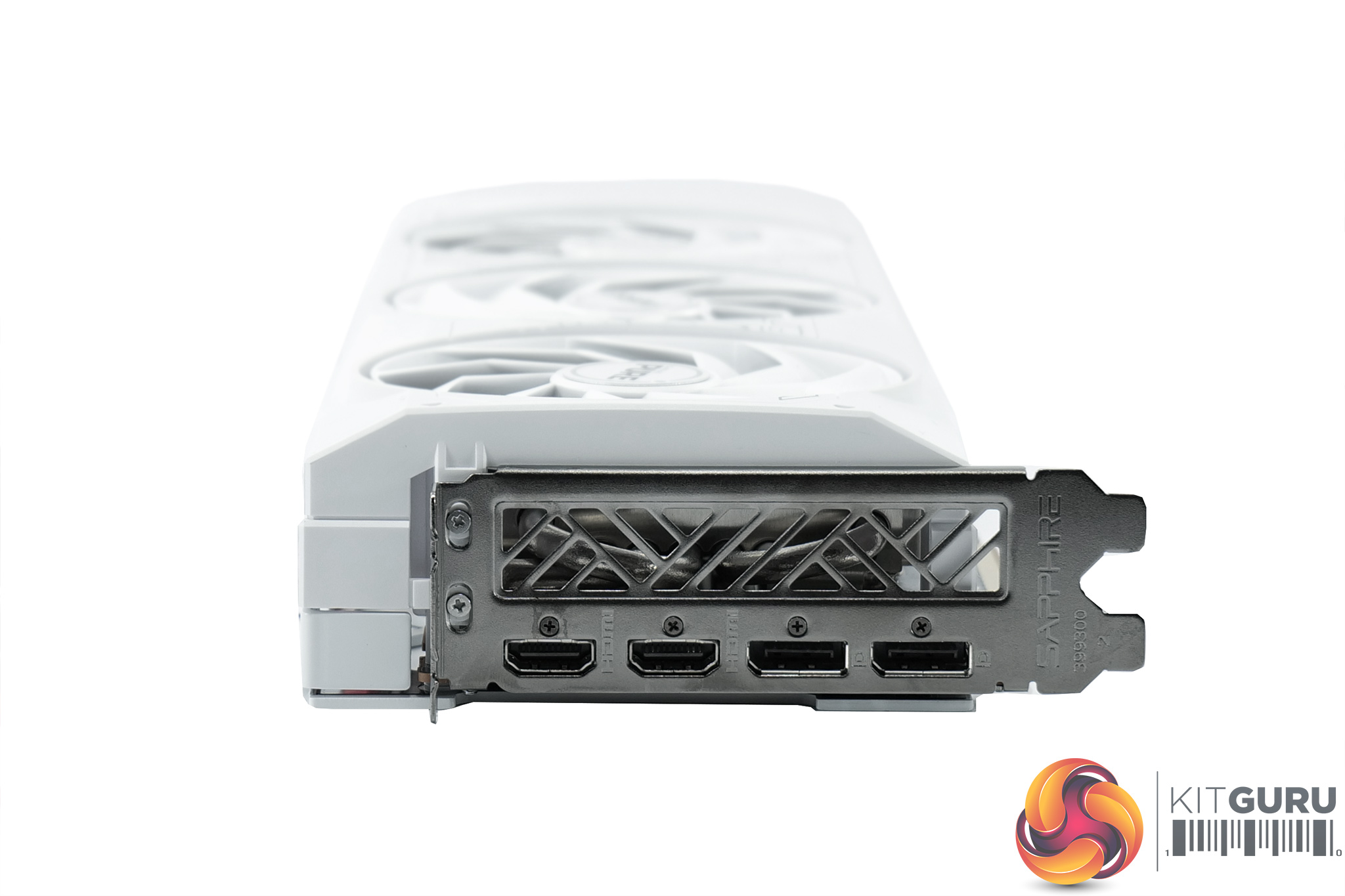
As expected, power is still delivered by two 8-pin connectors. Display outputs also consist of 2x HDMI 2.1 and 2x DisplayPort 2.1, just like the Pulse.
Driver Notes
- AMD GPUs were benchmarked with the Adrenalin 23.12.1 driver.
- Nvidia GPUs (except RTX 4070 Super/RTX 4070 Ti Super) were benchmarked with the 546.33 driver.
- RTX 4070 Super was benchmarked with the 546.52 driver supplied to press.
- RTX 4070 Ti Super was benchmarked with the 551.15 driver supplied to press.
- RTX 4080 Super was benchmarked with the 551.22 driver supplied to press.
Results are only directly comparable where this exact configuration has been used.
Test System:
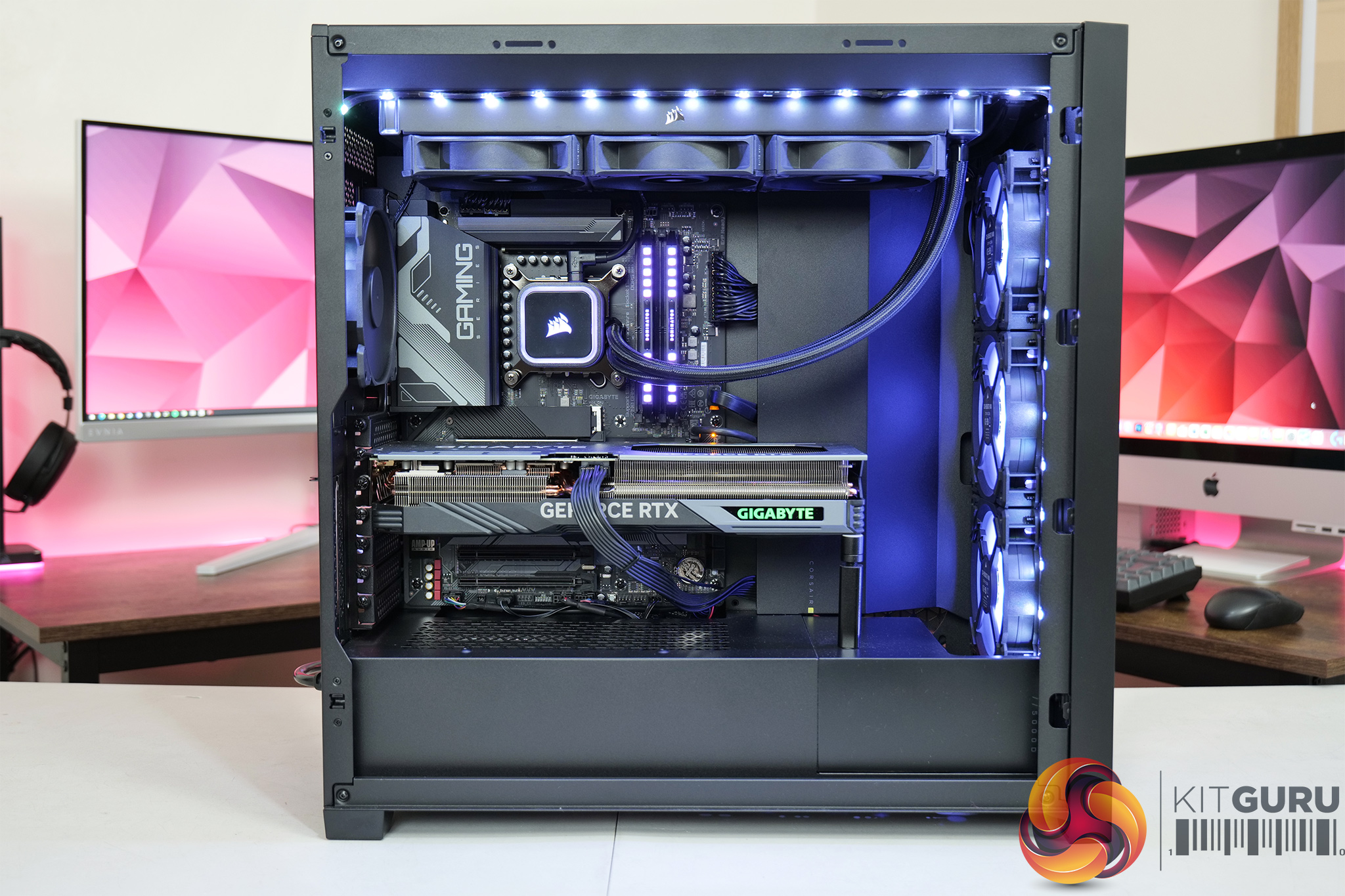
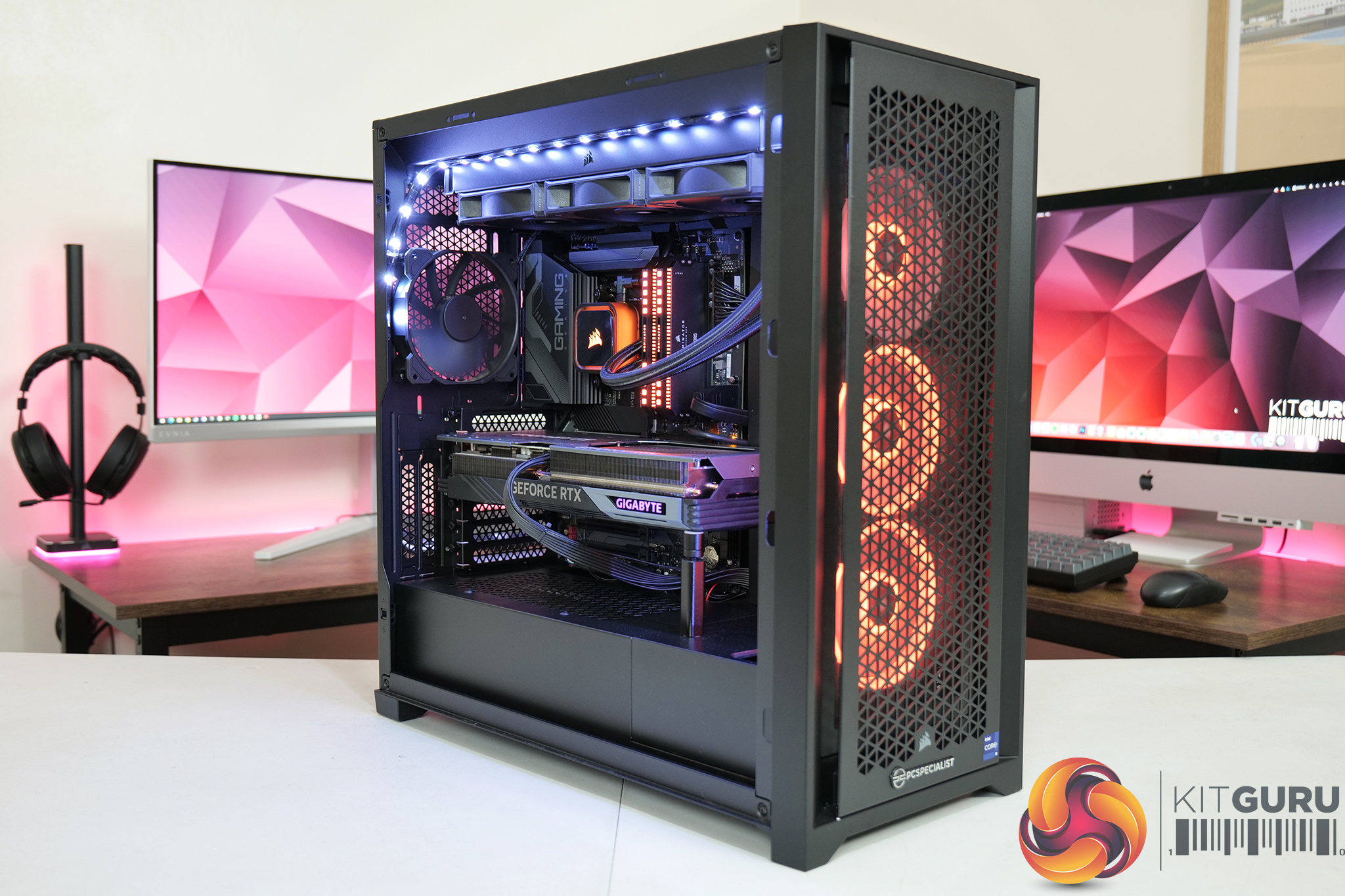
We test using a custom built system from PCSpecialist, based on Intel’s Rocket Lake platform. You can read more about this system HERE and configure your own PCSpecialist system HERE.
| CPU |
Intel Core i9-13900KS
|
| Motherboard |
Gigabyte Z790 Gaming X AX
|
| Memory |
32GB (2x16GB) Corsair Dominator Platinum RGB DDR5 6000MHz
|
| Graphics Card |
Varies
|
| SSD |
4TB Seagate Firecuda 530 Gen 4 PCIe NVMe
|
| Chassis | Corsair 5000D Airflow Tempered Glass Gaming Case |
| CPU Cooler |
Corsair iCUE H150i Elite RGB High Performance CPU Cooler
|
| Power Supply |
Corsair 1600W Pro Series Titanium AX1600i Digital Modular PSU
|
| Operating System |
Windows 11 23H2
|
| Monitor |
MSI Optix MPG321UR-QD
|
| Resizable BAR |
Enabled for all supported GPUs
|
Comparison Graphics Cards List
- AMD RX 7900 XTX 24GB
- AMD RX 7900 XT 20GB
- AMD RX 7900 GRE 16GB
- AMD RX 7800 XT 16GB
- Sapphire RX 7700 XT Pulse 12GB
- AMD RX 6700 XT 12GB
- Nvidia RTX 4090 FE 24GB
- Nvidia RTX 4080 Super FE 16GB
- Nvidia RTX 4080 FE 16GB
- MSI RTX 4070 Ti Super Ventus 3X 16GB
- Gigabyte RTX 4070 Ti Gaming 12GB
- Nvidia RTX 4070 FE 12GB
- Nvidia RTX 4060 Ti FE 8GB
- Gigabyte RTX 3080 Eagle 10GB
- Nvidia RTX 3070 FE 8GB
All cards were tested at reference specifications.
Software and Games List
- 3DMark Fire Strike & Fire Strike Ultra (DX11 Synthetic)
- 3DMark Time Spy (DX12 Synthetic)
- 3DMark DirectX Raytracing feature test (DXR Synthetic)
- Alan Wake II (DX12)
- Assassin's Creed Mirage (DX12)
- Avatar: Frontiers of Pandora (DX12)
- Cyberpunk 2077 (DX12)
- F1 23 (DX12)
- Forza Horizon 5 (DX12)
- Hitman 3 (DX12)
- The Last of Us Part 1 (DX12)
- Marvel's Spider-Man Remastered (DX12)
- A Plague Tale: Requiem (DX12)
- Ratchet and Clank: Rift Apart (DX12)
- Red Dead Redemption 2 (DX12)
- Resident Evil 4 (DX12)
- Returnal (DX12)
- Shadow of the Tomb Raider (DX12)
- Starfield (DX12)
- Total War: Pharaoh (DX11)
We run each benchmark/game three times, and present mean averages in our graphs. We use FrameView to measure average frame rates as well as 1% low values (99th percentile) across our three runs.
Here we test five games, all at 2560×1440 resolution using maximum image quality settings.
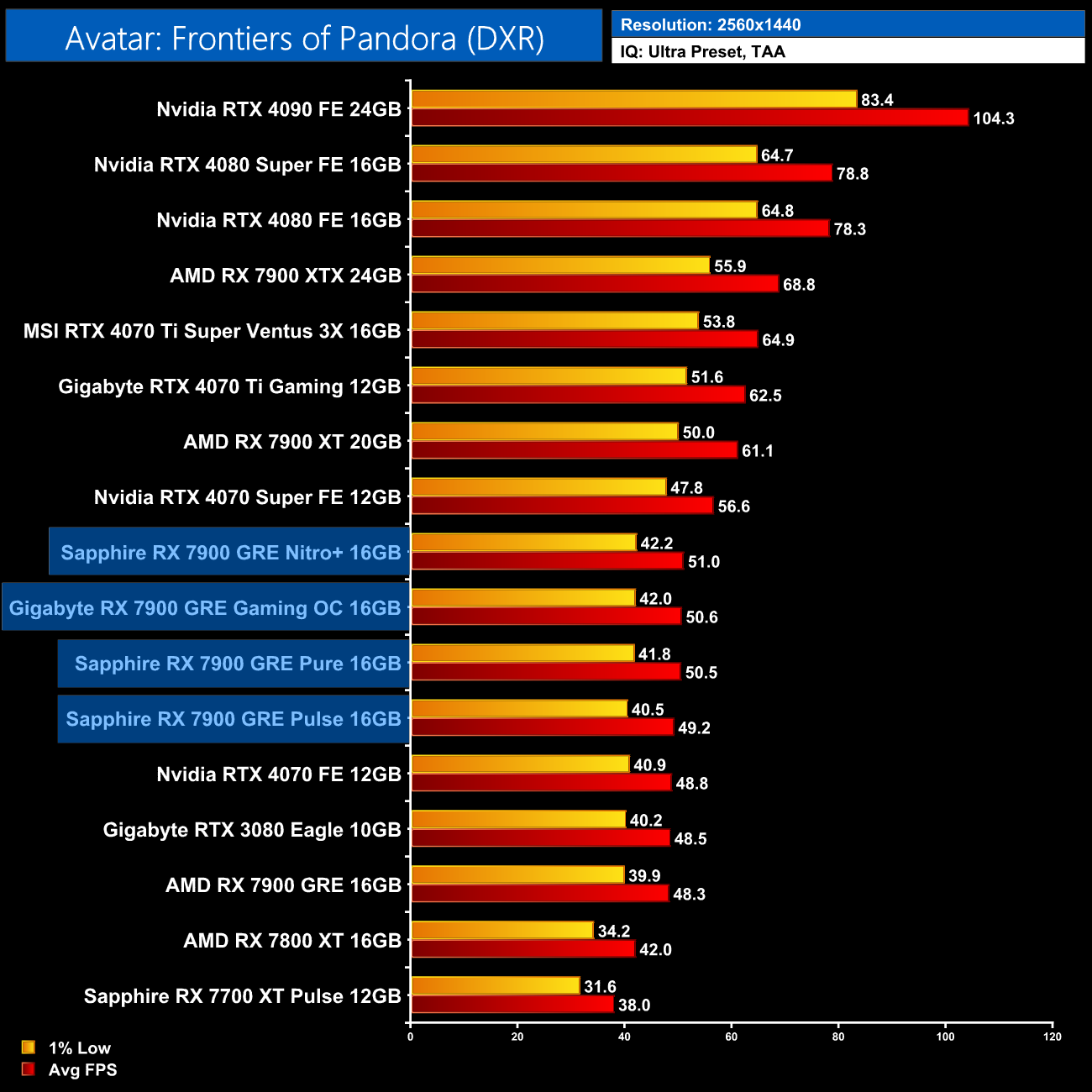
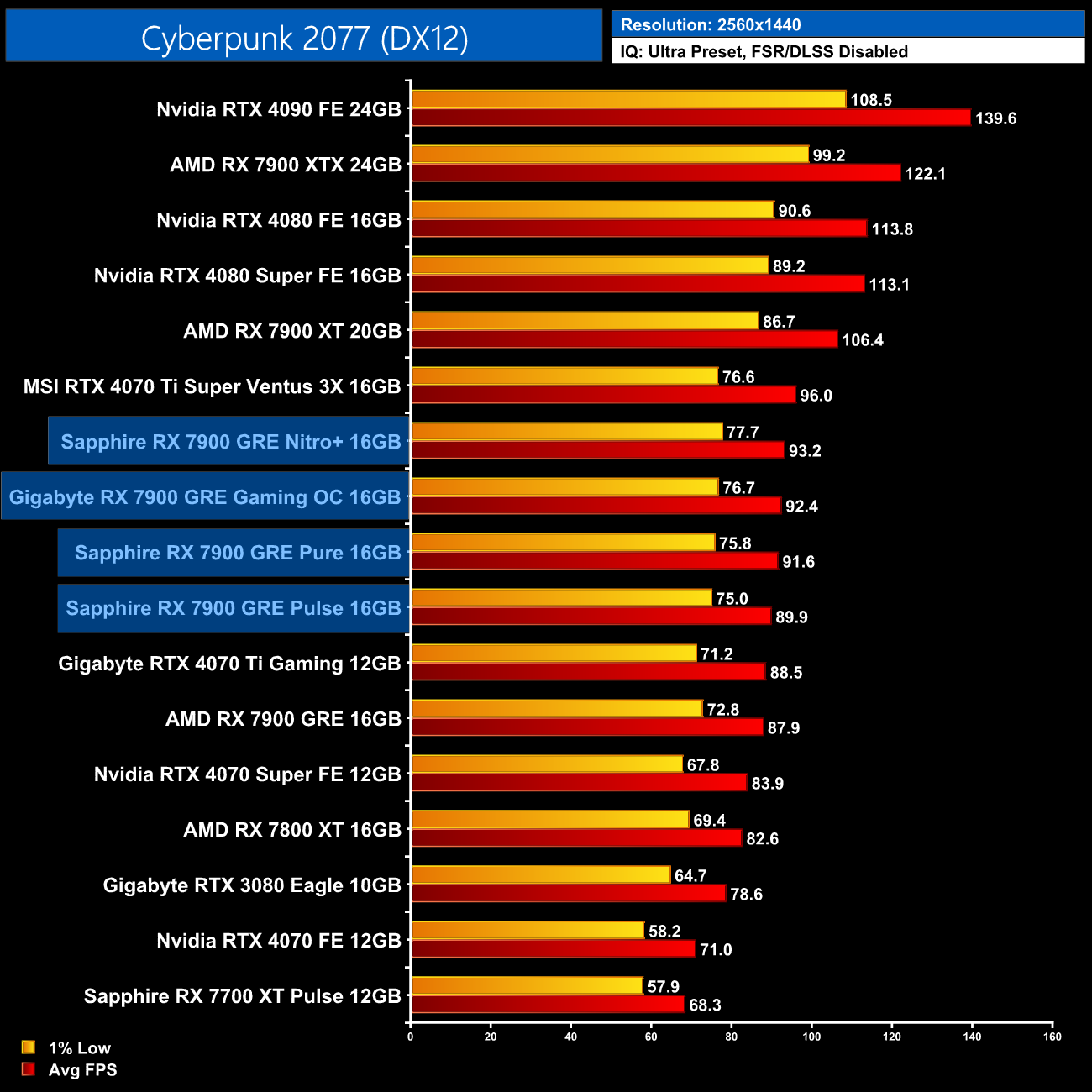
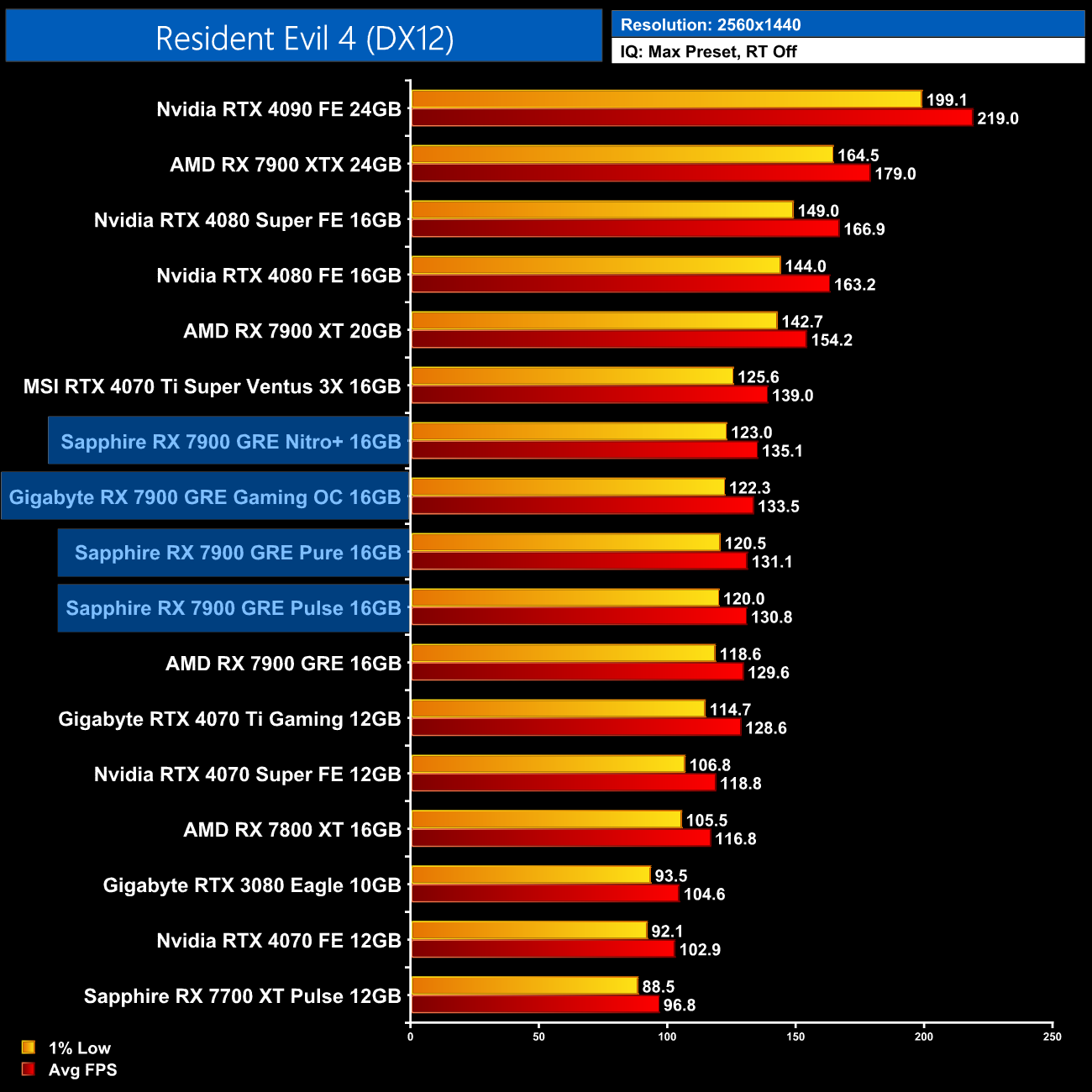
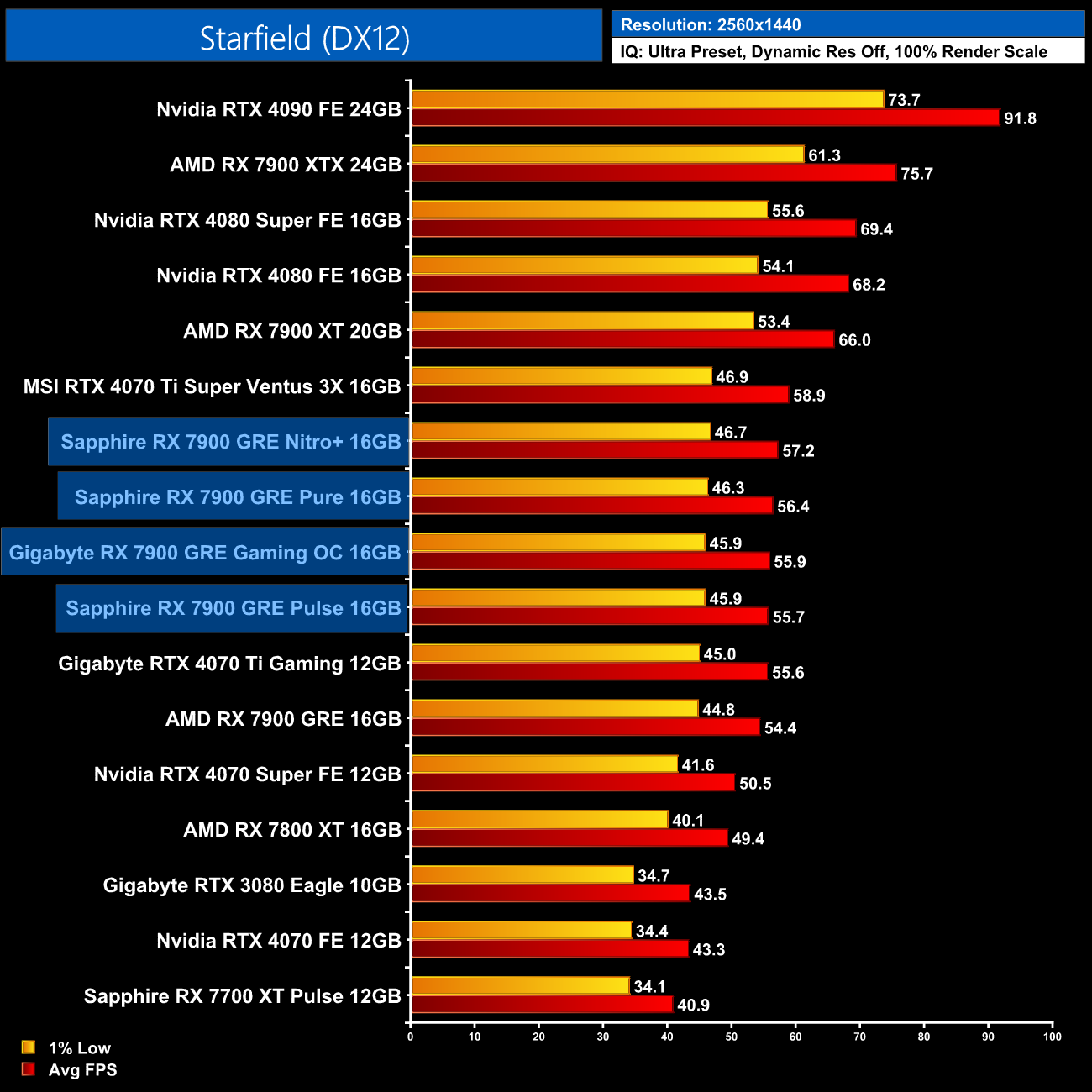
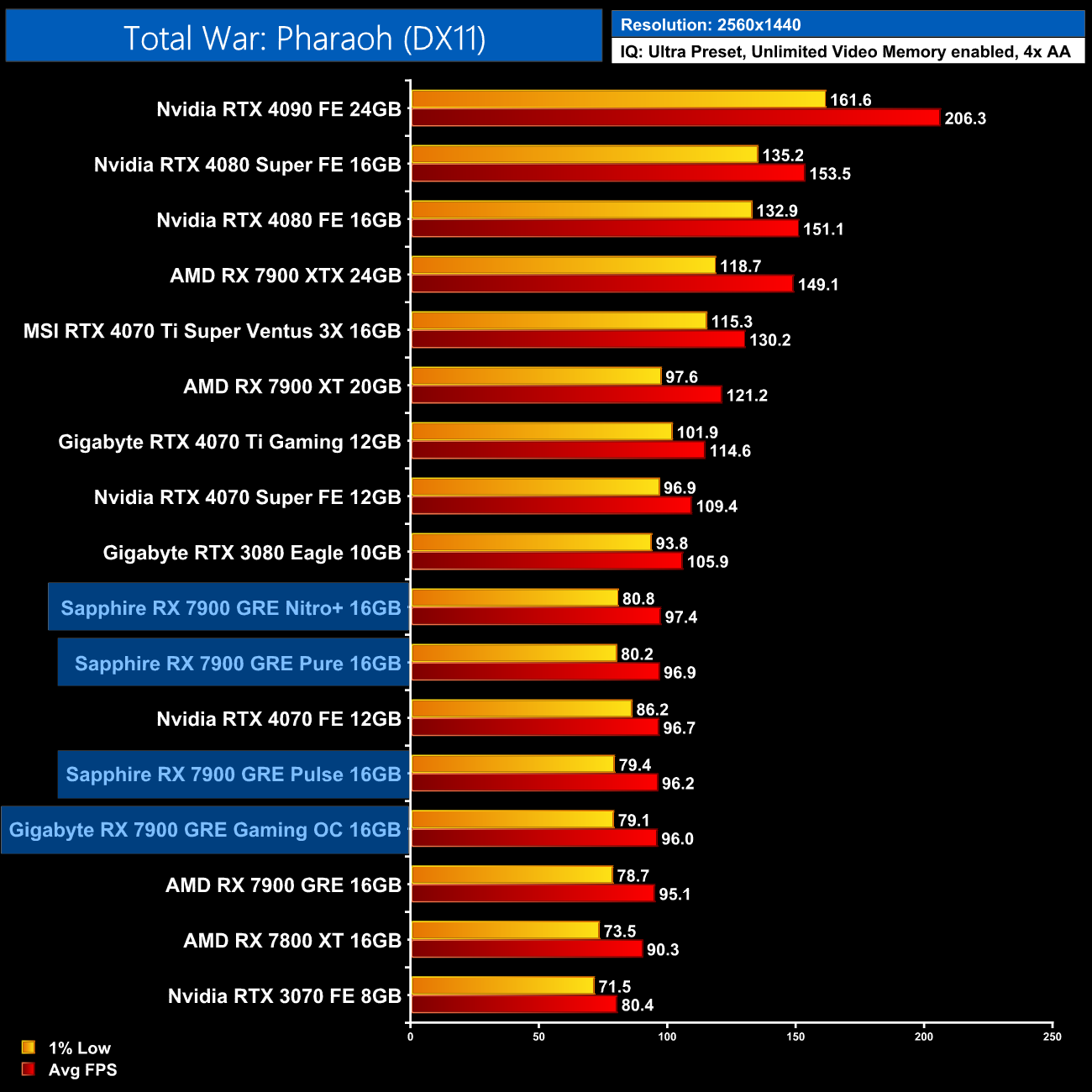
We don't focus too heavily on game benchmarks in our partner cards reviews as performance doesn't tend to change that much. That being said, we did see up to a 6% gain for the Nitro+ over AMD's reference model, which is more than we typically see in our AIB reviews. That's a best case scenario however, and the Pure, Pulse and Gaming OC didn't see improvements that large. Generally the Pulse was about a frame slower than the Pure and the Gaming OC, with the Nitro+ being the fastest model tested, but the differences are small.
Here we present the average clock speed for each graphics card while running Cyberpunk 2077 for 30 minutes. We use GPU-Z to record the GPU core frequency during gameplay. We calculate the average core frequency during the 30 minute run to present here.
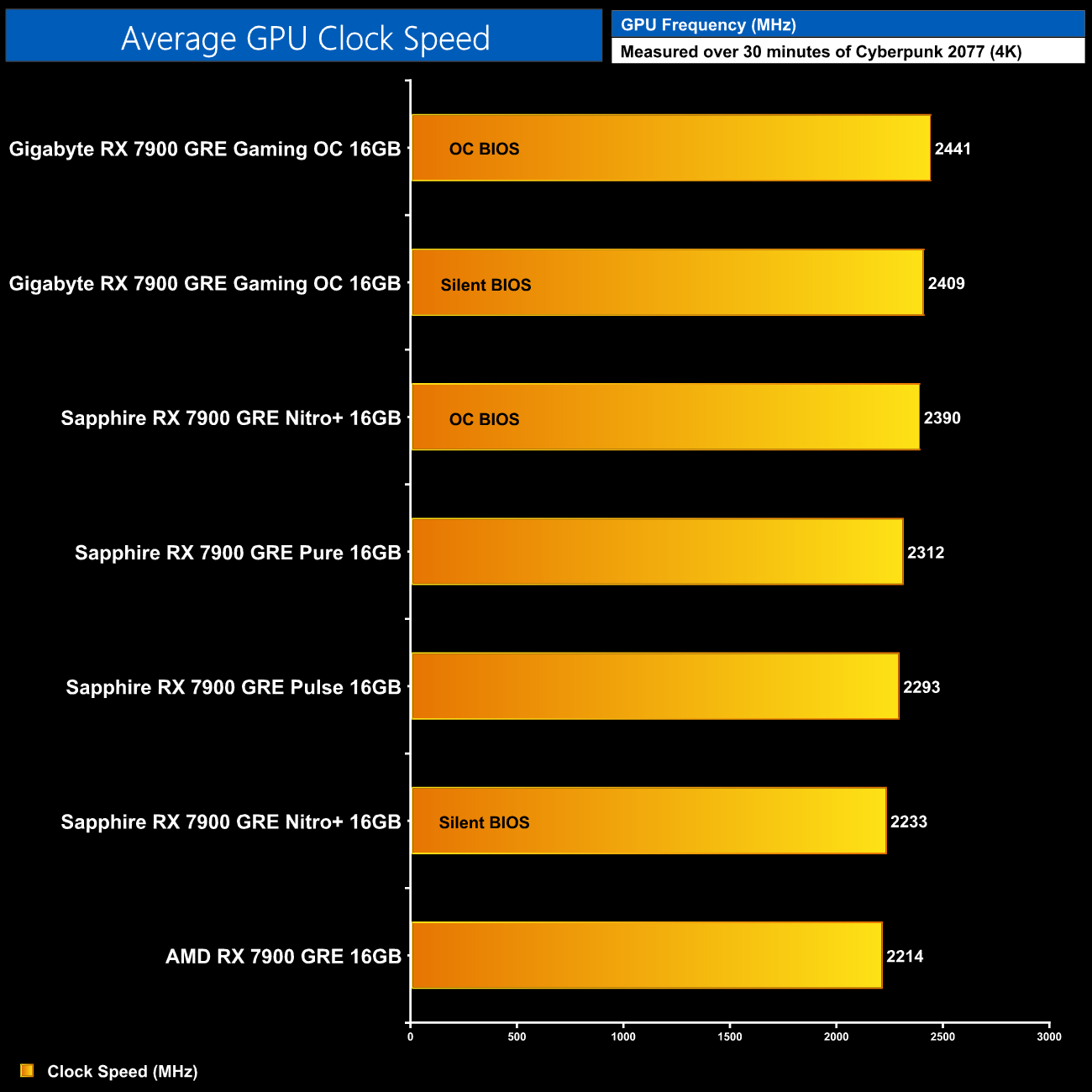
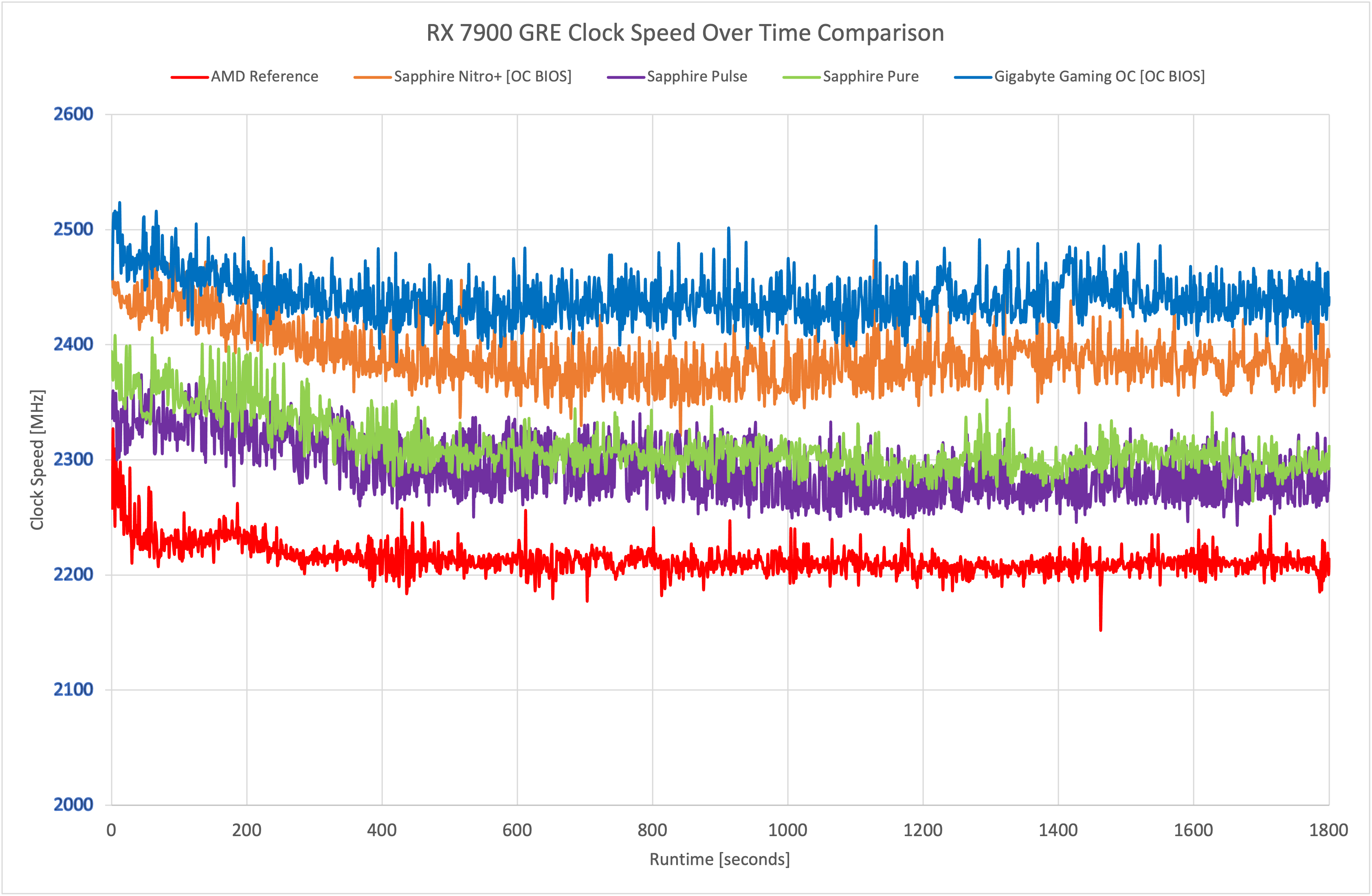
It's interesting that despite the Nitro+ running the fastest in our game benchmarks, over our 30-minute stress test, the Gigabyte Gaming OC averaged the highest clock speed – hitting 2441MHz, so that's over 200MHz faster than the AMD reference model. The Nitro+ wasn't far behind though, hitting 2390MHz, while the Pure came next, followed by the Pulse, which was still about 80MHz ahead of the reference design.
For our temperature testing, we measure the peak GPU core temperature under load. A reading under load comes from running Cyberpunk 2077 for 30 minutes.
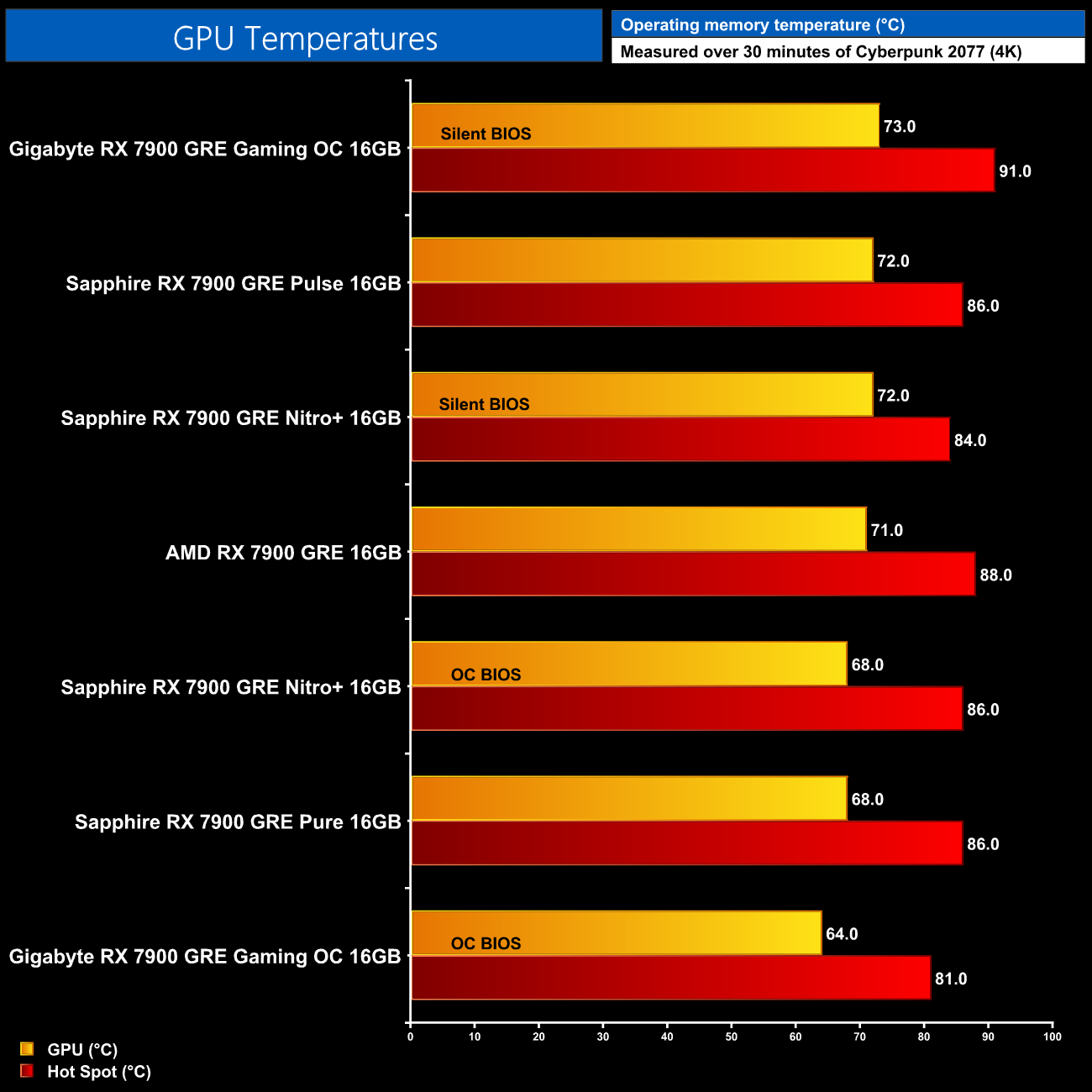
Thermal performance is up next, and to be honest, the differences here aren't really that significant. The Gaming OC ran the coolest in its out of the box configuration, though do bear in mind these results don't take noise levels into account. The Pure and Nitro+ were virtually identical, and the Pulse only ran 3C hotter. Let's move onto noise levels to paint a more complete picture…
We take our noise measurements with the sound meter positioned 1 foot from the graphics card. I measured the noise floor to be 32 dBA, thus anything above this level can be attributed to the graphics cards. The power supply is passive for the entire power output range we tested all graphics cards in, while all CPU and system fans were disabled. A reading under load comes from running Cyberpunk 2077 for 30 minutes.
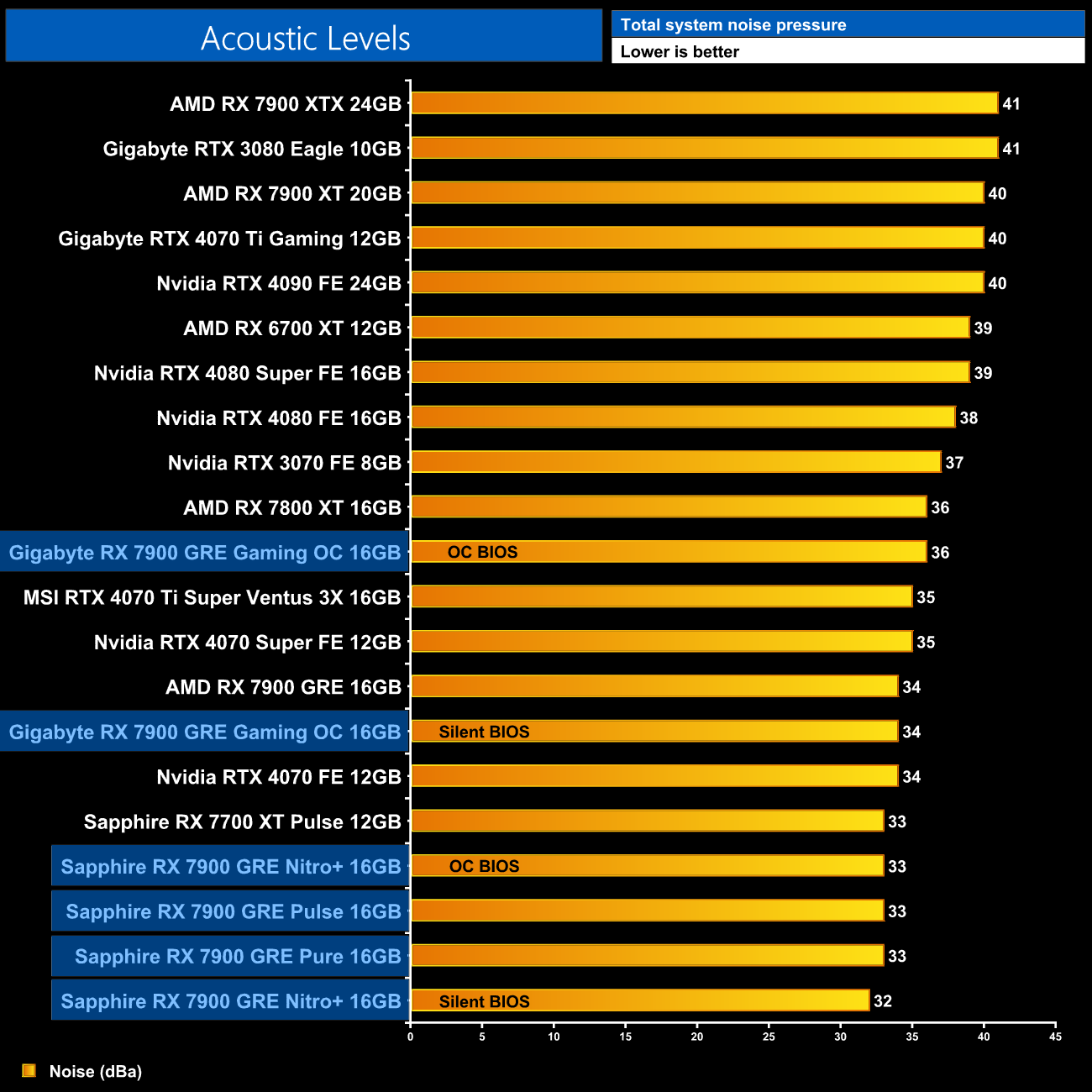
One thing is immediately obvious when looking at the noise level charts, Sapphire knows how to make quiet graphics cards! The Nitro+ using the Silent BIOS, for instance, was so quiet that it was not audible in my testing environment, hitting the noise floor of 32dBa. The Gaming OC itself is still very easy on the ears, hitting 34dBa in the Silent BIOS and 36dBa using the OC BIOS, but it is mighty impressive just how quiet all three of Sapphire's cards are.
Following on from our stock thermal and acoustic testing, here we re-test the operating temperature of the GPU, but with noise levels normalised to 40dBa. This allows us to measure the efficiency of the overall cooling solution at varying noise levels as a result of more aggressive fan curves no longer being a factor.
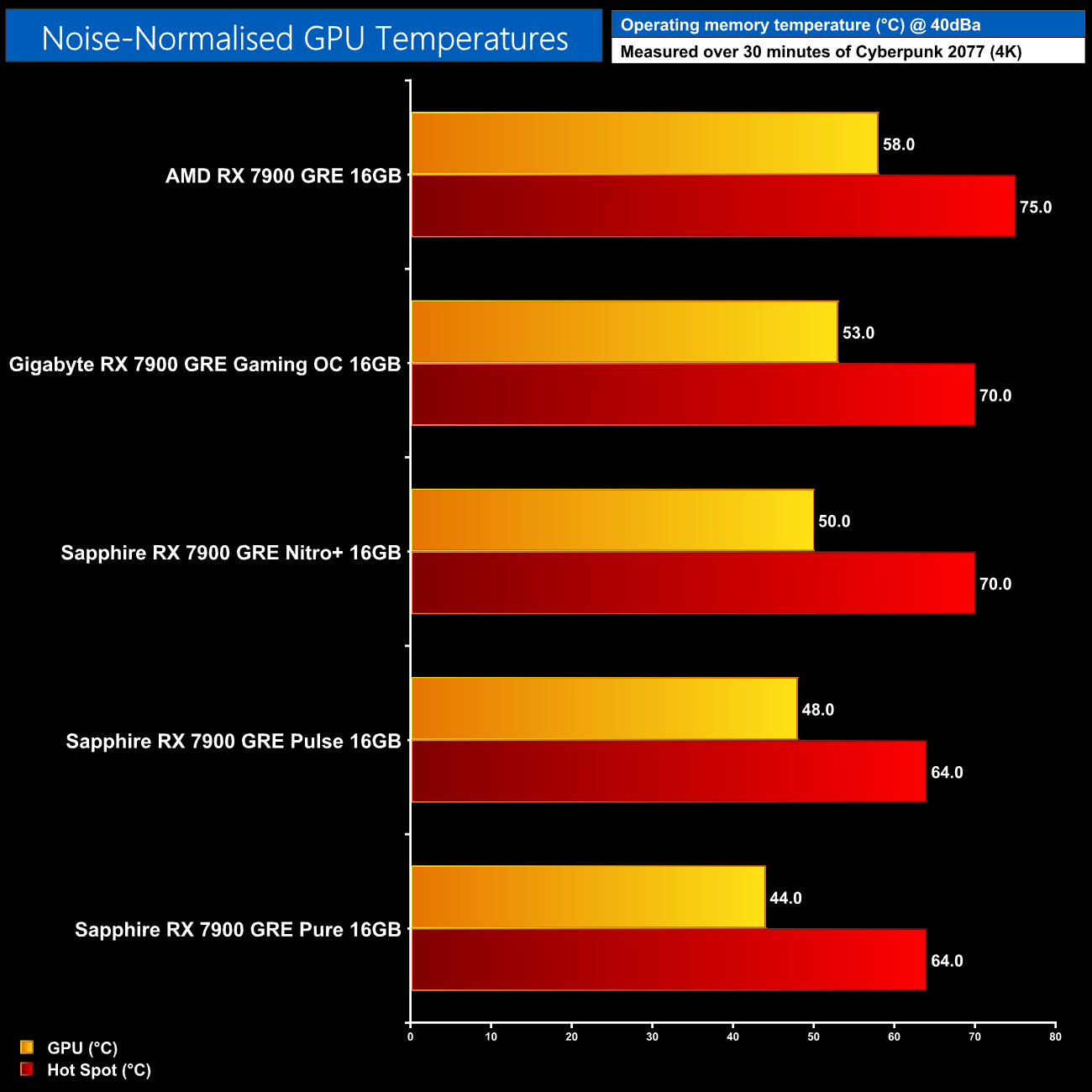
The noise-normalised thermal results didn't go quite how I was expecting, with the Nitro+ running hotter than the Pulse and the Pure, despite a larger cooler. It's worth reminding ourselves that while we can normalise for noise, all four GPUs do have different power targets, with the Nitro+ pulling about an extra 40W, which could explain the difference. All four models tested improve on the AMD reference design though and I really have no concerns about any of the coolers on show today.
We use Nvidia PCAT to measure power draw of the graphics card only, with readings from both the PCIe slot and the PCIe power cables combined into a single figure. We use Cyberpunk 2077 (1440p) for this testing.

As mentioned, the Nitro+ pulls more power than the Pulse or Pure, hitting 295W, while the Gaming OC pulls 5W more, just scraping past 300W in my testing.
Combining the power draw values shown above with the performance data, we present performance per Watt for each graphics card tested:
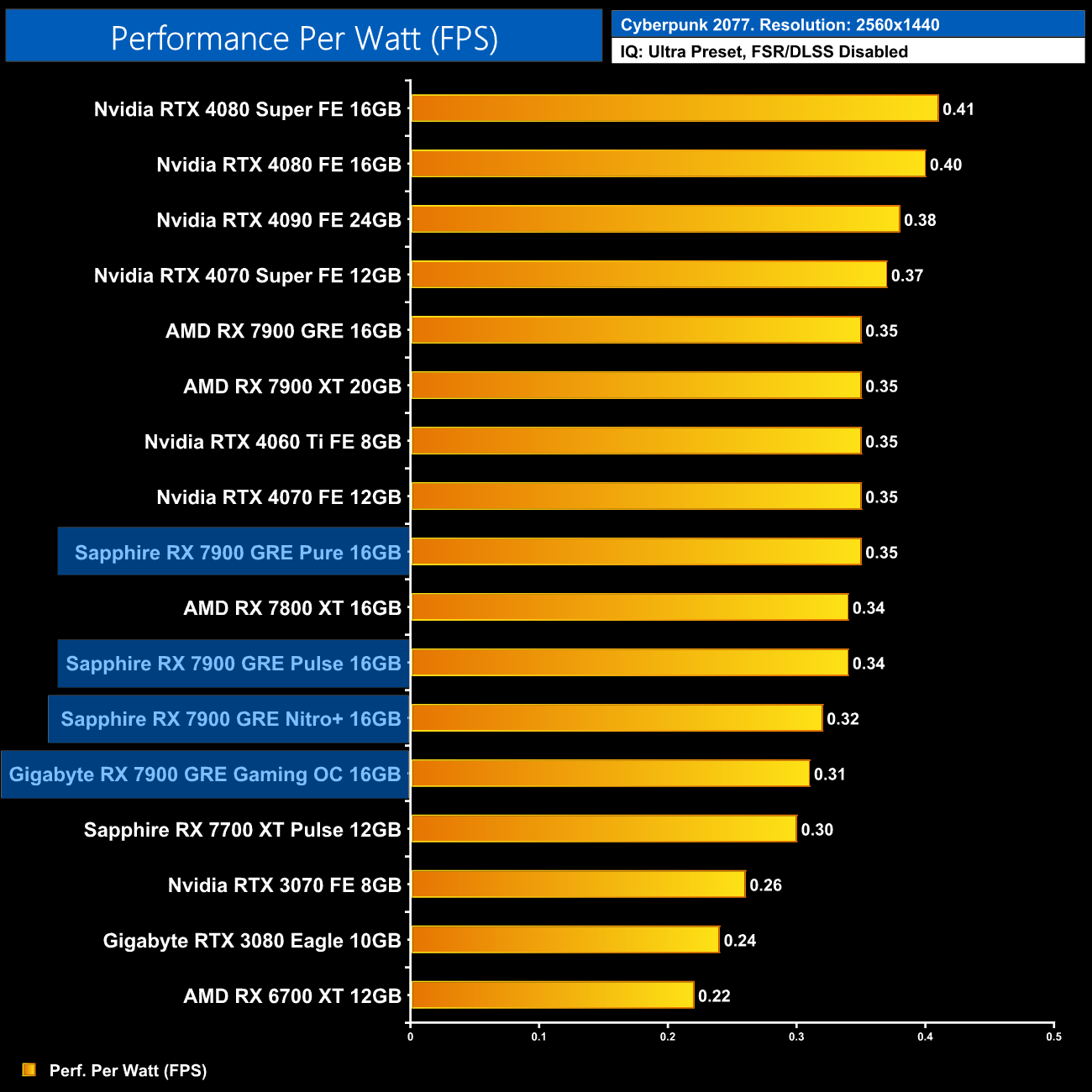
Interestingly, the large increases to power draw result in reduced efficiency for the Nitro+ and Gaming OC. The Pure is just as efficient as the AMD reference model, while the Sapphire Pulse is fractionally behind.
For our manual overclocking tests, we used AMD's Adrenalin software. Our best results are as below.
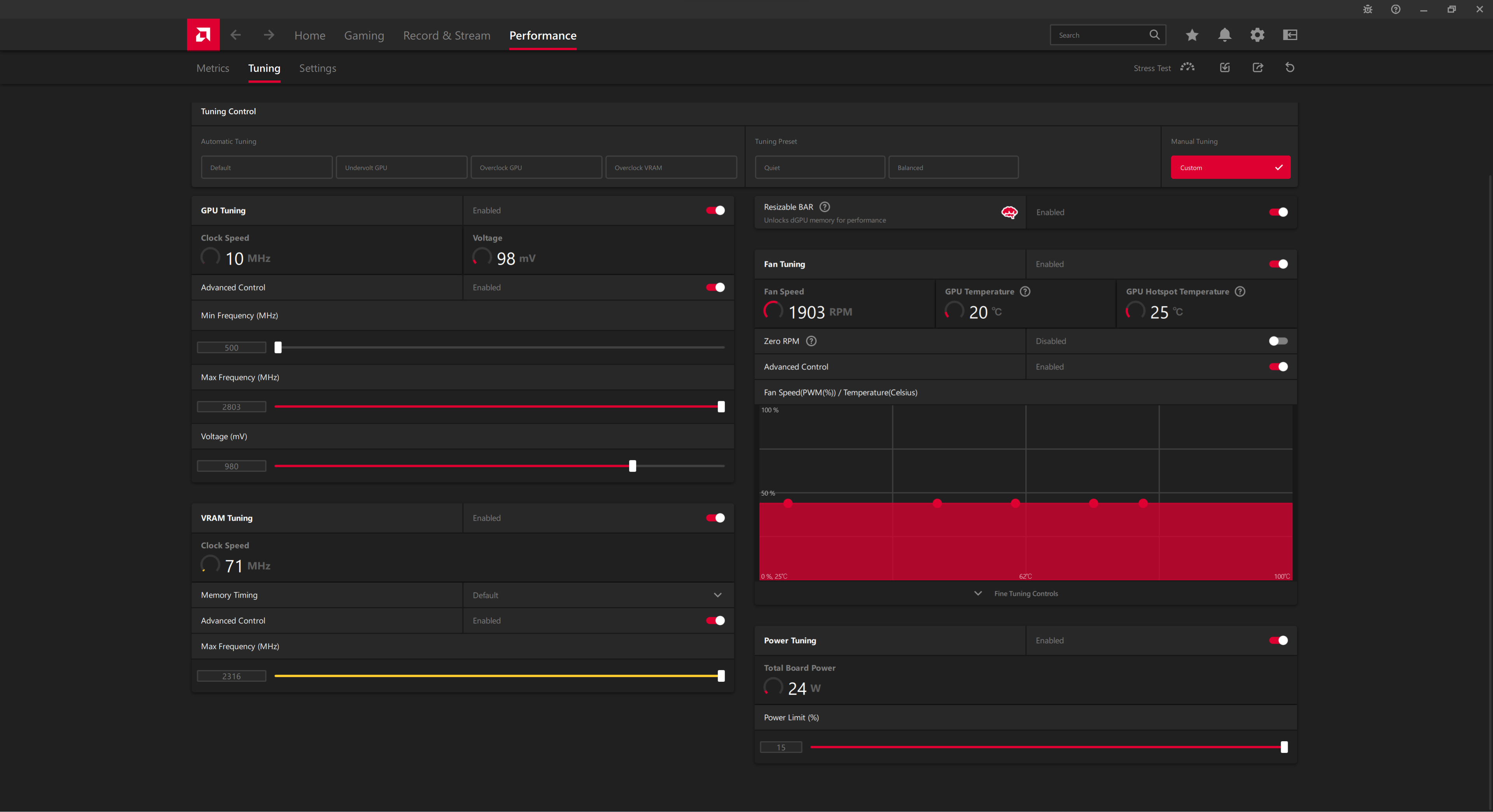
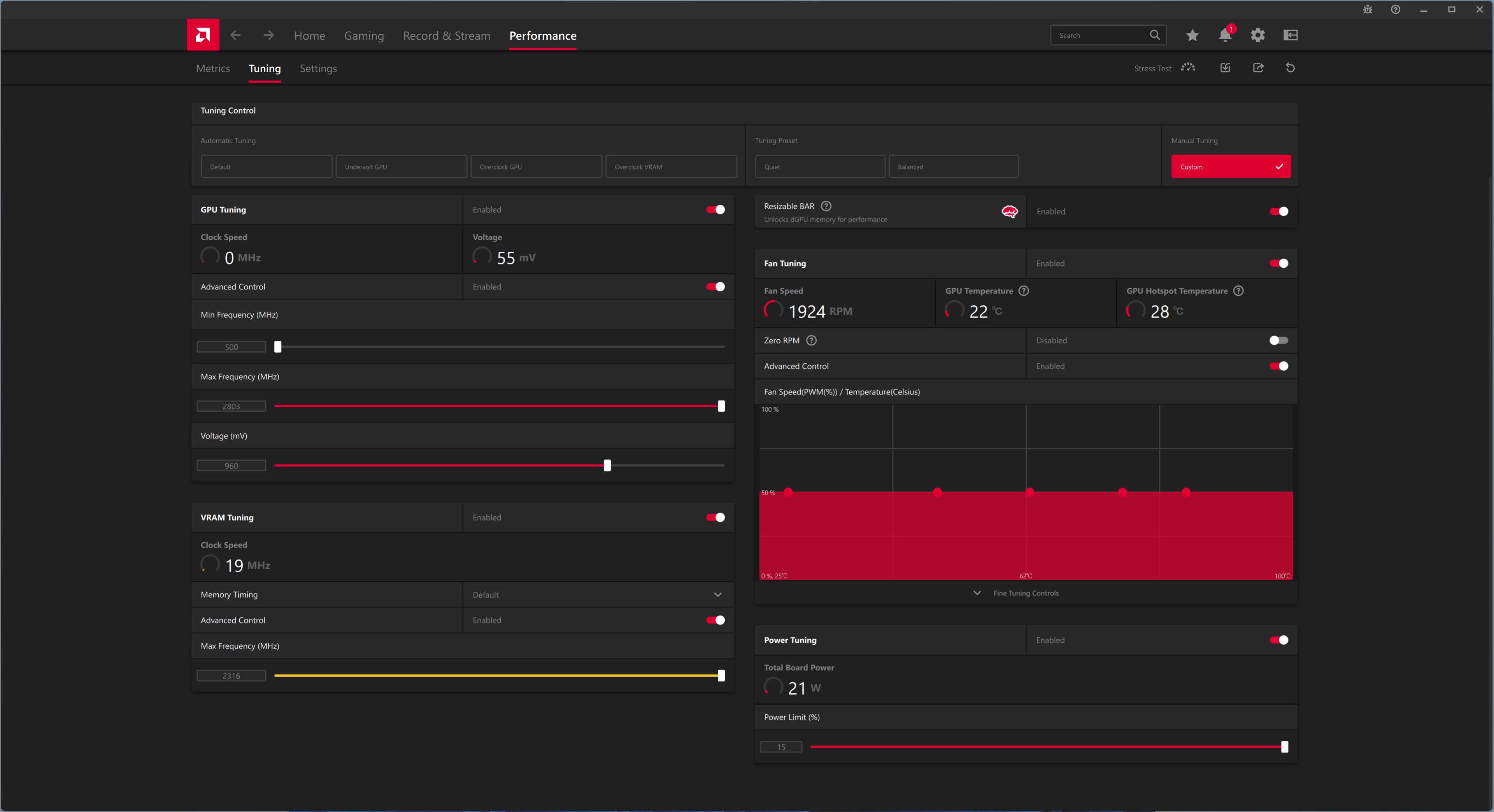
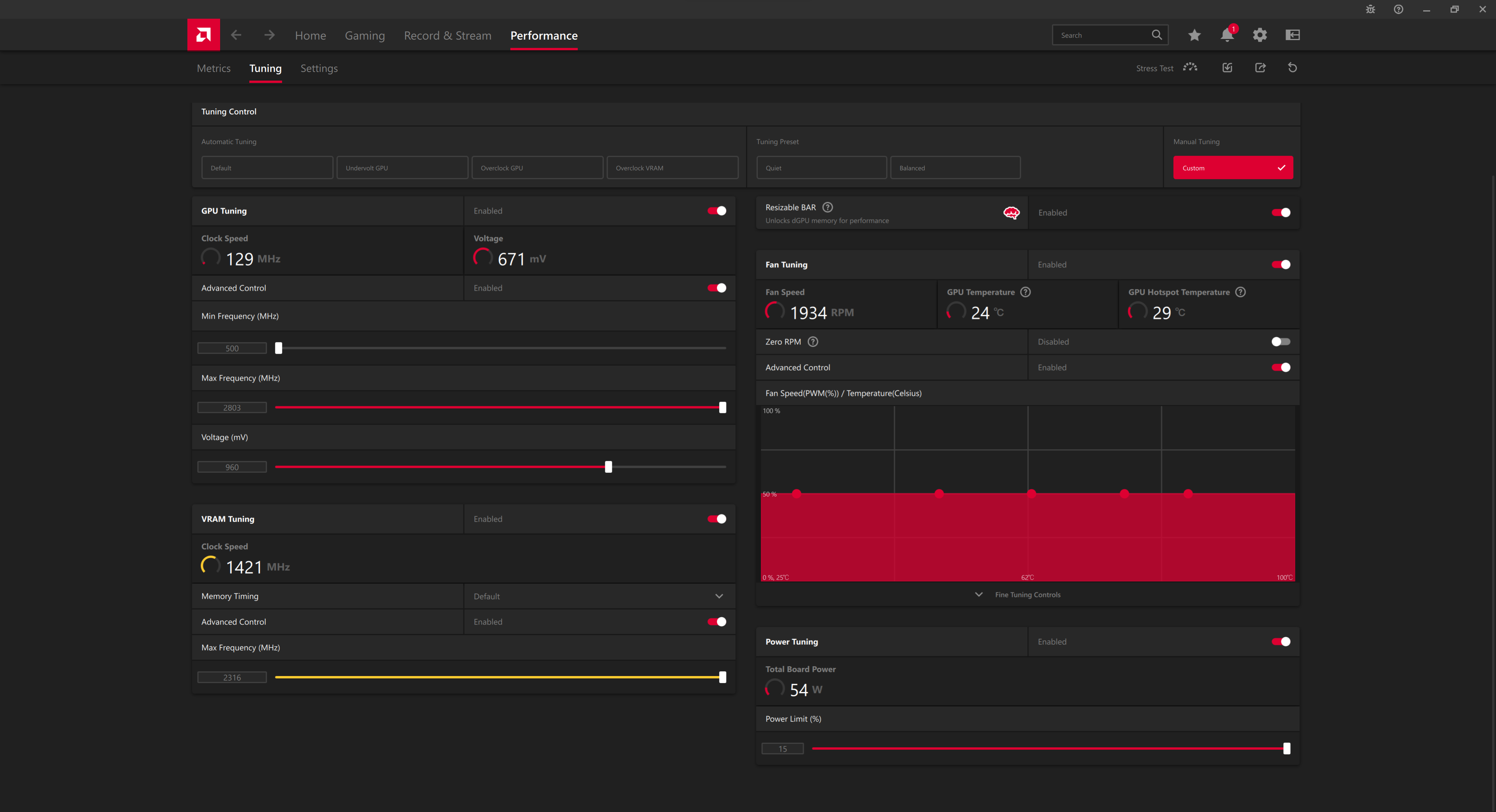
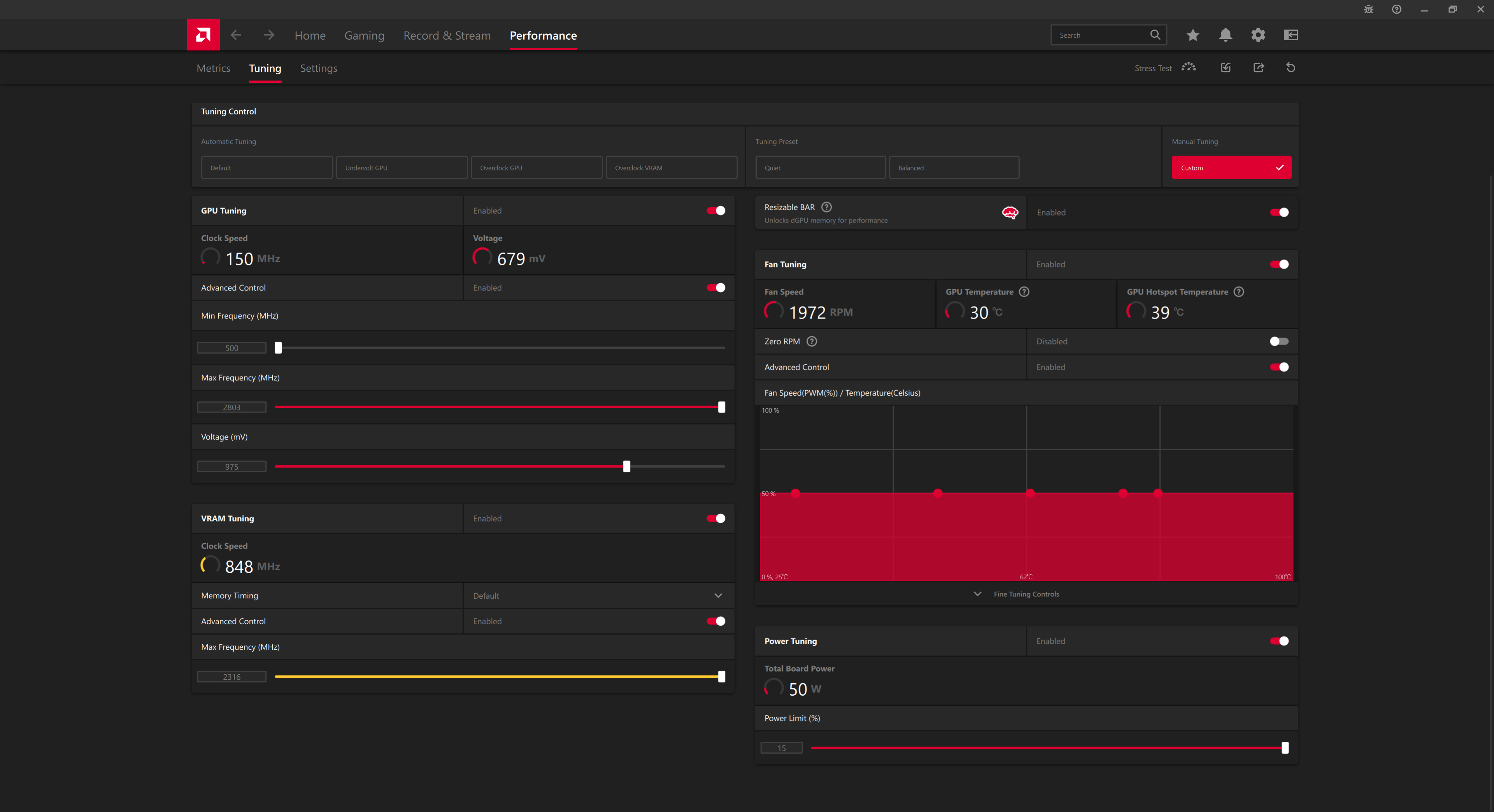
Overclocking the 7900 GRE is very tedious, as AMD has heavily locked down the overclocking sliders. You can easily max out both the GPU and memory sliders, the only real challenge is finding how far you can undervolt each model – in my experience, somewhere between 960-980mV proved stable.
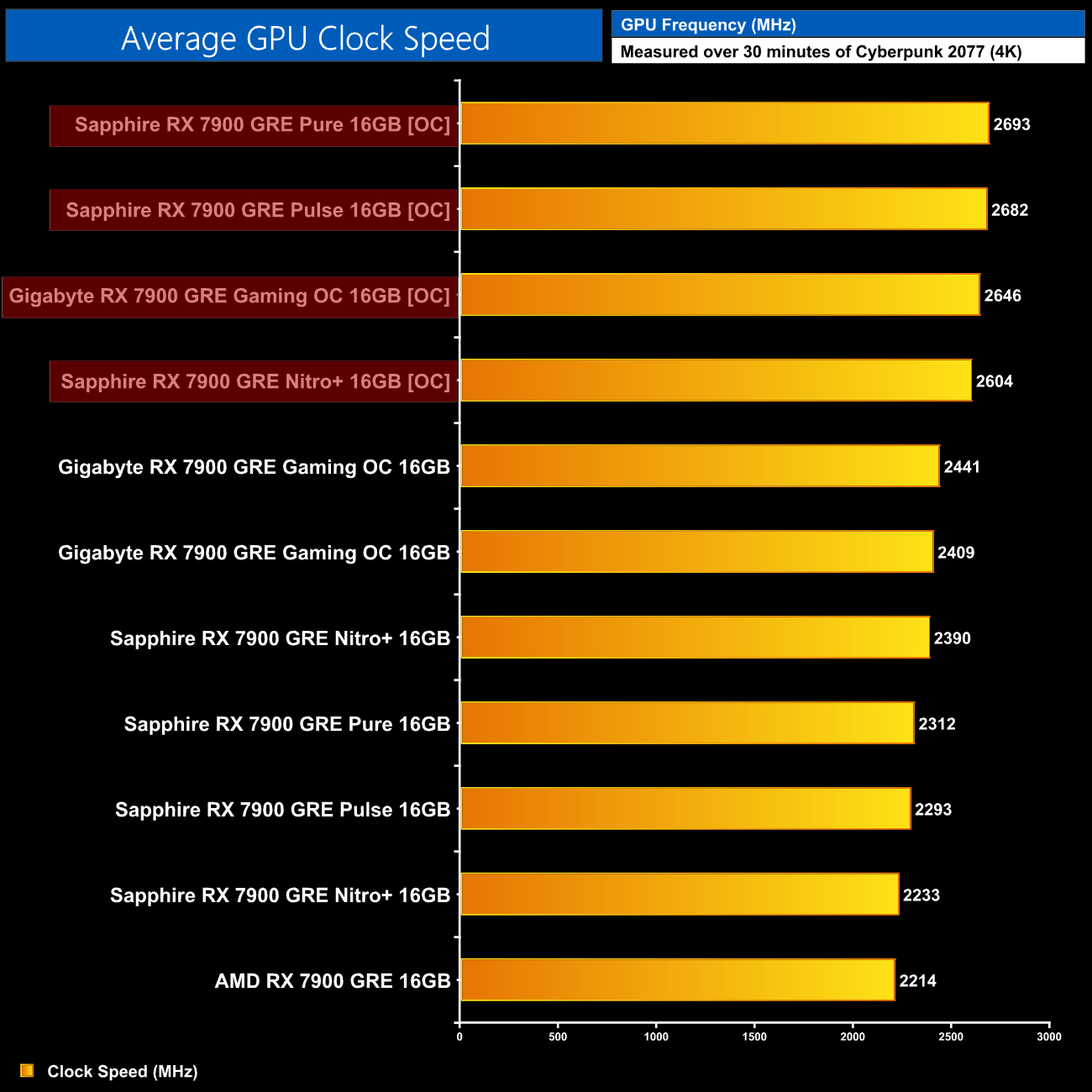
With these overclocks dialled in, all four cards managed to run at over 2600MHz, with the Pure and Pulse actually getting closer to 2700MHz in my testing.
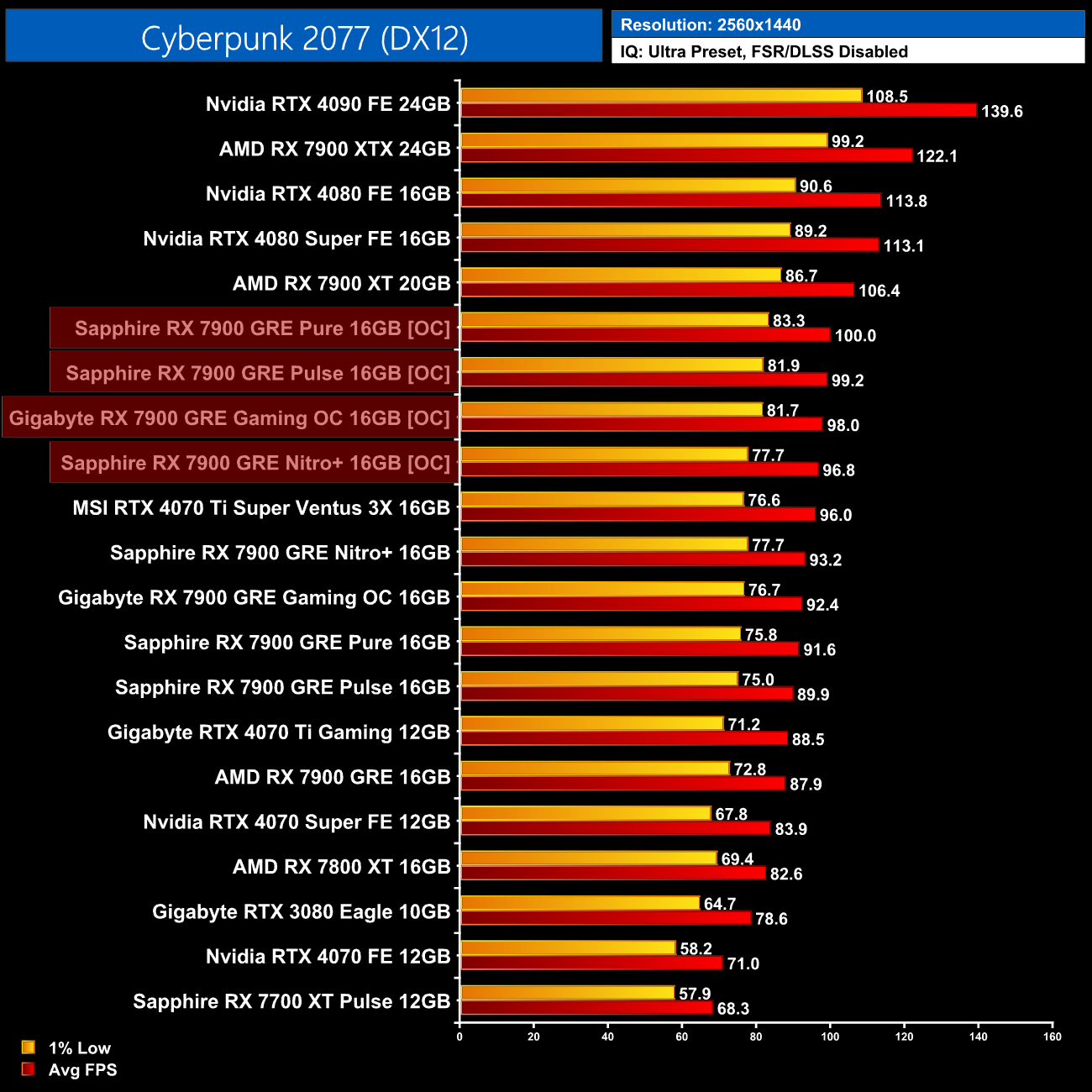
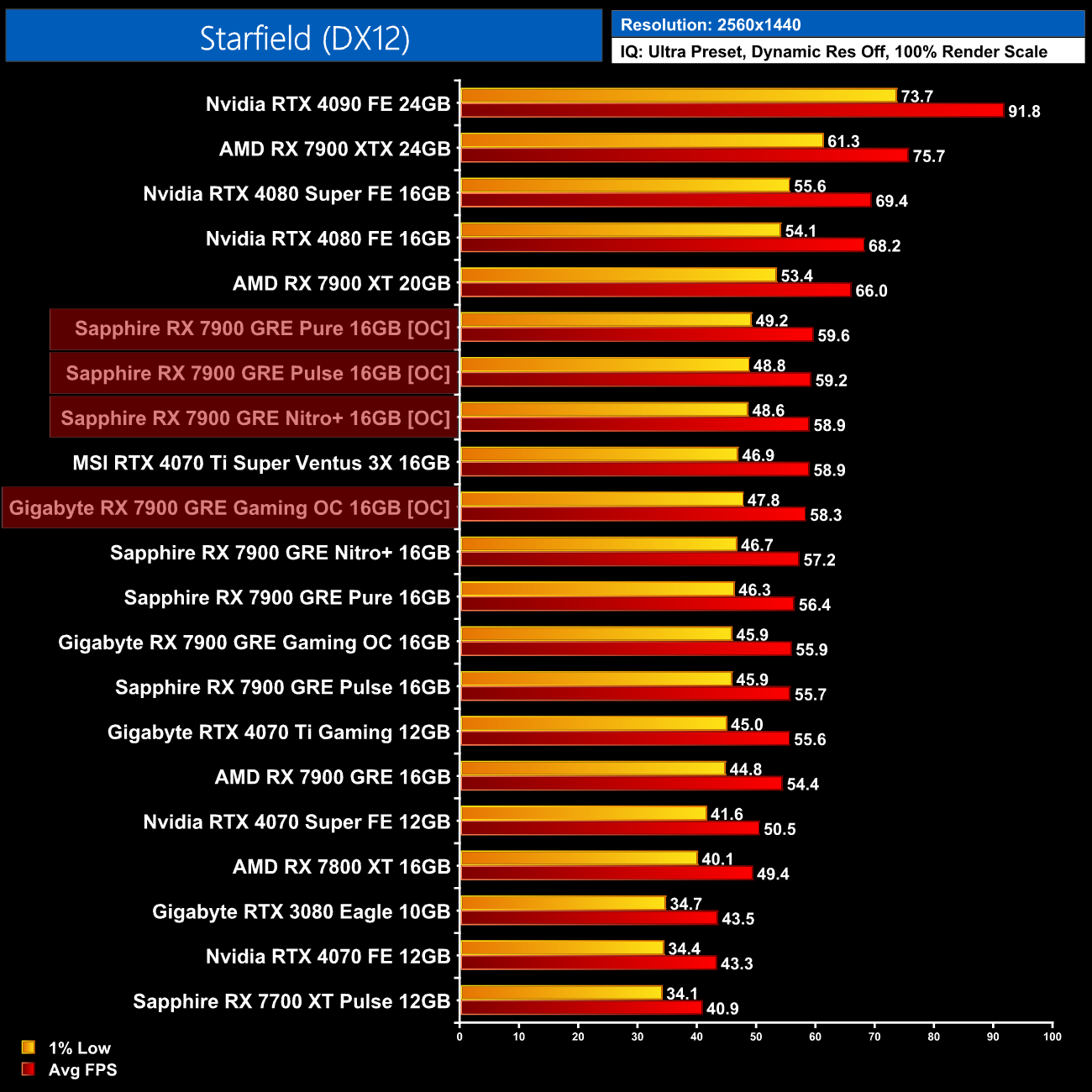
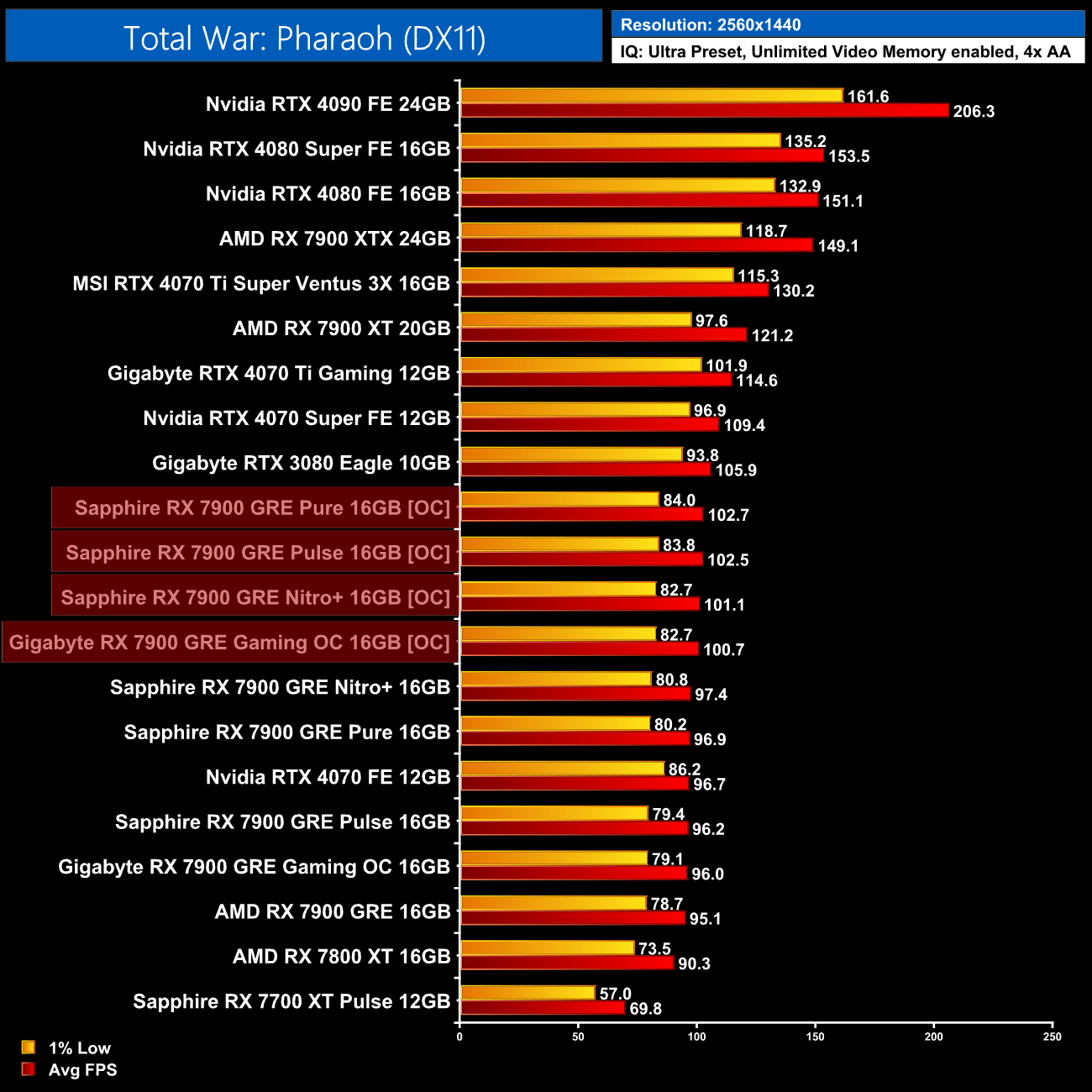
The gains on offer aren't massive though, typically just a handful of frames, so you could easily argue it's not worth the hassle, undervolting to improve efficiency may be more beneficial instead.
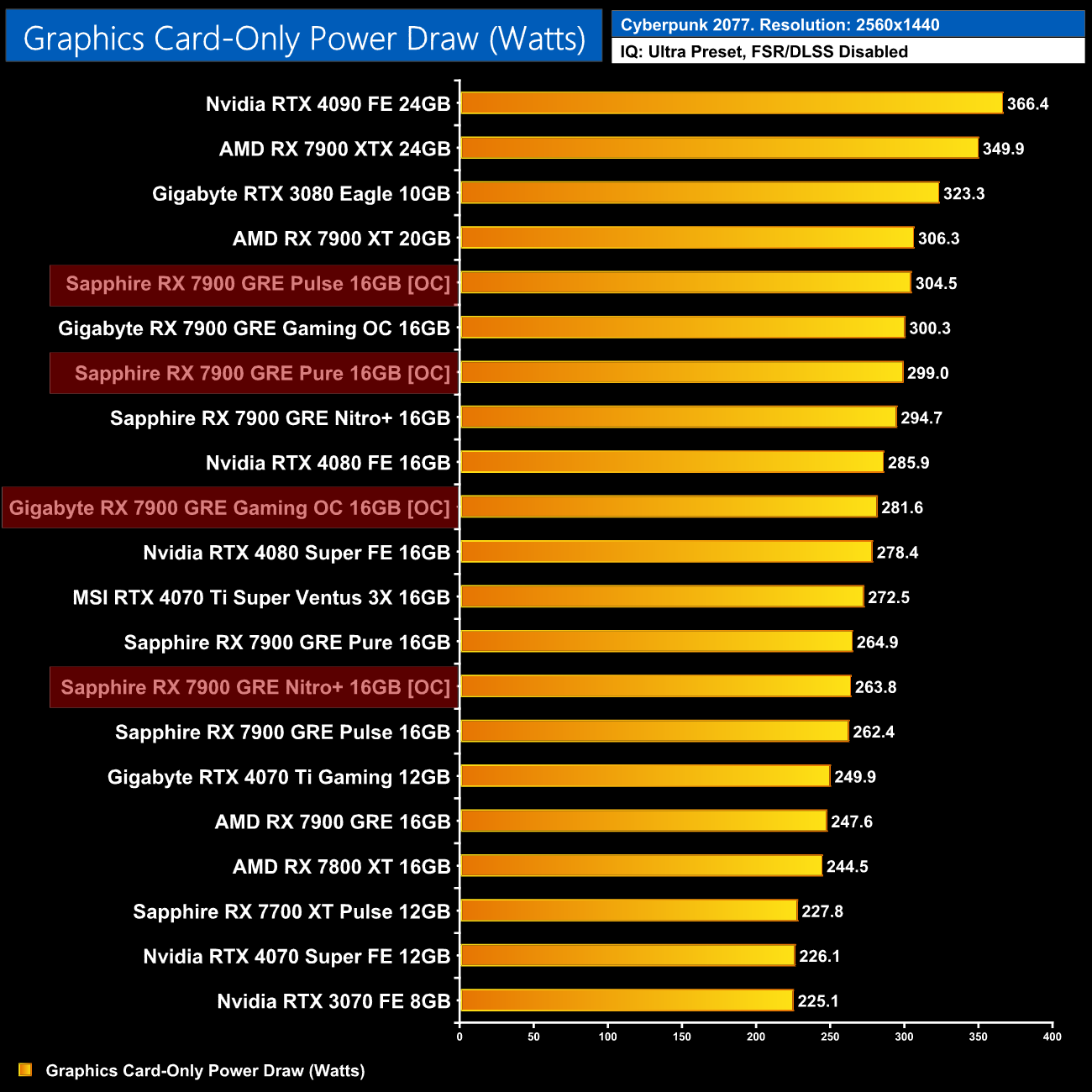
Interestingly, power draw for the Nitro+ and Gaming OC actually dropped when overclocked, despite the fact I increased the power limit up to its maximum of 115%. I'm not sure if this is a bug or strange architectural quirk, but it's not what I expected to see and isn't something I've come across with other RDNA 3 cards.
After checking out the relatively uninspiring AMD RX 7900 GRE at the end of February, today we have assessed a total of four custom cards – Sapphire's Nitro+, Pulse and Pure, alongside the Gigabyte Gaming OC.
Taken in isolation, these are four very competent partner cards, each of which improves on the reference model in several ways. In fact, all four offer notably more efficient coolers than the MBA card, and all can easily handle the heat output of the Navi 31 XL silicon, to the point where thermal differences between the four are much of a muchness. That said, Sapphire continues to impress me with just how quiet its cards are out of the box.
Probably the main area of difference comes down to the physical appearance of each, with the Nitro+ being the biggest and most resplendent with RGB, whereas the Pulse is fairly stripped back, while the Pure will appeal to those who want a white card. The Gaming OC is also quite understated with a matte-black design, but also offers just a touch of RGB lighting.
As good as these graphics card may be when taken on their own, what complicates matters is the fact that I find it hard to recommend the RX 7900 GRE in the face of its competition. As I pointed out in my launch day review, this is a model that's very similar to the RTX 4070 Super in terms of rasterisation, but it can't compete when it comes to ray tracing, it lacks support for the superior DLSS upscaling technology, while being less efficient.
Naturally, the enhanced coolers and features of these partner cards also drive up the price, with the likes of the Nitro+ retailing for £560-£600 over the last few days, and even the Pulse model is listed for £550. 4070 Super is readily available at, or even below, its £579 MSRP, so with prices basically being equal, to me the Nvidia GPU just seems the stronger all-round choice. Again, I like what Sapphire and Gigabyte has done with their custom designs, but for me AMD's GPU line-up needs a price tweak to make it more competitive.
Discuss on our Facebook page HERE.
Gigabyte RX 7900 GRE Gaming OC
Pros
- Slightly faster than the reference card.
- Cooler is a solid improvement over the MBA design.
- Quiet when using the Silent BIOS.
- Dual-BIOS.
- Stripped back colour-neutral design.
Cons
- Enhanced cooler and extra features drive up the price.
- Significantly slower than the 4070 Super for ray tracing.
- RDNA 3 is less efficient than Ada Lovelace.

Sapphire RX 7900 GRE Nitro+
Pros
- Slightly faster than the reference card.
- Cooler is a solid improvement over the MBA design.
- Very quiet out of the box.
- Dual-BIOS.
- On-board ARGB and fan headers.
- Lovely aesthetic.
Cons
- Enhanced cooler and extra features drive up the price.
- Significantly slower than the 4070 Super for ray tracing.
- RDNA 3 is less efficient than Ada Lovelace.
Sapphire RX 7900 GRE Pulse
Pros
- Slightly faster than the reference card.
- Cooler is a solid improvement over the MBA design.
- Very quiet out of the box.
- Relatively compact despite being a triple-fan cooler.
Cons
- Not as affordable as we'd hope for a Pulse model.
- No dual-BIOS.
- Significantly slower than the 4070 Super for ray tracing.
- RDNA 3 is less efficient than Ada Lovelace.
Sapphire RX 7900 GRE Pure
Pros
- Slightly faster than the reference card.
- Cooler is a solid improvement over the MBA design.
- Sleek white aesthetic.
- Very quiet out of the box.
- Relatively compact despite being a triple-fan cooler.
Cons
- White design carries a price premium over the Pulse.
- No dual-BIOS.
- Significantly slower than the 4070 Super for ray tracing.
- RDNA 3 is less efficient than Ada Lovelace.
KitGuru says: There's a good range of variety on offer here, but AMD needs to lower pricing to make the 7900 GRE more appealing.