 KitGuru KitGuru.net – Tech News | Hardware News | Hardware Reviews | IOS | Mobile | Gaming | Graphics Cards


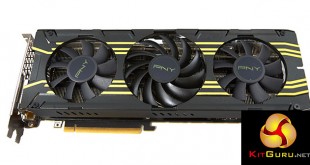
KitGuru has reviewed a wide selection of partner GTX980 Ti's in the last month and today we take a look at the new PNY GTX980 Ti XLR8 OC Edition which is due for release soon in the United Kingdom. This card ships with out of the box overclocked speeds and a custom 3 fan cooler. How does it shape up against MSI, Asus, Palit and Gigabyte cards?
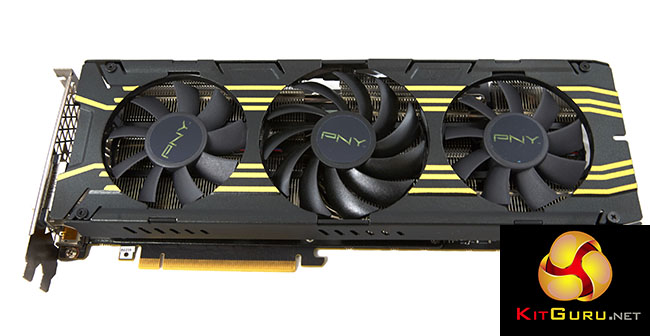
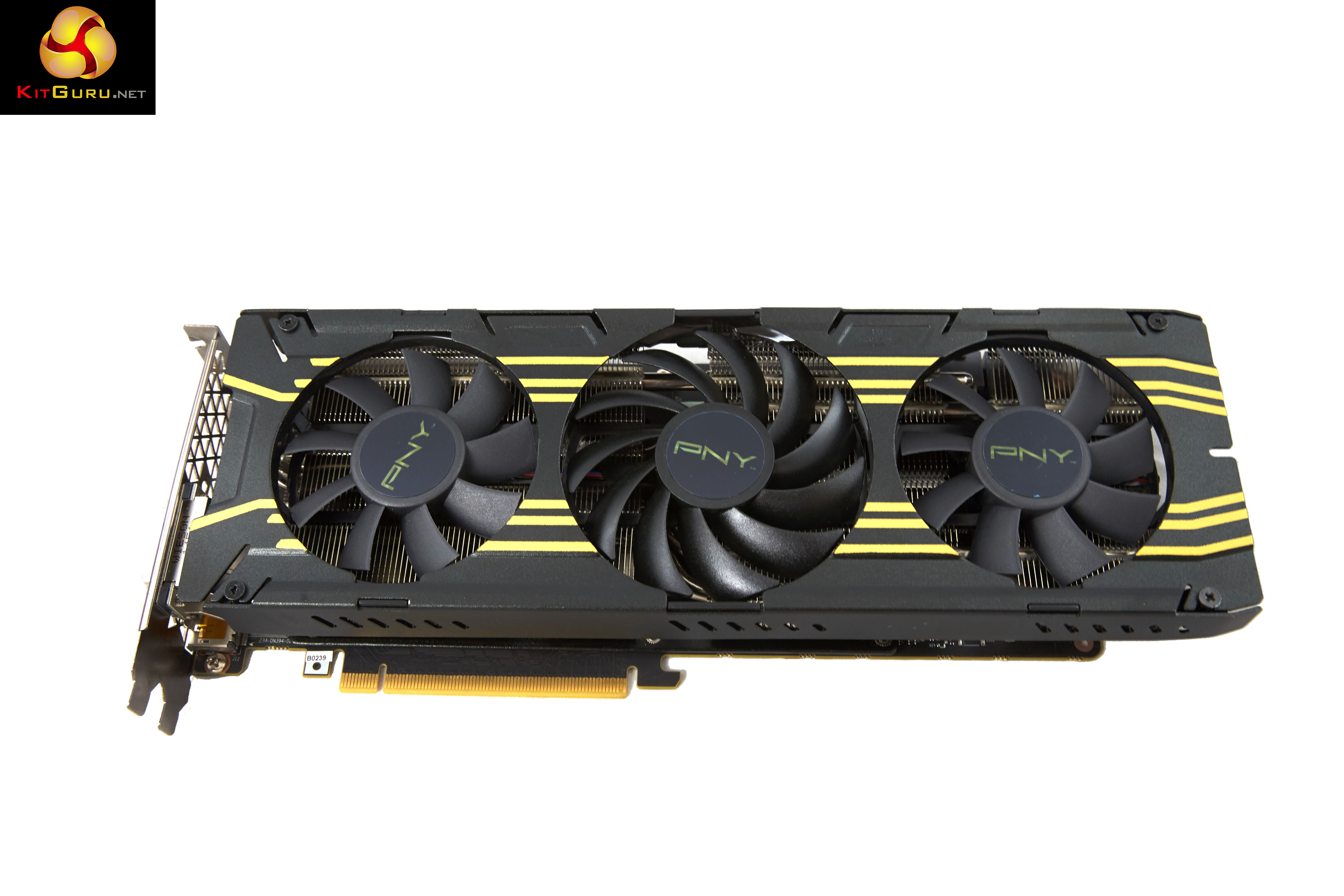
PNY have went for a three fan cooling system. Asus and Gigabyte have both opted for triple fan coolers for their STRIX and G1 Gaming solutions, with the ability to push greater levels of air across the full length of the PCB while Palit and MSI went for a dual fan configuration.
| GPU | GeForce GTX960 |
Geforce GTX970 | GeForce GTX980 |
Geforce GTX 980 Ti | Geforce GTX Titan X |
| Streaming Multiprocessors | 8 | 13 | 16 | 22 | 24 |
| CUDA Cores | 1024 | 1664 | 2048 | 2816 | 3072 |
| Base Clock | 1126 mhz | 1050 mhz | 1126 mhz | 1000 mhz | 1000 mhz |
| GPU Boost Clock | 1178 mhz | 1178 mhz | 1216 mhz | 1075 mhz | 1076 mhz |
| Total Video memory | 2GB | 4GB | 4GB | 6GB | 12GB |
| Texture Units | 64 | 104 | 128 | 176 | 192 |
| Texture fill-rate | 72.1 Gigatexels/Sec | 109.2 Gigatexels/Sec | 144.1 Gigatexels/Sec | 176 Gigatexels/Sec | 192 Gigatexels/Sec |
| Memory Clock | 7010 mhz | 7000 mhz | 7000 mhz | 7000 mhz | 7000 mhz |
| Memory Bandwidth | 112.16 GB/sec | 224 GB/s | 224 GB/sec | 336.5 GB/sec | 336.5 GB/sec |
| Bus Width | 128bit | 256bit | 256bit | 384bit | 384bit |
| ROPs | 32 | 56 | 64 | 96 | 96 |
| Manufacturing Process | 28nm | 28nm | 28nm | 28nm | 28nm |
| TDP | 120 watts | 145 watts | 165 watts | 250 watts | 250 watts |
The Nvidia GTX980 Ti ships with 2816 CUDA cores and 22 SM units. The memory subsystem of the GTX980 Ti consists of six 64-bit memory controllers (384-bit) with 6GB of GDDR5 memory.
The PNY GTX980 Ti XLR8 OC has received a clock boost over Nvidia’s reference card, with final speeds set at 1,165mhz(core)/1,266mhz (boost). The memory remains untouched and runs at 1,753mhz (7Gbps effective).
We retested all AMD hardware in the last week with the latest Catalyst 15.7 driver – of particular note are Crossfire fixes for the R9 295X2 in titles such as Witcher 3: Wild Hunt. This transforms the game from an unplayable mess into a fantastic experience – but more on that later.
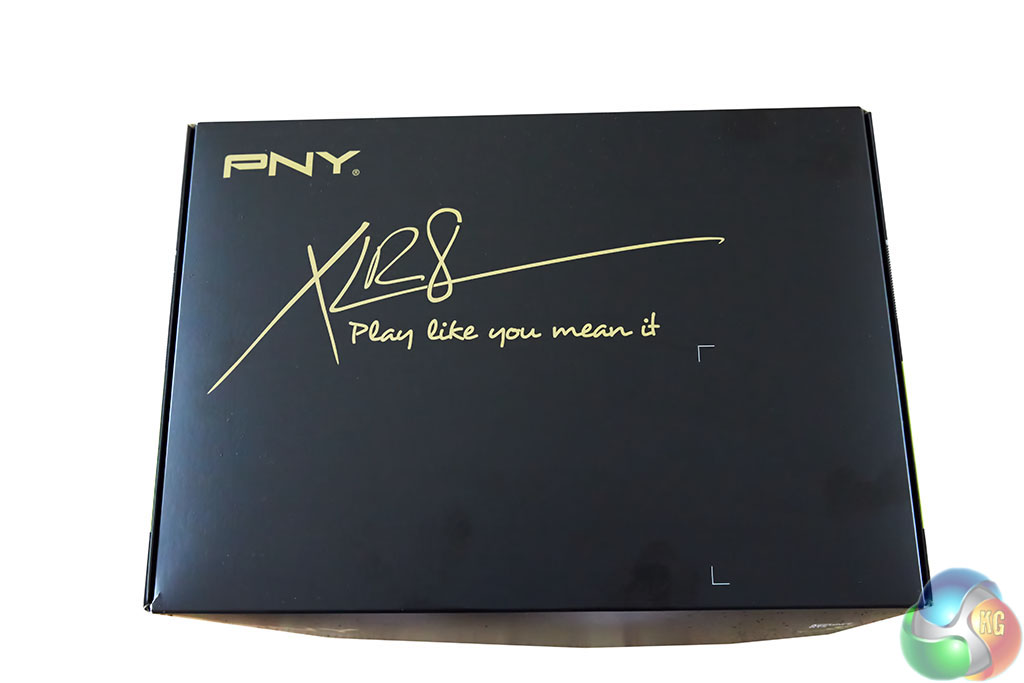
We got one of the first samples of the PNY GTX980 Ti XLR8 OC and it doesn't actually look like the box artwork is finished – no product name/category is listed on the front.

All our box contained was a simple power converter cables, nothing else.

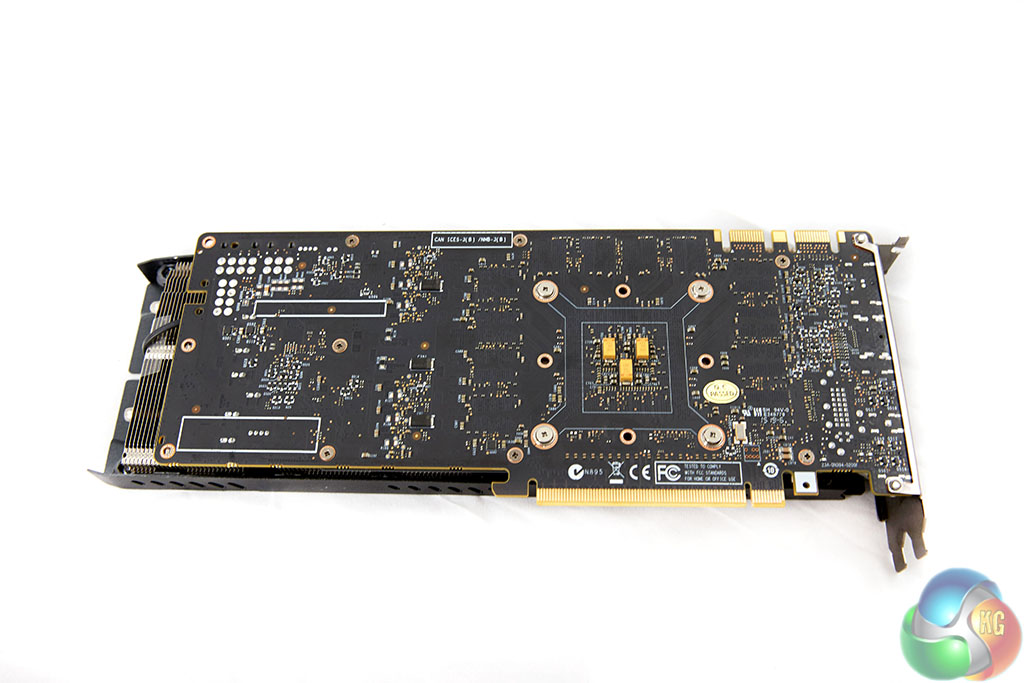


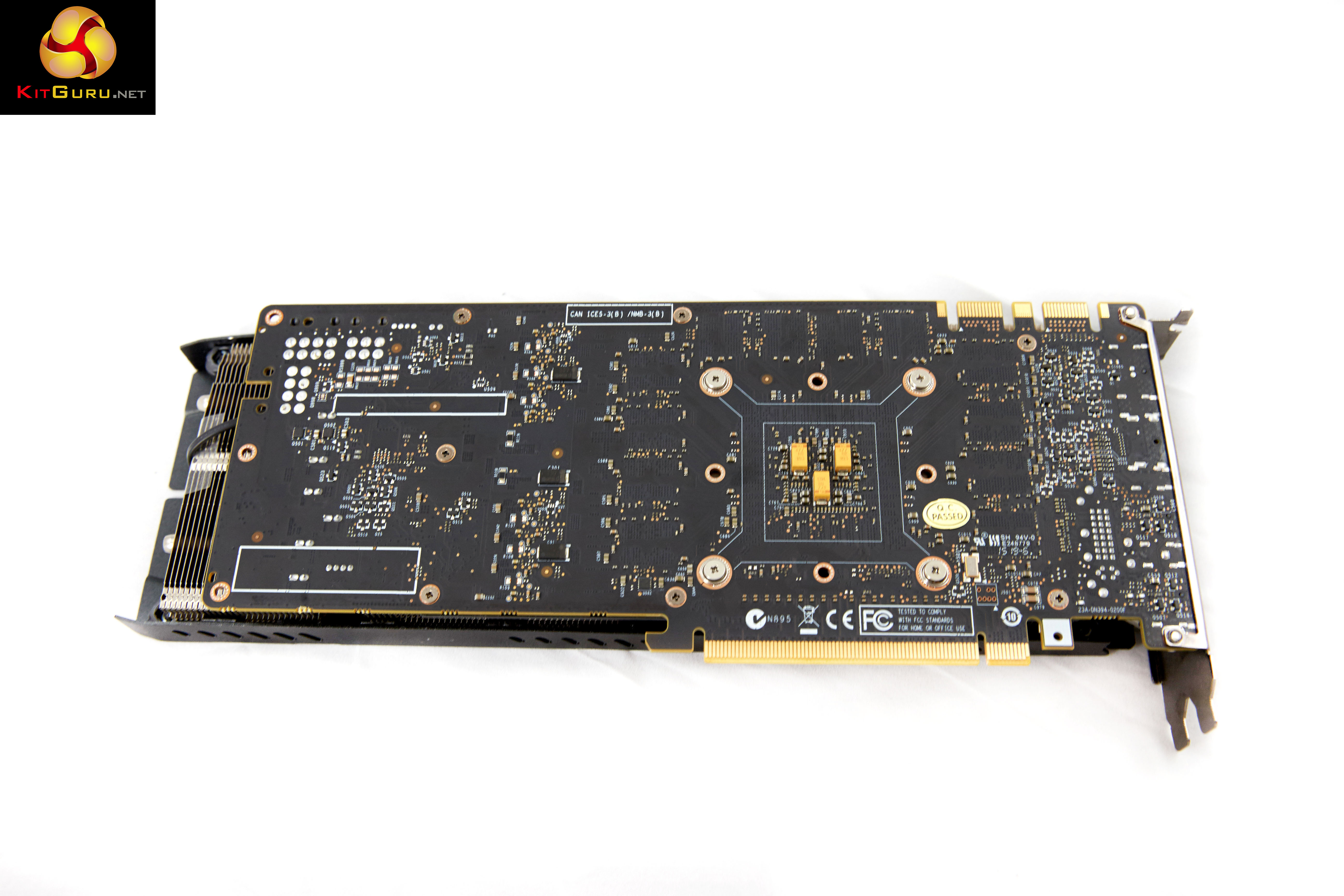
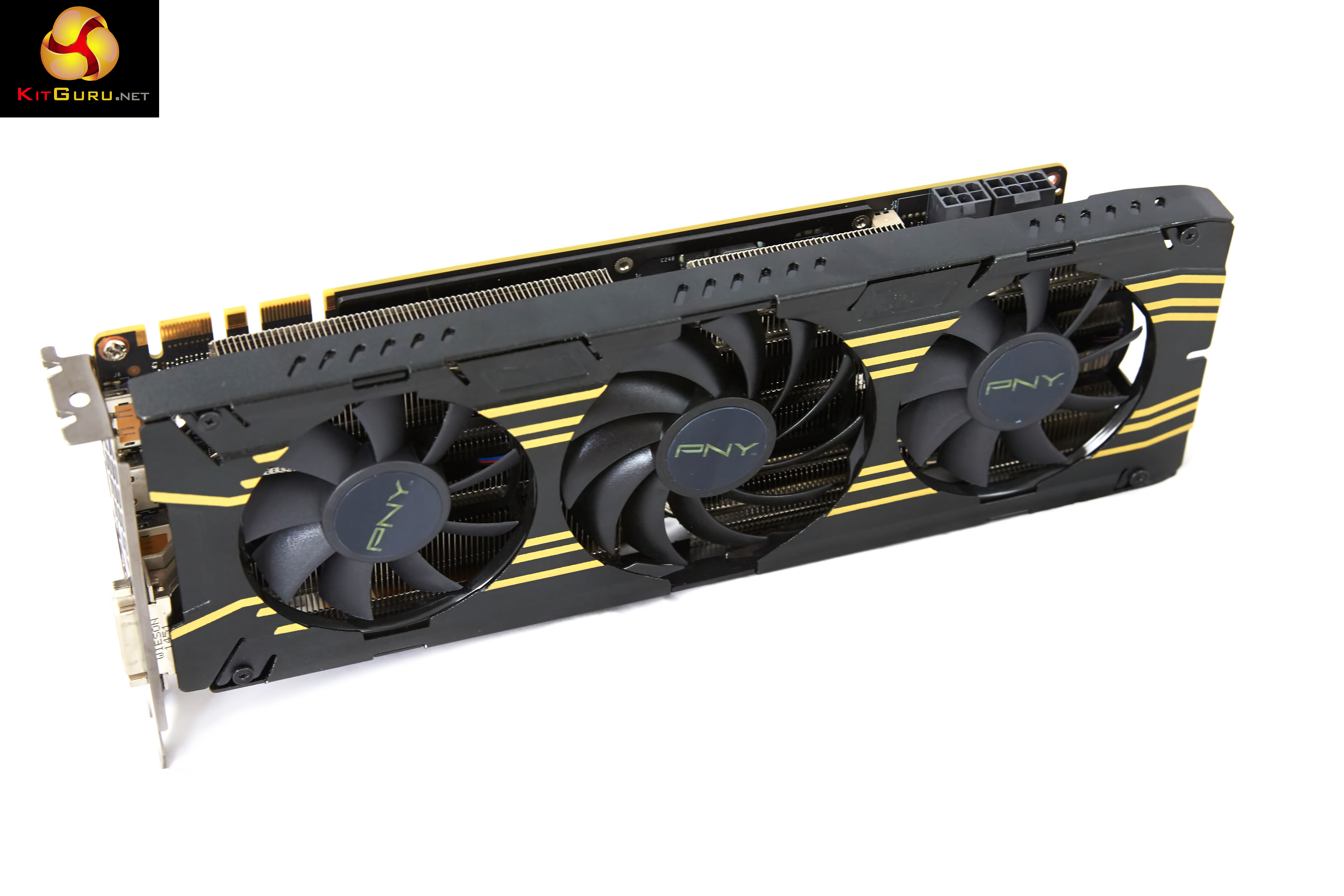
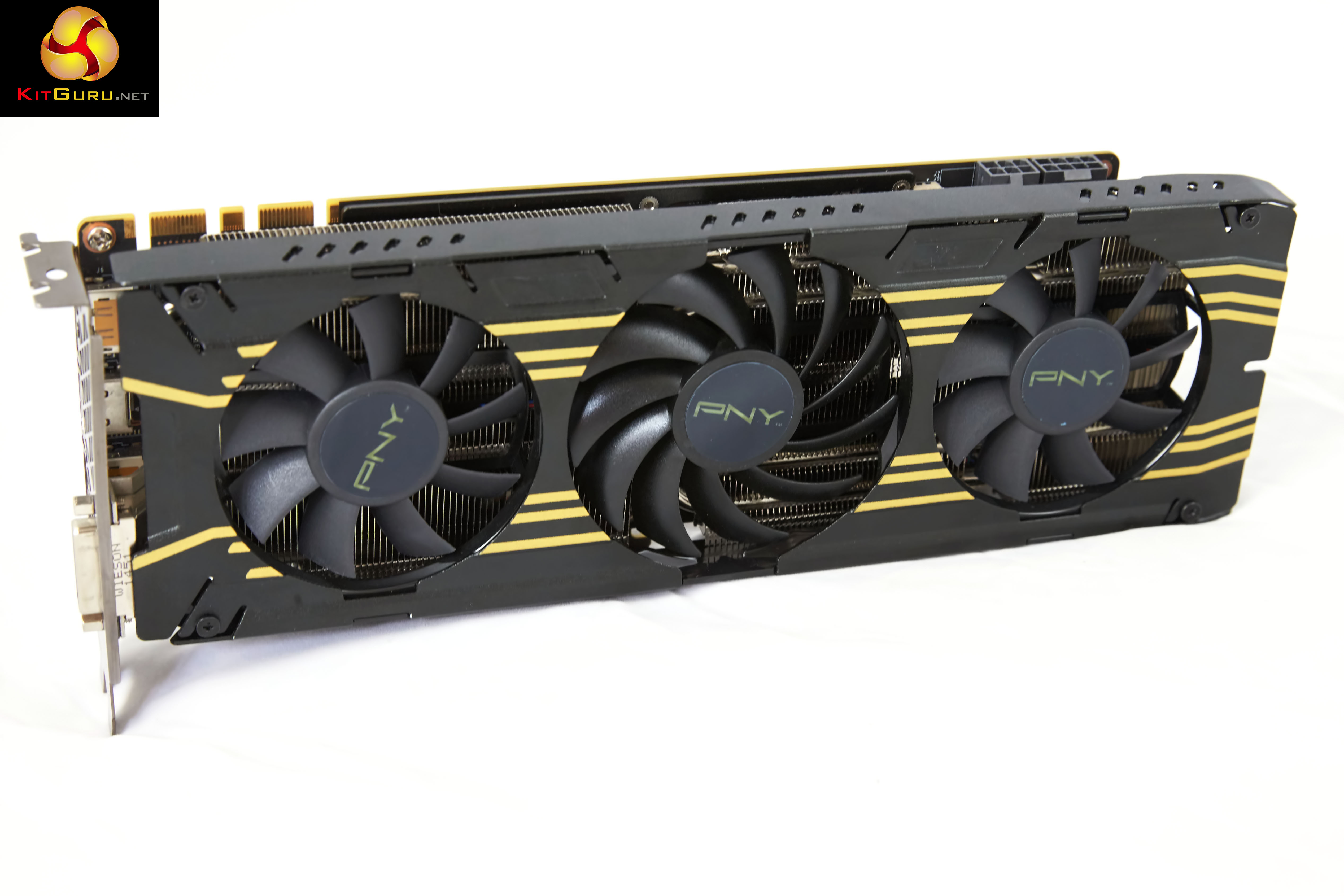
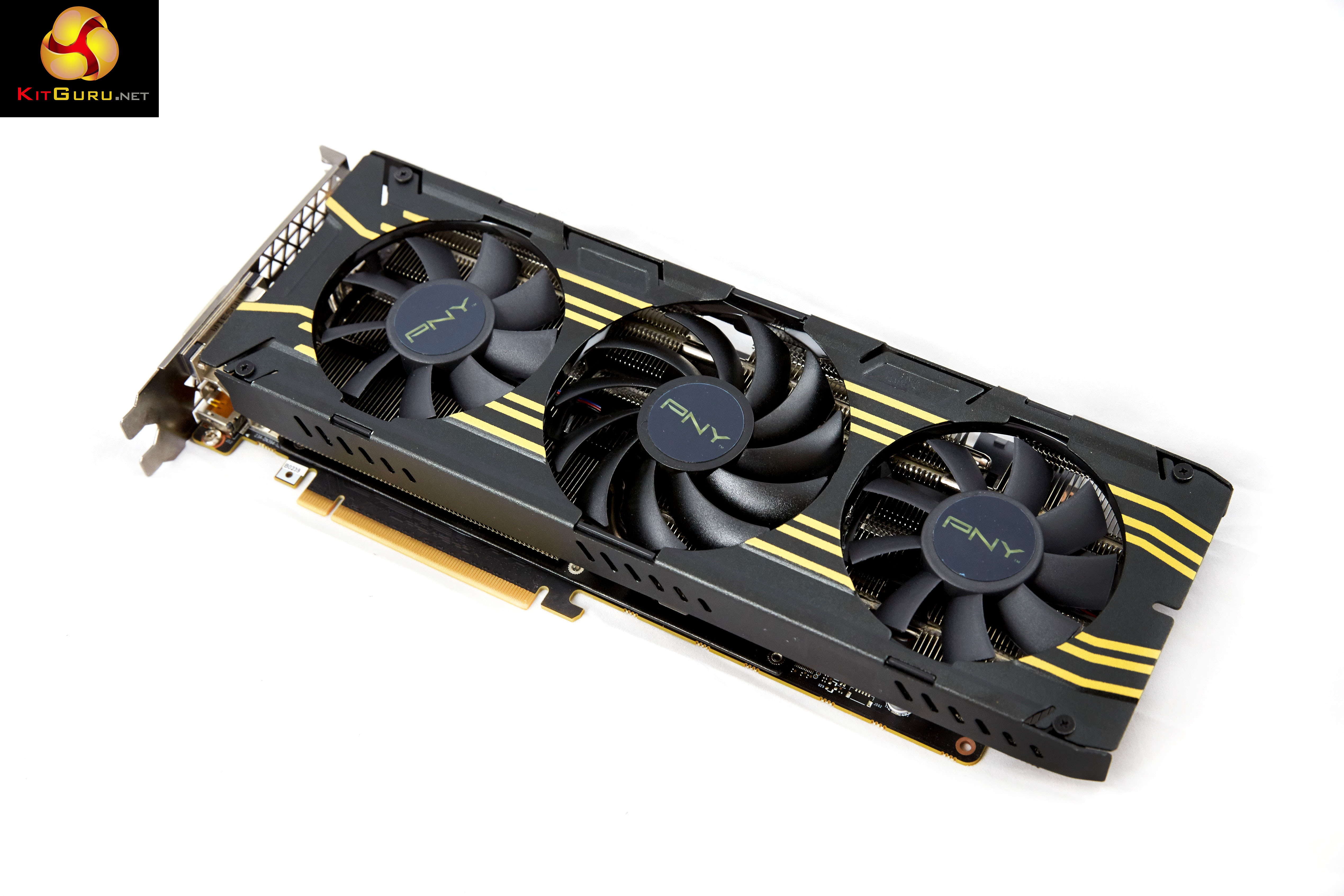
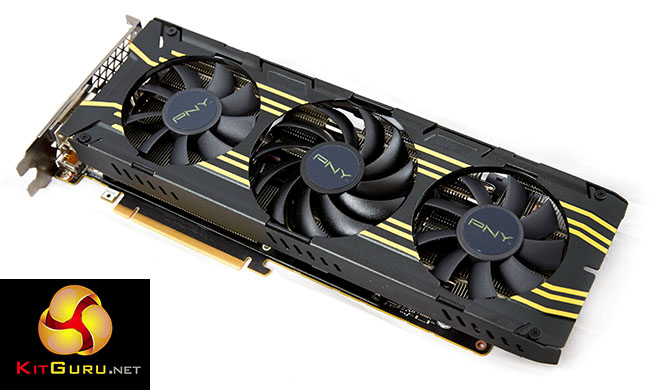
The PNY GTX980 Ti XLR8 OC (‘Accelerate‘ – get it?) is quite a nice looking card, with sporty yellow stripes running the full length of the cooler, between the three fans. PNY branding is seen on the fans. Surprisingly this is the only GTX980 Ti we have reviewed to date without a custom backplate fitted to the rear of the PCB.
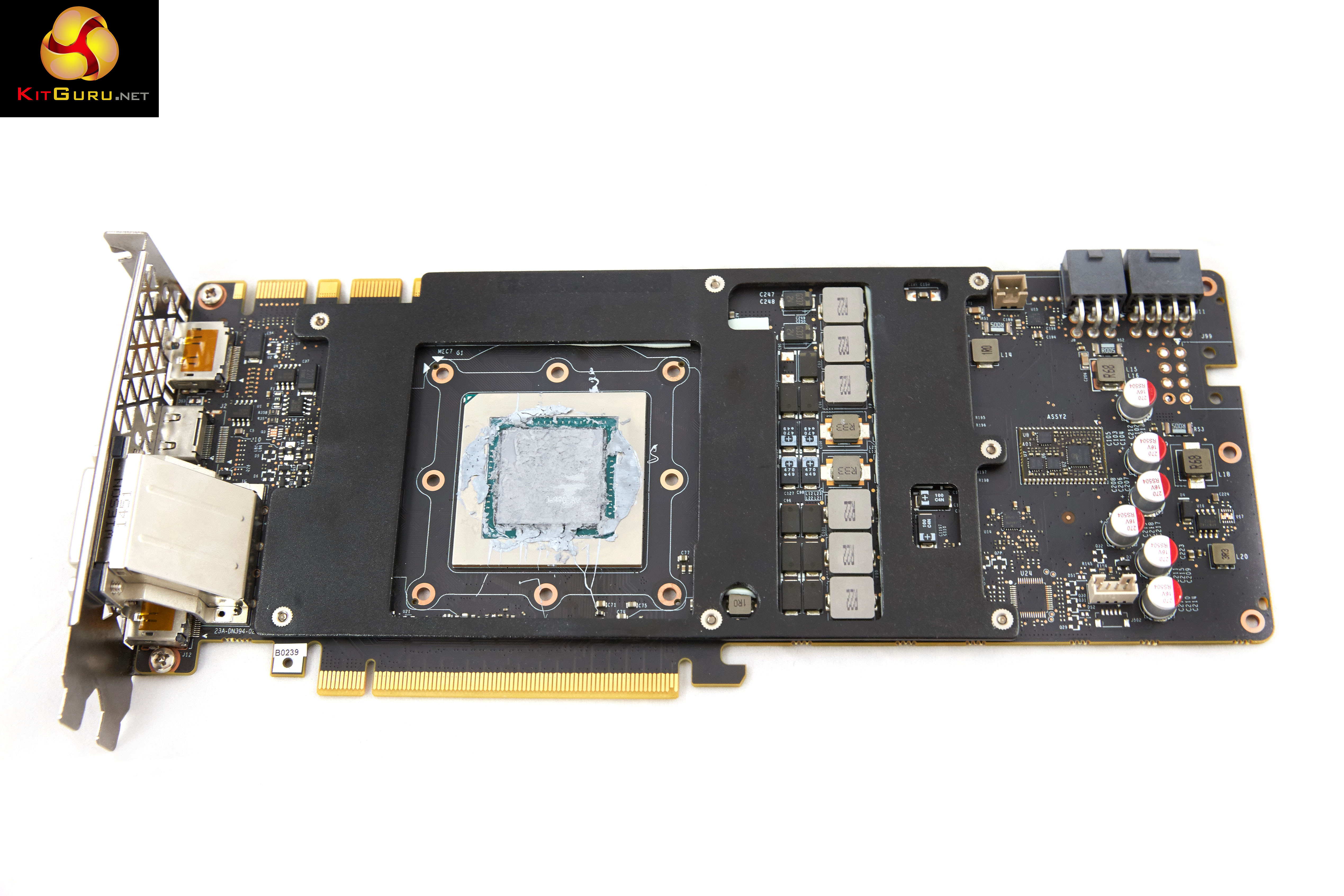
This is generally not a good sign as hot spots are likely to appear on the PCB -we will measure this with our thermal imaging camera later in the review.


Many of the Nvidia partners have opted for a dual 8 pin PCI e power cable configuration however PNY have decided to reduce the power intake to 1 x 6 pin and 1x 8 pin layout. The PNY card is capable of SLI in 2,3 and 4 way configurations.

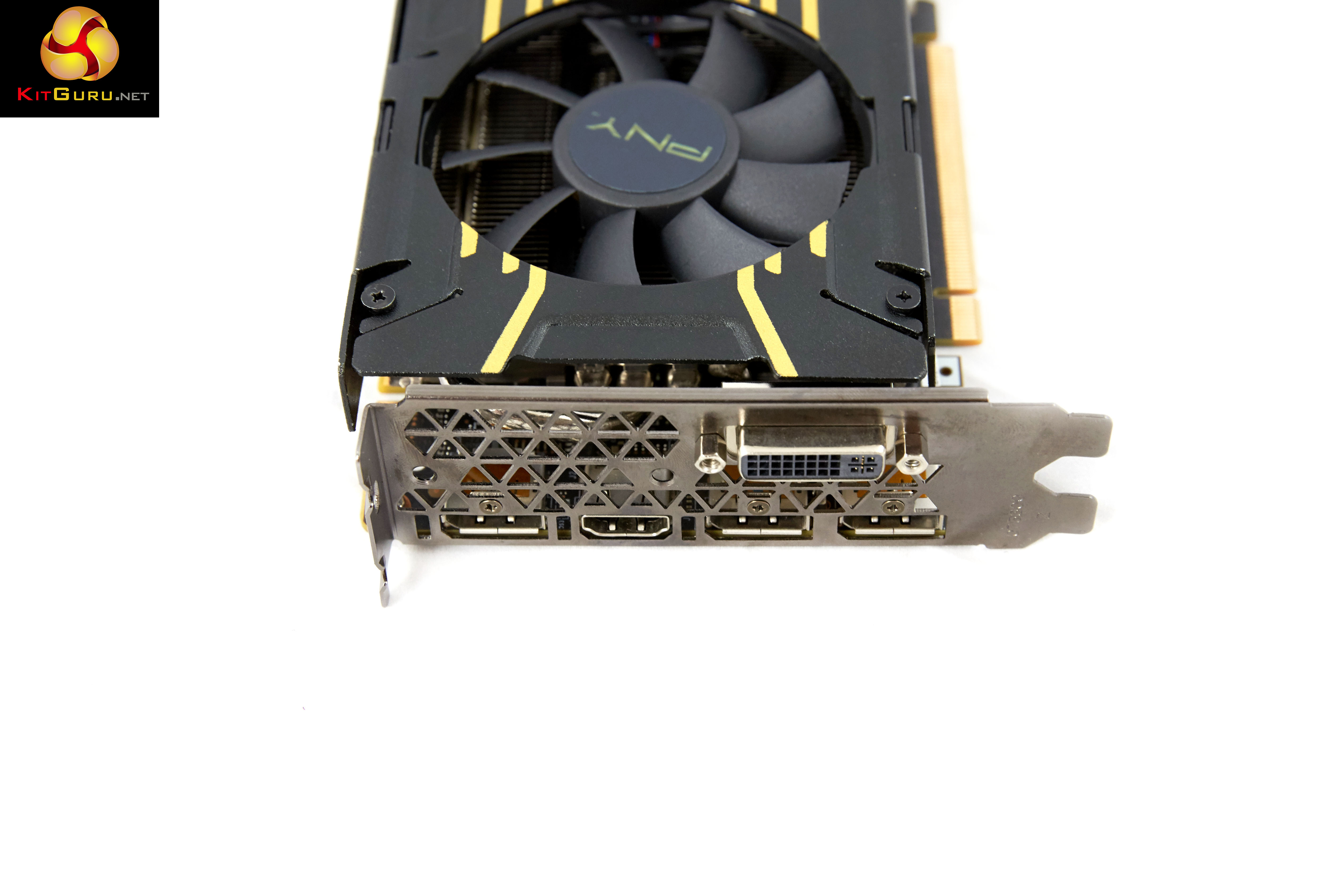
The PNY card ships with a single DVI-D port. There are three DisplayPorts 1.2 and a single HDMI 2.0 port along the bottom of the I/O plate. If you wish, you can use all these ports at the same time for triple monitor gaming. HDMI 2.0 is supported, so you are able to get 60hz at 4K resolutions, without the need for any adapters.
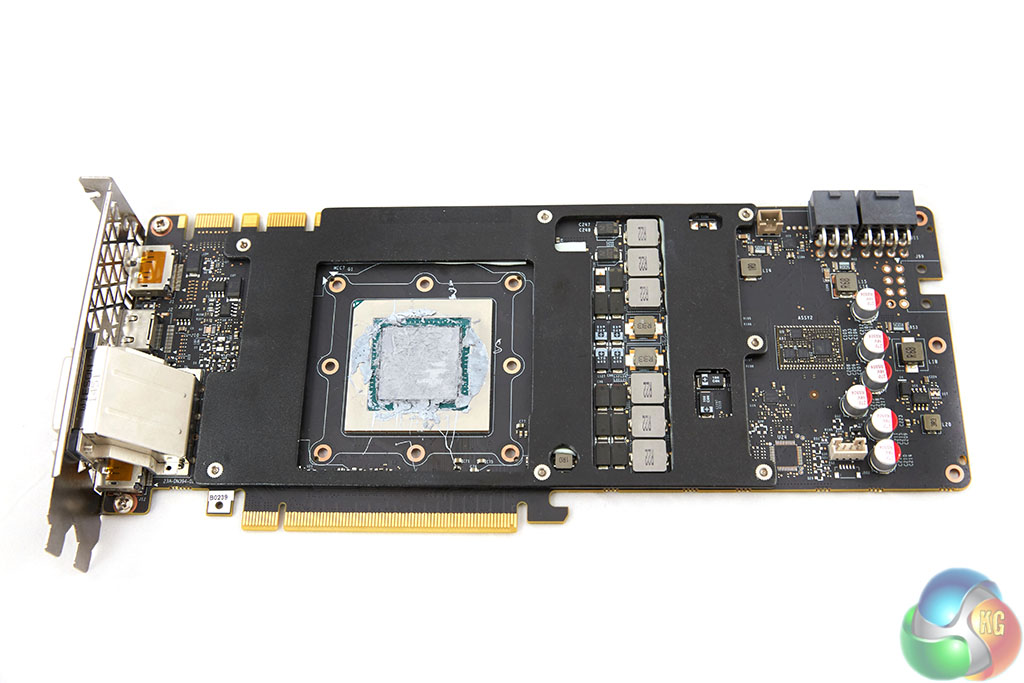
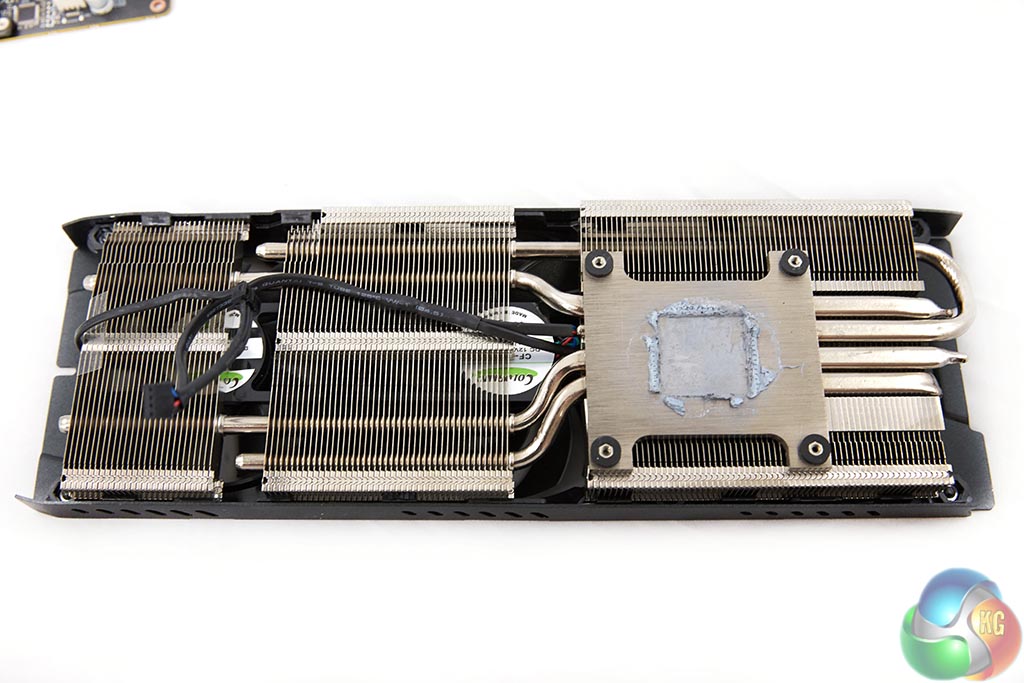
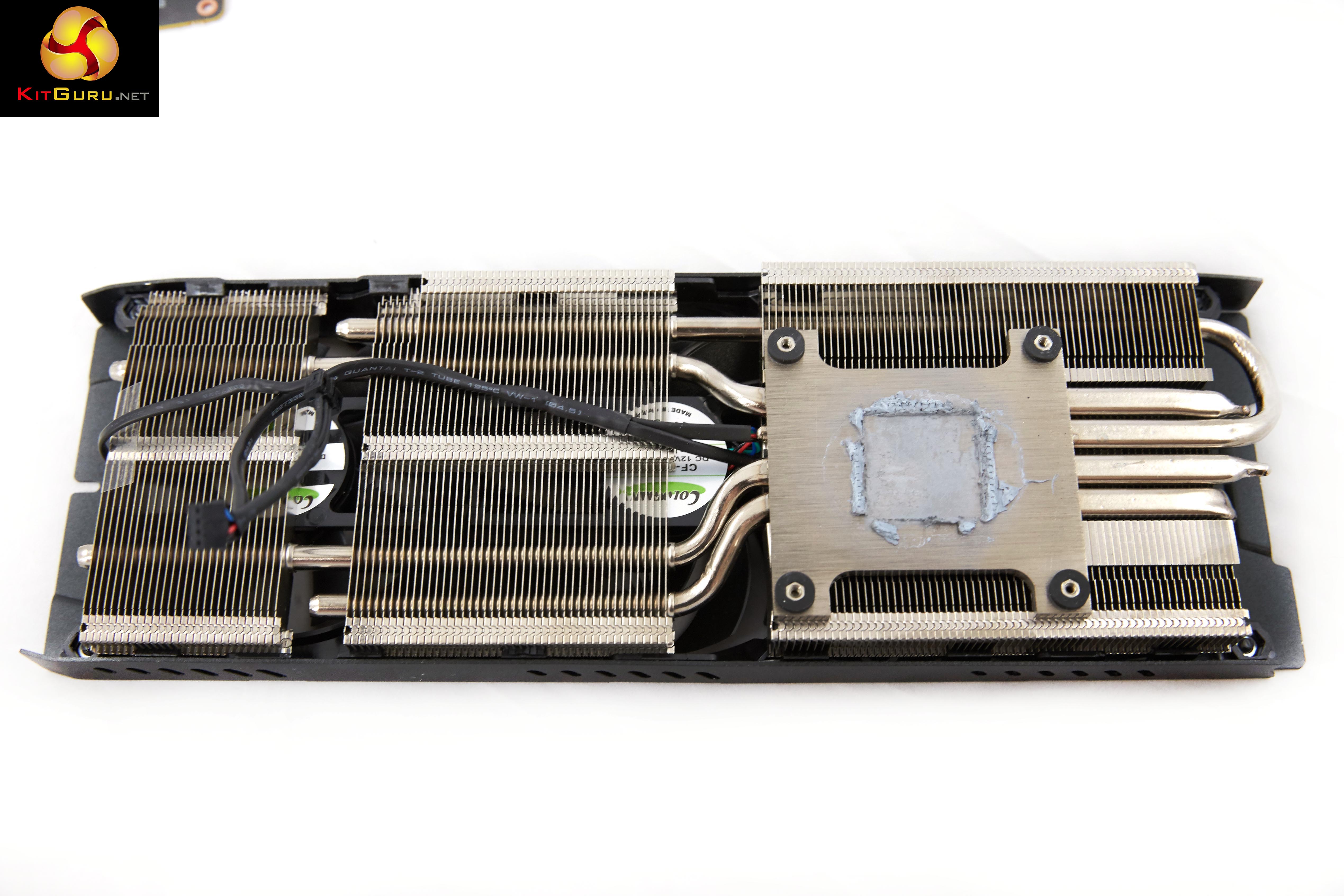
The PNY cooler is comprised of 4 thick heatpipes which run the full length of the card, into not two but three separate heatsinks.
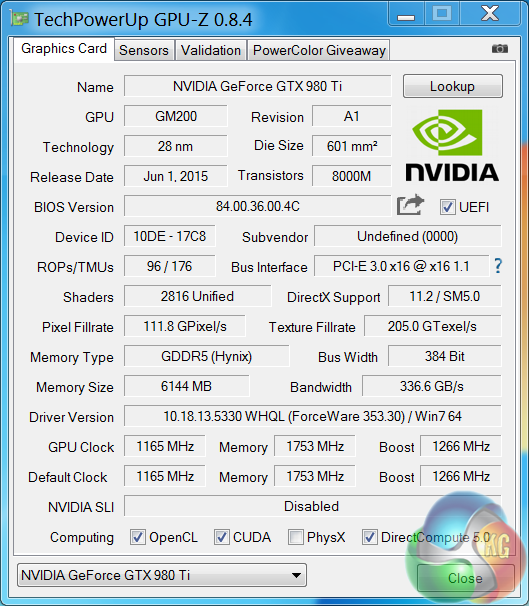
An overview of the hardware in the latest version of GPUz – as discussed on the previous page. This overclocked GM200 core runs at 1165mhz (1,266mhz boost) and is built on the 28nm process. The GTX980 Ti has 96 ROPs, 176 Texture units (Titan X has 192 texture units) and 2,816 CUDA Cores (Titan X has 3,072 CUDA Cores). The 6GB of GDDR5 memory runs at 1753mhz (7Gbps effective) and is connected via a 384 bit memory interface.On this page we present some high resolution images of the product taken with a Canon 1DX and Canon 28-70mm F2.8 lens. These will take much longer to open due to the dimensions, especially on slower connections. If you use these pictures on another site or publication, please credit Kitguru.net as the owner/source.
We have just retested all AMD hardware with the latest 15.7 Catalyst driver in the last week. All Nvidia cards are tested with the 353.30 Forceware drivers. We have also selected some new game sections to benchmark during our ‘real world runs’.
If you want to read more about our test system, or are interested in buying the same Kitguru Test Rig, check out our article with links on this page. We are using an Asus PB287Q 4k and Apple 30 inch Cinema HD monitor for this review today.
Due to reader feedback we have changed the 1600p tests to 1440p, and we have also disabled Nvidia specific features such as Hairworks in The Witcher 3: Wild Hunt as it can have such a negative impact on partnering hardware.
Anti Aliasing is also now disabled in our tests at Ultra HD 4K as readers have indicated they don’t need it at such a high resolution.
If you have other suggestions please email me directly at zardon(at)kitguru.net.
Cards on test:
PNY GTX980 Ti XLR8 OC (1,165 mhz core / 1,753mhz memory)
Palit Geforce GTX980 Ti Super Jetstream (1,152 mhz core / 1,753 mhz memory)
MSI GTX980 Ti Gaming 6G (1,178 mhz core / 1774 mhz memory)
ASUS STRIX Gaming GTX 980 Ti DirectCU 3 (1,216 mhz core / 1800mhz memory)
Visiontek Radeon R9 Fury X 4GB (1,050mhz core / 500mhz memory) & (1,130mhz core)
Sapphire R9 295X2 (1,018 mhz core / 1,250 mhz memory)
Nvidia Titan Z (706mhz core / 1,753 mhz memory)
Gigabyte GTX980 Ti G1 Gaming (1,152mhz / 1,753 mhz memory)
Nvidia Titan X (1,002 mhz core / 1,753 mhz memory)
Nvidia GTX 980 Ti (1,000 mhz core / 1,753 mhz memory)
Asus GTX980 Strix (1,178 mhz core / 1,753 mhz memory)
Sapphire R9 390 X 8GB (1,055 mhz core / 1,500 mhz memory) & (1,144mhz core / 1631 mhz memory)
Sapphire R9 390 Nitro 8GB (1,010 mhz core / 1,500 mhz memory) & (1,125mhz core / 1637 mhz memory)
Sapphire R9 290 X 8GB (1,020 mhz core / 1,375 mhz memory)
Asus R9 290 Direct CU II ( 1,000 mhz core / 1,250 mhz memory)
Asus R9 285 Strix (954 mhz core / 1,375 mhz memory)
Palit GTX970 (1,051 mhz core / 1,753 mhz memory)
Software:
Windows 7 Enterprise 64 bit
Unigine Heaven Benchmark
Unigine Valley Benchmark
3DMark Vantage
3DMark 11
3DMark
Fraps Professional
Steam Client
FurMark
Games:
Grid AutoSport
Tomb Raider
Grand Theft Auto 5
Witcher 3: The Wild Hunt
Metro Last Light Redux
We perform under real world conditions, meaning KitGuru tests games across five closely matched runs and then average out the results to get an accurate median figure. If we use scripted benchmarks, they are mentioned on the relevant page.
Game descriptions edited with courtesy from Wikipedia.
Futuremark released 3DMark Vantage, on April 28, 2008. It is a benchmark based upon DirectX 10, and therefore will only run under Windows Vista (Service Pack 1 is stated as a requirement) and Windows 7. This is the first edition where the feature-restricted, free of charge version could not be used any number of times. 1280×1024 resolution was used with performance settings.
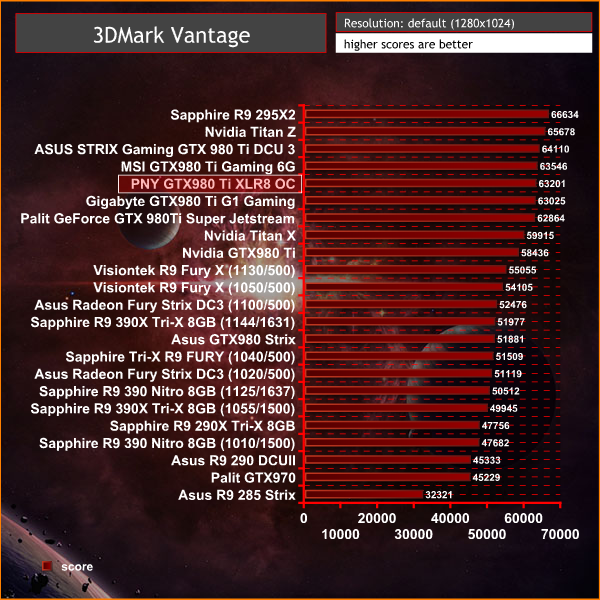
The PNY GTX980 Ti XLR8 OC scores as we would expect, scoring 63,201 points, slotting in behind the MSI GTX980 Ti Gaming 6G.
3DMark 11 is designed for testing DirectX 11 hardware running on Windows 7 and Windows Vista the benchmark includes six all new benchmark tests that make extensive use of all the new features in DirectX 11 including tessellation, compute shaders and multi-threading. After running the tests 3DMark gives your system a score with larger numbers indicating better performance. Trusted by gamers worldwide to give accurate and unbiased results, 3DMark 11 is the best way to test DirectX 11 under game-like loads.
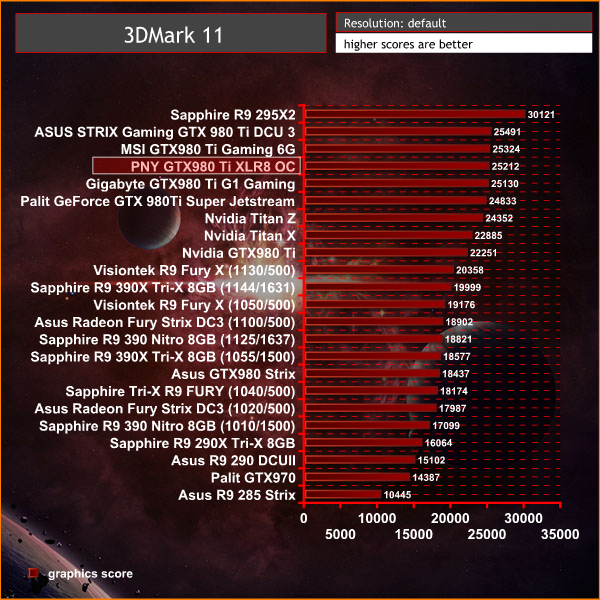
Excellent results, close to the top of the chart, behind the higher clocked cards from MSI and ASUS.
3DMark is an essential tool used by millions of gamers, hundreds of hardware review sites and many of the world’s leading manufacturers to measure PC gaming performance.
Futuremark say “Use it to test your PC’s limits and measure the impact of overclocking and tweaking your system. Search our massive results database and see how your PC compares or just admire the graphics and wonder why all PC games don’t look this good.
To get more out of your PC, put 3DMark in your PC.”
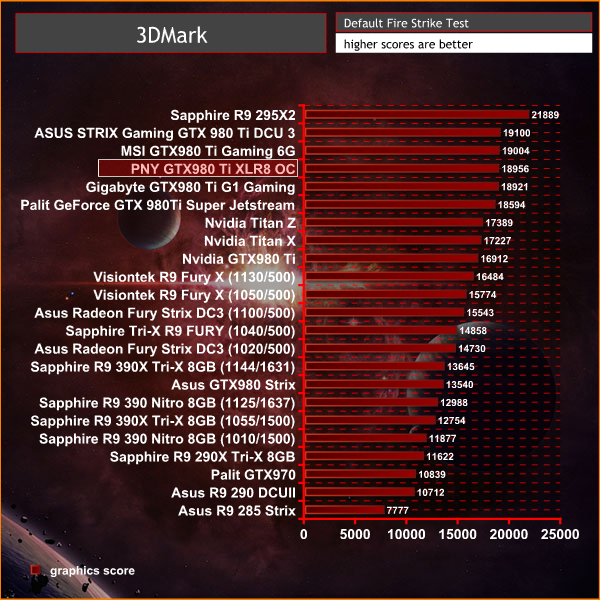
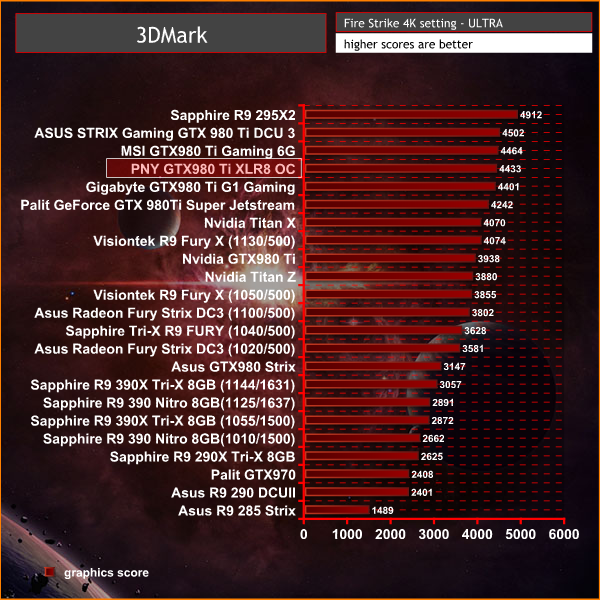
Performance is hitting the levels we would expect – a score of 4,433 points in the 4K test is a good early indicator of how the card will perform in the latest Direct X 11 engines at the highest resolutions.Unigine provides an interesting way to test hardware. It can be easily adapted to various projects due to its elaborated software design and flexible toolset. A lot of their customers claim that they have never seen such extremely-effective code, which is so easy to understand.
Heaven Benchmark is a DirectX 11 GPU benchmark based on advanced Unigine engine from Unigine Corp. It reveals the enchanting magic of floating islands with a tiny village hidden in the cloudy skies. Interactive mode provides emerging experience of exploring the intricate world of steampunk. Efficient and well-architected framework makes Unigine highly scalable:
- Multiple API (DirectX 9 / DirectX 10 / DirectX 11 / OpenGL) render
- Cross-platform: MS Windows (XP, Vista, Windows 7) / Linux
- Full support of 32bit and 64bit systems
- Multicore CPU support
- Little / big endian support (ready for game consoles)
- Powerful C++ API
- Comprehensive performance profiling system
- Flexible XML-based data structures
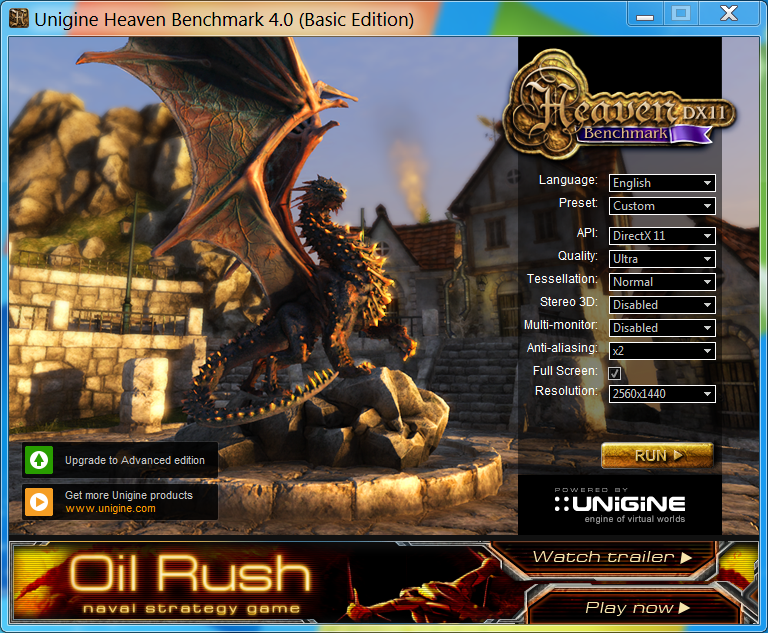
We test at 2560×1440 with quality setting at ULTRA, Tessellation at NORMAL, and Anti-Aliasing at x2.
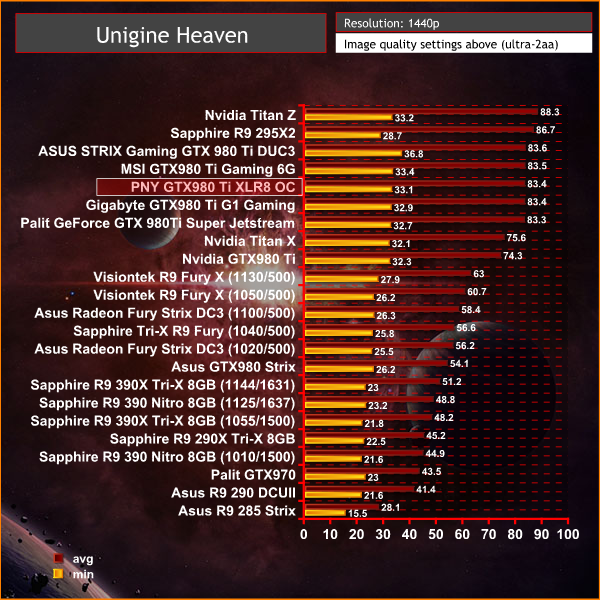
Nvidia cards handle heavy tessellation loads extremely well – we can see performance levels fall in behind the MSI GTX980 Ti Gaming 6G – averaging 83.4 frames per second.
Grid Autosport (styled as GRID Autosport) is a racing video game by Codemasters and is the sequel to 2008′s Race Driver: Grid and 2013′s Grid 2. The game was released for Microsoft Windows, PlayStation 3 and Xbox 360 on June 24, 2014. (Wikipedia).
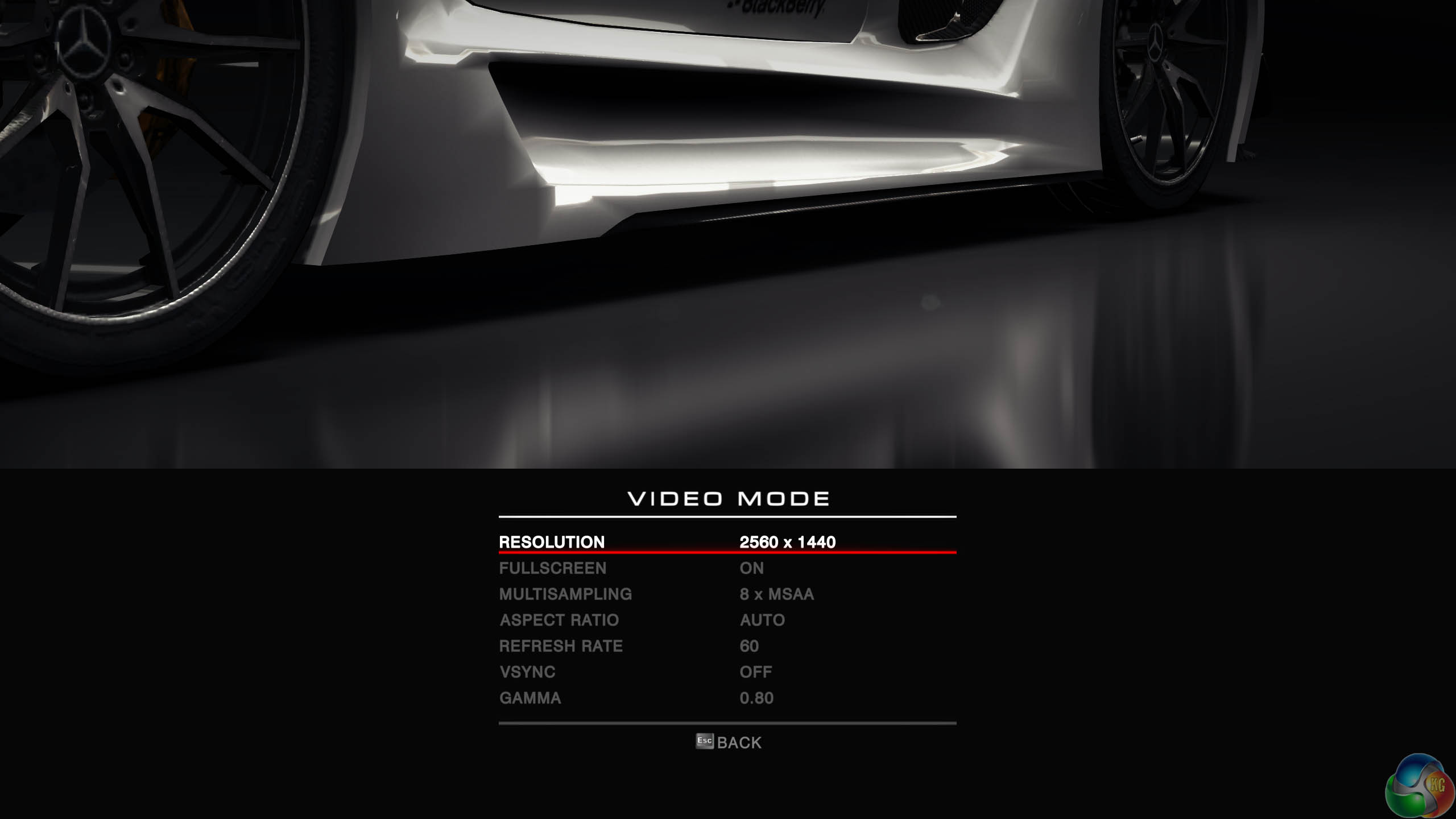
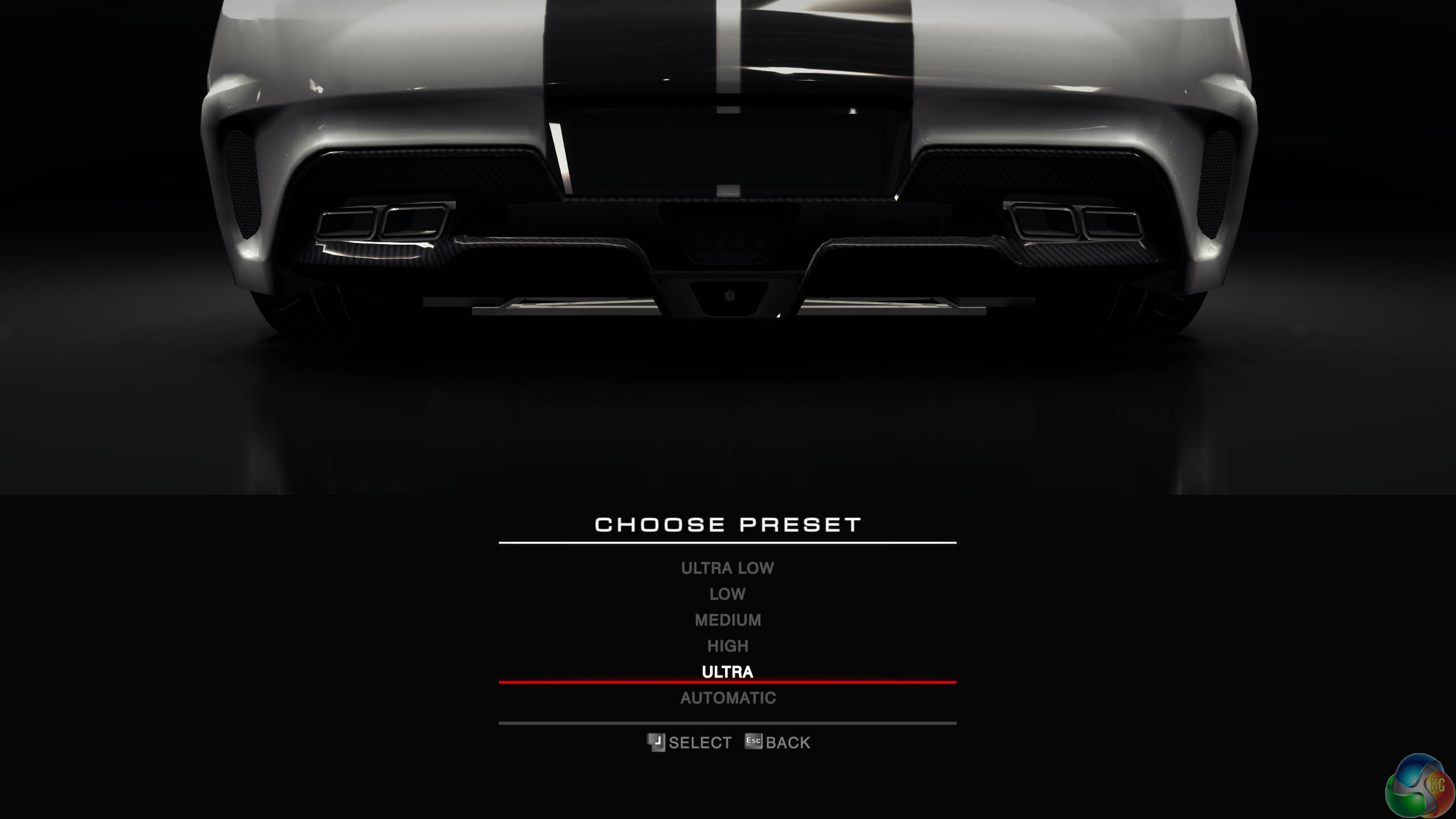
We test with the image quality on ULTRA and 8x anti aliasing enabled.
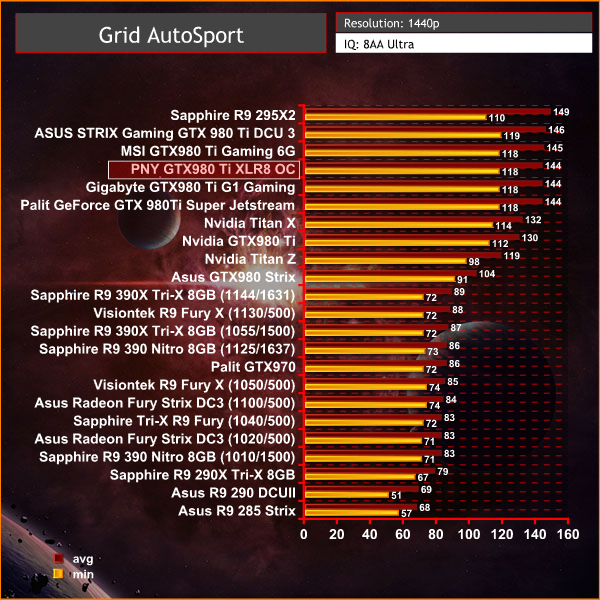
Not much of a challenge to power this engine at 1440p – lets try 4K.
Grid Autosport (styled as GRID Autosport) is a racing video game by Codemasters and is the sequel to 2008′s Race Driver: Grid and 2013′s Grid 2. The game was released for Microsoft Windows, PlayStation 3 and Xbox 360 on June 24, 2014. (Wikipedia).
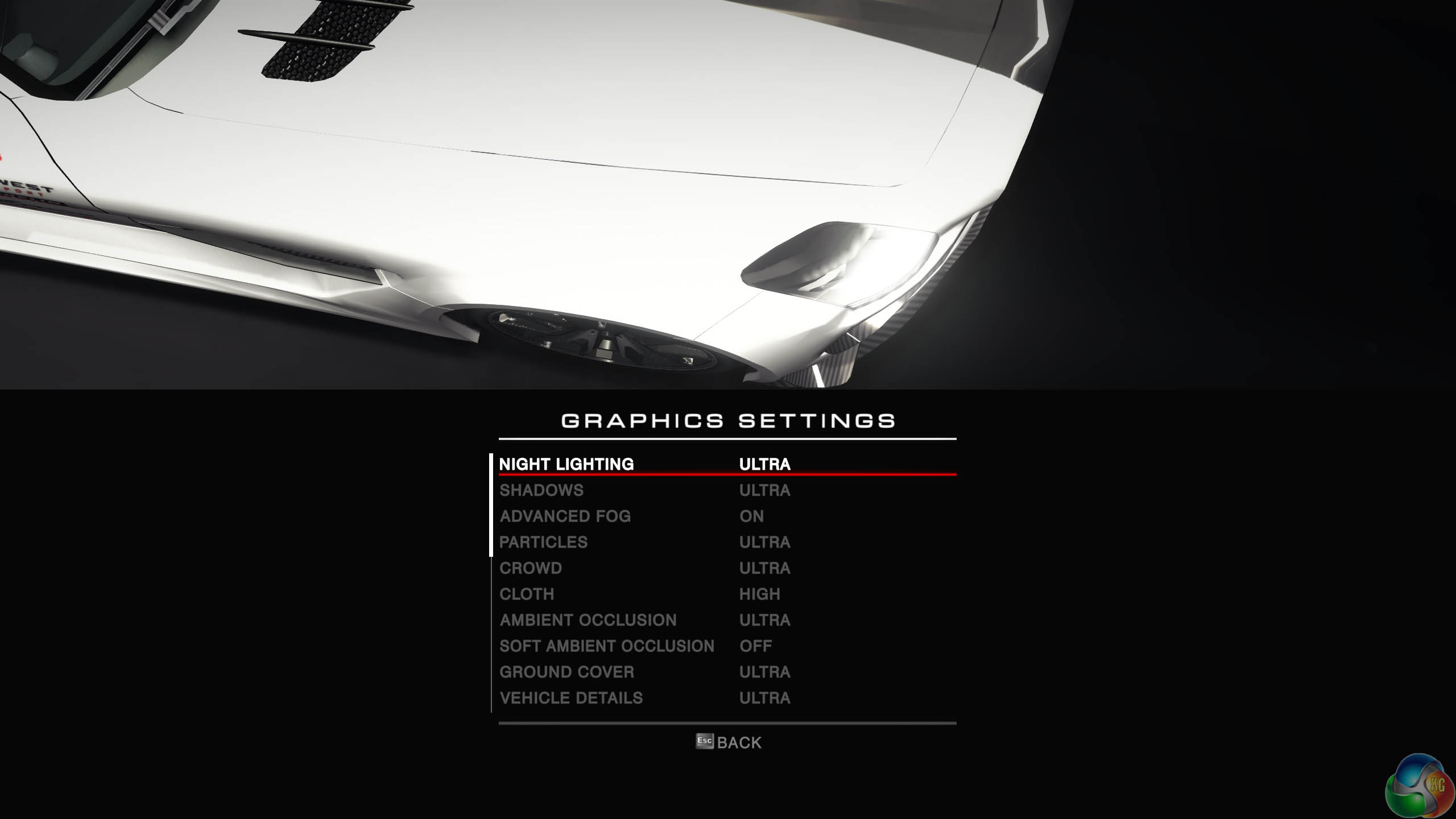
We test with the image quality on ULTRA and 8 anti aliasing enabled.
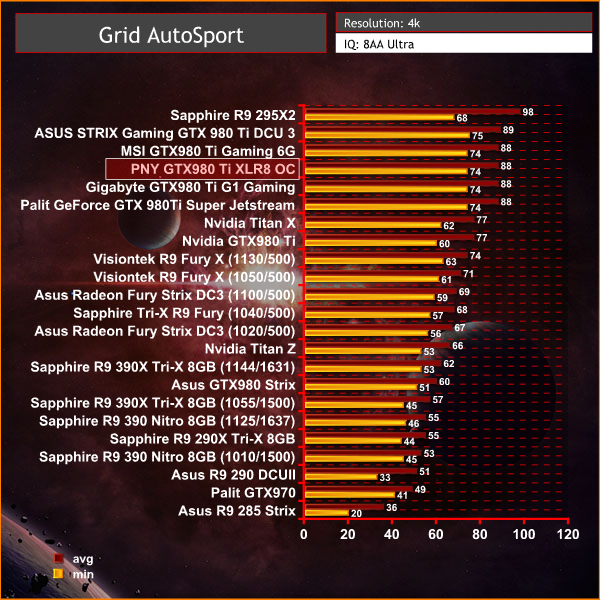
A solid 60+ frame rate at all times at these settings, even at 4K.
Tomb Raider received much acclaim from critics, who praised the graphics, the gameplay and Camilla Luddington’s performance as Lara with many critics agreeing that the game is a solid and much needed reboot of the franchise. Much criticism went to the addition of the multiplayer which many felt was unnecessary. Tomb Raider went on to sell one million copies in forty-eight hours of its release, and has sold 3.4 million copies worldwide so far. (Wikipedia).
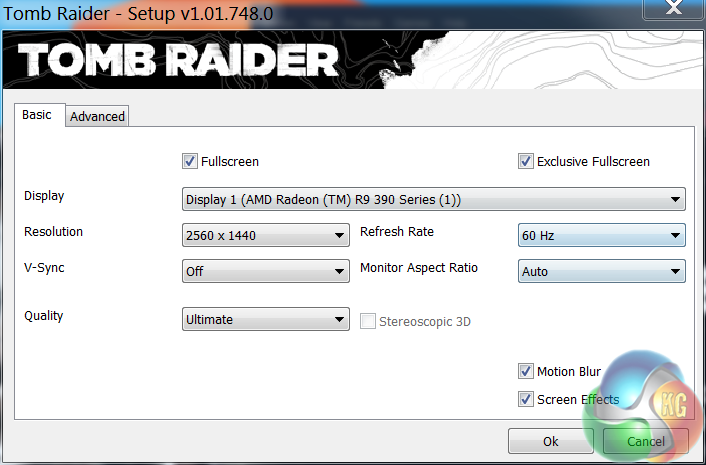
We test at 1440p with the ‘ULTIMATE’ image quality profile selected.
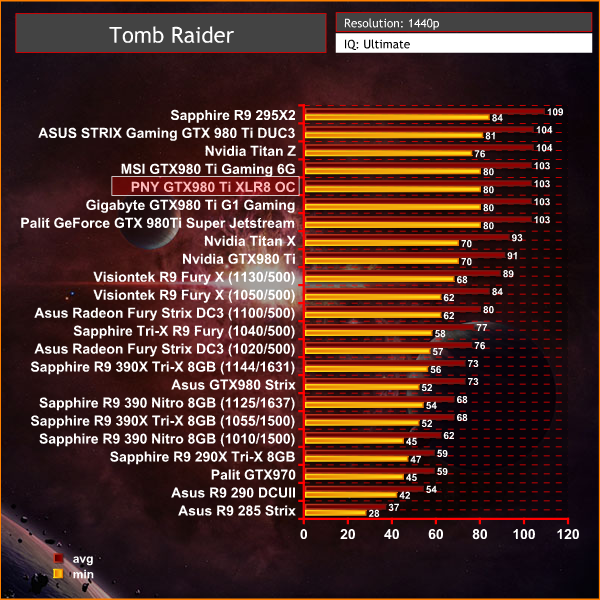
Superb performance, averaging 103 frames per second and holding at 80+frames at all time.Tomb Raider received much acclaim from critics, who praised the graphics, the gameplay and Camilla Luddington’s performance as Lara with many critics agreeing that the game is a solid and much needed reboot of the franchise. Much criticism went to the addition of the multiplayer which many felt was unnecessary. Tomb Raider went on to sell one million copies in forty-eight hours of its release, and has sold 3.4 million copies worldwide so far. (Wikipedia).
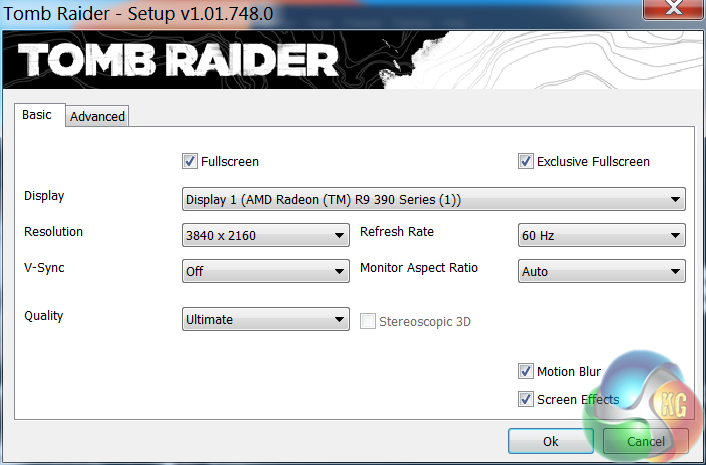
We test at 3840×2160 (4K) with the ‘ULTIMATE’ image profile selected. We normally reduce the image quality profile to ‘ULTRA’ at this resolution, but we decided to keep it at the highest image quality possible.
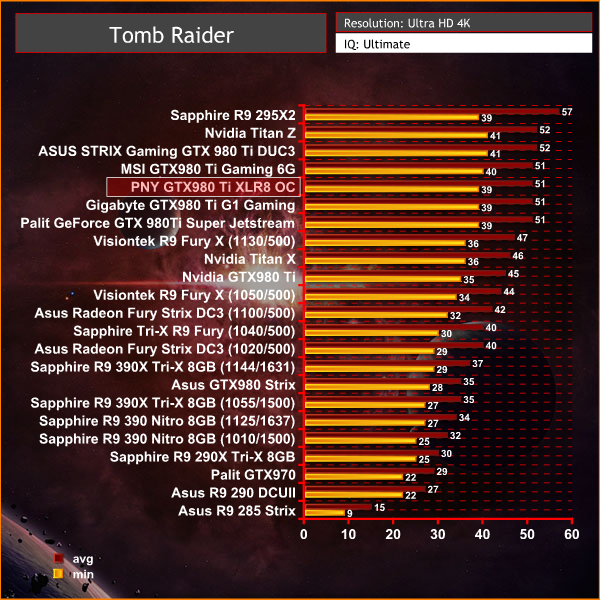
Excellent performance results at 4K, much as we would expect from an overclocked custom GTX980 Ti – the card slots in behind the MSI and ASUS solutions.
The Witcher 3: Wild Hunt (Polish: Wiedźmin 3: Dziki Gon) is an action role-playing video game set in an open world environment, developed by Polish video game developer CD Projekt RED. The Witcher 3: Wild Hunt concludes the story of the witcher Geralt of Rivia, the series’ protagonist, whose story to date has been covered in the previous versions. Continuing from The Witcher 2, the ones who sought to use Geralt are now gone. Geralt seeks to move on with his own life, embarking on a new and personal mission whilst the world order itself is coming to a change.
Geralt’s new mission comes in dark times as the mysterious and otherworldly army known as the Wild Hunt invades the Northern Kingdoms, leaving only blood soaked earth and fiery ruin in its wake; and it seems the Witcher is the key to stopping their cataclysmic rampage. (Wikipedia).
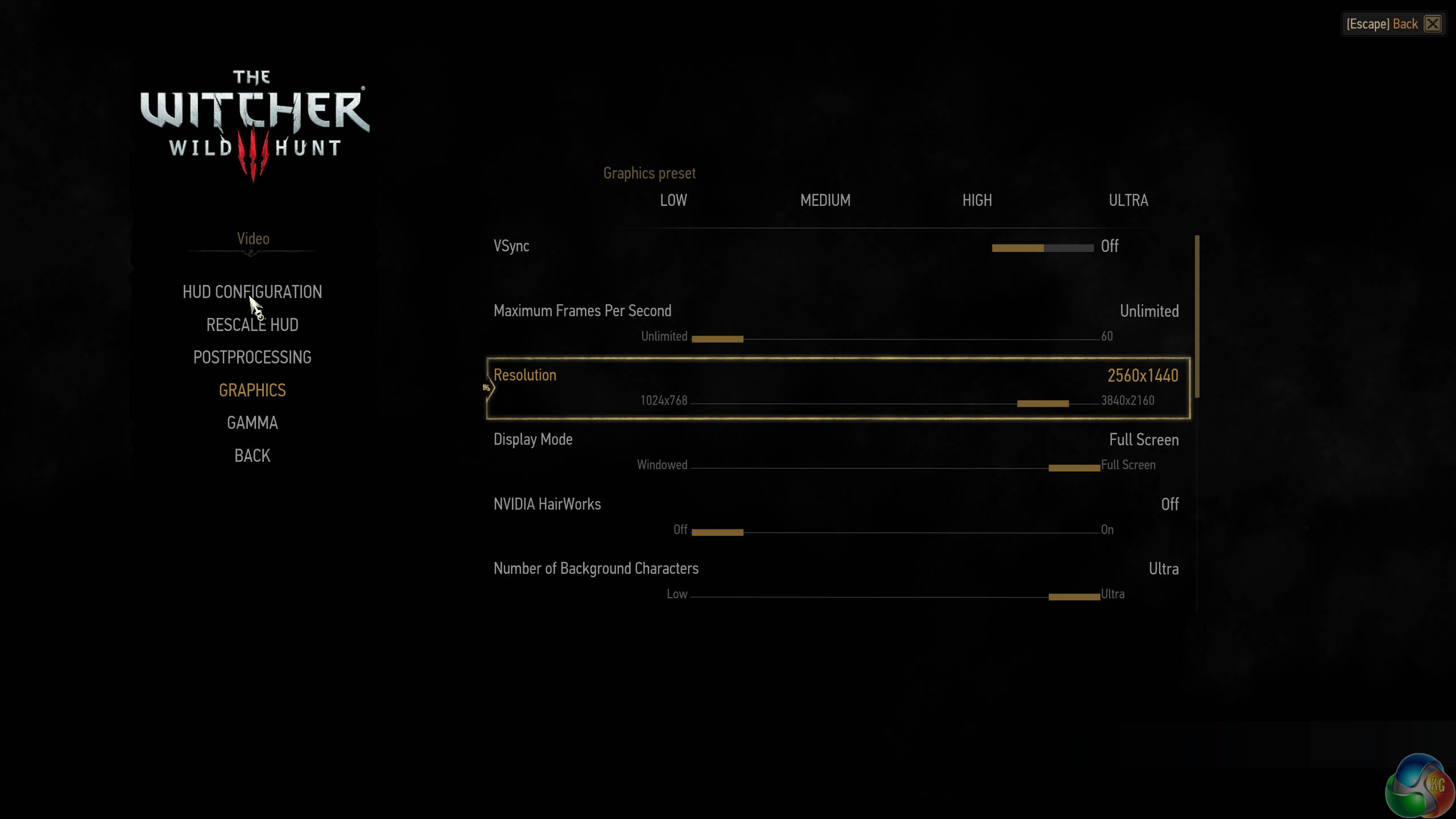
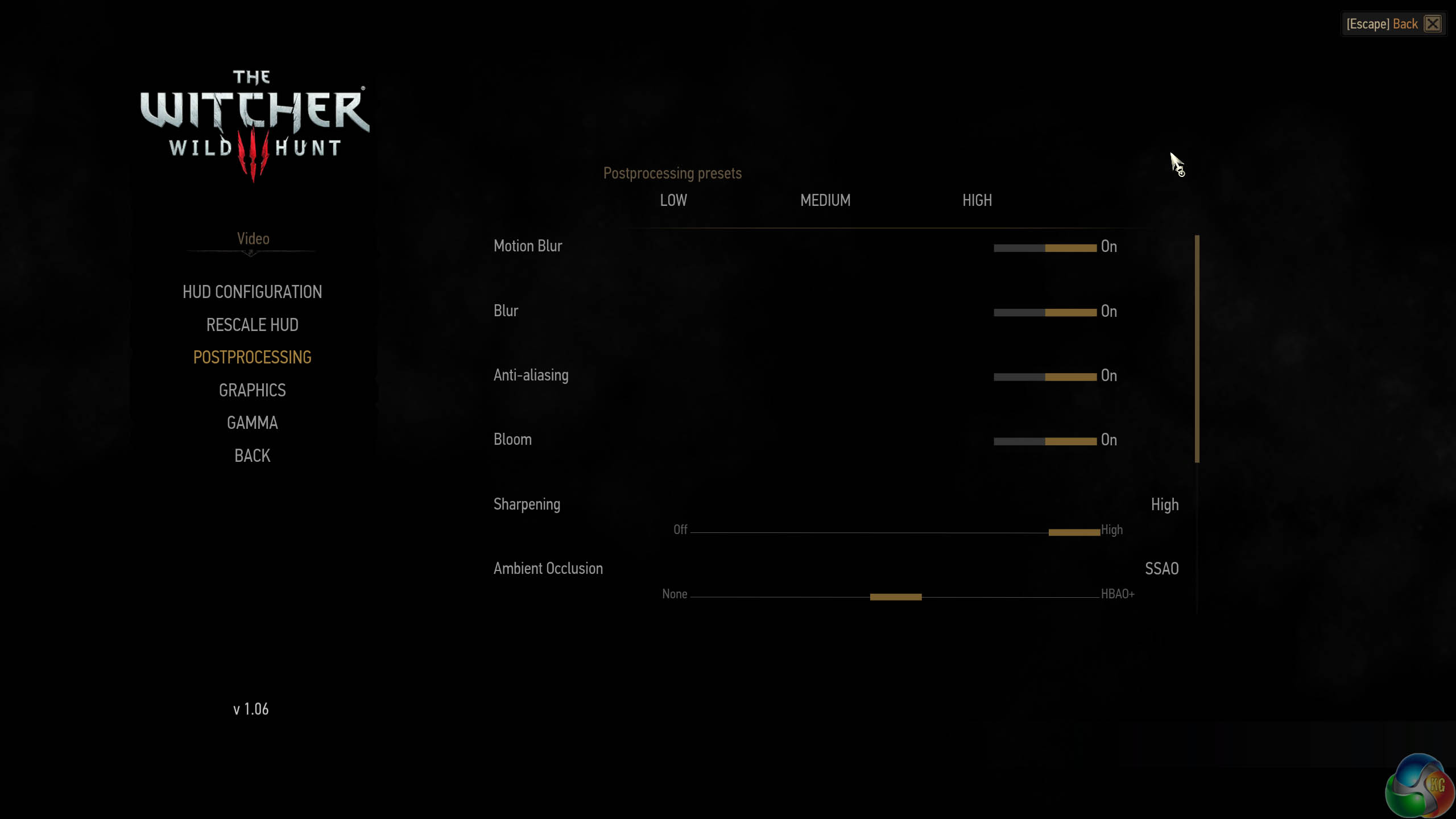
We test with the highest image quality settings, although I have disabled the Nvidia Hairworks option specifically as it does kill frame rate on many cards. Graphics Preset is on ULTRA and Postprocessing is on HIGH.
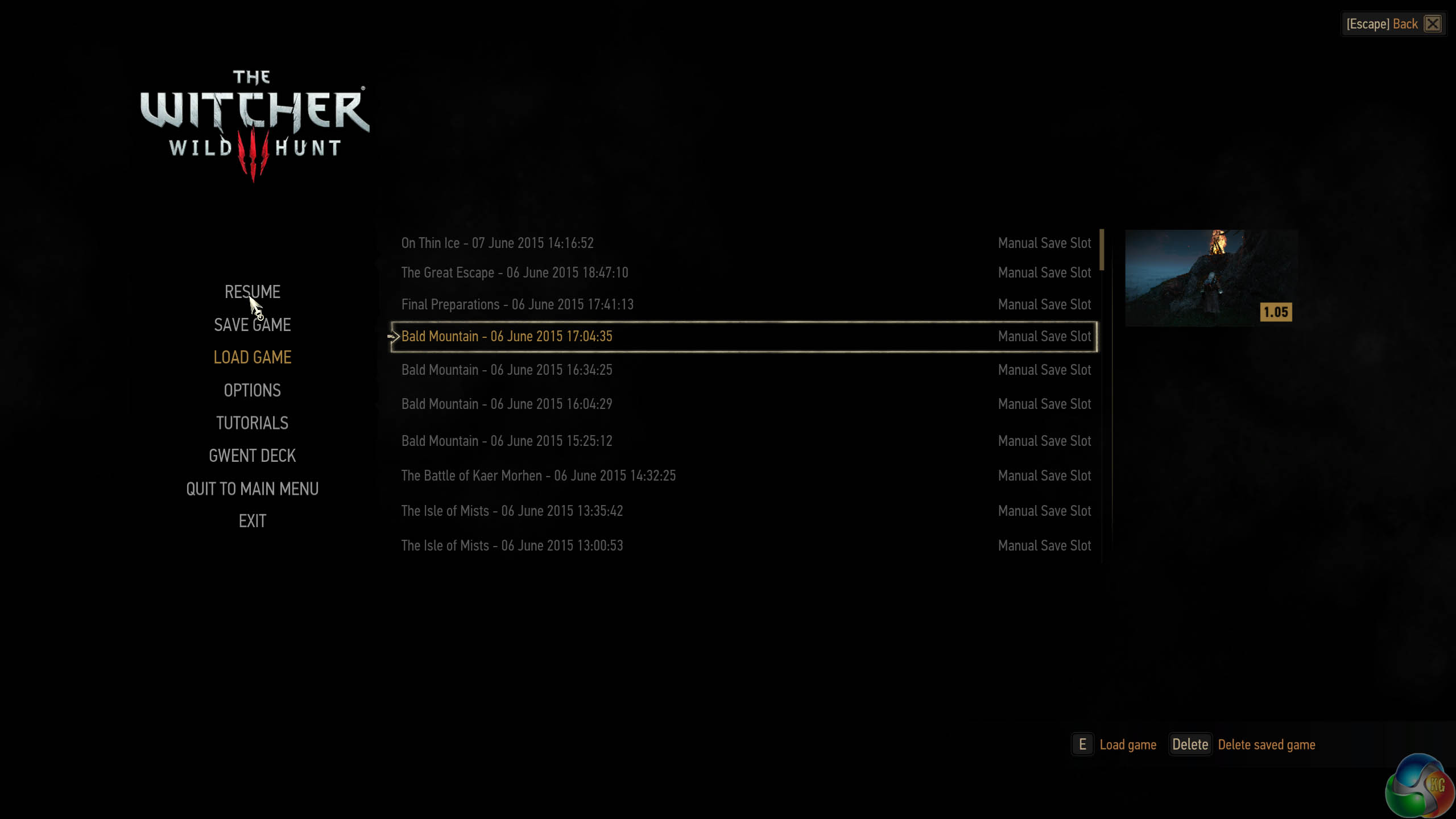
I have played The Witcher 3 for around 85 hours and I have completed the single player campaign. I tested the game today by playing 4 different save game stages for 5 minutes each, then averaging the frame rate results for a real world indication of performance – one of the map sections we tested is one of the most demanding in the game and our results can be considered strictly ‘worst case'. The Witcher 3 is a dynamic world, so it is important to run tests multiple times to remove any discrepancies.
This is one of the greatest PC games ever released in my opinion, so I spent around a total of 48 hours benchmarking it for this review alone – it should be on your must have list, if you don't have it already.
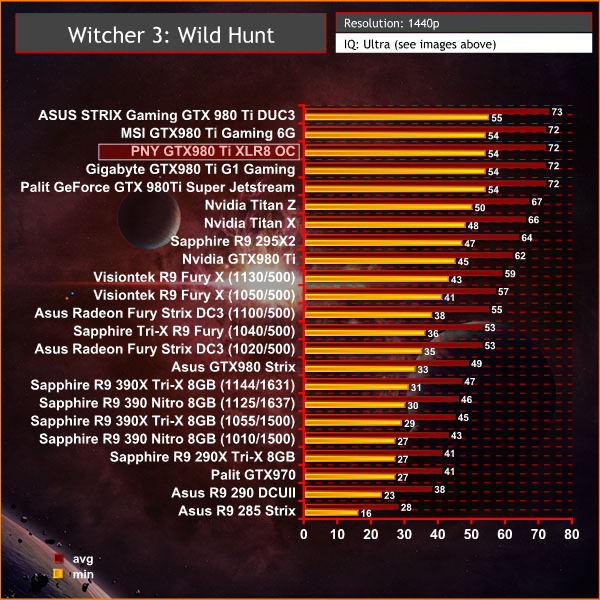
The Witcher 3: Wild Hunt is a great game and it runs very well on Nvidia cards. Of particular interest today are the improved results from the AMD R9 295X2 – finally AMD have fixed the Crossfire profile, even if it seems to have taken an inordinate amount of time. It doesn't quite outperform the Titan X at 1440p, but we expect better results at 4K on the next page.
The Witcher 3: Wild Hunt (Polish: Wiedźmin 3: Dziki Gon) is an action role-playing video game set in an open world environment, developed by Polish video game developer CD Projekt RED. The Witcher 3: Wild Hunt concludes the story of the witcher Geralt of Rivia, the series’ protagonist, whose story to date has been covered in the previous versions. Continuing from The Witcher 2, the ones who sought to use Geralt are now gone. Geralt seeks to move on with his own life, embarking on a new and personal mission whilst the world order itself is coming to a change.
Geralt’s new mission comes in dark times as the mysterious and otherworldly army known as the Wild Hunt invades the Northern Kingdoms, leaving only blood soaked earth and fiery ruin in its wake; and it seems the Witcher is the key to stopping their cataclysmic rampage. (Wikipedia).
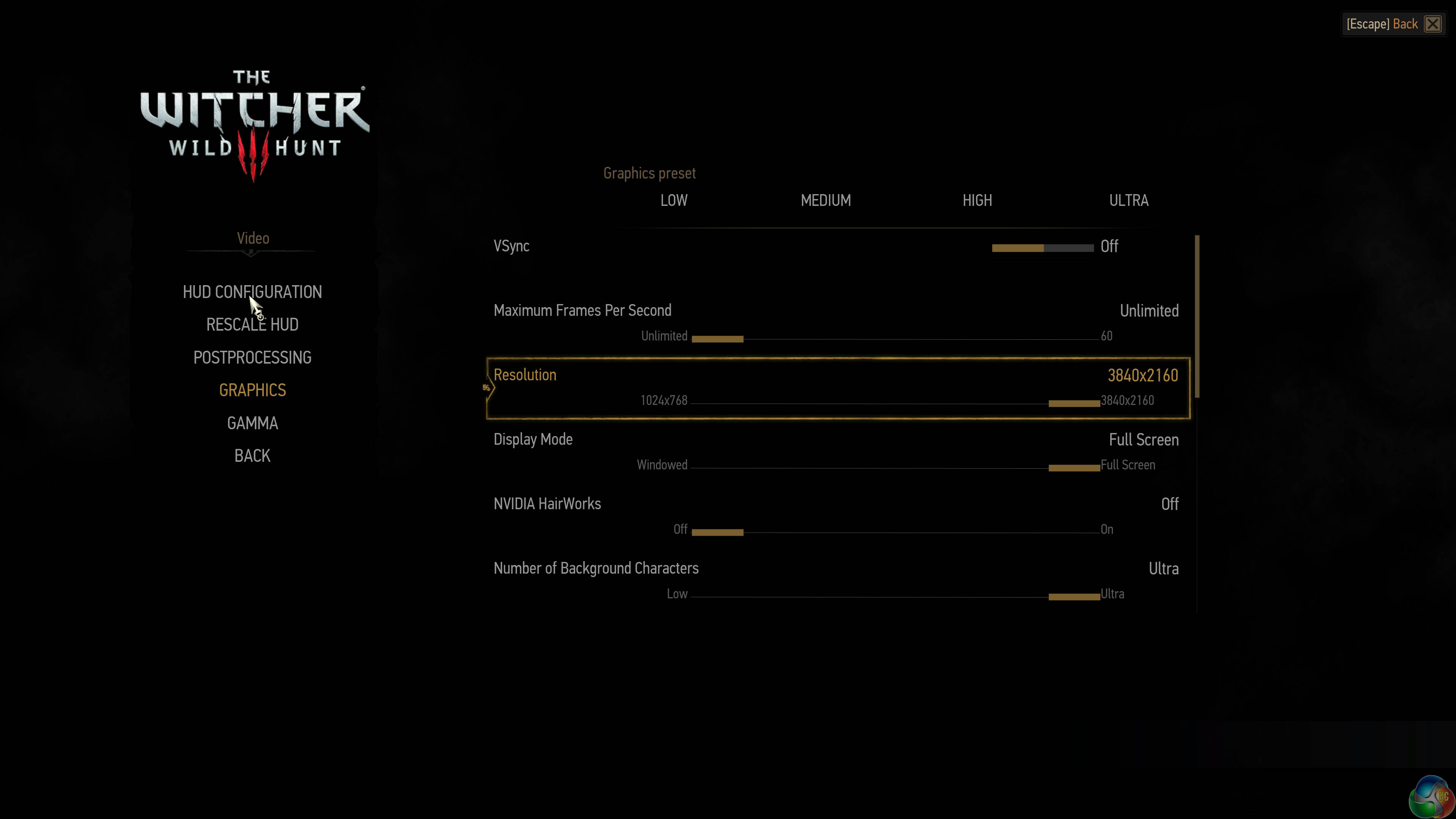
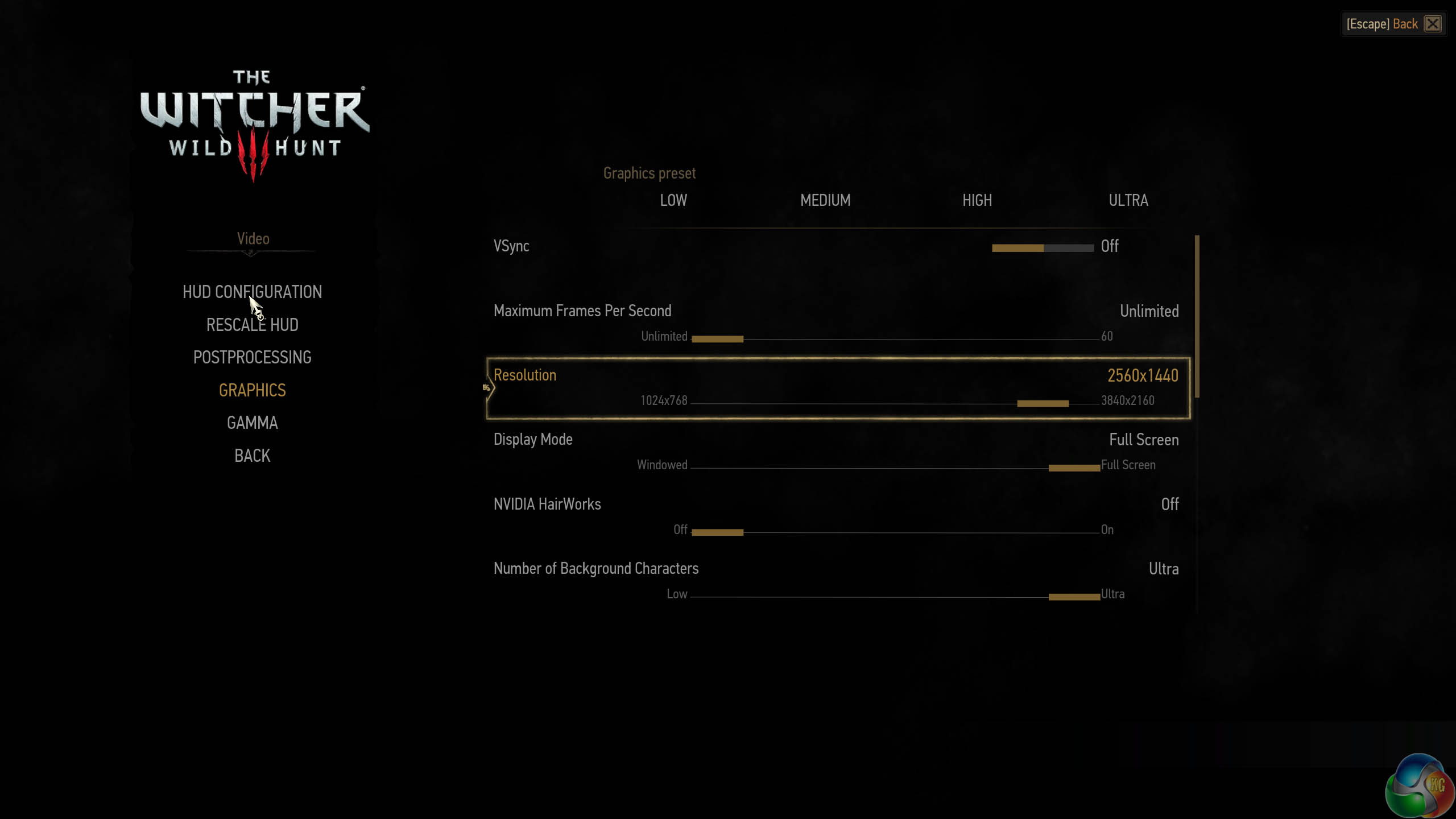
We test with the highest image quality settings, although I have disabled the Nvidia Hairworks option specifically as it does kill frame rate on many cards. Graphics Preset is on ULTRA and Postprocessing is on HIGH.
I have played The Witcher 3 for around 85 hours and I have completed the single player campaign. I tested the game today by playing 4 different save game stages for 5 minutes each, then averaging the frame rate results for a real world indication of performance – one of the map sections we tested is one of the most demanding in the game and our results can be considered strictly ‘worst case'. The Witcher 3 is a dynamic world, so it is important to run tests multiple times to remove any discrepancies.
This is one of the greatest PC games ever released in my opinion, so I spent around a total of 48 hours benchmarking it for this review alone – it should be on your must have list, if you don't have it already.
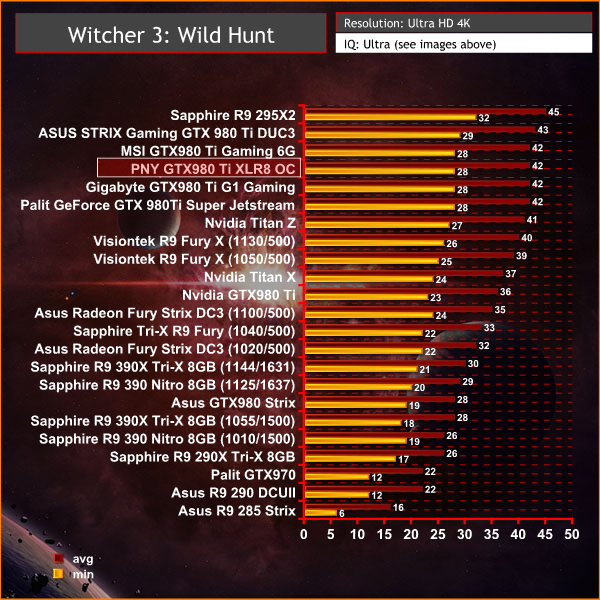
No problems powering the engine at 4K resolutions. We can see the latest 15.7 driver from AMD has fixed Witcher 3 Crossfire performance – and the R9 295X2 jumps from a low position in our table, to top spot.Grand Theft Auto V is an action-adventure game played from either a first-person or third-person view. Players complete missions—linear scenarios with set objectives—to progress through the story.
Outside of missions, players can freely roam the open world. Composed of the San Andreas open countryside area and the fictional city of Los Santos, the world of Grand Theft Auto V is much larger in area than earlier entries in the series.
The world may be fully explored from the beginning of the game without restrictions, although story progress unlocks more gameplay content. (Wikipedia).
We maximised every slider – FXAA was enabled, although we left all other Anti Aliasing settings disabled – based on reader feedback from previous reviews. ‘Ignore Suggested Limits’ was turned ‘ON’.
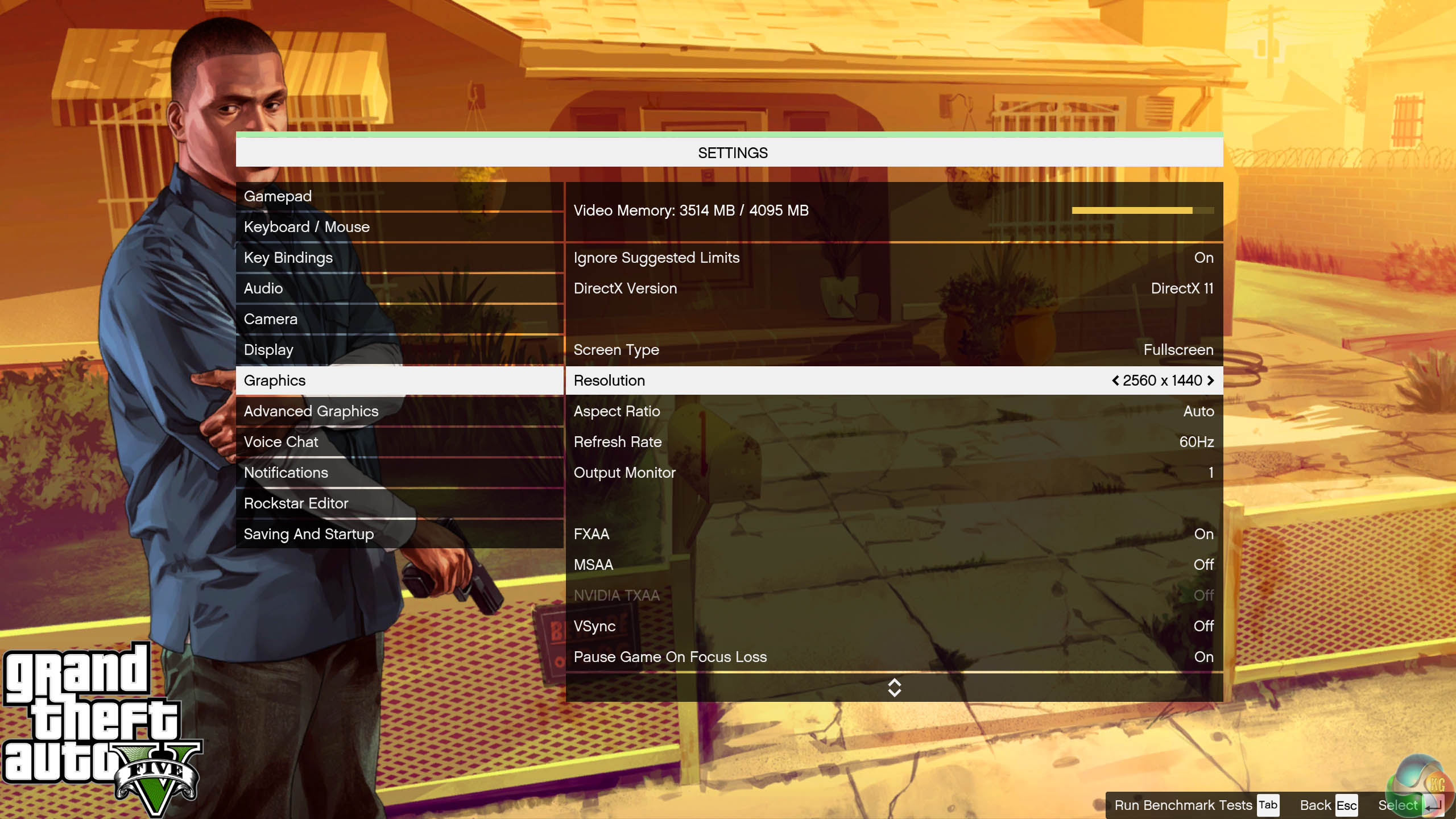

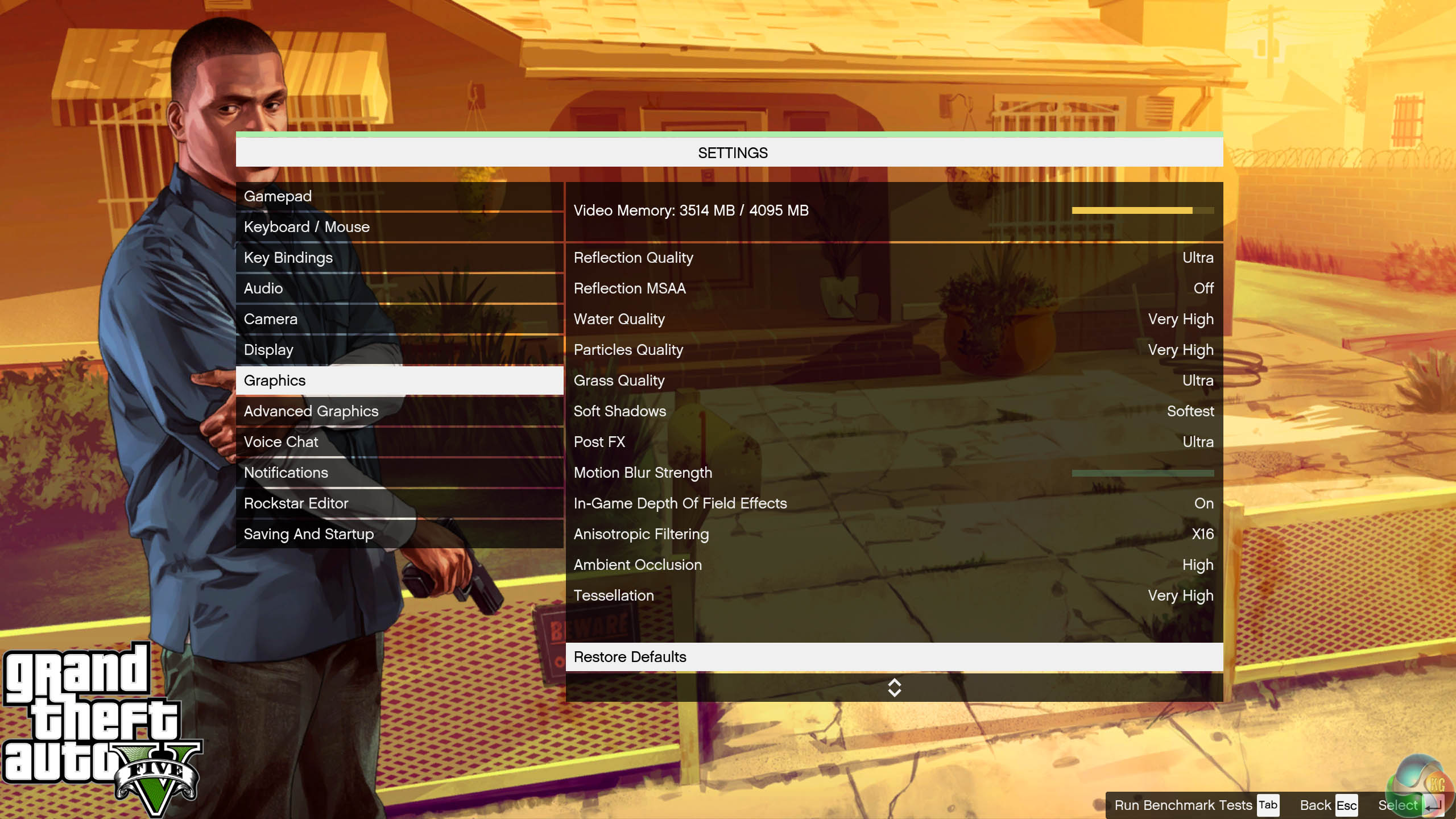
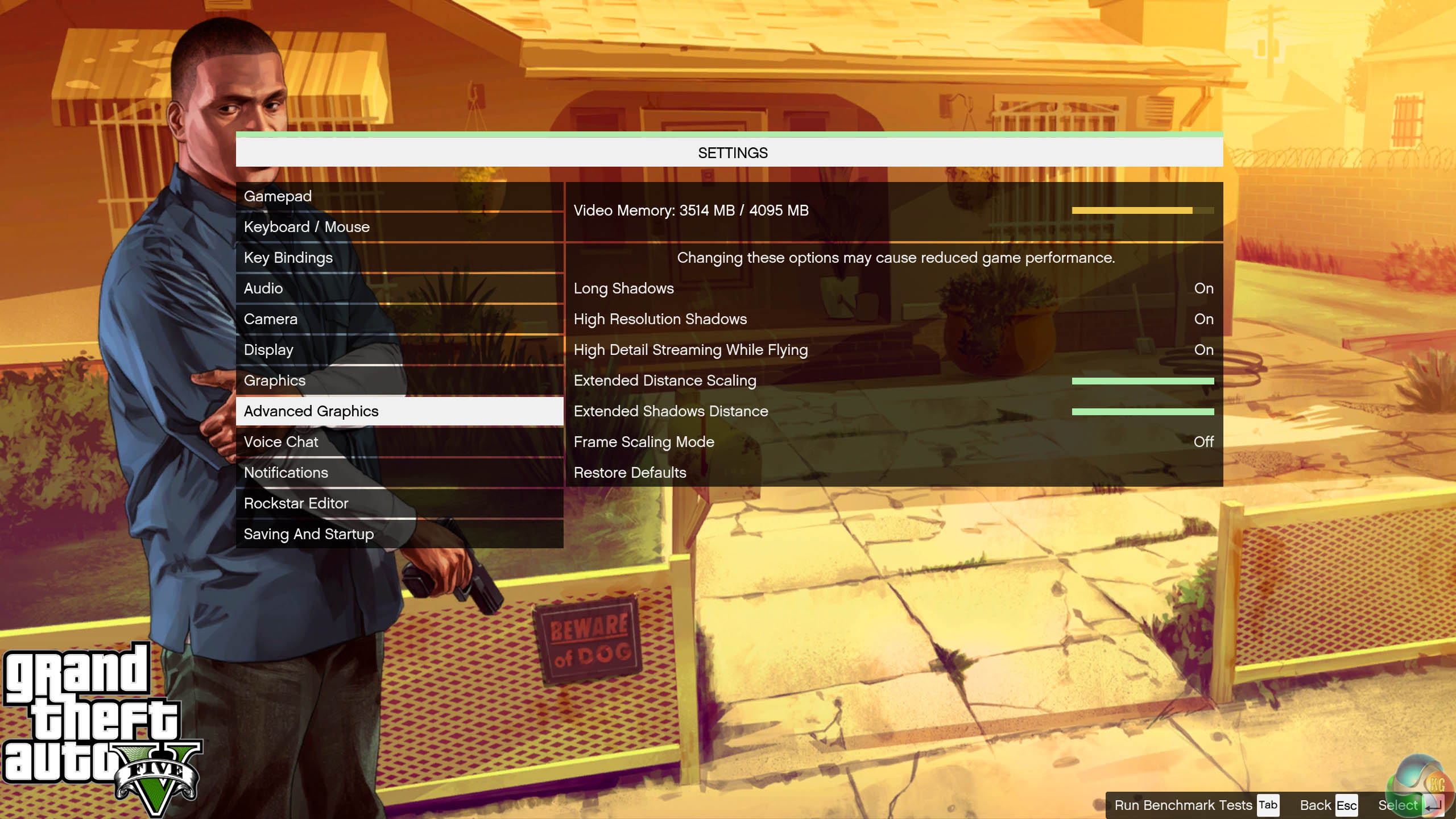
We found some intensive sections of the Grand Theft Auto 5 world and tested each card multiple times to confirm accuracy. The game demanded around 3.5GB of GPU memory at 1440p and just over 4GB at 4K.
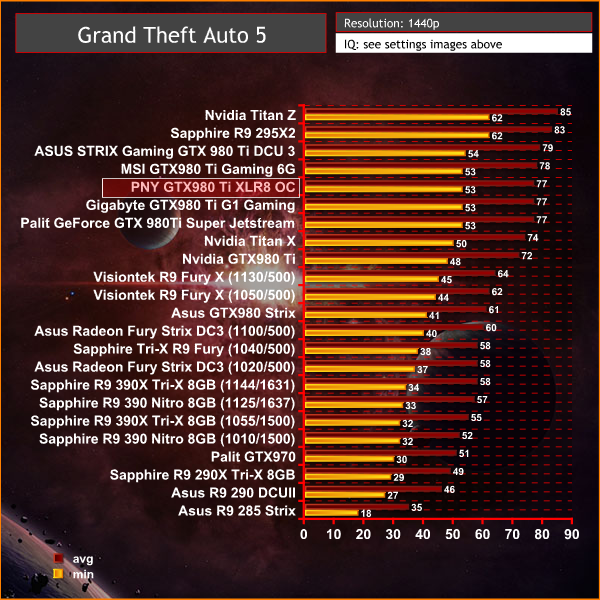
No problems powering this engine at 1440p, even with the image quality settings maxed.
Grand Theft Auto V is an action-adventure game played from either a first-person or third-person view. Players complete missions—linear scenarios with set objectives—to progress through the story.
Outside of missions, players can freely roam the open world. Composed of the San Andreas open countryside area and the fictional city of Los Santos, the world of Grand Theft Auto V is much larger in area than earlier entries in the series.
The world may be fully explored from the beginning of the game without restrictions, although story progress unlocks more gameplay content. (Wikipedia).
We maximised every slider – FXAA was enabled, although we left all other Anti Aliasing settings disabled – based on reader feedback from previous reviews. ‘Ignore Suggested Limits’ was turned ‘ON’.
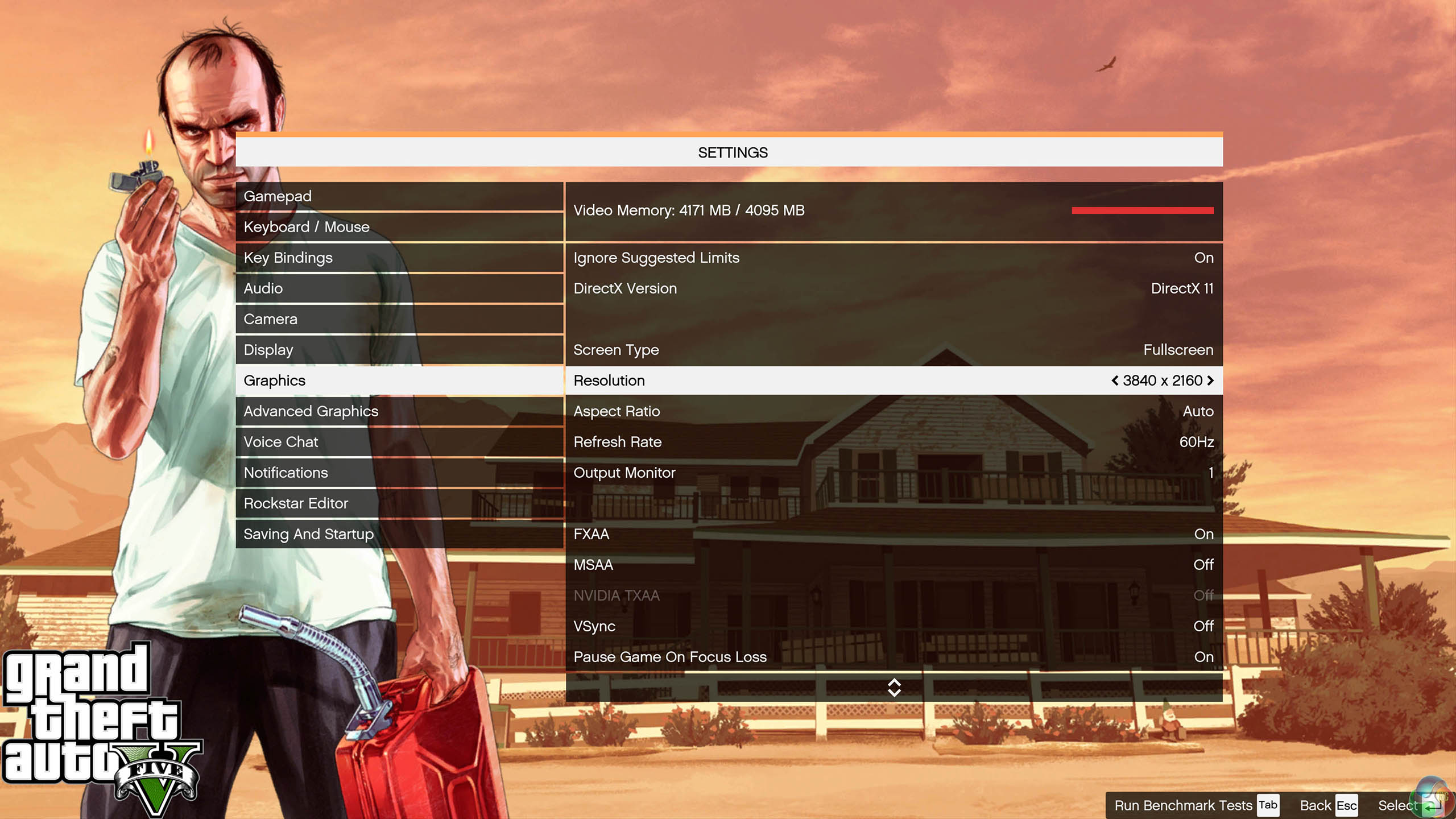
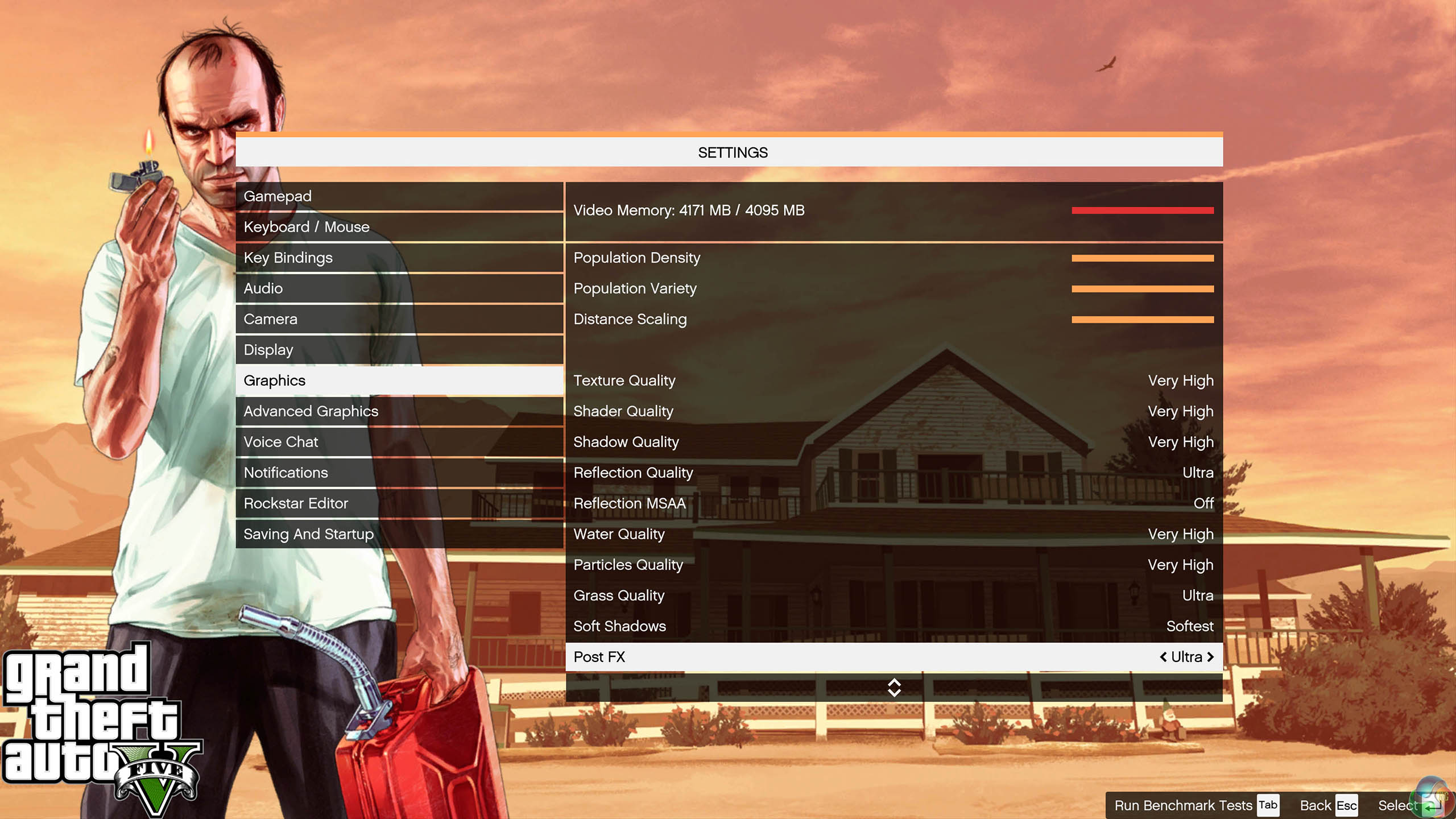
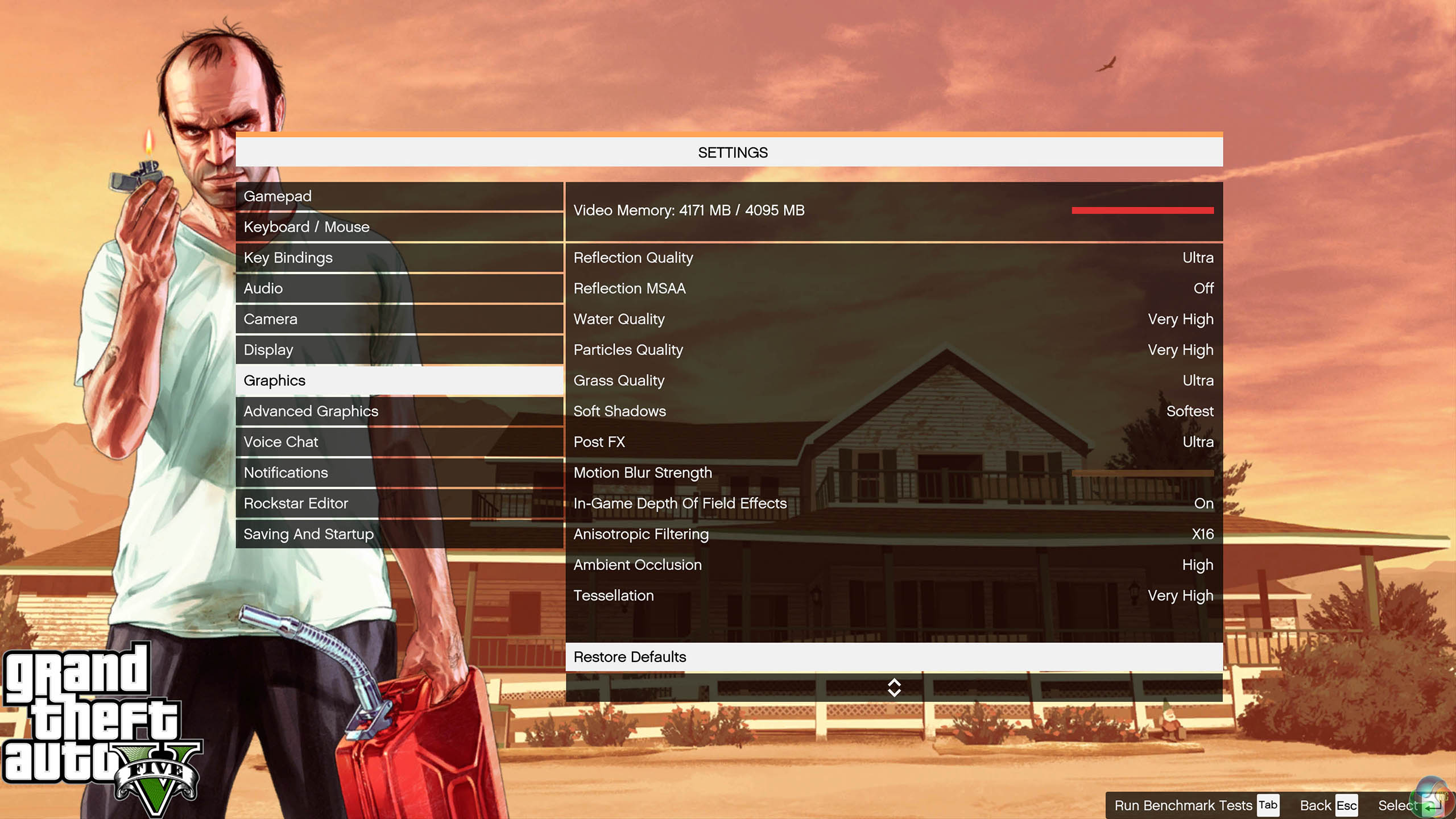
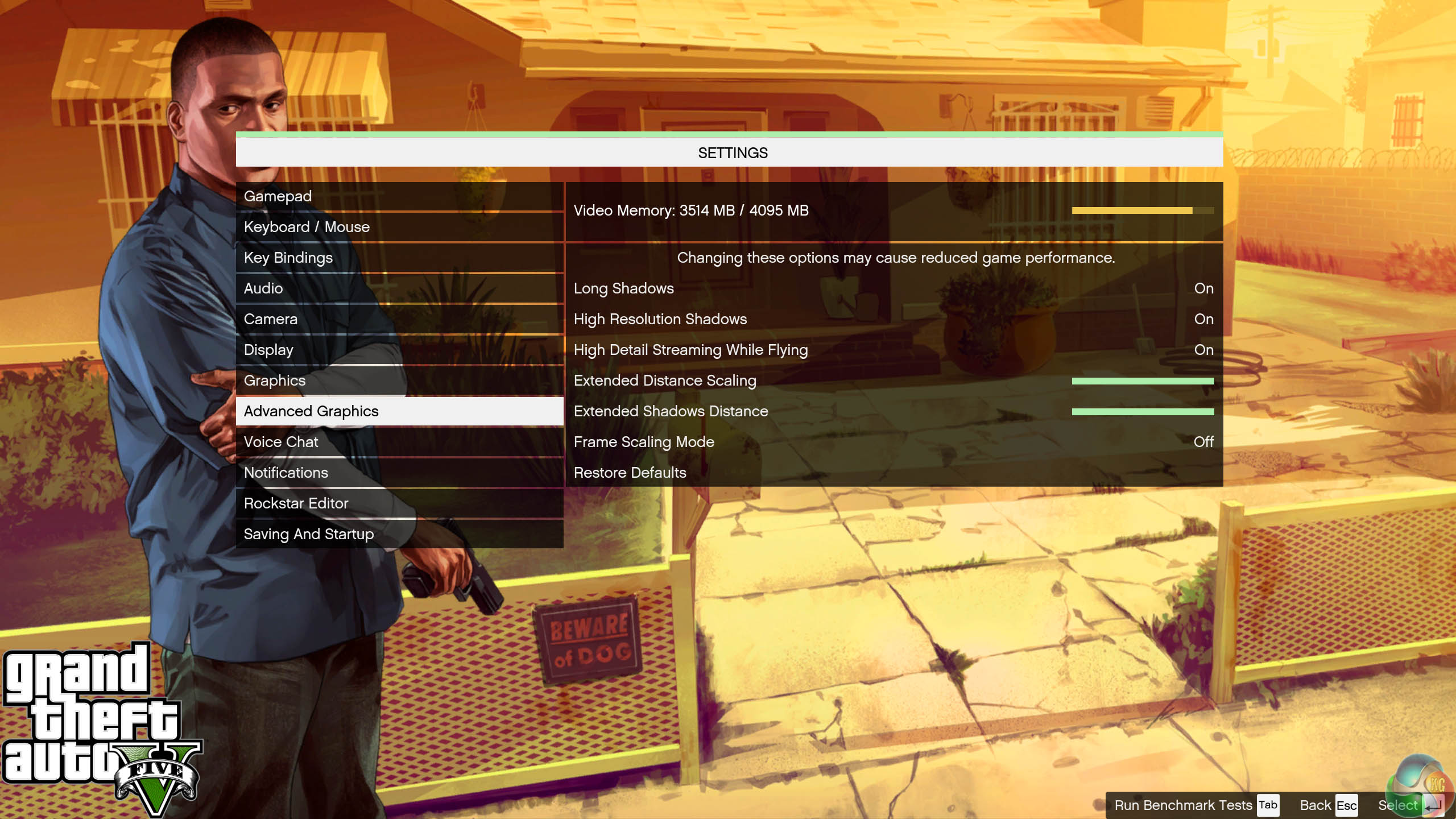
We found some intensive sections of the Grand Theft Auto 5 world and tested each card multiple times to confirm accuracy. The game demanded around 3.5GB of GPU memory at 1440p and just over 4GB at 4K.
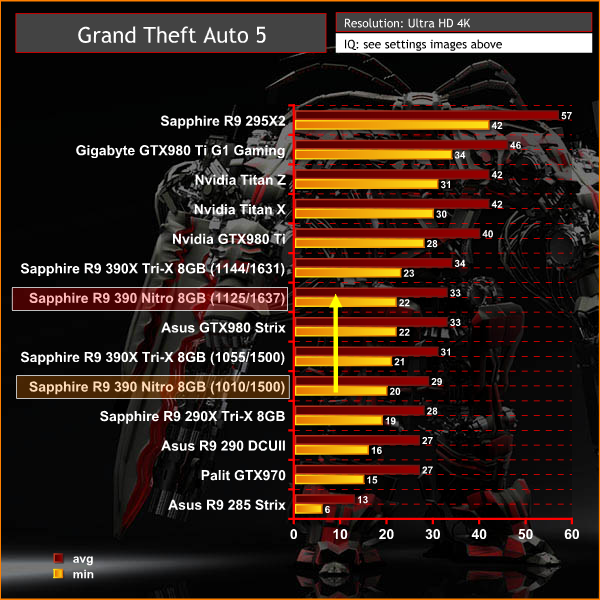
A solid gaming experience averaging just under 50 frames per second. Adding another card for SLI reaps reward with this engine and would increase frame rates to 60+ at all times.
On May 22, 2014, a Redux version of Metro Last Light was announced. It was released on August 26, 2014 in North America and August 29, 2014 in Europe for the PC, PlayStation 4 and Xbox One. Redux adds all the DLC and graphical improvements. A compilation package, titled Metro Redux, was released at the same time which includes Last Light and 2033. (Wikipedia). We test with following settings: Quality-Very High, SSAA-off, Texture Filtering-16x, Motion Blur-Normal, Tessellation-Normal, Advanced Physx-off.
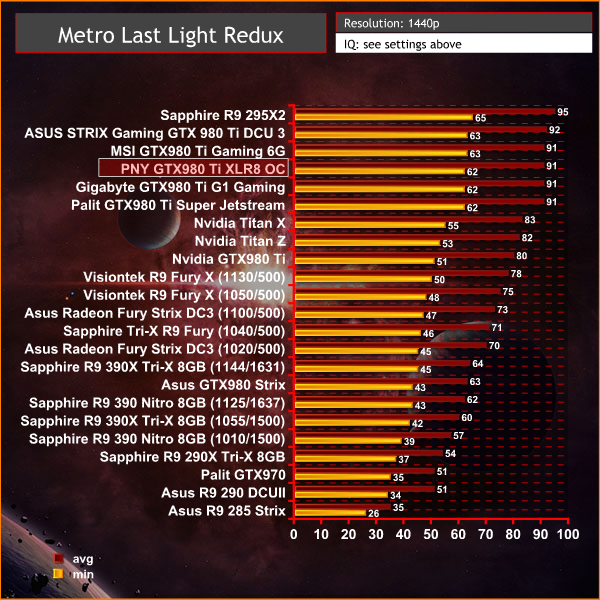
A demanding engine at these settings, however the GTX980 Ti's have no problems generating super smooth frame rates. 4K will be the bigger test.
On May 22, 2014, a Redux version of Metro Last Light was announced. It was released on August 26, 2014 in North America and August 29, 2014 in Europe for the PC, PlayStation 4 and Xbox One. Redux adds all the DLC and graphical improvements. A compilation package, titled Metro Redux, was released at the same time which includes Last Light and 2033. (Wikipedia). We test with following settings: Quality- High, SSAA-off, Texture Filtering-16x, Motion Blur-Normal, Tessellation-Normal, Advanced Physx-off.
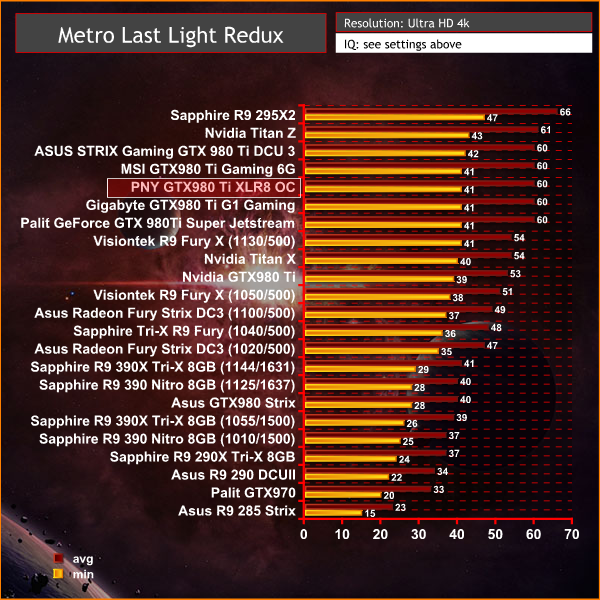
Performance from the overclocked GTX980 Ti's is fantastic, scoring at the top of the chart, just behind the R9 295X2.
The tests were performed in a controlled air conditioned room with temperatures maintained at a constant 23c – a comfortable environment for the majority of people reading this.Idle temperatures were measured after sitting at the desktop for 30 minutes. Load measurements were acquired by playing Crysis Warhead for 30 minutes and measuring the peak temperature. We also have included Furmark results, recording maximum temperatures throughout a 30 minute stress test. All fan settings were left on automatic.
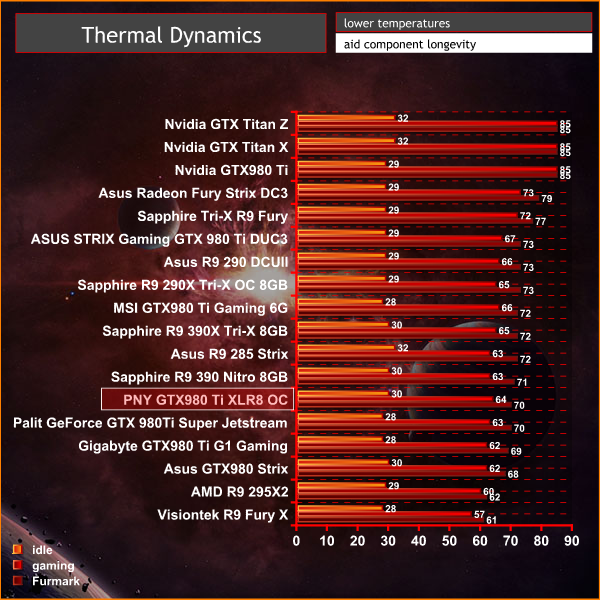
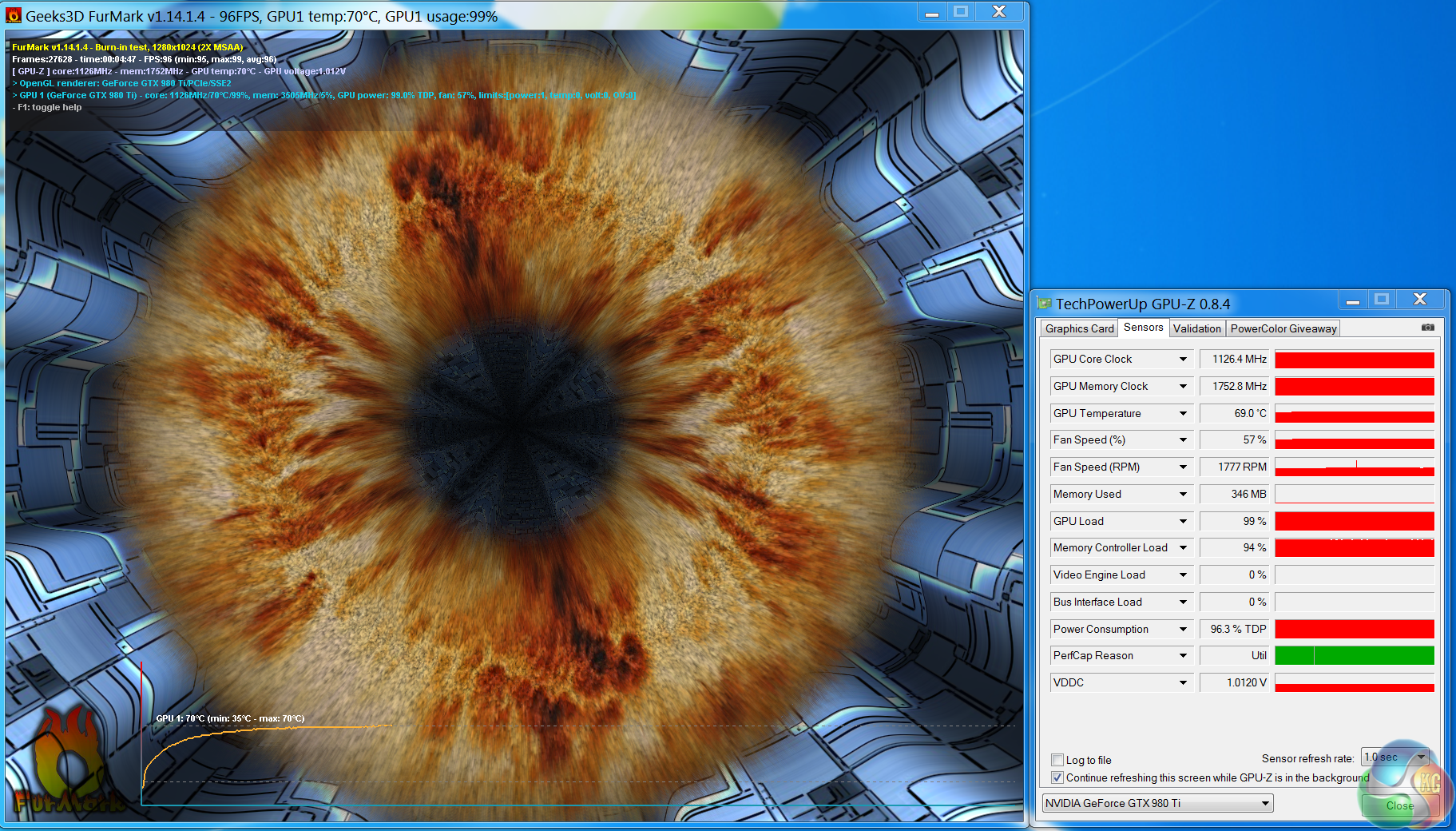
The cooler on the PNY GTX980 Ti XLR8 card is very capable, holding temperatures around 64c when gaming.
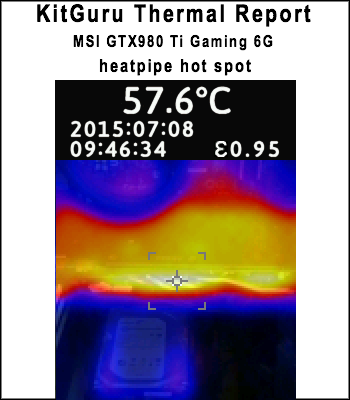
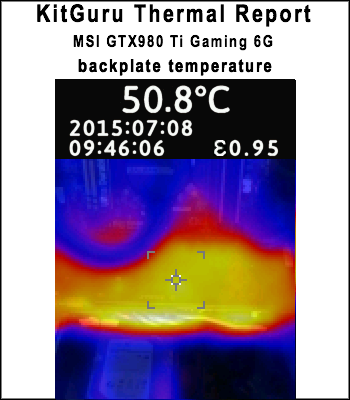
We install the graphics card into our system and measure temperatures on the back of the PCB with our Fluke Visual IR Thermometer/Infrared Thermal Camera. This is a real world running environment.
Details shown below.
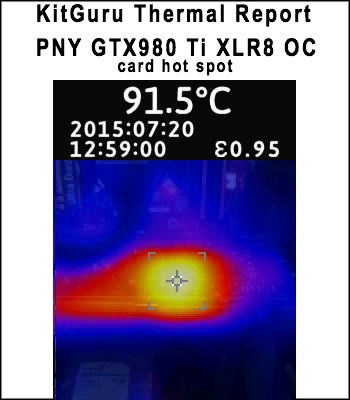
The lack of backplate on the PNY GTX980 Ti XLR8 OC is clearly evident – the card exhibits a hot spot, hitting almost 92c under gaming load. I don't understand why PNY have opted to not add a backplate – this is the only partner card we have tested, without one.
Most of the custom GTX980 Ti's we have tested with a backplate in place are running 20c+ cooler than this on the rear of the PCB.
We have built a system inside a Lian Li chassis with no case fans and have used a fanless cooler on our CPU. The motherboard is also passively cooled. This gives us a build with almost completely passive cooling and it means we can measure noise of just the graphics card inside the system when we run looped 3dMark tests.
We measure from a distance of around 1 meter from the closed chassis and 4 foot from the ground to mirror a real world situation. Ambient noise in the room measures close to the limits of our sound meter at 28dBa. Why do this? Well this means we can eliminate secondary noise pollution in the test room and concentrate on only the video card. It also brings us slightly closer to industry standards, such as DIN 45635.
KitGuru noise guide
10dBA – Normal Breathing/Rustling Leaves
20-25dBA – Whisper
30dBA – High Quality Computer fan
40dBA – A Bubbling Brook, or a Refrigerator
50dBA – Normal Conversation
60dBA – Laughter
70dBA – Vacuum Cleaner or Hairdryer
80dBA – City Traffic or a Garbage Disposal
90dBA – Motorcycle or Lawnmower
100dBA – MP3 player at maximum output
110dBA – Orchestra
120dBA – Front row rock concert/Jet Engine
130dBA – Threshold of Pain
140dBA – Military Jet takeoff/Gunshot (close range)
160dBA – Instant Perforation of eardrum
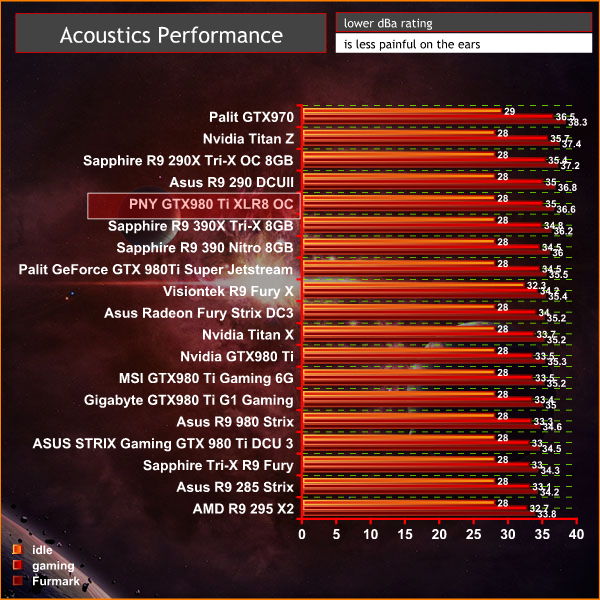
The triple fan profile is set up to be slightly more aggressive than other GTX980 Ti's we have tested. The card is clearly audible under load, but it is not that intrusive due to the fan pitch which is a bonus. If you want a quiet GTX980 Ti then the Asus STRIX Gaming Direct CU III is without question the one to get.
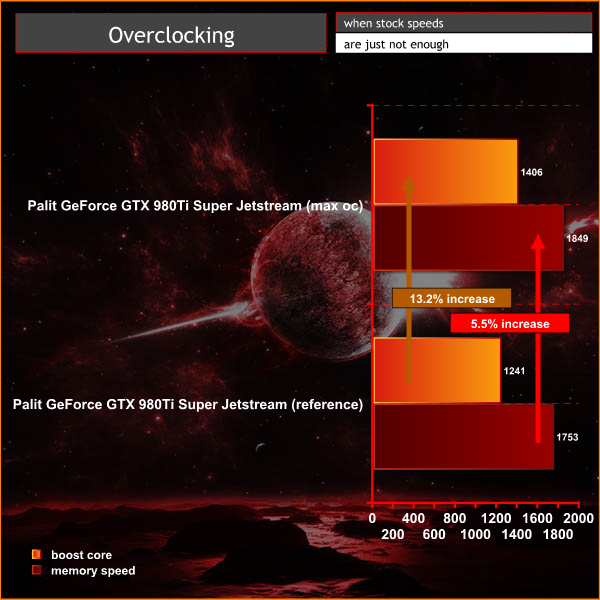
To overclock today, we used the latest version of MSI Afterburner.
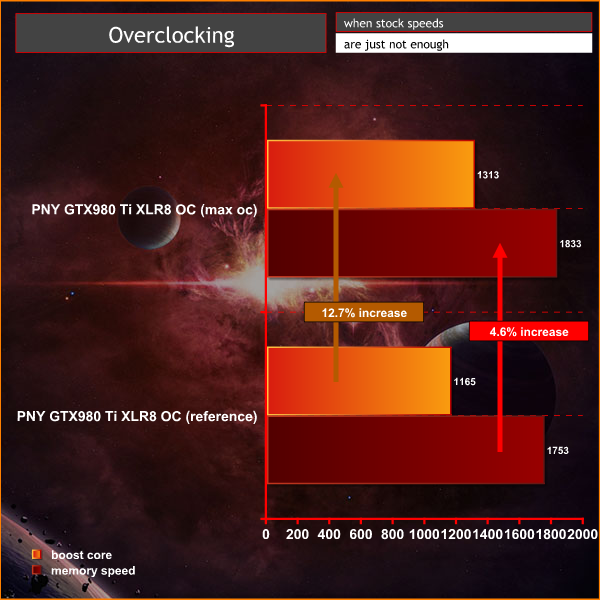
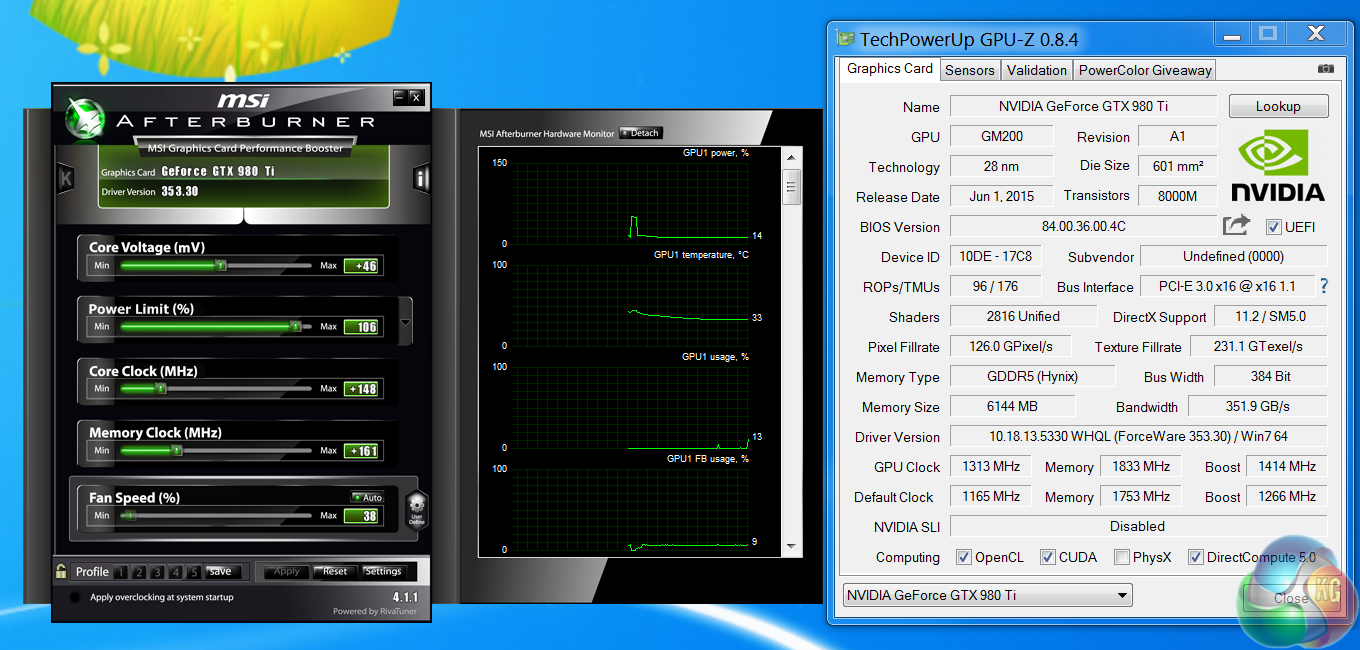
The PNY GTX980 Ti XLR8 OC overclocks pretty well, although not quite as good as some GTX980 Ti's we have tested so far. We managed a 1,414mhz boost speed before artifacting would occur. Increasing core voltage past a certain point didn't provide any benefits. We need to say that every card will overclock to a slightly different level, even from the same production run.
We measure power consumption from the whole system when idle and when gaming, excluding the monitor.
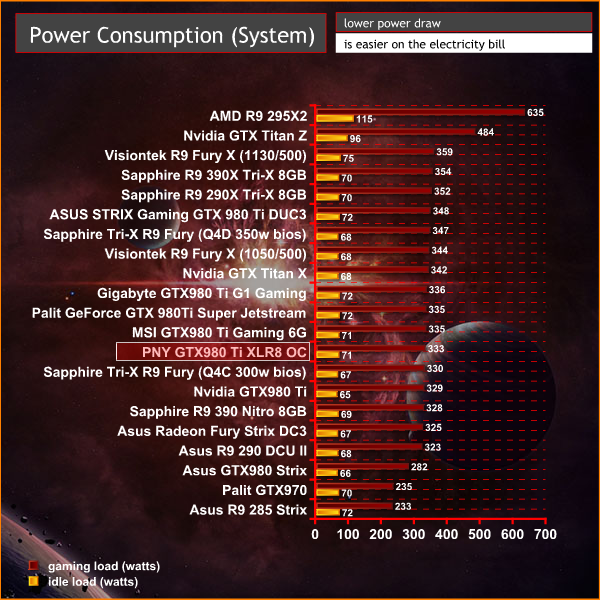
Under gaming load the system consumes 333 watts, which is almost identical to the MSI GTX980 Ti Gaming 6G that we reviewed several weeks ago.
In the last month we have reviewed quite a broad selection of Nvidia GTX980 Ti partner cards from companies such as MSI, Gigabyte, ASUS and Palit. The PNY GTX980 Ti XLR8 OC is clocked quite aggressively and performs just as well as we would expect at 1440p and 4K resolutions.
The PNY GTX980 Ti XLR8 OC faces stiff competition. Competing solutions from Gigabyte G1 Gaming (review HERE) and Asus Strix Direct CU3 (review HERE) also ship with triple fan coolers. The ASUS STRIX card is the quietest of them all, however the Gigabyte G1 Gaming runs the coolest under load. The PNY also doesn't win any outright performance benchmarks from this hardware group, as the ASUS STRIX is clocked the highest out of the box.
When it comes to manually overclocking, the PNY GTX980 Ti XLR8 OC performs at a similar level to both Gigabyte and ASUS, however we do have one major concern with the PNY card – the lack of custom backplate. This may not seem like much, however our thermal imaging camera recorded temperatures around 92c behind the GPU core on the rear of the PCB. By comparison the rear of the ASUS STRIX peaked at 78C close to the core and the Gigabyte G1 Gaming a mere 65C. We don't really understand why PNY would omit a rear backplate as they not only protect sensitive components, but they remove hot spots across the entire length of the PCB.
Right now we have no official confirmed price point for the PNY GTX980 Ti XLR8 OC however we did find their reference GTX980 ti at £569.00 inc vat from Amazon Prime. It is a great card, but it doesn't quite match the best triple fan custom GTX980 Ti solutions from ASUS and Gigabyte.
EDIT: PNY have confirmed the UK pricing will be £549.99 inc vat.
Discuss on our Facebook page, over HERE.
Pros:
- funky colour scheme.
- good out of the box overclock.
- excellent 4K performance.
- HDMI 2.0 support.
Cons:
- No back plate leading to 92C PCB temperatures.
- stiff competition from ASUS and Gigabyte.
- no memory overclock out of the box.
Kitguru says: The PNY GTX980 Ti XLR8 OC is a fantastic graphics card, and a great partner for a new 4K gaming system. If they get the price right it should sell well, but it needs to be less expensive than Gigabyte G1 Gaming and Asus STRIX GTX980 Ti cards.


->>
>
At those temps, you can start making coffee with your GPU. I guess that could be considered a plus for some.
Here is tips Easy with kitgur’u ********* Here’s Tips
You can make coffee with cold water too but I myself want coffee water boiled like every coffee maker does, and in case you didn’t know, you need 100C for that in normal conditions. Also if you start pumping coffee water on that, it would cool the pcb and your coffee making procedure would act as a water cooling system.
You’re wrong on both coffee points. You can make great cold drip coffee, you just have to use different methods and have a bit of patiences – takes about 8 hours to make a litre of cold drip – and you should not use 100C water unless you want to burn your coffee and ruin all flavors. About 92C is the ideal water temperature for making coffee.
Ask any decent barista or coffee enthousiast and they will tell you the same.
Actually not. Coffee makers do boil the water and then cool it down, because of the mechanics in first point, so you don’t need a pump to get water moving and also because you want to kill bacteria from the water. Ask any coffee maker company and they’ll tell you the same. I didn’t know about 8h coffee things so sorry about that, but could you not make that coffee with any gtx980ti?
Ah, but then you deal with home devices (and I actually do that too, just use the kettle to boil to 100C and then cool down). If I go for a filter coffee, my barista has a water heater that never boils the water, but keeps it at an almost constant temperature just below 100C. And he lent me a kettle once that did the exact same thing. Not sure about his espresso machine though.
And I guess any powerful video card when run at a high enough load can be used to boil water and make coffee. I feel like this would make an interesting casemodding project 🙂