KitGuru KitGuru.net – Tech News | Hardware News | Hardware Reviews | IOS | Mobile | Gaming | Graphics Cards


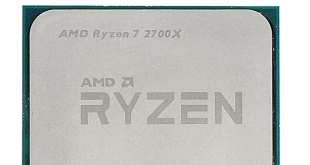
AMD has launched four new 2nd Gen Ryzen CPUs that land one year after we first saw Ryzen 7 in March 2017. You can read our review of the flag chip Ryzen 7 1800X HERE.
Ryzen 7 was major news as AMD delivered 8 cores and 16 threads to the desktop market that trampled all over Intel Skylake and Kaby Lake in terms of productivity and CPU intensive tasks. Not so much, however, in gaming.
The gulf between the AMD and Intel platforms at that time was huge, and that made it relatively easy to decide whether you wanted to go with Team Red or Team Blue. 2nd Gen Ryzen is a completely different matter as it mainly offers refinements of Ryzen based on a die shrink from 14nm LLP to 12nm LP. By contrast Intel still uses 14nm, however 8th Gen Coffee Lake upped the core count from four to six so the divide between AMD and Intel is far narrower now than it was back in 2017.
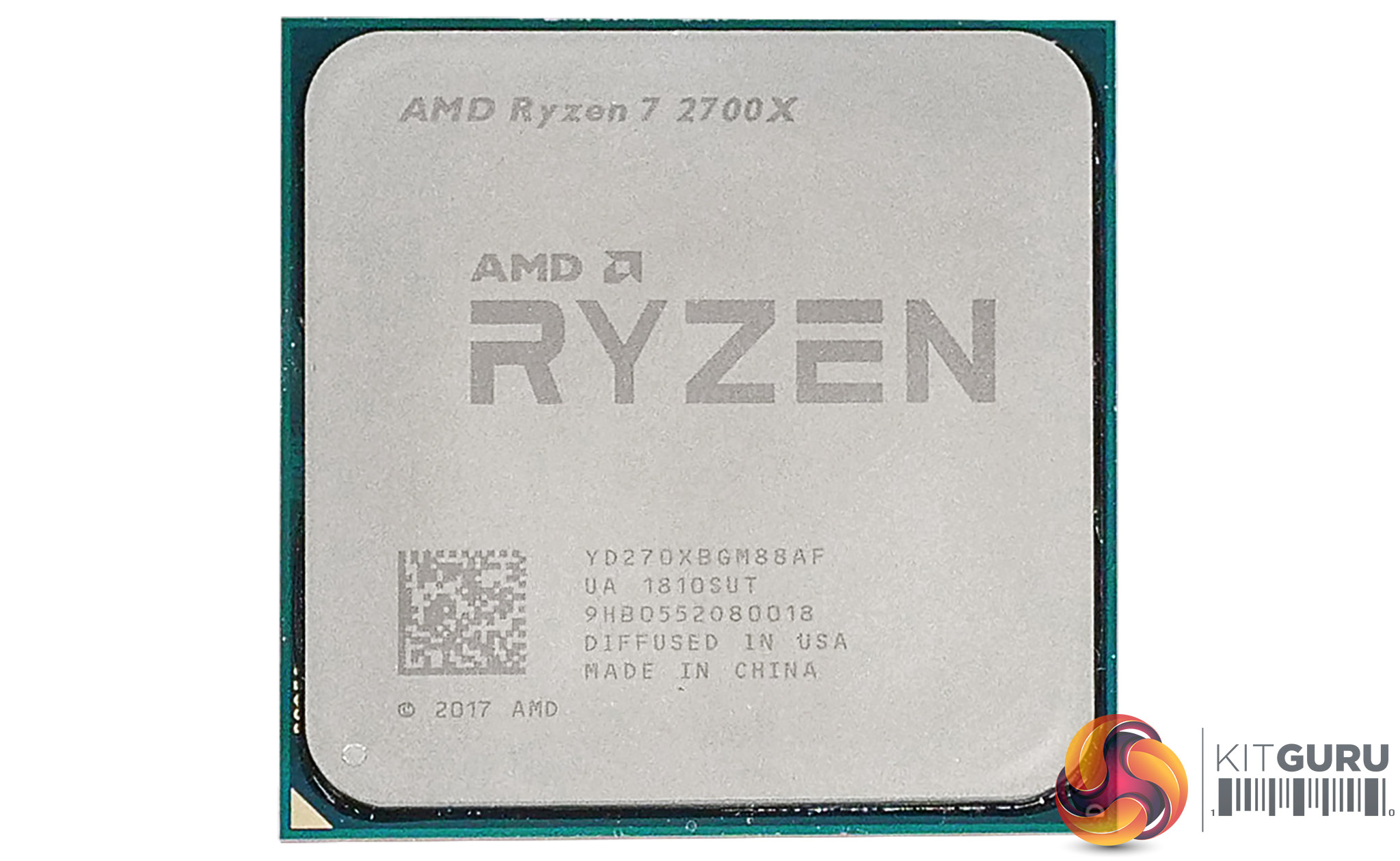
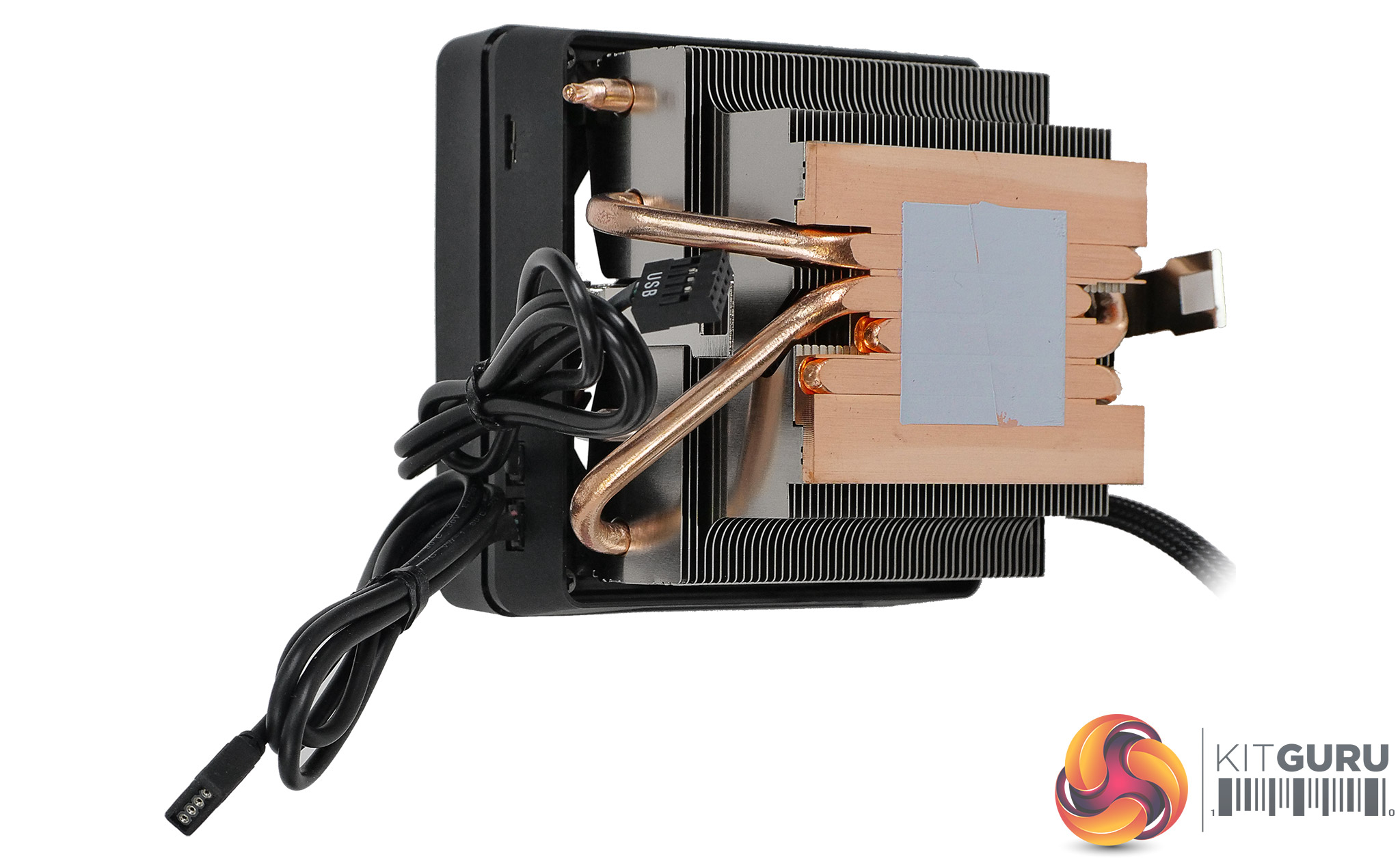
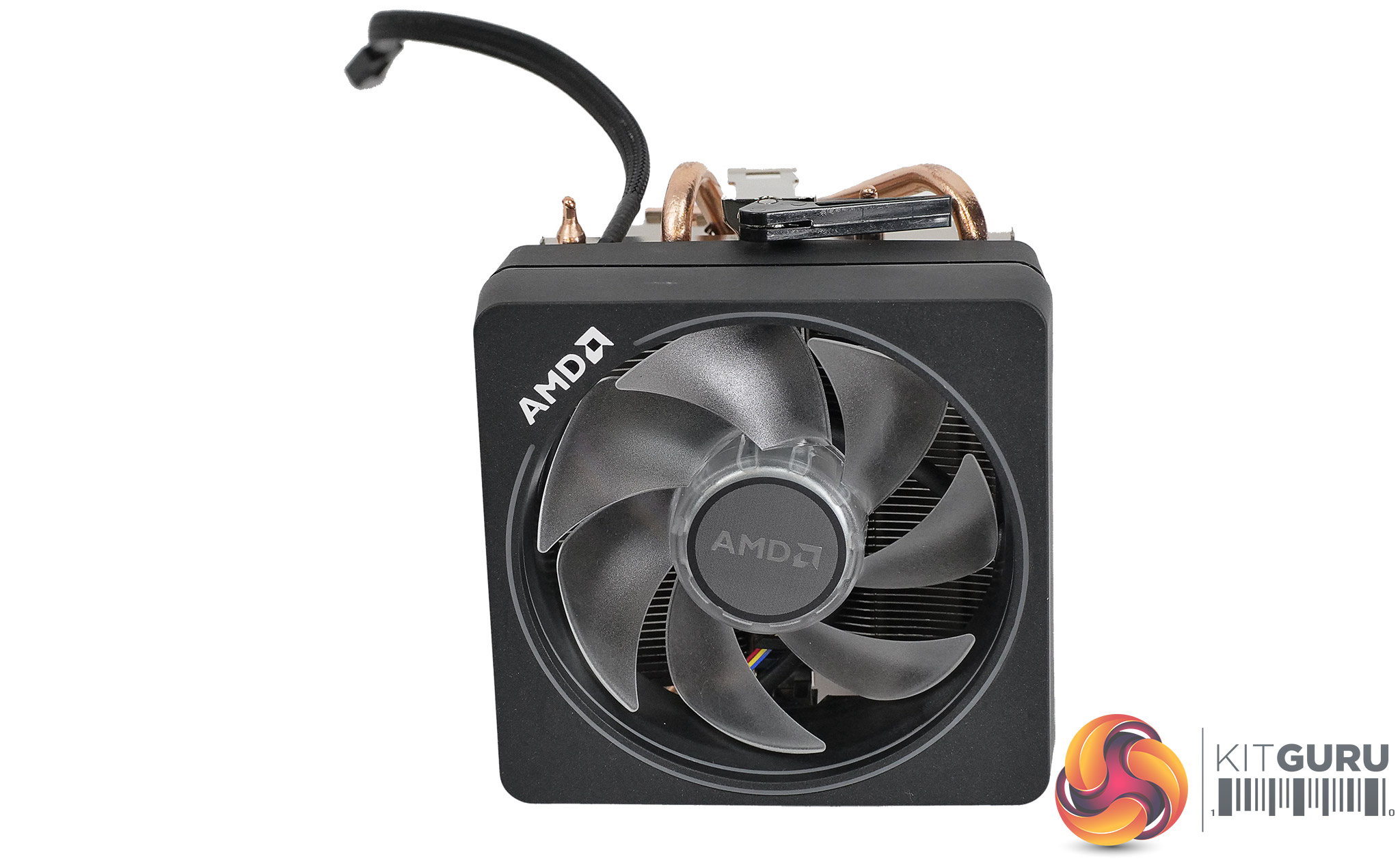
Note: if the above images are not displaying properly, you may need to disable Ad Block as it is known to interfere with our display code.
Ryzen 7 2700X Specification:
- Eight cores with 16 threads
- Base clock: 3.70GHz
- Boost clock: 4.3GHz
- L2 cache 4MB
- L3 cache 16MB
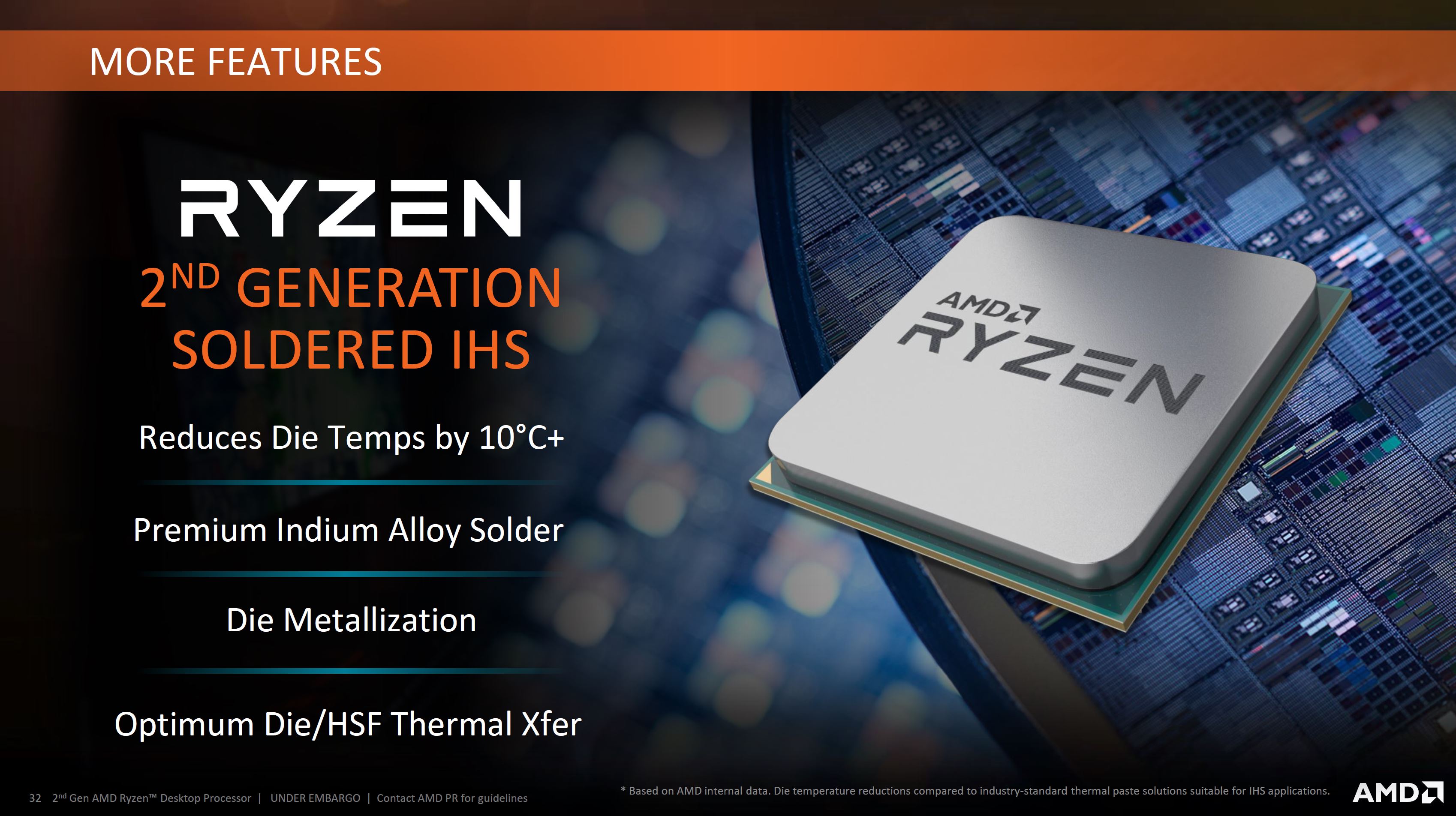
- 12nm FinFet process
- Precision Boost 2
- Extended Frequency Range 2 (XFR2)
- Wraith Prism CPU Cooler included
- Dual Channel DDR4 Controller up to 3600MHz
- TDP: 105W
- Warranty: 3yr
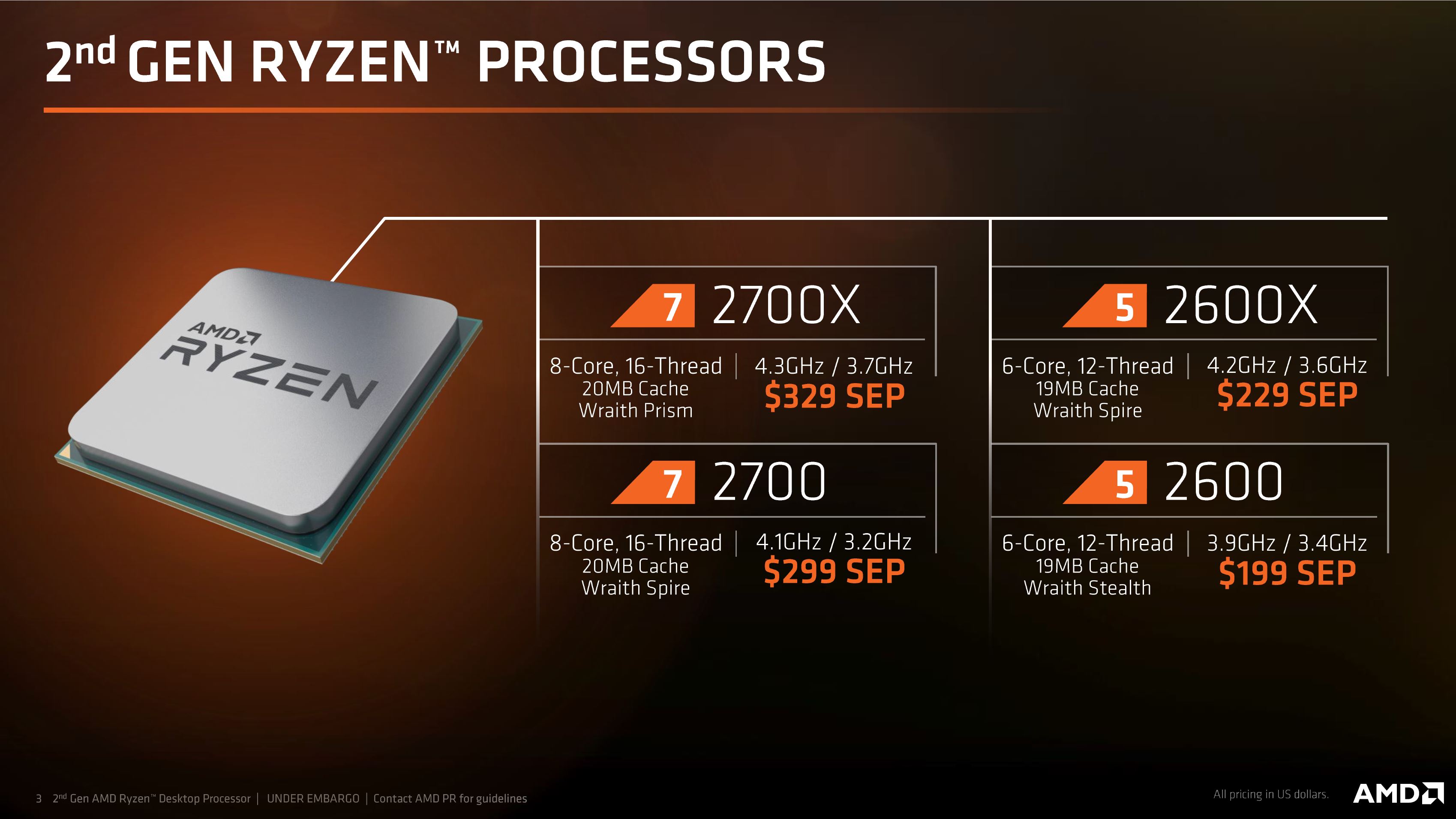
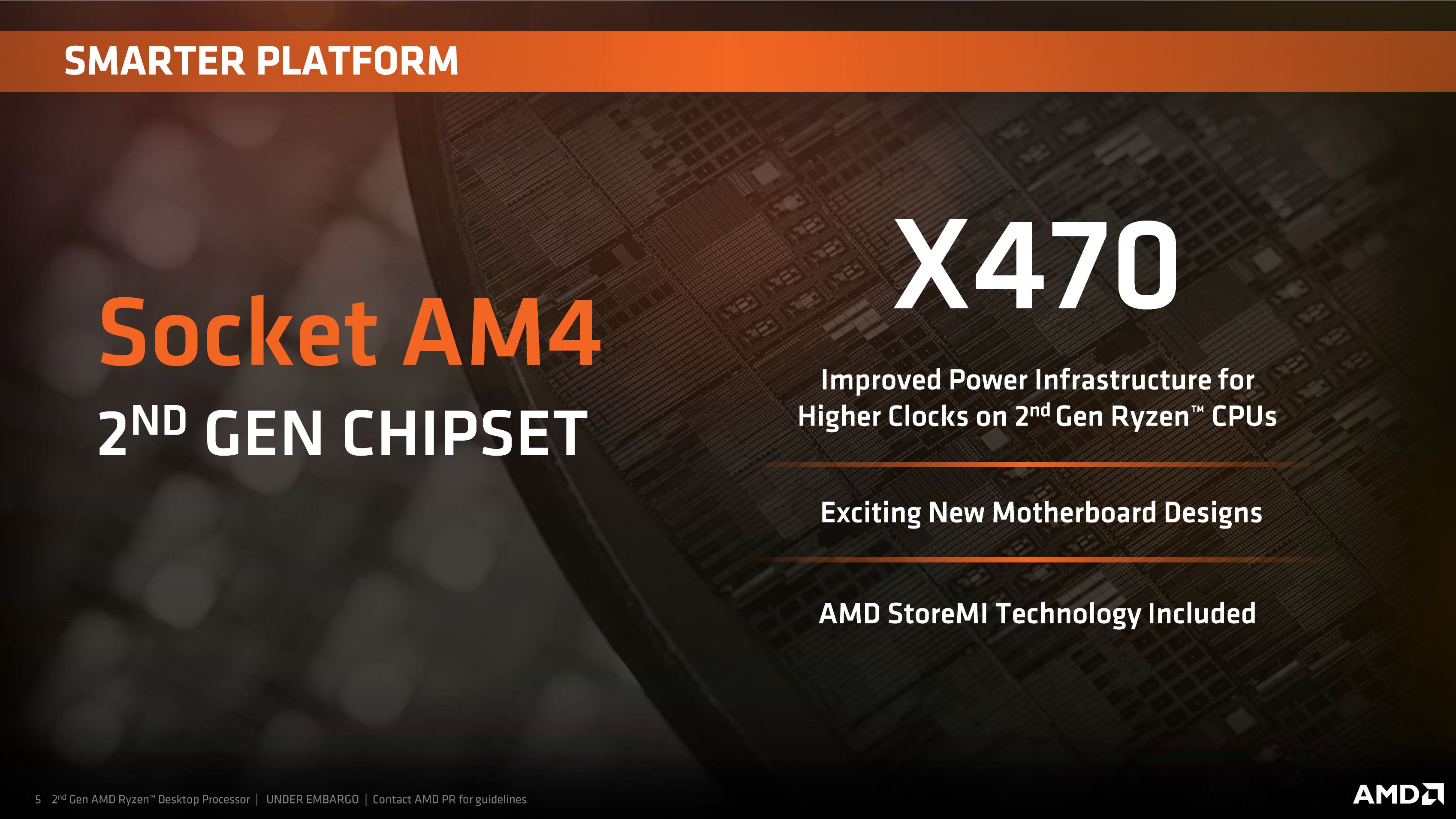
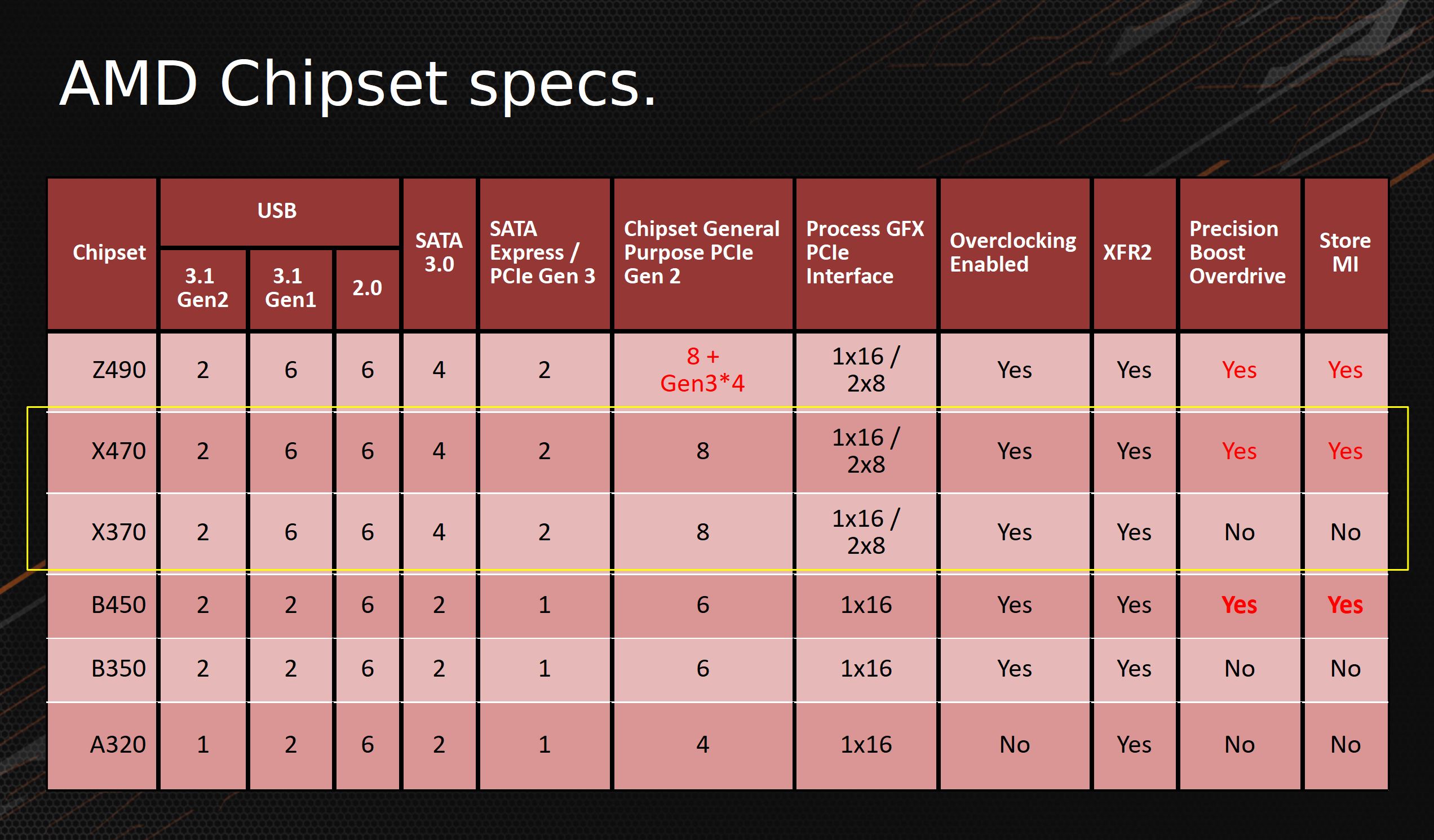
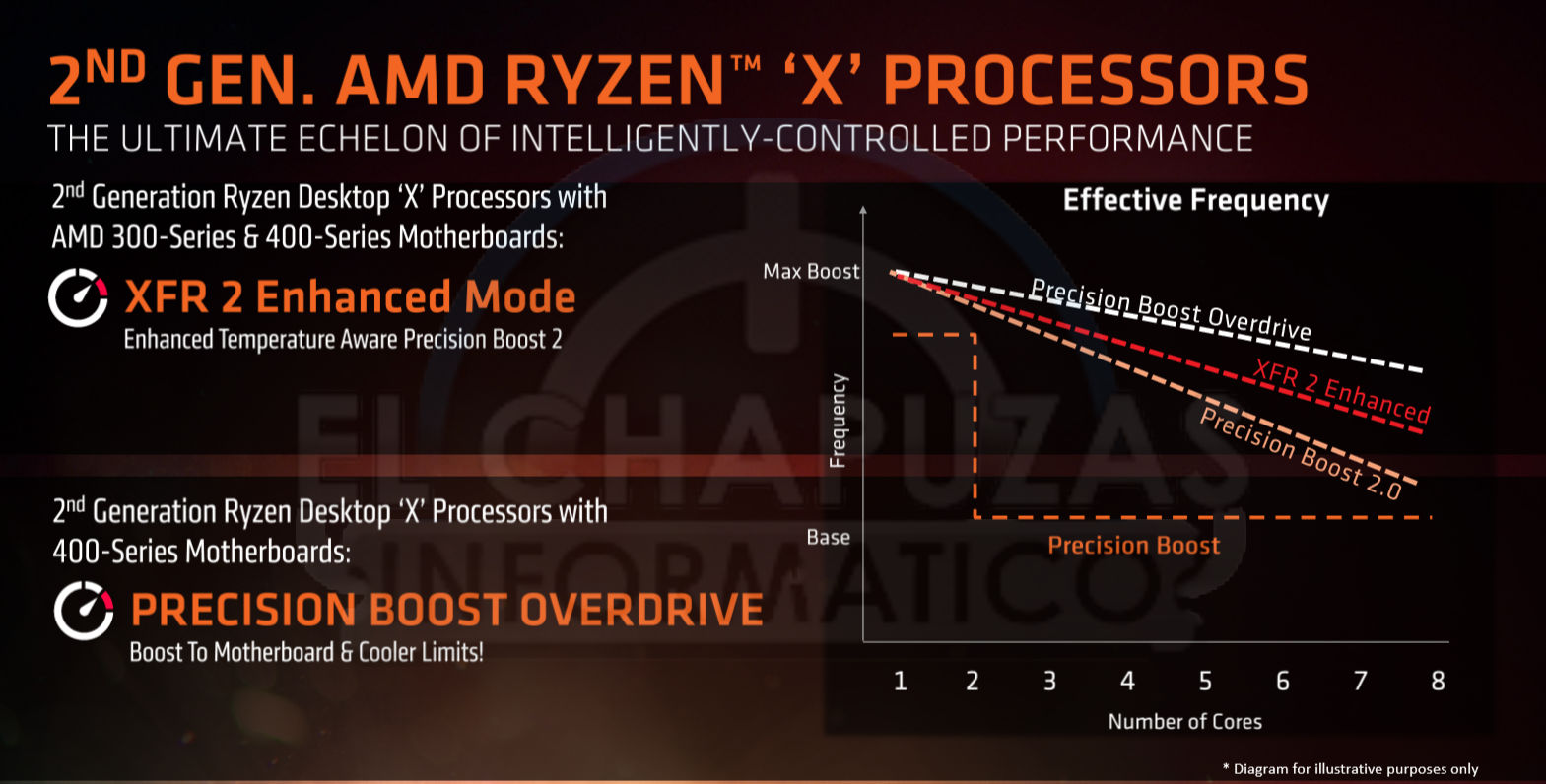

AMD has launched four CPUs along with the new X470 chipset which means we have a huge amount of hardware to work with. KitGuru’s news is full of X470 motherboards and we have a number of reviews in the pipeline. For the moment we are producing reviews of this Ryzen 7 2700X and also Ryzen 5 2600X which respectively take over from Ryzen 7 1700X/1800X and Ryzen 5 1600X.
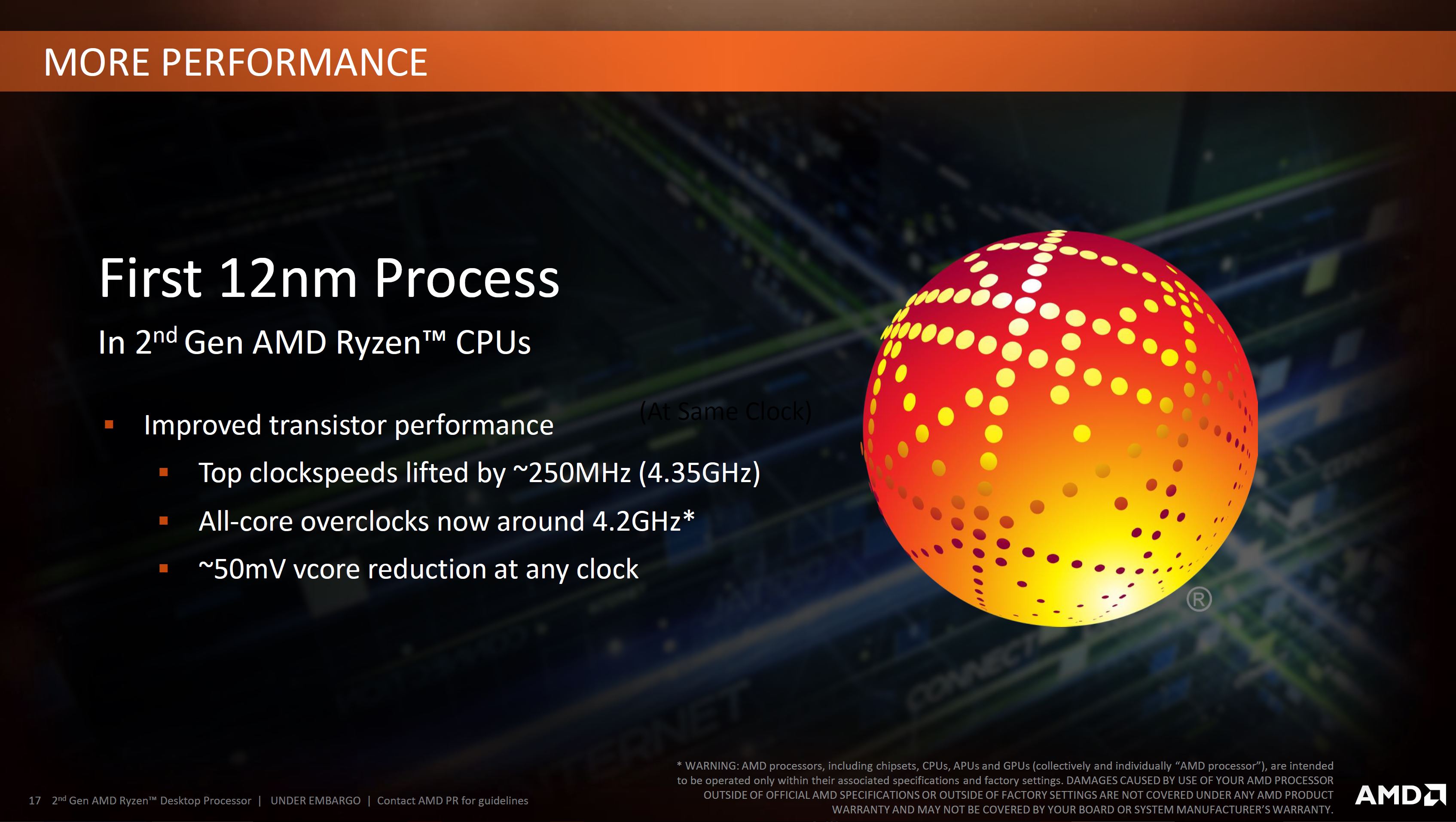
That is very positive and encouraging, however we have been unable to shake the feeling that this launch has a fair amount in common with the Intel 8th Gen marketing campaign. We are clear that 2nd Gen Ryzen uses a 12nm process and that the underlying Zen architecture is unchanged. It took some questioning to determine that die area is unchanged so this is very much a change in process, however AMD also claims they have refined the cache and gained three percent performance. This is important as Intel typically beats AMD both on outright clock speed and also IPC (Instructions Per Cycle) so any improvements from AMD are welcome.
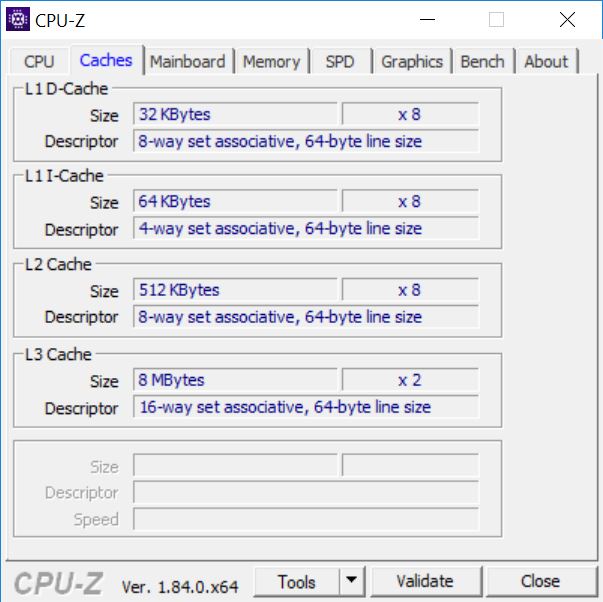
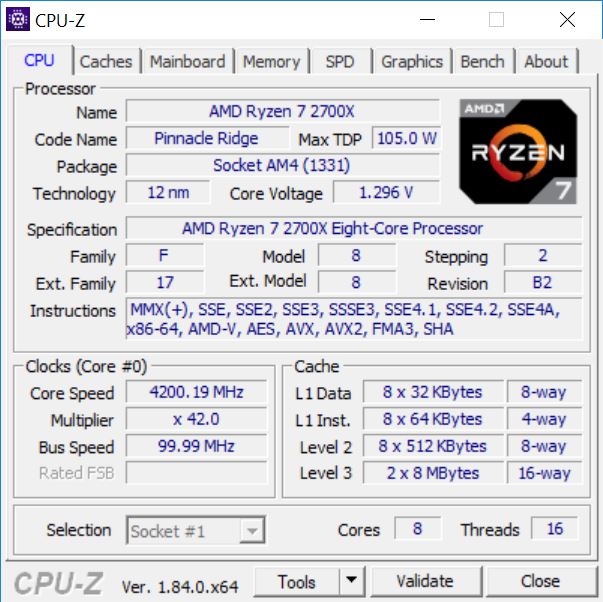
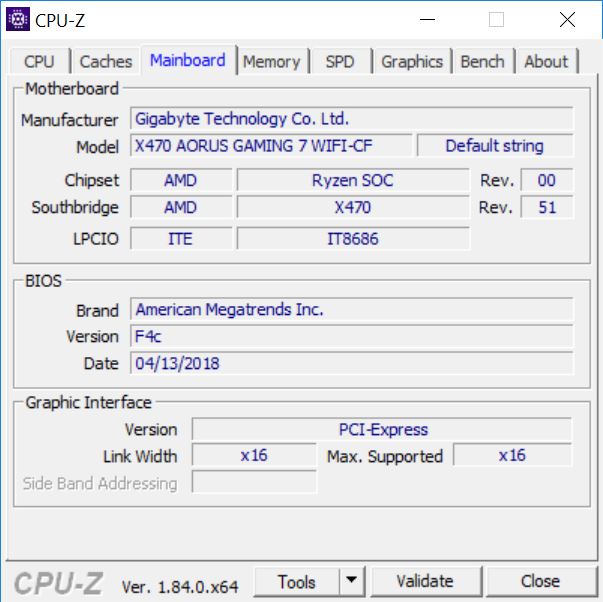
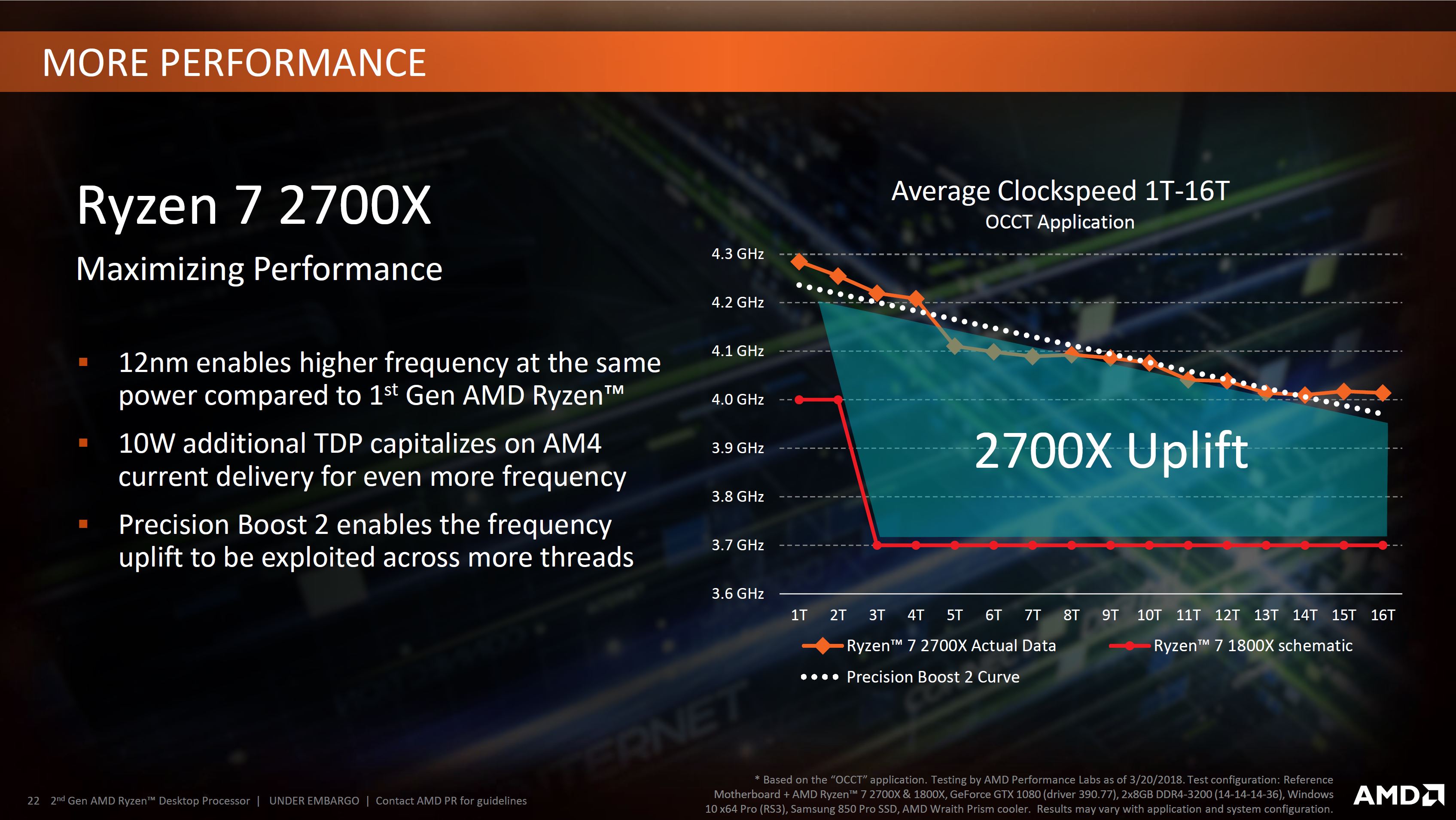
We know that clock speeds have improved and that AMD has worked on Precision Boost and XFR, however this dynamic overclocking is based on the power envelope and the quality of your CPU cooling. The similarity with Intel is that AMD is happy to specify base clock speeds and maximum Turbo speeds but won’t talk about likely all-core operational speeds.
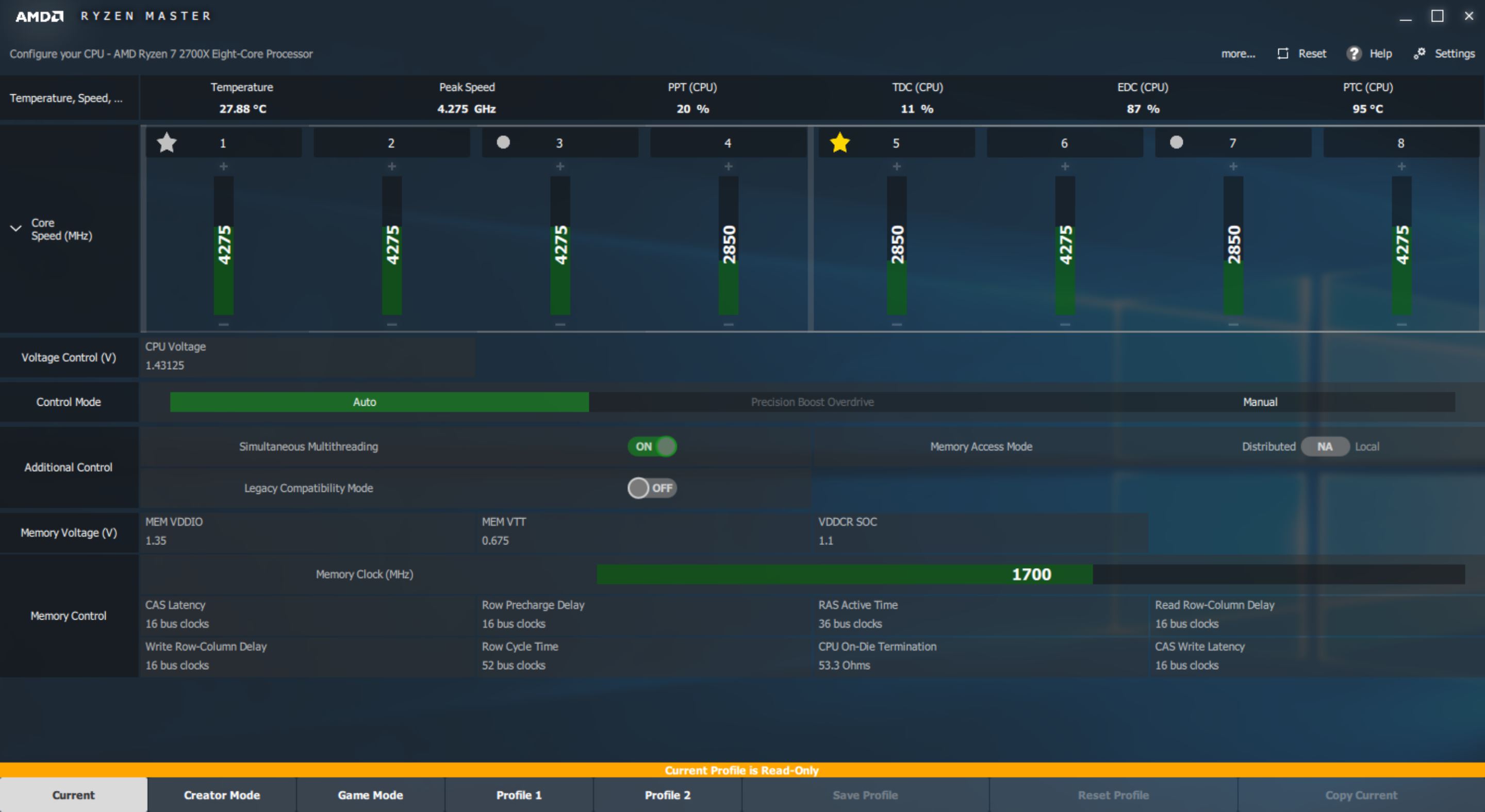
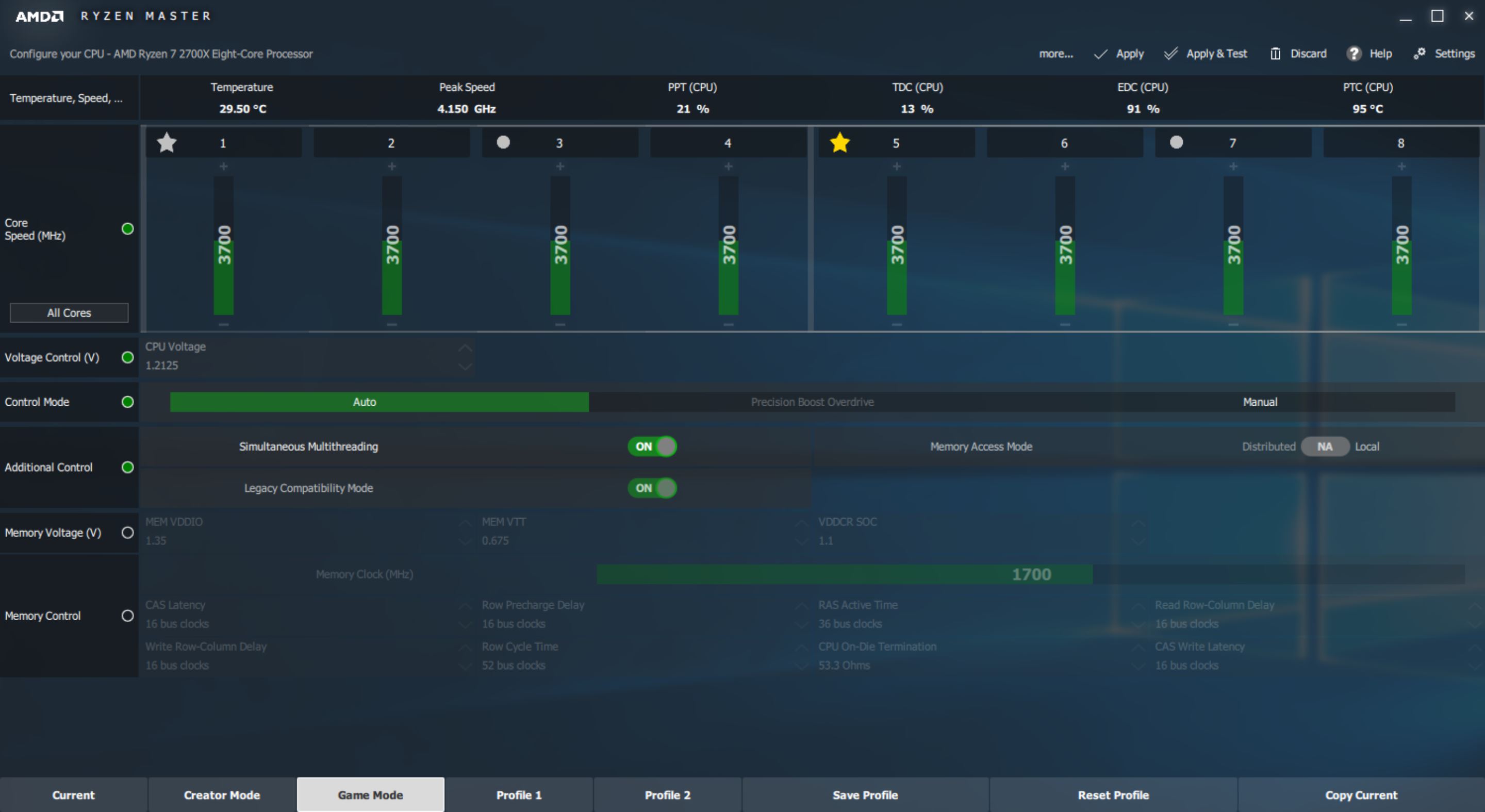
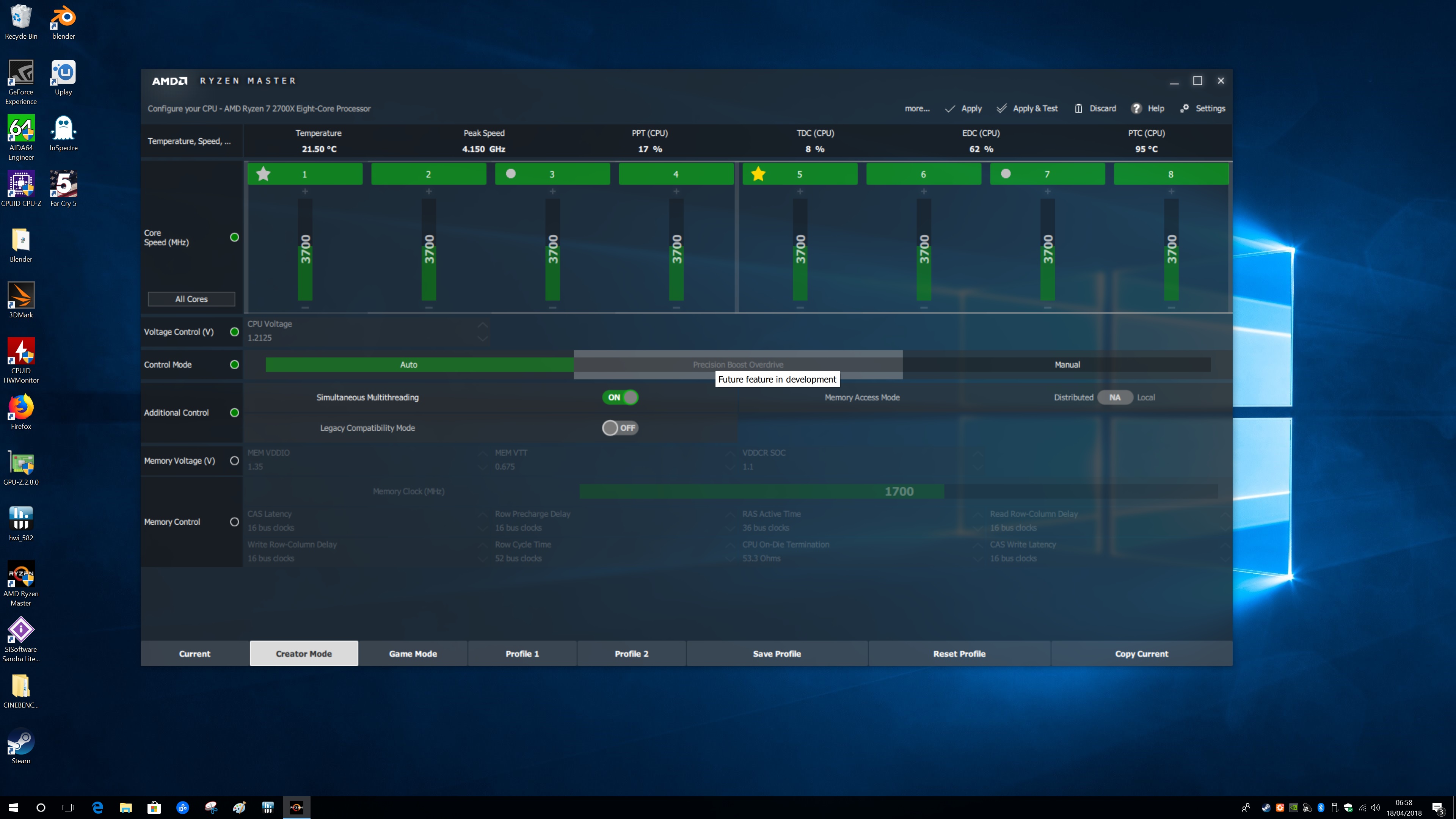
The Ryzen 7 2700X has a base speed of 3.7GHz and a maximum speed of 4.3GHz, but the all-core speed we saw during testing is 4.05GHz. Custom runs of Cinebench R15 saw speeds increase steadily so on two cores we are confident you will see 4.10GHz and on a single core the maximum sustained speed will be 4.15GHz. Perhaps someone out there has a Ryzen 7 2700X that will run faster out of the box than 4.1GHz in some meaningful way, but we doubt this is the case.
AMD diverges from Intel in a positive way as it promises to support the AM4 platform until 2020 so you are able to drop your new 2nd Gen CPU into an X370 motherboard, or you can upgrade your existing Ryzen PC with a new X470 motherboard. Despite this pin compatibility, AMD is adamant that you require a new X470 motherboard to get the maximum benefit from a 2nd Gen Ryzen so you need to be prepared for extra expense.

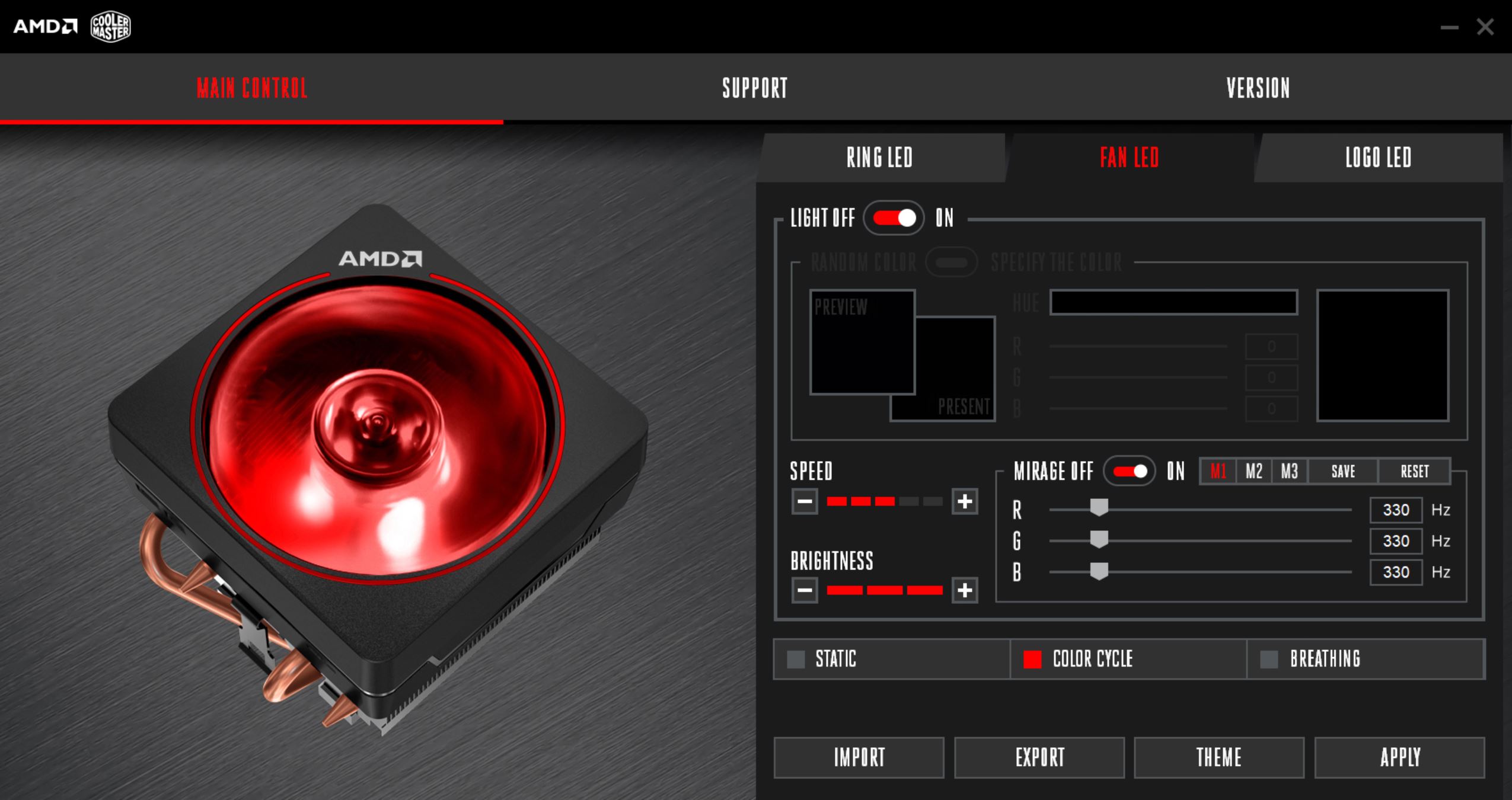
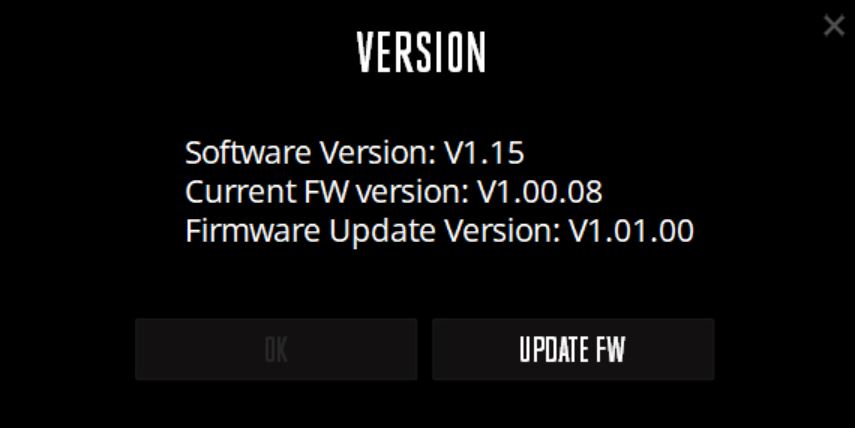

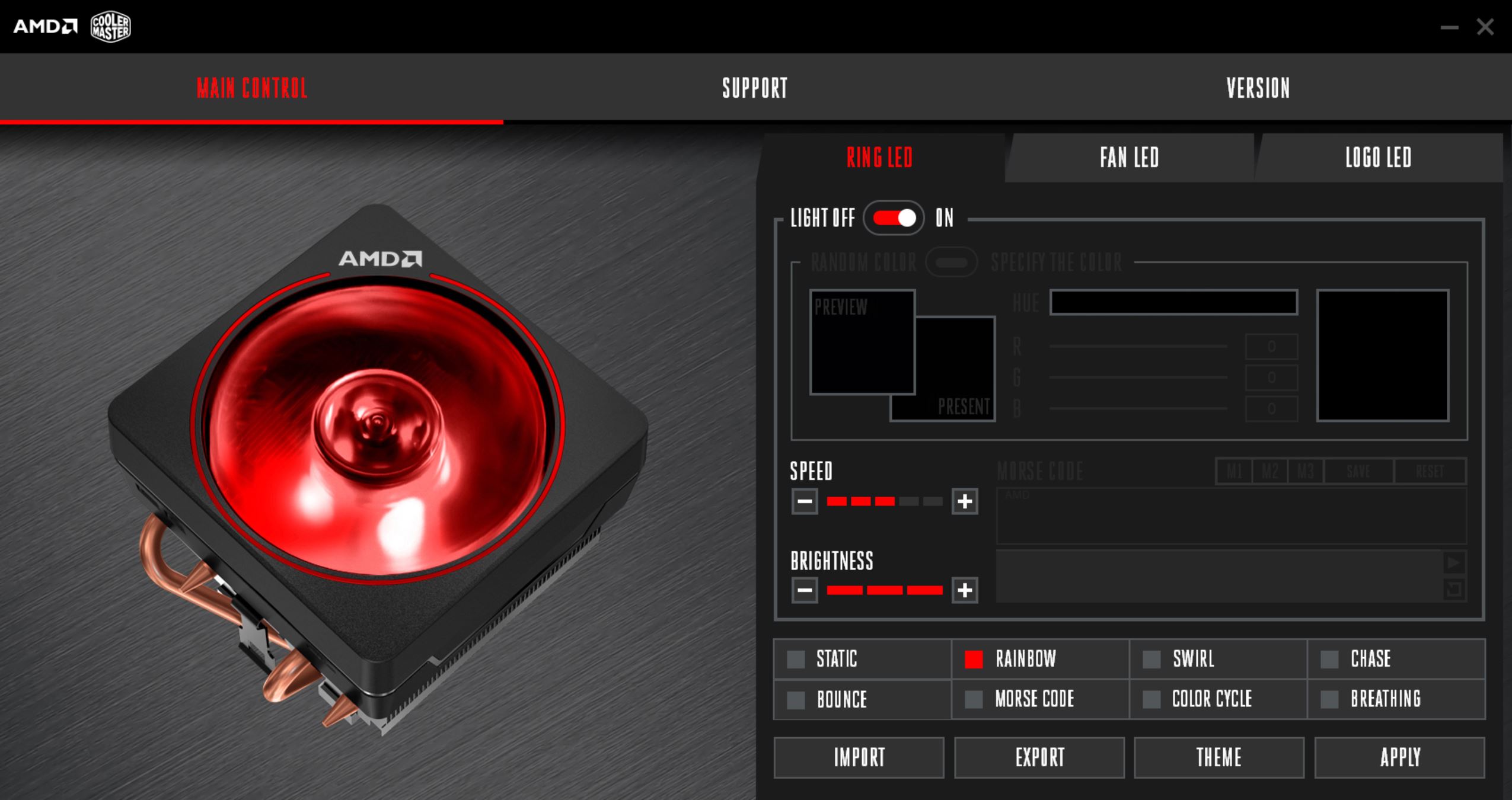
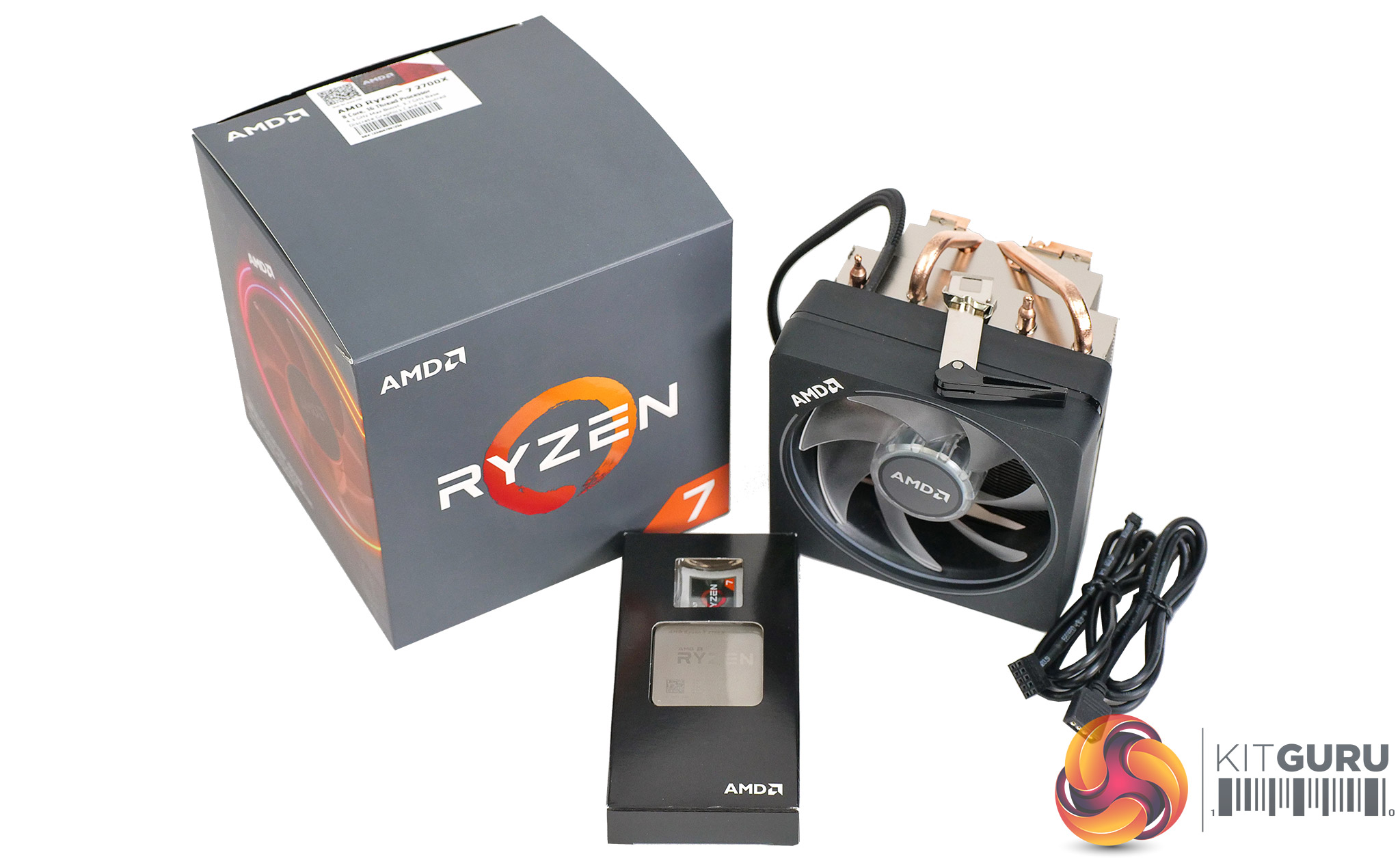
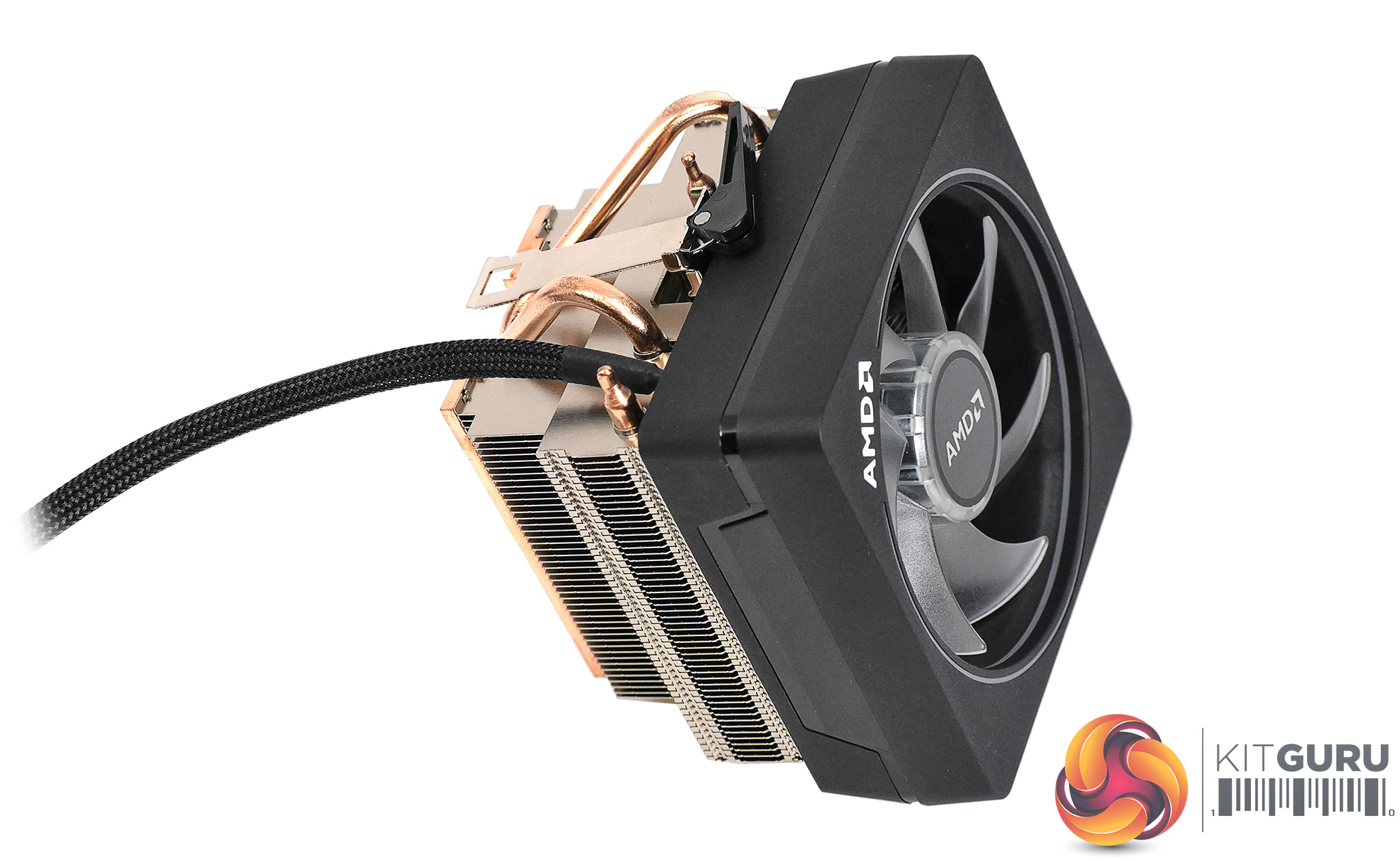
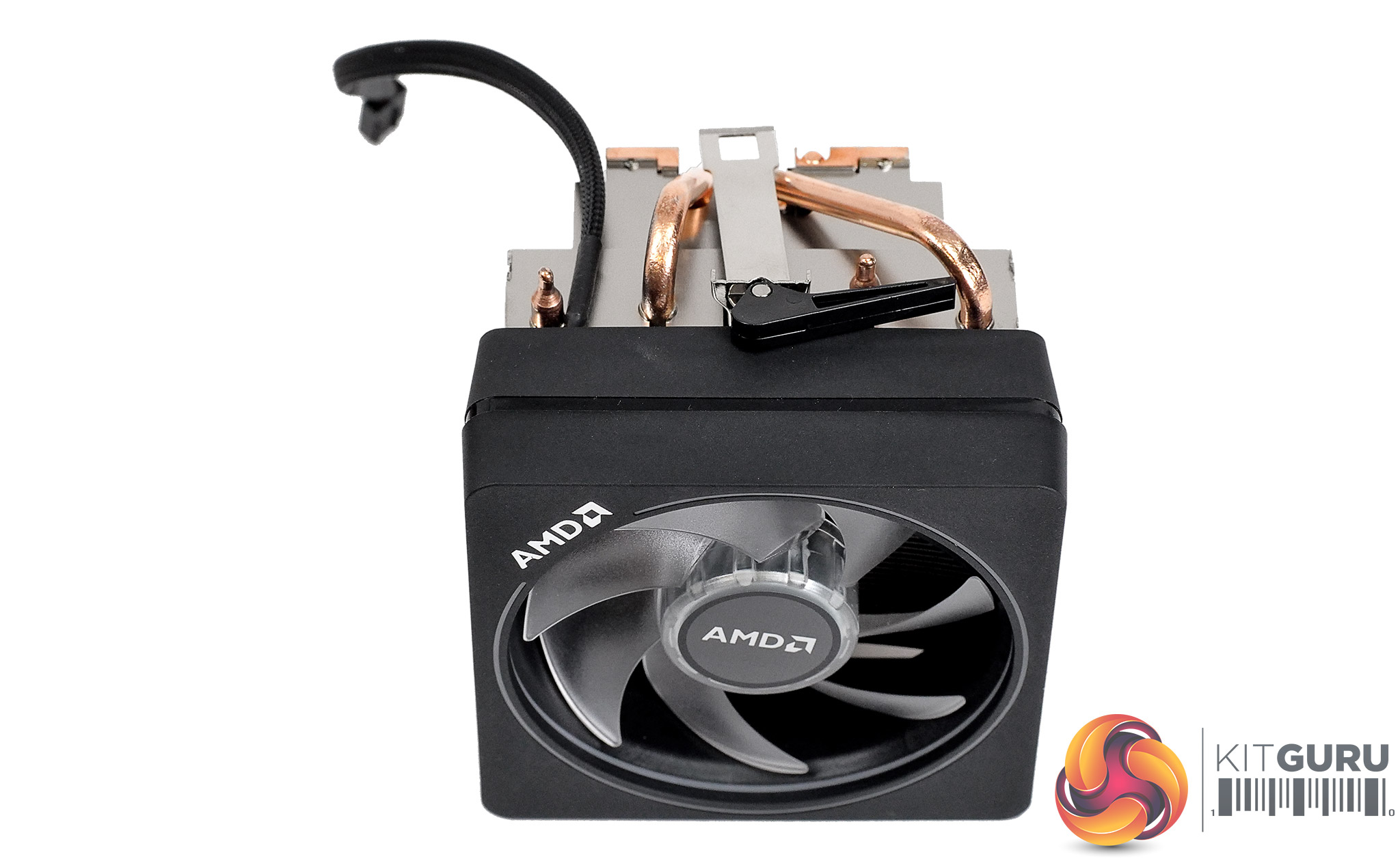
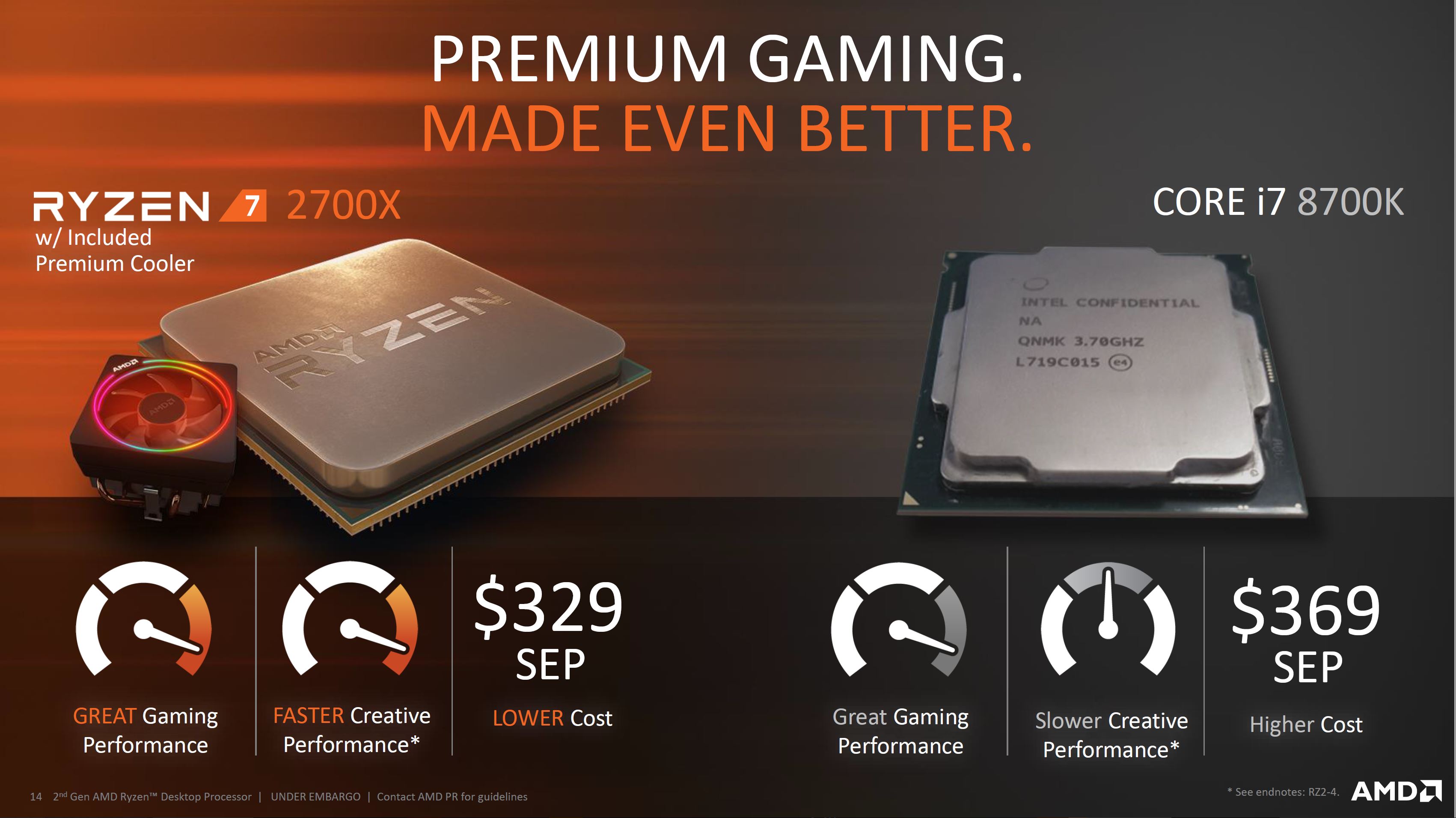
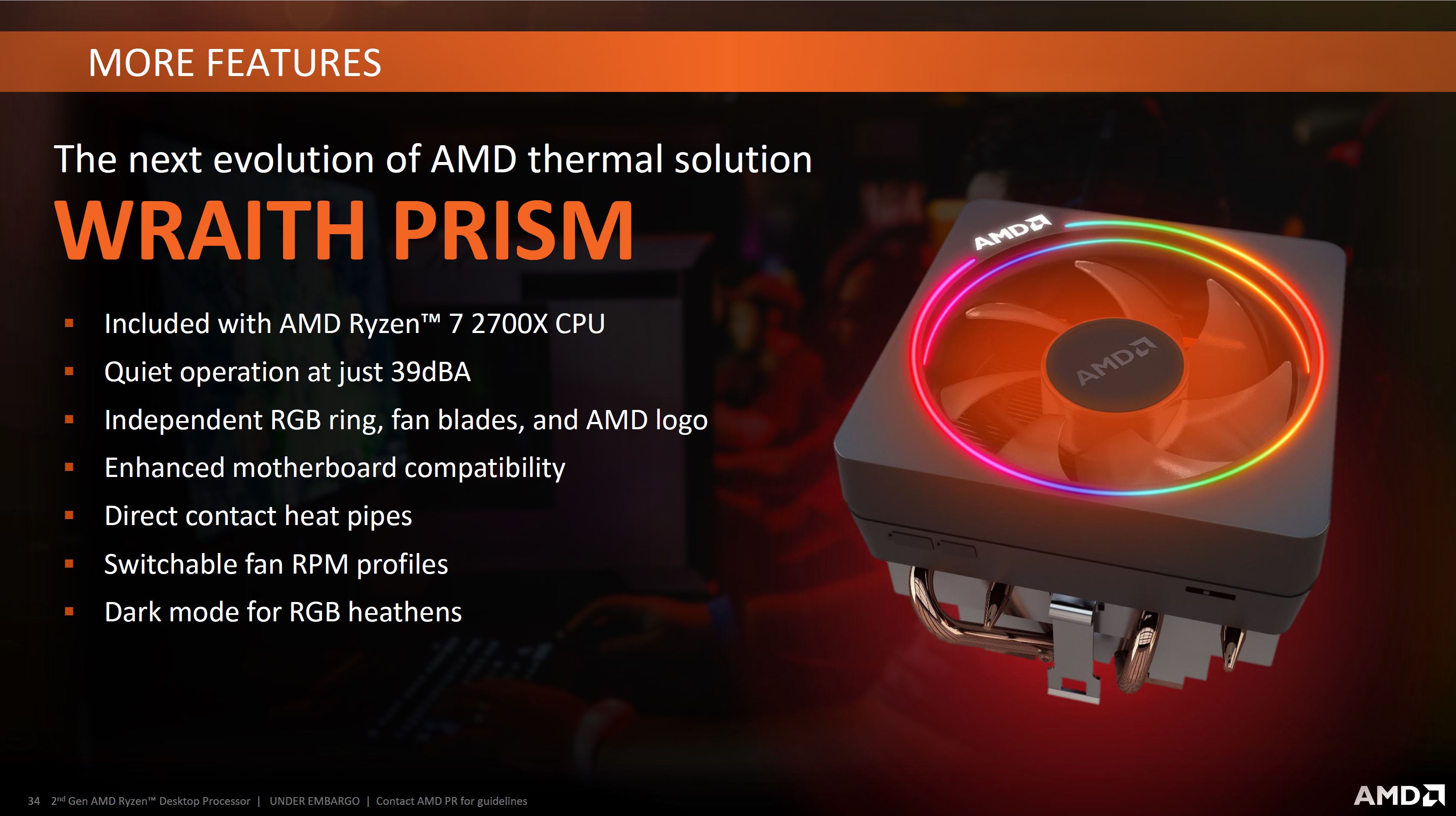
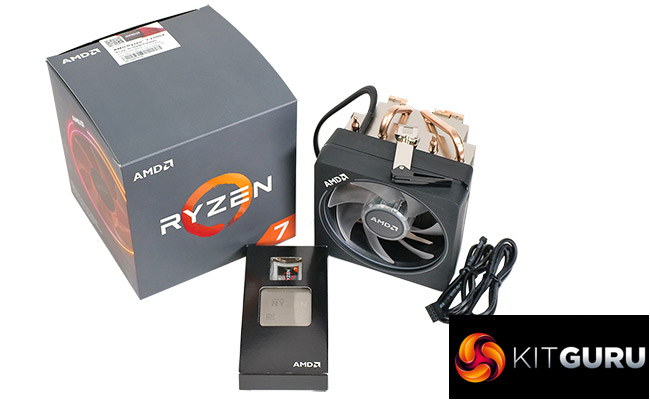
The good news is that Ryzen is significantly cheaper than it used to be. When Ryzen 7 1800X launched the price was £500 (now £269) and Ryzen 7 1700X cost £400 (now £249). The new Ryzen 7 2700X goes on sale at £299.99 which was explicitly decided because Intel Core i7-8700K costs £315. In addition to beating Intel on price and core count, AMD includes a CPU cooler in the package. The baby Ryzen 5 2600 comes with a Wraith Stealth cooler, Ryzen 5 2600X and Ryzen 7 2700 are supplied with a Wraith Spire, and this Ryzen 7 2700X get the Wraith Prism which is made by Cooler Master and has plenty of RGB goodness.
Testing
We tested the Ryzen 7 2700X and Ryzen 5 2600X along with Ryzen 7 1800X and Ryzen 5 1600X and for comparison we used Intel Core i7-8700K and Core i5-8600K CPUs.
AMD test system:
CPU: AMD Ryzen 7 2700X
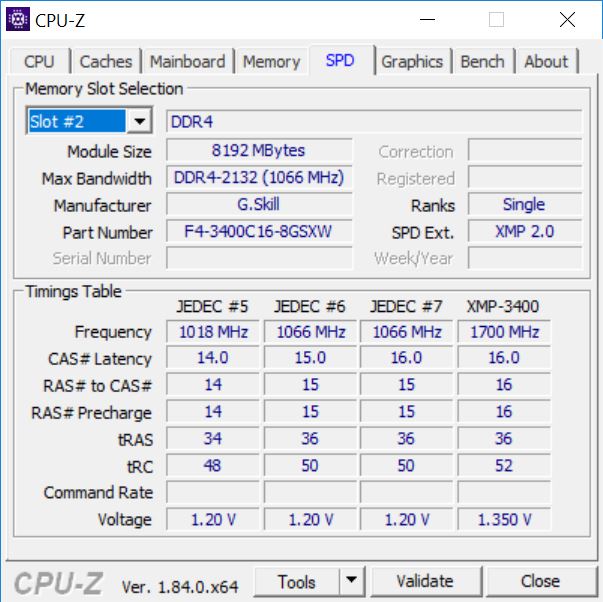
RAM: G.Skill SniperX 16GB DDR4-3400MHz
Motherboard: Gigabyte X470 Aorus Gaming 7 WiFi with BIOS F4c
Graphics: EVGA GTX 1080Ti SC
SSD: SK Hynix SC311STD
Coolers: Fractal Design Celsius S24 and AMD Wraith Prism
Power supply: Seasonic Prime Titanium 1000W
Intel test system:
CPU: Intel core i7-8700K
RAM: G.Skill SniperX 16GB DDR4-3600MHz
Motherboard: Gigabyte Z370 Aorus Ultra Gaming with BIOS F8
Graphics: EVGA GTX 1080Ti SC
SSD: Samsung 960 Pro
Cooler: Fractal Design Celsius S24
Power supply: Seasonic Prime Titanium 1000W
All four AMD CPUs were run on the Gigabyte X470 motherboard so the chipset plays no part in the proceedings. For AMD CPUs we used G.Skill SniperX DDR4-3400MHz with XMP enabled while the Intel CPUs were paired with G.Skill SniperX DDR4-3600MHz, also with XMP.
We overclocked by increasing core voltage to 1.35V for the new CPUs and 1.4V for the older models, increasing LLC and raising the core multiplier before testing with Blender to check for stability.
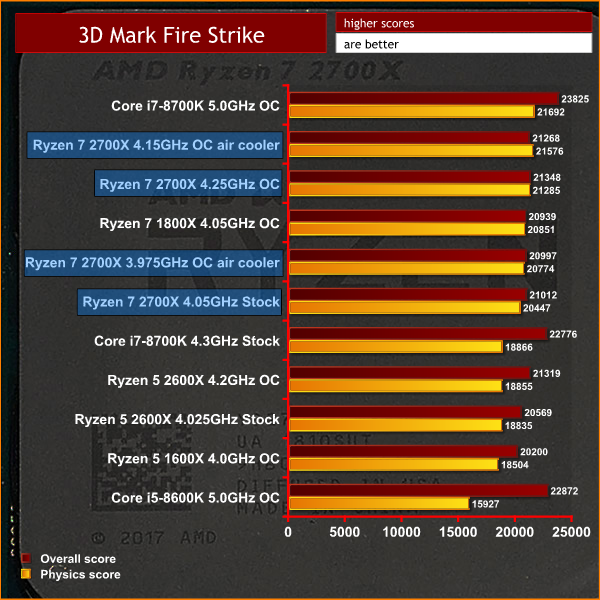
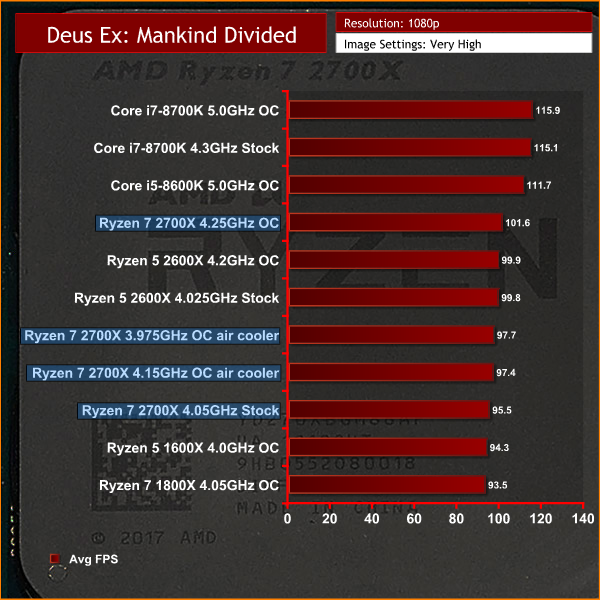
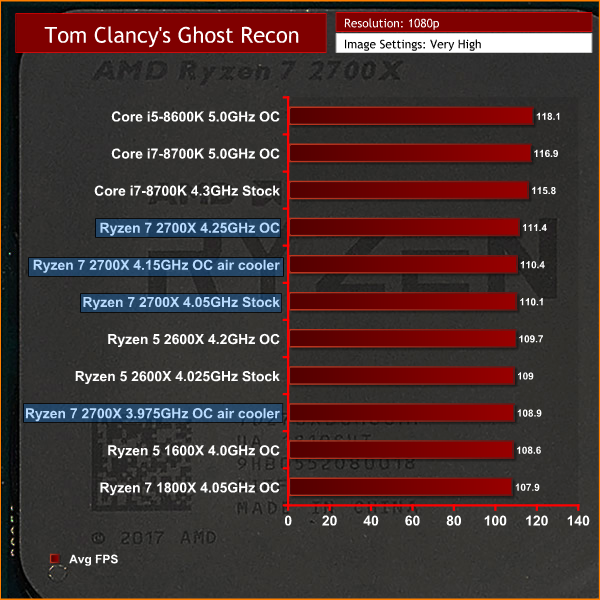
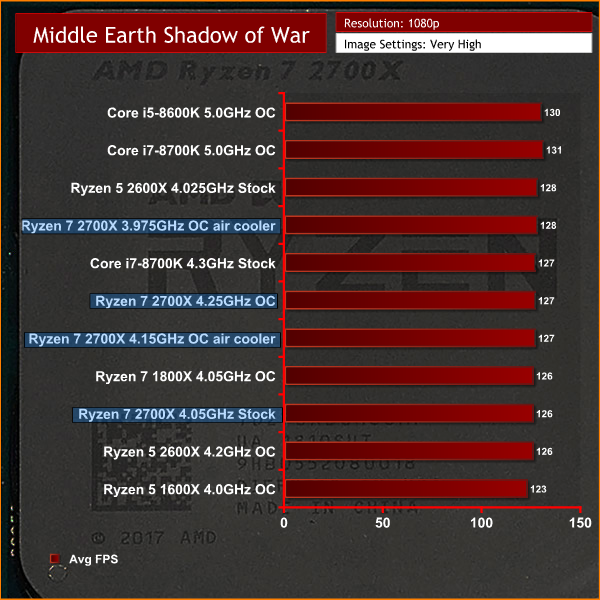
Testing Overview
The business of dynamic overclocking with Precision Boost 2 makes it tricky to pin down precise clock speeds. If we ignore the burst to around 4.35GHz when a test run starts, the sustained speeds are as follows:
Cinebench R15 in Custom mode with 240mm AIO cooling:
- 8 cores 4050MHz
- 7 cores 4050MHz
- 6 cores 4050MHz
- 5 cores 4050MHz
- 4 cores 4075MHz
- 3 cores 4075MHz
- 2 cores 4100MHz
- 1 core 4150MHz
You may well find that clocks speed vary by 25MHz or 50MHz as ambient temperatures rise but regardless of that you should be north of 4GHz at all times and will likely be a considerable distance away from the ‘maximum’ 4.3GHz.
Switching from the 240mm AIO to the bundled AMD Prism cooler gave a sustained all core clock speed of 3.975GHz which is pretty good going.
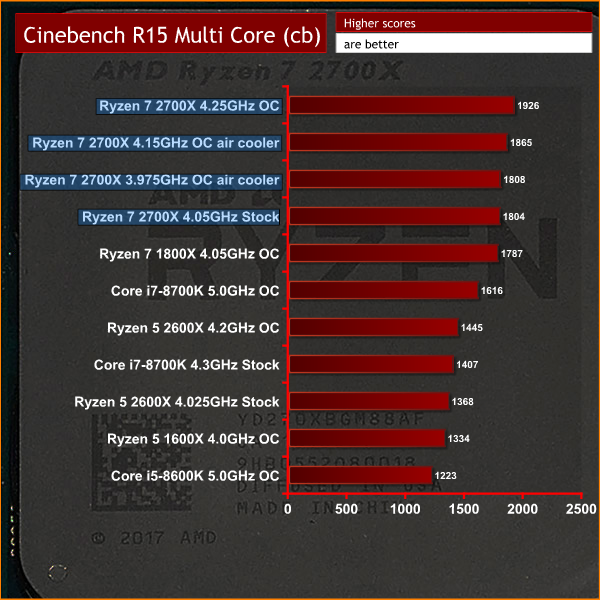
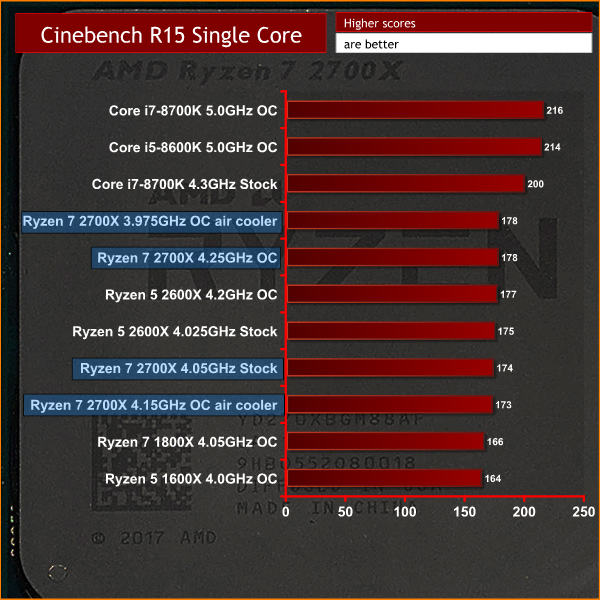
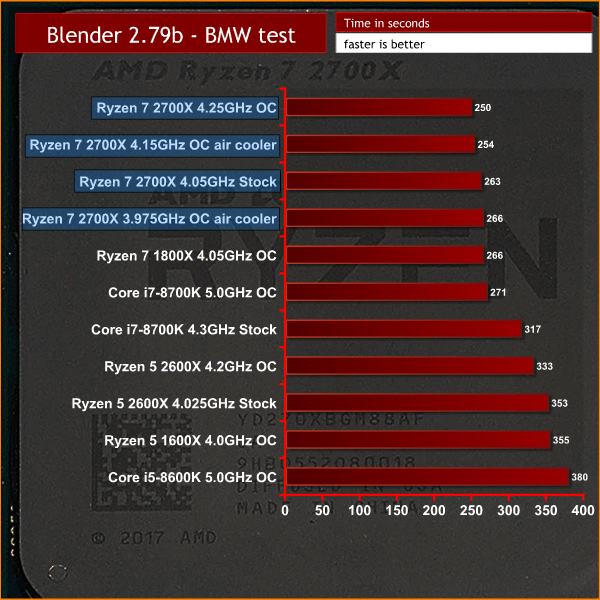
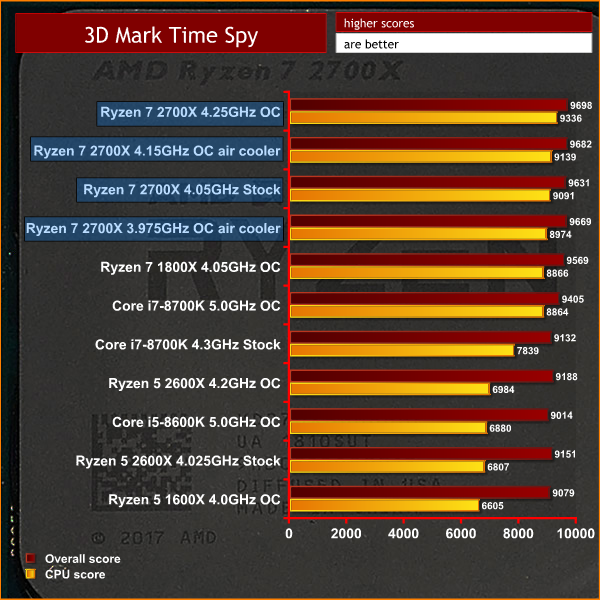
Take a look down our charts of test results and you will see there is no clear winner. Cinebench R15 tells a tale as AMD clears up in the multi-core test (eight cores beats six cores, as you would expect) however in the single threaded test Intel is at the top of the chart.
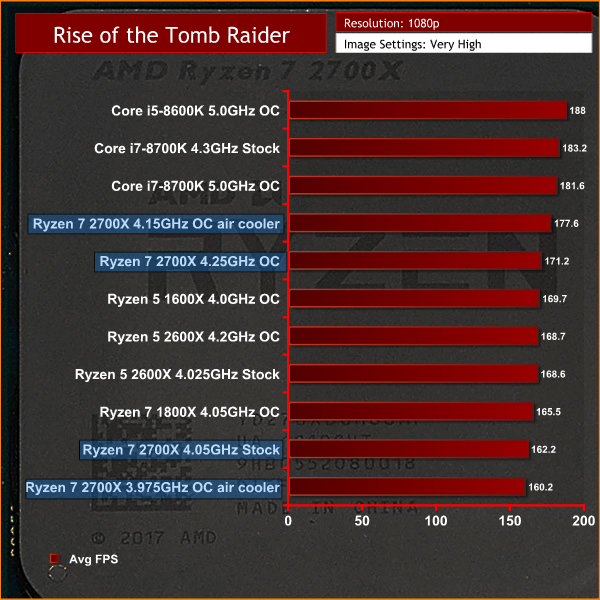
In our games tests Intel typically rules the roost, however the differences between one CPU and another tend to be narrow. It is worth reinforcing the point that we test at 1080p to emphasise the CPU. When you game at higher resolutions and especially at 4K you are almost certain to find the GPU, rather than the CPU, is the limitation.
Overclocking Overview
As you will have seen in our video we overclocked in the BIOS, rather than using AMD’s Ryzen Master v1.3 software. This involved setting the Vcore at 1.35V, Load Line Calibration on Turbo and multiplier at 42x. The CPU would boost briefly to the 4.3GHz mark and then settle to 4.20GHz.
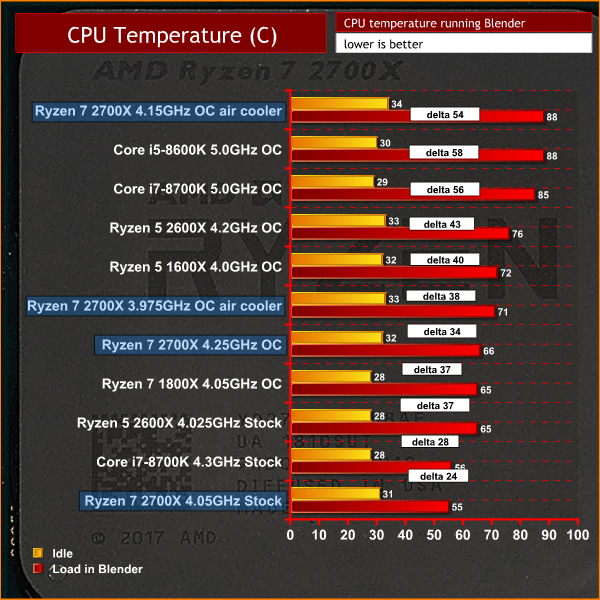
The benefits of overclocking were appreciable, though we are not sure they are worthwhile unless you consistently demand maximum CPU performance. We feel that raising Cinebench performance from 1,800 marks to 1,900 marks is a handy bonus, but do not much like the extra 10 degrees in CPU operating temperature. If you are looking for CPU performance you get far more gain merely from having eight cores compared to six than you do from the extra clock speed. This is one of those situations where you need to proceed with caution.
Power and Heat
Power and Heat Overview
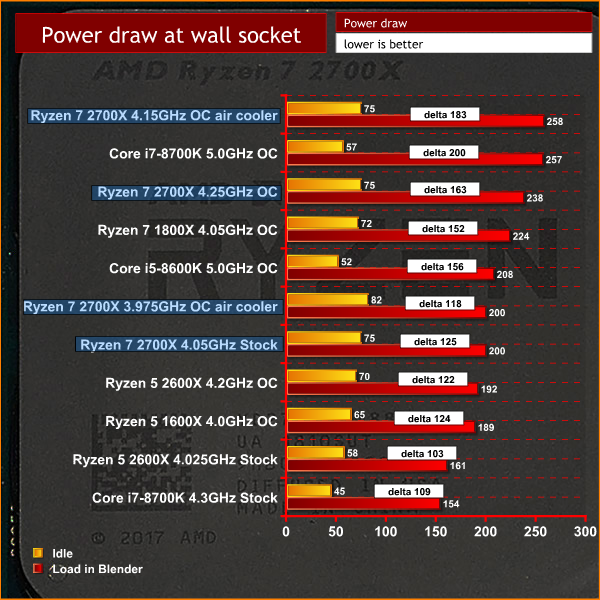
We were surprised to find that Ryzen 7 2700X draws more power than Ryzen 7 1800X and also runs hotter, when you would expect the opposite from a new fabrication process. In fairness to AMD the increased 105W TDP of Ryzen 7 2700X compared to 95W for the Ryzen 7 1800X should have given us some warning. The explanation is that Precision Boost 2 uses the available headroom to ramp up clock speeds whenever possible so it always heads towards that impossible target of 4.3GHz.
It is also notable that AMD has a higher idle power draw than Intel, however we need to consider there are more hardware cores under the hood and take that into consideration. Nonetheless we have to think that AMD could make improvements in this area by reducing idle power consumption in the future.
2nd Gen Ryzen makes some useful but marginal improvements over what we must now call 1st Gen Ryzen. If you liked Ryzen 7 1800X you will be impressed by Ryzen 7 2700X and the combination of reduced latency, increased clock speed as well as the sophistication of Precision Boost 2. It also seems that AGESA has been improved and anything that improves DDR4 compatibility with Ryzen is a huge bonus.
We don’t much like the idea of customers being pressured to ditch their X370 motherboards in favour of a new X470, however the hardware we have seen so far looks very good. We are also pleased by the reduction in Ryzen prices, and the fact that existing stocks of 1st Gen Ryzen have dropped through the floor must surely be good for customers.
The headline message is that AMD has broken the 4GHz mark with 2nd Gen Ryzen, which is a useful step forward. We consistently saw the stock Ryzen 7 2700X beating the overclocked Ryzen 7 1800X, however we found that overclocking the Ryzen 7 2700X was a fruitless task. In essence the job has already been done by Precision Boost 2 and there are few extra gains to be found unless you get really serious with the cooling and power.
This raises the thought that Threadripper 2 is due later this year and will presumably use the tricks we have seen in 2nd Gen Ryzen. A faster Threadripper is a very appealing prospect.
The burning question is whether or not you should buy the new Ryzen 7 2700X and here it's not such good news for AMD.
If you already own a Ryzen 7 it would be crazy to spend the money on the new CPU and X470 motherboard as the return would be marginal. Any AMD customer looking for significant amounts of extra CPU performance could instead take the £400-£500 required for 2nd Gen Ryzen and X470 and consider it as half the money required for a 12-core Threadripper and X399 motherboard which will deliver a major leap in performance.
Those of you who own a recent Intel platform will likely upgrade to 8th Gen Coffee Lake and will be very happy with that decision, unless the shadow of security flaws such as Meltdown and Spectre causes you a significant amount of trauma.
Perhaps the biggest question is whether Ryzen 7 2700X will convince anyone to convert from Intel to AMD. Certainly you should look long and hard at 2nd Gen Ryzen but unless you do a huge amount of multi-threaded CPU intensive work we find it unlikely that you will cross over to Team Red.

You can buy the 2700X from Overclockers UK for £299.99 HERE.
Discuss on Facebook HERE.
Pros
- New 12nm fabrication process.
- Precision Boost 2 works well, taking the 2700X over 4GHz out of the box.
- Memory compatibility does not seem an issue.
- Lower pricing at launch compared to its predecessor.
Cons
- Marginal improvement to be had over 1700X/1800X.
- Power draw could be better.
- Still behind Intel in terms of IPC.
- Limited overclocking potential due to the effectiveness of Precision Boost 2.
KitGuru says: Ryzen 7 2700X offers useful (but marginal) improvements over the original Ryzen 7.