KitGuru KitGuru.net – Tech News | Hardware News | Hardware Reviews | IOS | Mobile | Gaming | Graphics Cards


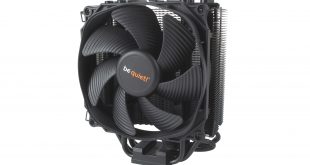
be quiet! has always been well known for its high-performance air coolers, specifically within the Dark Rock range. It is from this lineup we have become familiar with huge, dual-fan coolers like the Dark Rock Pro – designed with both high performance and low noise output in mind.
The new be quiet! Dark Rock Slim, on the other hand, offers a lot of the more premium features of the Dark Rock Pro, but in a much smaller package – and with a price tag of £49.99, a somewhat more accessible price point. Can it still offer the same experience we have come to expect from the Dark Rock family?
Specification:
- Model: Dark Rock Slim
- Heat Sink Material: Aluminum
- Included Fans: 1x Silent Wings 3 120mm PWM
- Fan Dimensions: 120 x 120 x 25mm
- Fan Speed: 1,450 RPM @100% PWM
- Fan Noise Level: 16.4 dBa @100%
- Fan Connector: 4-Pin (PWM)
- TDP: 180W
- Warranty: 3 years
- Intel socket compatibility: Intel LGA 2066, 2011-v3, 2011, 1151, 1150, 1155, 1156, 1366
- AMD socket compatibility: AMD AM4, AM3+, AM3, AM2+, AM2, FM2+, FM2, FM1
- Heat Sink Weight: 0.62kg
- Heat Sink Dimensions : 72 x 127 x 159.4 mm
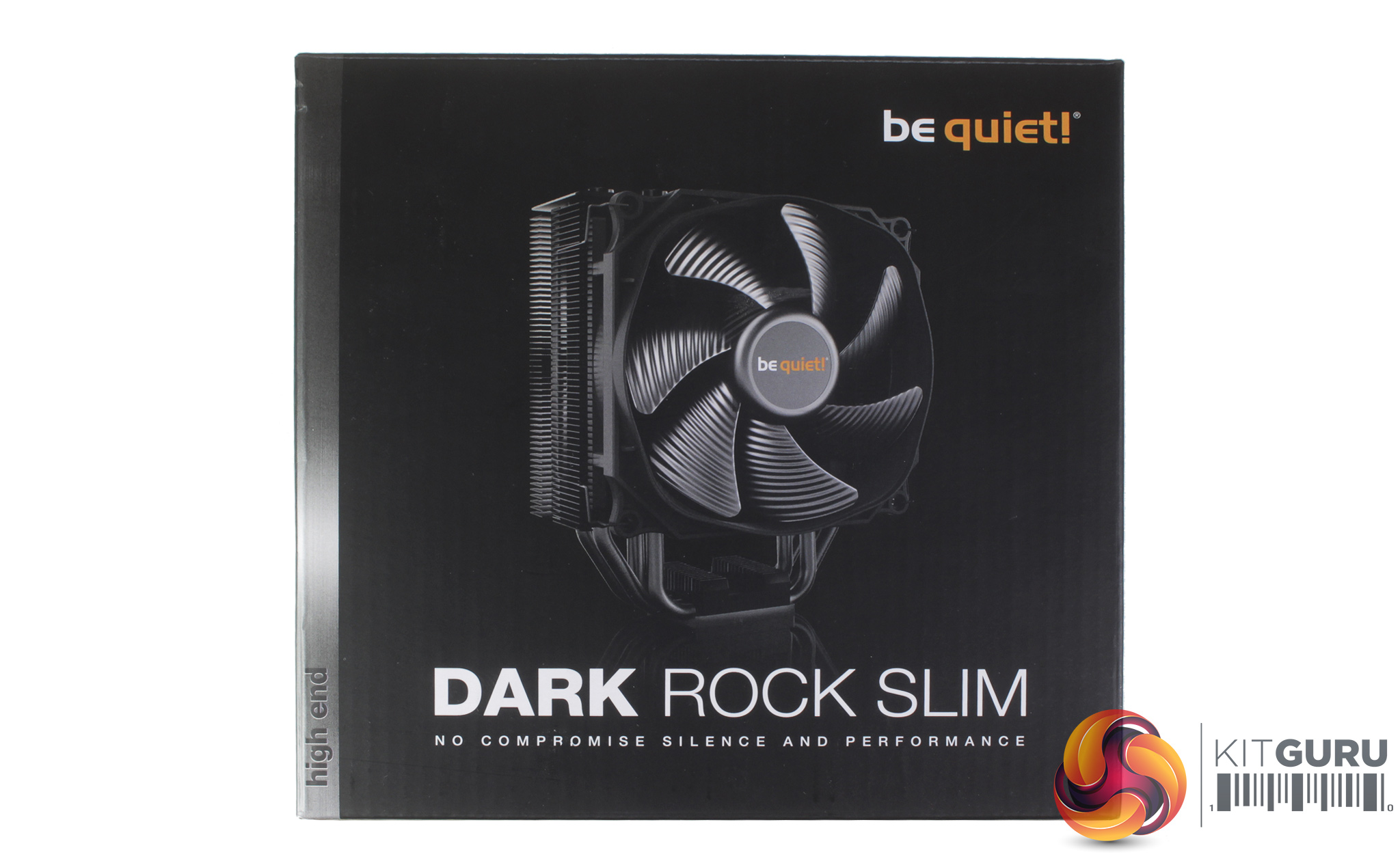
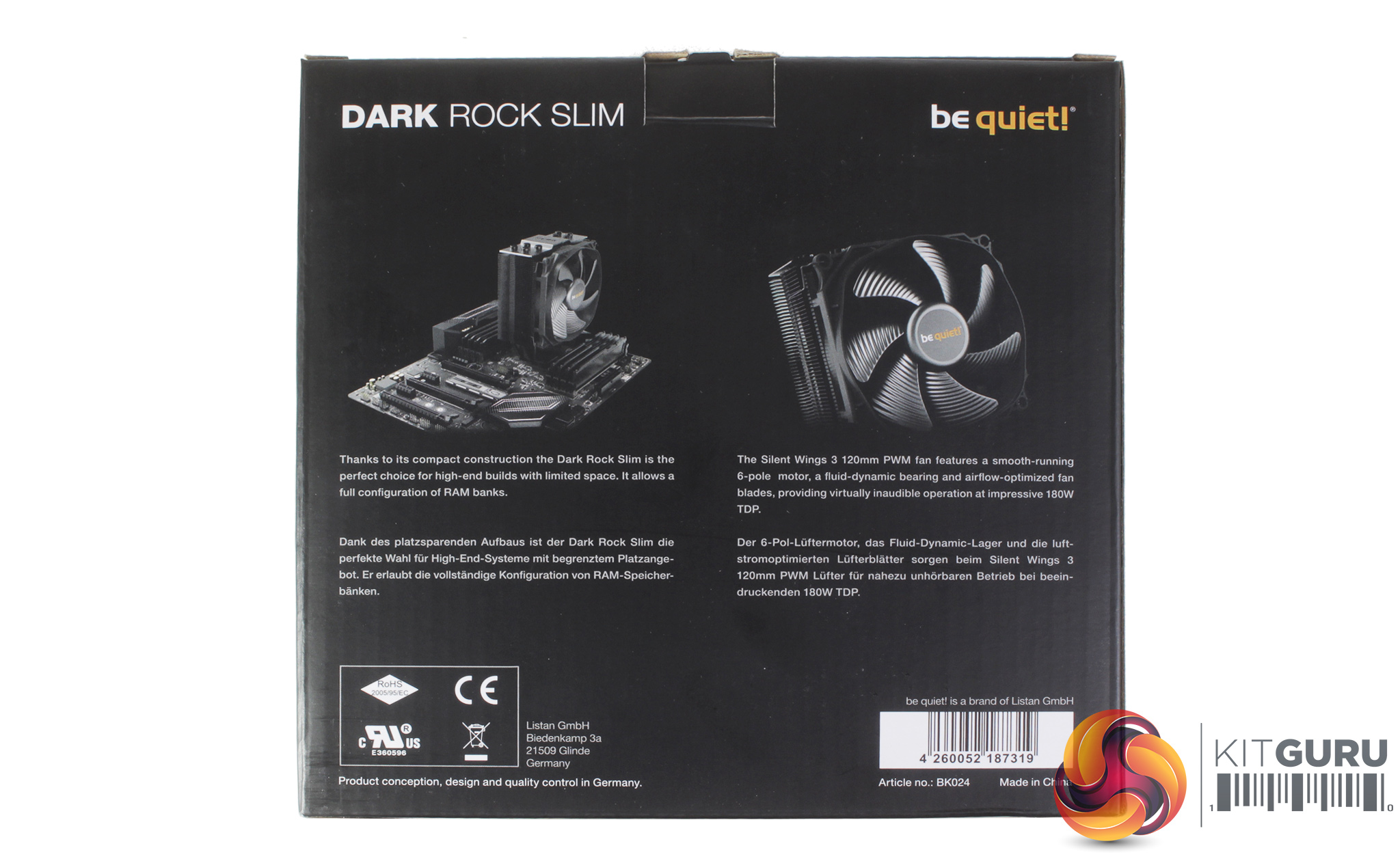
Taking a look at the cooler's box, it uses the exact same aesthetic as other be quiet! coolers from the Dark Rock lineup, and the front of the packaging shows off a large picture of the new Slim cooler. The rear of the box provides a little more detail, along with some core cooler features like the included Silent Wings 3 120mm fan.
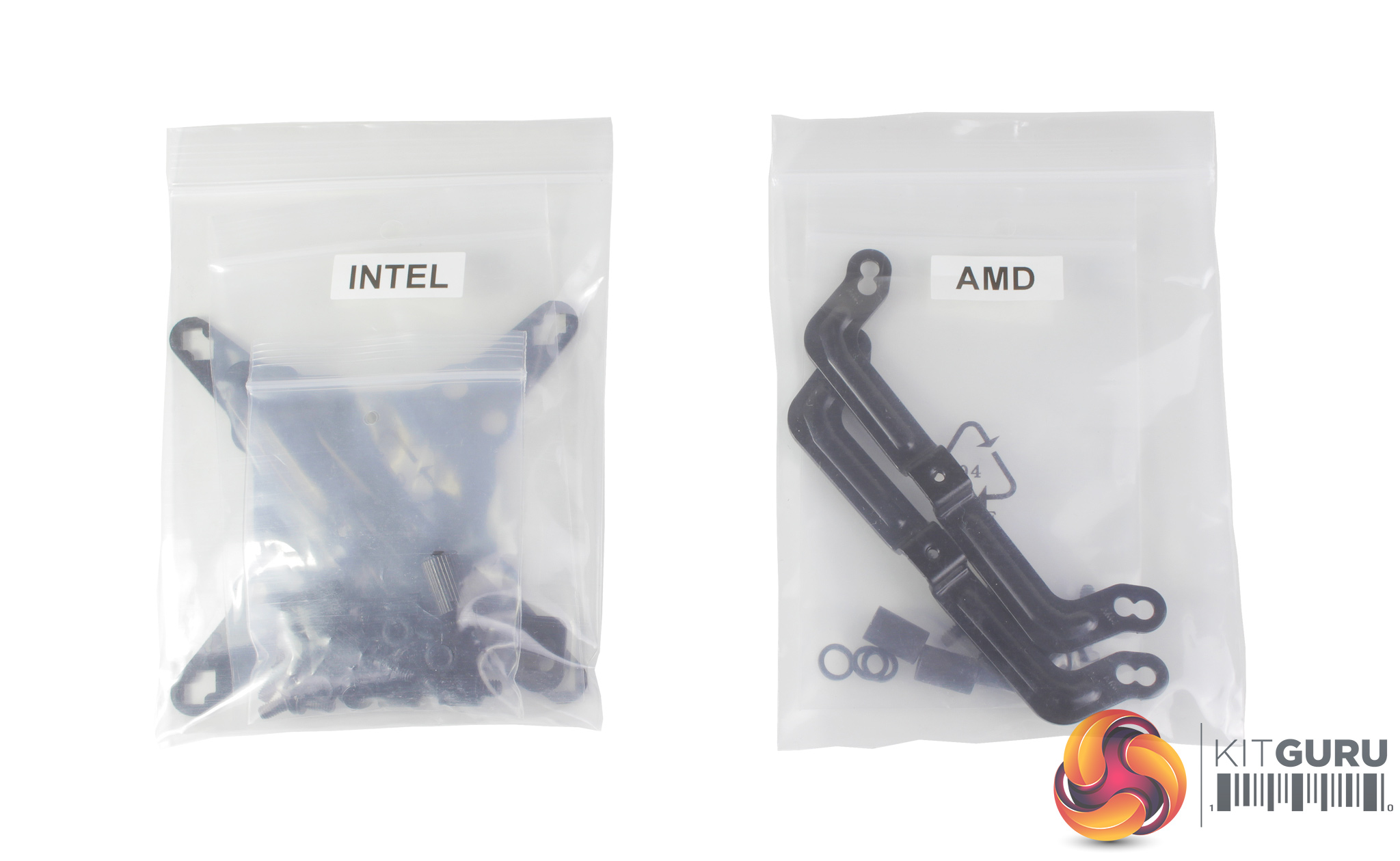
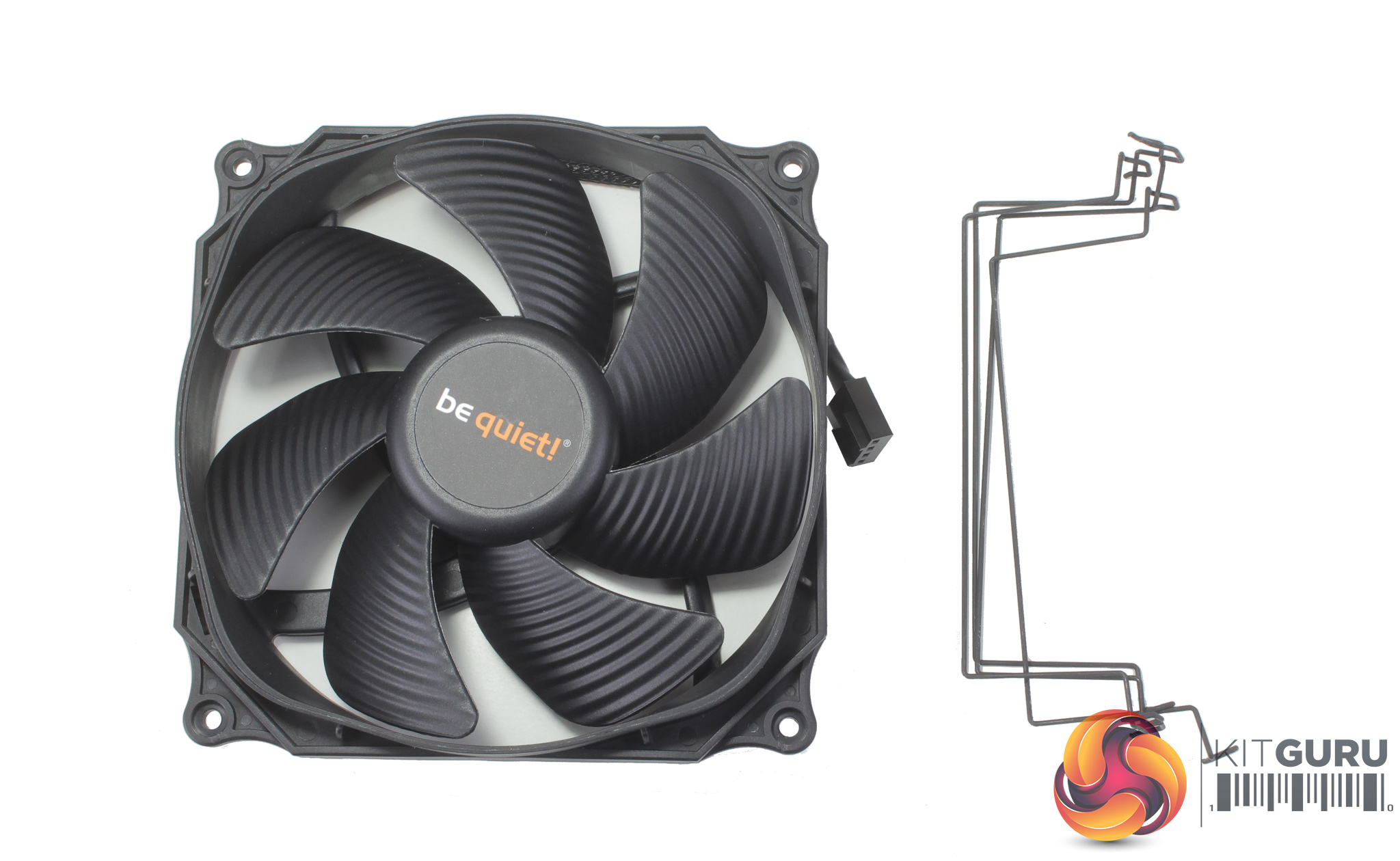
In the box, we find a set of installation instructions and an accessory box filled with mounting hardware for current Intel and AMD sockets. Thermal compound is also included along with a couple of sets of fan mounts – that's great to see as it allows a second fan to be installed down the road for a push-pull configuration.
The included fan is a be quiet! Silent Wings 3 120mm PWM fan. This is the exact same 120mm fan you will find included with the Dark Rock Pro, and be quiet! suggests that its inclusion should offer almost completely silent operation, with total noise output of the fan rated for only 23.6 dBA, even when running at 100%. The fan cable is braided too which is great to see for an overall cleaner aesthetic.
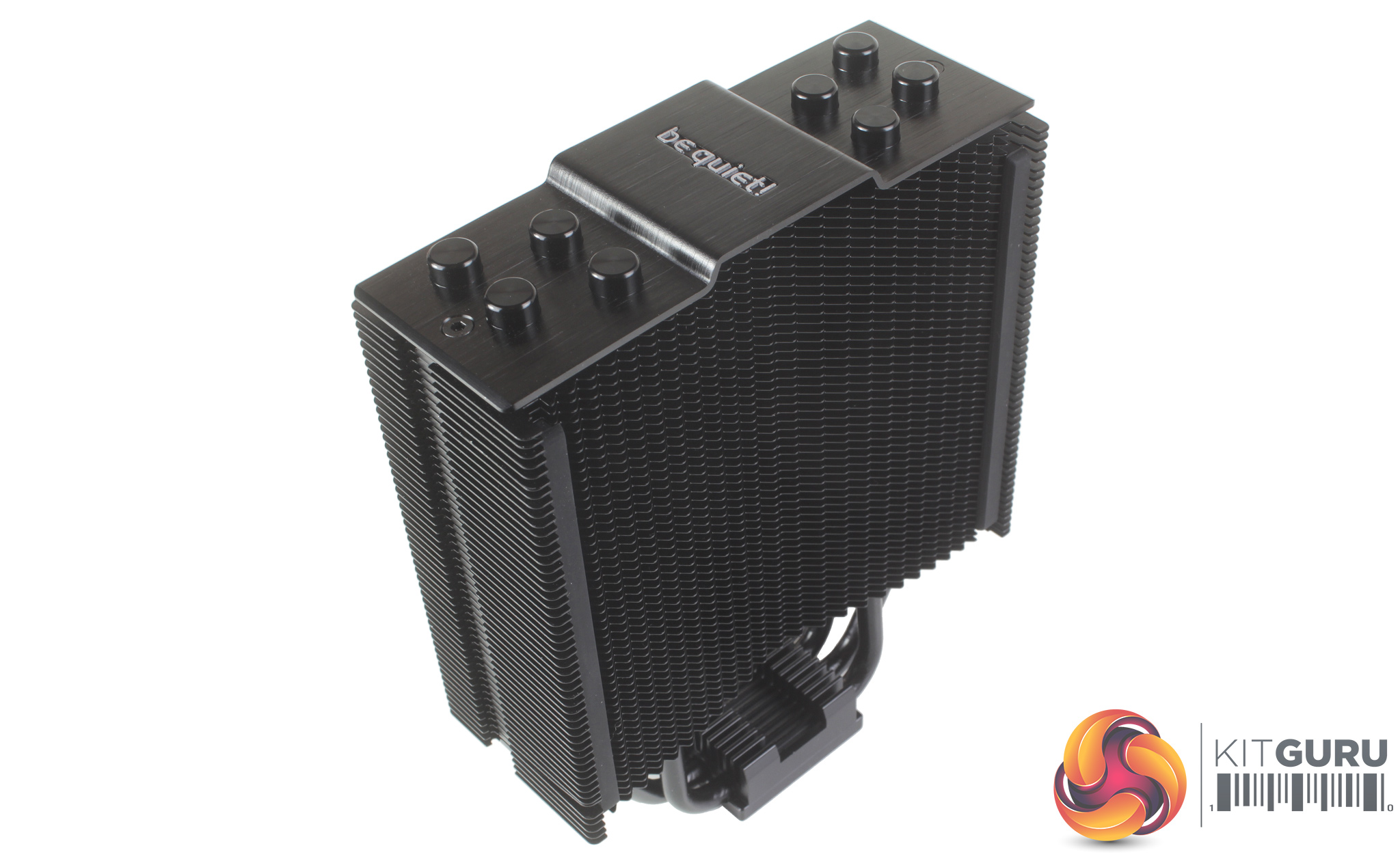
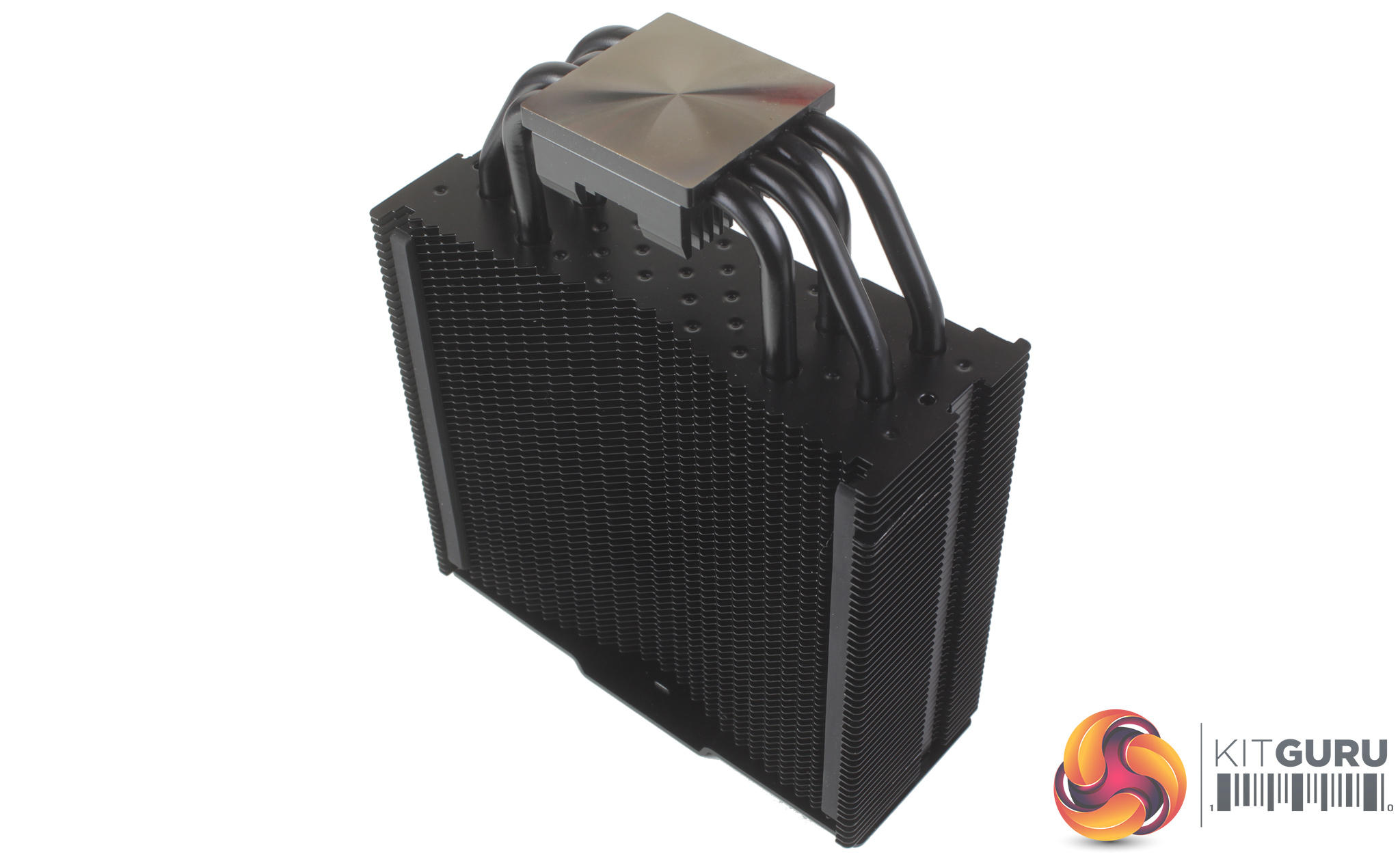
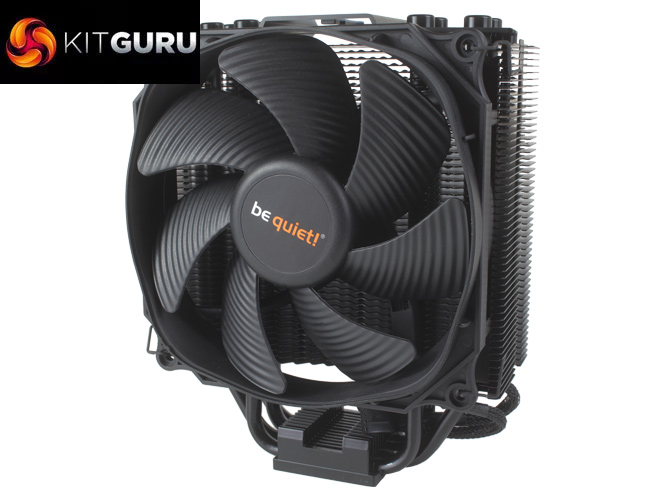
With the cooler out of the box, we can get a better look at its construction. Firstly, the all blacked out aesthetic looks really clean, and certainly very premium. This coating also has ceramic particles mixed in so the fact that the cooler is painted shouldn’t hinder heat transfer. In terms of dimensions, the Dark Rock Slim comes in at 50 x 127 x 159.4 mm, and when compared to similar coolers like the Cooler Master Hyper 212 at 54.6 x 120 x 158.8 mm, they are basically the same size, with the Dark Rock Slim just a little taller and wider.
The Dark Rock Slim also features a four heat pipe configuration and is rated for CPUs up to a 180W TDP. The top of the cooler also looks really good with its brushed aluminium top cover. When installed this is going to be the most visible part of the cooler, so just as with the Dark Rock Pro it’s nice to see be quiet!’s attention to detail here.
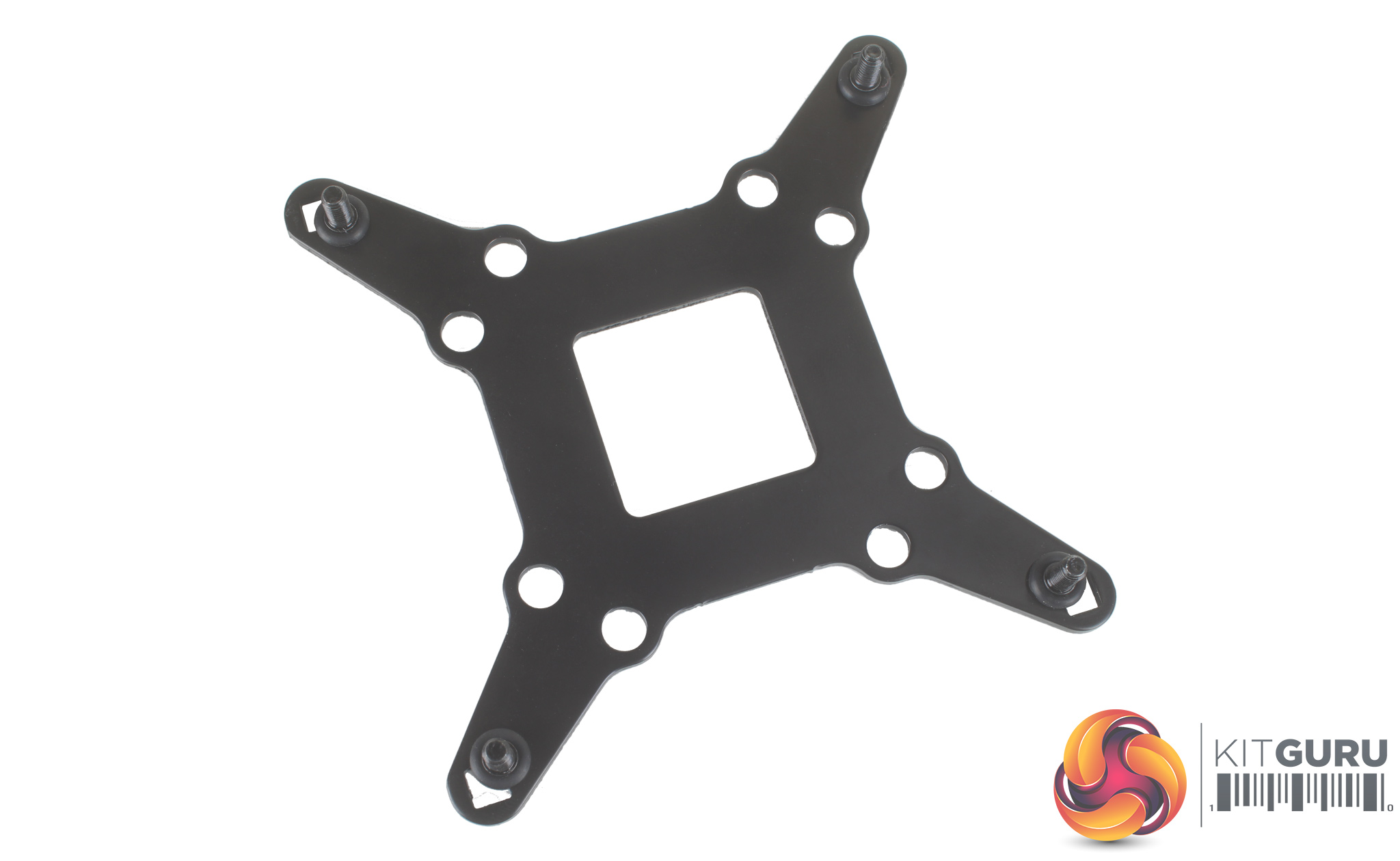
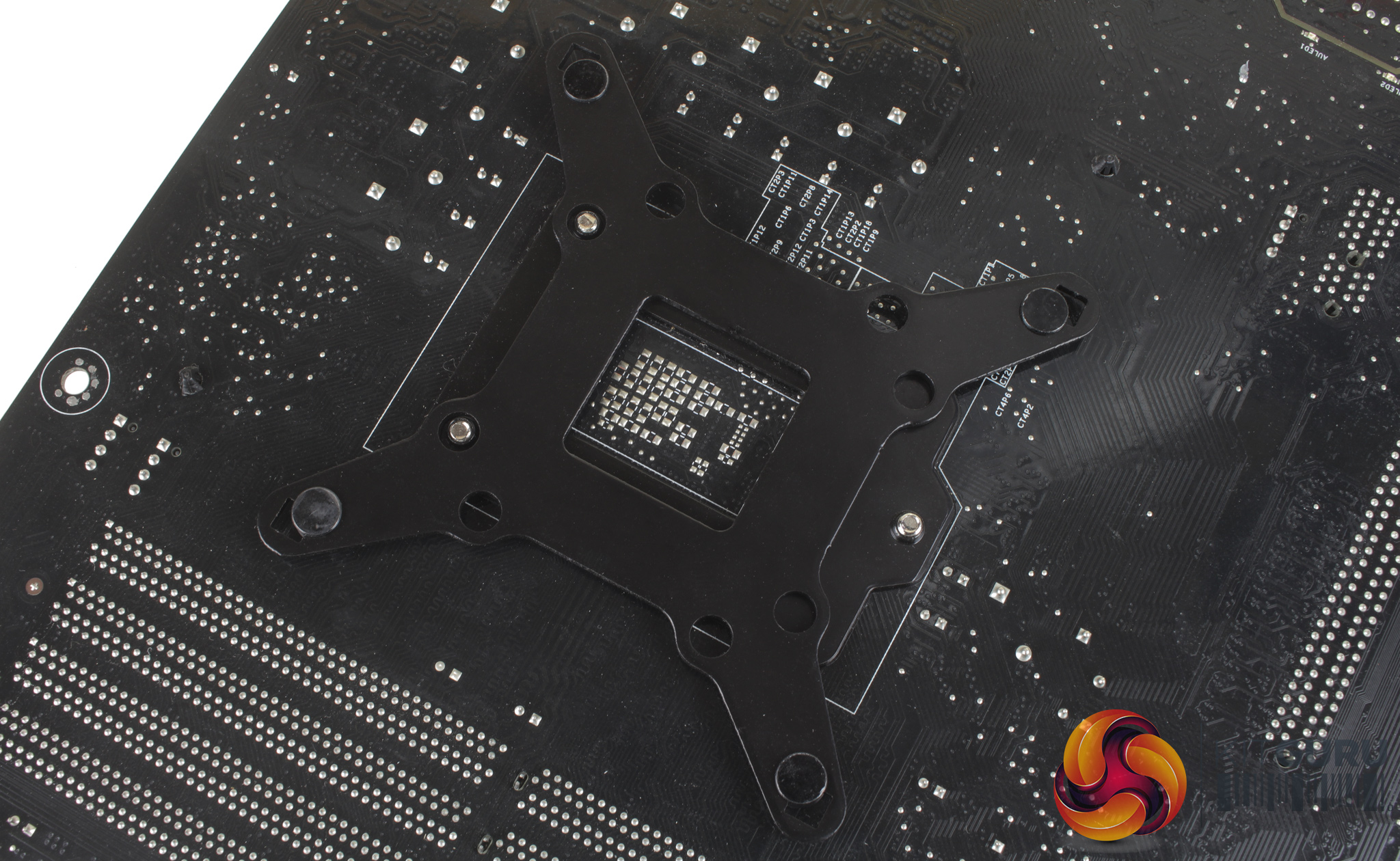
As we test CPU coolers on the Z170 platform, we'll be following the Intel installation instructions. Starting with the backplate, there are four longer screws which need to be passed through each corner of the backplate ,and these are held in place with four rubber O rings. With the backplate prepared, it can be fitted to the rear of your motherboard.

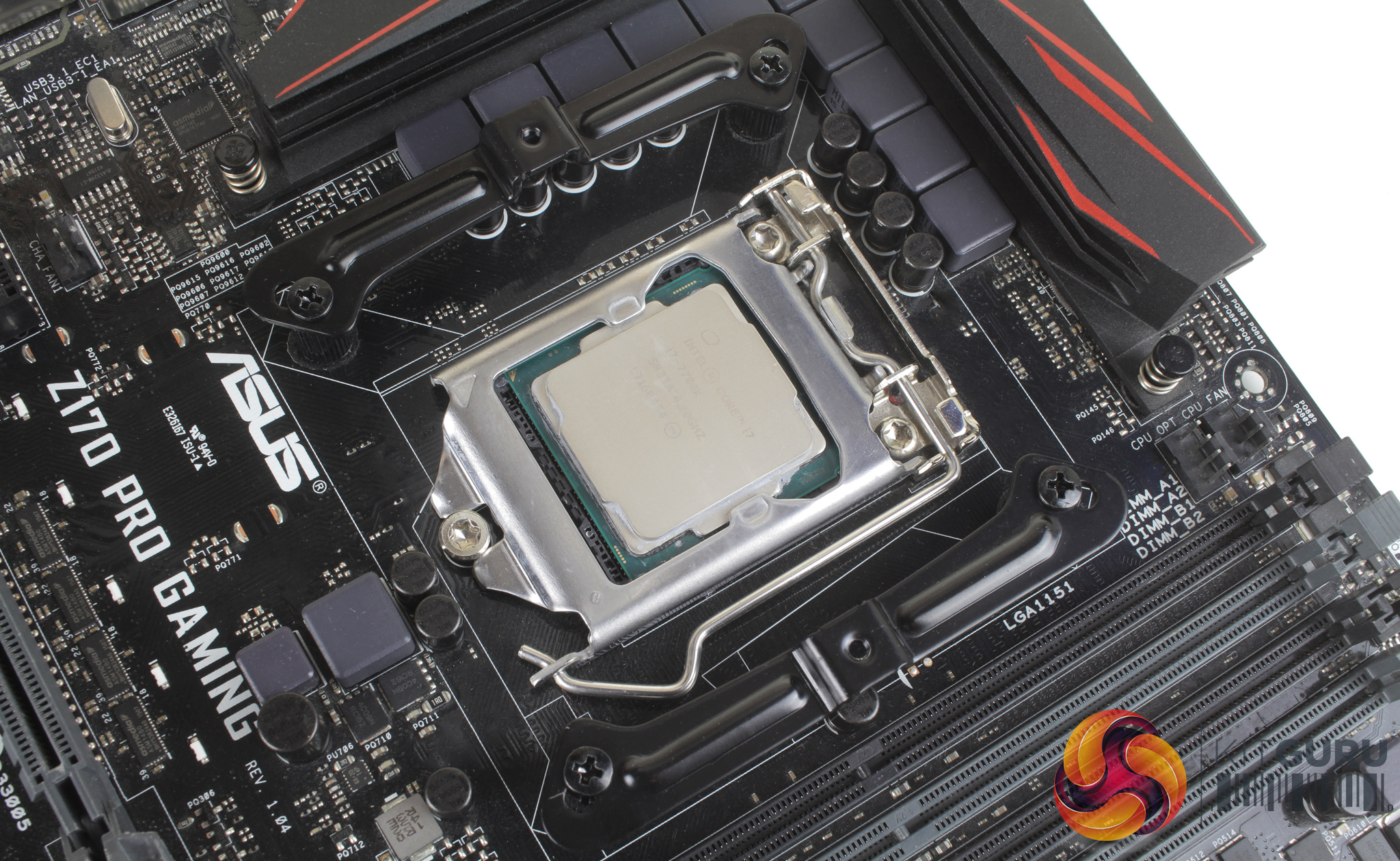
The backplate can then be mounted to the motherboard, with four threaded standoffs which need to be screwed onto each of the corner screws. There are two further brackets which then need to be fitted. It’s worth noting that these brackets orientation will dictate which direction the cooler will face. These two brackets sit atop the four threaded standoffs and are mounted using four small screws.
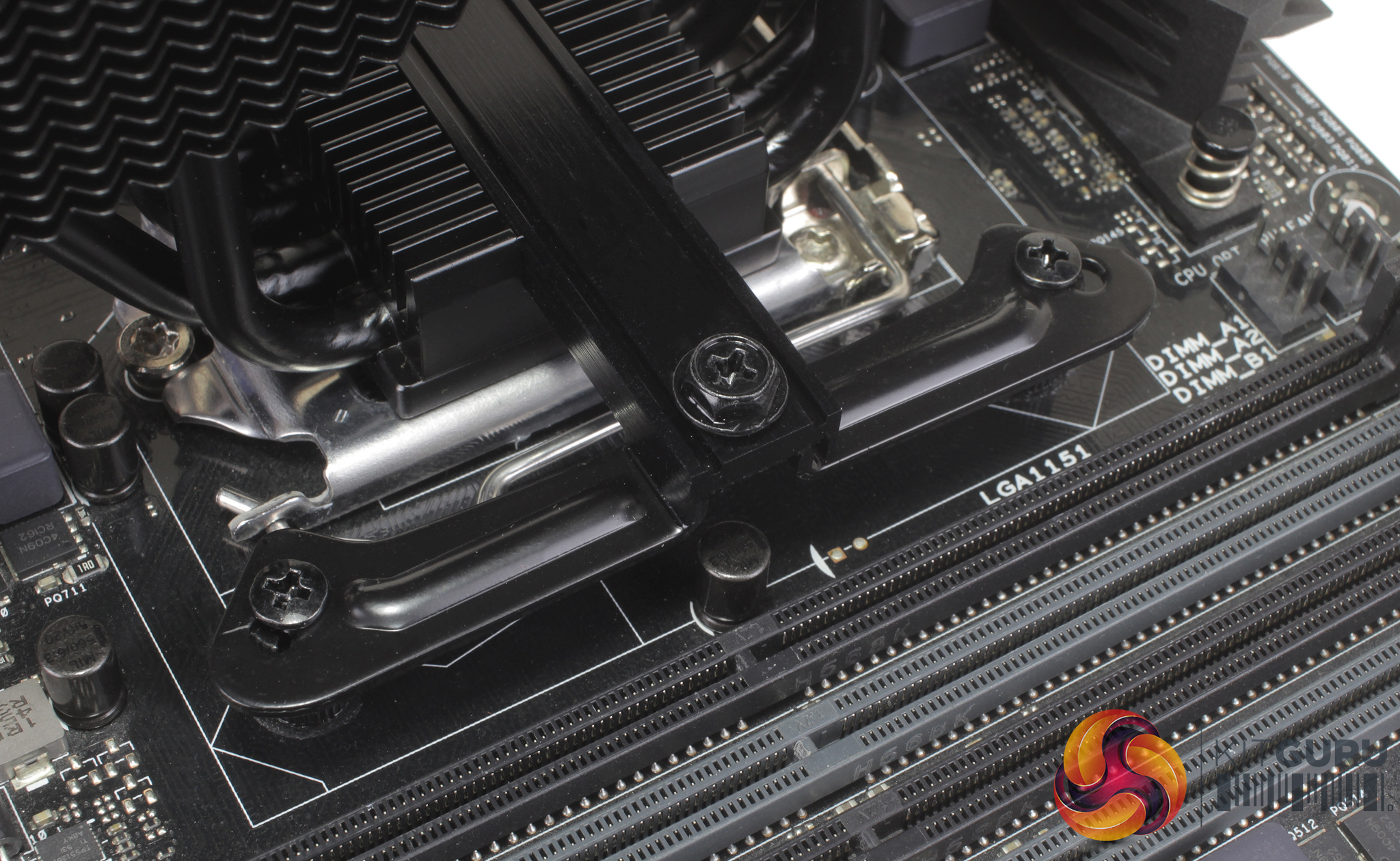
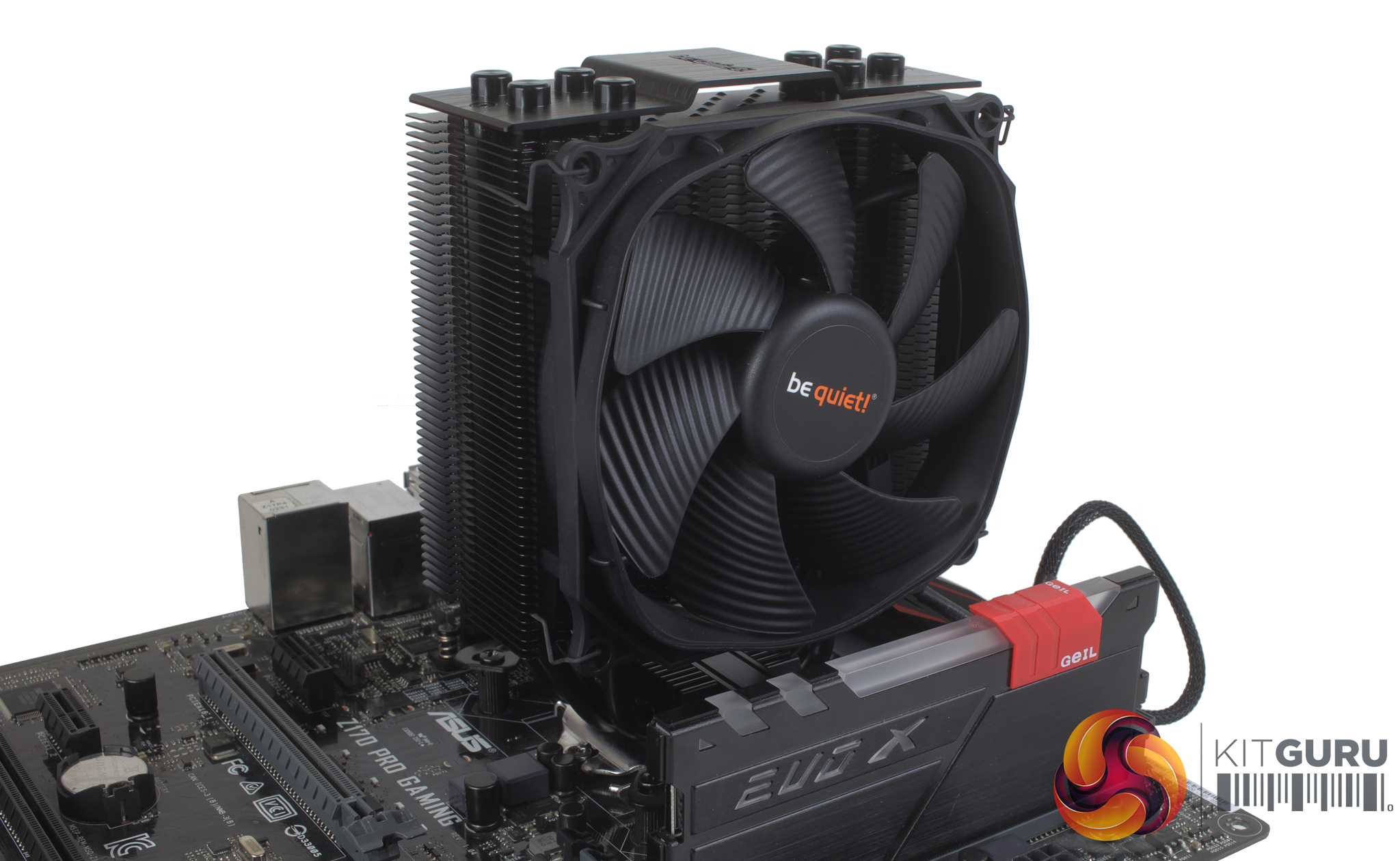
With the bracket fitted to your motherboard, the cooler itself can then be mounted starting with the cooler mounting bridge. This bridge needs to be passed through the bottom of the cooler and with this in place, you can apply your thermal compound, place the cooler atop your CPU and screw the cooler down using a further two screws.
With the cooler mounted, you can then attach the included Silent Wings 3 fan with two of the included wire clips, and plug the 4-pin PWM cable into your CPU fan header. The installation process does have a few stages to it and took roughly 10 minutes, though it is pretty straightforward and follows the same process as other be quiet! coolers I’ve tested recently like the Dark Rock Pro.
To test all CPU coolers, we devised an easily repeatable test with no variables other than the coolers themselves. This ensures that figures from every cooler we test are comparable with each other.
Test rig
At KitGuru we have recently updated our testing setup, and now test temperatures on the Z170 platform. For the CPU we are testing with the Intel Core i7-7700K installed in a ASUS Z170 Pro Gaming motherboard. For RAM we have a single 8GB stick of Geil EVO X RGB for some added bling running at 3200MHz, and storage is handled by a 120GB SanDisk SSD Plus. Powering our bench is a Seasonic Prime Platinum 650W PSU.
The test process
For testing, we run a number of tests including 4 separate temperature readings per cooler. We first measure the idle temperature of the i7-7700K locked in at 4.0GHz before measuring its temperature under load at the same frequency.
For a representation of overclocks, we run the i7- 7700K at 4.5GHz with a 1.275 Vcore applied both at idle and load. Following this we run the i7- 7700K at 5.0GHz with a 1.35 Vcore as well to really push thermal limits. The temperatures we present are temperature deltas, where the ambient temperature of the testing environment is deducted from the temperature taken from the CPU for both idle and load. We are aware that a 4.5GHz overclock with a 1.275 Vcore applied is not representative of the best setting possible for the i7-7700k, but this does allow us to simulate performance of coolers whether you are using a less powerful CPU such as an i3 or i5 processor, or a more powerful hotter CPU like our overclocked i7-7700k.
An idle reading comes from leaving Windows on the desktop for 15 minutes. A load reading comes from running Prime95’s (version 26.6) Small FFTs test for 15 minutes – enough time for temperatures to plateau. We use HWInfo64 v5.82 to measure temperatures.
Noise output
We measure noise levels with our sound meter positioned 1 foot away from the test bench. The peak noise level is presented. We have measured the noise floor (i.e. ambient noise levels of the room) to be 34 dBa, and when tested at stock clocks, the vast majority of coolers do not emit noise levels above this figure. Thus, we present one chart with noise levels taken during our overclocked CPU test run.
Temperatures
All temperature charts are sorted with lowest load temperatures at the top.
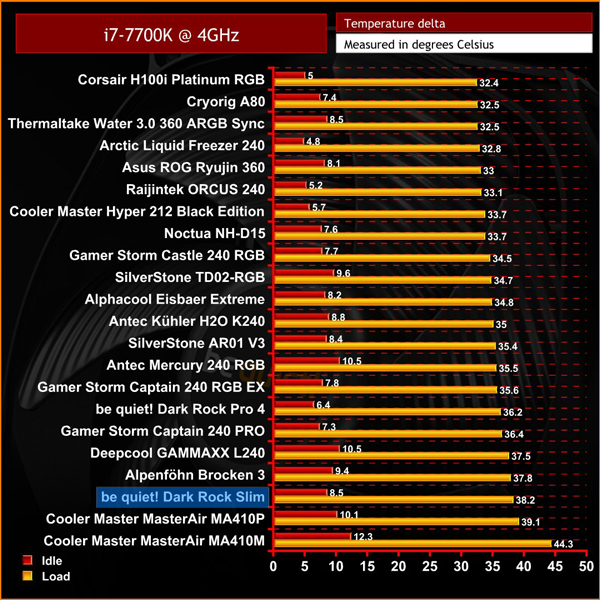
At 4GHz under load, unfortunately, the Dark Rock Slim's performance isn’t particularly groundbreaking, and it sits alongside similarly sized 120mm coolers like the Cooler Master MA410P. With a peak delta temperature of 38.2 degrees, it is certainly a little hotter than most other coolers on test at this frequency.
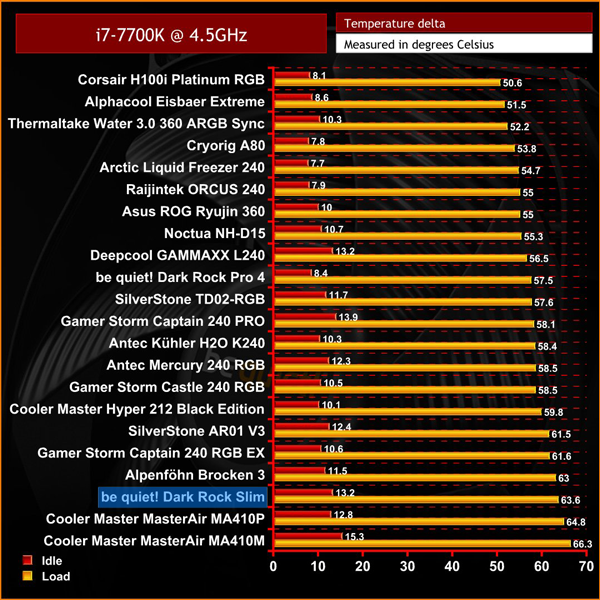
Moving on to 4.5GHz it's basically the same story. The Dark Rock Slim doesn’t move at all, still just outperforming its closest competitors from Cooler Master. With recorded temps of 63.6 degrees at full load, the Dark Rock Slim sits 3rd from the bottom of our list.
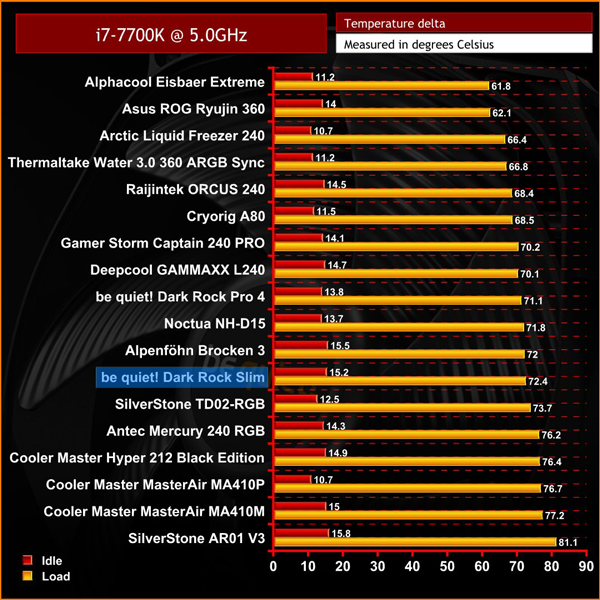
At 5GHz things do look a little better, as the Dark Rock Slim starts to move its way up our cooler list. The peak temperature of 72.4 degrees under load is comparatively much better, and has the Slim outperforming basically every comparable 120mm air cooler tested so far.
Noise levels
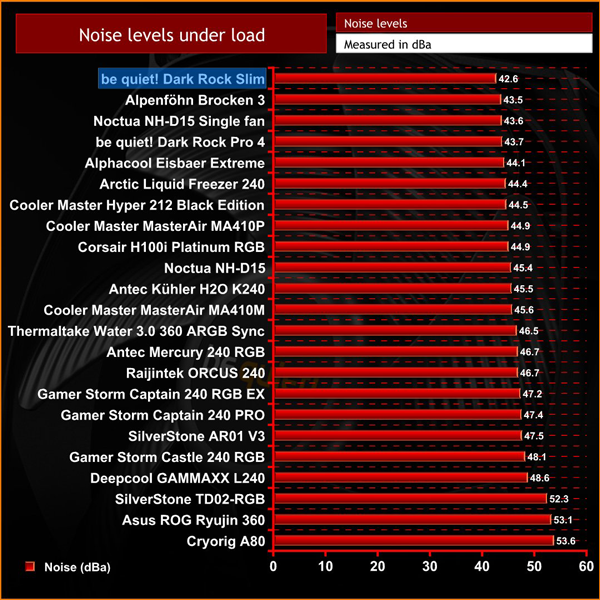
In terms of audible noise levels the be quiet! Dark Rock Slim really excelled here and was barely audible throughout all of my testing. To be honest, this really wasn’t that surprising considering the Silent Wings 3 fan has a maximum speed of 1450RPM – so it is clearly designed with low noise levels as its top priority, rather than all-out performance.
Looking across all of our results, it is really impressive to see the Dark Rock Slim matching the larger 140mm Alpenföhn Brocken 3 in every test. This is actually pretty impressive when you consider how much larger the Alpenföhn Brocken 3 is when compared to the Dark Rock Slim, though this be quiet! cooler is basically offering very similar temperatures and audible noise.
Overall, with the be quiet! Dark Rock Slim unboxed and in the hand, it's a pretty impressive piece of kit. There’s no corners cut when it comes to build quality, and it feels just as good as other be quiet! coolers like the Dark Rock Pro. It's clearly well built and looks very premium, and this is helped by the ‘blacked out' aesthetic. Little perks like the inclusion of a second set of fan mounts, and the included high-quality Silent Wings 3 fan, are also great to see.
The main thing with the Dark Rock Slim is its size, as it's the smallest standard air tower from the Dark Rock range. Previously if you wanted a Dark Rock, you'd either have to get the beefy Dark Rock 4/Dark Rock Pro 4, or go for something a bit different with the the ‘Top Flow' Dark Rock TF. With the Dark Rock Slim, be quiet! is offering a middle ground.

It's safe to say it's not a groundbreaking performer, but relative to other single 120mm fan coolers its performance is pretty much as expected. Where the Dark Rock Slim really shines though is in its audible noise, where it’s the quietest cooler tested to date – it's barely audible even when at full load.
The be quiet! Dark Rock Slim is a little dearer than other 120mm coolers you may have come across at £49.99, but for those who don't need a massive Dark Rock Pro, the Slim offers top build quality, no hassle compatibility, and most importantly very quiet operation – making it well worth buying.

The be quiet! Dark Rock Slim is currently available to from Overclockers UK for £49.99 inc. VAT HERE.
Pros
- Almost silent in operation, even at full load.
- The clean, all black aesthetic looks great.
- Additional accessories like extra fan mounts are always welcome.
- Great support for even high profile memory modules.
Cons
- Not the best in terms of raw thermal performance at this price point.
- Installation is a little fiddly.
KitGuru says: If you're looking for a high quality, highly compatible air cooler with almost silent operation – the be quiet! Dark Rock Slim is definitely one to check out.