KitGuru KitGuru.net – Tech News | Hardware News | Hardware Reviews | IOS | Mobile | Gaming | Graphics Cards


When it comes to upgrading your PC it is usually pretty easy to understand the benefits associated by spending more money. A new CPU and motherboard will give you extra overclocking potential and a snappier system. A new graphics card will give you better gaming performance and a new SSD will give you better boot and response times. But what about upgrading your sound card? That is a little harder to quantify – but ASUS has plenty of reasons for you to buy its latest external option.
Asus claim their Xonar U5 will eliminate background noise from VOIP calls and deliver higher quality, more powerful sound, as well as a robust software back-end for customisation. Clearly this is not an audiophile's amplifier, but a gamer's one. Let us see how it holds up to our gaming tests.
Features
- True 5.1-channel HD (192kHz/24-bit) surround sound from a compact USB-powered device.
- 104dB signal-to-analog ratio (SNR) ensures pure sound.
- Sonic Studio provides complete control over loads of sound technologies.
- Perfect Voice technology eliminates noises for clear in-game communications.
- Independent mic and master-volume controls for instant in-game adjustments.
- Integrated headphone amplifier provides clear, detailed sound for an immersive audio experience.
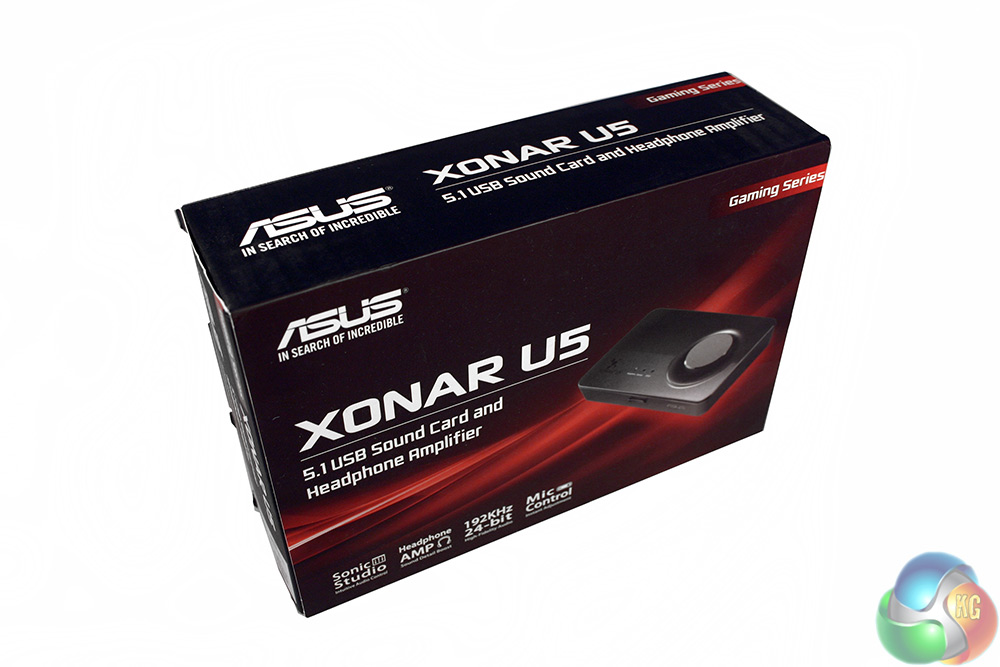
Despite its gamer focused marketing, the Xonar U5's box is professional looking – with no tacky CGI characters draped across the packaging. Instead, what we have is a single prominent image of the “card” itself on the front and informative graphics on the back to break down some of its most important features.
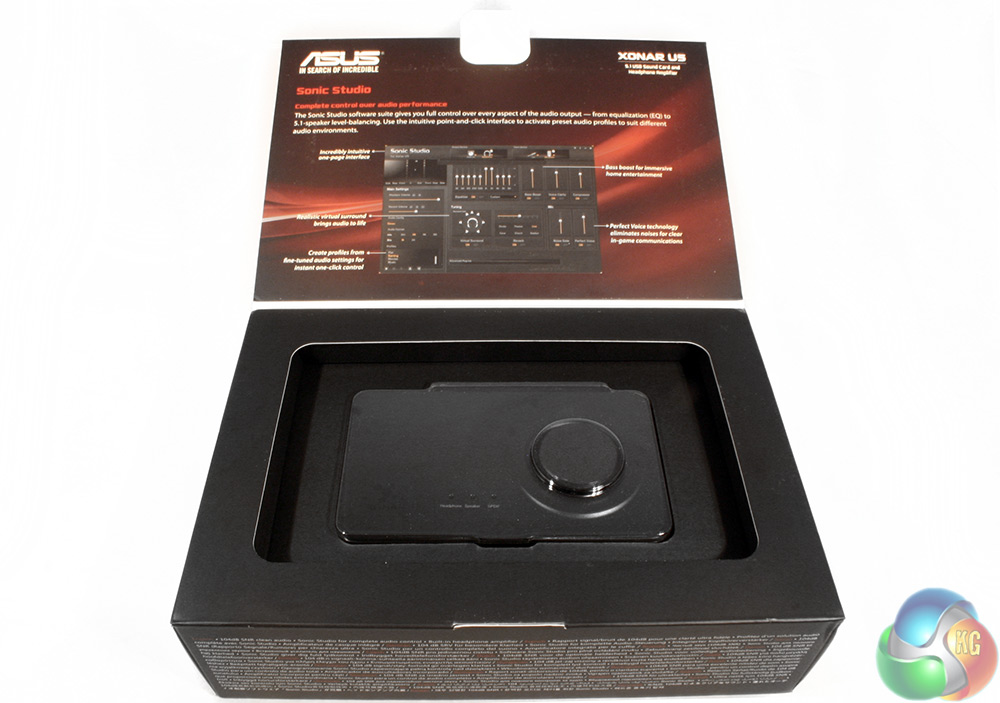
Flipping open the lid gives you a little more insight into the Xonar U5's software, highlighting some of its particular features.
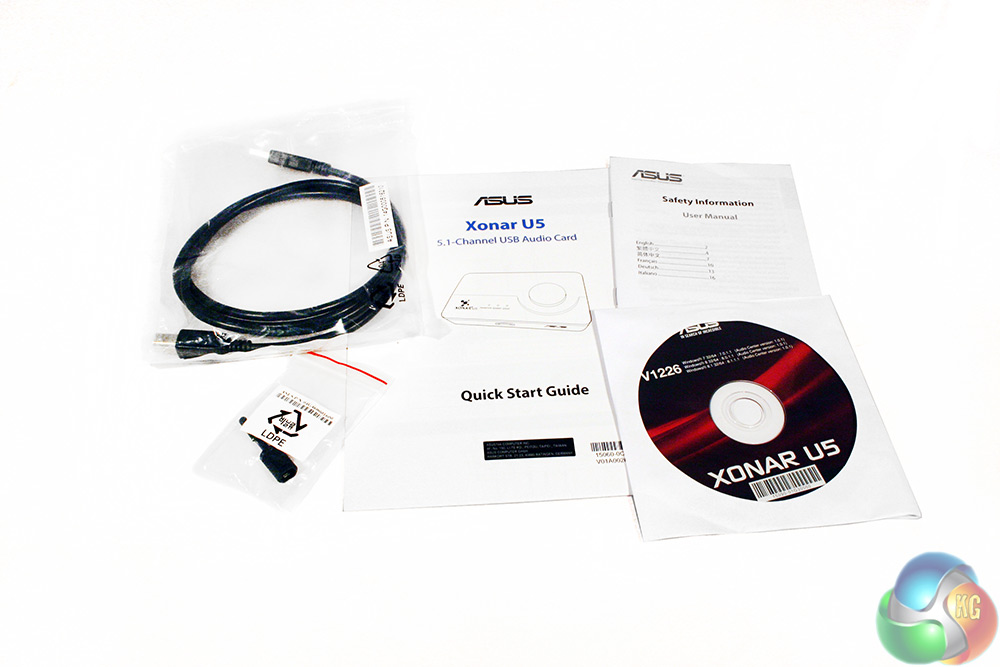
There are quite a lot of extras with this headphone amplifier, including a quick start guide, full-size manual, a safety manual, port plug, USB cable and driver CD.
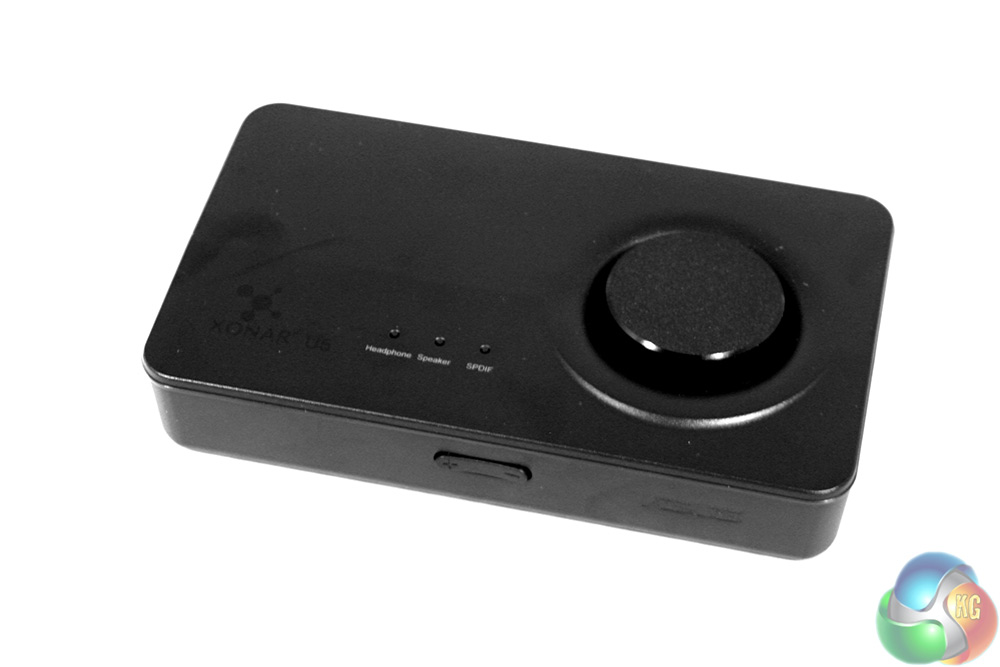
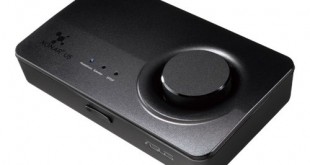
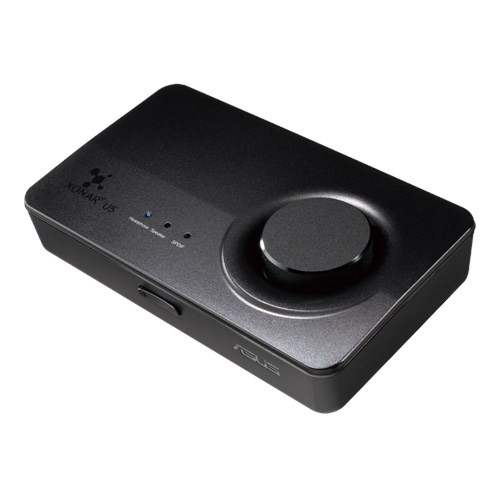
The Asus Xonar U5 amplifier itself is pretty innocuous, which is probably a good thing considering this will sit on top of a PC or on your desk somewhere. It does not need to take up room or draw the eye too much. It is a simple, black box with a turn dial volume control on top and a handful of LED indicators that let you know when you are making use of the headphone, speaker and SPDIF jacks.
The front also has a rockable button for microphone volume control that feels ‘clicky' compared to the smooth twist of the output dial.
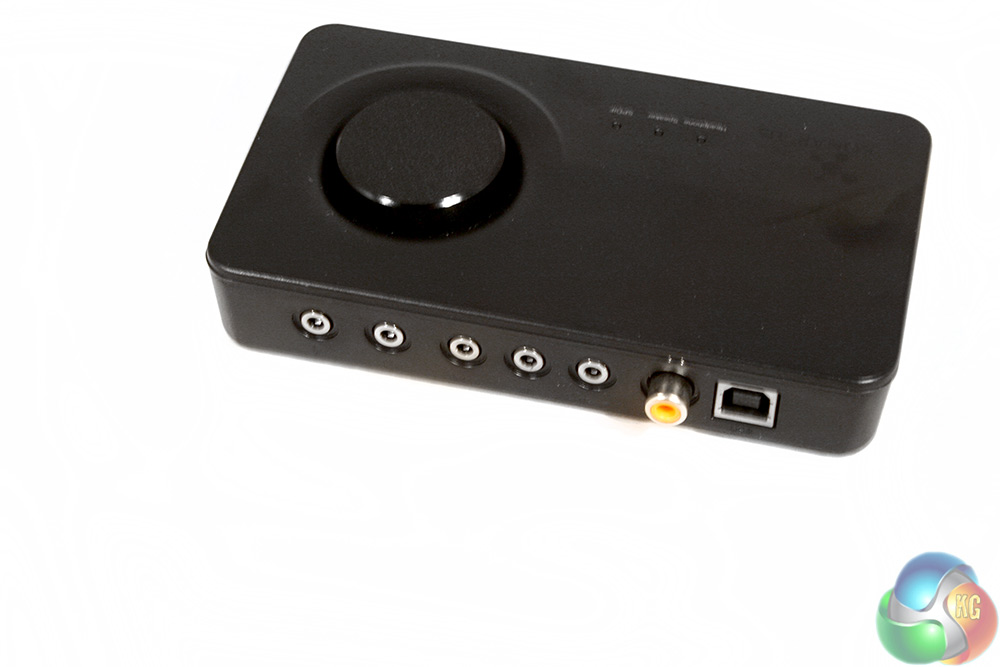
Spinning around to the back, we have all the input ports. They are from left to right: microphone, headphones, front speaker, centre/subwoofer, rear speaker, SPDIF and USB. The latter of those is the data and power connector for the amplifier, while the rest (save the microphone of course) are all outputs.
The underside has small rubber feet to keep the Xonar U5 in place and also has an almost hidden little switch, to let you change between USB 1.1 and USB 2.0 mode.
Installation is simple. Plug the Xonar U5 into a USB port and install the latest version of the ASUS software. While it is not discreet like an internal sound card, it is very convenient and would allow you to switch over to your laptop for added sound quality too.
When it comes to testing high-end sound cards there are a few synthetic tests we could run to analyse differences between onboard audio – but they are not really reflective of real world usage.
Over the course of a week I played many games, listened to a wide range of audio files and watched a handful of films using various headsets and speakers. I compare the Xonar U5 against the Asus Z97-K with the Crystal Sound 2 chip.
For reference, in testing this sound card I used a set of Razer Mako 2.1 speakers, an ASUS STRIX Pro headset and a Kingston HyperX Cloud (to make sure there was no ASUS bias).
So first things first, gaming. This is the Xonar U5 target audience. To test how effective the ASUS Xonar U5 can be, I used some very atmospheric games, such as Alien Isolation. I am currently playing through this game on the Oculus Rift DK2 (when my underwear washing schedule allows). While this game is atmospheric using onboard audio, switching to the Xonar U5 made a surprisingly big difference.
The virtual surround sound works well with this game. This added a little more of a 3D effect to the stereo field. Overall though it was the clarity and the sheer punch of the frequency range that made a difference. This could be put down to the amplification, which allows you to get a bit more volume than you would with on-board sound – but also the bass boost, which adds a deep and unsettling rumble to the sounds of the Xenomorph scrabbling through the duct work.
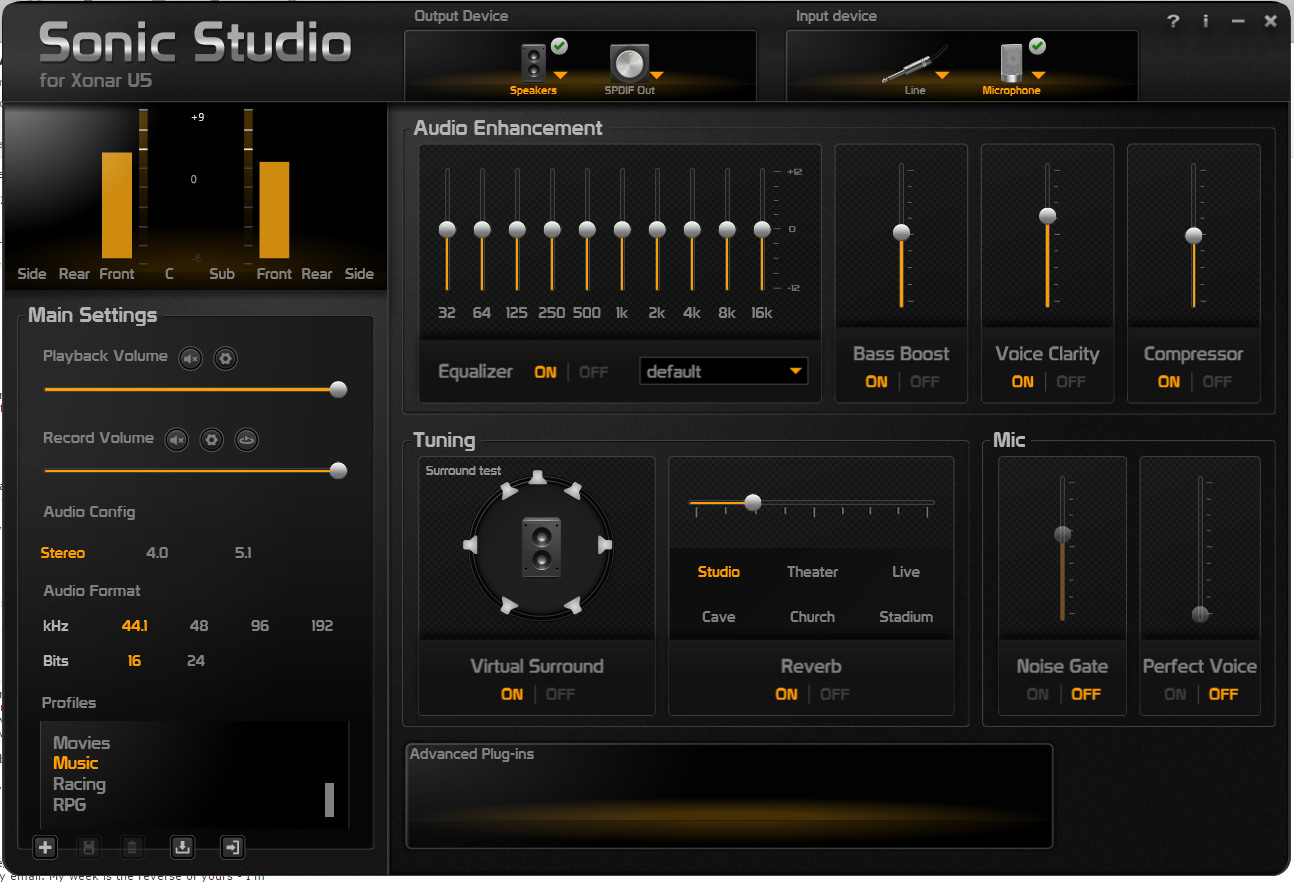
Sonic Studio has a lot of options to play with. Most of the effects are subtle, but significant
It actually got a little overwhelming at times, especially when you are being chased and the alarm's blaring and there are voices crying out for help… the game is nerve wrecking anyway, but switching from onboard audio to the Xonar U5 was noticeable.
Music was similarly punchy, with a distinctly clear mid-range, though you can tweak that through the Sonic Studio's EQ settings. I listened to plenty of different genres of music to put the card through its paces. The Xonar U5 added clarity and impact regardless of the genre, with a slightly richer sound than you would get from the onboard sound solution.
It is worth noting that improvements were not as pronounced through speakers, but then if you have a nice set of headphones that is quite often the case. It may also have been that the speakers we used have their own amplification, so enhancing the signal does not deliver such a noticeable difference. I can imagine the Xonar U5 making the most improvement to difficult to drive headsets with zero amplification of their own.
What if you use some really high quality audio tracks? This is a sound card that can support anything up to 24bit 192KHz recordings, which are higher quality than an ‘average' MP3. To put it into context, these tracks can weigh in at well over 100MB for a single song.
Classical recordings encoded at this bit rate are beautiful to listen to and the Xonar U5 definitely gives them a more coherent and defined sound signature.
One of the more interesting aspects of this sound card is the number of additional effects you can add to VOIP communication. Designed with multiplayer gaming in mind, where communication is key, switching on voice clarity, noise gate and perfect voice (and playing with the levels) can have a dramatic difference and can help block out background noise too.
Combine this with a decent uni-directional microphone and you could probably have a band playing in the room with you and no one would know!
The only real negatives I have with the Xonar U5 are that sometimes switching between outputs, Windows will default to the onboard sound card. This seems to happen the most when you have only recently plugged in your headset or speakers, so is easily fixed.
So how does the ASUS Xonar U5 fare overall? It is a very solid choice for anyone looking to improve their audio quality when gaming – without breaking the bank. Not only is this little sound card convenient, but it does a good job of improving audio quality in non amplified headsets and goes a long way to improving clarity too.
Clearly designed with gaming in mind, the Xonar U5 improves audio quality in key areas and we like the clever Sonic Studio settings. These let you tweak how you sound to fellow gamers, making sure that they can hear you without focusing on distracting sounds in the background.
The support for audio files up to 24bit 192KHz is a welcome addition and it will certainly help headphones perform to their best as degrading MP3 compression is removed from the audio equation.
The Xonar U5 supports virtual and real 5.1 surround sound too, so if you have a headset or speaker system that is compatible, you are ready to rock. If you demand 7.1 surround support, you will have to buy the bigger and slightly more expensive option – the Xonar U7.
If ASUS make a future revision, I would like to see improved push switches on the sound card itself. They are quite clunky and do not have the same quality feel as the rest of the product.
Overall, it is difficult to find fault with tthe Asus Xonar U5. It does mean an extra set of cables trailing to the back of the PC, but this can actually make things a bit more convenient when you need to plug in a headset.
You can find the ASUS Xonar u5 on Amazon for £65.
Discuss on our Facebook page, over HERE.
Pros
- Convenient for moving, ease of plugging in cables, installation
- Gives games and music a nice clarity and volume bump
- Lots of back-end options in Sonic Studio
- Great for combating background noise over VOIP
Cons
- Push buttons feel pretty tacky
- Onboard sound can sometimes steal control
KitGuru Says: The ASUS Xonar U5 is a great little external soundcard that is very convenient and gives your audio some much appreciated punch.