KitGuru KitGuru.net – Tech News | Hardware News | Hardware Reviews | IOS | Mobile | Gaming | Graphics Cards


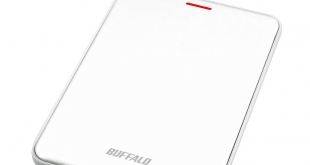
Buffalo's MiniStation Velocity range is the flagship of company's portable SSD range of storage drives. Based around an SSD drive, the MiniStation Velocity uses a USB 3.1 (Gen 2) interface and Buffalo claim it to be the slimmest portable SSD of its class at just 8.8mm thick.
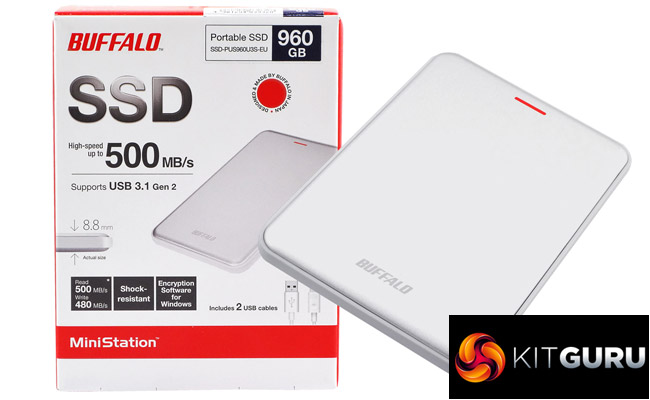
The 960GB drive is the flagship of the MiniStation Velocity SSD range, with 240GB and 480GB being the other capacities available. The drive is built into an aluminium enclosure and is available in two colours, silver or black.
There’s no hint of what NAND and controller are being used in the drive on the spec sheet for it, but the CrystalDiskMarkInfo utility recognises it as a Toshiba THNSN9960GESG.
This drive combines Toshiba 19nm TLC NAND and a Phison PS3110-S10 controller. Performance for the drive is quoted by Buffalo as reaching above 500MB/s for reads and above 480MB/s for writes.
Buffalo back the drive with a 2-year warranty.
Physical Specifications:
Usable Capacities: 240GB, 480GB, 960GB
NAND Components: Toshiba 19nm TLC
Interface: USB 3.1 (Gen 2)
Form Factor: External drive
NAND Controller: Phison PS3110-S10
Dimensions: 115 x 79 x 8.8mm
Drive Weight: 100g
Firmware Version: SAFM12.3
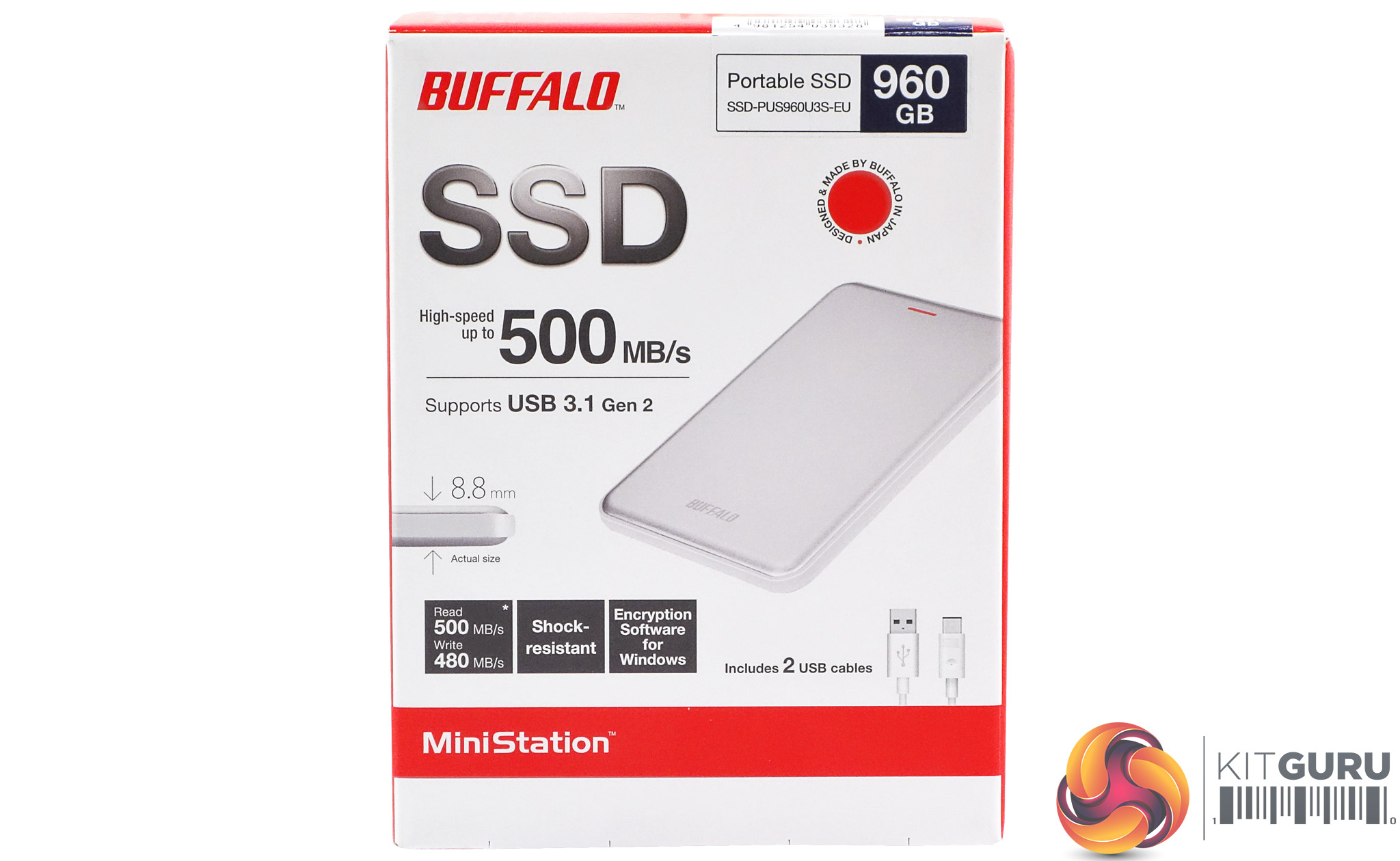
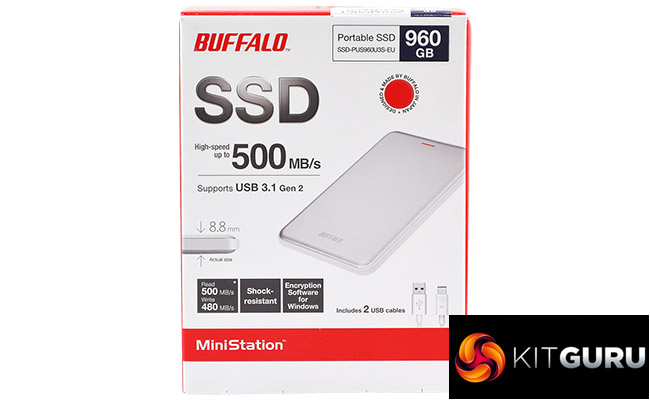
The Buffalo MiniStation Velocity ships in a compact box with a good clear image of the drive on the front along with a life-size portion of the drive to show how slim it is. Also featured on the front of the box is a sticker showing the drives capacity, read/write performance figures and which cables come in the box.
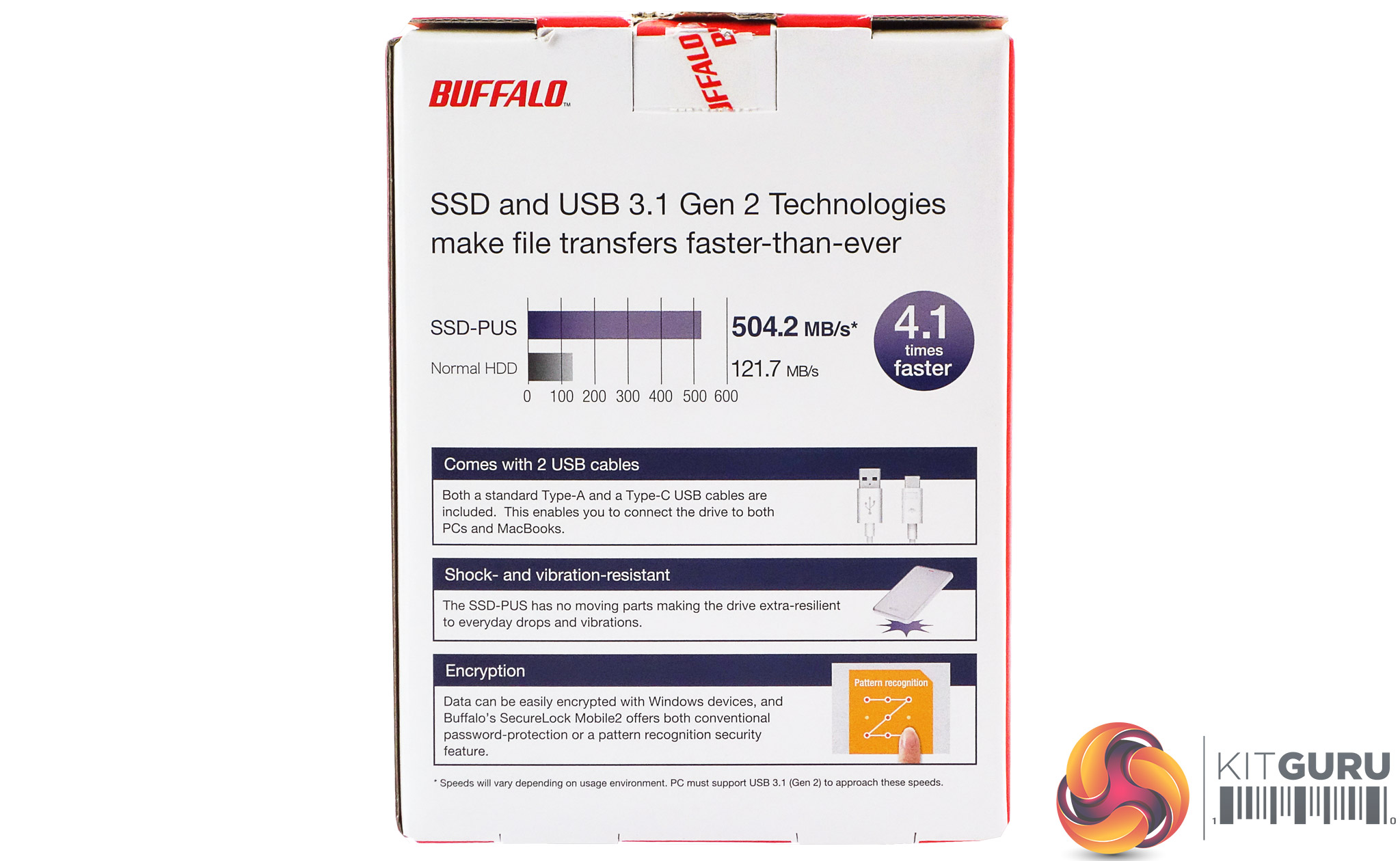
The rear of the box has a small graph showing how many times faster than a standard HDD the Velocity is and three panels displaying information about the bundled cables, how the drive is shock resistant and the encryption software.
The encryption software, Buffalo's SecureLock Mobile2, and a disk formatting utility aren't actually installed on the drive but a direct link to the appropriate download section of the Buffalo website is.
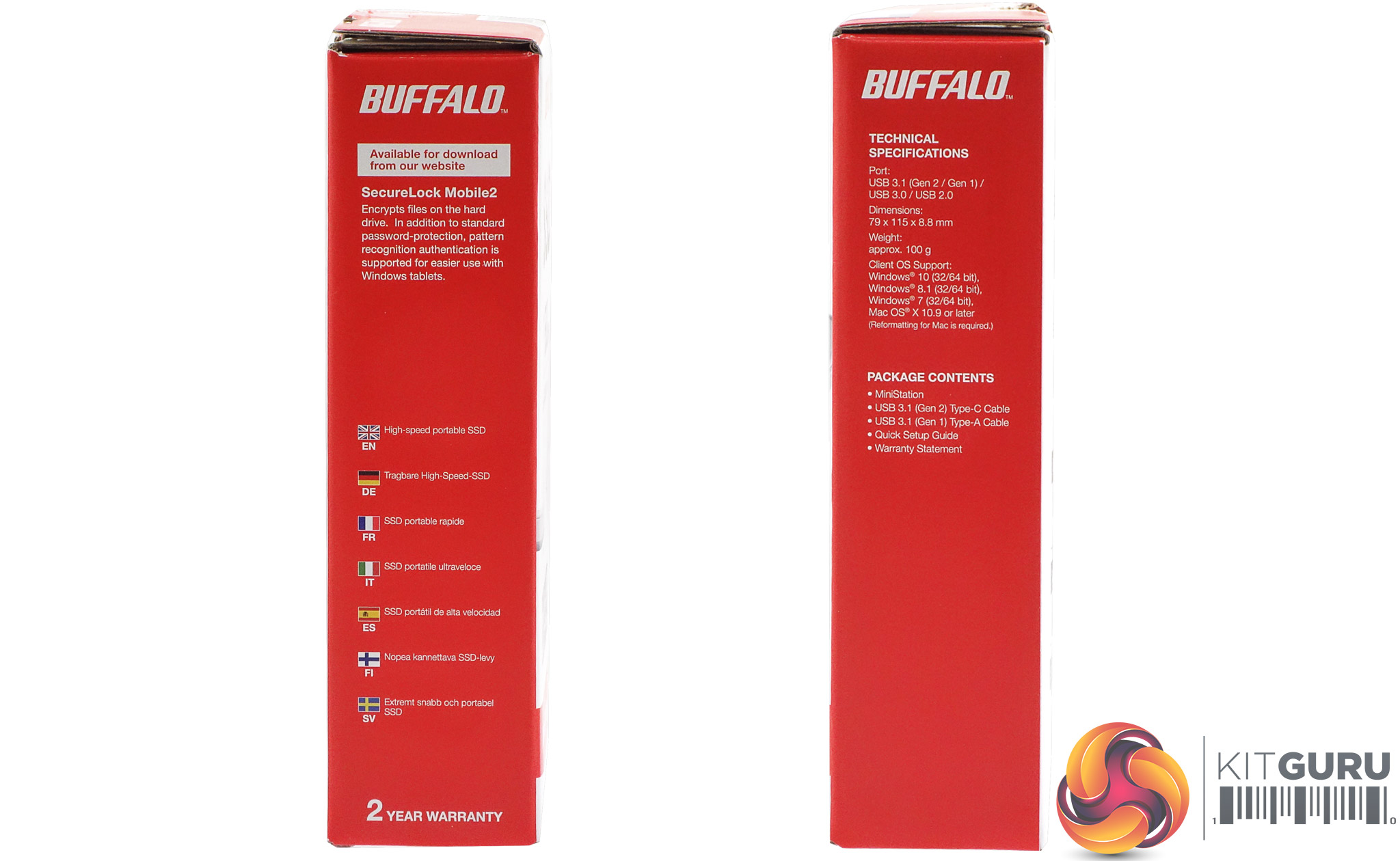
One side of the box displays technical specifications for the drive and what's bundled in the box while the other has more details about the SecureLock Mobile2 utility and multilingual descriptions of what the drive is.
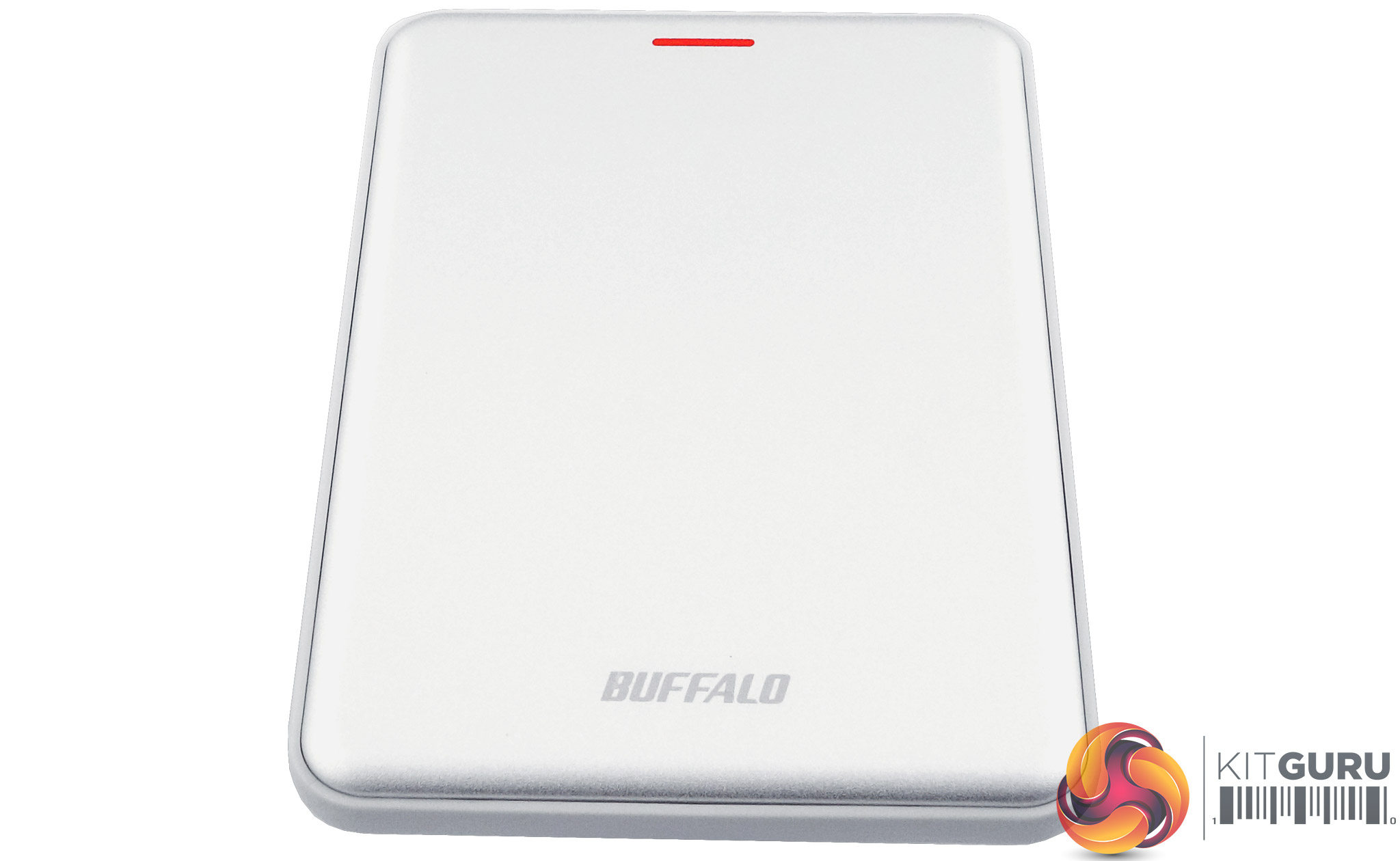
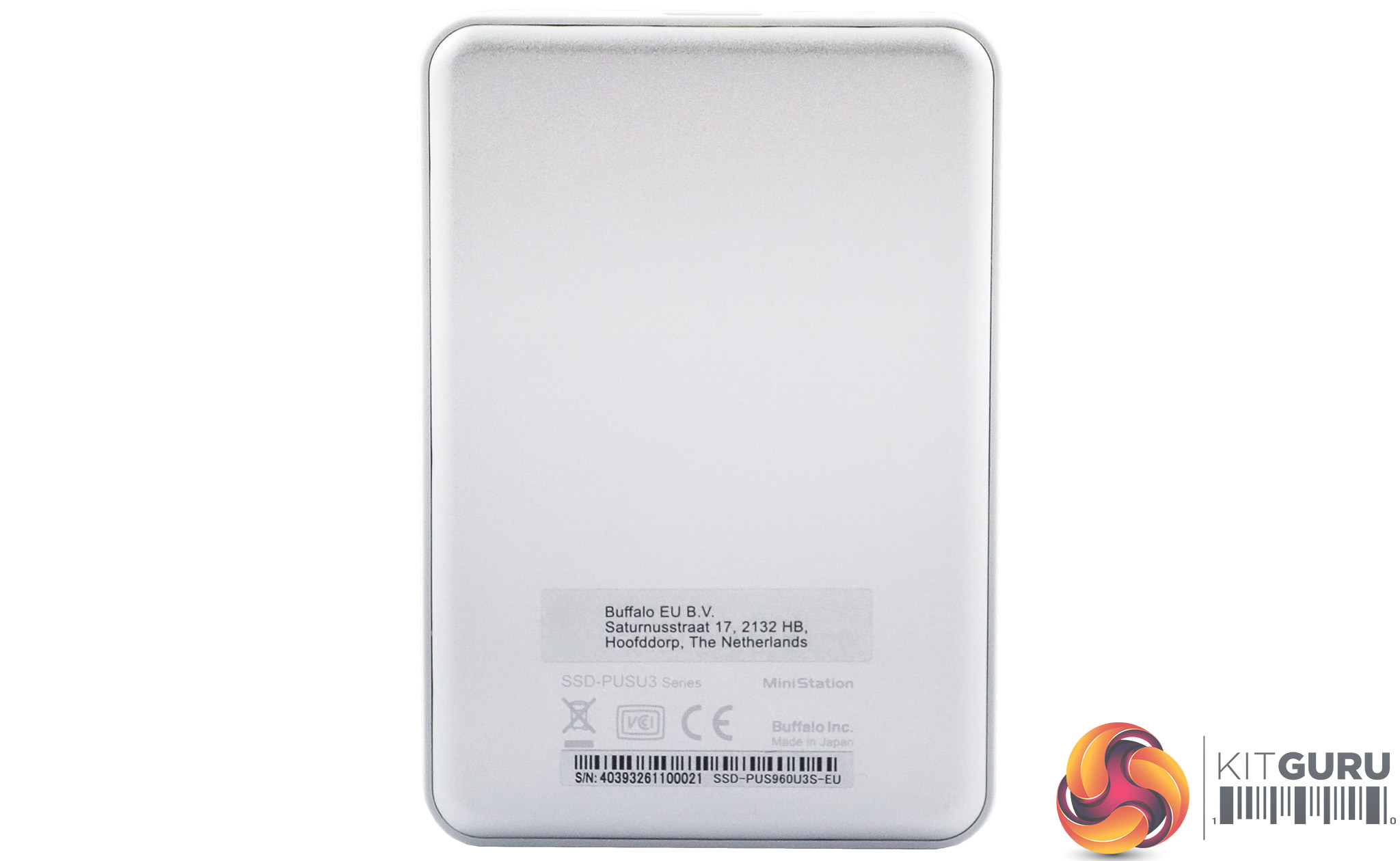
The MiniStation Velocity uses a very slimline enclosure, just 8.8mm thick and weighing just 100g, is perfectly sized for your pocket. On the top of the drive at the end where the USB Micro B port is there is a red flash which you might assume to be the drive activity indicator but no, it's just a red flash. The actually drive activity indicator is a tiny white LED housed in one corner of the drive, near to the port itself.
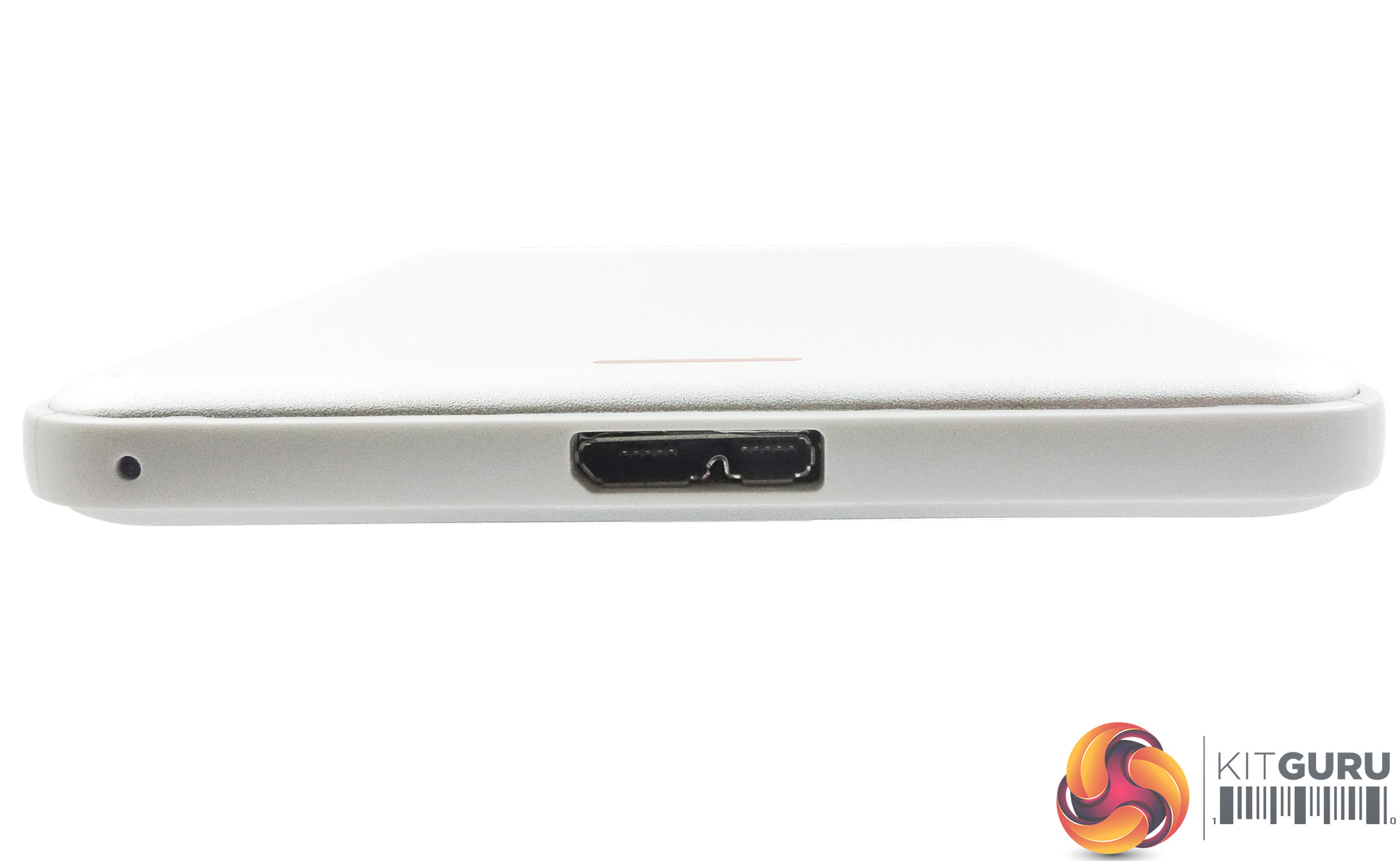
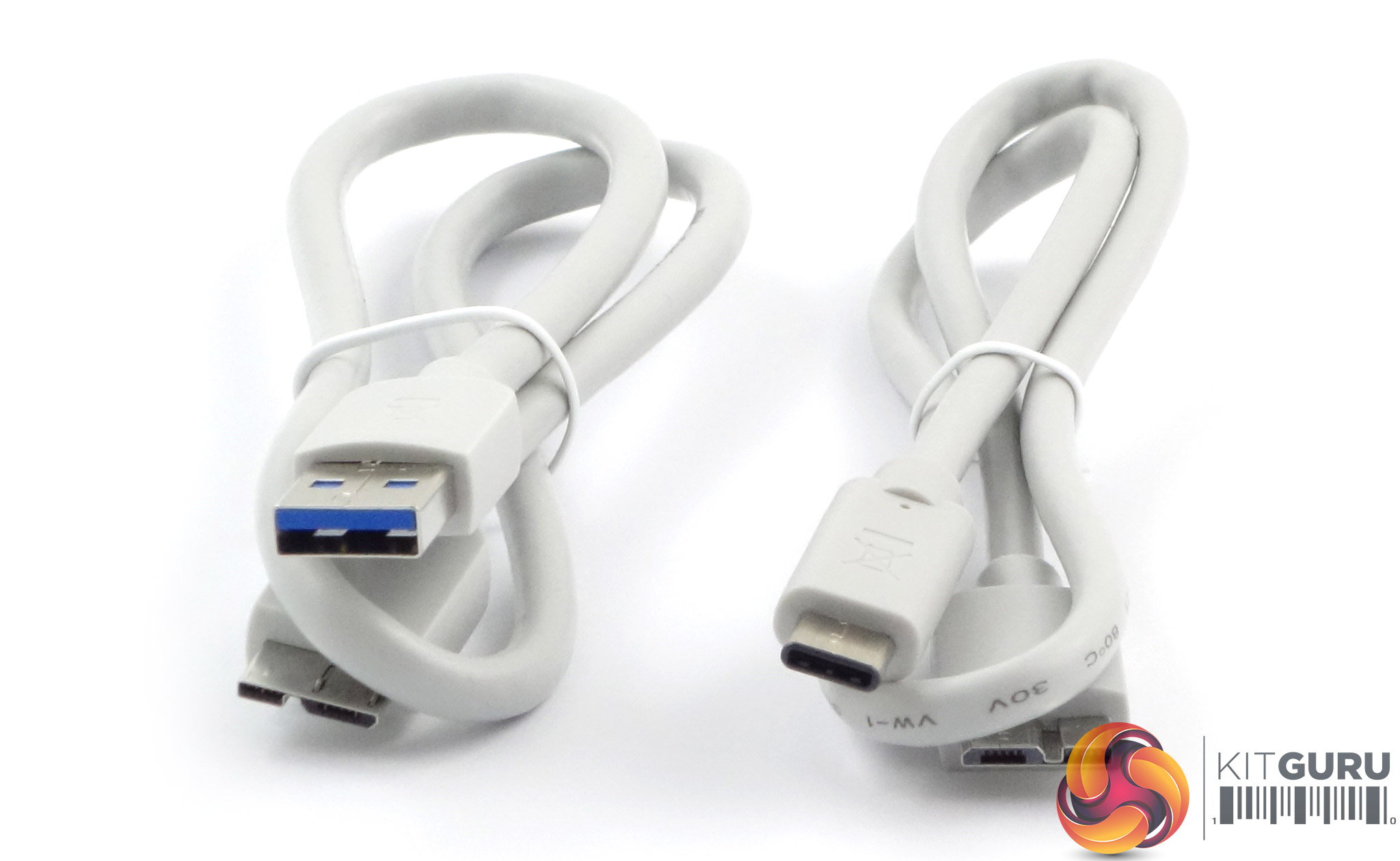
Buffalo supply both micro B to A and micro B to C cables with the drive.
We tested the drive using the NTFS file system.
Crystalmark is a useful benchmark to measure theoretical performance levels of hard drives and SSD’s. We are using V3.0.3.
The ATTO Disk Benchmark performance measurement tool is compatible with Microsoft Windows. Measure your storage systems performance with various transfer sizes and test lengths for reads and writes. Several options are available to customize your performance measurement including queue depth, overlapped I/O and even a comparison mode with the option to run continuously.
Use ATTO Disk Benchmark to test any manufacturers RAID controllers, storage controllers, host adapters, hard drives and SSD drives and notice that ATTO products will consistently provide the highest level of performance to your storage.
AS SSD is a great free tool designed just for benching Solid State Drives. It performs an array of sequential read and write tests, as well as random read and write tests with sequential access times over a portion of the drive. AS SSD includes a sub suite of benchmarks with various file pattern algorithms but this is difficult in trying to judge accurate performance figures.
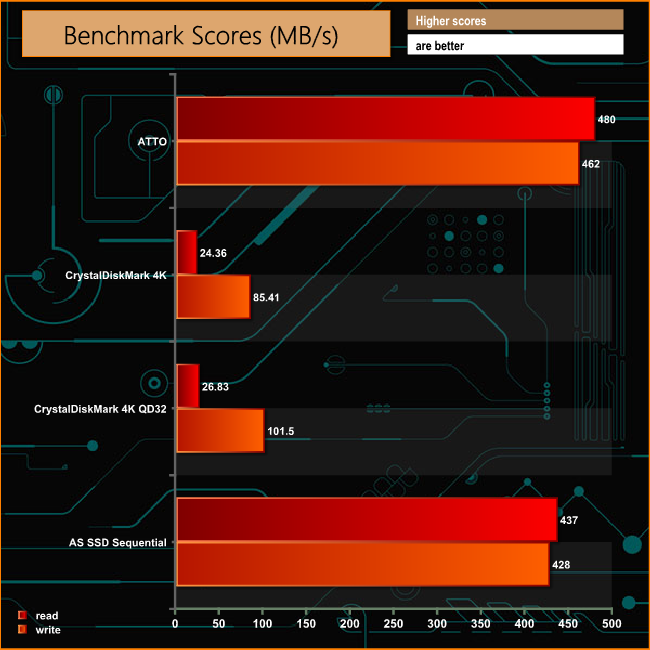
Using the ATTO benchmark we couldn't quite achieve the maximum quoted read/write speeds for the drive of over 500MB/s and 480MB/s respectively, managing 480MB/s for reads and 462MB/s for writes. The more stringent ASSSD benchmark reduces the read and write figures even further from the official figures.
While the 4K read figures aren't anything to get excited about, the 4K write performance is pretty good at a shallow queue depth and even better at a deeper queue depths as can be seen from the CrystalDiskMark 4K test results.
IOMeter is another open source synthetic benchmarking tool which is able to simulate the various loads placed on hard drive and solid state drive technology.
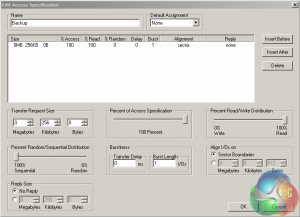
We set IOmeter up (as shown above) to test both backup and restore performance using a 100GB file.
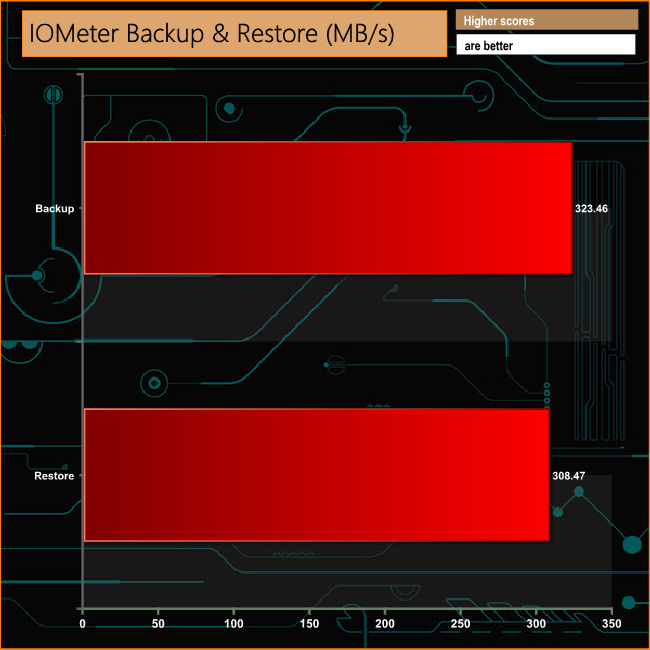
Backing up and restoring the 100GB file proved no problem for the drive, topping the 300MB/s mark in both directions.
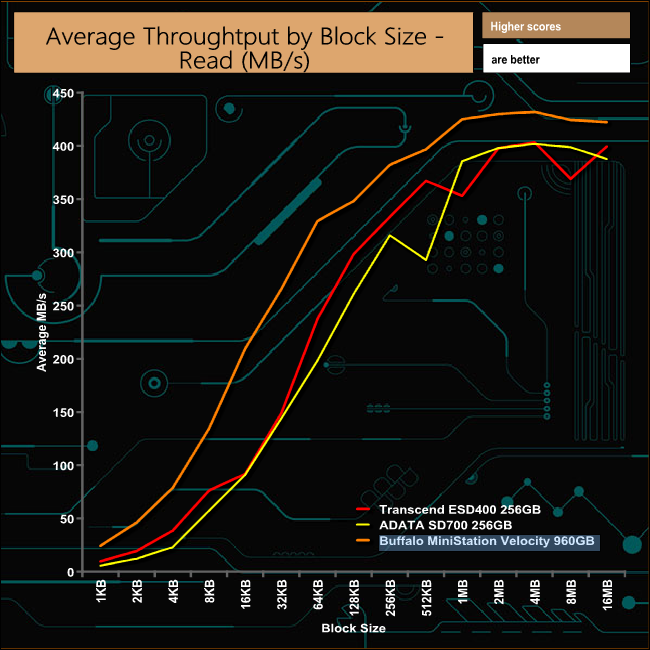
The 960GB MiniStation Velocity is a pretty consistent performer throughout the read performance curve, topping out at 431MB/s at a 4MB block size before dropping back a little.
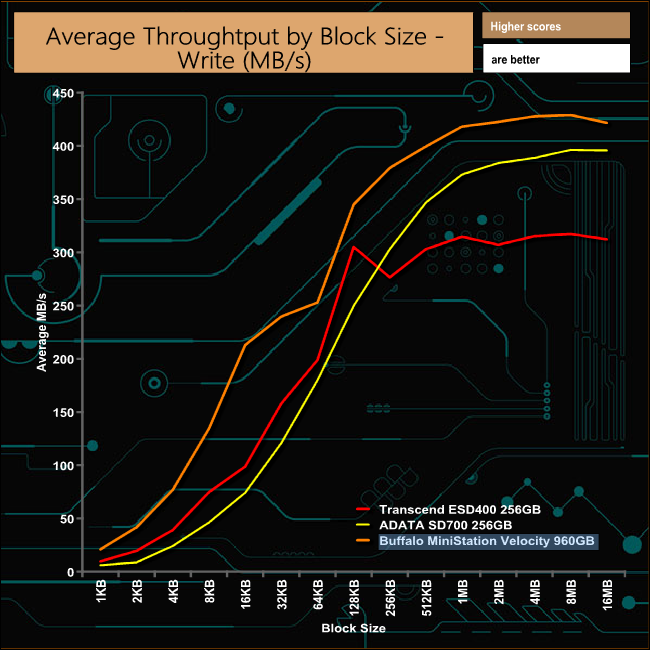
The write performance curve isn't as smooth as the reads with dip at the 64Kb block size but the drive quickly recovers and performs well at bigger block sizes, peaking at 428MB/s at a 8MB block size.
To test real life performance of a drive we use a mix of folder/file types and by using the FastCopy utility (which gives a time as well as MB/s result) we record the performance of a drive reading from & writing to a 256GB Samsung SSD850 PRO.
60GB Steam folder – 29,521 files.
50GB File folder – 28,523 files.
12GB Movie folder – 24 files (mix of Blu-ray and 4K files).
10GB Photo folder – 621 files (mix of .png, raw and .jpeg images).
10GB Audio folder – 1,483 files (mix of mp3 and .flac files).
When it comes to dealing with real life data transfers the drive performed very well. Write speed averaged 316.32MB/s for the five tests while reads averaged 351.06MB/s, topping over 400MB/s for the 12GB Movie Folder and 10GB Photo Folder transfers.
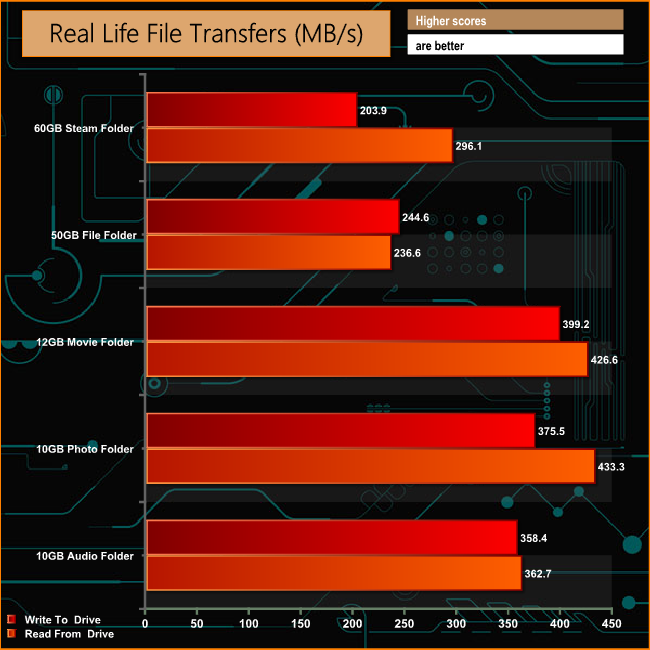
When it comes to dealing with real life data transfers the drive performed very well. Write speed averaged 316.32MB/s for the five tests while reads averaged 351.06MB/s, topping over 400MB/s for the 12GB Movie Folder and 10GB Photo Folder transfers.
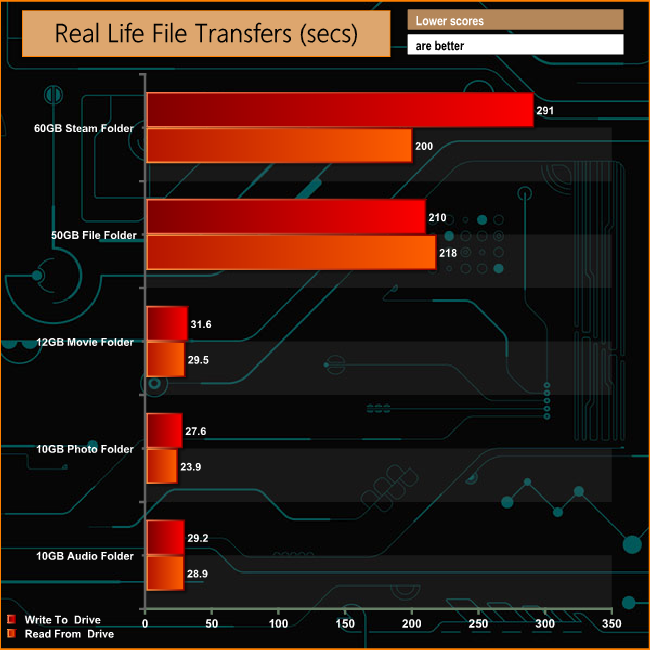
Perhaps a better indication of the MiniStation Velocity's performance is the time it takes to perform the folder copies. Writing the bity files of the 50GB File folder takes just three and a half minutes with the 60GB Steam folder taking just under five minutes. The 12GB Movie folder took just 31 seconds to write to the drive and 29 seconds to be read back.
Buffalo have a whole range of MiniStation external drives with capacities ranging from the 120GB MiniStation SSD up to the monster 3TB and 4TB MiniStation Safe drives using conventional hard drives. There's also a mix of interfaces across the ranges from USB 3.0 to USB 3.1 Gen 2 and Thunderbolt.
The standard MiniStation SSD range comprises three drives; 120GB. 240GB and 480GB whereas the MiniStation Velocity range drops the smaller capacity drive and adds the flagship 960GB drive.
Even though we couldn't quite get to the maximum read/write speeds quoted by Buffalo (over 500MB/s reads and 480MB/s writes) under test conditions, what the drive did achieve is still very impressive. Using the ATTO benchmark we got a Sequential read speed of 480MB/s while writes came in at 462MB/s. Using our real file folder tests, it took a shade under five minutes to copy the 60GB Steam folder to the MiniStation Velocity, at 210MB/s and three minutes to copy it back.
Although the drive doesn't have any utilities bundled on it, Buffalo has installed a quick link to the appropriate download section of their website to enable you to download a couple of useful bits of software, SecureLock Mobile2 and DiskFormatter2.
With SecureLock Mobile2 you can lock and unlock the drive as well as being able to provide extra security for any sensitive documents using AES encryption technology. DiskFormatter2 does what it says on the tin.
We found the 960GB MiniStation Velocity available for pre-order at Insight for £451.19 (inc VAT) HERE
Pros
- Performance.
- Huge capacity.
- Compact size.
Cons
- Encryption software not bundled on the drive.
- Not cheap.
Kitguru says: Large in capacity, small in stature, Buffalo's MiniStation Velocity is a real pocket rocket.