KitGuru KitGuru.net – Tech News | Hardware News | Hardware Reviews | IOS | Mobile | Gaming | Graphics Cards


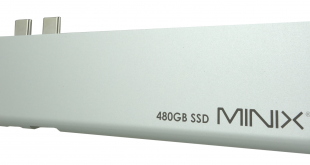
Launching on Indiegogo today, Minix's NEO Storage Pro 480GB is a 4-in-1 portable storage hub that is designed specifically for Apple's MacBook Air and Pro, and as the name might suggest, it comes with a built-in 480GB SSD. Is this a good option for any MacBook users out there?
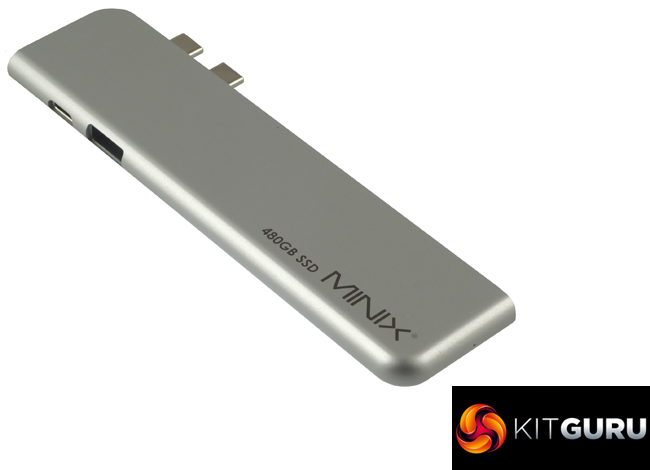
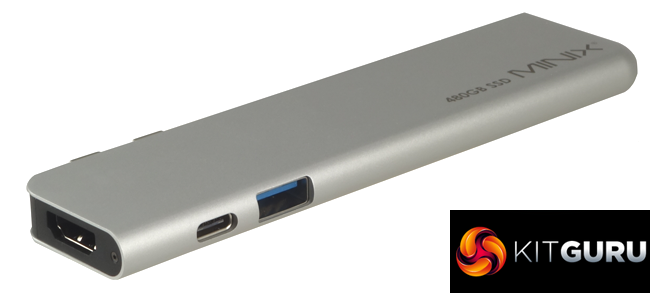
The Minix's NEO Storage Pro 480GB hub is an elegant streamline design that plugs directly into both the Thunderbolt 3 ports in the side of a MacBook Air or Pro. It provides a single Thunderbolt 3 port (that supports charging), one USB 3.0 port as well as an HDMI (4K @ 60Hz) port.
Inside the hub sits an M.2 480GB SATA SSD which, with its 400MB/s read/write rating isn't going to set the world on fire with its performance. There's no indication of what the drive is inside the NEO Storage Pro but using CrystalDiskInfo and a bit more delving, we get a firmware version that seems to point to an Apacer drive of some sort.
Minix back the NEO Storage Pro with a 3-year warranty.
Physical Specifications:
- Usable Capacities: 480GB.
- NAND Components: n/s
- Interface: USB-C/Thunderbolt 3 x 2
- Form Factor: External.
- NAND Controller: n/s
- Dimensions: 135 x 33 x 10mm
- Drive Weight: 55.3g.
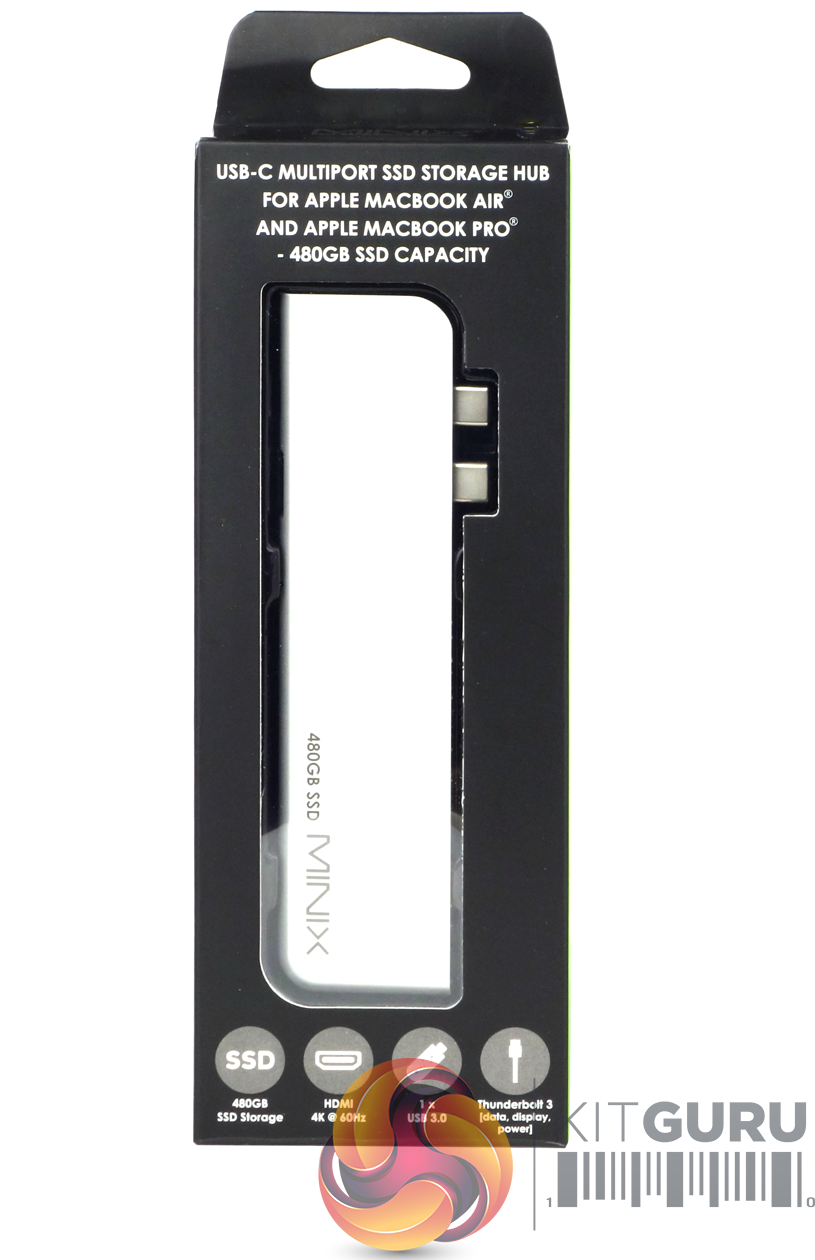
The Minix's NEO Storage Pro 480GB comes in a long, thin box with a transparent window to show the unit. At the top of the box is a description of what MacBook models the hub supports and the internal SSD's capacity. Under the window, there are four icons displaying the features of the hub; internal SSD storage and its capacity, HDMI port and supported resolution (4K @ 60Hz), single USB 3.0 ports and a Thunderbolt 3 port.
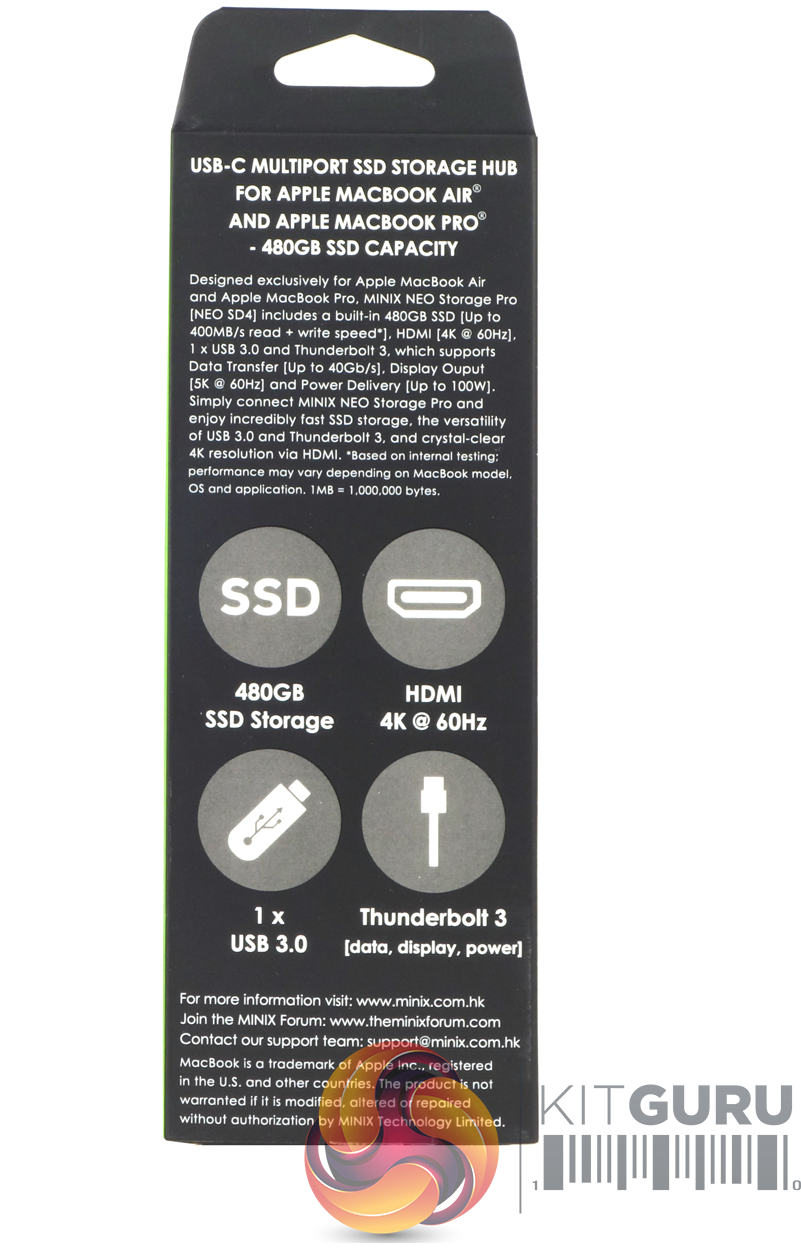
The rear of the box repeats the compatibility statement at the top below which is a description of the ports built into the hub. Under this sit the same four icons found on the front of the box.
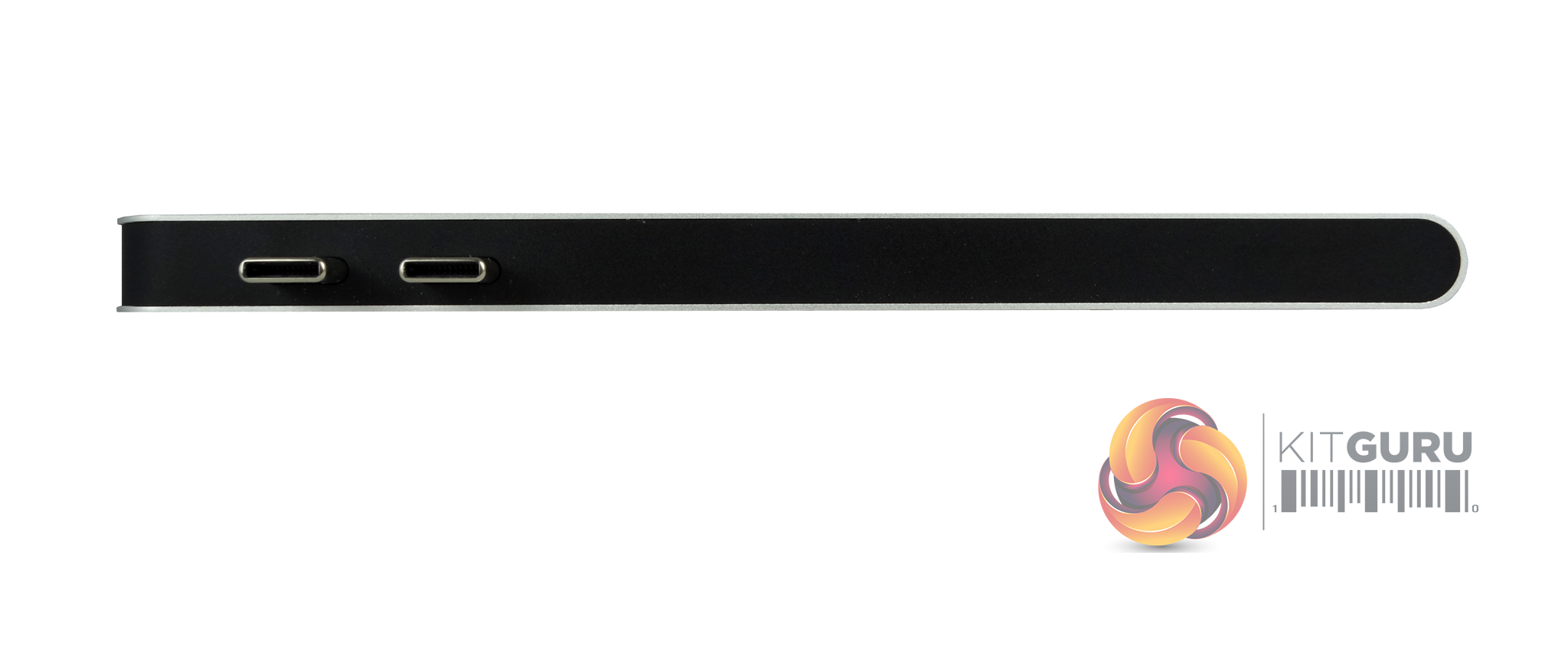
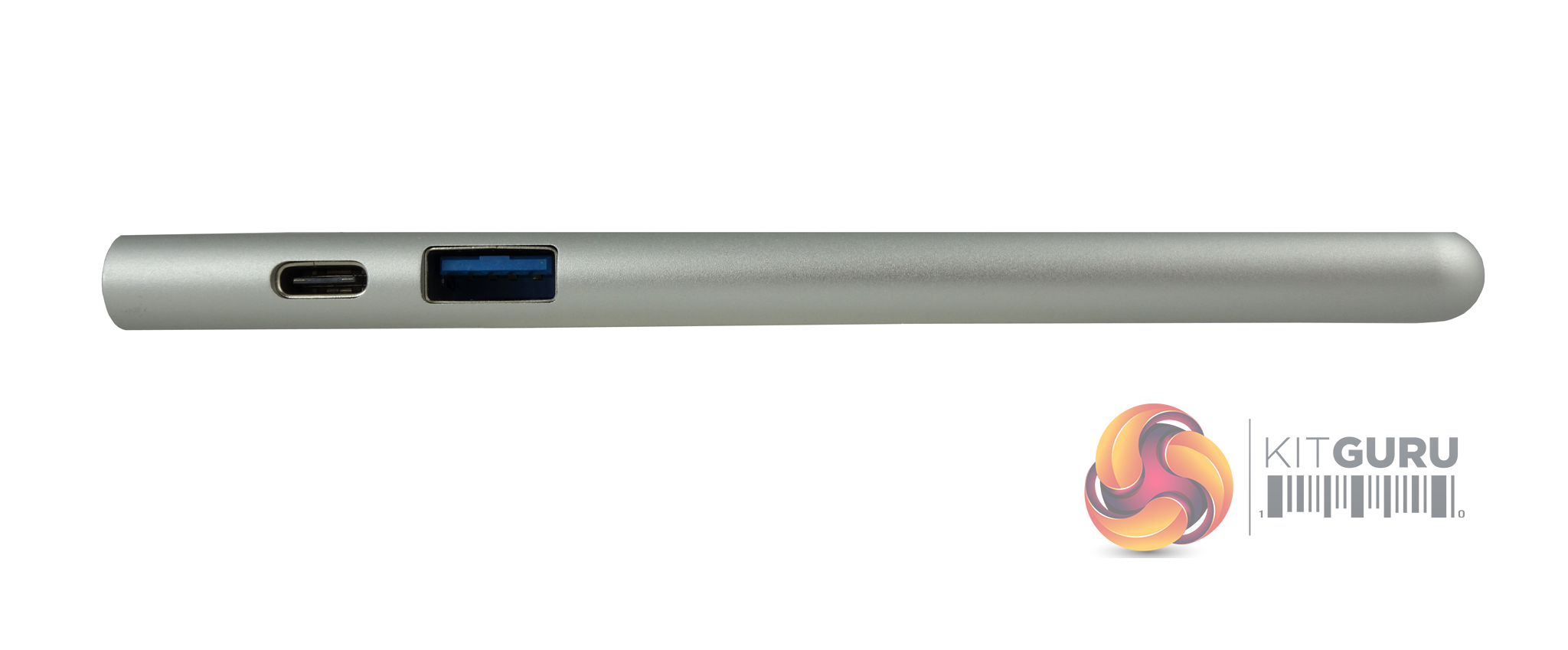
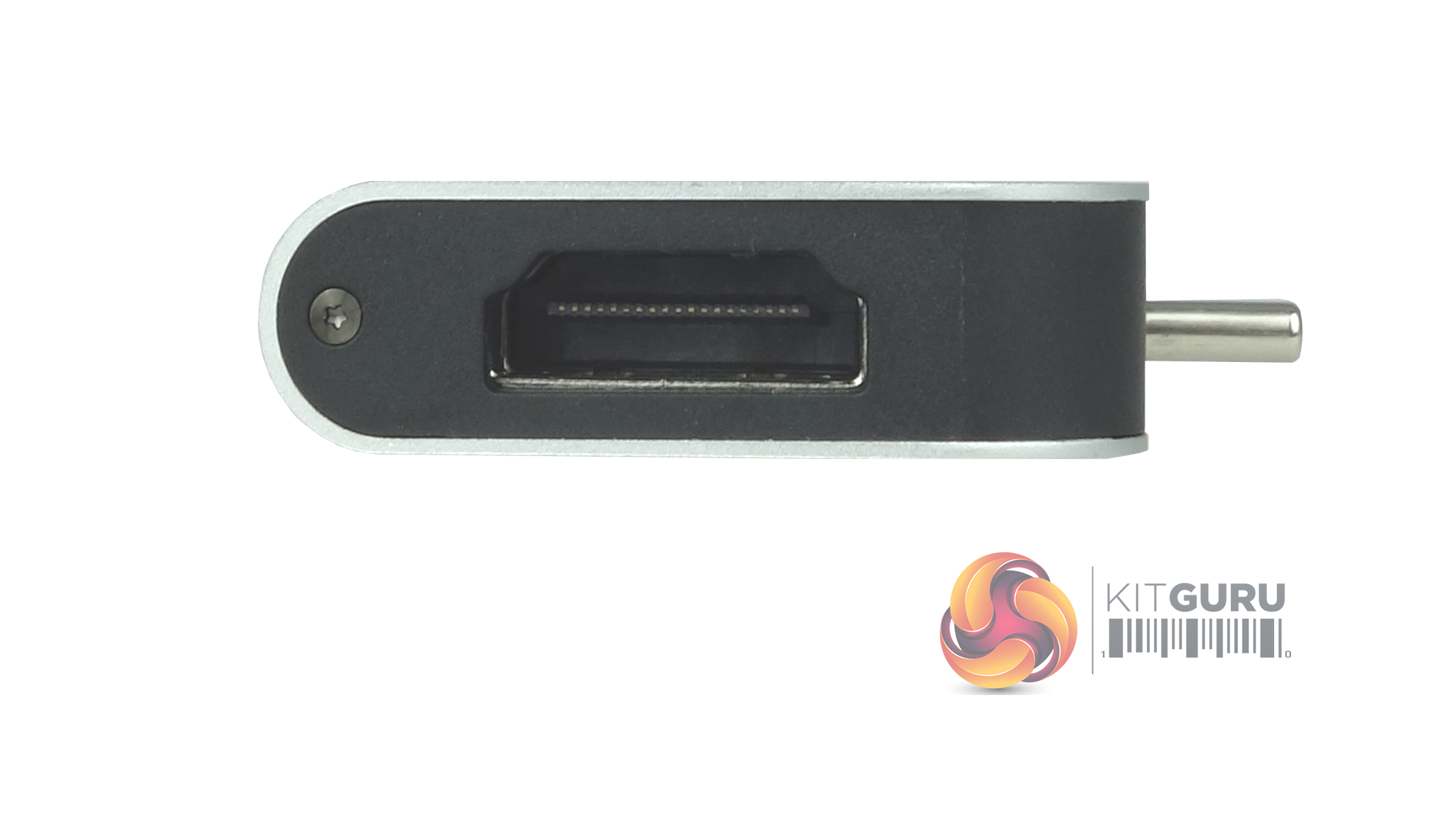
The hub plugs directly into the MacBook (Pro or Air) via the two Thunderbolt ports in the side of the chassis. On the other side of the hub , we find a USB 3.0 (Type-A) port and a Thunderbolt 3 port which supports charging. Built into one end of the hub is a full-sized HDMI port which supports 4K @60Hz.
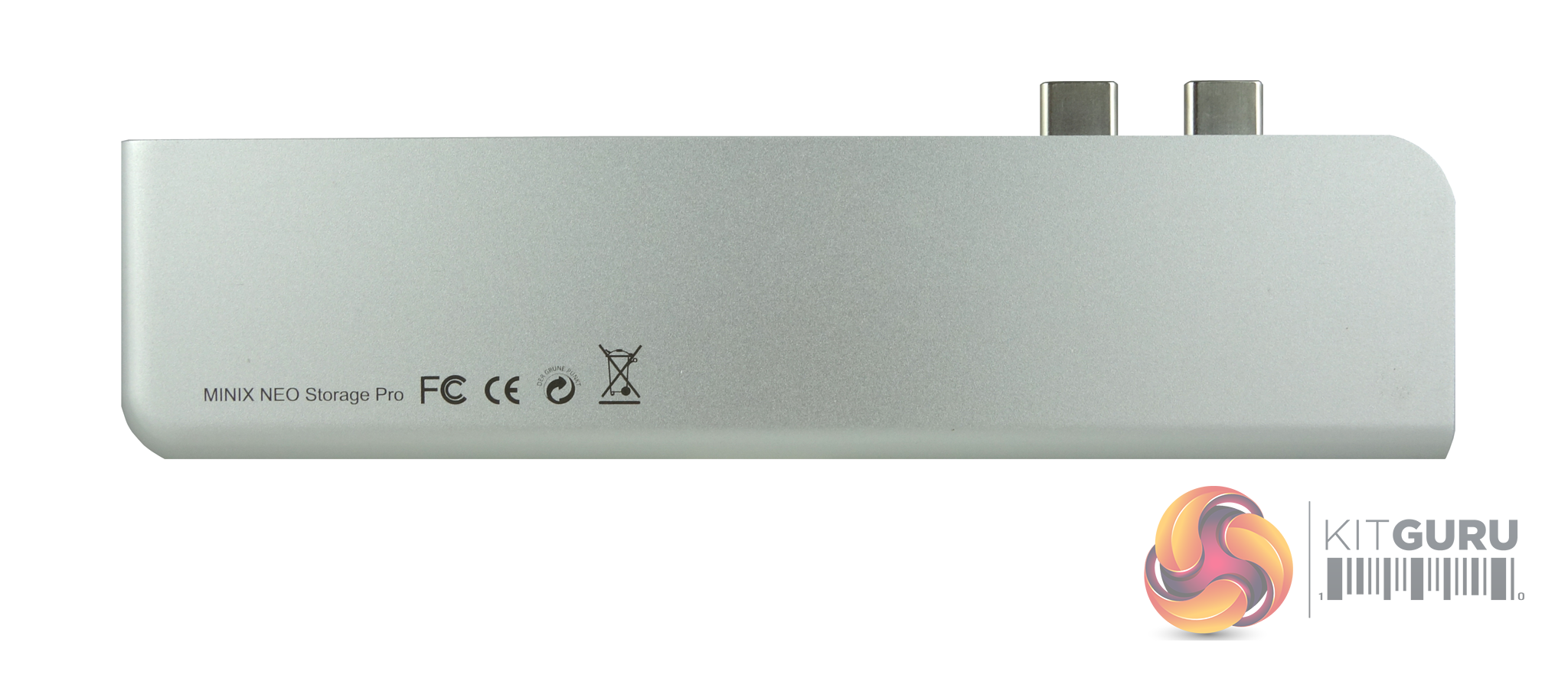
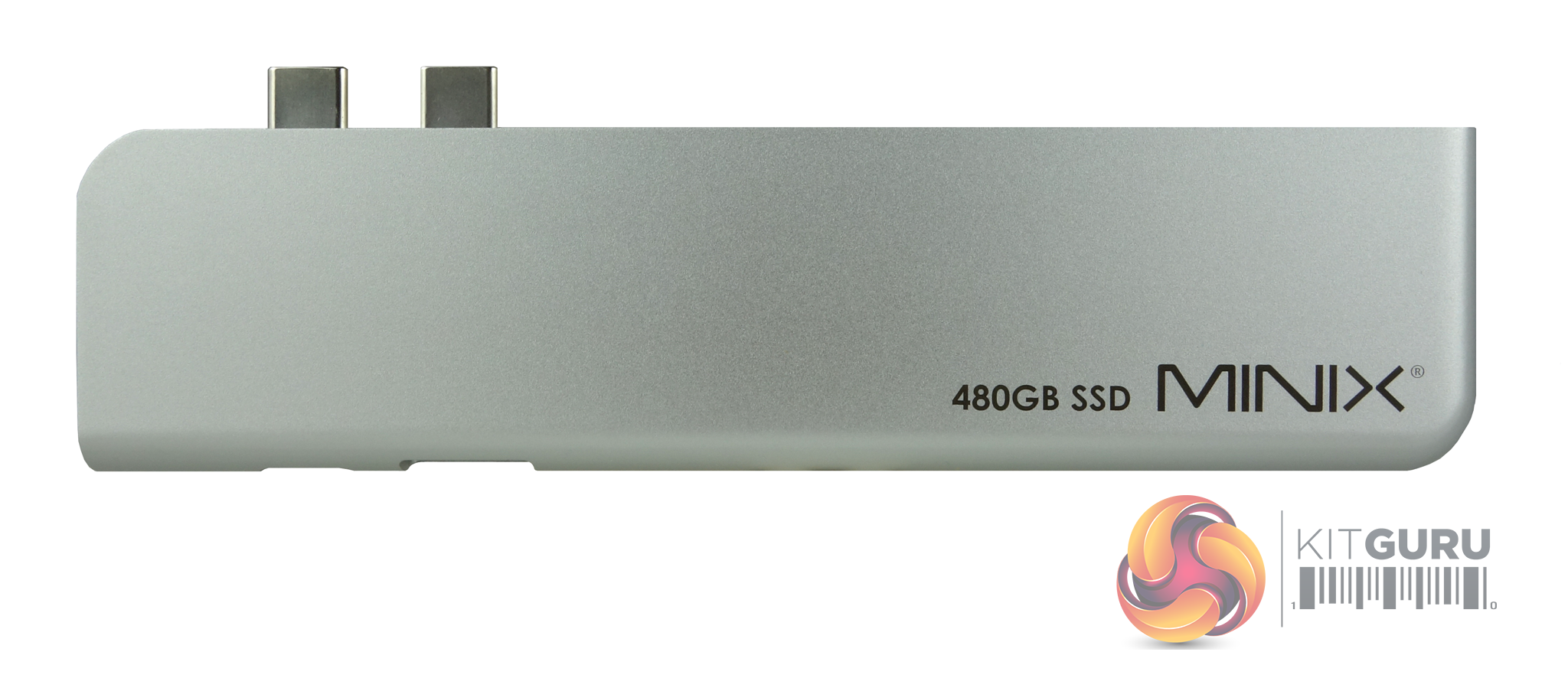
Measuring 135 x 33 x 10mm and weighing in at just 55.3g, the NEO Storage Pro has an aluminium outer shell with a reinforced core giving it some protection against the rigours of daily use.
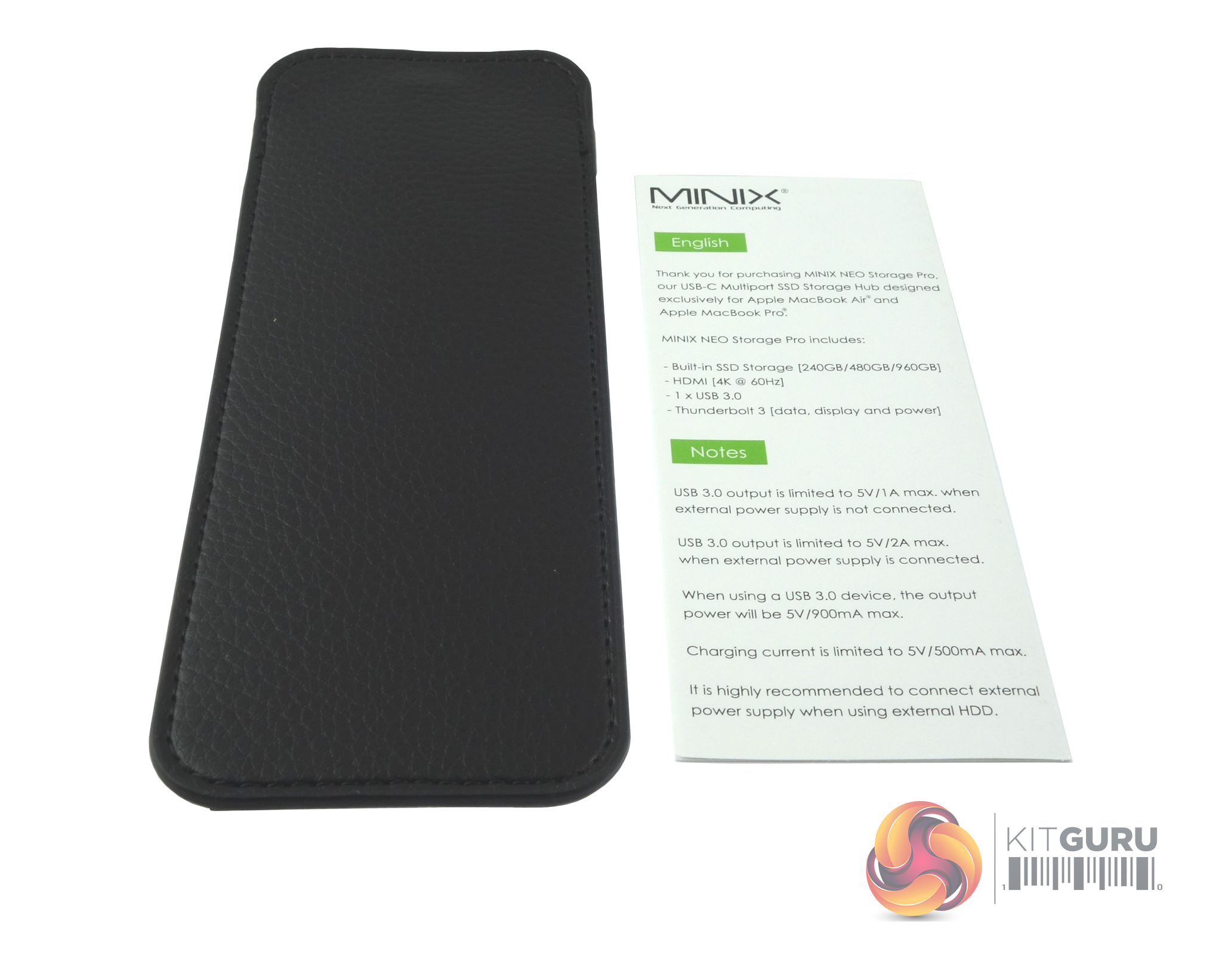
Bundled in with the hub is a rather nice looking pouch to protect the drive when not in use and a multilingual information leaflet.
Although the NEO Storage Pro has been designed to work with MacBooks, we tested it on one of our standard PC test rigs to get an idea of how the internal drive stacks up against the standard external drives we've been testing.
CrystalDiskMark is a useful benchmark to measure theoretical performance levels of hard drives and SSD’s. We are using V7 including the Peak Performance and Real World Profiles.
The ATTO Disk Benchmark performance measurement tool is compatible with Microsoft Windows. Measure your storage systems performance with various transfer sizes and test lengths for reads and writes. Several options are available to customize your performance measurement including queue depth, overlapped I/O and even a comparison mode with the option to run continuously. Use ATTO Disk Benchmark to test any manufacturers RAID controllers, storage controllers, host adapters, hard drives and SSD drives and notice that ATTO products will consistently provide the highest level of performance to your storage.
AS SSD is a great free tool designed just for benching Solid State Drives. It performs an array of sequential read and write tests, as well as random read and write tests with sequential access times over a portion of the drive. AS SSD includes a sub suite of benchmarks with various file pattern algorithms but this is difficult in trying to judge accurate performance figures.
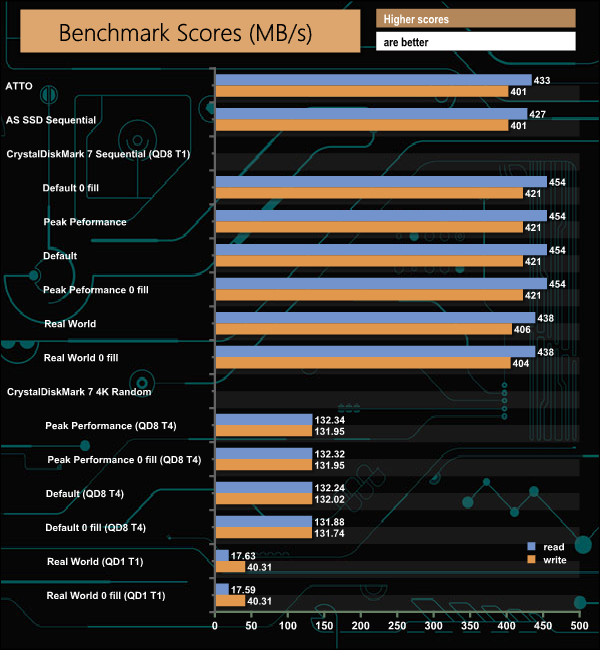
The official read/write speeds for the drive inside the NEO Storage Pro are up to 400MB/s for both. Both speeds were confirmed by the ATTO, ASSSD and CrystalDiskMark 7 Sequential tests. The fastest read speed we saw was 454MB/s during some of the CrystalDiskMark runs. The fastest write score, 421MB/s also came during the CrystalDiskMark testing.
IOMeter is another open-source synthetic benchmarking tool which is able to simulate the various loads placed on a hard drive and solid-state drive technology.
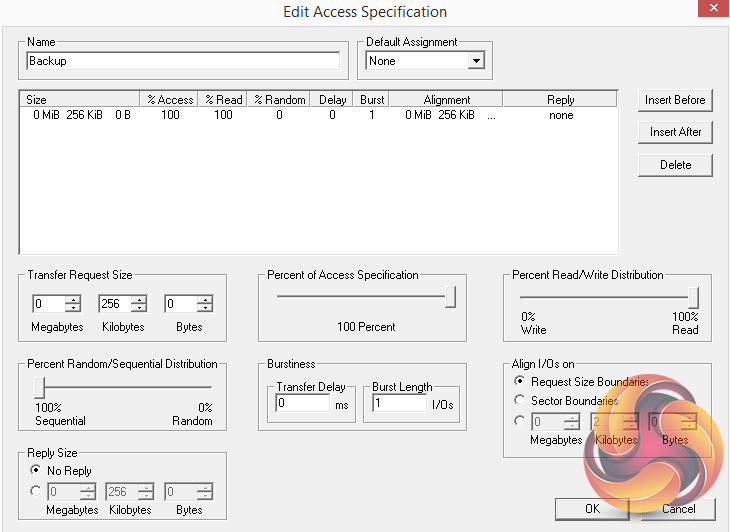
We set IOmeter up (as shown above) to test both backup and restore performance on a 100GB file.
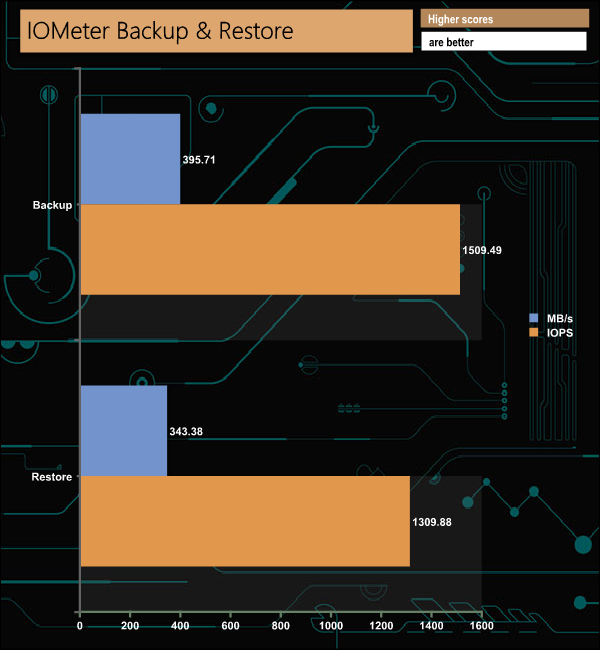
With our backup and restore tests we couldn't quite hit the maximum 400MB/s official rating for the NEO Storage Pro but came very close to it with the backup test figure of 395.71MB/s.
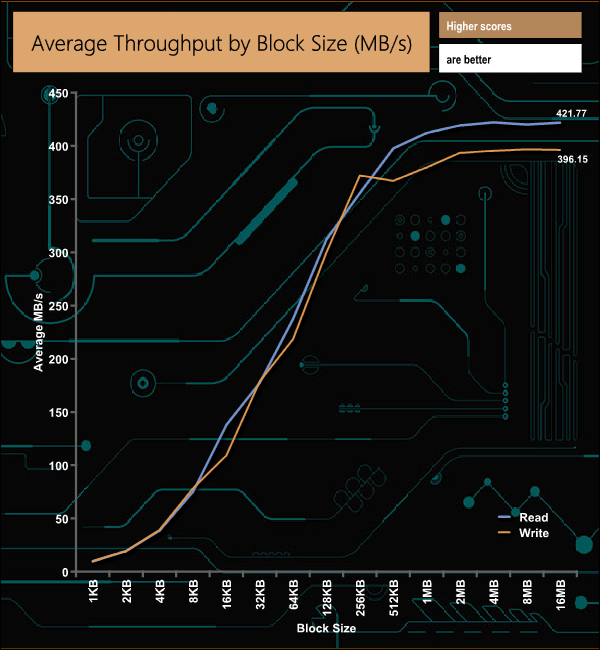
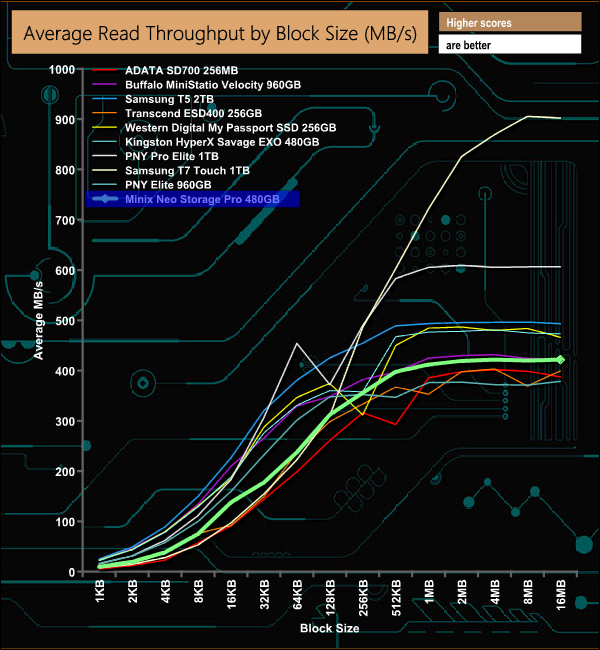
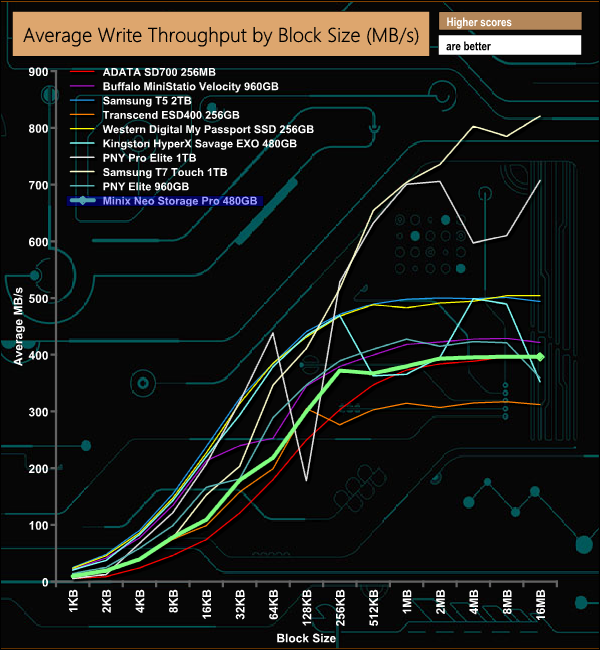
In our throughput tests, we did a little better than the official 400MB/s for reads, the drive peaking at 422.03MB/s (4MB block) but fell a wee bit short when it came to writes, which peaked at 396.65MB/s (8MB block), just below the official 400MB/s mark.
PCMark 10 Data Drive Benchmark has been designed to test drives that are used for storing files rather than applications. You can also use this test with NAS drives, USB sticks, memory cards, and other external storage devices.
The Data Drive Benchmark uses 3 traces, running 3 passes with each trace.
- Trace 1. Copying 339 JPEG files, 2.37 GB in total, on to the target drive (write test).
- Trace 2. Making a copy of the JPEG files (read-write test).
- Trace 3. Copying the JPEG files to another drive (read test).
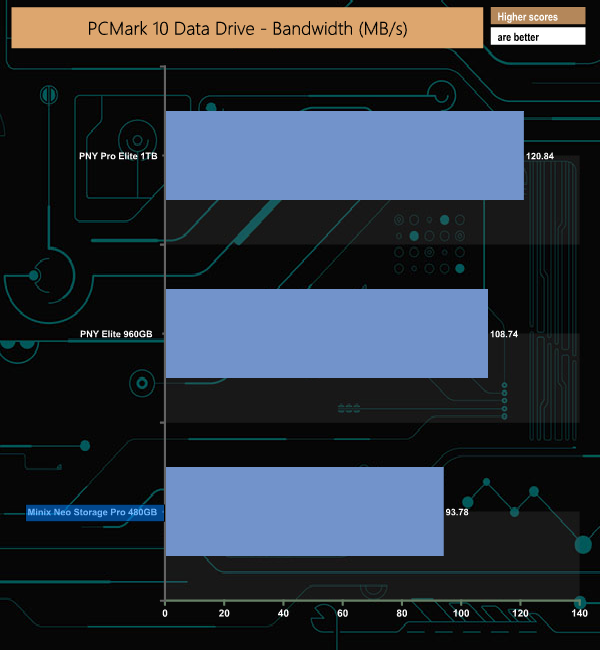
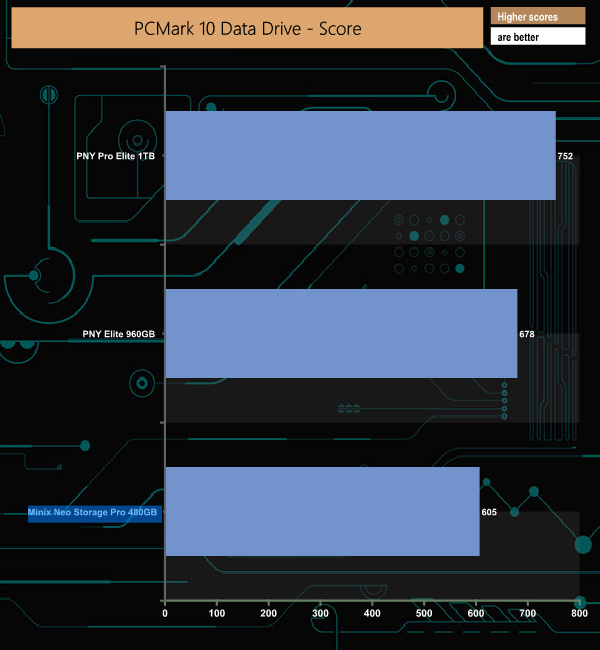
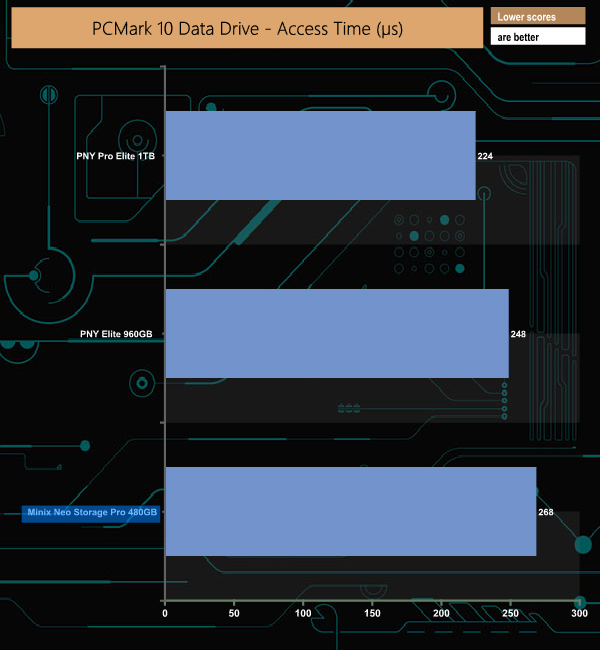
We've just started using the PCMark 10 Data Drive Benchmark test for external drives, so these charts will get more results added to them from now on.
Here we show the aggregated results for each of the three test traces.
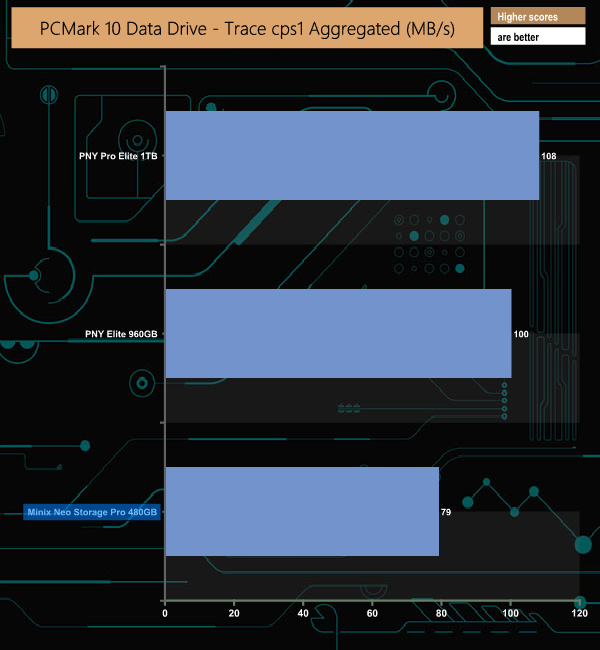
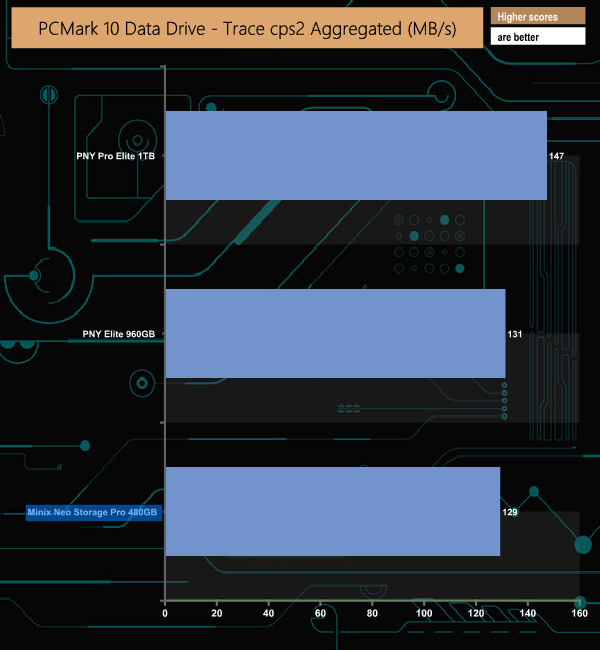
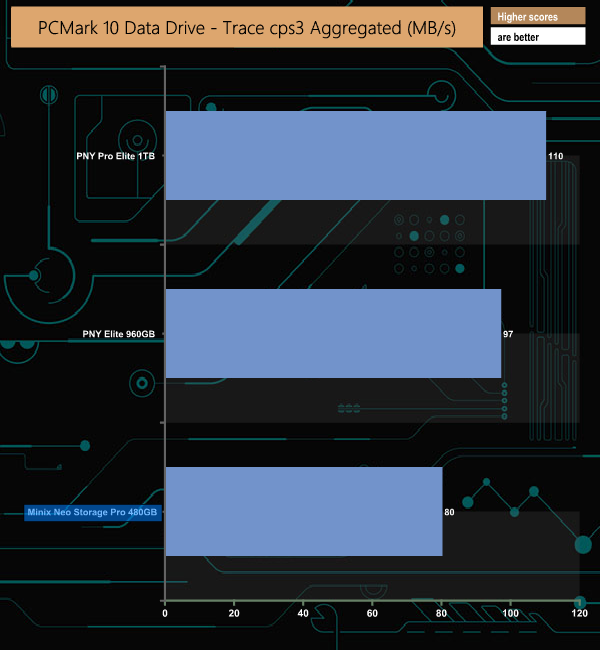
The SSD in the NEO Storage Pro trails behind the other two drives in the chart in the write test (cps1), but catches up in the read-write test (cps2) only to start fading away again in the read test (cps3).
To test the real-life performance of a drive we use a mix of folder/file types and by using the FastCopy utility (which gives a time as well as MB/s result) we record the performance of drive reading from & writing to a 256GB Samsung SSD850 PRO.
We use the follow folder/file types:
- 100GB data file.
- 60GB iso image.
- 60GB Steam folder – 29,521 files.
- 50GB File folder – 28,523 files.
- 12GB Movie folder – (15 files – 8 @ .MKV, 4 @ .MOV, 3 @ MP4).
- 10GB Photo folder – (304 files – 171 @ .RAW, 105 @ JPG, 21 @ .CR2, 5 @ .DNG).
- 10GB Audio folder – (1,483 files – 1479 @ MP3, 4 @ .FLAC files).
- 5GB (1.5bn pixel) photo.
- BluRay Movie – 42GB.
- 21GB 8K Movie demos – (11 demos)
- 16GB 4K Raw Movie Clips – (9 MP4V files).
- 4.25GB 3D Printer File Folder – (166 files – 105 @ .STL, 38 @ .FBX, 11 @ .blend, 5 @ .lwo, 4 @ .OBJ, 3@ .3ds).
- 1.5GB AutoCAD File Folder (80 files – 60 @ .DWG and 20 @.DXF).
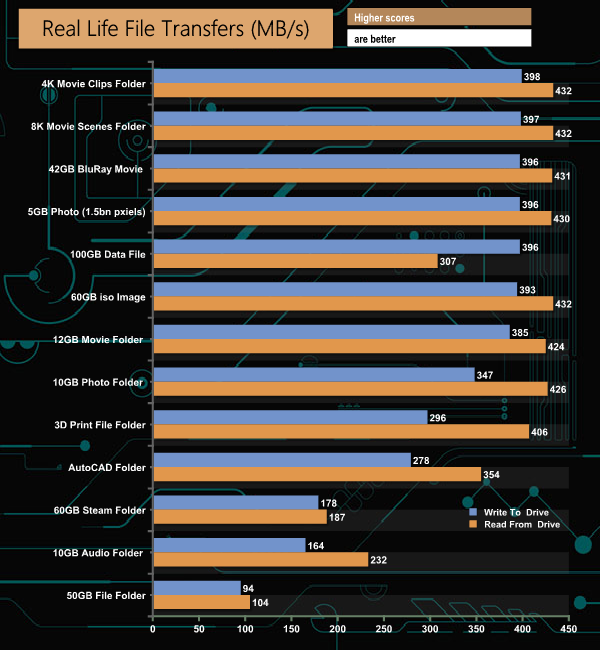
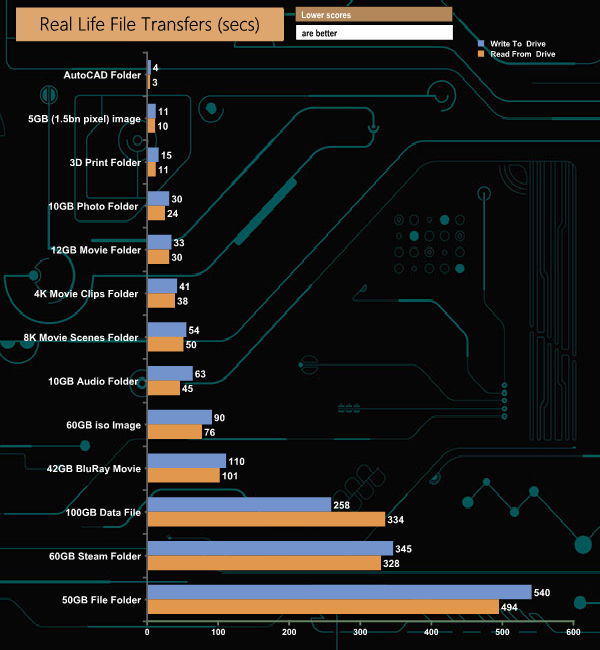
The NEO Storage Pro 480GB had no problems dealing with our real file files tests. While the internal SSD may not be a particularly fast drive, it showed consistent performance during our testing. Larger size files were read around the 430MB/s mark, faster than the official 400MB/s figure, while writes hovered around 390MB/s for the most part, slightly below the 400MB/s official figure.
You may not have heard of MINIX but they have been in the technology business since 2008, offering a range of Mini PCs, remotes, adapters and hubs. The latest addition to the product line is the NEO Storage Pro, a 4-in-1 storage hub with a built-in SSD for MacBook Air and Pro.
The original NEO Storage hub connected to a MacBook using a cable but the NEO Storage Pro does away with the cable, plugging directly into both Thunderbolt ports on the MacBook chassis. The NEO Storage Pro comes with an internal 480GB M.2 SSD.
With an official rating of 400MB/s for both read and writes, the internal SSD certainly isn't anywhere close to taxing the USB-C interface speed in the MacBook Air/Pro in its USB 3.1 Gen 2 mode, let alone Thunderbolt 3, though this is hardly surprising as it's a SATA M.2 drive. We could confirm both official performance figures, as when tested with the ATTO benchmark, the Storage Pro produced a read figure of 433MB/s, with writes at 401MB/s. However, the fastest read/write scores we saw came during the CrystalDiskMark 7 testing with reads of 454MB/s and writes at 421MB/s.
It's an elegant solution instead of having an external drive/hub and the associated cabling, but (and it's a big, big but)… you are giving up both Thunderbolt 3 ports on the Mac in return for a single Thunderbolt 3, a USB 3.0 port (Type-A) and HDMI port. Some may not find this problematic, but that is certainly a significant loss of functionality for many end-users, so it does depend how you use the Thunderbolt ports on your MacBook.
The MINIX NEO Storage Pro is set to cost £110.00, though we have been told by MINIX there will be 500 units available at £80, and another 500 units available at £100 for the ‘early bird' pricing. You can back the product on Indiegogo HERE.
Discuss on our Facebook page HERE.
Pros
- Elegant design.
- Portable.
- All in one solution.
Cons
- The internal drive doesn't make full use of port speeds on the MacBook.
- The USB port is only USB 3.0.
- Uses both MacBook Thunderbolt 3 ports.
KitGuru says: The NEO Storage Pro is a neat solution for adding extra storage to your MacBook, but you have to balance this against losing both Thunderbolt 3 ports to use it.