KitGuru KitGuru.net – Tech News | Hardware News | Hardware Reviews | IOS | Mobile | Gaming | Graphics Cards


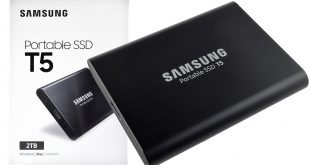
Since the first Samsung Portable SSD, the T1 hit the shelves in 2015 every subsequent launch of the T series has seen the latest evolution of Samsung's TLC V-NAND being used inside them, 48-layer in the T3 and now with the 3rd generation drive, the Portable SSD T5, Samsung's latest 64-layer TLC V-NAND.
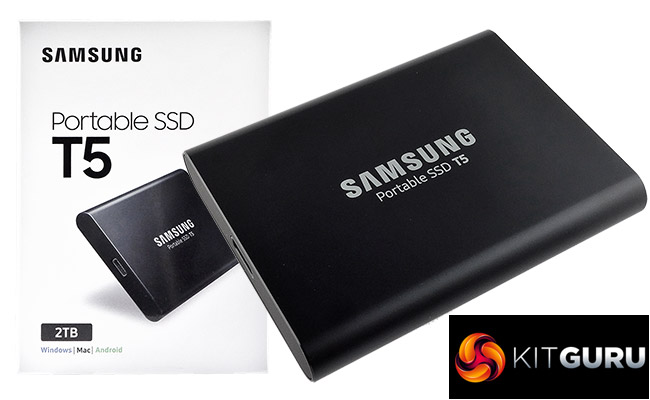
The new T5 is available in four capacities; 250GB, 500GB, 1TB and the flagship 2TB which is the version Samsung supplied for this review. The drive uses an USB 3.1 Gen 2 (10Gbps) Type C interface and supports UASP (USB-attached SCSI Protocol).
Samsung quote Sequential transfer rates for the 2TB drive as up to 540MB/s for reads and up to 515MB/s for writes. These figures are the same across all the T5 range.
The drive supports hardware-accelerated AES-256 encryption and Samsung back the drive with a 3-year limited warranty.
Physical Specifications:
Usable Capacities: 250GB, 500GB, 1TB and 2TB.
NAND Components: Samsung 64-layer 3-bit TLC V-NAND.
Interface: USB 3.1 Gen 2 Type C.
Form Factor: External.
NAND Controller: Samsung MGX.
Dimensions: 57.3 x 74 x 10.5mm.
Drive Weight: 51g.
Firmware Version: MVT41P1Q
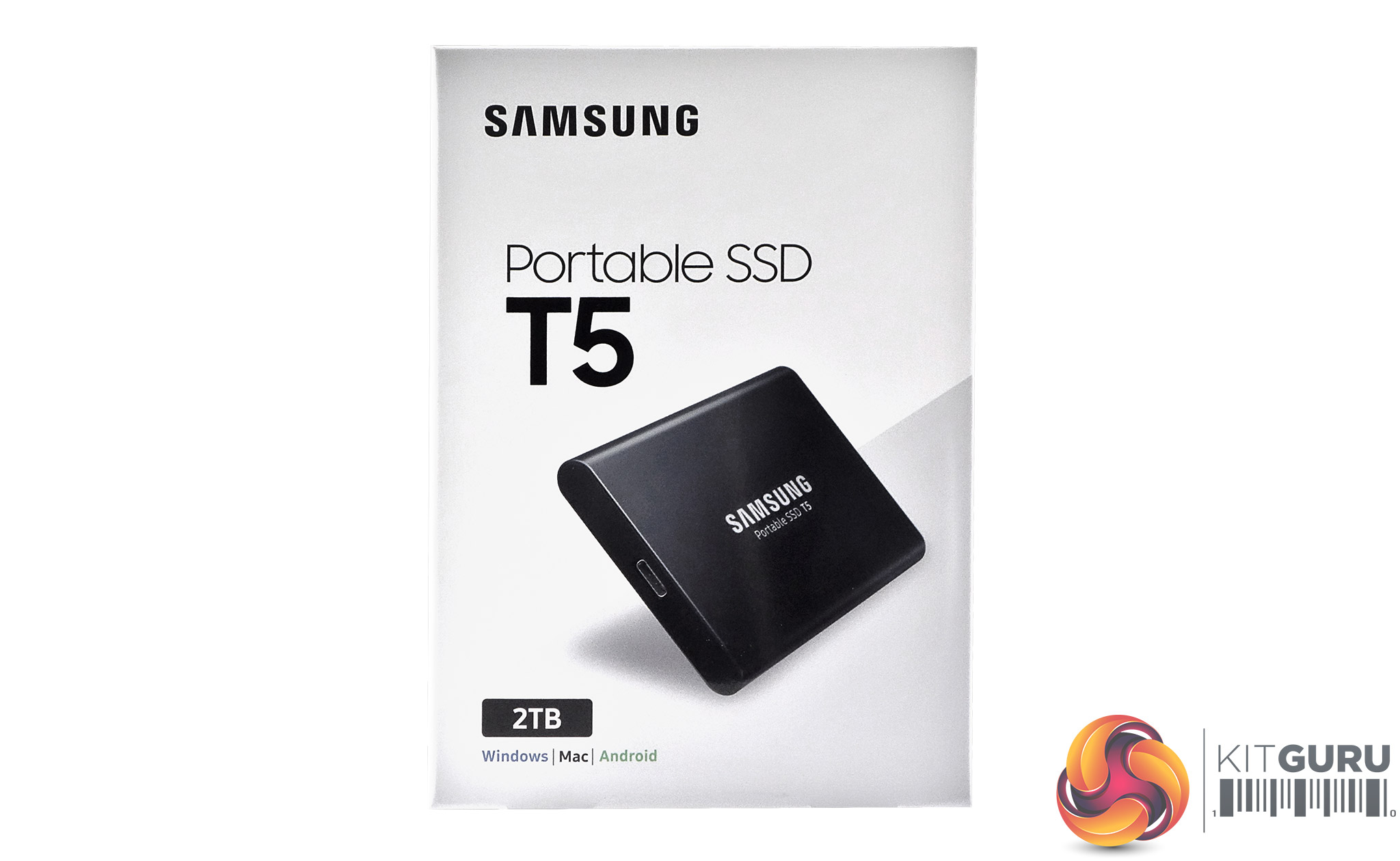
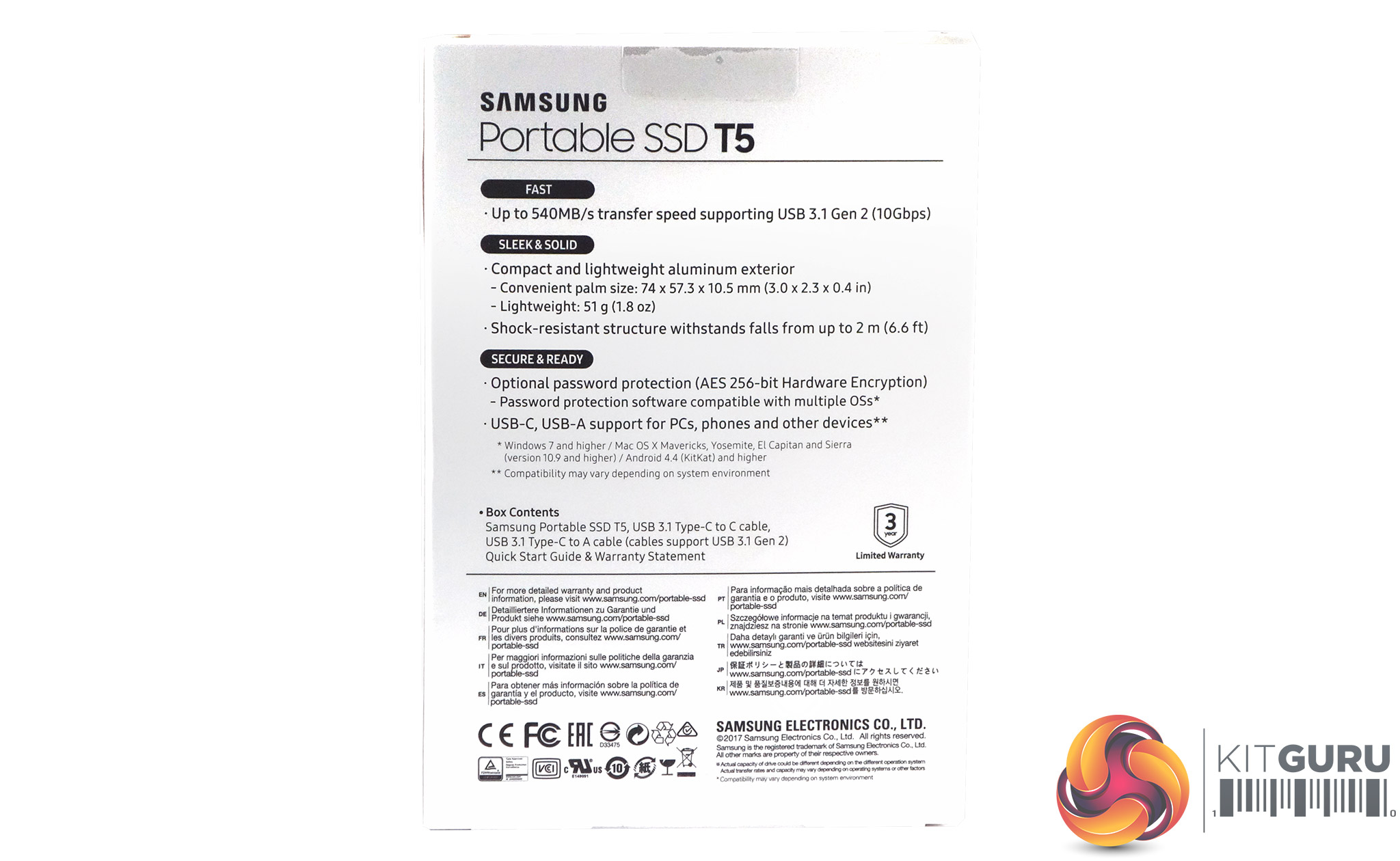
The front of the box has an image of the drive on it, along with its capacity and the fact it supports Windows, Mac and Android. The rear of the box has bullet points about the drives performance, build materials, drive size and weight and the fact the drive is built to survive drops of up to 2m and finally notes about the drives security. Under these bullet points is a list of the box contents and then some multilingual marketing notes.
The T5 is tiny, measuring just 57.3 x 74 x 10.5mmm weighing in at 51g. The chassis is all metal and is a rounded design that feels just right when you pick it up. There are two finishes for the T5, the 250GB and 500GB get a Blue finish while the 1TB and 2TB get a more traditional Black colouring.
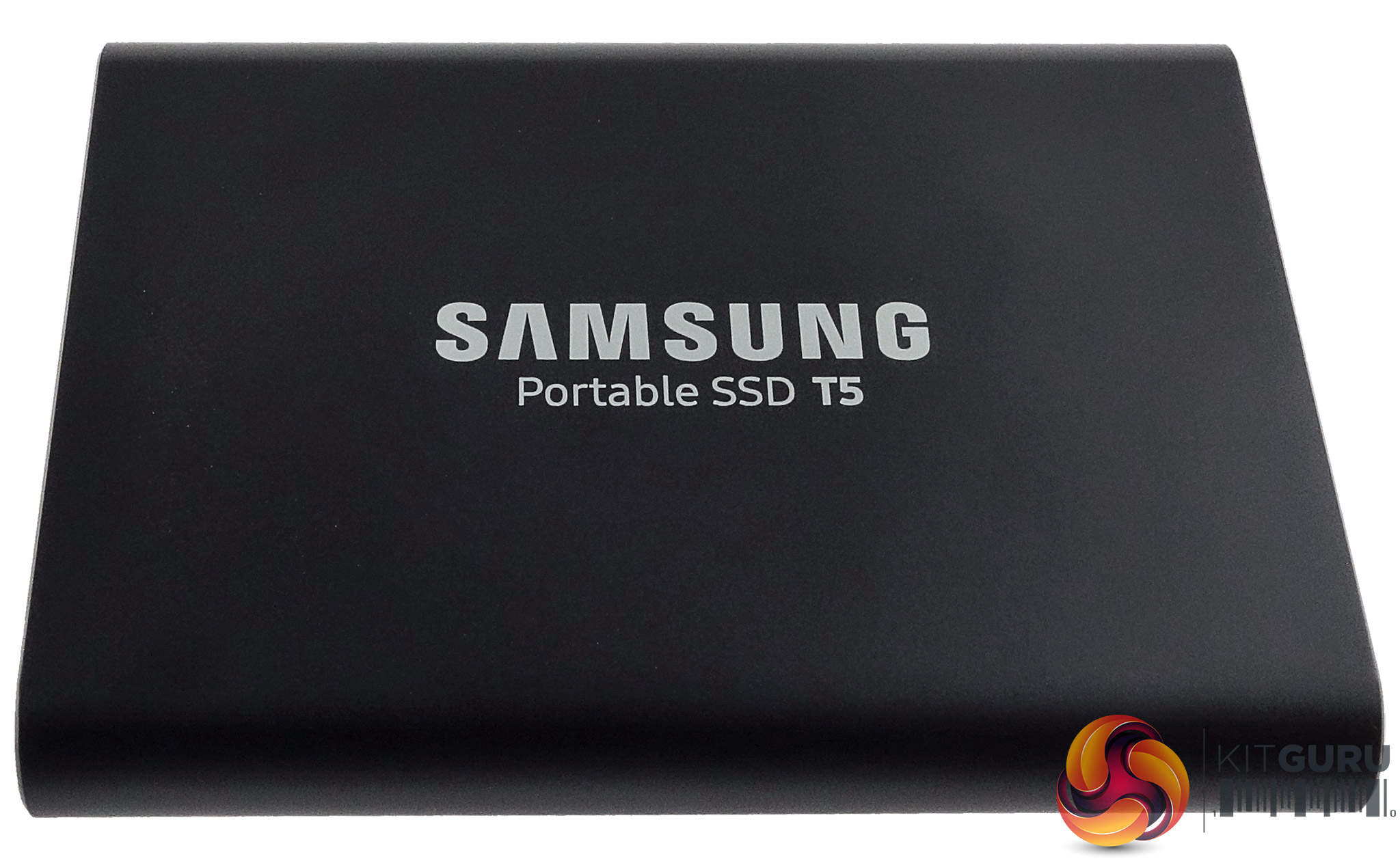
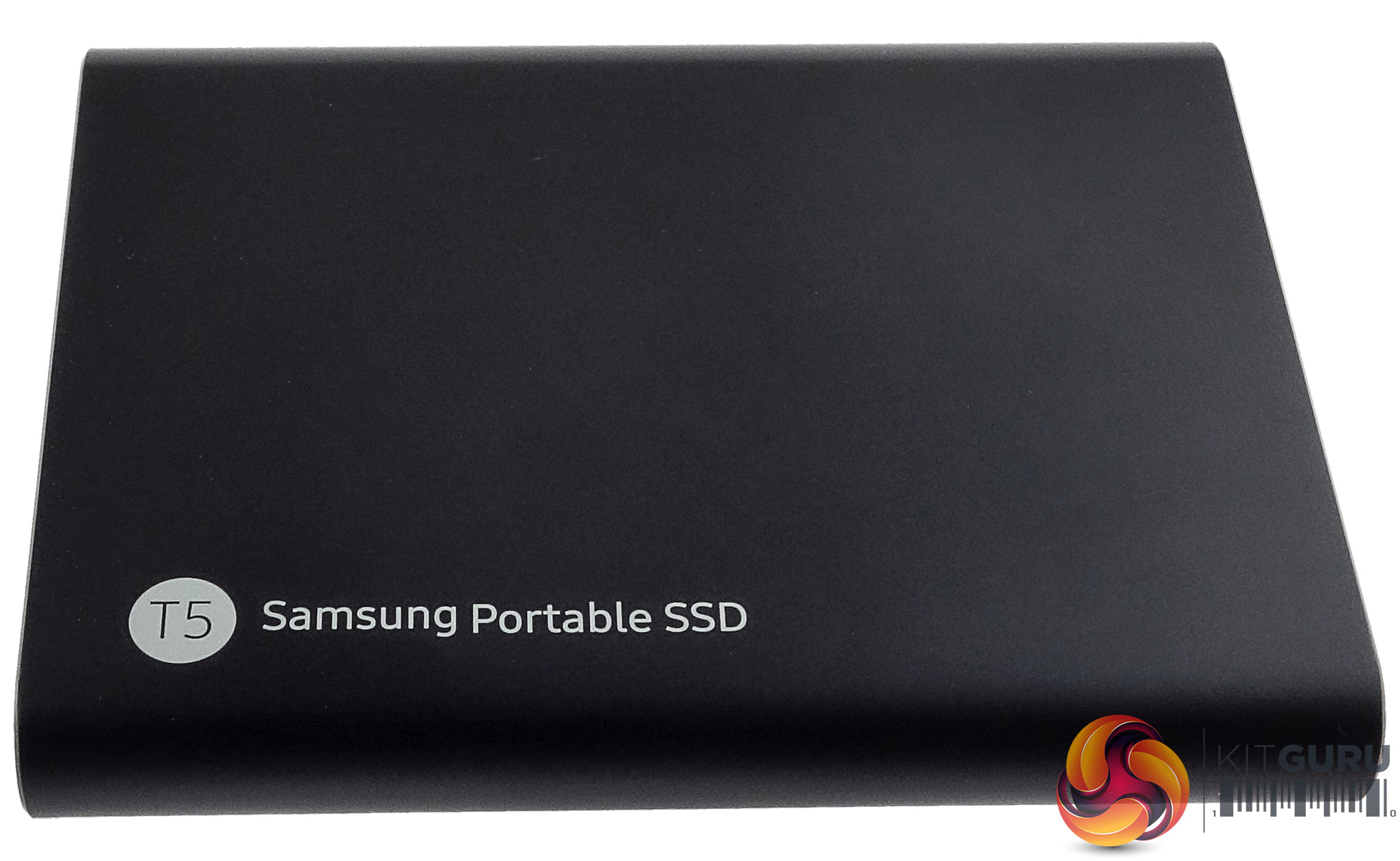
Samsung has built the T5 to survive the rigours of everyday use, its internal shock resistant frame can withstand a drop up to 2m and up to 1500g of force.
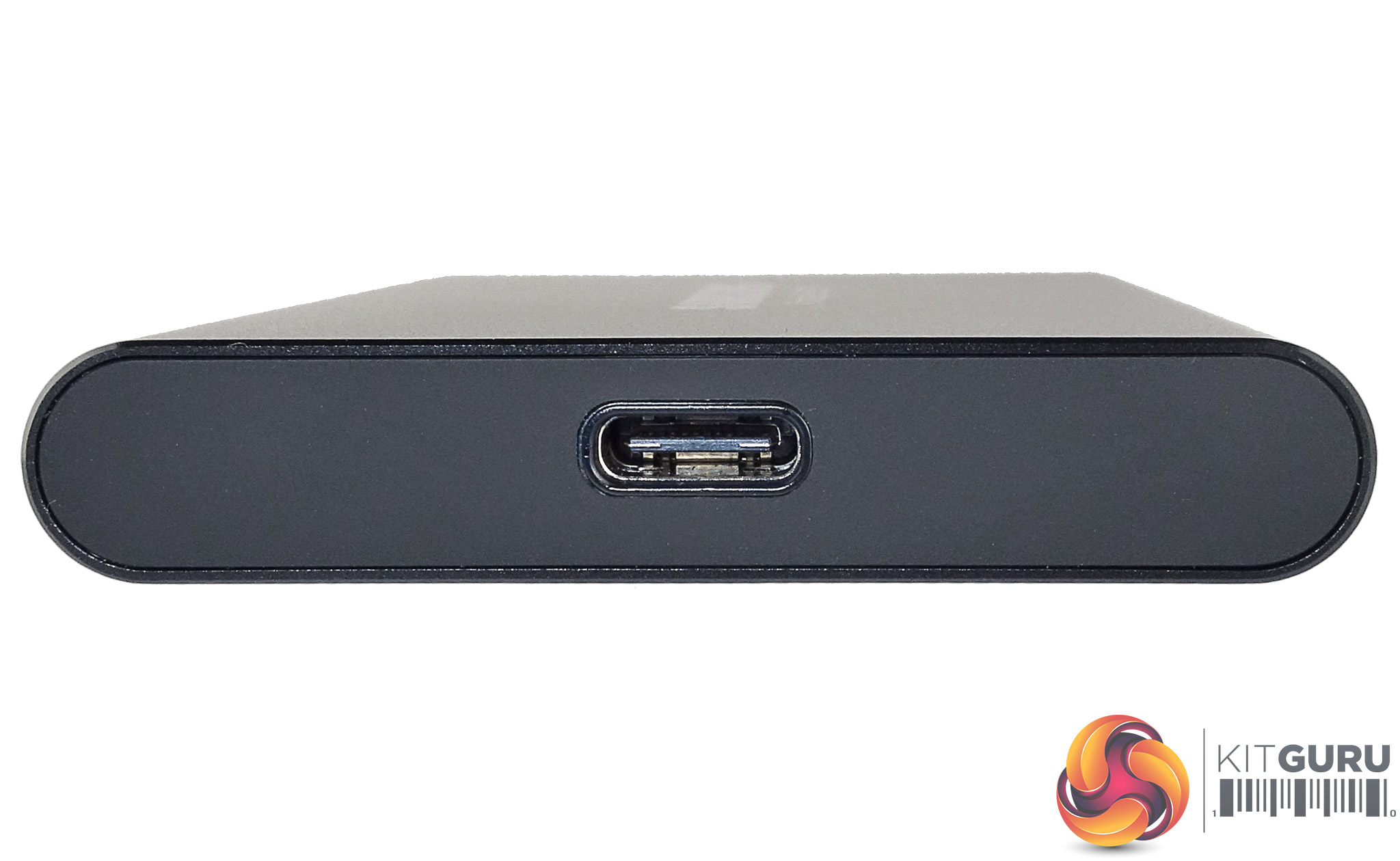
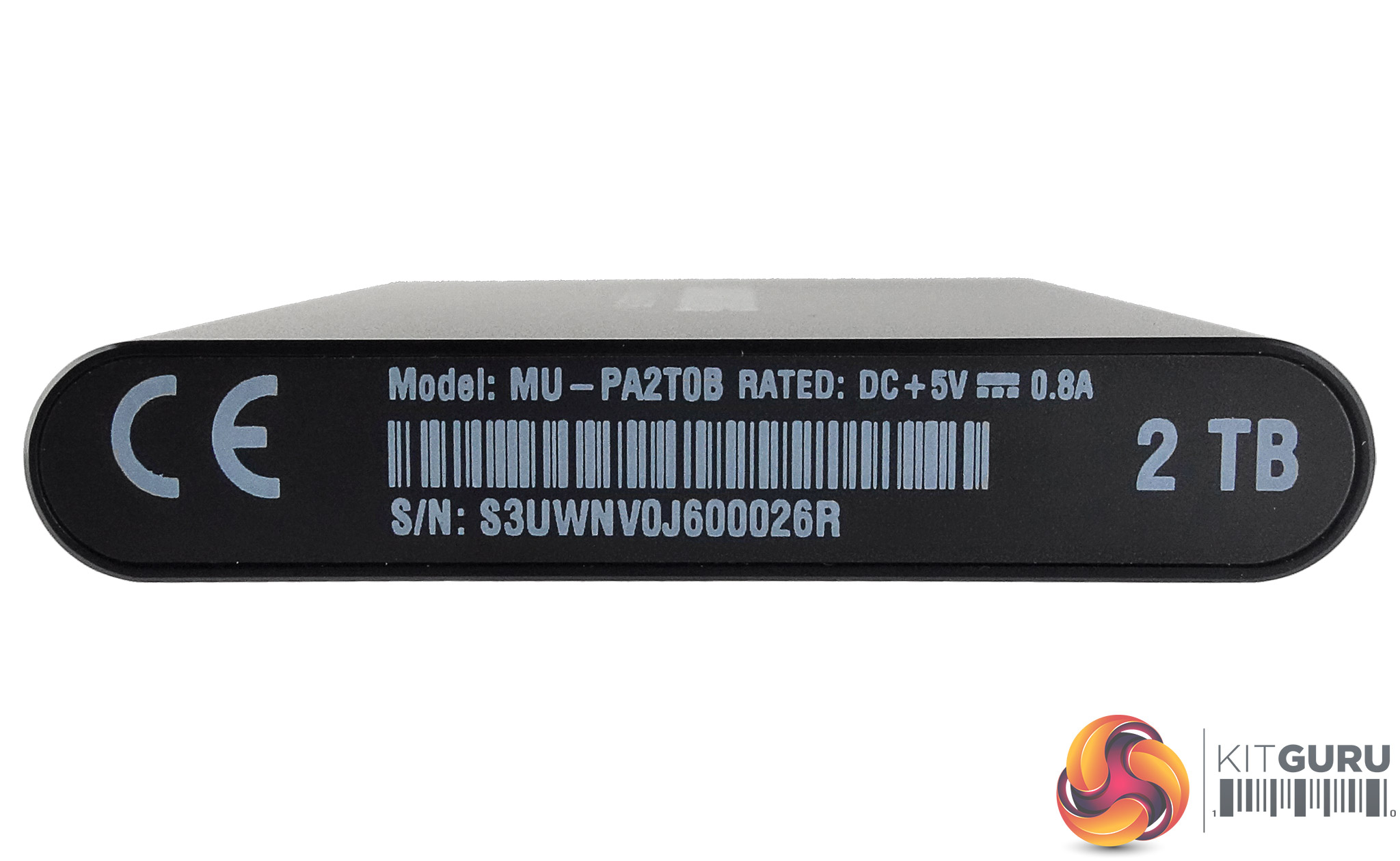
The interface is a USB 3.1 Gen 2 Type-C supporting 10Gbps transfer speeds. Just along from the port is an indicator LED which glows blue when the drive is attached, blinks blue when the drive is actively reading or writing and turns red when it is safe to remove the drive or the PC that the drive is plugged into is in sleep mode.
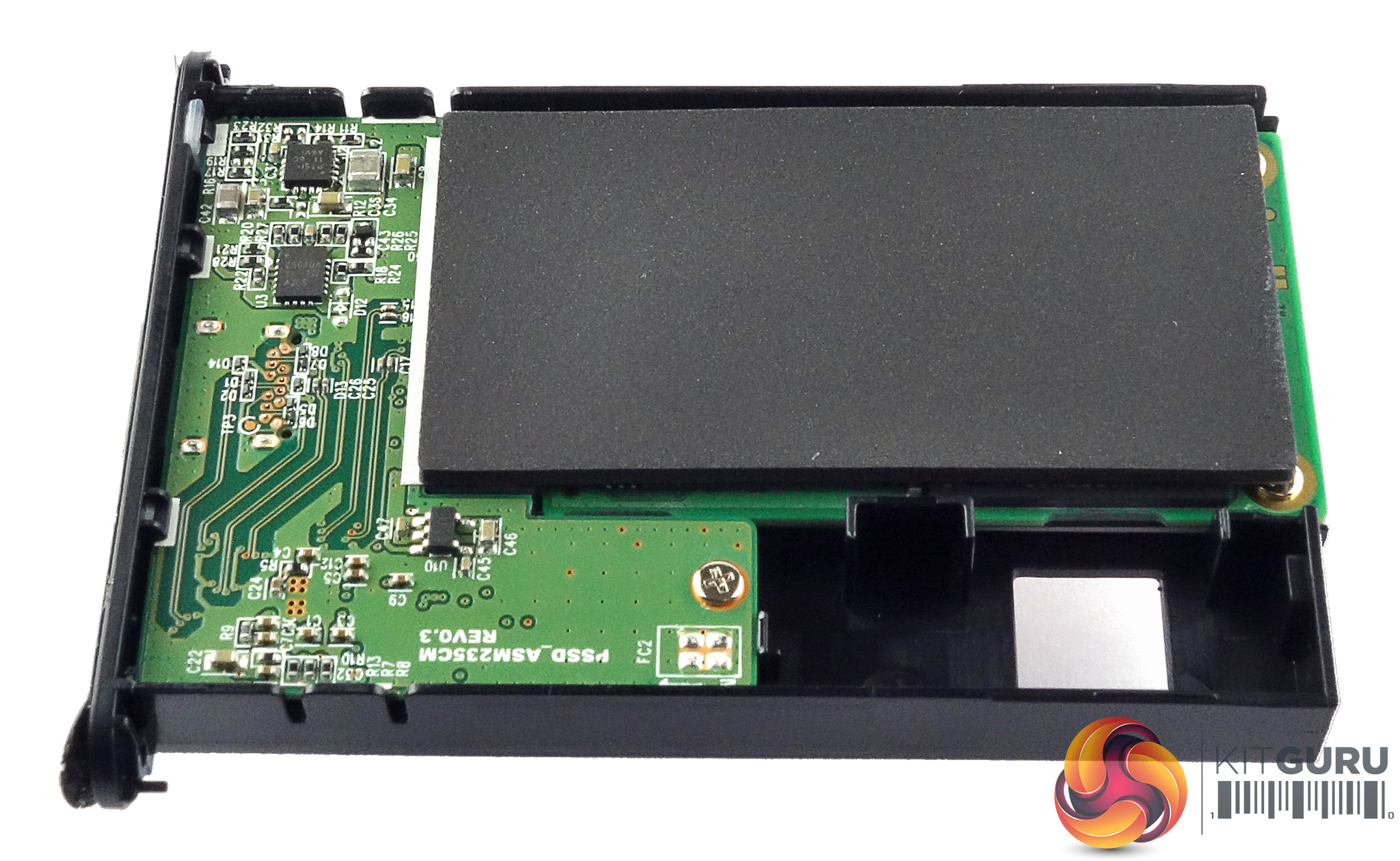
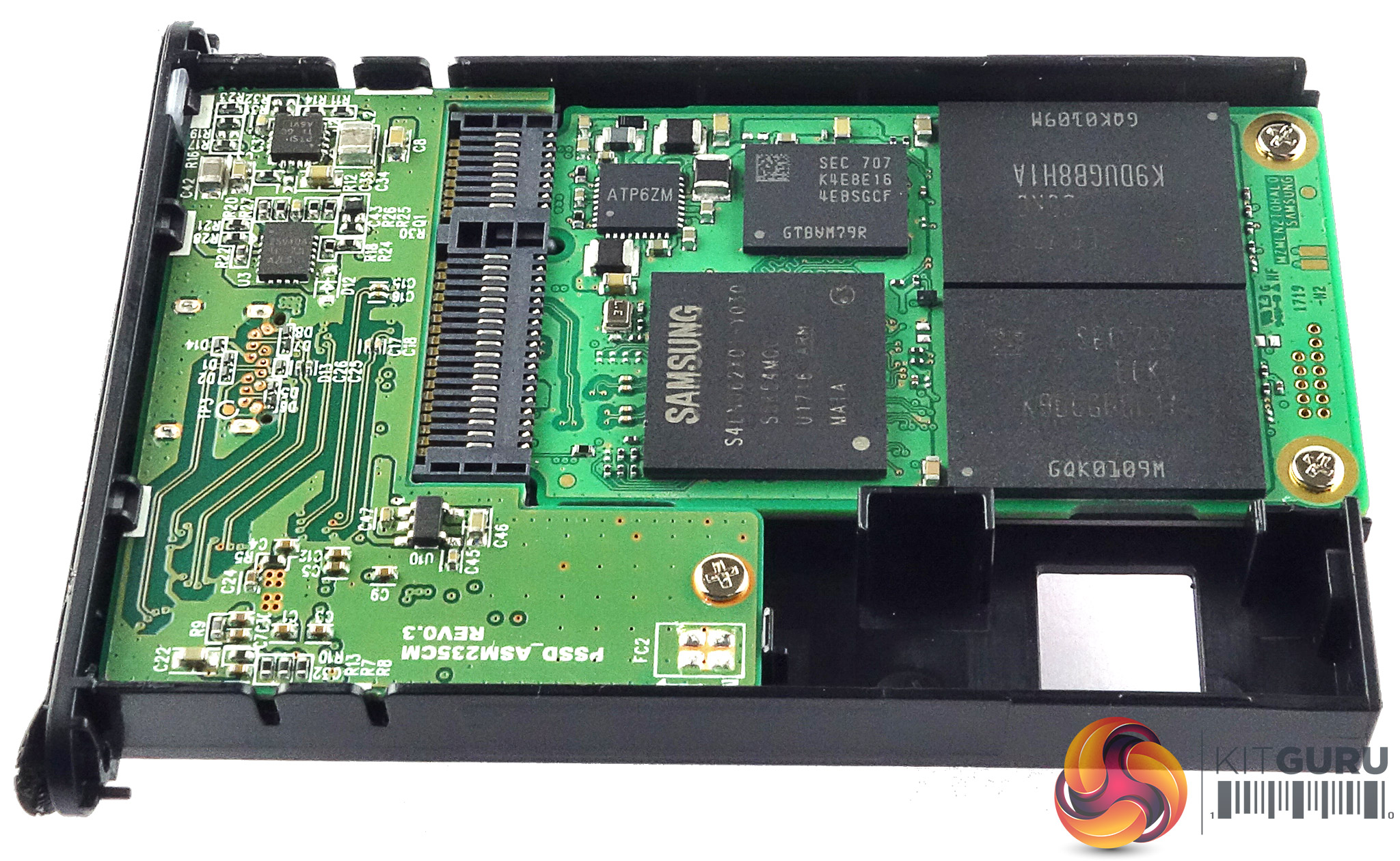
Four screws (two each end) hidden under the end stickers hold the PCB in place. Two NAND packages, the Samsung controller and the 1GB LPDDR3 DRAM cache IC sit on one side of an mSATA daughter board.
The four 64-layer 3-bit TLC V-NAND packages (there are another two on the rear side of the board) are labelled K9DUGB8H1A. The controller labelled S4LN062X01 is Samsung's MGX 2-core chip found in the Samsung 850 EVO.
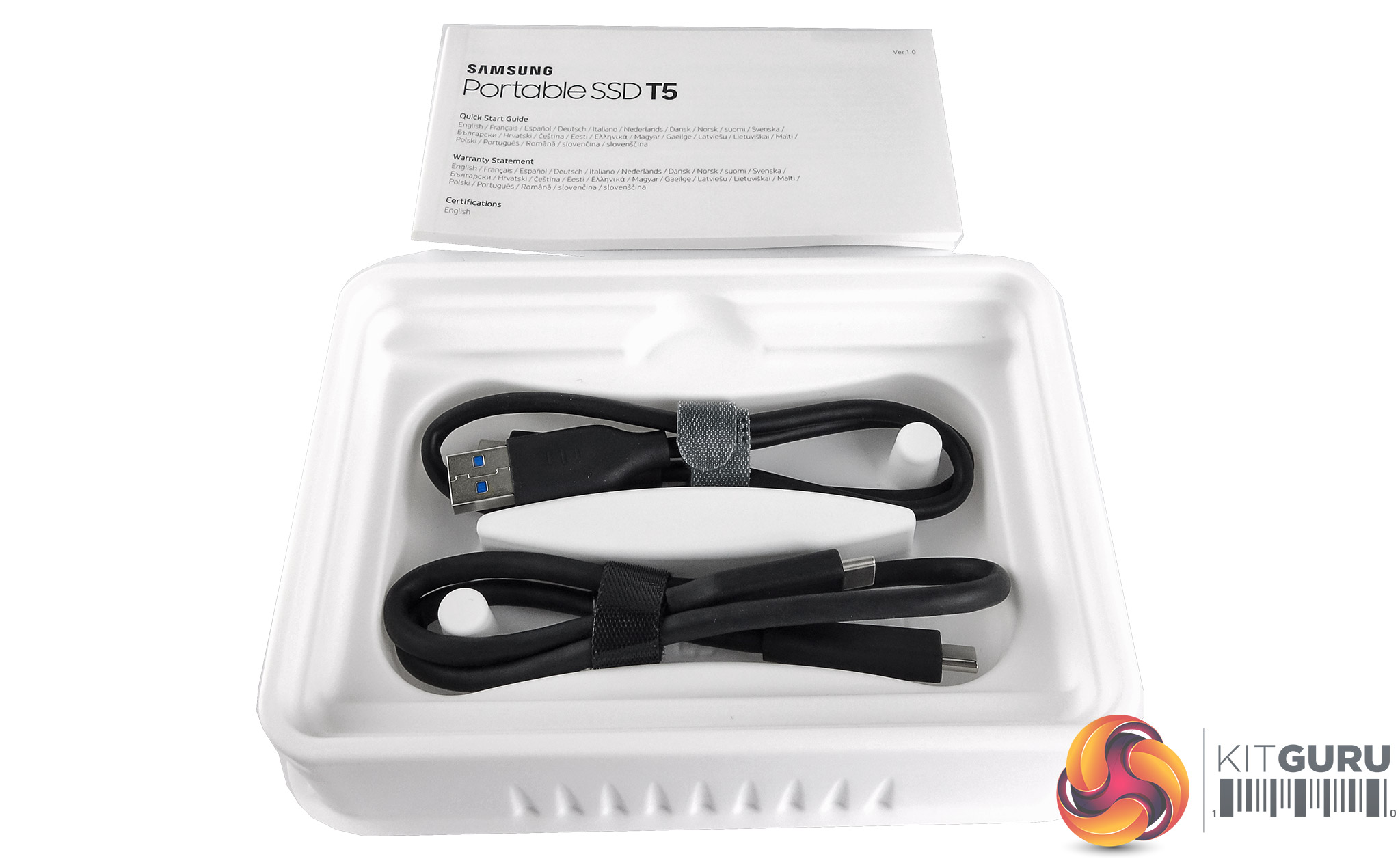
The bundle is a simple affair with just single USB Type-C male to Type-A male and a USB Type-C male to Type-C male cables and a quick start guide.
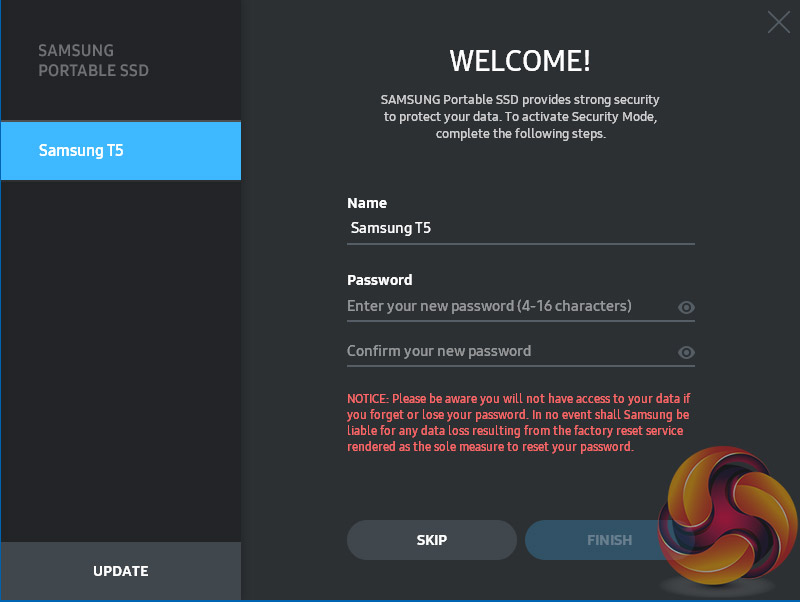
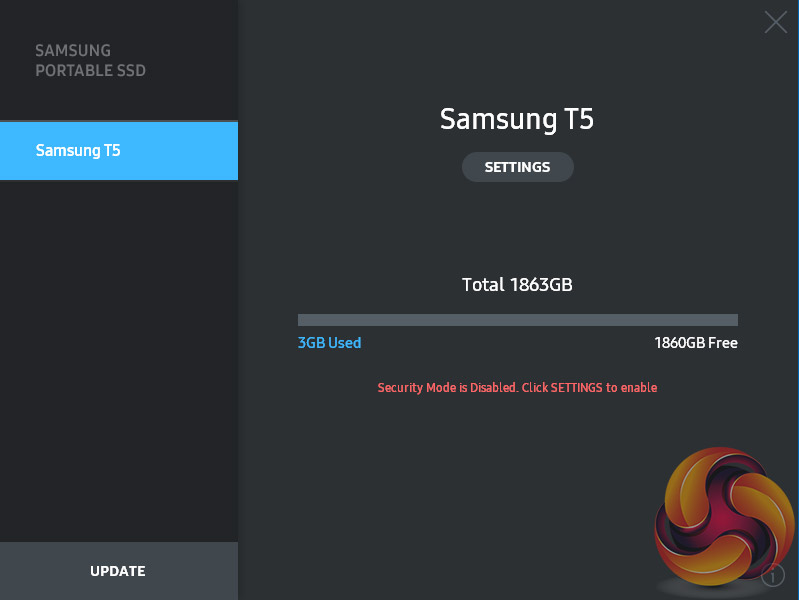
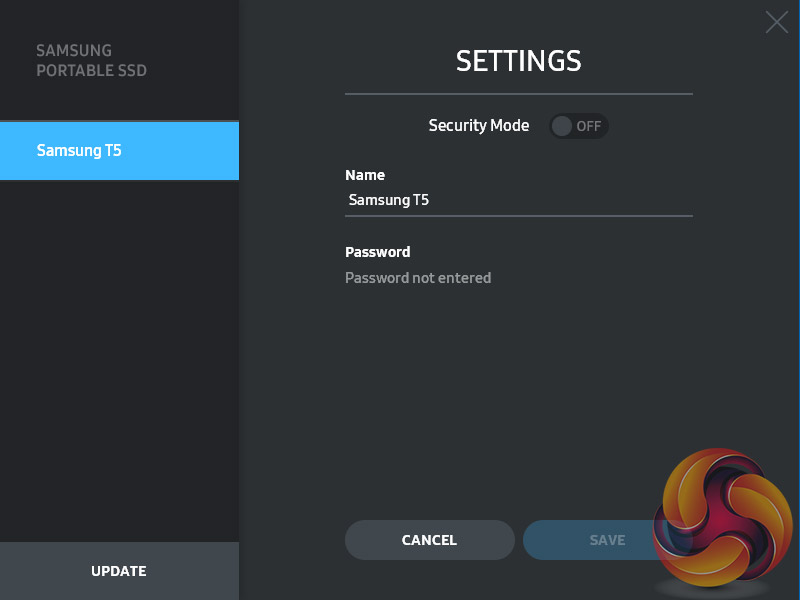
The software pre-installed on the drive simply allows the enabling of encryption protection of the drive. The software is supported by Windows, MAC OS and Android devices.
To test the drive we formatted it using the NTFS file system.
Crystalmark is a useful benchmark to measure theoretical performance levels of hard drives and SSD’s. We are using V3.0.3.
The ATTO Disk Benchmark performance measurement tool is compatible with Microsoft Windows. Measure your storage systems performance with various transfer sizes and test lengths for reads and writes. Several options are available to customize your performance measurement including queue depth, overlapped I/O and even a comparison mode with the option to run continuously.
Use ATTO Disk Benchmark to test any manufacturers RAID controllers, storage controllers, host adapters, hard drives and SSD drives and notice that ATTO products will consistently provide the highest level of performance to your storage.
AS SSD is a great free tool designed just for benching Solid State Drives. It performs an array of sequential read and write tests, as well as random read and write tests with sequential access times over a portion of the drive. AS SSD includes a sub suite of benchmarks with various file pattern algorithms but this is difficult in trying to judge accurate performance figures.
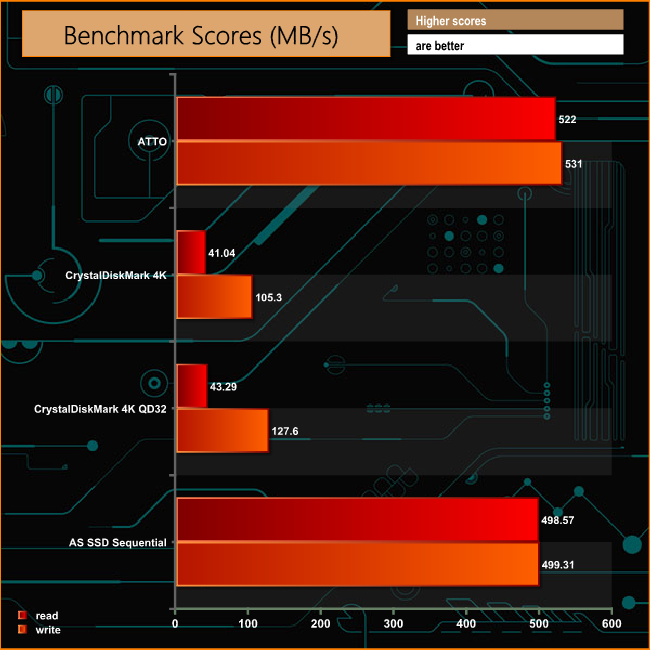
Samsung quote transfer rates for the T5 as up to 540MB/s for reads and 515MB/s for writes. Using the ATTO benchmark our tested drive fell a little short of the maximum quoted speed at 522MB/s but the write performance at 531MB/s was better than the offical figure.
When it comes to write performance when dealing with the small bity files of everyday use, the T5 performs very well. At a queue depth of 1 it produced a score of 105.3MB/s in CrystalDiskMark and the performance remains strong at deeper queue depths, producing a score of 127.6MB/s at queue depth of 32.
IOMeter is another open source synthetic benchmarking tool which is able to simulate the various loads placed on hard drive and solid state drive technology.
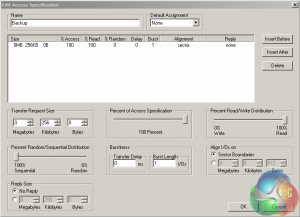
We set IOmeter up (as shown above) to test both backup and restore performance on a 100GB file.
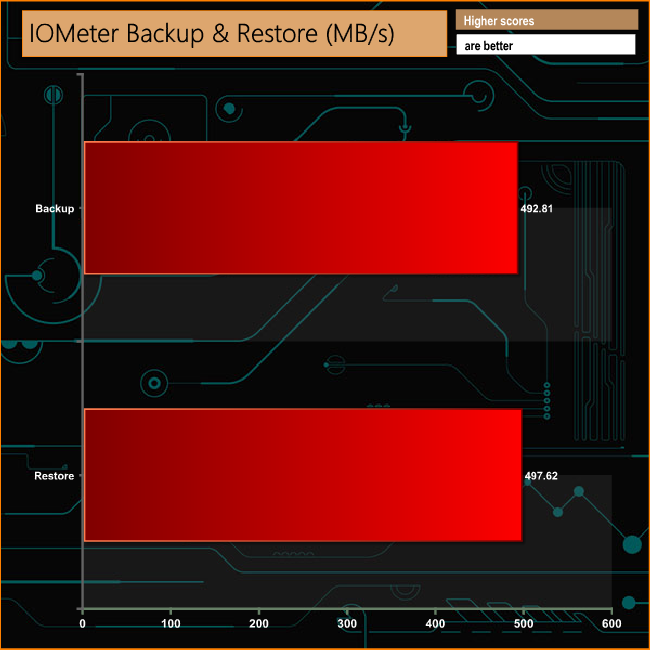
Dealing with the 100GB file of our backup/restore test proved no problem to the T5, the drive very nearly topping the 500MB/s mark for both tests.
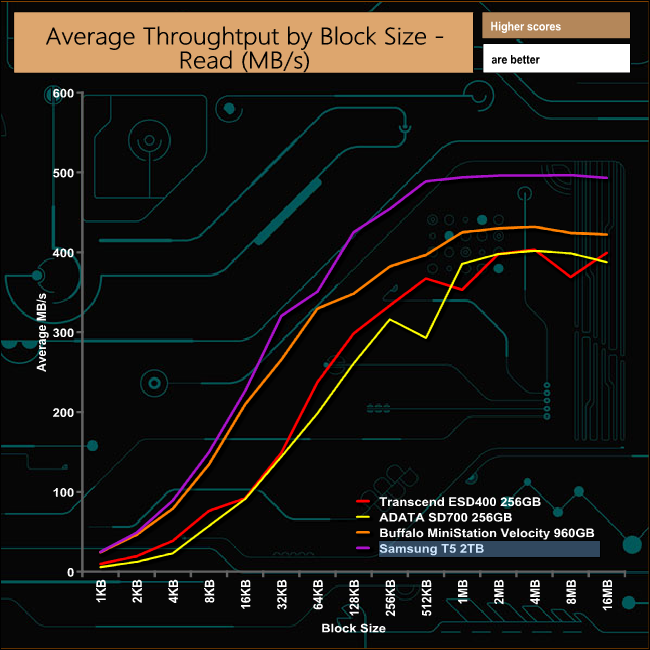
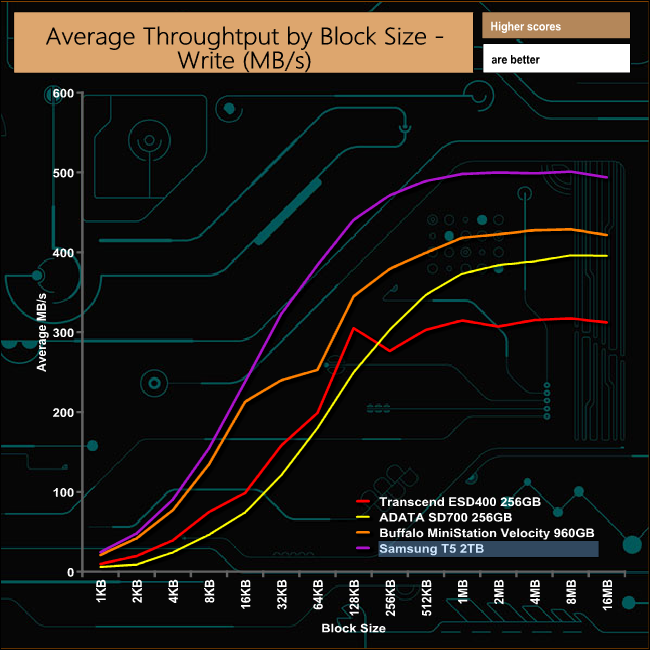
In our throughput tests the drive had a slight dip in read performance at the 64KB block size but recovered well. No such problems with the write throughput test, the drive producing a steady curve throughout the test.
To test real life performance of a drive we use a mix of folder/file types and by using the FastCopy utility (which gives a time as well as MB/s result) we record the performance of drive reading from & writing to a 256GB Samsung SSD850 PRO.
100GB data file.
60GB iso image.
60GB Steam folder – 29,521 files.
50GB File folder – 28,523 files.
12GB Movie folder – 24 files (mix of Blu-ray and 4K files).
10GB Photo folder – 621 files (mix of .png, raw and .jpeg images).
10GB Audio folder – 1,483 files (mix of mp3 and .flac files).
5GB (1.5bn pixel) photo.
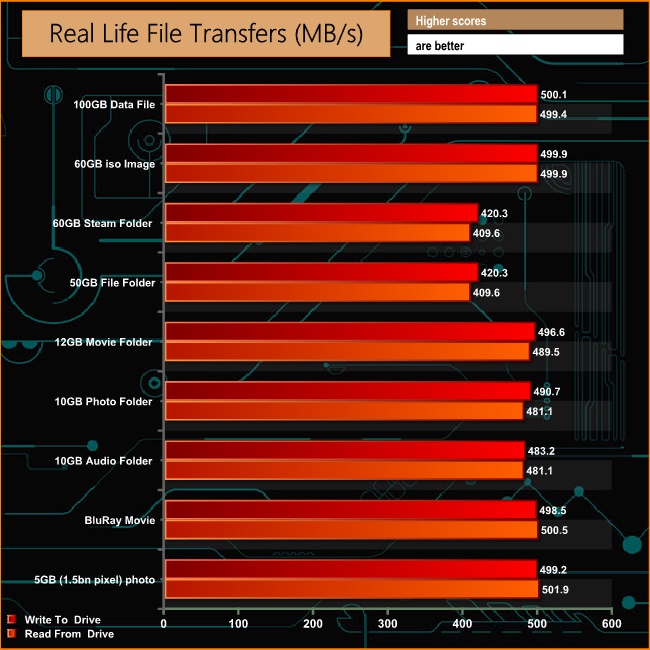
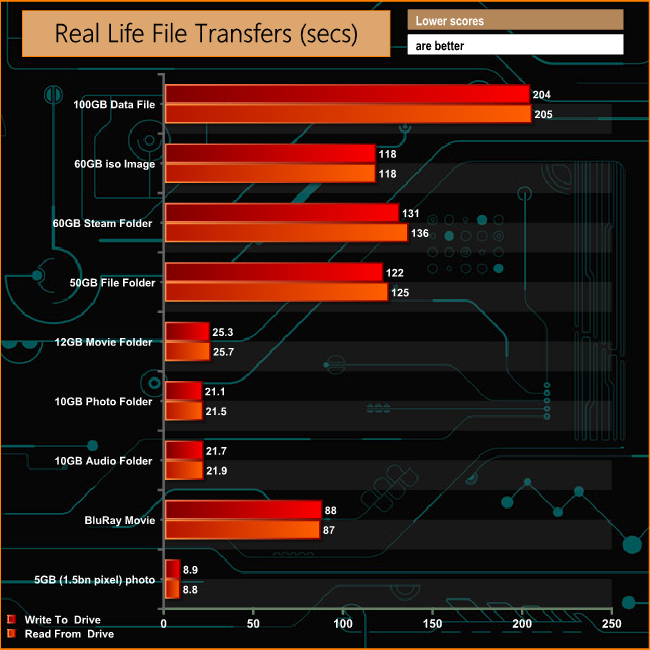
The T5 had no problems dealing with our real life file tests, even the 60GB Steam and 50GB file folders, so often a stumbling block for drives were dealt with fairly easily, at over 400MB/s for both folders in both reads and writes.
The drive took just under three and a half minutes to write a 100GB file to disk and just under two minutes to copy a 60GB iso image.
The previous T3 drive used Samsung's 48-layer TLC V-NAND and was the launch drive for the NAND and in a similar vein the T5 is the launch drive for the company's latest 4th generation 64-layer TLC V-NAND.

The official quoted transfer rates for the T5 are reads up to 540MB/s and up to 515MB/s for writes. When tested with the ATTO benchmark the review drive fell a little short of the maximum read figure at 522MB/s but the tested write figure was a little better than the official one at 531MB/s.
The T5 supports the TRIM command something that previous T1 and T3 models didn't do, although the drive has to formatted to the NFTS file system from the factory default exFAT system before this will work.
Support for Android devices (there's a list of supported devices on the Samsung website) and 256-bit hardware encryption are a couple of welcome additions to Samsung's Portable SSD's armoury.
It's a compact design and the flagship 2TB drive means you can carry around huge capacity in a coat pocket.

We found the 2TB Samsung Portable SSD T5 ready to pre-order at Overclockers UK for £754.99 HERE
Discuss on our Facebook page over HERE.
Pros
- 64-layer V-NAND.
- Compact design.
- Performance.
- Capacity.
Cons
- It doesn't come cheap.
Kitguru says: Samsung's new portable SSD is a compact, fast performing drive using the latest version of the companies V-NAND. But this 2TB drive does carry a hefty old price tag.