 KitGuru KitGuru.net – Tech News | Hardware News | Hardware Reviews | IOS | Mobile | Gaming | Graphics Cards


CrystalDiskMark:
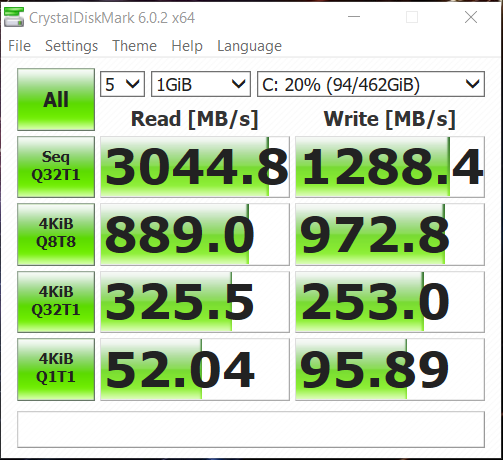
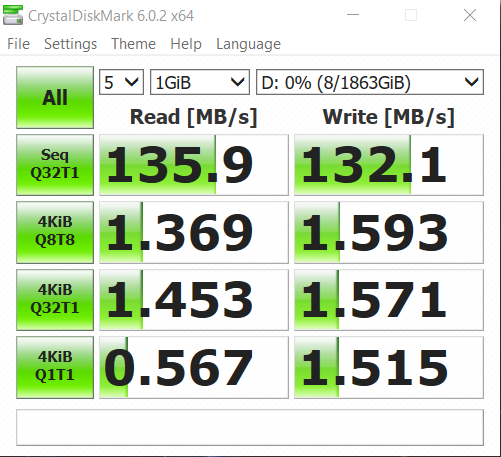
CrystalDiskMark tests the raw speed of a storage device. It uses a test file to write data to or read data from the drive. We test using the default 1GB file size.
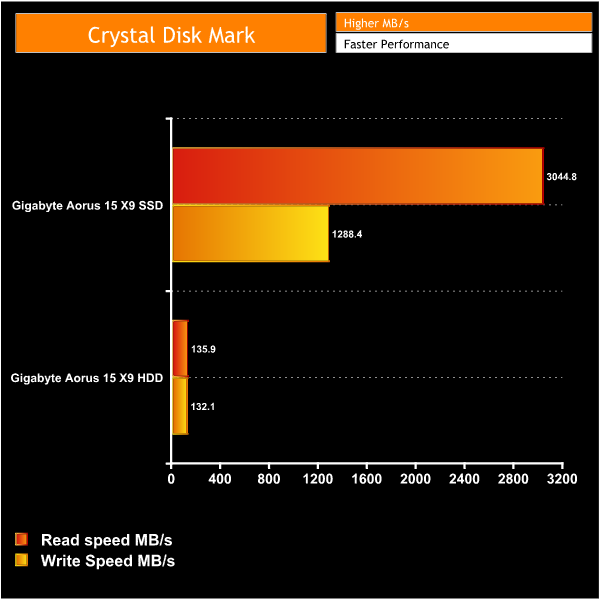
The SSD used is the M.2 NVMe Intel 760P. This is a very quick little drive with a fast read speed, though write speeds aren't quite as impressive. Even so, this laptop still feels very nippy in operations and it boots up fast. Being a 512GB drive, there’s also a decent amount of space to install some frequently used programs or games.
For even more storage the Aorus 15 X9 comes equipped with an additional 2TB HDD. Being a 5400rpm Barracuda it’s far from the fastest drive but it is always handy to have plenty of available storage for games or media straight out of the box.
Cinebench R15:
Cinebench R15 is a cross-platform testing suite that measures CPU performance. We compare the 15-X9 with some other laptops we have tested that feature the same processor for a quick comparison to demonstrate its relative performance.
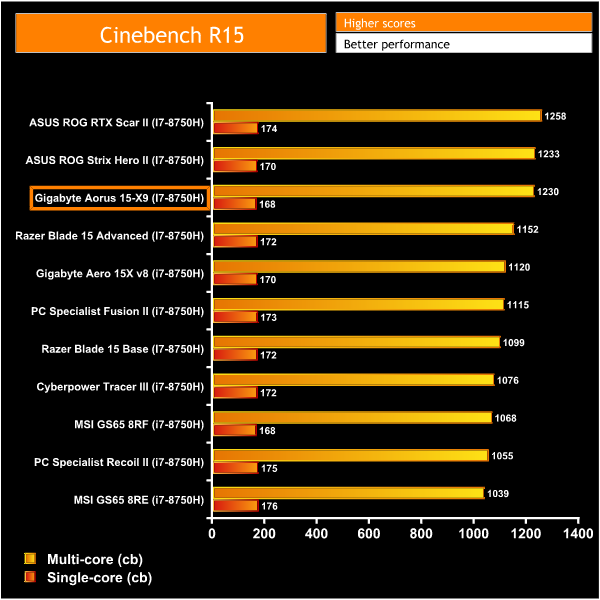
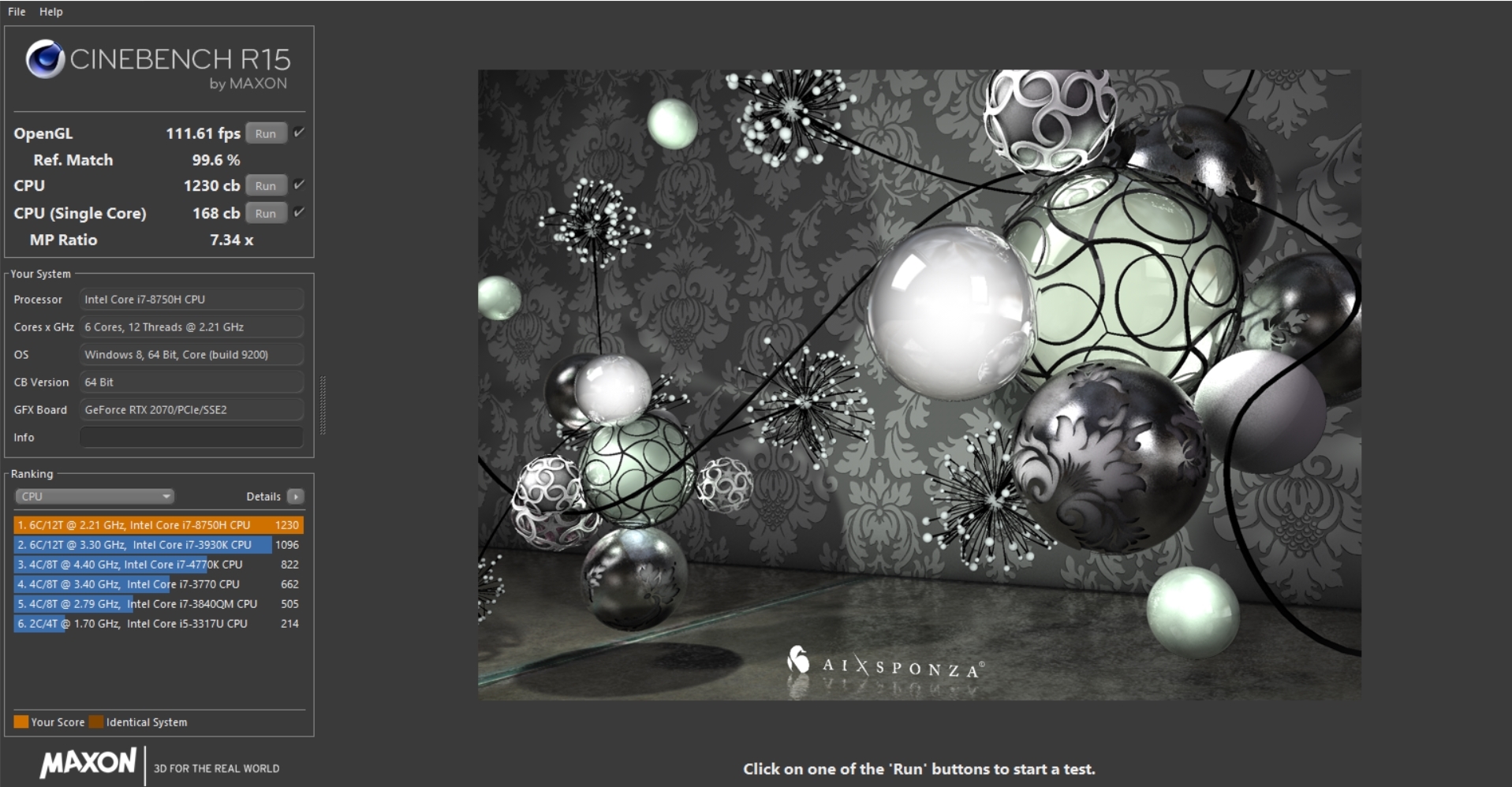
The Cinebench score achieved by the Aorus 15 X9 sits in the top 3 compared to other laptops we have tested with the i7-8750H, and it is only beaten by the Scar II and Hero II from ASUS.
Looping Cinebench 10+ times does eventually heat up the CPU and the score will drop down to 1024. This is to be expected from this Coffee Lake processor as the clock speed decreases as the temperature of the CPU rises over time.
Cinebench R20:
Improvements to Cinebench Release 20 reflect the overall advancements to CPU and rendering technology in recent years, providing a more accurate measurement of Cinema 4D's ability to take advantage of multiple CPU cores and modern processor features available to the average user.
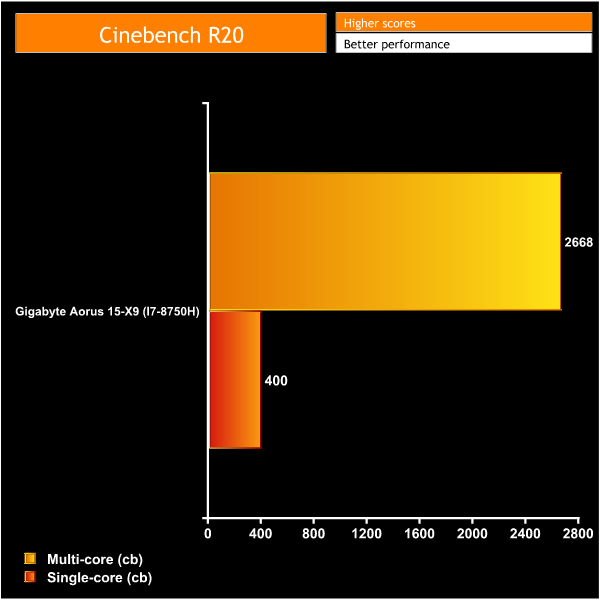
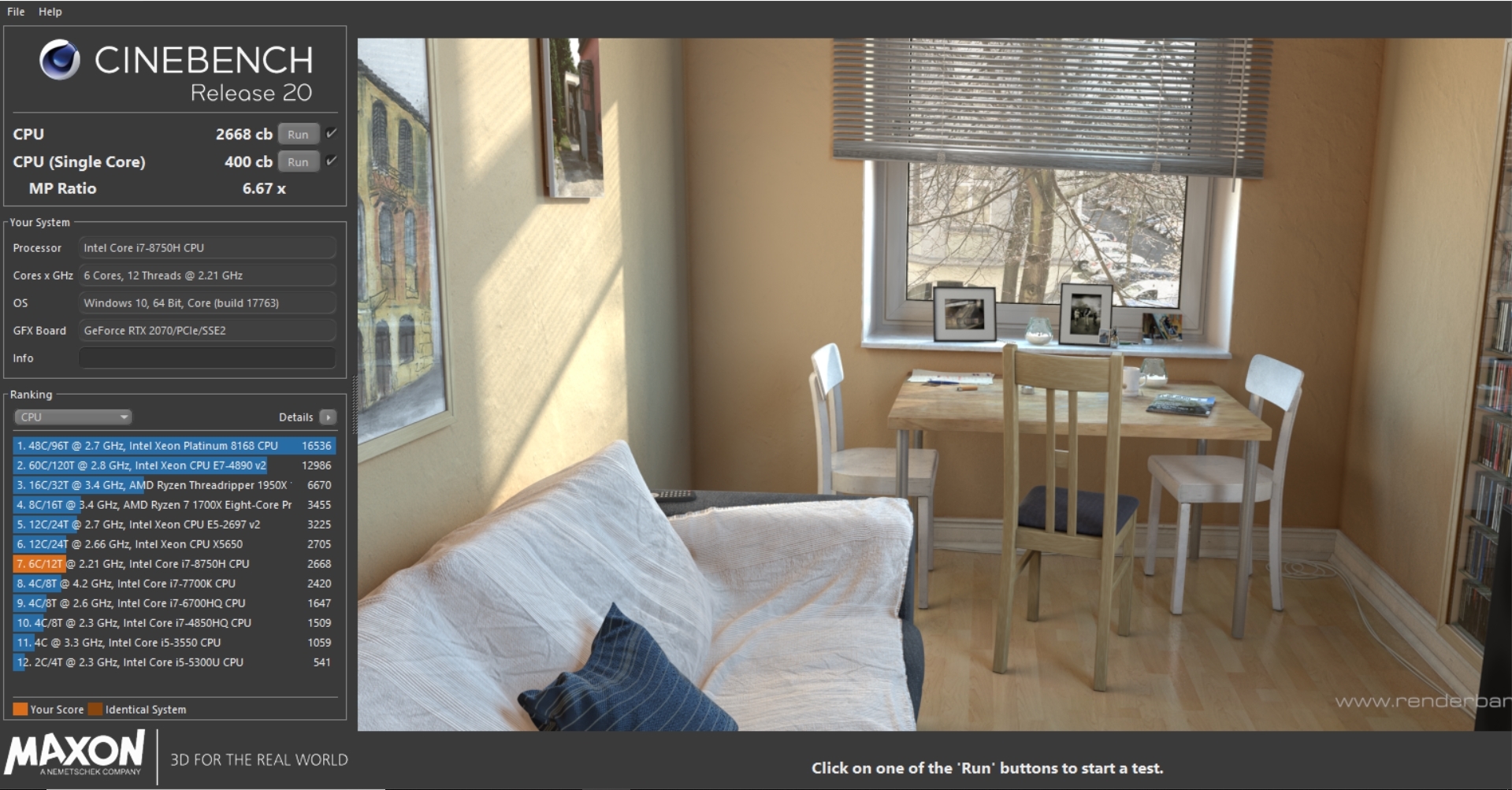
Cinebench R20 is a new release so we don't yet have any comparison data, but as we review more laptops in the coming months we will add to this chart.
