KitGuru KitGuru.net – Tech News | Hardware News | Hardware Reviews | IOS | Mobile | Gaming | Graphics Cards


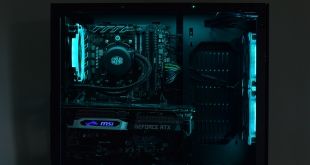
Today we are back with another pre-built system review, this time from Cyberpower. The PC in question is named the Ultra 7 RTX, with the latter part of the name referencing the RTX 2070 graphics card used in the system. Alongside that, there is an 8-core Ryzen 7 2700X CPU with 16GB DDR4 memory, while storage is provided by a 250GB NVMe SSD and 2TB hard drive. Priced at £1349 it's not a budget build, but nor is it especially high-end – is the Ultra 7 RTX worth buying?


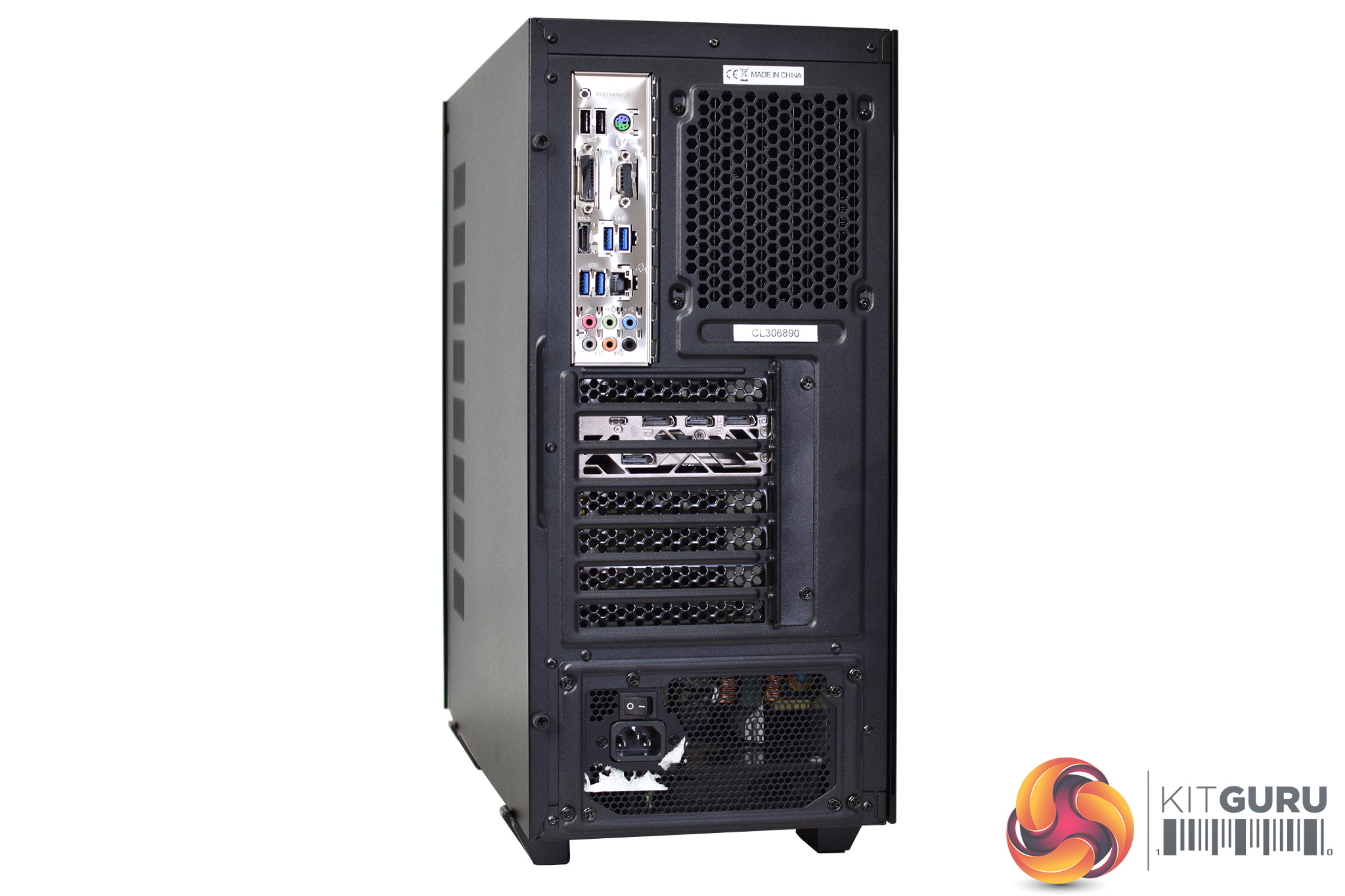

Specification:
- Operating System: Windows 10 Home (64-bit Edition)
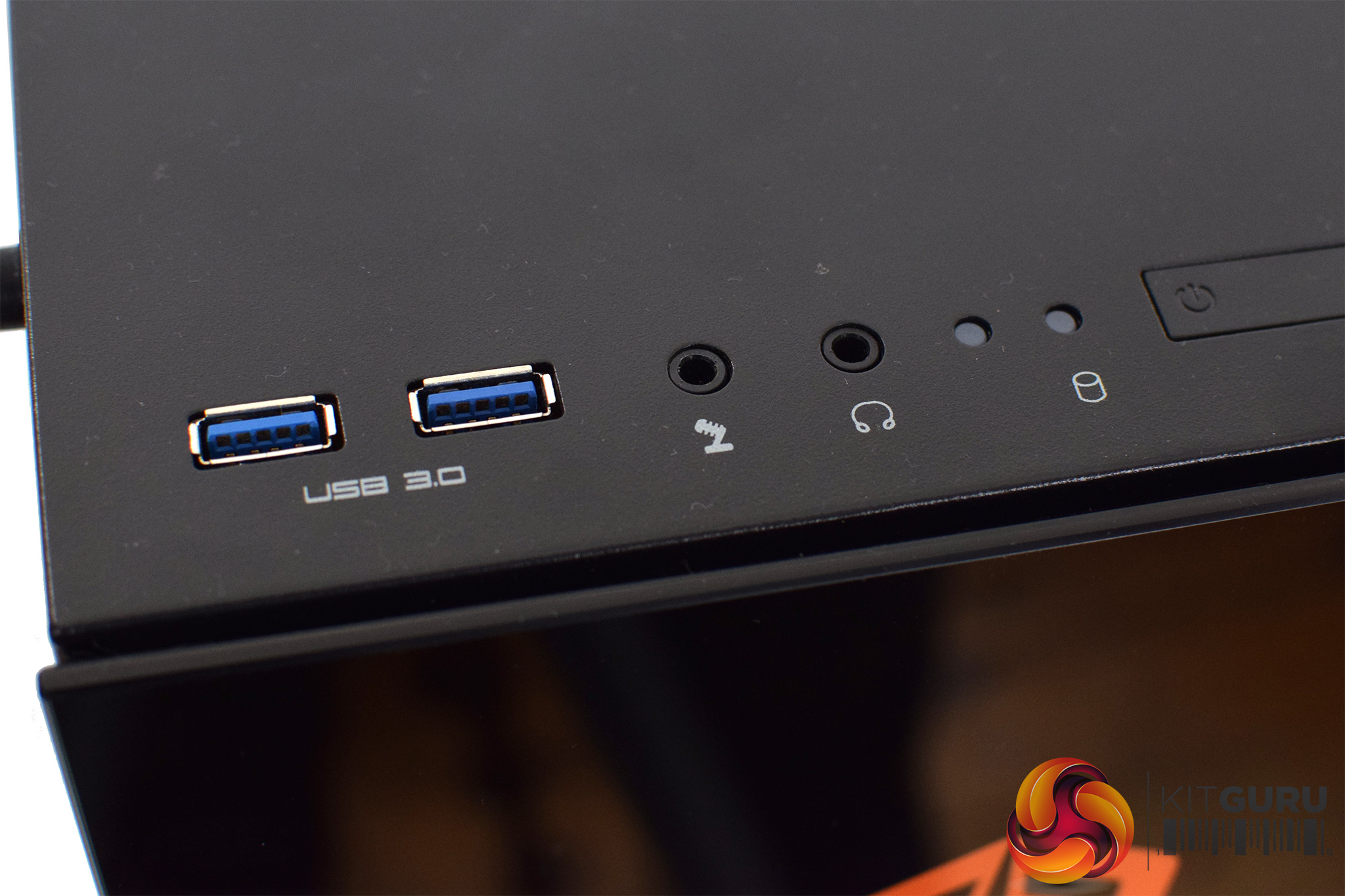
- Case: Cyberpower ONYXIA Mid-Tower Black Gaming Case w/ USB 3.0, Front & Side Tempered Glass
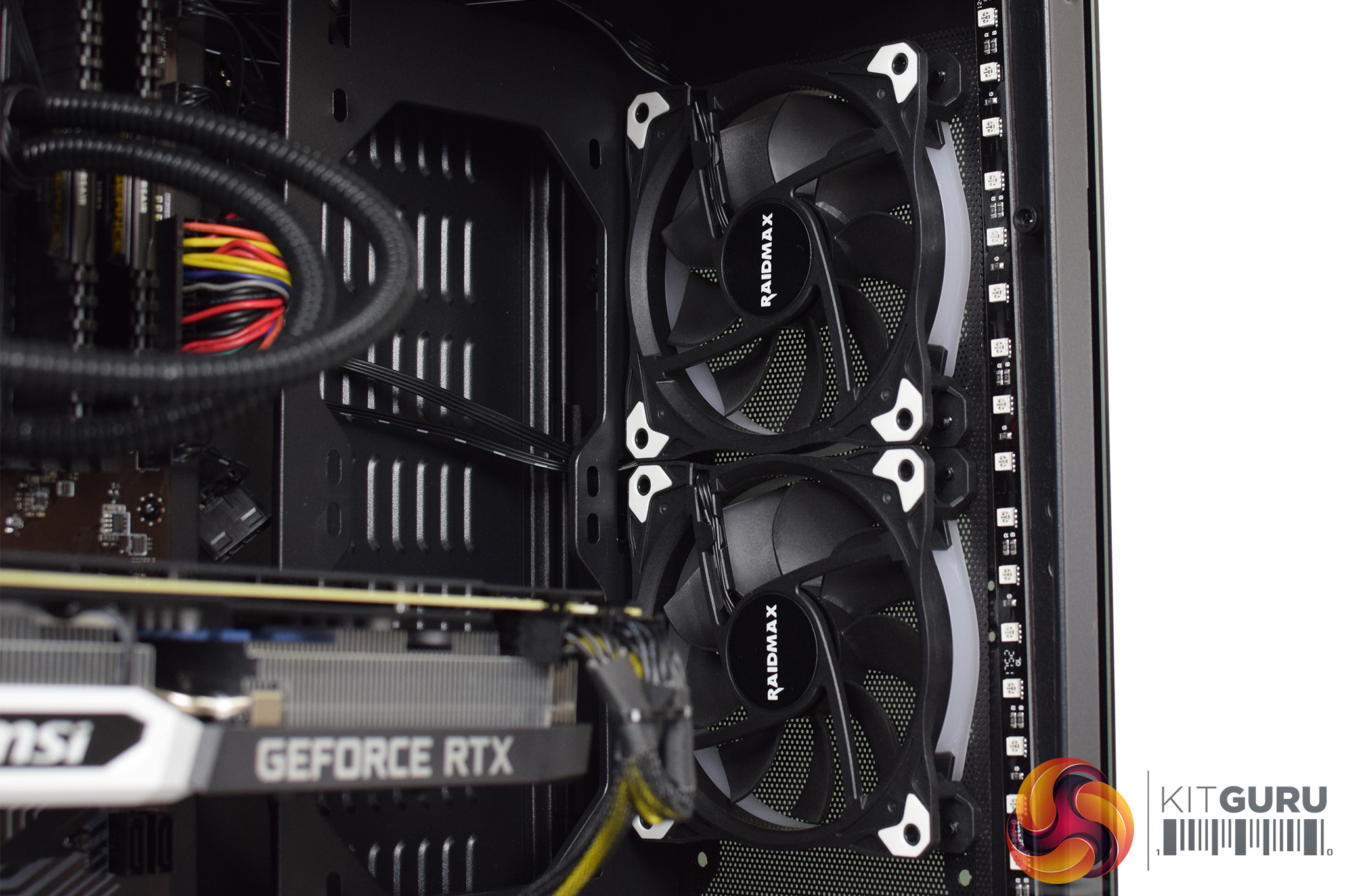
- Case Fans: 3x RAIDMAX NV-R120 120mm RGB Hydraulic bearing Fans
- CPU (Processor): AMD Ryzen 7 2700X – 8-Core 3.70GHz, 4.35GHz Turbo
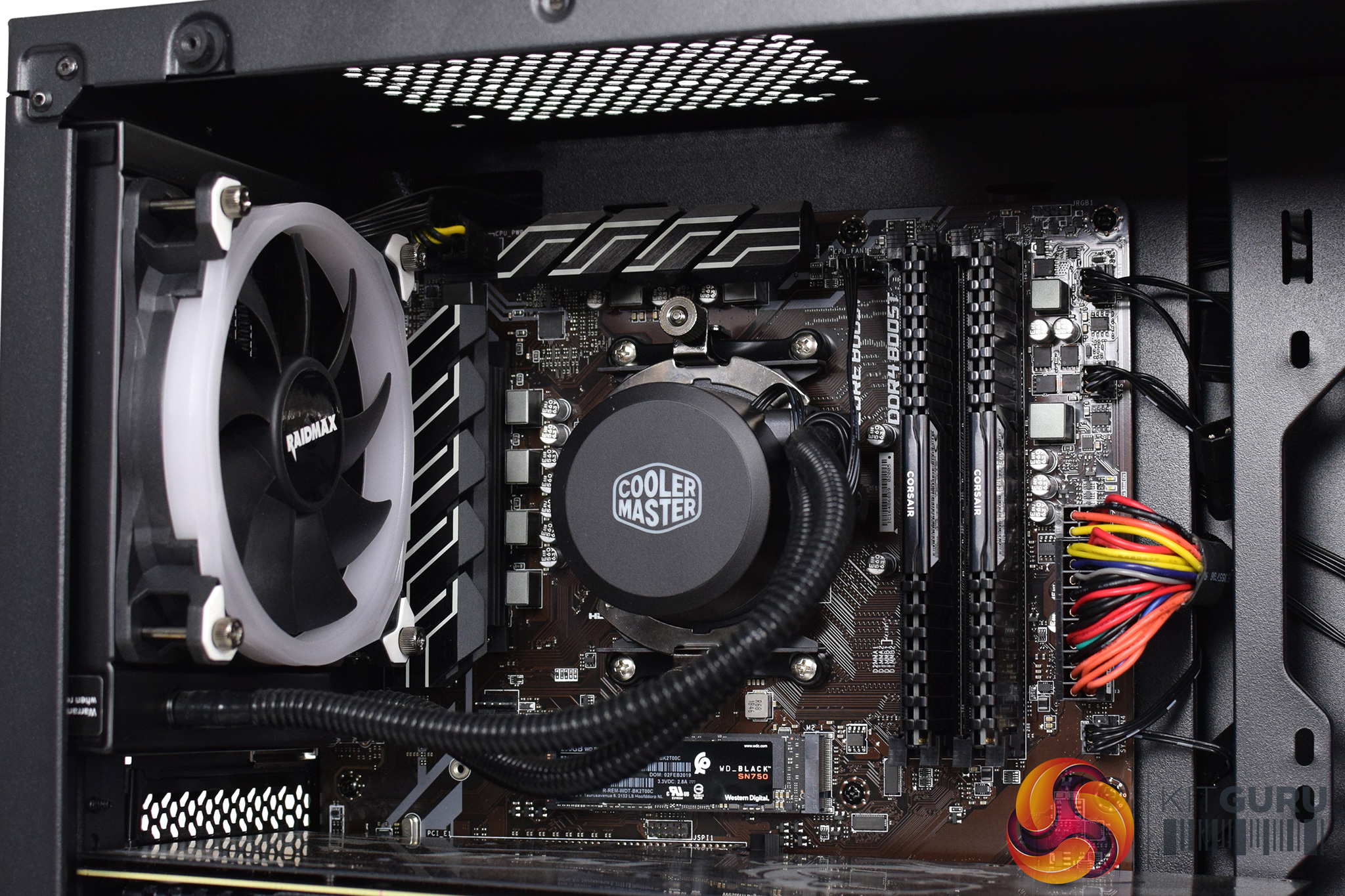
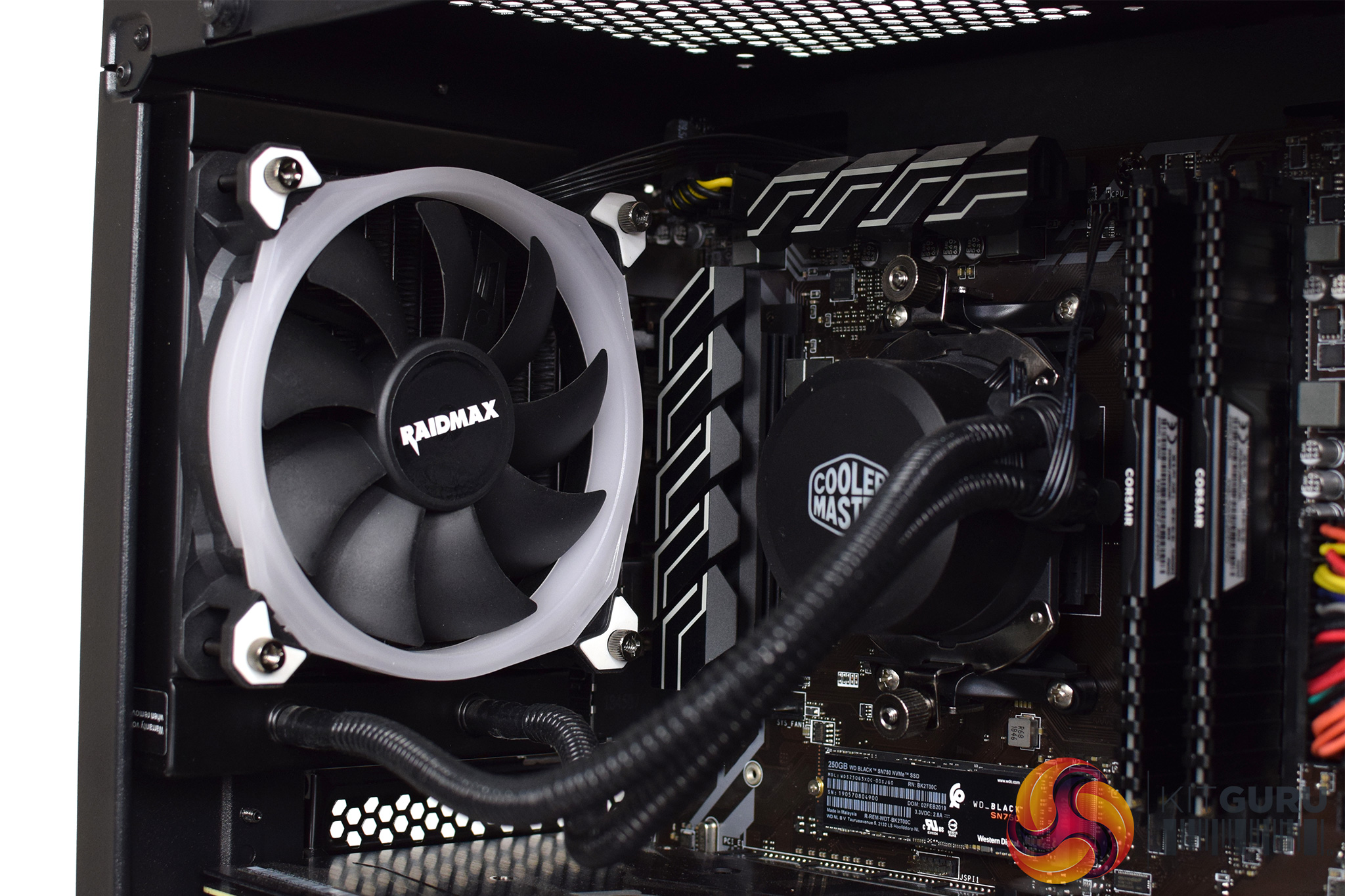
- CPU Cooling: Cooler Master MasterLiquid Lite 120 Liquid Cooling System
- Motherboard: MSI B450-A Pro ATX
- Memory (RAM): 16GB (2x8GB) DDR4/2400mhz Dual Channel Corsair Vengeance LPX
- Graphics Card (GPU): MSI GeForce® RTX 2070 8GB
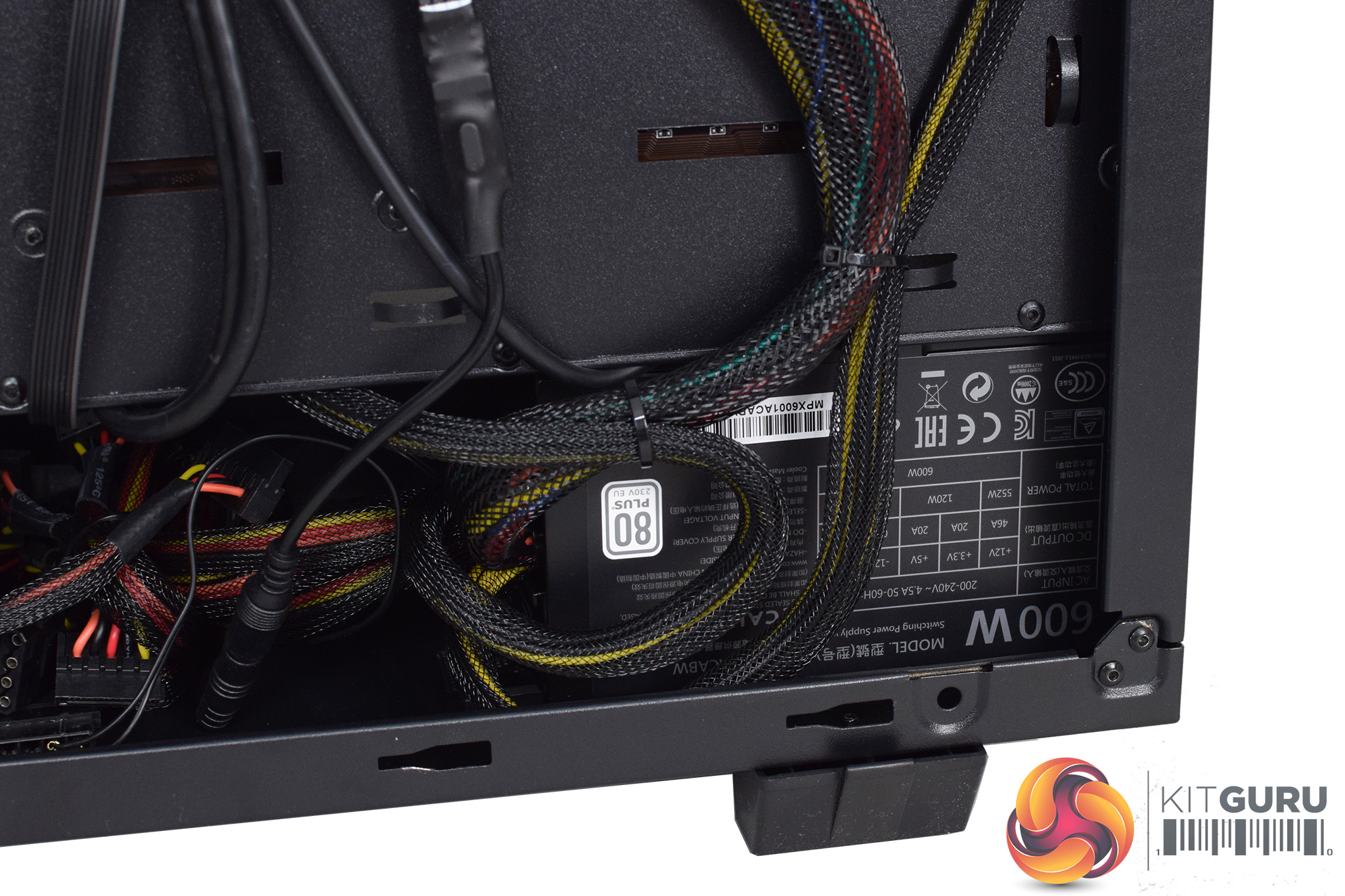
- PSU (Power Supply): Cooler Master MasterWatt Lite 600W 80+ Gaming Power Supply
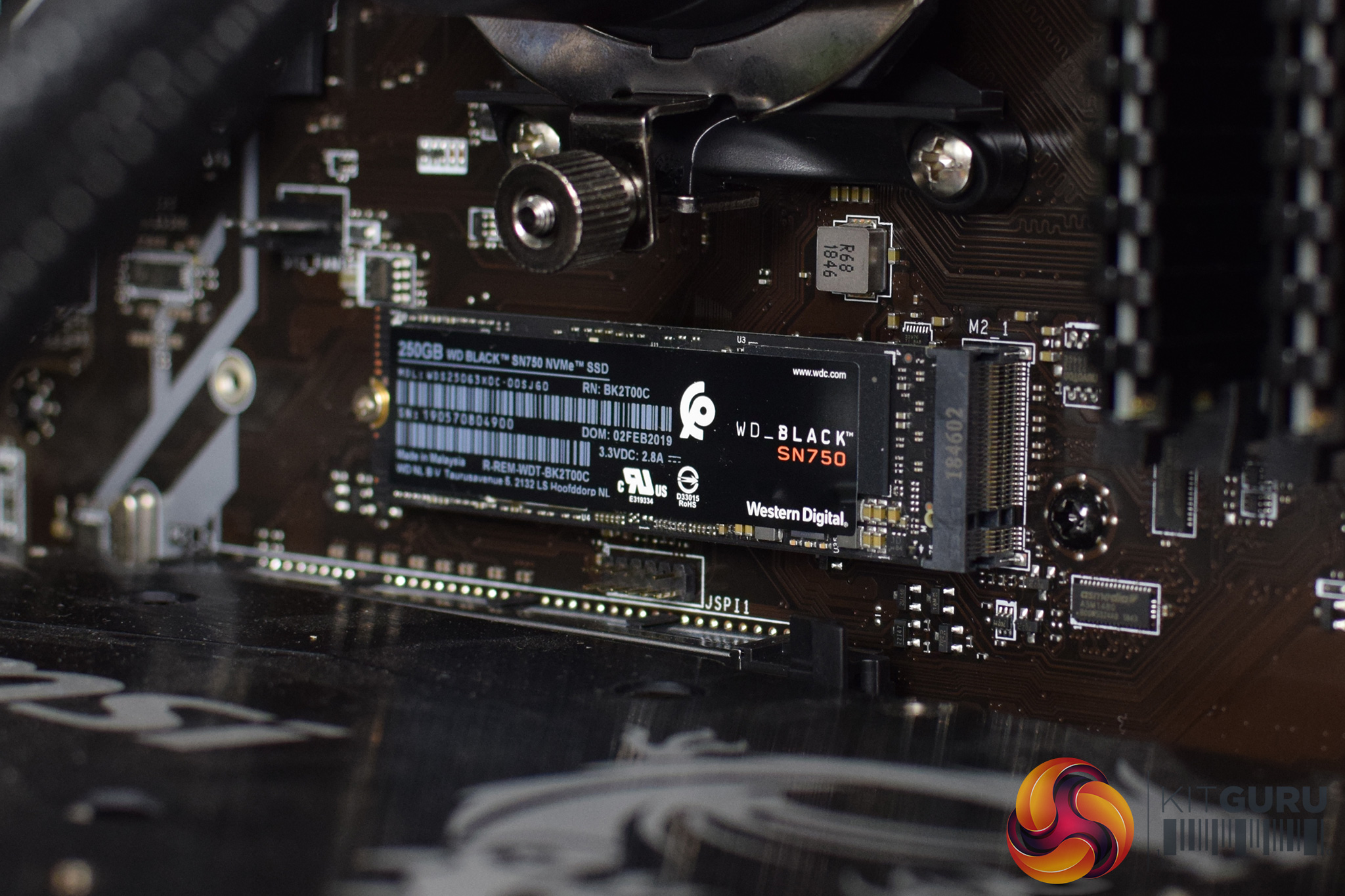
- M.2 SSD Drive: 250GB WD Black SN750 M.2 NVMe PCIe SSD
- Hard Drive : 2TB Seagate BarraCuda SATA-III 6.0Gb/s 7200RPM
- Warranty Service: DESKTOP STANDARD WARRANTY: 3 Year Labour, 2 Year Parts, 6 Month Collect and Return plus Life-Time Technical Support
Coming to the system and overall build, there's a few things to point out in regards to the component selection and the assembly of this system.
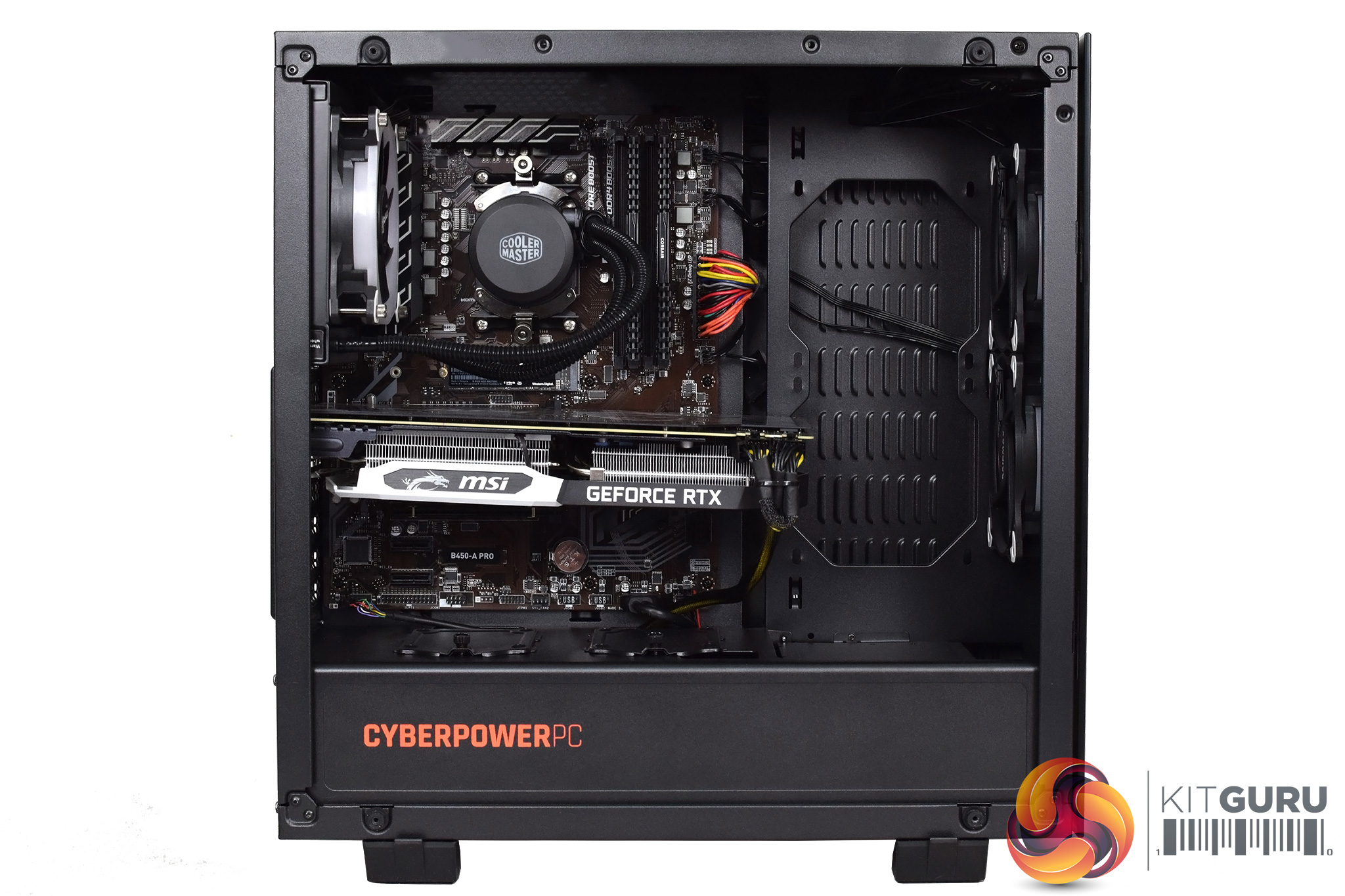
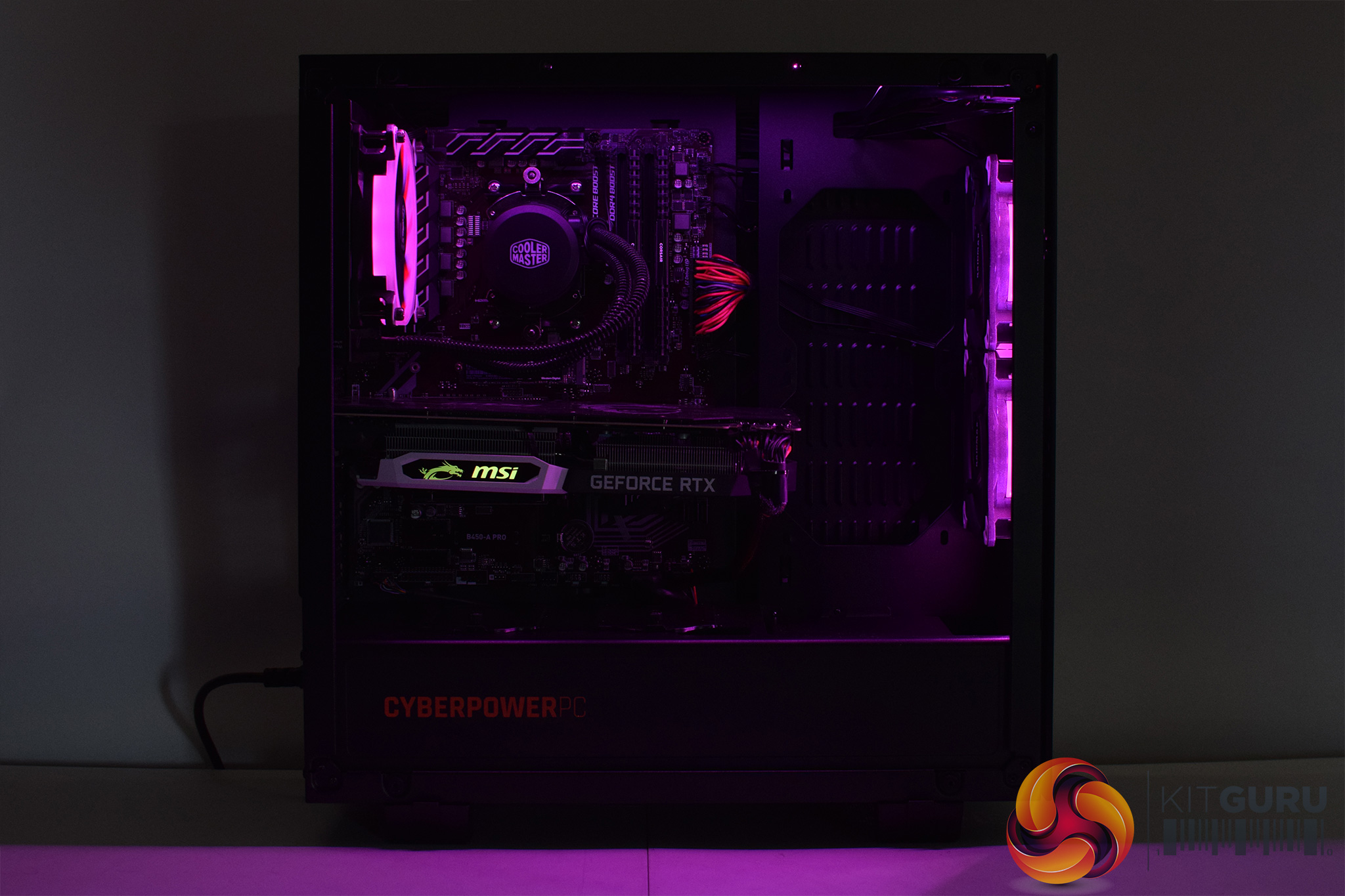
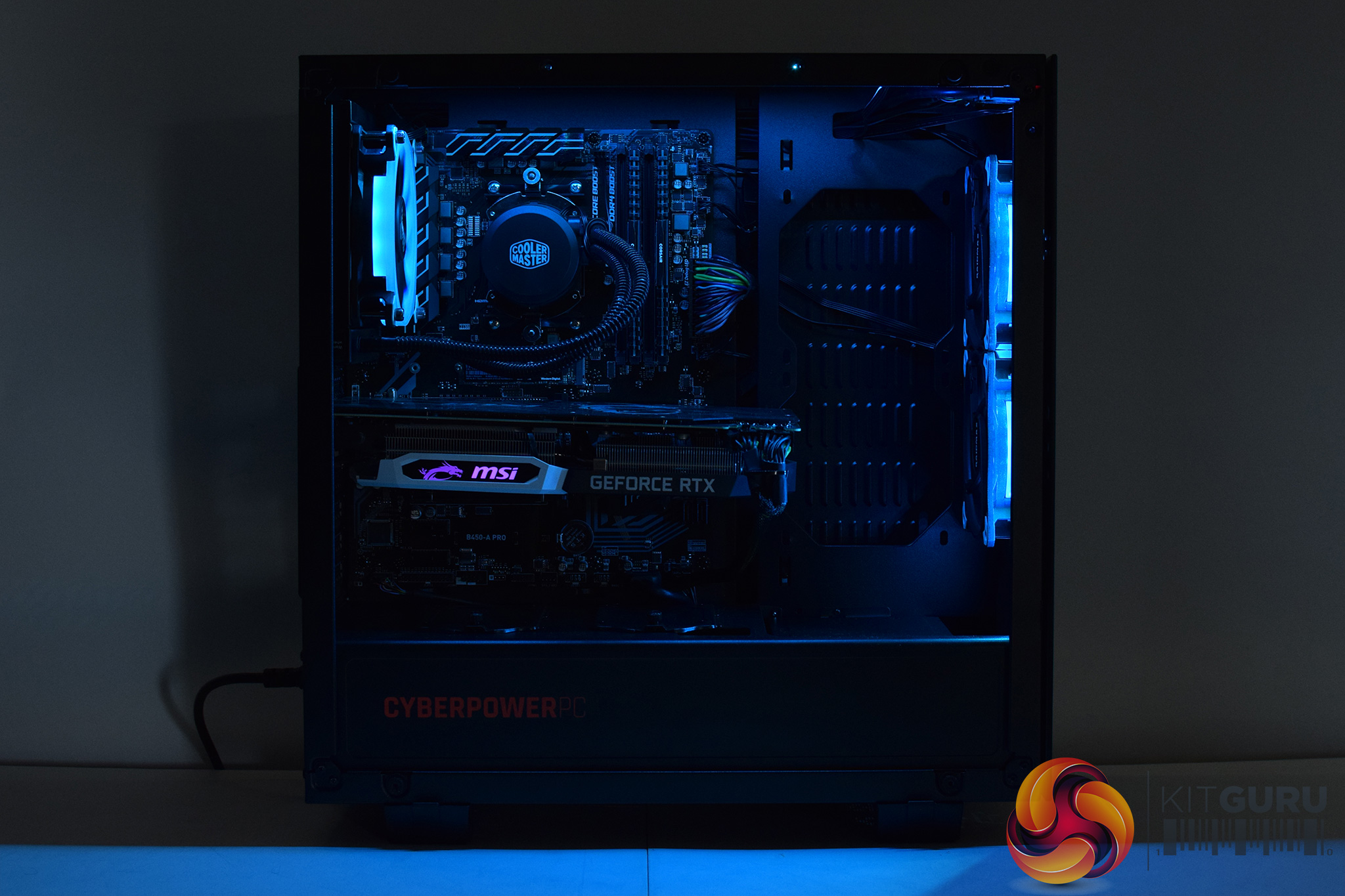
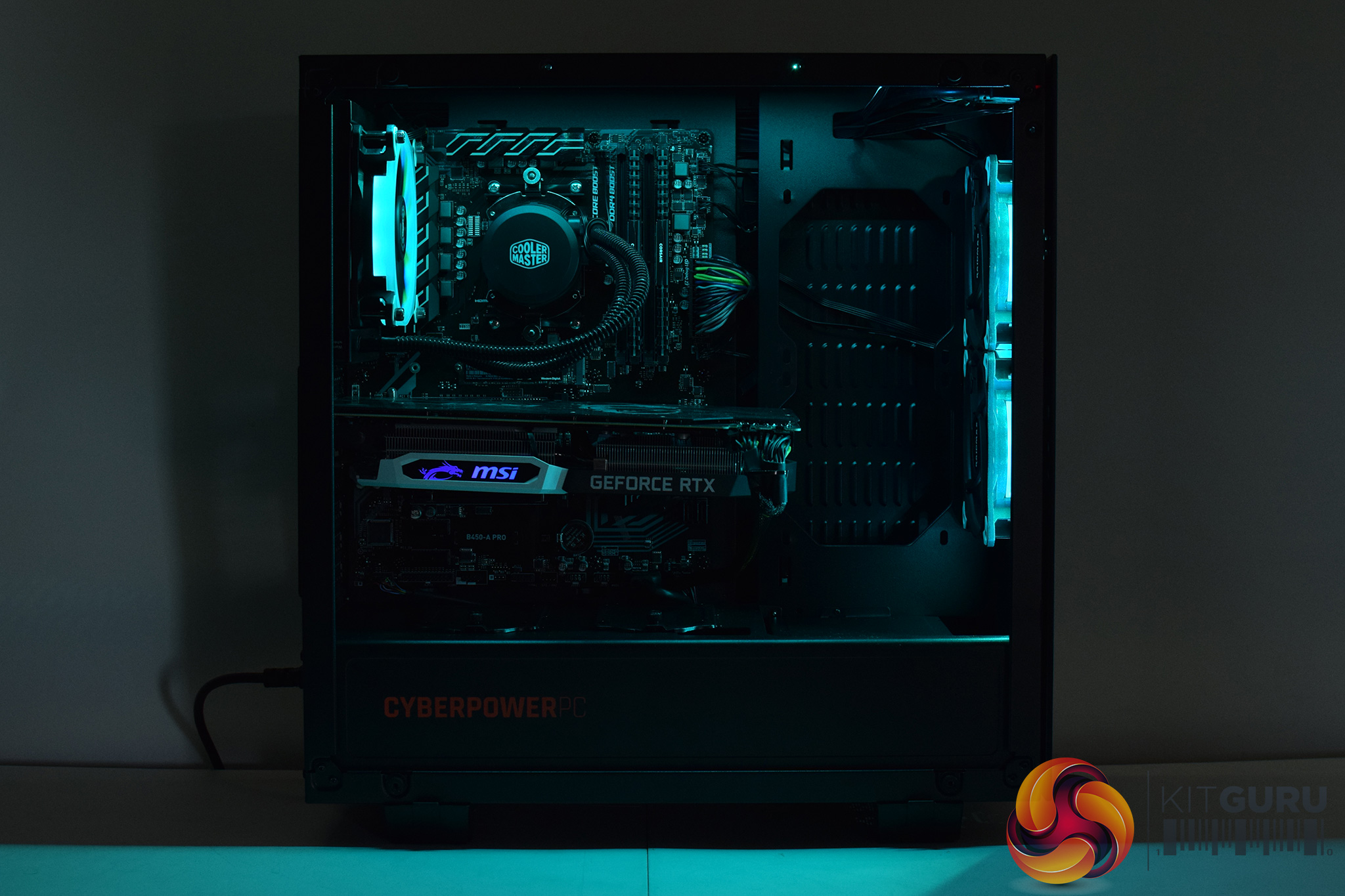
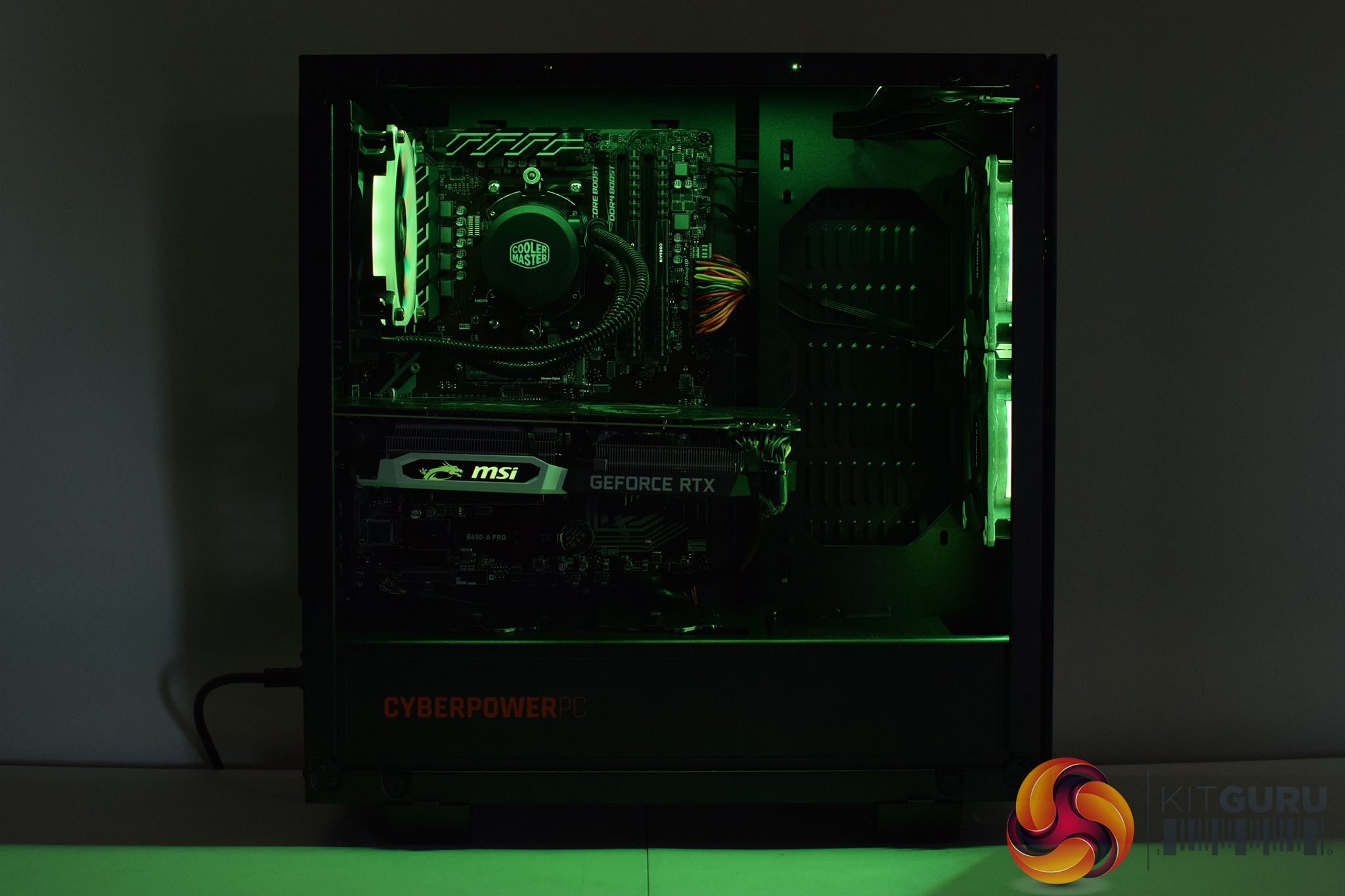
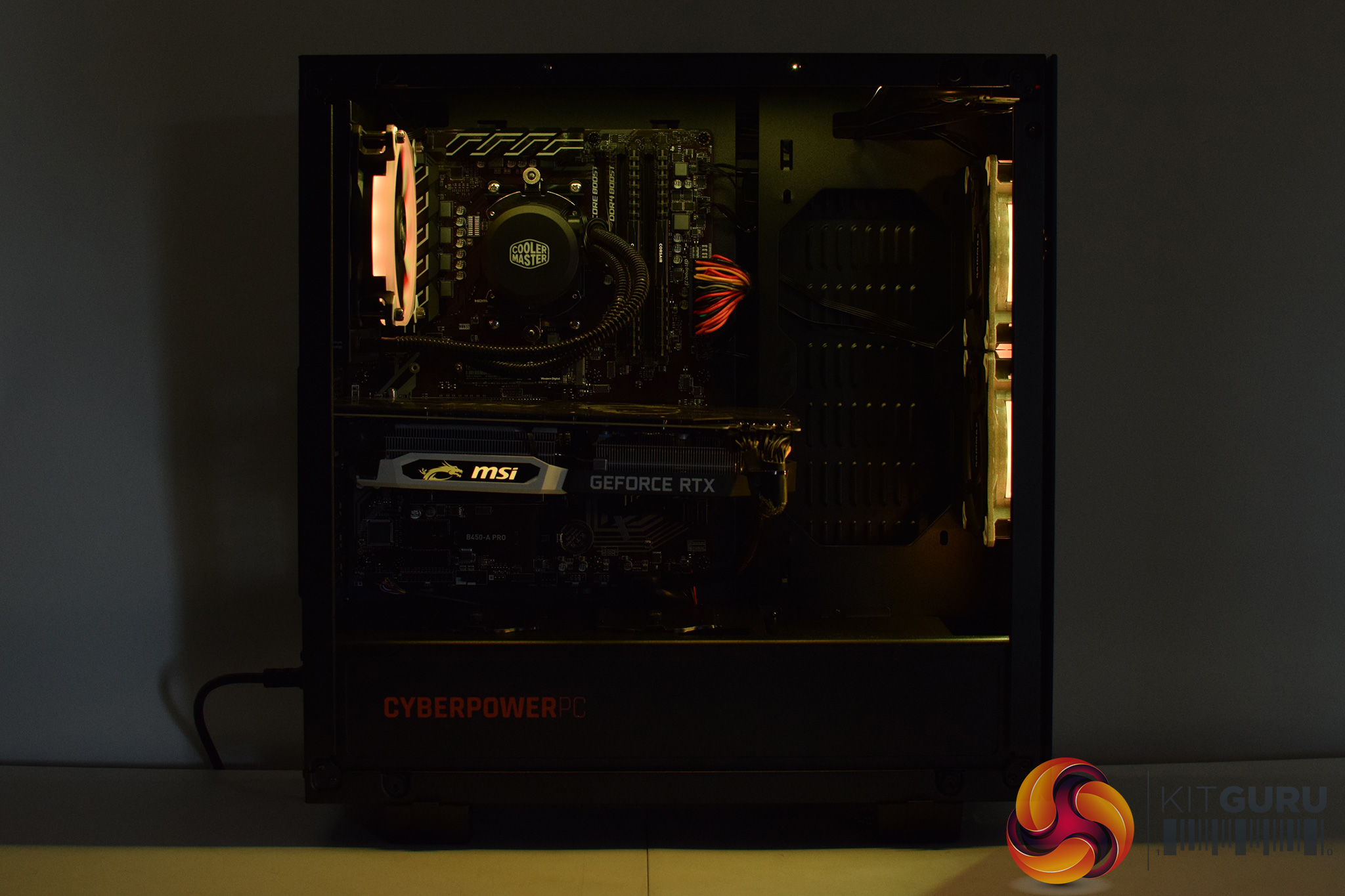
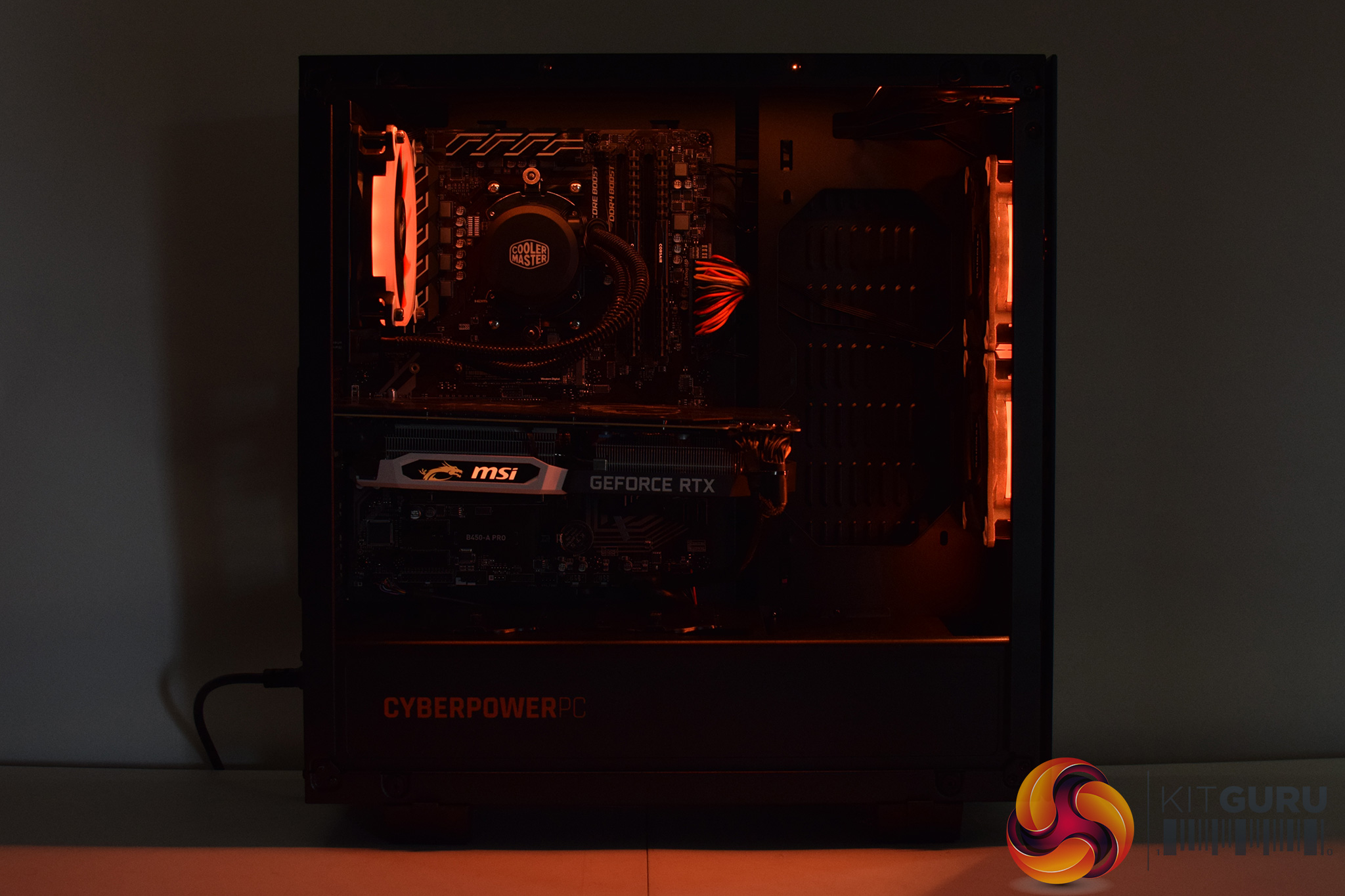
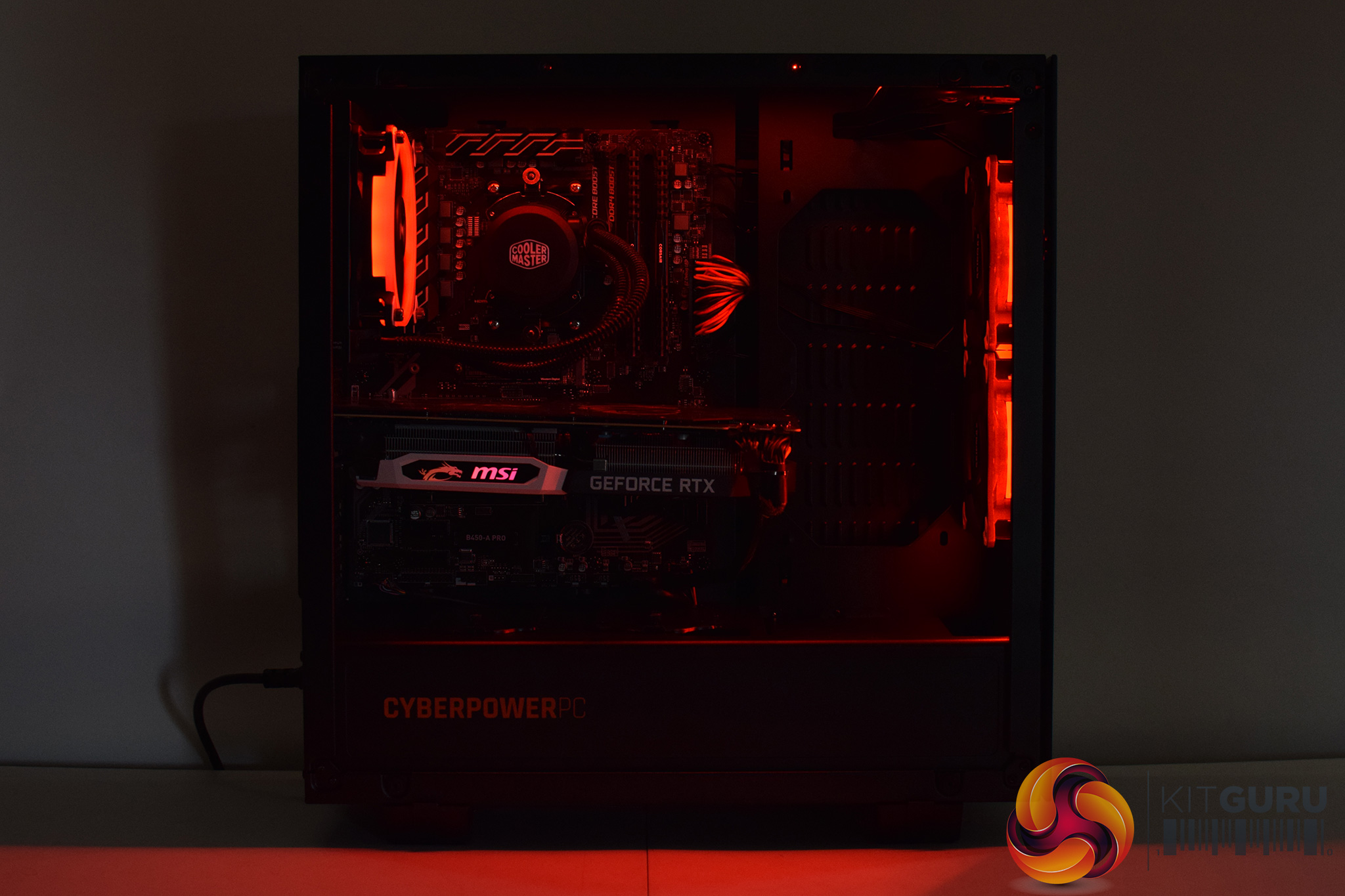
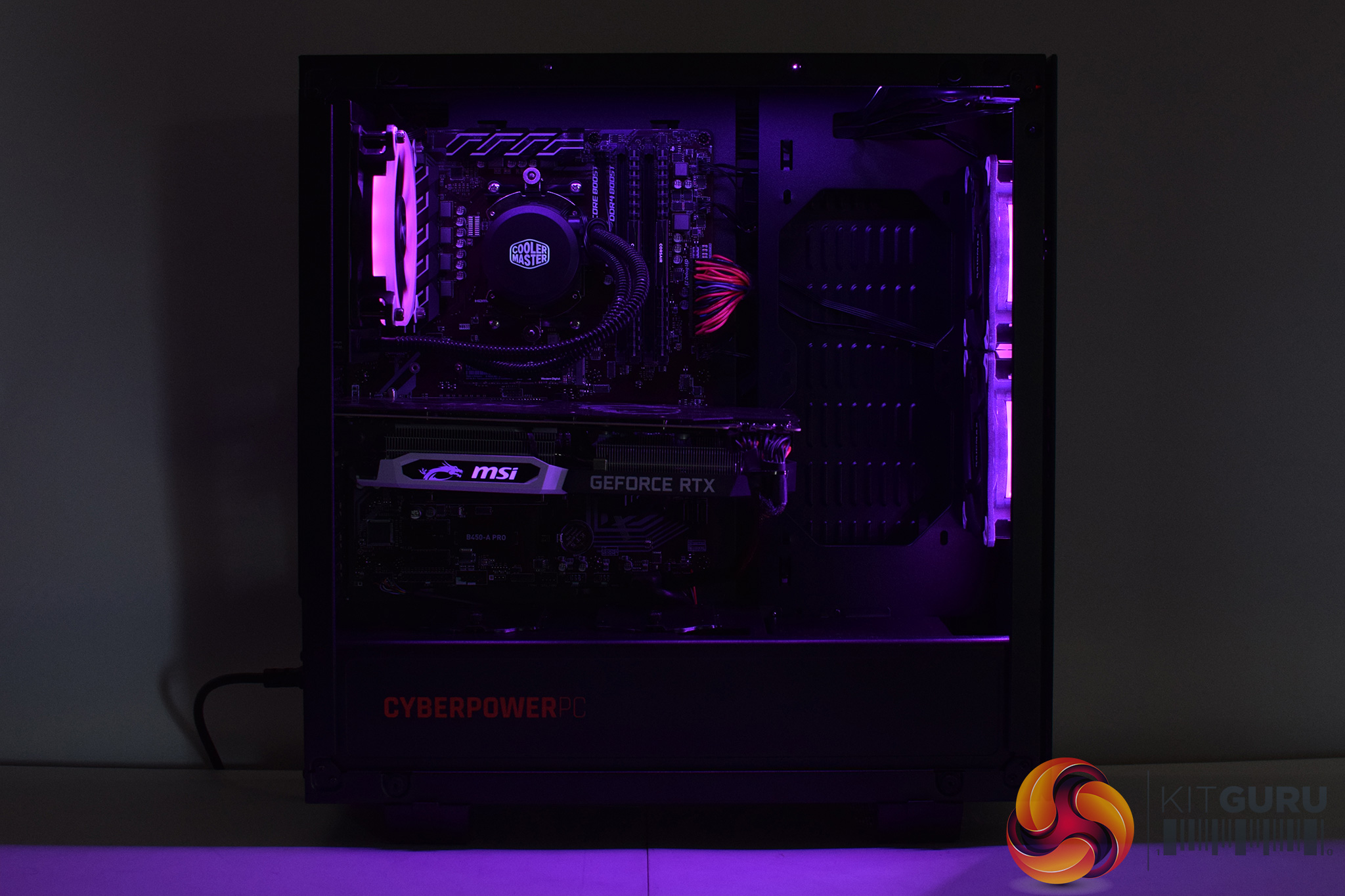
The first thing to look at is the case – the Cyberpower Onyxia. It's a relatively standard ATX case, with glass panels on both the front and the left-hand side. The first thing I noticed about it, however, is that is probably a bit big for this particular build – it's not a massive case by any means, but if you look at the images above, you will note there is quite a lot of empty space between the front panel and the motherboard.
More importantly, the glass front panel sits very close to the main body of the case – which can only restrict airflow. By my measurements, there is just a 4mm gap between the solid glass front panel and the steel chassis, and that's it – there's no other meshed or ventilated sections, all the intake air has to come through that small gap around the front panel. The proof is in the pudding as they say, and we will look closely at thermal dynamics later in the review.
Other things to touch on include the Raidmax RGB setup. There are three RGB fans in the system, as well as one LED strip in the front and another in the roof. Rather than being controlled by the motherboard's RGB header, though, there is instead a small remote control used for adjusting the lighting. That's not necessarily a bad thing – though I think you'd be a bit annoyed if you lost the remote – but when I first received the system, the remote was only changing the colour of the front fan, and the other fans and LED strips would not change at all.
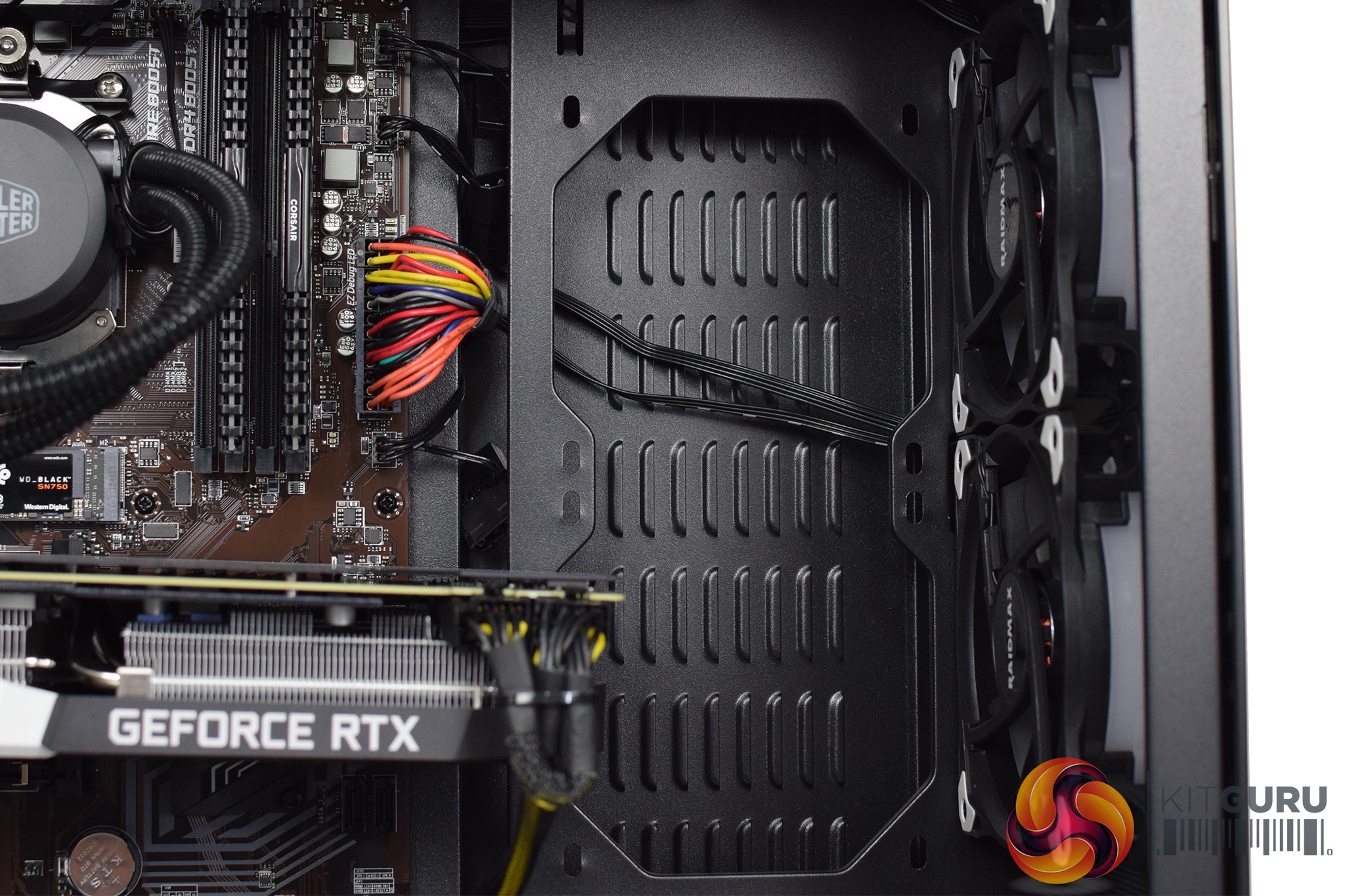
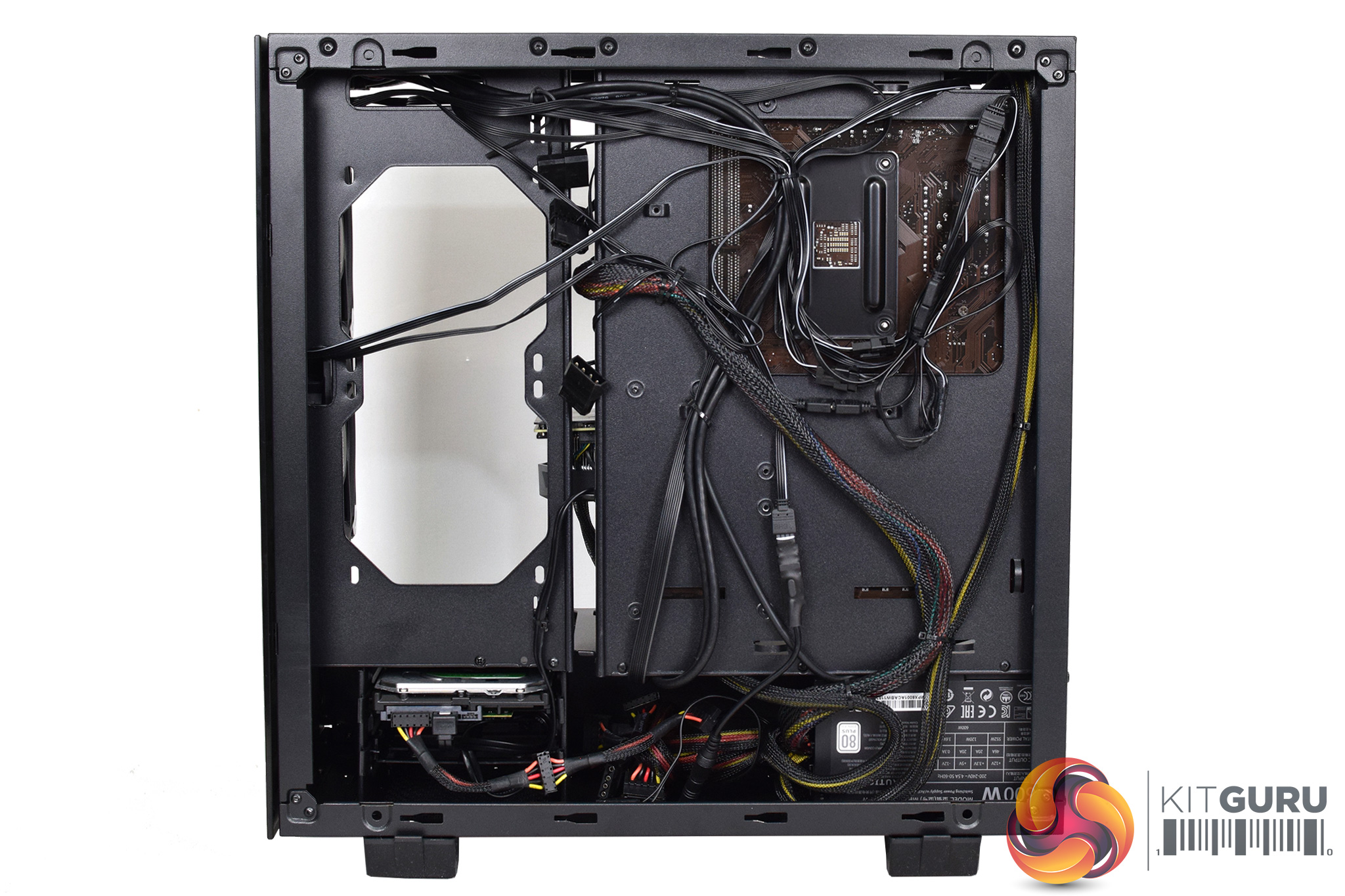
As it happens, two of the RGB cables had come loose behind the motherboard tray during transit. It was no problem for me to fix that, but it doesn't instil a sense of confidence in the RGB system as a whole. Someone who wouldn't know what to look for and fix, for instance – the kind of person who'd buy a pre-built system instead of building it themselves – could well be left thinking the RGB just doesn't work properly.
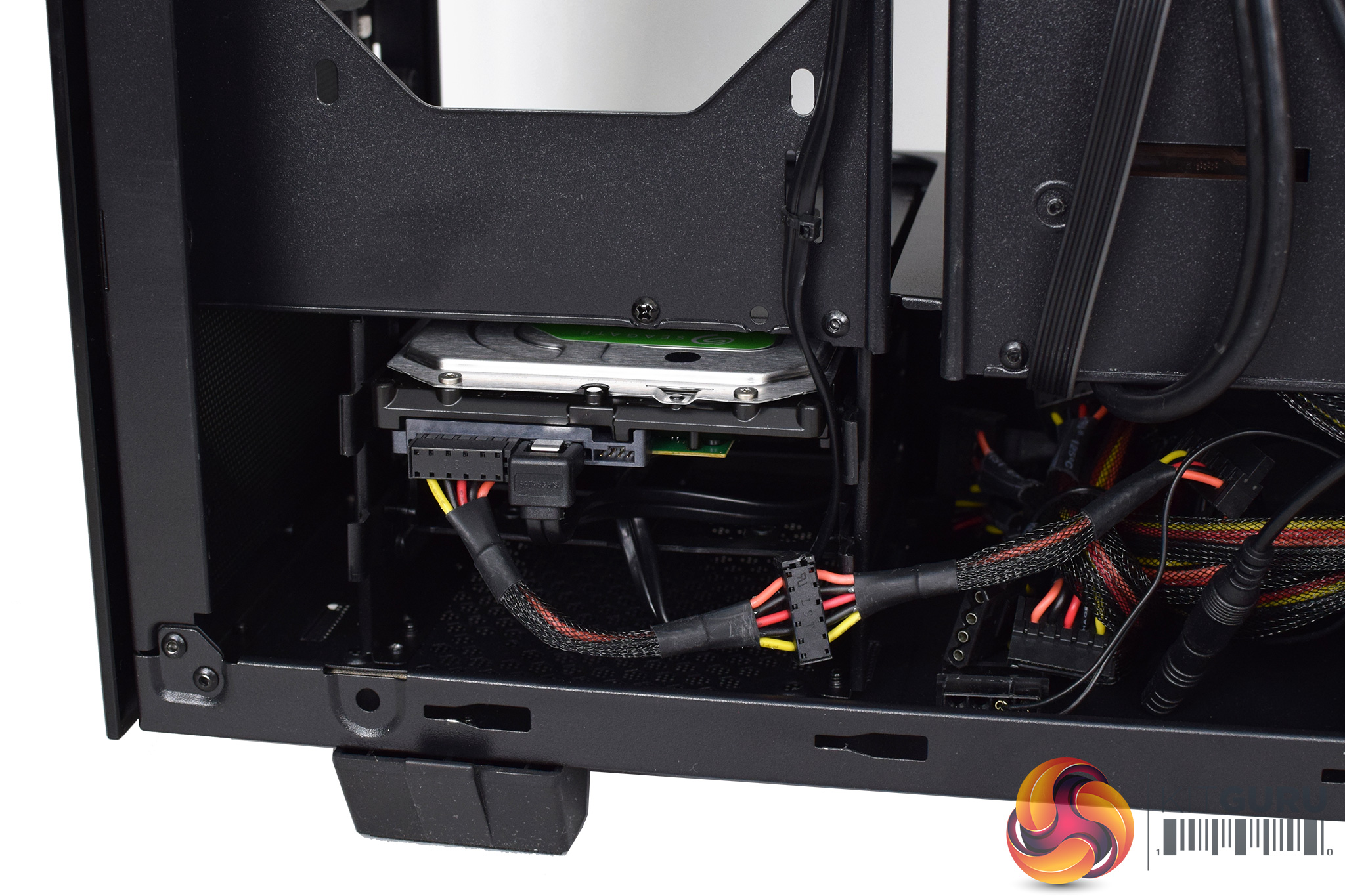
Of more importance is the choice of power supply – a Cooler Master MasterWatt Lite 600W 80+ unit. I've found it on sale for under £40, so it is quite a cheap unit, and only achieves 80+ White efficiency. I have to say, in 2019 we would really expect an 80+ Gold unit in a system of this price. Cyberpower's warranty covers parts for two years, so if you had an issue within that period they would be responsible, but even so – this is the type of PSU we'd expect to see in a budget system, not something that costs £1349.
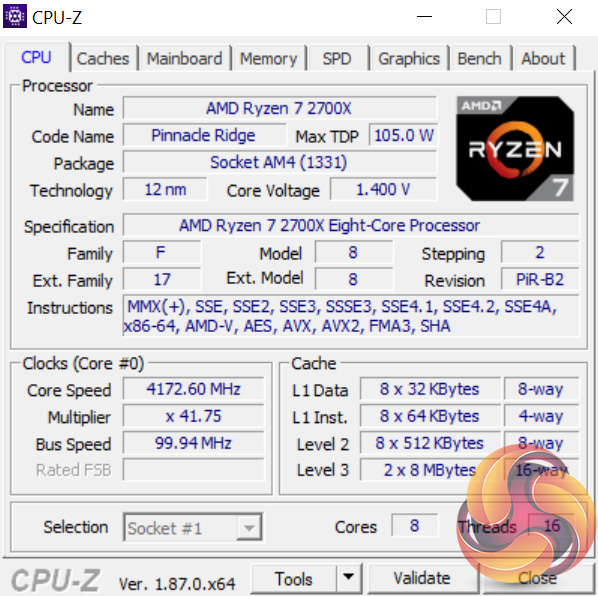
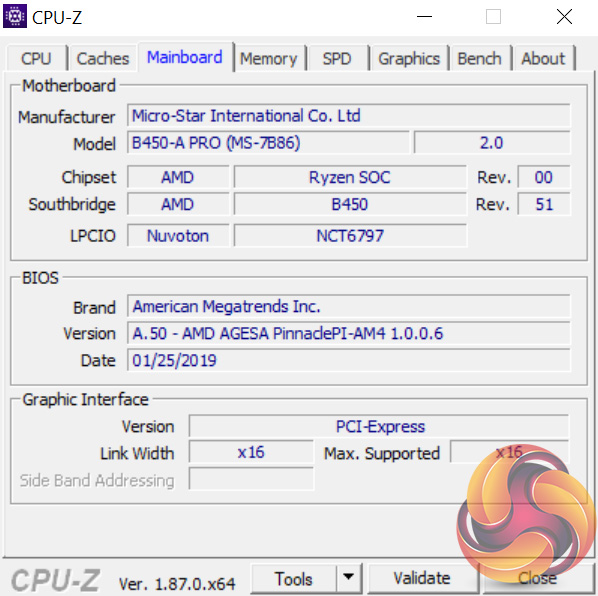
As for the core components, Cyberpower has opted for the Ryzen 7 2700X CPU. It has been left at stock clocks, meaning 3.7GHz base speed, but the MSI B450-A Pro will let you overclock the chip manually should you wish. You can choose to get the CPU pre-overclocked on Cyberpower's website, but at a £29 premium.
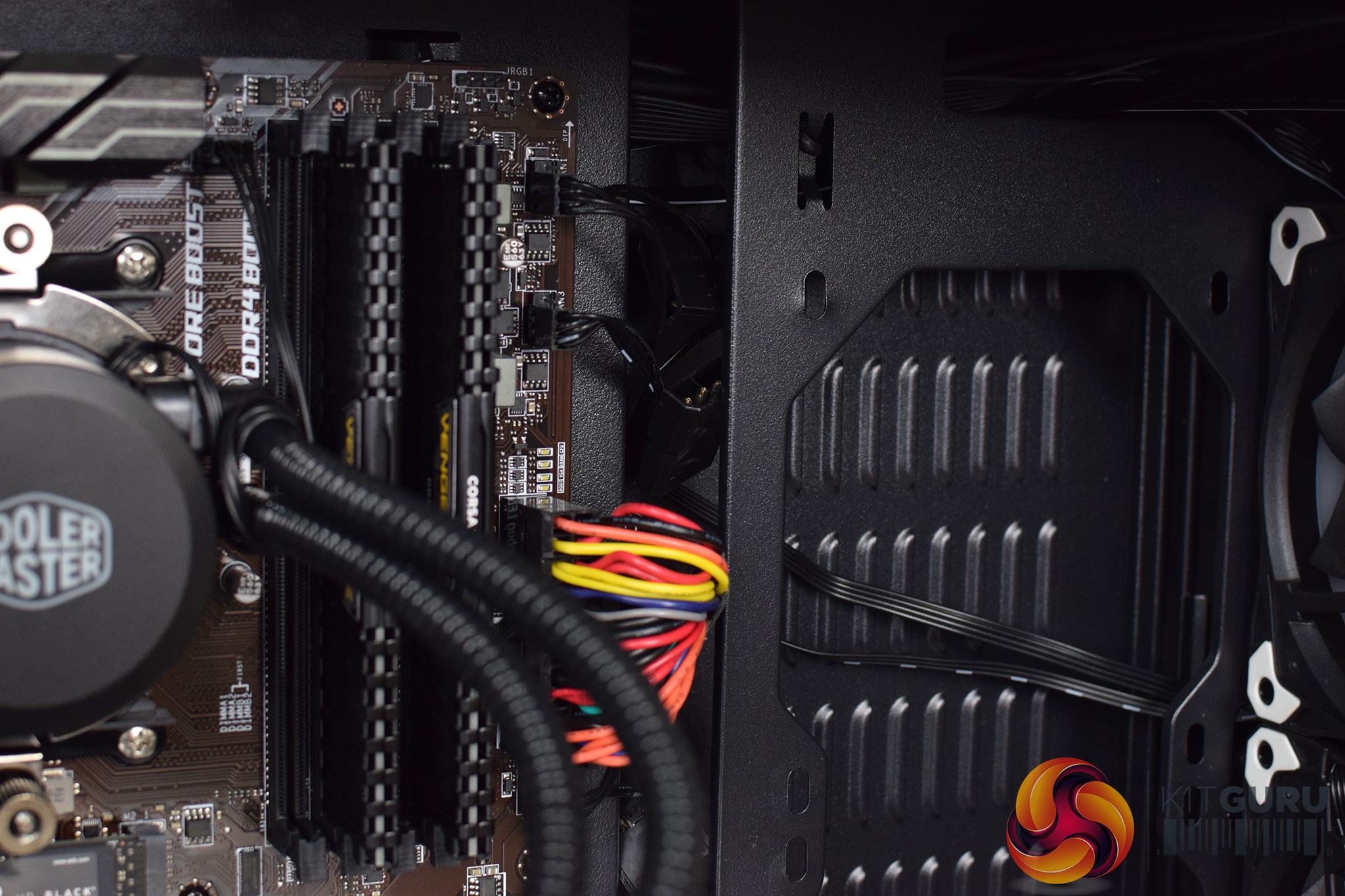
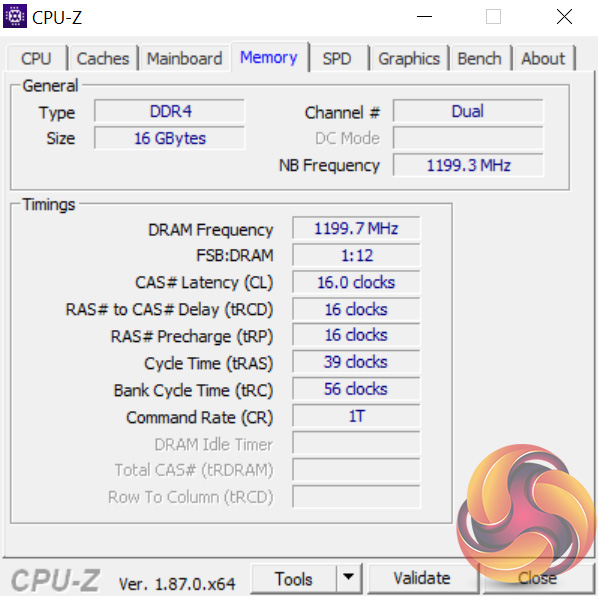
Alongside the CPU, we find 16GB of DDR4 memory. This specific kit is 2x8GB of Corsair LPX 2400MHz RAM, which struck me as a relatively slow speed to pair with Ryzen – the platform, as we know, scales well with faster memory. We look at this in more detail later in the review.
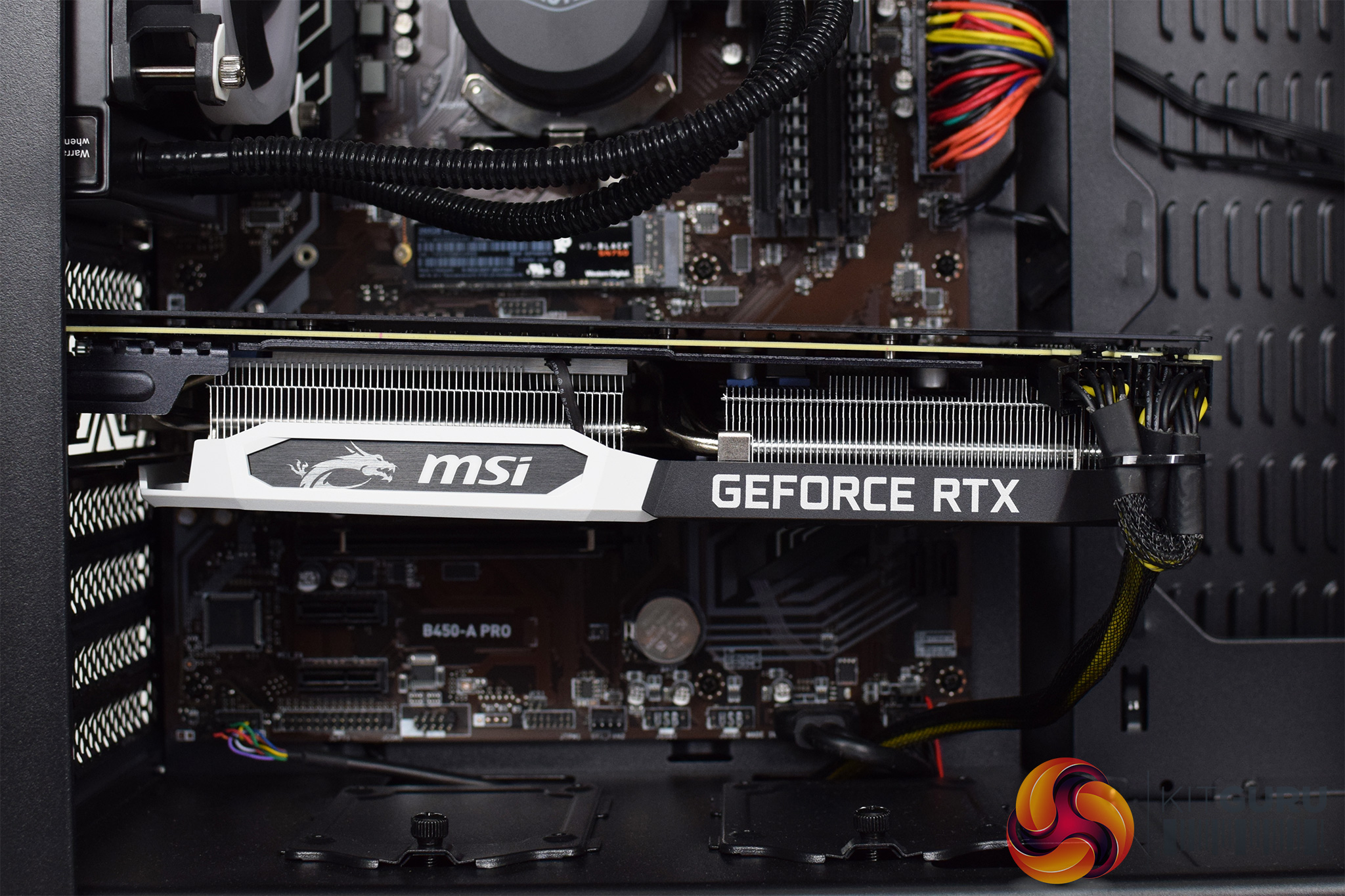
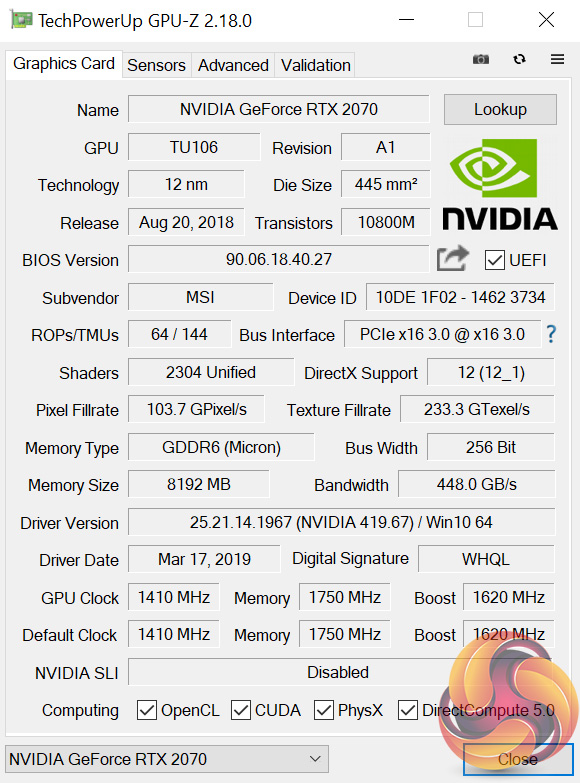
Lastly, our graphics card is the MSI RTX 2070 Armor 8G. I have reviewed this card and it is a pretty simple RTX 2070, with not much in the way of added features, but it performs well and is priced quite attractively for a 2070. The card itself does seem to be displaying quite a bit of ‘GPU sag' however, as you can see from the photos above, so an added support bracket would've been a good inclusion.Performance
Performance Overview
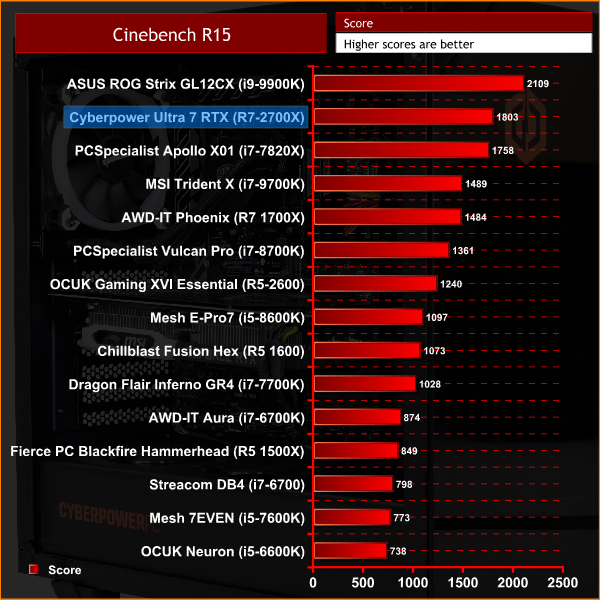
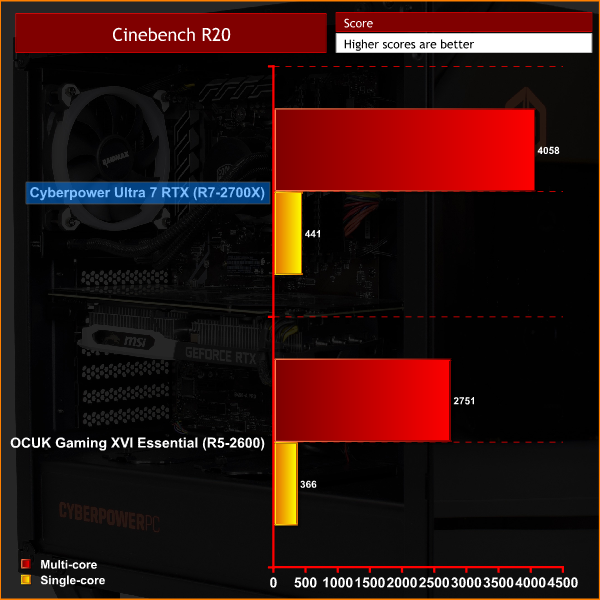
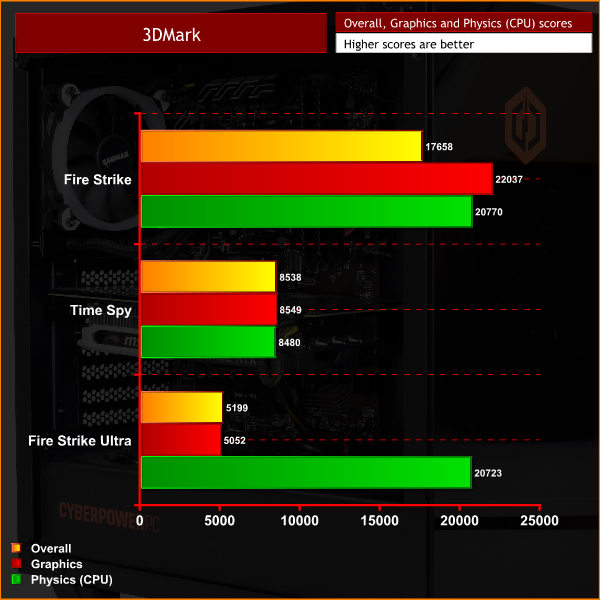
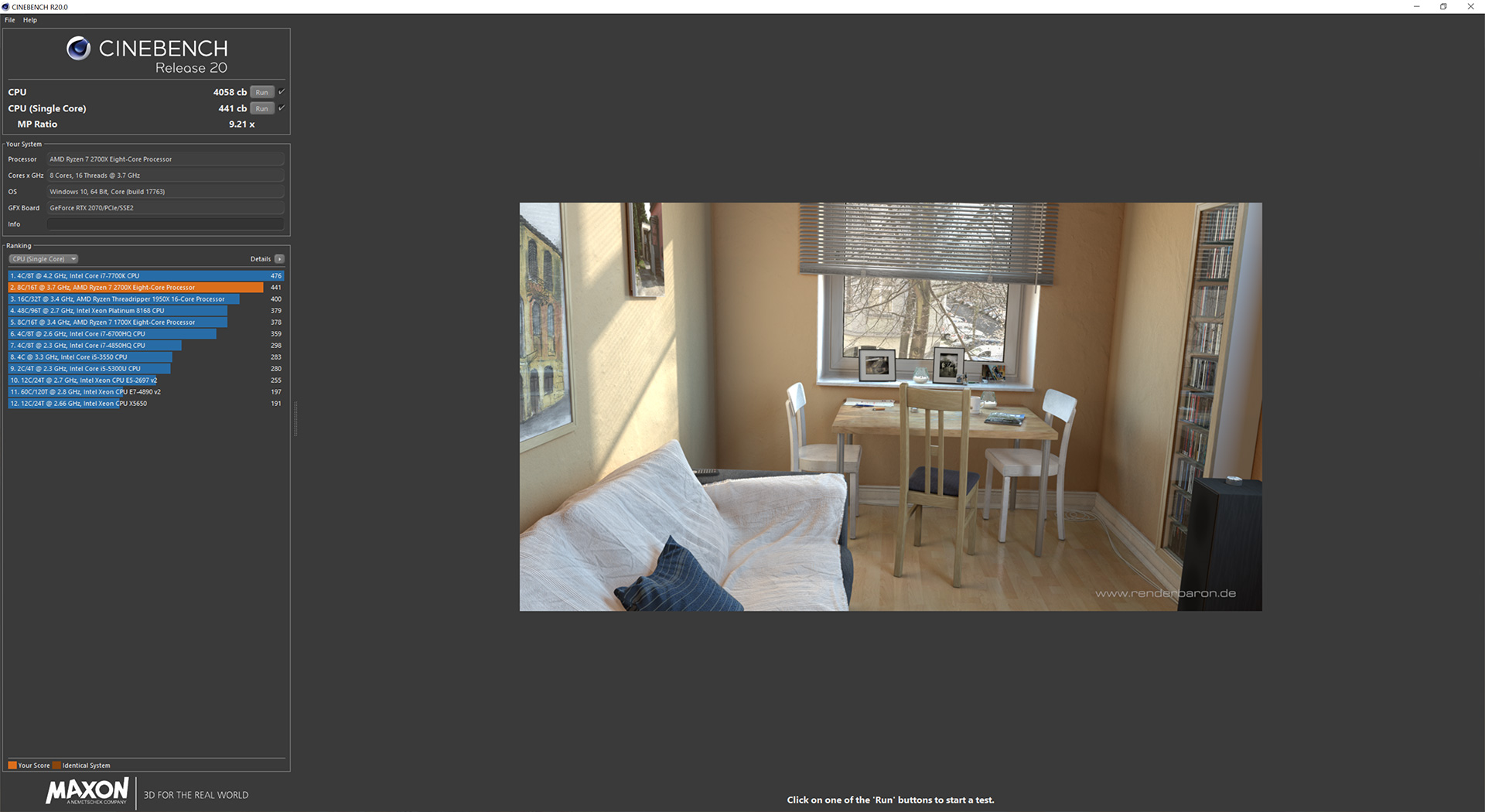
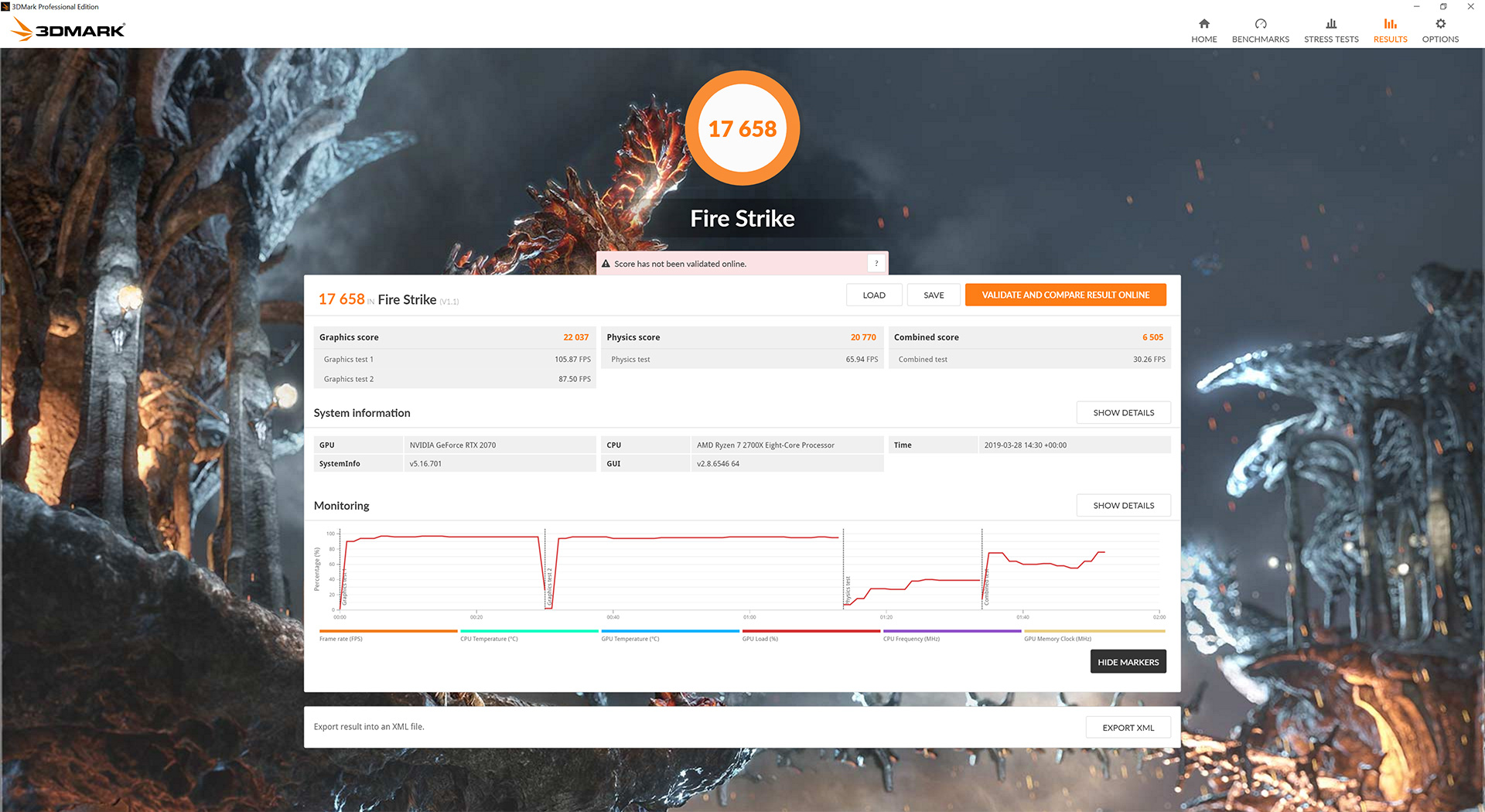
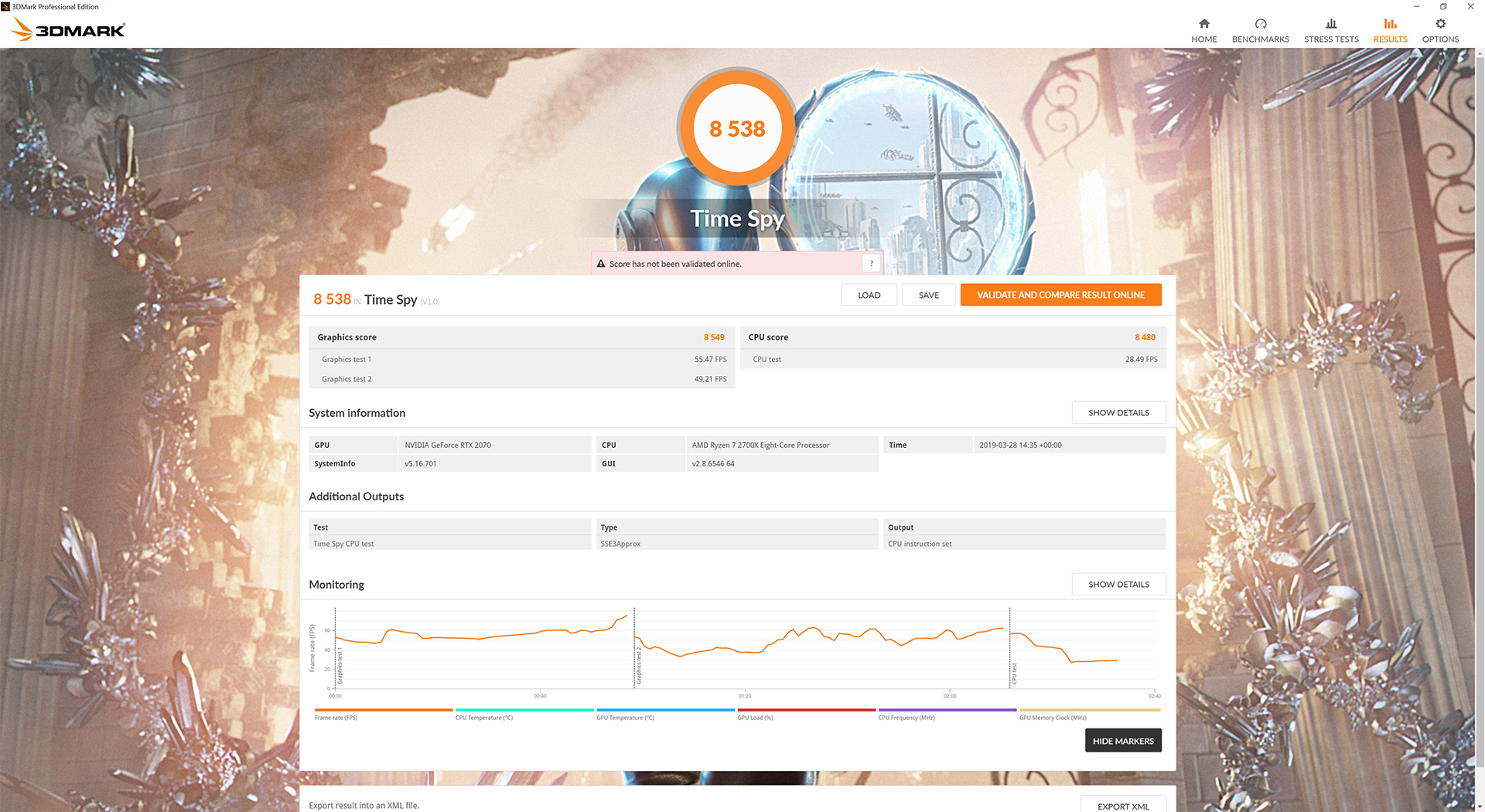
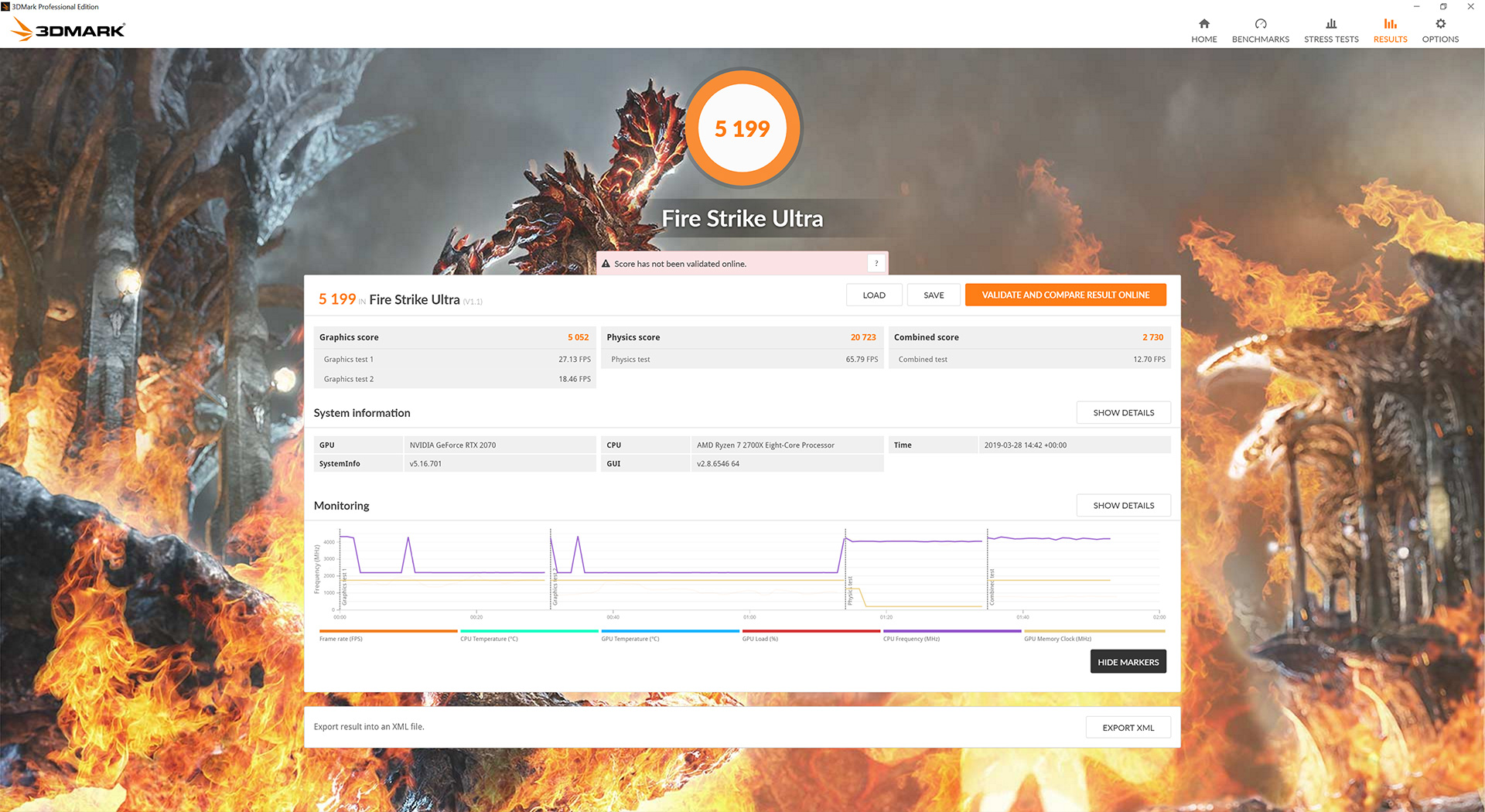
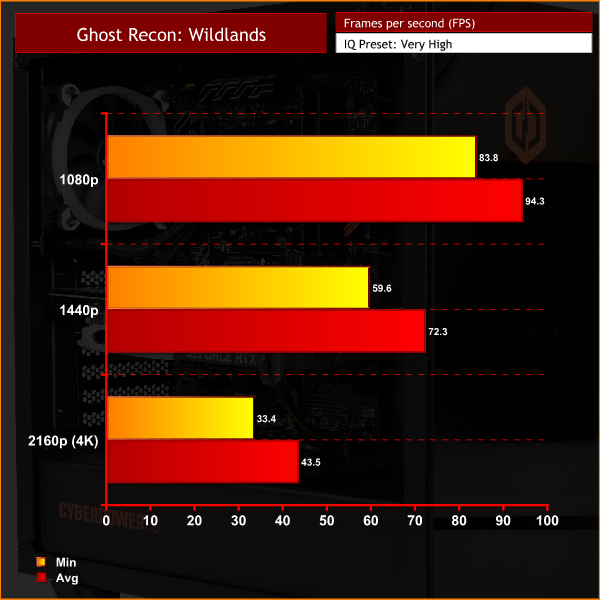
The Cyberpower Ultra 7 RTX performs pretty as much expected across the board. CPU performance is excellent thanks to the 8-core 16-thread Ryzen 7 2700X, as demonstrated by the Cinebench R15 and R20 results, while our 3DMark CPU/Physics scores are also very healthy. Bear in mind the CPU has not been overclocked, but thanks to AMD's XFR technology it was still running at 4GHz across all cores when under load.
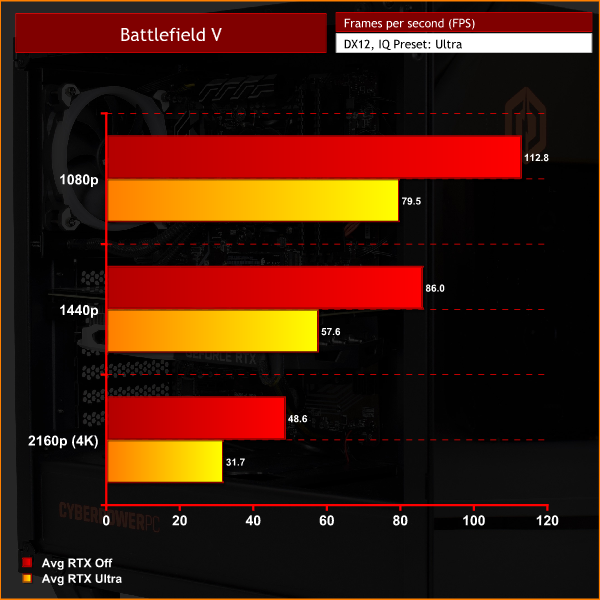
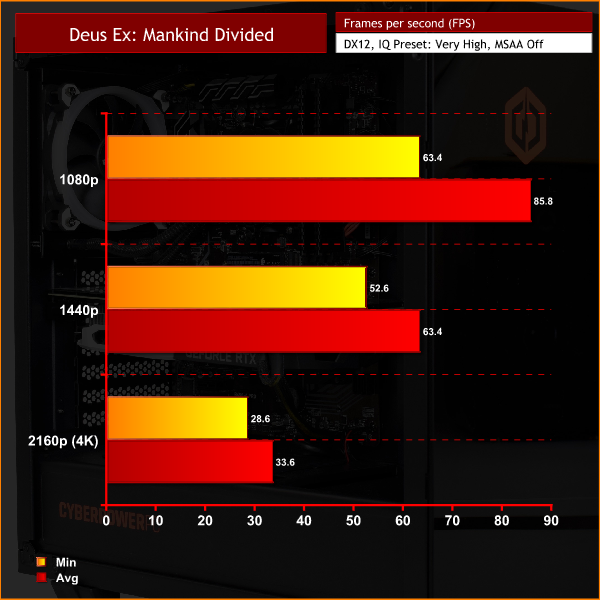
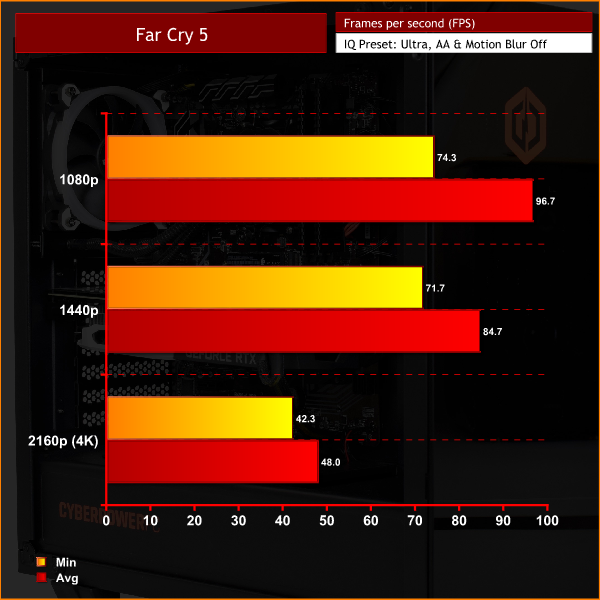
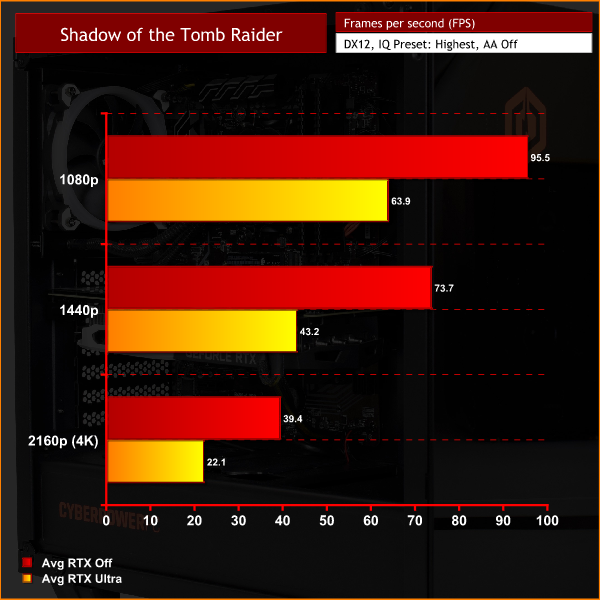
As for gaming, it's no surprise to see the RTX 2070 help this machine to excellent frame rates at 1080p and 1440p resolutions. If you're gaming at 1080p, a high refresh-rate monitor would definitely be a worthwhile purchase, and you will still achieve around 65-75FPS at 1440p depending on the title, so there is some good versatility there.
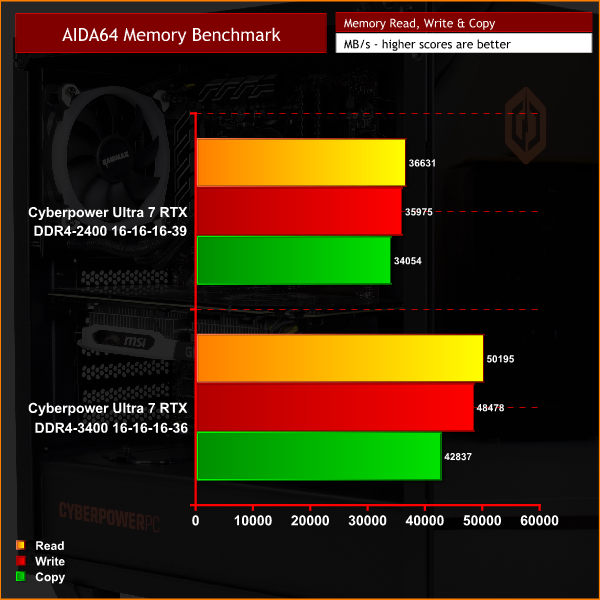
The MSI Armor 8G card was also operating at a decent clip – its rated boost clock is 1620MHz, but thanks to GPU Boost we saw frequencies closer to 1710MHz when gaming.I mentioned on the first page that this system ships with 2400MHz DDR4 memory. There is 16GB of it, but Ryzen's performance scales well with faster memory due to the nature of the Infinity Fabric, so I wanted to see what difference we would get by swapping in something a bit faster. So, for the tests below, I used 16GB of G.Skill Sniper X memory running at 3400MHz compared against the default 2400MHz DDR4.
Memory testing
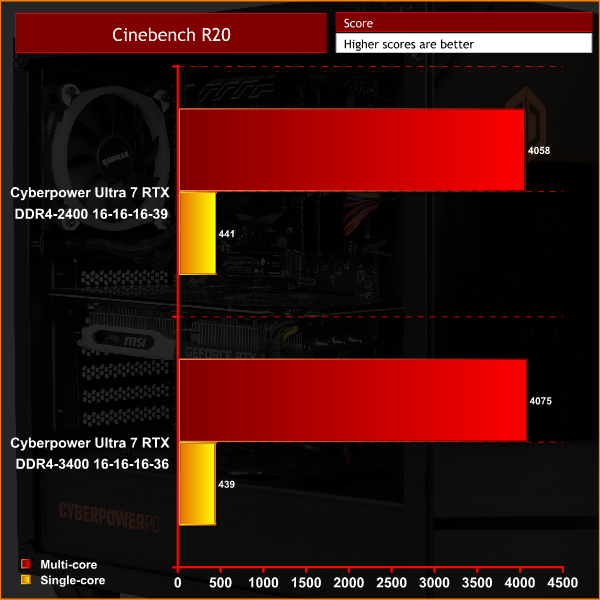
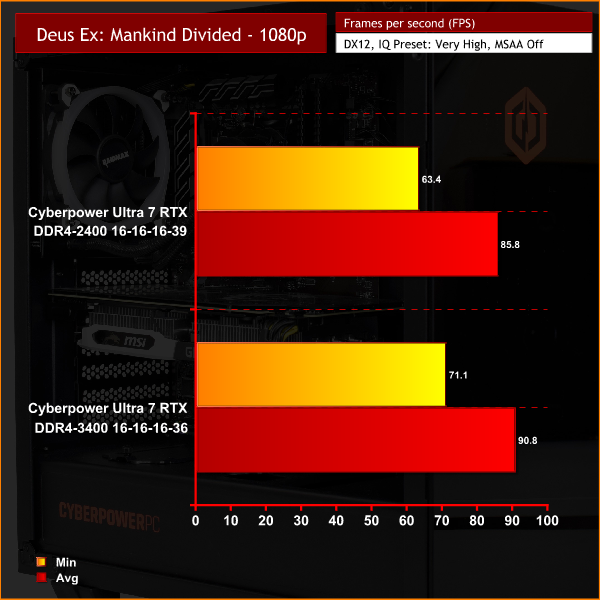
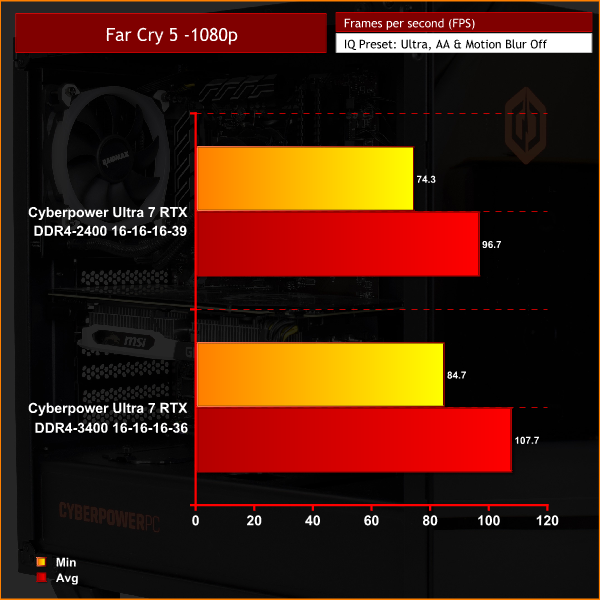

Memory Testing Overview
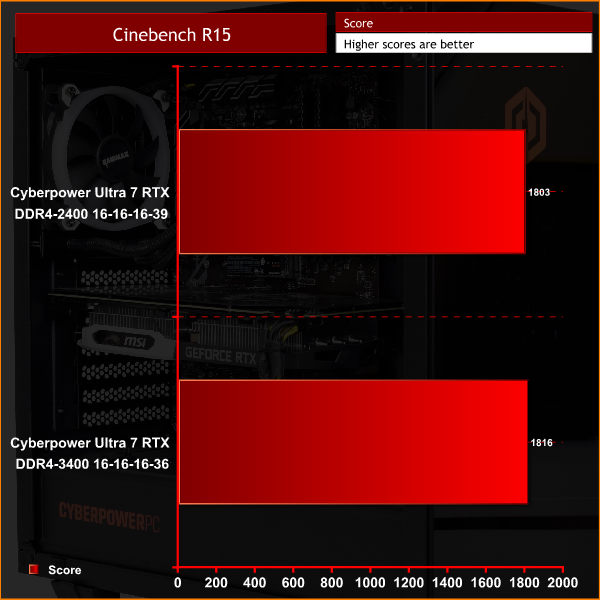
Starting with our AIDA64 memory benchmark, unsurprisingly the faster memory outstrips the 2400MHz kit in terms of read, write and copy speeds. Cinebench R15 and R20 show marginal improvements to using the faster memory, but it is the games testing I am most interested in.
Here, we can see quite a difference when using the 3400MHz DDR4 kit – though it does depend on the game. Far Cry 5, for instance, is noticeably CPU-bound at 1080p, so the faster RAM helps our average frame rate increase by over 10 FPS – a very good improvement. In Deus Ex: Mankind Divided, average frame rate rose 5FPS, with minimum frame rates rising by almost 8FPS. Ghost Recon Wildlands is the odd one out, with the faster memory making little difference.
Now, I am not saying this system should be sold with DDR4-3400MHz memory – the jump in cost from a 2400MHz kit to 3400MHz is unreasonably high for this £1349 PC. That being said, these tests do show the machine is losing out on a fair bit of performance when gaming with 2400MHz memory, so I do think that this system needs to come with faster RAM by default.
An upgrade to 3200MHz memory, for instance, is available through Cyberpower's own website for just £17 extra, which is in-line with the pricing I've seen for 2x8GB kits online. When you're paying £1349 already, though, for something that does make a decent improvement to the gaming experience, I think this faster memory should be included as part of the base configuration.Cooling
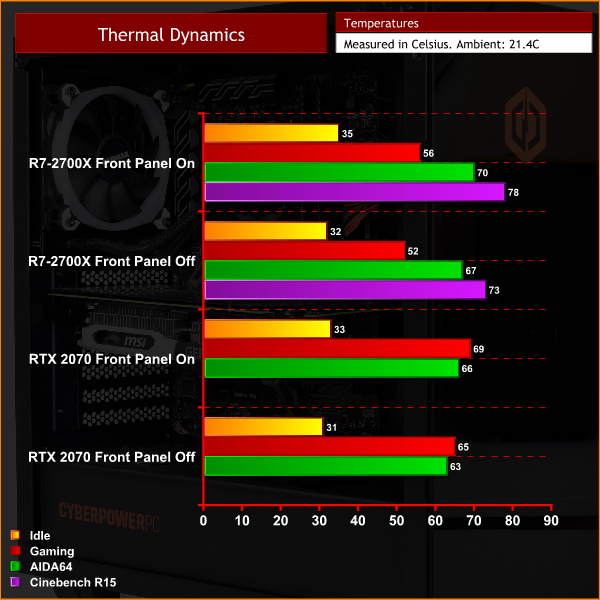
I also ran some extra tests when looking at the system's cooling capabilities. That's because, as we mentioned on the first page, the front panel of the case does not provide very much air for the chassis to breathe, so I was curious how temperatures would change with the front panel on, and then with it removed.
Now, in fairness, I'm not going to criticise the case for its airflow too harshly, as temperatures didn't change that much. There is a clear improvement with the panel removed, with temperatures dropping between 3-5C , which is good – but not a big enough gap to suggest the components are really choked.
It's not like the figures are terrible with the front panel on anyway – our CPU hit 56C when gaming, with the GPU running no hotter than 69C. I am sure a full mesh front panel would help, but based on our testing the component temperatures aren't terrible as is.
Noise
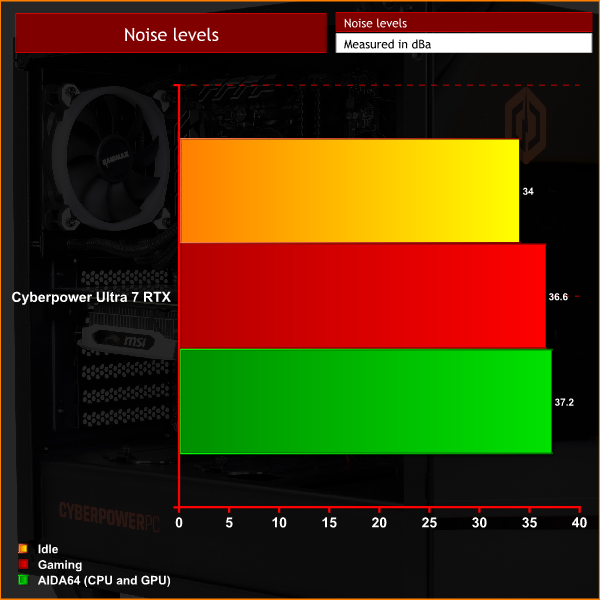
Noise levels are very impressive, too. When idling, the system produces a gentle hum which is about audible, but only just. When under load, though, it hardly gets any louder to the point where this is probably one of the quietest PCs I have tested over the last couple of years. It is very impressive stuff.
Power
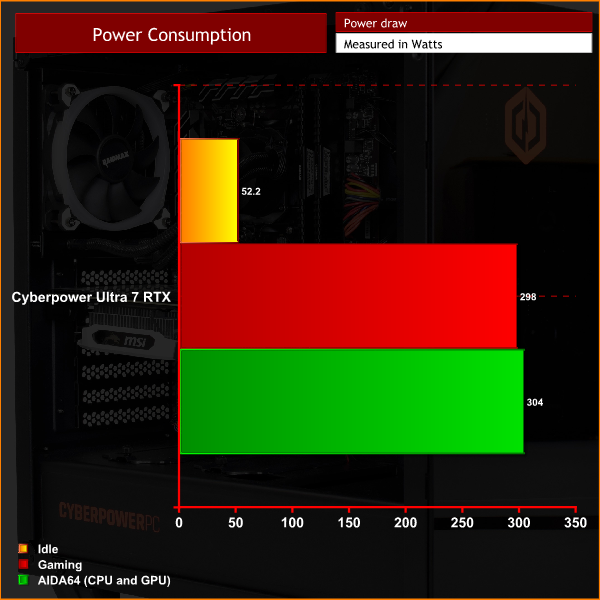
Lastly we come to power consumption, and under load the whole system pulls about 300W, putting the PSU at just over 50% load. That means this particular unit will be operating at pretty much maximum efficiency – though bear it mind it is only an 80+ White unit, so that isn't as high as I'd like in the first place.There's no doubt that the core of the Cyberpower Ultra 7 RTX makes for a decent PC. Its combination of 8-core 16-thread Ryzen 7 2700X processor and RTX 2070 graphics means there is a fair amount of power at your disposal, with frame rates going as high as 100FPS at 1080p and still a respectable 65-75FPS at 1440p.
In my view, however, there are just a few too many smaller issues with the system that leaves me feeling a little disappointed considering the £1349 asking price.
First of all, one of the more significant points I'd make is that we'd really expect faster RAM to accompany the Ryzen 7 2700X as this price – it is well-known that Ryzen works best with fast memory, so including a 2400MHz kit by default isn't the greatest idea. On top of that, the PSU is only 80+ White certified, when I would really expect an 80+ Gold unit at this price. Those are the two primary flaws with the Ultra 7 RTX.
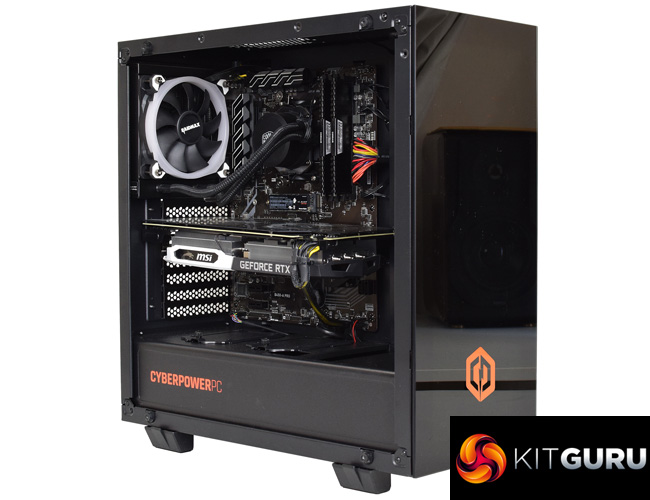
To further compound things, there's a number of smaller, niggling issues which all add up. These include the RGB system not working out of the box, the exposed multi-colour wiring on the 24-pin cable, the noticeable GPU sag, and overall cable management being a little untidy. These are relatively minor points when taken on their own, but they do add up.
To be clear, this is still a capable gaming PC – it'd be hard for it not to be with the components used. Considering the £1349 asking price, though, I think the Ultra 7 RTX just needed a bit more care and thought throughout the planning and building of this system, as there's just a few too many minor issues that could've been avoided.
So overall, at the price you are paying for this system it's certainly not terrible, but there is just a few too many things I'd like to see changed for me to be able to give this an enthusiastic recommendation at its £1349 asking price.
You can buy the Cyberpower Ultra 7 RTX for £1349 from Cyberpower HERE.
Pros
- Ryzen 7 2700X and RTX 2070 motor along.
- RGB lighting illuminates the case well.
- Thermal performance is decent.
- Very quiet.
Cons
- DDR4 memory is only 2400MHz.
- PSU is not even 80+ Bronze certified.
- 24-pin cable looks ugly.
- GPU is sagging quite noticeably.
- RGB system did not work properly out of the box.
KitGuru says: With a few tweaks, the Cyberpower Ultra 7 RTX could be an excellent gaming machine. As is, it needs a bit more thought to earn a higher award.