KitGuru KitGuru.net – Tech News | Hardware News | Hardware Reviews | IOS | Mobile | Gaming | Graphics Cards


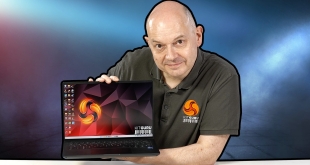
KitGuru recently travelled to Malaysia with Intel and we were keen to avoid checking a hefty piece of luggage. PCSpecialist helped keep our bag nice and light by supplying their 14-inch Fusion laptop which weighs a mere 1.3kg (1.9kg all-up when you include the power supply and mains cable). Once we returned home it was time for a review of this interesting – and surprisingly affordable – laptop…
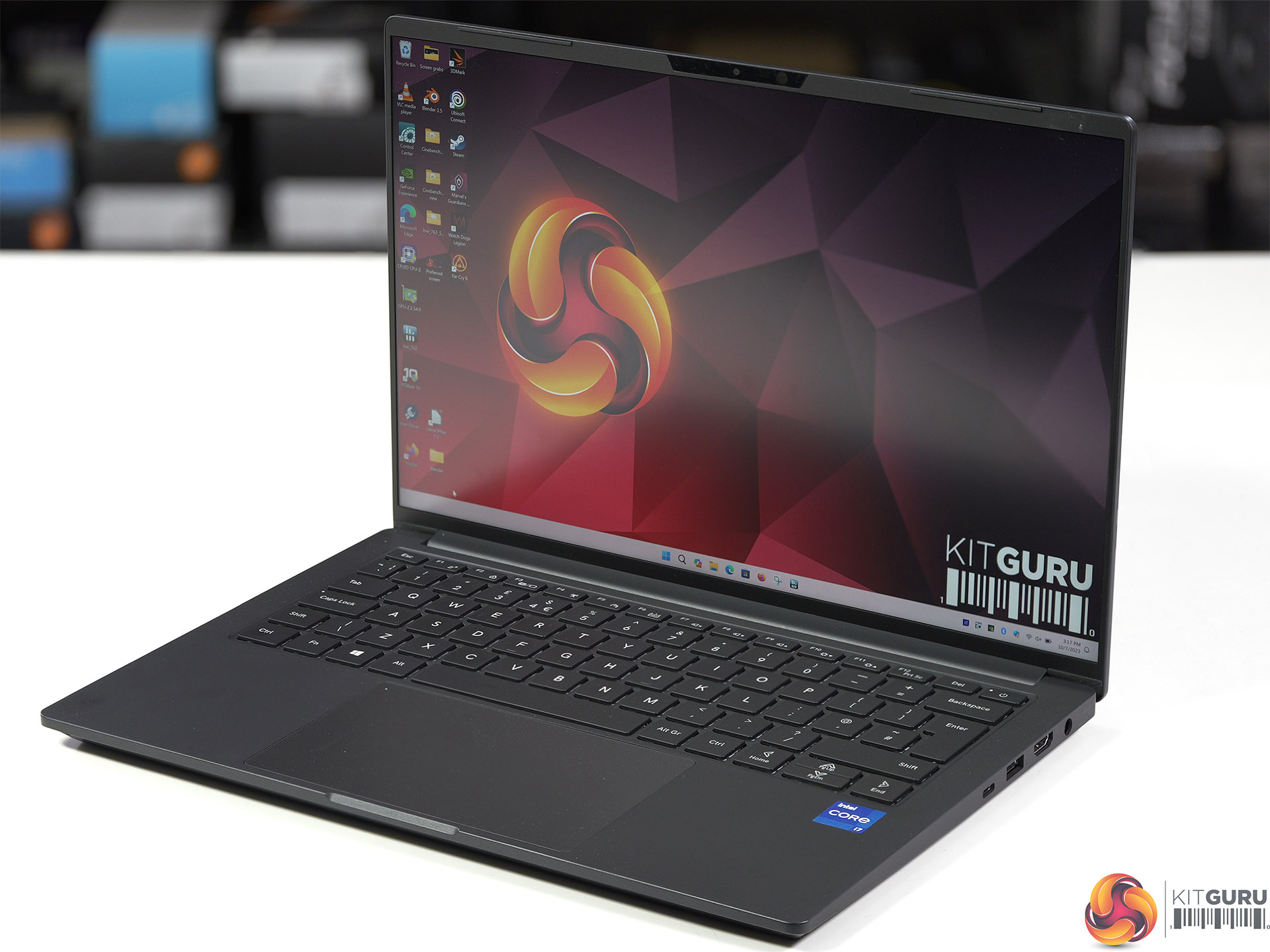
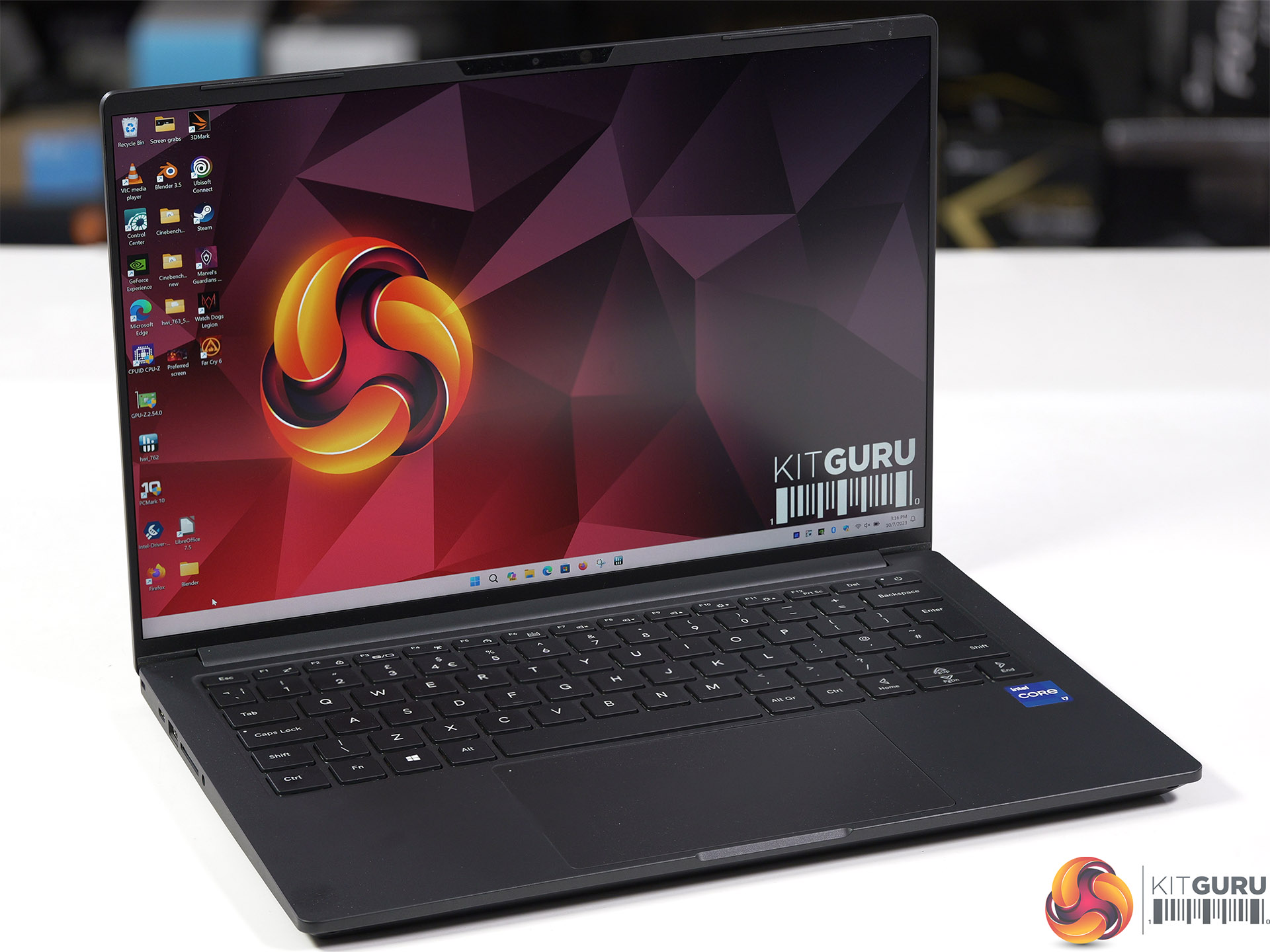
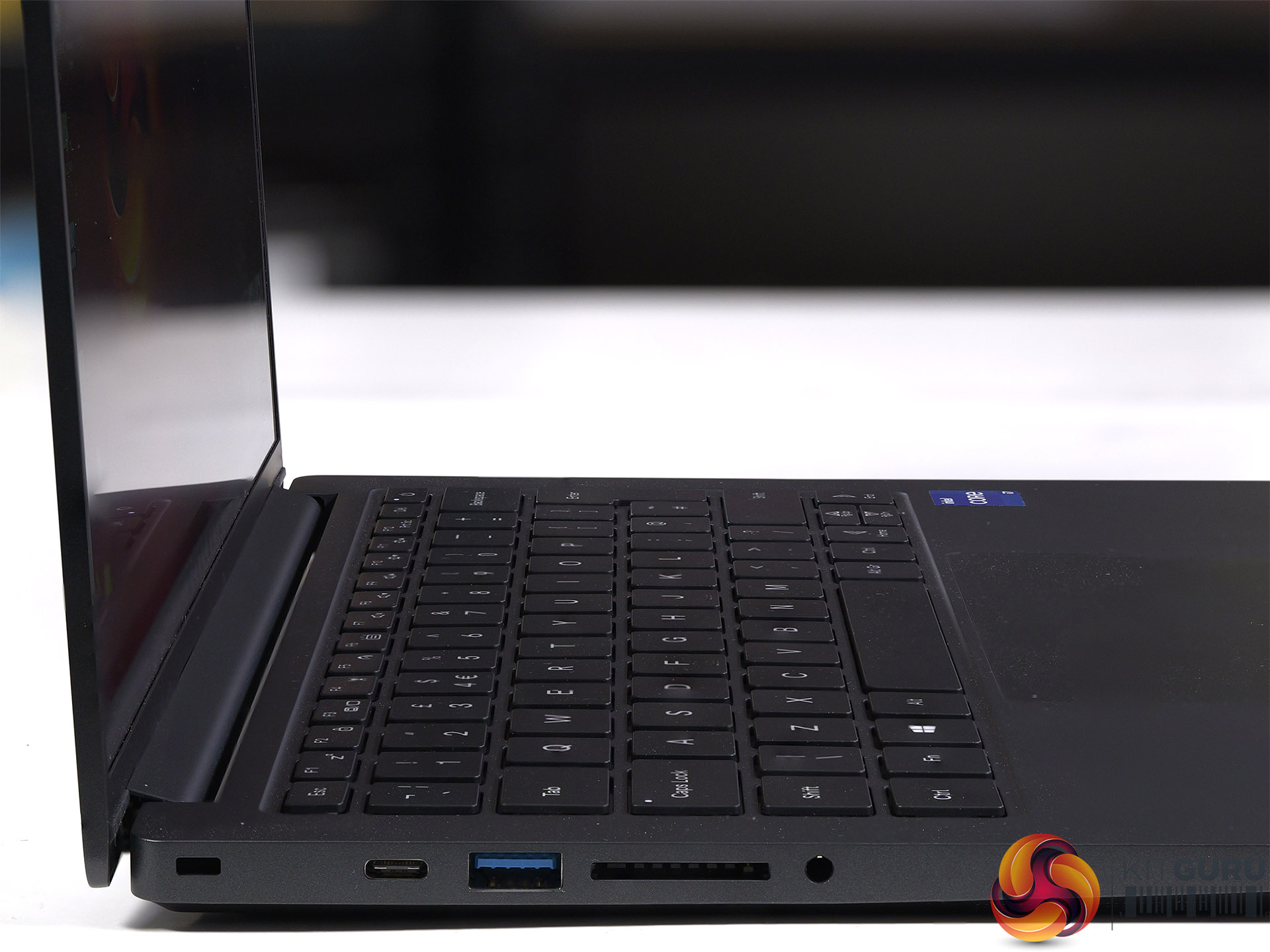
Key Features
- Class Leading 99Wh Battery
- World-Class Bezel Design, 91.6% Screen To Body Ratio
- 16.6mm Magnesium Alloy Design
- Backlit Keyboard
- HDMI 2.1 (4K 60Hz)
- 2.0 MP FHD Windows Hello Webcam
- Windows 11 Home

Specification
- CPU: Intel Core i7-13700H (6P + 8E cores) 45W TDP
- Screen: WQXGA Panel (2,880 x 1,800) 90Hz
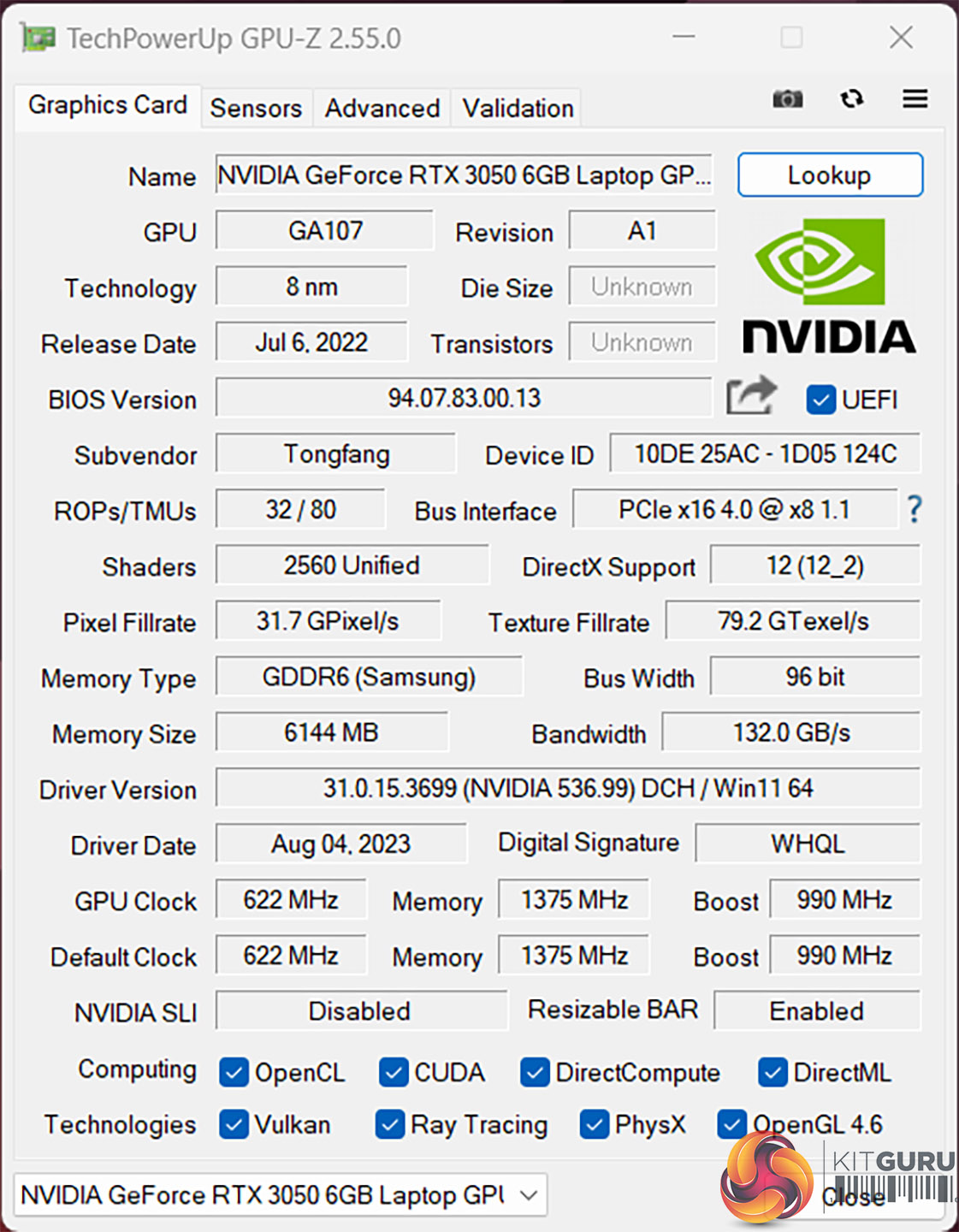
- Graphics: GeForce RTX 3050 6GB
- Memory: 16GB DDR5-4800 C40 Corsair Vengeance)
- Storage: 1TB Solidigm P41 Plus Gen 4.0
- Audio: Realtek, 2x 2W speakers
- Networking: Intel Wi-Fi 6E AX211, BT 5.3, no Ethernet
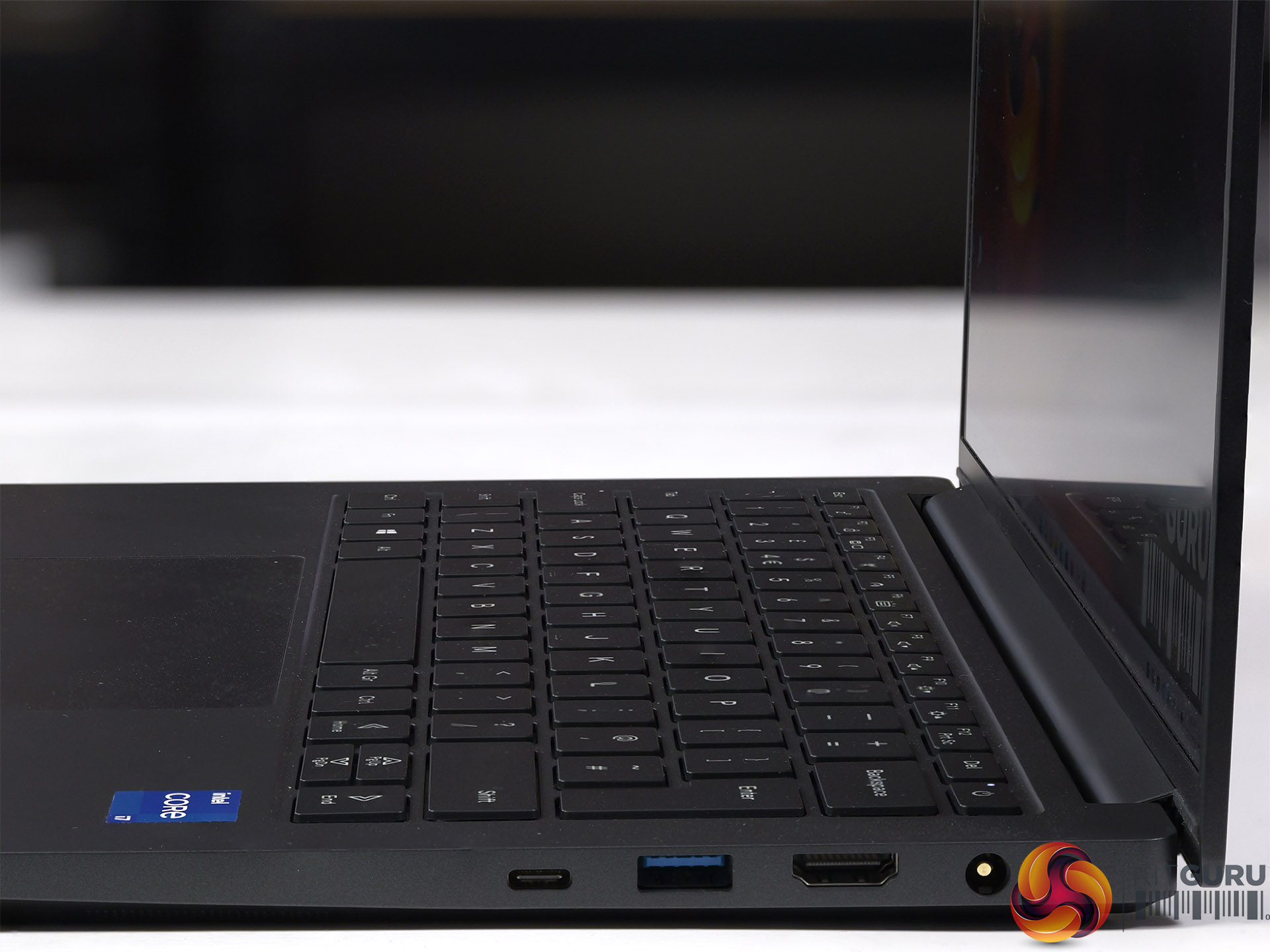
- I/O ports:
- 1x Thunderbolt 4, 1x USB 3.2 Gen 2 Type-C, 2x USB 3.2 Gen 1 Type-A
- HDMI 2.1 (4K 60Hz)
- SDXC card reader
- Audio jack
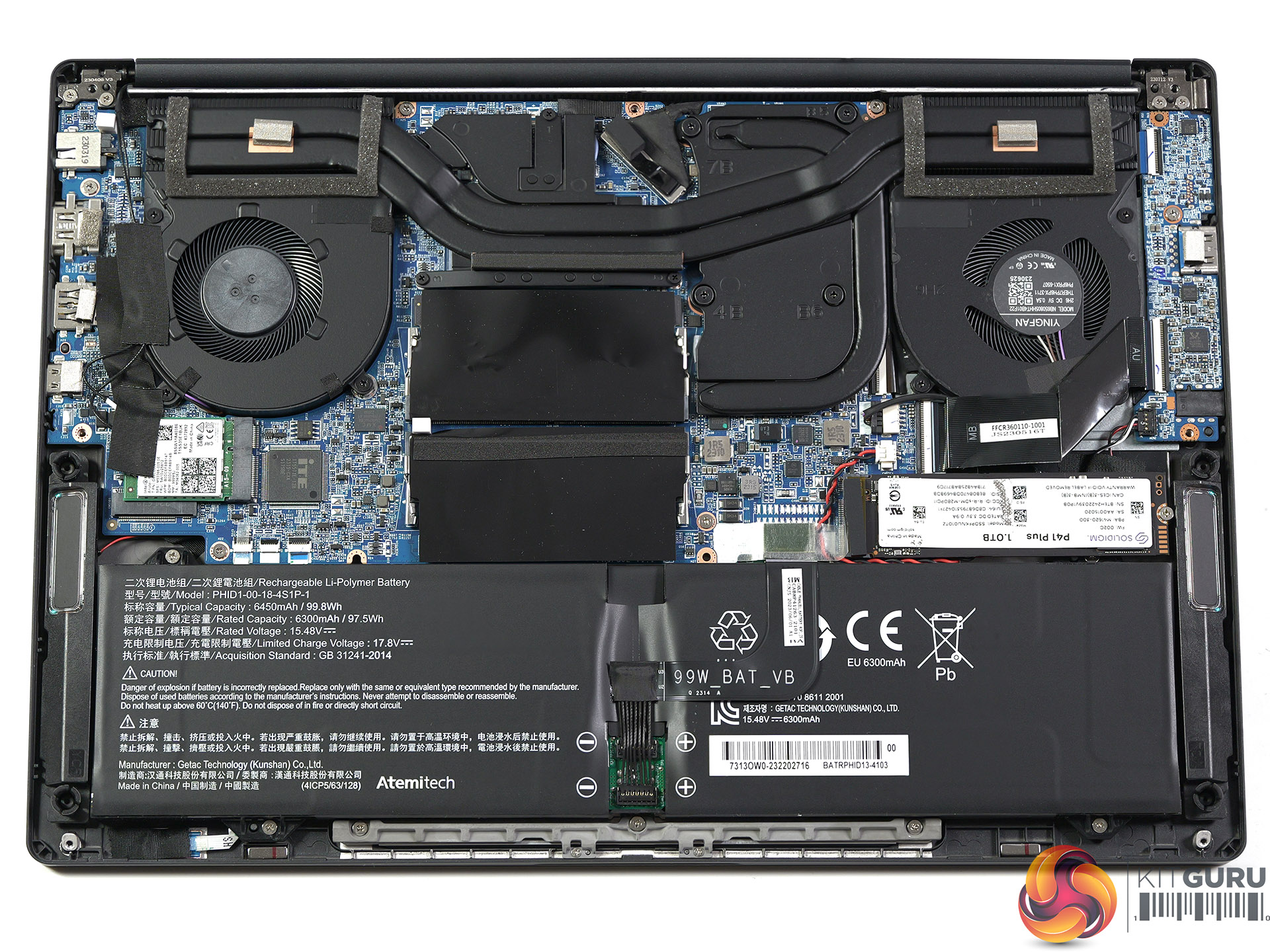
- Battery: 6450mAh/99.8Wh Li-Ion
- Dimensions: 308.8mm x 213mm x 16.6mm
- Weight: 1.32kg plus 580g for 120W power supply and mains cable (total 1.9kg)
- Operating System: Windows 11 Home
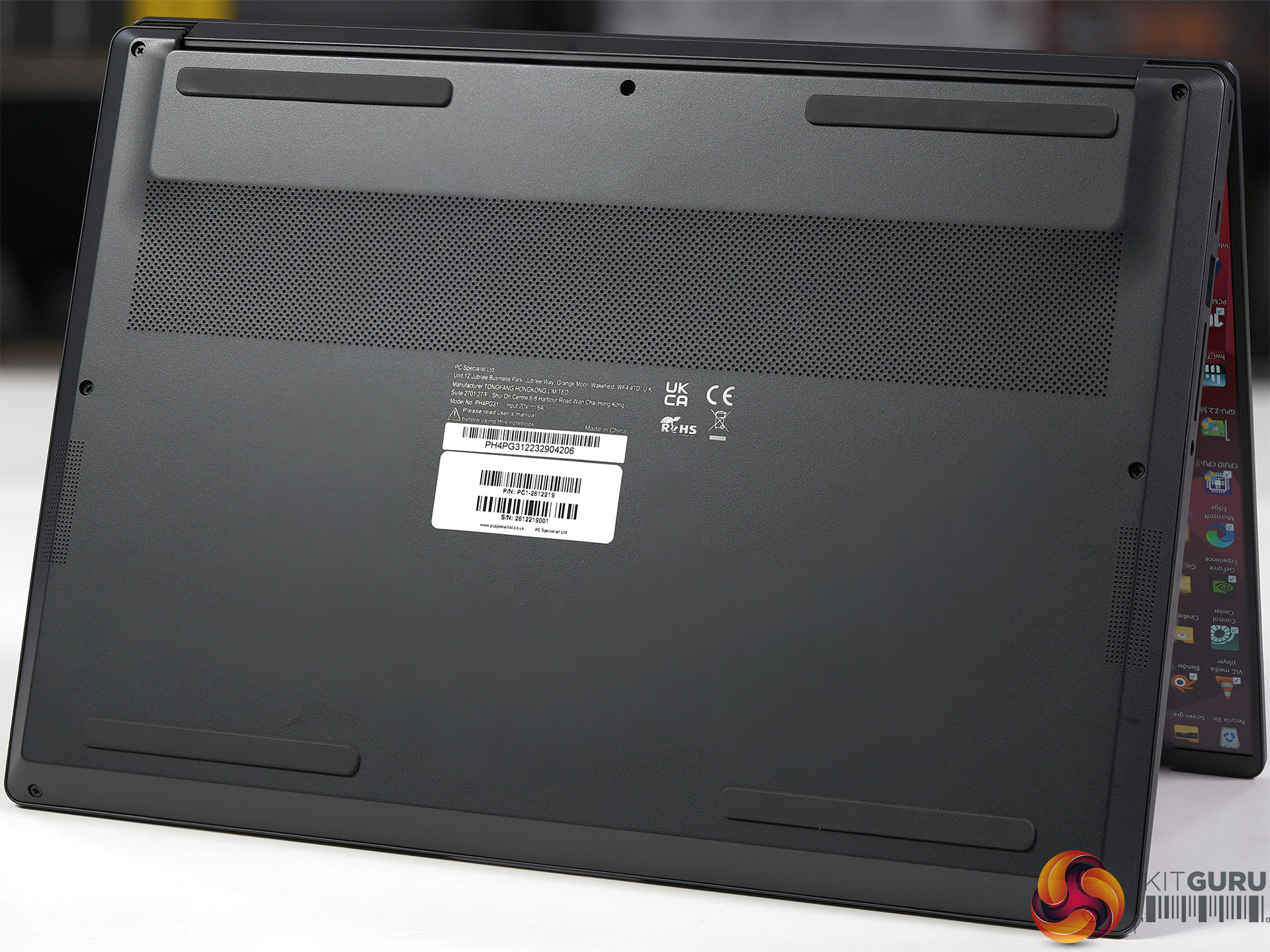
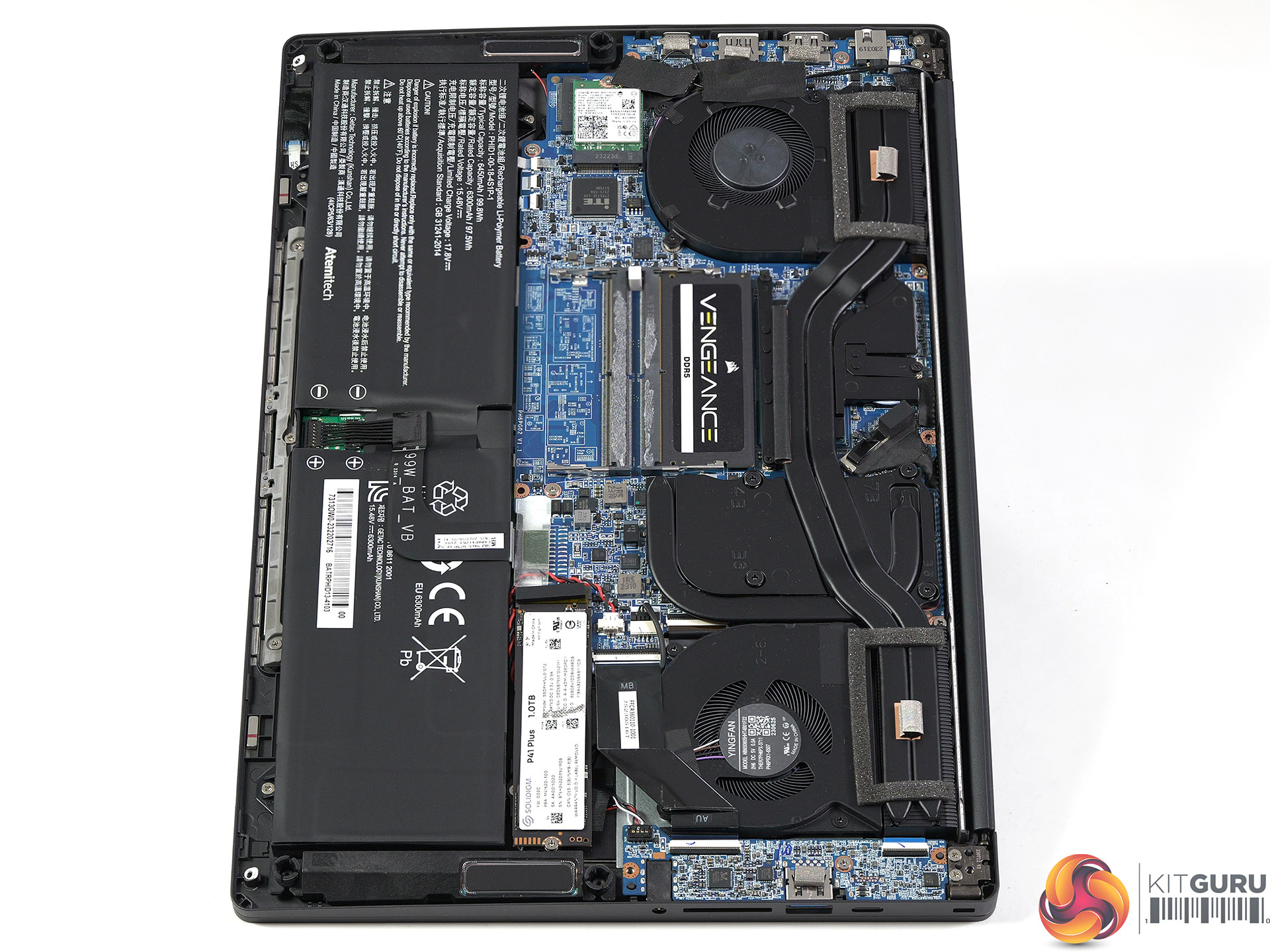
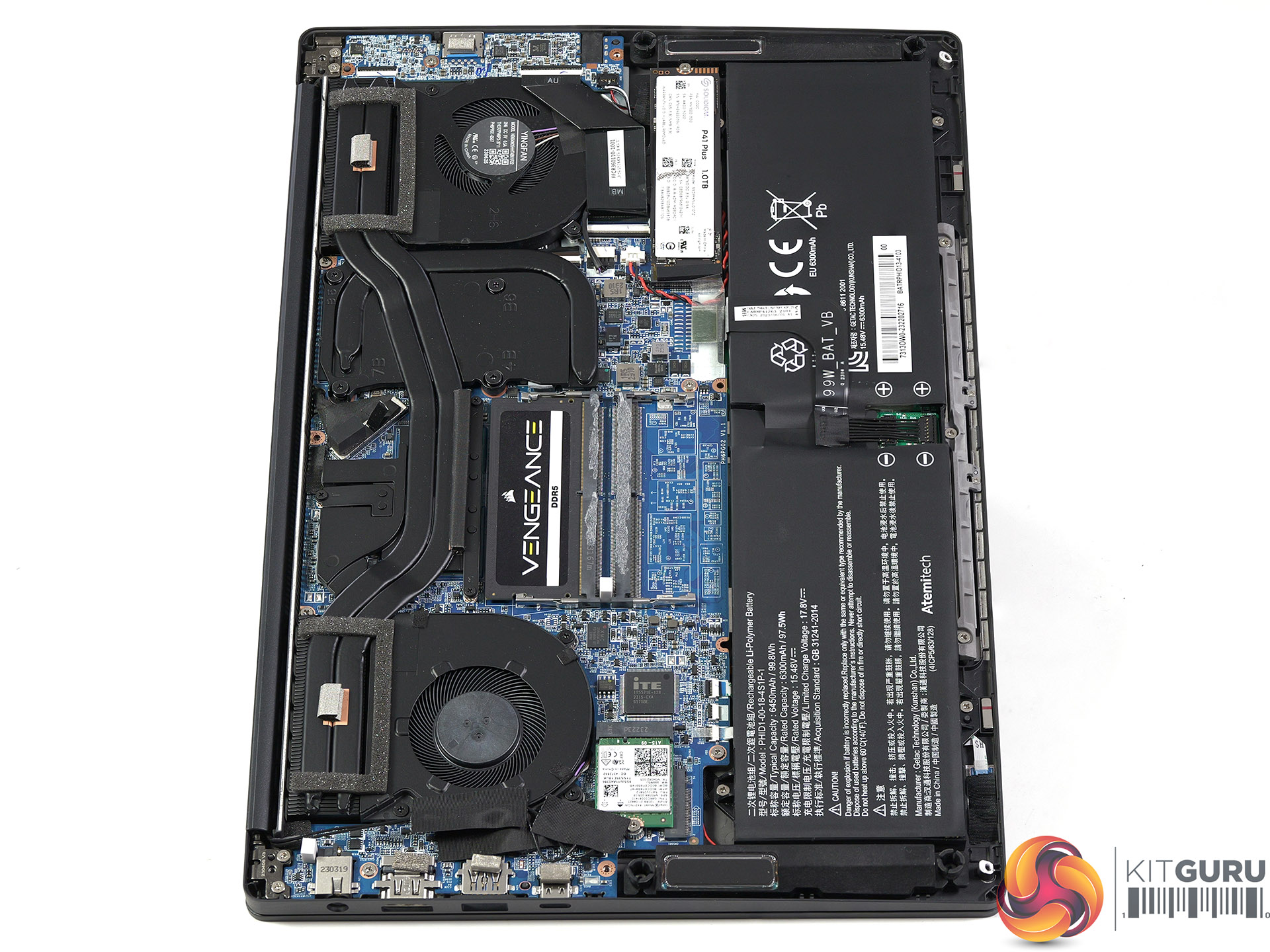
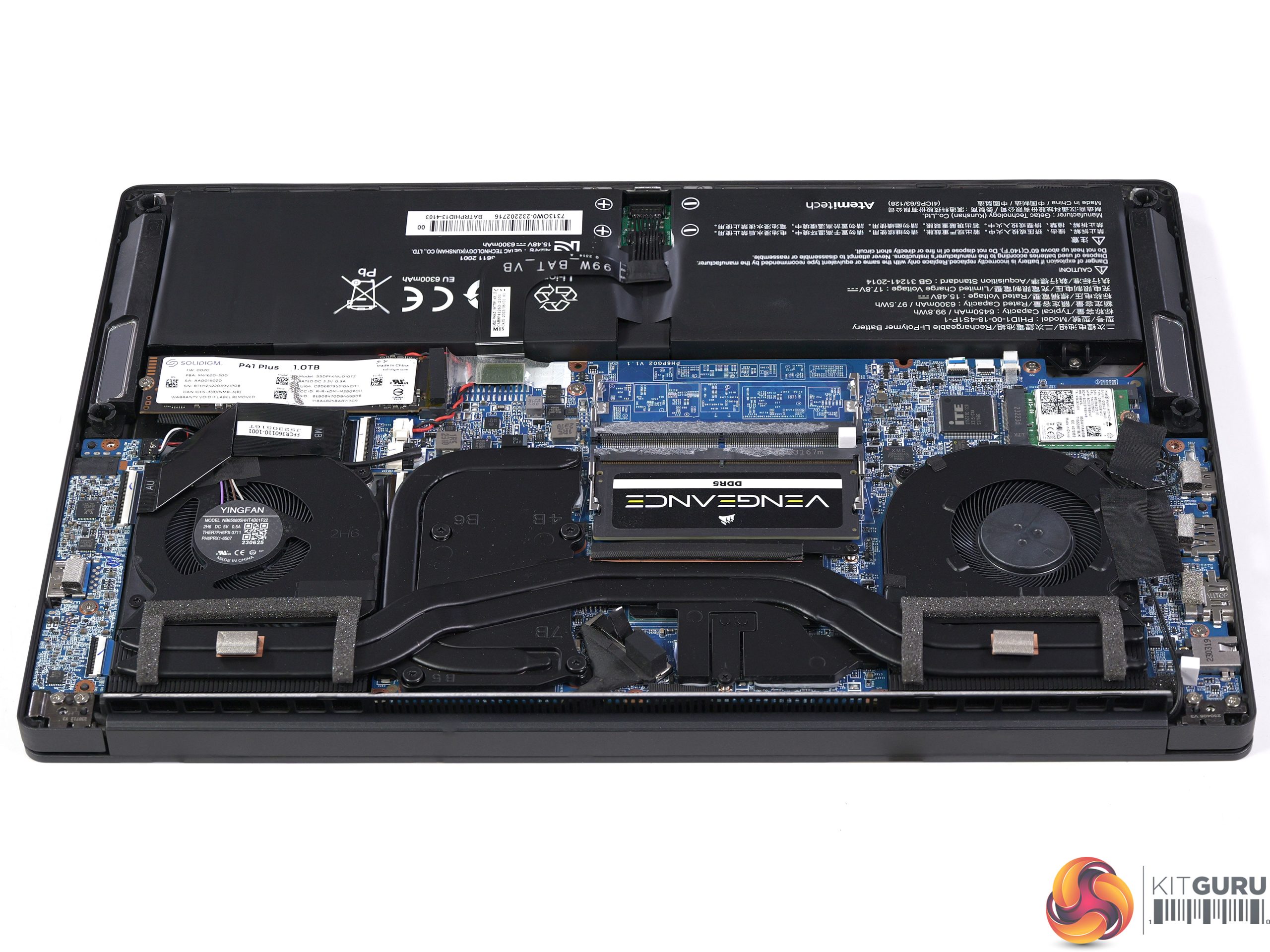
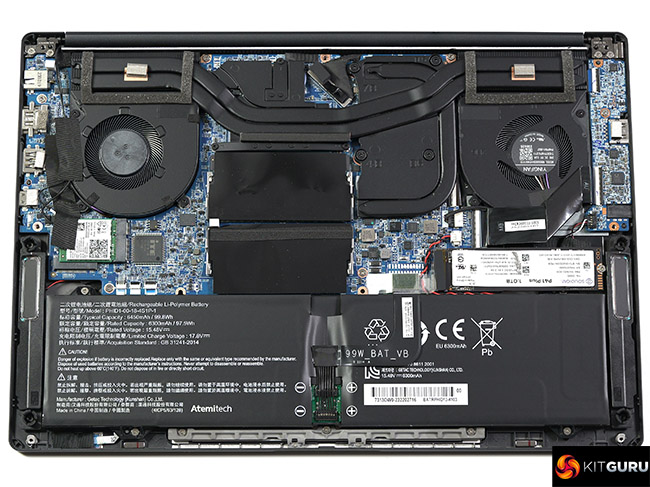
The PCSpecialist 14-inch Fusion uses a TongFang PH4PG31 chassis, which takes us into unfamiliar territory. The layout looks very conventional and there are no unexpected surprises when you remove the bottom cover and take a look inside. In our video we show you the control utility that is provided by TongFang and which is used to switch between power modes. We were disappointed to see this software has no functions for updating the BIOS or maintaining drivers.
The three power settings have a significant effect on the performance of the laptop. The precise numbers change from one benchmark test to another but these notes illustrate our point:
- In Balanced Mode on High Power the CPU boosts to 3.0GHz, after which the P-Cores run at 2.8GHz and the E-cores at 2.1GHz on 40W or 45W
- In Balanced Mode on Low Power the CPU boosts to 3.0GHz, after which the P-Cores run at 2.6GHz and the E-cores at 1.9GHz on 35W
- In Silent Mode the CPU draws 18W with the P-Cores running at 1.7GHz and the E-Cores at 800MHz. It is very quiet (but not silent)
The control software also has an impact on the graphics side of things:
- In Balanced Mode on High Power the RTX 3050 graphics run at 1.6GHz on 38W
- In Balanced Mode on Low Power and Silent Mode the RTX 3050 graphics run at 1.3GHz on 23W
Performance and Testing: CPU
Cinebench R23 Multi Core
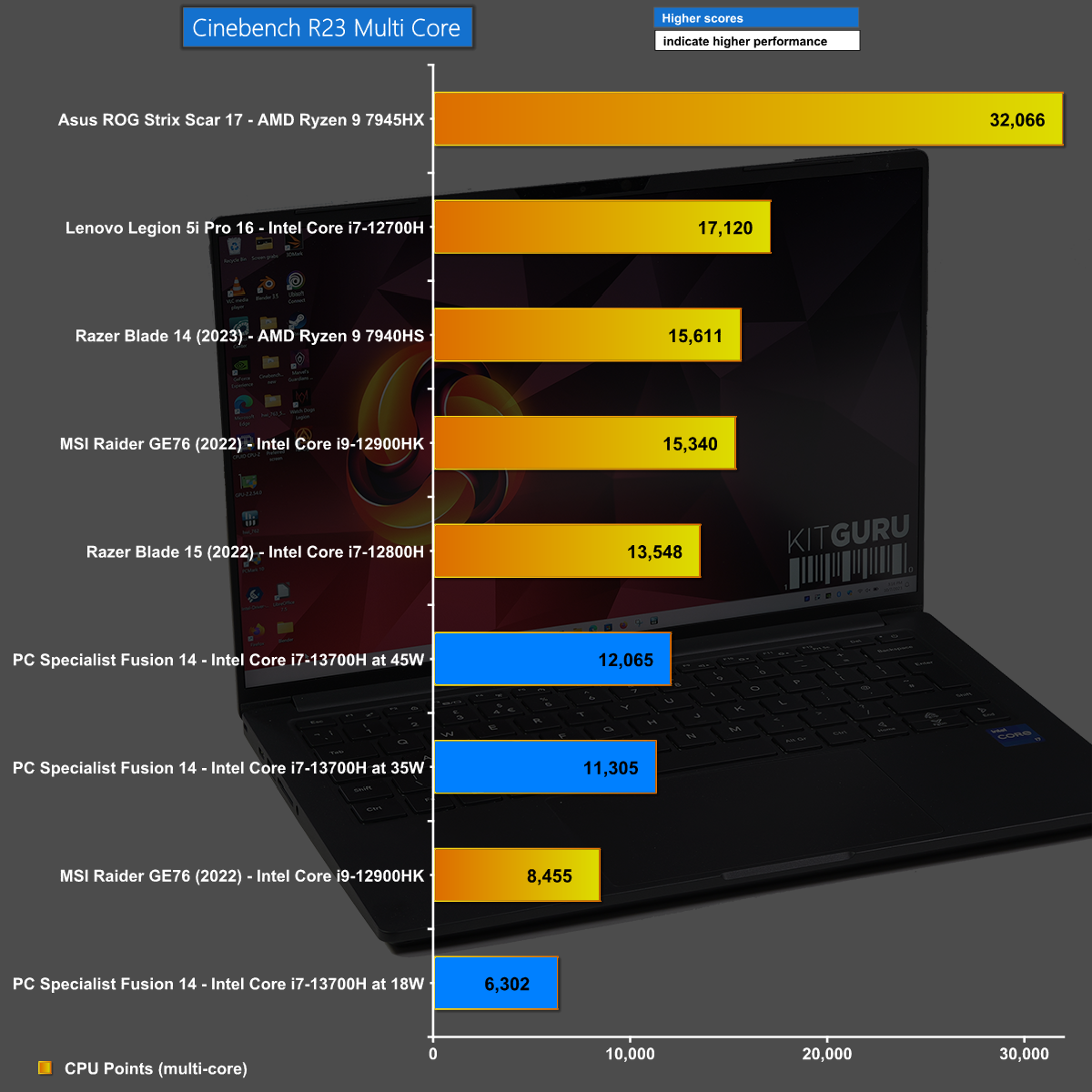
In Cinebench R23 Multi Core PCSpecialist 14-inch Fusion is clearly limited by the low power limit that has been set on the Core i7 CPU, in particular in Silent Mode.
Cinebench R23 Single Core
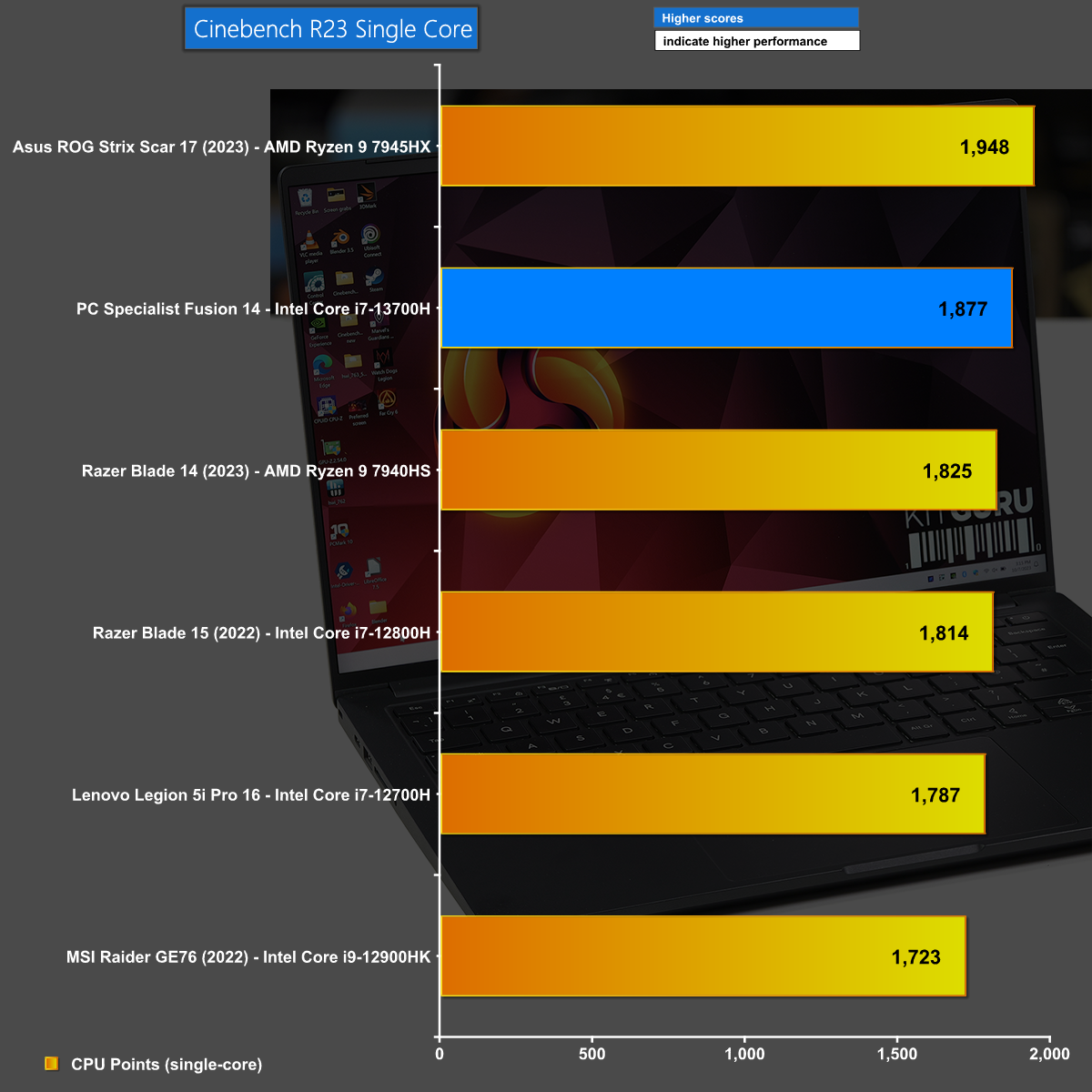
The situation improves in Cinebench R23 Single Core as the CPU can run just as fast as it likes and it turns out that is plenty fast enough.
Clock Speeds and Power Draw
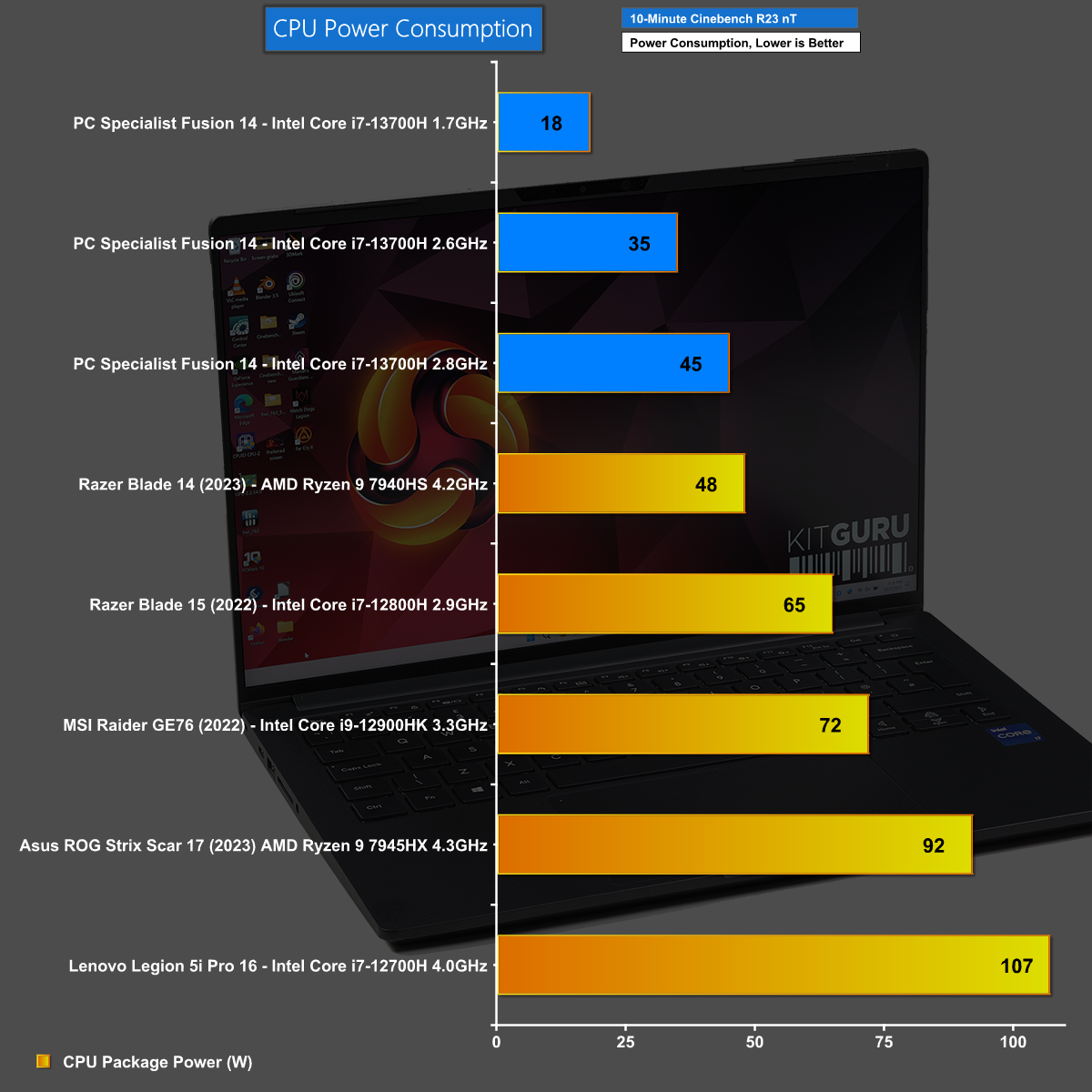
Our chart of Clock Speeds and Power Draw paints an intriguing picture and shows that while you can indeed run a Core i7 on very little power, the consequence is that clock speeds are also very low.
Performance and Testing: System
3D Mark CPU Profile
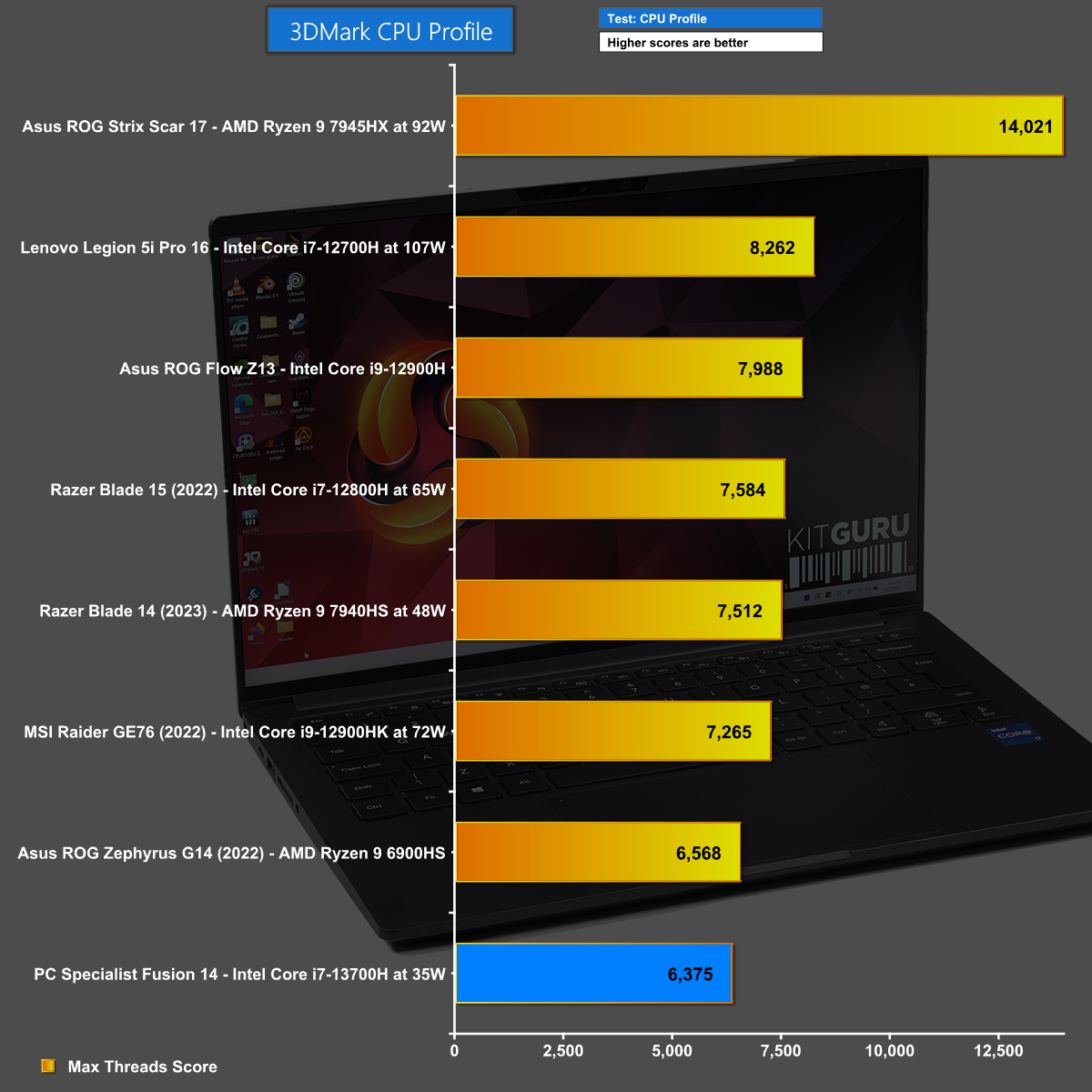
In 3D Mark CPU Profile the Core i7-13700H clearly suffers when it runs at its default of 35W, however it almost keeps pace with the competition.
3D Mark Time Spy CPU Test
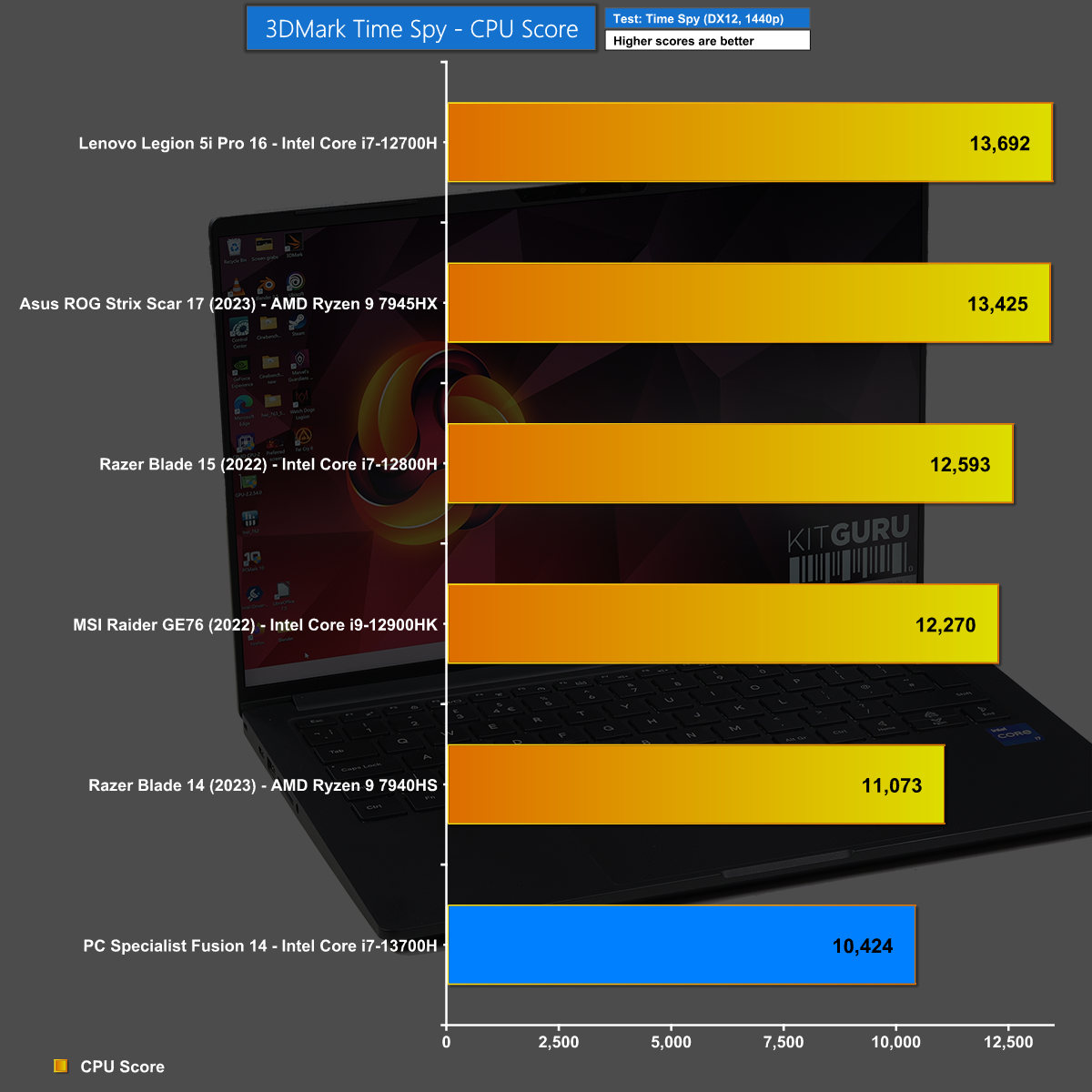
In the CPU element of 3D Mark Time Spy we are laying the groundwork for the next chart. Here we can see the Core i7-13700H does fairly well and almost matches the AMD Ryzen 9 7940HS.
3D Mark Time Spy Overall Result
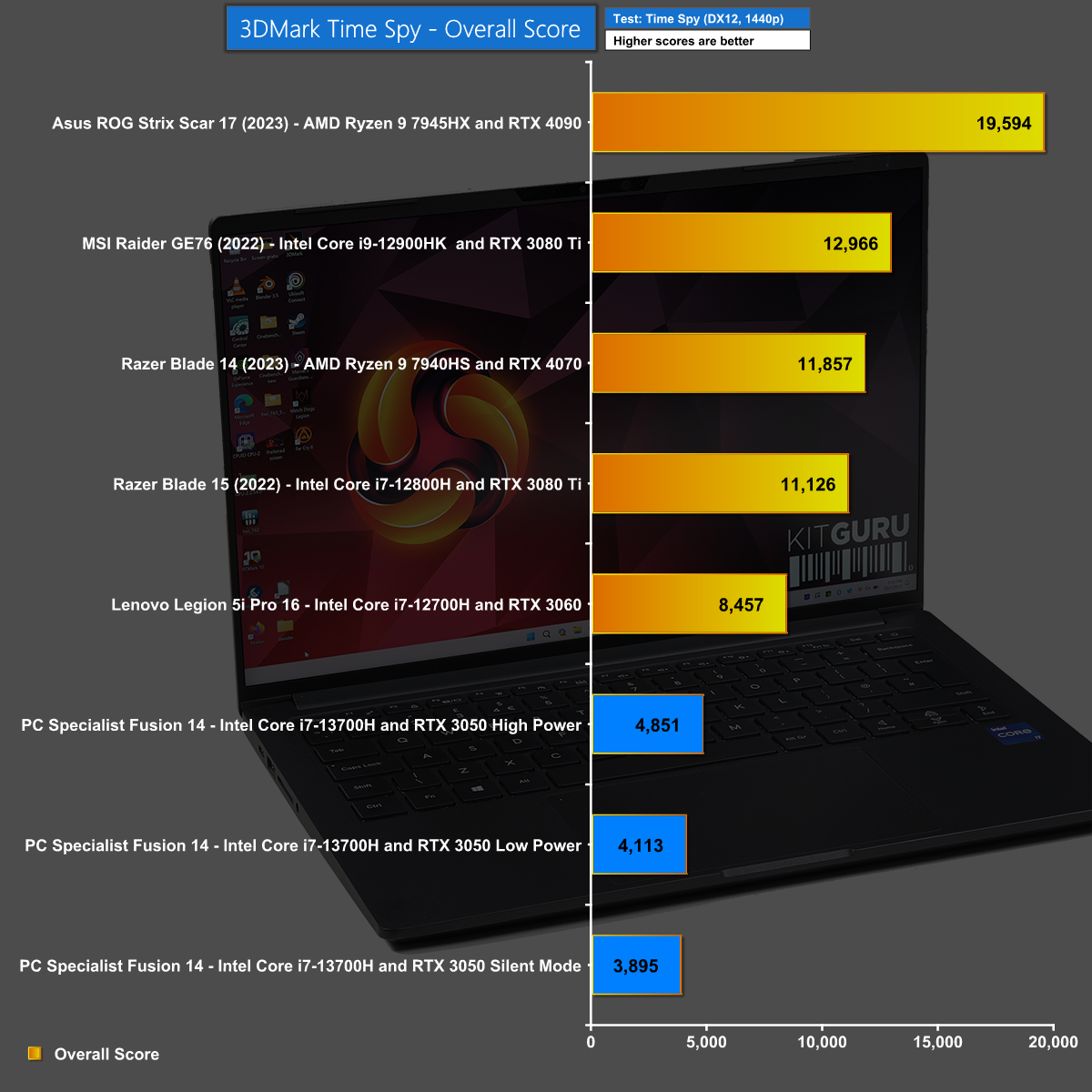
Moving on to the Overall Result within 3D Mark Time Spy we see the scores crash as the impact of the RTX 3050 graphics becomes obvious. There is no suggestion the PCSpecialist 14-inch Fusion is intended for gaming and you may well need to temper your expectations.
Performance and Testing: Gaming
Marvel's Guardians of the Galaxy at 1440p
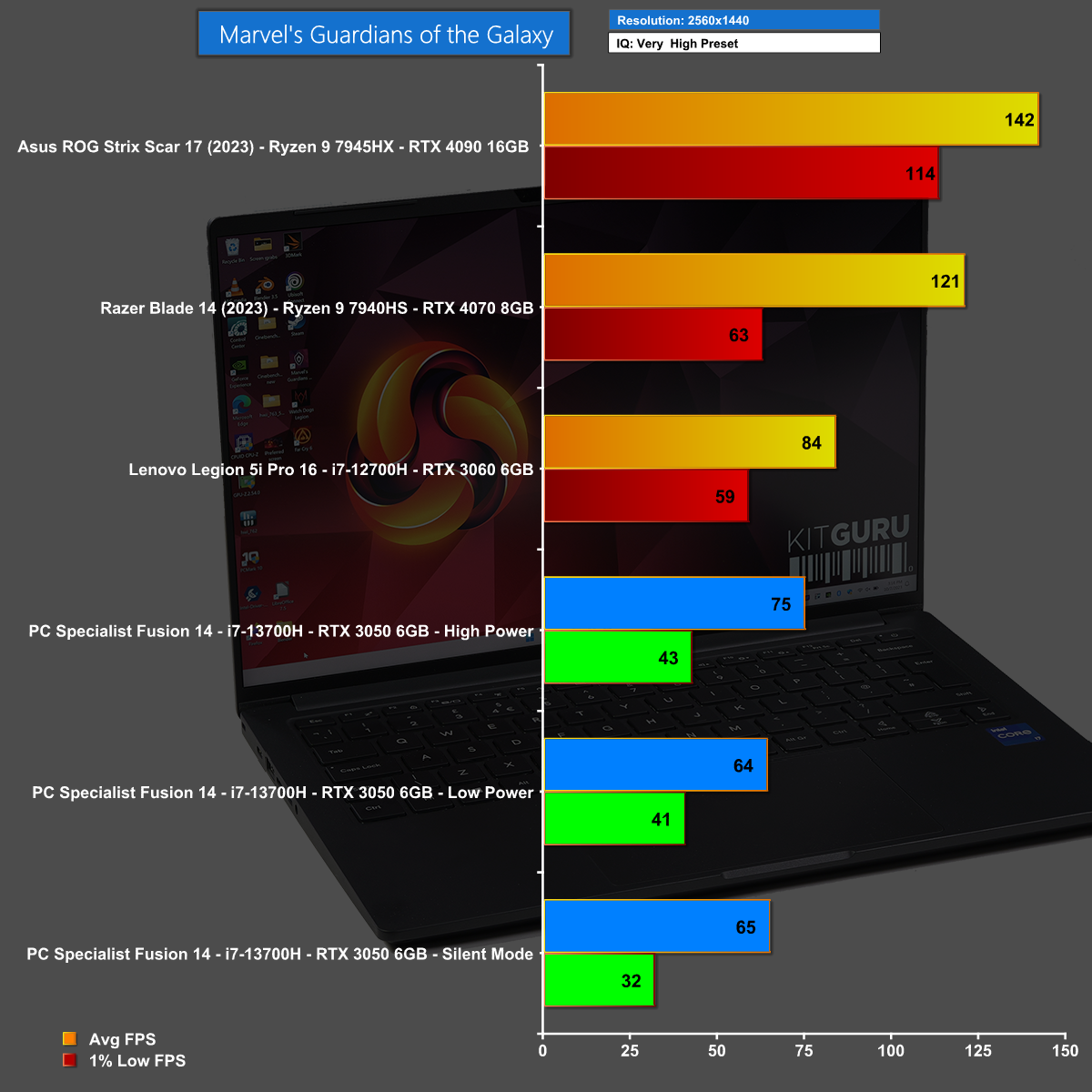
In an apparent contradiction of our statement about gaming on the PCSpecialist 14-inch Fusion, the fact is that you might be able to game, depending on which game and at what settings. In Marvel's Guardians of the Galaxy at 1440p we see average frame rates that are fairly acceptable, although the 1% low figures are less impressive.
Marvel's Guardians of the Galaxy at 1080p
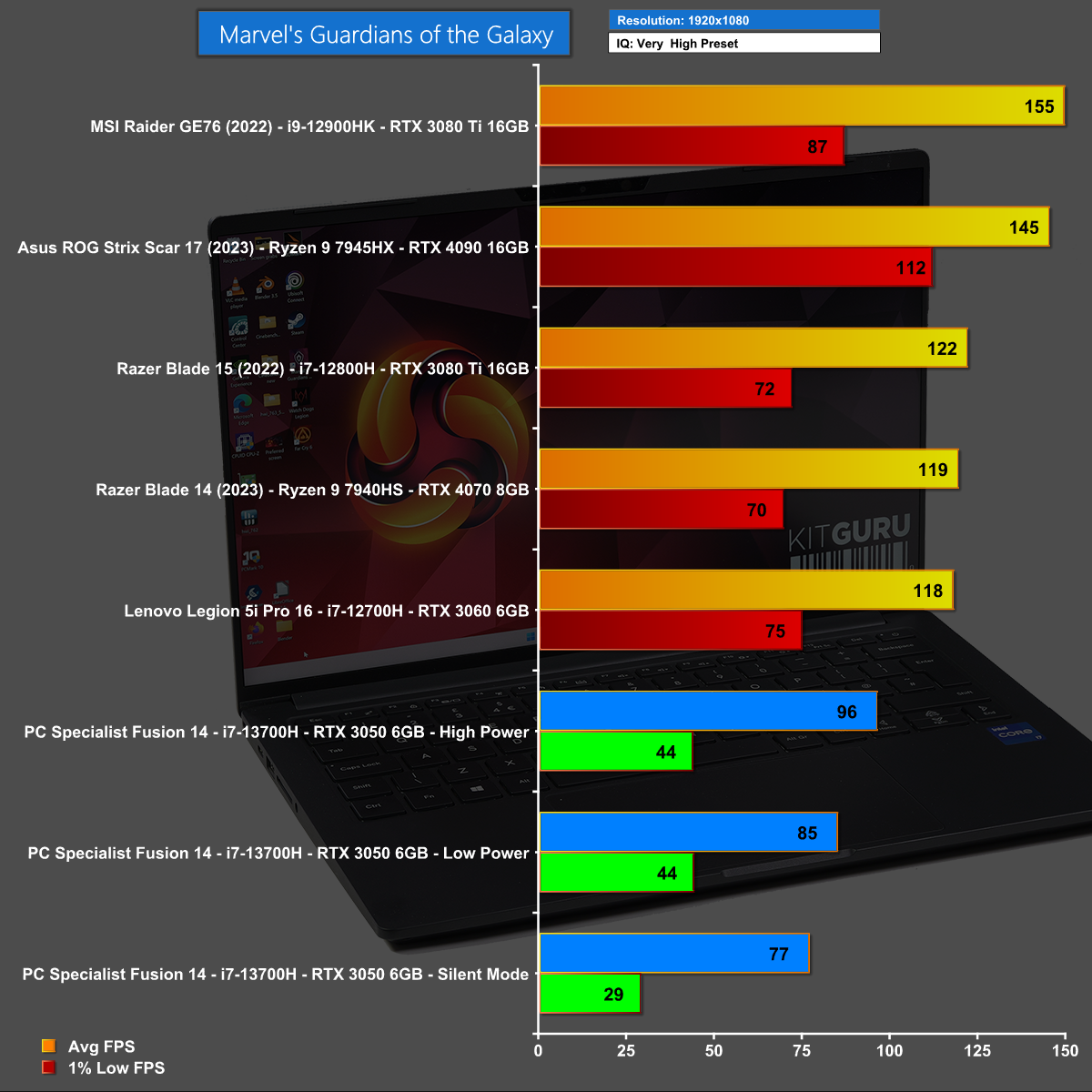
Reducing the resolution to 1080p in Marvel's Guardians of the Galaxy helps the average frame rates but has no effect on 1% low so it is fair to say this game is marginal at best on the PCSpecialist 14-inch Fusion.
Far Cry 6 at 1440p
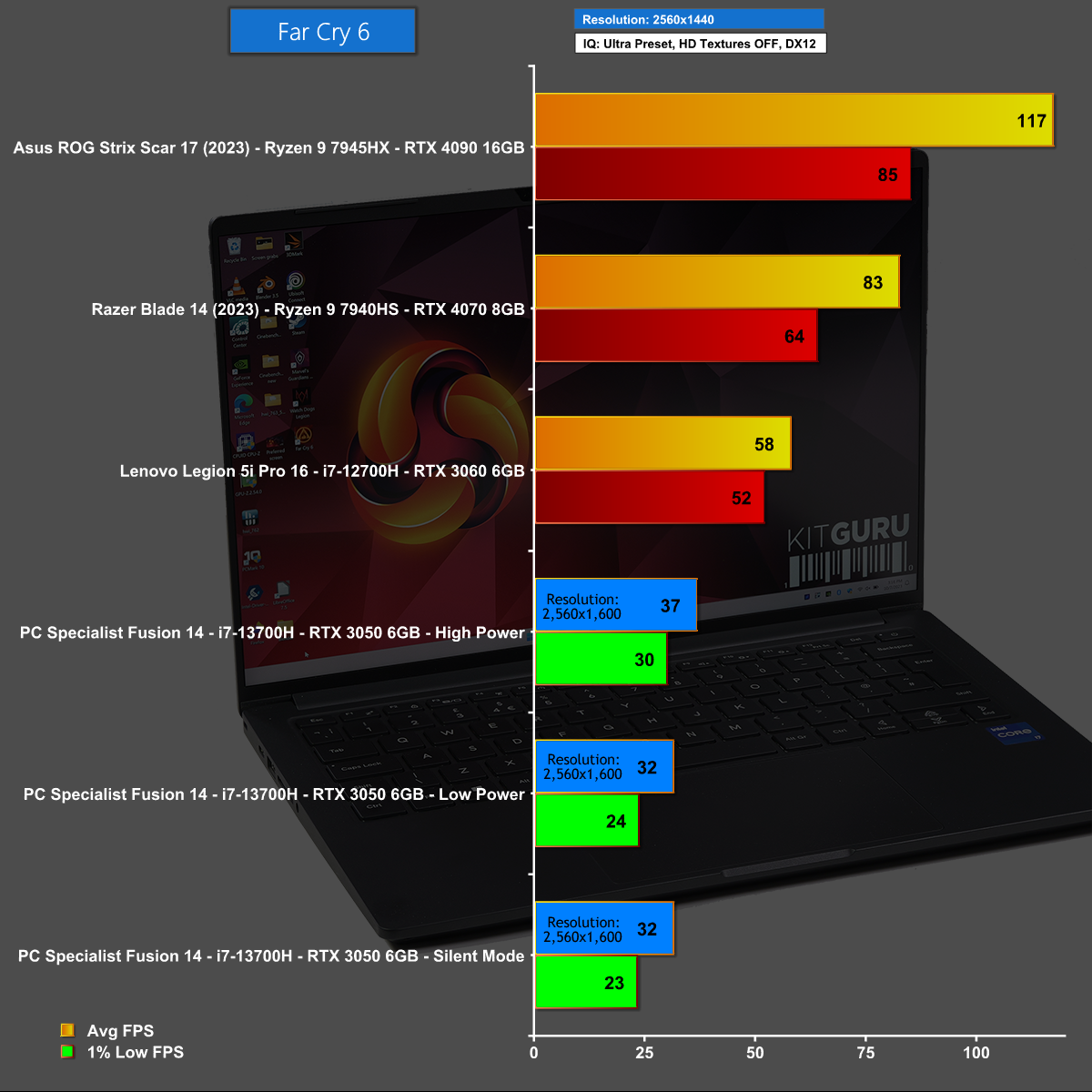
Far Cry 6 at 1440p is a struggle on the PCSpecialist 14-inch Fusion, not least because the 2,880 x 1,800 screen means we are actually playing at 2,560×1,600. The performance here is clearly unacceptable.
Far Cry 6 at 1080p
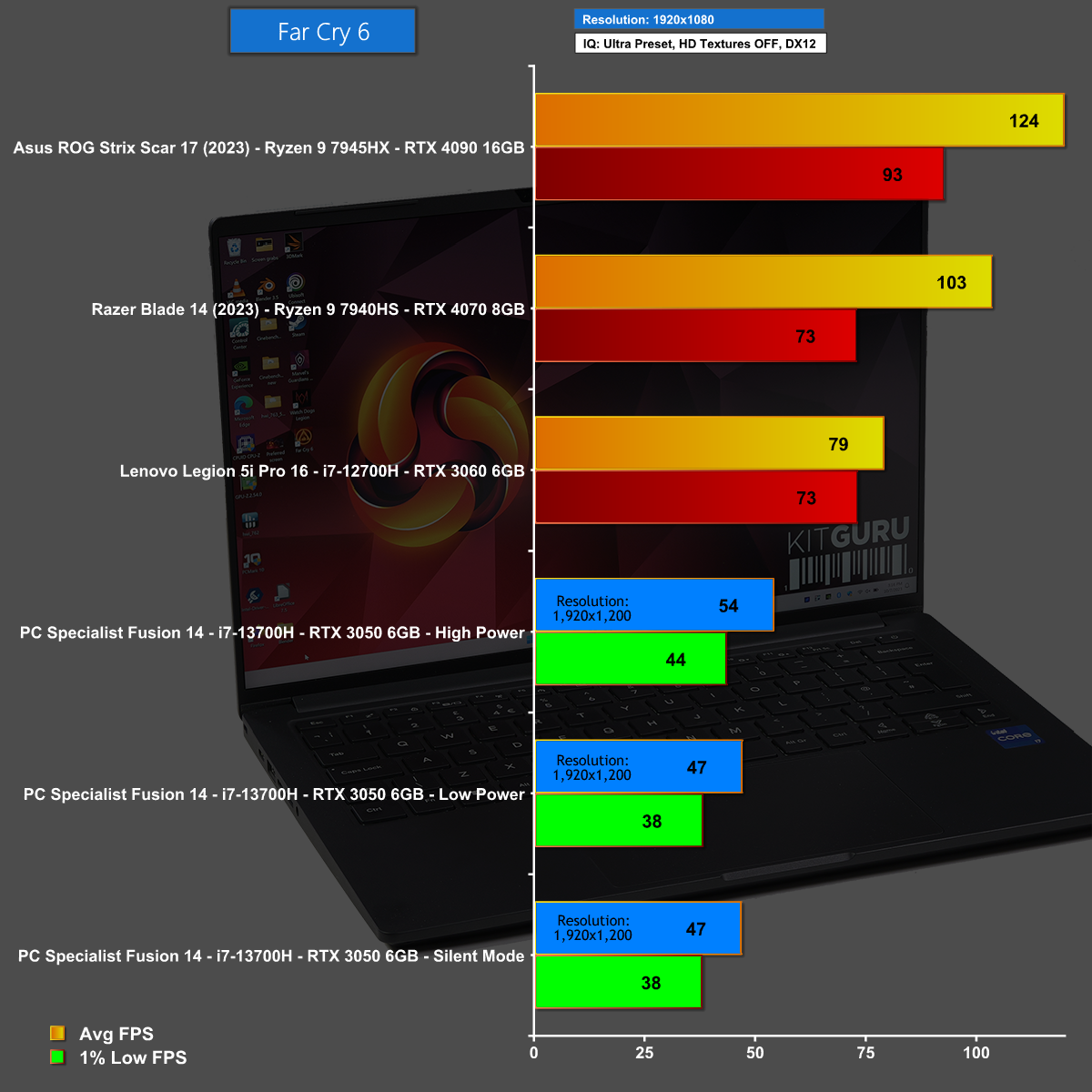
It is a similar story in Far Cry 6 at 1080p where we are actually testing at 1,920×1,200 and almost achieve frame rates that are playable, but only if you are very tolerant.
Battery Testing
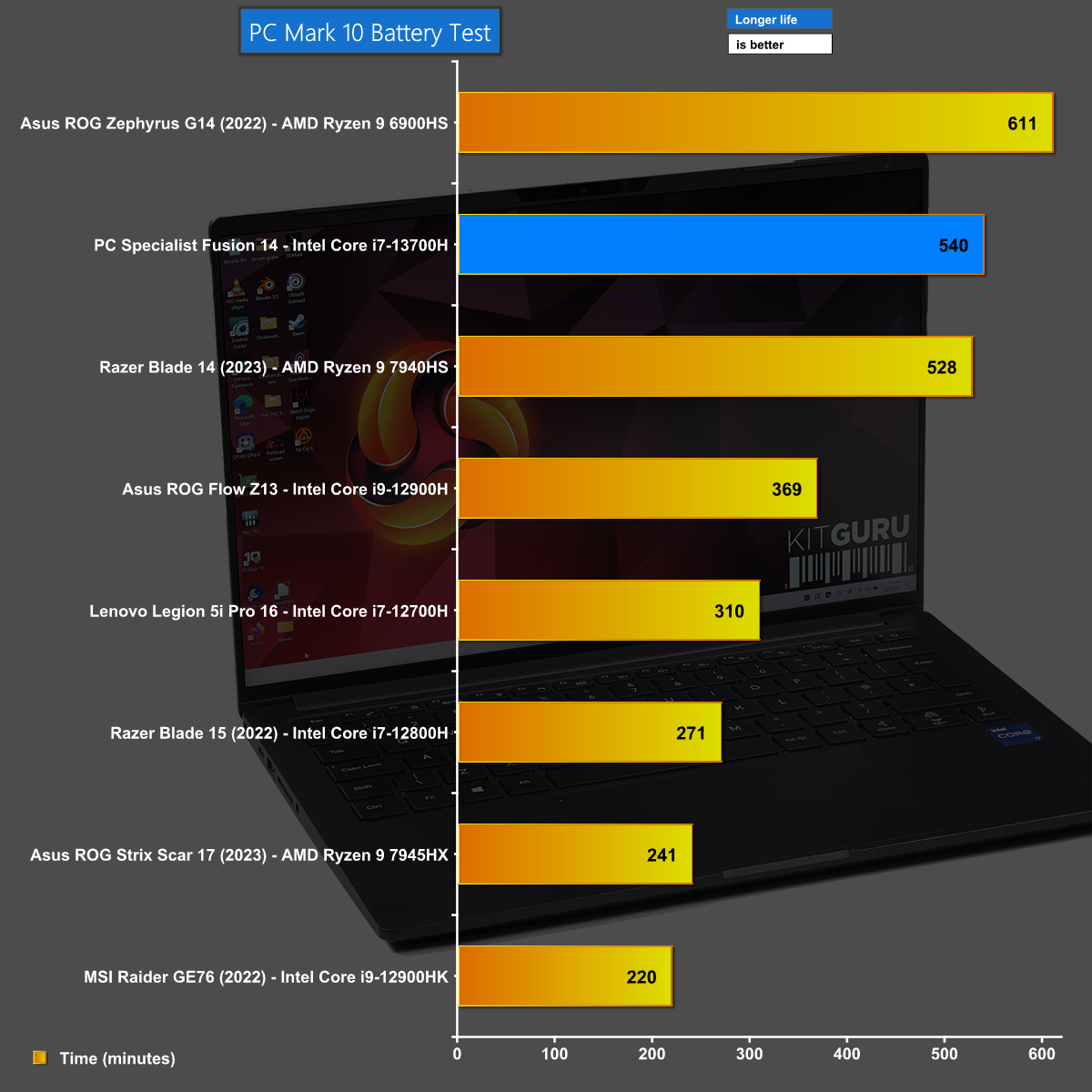
Battery testing is a great success on the PCSpecialist 14-inch Fusion which has genuine all-day staying power that will endear this compact laptop to business travellers who are more interested in spreadsheets than games.
The PCSpecialist 14-inch Fusion is very thin and impressively light, but despite that it manages to squeeze in a decent selection of ports and connectors along with a large and responsive touchpad.
The starting point for this model is £898 with an Intel Core i5, 8GB of DDR5 RAM and a 256GB SSD however our review sample was beefed up with a Core i7, 32GB of RAM, a 1TB SSD and RTX 3050 graphics at a price just under £1,200.
That seems like a lot of extra hardware for a mere £300 and it transforms the PCSpecialist 14-inch Fusion into a decent all-rounder.
We found the 2,880×1,800 screen resolution to be a curious choice for a 14-inch panel as it means you are unlikely to ever use it on native resolution. As we show in our video, the icons become so tiny that we almost needed to invent a new word for thumbnail images. The main thing, however is that the screen is bright, clear and looks good.
Overall this is a very useful laptop that is easy to drop in your bag and which has an impressive battery life that doesn't require you to keep your eyes peeled for a mains power socket.
You can buy the PCSpecialist 14-inch Fusion for £1,199 HERE.
Discuss on our Facebook page HERE.
Pros:
- Very good battery life.
- Chassis is thin and light.
- Capable internal hardware considering the svelte design.
- Low price.
- Fast Wi-Fi.
Cons:
- CPU cooler noise can be intrusive.
- Control utility does not manage BIOS or driver updates.
- RTX 3050 graphics are fairly basic.
KitGuru says: The PCSpecialist 14-inch Fusion is a handy little laptop at a keen price.