KitGuru KitGuru.net – Tech News | Hardware News | Hardware Reviews | IOS | Mobile | Gaming | Graphics Cards


Smartphones are such a huge part of our lives today but as we all know, current battery technology can struggle to power devices for long periods of time, especially under heavy use. As a result, our phones are often running out of charge before the day is done. Thankfully we have companies such as Luxa2 creating portable power banks to ensure we can ‘top up' on the move.
Today we are looking at the TX-P1 5000mAh wireless charging power bank from Luxa2- the device can charge two devices simultaneously and it hosts a sizable battery which should be capable of charging a smartphone multiple times.
Features:
- Sturdy and well built design
- One USB slot to charge a second device
- Battery indicator LED's
Specifications:
- Power Capacity: 5000mAh
- QI Compatible
- Weight: 10.9 ounces
- 1A wireless charging
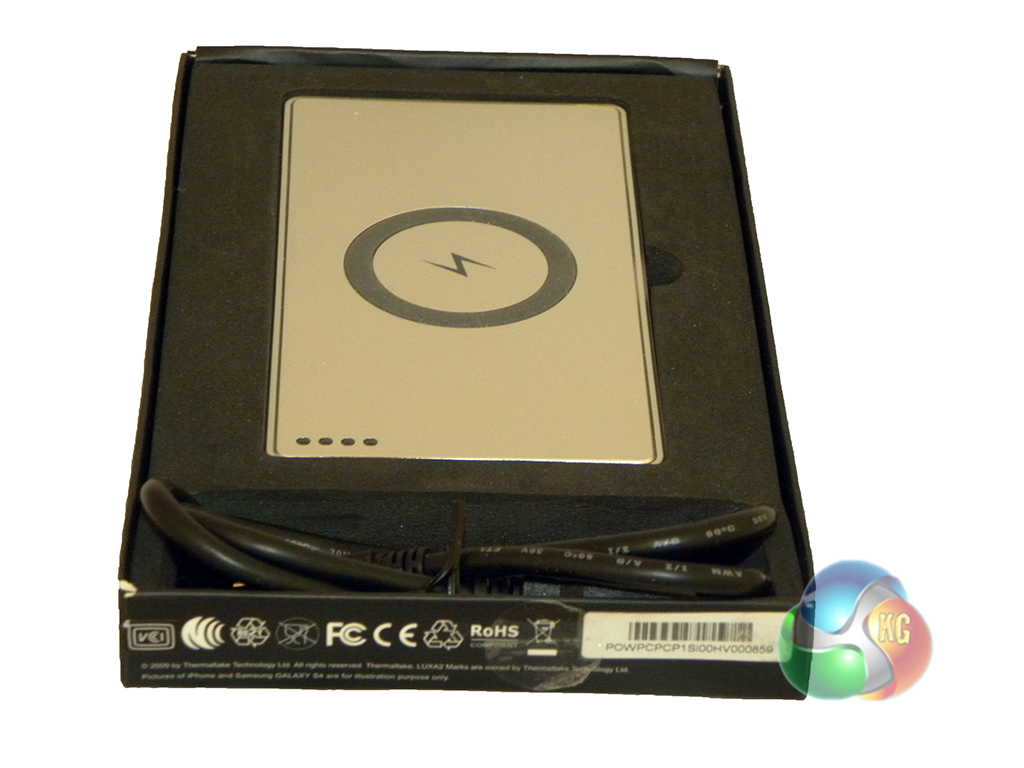
Upon pulling the box out of its sleeve, we are immediately greeted with the power bank along with a micro USB cable secured in a foam place-holder. Underneath the power bank are some instructions, no accessories though, unfortunately.
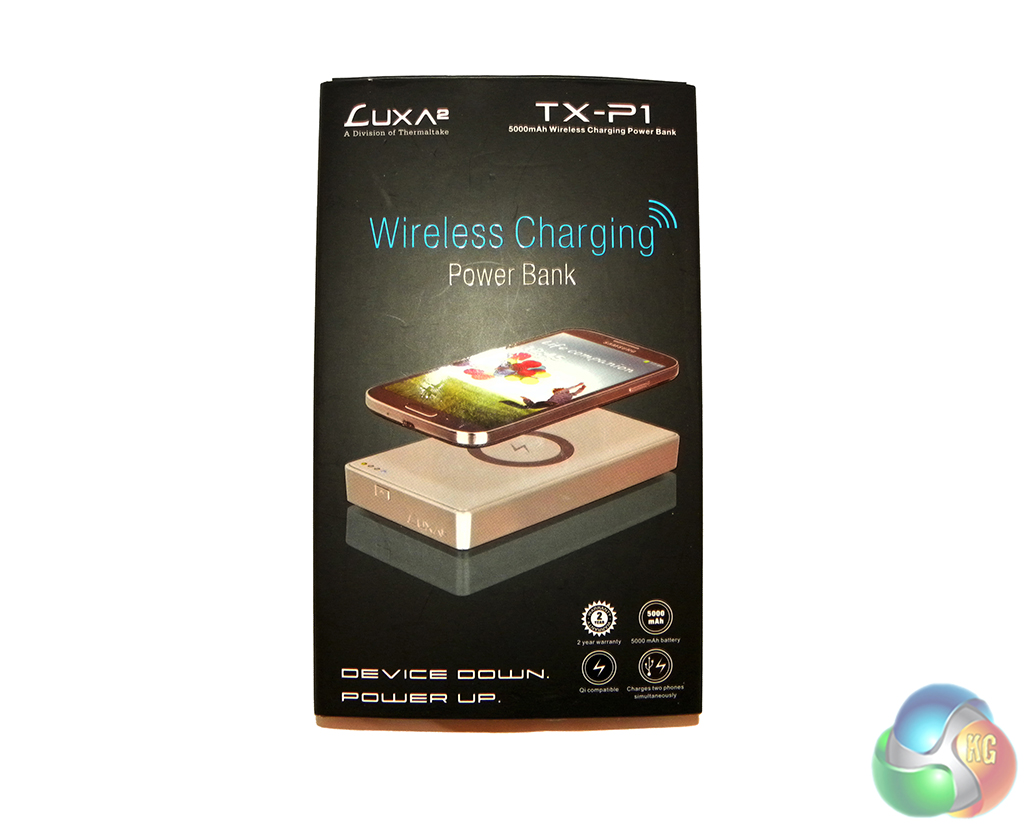
The back of the box gives us a detailed description of what we can expect from the device. First off we have some instructional images, giving us a tour around the power bank.
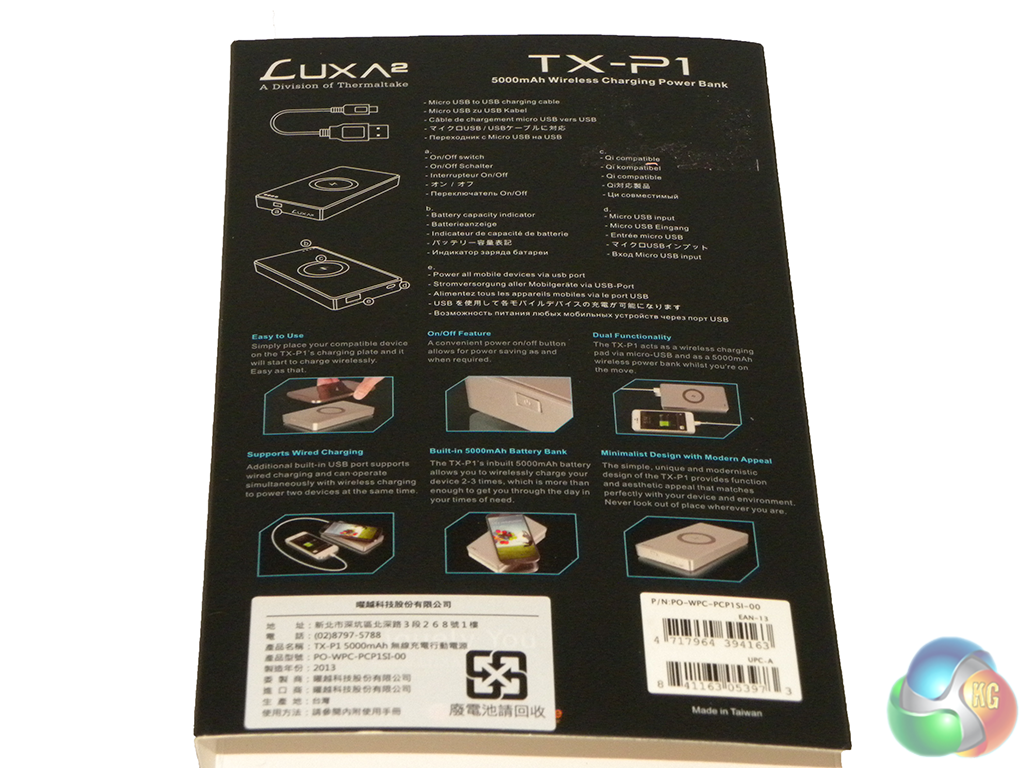
Underneath that we have a further six images boasting the device's features, which include: ease of use, on/off button, dual charging functionality, wired charging support, built in 5000mAh battery and finally the device's modern appealing design.
The power bank doesn't ship with any accessories, which is a little disappointing as we have reviewed similarly priced battery packs in the past that have included an abundance of connectors and adapters for many different scenarios and use cases.
Luxa2 has chosen to not include an AC adapter for charging from the wall, this is likely due to the fact that most phones these days come with one, it also cuts down on packaging. That said, it still would have been nice to see.
The included micro-USB cable won't cut it for a lot of people as it is far too short, so be prepared to grab a spare one to use instead.
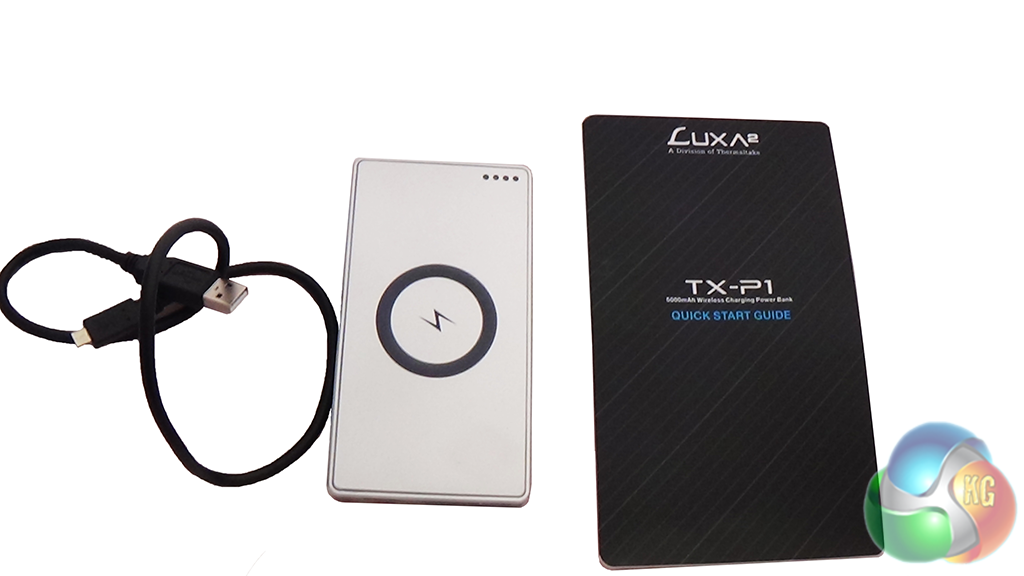
The bottom of the power bank has some rubber feet to stop it from sliding around.
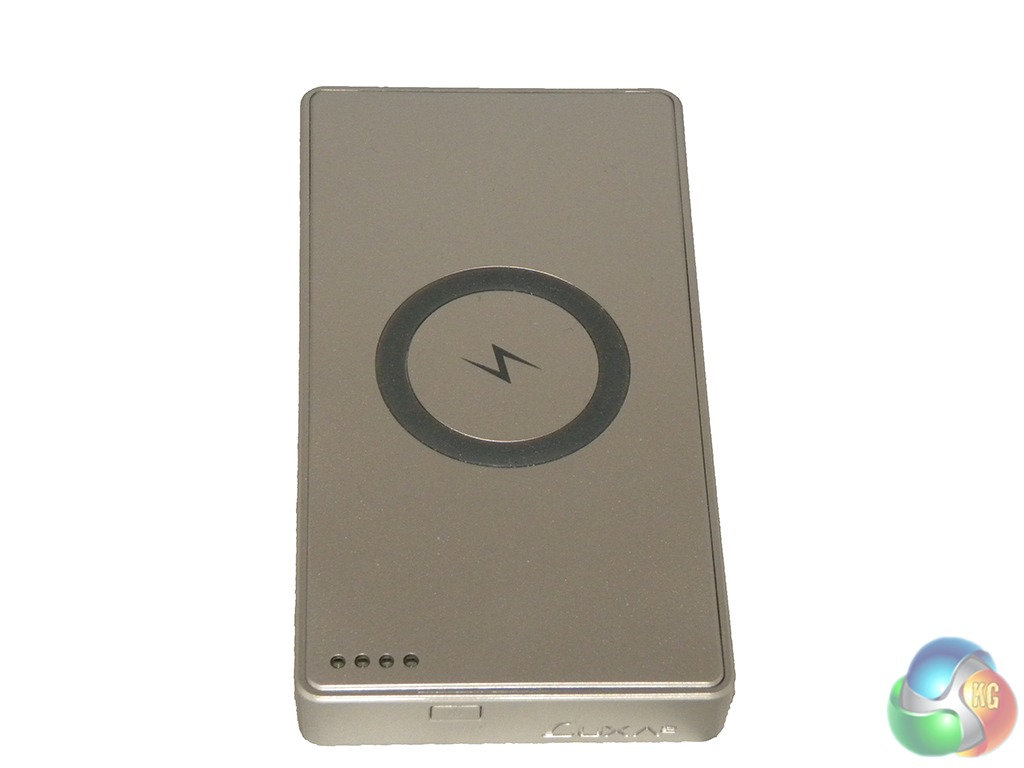
The use of rubber continues on to the top of the power bank where there is a circle intended to stop the phone from sliding around and possibly scratching the device. We also have 4 LED indicators:
- Blue- Wireless charging on
- Orange- Power Bank is charging
- Red- Power Bank has less than 30% battery
- Yellow- On/Off indicator
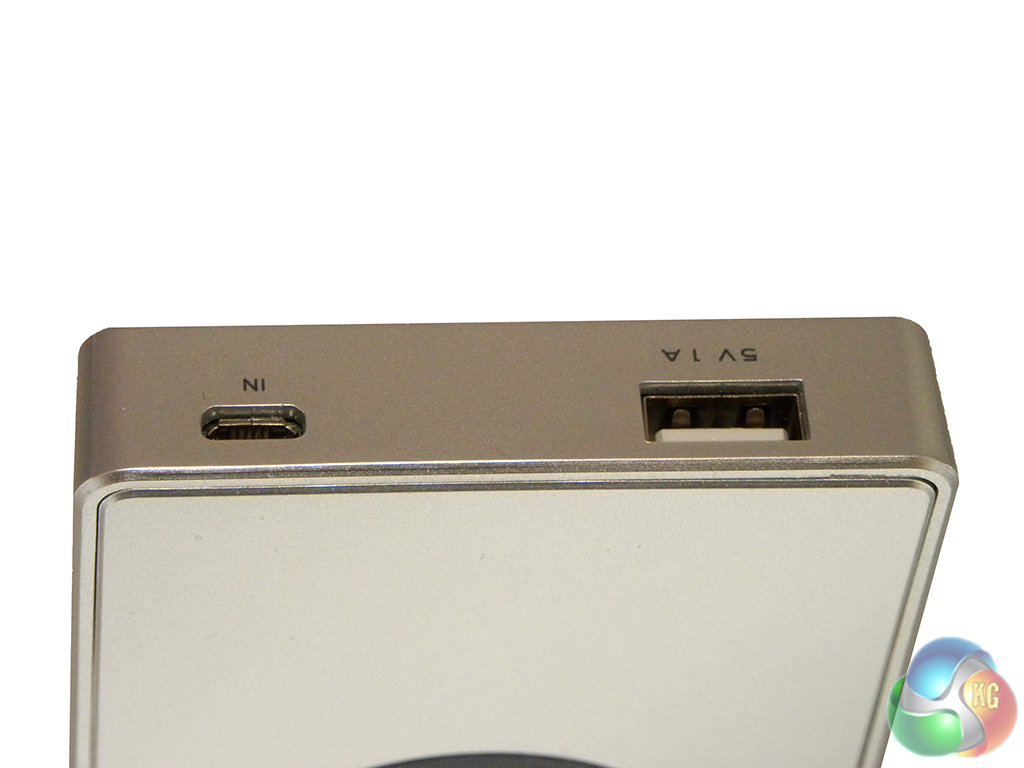
On the bottom we have a micro-USB in port for charging the bank and a full sized USB port for connecting up a second device to charge.
Since the device didn't come with an AC adapter, we had to use one of our own, charging the bank from 0% to 100% took around 7 hours.
It's very simple to use, you just need to turn it on and place your phone on top. However, whenever you start to wirelessly charge a device, the power bank will greet you with a loud beep. This can be quite off putting if you pick up your phone a lot to answer calls or messages.
If you are using a Samsung device then you will need to buy a wireless receiver, which comes sold separately, priced at £9.99:
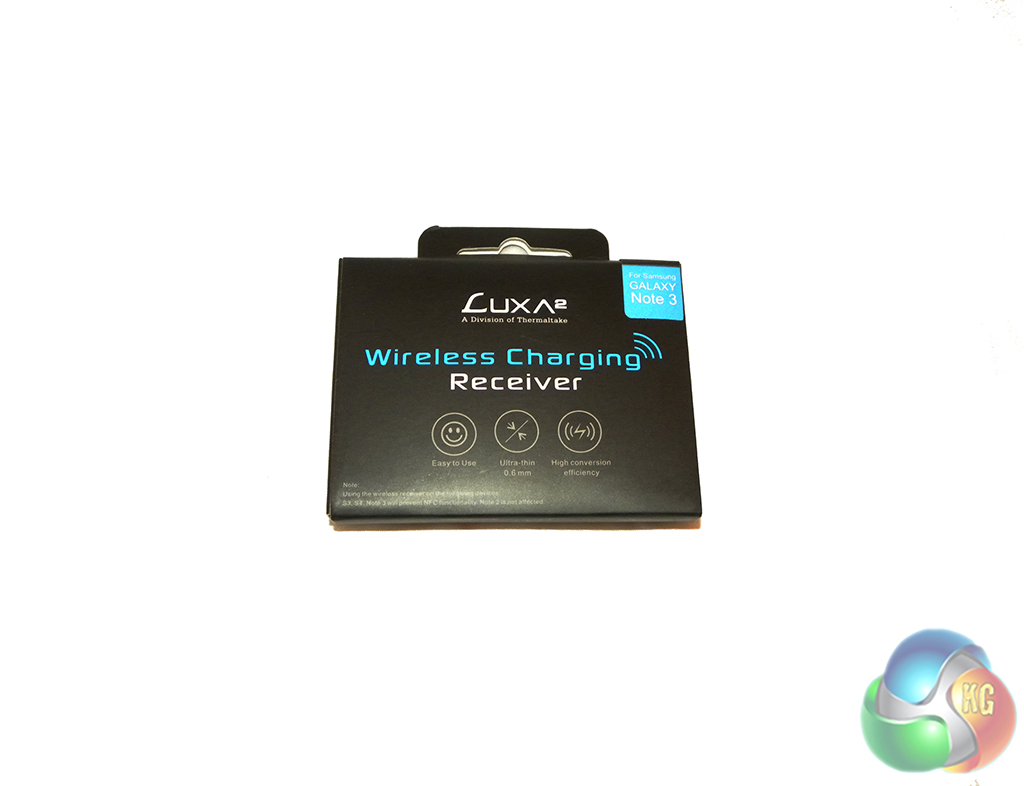
Inside the included quick start guide it says that the wireless receiver is for use with the Samsung Galaxy S3, S4 and Note 3 but installing will prevent NFC functionality. Installing the receiver is very easy as it comes with pre-applied glue to stick on to the back of your phone's battery, once it's on, the back of your Samsung Galaxy device will snap on again with ease.
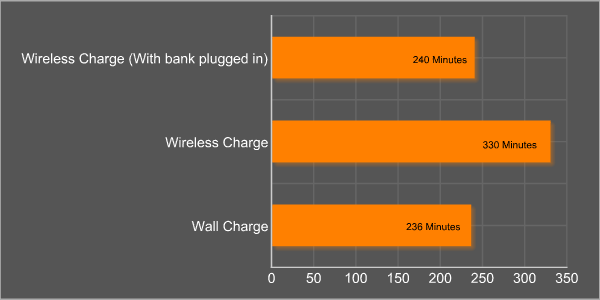
To test the Luxa 2 TX-P1 powerbank, we decided to put wireless charging against the more traditional wired method. We measured how long it took for a Samsung Galaxy SIII to charge from 0-100% from the wall, from the power bank running off of its in-built battery and then once again with the power bank plugged straight in to the wall without using its in-built battery.
As you can see, wireless charging from the power bank certainly takes its time, coming in at 330 minutes, which is a hefty two hours longer than charging straight from the wall.
Having the power bank plugged in did help speed things up considerably, however, it did cause both the bank and the phone to heat up, so we wouldn't recommend leaving it plugged in all of the time.
We also ran a test on how long it takes to charge the 5000mAh battery inside of the TX-P1:
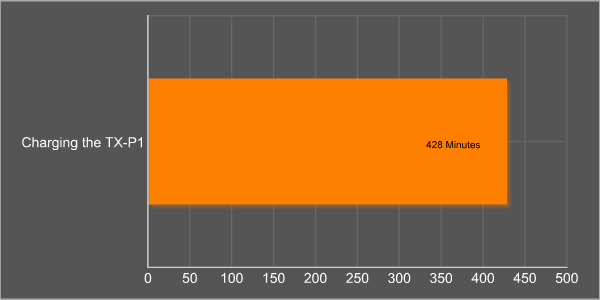
It takes just over seven hours to charge the 5000mAh battery inside the TX-P1, which wouldn't be so bad if it could charge the Samsung Galaxy SIII multiple times on a single charge. Unfortunately, we only managed to get one charge out of the power bank before having to plug it in again, meaning you will have to charge the bank itself almost as often as you would your phone.
The Luxa2 TX-P1 power bank is an odd one, if you're buying it for the novelty of wireless charging then it works fine, albeit slowly. However, if want to charge your phone a couple of times a day or don't want to worry about plugging your phone in so often, then you're going to be disappointed.
The 5000mAh battery inside the power bank takes around 7 hours to charge and theoretically, it should be able to charge up the Samsung Galaxy SIII multiple times before having to be plugged in.
Unfortunately, this wasn't the case and we had to charge up the TX-P1 right after getting our phone from 0%-100% just once. This eliminates the main benefit of having this product as you will still have to charge the TX-P1 almost as often as your phone.
I will note that your mileage may vary, QI compatible phones may perform better and the same goes for newer devices such as the Samsung Galaxy Note 3. Unfortunately, we have been unable to test this in time for the review.
The TX-P1 will have an MSRP of £34.99, which is a fair price for a wireless power bank. However, if you're a Samsung user, then you will have to pick up the wireless receiver for £9.99. The TX-P1 can be found on Amazon right now from a third party reseller, however, we would advise waiting a couple of week until Amazon has its own stock at the correct price.
Discuss on our Facebook page, over HERE.
Pros:
- QI Compatible
- Appealing design
- Good price
Cons:
- Couldn't charge phone more than once
- Much slower than wired charging
KitGuru Says: A competitively priced wireless solution that runs out of power a little too fast for our liking.