KitGuru KitGuru.net – Tech News | Hardware News | Hardware Reviews | IOS | Mobile | Gaming | Graphics Cards


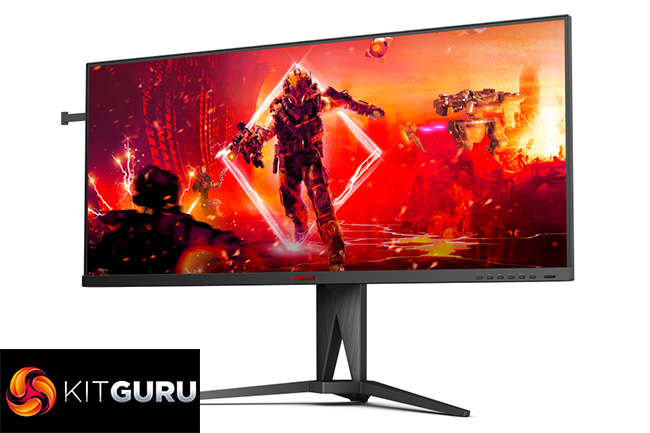
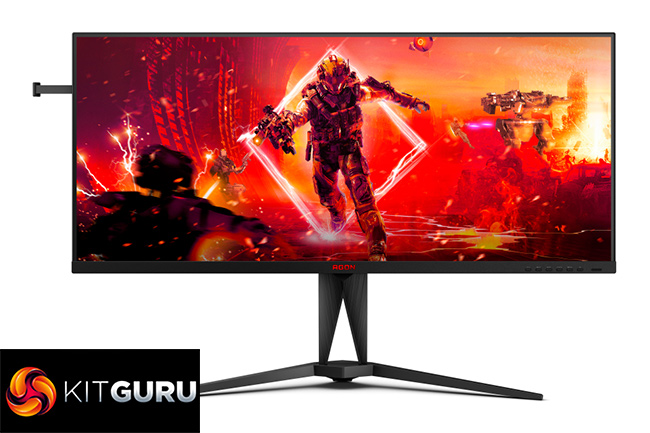
We've reviewed plenty of ultrawide monitors over the years, but none quite like the AOC Agon AG405UXC. That's because this screen offers a 3440×1440 resolution over a 40in panel size, making it a good chunk bigger than the typical 34in ultrawides we are used to seeing. It's still sporting a 21:9 aspect ratio – so isn't on the same level as a 32:9 super-ultrawide – but at £530, you get a lot of screen for the money. Let's find out if it's any good.
Alongside its headline 40in screen size and 3440×1440 resolution, the AOC Agon AG405UXC is sporting a flat IPS panel with a claimed 1200:1 contrast ratio. It offers a 144Hz refresh rate, and a claimed 4ms GtG response time, alongside DisplayHDR 400 certification. Today we put it through its paces and find out what the AG405UXC has to offer at the £530 asking price.
Specification:
- SCREEN SIZE (INCH): 40
- SCREEN SIZE (CM): 100
- CURVATURE RADIUS: Flat
- DISPLAY HARDNESS: 3H
- PANEL TREATMENT: Antiglare (AG)
- PIXEL PITCH: 0.26925
- PIXELS PER INCH: 93.2
- PANEL RESOLUTION: 3440×1440
- RESOLUTION NAME: WQHD
- ASPECT RATIO: 21:9
- PANEL TYPE: IPS
- BACKLIGHT TYPE: WLED
- REFRESH RATE: 144 Hz
- RESPONSE TIME GTG: 4 ms
- RESPONSE TIME MPRT: 1 ms
- STATIC CONTRAST RATIO: 1200:1
- DYNAMIC CONTRAST RATIO: 80M:1
- VIEWING ANGLE (CR10): 178/178
- DISPLAY COLOURS: 16.7 Million
- SYNC TECHNOLOGY (VRR): Adaptive Sync
- HDR (HIGH DYNAMIC RANGE): Vesa Certified DisplayHDR™ 400
- MULTIVIEW (PBP, PIP): PbP, PiP
- KVM: 1x USB3.2 Gen 2 type C + 1x type B
- REMOVABLE STAND: ✓
- SPEAKERS: 5 W x 2
- VESA WALLMOUNT: 100×100
- TILT: -3.5° ±1.5° ~ 21.5° ±1.5°
- HEIGHT ADJUST (MM): 150mm
- SWIVEL: -30° ±2° ~ 30° ±2°
- HDMI: HDMI 2.0 x 2
- DISPLAY PORT: DisplayPort 1.4 x 1
- USB-C CONNECTIVITY: USB-C 3.2 x 1 (DP alt mode, upstream, power delivery up to 90 W)
- USB HUB: USB 3.2 (Gen 1) (4 USB downstream ports) 5Gbit
- NET WEIGHT EXCL. PACKAGE (IN KG): 11.88
- PRODUCT WITHOUT STAND (KG): 9.53
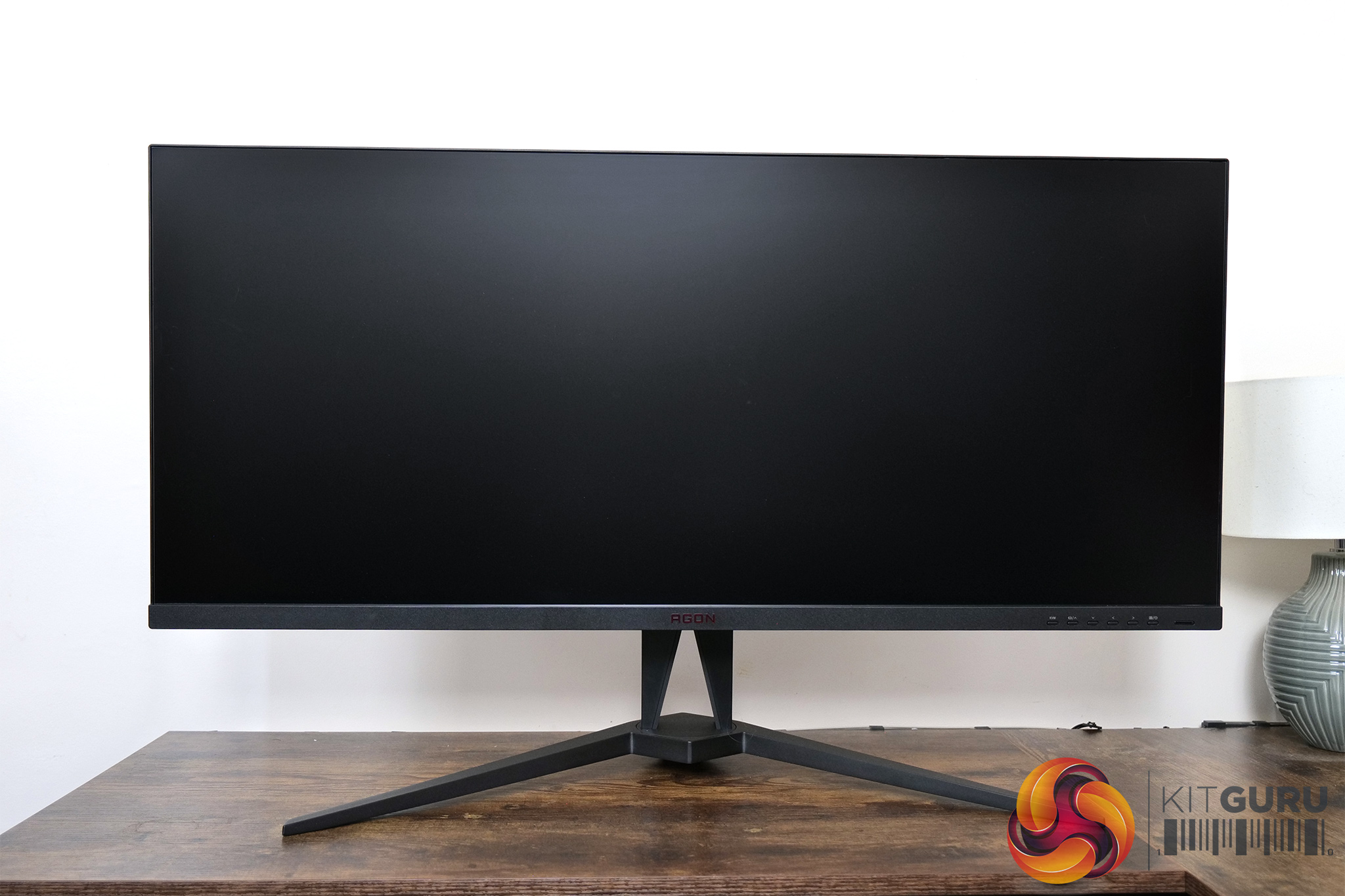
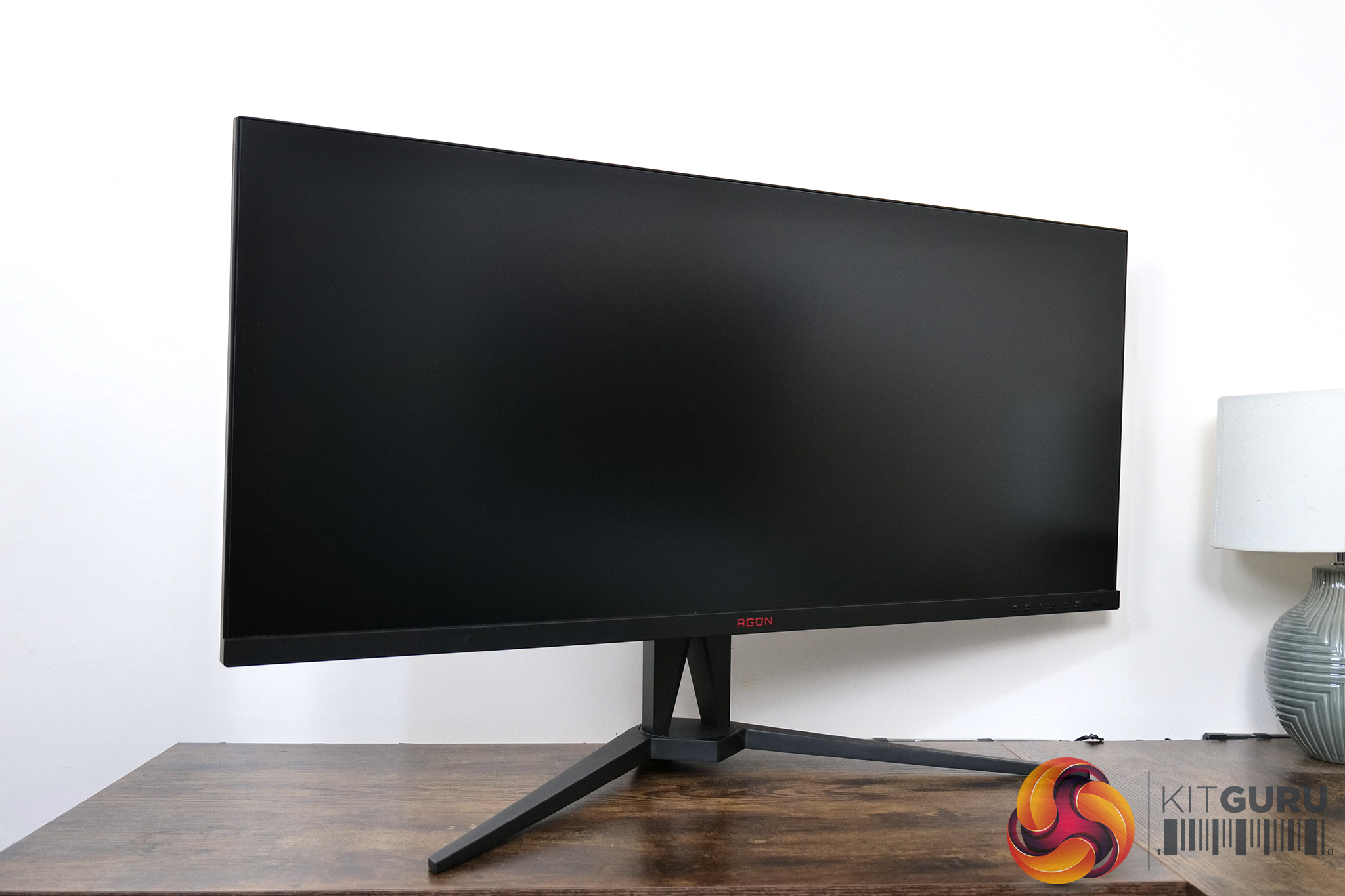
In terms of the design, the AOC Agon AG405UXC is about as stealthy as its possible to be considering the sheer size of this screen. It's almost entirely black, with just a small AGON logo printed in red on the bottom bezel. The top and side bezels are nice and slim too, measuring about 6mm, though the chin is thicker at approximately 1.9mm.
The stand uses a v-shaped metal base and while it is quite wide at 66cm, if you're buying a 40in monitor it's safe to say you will have a large enough desk to accommodate this!
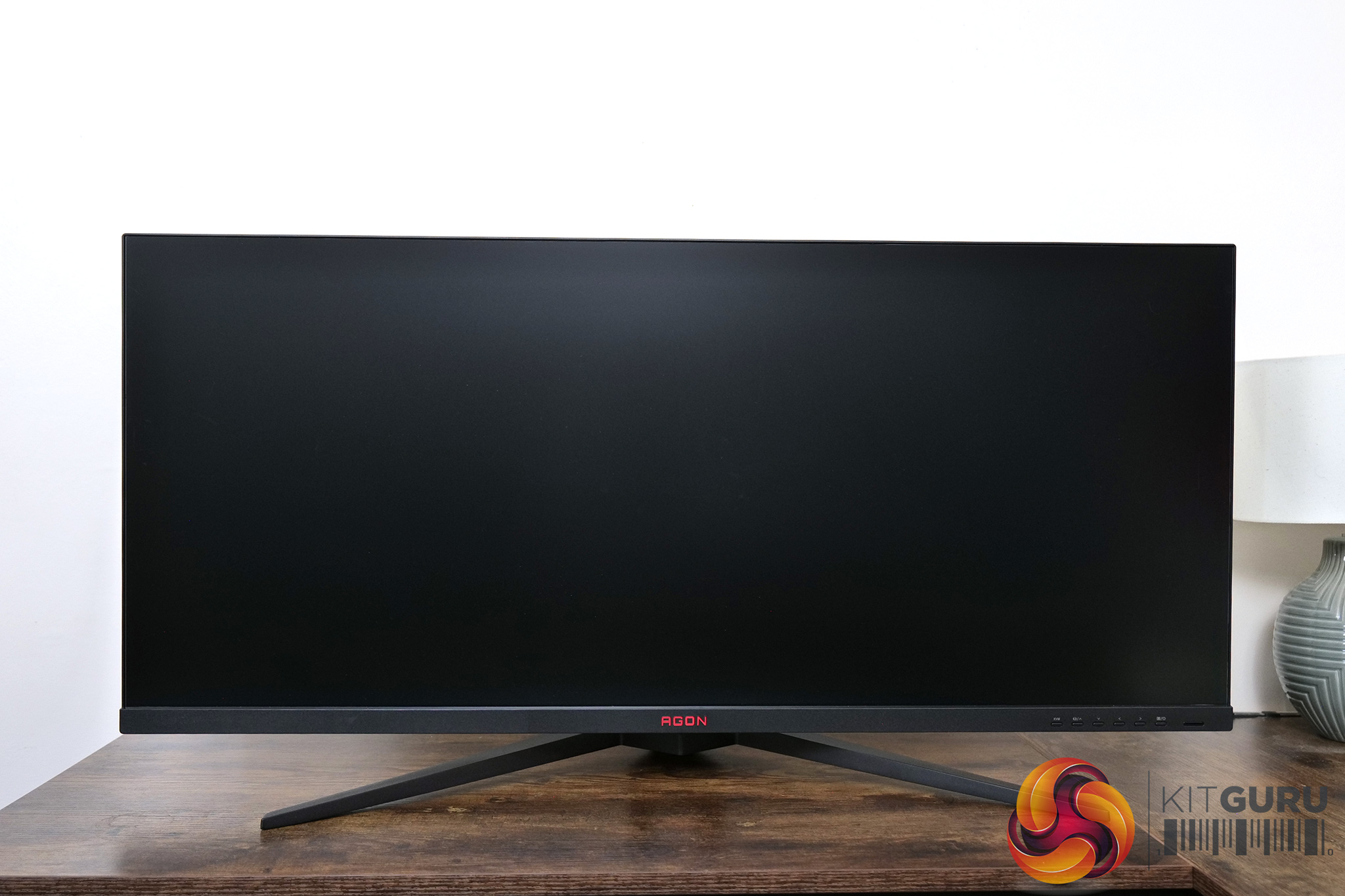
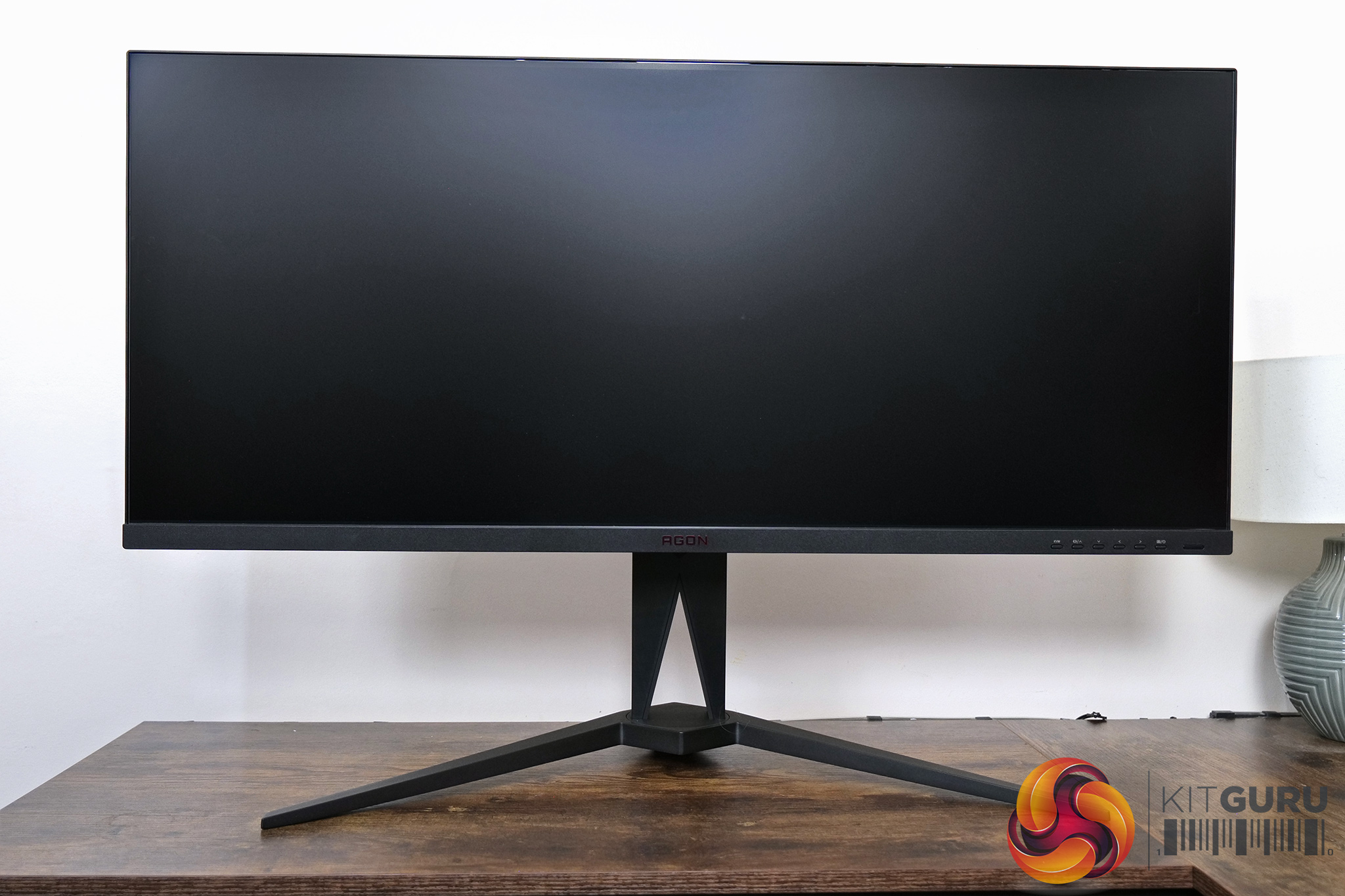

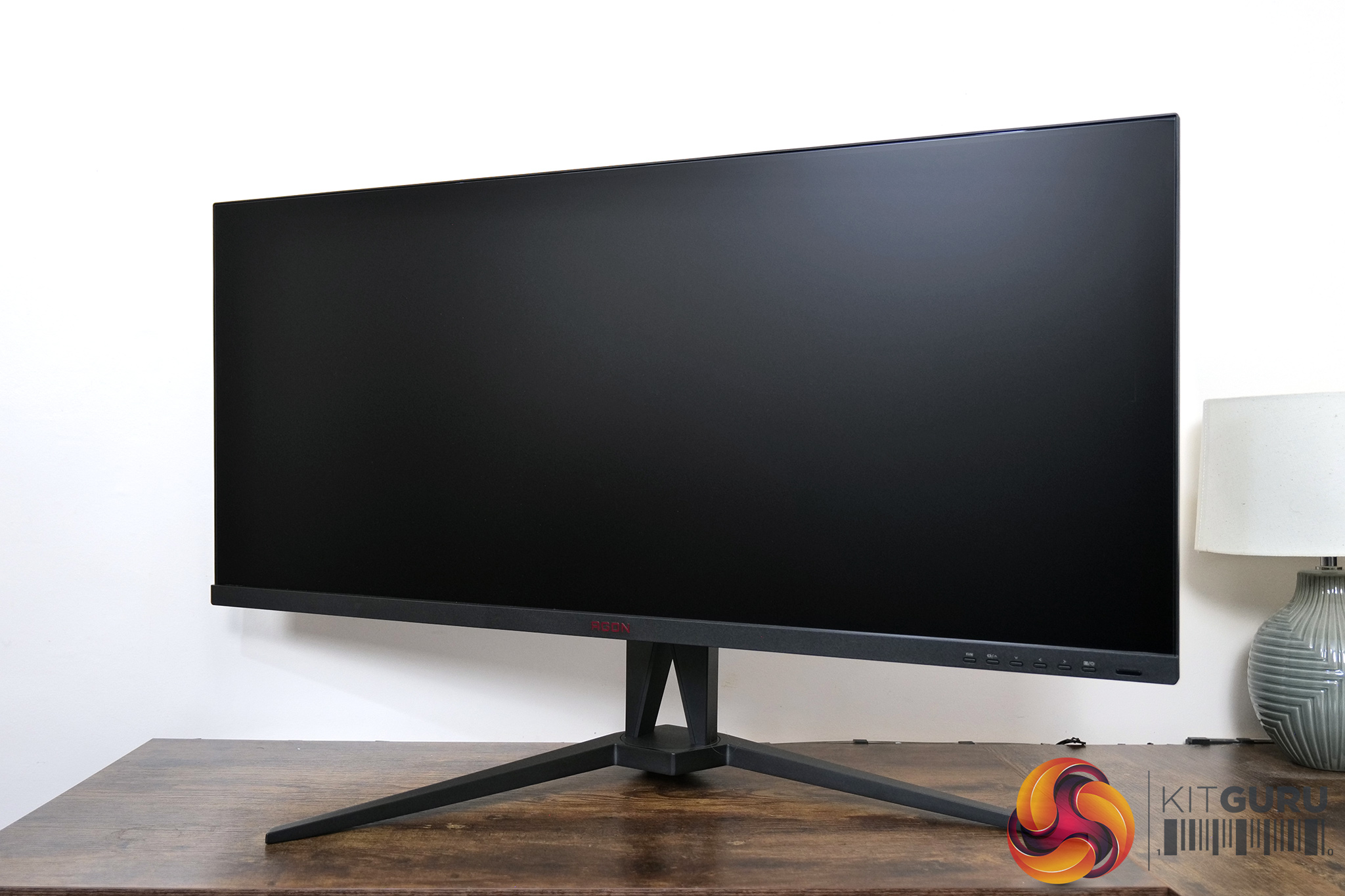
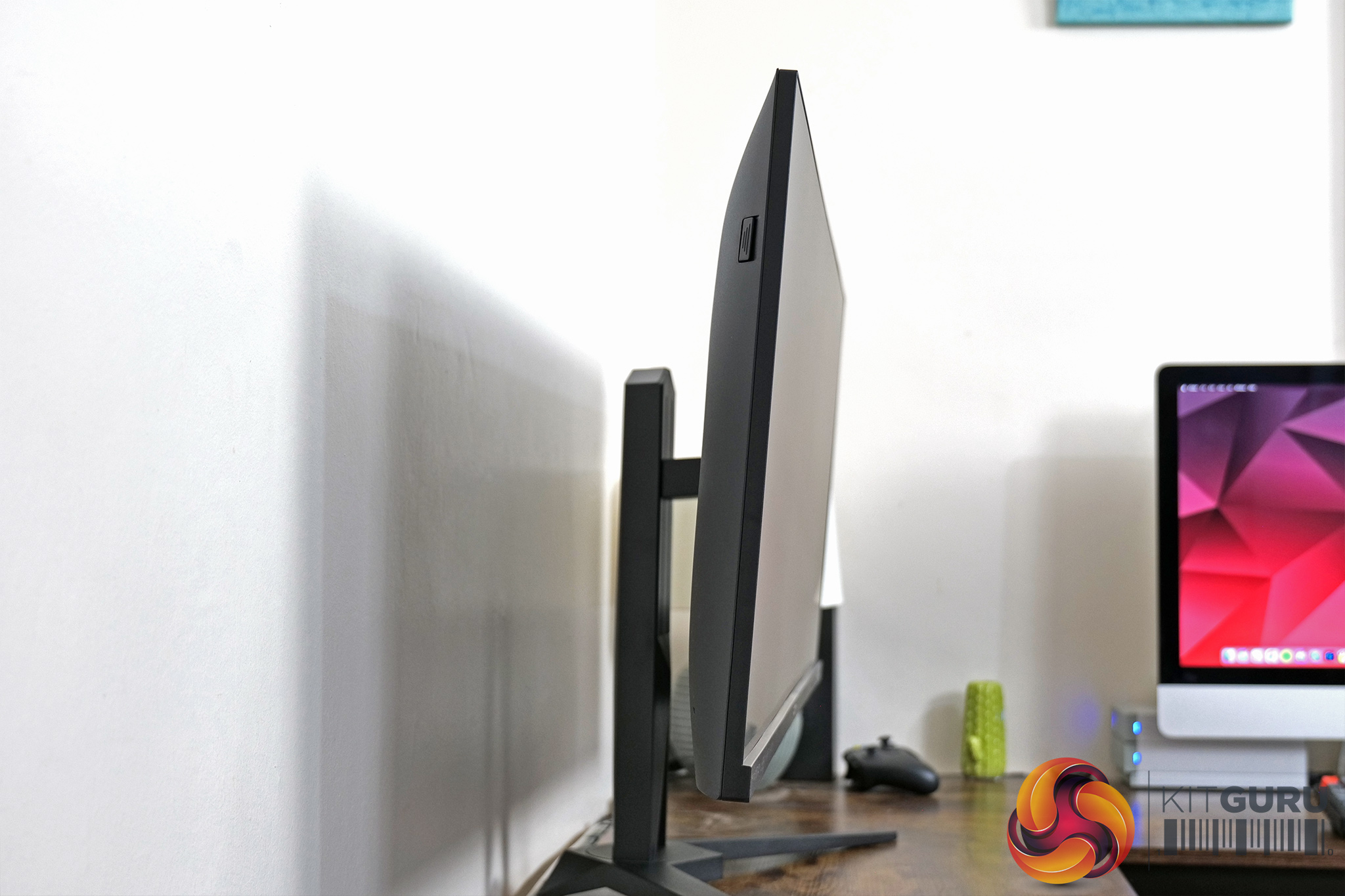
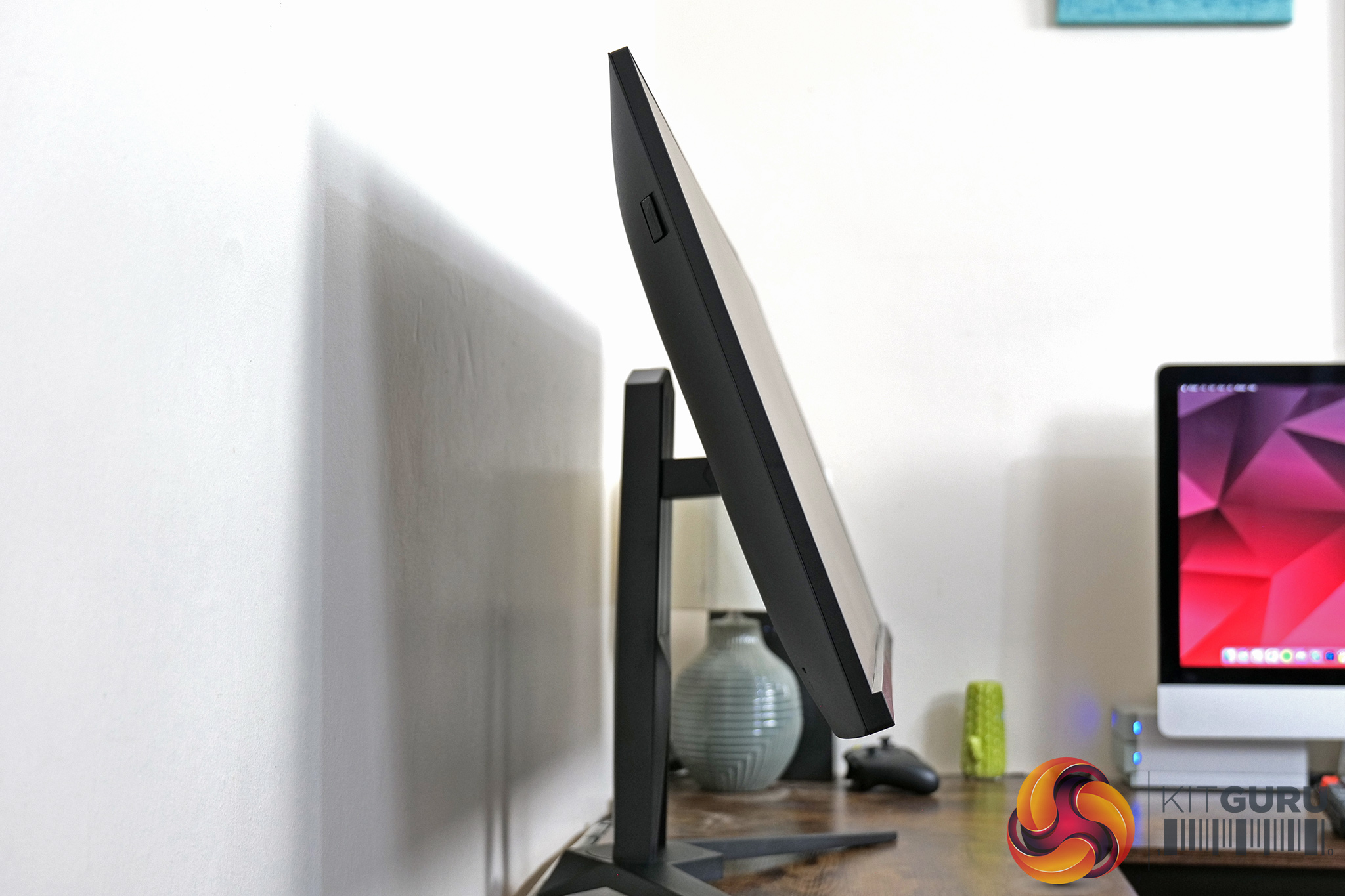
Speaking of the stand, it offers a good range of ergonomic adjustments. We get up to 150mm of height adjust, 30 degrees of swivel both left and right, as well as tilt from 3.5 degrees downards to 21.5 degrees upwards. There's no pivot functionality here, which is understandable considering the size of the screen, though third-party Vesa 100×100 mounts are supported.
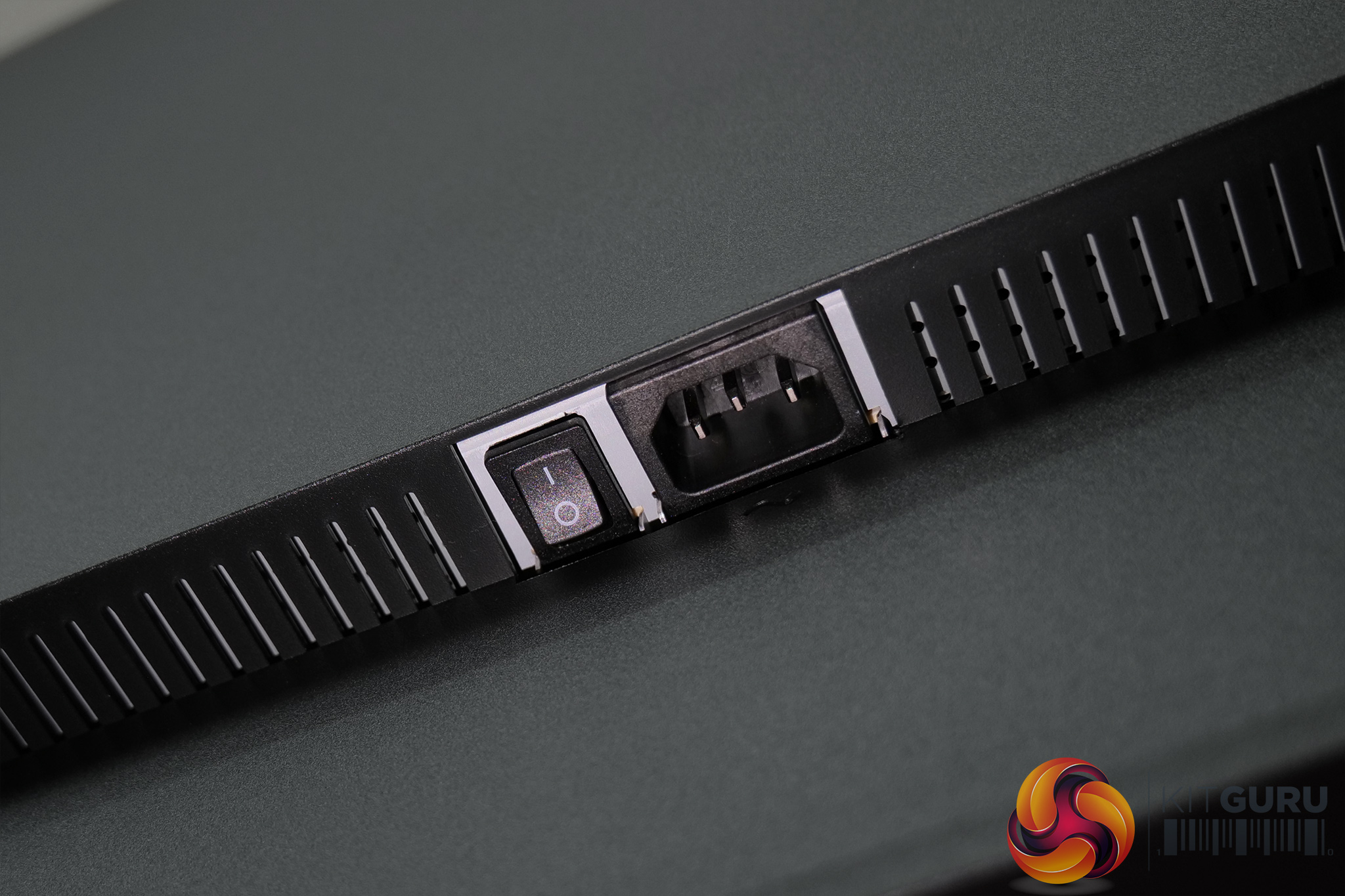
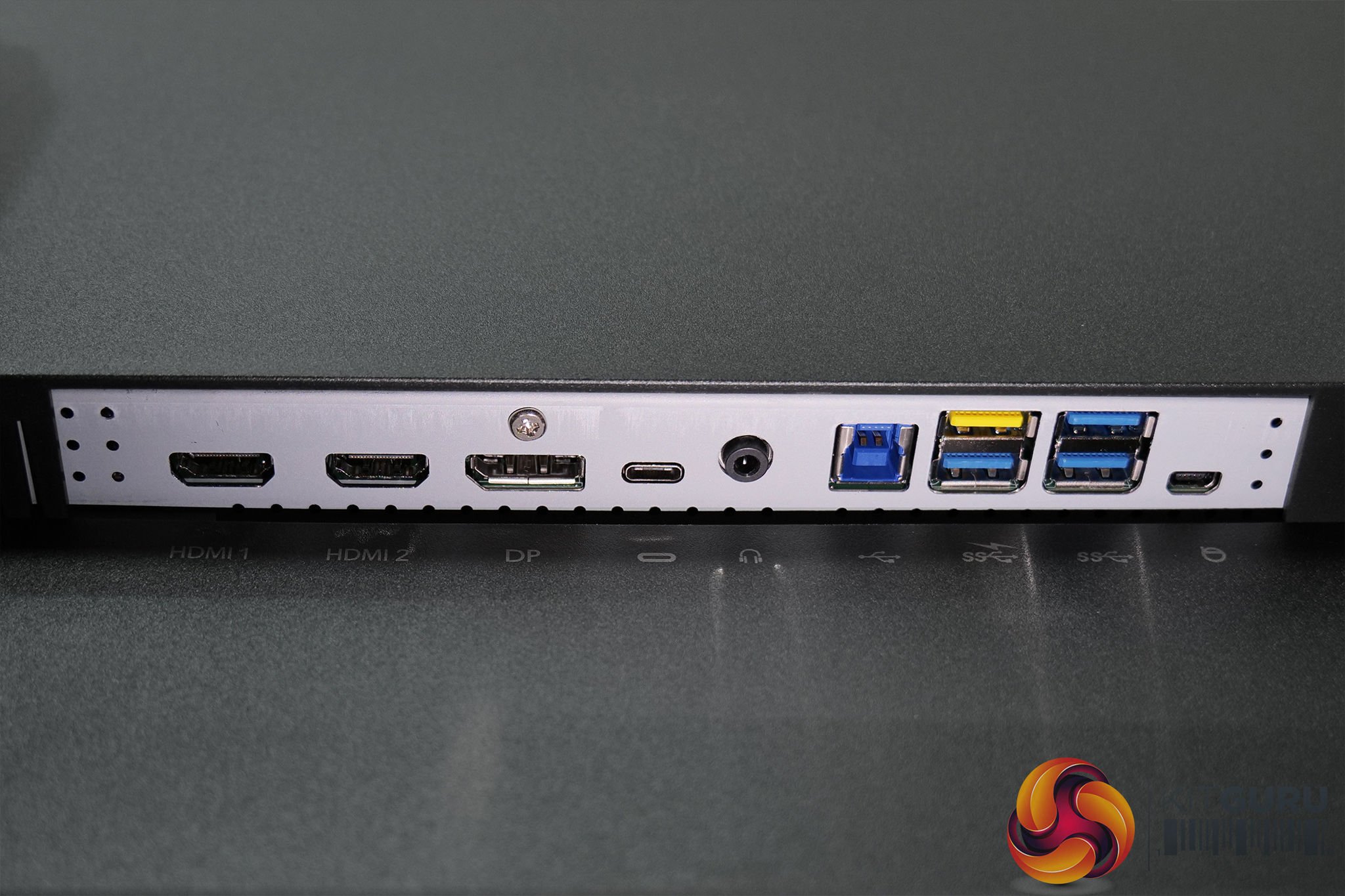
General ports and connectivity options are split in two areas. The left hand side is home to power input and a power switch, while all the video inputs are found on the right hand-side. These include 2x HDMI 2.0, 1x DisplayPort 1.4 an 1x USB-C that supports DP Alt mode as well as 90W power delivery. There's also an audio jack, USB upstream port, and then 4x USB Type-A downstreams.
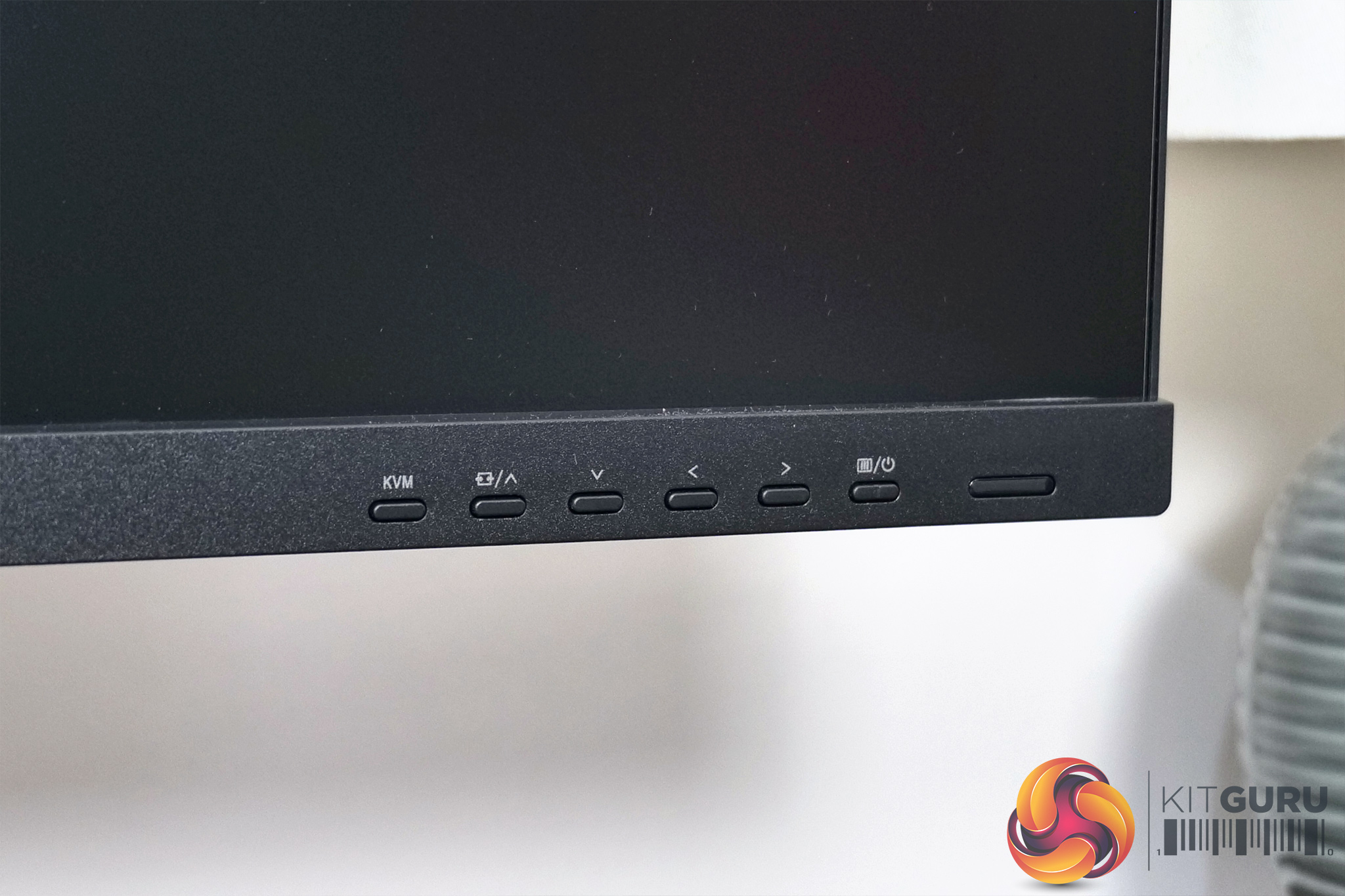
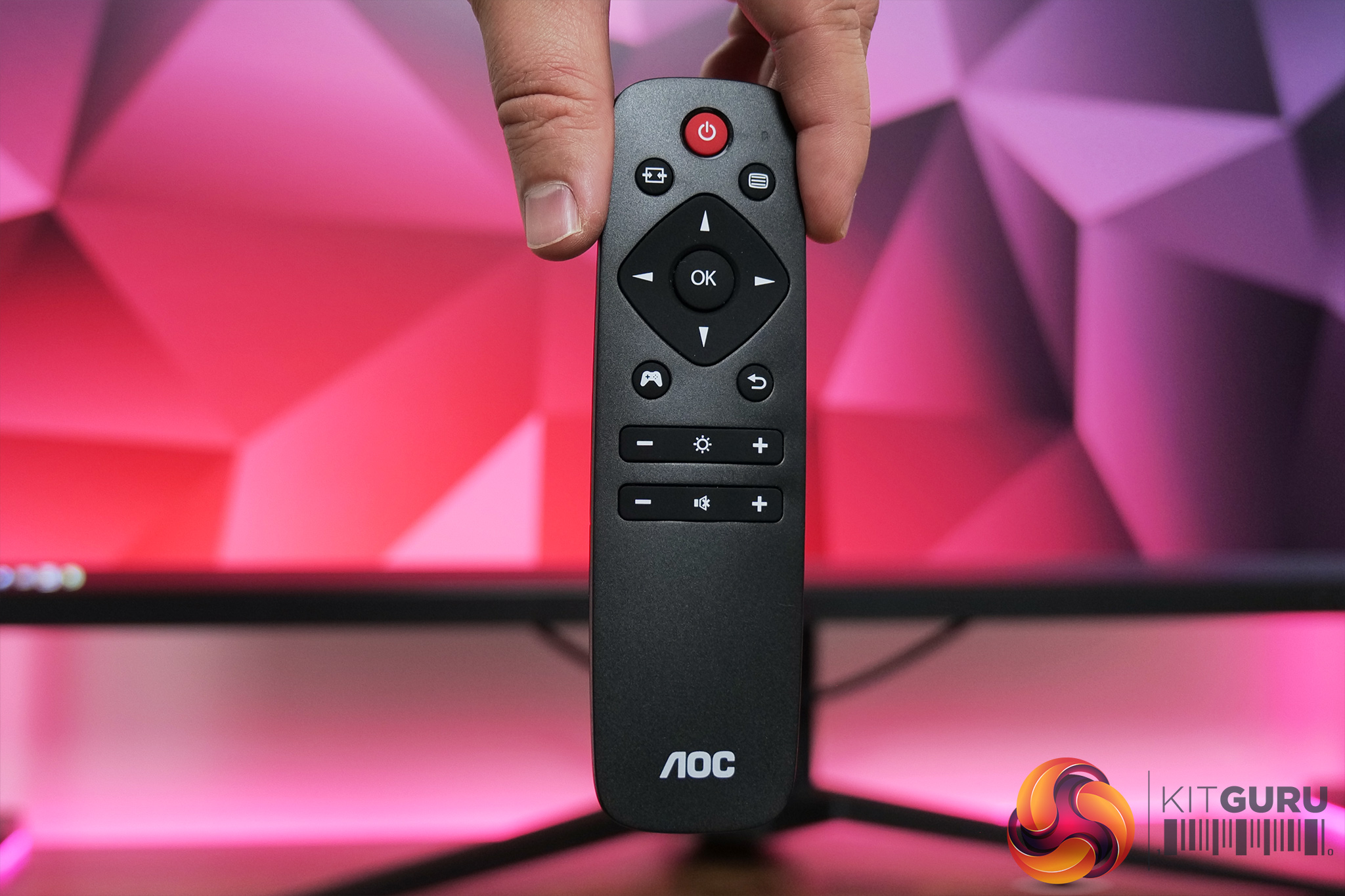
On the chin we also find six buttons used to control the monitor's OSD. More convenient is the included remote control which I much prefer to using fiddly buttons – a joystick would have been even better in my opinion as you can't lose it, but the remote works fine.
The OSD will be familiar if you've seen any of our other AOC Agon reviews. Everything is split into six main tabs – Game Setting, Luminance, PIP Setting, Color Setup, Extra, and OSD Setup:
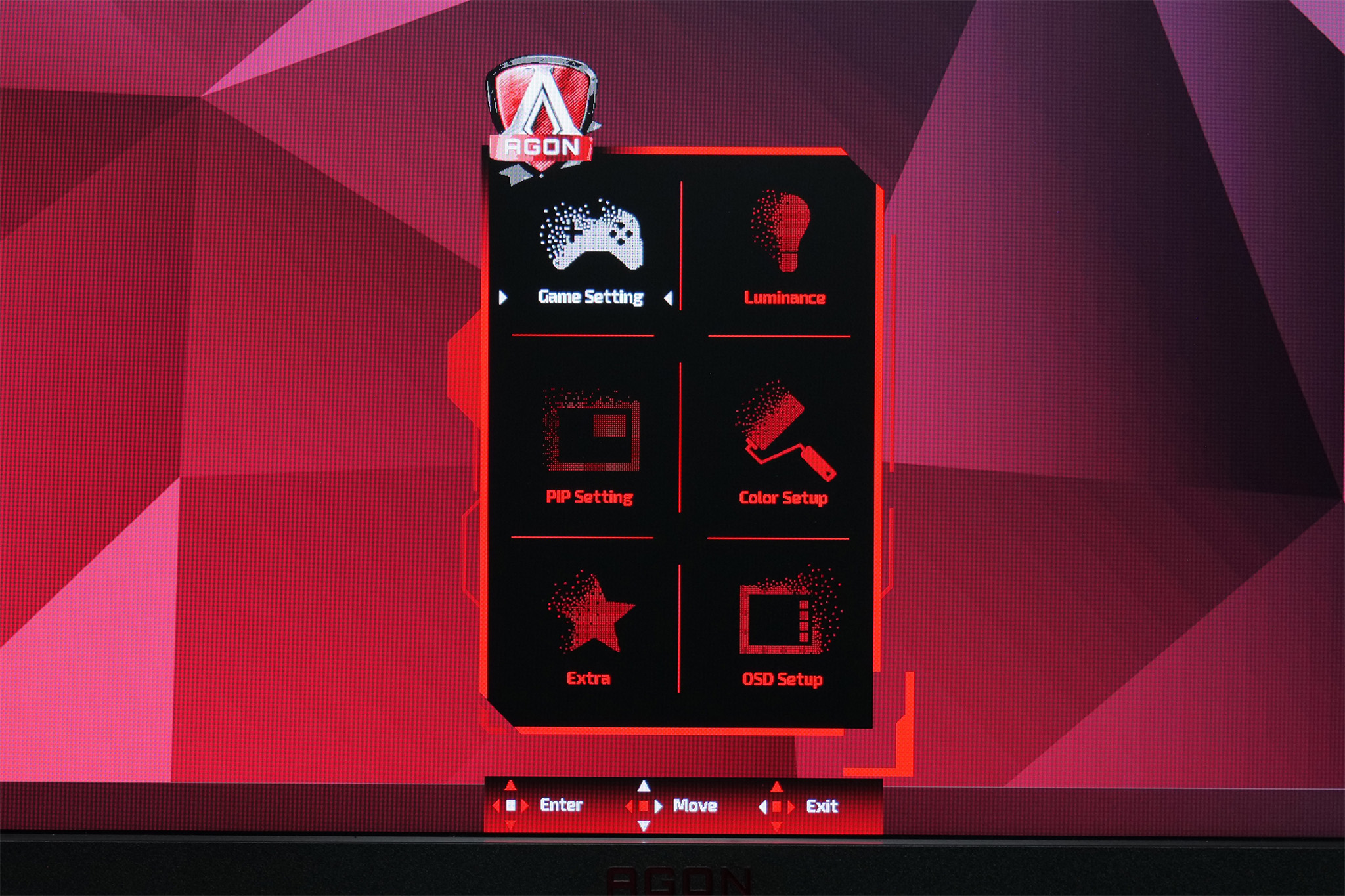

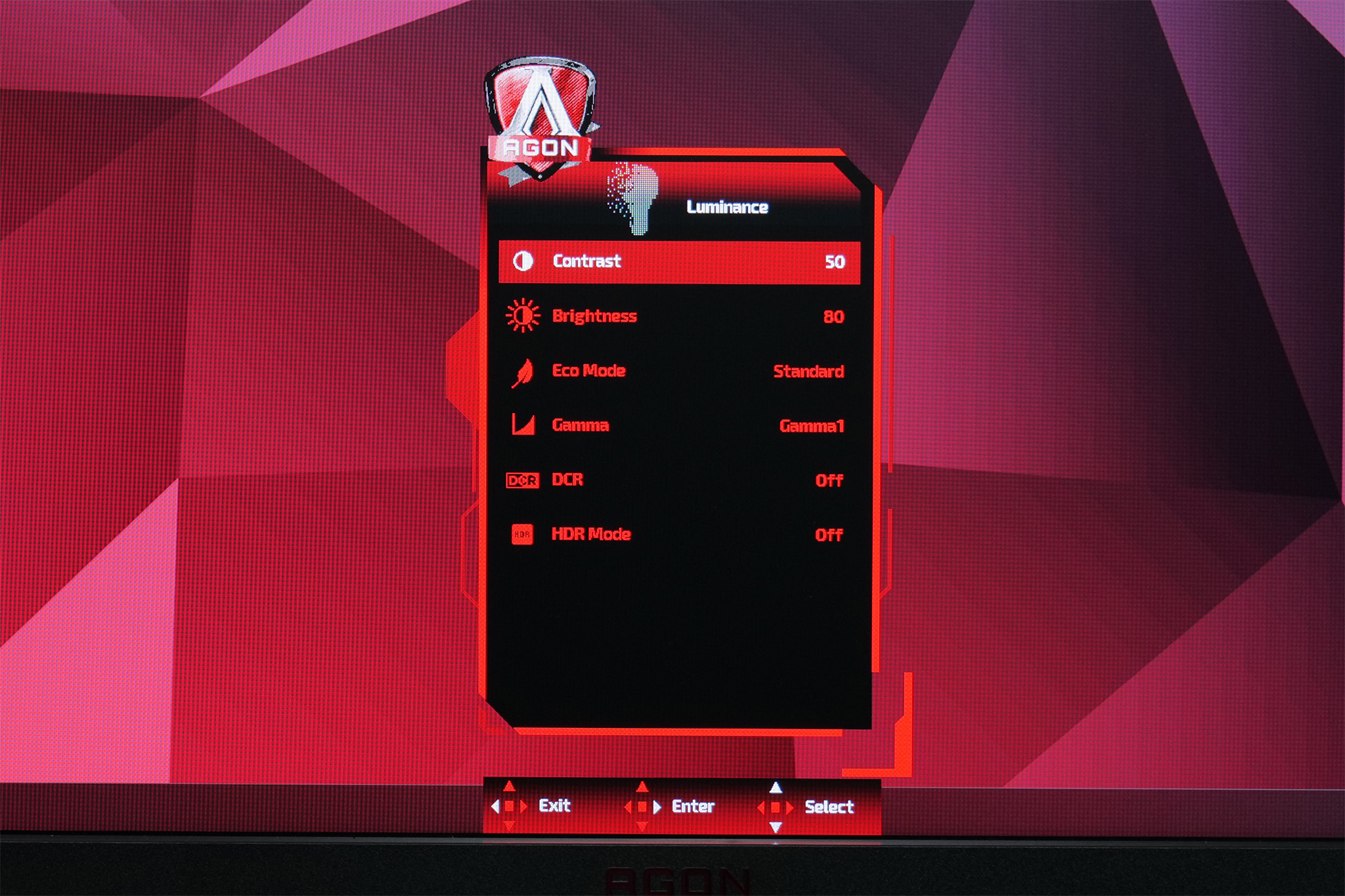
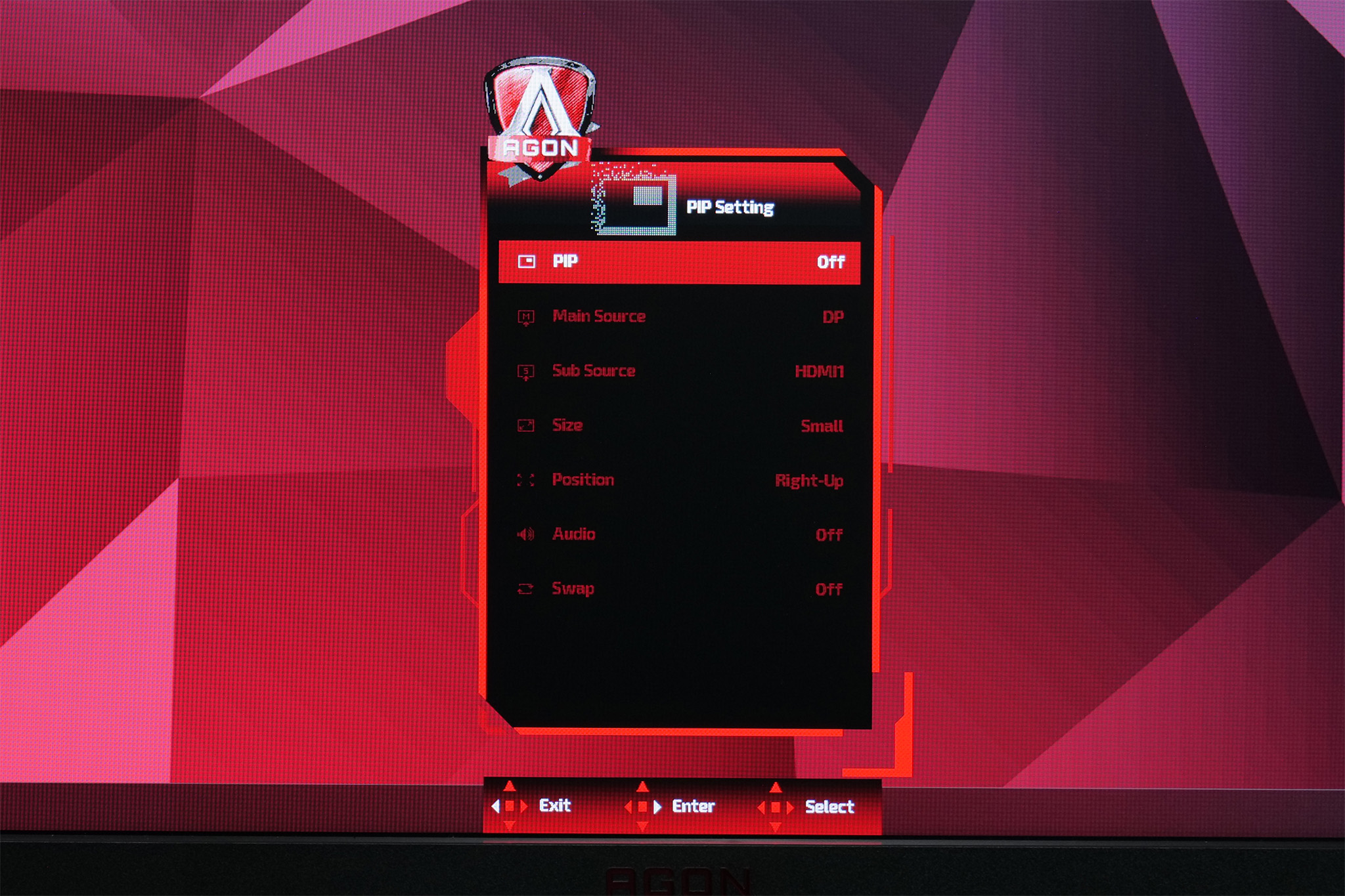
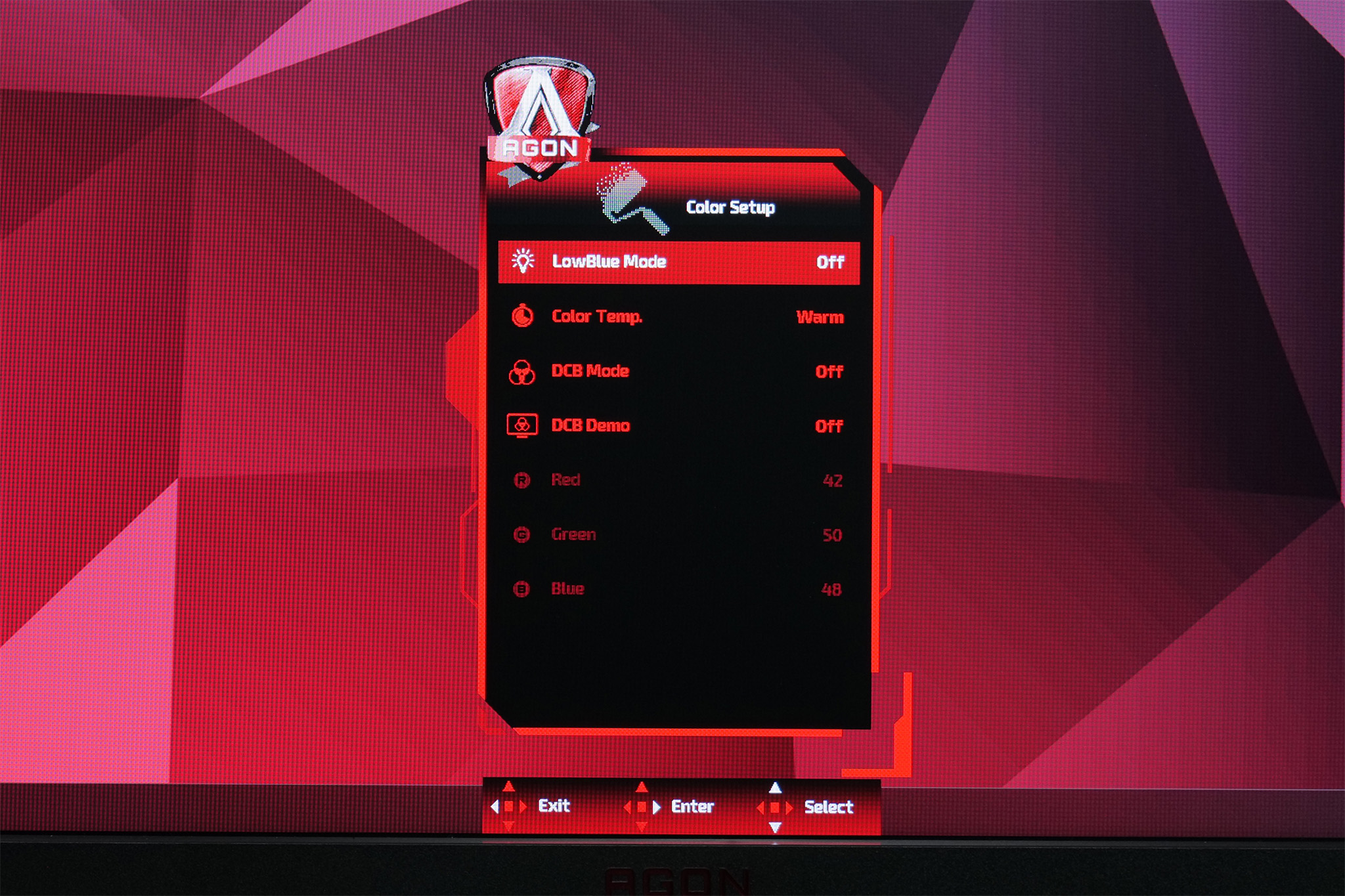
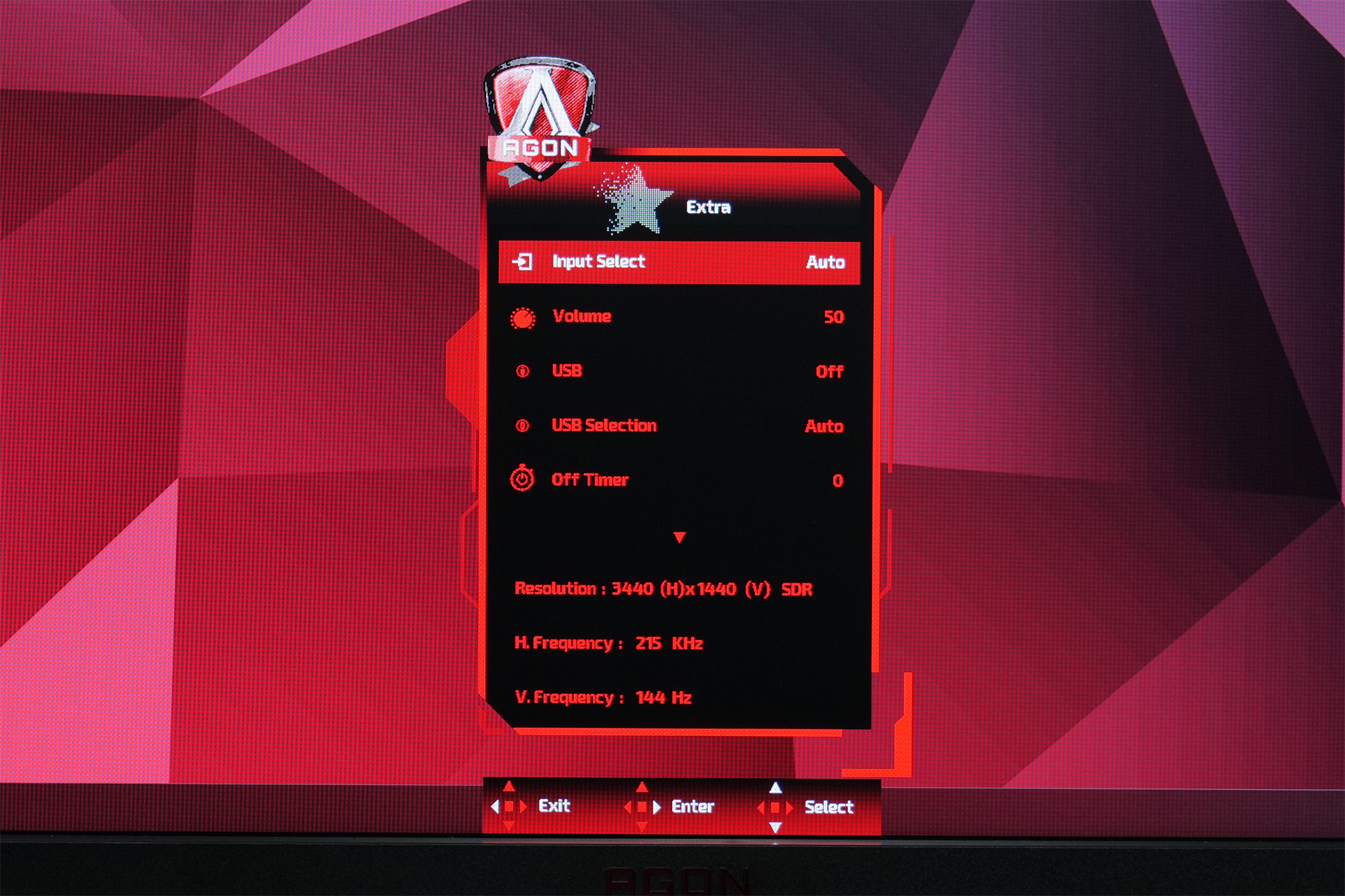

It's a pretty painless OSD to use. Things are logically laid out and you can get from A to B very easily using the included remote control. It's also handy to adjust the brightness of the display or select video inputs direct from the remote itself, without needing to dive into the OSD itself every time.
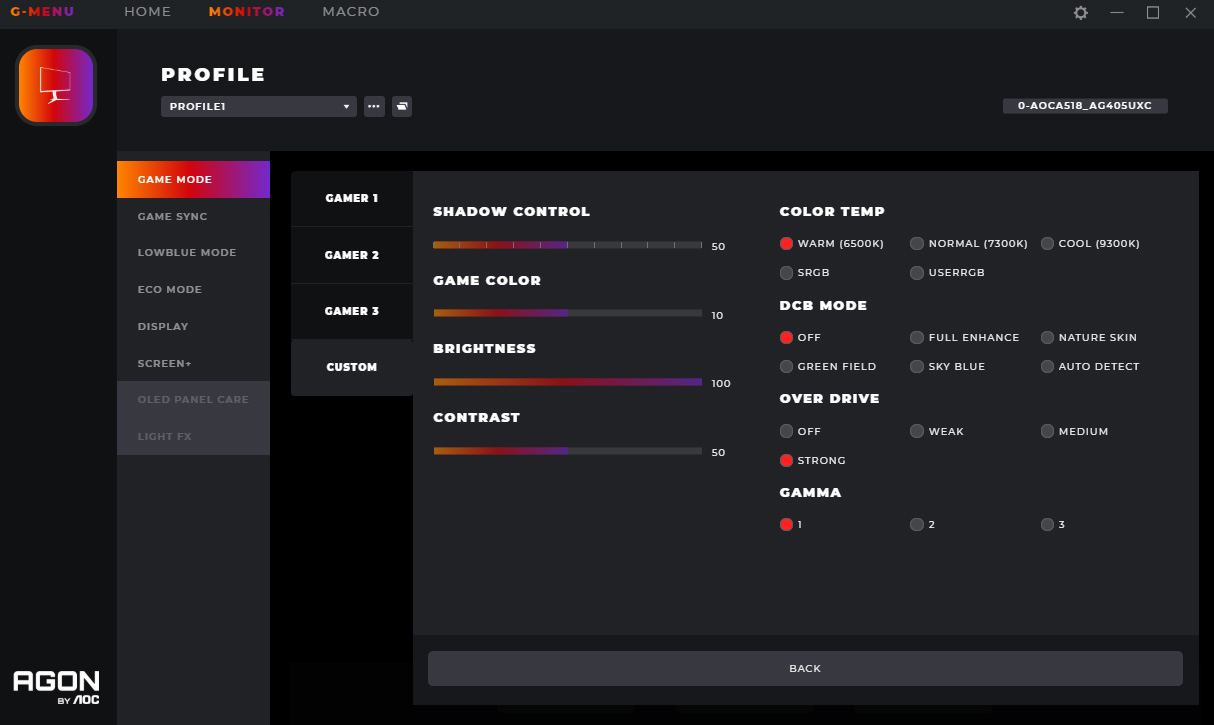
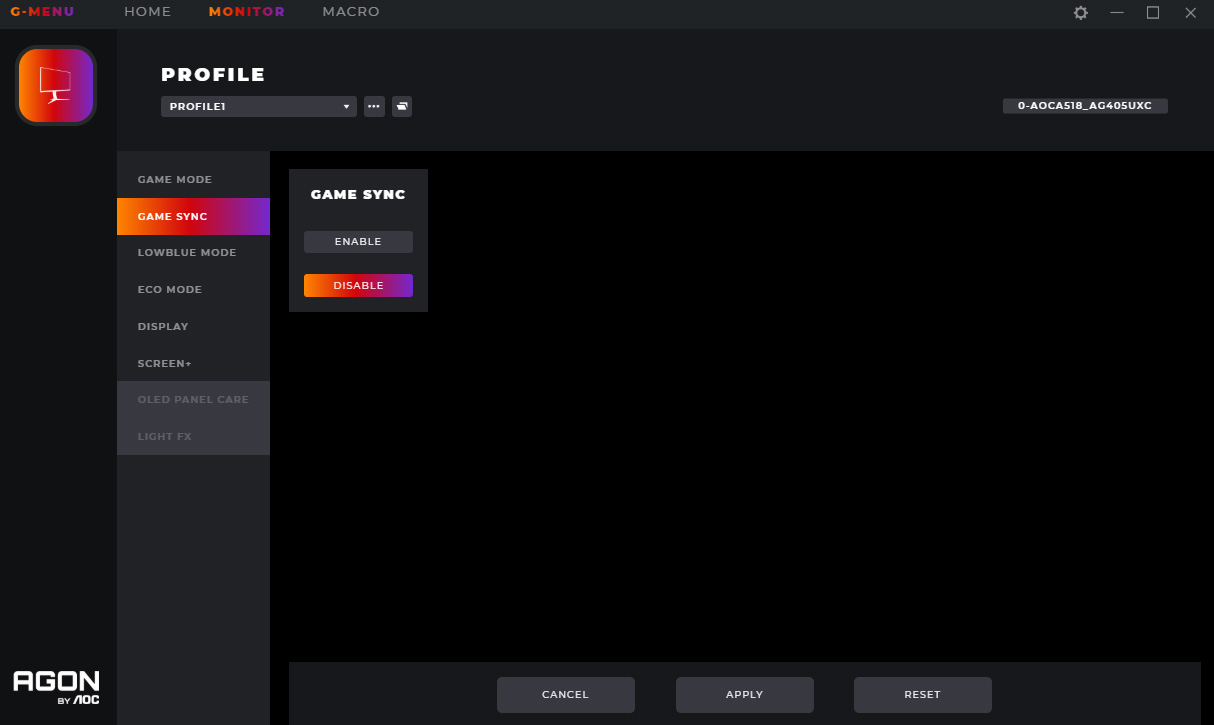
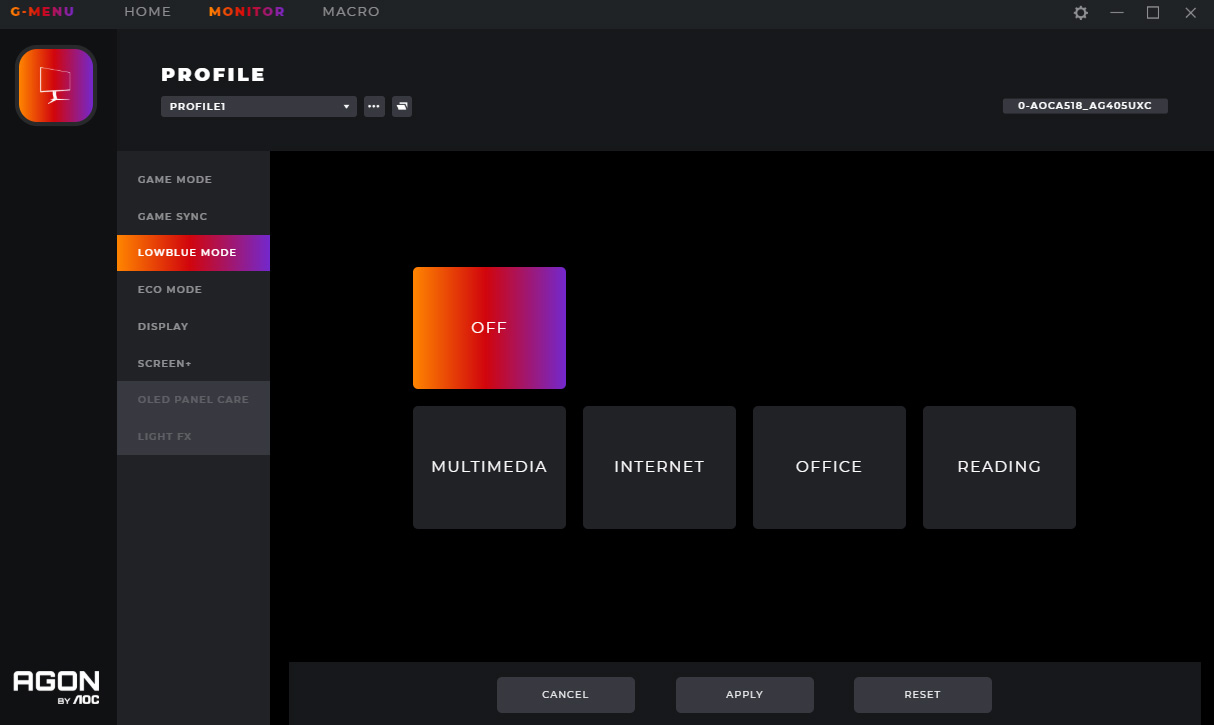
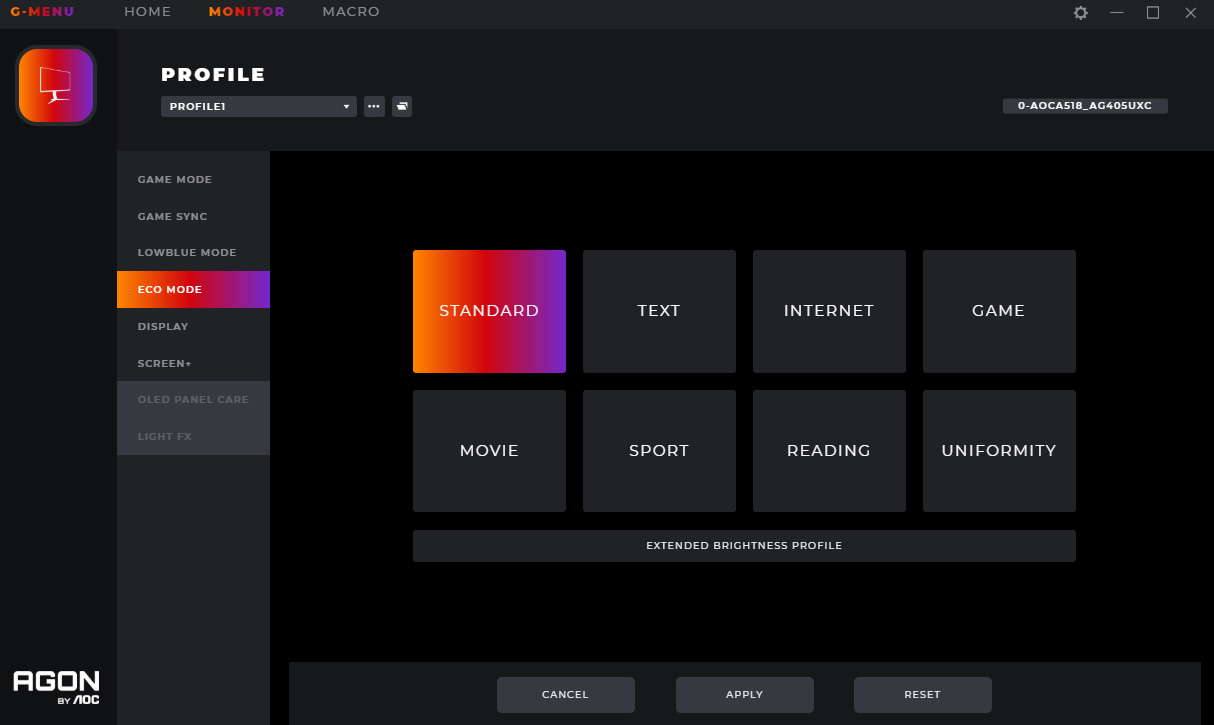
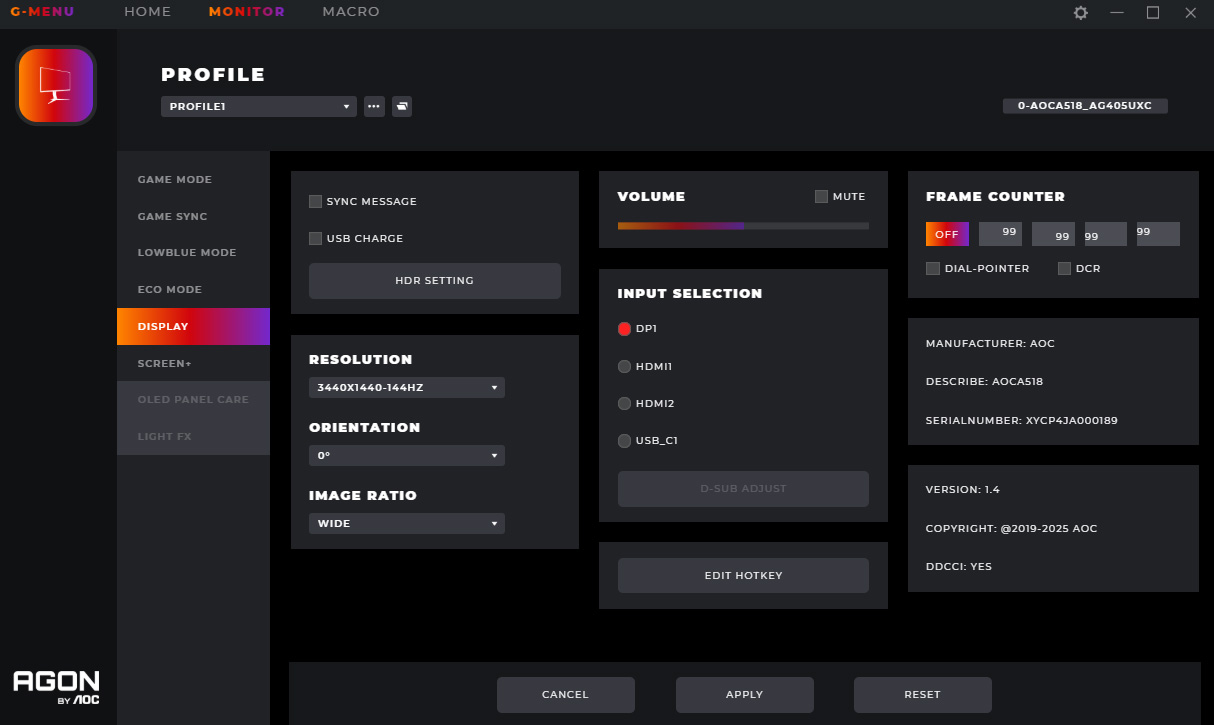
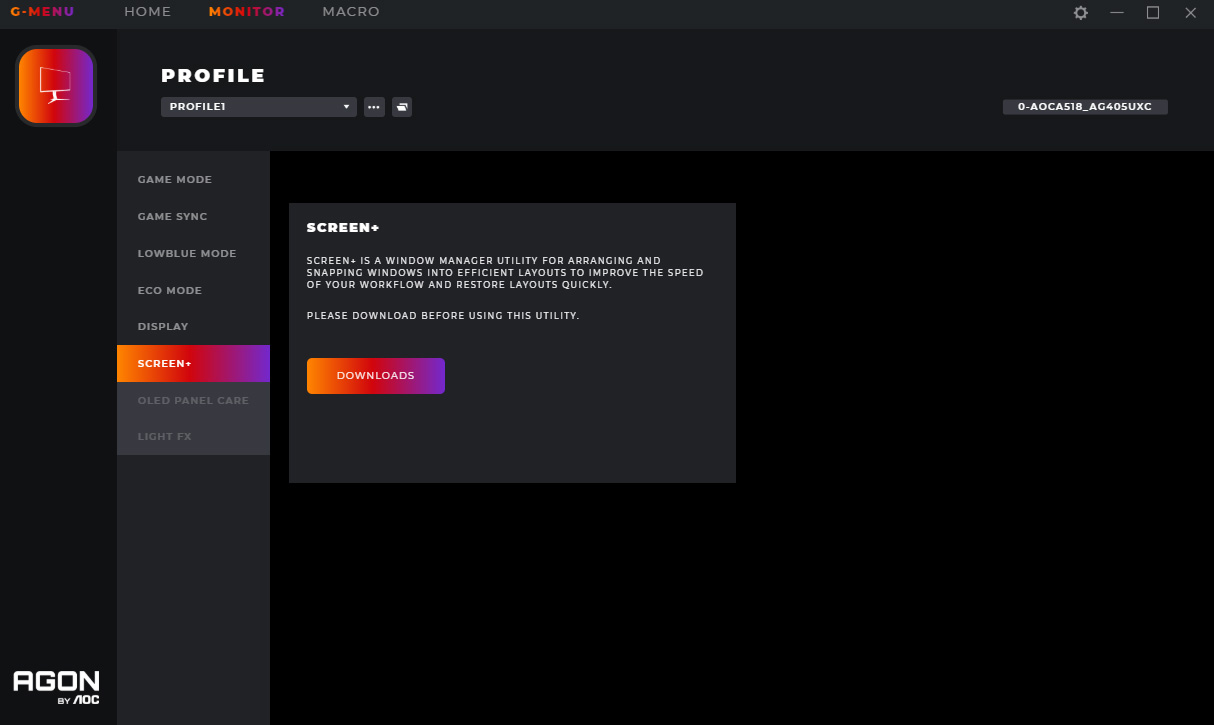
AOC also offers its Gmenu software, which is a Windows-based app which lets you quickly adjust the monitor's settings directly from your PC. It works well and provides another way to adjust any of the various settings on offer, so there's no complaints from me.
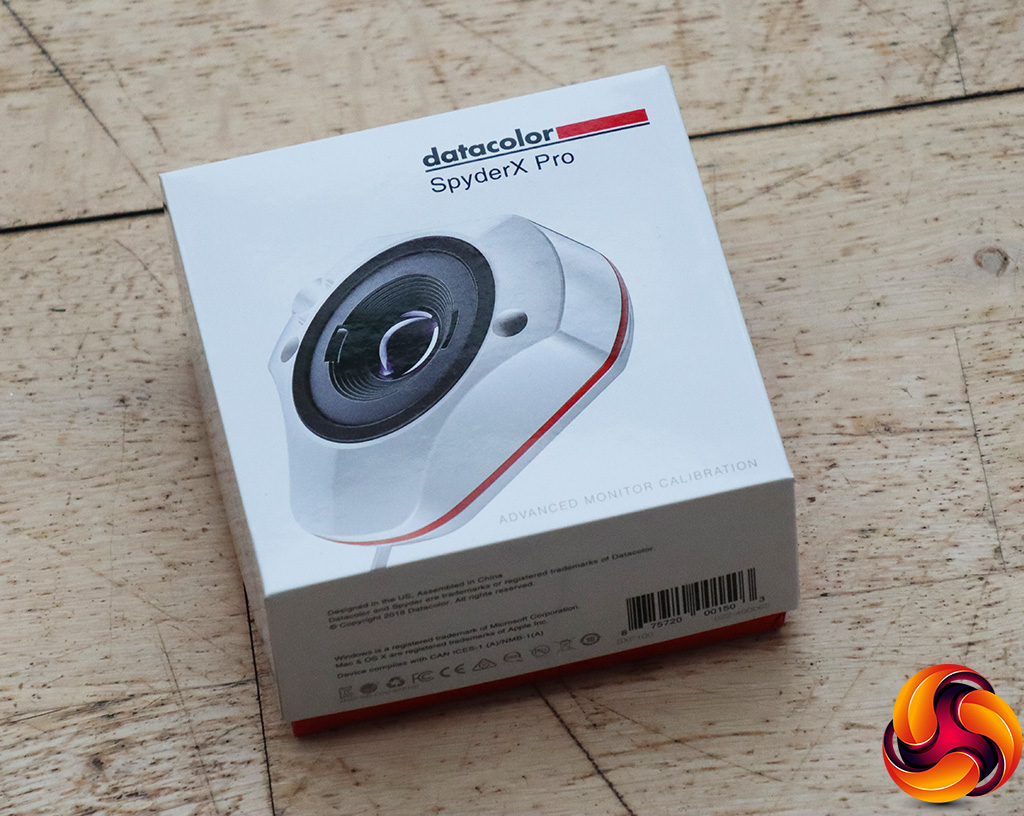
Our main test involves using a DataColor SpyderX Colorimeter to assess a display’s image quality. The device sits on top of the screen while the software generates colour tones and patterns, which it compares against predetermined values to work out how accurate the screen is.
The results show –
- A monitor’s maximum brightness in candelas or cd/m2 at various levels set in the OSD.
- A monitor’s contrast ratio at various brightness levels in the OSD.
- The brightness deviation across the panel.
- The black and white points.
- The colour accuracy, expressed as a Delta E ratio, with a result under 3 being fine for normal use, and under 2 being great for colour-accurate design work.
- The exact gamma levels, with a comparison against preset settings in the OSD.
We first run this test with the display in its default, out-of-the-box state, with all settings on default. We then calibrate the screen using the Spyder software and run the test again.
Pre-calibration
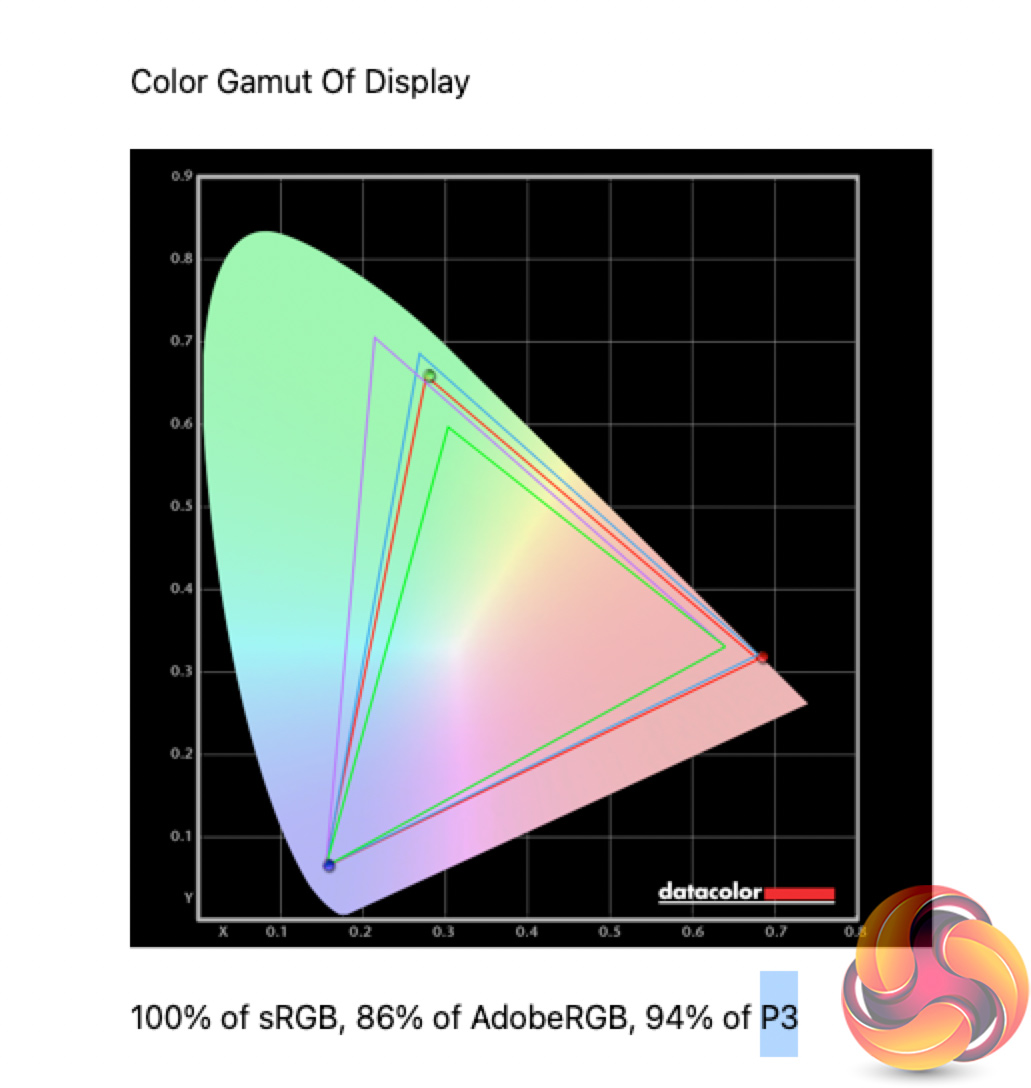
Starting our testing with the AG405UXC's gamut performance, it does well here, offering 100% sRGB, 86% Adobe RGB and 94% DCI-P3 coverage. Those may not be pro-grade numbers but for a gaming-oriented display, that's a solid showing.

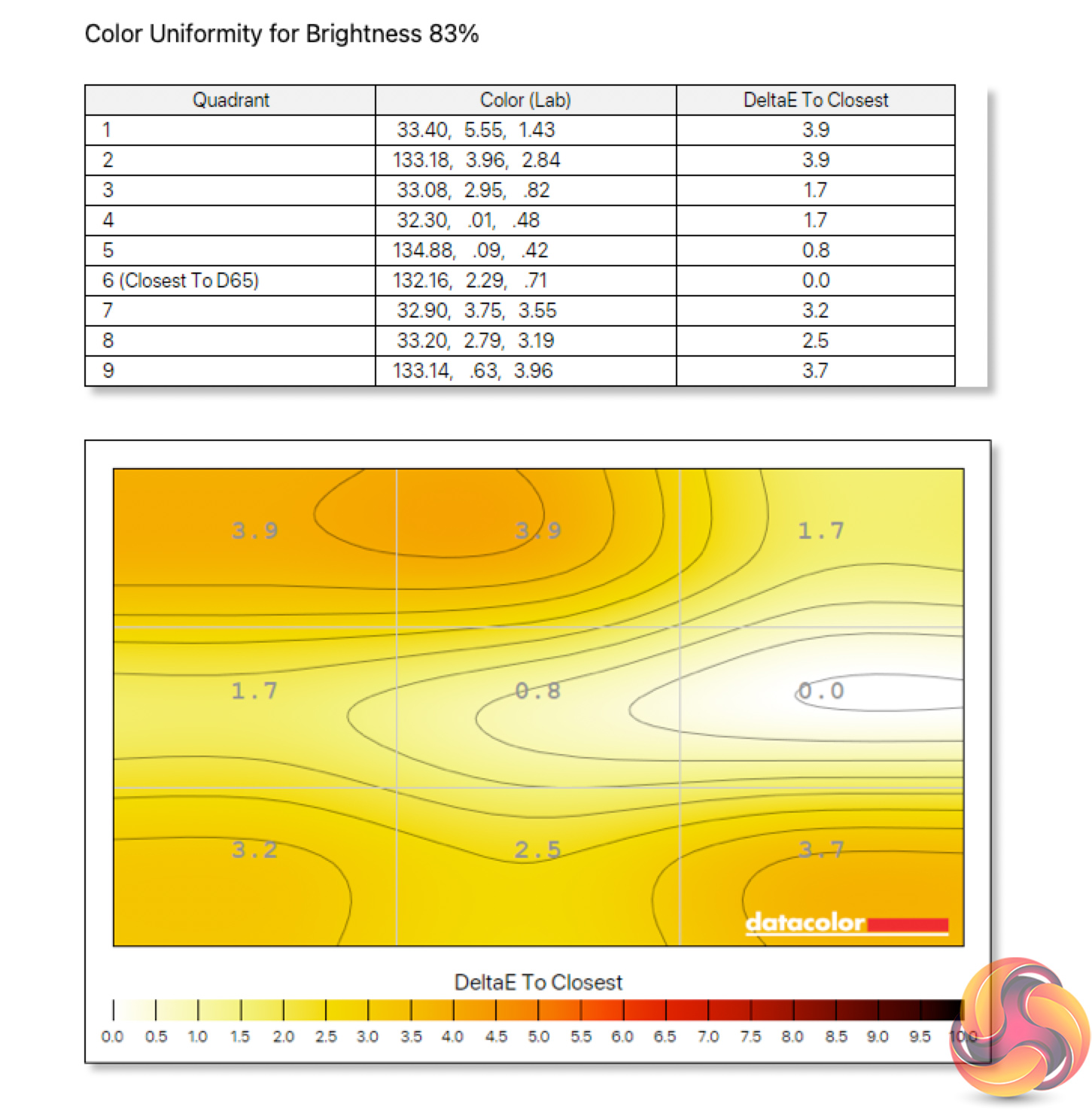
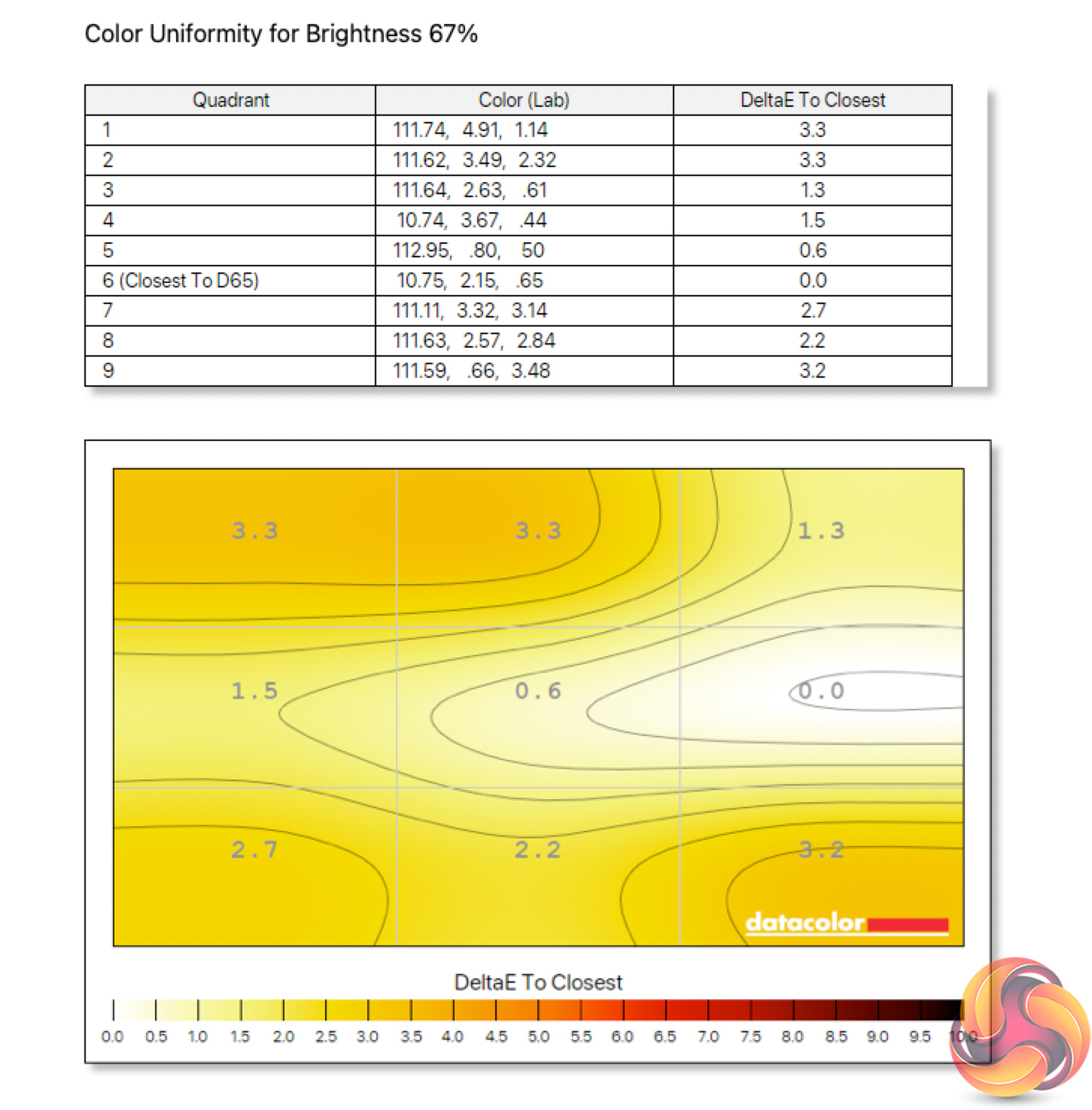
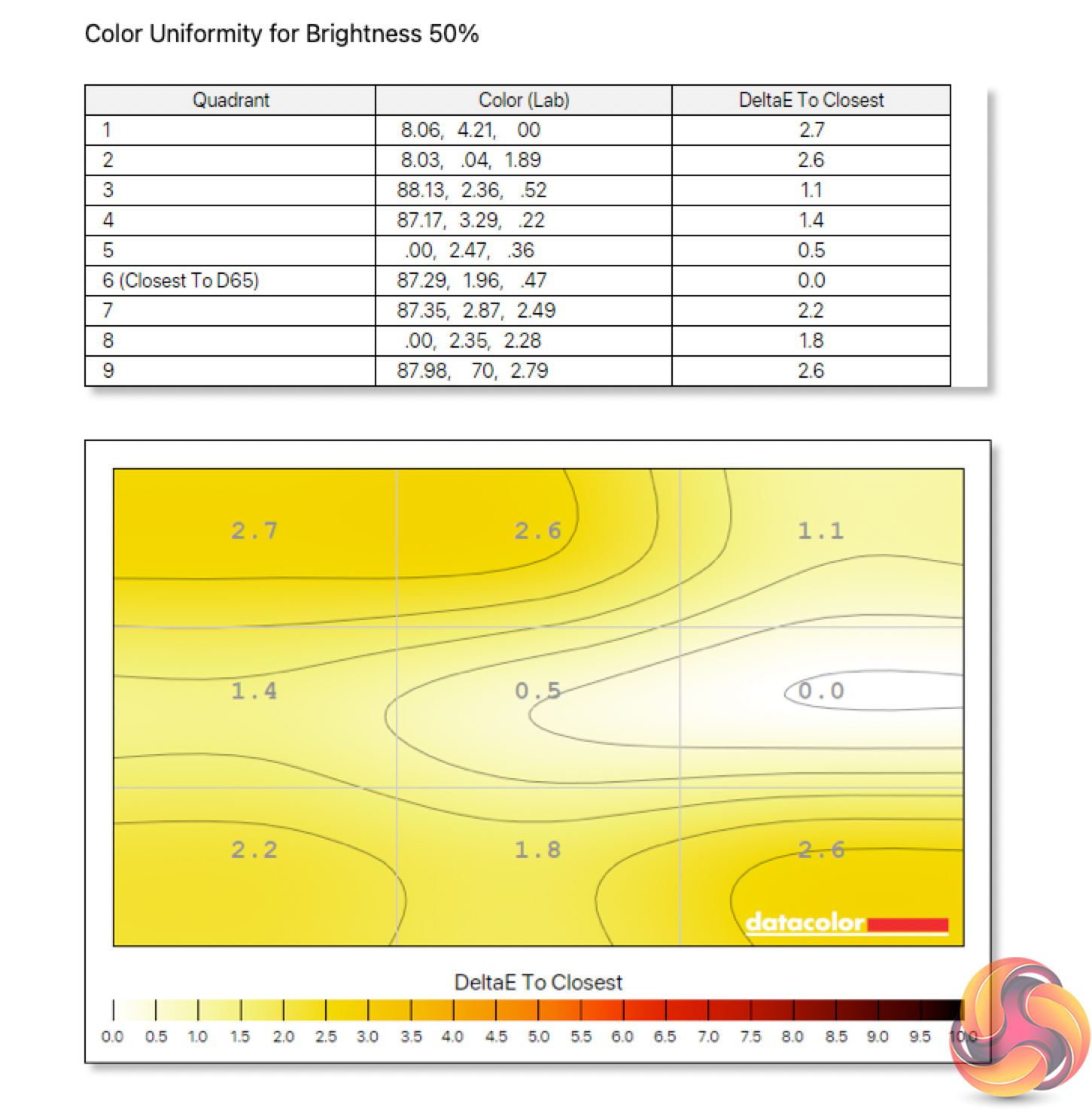
Colour temperature uniformity is less impressive, with some aberrance coming in the top left-hand corner – we know it is often hard to get the uniformity spot on with such large displays. That said, uniformity is better at lower brightness levels, so it depends on your use-case.
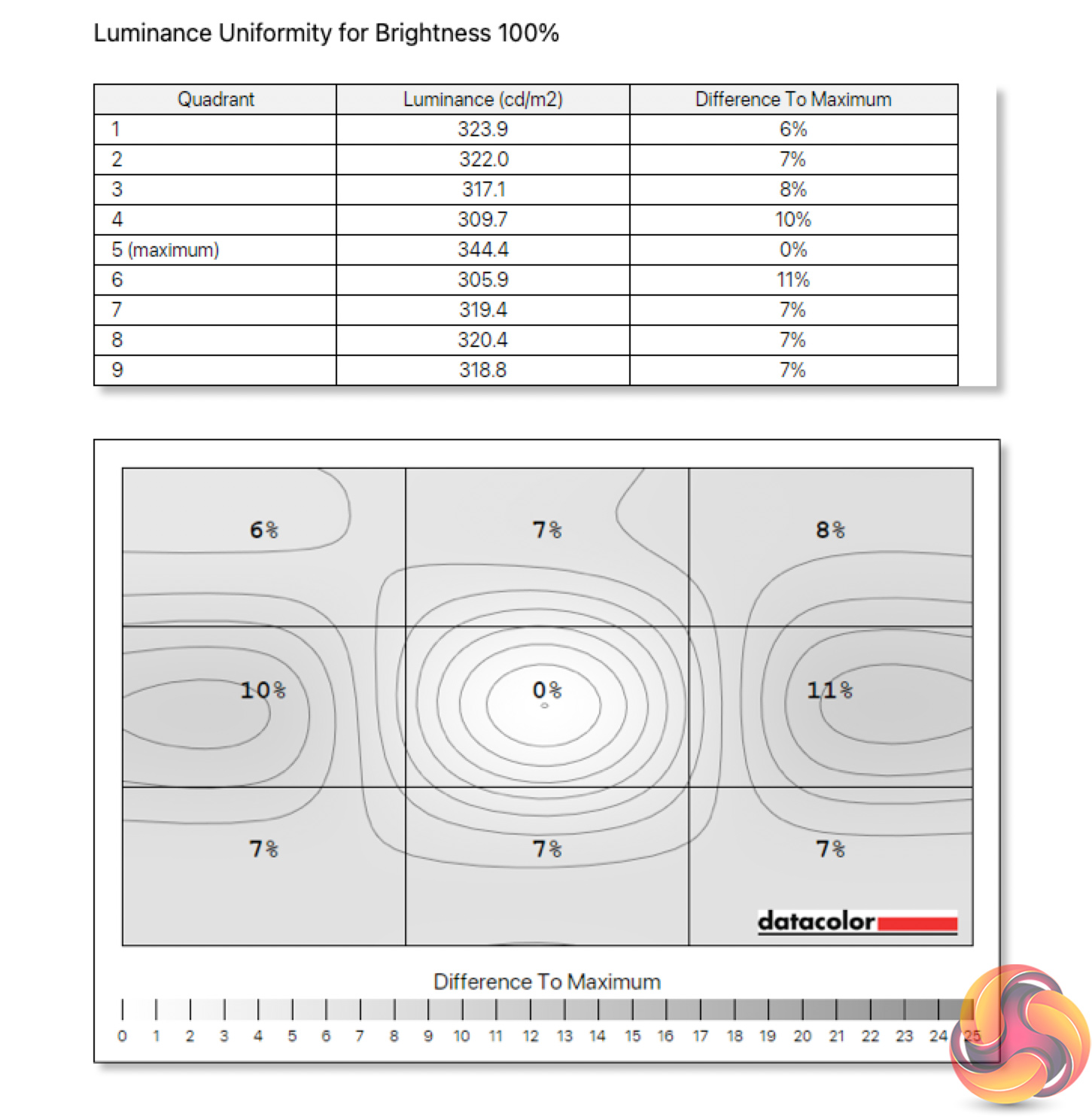
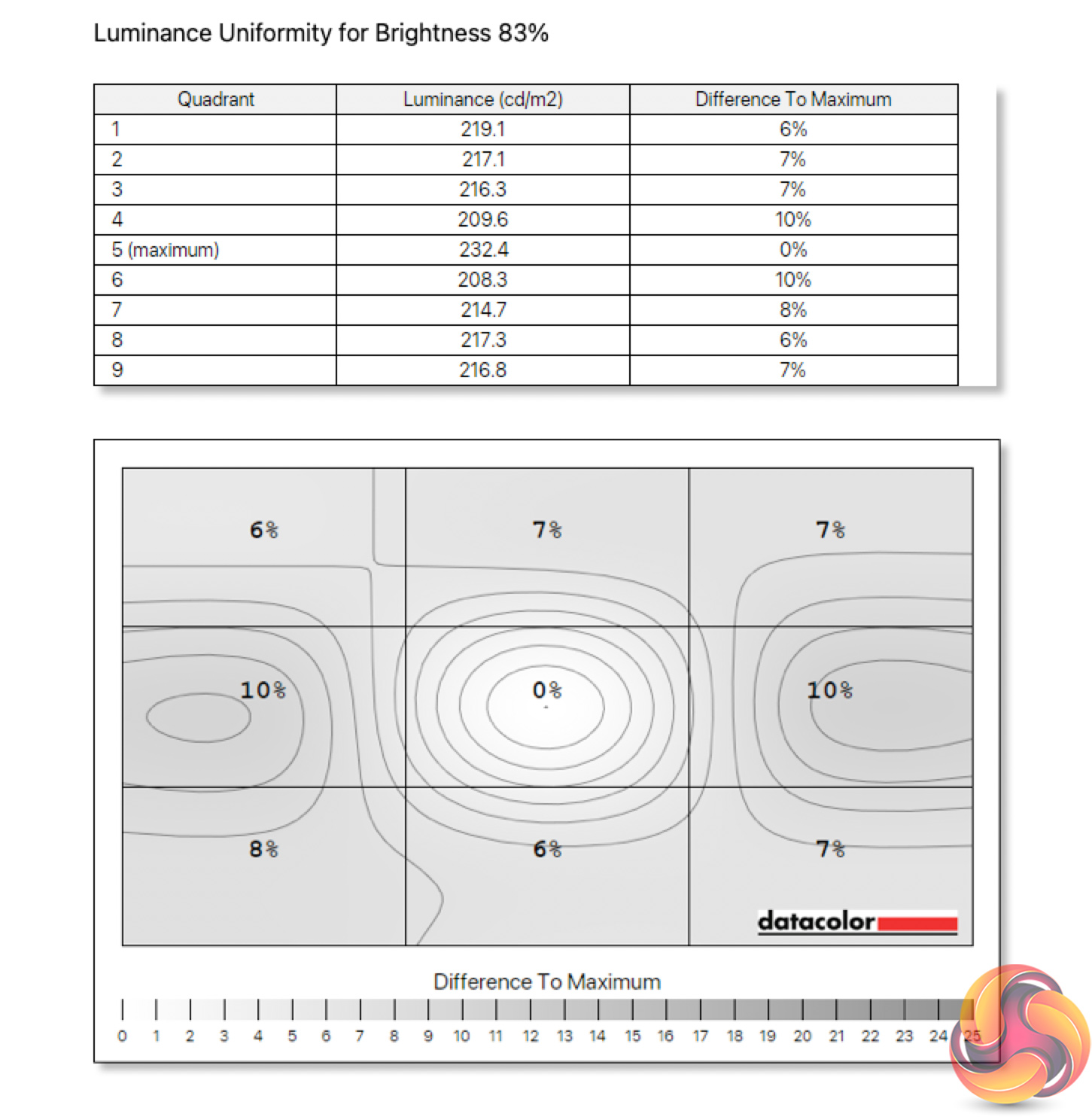
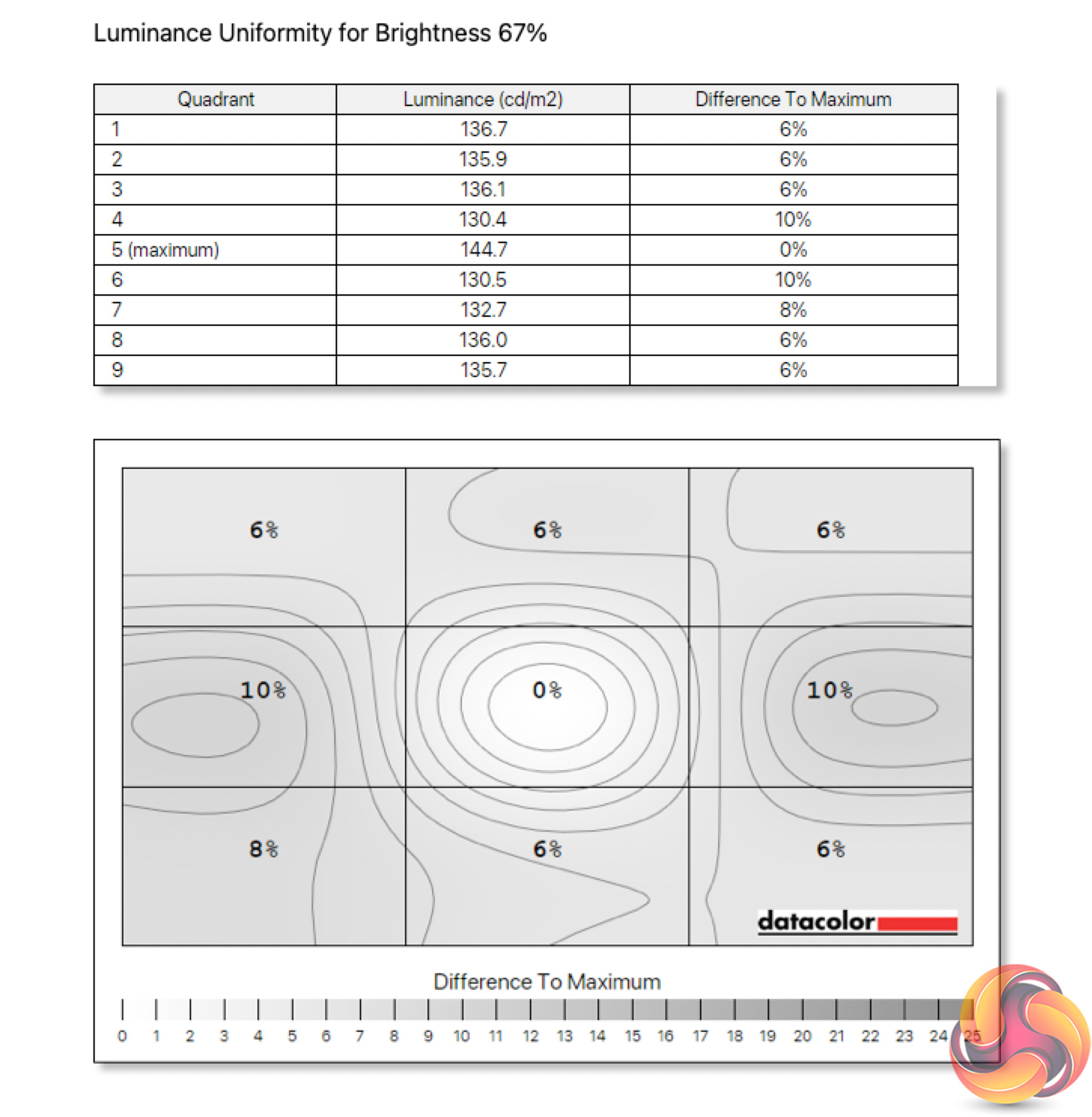
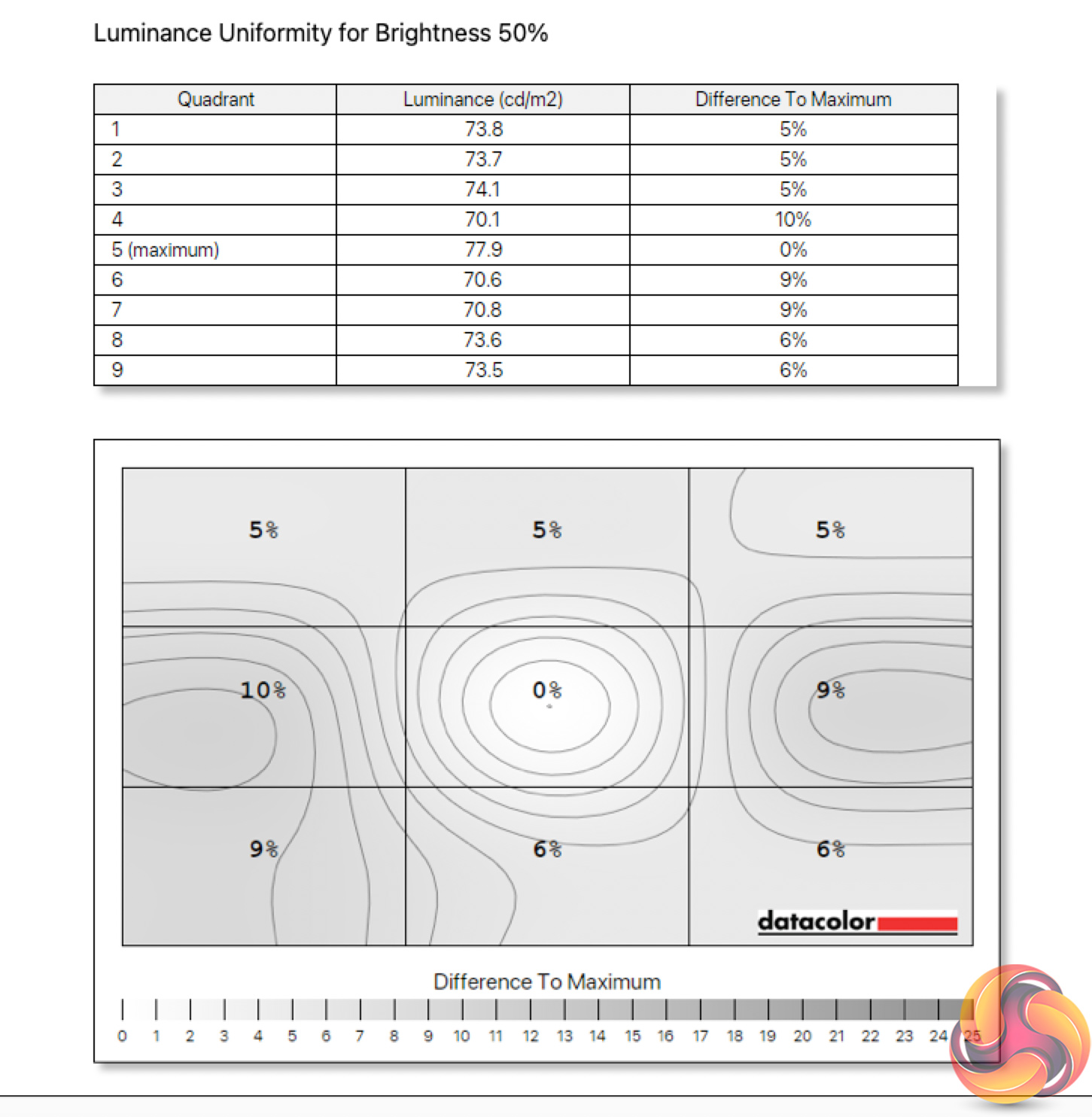
The same goes for luminance uniformity, as we saw up to 11% deviation (38.5 nits), with the left and right sides proving the most problematic. I can't say I noticed this in regular use or while gaming, and usually this sort of luminance variation is only a real problem for professional users, but it's worth noting.
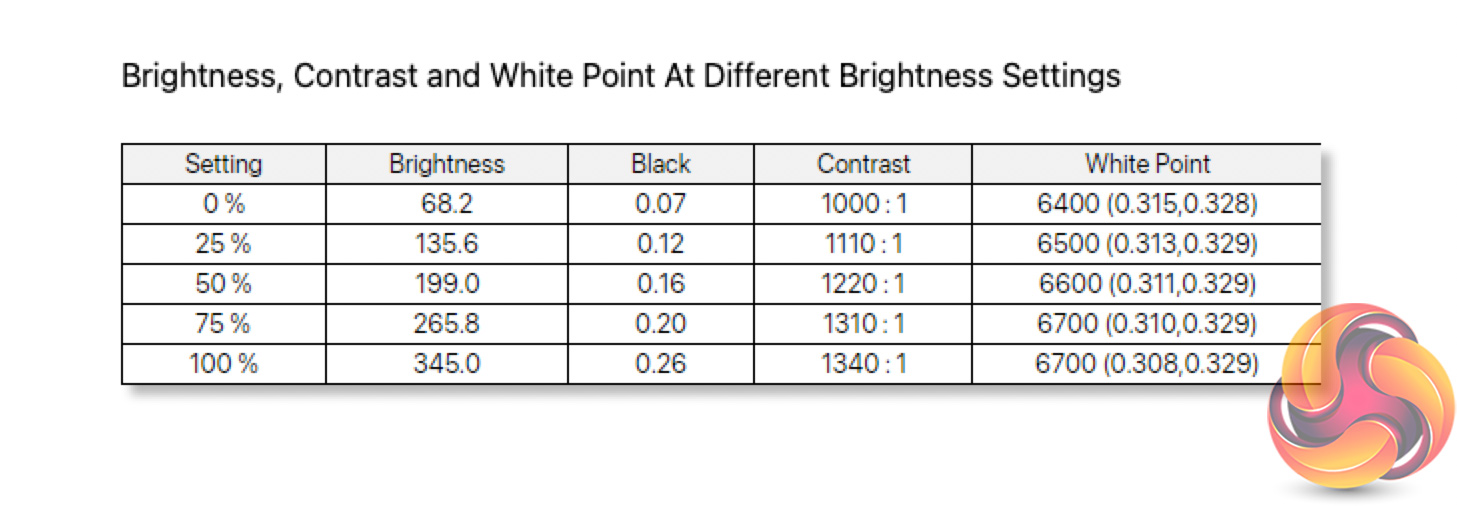
Overall brightness is solid though. We measured a peak of 345 nits, and it could drop as low as 68 nits. Neither result is jaw dropping, but for a screen of this size and at this price, it's hard to argue too much. Contrast, however, is impressive for an IPS panel, hitting 1340:1 – even exceeding AOC's claimed 1200:1 ratio, which is great to see. The white point is also where we want it, ranging from 6400K-6700K depending on the brightness used.
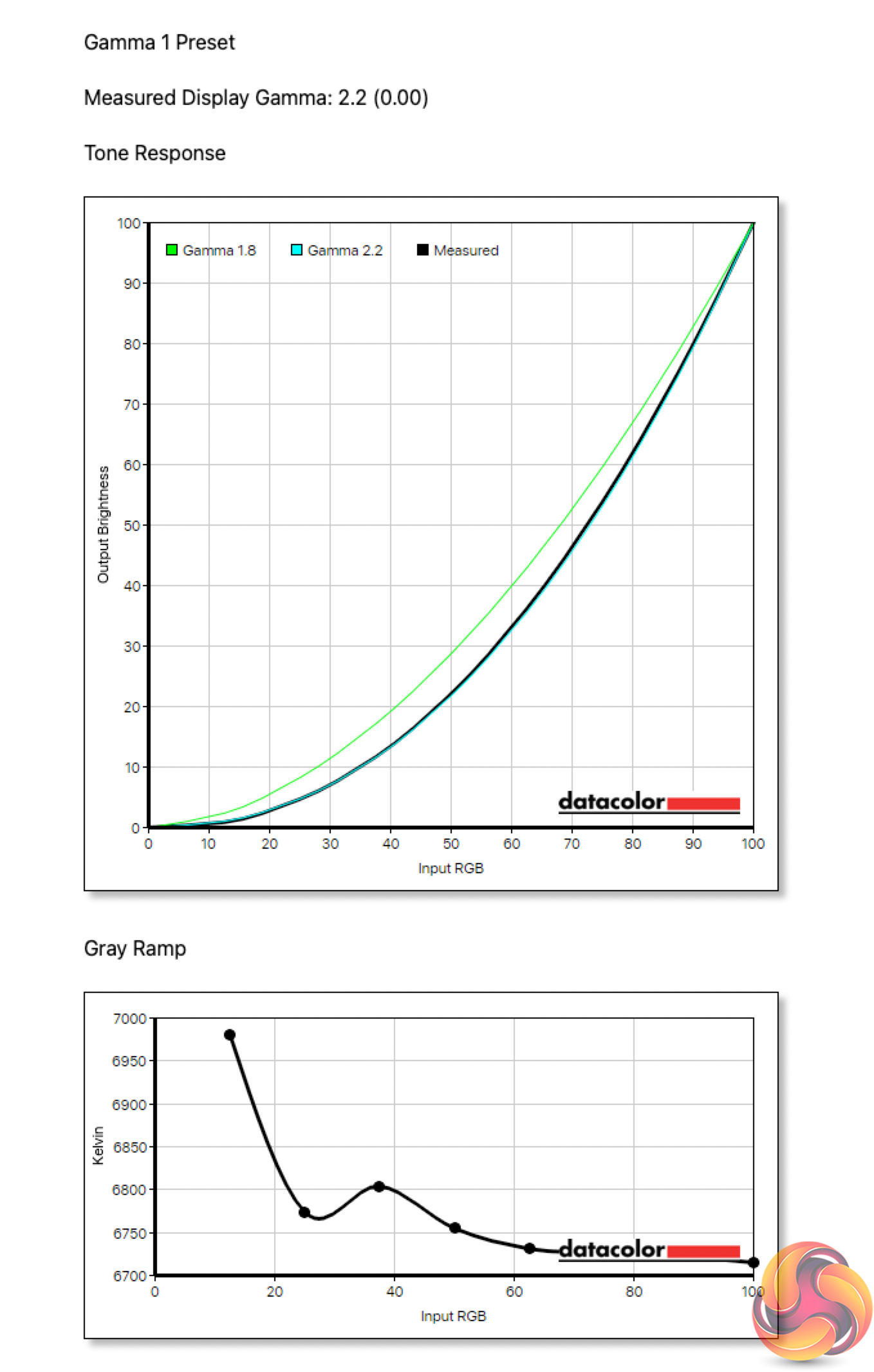
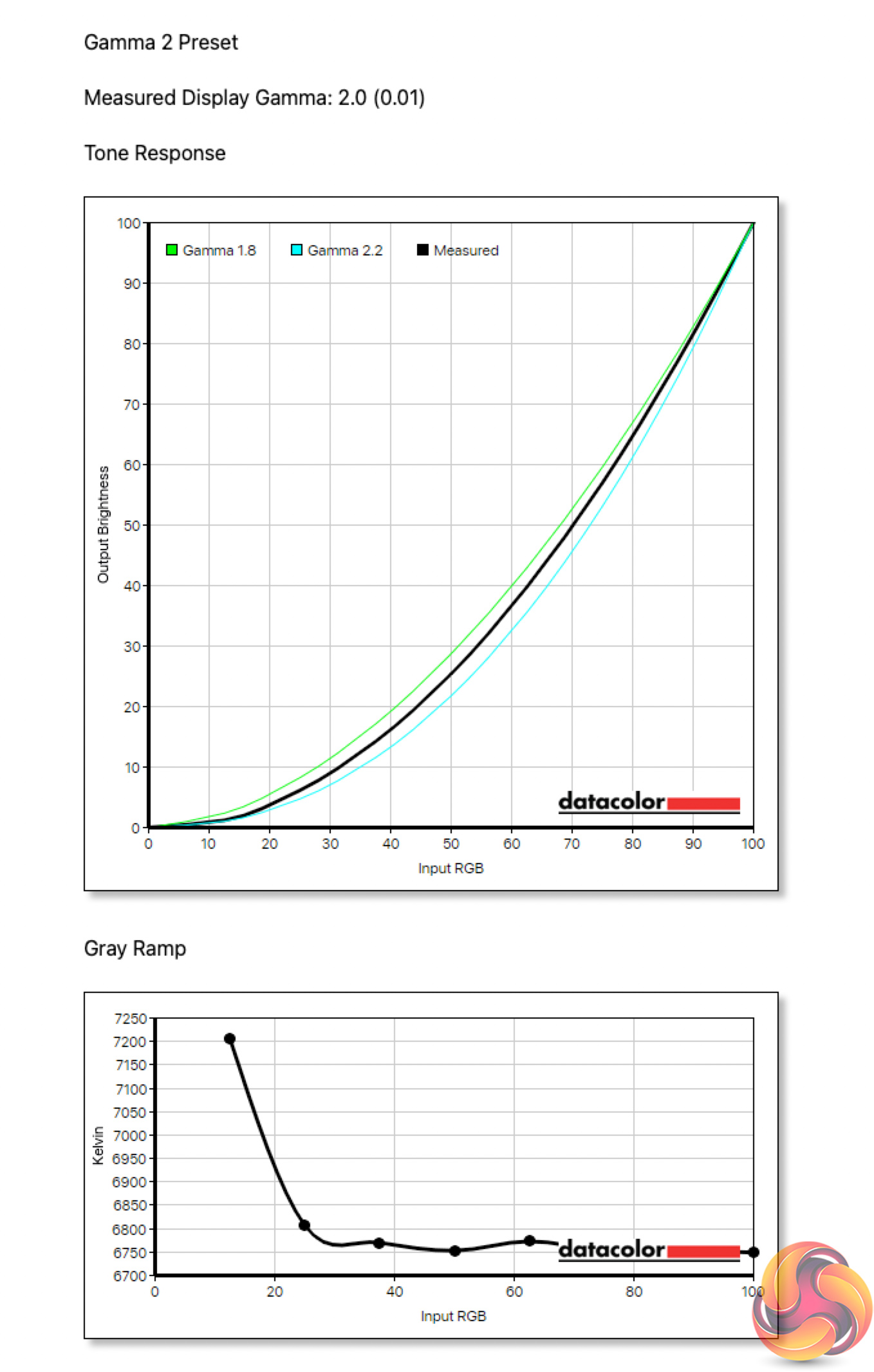
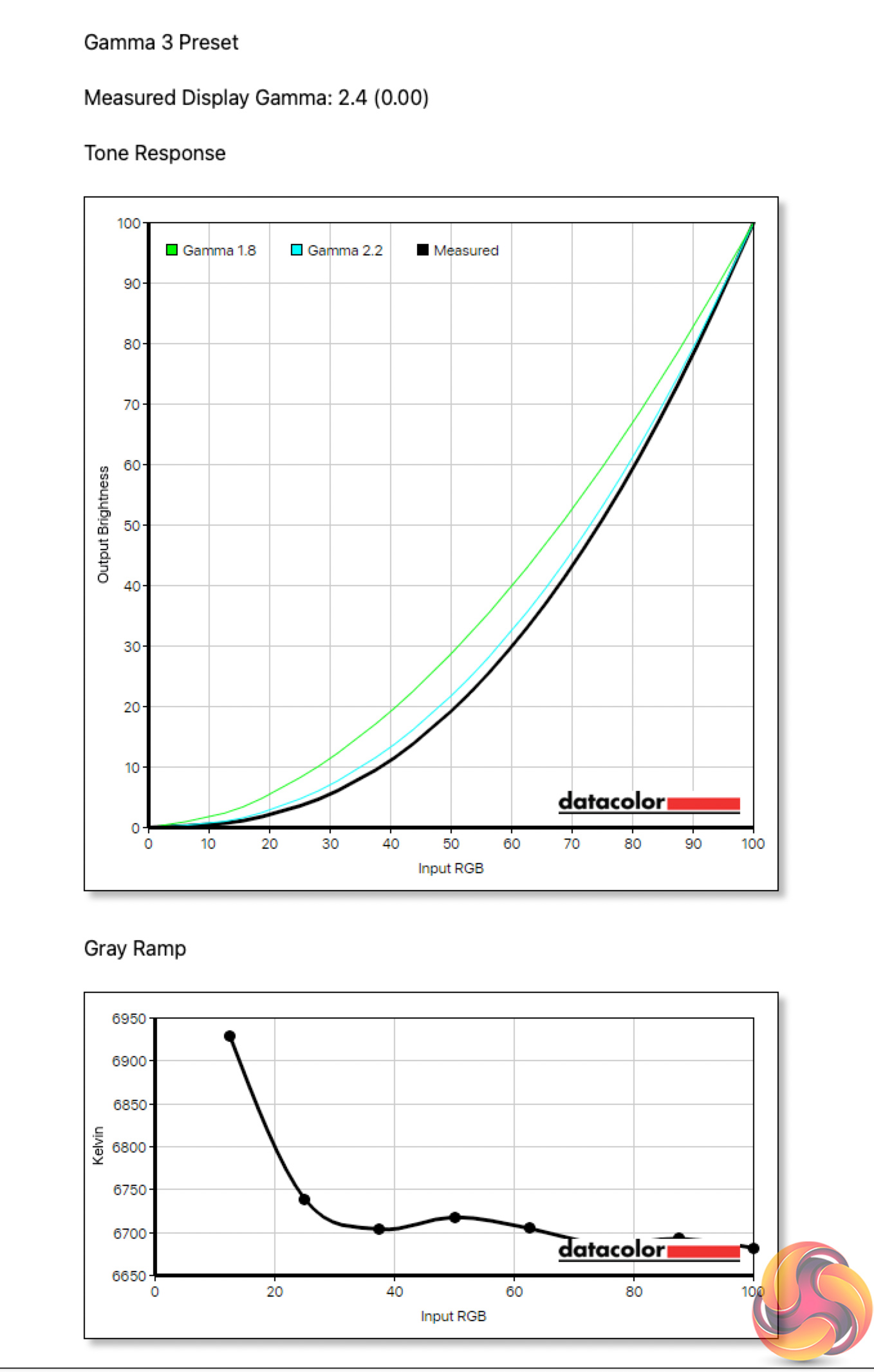
The good results continue when looking at the Gamma settings. The default option is simply called Gamma 1, which delivers an average gamma value of 2.2 – exactly what we want to see. The Gamma 2 setting delivers 2.0 gamma, and Gamma 3 delivers a reading of 2.4, so no complaints from us there.

The impressive set of test results are rounded off by some excellent colour accuracy. We get an average DeltaE of just 0.79, and a maximum of 2.55, putting this up there with some of the best screens we've tested – good job, AOC!
Post-calibration
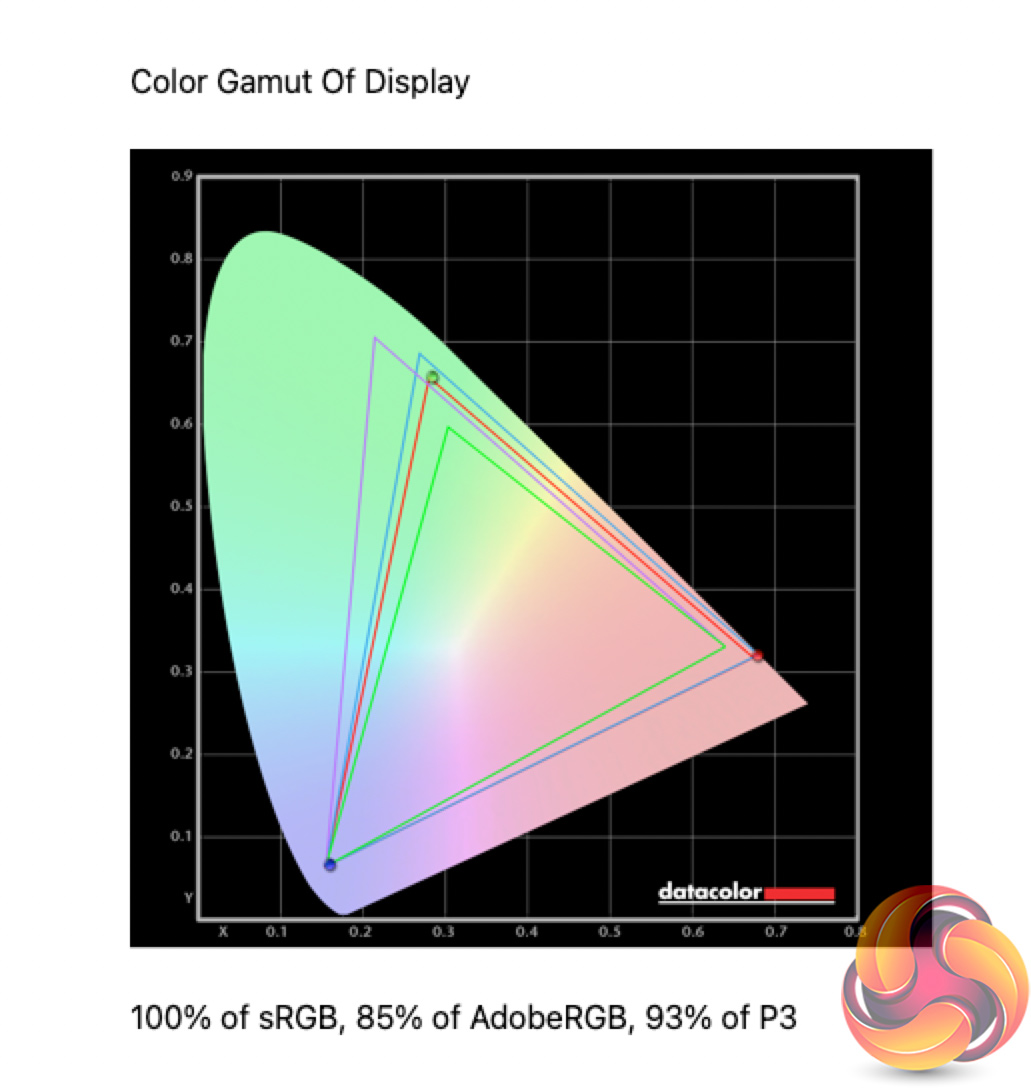
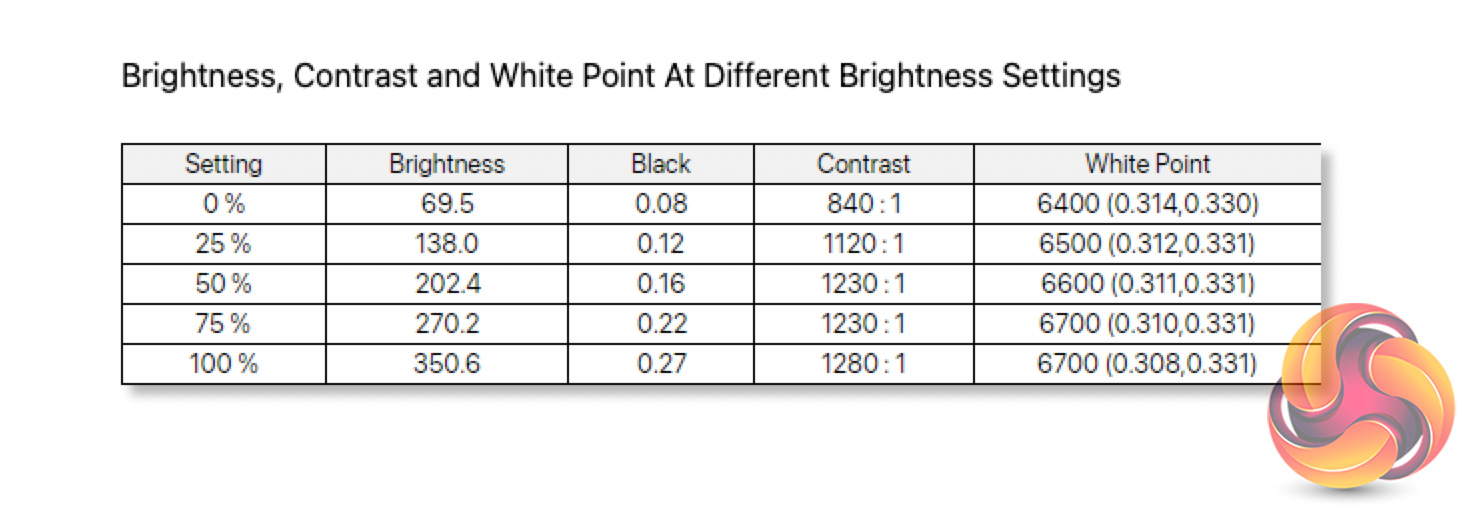
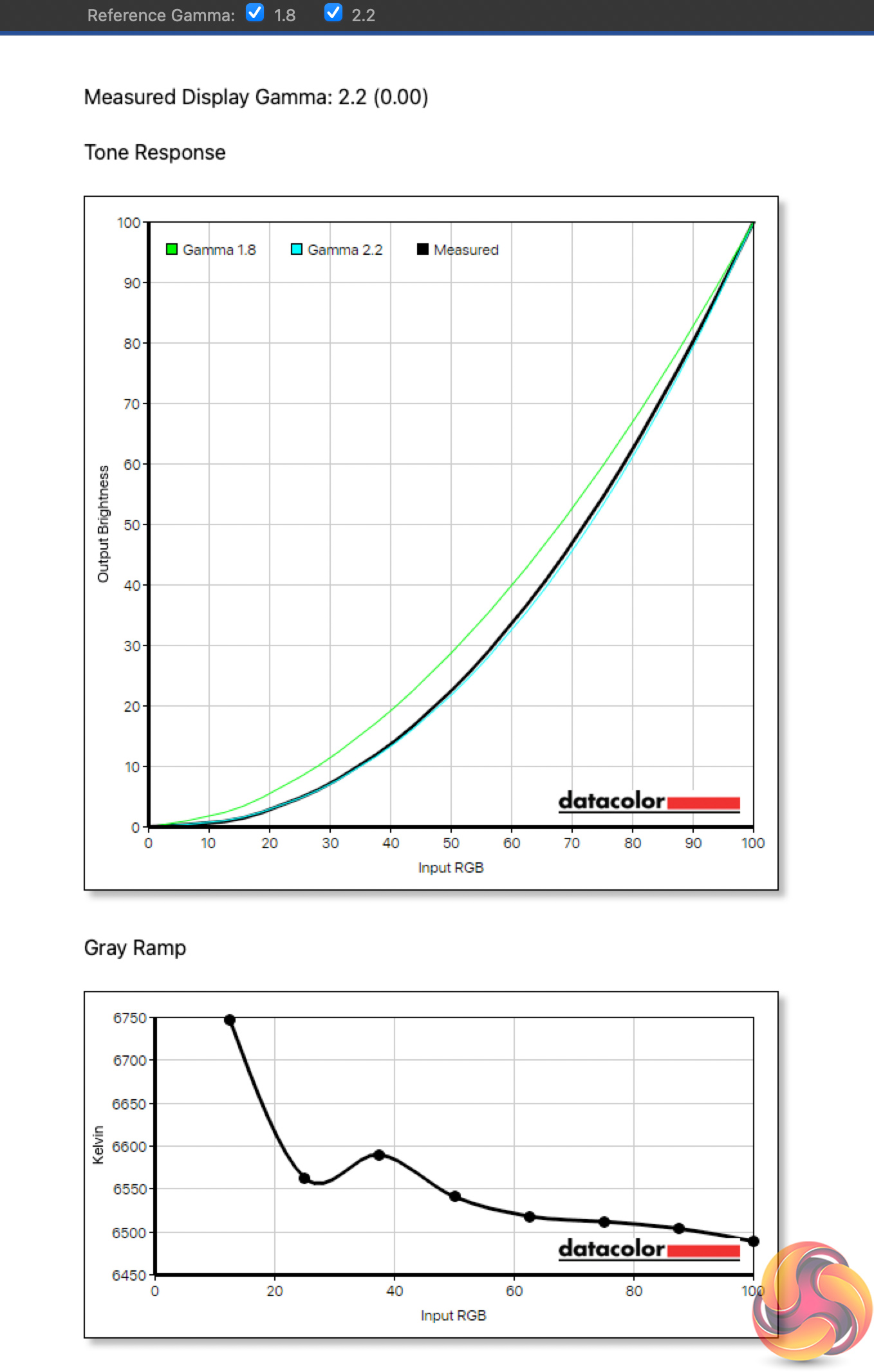
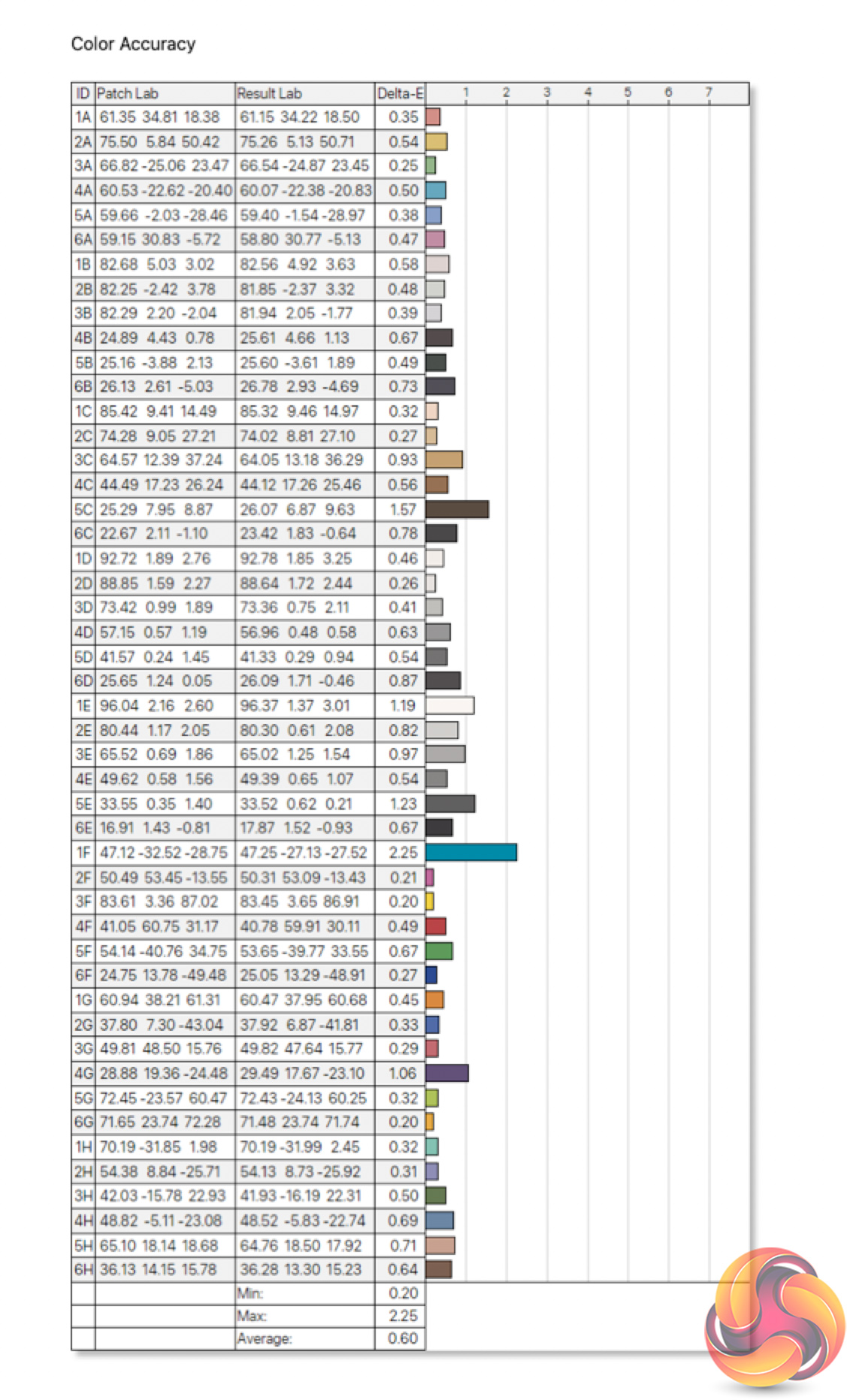
We also fired up the SpyderX for some calibration. This won't be necessary for most, but it did help improve colour accuracy slightly, down to a new average DeltaE of just 0.60
Monitor response time testing is a new addition to our reviews, where we use the Open Source Response Time Tool (OSRTT), developed by TechTeamGB. This measures grey-to-grey response times and presents the results in a series of heatmaps, the style of which you may be familiar with from other reviews.
Initial Response Time is the time taken for the panel to transition from one colour to another, where lower values are better. We present the initial response time, so overshoot is not taken into account and is measured separately. We use a fixed RGB 5 tolerance for each transition.
Overshoot is the term given for when a monitor's transition exceeds or goes beyond its target value. So if a monitor was meant to transition from RGB 0 to RGB 55, but it hits RGB 60 before settling back down at RGB 55, that is overshoot. This is presented as RGB values in the heatmaps – i.e. how many RGB values past the intended target were measured.
Visual Response Rating is a metric designed to ‘score' a panel's visual performance, incorporating both response times and overdrive. Fast response times with little to no overshoot will score well, while slow response times or those with significant overshoot will score poorly.
We test the AG405UXC at 144Hz, using all four of the overdrive settings found within the OSD.
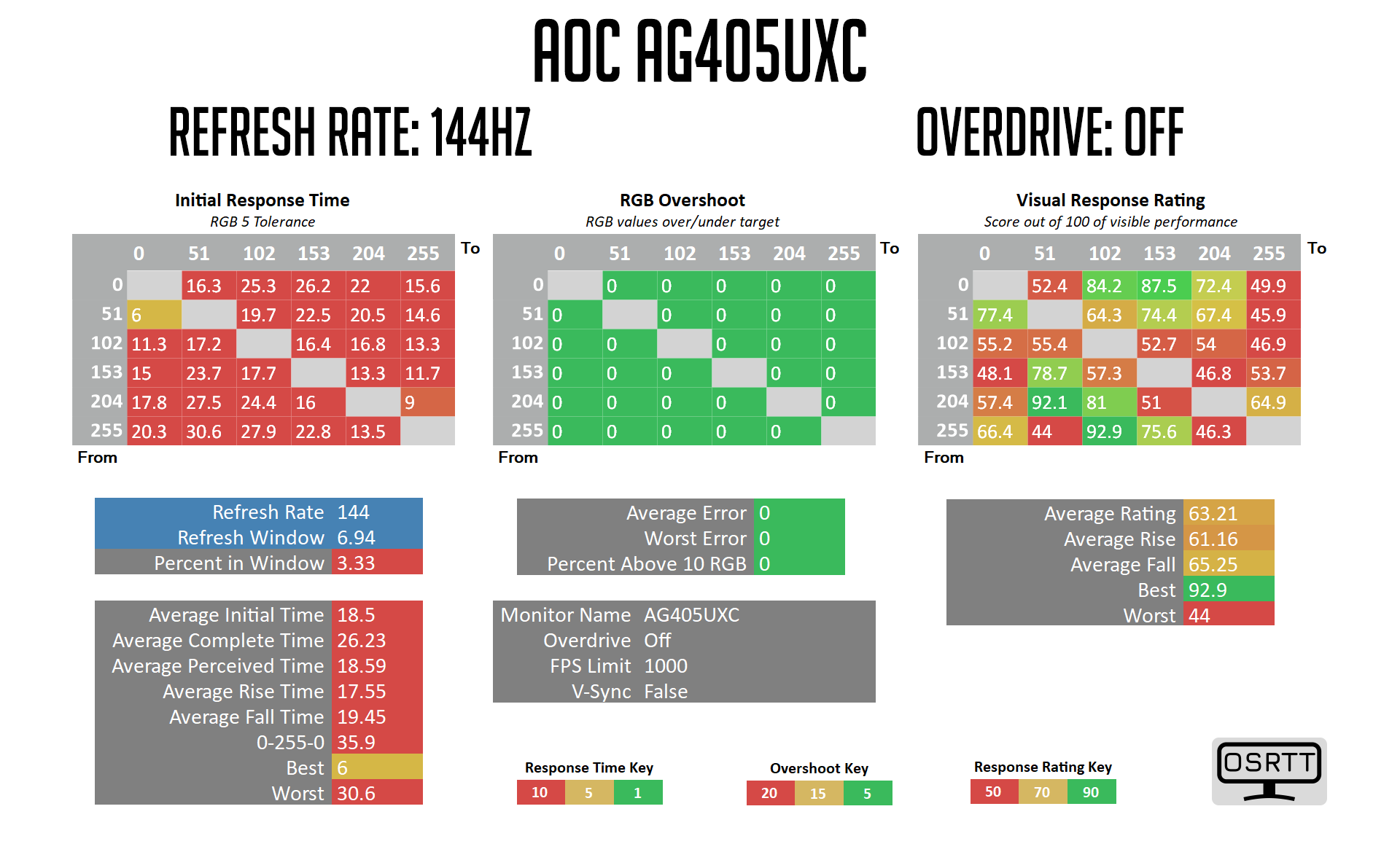
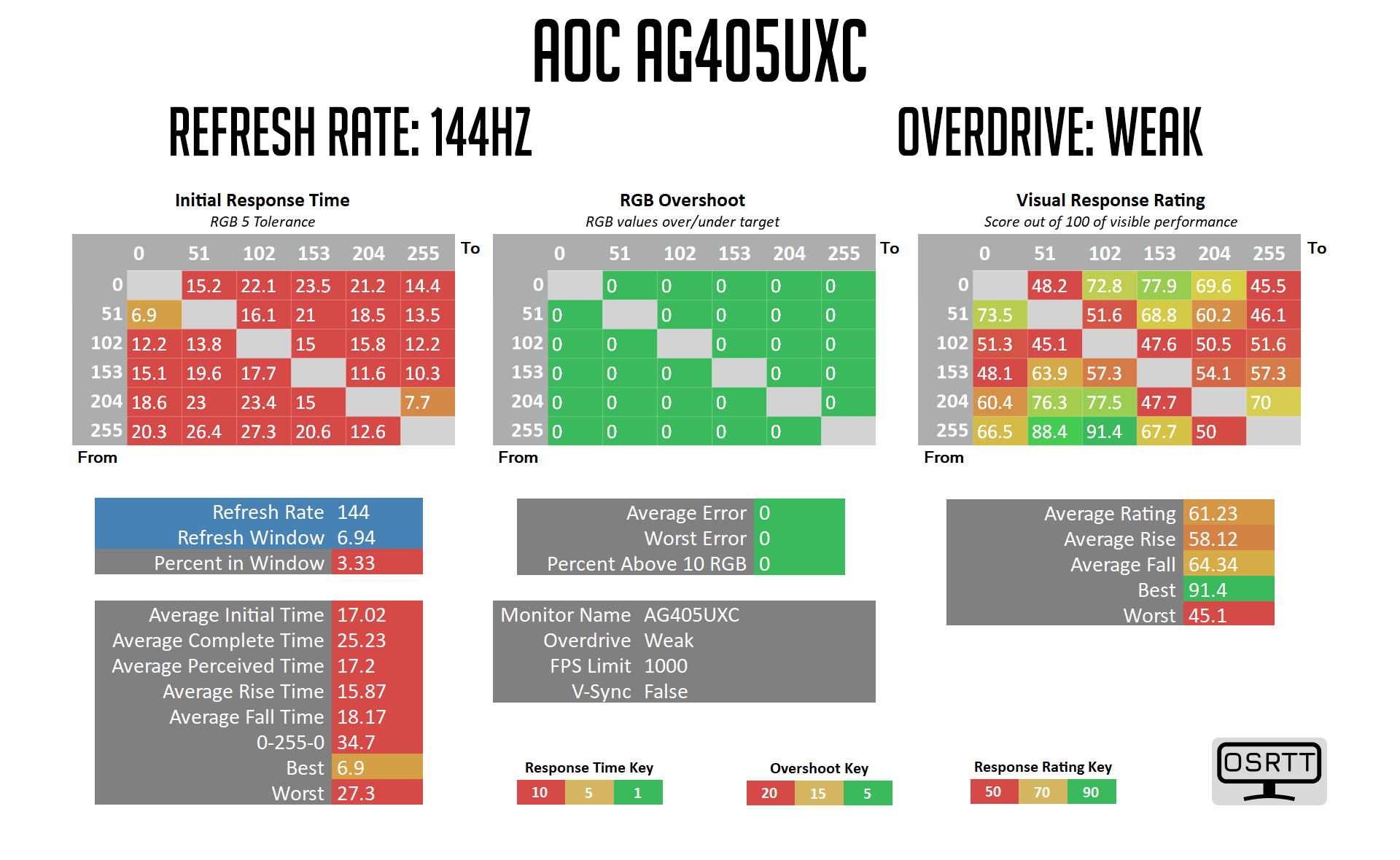
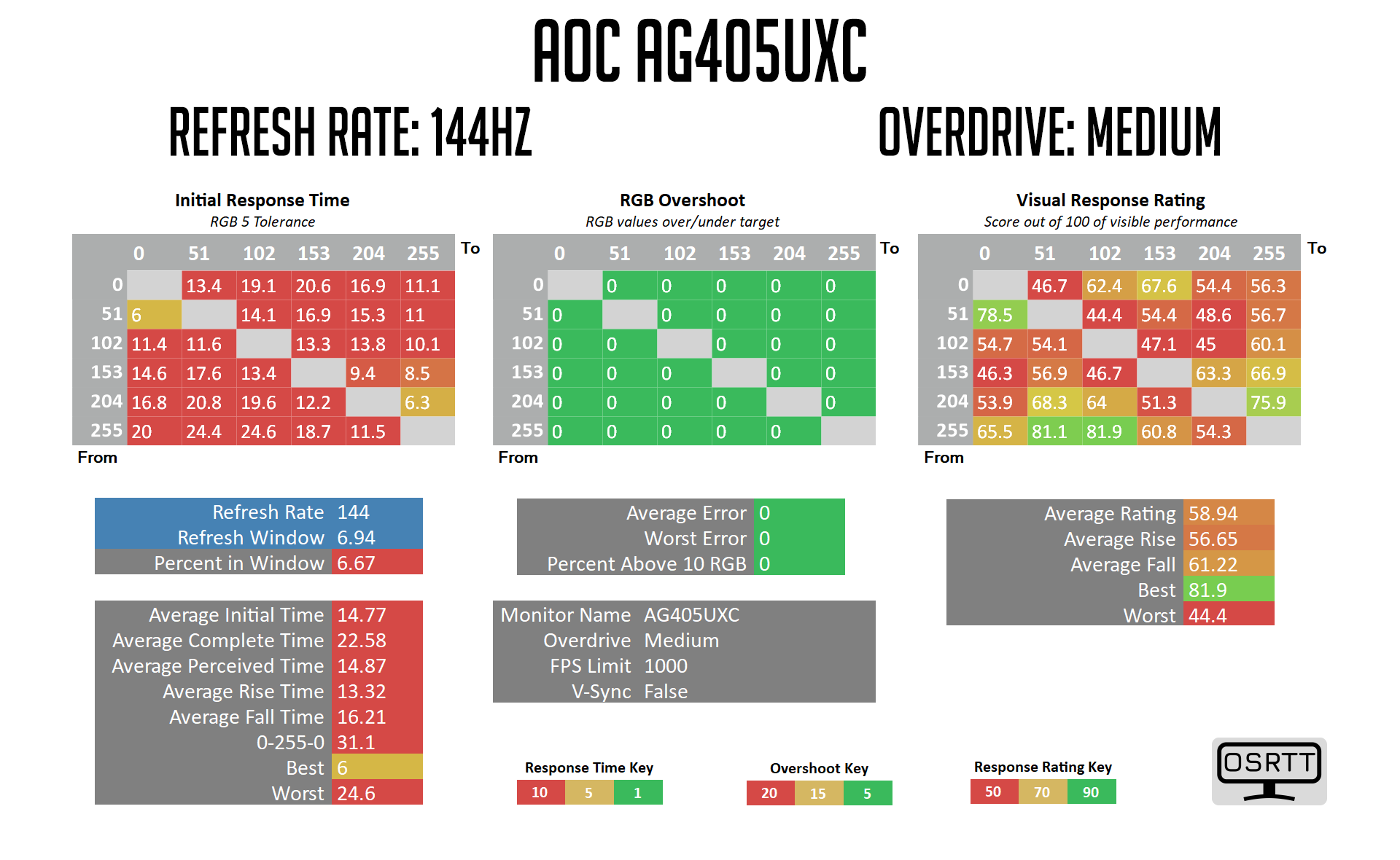
We've skipped ahead to the Medium overdrive setting, as both the ‘off' and Weak options are simply not worth using due to the very slow response times on offer. Even using the Medium setting, we're looking at very poor results here, with an average GtG of 14.77ms. There's no overshoot, but the response times are very slow.
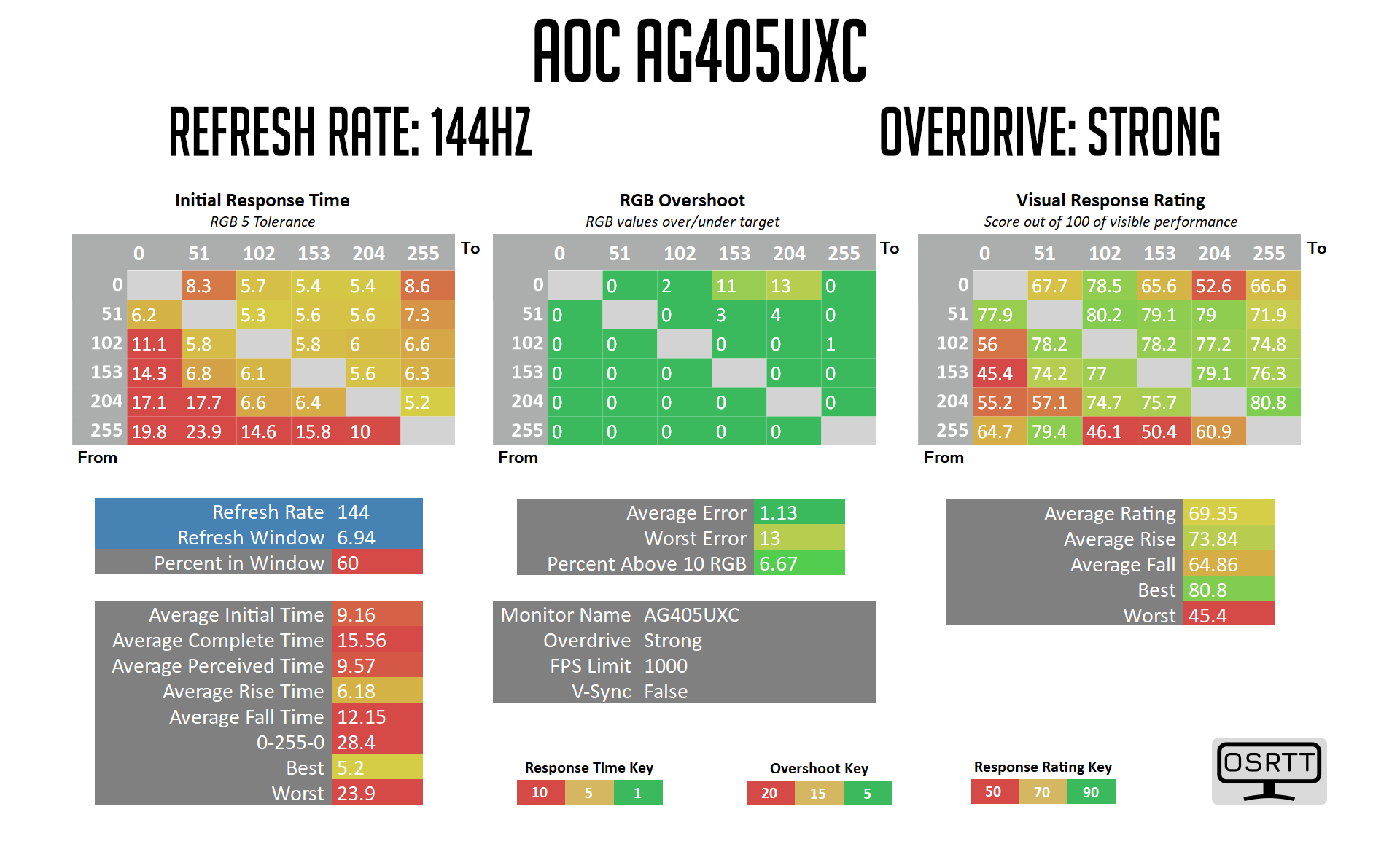
The most aggressive overdrive mode is the Strong setting, and even that is pretty weak by modern standards. We see an average GtG of 9.16ms, and some particularly poor fall times as shown in the left-hand side of the heatmap. There's still very little overshoot too, with just a couple of transitions showing errors greater than 10 RGB values, so I really think AOC could have cranked the overdrive much further than they did to improve response times. I don't think it would have made the AG405UXC a world-beater, but the current overdrive settings do not appear to be well optimised at all.
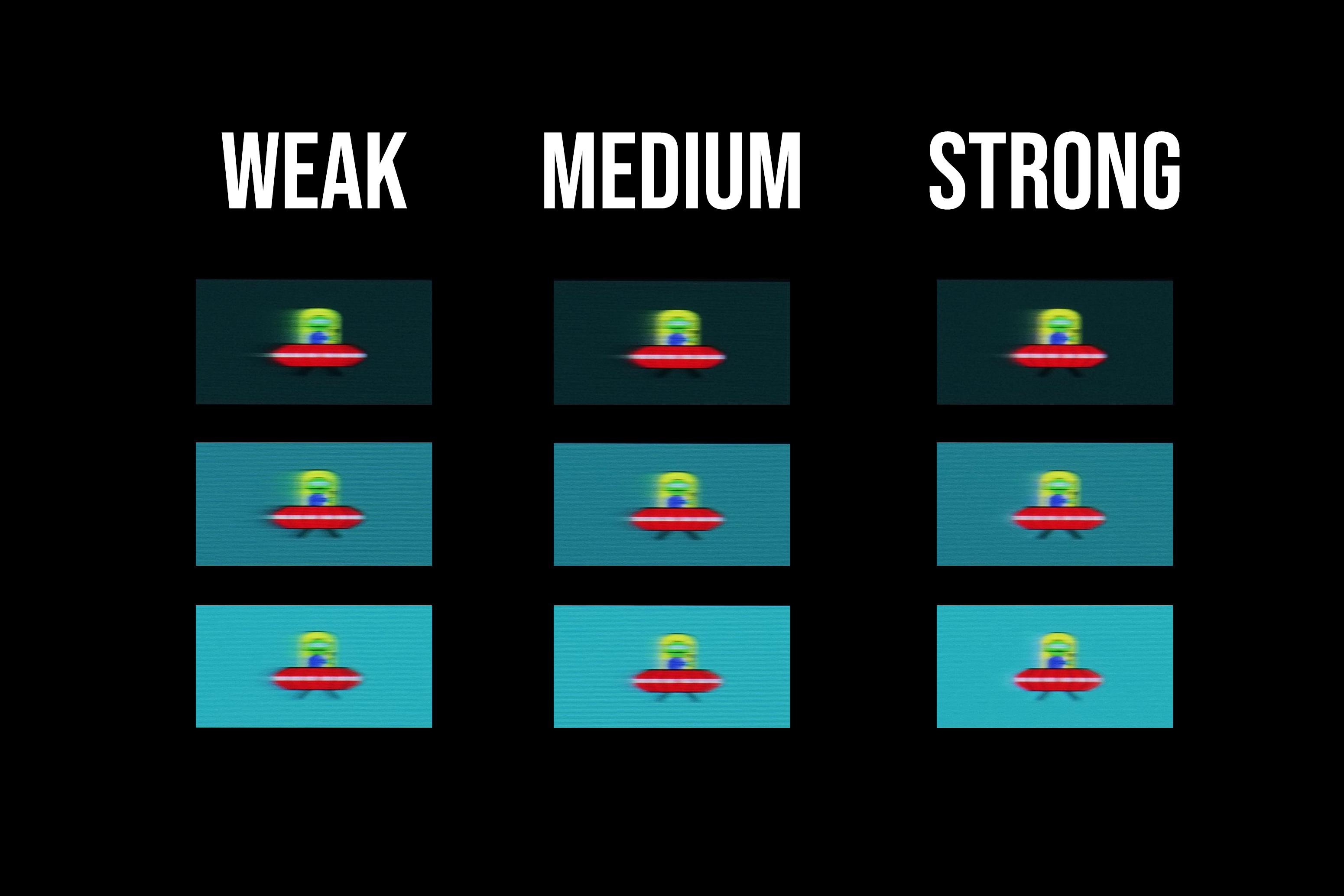
That's illustrated by the above pursuit camera images, using the Blur Busters UFO test. You can see the amount of visible trailing even using the Strong overdrive setting, while there's just a hint of a pale corona due to the small amount of overshoot.
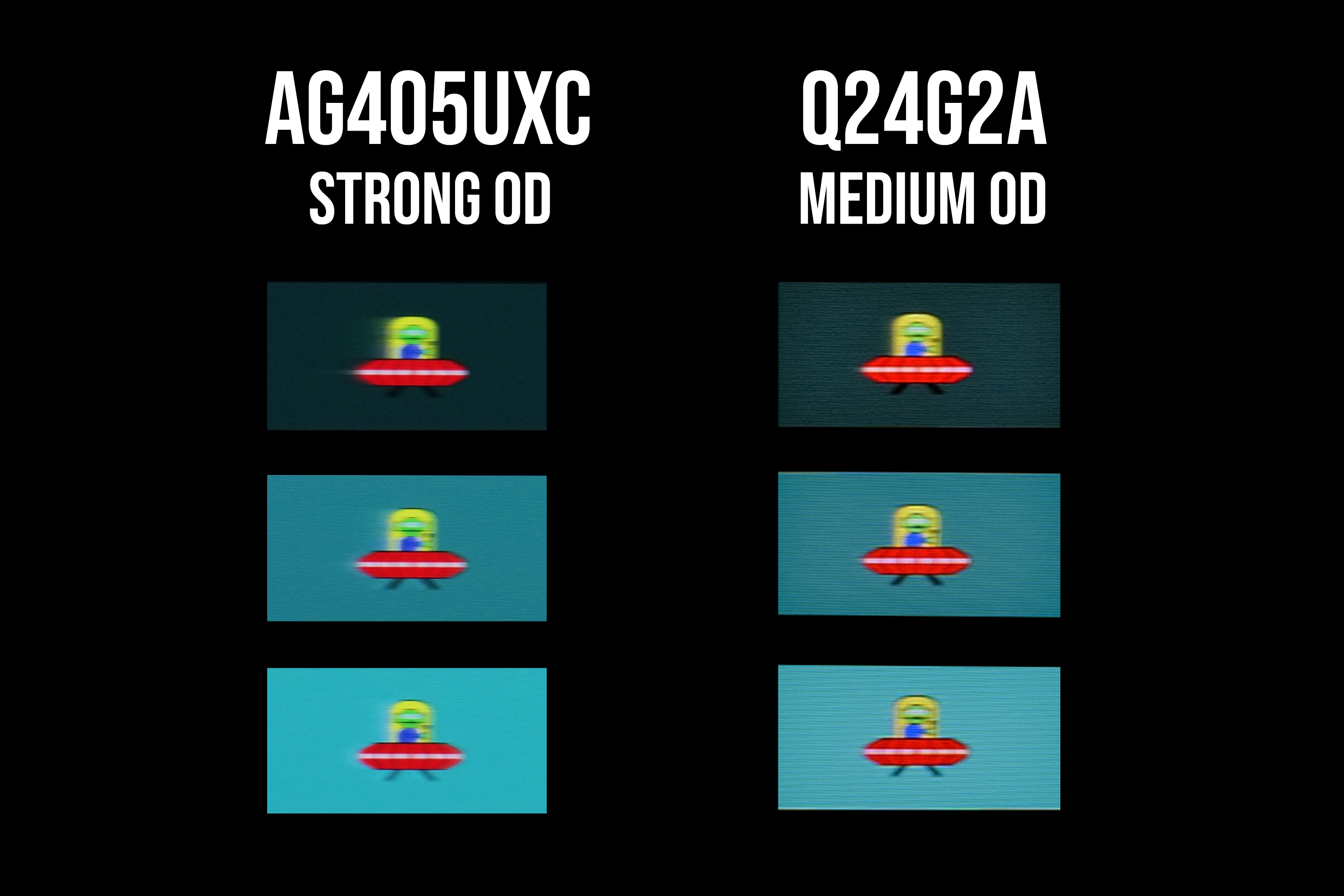
You can really see the difference when comparing to a much faster screen, like AOC's own Q24G2A.
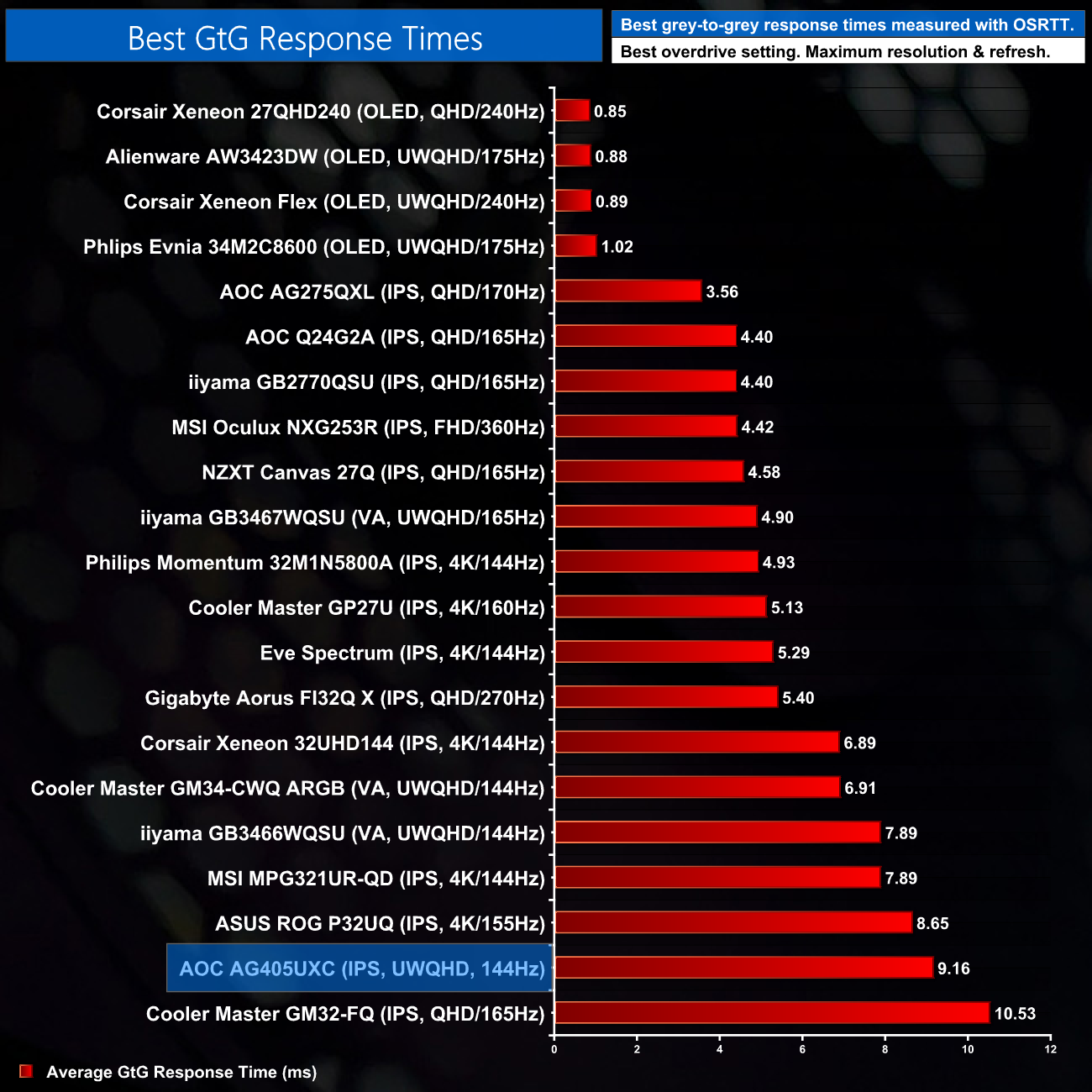
Looking at the best result in comparison to a couple dozen other monitors we've tested, the AG405UXC is one of the slowest we've tested. It's only faster than the Cooler Master GM32-FQ, putting it right towards the bottom of our chart.
Display latency is another area of our testing, where we use Nvidia’s Latency and Display Analyzer Tool (LDAT V2) to measure display latency. Display latency is the signal processing delay of a display from when a frame starts scanning out on the GPU to when the screen responds. LDAT detects the first observable change (6% increase from the initial brightness).
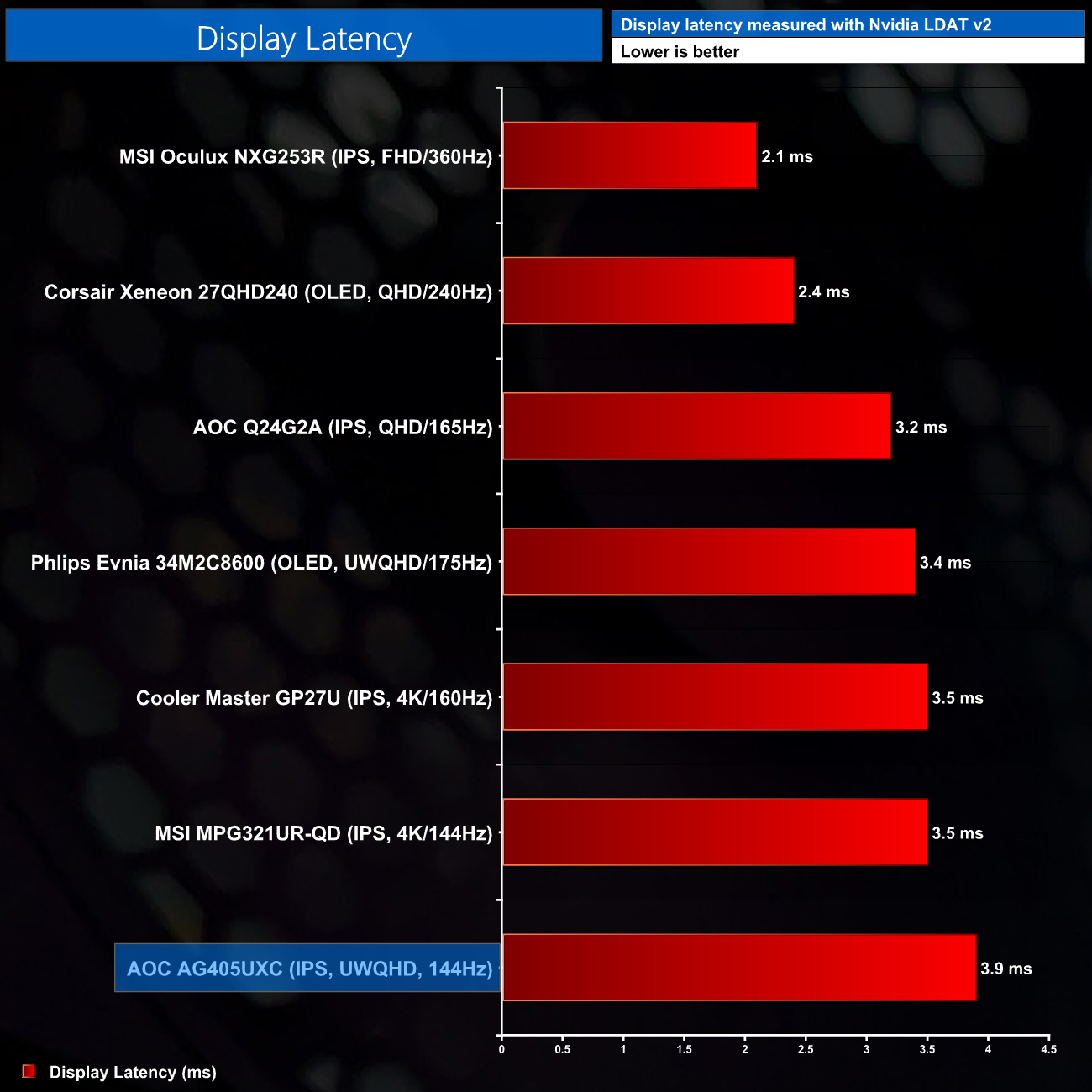
Display latency is fine though. We've not tested as many monitors here and the AG405UXC is the slowest, but we're talking less than a 1 millisecond difference between this and the AOC Q24G2A.
The AOC Agon AG405UXC has been a very interesting monitor to review. I've never used a 40inch 3440×1440 ultrawide screen before – we are very used to testing 34in screens with the same resolution, but the AG405UXC is the first of its kind to pass through our doors.
In some areas, it absolutely excels. Contrast, for instance, hit 1340:1 which is a great result for an IPS panel, while out of the box colour accuracy is hugely impressive and we saw perfect gamma tracking, too. I also like the relatively low-key design, while the OSD and included remote control make adjusting settings a breeze.
There are clear downsides though, one in particular being the very poor response times on offer. Simply put, the AG405UXC is one of the slowest monitors we've tested over the last year or two, with a best-case response time of 9.16ms using the most aggressive overdrive mode on offer. That means it is hard to really think of this as a 144Hz refresh rate monitor, as so many of the transitions are slower than they need to be to meet the 6.94ms refresh window.
The larger screen size also reduces the overall sharpness of the image, relative to a 34in screen of the same resolution, as pixel density drops from 109.7 PPI to 93.2 PPI. I didn't find myself noticing this while gaming, but text definitely looks softer so it's a trade-off you will have to be willing to make.
You'd also have to prefer a flat ultrawide, as opposed to a curved panel. This is entirely subjective but I did find myself using the AG405UXC and wishing it was curved. The sheer size of it means the corners are a fair distance from your eyeballs and I did notice some IPS glow while gaming in a darker environment. On the other hand, you may hate curved screens so it is very much ‘horses for courses'.
Taken as a whole, for £530 I can see that the AOC Agon AG405UXC would appeal to a certain type of gamer – I'm imagining someone who mainly plays slower-paced games, perhaps real-time strategy or other sim-style titles, and wants a screen this big to enjoy them fully. It won't be for those who play fast-paced FPS or racing games, but if you can live with the slow response times, there is a lot to like here.
We found the AG405UXC on Amazon UK for £529.99 HERE.
Discuss on our Facebook page HERE.
Pros
- Large, ultrawide display.
- Excellent contrast for an IPS panel.
- Great out of the box colour accuracy.
- Gamma tracking is as expected.
- Fairly understated design.
- Easy to use OSD with included remote control.
- Gmenu application is useful.
- Integrated KVM.
Cons
- Very slow response times with poorly optimised overdrive settings.
- Larger screen size does reduce pixel density.
- Some may prefer a curved screen at this size.
KitGuru says: The AG405UXC would be a fantastic screen if it had better response times – as it is, its appeal will be limited to those who play slower-paced games – but it still offers enough at the £530 asking price to be worth buying.