KitGuru KitGuru.net – Tech News | Hardware News | Hardware Reviews | IOS | Mobile | Gaming | Graphics Cards


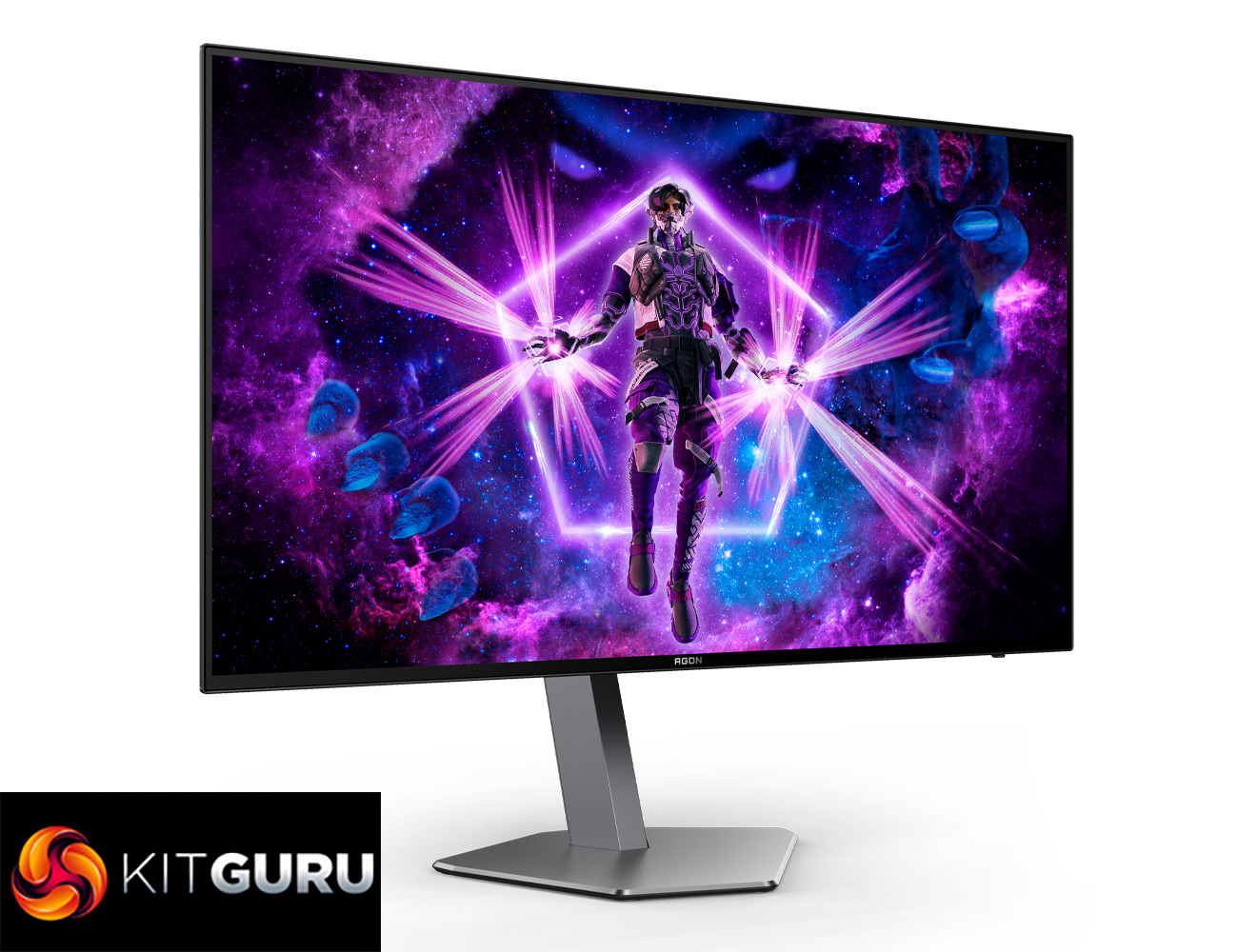
Here at KitGuru we've reviewed a number of different OLED screens over the last two years and generally come away very impressed. However, we often get feedback that while the displays look great and offer performance that can far exceed your typical LCD, OLED monitors are just too expensive for many buyers. Pricing is always going to be relative, but today we are checking out the 1440p/240Hz AOC Agon Pro AG276QZD, by far and away the cheapest OLED I have seen to-date, currently retailing for a penny under £500…
Timestamps
00:00 Intro
00:53 Panel and pricing info
02:01 Design overview
03:08 I/O + OSD
04:34 Brightness testing
06:00 Panel analysis – SDR
08:10 sRGB emulation mode
09:44 Calibrated performance
10:21 Things to know about OLED…
12:08 Response times + motion clarity
14:20 HDR testing
16:24 Closing thoughts
It's worth making it clear that the AOC Agon Pro AG276QZD isn't offering a new panel type or anything like that. In fact, it's relatively old hat by modern standards, given it uses a 1st Gen LG WOLED panel – the same as found in the ASUS PG27AQDM, LG 27GR95QE-B and Corsair 27QHD240. So while it may not be packing in the latest panel improvements to text clarity and increased brightness, the fact that this is lowest price we have ever seen for an OLED monitor has got me very intrigued. We put it through its paces today and find out if it's worth buying…
Specification:
- SCREEN SIZE (INCH): 26.5
- SCREEN SIZE (CM): 67.3
- FLAT / CURVED: Flat
- DISPLAY VIEWING AREA (HXW) IN MM: 586.75x330x05mm
- DISPLAY HARDNESS: 2H
- PANEL TREATMENT: Antiglare (AG)
- PIXEL PITCH (MM): 0.2292
- PIXELS PER INCH: 110.8
- PANEL RESOLUTION: 2560×1440
- RESOLUTION NAME: QHD
- ASPECT RATIO: 16:9
- PANEL TYPE: OLED
- MAX REFRESH RATE: 240 Hz
- RESPONSE TIME GTG: 0.03 ms
- RESPONSE TIME GTG MIN: 0.03 ms
- DYNAMIC CONTRAST RATIO: 80M:1
- VIEWING ANGLE (CR10): 178/178
- DISPLAY COLOURS: 1.07 Billion
- BRIGHTNESS IN NITS: 1000 cd/m2
- SYNC TECHNOLOGY (VRR): G-SYNC Compatible
- HDR (HIGH DYNAMIC RANGE): HDR 10
- BLUE LIGHT TECHNOLOGY: Low Blue Light
- MULTIVIEW (PBP, PIP): PbP
- COLOUR SPACE (SRGB) CIE 1931 %: 136.7
- COLOUR SPACE (SRGB) CIE 1976 %: 100
- COLOUR SPACE (DCI-P3) CIE 1931 %: 98.3
- COLOUR SPACE (DCI-P3) CIE 1976 %:98.5
- COLOUR SPACE (ADOBE RGB) CIE 1931 %: 91.9
- COLOUR SPACE (ADOBE RGB) CIE 1976 %: 96.9
- COLOUR SPACE (NTSC) CIE 1931 %: 89.5
- COLOUR SPACE (NTSC) CIE 1976 %: 92.5
- FLICKER-FREE: Flicker Free
- BEZEL TYPE (FRONT): 4-sided frameless
- SPEAKER POWER: 5 W x 2
- VESA WALLMOUNT: 100×100
- MONITOR WEBCAM: No
- TILT: -4° ±1° ~ 21.5° ±1.5°
- HEIGHT ADJUST (MM): 130mm
- SWIVEL: -30° ±2° ~ 30° ±2°
- PIVOT: Yes
- HDMI: HDMI 2.0 x 2
- DISPLAYPORT: DisplayPort 1.4 x 2
- USB HUB: ✓
- USB HUB SPEED: USB 3.2 (Gen 1) (2 USB downstream ports) 5Gbit
- USB DOWNSTREAM PORTS: 2
- AUDIO OUTPUT: Headphone out (3.5mm)
- WARRANTY PERIOD: 3 years
Firmware tested: V030
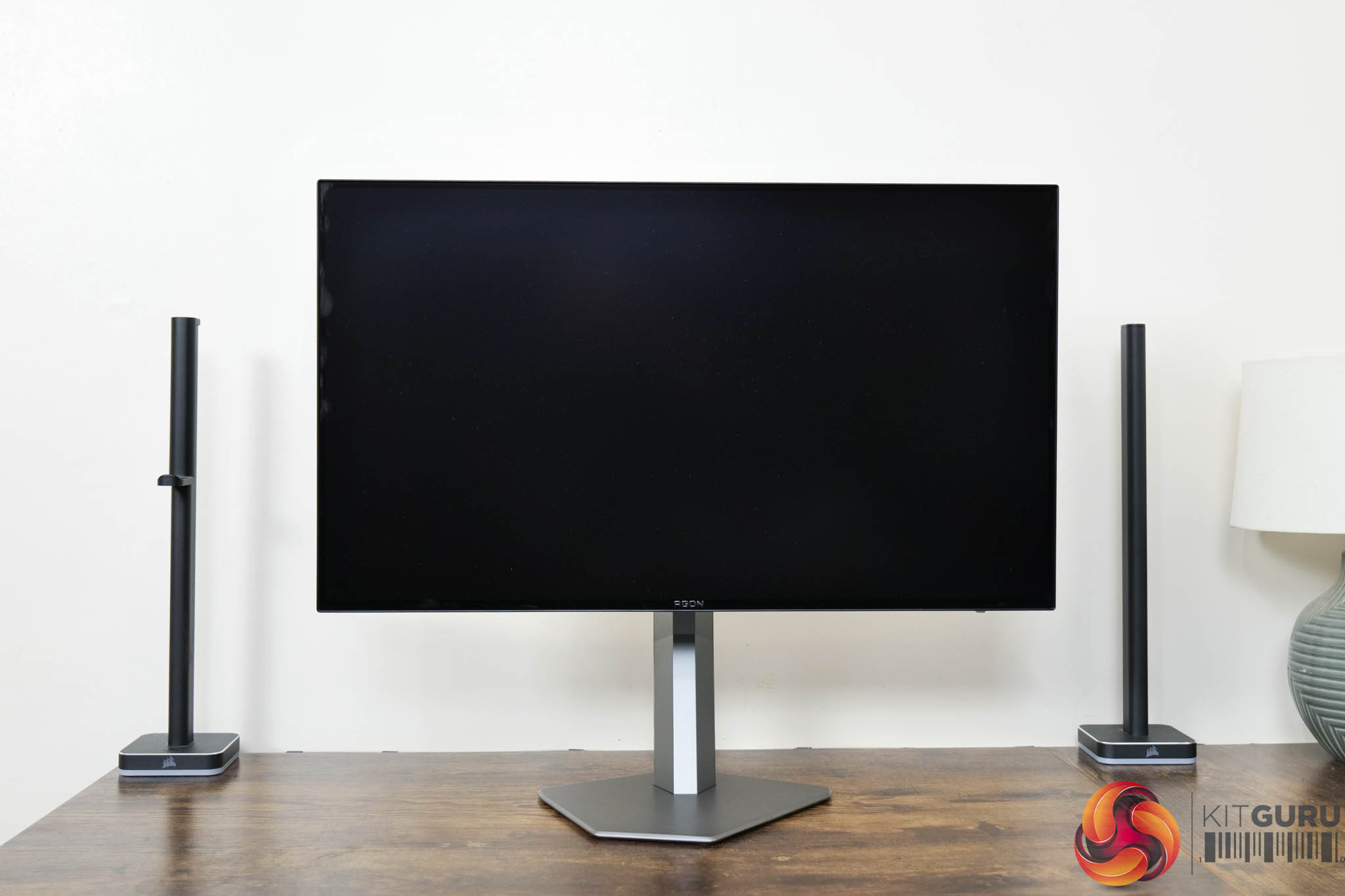
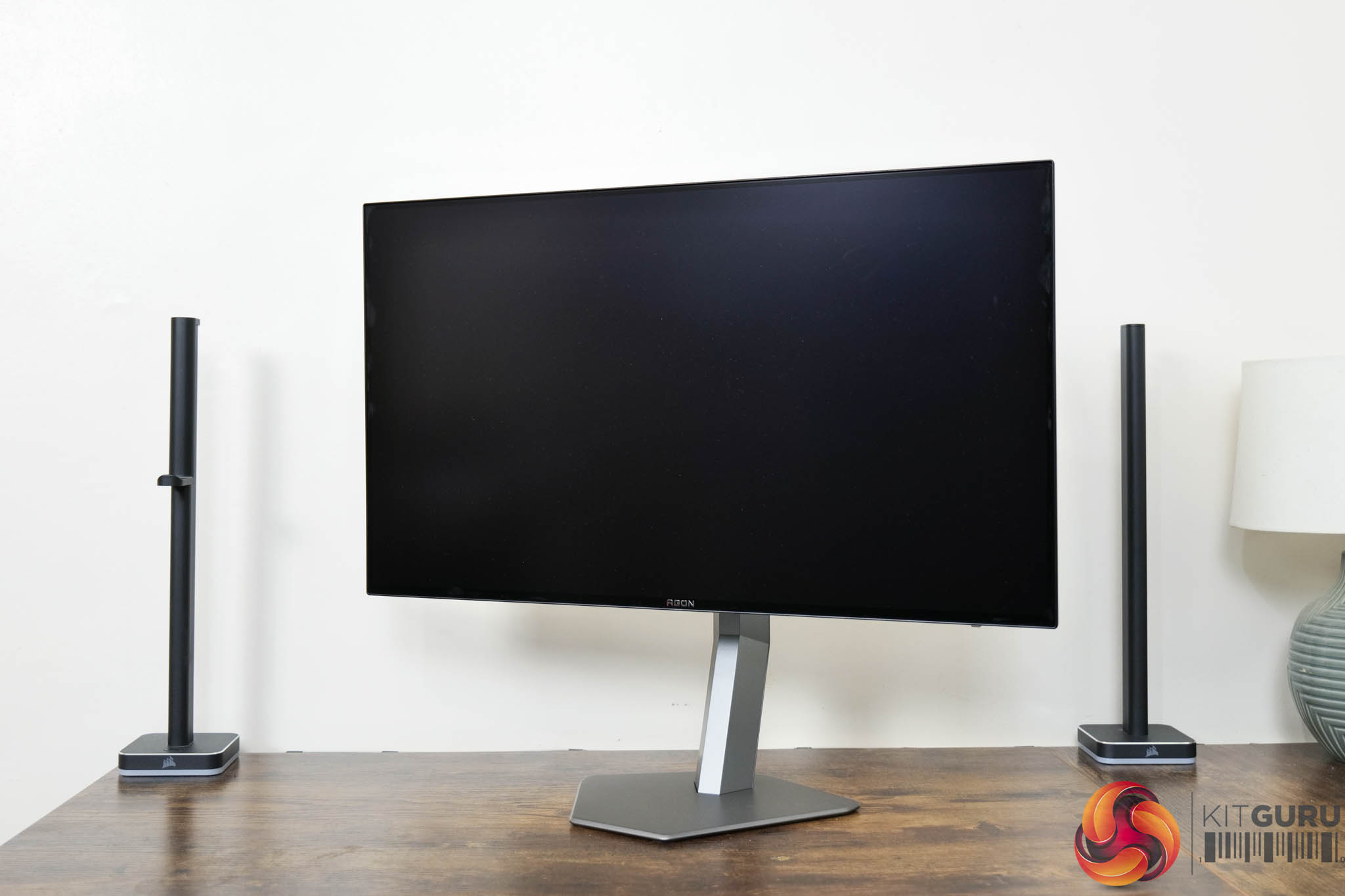
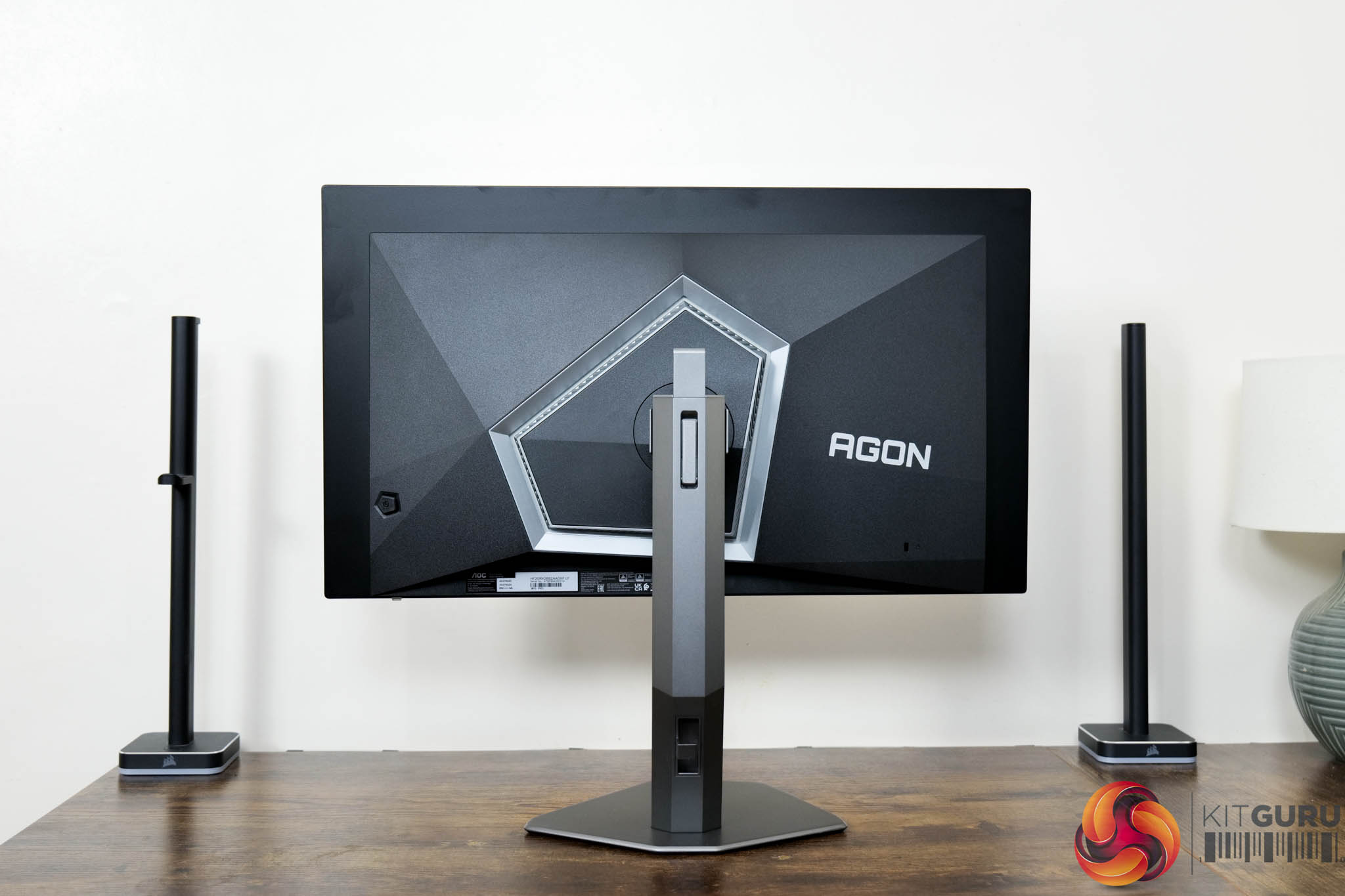

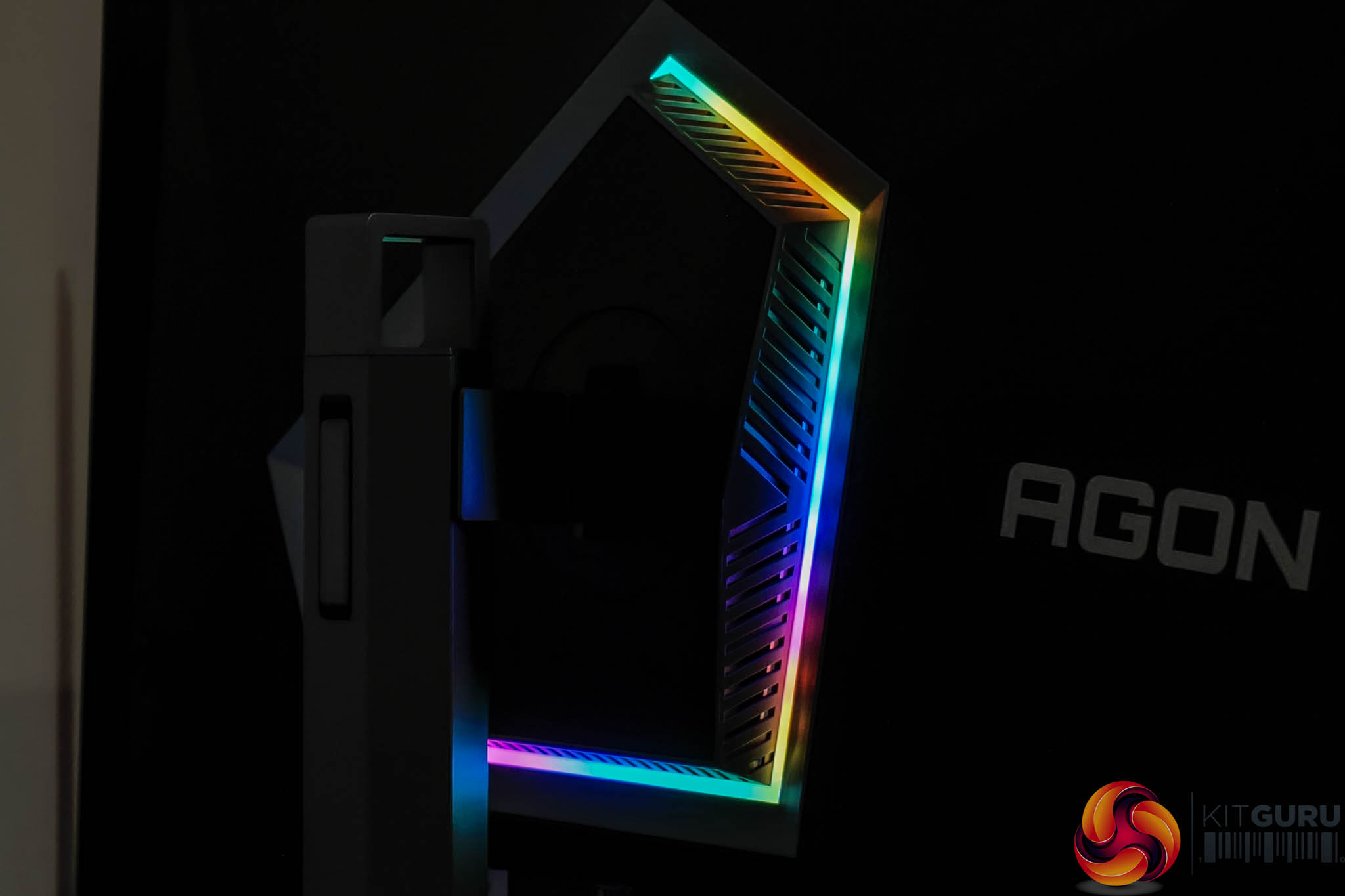
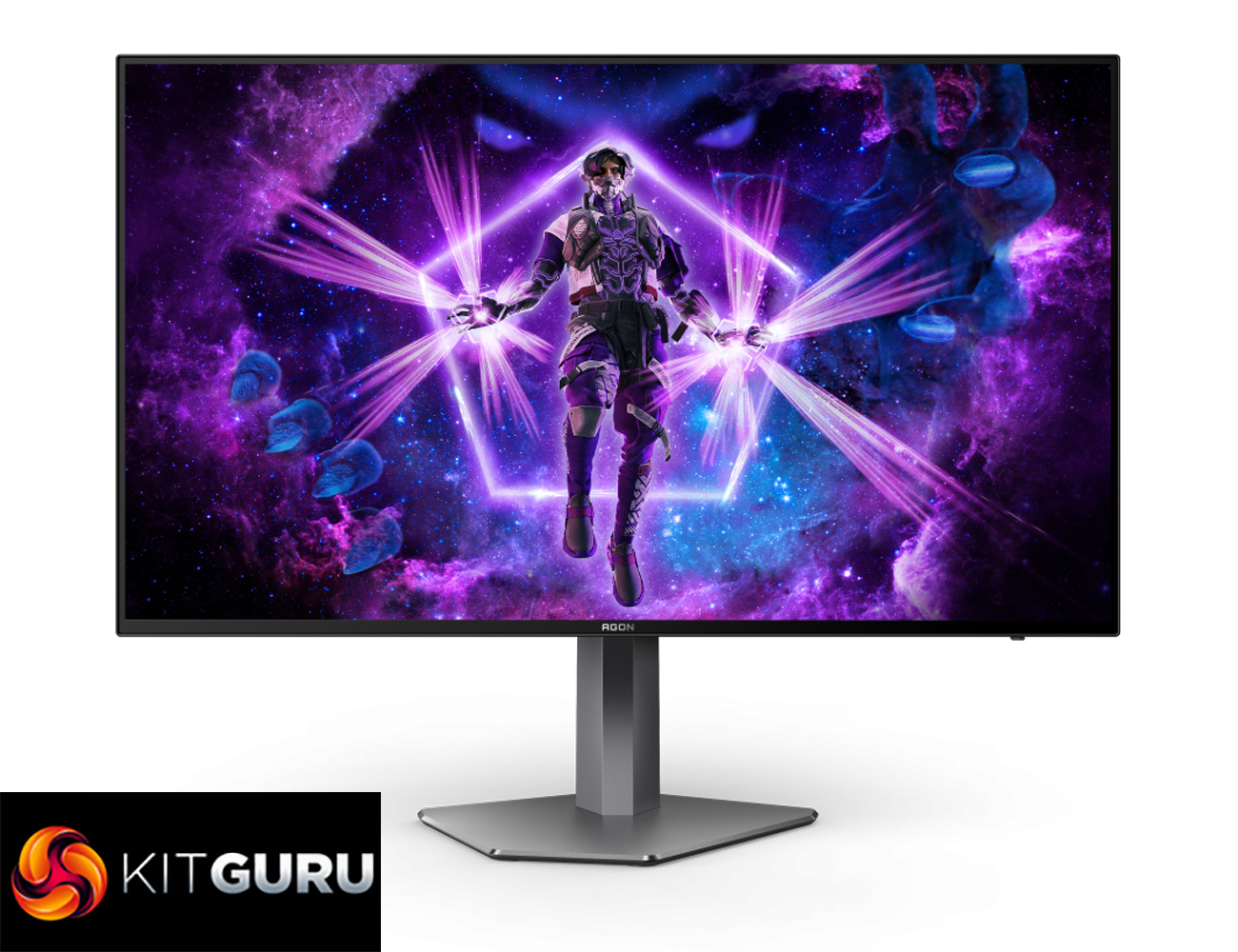
Kicking off with a look at the design of the AOC AG276QZD, I have to say I like what AOC has done here. The main panel area is very clean with a 4-sided bezel-free approach, so there's not even an obvious chin, helping to make things look quite sleek. The rear of the display is made from black plastic, and the stand attaches in the middle of an asymmetrical area which is flanked by RGB LEDs – as you can see below.
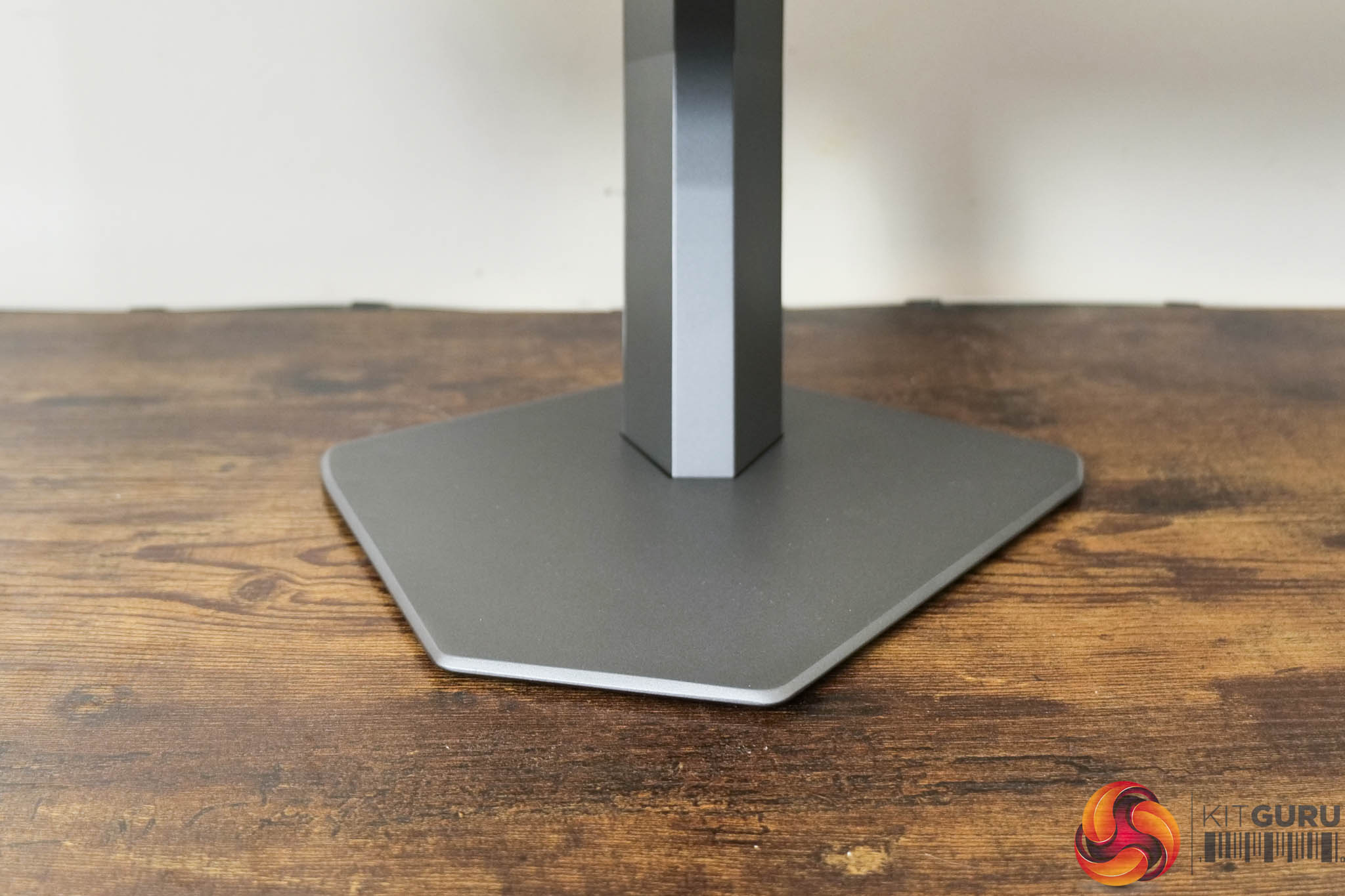
The base of the stand is also asymmetrical which won't appeal to everybody, but I personally warmed to it after a few days, and it is pleasingly compact, at about 26cm across, so it really doesn't take up much room on your desk.
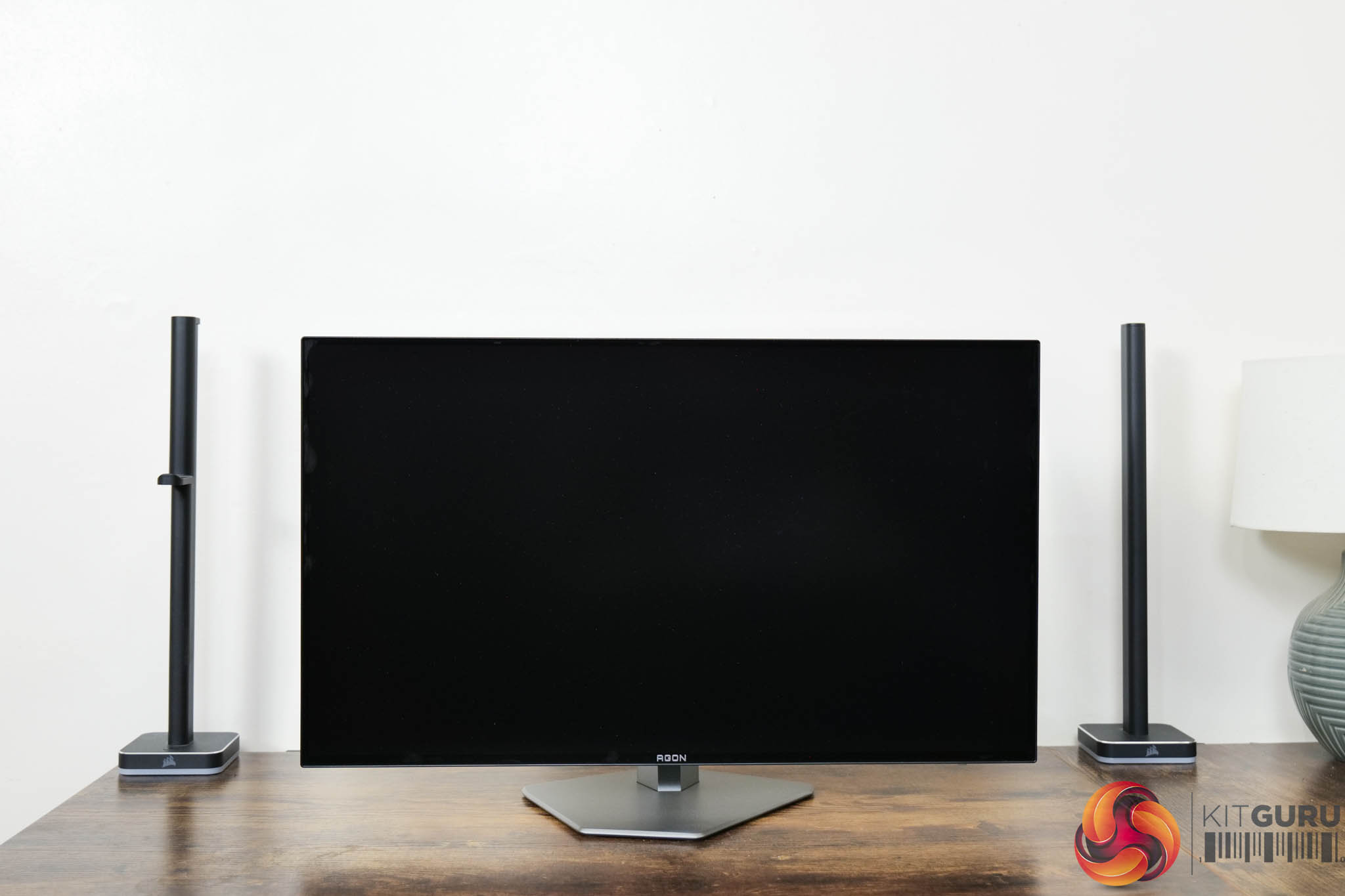

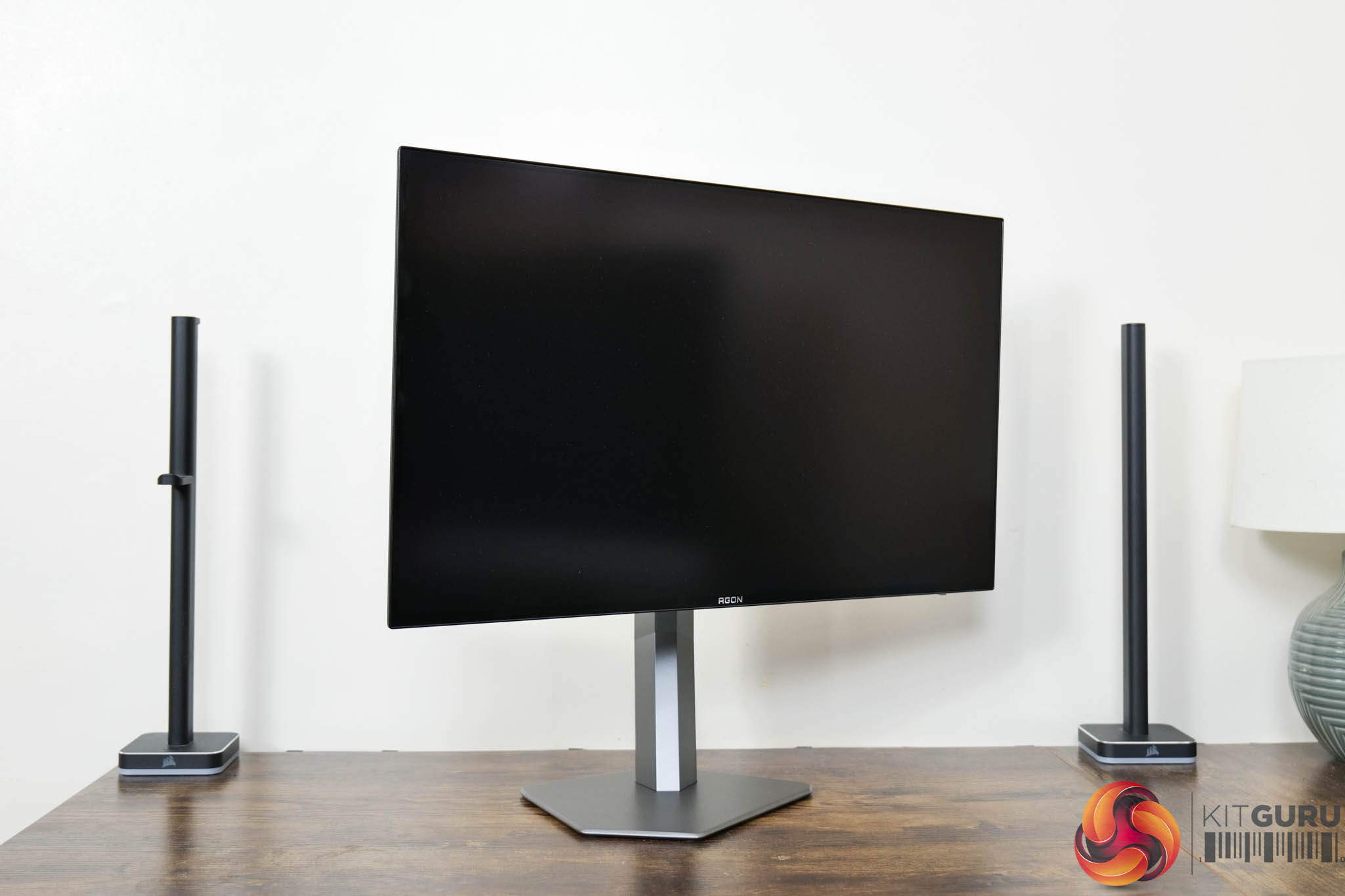
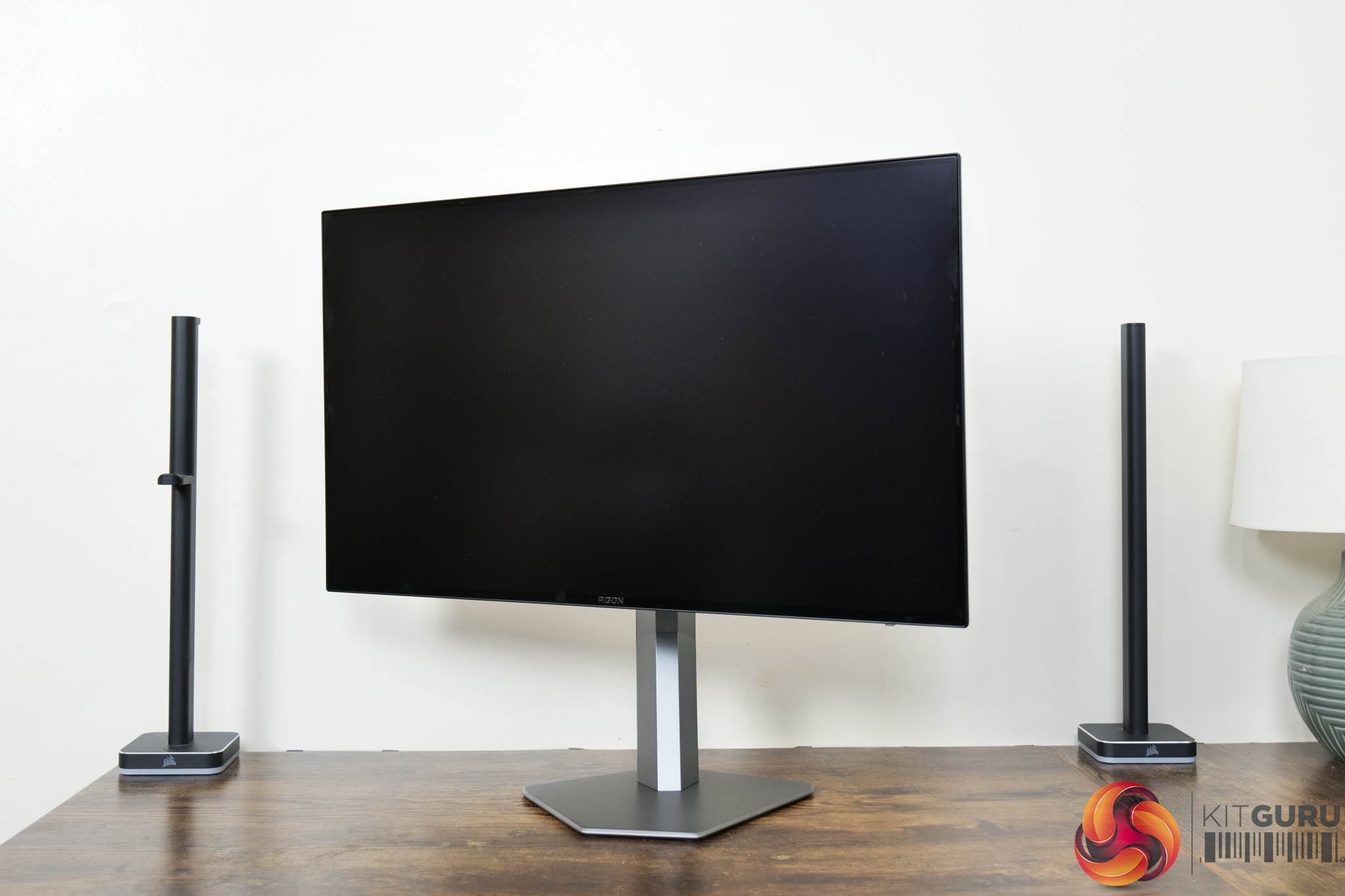
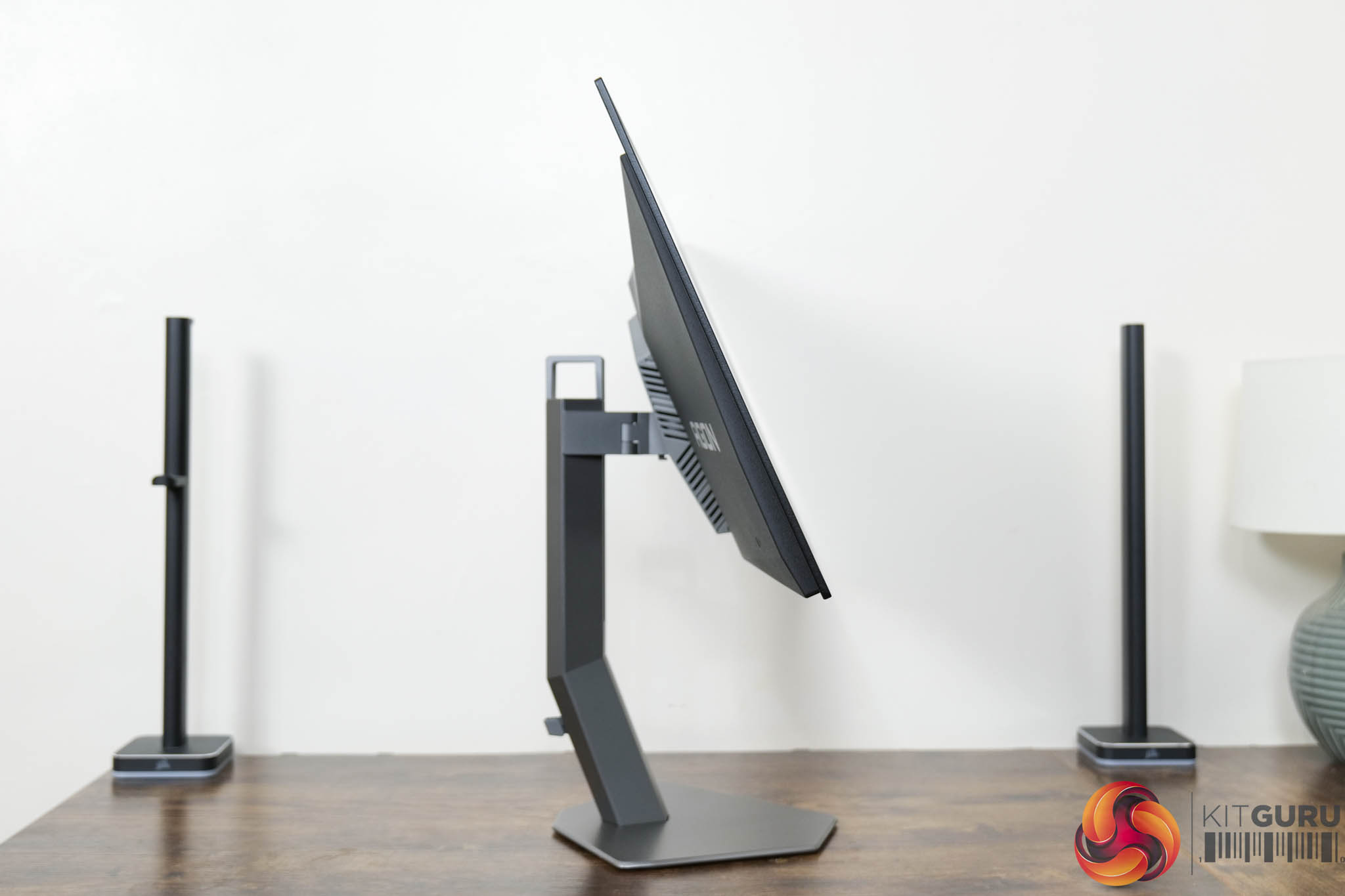
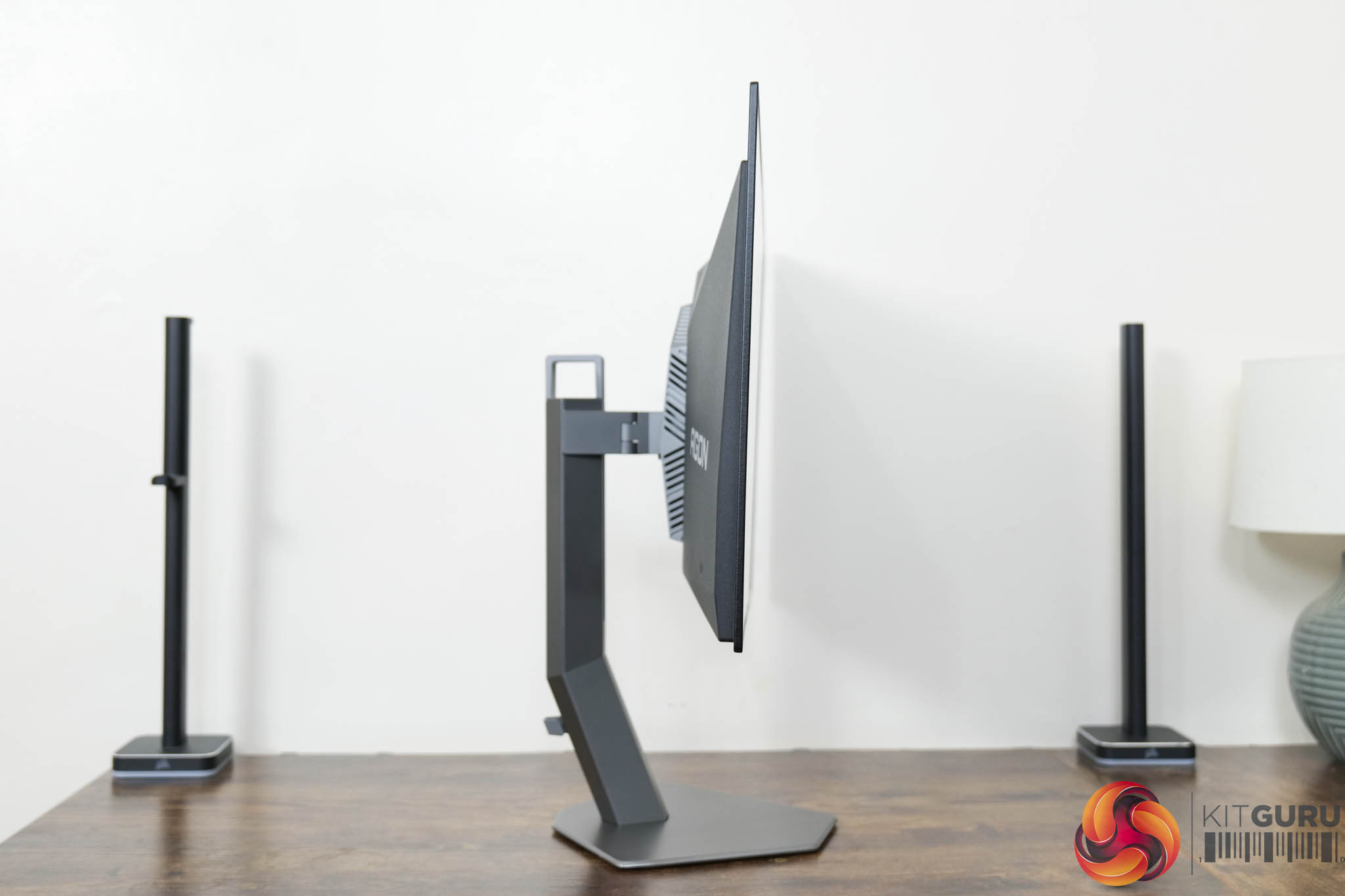


The stand also offers a full array of ergonomic adjustments, including height adjust up to 130mm, 30 degrees of swivel in both directions, tilt from -4 to +21.5 degrees, and we also get 90 degree pivot both left and right. The thing I would say is that the stand itself doesn't feel like amazing quality, it's quite plasticky and does creak a bit when adjusting the monitor's position, but you can use a VESA 100×100 stand or mount if you'd prefer.
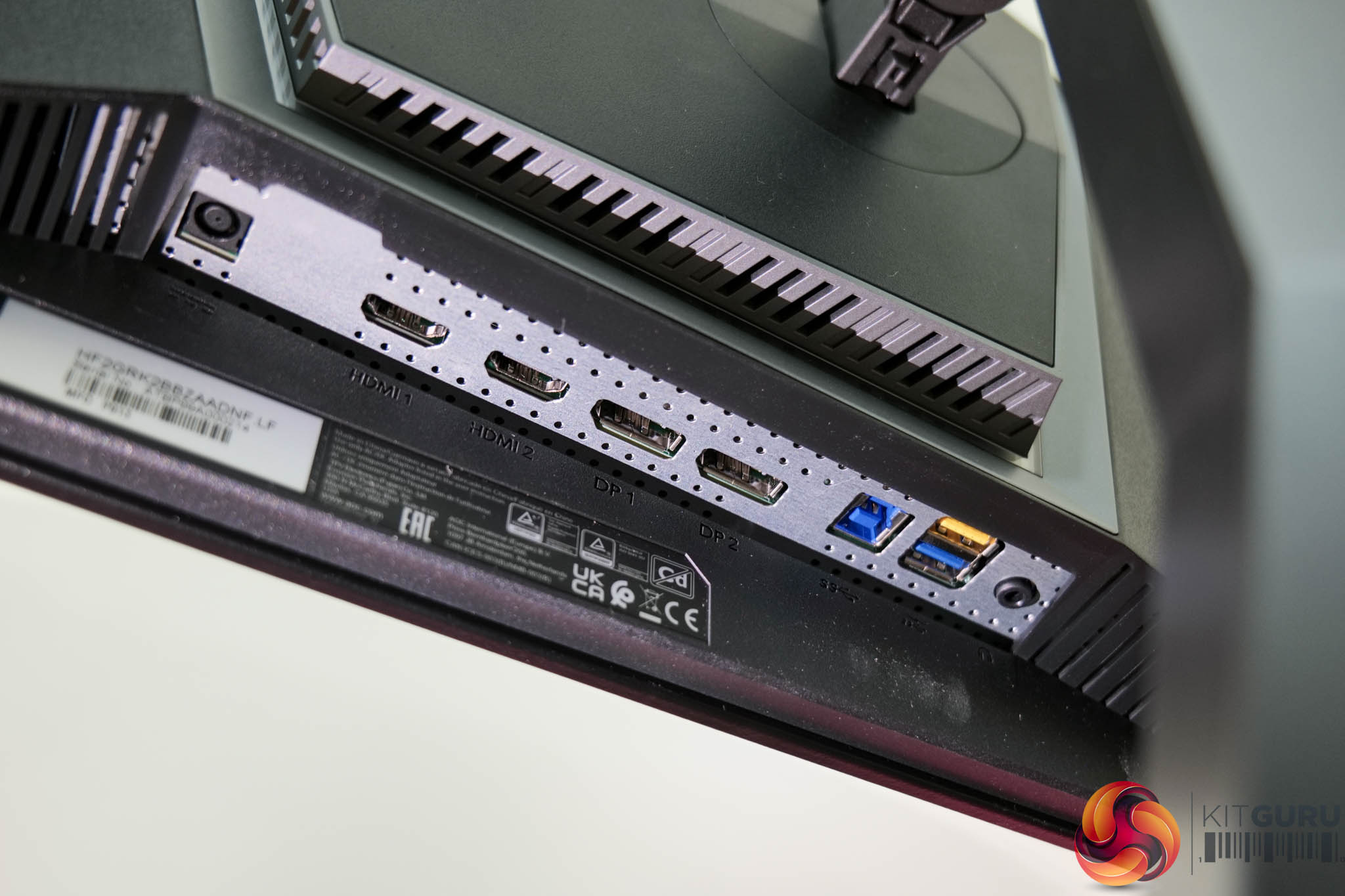
As for display inputs, AOC has opted for 2x DisplayPort 1.4 and then 2x HDMI ports – but they're unfortunately HDMI 2.0, rather than 2.1, so can't drive the screen above 144Hz which is a definite shame. We also find a two port USB 5Gbps hub and an audio jack, but that's it – so no USB-C, no KVM functionality or other mod-cons we have come to expect.
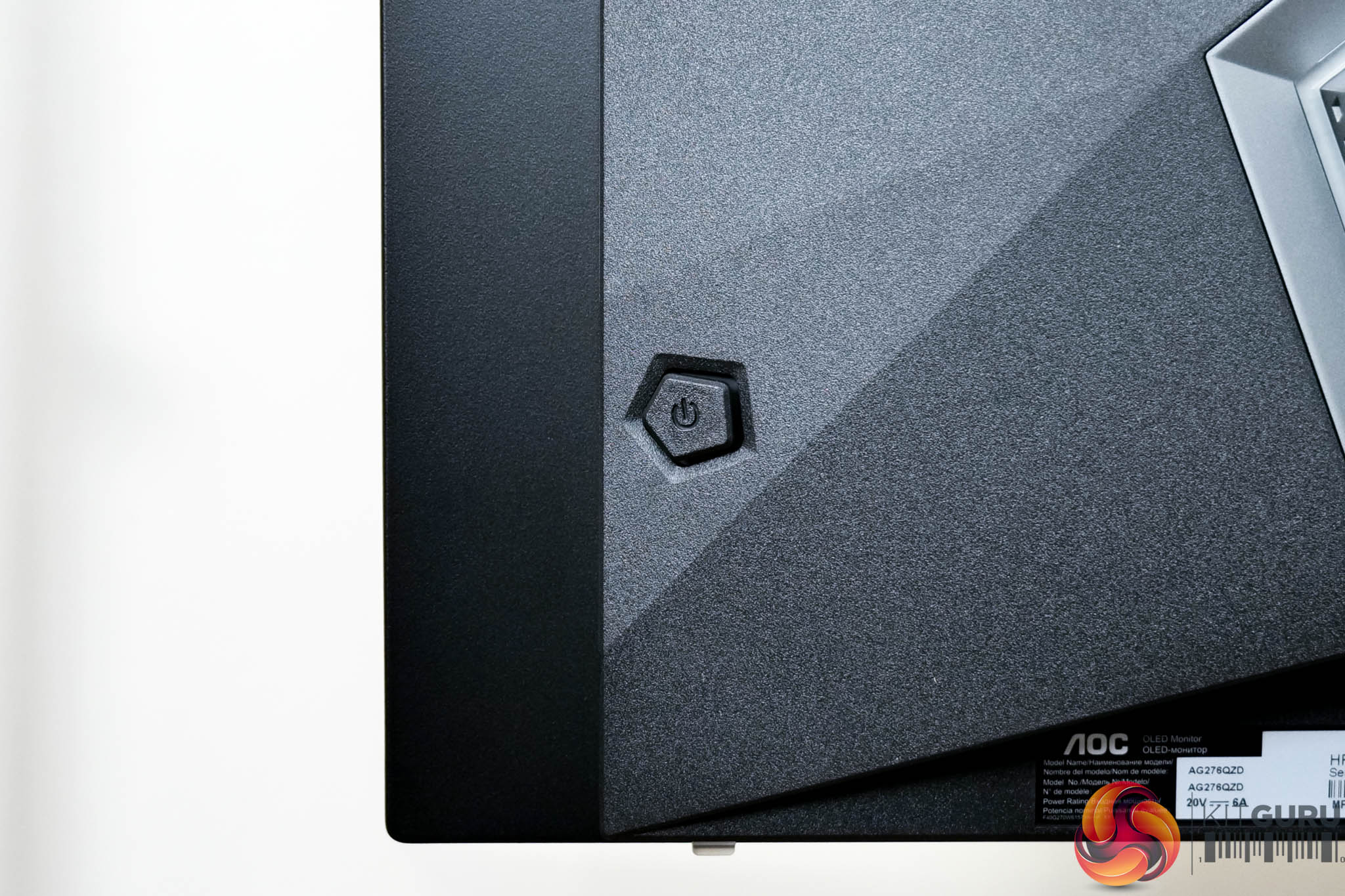
The last thing to note is a small joystick used to navigate the OSD, positioned on the right hand edge of the monitor.
The OSD will be familiar if you've seen any of our other AOC Agon reviews, with everything is split into eight main tabs – Game Setting, Luminance, PIP Setting, Color Setup, Audio, Light FX, Extra, and OSD Setup:
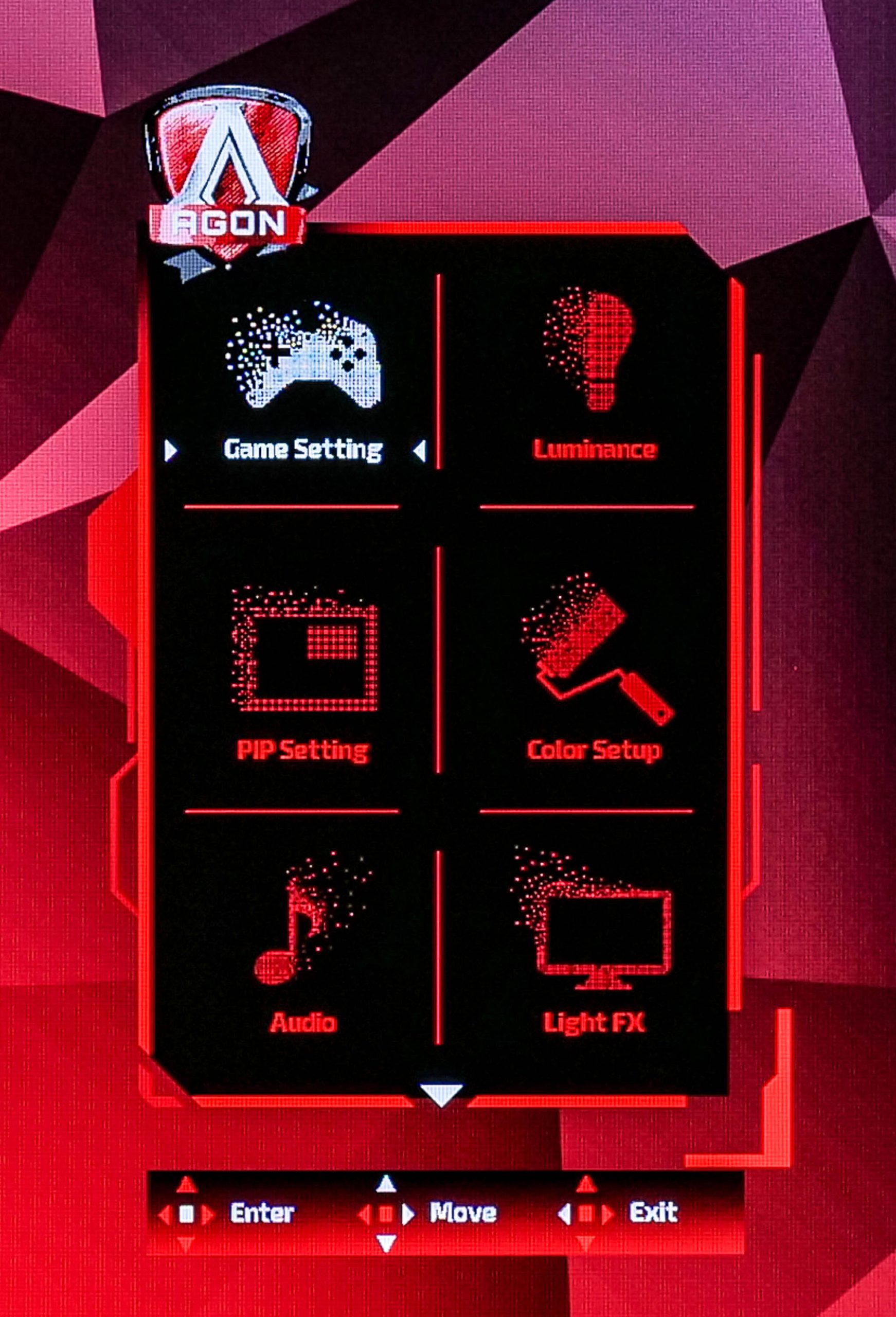
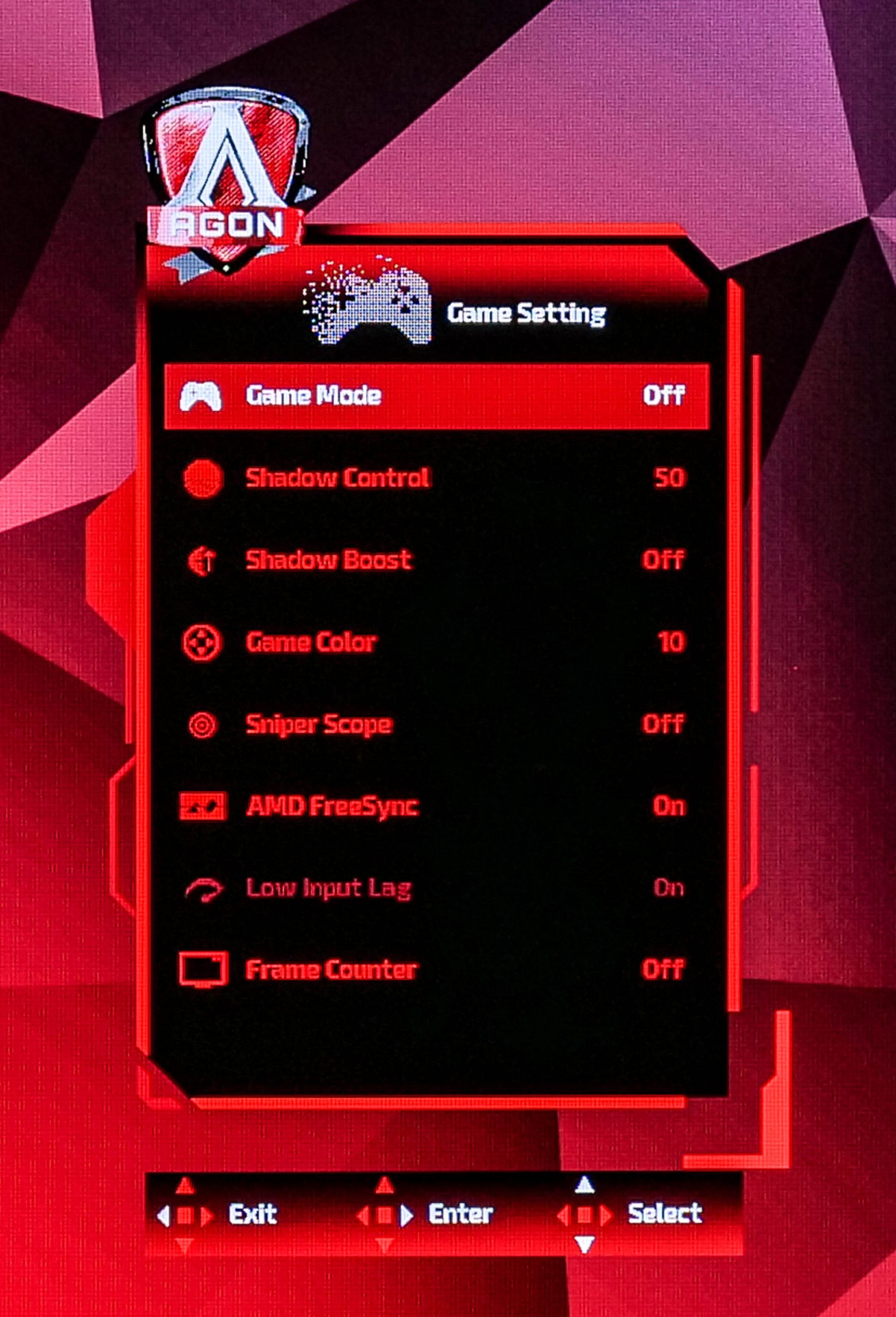
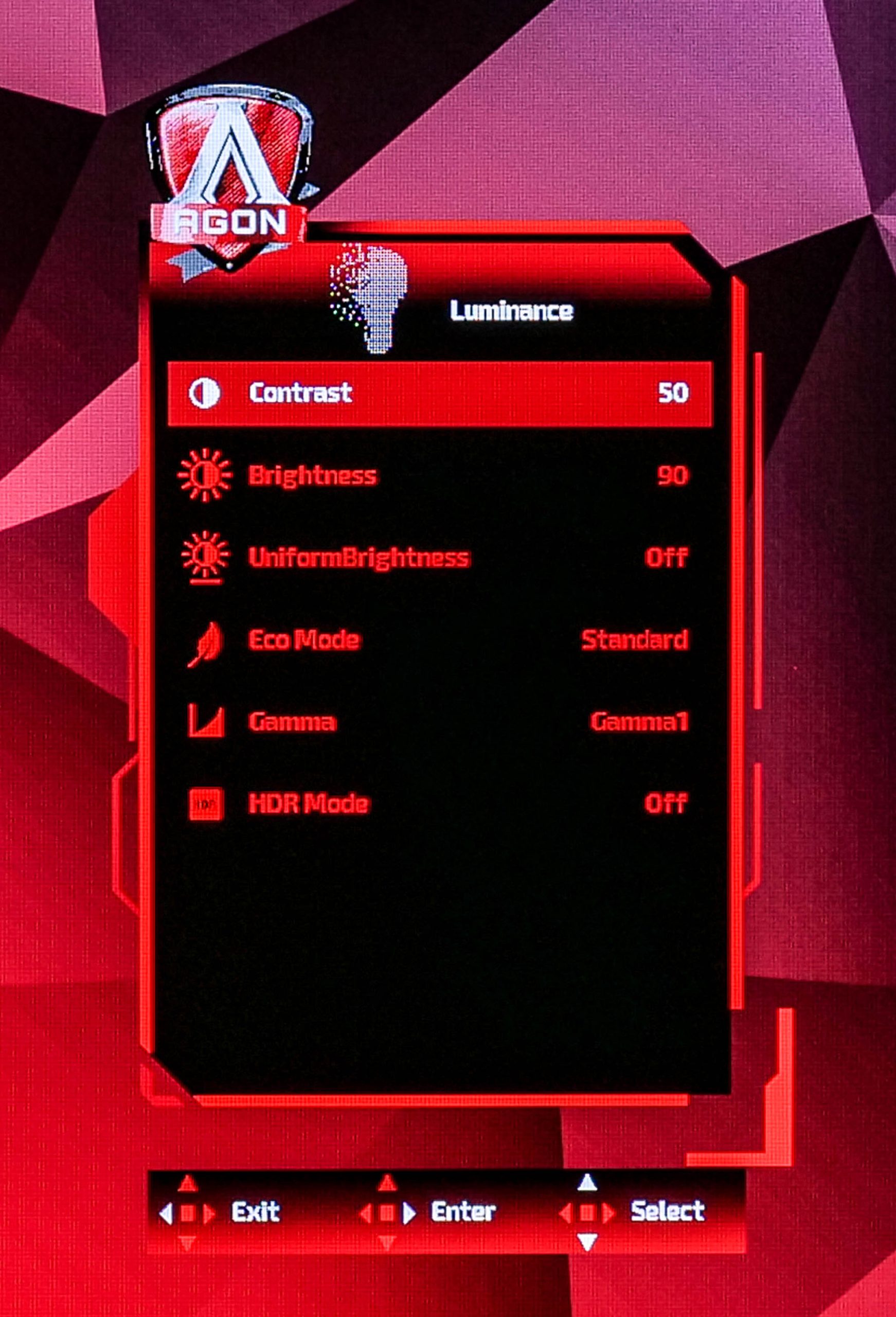
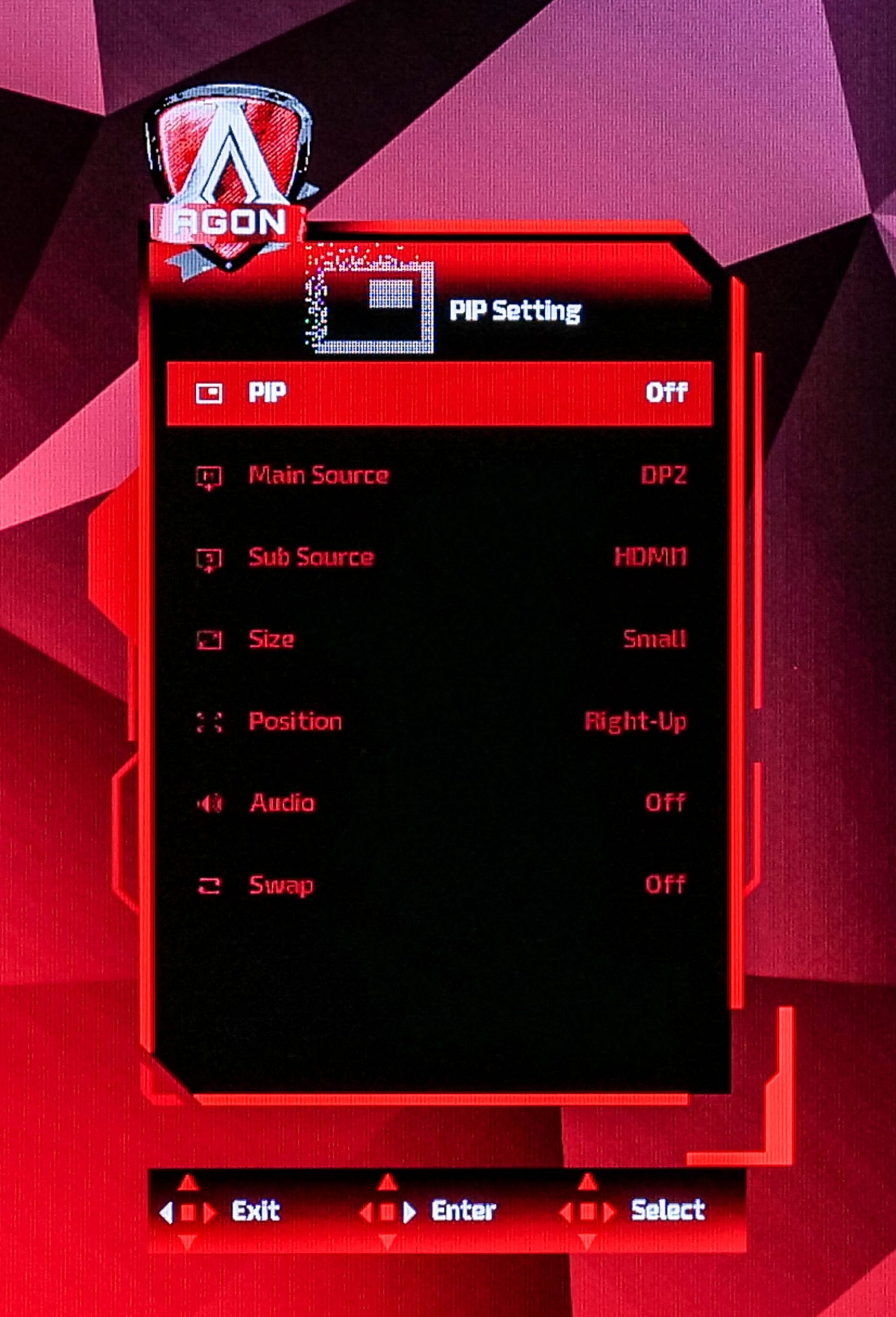

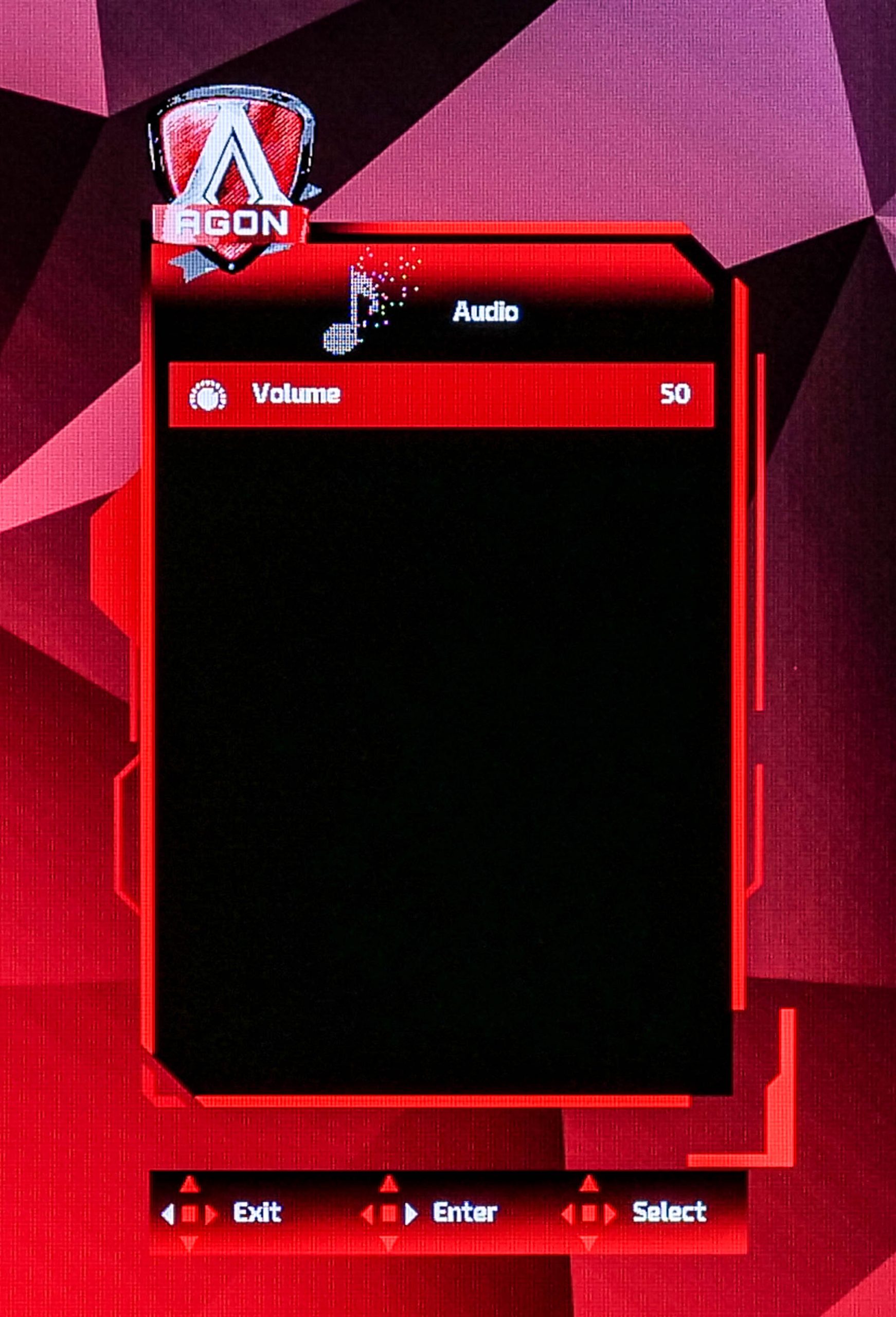
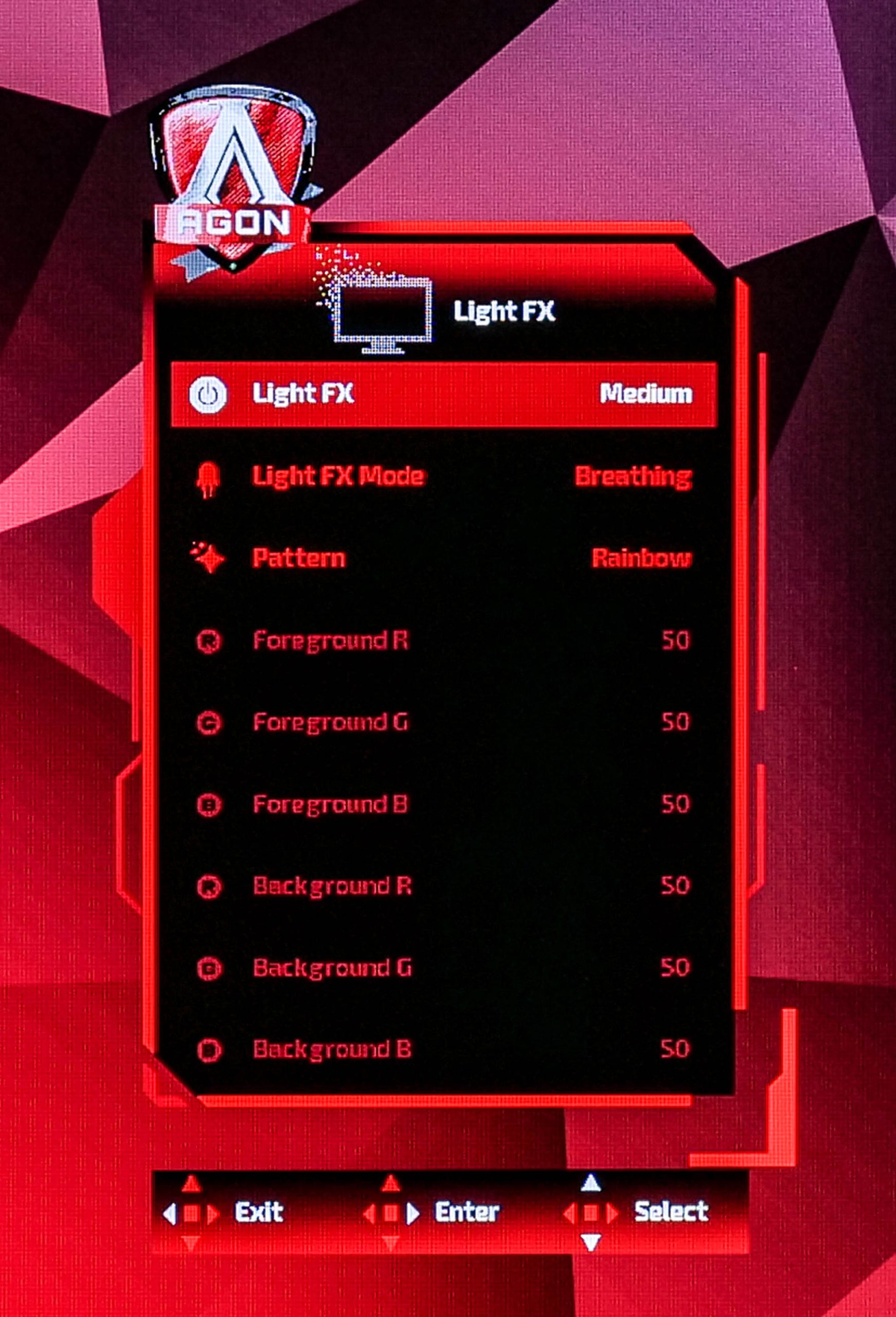

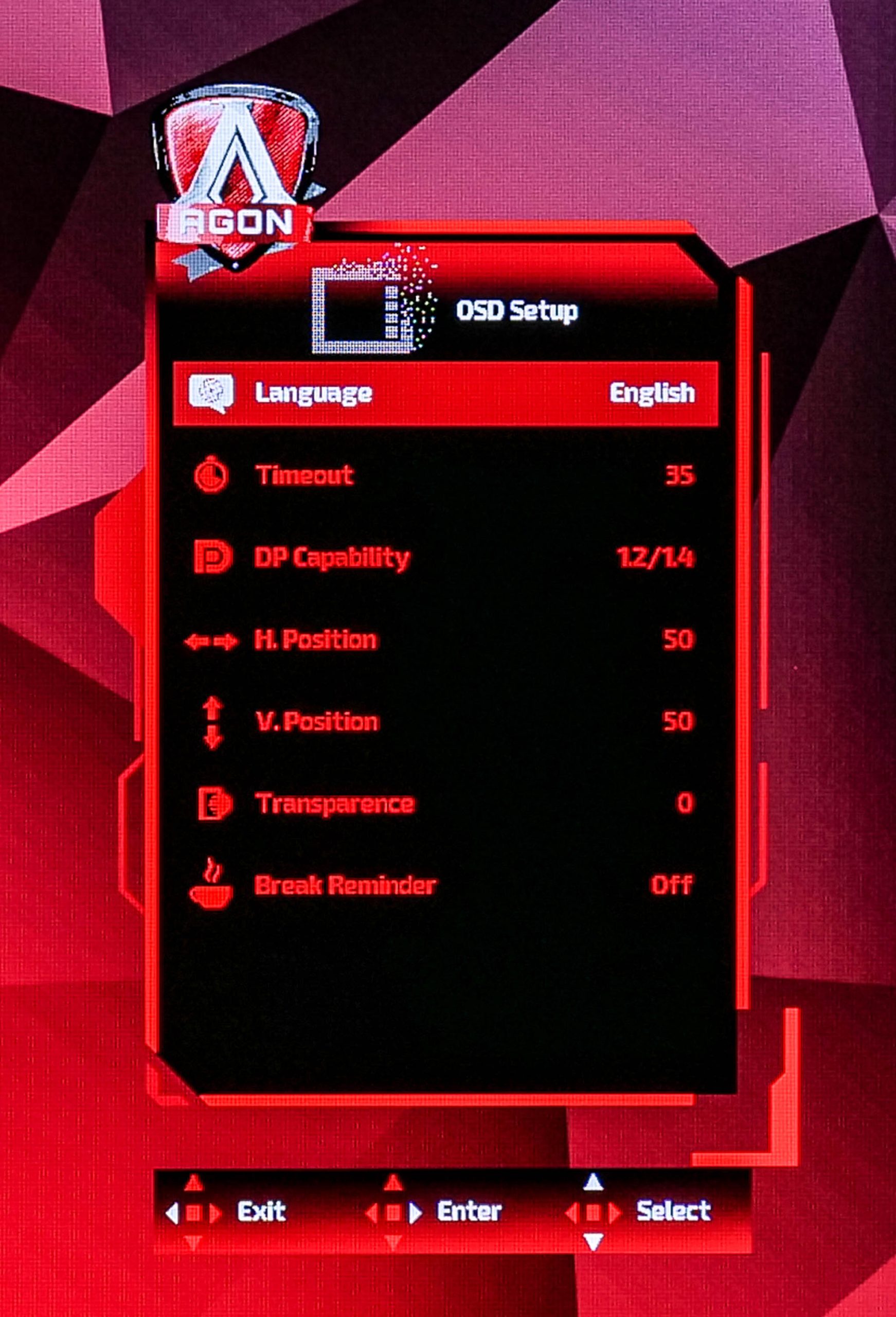
Generally speaking, the OSD here is fine, though I personally do find it a bit ugly. It is easy to navigate with the joystick however, and things are sensibly laid out. There's not a ton of extra features however, something I noticed particularly keenly after swapping from the MSI MPG271QRX, and there's also no way to re-map the navigation key's quick settings. It will certainly get you by, but I have used slicker systems overall.
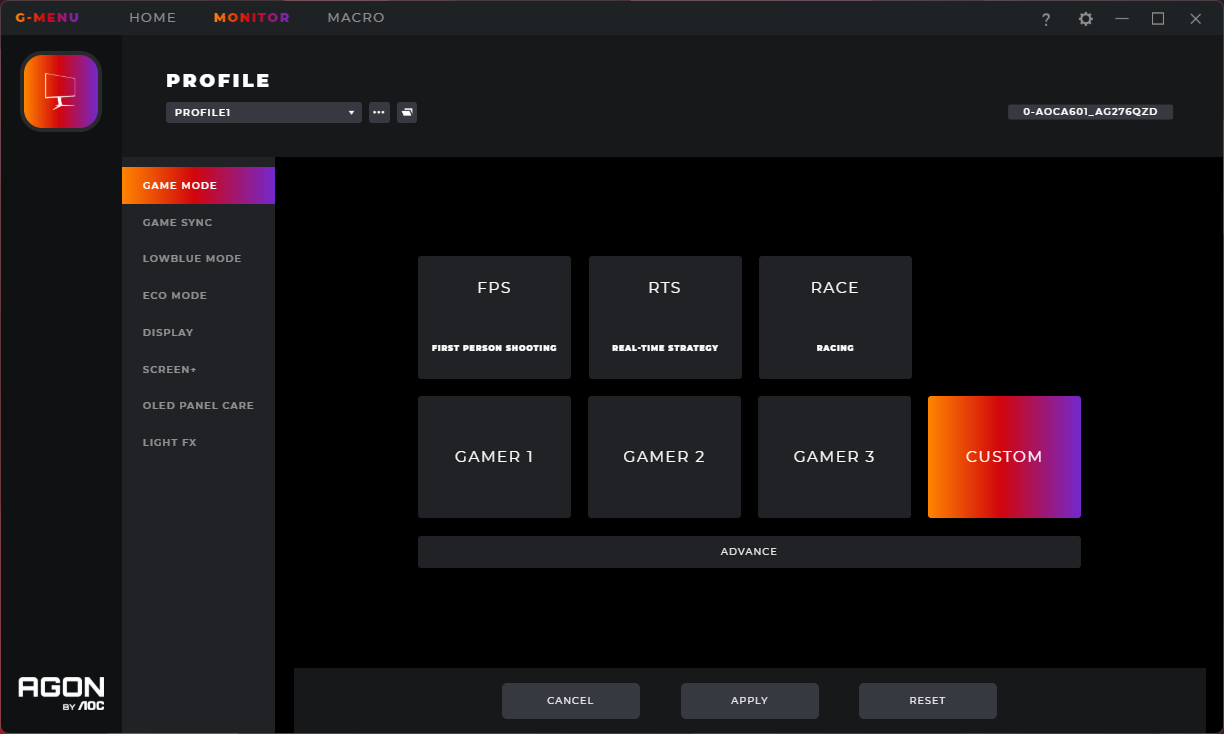
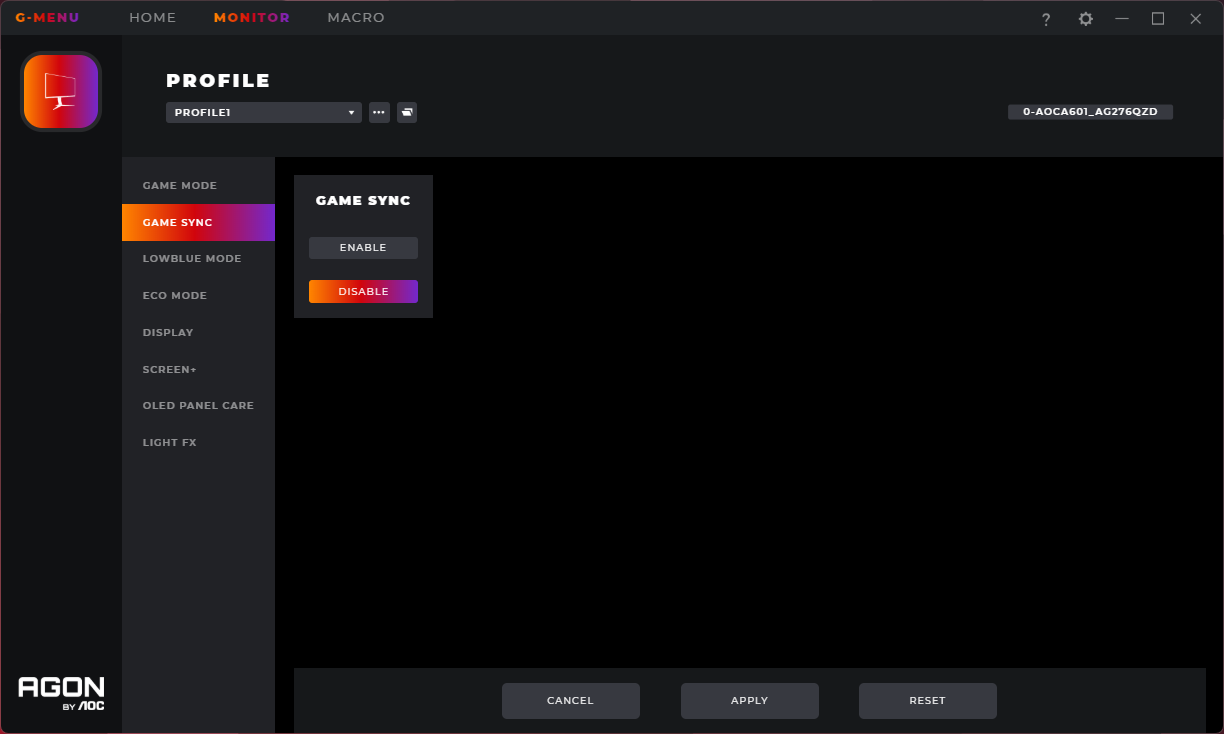

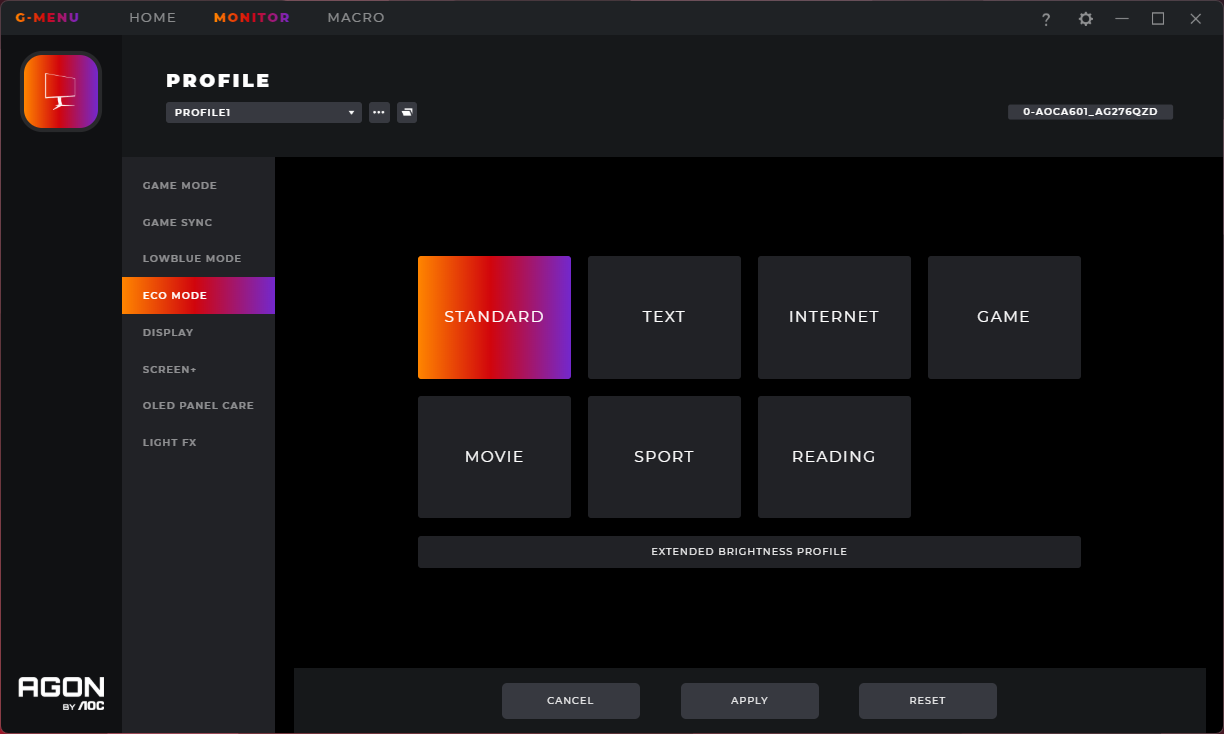
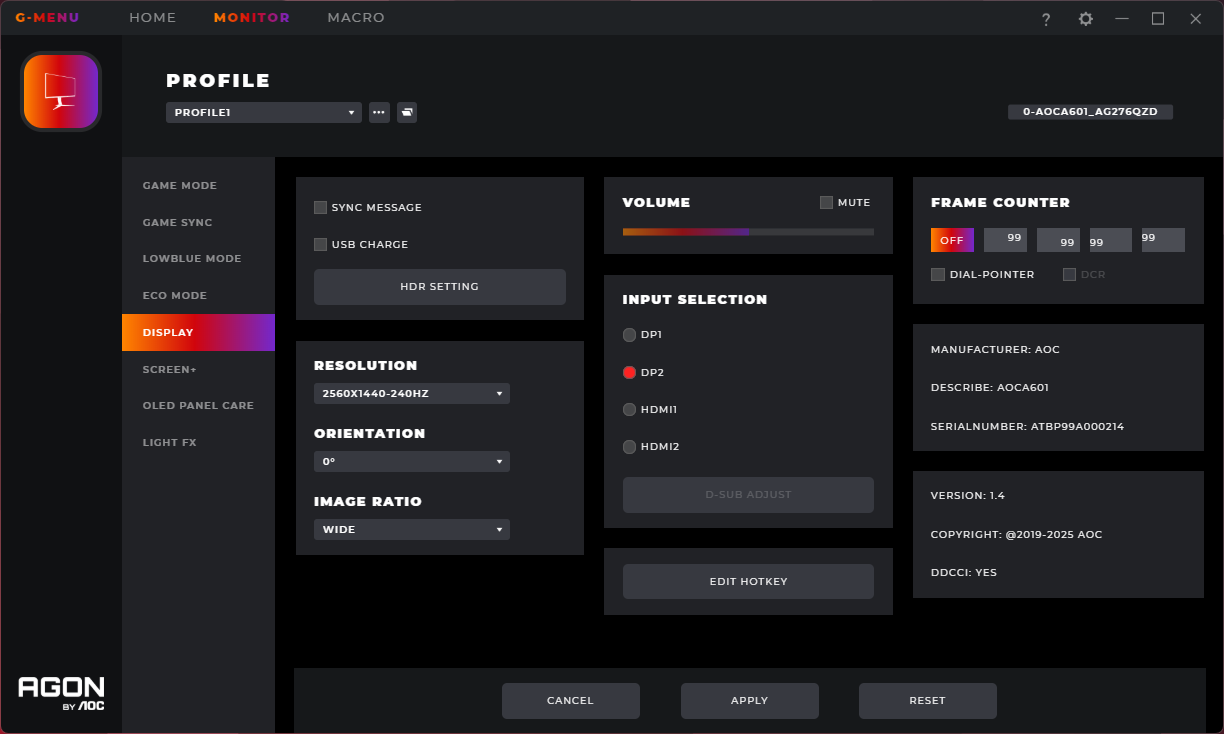
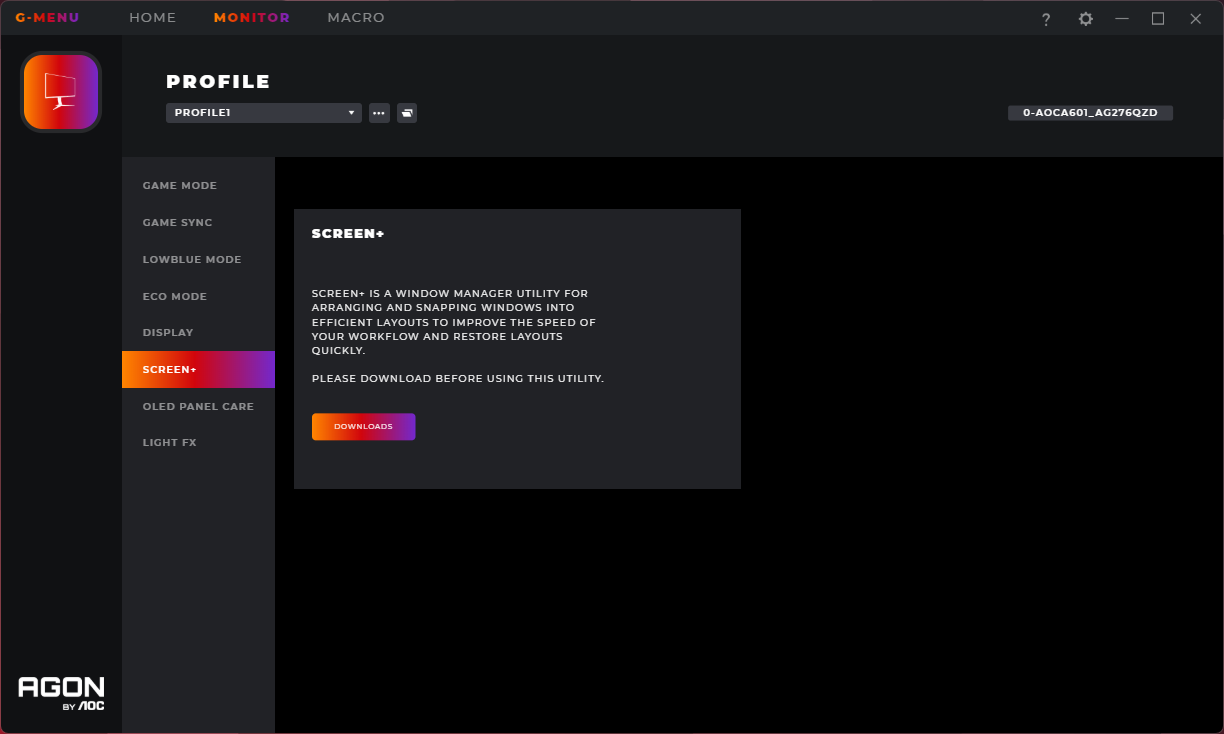
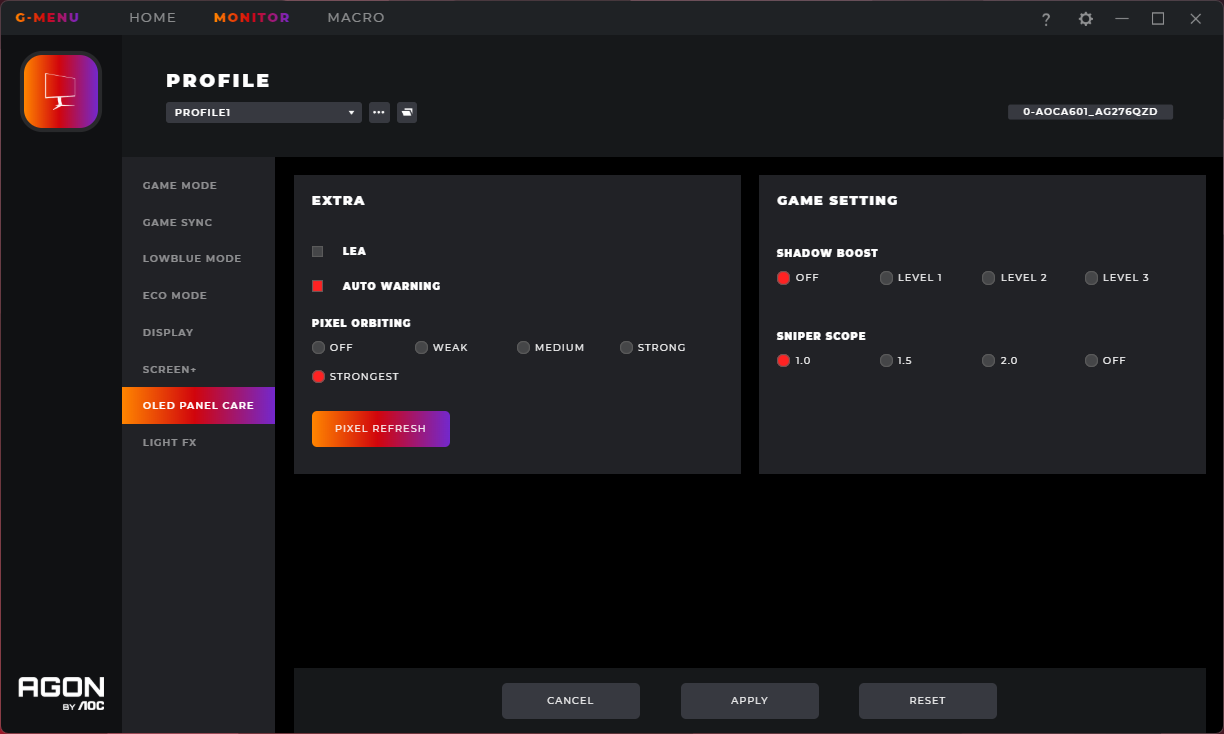
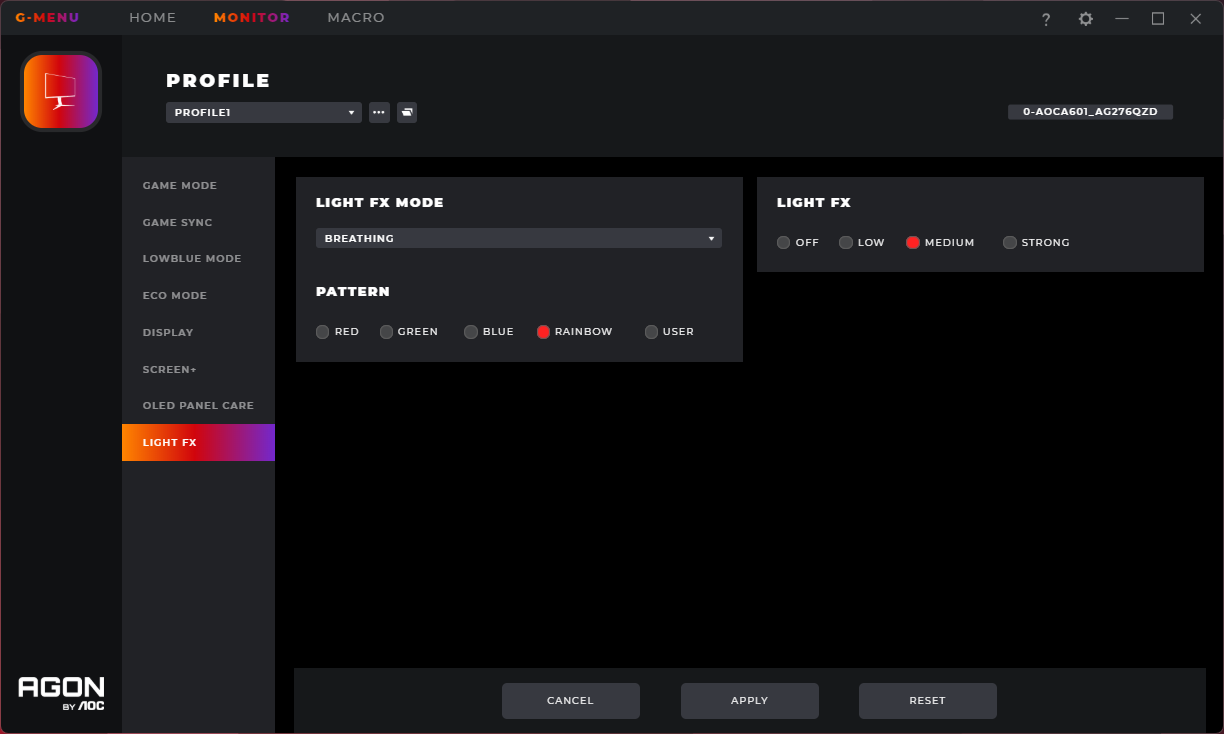
AOC does also offer its G-Menu software, giving users direct control over monitor settings from their desktop. This works well, apart from being a touch slow at times, and is generally fully featured. I imagine most people would use it to update the firmware, which is a good ability to have on any OLED screen.
Our main test involves using an X-Rite i1 Display Pro Plus colorimeter and utilising Portrait Display's Calman Ultimate software. The device sits on top of the screen while the software generates colour tones and patterns, which it compares against predetermined values to work out how accurate the screen is.

The results show:
- A monitor’s maximum brightness in candelas or cd/m2 at various levels set in the OSD.
- A monitor’s contrast ratio at various brightness levels in the OSD.
- Gamut coverage, primarily focusing on sRGB and DCI-P3 colour spaces.
- Greyscale accuracy, measured across 20 shades, with an average colour balance reported.
- The exact gamma levels, with a comparison against preset settings in the OSD.
- The colour accuracy, expressed as a Delta E ratio, with a result under 3 being fine for normal use, and under 2 being great for colour-accurate design work.
We first run these tests with the display in its out-of-the-box state, with all settings on default. If there is an sRGB emulation option or other useful mode then we may test that too. We then calibrate the screen using the Calman Ultimate software and run the tests again.
You can read more about our test methodology HERE.
Default settings
Brightness and Contrast (Full Screen)
| OSD Brightness | White Luminance (cd/m2) | Black Luminance (cd/m2) | Contrast Ratio |
| 0% | 1.1 | 0.00 | ~Infinite |
| 25% | 50.4 | 0.00 | ~Infinite |
| 50% | 101 | 0.00 | ~Infinite |
| 75% | 149.9 | 0.00 | ~Infinite |
| 100% | 254 | 0.00 | ~Infinite |
Starting our testing with full screen brightness results, we see a peak of 254 nits at 100% brightness, but then an incredibly low result with brightness at 0% – with our reading of just 1 nit! That itself may be too dim to be usable, but it's great that you can effectively make this screen as dim as you like with no limitation.
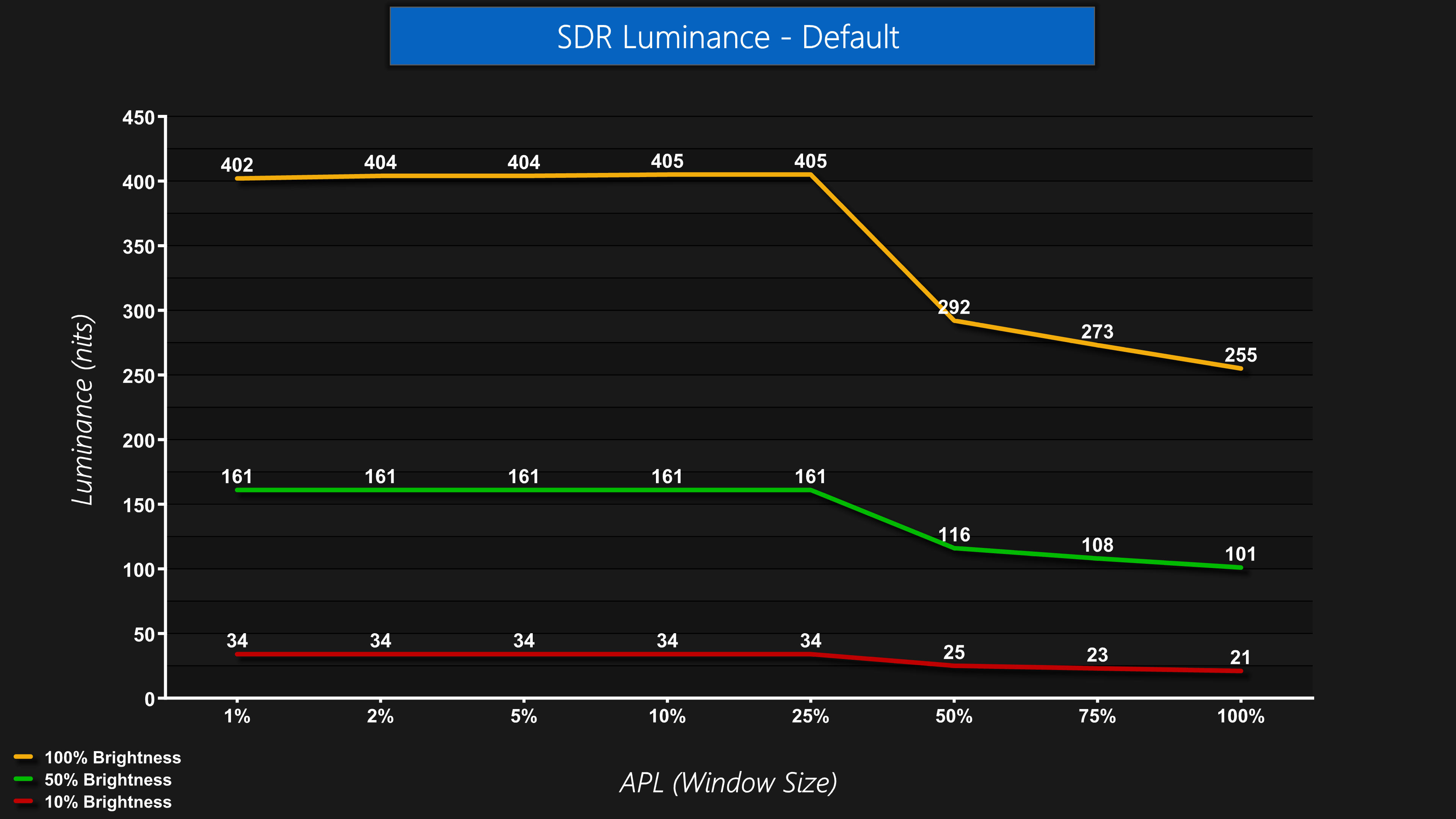
One thing to be aware of however, is that brightness is not fully uniform due to the Auto Brightness Limiter (ABL) – something that is common for WOLEDs. This means that brightness of on screen elements will decrease as the window size increases, resulting in fluctuating brightness depending what is shown on screen.
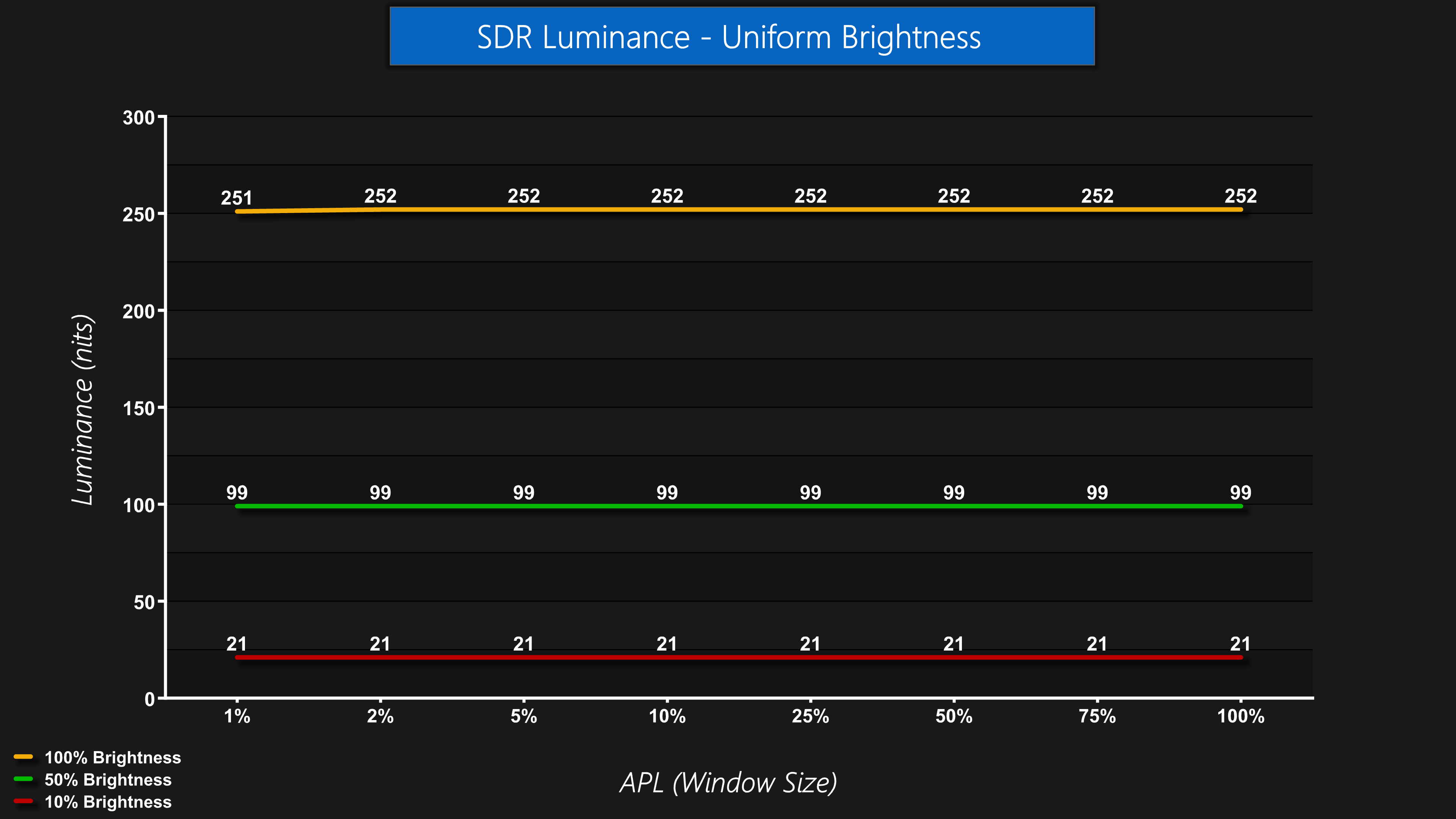
Thankfully, there is a Uniform Brightness mode in the OSD. This essentially caps the brightness regardless of window size – so you won't get as bright an image for smaller on-screen elements, but there also won't be any annoying brightness changes. A 100% brightness figure of just over 250 nits isn't too bad for this screen either – when we reviewed the Corsair Xeneon 27QHD240 WOLED, it could only do 200 nits at maximum, so this is a reasonable result for the AOC.
Gamut (CIE 1976)
| Colour space | Coverage |
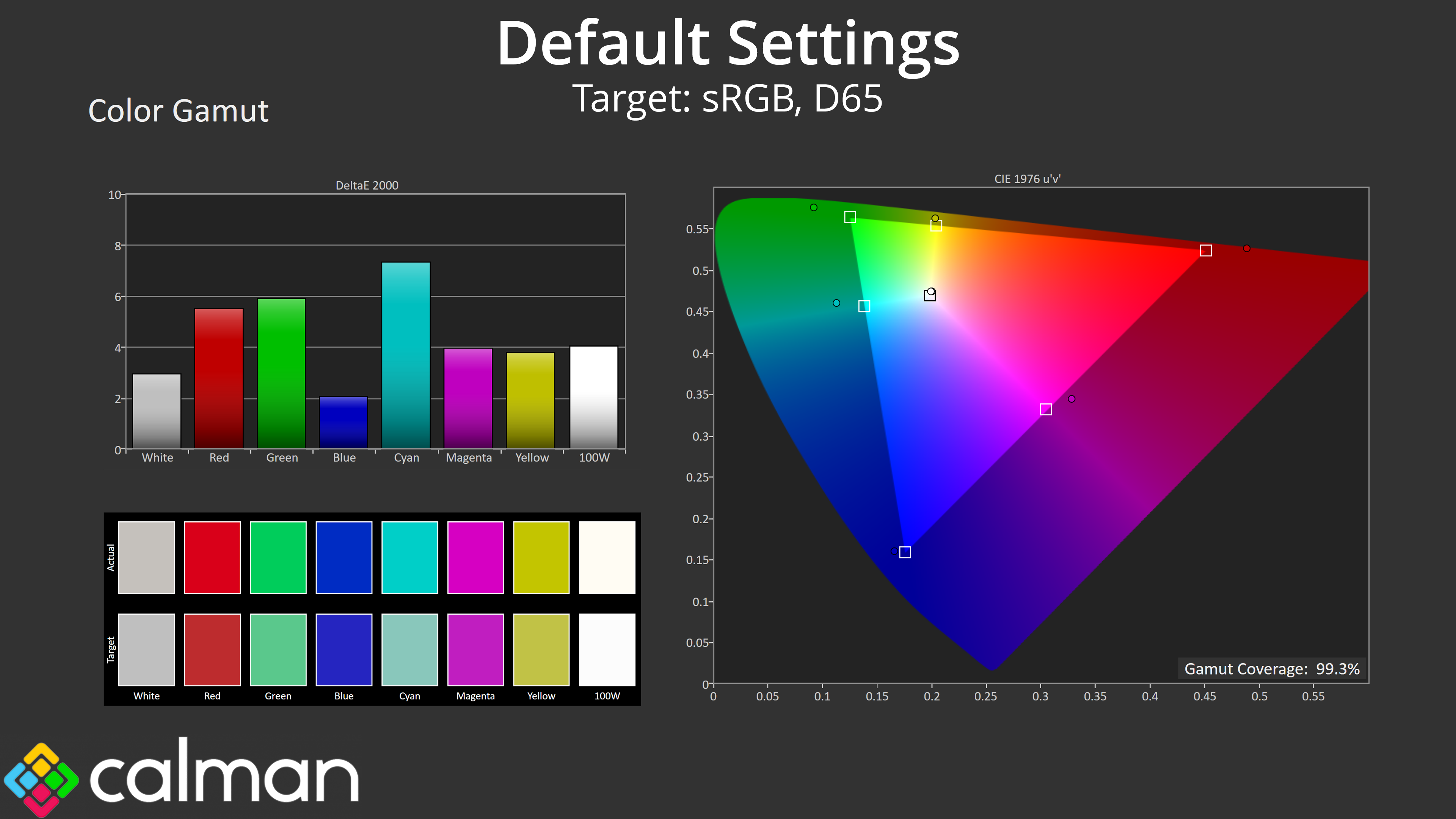
| sRGB | 99.3% |
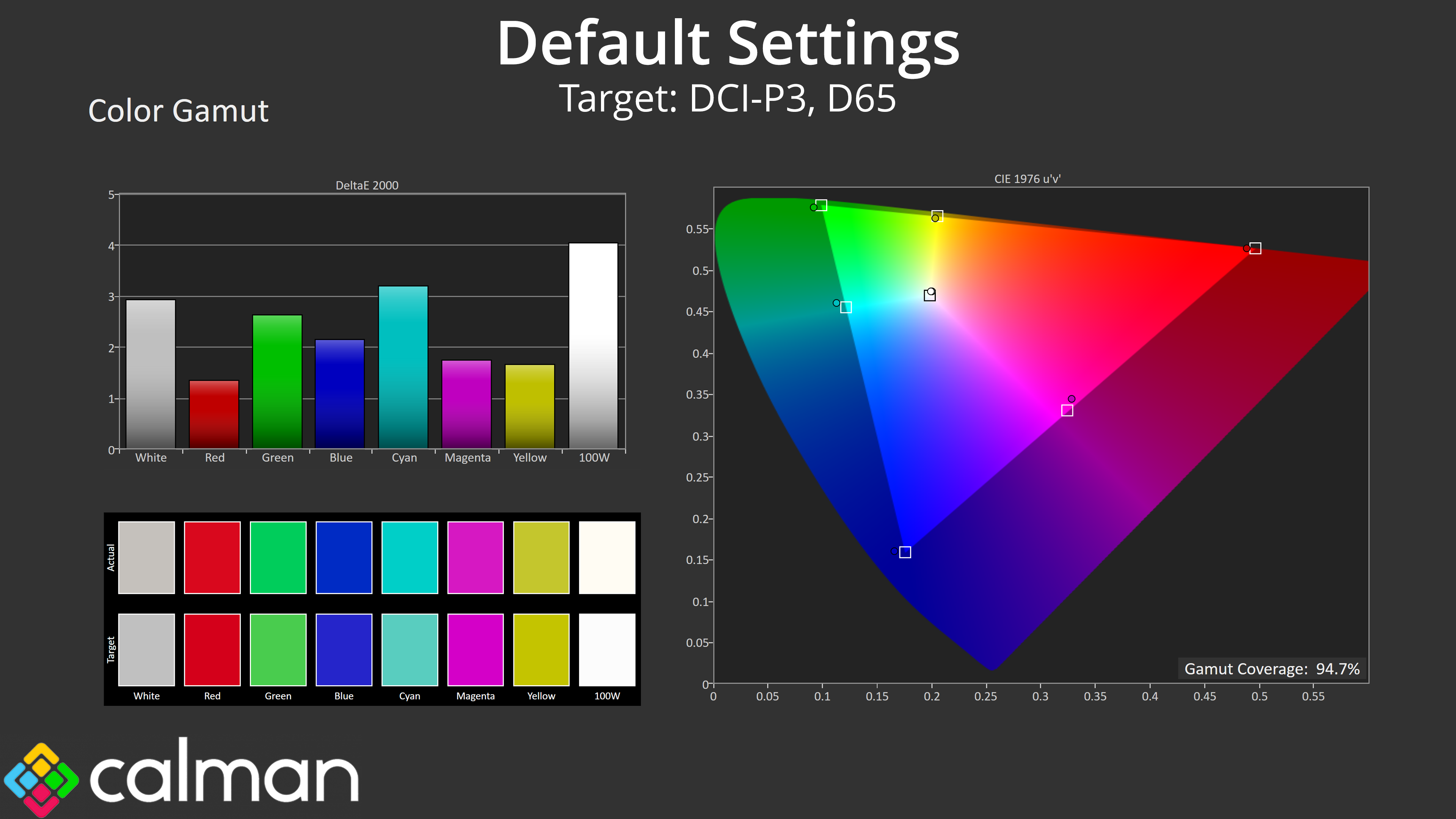
| DCI-P3 | 94.7% |
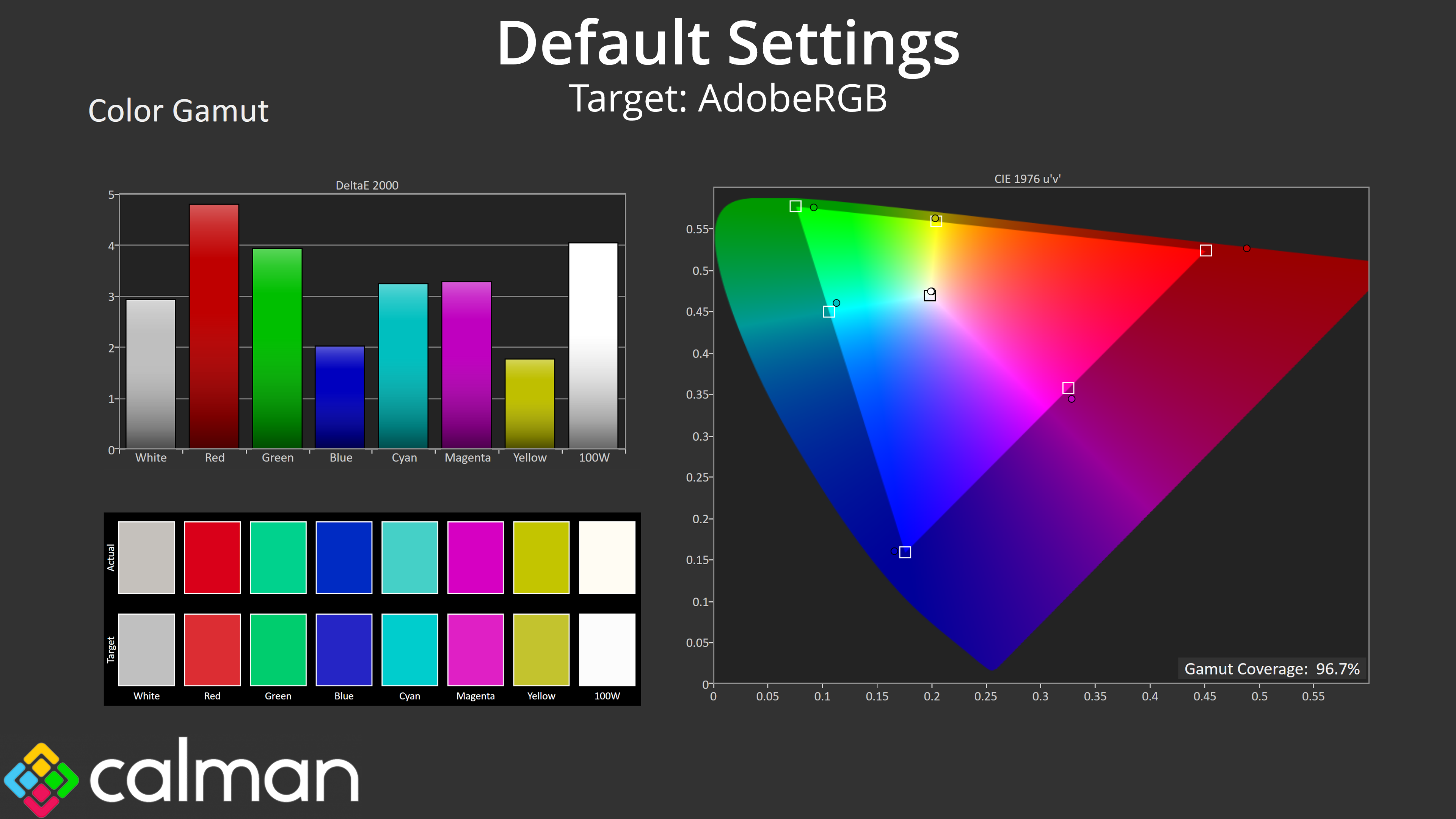
| Adobe RGB | 96.7% |
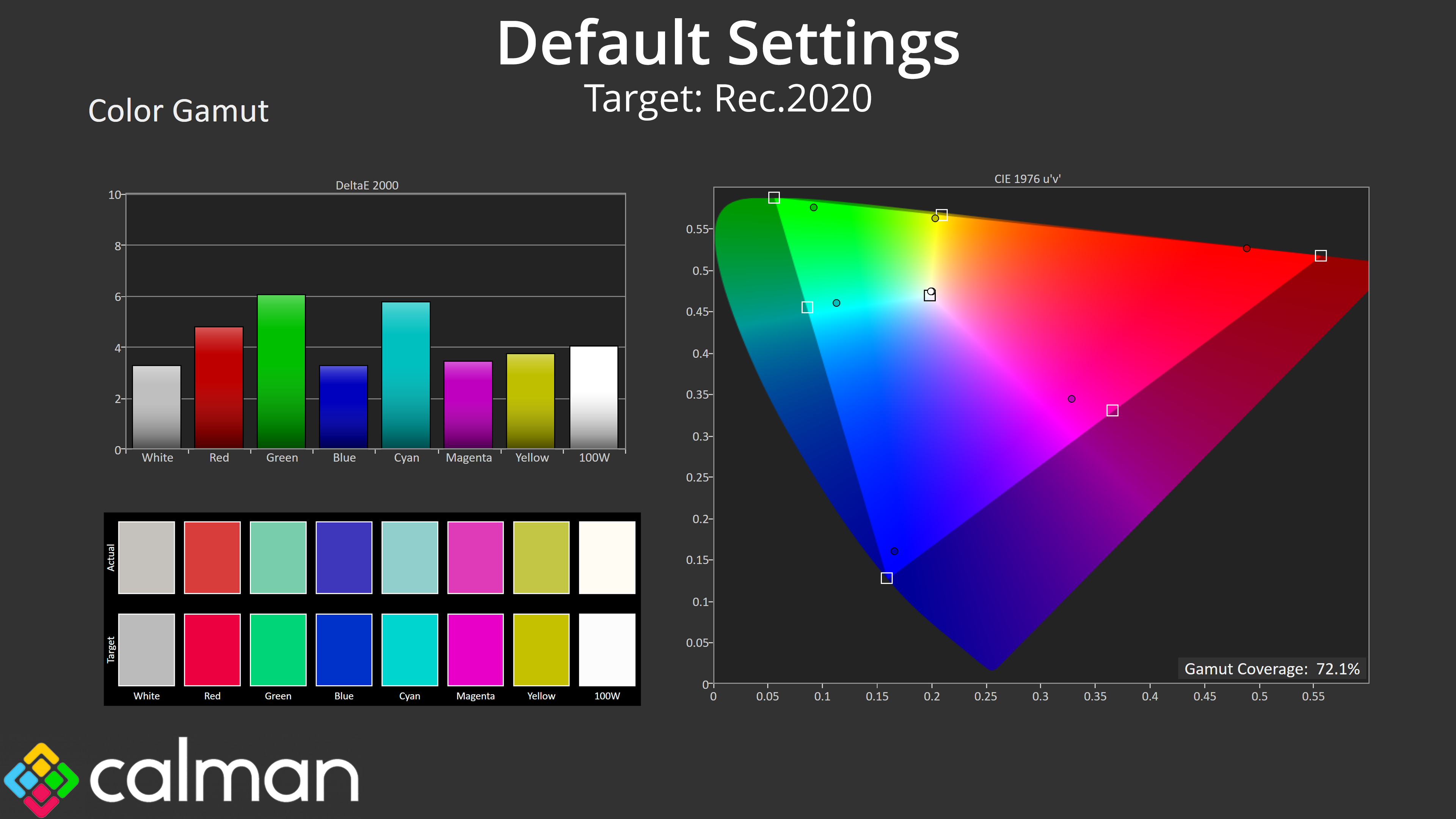
| Rec.2020 | 72.1% |
As for gamut, we get nice and wide coverage as we'd expect from an OLED. The AG276QZD generally surpasses the sRGB space, and offers 94.7% DCI-P3 and 96.7% AdobeRGB coverage, while we also get 72.1% reporting of the Rec.2020 colour space.
Greyscale
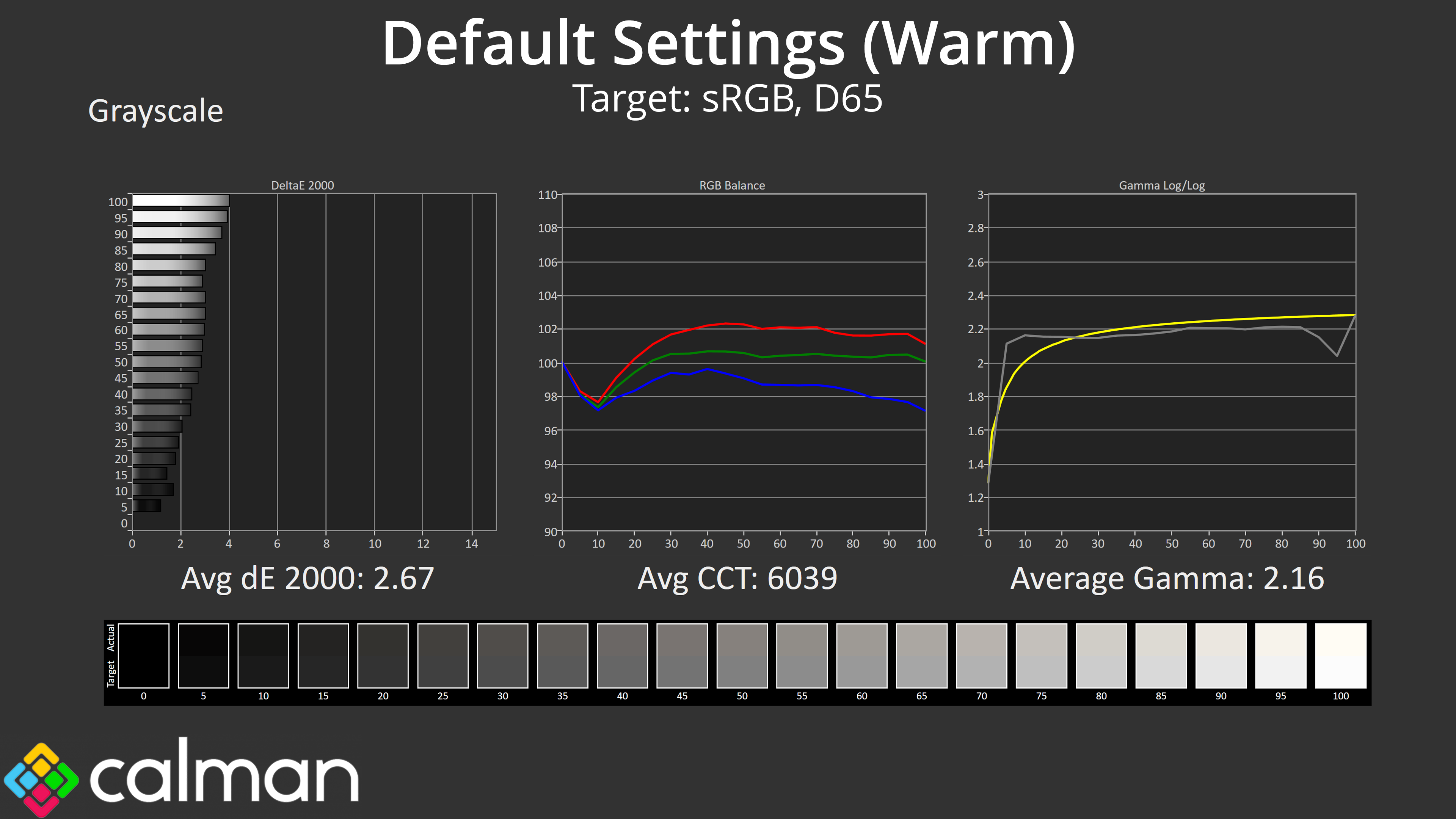
Moving onto greyscale testing, at first I used completely default settings, which for some reason means using the AG276QZD's ‘Warm' colour balance mode. As we can see here, this does indeed product a warm colour balance, with an average CCT (Correlated Colour Temperature) of 6039K.

To improve this, all I did was switch to the ‘Normal' colour balance mode within the OSD – it's not even a custom setting, it is one of the presets readily available – and that instantly improved the CCT up to 6531K, which is basically perfect. I'm really not sure why AOC defaults to the Warm profile, but I'd recommend switching to Normal for the most accurate colour balance.
That's reflected in the average dE 2000 of just 1.49, which is very good for an out of the box result, while gamma tracking is generally decent too, being just a fraction low but nothing too noticeable.
Considering a simple OSD change did improve the accuracy of this screen, I did the rest of my testing using the Normal colour balance mode.
Saturation
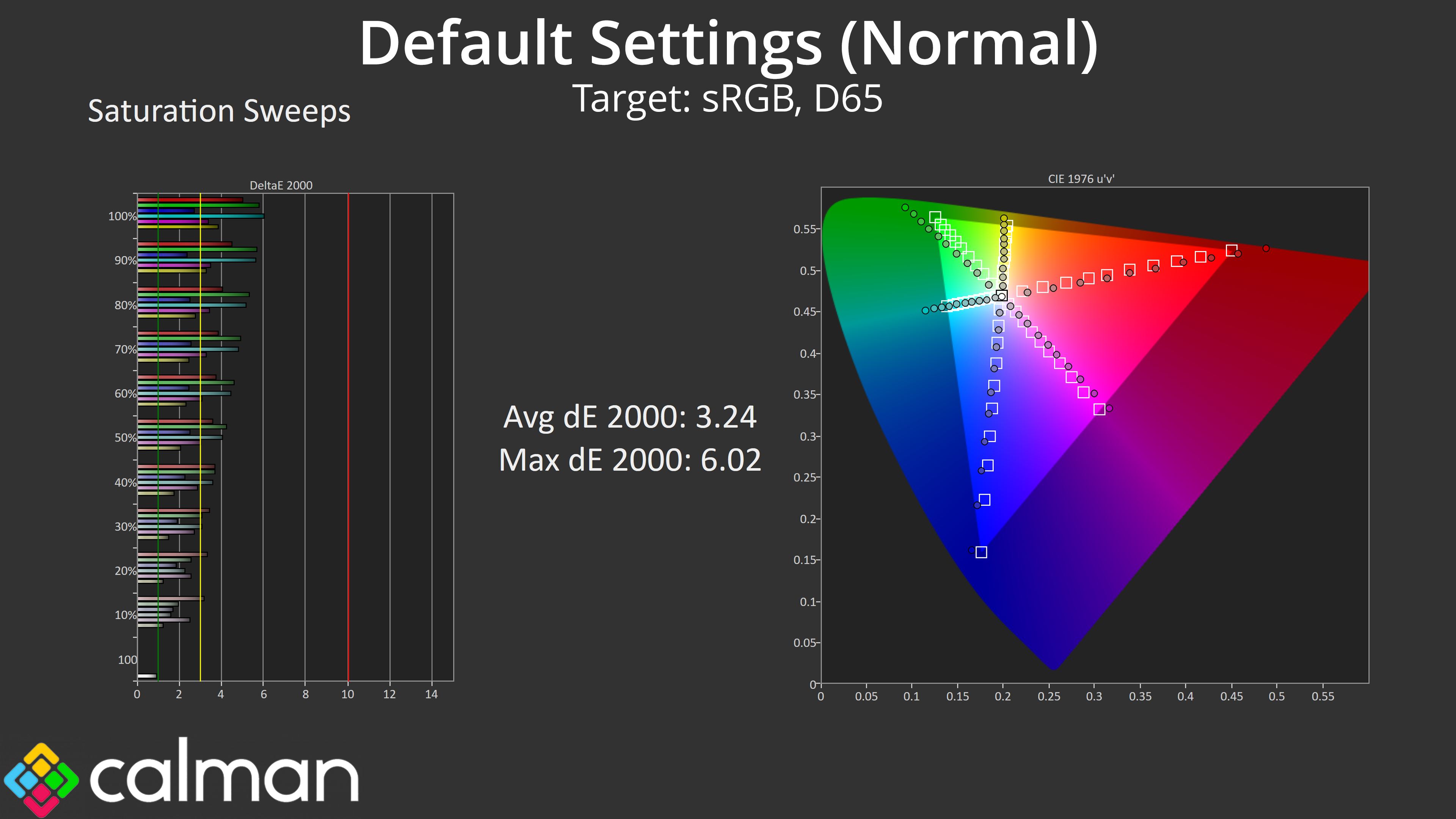
Overall saturation accuracy isn't terrible, but the wide gamut does result in some over-saturation relative to sRGB.
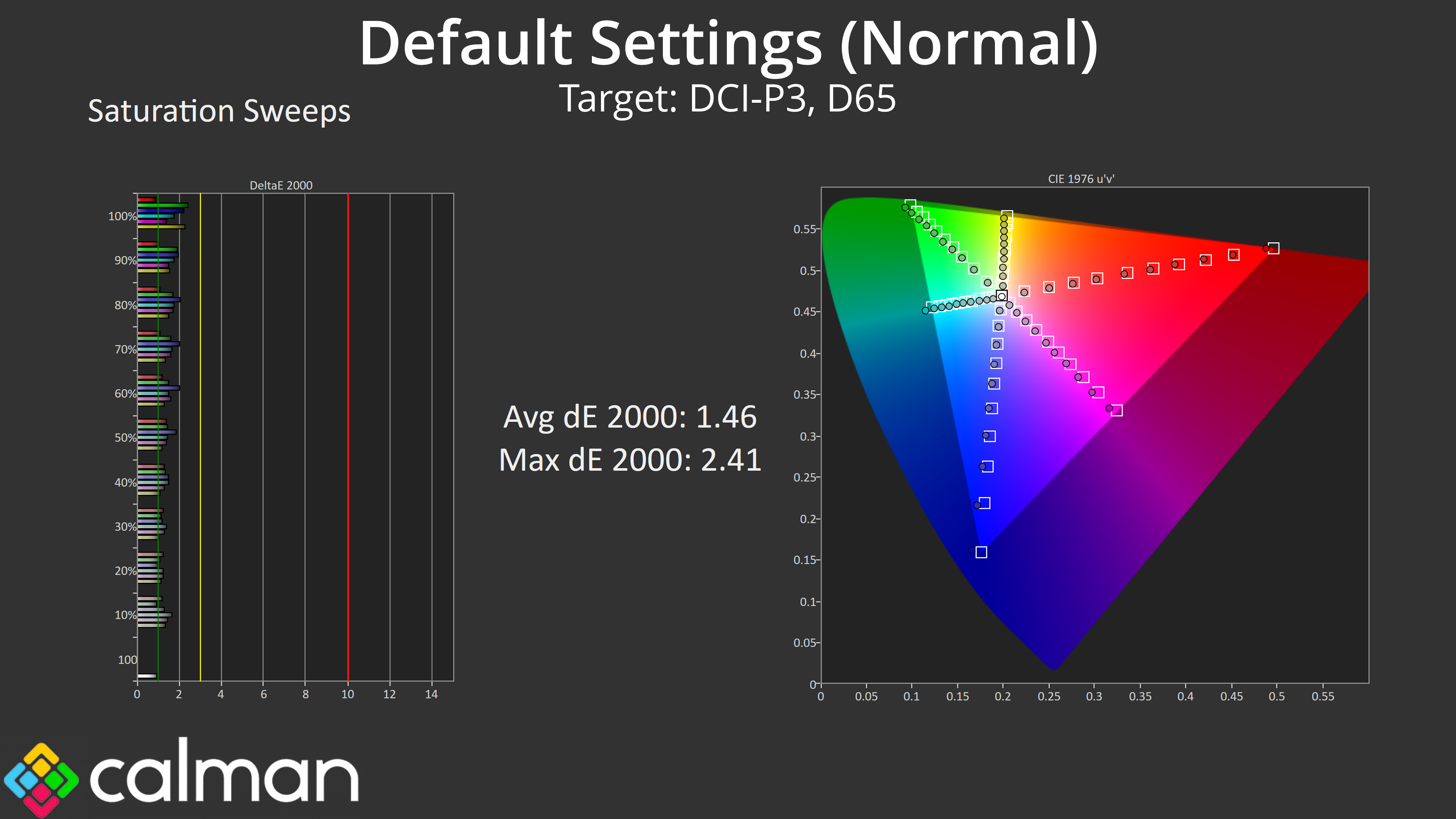
When comparing to the DCI-P3 colour space however, the results are significantly improved, with an average dE 2000 of just 1.46.
Colour Accuracy
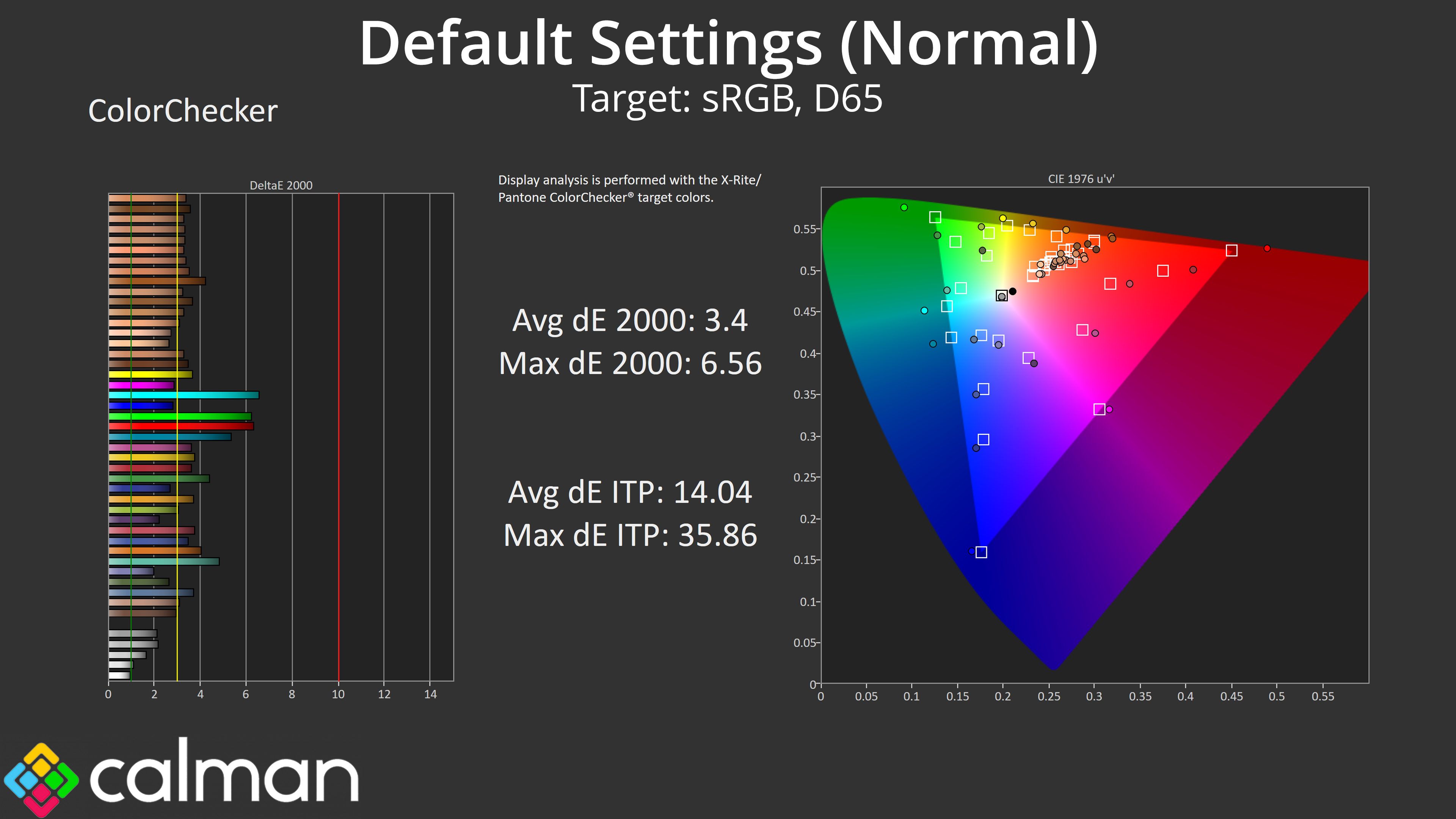
As expected, sRGB colour accuracy isn't the best due to the amount of over-saturation, and we see an average dE 2000 of 3.4, but a few channels are exceeding a deltaE of 5, which isn't ideal.
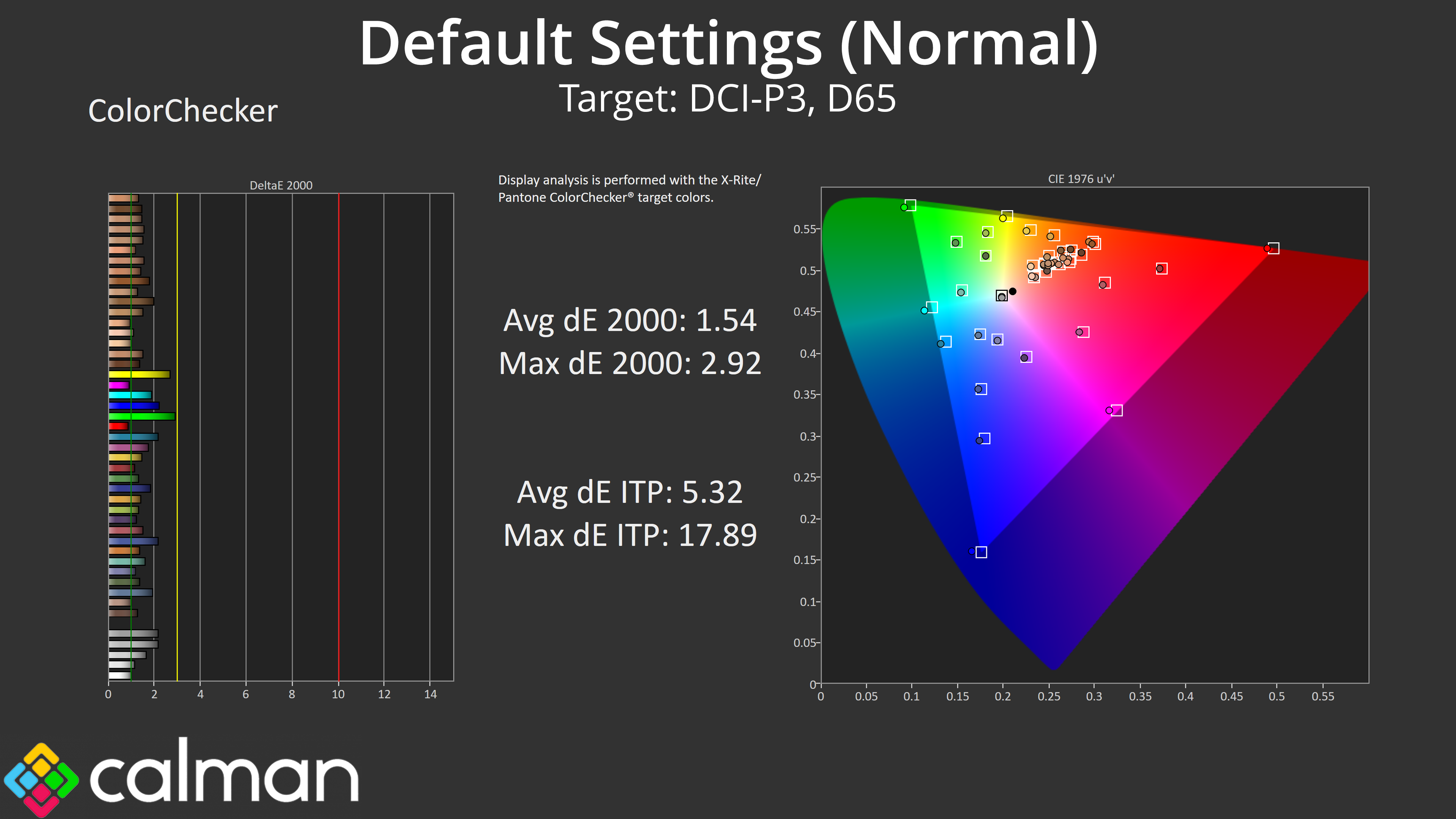
Once again, things do improve when we compare against the DCI-P3 space, this time with a new average dE 2000 of 1.54, and a maximum of below 3.
sRGB Emulation Mode
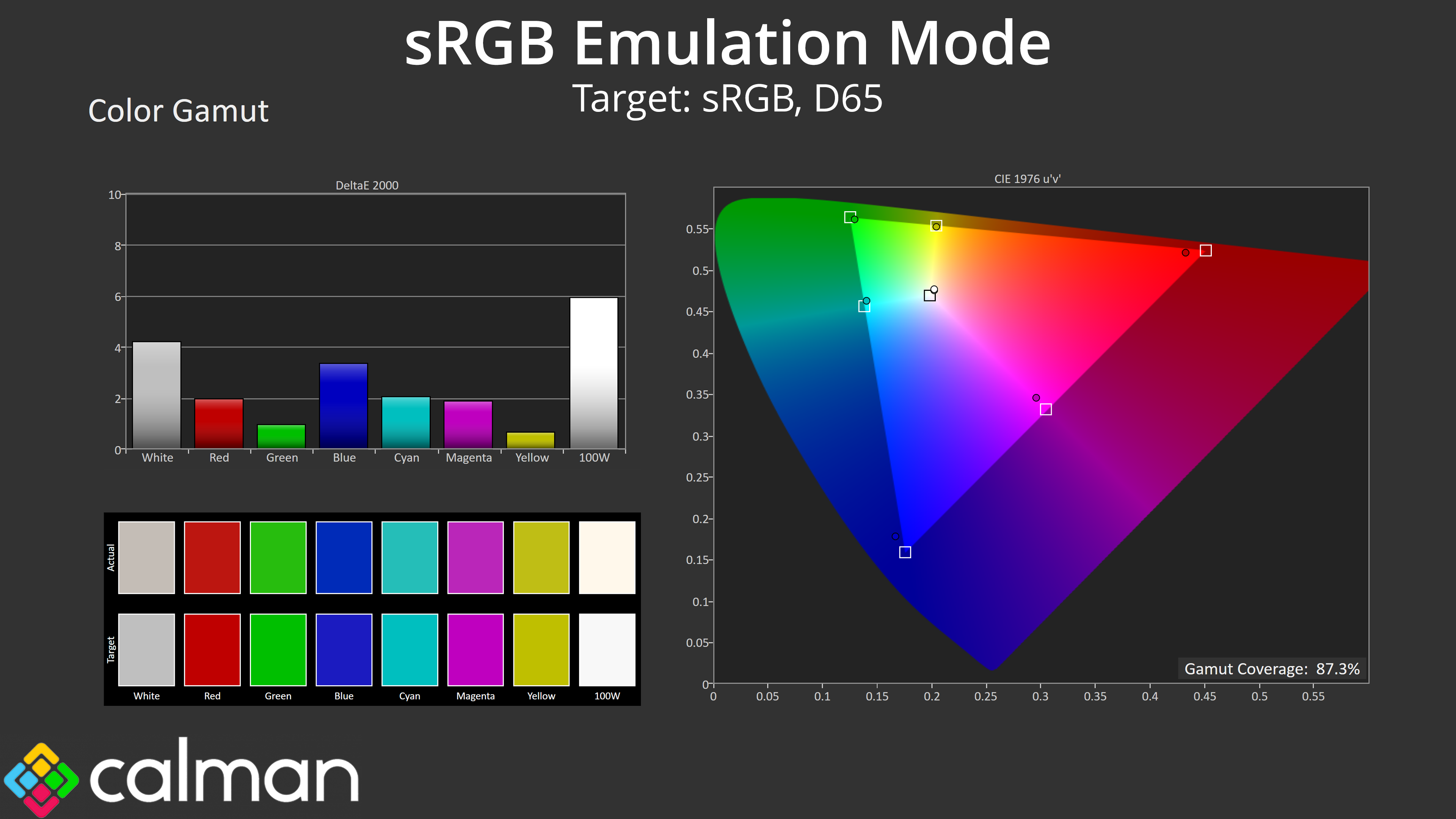
Still, there is hope if you want to use the sRGB colour space as AOC provides an sRGB emulation mode within the OSD. Our initial impressions are that it could be improved however, as it's clamping the gamut slightly too aggressively here.
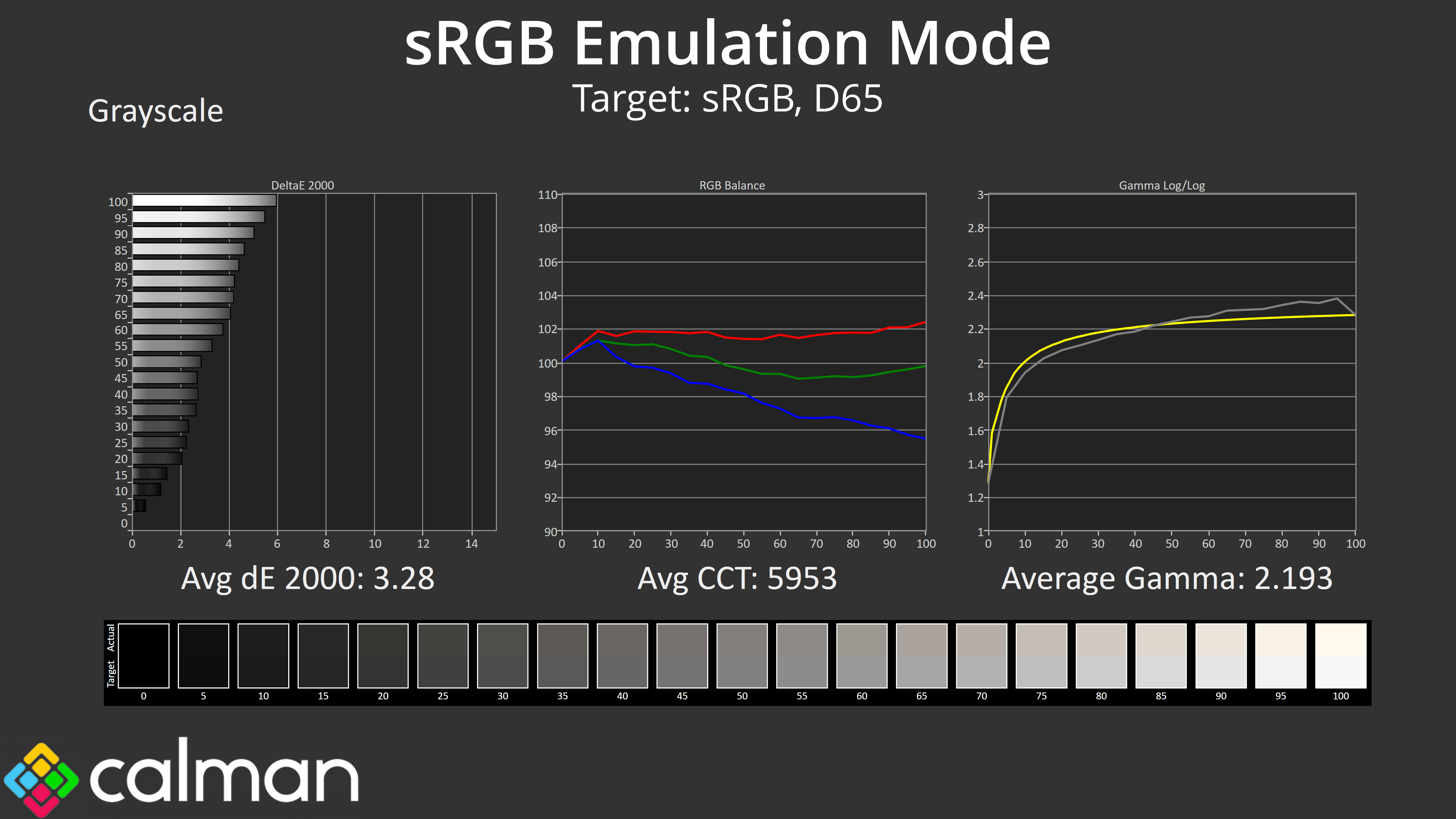
Using this sRGB mode also locks you out from manually adjusting colour temperature, which is always a pain, and it seems this mode is based on the ‘Warm' colour balance profile, as we once again get results that are noticeably warm, with an average CCT of 5953K. Gamma tracking is very good in this mode however, averaging 2.19.
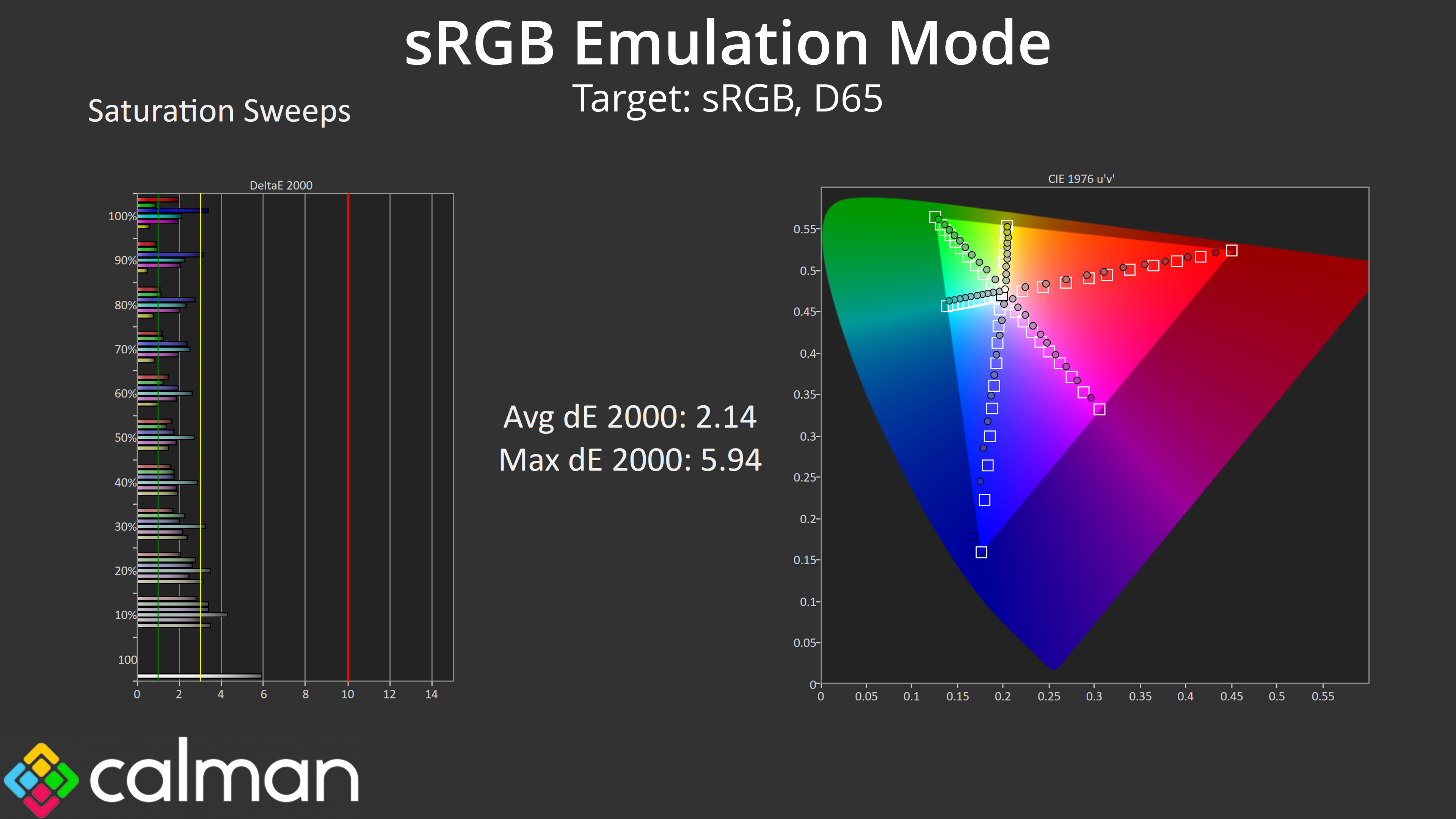
Saturation accuracy is improved compare to the out of the box settings, but as you can see, the sRGB mode is actually too aggressive with its clamping of the colours.
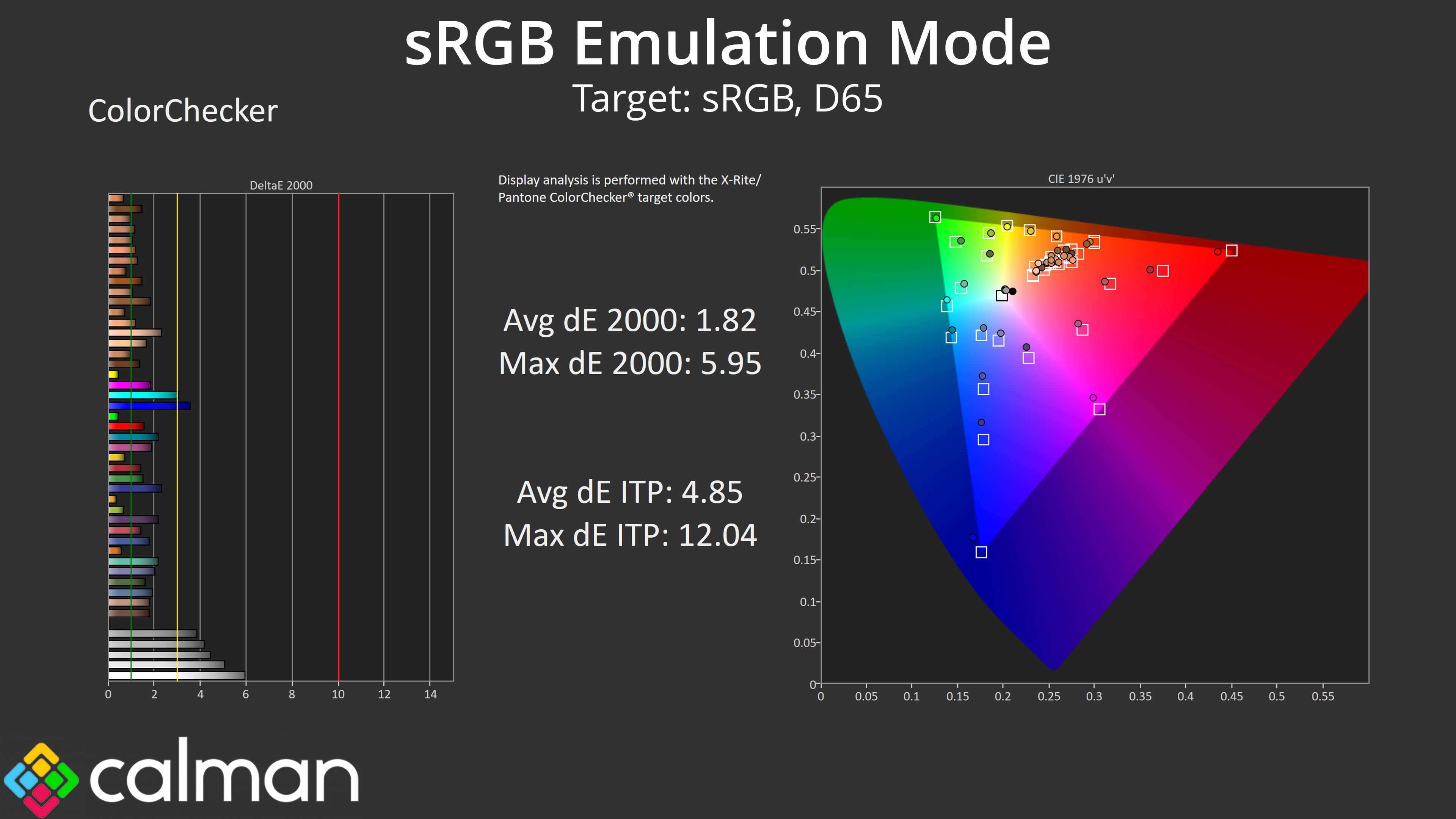
Colour accuracy of this sRGB mode is good, with an average dE 2000 of 1.82. However, it would be a lot better if the white balance was not overly warm – as you can see, those white and light grey shades are the most inaccurate of the bunch, given the colour balance is closer to 6000K than 6500K.
Overall, the sRGB mode is decent and will offer better results than out of the box settings, but it could also be improved, particularly by allowing users white balance control, and AOC needs to be slightly less aggressive with the colour clamp. Let's see what we can do with a manual calibration…
Calibrated Results

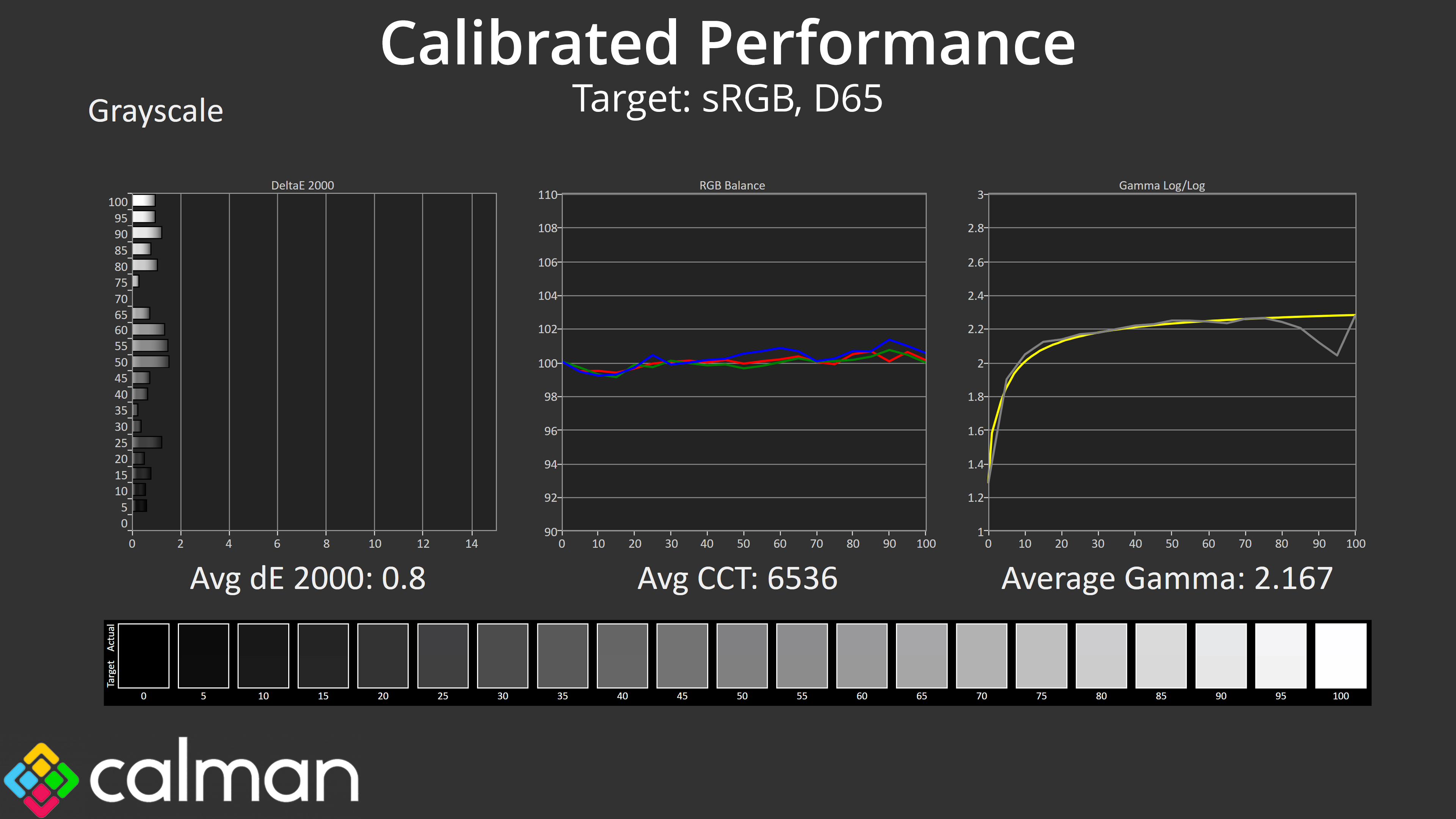

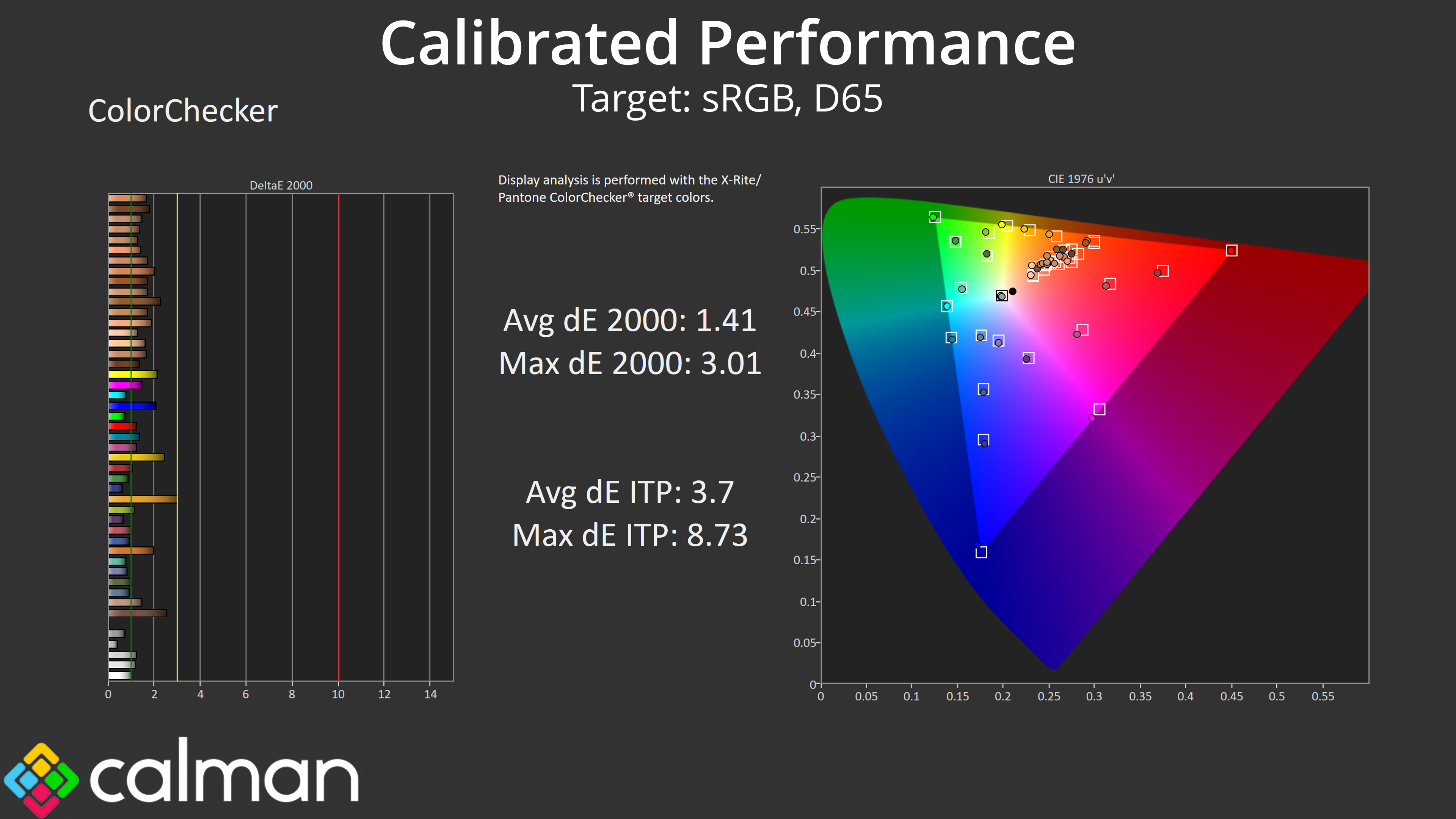
It's no surprise that we get great results when calibration using Calman Ultimate. Gamut locks in much better than what we saw from the sRGB emulation model and greyscale is pretty much flawless, with super gamma tracking too. Saturation inaccuracy is almost completely removed, with a new average deltaE of 0.92, while colour accuracy is also improved with a new average dE 2000 of 1.41.
HDR Testing
Following on from the SDR results on the previous page, here we re-test the relevant areas of the display with HDR enabled.
Greyscale
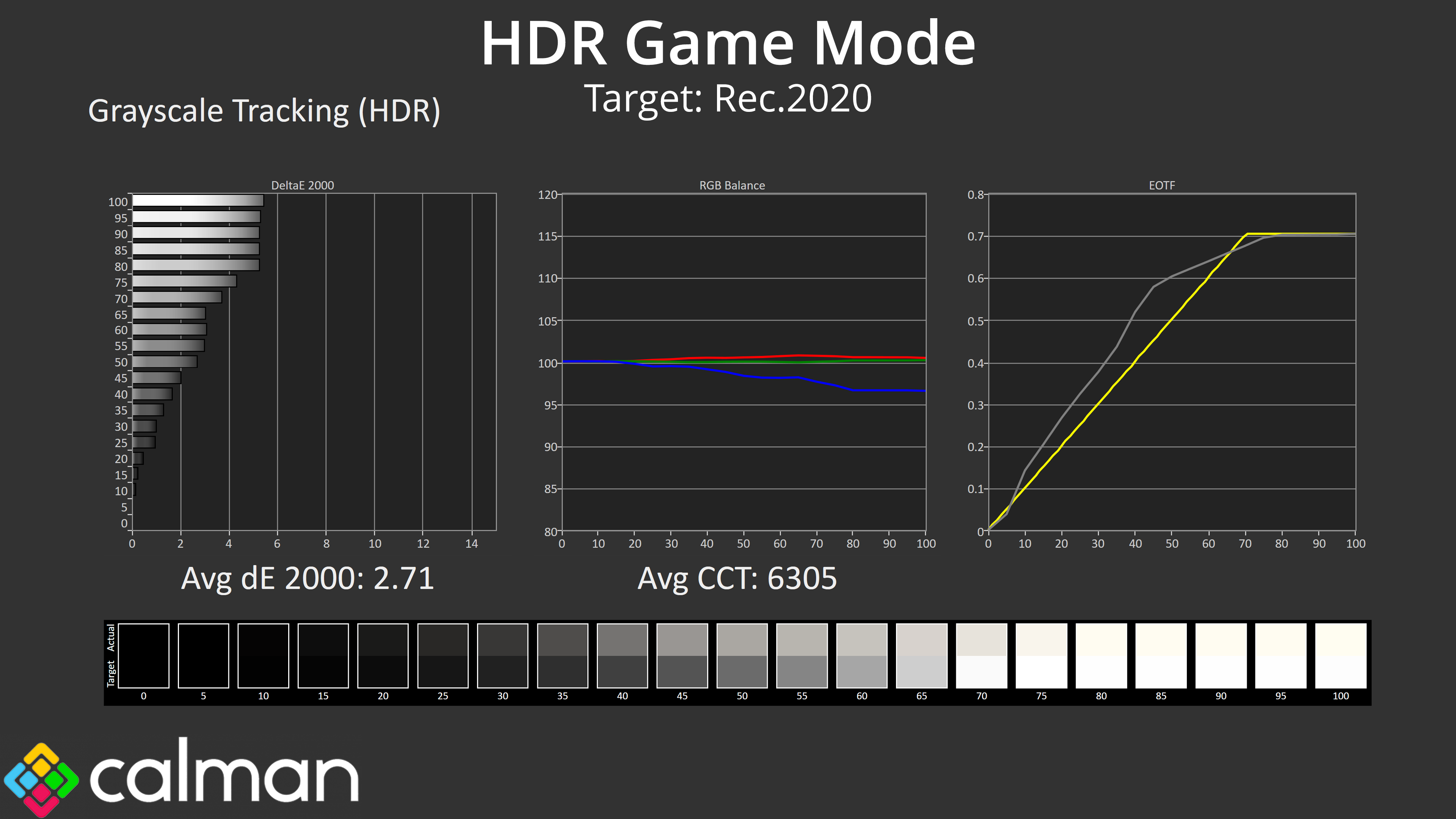
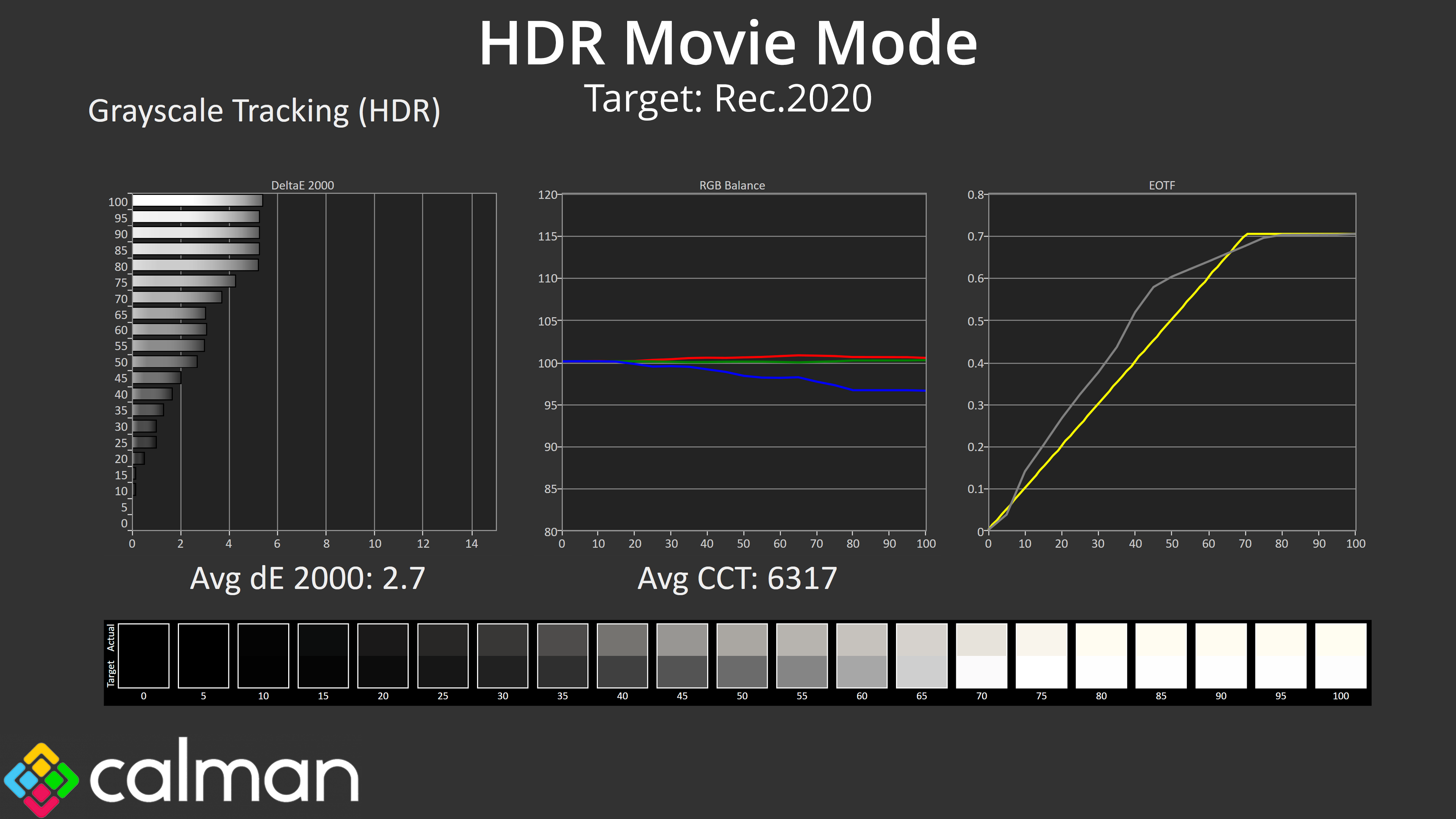

There's a total of five different HDR modes within the OSD for the AG276QZD. As it turns out, Game, Movie and Picture are all basically the same, and I don't recommend using those settings as they're not particularly accurate.
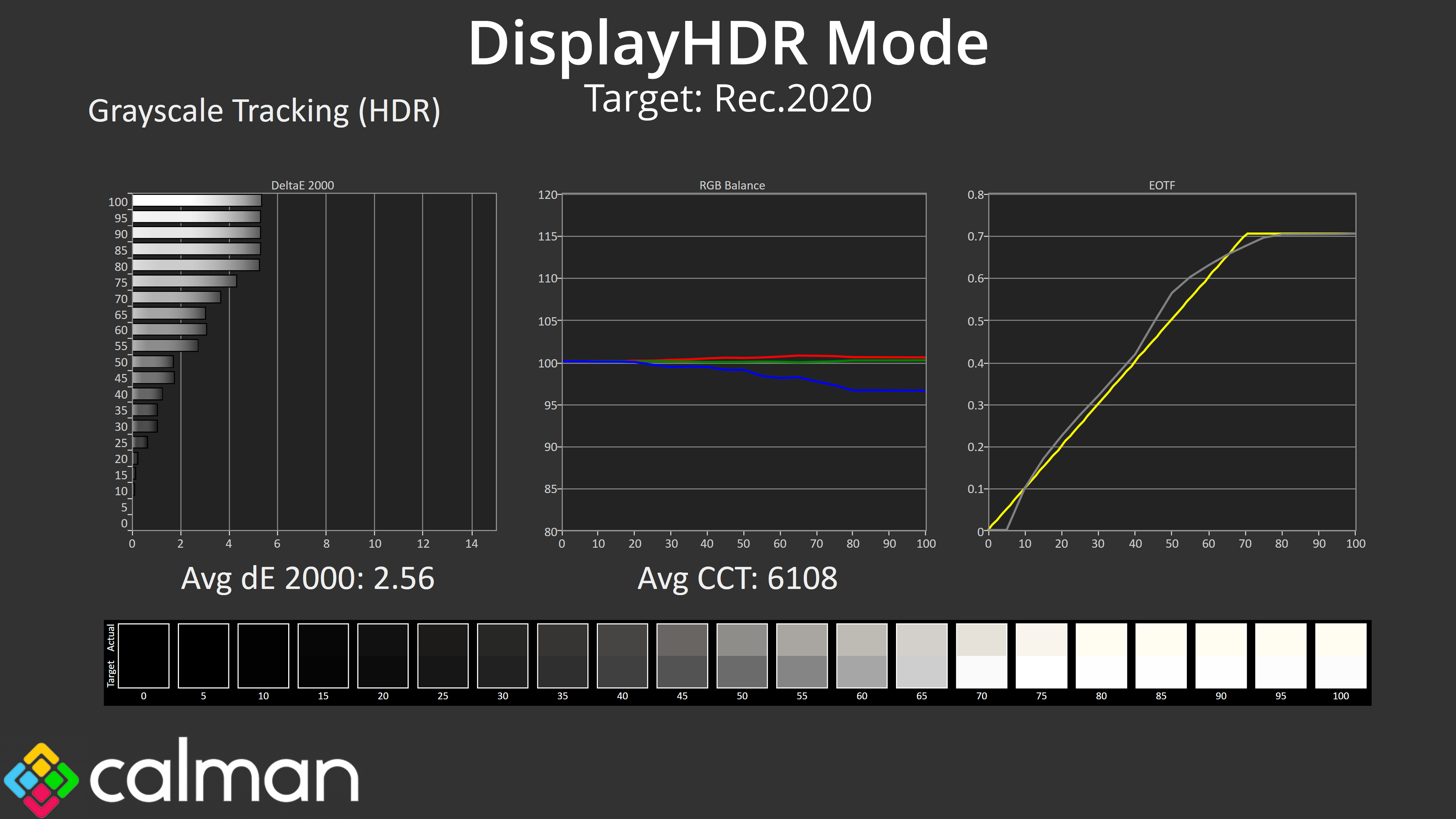
The DisplayHDR mode is the most accurate, with decent if not mind-blowing EOTF tracking, as it's slightly too bright across the range, but it's the best of the bunch.

Then, there is also the HDR Native mode. As you can see, this mode is way too cool, CCT hits 8385K and the image takes on a noticeable blue hue. Why bother including this mode, you ask?
Brightness
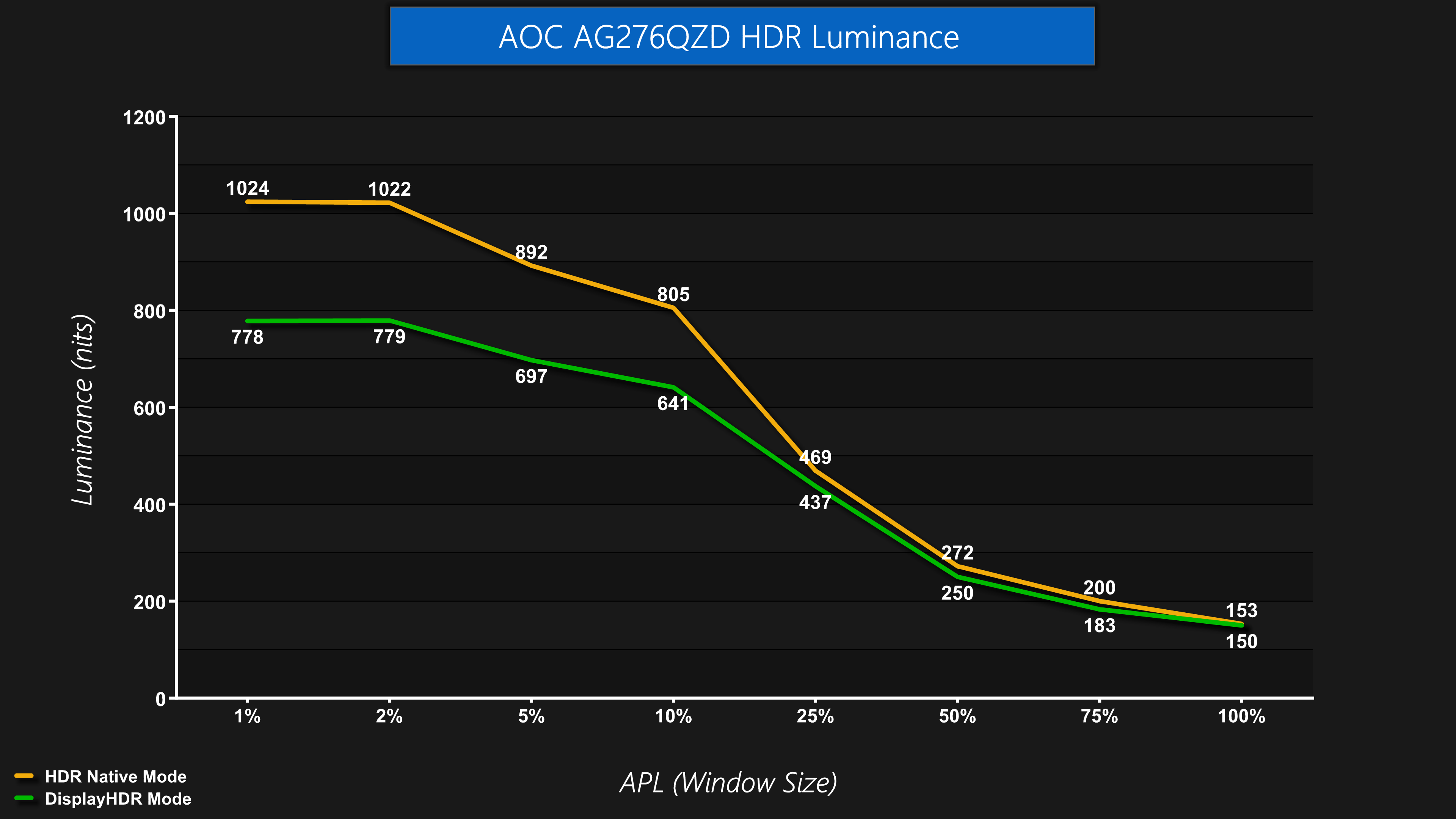
It turns out, the only reason (that I can see, at least) for the HDR Native mode to exists is so AOC can claim brightness levels up to 1000 nits. That claim is accurate as we can see here – both the 1% and 2% APLs hit just over 1020 nits when using the HDR Native mode, before dropping down as the window size increases.
However, it's such a cool colour balance I really don't recommend anyone use it. The DisplayHDR mode is the best of the bunch and its brightness is still decent for a WOLED, peaking just under 800 nits before rolling off. The 100% brightness result of 150 nits isn't great however, but is in line with what we've seen from other WOLED screens using the same panel.

Just to give you an idea of how that compared against the latest QD-OLED tech, I've compared the AOC against the MSI MPG 271QRX here. As you can see, the MSI gets brighter with the peak highlights, hitting over 1000 nits, but it is slightly dimmer for the 10% and 25% APLs, though its 50%, 75% and 100% APL results are brighter again.
Colour Accuracy
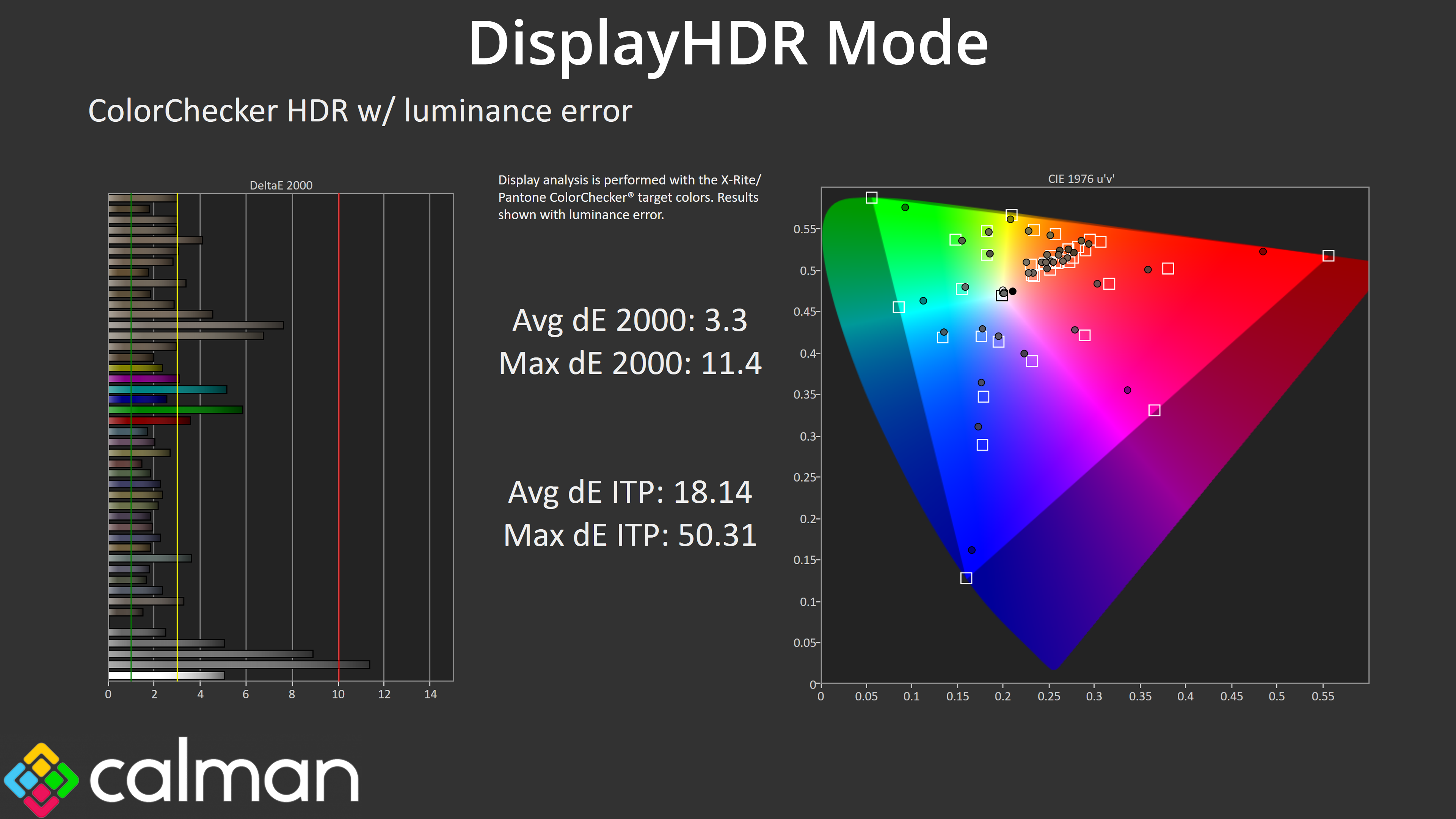
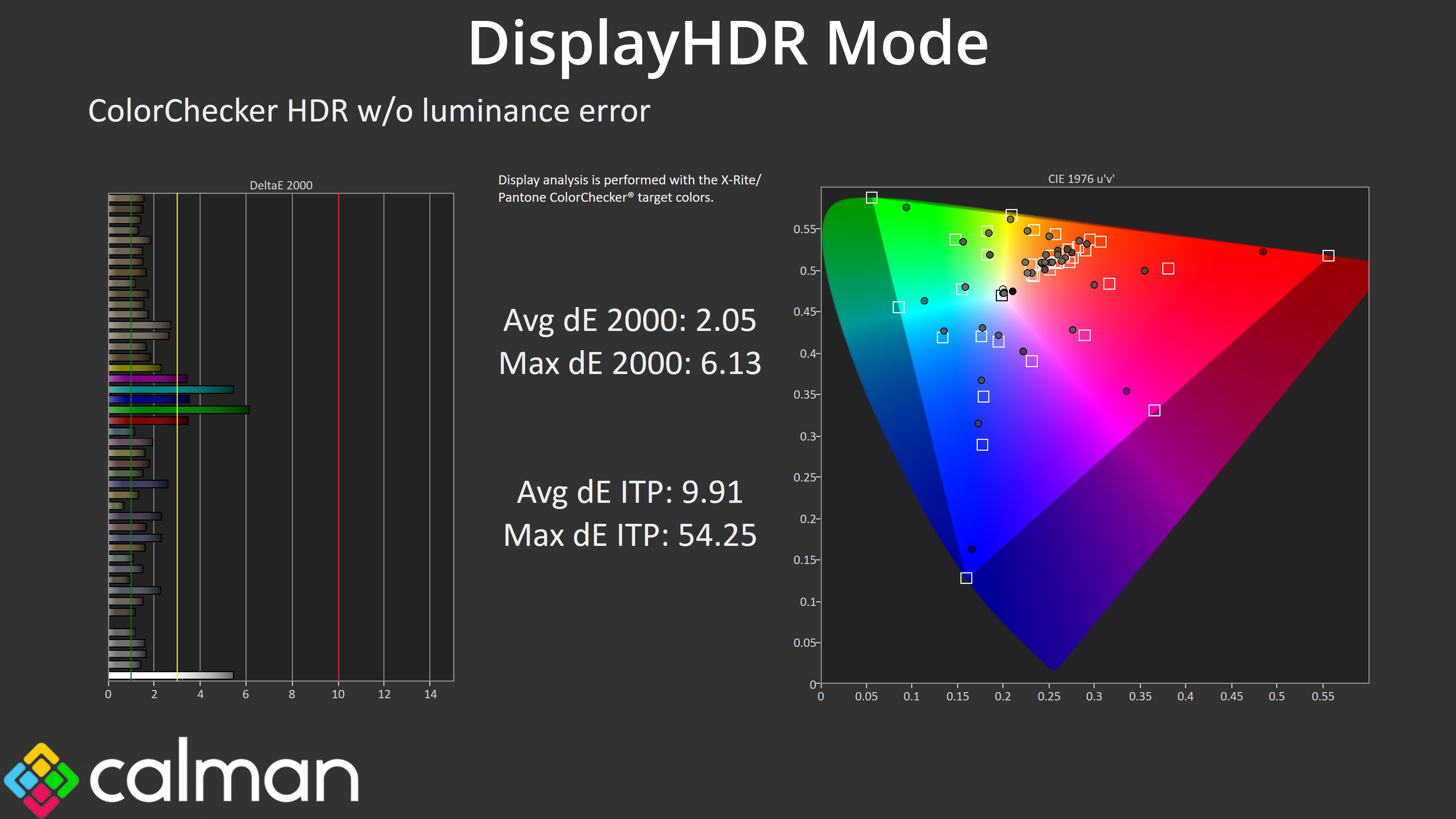
Overall colour accuracy of the DisplayHDR mode is decent though. The average dE 2000 is higher when including luminance error, as it is just a fraction brighter than it should be (as we saw from the greyscale testing above.) Removing luminance error, we see an average result of 2.05, with the biggest offenders being the cyan and green channels, which are always most problematic given no screen we have tested to-date is able to fully cover the Rec.2020 colour space.
Monitor response time testing is a new addition to our reviews, where we use the Open Source Response Time Tool (OSRTT), developed by TechTeamGB. This measures grey-to-grey response times and presents the results in a series of heatmaps, the style of which you may be familiar with from other reviews.
Initial Response Time is the time taken for the panel to transition from one colour to another, where lower values are better. We present the initial response time, so overshoot is not taken into account and is measured separately. We use a fixed RGB 5 tolerance for each transition.
Overshoot is the term given for when a monitor's transition exceeds or goes beyond its target value. So if a monitor was meant to transition from RGB 0 to RGB 55, but it hits RGB 60 before settling back down at RGB 55, that is overshoot. This is presented as RGB values in the heatmaps – i.e. how many RGB values past the intended target were measured.
Visual Response Rating is a metric designed to ‘score' a panel's visual performance, incorporating both response times and overdrive. Fast response times with little to no overshoot will score well, while slow response times or those with significant overshoot will score poorly.
We test the AG276QZD at 240Hz, 120Hz and 60Hz.
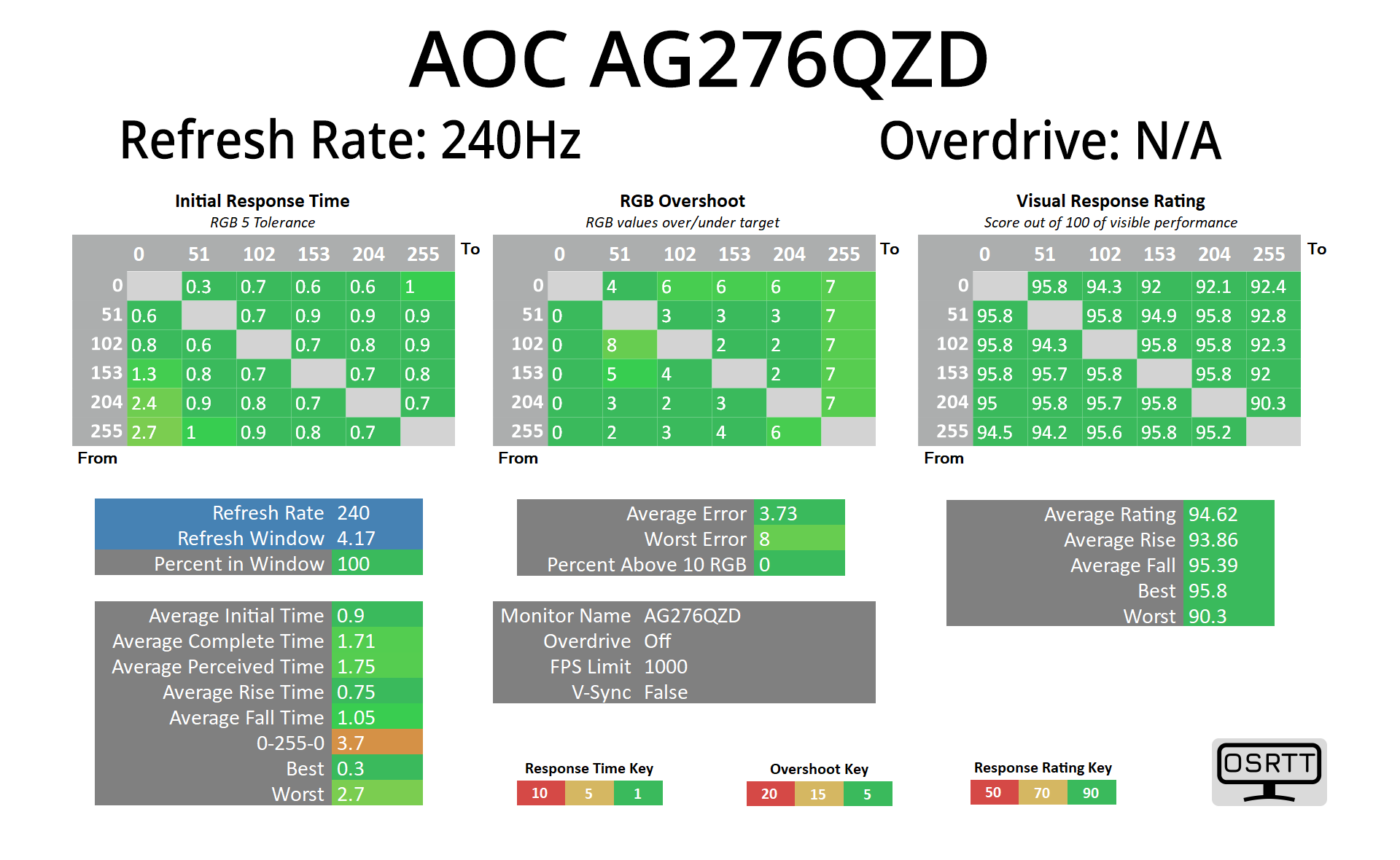

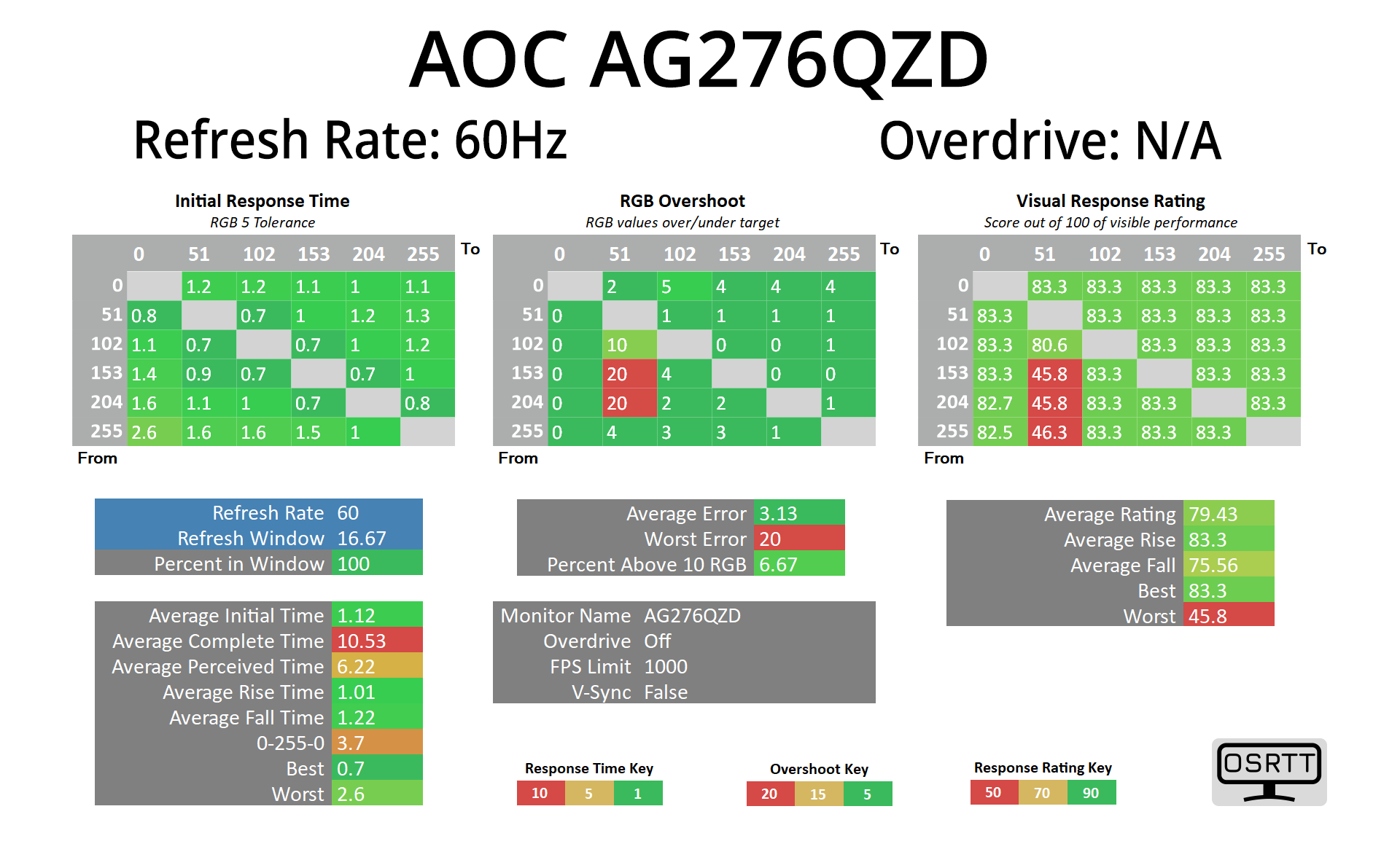
As with any OLED monitor, we get fantastic response times from the AG276QZD, averaging around the 1ms mark regardless of the refresh rate used.
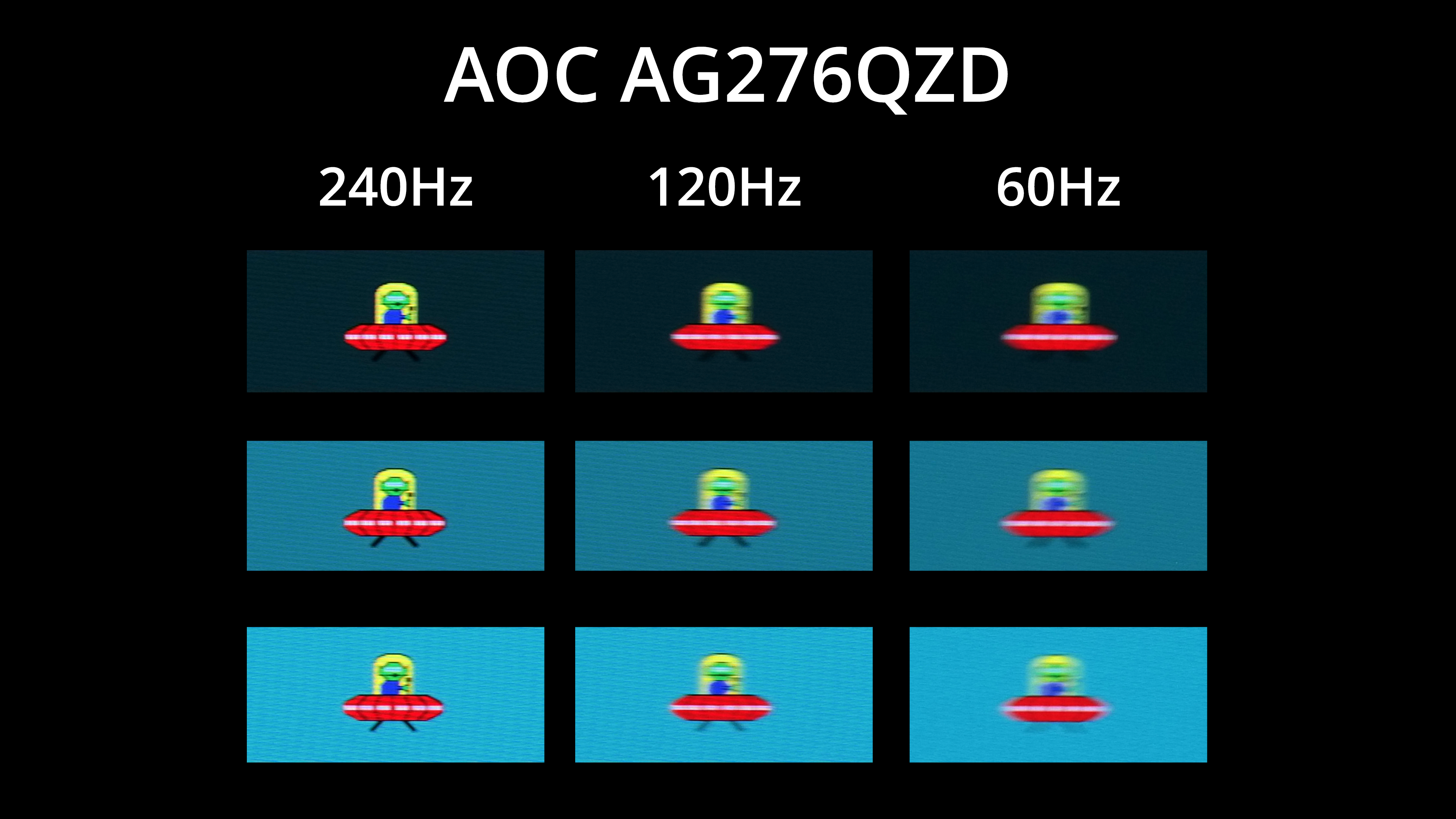
However, we know that such fast response times doesn't mean motion clarity will be the same regardless of refresh rate – 240Hz offers a noticeable improvement in clarity versus 120Hz, which itself is a mile ahead of 60Hz.
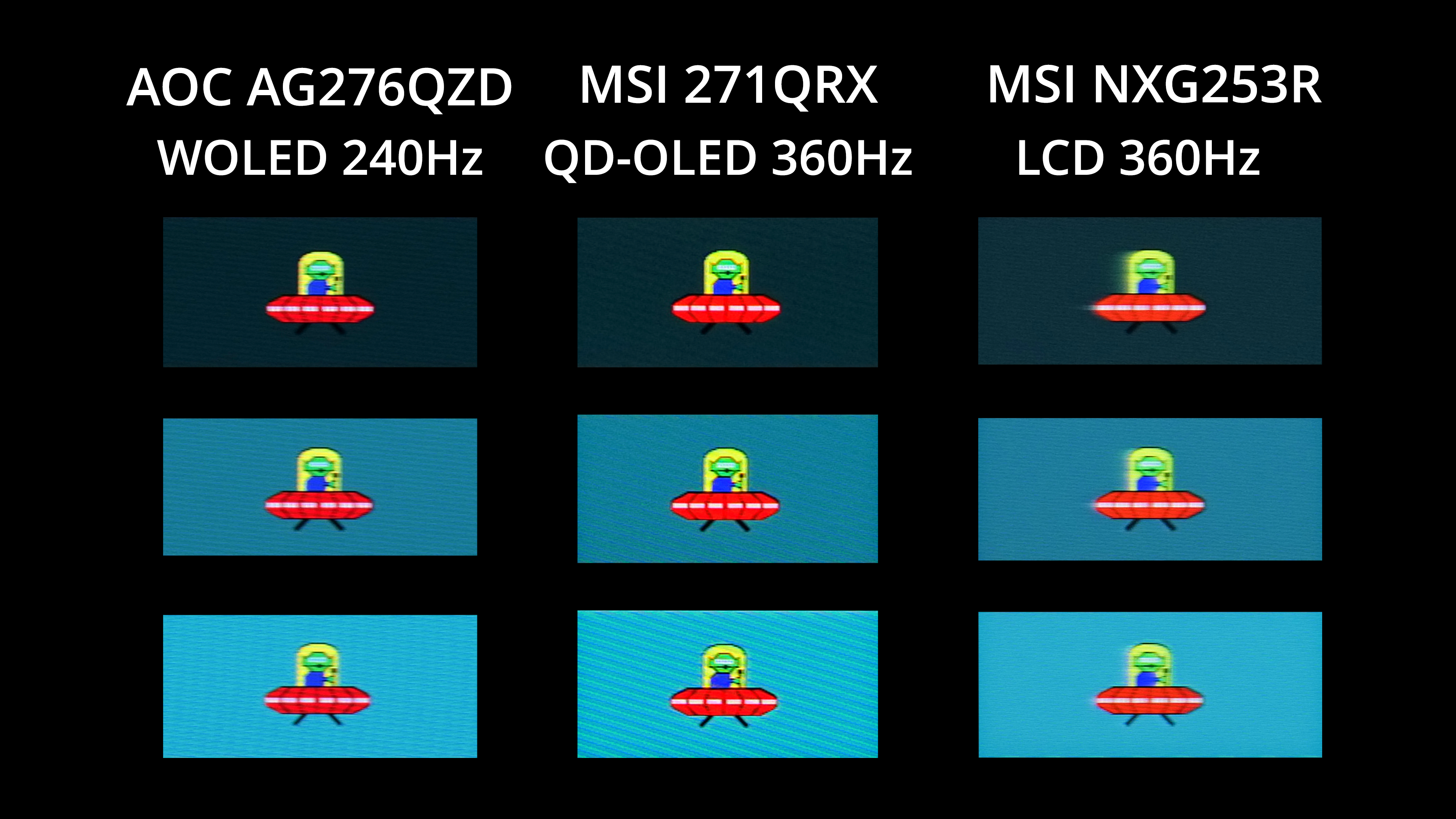
You may be wondering how this 240Hz WOLED compares with the latest 360Hz QD-OLEDs too, so once again I've brought in the MSI MPG271QRX that I reviewed recently. I honestly don't think it is a massive difference, but you can see the 360Hz image is just that bit clearer – particularly when looking at the white lines on the UFO, and the alien's face. However, this 240Hz WOLED still offers better clarity than a 360Hz LCD, in the form of MSI's Oculux NXG253R, so it's very impressive overall.
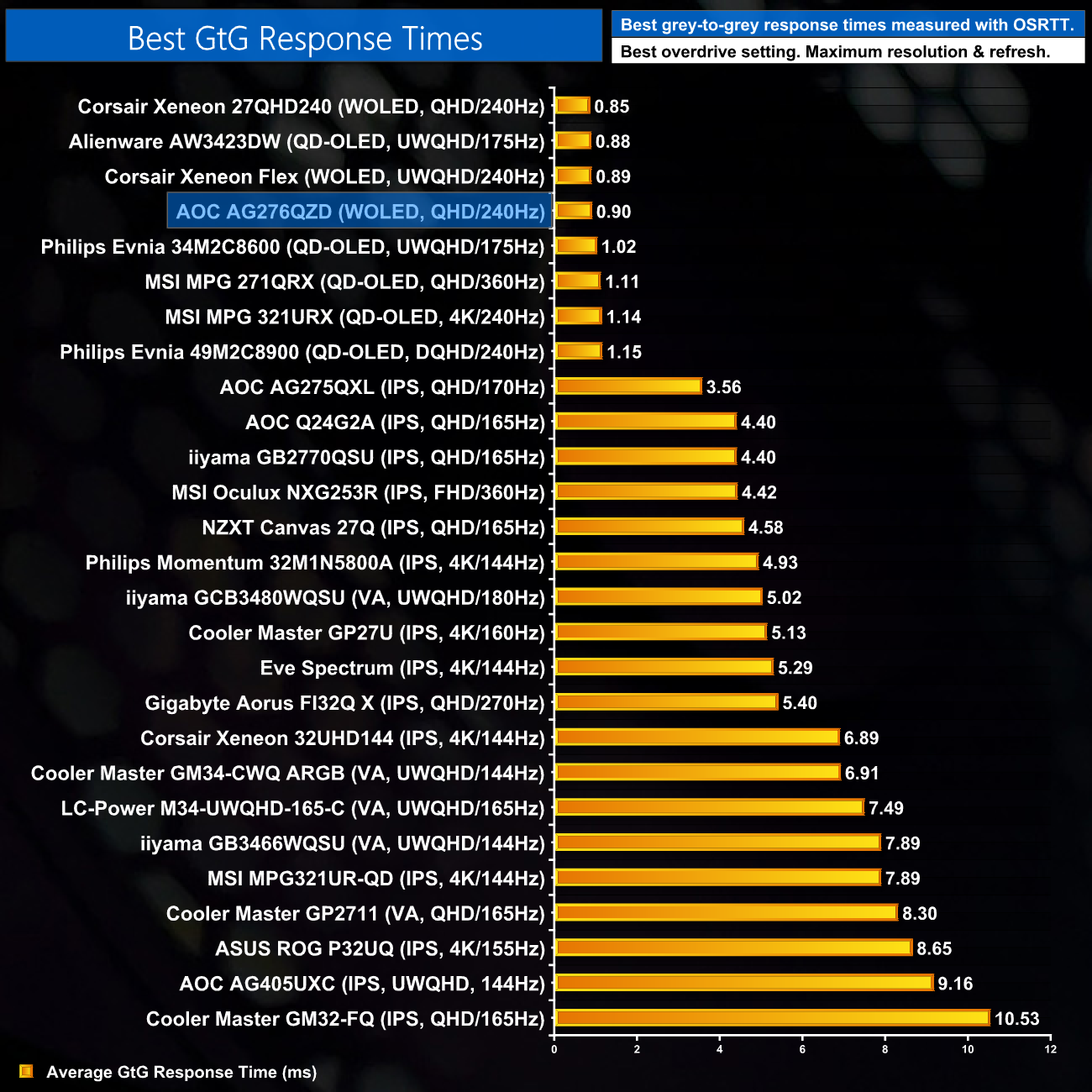
Overall then, the AG276ZQD delivers response times that are right up there with all the OLED monitors I have tested, and it's significantly faster than the next-best LCD screen.
We again use the Open Source Response Time Tool (OSRTT), developed by TechTeamGB, to report monitor input latency.
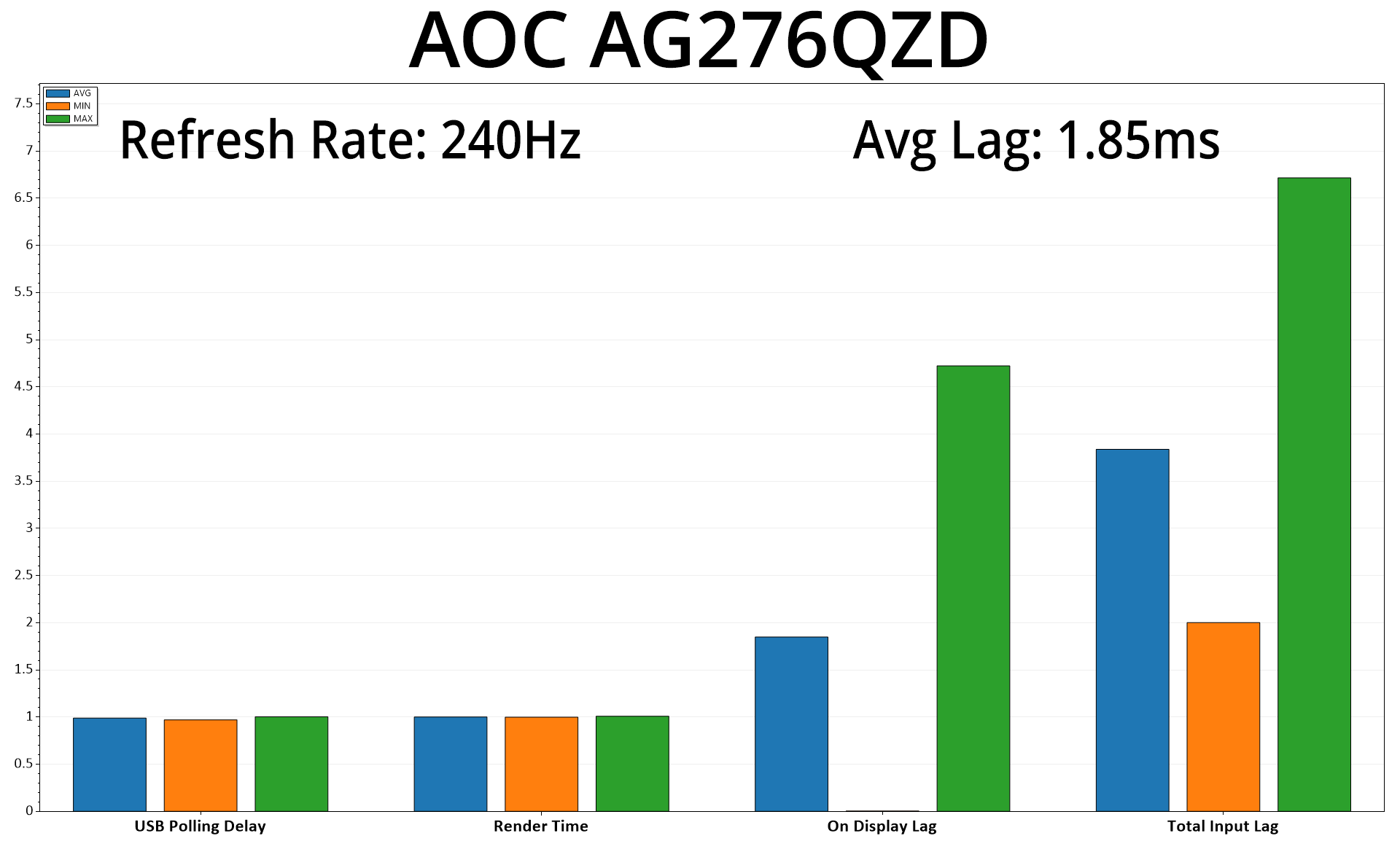
It's great to see that latency is no problem for the AG276QZD, with on display lag averaging 1.85ms, comfortably less than half a frame at 240Hz.
Having now reviewed several OLED monitors over the last couple of years, the AOC Agon Pro AG276QZD is comfortably the cheapest I have tested, and it's been fascinating to see what this OLED can bring to the table.
The first thing to know is that this monitor uses the same 1st Gen LG WOLED 1440p/240Hz panel as the likes of the ASUS PG27AQDM, LG 27GR95QE-B and Corsair 27QHD240. In that regard, it doesn't fix any of the issues or criticisms we have had with this technology in general – things like the text fringing as a result of the RWBG sub-pixel structure, the heavy matte coating which won't appeal to everyone, relatively low full screen brightness compared to an LCD, or the slightly lower peak brightness in HDR mode when compared to other QD-OLED screens.
And then there's a few corners that AOC have cut to reduce the price. This presents itself by a lack of USB-C or KVM functionality, the two HDMI ports are only of the 2.0 variety rather than HDMI 2.1, and general build quality does feel just a little creaky (but it's fine when sat still on a desk).
However – and this is a big however – none of that changes the fact that the AOC AG276ZQD is offering a 240Hz OLED screen that's currently less than £500 here in the UK, something that still blows my mind even after testing it for the last week. Sure, we know the panel has limitations – but that applies to every other WOLED monitor, and it's hard to overstate how impressive this technology is for gaming. The near-instant response times and incredible motion clarity at 240Hz are really something next level compared to an LCD, as is the HDR performance thanks to the per-pixel nature of OLED displays.
I do fully appreciate that £500 is still a lot of money for a gaming monitor, particularly one that's 1440p, not 4K. However, in the context of the market, to me it signifies that next big step for getting OLED into the hands of more and more gamers. To give some examples of similar screens, the LG 27GR95QE-B is still around £700, the Alienware AW2725DF is just under £700 and the MSI MAG 271QPX is about £750 – so this AOC is the cheapest by almost £200 right now. Even compared to 240Hz 1440p LCD displays, on OCUK right now, all but two are listed for more than £400, at which point I really think if gaming is your primary concern, stepping up to OLED is just the logical thing to do.
So no, the AOC Agon Pro 276QZD isn't perfect and as impressive as OLED technology is, it won't be for everybody. However, if you've been waiting for OLED monitors to get that bit cheaper, I really think this screen would be very hard to beat at the current £500 price point.
You can buy one for £499.97 on Amazon UK HERE or from CCL HERE.
Discuss on our Facebook page HERE.
Pros
- Comfortably the cheapest OLED we have ever tested.
- Near-instant response times.
- Superb motion clarity at 240Hz.
- Great HDR performance with per-pixel dimming.
- Effectively infinite contrast ratio.
- Pretty colour accurate out of the box, with impressive greyscale accuracy too.
- Compact and clean design.
Cons
- Text fringing will be an issue for some.
- Matte coating won't appeal to everyone looking for an OLED.
- Build quality could be better.
- sRGB emulation clamps gamut too aggressively.
- No HDMI 2.1.
KitGuru says: If the AOC AG276QZD was priced around £700-800, we'd say it was lacking a few features and the build quality could be better. At the current price of just 500 quid however, it is a highly compelling option for anyone looking to get into the world of OLED monitors.