KitGuru KitGuru.net – Tech News | Hardware News | Hardware Reviews | IOS | Mobile | Gaming | Graphics Cards


Corsair first entered the monitor space back in 2021 with the 32QHD165 and has since released a handful of screens to the market. Today we are checking out the company's latest offering, the Xeneon 34WQHD240-C, packing a 21:9 ultrawide QD-OLED panel from Samsung along with a 240Hz refresh rate and 1000 nits of peak brightness. Retailing for £1149 here in the UK, we put this monitor through its paces and find out if it's worth buying.
Timestamps:
00:00 Intro
00:44 Design and first impressions
02:12 Connectivity and OSD
03:41 Panel analysis – brightness and gamut
05:00 Greyscale + colour accuracy
06:26 sRGB mode
07:36 Calibrated results, viewing angles
08:17 Some QD-OLED specifics
10:09 Response times and gaming experience
12:19 HDR performance
14:13 Closing thoughts
We've reviewed plenty of QD-OLED monitors this year, both in 4K/240Hz and 1440p/360Hz form. Today we're checking out our first 240Hz ultrawide model though, via Corsair's Xeneon 34WQHD240-C. This is the screen I first got hands-on with back at Computex 2024 and I've been keen to get one in for a proper review ever since.
Initially landing in the UK at £1149, when I started writing this review Corsair had dropped by the price by £170 and the 34WQHD240-C was retailing for £979.99. It has since gone back up to full price, so let's find out what this display has to offer.
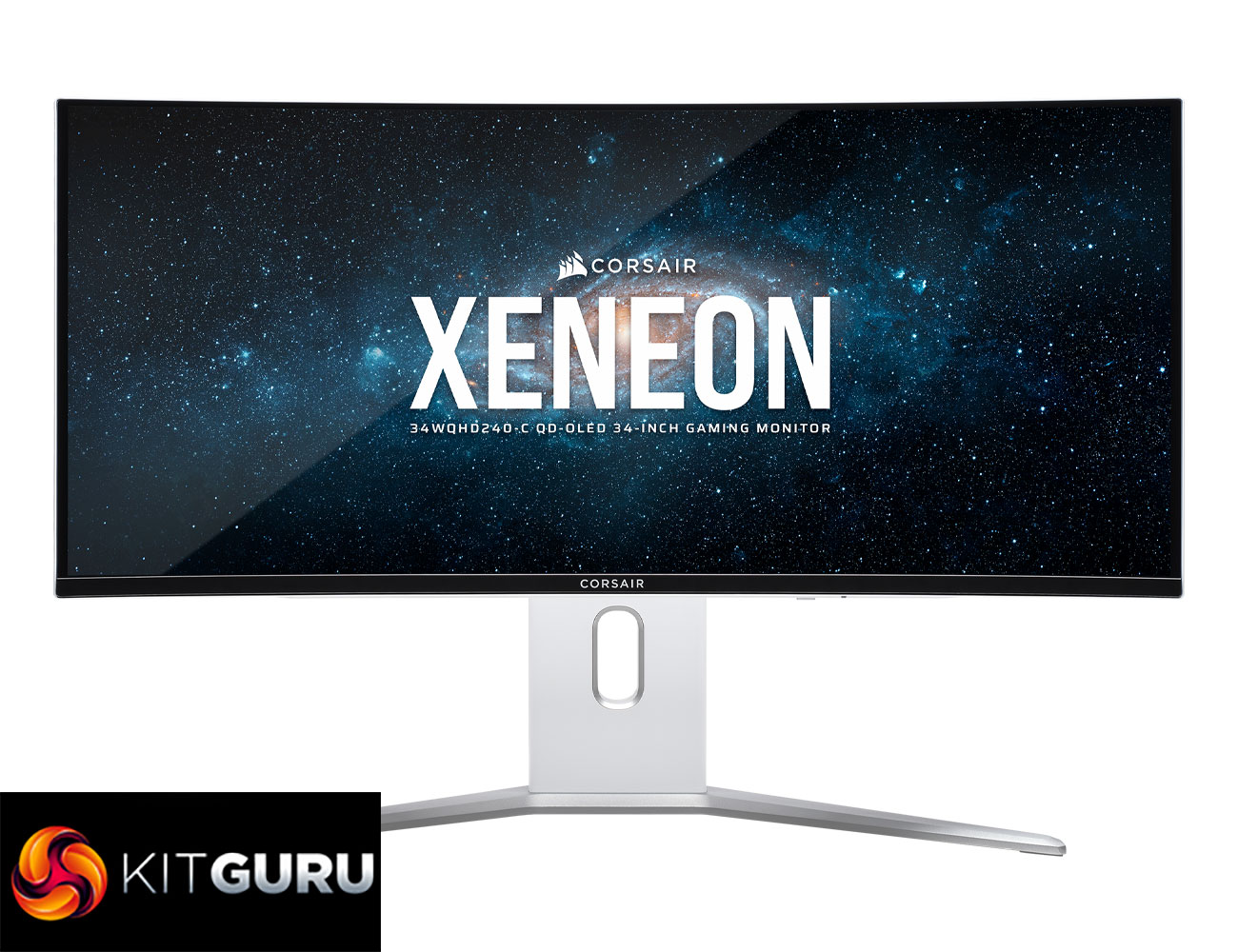
Specification:
- Screen Dimensions (width x height): 812.04mm x 359.86mm
- Screen size (Measured diagonally): 34″
- Resolution: 3440×1440
- Panel type: QD-OLED
- Max refresh rate: 240Hz
- Adaptive sync: Nvidia G-Sync Compatible Certified, AMD FreeSync™ Certified
- Color Space: 1.07 Billion (10bit data)
- HDR: True Black HDR400
- Display inputs: HDMI 2.1 x2, DP1.4 x1, USB-C DP ALT with PD 65W x1
- Additional Ports: USB-C Upstream with PD 15W x1, USB-A 5Gbps with KVM x4, 3.5mm Audio output x1
- VESA Compatibility: 100 x 100
- Weight without stand: 7.2kg/15.8lbs
- Warranty: 3 years
Firmware tested: V102
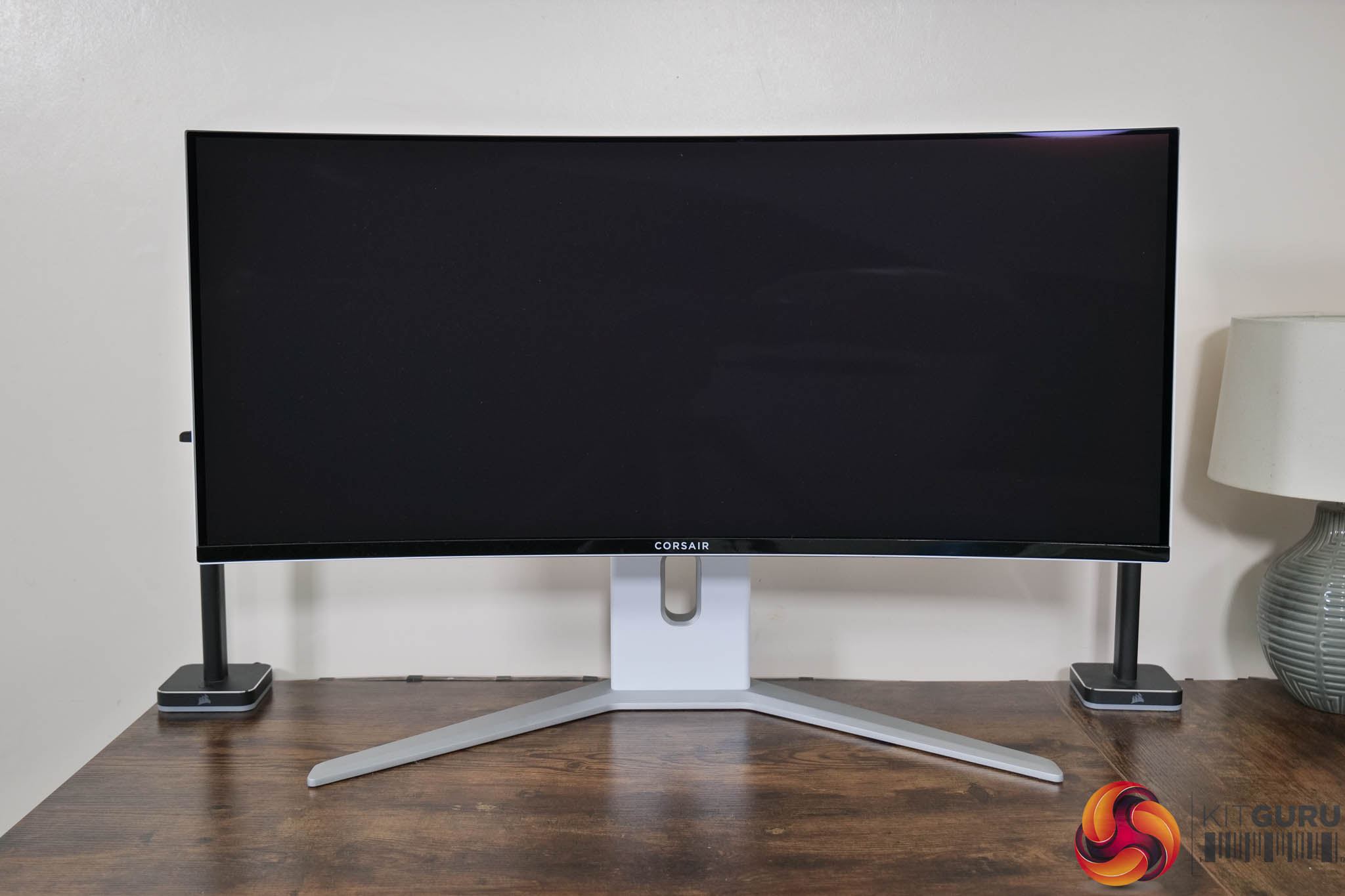
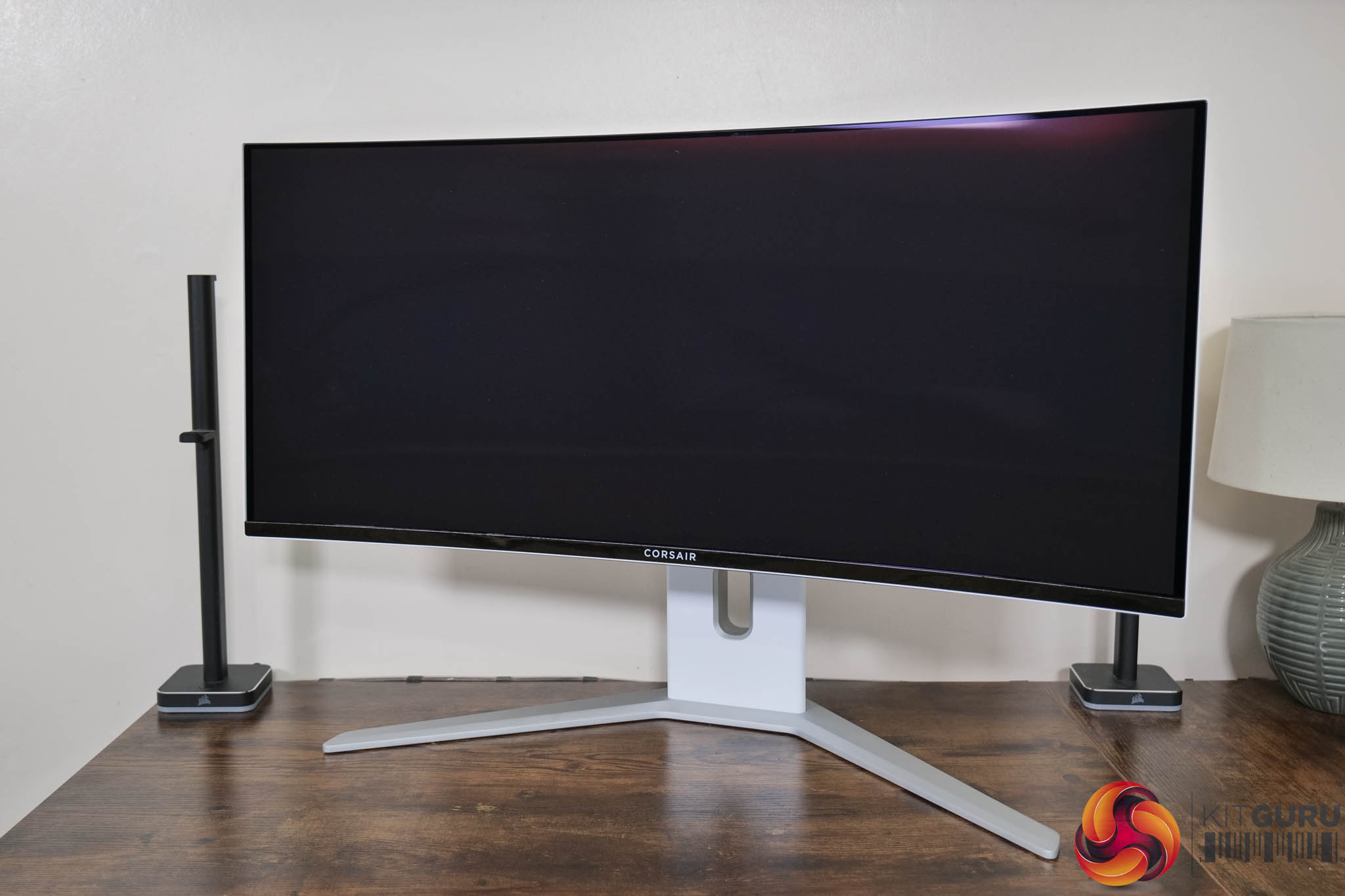
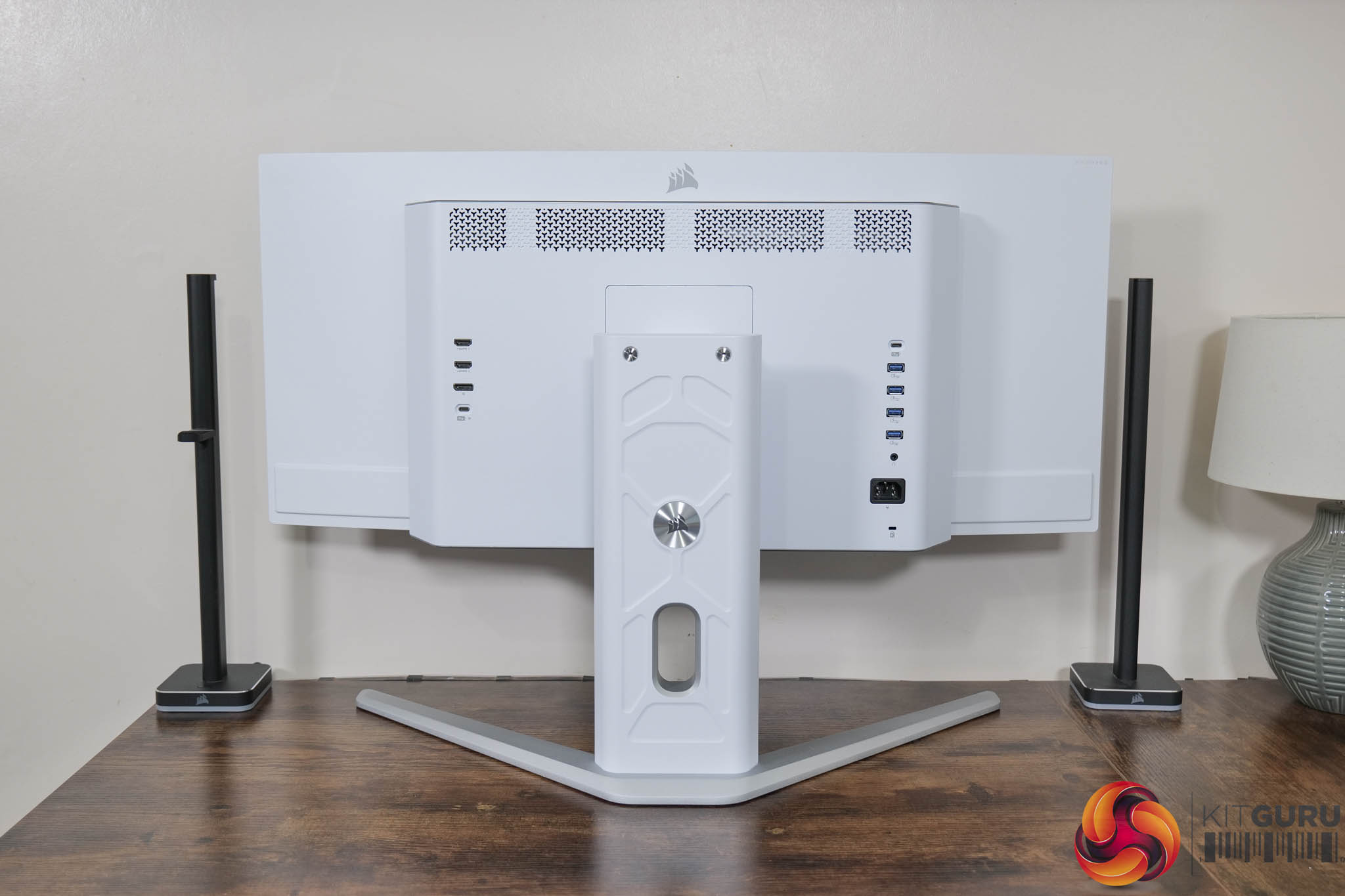
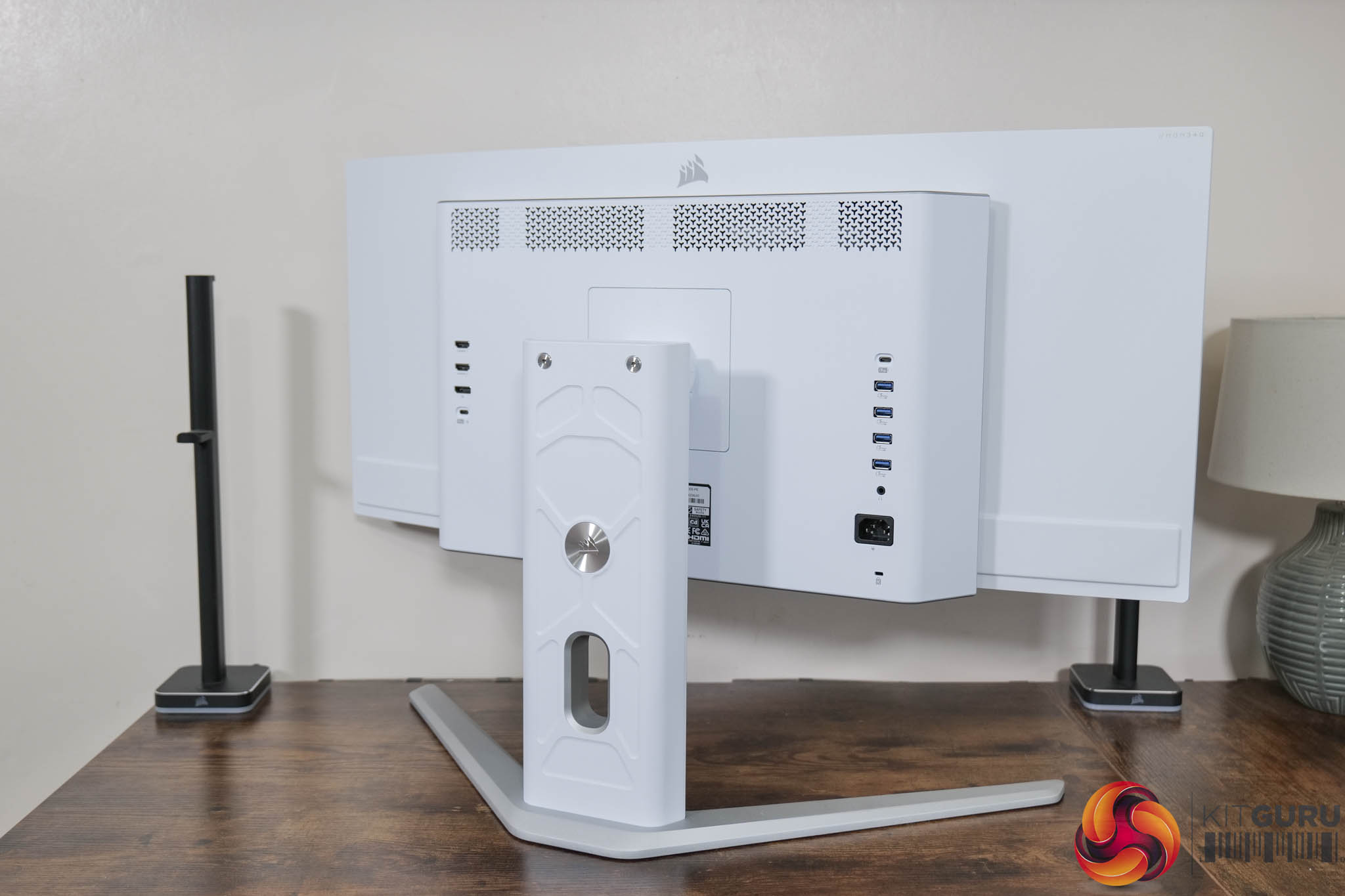
I was pleasantly surprised by Corsair's design choices when I first saw the 34WQHD240-C back at Computex 2024. It's definitely an evolution of the 27QHD240 we looked at last year, but it definitely feels more refined this time around. A lot of that comes down the decision to opt for a white and silver colourway, something that gives the screen a very clean look. It may not be for everyone, but it's certainly a welcome change from the bevy of all-black monitors we are used to seeing.
The only thing I'm not too keen on is the chin of the display is made from glossy plastic which catches dust and fingerprints like nobody's business. I would have preferred a matte finish here, but otherwise I like the overall aesthetic. We can also confirm the curvature of the panel – it's 1800R, so a fairly relaxed curve, unlike some of the 800R WOLED screens on the market right now.
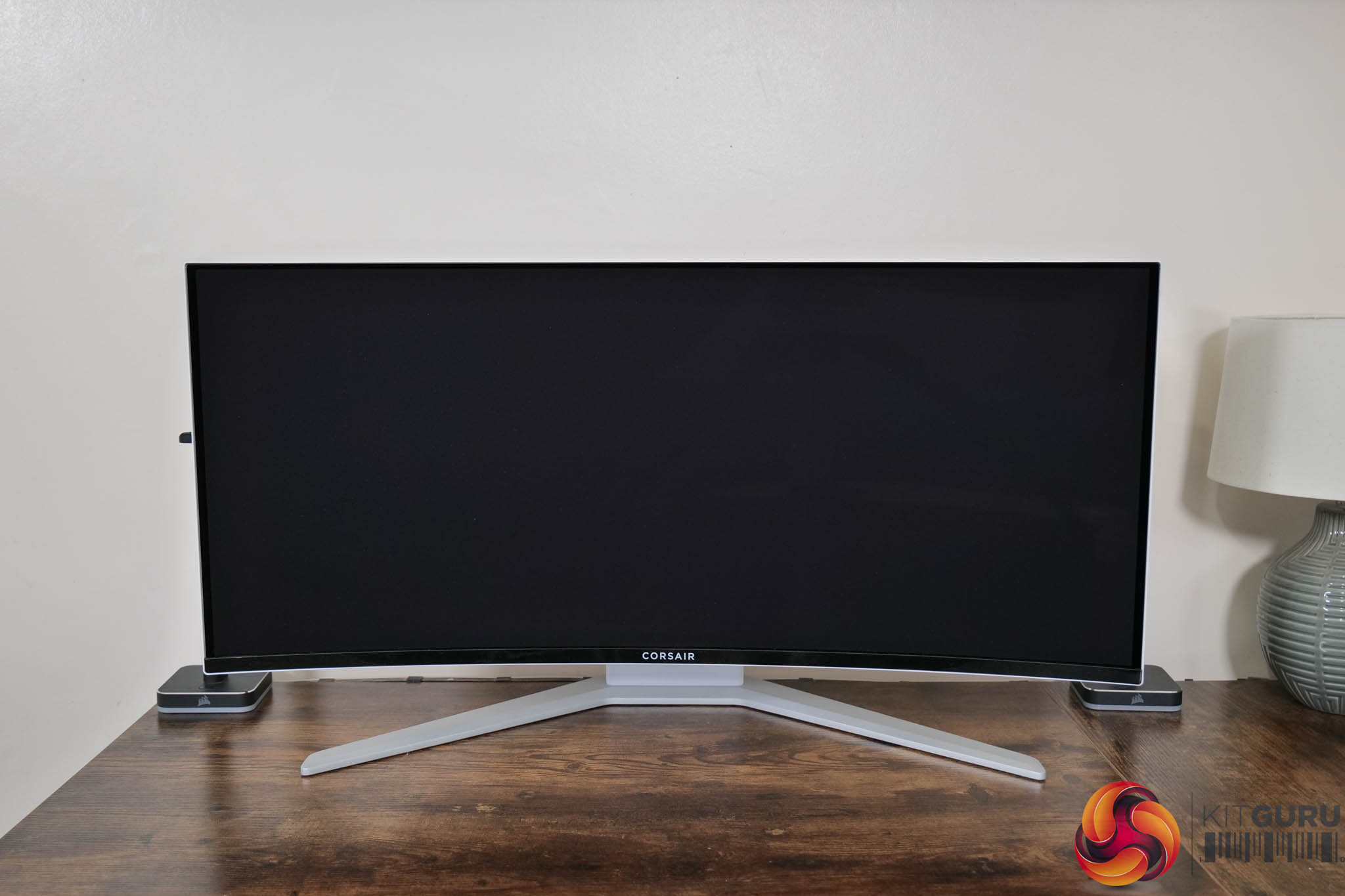

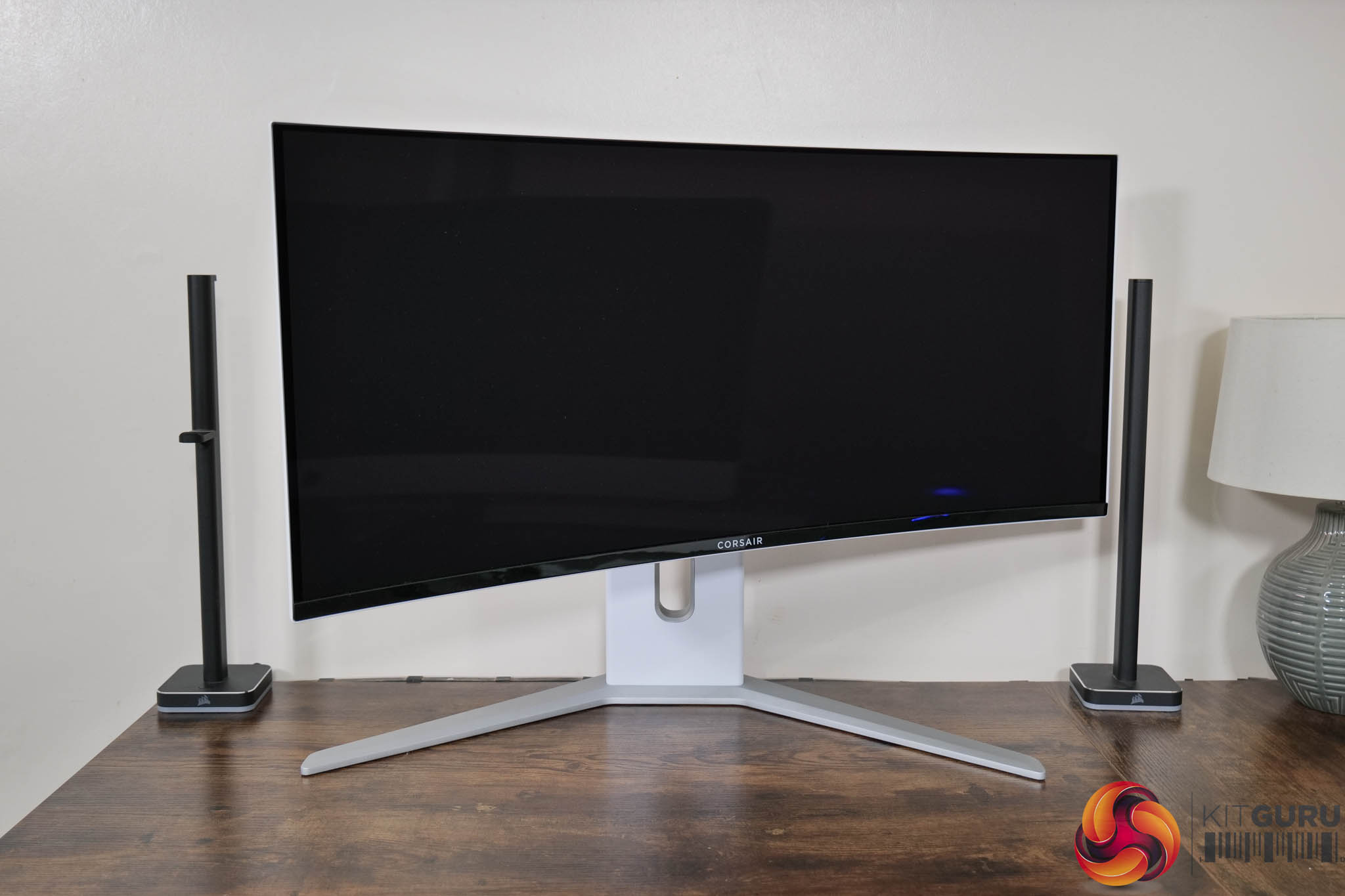
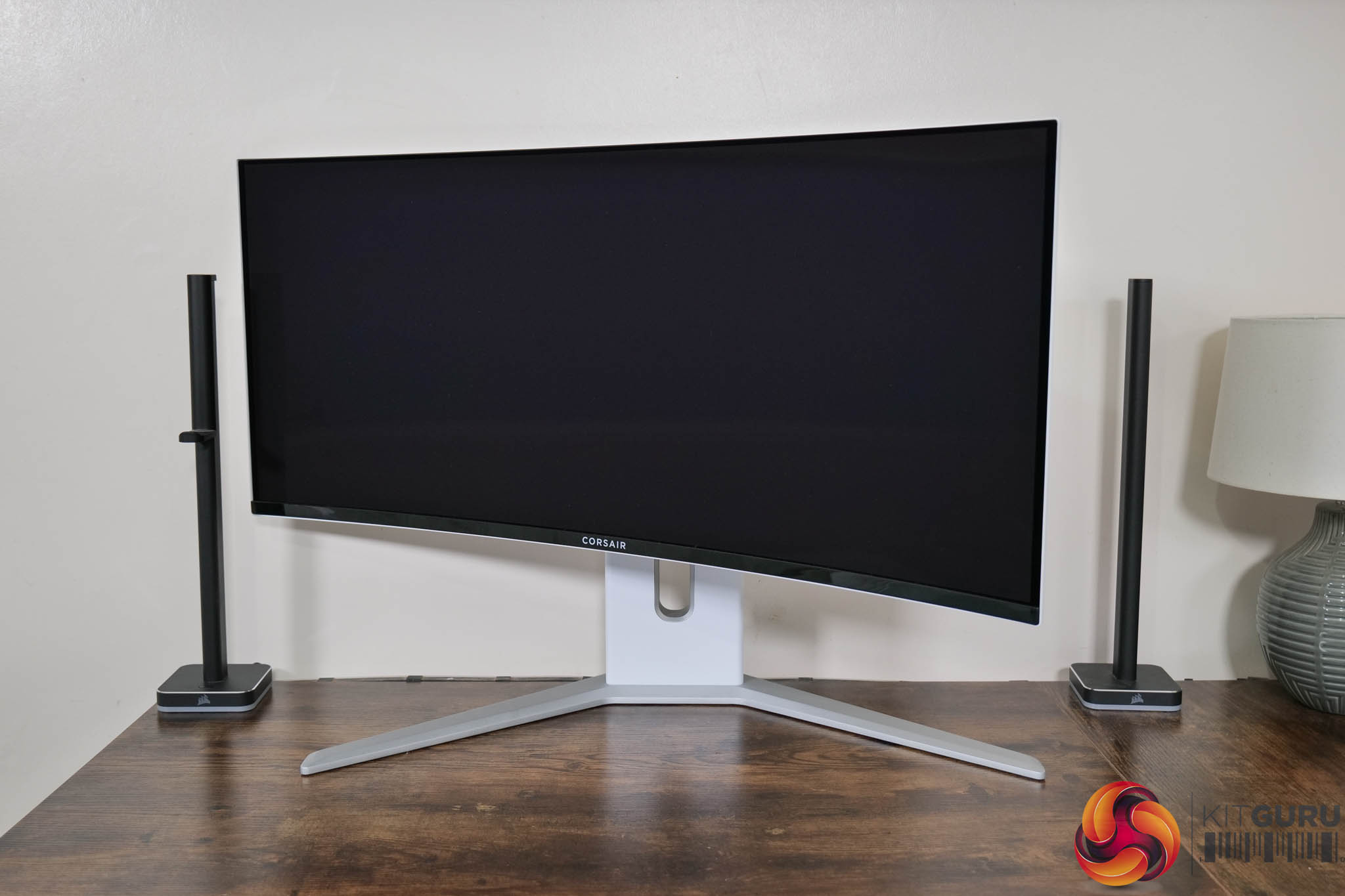
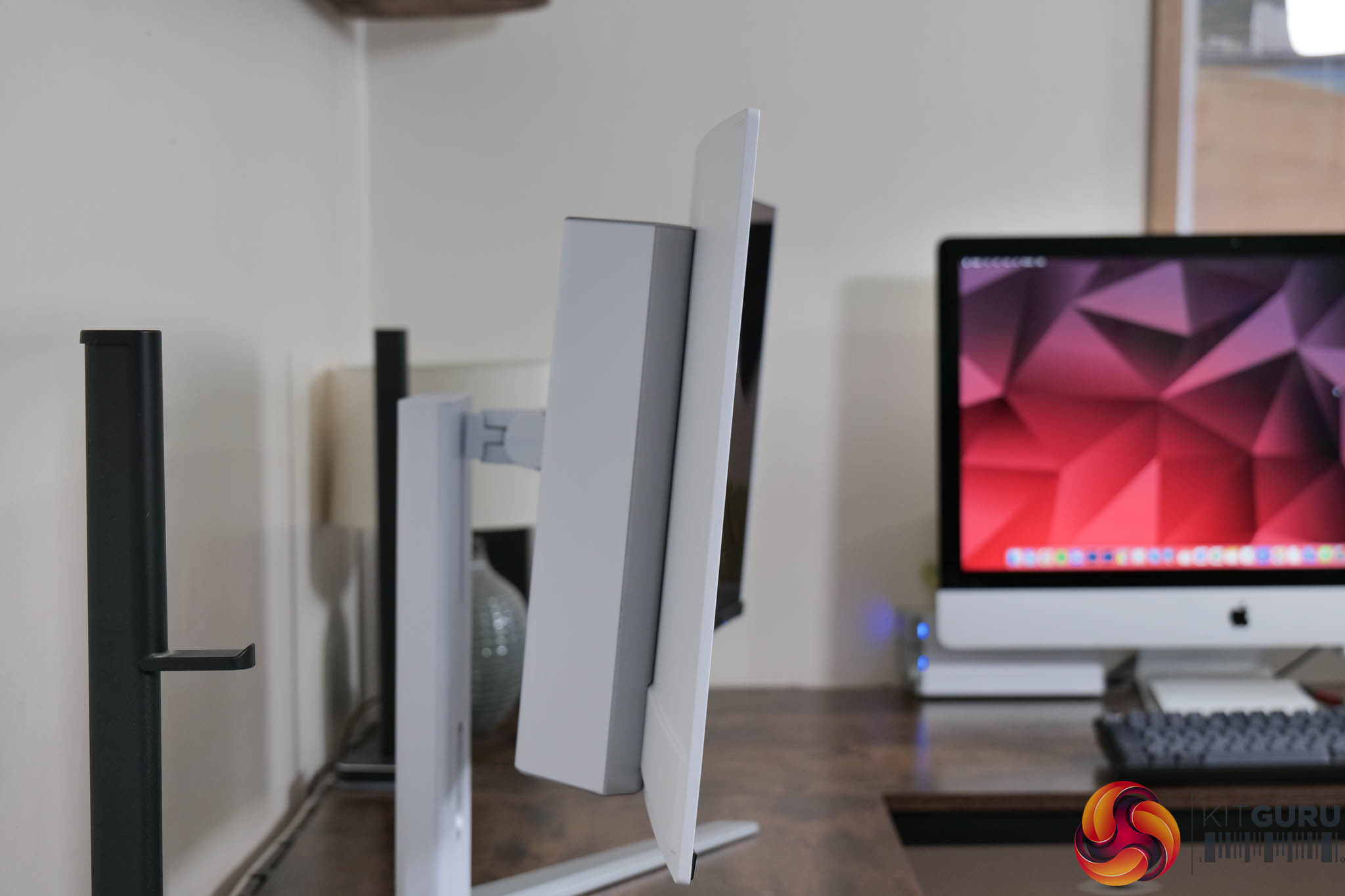
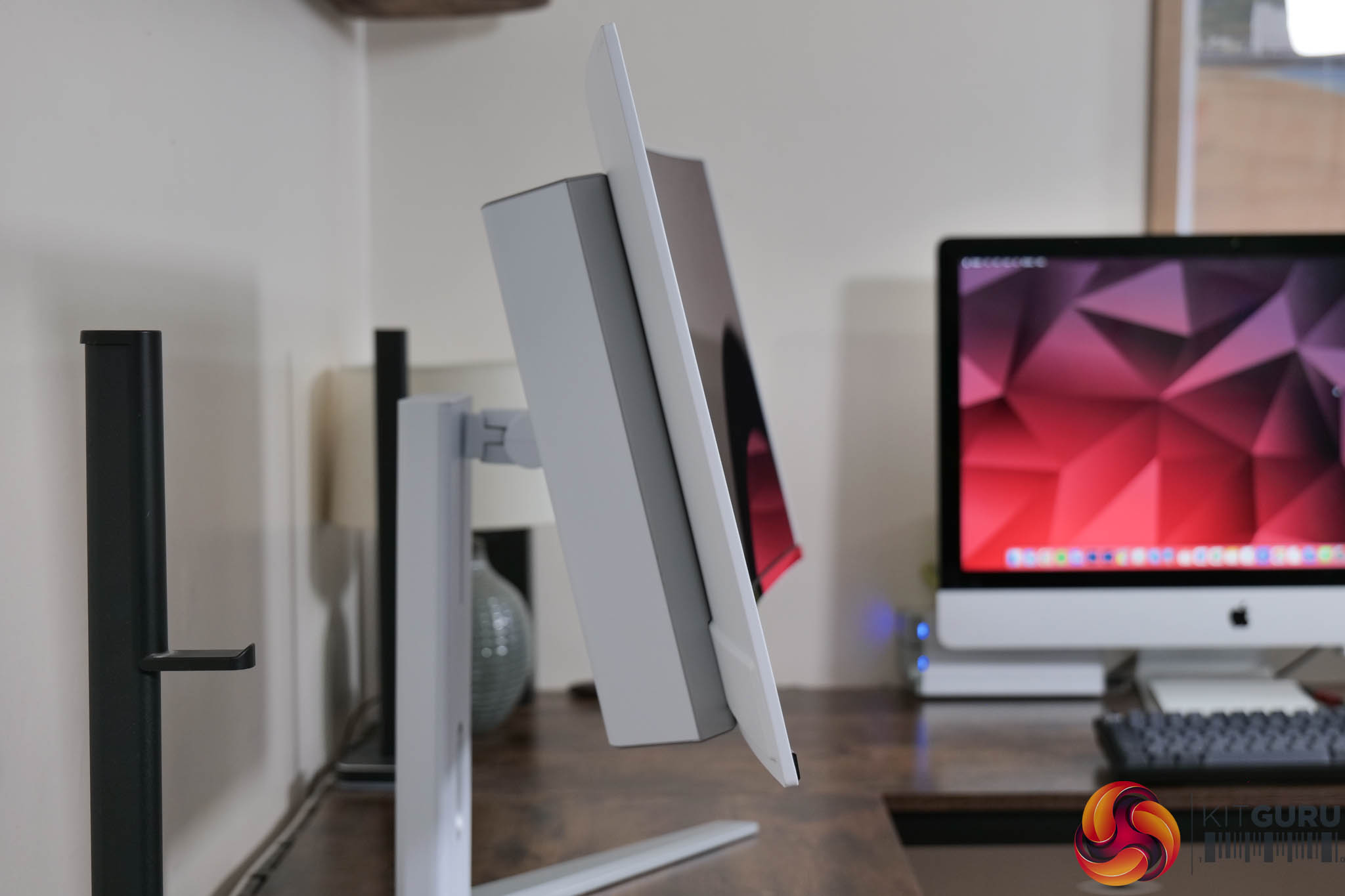
You will have noticed Corsair is continuing to use a chunky plastic stand with its displays, and this one offers up to 100mm height adjustment, 30 degrees of swivel both left and right, and then tilt from 7 degrees downwards to 15 degrees upwards.
It is worth pointing out that the monitor itself does wobble a fair bit on the stand – I noticed this when adjusting the tilt, or even when clicking in the joystick. It's not the end of the world, but it does jiggle about for slightly longer amount of time than I'd expect. Thankfully, if you'd rather use a third party arm or stand, VESA 100×100 mounts are supported.
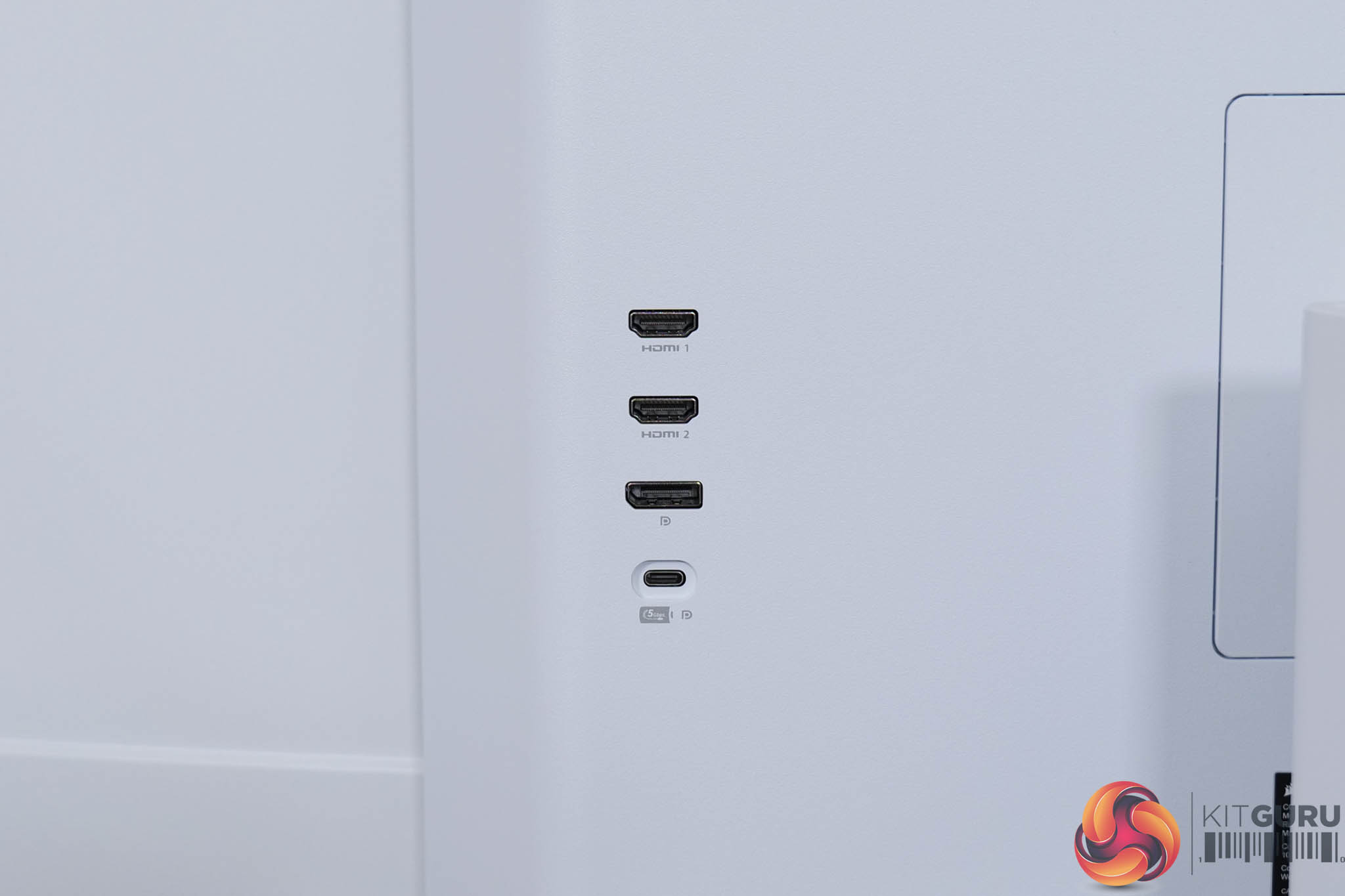
As we've come to expect from Corsair monitors, the I/O is positioned facing outwards on the back of the central hub. The display inputs are positioned on the left-hand side (when viewed from the rear) and include 2x HDMI 2.1, 1x DisplayPort 1.4, along with 1x USB-C that supports DP-Alt mode and 65W power delivery.
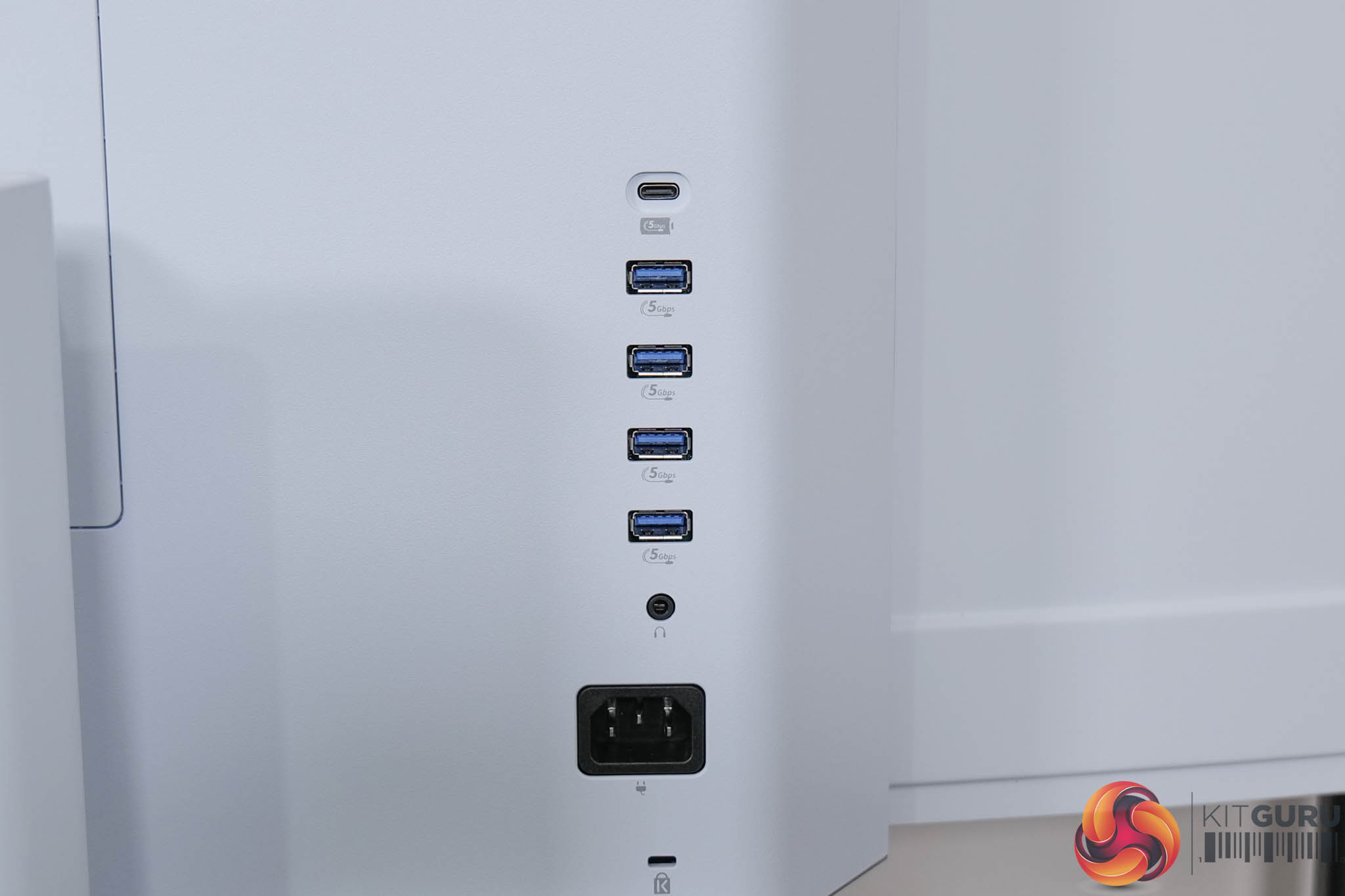
On the right-hand side we find 1x USB-C upstream that offers 15W power delivery, and then a bank of four 5Gbps USB-A downstream connectors, above a headphone jack and the power input.
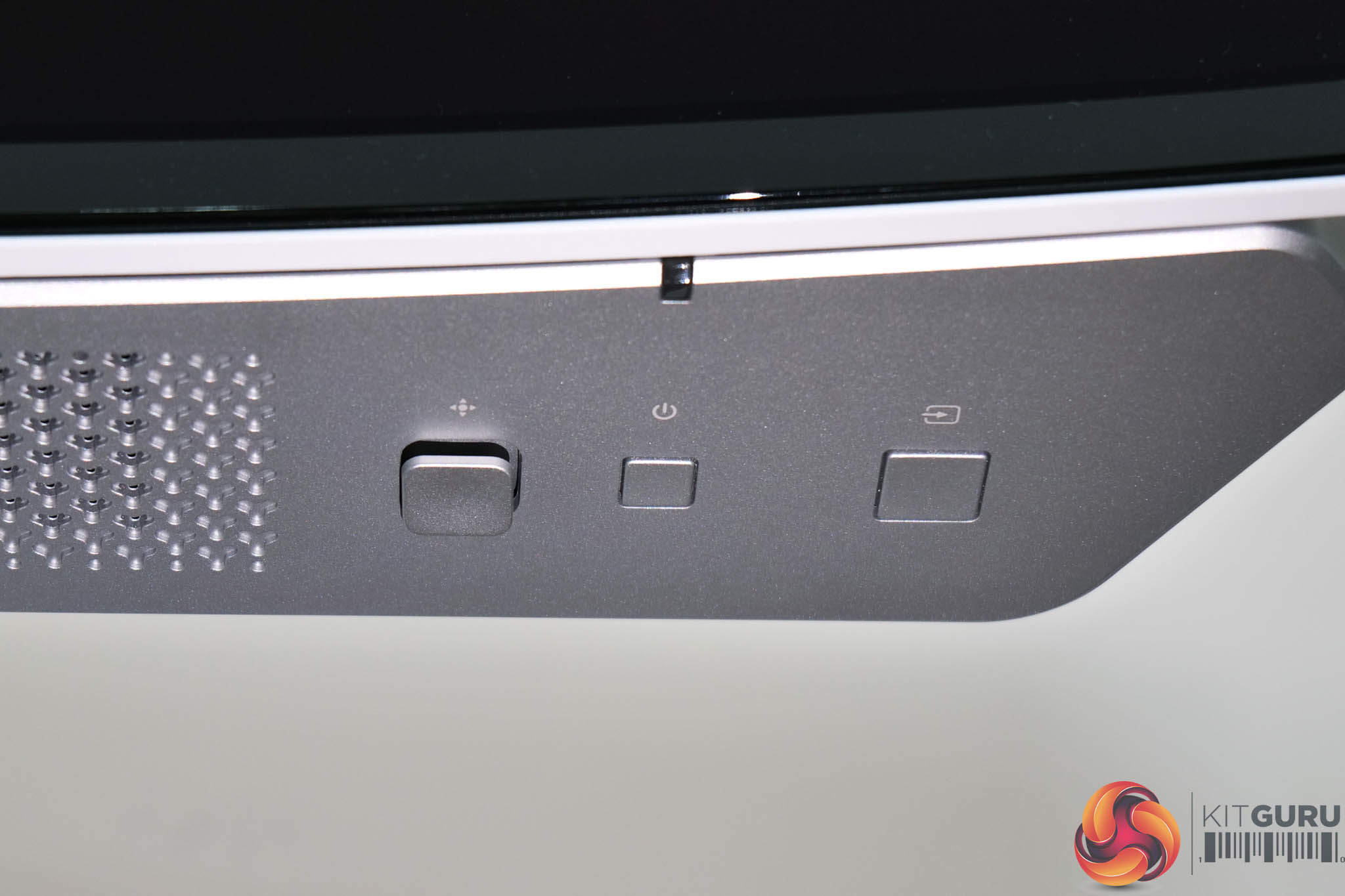
On the underside of the display we find the three control buttons – from right to left we have the input switch, then the power button, and finally an OSD joystick. It's all fairly standard stuff, but again I did notice the joystick is quite wobbly to the touch. It's not a major concern, but it just feels very loose and doesn't necessarily inspire a great amount of confidence in its longevity, but only time will tell.
The OSD is split into eight main tabs – Picture, PIP/PBP, OSD Setting, System Setting, Screen Life Management, Audio, Input Source, Information:
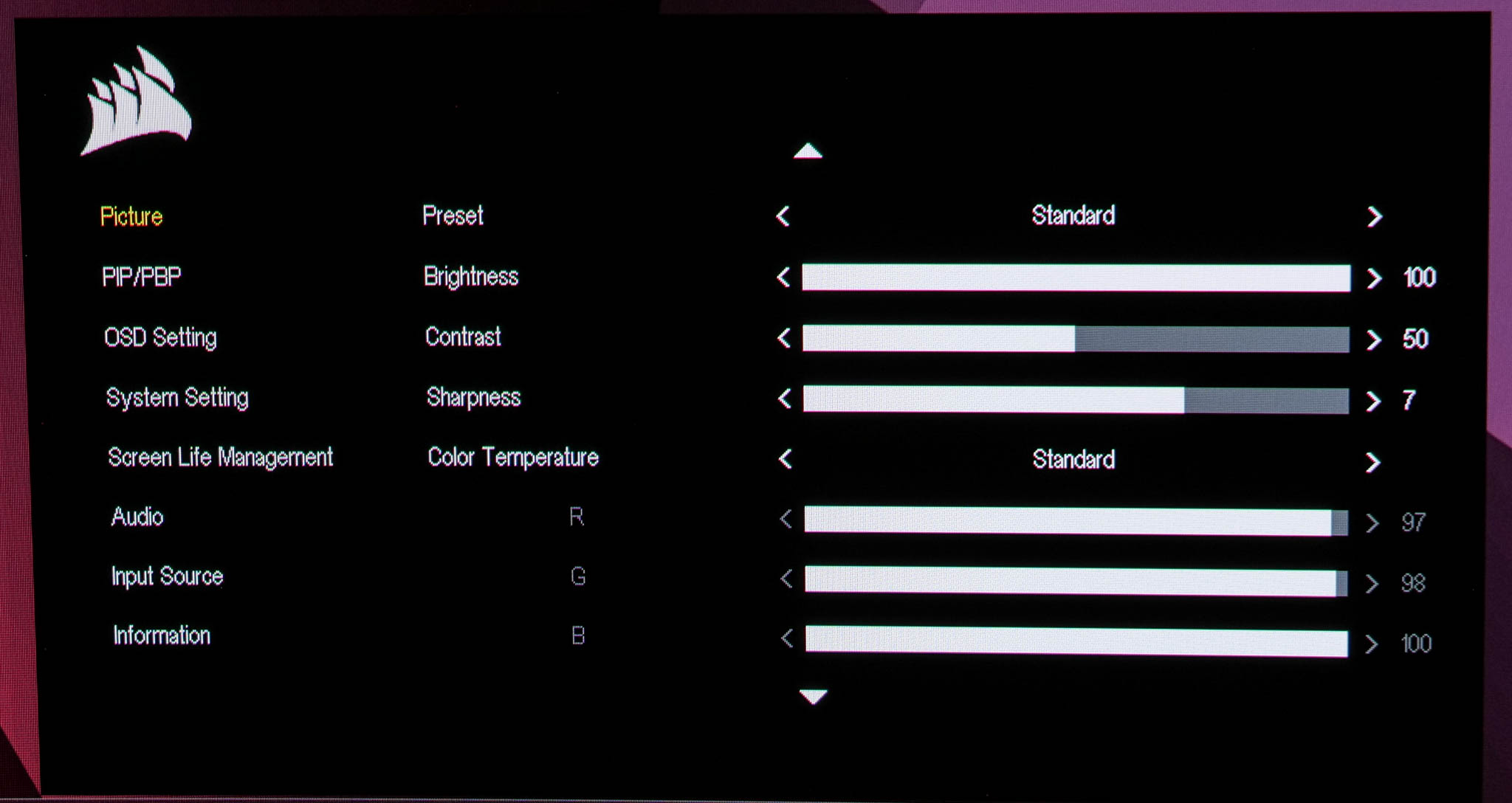
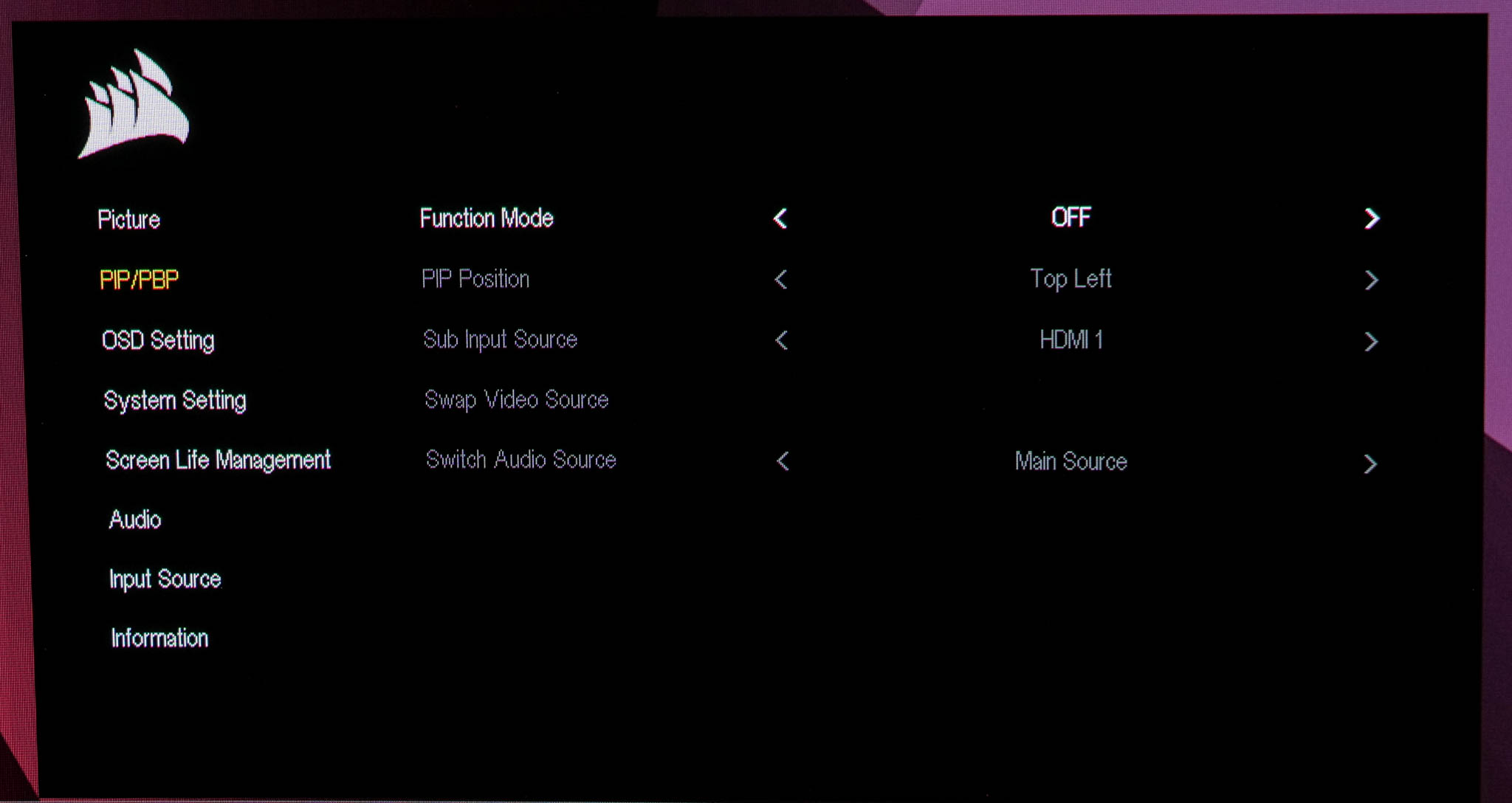
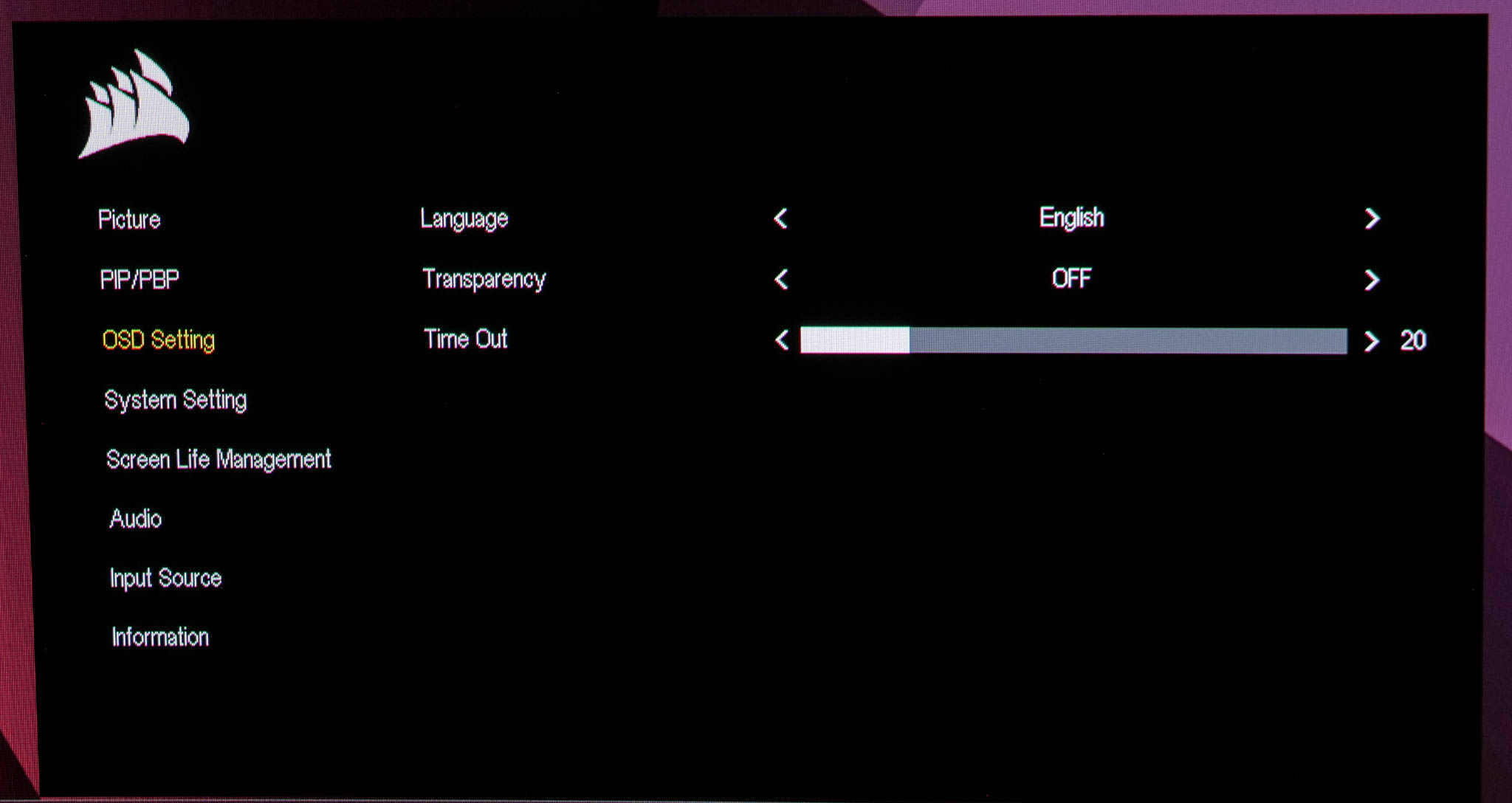
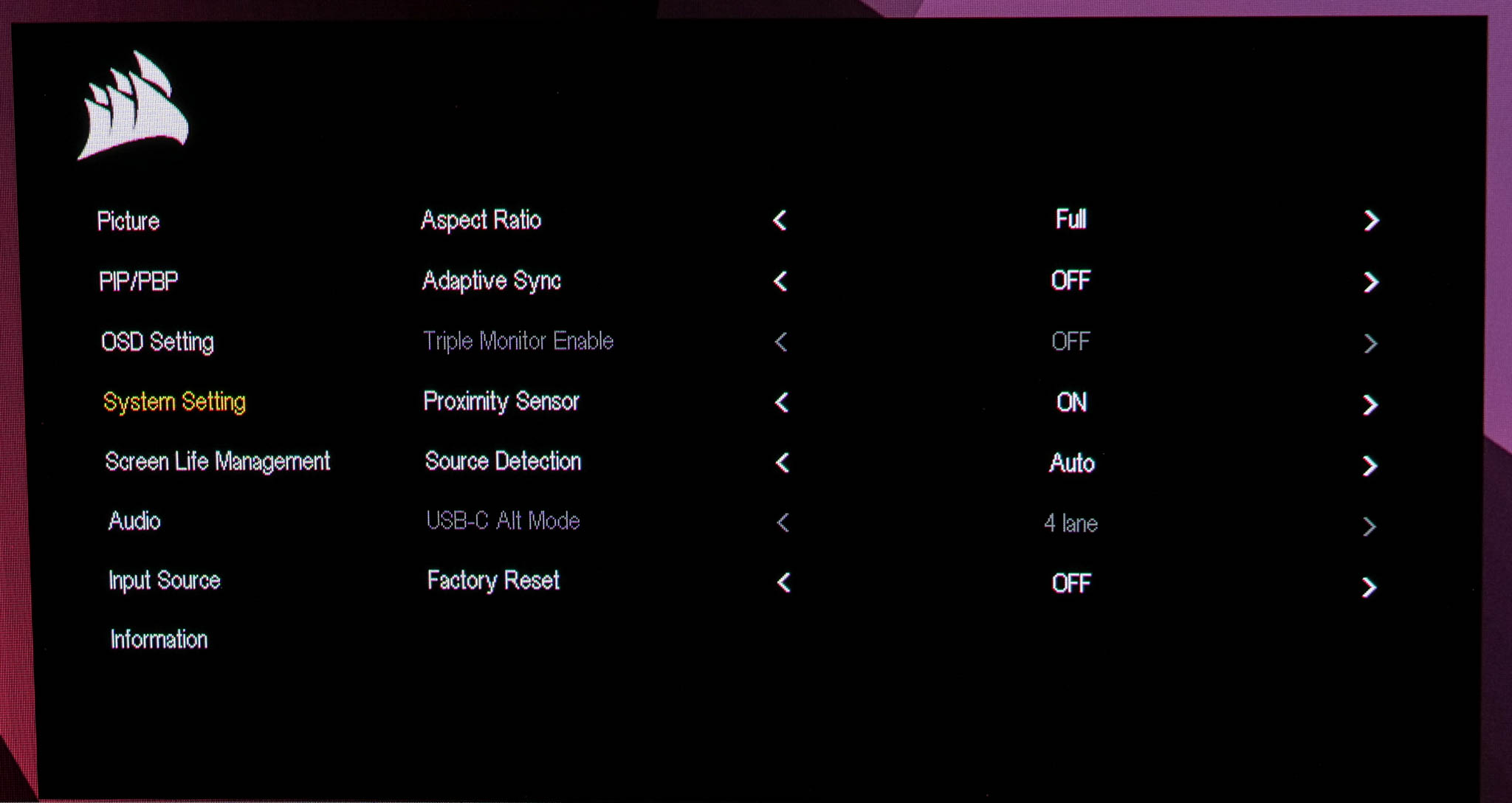
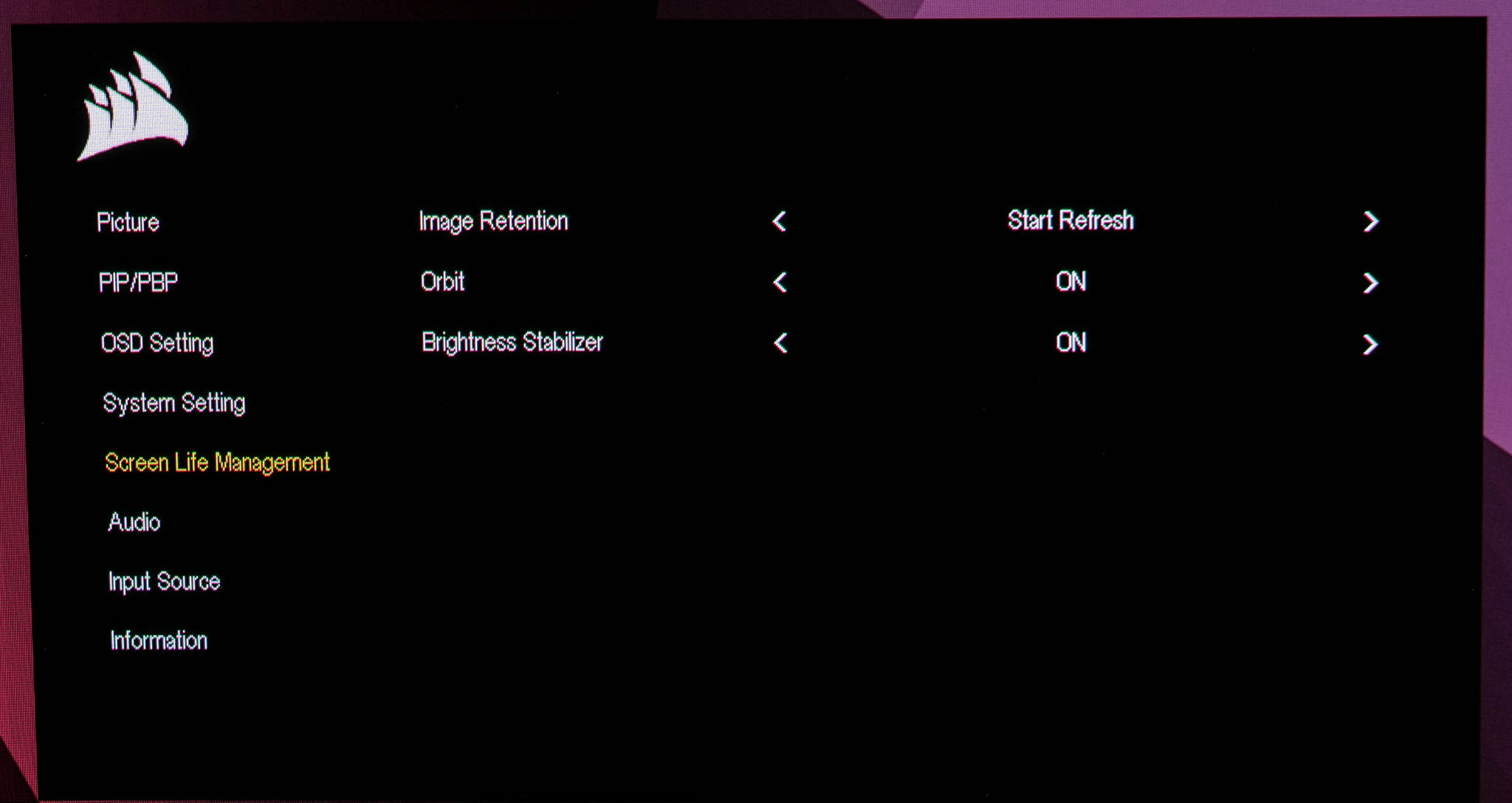
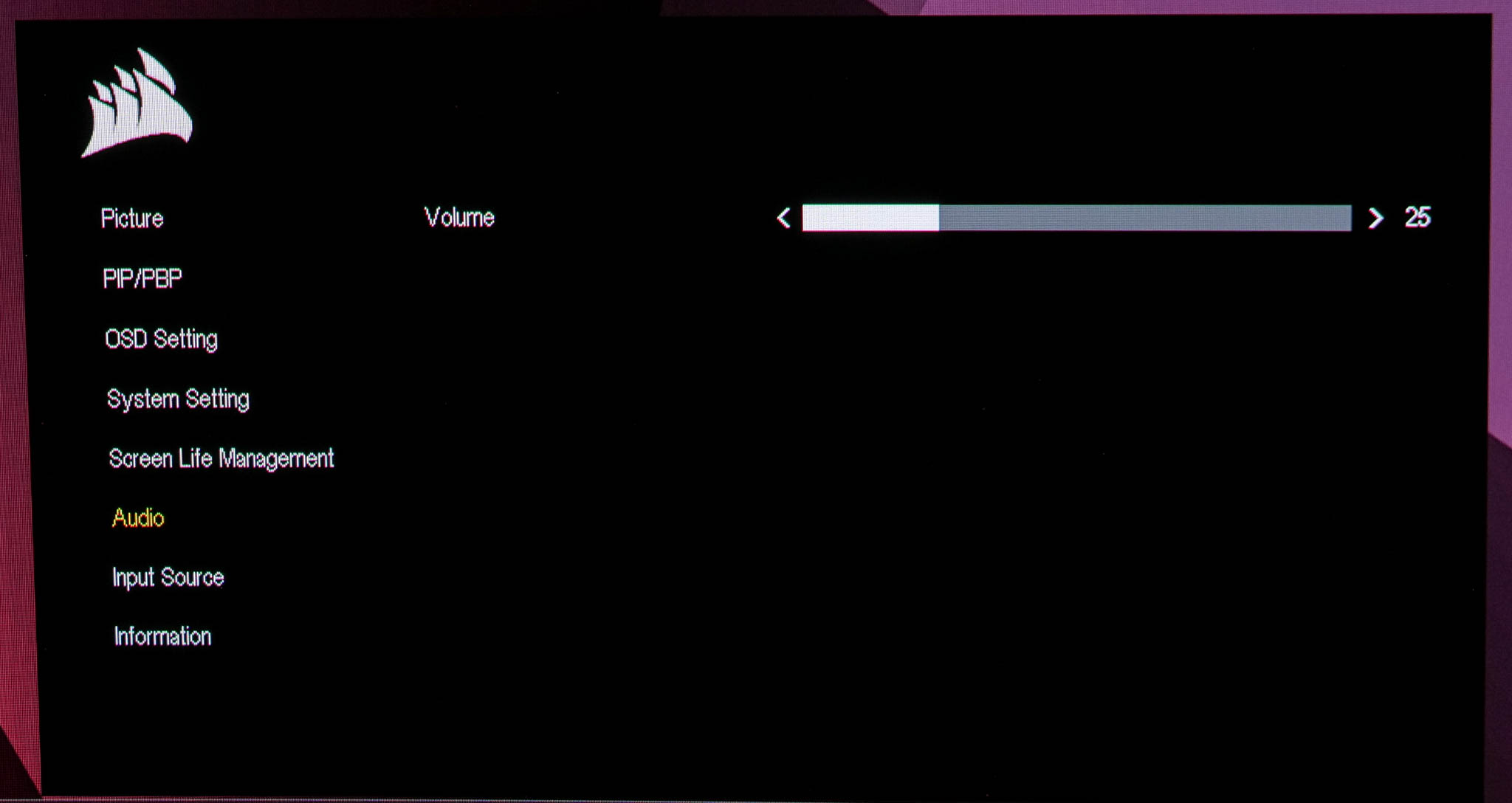
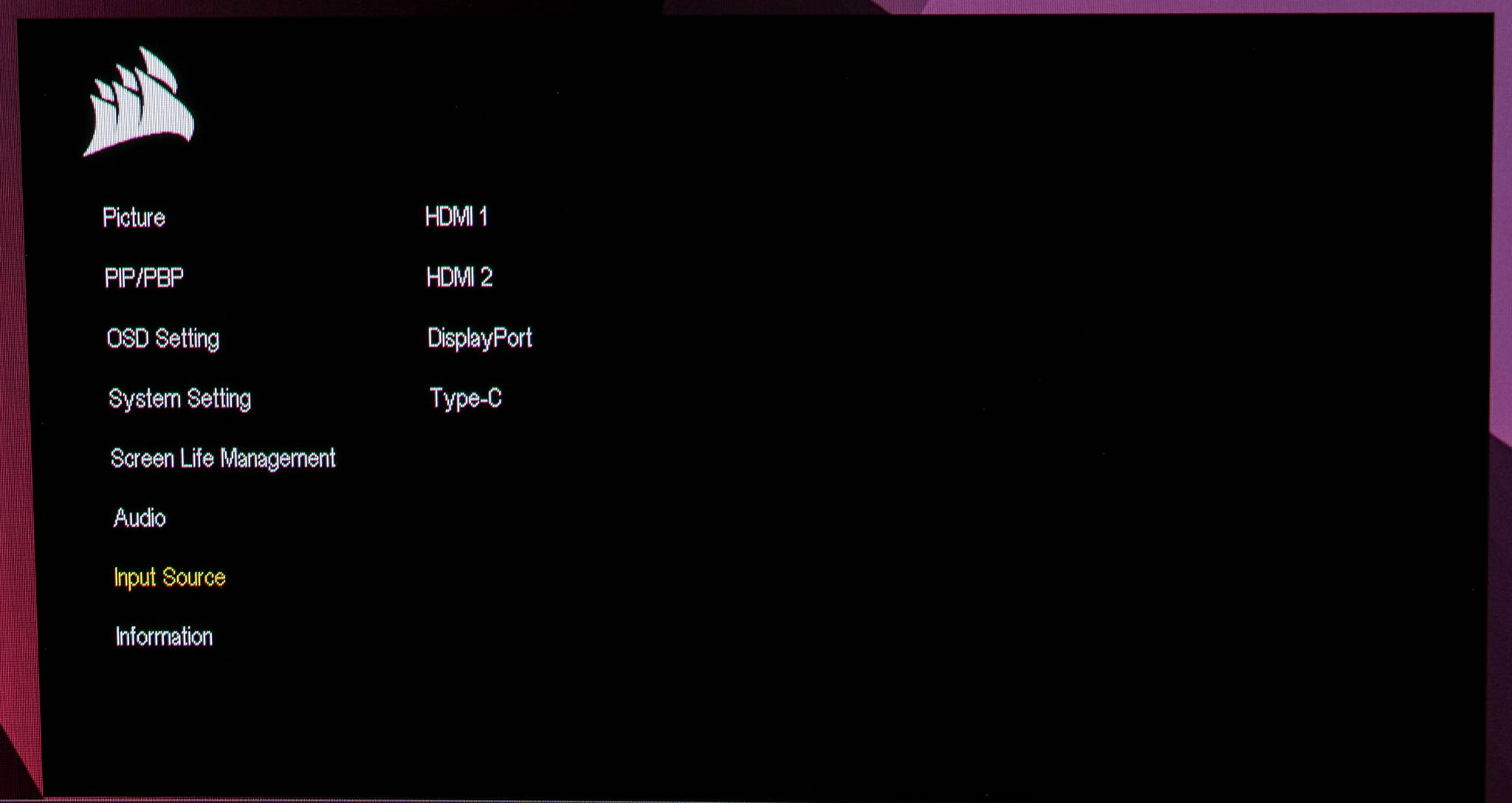
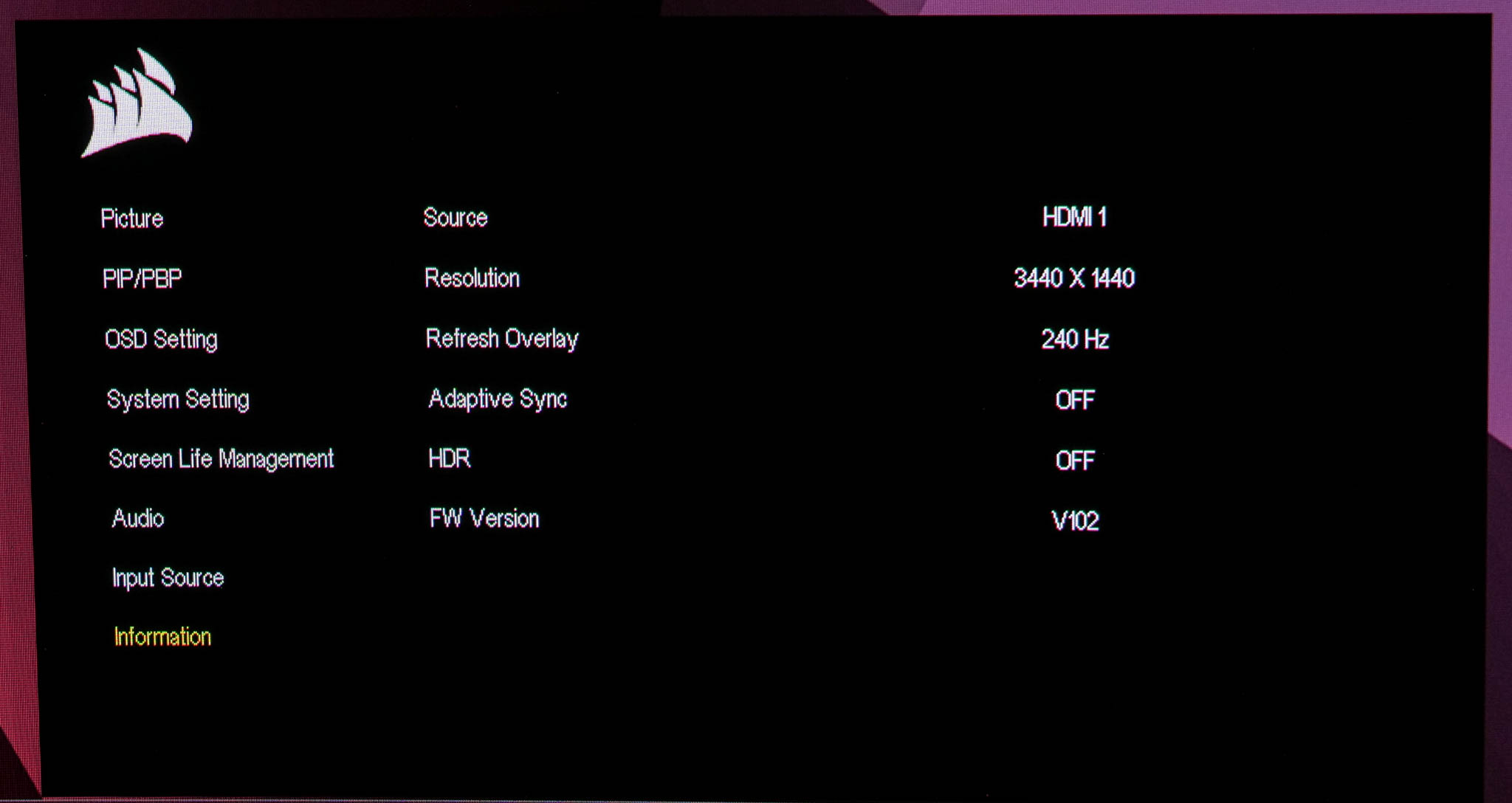
The OSD itself does not appear to have changed much, if at all, since we reviewed the 27QHD240. It's entirely text-based and while it may not offer as much control as some more feature-rich gaming OSDs, it offers all the core functionality you'd expect and is very easy to navigate with the joystick. The one thing I did notice is that Corsair is not offering much in the way of anti-burn in features – just a pixel shift feature called ‘Orbit' and a Brightness Stabilizer. Other screens we've looked at this year include various additional features aimed at detecting static logos and other static elements like the taskbar, but those are missing from the 34WQHD240-C.
Our main test involves using an X-Rite i1 Display Pro Plus colorimeter and utilising Portrait Display's Calman Ultimate software. The device sits on top of the screen while the software generates colour tones and patterns, which it compares against predetermined values to work out how accurate the screen is.

The results show:
- A monitor’s maximum brightness in candelas or cd/m2 at various levels set in the OSD.
- A monitor’s contrast ratio at various brightness levels in the OSD.
- Gamut coverage, primarily focusing on sRGB and DCI-P3 colour spaces.
- Greyscale accuracy, measured across 20 shades, with an average colour balance reported.
- The exact gamma levels, with a comparison against preset settings in the OSD.
- The colour accuracy, expressed as a Delta E ratio, with a result under 3 being fine for normal use, and under 2 being great for colour-accurate design work.
We first run these tests with the display in its out-of-the-box state, with all settings on default. If there is an sRGB emulation option or other useful mode then we may test that too. We then calibrate the screen using the Calman Ultimate software and run the tests again.
You can read more about our test methodology HERE.
Default settings
Brightness and Contrast (Full Screen)
| OSD Brightness | White Luminance (cd/m2) | Black Luminance (cd/m2) | Contrast Ratio |
| 0% | 13 | 0.0 | ~Infinite |
| 25% | 74.2 | 0.0 | ~Infinite |
| 50% | 135.3 | 0.0 | ~Infinite |
| 75% | 196.1 | 0.0 | ~Infinite |
| 100% | 256.3 | 0.0 | ~Infinite |
In terms of the brightness range, it's typical of a Samsung QD-OLED. We find a minimum of just 13 nits, and then a maximum of 256 nits for a full-screen white. Contrast is effectively infinite due to the OLED technology.
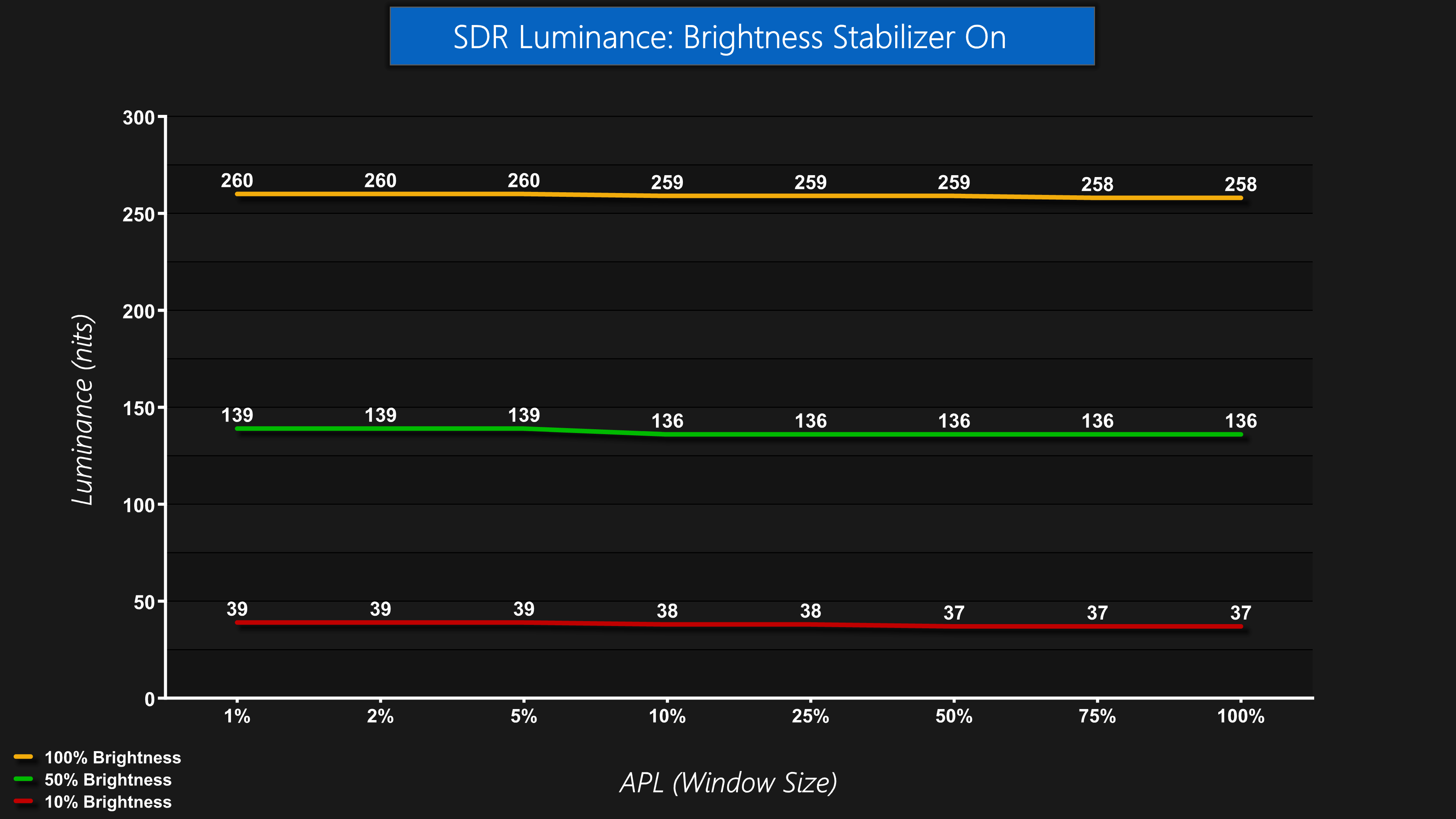
Brightness also holds steady regardless of APL when in SDR, and this is thanks to the Brightness Stabilizer mode that is enabled by default. This means brightness is consistent whatever content you are viewing and won't vary depending on what's on screen.

You can also disable Brightness Stabilizer and that results in higher brightness levels for smaller window sizes, but you will also notice the screen brightening and dimming depending what is being displayed.
Gamut (CIE 1976)


| Colour space | Coverage (%) |
| sRGB | 140.8 |
| DCI-P3 | 99.3 |
| Adobe RGB | 96.7 |
| Rec.2020 | 81.7 |
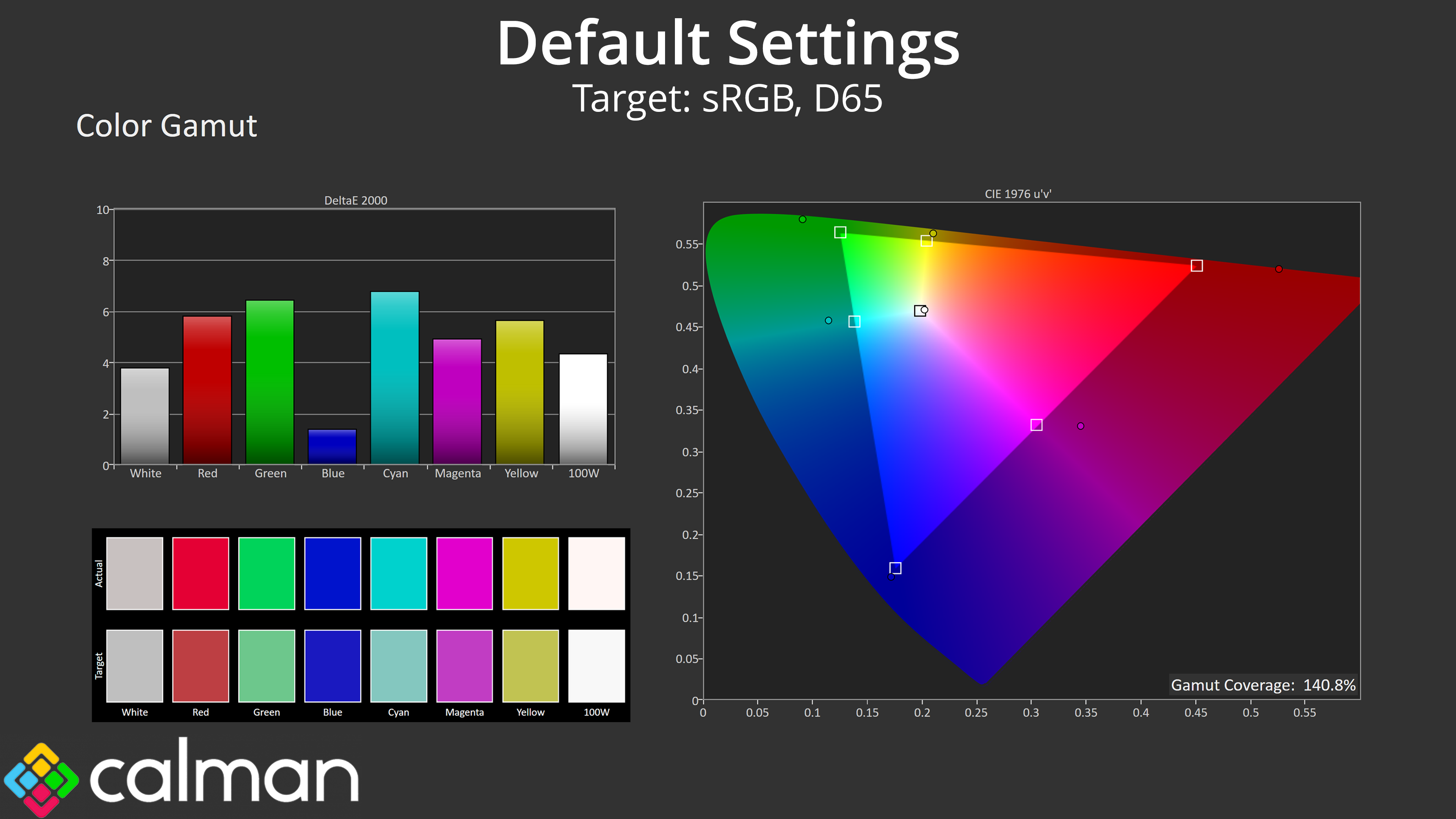
As for gamut, we can see coverage far exceeding the sRGB space, hitting a whopping 140.8% coverage, but then delivering 99.3% DCI-P3, 96.7% Adobe RGB and 81.7% reporting of the Rec.2020 colour space. This is all typical of a QD-OLED screen.
Greyscale
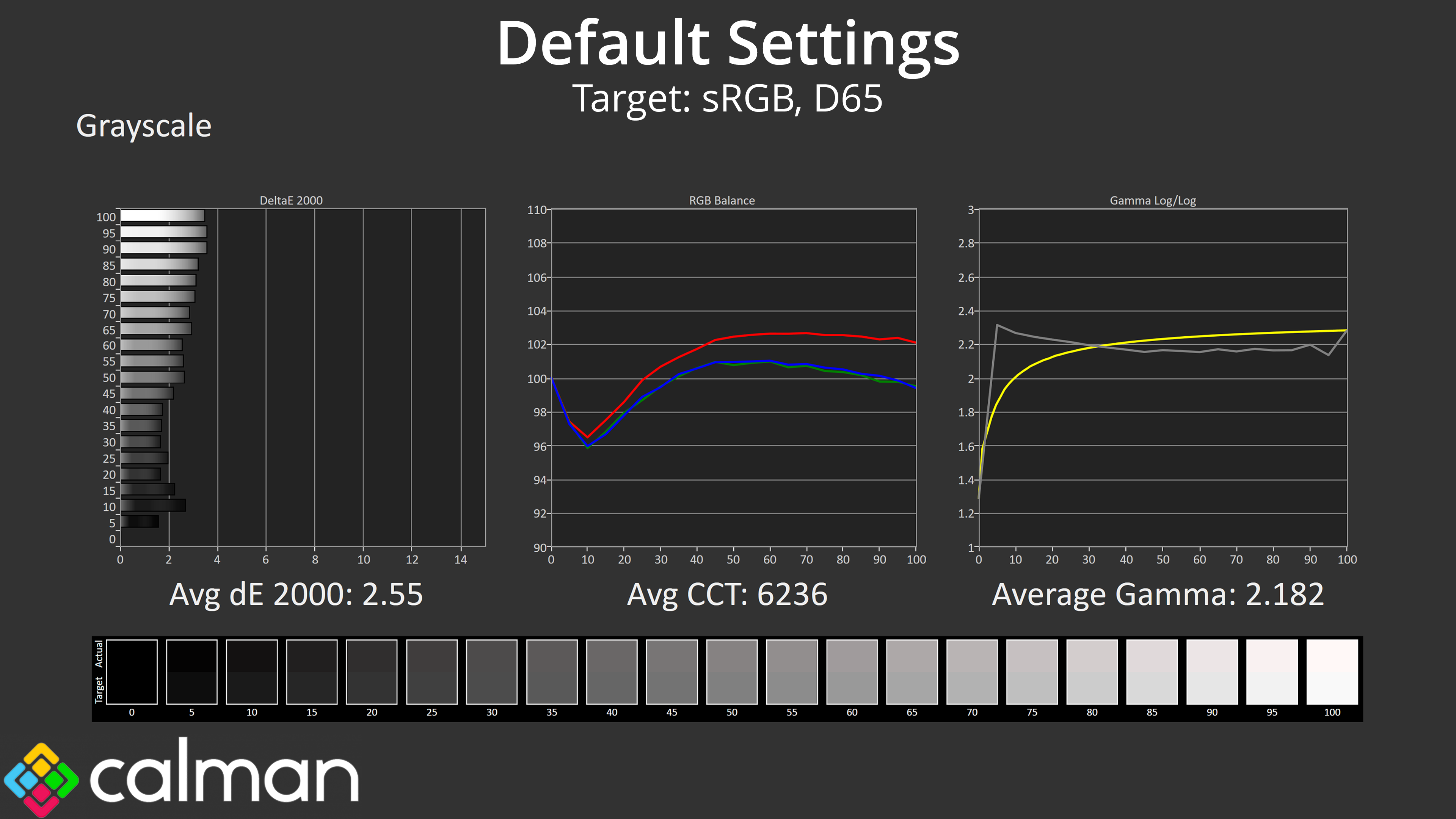
Moving onto greyscale, performance is generally fine out of the box, but not quite perfect. Colour balance is just a touch warm, with an average CCT (Correlated Colour Temperature) of 6236K, but that's only a 4% deviation from the 6500K target. Gamma is generally pretty accurate too, averaging 2.18, but is just a little too high for the dark shades, and then a little too low for the brighter shades, but we're talking small margins here.
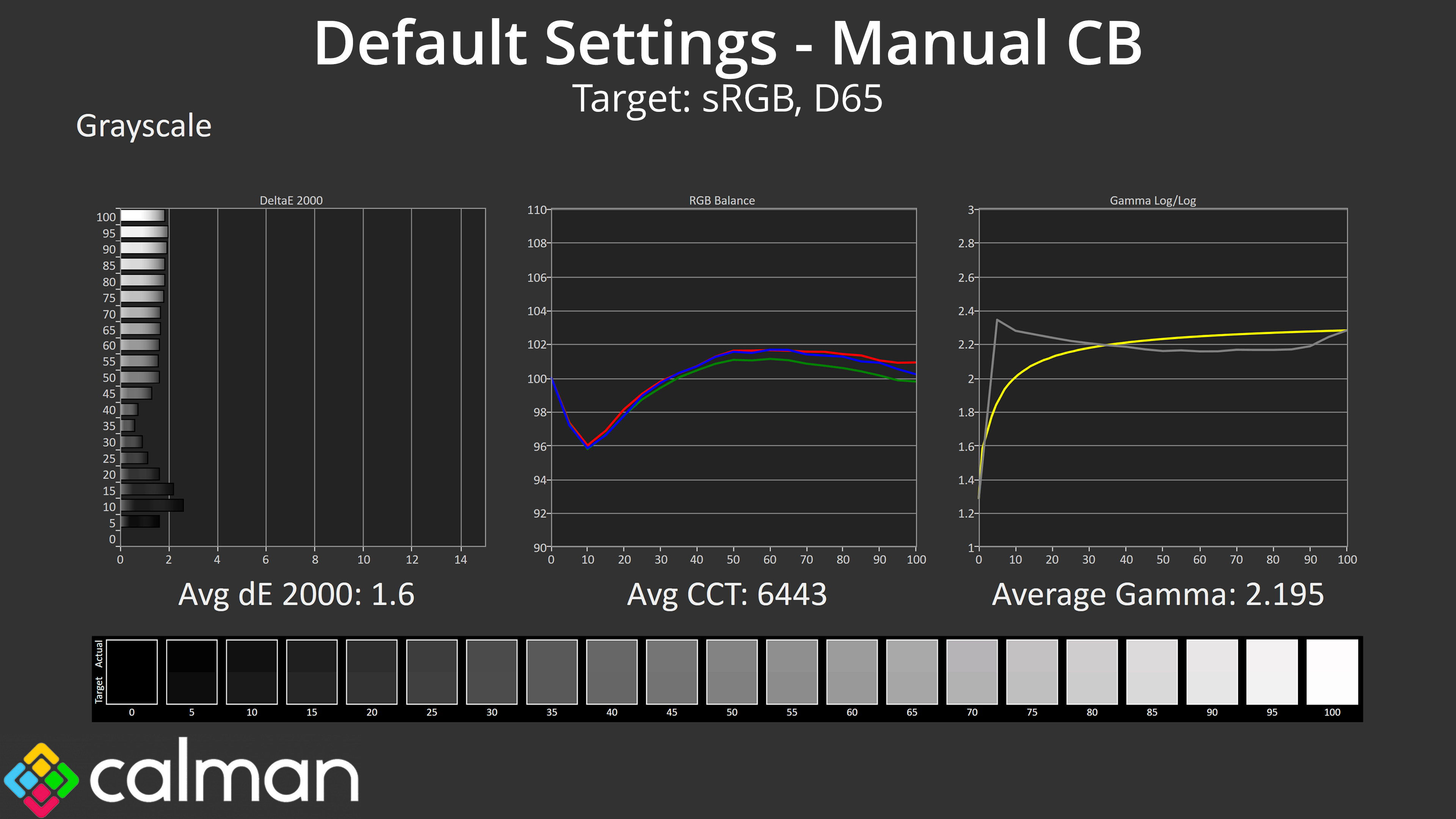
With just a few tweaks I was able to dial in a more accurate colour balance, with the Red channel set to 94, the Green channel at 97, and the Blue channel at 100. That improved the average greyscale dE 2000 from 2.55 to 1.6.
Saturation
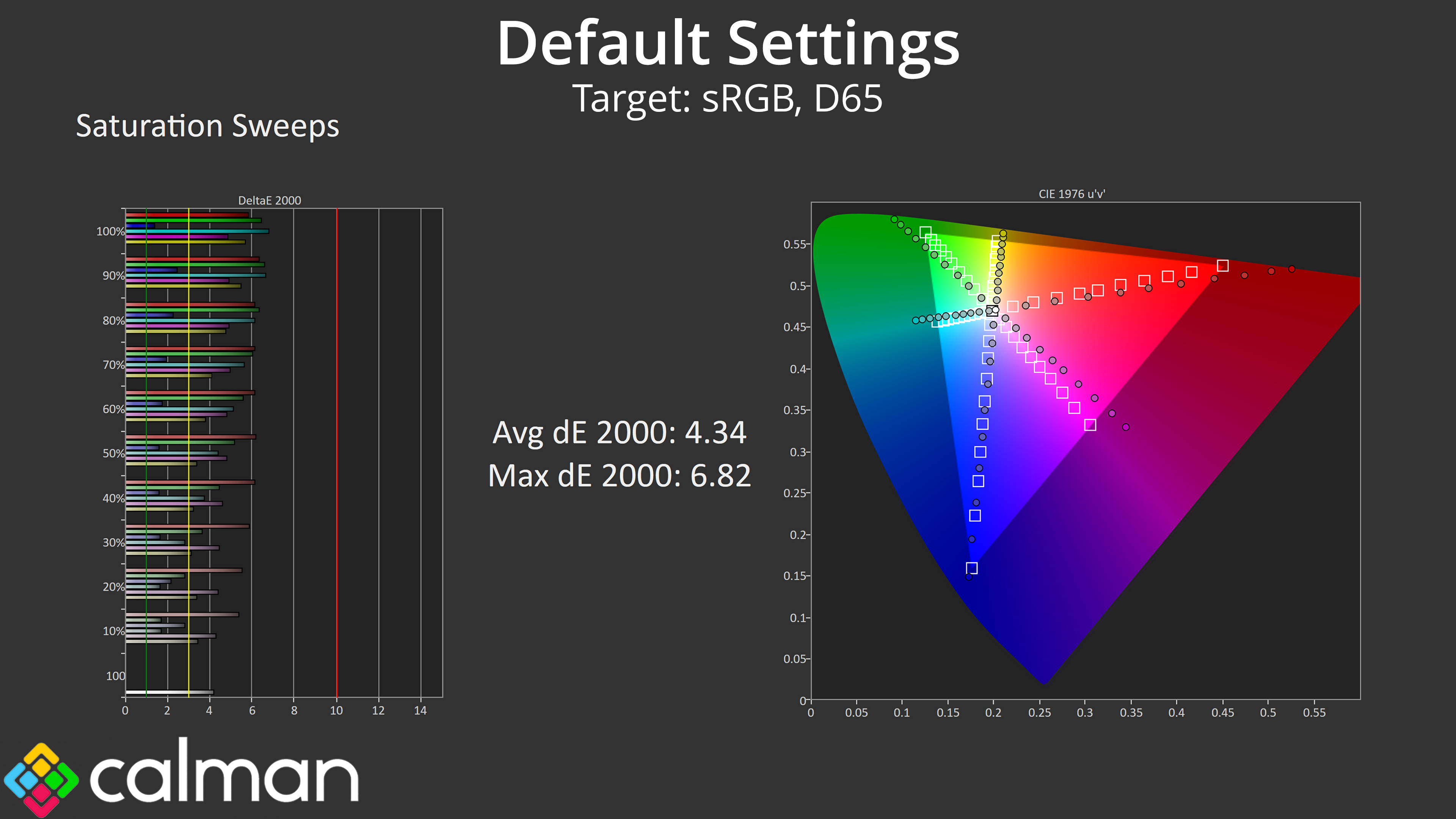
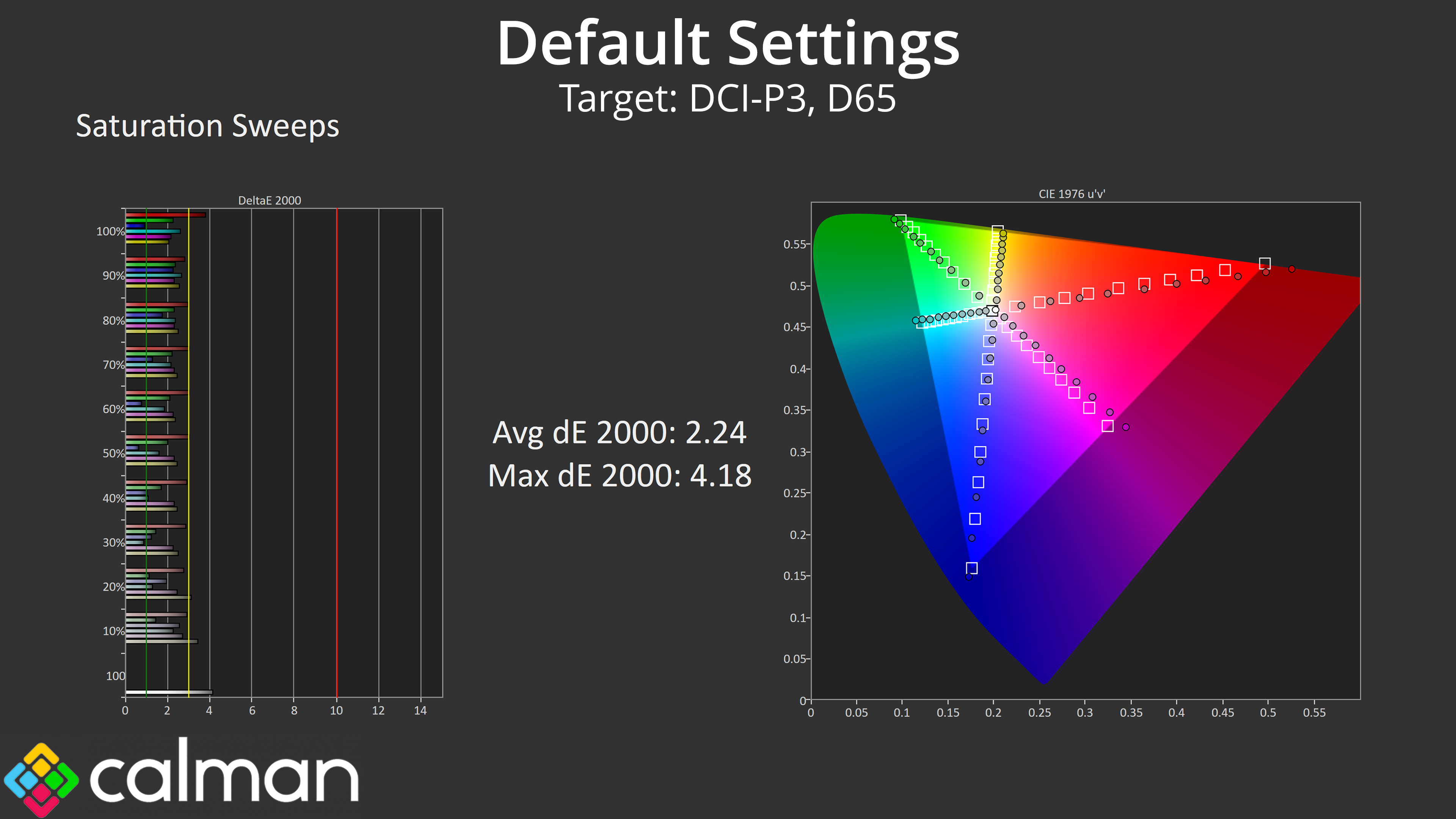
As we'd expect from such a wide gamut display, we see high levels of over-saturation relative to the sRGB space, resulting in an average dE 2000 of 4.34. When plotted against the wider DCI-P3 space however, accuracy is improved, with a new average dE of 2.24.
Colour Accuracy

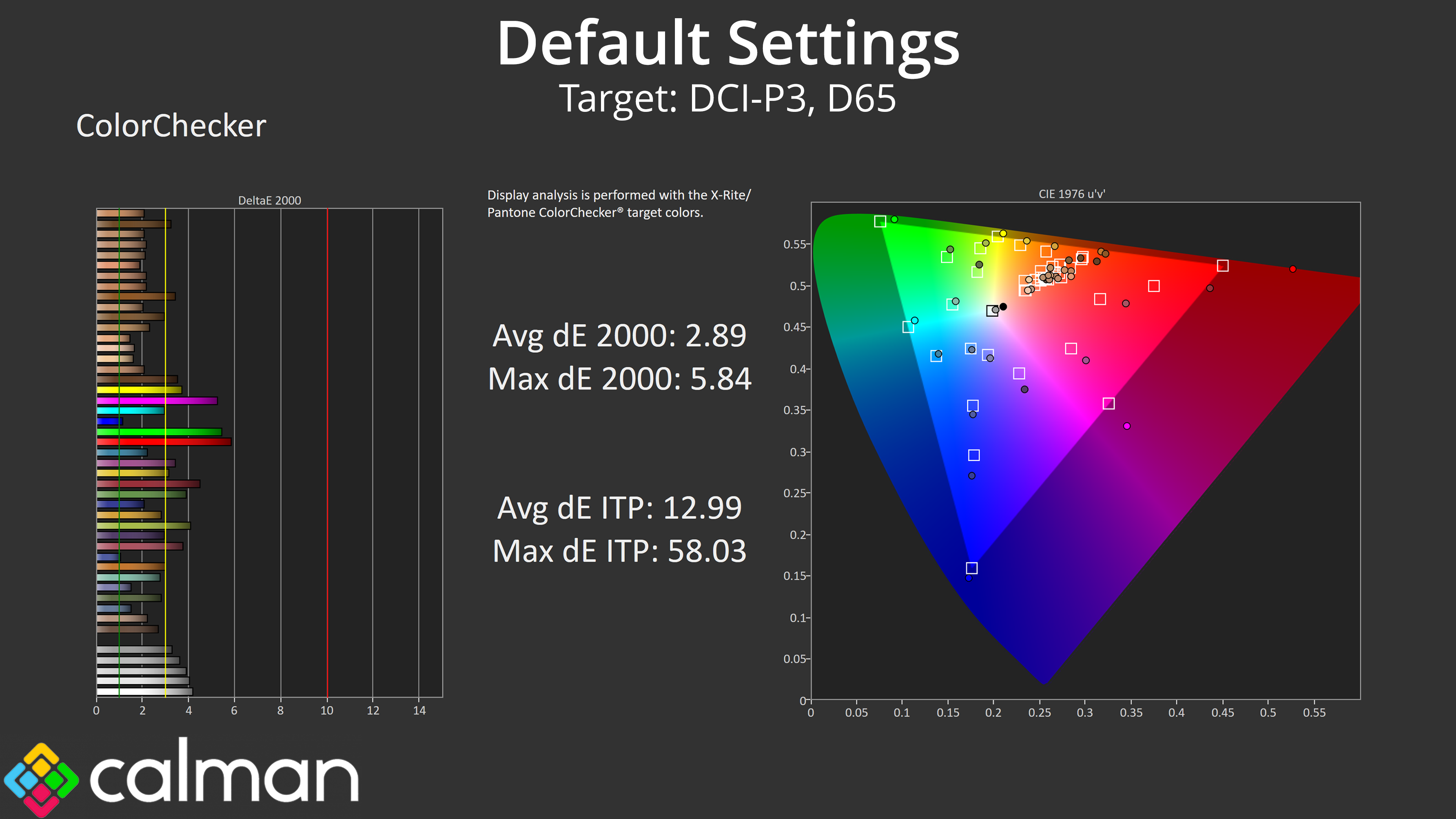
It's a similar trend for colour accuracy. Due to high levels of over-saturation, out of the box colour accuracy is poor for the sRGB space, averaging a dE 2000 of 5.2. Things do pick up to an average dE of 2.89 when mapping against the DCI-P3 space however, though there's still room for improvement.
sRGB Emulation Mode

Corsair does include an sRGB mode within the OSD, and this does a good job at clamping the gamut to avoid over-saturation.
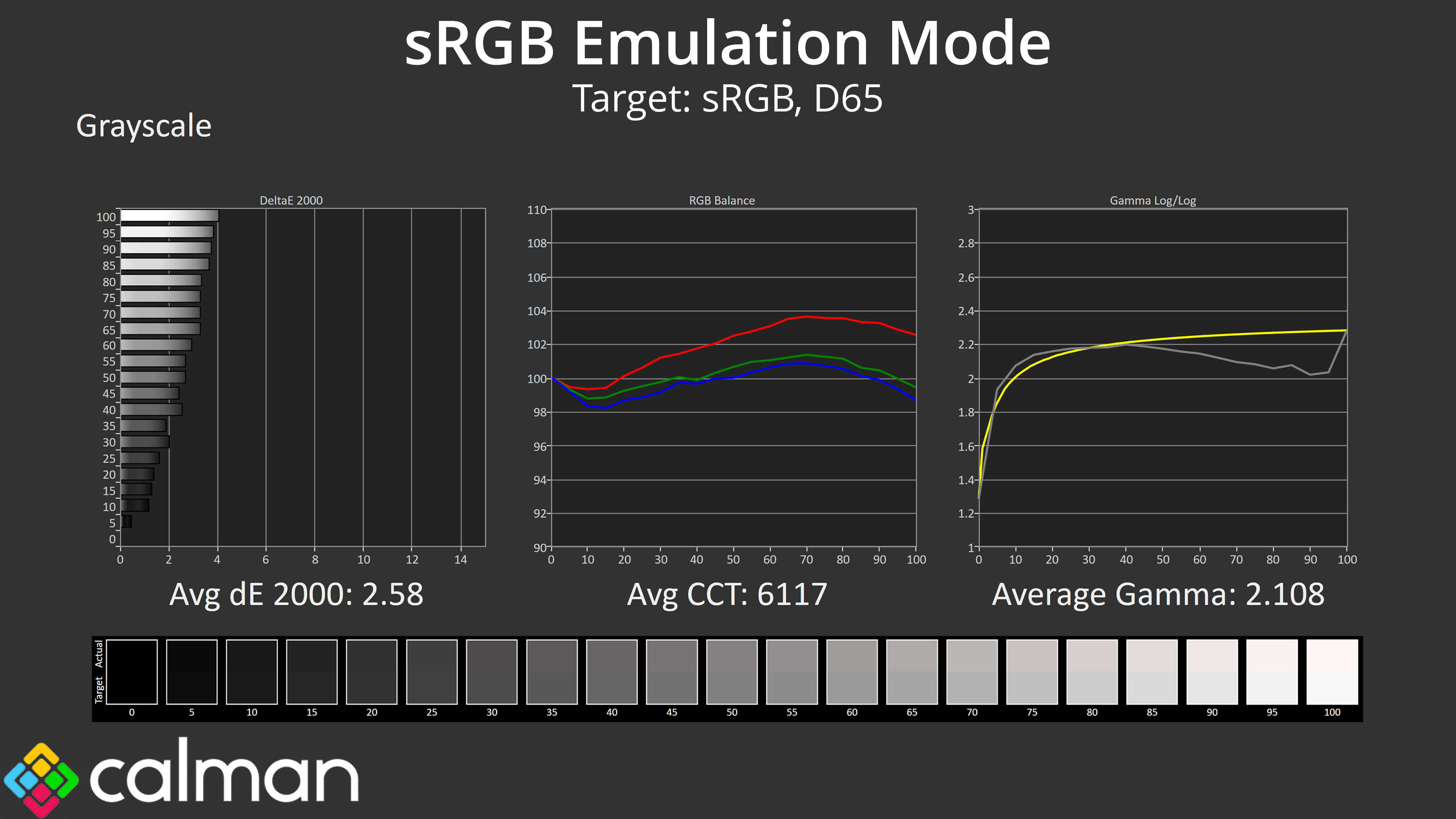
Greyscale performance is similar to the standard mode, though I'd say the gamma curve is actually slightly worse, dipping even lower in the brighter shades and averaging 2.11, compared to 2.18 as we saw previously.
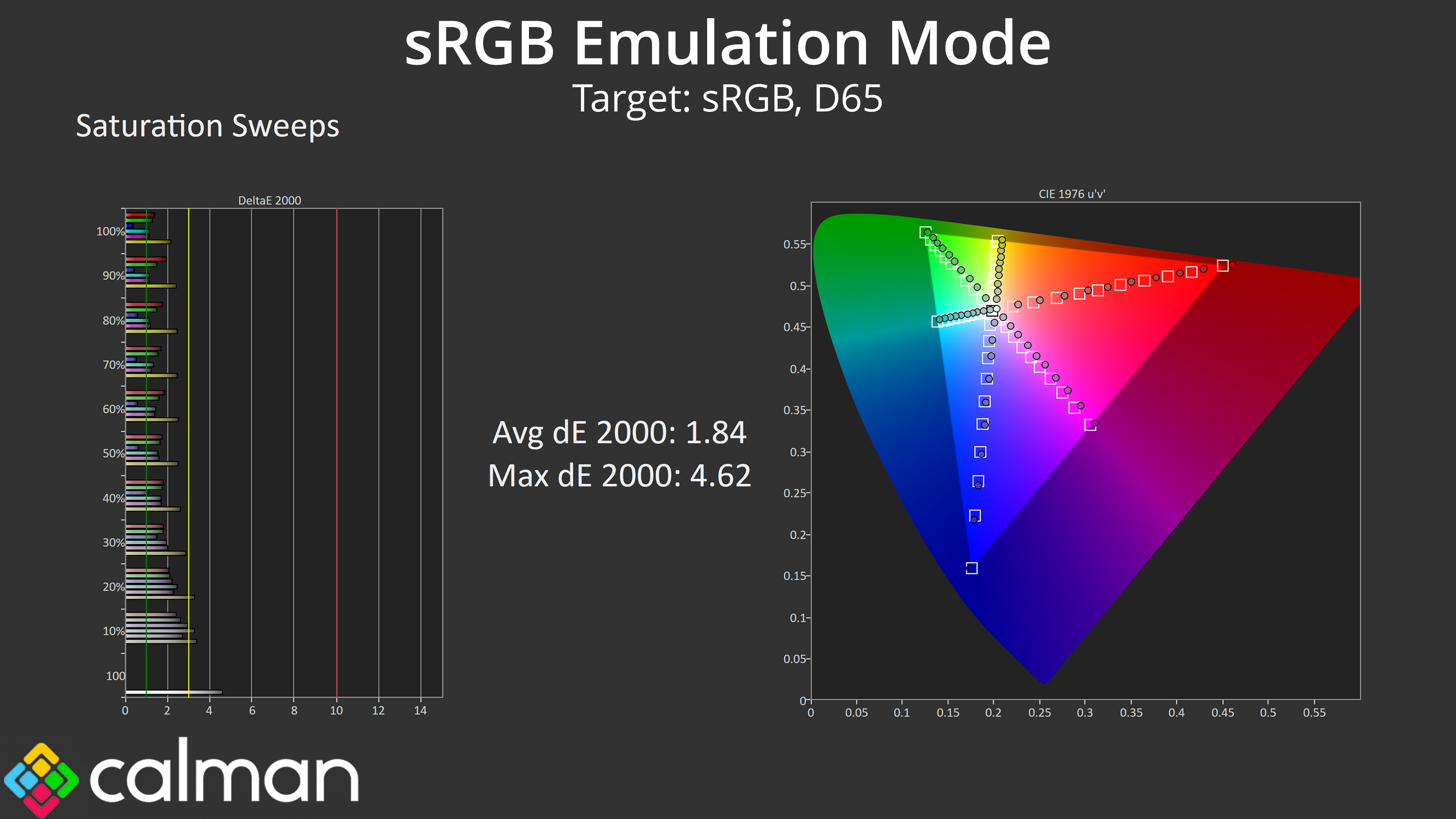
Saturation accuracy is greatly improved though, with a new average dE 2000 of 1.84, down from 4.34 using the default settings.

Likewise, colour accuracy dEs have dropped across the board, and we get a new average figure of 1.9, down from 5.2 using out of the box settings.
The only other thing to mention with the sRGB mode is that, for some reason, on firmware V102 enabling the mode automatically reduces the panel sharpness setting to 0, and it cannot be adjusted. This results in a relatively blurry image, given the default setting is with sharpness at 7. I've reached out to Corsair about this and I've been told a firmware update is coming which will fix this, but at the time of writing it hasn't arrived yet.
Calibrated Results
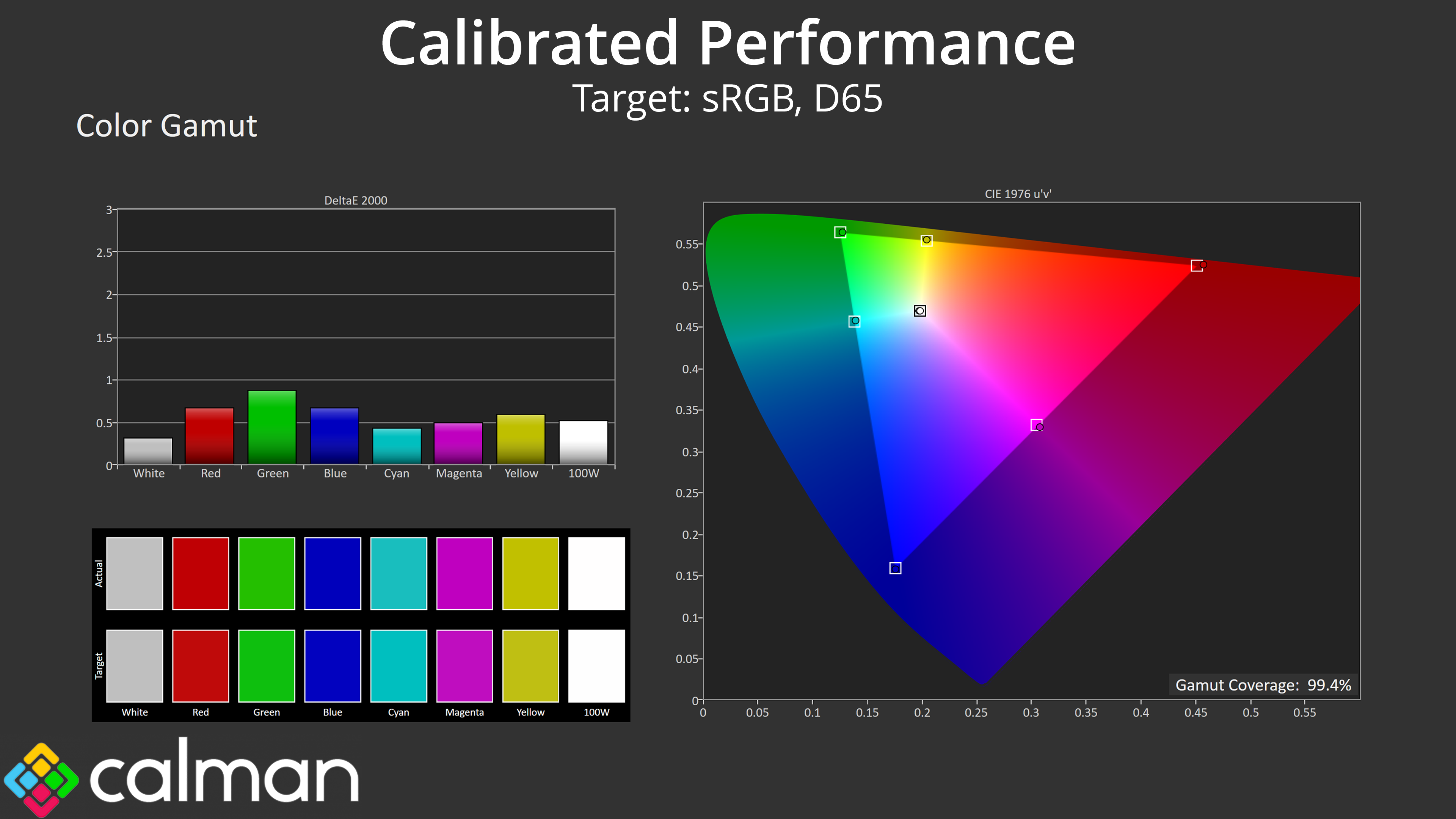

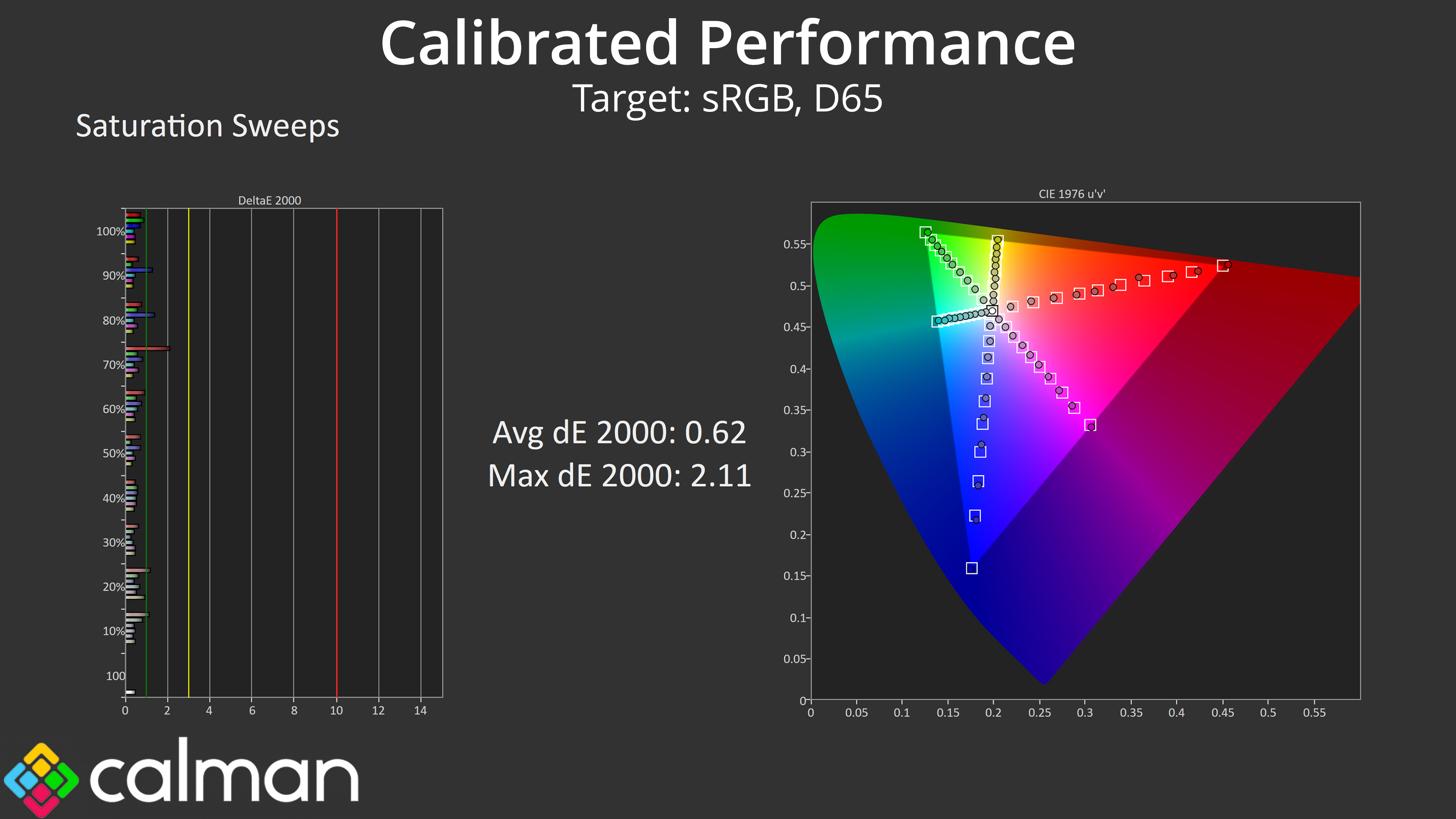
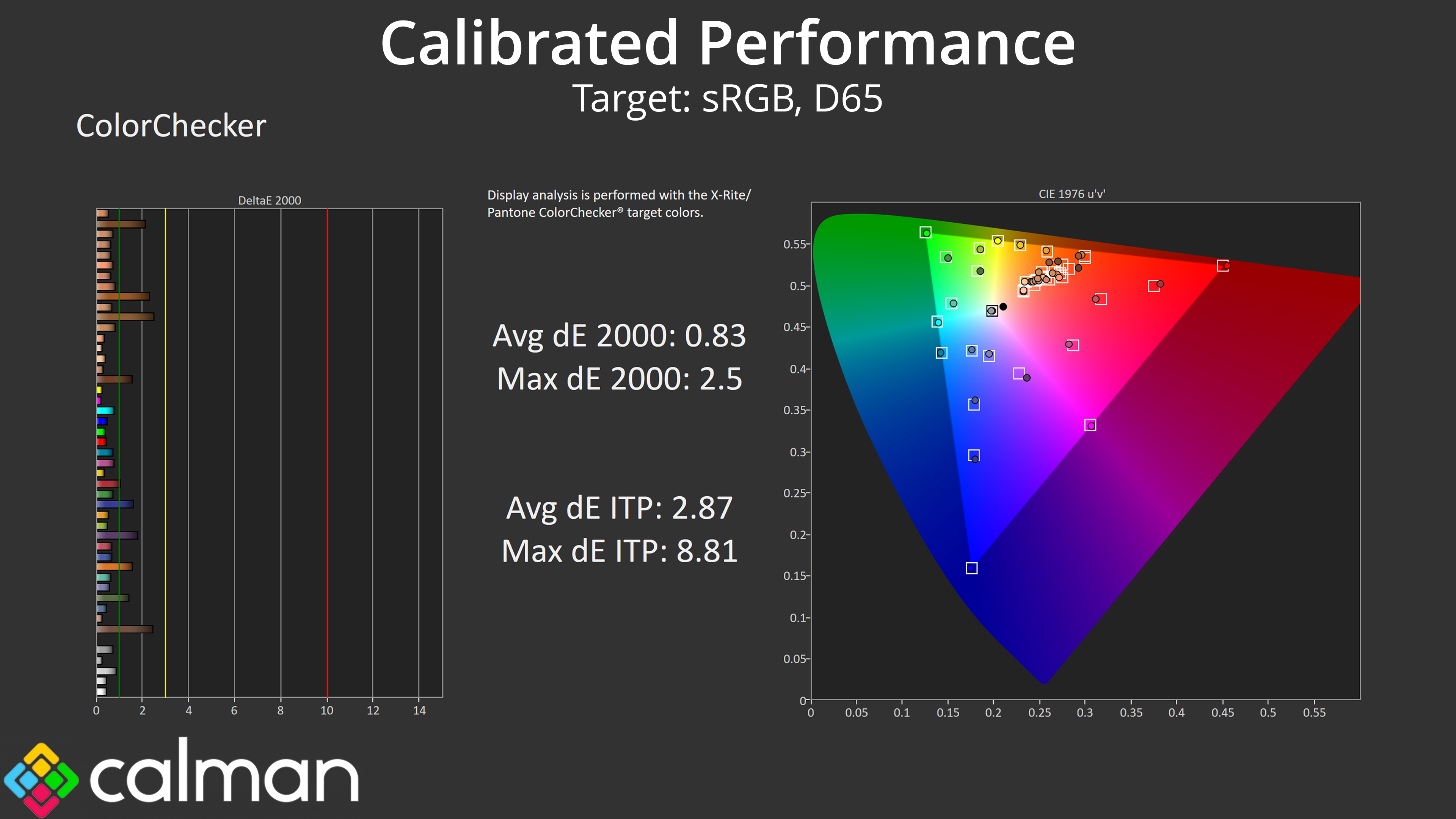
I did also do a full manual calibration using Calman Ultimate and it's no surprise to see the results are phenomenal. Greyscale performance is basically flawless now with near-perfect gamma tracking, and then saturation and colour accuracy performance also see the average dEs drop below 1.
HDR Testing
Following on from the SDR results on the previous page, here we re-test the relevant areas of the display with HDR enabled.
Brightness
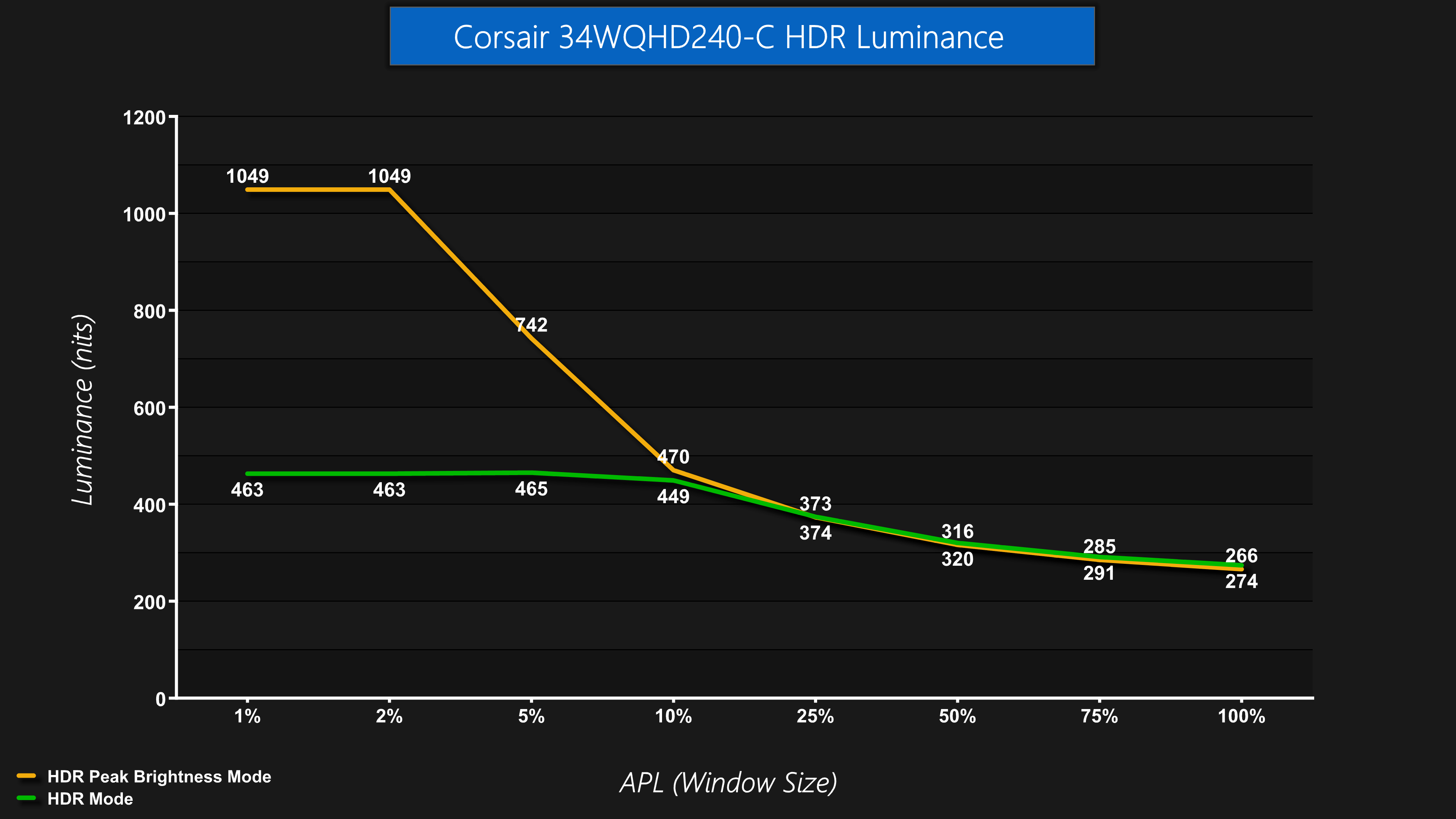
The first thing to establish is that Corsair provides two HDR modes, which is standard for QD-OLED. The first is simply called ‘HDR' and is the True Black 400 equivalent, peaking at about 460 nits. Then there's the HDR Peak Brightness mode which ups brightness to over 1000 nits for the 1% and 2% APLs, before dropping off as the window size increases.
Greyscale

As we've come to expect, the HDR mode is very accurate with near-perfect EOTF tracking when using a 10% APL.

The HDR Peak Brightness looks OK initially, but the EOTF curve does roll off slightly too early at the 10% window size.
In the past, I would have left my testing there, but credit must go to Simon from TFTCentral and Tim from Monitors Unboxed, both of who have done some excellent testing highlighting why it's important to test HDR performance at a range of APLs (window sizes).

As we can see, the HDR mode is very consistent regardless of APL, being generally very accurate across the curve from a 2% up to a 50% window size.

However, what my previous testing did not show is that the HDR Peak Brightness mode continues to roll off early at an increasing rate. The bigger the APL, the more it rolls off, resulting in an overly dark image.
This means users have to choose between lower peak brightness but a much more accurate image, or much higher peak brightness at low APLs but reduced accuracy and a generally darker image for larger window sizes, neither of which is really ideal.
Colour Accuracy
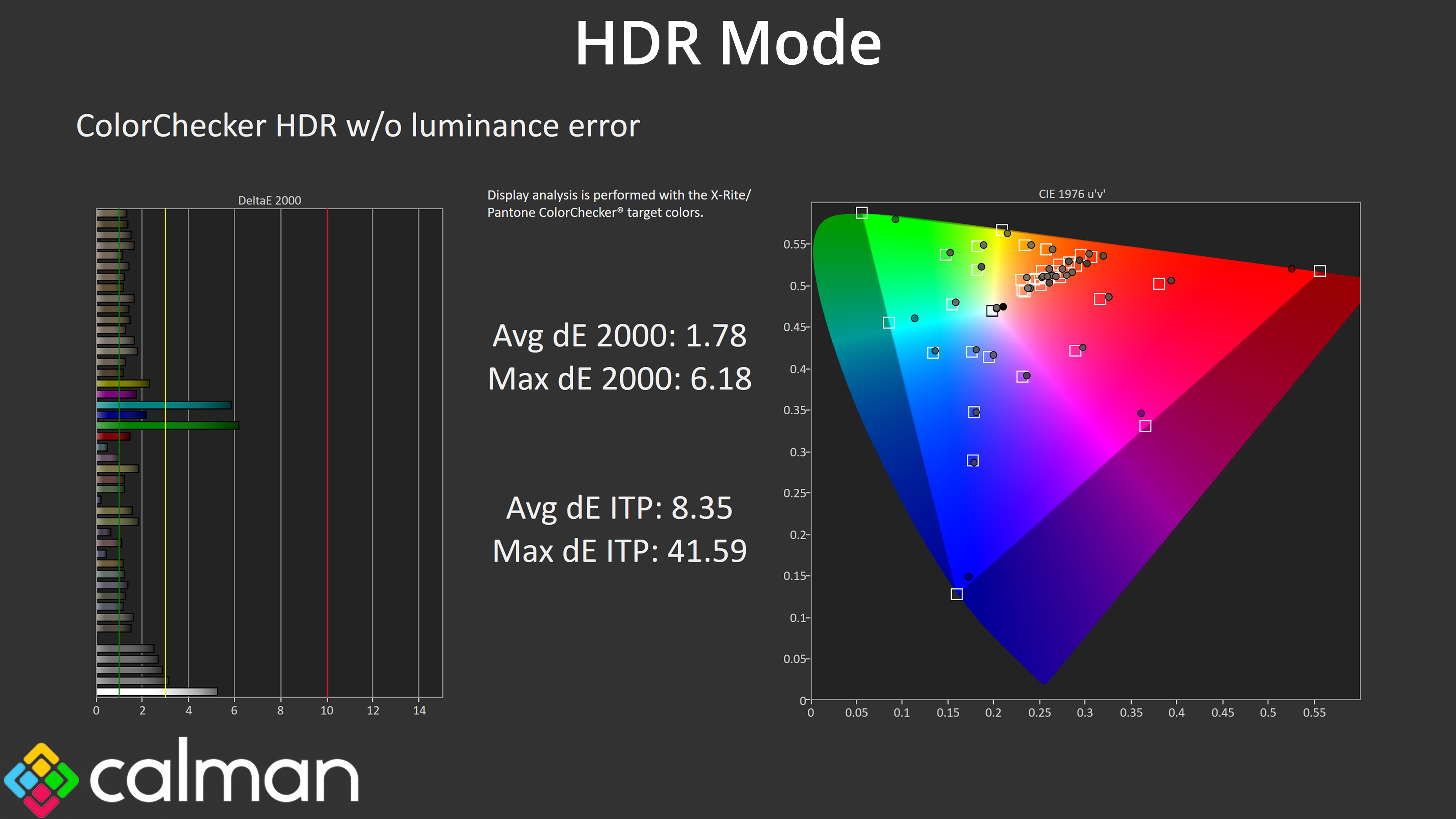
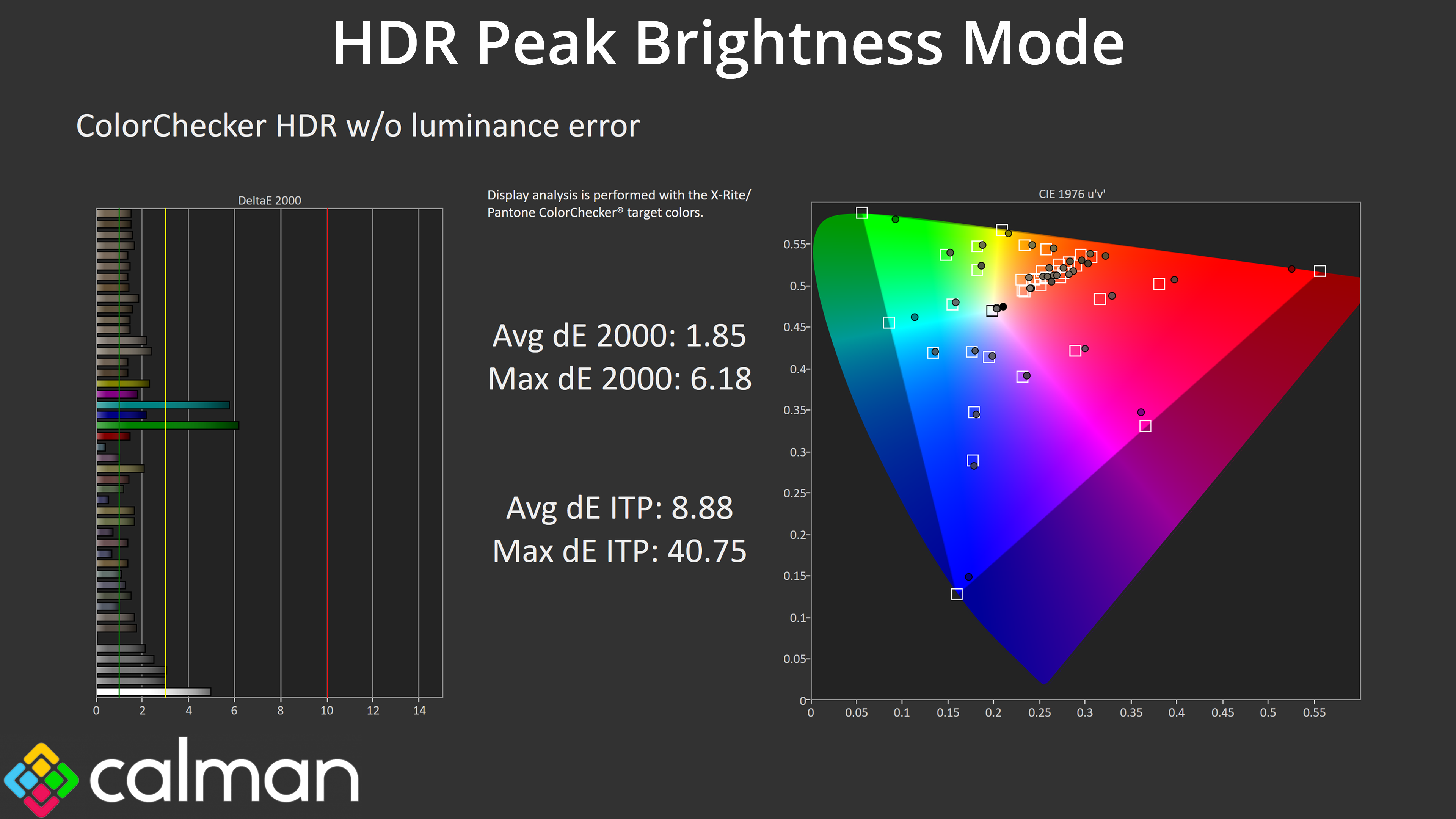
Just to round off testing, actual colour performance is fine regardless of the mode you choose. The main culprits are the 100% cyan and 100% green channels, which the monitor is never going to be able to replicate accurately as it does not cover the whole Rec.2020 space.
Monitor response time testing is a new addition to our reviews, where we use the Open Source Response Time Tool (OSRTT), developed by TechTeamGB. This measures grey-to-grey response times and presents the results in a series of heatmaps, the style of which you may be familiar with from other reviews.
Initial Response Time is the time taken for the panel to transition from one colour to another, where lower values are better. We present the initial response time, so overshoot is not taken into account and is measured separately. We use a fixed RGB 5 tolerance for each transition.
Overshoot is the term given for when a monitor's transition exceeds or goes beyond its target value. So if a monitor was meant to transition from RGB 0 to RGB 55, but it hits RGB 60 before settling back down at RGB 55, that is overshoot. This is presented as RGB values in the heatmaps – i.e. how many RGB values past the intended target were measured.
Visual Response Rating is a metric designed to ‘score' a panel's visual performance, incorporating both response times and overdrive. Fast response times with little to no overshoot will score well, while slow response times or those with significant overshoot will score poorly.
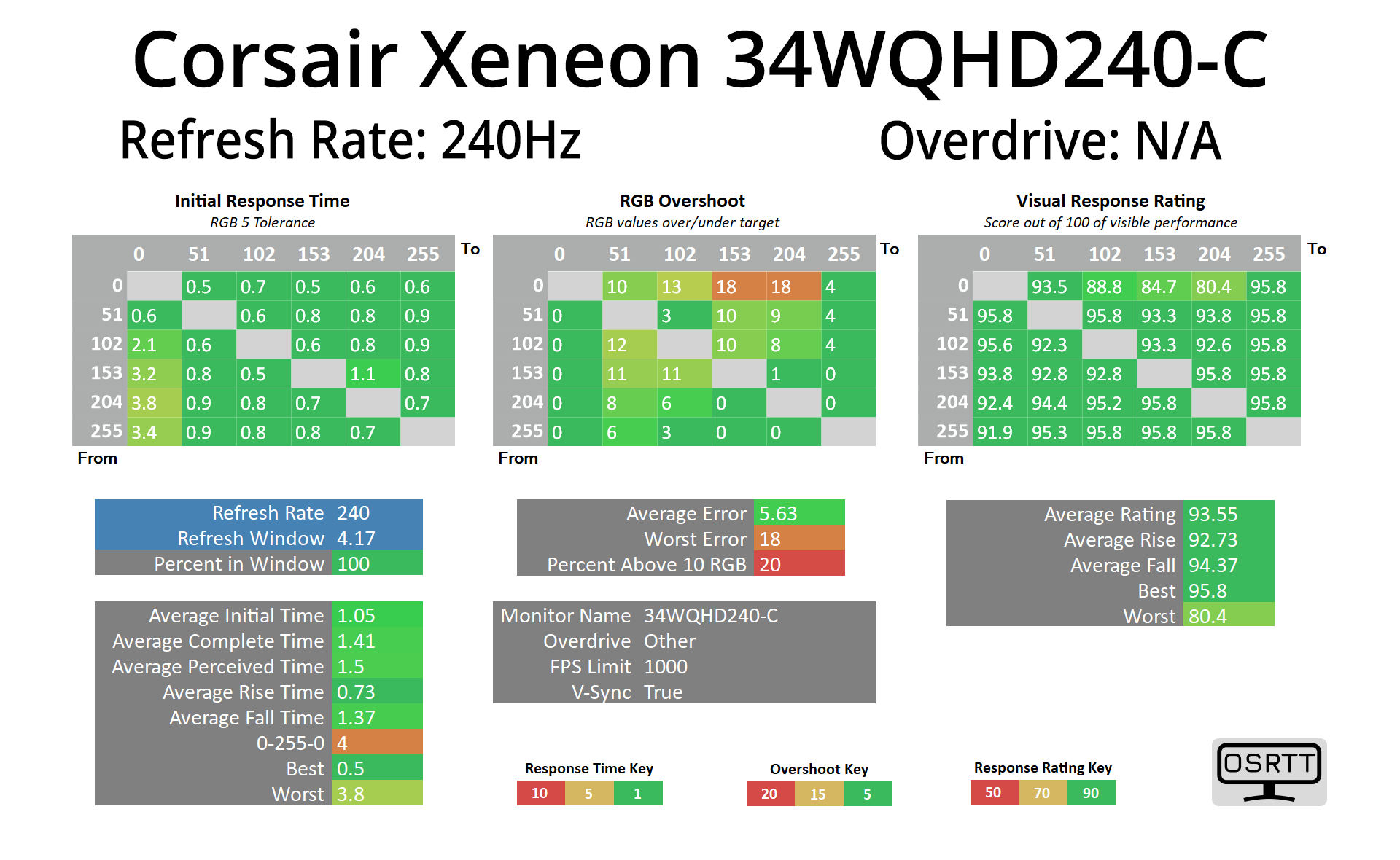
I won't focus too much on response times here, as we know OLEDs deliver the best of the bunch regardless of refresh rate, and this Corsair is no different with an average response time right around the 1ms mark.
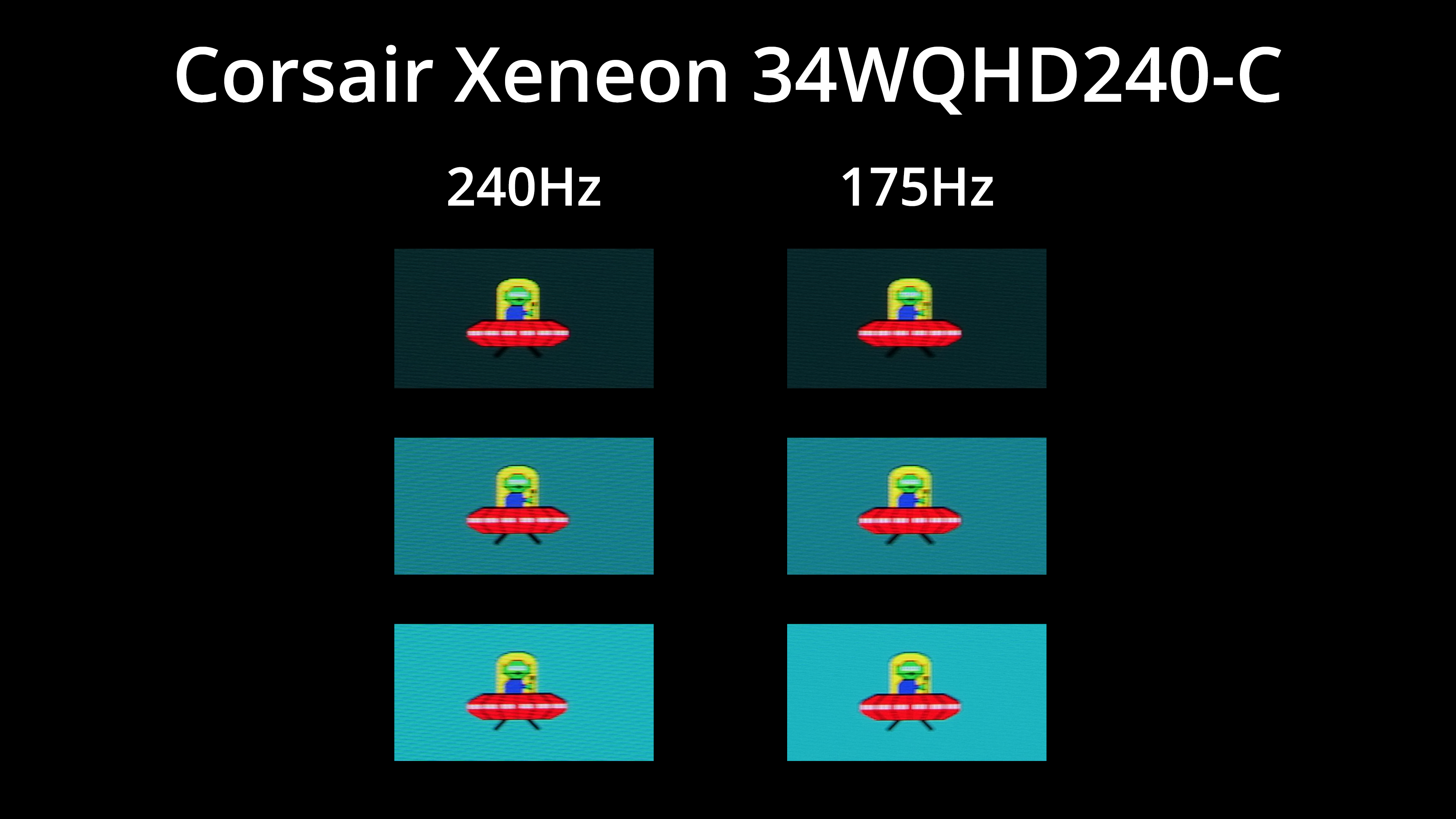
We get excellent motion clarity at 240Hz, too. I've compared it here against the performance at 175Hz, which is the other common refresh rate that a lot of ultrawide OLED monitors offer, including 1st gen products like the Alienware AW3423DW. As you can see, the different is not huge, but I'd say it's perceptible. Then again, would I upgrade from a 175Hz QD-OLED to a 240Hz? Probably not, but if you're in the market for a brand new model, it is something to factor in.
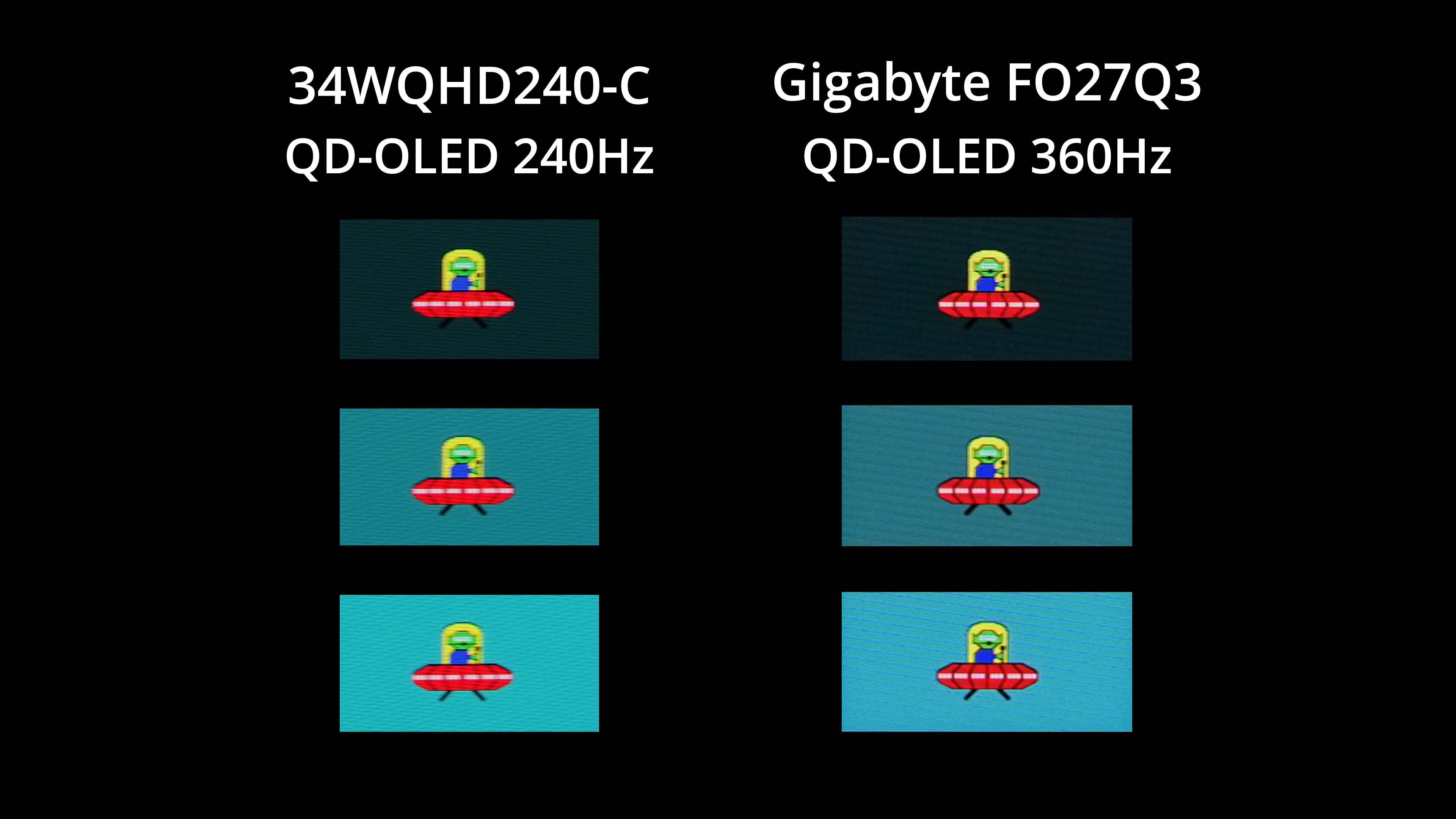
It's also worth remembering that other OLEDs can offer even higher refresh rates, though admittedly not in a 21:9 aspect ratio just yet. Still, versus the Gigabyte FO27Q3 which is a 1440p/360Hz model, there is another small but perceptible improvement to motion clarity at the higher refresh rate.
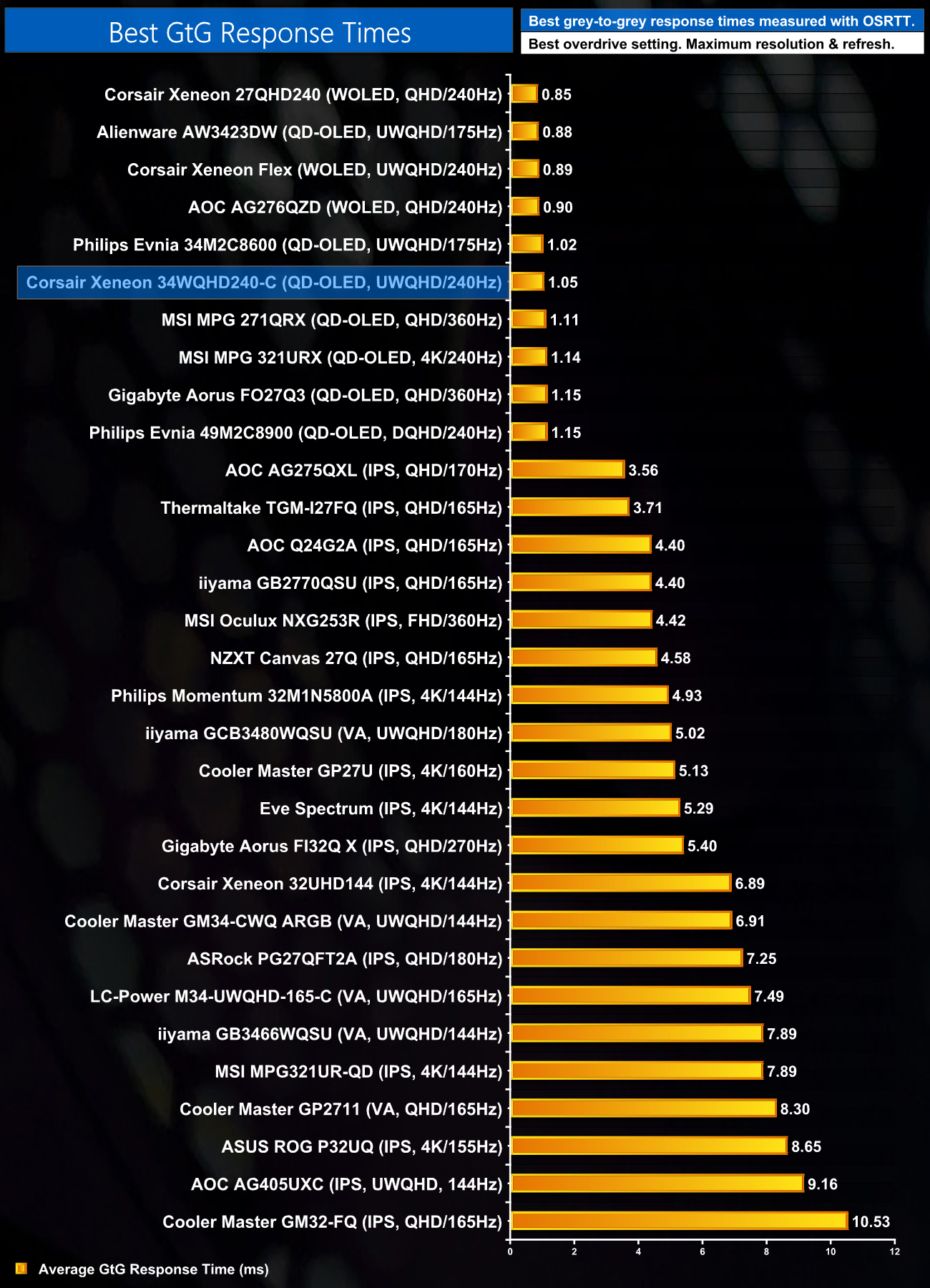
As expected, all the OLED monitors I've tested sit right at the top of the response time chart, all hovering around the 1ms mark.
We again use the Open Source Response Time Tool (OSRTT), developed by TechTeamGB, to report monitor input latency.

As for input latency, we see no issues for the 34WQHD240-C, with an average latency of 2.04ms, right in-line with other 240Hz OLED monitors I've tested.
It's been about a year since I last reviewed a Corsair monitor so I was very keen to get hands-on with the new Xeneon 34WQHD240-C. First shown off at Computex 2024, this screen is using a 240Hz QD-OLED panel from Samsung and it performs about as well as we have come to expect.
That means all the typical hallmarks of an OLED screen are present – rapid response times, excellent motion clarity, very wide gamut, effectively infinite contrast and stellar viewing angles. Corsair has added to the party with a capable sRGB mode, too, alongside generally accurate greyscale performance out of the box.
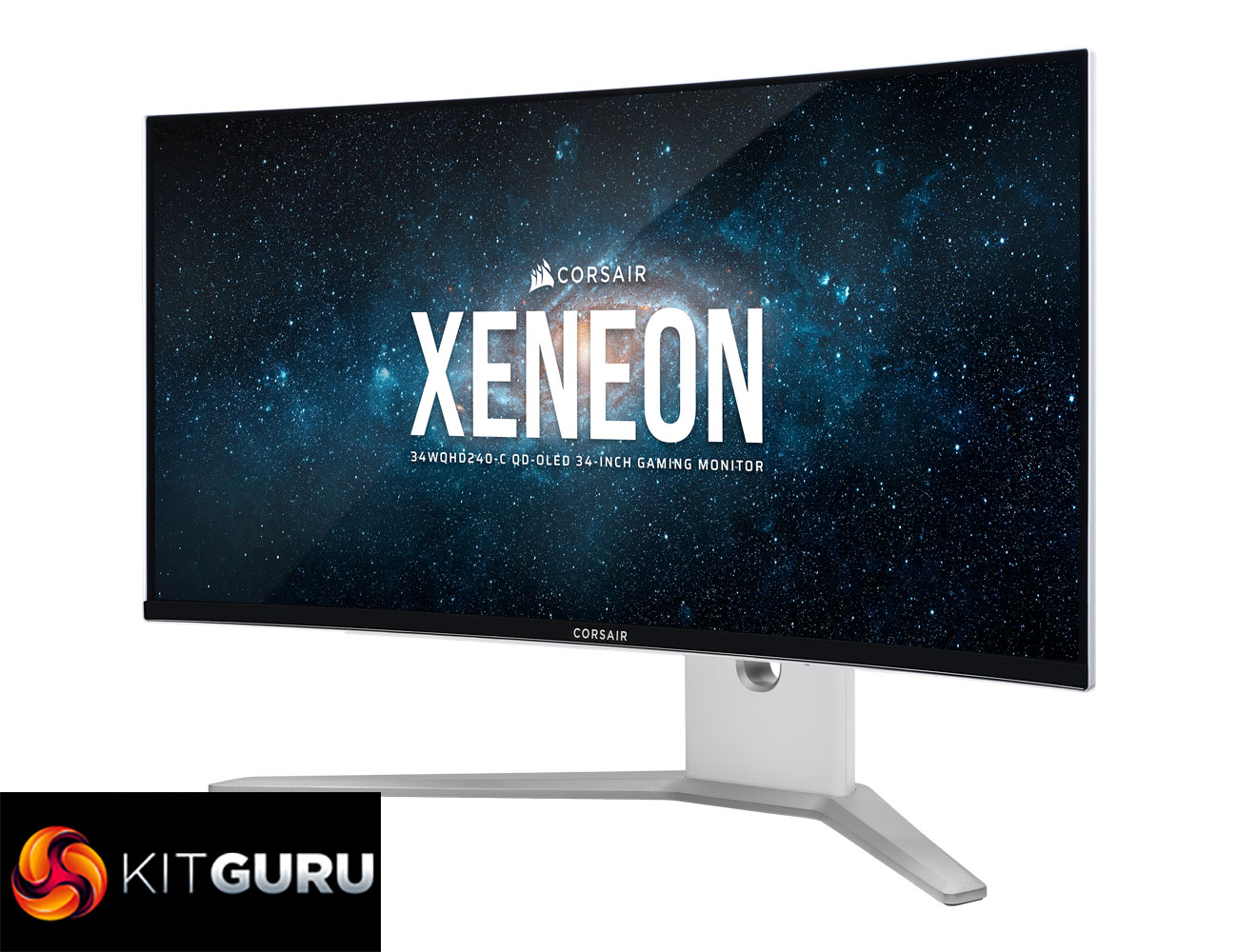
I also like the fact Corsair is trying something a little different with the white and silver colourway. It may not be to everyone's taste, but it certainly helps separate the 34WQHD240-C from the pack. However, build quality could stand to be improved (if you pardon the pun), given the stand itself is a bit plasticky and the screen has a tendency to wobble a bit when touched or moved. It's not a deal-breaker, but at this price I would expect better.
And, unfortunately, pricing is by far the biggest thorn in this monitor's side. Even when on sale at £979.99, the 34WQHD240-C was still over £250 more expensive than a competing option like Gigabyte's MO34WQC2 which uses the same 240Hz QD-OLED panel. While writing this review however, pricing went back up to £1149, and that is just far too high.
Ultimately, I think the Corsair Xeneon 34WQHD240-C is a very good monitor that just needs a significant price cut, and that's all there is to it. If you do pick one up I have no doubt you will be very happy with it, but when the competition's offering is closer to £700, it's fair to suggest Corsair's pricing strategy needs a serious rethink.
We found the monitor direct from Corsair for £1149 HERE, or on Amazon for the same price HERE.
Pros
- Very wide gamut.
- Effectively infinite contrast ratio.
- Very fast response times.
- 240Hz refresh rate offers very good motion clarity.
- HDR hits 1000 nits.
- Good sRGB emulation mode.
- 2x HDMI 2.1 ports.
- Clean overall design if you like the white and silver aesthetic.
Cons
- Competing options using the same panel are significantly cheaper.
- Build quality should be better for the money.
- Limited selection of anti-burn in features compared to the competition.
- sRGB mode currently locks the sharpness setting to 0, but we are told a fix is on the way.
KitGuru says: It's a very good monitor that just needs a very hefty price drop to increase its competitiveness.