KitGuru KitGuru.net – Tech News | Hardware News | Hardware Reviews | IOS | Mobile | Gaming | Graphics Cards


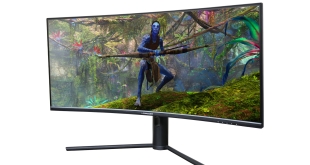
In for review today is the M34-UWQHD-165-C from German brand LC-Power. Hitting the market at £369, but having been as low at £290 over the last few weeks, this is a budget ultrawide monitor sporting a curved VA panel, 165Hz refresh rate and 3440×1440 resolution. Today we put it through its paces and find out how it fares in our new test methodology that has just been overhauled…
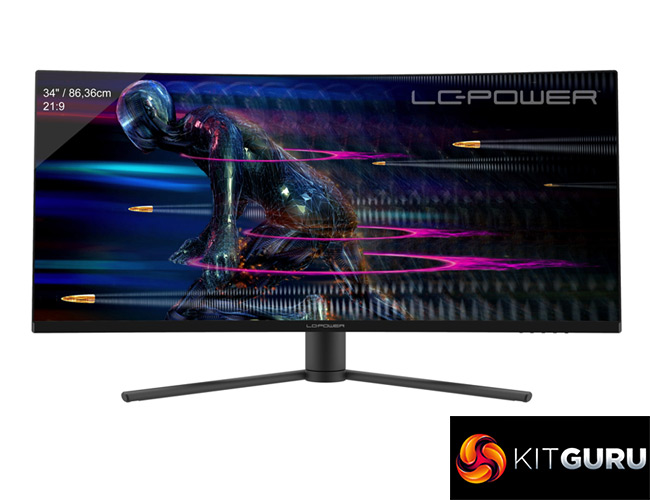
Specification:
- Display size: 34″ / 86,36 cm
- Resolution: UWQHD / 3440 x 1440 pixels
- Screen refresh rate: 165 Hz
- Panel type: VA
- Screen surface: non-glare
- Aspect ratio: 21:9
- Brightness: 350 (± 30) cd/m²
- Contrast ratio: 3000:1
- Dynamic contrast ratio: 1000000:1
- Display colours: 16,7 M
- Colour space: 99 % sRGB, 85 % AdobeRGB, 85 % NTSC, 85 % DCI-P3
- Viewing angle: H: 178° / V: 178°
- Curvature: 1500R
- Response time: 1 ms MPRT
- Interface: 2x HDMI 2.0 / 2x DP 1.4
- Audio: 1x Audio out (3,5 mm jack)
- Integrated speakers: no
- Colours back side: black with red LED illumination
- Dimension (without base): 809 x 364 x 124 mm
- Dimension (with base): 809 x 511 x 256 mm
- Dimension (retail): 902 x 480 x 177 mm
- Swivel angle: 15°
- Base tilt: -5°~15°
- Height adjustment: ca. 100 mm
- VESA mounting: 75 x 75 mm
- Weight (product/overall): 7,86 / 10,06 kg
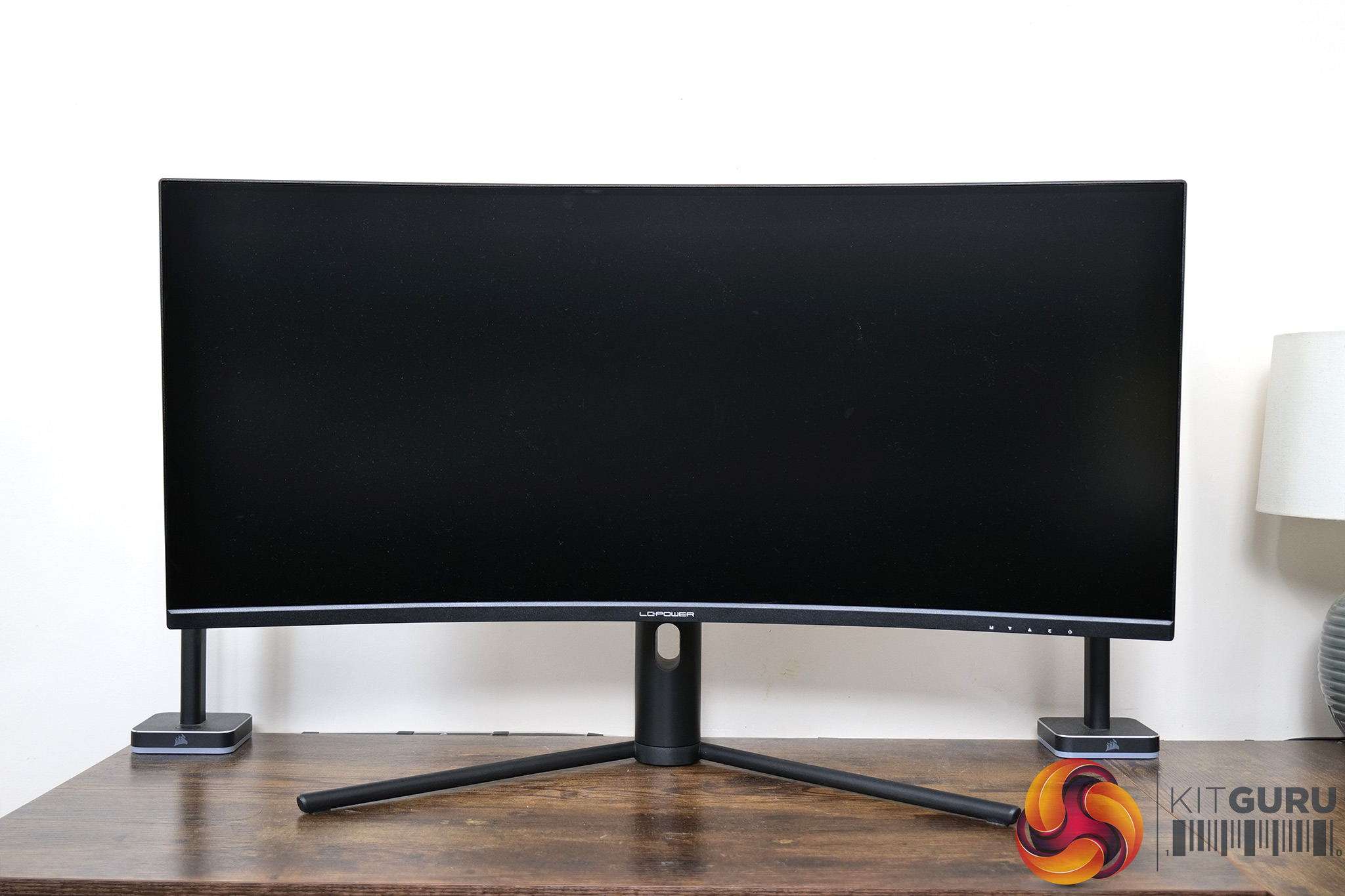
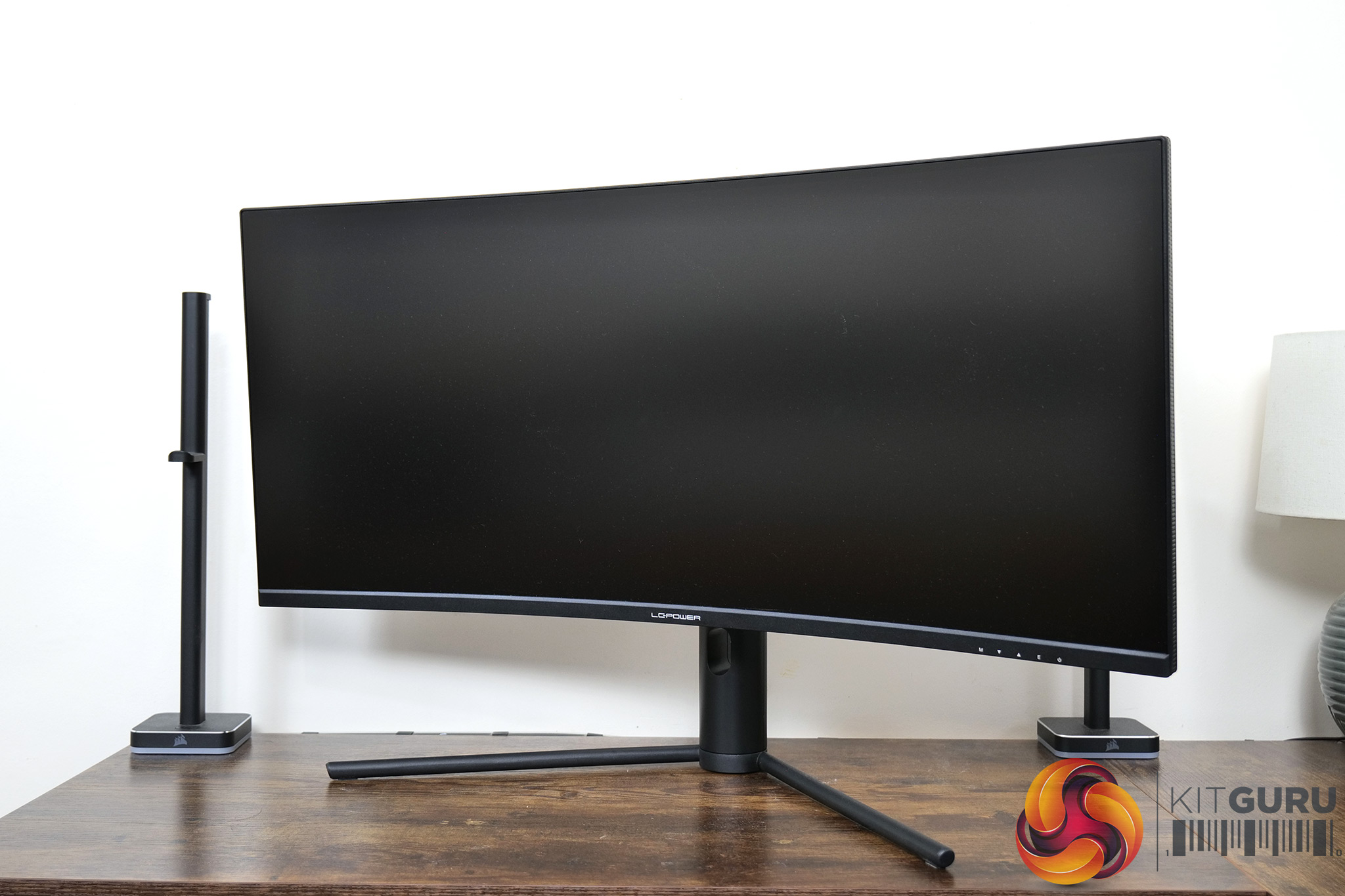
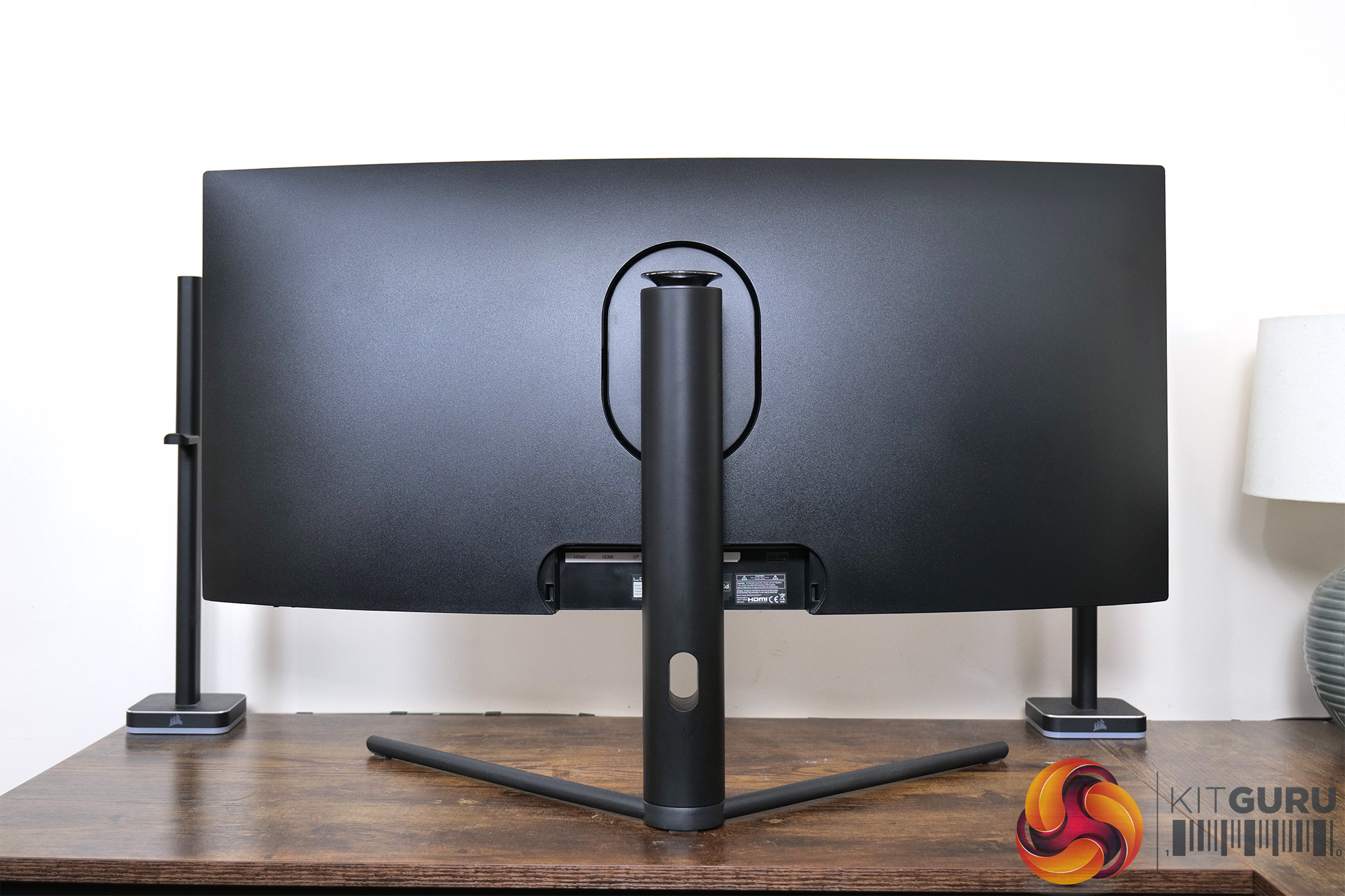
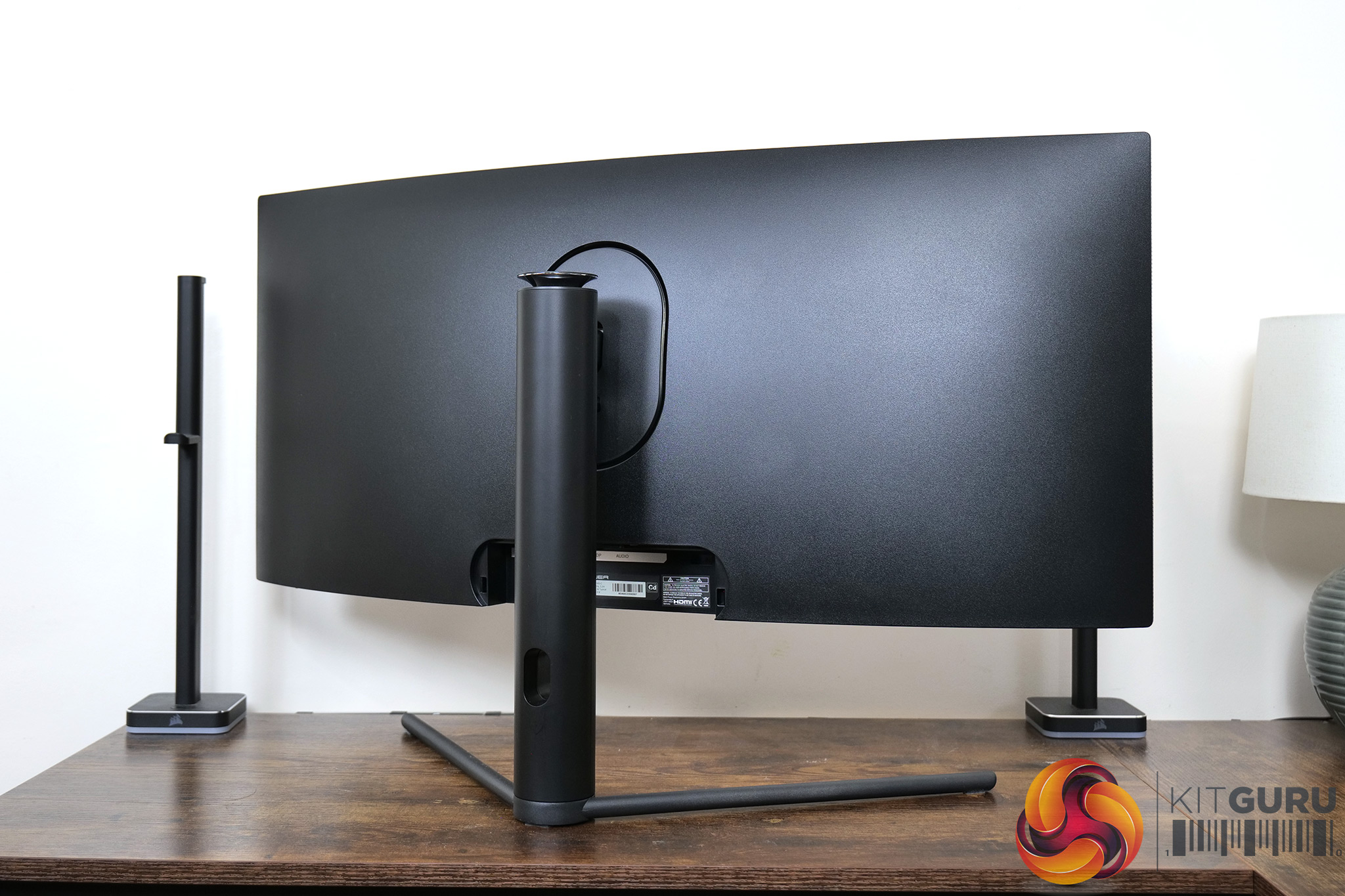
Starting first with the design of the M34-UWQHD-165-C, it's a rather plain-looking monitor it has to be said. The front looks fine, with thin bezels and just one LC-Power logo on the chin of the display. The back is entirely plain matte black plastic, with no real design elements apart from an ovular ring where the stand locks into place.
The stand itself uses a plastic exterior, but the v-shaped foot is made from metal. It's not offensive at all, but nor does it strike me as a particularly refined design.
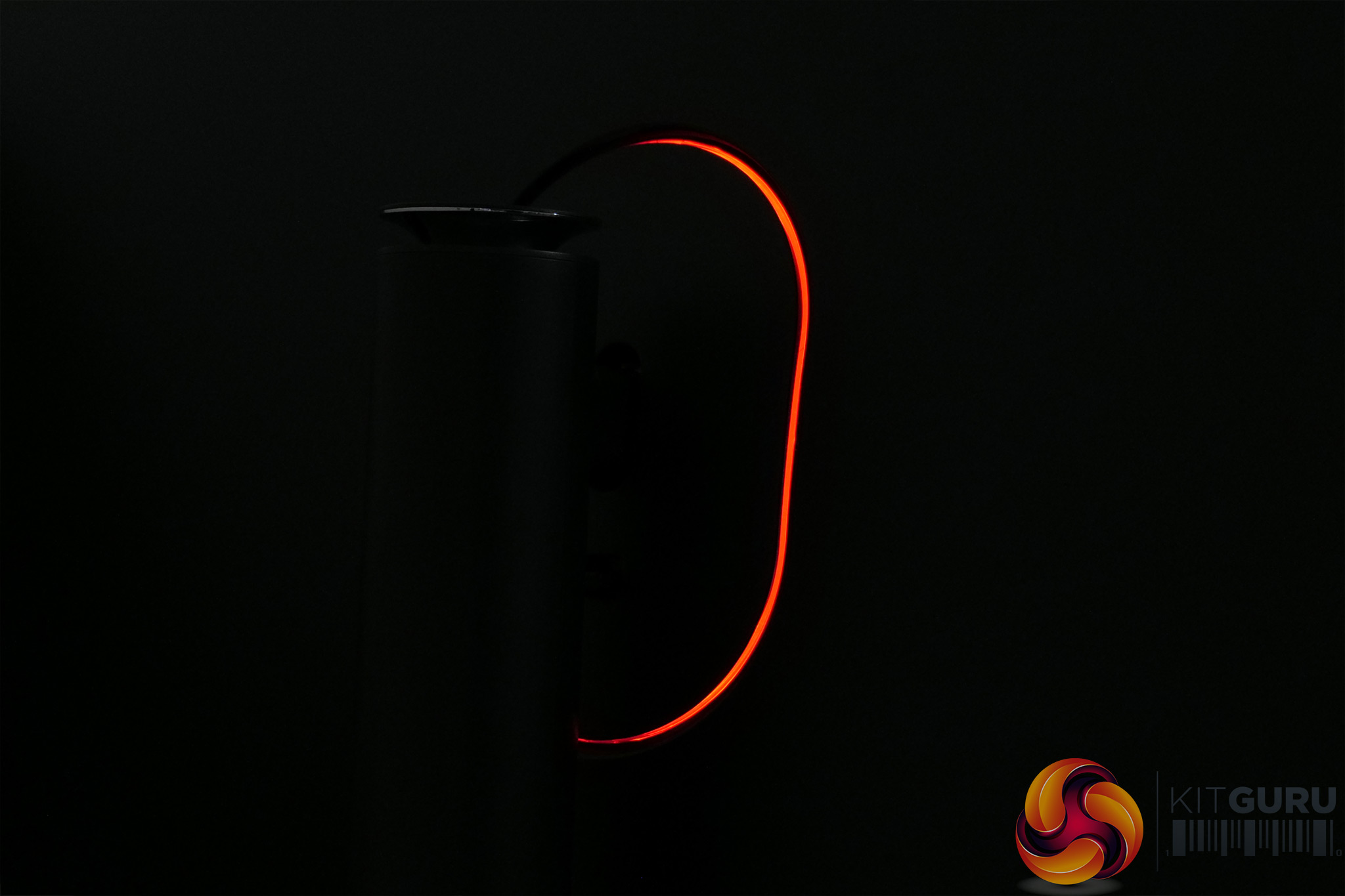
One interesting inclusion is a red LED ring that runs around the mounting point for the stand. You can turn this off in the OSD, but it's red only – not RGB.
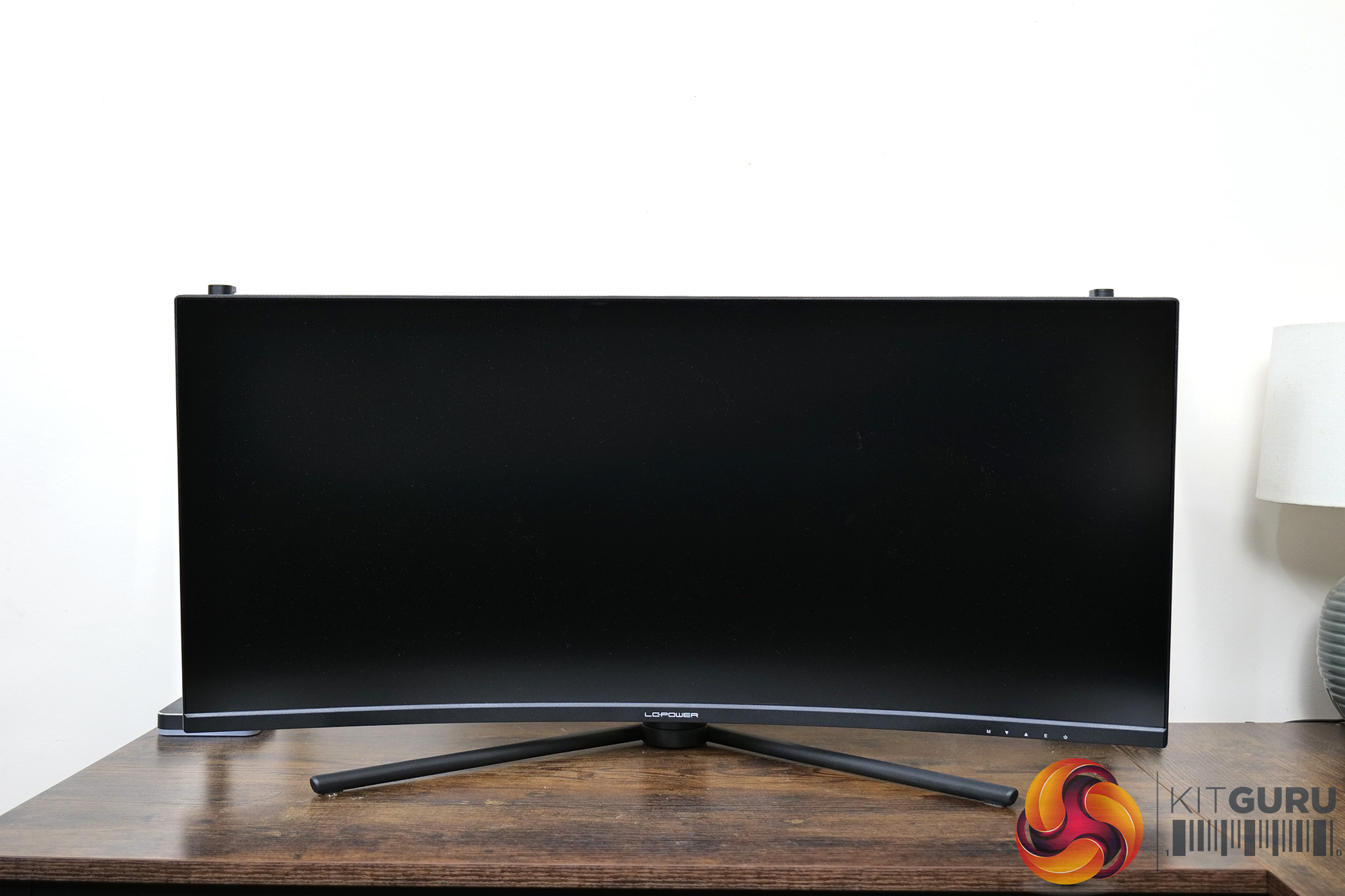
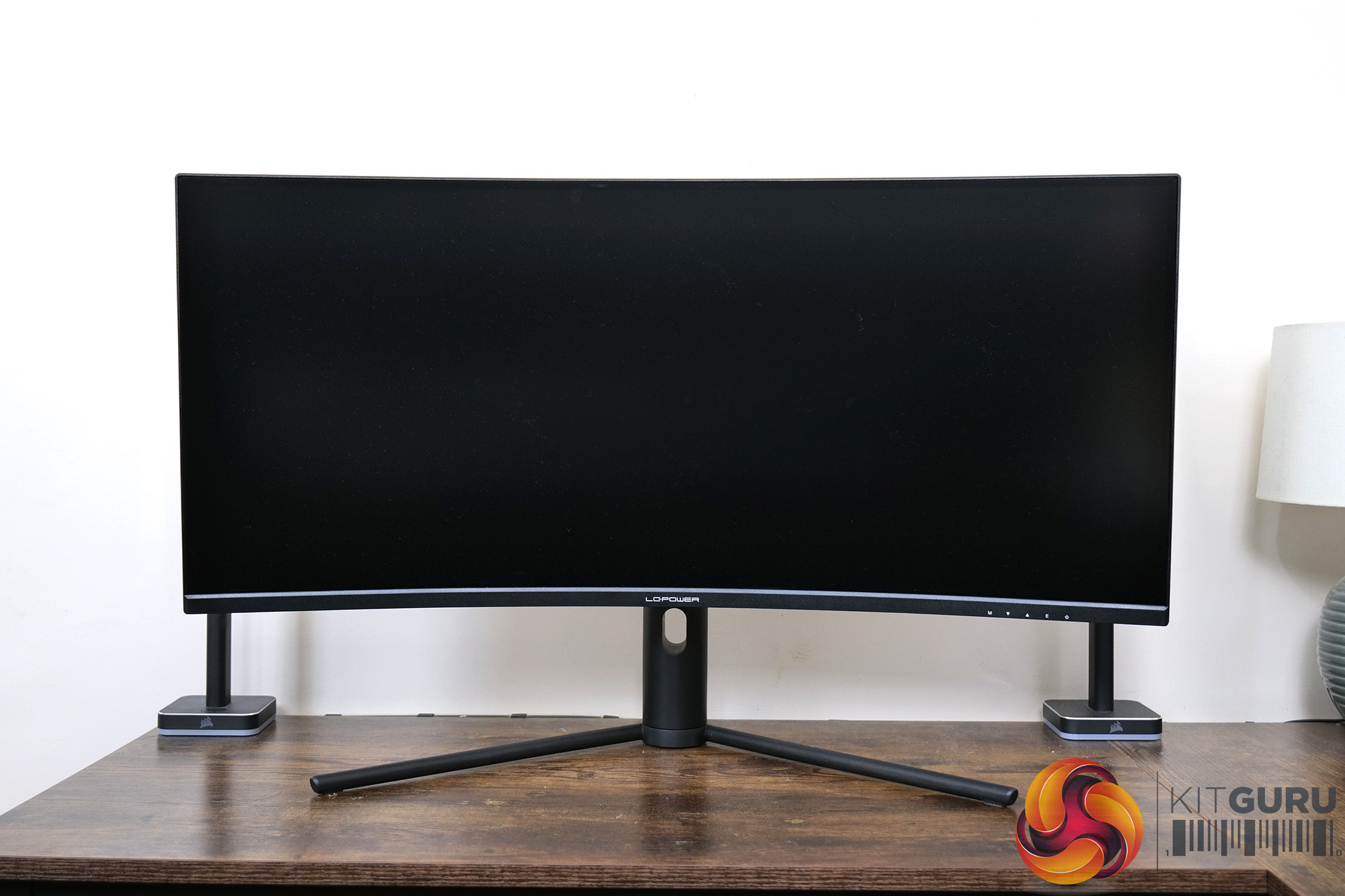
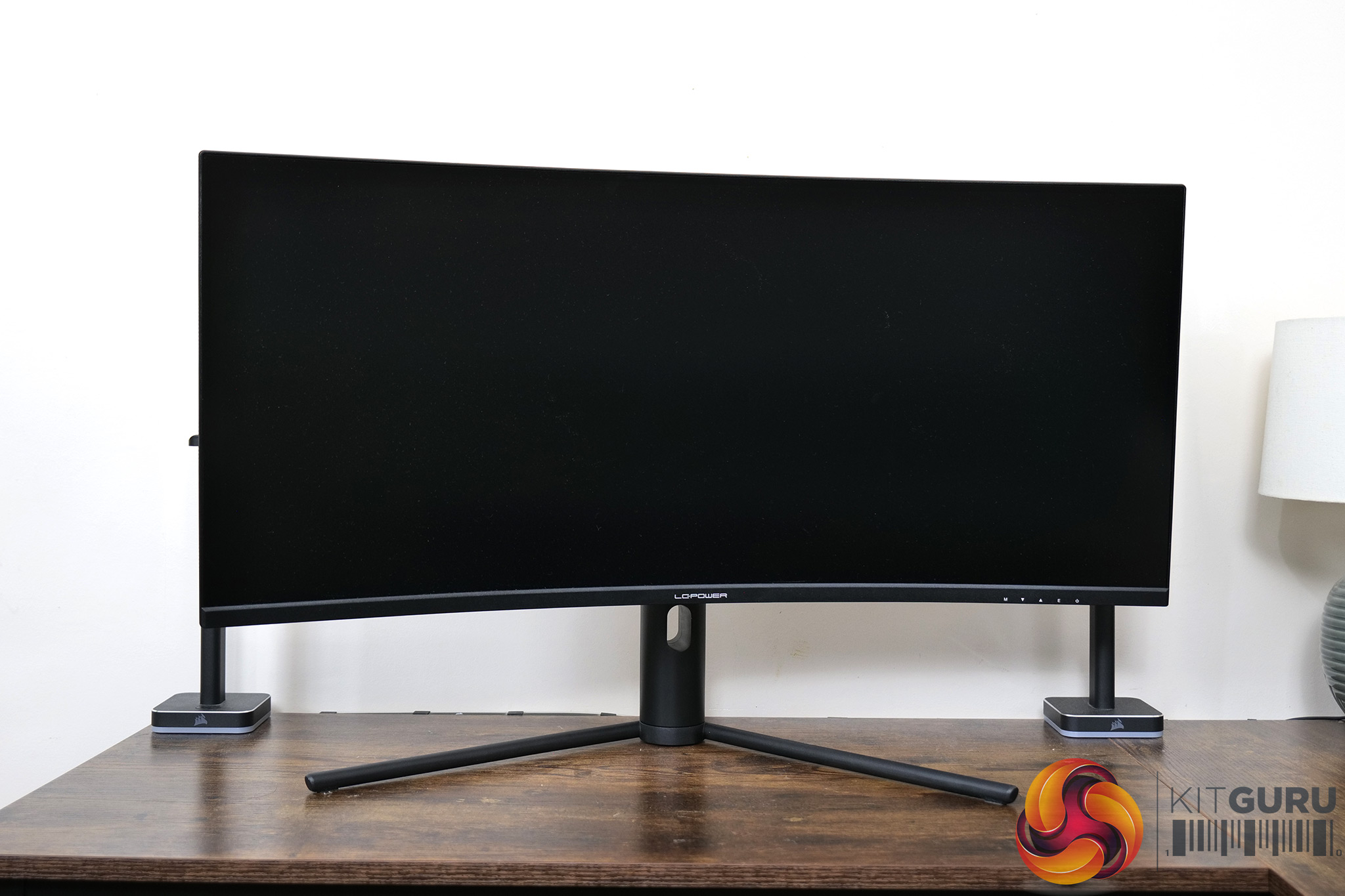

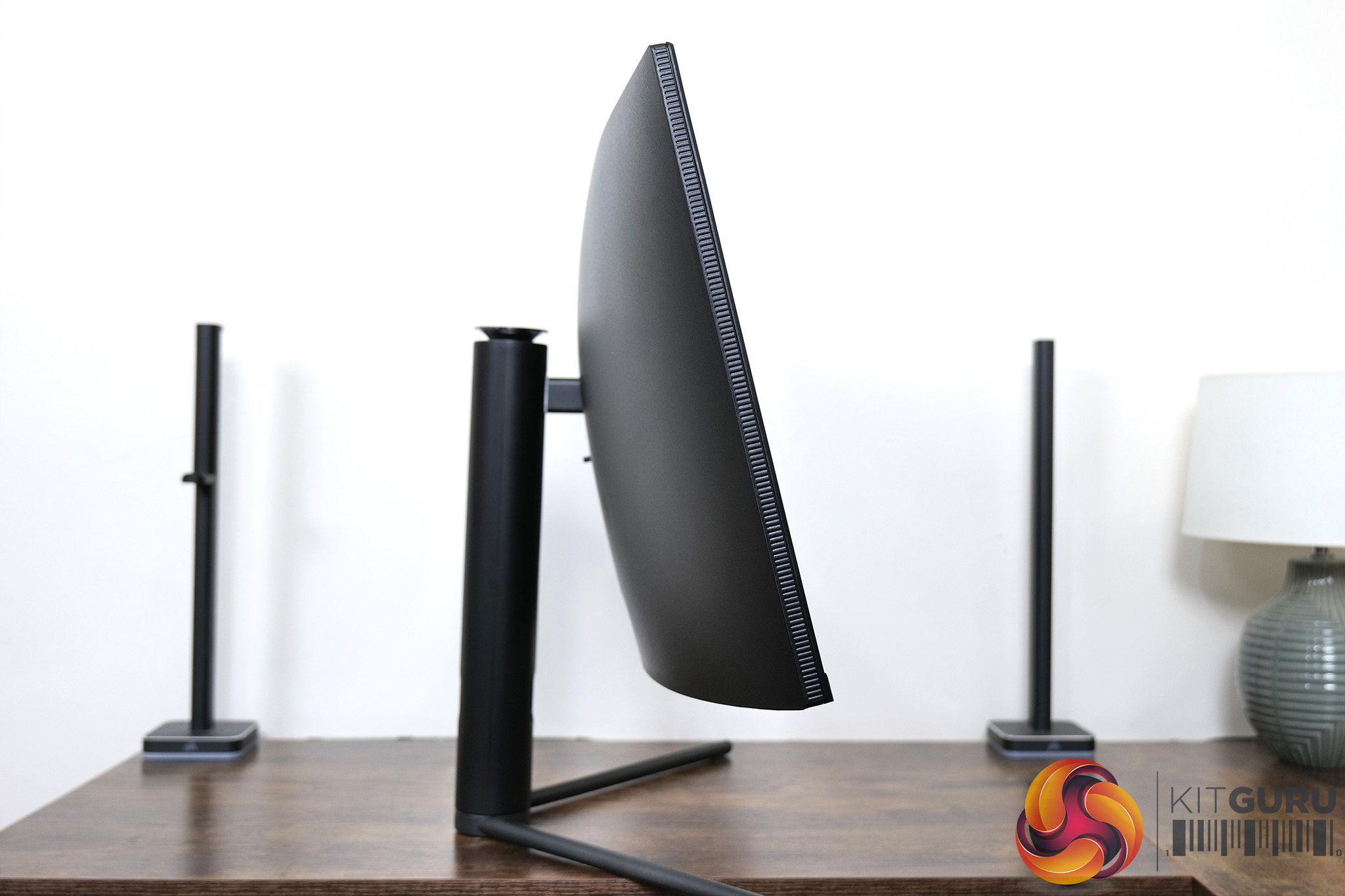
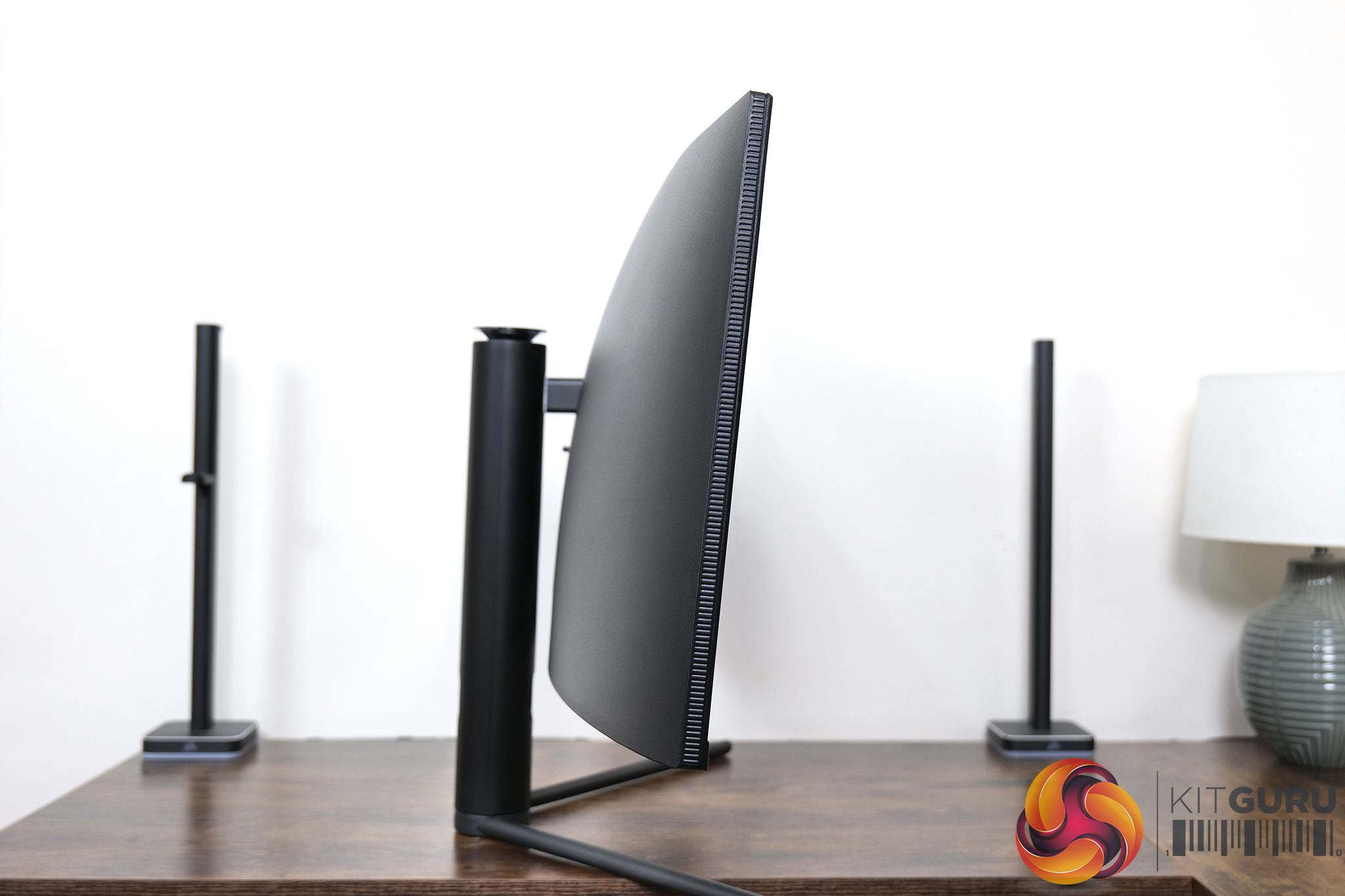
The included stand offers a decent array of ergonomic adjustments, but it's not class-leading here. We find 100mm of height adjust, 15 degrees of swivel both left and right, and then tilt from -5 to +15 degrees. The height is the main sticking point for me, as even at its maximum, it didn't feel high enough for my preference. Third-party mounts are supported, but only via the VESA 75×75 standard, and not 100×100 as we typically see.

I/O is very straightforward too, with two HDMI 2.0 ports and two DisplayPort 1.4, and then an audio jack. If you are like me, you may be surprised at the lack of USB-C considering the product name ends ‘165-C'. Turns out that has nothing to do with a Type-C connector!
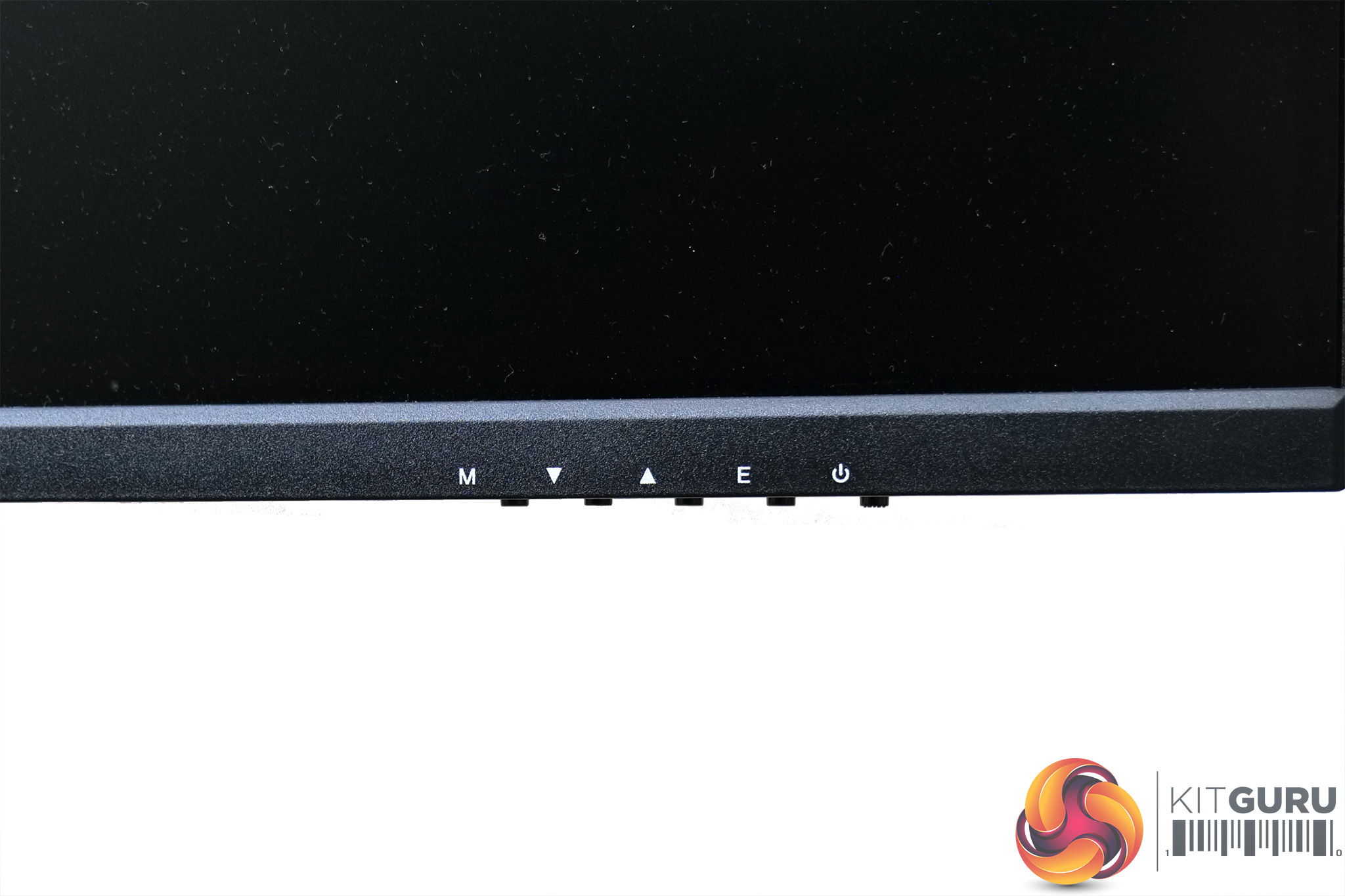
The final thing to note are the five physical buttons on the chin of the monitor which are used to control the OSD – there's no joystick here.
Speaking of the OSD itself, this is broken down into six main tabs – Game Settings, Picture Settings, Color Settings, PIB/PBP, OSD Settings, Other settings:
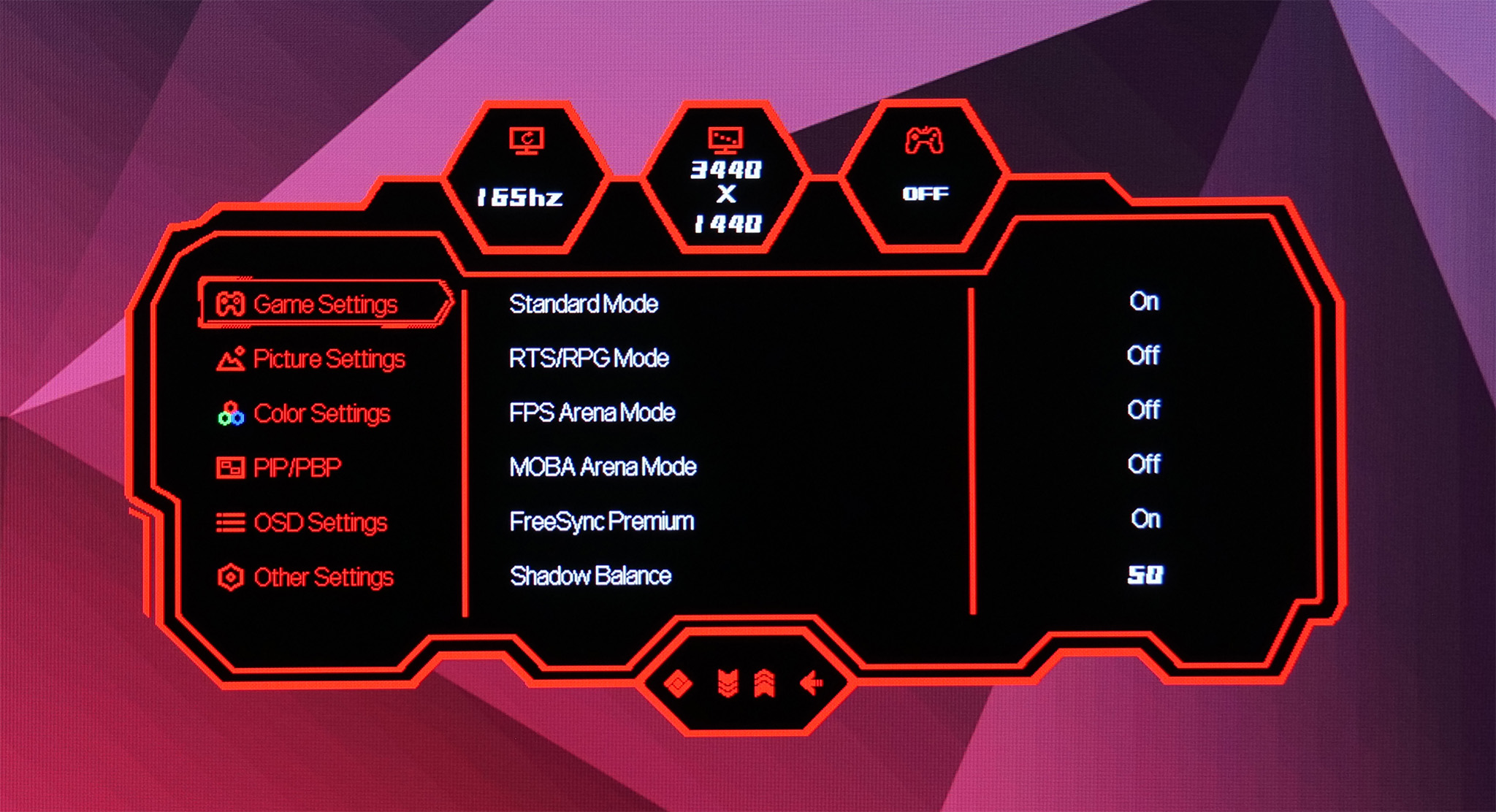
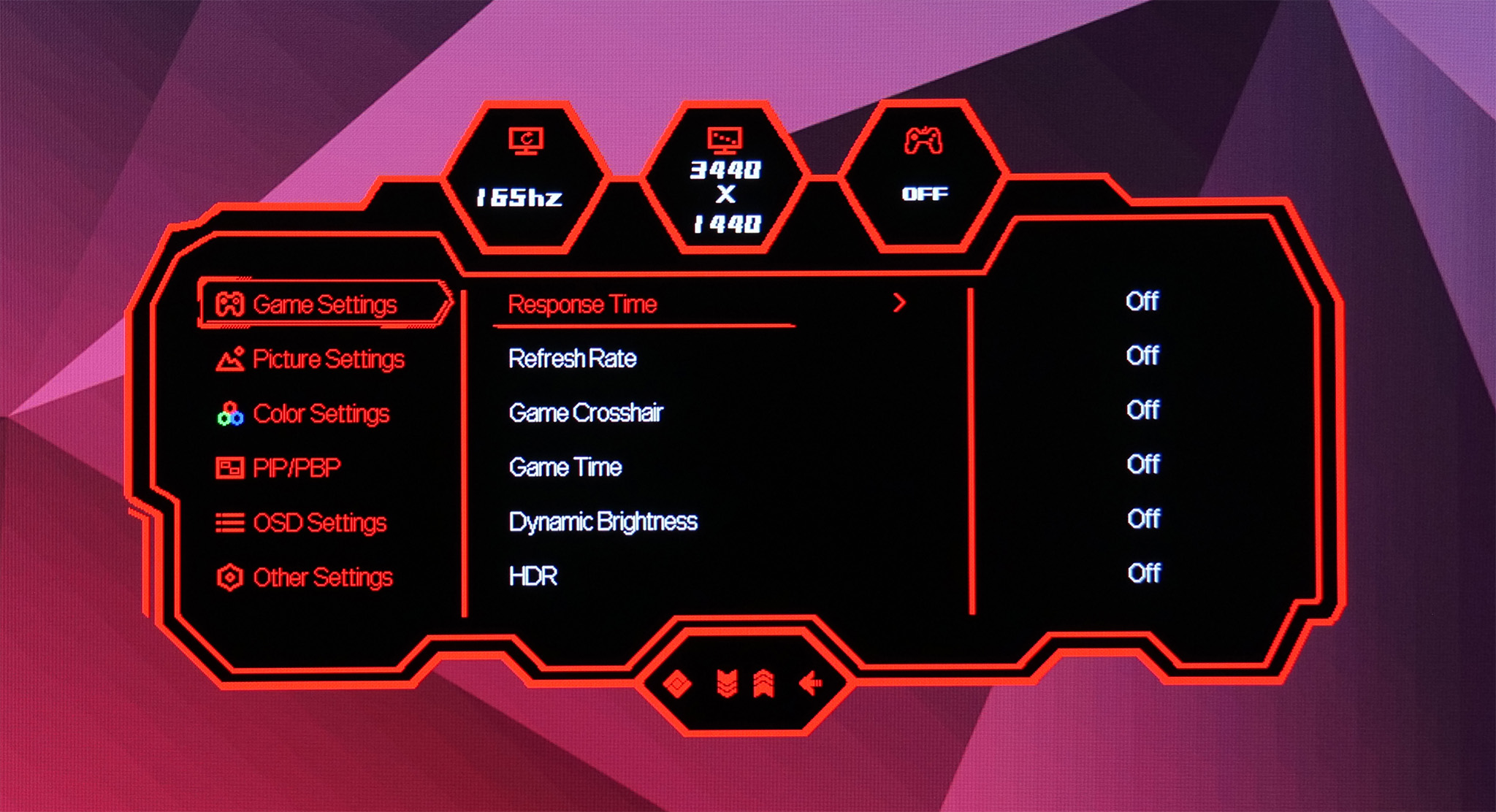
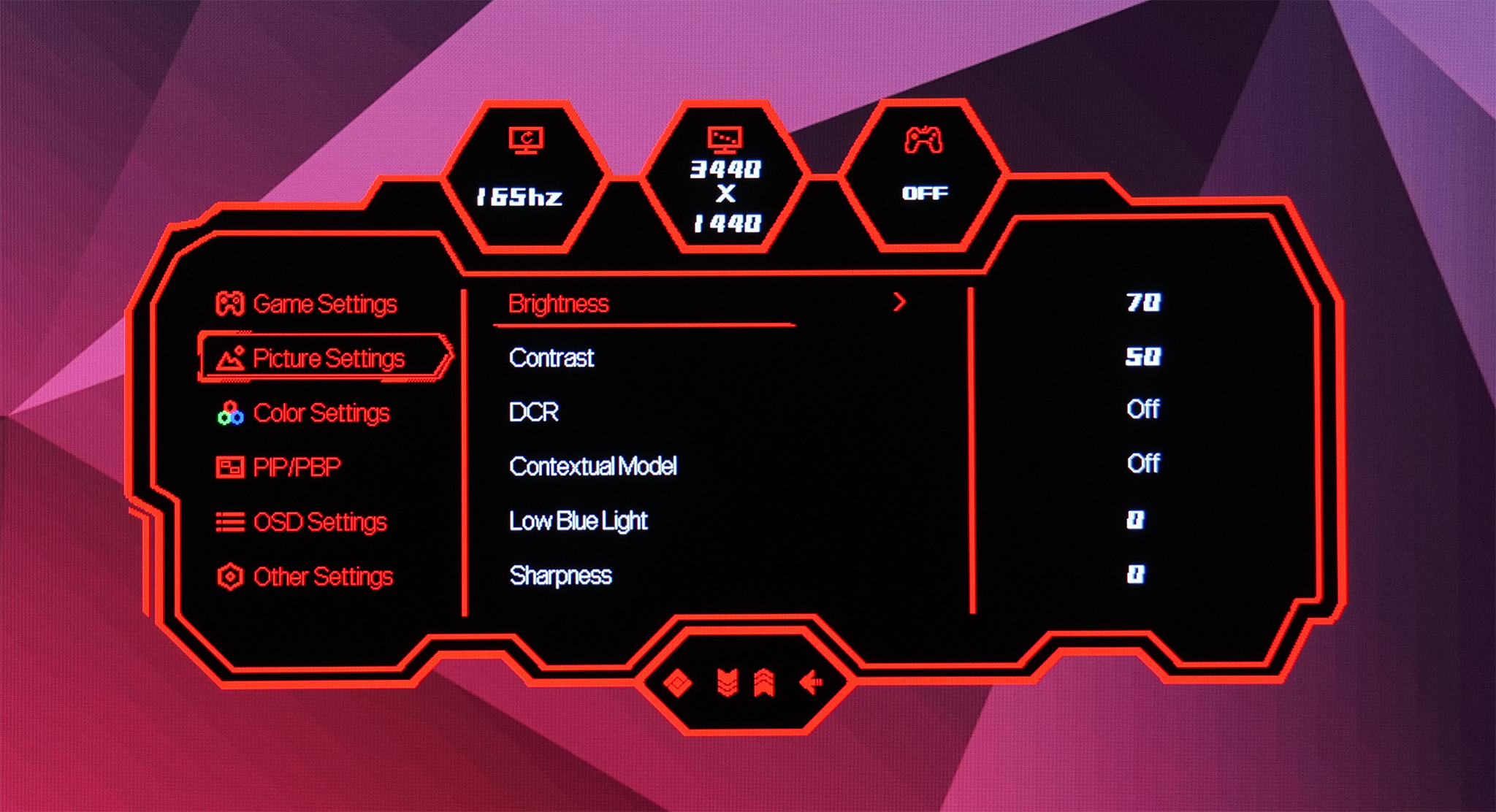
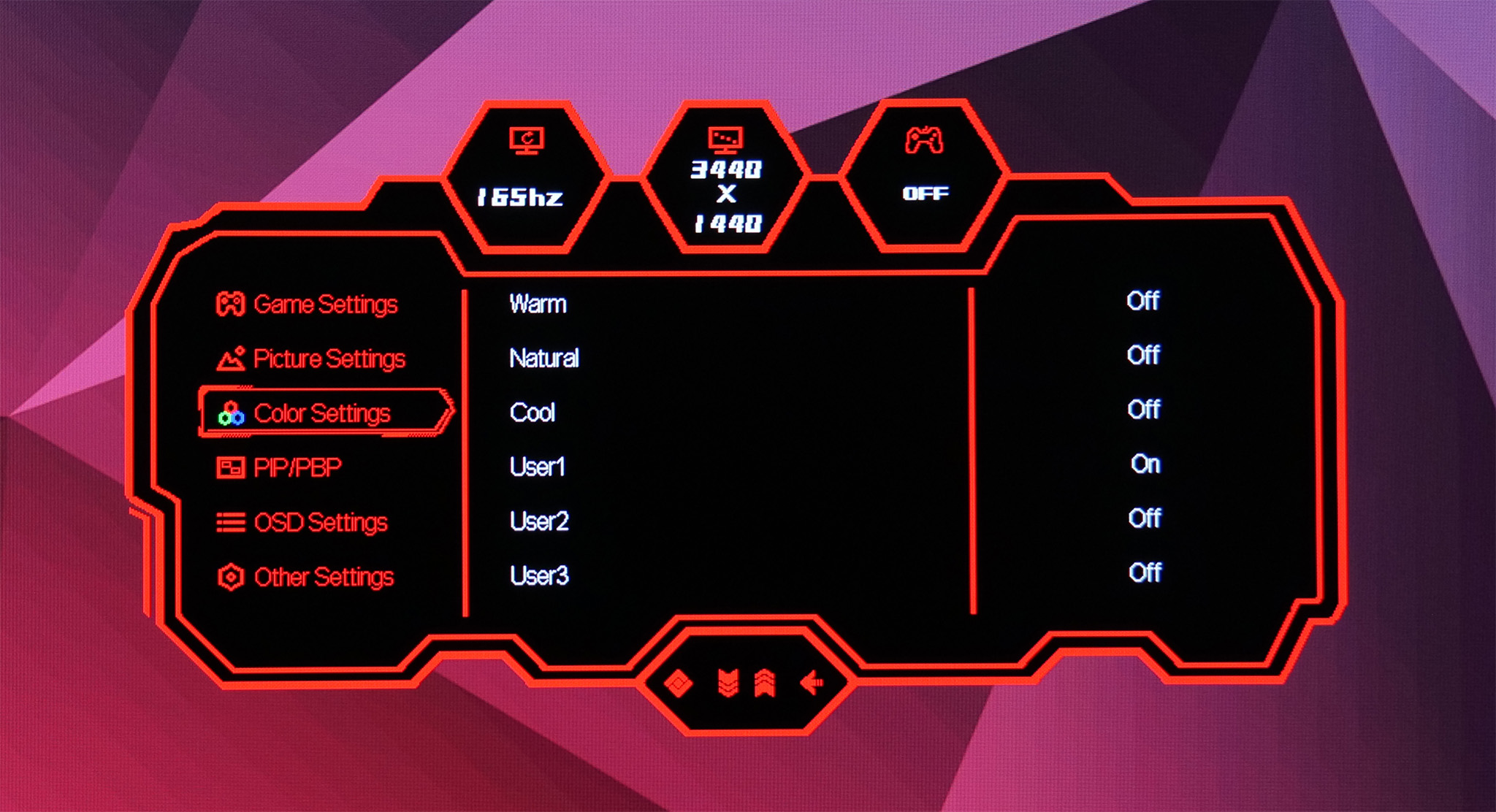
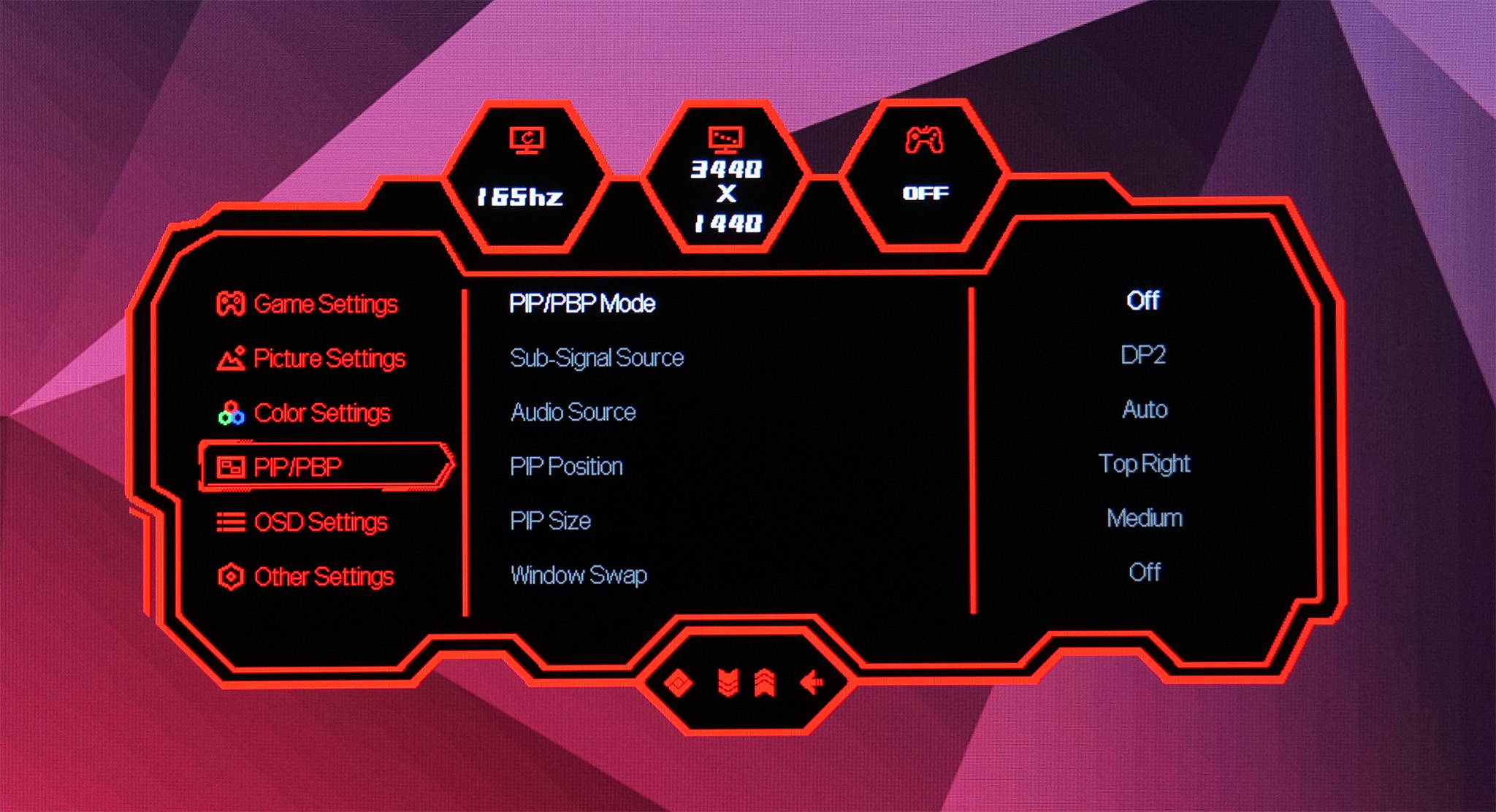
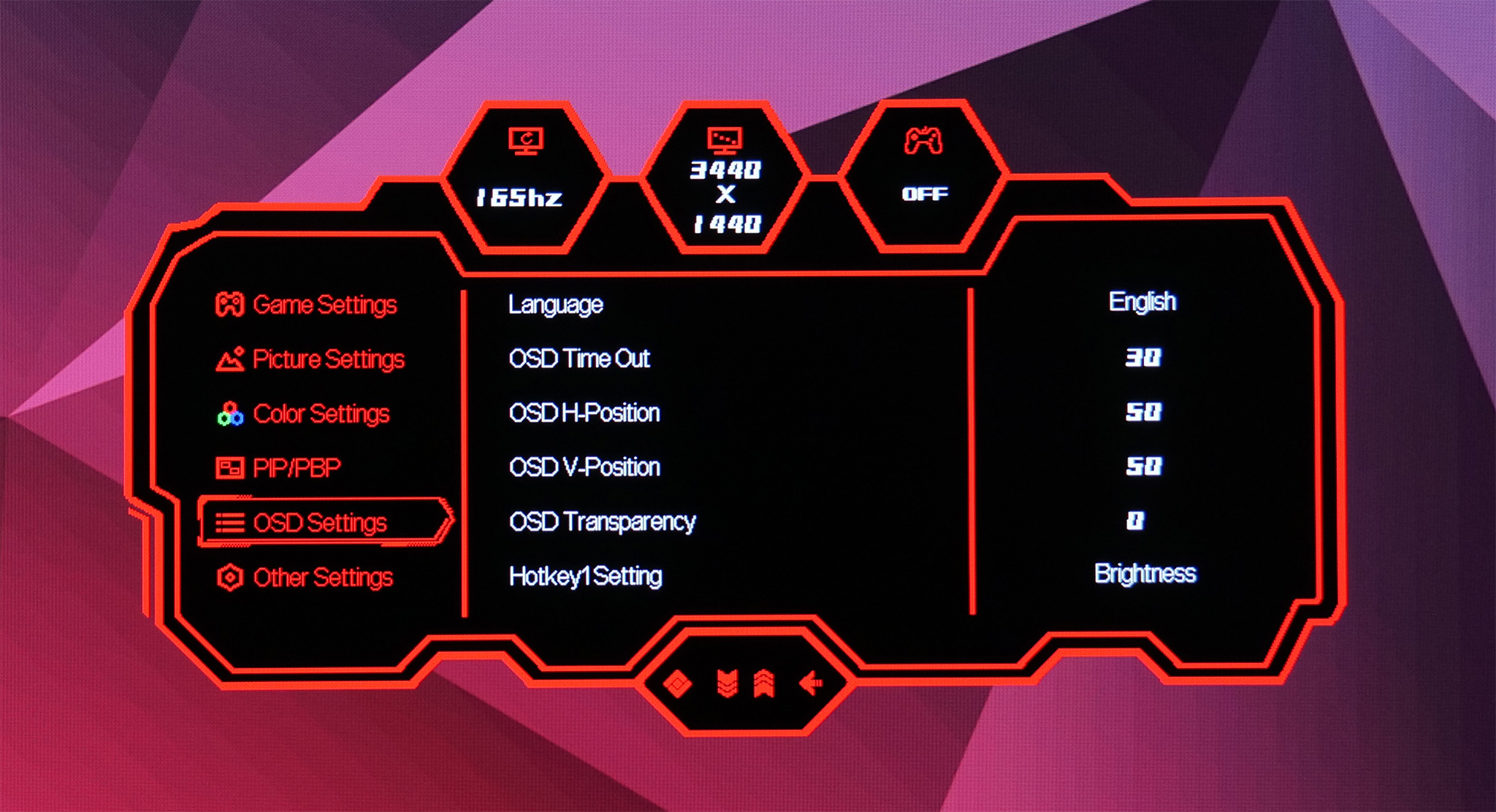
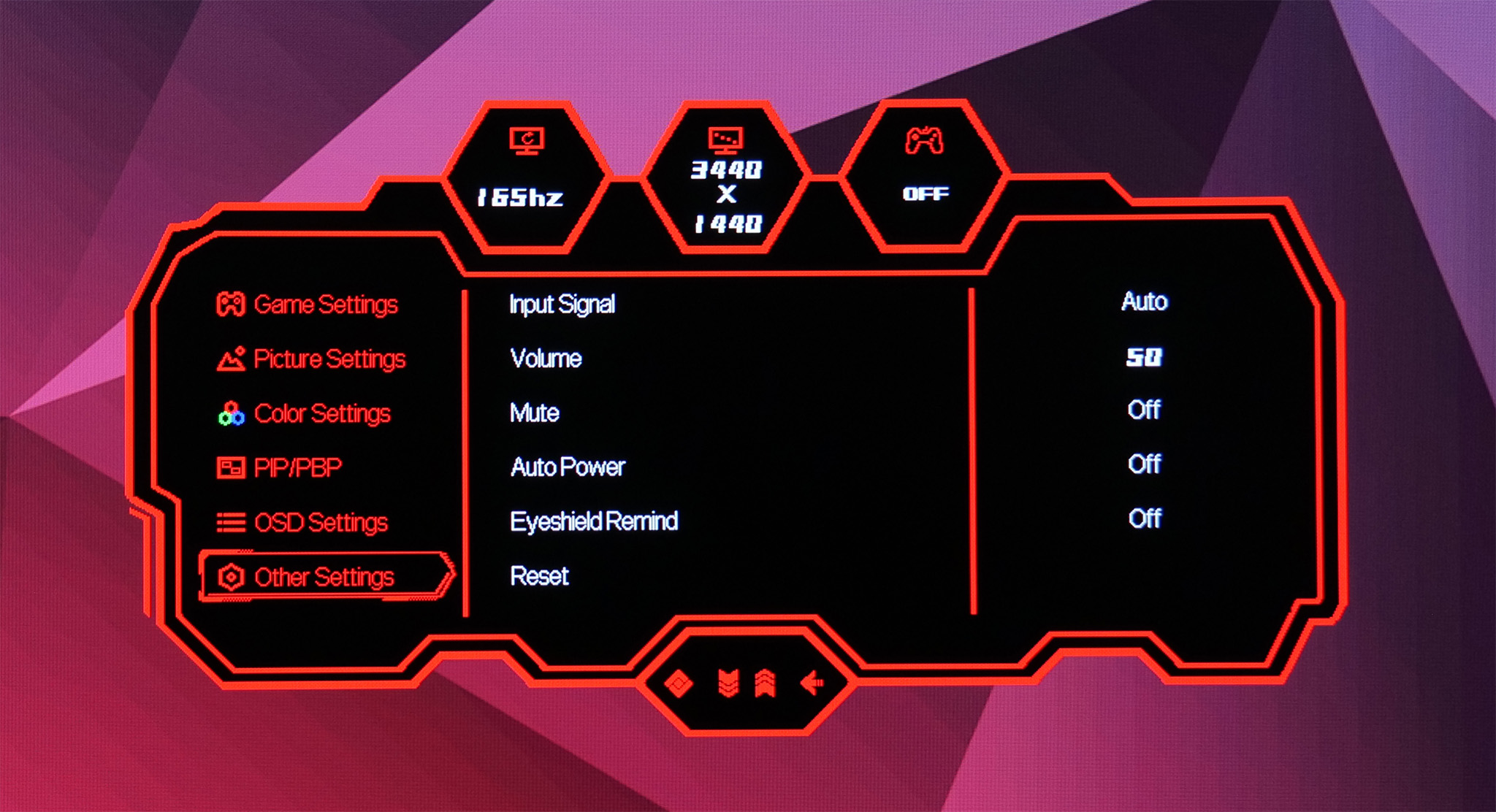
I have to say the OSD as a whole is surprisingly fully-featured, it offers a good variety of controls – something we don't always expect from lesser known brands. I do strongly dislike using the fiddly buttons to get around however, a joystick will always be my preference – but the OSD itself is sensibly laid out and contains everything you'd expect to see.
Our main test involves using an X-Rite i1 Display Pro Plus colorimeter and utilising Portrait Display's Calman Ultimate software. The device sits on top of the screen while the software generates colour tones and patterns, which it compares against predetermined values to work out how accurate the screen is.

The results show:
- A monitor’s maximum brightness in candelas or cd/m2 at various levels set in the OSD.
- A monitor’s contrast ratio at various brightness levels in the OSD.
- Gamut coverage, primarily focusing on sRGB and DCI-P3 colour spaces.
- Greyscale accuracy, measured across 20 shades, with an average colour balance reported.
- The exact gamma levels, with a comparison against preset settings in the OSD.
- The colour accuracy, expressed as a Delta E ratio, with a result under 3 being fine for normal use, and under 2 being great for colour-accurate design work.
We first run these tests with the display in its default, out-of-the-box state, with all settings on default. We then calibrate the screen using the Calman Ultimate software and run the tests again.
You can read more about our test methodology HERE.
Pre-calibration
Brightness and Contrast
| OSD Brightness | Black Luminance (cd/m2) | White Luminance (cd/m2) | Contrast Ratio |
| 0% | 0.007 | 31.4 | 4353:1 |
| 25% | 0.021 | 91.4 | 4428:1 |
| 50% | 0.038 | 170.2 | 4511:1 |
| 75% | 0.059 | 263.5 | 4503:1 |
| 100% | 0.084 | 375.4 | 4498:1 |
Starting off with our brightness and contrast tests, the M34-UWQHD-165-C does surprisingly well here. Its maximum brightness of 375 nits is solid but nothing spectacular, though a minimum of just 31 nits is more impressive. The black levels are superb however, with contrast hovering around 4500:1 across the range tested, which is very good even by VA standards.
Gamut
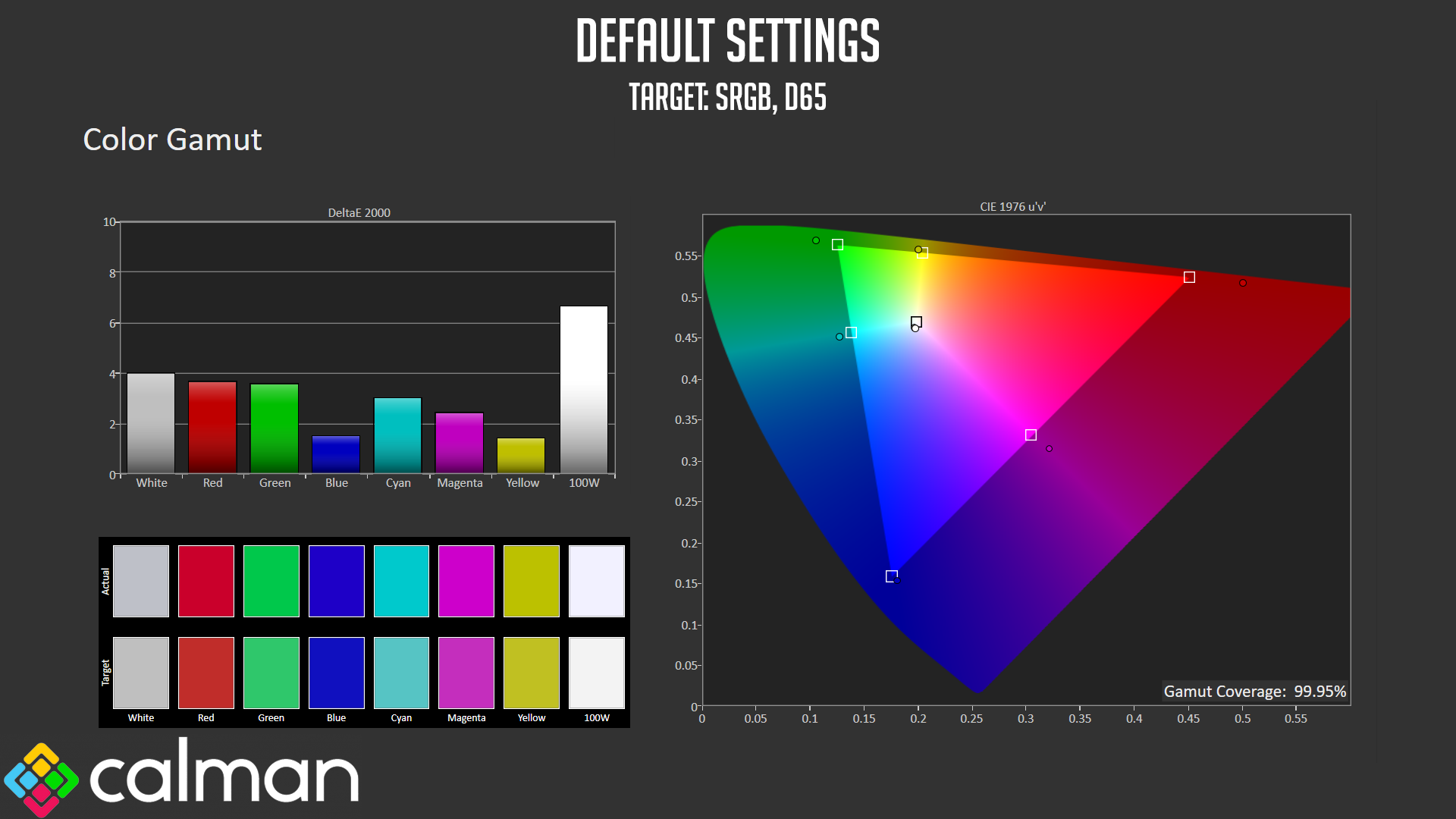
As for gamut coverage, the M34 hits basically 100% sRGB as we'd expect…
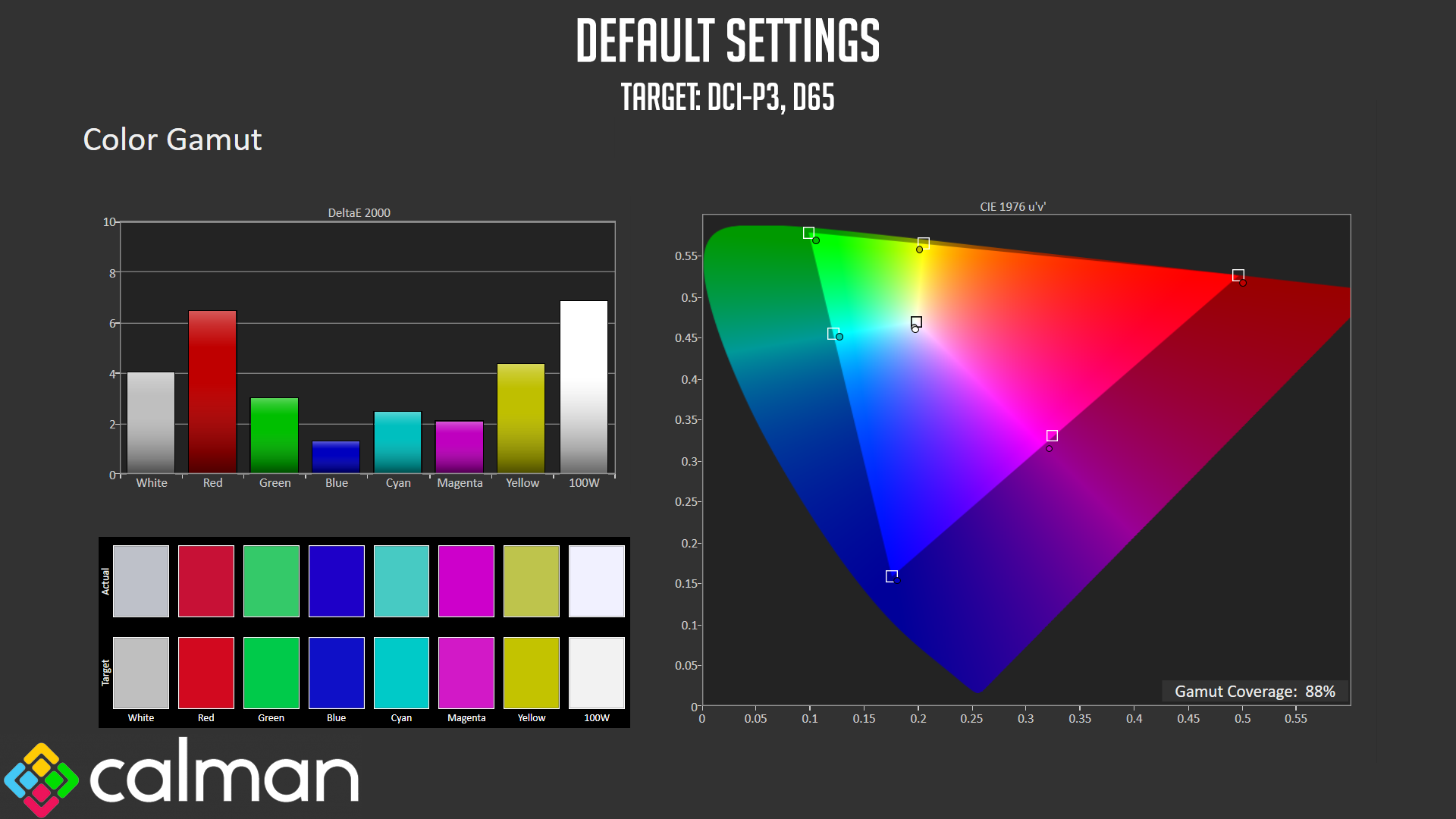
And it delivers 88% DCI-P3, which is not bad at all for a budget ultrawide screen so it's definitely in or around the ‘wide gamut screen' territory.
Greyscale
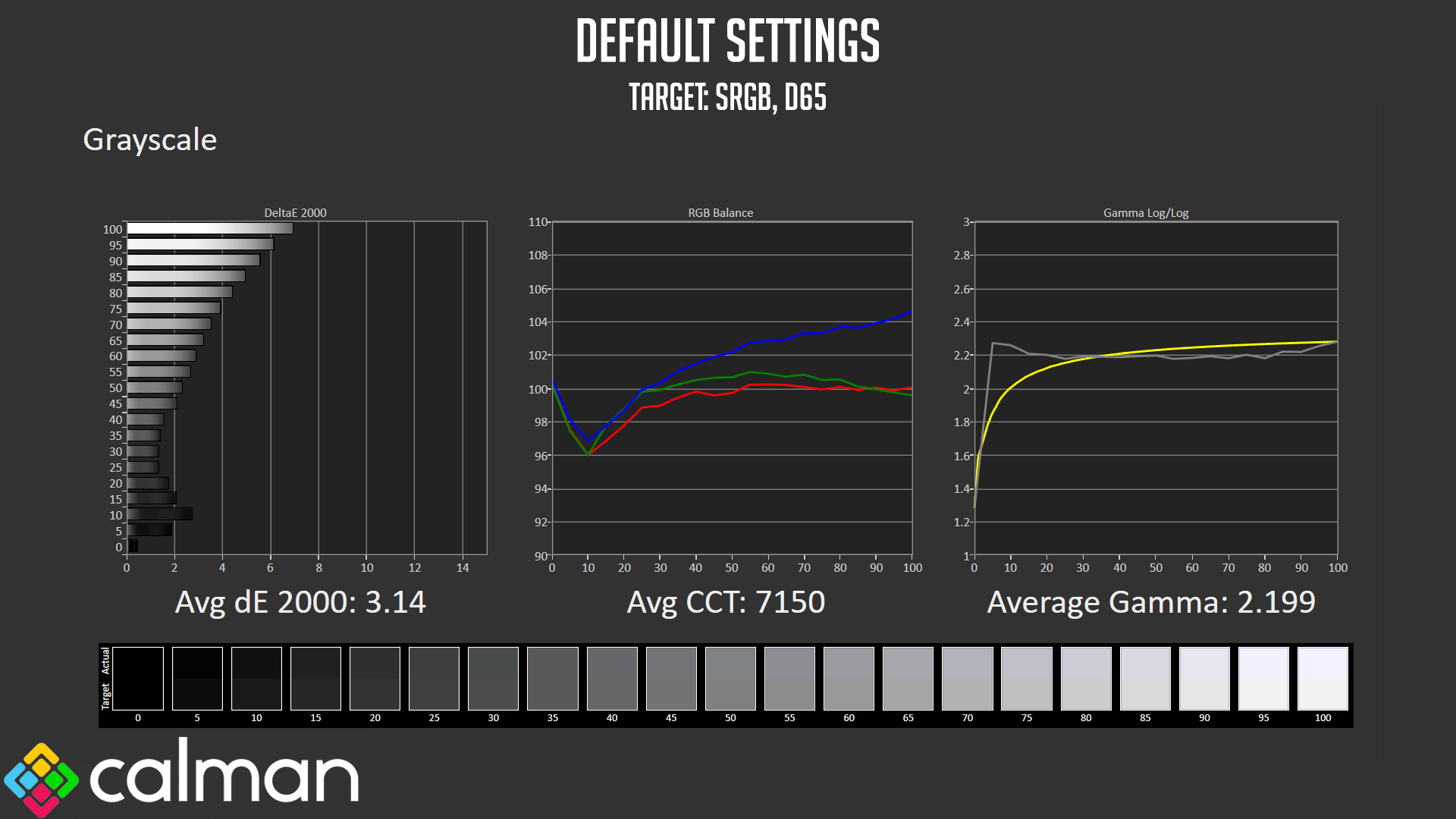
Default greyscale performance leaves a bit to be desired however. We see an average dE of 3.14, though the accuracy drops off as the shades get lighter and lighter. This is due to a slightly wonky colour balance, as the shades get increasing blue across the range, leading to a cool average CCT (Correlated Colour Temperature) of 7150. Gamma does average almost 2.2 exactly, but is slightly high among darker shades (as evident on the far left of the curve) while it is a touch low in brighter shades (as shown on the right-hand side of the curve.)
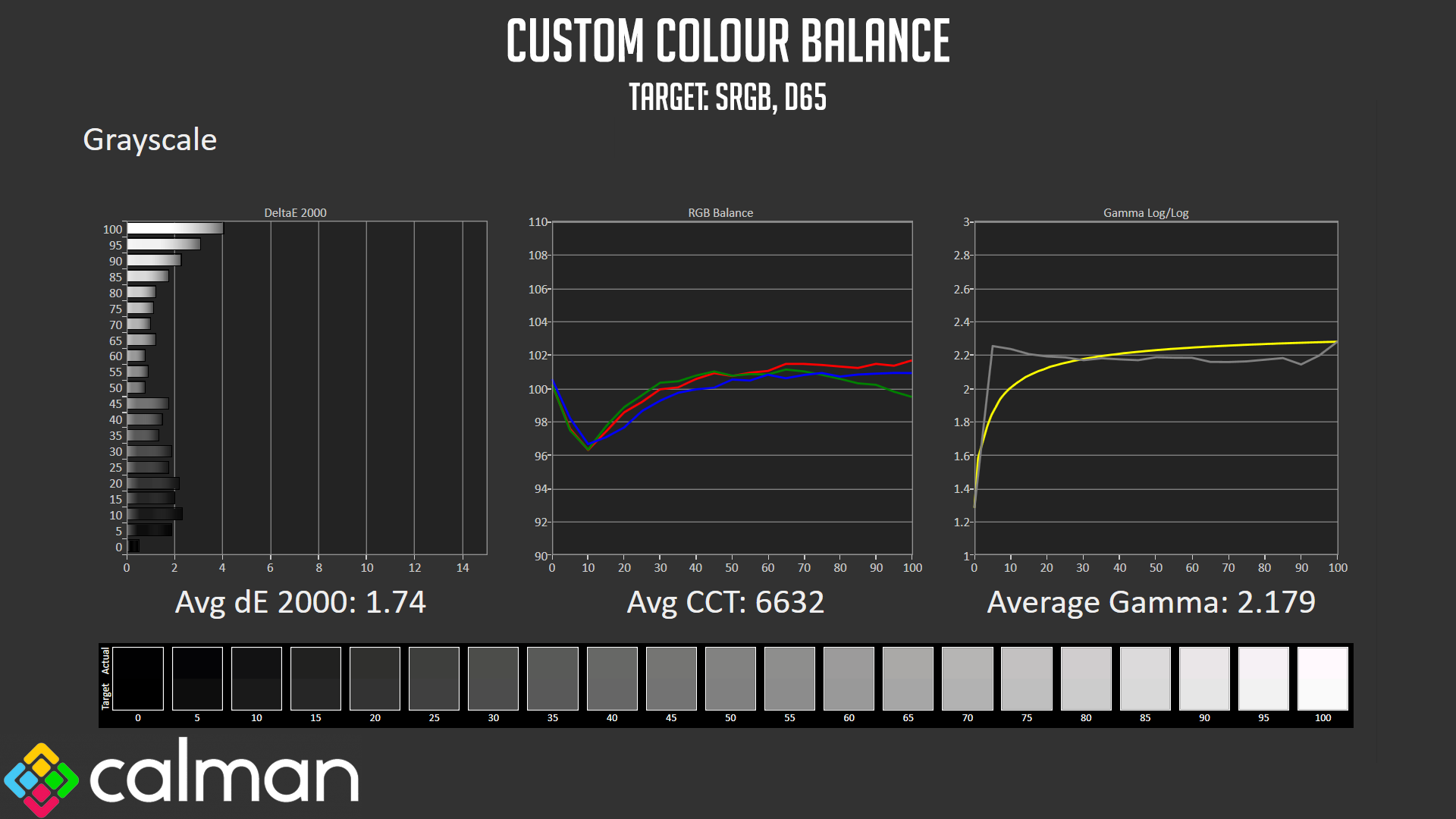
Because the image is too cool out of the box using the default ‘Warm' colour temperature preset, I did re-run the greyscale test but this time using a custom colour balance in the OSD, which I set to Red: 50, Green: 49 and Blue: 47. This did help, improving the average dE to 1.74 and the CCT to 6632, though Gamma is much the same. Calibration should be able to improve things further.
Colour Accuracy
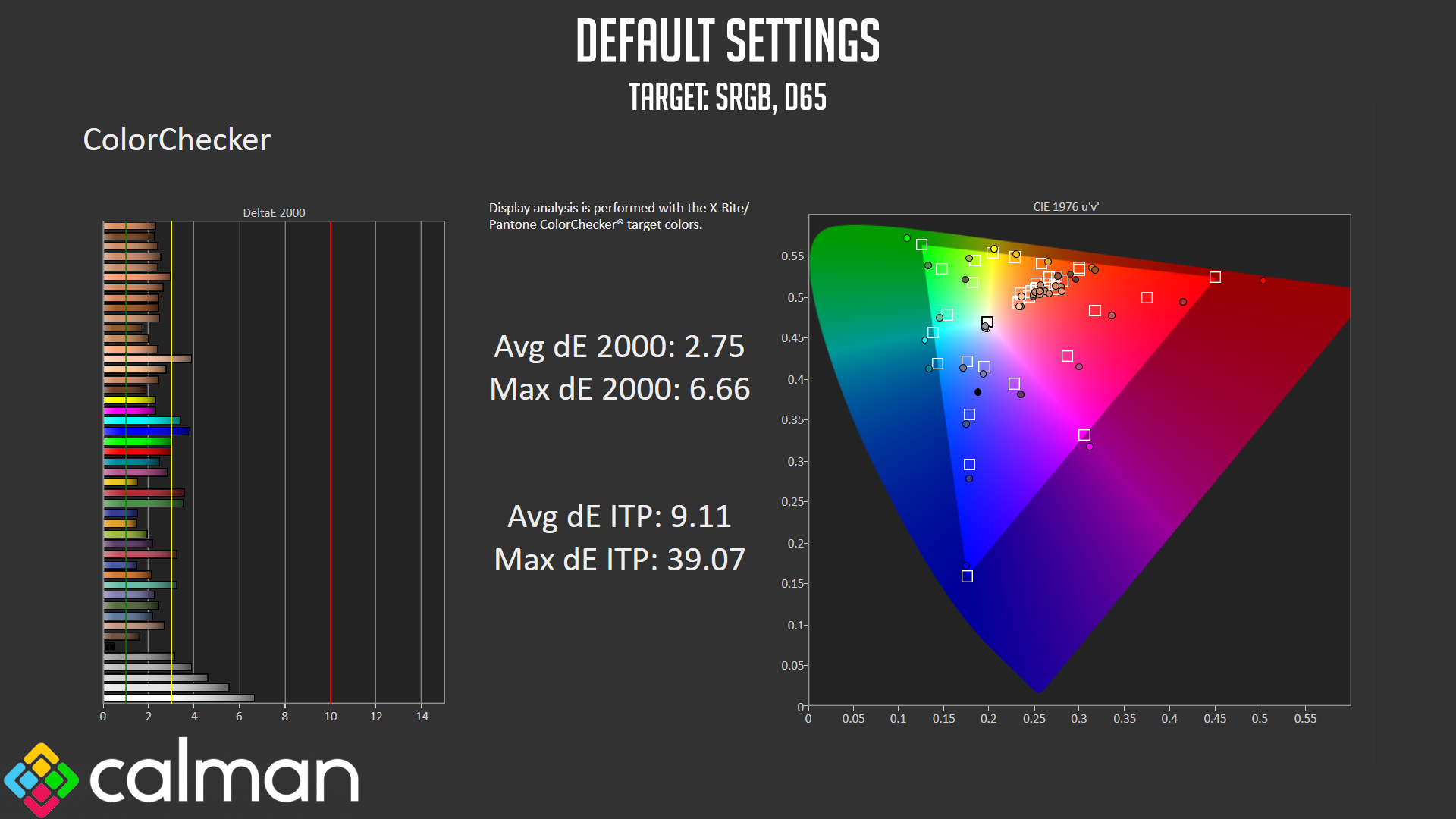
As for colour accuracy relative to sRGB, results here are decent, with an average dE of 2.75. The worst offenders are brighter shades of grey, which we know are inaccurate due to the default colour balance being too cool.
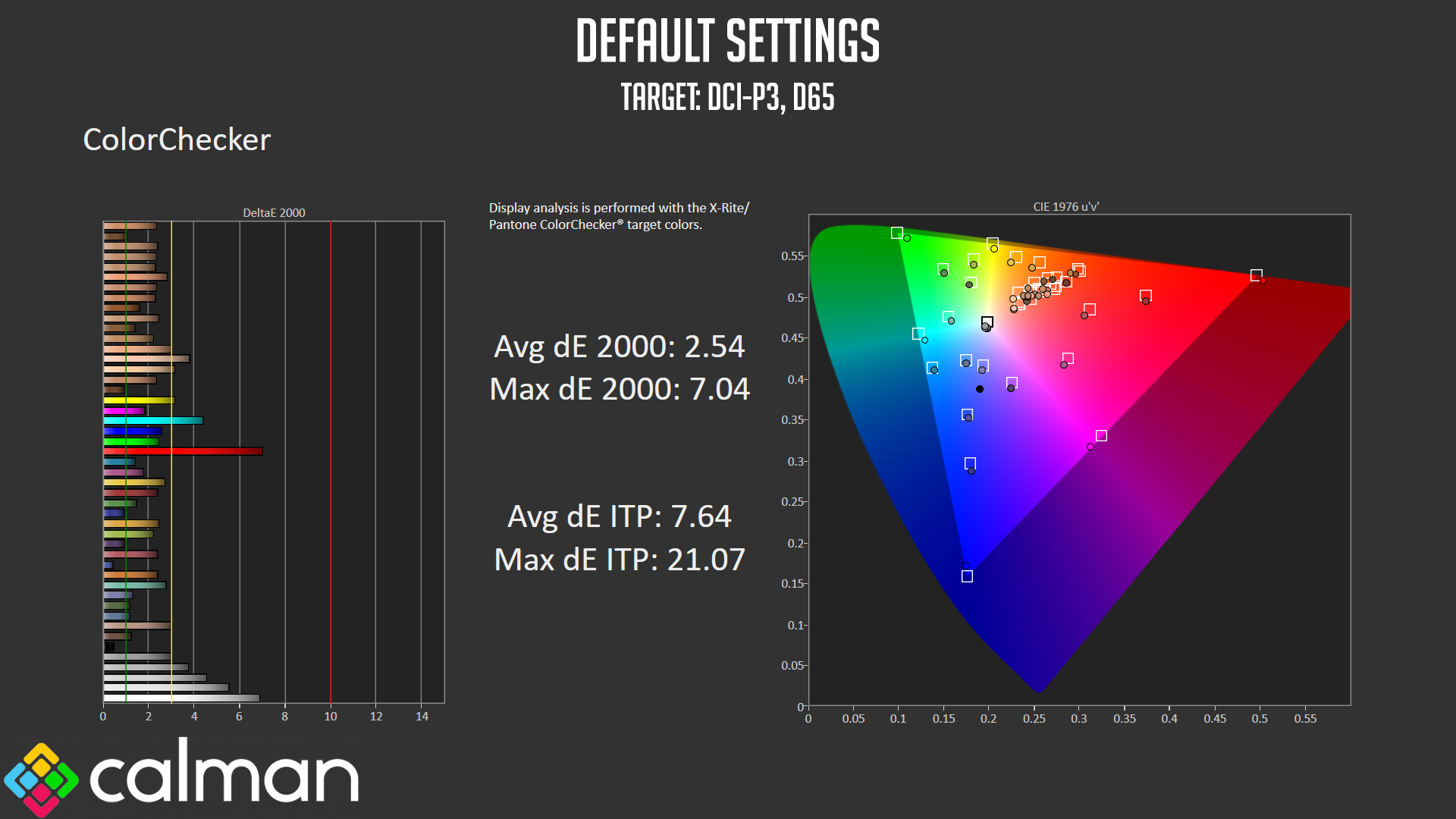
Relative to DCI-P3, the results don't change much, apart from one red shade which is now less accurate, but we get a similar average dE of 2.54.
Post-calibration
Greyscale
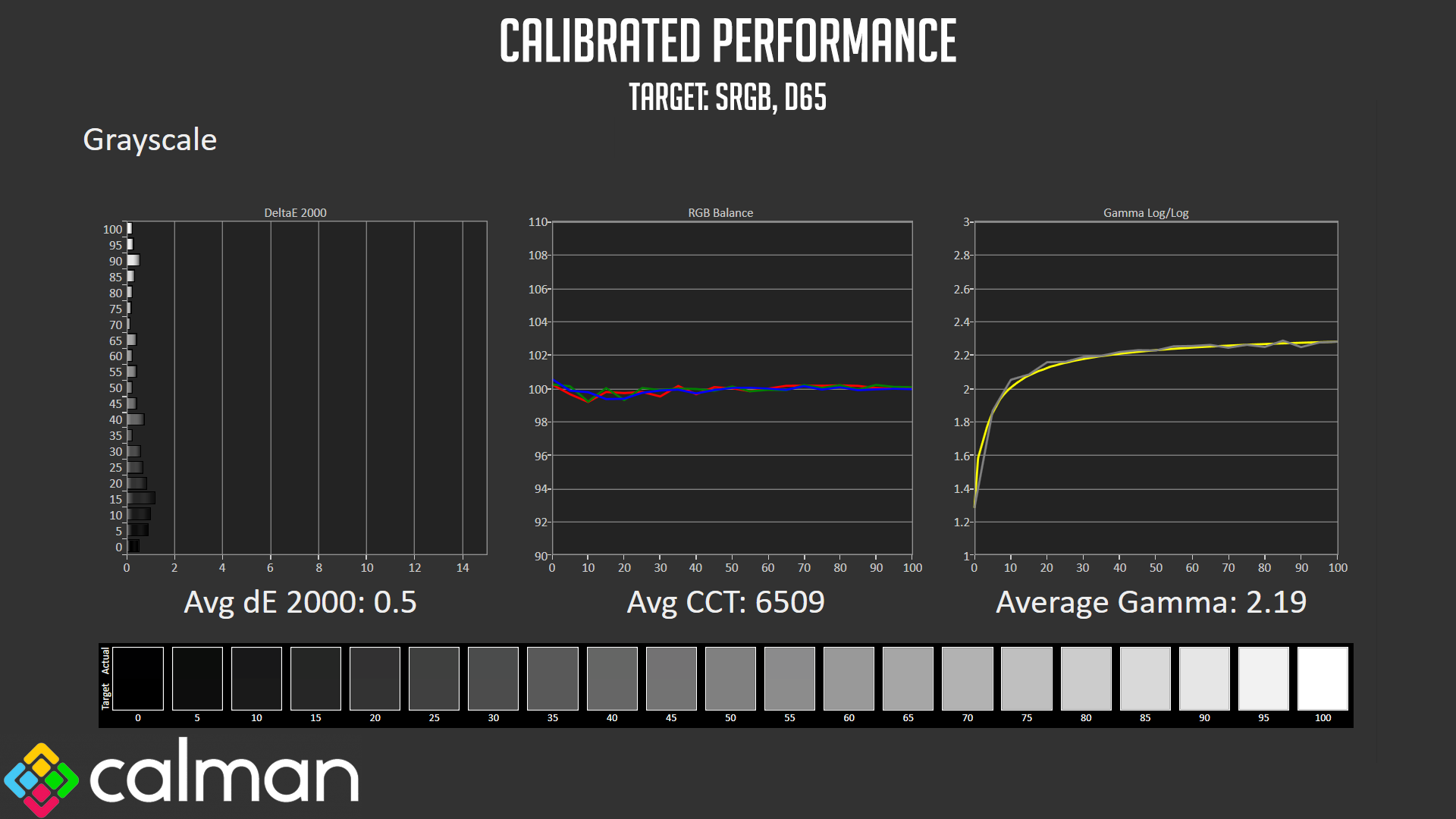
Once we'd calibrated using Calman Ultimate, greyscale improved hugely across the board, with a new average dE of just 0.5, while colour balance is near-perfect, hitting 6509K. Gamma tracking is also greatly improved, with an average of 2.19 and no significant areas of deviation.
Colour Accuracy
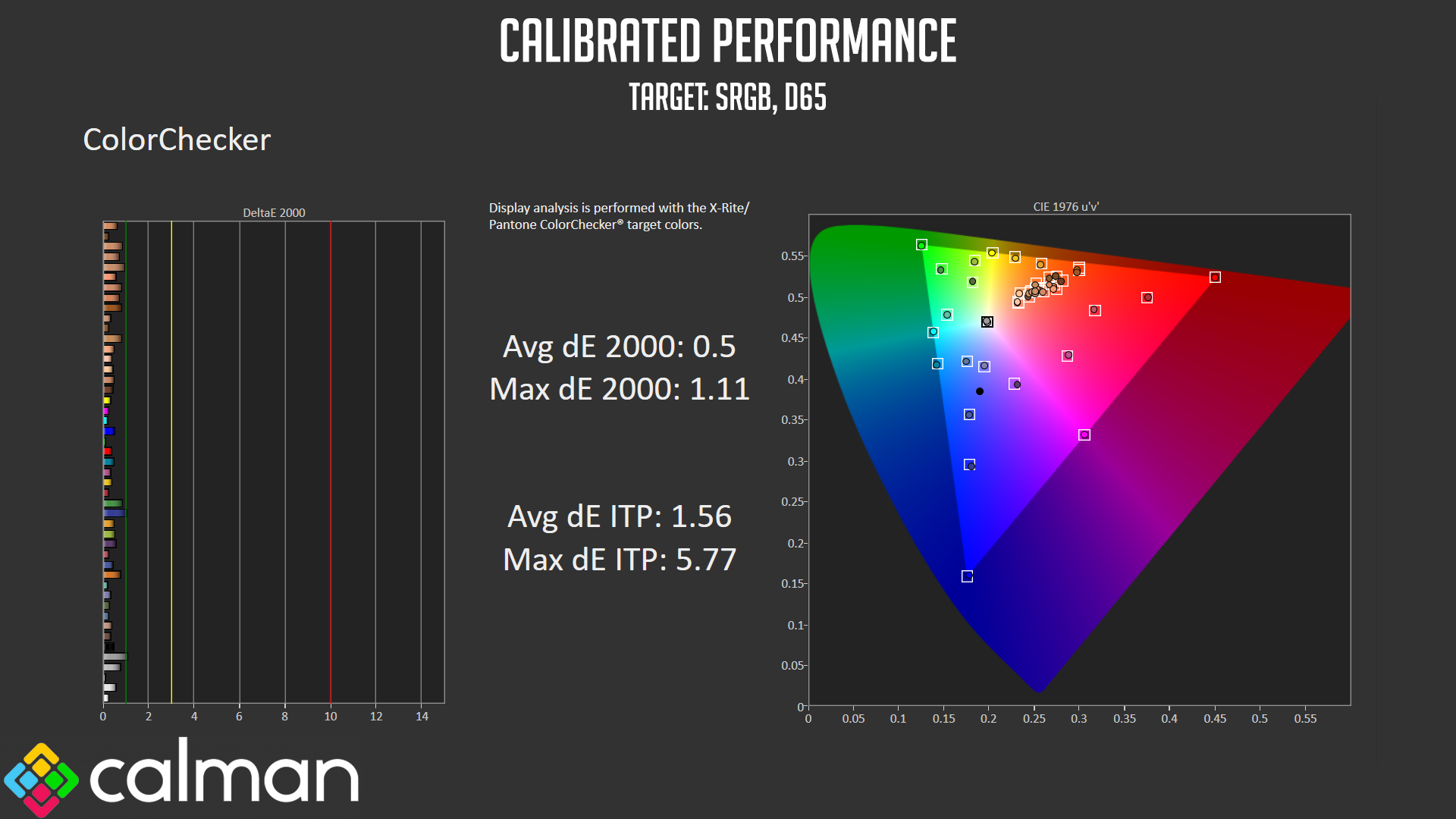
Colour accuracy has also improved tremendously, with an average dE of just 0.5, and a maximum of 1.11 – terrific results indeed once calibrated.
Monitor response time testing is a new addition to our reviews, where we use the Open Source Response Time Tool (OSRTT), developed by TechTeamGB. This measures grey-to-grey response times and presents the results in a series of heatmaps, the style of which you may be familiar with from other reviews.
Initial Response Time is the time taken for the panel to transition from one colour to another, where lower values are better. We present the initial response time, so overshoot is not taken into account and is measured separately. We use a fixed RGB 5 tolerance for each transition.
Overshoot is the term given for when a monitor's transition exceeds or goes beyond its target value. So if a monitor was meant to transition from RGB 0 to RGB 55, but it hits RGB 60 before settling back down at RGB 55, that is overshoot. This is presented as RGB values in the heatmaps – i.e. how many RGB values past the intended target were measured.
Visual Response Rating is a metric designed to ‘score' a panel's visual performance, incorporating both response times and overdrive. Fast response times with little to no overshoot will score well, while slow response times or those with significant overshoot will score poorly.
We test the M34-UWQHD-165-C at 165Hz, using all four of the overdrive settings found within the OSD.
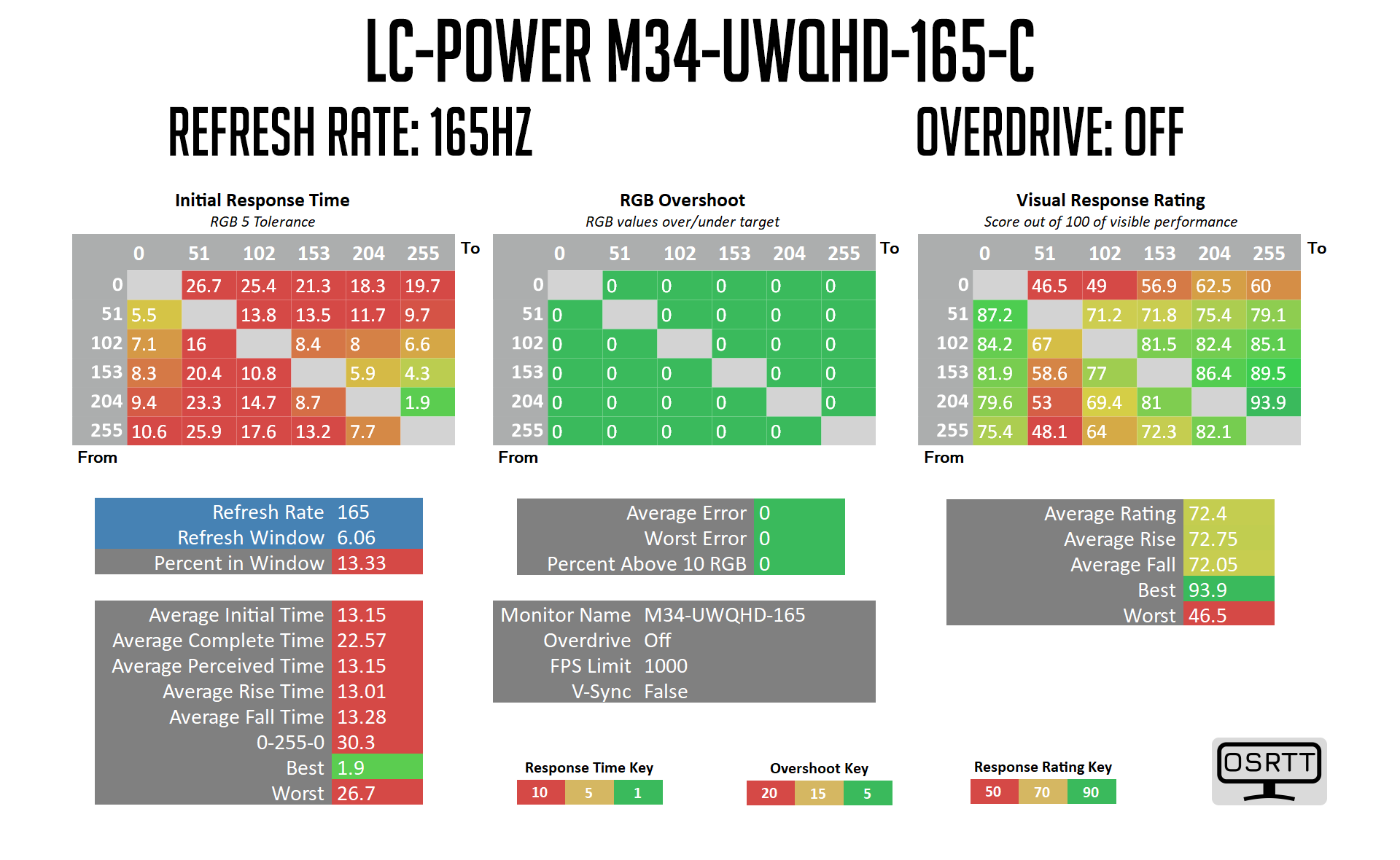
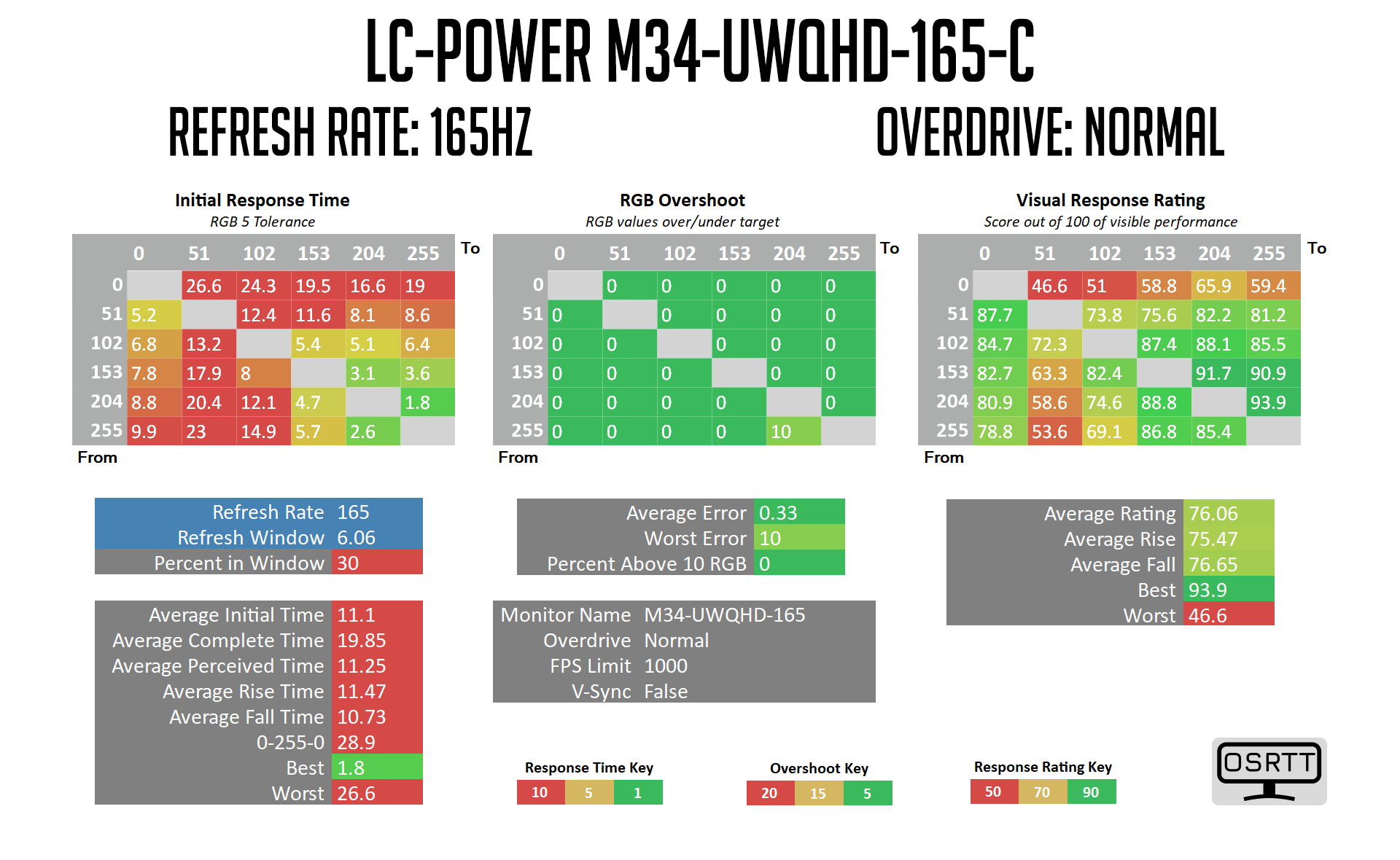
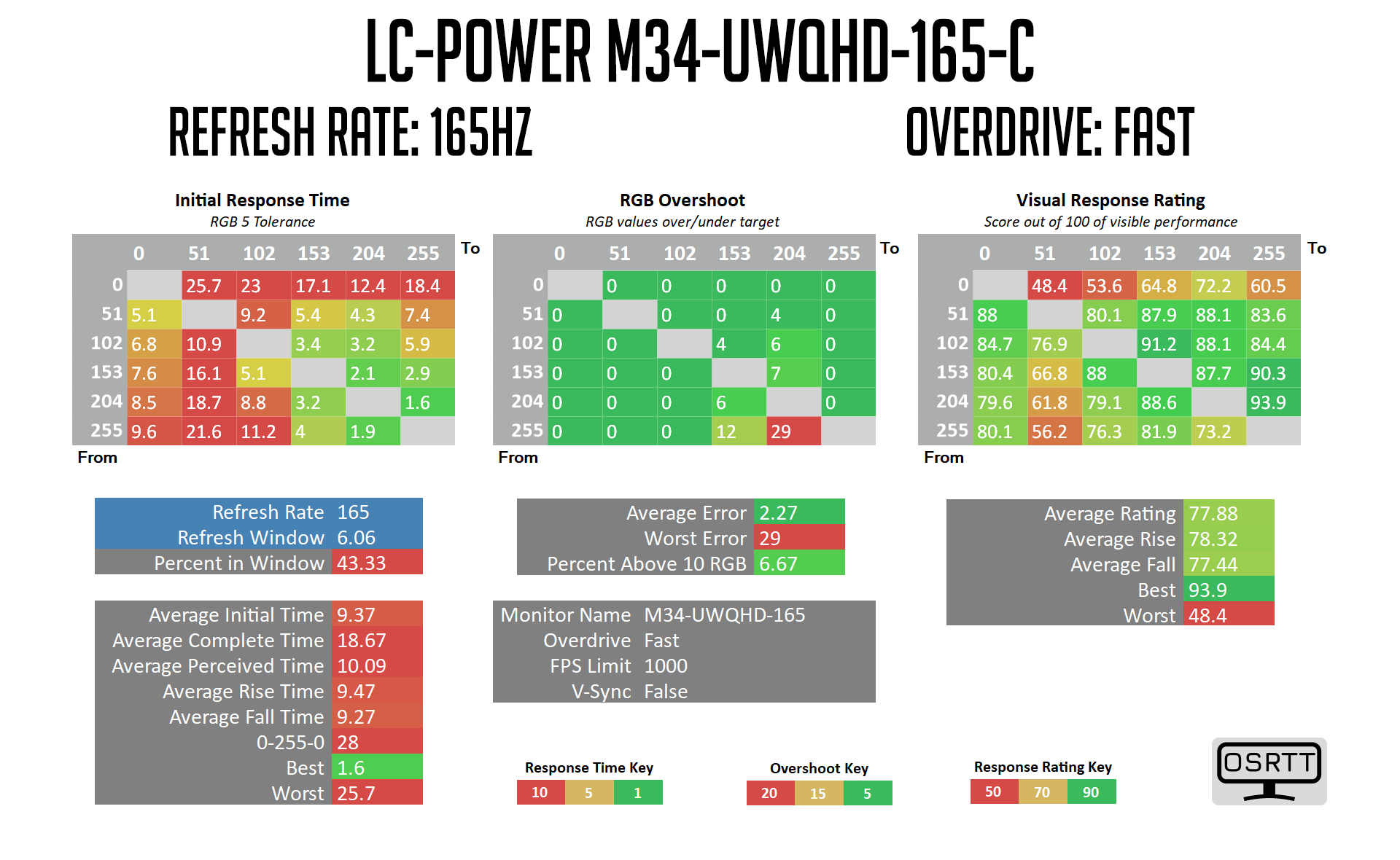
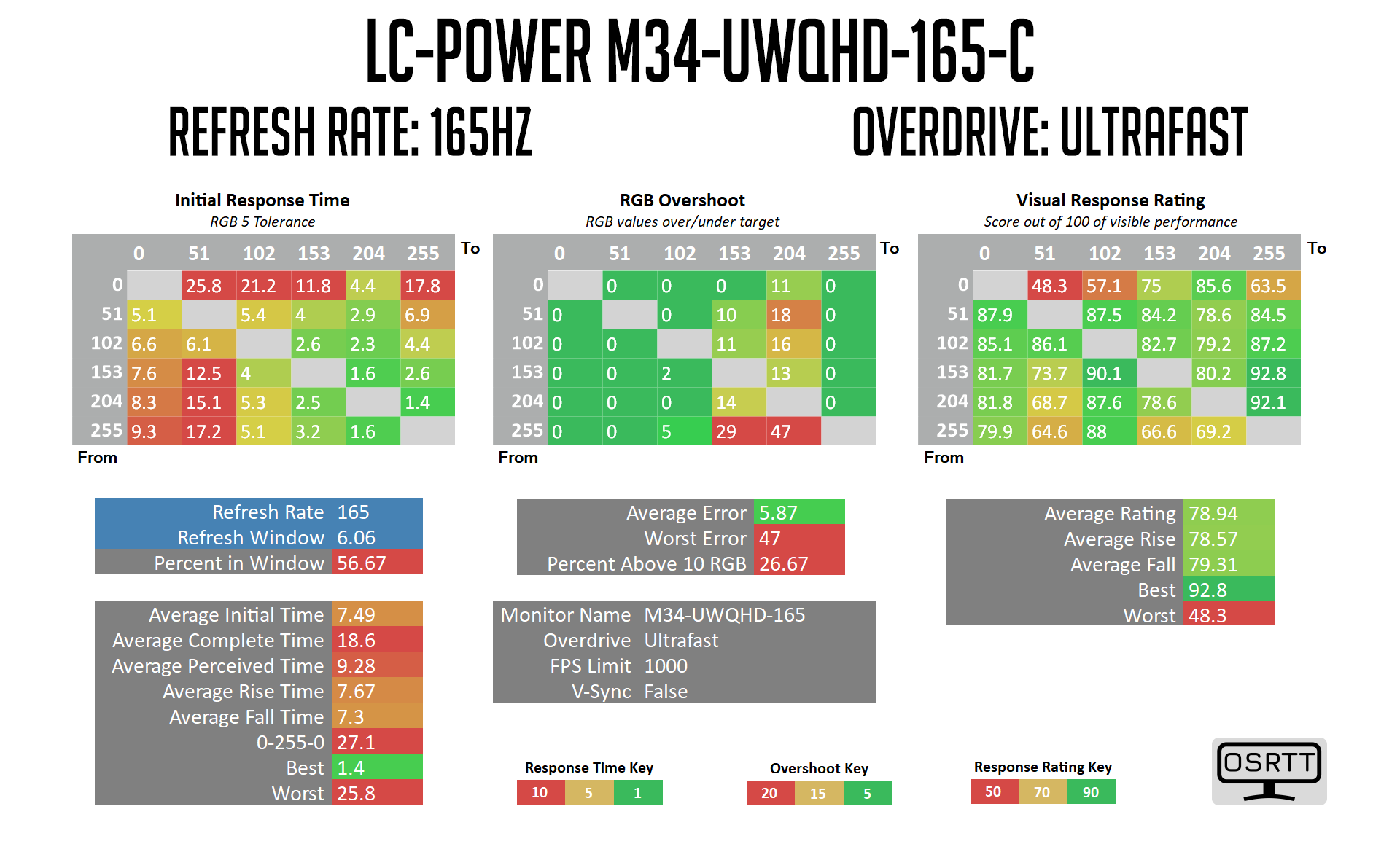
Response time testing is all too easy to summarise – we can skip over the results with OD off and set to Normal as the screen is far too slow. Even using the Fast mode we're only looking at an average response time of 9.37ms, with some particularly slow rise times from black and grey shades.
The best mode is the Ultrafast option, which manages an average of 7.49ms, but with a number of transitions still exhibiting response times well over the 6.06ms 165Hz refresh rate window, leaving us with just 57% of transitions coming within that window. The dark-level smearing is a particular problem here, as it unfortunately is known to be for cheaper VA screens.

For a visual representation, we can see even using the Ultrafast OD mode, there is a significant amount of trailing and smearing of the image, particularly of darker shades in the top two images – in the bottom image with the light cyan background, this is less noticeable.
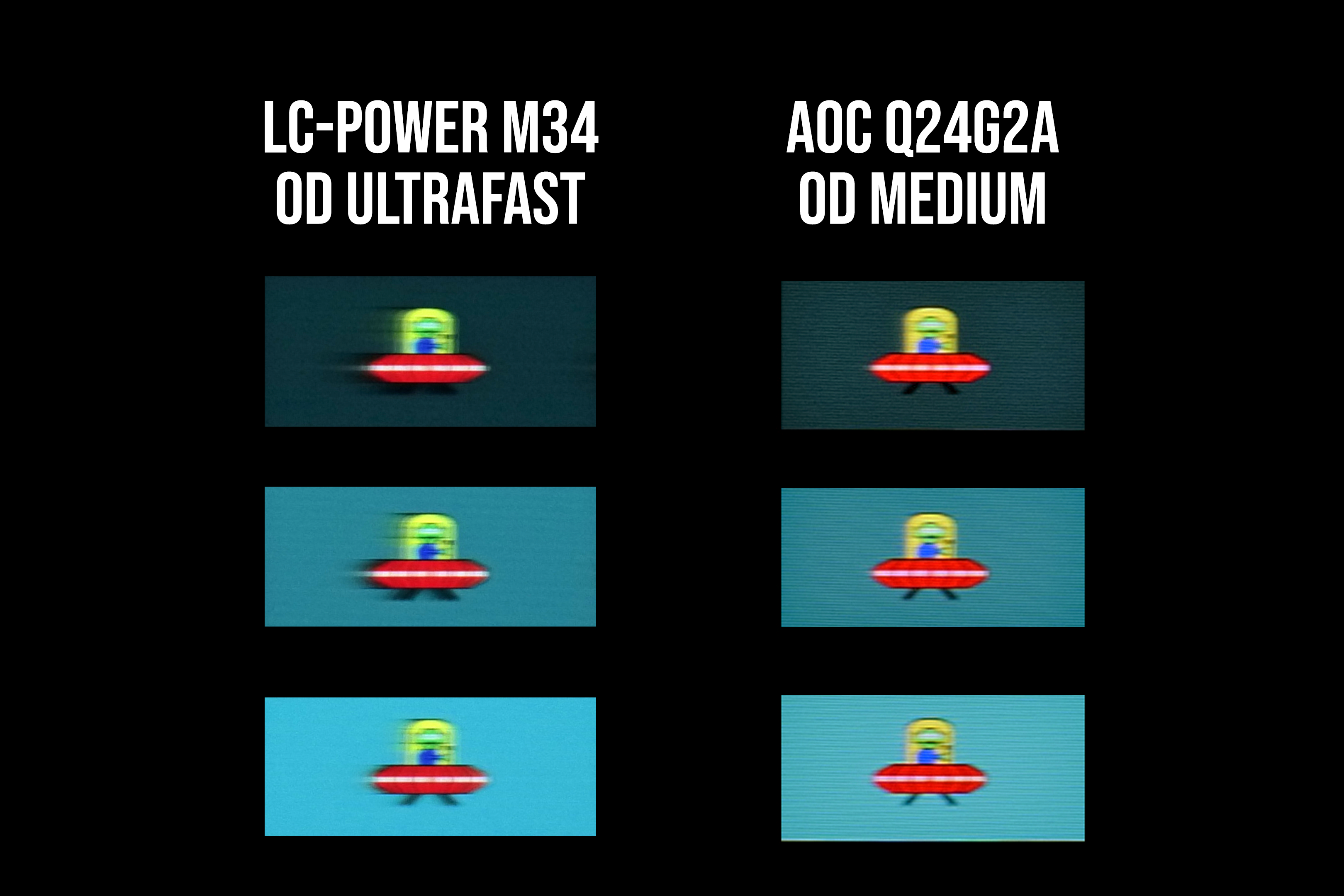
Comparing performance to the AOC Q24G2A which retails for less than £230, motion clarity is noticeably worse on the M34 and leaves a fair bit to be desired.
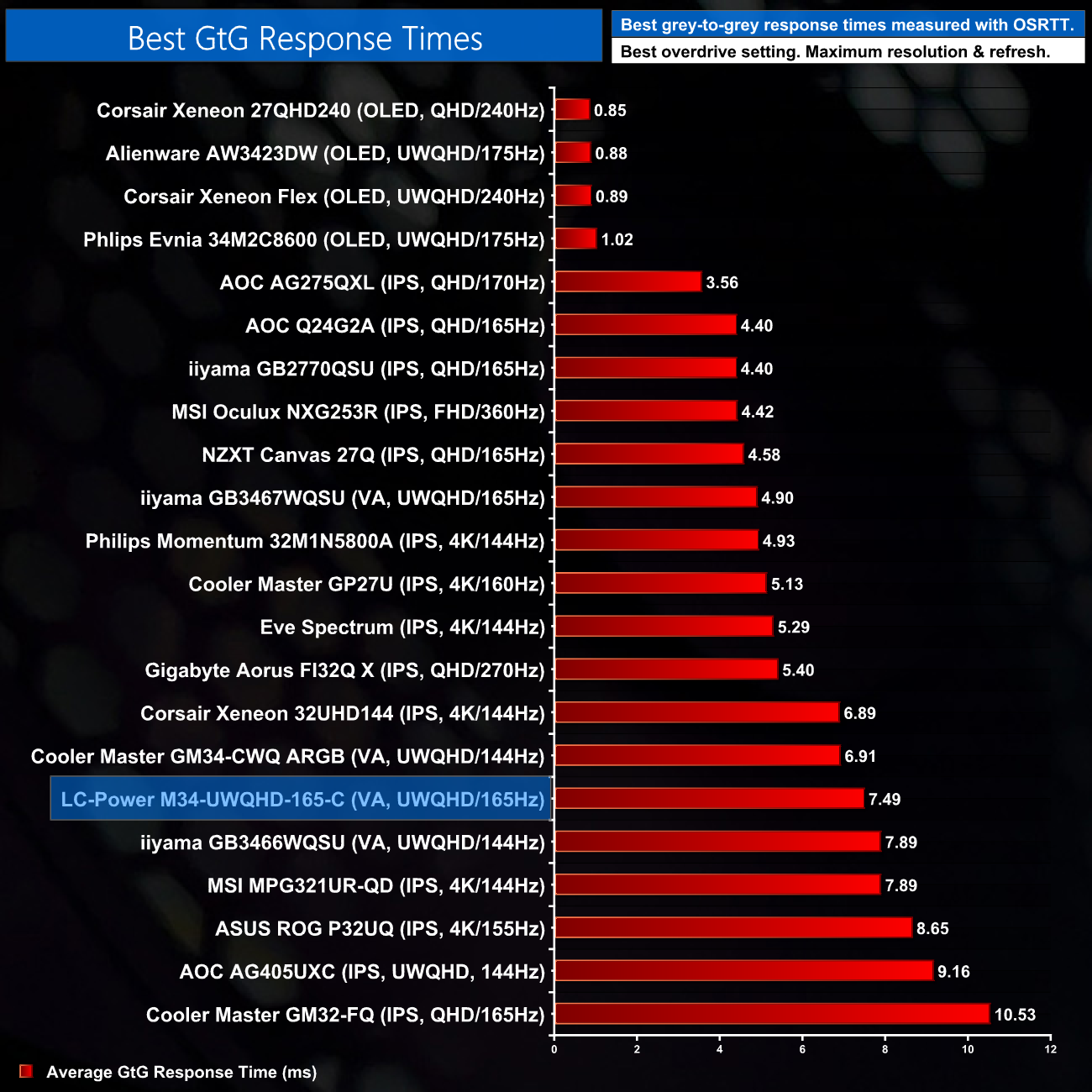
This leads us to a situation where the average response time doesn't tell the whole story, as a number of slower transitions effect things noticeably.
We again use the Open Source Response Time Tool (OSRTT), developed by TechTeamGB, to report monitor input latency.
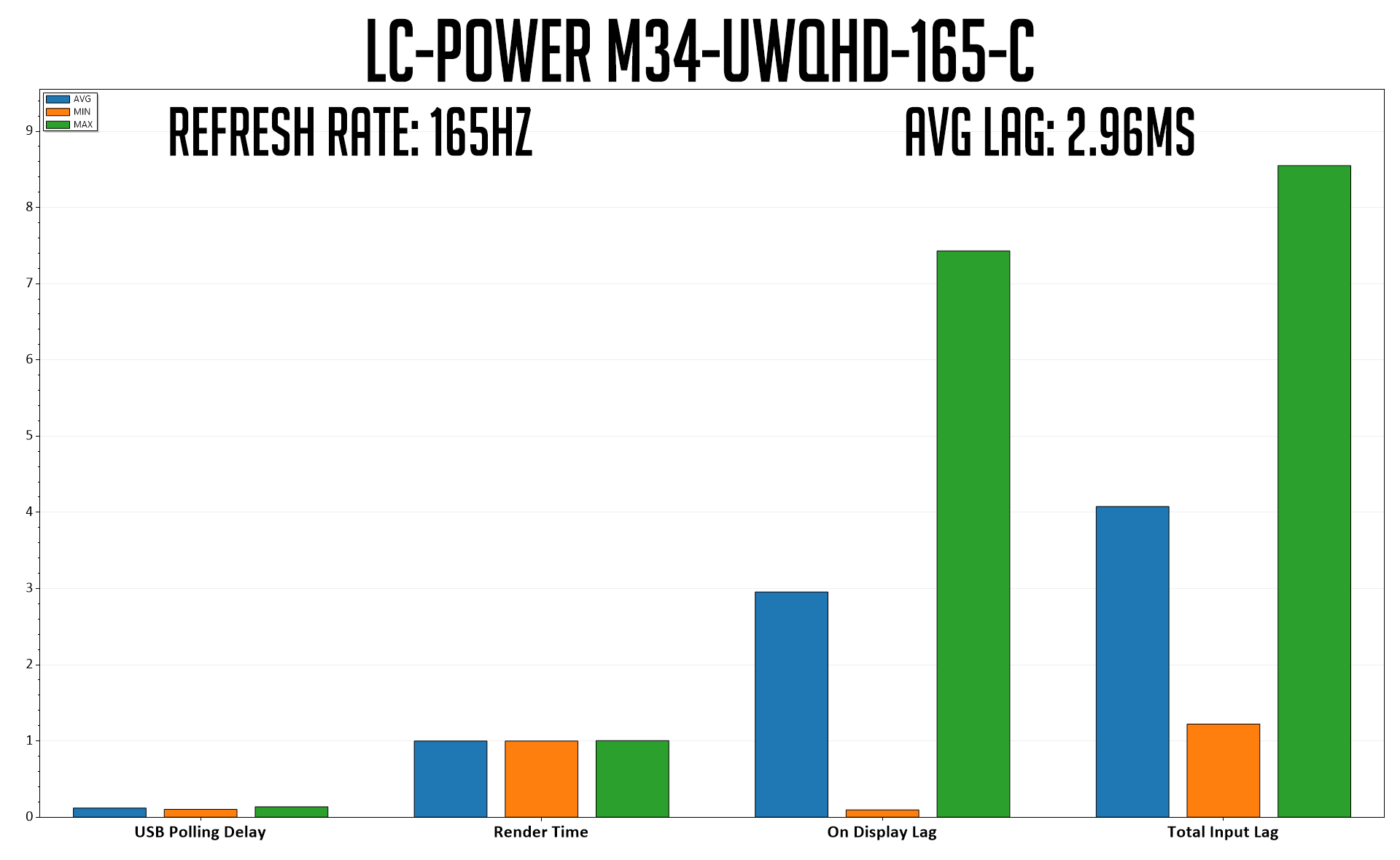
Input latency is a new area of our testing, using the OSRTT Pro tool. Average On Display lag is reported at 2.96ms which is less than a half of a single frame at 165Hz (6.06ms), and we'll build up a chart of comparisons as we test more screens.
The LC-Power M34-UWQHD-165-C has been an interesting screen to test over the last few weeks. Targeting the more affordable end of the market, it offers a 165Hz VA ultrawide panel for £369, but I've seen it as a low as £290 in the last few weeks.
This review has also been the first time we have deployed our new monitor test methodology, and the M34 performed fairly well in our tests. Out of the box colour balance could be better, something which leads to some inaccuracies with greyscale testing, but 100% sRGB and 88% DCI-P3 gamut coverage is decent, as is overall colour accuracy which delivered a dE of 2.75.
Once calibrated however, performance improved to exceptional levels across the board, with excellent colour accuracy, colour balance and gamma.

The range of brightness on offer is also decent, with a minimum of 31 nits and a maximum of 375. Contrast is the star of the show however, with a very impressive 4500:1 ratio being recorded across the board – good even by VA standards!
Unfortunately, response times and overall motion clarity do let this screen down. While we did record a best-case average response time of 7.49ms using the Ultrafast overdrive mode, this panel exhibits clear issues with dark-level smearing, and that has a noticeable effect on image quality and motion clarity. This is unfortunately a known issue with cheaper VA panels, and it is present here with the M34.
That does make it tricky to recommend this as a gaming-only display as other screens can offer noticeably improved motion clarity with less smearing. However, if you do find the M34 on sale for less than £300 as I have seen it, then it is still worth considering – ultrawides don't get much cheaper, and it still provides decent image quality and advantages for productivity. I just don't think it is quite fast enough to be relied upon solely for gaming.
You can buy the LC-Power M34-UWQHD-165-C from Amazon HERE.
Discuss on our Facebook page HERE.
Pros
- On sale for as low as £290 over the last few weeks.
- Decent colour performance out of the box.
- Excellent colour and gamma performance once calibrated.
- Very strong contrast.
- Low minimum brightness.
Cons
- Slightly wonky gamma curve.
- Default colour temperature a touch cool.
- Best overdrive mode only delivers 57% refresh rate compliance.
- Visible dark-level smearing is distracting.
- Maximum monitor height is still a touch too low for my preference.
KitGuru says: There are improvements to be made but it may still be worth considering if you can find it on a good sale.