KitGuru KitGuru.net – Tech News | Hardware News | Hardware Reviews | IOS | Mobile | Gaming | Graphics Cards


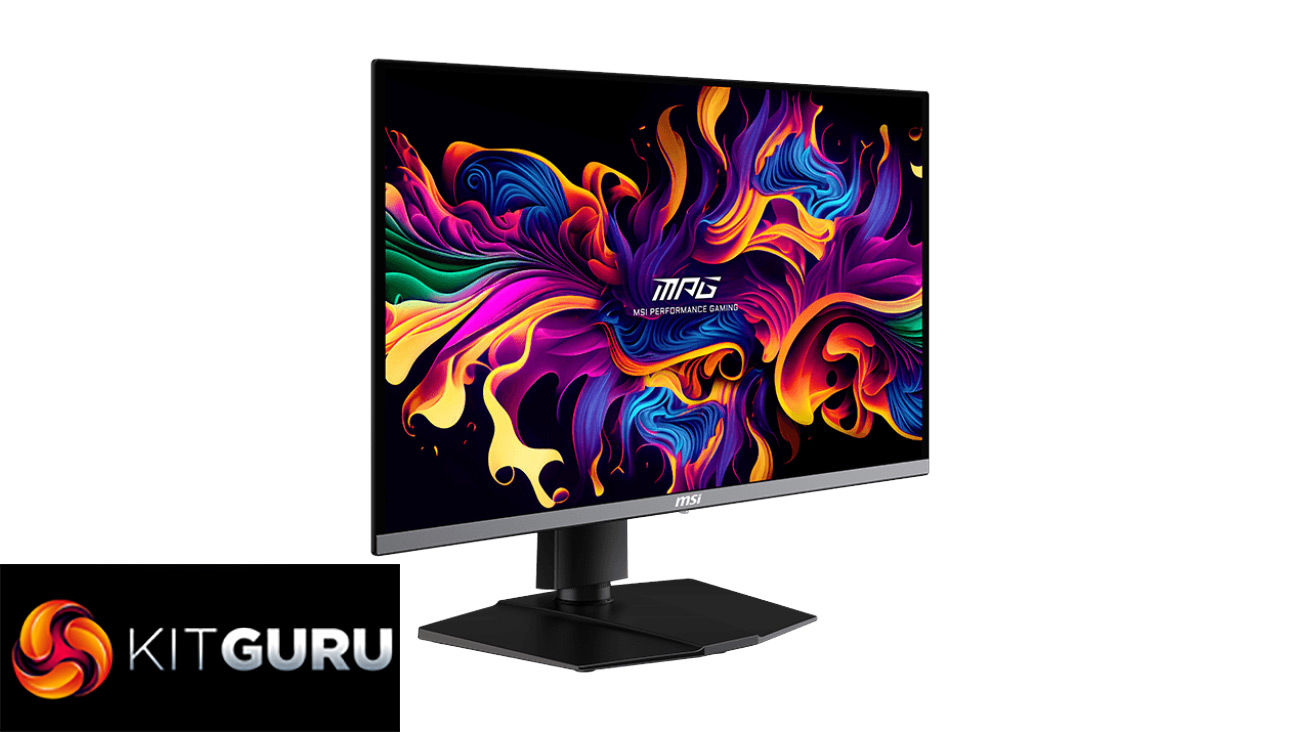
QD-OLED monitors have been gaining traction over the last two years and plenty of new panels were announced back at CES 2024. The MSI MPG 271QRX is one such monitor to use a 3rd Generation QD-OLED panel from Samsung, and while we've already reviewed its bigger brother, the 4K MPG 321URX, this 27in screen adopts a 2560×1440 resolution and impressive 360Hz refresh rate, alongside the near-instant response times and effectively infinite contrast ratios that we have come to expect from OLED panels.
Timestamps
00:00 Intro
00:58 If you haven’t seen the 321URX review…
01:19 Design overview
02:34 I/O and OSD options
04:22 Panel analysis – default settings
07:00 SRGB mode
07:53 Calibrated results
08:23 The usual QD-OLED ‘quirks’
09:30 Response times and motion clarity
10:57 Real-world gaming experience
12:06 HDR performance
14:13 Closing thoughts
I've waxed lyrical about OLED gaming monitors in the past, but it wasn't that long ago that 175Hz was the highest refresh rate you could get if you went for an OLED screen. 240Hz models have been around for the last 18 months, but the step up to 360Hz promises even greater motion clarity.
Today we put the MSI MPG 271QRX screen through its paces over a variety of tests, looking at colour accuracy, brightness, gaming and much more, to find out if it is worth the £899 asking price.
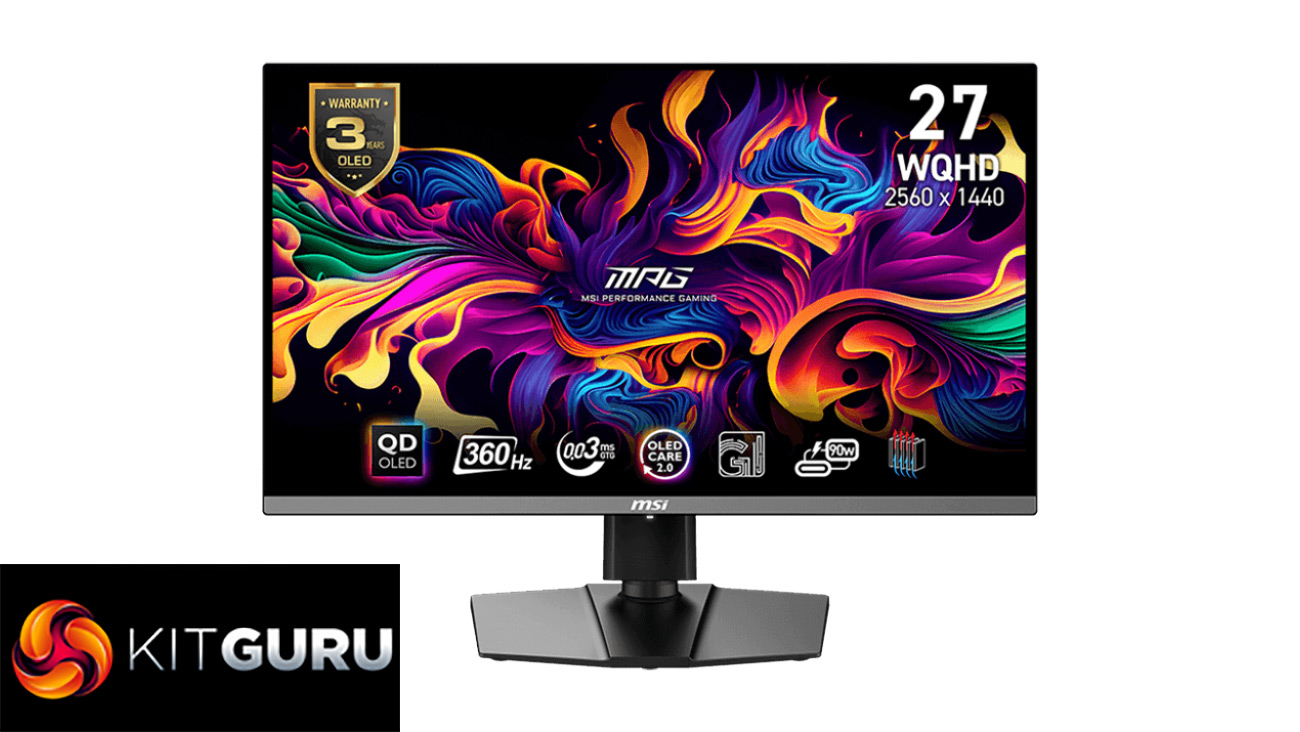
Specification:
- PANEL SIZE: 26.5“(67.31cm)
- ACTIVE DISPLAY AREA (MM): 590.42(H) x 333.72(V)
- CURVATURE: Flat
- PANEL TYPE: QD-OLED
- PANEL RESOLUTION: 2560×1440 (WQHD)
- PIXEL PITCH (H X V): 0.2292(H) x 0.2292(V)
- ASPECT RATIO: 16:9
- BRIGHTNESS (NITS): 250 (Typ.)
- CONTRAST RATIO: 1500000:1 (Typ.)
- DCR: 100000000:1
- SIGNAL FREQUENCY: 96.24~580.32 KHz(H) / 45~360.9 Hz(V)
- ACTIVATED RANGE: 48~360Hz
- REFRESH RATE: 360Hz
- RESPONSE TIME: 0.03ms (GtG)
- DYNAMIC REFRESH RATE TECHNOLOGY: AMD FreeSync™ Premium Pro
- HDR SUPPORT: DisplayHDR True Black 400
- VIDEO PORTS:
- 1 x DisplayPort 1.4a
- 2 x HDMI™ 2.1 (WQHD@360Hz)
- USB PORTS:
- 1 x Type-c (DP alt.) w/PD 90W
- 2 x USB 2.0 Type-A
- 1 x USB 2.0 Type-B
- AUDIO PORTS:
- 1 x Headphone-out
- VIEWING ANGLE: 178° (H) / 178° (V)
- ADOBE RGB / DCI-P3 / SRGB: 98% / 99% / 138%
- SURFACE TREATMENT: Anti-Reflection
- DISPLAY COLORS: 1.07B ,10 bits
- POWER TYPE: Power Cable
- POWER INPUT: 100~240V, 50/60Hz
- ADJUSTMENT (TILT): -5° ~ 20°
- ADJUSTMENT (SWIVEL): -30° ~ 30°
- ADJUSTMENT (PIVOT): -90° ~ 90°
- ADJUSTMENT (HEIGHT): 0 ~ 110 mm
- KENSINGTON LOCK: Yes
- DIMENSION (W X D X H): 610 x 69 x 356 mm (without stand)
- FRAMELESS DESIGN: Yes
- VESA MOUNTING: 100 x 100 mm
- WEIGHT (NW / GW): 8.3 / 10.9 kg
- WARRANTY: 3 years (including panel burn-in)
Firmware tested: FW.010
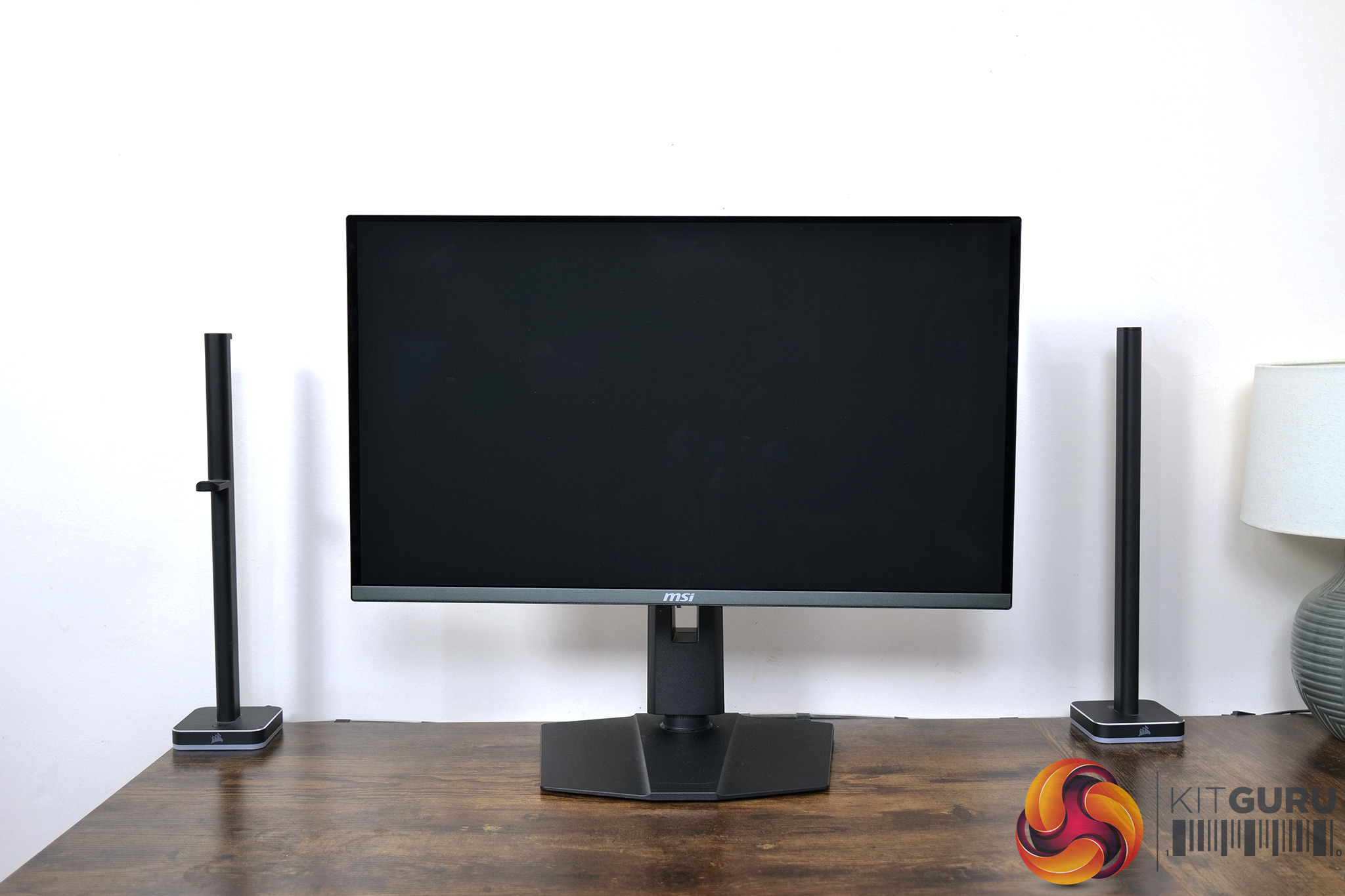
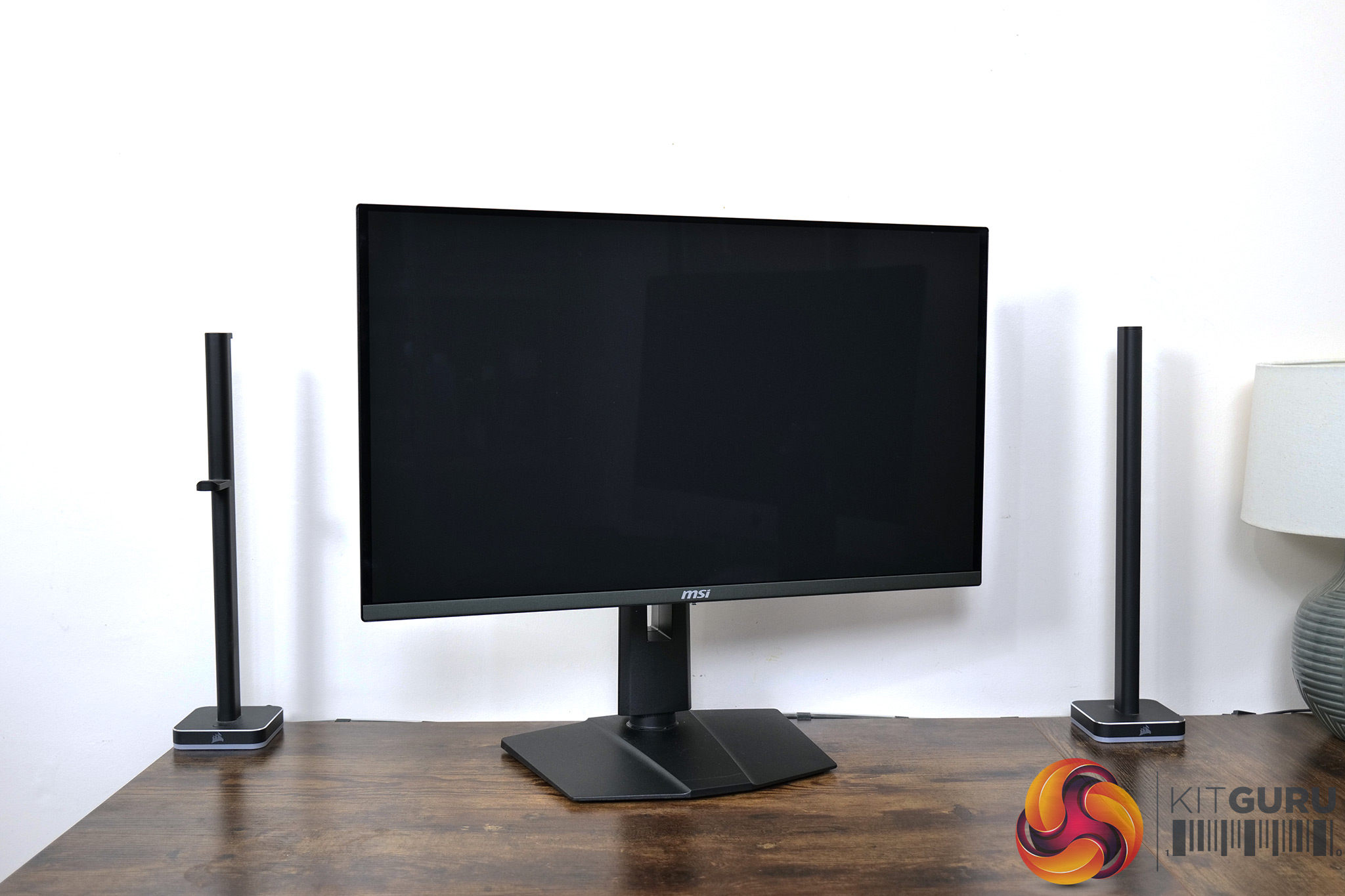
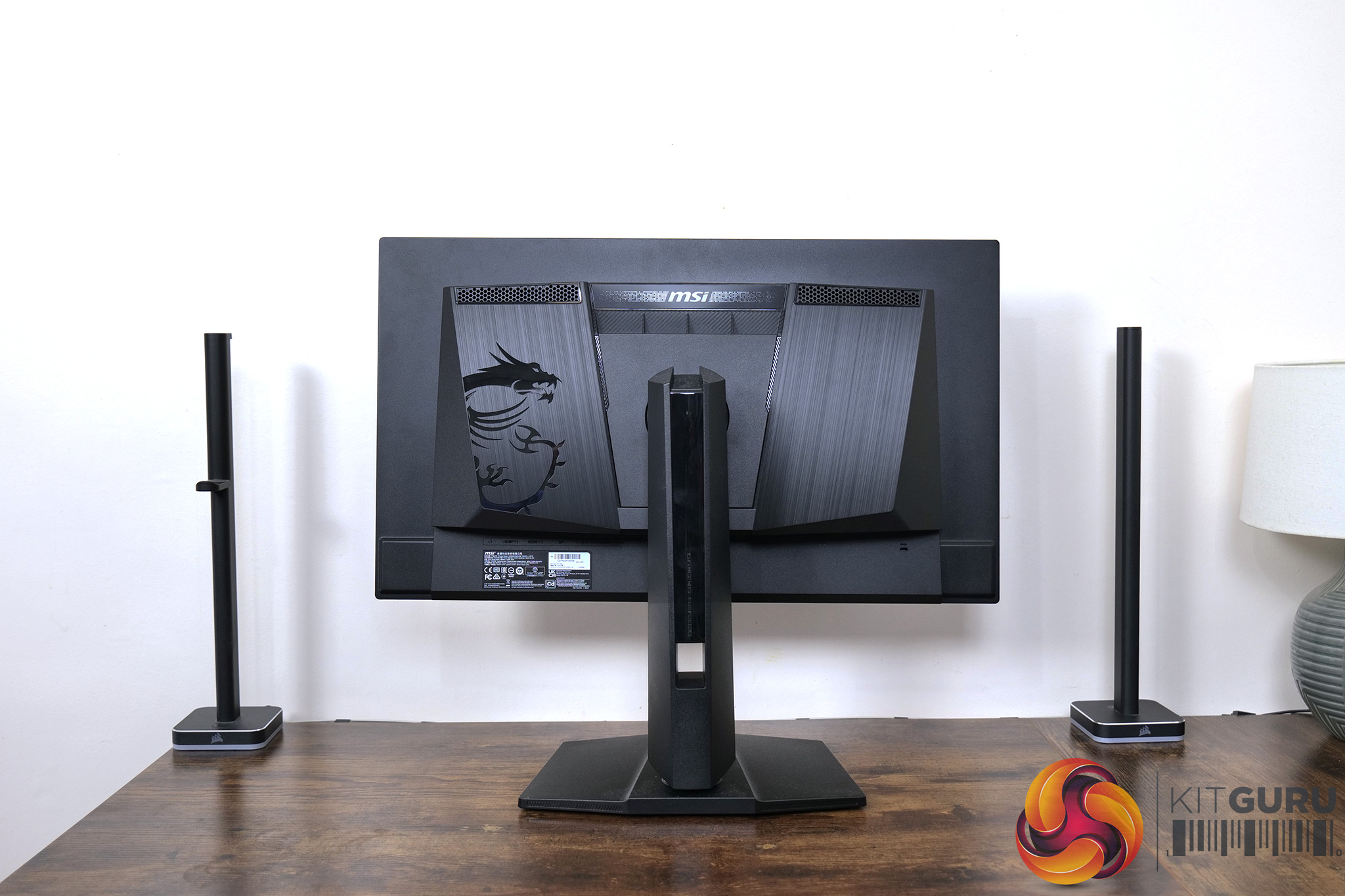
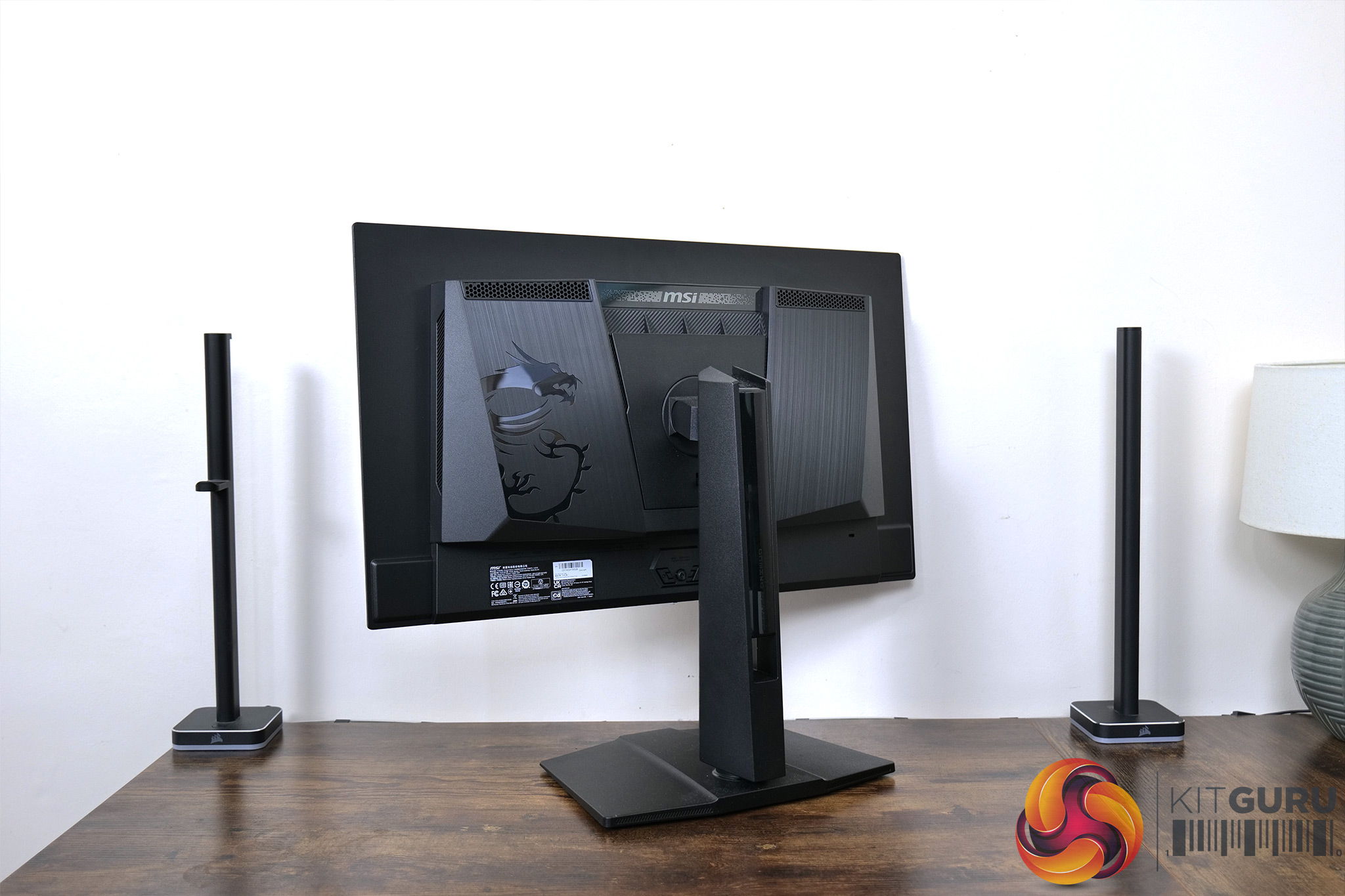
If you haven't already seen our review of the MSI MPG 321URX, I'd recommend giving it a quick run over as there are plenty of similarities between the two screens. That starts with the design, as the MPG 271QRX is effectively a scaled down version of the 32in model – apart from the size, there's very little to tell them apart.
That means the display is almost entirely matte-black, with a bezel-less design on the front, while the grey chin measures approximately 14mm thick. The rear is home to the MSI dragon logo and a small RGB zone above the stand, though it's very small and obviously not visible from the front.
I appreciate that MSI is kept its square-ish stand foot, too, instead of the large v-shaped feet we typically see. That said, as with the 321URX, the stand and rear of the monitor do feel a little plasticky considering the price point, but once setup on your desk it's not a particular concern.
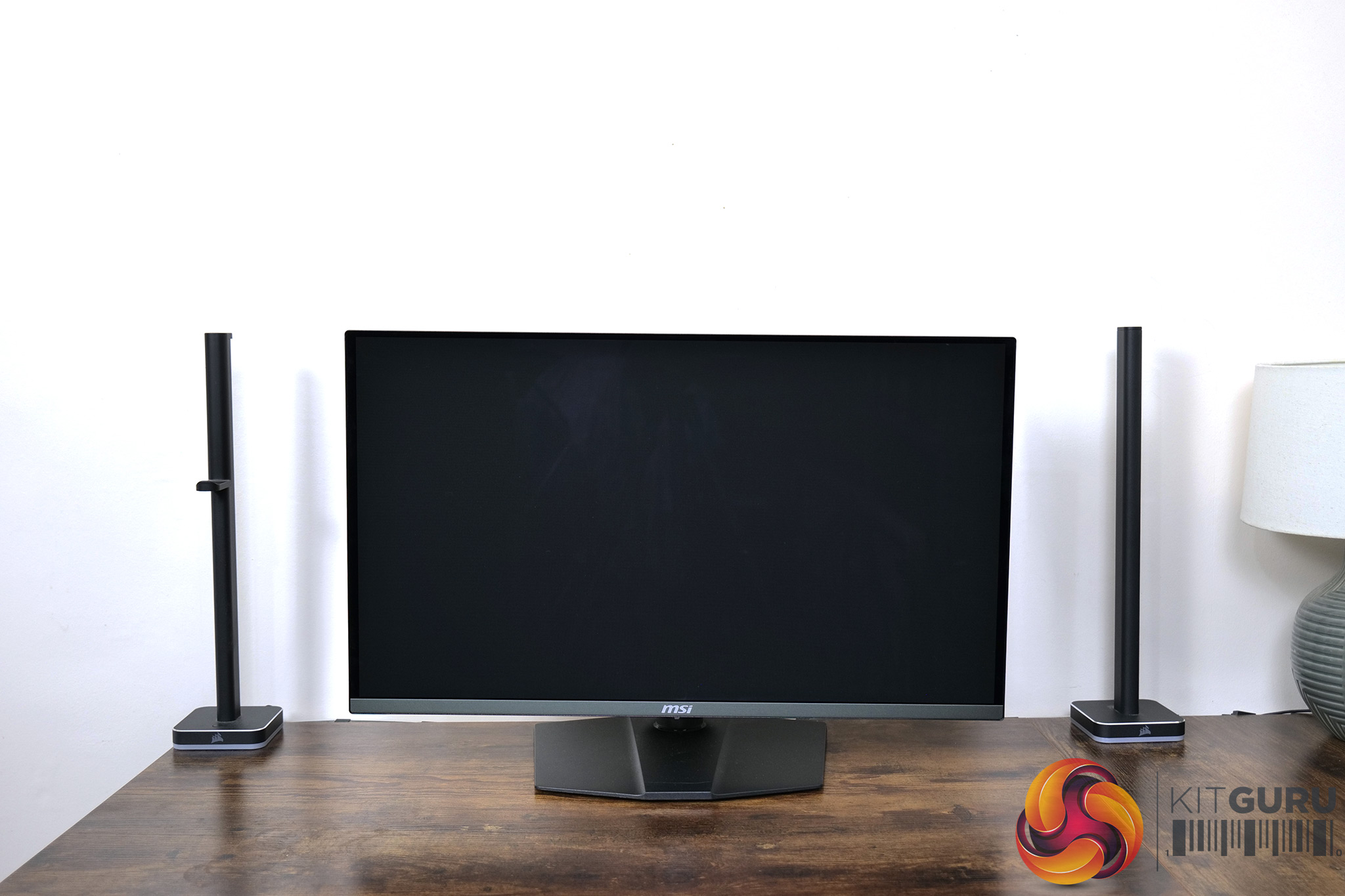
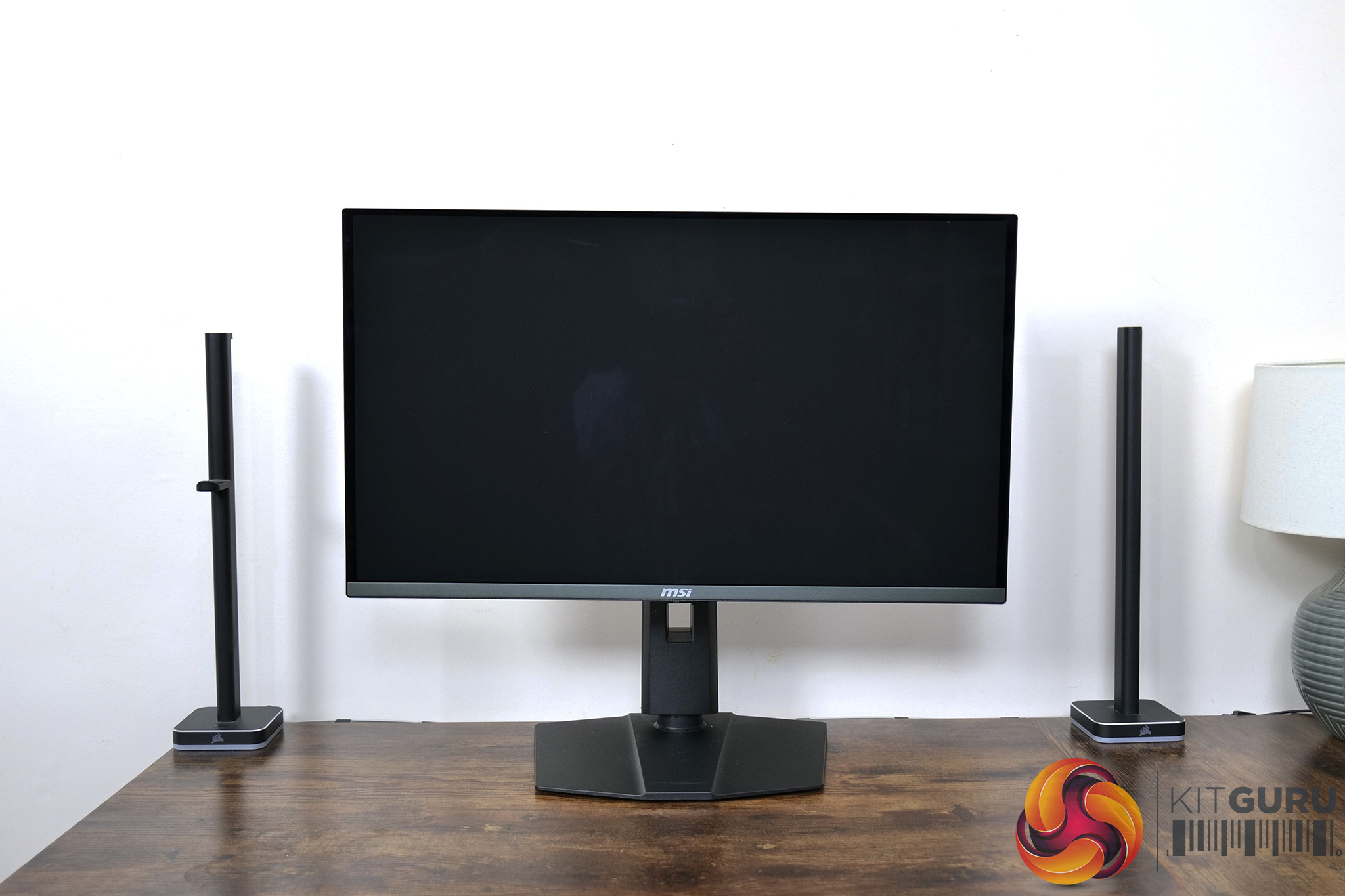

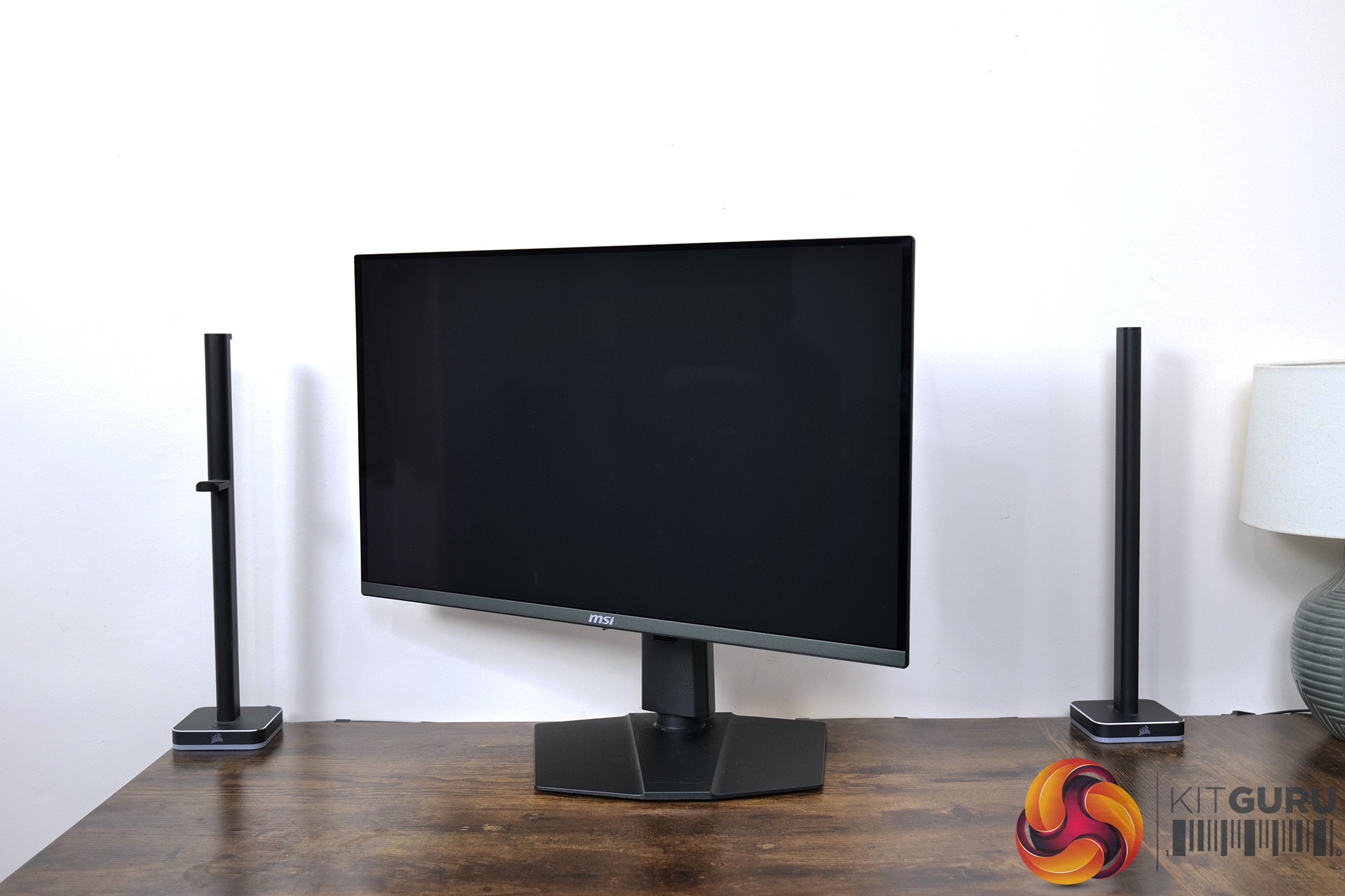
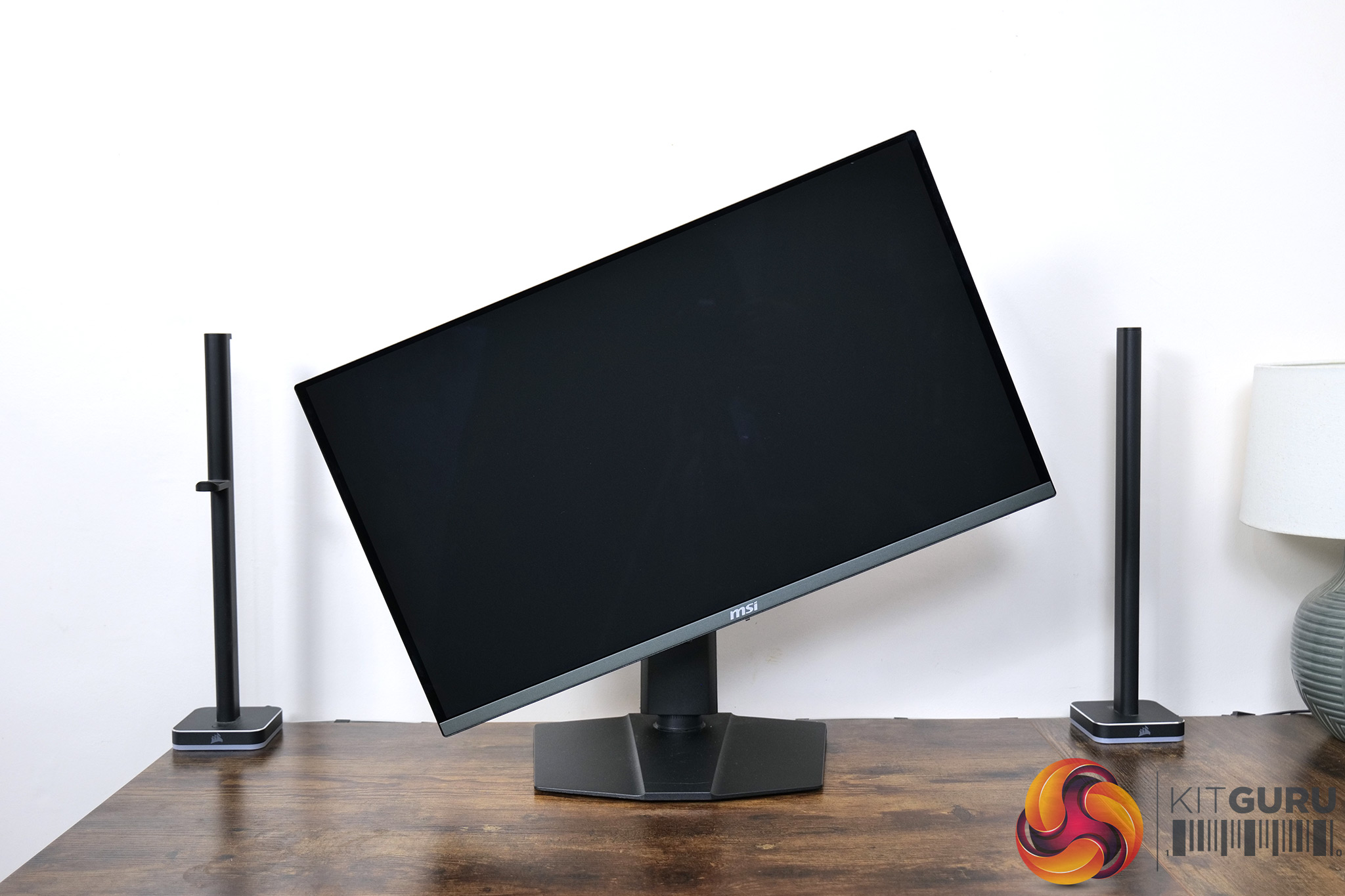
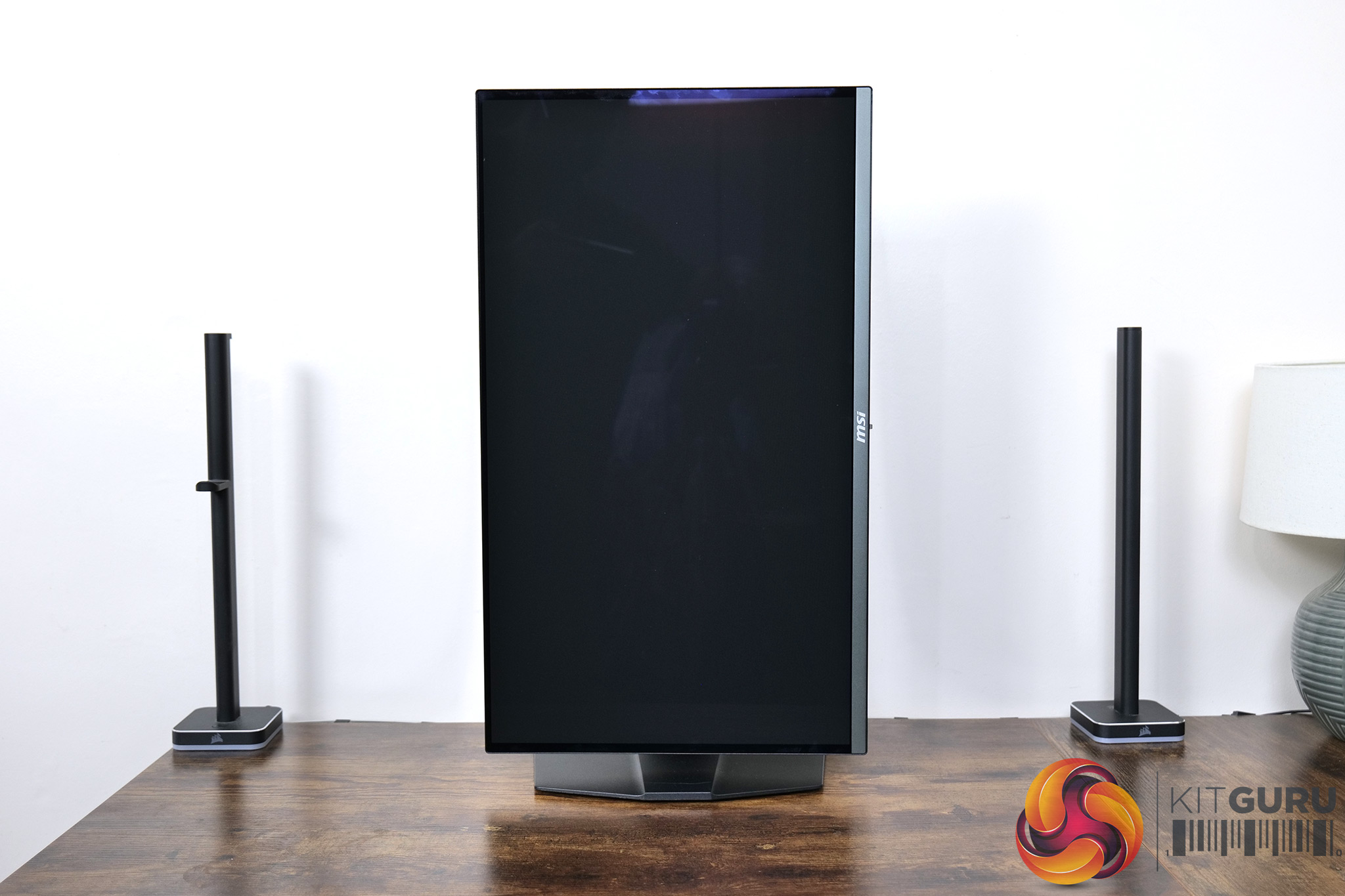
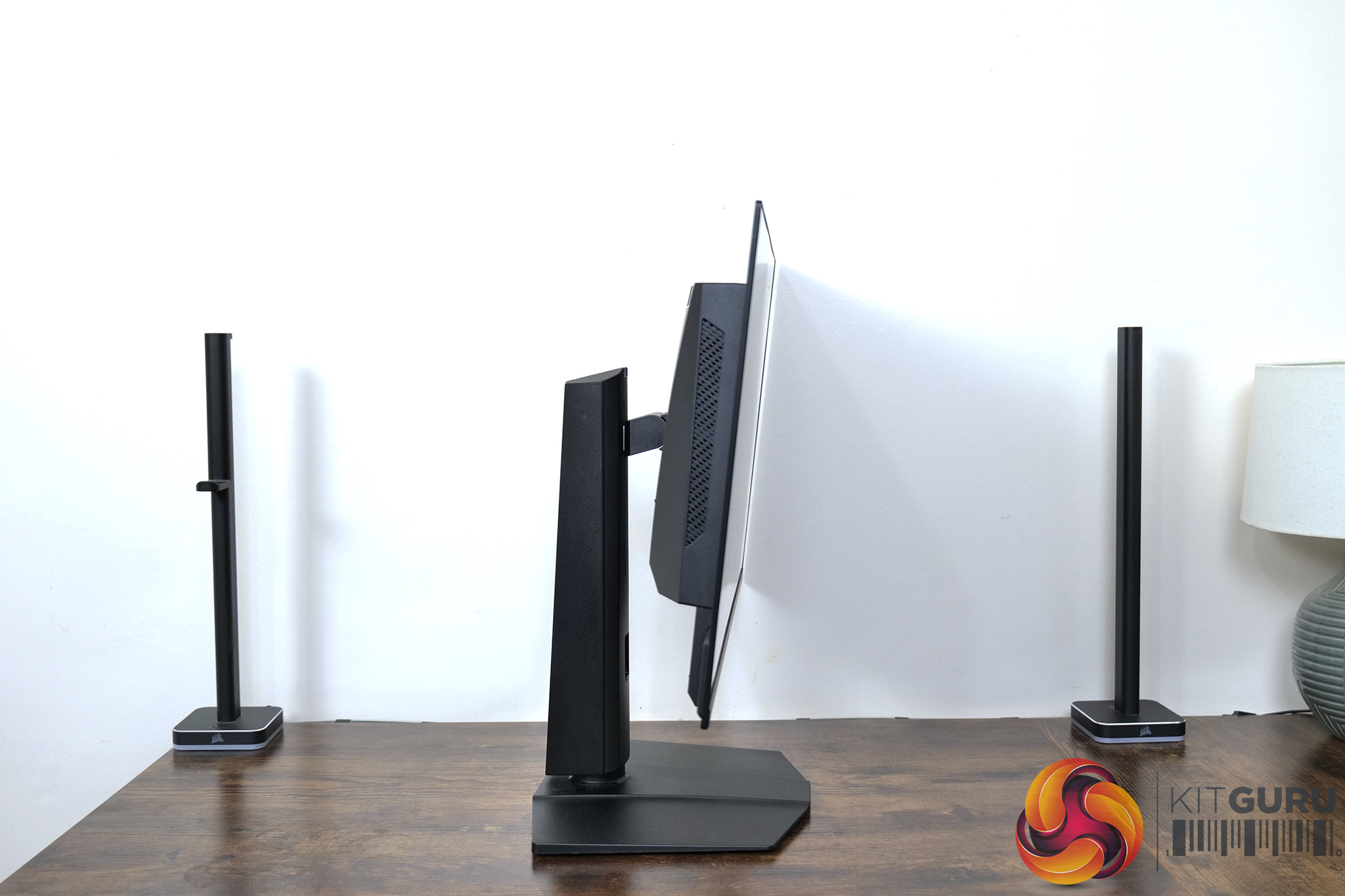
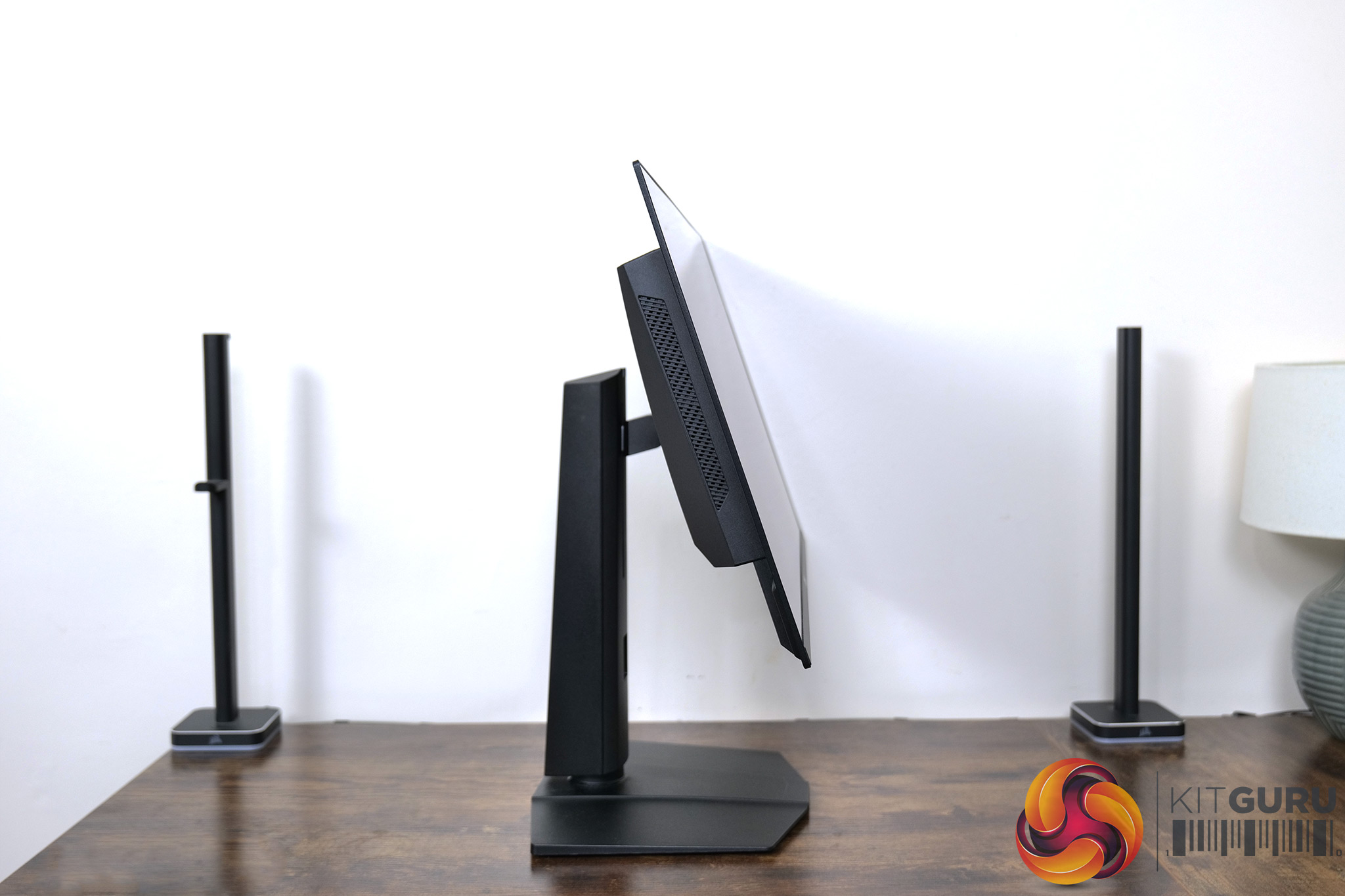
We get a full array of ergonomic adjustment from the stand, too. This includes up to 110mm of height adjustment, 30 degrees of swivel both left and right, tilt from -5 to +20 degrees, alongside 90 degree pivot both left and right, so you can use the screen vertically if you wish. VESA 100×100 mounts are also supported for those wishing to use a third-party stand or arm.
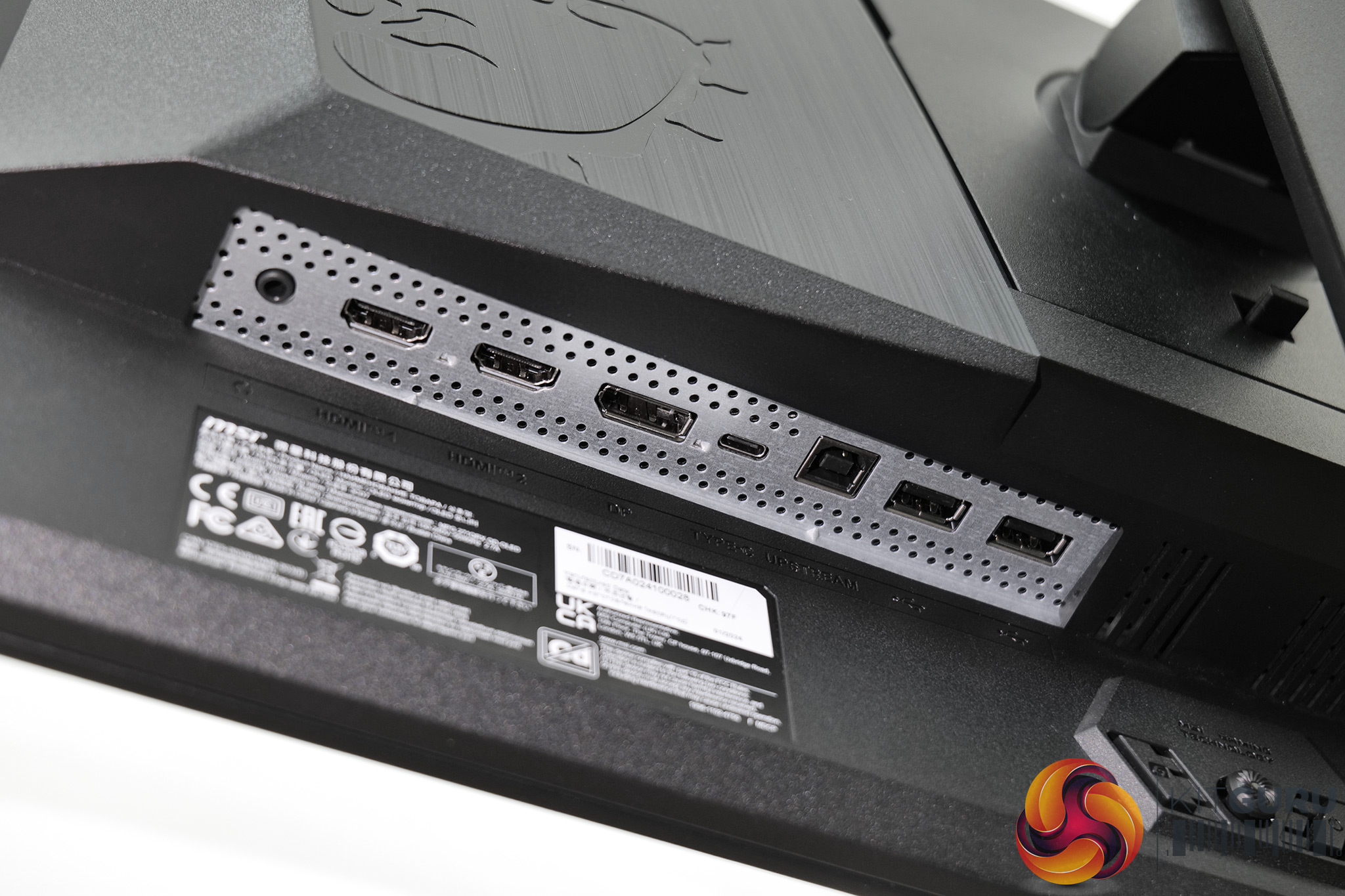
As for the port selection on offer, MSI has opted for 1x DisplayPort 1.4a, 2x HDMI 2.1 (all three of which can drive 1440p at 360Hz), while there's a USB-C that also supports DP Alt mode alongside 90W power delivery. A Type-B upstream feeds the two USB Type-A downstream ports, and KVM functionality is also supported.
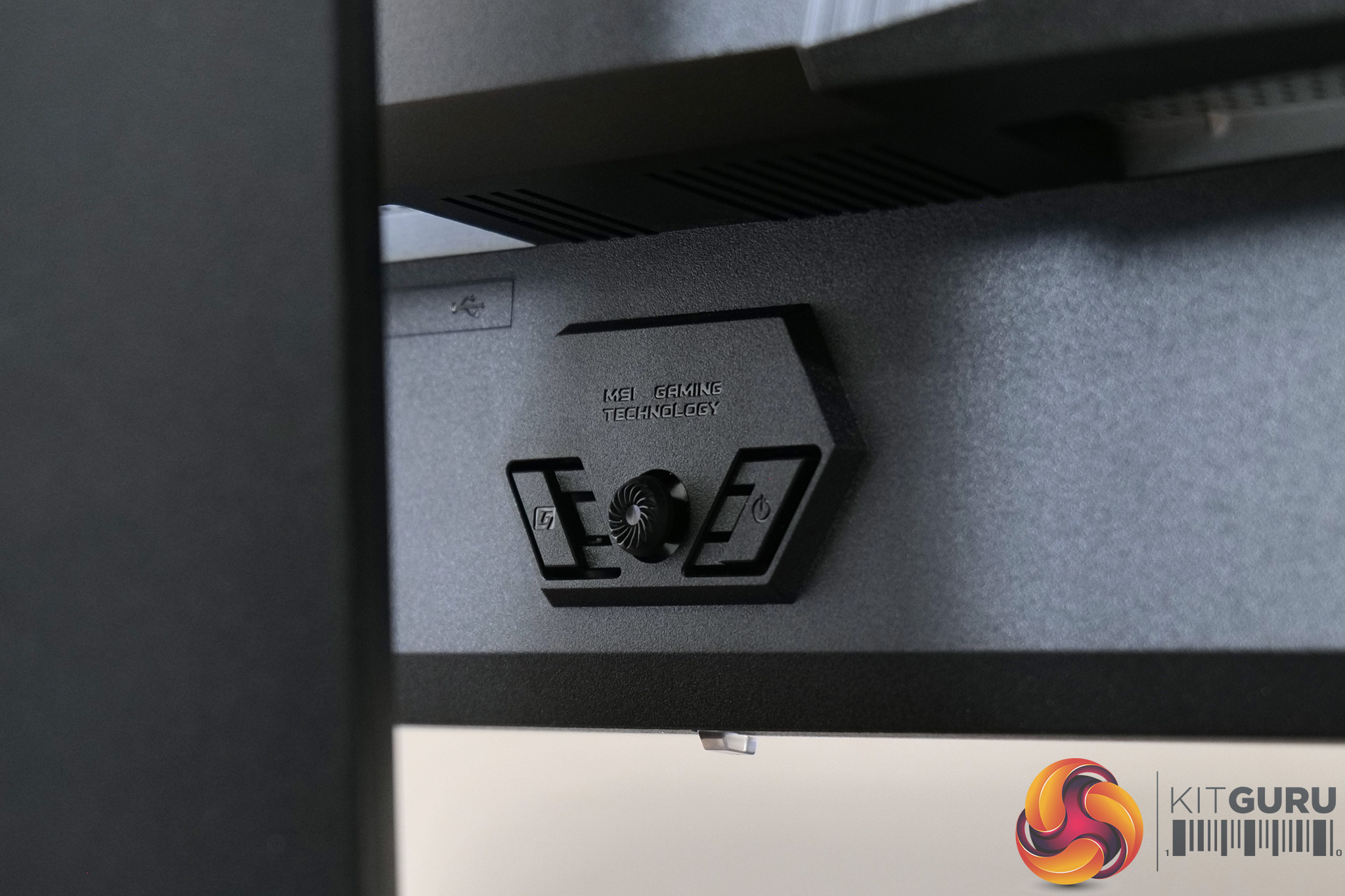
Positioned centrally on the rear of the screen, we also find a small joystick used to navigate the OSD, flanked by two buttons – one is a simple power button, the other is a customisable option which can be configured using MSI's GamingIntelligence software.
The core OSD is the same as found on the MSI 321URX, and it's broken down into nine main tabs as you can see here (though the PIP/PBP is greyed out as only one video input was used):
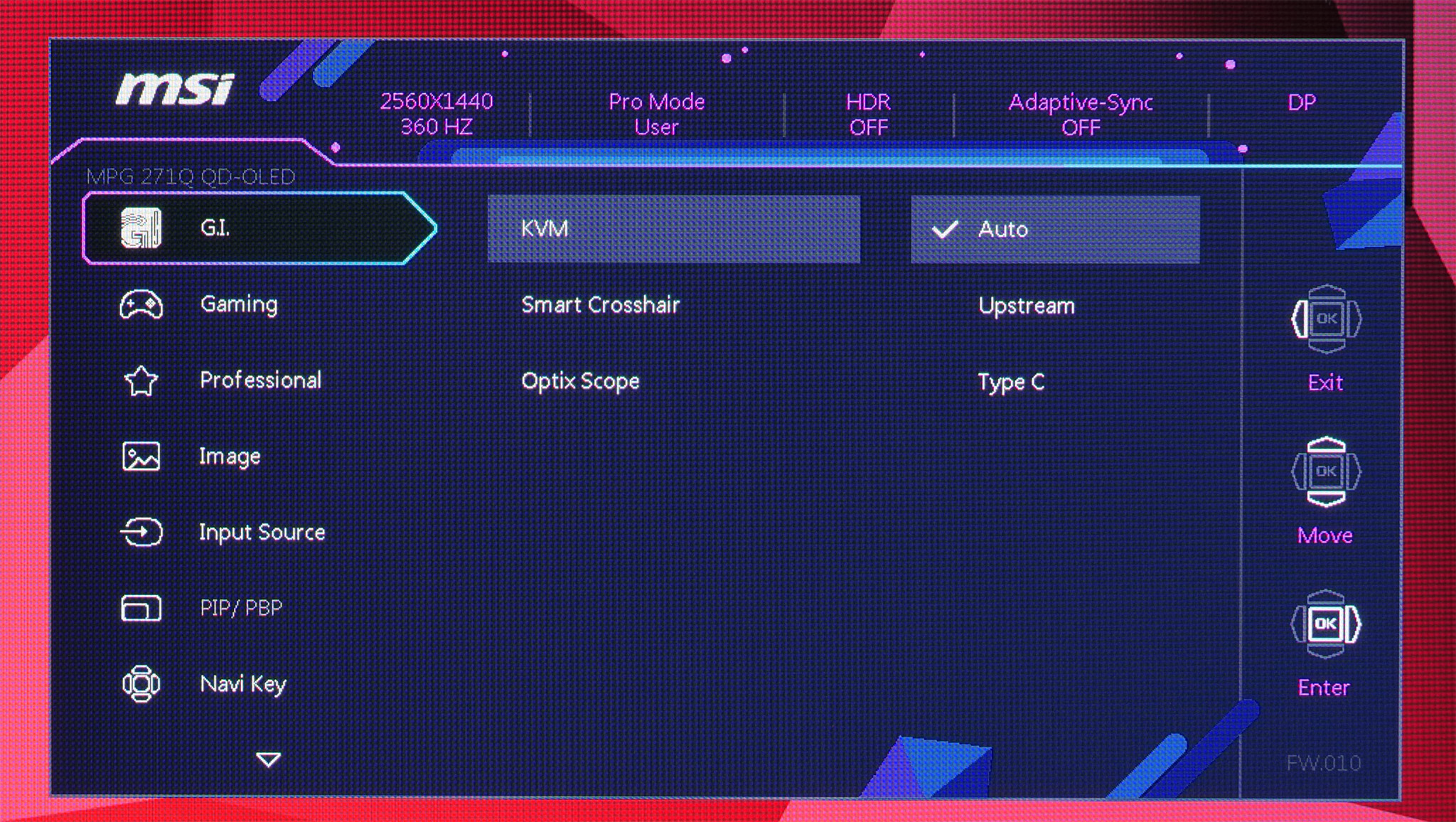
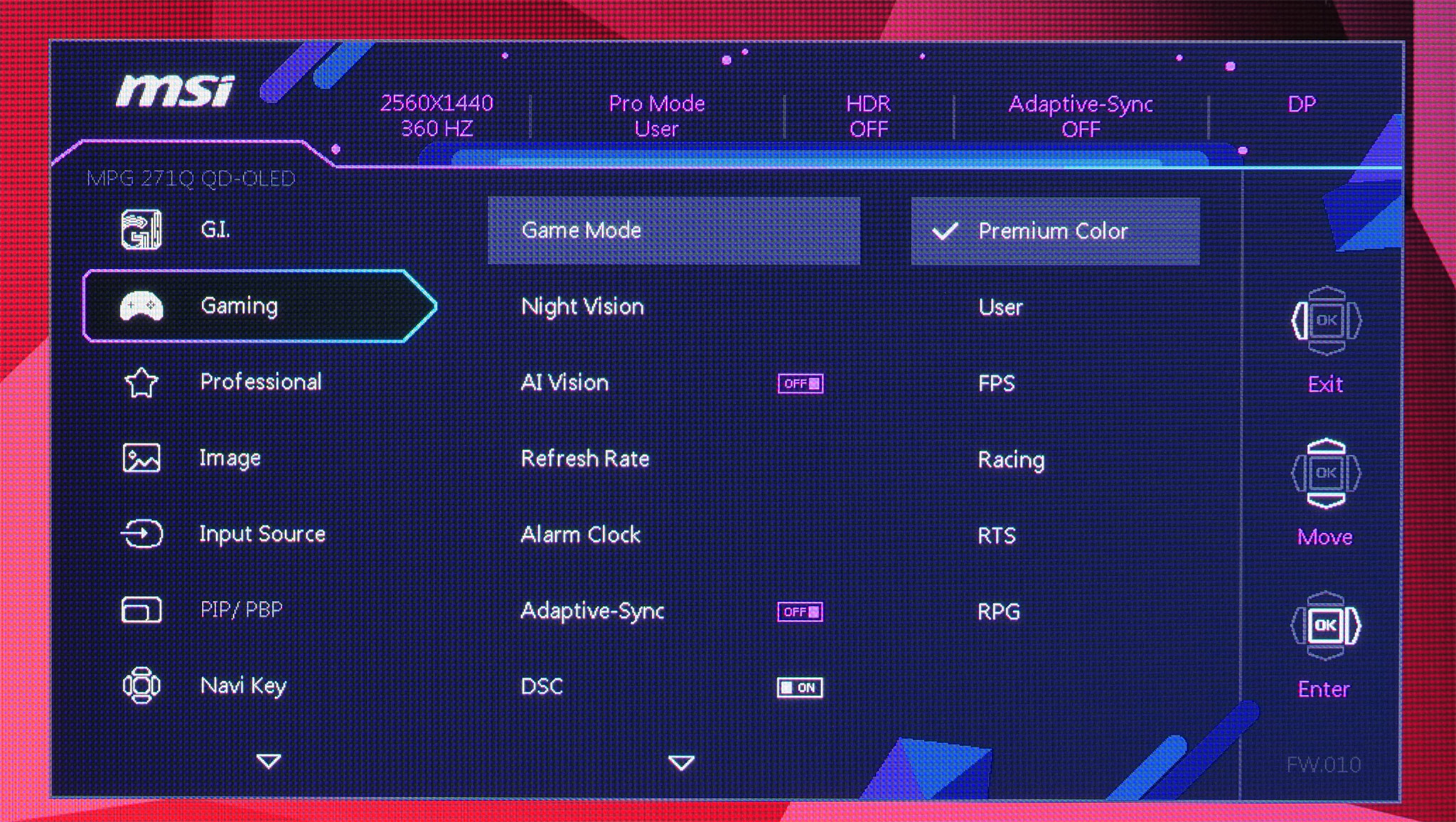
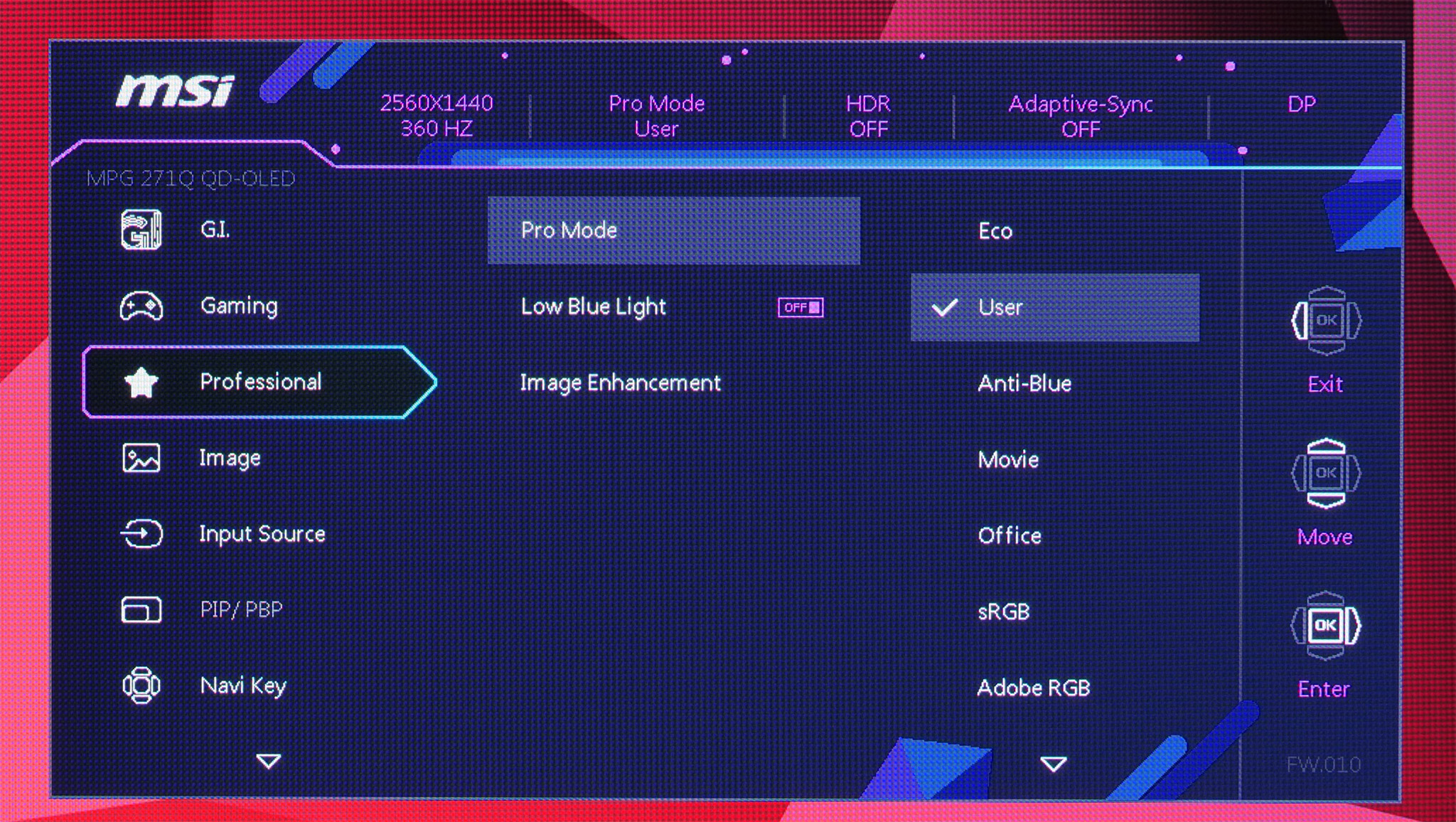
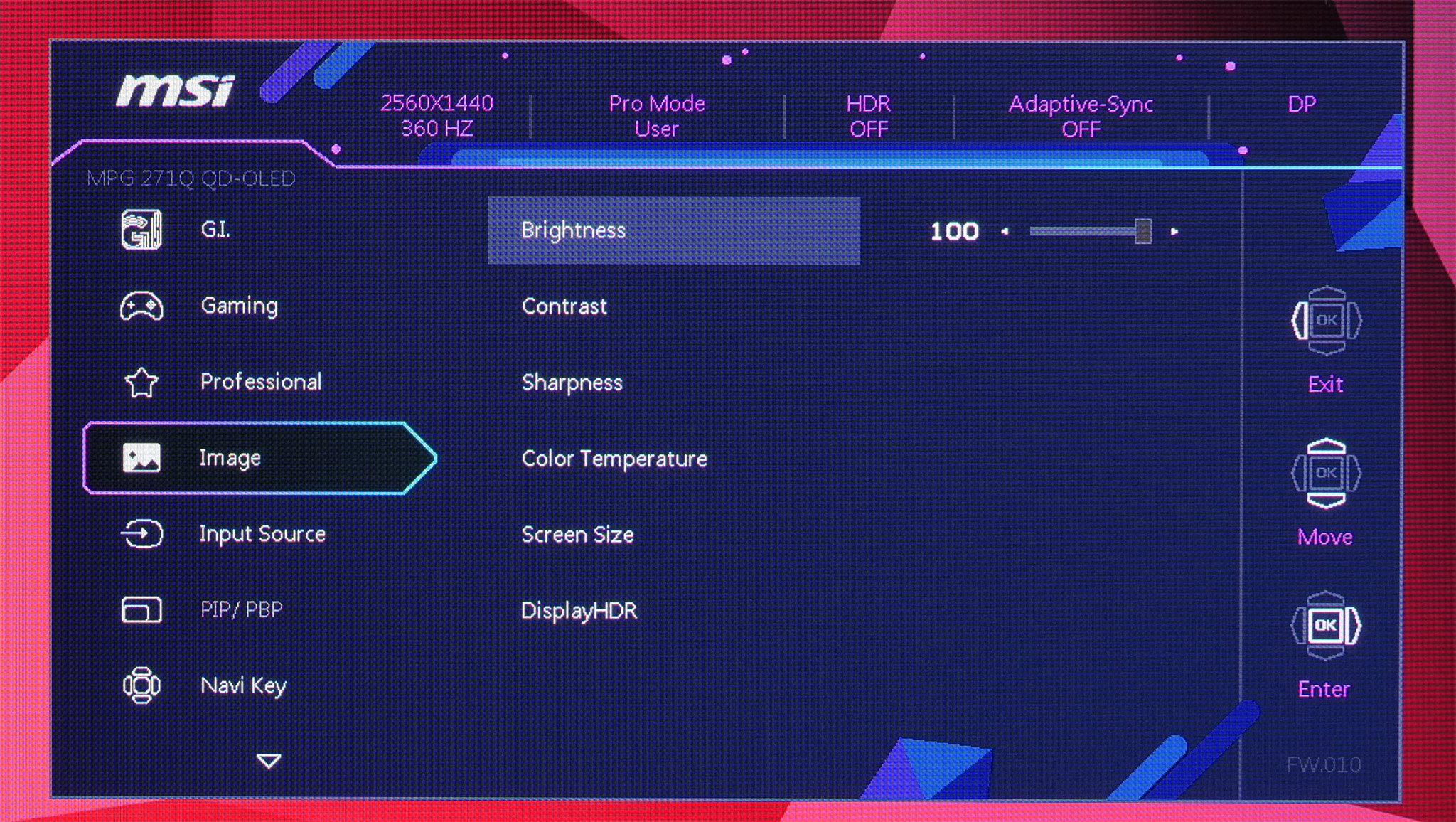
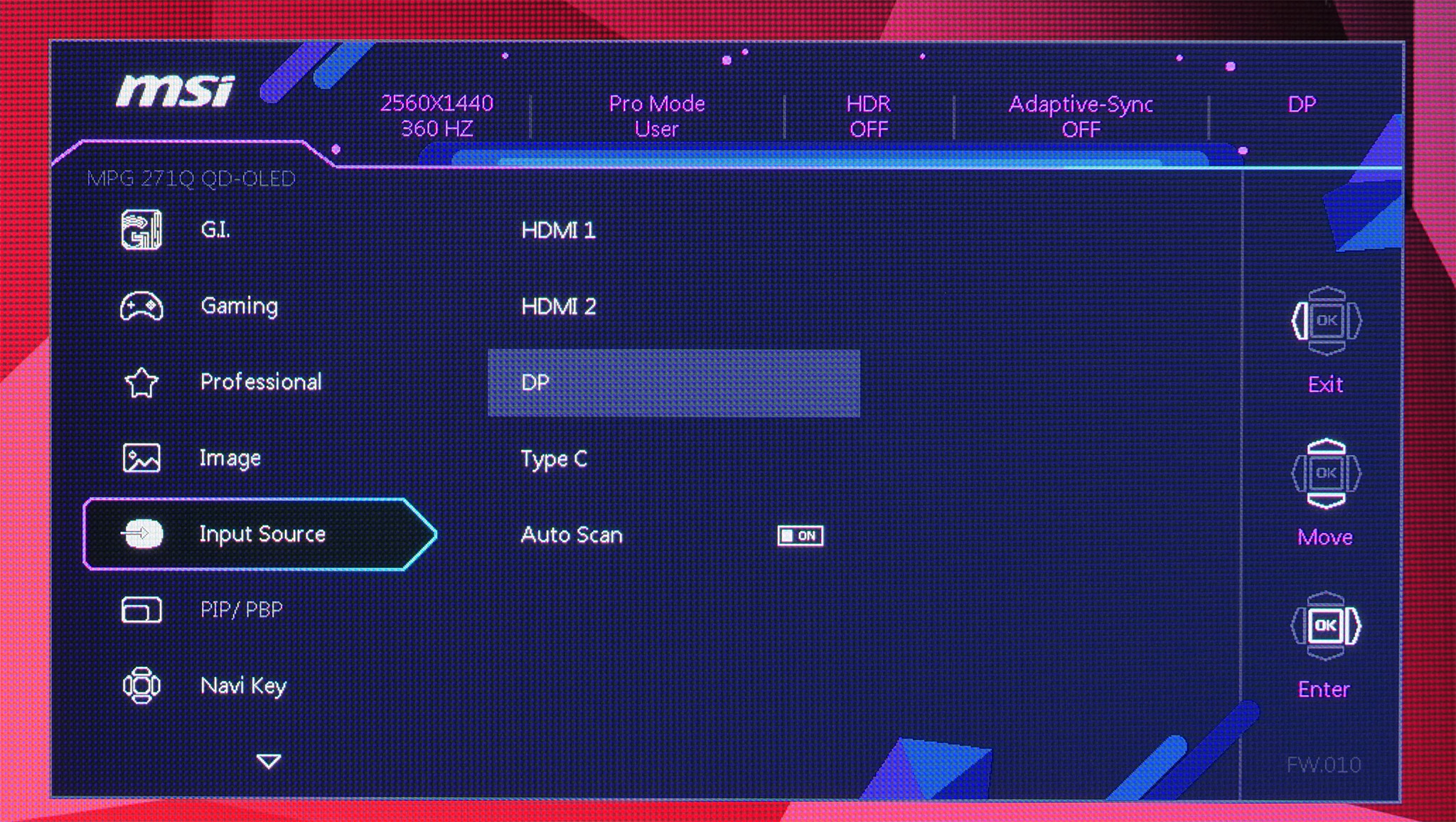
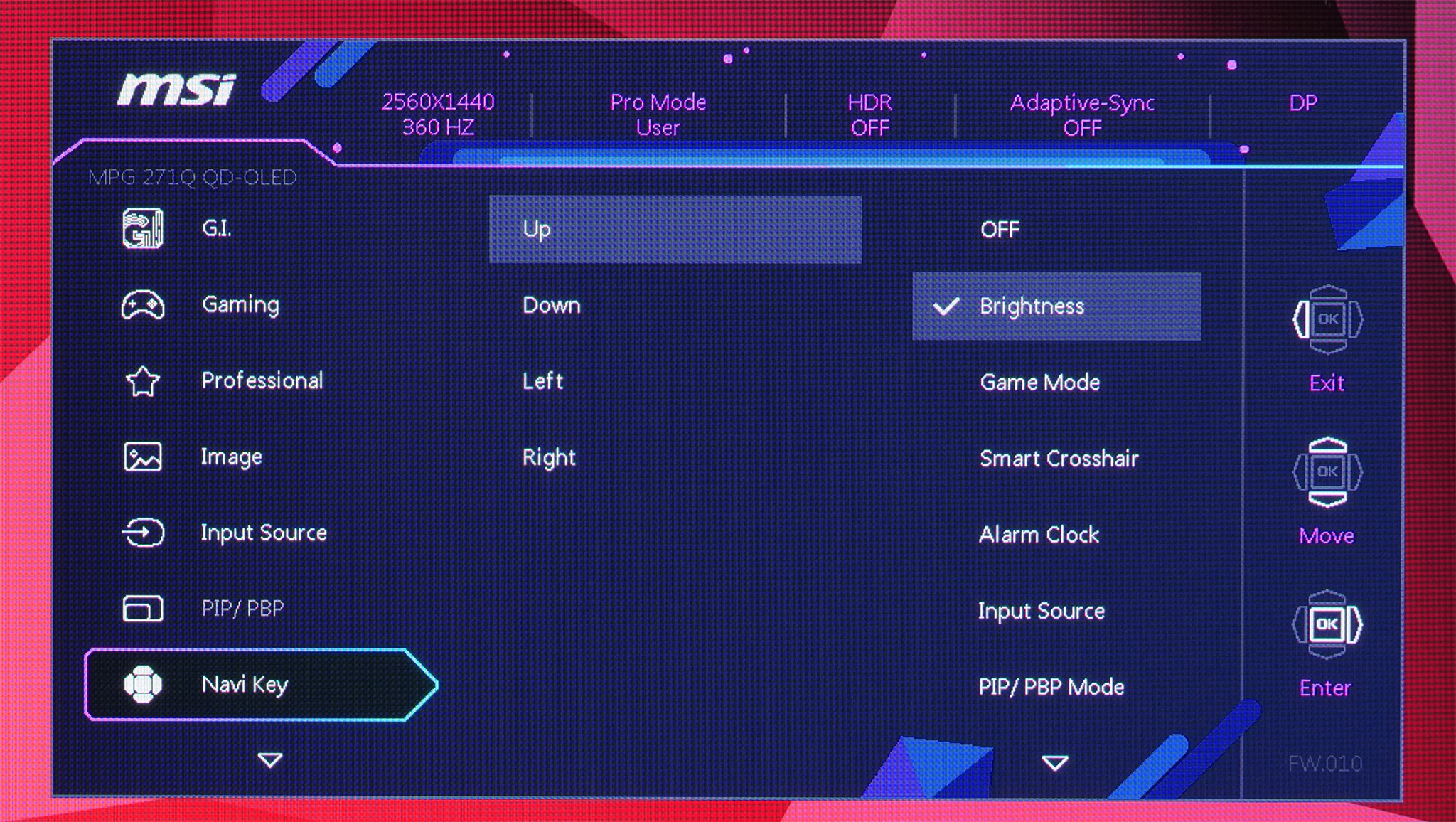
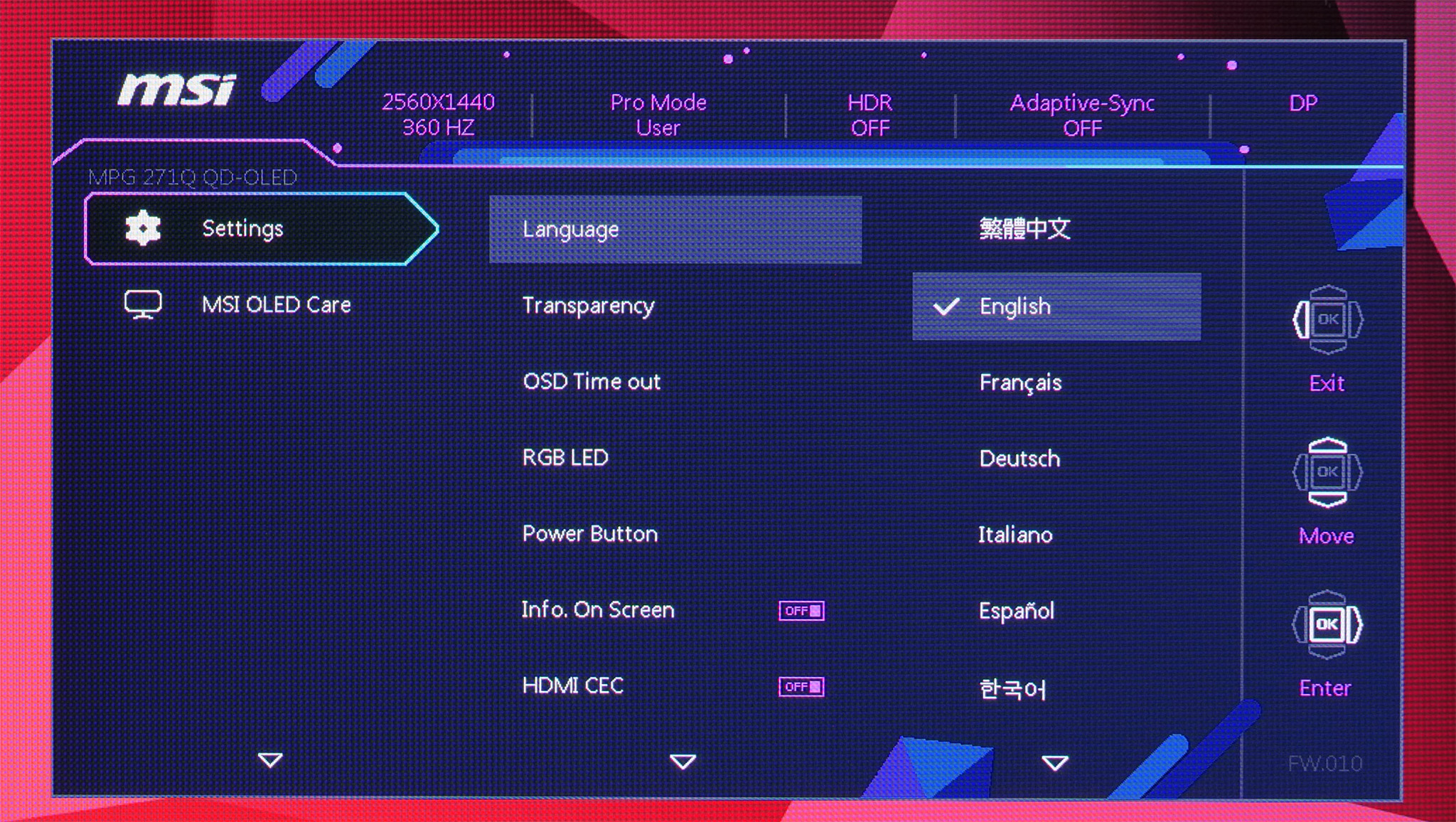
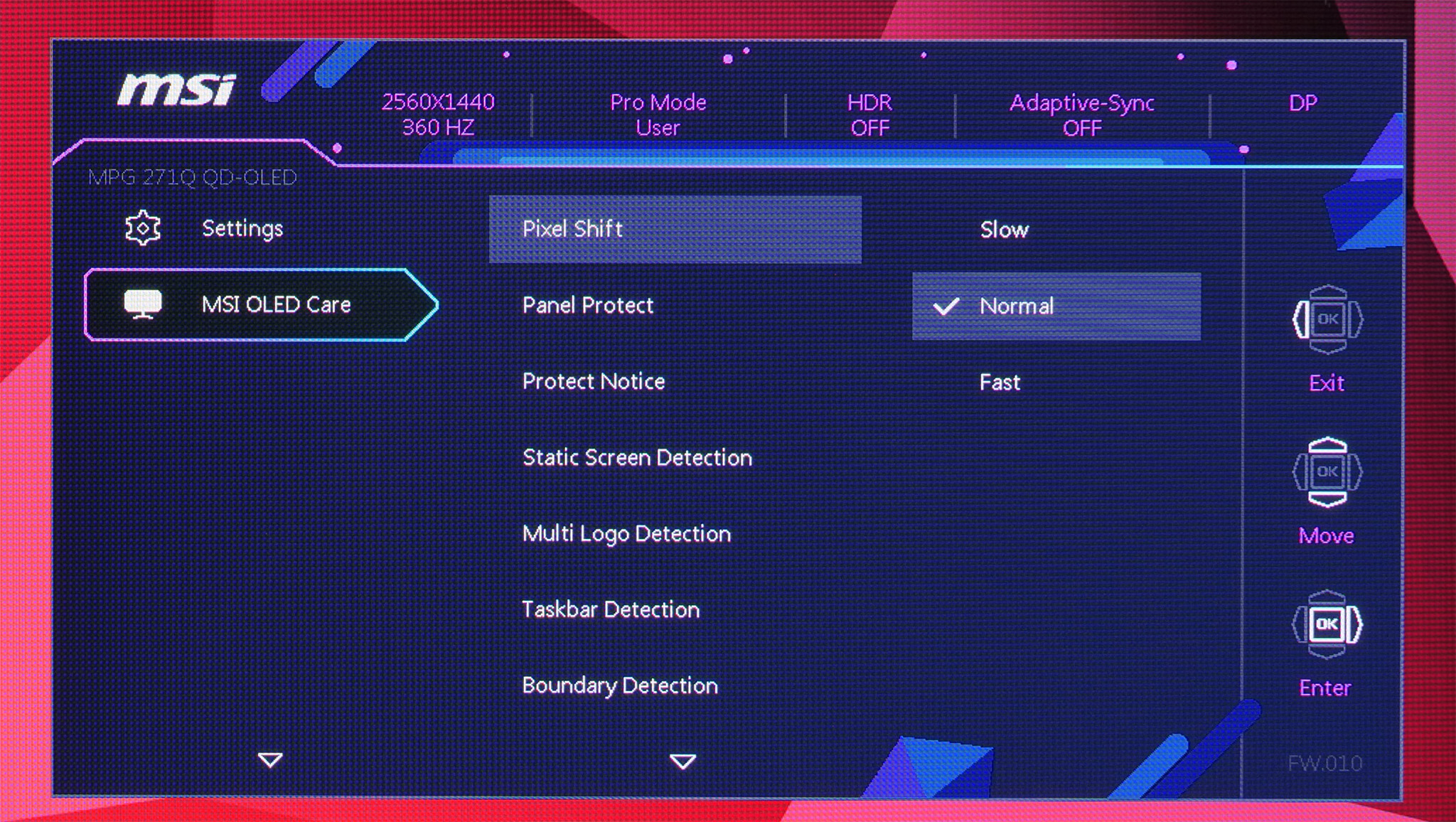
Using the same OSD system as we have come to expect from MSI, I don't have any major complaints here. It is quick to navigate using the joystick, things are sensibly laid out and it's a very well-featured selection too, with all the gamer-specific options we have come to expect as well as customisable white balance, an sRGB emulation mode and so on.
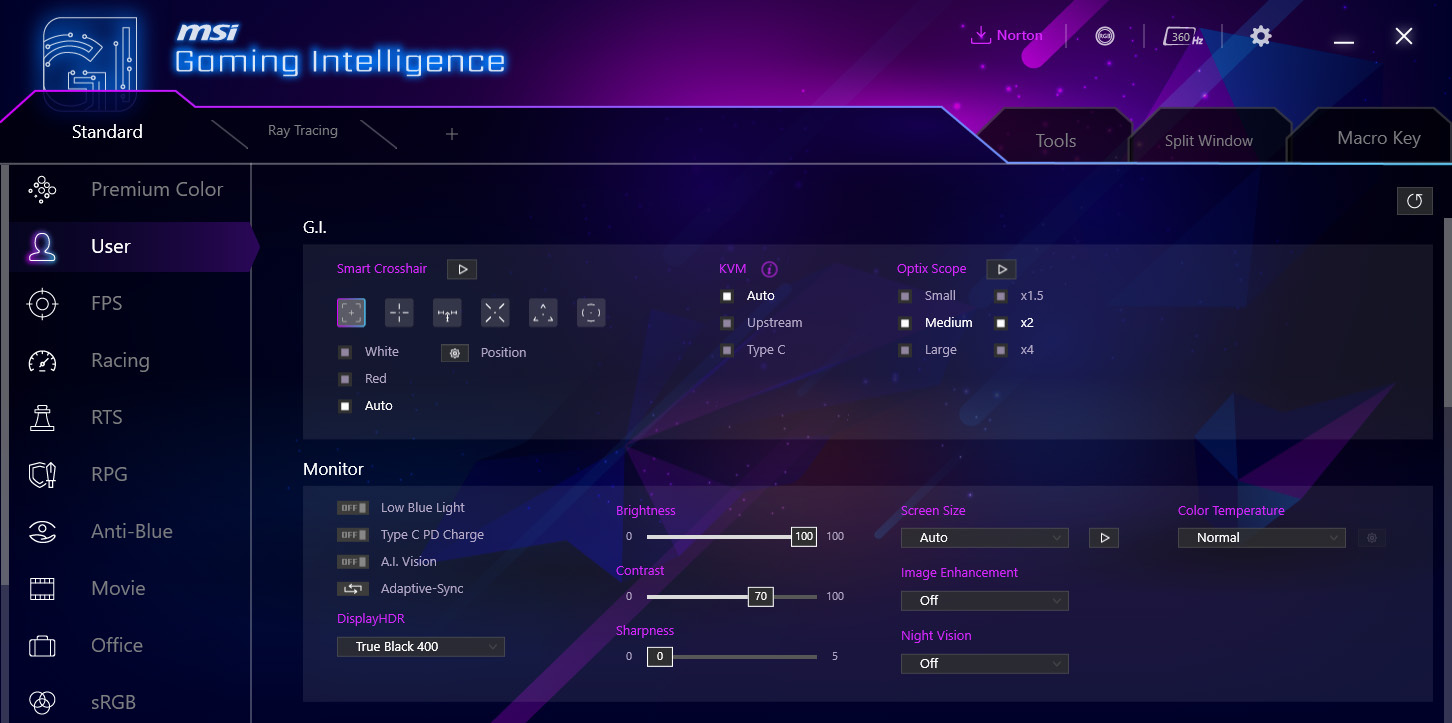
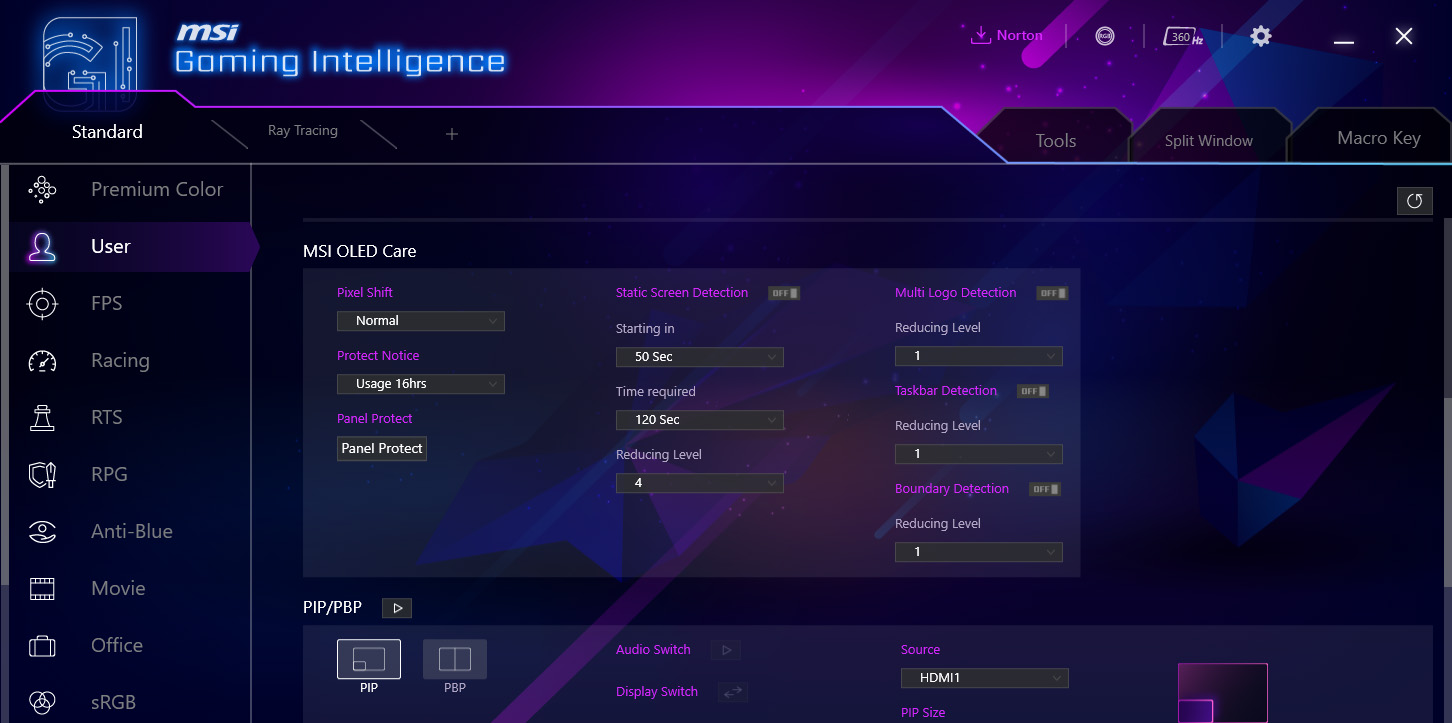
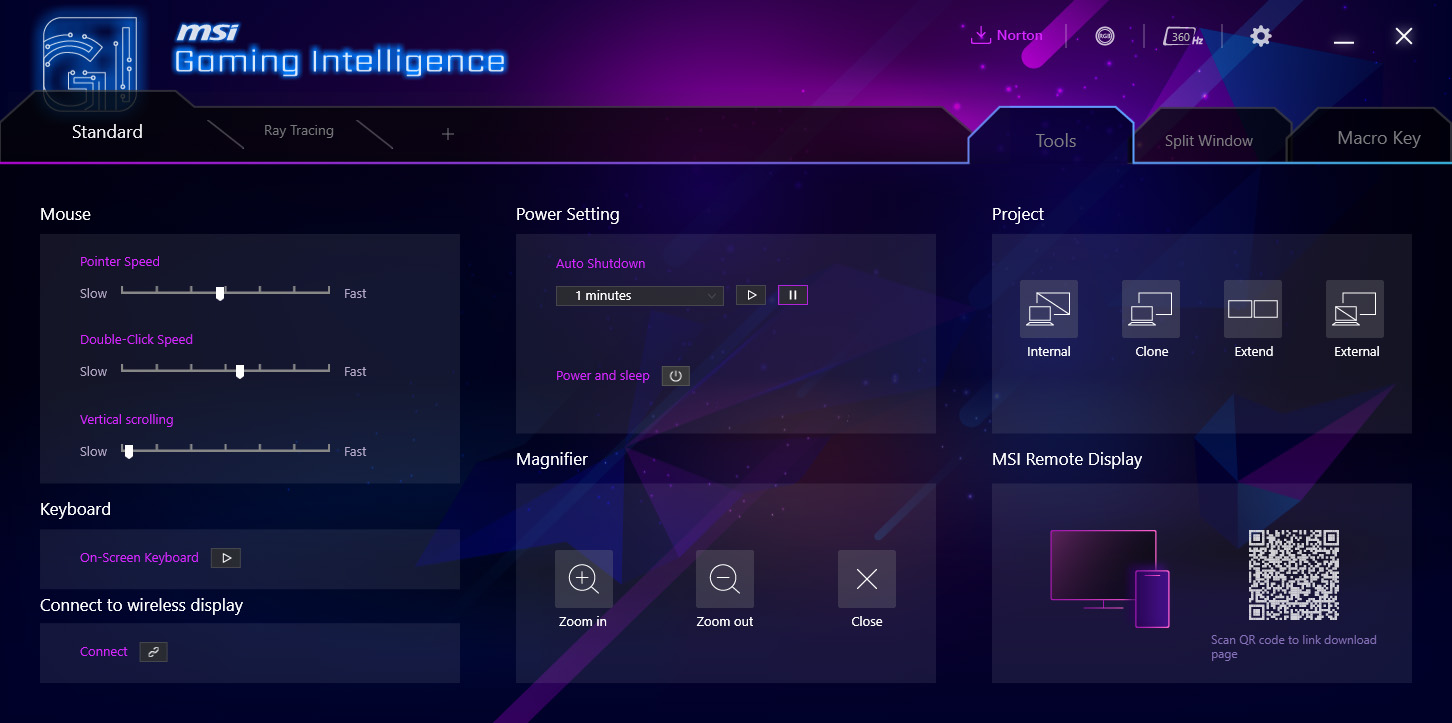
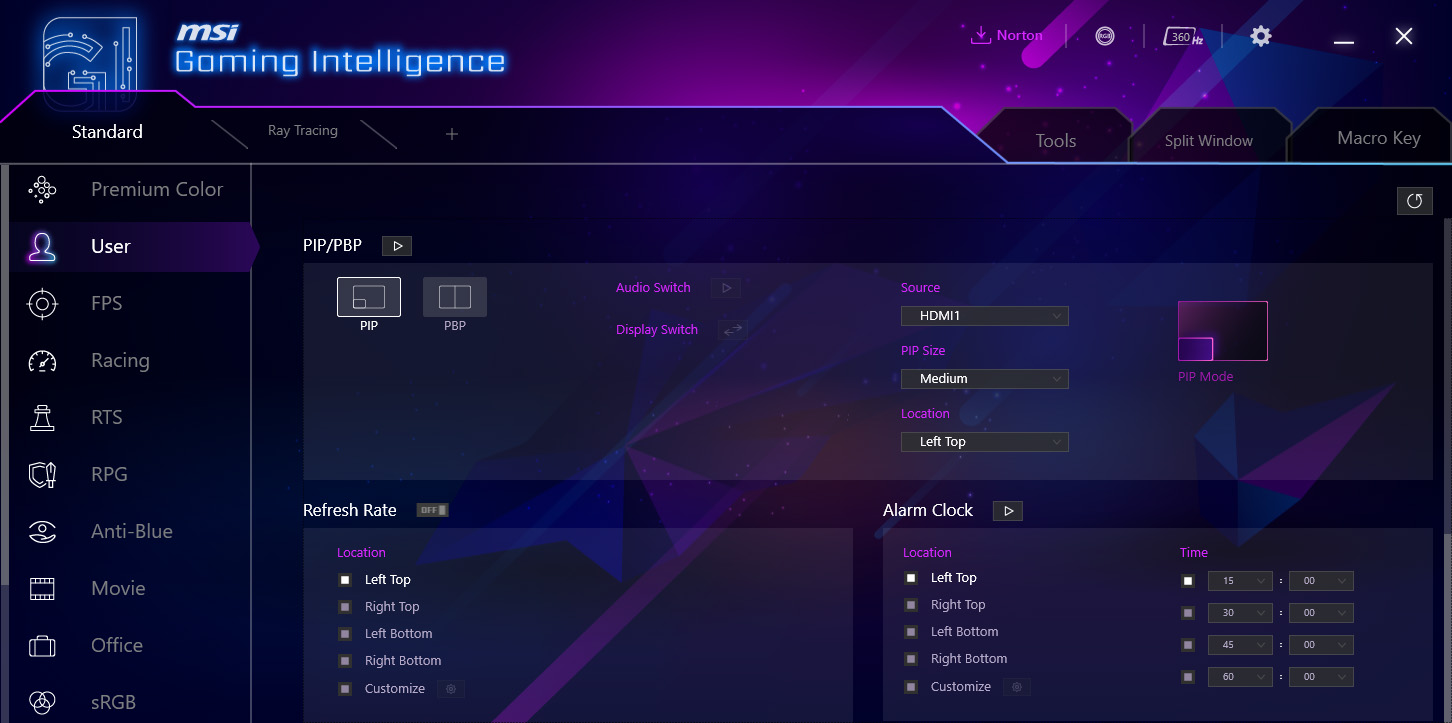
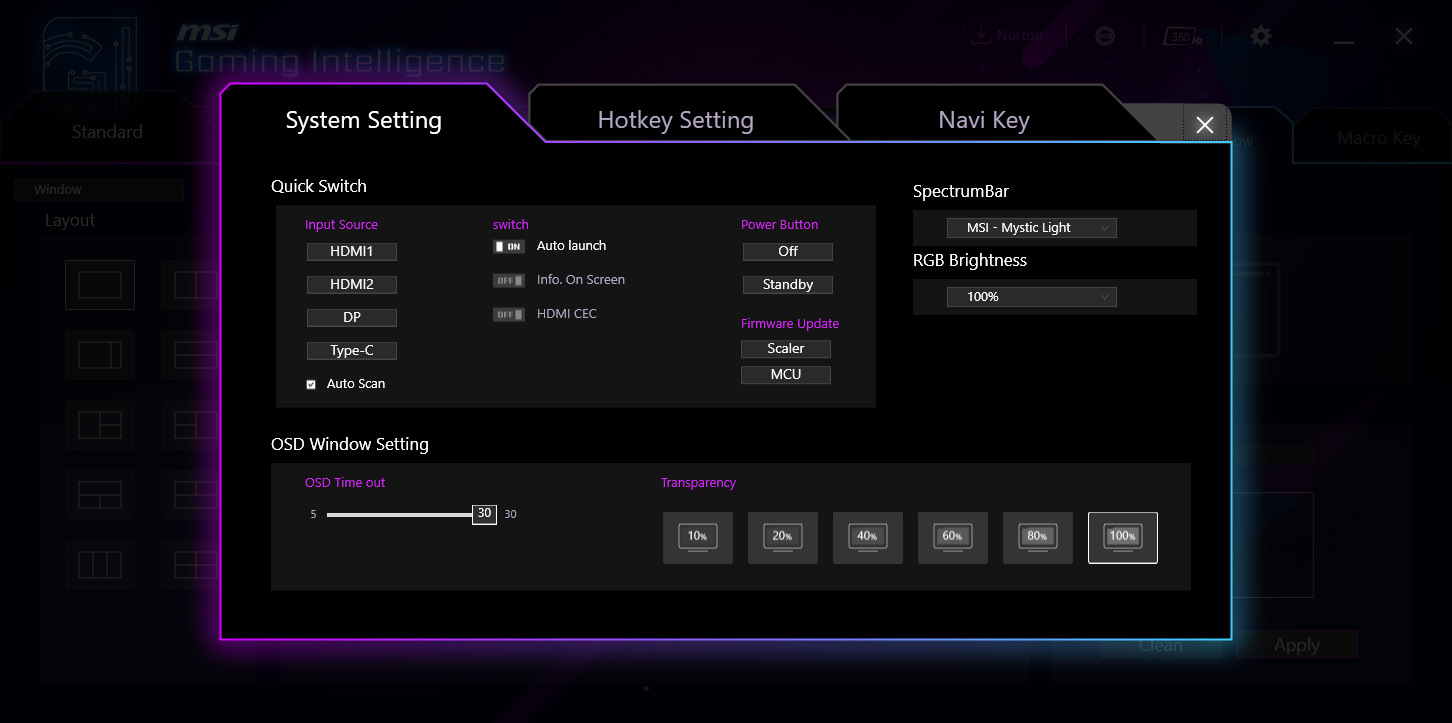
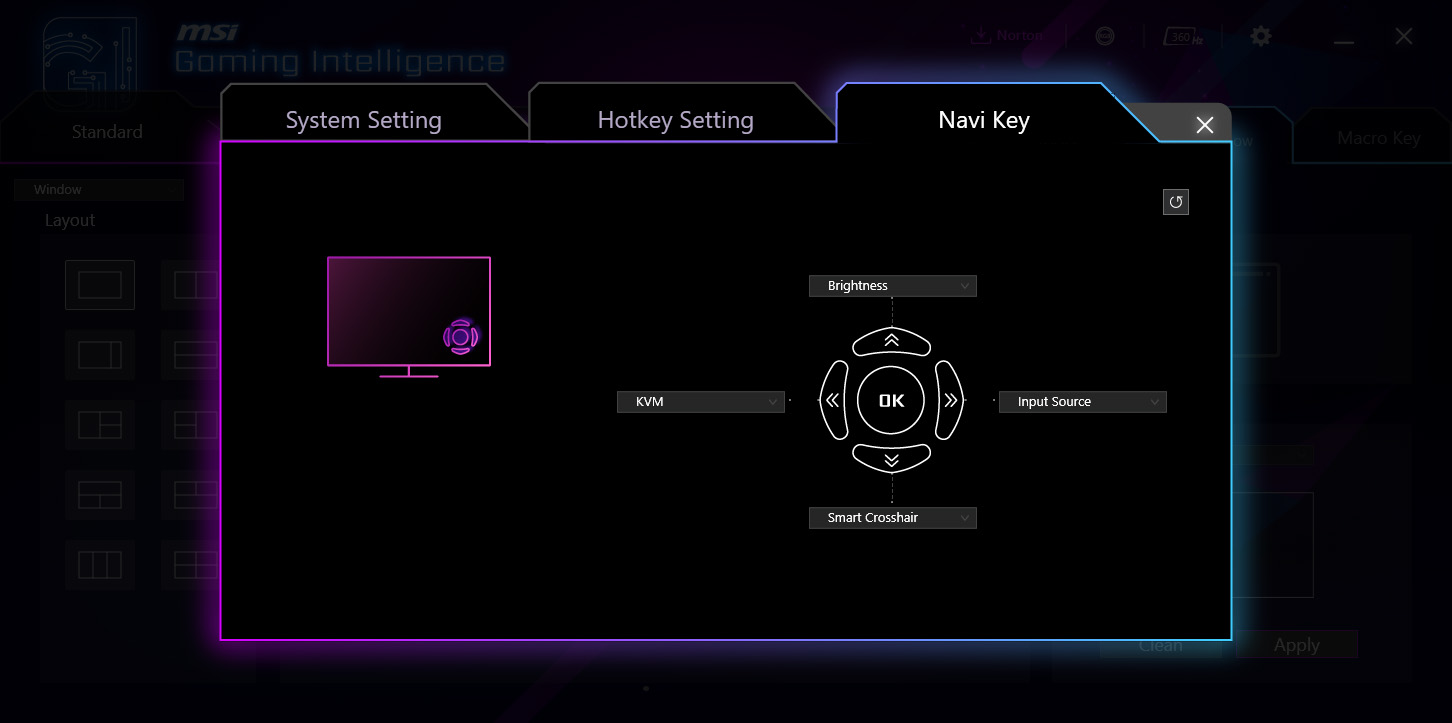
There's also the option to install MSI's GamingIntelligence app which can be used to control the monitor direct from your Windows desktop. Just as I found on the 321URX, I do find it slightly annoying that the app's window size cannot be adjusted, but it has all the same options as the OSD for adjusting things, while it can also be used to update the monitor's firmware.
Our main test involves using an X-Rite i1 Display Pro Plus colorimeter and utilising Portrait Display's Calman Ultimate software. The device sits on top of the screen while the software generates colour tones and patterns, which it compares against predetermined values to work out how accurate the screen is.

The results show:
- A monitor’s maximum brightness in candelas or cd/m2 at various levels set in the OSD.
- A monitor’s contrast ratio at various brightness levels in the OSD.
- Gamut coverage, primarily focusing on sRGB and DCI-P3 colour spaces.
- Greyscale accuracy, measured across 20 shades, with an average colour balance reported.
- The exact gamma levels, with a comparison against preset settings in the OSD.
- The colour accuracy, expressed as a Delta E ratio, with a result under 3 being fine for normal use, and under 2 being great for colour-accurate design work.
We first run these tests with the display in its out-of-the-box state, with all settings on default. If there is an sRGB emulation option or other useful mode then we may test that too. We then calibrate the screen using the Calman Ultimate software and run the tests again.
You can read more about our test methodology HERE.
Default settings
Brightness and Contrast (Full Screen)
| OSD Brightness | White Luminance (cd/m2) | Black Luminance (cd/m2) | Contrast Ratio |
| 0% | 29.6 | 0.00 | ~Infinite |
| 25% | 94.3 | 0.00 | ~Infinite |
| 50% | 161.7 | 0.00 | ~Infinite |
| 75% | 222.3 | 0.00 | ~Infinite |
| 100% | 254.9 | 0.00 | ~Infinite |
Kicking things off with brightness and contrast testing, it is worth clarifying that we did select the User mode for this test – out of the box, the MPG 271QRX defaults to the Eco mode which caps brightness slightly lower than what can be achieved with the User mode.
Still, the results are about as expected – we see a peak brightness of just over 250 nits, while the minimum of 30 nits is impressive.
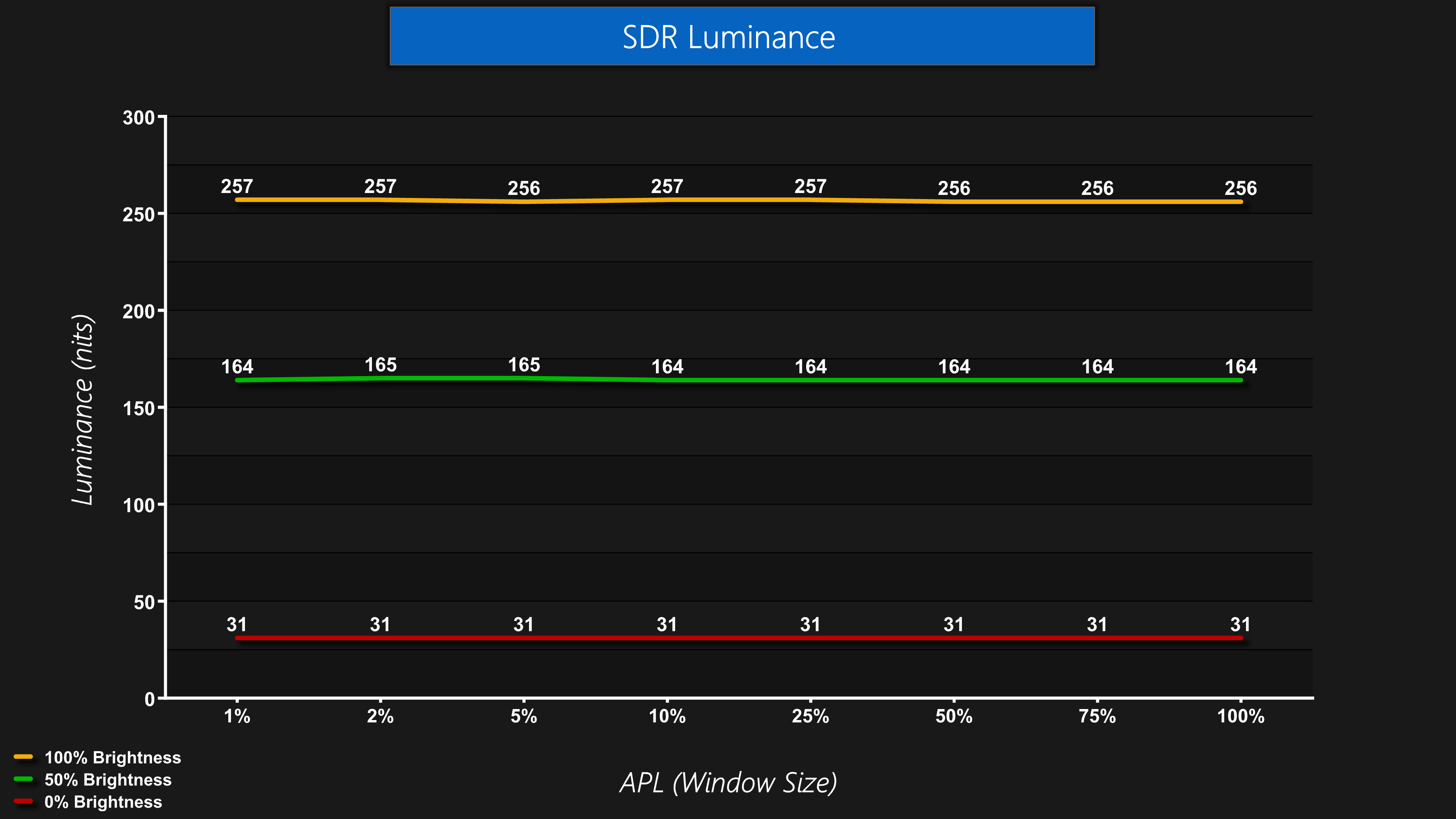
Luminance is also very steady regardless of the window size (APL). Some OLED (usually WOLED) monitors will show a noticeable drop off in brightness as the window size gets bigger, even in SDR, but that is not the case for the 271QRX.
Gamut (CIE 1976)
| Colour space | Coverage |
| sRGB | 138.5% |
| DCI-P3 | 99.2% |
| Adobe RGB | 96.8% |
| Rec.2020 | 80.4% |
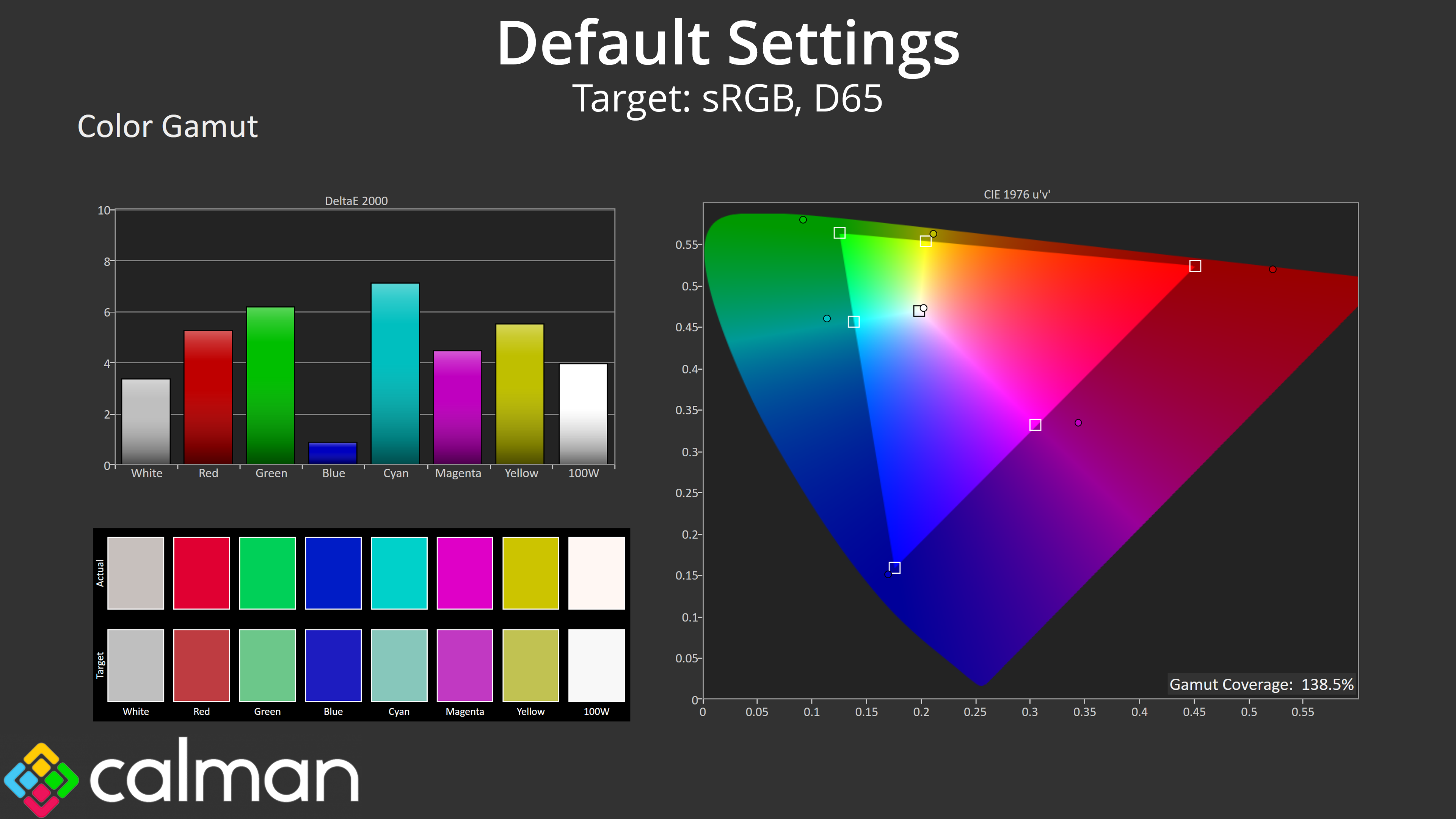
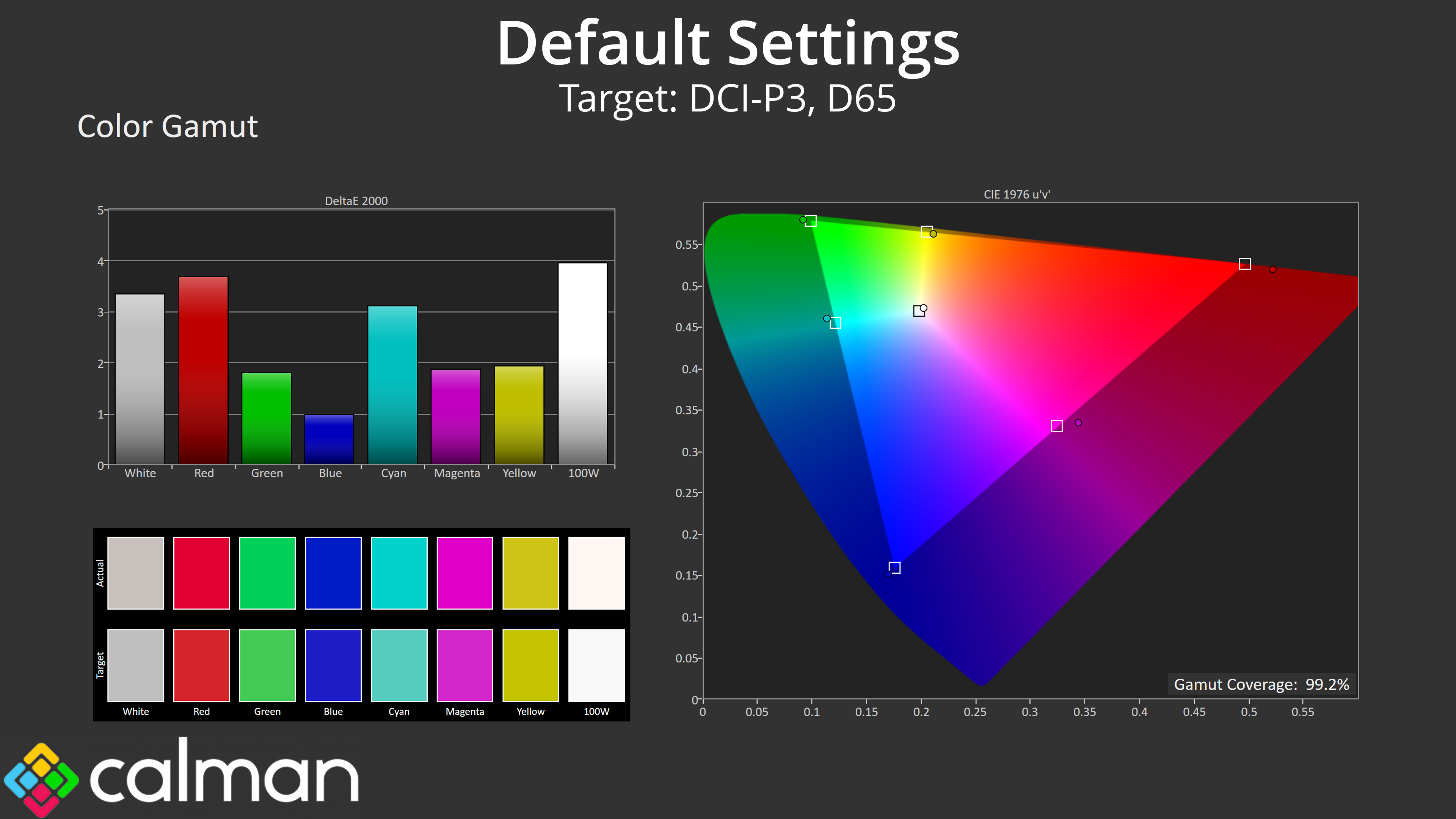
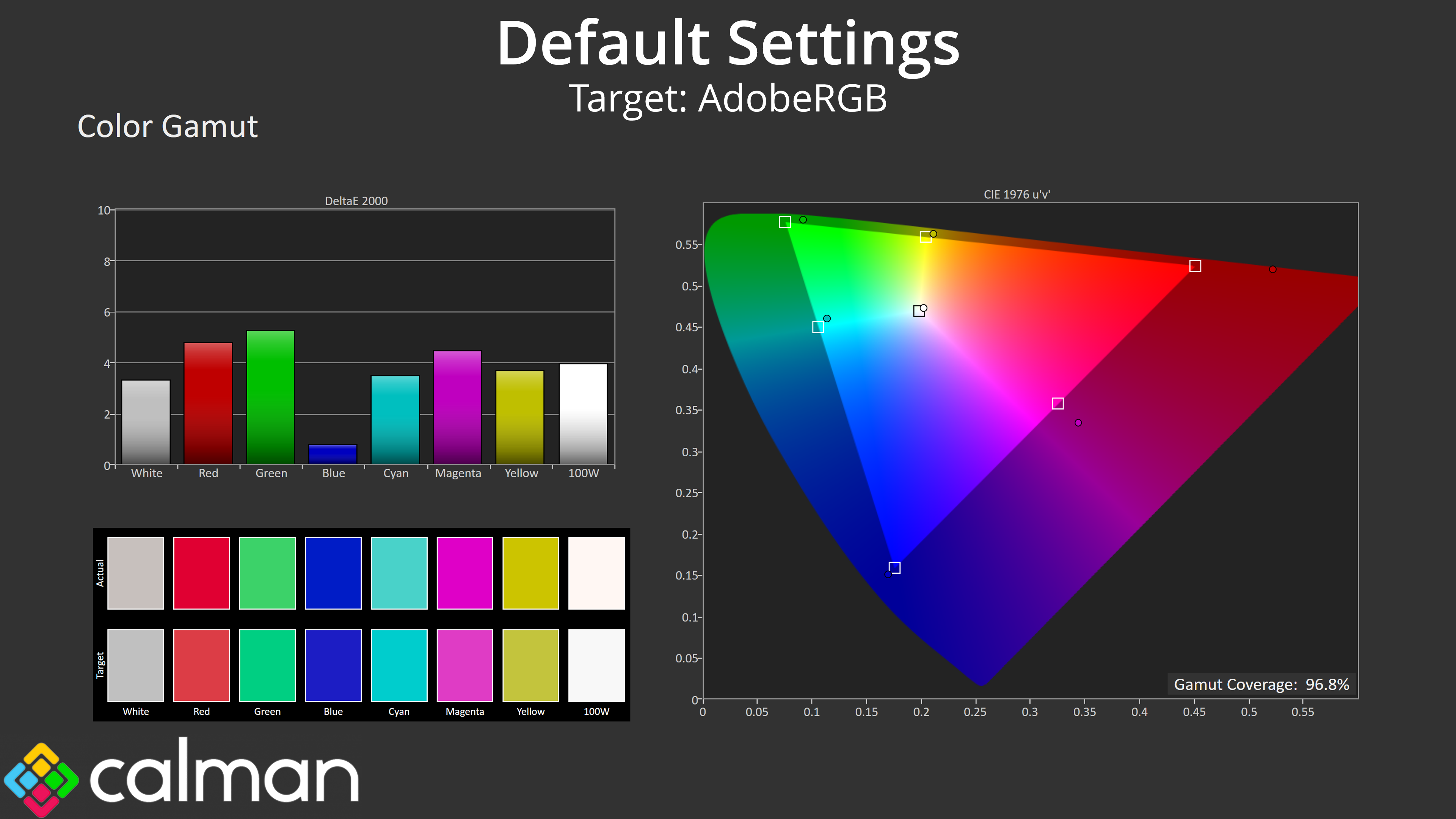
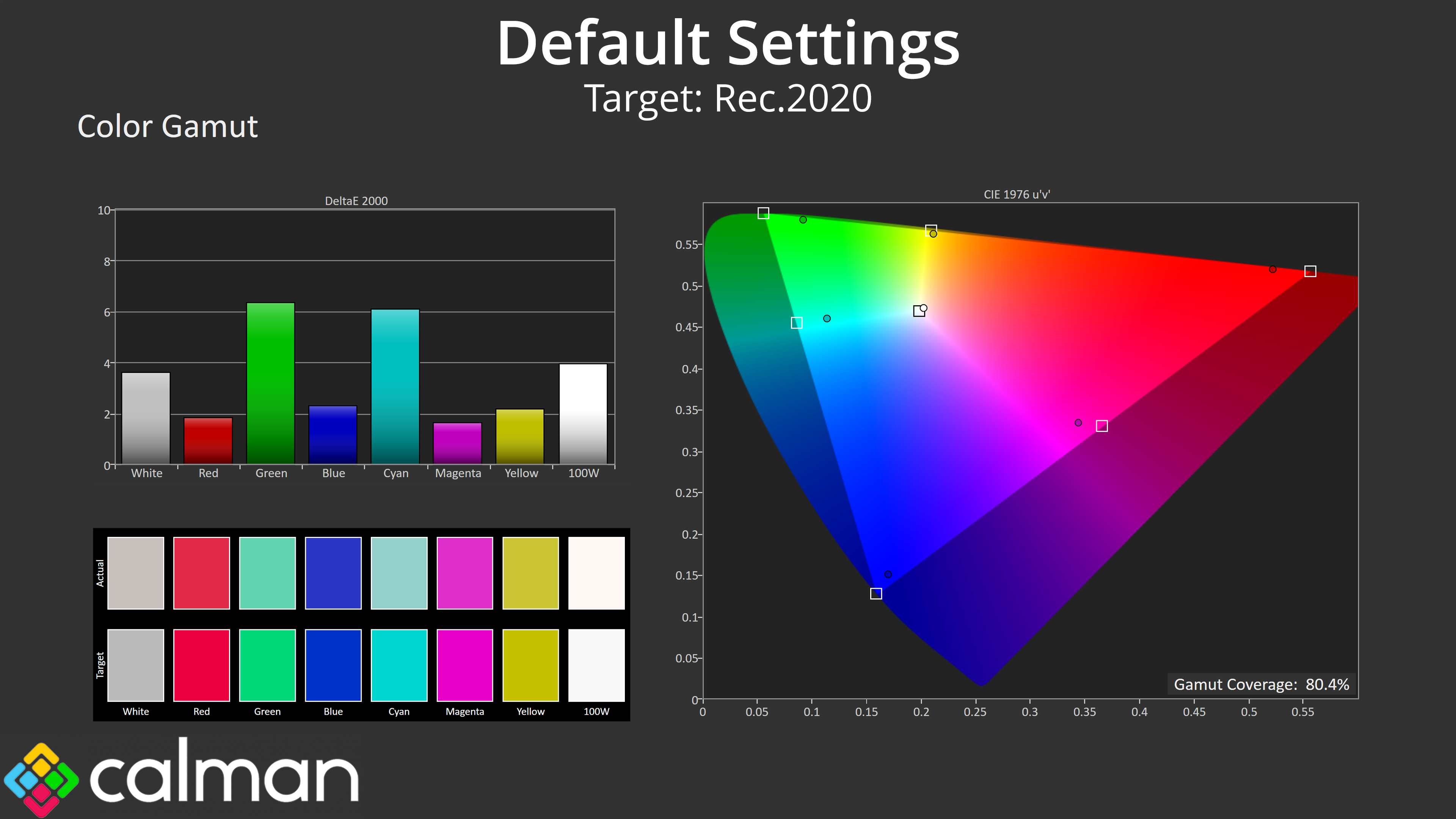
We see extremely very wide gamut coverage due to the QD-OLED panel, it well exceeds the sRGB space and delivers 99.2% coverage of DCI-P3, alongside 96.8% reporting of the AdobeRGB colour space. Rec.2020 coverage is also decent, hitting 80.4%.
Greyscale
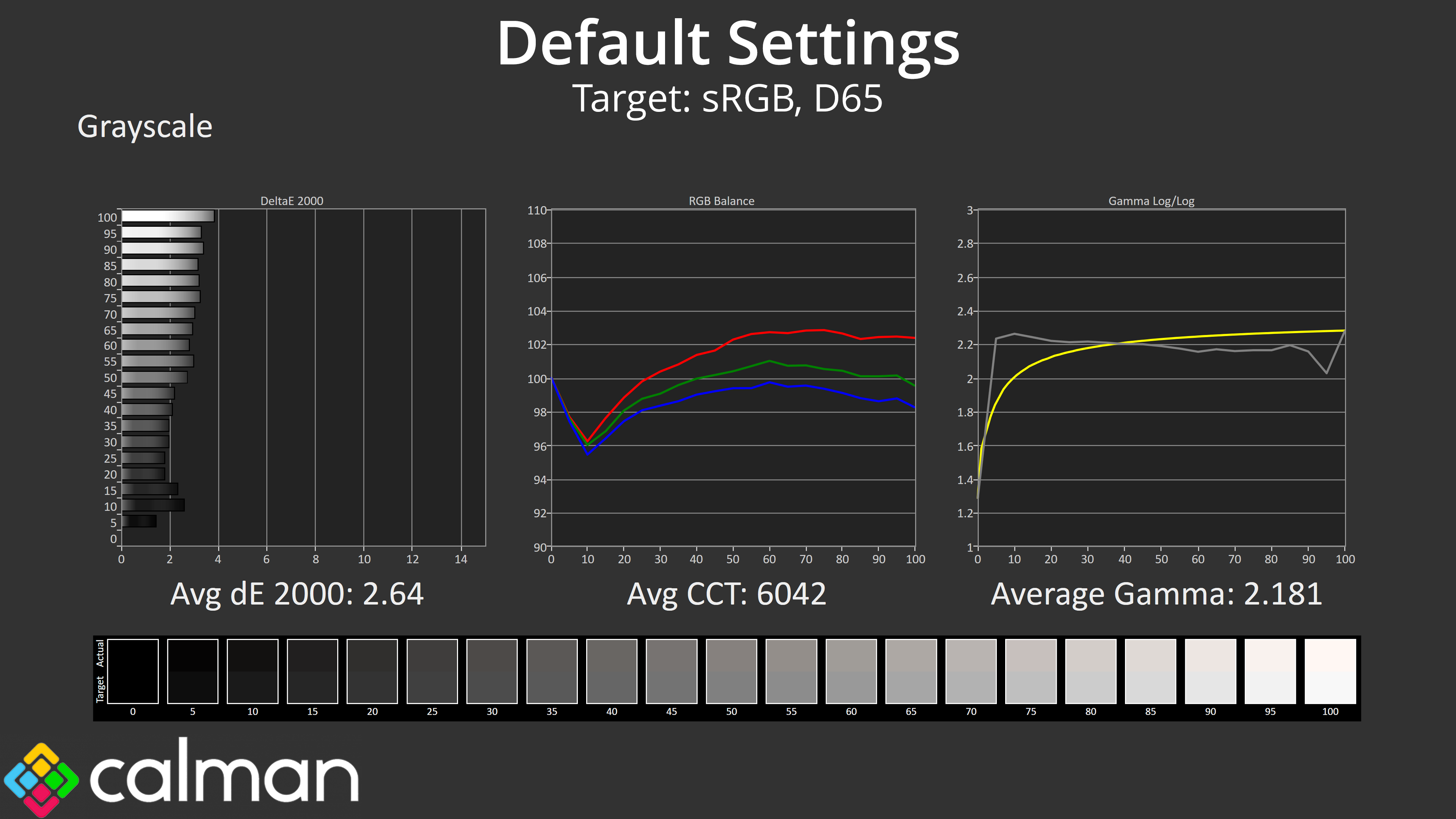
Moving onto greyscale testing, out of the box the 271QRX delivers solid results, with an average dE 2000 of 2.64. My sample does have a slightly warm average Correlated Colour Temperature (CCT) of 6042K, something we also observed from the 321URX. Gamma tracking is generally fine too, averaging 2.18, though it is slightly too low in the brighter shades.
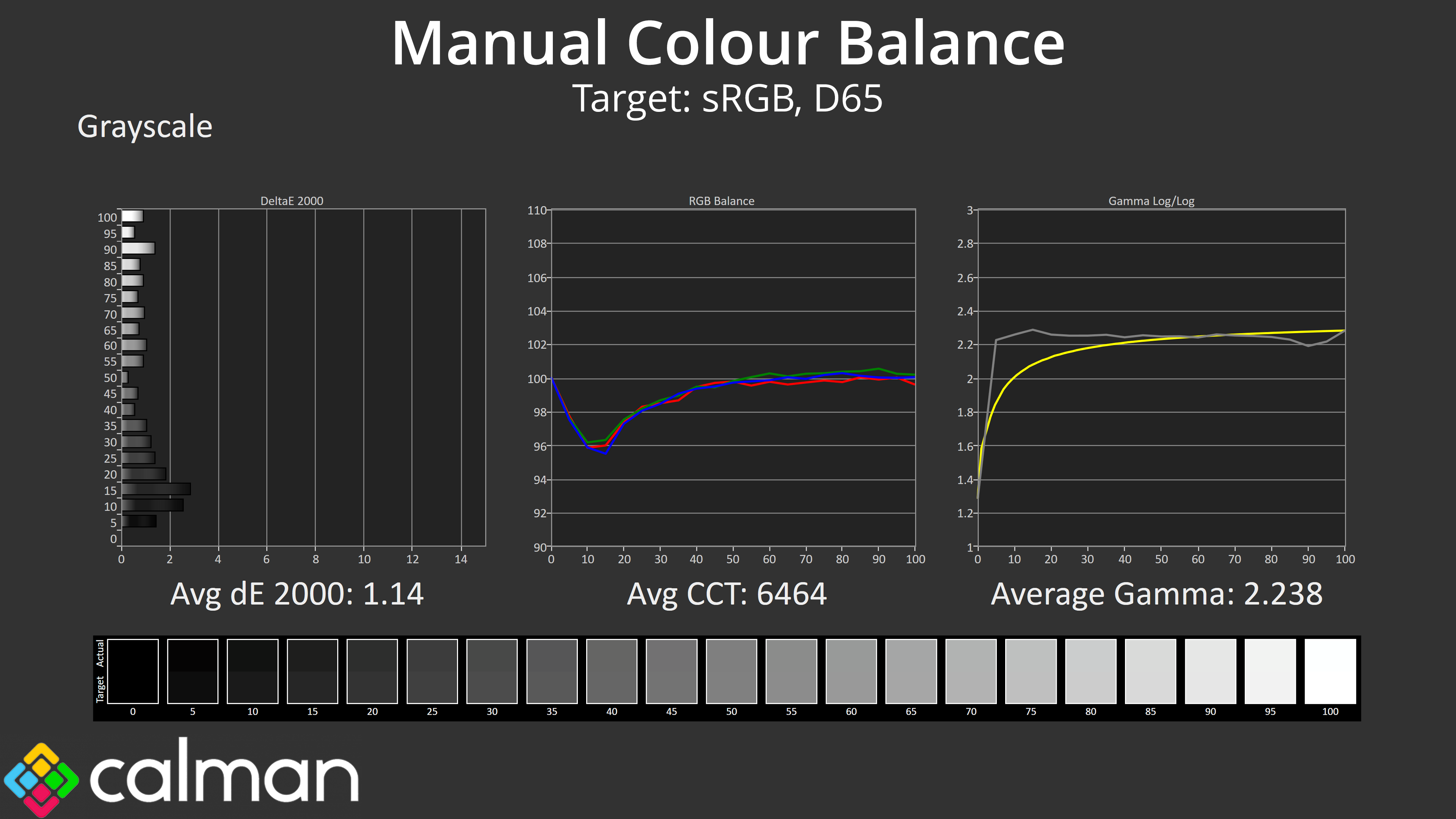
Thankfully there is user-adjustable white balance available, and I got significantly improved results simply by lowering the red balance from 100 down to 96, with the green channel at 98. That resulted in an average dE 2000 of just 1.14 which is fantastic, with a improved average CCT of 6464K, too.
Saturation
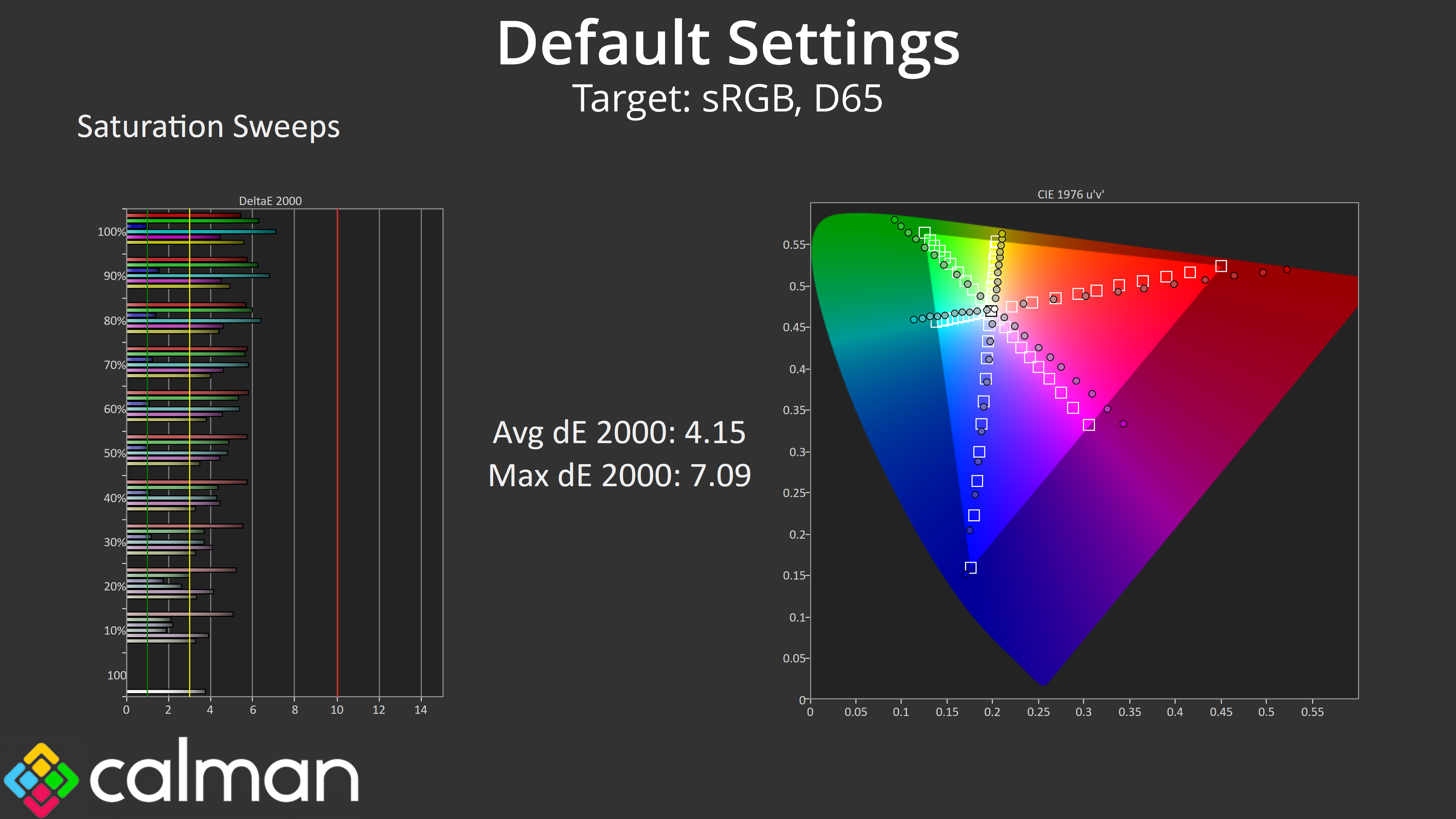
In terms of saturation, given just how wide the monitor's gamut is, it's no surprise that we see quite a bit of over-saturation relative to the sRGB space.
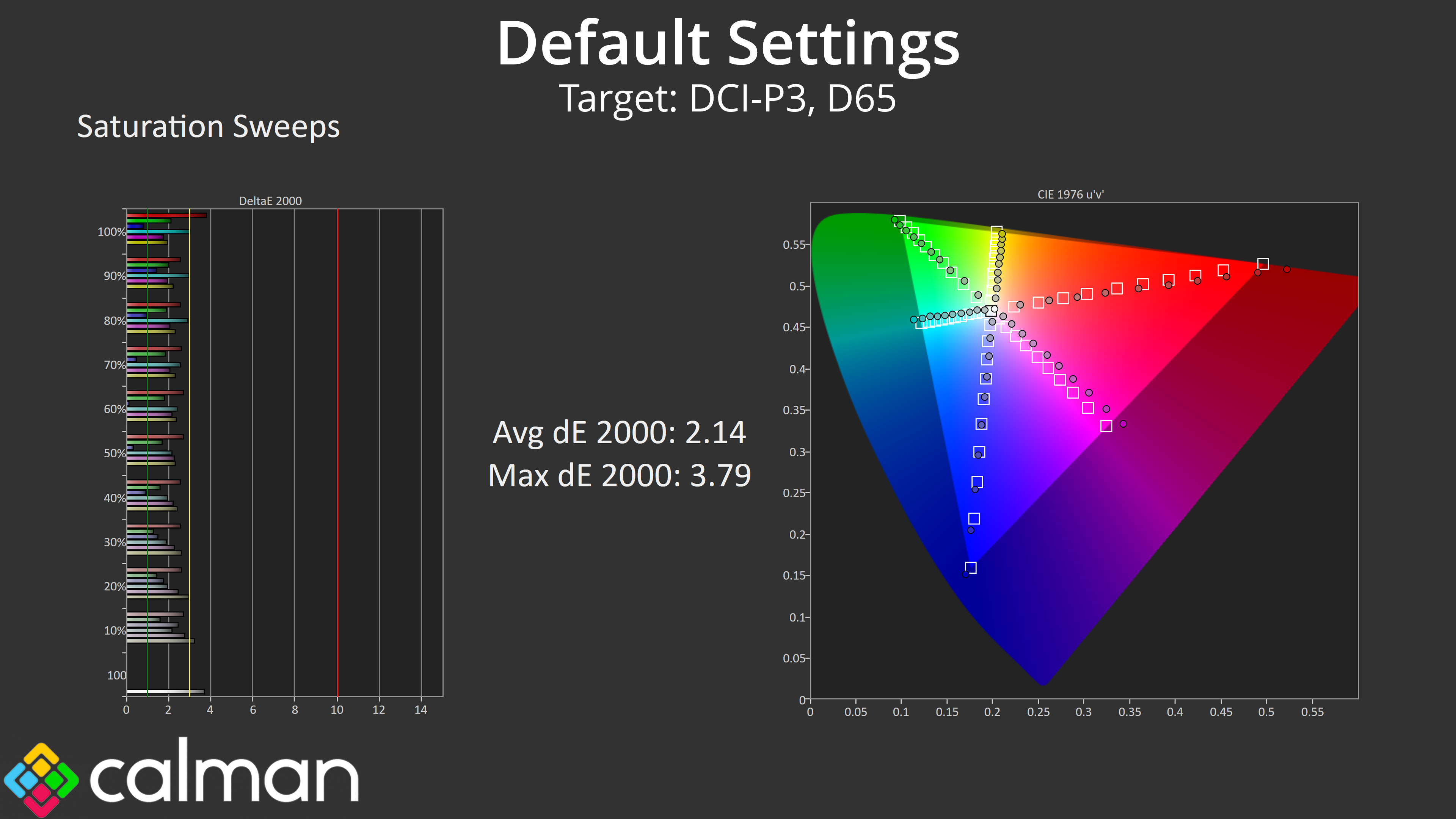
Things do look better relative to the DCI-P3 colour space however, with an average dE 2000 of 2.14.
Colour Accuracy
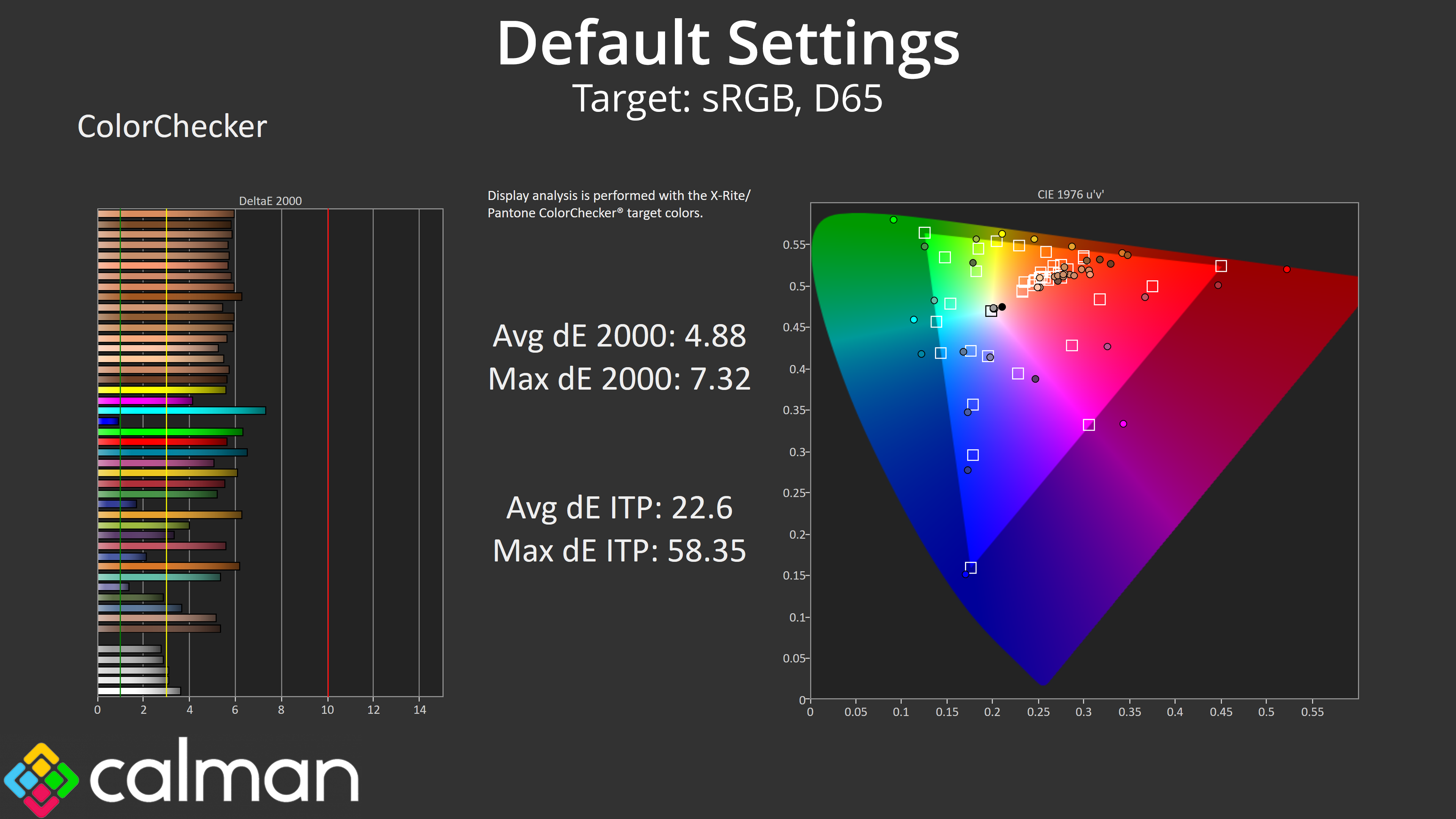
That has knock on effects for colour accuracy, relative to the sRGB, which is fairly poor with an average dE 2000 of 4.88.
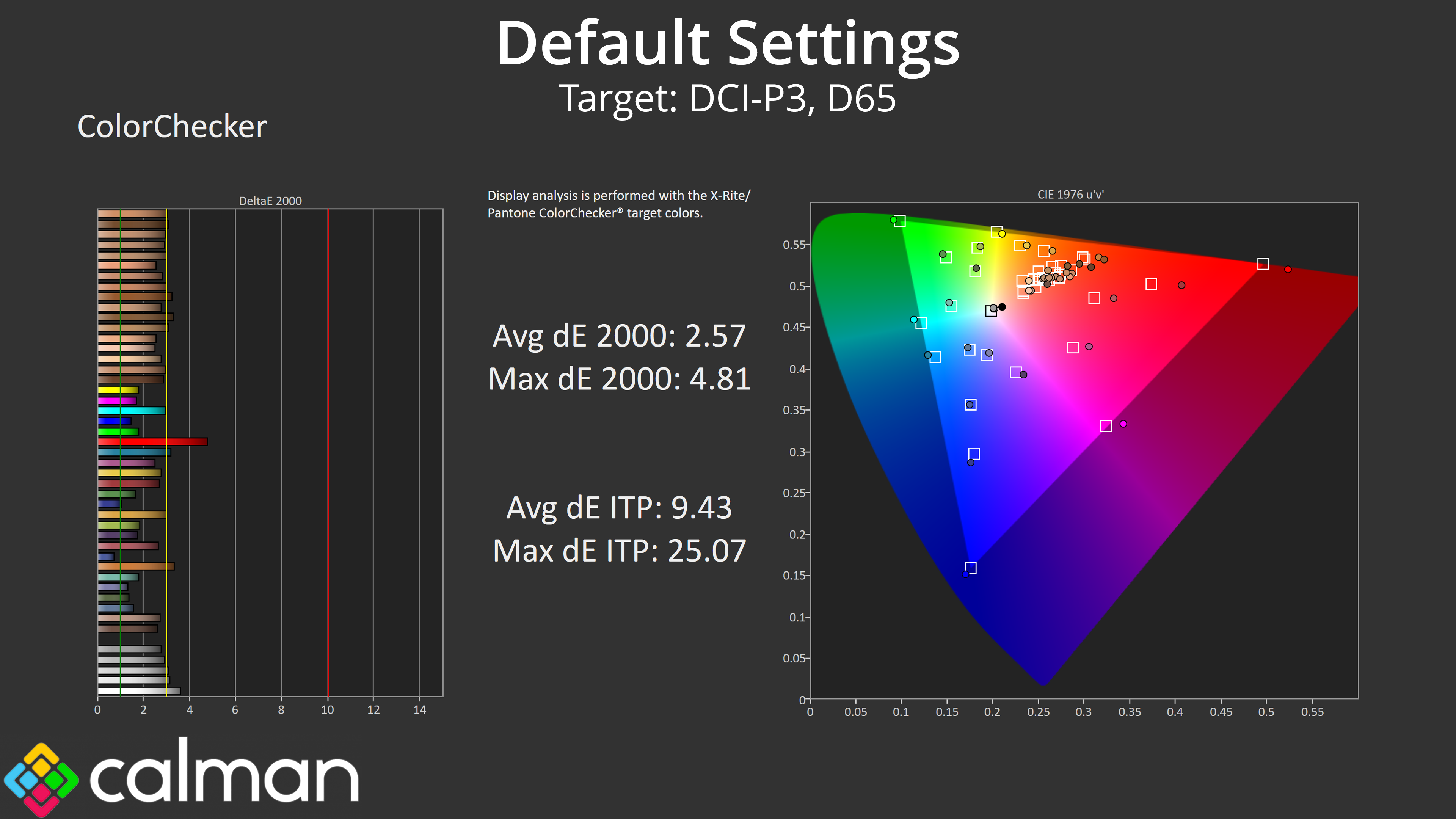
Once again, if we compare to the DCI-P3 space instead, the result do improve, with a new dE 2000 of 2.57.
sRGB Emulation Mode
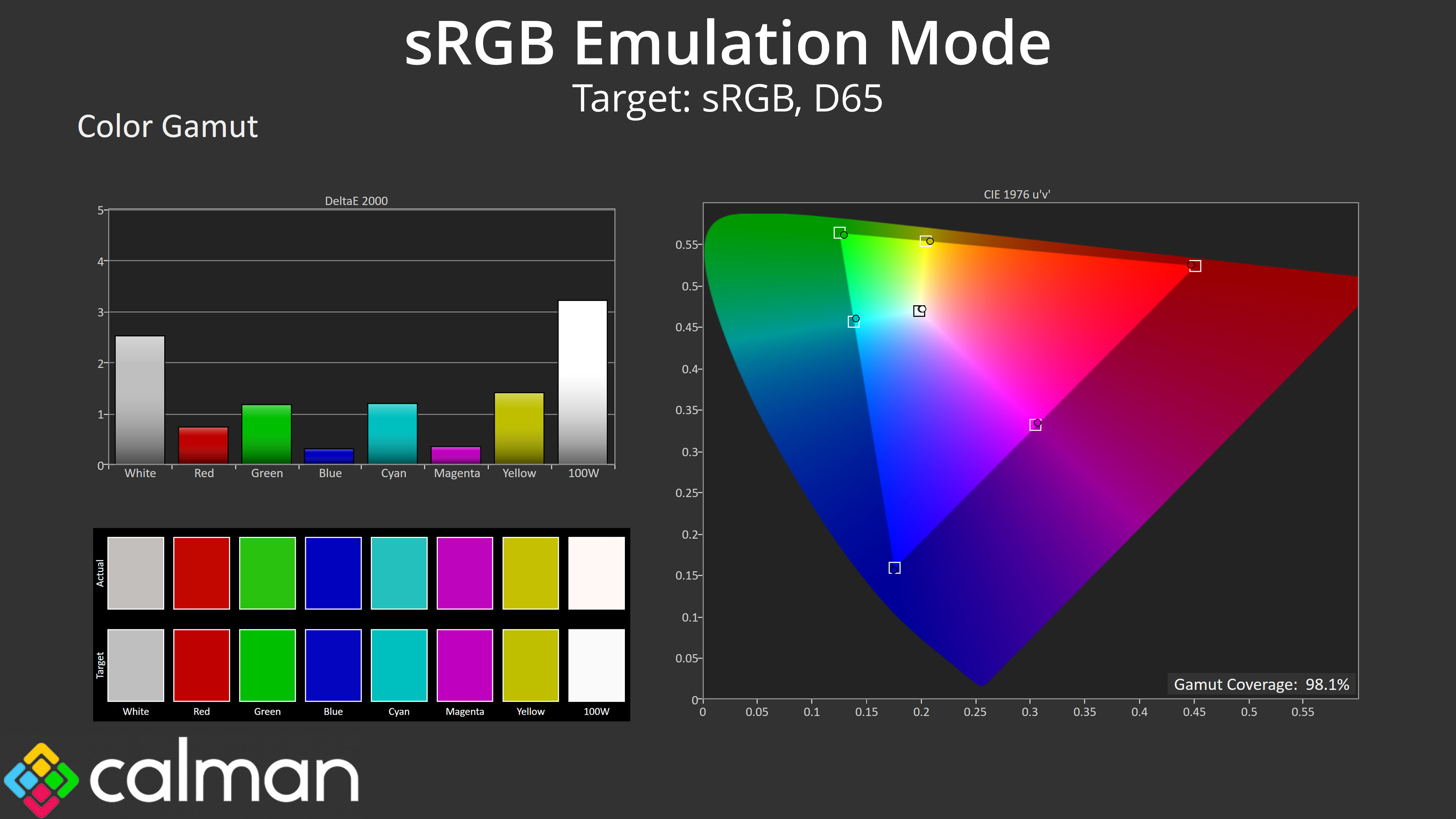
For those working in the sRGB colour space, it's good to see MSI includes an sRGB emulation mode, which does a good job at clamping the gamut as we can see here.
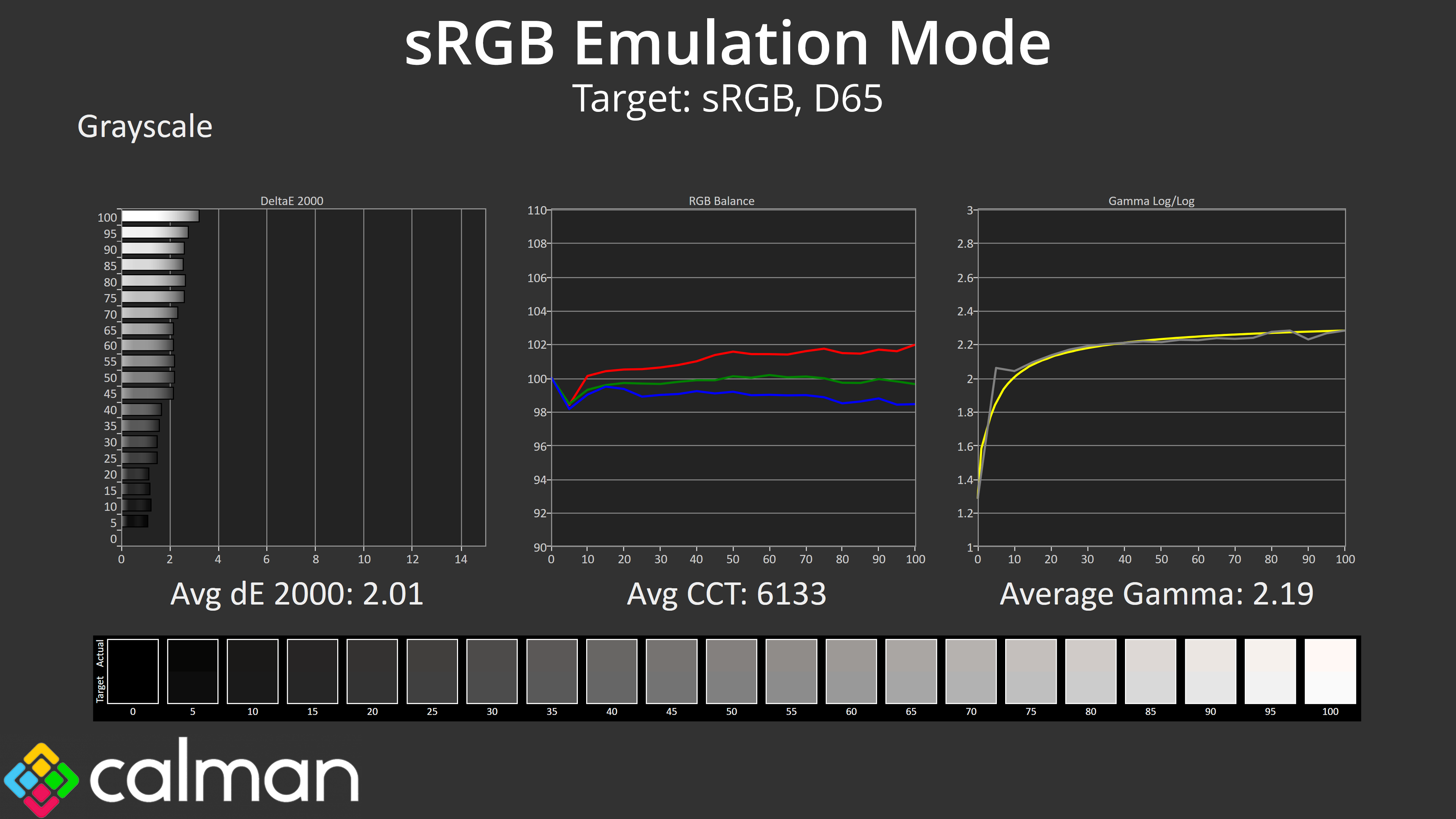
This mode didn't correct the slightly warm colour balance we saw in the out of the box settings (and colour balance settings are locked down when the sRGB mode is applied), but it has improved gamma tracking to almost flawless levels, and the overall greyscale dE of 2.01 is decent.
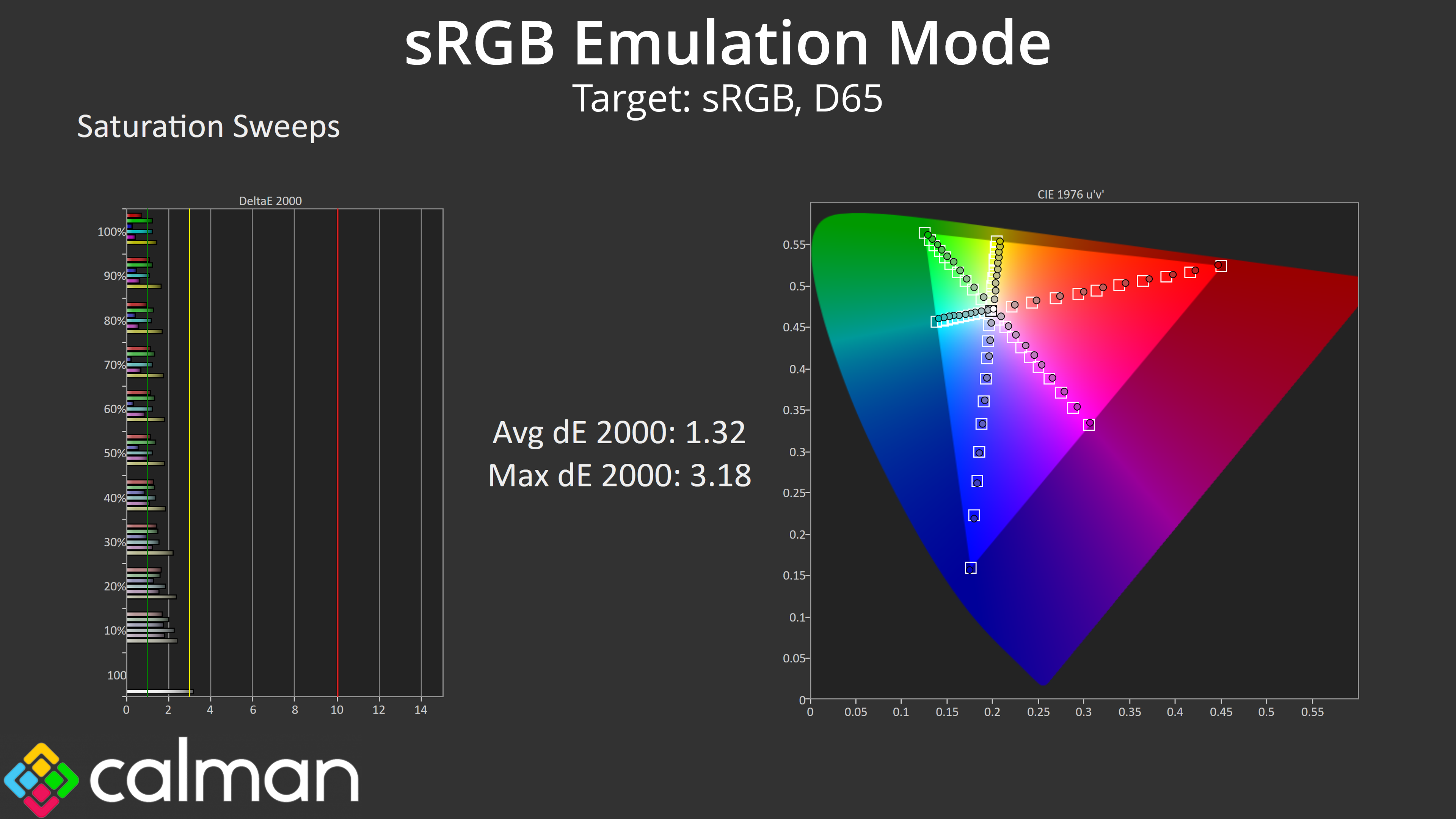
Saturation accuracy is also much improved, with an average dE 2000 of just 1.32, compared to 4.15 using the out of the box settings.
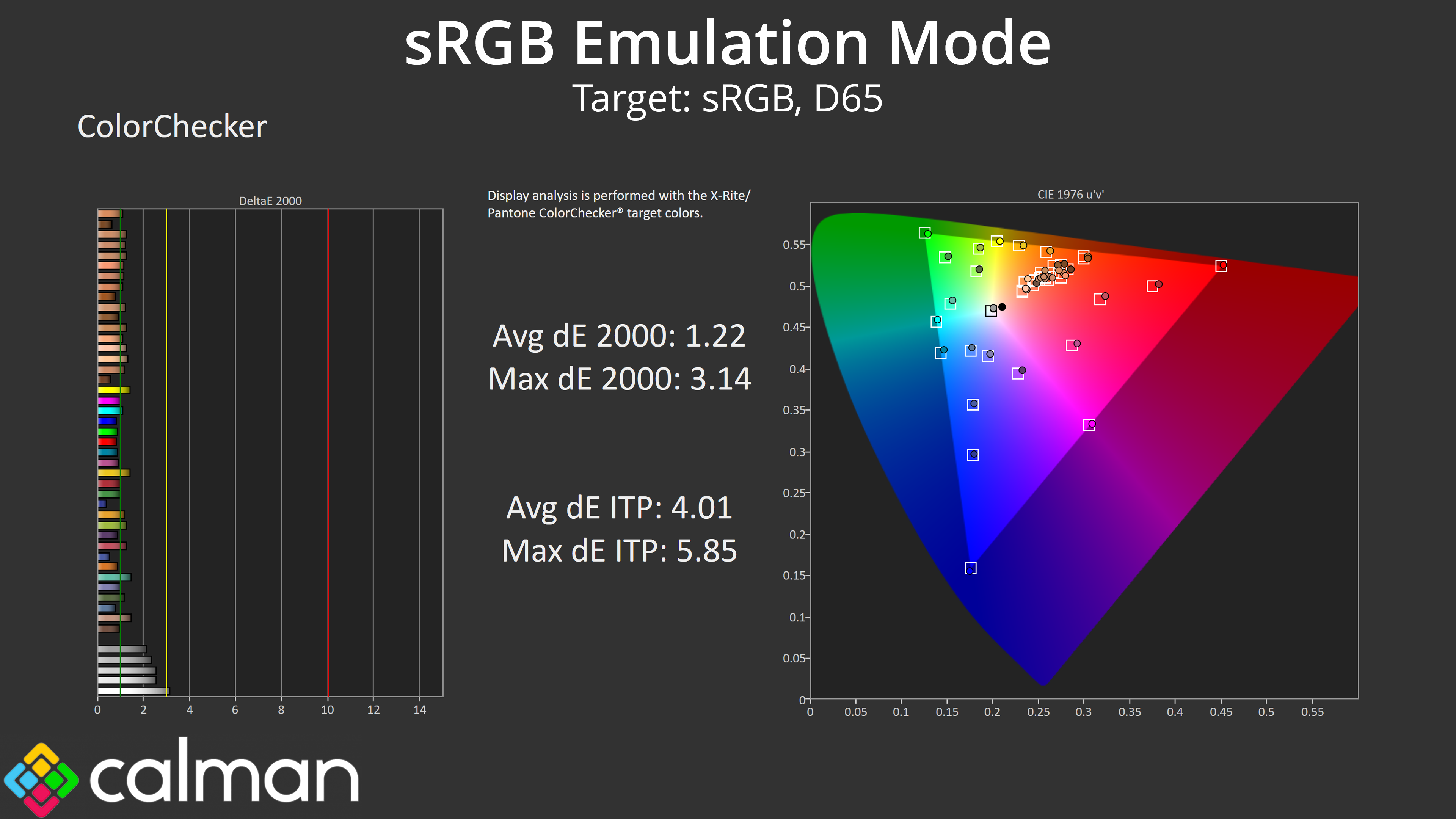
Likewise, colour accuracy has come on tremendously, with a new average dE 2000 of 1.22, making this one of the best sRGB modes I have ever used.
Calibrated results
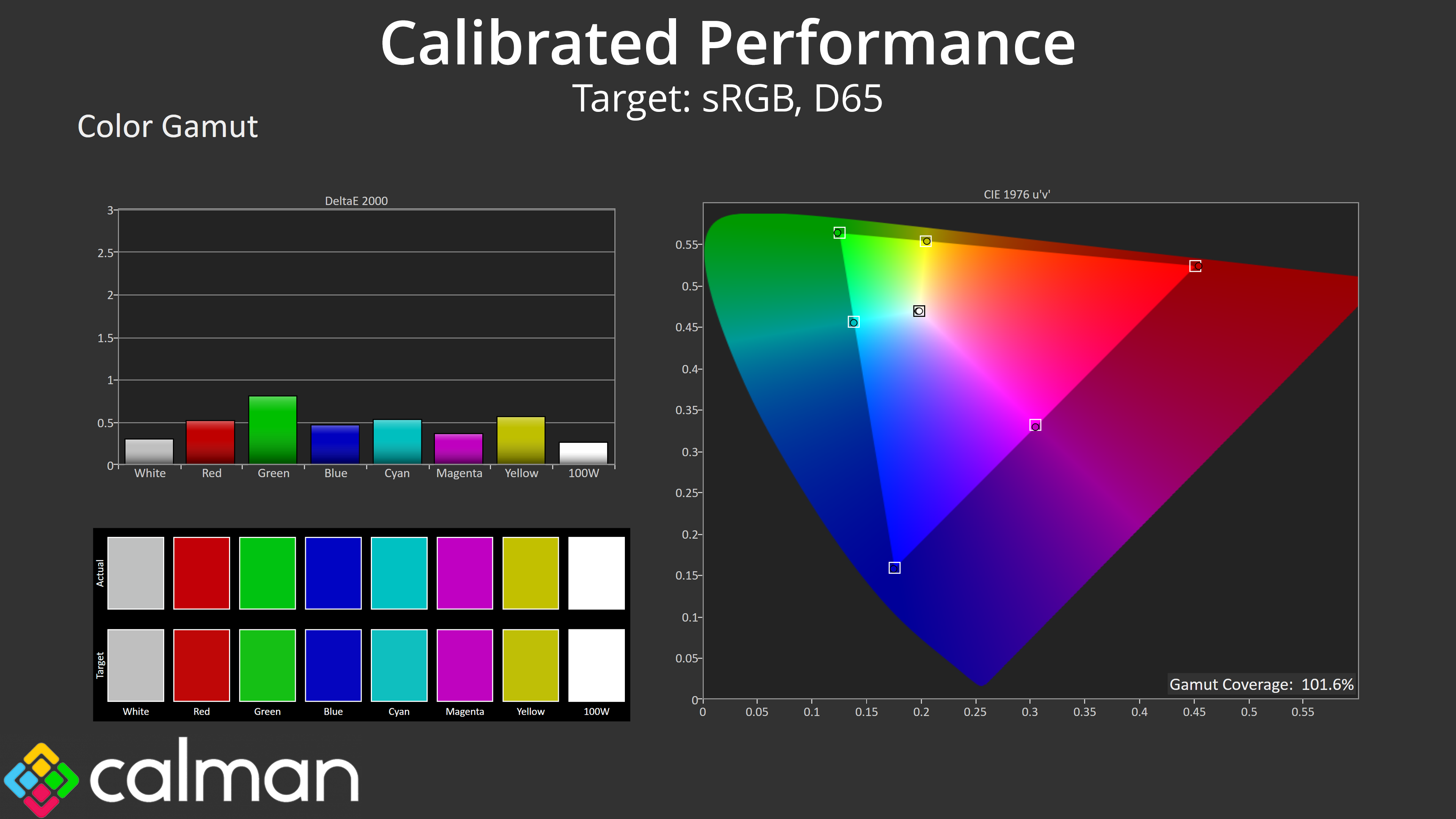
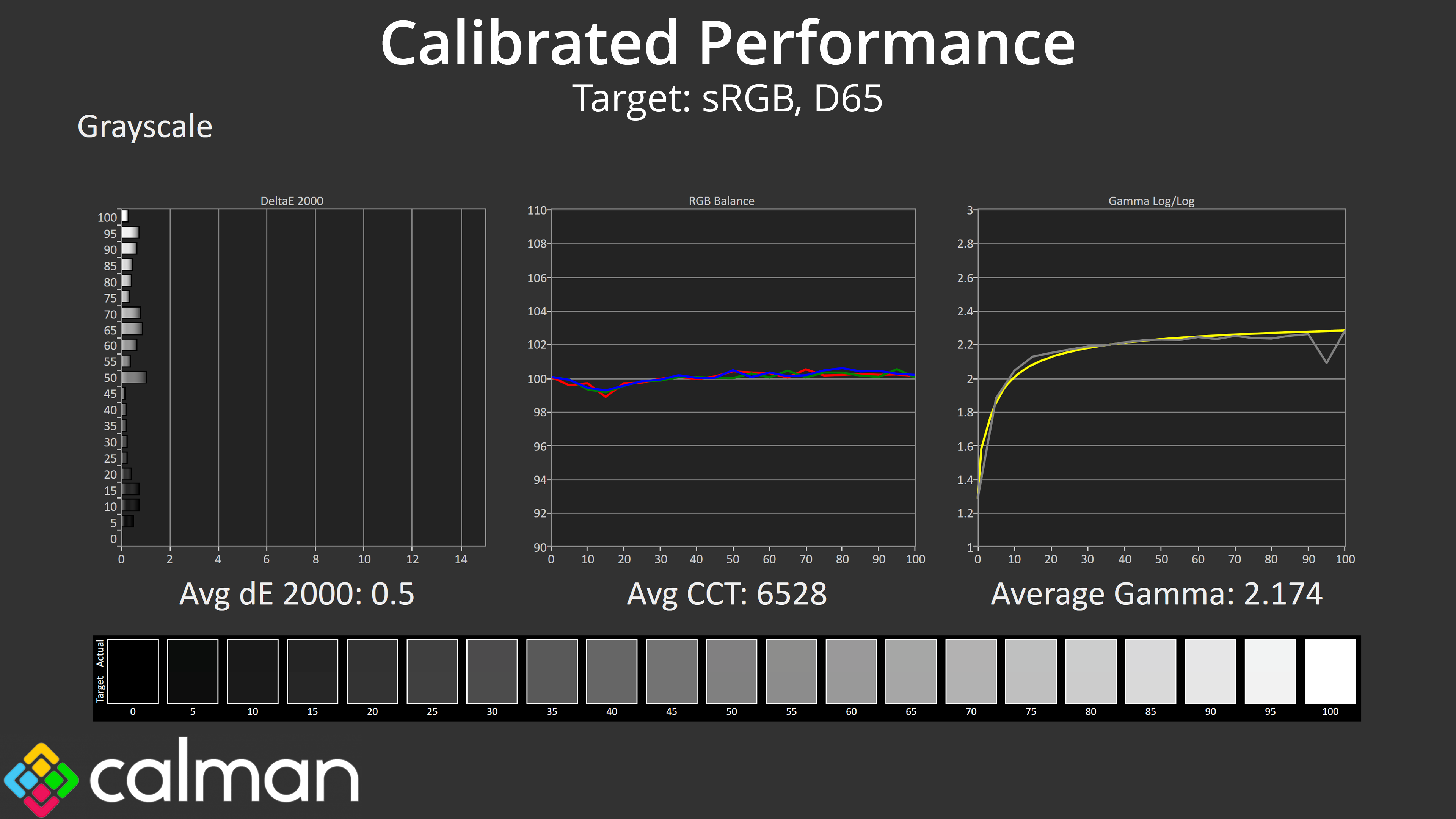
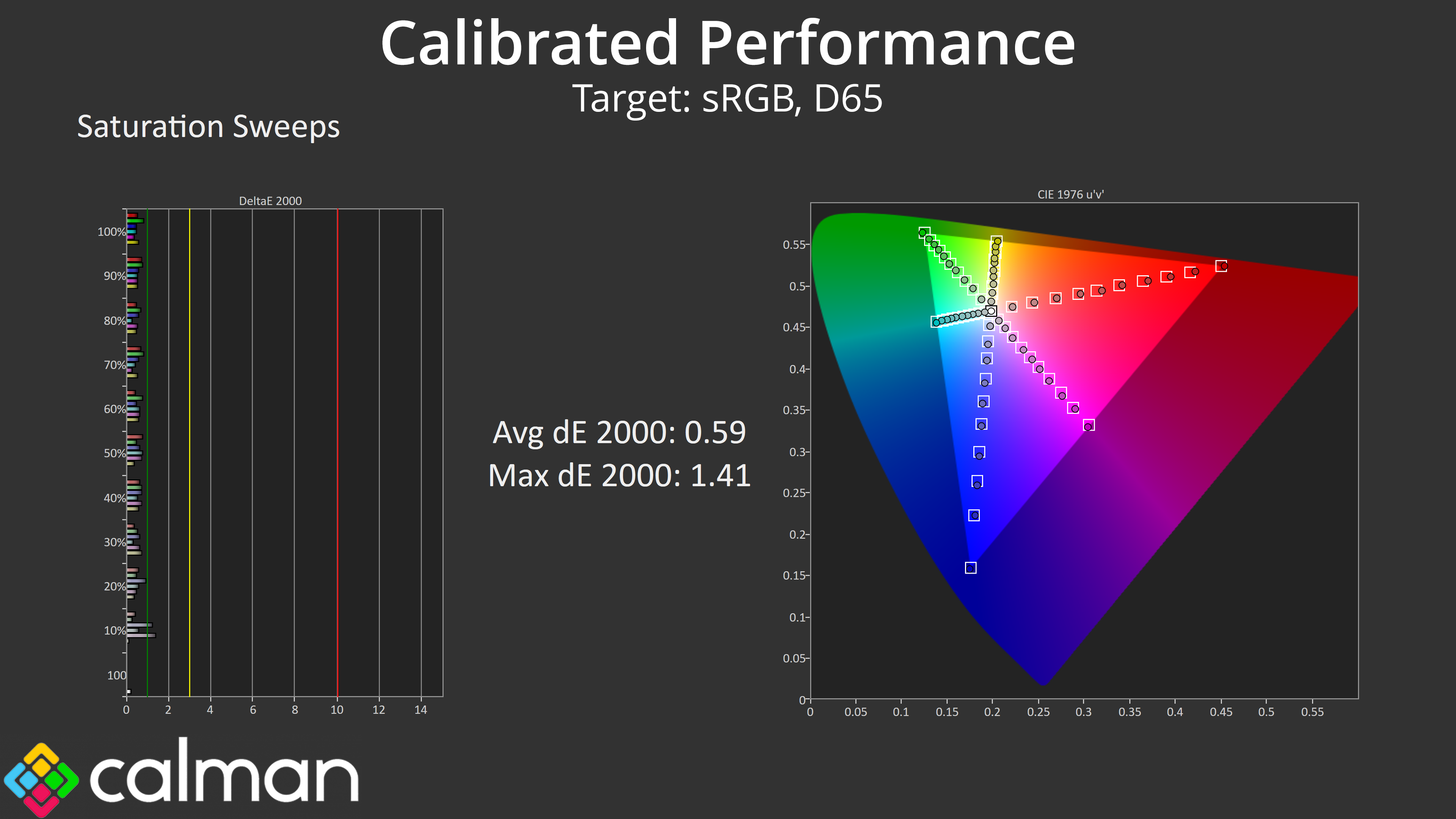
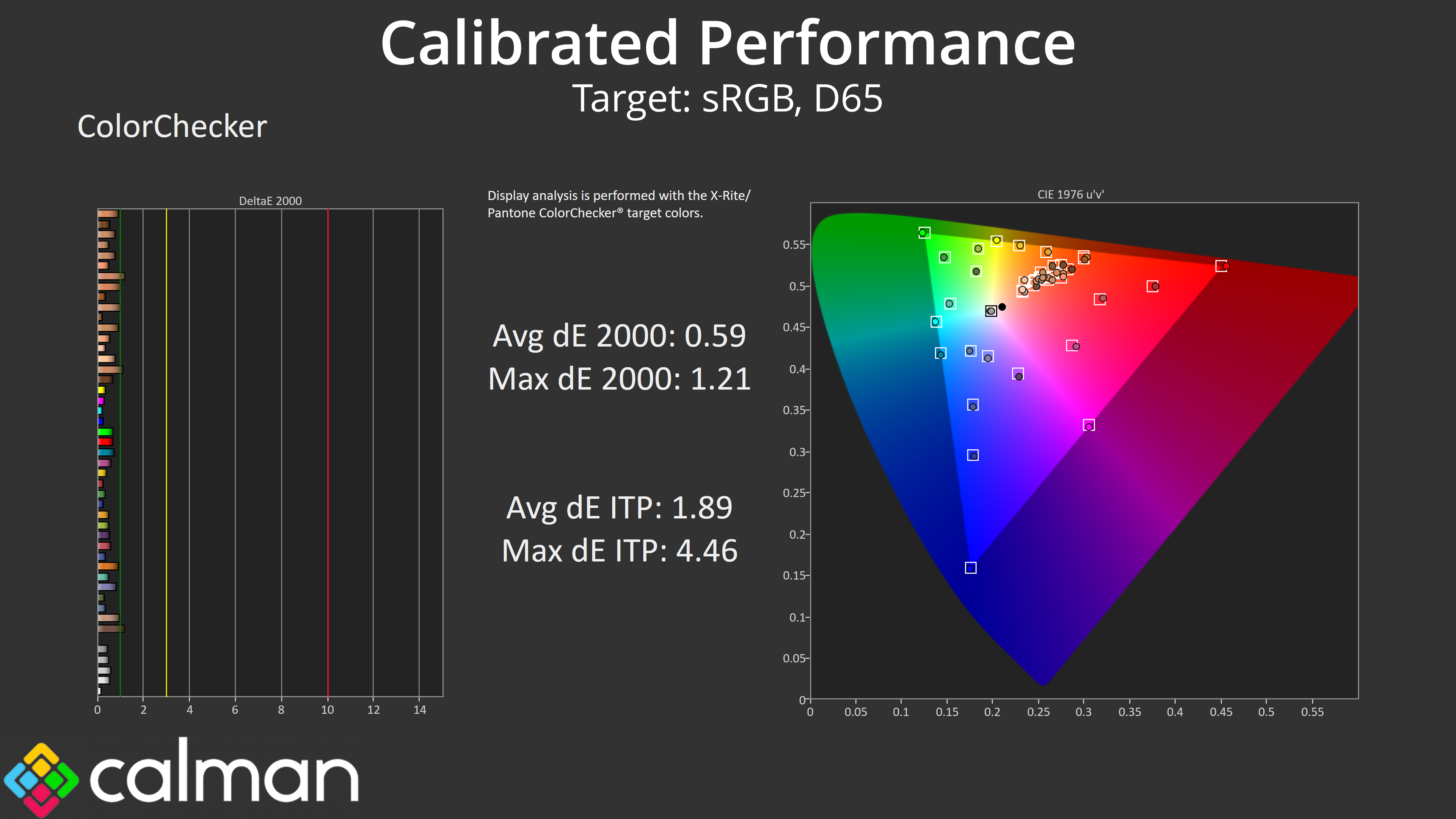
We also put the 271QRX though a full calibration using Calman Ultimate. This delivered almost flawless greyscale and gamma tracking, while average dE for our saturation sweeps dropped to just 0.59, while colour accuracy also posted the exact same average result.
HDR Testing
Following on from the SDR results on the previous page, here we re-test the relevant areas of the display with HDR enabled.
Brightness
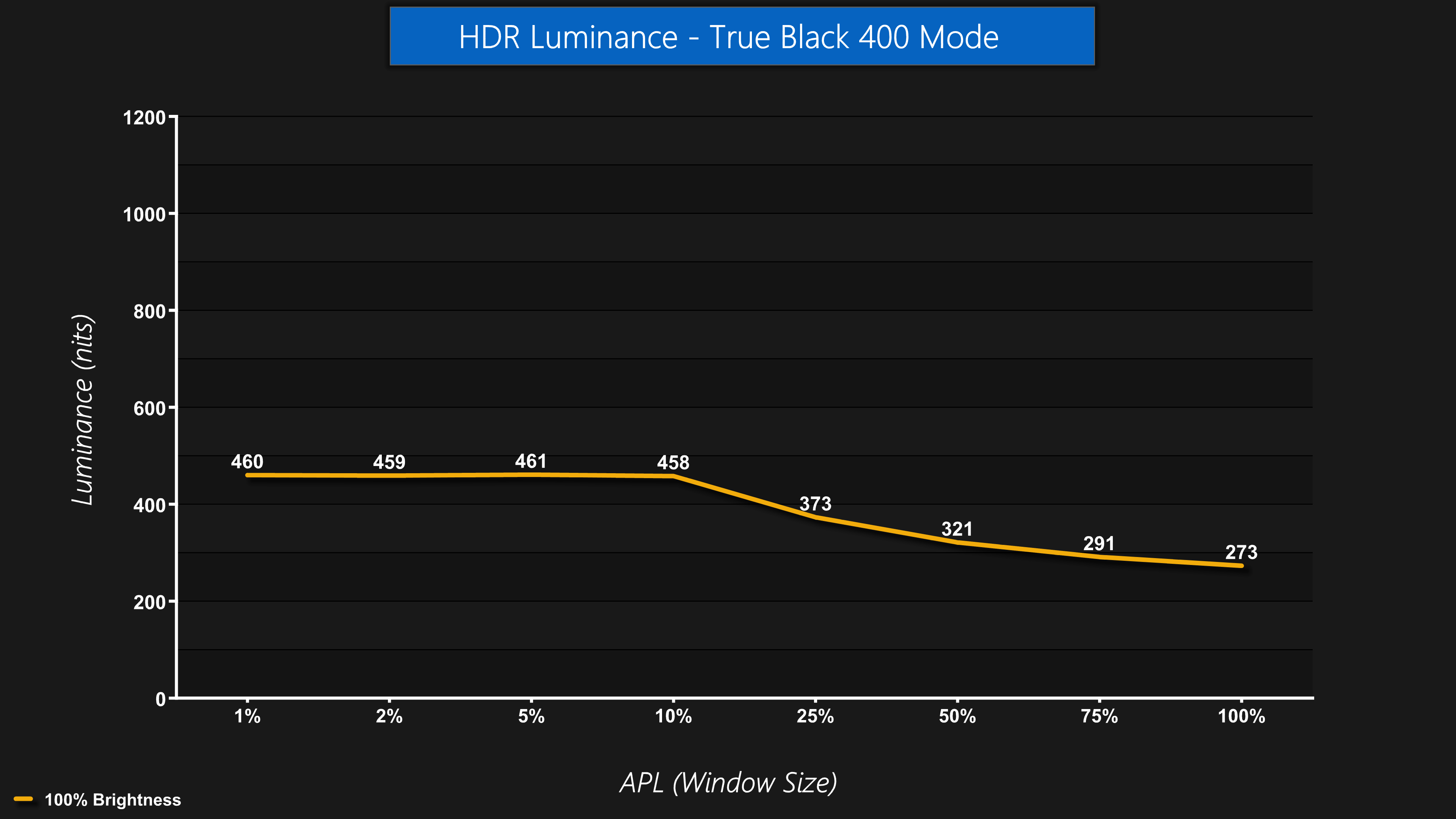
Just like the 321URX, by default the 271QRX defaults to the True Black 400 mode when HDR is enabled. This limits brightness in HDR mode to about 460 nits, which is sustained up to a 10% APL, after which brightness slowly declines until it hits a full screen figure of 273 nits.
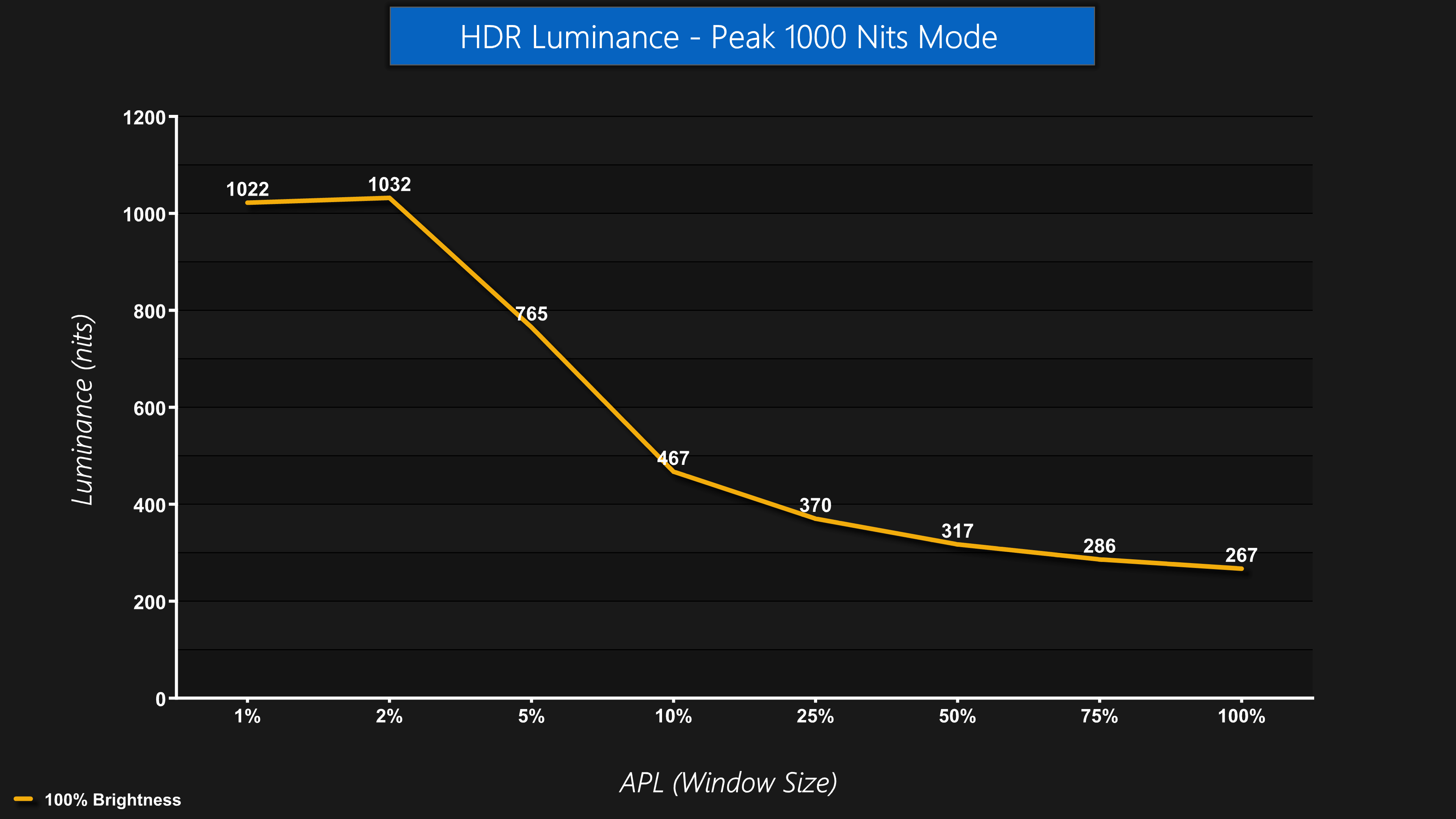
There is, however, a Peak 1000 Nits mode too, which I personally prefer. This mode is pretty self-explanatory, as it delivers a peak of just over 1000 nits for 1% and 2% APLs, before dropping off as the window size increases.
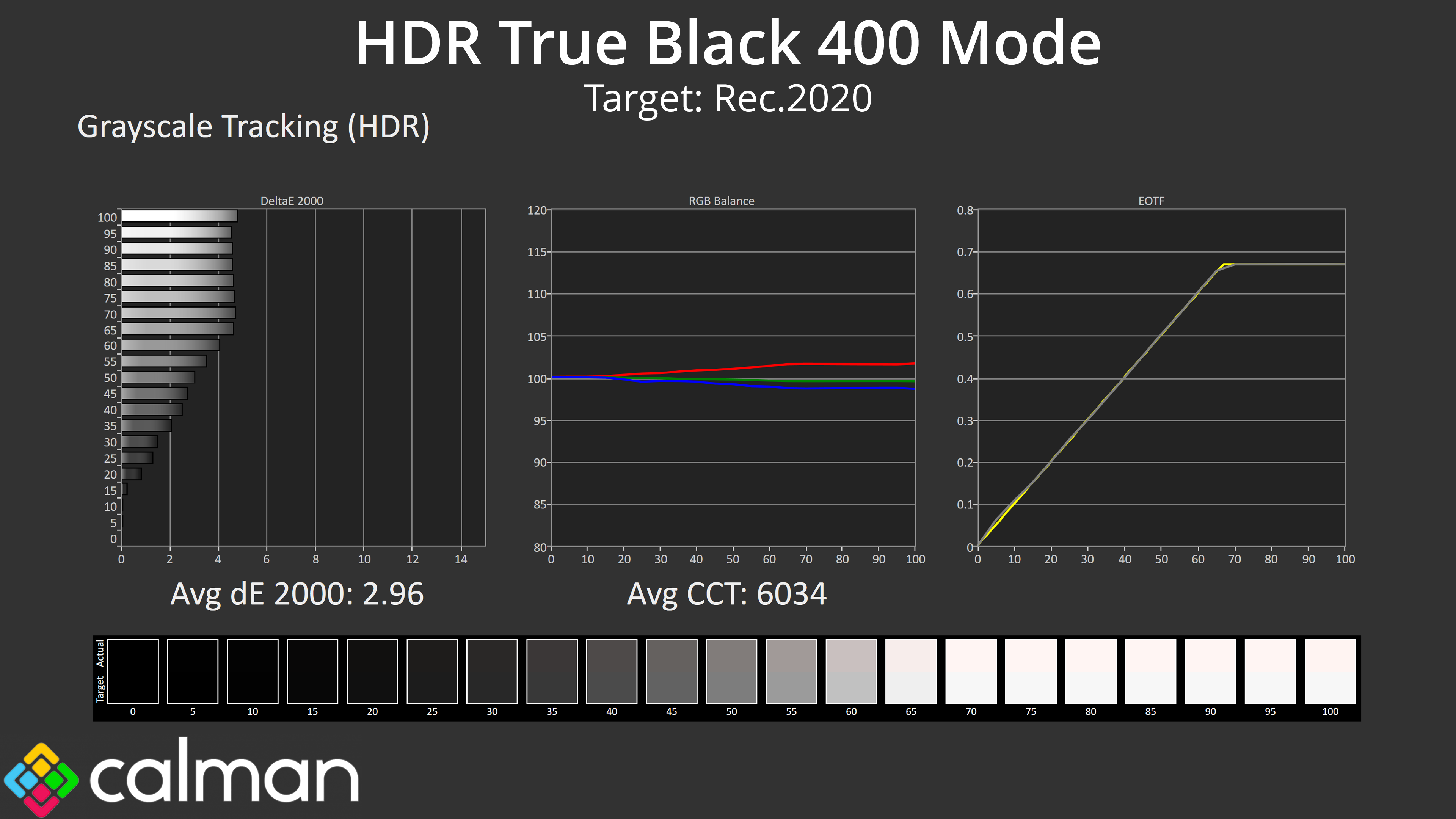
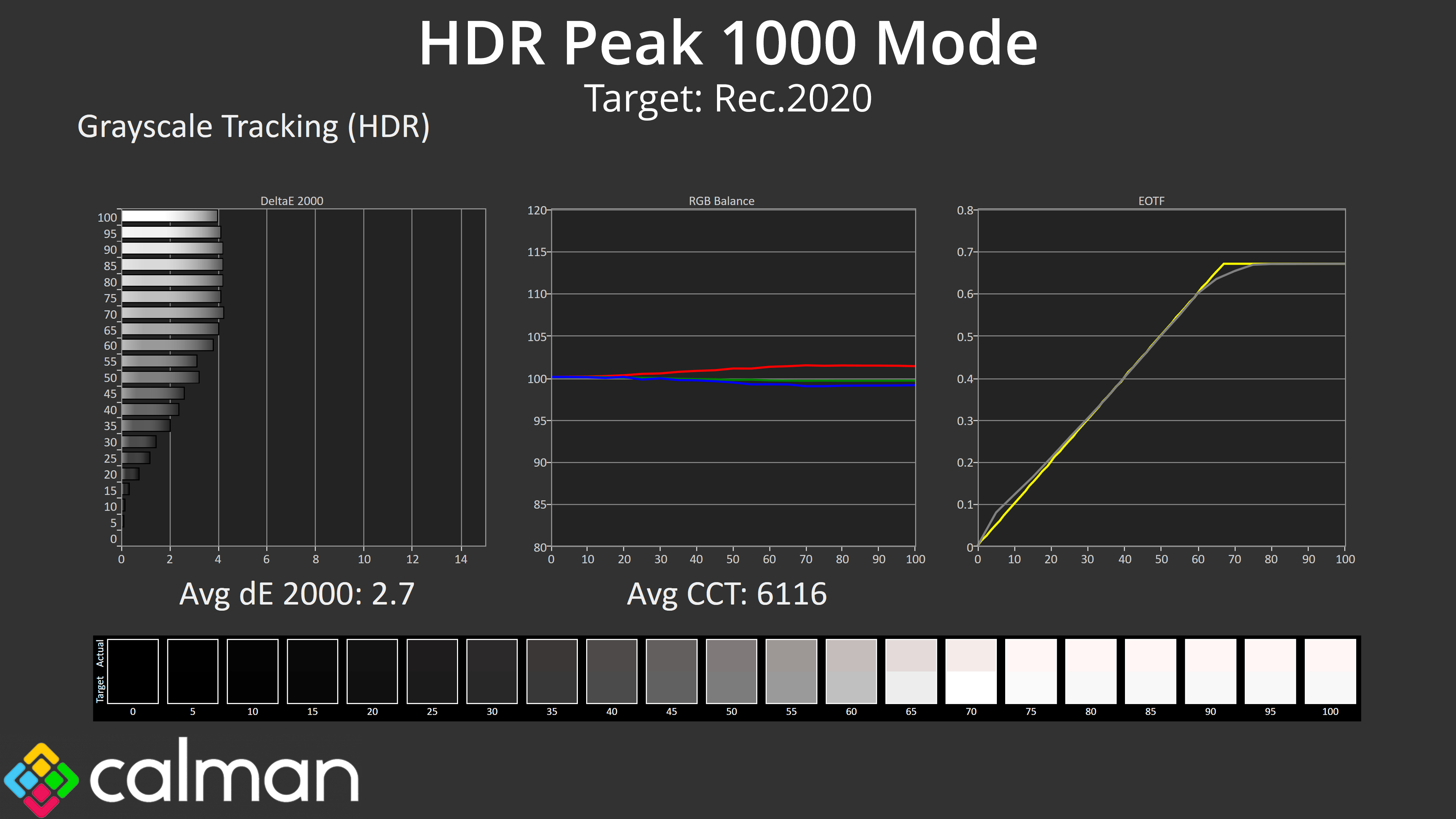
The difference between the two modes other than brightness is quite hard to spot. RGB balance is very similar, as is greyscale dE. There is just a tiny difference in the EOTF tracking, with the HDR Peak 1000 mode rolling off slightly early compared to the True Black 400 mode – something we also observed with the 321URX – but both are generally accurate and don't pose any headaches for use with HDR content.
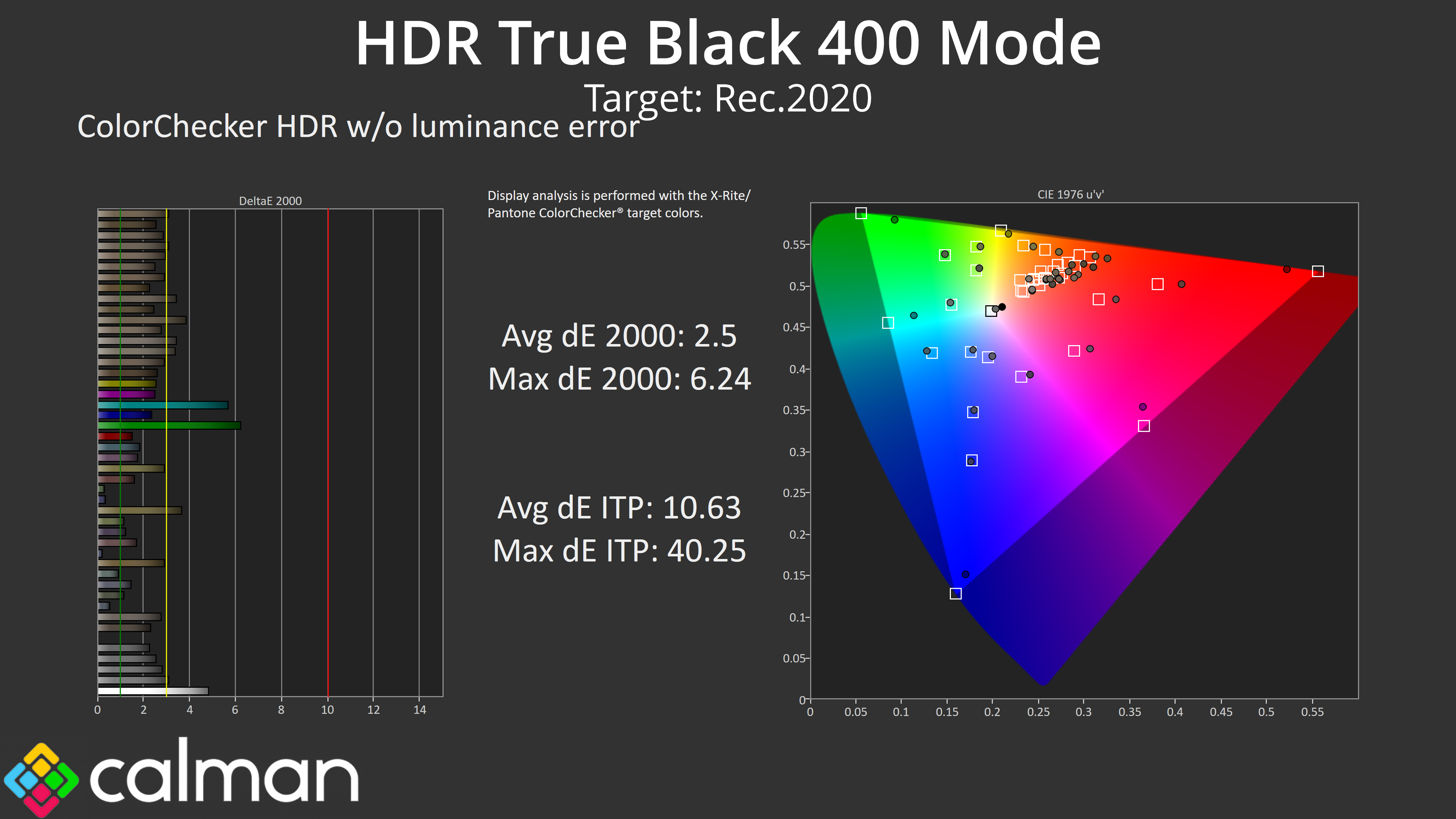
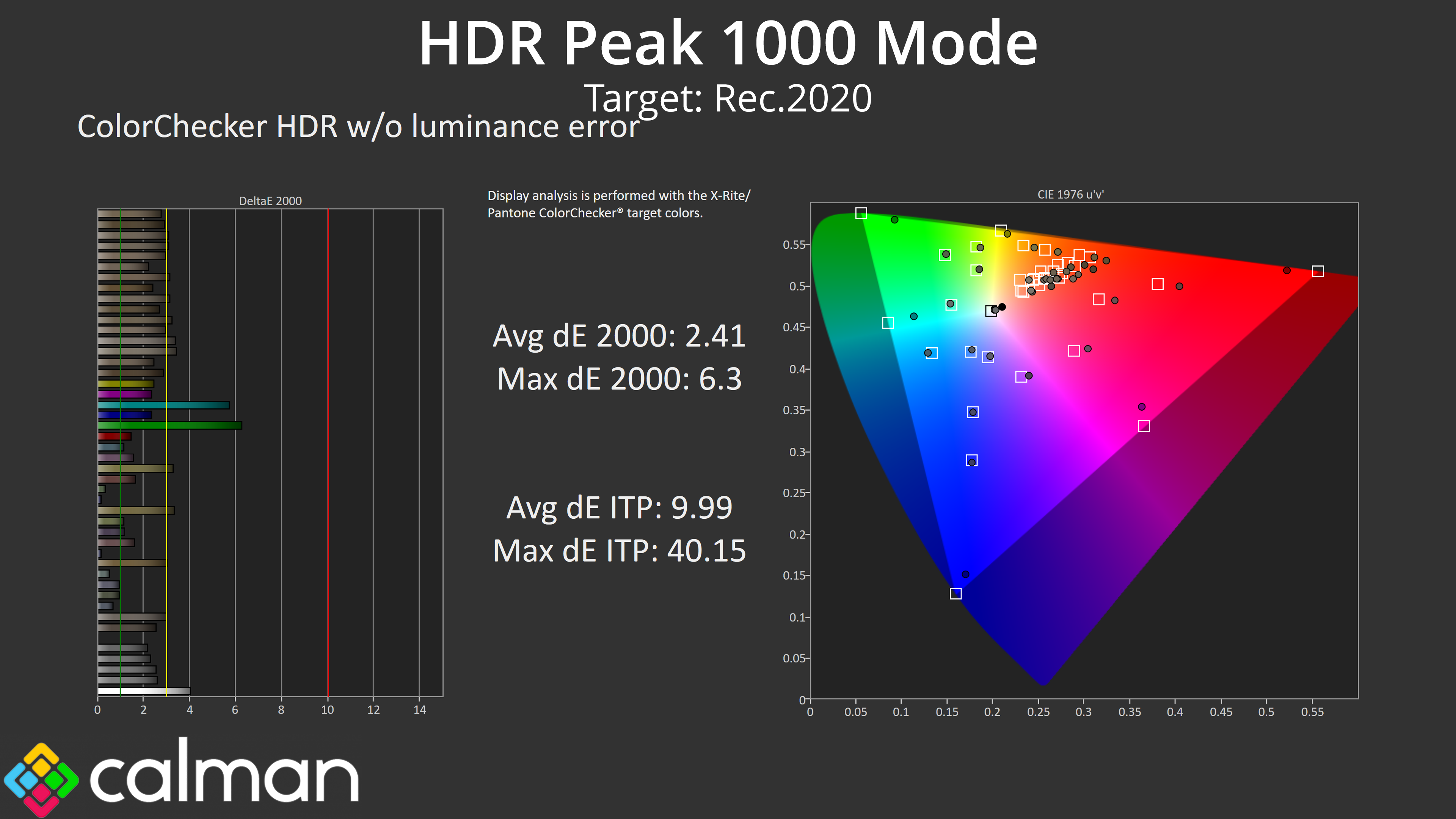
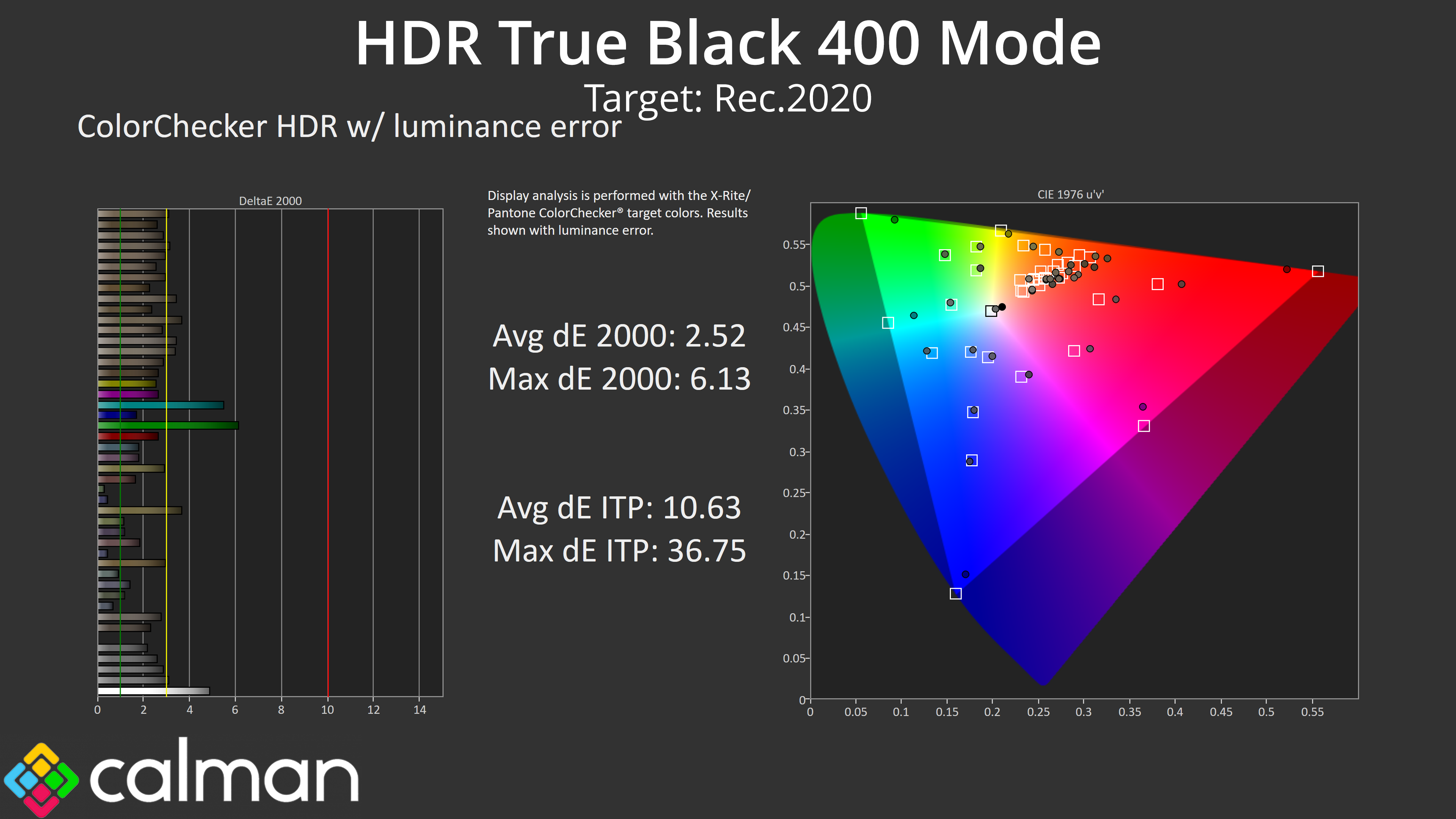
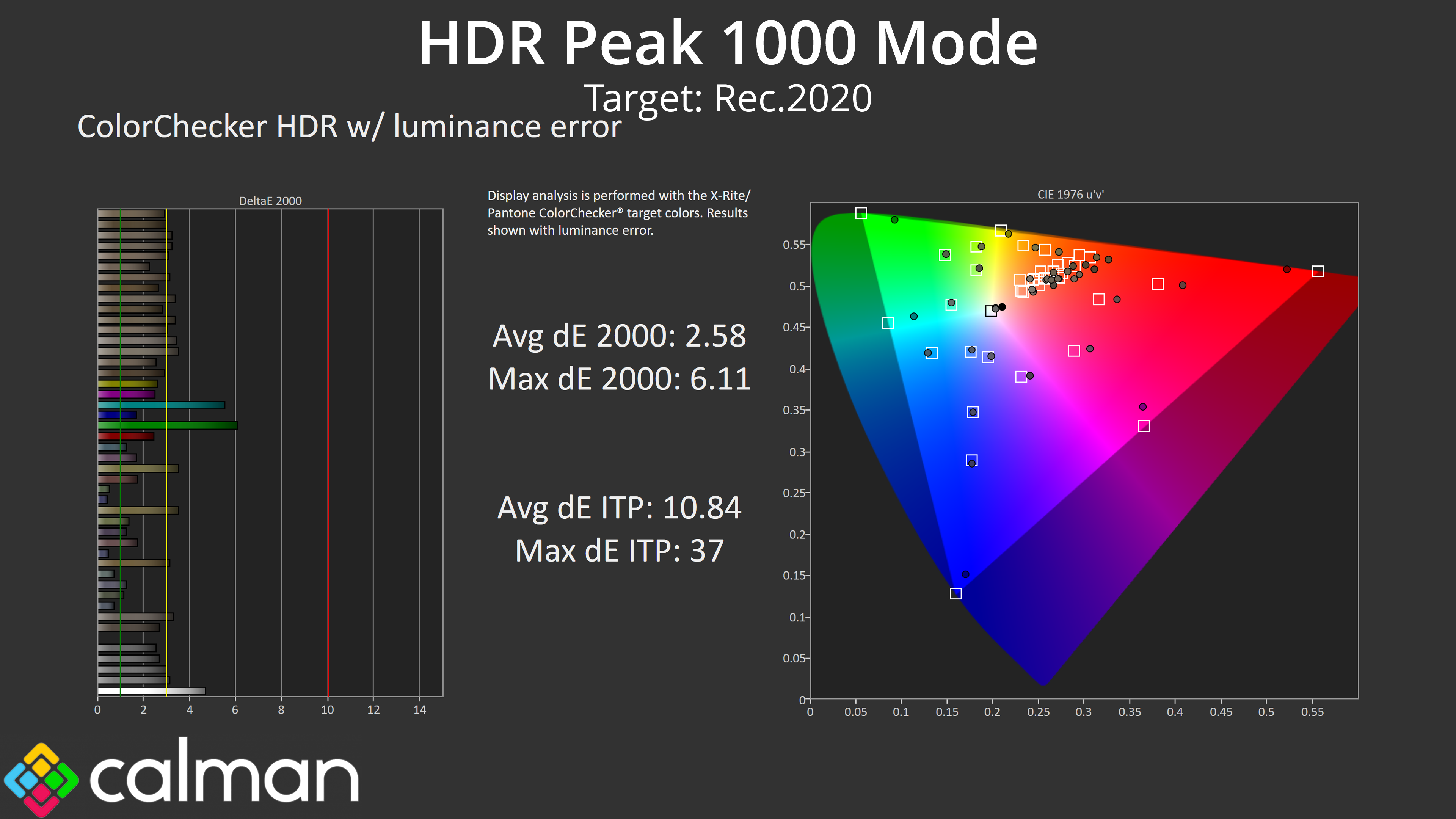
Colour accuracy with HDR enabled is also very similar between the two modes, each deliver average dEs of around 2.4-2.6. As we'd expected, the least accurate results are for the 100% cyan and 100% green channels, which the monitor can't display accurately due to its sub-100% coverage of the Rec.2020 colour space.
Monitor response time testing is a new addition to our reviews, where we use the Open Source Response Time Tool (OSRTT), developed by TechTeamGB. This measures grey-to-grey response times and presents the results in a series of heatmaps, the style of which you may be familiar with from other reviews.
Initial Response Time is the time taken for the panel to transition from one colour to another, where lower values are better. We present the initial response time, so overshoot is not taken into account and is measured separately. We use a fixed RGB 5 tolerance for each transition.
Overshoot is the term given for when a monitor's transition exceeds or goes beyond its target value. So if a monitor was meant to transition from RGB 0 to RGB 55, but it hits RGB 60 before settling back down at RGB 55, that is overshoot. This is presented as RGB values in the heatmaps – i.e. how many RGB values past the intended target were measured.
Visual Response Rating is a metric designed to ‘score' a panel's visual performance, incorporating both response times and overdrive. Fast response times with little to no overshoot will score well, while slow response times or those with significant overshoot will score poorly.
We test the 271QRX across the refresh rate range.
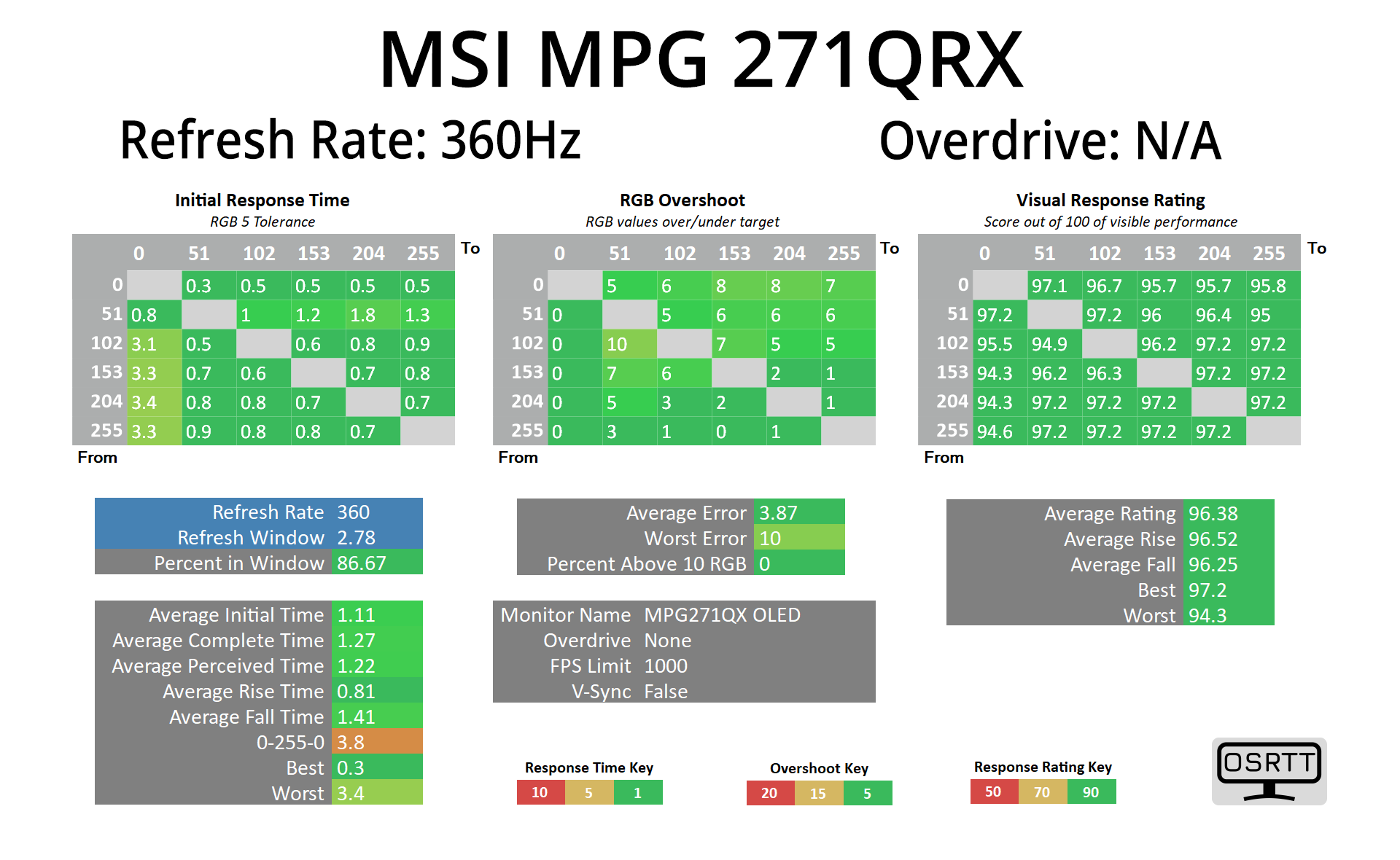
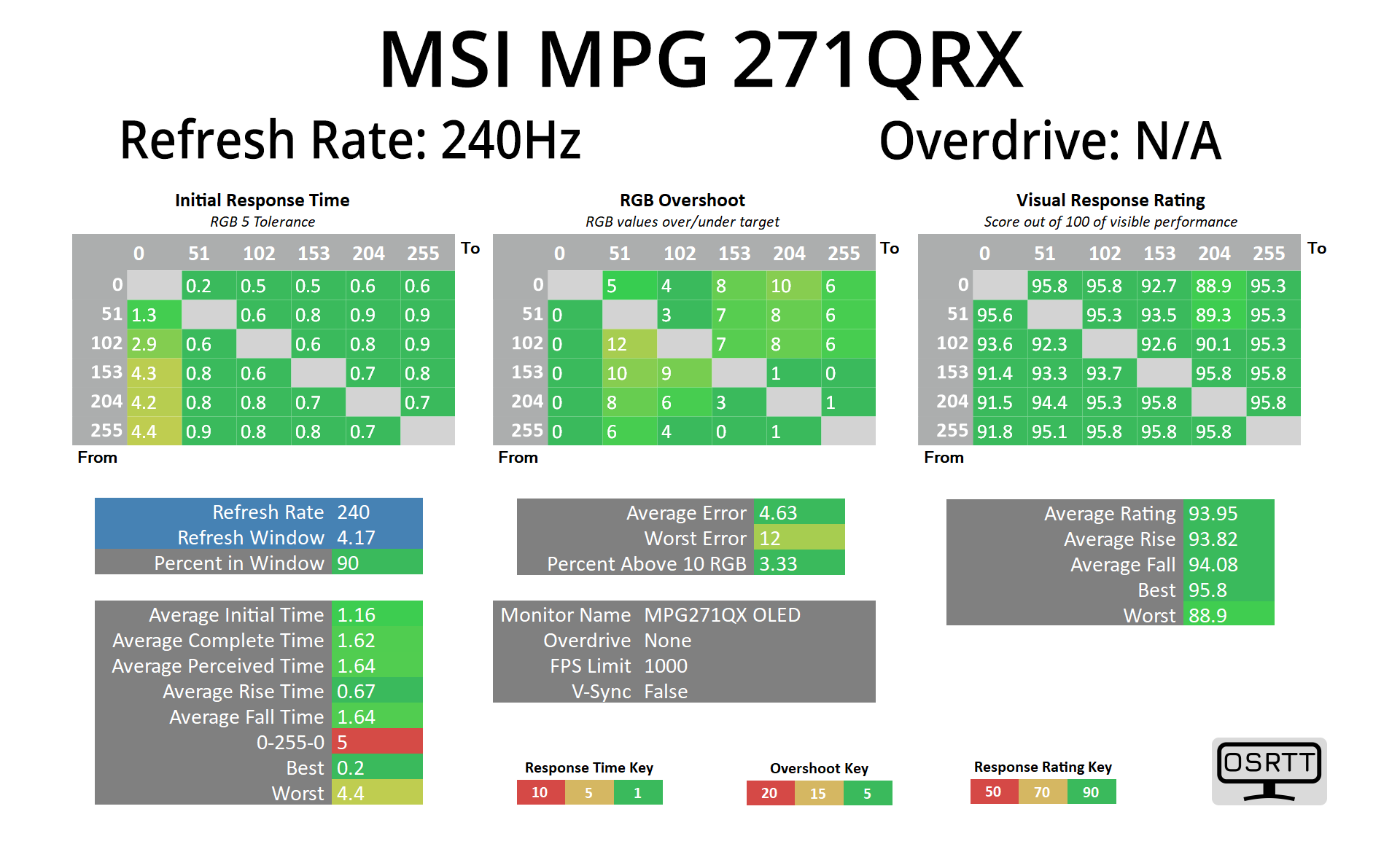
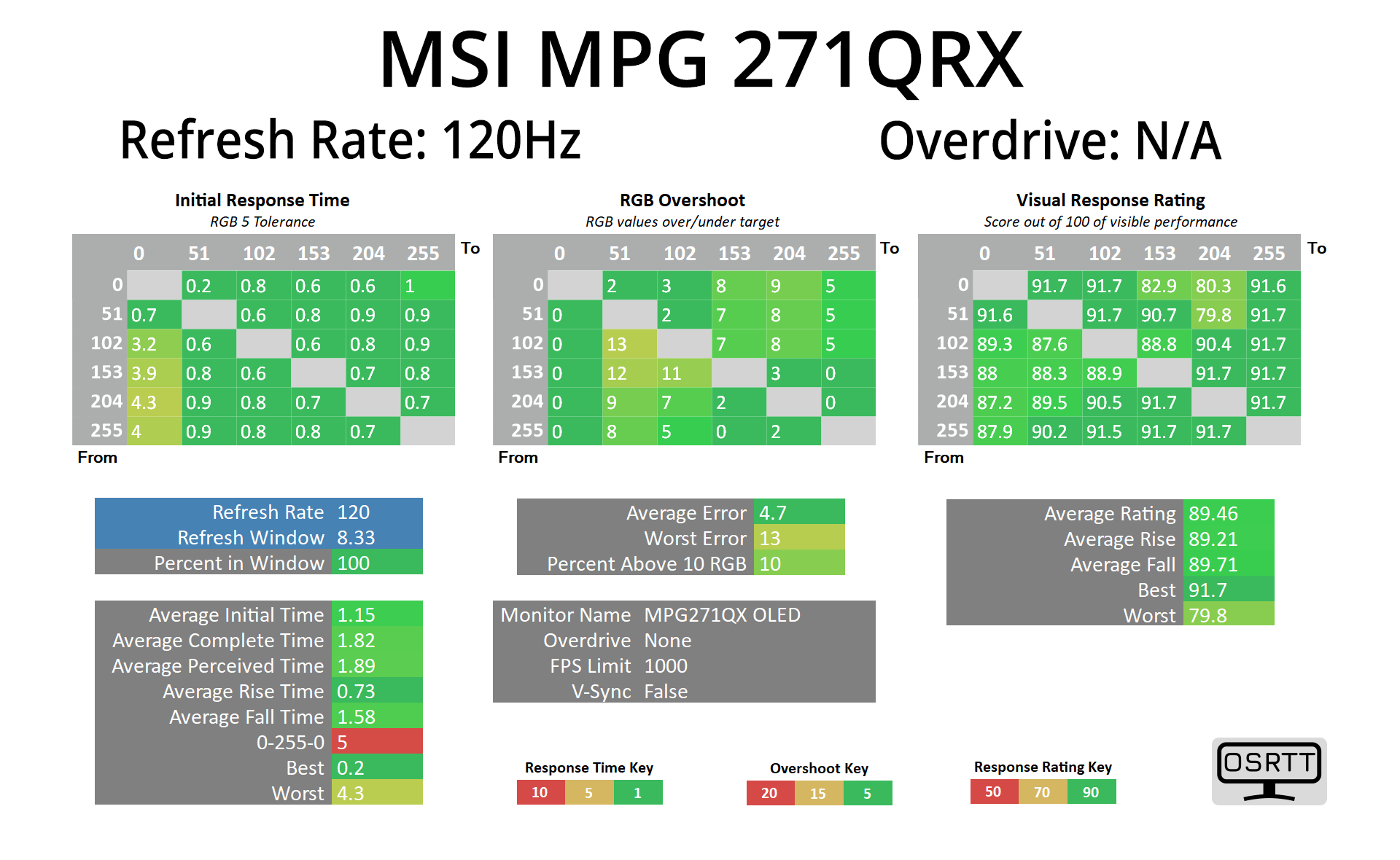
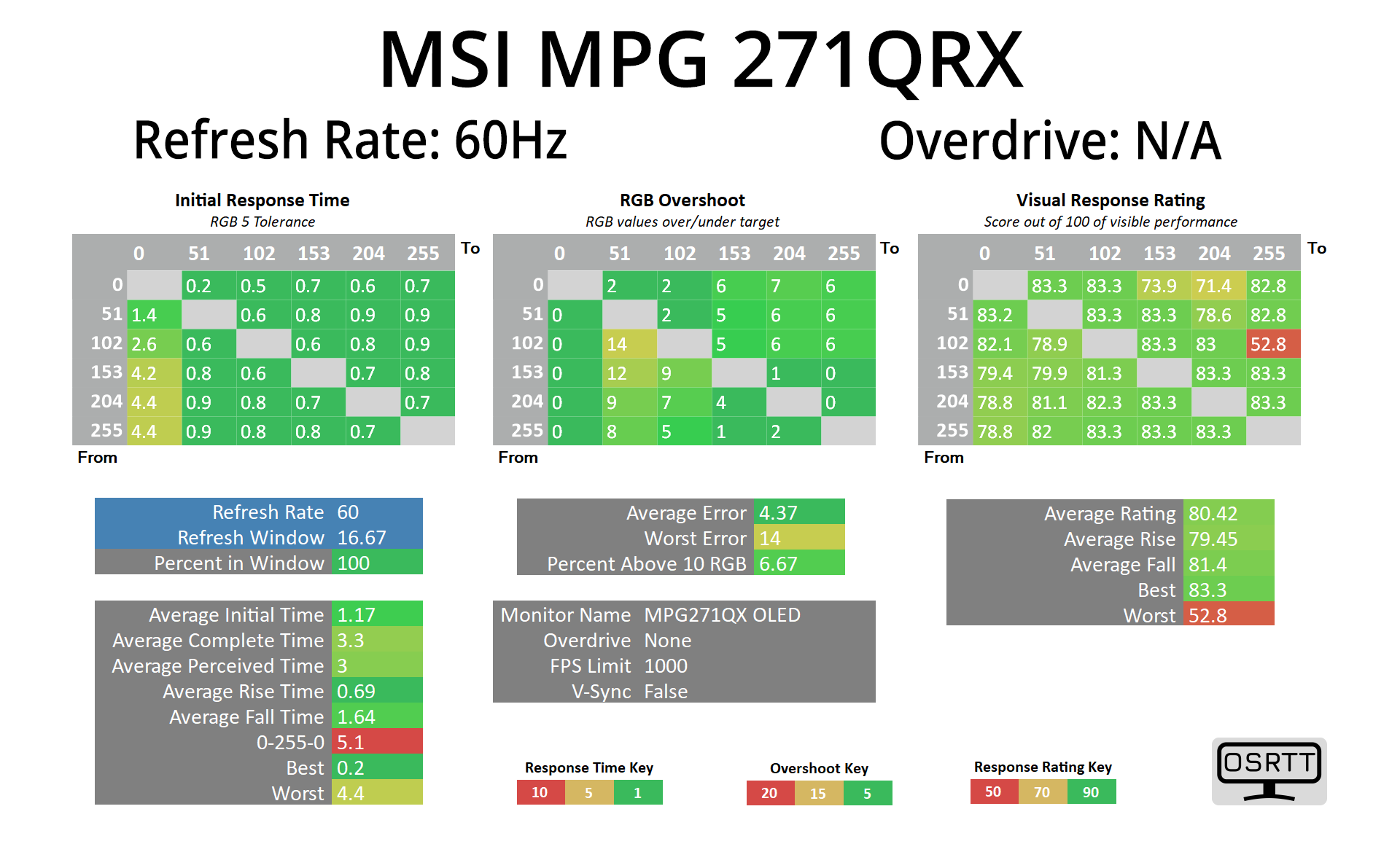
As I've started doing with OLED reviews, there's no need to spend much time looking at all the results in-depth as everything is exactly what we'd expect – we see very fast response times across the board, regardless of the refresh rate used.
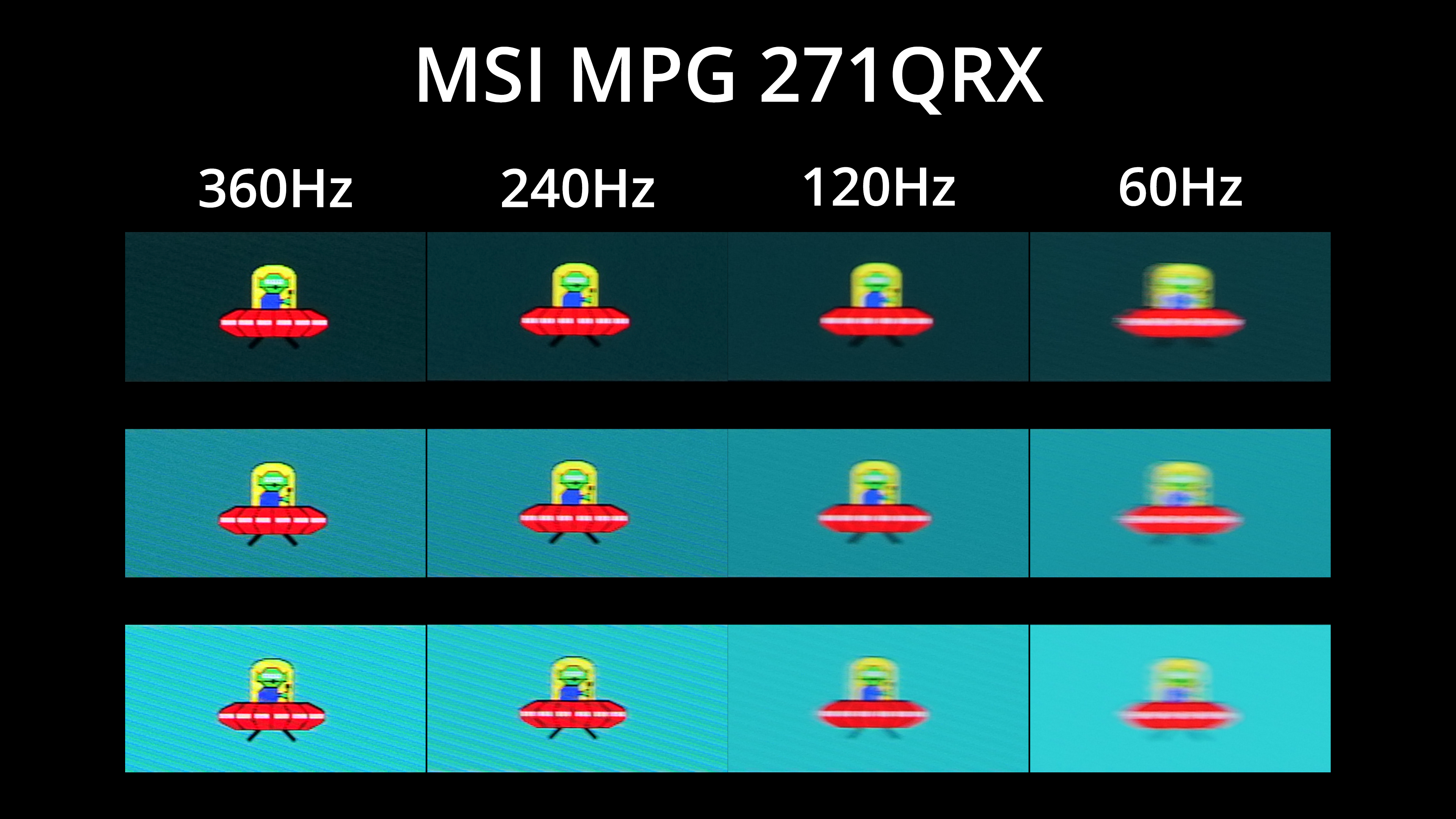
We know, however, that doesn't mean motion clarity will be flawless regardless of the refresh rate – with OLED, the higher you can pump the refresh, the smoother things look.
Coming into this review I was most interested to see if there is a visible difference between a QD-OLED at 240Hz and one at 360Hz. There's no doubt the difference is small, but I think it is perceptible as we can see from these pursuit images using the BlurBusters UFO test.
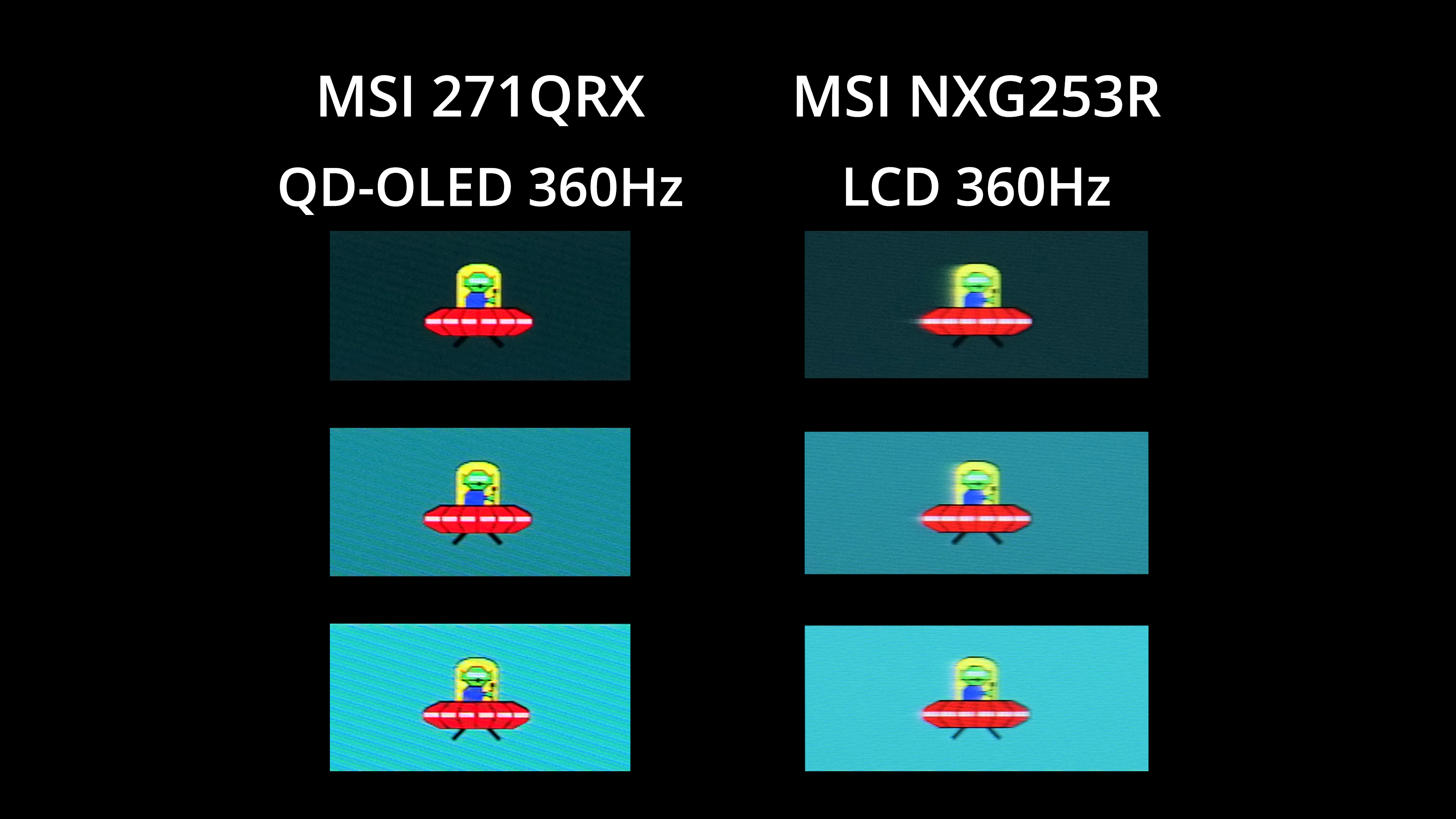
One thing that is fascinating to look at is how a 360Hz OLED monitor compares to a 360Hz IPS LCD. Compared here are the 271QRX, alongside the MSI Oculux NXG253R using its Fast overdrive mode. This is the only 360Hz LCD screen I have to hand and it's a couple of years old at this point, but it serves as an illustration that OLEDs really are incredibly impressive when it comes to motion clarity at high refresh rates.
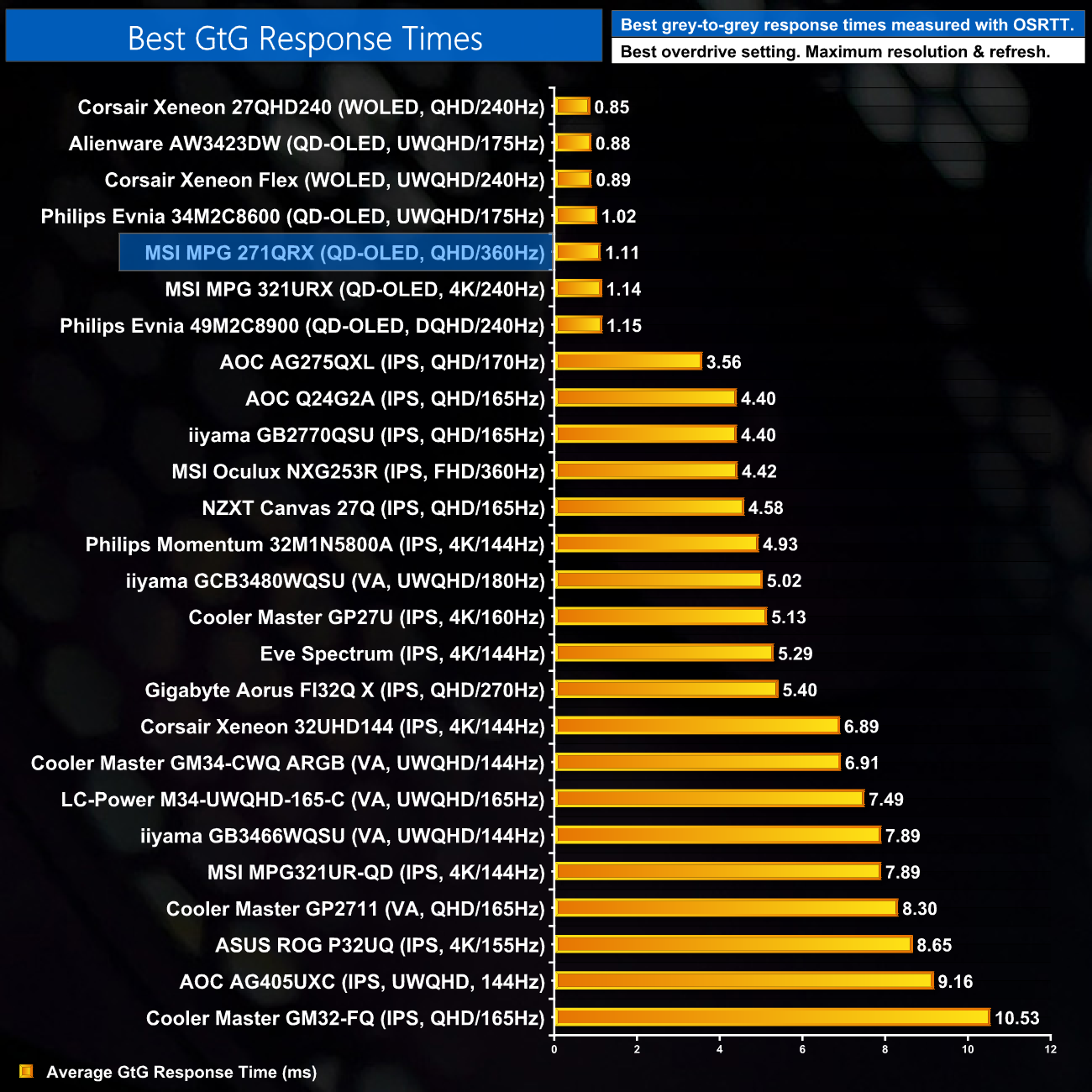
As expected then, the overall response time chart has the 271QRX up there with all the other OLED monitors tested.
We again use the Open Source Response Time Tool (OSRTT), developed by TechTeamGB, to report monitor input latency.
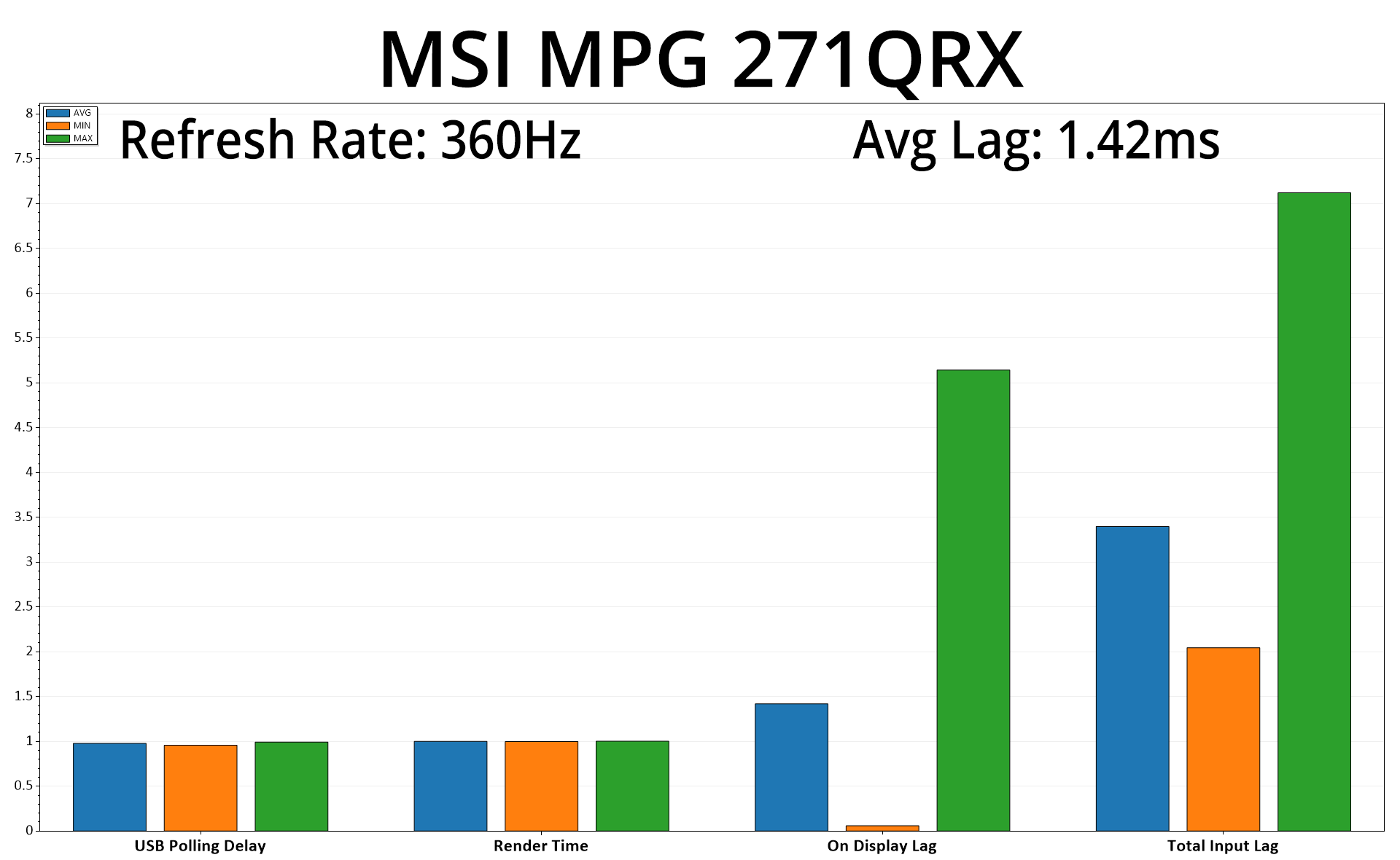
As for input latency, average On Display lag is reported at 1.42ms which is barely half of a single frame at 360Hz (2.78ms), a pretty decent result.
Following on from the 4K/240Hz MSI MPG 321URX that we reviewed earlier this year, today we have assessed another screen using Samsung's 3rd Gen QD-OLED panel – this time it has been the turn of the MSI MPG 271QRX, a 1440p monitor offering a 360Hz refresh rate.
By and large, the 271QRX is just as good as we'd expected given the performance of its bigger brother. The QD-OLED panel means it offers a very wide colour gamut, brightness is typical at about 250 nits in SDR and up to 1000 nits (for 1% and 2% APLs) in HDR, while it offers a great sRGB emulation mode.
The overall behaviour of the OLED panel is the same, too, both in terms of its semi-gloss coating, but also as we find the same set of anti-burn in features that MSI calls OLED Care 2.0. Essentially there are a variety of features all aimed at dimming static elements on screen, designed to prevent burn-in, while MSI does offer a three-year warranty which includes burn-in protection.
It may sound obvious, but really the key difference between the 321URX and the 271QRX is the fact that the latter monitor is smaller, offers a lower 2560×1440 resolution, but cranks up the refresh rate to 360Hz. I wasn't sure what visual benefit 360Hz would give versus a 240Hz OLED, and while the difference is relatively small, it is definitely perceptible and offers what I'd say is the best motion clarity of any monitor I have ever tested. It is quite something to behold!
Naturally, driving 1440p resolution up to 360FPS isn't easy for AAA games, so it's probably aimed more at those who primarily play FPS or competitive games where it is much easier to reach lofty frame rates. Even then, I still had a good time playing Jedi: Survivor at around 120FPS so it's not like you can't use it for AAA titles – you just might not get the full benefit of the higher refresh rate.
In terms of criticisms, I echo the point I made in my 321URX review that the included stand does feel a bit plasticky considering the price point, though it's still solid enough.
Speaking of pricing however, actually brings us onto my biggest issue with this display. Once more, UK buyers are getting the short end of the stick as the 271QRX retails for £899 here in the UK, while it's listed for $799 in the USA. That does grate somewhat, and matters are made worse for MSI as a couple of competitor models from the likes of Alienware and Gigabyte, which use the exact same panel, are a good chunk cheaper for UK buyers – the Alienware in particular is currently priced a couple hundred quid below the 271QRX!
There's no doubt the product itself is excellent if you are looking for a high refresh-rate OLED experience, but I do think MSI needs to adjust pricing to keep up with the competition.
Discuss on our Facebook page HERE.
Pros
- Very wide gamut.
- Effectively infinite contrast ratio.
- Very fast response times.
- 360Hz refresh rate offers incredibly good motion clarity.
- HDR hits 1000 nits and is accurate.
- Great sRGB emulation mode.
- 2x HDMI 2.1.
Cons
- Metal stand would have been nice.
- UK buyers are paying a fair bit more than those in the US.
- Alienware's competing model (which uses the same panel) is less than £700 right now.
KitGuru says: The 271QRX is a great screen, especially for those who play competitive titles, but the pricing could be more competitive.