KitGuru KitGuru.net – Tech News | Hardware News | Hardware Reviews | IOS | Mobile | Gaming | Graphics Cards


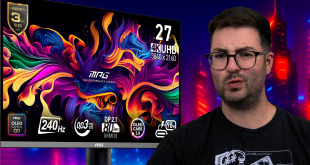
Today we're checking out MSI's MPG 272URX monitor. Utilising a 4th Generation QD-OLED panel from Samsung, this screen boasts a 4K resolution and 240Hz refresh rate, much like the MPG 321URX, but now over a more compact 27in screen size. It still promises 1000 nits of peak brightness, effectively instant response times and infinite contrast, so let's dive in and see what this screen is all about.
With the new 4th Generation panels, also referred to as ‘2025 QD-OLED', Samsung isn't making huge changes compared to previous iterations of the technology. The company claims improved durability and better burn-in protection thanks to the new EL 3.0 panel structure, while that also allows for higher pixel densities – as we see here with the 4K resolution over the 27in screen size – without sacrificing brightness.
Apart from that, we're expecting the MSI MPG 272URX to perform similarly to the 3rd Gen 321URX, though it does also boast support for DisplayPort 2.1 at the full UHBR20 bandwidth, meaning you can drive 4K/240Hz without DSC as long as you have a compatible GPU.
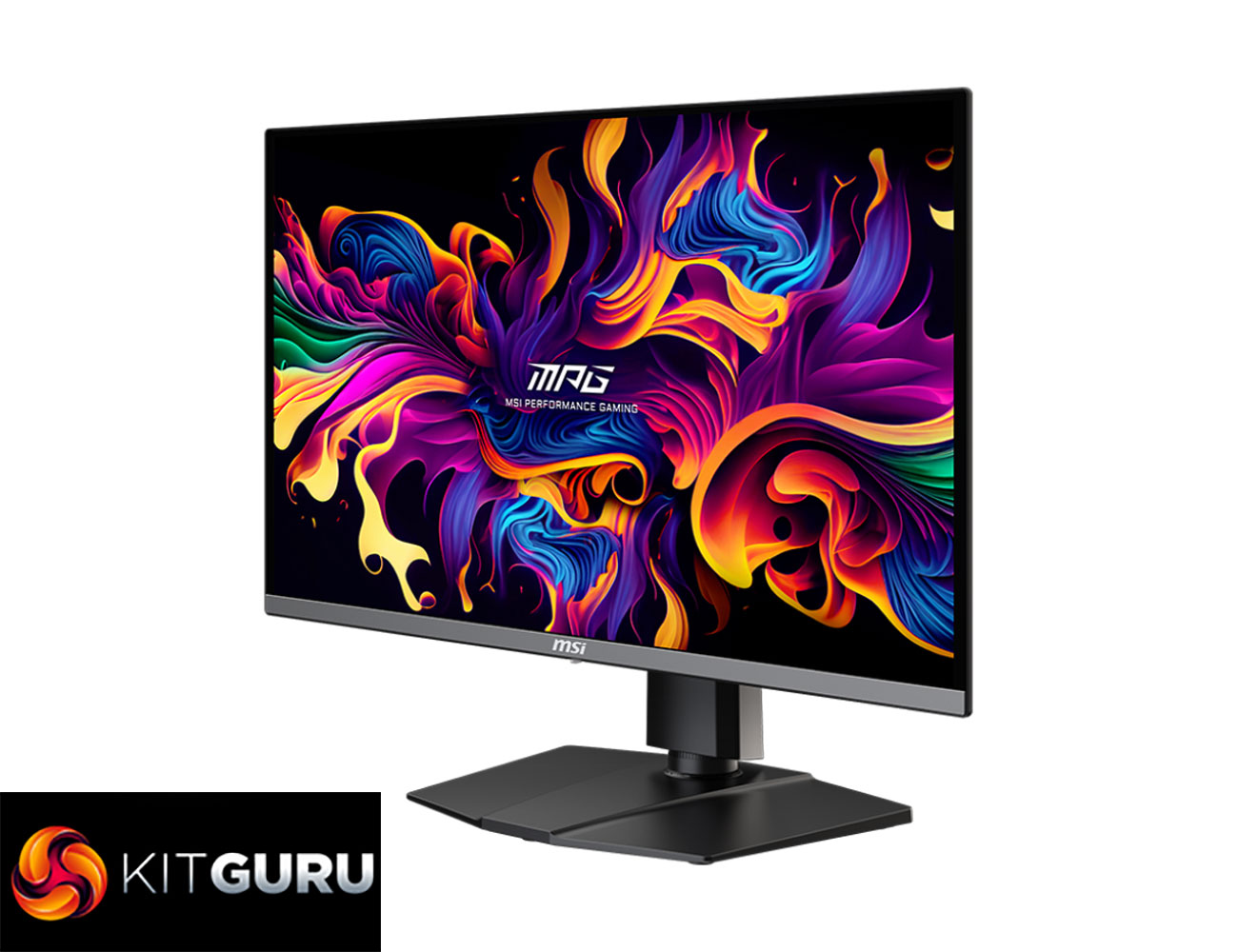
Specification:
- Display Colors: 1.07B, 10 bits
- Dynamic Refresh Rate Technology: G-Sync Compatible
- Activated Range: 48~240Hz
- HDR Support: DisplayHDR True Black 400
- Adobe RGB / DCI-P3 / sRGB: 98% / 99% / 138% (CIE1976 Standard)
- Panel Size: 26.5″
- Aspect Ratio: 16:9
- Panel Resolution: 3840×2160 (UHD)
- Pixel Pitch (H x V): 0.153 (H) x 0.153 (V)
- Refresh Rate: 240Hz
- Response Time: 0.03ms (GtG)
- Viewing Angle: 178° (H) / 178° (V)
- Curved: Flat
- Brightness: SDR: 250
- HDR: 450 (Typ.) (True Black 400 with 10% APL)
- Contrast Ratio: 1500000:1 (Typ.)
- Frameless Design: Yes
- Adjustment (Pivot): -90° ~ 90°
- Panel Type: QD-OLED
- DCR: 100000000:1
- Active Display Area (mm): 589.97 (H) x 332.93 (V)
- Surface Treatment: Anti-glare
- Video Ports:
- 2x HDMI™ 2.1 (UHD@240Hz)
- 1x DisplayPort 2.1a (UHBR20)
- 1x Type-C (DP alt.) w/ 98W PD
- USB Ports:
- 2x USB 5Gbps Type-A
- 1x USB 5Gbps Type-B
- Audio Ports: 1x Headphone-out
- Kensington Lock: Yes
- VESA Mounting: 100 x 100 mm
- Power Type: Internal Power Board
- Power Input: 100~240V, 50/60Hz
- Adjustment (Tilt): -5° ~ 20°
- Adjustment (Swivel): -30° ~ 30°
- Adjustment (Height): 0 ~ 110 mm
- Warranty: 3 years (including panel burn-in)
Firmware tested: FW.013
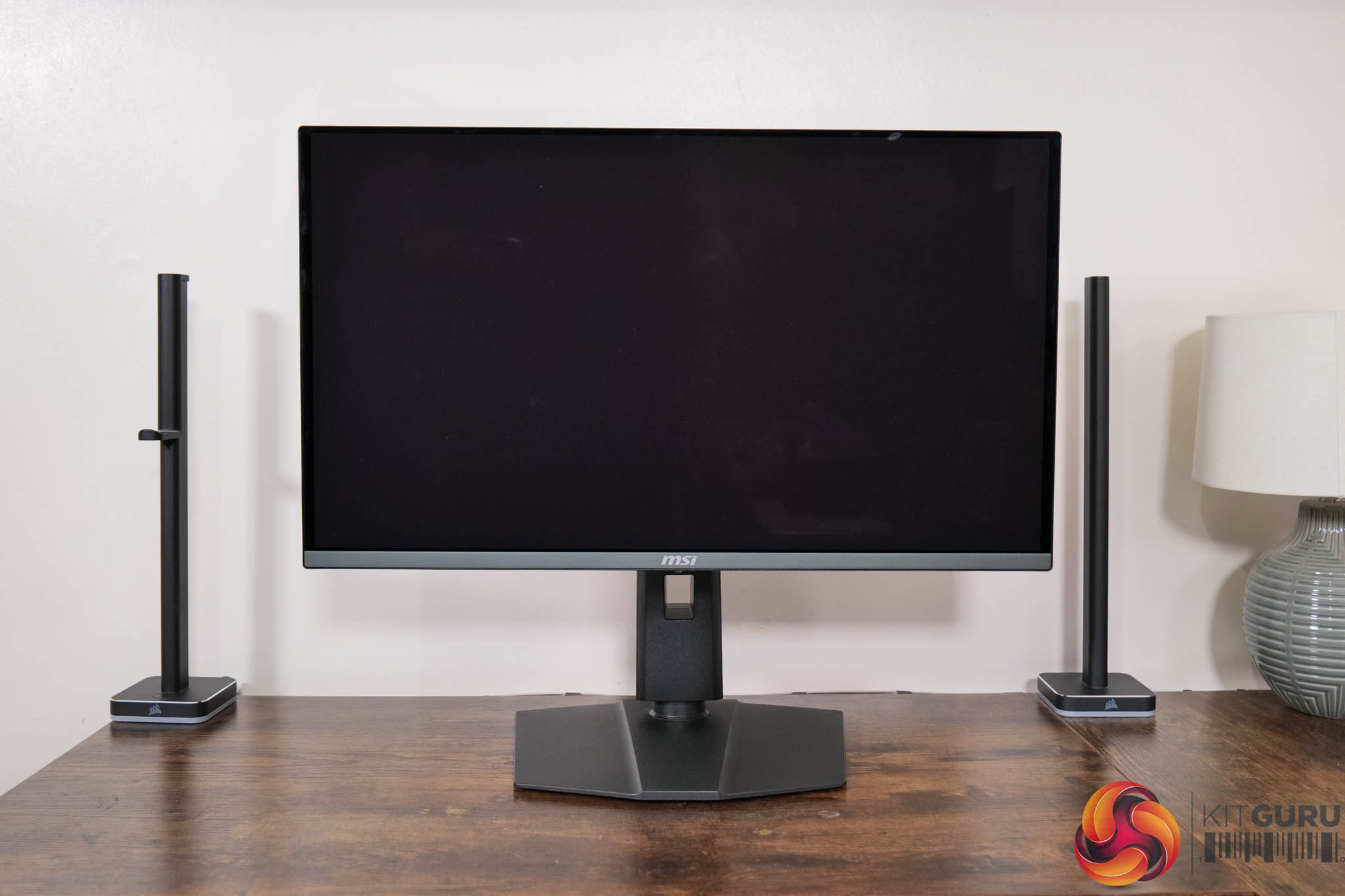
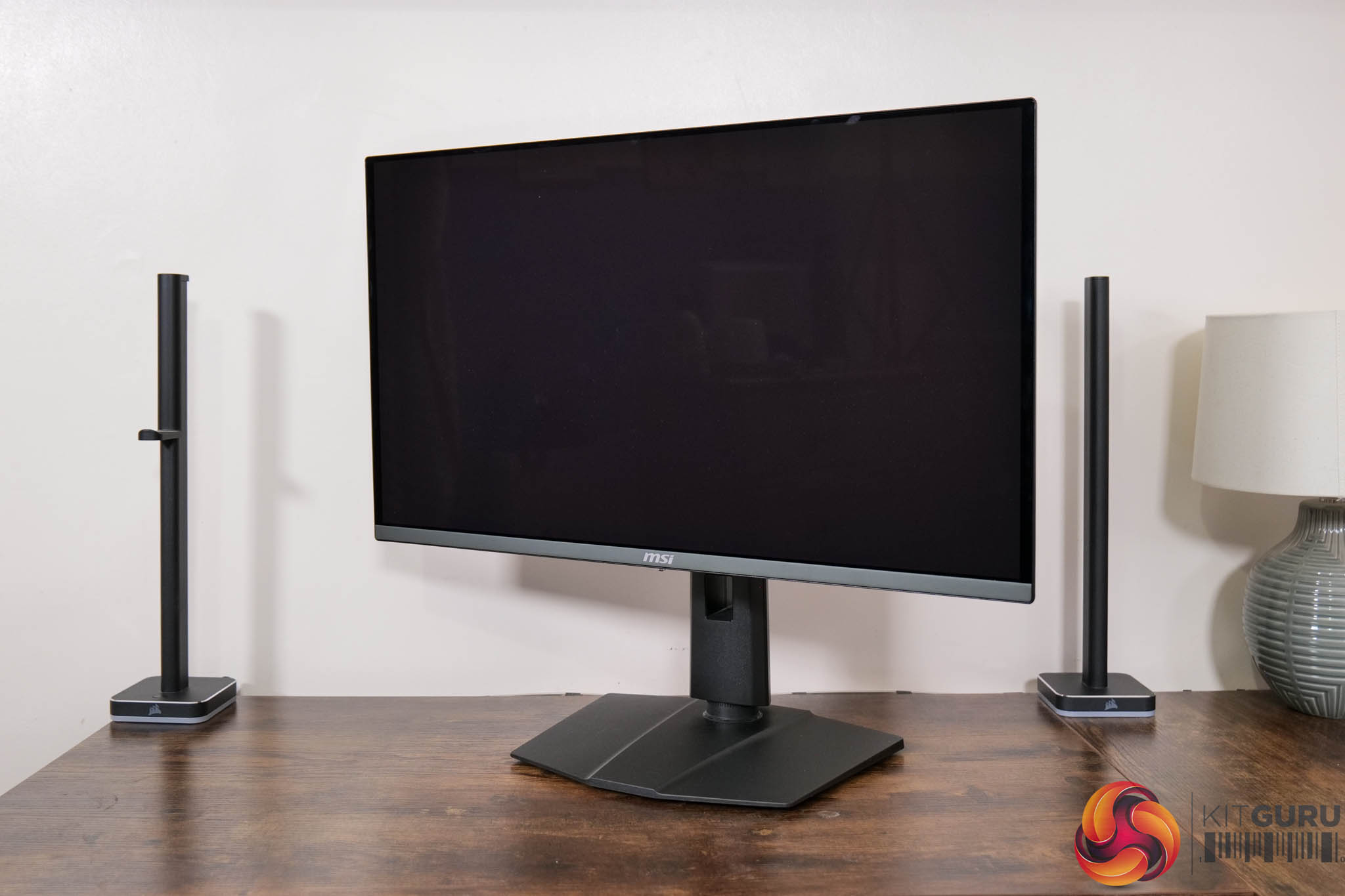
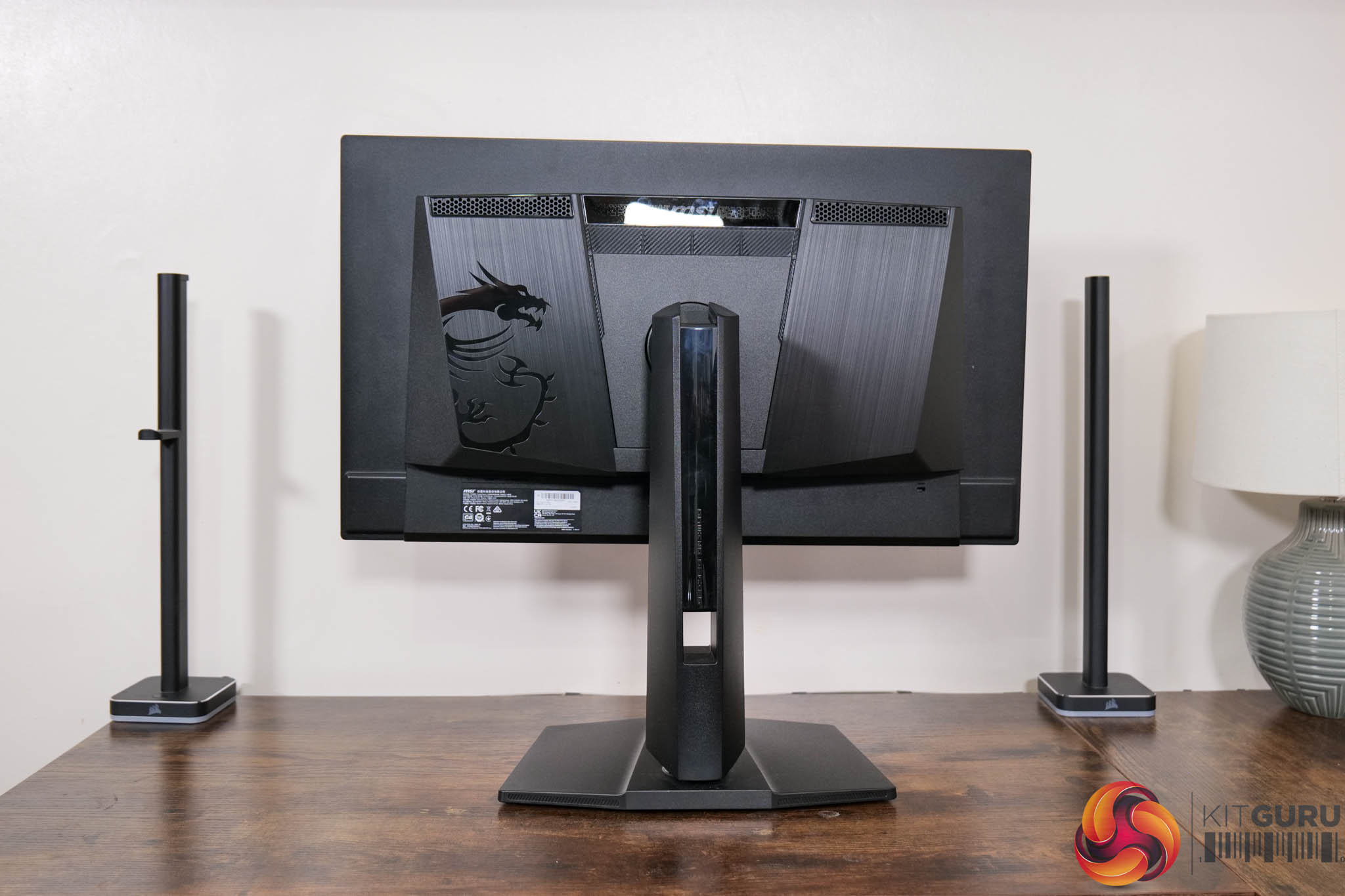
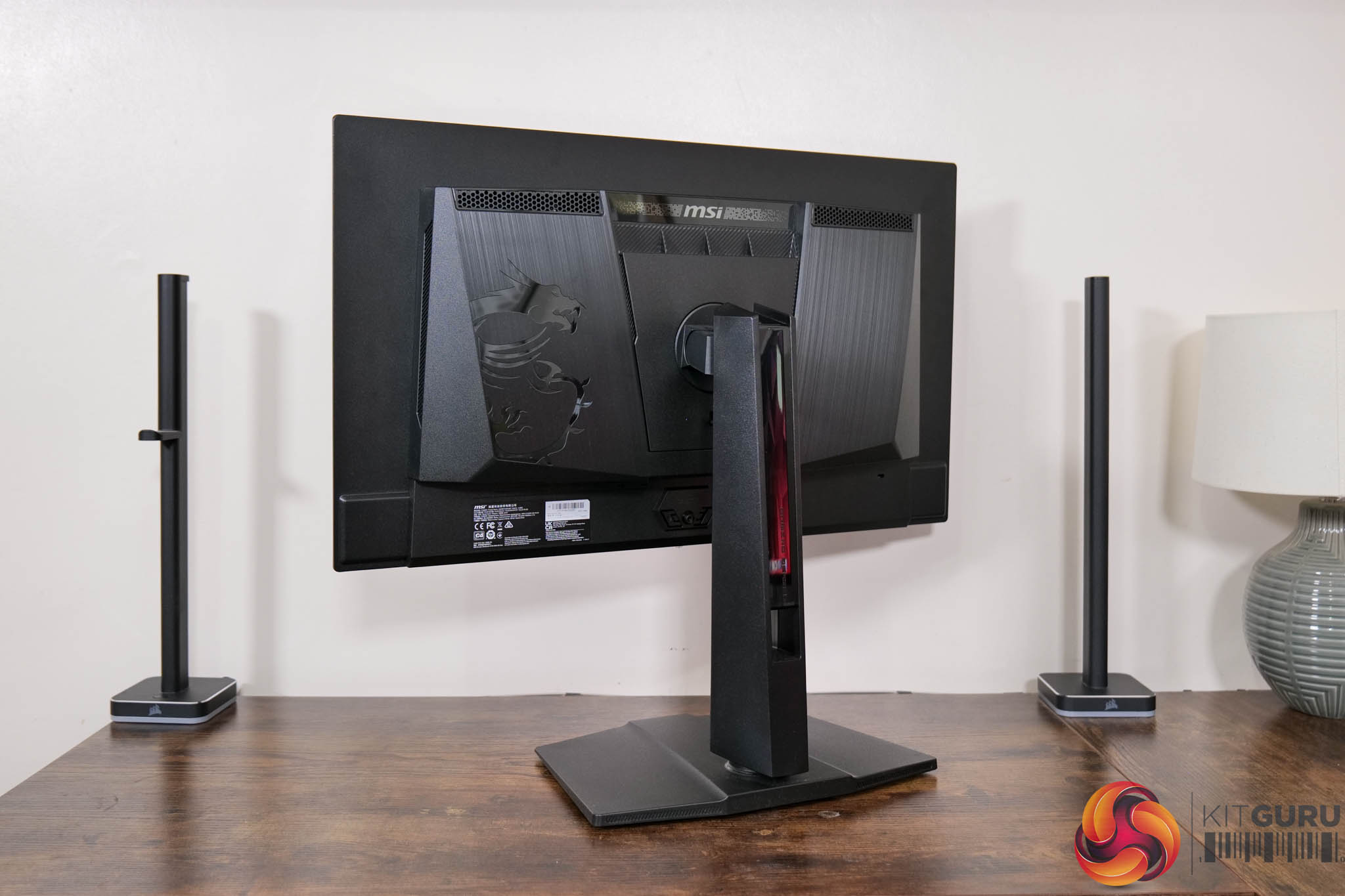
In terms of the design of the 272URX, not much has changed compared to the 321URX we reviewed last year – it's really the same thing, but obviously scaled down in size. That's not necessarily a bad thing as it's a fairly inoffensive, mostly black aesthetic – I just wish there was a bit more metal used, as it feels just a bit plasticky for my tastes. I do appreciate the square-ish foot though, as I much prefer this compared to some of the larger v-shaped feet we typically see.
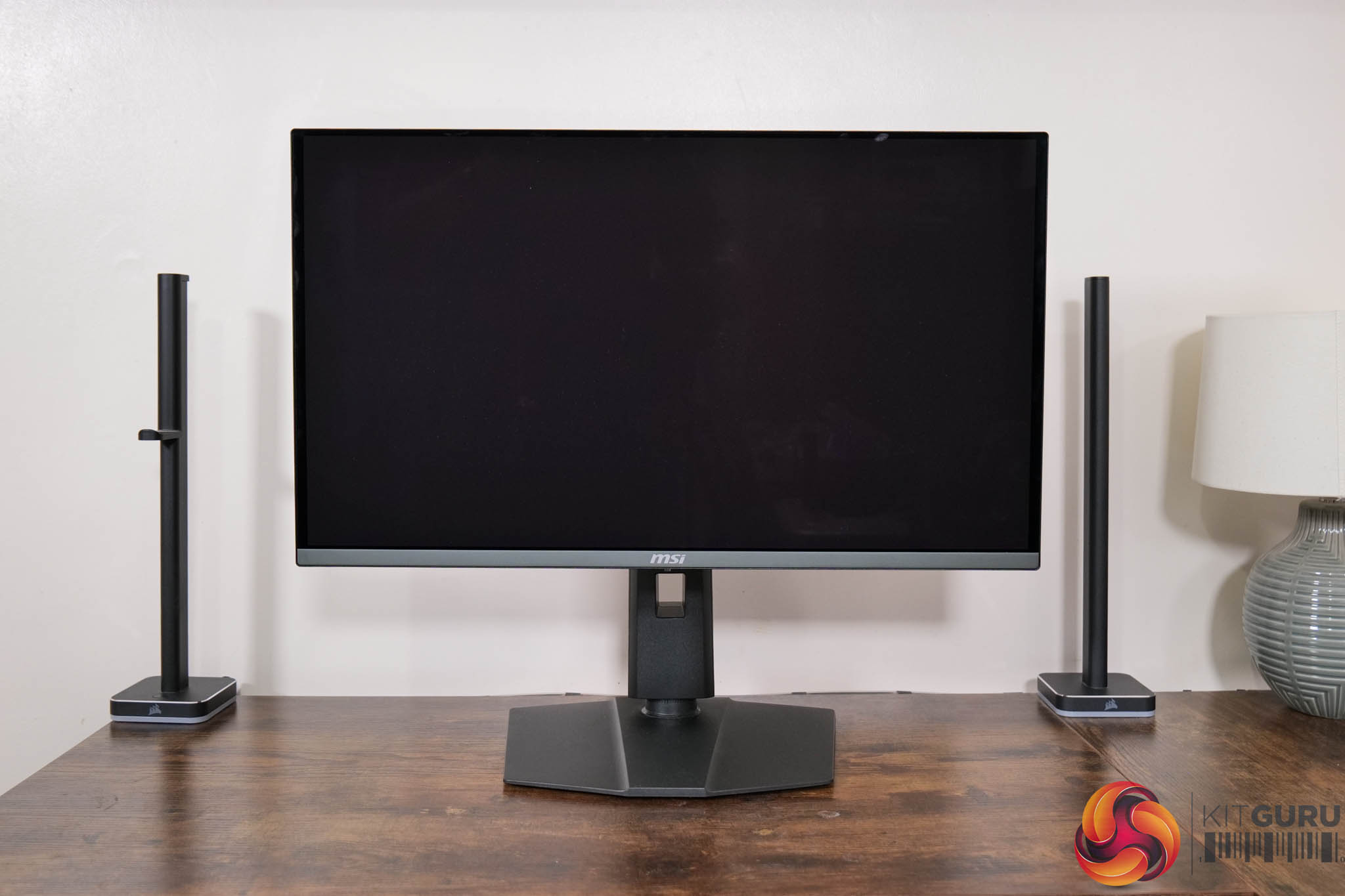
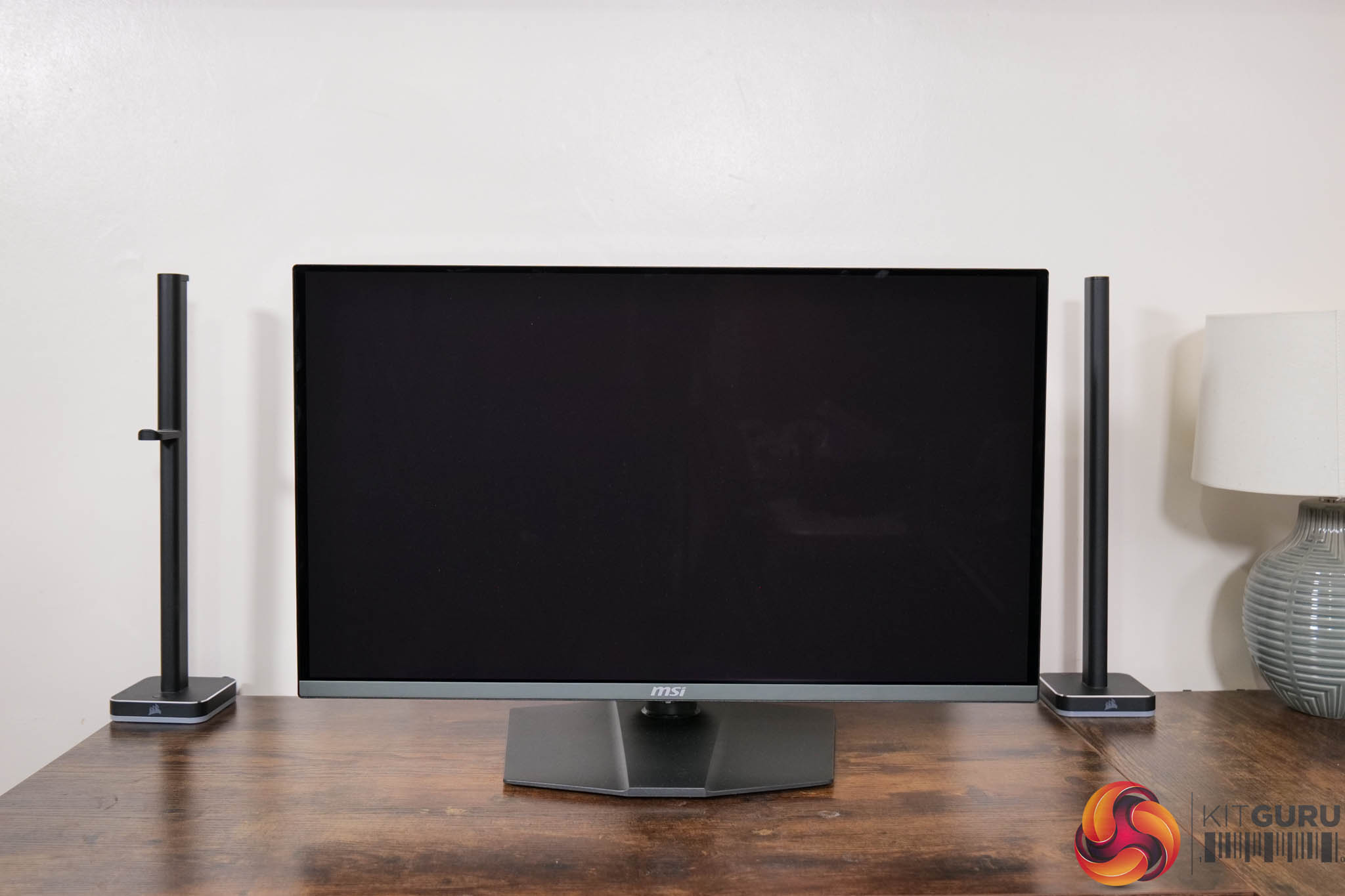
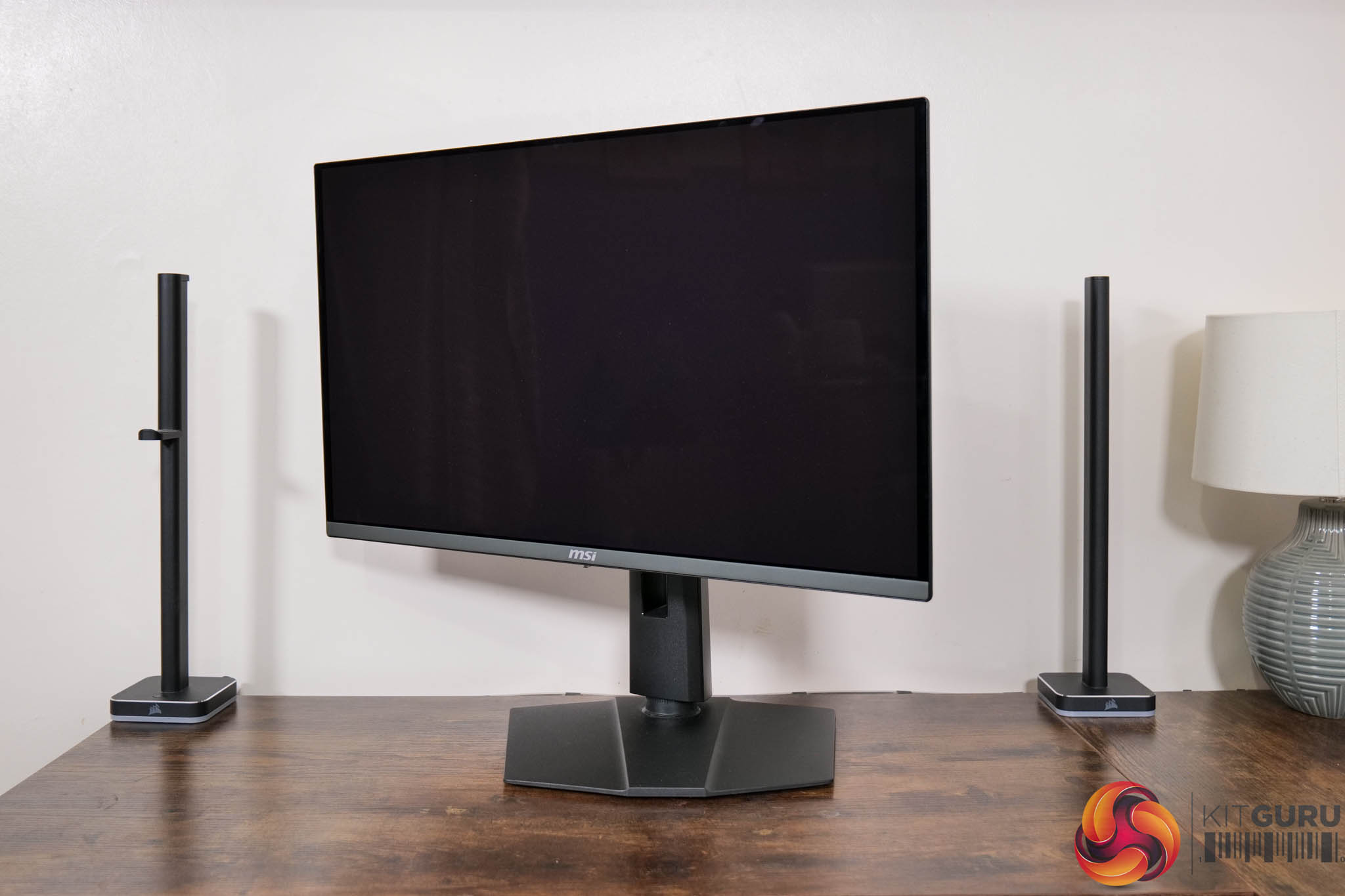
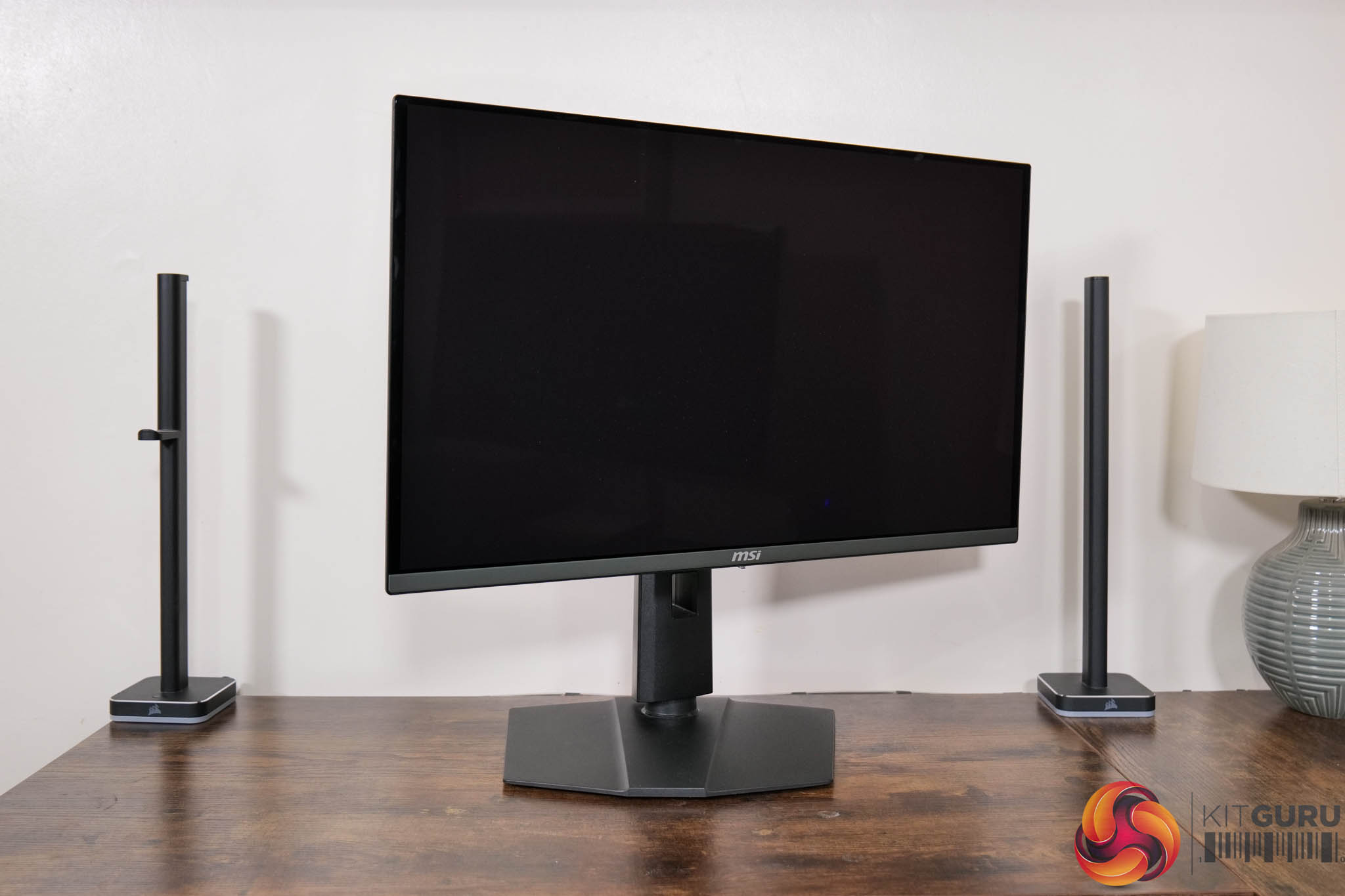
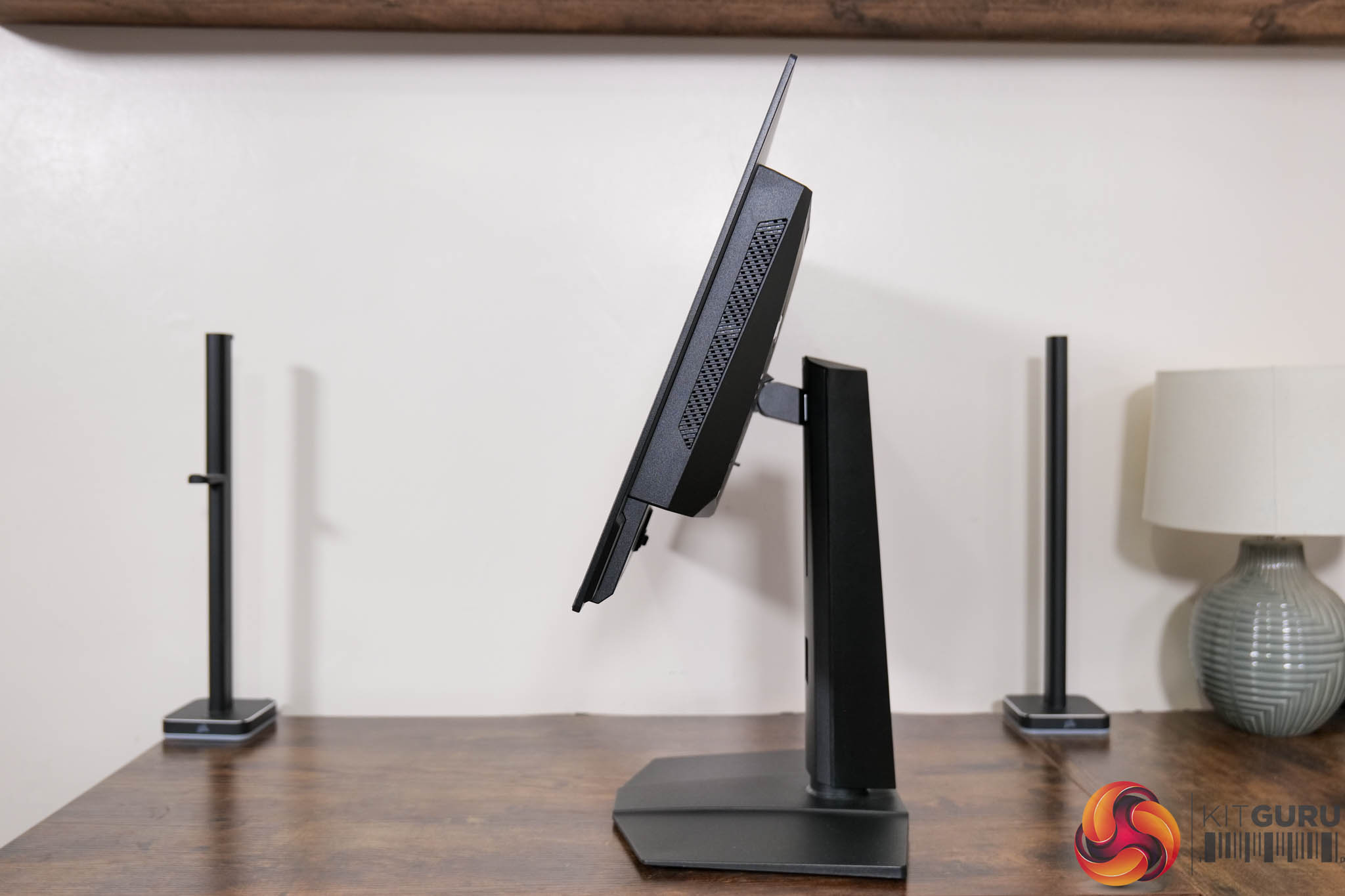
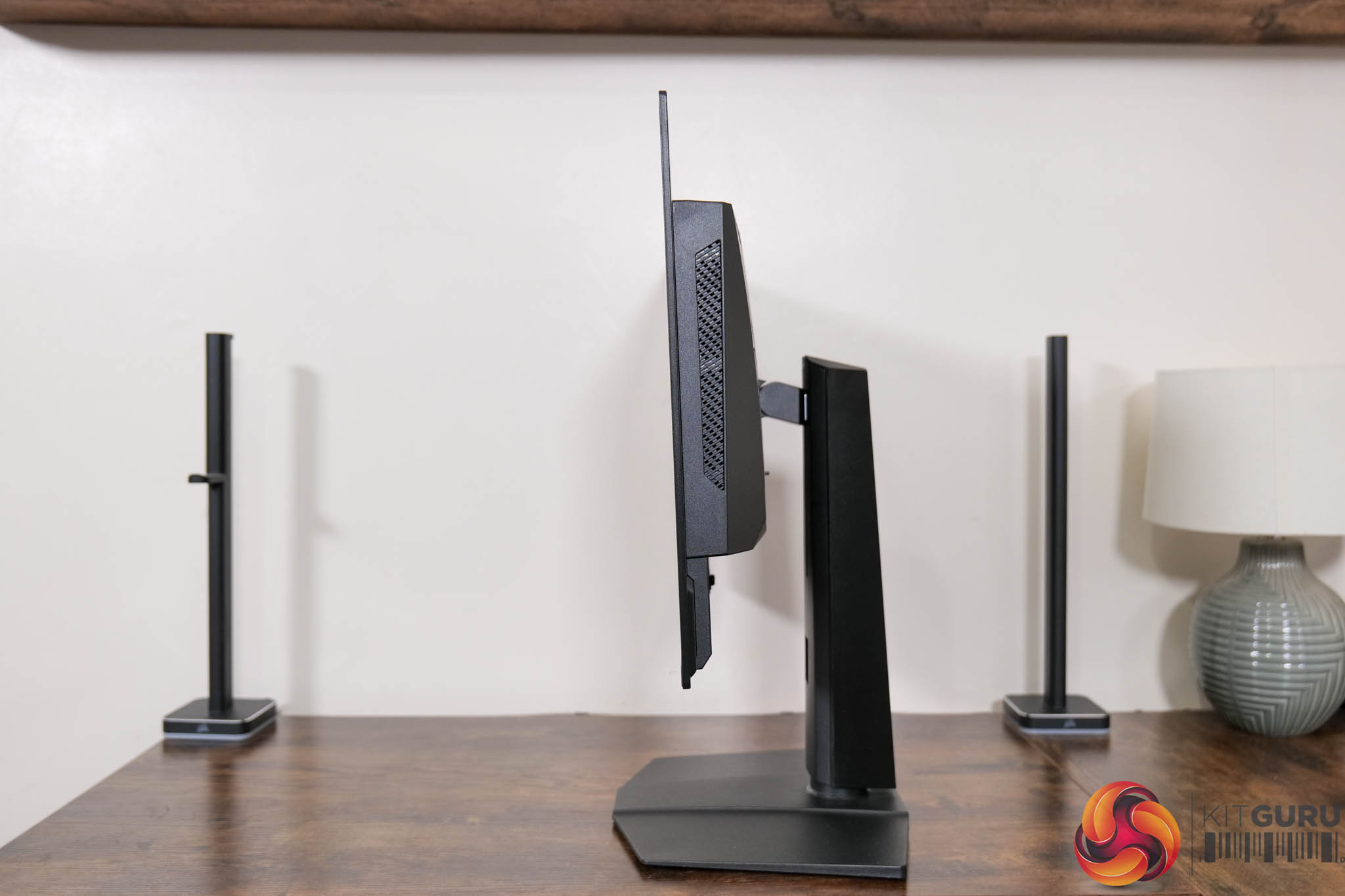
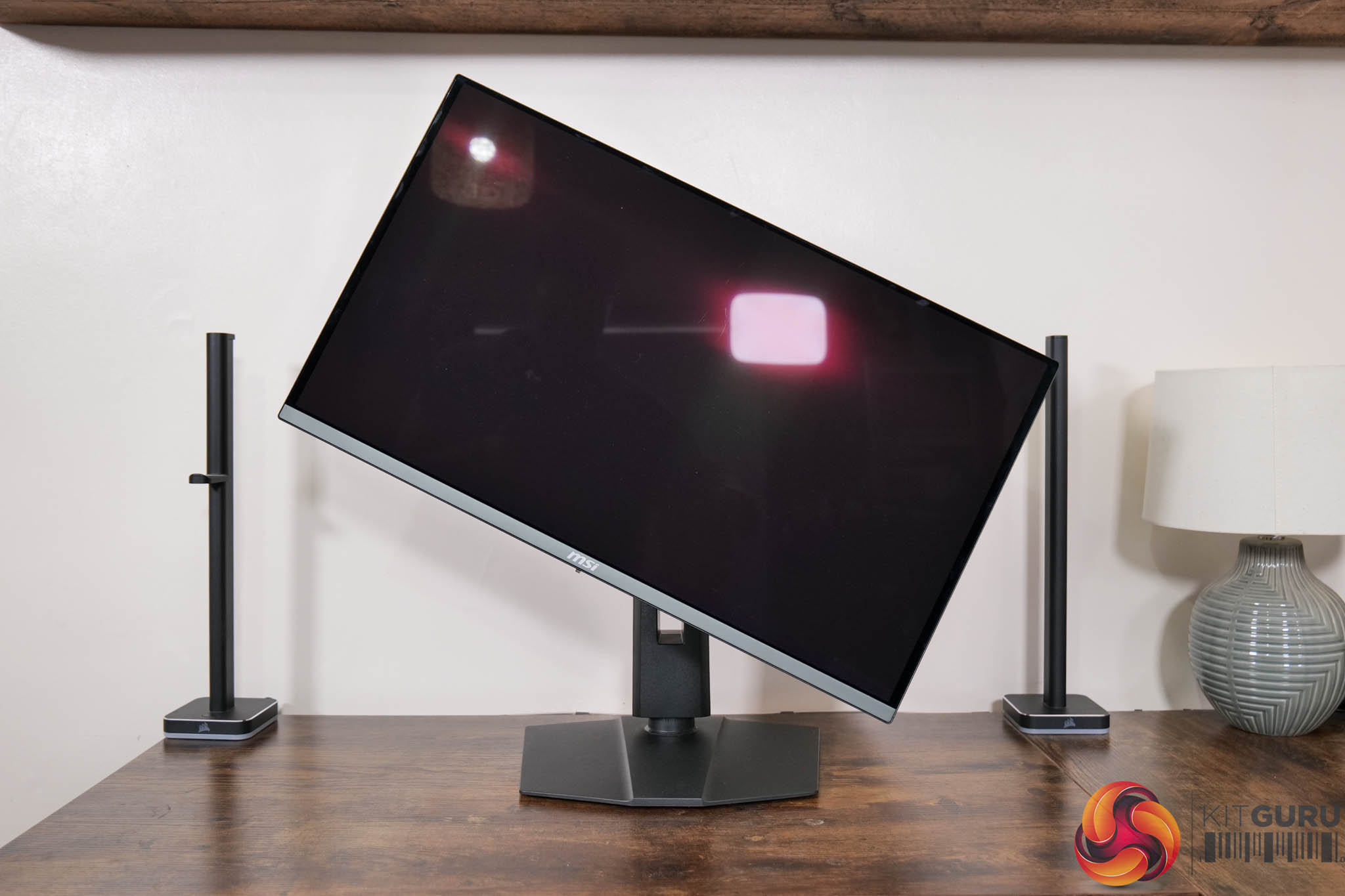
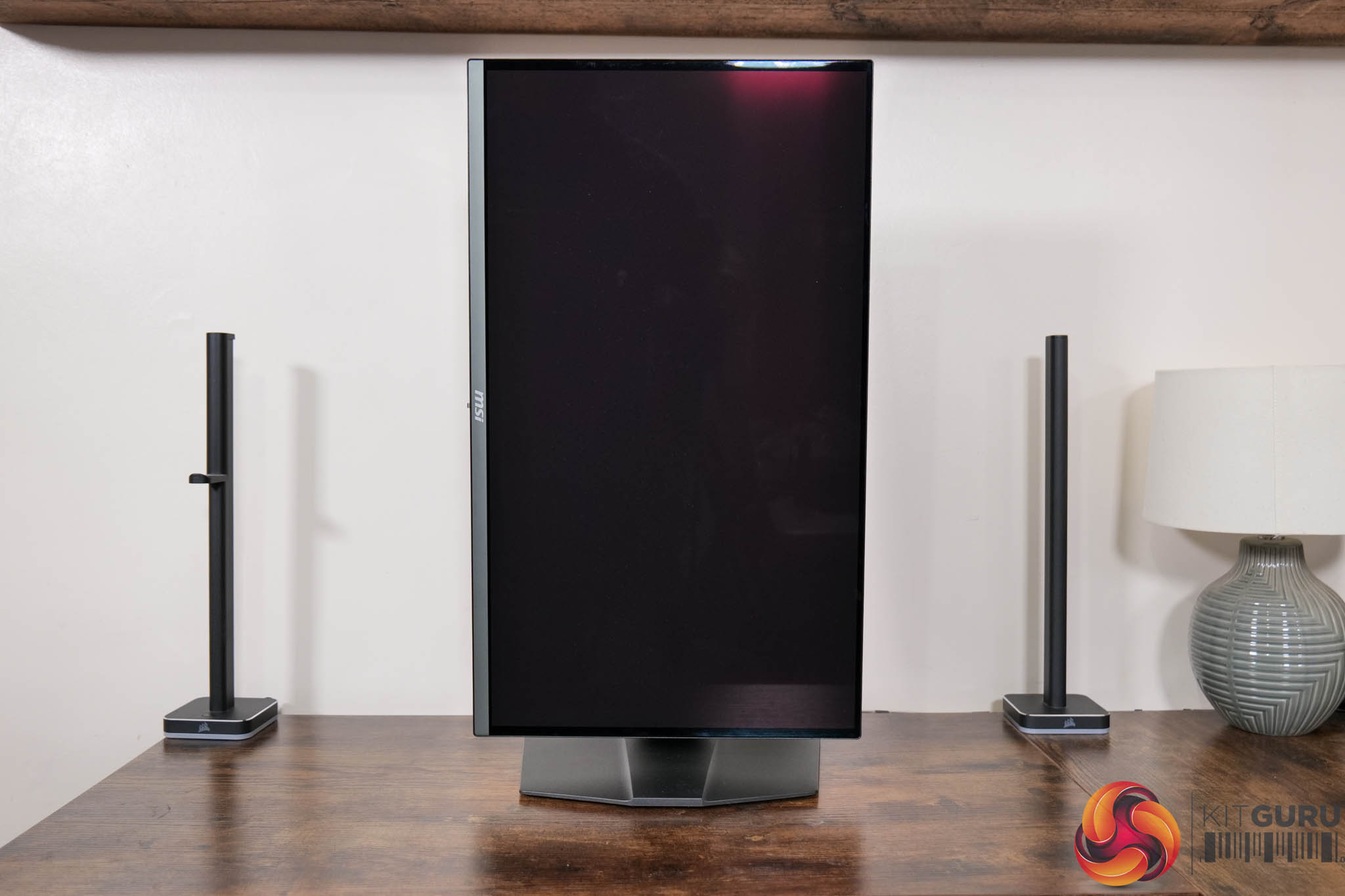
The stand does offer the full array of ergonomic adjustments too, and that includes up to 110mm of height adjustment, 30 degrees of swivel both left and right, tilt from -5 to +20 degrees, along with full 90 degree pivot functionality if you want to use the screen vertically. Third party VESA 100×100 mounts are also supported.
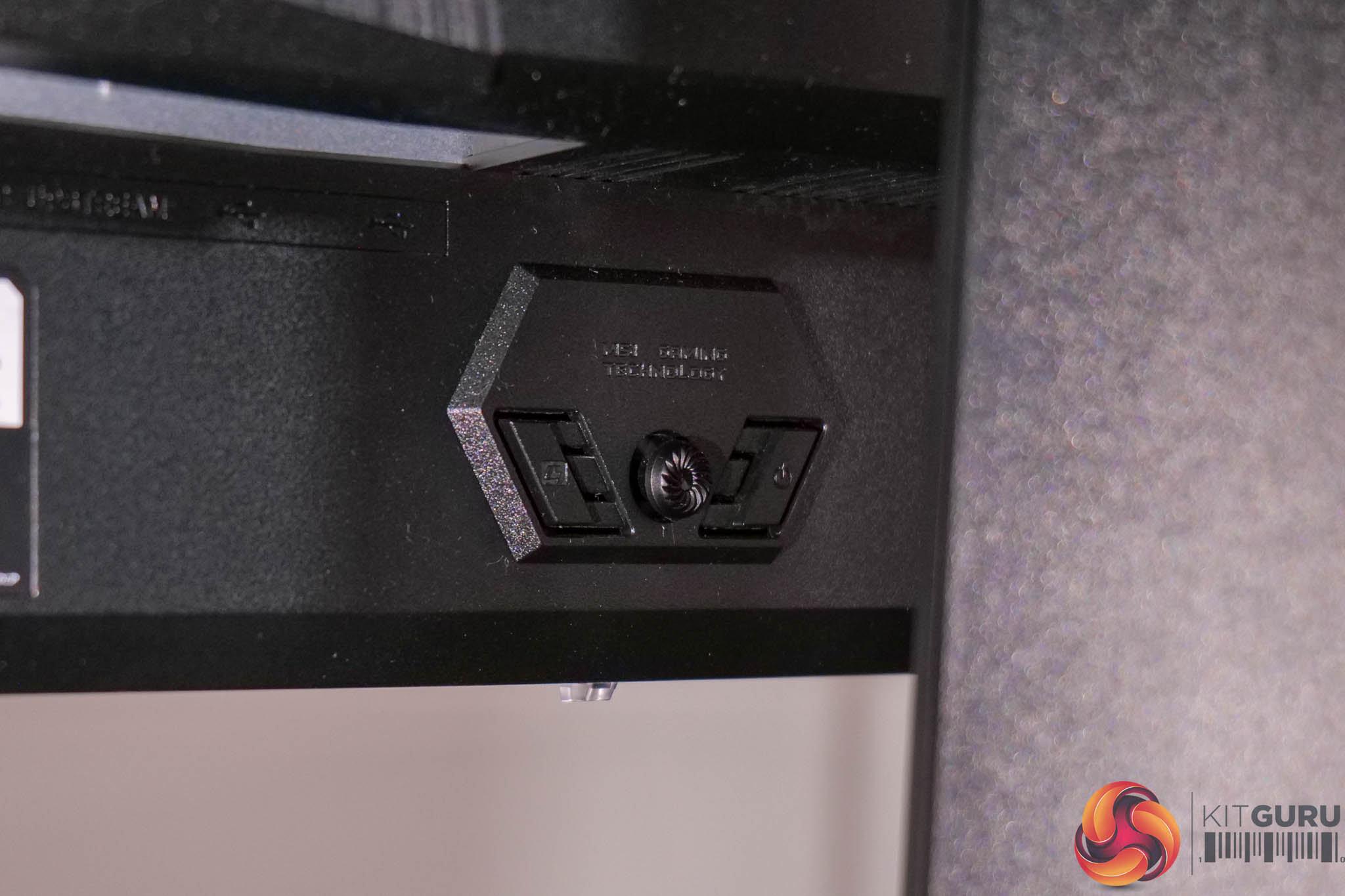
The monitor controls are positioned centrally and offer a joystick for navigating the OSD, along with a power button and one user configurable button.
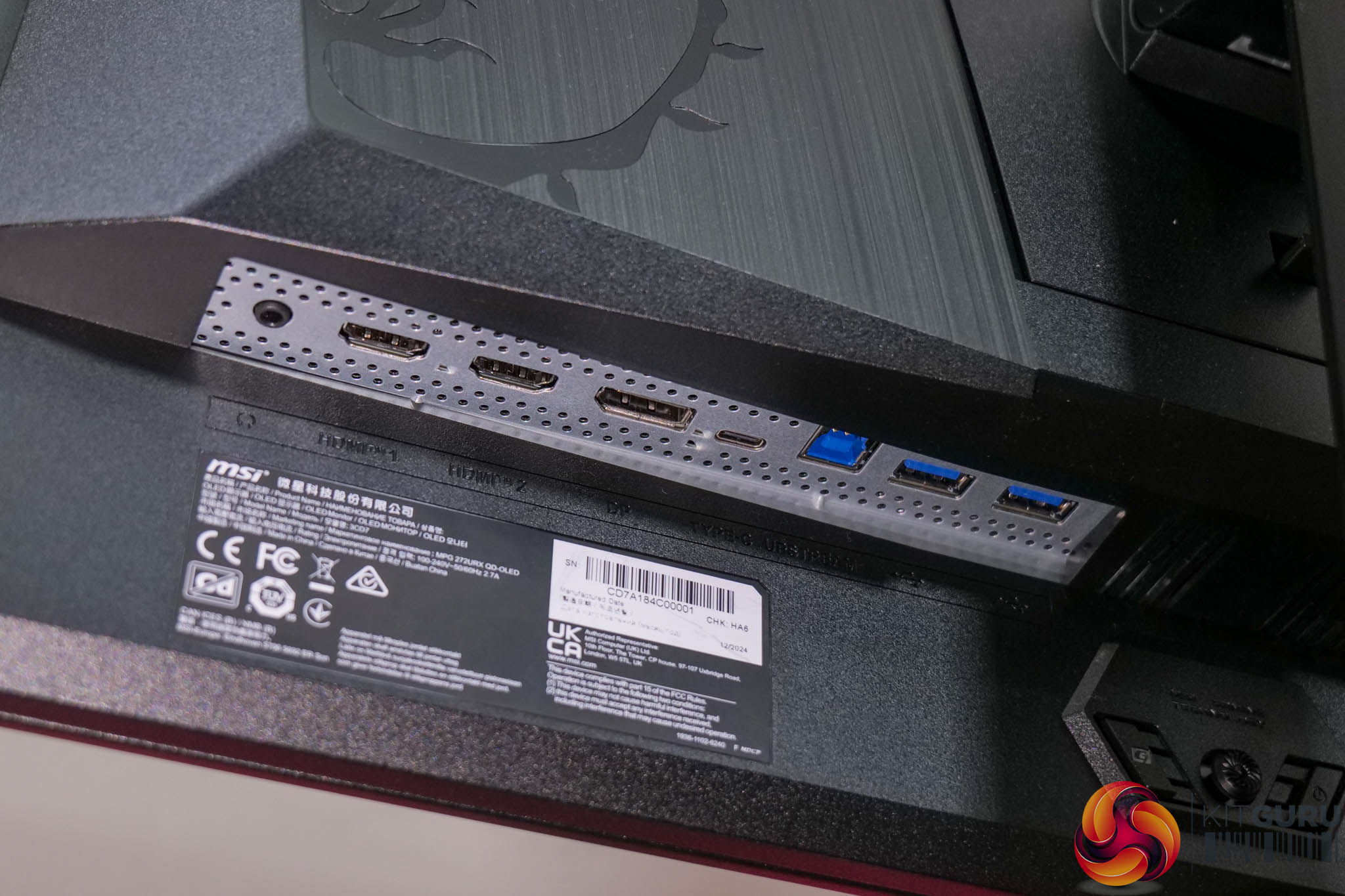
As for the connectivity options, MSI provides two HDMI 2.1 video inputs along with one DisplayPort 2.1, and this does offer the full UHBR20 bandwidth. There's also a USB-C port that supports DP Alt mode and 98W power delivery, alongside a 5Gbps Type-B upstream and two Type-A downstreams, and a headphone jack.
The core OSD is more or less the same as found on the MSI 321URX, and it's broken down into nine main tabs as you can see here (though the PIP/PBP is greyed out as only one video input was used):
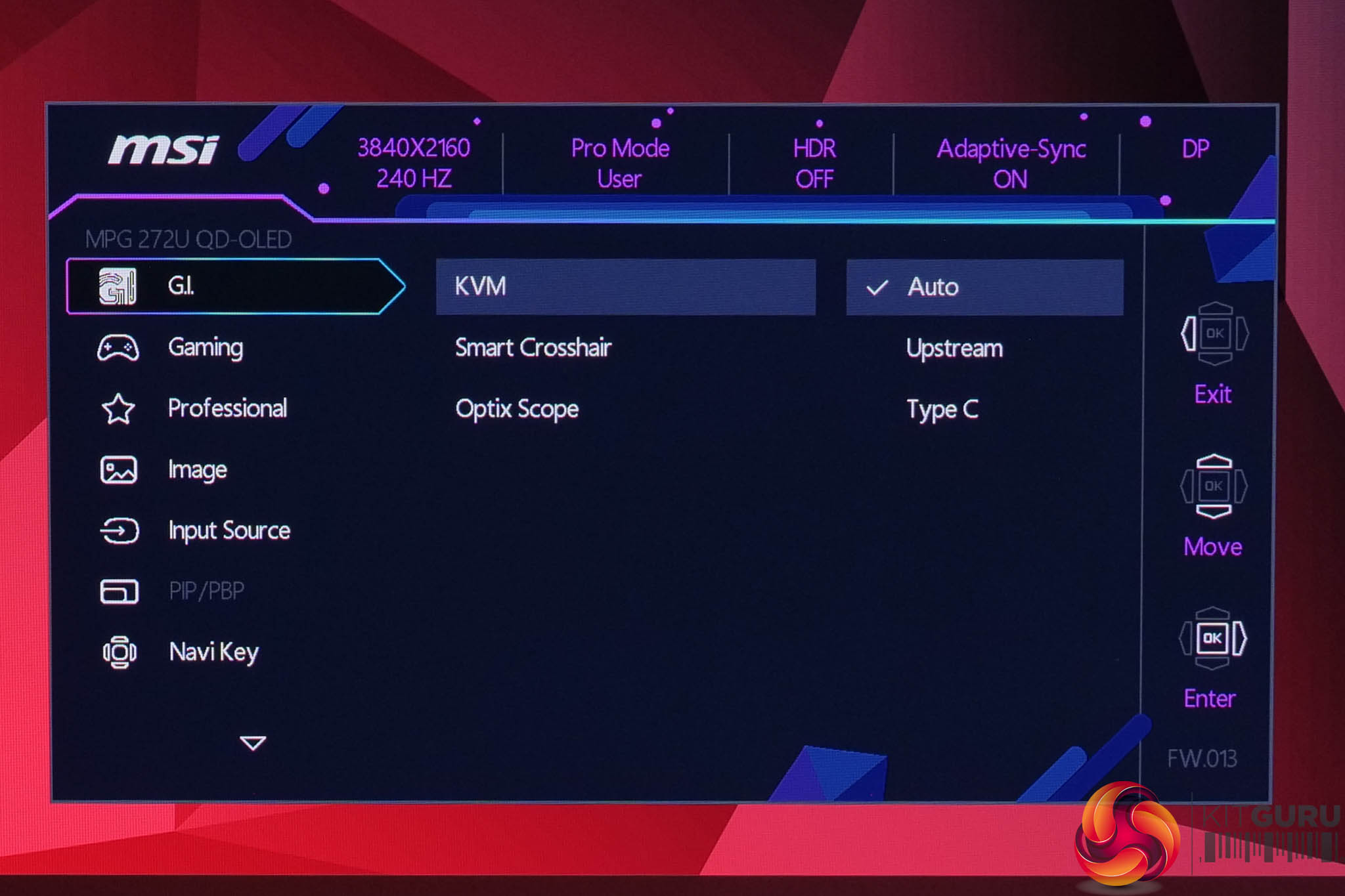
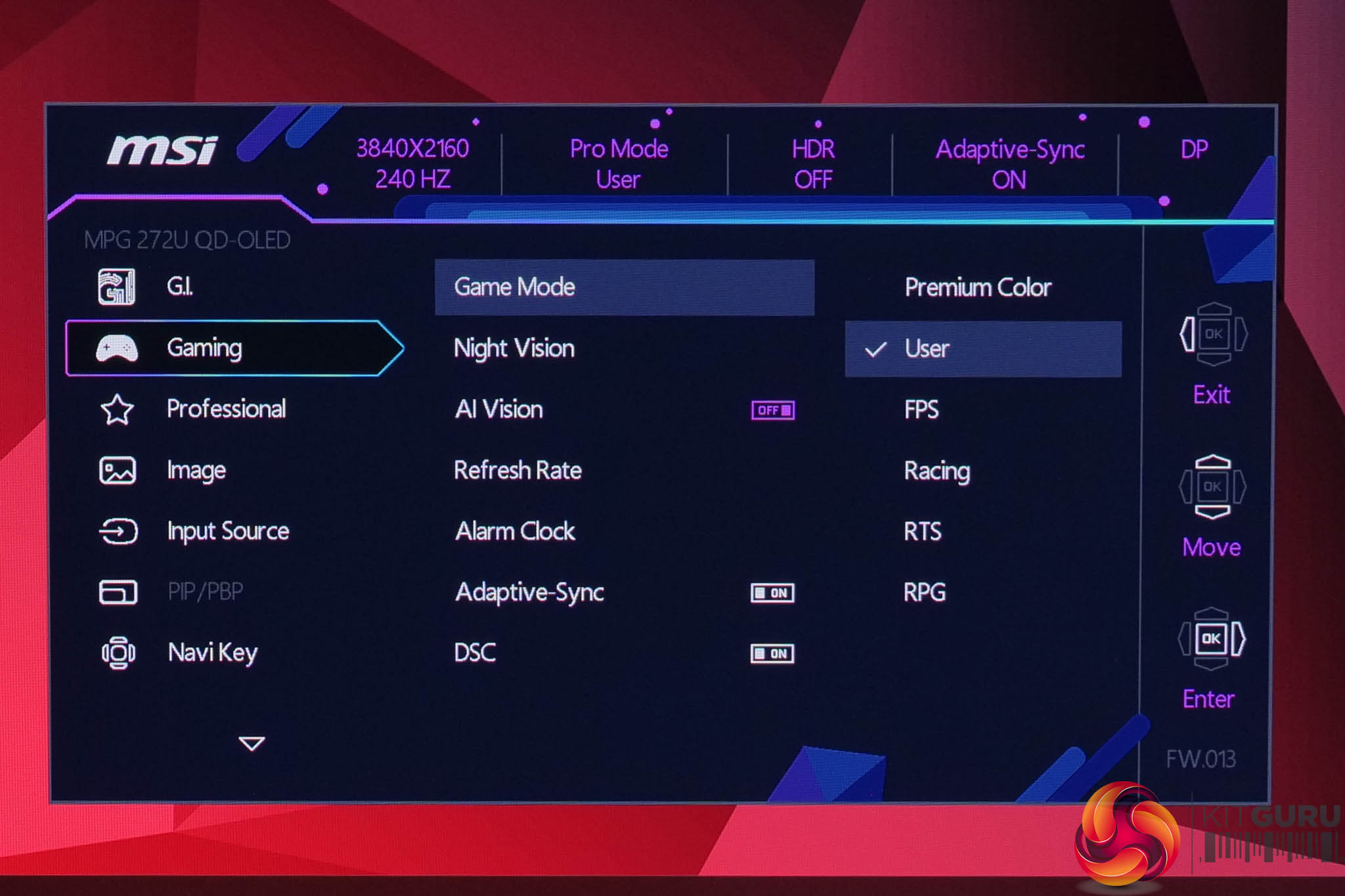
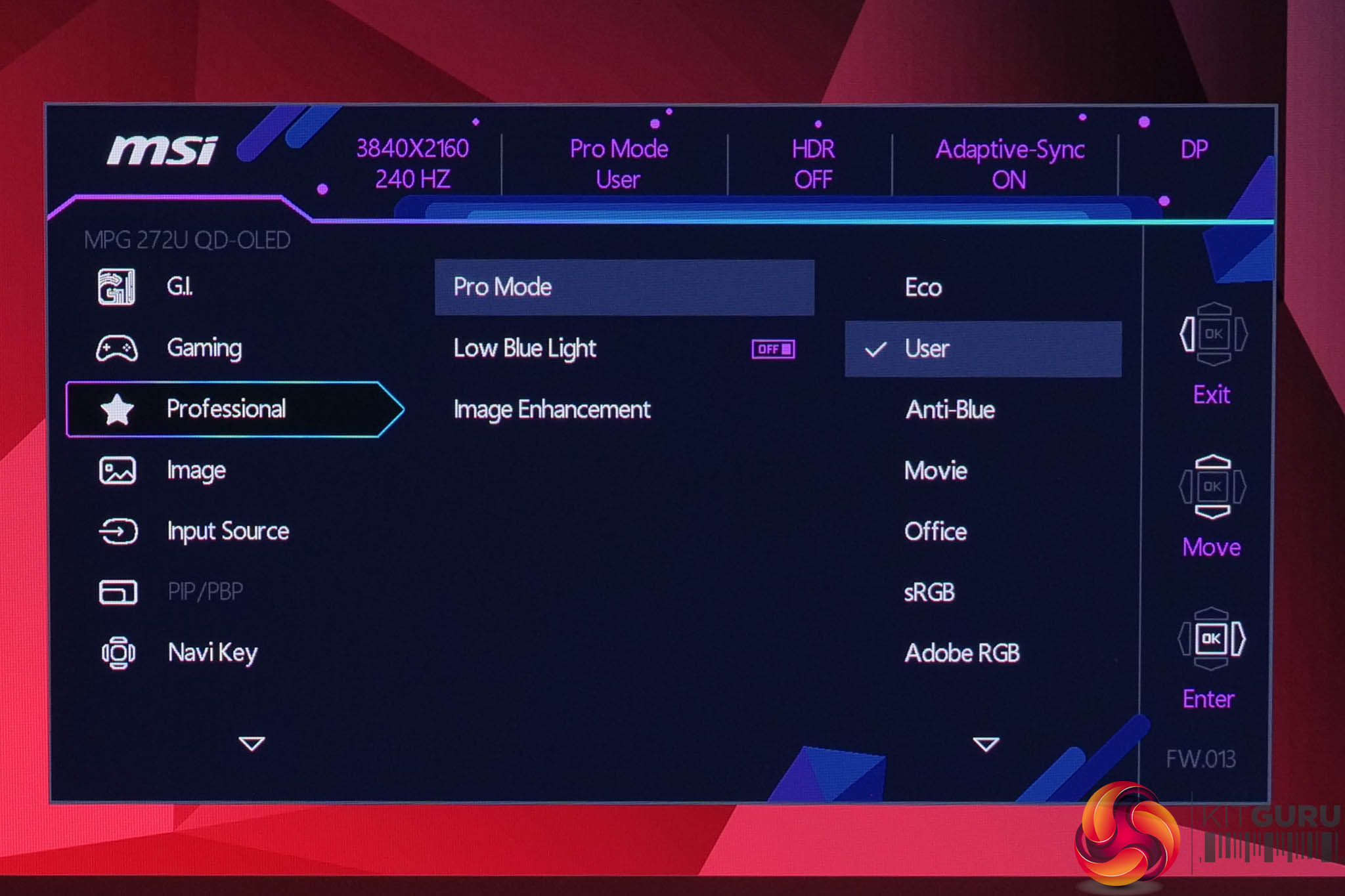
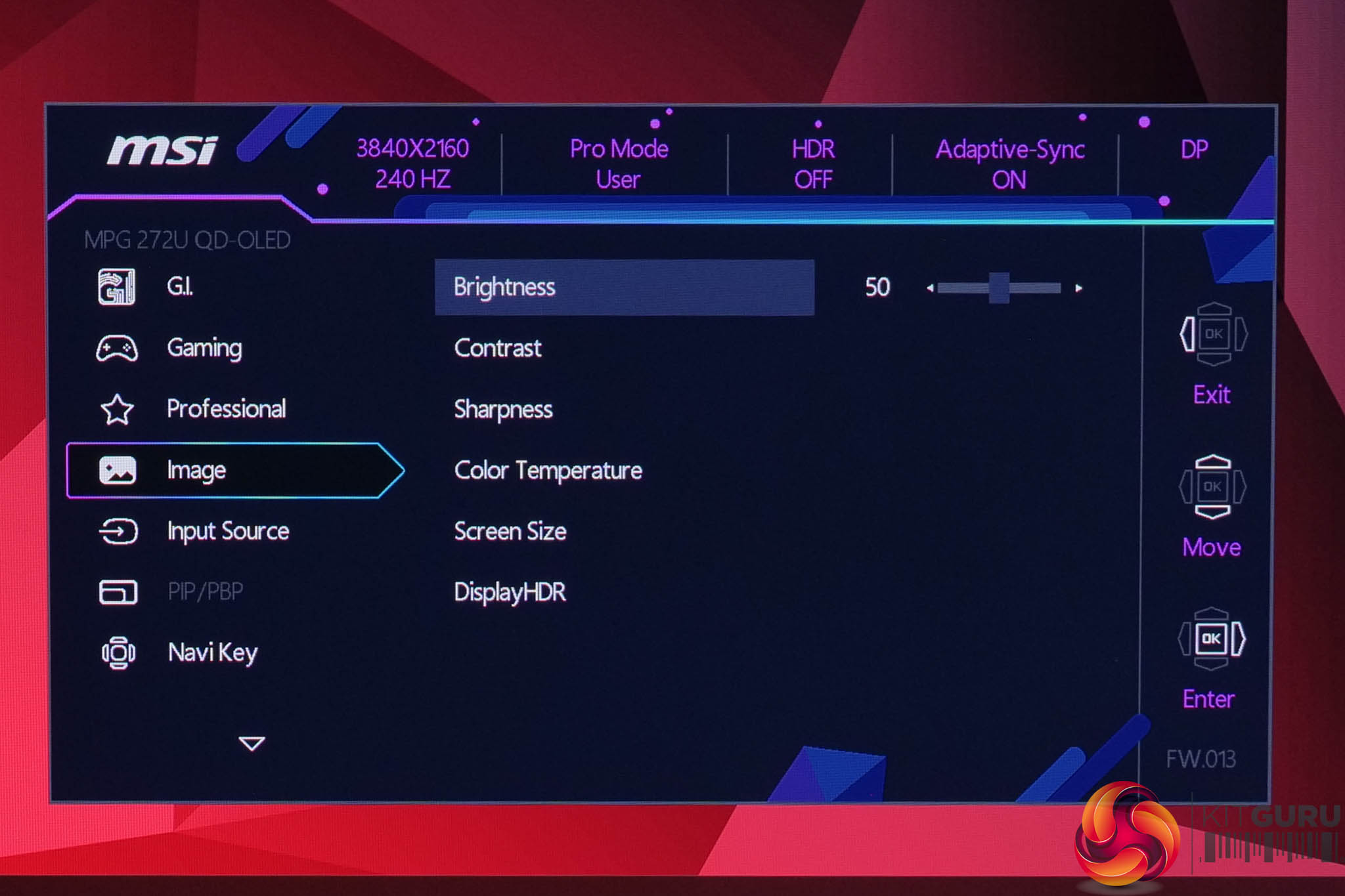
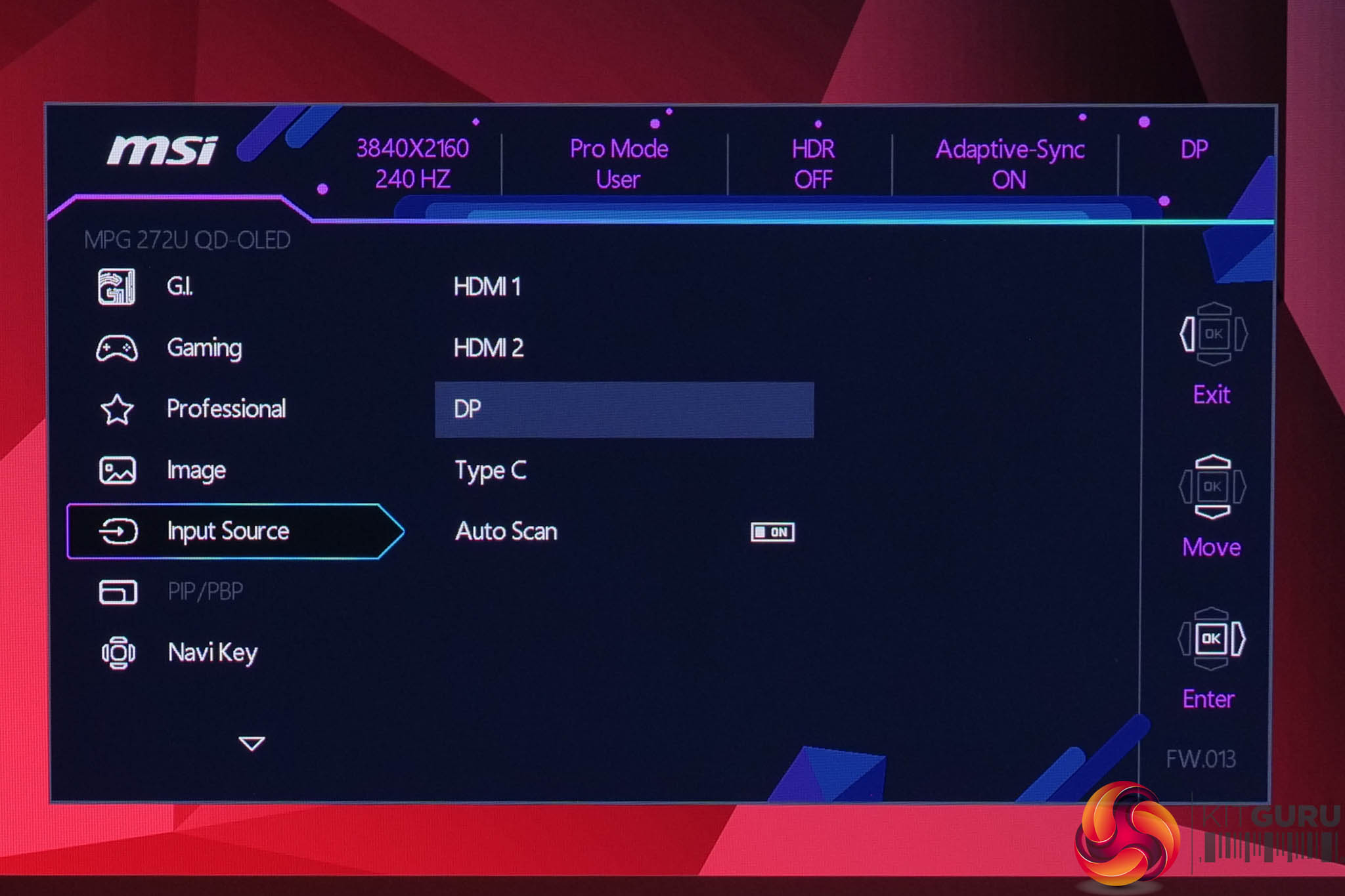
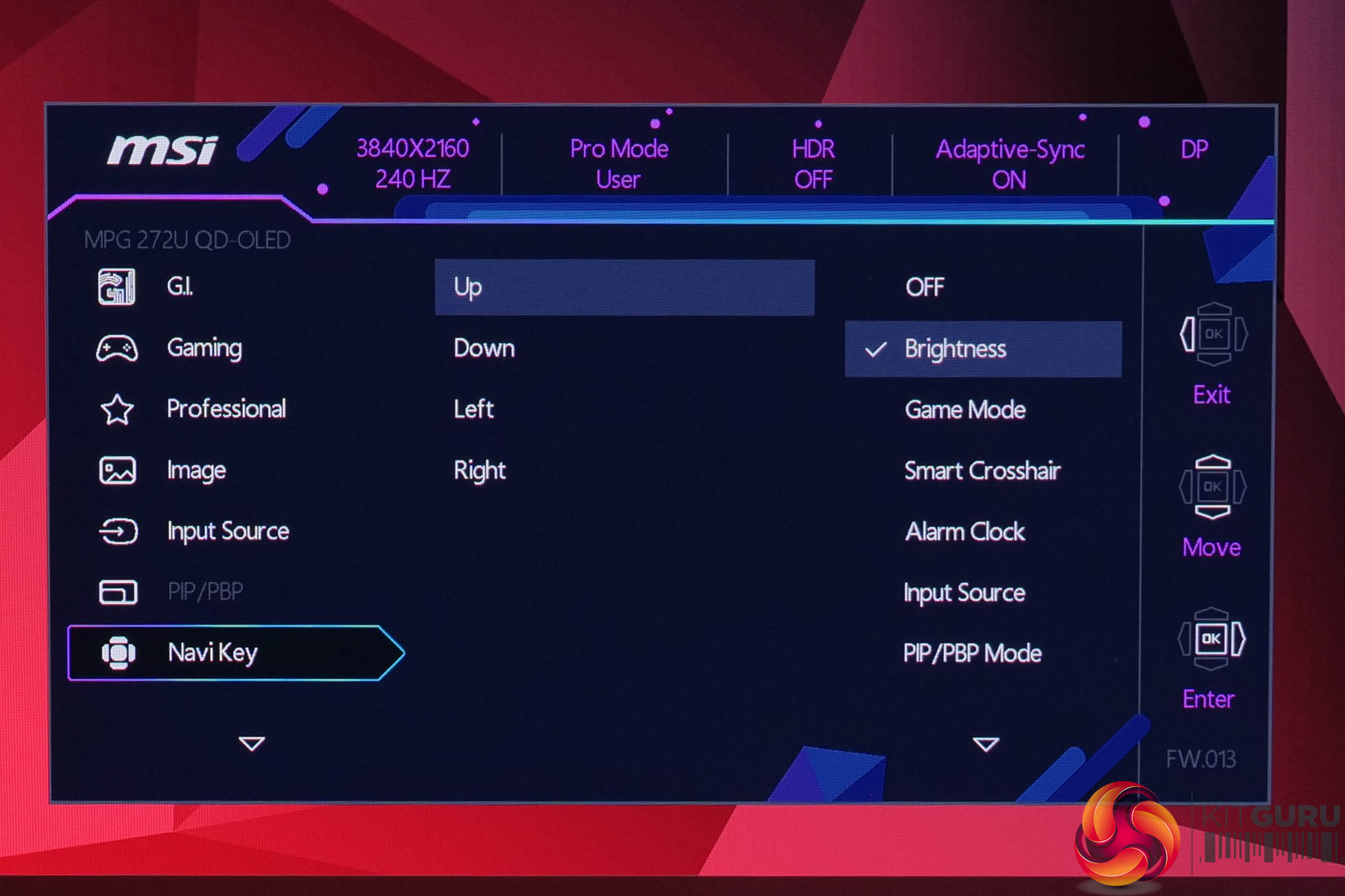
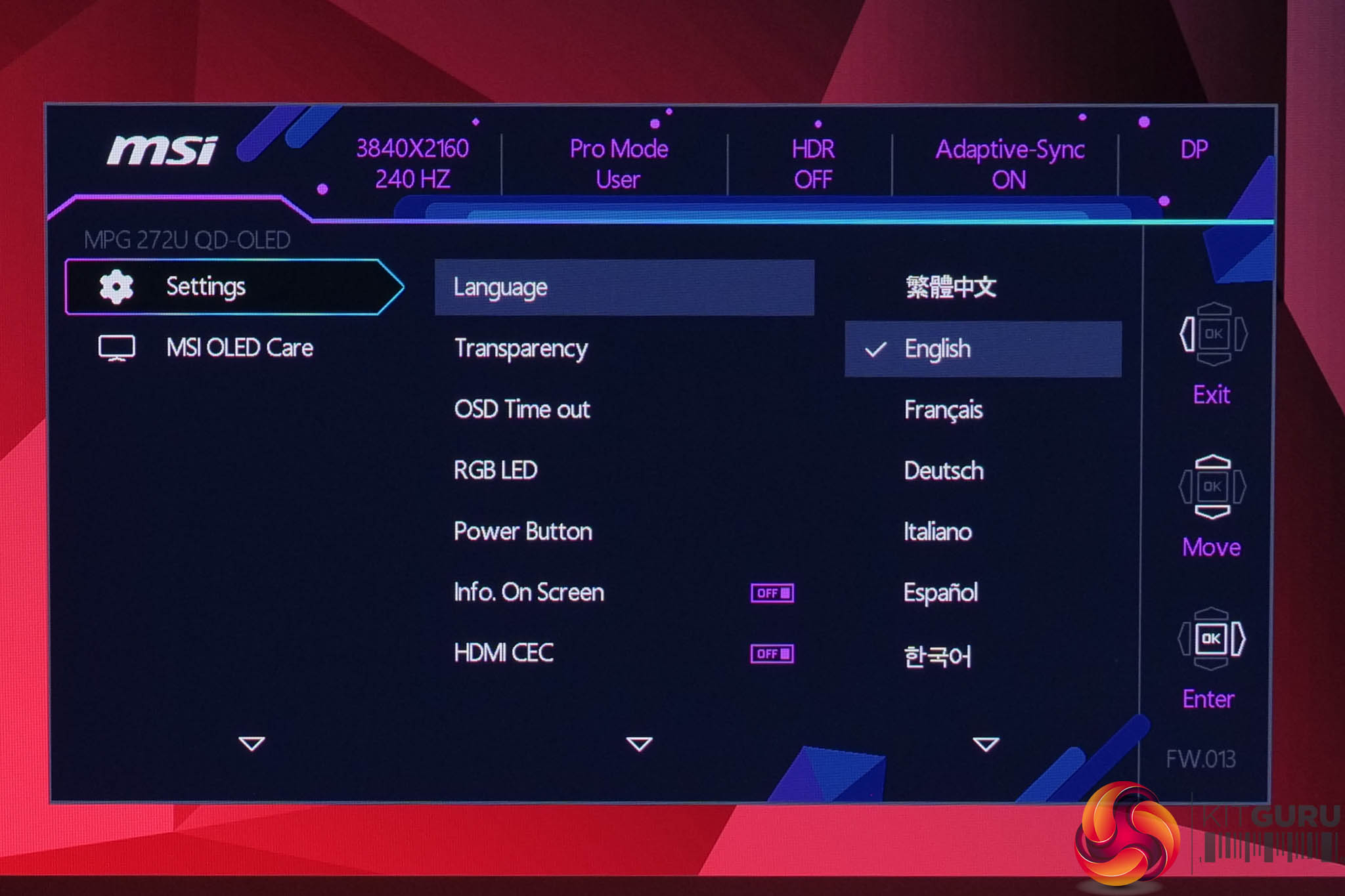
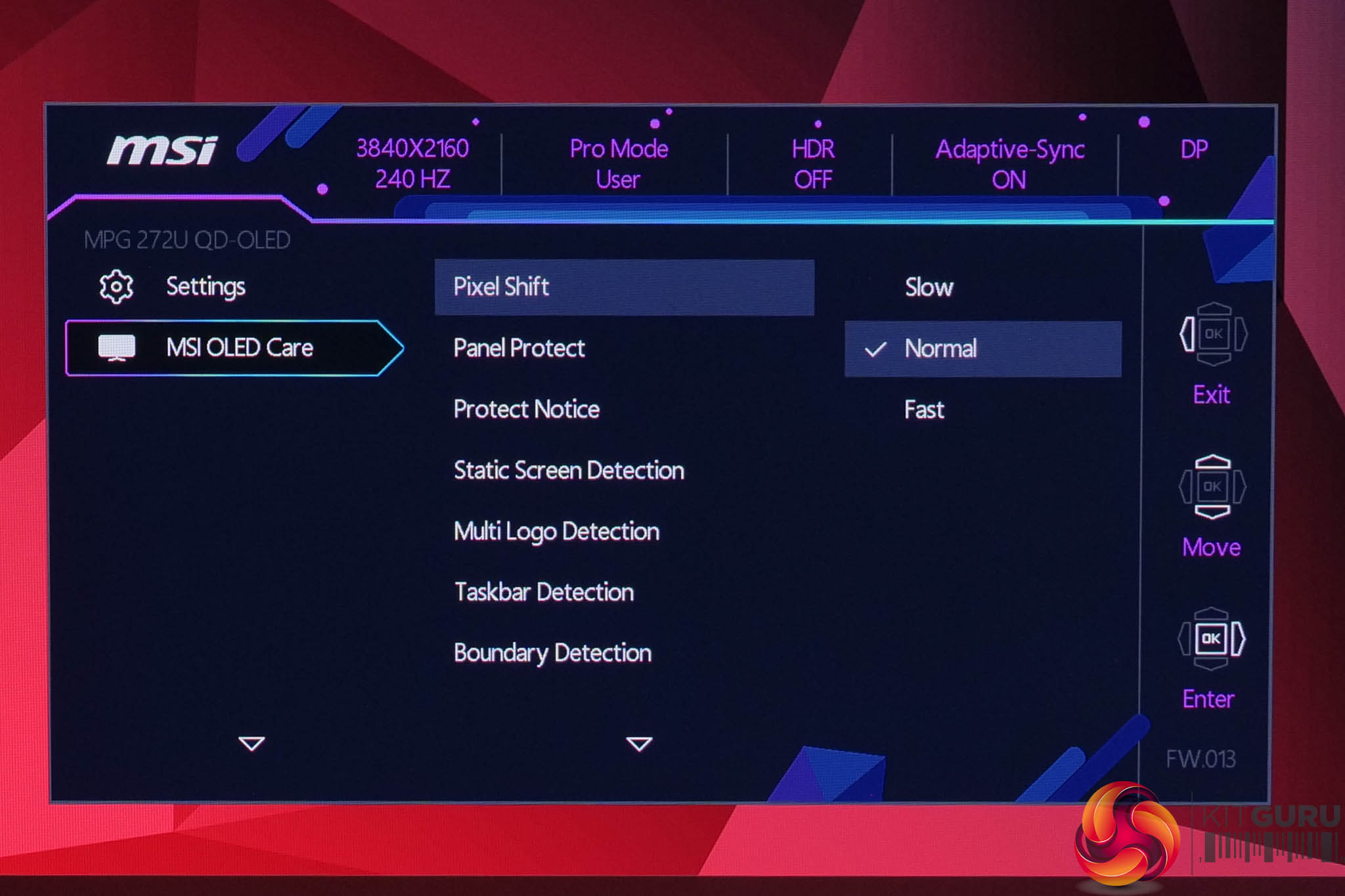
Using the same OSD system as we have come to expect from MSI, I don't have any major complaints here. It is quick to navigate using the joystick, things are sensibly laid out and it's a very well-featured selection too, with all the gamer-specific options we have come to expect as well as customisable white balance, an sRGB emulation mode and so on.
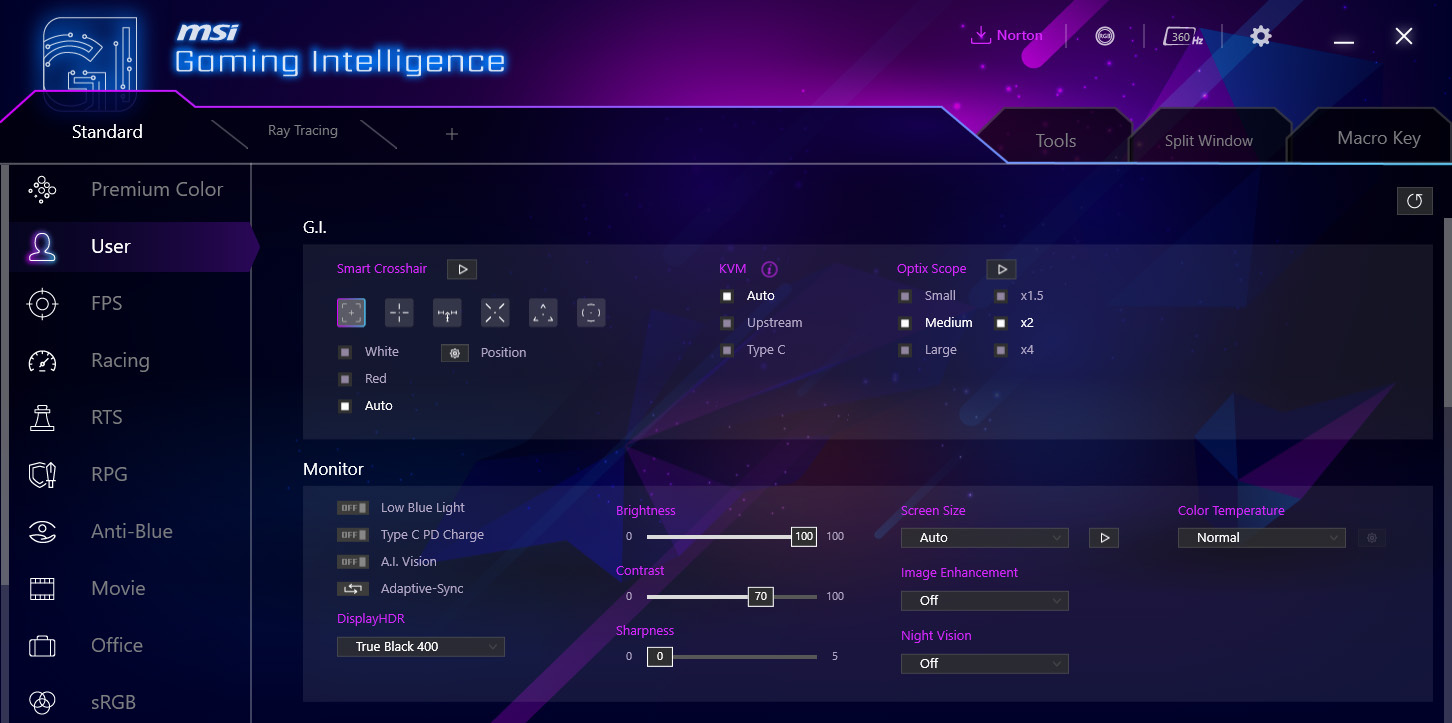
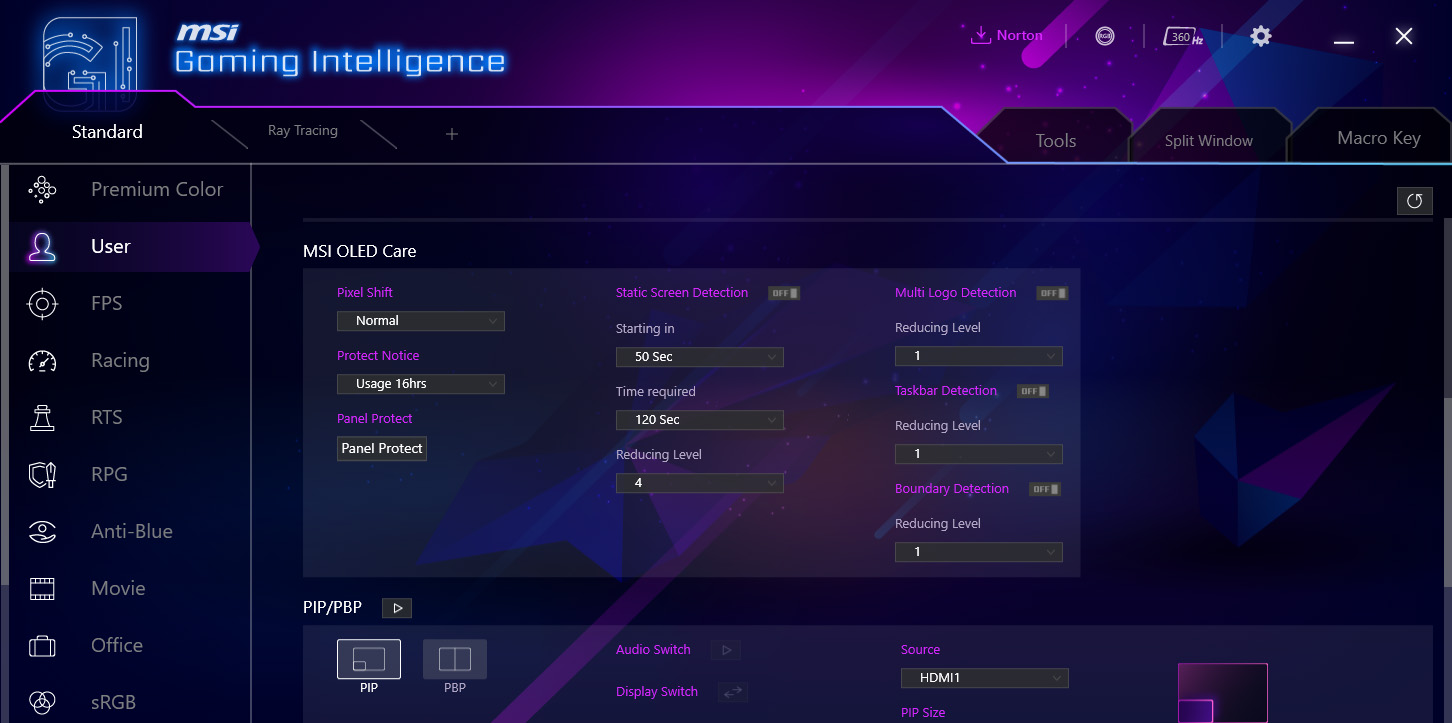
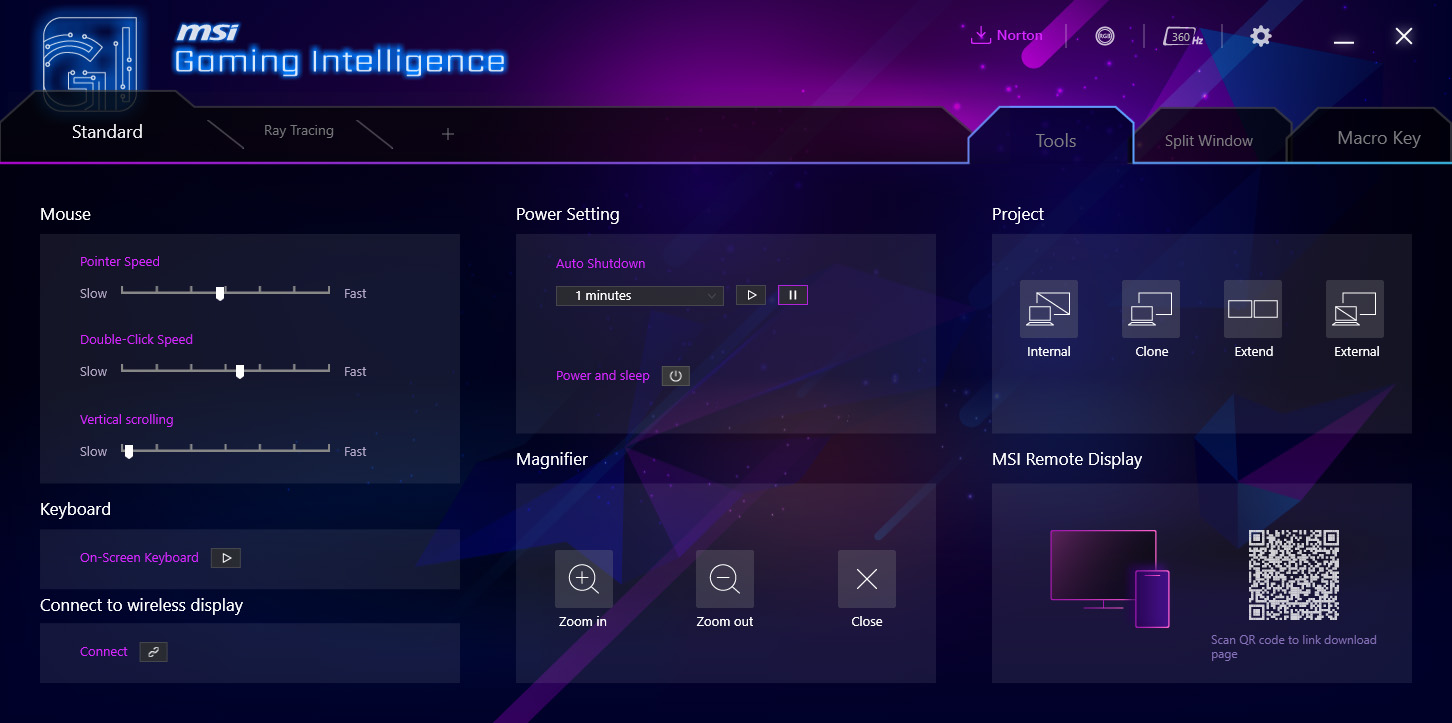
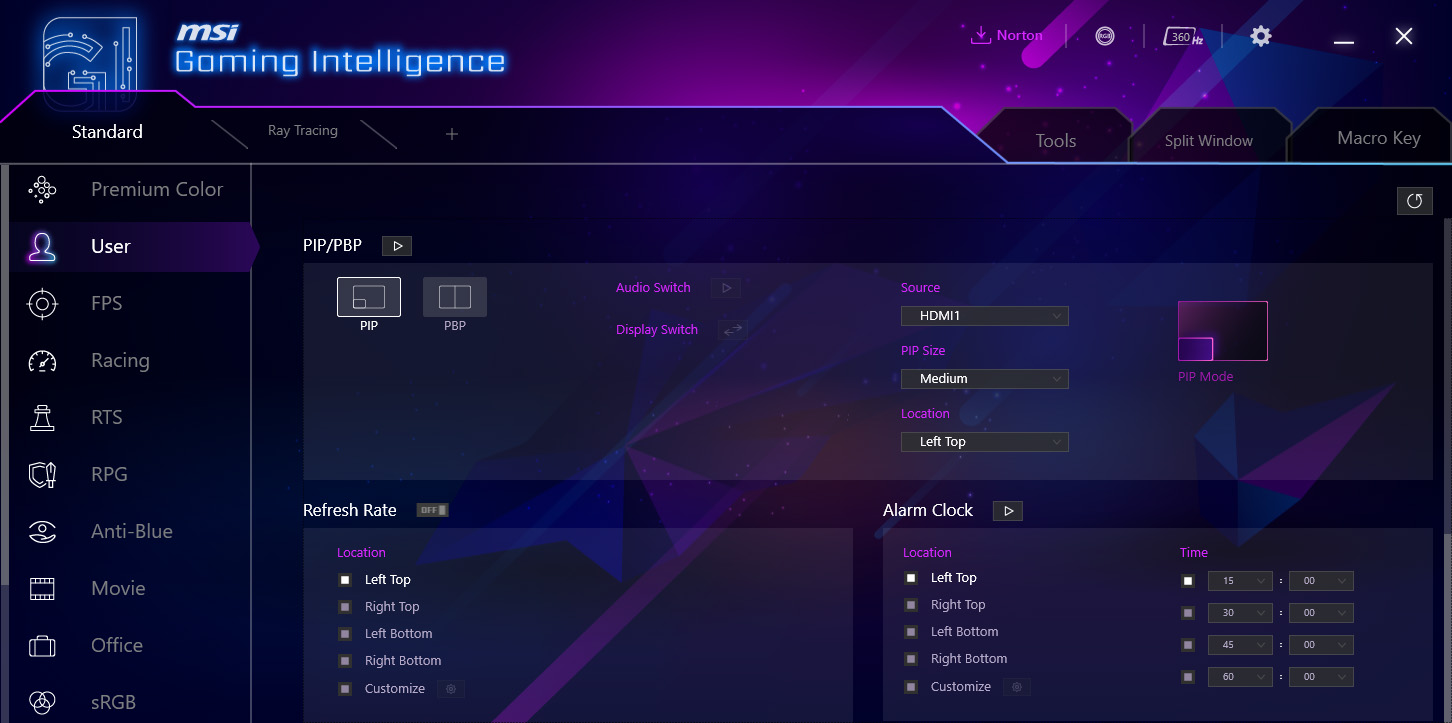
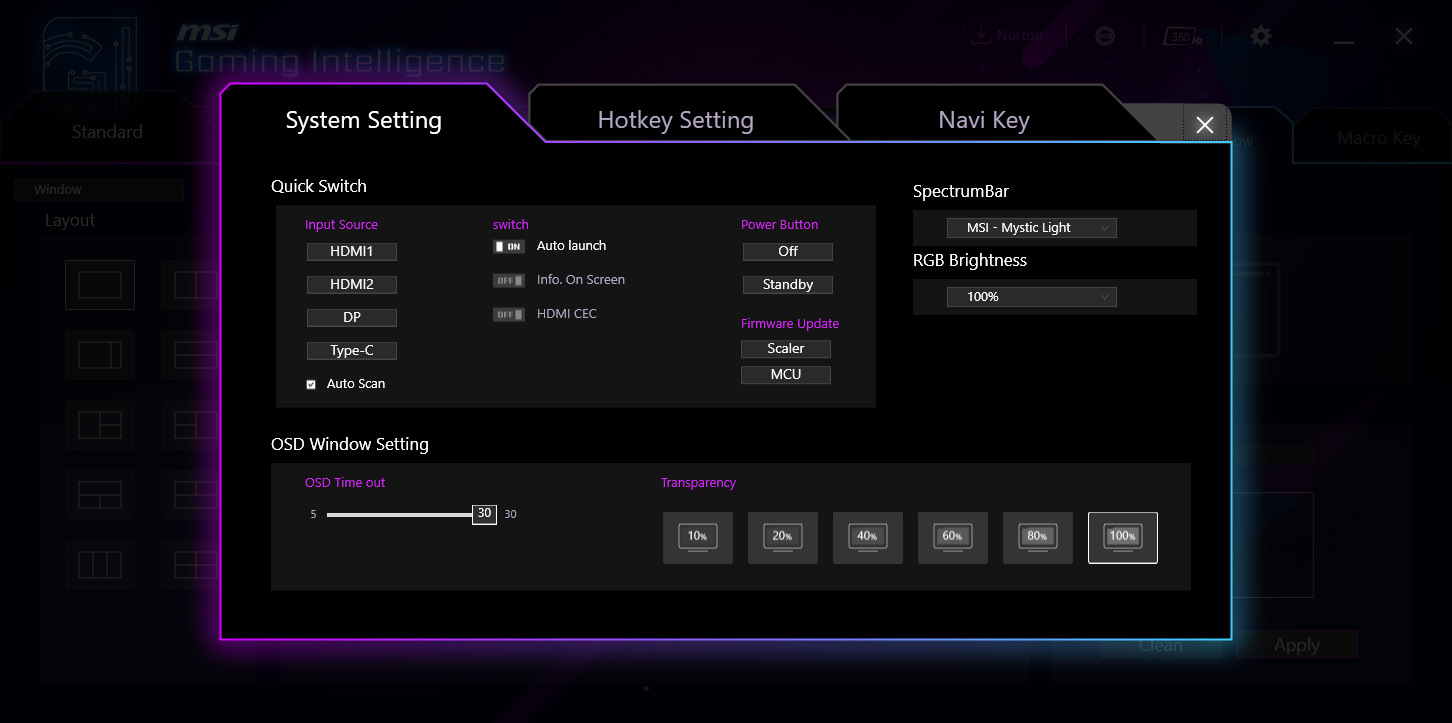
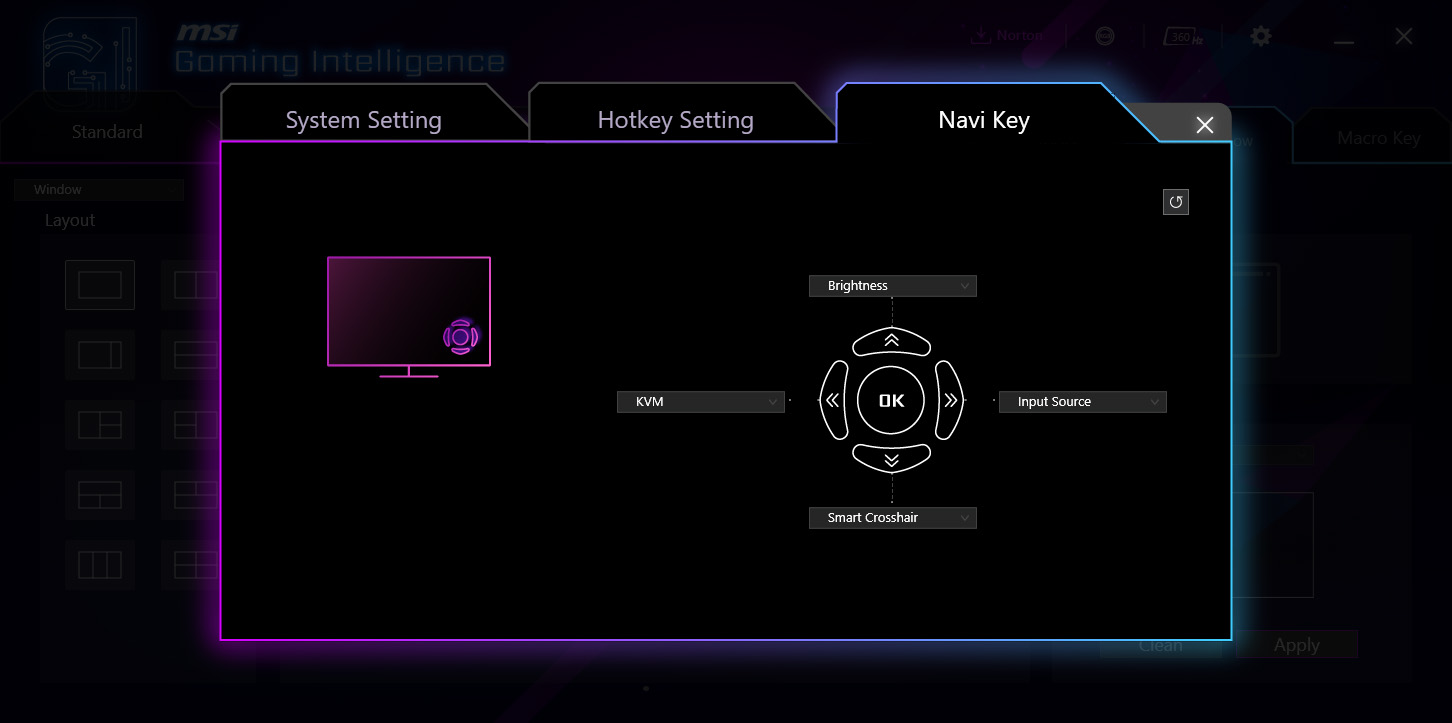
There's also the option to install MSI's GamingIntelligence app which can be used to control the monitor direct from your Windows desktop. This is an optional extra but it offers all the same options as the OSD for adjusting settings, while it can also be used to update the monitor's firmware.
Our main test involves using an X-Rite i1 Display Pro Plus colorimeter and utilising Portrait Display's Calman Ultimate software. The device sits on top of the screen while the software generates colour tones and patterns, which it compares against predetermined values to work out how accurate the screen is.

The results show:
- A monitor’s maximum brightness in candelas or cd/m2 at various levels set in the OSD.
- A monitor’s contrast ratio at various brightness levels in the OSD.
- Gamut coverage, primarily focusing on sRGB and DCI-P3 colour spaces.
- Greyscale accuracy, measured across 20 shades, with an average colour balance reported.
- The exact gamma levels, with a comparison against preset settings in the OSD.
- The colour accuracy, expressed as a Delta E ratio, with a result under 3 being fine for normal use, and under 2 being great for colour-accurate design work.
We first run these tests with the display in its out-of-the-box state, with all settings on default. If there is an sRGB emulation option or other useful mode then we may test that too. We then calibrate the screen using the Calman Ultimate software and run the tests again.
You can read more about our test methodology HERE.
Default settings
Brightness and Contrast (Full Screen)
| OSD Brightness | White Luminance (cd/m2) | Black Luminance (cd/m2) | Contrast Ratio |
| 0% | 25.9 | 0.00 | ~Infinite |
| 25% | 95.4 | 0.00 | ~Infinite |
| 50% | 164.5 | 0.00 | ~Infinite |
| 75% | 226 | 0.00 | ~Infinite |
| 100% | 258.1 | 0.00 | ~Infinite |
Kicking things off with brightness and contrast testing, it is worth clarifying that we did select the User mode for this test – out of the box, the MPG 272URX defaults to the Eco mode which caps brightness slightly lower than what can be achieved with the User mode.
Still, the results are about as expected – we see a peak brightness of just under 260 nits, with a minimum of 26 nits.
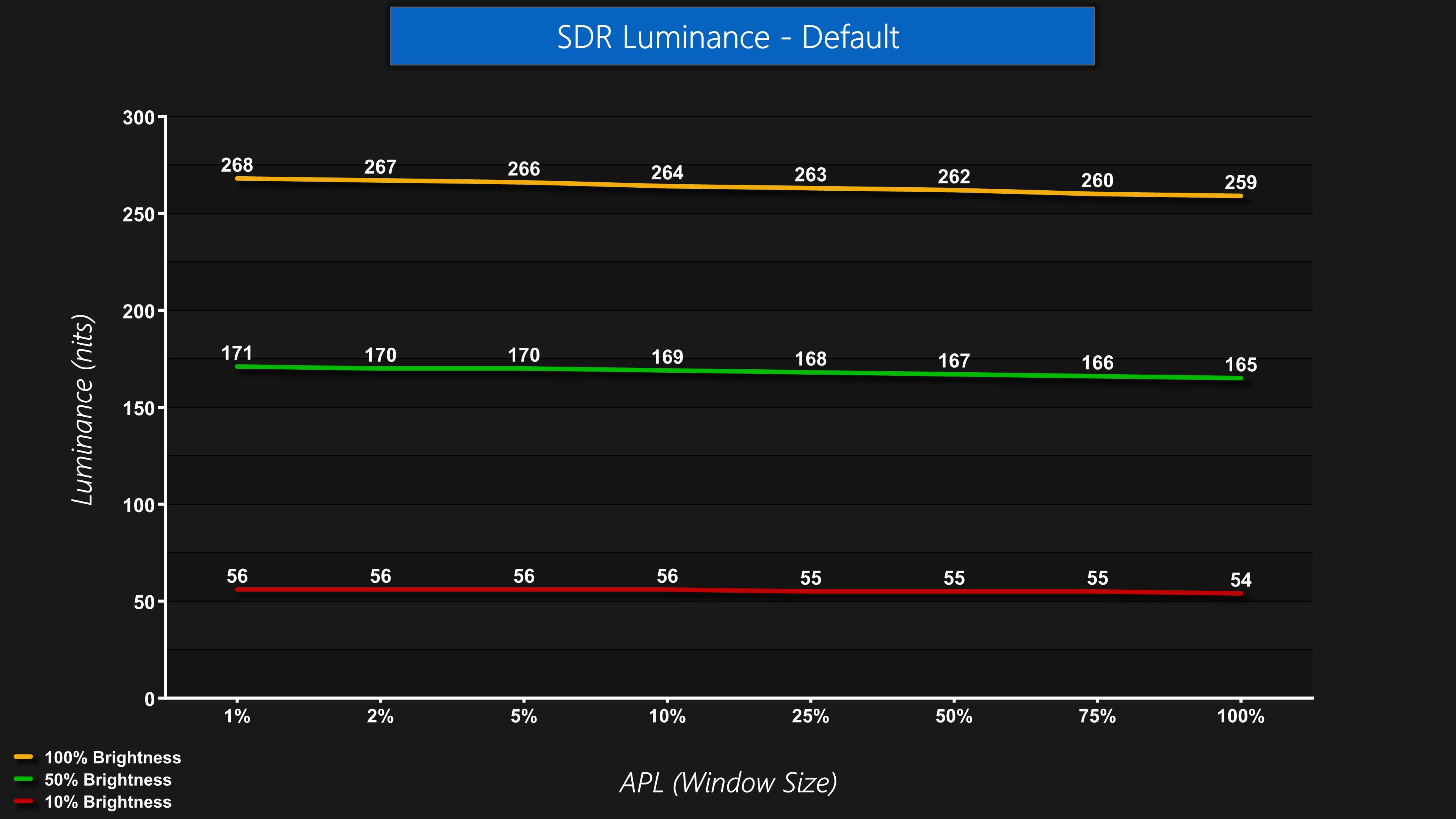
Luminance is also very steady regardless of the window size (APL). Some monitors will show a noticeable drop off in brightness as the window size gets bigger, even in SDR, but that is not the case for the 272URX.
Gamut (CIE 1976)
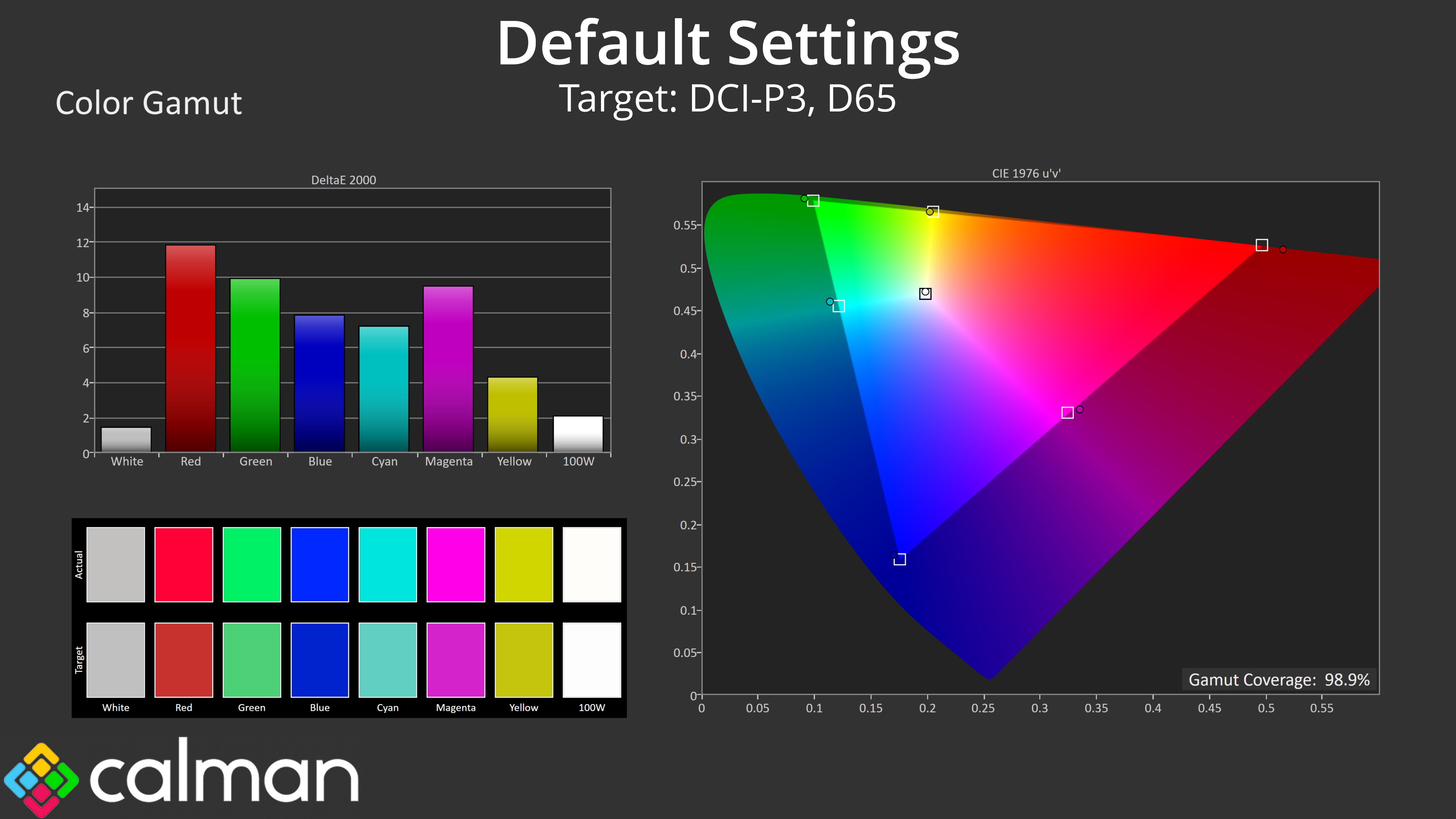
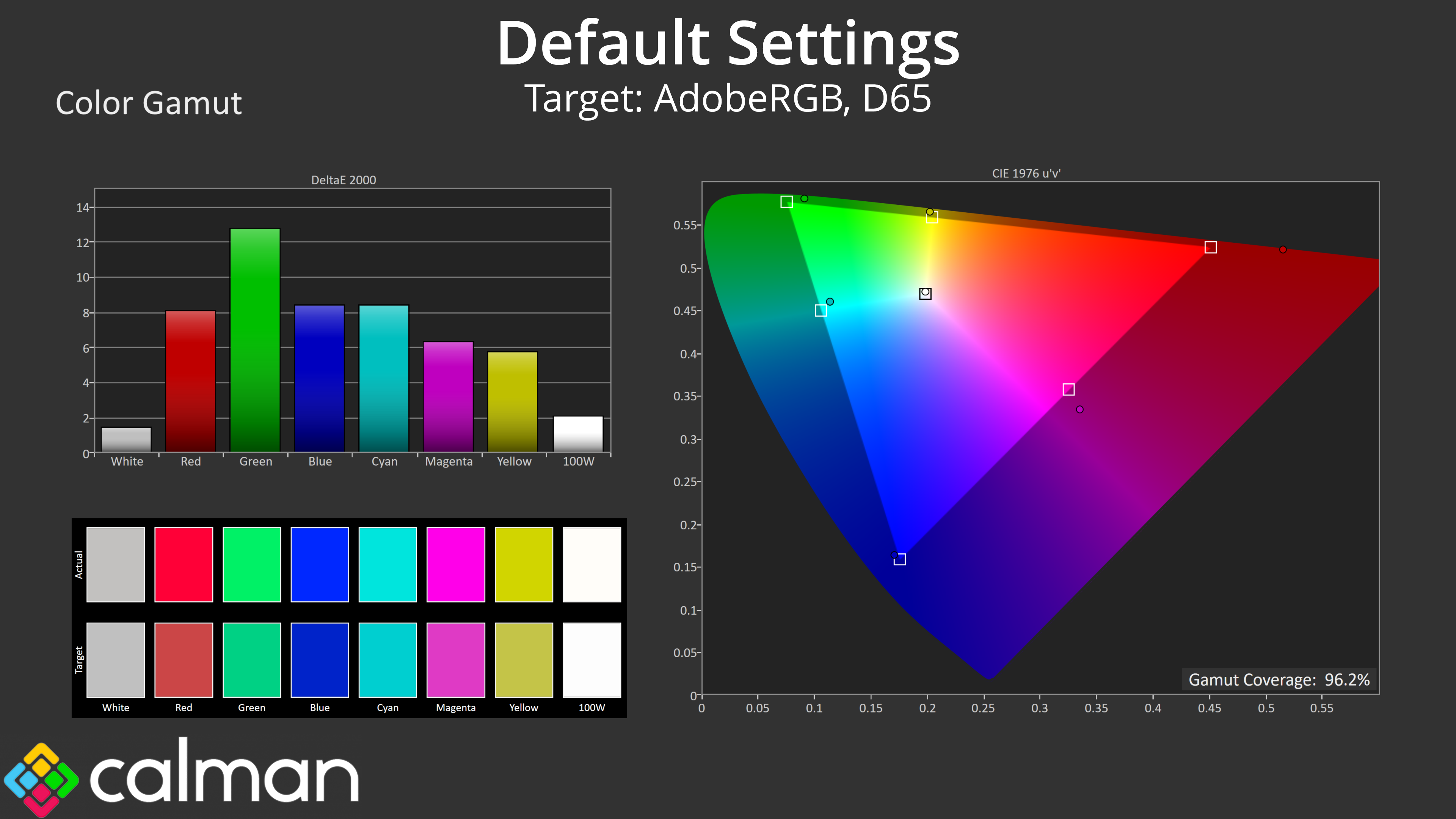
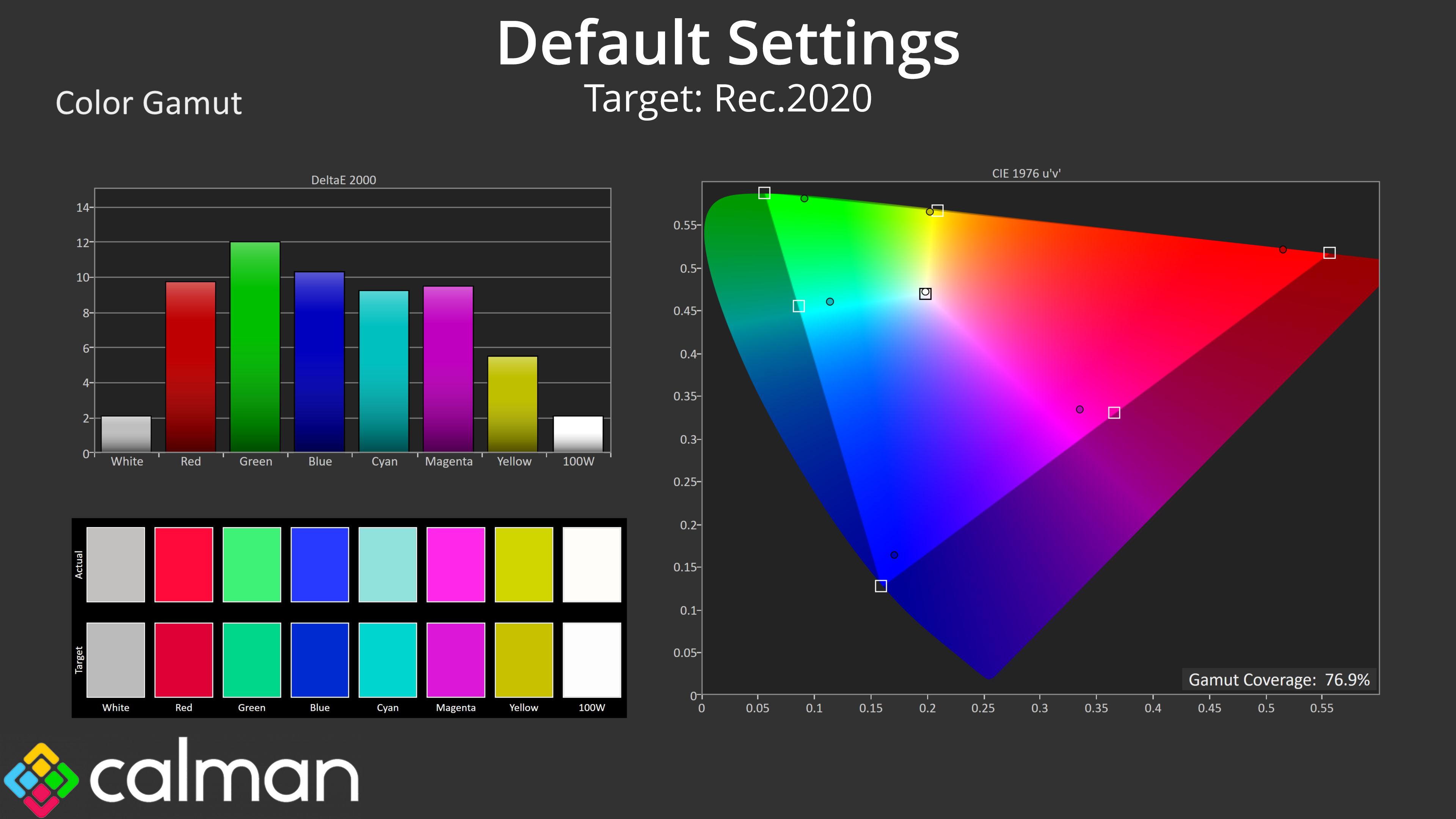
| Colour space | Coverage (%) |
| sRGB | 99.8 |
| DCI-P3 | 98.9 |
| Adobe RGB | 96.2 |
| Rec.2020 | 76.9 |
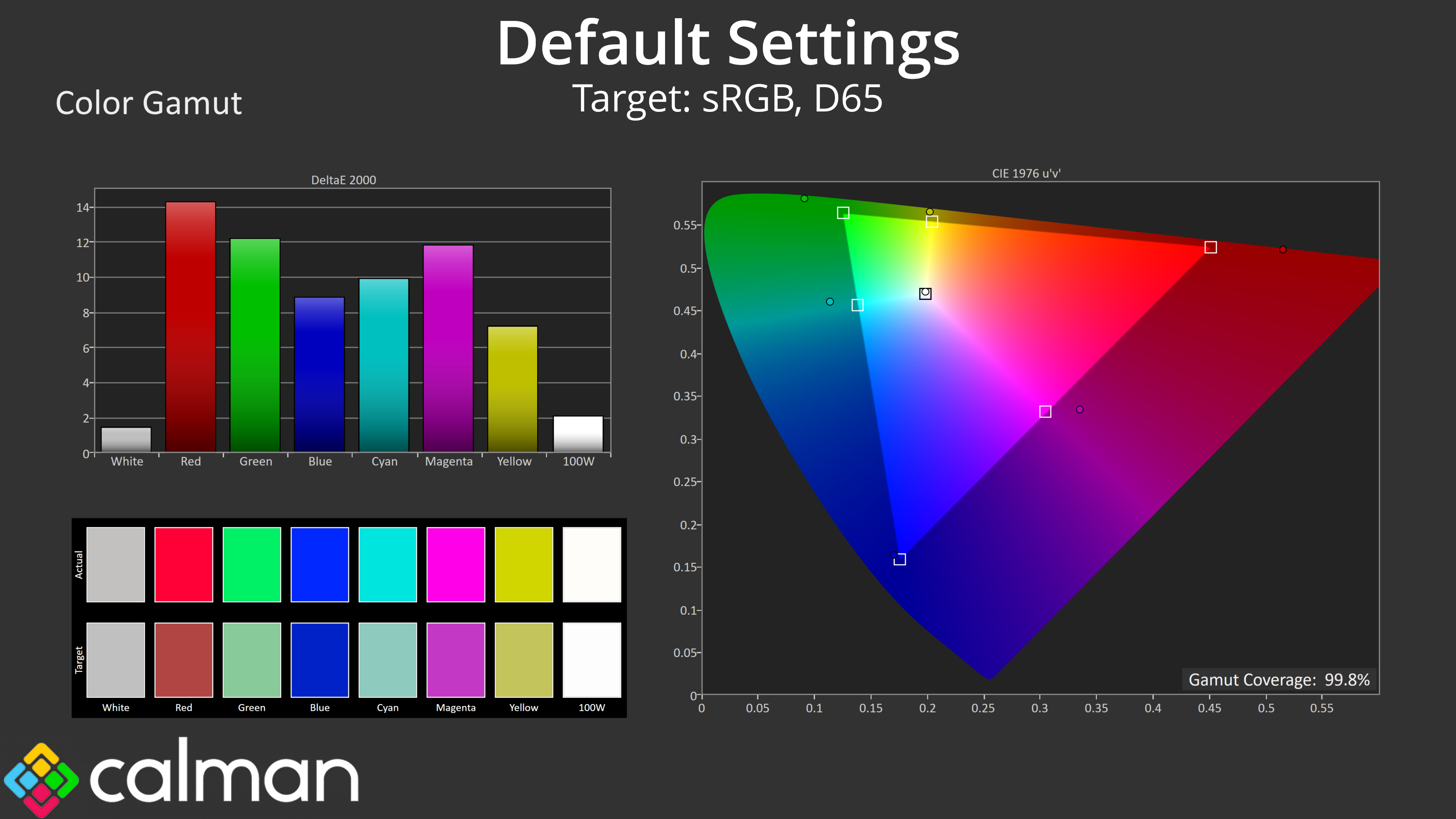
We see extremely very wide gamut coverage as we'd expect from a QD-OLED panel, it well exceeds the sRGB space and delivers 98.9% coverage of DCI-P3, alongside 96.2% reporting of the AdobeRGB colour space and 76.9% coverage for Rec.2020.
Greyscale
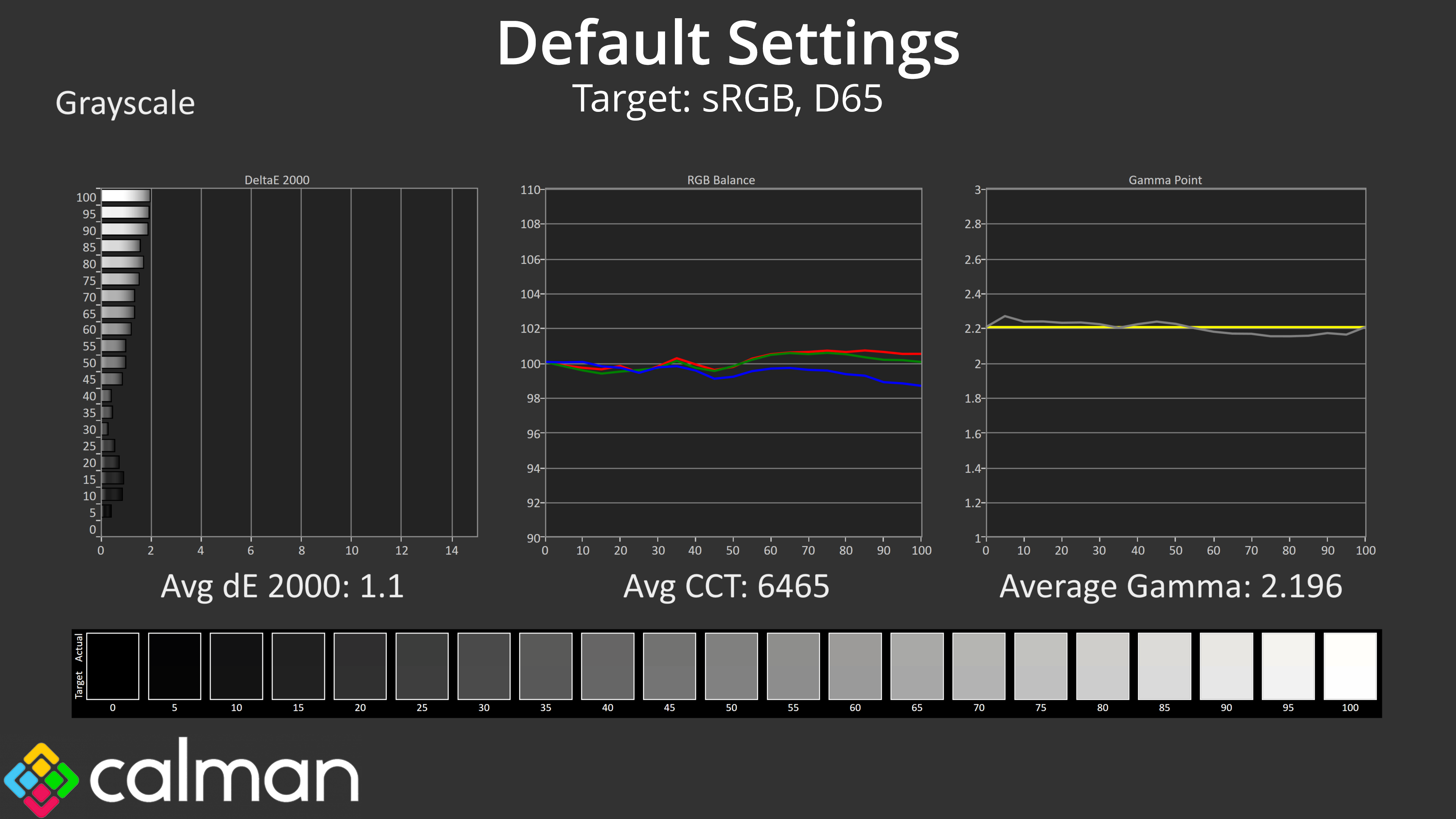
As for default greyscale performance, the 272URX has been supremely well configured from the factory. Colour balance is very good indeed, averaging 6465K, while gamma is also very accurate, closely hugging the 2.2 target for all shades, averaging 2.196. That results in a greyscale average deltaE 2000 of just 1.1, a phenomenally good result considering this is before any tweaks or adjustments.
Saturation
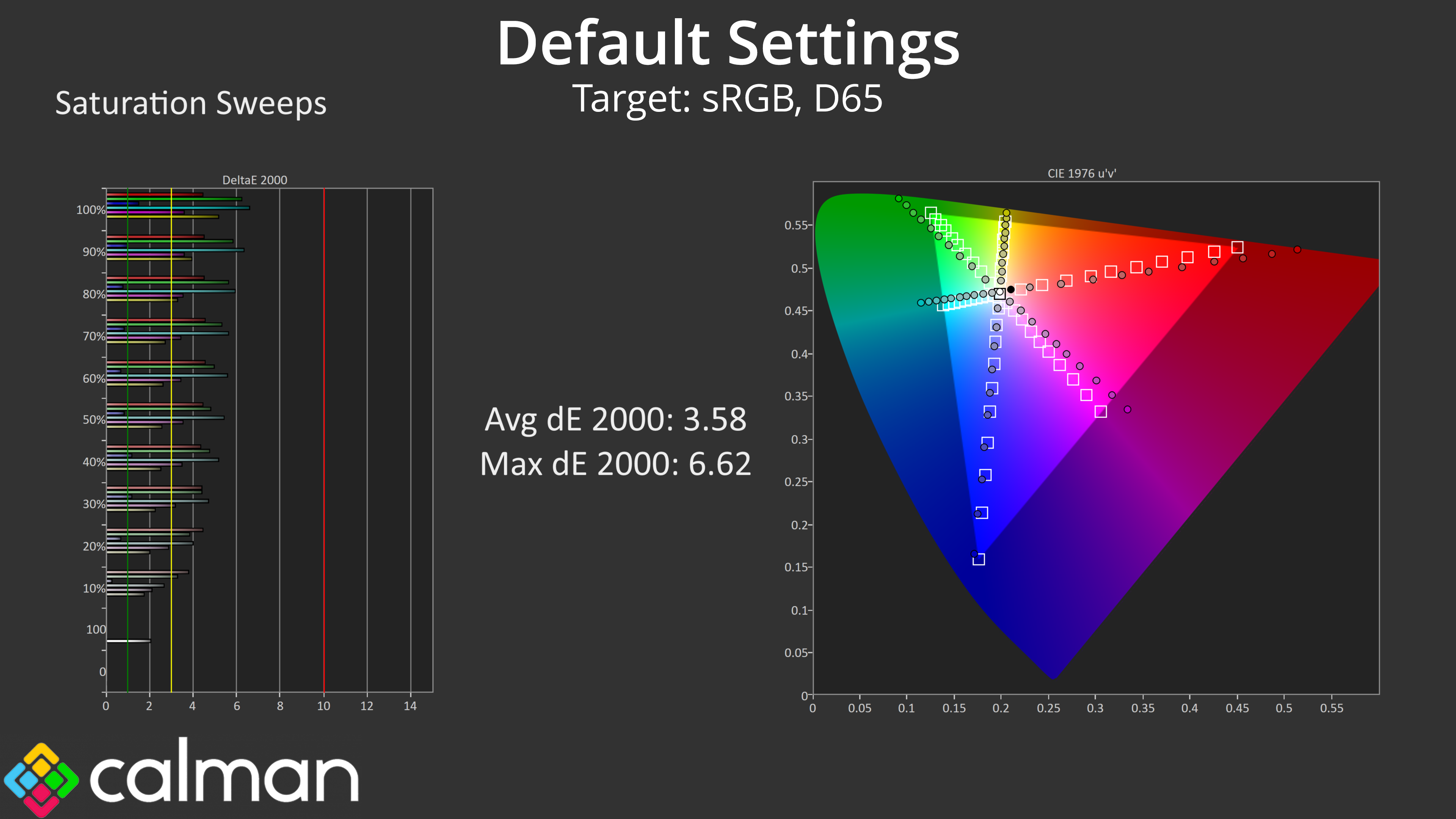
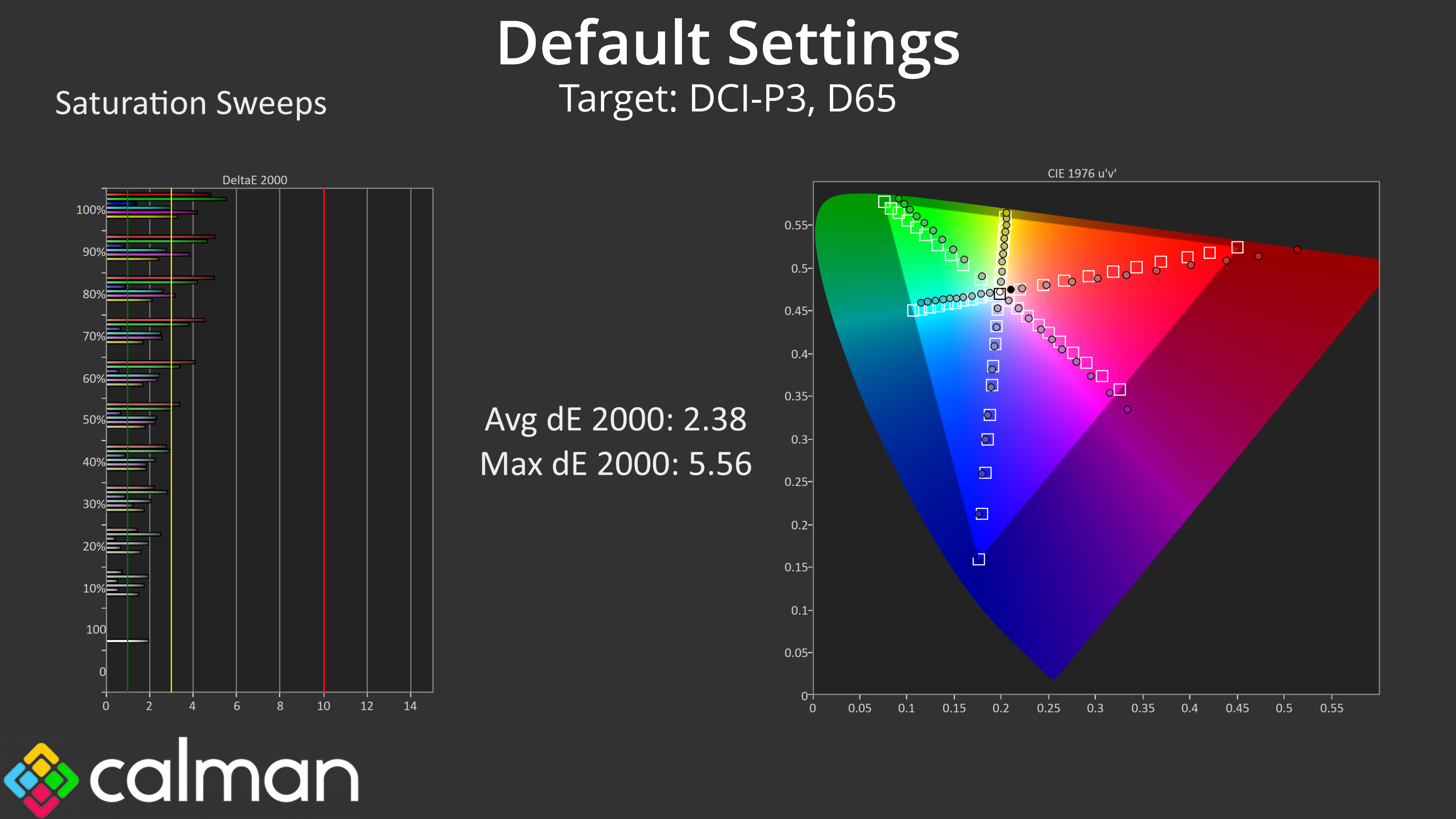
Looking at our saturation sweeps, as we'd expect from a QD-OLED monitor we do see high levels of over-saturation compared to the sRGB space, though things are more accurate compared to the DCI-P3 space.
Colour Accuracy
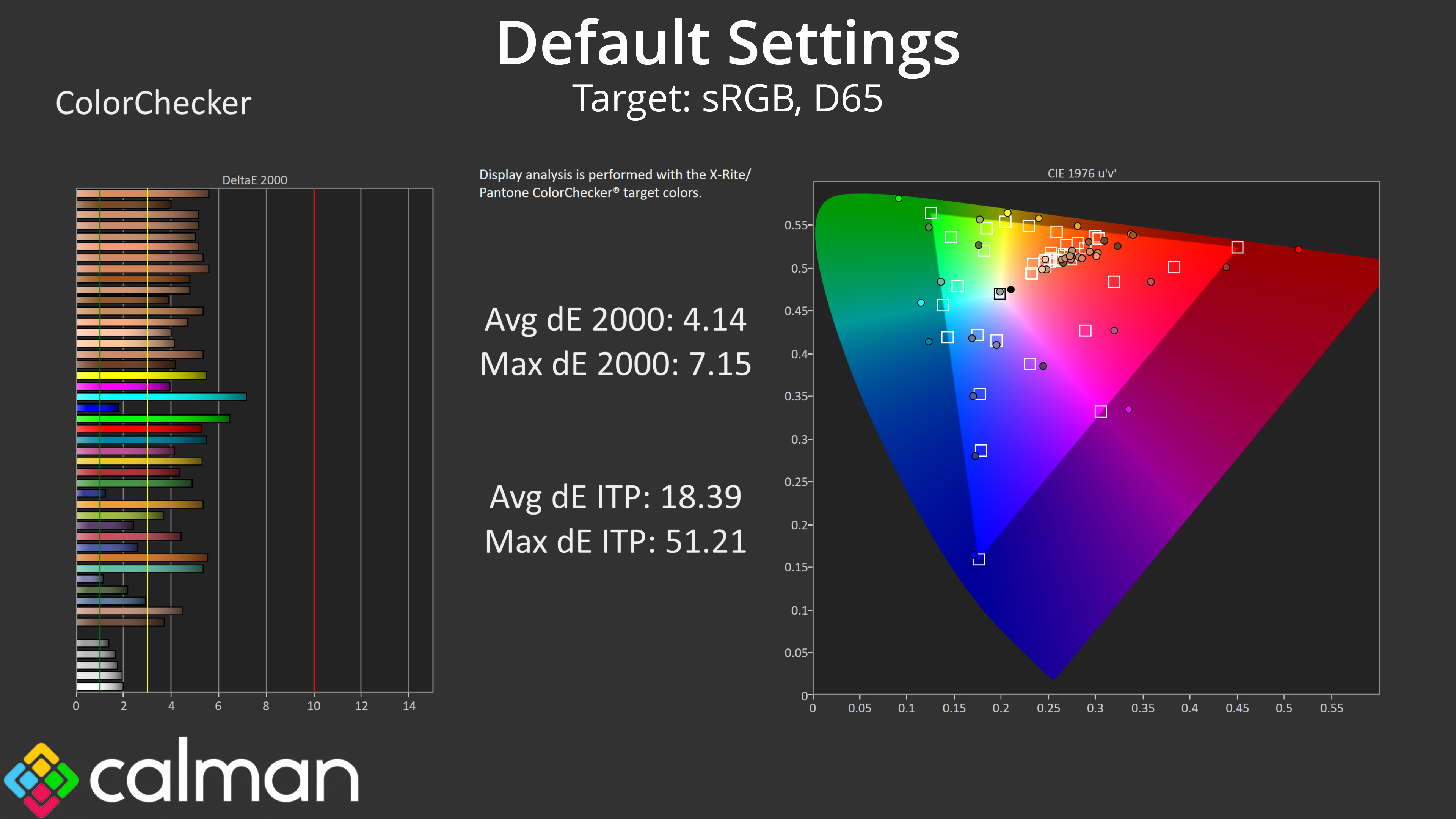
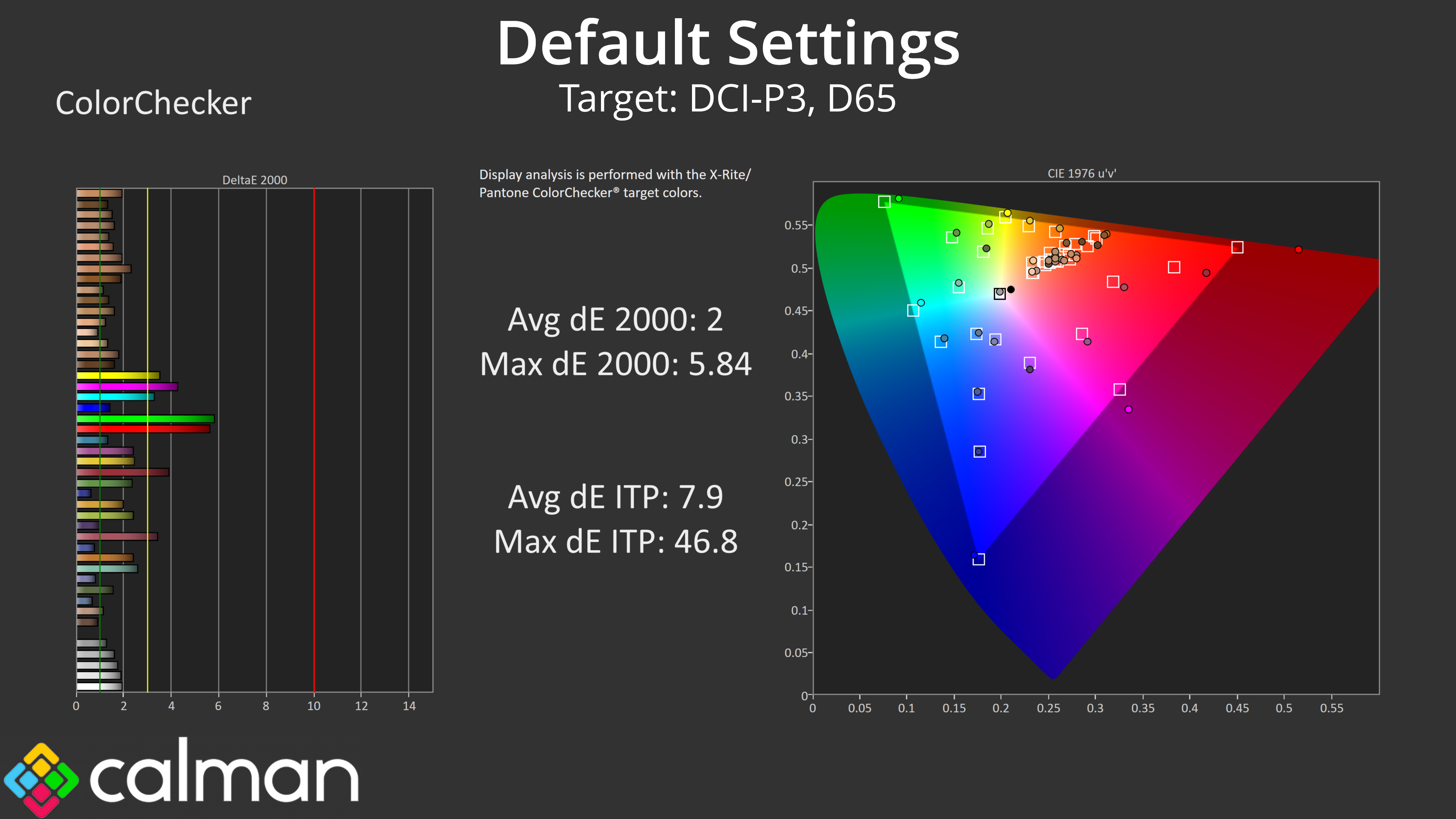
That carries over to our colour accuracy testing, with an average dE2000 of 4.14 relative to the sRGB space, though this improves to an average deltaE of 2 when looking at the DCI-P3 results.
sRGB Emulation Mode
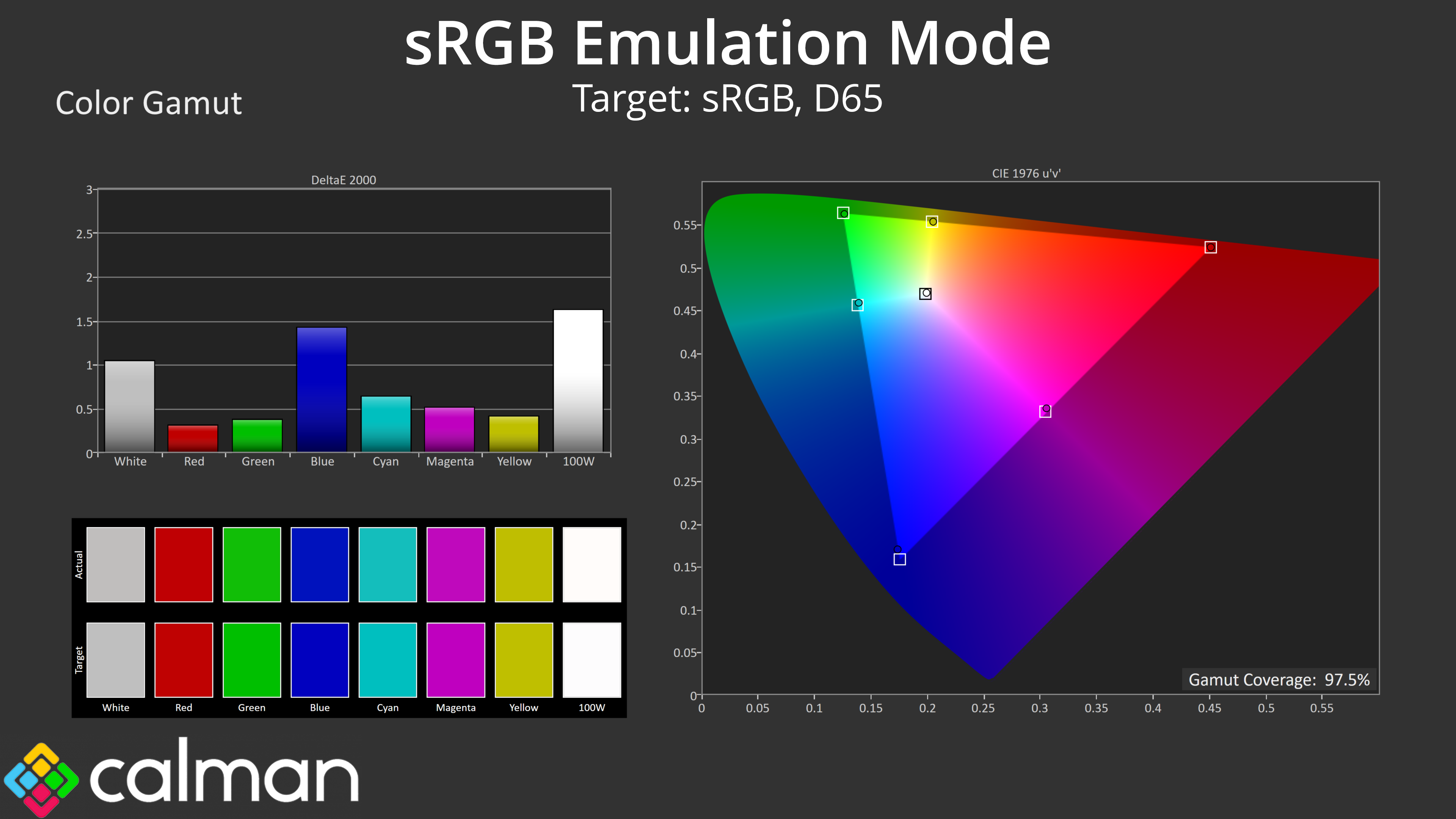
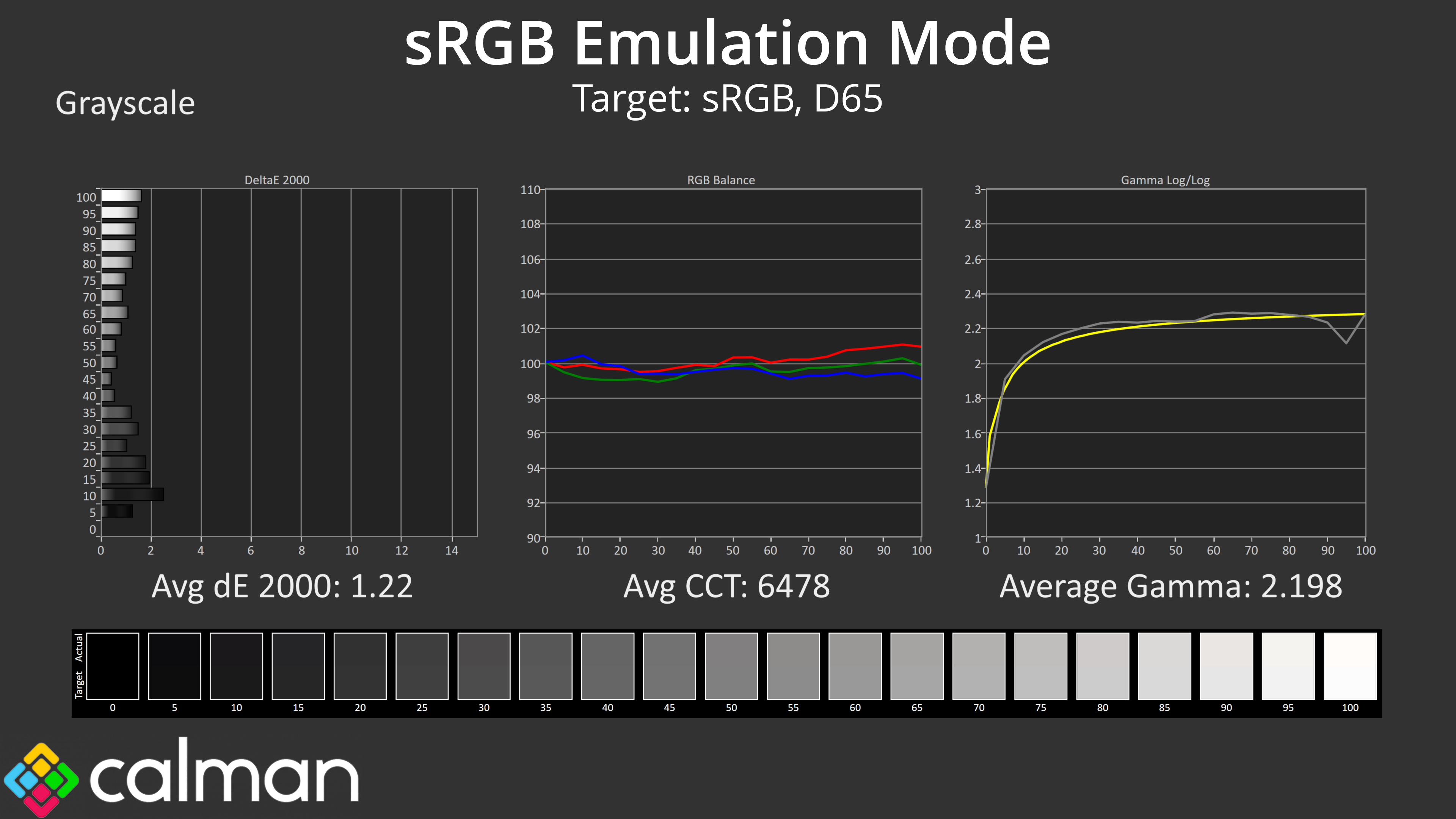
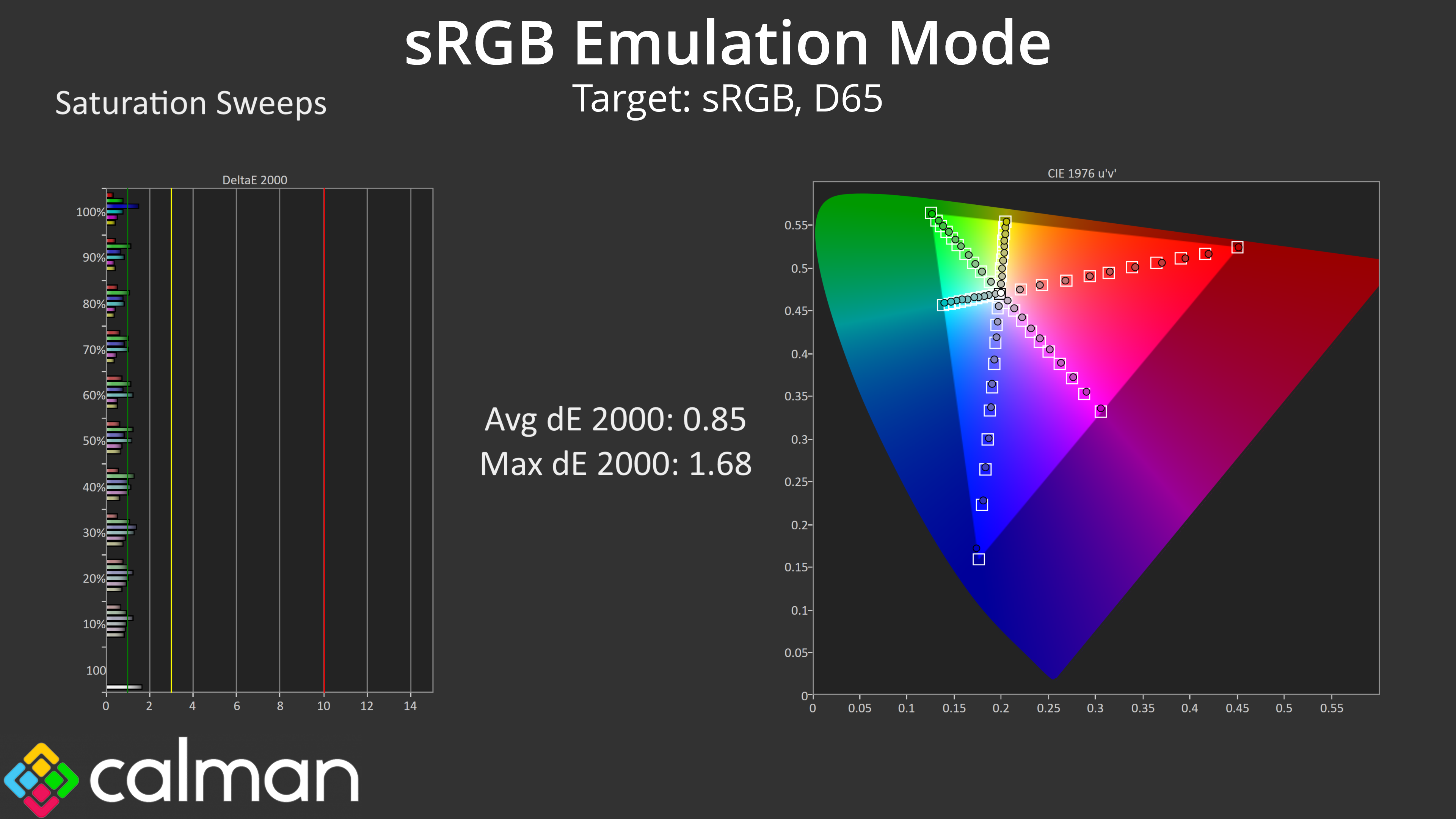
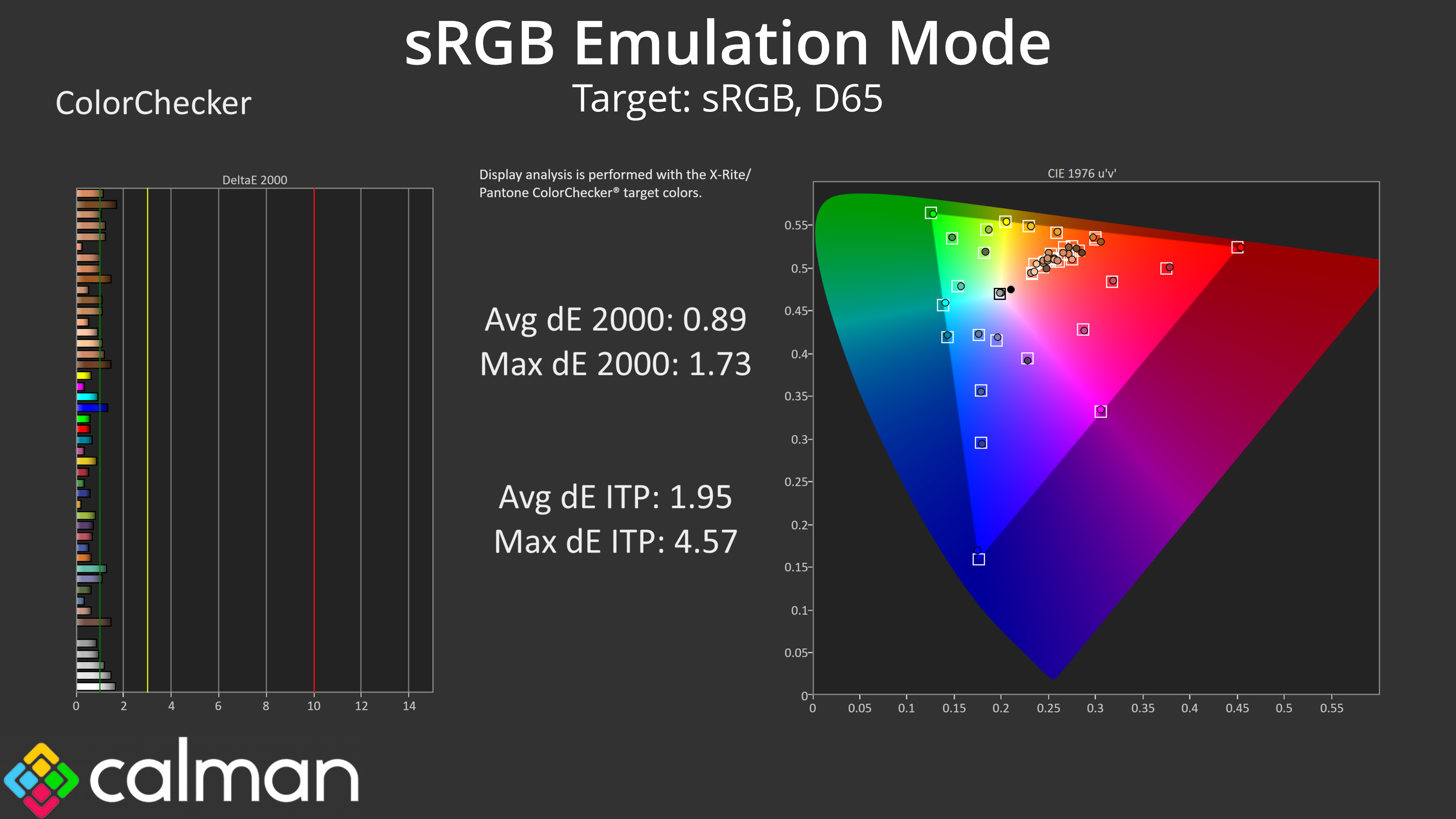
MSI does include an SRGB mode though if you don't want such an over-saturated experience, and it does a great job at clamping the gamut, while greyscale performance is still highly impressive. The saturation and colour accuracy average deltaEs are now below 1 though, indicating stellar results across the board, so if you want to work in the sRGB space, this is one of the best emulation modes I have tested.
Calibrated Results
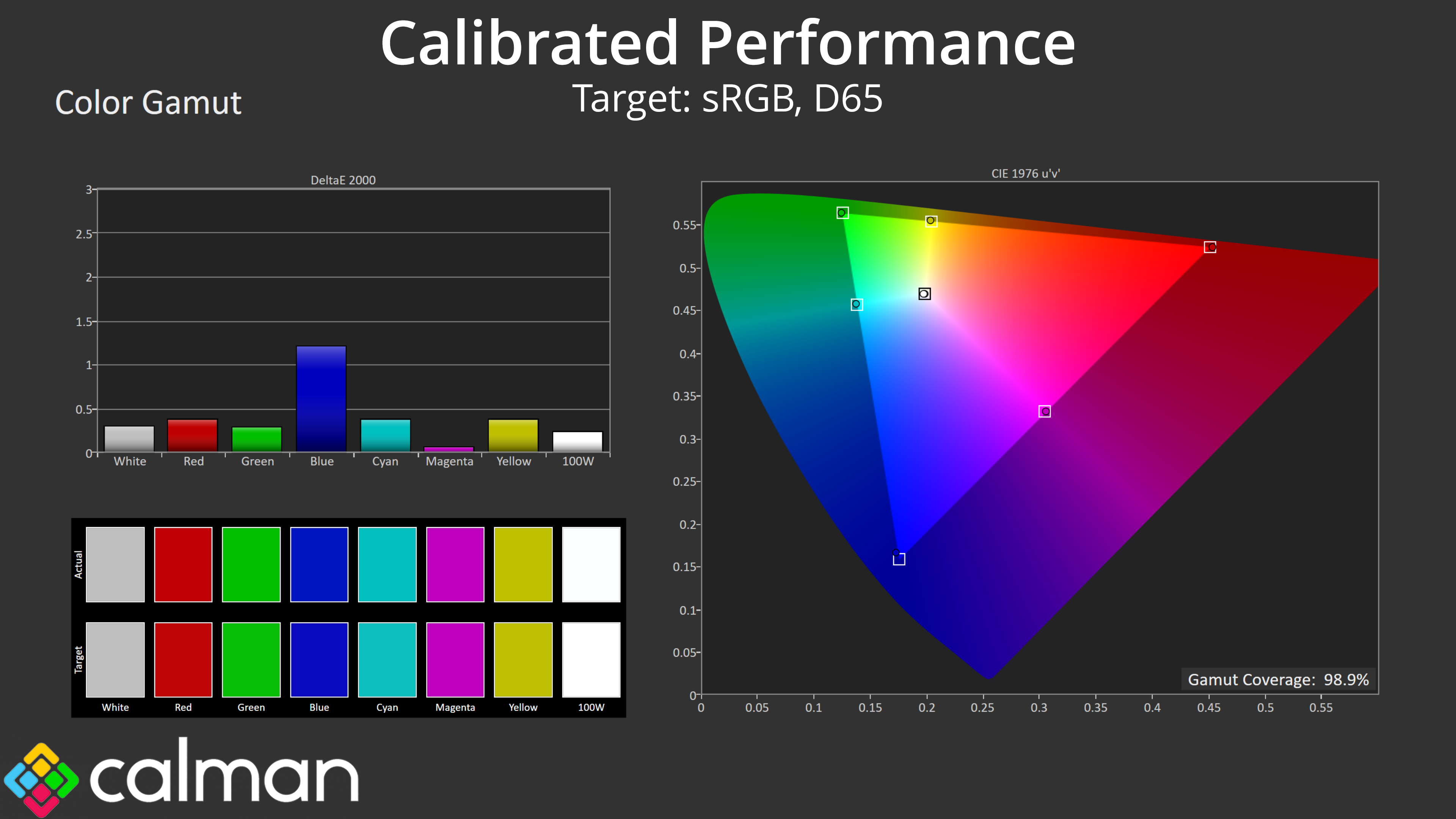
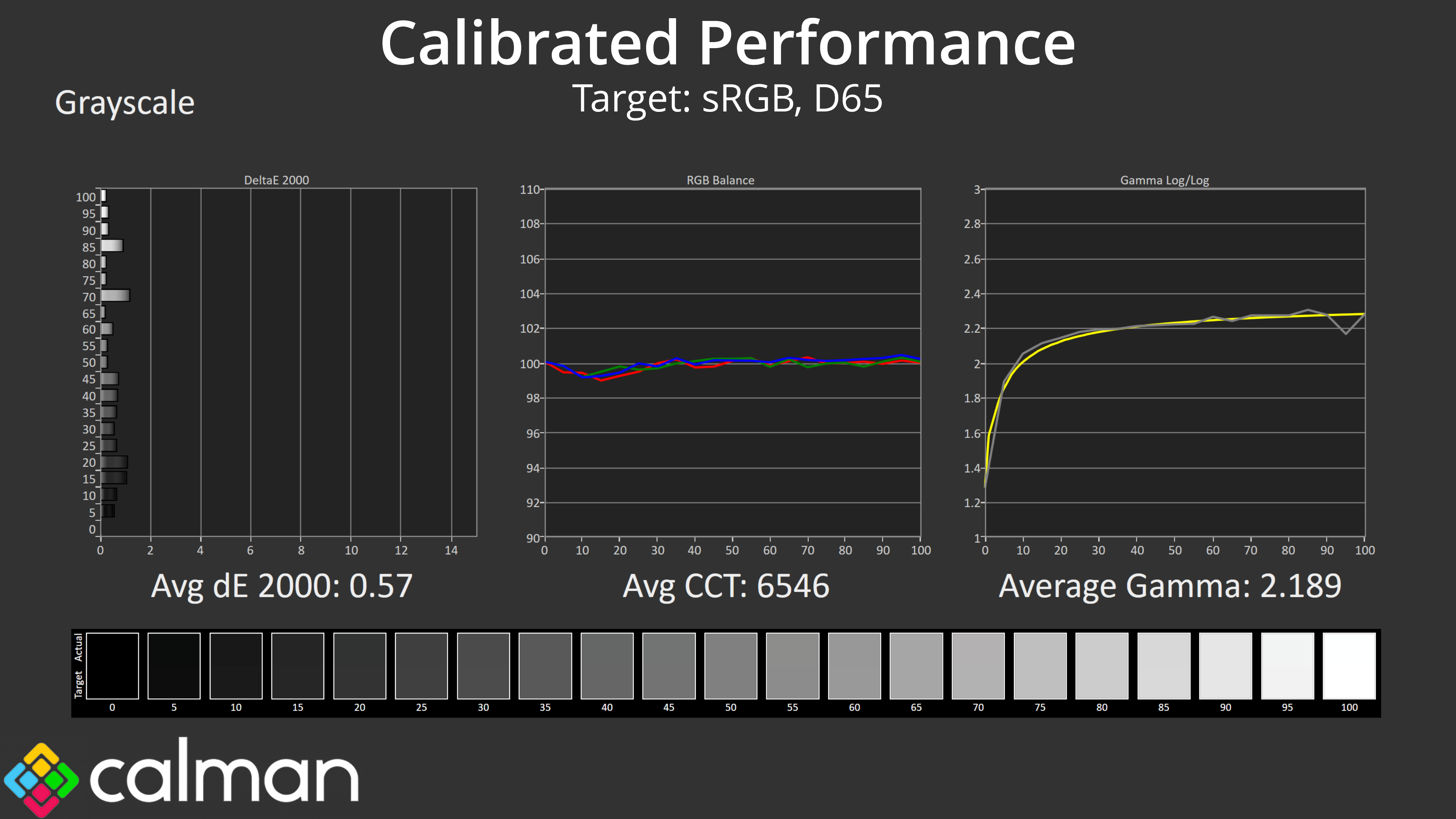
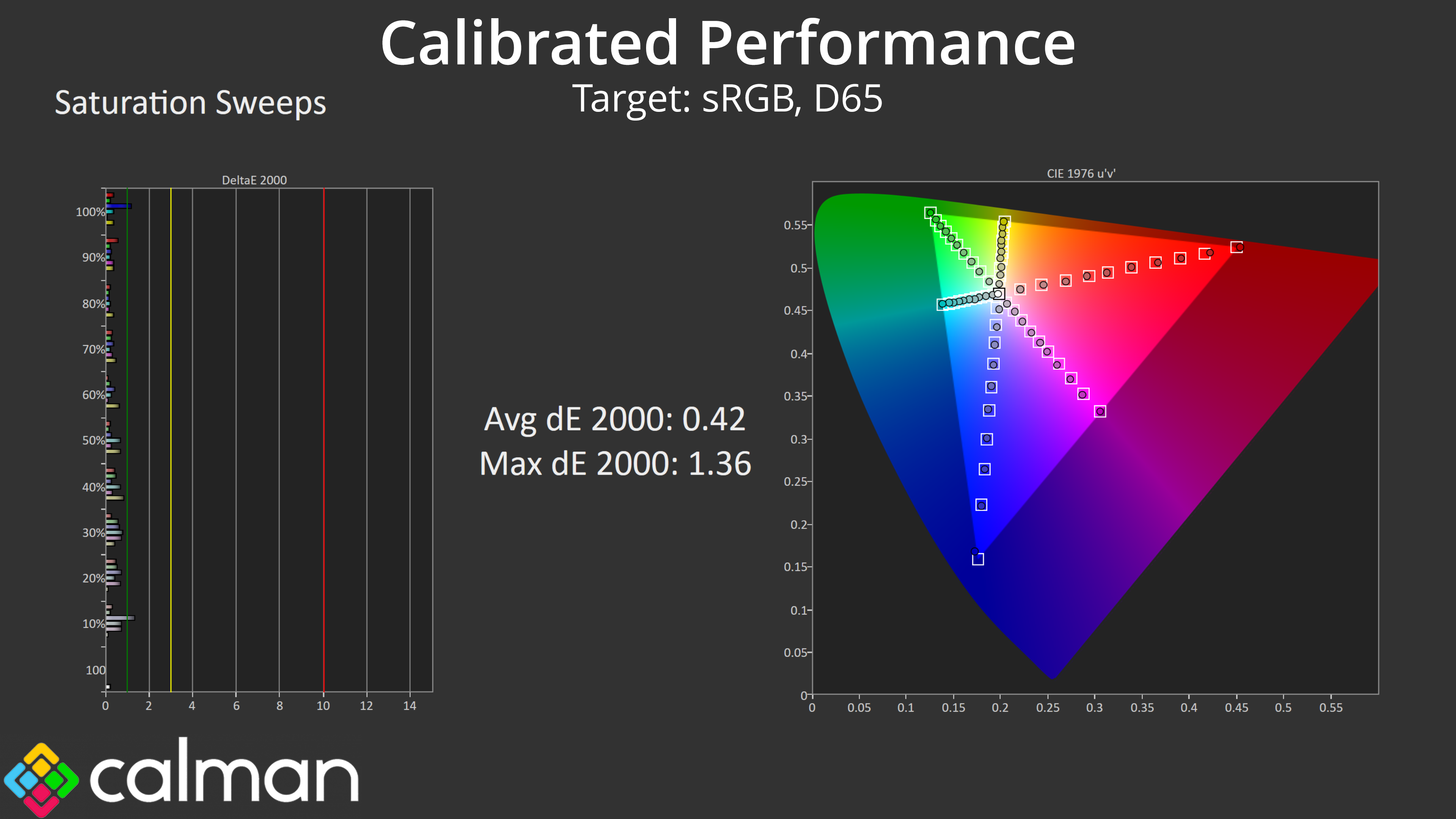
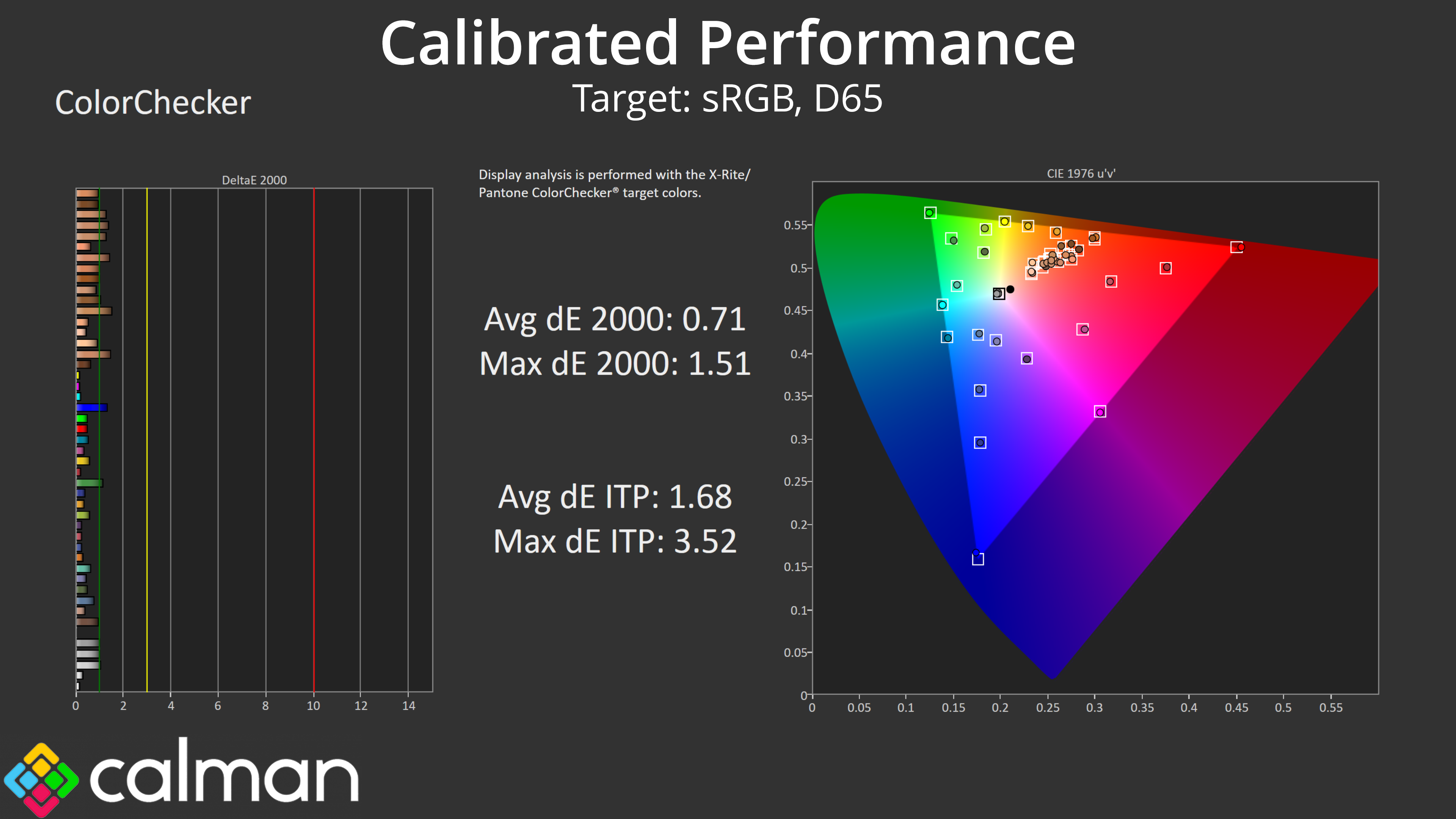
Of course, for the best possible results a full calibration will be required, and this improved things further – the greyscale average deltaE hit just 0.57, and both saturation and colour accuracy results saw improvements too. It's not really necessary for gaming, but if you want to do colour-sensitive work, this panel is capable of some terrific results.
HDR Testing
Following on from the SDR results on the previous page, here we re-test the relevant areas of the display with HDR enabled.
Brightness
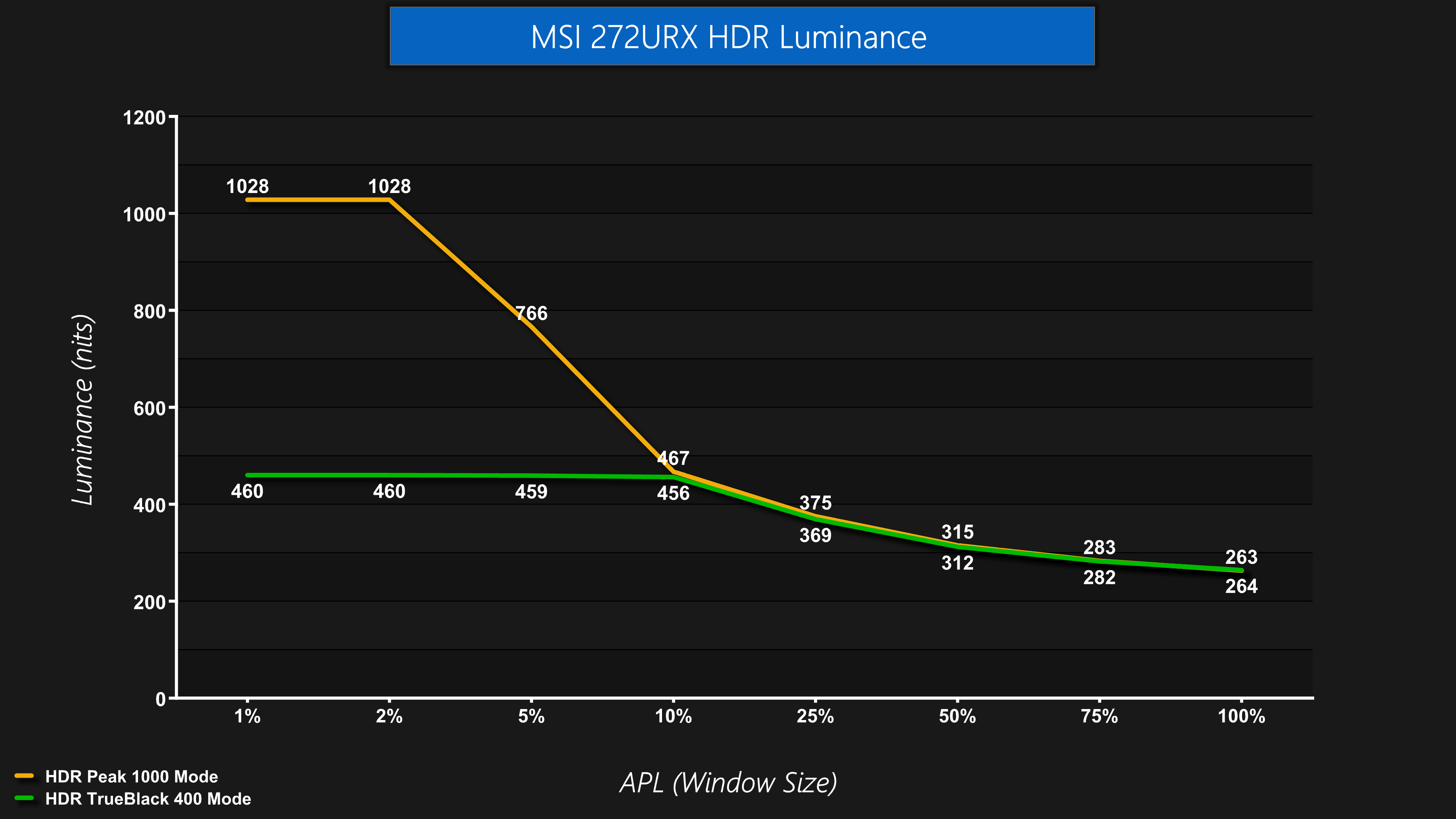
We also tested both HDR modes, with a choice of the Peak 1000 nits and TrueBlack 400 options. Both behave as we've come to expect from other QD-OLED screens – the Peak 1000 nits mode does indeed hit a peak of just over 1000 nits for the 1% and 2% APLs, before dimming as the APL increases. The TrueBlack 400 mode is dimmer, topping out at about 460 nits, before tailing off.
Greyscale
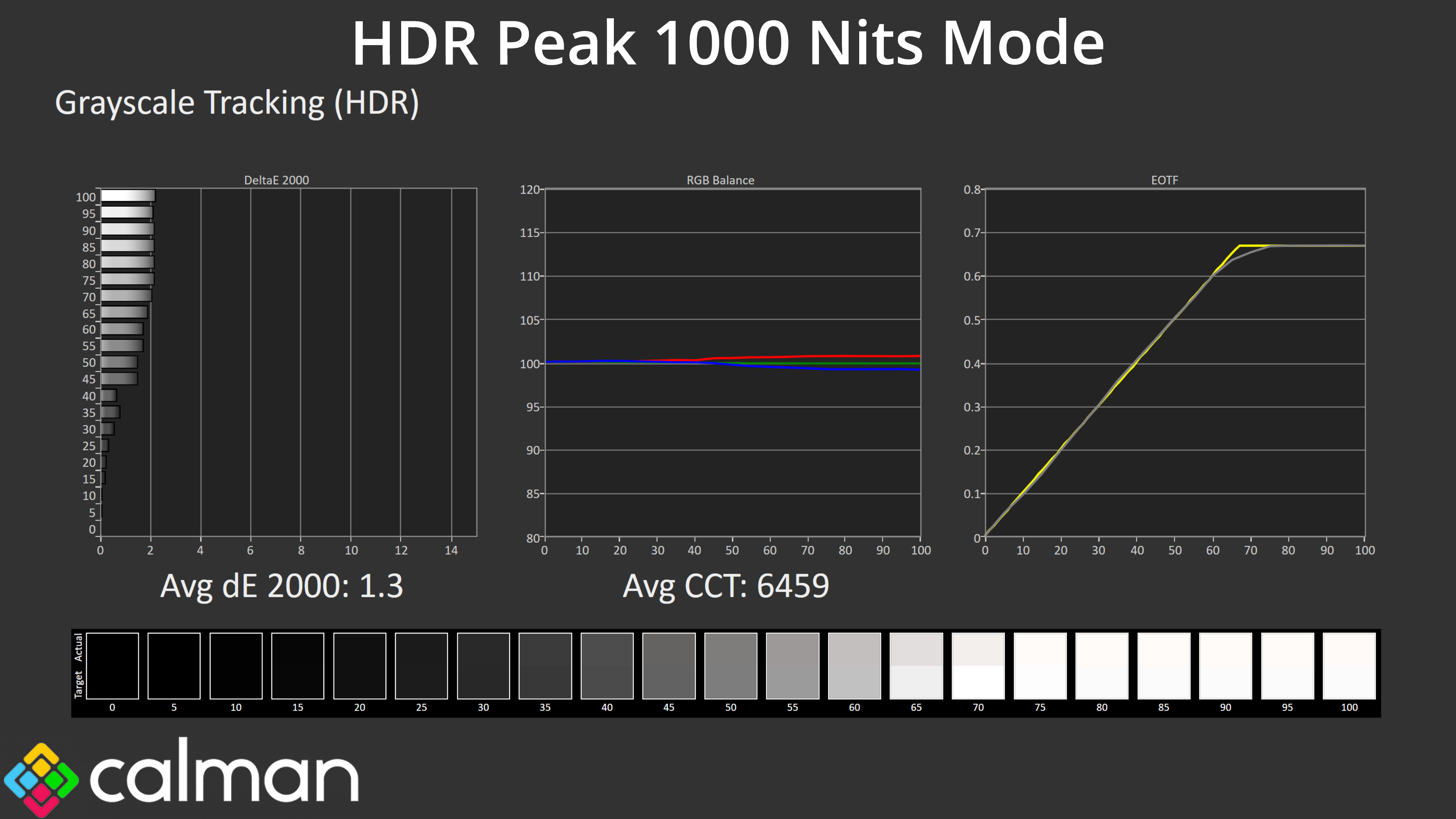
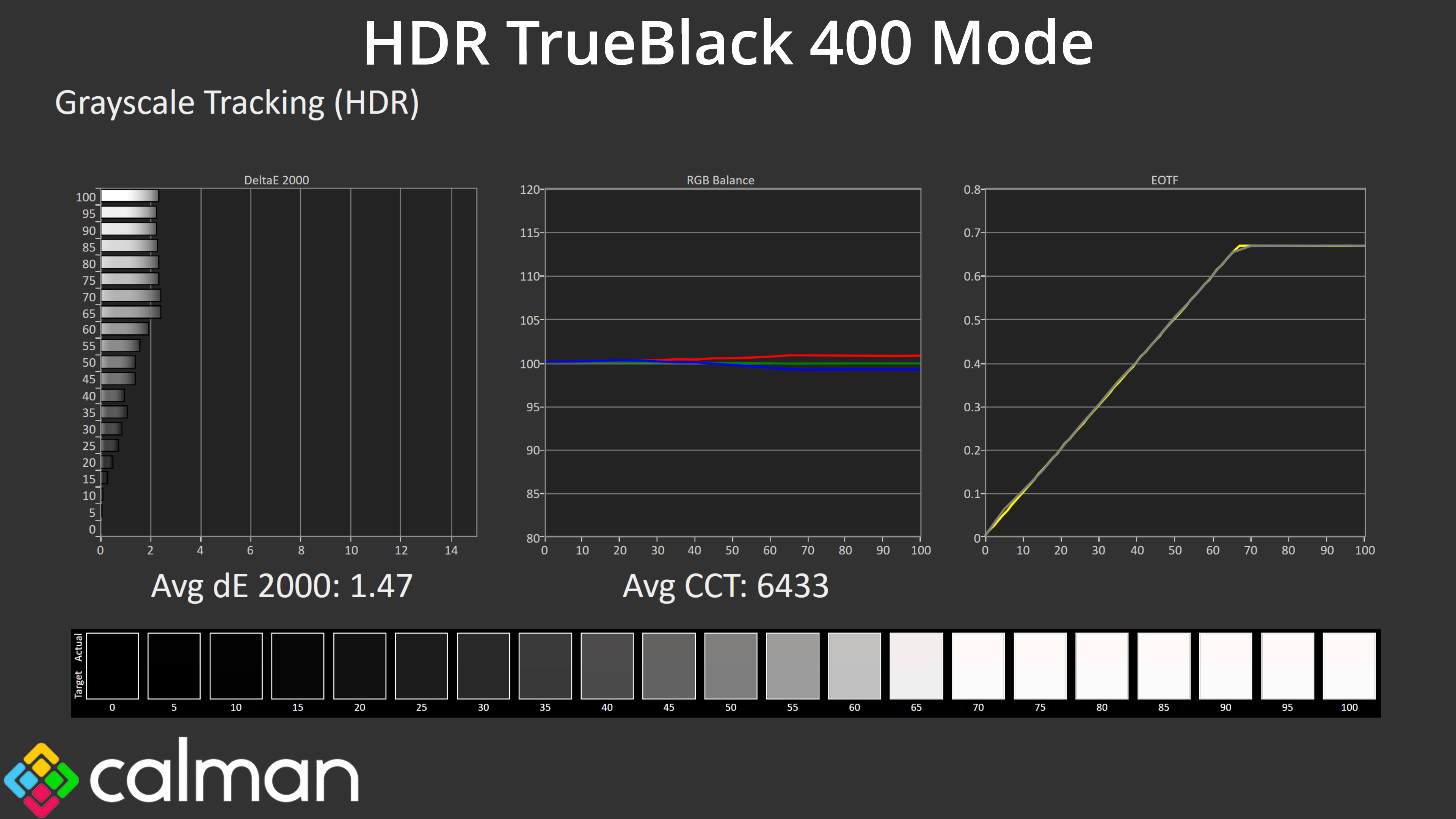
Both modes also offer accurate greyscale performance. Above we're looking at results from 10% APLs, but we know from previous experience with QD-OLED that the full picture doesn't become clear unless we look at a wider range of window sizes, too.
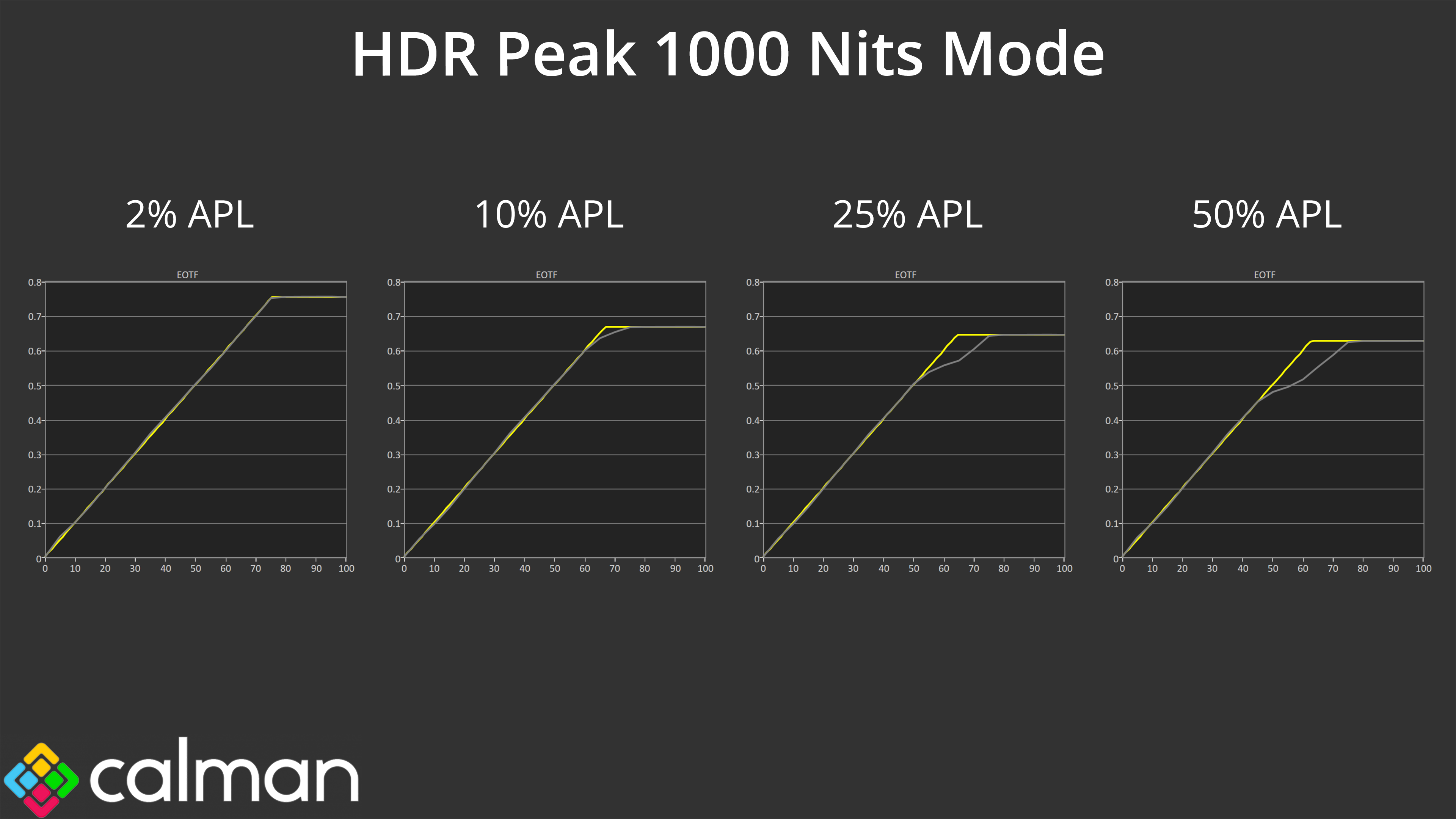
That, for instance, reveals the Peak 1000 Nits mode does roll off increasingly early, resulting in an image that's much darker than intended.
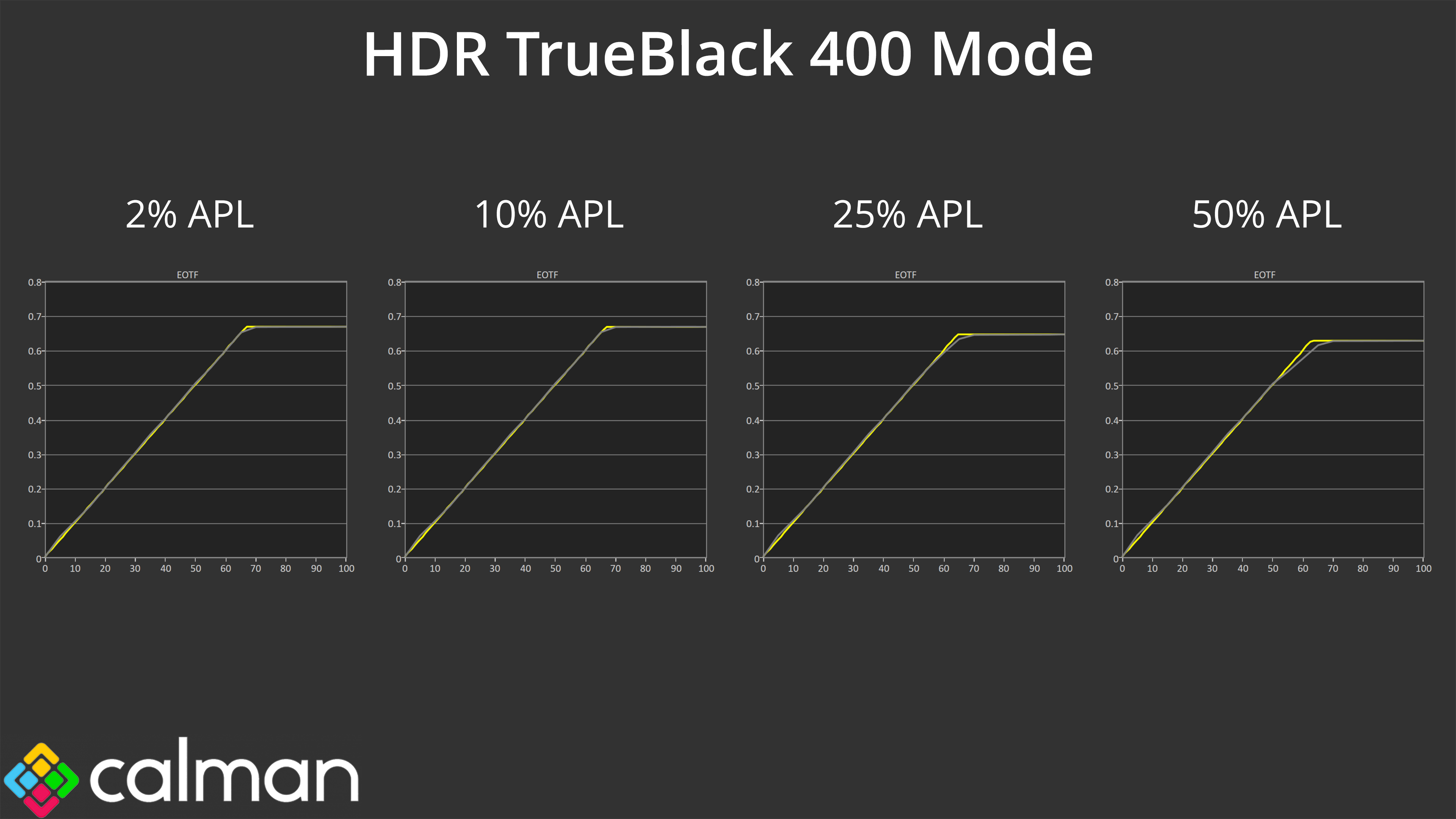
The TrueBlack 400 mode is much more accurate, though it lacks the same peak brightness of the 1000 nit mode – so there is an element of compromise with the two HDR modes, though that is currently inherent with QD-OLED technology and isn't specific to MSI. You'll still have a great HDR experience too thanks to the per-pixel nature of OLED, so there's no blooming or haloing, plus the wide gamut and infinite contrast naturally lends itself to a very punchy image.
That said, MSI does have an EOTF Boost mode already available for some monitors, and it's expected to be rolled out for other already released monitors via a firmware update, so that will be something to look out for.
Colour Accuracy
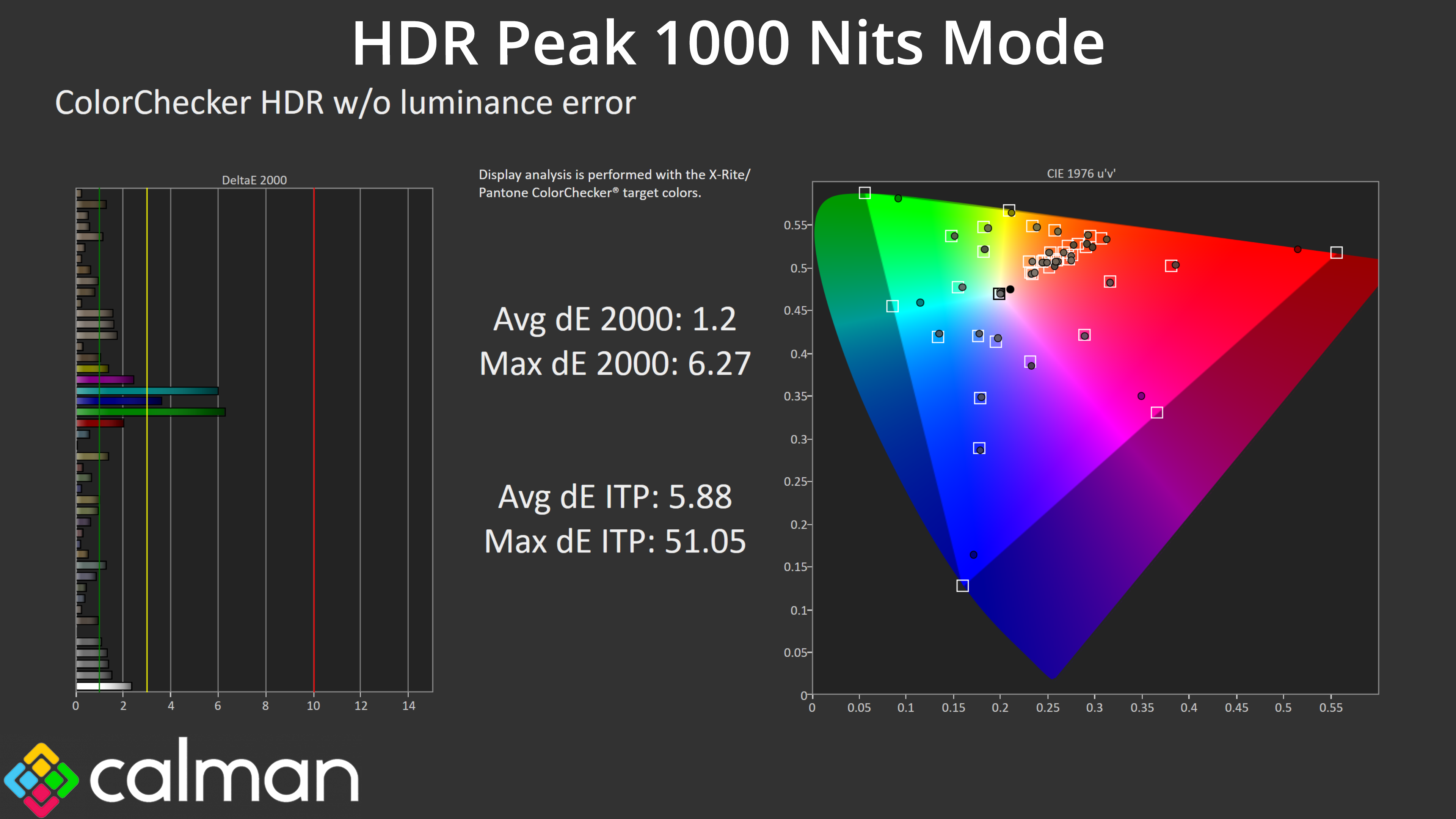
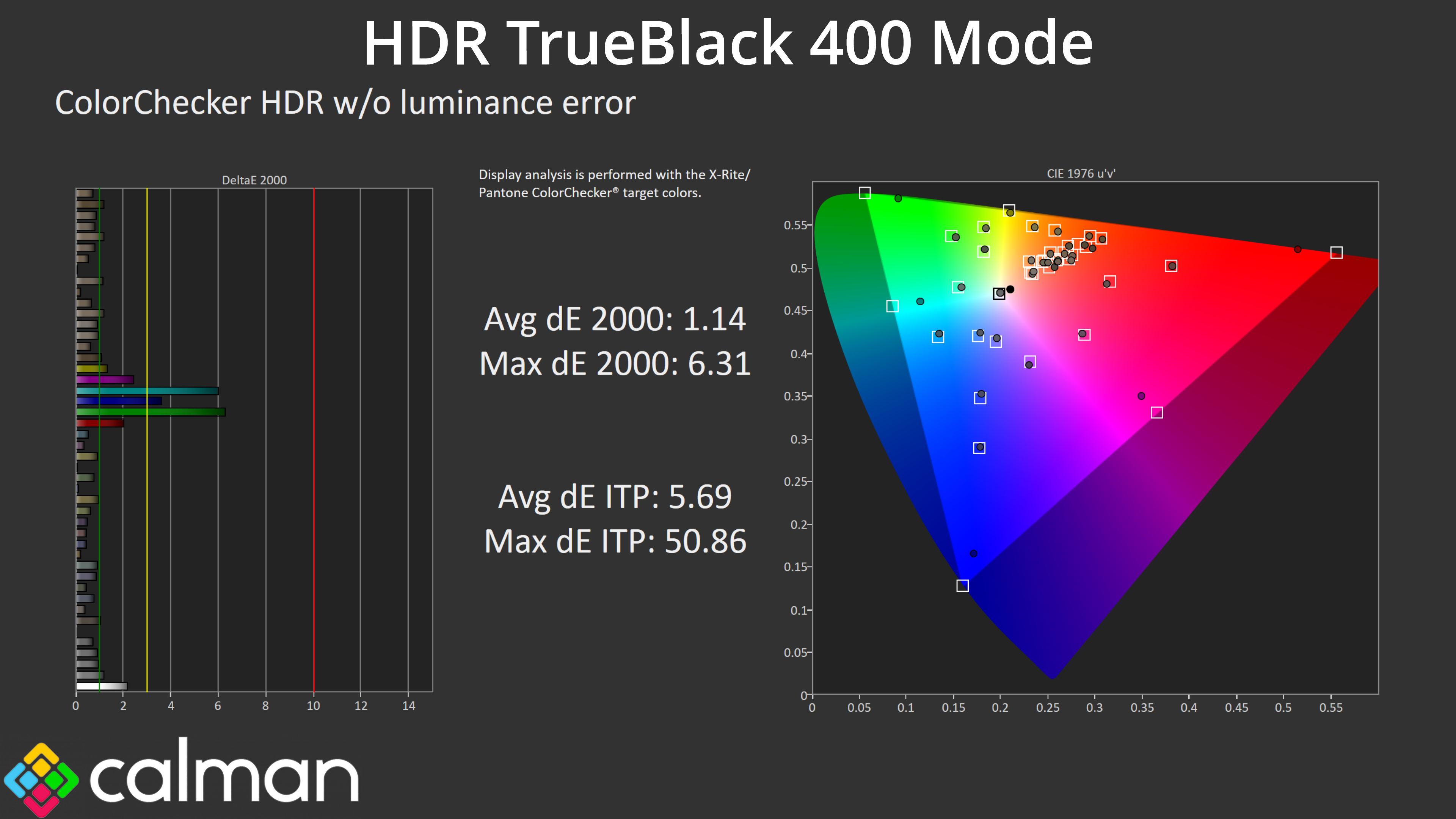
There is good news with HDR colour accuracy too, with both modes offering very good results – the worst results come from the 100% green and 100% cyan channels, which were always going to be suspect considering the 272URX doesn't cover the whole Rec.2020 colour space.
We use the Open Source Response Time Tool (OSRTT), developed by TechTeamGB, for our response time testing. This measures grey-to-grey response times and presents the results in a series of heatmaps, the style of which you may be familiar with from other reviews.
Initial Response Time is the time taken for the panel to transition from one colour to another, where lower values are better. We present the initial response time, so overshoot is not taken into account and is measured separately. We use a fixed RGB 5 tolerance for each transition.
Overshoot is the term given for when a monitor's transition exceeds or goes beyond its target value. So if a monitor was meant to transition from RGB 0 to RGB 55, but it hits RGB 60 before settling back down at RGB 55, that is overshoot. This is presented as RGB values in the heatmaps – i.e. how many RGB values past the intended target were measured.
Visual Response Rating is a metric designed to ‘score' a panel's visual performance, incorporating both response times and overdrive. Fast response times with little to no overshoot will score well, while slow response times or those with significant overshoot will score poorly.
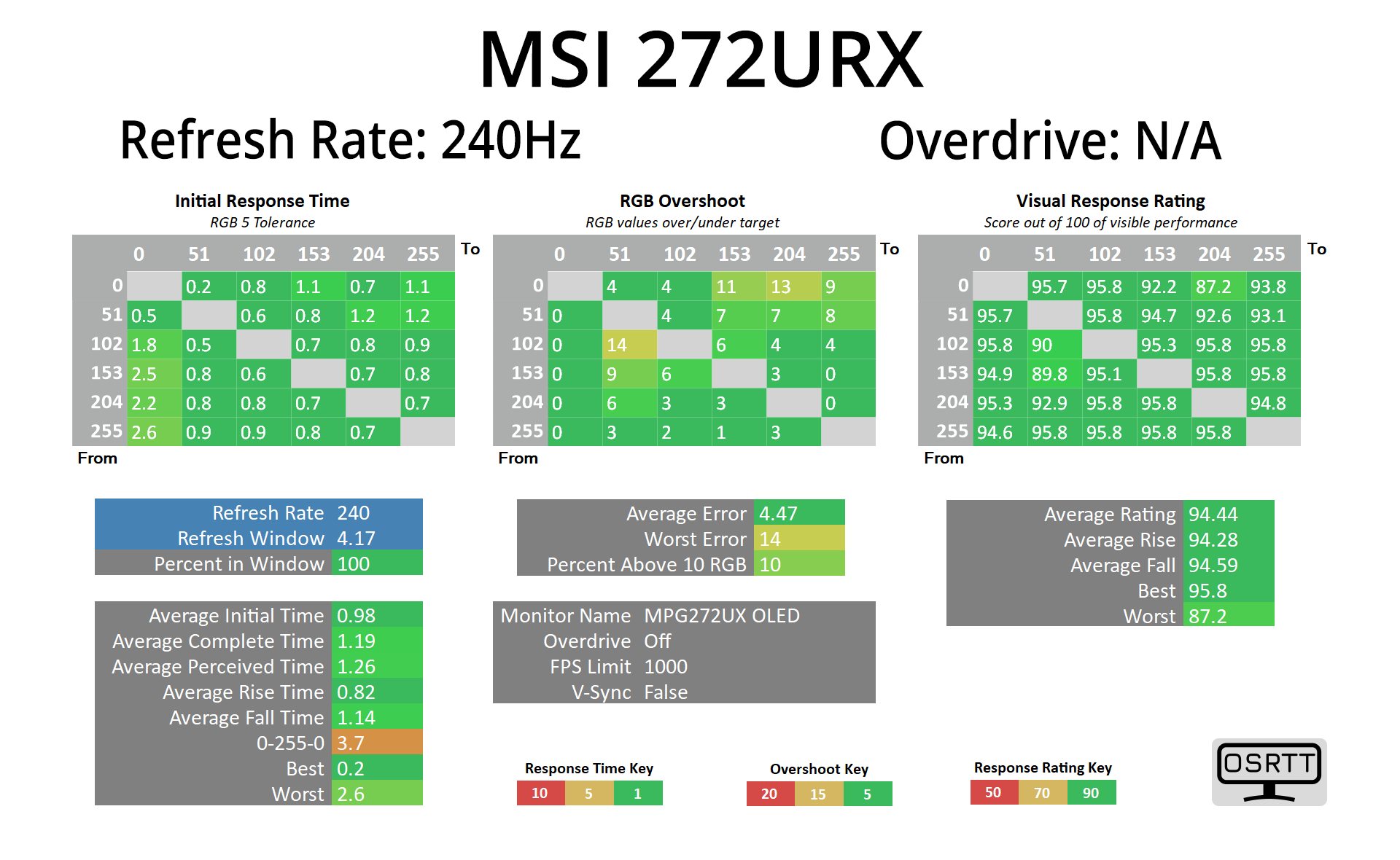
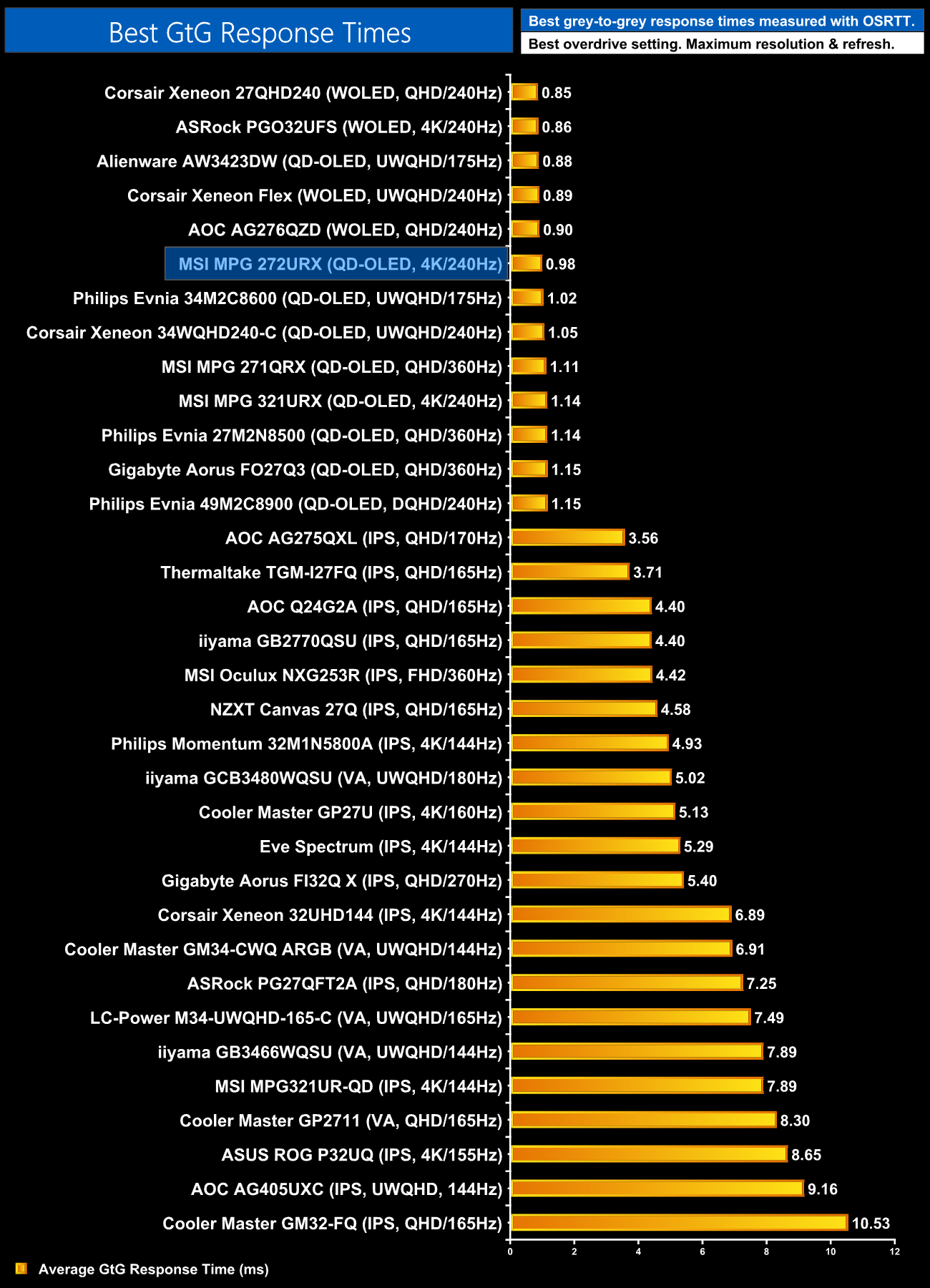
Given the 272URX is an OLED monitor, we know the response times will be fantastic – and they are, averaging less than 1ms across the board, putting this right up there with the other OLED monitors we've tested, and that is the same regardless of the refresh rate.
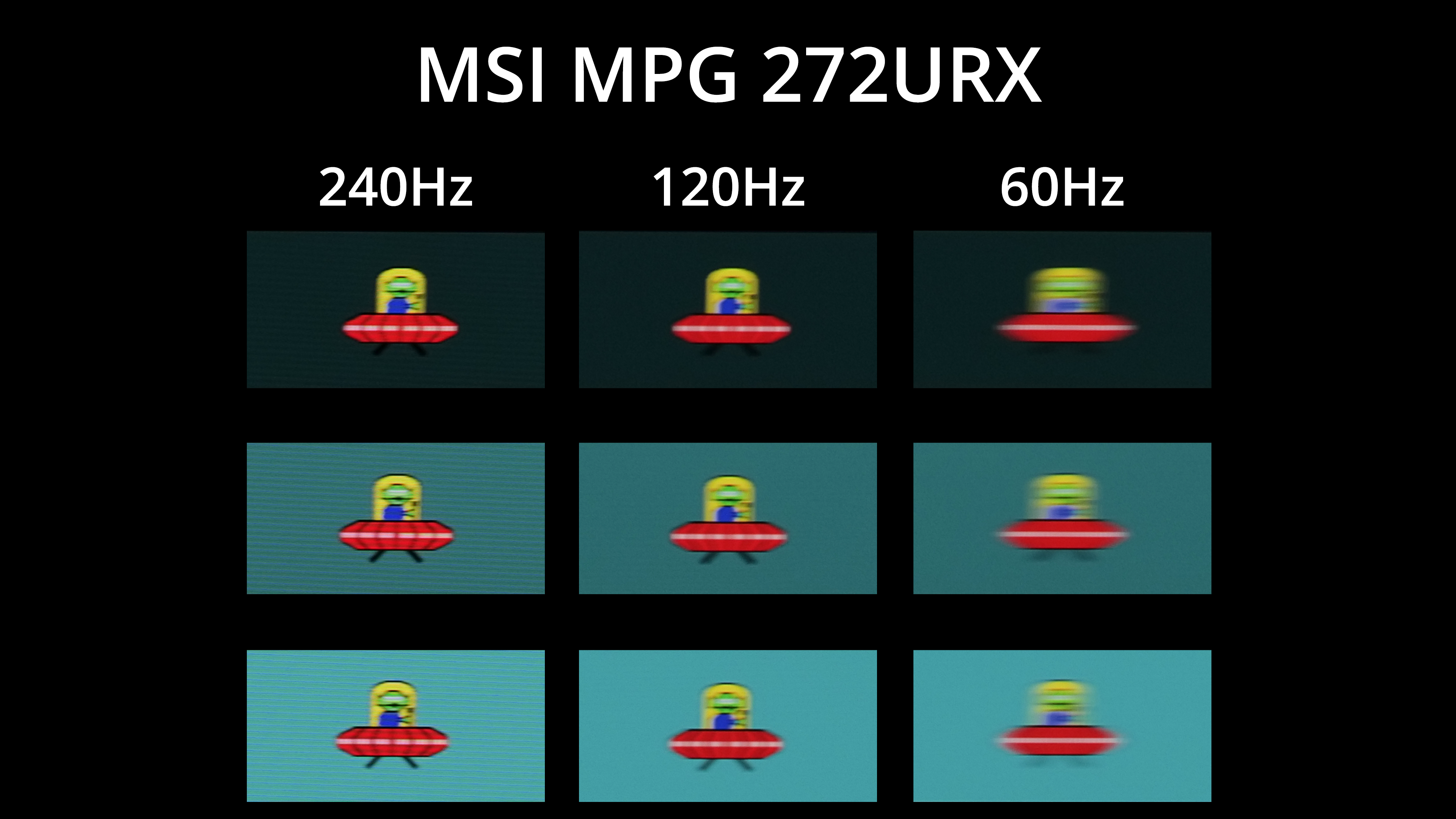
Of course, that doesn't mean motion clarity is the same at different refresh rates, as you'll obviously get less blur at 240Hz than 120Hz or 60Hz. That does mean your gaming experience will vary depending on how many frames your system can handle, and driving 4K at over 120fps is no easy task – but this goes to show what can be achieved at 240Hz.
We again use the Open Source Response Time Tool (OSRTT), developed by TechTeamGB, to report monitor input latency.
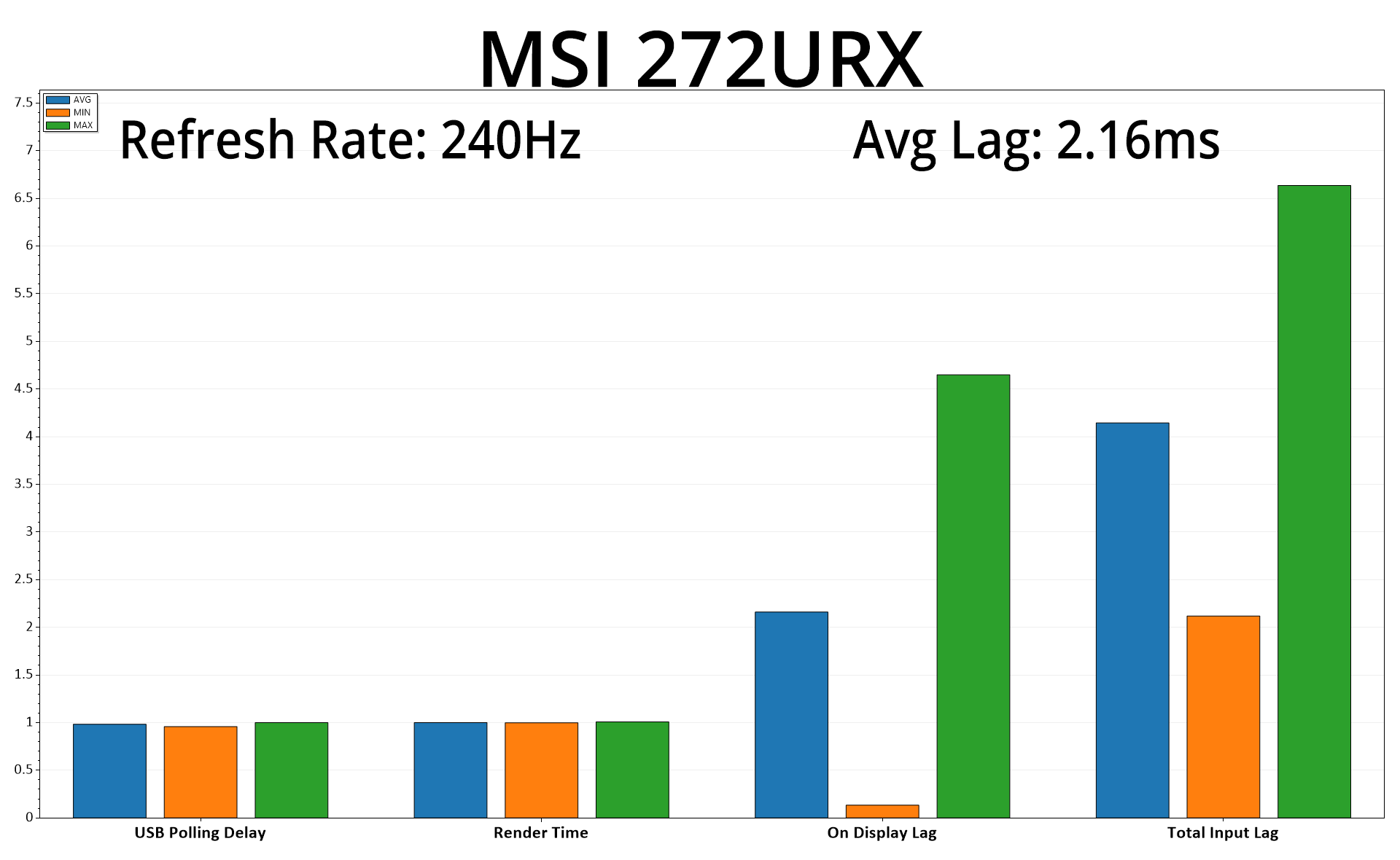
There's also more good news as latency is very low, averaging 2.16ms. A frame at 240Hz lasts for 4.17ms, so latency is equivalent to just over half a frame – nothing at all to worry about.
Having put this screen through our extensive test suite, it's hard not to be impressed with the MSI MPG 272URX. Offering a 4K/240Hz experience over the 27in screen size thanks to Samsung's latest 4th Gen QD-OLED panel, it's safe to say this screen ticks a lot of boxes.
For one, the default setup has been supremely well configured by MSI. Colour balance and gamma are about as close to perfect as you can get out of the box, while the monitor's built-in SRGB mode saw an average colour accuracy deltaE of <1.
MSI also offers a well-featured OSD, complete with loads of anti-burn in features, while the monitor comes backed with a three year warranty that includes burn-in cover.
That's not to mention all the inherent benefits of OLED technology too – lightning fast response times, effectively infinite contrast ratios and excellent HDR performance are all delivered here. Gaming at 4K/240Hz is quite an incredible experience too, provided you have enough GPU horsepower to actually drive games at such high frame rates! But with a super-wide gamut providing a very punchy and saturated image, you'll have just as much fun with slower-paced single player games as you will in competitive titles.
As I mentioned in my original MPG 321URX review, I do feel the build of the monitor itself is a little plasticky – it's certainly functional and I don't dislike it, but a metal stand would definitely give it a more premium feel, as befitting this type of high-end screen.
And that brings us onto pricing, with the 272URX's RRP set at £999, though I did see it at £900 in the couple of weeks before Prime Day. It even hit just £750 when on sale, and MSI has hinted it will return at that price-point for future sales, so definitely keep an eye out for that. Even at the regular price, £900 or so is typical for this type of screen, so it's certainly not cheap – but if you're in the market for a new OLED monitor, the 272URX offers a fantastic panel that does very little wrong, so it comes highly recommended.
Pros
- Very wide gamut.
- Effectively infinite contrast ratio.
- Very fast response times.
- 4K resolution coupled with 240Hz OLED makes for a very sharp experience.
- Games just look so good.
- Fantastic factory calibration.
- HDR hits 1000 nits and is accurate.
- Great sRGB emulation mode.
- 2x HDMI 2.1 alongside DP 2.1
- USB-C and KVM support.
- User-upgradable firmware.
- Great value if you get it at the £750 sale price.
Cons
- Metal stand would have been nice.
- Like other QD-OLEDs, the HDR Peak 1000 nits EOTF curve rolls off early.
KitGuru says: It's a terrific gaming monitor with a superb factory calibration. If you want a pin-sharp gaming experience, this will be hard to beat.