KitGuru KitGuru.net – Tech News | Hardware News | Hardware Reviews | IOS | Mobile | Gaming | Graphics Cards


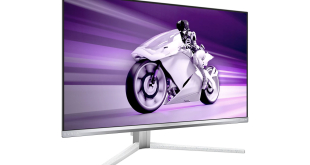
It's been a while since we last reviewed a screen from Philips Evnia, but that changes today as we analyse the 27M2N8500. Offering the same 1440p 360Hz QD-OLED panel that we've seen from the likes of the MSI 271QRX and Gigabyte Aorus FO27Q3, the 27M2N8500 isn't doing anything groundbreaking with its technology. That said, with an RRP drop to just £500 as of May 1st, it's sure to raise an eyebrow or two, so let's dive in and see if this display is worth the cash…
Timestamps
00:00 Intro
00:49 Meet the Evnia 27M2N8500
01:23 Design first impressions
03:32 The usual QD-OLED caveats
04:46 Panel analysis – default settings
07:21 sRGB mode and calibrated results
08:12 Response times + motion clarity
09:06 The gaming experience
09:53 HDR performance
11:50 Best HDR mode to use?
12:37 Closing thoughts
There's no doubt the Philips Evnia 27M2N8500's USP is its overall value proposition. Based on a PCPartPicker analysis, this is one of the most affordable OLED screens on the market – yes, there are cheaper screens available, but none offering a 360Hz refresh rate. The next cheapest 360Hz model appears to be the Alienware AW2725DF at £569.
Of course, just by being the cheapest doesn't mean the 27M2N8500 is automatically worth buying. We put it through our extensive test suite today to find out just how good it really is.
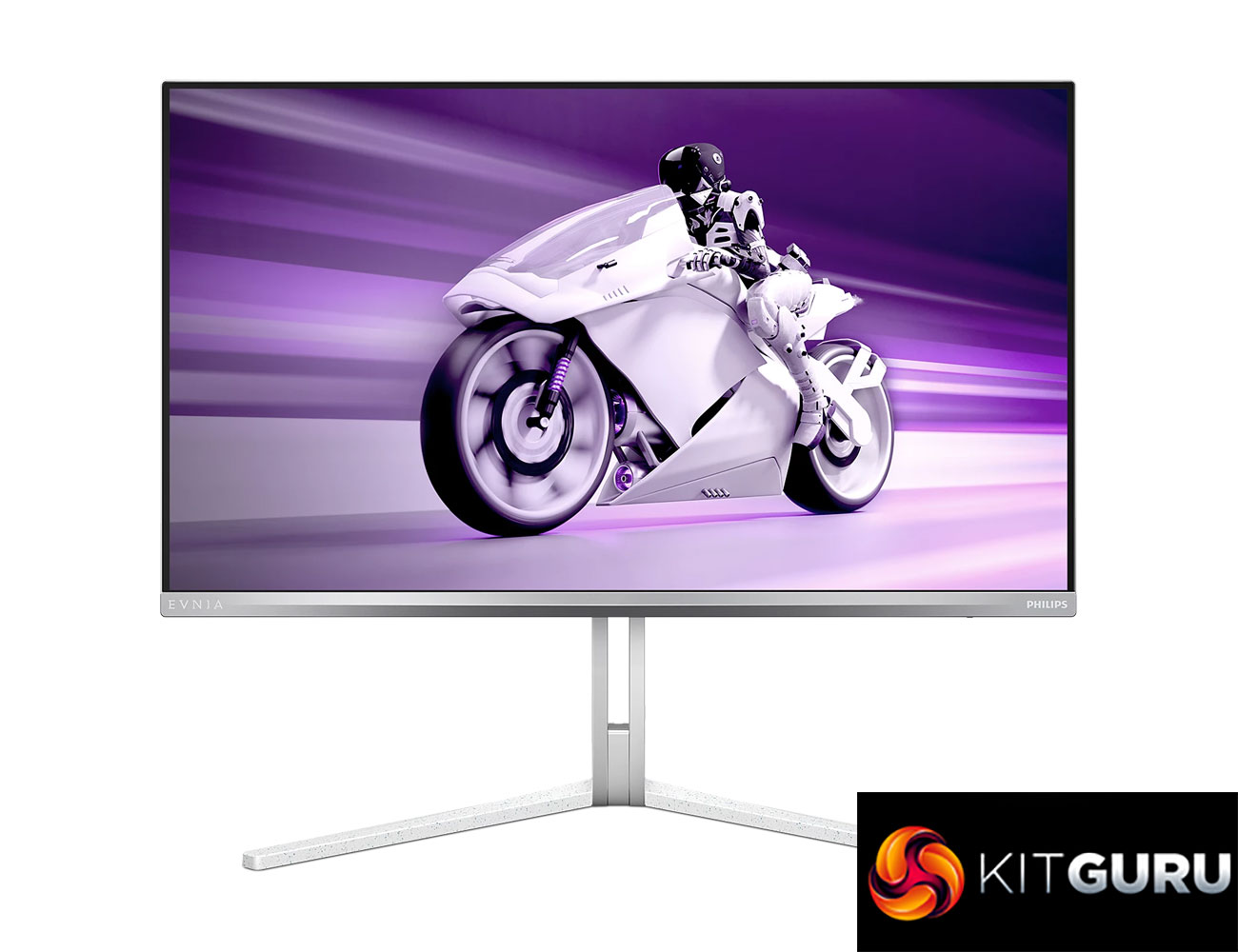
Specification:
- Panel Size: 26.5 inch/67.3 cm
- Aspect ratio: 16:9
- Monitor Panel Type: QD OLED
- Pixel pitch: 0.2292 x 0.2292 mm
- Brightness: SDR: 250 (APL 100%) nit, HDR: 450 (APL 10%) nit, HDR E/P: 1000 (APL 3%) nit
- Display colours: Colour support 1.07 billion colours (10-bit)
- Colour gamut (typical): DCI-P3:98.5%, sRGB: 147.5%, NTSC 120%, Adobe RGB 118%*
- Contrast ratio (typical): 1,500,000:1
- SmartContrast: Mega Infinity DCR
- Response time (typical): 0.03 ms (Grey to Grey)*
- Viewing angle: 178º (H)/178º (V) @ C/R > 10000
- Picture enhancement: SmartImage game
- Maximum resolution: HDMI/DP: 2560 x 1440 @ 360 Hz
- Effective viewing area: 590.42 (H) x 333.72 (V) mm
- Scanning Frequency: 30–510 kHz (H)/48–360 Hz (V)
- sRGB: Yes
- Delta E: <2 (sRGB)
- Flicker-free: Yes
- Pixel Density: 110.84 PPI
- LowBlue Mode: Yes
- Display Screen Coating: Anti-reflection, 2H
- Low Input Lag: Yes
- EasyRead: Yes
- AMD FreeSync™ technology: Premium Pro
- G-SYNC: Yes
- HDR: DisplayHDR True Black 400 certified
- Ambiglow: 3 sided
- Pixel format: RGB Q-Stripe*
- Clear MR Tier: 13,000
- Signal Input: HDMI 2.1 x 2, DisplayPort 1.4 x 1, USB-B x 1
- Sync Input: Separate Sync
- Audio (In/Out): Headphone out
- HDCP: HDCP 1.4 (HDMI/DisplayPort), HDCP 2.2 (HDMI/DisplayPort), HDCP 2.3 (HDMI/DisplayPort)
- USB Hub: USB-B upstream x 1, USB-A downstream x 2 (downstream with x 1 fast charge B.C 1.2), USB 3.2 Gen 1/5 Gbps
- Height adjustment: 130 mm
- Swivel: -/+ 20 degree
- Tilt: -5/20 degree
Firmware tested: V1.05
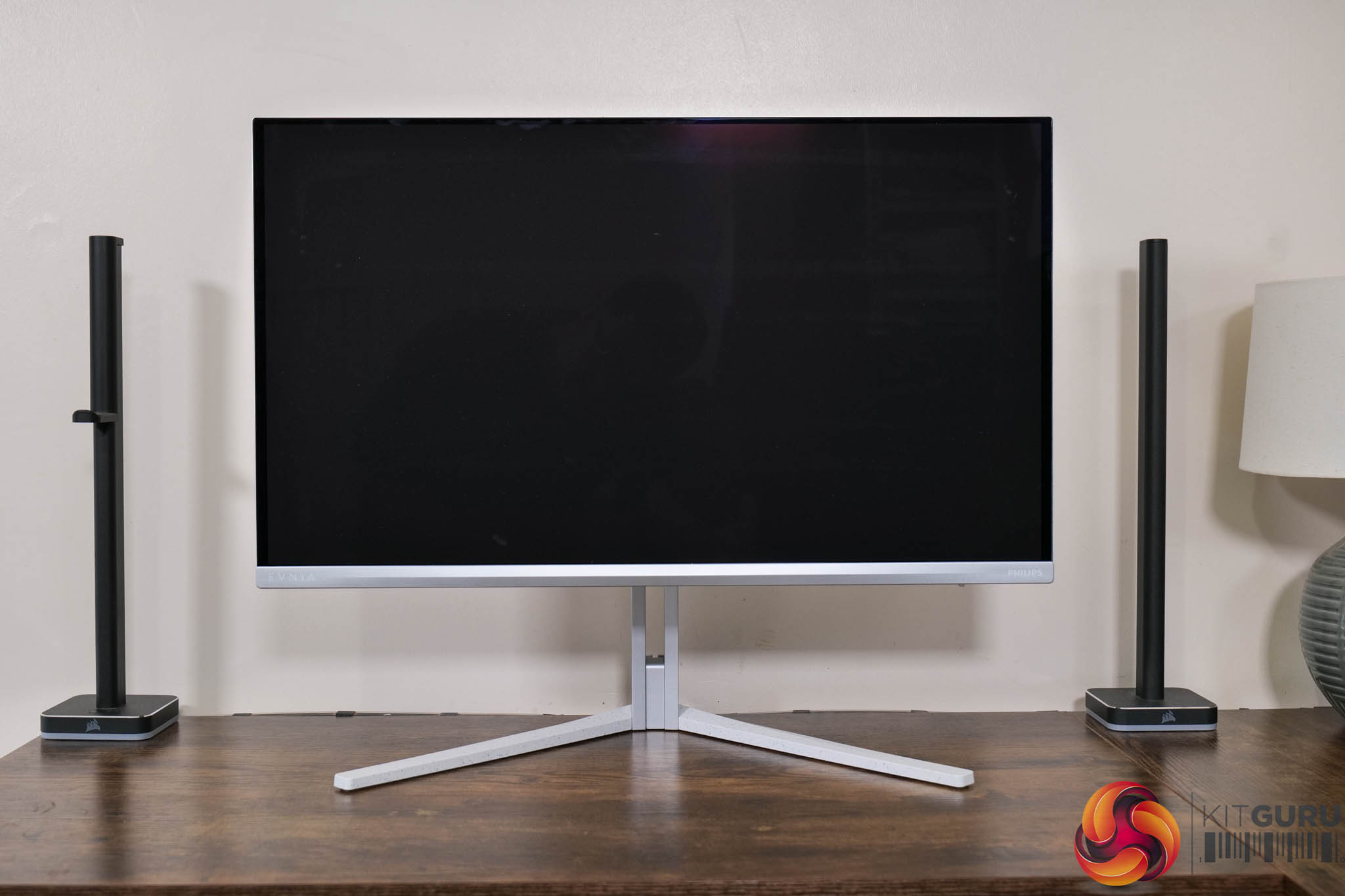
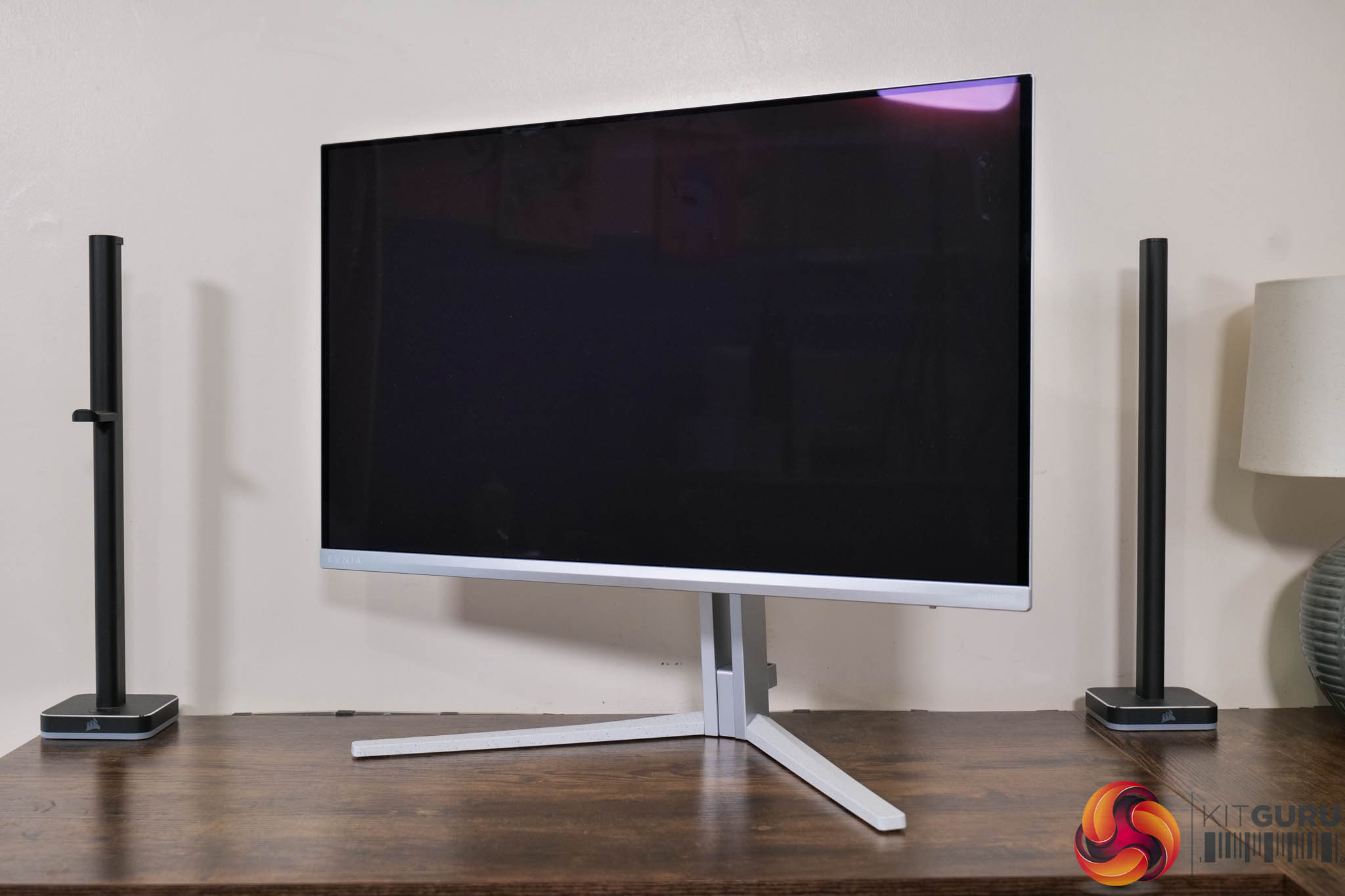
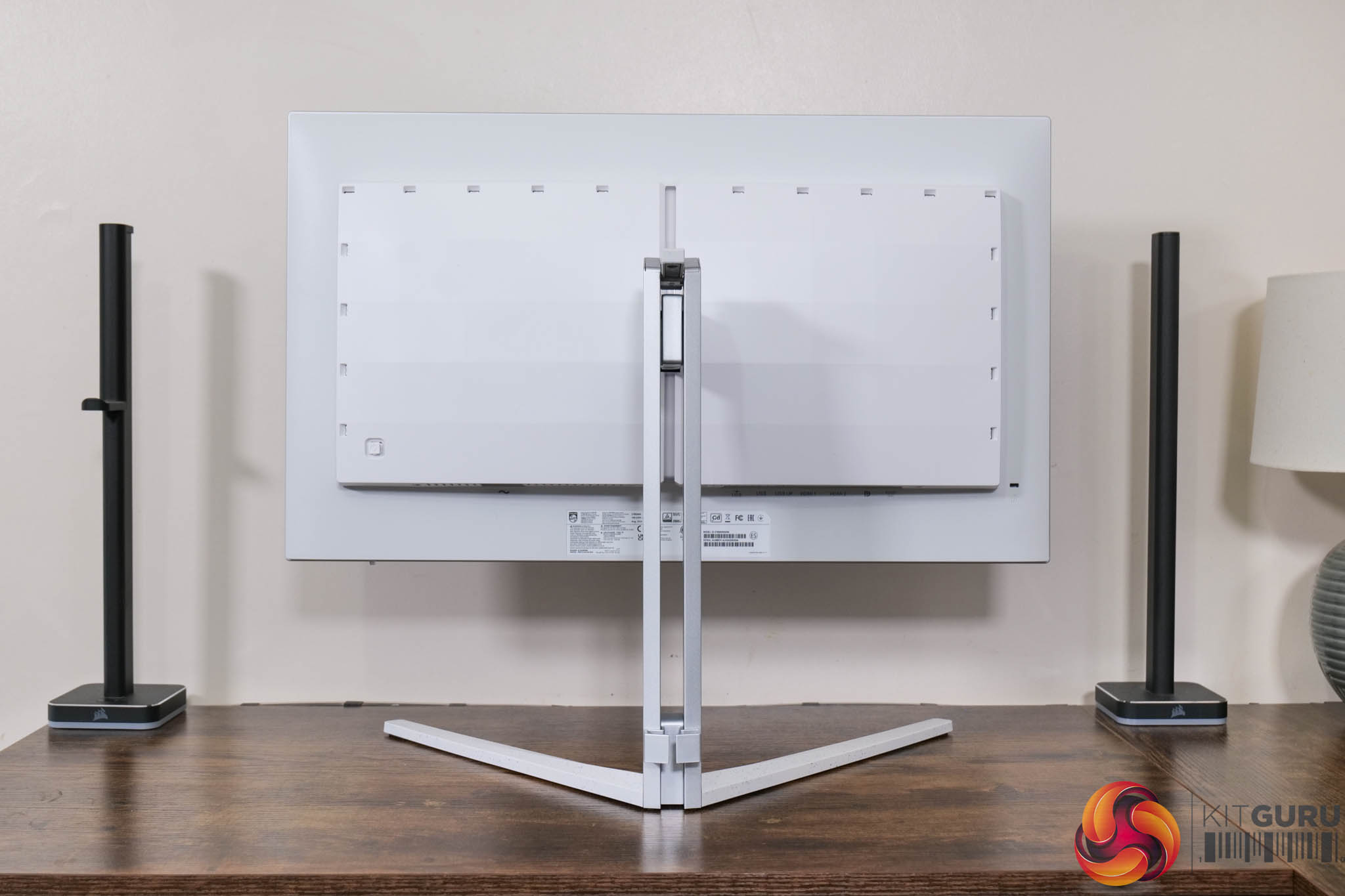
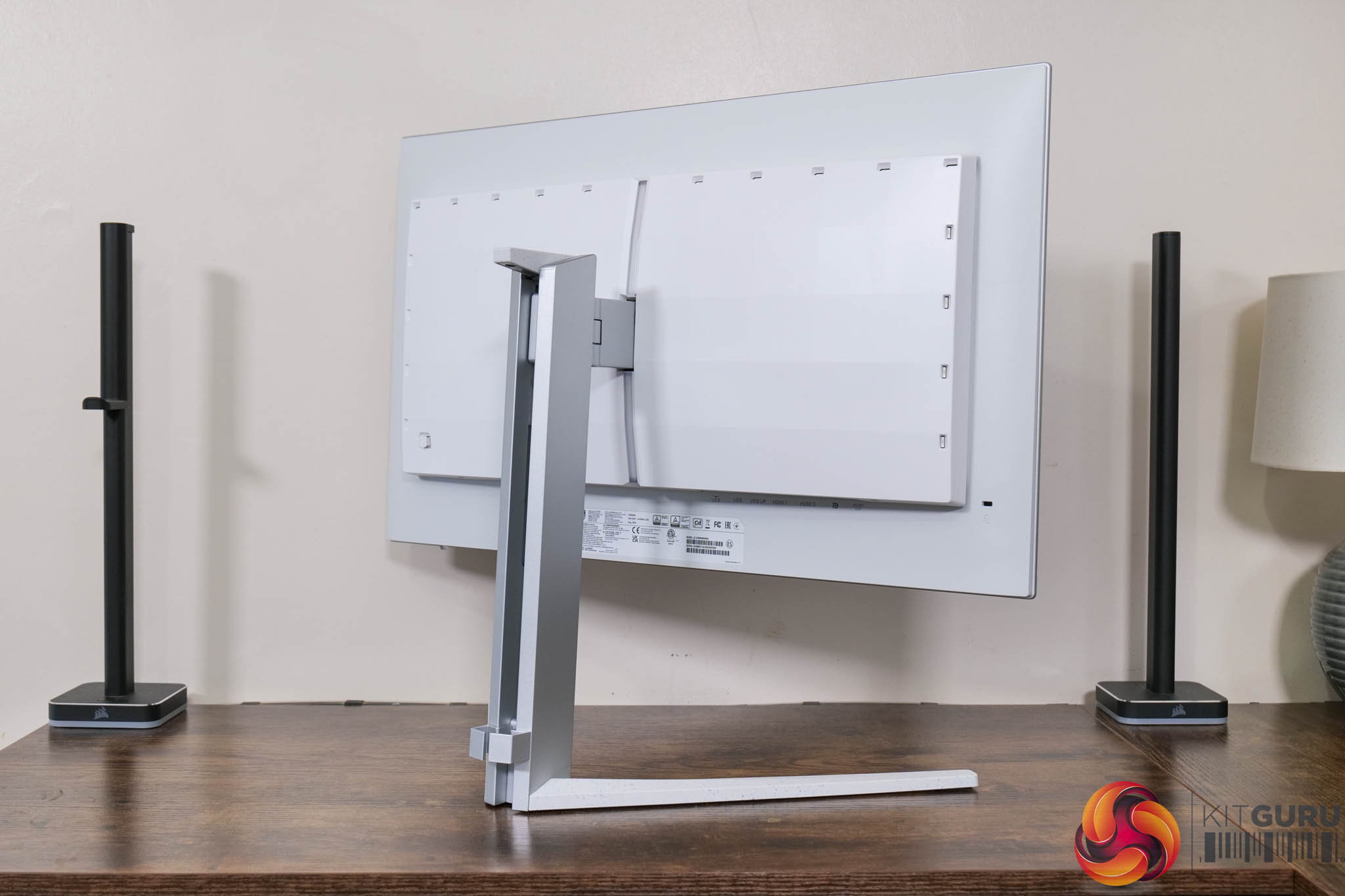
Kicking off with the design, the 27M2N8500 is very similar to previous Evnia screens we've reviewed, including the 49M2C8900. That's because it retains the same white and silver aesthetic, with a v-shaped foot and metal stand. I've warmed to it over the last year or two – it won't be for everyone, but it certainly stands out compared to the sea of all-black gaming monitors on the market.
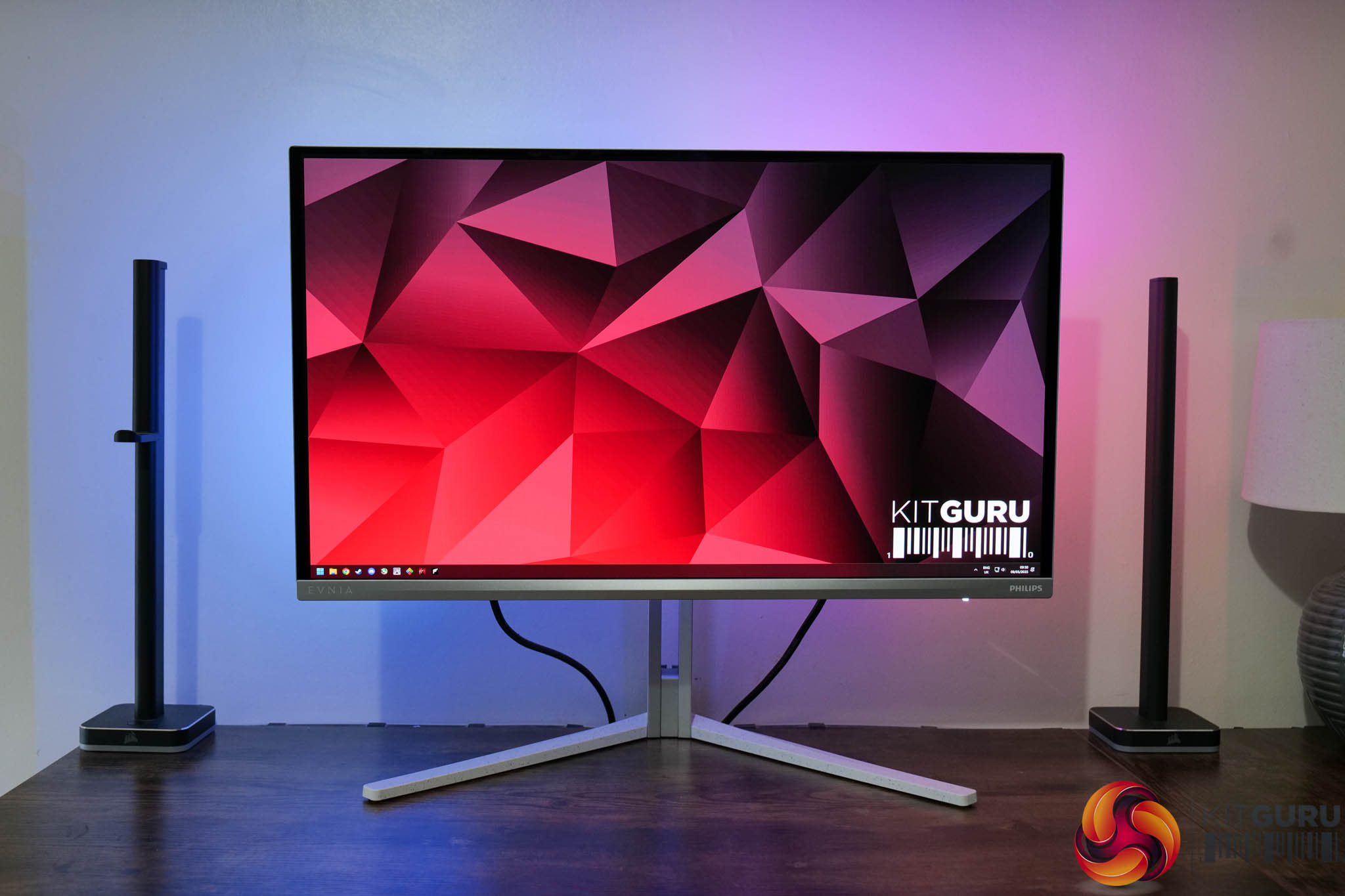
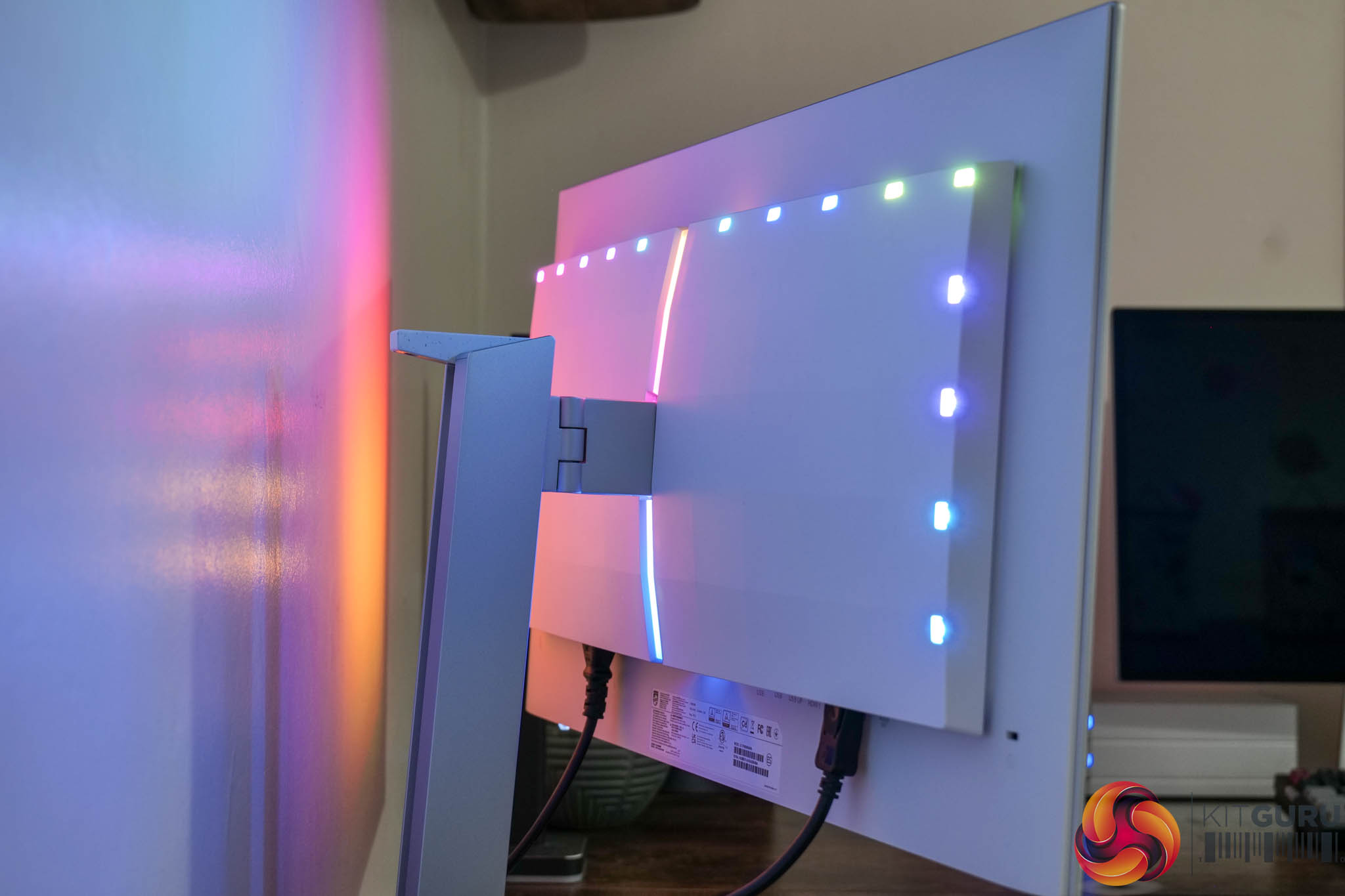
Philips Ambiglow lighting is a unique feature to these screens, though, with LEDs along the top and sides of the monitor. These can be configured to display static colours or rainbow effects, while the ‘follow video' option mirrors the colours being shown on the display itself.
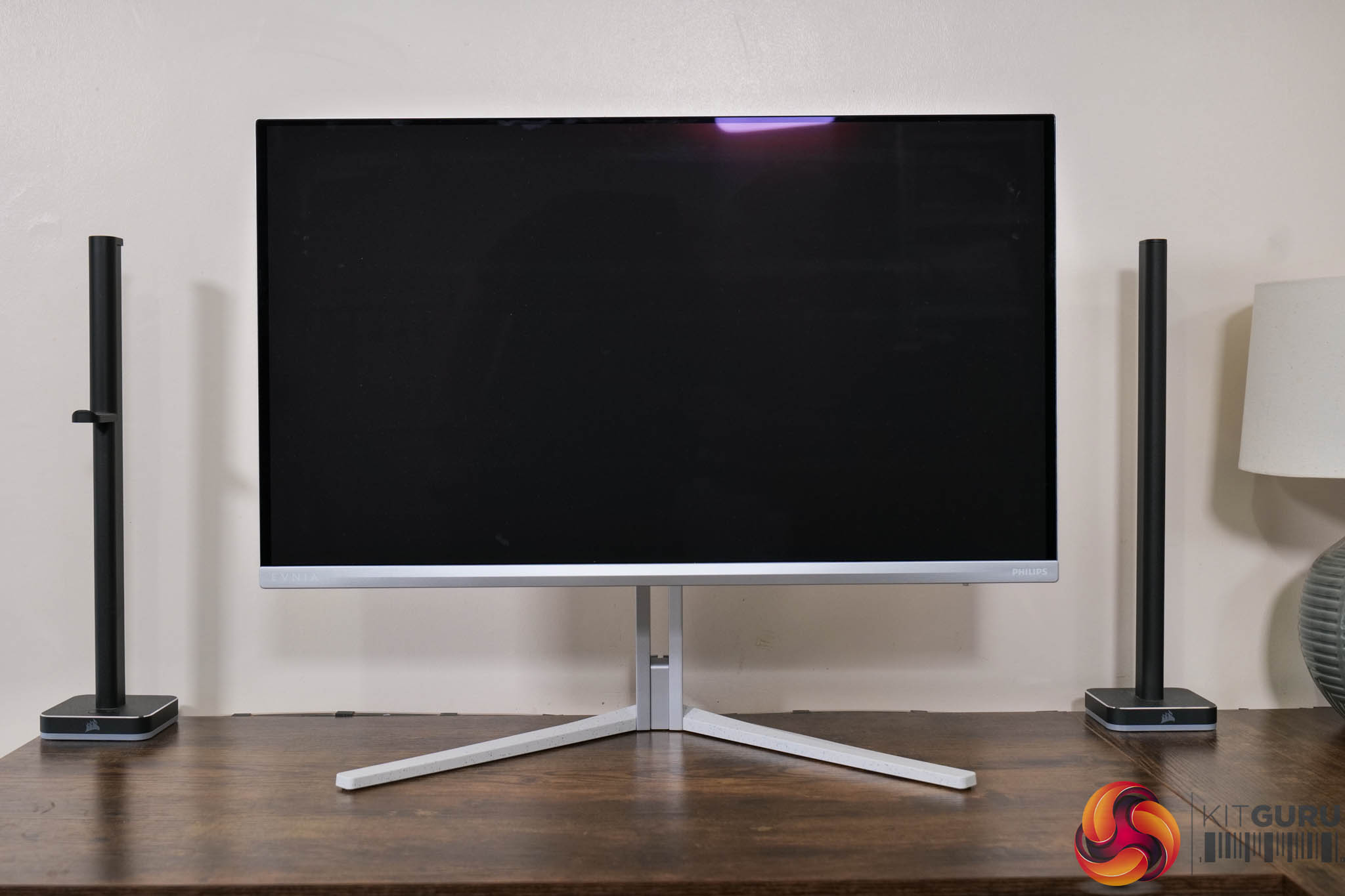
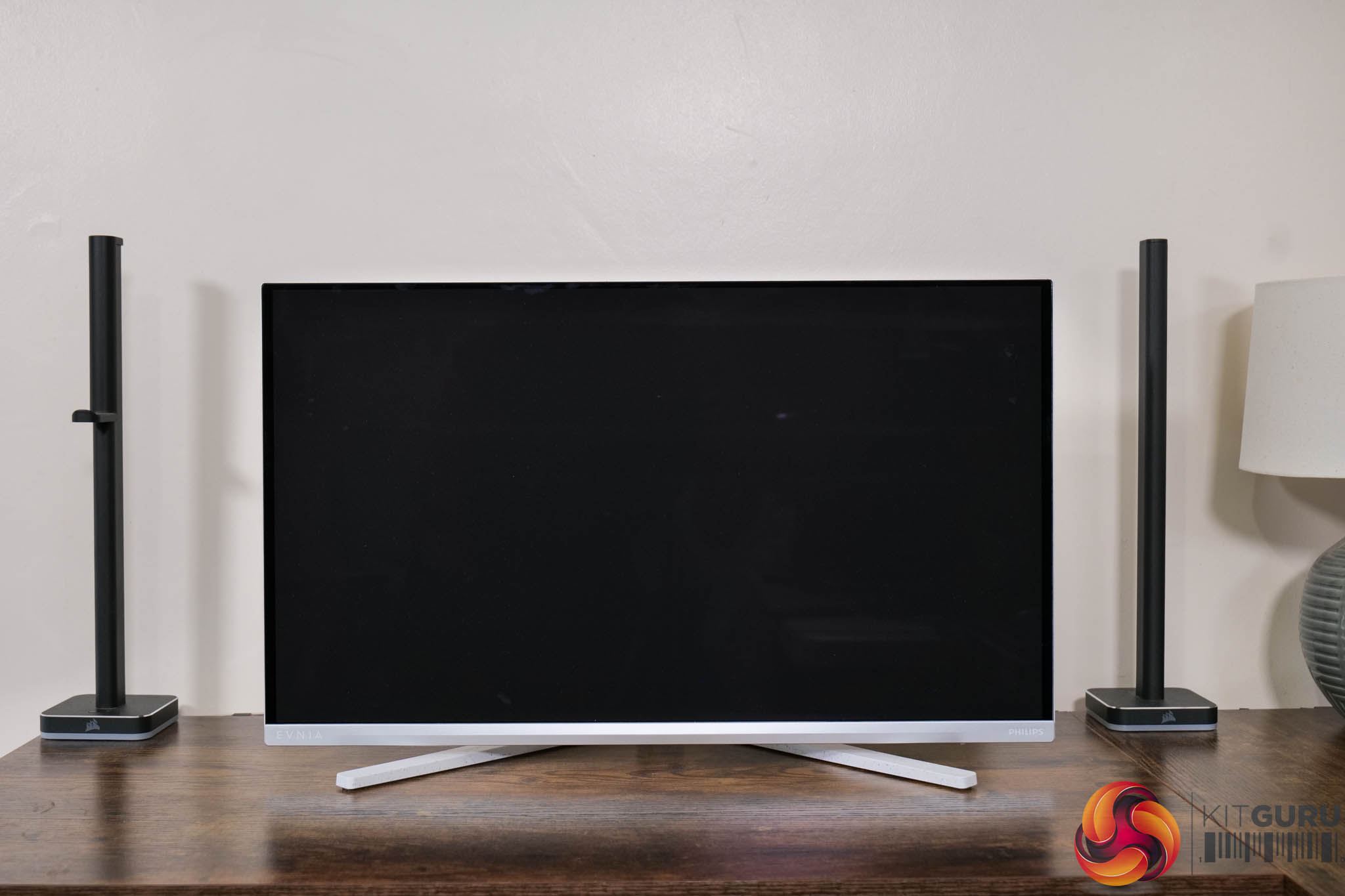
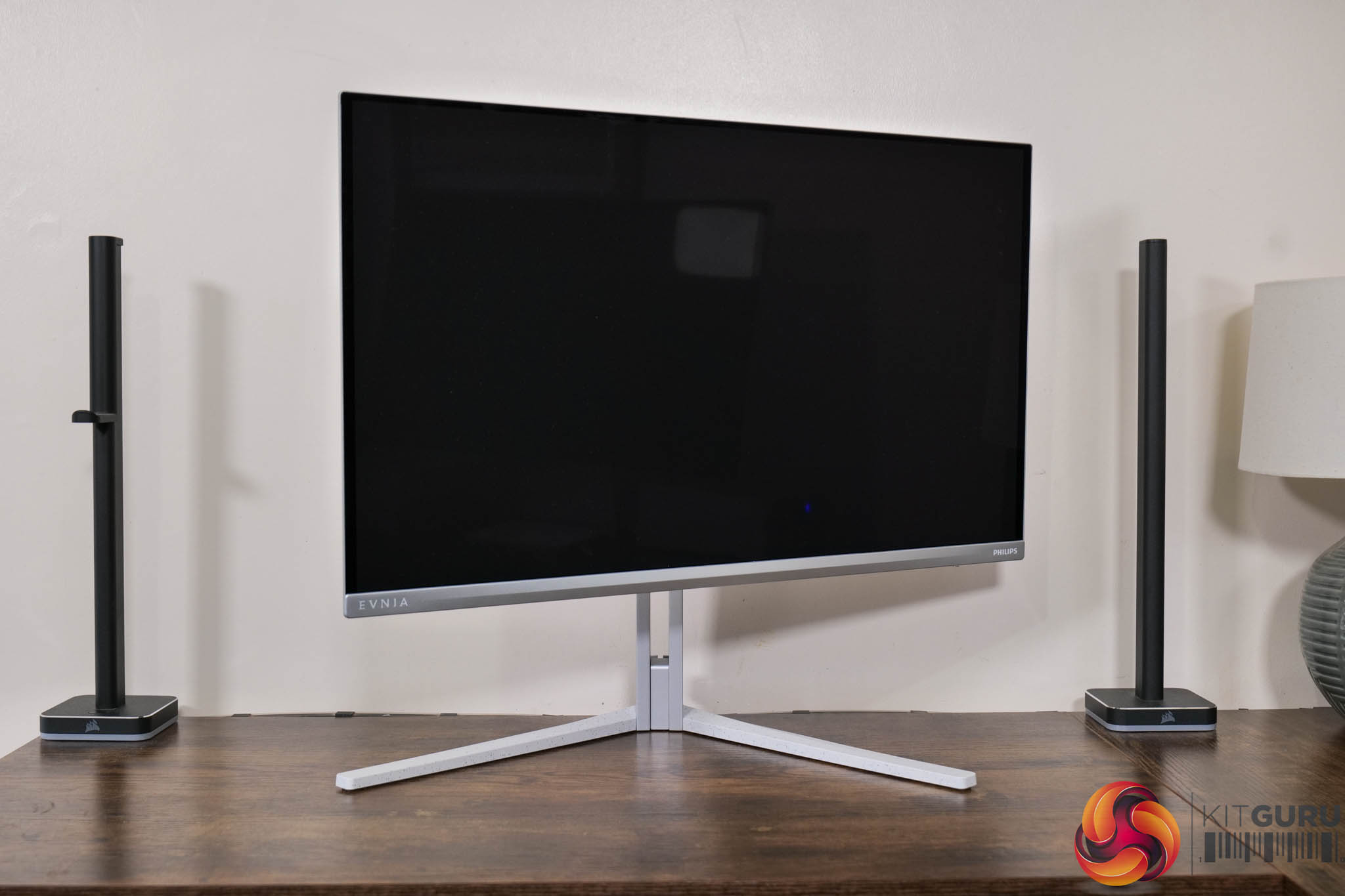
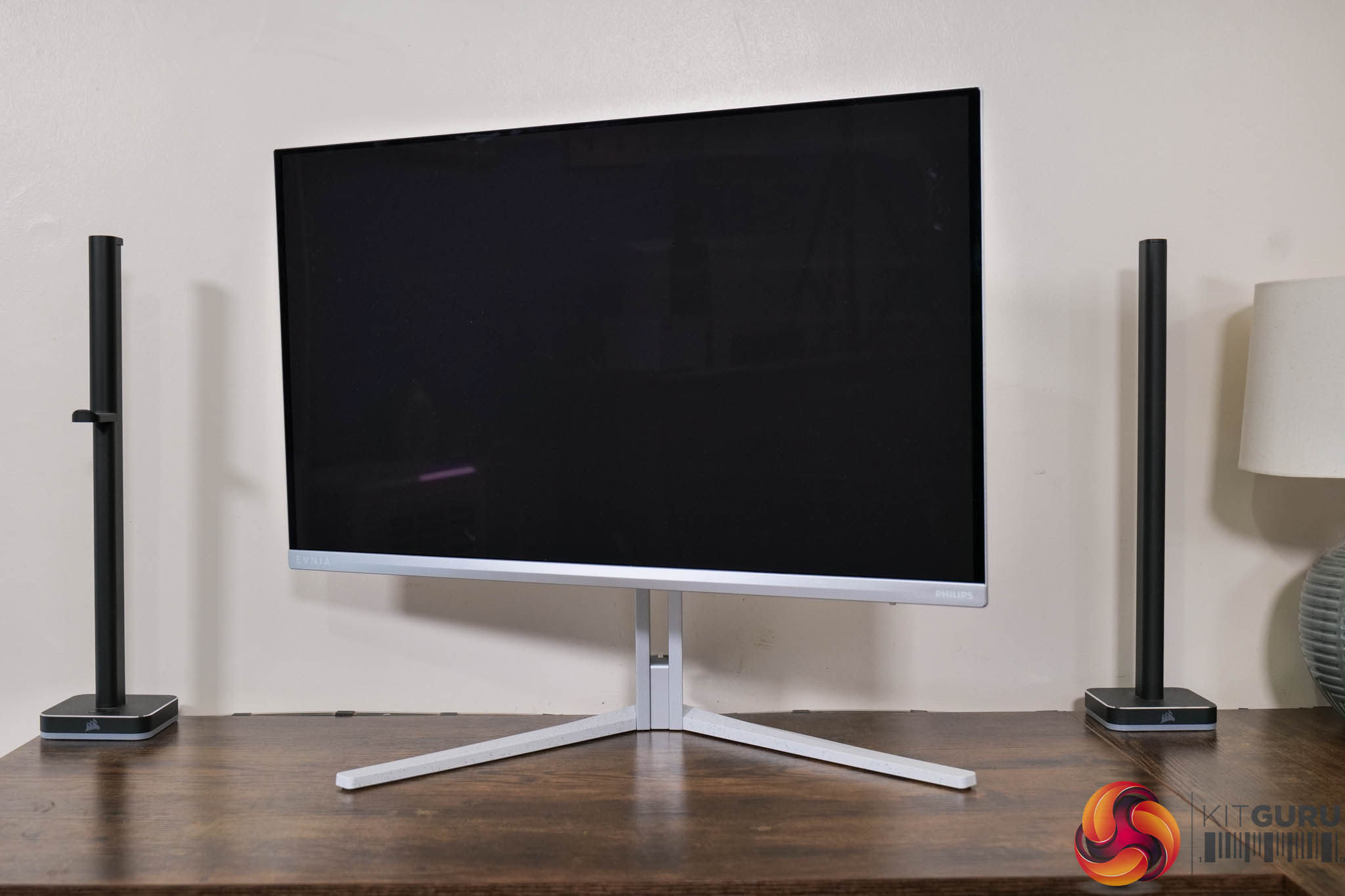
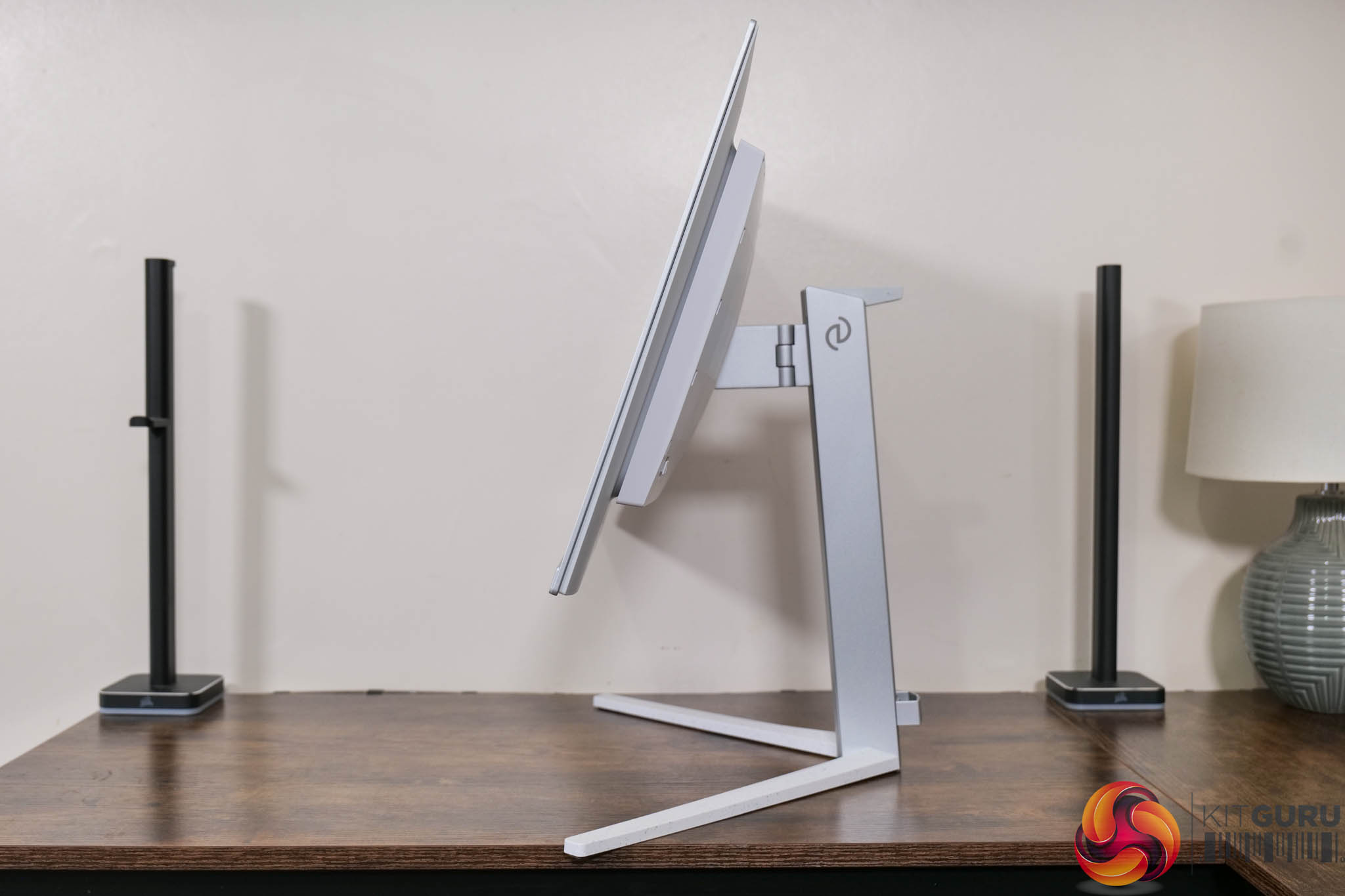
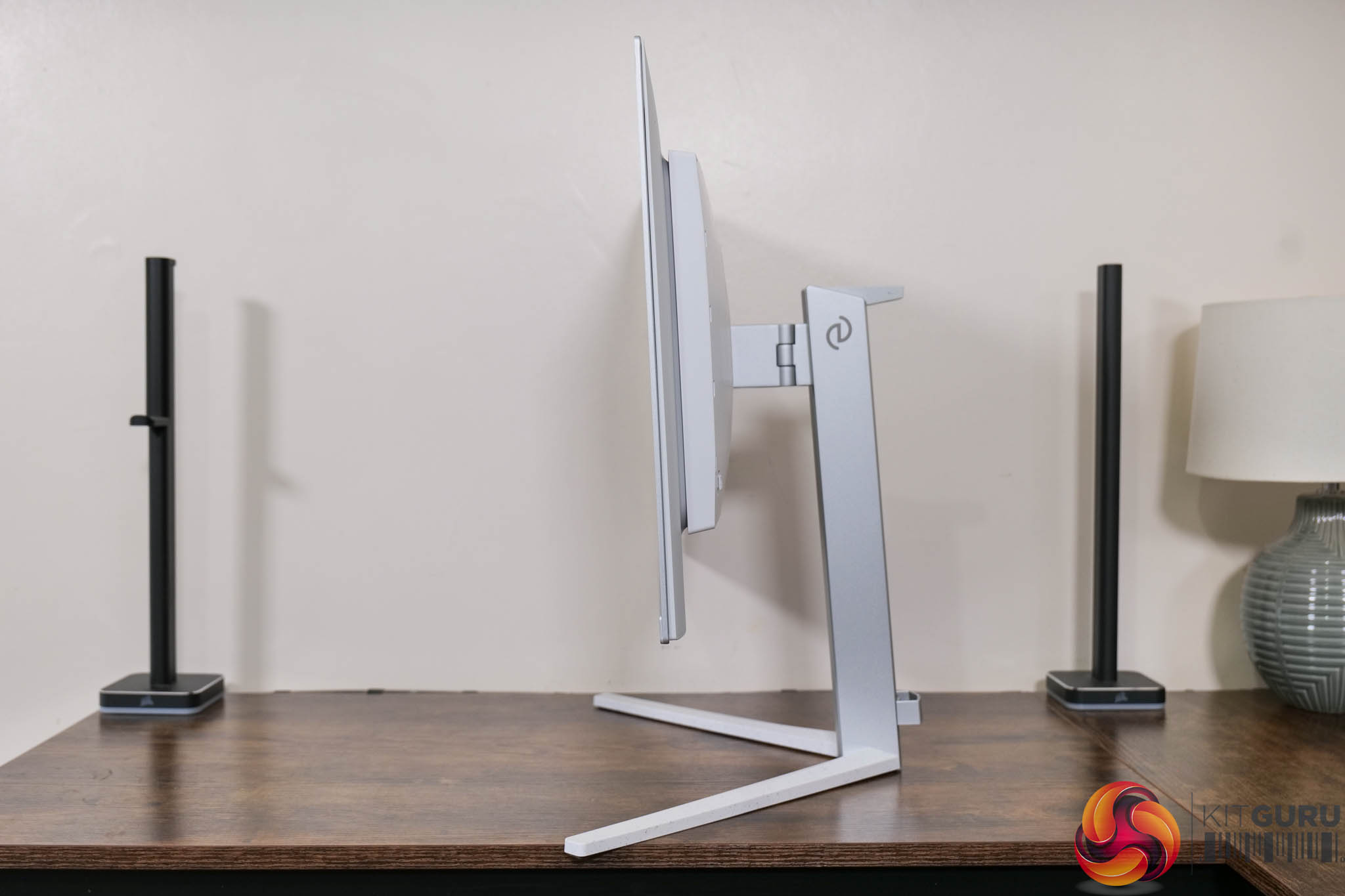
As for the stand, it offers up to 130mm of height adjustment, alongside 20 degrees of swivel both left and right, while there's tilt from 5 degrees downwards to 20 degrees upwards. That does mean no pivot, which is a slight shame considering it's only a fairly compact 27in display, but third-party VESA 100×100 mounts are supported via an included adapter bracket.
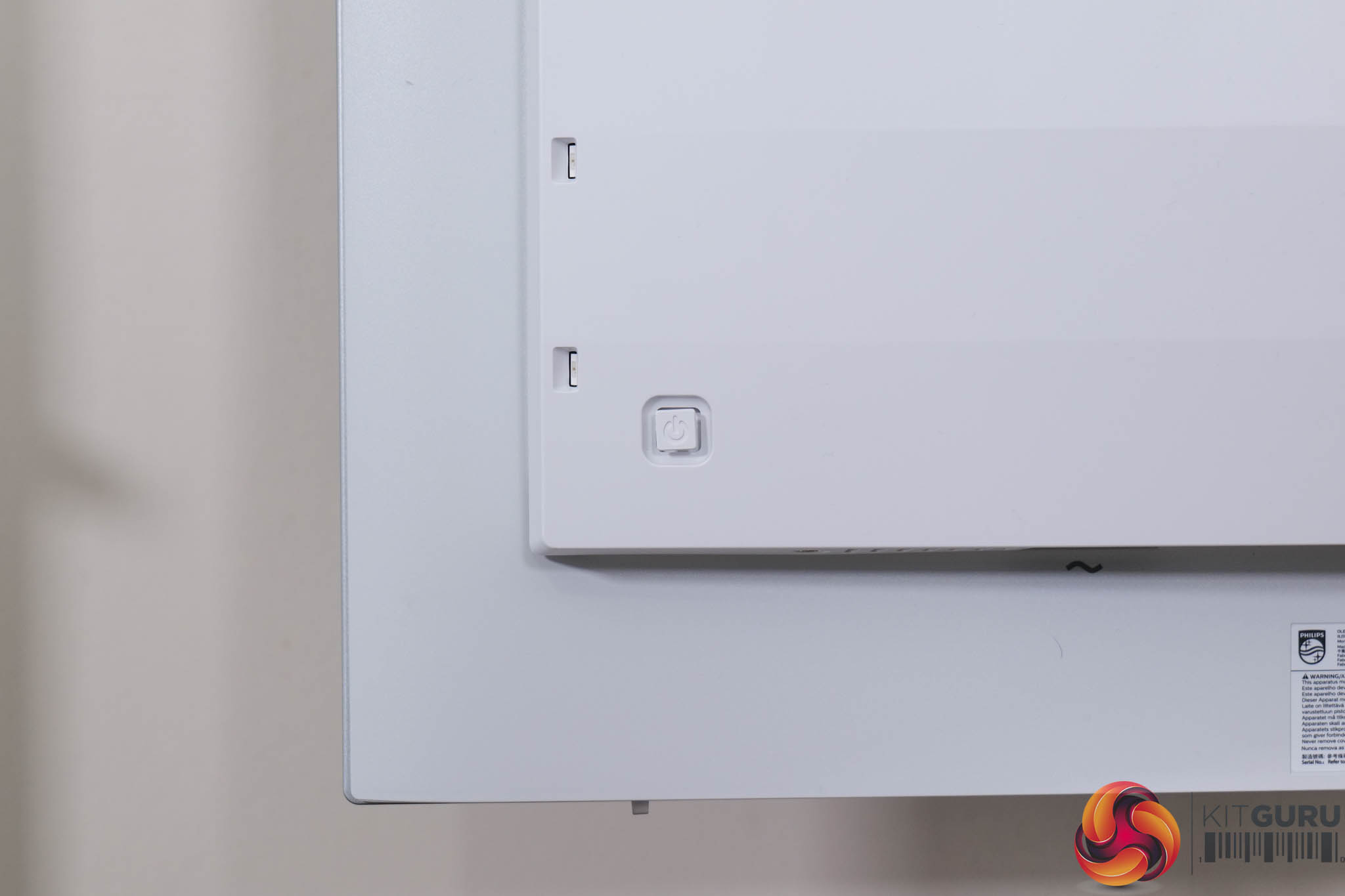
Round the back, in the bottom right corner, a small joystick can be used to navigate the OSD.
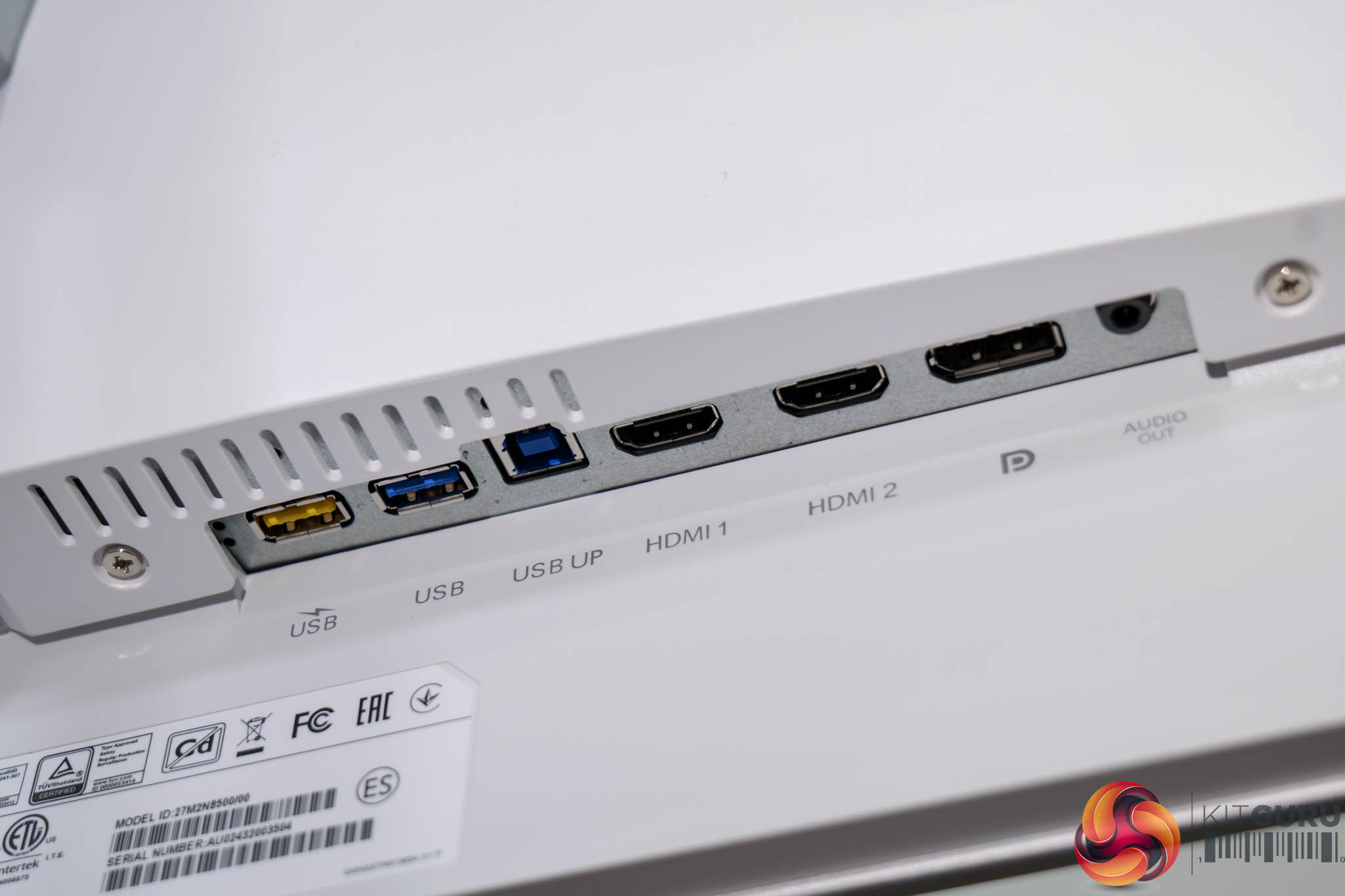
Meanwhile, a total of three display inputs are provided, with two HDMI 2.1 and one DisplayPort 1.4. There's also a USB-B upstream which feeds two 5Gbps Type-A downstreams, one of which supports fast charging. It's a decent selection overall – some may bemoan the lack of USB-C and KVM functionality, but that's where Philips has been able to keep cost down.
As for the OSD, everything is split into 8 main tabs, as you can see here:
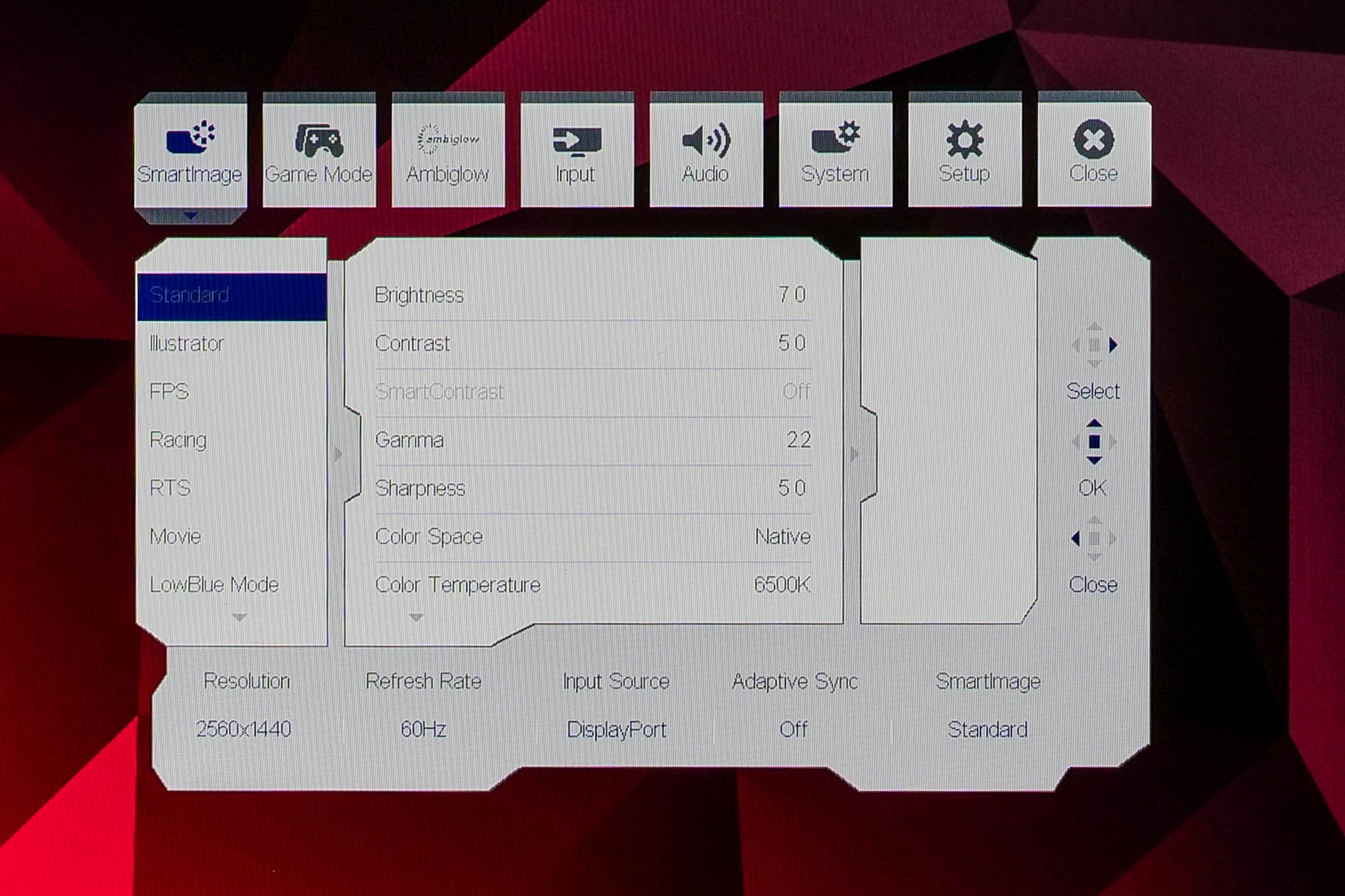
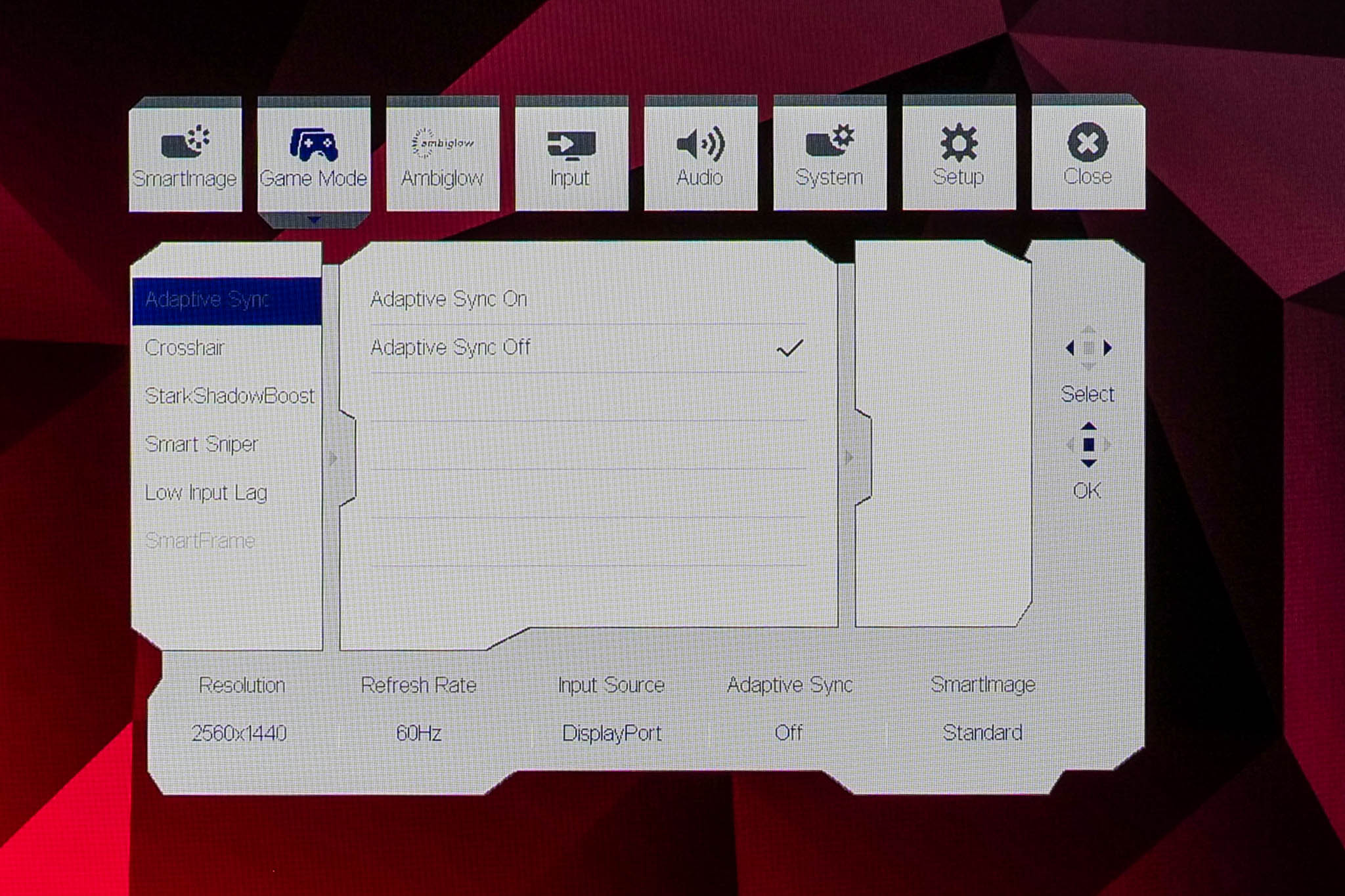
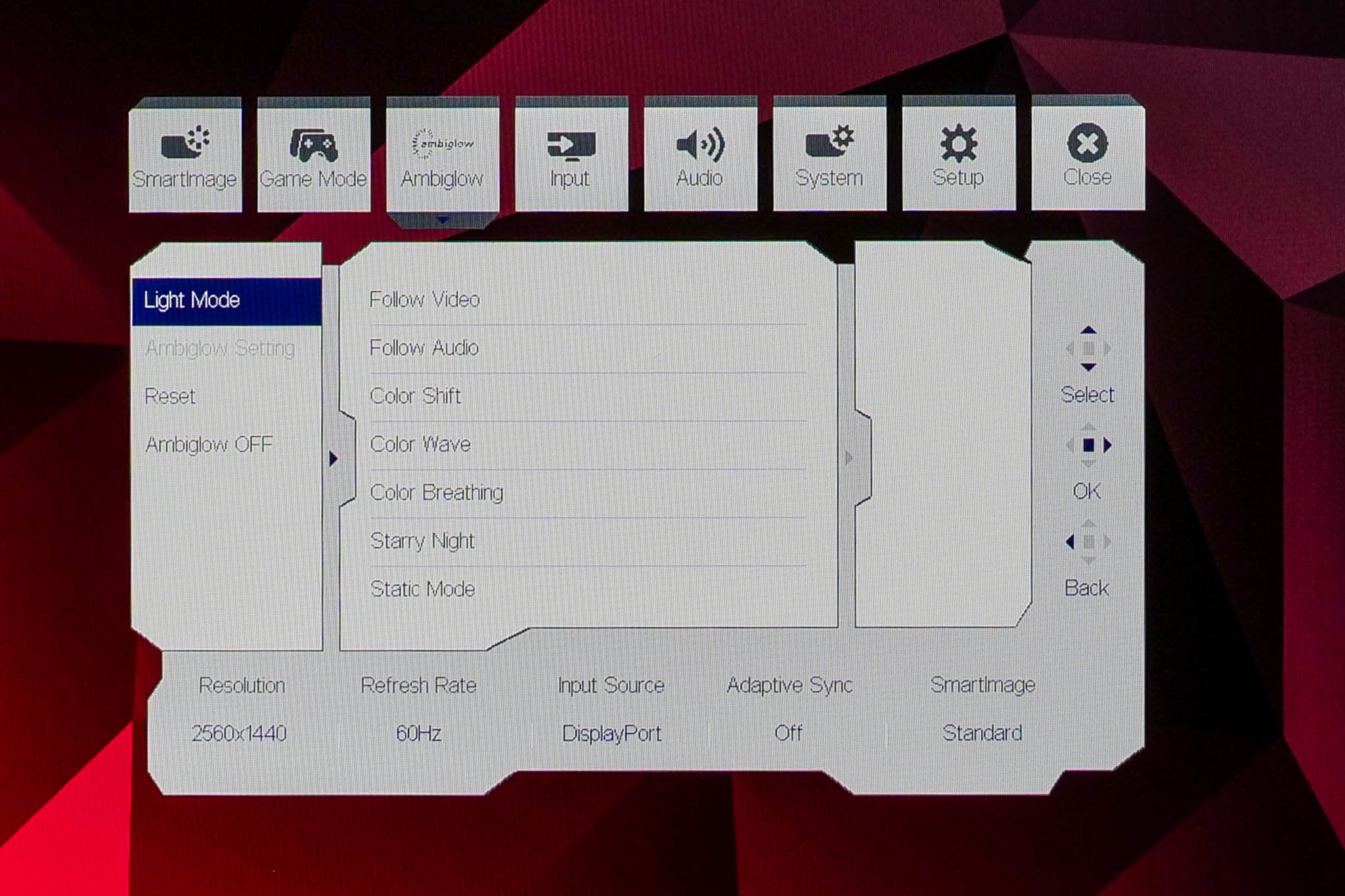
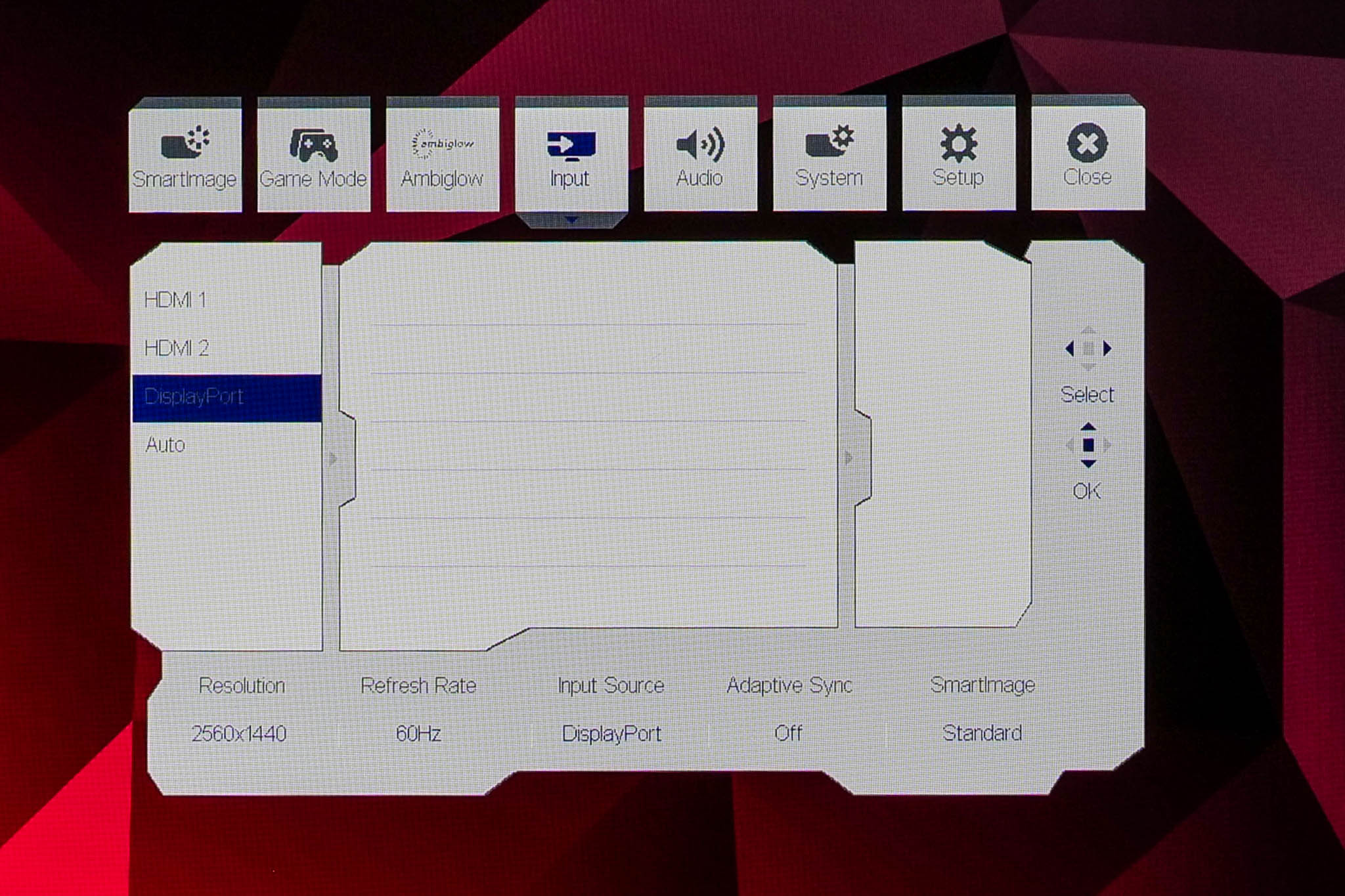
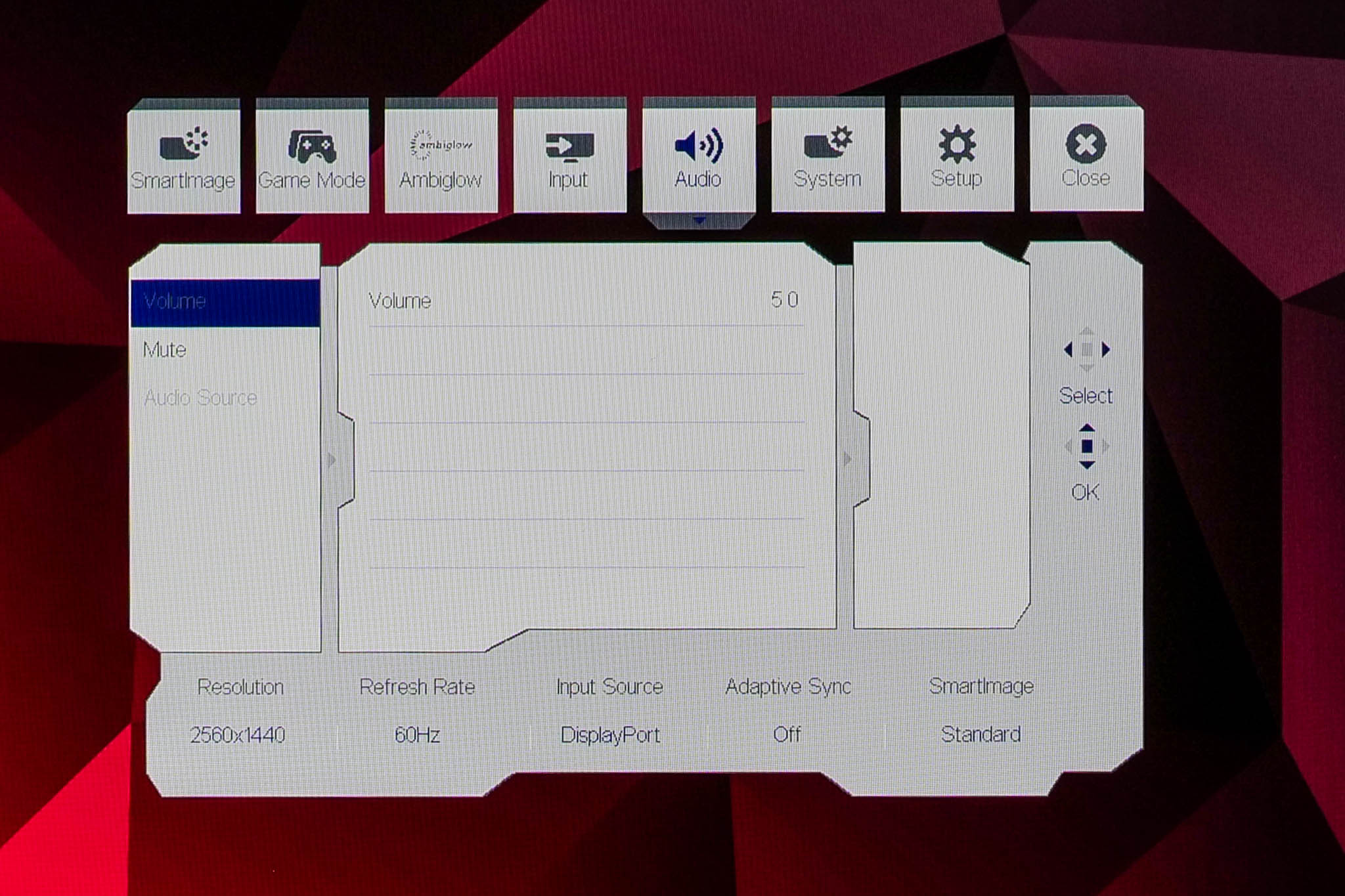
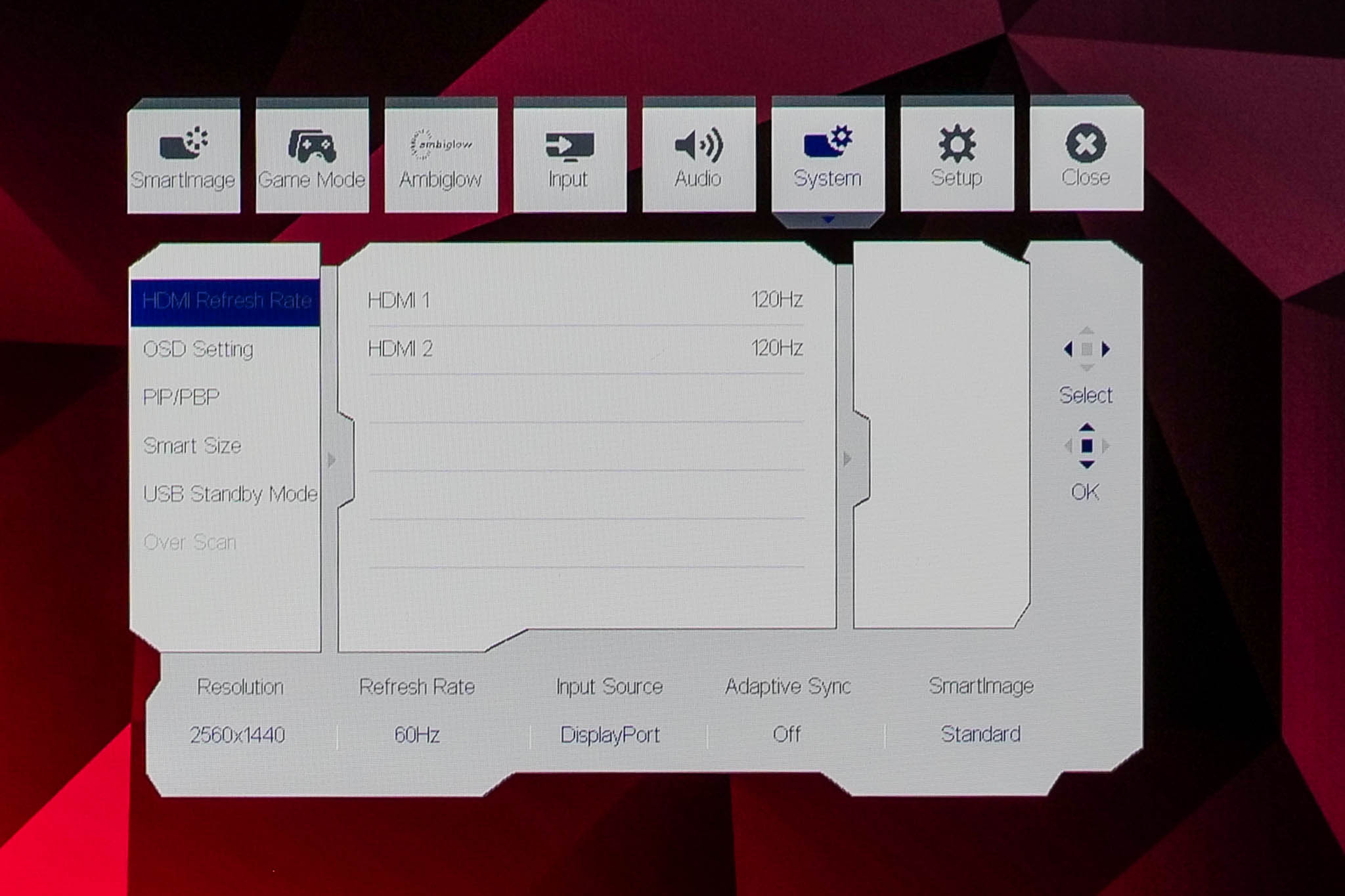
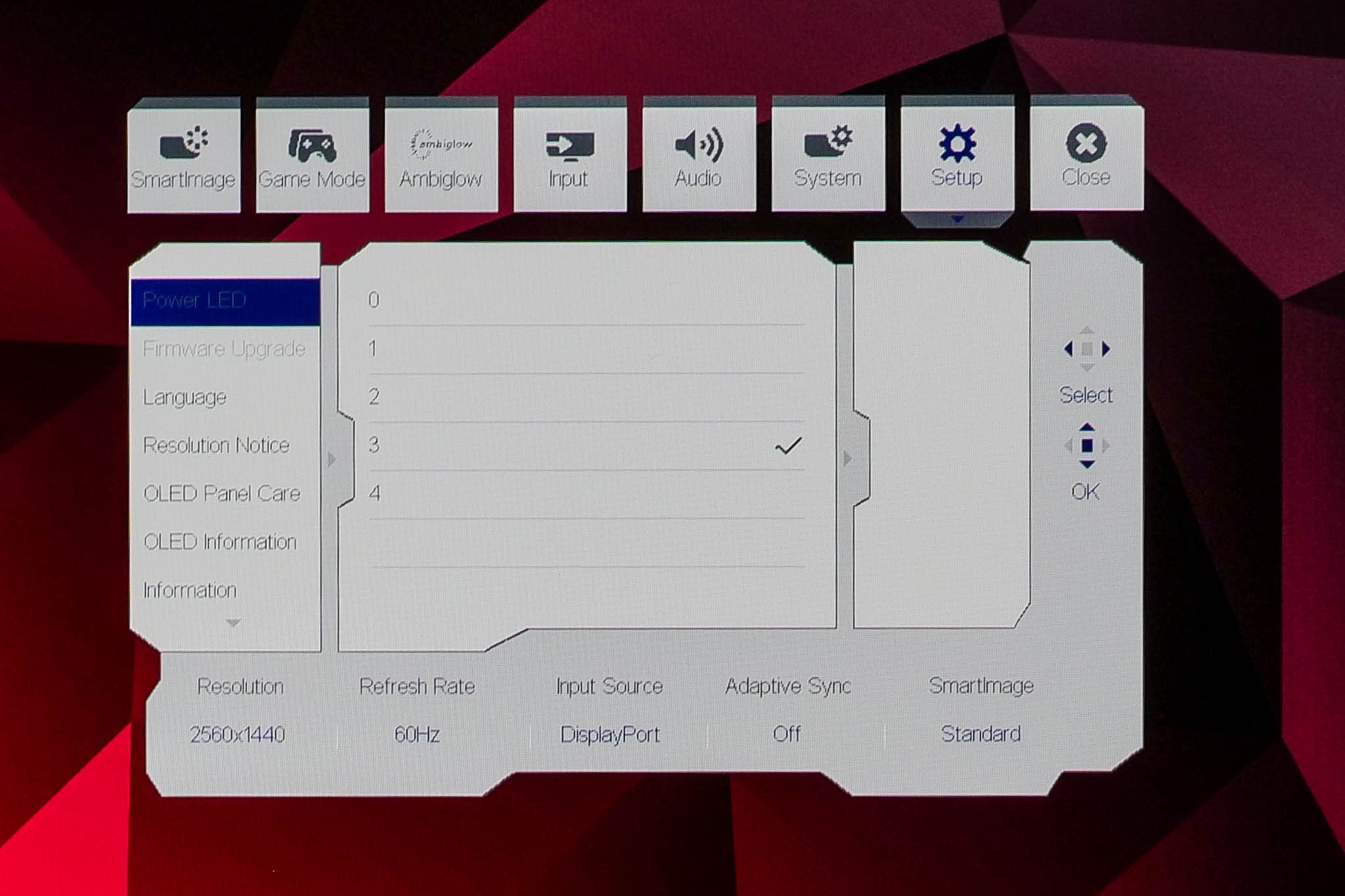
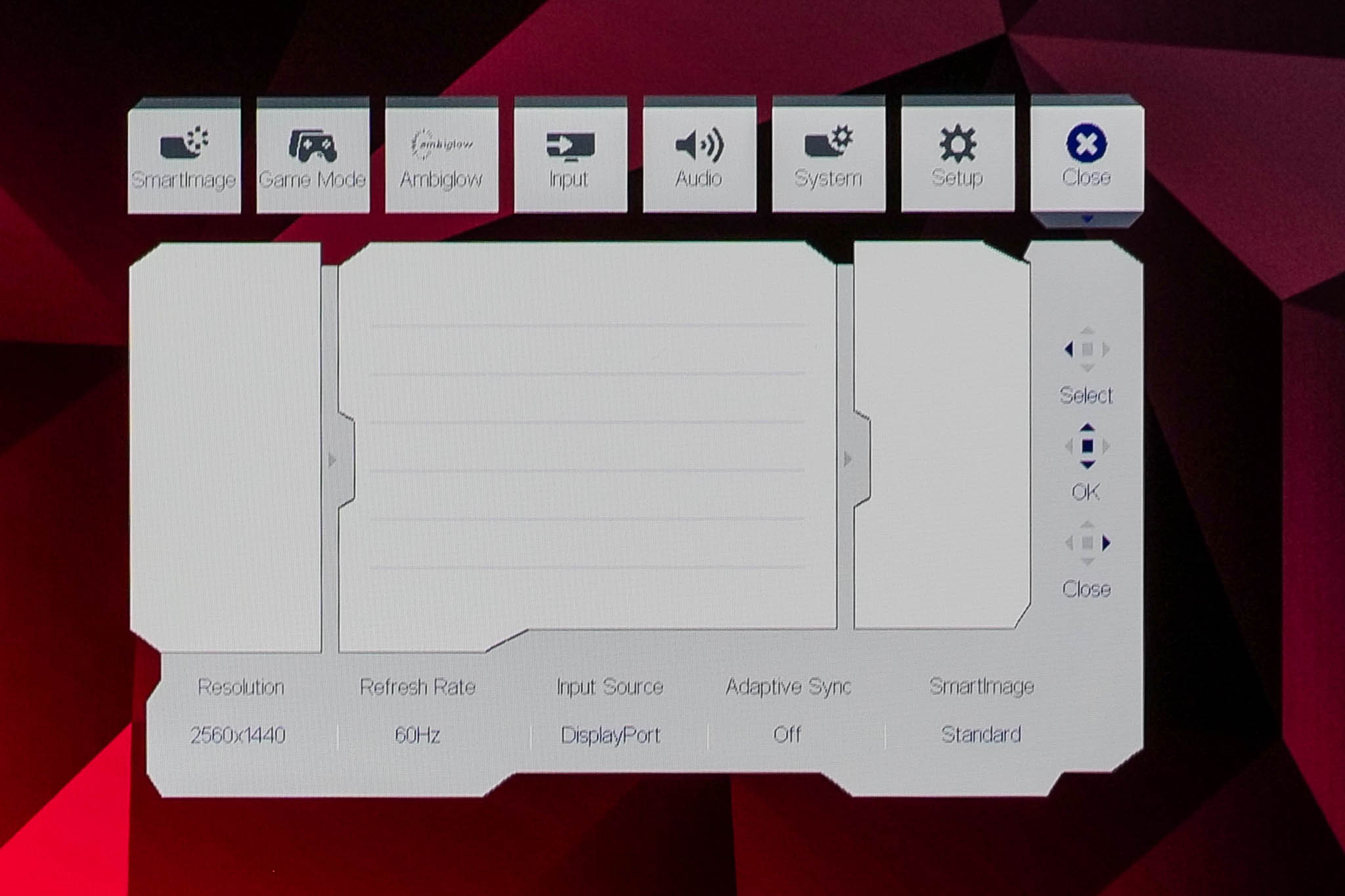
The OSD system appears unchanged since we last looked at an Evnia screen. It's perhaps not the prettiest UI going, but it has plenty of features and is easy to navigate using the joystick. My only real complaint is that there are no customisable shortcut options – being able to quickly adjust brightness without diving into the main OSD itself is always a welcome feature to me.
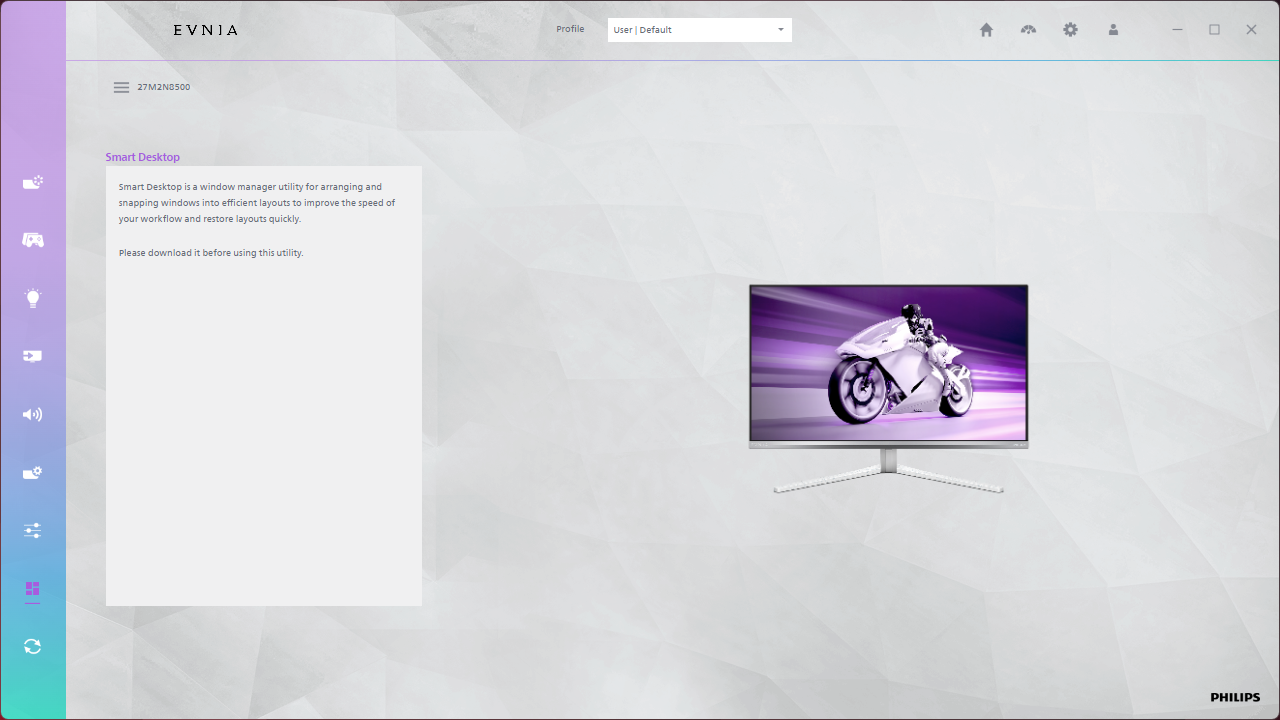
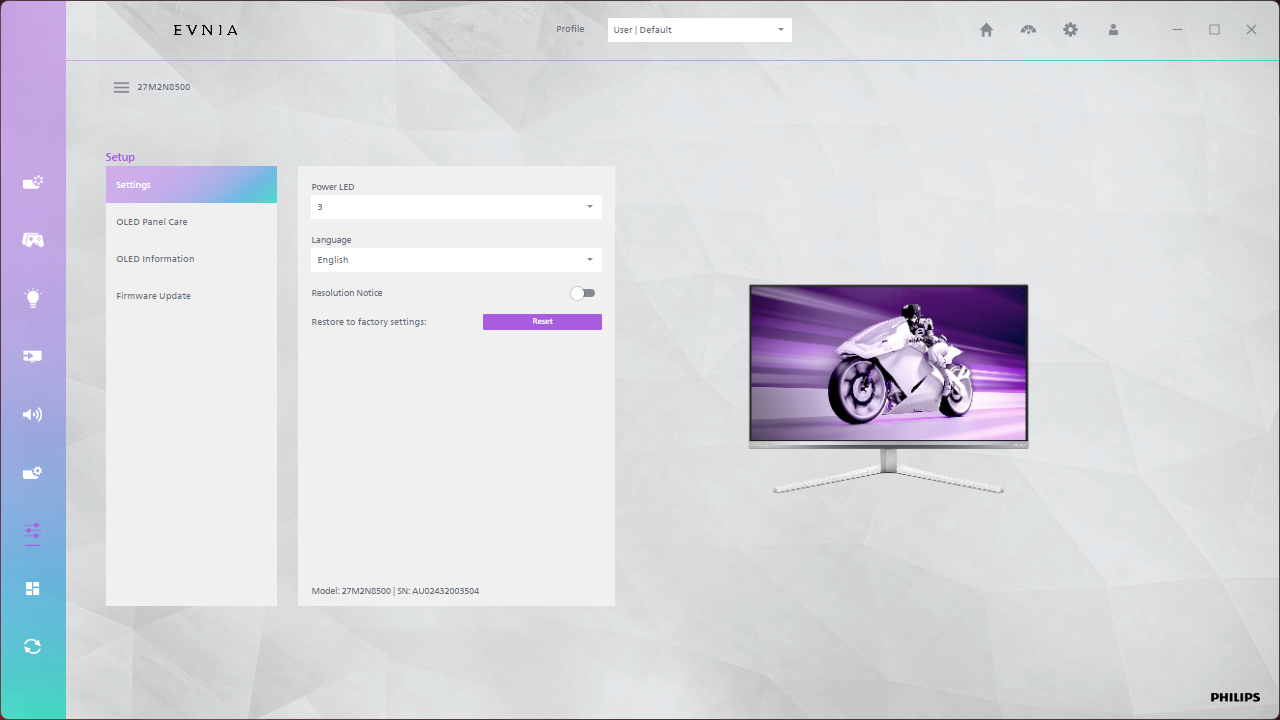
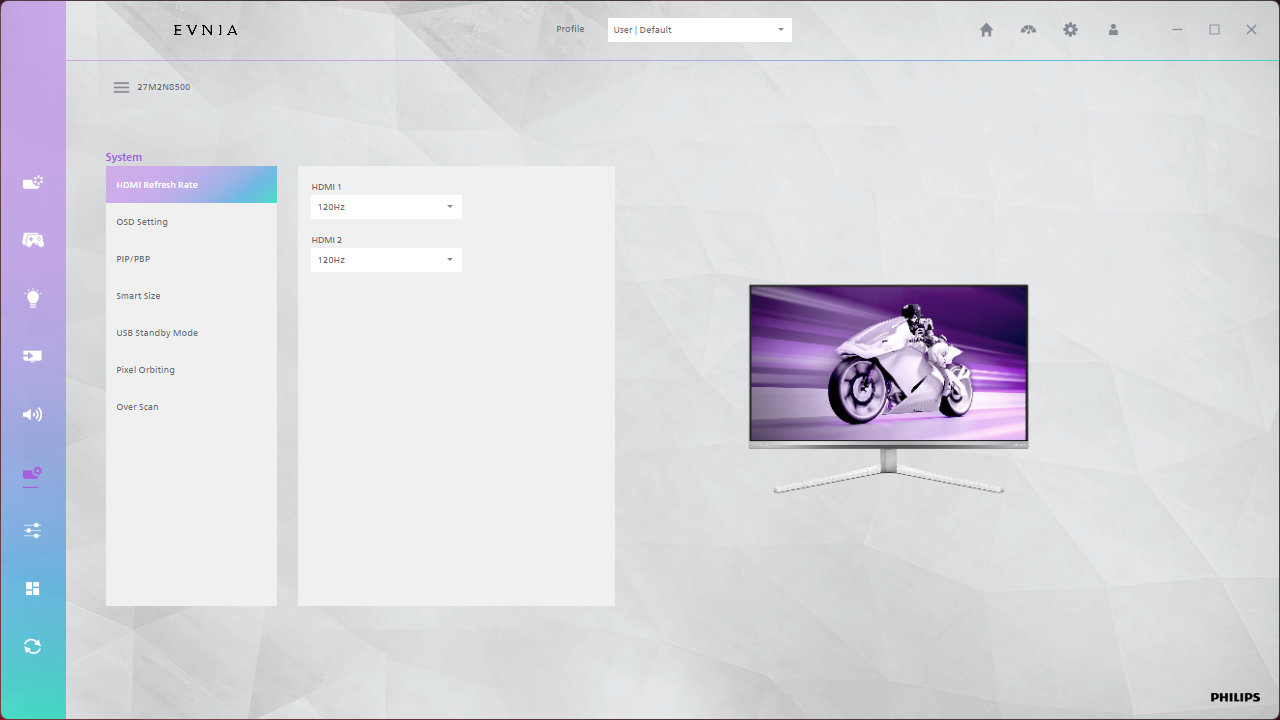
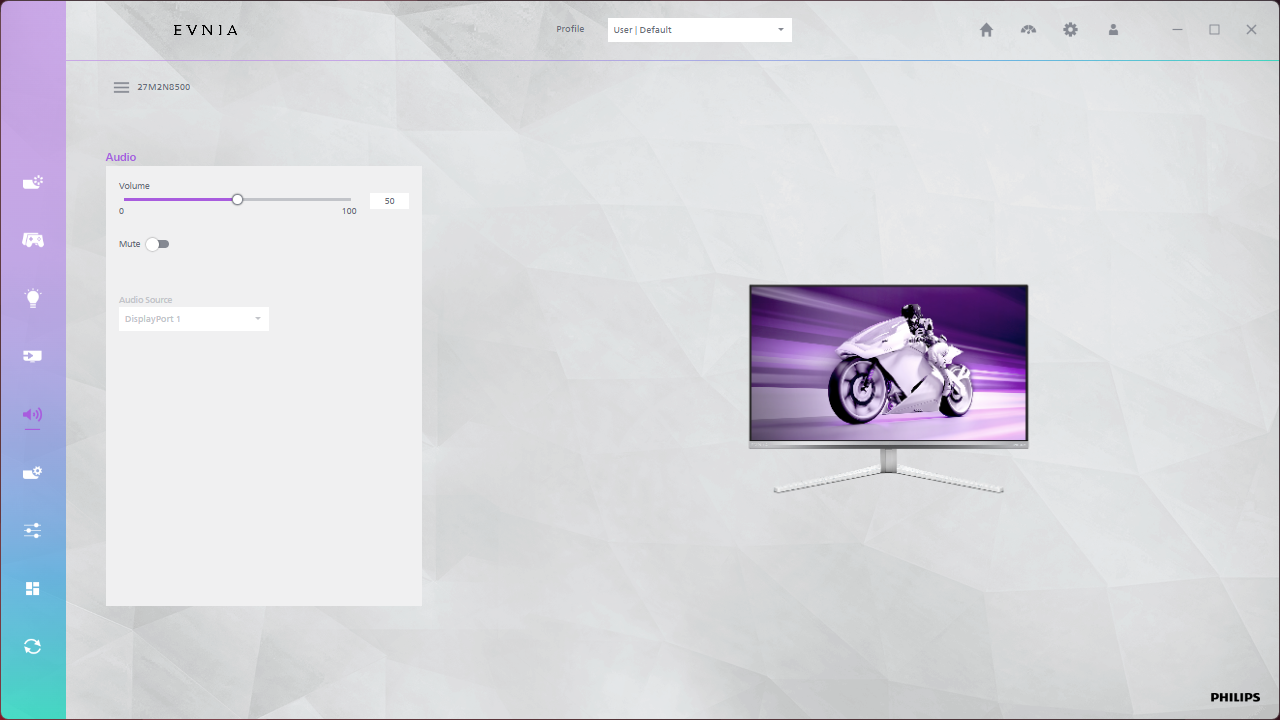
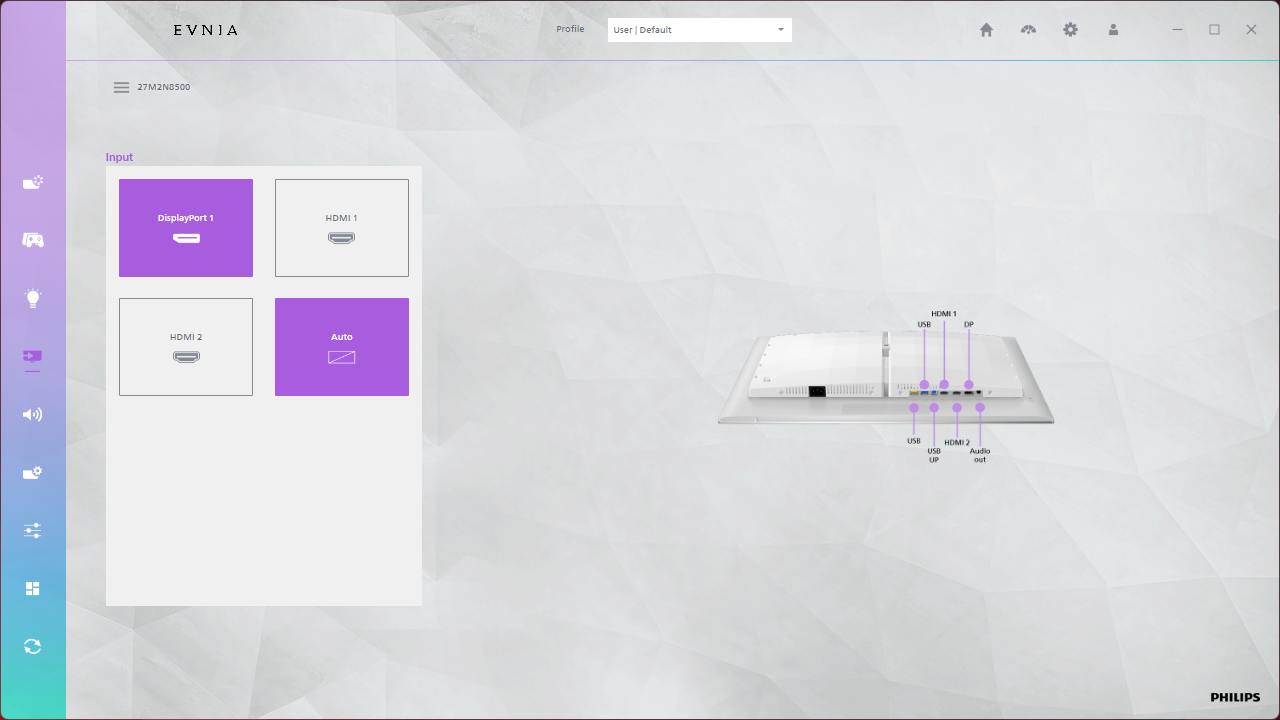
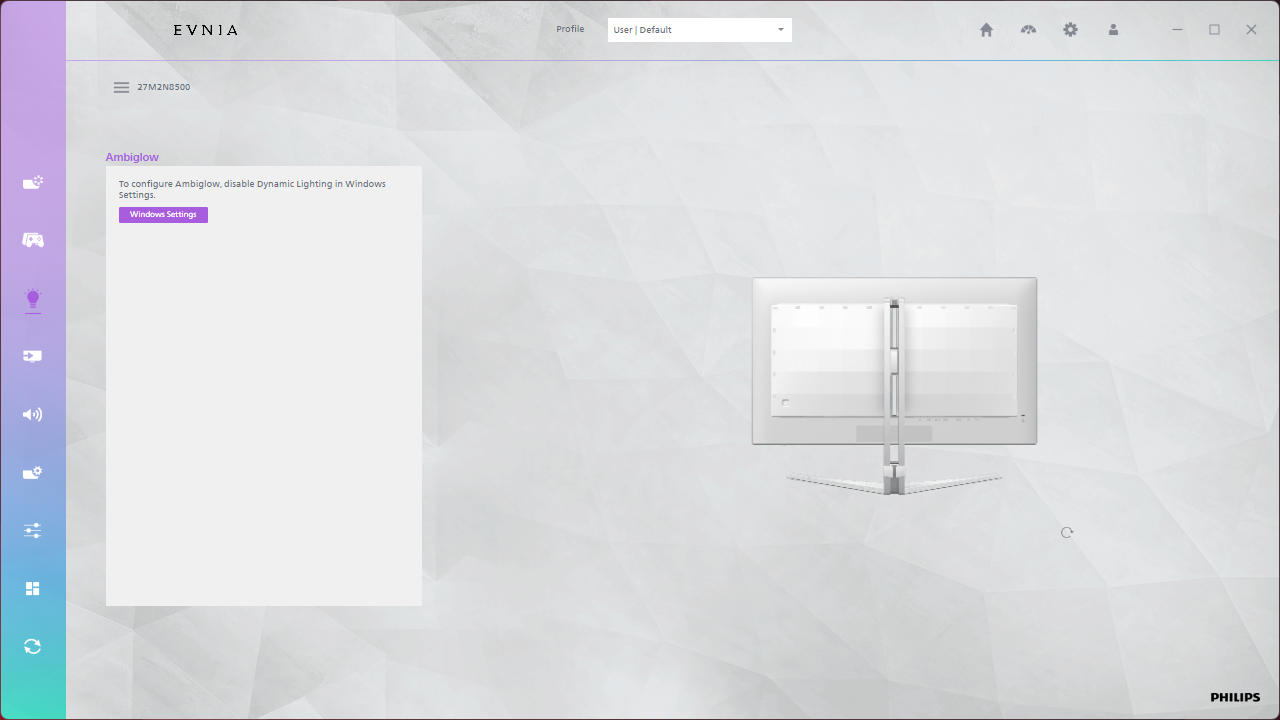
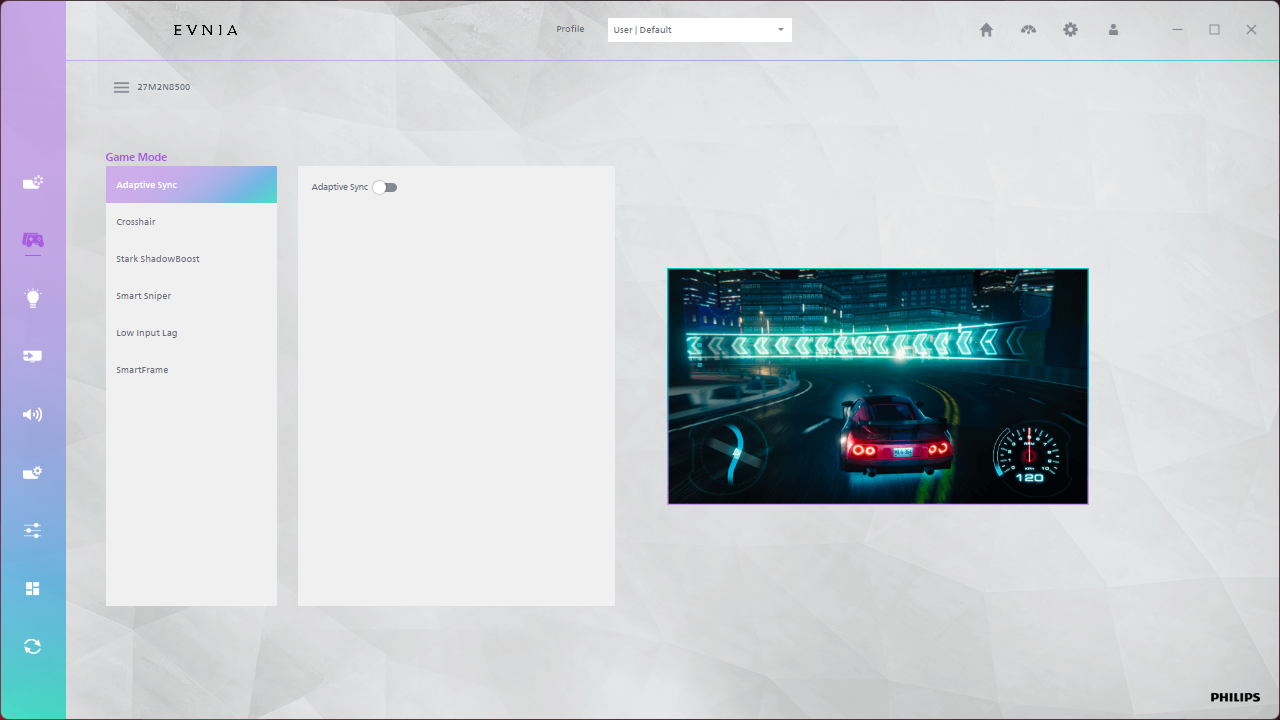
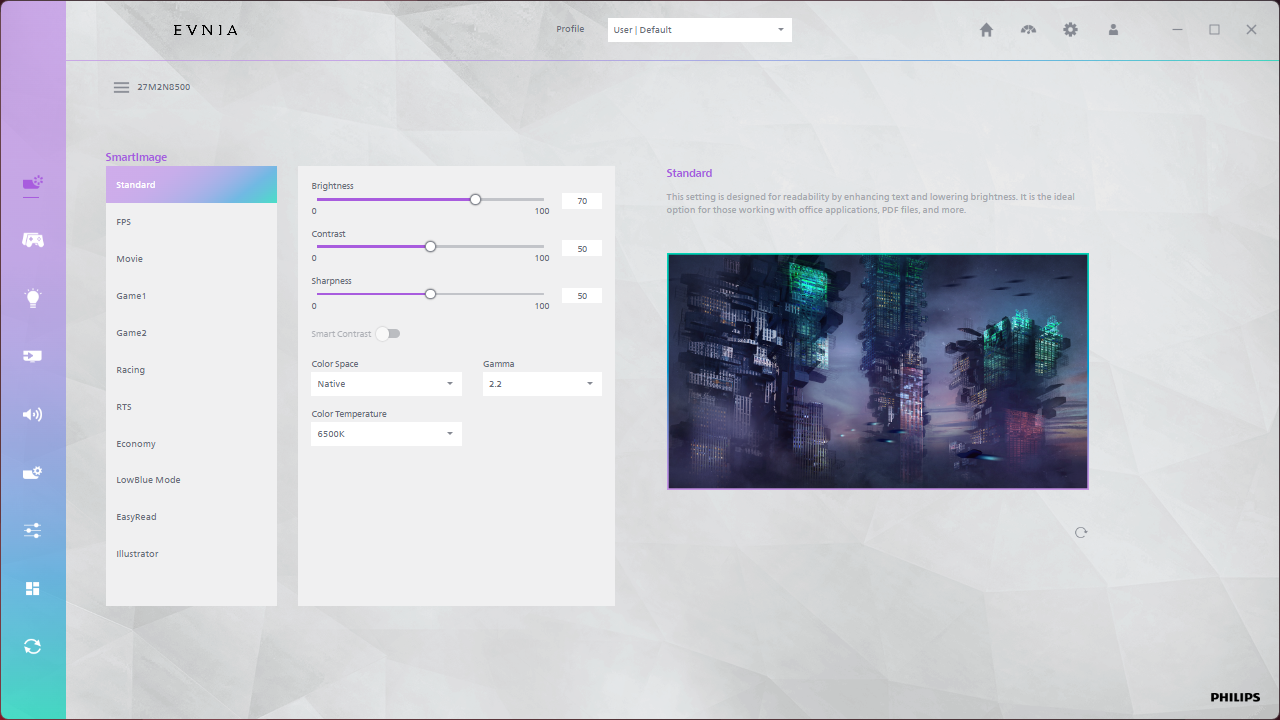
There's also the option to use Evnia Precision Center, a Windows-based piece of software that lets you adjust the monitor's settings directly from your PC. It seems absolutely fine in my usage, plus it allows the monitor's firmware to be updated which is always a positive.
Our main test involves using an X-Rite i1 Display Pro Plus colorimeter and utilising Portrait Display's Calman Ultimate software. The device sits on top of the screen while the software generates colour tones and patterns, which it compares against predetermined values to work out how accurate the screen is.

The results show:
- A monitor’s maximum brightness in candelas or cd/m2 at various levels set in the OSD.
- A monitor’s contrast ratio at various brightness levels in the OSD.
- Gamut coverage, primarily focusing on sRGB and DCI-P3 colour spaces.
- Greyscale accuracy, measured across 20 shades, with an average colour balance reported.
- The exact gamma levels, with a comparison against preset settings in the OSD.
- The colour accuracy, expressed as a Delta E ratio, with a result under 3 being fine for normal use, and under 2 being great for colour-accurate design work.
We first run these tests with the display in its out-of-the-box state, with all settings on default. If there is an sRGB emulation option or other useful mode then we may test that too. We then calibrate the screen using the Calman Ultimate software and run the tests again.
You can read more about our test methodology HERE.
Default settings
Brightness and Contrast (Full Screen)
| OSD Brightness | White Luminance (cd/m2) | Black Luminance (cd/m2) | Contrast Ratio |
| 0% | 9.5 | 0.00 | ~Infinite |
| 25% | 64.8 | 0.00 | ~Infinite |
| 50% | 122.7 | 0.00 | ~Infinite |
| 75% | 181.4 | 0.00 | ~Infinite |
| 100% | 241.5 | 0.00 | ~Infinite |
Starting off with brightness testing, things are very typical of a QD-OLED, with a range from just 9.5 nits up to 241.5 nits for a full screen white. Black levels are zero, due to the per-pixel nature of the OLED panel, resulting in effectively infinite contrast.
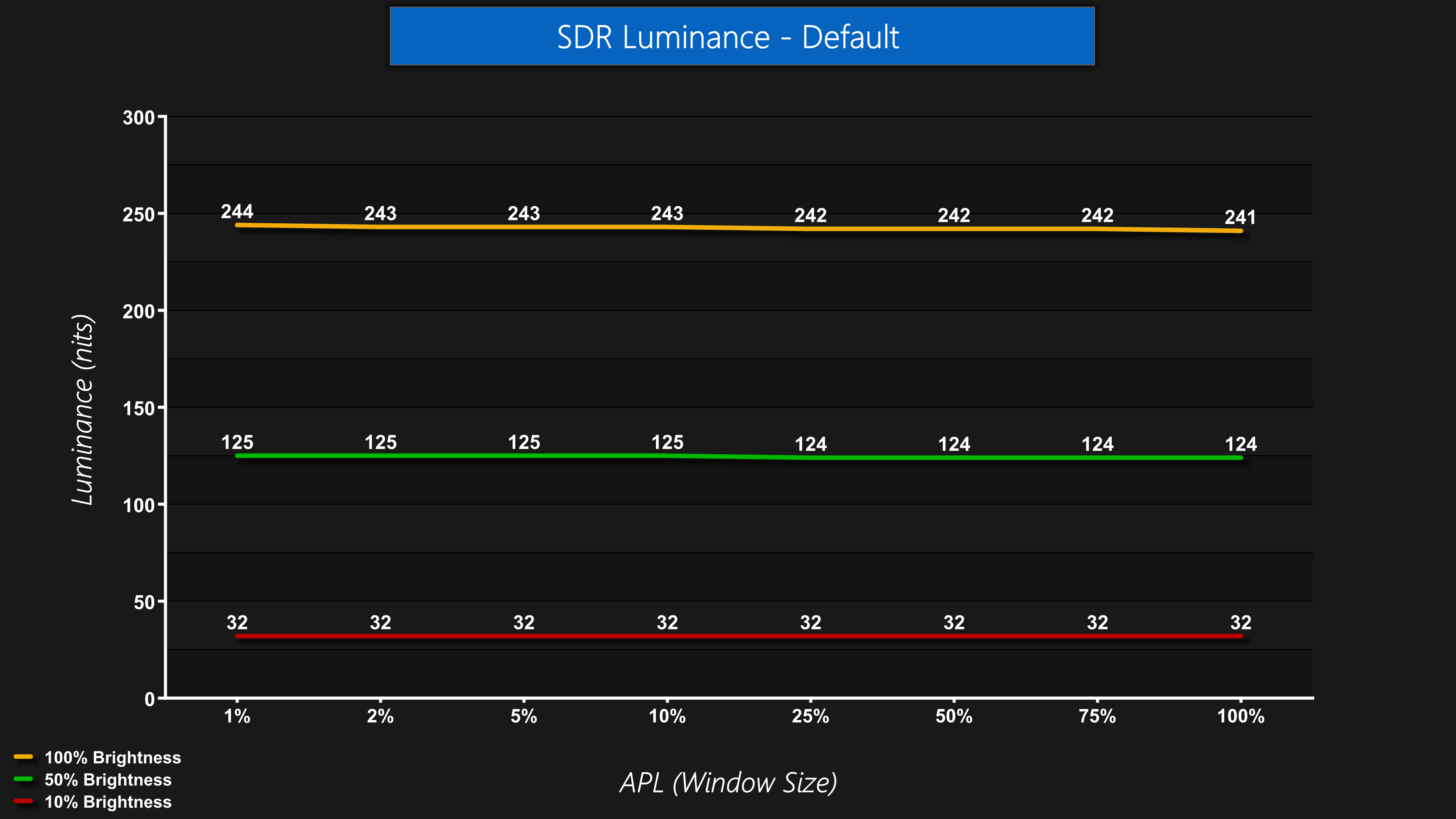
The brightness is consistent across window size, too – meaning that the panel doesn't dim or brighten depending on what's on screen. Some monitors offer this as an additional toggle, so you can have it on or off, but the Evnia forces this on at all times in SDR.
Gamut (CIE 1976)
| Colour space | Coverage (%) |
| sRGB | 139.2 |
| DCI-P3 | 99.3 |
| Adobe RGB | 98.1 |
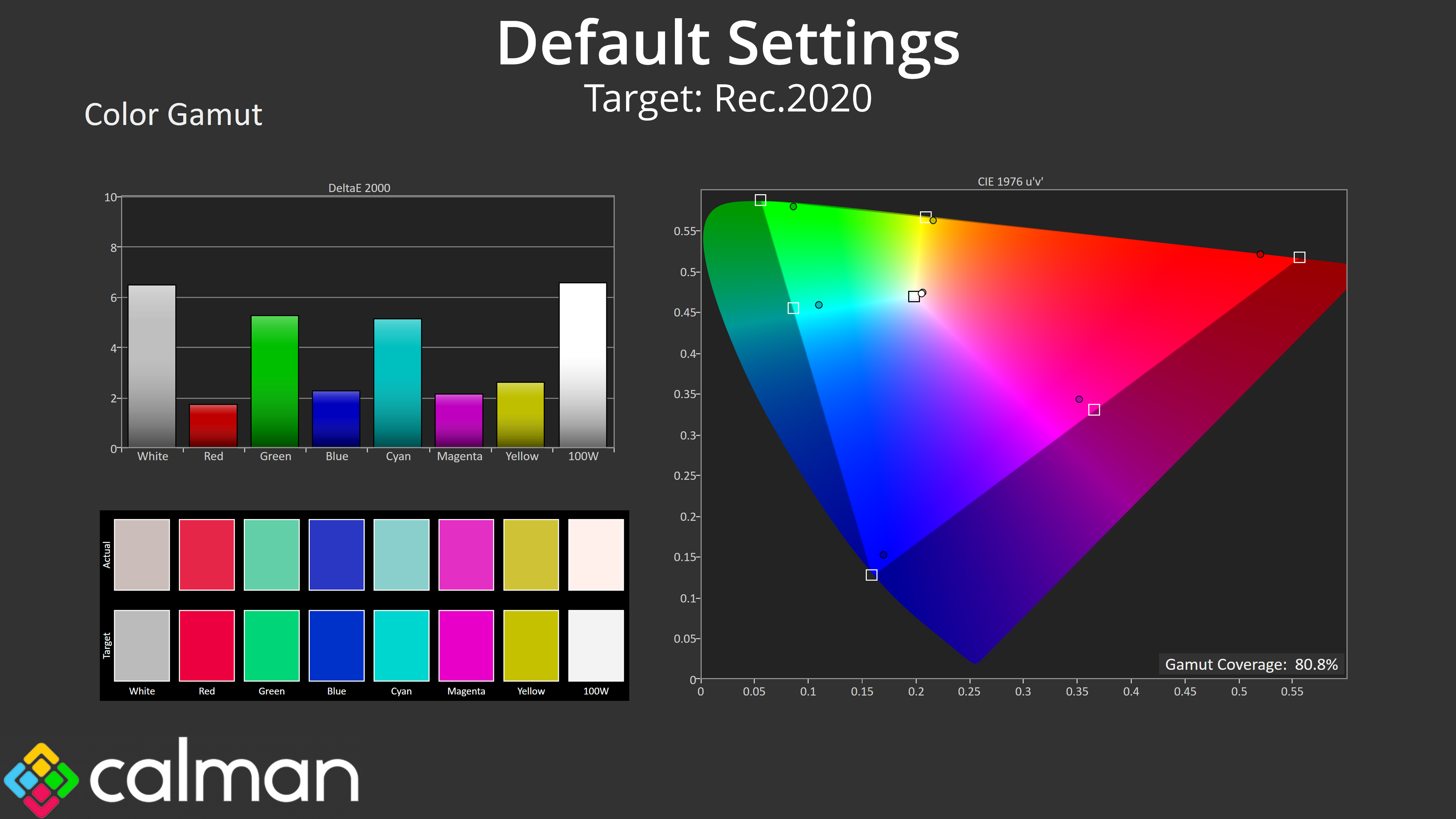
| Rec.2020 | 80.8 |
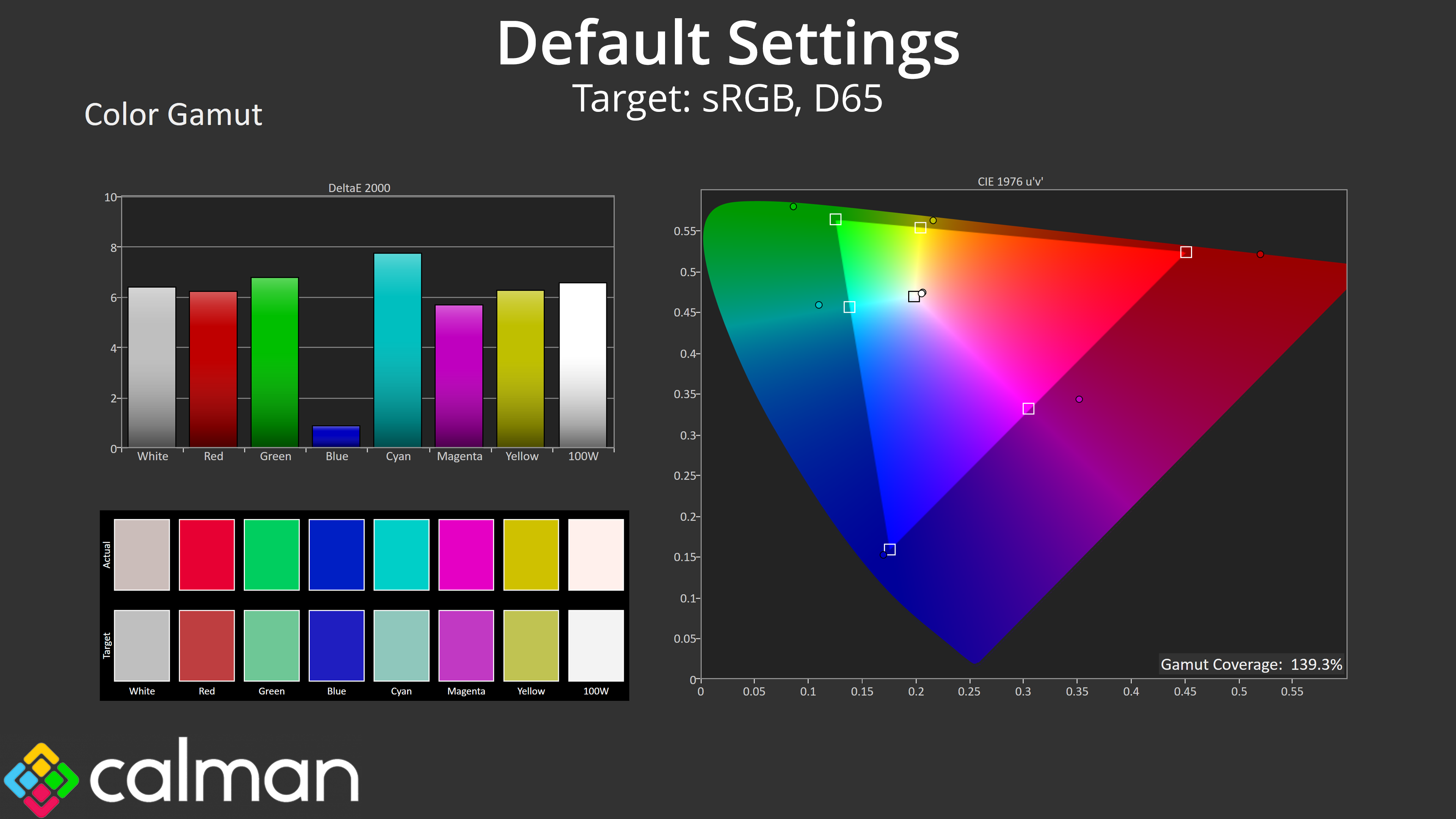
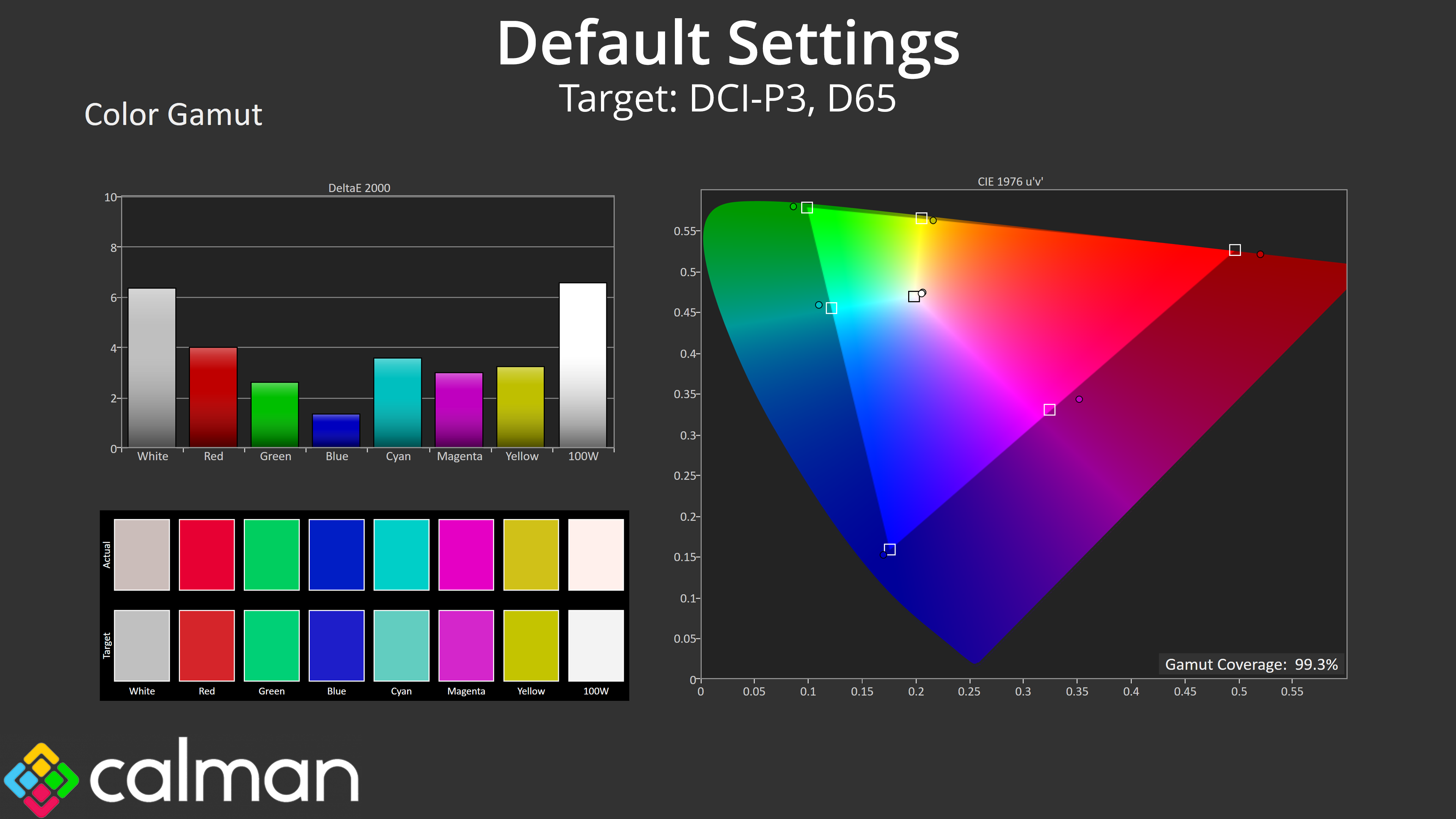
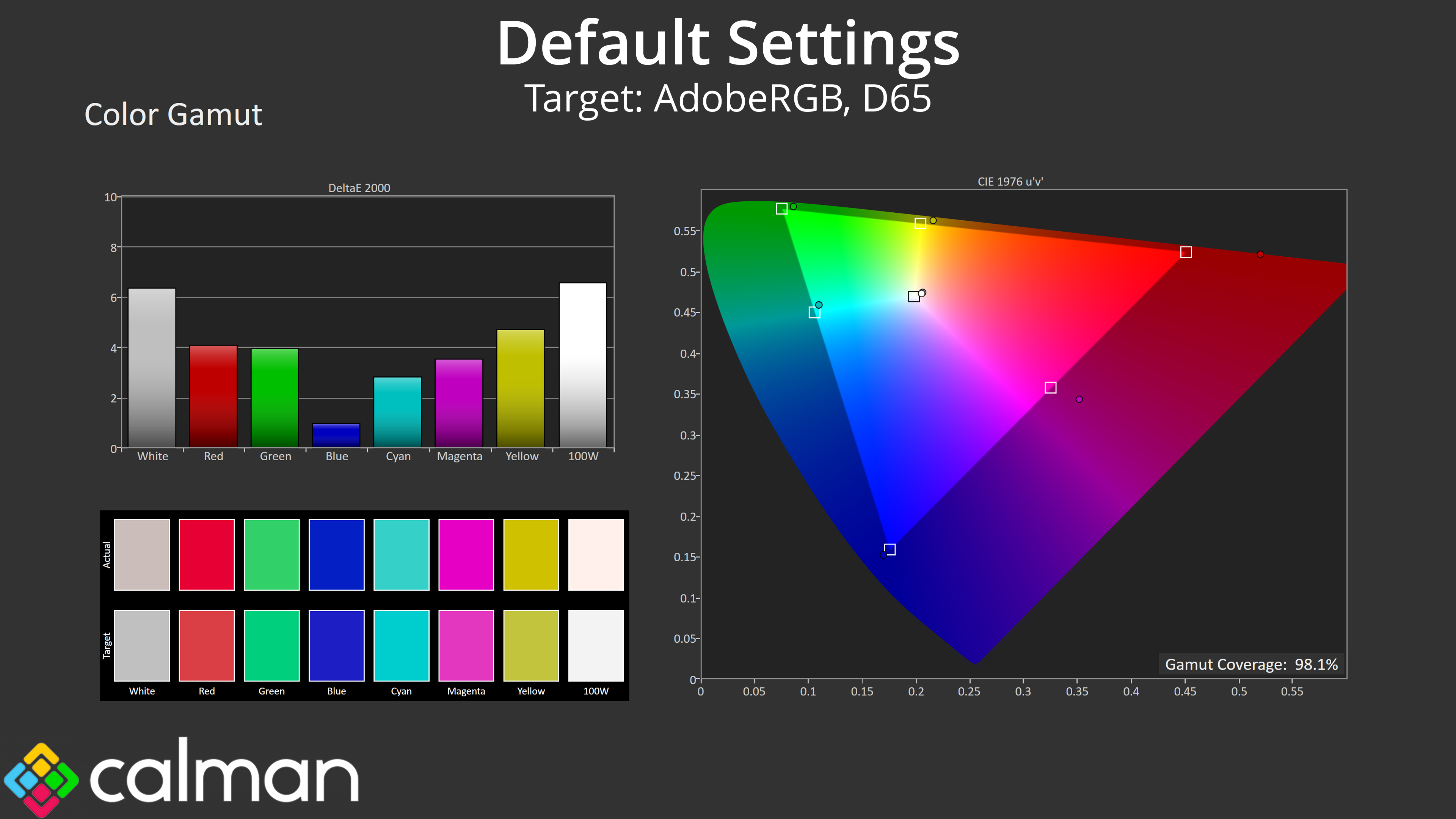
As for gamut, this is as wide as we'd expect from a QD-OLED, far surpassing the sRGB space and hitting 99.3% DCI-P3, 98.1% AdobeRGB and then 80.8% Rec.2020 coverage.
Greyscale
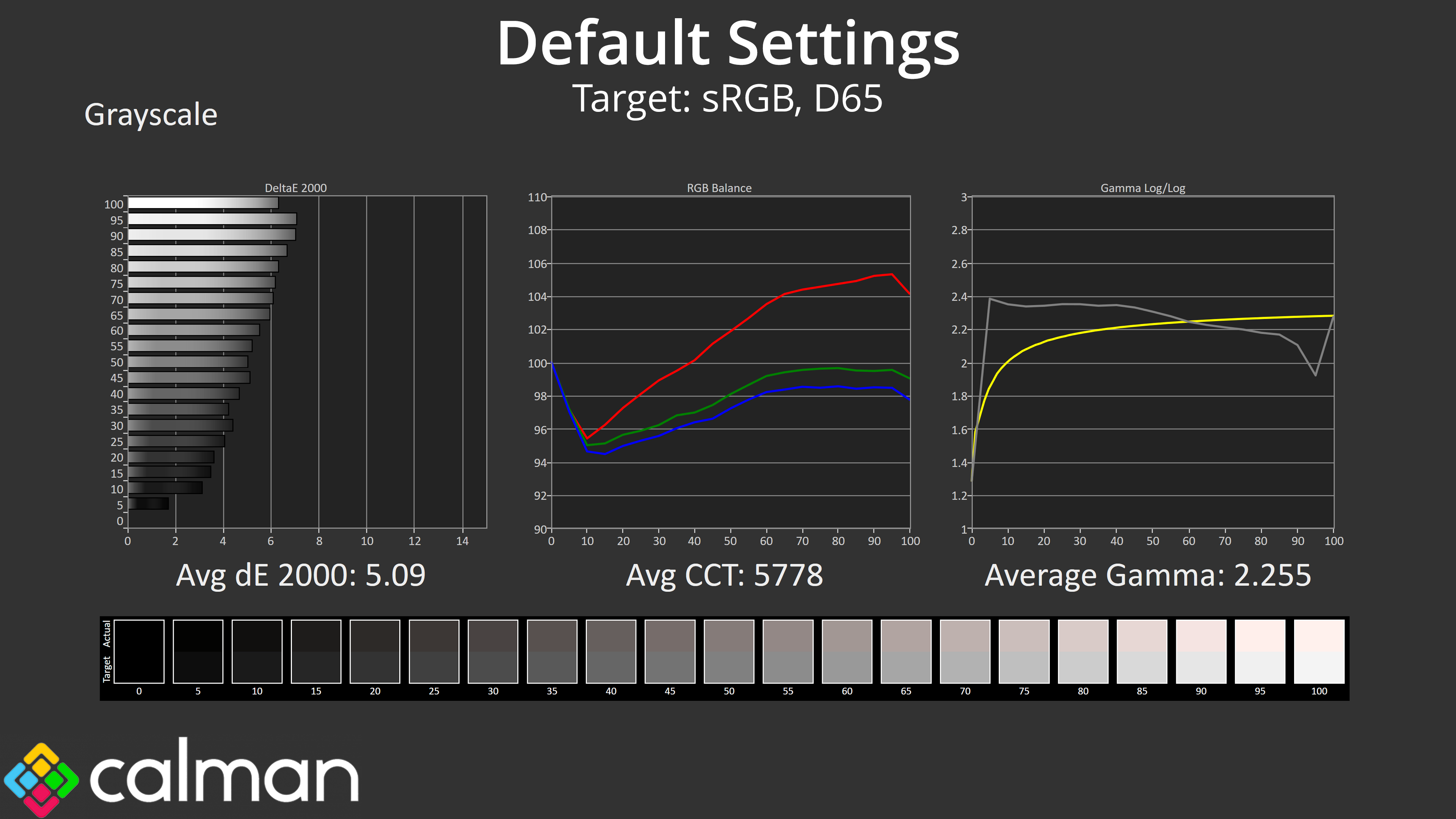
Moving onto greyscale performance, there are two issues here. The first is that the colour balance is way too warm, averaging 5778K – despite the default colour temperature setting being called ‘6500K' – and this was very visible to my eye before I even started using our calibration tools for testing.
The second issue is gamma, which is too high for dark shades and then slightly too low for brighter shades. Overall, not the best factory calibration we've ever seen, and as such the greyscale average dE 2000 of 5.09 is quite high.
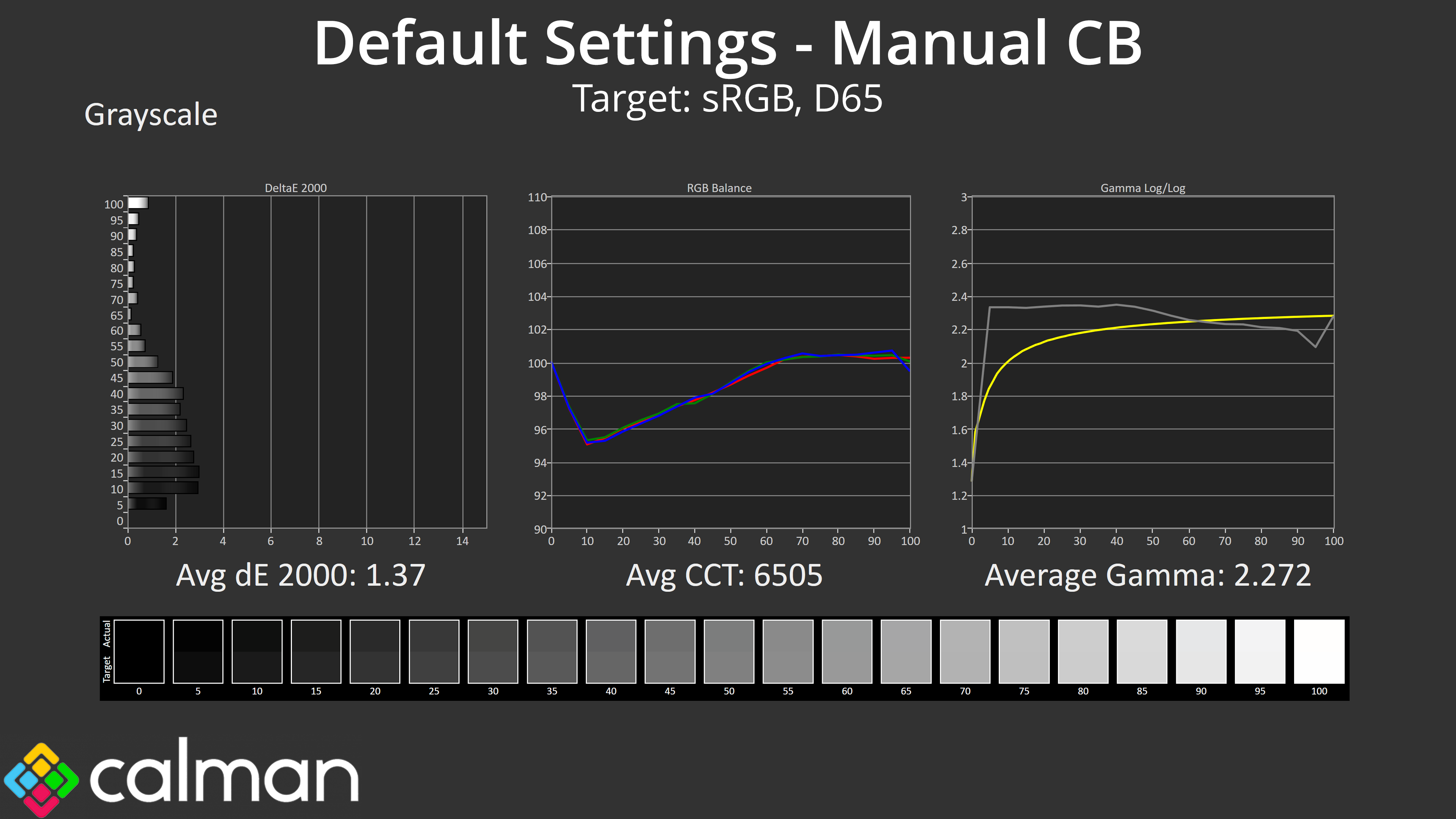
Thankfully Evnia does now support manual colour balance and this makes a huge difference. By dropping the red channel to 95 and the green channel to 97, leaving blue at 100, we improved the average CCT to 6505K, which is basically perfect. This, with no change to the gamma tracking, is enough to improve the greyscale average dE 2000 to just 1.37 – well worth doing!
Saturation
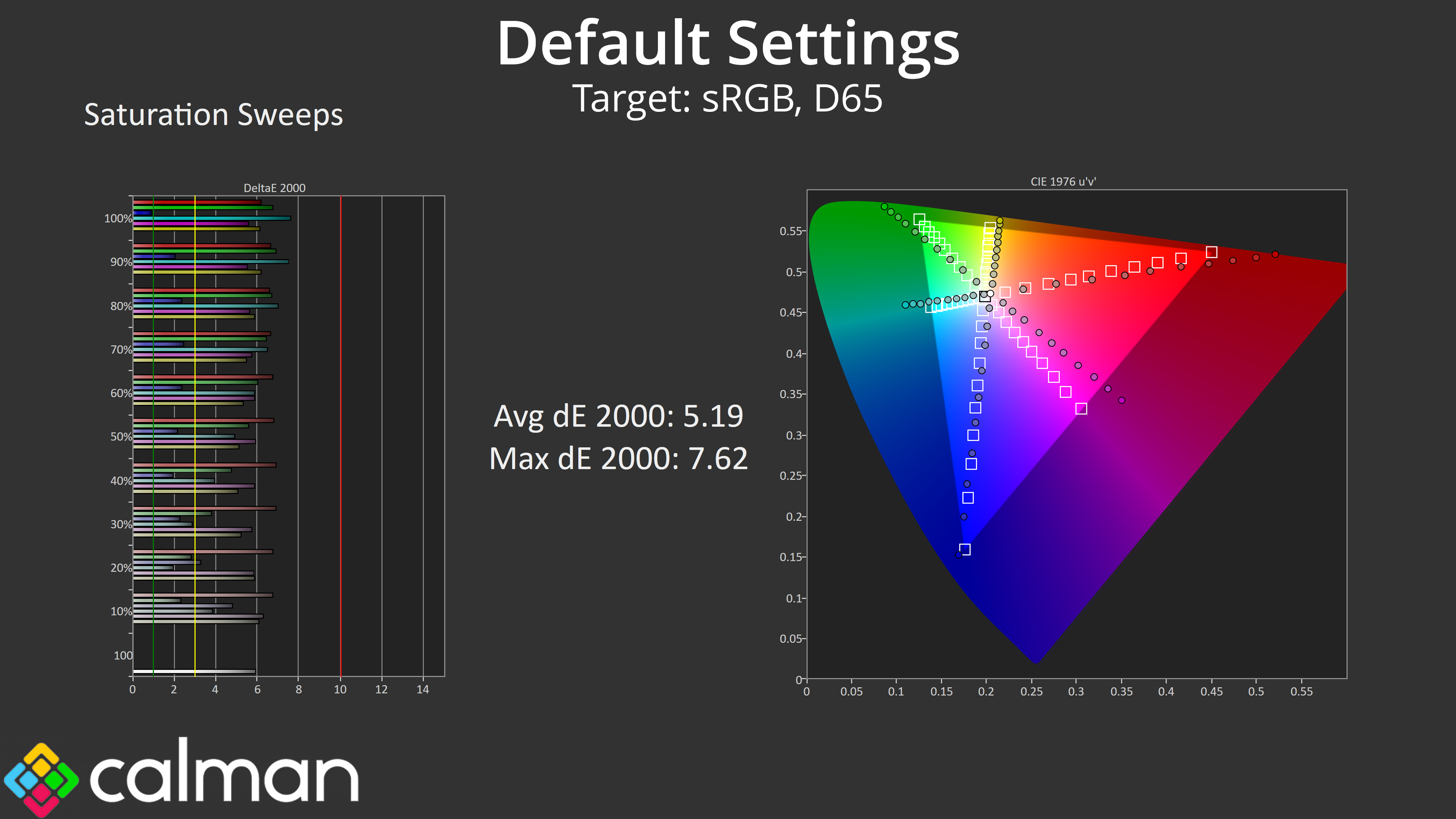
As we'd expect from a QD-OLED with a very wide gamut, oversaturation relative to the sRGB space is very evident from our tests.
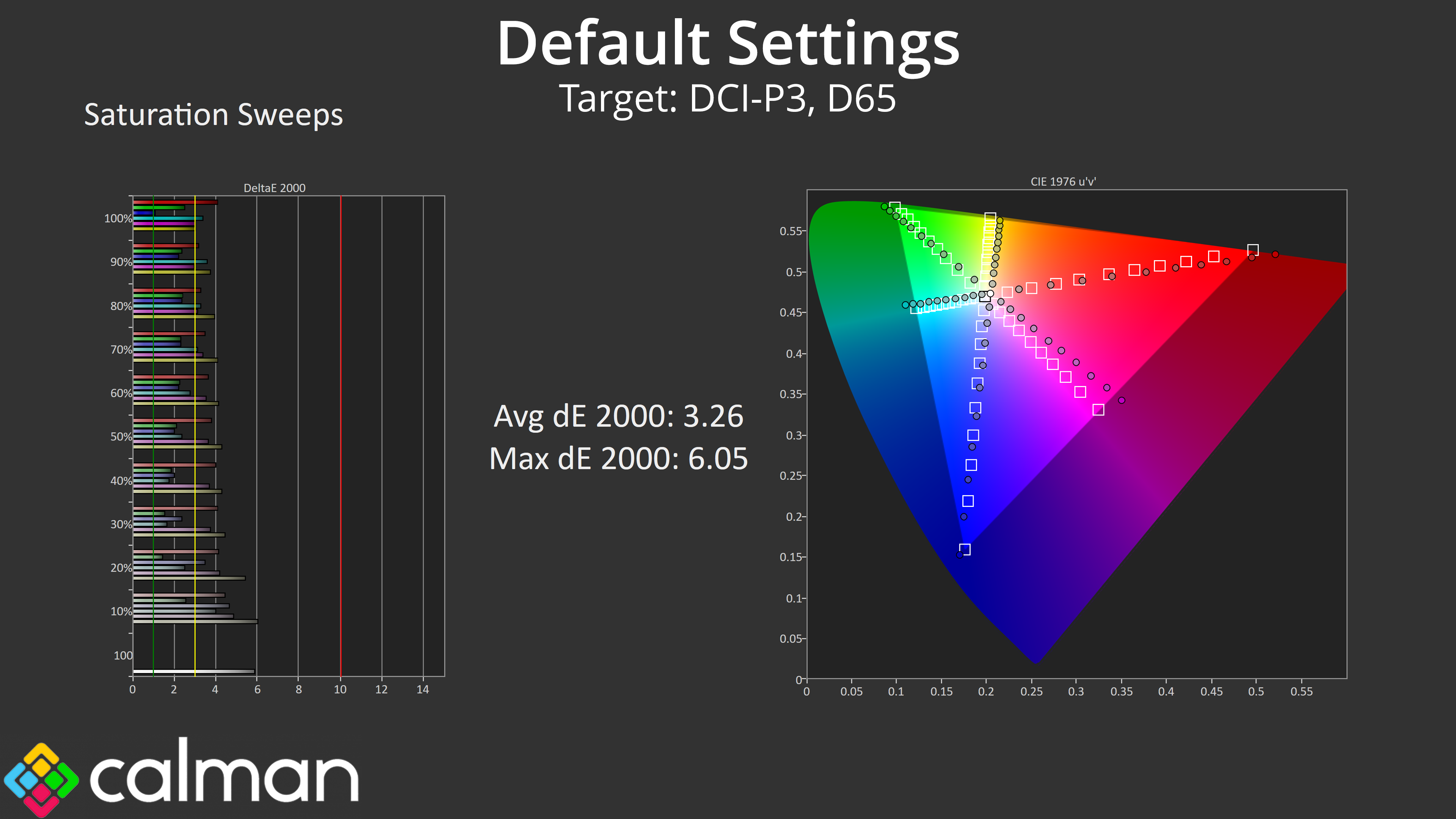
Relative to DCI-P3, it is better, but accuracy still isn't great, with an average dE 2000 of 3.26.
Colour Accuracy
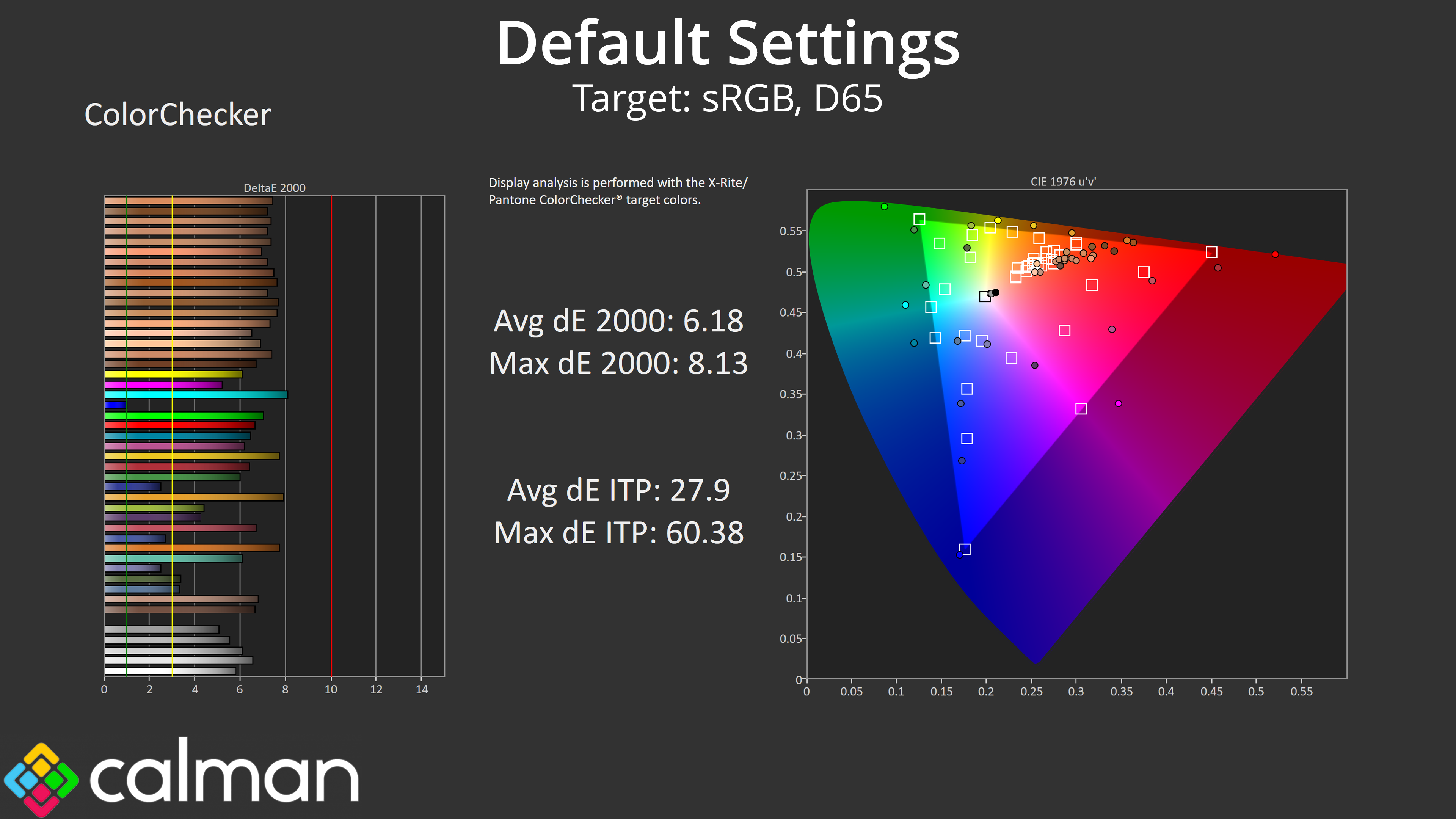
That has a knock on effect for colour accuracy, which is understandably poor using out of the box settings when targeting the sRGB space.
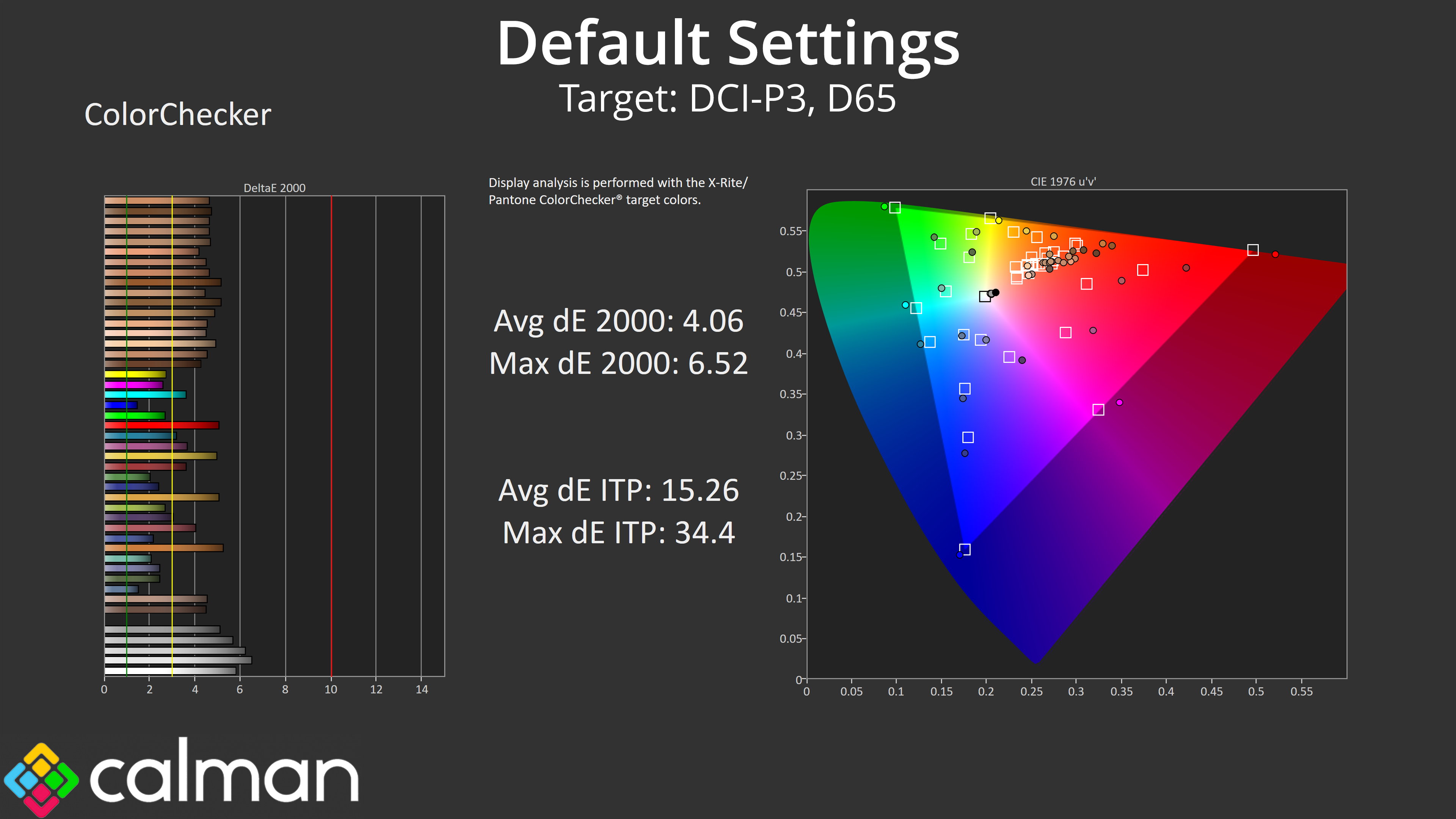
Targeting the DCI-P3 space does result in a decent improvement, but the results still leave a fair bit to be desired.
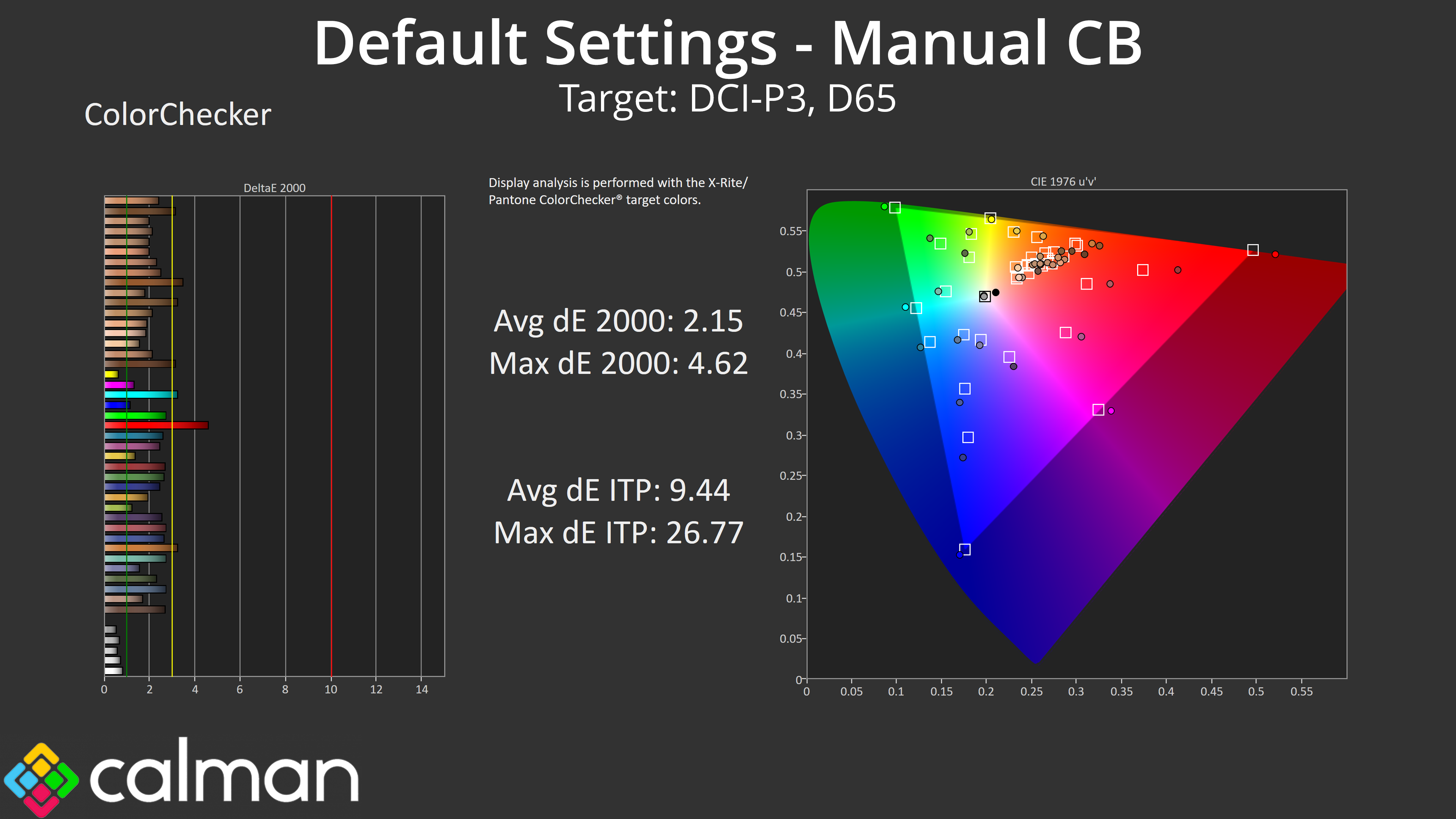
As it turns out, a lot of this inaccuracy is due to the very warm colour balance – switching back to our manual colour balance improves things significantly, with a new average dE 2000 of 2.15 when targeting the DCI-P3 space.
sRGB Emulation Mode
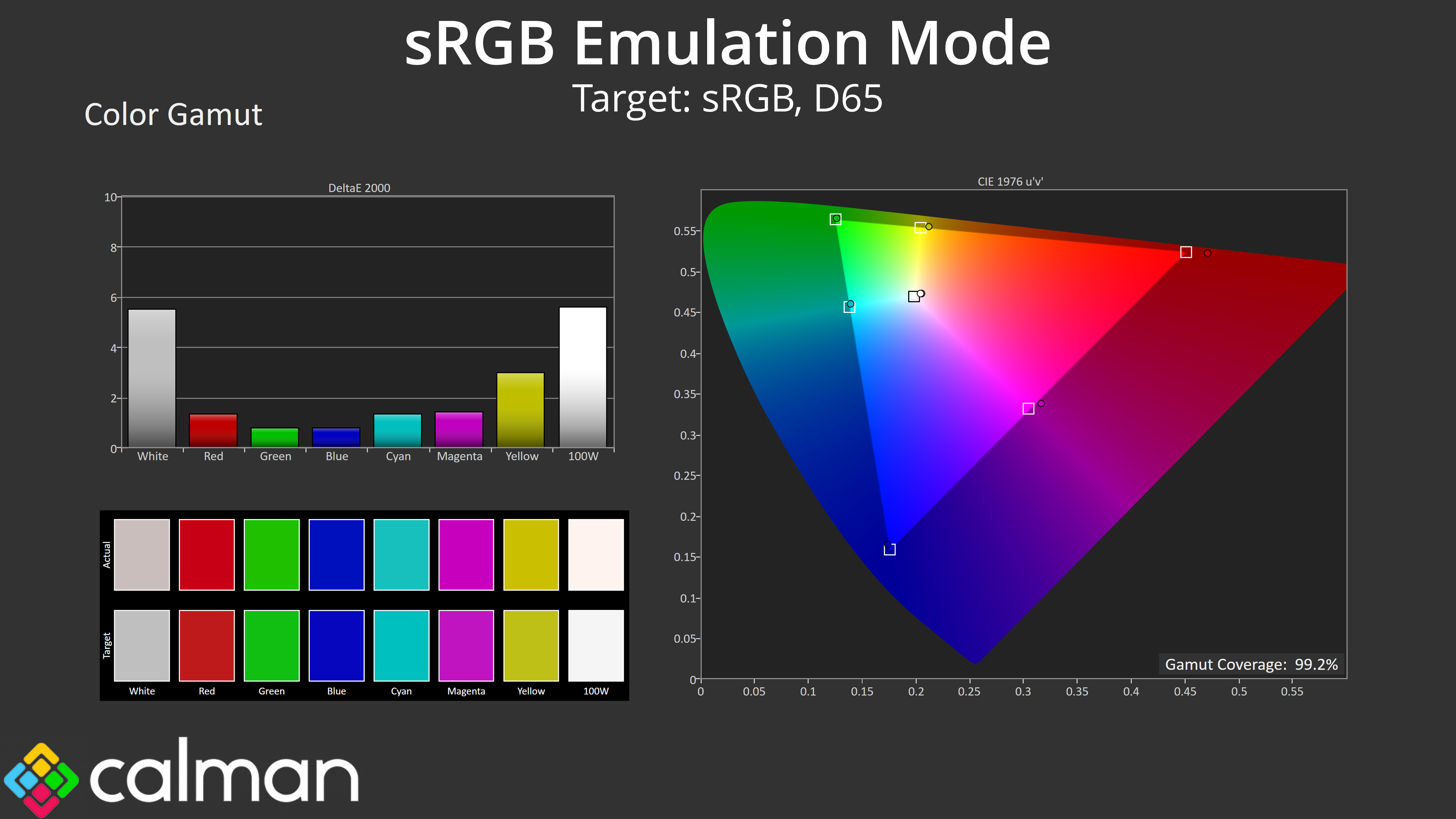
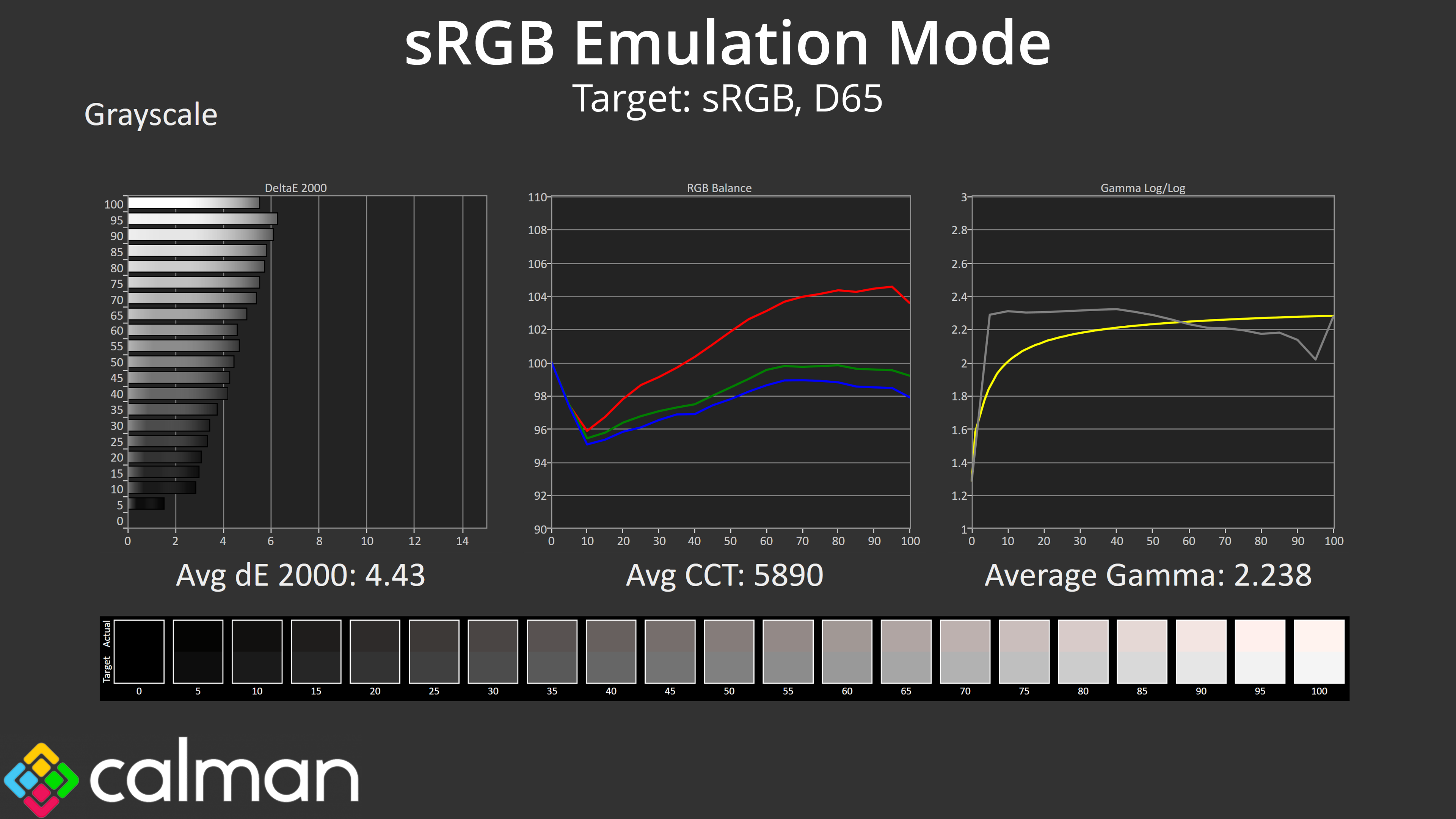
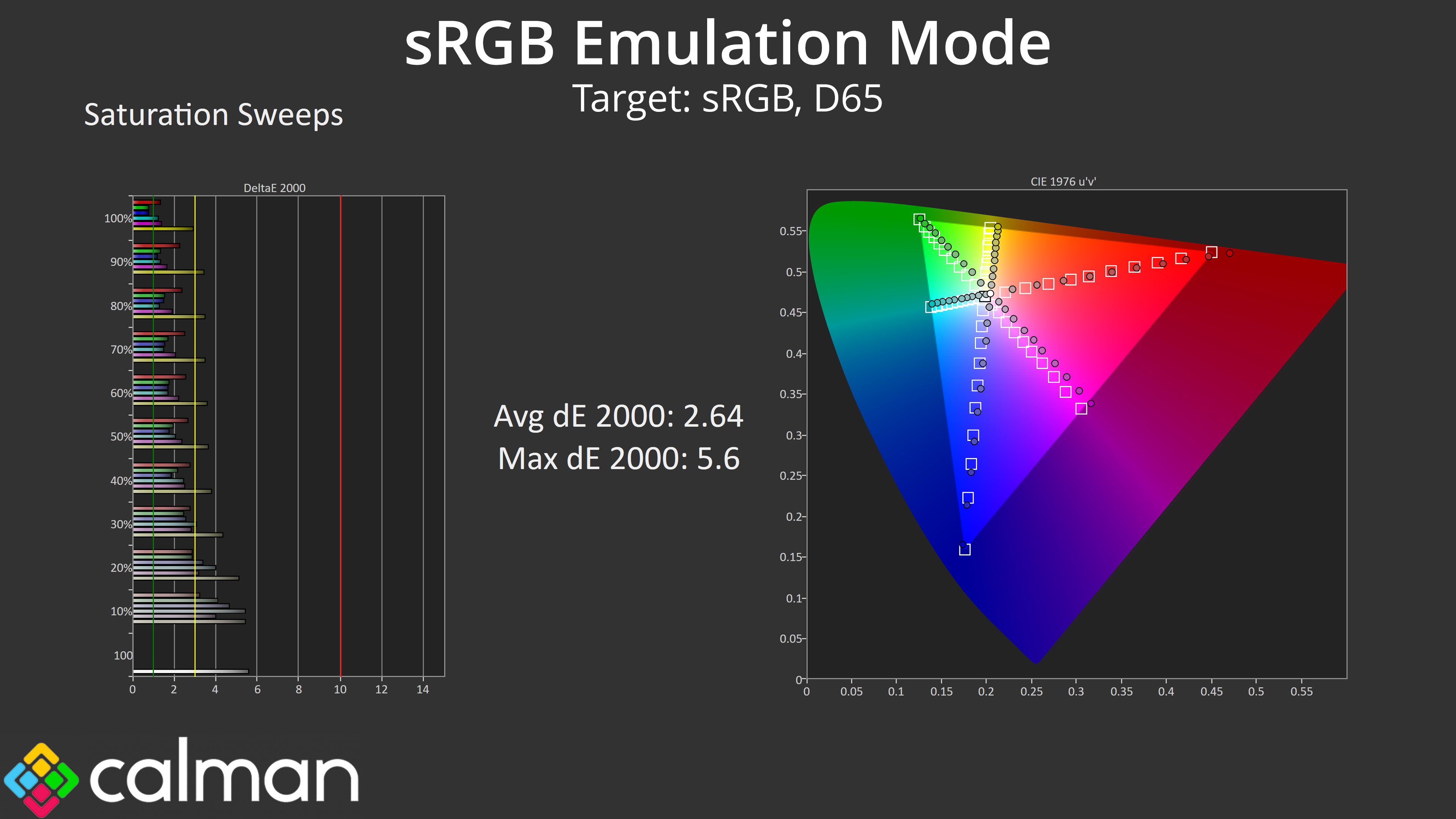
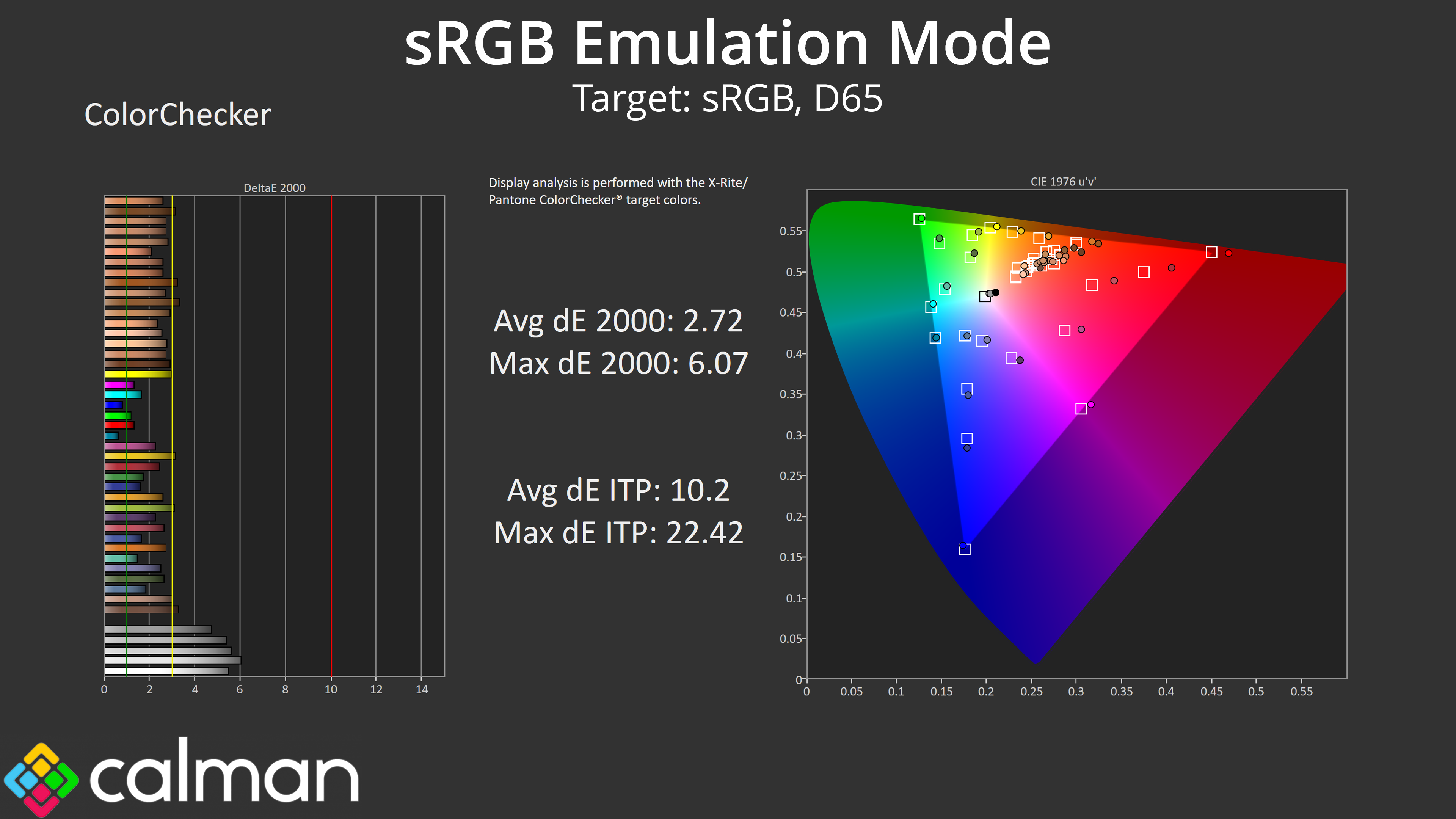
Evnia also includes a sRGB emulation mode within the settings, but it uses the same colour temperature setting as above, meaning overall accuracy isn't improved by that much – and that is a shame. Don't get me wrong, it is better than native for sRGB accuracy, with a very slight improvement to gamma tracking too, but it's still far from perfect. You could still use a manual colour balance in the sRGB mode though, which is something.
Calibrated Results
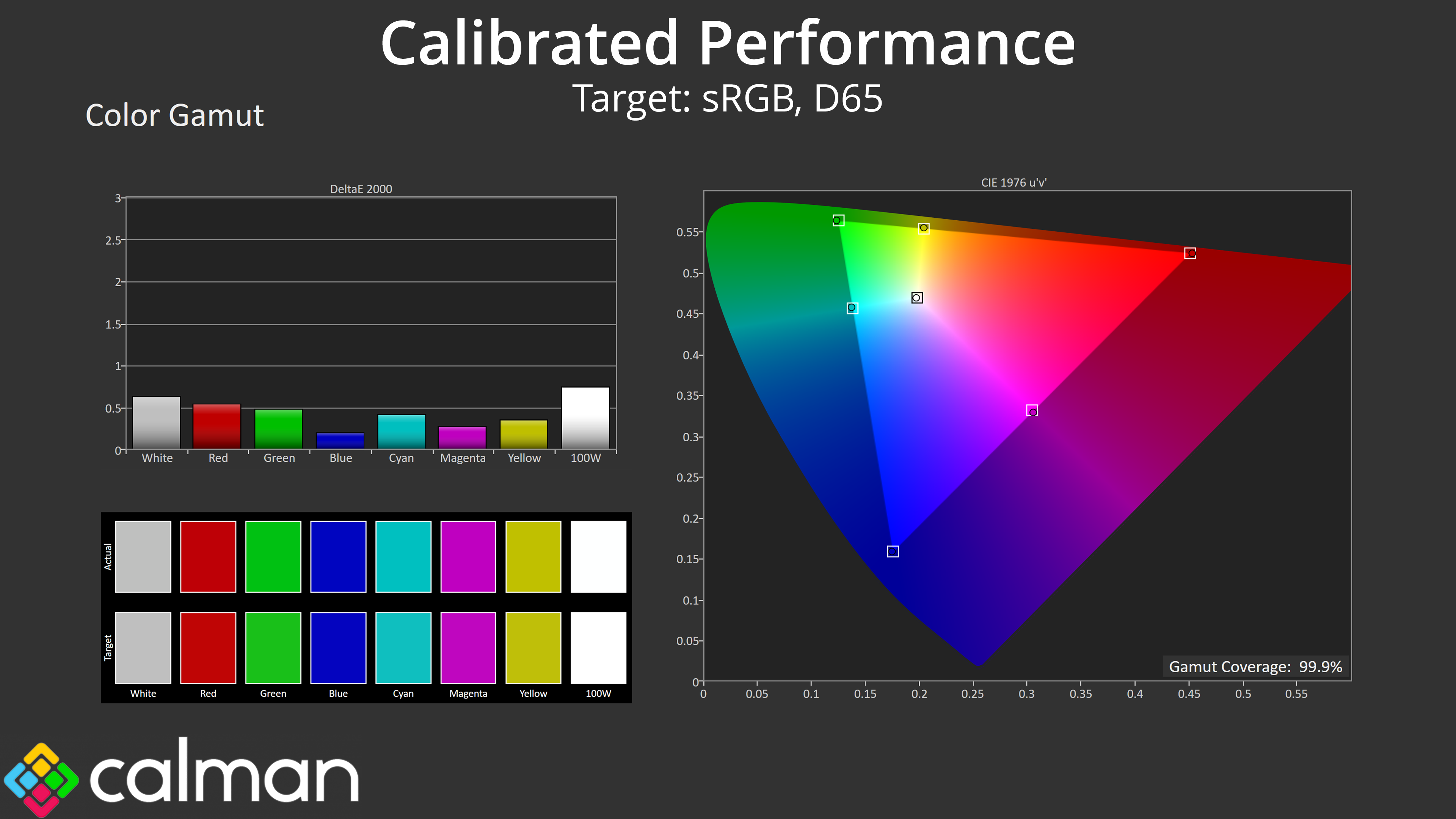
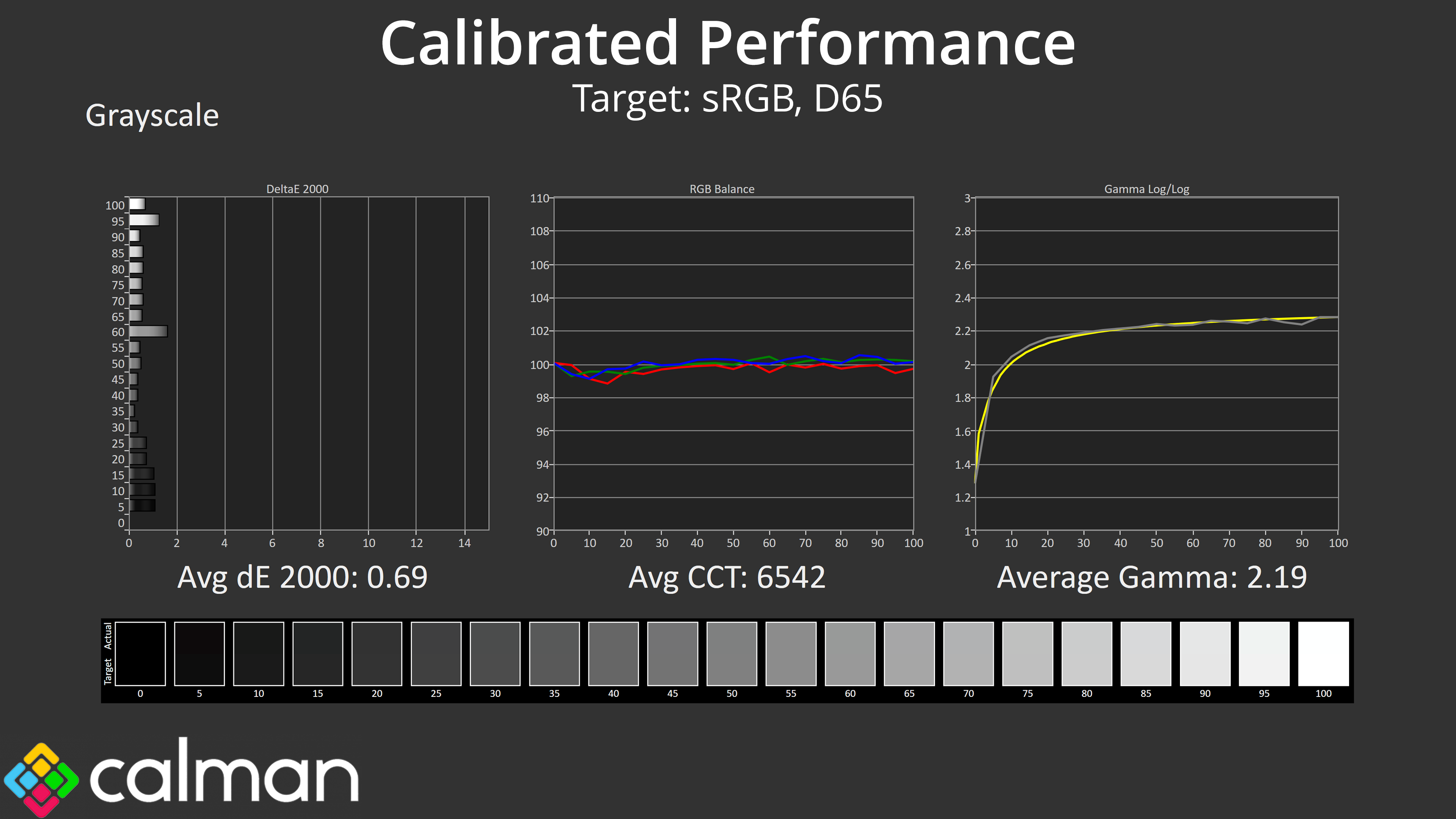
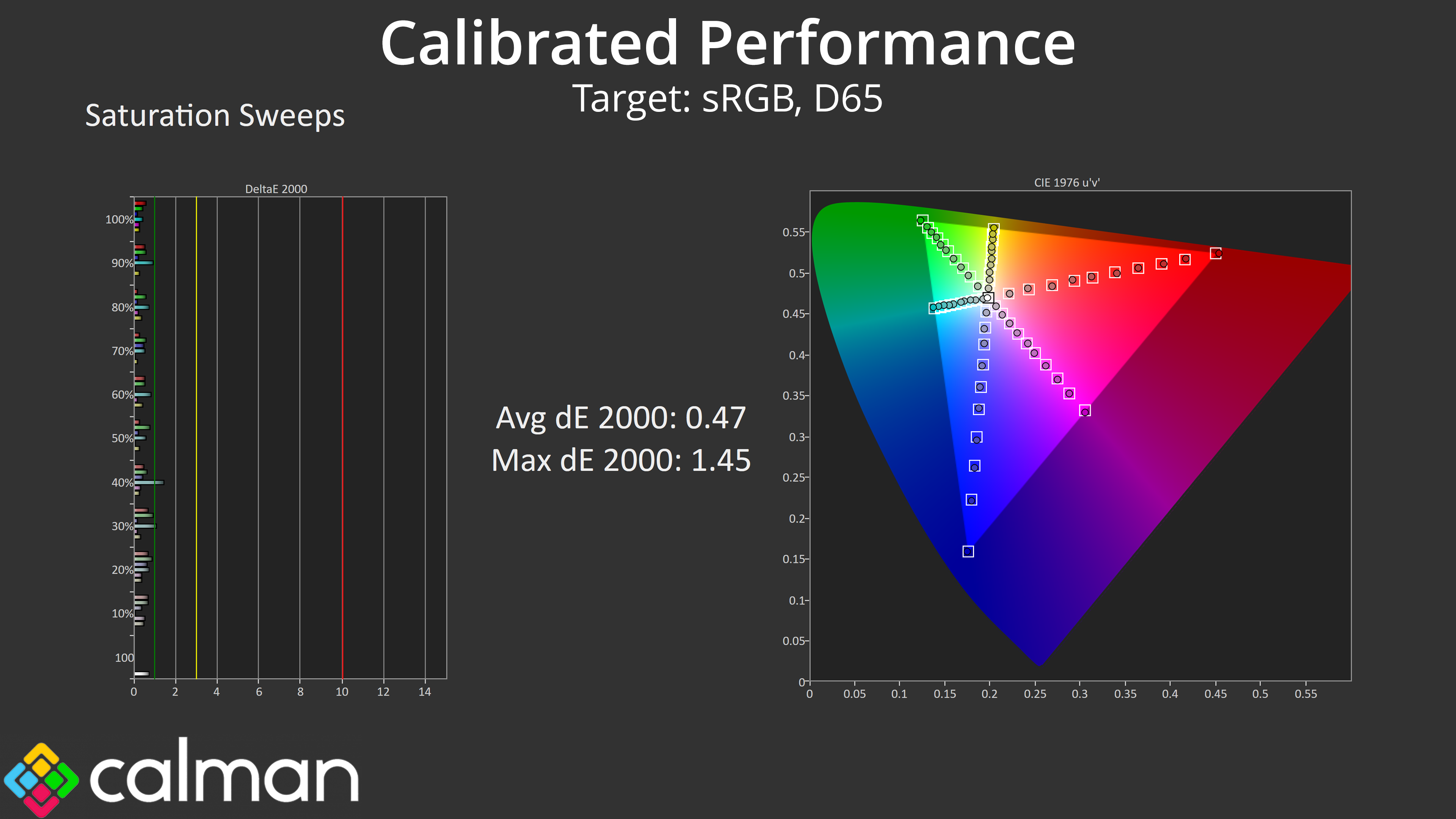
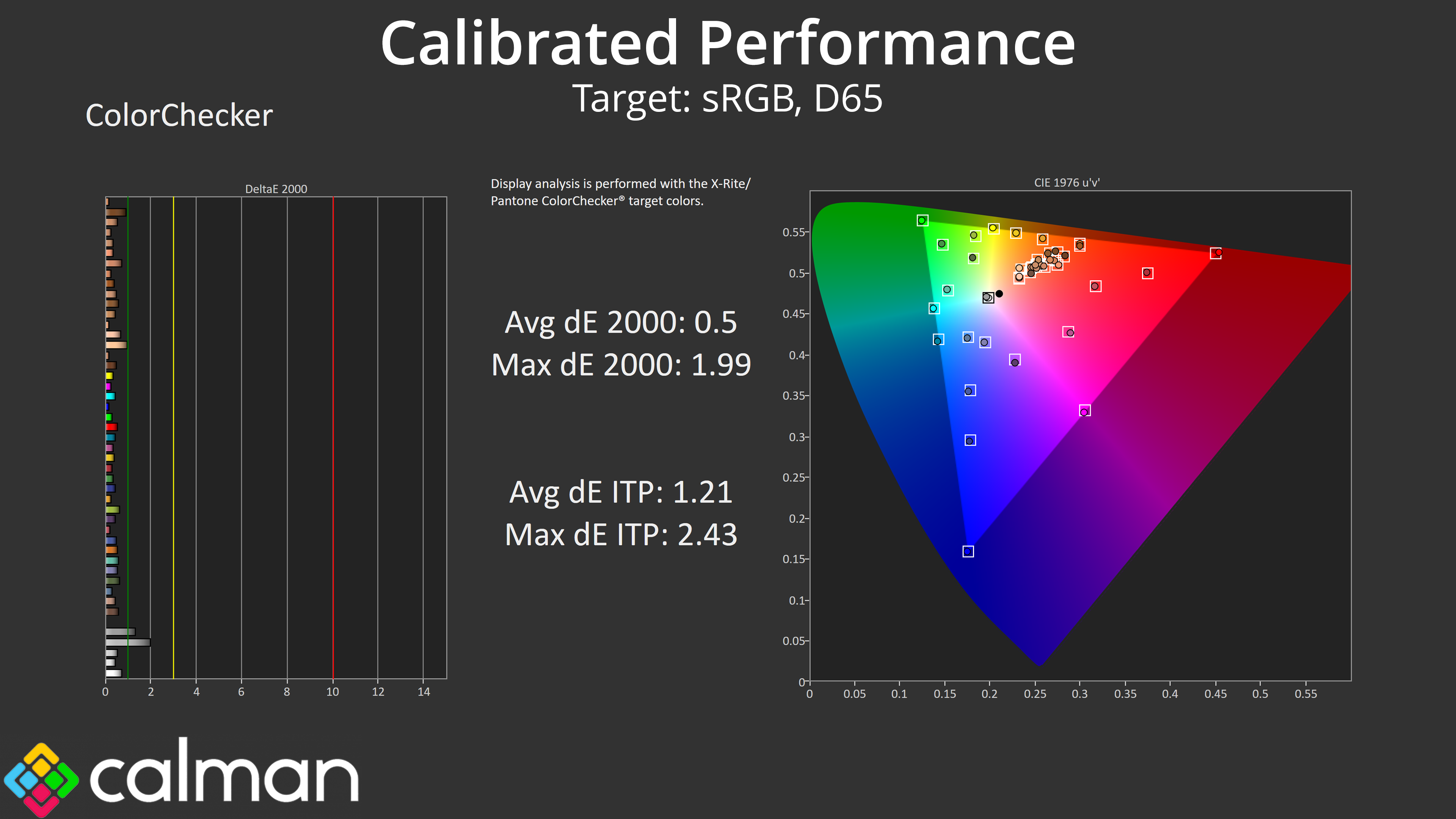
We see the real potential of this QD-OLED panel when calibrating. The results here are stellar, with near-flawless colour balance and gamma, alongside saturation and colour accuracy average dE 2000s of just 0.47 and 0.5, respectively.
HDR Testing
Following on from the SDR results on the previous page, here we re-test the relevant areas of the display with HDR enabled.
Brightness
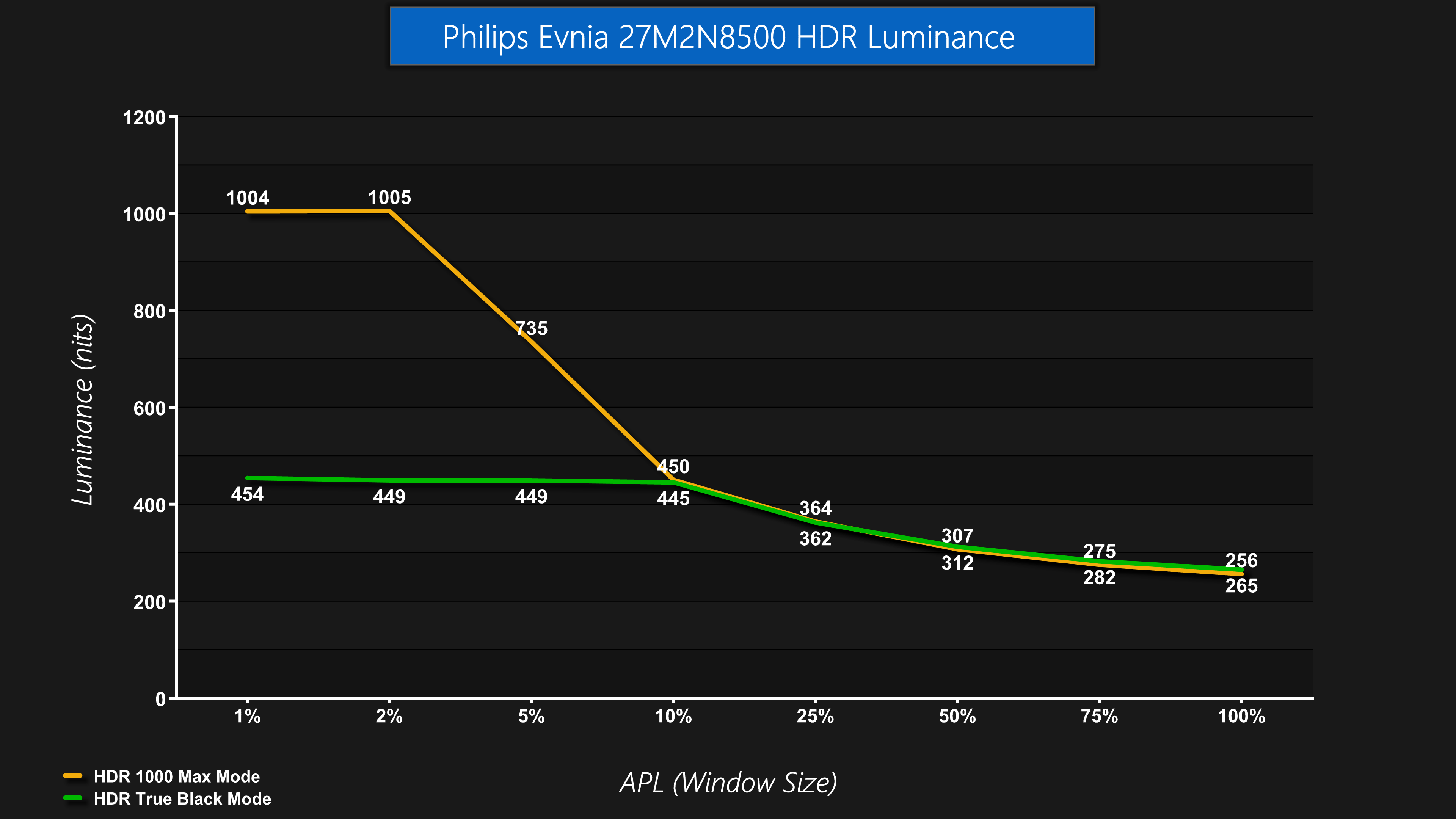
There's a few different HDR modes to choose from, but the behaviour is as expected – the HDR 1000 Max mode peaks at 1000 nits for 1% and 2% APLs, before dimming as the window size (APL) increases. The True Black mode is dimmer at around 450 nits peak, but doesn't roll off as aggressively as the 1000 Max mode.
Greyscale
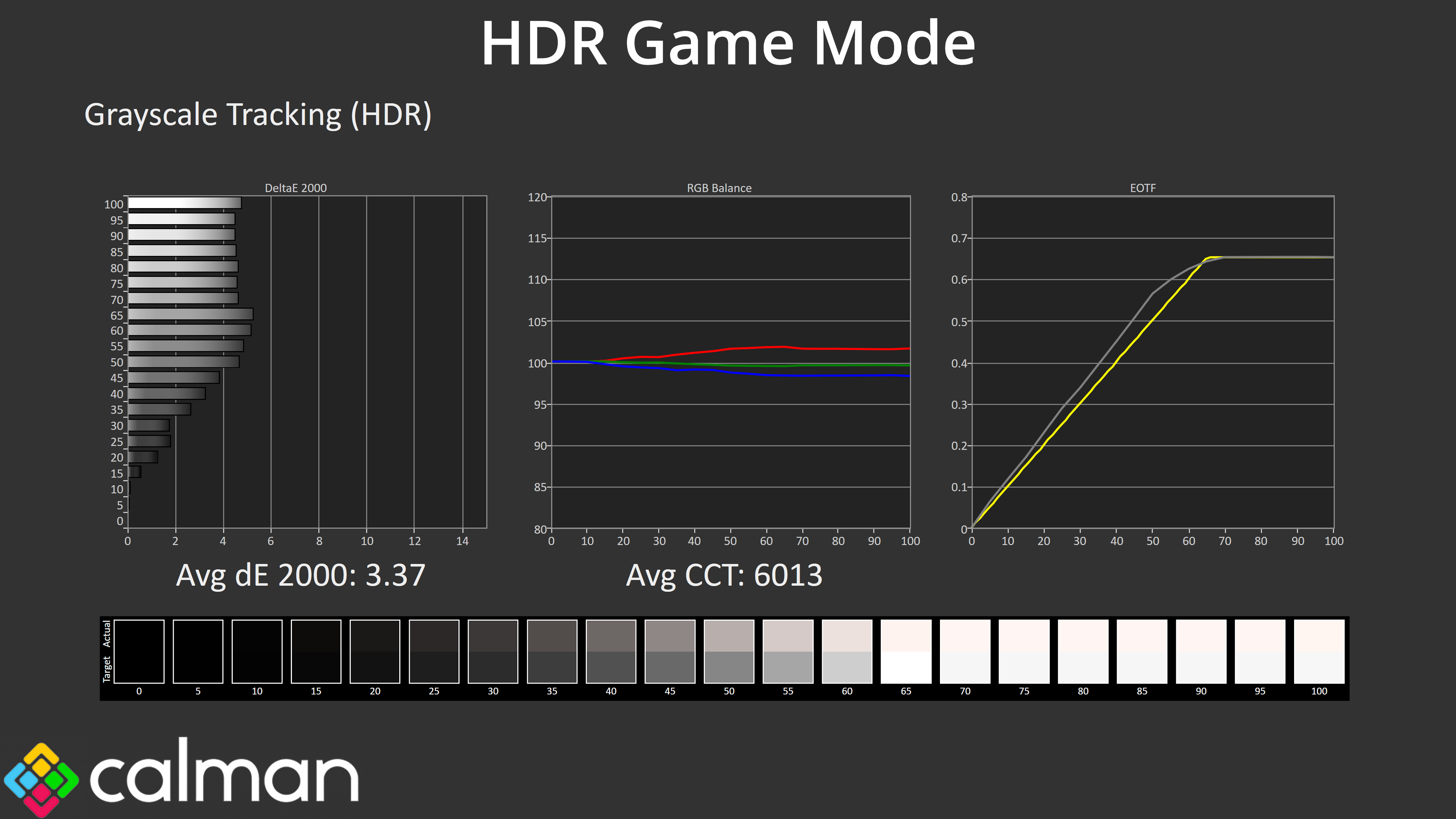
I tested three modes for greyscale performance in HDR. The first, and default HDR mode, is the HDR Game setting. Now, you'll see that all three modes are still too warm overall, but I think this is the best choice due to its EOTF tracking. In the past I've criticised Evnia for this mode, as the image is actually a little too bright across the range. However, while it's not technically accurate, I do think this results in a more pleasing image than what the other modes can provide.
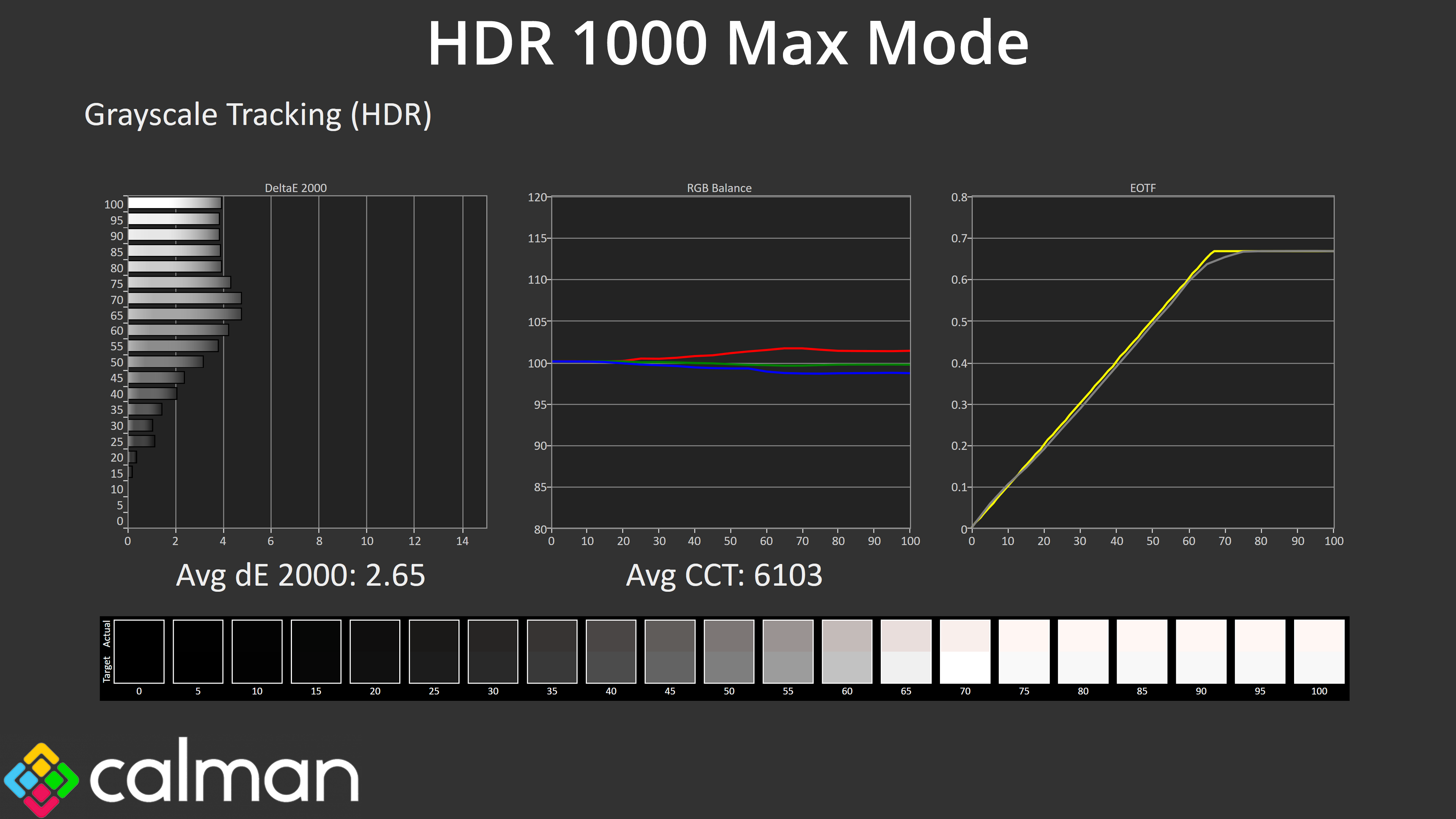
The HDR 1000 Max mode, for instance, is too dark across the range and rolls off early – only slightly, but it gets worse at larger window sizes as we will see shortly.
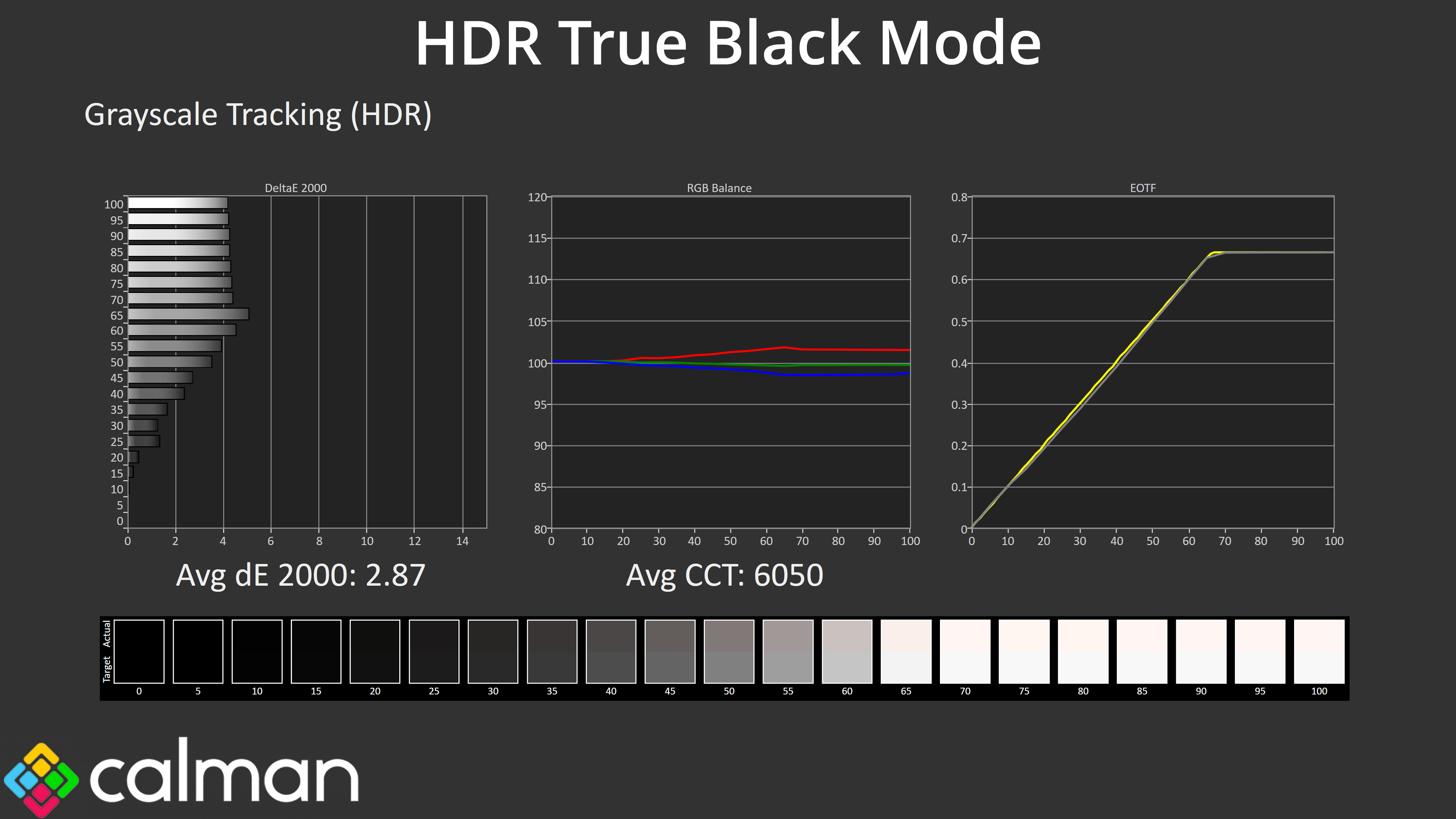
The HDR True Black mode is more accurate, closely hugging the desired curve, though it's ever so slightly too dark across the middle of curve. You also miss out on the peak brightness of the panel when using this mode, so it's not my personal preference.
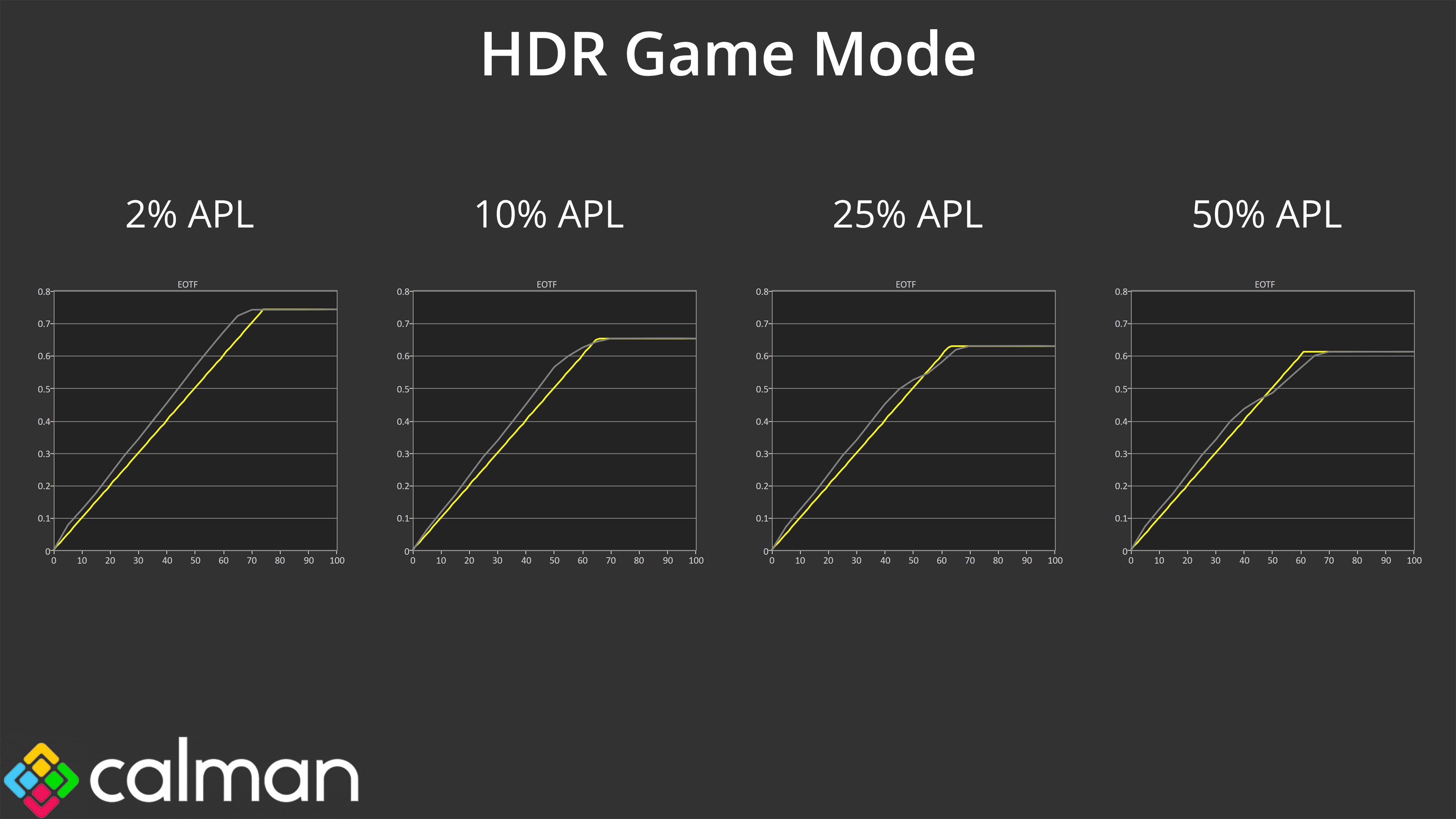
When looking at EOTF tracking across a range of window sizes, we can see the HDR Game mode is generally too bright across the curve, but does roll off slightly at the end – and progressively more so, as the APL increases.
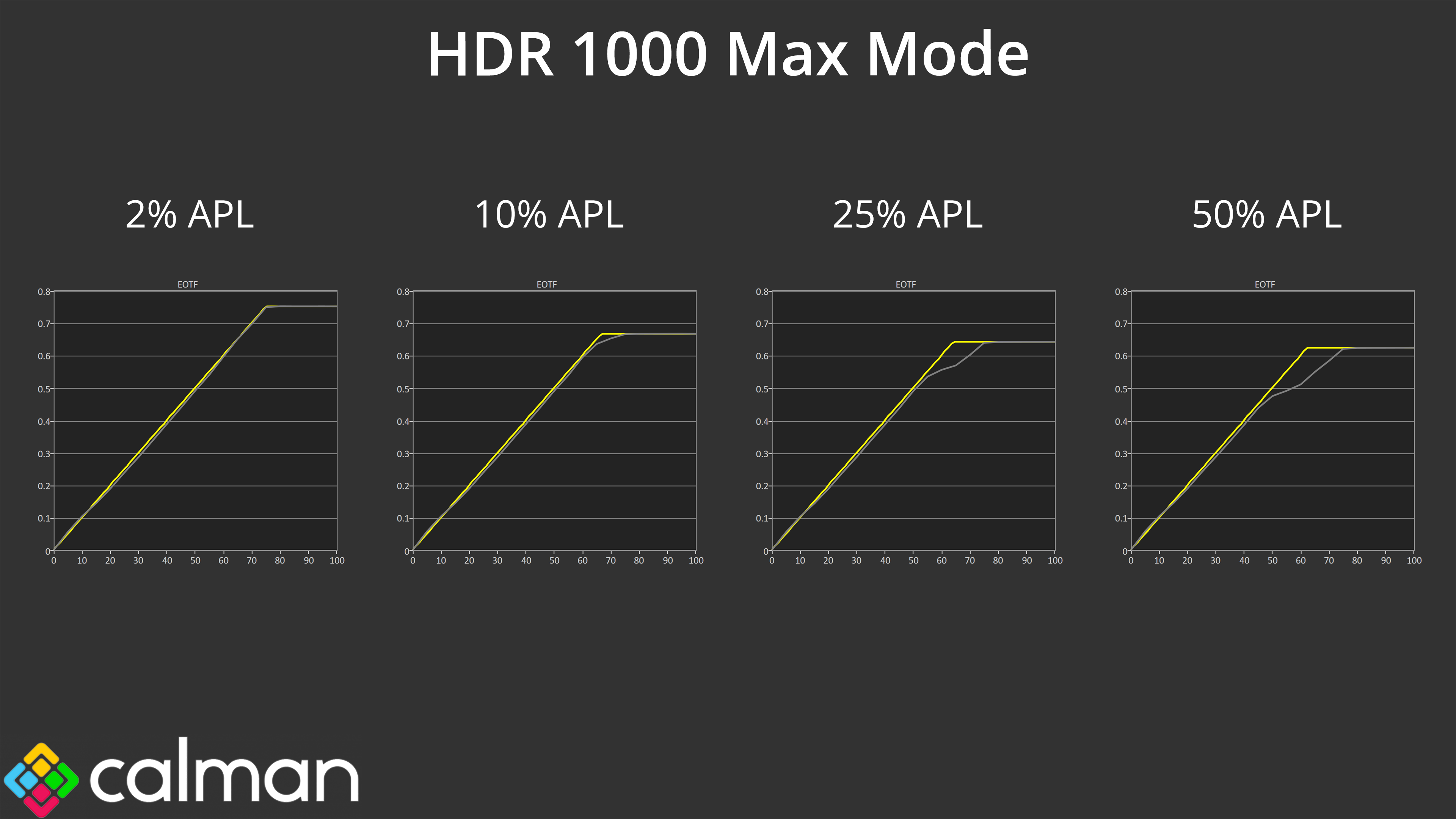
However, it's much better than the HDR 1000 Max mode, which is not only too dark across the early stages of the curve, but rolls off early even more aggressively than the HDR Game mode.
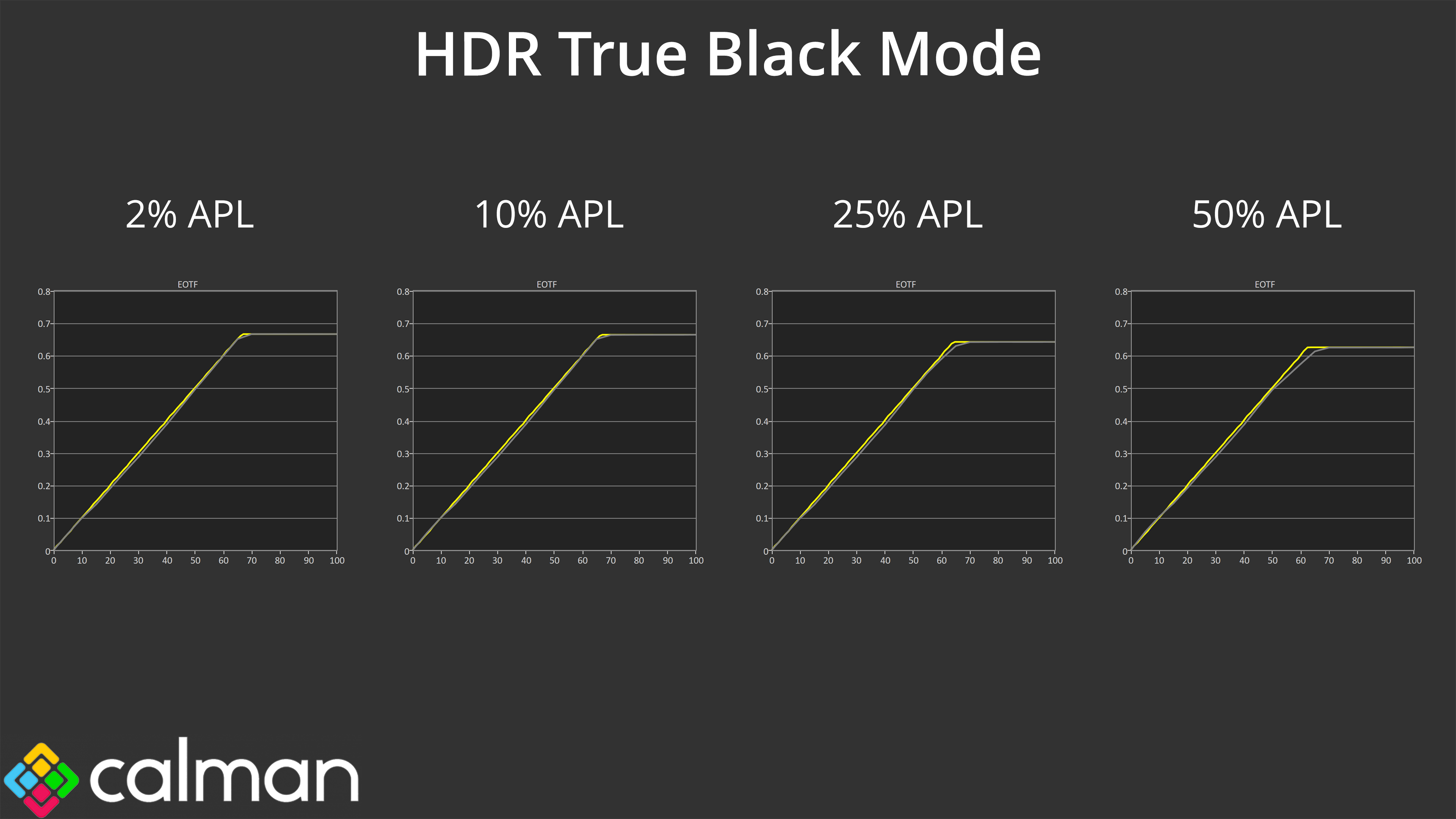
The HDR True Black mode performs better, though it still appears slightly too dark across the curve, especially at the 25% and 50% APLs. I would say this is the mode that's most accurate, in the sense it comes as close to the intended target. That said, I do think the HDR Game mode will look the best from a subjective perspective for HDR gaming due to its brighter presentation, while it can hit 1000 nits, whereas the True Black mode is limited to 450 nits.
Colour Accuracy
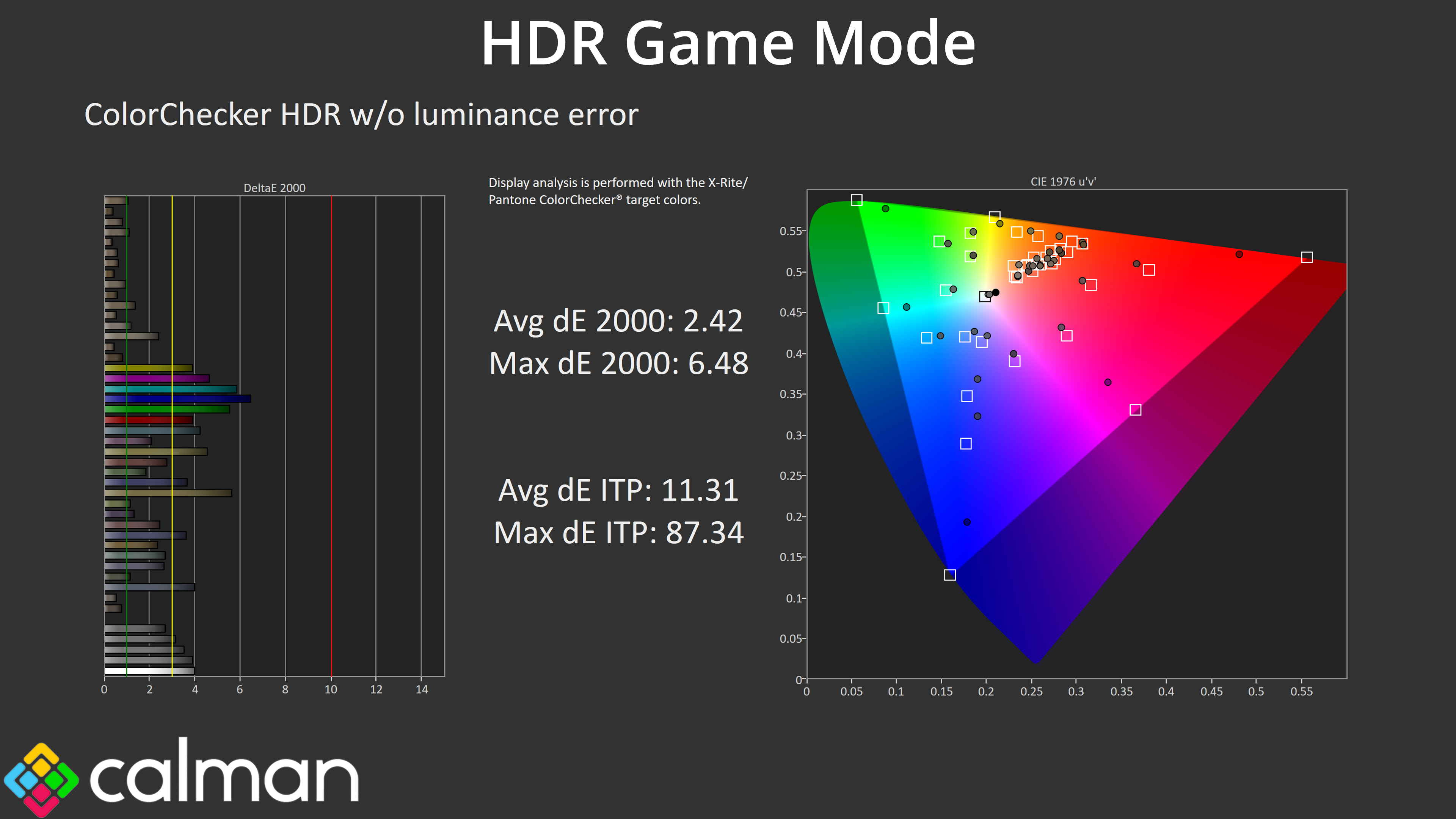
Looking at the HDR Game mode for colour accuracy, the average deltaE 2000 of 2.42 isn't bad, though there's clearly room for improvement.
We use the Open Source Response Time Tool (OSRTT), developed by TechTeamGB, for our response time testing. This measures grey-to-grey response times and presents the results in a series of heatmaps, the style of which you may be familiar with from other reviews.
Initial Response Time is the time taken for the panel to transition from one colour to another, where lower values are better. We present the initial response time, so overshoot is not taken into account and is measured separately. We use a fixed RGB 5 tolerance for each transition.
Overshoot is the term given for when a monitor's transition exceeds or goes beyond its target value. So if a monitor was meant to transition from RGB 0 to RGB 55, but it hits RGB 60 before settling back down at RGB 55, that is overshoot. This is presented as RGB values in the heatmaps – i.e. how many RGB values past the intended target were measured.
Visual Response Rating is a metric designed to ‘score' a panel's visual performance, incorporating both response times and overdrive. Fast response times with little to no overshoot will score well, while slow response times or those with significant overshoot will score poorly.
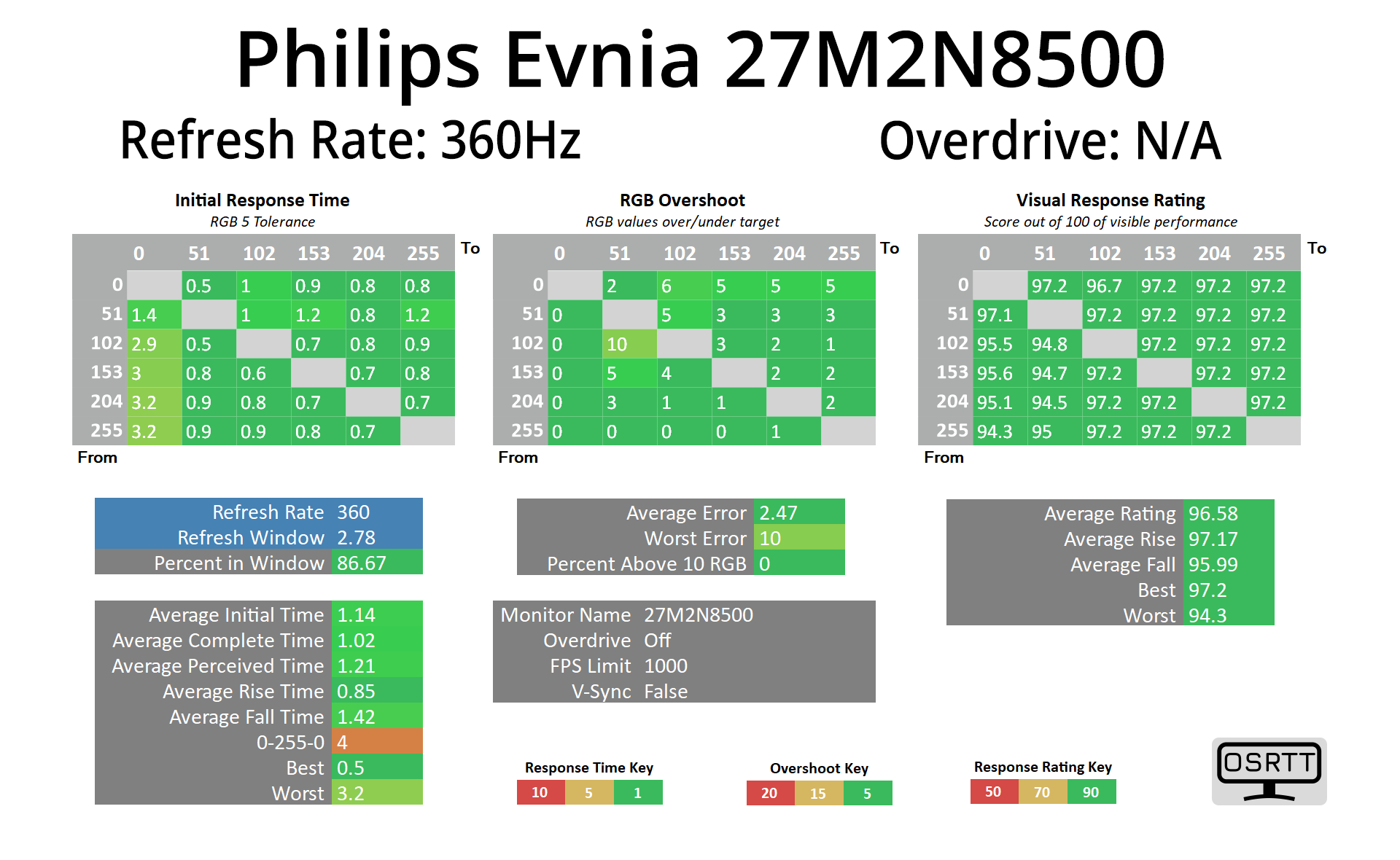
I won't focus too much on the response times here, as we know OLEDs deliver the best of the bunch regardless of refresh rate, and this Philips Evnia is no different with an average response time right around the 1ms mark – and that is regardless of refresh rate.
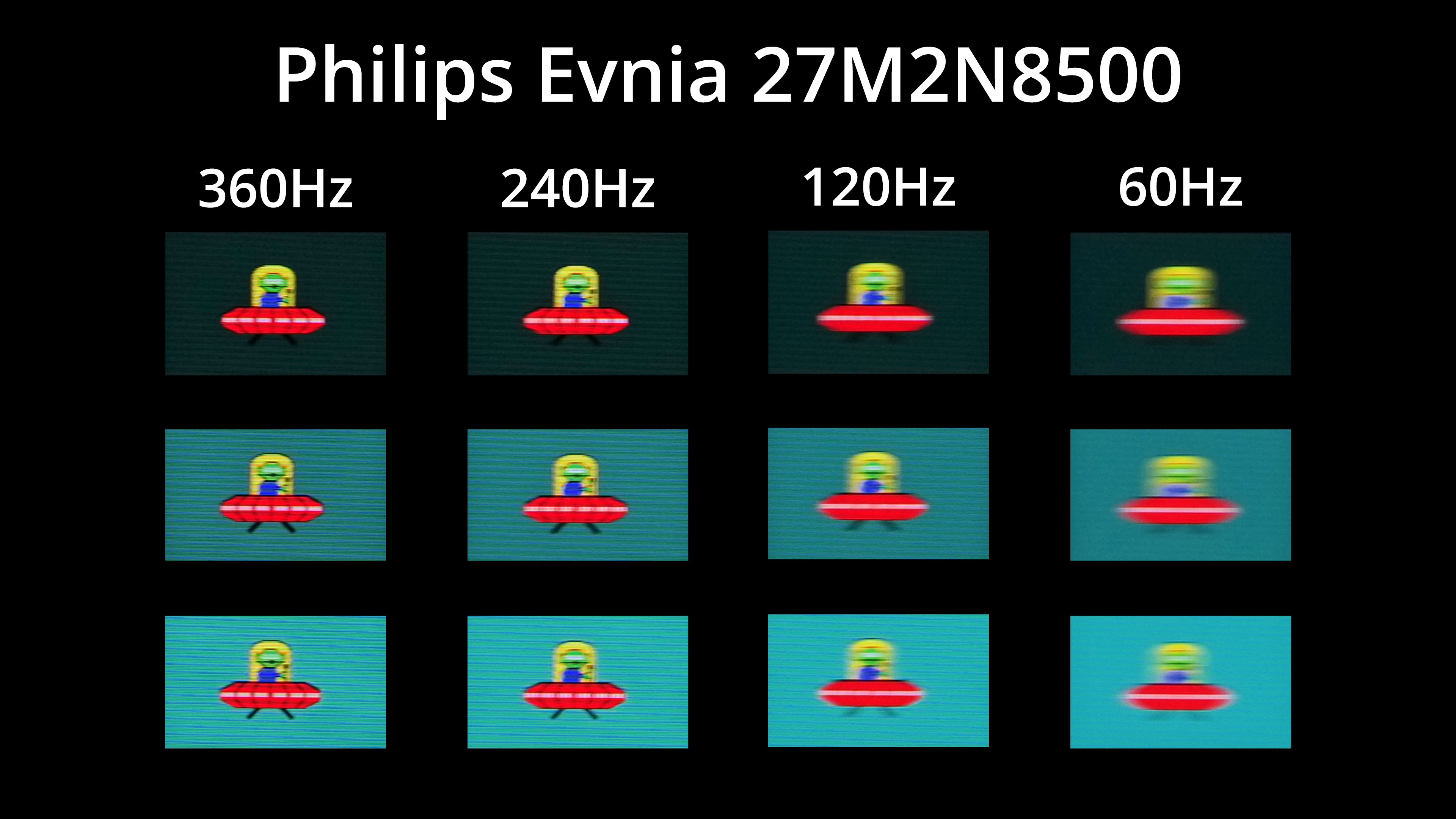
Of course, that doesn't mean motion clarity will be perfect at any refresh rate – the higher you can push the refresh, the smoother things look. Still, the difference between 240Hz and 360Hz isn't huge, but as I have said previously, I do think it is perceptible.
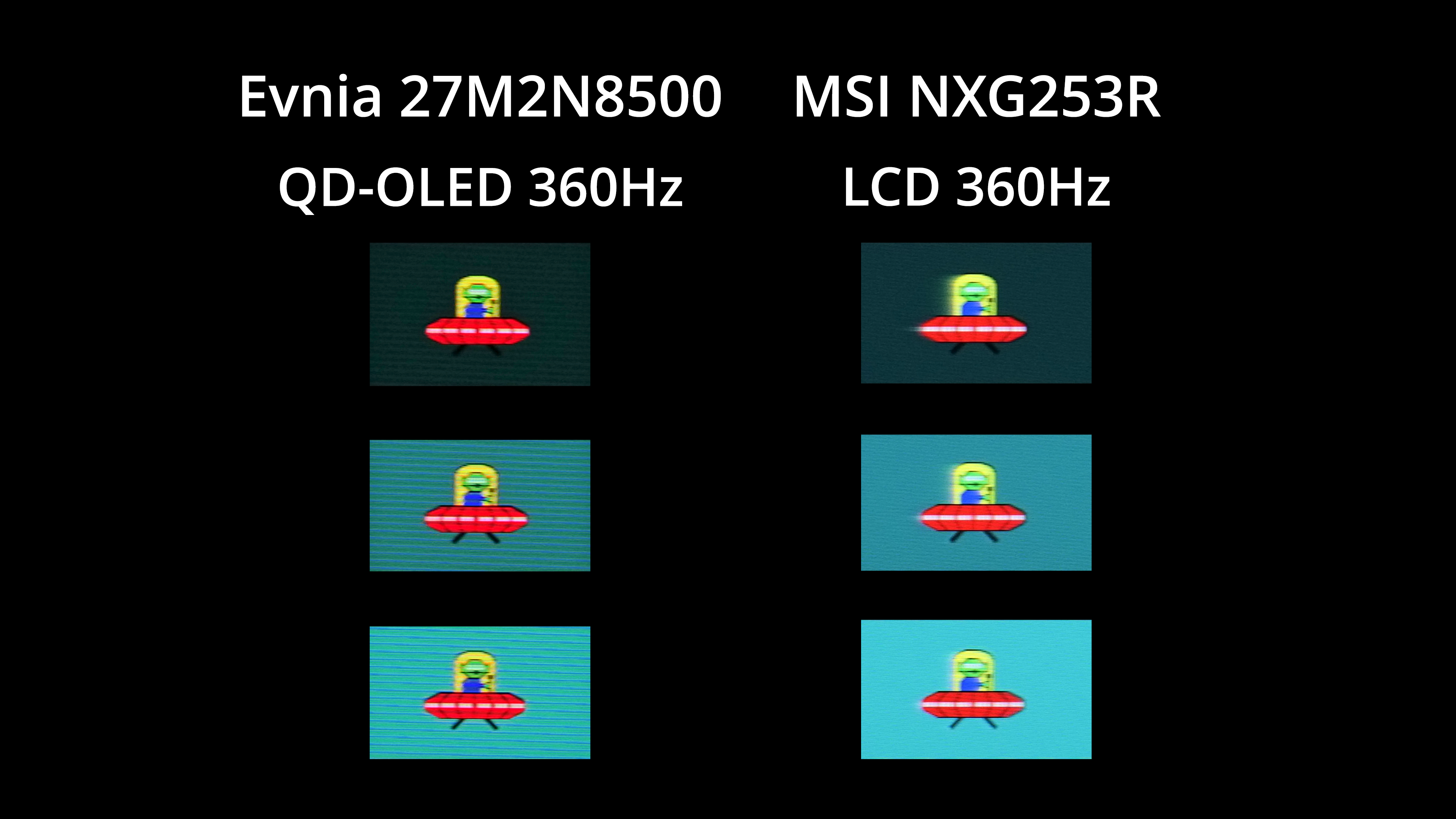
I've also compared the 27M2N8500 against MSI's Oculux NXG253R using its Fast overdrive mode. That's a 360Hz IPS LCD, and it's a clear win for the Evnia in terms of motion clarity, with no visible ghosting whatsoever – showing why OLEDs are so good for gaming compared to LCD panels.
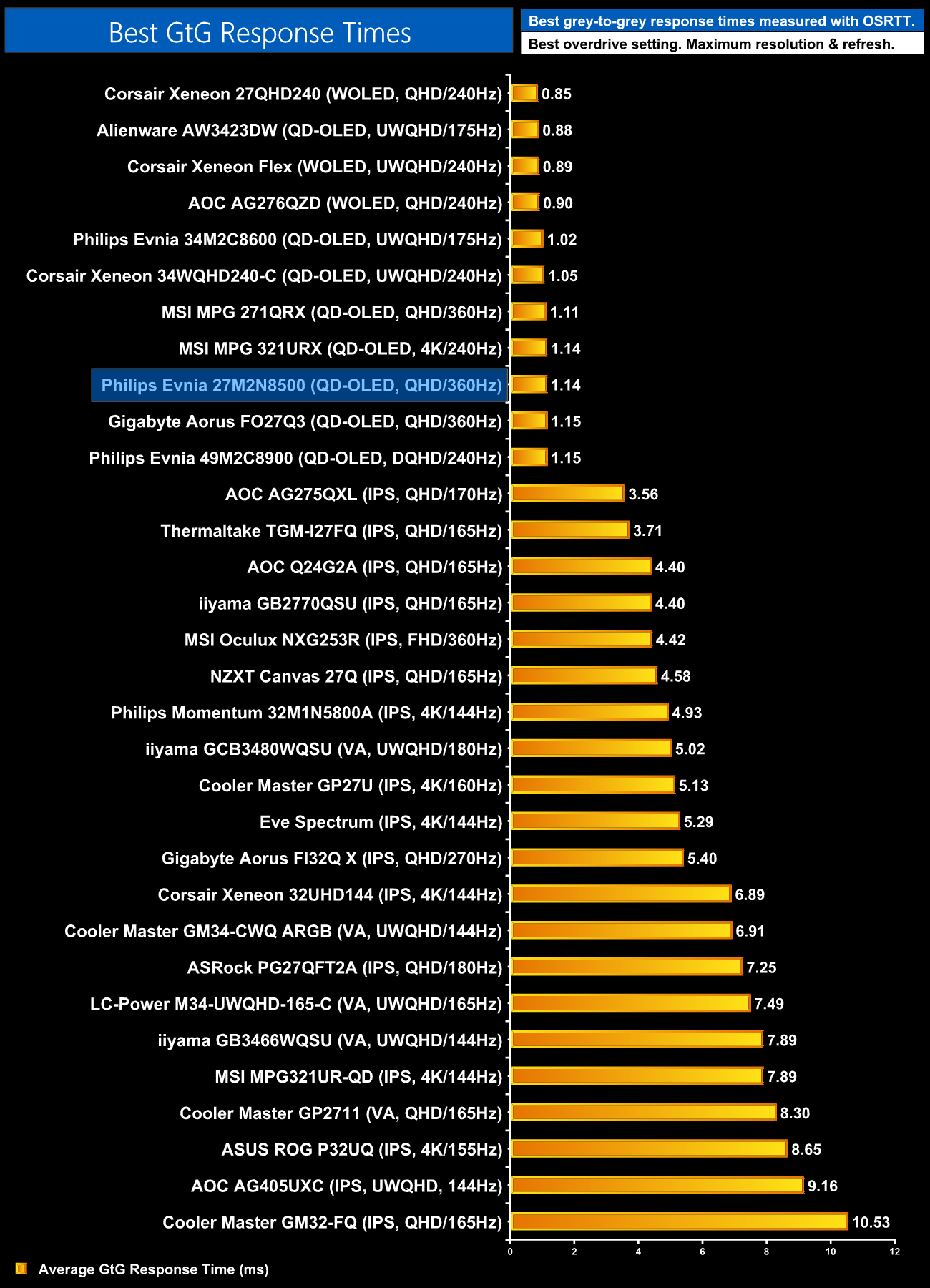
For final confirmation of the response time performance, we can see all the OLEDs I've tested clumped together at the top of the chart.
We again use the Open Source Response Time Tool (OSRTT), developed by TechTeamGB, to report monitor input latency.
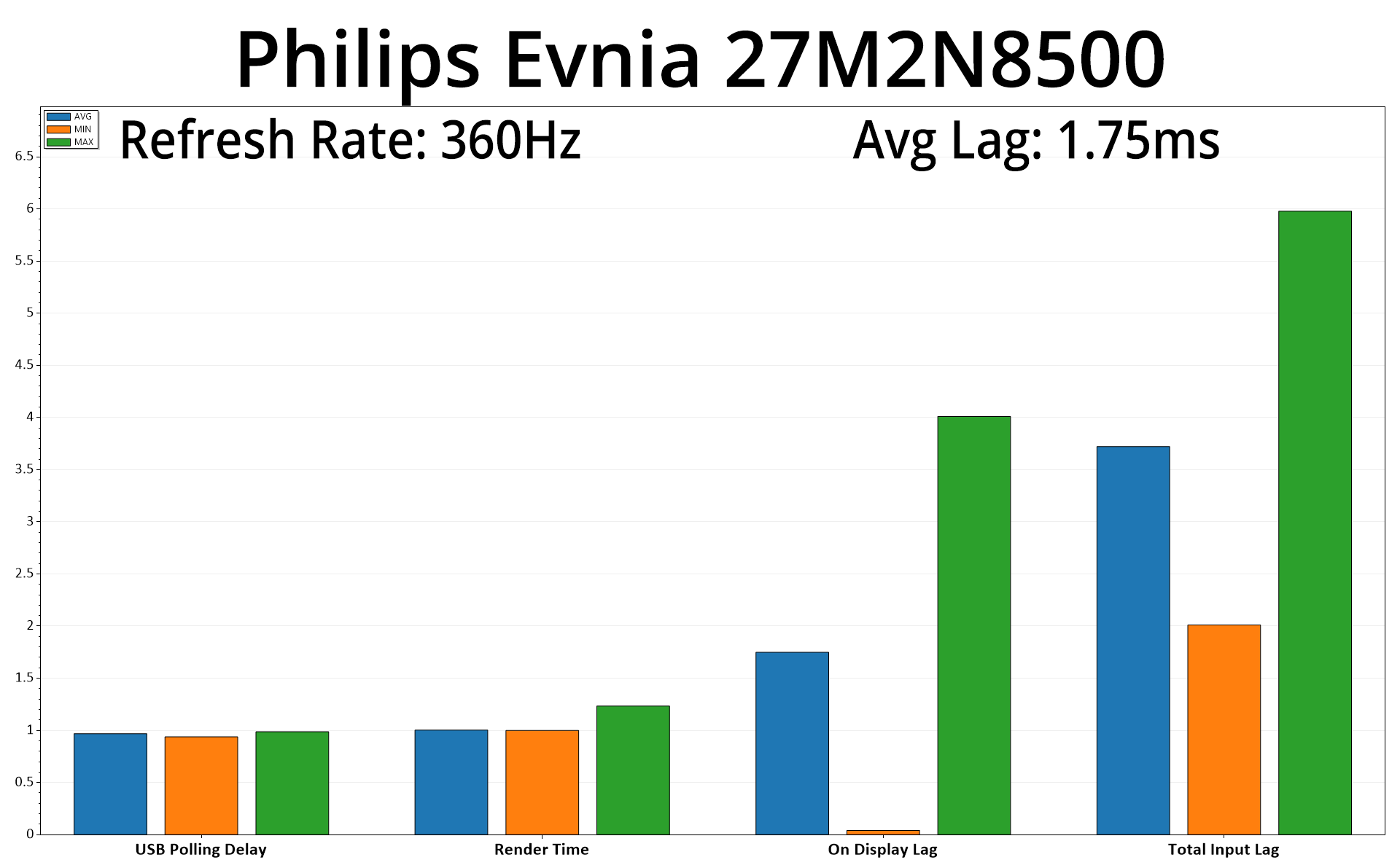
Rounding out our testing with input lag, we see an average on display lag of 1.75ms, barely more than half a frame at 360Hz, so nothing to worry about there.
The Philips Evnia 27M2N8500 has been a very interesting screen to assess. Using the same 360Hz QD-OLED panel as the likes of MSI 271QRX and Gigabyte Aorus FO27Q3, the key differentiator here is pricing – the Evnia has a new RRP of just £500 as of May 1st, making it the cheapest 360Hz OLED on the market, and one of the most affordable overall.
To a certain extent, that does show in the overall quality of the screen, particularly the factory calibration, which leaves a fair bit to be desired. The colour balance is very warm, hitting around 5800K – when we'd hope for 6500K – while gamma is too high across the dark shades and then slightly too low for brighter shades. Neither of these issues are fixed by using the built-in sRGB mode either, so if you desire accuracy above all else, this definitely isn't the screen for you, unless you are able to calibrate.
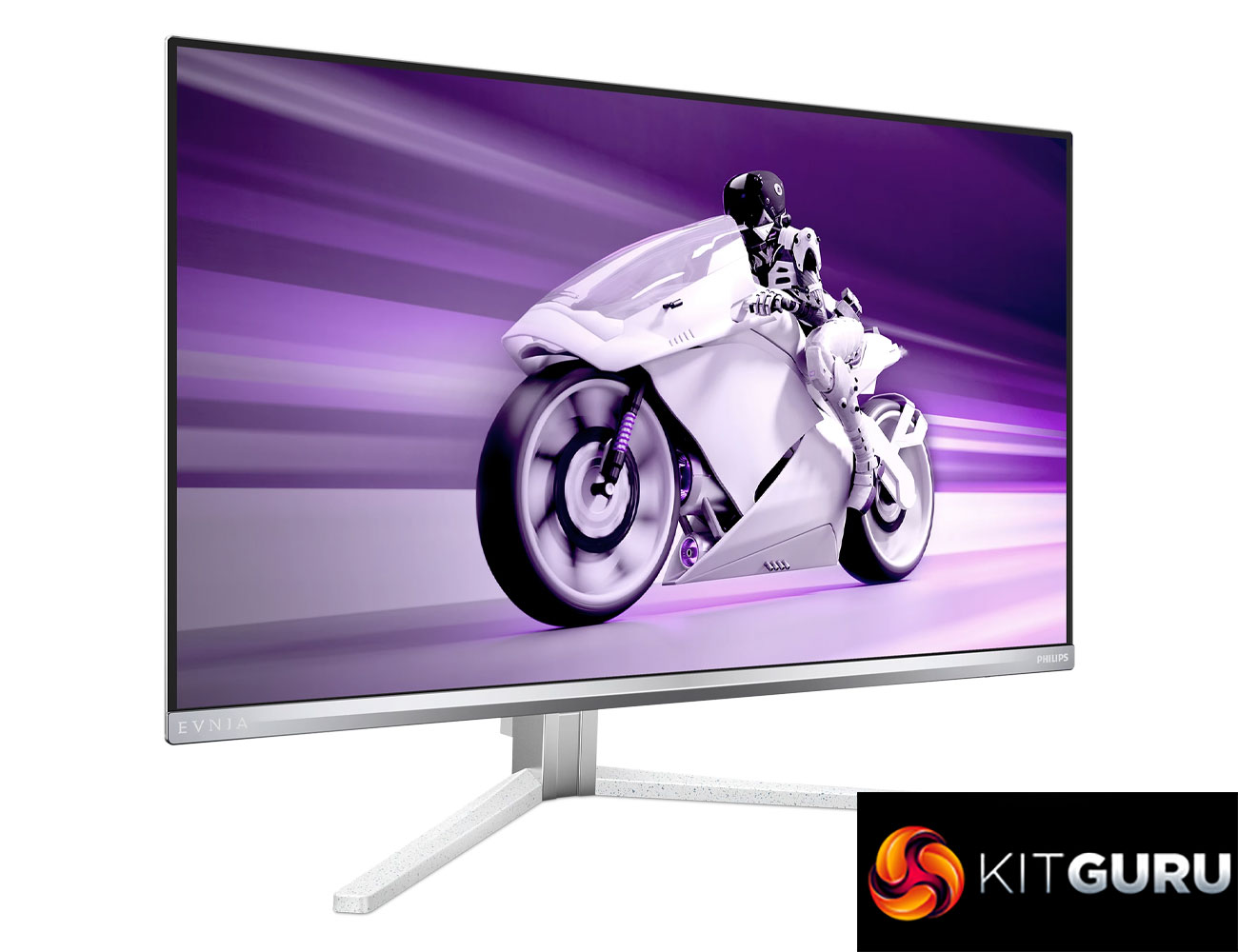
That said, plenty of gamers don't necessarily need technical accuracy – lots of people may just want punchy contrast, vibrant colour and superb motion clarity, all of which this screen delivers in spades thanks to the QD-OLED panel. While there are faster 480Hz OLED panels out there, the motion clarity from this 360Hz option is still jaw-dropping and has to be about the best you can get at this price point.
Evnia also offers a couple of other points of difference. The first is the design, with its white and silver colourway helping it to stand out from the crowd. Philips Ambiglow lighting is also a useful feature, especially for those who want to aid immersion and have the LEDs match whatever colours are displayed on screen.
And sure, for every one of those things, you could point to some features that are missing to keep cost down – things like lack of USB-C and KVM support, while some may miss pivot functionality from the stand, too.
So no, the Philips Evnia 27M2N8500 clearly isn't perfect – in fact, from a technical perspective, it's one of the weaker implementations of this QD-OLED panel I've seen. Even that isn't enough to dissuade me fully however, considering just how good OLED technology is for gaming, and you simply won't find a faster screen for the same money.
We found it listed on Amazon for £500 HERE.
Pros
- Cheapest 360Hz OLED on the market.
- Very wide gamut.
- Effectively infinite contrast ratio.
- Very fast response times.
- 360Hz refresh rate offers incredibly good motion clarity.
- 2x HDMI 2.1.
- HDR peaks at 1000 nits.
- Ambiglow lighting adds to the experience.
- Still looks great for gaming, despite its lack of technical accuracy.
- User-upgradable firmware.
Cons
- Disappointing factory calibration with warm colour balance and wonky gamma tracking.
- sRGB emulation mode doesn't improve on either of those issues.
- No USB-C or KVM support.
- The stand doesn't offer pivot functionality despite its 27in size.
- Design won't be for everyone.
KitGuru says: If you value technical accuracy, this isn't the screen for you. If you don't care and just want something FAST, at £500 this will be hard to beat.