KitGuru KitGuru.net – Tech News | Hardware News | Hardware Reviews | IOS | Mobile | Gaming | Graphics Cards


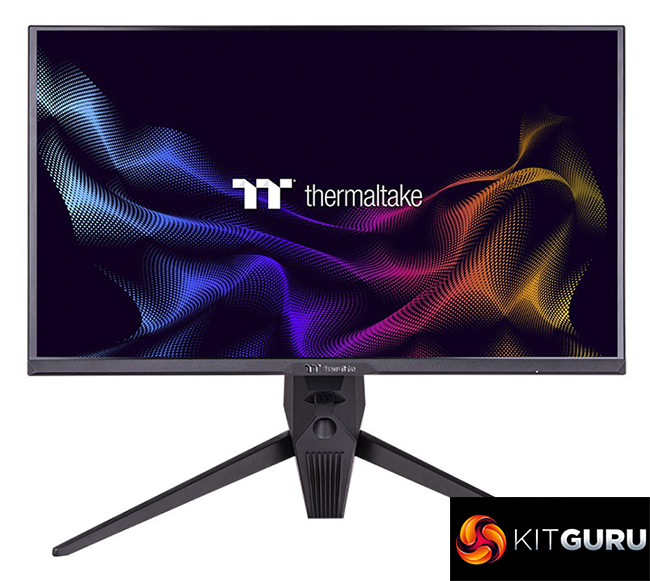
It's always interesting when companies branch out into new product areas, and I really didn't know what to expect from the Thermaltake TGM-I27FQ – the first monitor we have seen from the Taiwanese manufacturer that made its name in the case and cooler markets.
As you might expect, there's some positive areas, and then some areas that definitely need work. Starting with the latter, I have to be honest, the overall design language is not for me – this is of course subjective, and it might appeal to some, but I find it a bit bulky considering it's only a 27in screen.
Factory calibration – in particularly, the default colour balance – also needs work. Out of the box, there is a noticeable pink/purplish hue using the Warm colour balance setting, and while there is the option for a user-defined colour balance, most users won't be able to verify the accuracy of any manual adjustments. Because of that, using default settings, we saw relatively poor results for colour accuracy and saturation, which would have been improved with more accurate greyscale performance.
However, Thermaltake has done a good job at getting things ship shape for gaming, which I'd say is the most important area for a screen of this price point. The Fast overdrive setting, for instance, produced great results at 165Hz – actually making it the second fastest LCD we have tested to-date in terms of its grey-to-grey response times. It also sports an impressive backlight strobing mode, and latency is nice and low too.
On top of that, there's a good variety of features that some monitors might have ignored around this price point – the option for KVM functionality over both USB-C and USB-B is great, and we appreciate the two-port USB hub, relatively well-featured OSD system and OSD joystick. I'm not personally interested in RGB lighting on my monitor, but it's included here too.
So no, the TGM-I27FQ isn't perfect, but overall I think this is a good first entry into the monitor market, and hopefully Thermaltake can continue to build on this as a foundation.
We found the monitor on sale for £299.99 (reduce from £319.99 at the time of publication) from Scan HERE.
Discuss on our Facebook page HERE.
Pros
- Fast response times for an LCD.
- Backlight strobing mode works well.
- Peaked at 407 nits brightness.
- KVM functionality over both USB-C and USB-B.
- 2-port USB hub.
- Well featured, if not somewhat dated-looking, OSD system.
- Aggressive design may appeal to some.
- Certified G-Sync Compatible.
Cons
- Default colour balance presets are inaccurate.
- Contrast is relatively low by modern standards, at 1000:1.
- Aggressive design may not appeal to some.
- sRGB emulation mode doesn't work particularly well due to the inaccurate colour balance.
KitGuru says: There's room for improvement, but as a gaming monitor, the TGM-I27FQ is a solid offering from Thermaltake.