 KitGuru KitGuru.net – Tech News | Hardware News | Hardware Reviews | IOS | Mobile | Gaming | Graphics Cards


Now that decent WiFi is up there with running water, electricity and breathable air where home and business requirements are concerned, even the latest WLAN standards can be a little deficient. Serving an entire house, or multi-room small business, with a single WiFi router can often be problematic.
This is where Netgear’s Orbi comes in. Promising to reach 4,000 square feet (or 300 paces in any direction according to our interview with Netgear European product marketing manager Lionel Paris), and the ability to serve 250 devices at once, or at least 50 when streaming video or gaming, the Orbi promises to have you covered, no matter how big your premises.
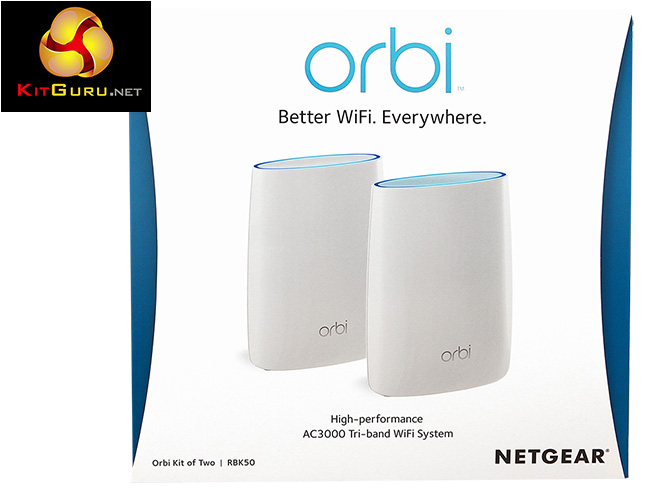
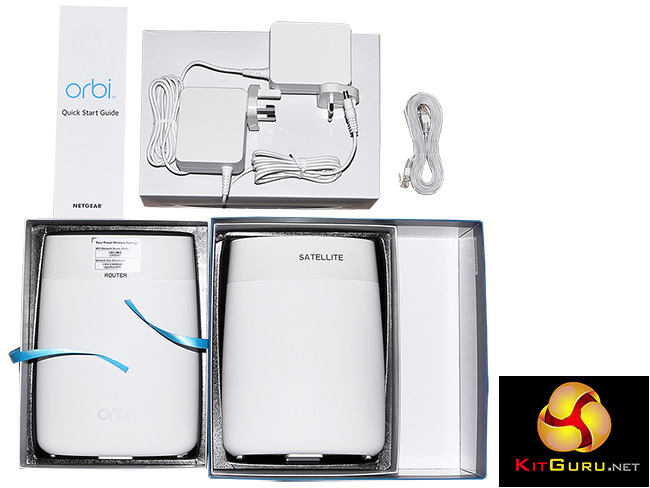
The secret sauce, as the image on the box shown above implies, is that for your rather princely sum of just under £350, you get not one but two devices. These work as a team to relay your network around the area. WiFi repeaters are readily available already, or you could use powerline networking to extend your network to a second router strategically placed elsewhere. But neither provide perfect solutions, as they usually create two different WiFi networks rather than extending the original one. Instead, Netgear’s Orbi promises one seamless network with devices switching between the two Orbi devices seamlessly as they move around the WiFi coverage zone.
The technology that allows this to happen is a version of mesh networking. Like the Netgear Nighthawk X4S D7800 4×4 802.11ac, the Orbi is a multi-band router, in this case tri-band. But one of these bands is dedicated to communicating between the two units. Mesh networking has been a dream of wireless network theory for years, and has some theoretical similarities to the peer-to-peer system of BitTorrent. Each node relays data around the network, so they help each other out to cover a wide area.
As you might have guessed from this description, Netgear plans to offer satellite units as upgrades, and each one in theory can add another 2,000 square foot of coverage to the WiFi network. The Orbi system will potentially be able to support really expansive wireless networks without the need of cabling other than power – ideal for a big house, large outdoor event, or sizeable temporary office. Or even WiFi by the pool!
For now, though, we have the starter kit with just two units for review today. The primary router unit is intended to be installed next to an ADSL or cable modem, which Netgear presumes will be somewhere at the edge of the premises. The satellite unit is then meant to be placed as centrally as possible, to serve the whole space equally.
The primary WiFi specification is meaty too. With six high-performance antennas there is plenty of hardware assistance for MU-MIMO simultaneous streaming over multiple frequencies and standards. Implicit/explicit beamforming is supported on both 2.4GHz and 5GHz wavebands, and Netgear promises AC3000 performance, made up of 1,733, 866 and 400Mbits bands. Netgear's Nighthawk router with AC3000 already has a great reputation for range and performance with just one device, so with the Orbi's technology as well the possibilities are very promising.
However, the fastest 802.11ac connection, using four antennas and running at 1,733Mbits/sec, is the one that is dedicated exclusively to connecting the router to the satellite. So the bandwidth available to end-user devices will be considerably behind routers like the Nighthawk, and consists of the two-antenna 866Mbits/sec 802.11ac and 400Mbits/sec 802.11n bands of the tri-band specification.
Both router and satellite devices have multiple Gigabit Ethernet ports, so you can hook up wired devices to either. In theory this sounds like the dream WiFi product, despite the price. But of course that’s only if it works as advertised. Read on to see what we discovered when we put Orbi through its 300 paces.
Price: £349.99
Specification:
Wireless protocols: MU-MIMO with 802.11b/g/n 2.4GHz and 802.11b/n/ac 5GHz plus 256 QAM on both
Performance: AC3000 (1,733 + 866 + 400 Mbits/sec)
Antenna Configuration: 6×6 Internal Antennas
Ports: Router: 3 x Gigabit Ethernet, 1 x Gigabit Ethernet WAN, USB 2.0 (not used with current firmware); Satellite: 4 x Gigabit Ethernet, USB 2.0 (not used with current firmware)
Modem Support: VDSL/ADSL 2+ or cable
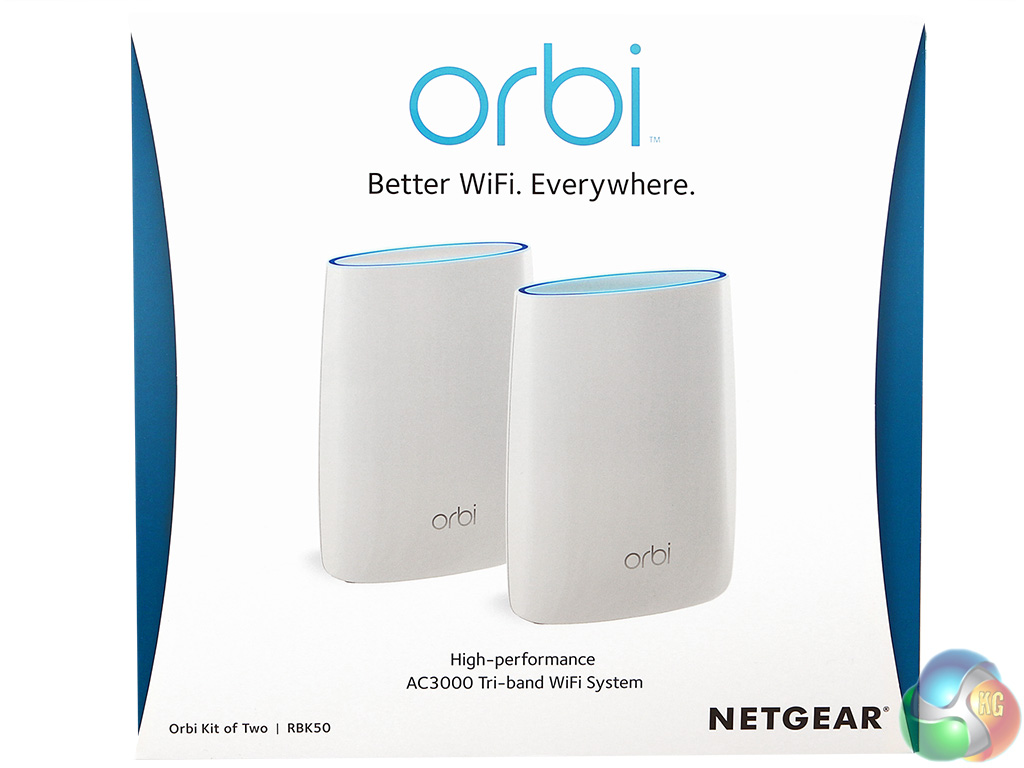
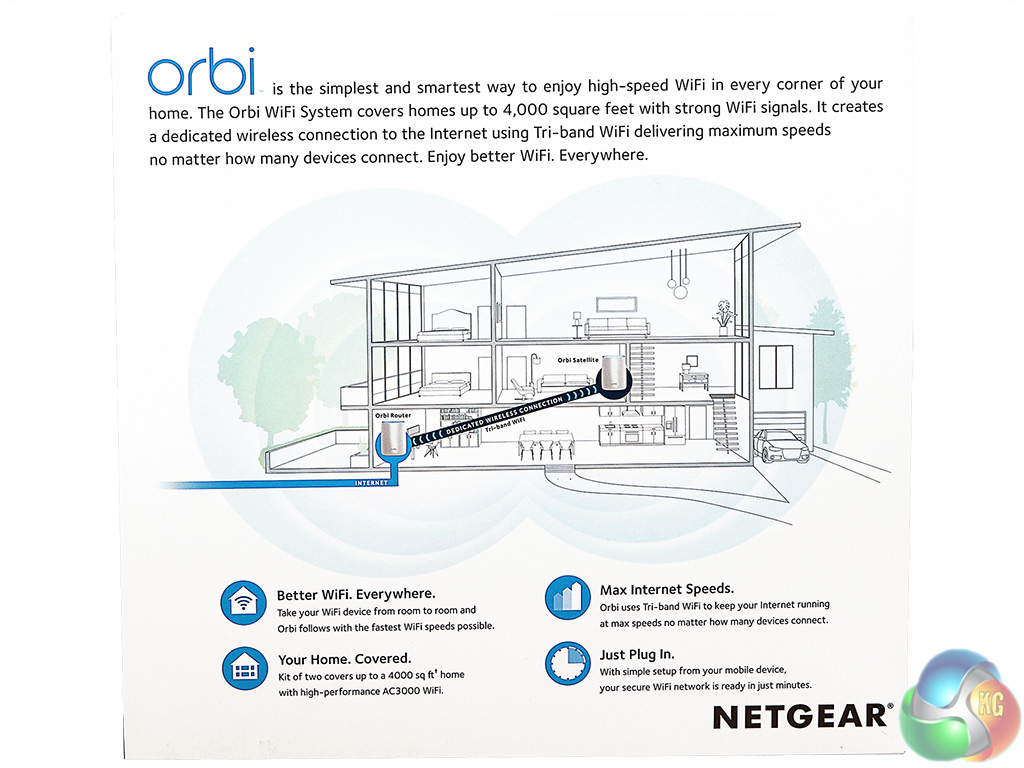
The box cover makes it pretty clear that you're getting not one but two devices in the box. There is also a self-explanatory diagram showing how the product works and where best to position it in your house.
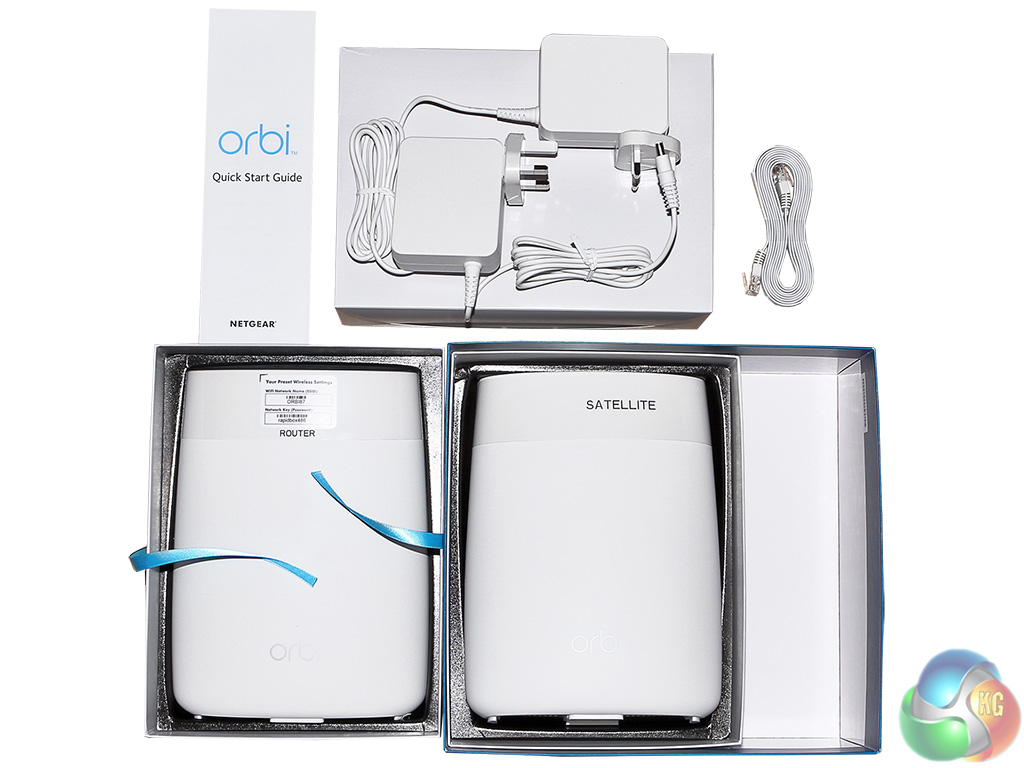
The two units sit in separate trays, with a smaller separate box containing the two power adapters and a single Ethernet cable. This is a bit miserly, considering the cost of the product and the number of ports each unit has on offer. We would have liked to see at least another Ethernet cable.
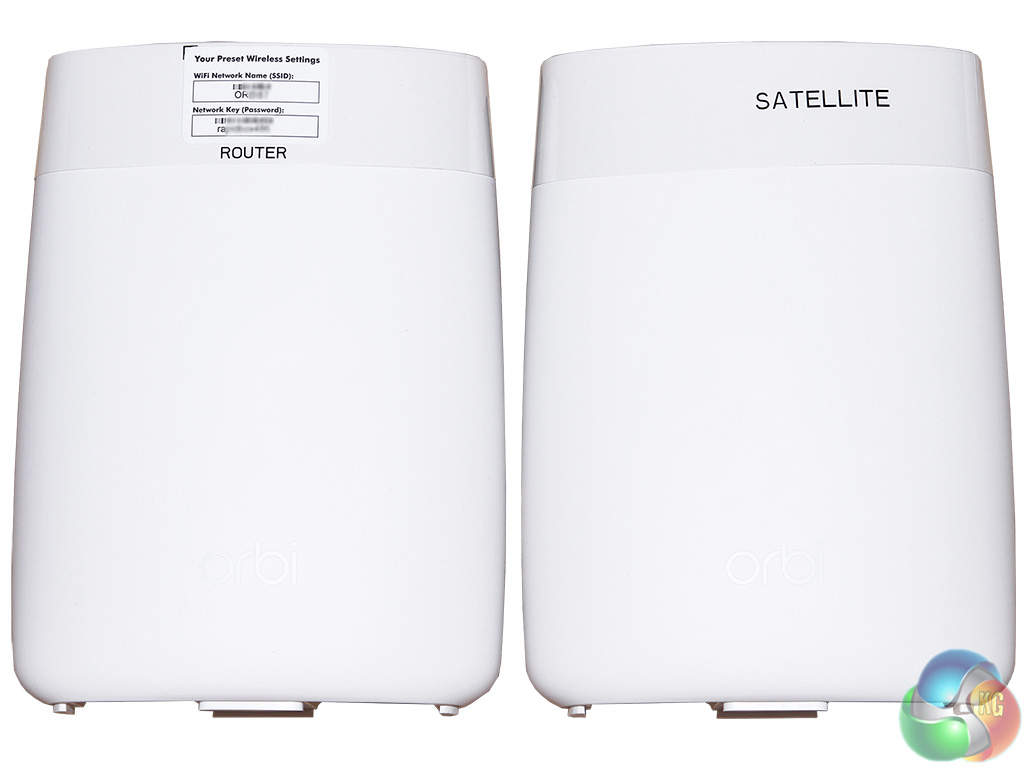
The router and satellite are labelled using clear plastic bands, which you can remove after installation, although it would be a good idea to keep a hold of the router one as this provides handy details of the default SSID and network key. The information is also found on the bottom of both devices, however, so you won't lose it.
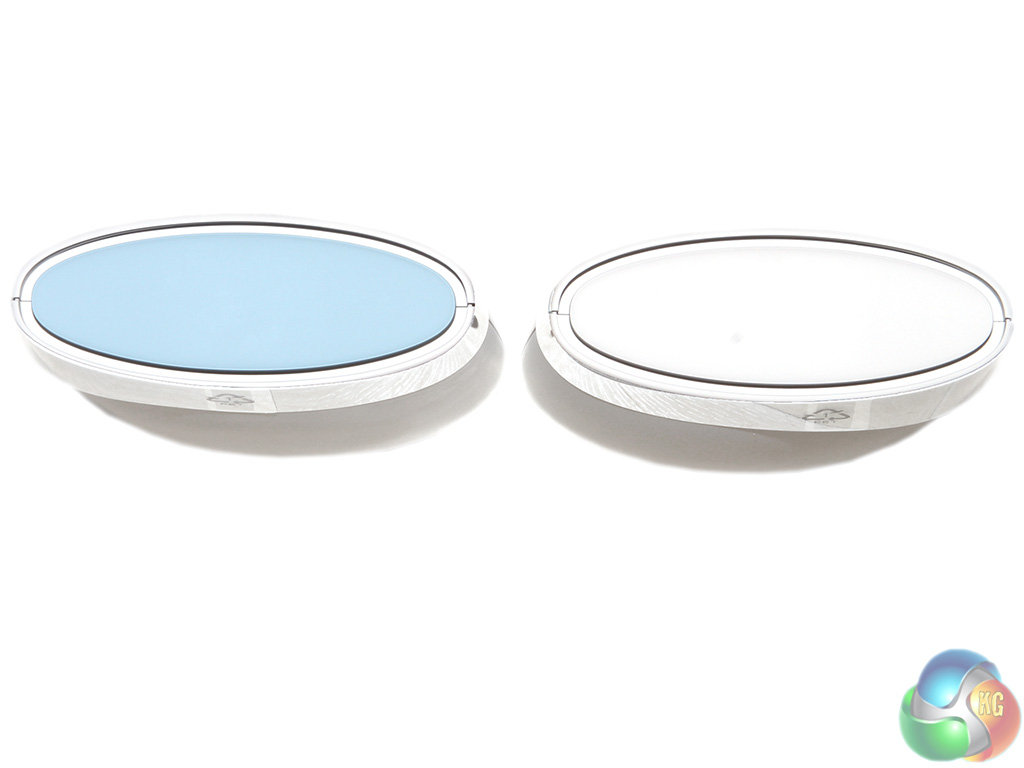
Once you've removed the plastic label band there isn't much to differentiate between the two units, other than the yellow Ethernet port on the router. So Netgear has helpfully coloured the top of the router blue to prevent any embarrassing mixups.
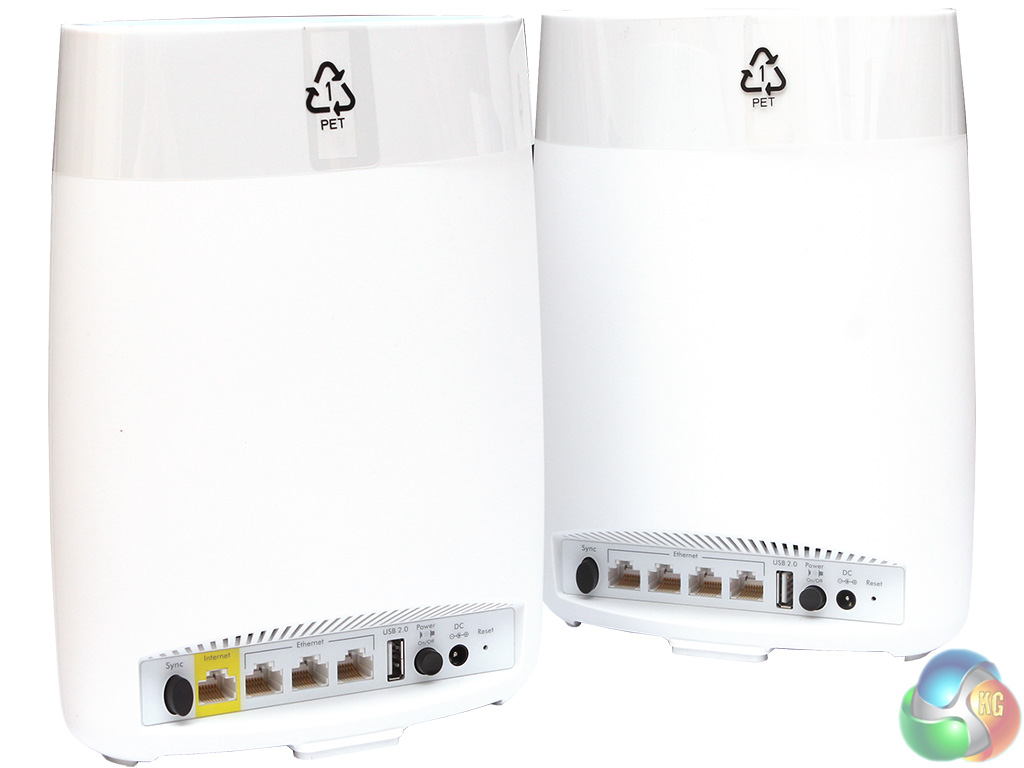
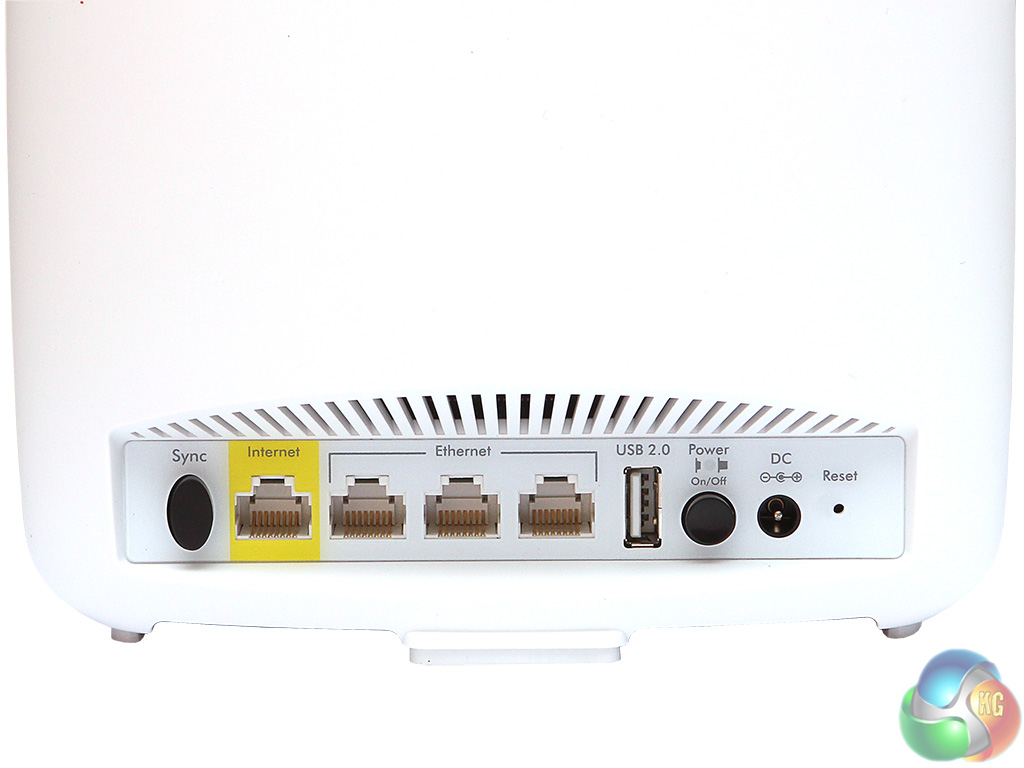
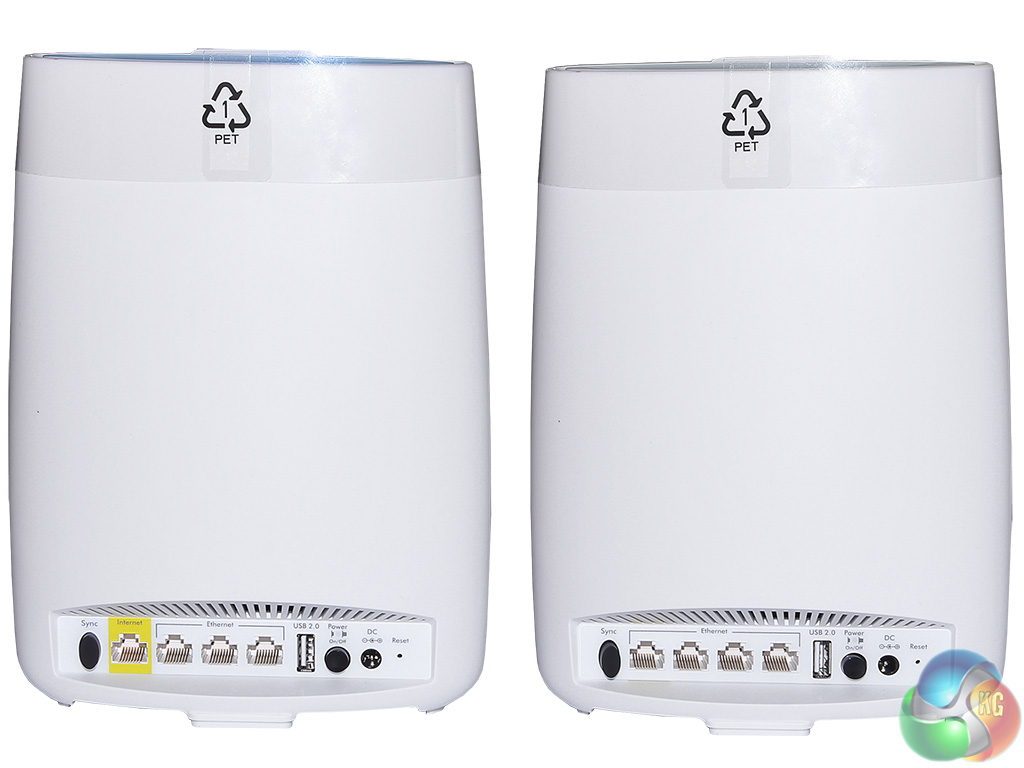
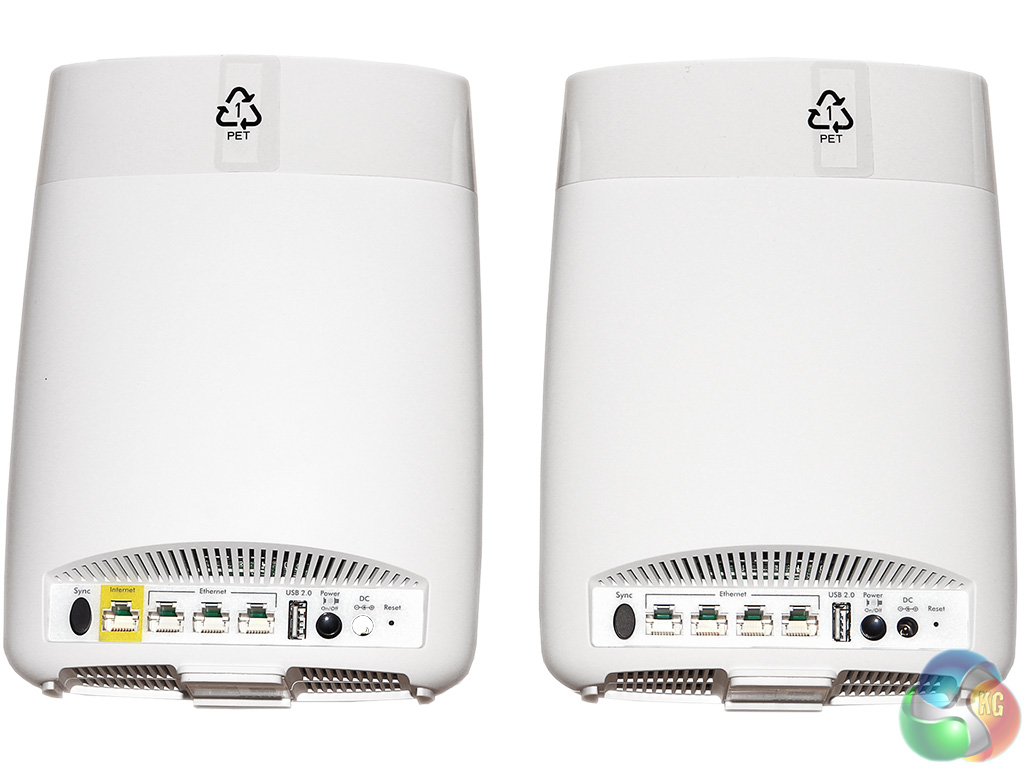
Both units sport four Gigabit Ethernet ports. The router has one coloured yellow, because this is the one that is meant to be connected to the ADSL or cable modem. This means it only has three ports free for wired networking devices.
The satellite has all four Gigabit Ethernet ports free, so you not only does it extend the range of WiFi, but gives you an extension of the wired network as well, for devices that don't have WiFi built in. Both devices also sport a USB 2.0 port, which is a bit measly in these days of USB 3.1.
If you want fast storage, a Gigabit Ethernet NAS would be a higher-performance option. But this is all a bit academic, as the USB port is completely disabled with the current firmware, so you couldn't use it to attach storage anyway.
The Netgear Orbi router and satellite come pre-paired, so you don’t need to set this up yourself. It will only be necessary if you add another satellite in the future. You can almost plug the starter kit in and get started straight away.
But if you do want to perform more detailed configuration, Netgear offers two ways of managing the Orbi – a web interface and its genie software. We're going to focus on the Web interface, as the genie software offers the same features.
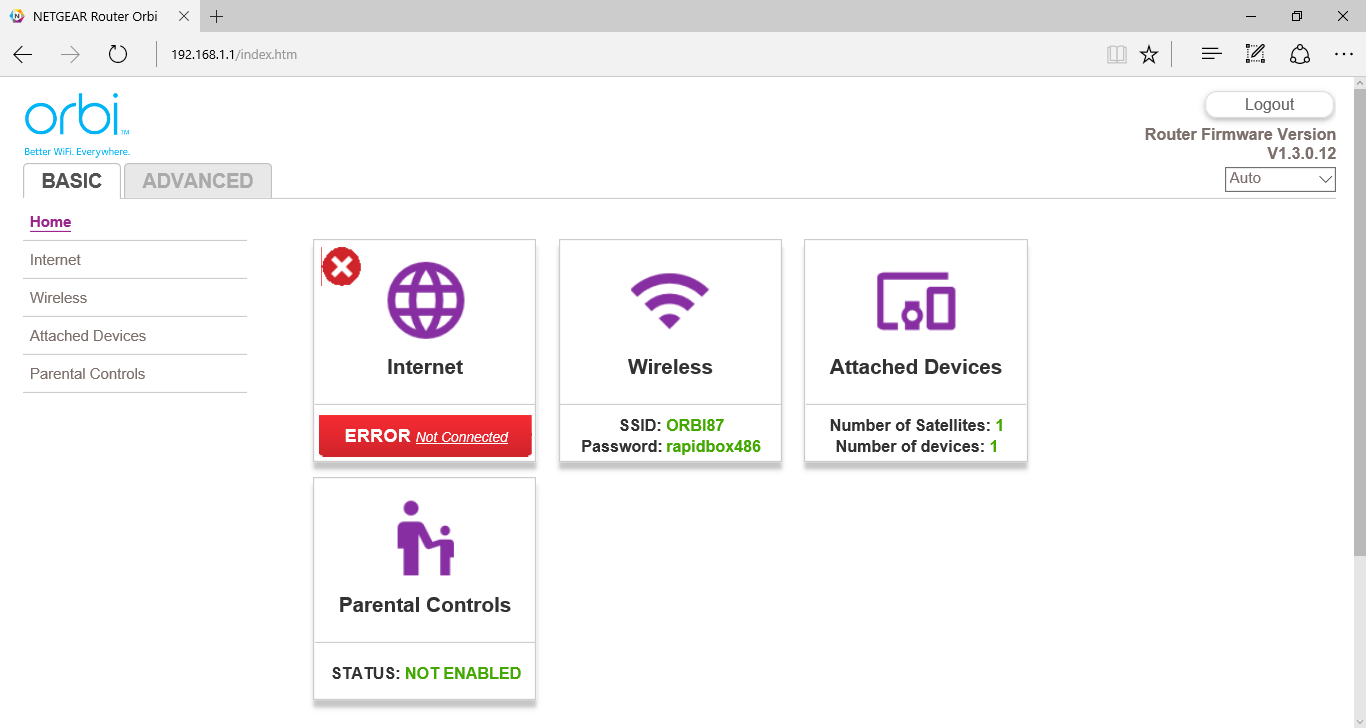
The Basic home page provides easy access to the common functions, including setting up the Internet connection, either via wizard or manually. There’s good support for IPv6, which is reassuring now that this is beginning to be adopted. This includes tunnelling IPv6 within an IPv4 connection. Note that we didn't have an Internet connection attached when we grabbed the above screen.
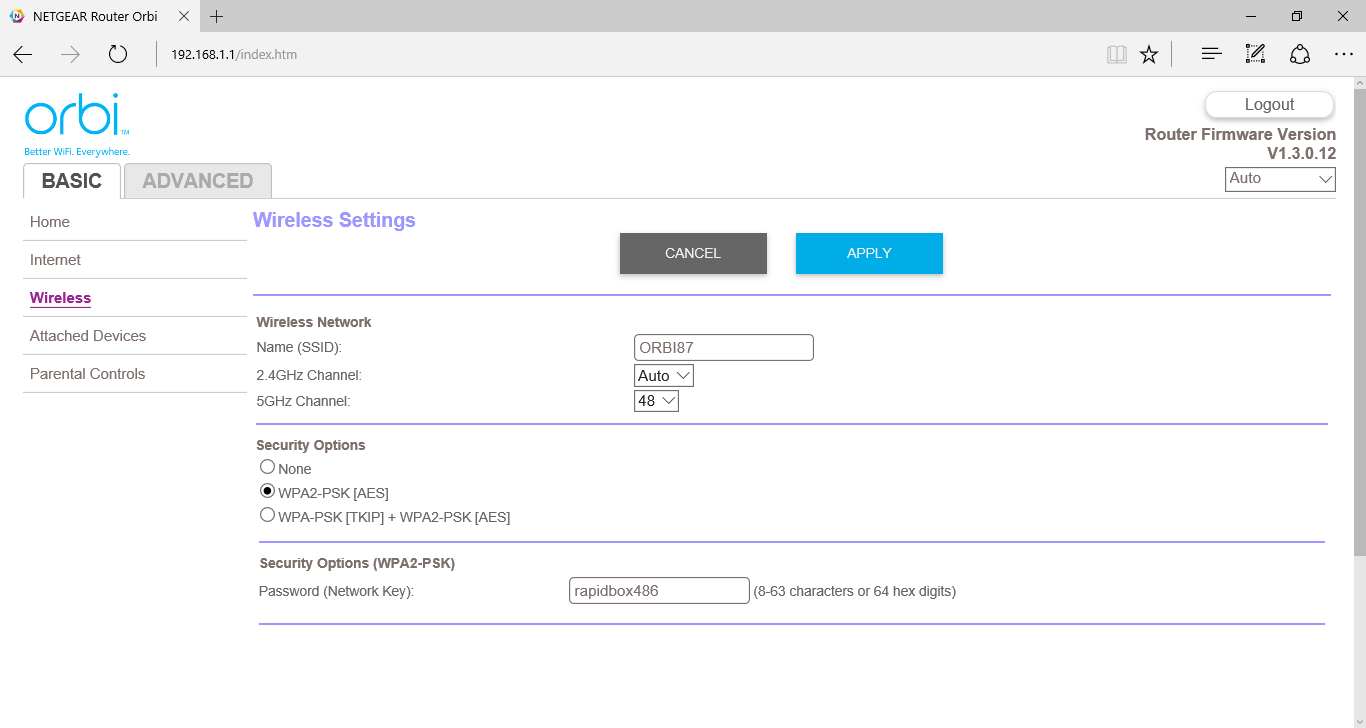 *
*
In Basic mode, the Wireless setings let you change the SSID and channels for 2.4GHz and 5GHz networks, as well as which security method to use. Note that the SSID and password are shared across both WiFi frequencies, which part of how the Orbi provides a seamless wireless experience.
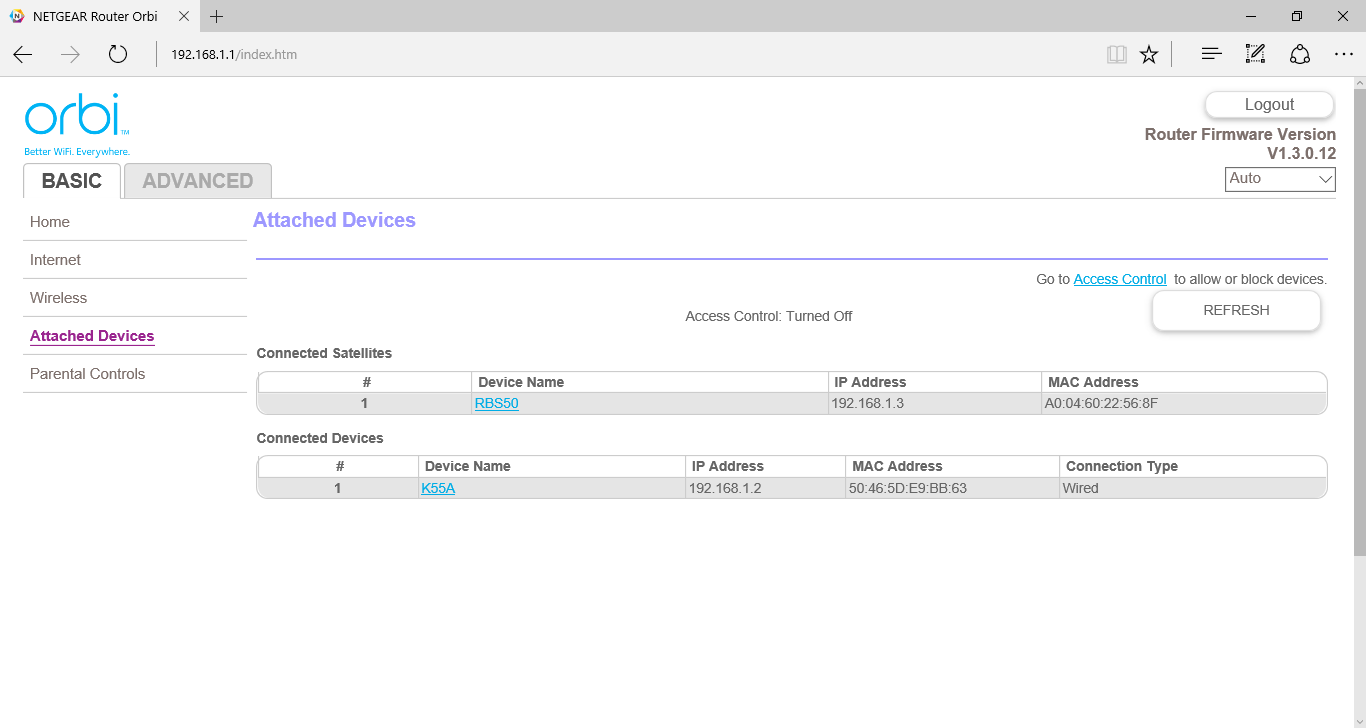
The Attached Devices section is mostly informational, although there is a link to take you to Access Control settings.
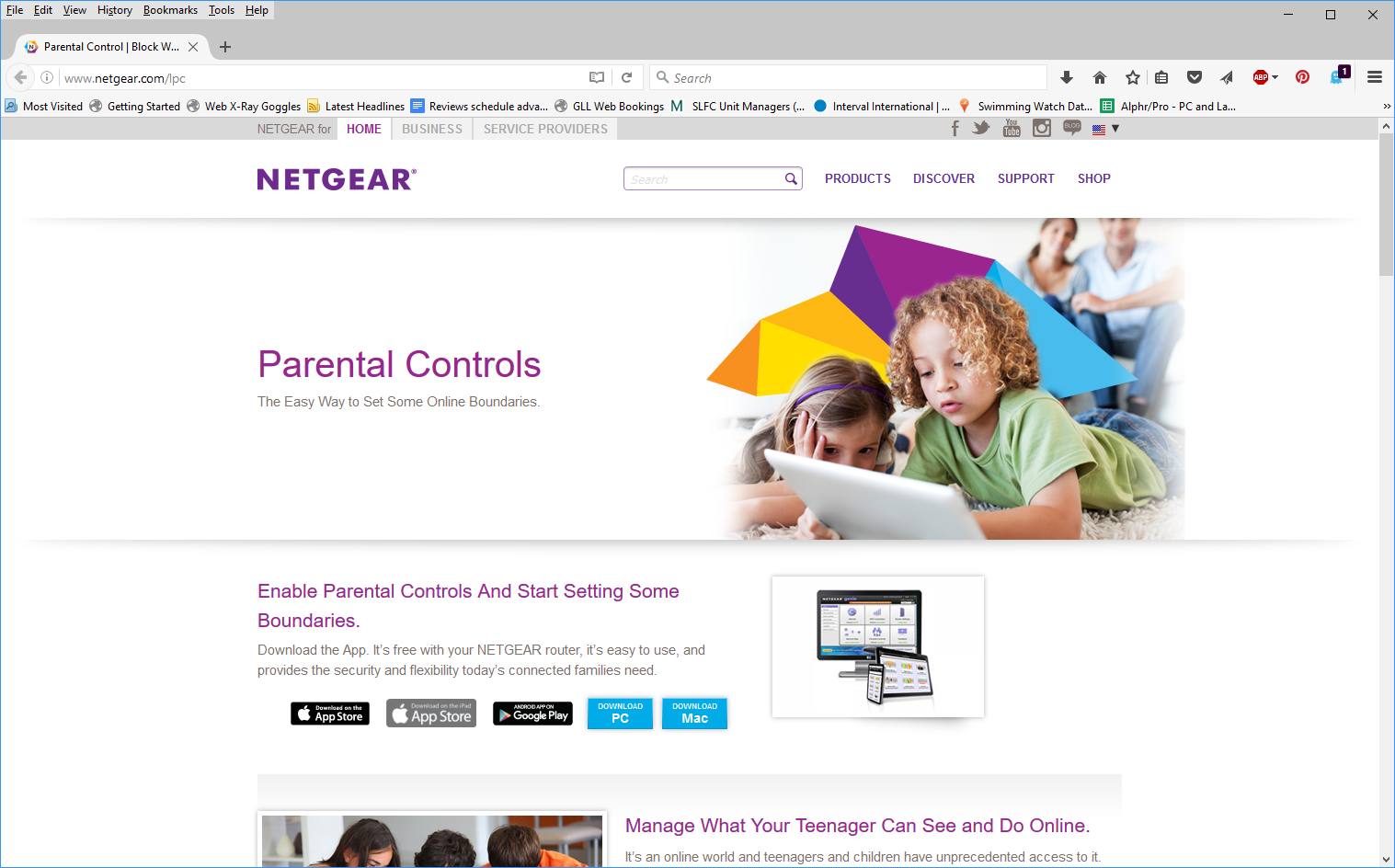
Live parental controls are available by downloading software from the link that the menu option takes you to.
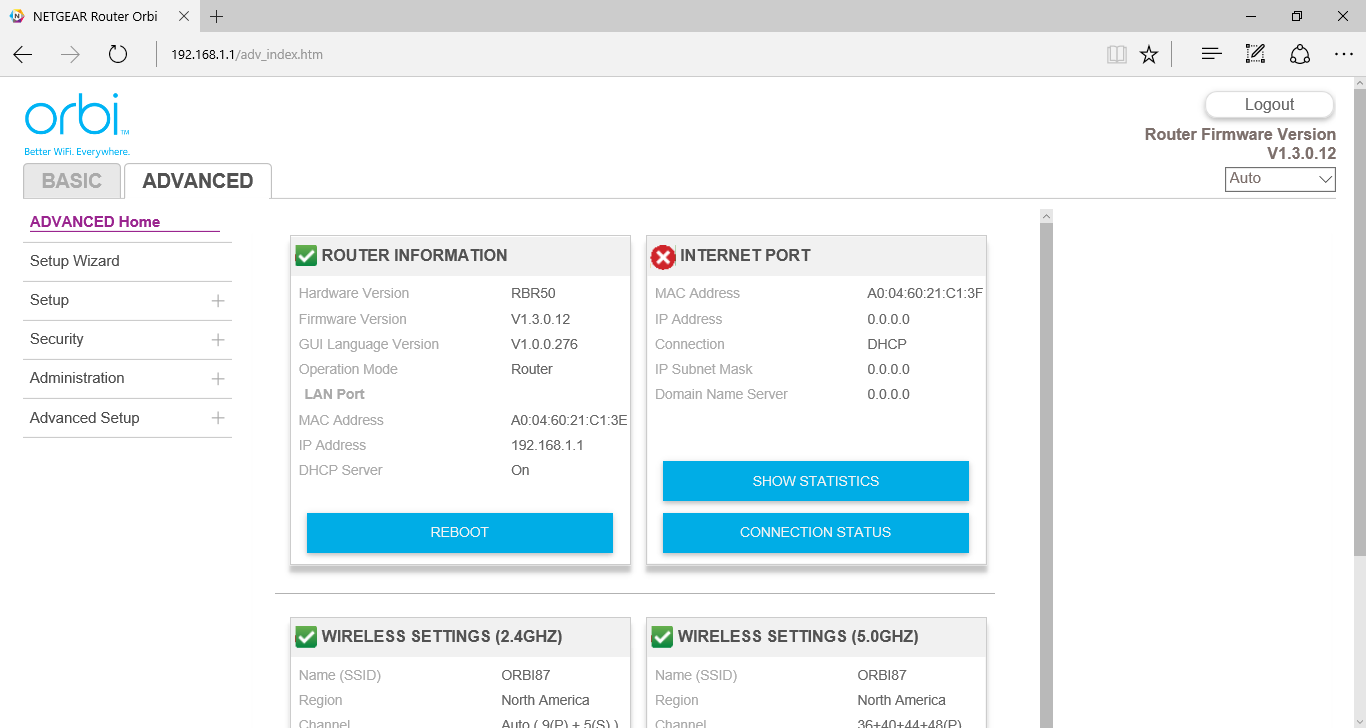
Heading to the Advanced section provides a more detailed summary screen than the Basic version, with options to reboot and view connection statistics. You can also invoke the setup wizard again, or you can configure these settings manually.
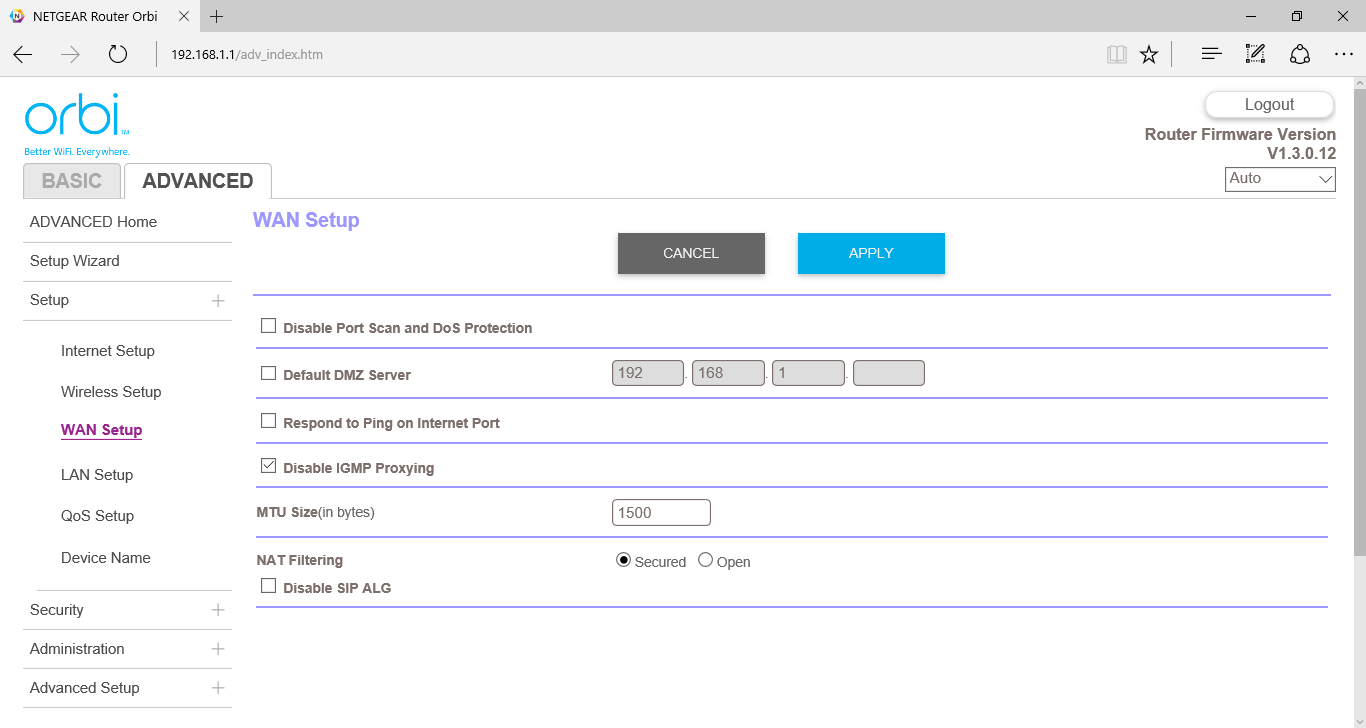
The WAN Setup section provides the usual options to set up a de-militarised zone (DMZ) and configure various anti-hacking settings.
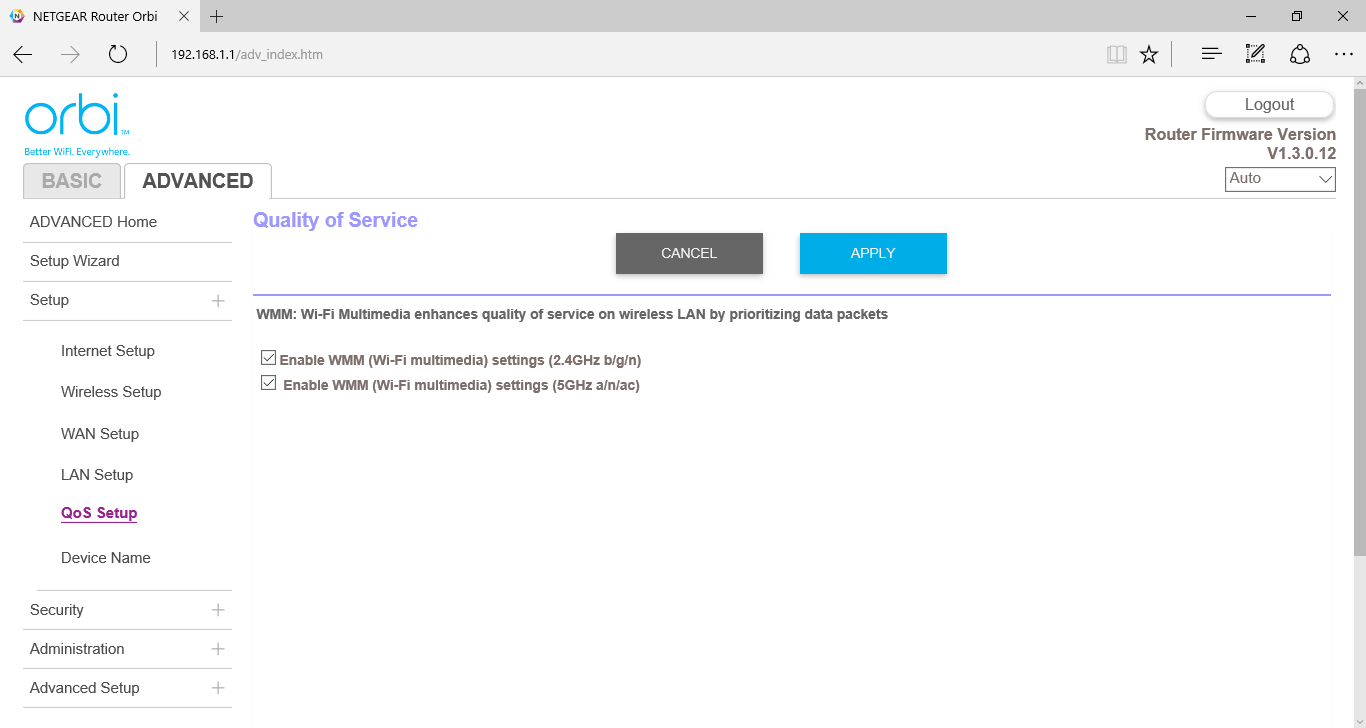
There are Quality of Service options for multimedia on both 2.4GHz and 5GHz wavebands.
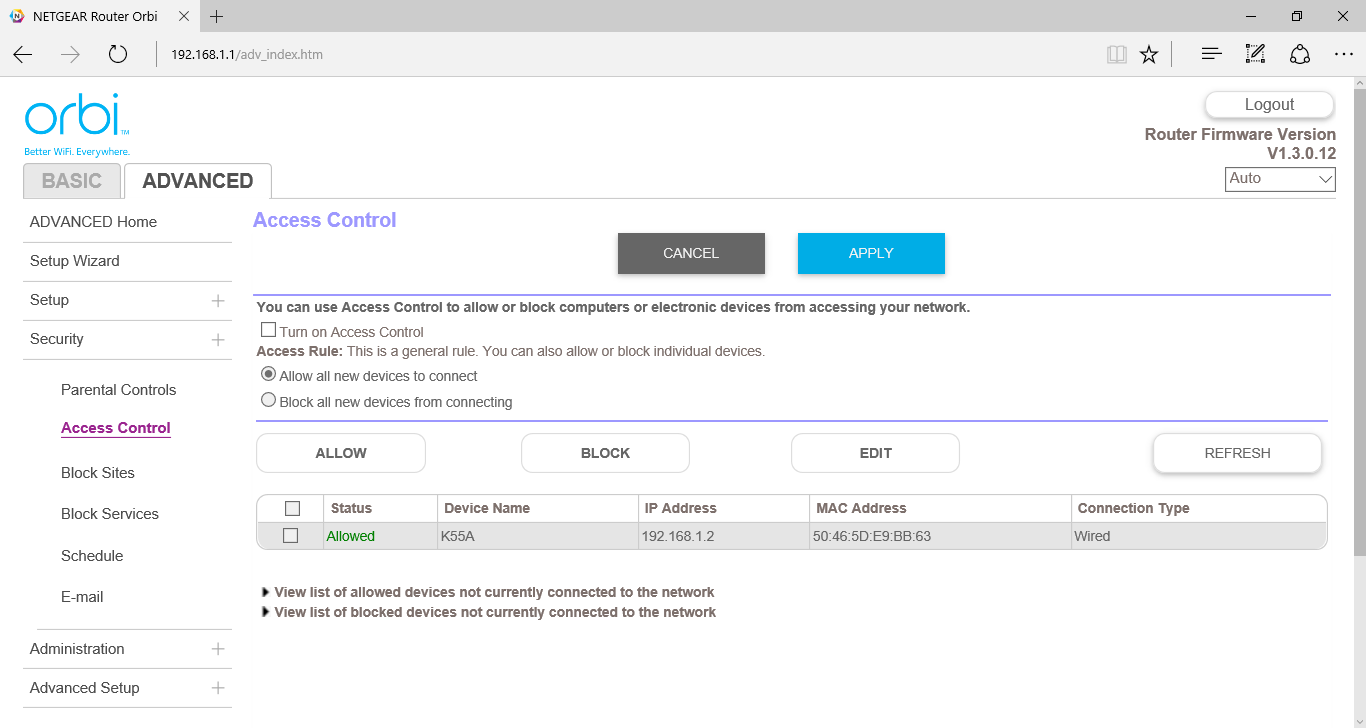
Aside from the parental controls you can access from the Basic section, the Advanced security options include blocking access from various devices, or blocking individual sites by keyword or domain name. You can also schedule the restrictions on a per-day basis, but only the same time period on every day. Internet services can be blocked by port, too.
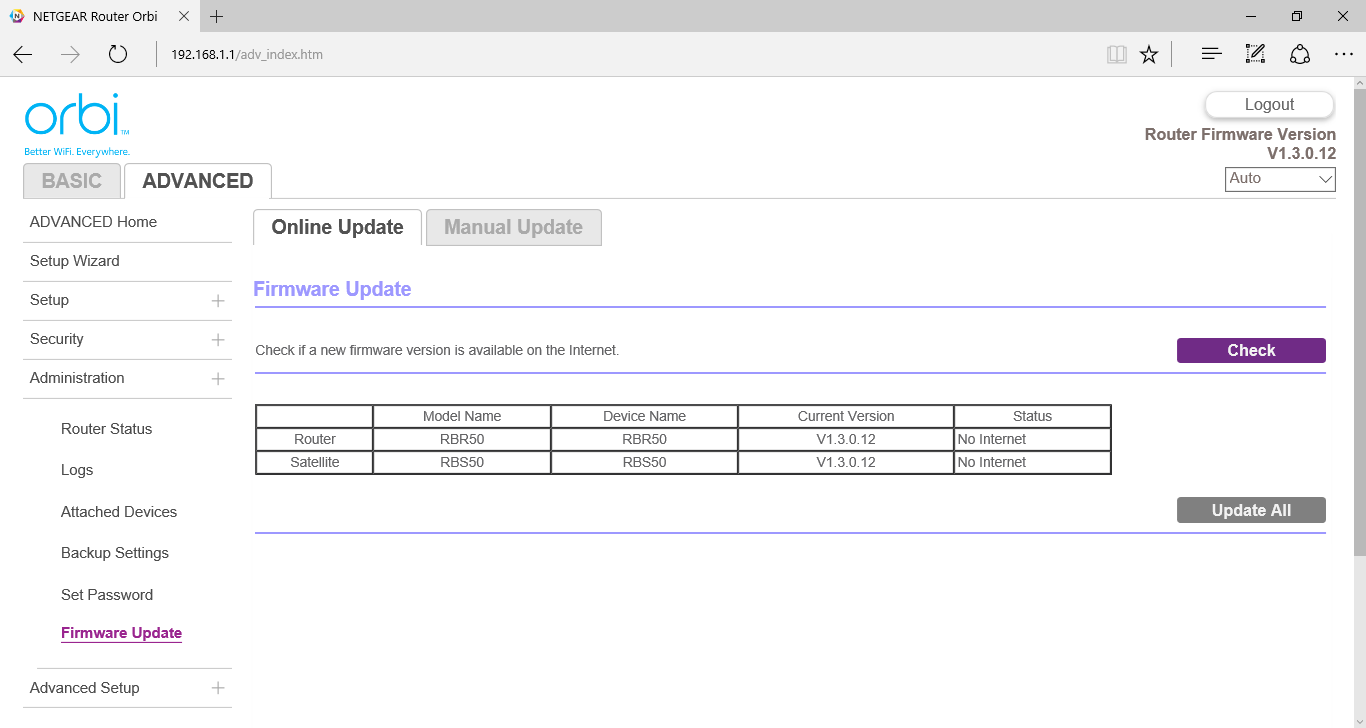
The Administration section provides a range of tools for status checking, backup and firmware updates.
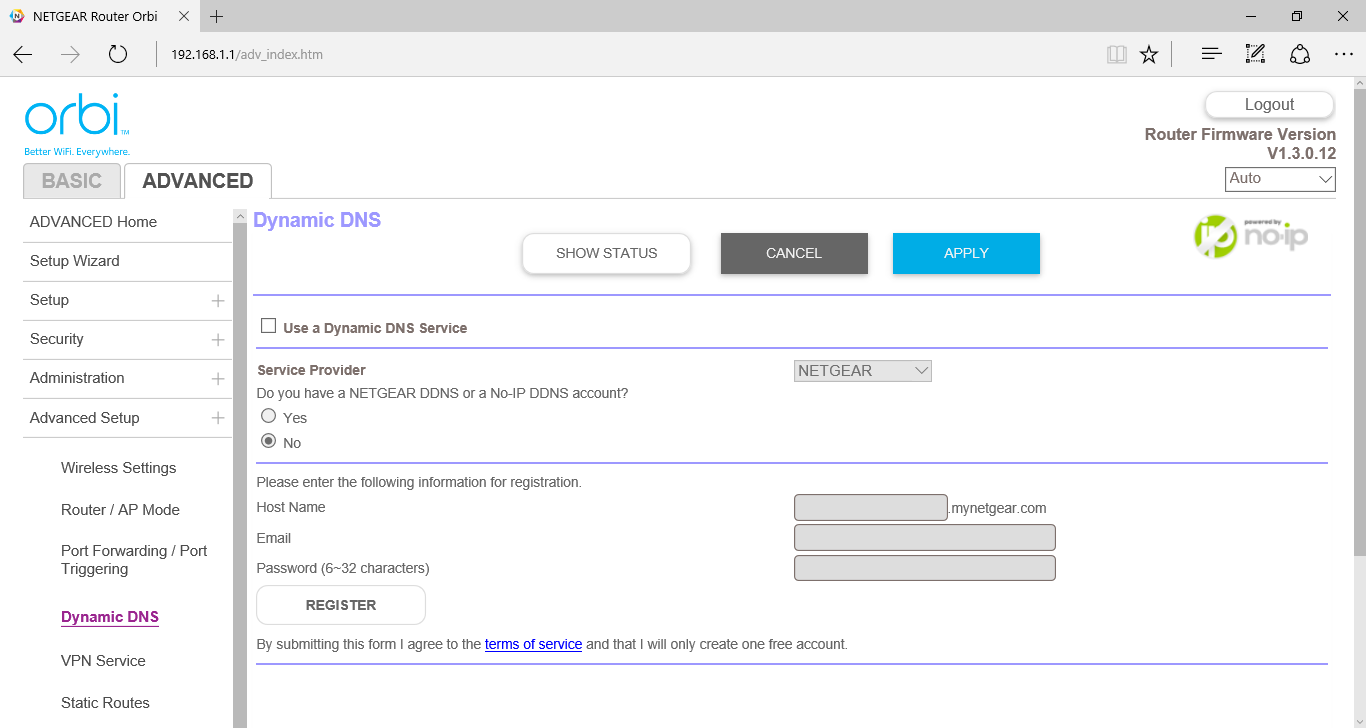
There are quite a few sophisticated capabilities when you drill down to the Advanced Setup. The Orbi router can be configured as an access point-only device where an Internet router is already installed. Port Forwarding can be set up so that machines on the local network can provide services to the outside world via port (such as serving games or FTP).
Netgear offers its own dynamic DNS accounts, or you can use No-IP or Dyn.com, two of the most popular providers of this type of service. VPN support for OpenVPN is also available, alongside Static Routes and the ability to turn on Remote Management (so long as you understand the potential security risks).
Overall, all the usual options are available, arranged in a mostly logical and easy-to-use fashion.
We tested the Netgear Orbi in two ways. First, we wanted to assess the raw throughput of the “backhaul” connection between the two devices. For this we used the open-source iPerf 3.0 software and two Windows 10 systems (HP Folio 13 and self-build Intel Core i7 workstation) connected via Gigabit Ethernet, one to the router and one to the satellite.
First we tested with both systems connected to each-other directly via an Ethernet cable, and then both via the Router, using Gigabit Ethernet in both cases. This was to show the maximum theoretical throughput of the network adapters. Then we attached the notebook to the Satellite via Ethernet and placed the Satellite 1m, 5m and 10m (approximately) away from the Router, so it communicated with the desktop via the Orbi's “backhaul” connection. There was a wall in the way of the 5m distance, and a couple of walls and a floor with the 10m test.
Once we had assessed the best-case scenario for the three distances, we positioned the router and satellite as suggested by Netgear (actually the 10m distance from the test above) and tried out its range extending abilities. Our test notebook for this portion, an HP Spectre 13 x2, supports 802.11ac, although not with multiple antennas.
We placed the notebook 1m, 5m, 10m, and 15m from the Router, although with the 10m test it was near the Satellite, and 5m from the Satellite for the 15m test. Then we moved it successively further away down the garden of our test location, reaching a distance of approximately 35m.
We performed a similar test using the HP Folio 13's 802.11n connection, but only up to 15m.
In each case we took 60 readings of throughput and calculated the average.
We also ensured the Netgear Orbi router and satellite were running the latest firmware prior to testing (1.3.0.12 at the time of writing).
Router-to-Satellite Results
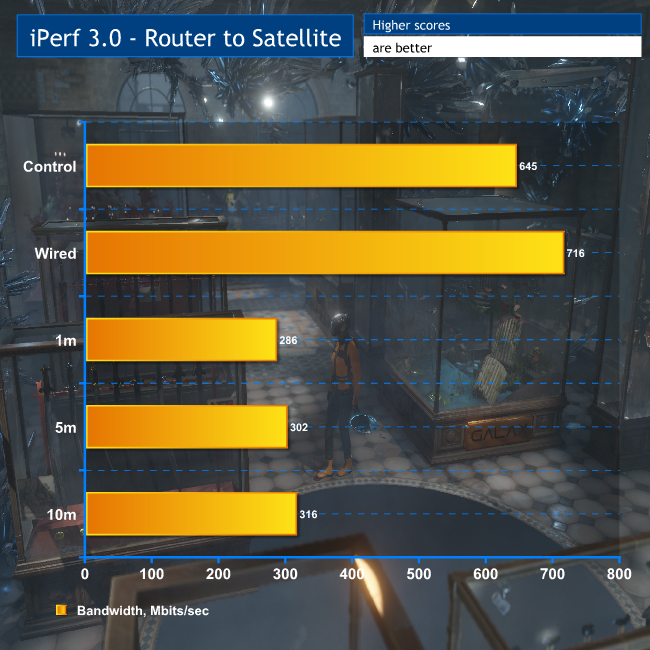
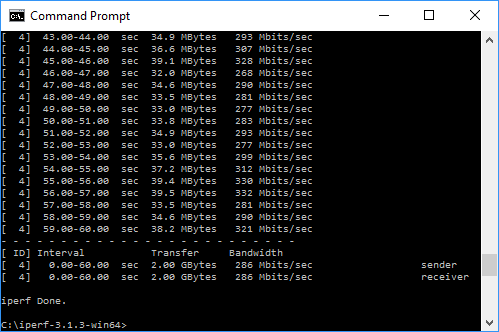
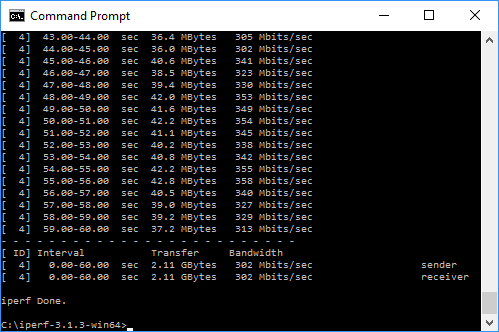
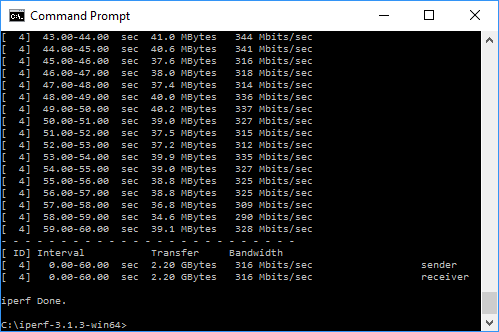
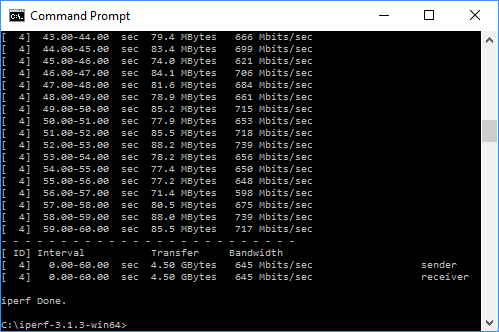
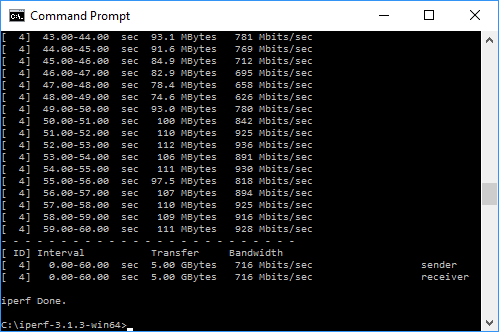
Over just Gigabit Ethernet ports, we saw an average of 645Mbits/sec, or 80.6MB/sec, which is close to what we might expect for Gigabit Ethernet. Running the same test via the Orbi's Gigabit ports, the bandwidth actually increased to 716Mbits/sec, showing that this will be approximately the maximum any single connection can hope for.
When we switched to the 802.11ac backhaul, we saw 40-44 per cent of the performance of the Gigabit Ethernet ports, peaking at 316Mbits/sec. This isn't huge for 802.11ac, but what is surprising is that the speed actually went up a little as we moved the router and satellite apart, presumably due to successful beam forming and shaping.
This is also comparable to Powerline/600, implying that you can do with the Orbi wirelessly what Powerline can do using your AC wiring. This is a very promising result, even if it's nowhere near the 1,733Mbits/sec theoretical speed of the connection, as consistency is what this product is all about, and you clearly get that in spades.
802.11ac Results
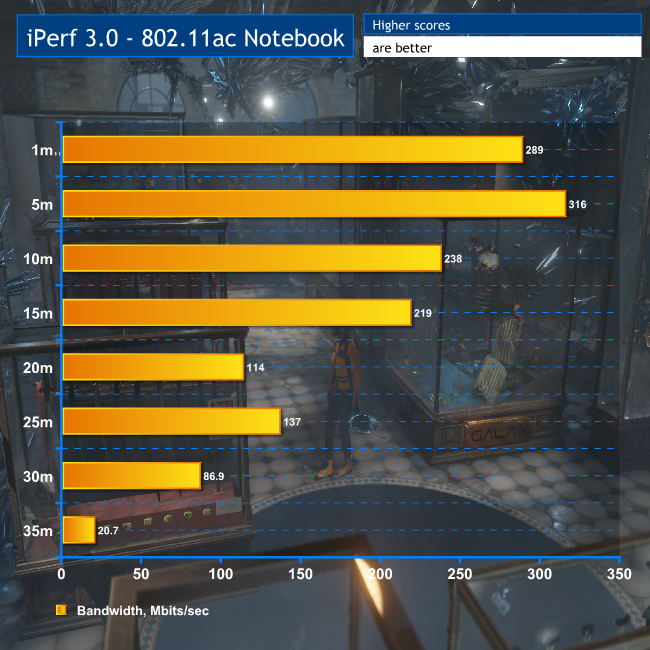
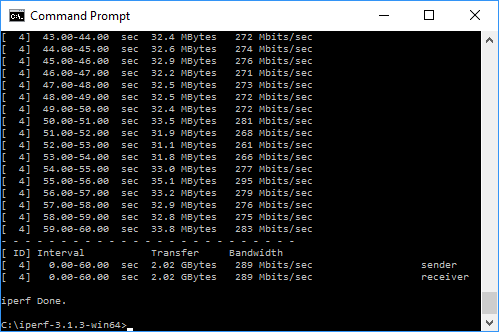
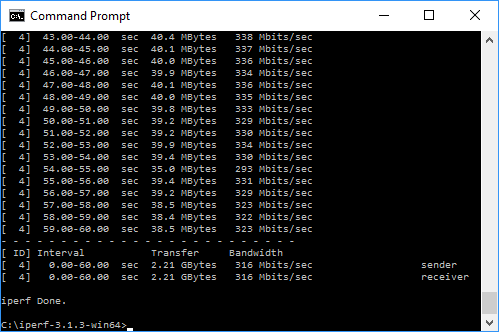
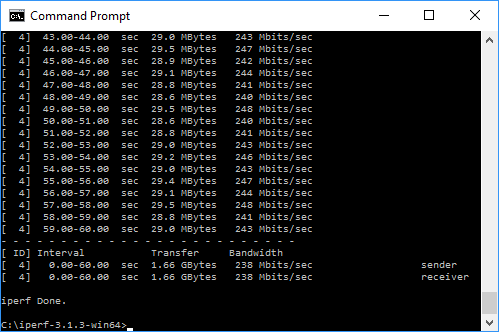
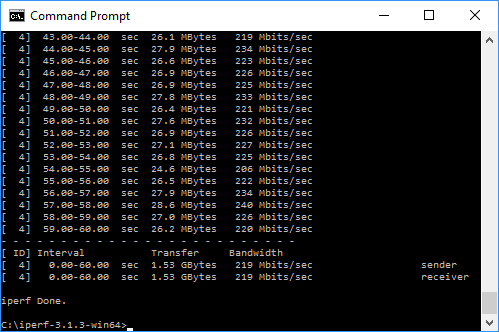
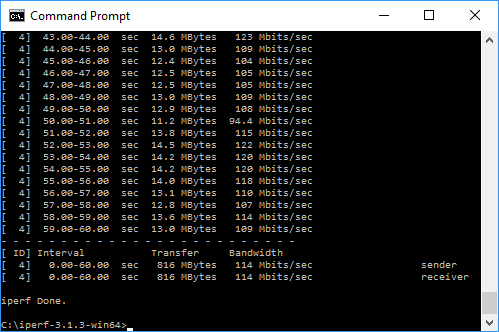
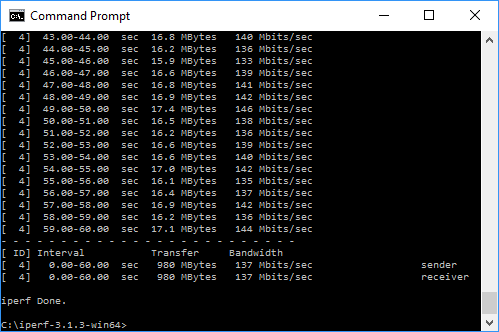
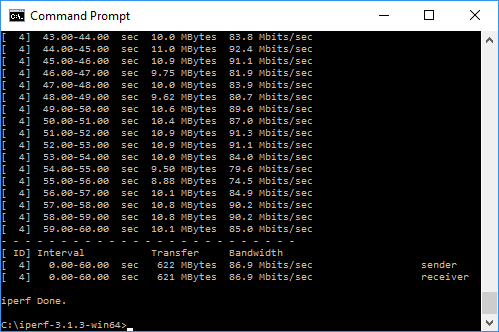
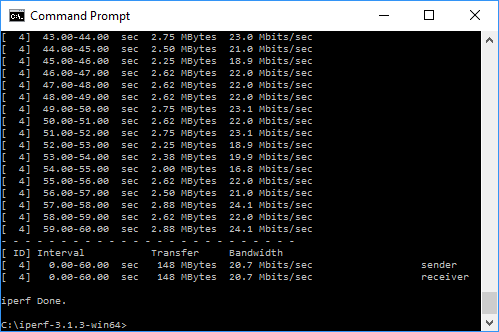
We really wanted to put the “300 paces” claim to the test with our 802.11ac notebook. In fact, a 2000 square feet area is more like 14 m by 14m, so the claim is only 7m range in each direction. Our results show that the Orbi far exceeds that.
The best case is around 300Mbits/sec with a single-antenna 802.11ac device like our test notebook, which again isn't the best 802.11ac speed we've seen but very usable. To put this in perspective, a 1GB file would take about 25 seconds to copy across.
Note that the distances above are shown relative to the router, so the 10m reading is right next to the satellite. Even when you're 15m away from the satellite and 25m from the router, you're still getting 137Mbits/sec, which is extremely usable for gaming, streaming video, or even large file copies. A 1GB file would still take less than a minute to transfer.
Clearly, 35m from the router and 25m from the satellite was pushing things a bit, but you could still browse the Web with this and maybe even watch HD video, or at least a lesser resolution. Note that in our test, there was a shed partially in the way at this point.
802.11n Results
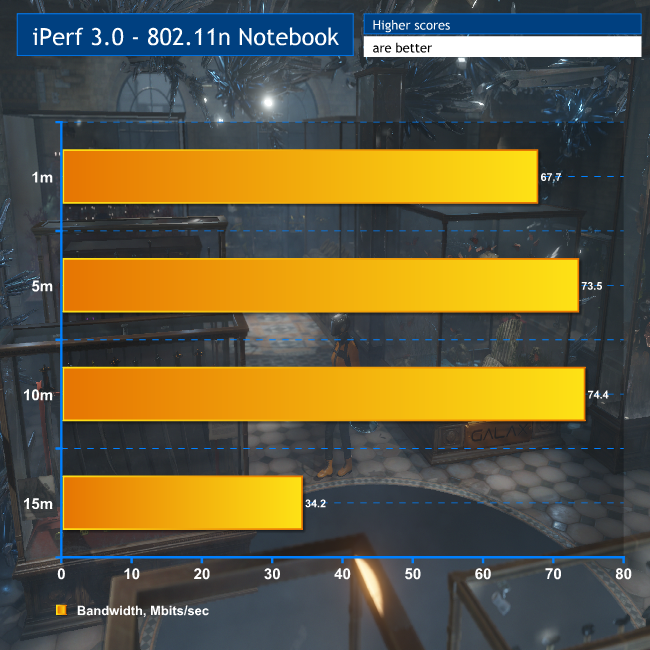
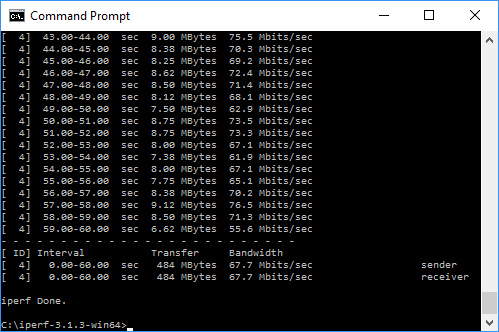
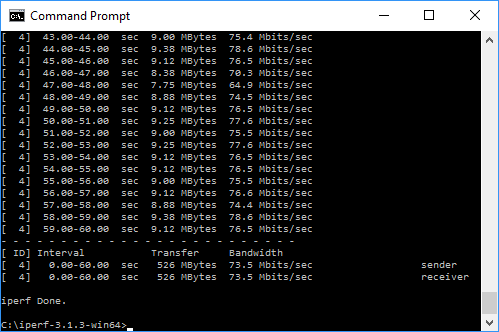
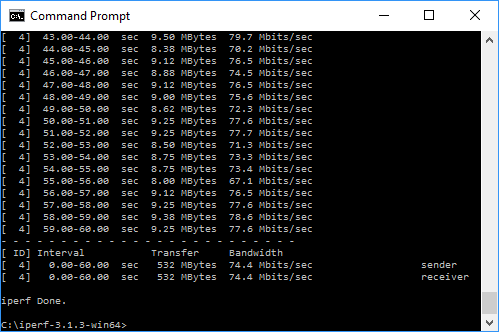
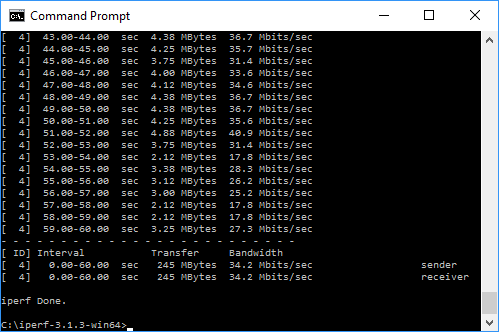
We essentially wanted to see how 802.11n performed compared to 802.11ac, rather than test this rigorously now that 802.11ac is becoming standard in new devices. In the main area of our test premises the bandwidth was around 70Mbits/sec, which is not outstanding but adequate for 802.11n.
This does drop off more noticeably than 802.11ac, halving at 15m, but there's nothing particularly to worry about here.
The Netgear Orbi is a curious beast. The mesh networking technology is undeniably very clever. If you want the fastest router out there, you would be better off with one of Netgear's latest Nighthawks. But that's not what the Orbi is about.
Its core skill is dependable coverage over a wide area, and in that respect it's a clear winner. Being able to extend WiFi reliably across a whole house and out 20m down your garden is no mean feat, and for this the Orbi is heartily commended.
All the main router features are there for home and small business users, and the ability to extend your wired network will be really useful for some household arrangements. If your broadband enters in the lounge, the Orbi will let you share it with an upstairs office that has wired-only desktops and printers in it too. The lack of USB 3.1, or any currently operational USB at all, will mean one of these Gigabit Ethernet ports will be required for a NAS device if you want network storage outside of what your client systems are sharing.
But the lack of USB and merely good raw 802.11ac performance are the only significant flaws here. Otherwise, the Orbi does exactly what it promises, and perhaps a little more, providing wireless networking that can easily cover a large house. Add some more satellites, and it could cover an even wider area too.
Buy from Maplins for £349.99 inc vat HERE.
Discuss on our Facebook page, over HERE.
Pros:
- Covers a huge area with reliable networking.
- Decent performance with 802.11ac and 802.11n.
- Amazing 802.11ac range.
- Lots of useful configuration features.
Cons:
- Not as fast as the quickest current 802.11ac routers.
- Relatively expensive.
- USB 2.0 only, which is currently disabled.
Kitguru Says: The Netgear Orbi is a new style of wireless router, providing reliable WiFi that can extend way beyond what a standalone single router can manage.


After 5 yrs I decided to quit my previous job and I never felt this good… I started doing a job from home, for a company I found online, for several hours each day, and I earn much more than i did on my last job… Last check i got was for 9000 bucks… Awesome thing about it is the more time i got to spend with my family… CHILP.IT/8d93f4b
Google is paying 97$ per hour! Work for few hours and have longer with friends & family! !mj114d:
On tuesday I got a great new Land Rover Range Rover from having earned $8752 this last four weeks.. Its the most-financialy rewarding I’ve had.. It sounds unbelievable but you wont forgive yourself if you don’t check it
!mj114d:
➽➽
➽➽;➽➽ http://GoogleFinancialJobsCash114MarketCenterGetPay$97Hour… ★★✫★★✫★★✫★★✫★★✫★★✫★★✫★★✫★★✫★★✫★★✫★★✫★★✫★★✫★★✫★★✫★★✫★★::::::!mj114d:….,……..