KitGuru KitGuru.net – Tech News | Hardware News | Hardware Reviews | IOS | Mobile | Gaming | Graphics Cards


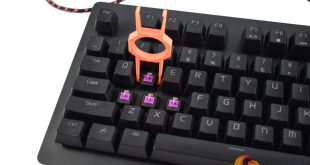
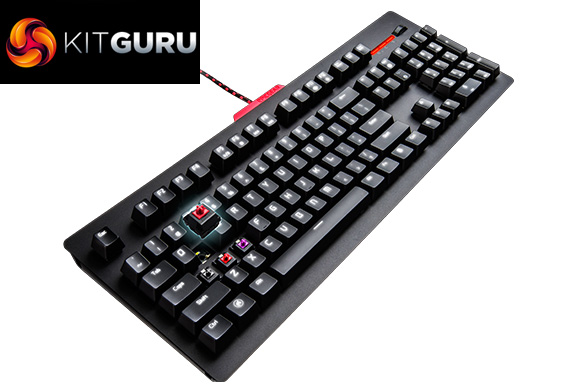
While EpicGear might not be the first name you think of when it comes to high-end peripheral manufacturers, the company are hoping their DeFiant keyboard will help put them on the map. The standout feature of the DeFiant is the ability to change the mechanical switches on a per-key basis, an idea that I think is deserving of more attention.
If you have not heard of EpicGear, they are the peripheral subsidiary of Geil, the memory manufacturer. Today we are looking at the DeFiant mechanical keyboard, armed with EpicGear's own mechanical switch type and the ability to swap-out the individual switches. How does that work in practice? Read on to find out.
Keyboard Specification
- LED backlit with on-the-fly programmable per-key-lighting
- EG MMS™ – Modular-matrix Structure mechanical keyswitches
- 1000Hz extreme-polling, adjustable 125/250/500/1000Hz
- Fully programmable keys
- Extreme anti-ghosting
- N-key rollover: 10-key
- System audio volume control wheel with one-touch mute
- Dedicated GUI software with 4 customizable gaming profiles
- Gaming mode option, Windows key deactivation
- Gaming grade braided cables
- Approx. dimension: 455 x167x26 mm
- Approx. weight: 1000g
- 2 year manufacture warranty
- EG MMS™ Switch types: EG Grey – linear, EG Orange – tactile, EG Purple – tactile & audible click
EG MMS™ Switches Specifications
- EG MMS™ – Modular-matrix Structure mechanical switches
- Actuation Force: 50g
- Actuation Point: 1.5±0.2mm
- Bottom Travel: 4mm
- Life Span: 70-million keystrokes
- High-strength alloy contact plates
- Double-blade contact points, patented
- Dual-cross contacting area, patented
- 30μ gold plated contacting area
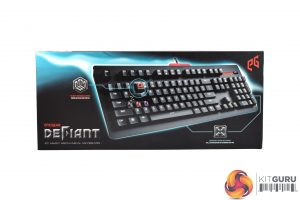


The EpicGear DeFiant ships in a black box, while some electric-blue accenting on the front grabs your attention.
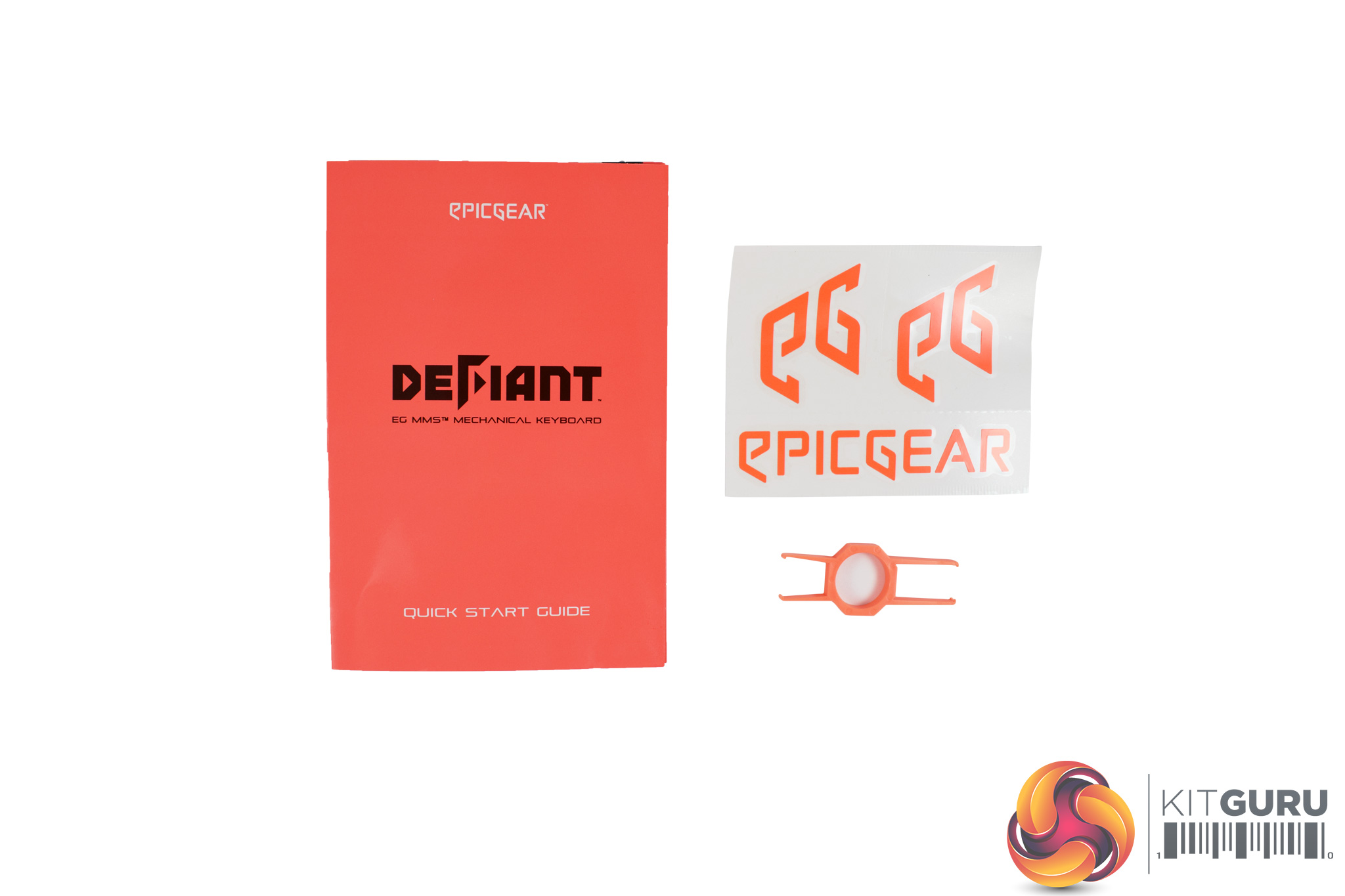
Inside, a small quick-start guide is included, along with a key/switch puller and 3 EpicGear stickers.
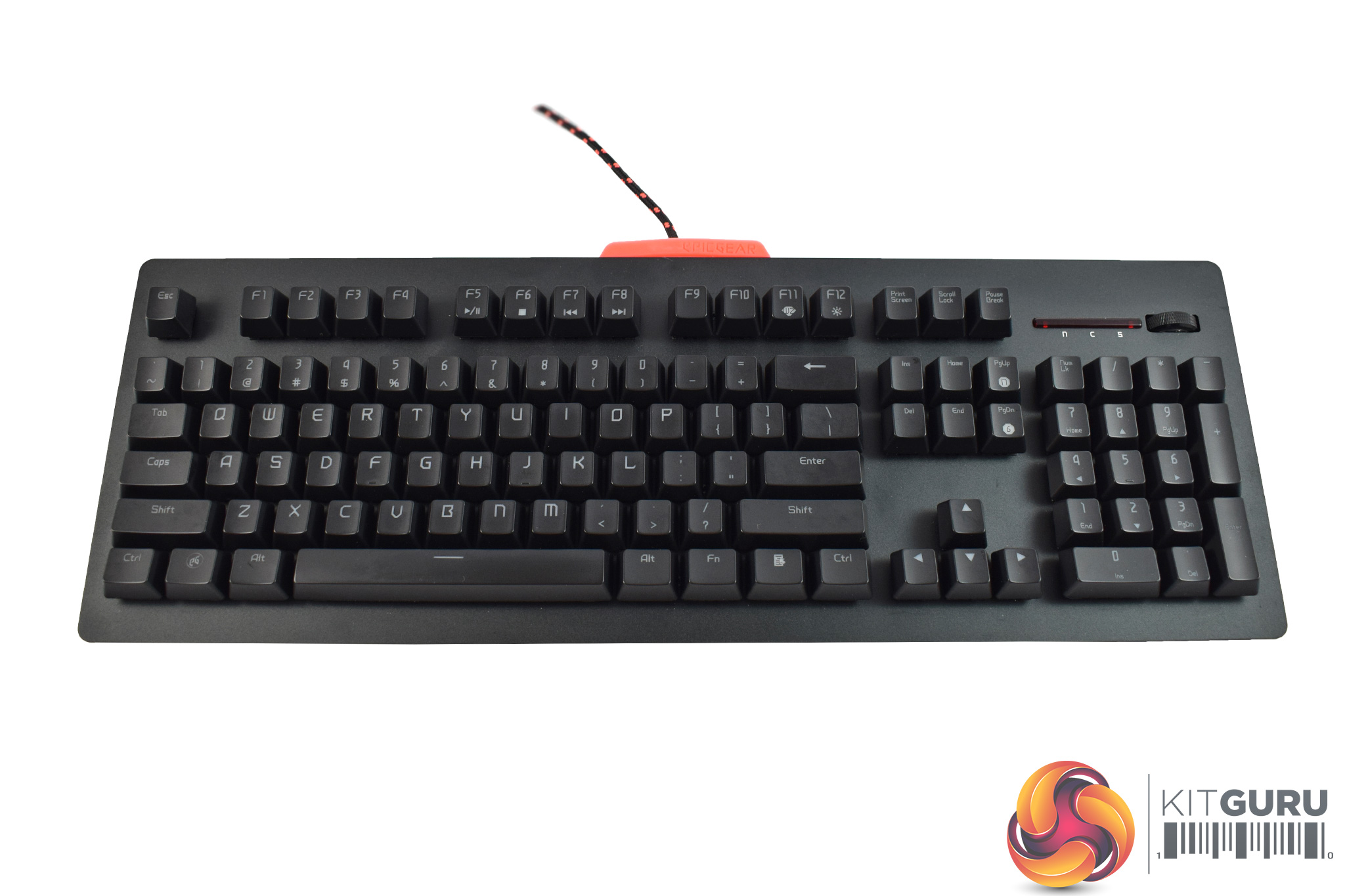
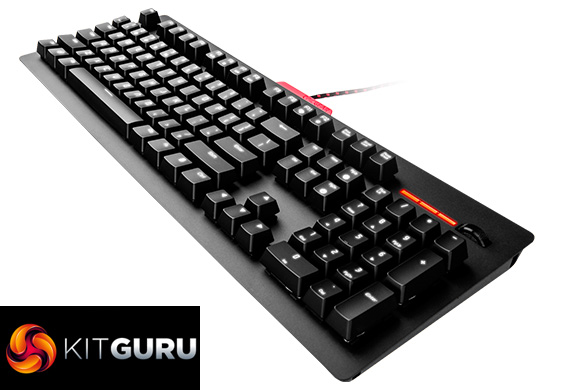
Getting our first look at the keyboard itself, I think it is fair to say it looks a bit plain. It does feature an aluminium top-plate, but it is not brushed or anodised so it lacks the ‘wow-factor' of other aluminium keyboards like the Corsair K95 RGB Platinum or the ROG Claymore.
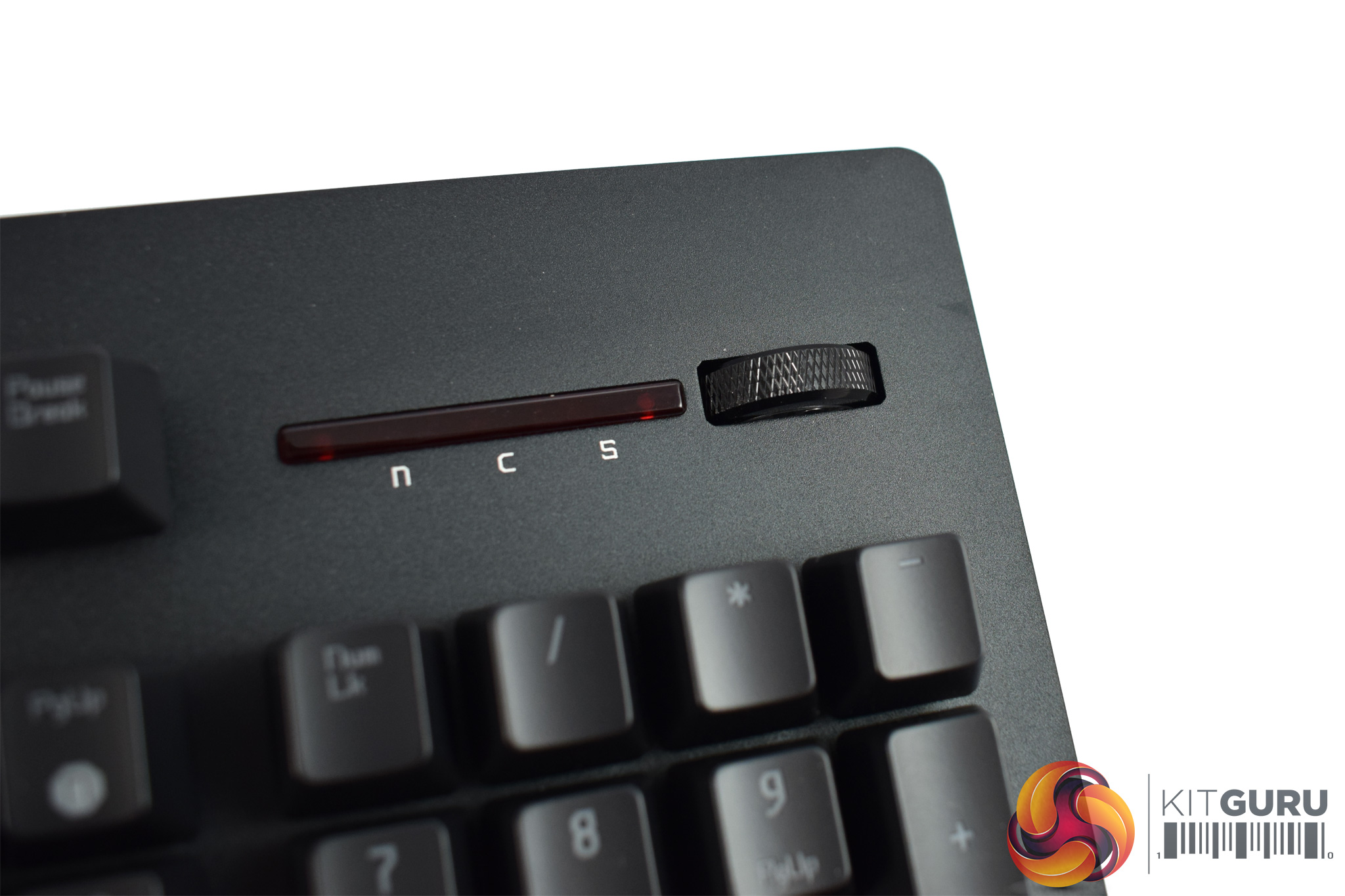

Getting a closer look at some of the keyboard's features, in the top-right corner of the board we find a small volume wheel – always something I appreciate.
Play/pause/skip functionality is mapped to the Function keys, though, so there are no dedicated multimedia buttons here. You can actually buy dedicated media controls for the DeFiant, but these are sold separately.
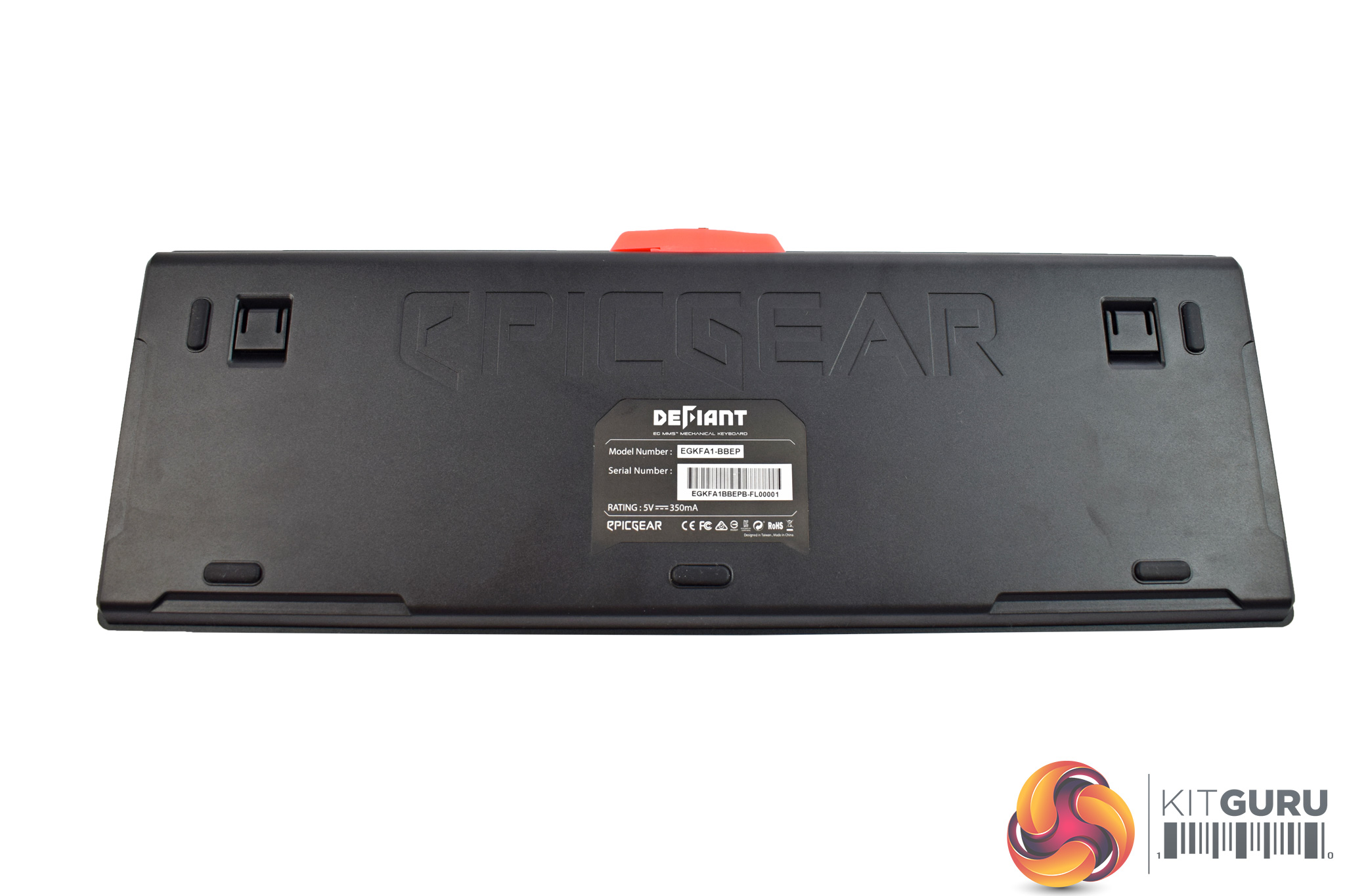

The underside of the keyboard features a large EpicGear logo across the top – although, considering this will not be visible to users, I do wonder why they bothered – while there are also 4 rubber feet and the usual height-adjustment stands.
The USB cable is non-detachable, but it is braided and measures 1.8m long.
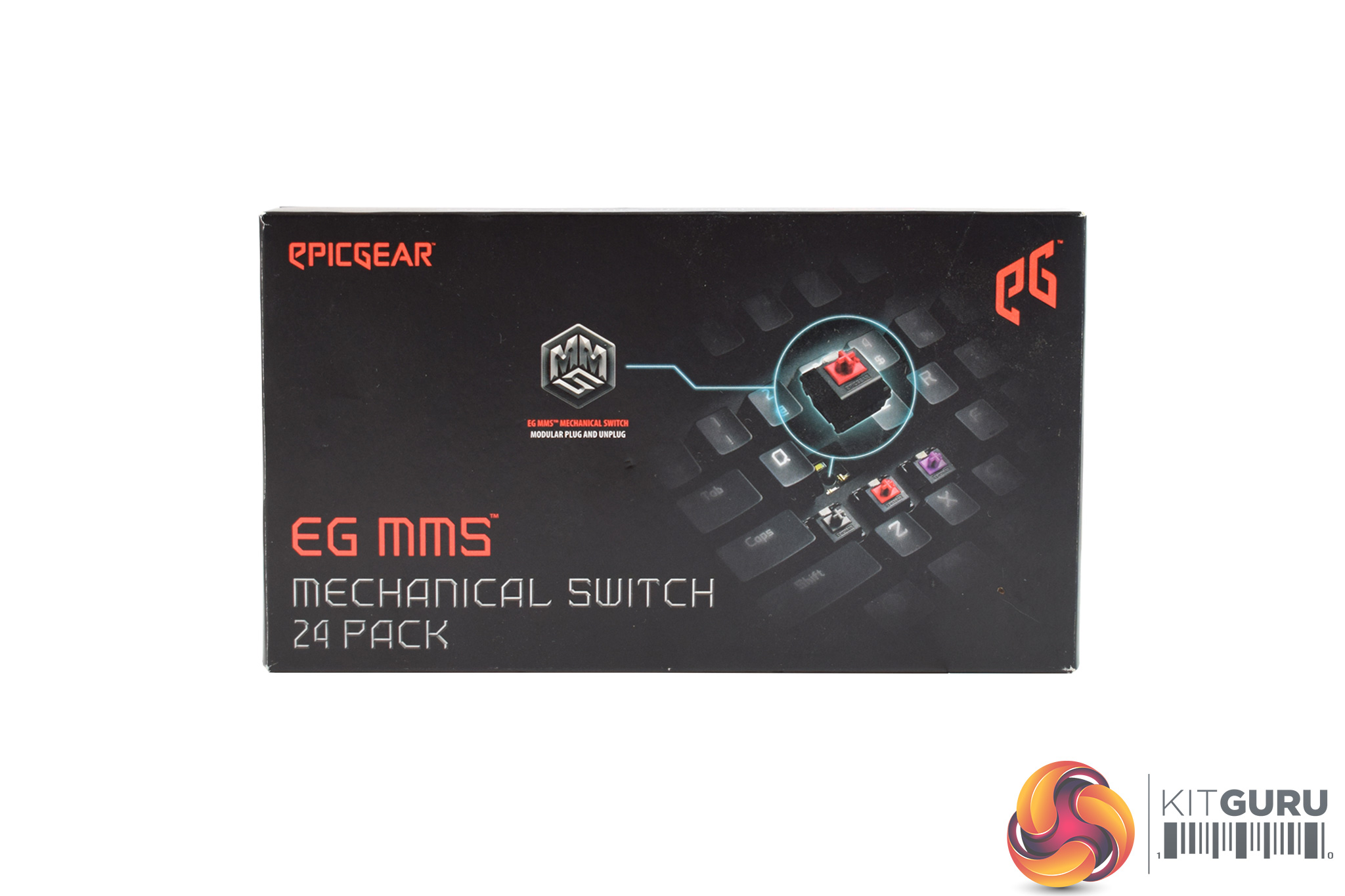
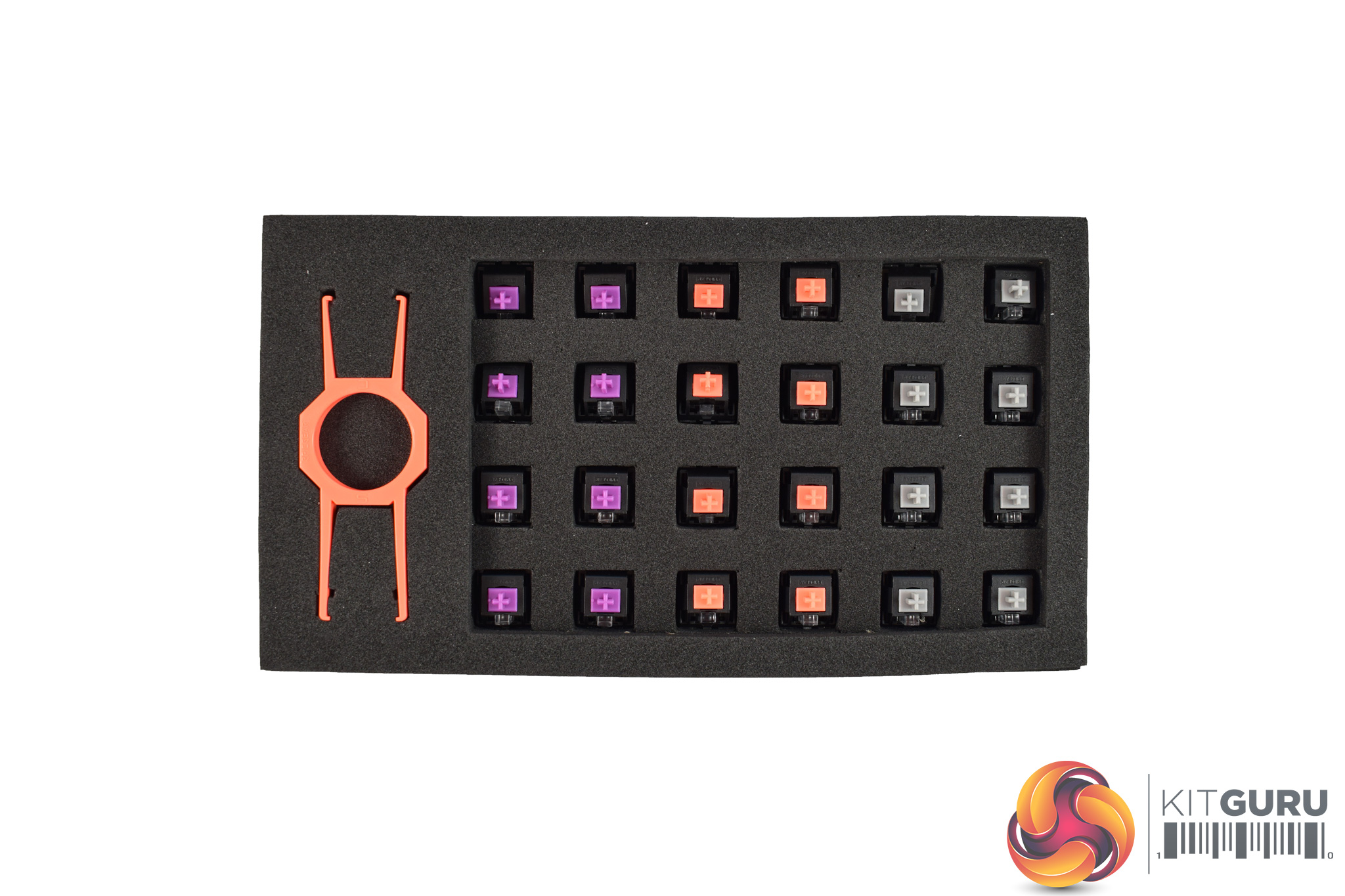
However, the most interesting thing about the DeFiant is the ability to change out the switch-types on-the-fly. EpicGear call this ‘MMS' technology, or modular-matrix structure.
While this is certainly innovative, before going any further I must point out that you have to buy the extra switches – they are not included so you cannot swap out any switches if you just buy the keyboard itself.
If you do buy the extra switches, they arrive in a small box with 24 switches inside, comprising of 8 sets of 3 different switch types. These switches are actually EpicGear's own design, though they are essentially Cherry MX clones: the Purples are tactile and clicky, Oranges are tactile and non-clicky, while Greys are linear and non-clicky.
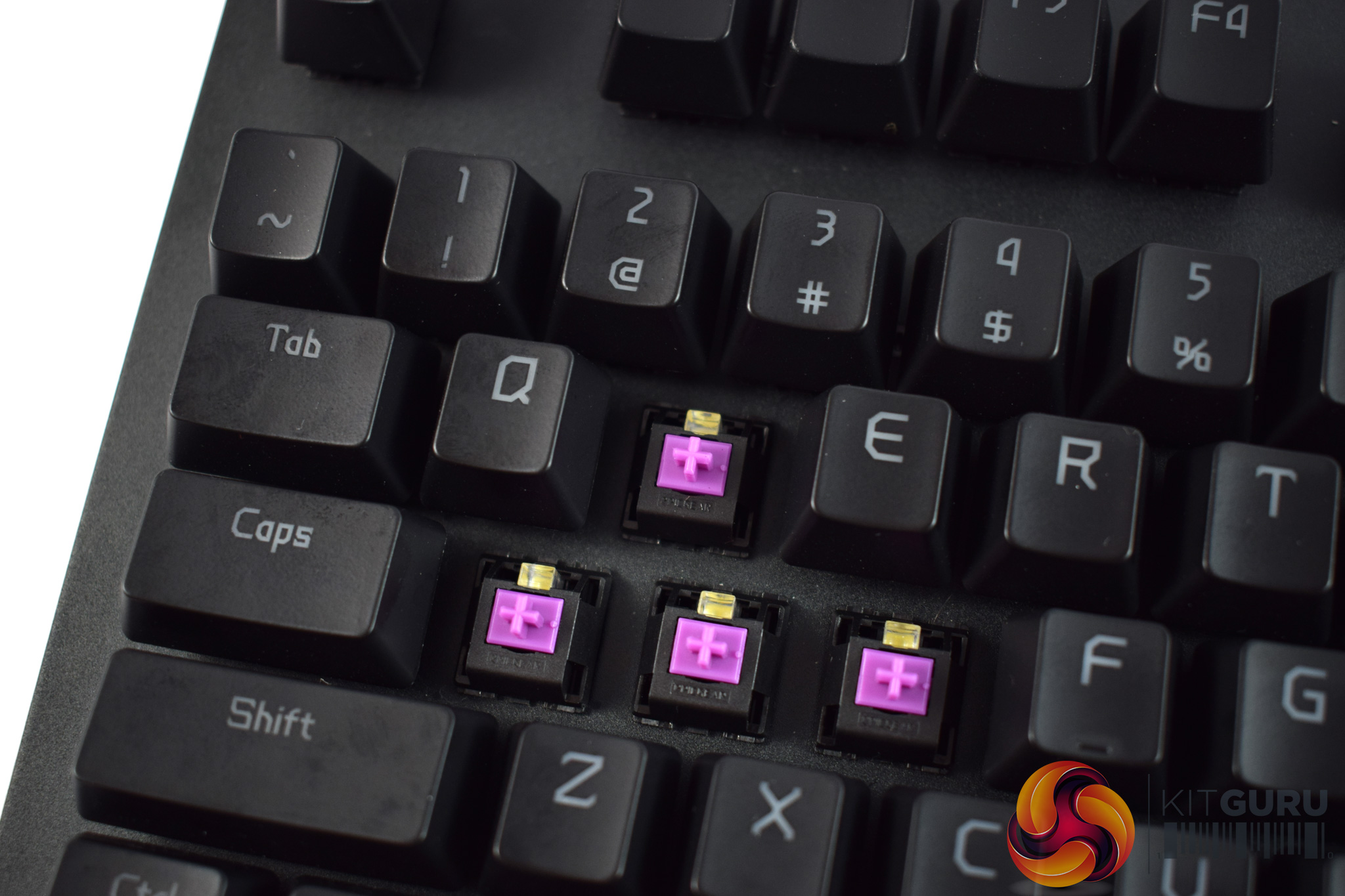
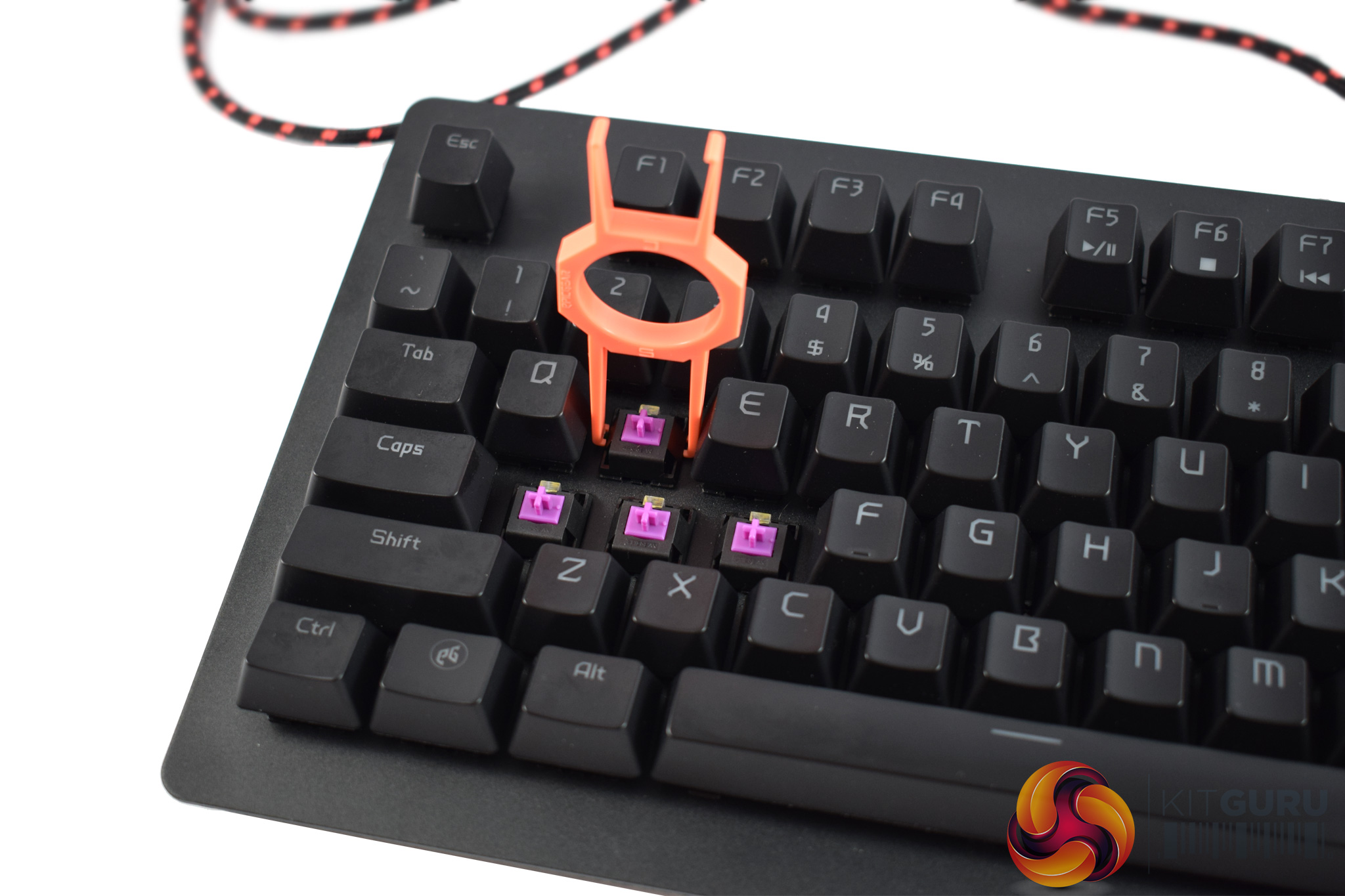
My keyboard arrived with Purple switches by default, but here I will show you how to change the switches.
The first thing to do is remove the keycaps, using the key puller. This puller actually features two ends – one end to pull keycaps, and another to pull switches. In theory, you just place the puller over the switch and pull.
However, in my experience, it is not that easy at all. For starters, the prongs on my puller were not spaced correctly, and thus the puller did not fit over the switches. Because of that, I had to pinch the prongs to keep them in-place, and then try and pull the switch upwards without lessening my pressure on the prongs.

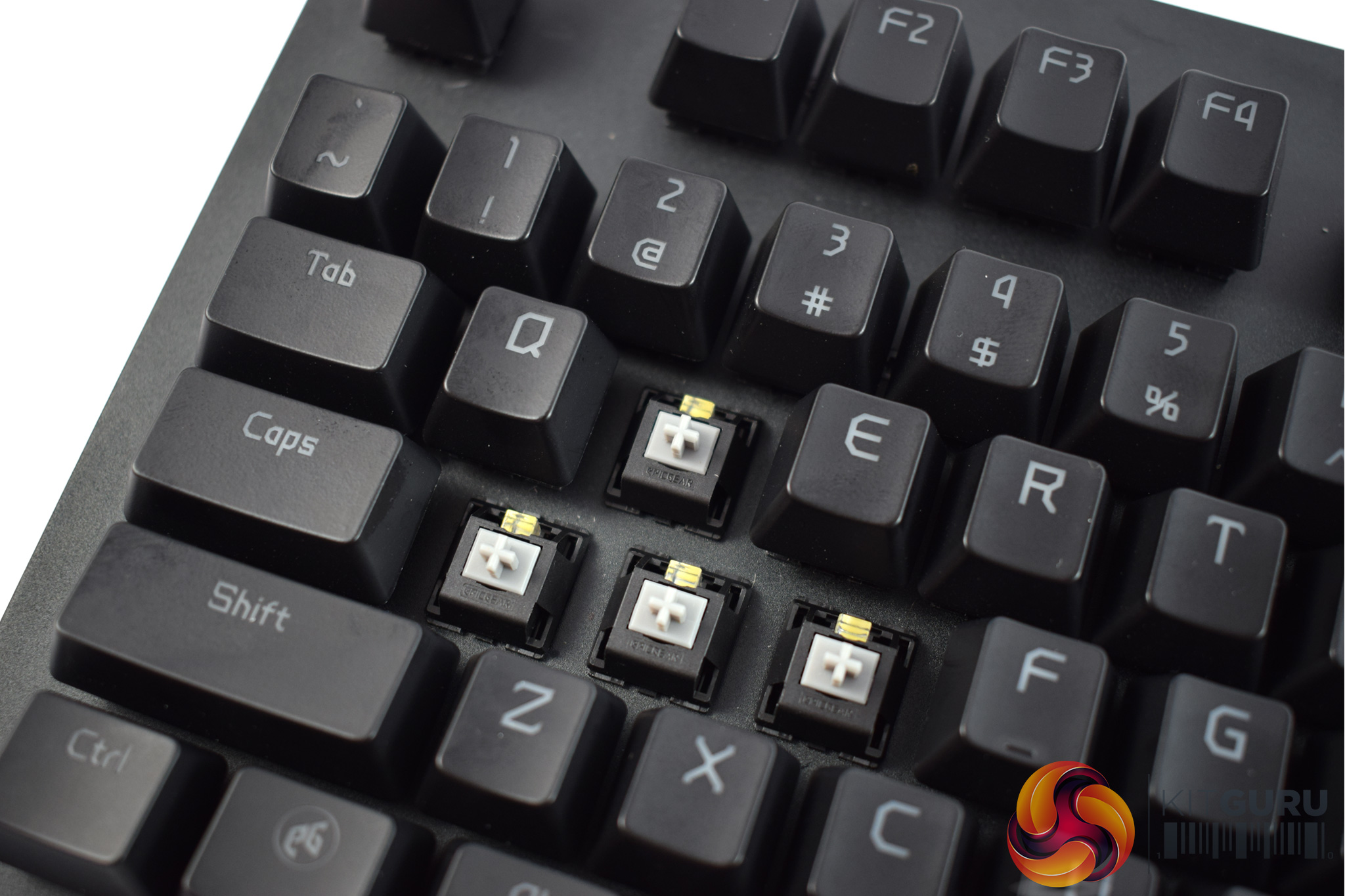
After a couple of (stressful) minutes I eventually got the WASD switches out from the keyboard, but it was not a pleasant experience.
After that, though, the new switches just drop in-place and you are good to go.To test the DeFiant, I used it as my daily driver for over a week. During this time, I used it while playing games, typing reviews and editing photos.
To start with, let's look at the included software.
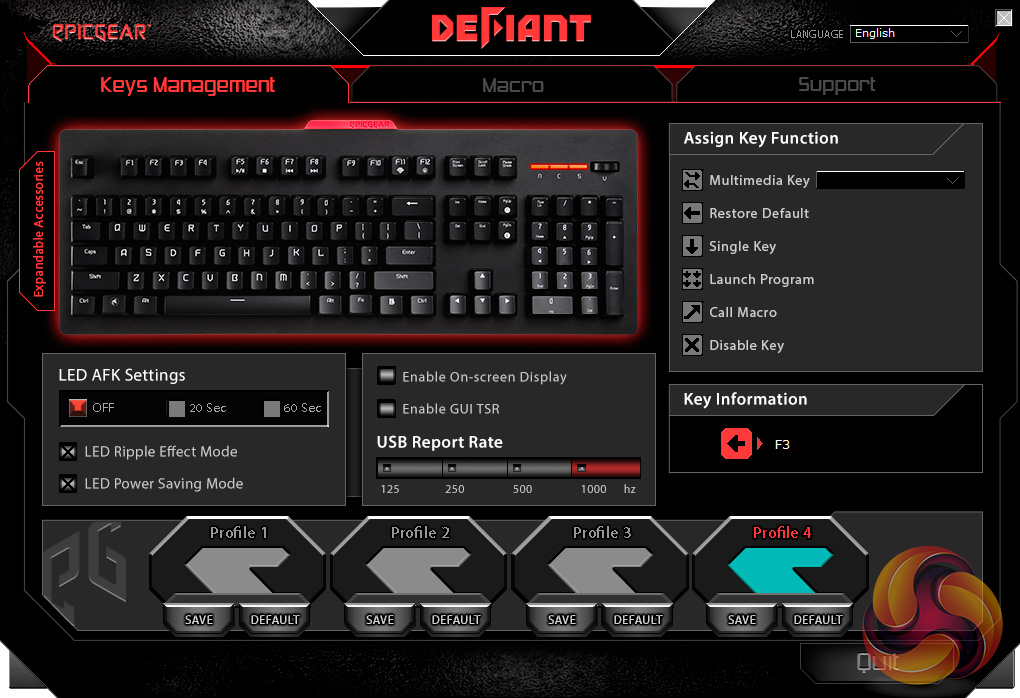
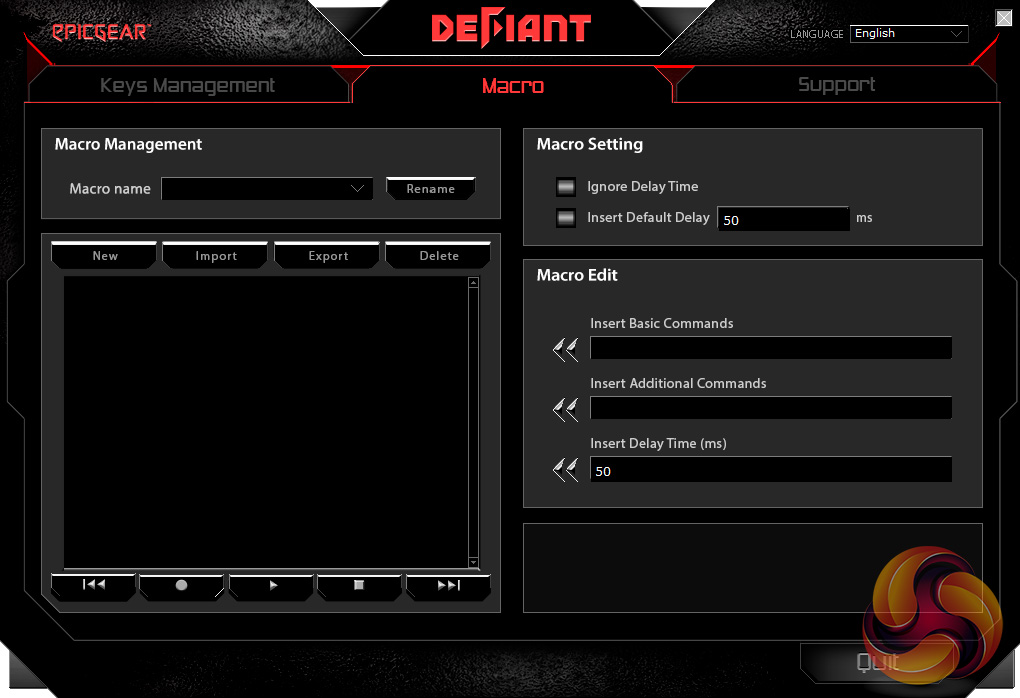
Above you can see the first two pages of the DeFiant software. Immediately, I think it looks very dated, while there is also a lot going on on the first page. This first page lets you re-map functions on a per-key basis, which is good to have, while you can also edit 1 of 4 different profiles.
The next page is for recording and editing your macros – good for MOBA players, but not something I usually do myself.
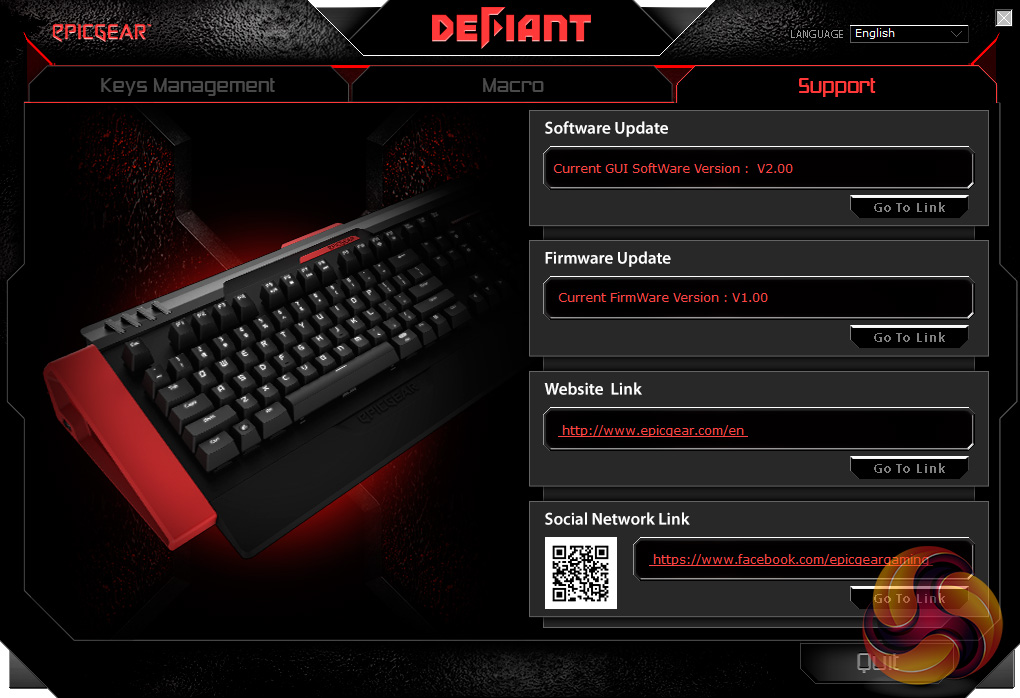
Finally, the last page is a support section which lets you do little more than update the keyboard's firmware or software.
All-in-all, the software is very limited. It looks clunky and lacks a lot of the functionality we have come to expect from modern-day keyboards – Razer Synapse, this is not.
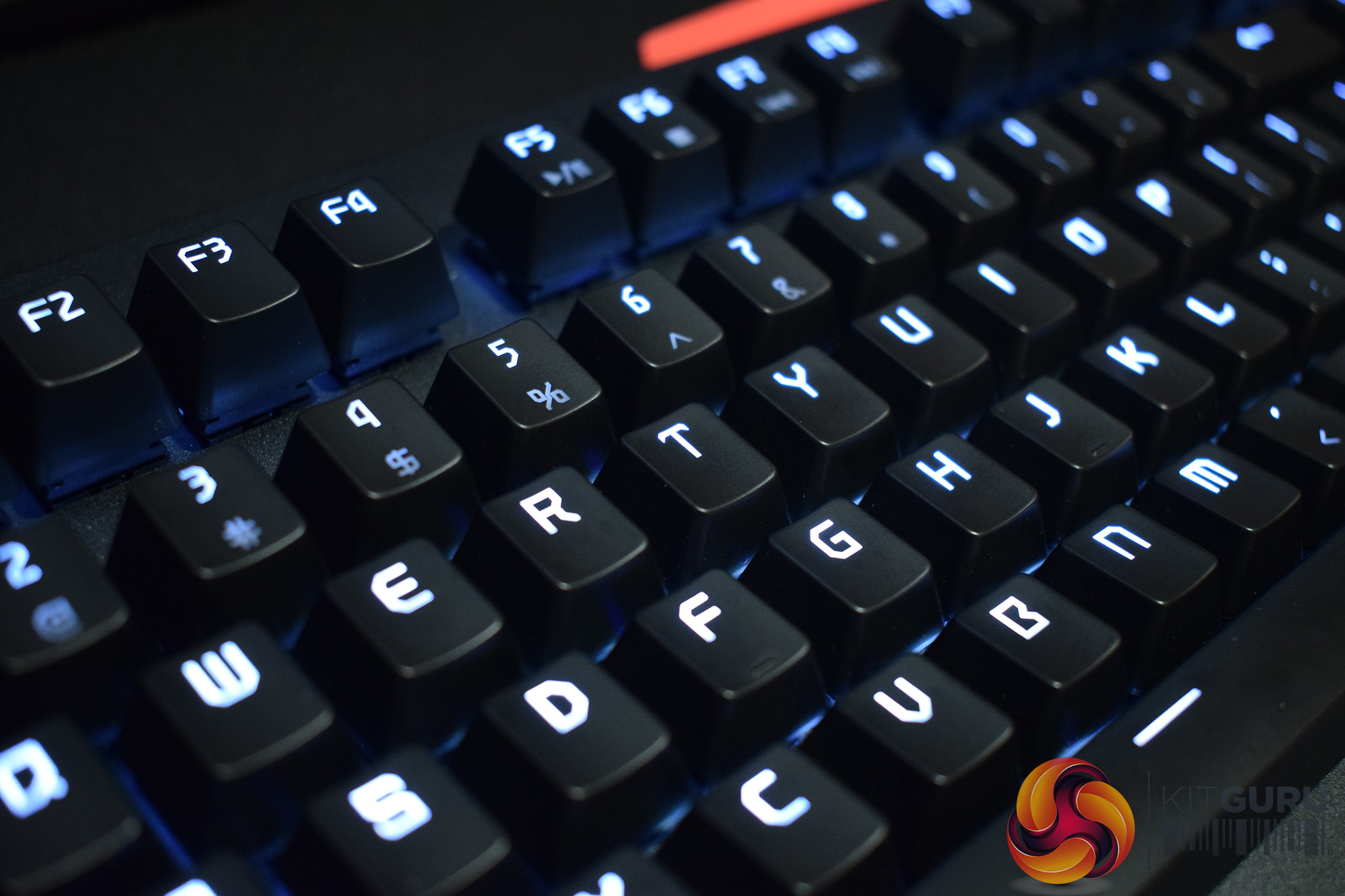
I must also touch on the keyboard's lighting. It is a white-only backlight, and I must say that it is also very disappointing. For starters, it is not very ‘white' – the light has more of a pink tinge which is not very satisfying. It is also quite dim, with only 3 levels of brightness available to the end-user.
While on the subject of the lighting, EpicGear have designed the LED ‘light-bar', as they call it, to be interchangeable – so you can swap-in a red or blue bar, for example, to get a red or blue backlight. However, this is also sold separately and I think that is very poor from EpicGear. If you are spending £80-90 on a keyboard, you would probably feel a bit miffed that a company wants to charge you even more money just to change the backlight colour.
Anyway, let's move on to the physical testing of the keyboard.
To start with the mechanical switches, I actually found EpicGear's own switch-types to be pretty decent. My sample arrived with the Purple switches, which are the MX Blue equivalent. The tactile feedback is decent while the audible click is also something I appreciate. These Purple switches didn't have quite the same solid or weighty feel as Cherry MX Blues, but for typing my reviews, they did the job just fine.
That brings me to the MMS technology – the hot-swappable nature of the switches. I would guess that the thinking behind this is that you can have most of your keyboard configured with the Purple switches – great for typing – but, for example, you can swap the QWEASD switches so these keys use linear switches – generally considered better for gaming. That way, you have a compromise between the best switches for typing, and the best switches for gaming, all on a single keyboard.
However, in-practice, I did not like this approach at all. Primarily, I found it unsettling to type on a keyboard where some keys would feel tactile and clicky, while others were smooth and linear. This is a personal thing, but I just did not get on with having multiple switch-types installed to the board at once. It affected my typing speeds as I was continually caught off-guard by the different switches – my brain expected to feel one thing, but my fingers felt something else. All-in-all, it just felt a bit weird.
I do have another issue with the MMS tech, though, and that is the fact that the switches all have the same actuation distance and weight: 1.5-2mm and 50g, respectively. This means the Grey, linear switches aren't any faster than the Oranges or Purples – so you do not actually get a speed advantage from using different switches, they just feel different. In comparison, Cherry MX Reds are both faster and lighter than MX Blues, which is why many prefer them for gaming. That all the EpicGear switches have the same actuation weight and distance, to me, defeats the point of having hot-swappable switches.
Lastly, I must mention the build-quality of the DeFiant. Its top-plate is made of aluminium, but even then, it does not feel overly sturdy or well-built. Compared to Cooler Master's MasterKeys Pro family of boards, for example – each of which are absolutely rock-solid – the DeFiant feels lacking. It is also quite plain in-terms of its design which does not help things, either.The EpicGear DeFiant keyboard may seem interesting thanks to the hot-swappable switches, but overall, I am quite disappointed with it.
For starters, it is not very attractive – there is nothing about the design which makes you go ‘wow, that looks pretty neat'. To my eye, it is just a plain slab of black metal and plastic.
Most of my issues with this keyboard ultimately come-down to the MMS (modular-matrix structure) switches, though. For one, you actually have to buy extra switch-types separately, and I also found it a big pain to physically remove the switches. Considering this is the stand-out feature of the DeFiant, you would think EpicGear would've made the process simple and easy. In my experience, it was quite the opposite.
Furthermore, I found typing with different switches in the keyboard to be unsettling. It was quite off-putting to feel different switches under different keys, when I am so used to a uniform approach. All the switches share the same actuation distance and weight, too, which means you do not even get any speed improvements from using the different switches.
Lastly, I think it is a bit insulting to the consumer that so much of the keyboard's functionality is sold separately. The extra switches, different LED light-bars, wrist-rest, USB passthrough hub, audio passthrough hub and dedicated multi-media panel are all sold separately – it's like you're buying a cheap game from the AppStore and have to pay to unlock extra levels.
As such, I must conclude this review. Considering the issues I have with the MMS switches, not to mention the poor design and software, if you are looking for a new keyboard, I would recommend spending the money elsewhere. If you are really drawn to the hot-swappable switches, the EpicGear DeFiant may be worth considering, but you can get much better keyboards – with more functionality that you don't have to pay extra for – elsewhere.
UK availability is also scarce, with none of the major tech e-tailers stocking the DeFiant, but I have found it available from ComWales for £93.17 inc. VAT HERE.
Pros
- You can change the switch-types.
- The switches are decent.
- Dedicated volume wheel.
Cons
- Too much of the keyboard's functionality is sold separately.
- Build quality is not the best.
- The backlighting is poor.
- The software suite is also dated and clunky.
- Even if you do buy the extra switches, the share the same actuation weight and distance.
- I found typing with different switches installed at once unsettling.
KitGuru says: Unless you are really drawn to the idea of hot-swappable switches, I would recommend spending your cash on an all-round better keyboard like the HyperX Alloy or Cooler Master's MasterKeys Pro L.