KitGuru KitGuru.net – Tech News | Hardware News | Hardware Reviews | IOS | Mobile | Gaming | Graphics Cards


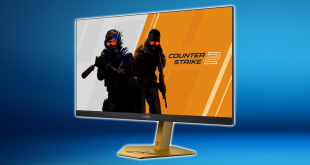
Today's review is certainly unique. We are looking at the AOC Agon Pro CS24A, a monitor designed specifically for Counter-Strike gamers, with an eye-catching stand design and custom themed OSD. It's not just a skin, though, as the panel spec is clearly geared towards esports, packing in no less than a 600Hz refresh rate, using a 24in 1080p TN panel. AOC's MBR+ technology is also present, promising better-than-ever motion clarity, so let's see if this screen really is as good as it sounds.
Timestamps
00:00 Intro
00:51 CS24A pricing + alternatives
01:57 Design and custom CS skin
02:53 I/O + OSD
04:35 Out of the box testing
06:51 sRGB mode and calibration results
07:26 Backlight bleed, viewing angles, coating grain
08:00 Response time results
09:30 Motion clarity examples
11:14 Real-world gaming experience
12:28 Closing thoughts
Just before we get into the review itself, it is worth clarifying that although we are looking at the AOC Agon Pro CS24A, with the product name identifying this as the Counter-Strike version, there is also the standard Agon Pro AG246FK6 available. It's essentially the exact same monitor but just without the CS2 livery, so if you're interested in an esports-grade screen but play anything other than Counter-Strike, that's something to keep in mind.
The other thing to keep in mind is the pricing. The CS24A is listed at just under £600 here in the UK, which is a little eye-watering considering it's a 24in 1080p screen. In theory the AG246FK6 has the same MSRP, though at the time of writing it's on offer for £500. Either way, it's a lot of money to pay for a FHD screen in this day and age, but considering it also packs in one of the fastest refresh rates we've ever seen, could it be worth buying?
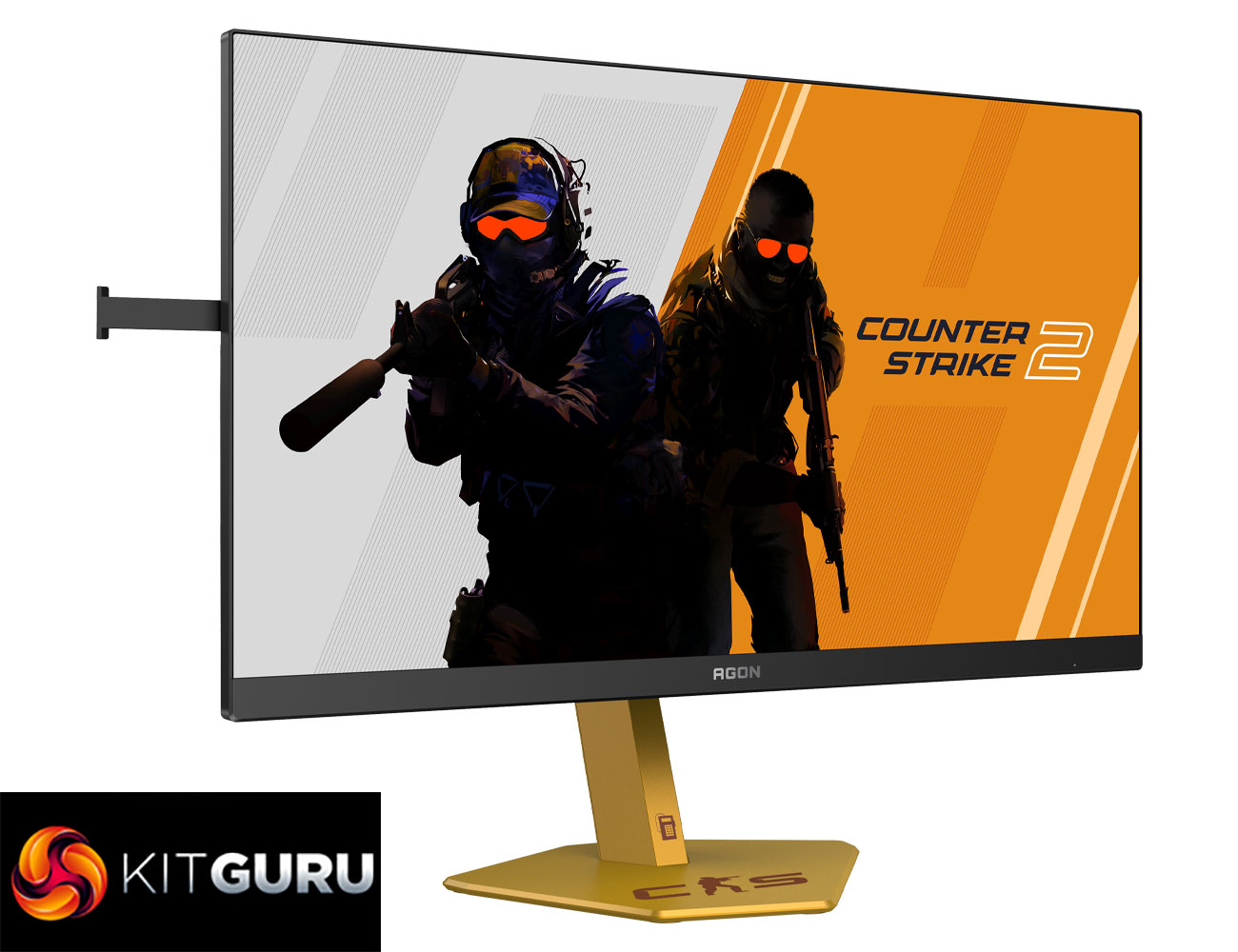
Specification:
- Screen size (inch): 24.1
- Screen size (cm): 61.21
- Flat / Curved: Flat
- Panel treatment: Antiglare (AG)
- Pixels per inch: 91.41
- Panel resolution: 1920 x 1080
- Resolution name: FHD
- Aspect ratio: 16:9
- Panel type: Ultra-Fast TN eSports
- Backlight type: WLED
- Max refresh rate: 610Hz (OC, 600Hz native)
- Response time (GtG): 0.5 ms
- Response time (MPRT): 0.3 ms
- Static contrast ratio: 1000:1
- Dynamic contrast ratio: 80M:1
- Viewing angle (CR10): 176 / 170
- Display colours: 16.7 Million
- Brightness in nits: 500 cd/m²
- Panel haze value: 25%
- VESA wallmount: 100 x 100
- Tilt: -5° ~ 23°
- Height adjust: 150 mm
- Swivel: -28° ±2° ~ 28° ±2°
- Pivot: -90° ±2° ~ 90° ±2°
- HDMI: HDMI 2.1 x 2
- Digital HDCP (HDMI): HDCP 2.3
- DisplayPort: DisplayPort 1.4 x 1
- USB hub: ✓
- USB generation: USB 3.2 (Gen 1), 5 Gbit/s
- USB type downstream: 4 x USB-A
- USB fast charge port: ✓
- Audio output: 1x Audio out
- HDMI cable: 1.8 m
- DisplayPort cable: 1.8 m
- USB-B upstream cable: 1x USB-B to A (1.8 m)
- Power cable: ✓
- Warranty period: 3 years
- Firmware update (OTA) support: ✓
Firmware tested: V1.04
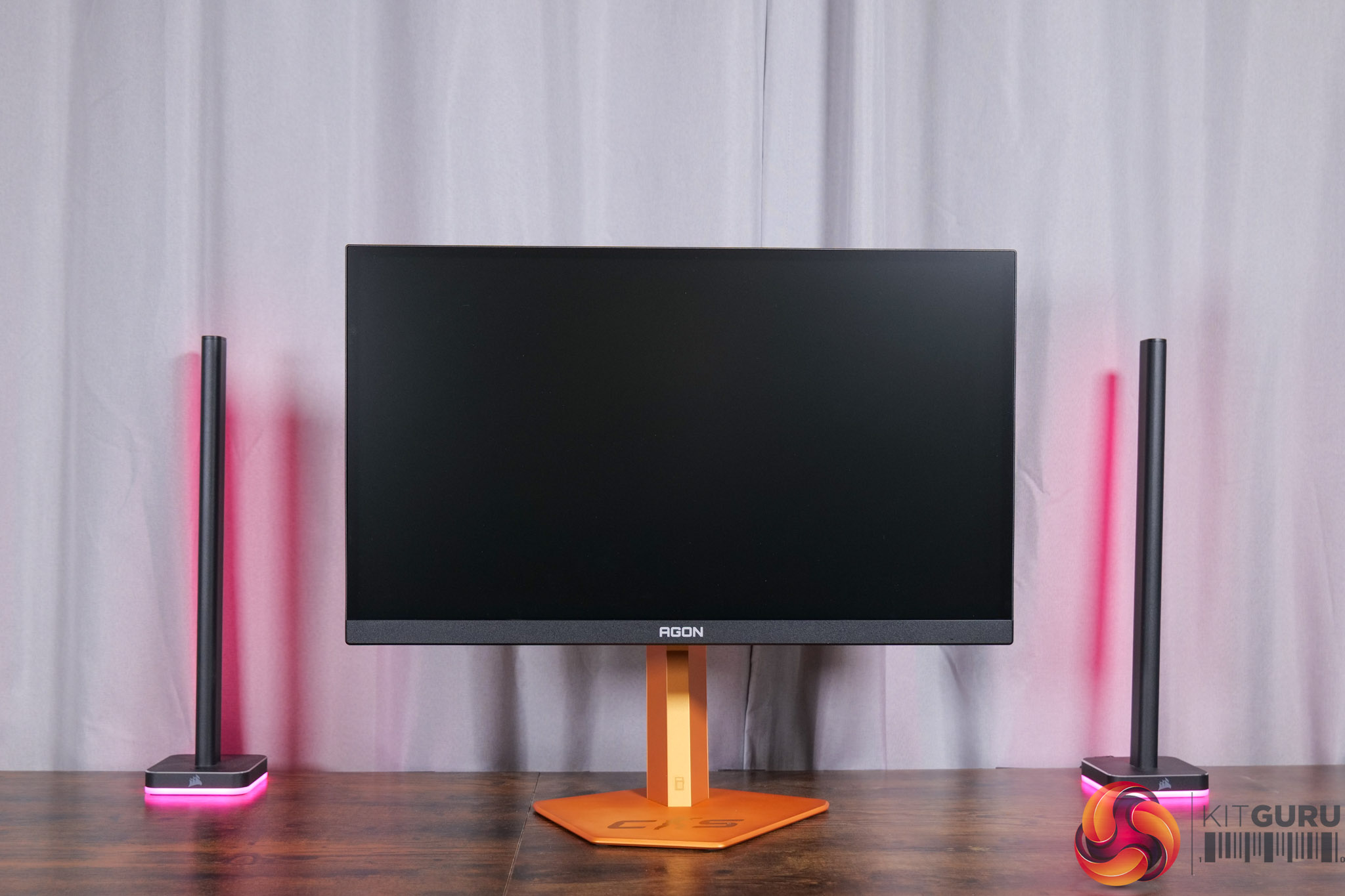
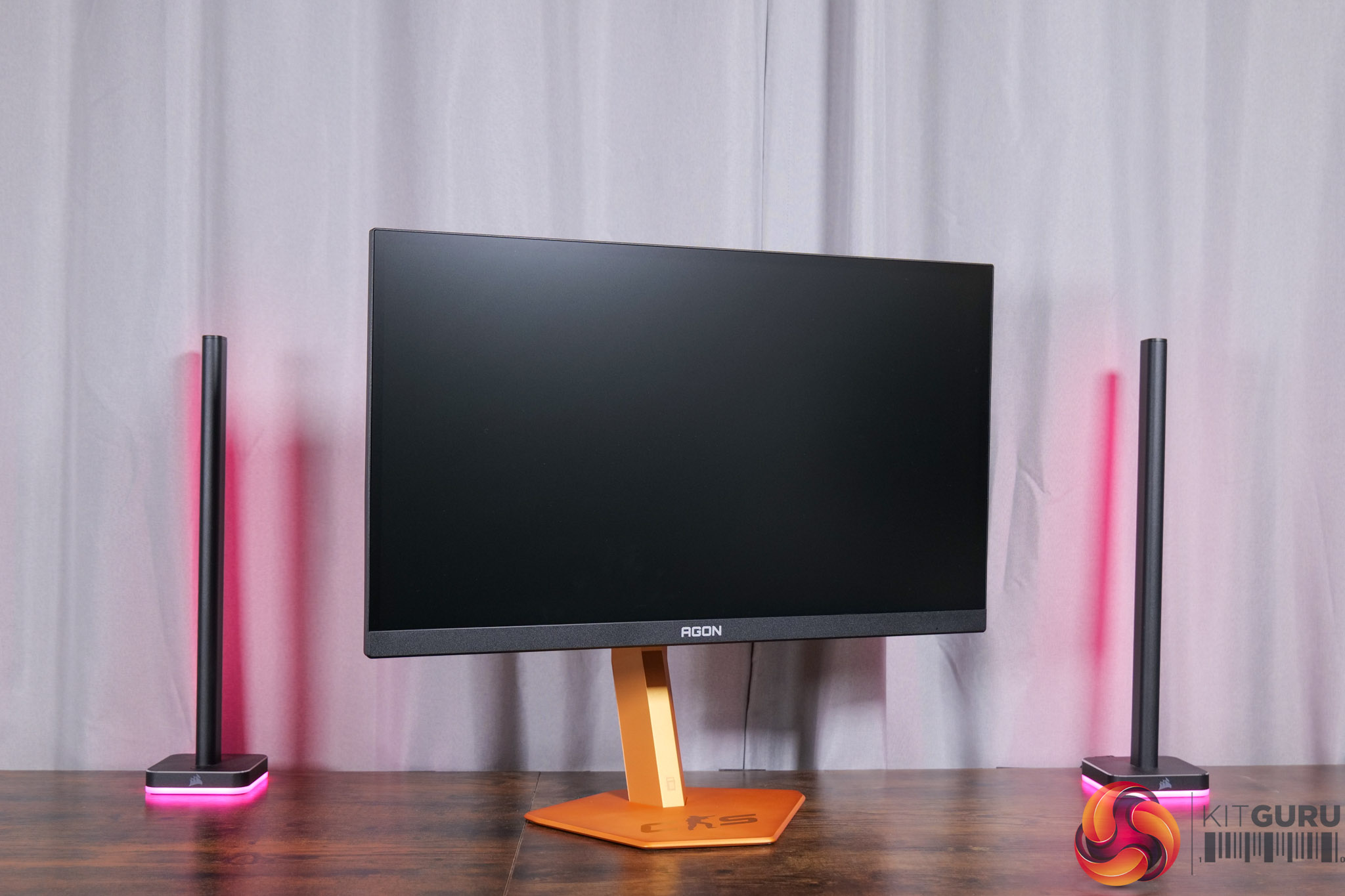
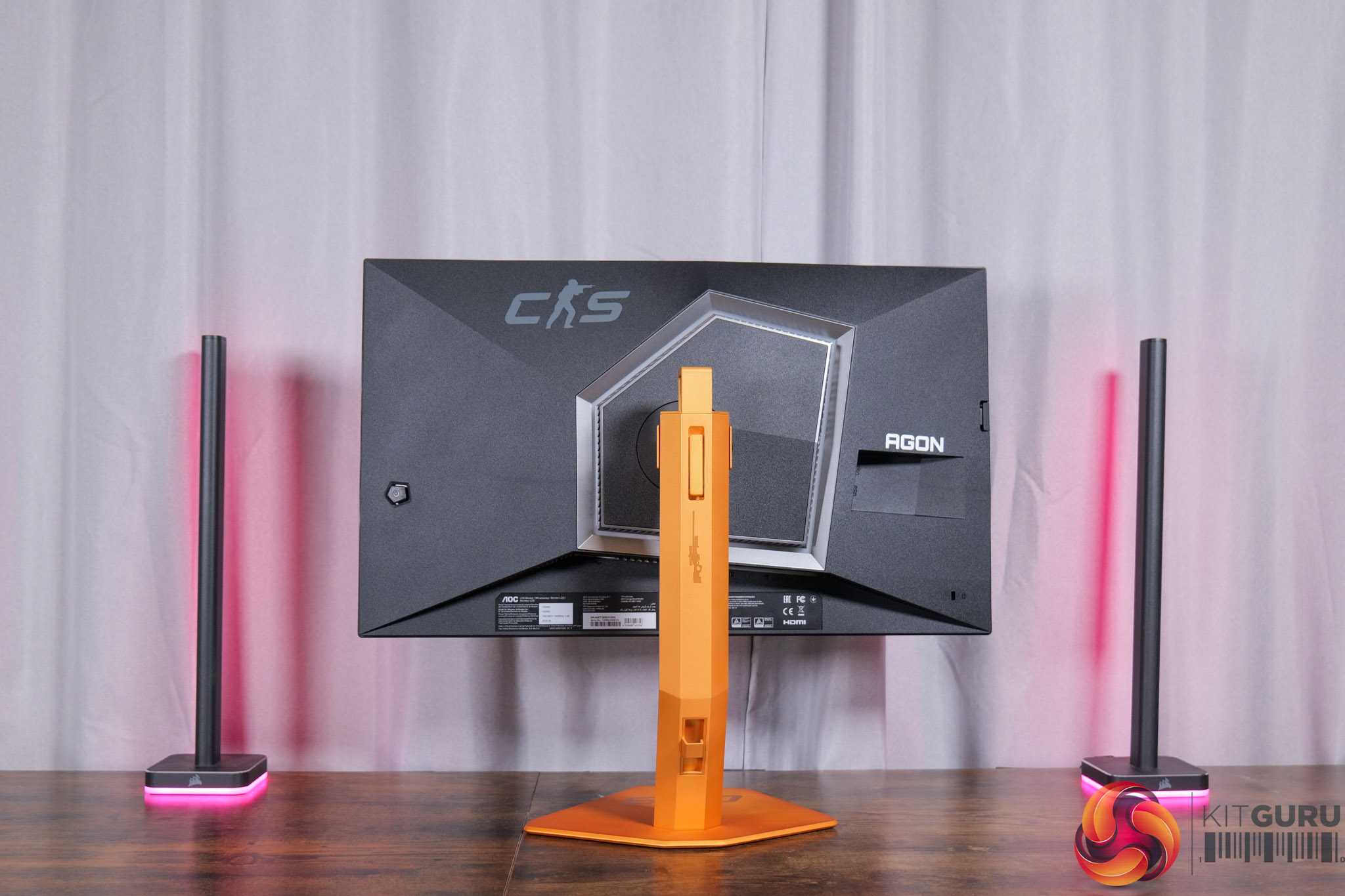
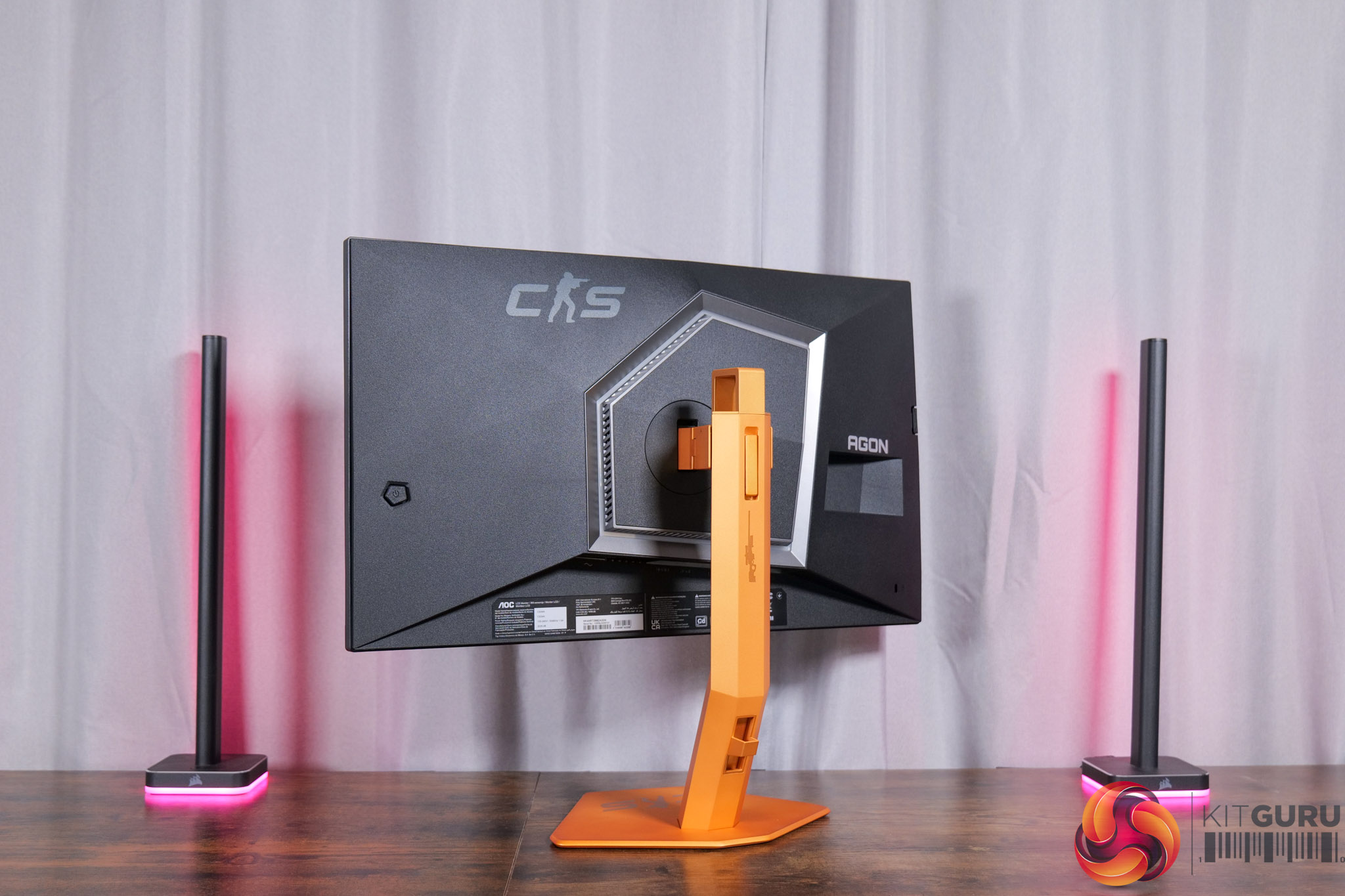
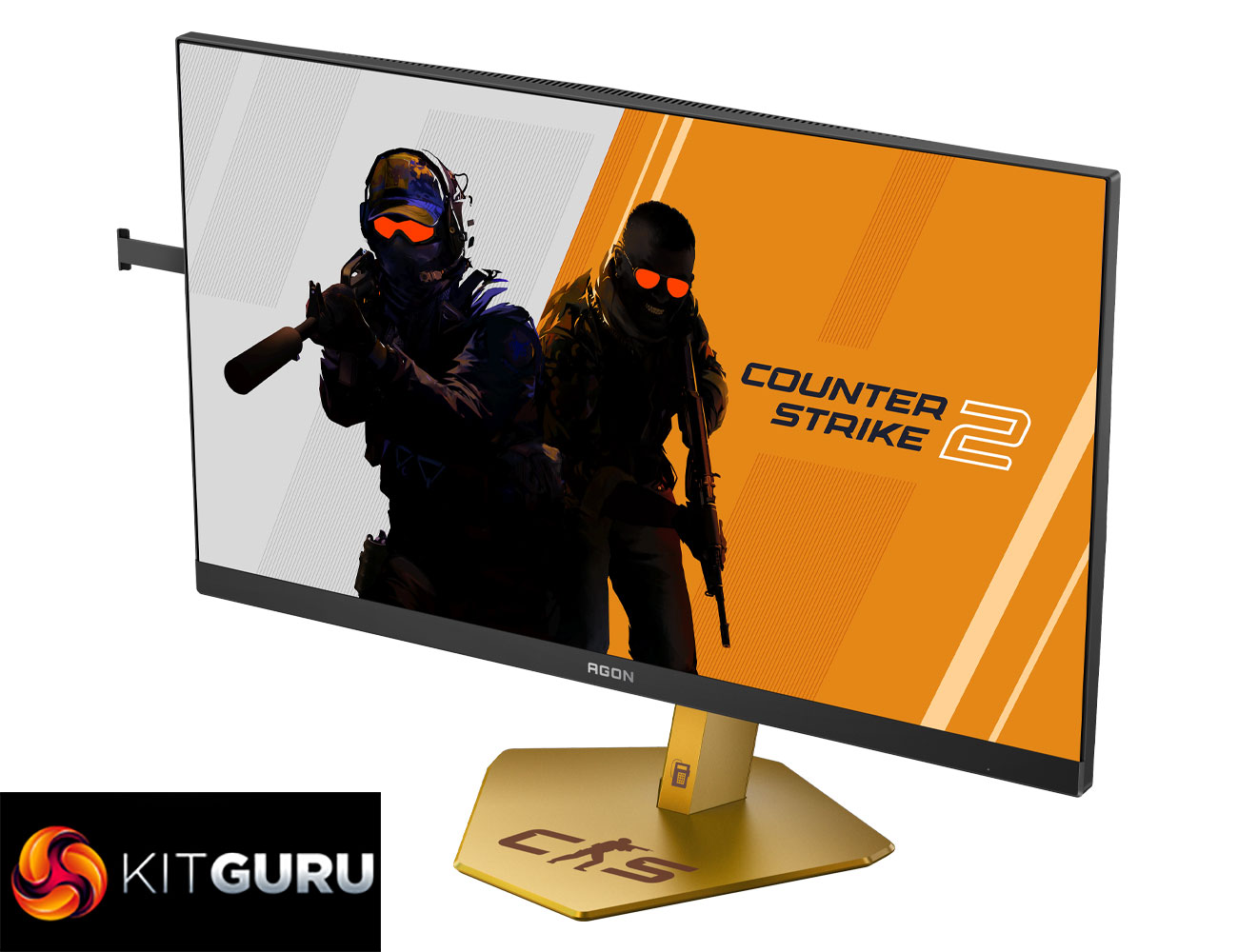
Starting off with the design, the main attraction here is clearly the coloured stand and its Counter-Strike theme. I'm not a massive CS fan so I can't say it appeals to me, but it's obviously going to be subjective.
The thing I would say is that it does look quite different in person compared to the online renders – those make it look a lot more gold-coloured, whereas to me it's a nice vibrant orange, though the perception does also change slightly in daylight versus under my studio lights.
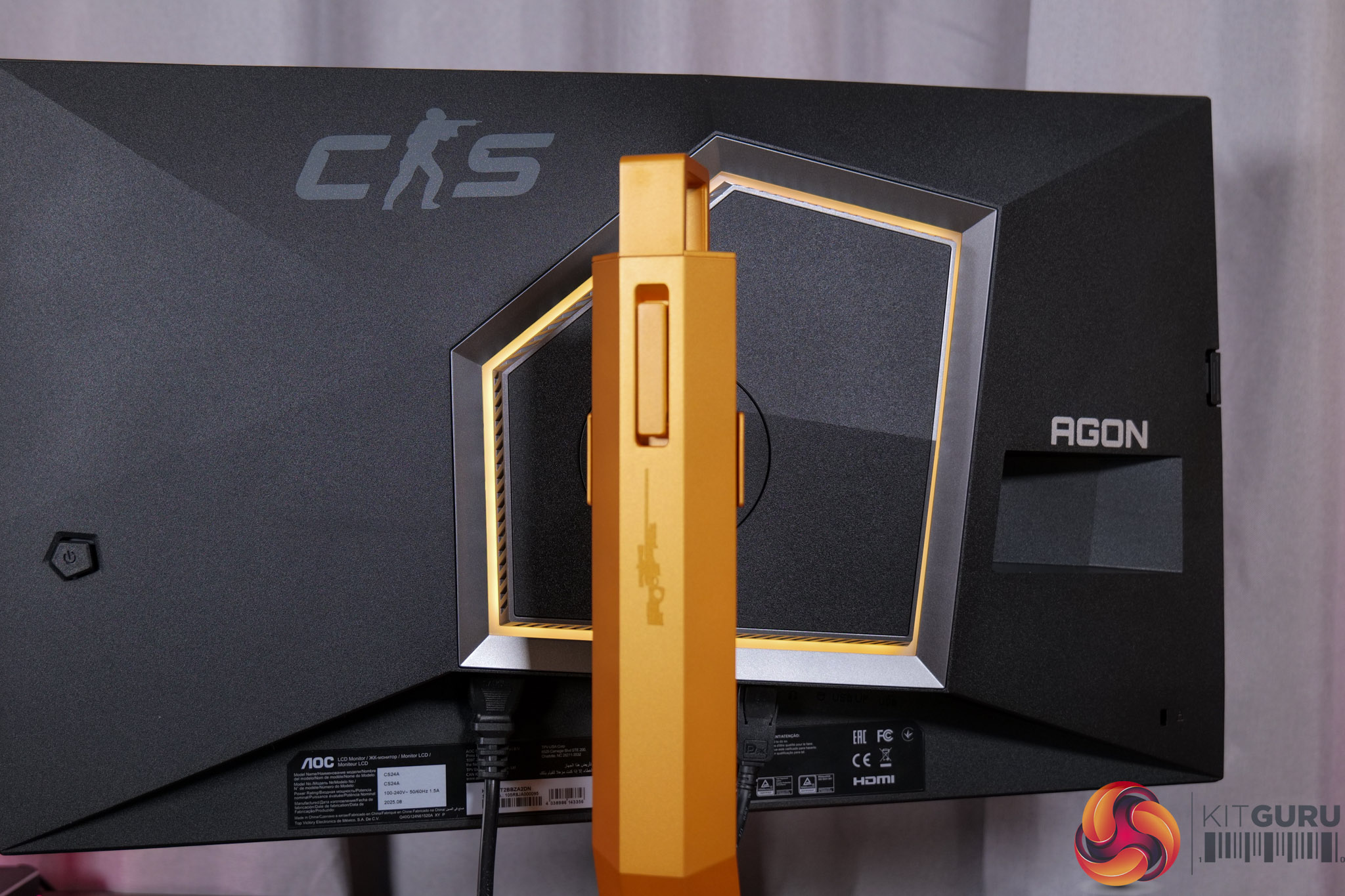
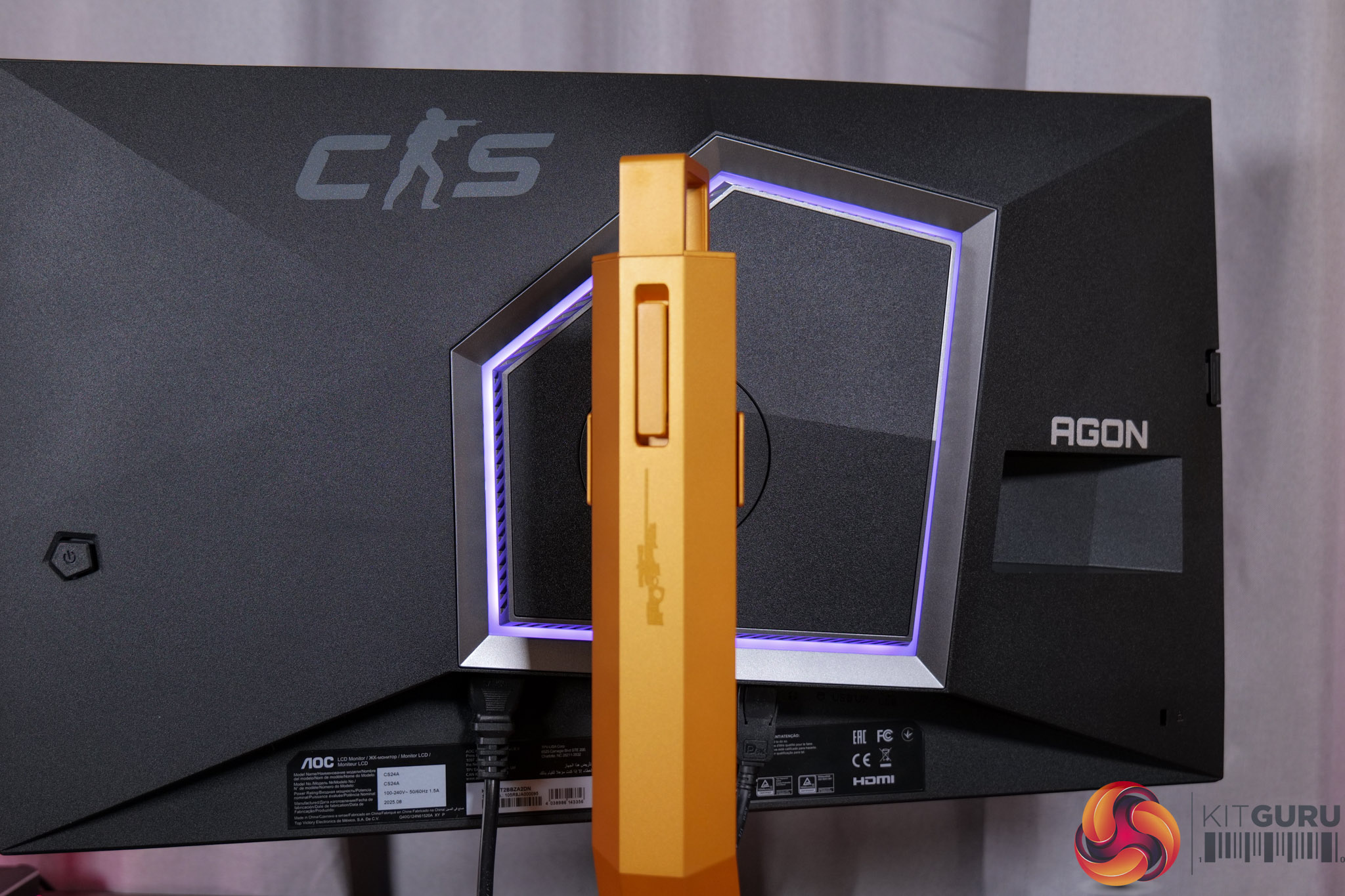
There is also some RGB lighting on the back of the panel, which by default lights up in an orangey gold colour to match, but you can configure this however you'd like in the OSD.
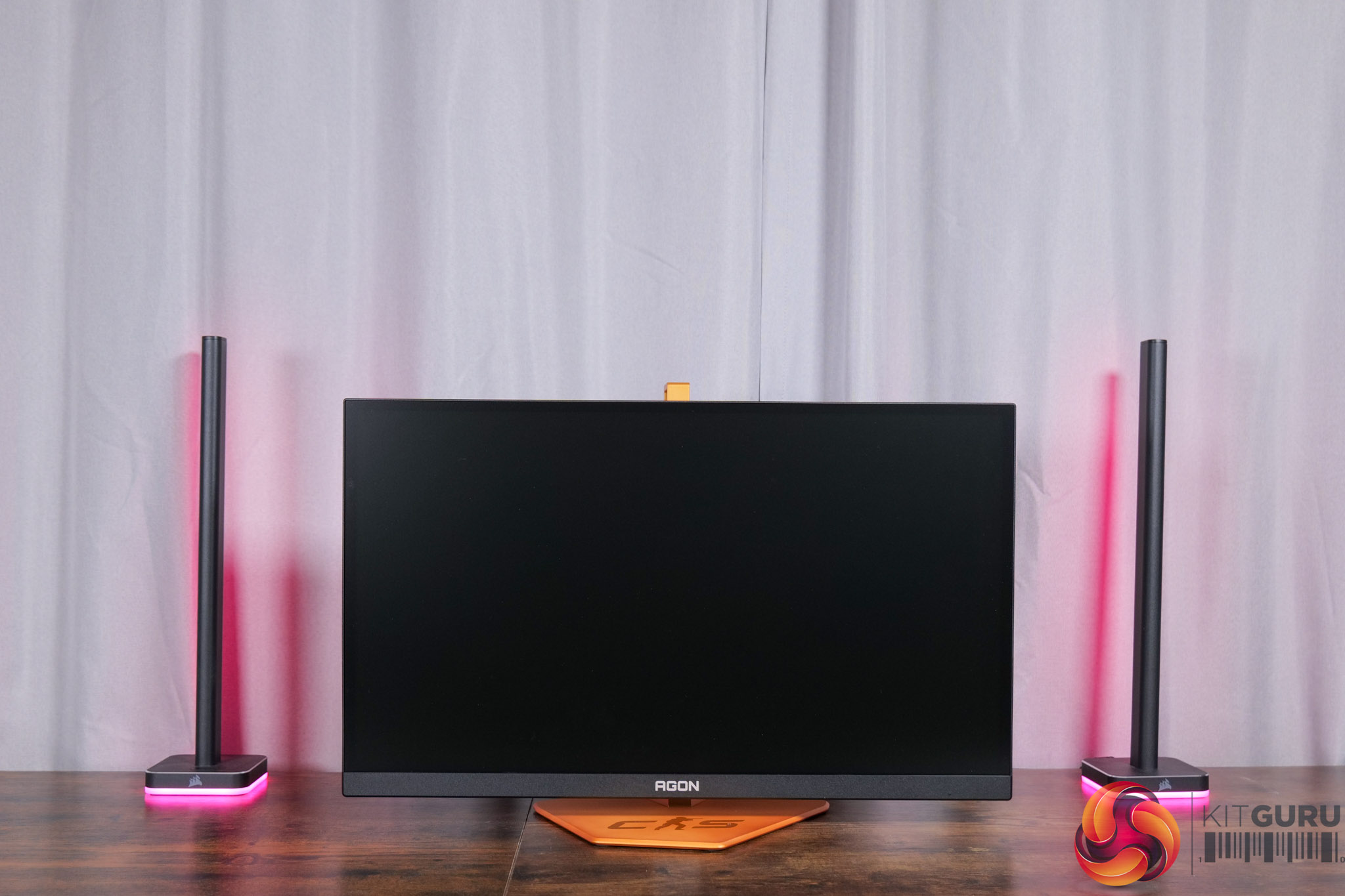
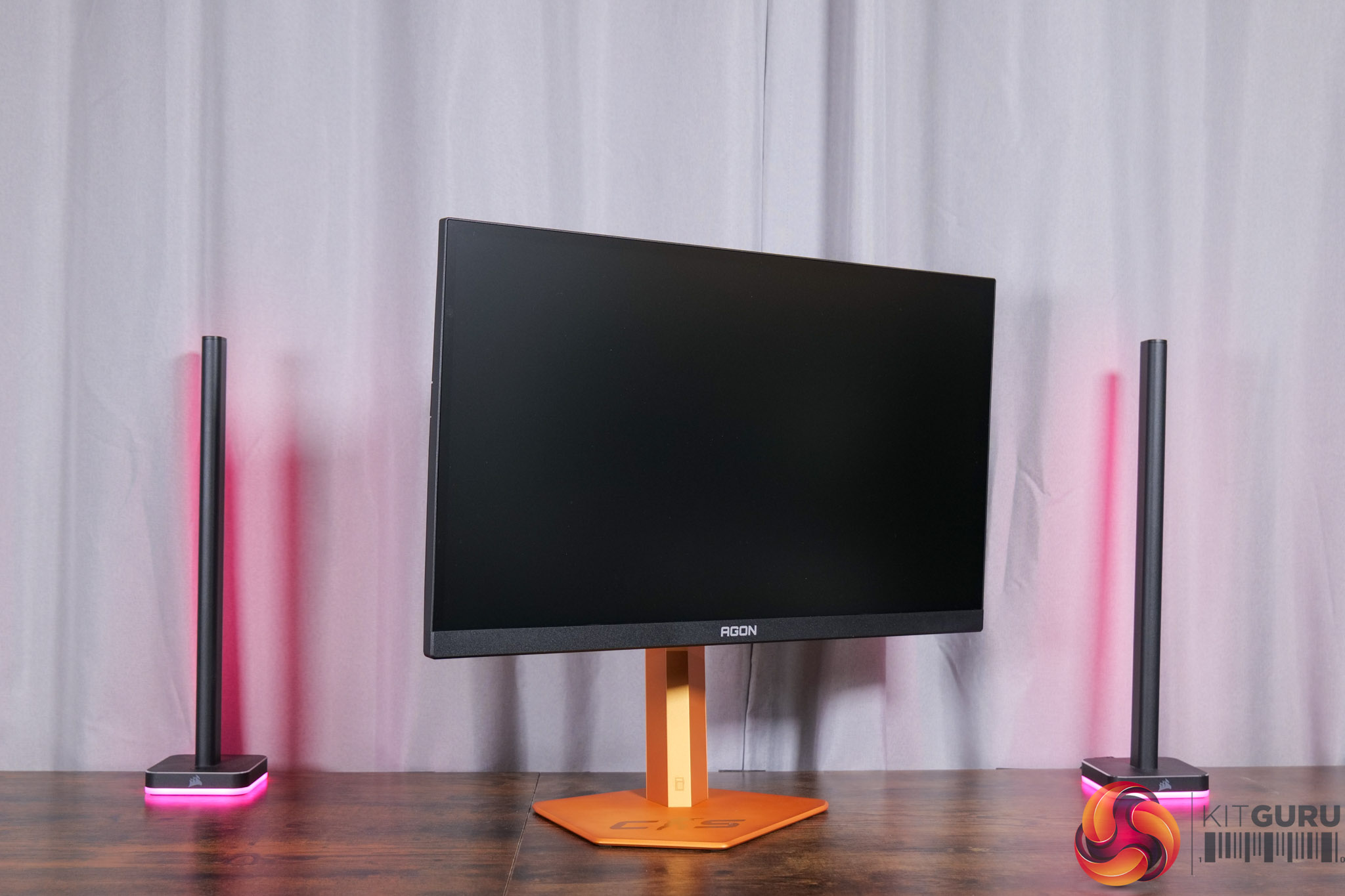
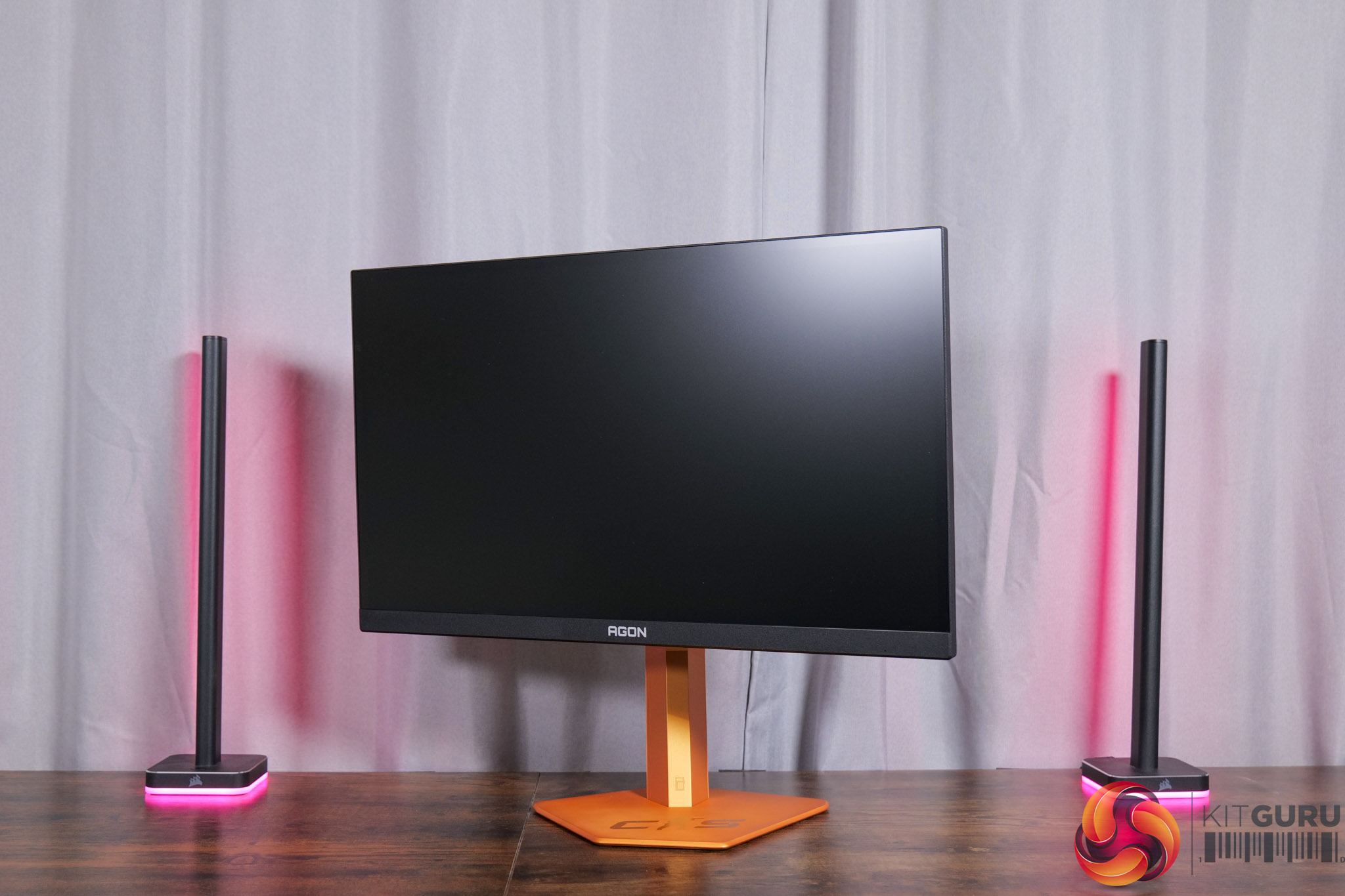
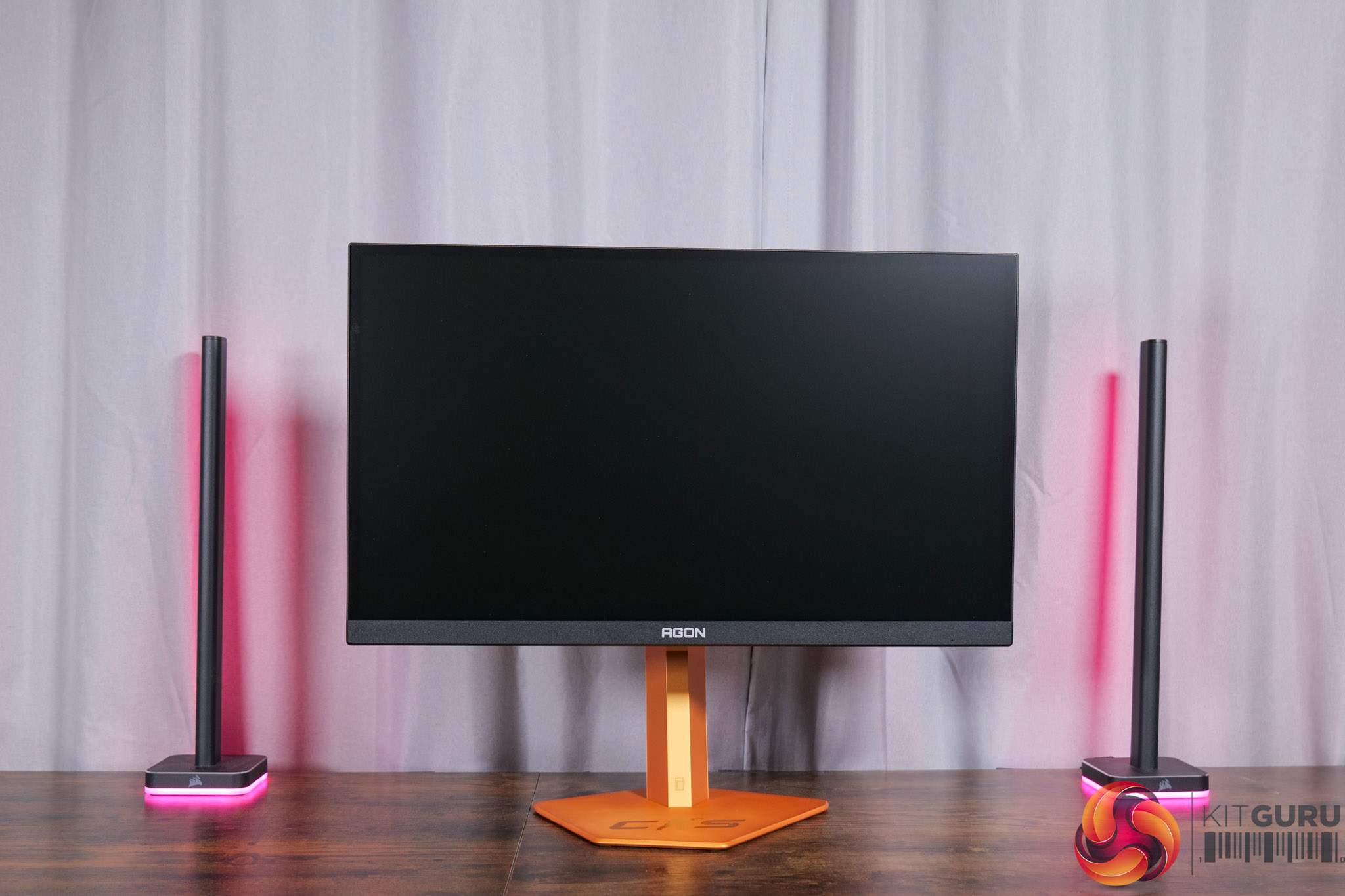
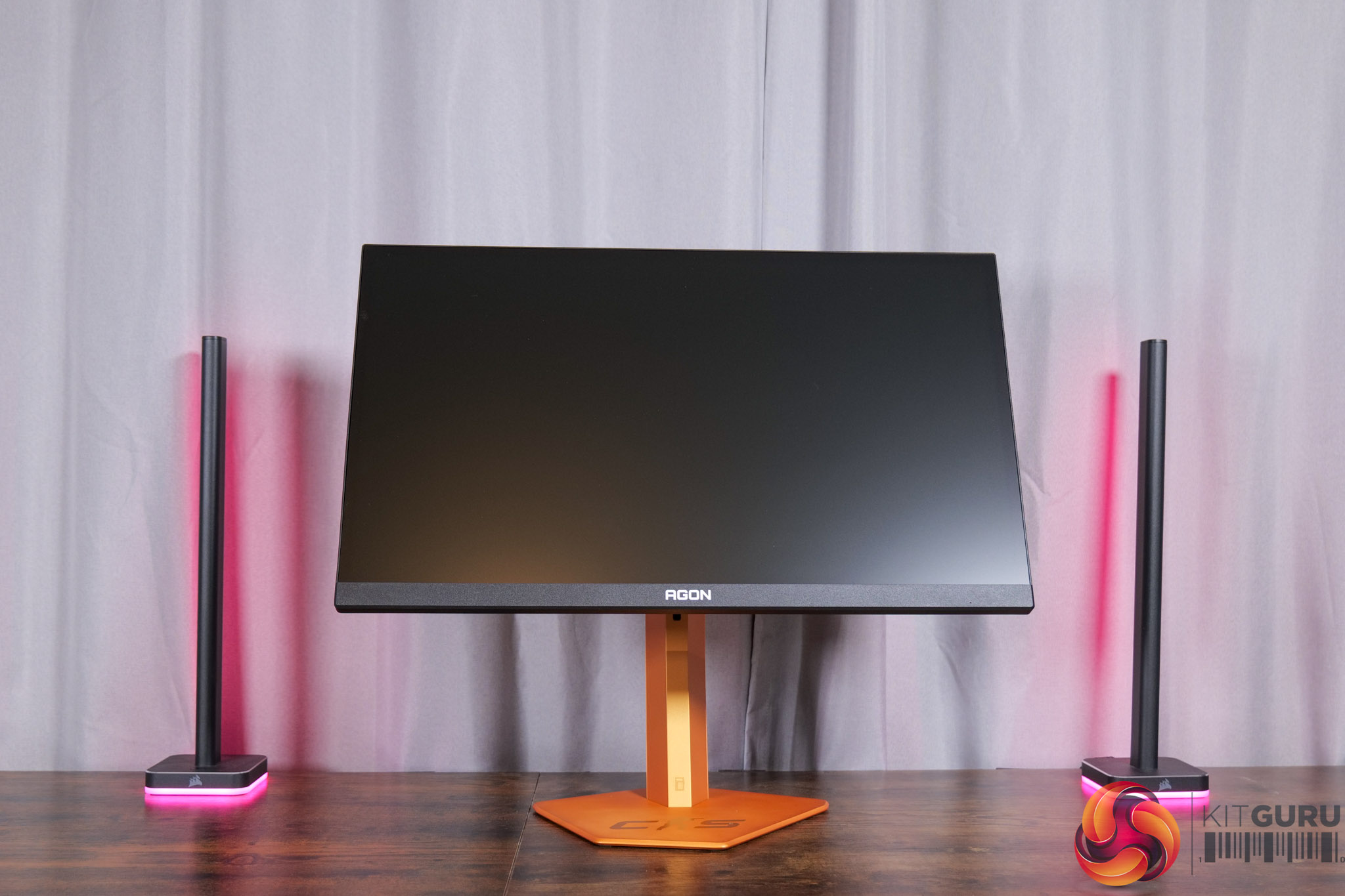
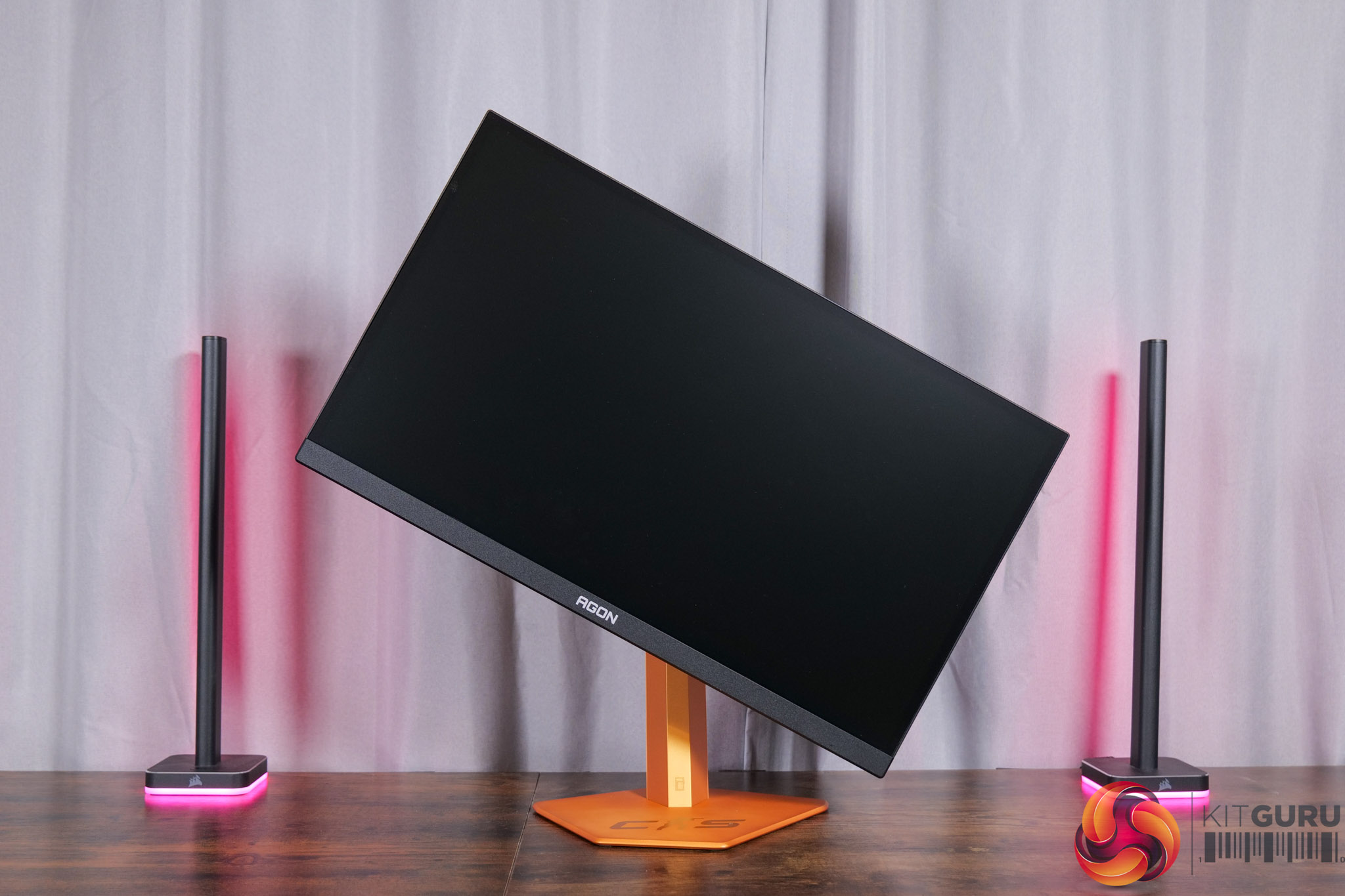
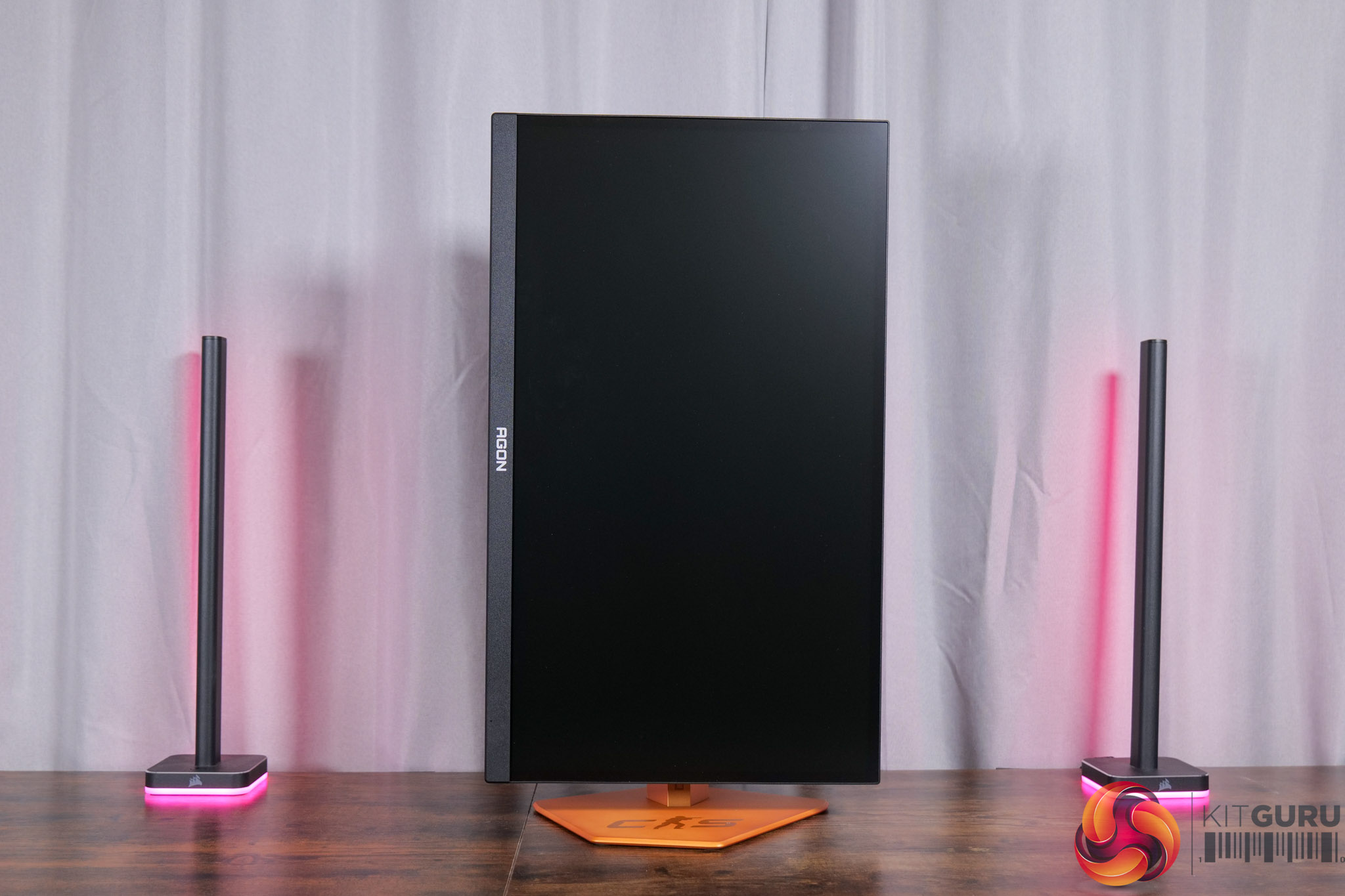
Regardless of the aesthetic, the included stand does offer a good amount of ergonomic adjustment options, with up to 150mm height adjust, 28 degrees of swivel left and right, tilt from -5 to +23 degrees, alongside 90 degree pivot if you want to use it vertically. VESA 100×100 mounts are also supported via an included adapter plate.
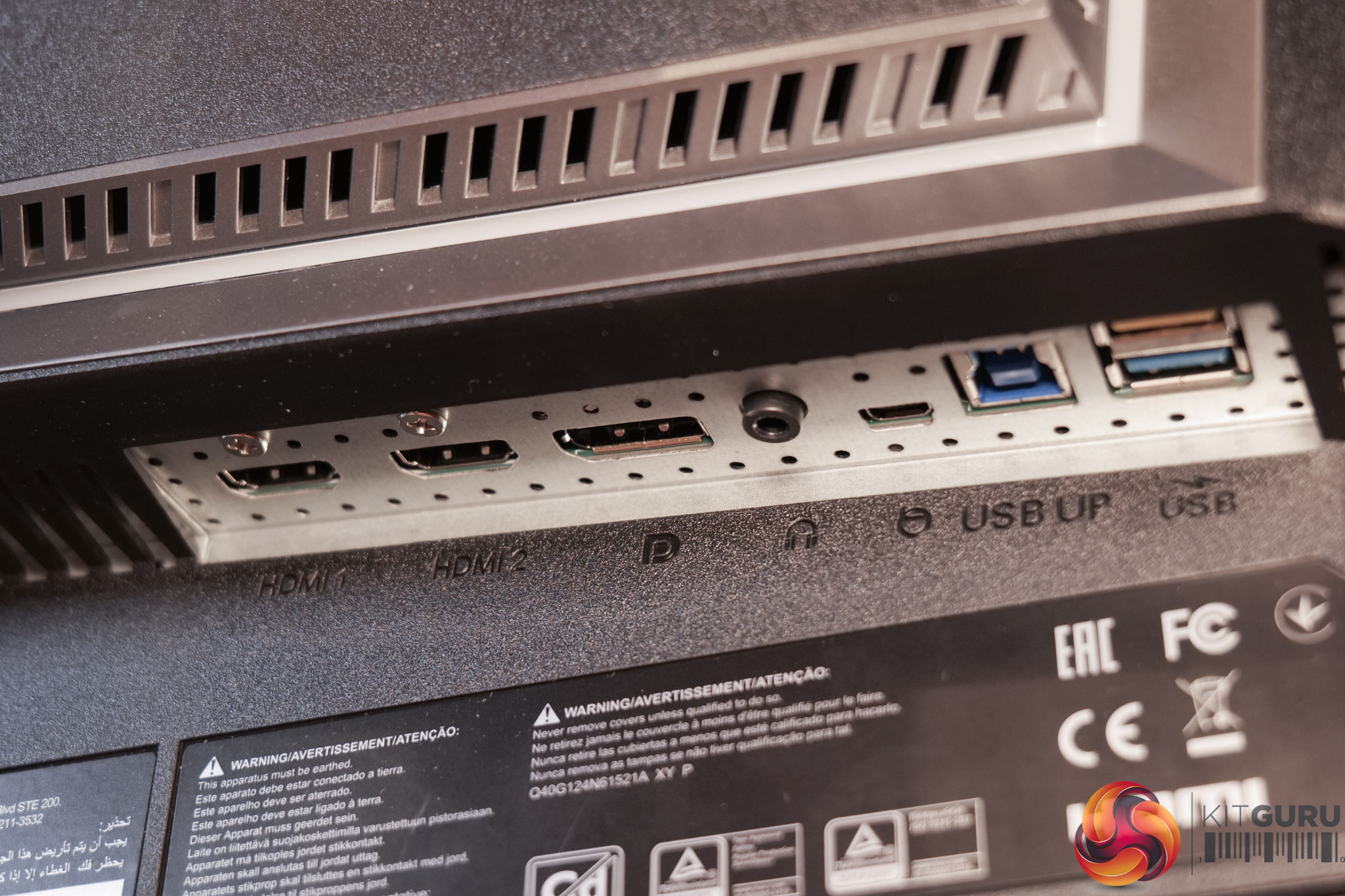
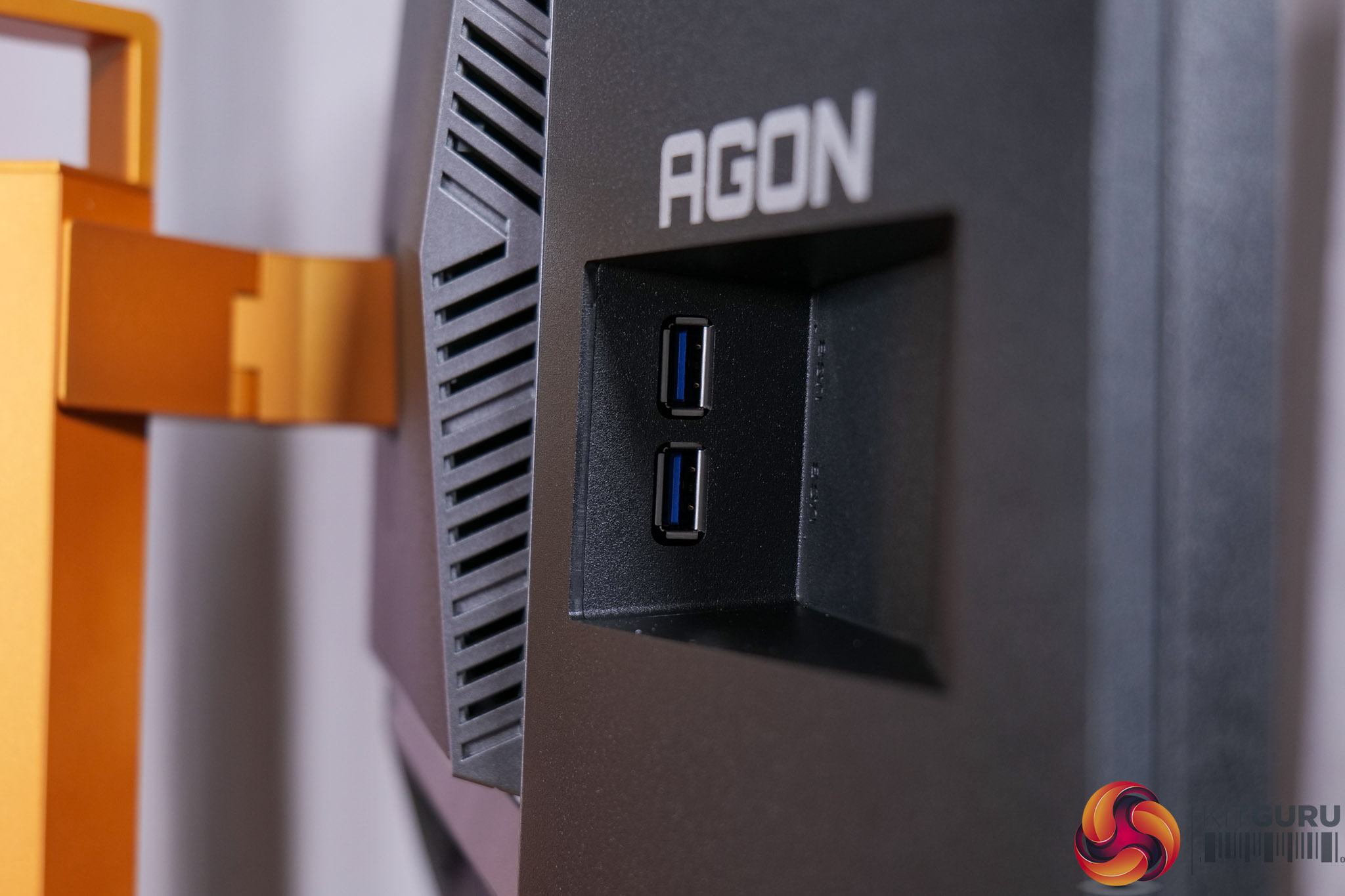
As for the connectivity options, AOC includes 2x HDMI 2.1, 1x DisplayPort 1.4, a headphone jack, USB-B upstream, and then two Type-A downstreams on the back, with another couple positioned off to the right-hand side for easier access. All three video inputs support 600Hz at 1080p so you're not limited there, but there's no USB-C or KVM functionality built-in. Ordinarily I'd complain about that, but given this is a very specific gaming-focused monitor rather than something you'd use more generally, I don't think it is a massive concern.
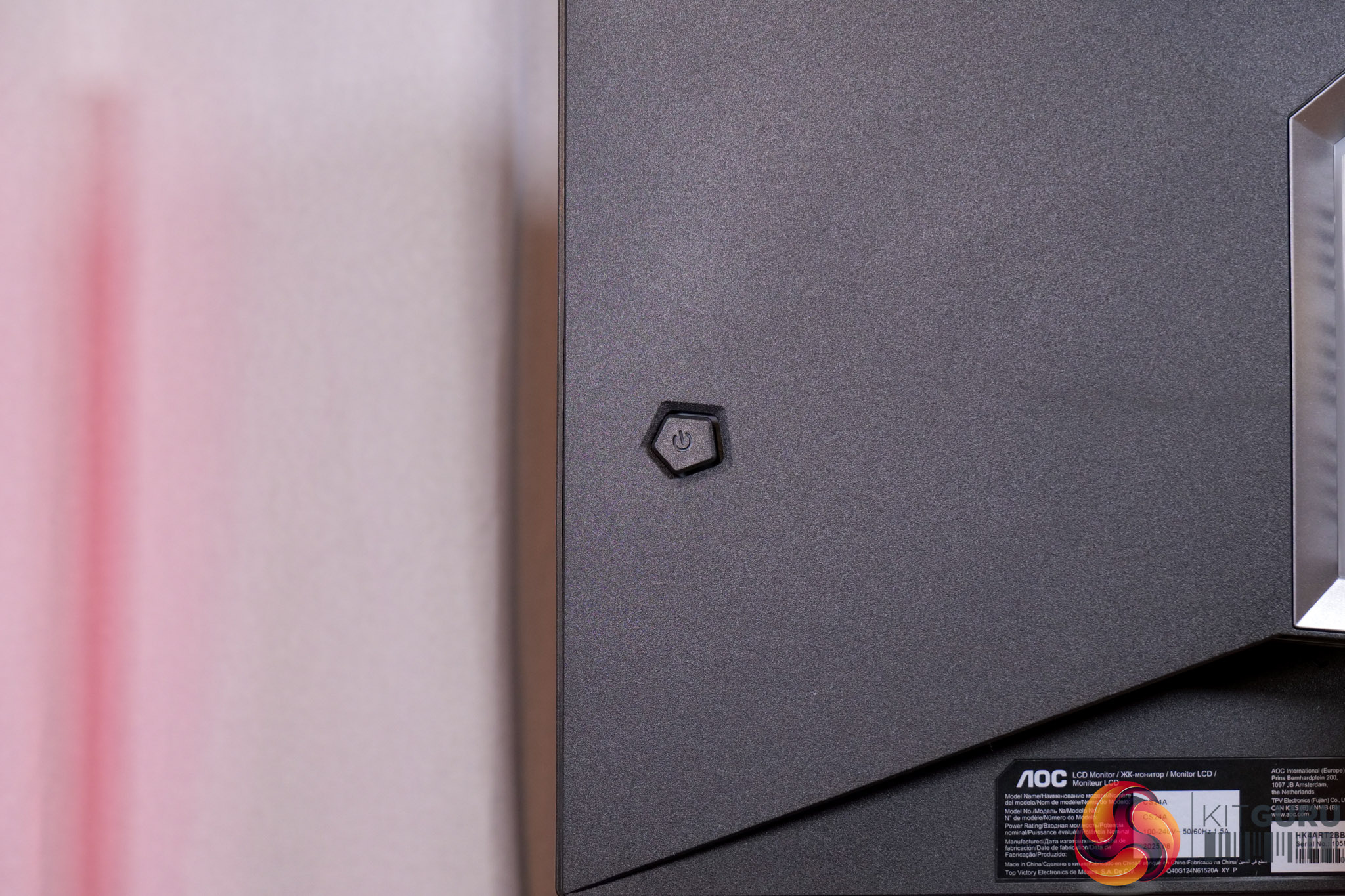
Lastly, a small joystick is positioned on the right-hand edge to control the OSD.
AOC's OSD system is broken down into eight main tabs:
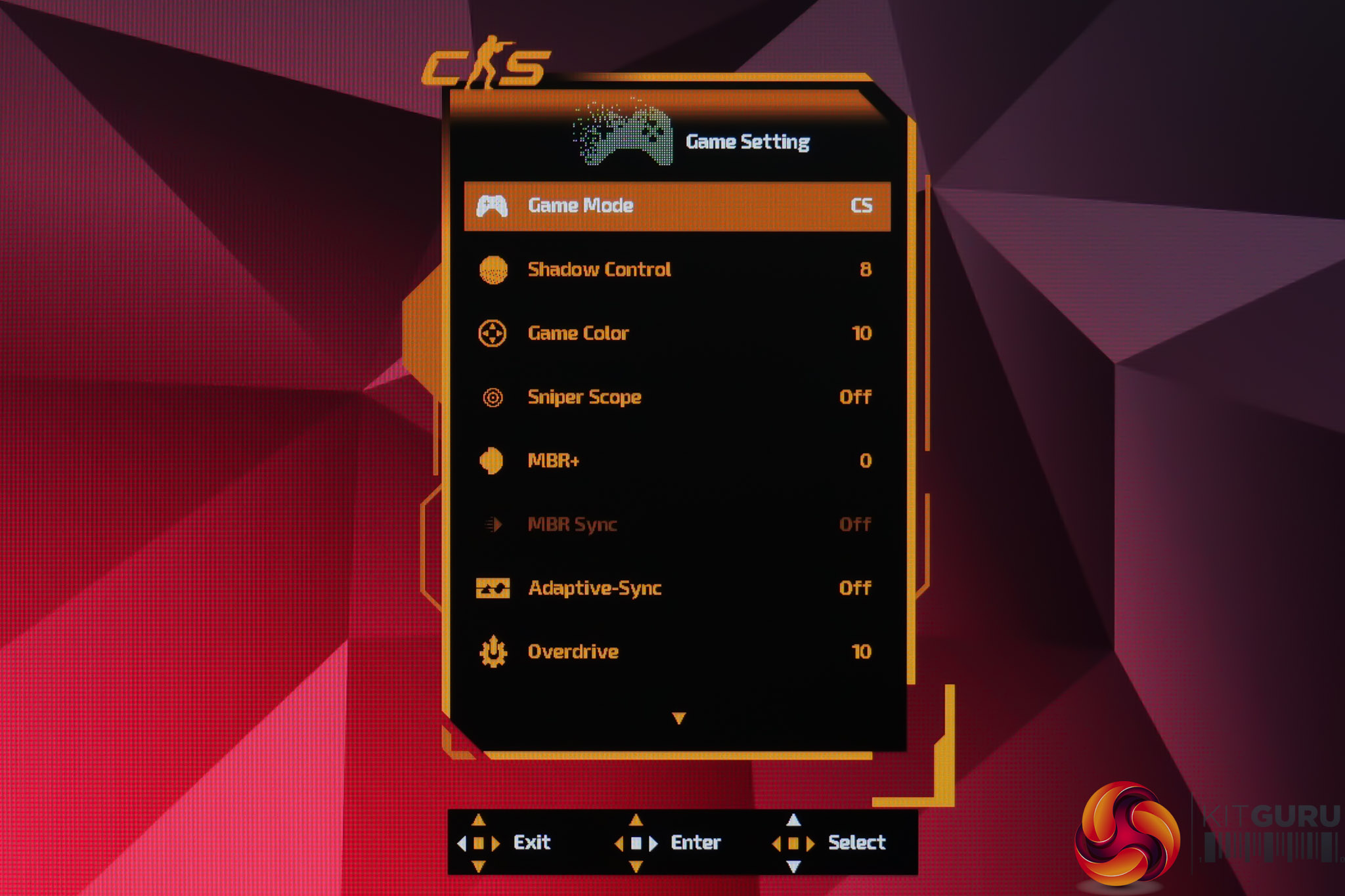
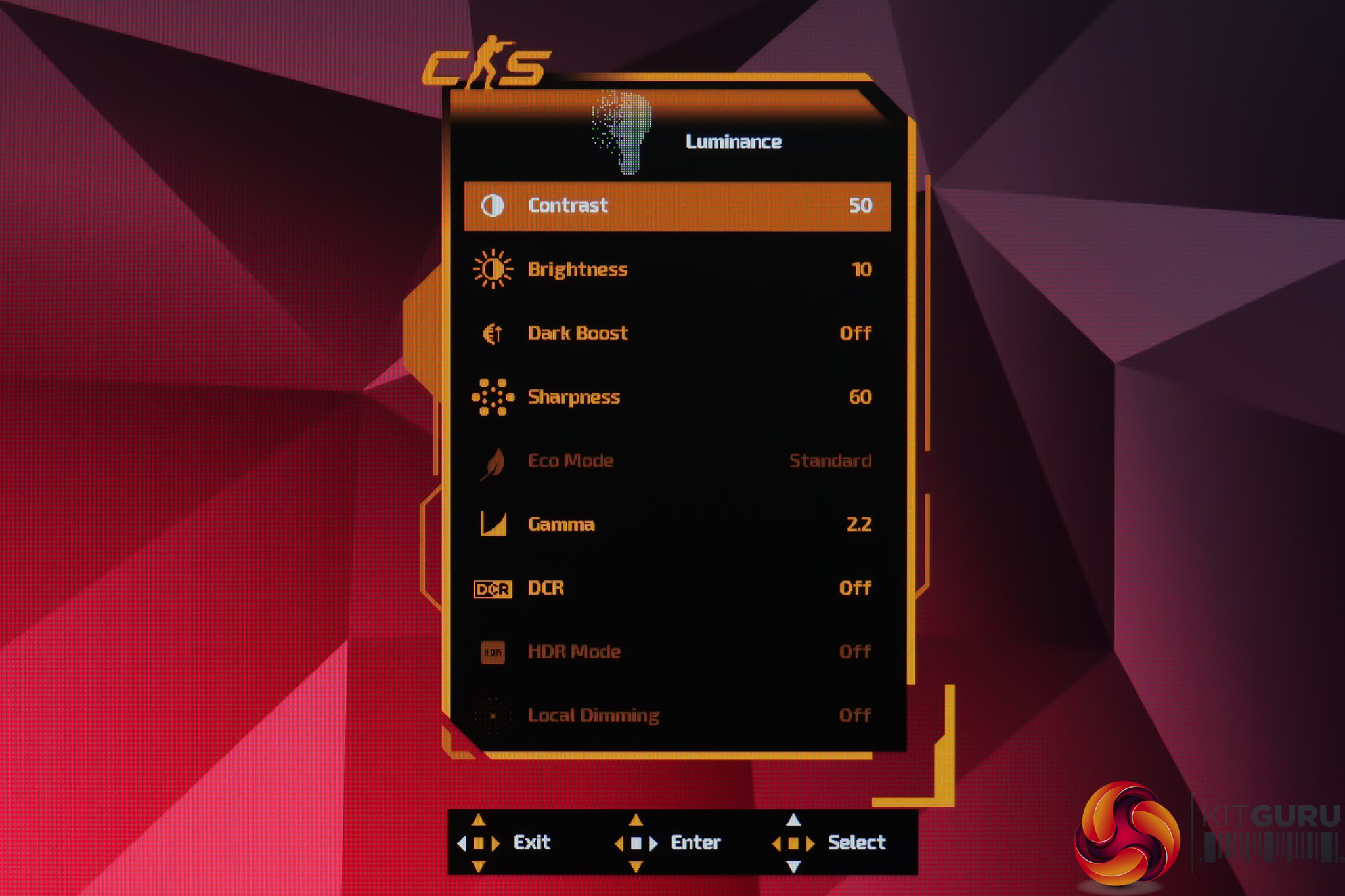
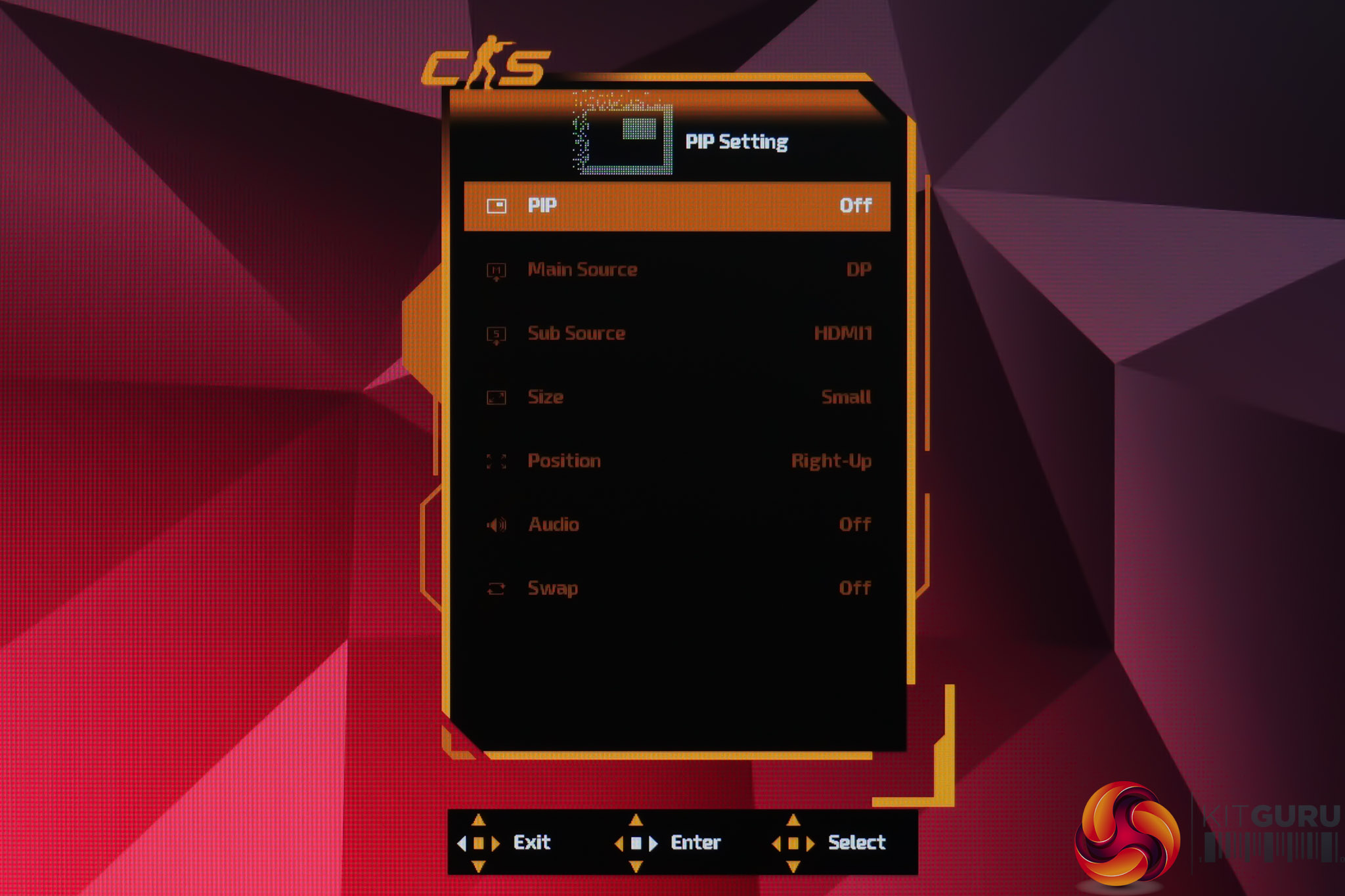
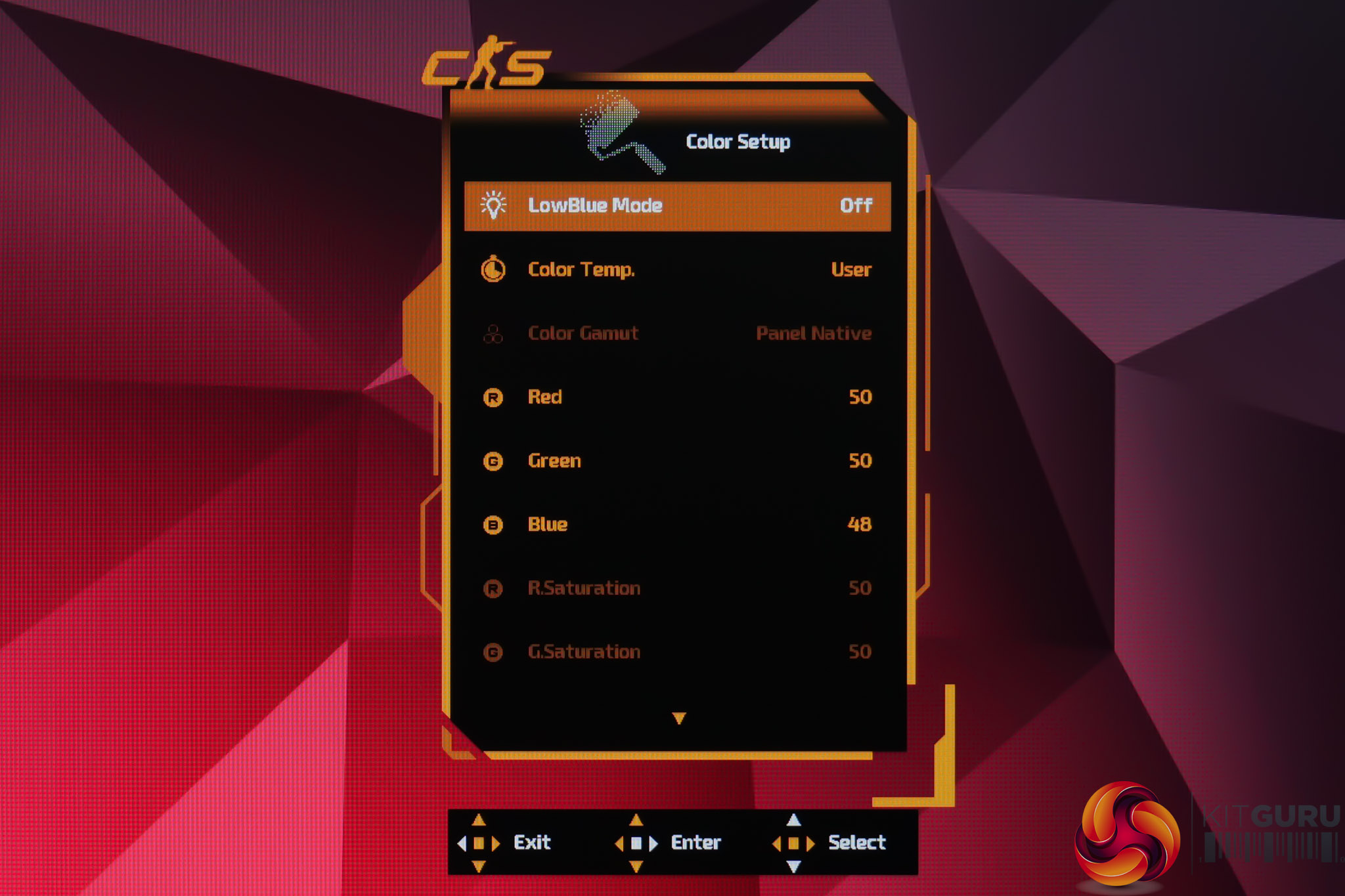
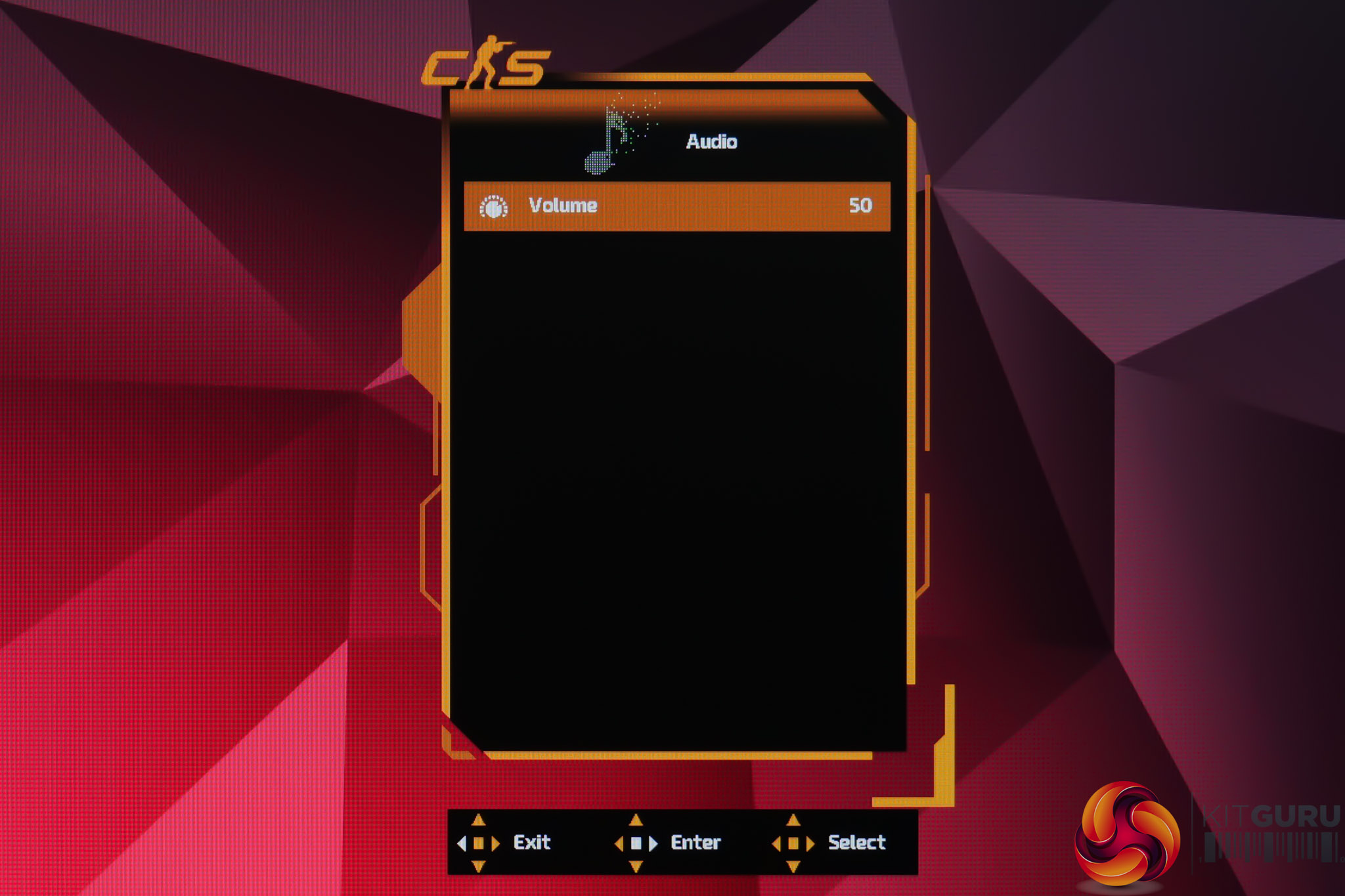
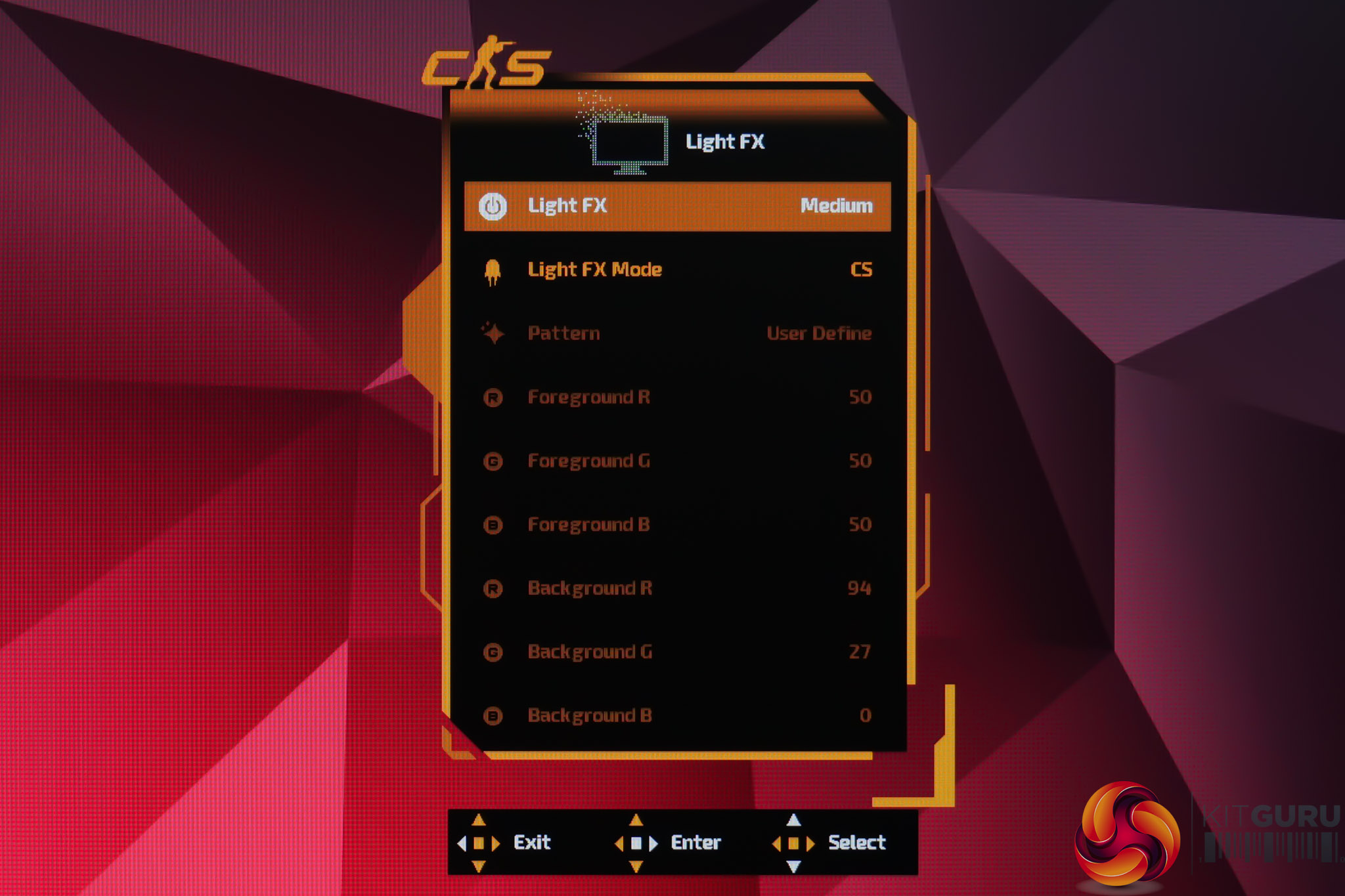
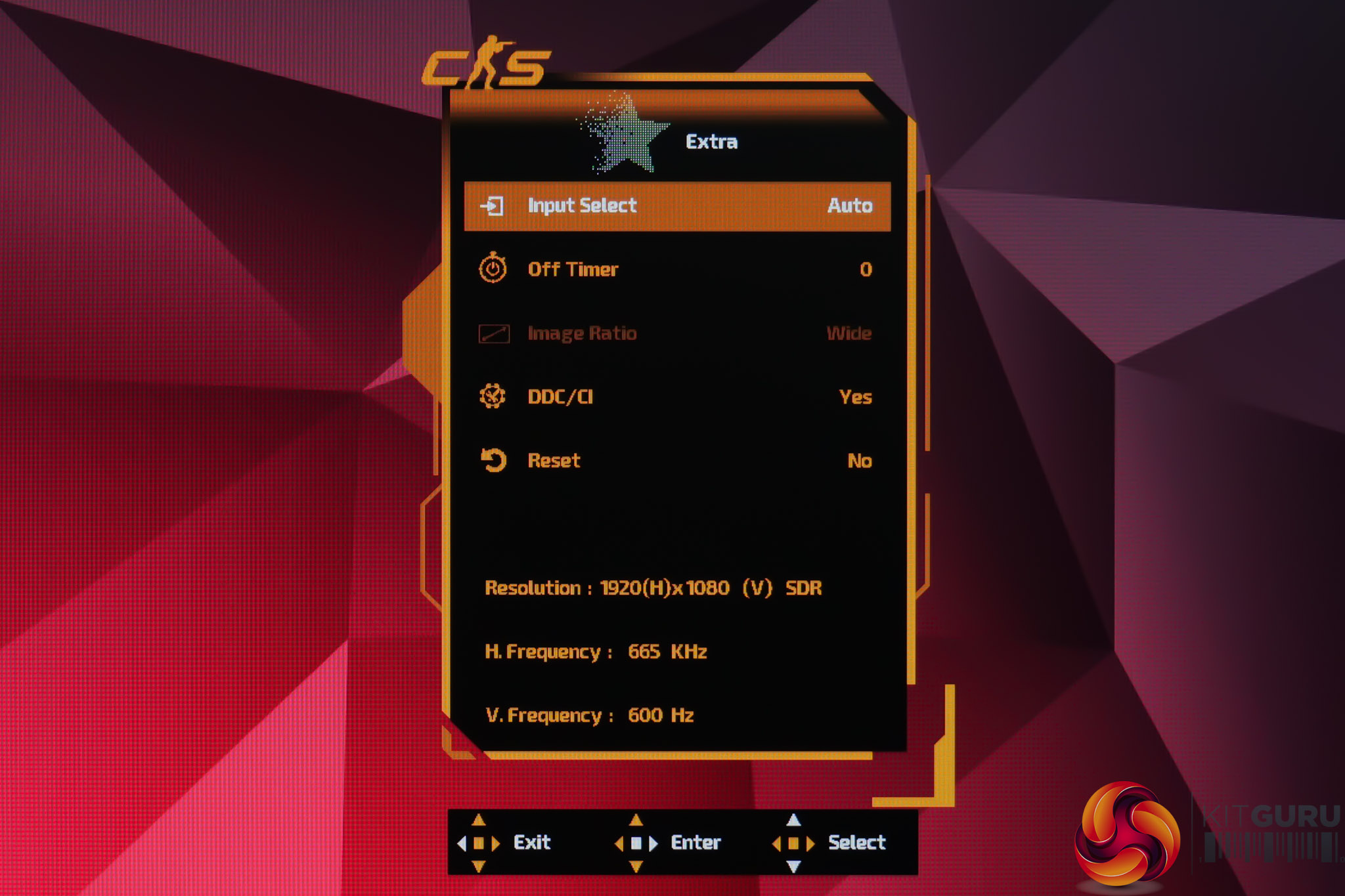
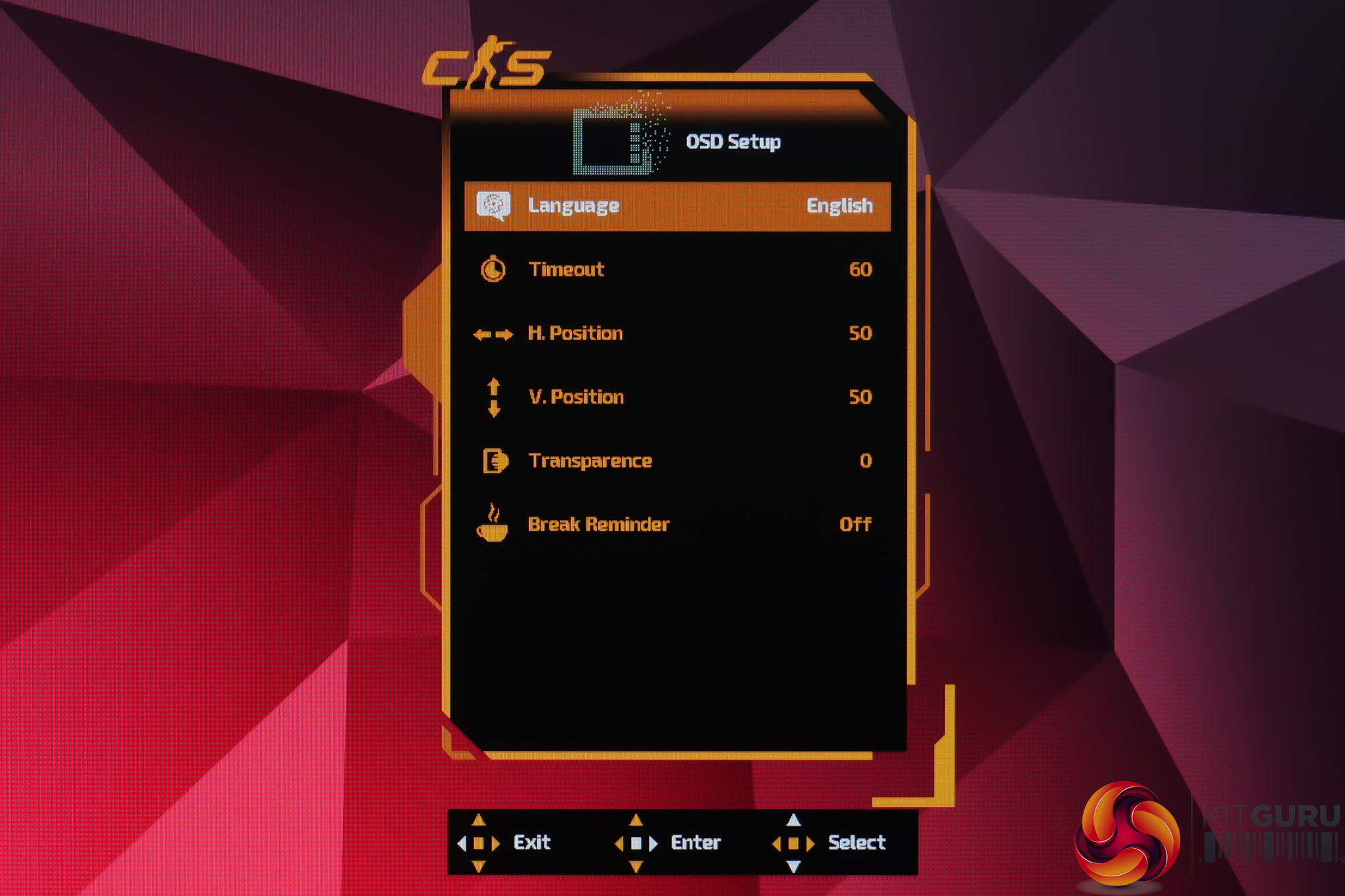
The OSD system itself is broadly the same as AOC's other ‘last gen' monitors, by which I mean it's the same outdated looking menu as something like the AG276UZD, and it doesn't have the updated, cleaner vibe of the U27G4R. The only real difference is that it's now coloured orange to match the rest of the CS theme, and it features the CS logo in the top left. Other than that, it still works fine and is fully featured, I just think it's a weird spot to be in where the company seemingly has two different menu systems, and I can't work out why some monitors still get the older one.
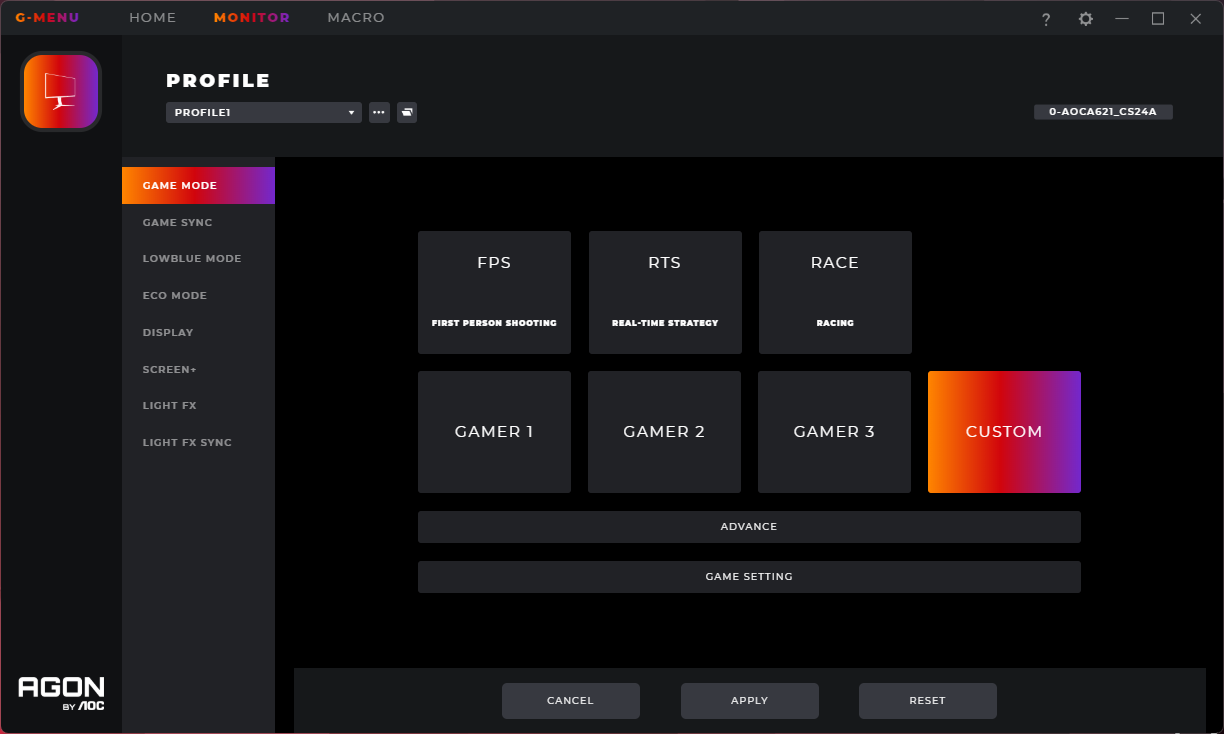
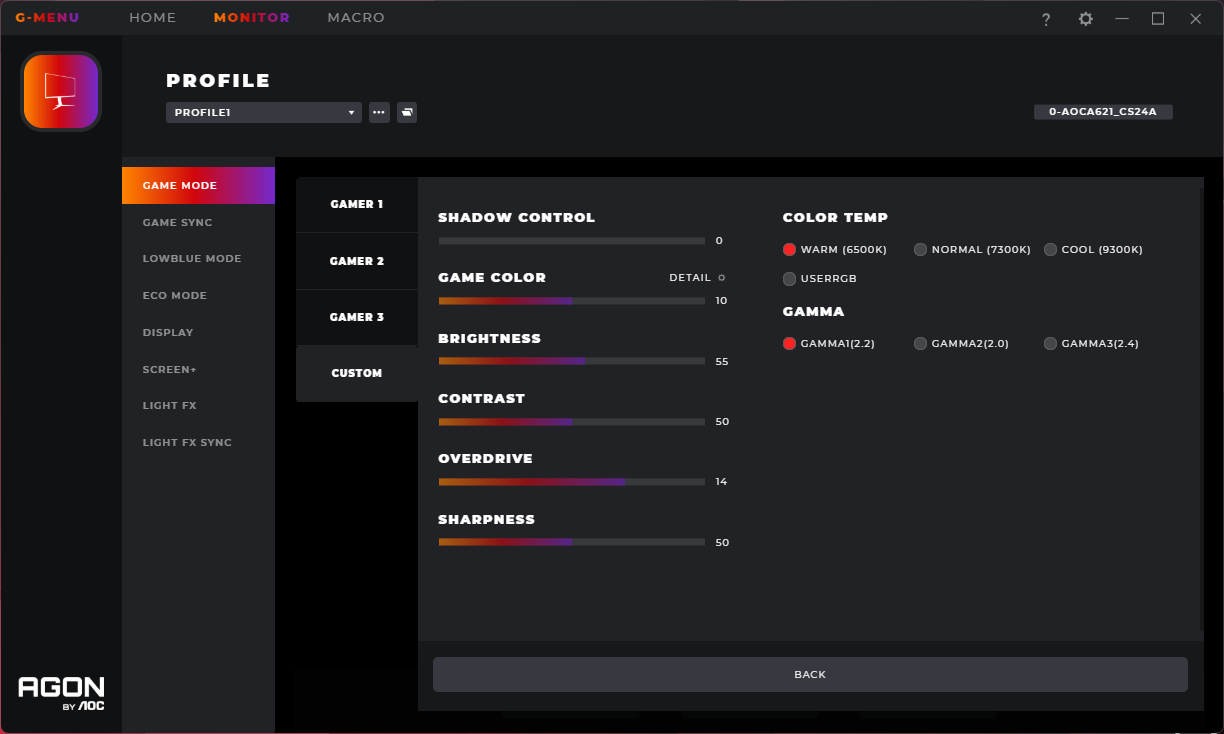
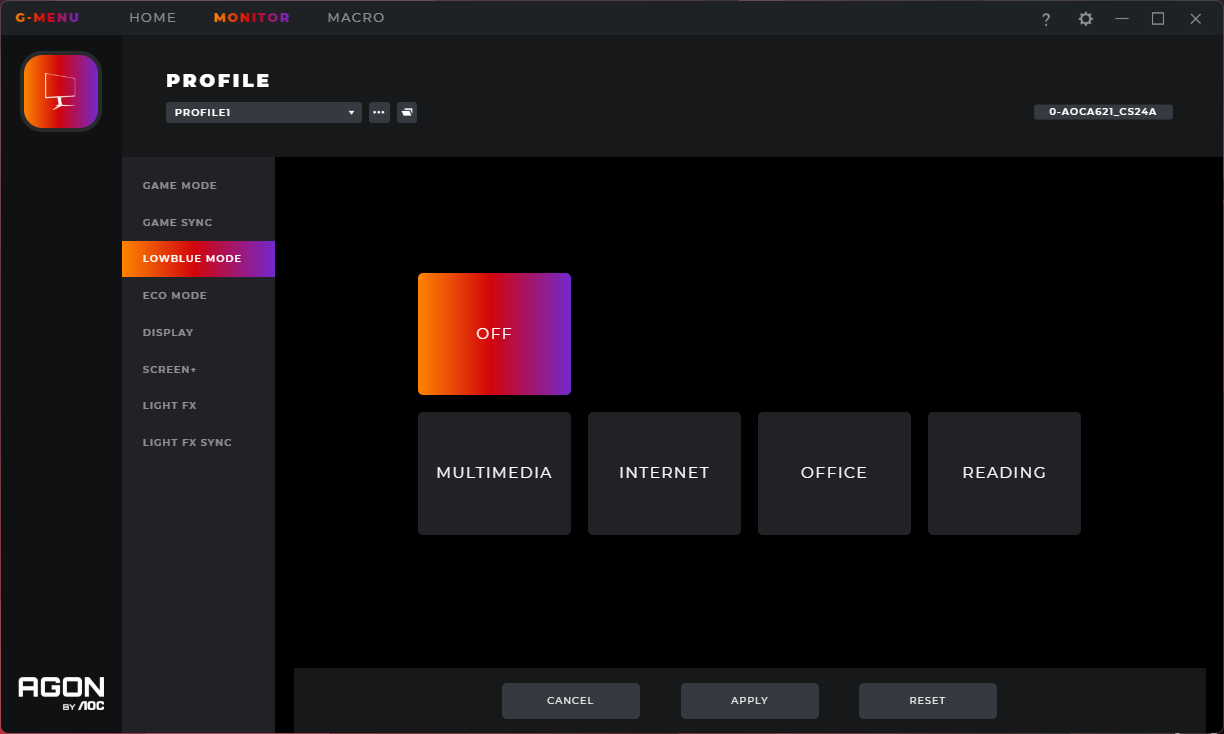
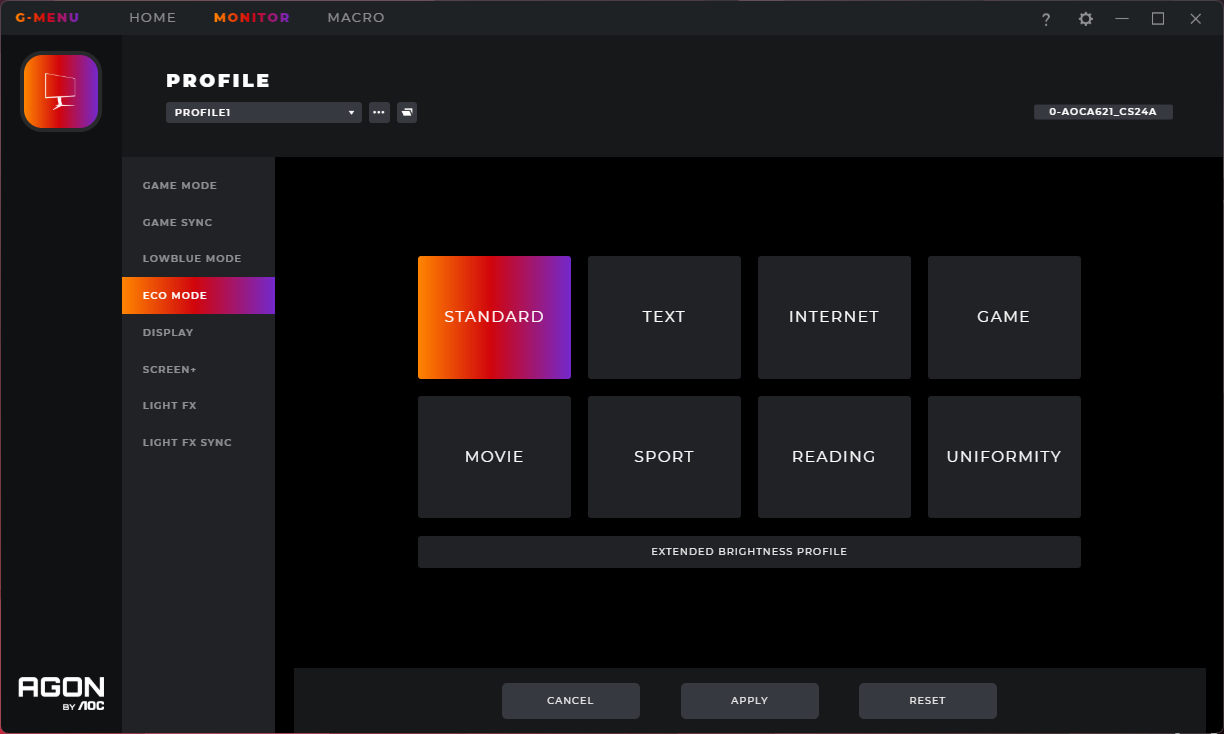
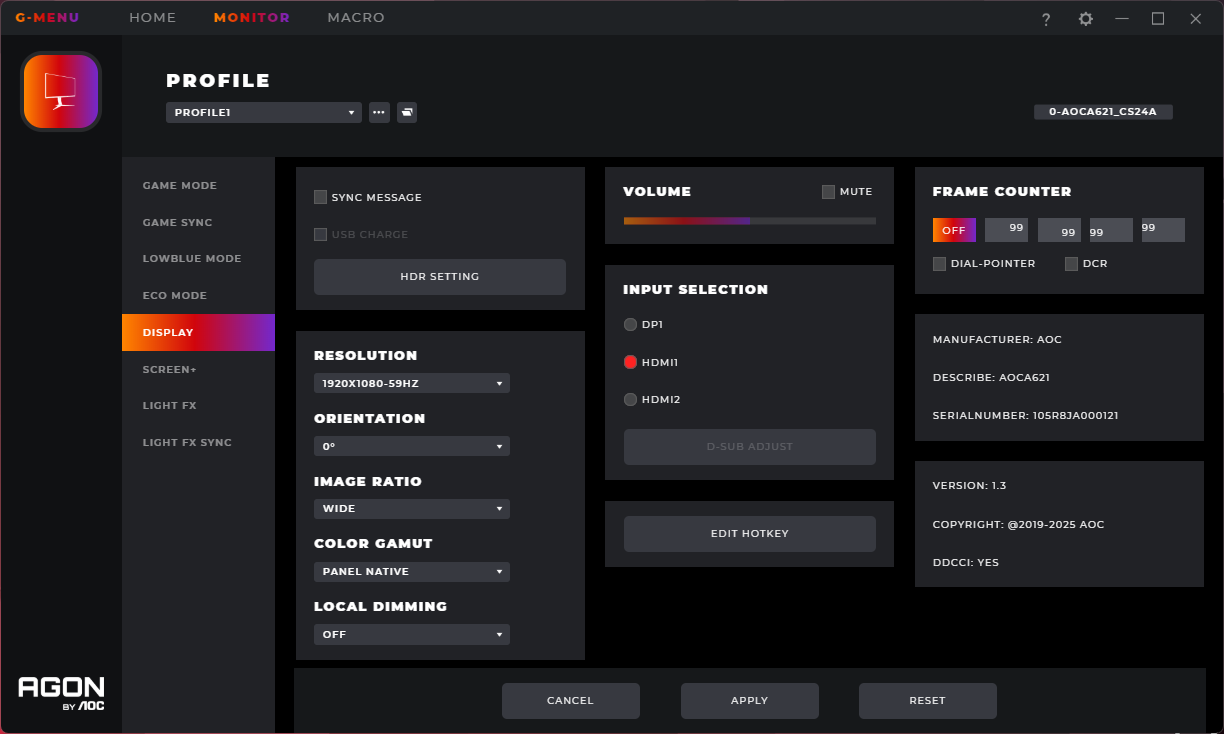
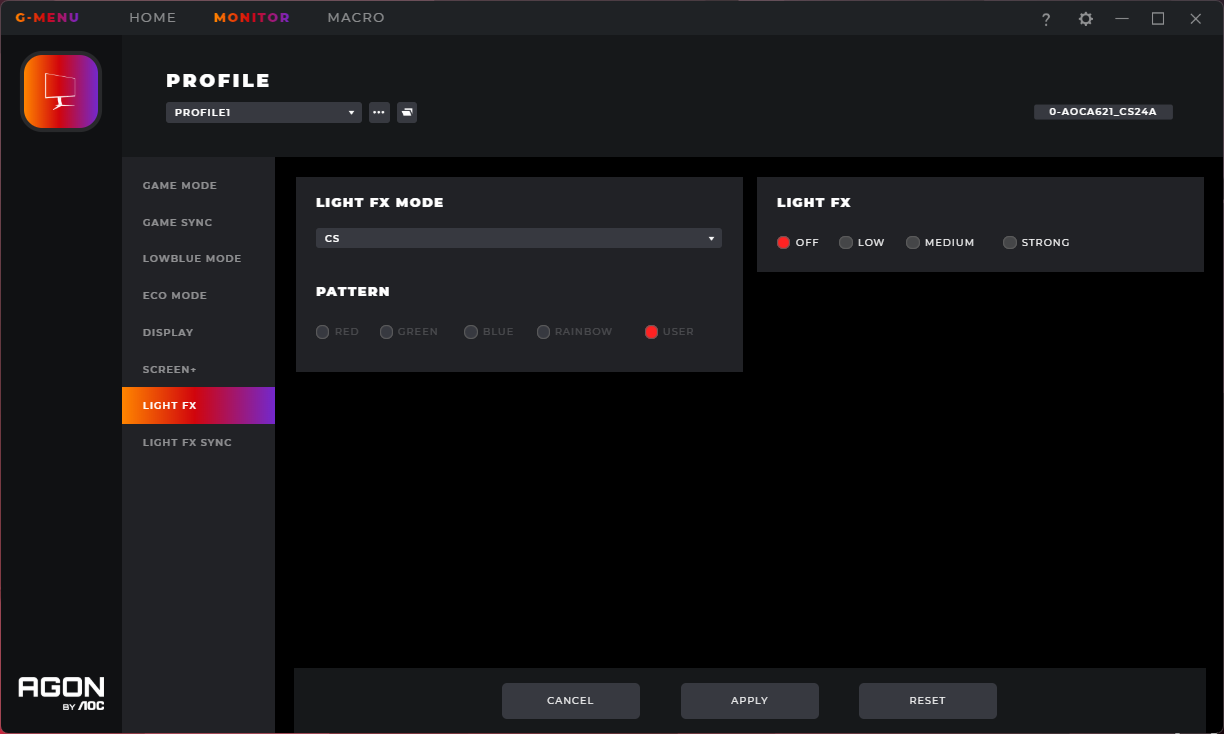
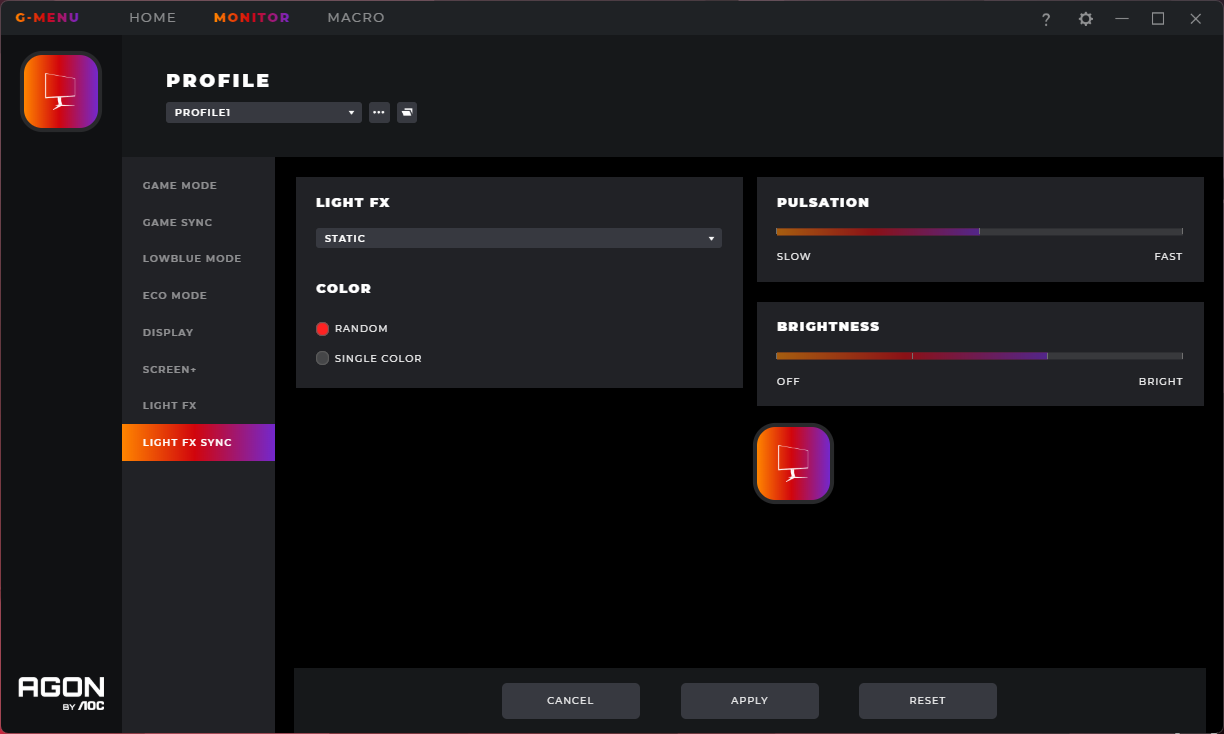
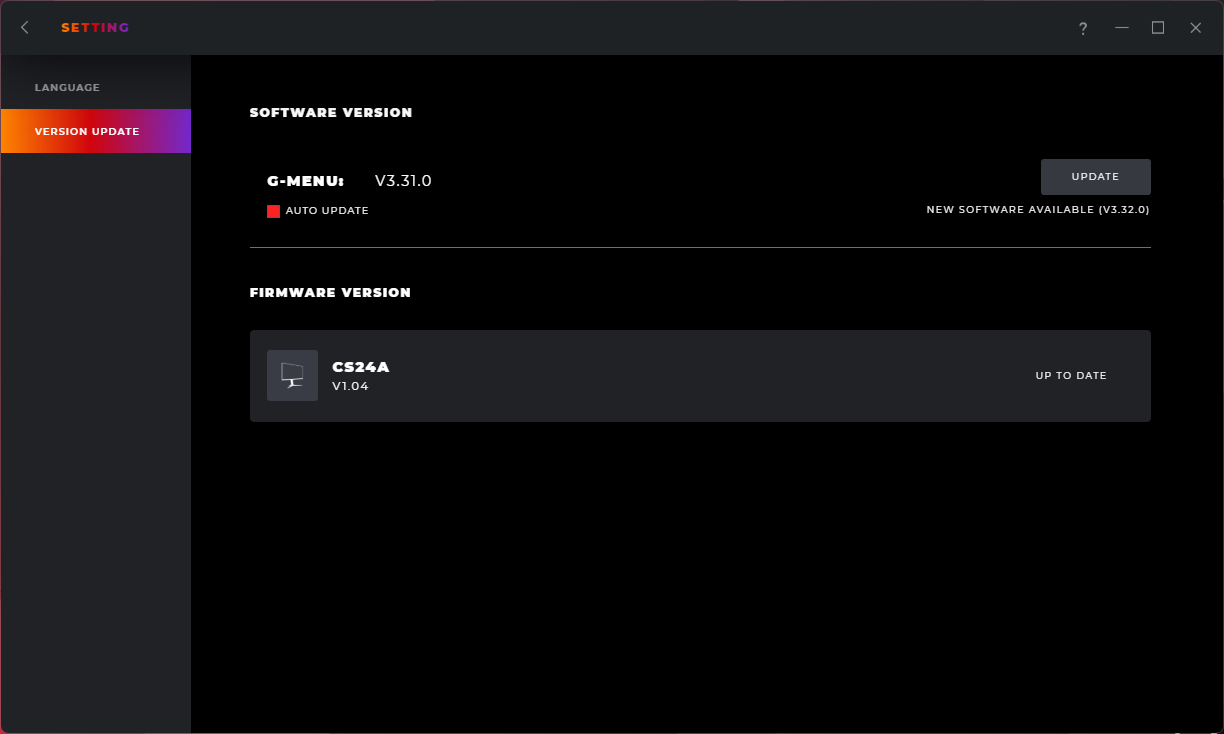
AOC does also offer its GMenu software though, allowing control over the same settings but directly from your PC. It can also be used to update the monitor's firmware, which is always a good inclusion.
Our main test involves using an X-Rite i1 Display Pro Plus colorimeter and utilising Portrait Display's Calman Ultimate software. The device sits on top of the screen while the software generates colour tones and patterns, which it compares against predetermined values to work out how accurate the screen is.

The results show:
- A monitor’s maximum brightness in candelas or cd/m2 at various levels set in the OSD.
- A monitor’s contrast ratio at various brightness levels in the OSD.
- Gamut coverage, primarily focusing on sRGB and DCI-P3 colour spaces.
- Greyscale accuracy, measured across 20 shades, with an average colour balance reported.
- The exact gamma levels, with a comparison against preset settings in the OSD.
- The colour accuracy, expressed as a Delta E ratio, with a result under 3 being fine for normal use, and under 2 being great for colour-accurate design work.
We first run these tests with the display in its out-of-the-box state, with all settings on default. If there is an sRGB emulation option or other useful mode then we may test that too. We then calibrate the screen using the Calman Ultimate software and run the tests again.
You can read more about our test methodology HERE.
Default settings
Brightness and Contrast (Full Screen)
| OSD Brightness | White Luminance (cd/m2) | Black Luminance (cd/m2) | Contrast Ratio |
| 0% | 120.6 | 0.14 | 861:1 |
| 25% | 199.2 | 0.231 | 861:1 |
| 50% | 274.6 | 0.318 | 864:1 |
| 75% | 349 | 0.403 | 866:1 |
| 100% | 410.3 | 0.471 | 871:1 |
Starting our testing with brightness, we can see a decent peak from the CS24A, given it hits up to 410 nits, though the minimum of just 121 nits is fairly high. On top of that, black levels are also higher than we'd like, resulting in pretty poor contrast of just 870:1. This is a TN panel so it was never going to be great in this area, but AOC still claims 1000:1 which we are some way below.
Screen Uniformity
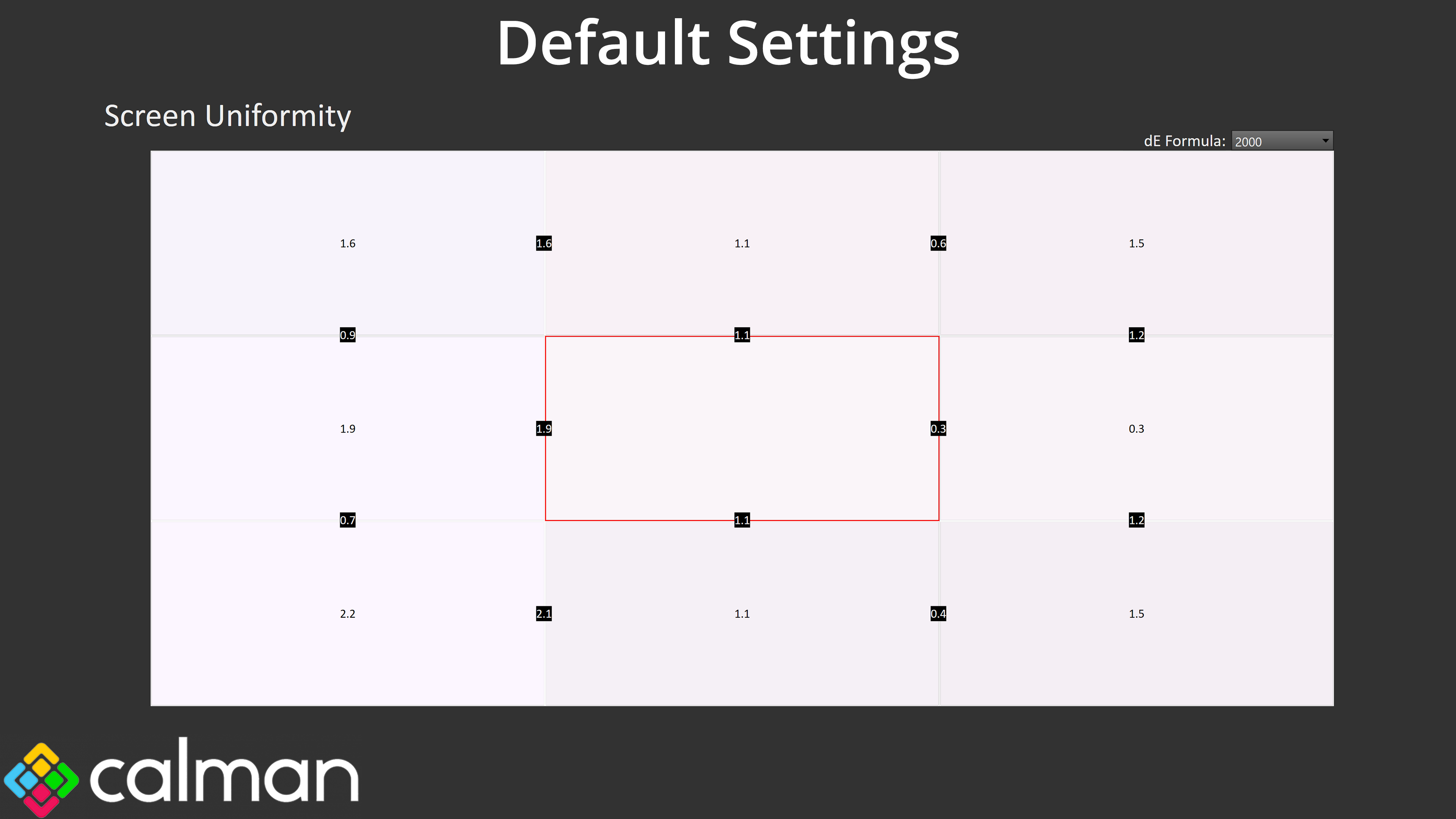
Actual screen uniformity is decent though, with no areas of concern, which is good to see.
Gamut (CIE 1976)
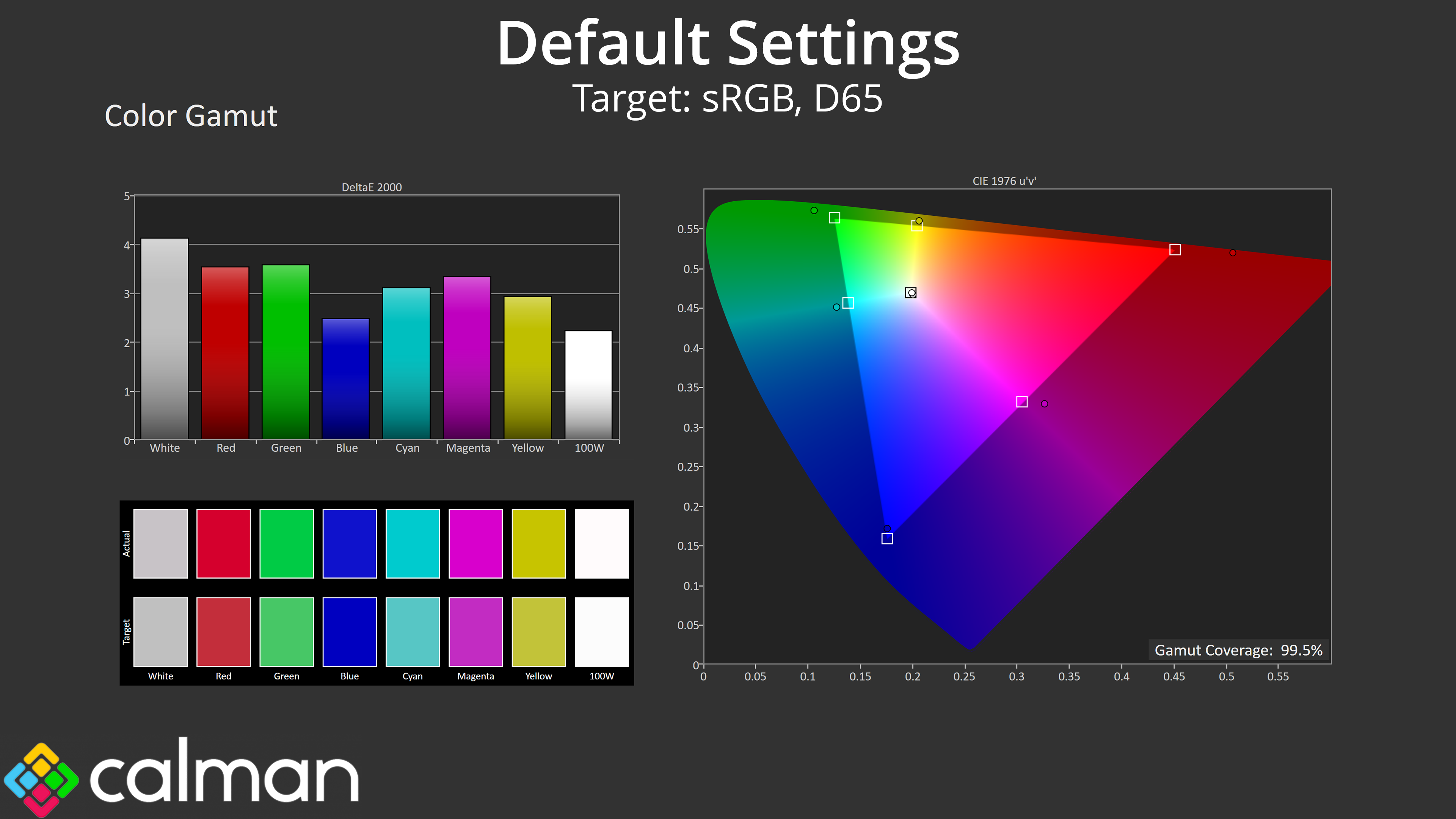
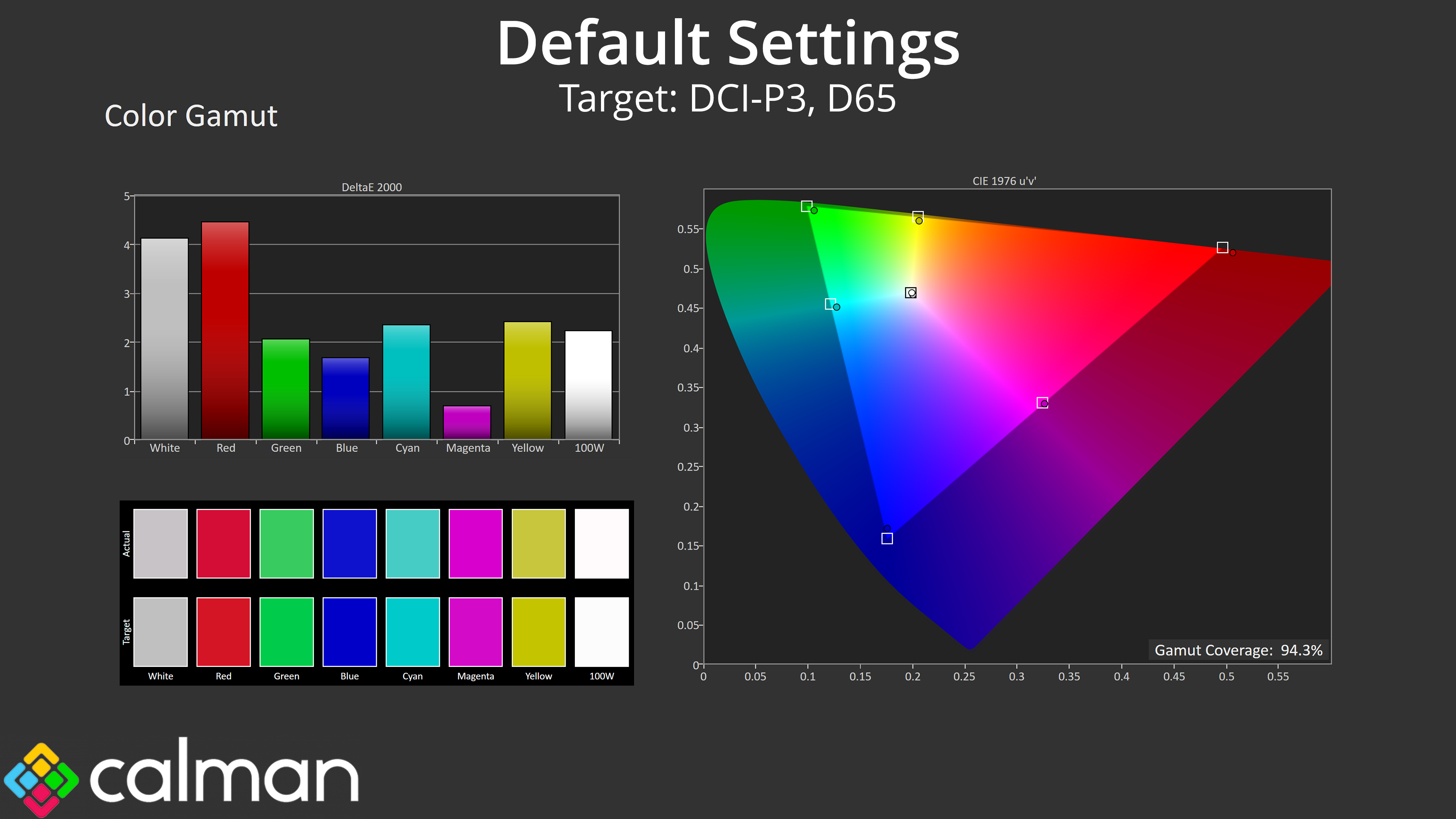
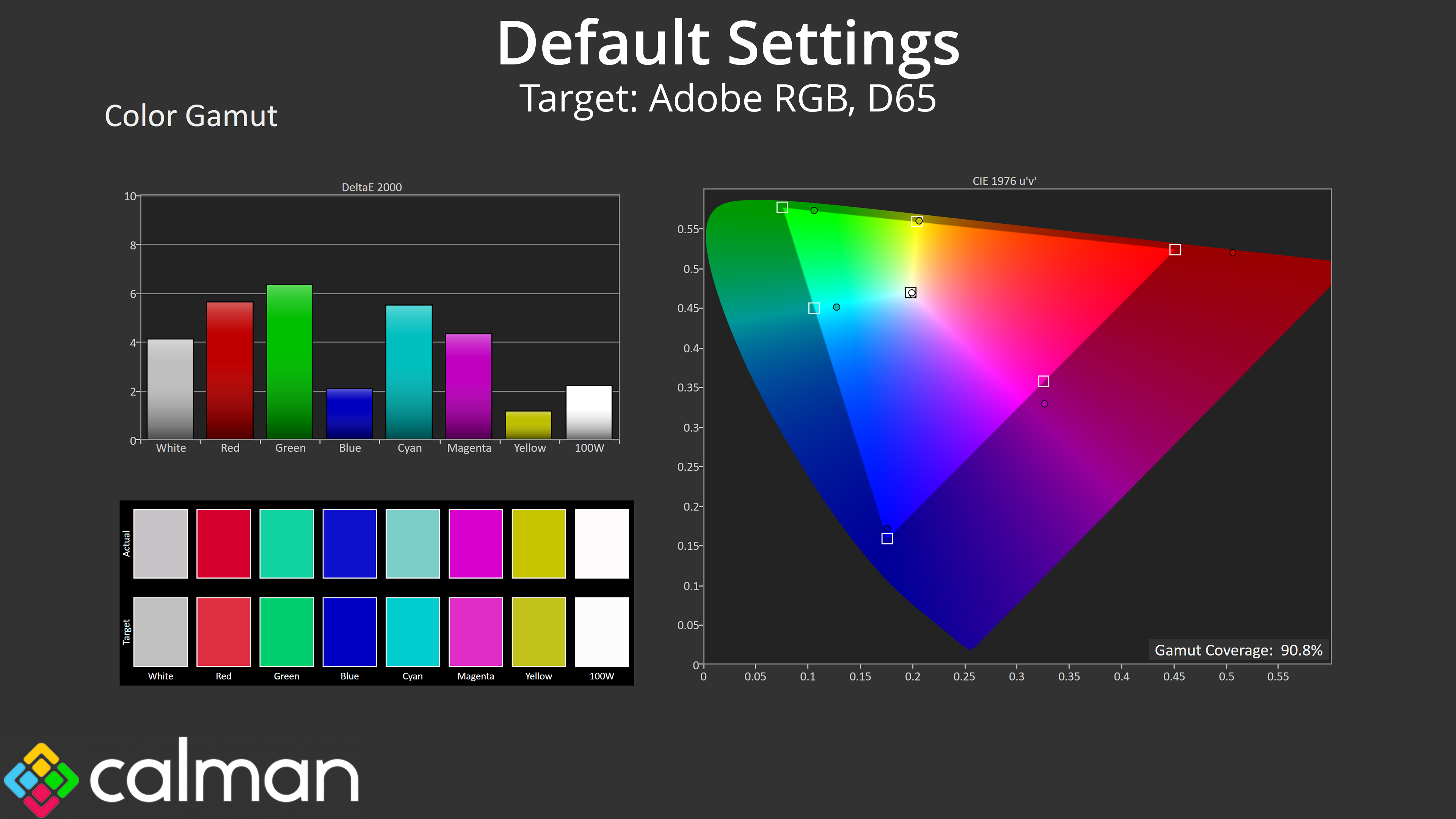
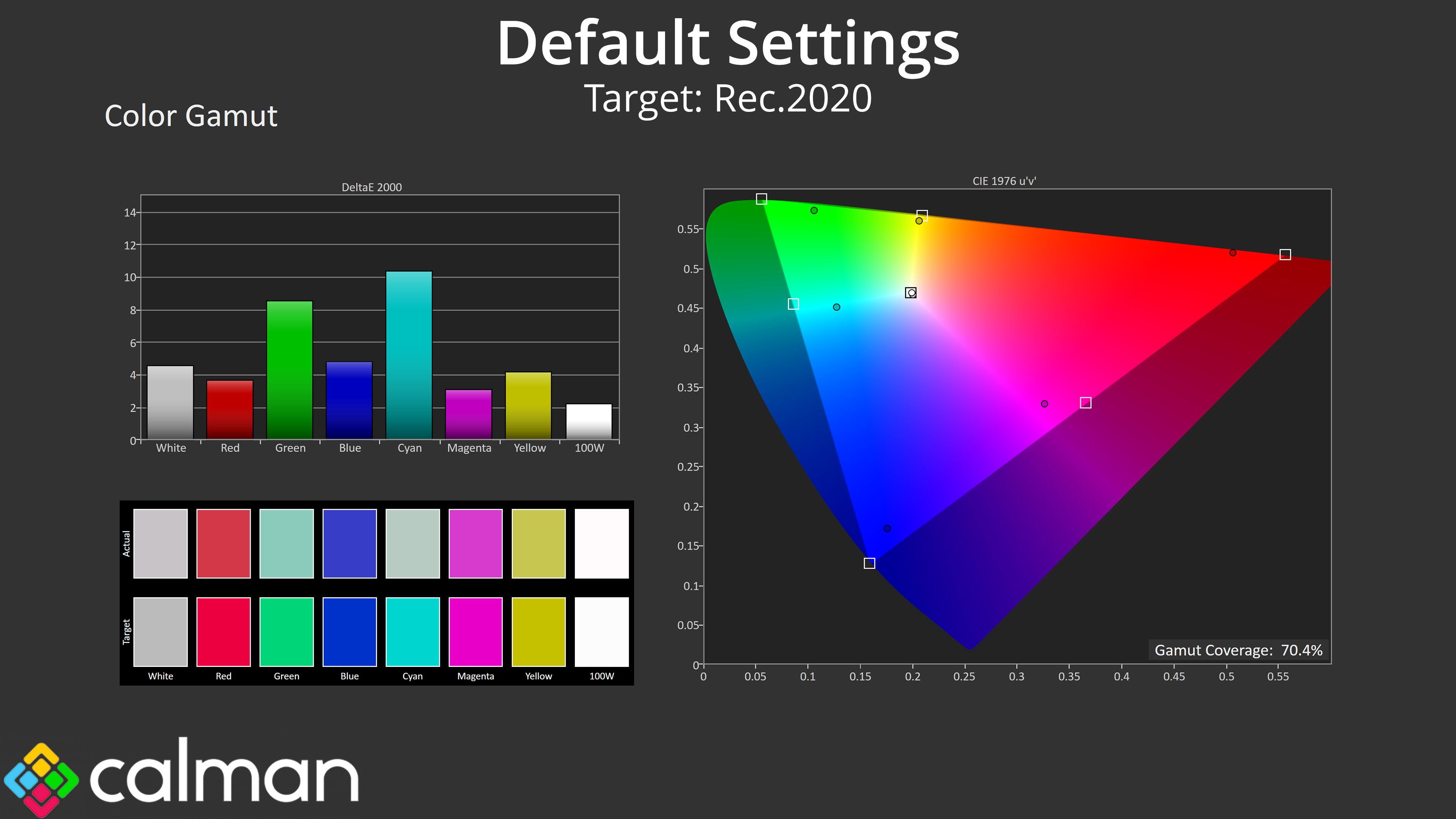
| Colour space | Coverage (%) |
| sRGB | 99.5 |
| DCI-P3 | 94.3 |
| Adobe RGB | 90.8 |
| Rec.2020 | 70.4 |
As for gamut, it does generally exceed the sRGB space, though it's clearly not as wide as other monitors we've tested recently, with DCI-P3 coverage hitting 94.3%, alongside 90.8% for Adobe RGB and 70.4% coverage of Rec.2020.
Greyscale
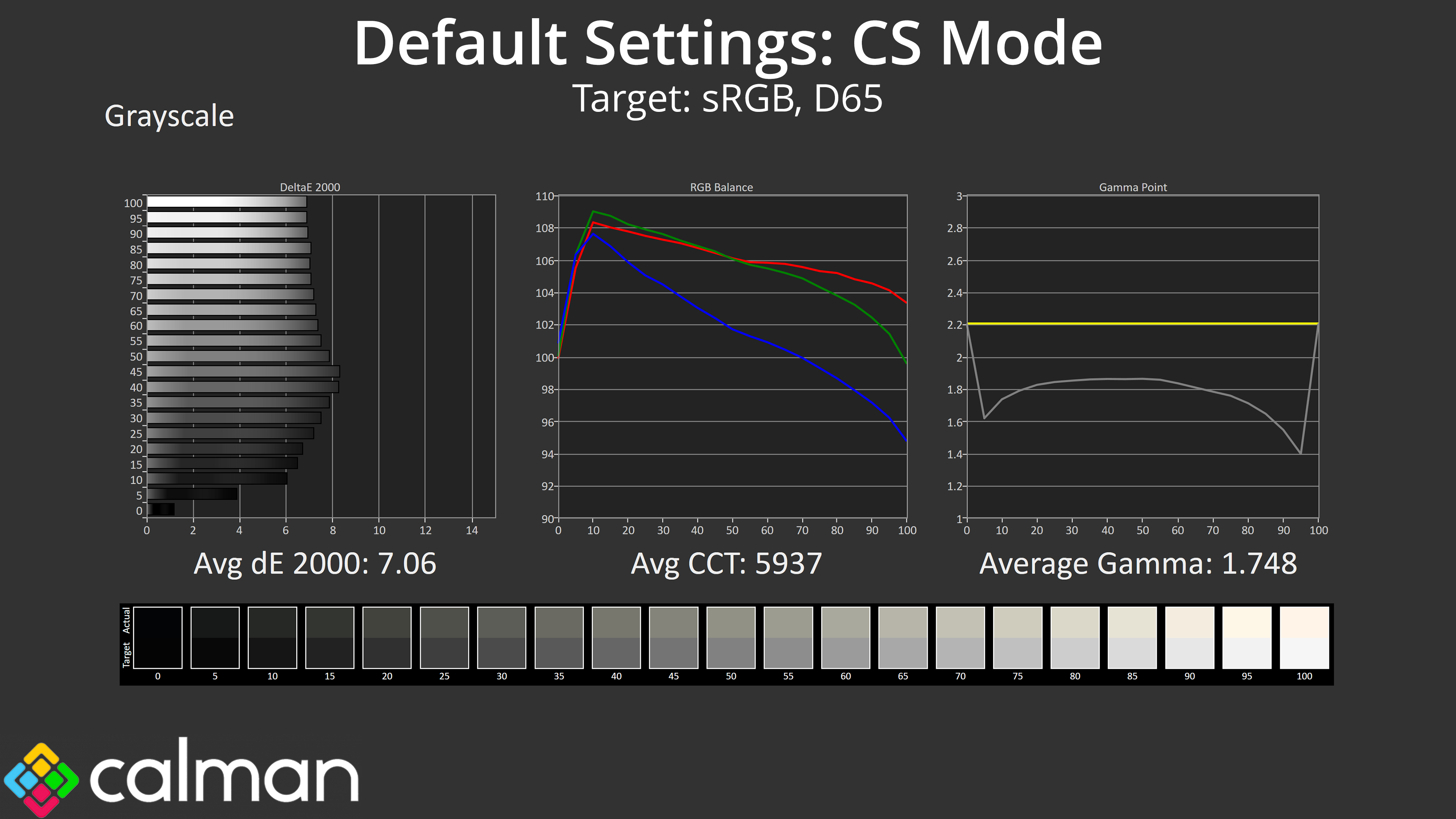
When it comes to greyscale, it's worth pointing out that, by default, the CS24A ships with the ‘CS' game mode enabled within the OSD, and this has a custom colour balance and shadow boost pre-applied, obviously meant for gaming in Counter-Strike. The consequence is that greyscale is not very accurate at all, with a colour balance below 6000K, which gamma averages 1.748.
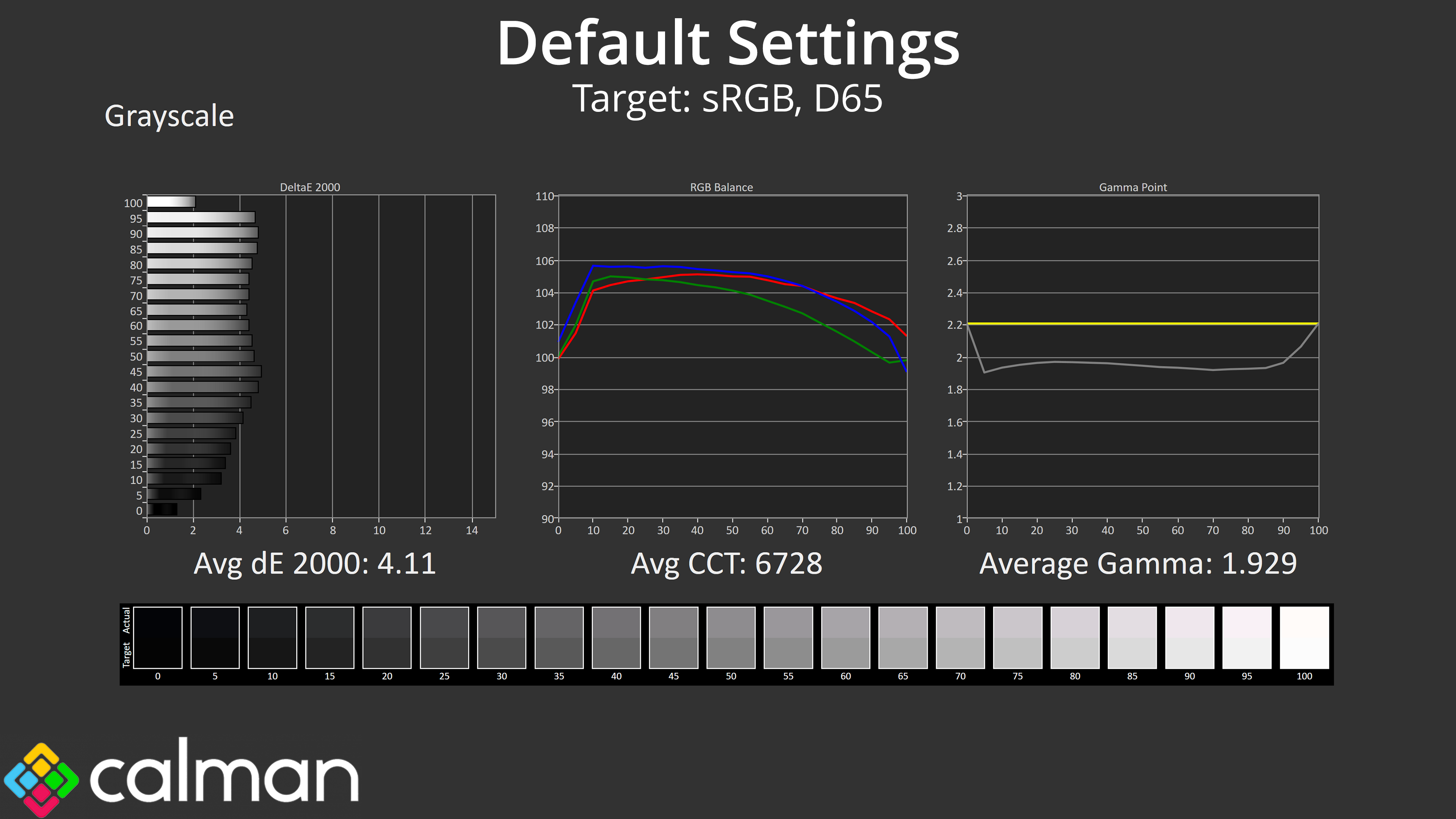
If we disable the game mode, things do improve, with a much better colour balance now, but gamma is still too low at 1.929 average.
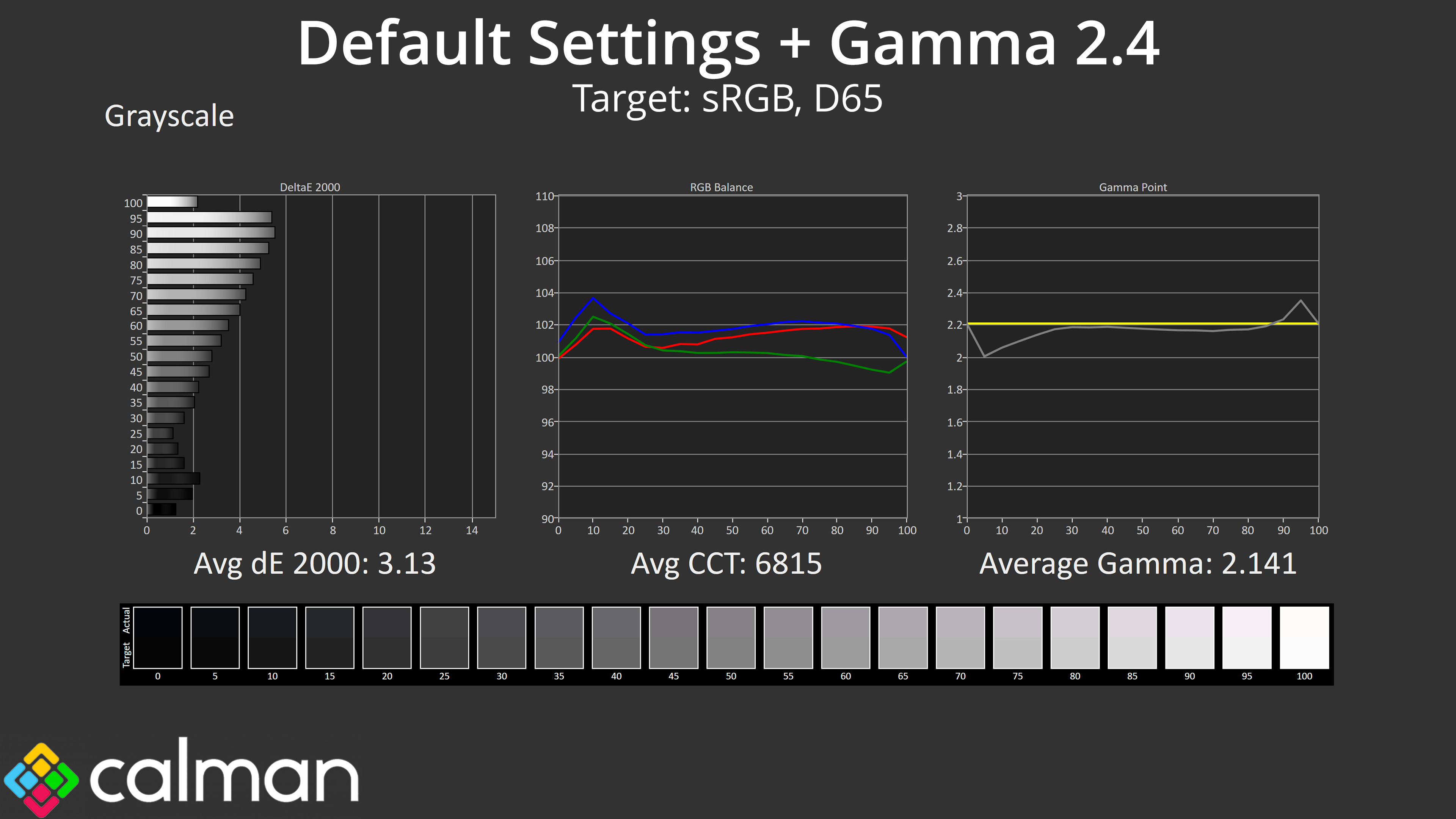
It turns out that for the most accurate results, manually switching to the gamma 2.4 setting actually gets us closer to the 2.2 target. I'm not sure if this is an error or if gamma is deliberately too low, possibly for Counter-Strike advantages, but it's worth being aware of.
Saturation
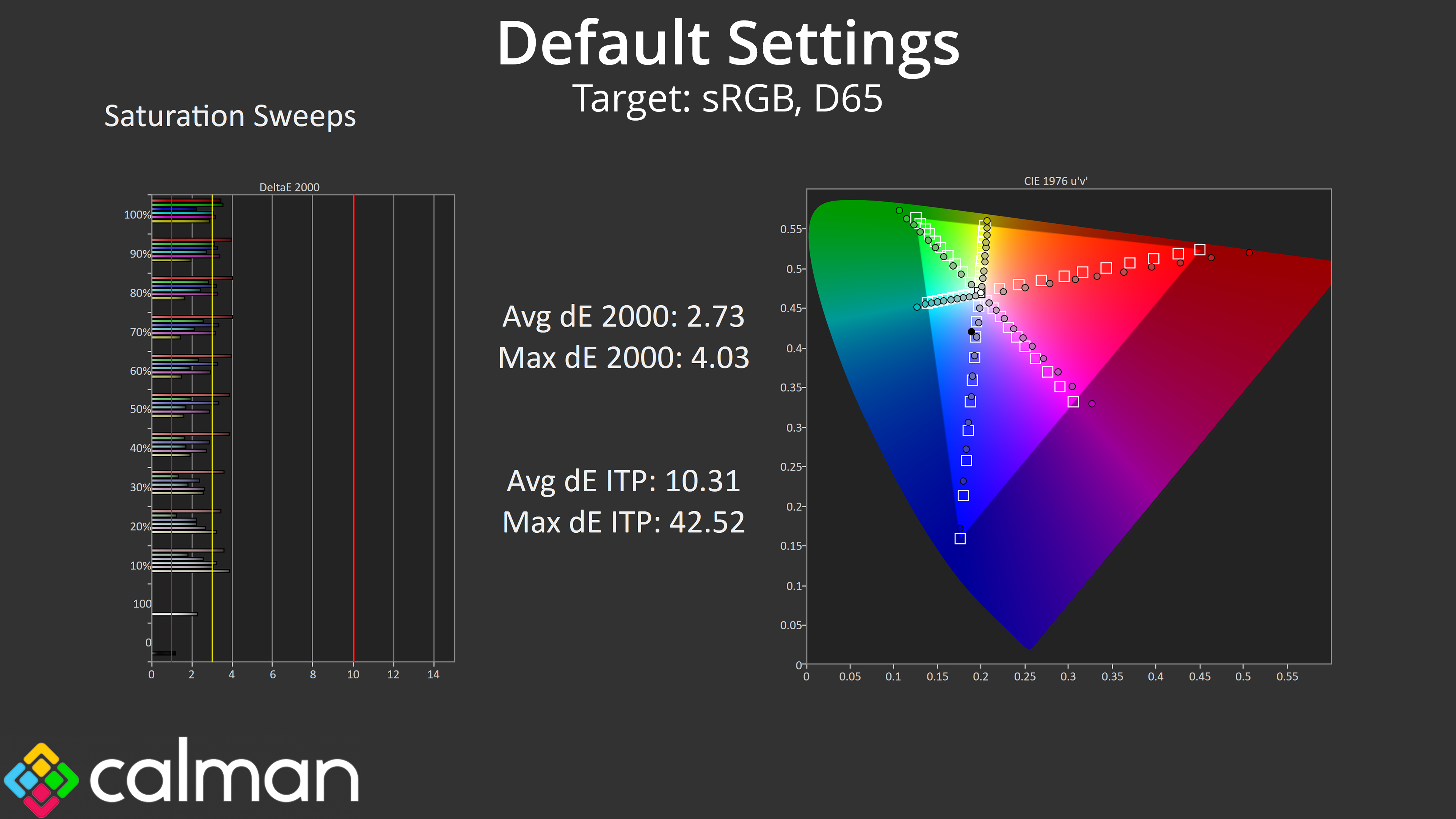
Saturation sweeps do show some inaccuracy given the gamut generally exceeds the sRGB space, but the average deltaE 2000 of 2.73 isn't the worst we've ever seen.
Colour Accuracy
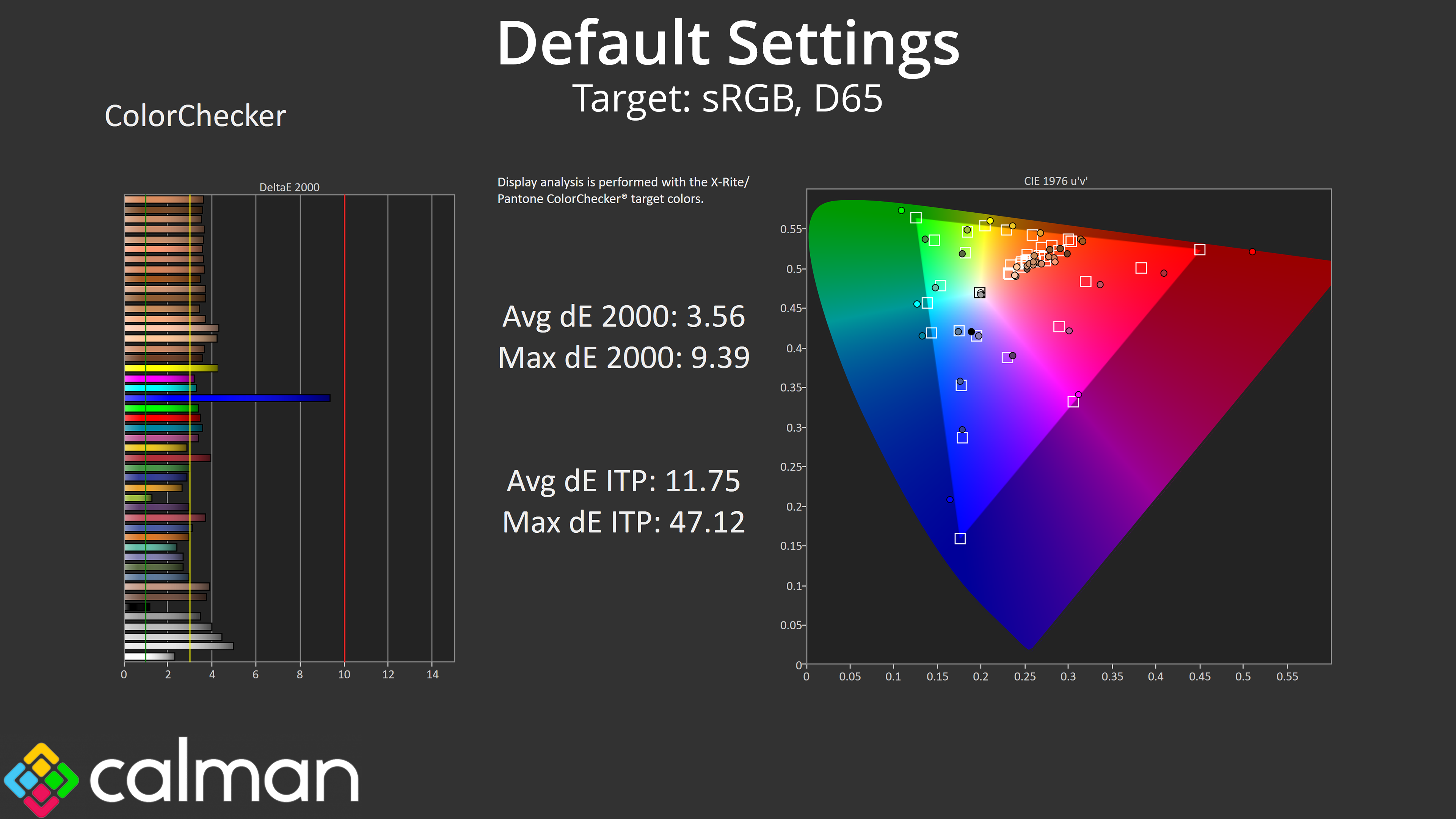
Likewise, the colour accuracy isn't great, but the average of 3.56 could be worse. It's unlikely anyone needing proper colour accuracy would be looking at this screen anyway, but it's worth showing nonetheless.
sRGB Emulation Mode
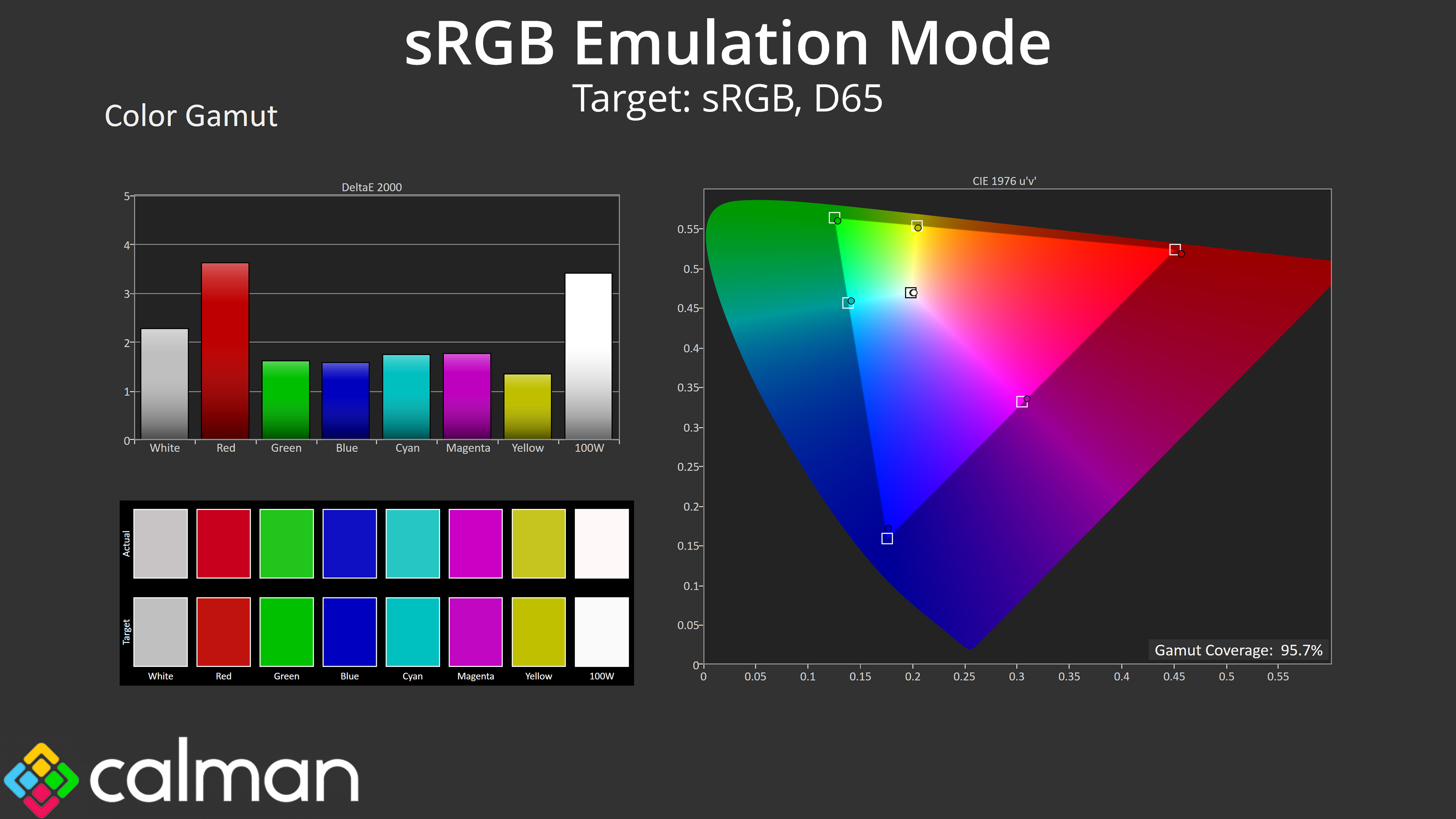
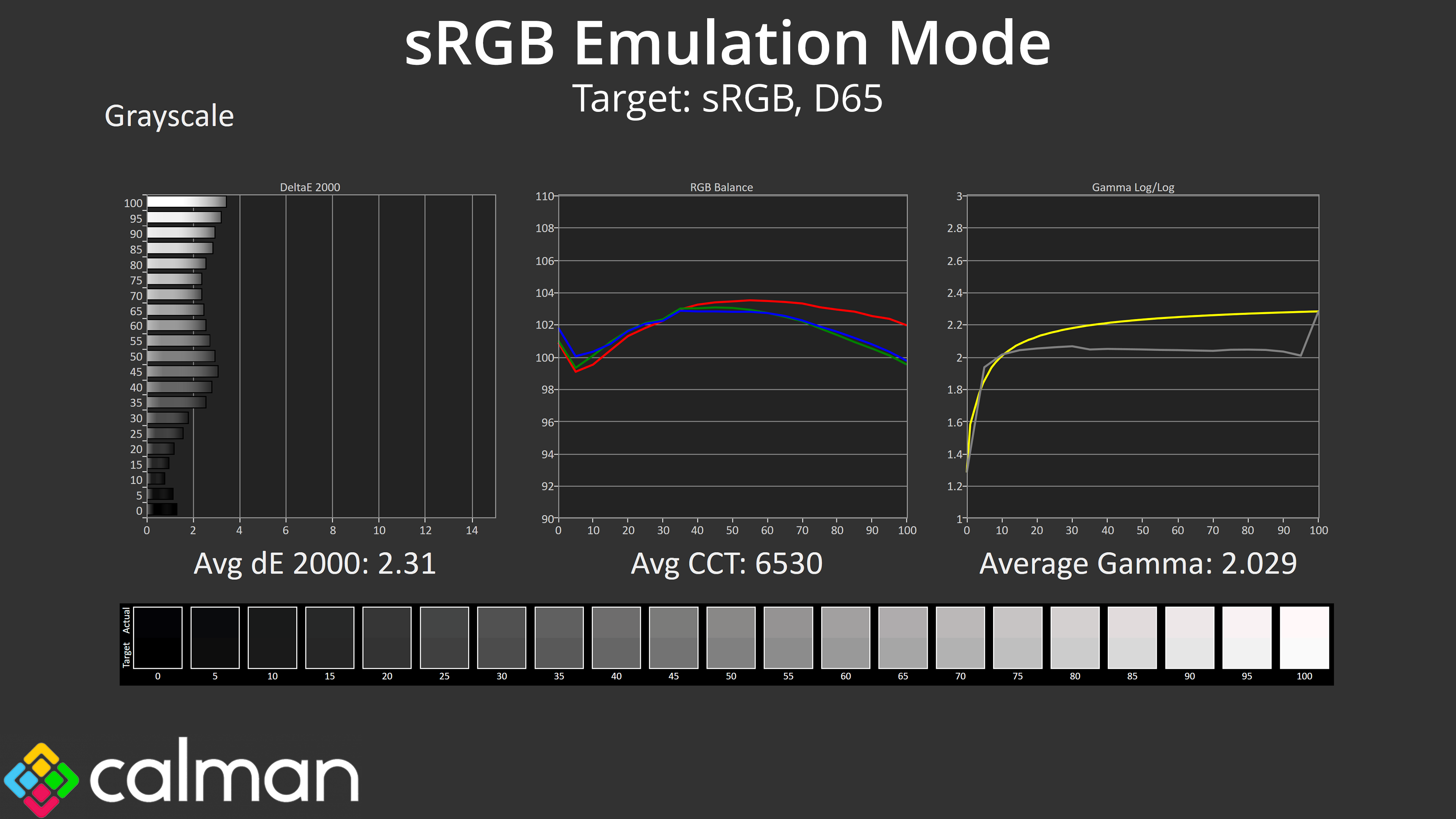
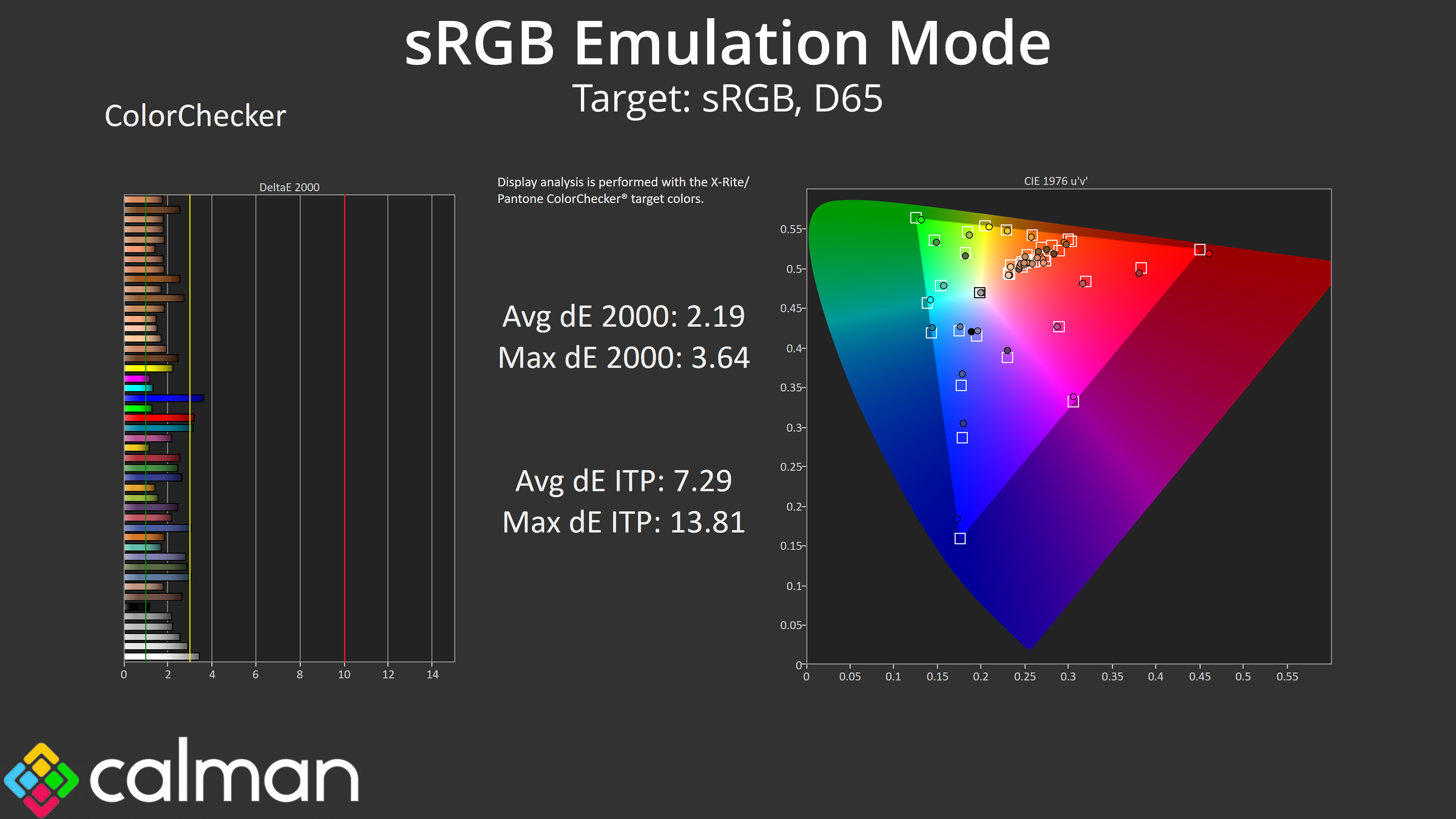
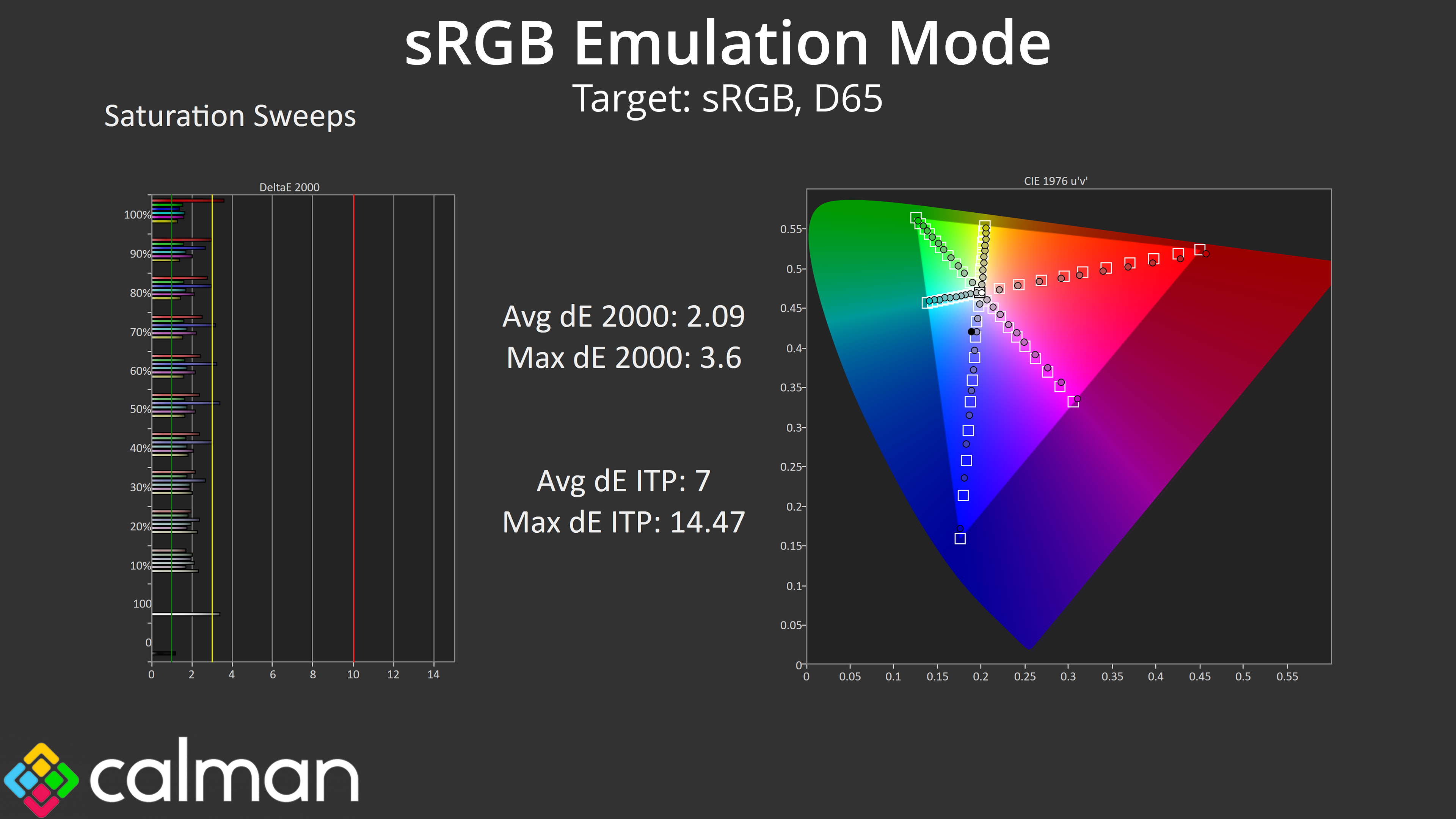
AOC also included an sRGB mode within the OSD. This is an improvement over stock performance, with a more accurate colour balance, though gamma is still too low and the sRGB mode locks users from adjusting gamma manually. Still, both saturation and colour accuracy average deltaEs improve into the low 2 range, so it's worth using if you want to improve accuracy.
Calibrated Results
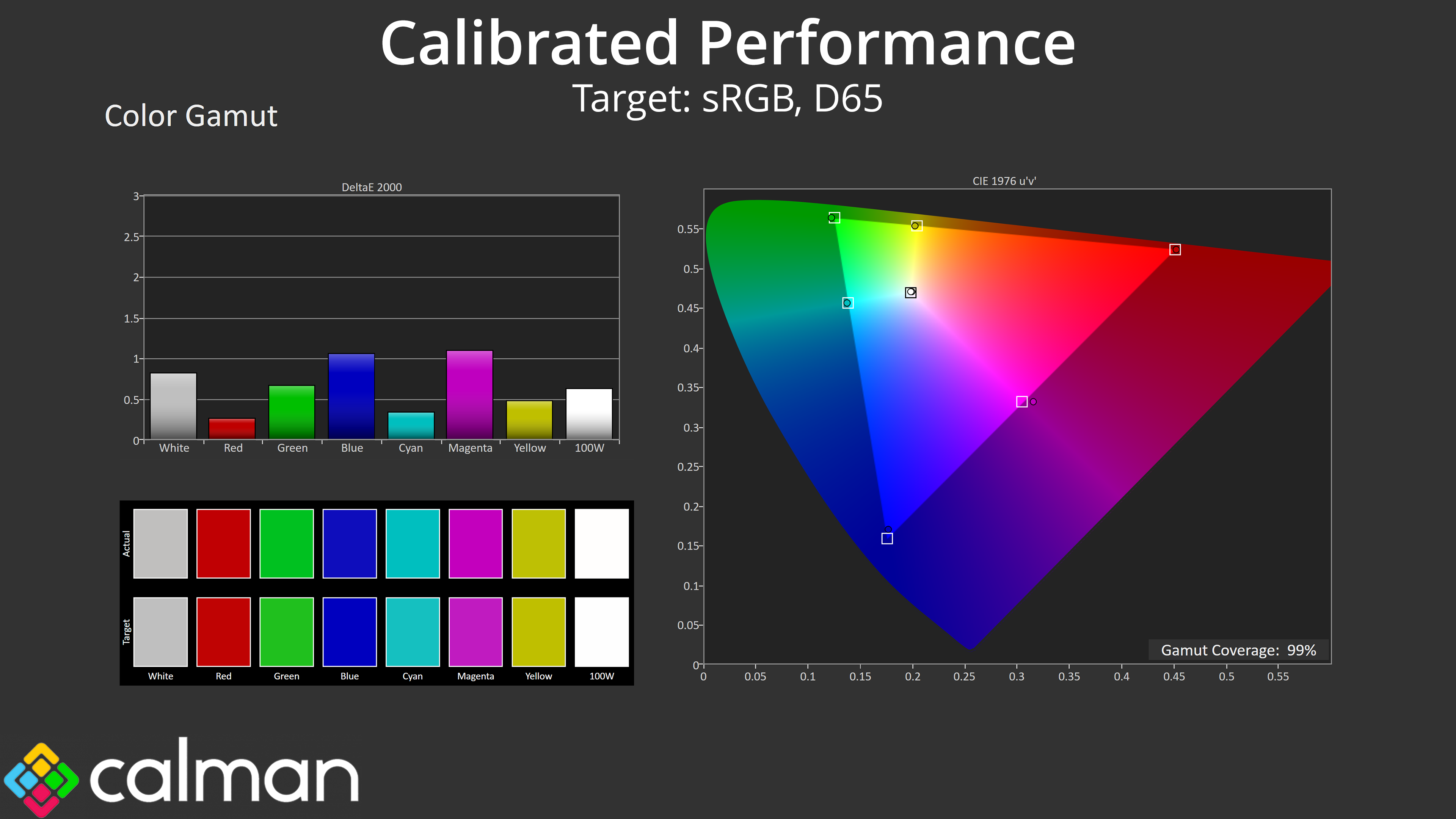
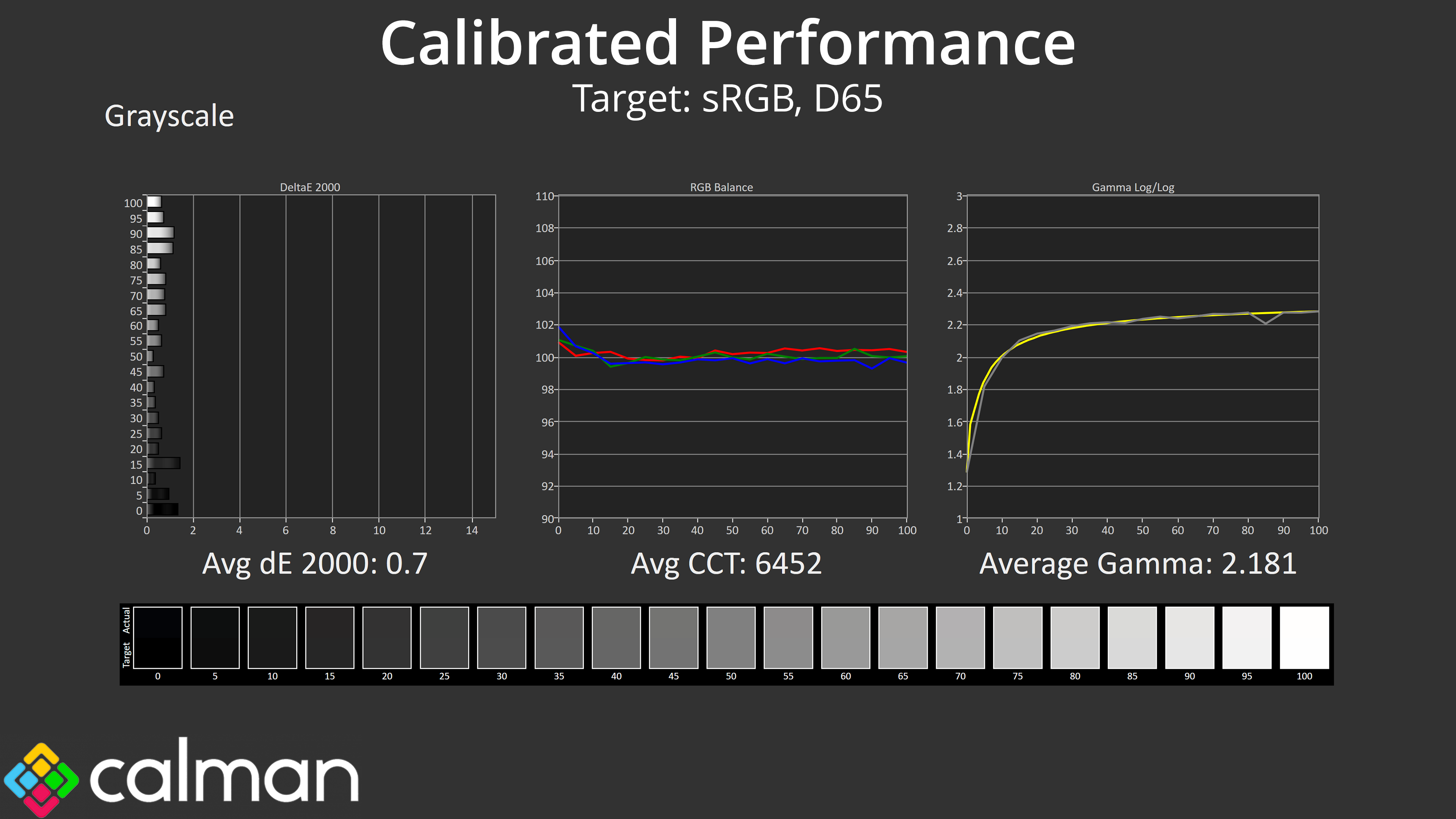
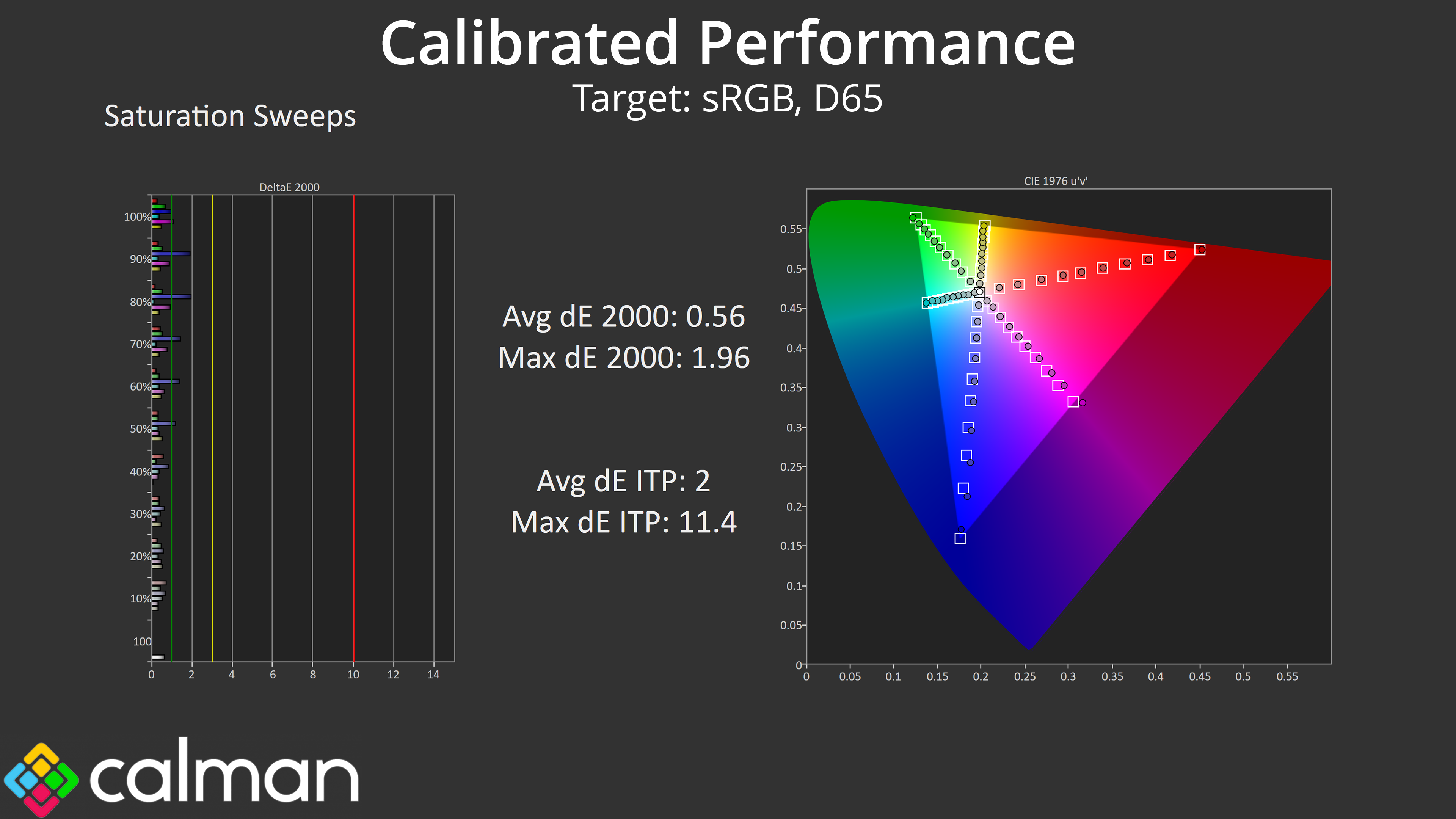
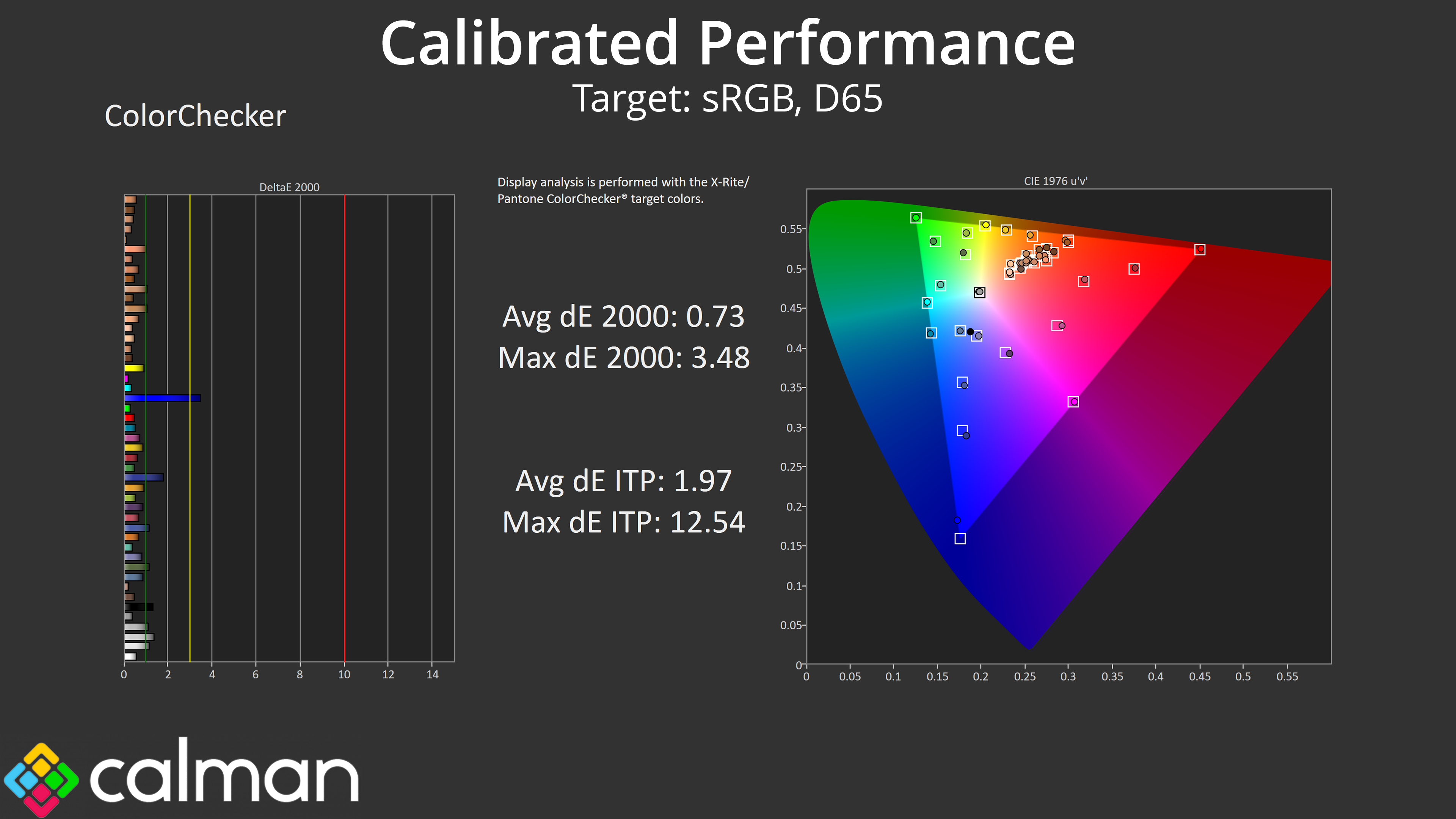
Of course, for the best results a full calibration is required, and you can see what we were able to achieve here. Again, I really don't think this monitor is geared towards the type of person who will be calibrating for image quality, but it's still good to know what it's capable of.
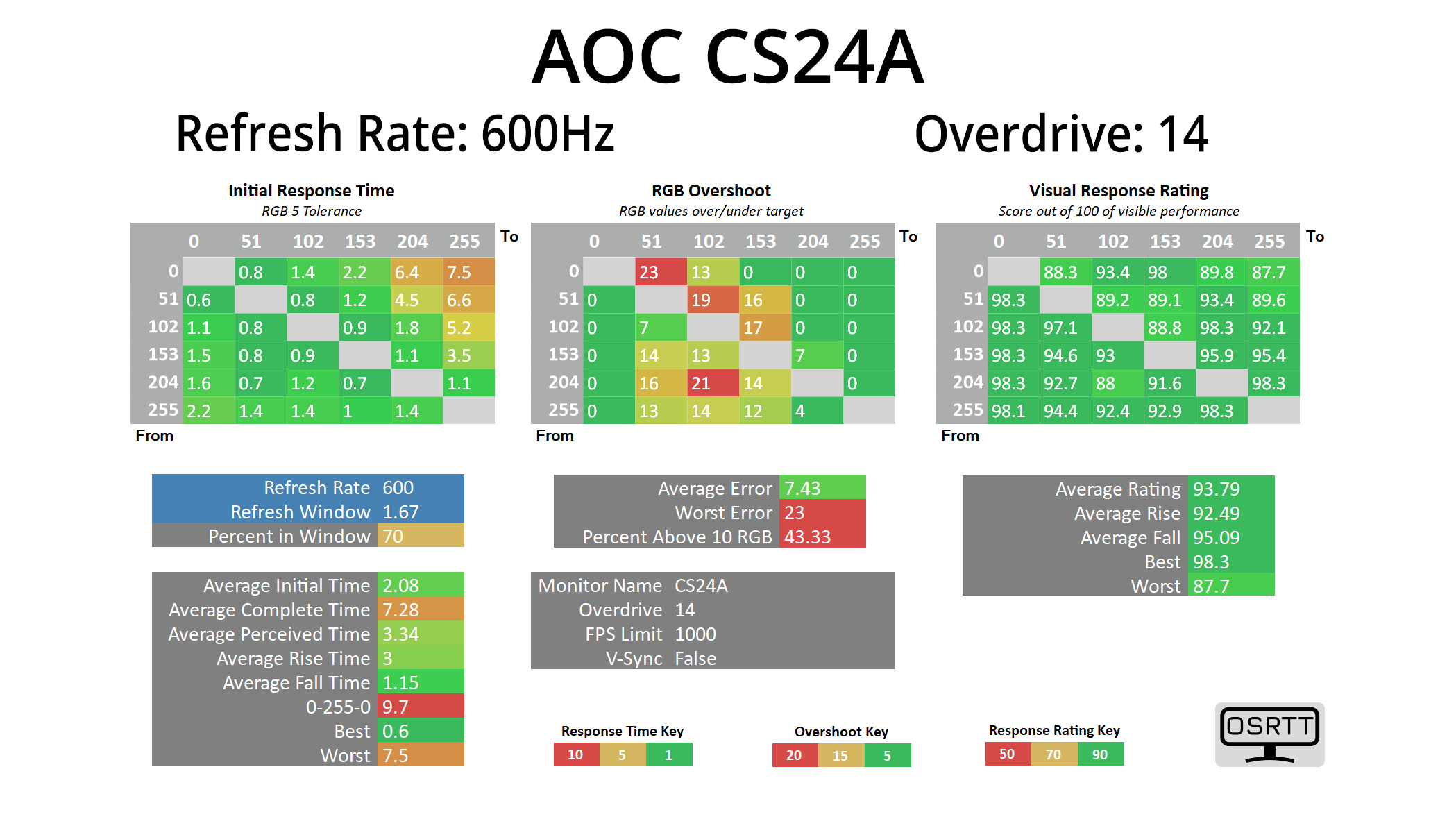
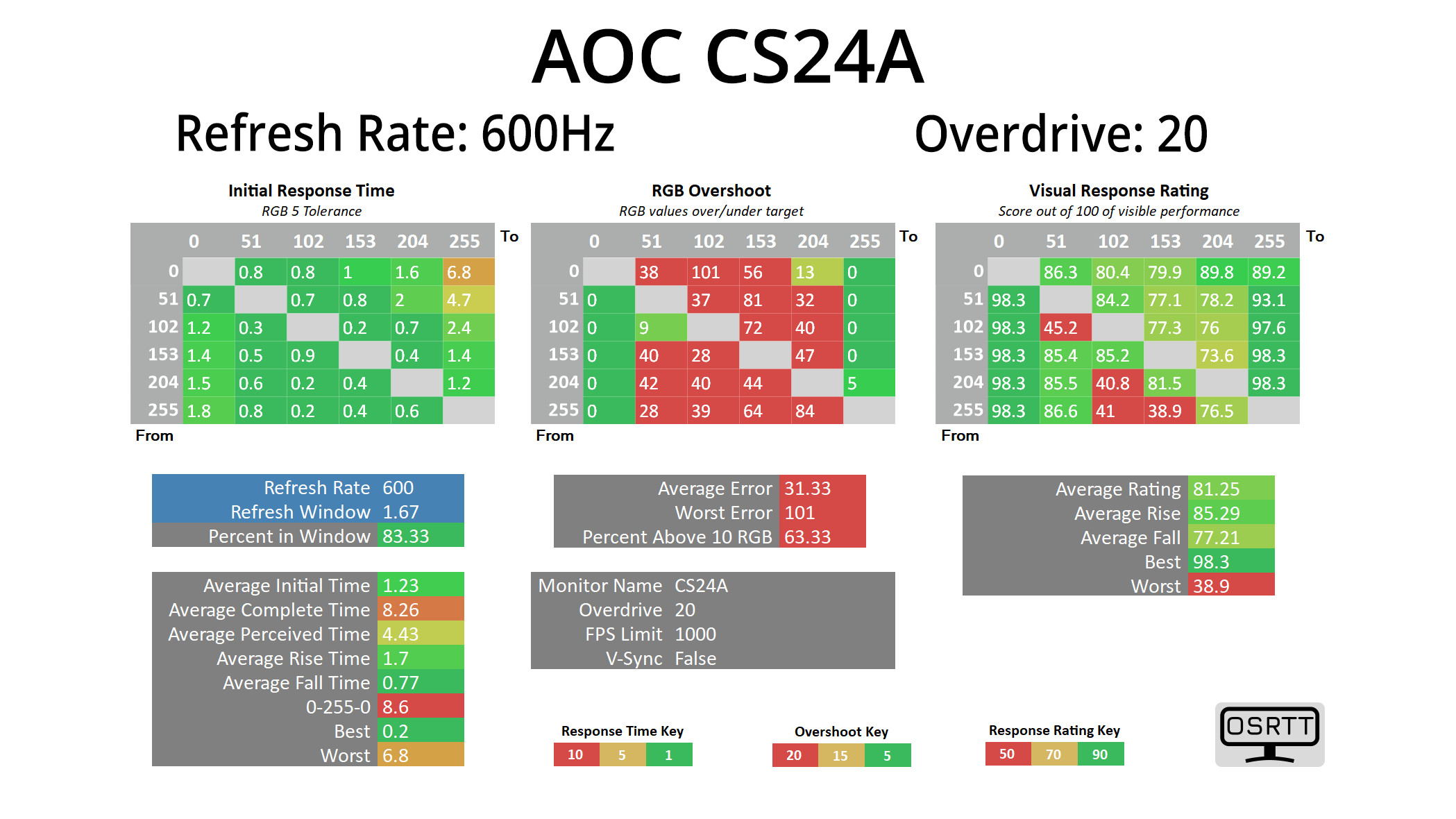
We use the Open Source Response Time Tool (OSRTT), developed by TechTeamGB, for our response time testing. This measures grey-to-grey response times and presents the results in a series of heatmaps, the style of which you may be familiar with from other reviews.
Initial Response Time is the time taken for the panel to transition from one colour to another, where lower values are better. We present the initial response time, so overshoot is not taken into account and is measured separately. We use a fixed RGB 5 tolerance for each transition.
Overshoot is the term given for when a monitor's transition exceeds or goes beyond its target value. So if a monitor was meant to transition from RGB 0 to RGB 55, but it hits RGB 60 before settling back down at RGB 55, that is overshoot. This is presented as RGB values in the heatmaps – i.e. how many RGB values past the intended target were measured.
Visual Response Rating is a metric designed to ‘score' a panel's visual performance, incorporating both response times and overdrive. Fast response times with little to no overshoot will score well, while slow response times or those with significant overshoot will score poorly.
We test the CS24A at 600Hz, using a range the overdrive settings found within the OSD. It is worth clarifying that we've done all of our testing at 600Hz, despite the CS24A being advertised as able to hit 610Hz via the overclock function. The difference between 600 and 610Hz is just 0.04ms to begin with, but crucially the OC function actually disables MBR+, which is a key feature of the screen so it's not worth removing the functionality.
600Hz
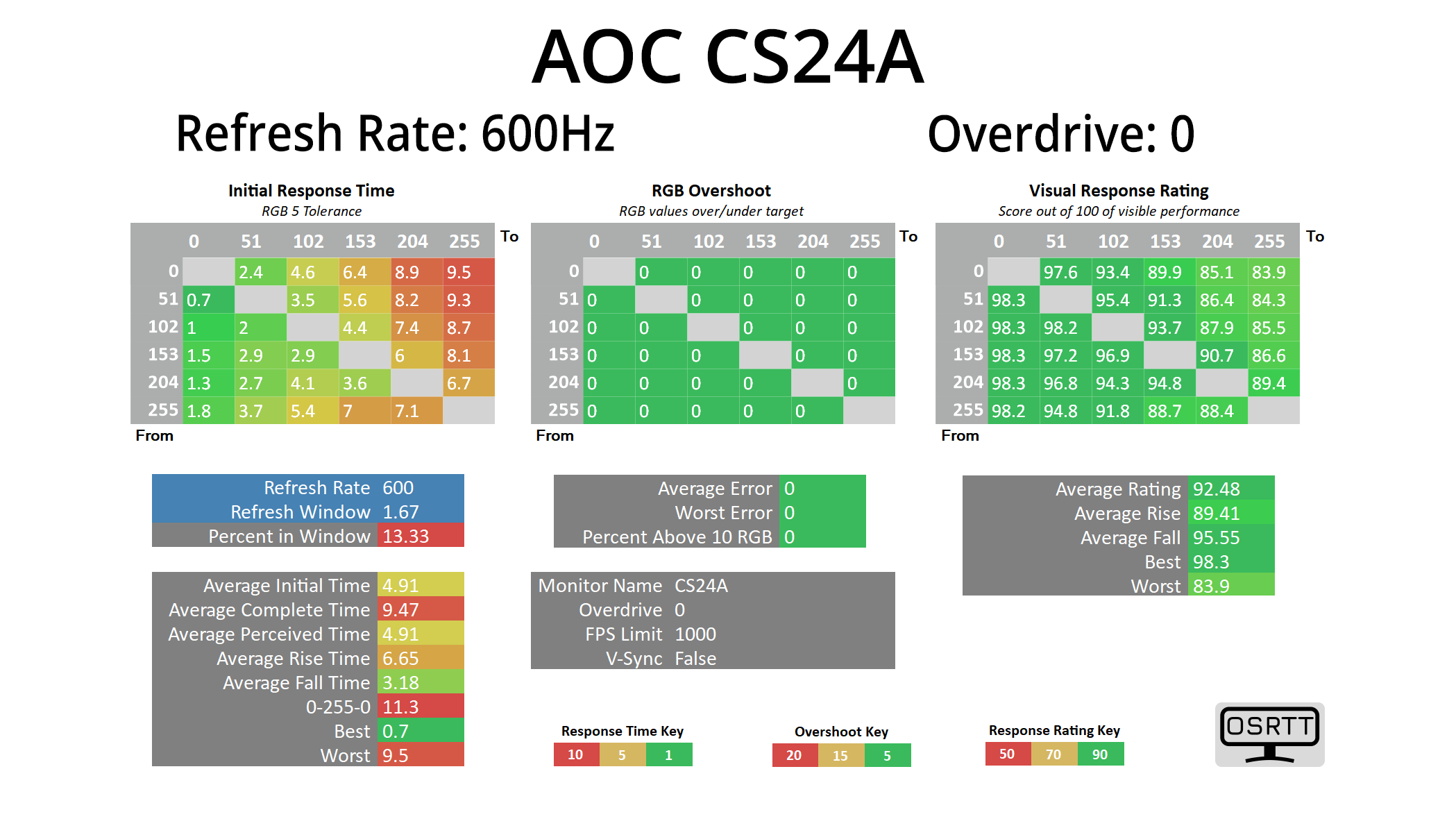
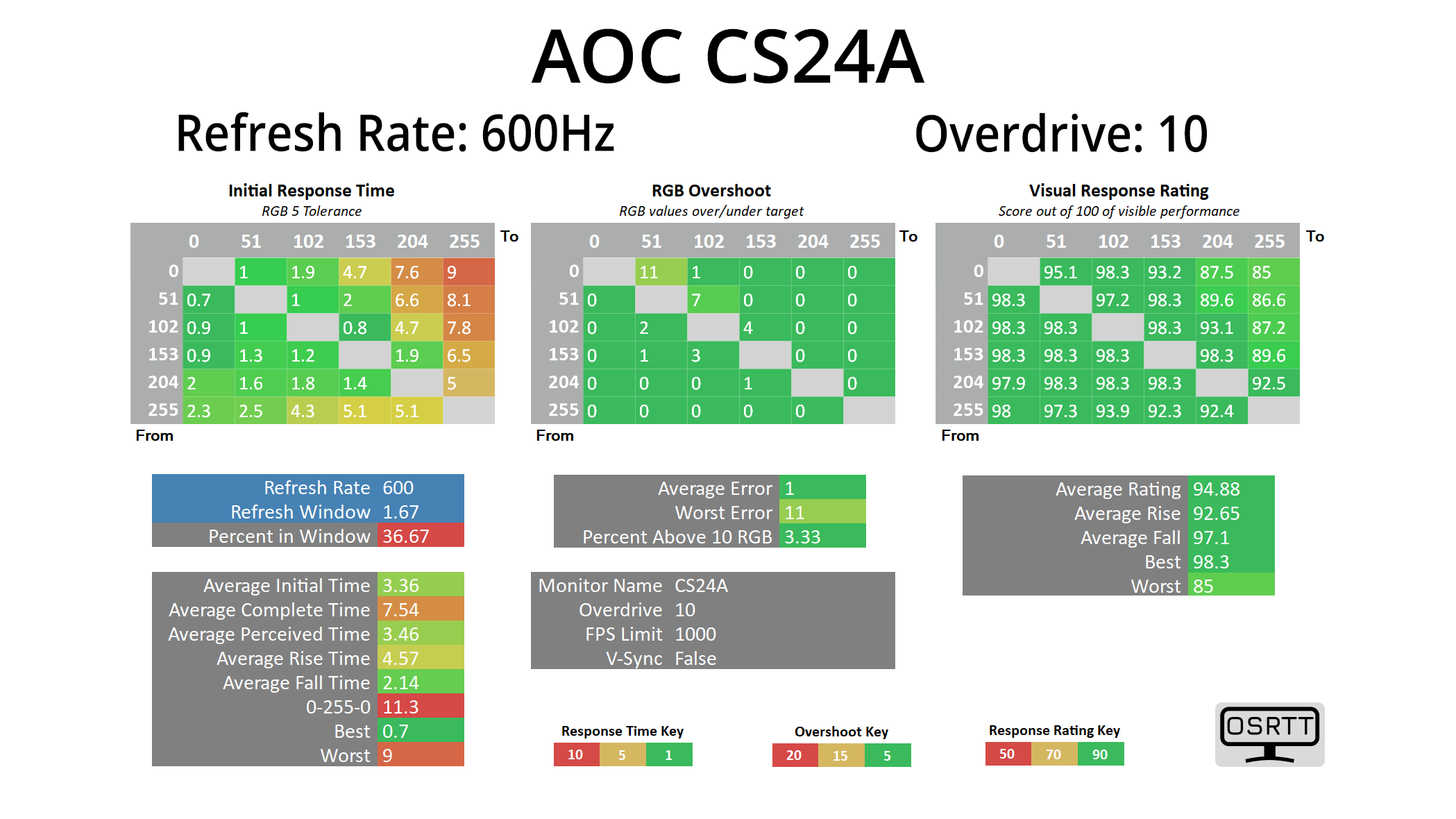
It's great to see AOC offer a range of overdrive options, from 0 to 20, as opposed to three or four presets. OD 10 is the default and it's not bad, with no overshoot and some decent response times, though it averages 3.36ms which is some way out of the 1.67ms refresh window.
OD 14 is the most optimal setting in my view, keeping overshoot to an average error of just 7.4 RGB values, while improving average response time to just over 2ms. This is still a little outside the refresh window, but not by much at all, and as we will see below, it looks very clean in practice.
OD 20 maxes the overdrive and that results in horrible overshoot, though average response times are improved to 1.23ms.
Best response times
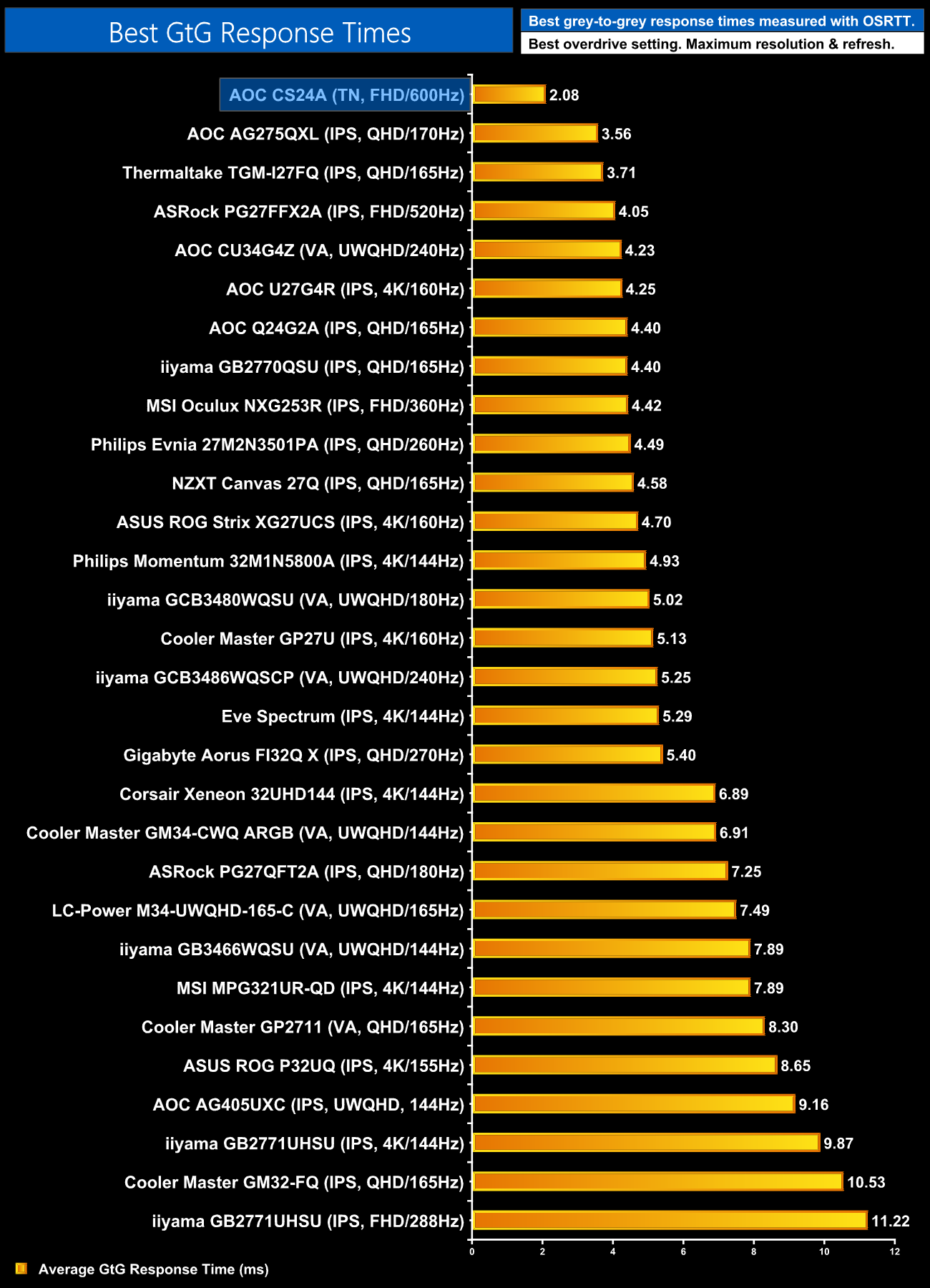
Taking the optimal result of 2.08ms still makes this easily the fastest LCD we have ever tested, by quite some distance too. It's not quite at OLED level, which are sub-1ms, but it goes to show there's still life in the old LCD yet!
Motion clarity
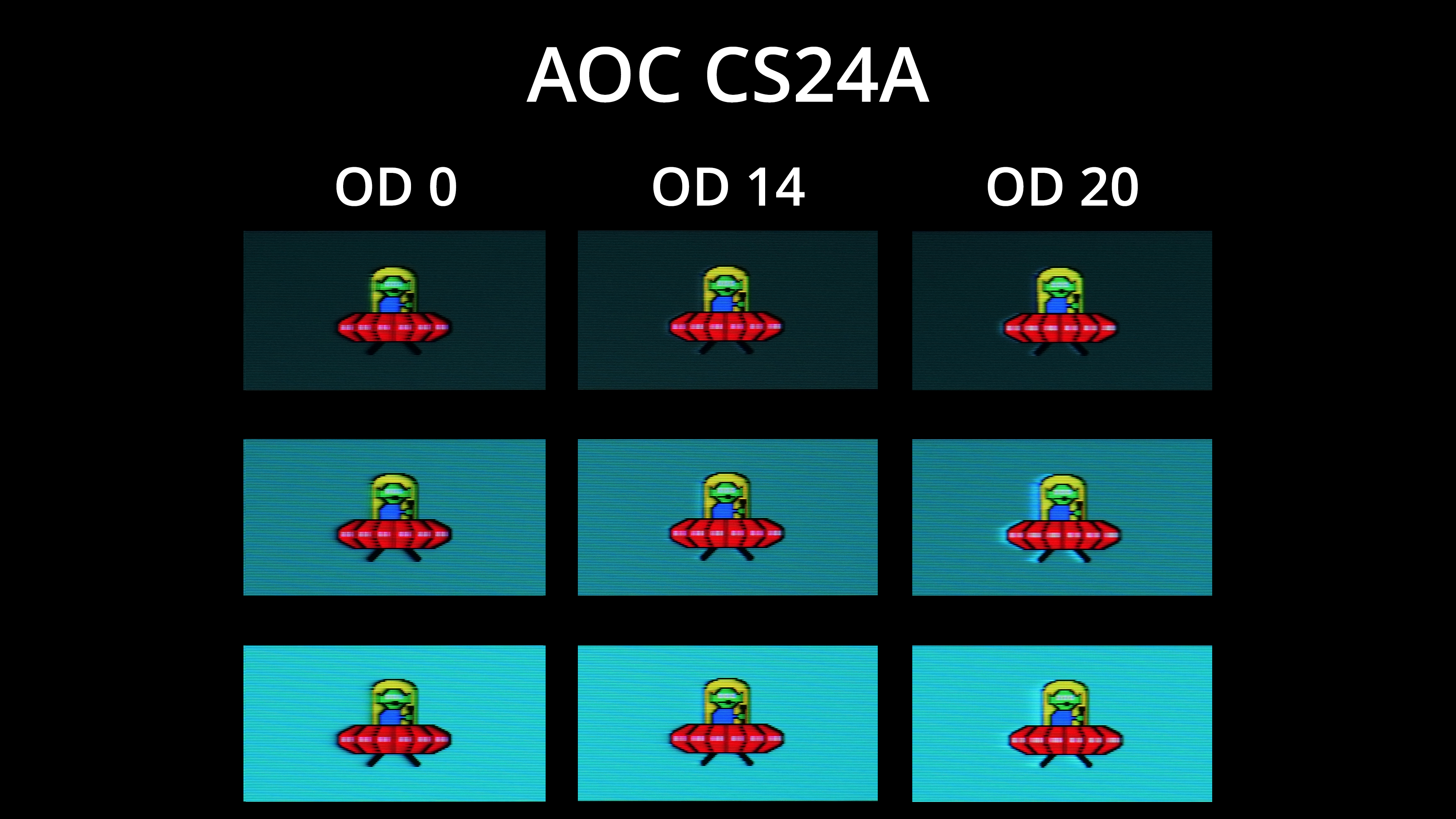
To give a visual representation, we're using BlurBusters UFO ghosting test, and I've compared OD 0, OD 14 and OD 20. There's just a tiny bit of overshoot visible on OD14, but really nothing major at all, and certainly not something I noticed during actual use. Generally clarity is excellent too, with very little ghosting due to the fast response times, with the three white dots looking somewhat distinct on the red UFO itself.
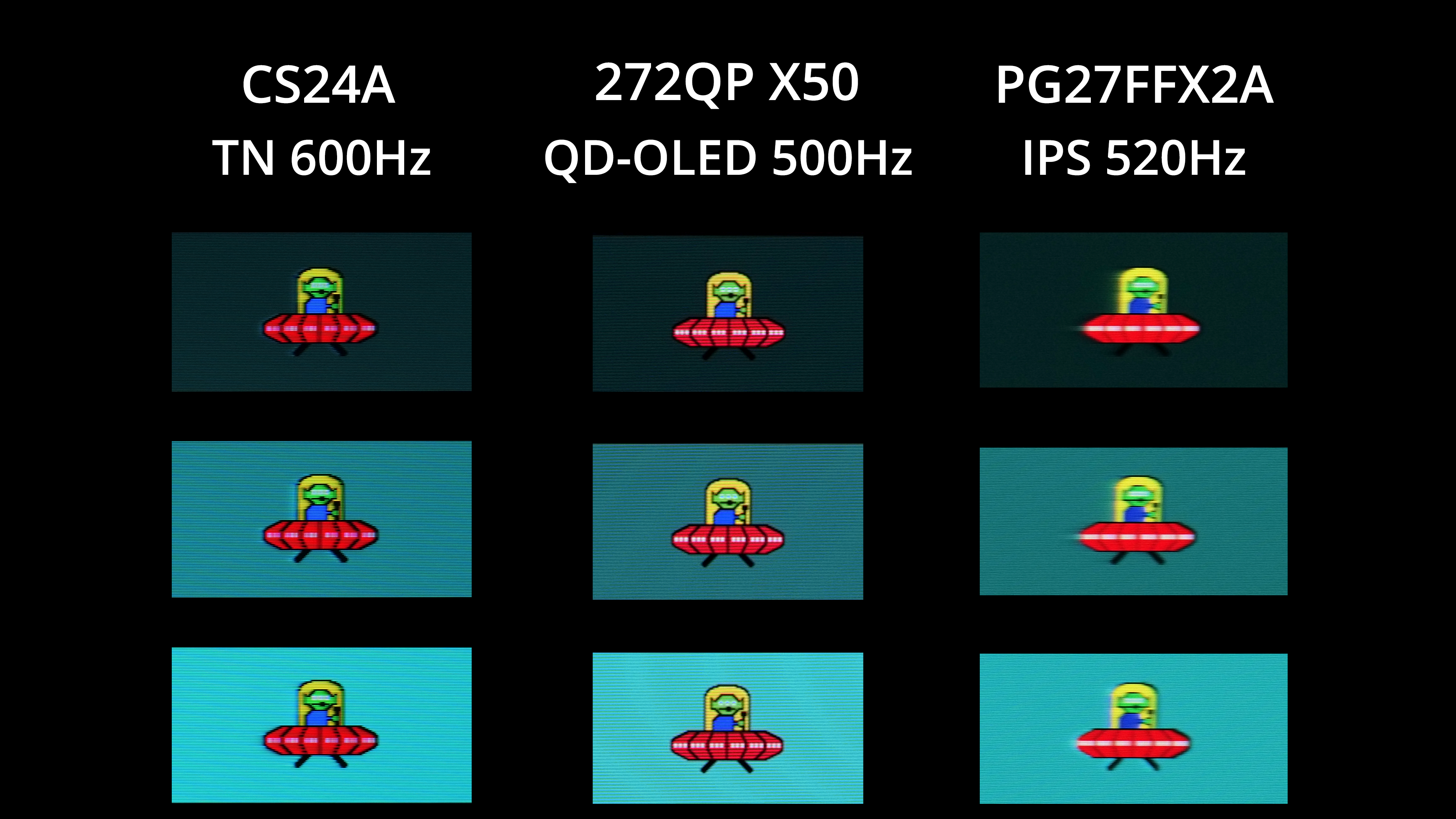
Now as good as this is, it is worth showing that a 500Hz OLED does deliver superior motion clarity, with the alien's eyes and those aforementioned white dots looking even clearer on MSI's 272QP X50. Compared to the next-fastest LCD I've tested though, the 520Hz PG27FFX2A from ASRock, the CS24A makes a massive difference, primarily due to its response times being significantly faster, as 600Hz vs 520Hz itself isn't a huge jump.
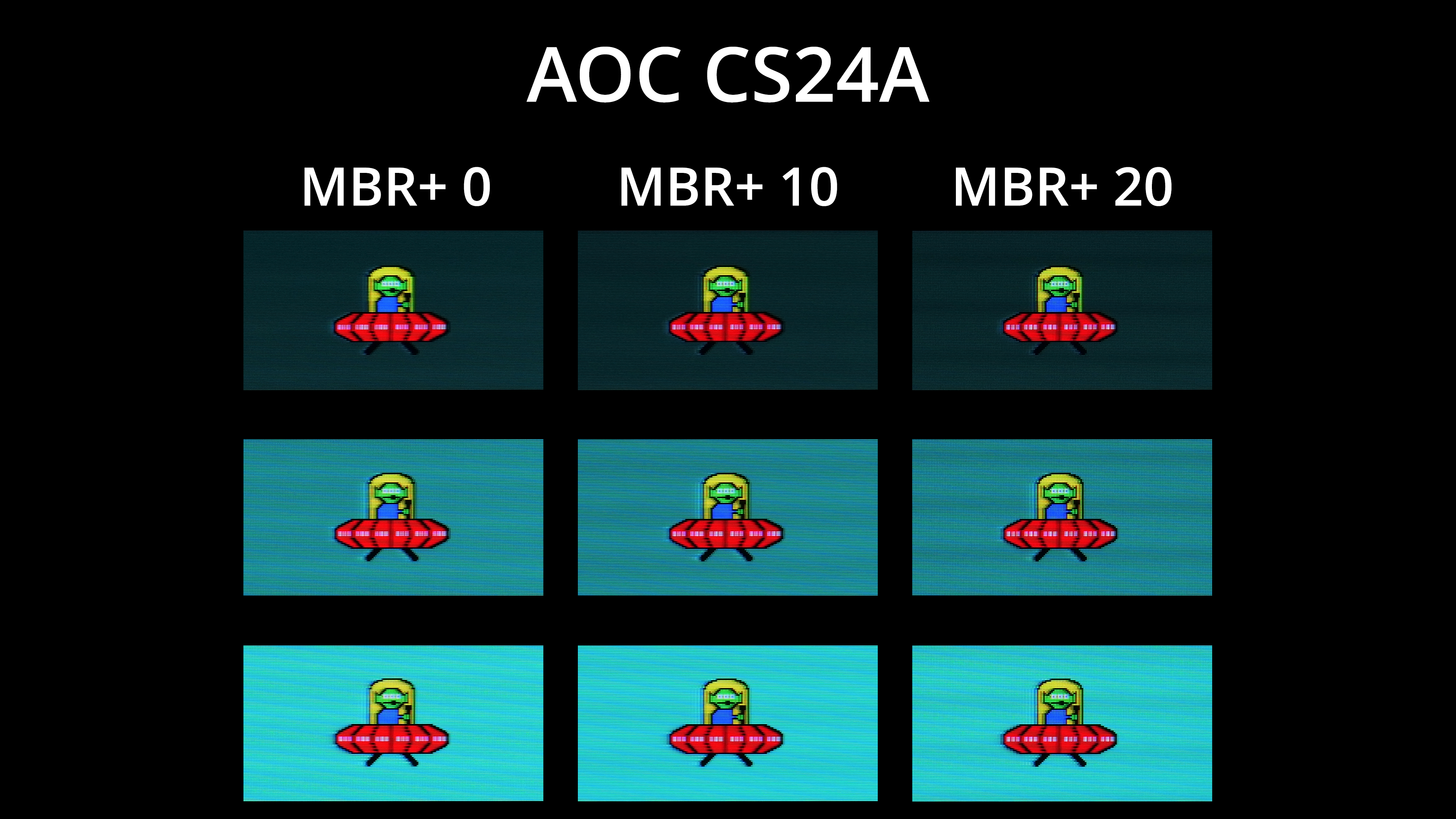
The CS24A also offers MBR+ technology, utilising a dual backlight system with 20 LED groups, according to AOC, which means different areas of the panel can strobe to better reduce signal crosstalk, avoiding the double-image effect. It sounds similar to BenQ's DyAc 2 technology, and we've asked AOC for more information but haven't heard back at the time of writing.
In practice, you get a range from 0 to 20, and there is a definite clarity benefit to enabling MBR+, as you can see above. The native clarity is still very good, so the difference isn't a complete transformation, but if you don't need adaptive sync – like if you're driving a constant 600fps in CS2, which is very doable – then it's definitely something to keep in mind.
We again use the Open Source Response Time Tool (OSRTT), developed by TechTeamGB, to report monitor input latency.
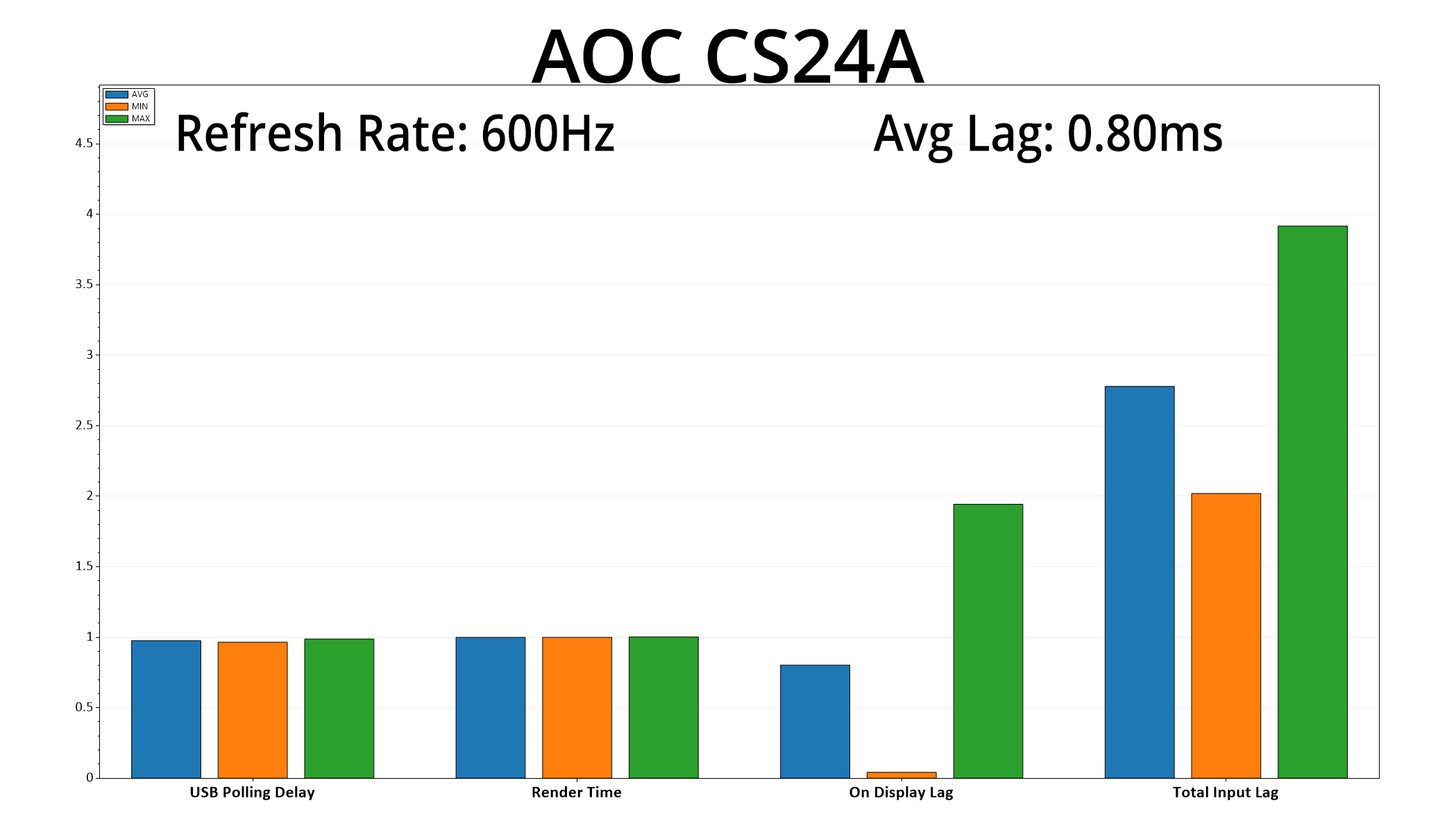
Latency is also ultra-low thanks to the super-high refresh rate, averaging just 0.8ms, which is basically half a frame at 600Hz, so nothing at all to be concerned with.
No doubt about it, AOC's Agon Pro CS24A is a very good monitor that meets its aim of delivering a high-grade esports experience. Whether or not that means it will appeal to you is another matter entirely, as a 24in 1080p monitor is already a fairly niche market nowadays, not to mention the fact this one is emblazoned with a Counter-Strike theme.
Still, considering its target audience, I think the CS24A excels. The design adds something unique, while the 600Hz refresh rate ensures exceptional motion clarity by LCD standards. I was worried when I saw how high the refresh rate was, as I wasn't sure the panel itself would be able to keep up. But credit to AOC as the company has tuned it very well, offering a range of overdrive options, resulting in excellent motion clarity. That's only enhanced by the new MBR+ feature, too, promising better backlight strobing than previous implementations, even if it's not quite on the same level as G-Sync Pulsar.
Of course, there's no getting away from the fact that a 24in FHD monitor, in 2026, feels like ancient technology – but you do have to consider this is what the pros use day-in and day-out, so there is clearly a market for these screens. Speaking for myself, I would much rather have a 32in 4K/240Hz panel or a 34in ultrawide than something like this, but it exists to fill a niche, and if this is your preference, who am I to say otherwise?
Still, the fact that the CS24A is £600 probably doesn't help either, as plenty of 4K OLEDs are indeed available at similar prices, so spending this much on such a small 1080p display would seem like madness to some. But that brings me back to the central point of this review – for the target audience, I think the CS24A is excellent, and is worth paying for. I can't imagine said target audience is particularly large, and it certainly doesn't include myself, but for those chasing the pinnacle of esports monitors and nothing else, I think you'd be hard-pressed to find better currently.
We found the CS24A listed on Scan for £600 HERE.
Pros
- Fastest LCD we've ever tested.
- Excellent motion clarity at 600Hz.
- User-configurable overdrive delivers great response times.
- MBR+ is a welcome addition.
- Decent sRGB mode.
- Counter-Strike theme is unique.
Cons
- Design won't be for everyone.
- Fairly niche target audience considering the panel size and resolution.
- Expensive considering the above.
- Default gamma is too low.
- Weak contrast by modern standards.
KitGuru says: For those chasing esports glory, the CS24A delivers the best motion clarity we've ever seen from an LCD. Its size and resolution clearly limit it to a niche target audience, but it delivers the goods for that type of user.