KitGuru KitGuru.net – Tech News | Hardware News | Hardware Reviews | IOS | Mobile | Gaming | Graphics Cards


HDR Testing
Following on from the SDR results on the previous page, here we re-test the relevant areas of the display with HDR enabled.
Gigabyte offers five different HDR modes, but we are focusing on the default HDR mode, HDR Game, and HDR Peak 1000.
Brightness
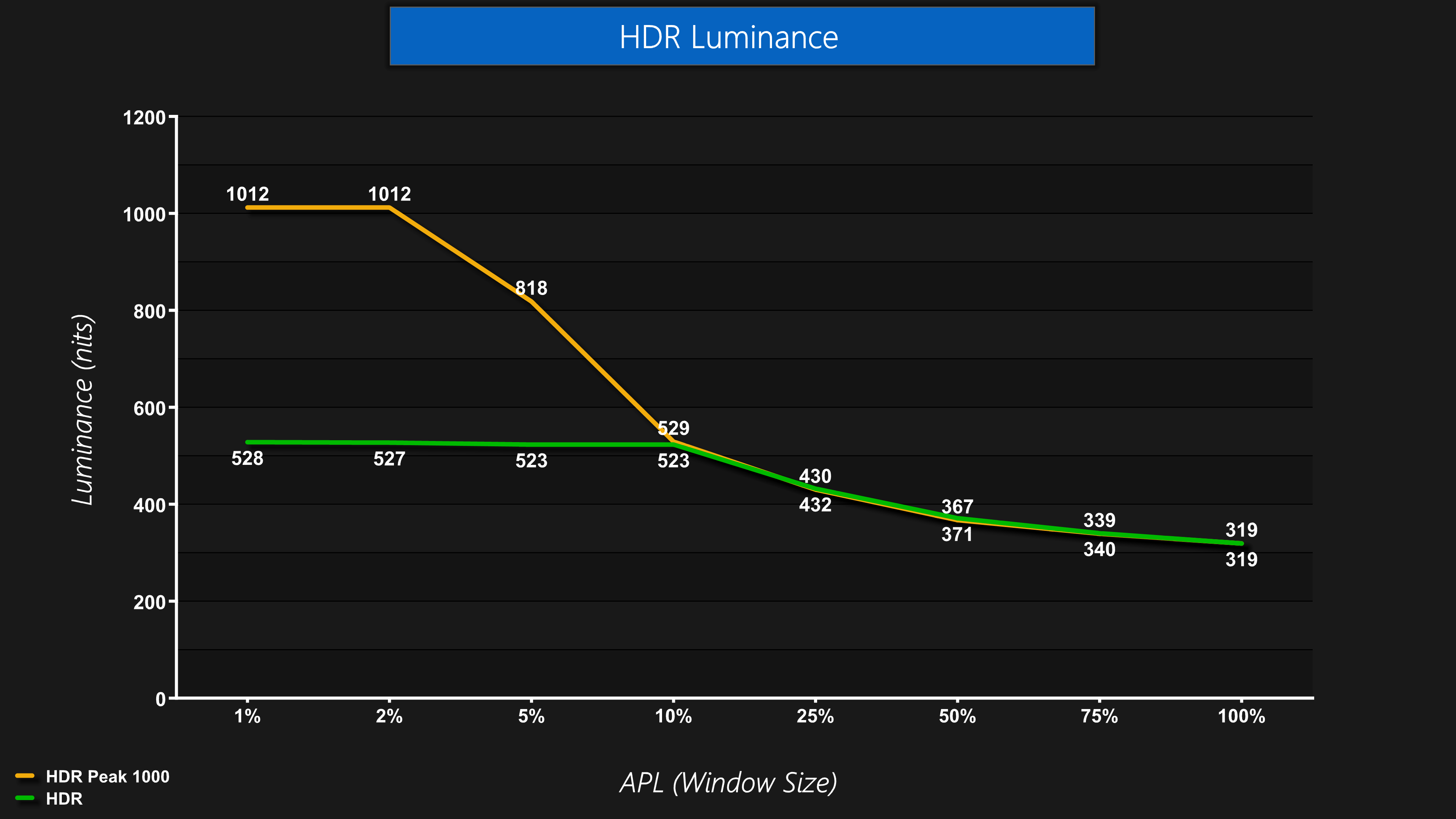
Firstly, brightness is exactly as we'd expect. The HDR mode is basically the True Black 500 mode, whereas the Peak 1000 mode hits over 1000 nits for the 1% and 2% APLs before dropping off as the window size increases.
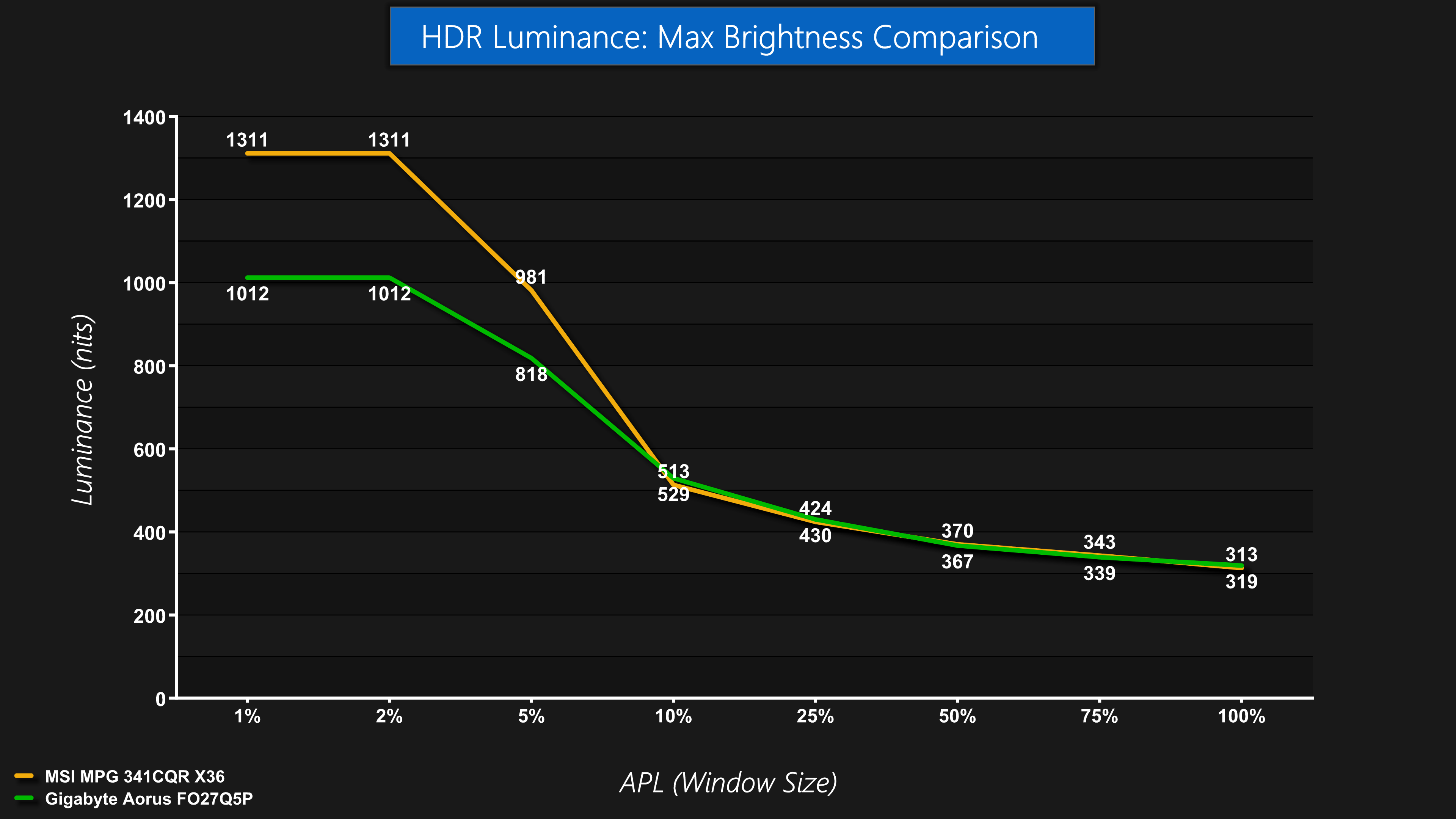
Given this is a 3rd Gen Samsung panel, even though it offers True Black 500 certification it can't reach the same peak brightness levels as a 5th Gen panel like the MPG 341CQR we reviewed earlier in the year. That's obviously to be expected, but is worth pointing out.
Greyscale
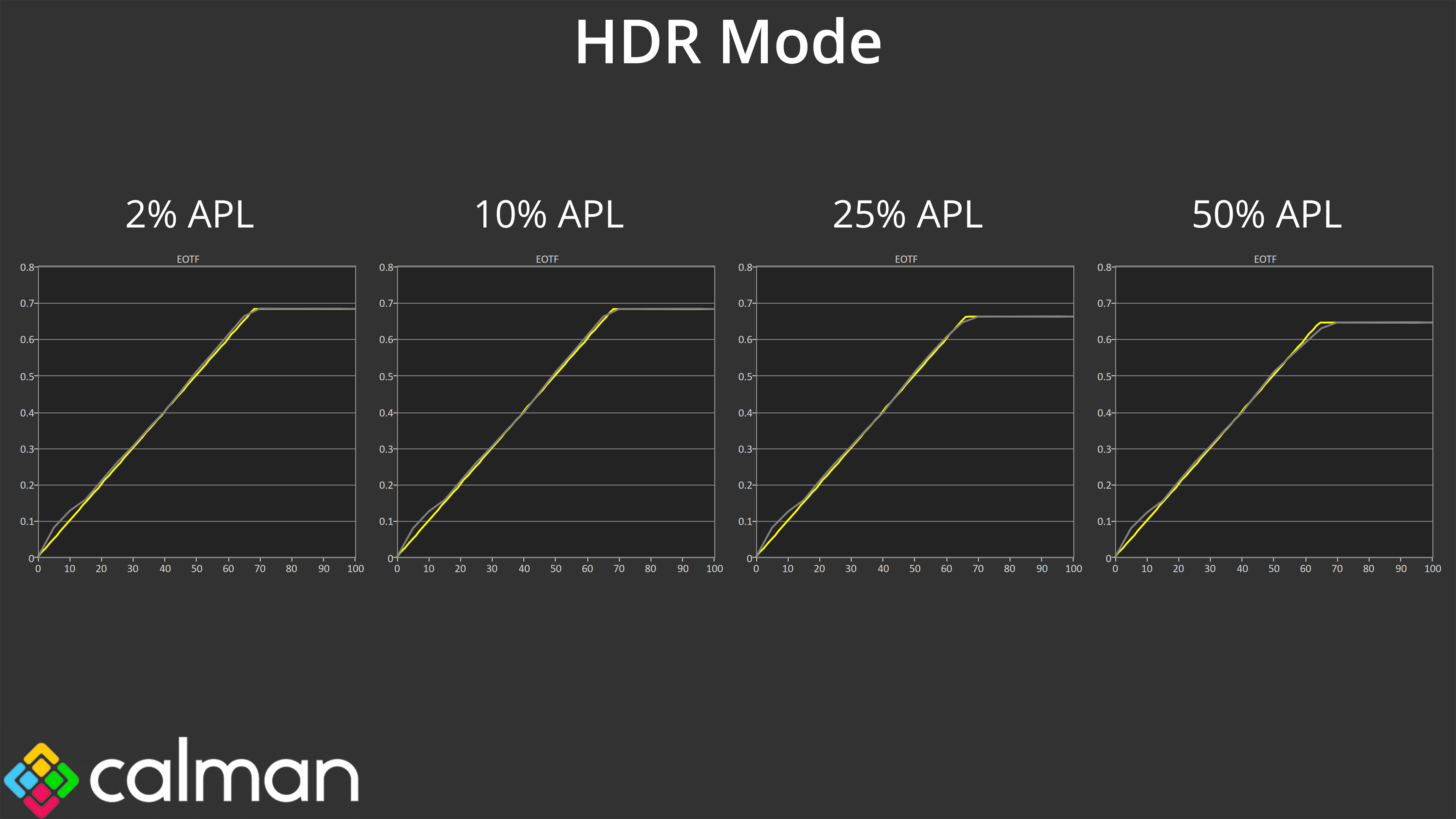
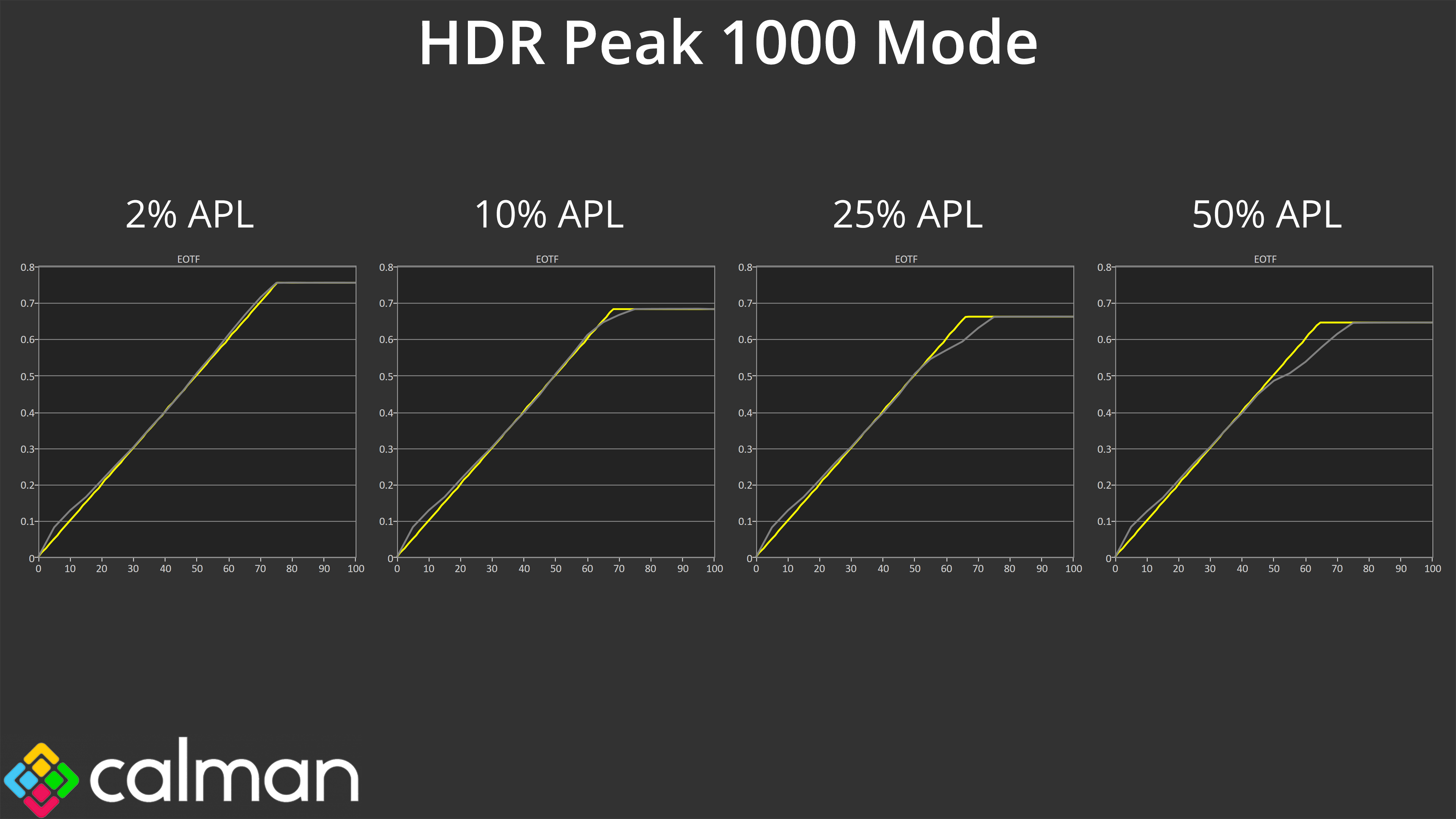
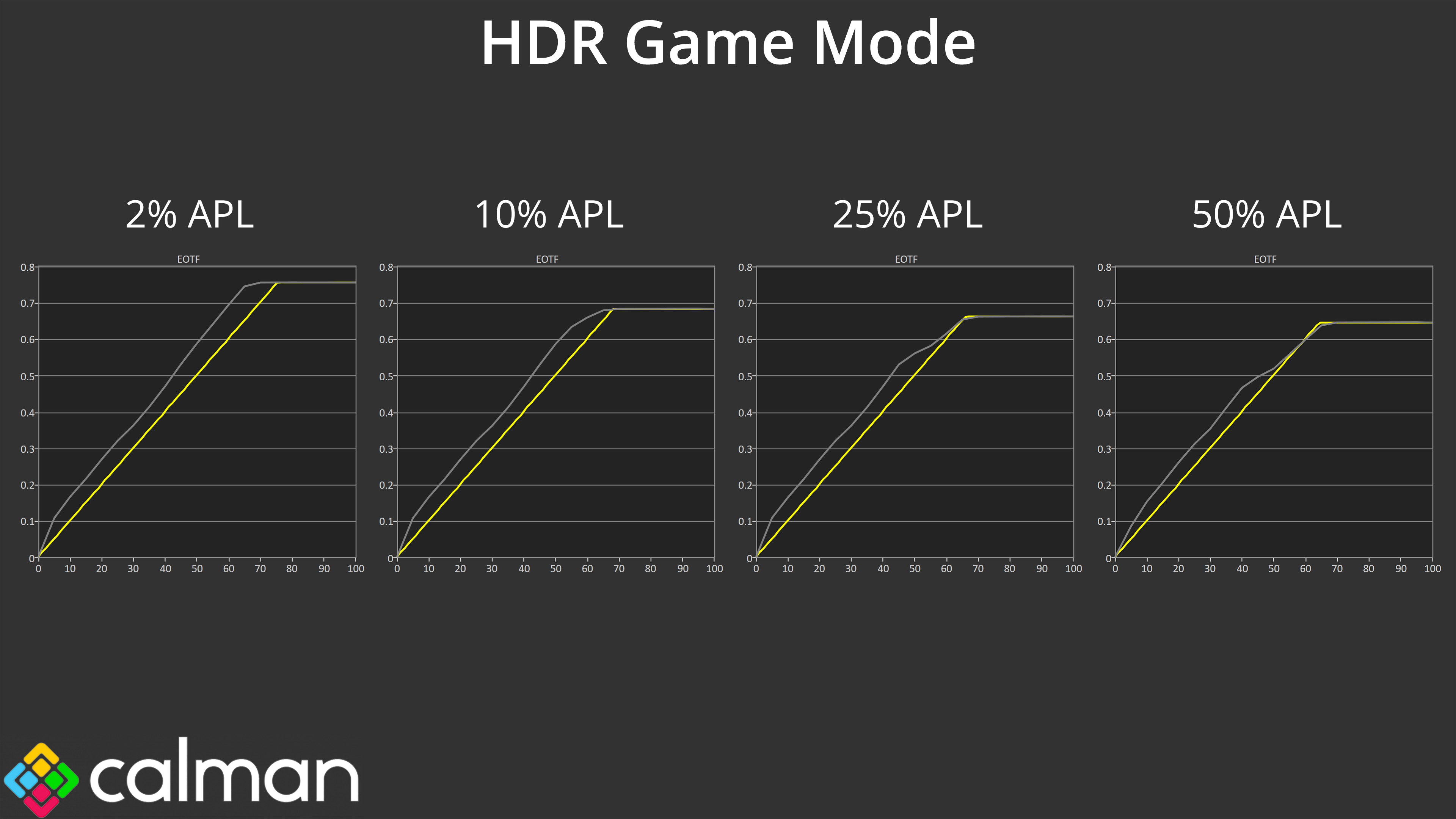
When it comes to EOTF tracking, HDR Mode is as expected, with accurate tracking across the curve. HDR Peak 1000 also gives us no surprises, given we know these modes roll off brightness as the window size increases, due to QD-OLED's panel dimming. However, HDR Game is an interesting way around that – it's deliberately too bright, so while it's not accurate, it also doesn't roll off like the Peak 1000 mode, and I think some people may enjoy the brighter presentation. At the very least, it's good Gigabyte provides the option so users can choose their preferred mode.
Colour Accuracy
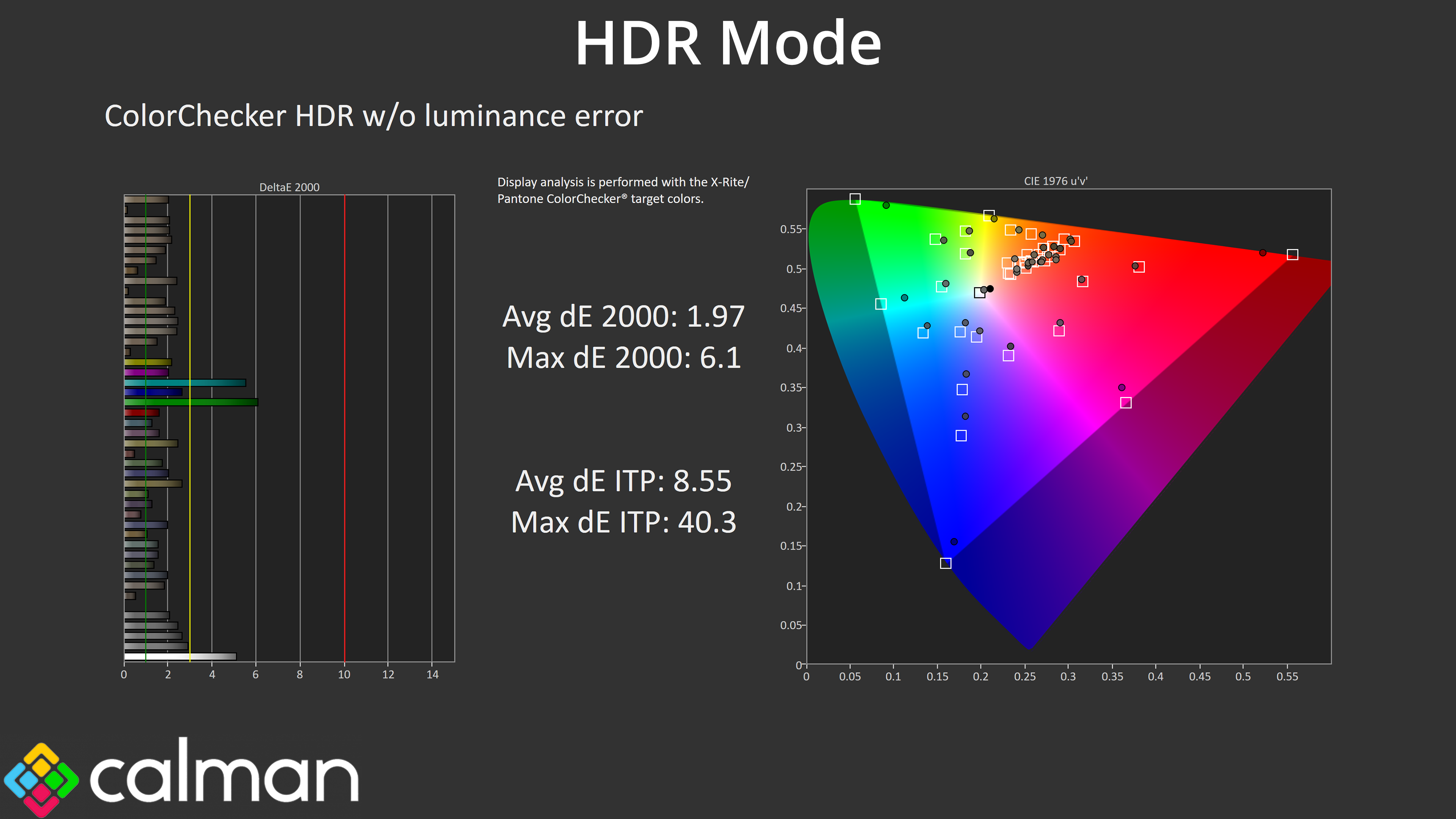
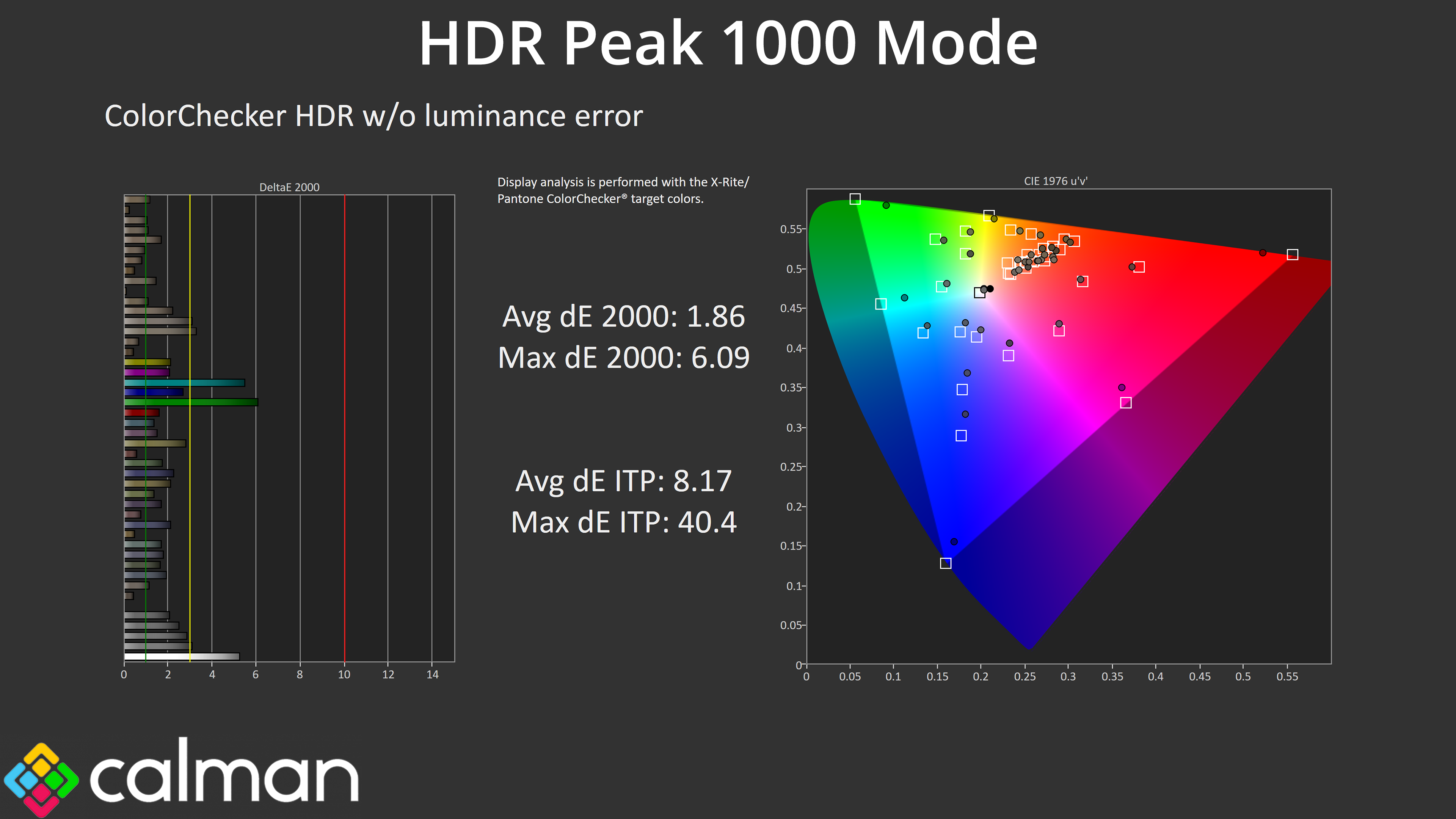
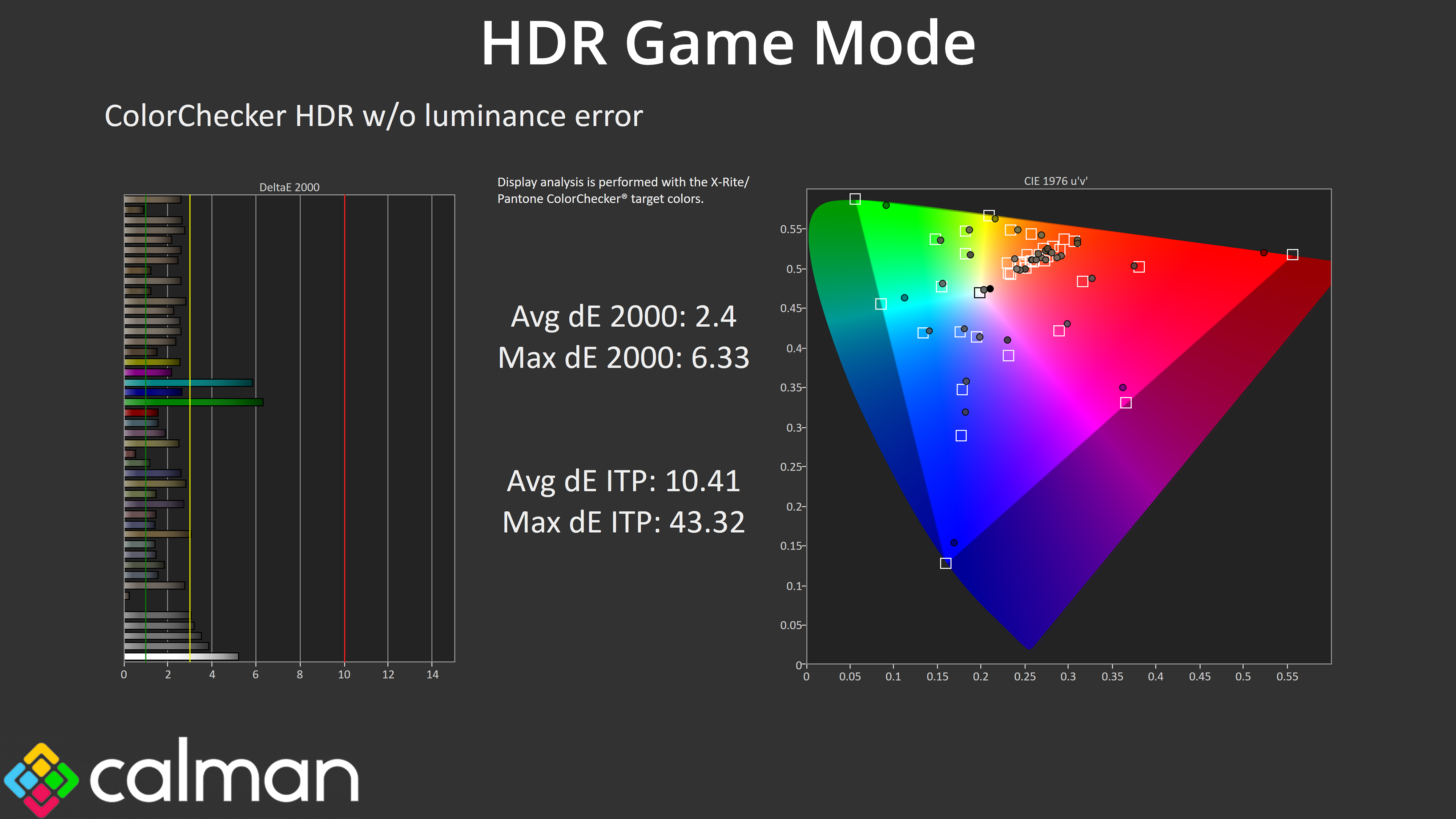
Colour accuracy is very similar regardless of mode, too – HDR Game is more inaccurate as we'd expect based on the EOTF tracking, but the margins are fairly small.