 KitGuru KitGuru.net – Tech News | Hardware News | Hardware Reviews | IOS | Mobile | Gaming | Graphics Cards


We use the Open Source Response Time Tool (OSRTT), developed by TechTeamGB, for our response time testing. This measures grey-to-grey response times and presents the results in a series of heatmaps, the style of which you may be familiar with from other reviews.
Initial Response Time is the time taken for the panel to transition from one colour to another, where lower values are better. We present the initial response time, so overshoot is not taken into account and is measured separately. We use a fixed RGB 5 tolerance for each transition.
Overshoot is the term given for when a monitor's transition exceeds or goes beyond its target value. So if a monitor was meant to transition from RGB 0 to RGB 55, but it hits RGB 60 before settling back down at RGB 55, that is overshoot. This is presented as RGB values in the heatmaps – i.e. how many RGB values past the intended target were measured.
Visual Response Rating is a metric designed to ‘score' a panel's visual performance, incorporating both response times and overdrive. Fast response times with little to no overshoot will score well, while slow response times or those with significant overshoot will score poorly.
Response Times
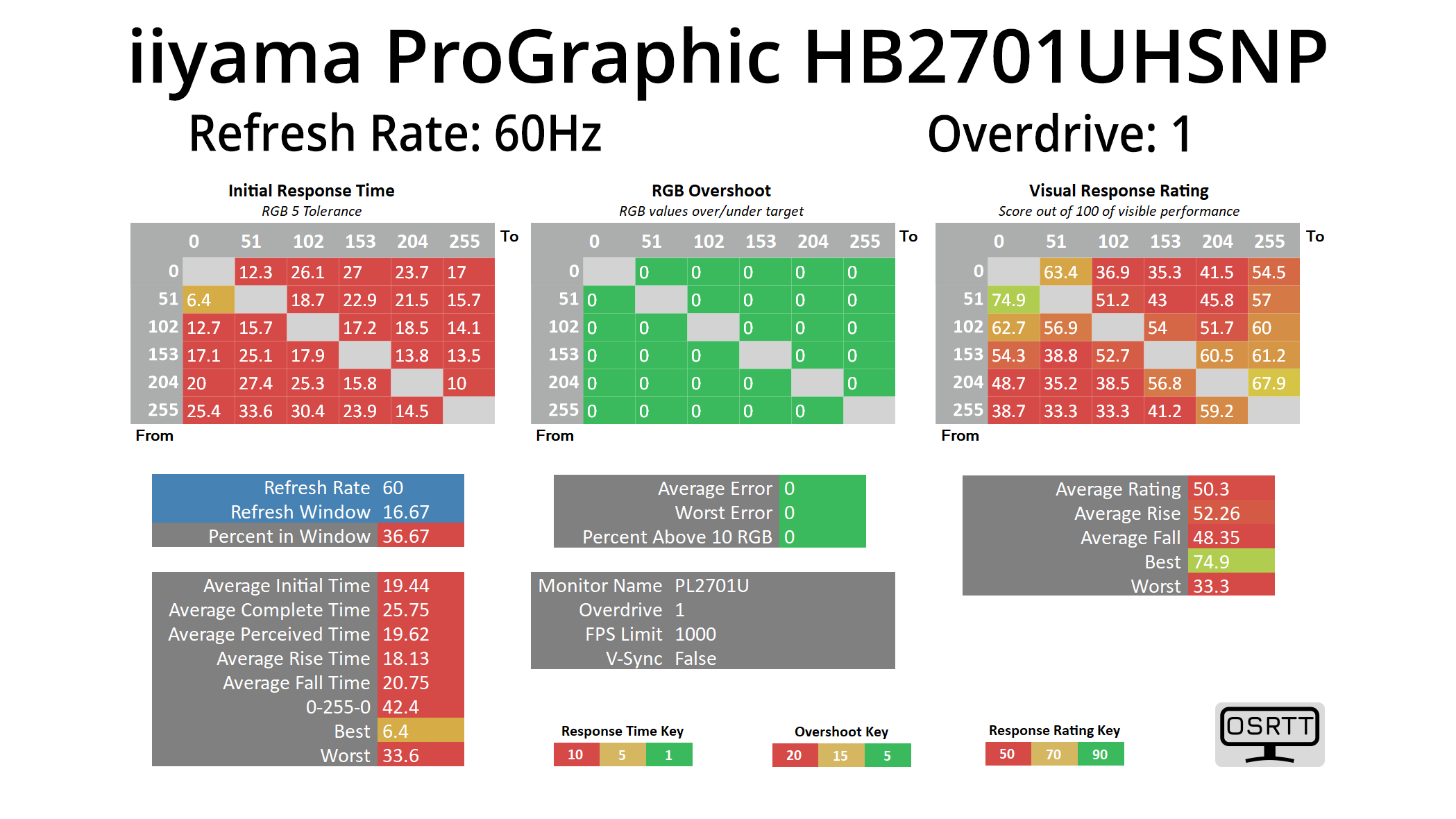
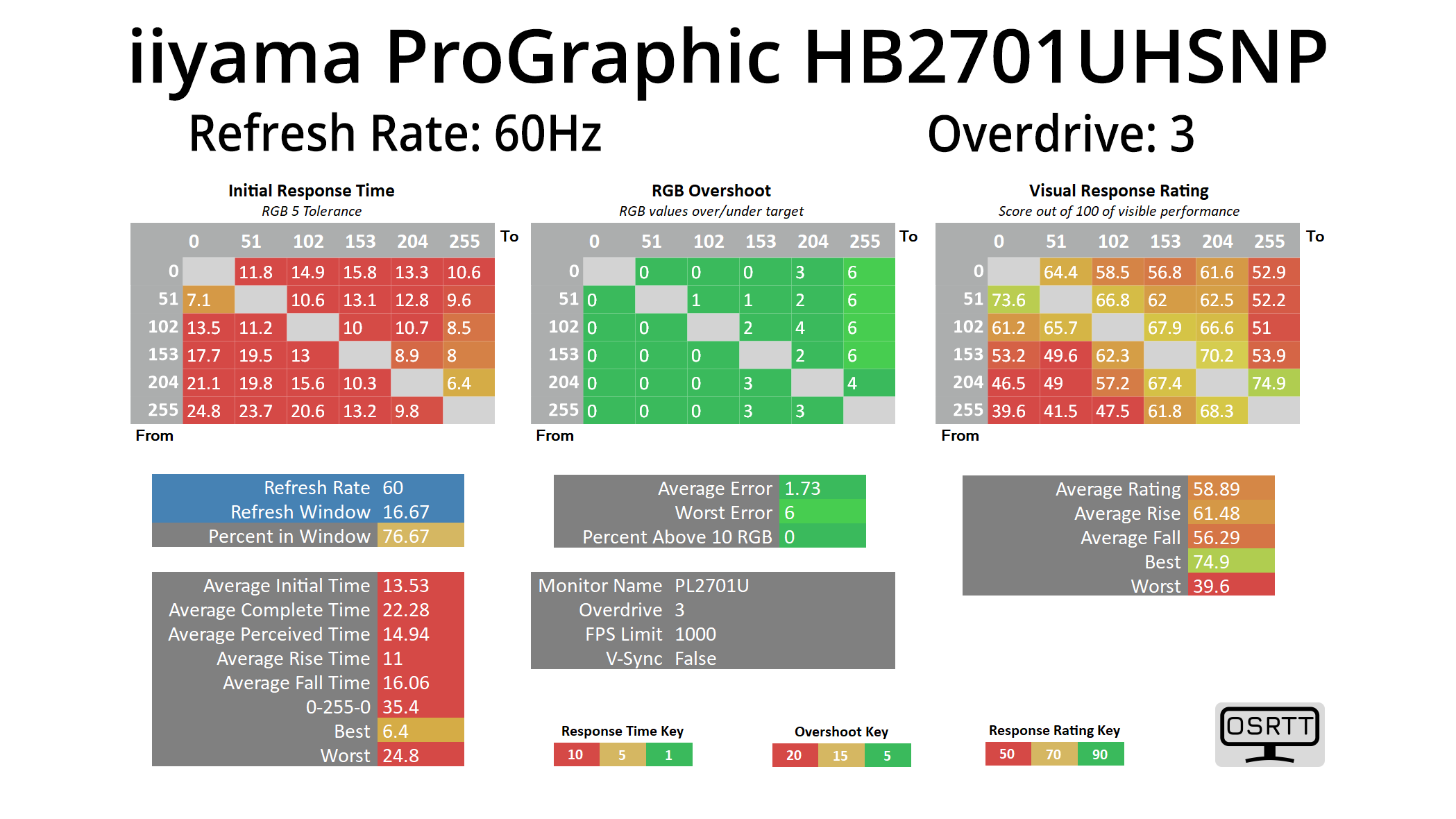
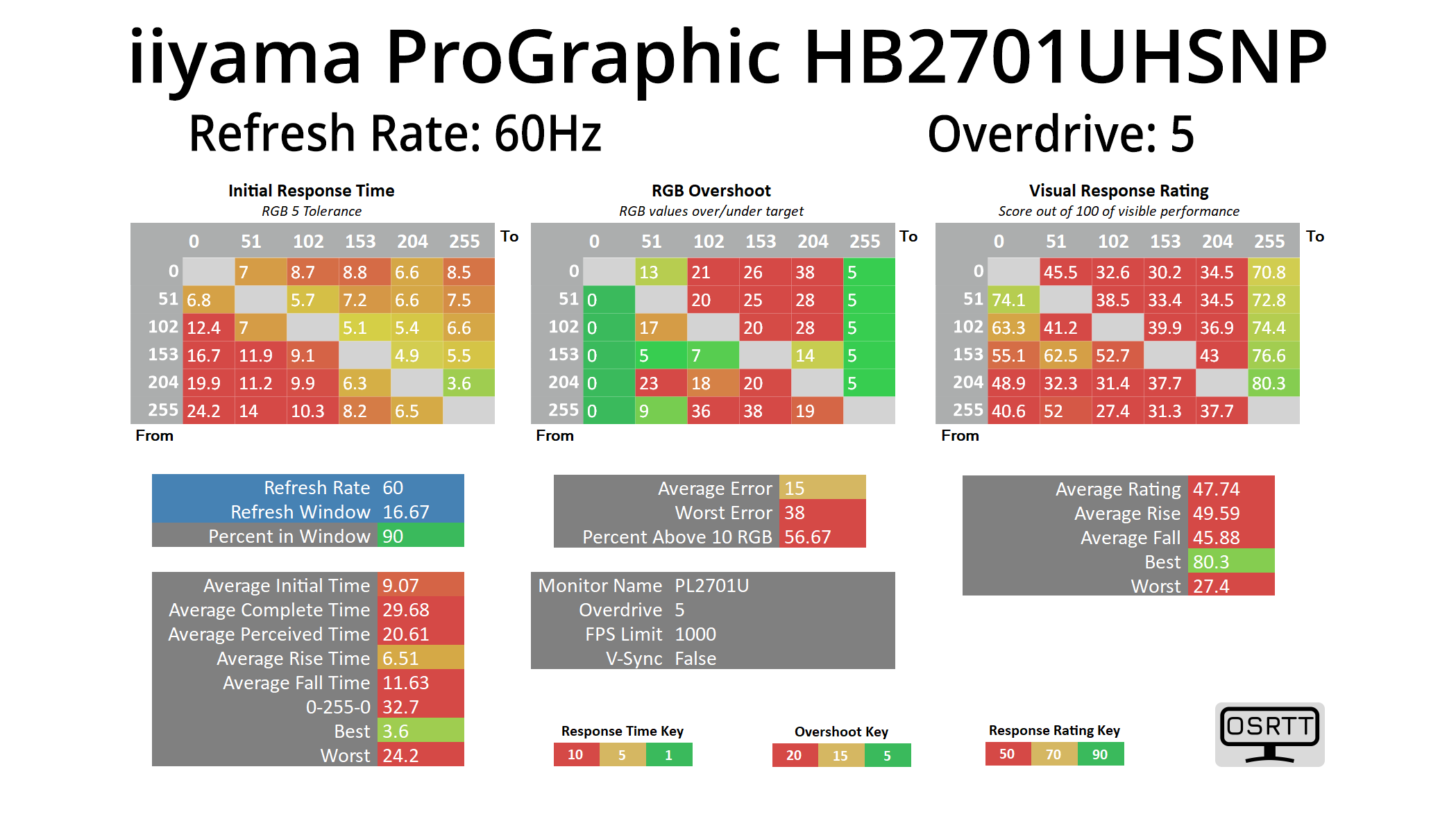
iiyama offers users a total of six overdrive modes – off, and then OD values 1 through 5. We tested OD 1, OD 3 and OD 5 to show you the range of response times on offer at differing overdrive levels.
Clearly, the HB2701UHSNP is not a fast screen, though we wouldn't expect it to be given it's a pro-grade 60Hz monitor. Even then, however, an average response time of over 13ms using the middling OD 3 setting is very slow – but that still means almost 80% of transitions occur within the 16.67ms refresh window for 60Hz, so we can't really complain.
Motion Clarity
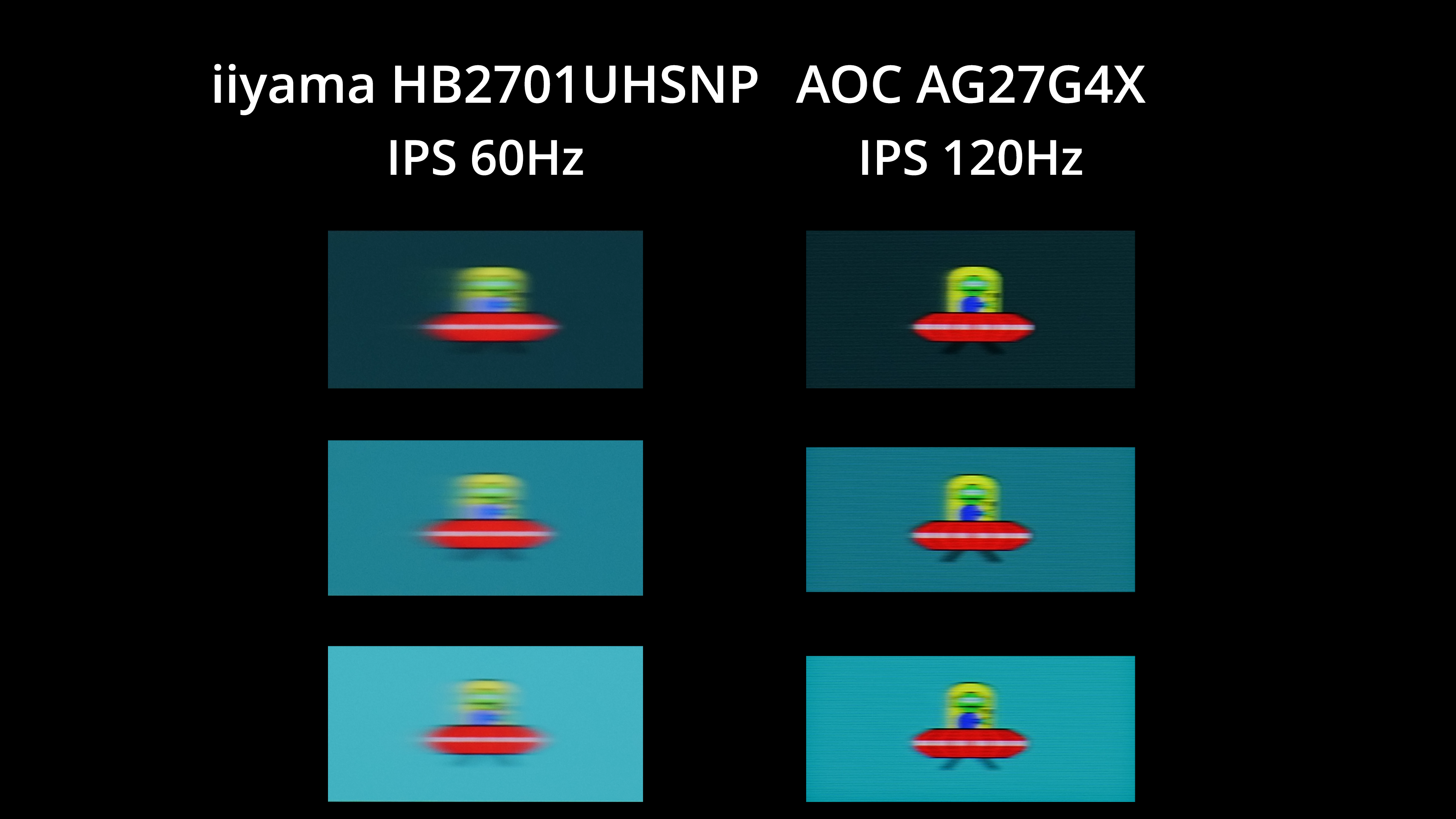
I've also included this motion clarity example so you can see what the monitor looks like in practice. We're comparing the HB2701UHSNP to the AOC Q27G4X, a budget 1440p 180Hz IPS screen which I ran at 120Hz for the purposes of this test.
As you can see, there is a fair amount of motion blur visible from the HB2701UHSNP. Clearly, an IPS panel running at 120Hz looks substantially clearer. Of course, you can argue as to whether or not a professional screen like this needs a refresh above 60Hz, and it may not be a factor for many considering this type of screen. Most pro-grade screens that offer a 120Hz refresh rate will be significantly more expensive, too, but we thought it was worth including the comparison so you can make your own decision.
