KitGuru KitGuru.net – Tech News | Hardware News | Hardware Reviews | IOS | Mobile | Gaming | Graphics Cards


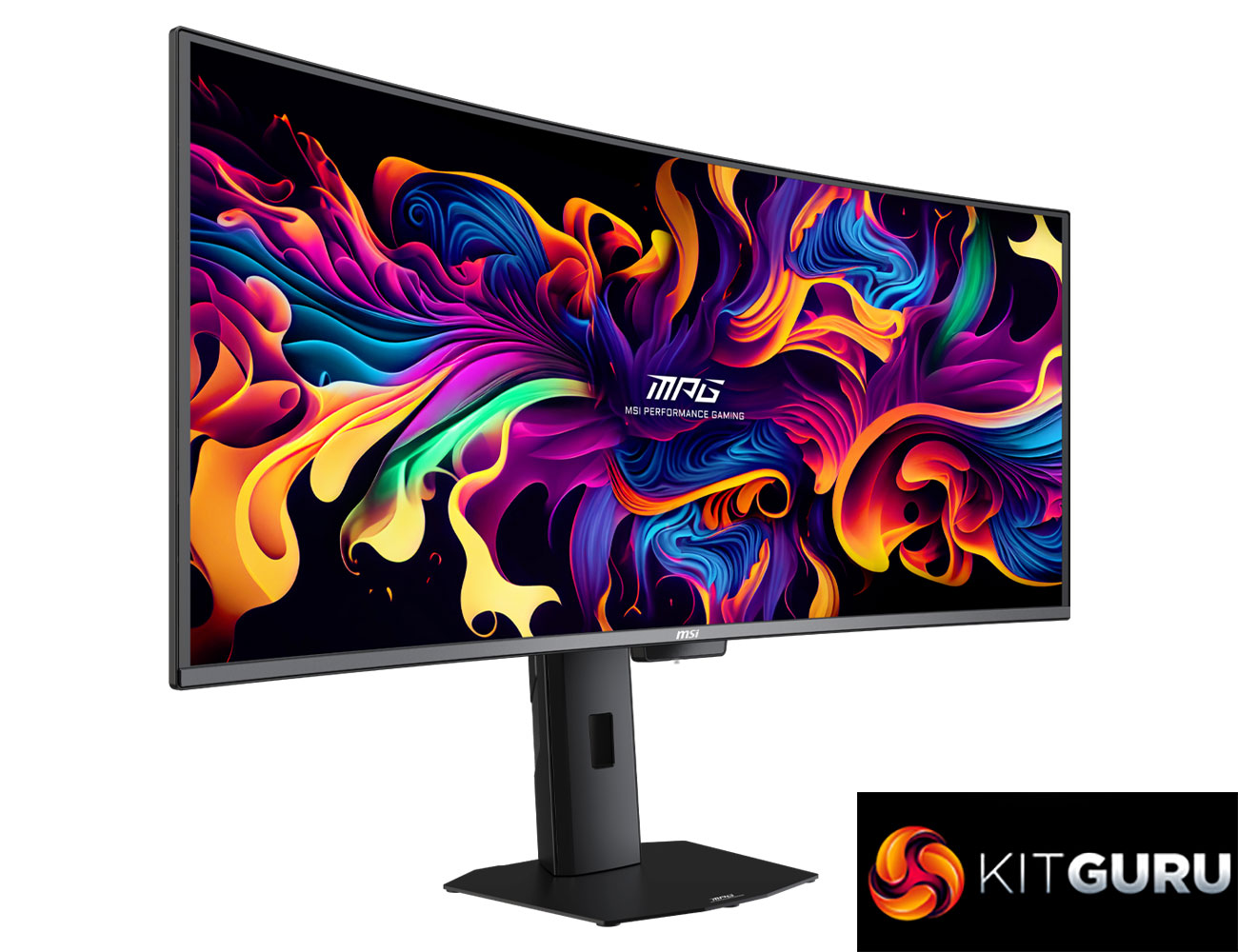
Today MSI has announced its latest QD-OLED monitor, the MPG 341CQR QD-OLED X36. Built on a new 5th Gen panel from Samsung, this is a curved ultrawide with a 360Hz refresh rate, making it the fastest 21:9 OLED monitor to date. It's also packing a number of improvements to the sub-pixel layout and coating, alongside increased brightness for both SDR and HDR. There's a lot to talk about, so let's get into it.
Timestamps
00:00 Intro
00:45 Key panel improvements
02:20 Design overview
03:23 Connectivity
03:51 New panel coating vs older QD-OLED + WOLED
05:51 Sub-pixel structure is also improved
07:12 Out of the box testing
09:20 sRGB mode + calibrated results
09:53 Response times, motion clarity
11:23 Real-world gaming experience
15:44 HDR issues ‘update’
17:12 Closing thoughts
Starting with the new 5th Gen QD-OLED panel from Samsung, this is packing in some key improvements designed to overcome known limitations of earlier QD-OLED panels. It's got a new RGB V-stripe sub-pixel layout, replacing the older diamond shape, AKA Q-stripe, layout that could cause some fringing around text. It also has a new and improved coating to help improve black depth in brighter conditions, designed to fix the issue where older QD-OLED panels would see elevated black levels depending on the ambient lighting. On top of that, the surface hardness has been increased from 2H to 3H, increasing scratch resistance.
Those appear to be the key improvements with the new panel, given the underlying EL 3.0 technology has not changed from 4th Gen QD-OLED. It still offers improved brightness compared to most other QD-OLEDs, though performance here is similar to the enhanced 272QP X50, with MSI claiming up to 1300 nits for HDR and 300 nits for SDR. And of course, as mentioned earlier, it's a new 360Hz refresh rate, too, up from the previous 240Hz limit for ultrawide QD-OLED panels.
In terms of pricing, MSI told us the MSRP is £999, or $1099, so it's not cheap, but about as expected for a new QD-OLED panel.
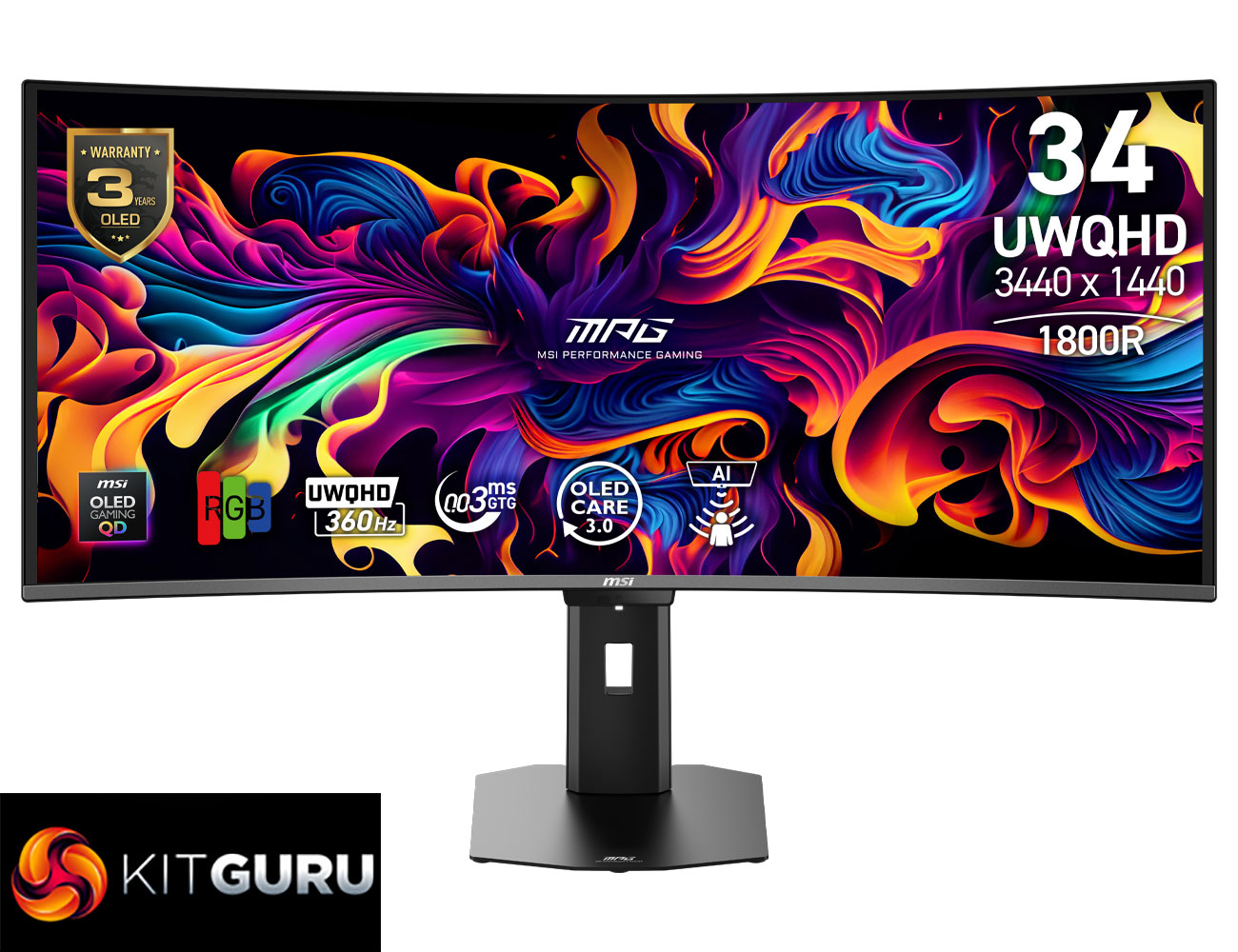
Specification:
- Model: MPG 341CQR QD-OLED X36
- Panel size: 34″ QD-OLED
- Aspect ratio: 21:9
- Panel resolution: 3440 x 1440 (UWQHD)
- Pixel pitch (H x V): 0.2315 (H) x 0.2315 (V)
- Refresh rate: 360Hz
- Response time: 0.03ms (GtG)
- Viewing angle: 178° (H) / 178° (V)
- Brightness: SDR: 300 nits; HDR: 1300 nits
- Contrast ratio: 1,500,000:1
- DisplayPort: 1x DisplayPort 2.1a (UHBR13.5) (UWQHD@360Hz)
- HDMI: 2x HDMI™ 2.1 (48Gbps) (UWQHD@360Hz)
- USB Type-C: 1x Type-C (DP Alt Mode) with 98W Power Delivery
- USB Type-A: 2x USB 5Gbps Type-A
- USB Type-B: 1x USB 5Gbps Type-B
- ETD: 12/B-12/M
- MSRP: £999/$1,099
Firmware tested: FW.014
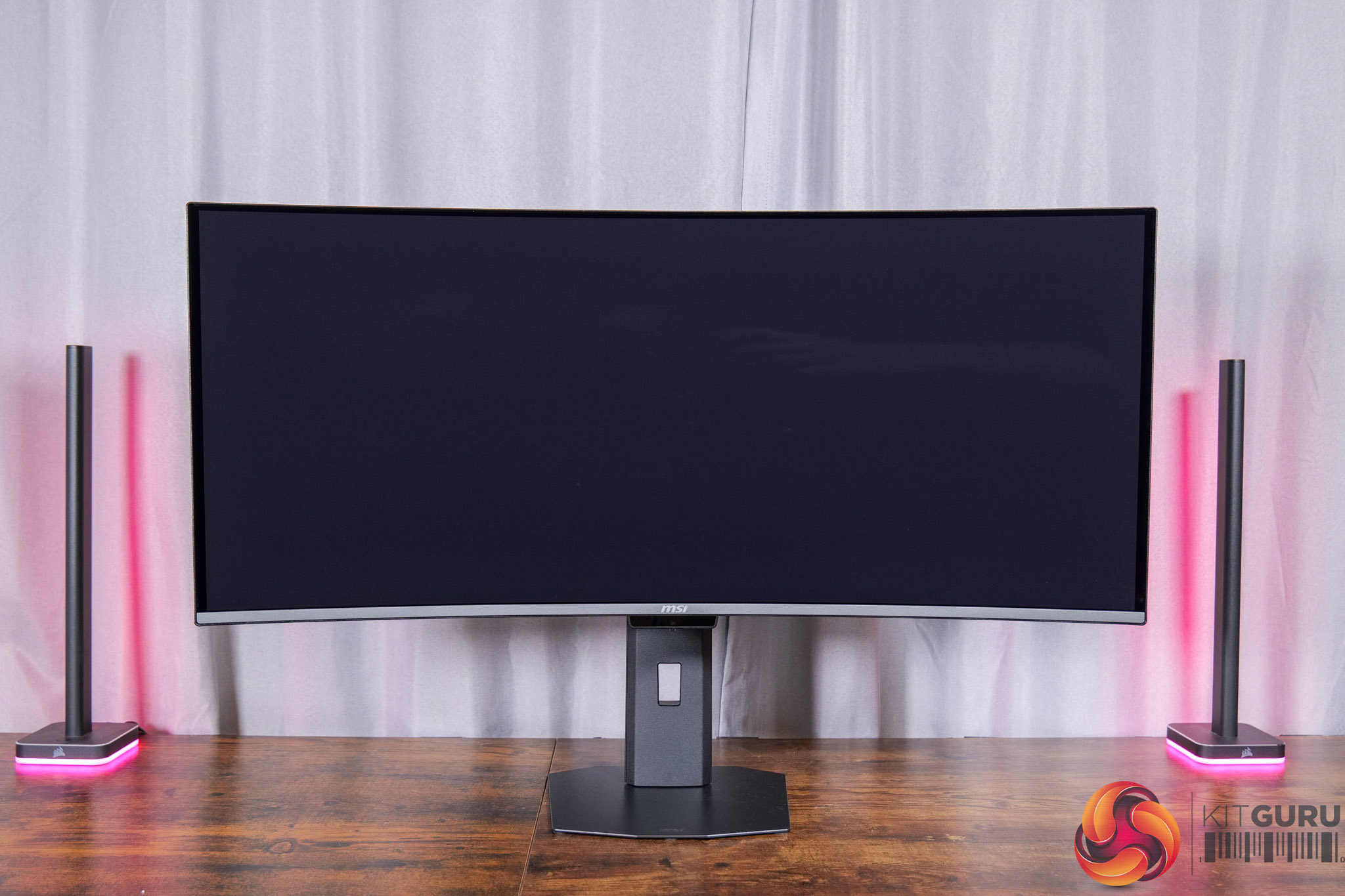
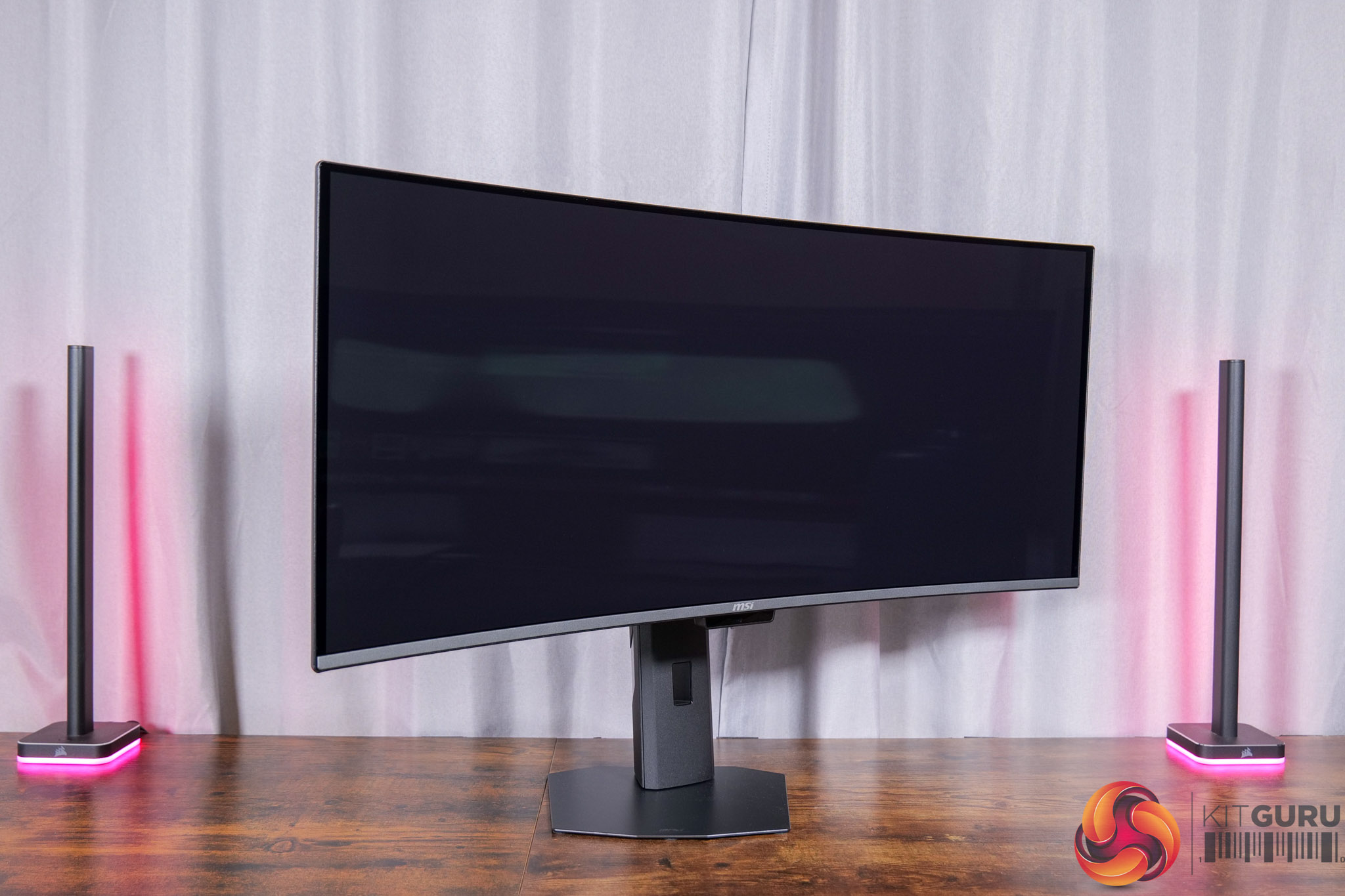
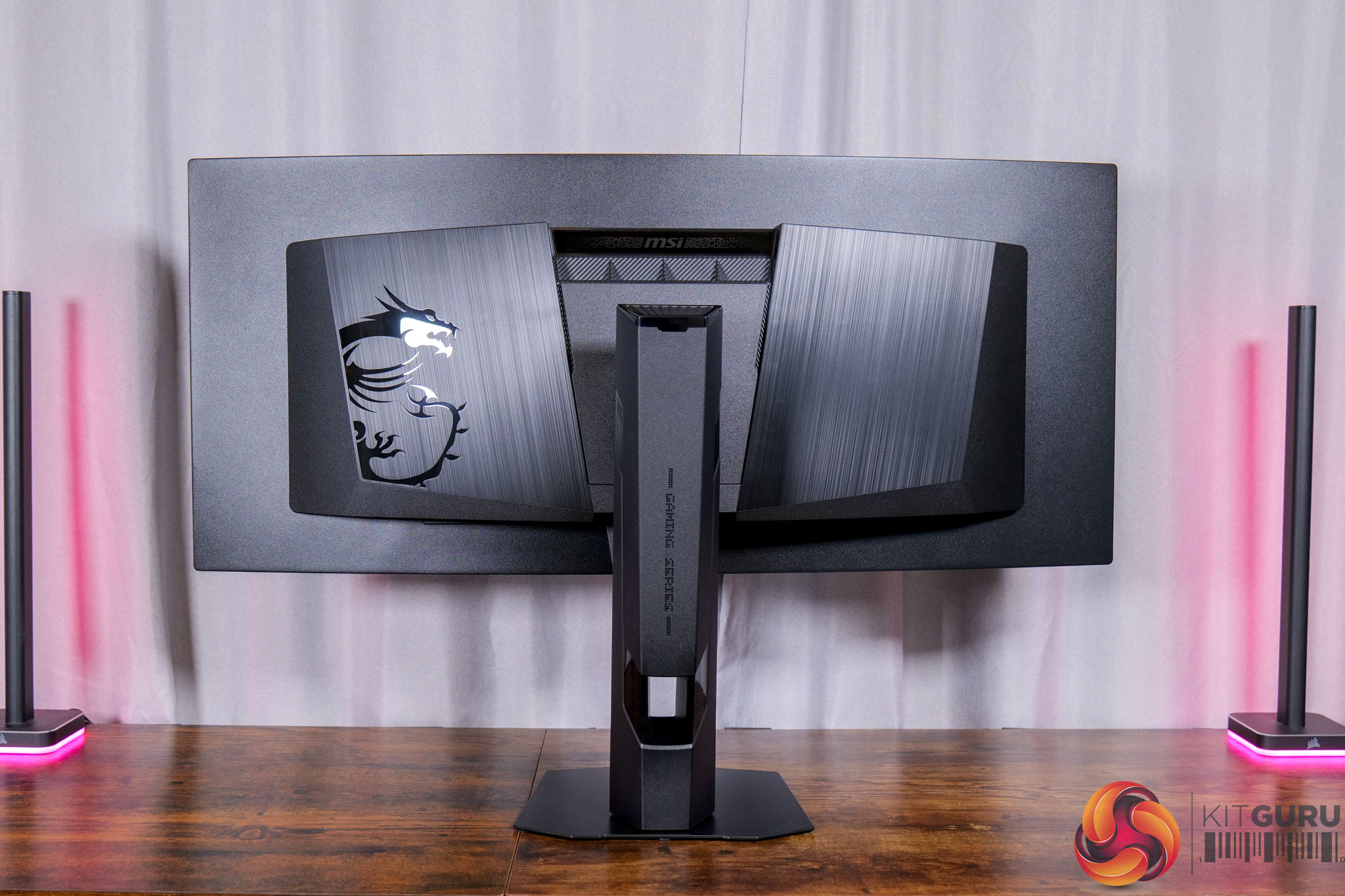
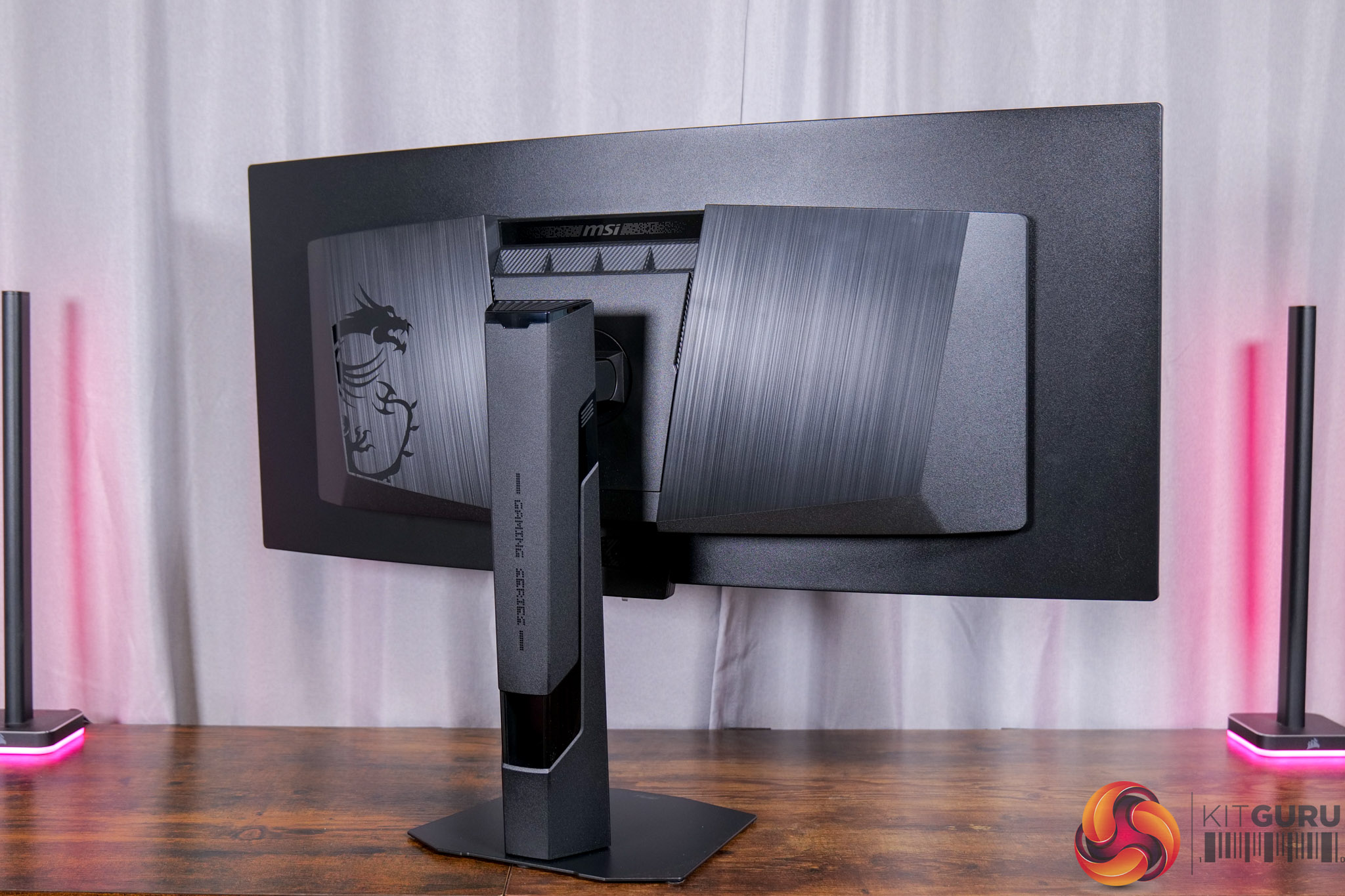
Starting off with the design of the 341CQR X36, not a whole lot has changed compared to MSI's previous OLED monitors, but there have been a couple of key improvements we will get to. Generally speaking though, it's the same overall aesthetic, with a plastic stand and chassis, and I think it looks absolutely fine, especially from the front.
One key improvement, however, is the metal foot – we've long since felt MSI's previous OLEDs were on the plasticky side, and the company has listened and fitted a metal foot to the base of the stand. It's very compact and adds a more refined feel overall, so that is a welcome addition.
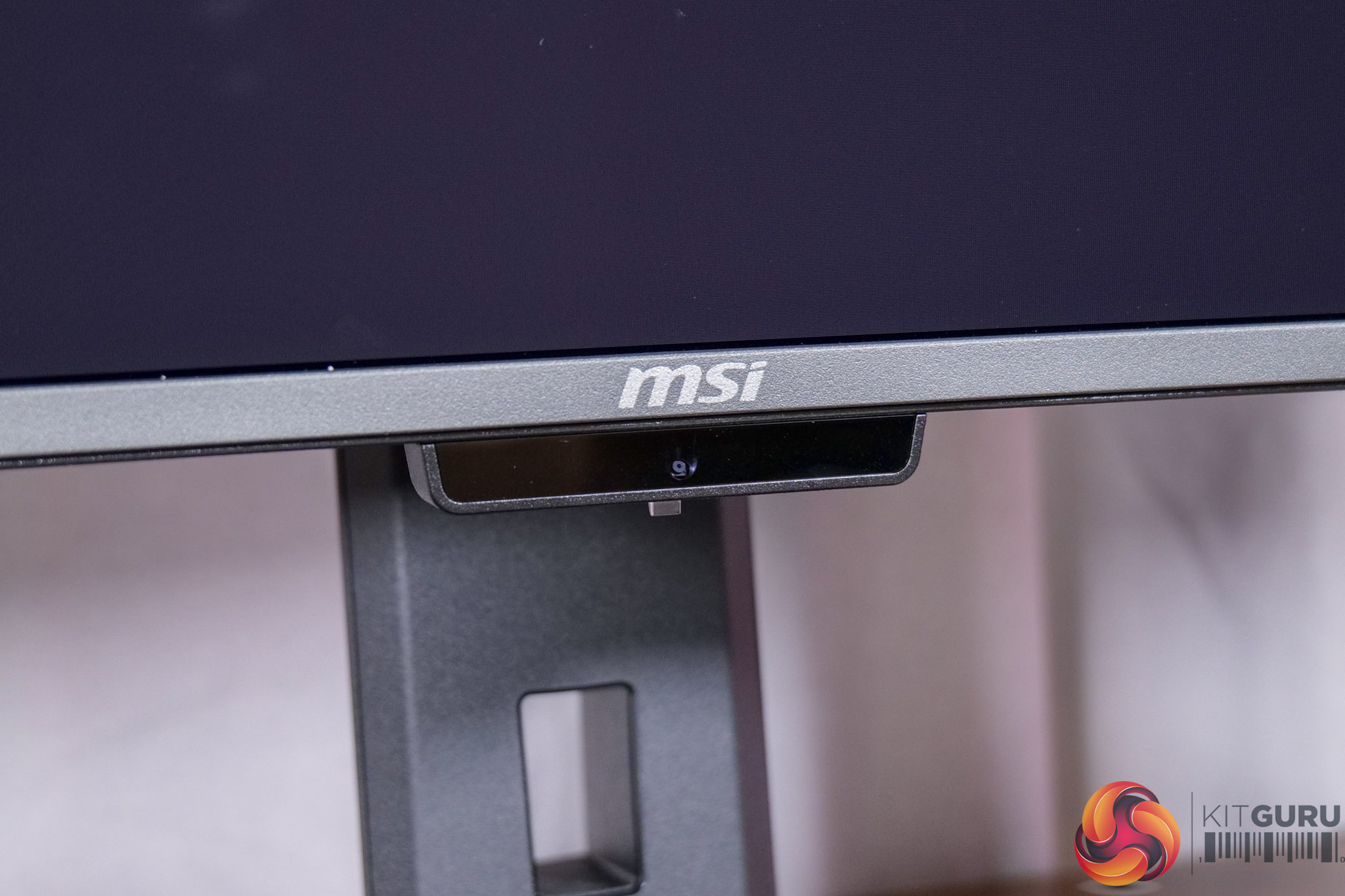
MSI has also fitted a proximity sensor to the 341CQR X36, designed to detect when the screen is in use and to turn off or dim the display when a user is not sitting in front of the monitor.
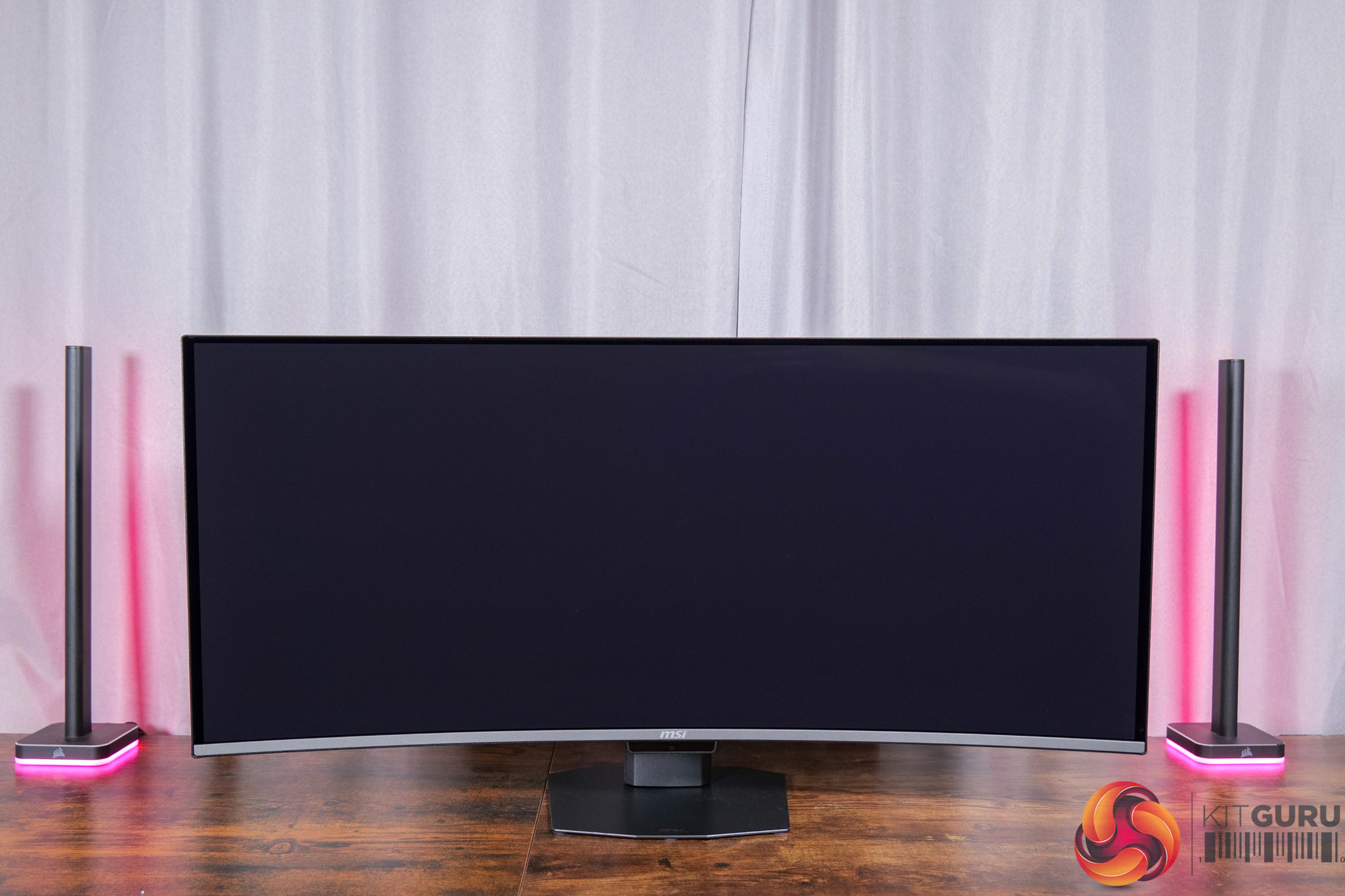
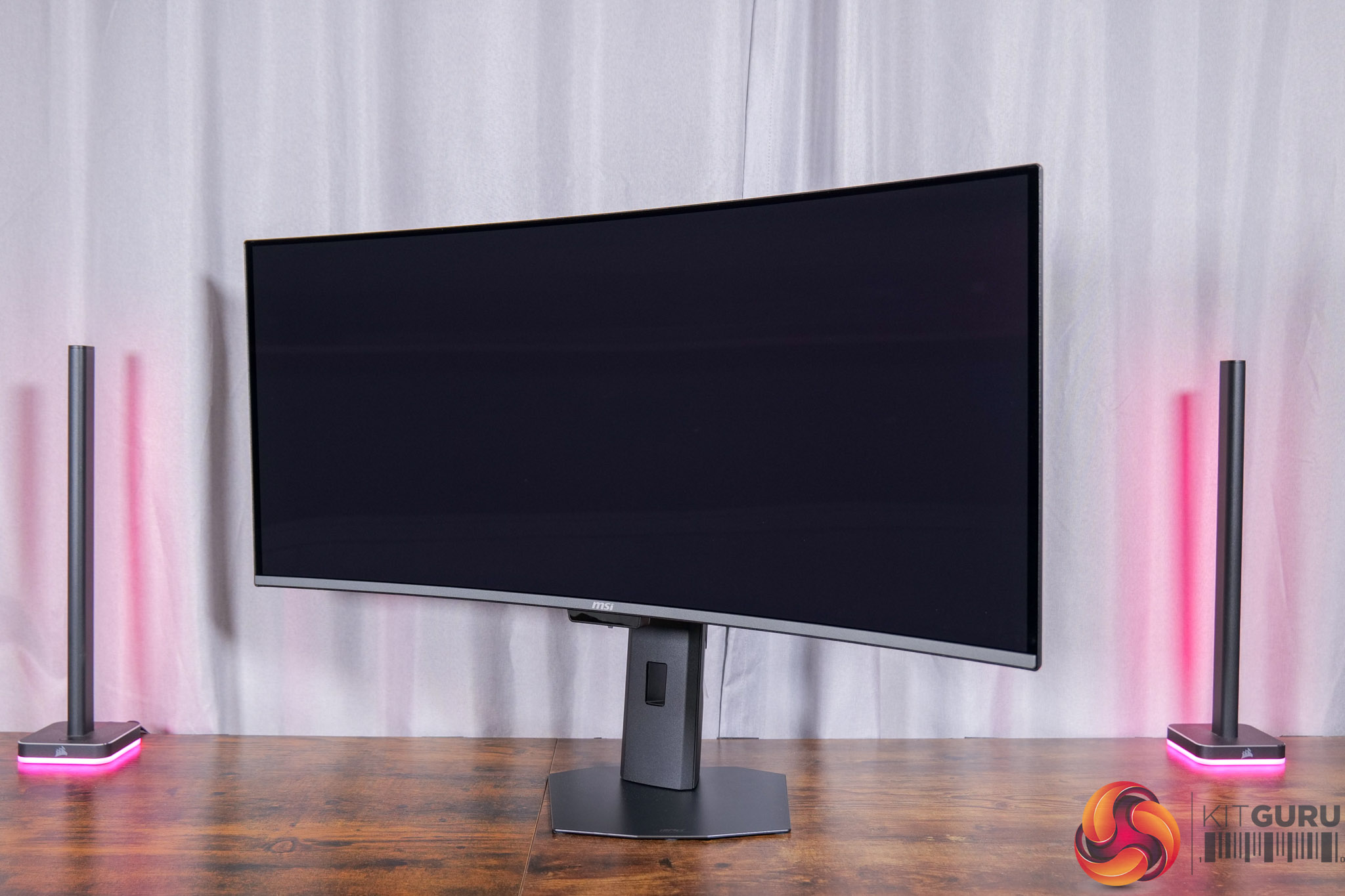
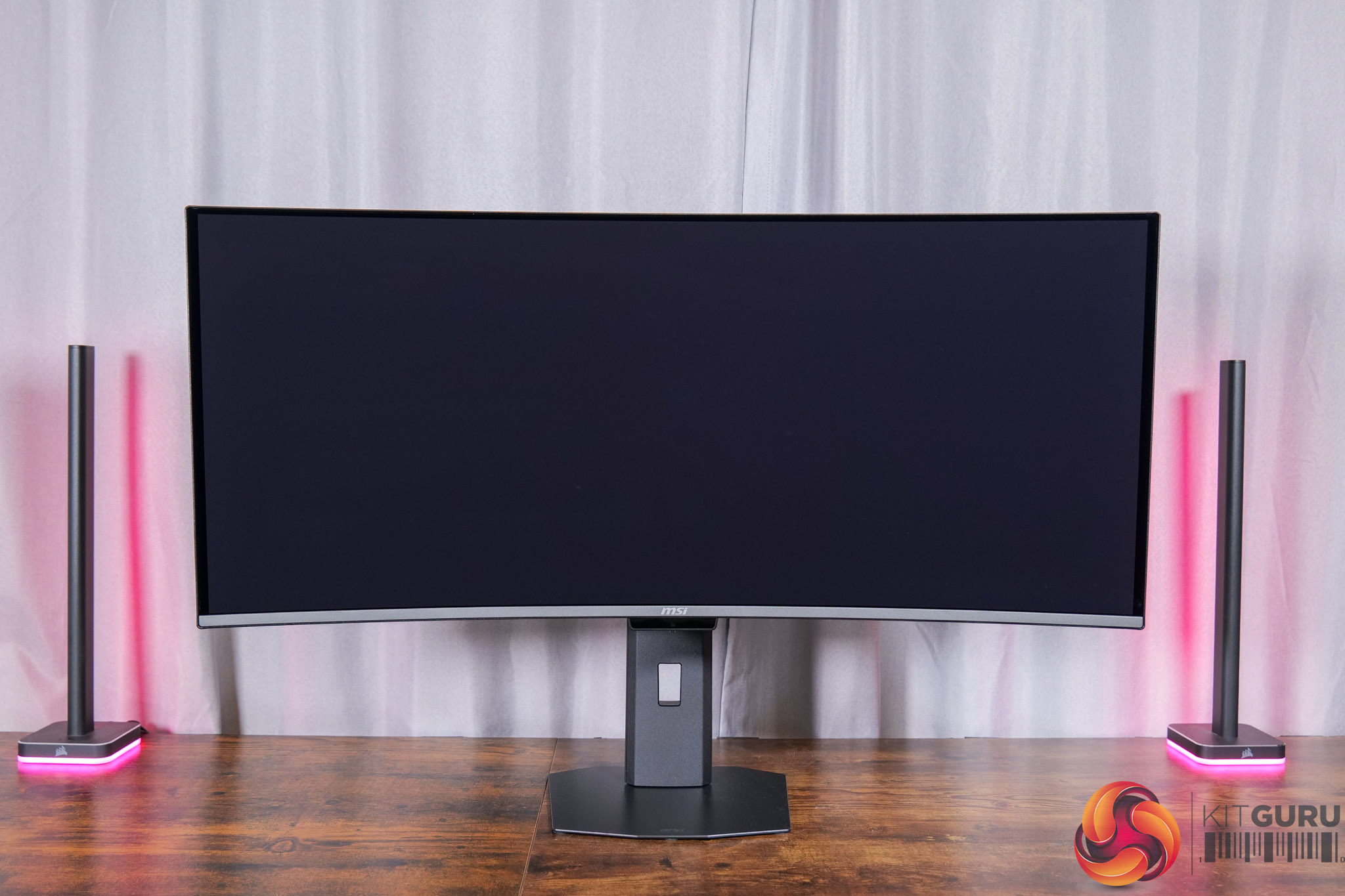
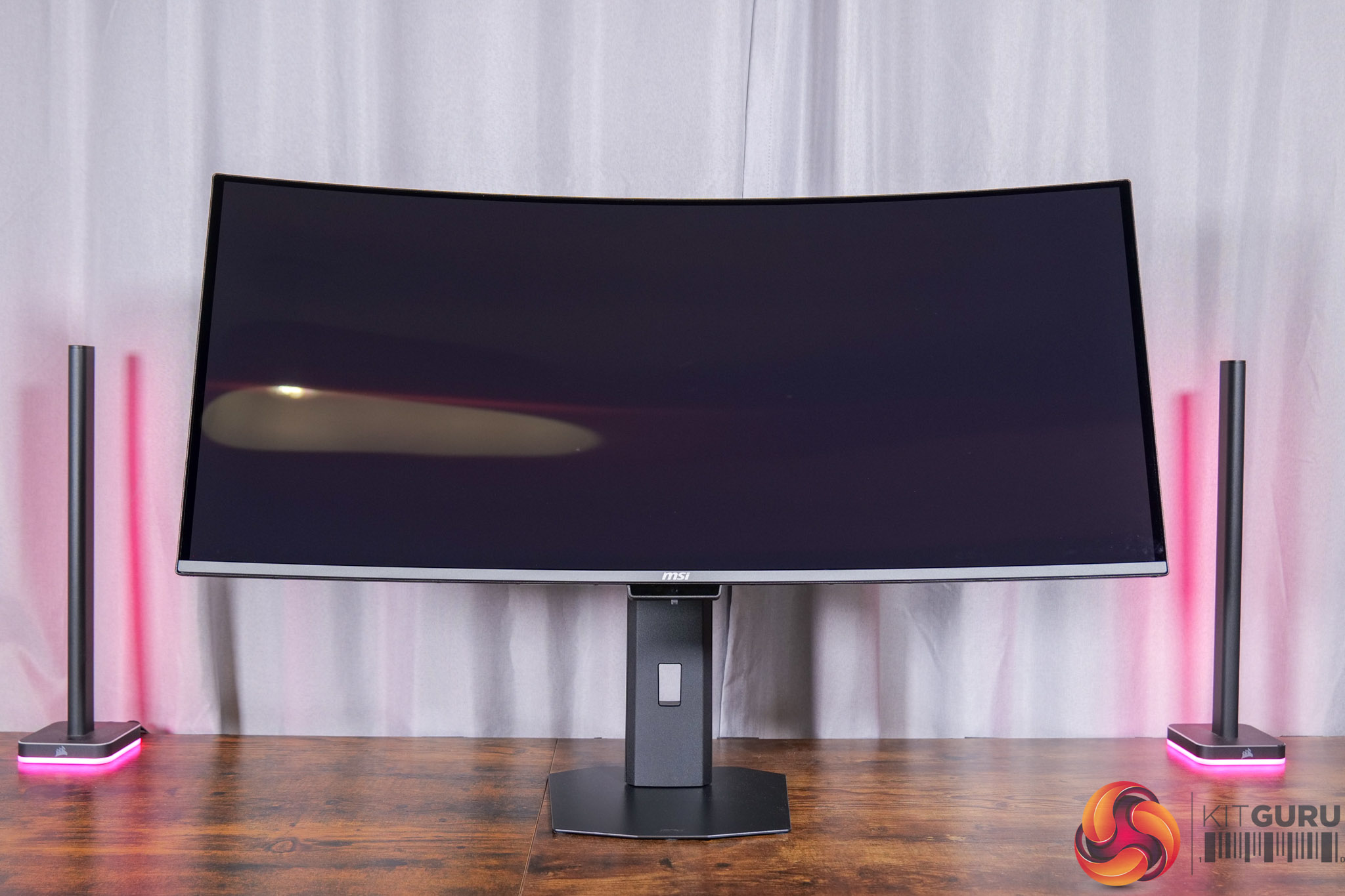
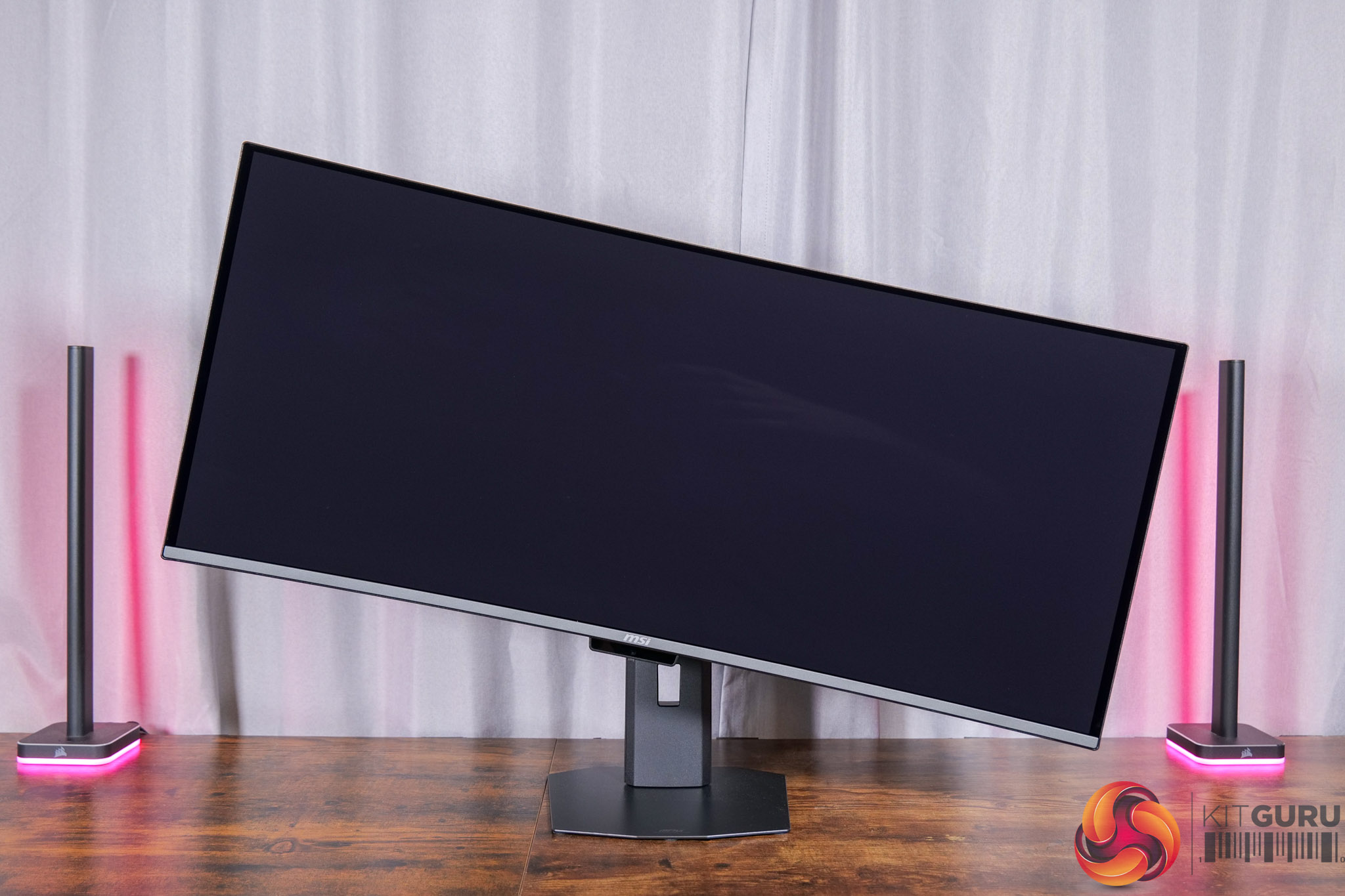
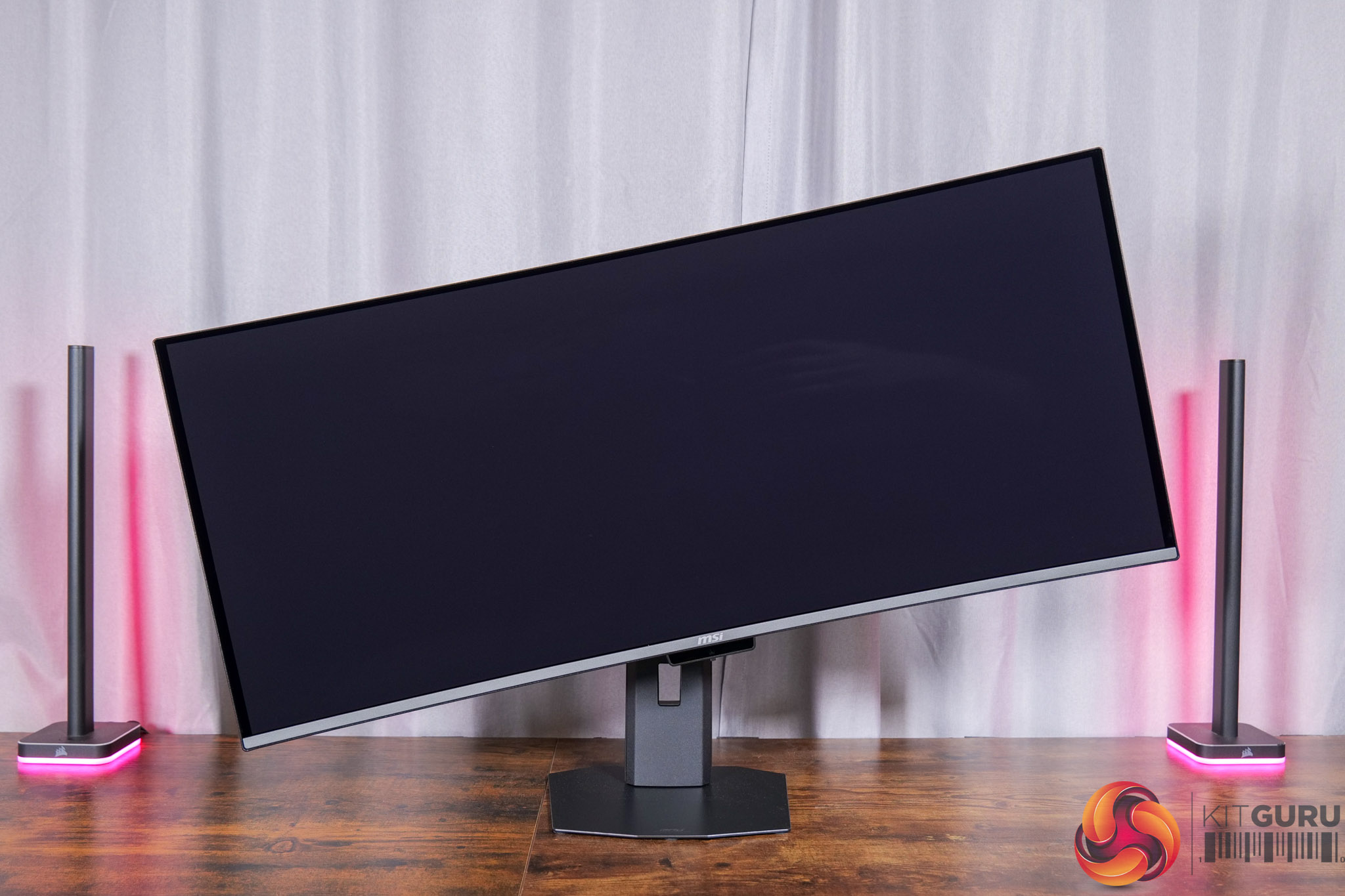
As for the stand itself, this offers a good array of ergonomic adjustments, with height adjust, swivel, tilt and even some pivot included. It can't rotate 90 degrees to be used vertically, but we wouldn't expect that for a curved ultrawide. VESA 100×100 mounts are also supported, while you can also get a good look at the fairly subtle 1800R curve used for this panel from these photos.
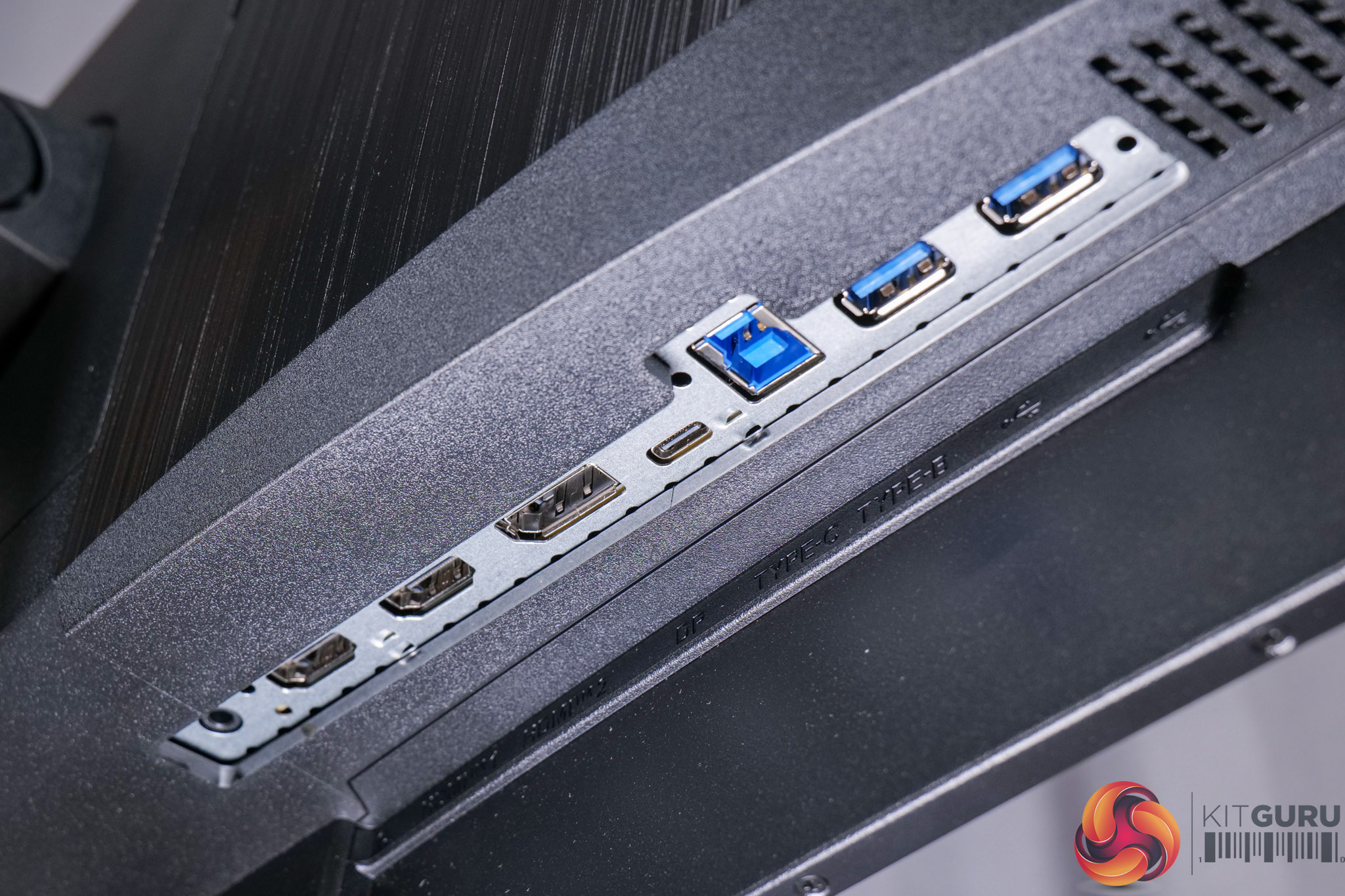
In terms of the connectivity options, we find 1x DisplayPort 2.1, 2x HDMI 2.1, alongside a USB-C port that supports DP Alt mode and KVM functionality, alongside 98W power delivery. Then there are two Type-A ports which are fed by a Type-B upstream, alongside a headphone jack.
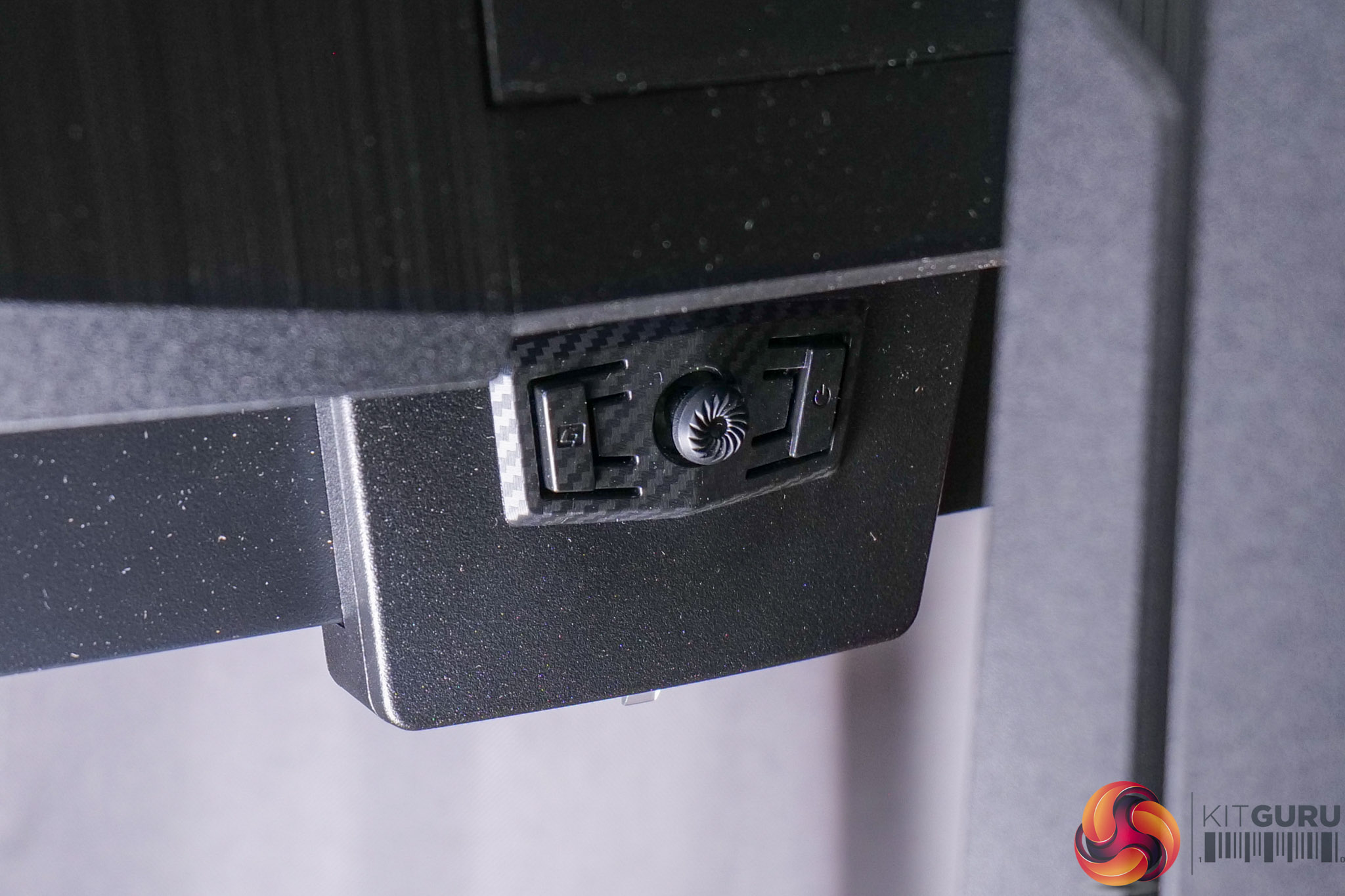
Lastly, a small joystick is used to navigate the OSD, flanked by a power button and one user-configurable button.
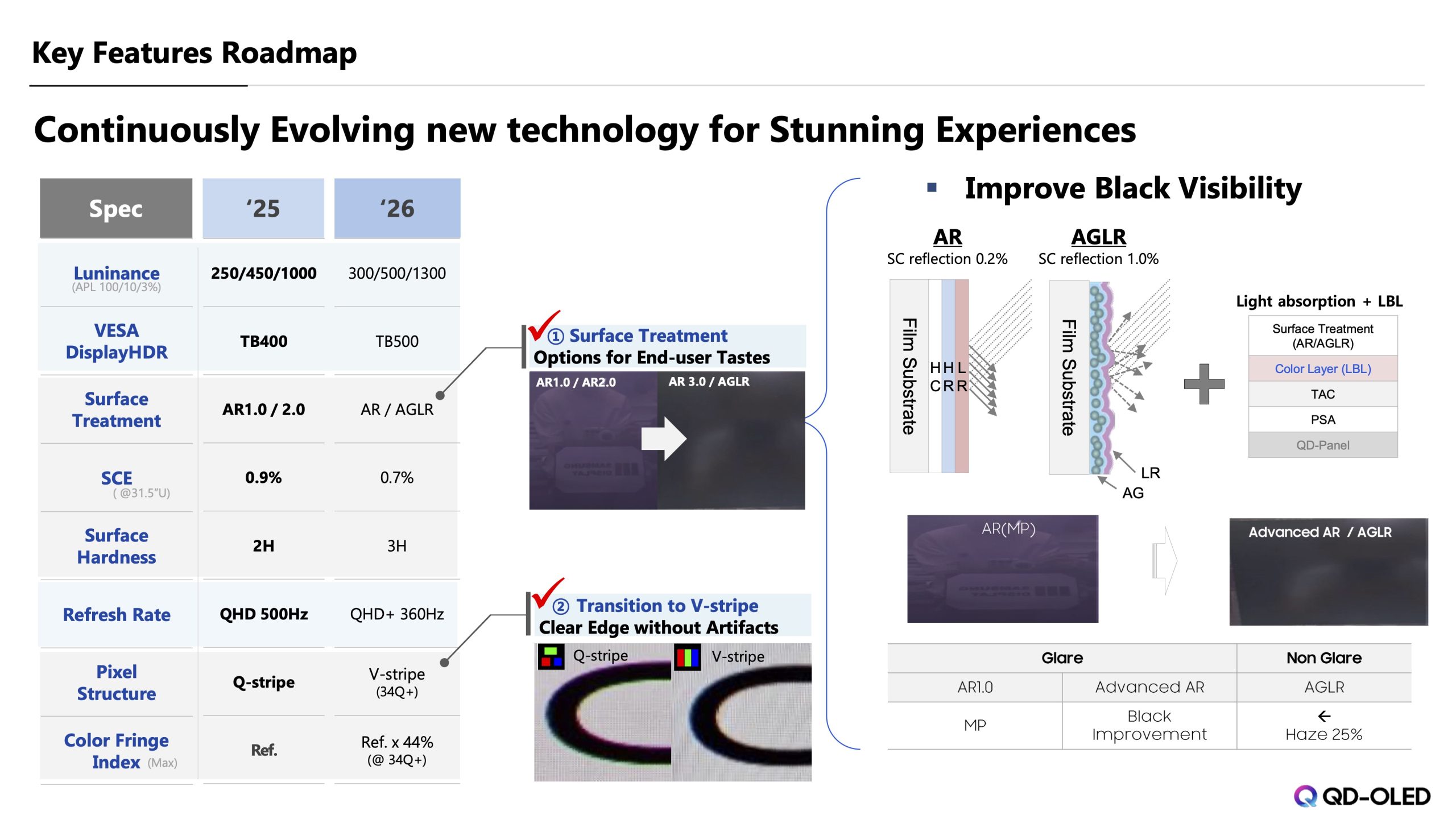
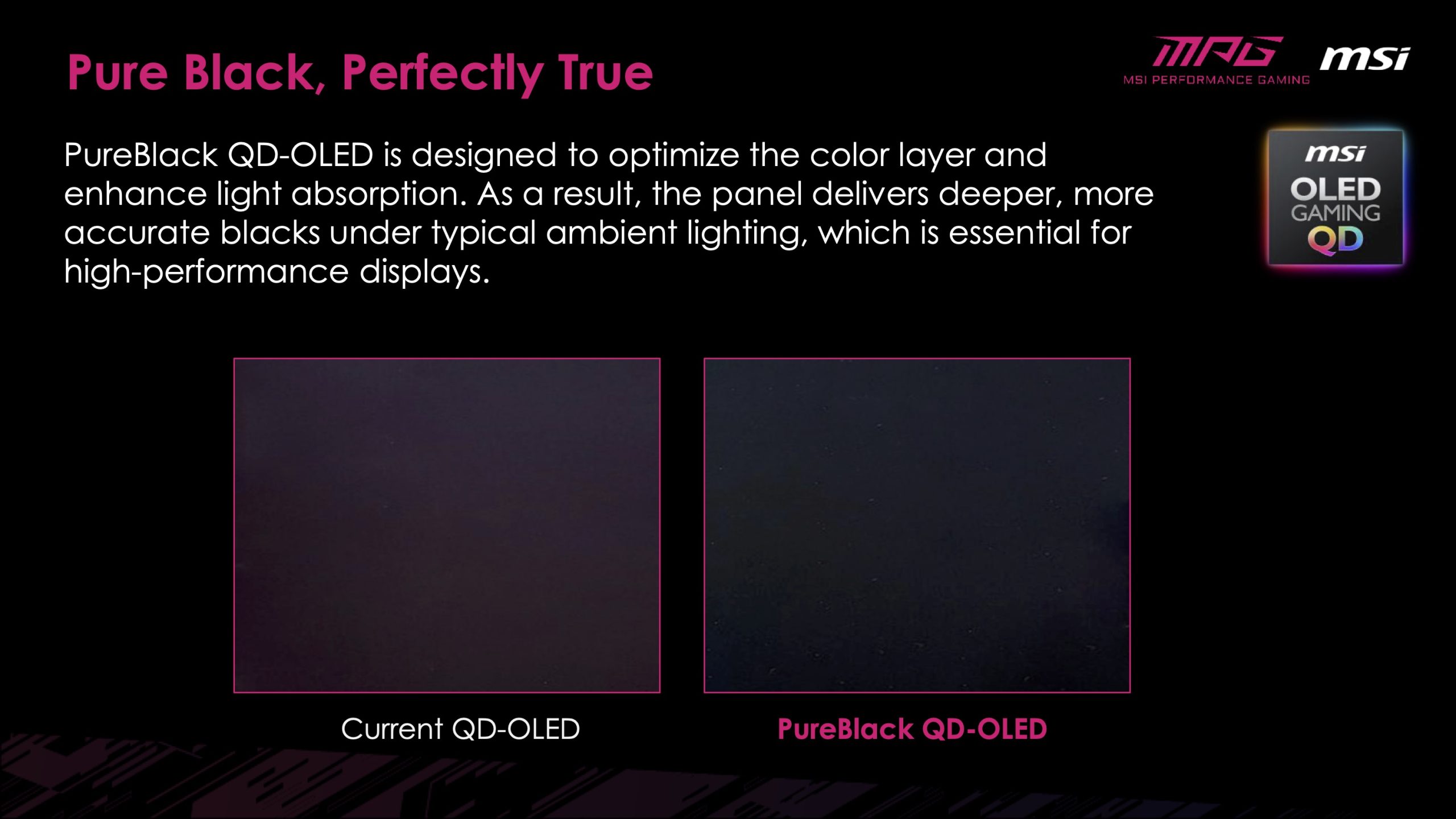
We can’t go any further without talking about the new coating. MSI calls this PureBlack, but it’s a new feature of the 5th Gen panel from Samsung, designed to mitigate the issue with previous QD-OLEDs where black levels look raised in brighter conditions due to the lack of a polarising layer.
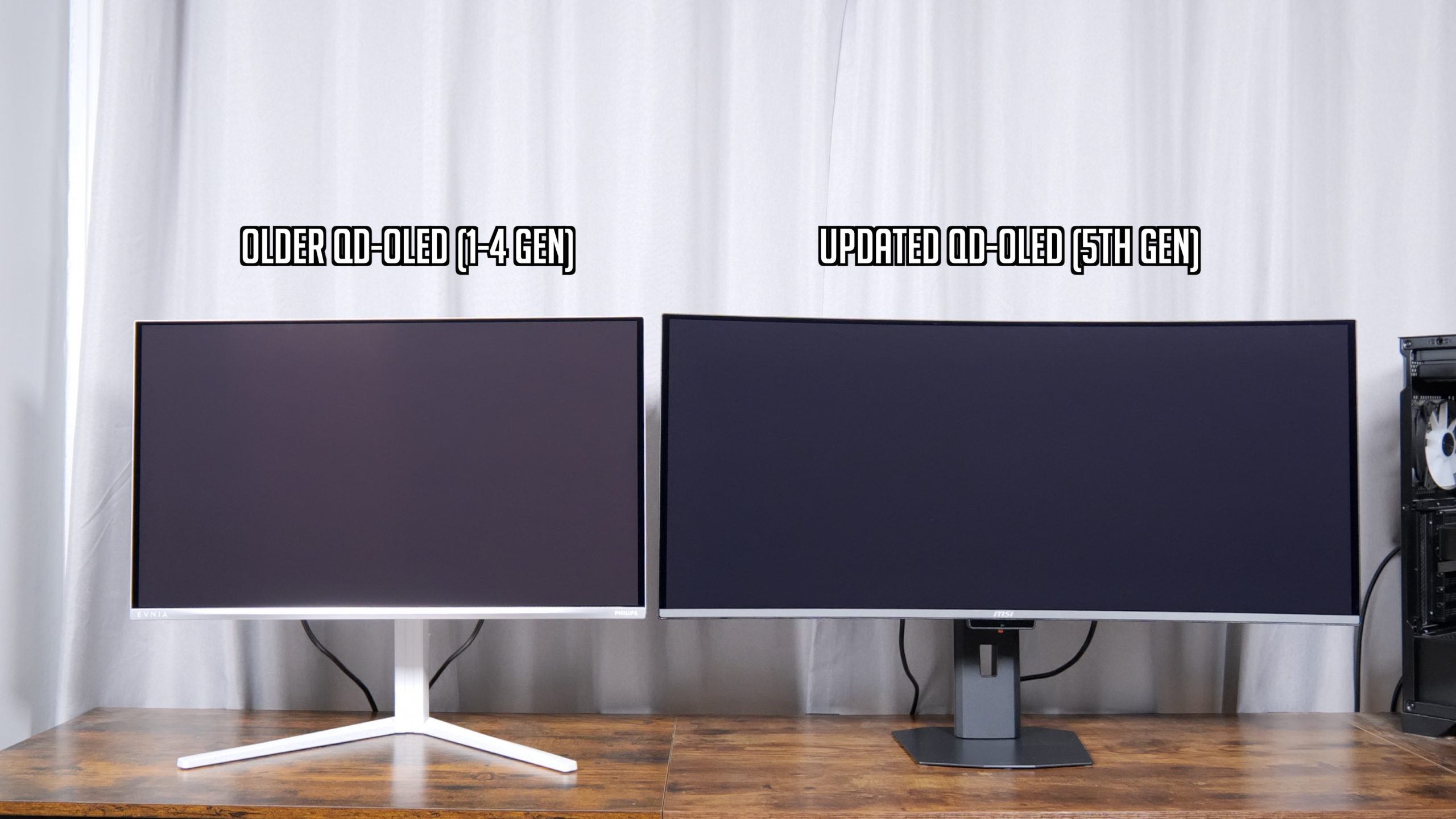
There’s no doubt this is a good improvement over previous QD-OLED panels, as you can see above – with both screens still turned off, the 341CQR X36 looks noticeably darker, whereas older QD-OLED is a lot more grey in these bright conditions.
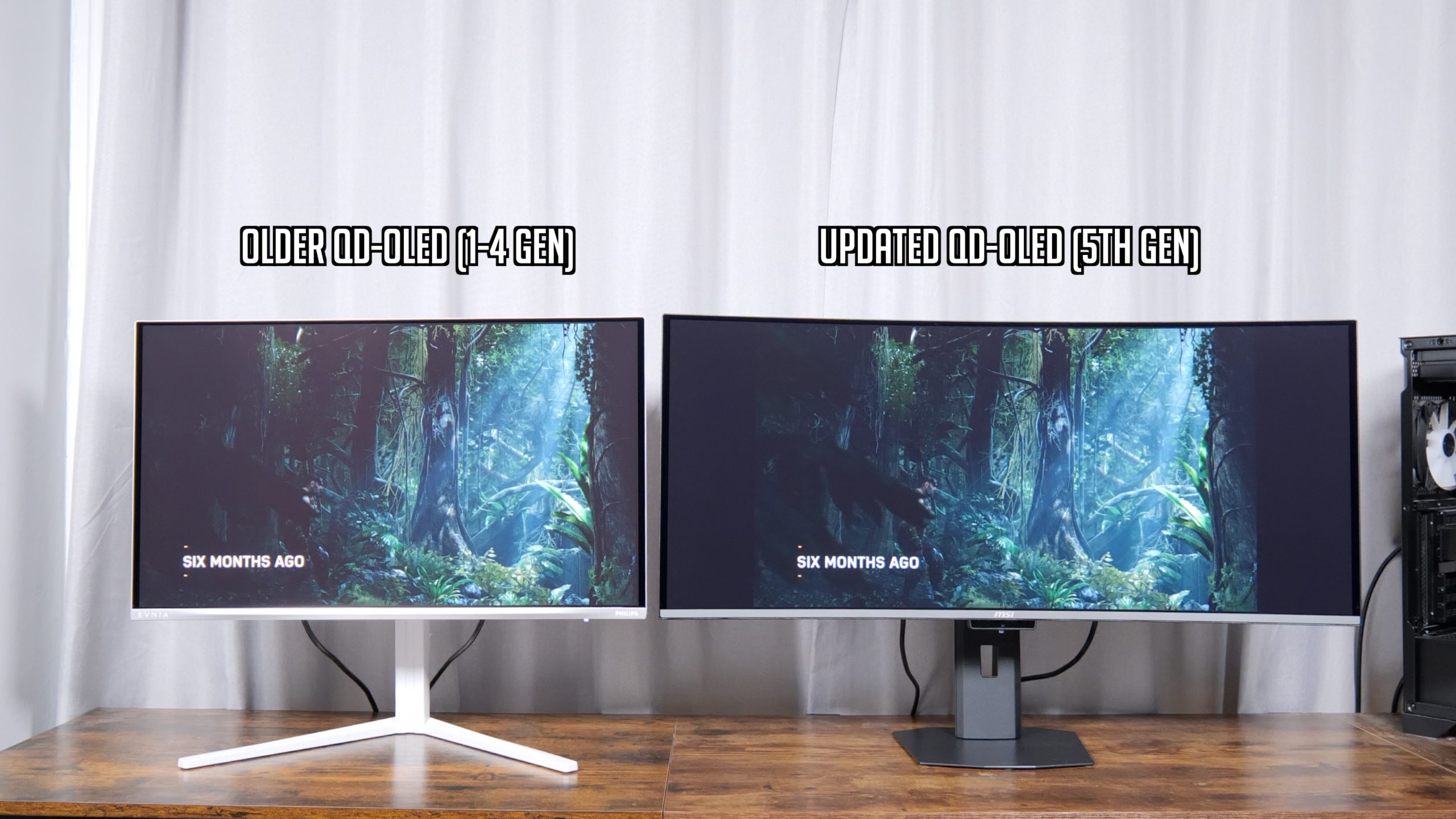
That translates well for gaming, with the new panel offering a much ‘contrastier' look thanks to the increased black depth.
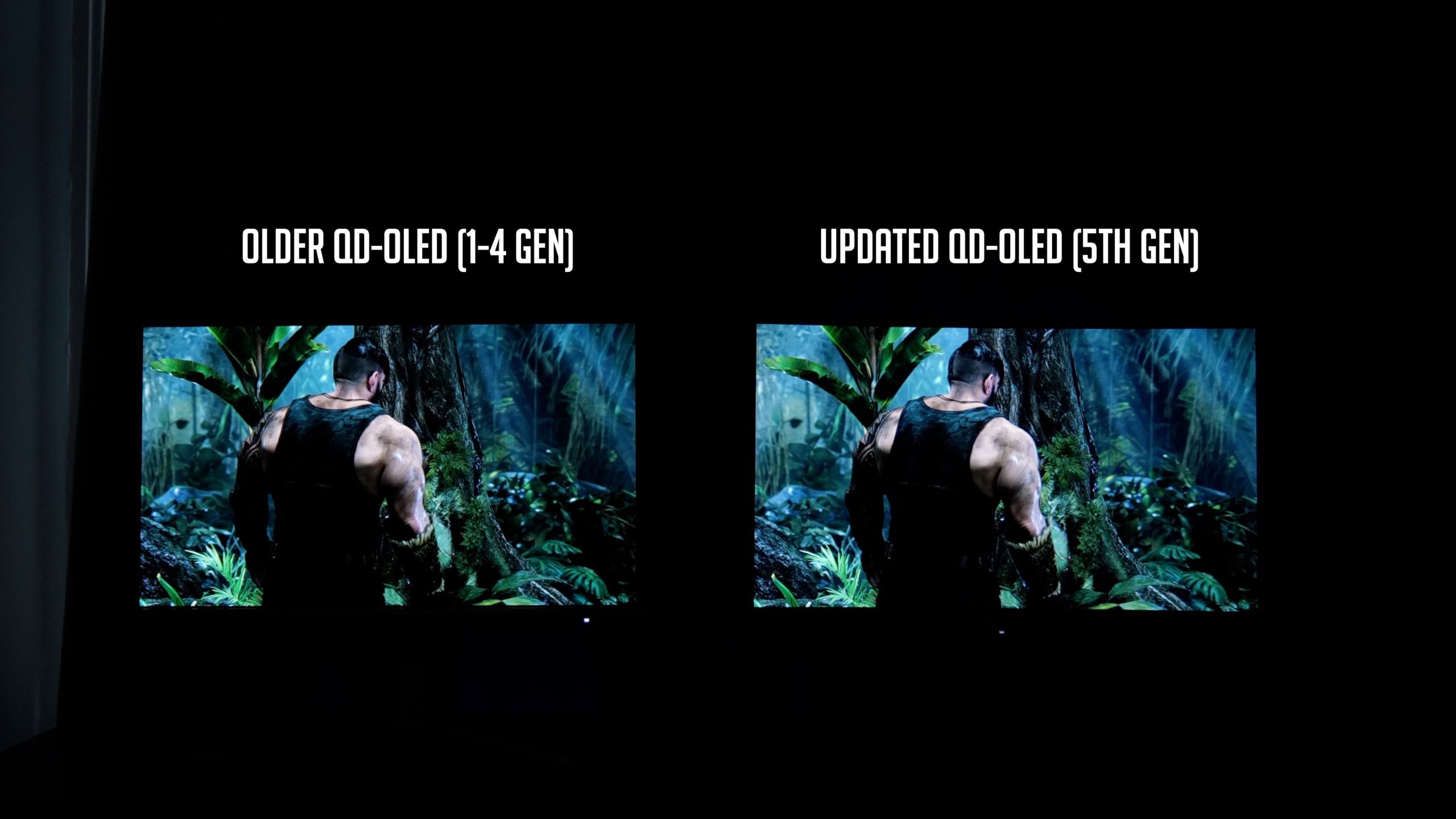
Of course, if you can control the lighting or you mostly game at night, the differences are much less obvious, as the issue with QD-OLED only presents itself in brighter ambient conditions, so that’s always something worth keeping in mind.
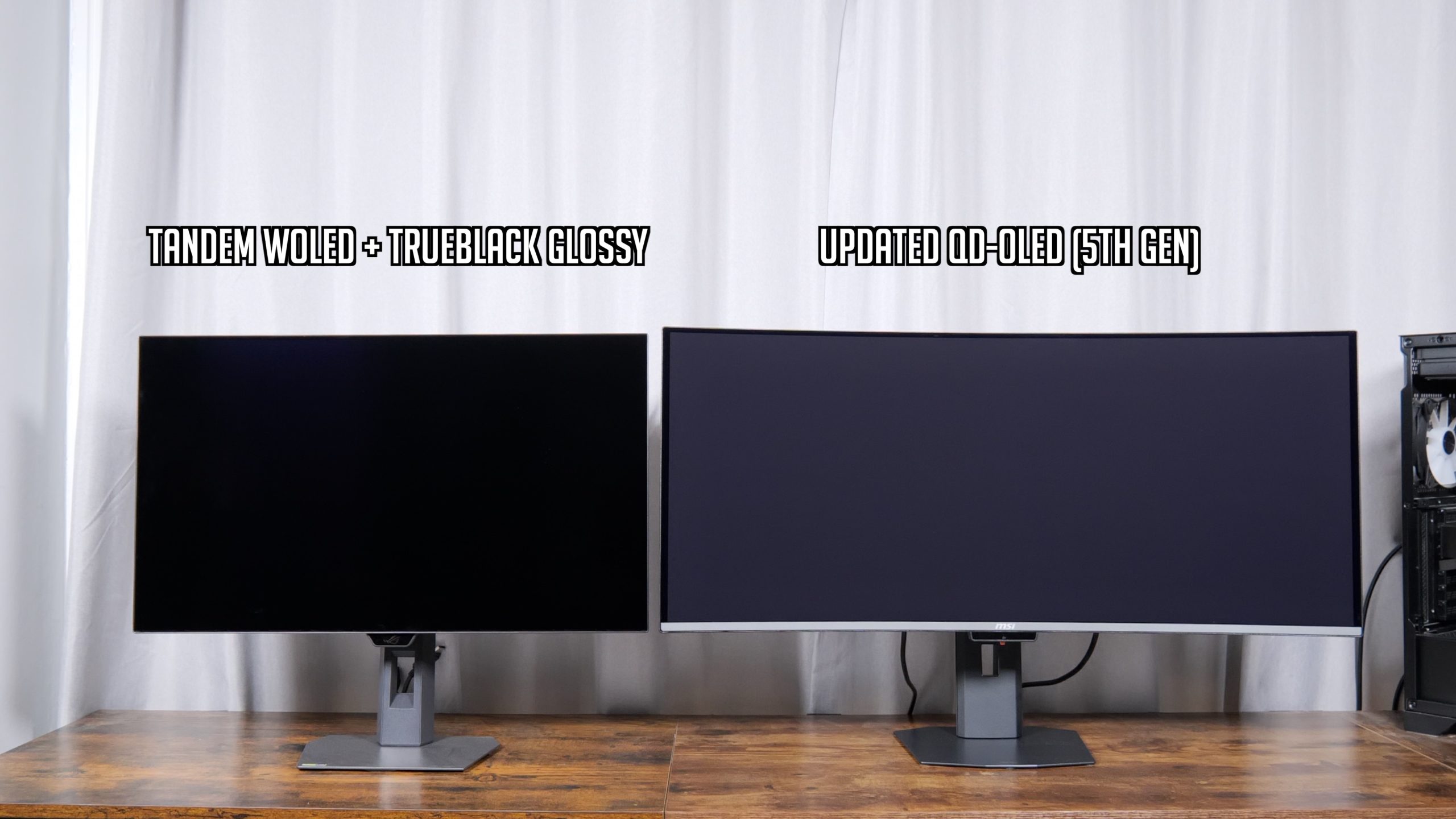
Compared against the ASUS ROG Strix XG27AQWMG though, with its 4th Gen Tandem WOLED panel and ASUS’ TrueBlack Glossy coating, we can still see that the issue isn’t completely resolved for 5th Gen QD-OLED, given the screen now looks more like a dark grey compared to the ASUS screen.
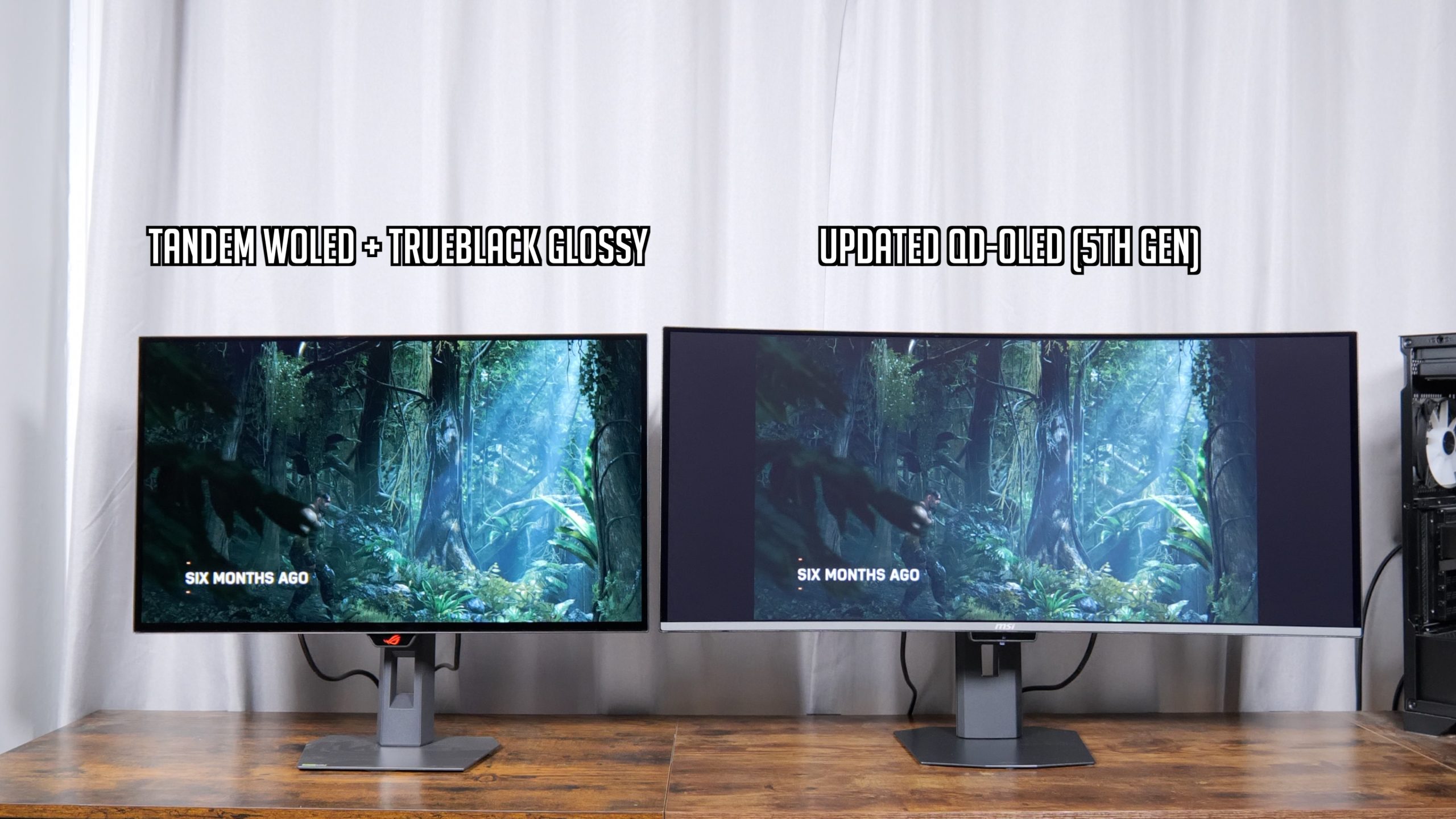
It does do a better job at helping reduce mirror-like reflections which is something to consider depending on your setup, but in those bright conditions, black levels are still elevated.
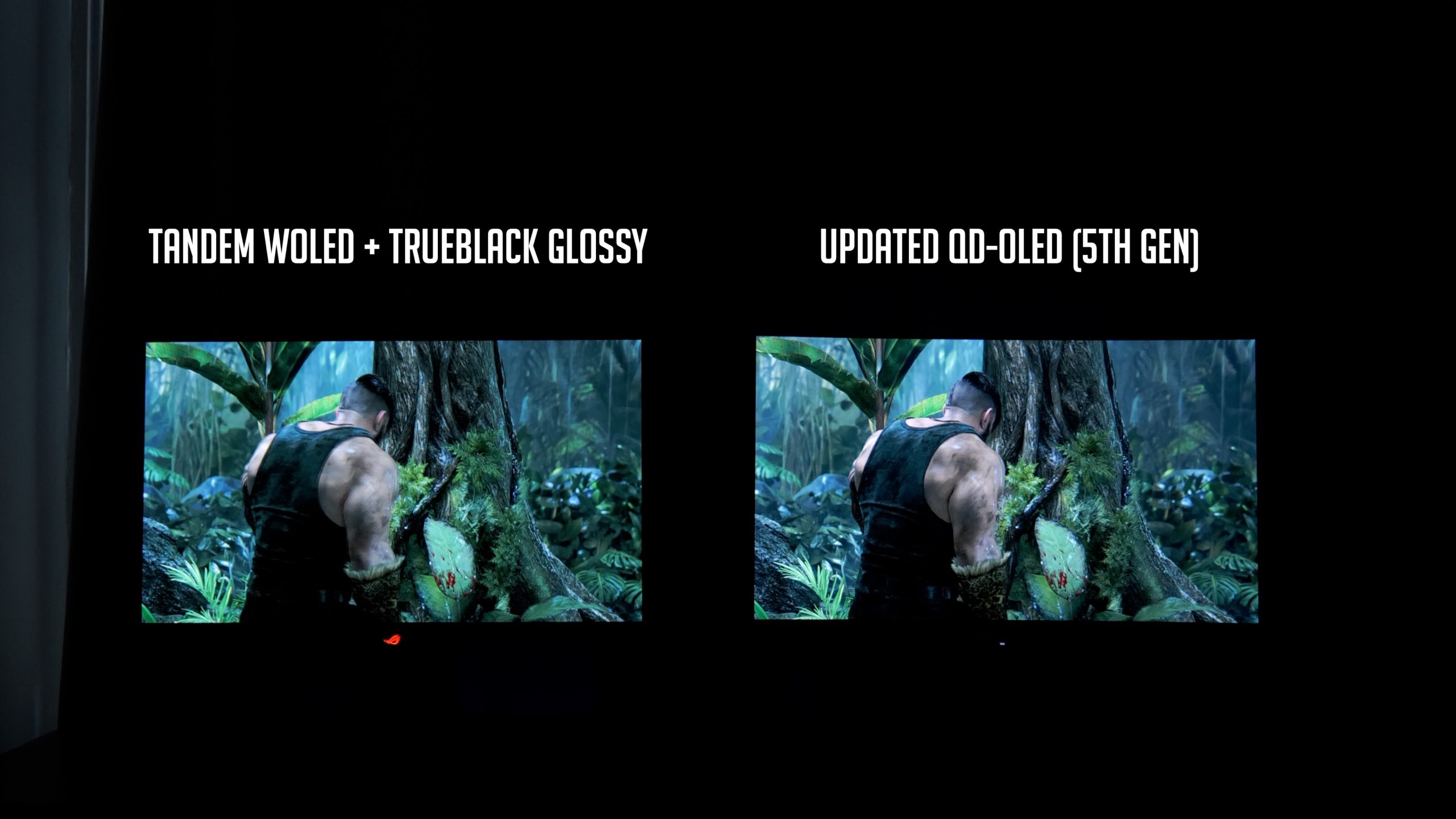
Again, though, if you do game in darker conditions, I don't think you would be able to tell the difference between the two panels, so it all really depends on your setup and what things are like in your environment.
Either way, the new coating on the 341CQR X36 is still a huge improvement over older QD-OLEDs, and I’d say for most people, it probably mitigates the issue down to a level where it’s less of a key factor to consider, but there is clear room for improvement versus the likes of ASUS' TrueBlack Glossy coating.
The OSD is split into six main tabs:
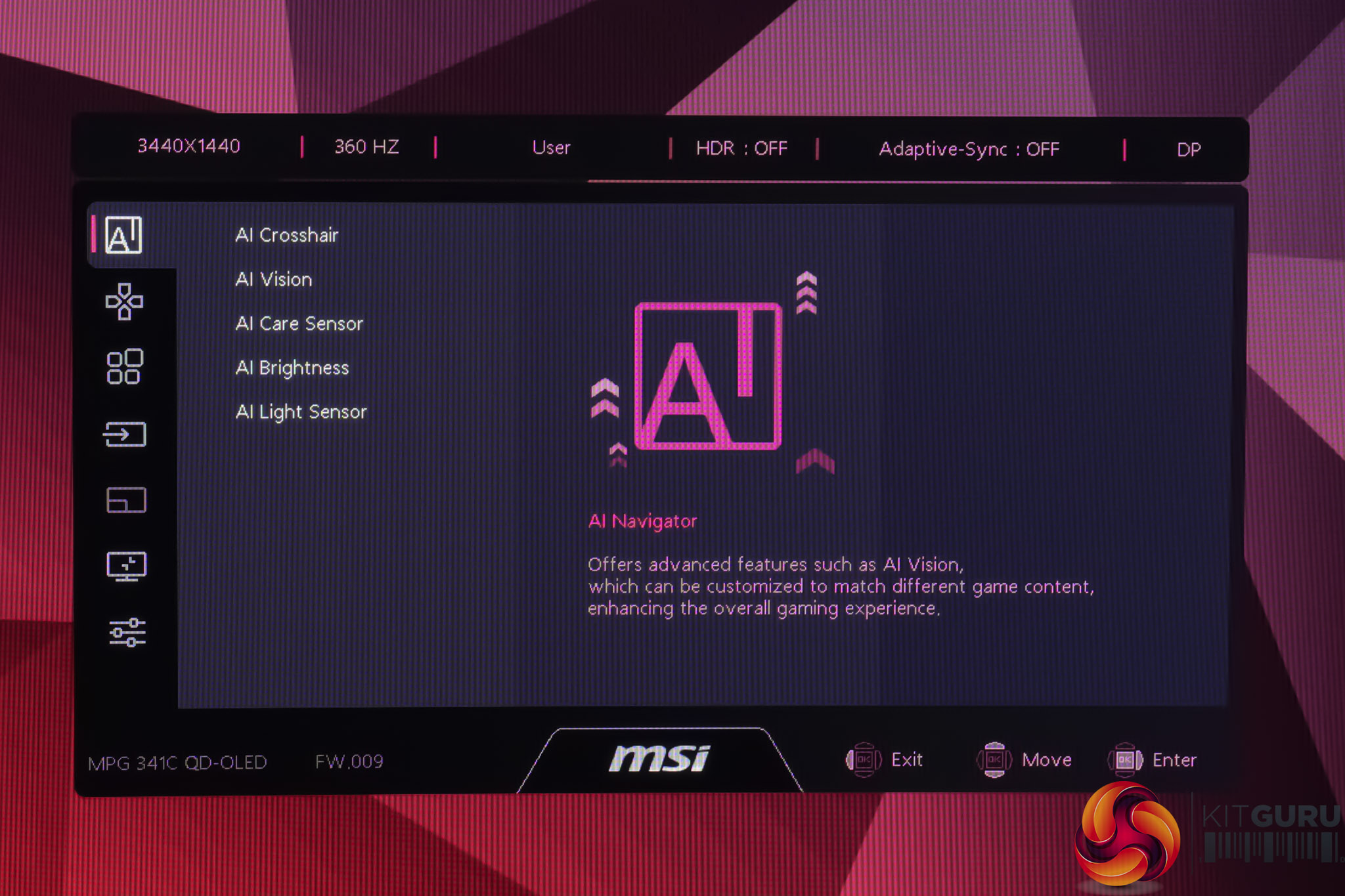
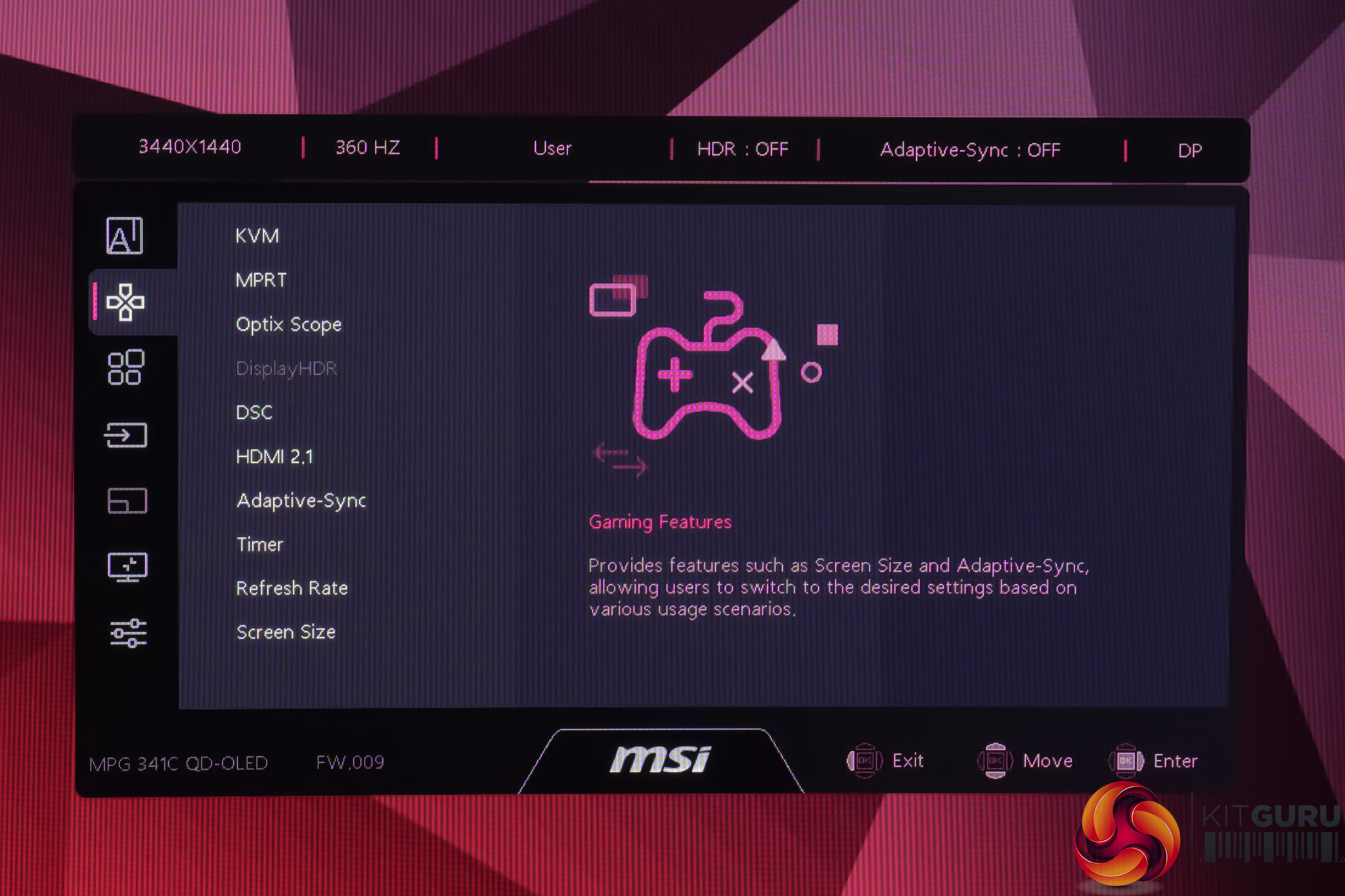
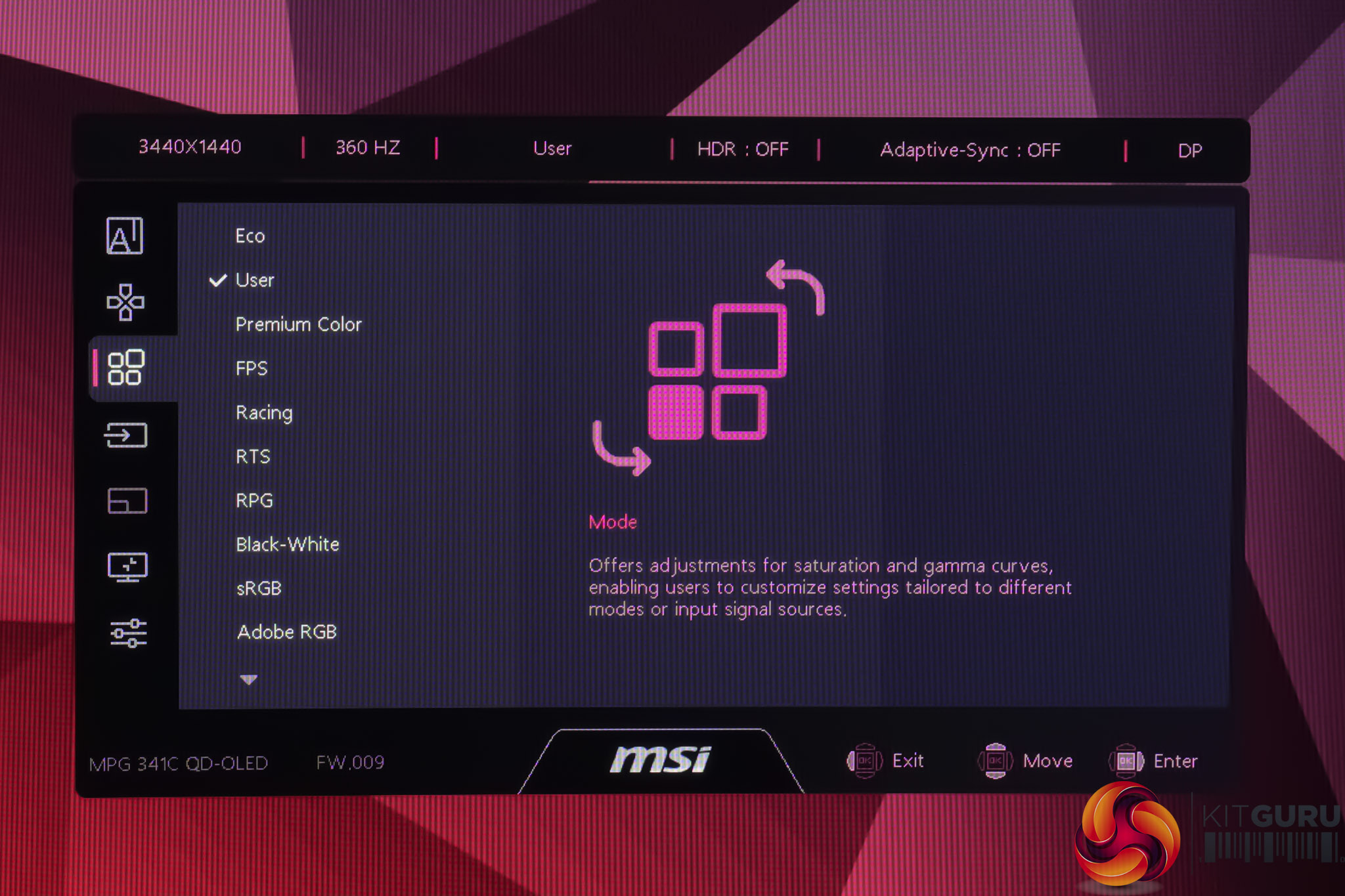
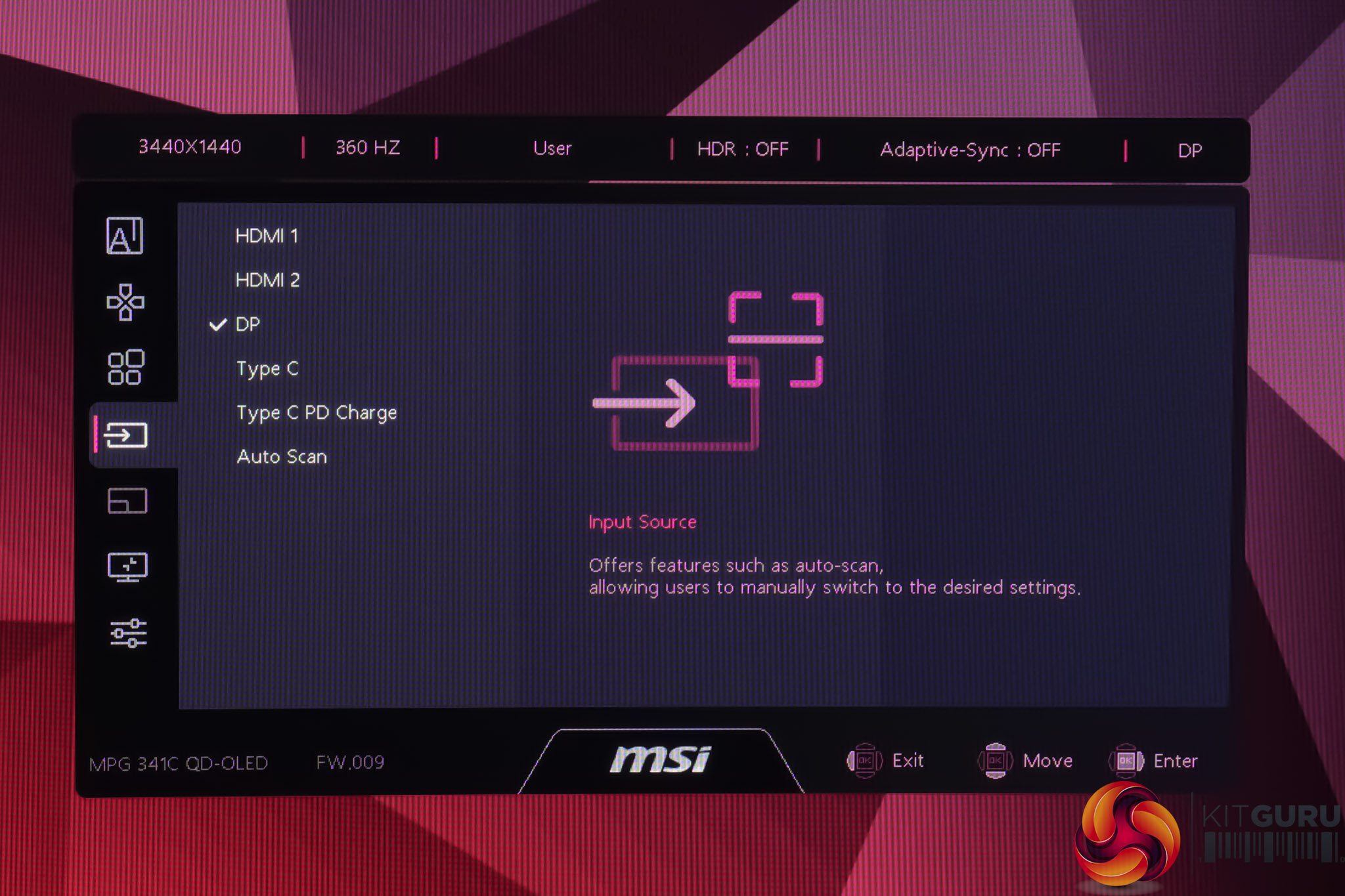
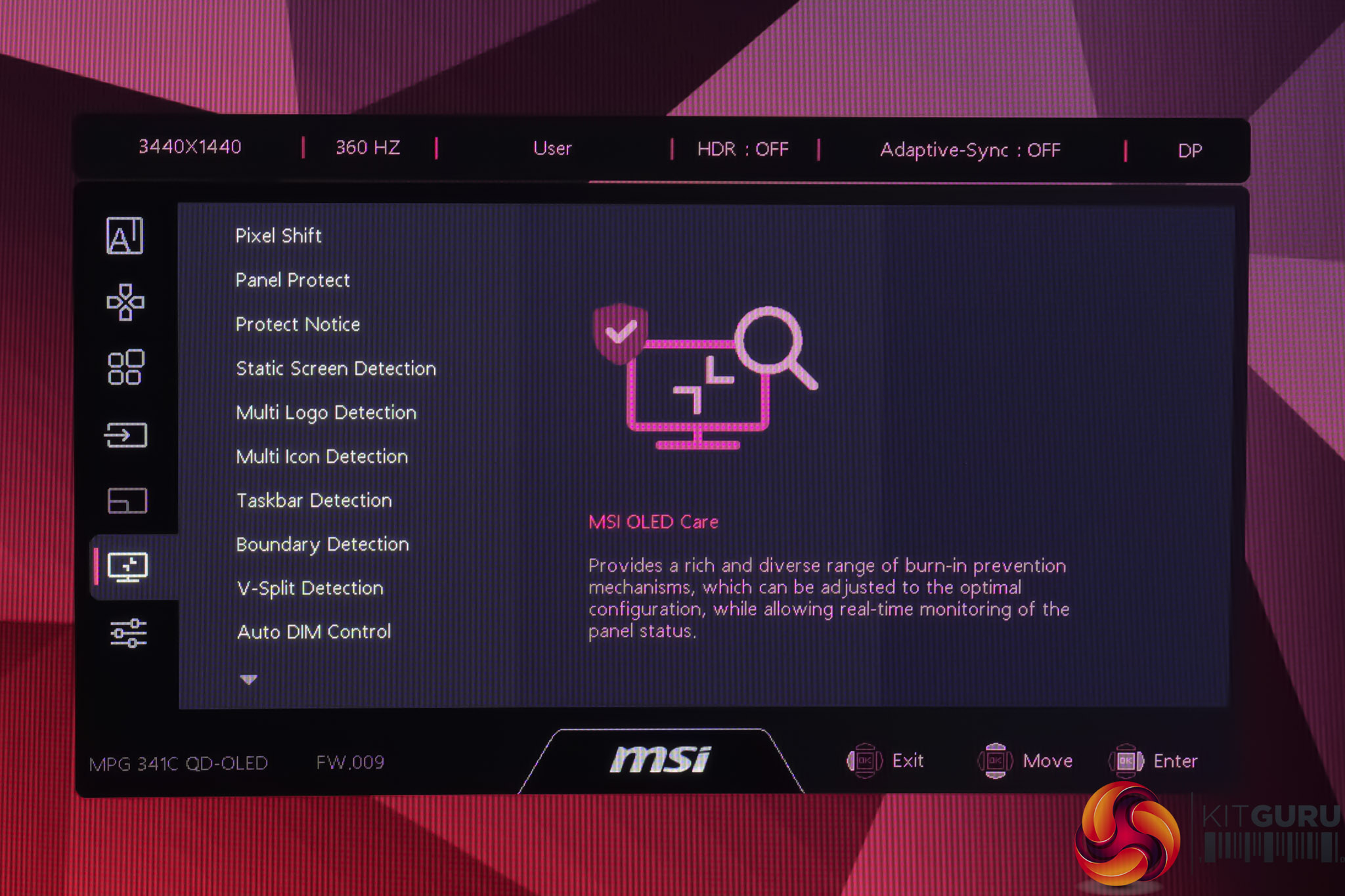
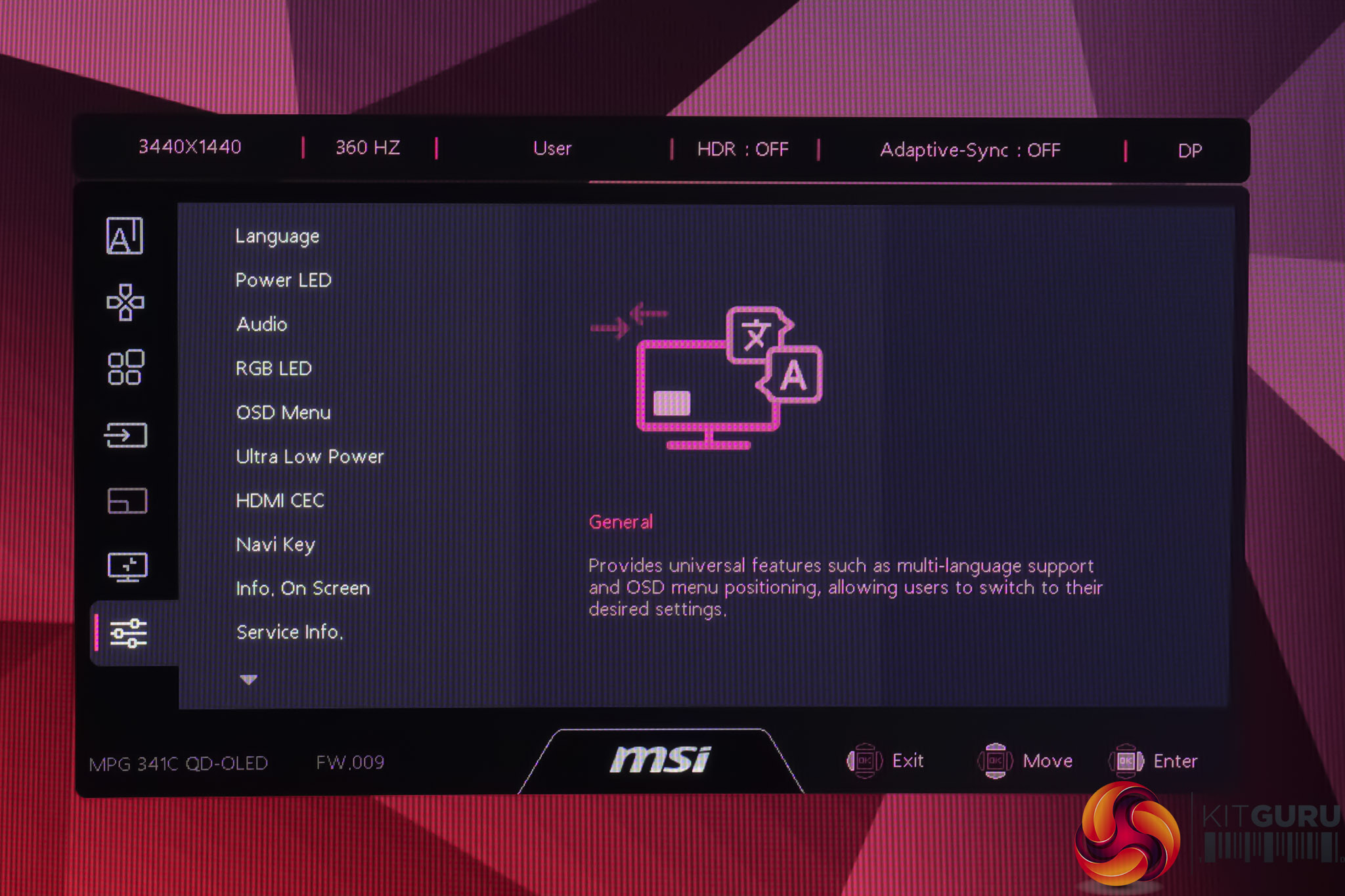
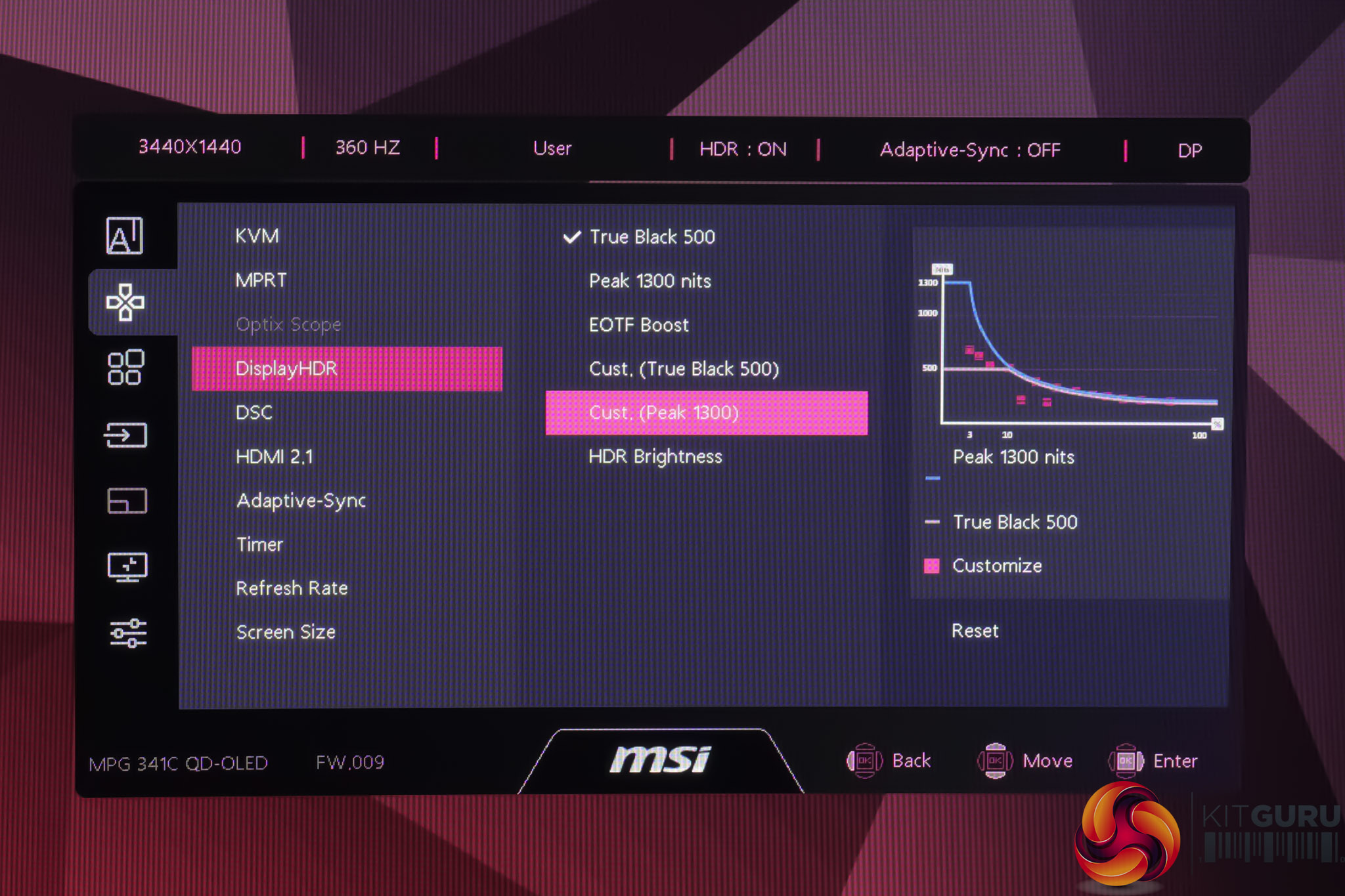
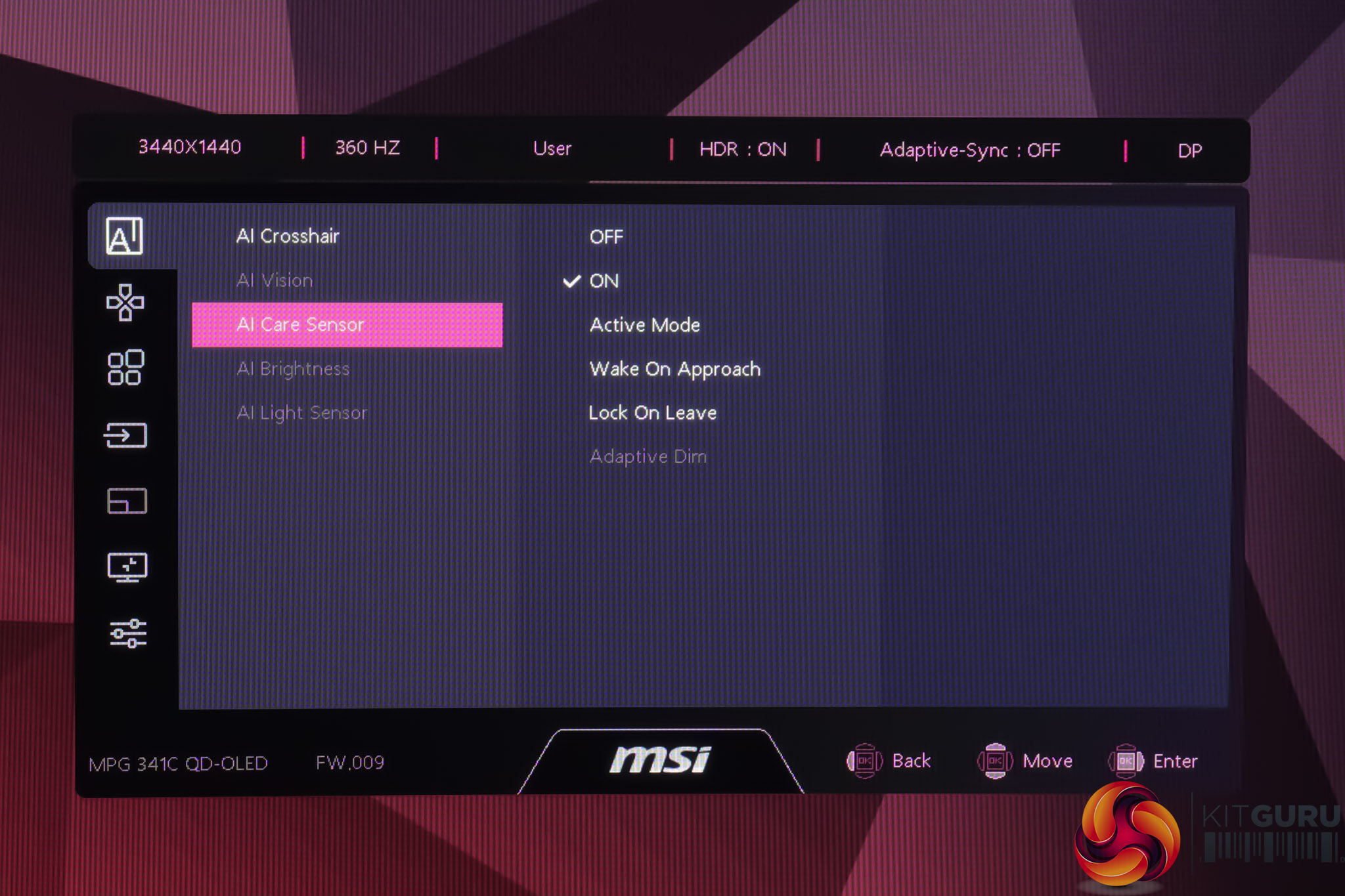
Interestingly, MSI has revamped the appearance of its OSD system to go for a cleaner, more text-based approach with less overall design flair than the previous system. It still works just as well and is more feature-packed than ever, including new options for user-configurable HDR brightness, alongside all the usual colour space modes and gaming features we'd expect.
MSI's Gaming Intelligence app will also be supported, but as I received the unit ahead of the official launch, the software isn't ready at the time of review, but MSI tells us it will be available once the monitor lands at retail.
Our main test involves using an X-Rite i1 Display Pro Plus colorimeter and utilising Portrait Display's Calman Ultimate software. The device sits on top of the screen while the software generates colour tones and patterns, which it compares against predetermined values to work out how accurate the screen is.

The results show:
- A monitor’s maximum brightness in candelas or cd/m2 at various levels set in the OSD.
- A monitor’s contrast ratio at various brightness levels in the OSD.
- Gamut coverage, primarily focusing on sRGB and DCI-P3 colour spaces.
- Greyscale accuracy, measured across 20 shades, with an average colour balance reported.
- The exact gamma levels, with a comparison against preset settings in the OSD.
- The colour accuracy, expressed as a Delta E ratio, with a result under 3 being fine for normal use, and under 2 being great for colour-accurate design work.
We first run these tests with the display in its out-of-the-box state, with all settings on default. If there is an sRGB emulation option or other useful mode then we may test that too. We then calibrate the screen using the Calman Ultimate software and run the tests again.
You can read more about our test methodology HERE.
Default settings
Brightness and Contrast (Full Screen)
| OSD Brightness | White Luminance (cd/m2) | Black Luminance (cd/m2) | Contrast Ratio |
| 0% | 35.7 | 0.00 | ~Infinite |
| 25% | 115.2 | 0.00 | ~Infinite |
| 50% | 200.2 | 0.00 | ~Infinite |
| 75% | 277 | 0.00 | ~Infinite |
| 100% | 321 | 0.00 | ~Infinite |
Kicking off testing with our brightness figures, we can see similar overall performance to the 272QP X50, with a minimum of 36 nits and a maximum of 321 nits – slightly above MSI's claim of 300 nits. Previous QD-OLEDs typically max out at around 260 nits for a full screen white, so this is a definite improvement.
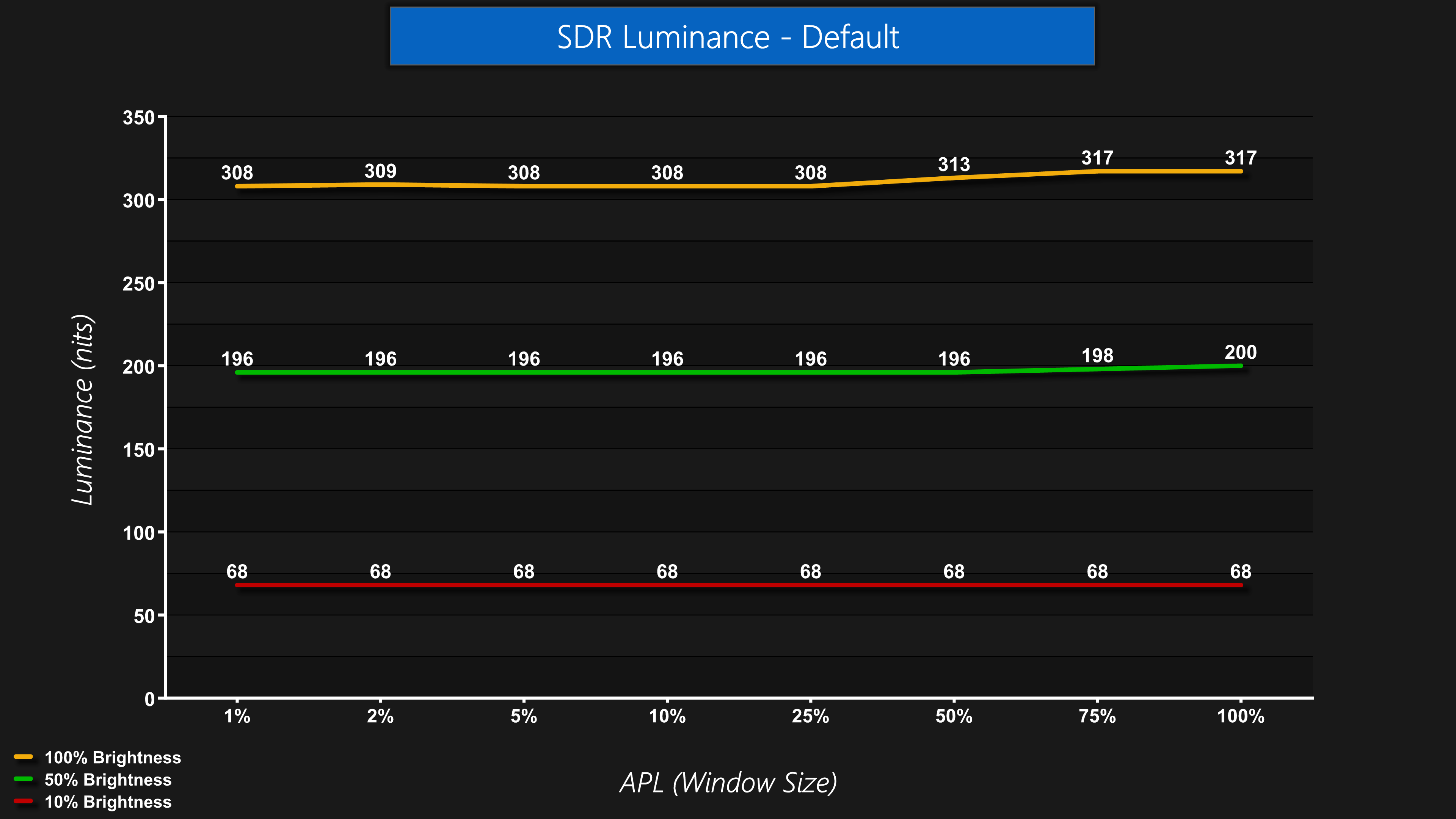
Brightness levels are generally very stable regardless of the window size, or APL, with the only slight exception being that brightness actually climbs ever so slightly as the window size progresses past 25%. This is slightly unusual as you'd expect lower brightness if anything, but the differences are only very marginal and won't be noticeable in most conditions.
Screen Uniformity
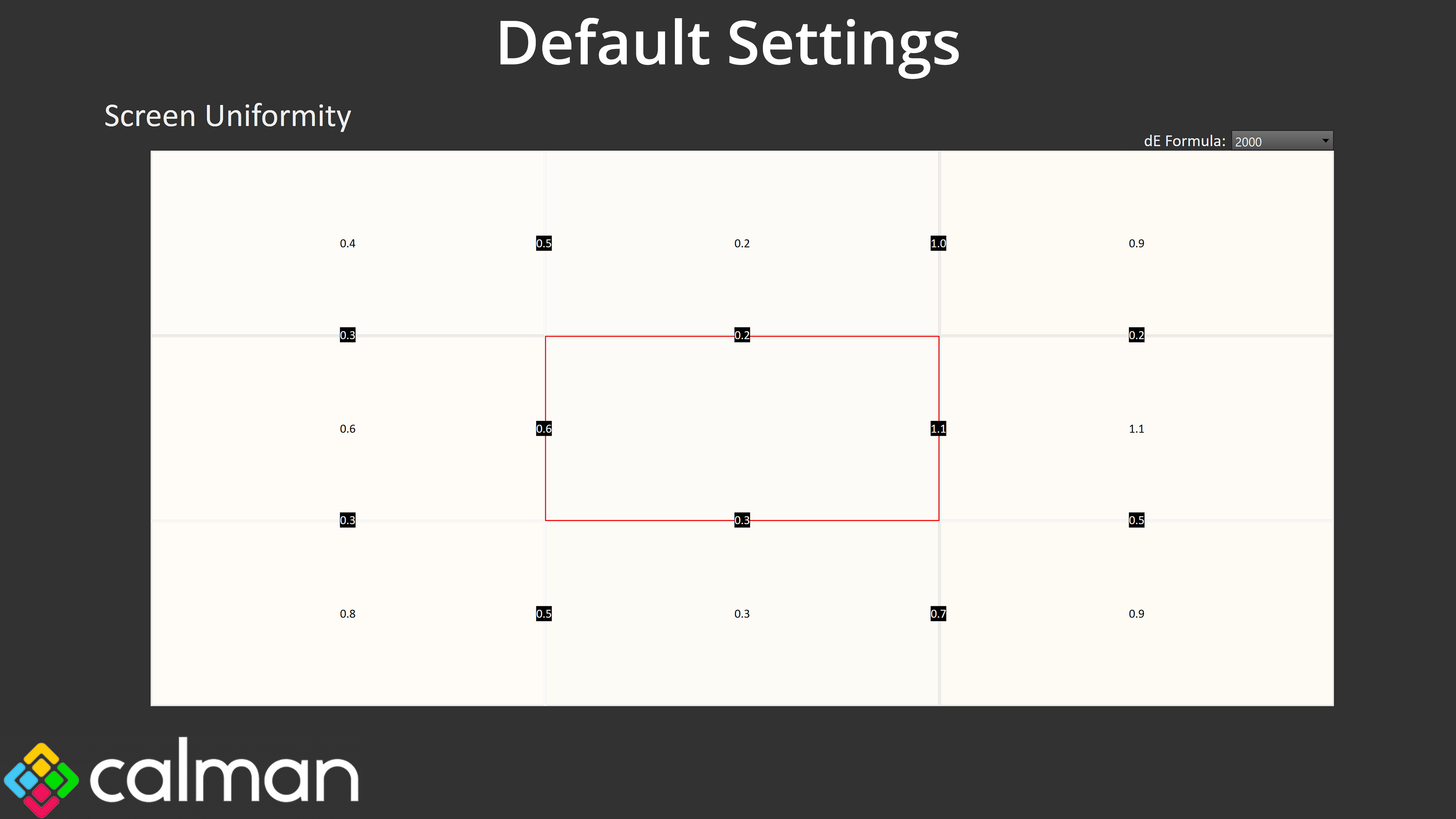
Overall panel uniformity is excellent, as we'd expect from an OLED, with next to no deviation measured across the panel.
Gamut (CIE 1976)
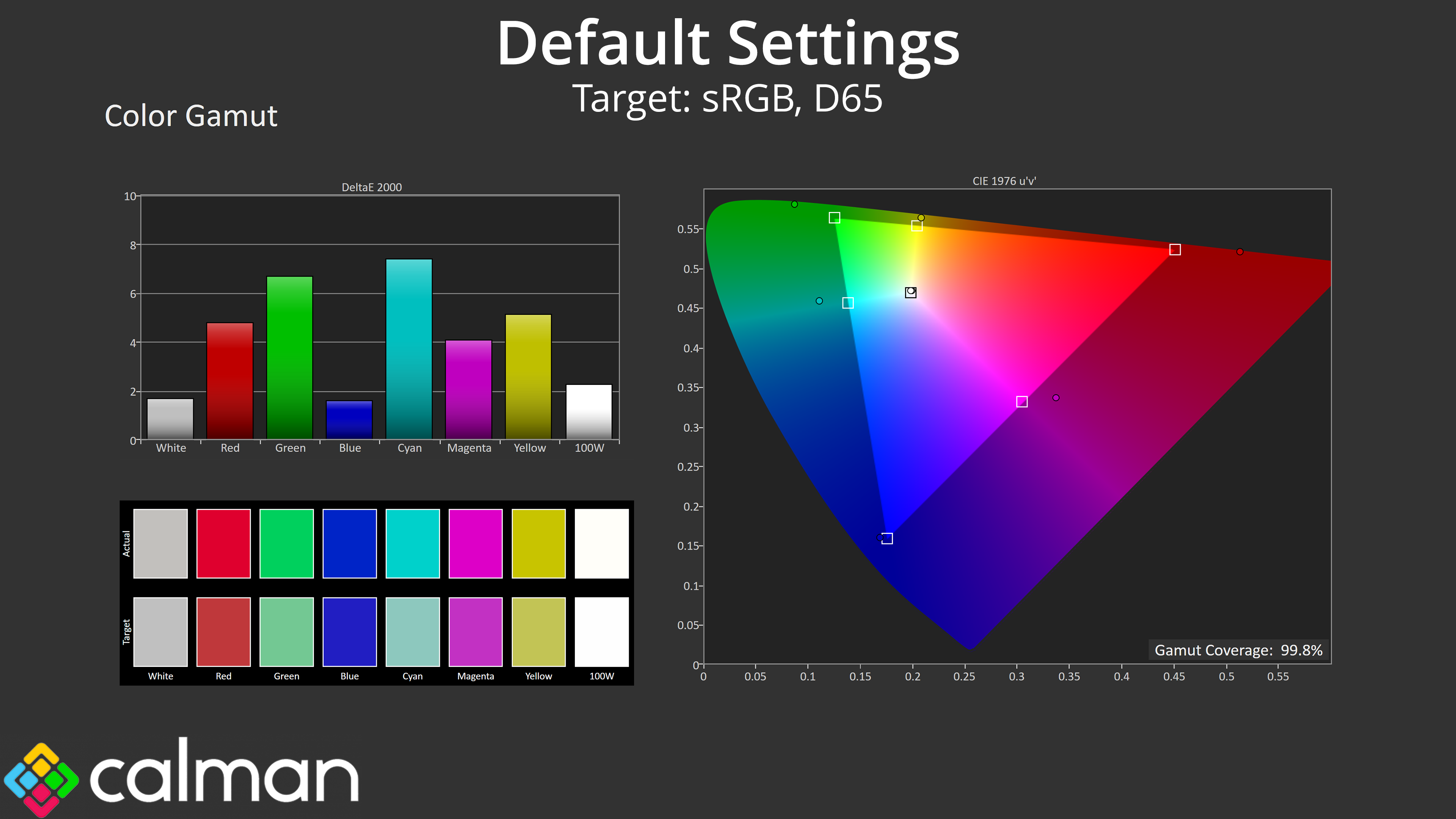
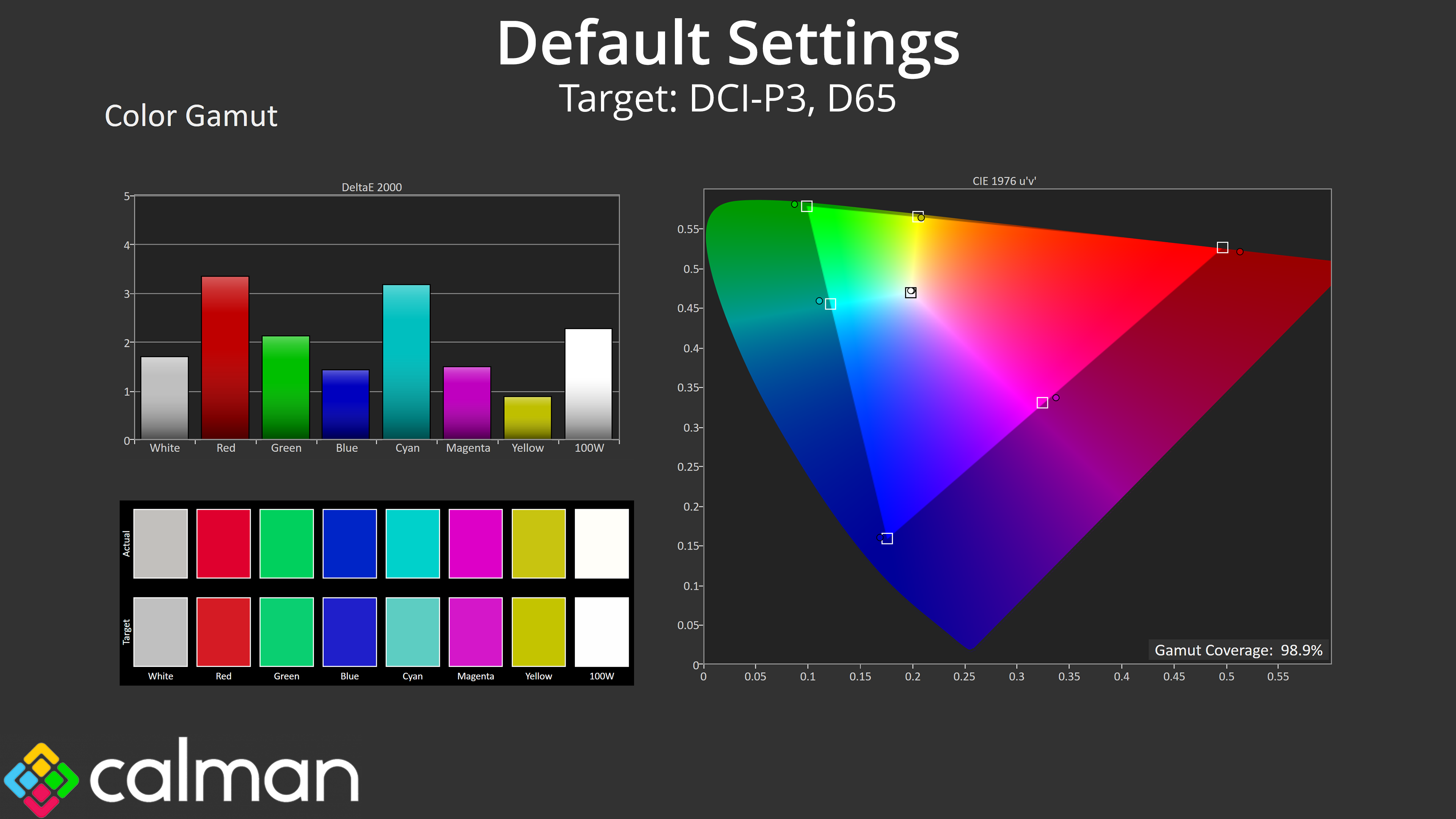
| Colour space | Coverage (%) |
| sRGB | 99.8 |
| DCI-P3 | 98.9 |
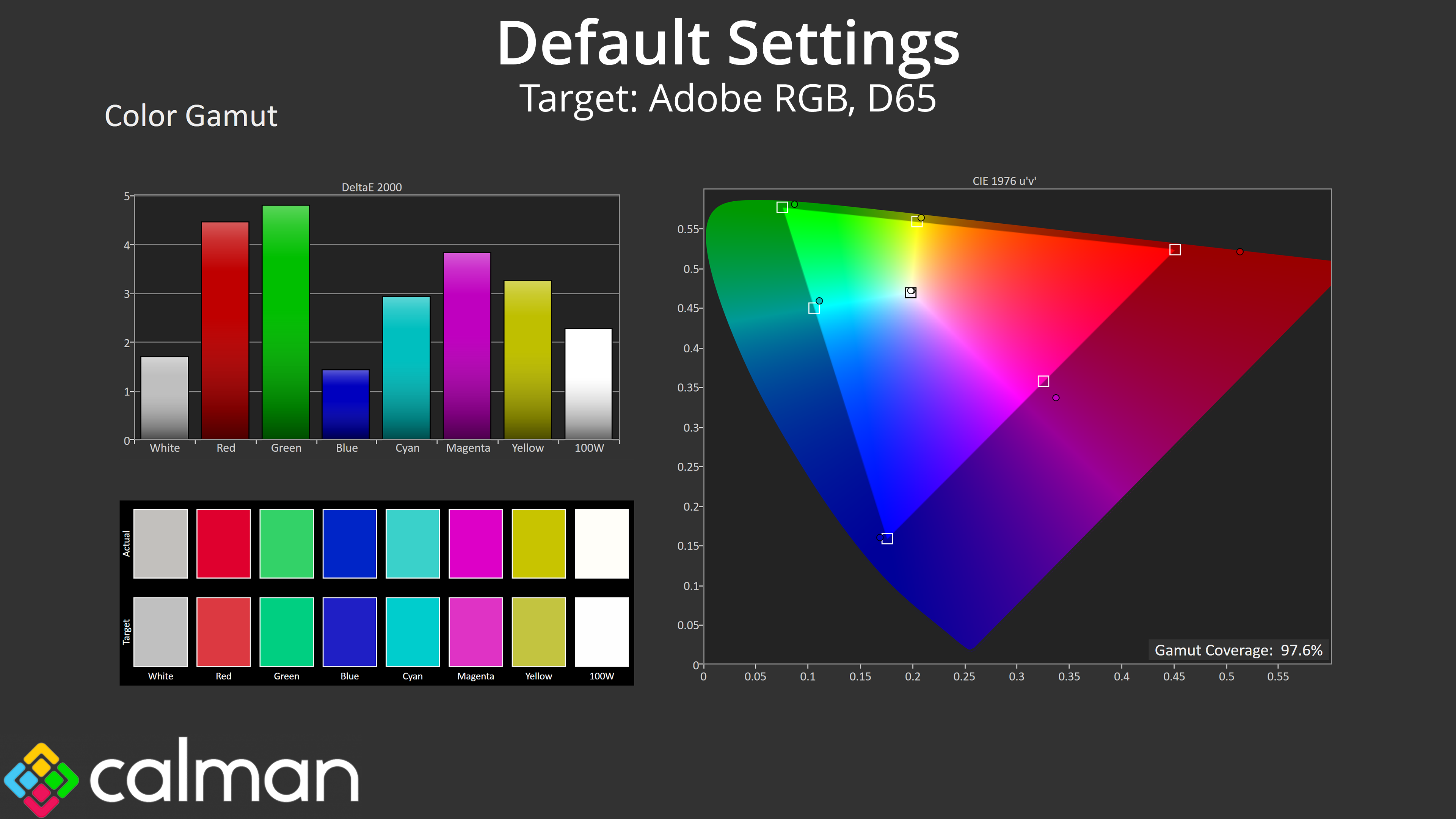
| Adobe RGB | 97.6 |
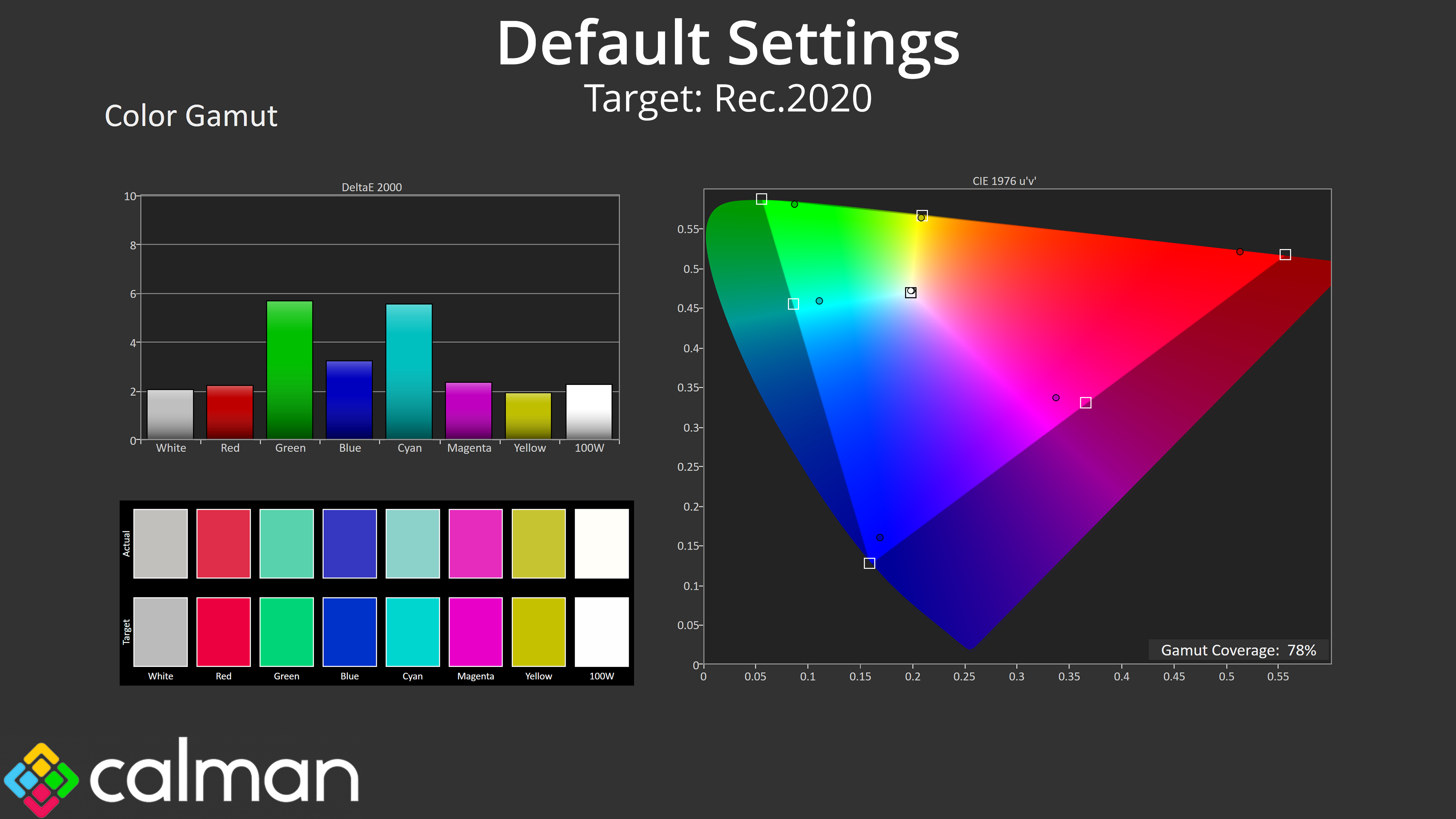
| Rec.2020 | 78 |
The gamut is also very wide, as we'd expect from a QD-OLED, far surpassing the sRGB space and hitting 98.9% DCI-P3, 97.6% Adobe RGB and 78% Rec.2020. Those are very similar numbers overall to the 4th Gen 272URX, so while the gamut is incredibly wide, we're not seeing any real improvements here compared to the previous generation – indicating that Samsung's focus has been on improving things elsewhere.
Greyscale
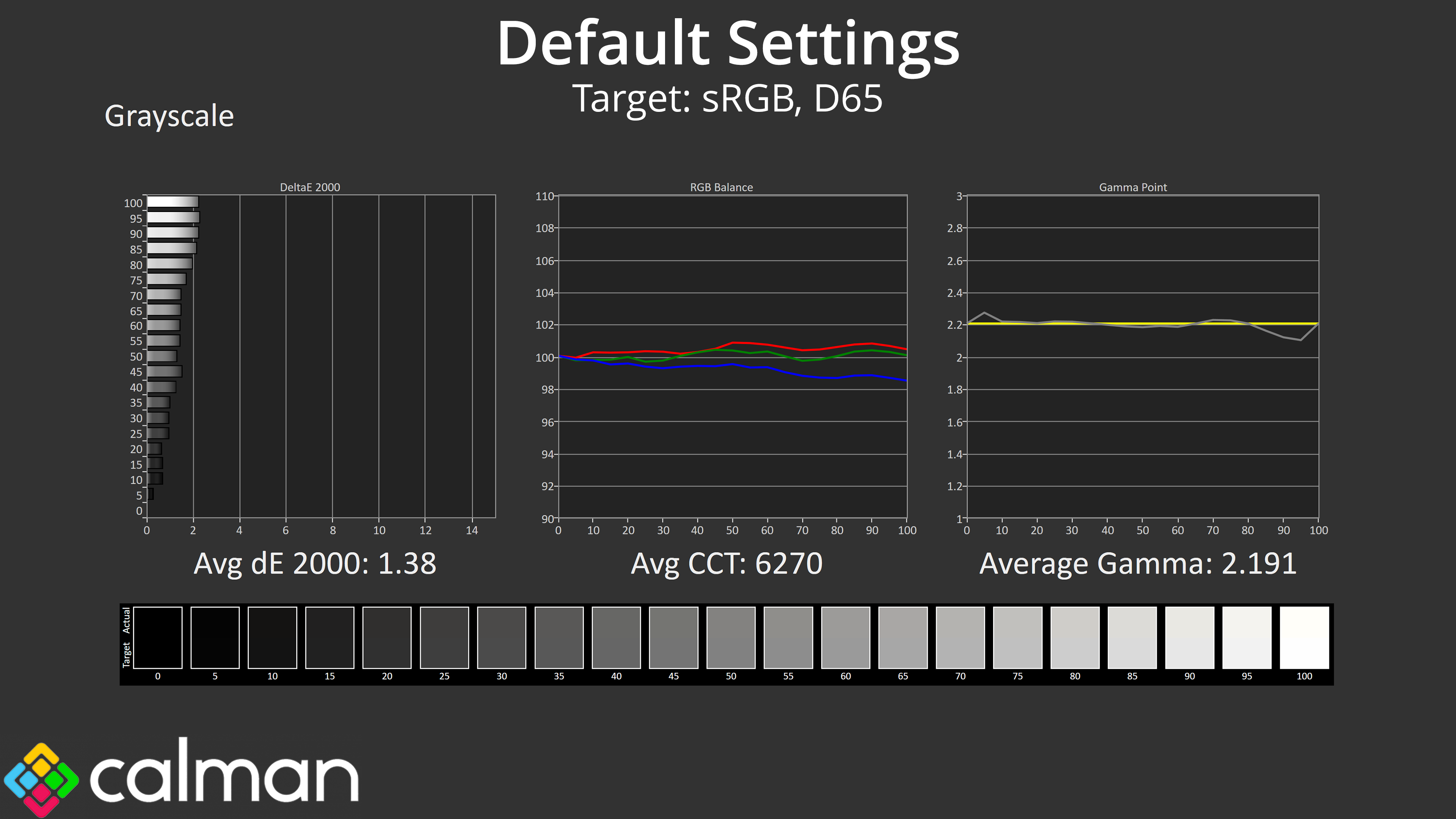
MSI has done a superb job with factory calibration though, with colour balance hitting 6270K, barely a 4% deviation from the 6500K target. Gamma tracking is pretty close to perfect, too, closely hugging the 2.2 target and averaging 2.191. Overall, the average greyscale deltaE 2000 of 1.38 indicates superb accuracy out of the box.
Saturation
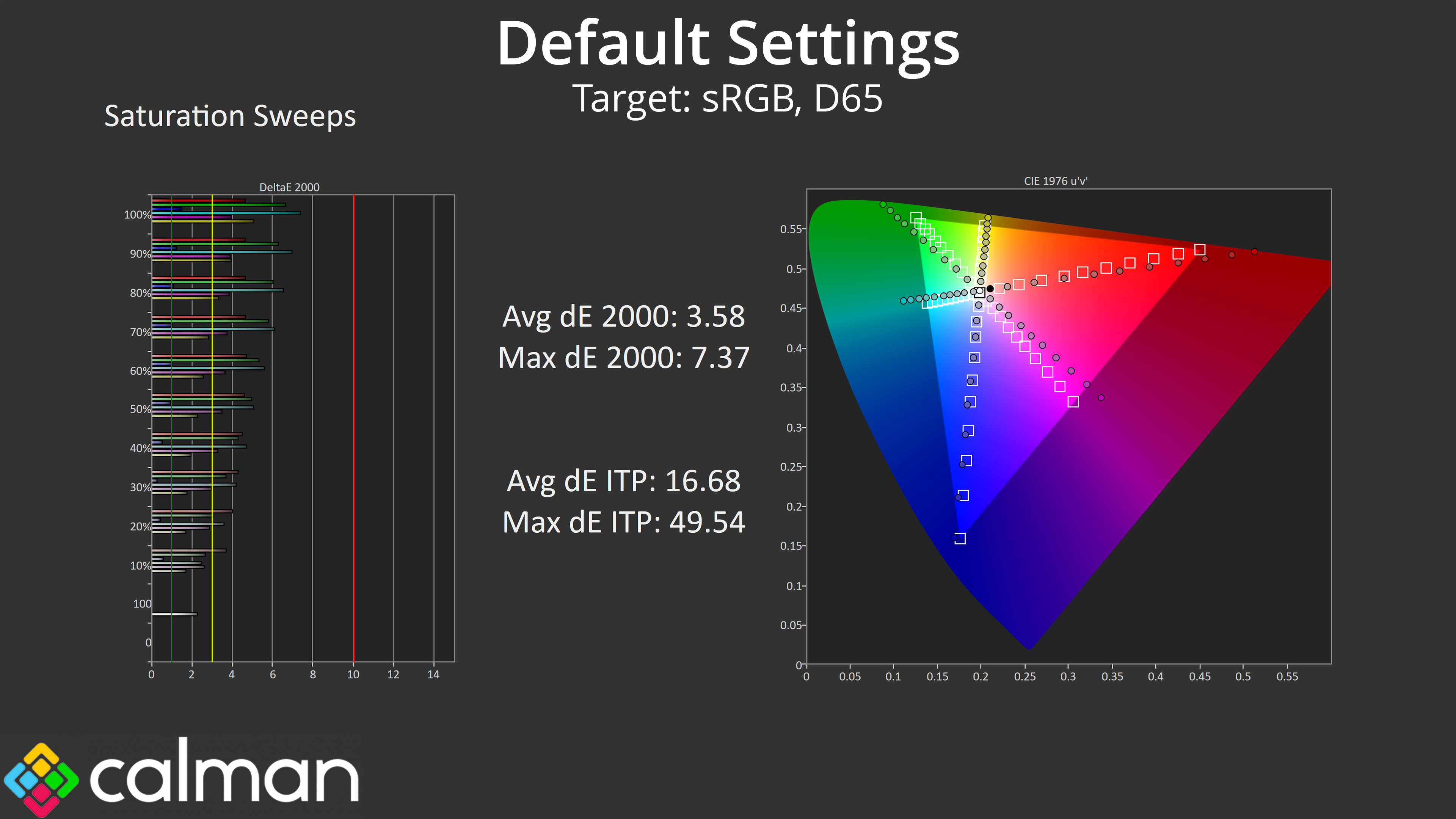
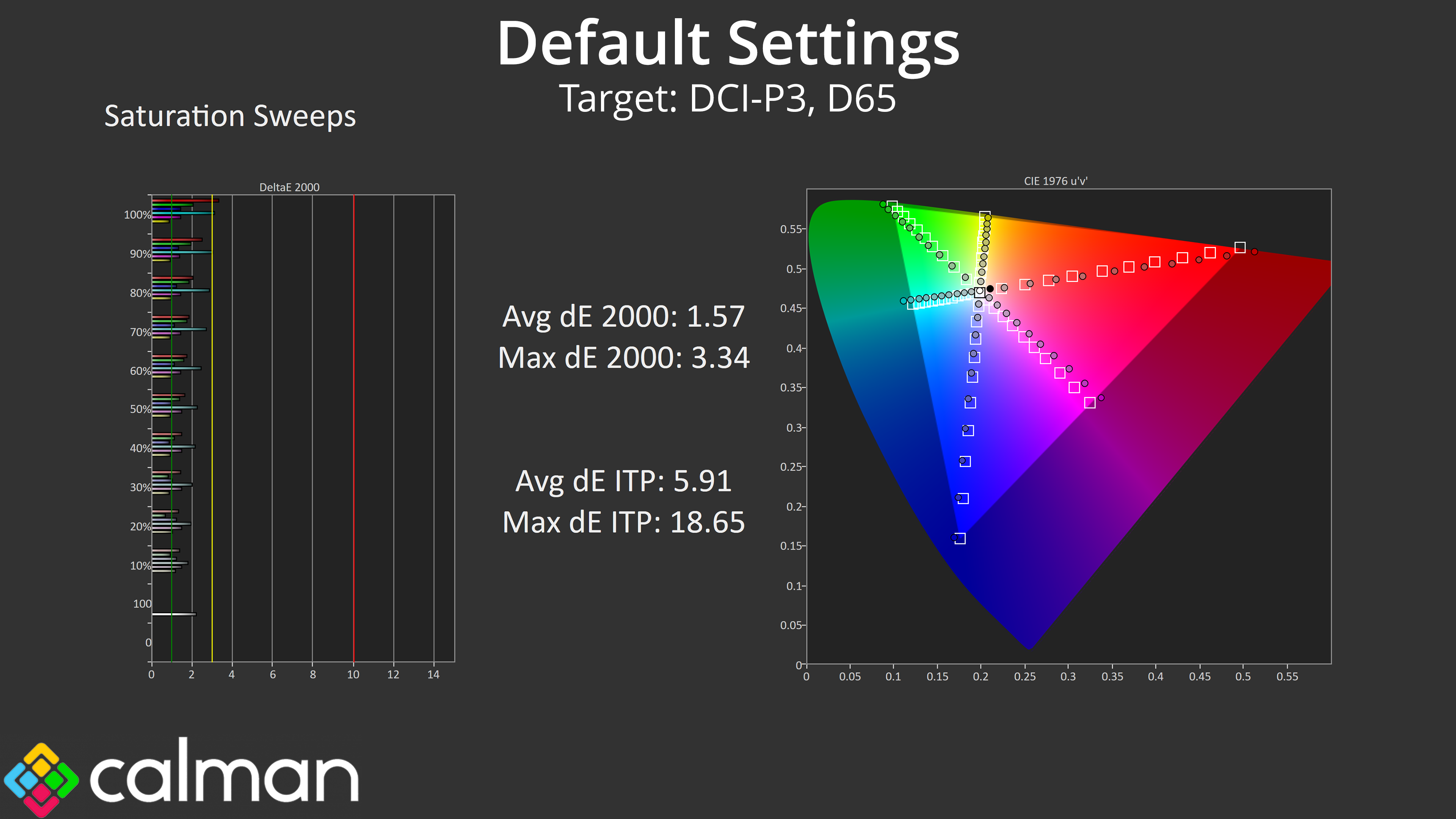
Looking at our saturation sweeps, as we'd expect from a QD-OLED monitor we do see high levels of over-saturation relative to the sRGB space, though things are more accurate compared to the DCI-P3 space.
Colour Accuracy
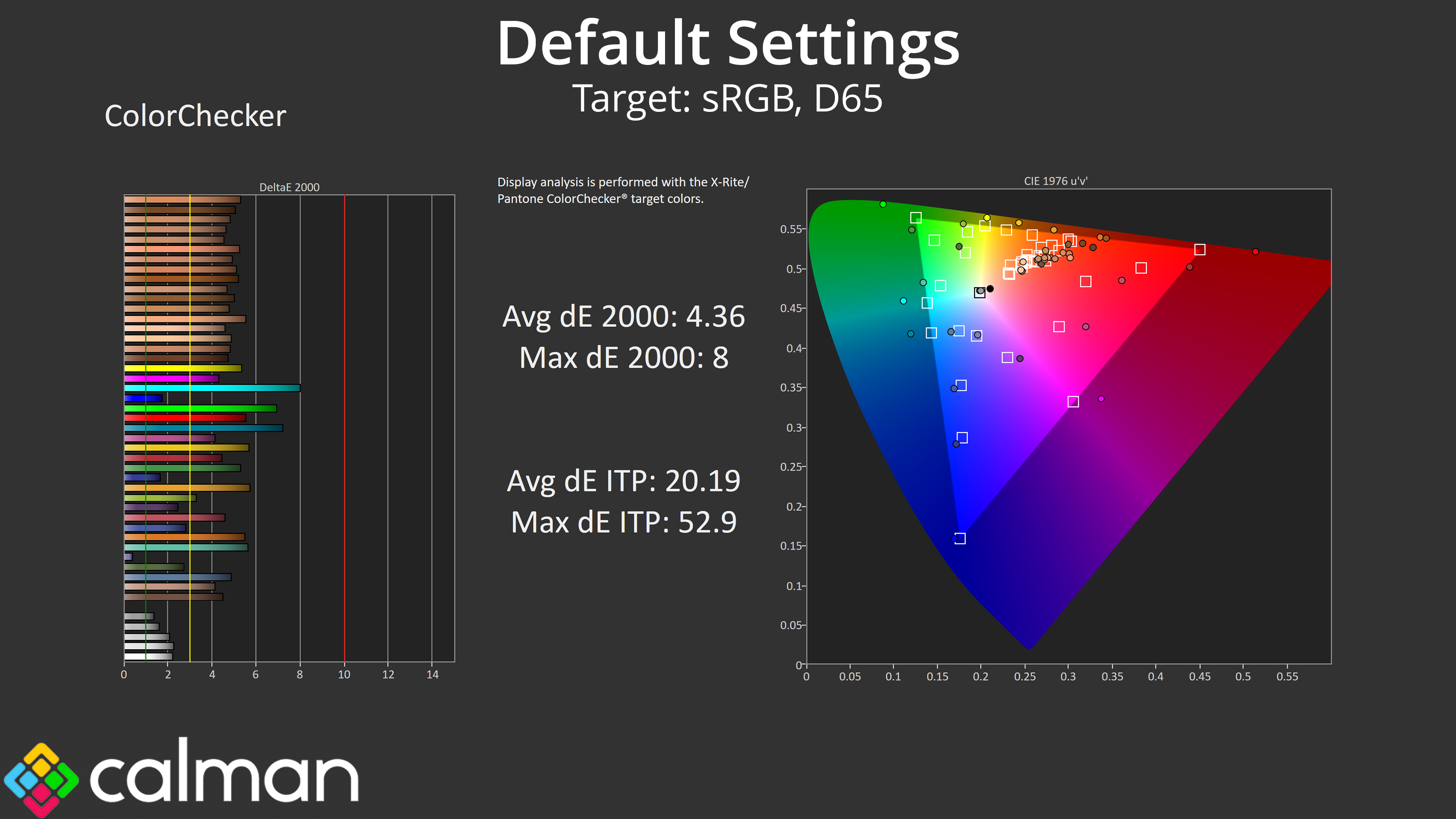
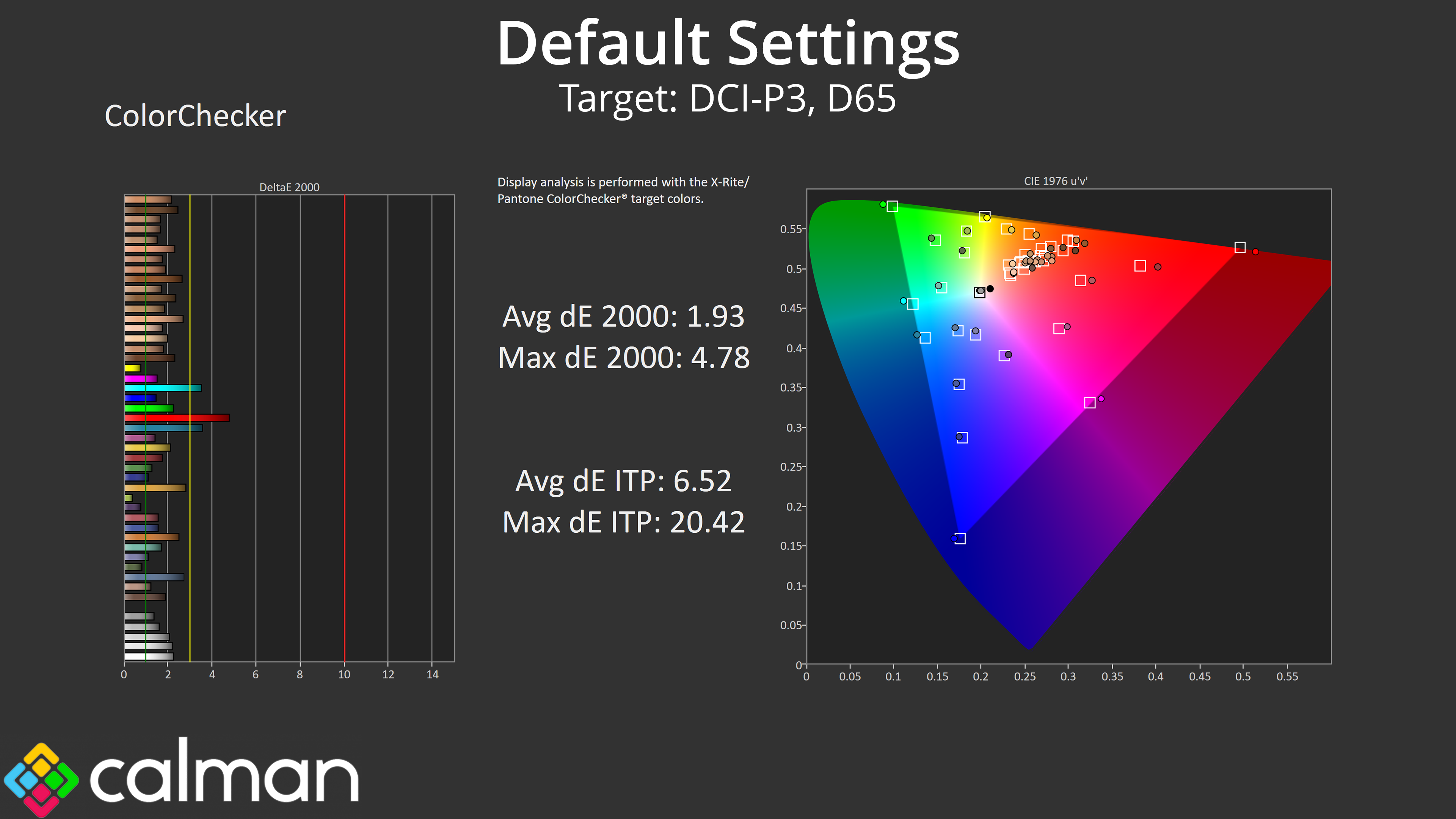
That carries over to our colour accuracy testing, with an average dE2000 of 4.36 relative to the sRGB space, though this improves to an average deltaE of 1.93 when looking at the DCI-P3 results.
sRGB Emulation Mode
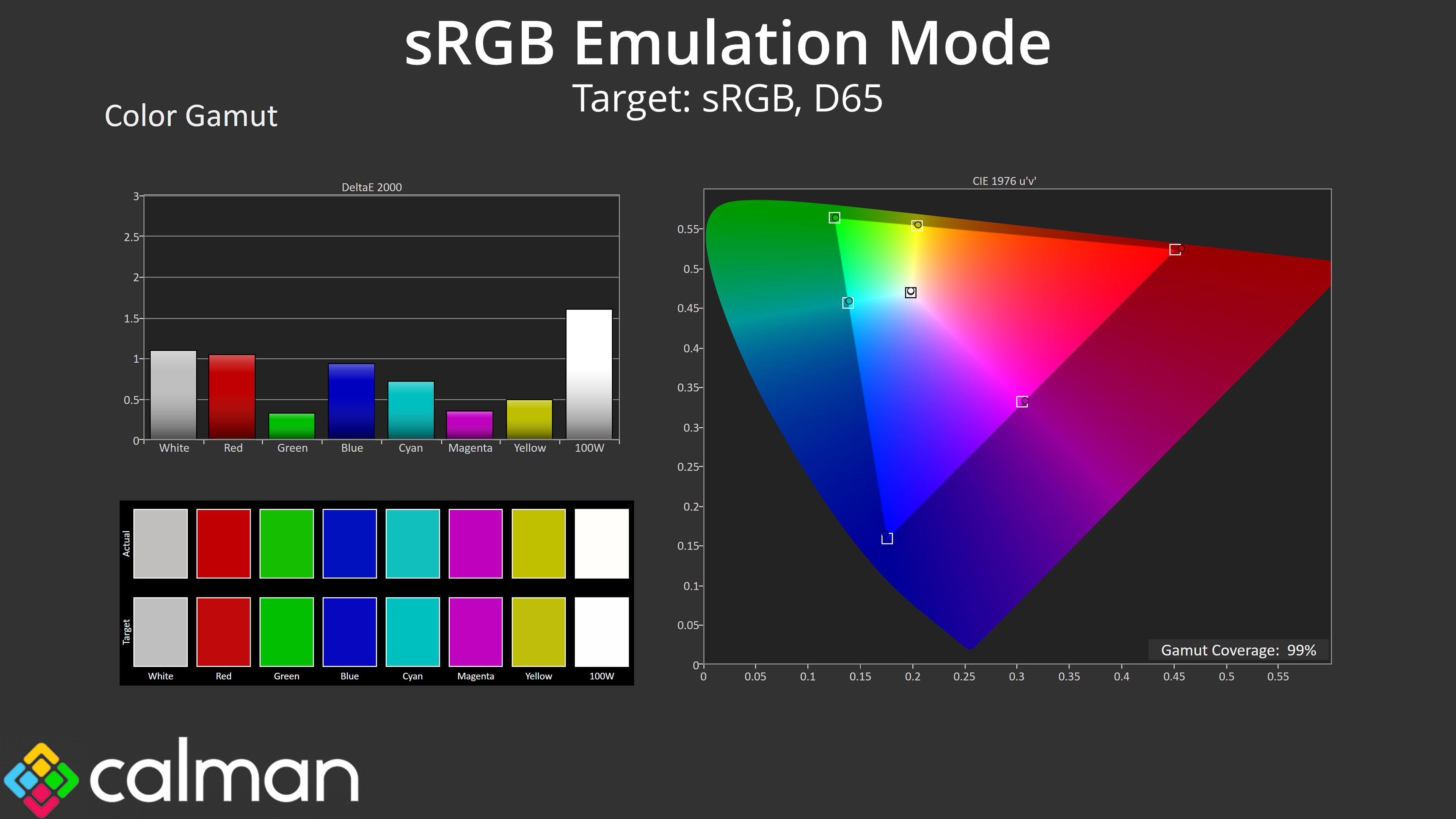
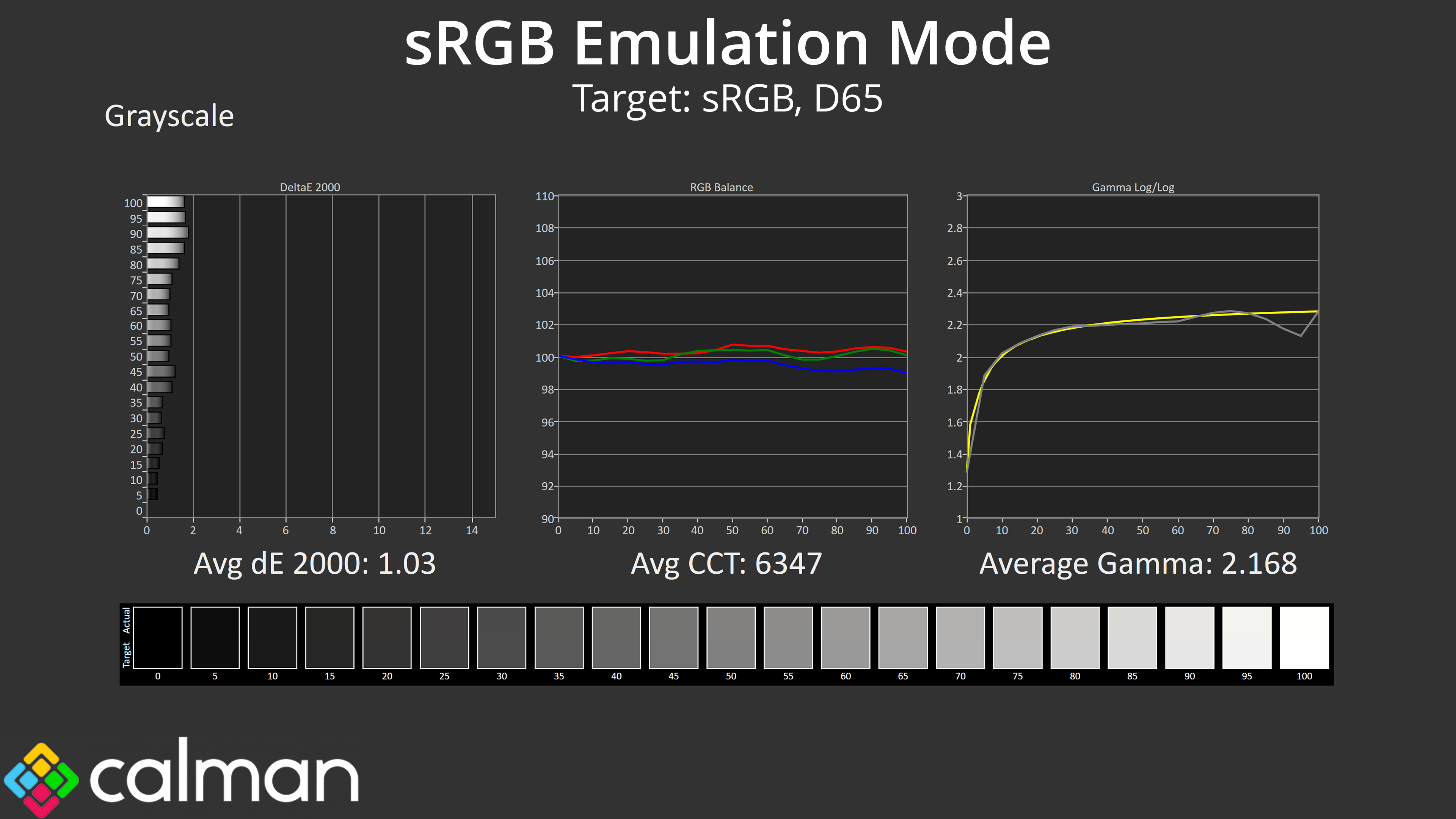
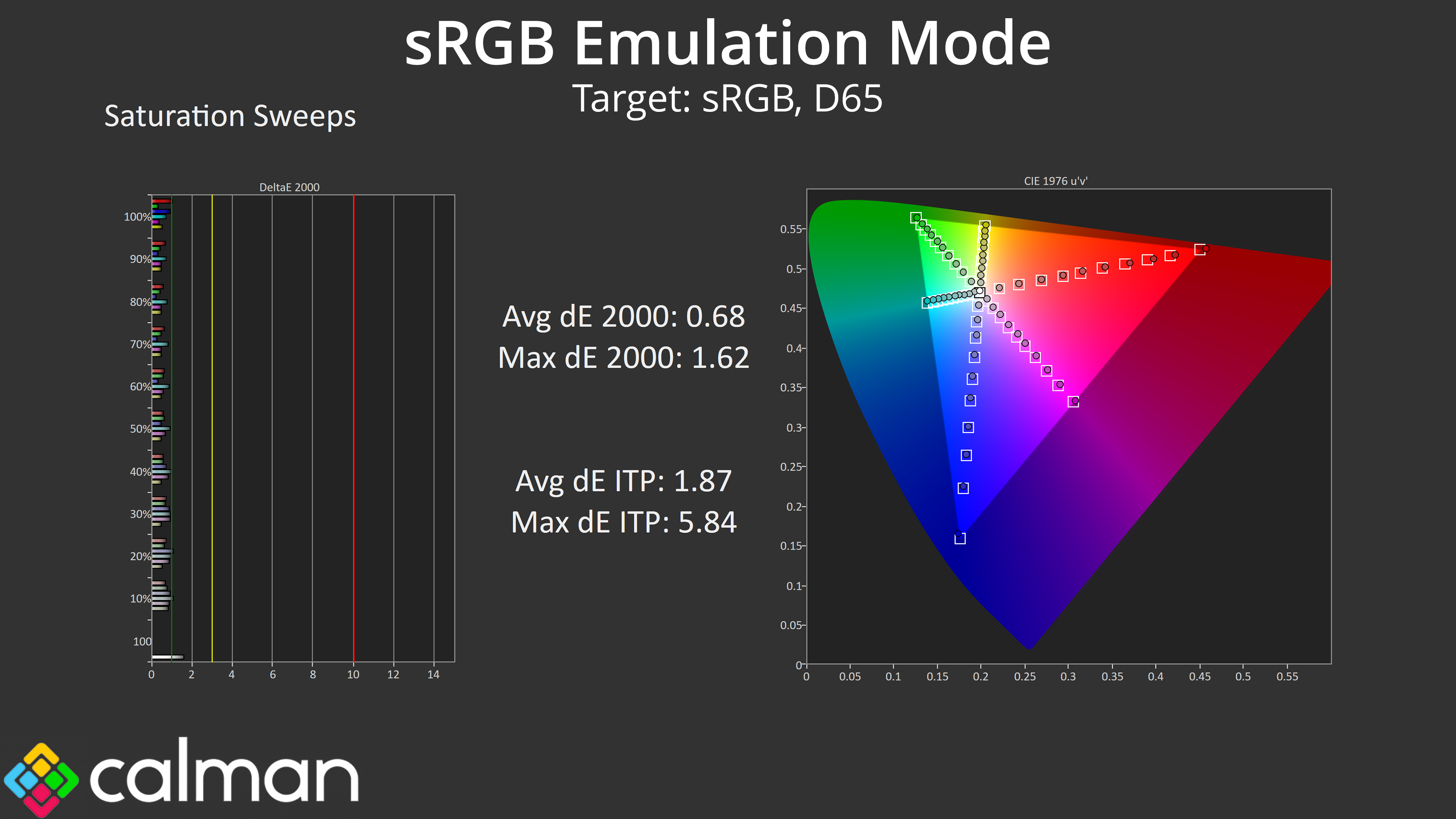
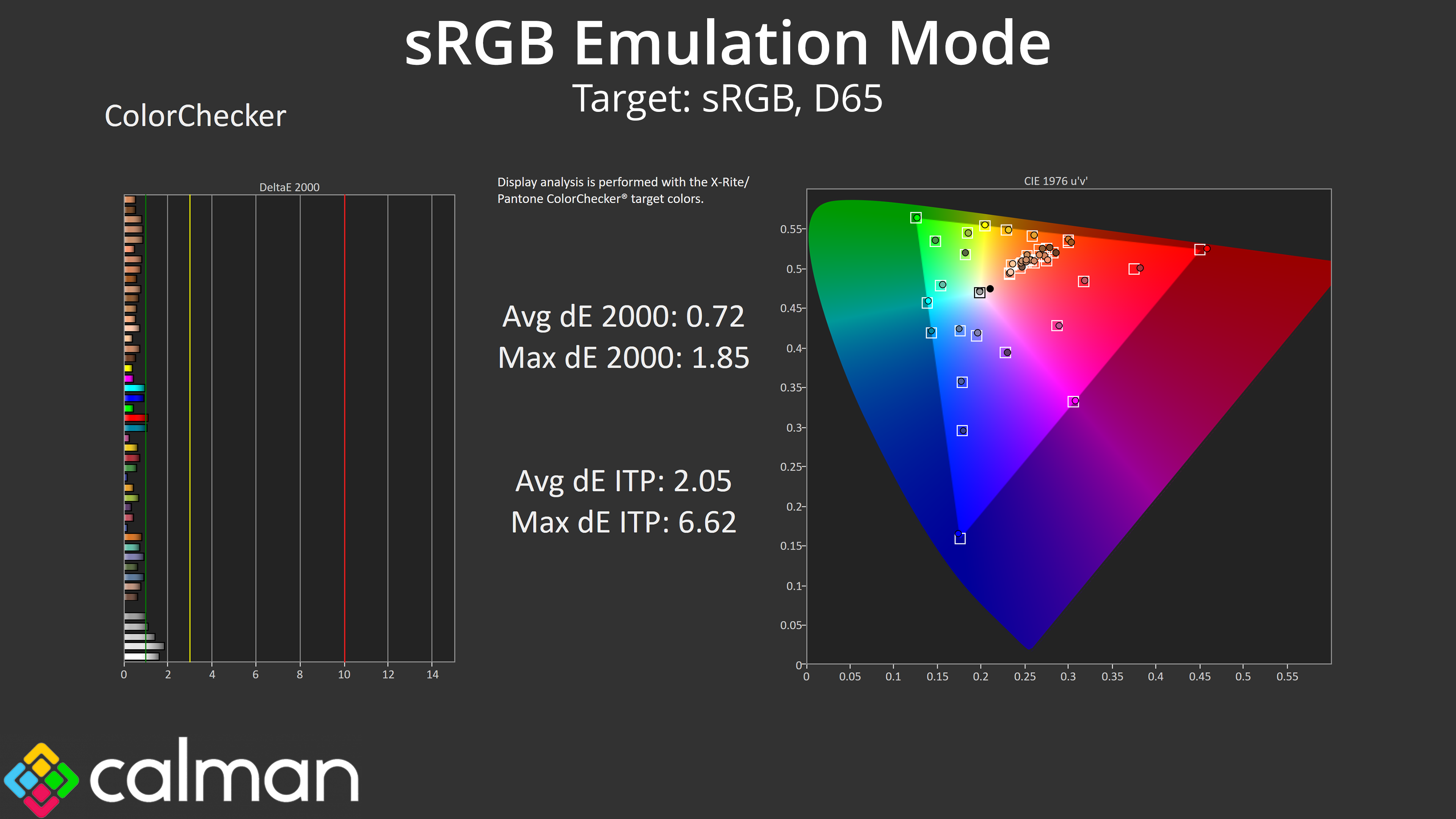
Thankfully MSI has included an sRGB emulation mode in the OSD, and it does a great job at clamping the gamut, while greyscale performance is even better than we saw by default. The saturation and colour accuracy average dEs also see huge improvements, both dropping below 1, indicating stellar levels of accuracy. Overall the sRGB mode is so good we'd hardly say it's worth calibrating!
Calibrated Results
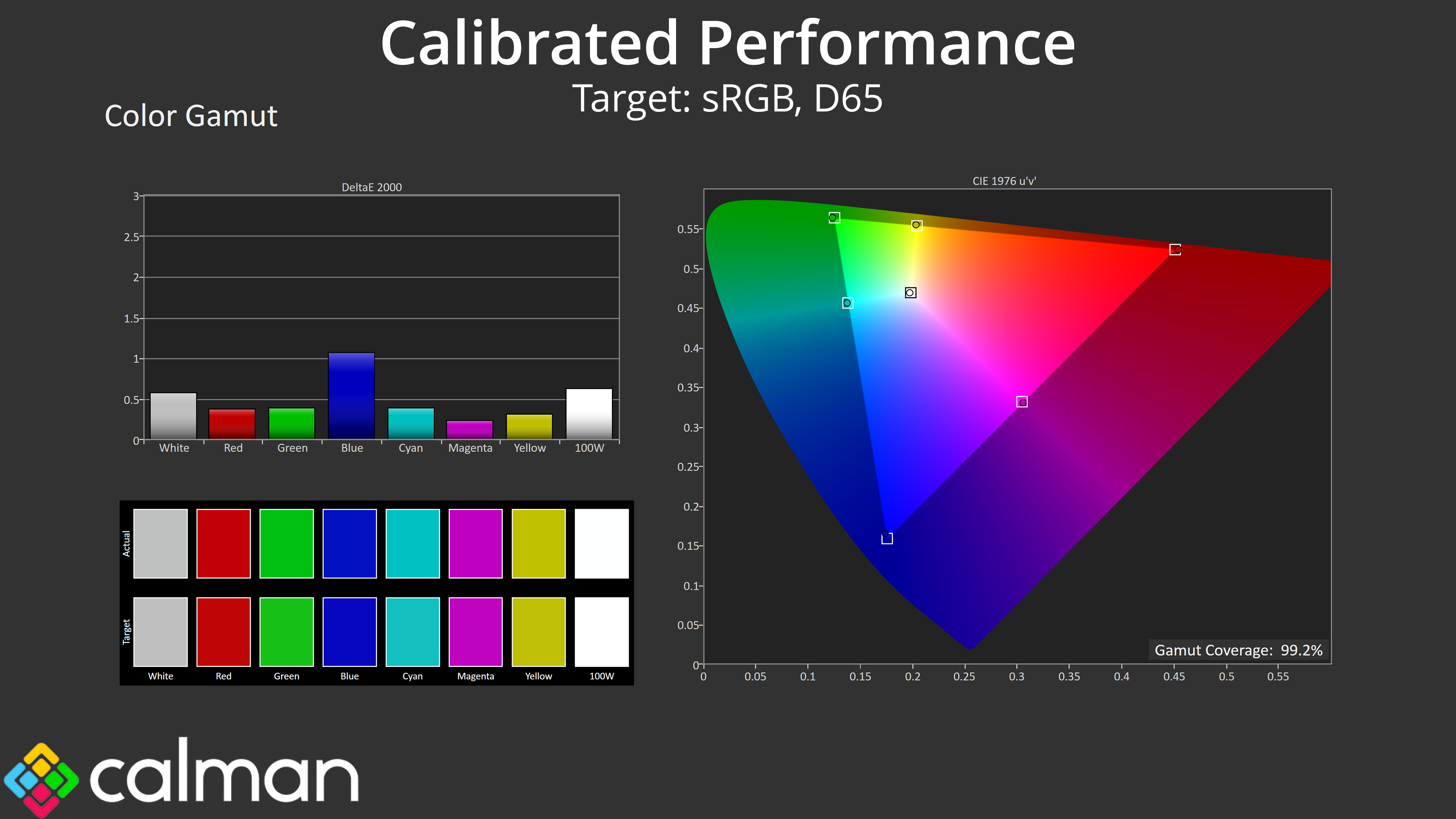
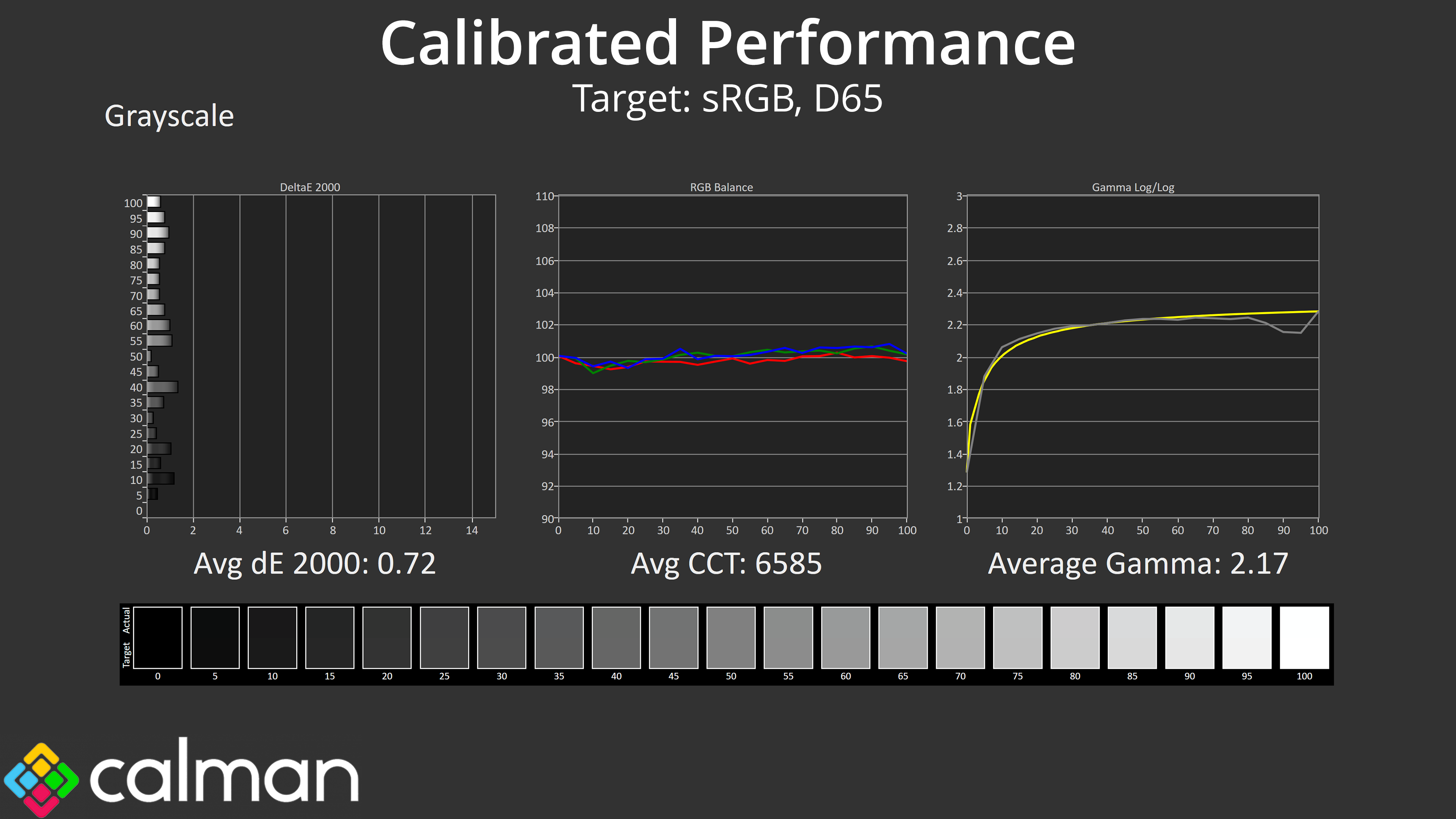
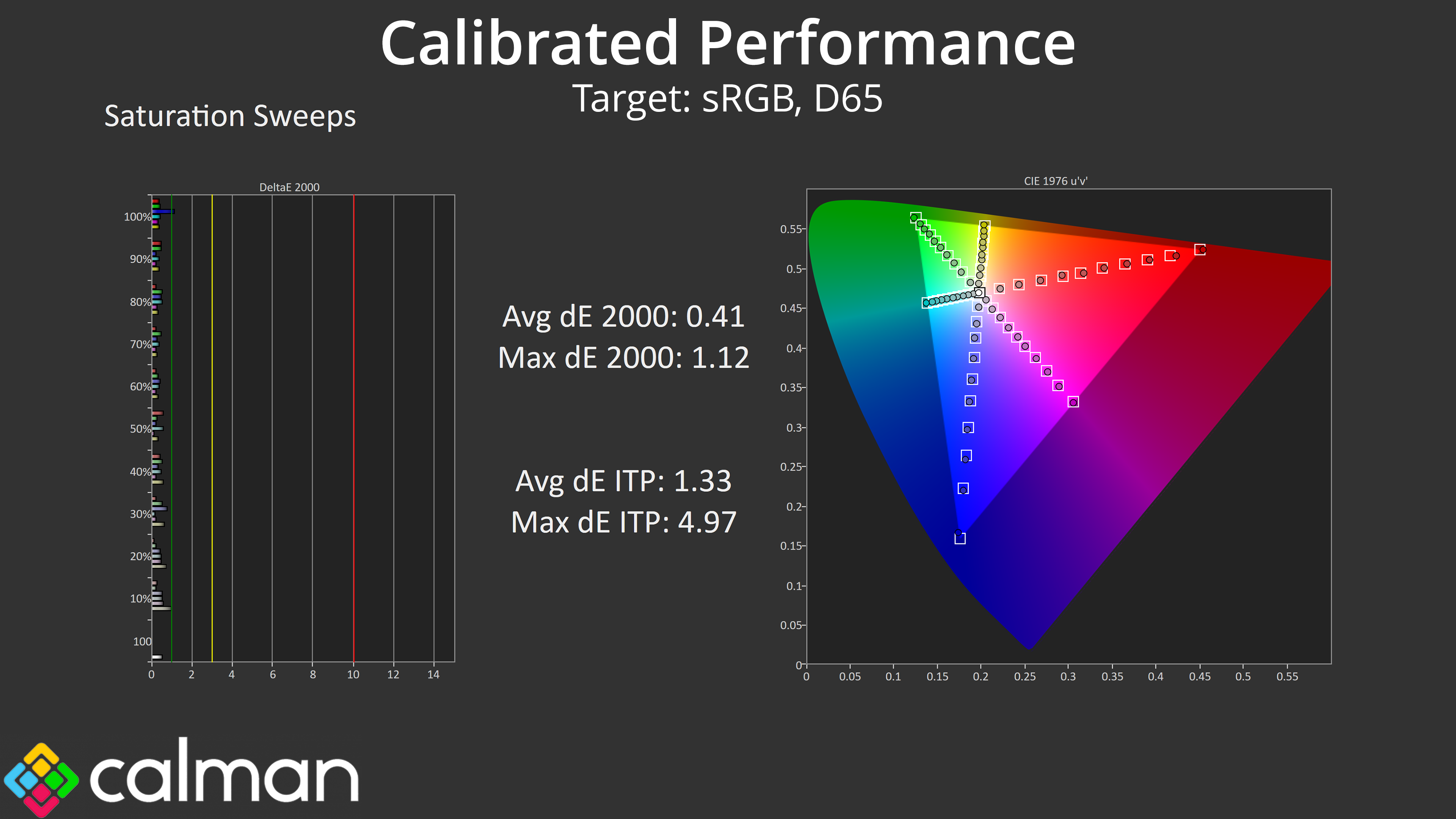
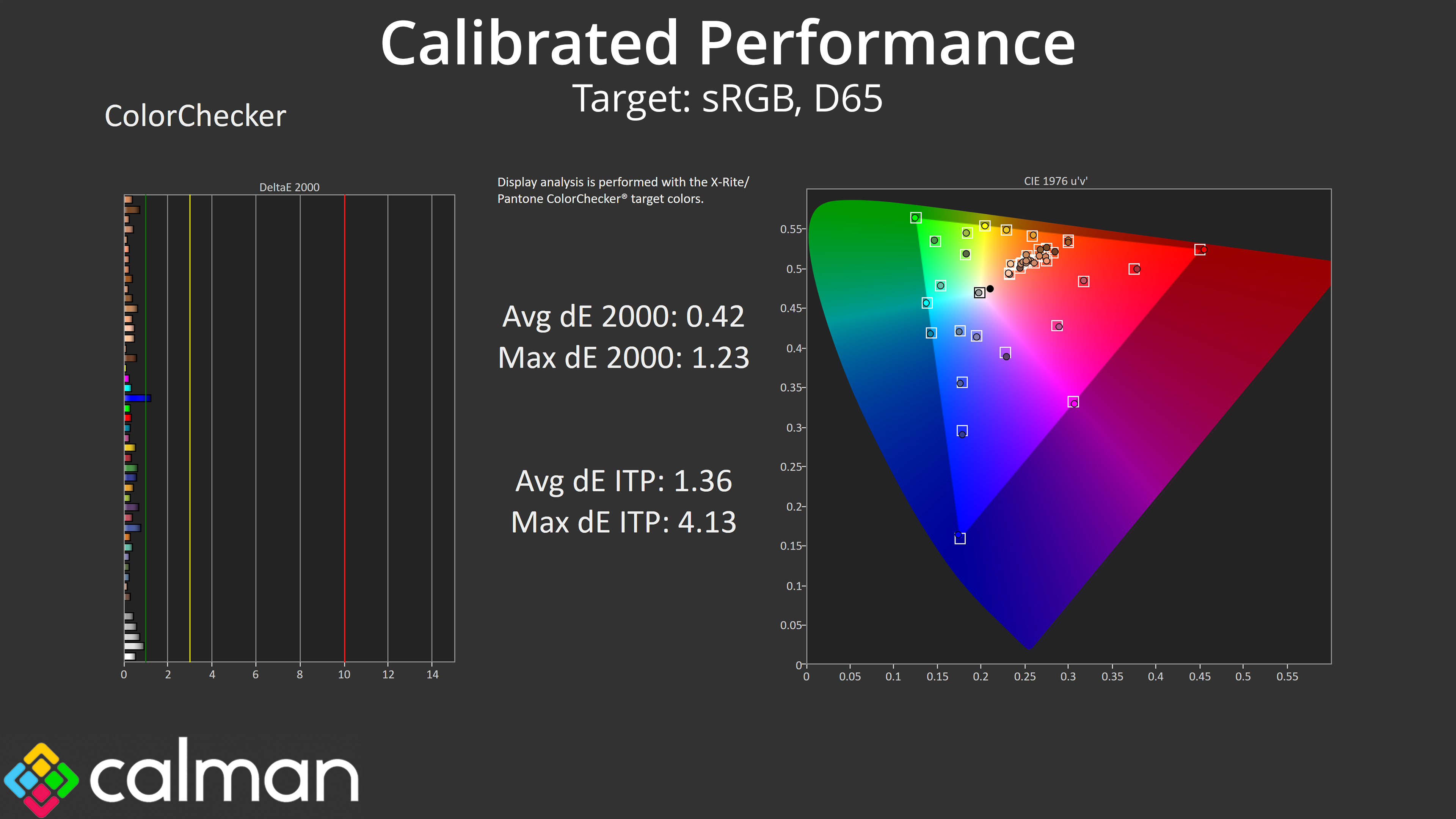
Of course, we did also try a full manual calibration using Calman Ultimate and that delivered superb results across the board, indicating what's possible if you have the required hardware and software tools.
HDR Testing
MSI offers three modes – Peak 1300 nits, True Black 500 and EOTF Boost. There is also now the ability to customise the brightness curves for both the Peak 1300 and True Black 500 modes, though the TB500 option isn't currently functional as this is a pre-release sample.
We do need to point out that MSI sent us a firmware update midway through the review process, and this has made things a little messy. We originally tested FW.009, but MSI sent us FW.014 to update the EOTF Boost mode behaviour.
Brightness
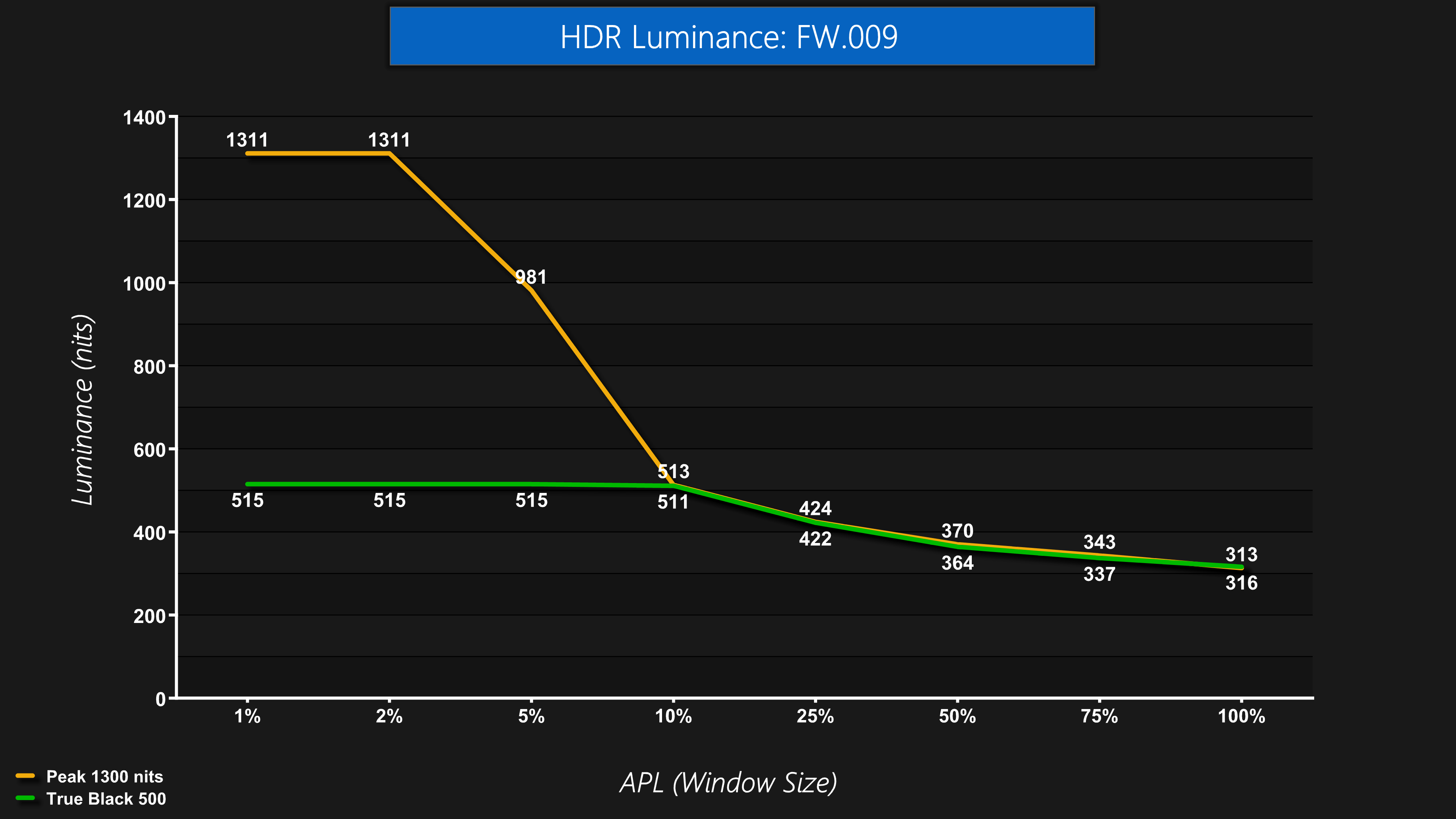
Starting off with brightness of the main two modes using the original firmware, we see the Peak 1300 nits mode hitting just over 1300 for the 1% and 2% APLs, and then it drops off as the window size increases. The True Black 500 mode hits 515 nits up to the 10% APL where it dims and follows identical behaviour to the Peak 1300 nits mode.
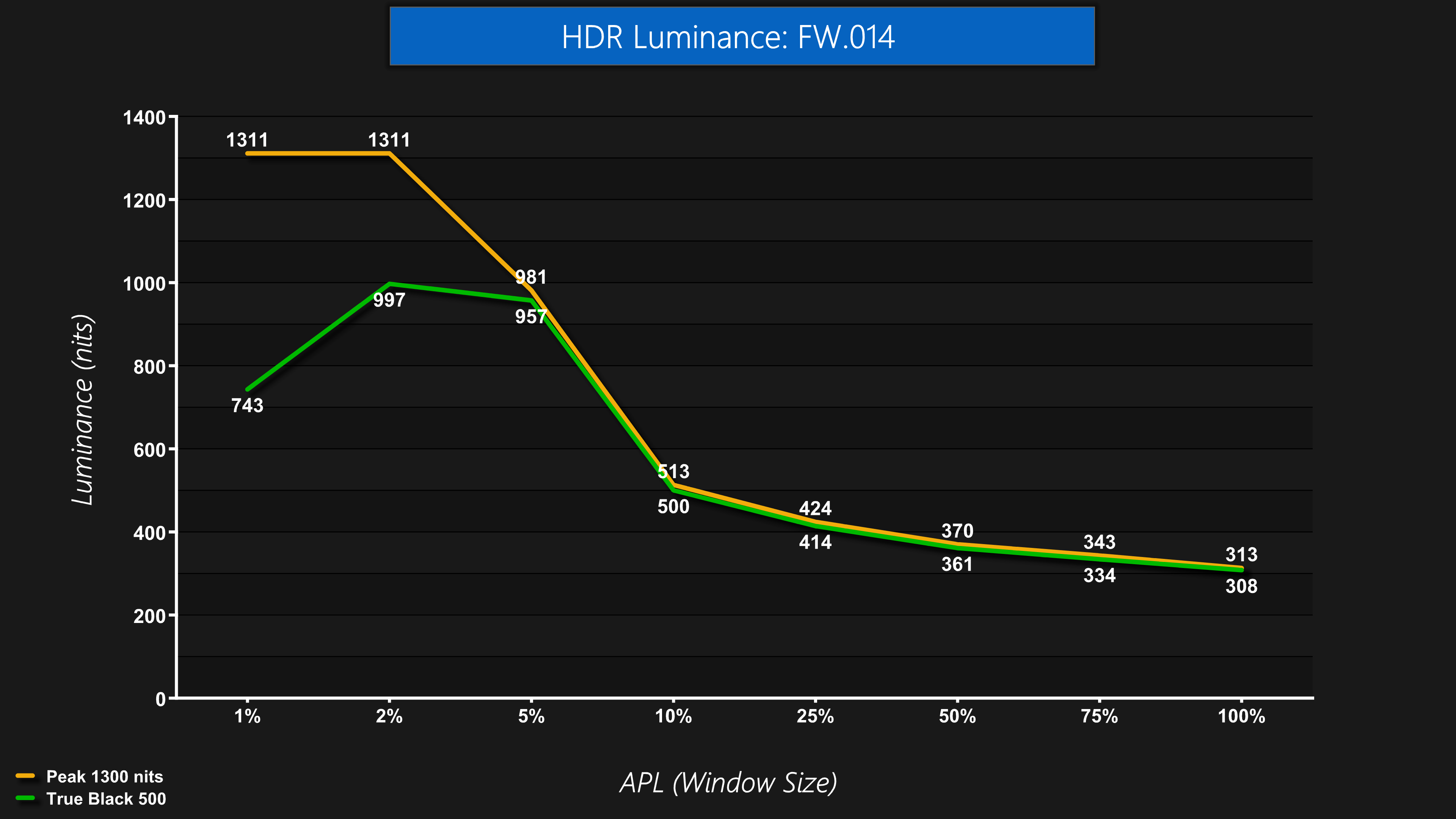
However, what's really weird is that in the latest firmware, the True Black 500 behaviour seems a bit borked, given it is now significantly brighter and nothing at all like the TB500 mode we'd expect – it seemed perfect first time around, but something about the latest firmware has changed its behaviour. See below for the full explanation!
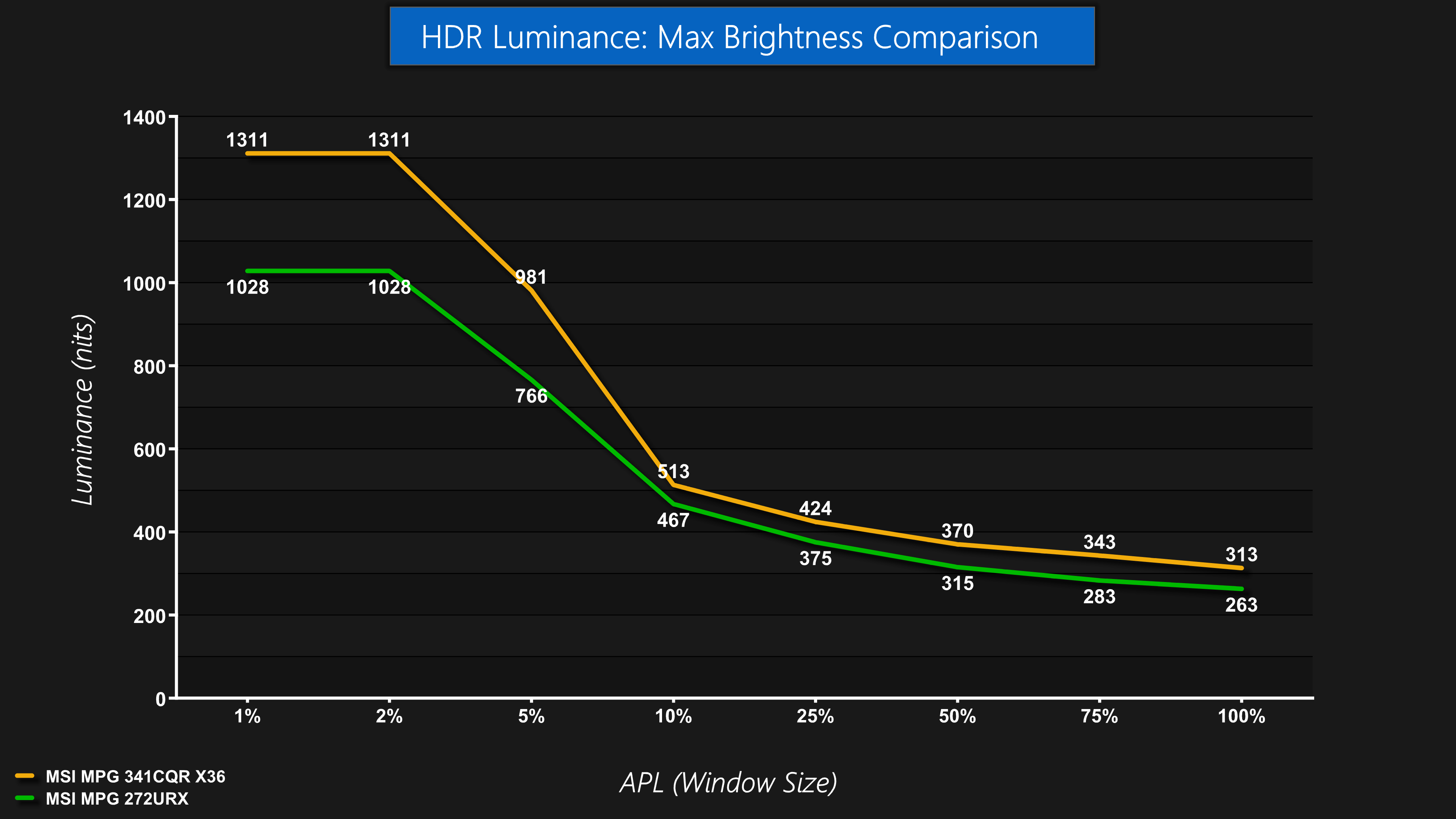
Focusing on the peak brightness mode though, which stayed the same between firmware updates, we can see the improvements made versus the 4th Gen 272URX. We're comparing the respective Peak modes on each monitor, and you can see the 341CQR X36 is brighter at every APL tested, with the biggest improvements coming for the 1% and 2% APLs.
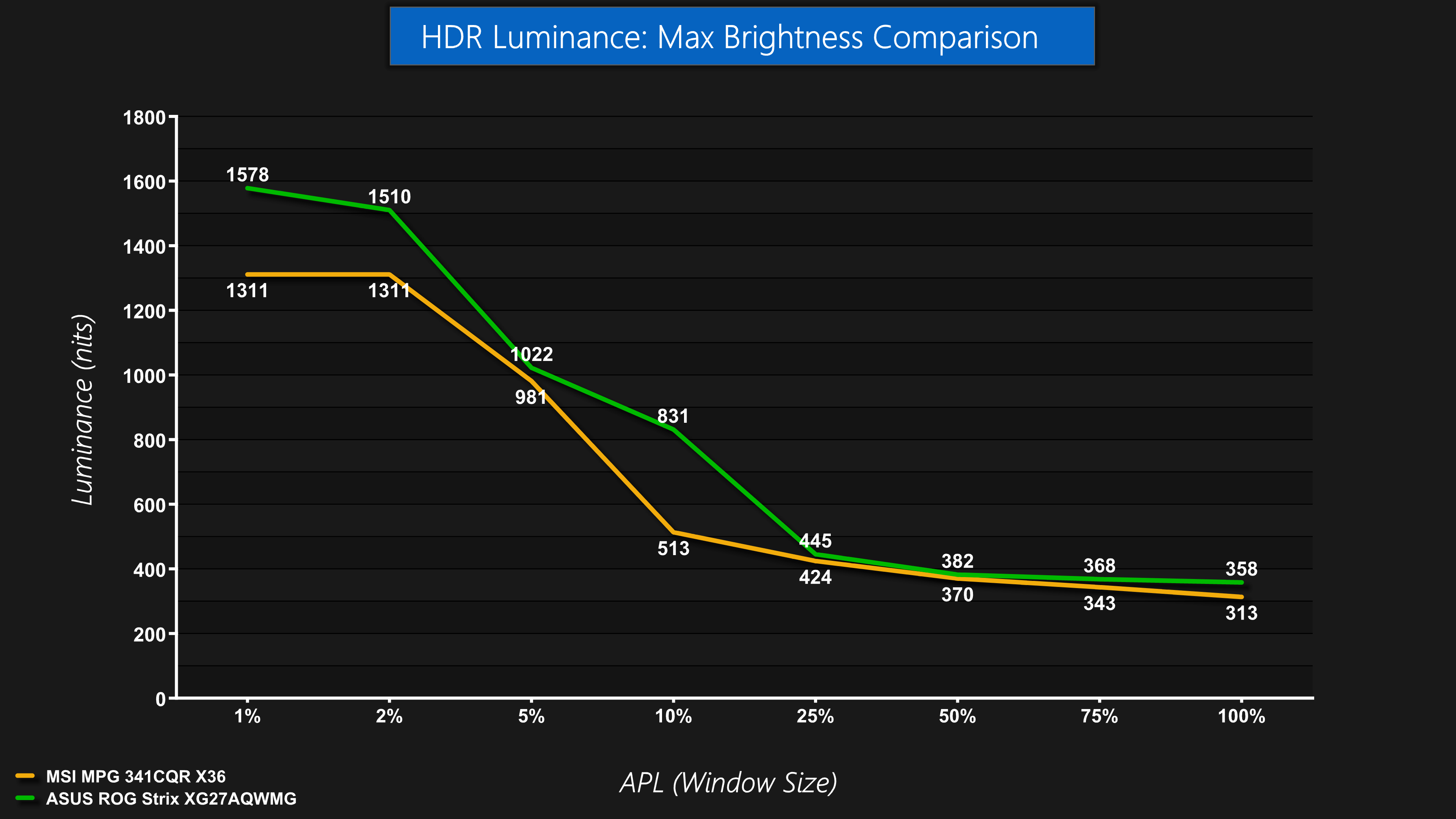
4th Gen Tandem WOLEDs do hold the edge for brightness though, as we're comparing against the ASUS ROG Strix XG27AQWMG here, which can hit almost 1600 nits for the 1% APL, but holds brighter across the rest of the curve too – even if the differences are small at 25% APLs onwards.
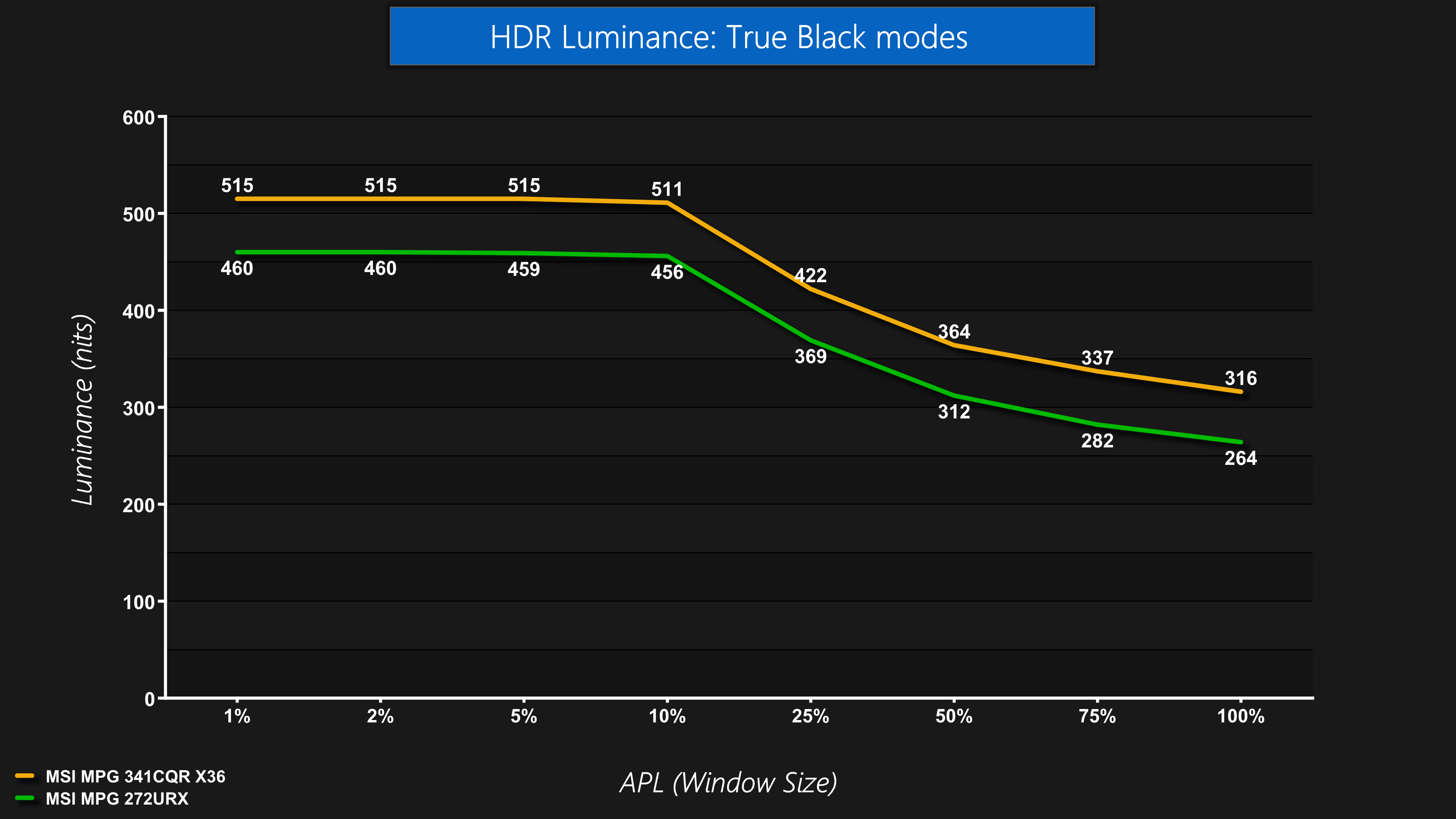
Now assuming MSI will fix the FW.014 True Black 500 mode, the original behaviour we saw from the FW.009 is a noticeable step up over previous True Black 400 modes. We're again comparing against the 272URX, where we can see the 341CQR X36 brighter at every APL.
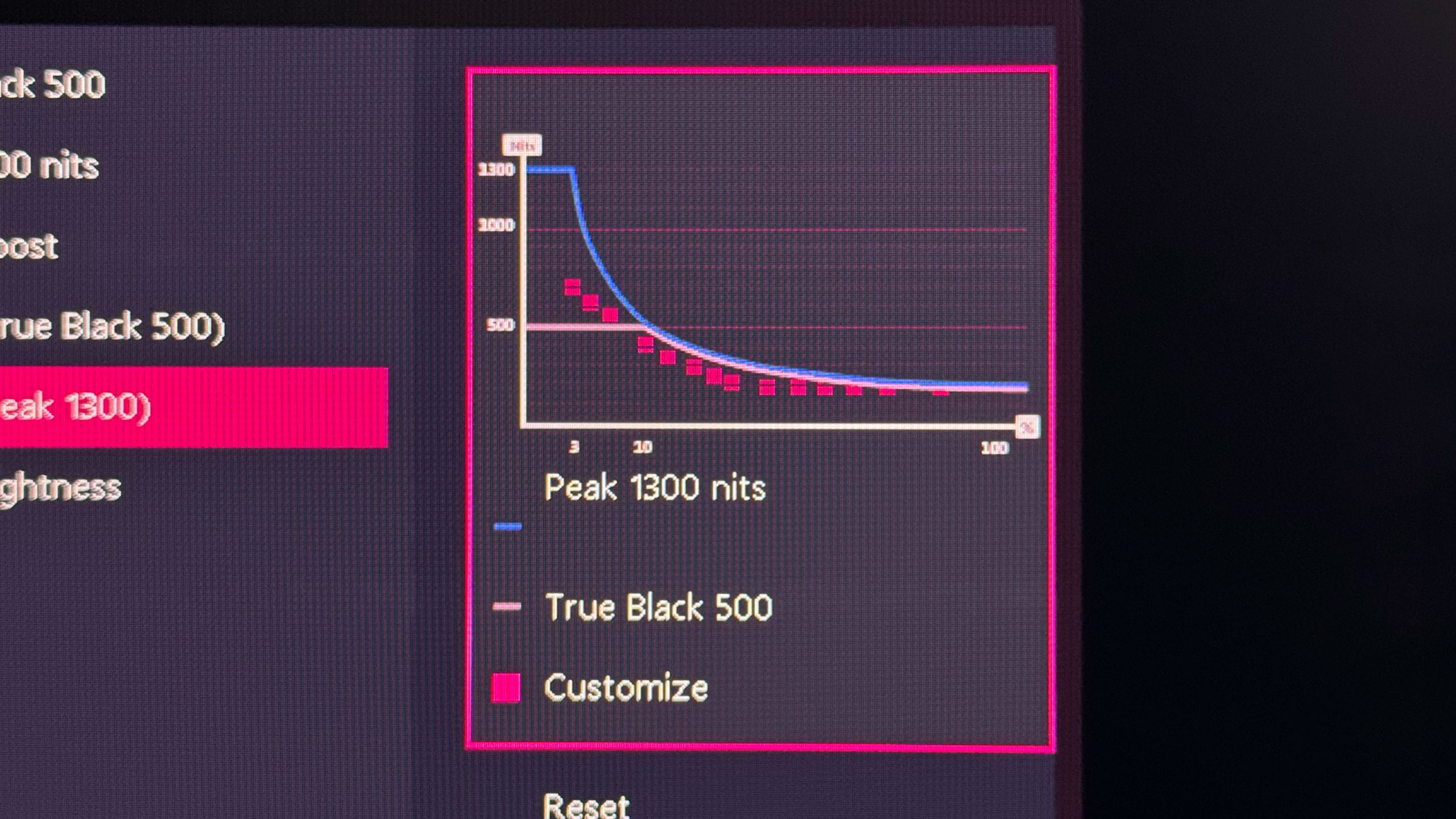
I did also try configuring my own custom curve for the Peak 1300 nits mode – MSI does now include a single HDR Brightness setting, too, so you can tone down the brightness quickly if you want, but some people may find utility using this curve adjuster.
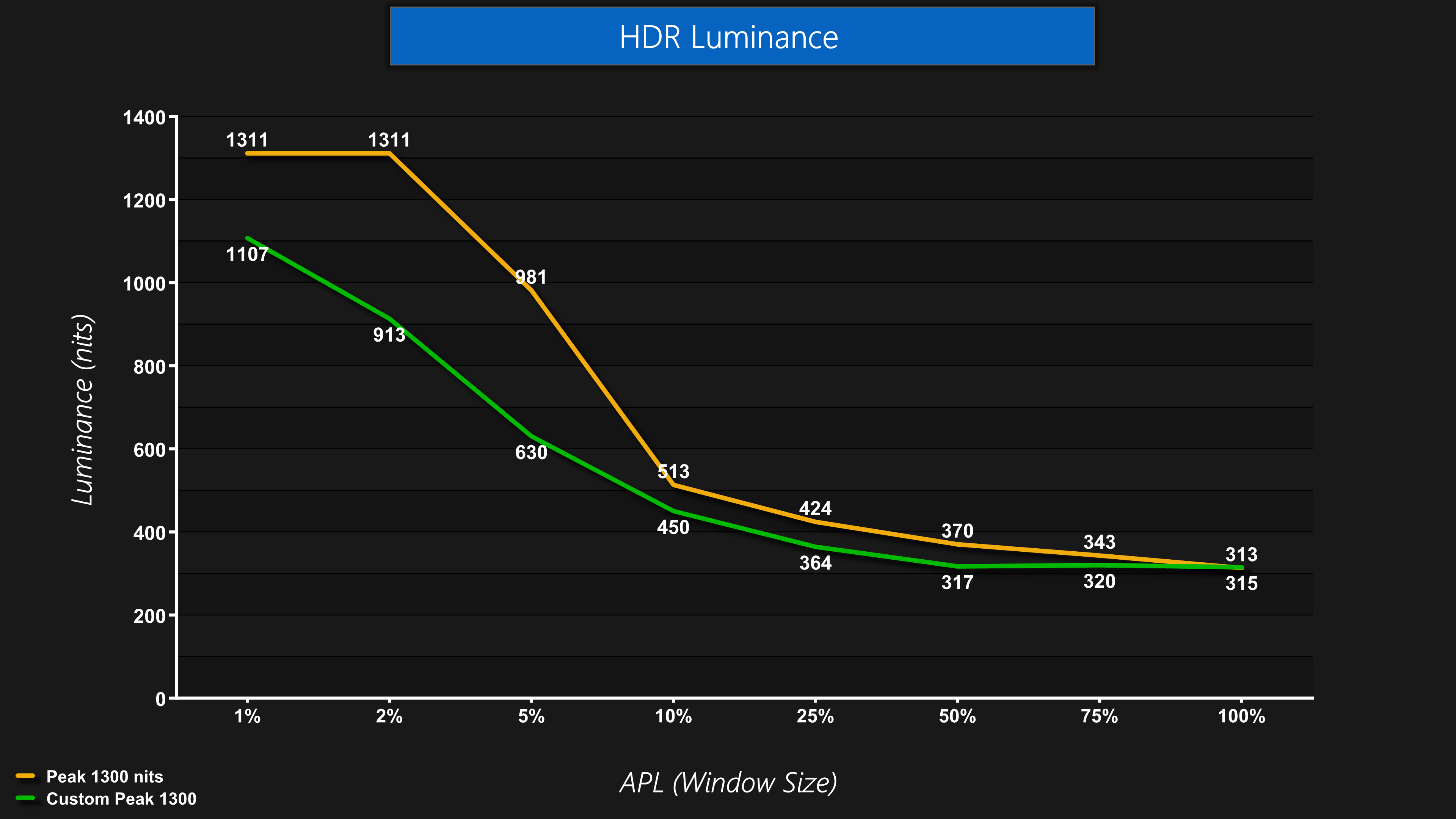
It seems to work as advertised, with my curve coming in below the default behaviour. Do note you can't use this to make the monitor brighter than the panel is otherwise capable of, so it's really just to lower the curve in certain areas if that's what you want to do.
Greyscale
There's more fun and games when it comes to greyscale testing, particularly in regards to EOTF Tracking.
We initially found both the True Black 500 and Peak 1300 nits mode worked as expected using the original FW.009, but EOTF Boost behaved strangely and was less saturated in appearance. That was fixed with FW.014, but that update also appears to have inadvertently broken the True Black 500 mode. The Peak 1300 nits mode appears unchanged, rolling off increasingly early as the APL increases, which is what we'd expect.
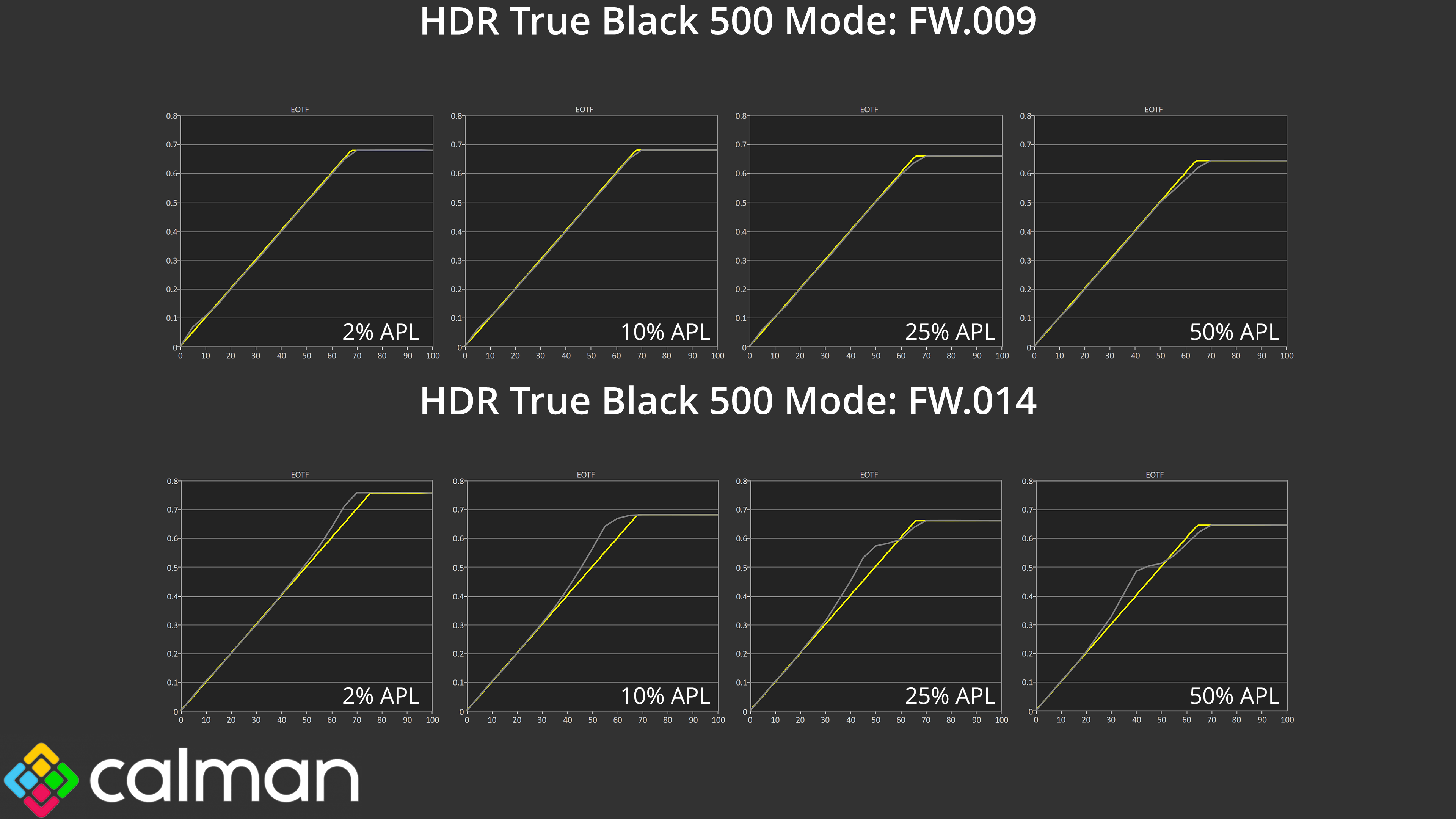
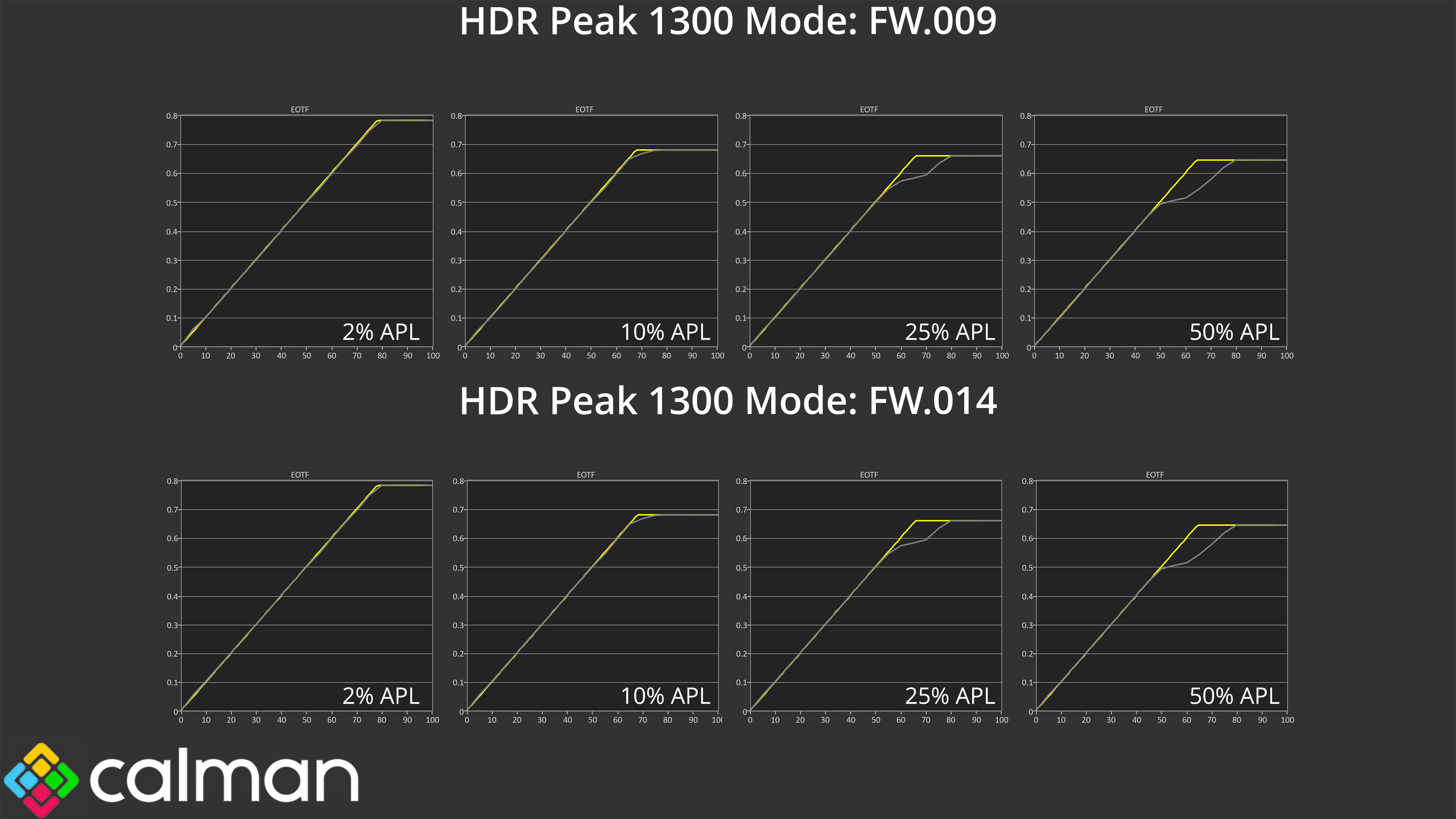
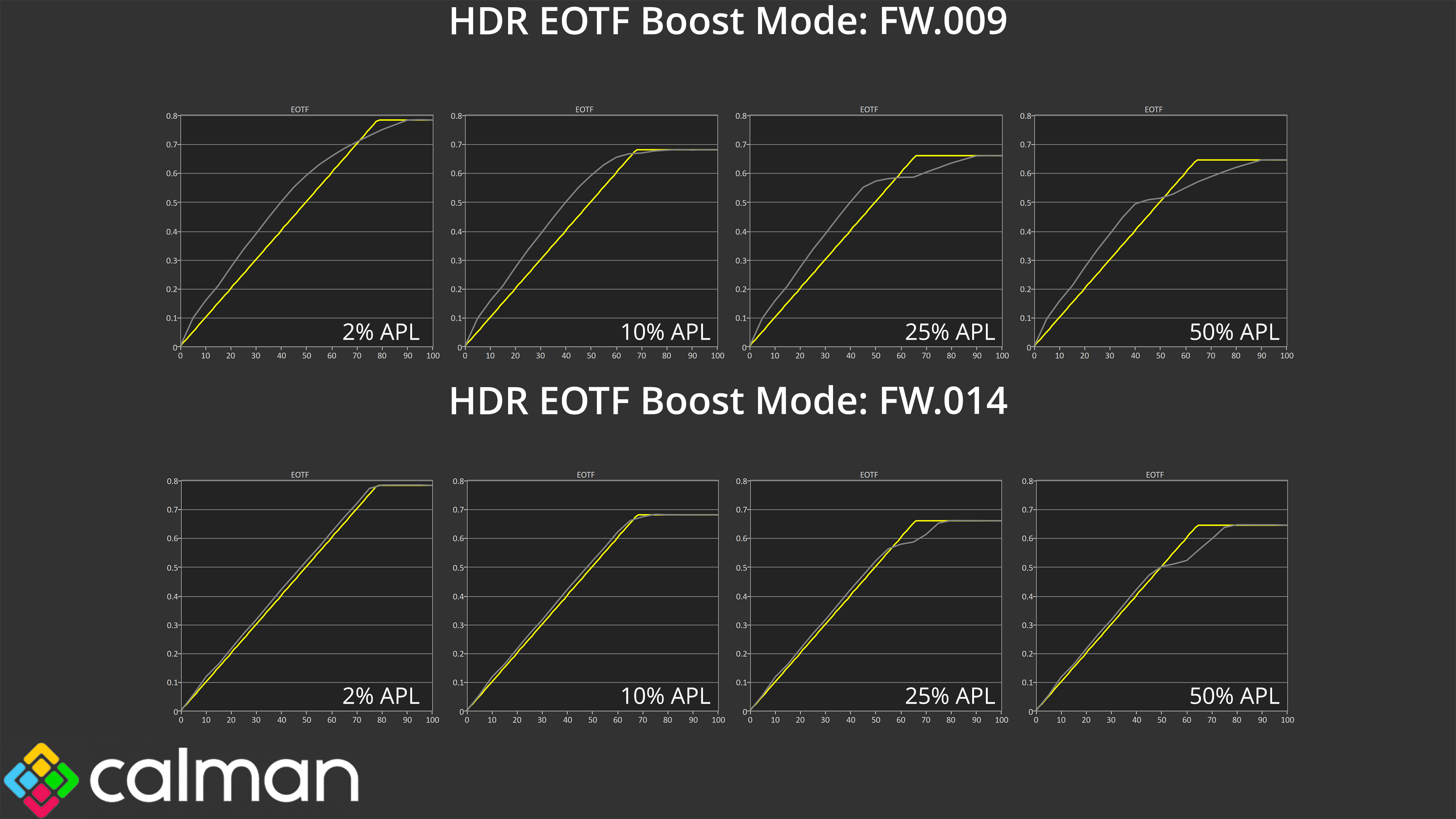
As it turns out, and I am writing this section a couple of days after my initial testing of FW.014, it is possible to get the True Black 500 mode to work as intended (like we originally saw with FW.009.) This is done by power cycling the monitor – unplugging it from power, leaving it for a minute and then plugging it back in. Upon doing so, the TB500 mode works as expected. However, the moment you change to one of the other HDR modes, and then go back to TB500, the mode breaks and we get the over-brightened behaviour we can see above.
Obviously this is not a practical solution and MSI clearly needs to issue another firmware update. That said, I personally don’t see it as a massive deal given the correct behaviour is in the firmware somewhere, the current implementation is just not right. MSI also told me that the actual retail launch for the 341CQR X36 isn’t until the end of January, so the company does have some time to get things back how they should be before units actually end up in customers' hands.
Colour Accuracy
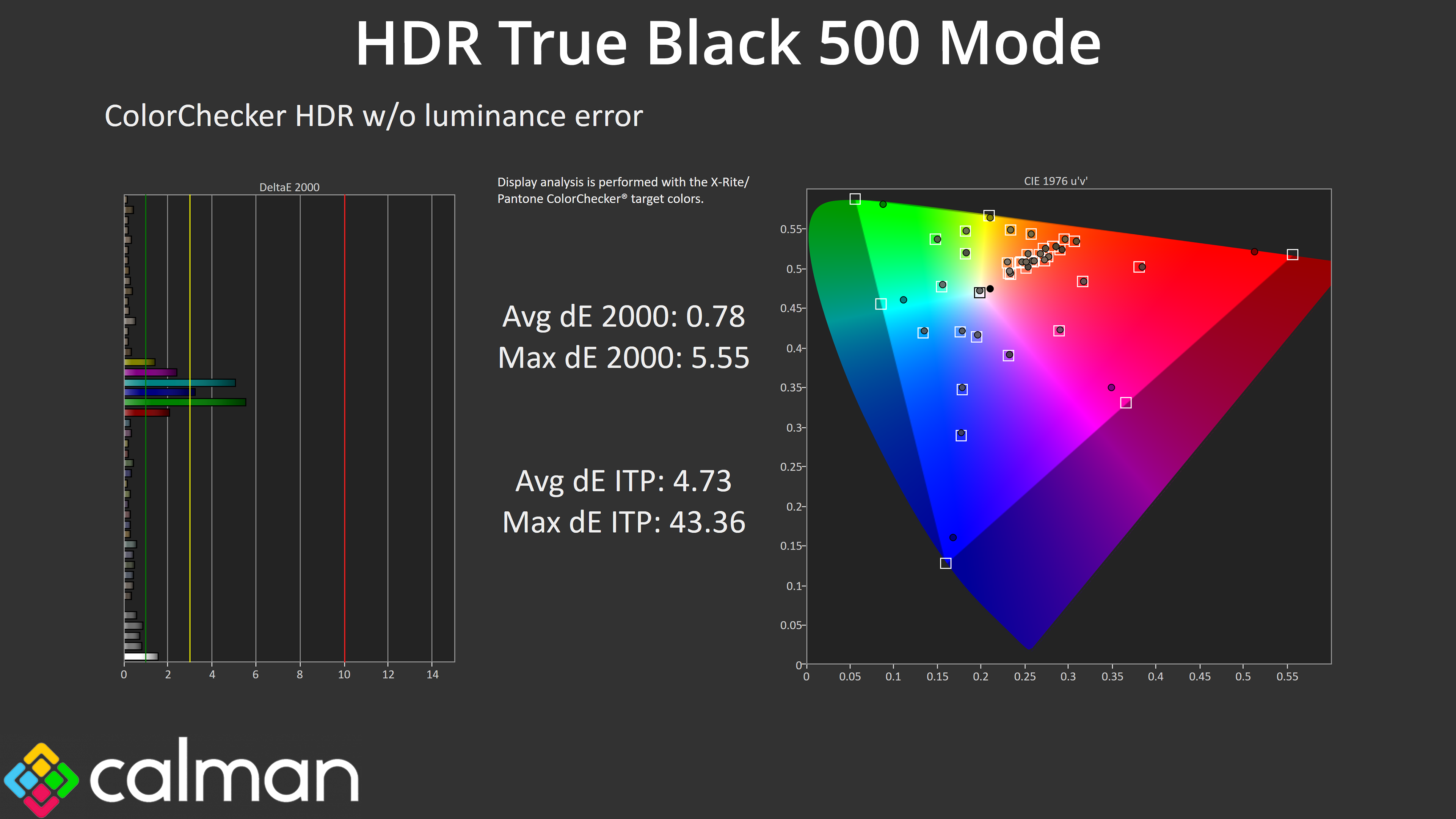
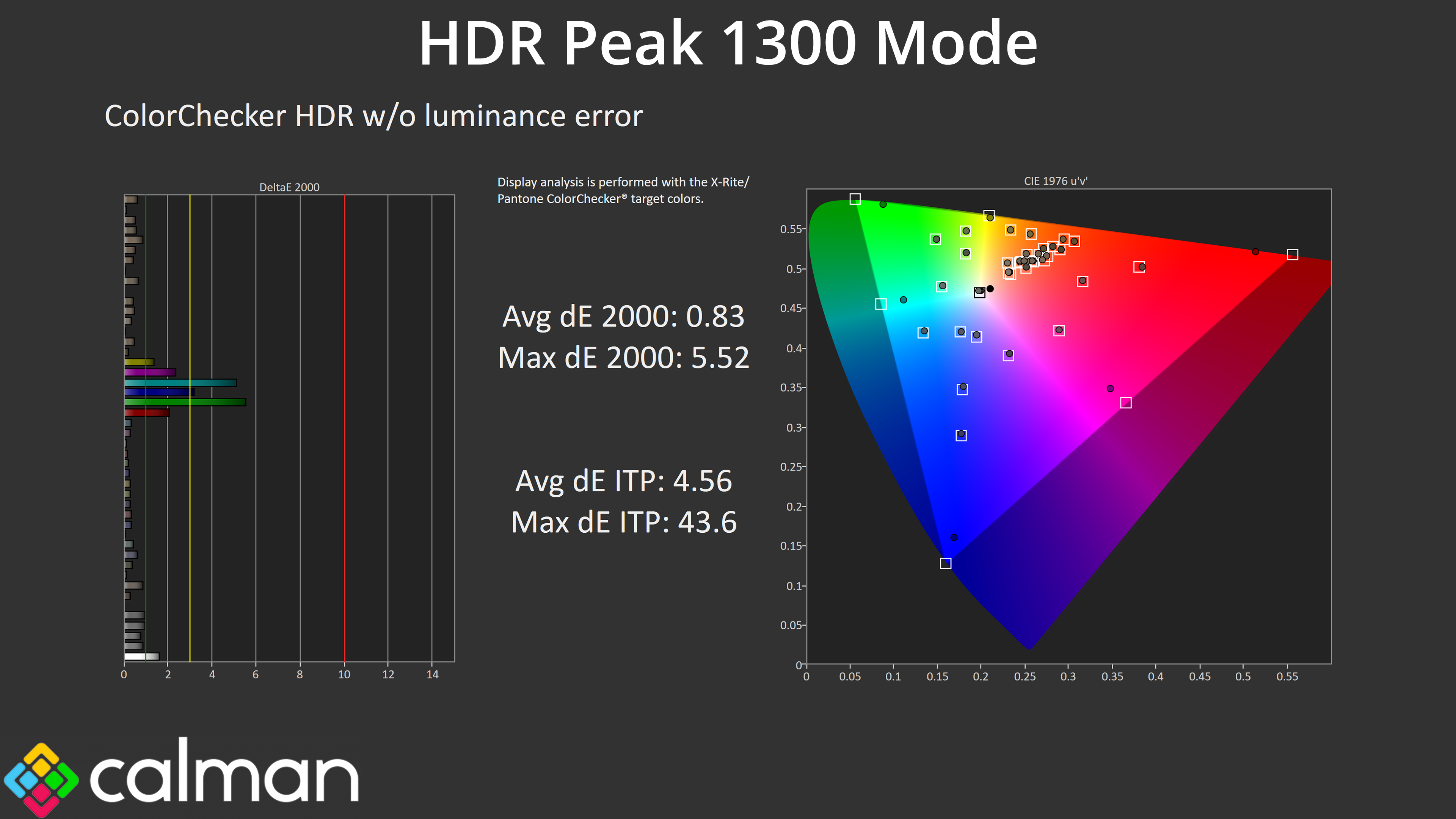
We can, however, see high levels of HDR colour accuracy from both the True Black 500 and Peak 1300 modes, even with both on the latest FW.014. The worst results come from the 100% green and 100% cyan channels, which was always going to be the case considering the 341CQR X36 doesn't cover the whole Rec.2020 colour space.
We use the Open Source Response Time Tool (OSRTT), developed by TechTeamGB, for our response time testing. This measures grey-to-grey response times and presents the results in a series of heatmaps, the style of which you may be familiar with from other reviews.
Initial Response Time is the time taken for the panel to transition from one colour to another, where lower values are better. We present the initial response time, so overshoot is not taken into account and is measured separately. We use a fixed RGB 5 tolerance for each transition.
Overshoot is the term given for when a monitor's transition exceeds or goes beyond its target value. So if a monitor was meant to transition from RGB 0 to RGB 55, but it hits RGB 60 before settling back down at RGB 55, that is overshoot. This is presented as RGB values in the heatmaps – i.e. how many RGB values past the intended target were measured.
Visual Response Rating is a metric designed to ‘score' a panel's visual performance, incorporating both response times and overdrive. Fast response times with little to no overshoot will score well, while slow response times or those with significant overshoot will score poorly.
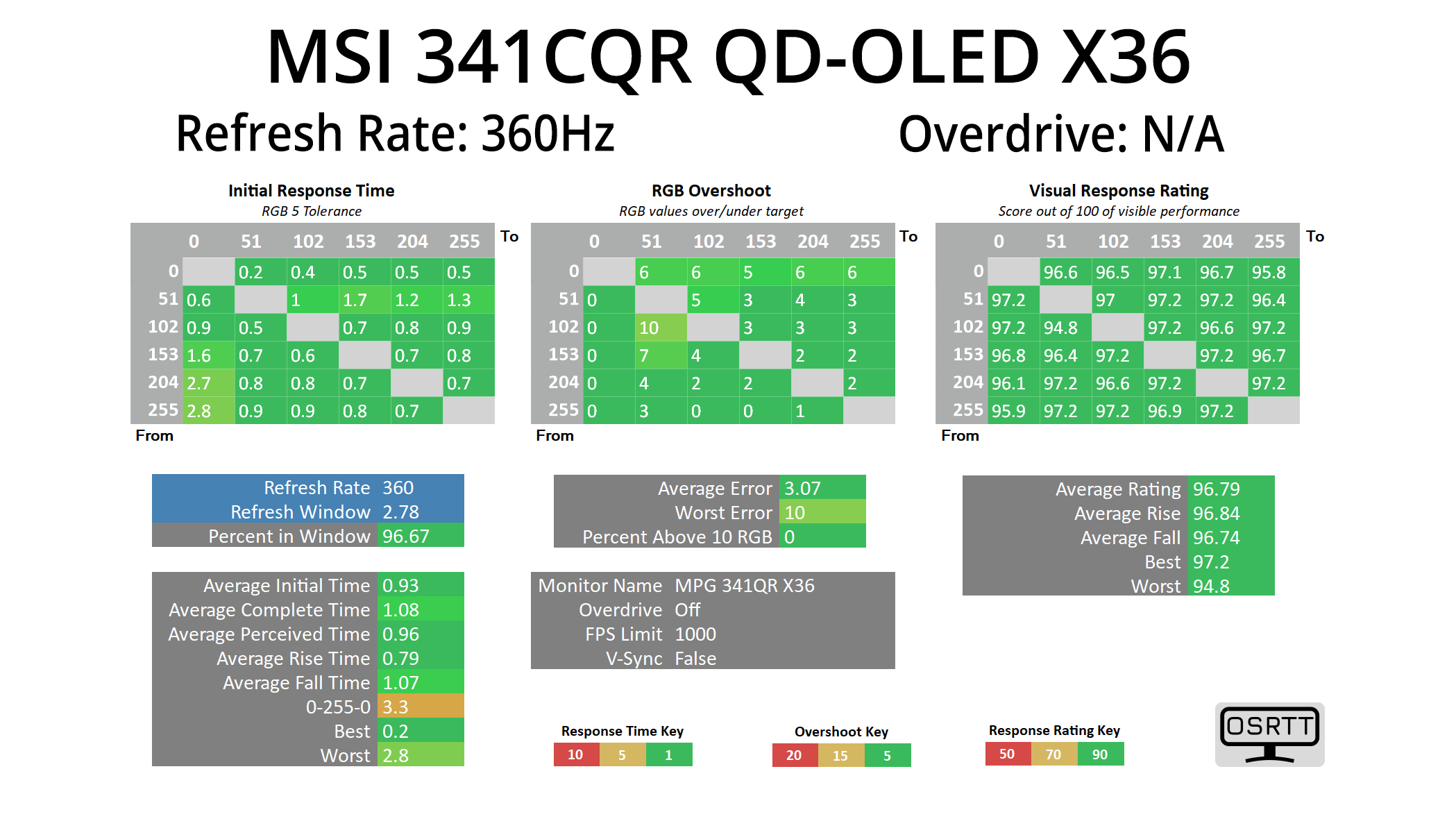
We're not going to focus too heavily on response times here as we know OLEDs are the best of the best in this regard, and they all perform very similarly, meaning near-instant response times and zero ghosting, regardless of the refresh rate used.
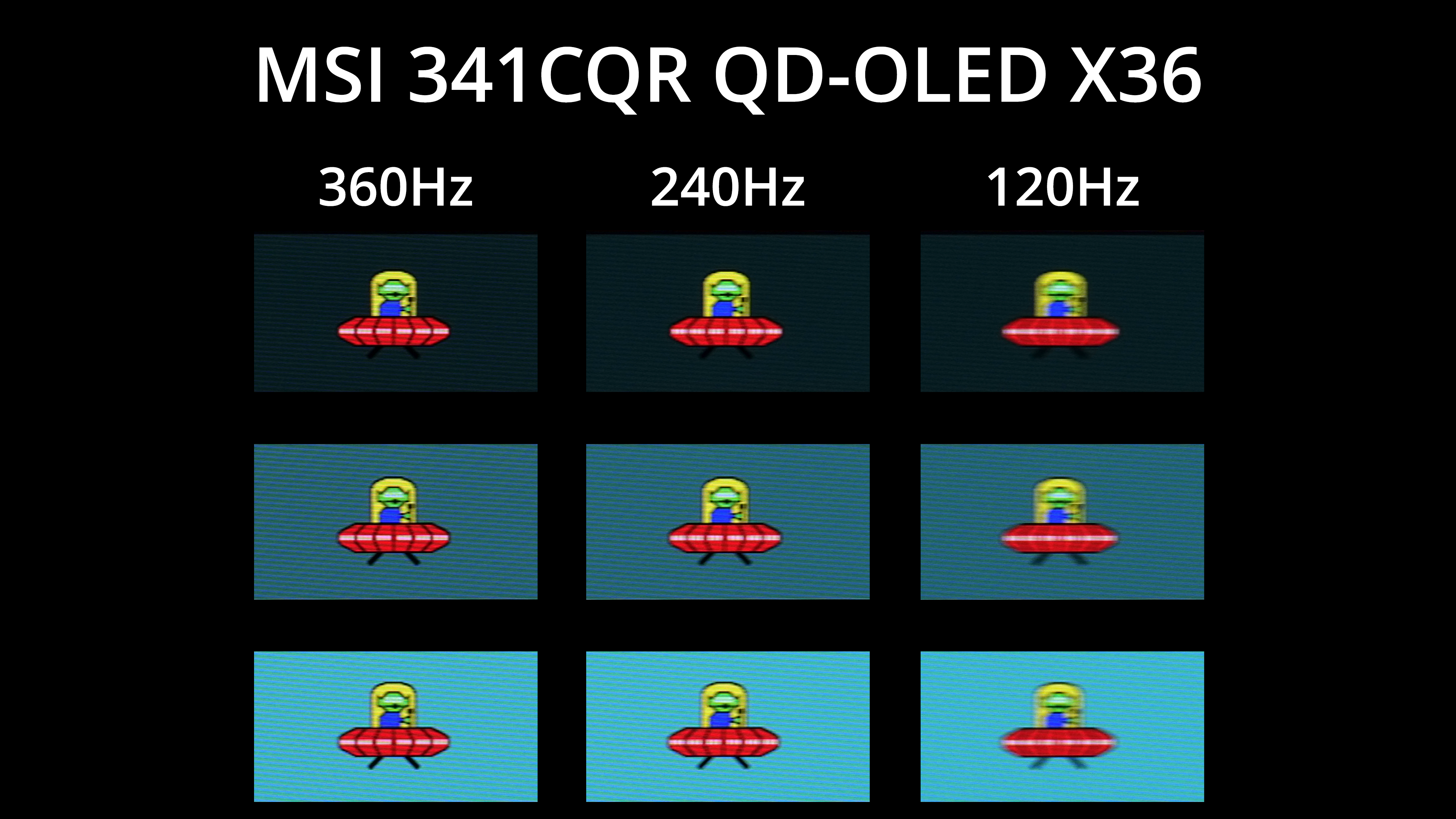
As we know, however, that doesn't mean motion clarity will be the same regardless of the refresh rate – the higher you can push the refresh, the smoother things look. The jump from 120Hz to 240Hz is quite noticeable, and while going from 240Hz up to 360Hz is a smaller improvement, I'd definitely say it's still perceptible, and it's a welcome upgrade for these ultrawide panels.
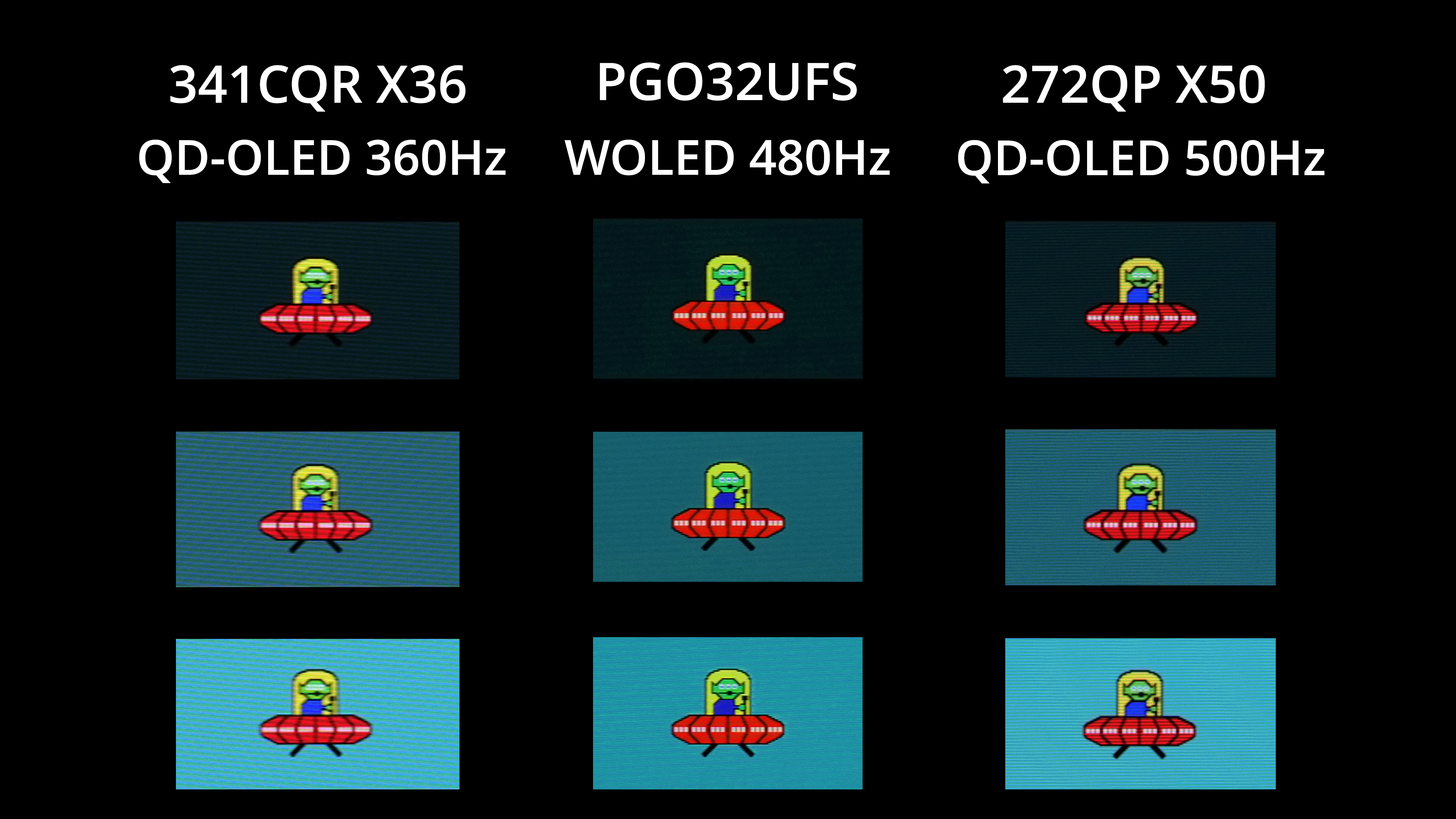
Of course, we know that other OLEDs can deliver even faster refresh rates, with MSI's 272QP X50 capable of 500Hz, while the ASRock PGO32UFS hits 480Hz thanks to its dual mode functionality. Those screens will offer better image clarity due to the higher refresh – but you also have to remember that right now, 360Hz is as fast as it gets for an ultrawide OLED.
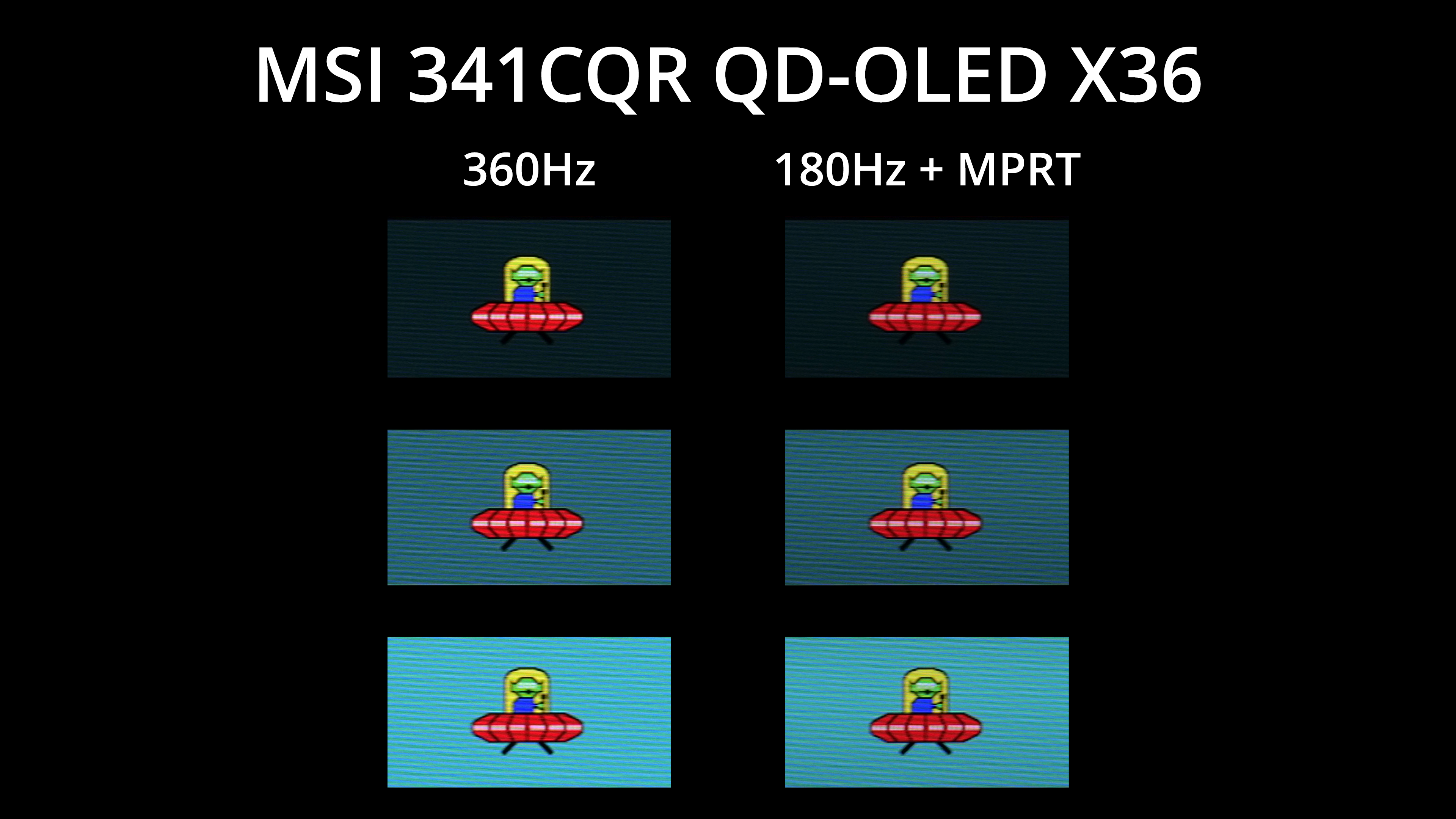
MSI has also included its new MPRT mode – AKA black frame insertion (BFI) – which we first saw with the 272QP X50. This mode places a black frame after every regular frame, meaning you get broadly equivalent motion clarity at 180Hz as you would without BFI at 360Hz, and it's obviously a lot easier to drive games at the lower frame rate! It does disable adaptive sync and brightness is capped at 155 nits max, but it could be well worth using depending on the games you play.
We again use the Open Source Response Time Tool (OSRTT), developed by TechTeamGB, to report monitor input latency.
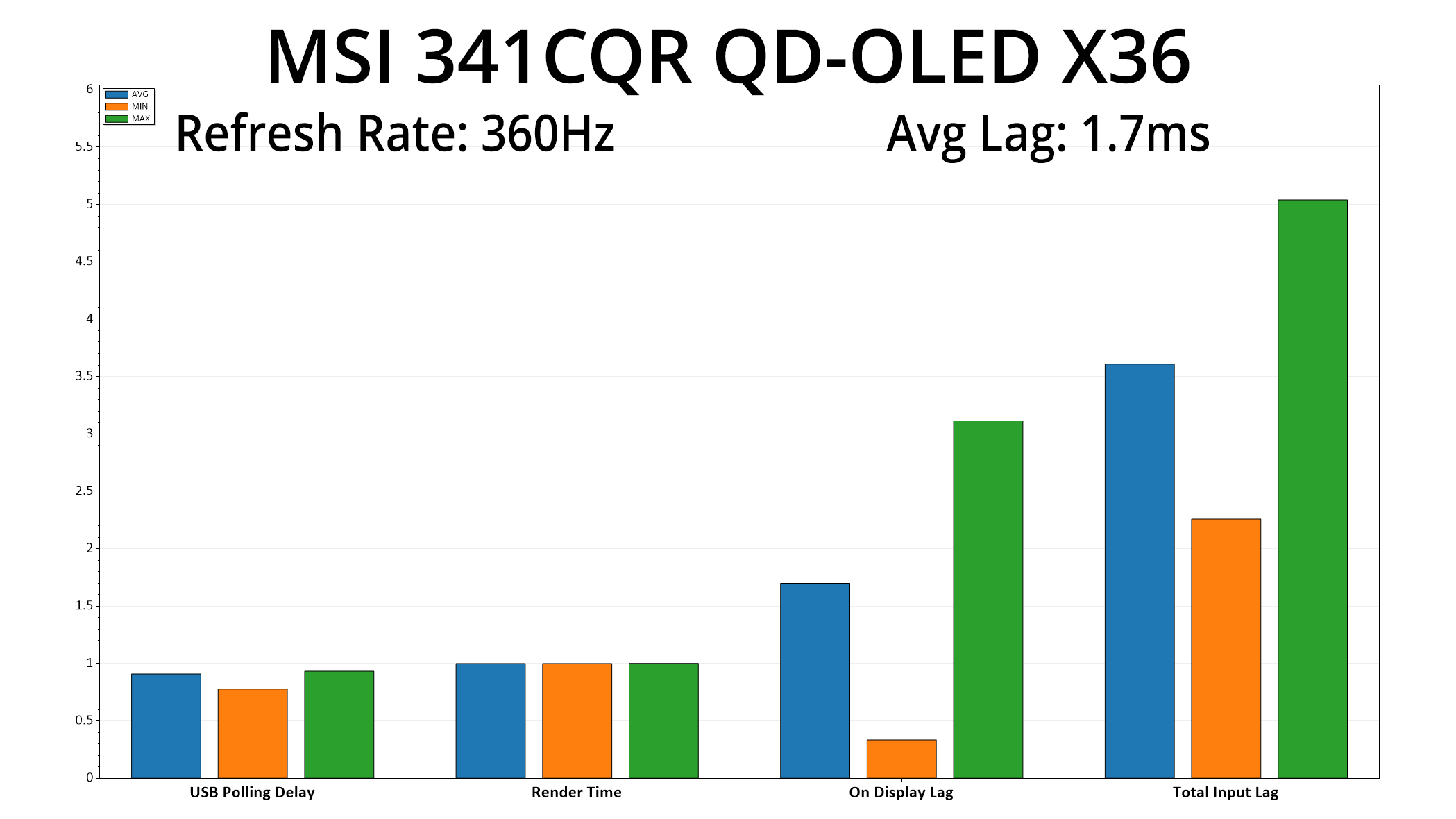
Latency is nice and low too, hitting just 1.7ms, so basically exactly half a frame at the 360Hz refresh.
There's no doubt about it, MSI's MPG 341CQR QD-OLED X36 is an excellent ultrawide monitor, packing in a number of improvements over previous QD-OLED 21:9 displays.
For starters, the 5th Gen QD-OLED panel from Samsung has delivered some very welcome upgrades compared to 3rd and 4th Gen panels. The new V-stripe sub-pixel structure increases text clarity to the point where I'd say it's no longer a factor to consider, great news for people who use their monitor for a lot of text-based apps or workflows.
There's also an improved panel coating, and this makes a noticeable difference to black depth in bright conditions compared to previous QD-OLED panels, where blacks can often look more grey depending on the ambient lighting. However, black levels are still raised when compared against ASUS' TrueBlack Glossy coating on the XG27AQWMG, so it's not perfect – but it is still a big improvement relative to previous QD-OLED panels, and will make the issue much less of a concern for most people.
On top of that, the increased 360Hz refresh rate is another welcome benefit, making this the fastest ultrawide to date, while the 3440×1440 resolution is significantly easier to drive compared to LG's 5K2K UltraGear model. I've not tested that one personally, but on paper I do think the 341CQR X36 has the edge – it may be lower resolution, but it's significantly faster, with LG's only able to hit 330Hz at its lower 2560×1080 resolution, given it tops out at 165Hz in its 5120×2160 resolution. LG's screen also has a matte coating, which personally I am not a huge fan of for OLED screens.
MSI has also done a great job with the factory calibration, while the sRGB mode is up there with the best I have ever tested. HDR performance clearly has the potential to be strong, being as bright as it gets for QD-OLED right now, but as mentioned earlier in the review, there's been some fun and games with firmware updates during the review process and some further refinement is needed. MSI has a good track record with firmware updates for its screens, but we will be sure to test any further revisions and update this review as necessary.
As for the pricing, MSI told us the MSRP is £999/$1099. Considering 240Hz 3440×1440 options have been on sale a while now and are currently retailing for $700-800, I'd say the asking price for the 341CQR X36 is about as expected. It's by no means affordable for the vast majority of gamers, but the latest OLED tech always starts at a premium, and based on what we've seen in this market segment over the last year or two, I'd wager it won't be long before prices for this model come down to the sort of level we are seeing for current 240Hz screens.
In short, if you want the best ultrawide that QD-OLED technology has to offer, look no further than MSI's MPG 341CQR QD-OLED X36. We will have to see when new WOLED ultrawides are announced – the idea of a 21:9 Tandem OLED sounds very good to me – but for now, I'd say this is as good as it gets for ultrawide OLED.
Pros
- Very wide gamut.
- Effectively infinite contrast ratio.
- Very fast response times.
- Fastest ultrawide OLED yet with 360Hz refresh.
- Games just look so good.
- Factory calibration is very good.
- Stellar sRGB emulation mode, one of the best I've used.
- Much brighter than most other QD-OLEDs.
- Improved text clarity thanks to the 5th Gen panel.
- Black depth is noticeably deeper than other QD-OLEDs in brighter conditions.
- HDR hits 1300 nits for the Peak 1300/EOTF Boost modes, True Black 500 mode should be very accurate pending a final firmware fix.
- Supports KVM functionality and 98W PD.
- 2x HDMI 2.1.
- User-upgradable firmware.
- New metal stand adds a more refined feel.
Cons
- Not cheap at £999/$1099.
- HDR behaviour needs a little ironing-out via a final firmware update.
- Black levels are still slightly raised compared to TrueBlack Glossy coatings, even if they are a big improvement versus previous QD-OLEDs.
KitGuru says: It's the best ultrawide OLED we have tested to date.