KitGuru KitGuru.net – Tech News | Hardware News | Hardware Reviews | IOS | Mobile | Gaming | Graphics Cards


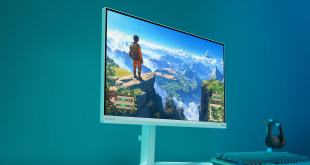
With an MSRP of just £209, the Philips Evnia 27M2N3501PA is easily the cheapest monitor we have reviewed all year. Despite that, its spec sheet still looks impressive, with a Fast IPS panel that offers a 1440p resolution and 260Hz refresh rate, alongside a claimed sRGB colour accuracy deltaE of less than 2. The kicker is the 27M2N3501PA isn't actually retailing for £209 – it's currently on sale at just £150 here in the UK, with that price promo running until the end of October. Surely it's too good to be true?
Timestamps
00:00 Intro
00:53 Meet the 27M2N3501PA
01:33 Design first impressions
02:28 I/O and OSD
04:21 Out of the box testing
06:48 sRGB mode + calibration
07:40 Response time testing
09:19 UFO motion clarity examples
10:36 Real world gaming experience
12:30 Closing thoughts
For the uninitiated, Philips' Evnia gaming arm currently offers a range of product series, with the 27M2N3501PA we're reviewing today sitting in the entry-level 3000 series. That means it won't have the same bells and whistles as a more premium SKU from the 8000 series – there's no Ambiglow lighting, for instance, while the HDMI ports are of the 2.0 variety, rather than HDMI 2.1. But for just £150, is the core gaming experience any good? That's what we will find out today.
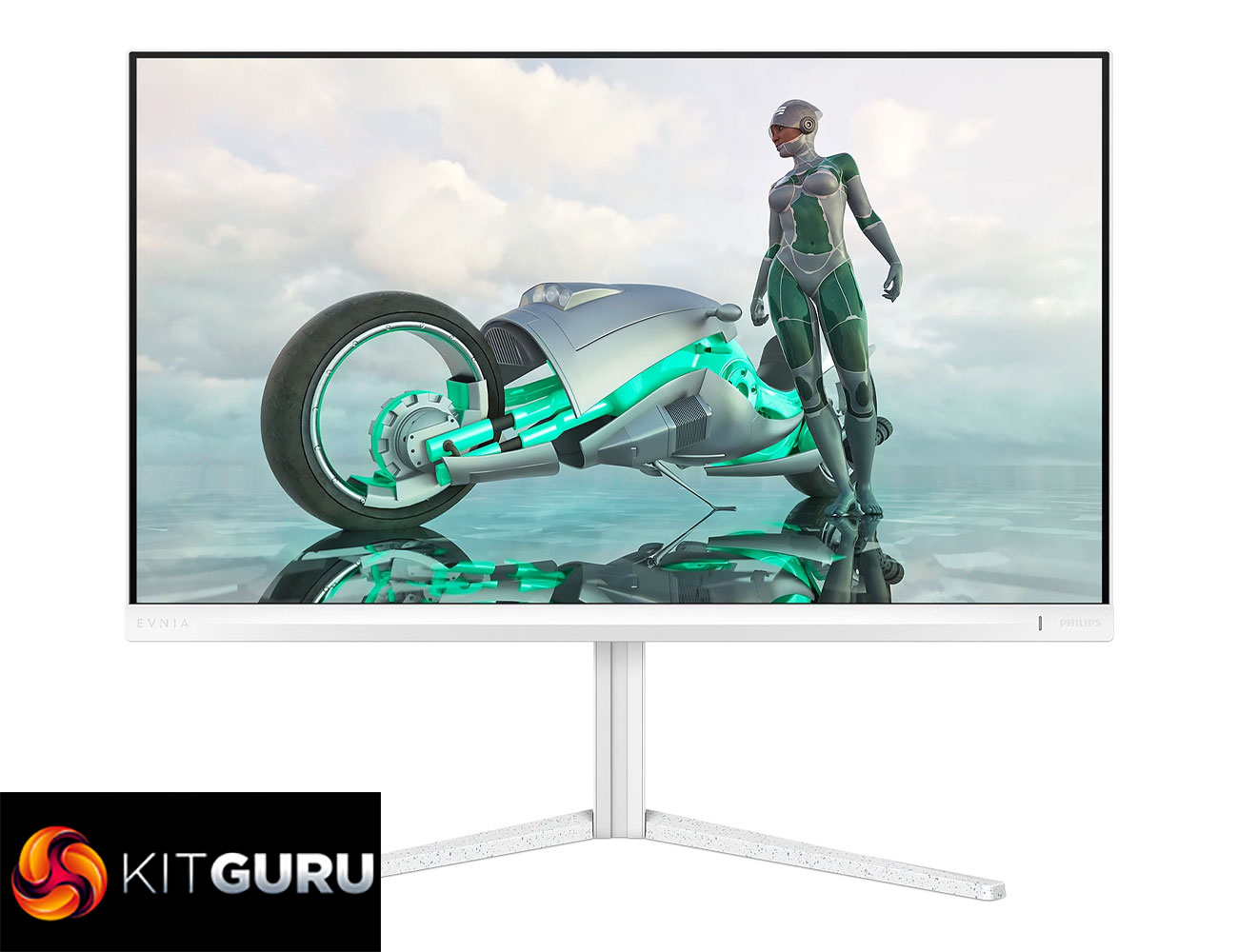
Specification:
- Panel Size: 27 inch / 68.5 cm
- Aspect Ratio: 16:9
- LCD Panel Type: Fast IPS
- Backlight Type: W-LED system
- Pixel Pitch: 0.2331 x 0.2331 mm
- Brightness: 300 cd/m²
- Display Colours: 1.07 B (8+FRC)
- Colour Gamut (Typical): Adobe RGB 90%, DCI-P3 95%, sRGB 120%, NTSC 105%*
- Contrast Ratio (Typical): 1000:1
- SmartContrast: Mega Infinity DCR
- Viewing Angle: 178º (H) / 178º (V) @ C/R > 10
- Picture Enhancement: SmartImage game
- SmartResponse: 1 ms (Grey to Grey)*
- Maximum Resolution: 2560 x 1440 @260 Hz (DP Overclock*, 8 bits), 2560 x 1440 @144 Hz (HDMI, 8 bits)
- Effective Viewing Area: 596.736 (H) x 335.664 (V) mm
- Scanning Frequency: HDMI 30-230 kHz (H) / 48-144 Hz (V); DP 30-400 kHz (H) / 48-260 Hz (V) (Overclock)*
- sRGB: Yes
- Delta E: <2 (sRGB)
- Flicker-free: Yes
- Pixel Density: 109 PPI
- Adaptive Sync: Yes
- HDR: HDR 10 supported
- Smart Sniper: Yes
- Smart MBR Sync: Yes
- Stark Shadow Boost: Yes*
- Smart MBR: 0.3 ms*
- Smart Crosshair: Yes
- Shadow Boost: Yes
- Signal Input: HDMI 2.0 x 2, DisplayPort 1.4 x 1
- Sync Input: Separate Sync
- Audio (In/Out): Headphone out
- HDCP: HDCP 1.4 (HDMI/DP), HDCP 2.3 (HDMI/DP)
- Built-in Speakers: 2 W x 2
- Plug and Play Compatibility: DDC/CI
- Height Adjustment: 130 mm
- Pivot: ±90 degrees
- Swivel: ±30 degrees
- Tilt: -5 to 20 degrees
- Power Supply: Internal, 100–240 VAC, 50–60 Hz
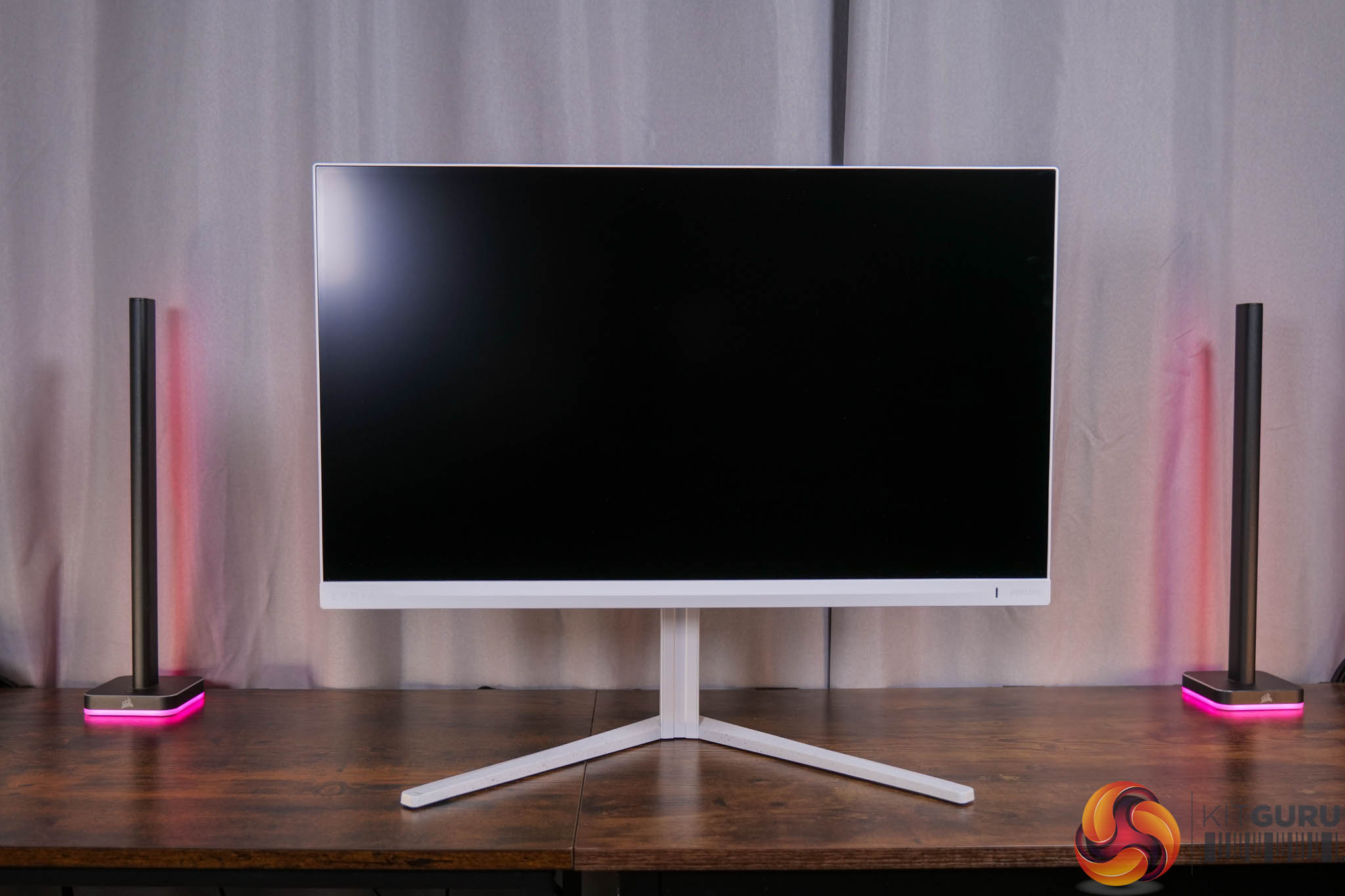
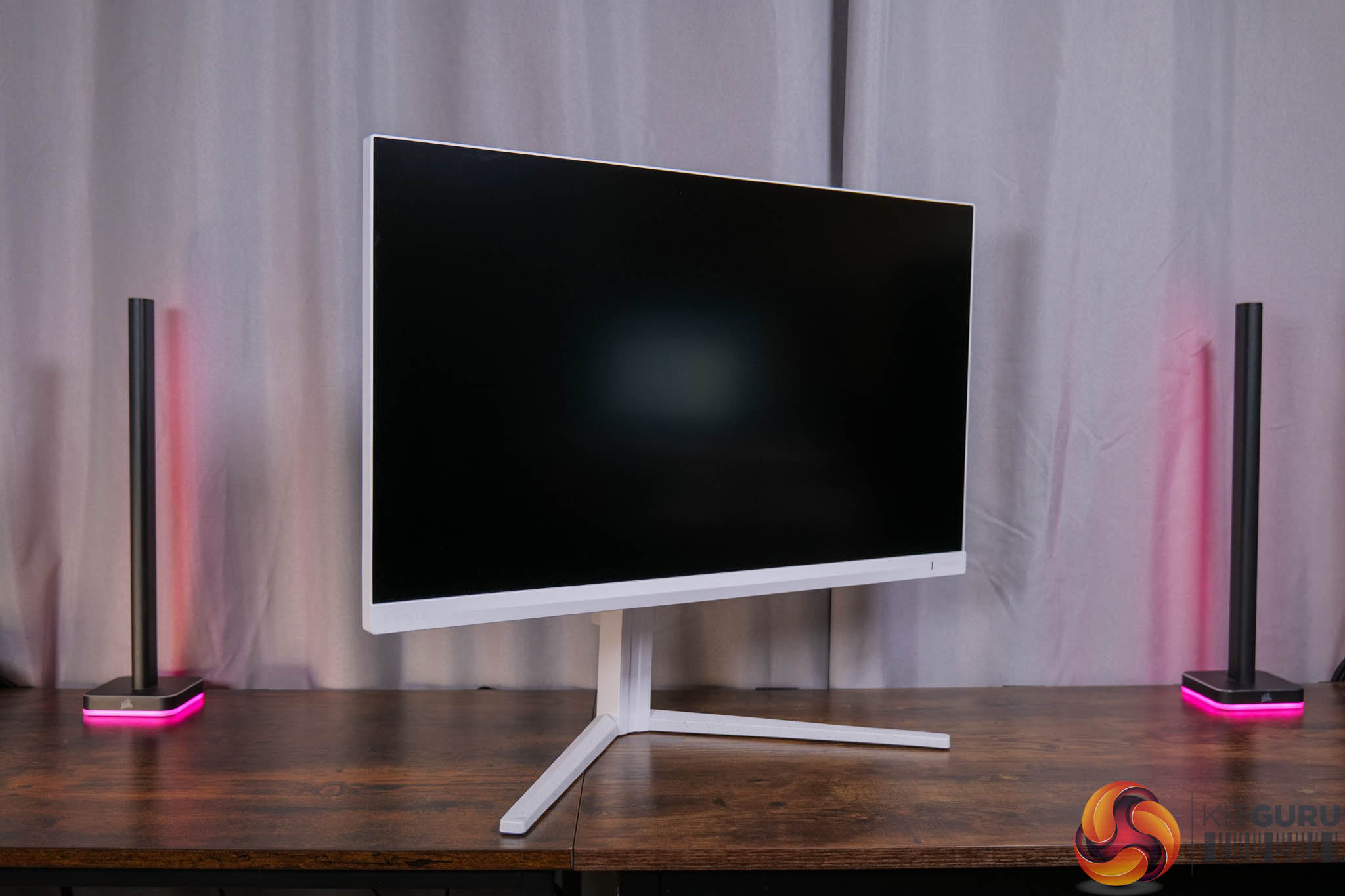
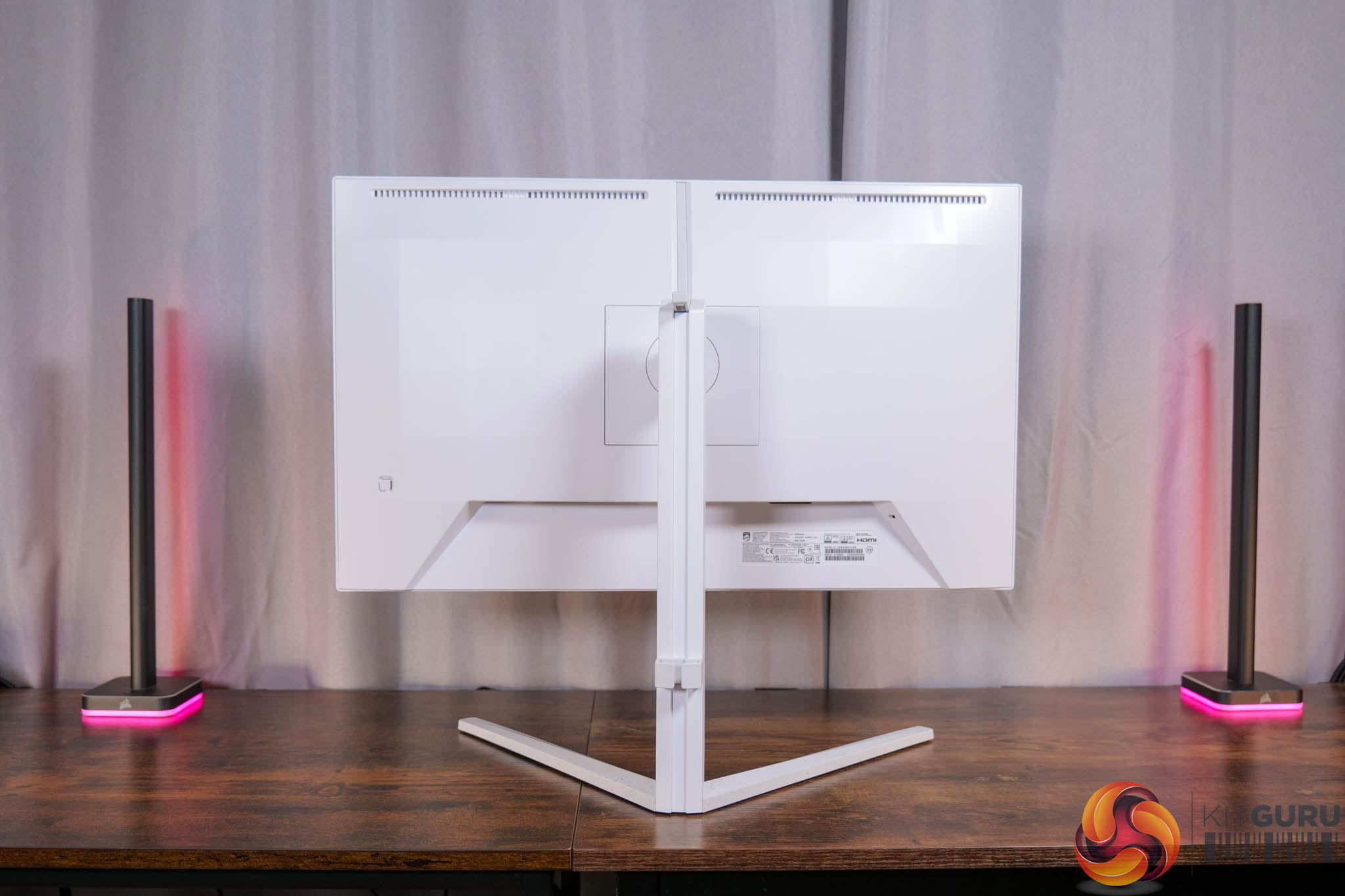
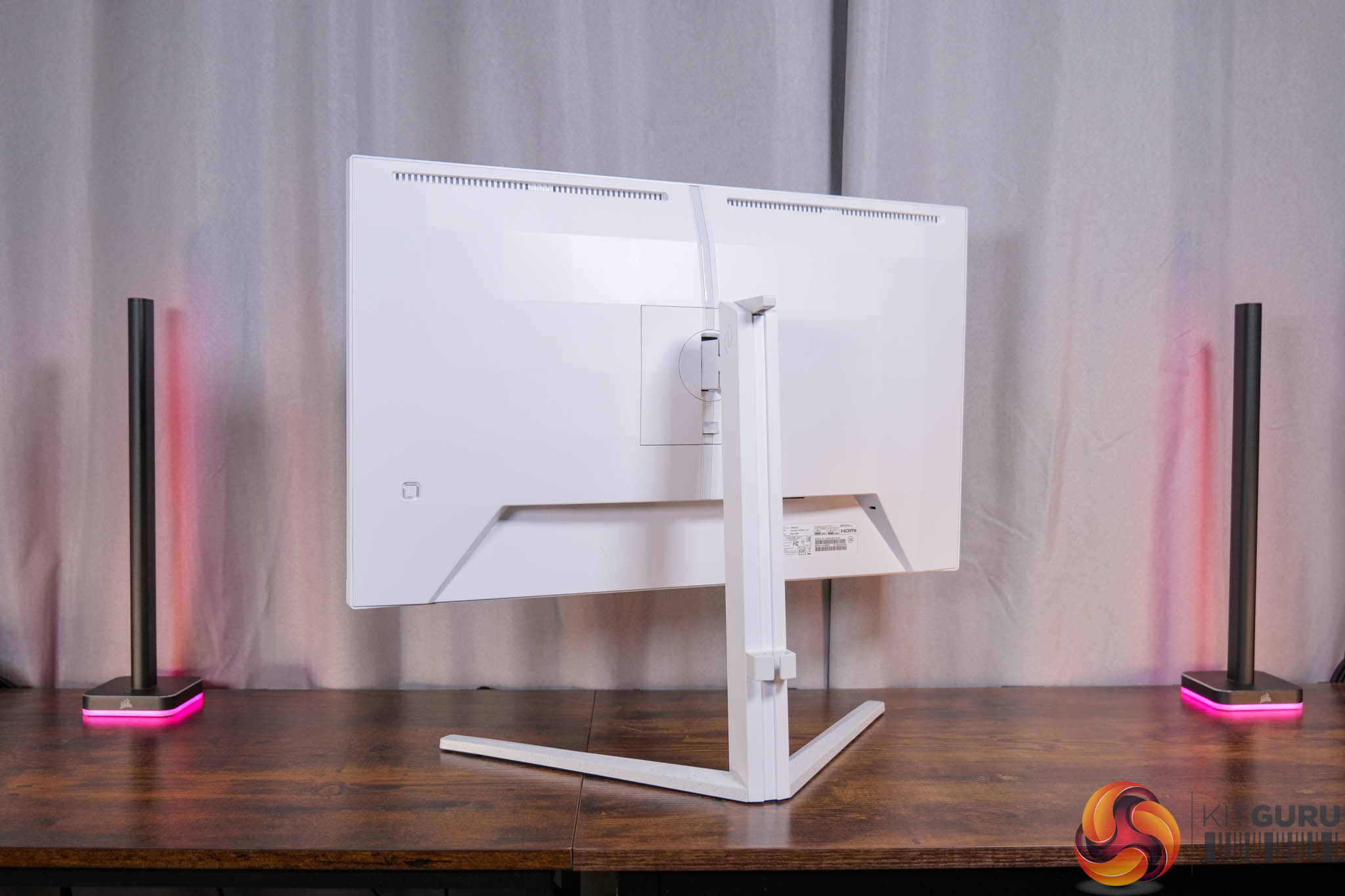
Starting off with the design of the 27M2N3501PA, it'll be familiar to anyone who's seen our previous Evnia reviews, given the company likes this bright white aesthetic with some silver accents, and that extends right down to the v-shaped foot. I've warmed to it over the last year or two – it won't be for everyone, but it certainly stands out compared to the sea of all-black gaming monitors on the market.
The thing to add here, though, is that while many Evnia screens do have Philips Ambiglow lighting, that is missing this time around, almost certainly due to cost reasons, but it's something to be aware of.
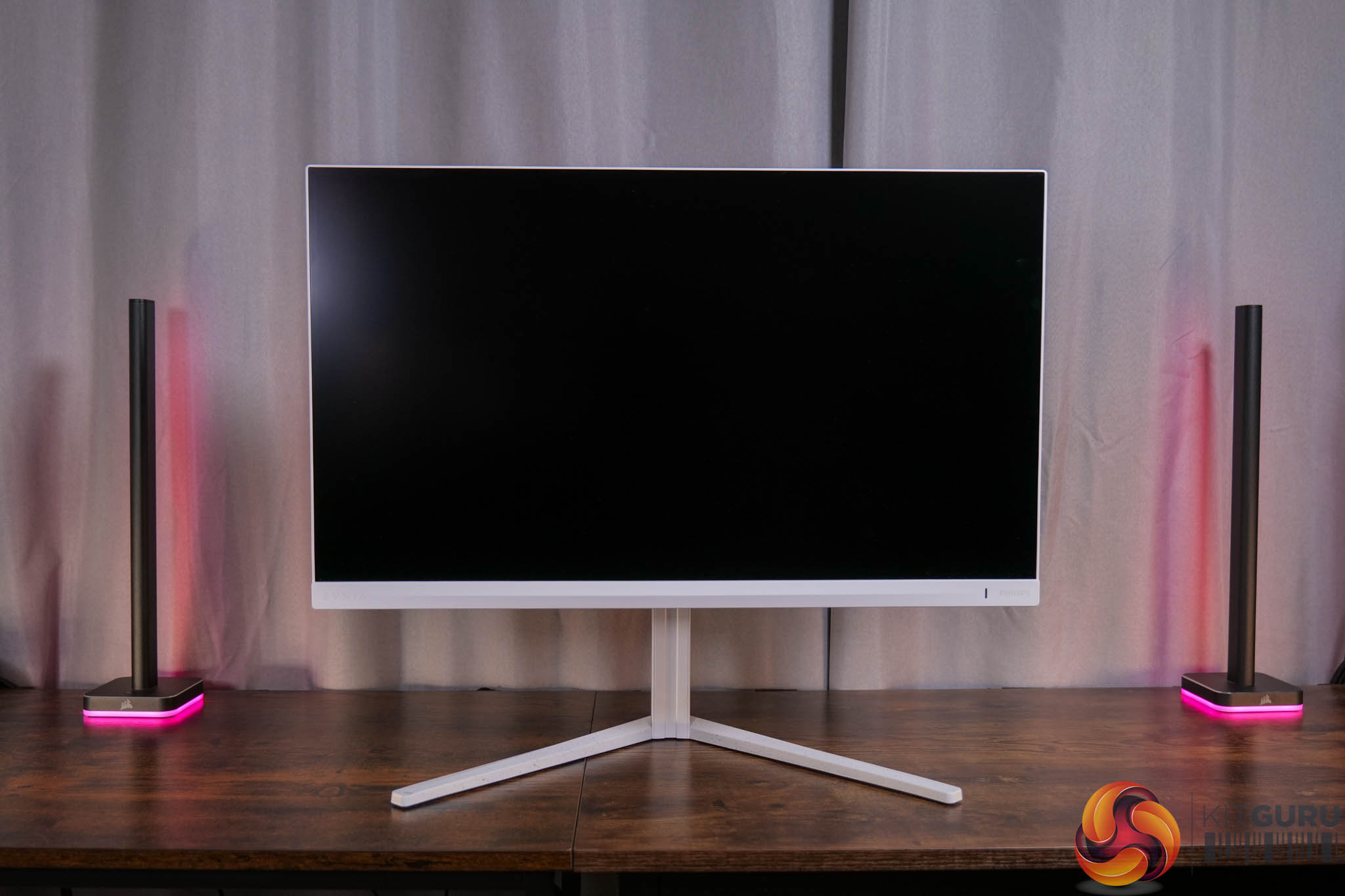
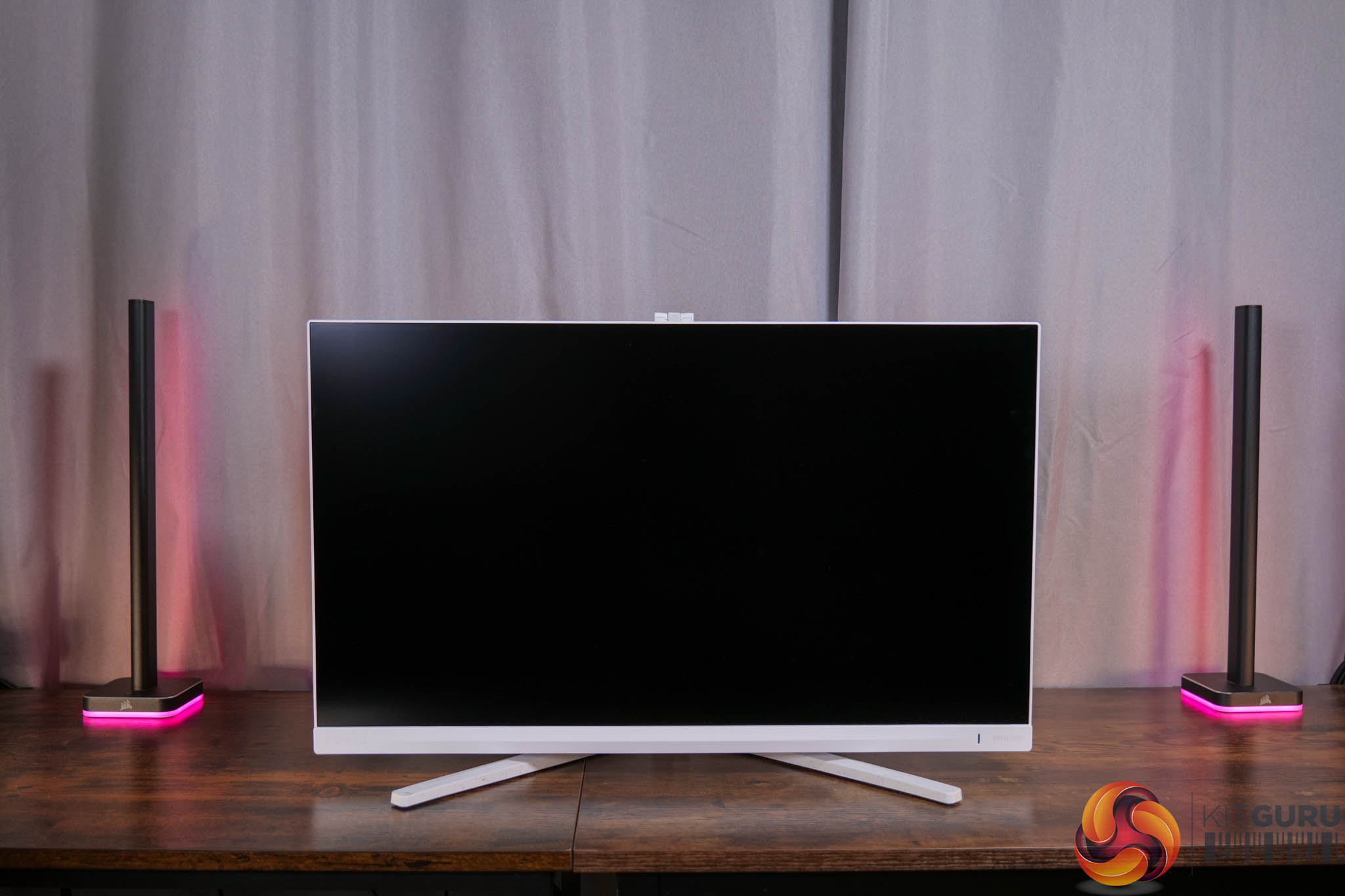
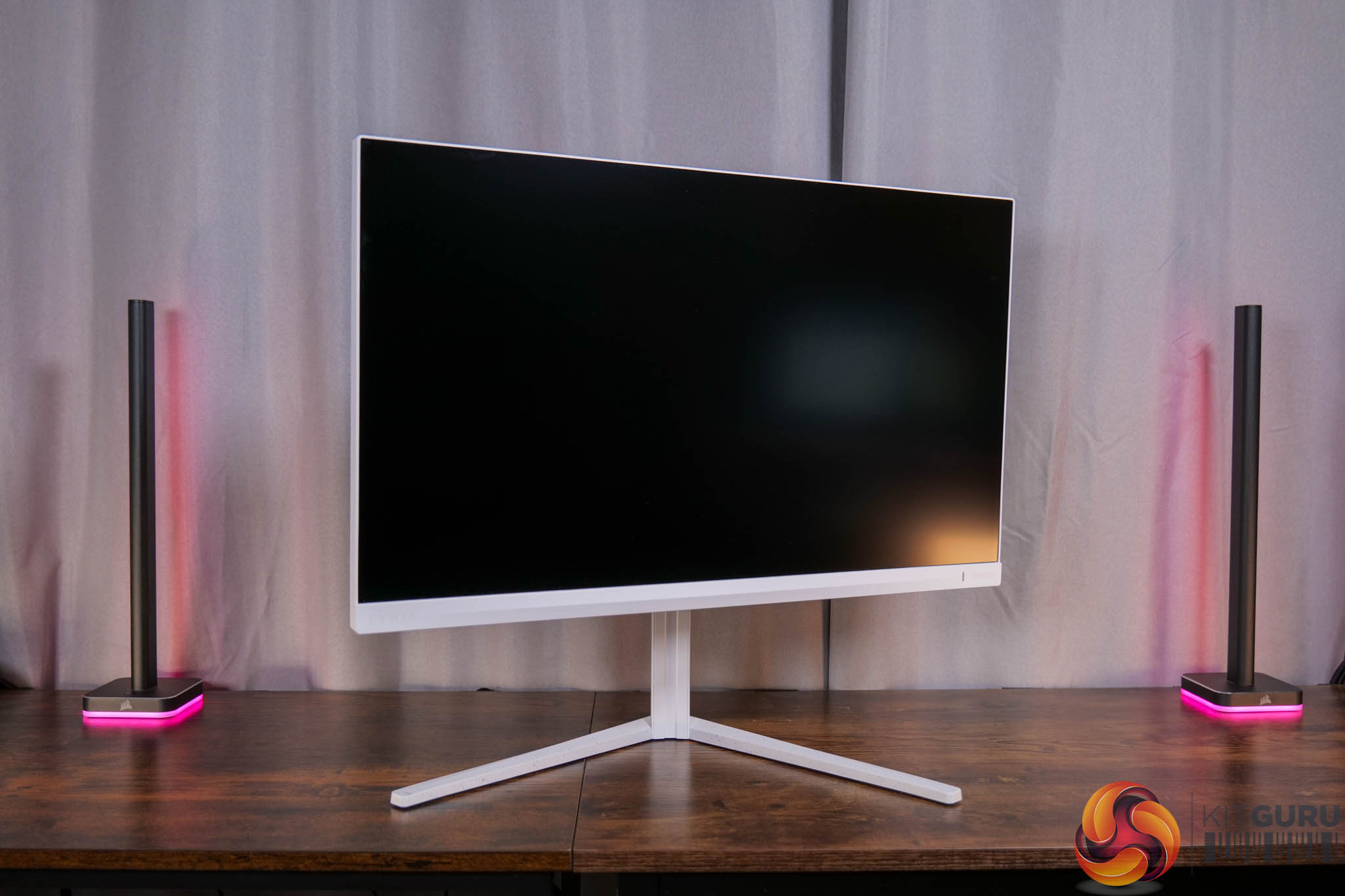
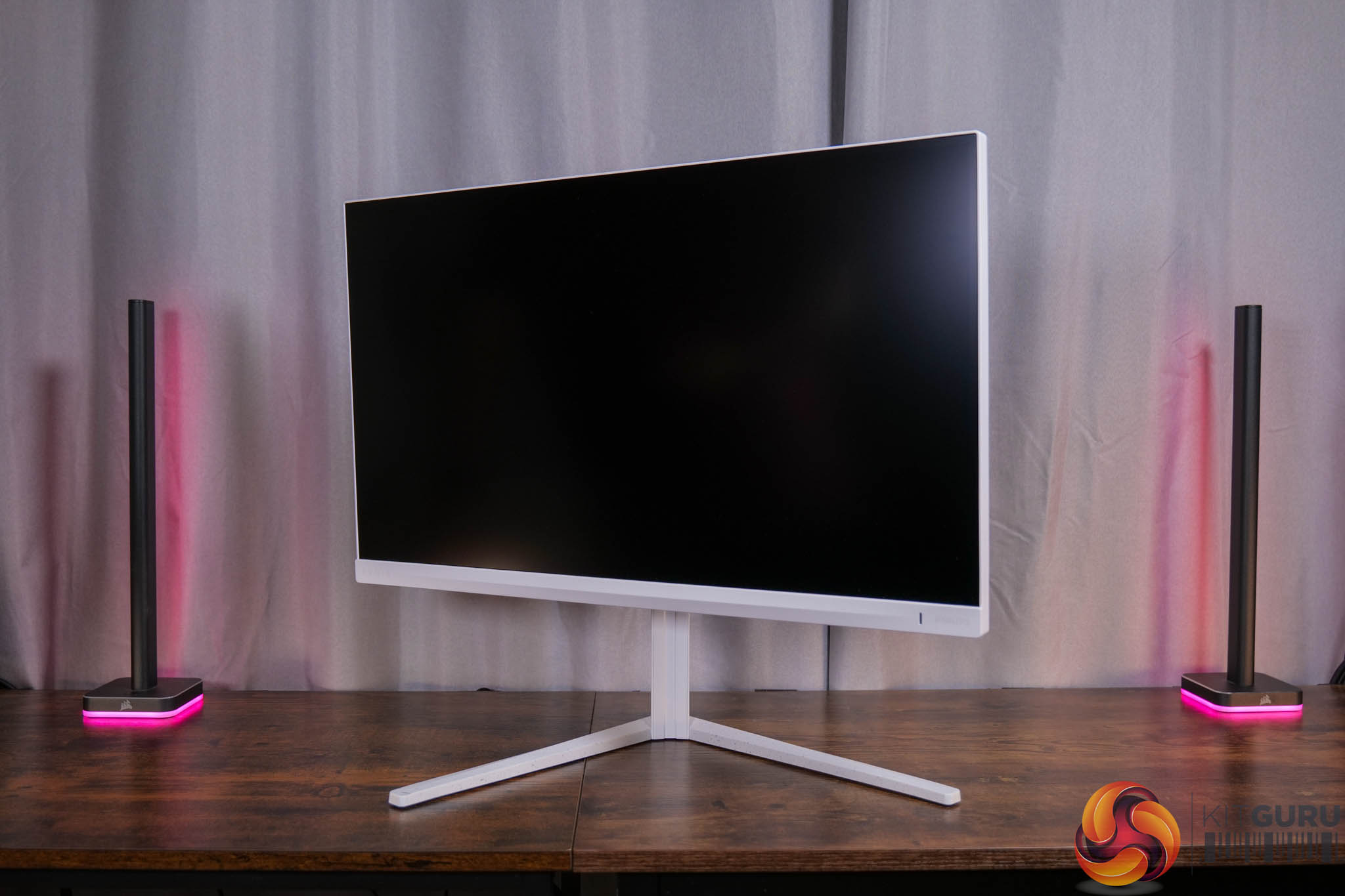
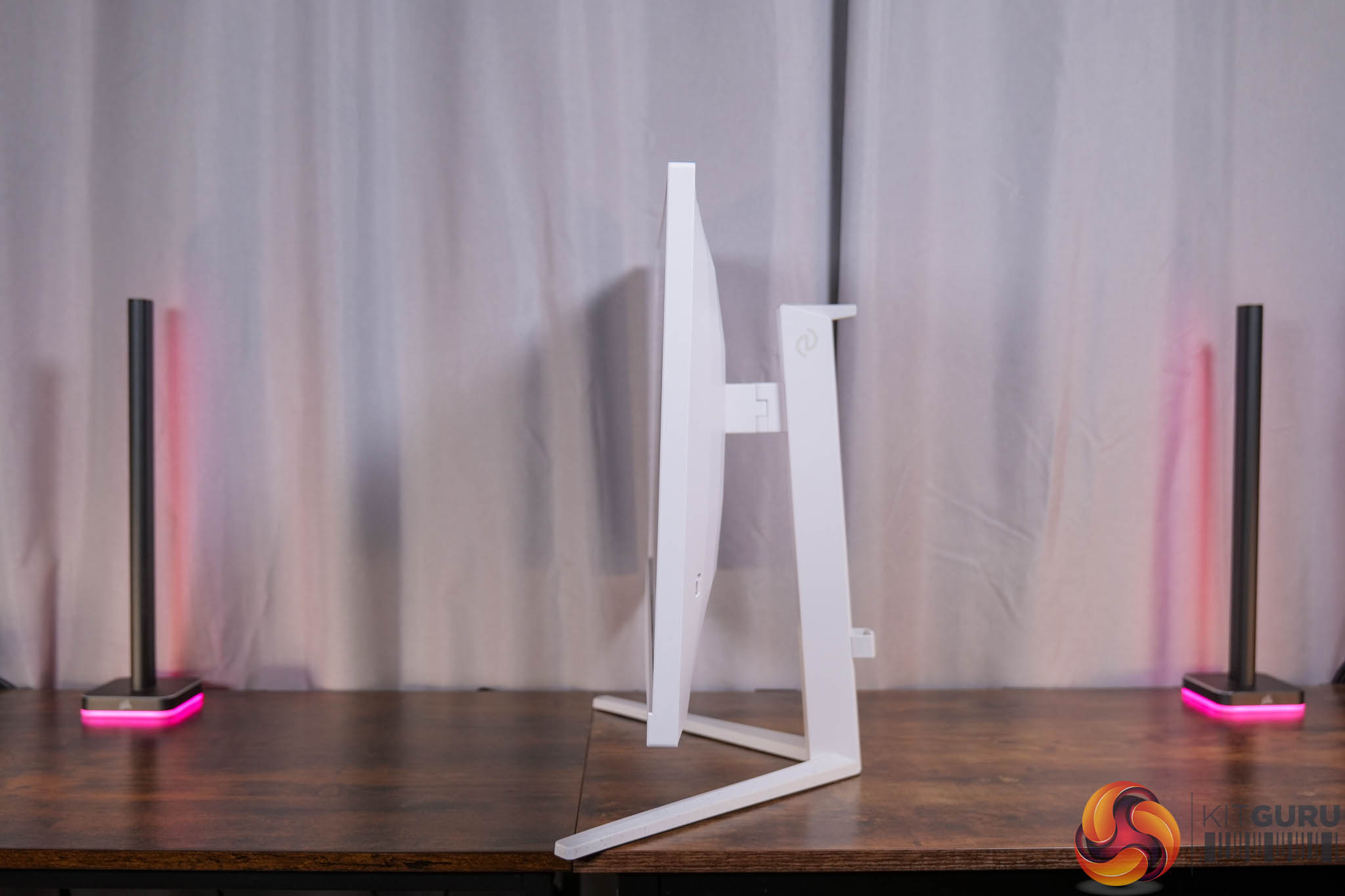
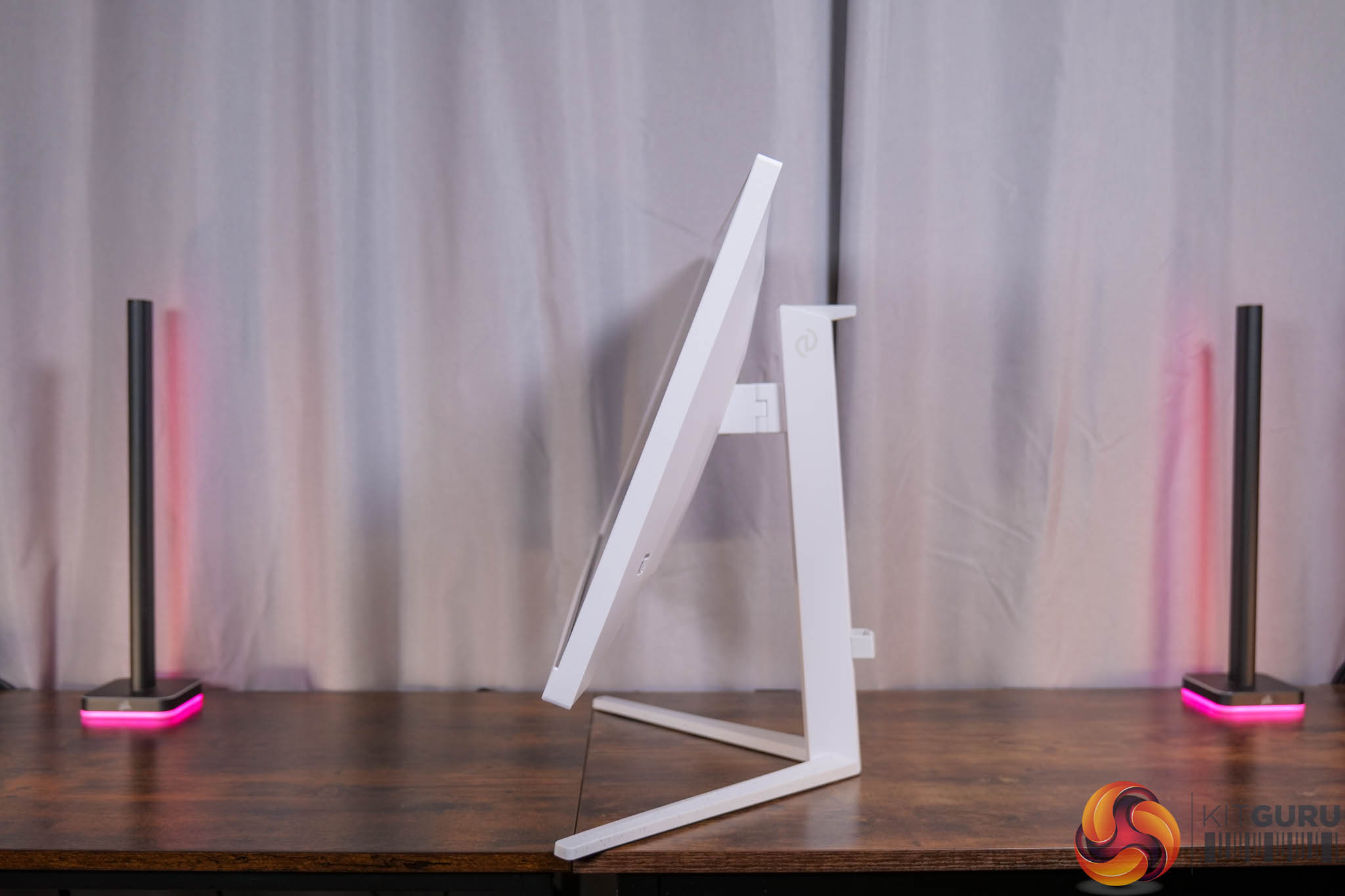
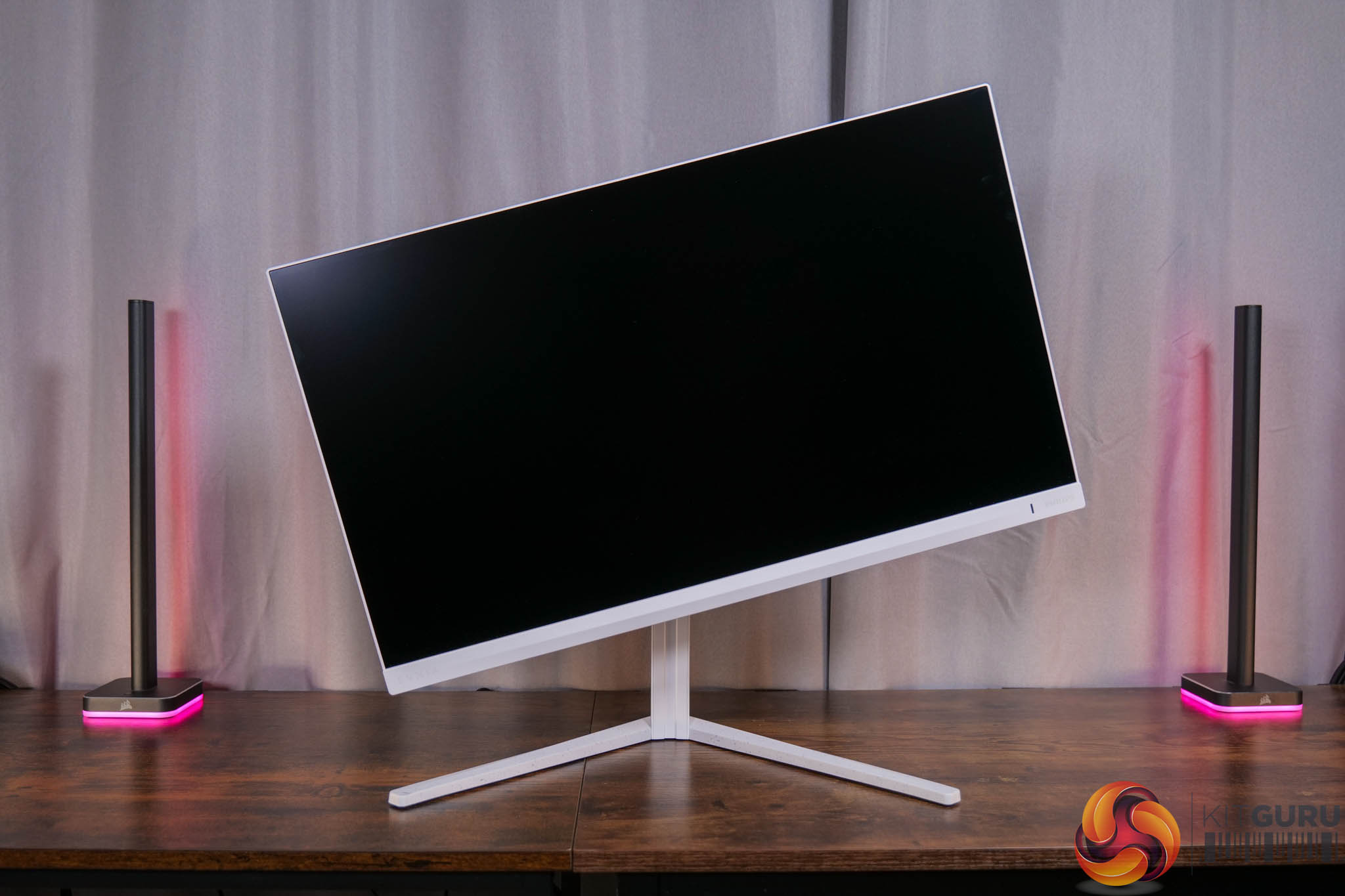
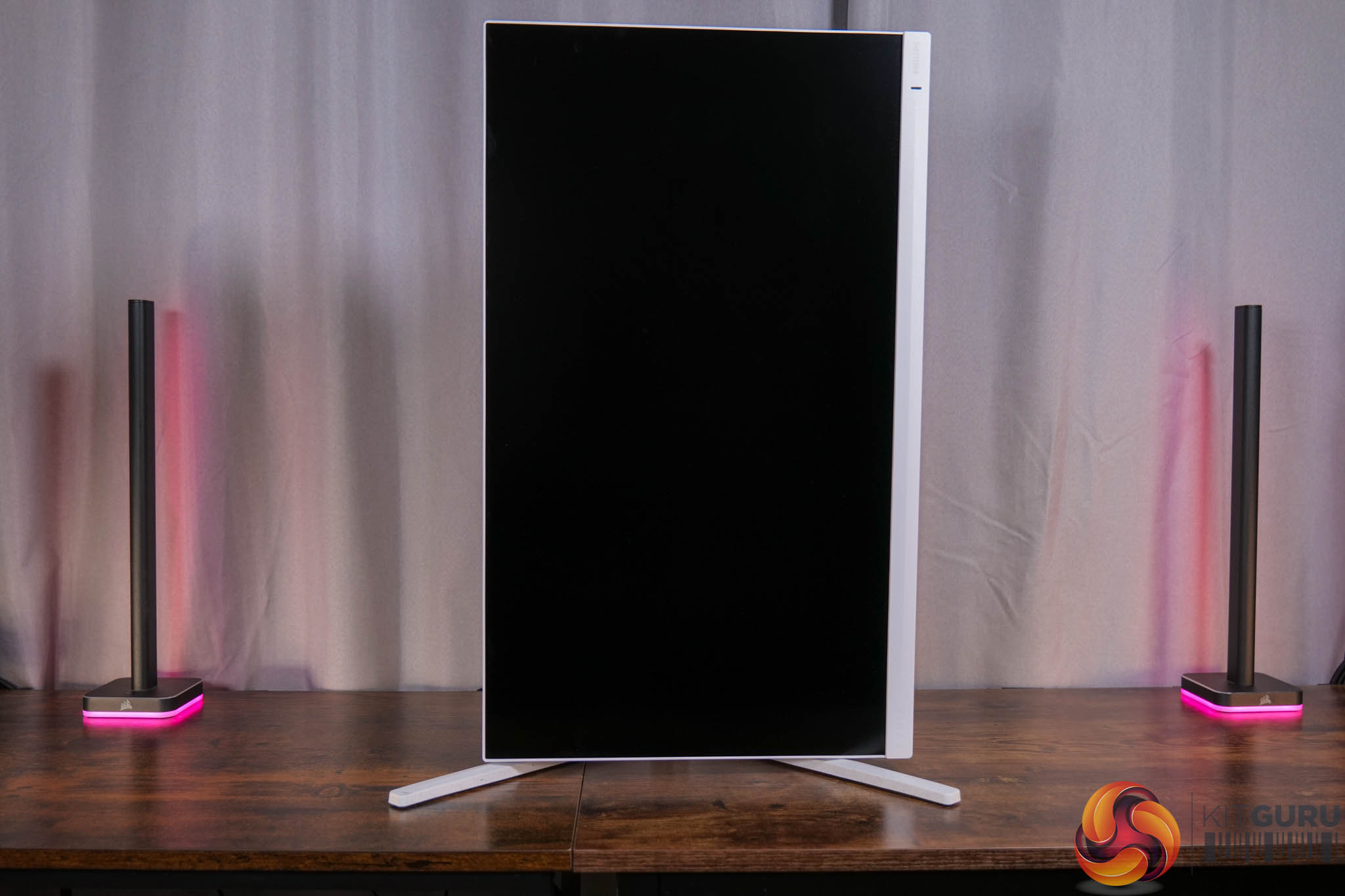
It's great to see the included stand ticking all the boxes though, with 130mm of height adjustment, 30 degrees of swivel in both directions, tilt from -5 to 20 degrees, and then full 90 degree pivot functionality so the display can be used vertically. VESA 100×100 mounts are also supported.
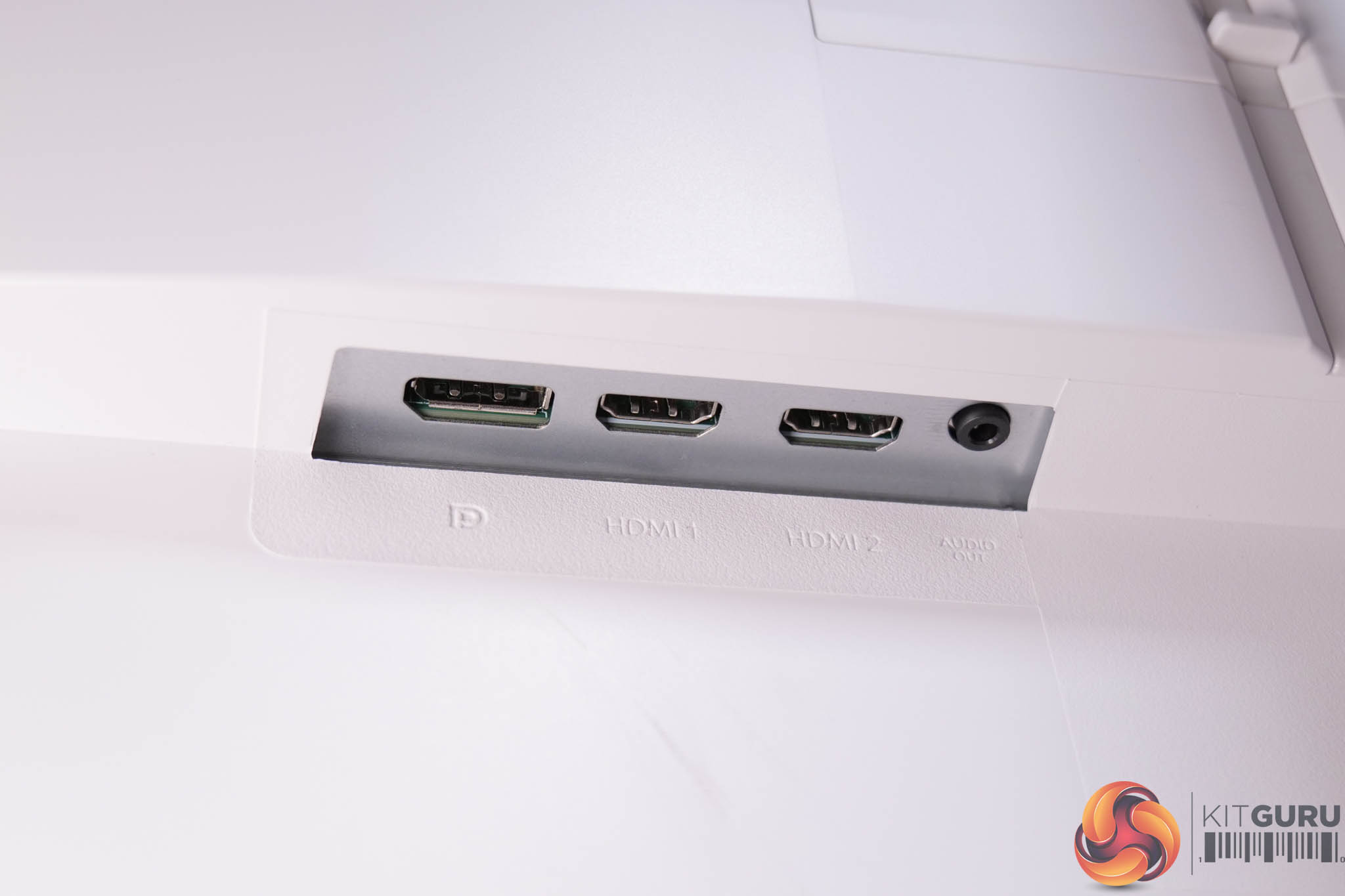
It's when looking at the connectivity options where we see another area where corners have been cut to hit the aggressive price point. We find just one DisplayPort 1.4, two HDMI 2.0 and a headphone jack. That means no USB upstream, no Type-C charging or KVM functionality, while it's important to note the two HDMI ports are only of the 2.0 variety, meaning they max out at 144Hz at 1440p resolution. You can get the full 260Hz via DisplayPort, but it's the only output capable of hitting the maximum refresh rate, so another thing to keep in mind.
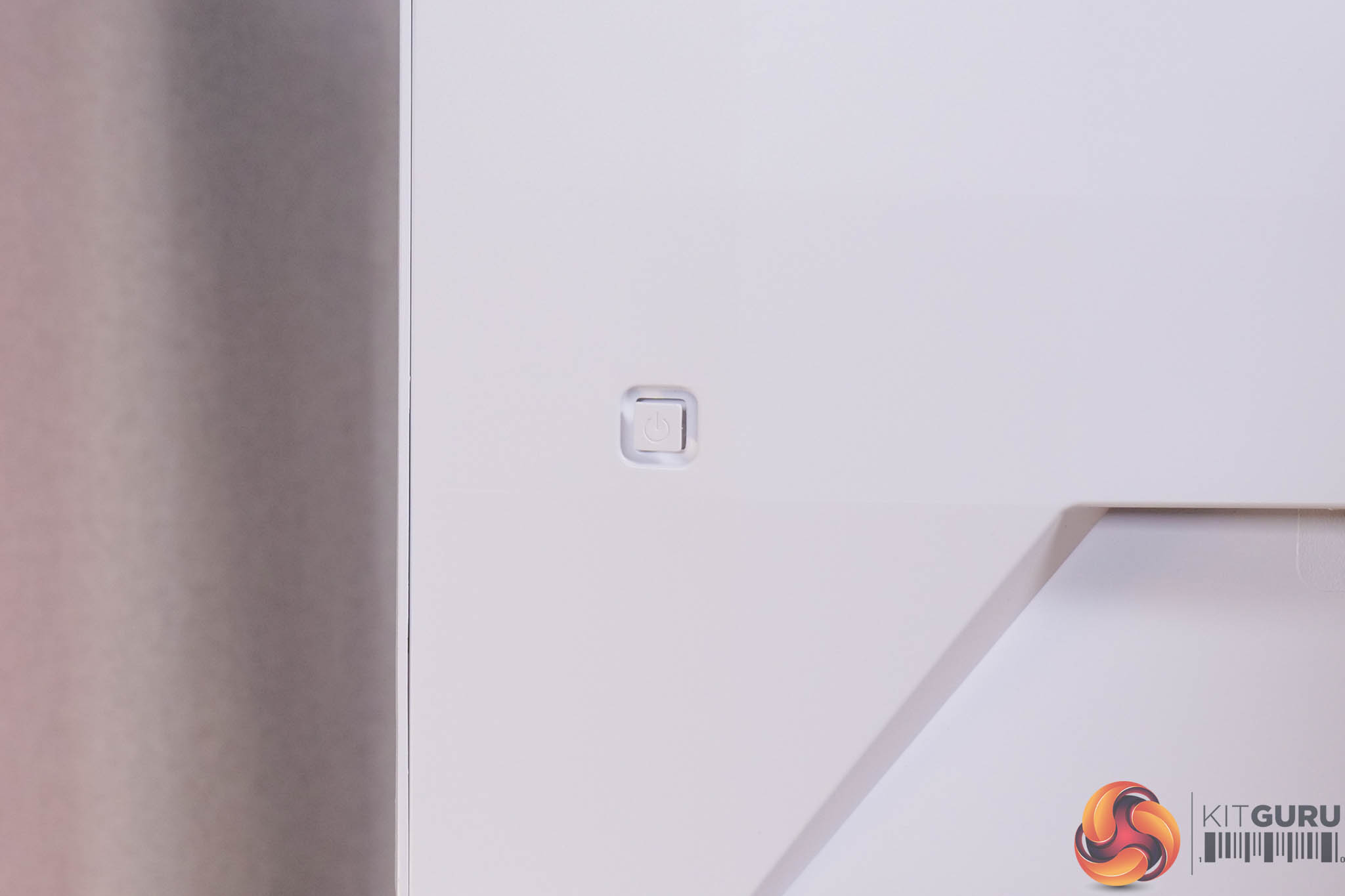
It's good to see a joystick used to navigate the OSD though, positioned on the back in the bottom right corner.
As for the OSD, everything is split into 8 main tabs, as you can see here:
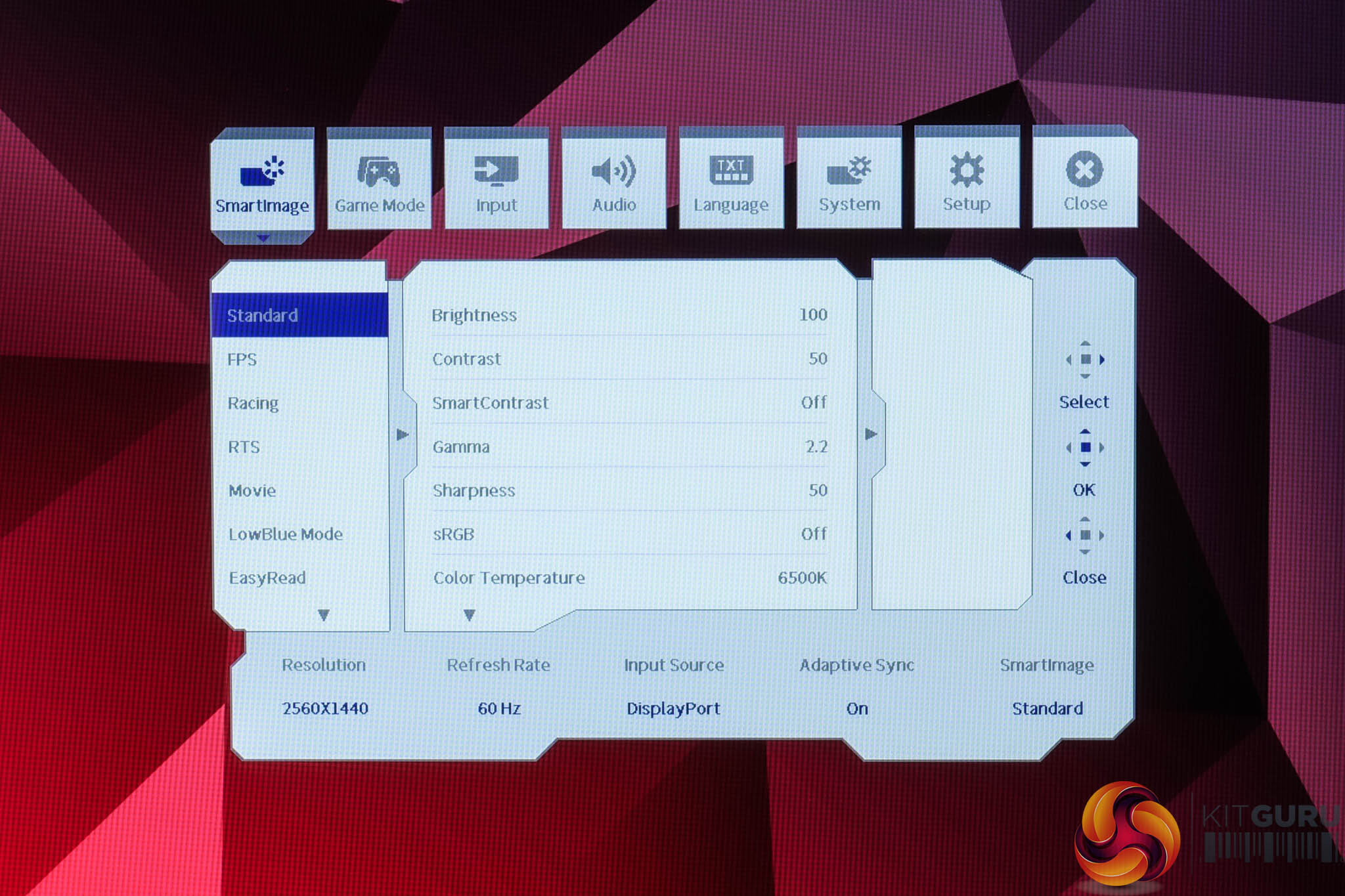
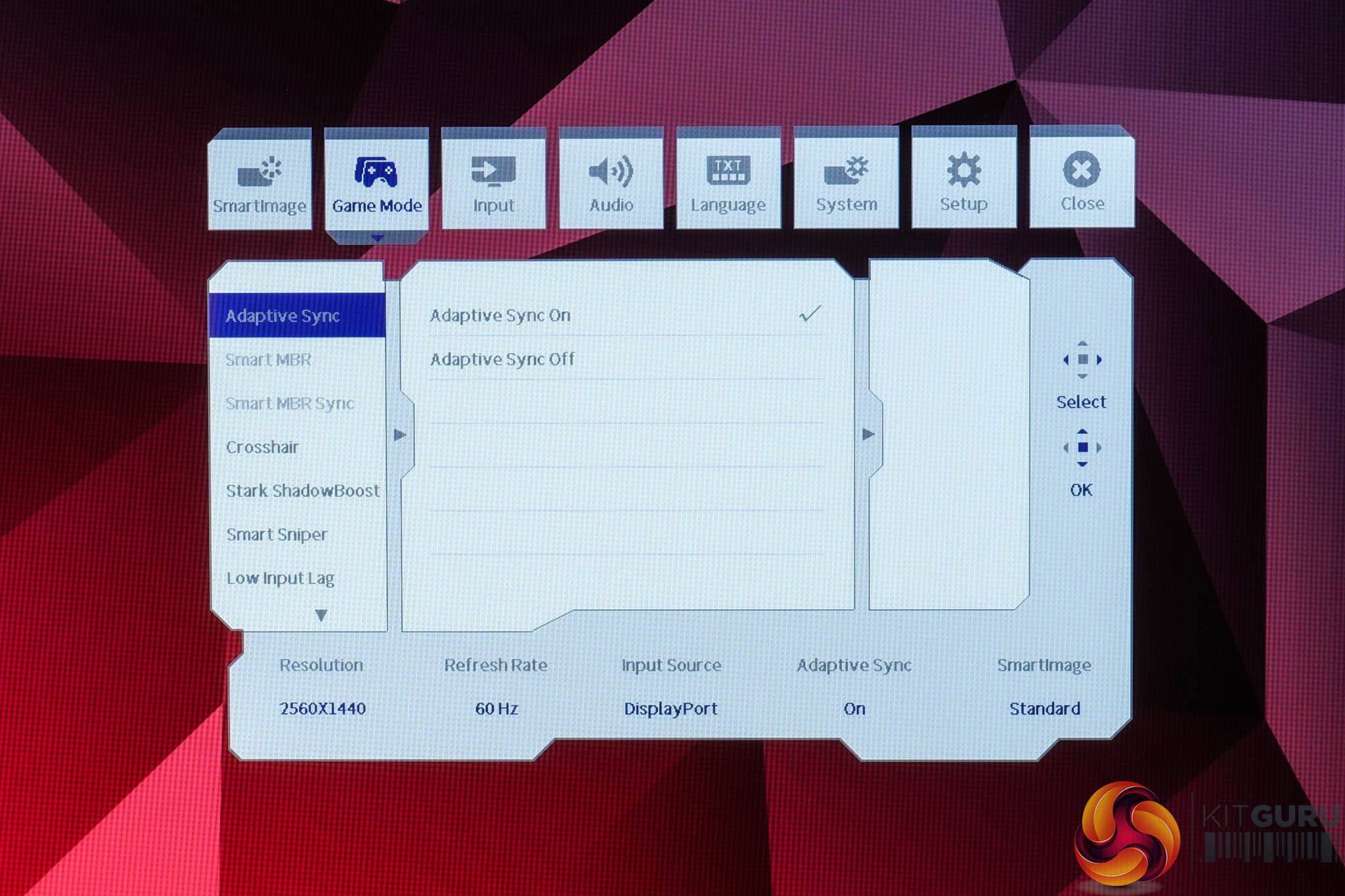
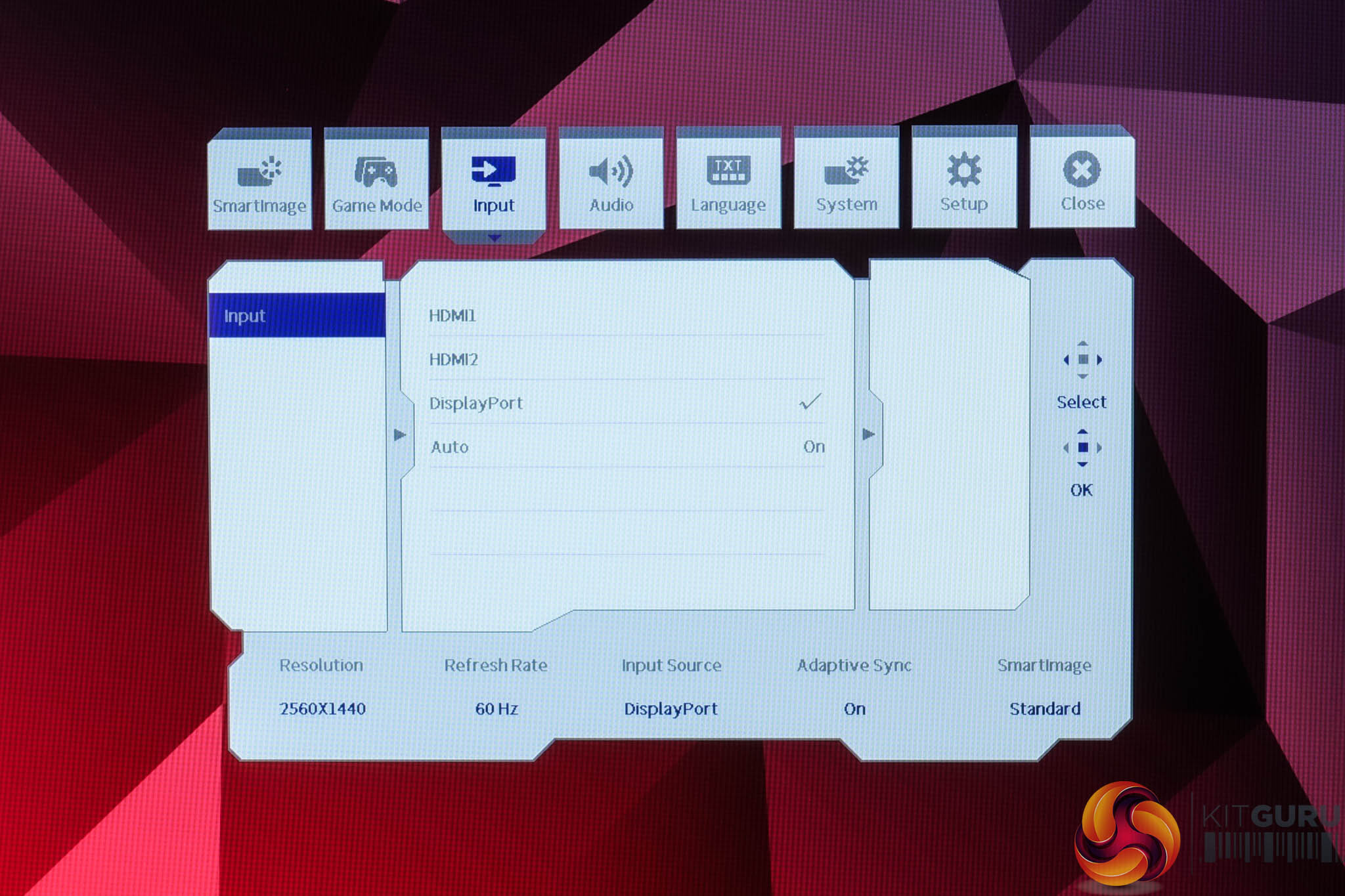
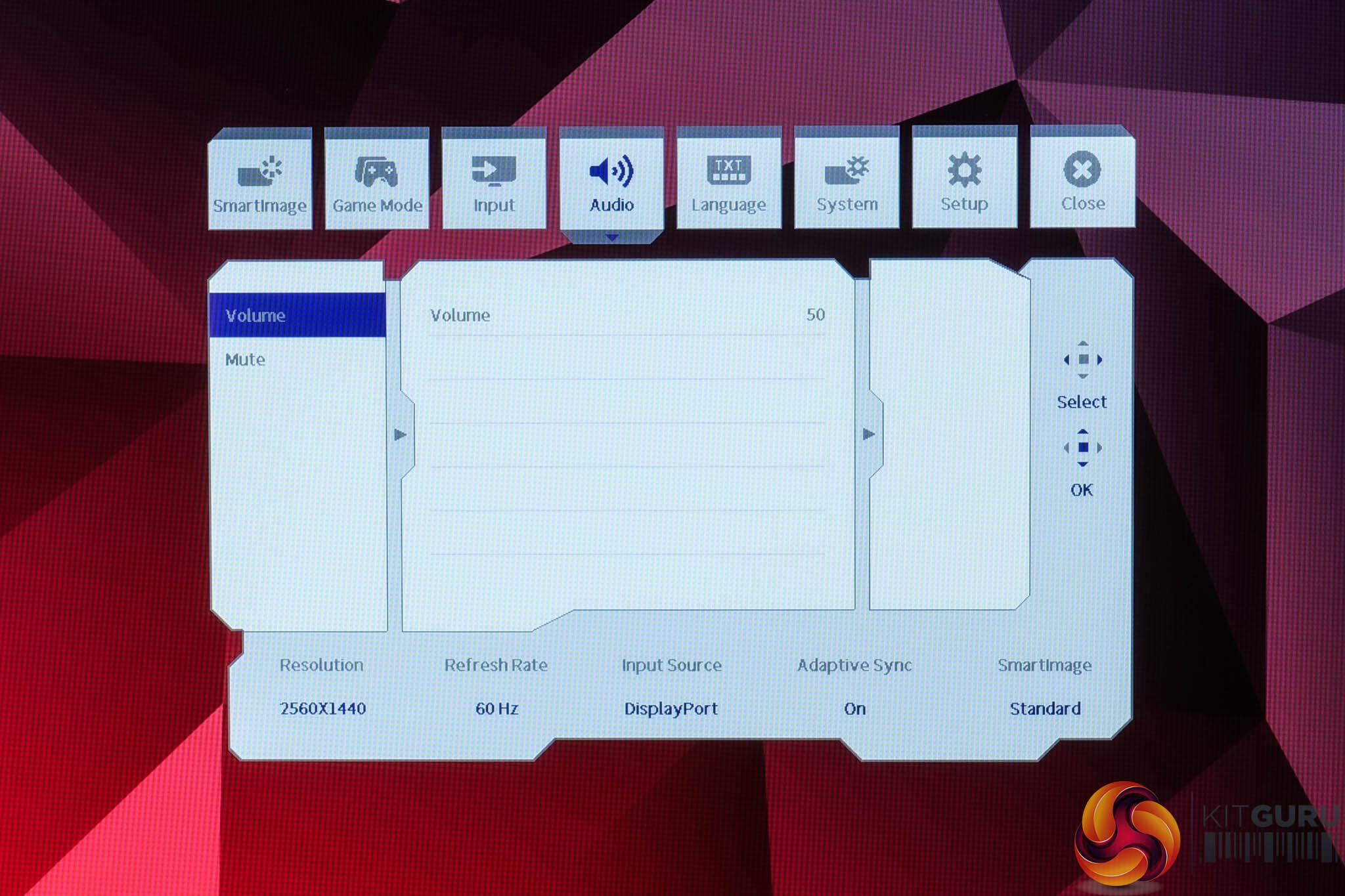
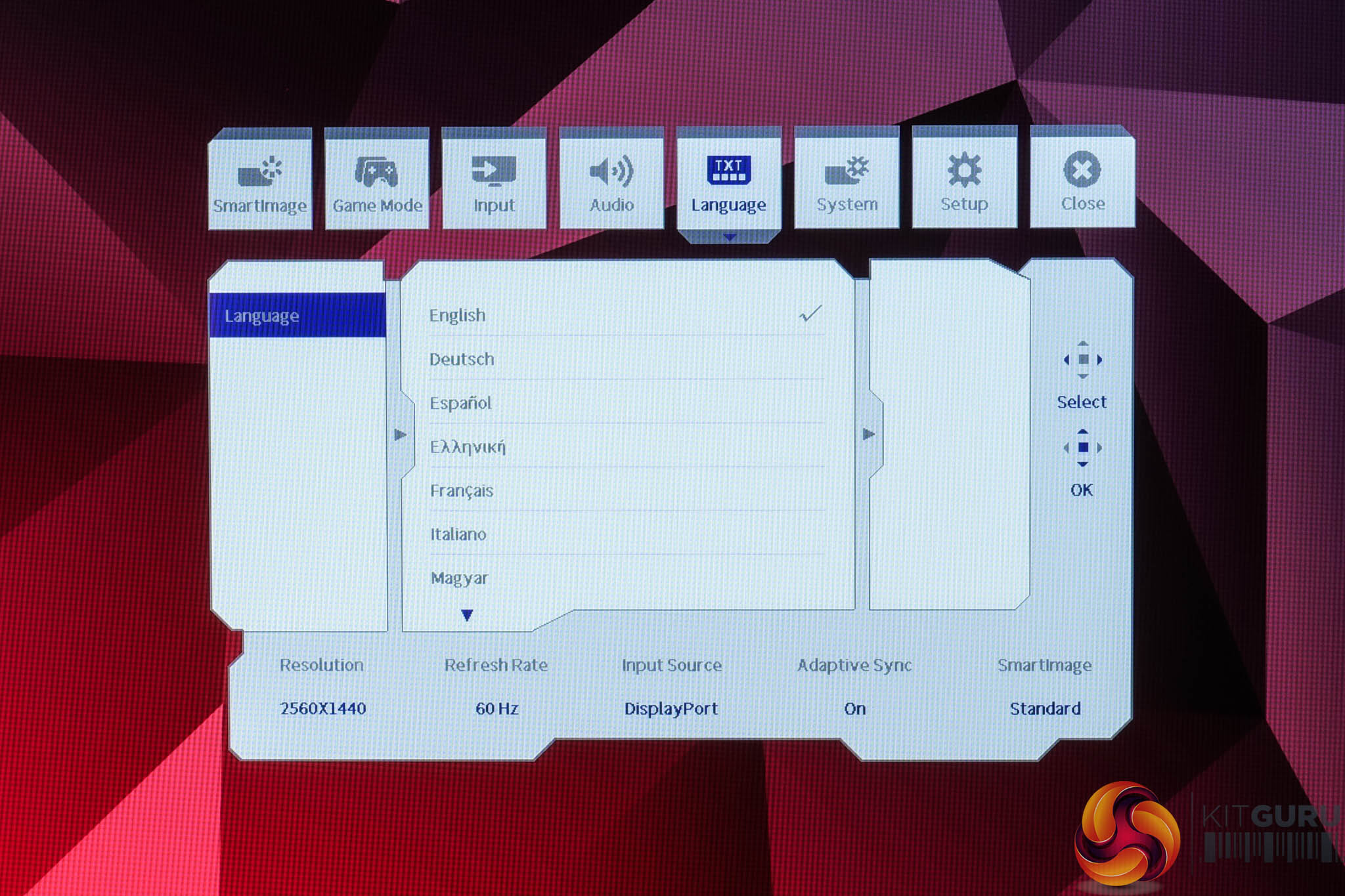
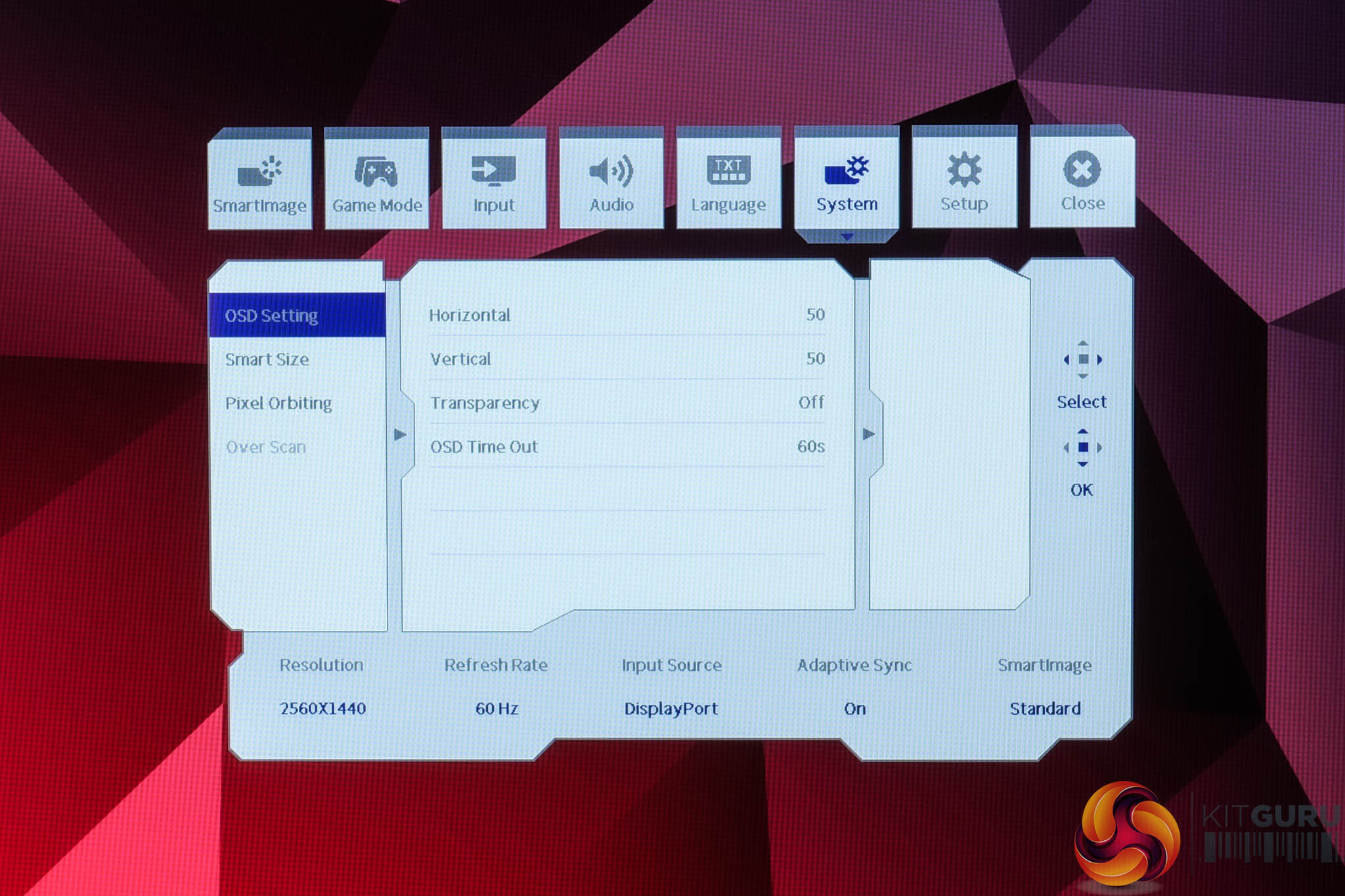
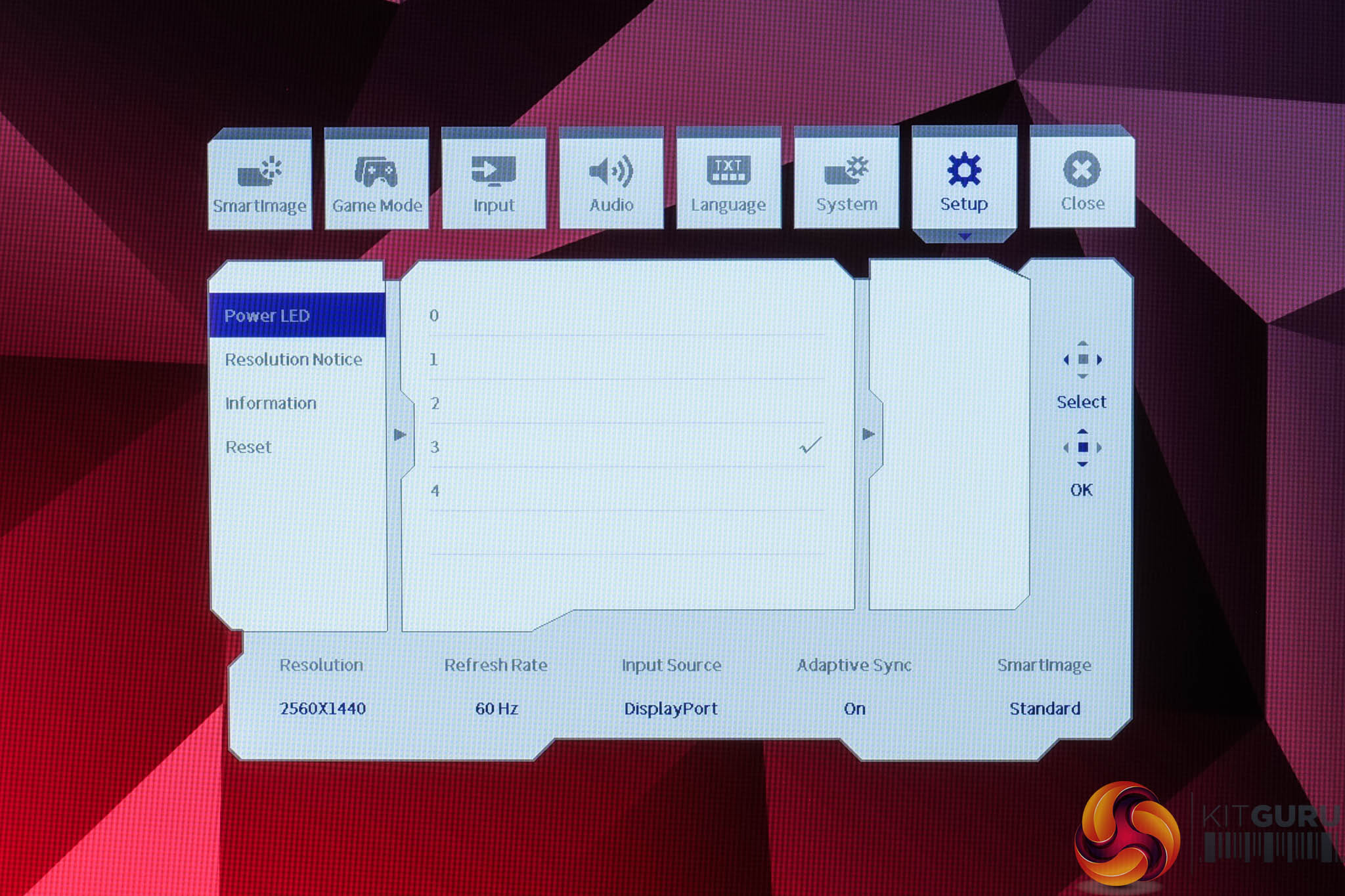
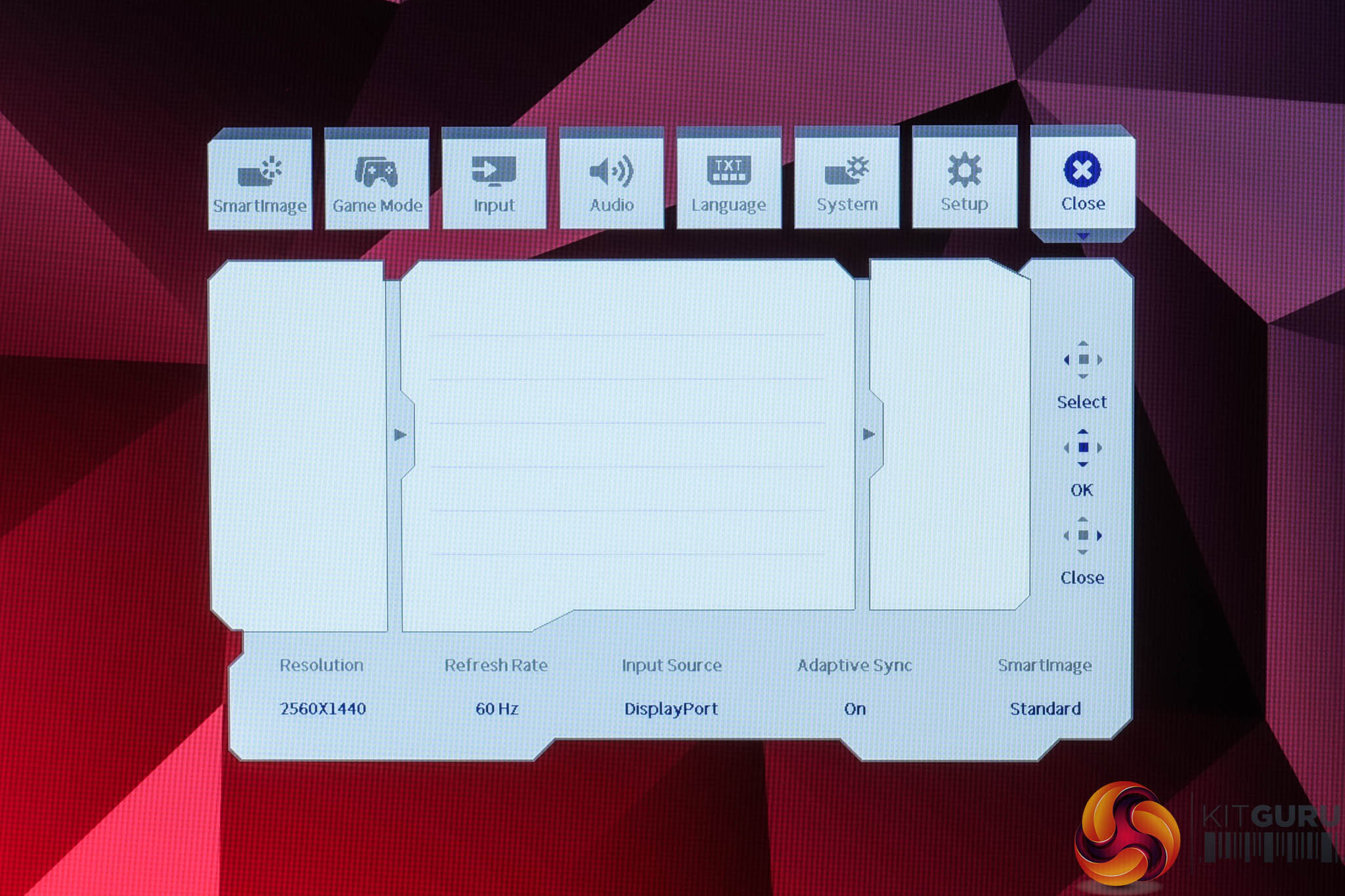
The OSD system appears unchanged since we last looked at an Evnia screen. It's certainly not the prettiest UI going, but it has a good number of features and is easy to navigate using the joystick. My only real complaint is that there are no customisable shortcut options – being able to quickly adjust brightness without diving into the main OSD itself is always a welcome feature to me.
It's also worth clarifying that to achieve the maximum 260Hz refresh rate, you do need to enable the Overclock function from within the OSD, otherwise it defaults to 240Hz out of the box – it won't make much difference either way, but if you're wondering why the monitor isn't giving you a 260Hz option, that's why.
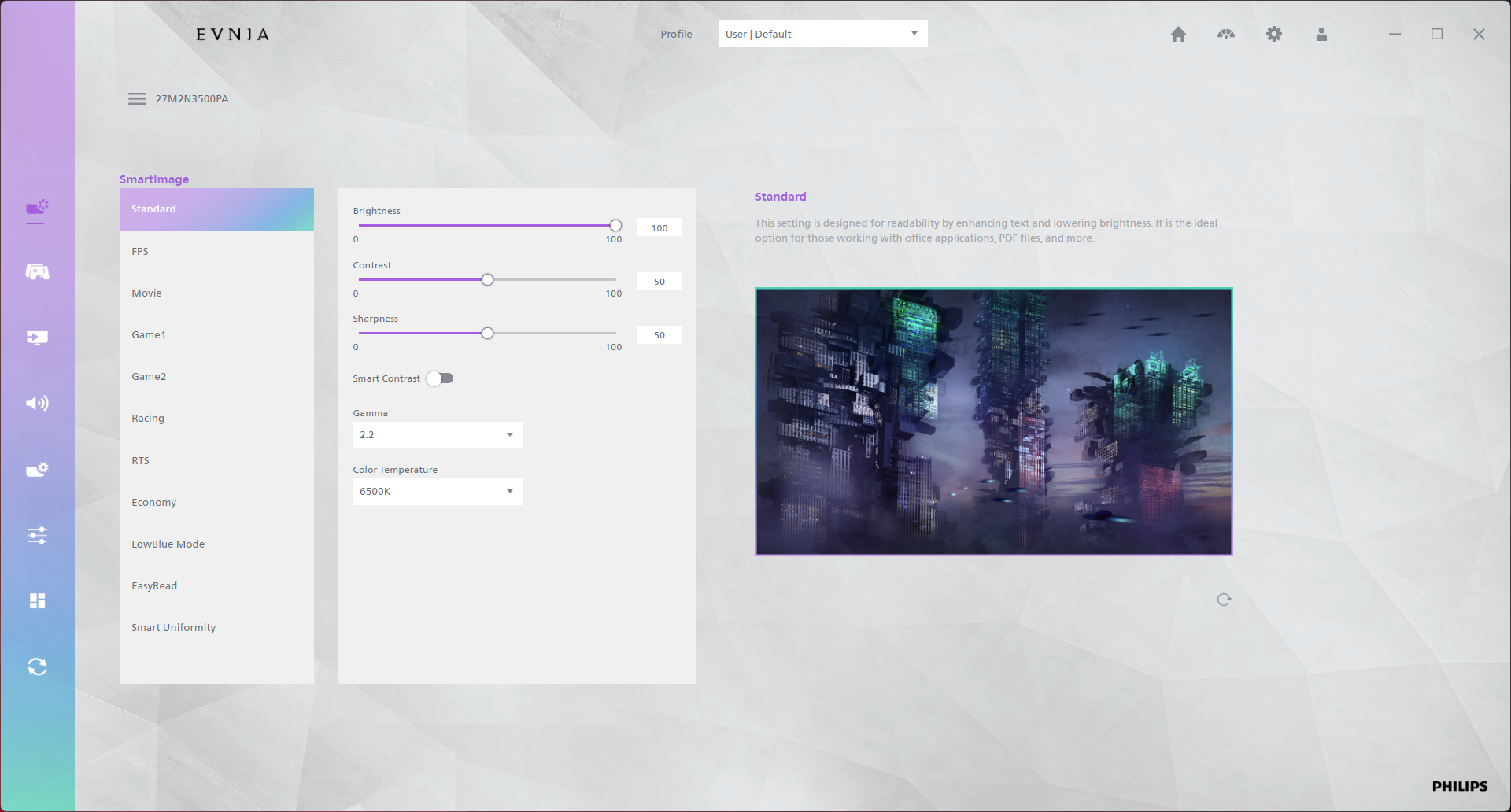
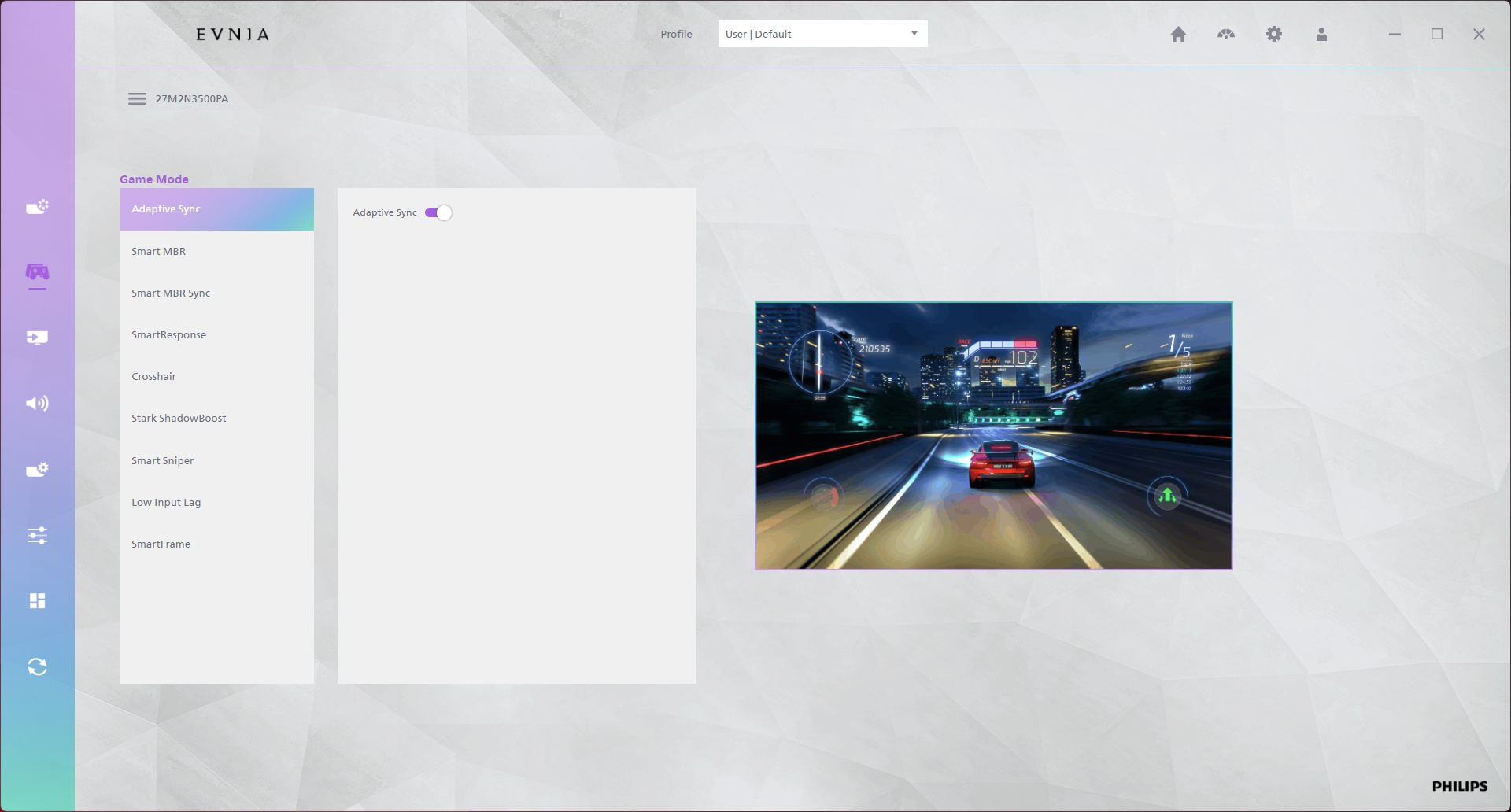
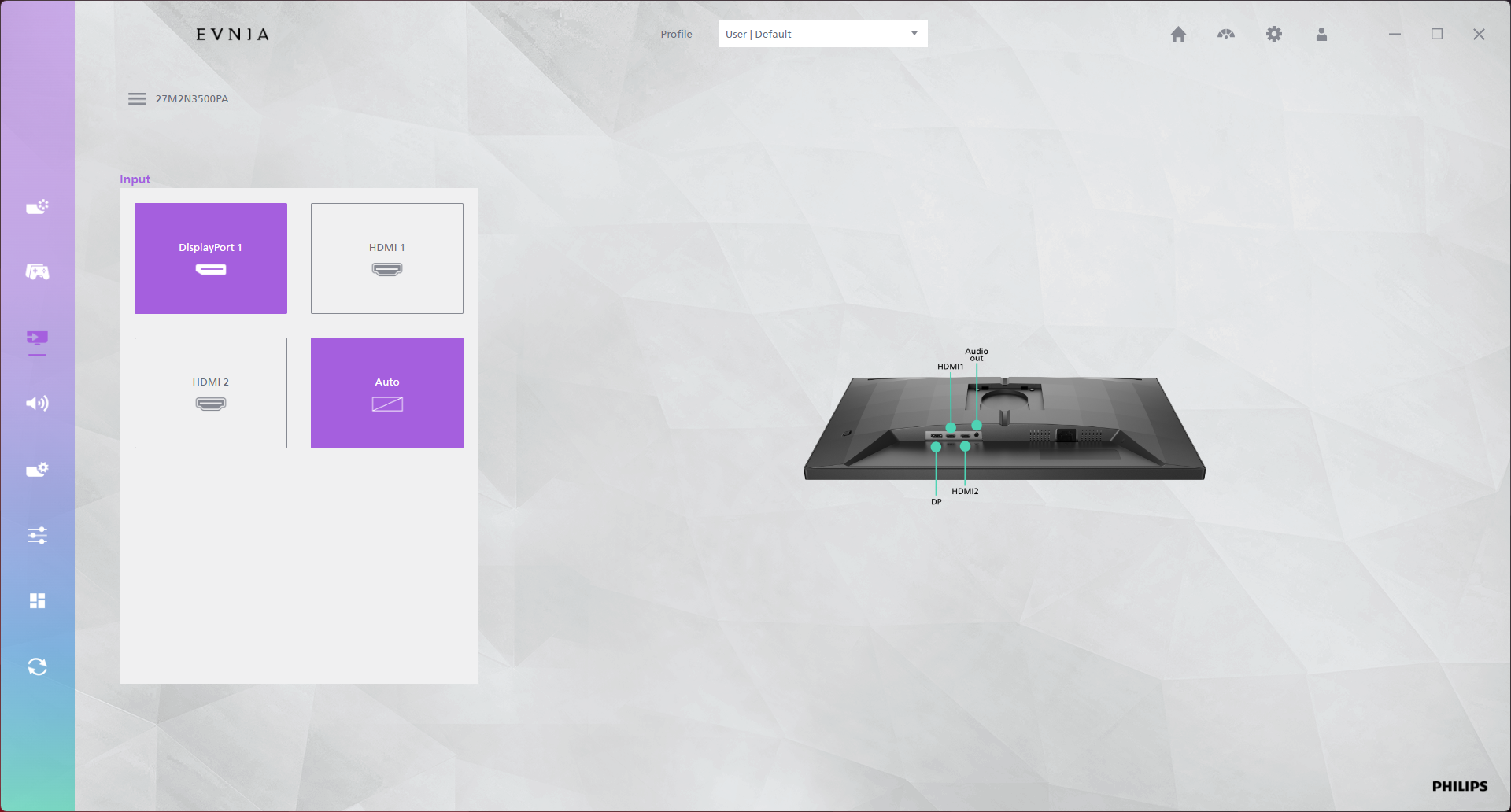
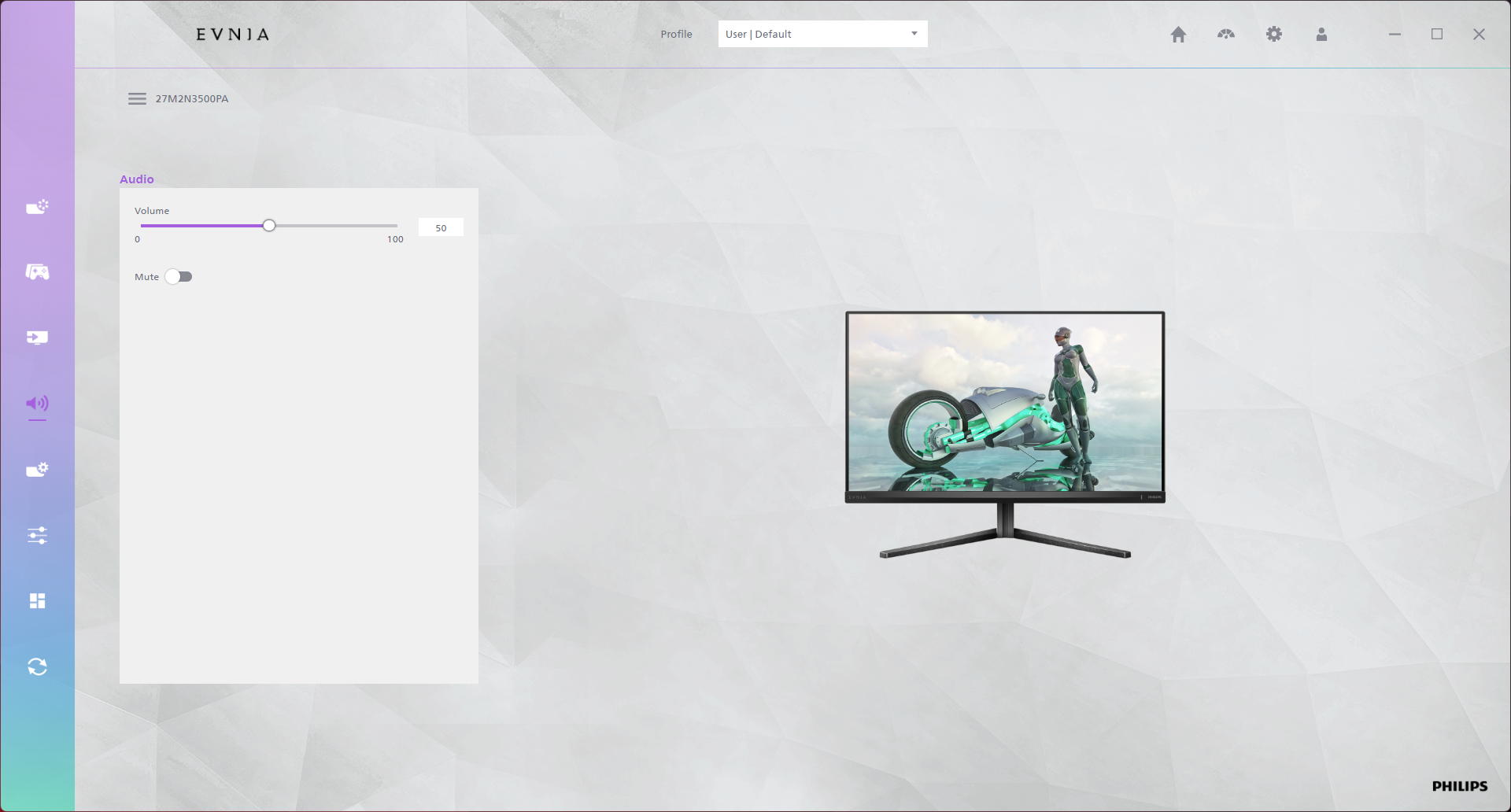
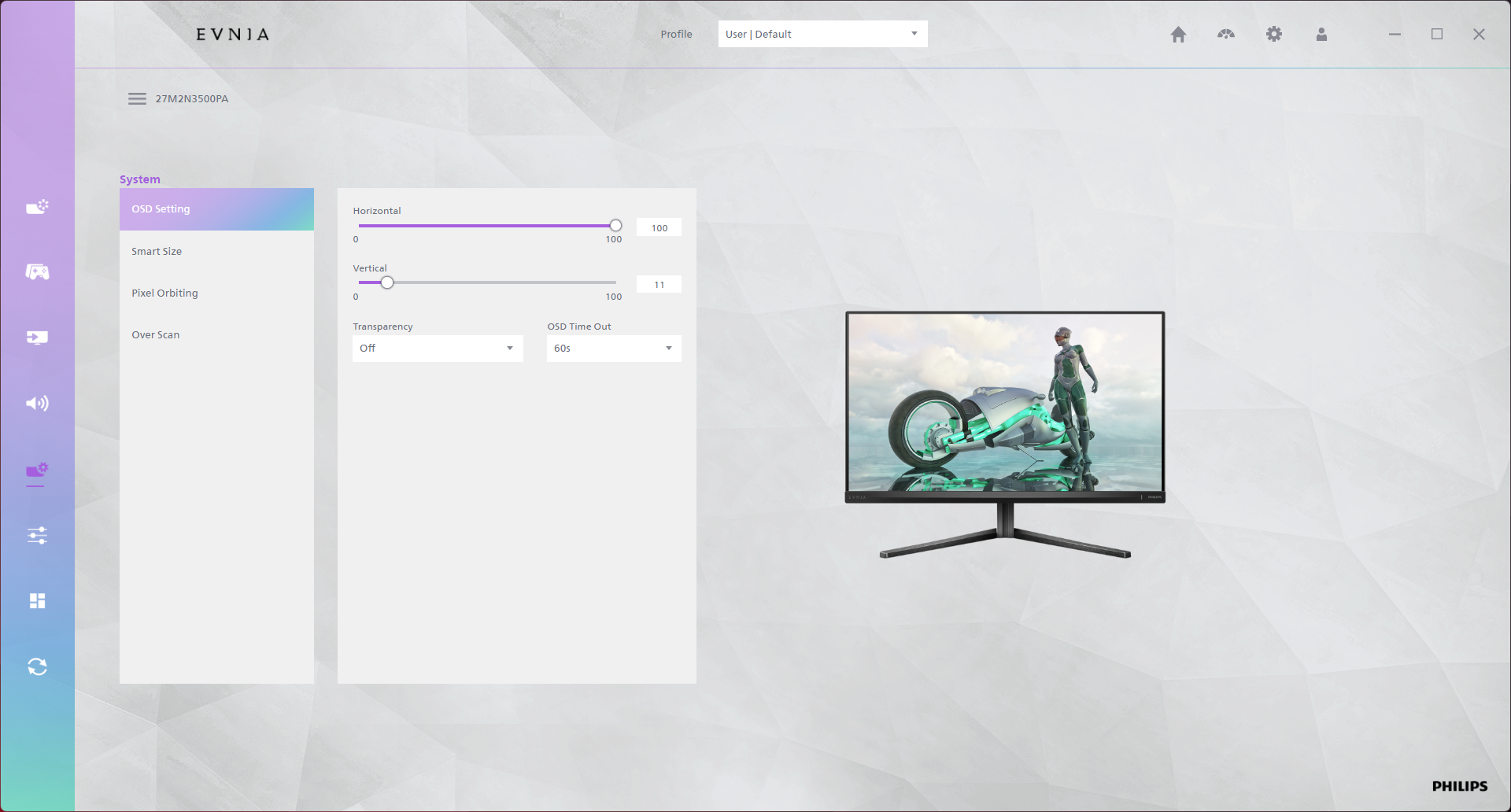
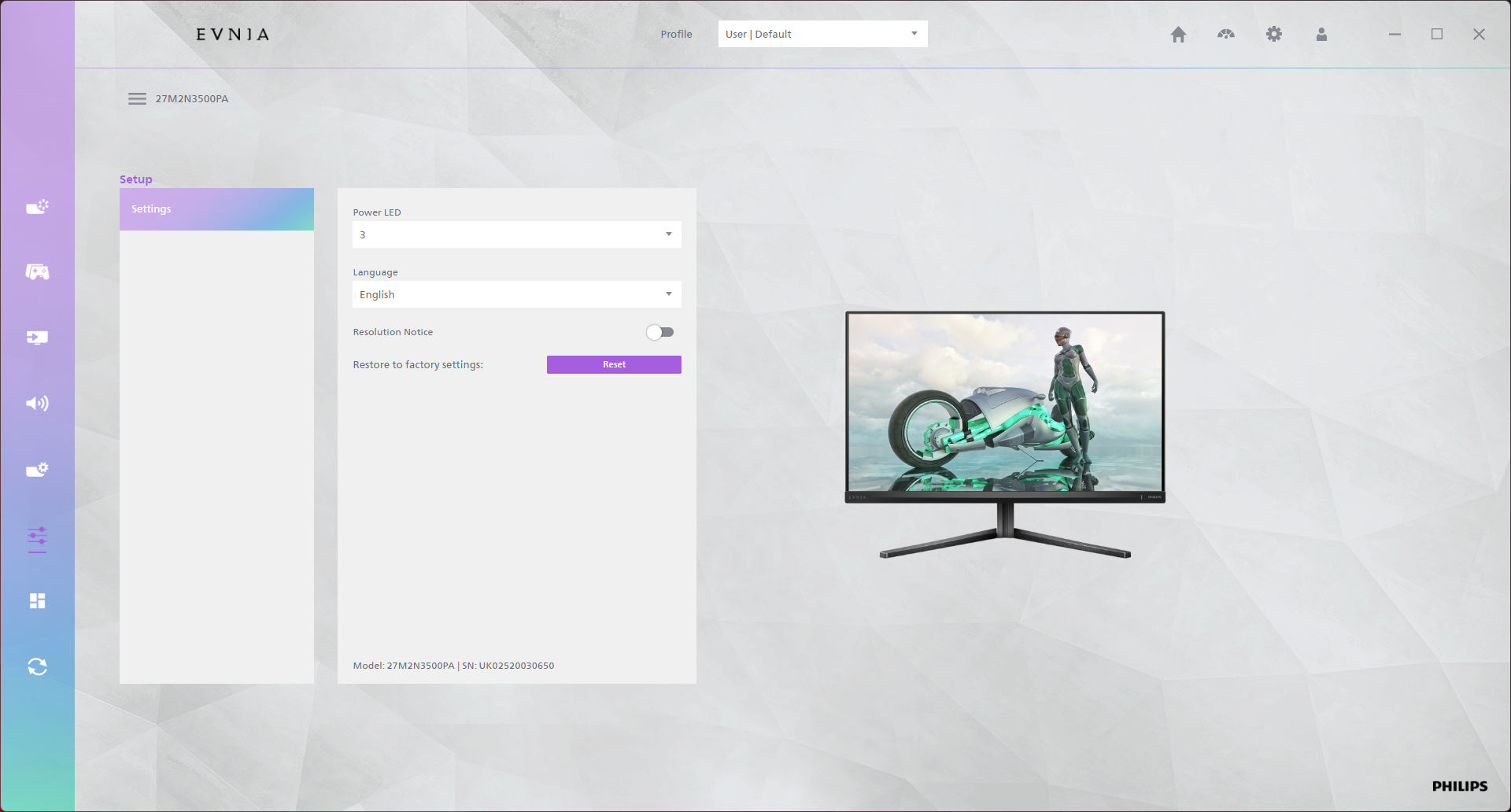
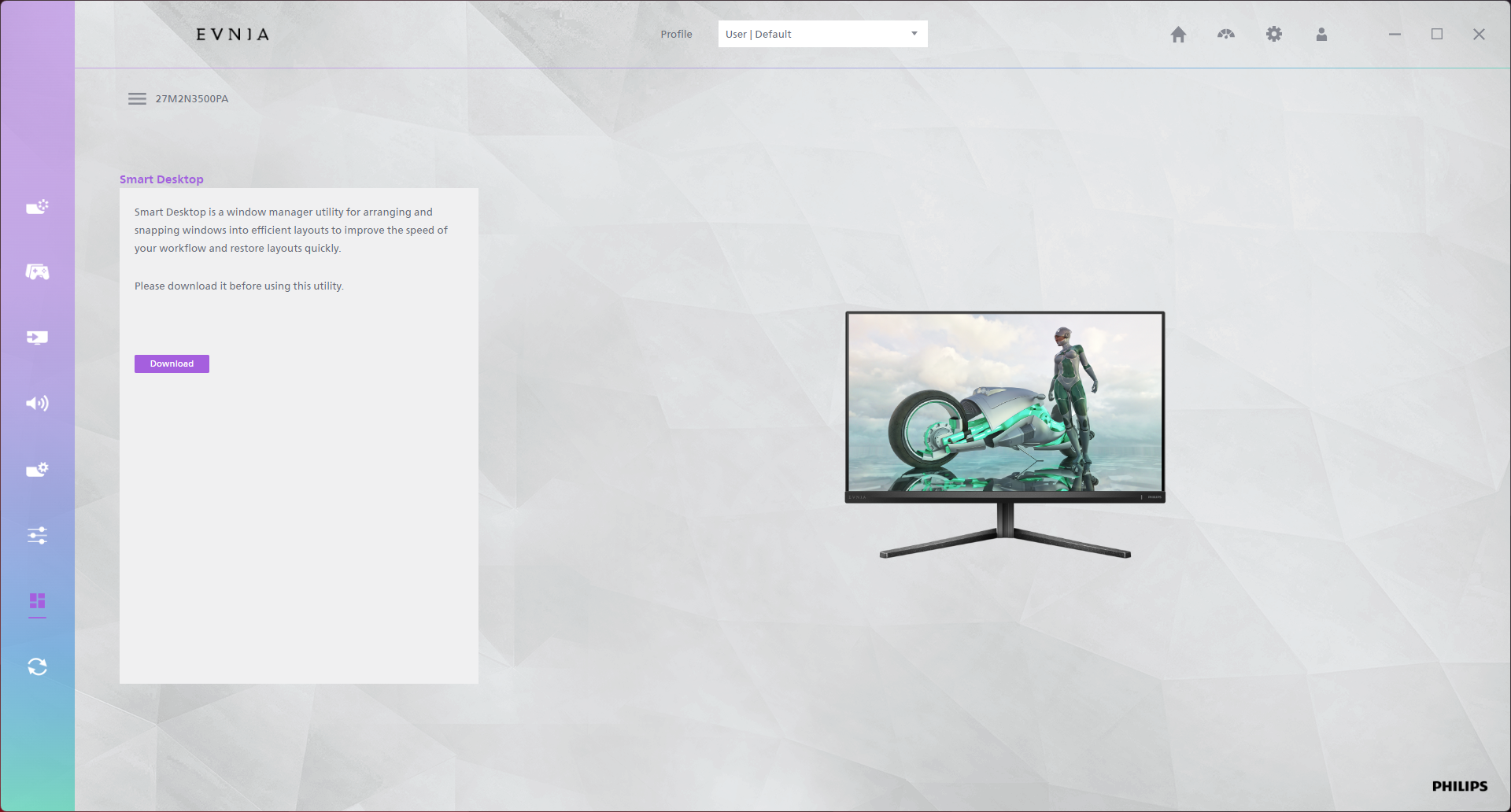
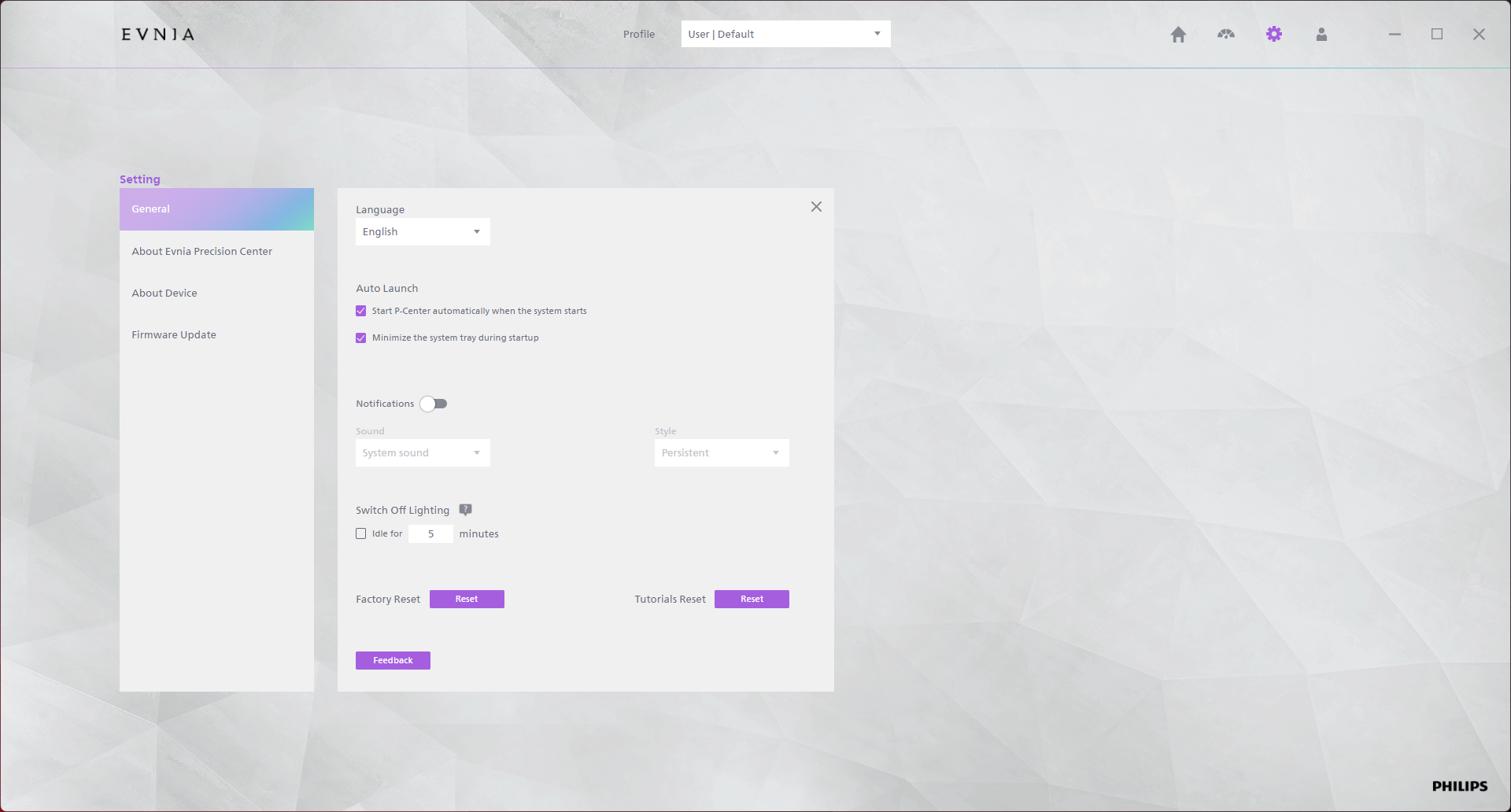
There's also the option to use Evnia Precision Center, a Windows-based piece of software that lets you adjust the monitor's settings directly from your PC. It seems absolutely fine in my usage though is occasionally a bit slow, but it's a nice-to-have extra feature.
Our main test involves using an X-Rite i1 Display Pro Plus colorimeter and utilising Portrait Display's Calman Ultimate software. The device sits on top of the screen while the software generates colour tones and patterns, which it compares against predetermined values to work out how accurate the screen is.

The results show:
- A monitor’s maximum brightness in candelas or cd/m2 at various levels set in the OSD.
- A monitor’s contrast ratio at various brightness levels in the OSD.
- Gamut coverage, primarily focusing on sRGB and DCI-P3 colour spaces.
- Greyscale accuracy, measured across 20 shades, with an average colour balance reported.
- The exact gamma levels, with a comparison against preset settings in the OSD.
- The colour accuracy, expressed as a Delta E ratio, with a result under 3 being fine for normal use, and under 2 being great for colour-accurate design work.
We first run these tests with the display in its out-of-the-box state, with all settings on default. If there is an sRGB emulation option or other useful mode then we may test that too. We then calibrate the screen using the Calman Ultimate software and run the tests again.
You can read more about our test methodology HERE.
Default settings
Brightness and Contrast (Full Screen)
| OSD Brightness | White Luminance (cd/m2) | Black Luminance (cd/m2) | Contrast Ratio |
| 0% | 68.7 | 0.059 | 1170:1 |
| 25% | 122.8 | 0.106 | 1160:1 |
| 50% | 177.2 | 0.153 | 1158:1 |
| 75% | 229.1 | 0.198 | 1158:1 |
| 100% | 396.8 | 0.341 | 1165:1 |
Starting testing with brightness and contrast, we see a solid range of brightness from 68.7 nits up to just below 400 nits, which exceeds Evnia's claim of 300 nits typical. Black levels are reasonably good for an IPS, resulting in contrast that's around 1160:1 – pretty typical for a modern IPS, but again slightly higher than Evnia's 1000:1 claim.
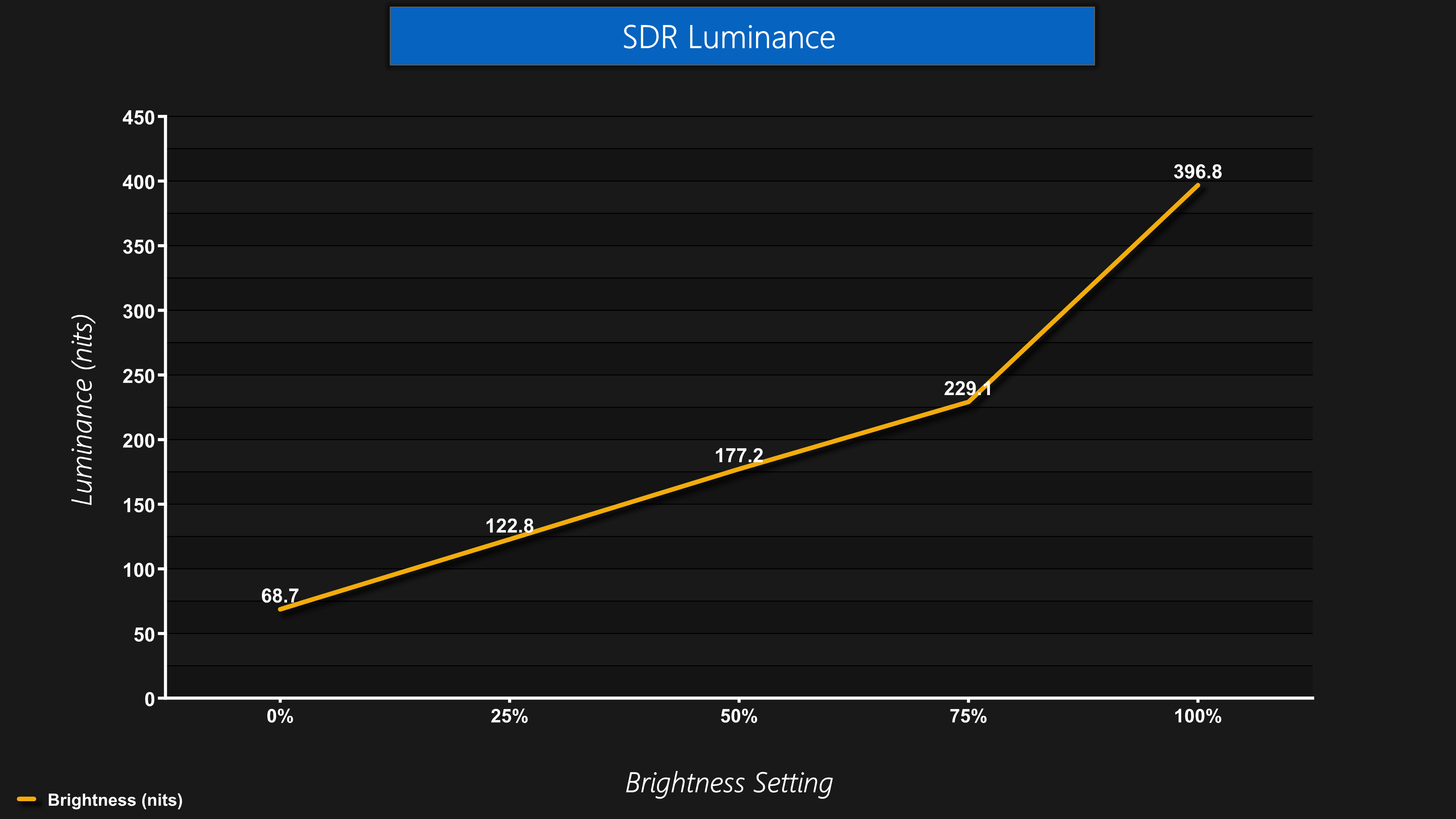
It's a very minor point but the only thing I'd say about the brightness is that the actual output luminance doesn't ramp up evenly – it does until you hit 75%, but then the measured brightness from there up to 100% clearly progresses at a much more aggressive rate, as you can see from this line graph. Does it really matter? Perhaps not, but users would get more control if the steps were even across the whole range, rather than having the last 25% ramp up so quickly.
Gamut (CIE 1976)
| Colour space | Coverage (%) |
| sRGB | 99.8 |
| DCI-P3 | 93.9 |
| Adobe RGB | 91.5 |
| Rec.2020 | 69.6 |
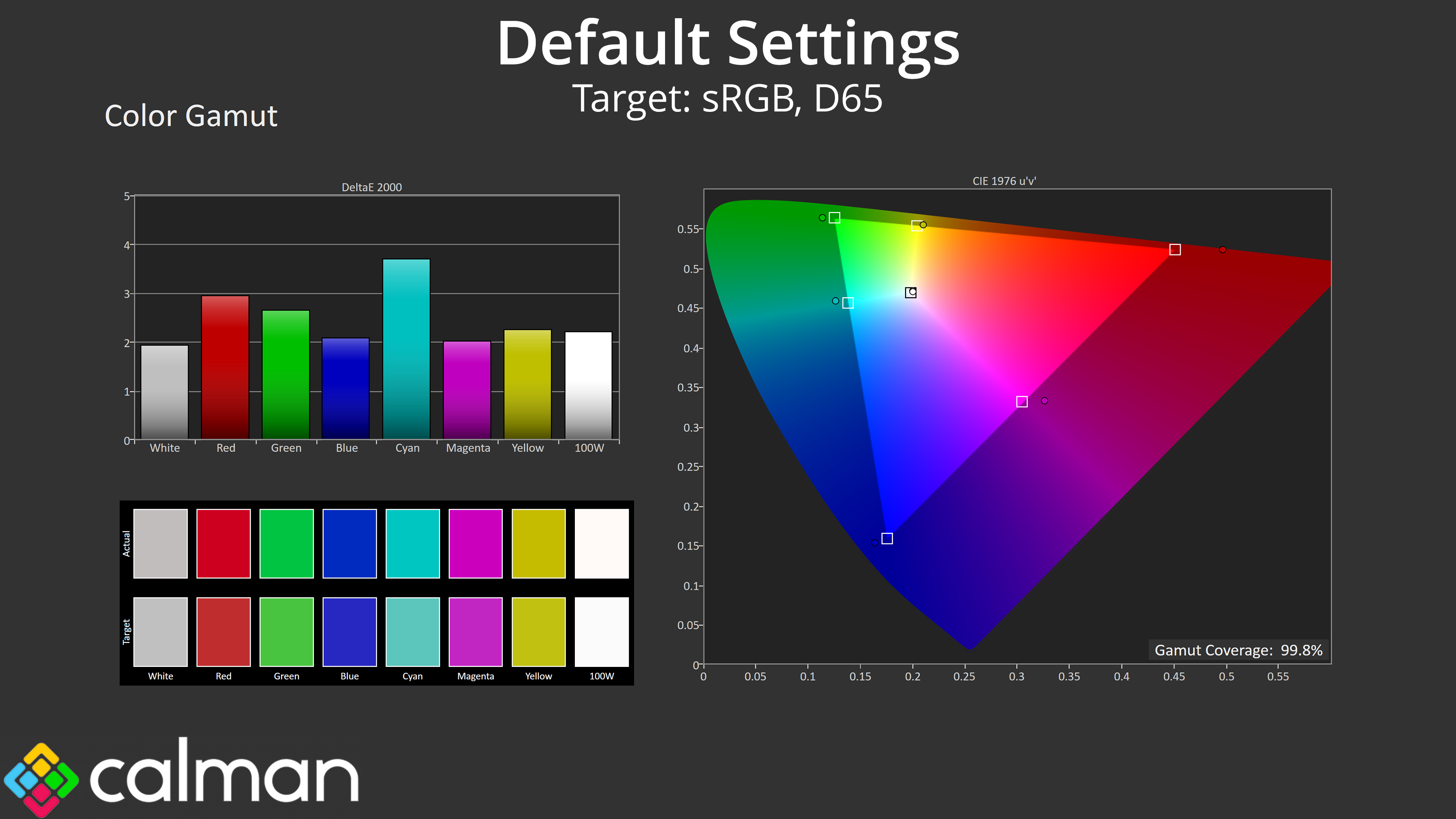
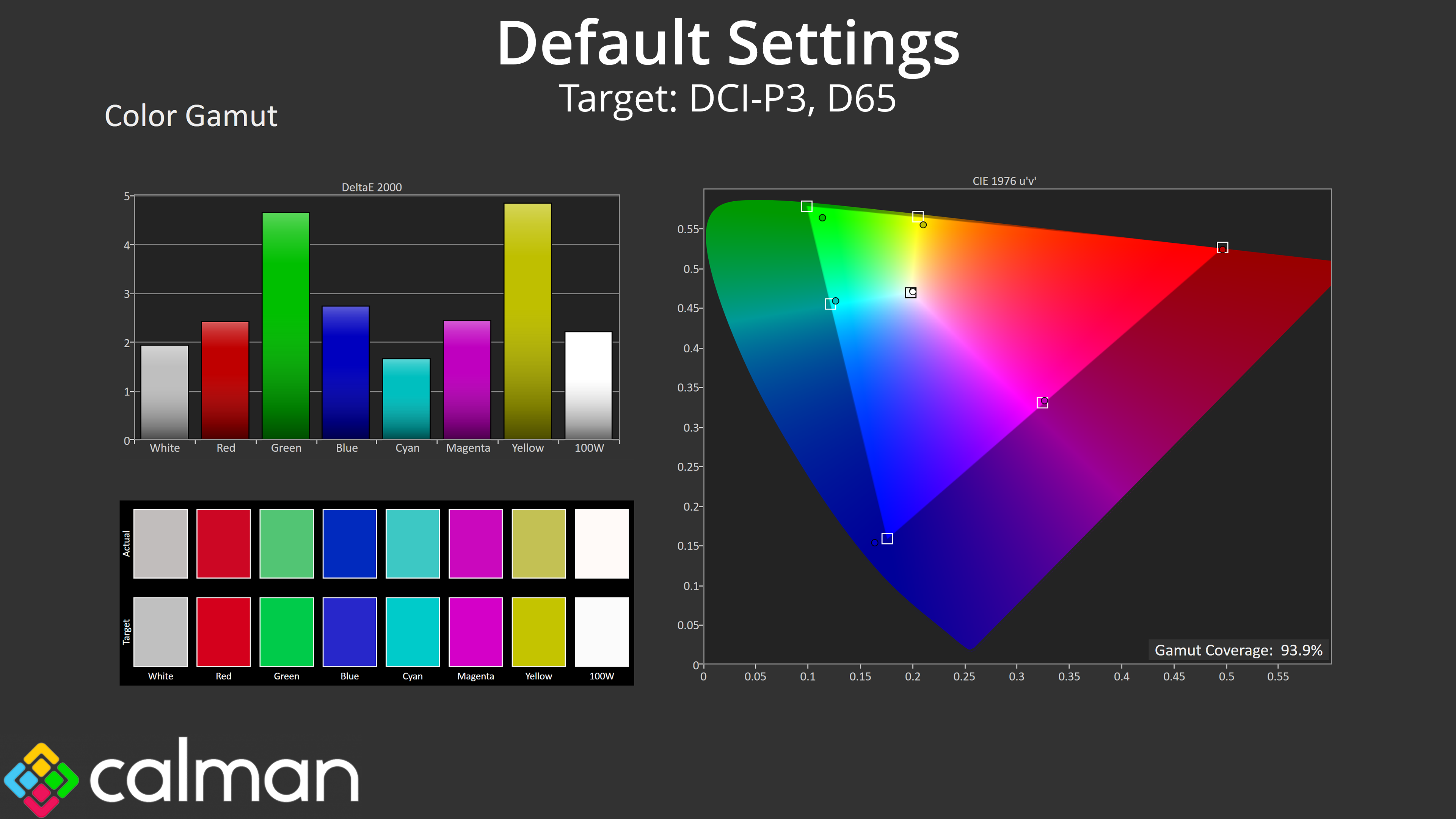
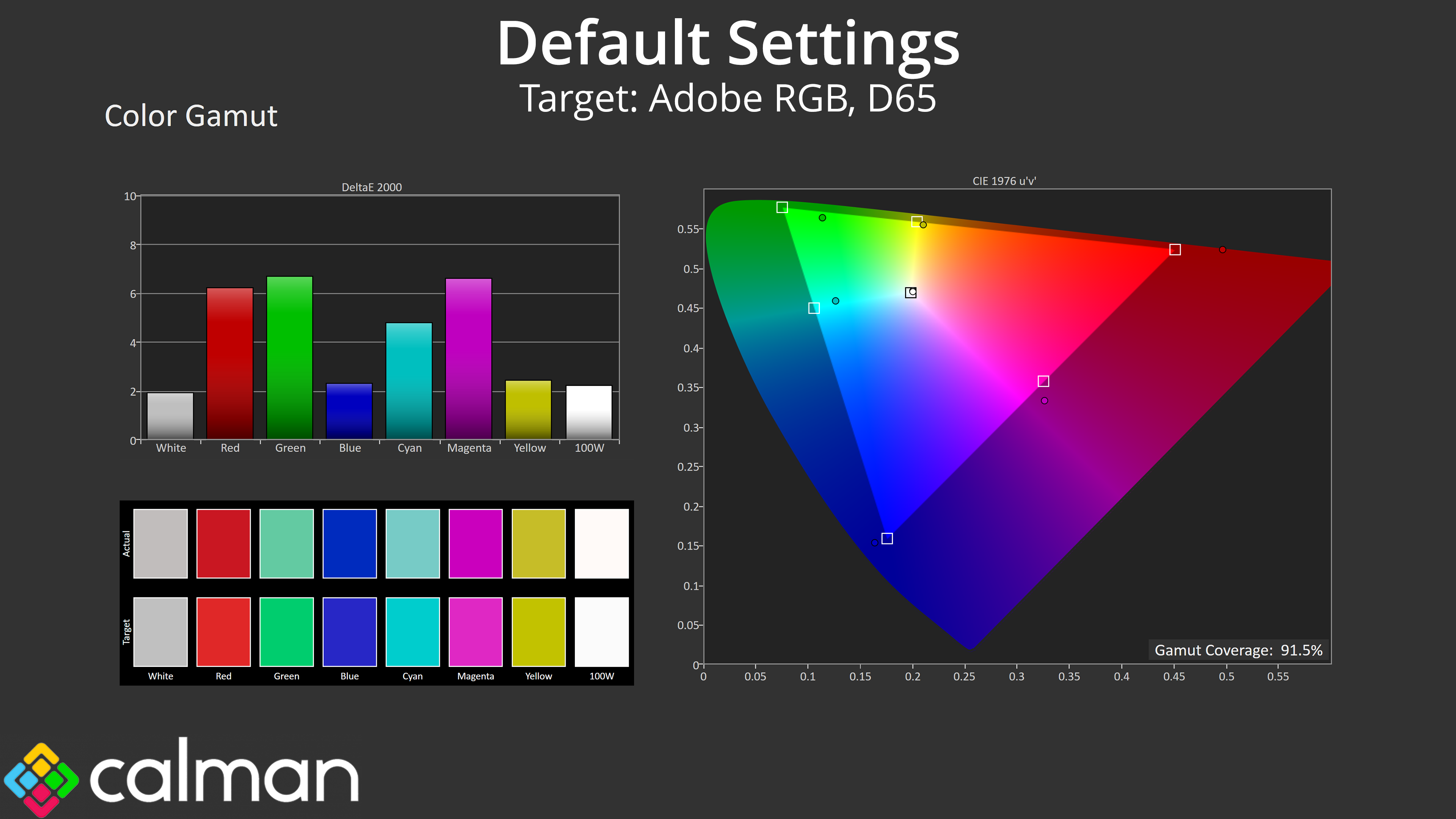
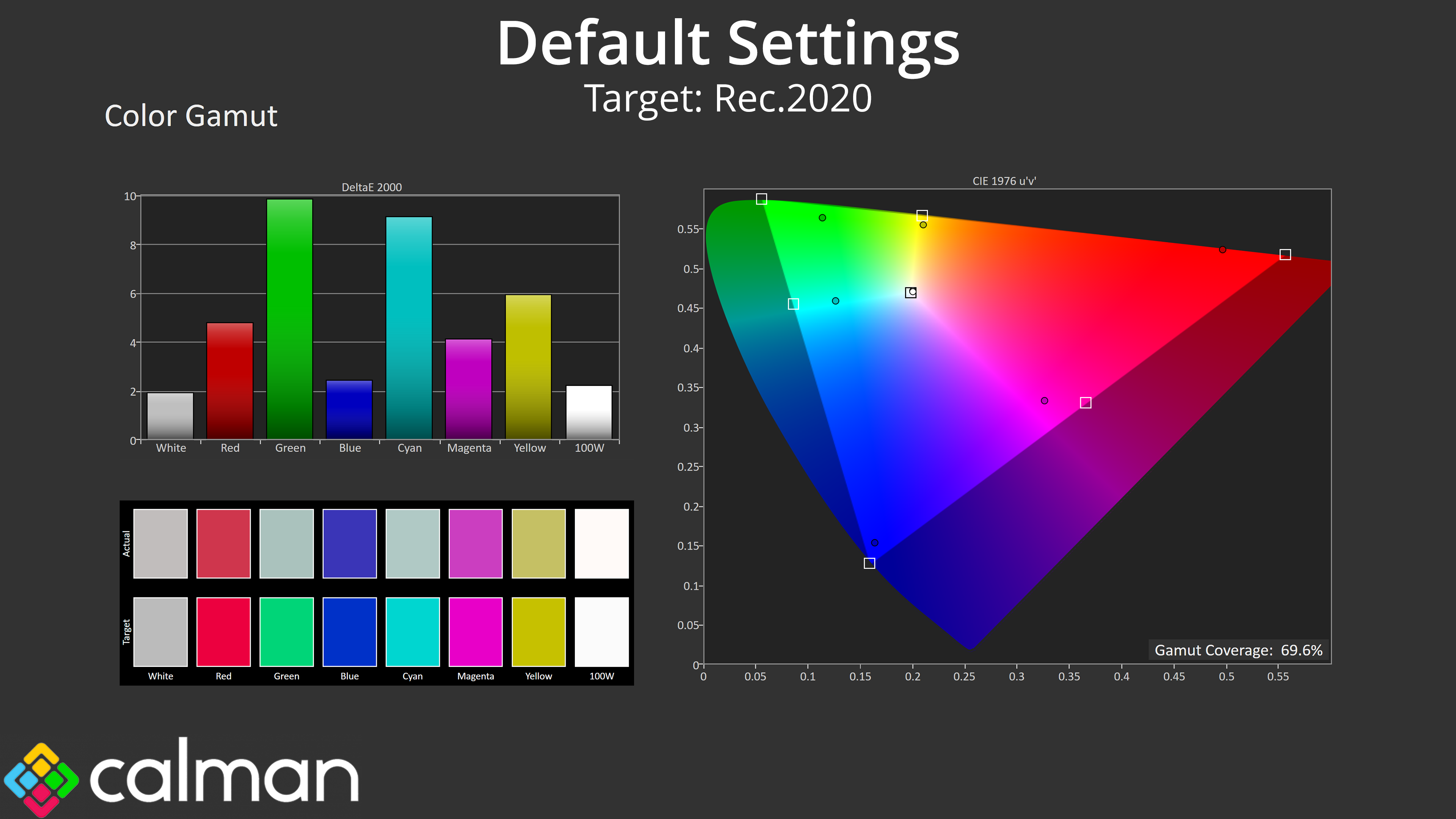
As for gamut, it's pretty wide considering the price of the monitor – it generally exceeds the sRGB space, then delivers 93.9% DCI-P3 coverage, alongside 91.5% reporting for AdobeRGB, and then 69.6% coverage for Rec.2020. We have seen wider gamuts, but is it really going to matter to the target audience considering it's a £150 gaming monitor? I don't think so.
Greyscale
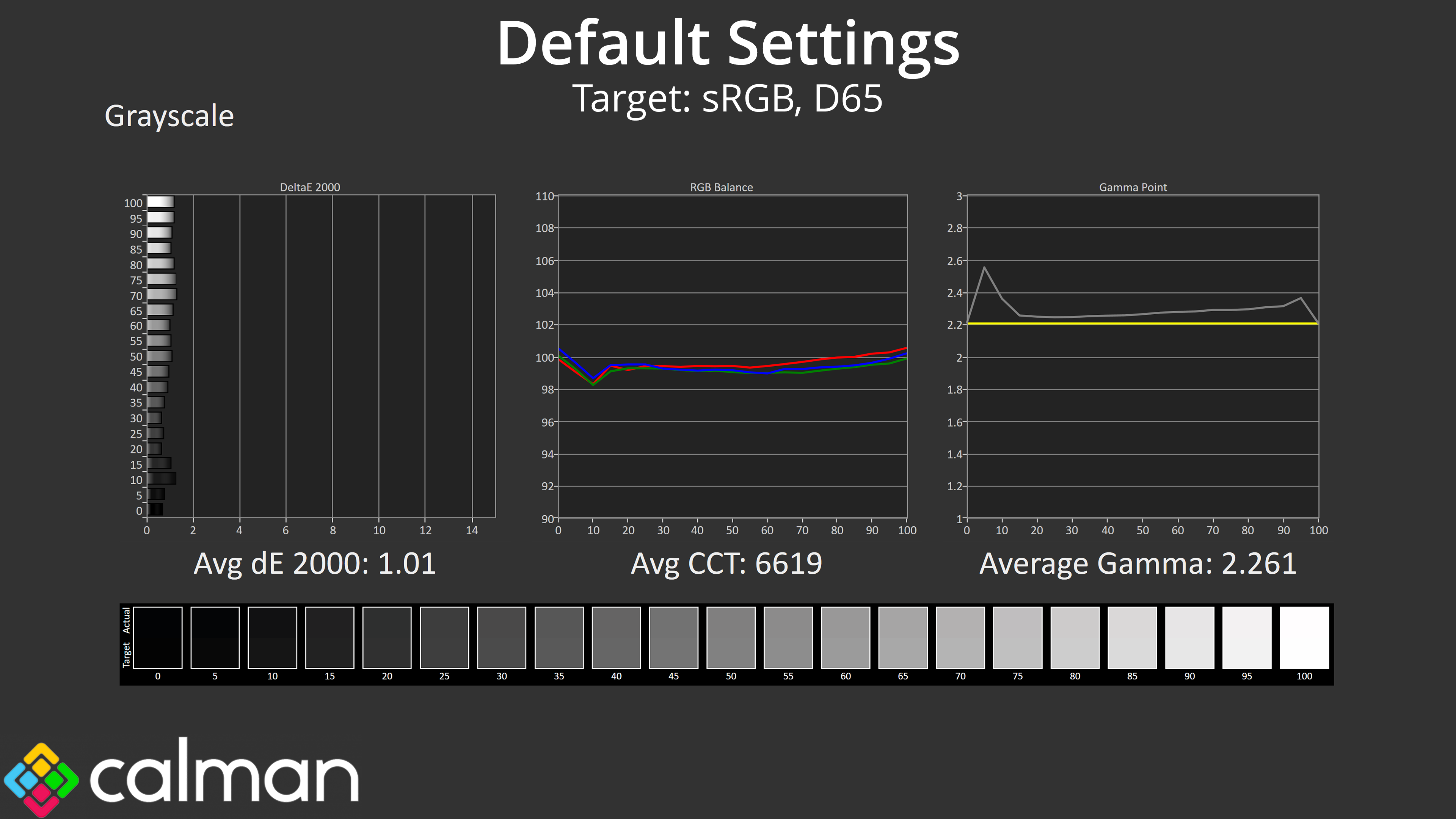
Despite that low price, the factory calibration of the 27M2N3501PA is impressive. The colour balance, for instance, is very even and averages 6619K, very close to the 6500K target. Gamma has one small spike early on, which results in some lost dark shadow detail, but otherwise comes fairly close to the 2.2 target and averages 2.261. The proof is in the pudding though, and the average greyscale dE of just 1.01 speaks for itself!
Saturation
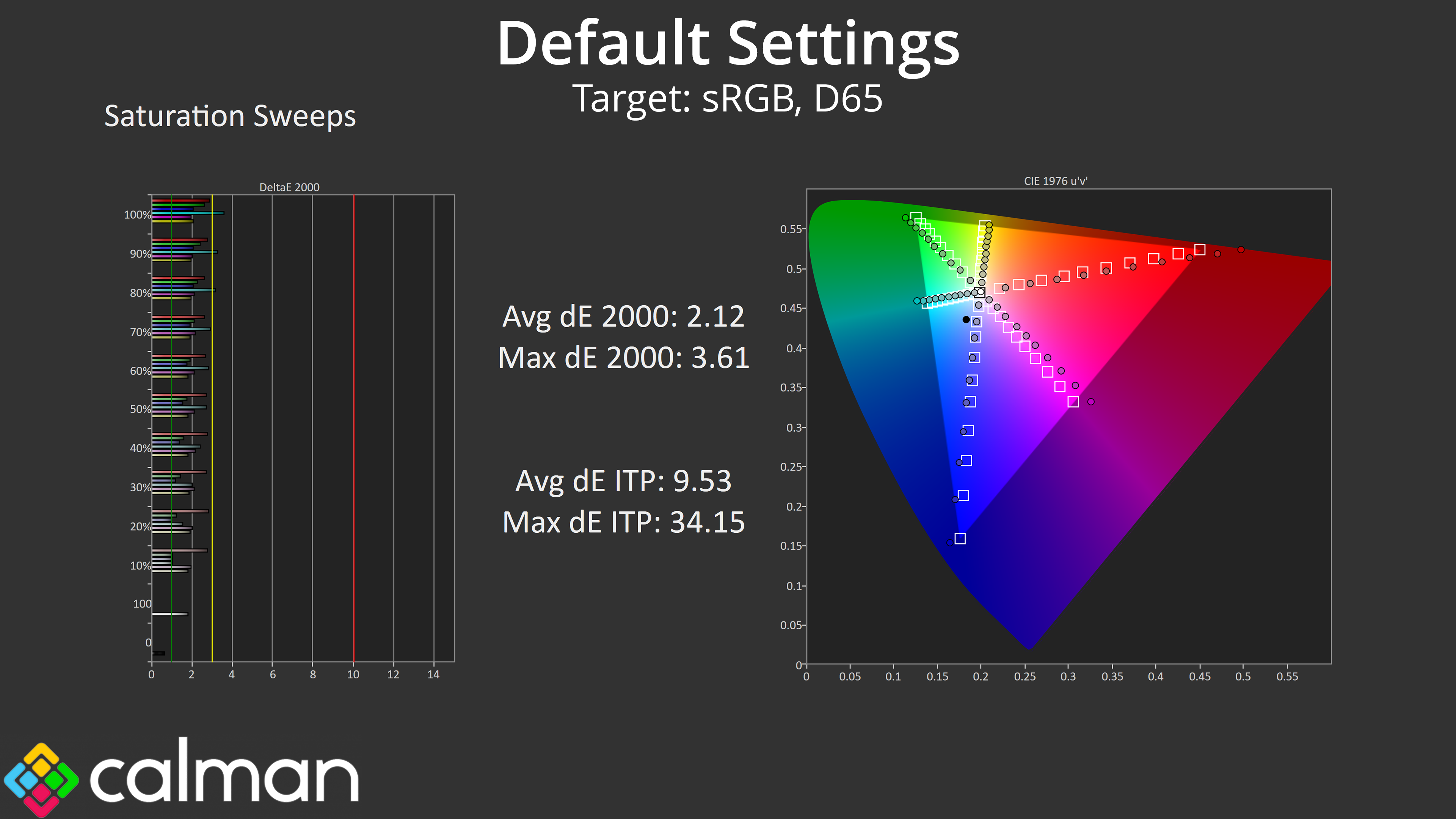
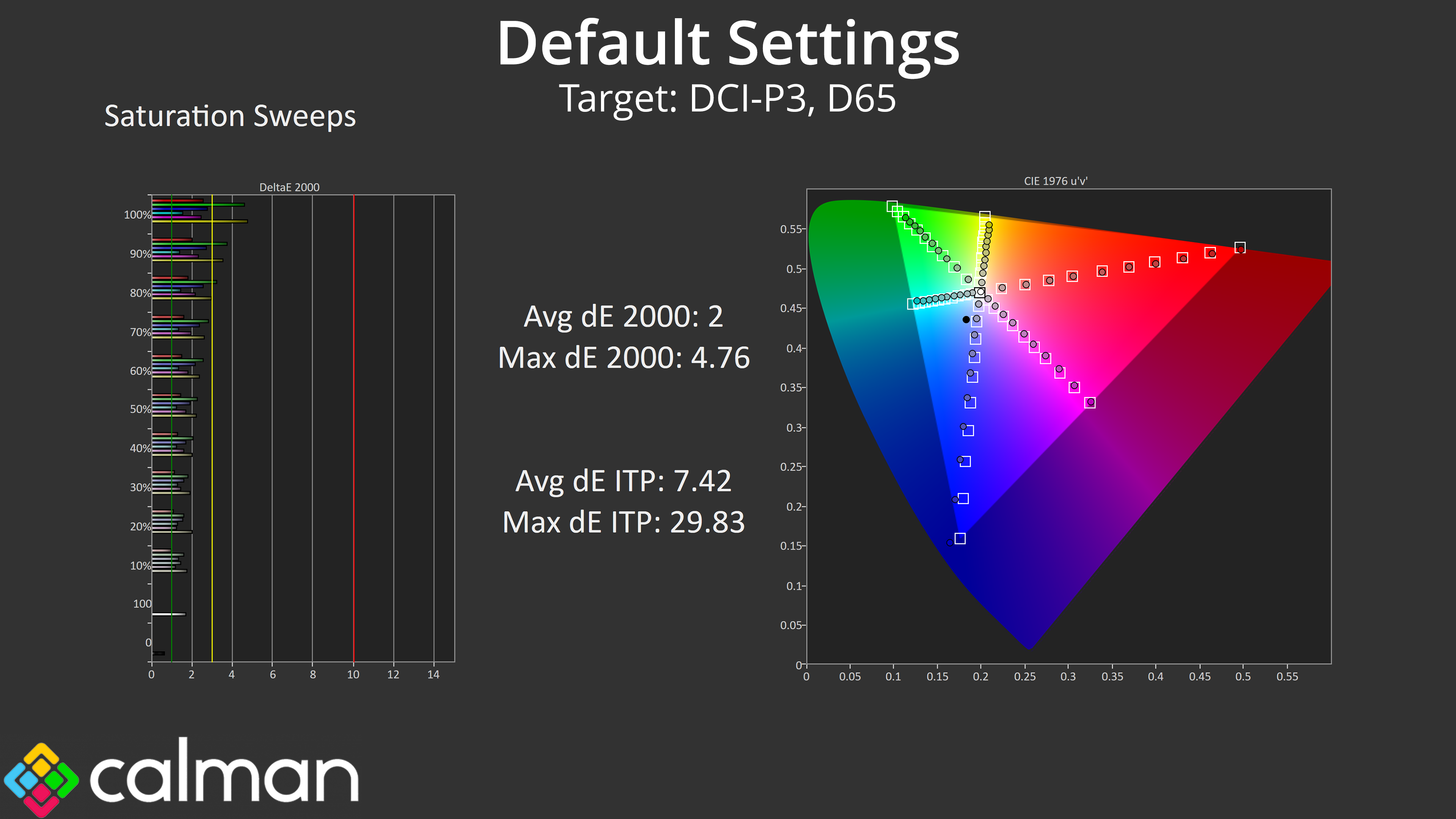
Saturation results are also fine – there is some oversaturation given the monitor's gamut exceeds the sRGB space, but relative to DCI-P3 the average dE is 2 on the nose, so it's a good showing.
Colour Accuracy
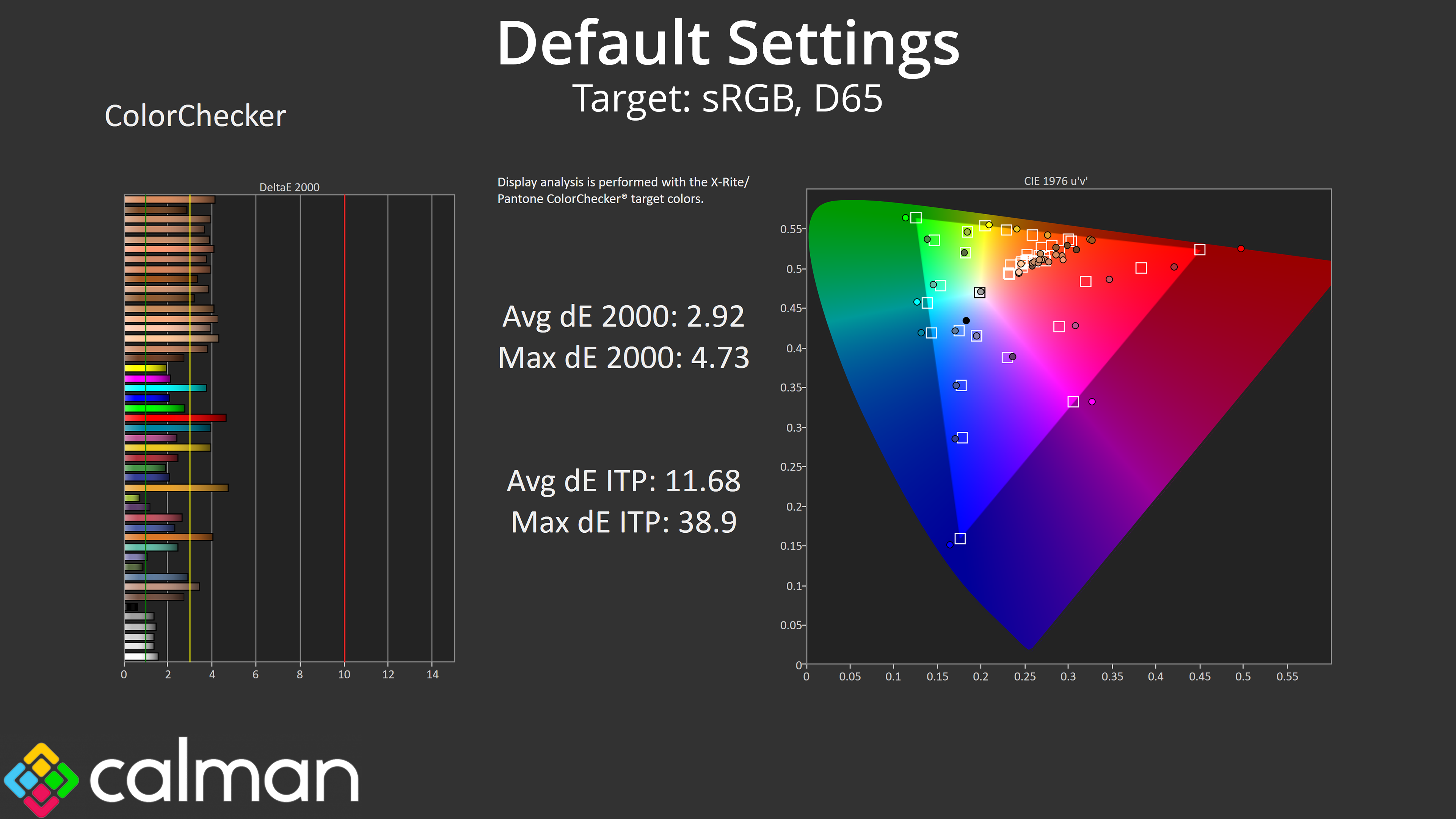
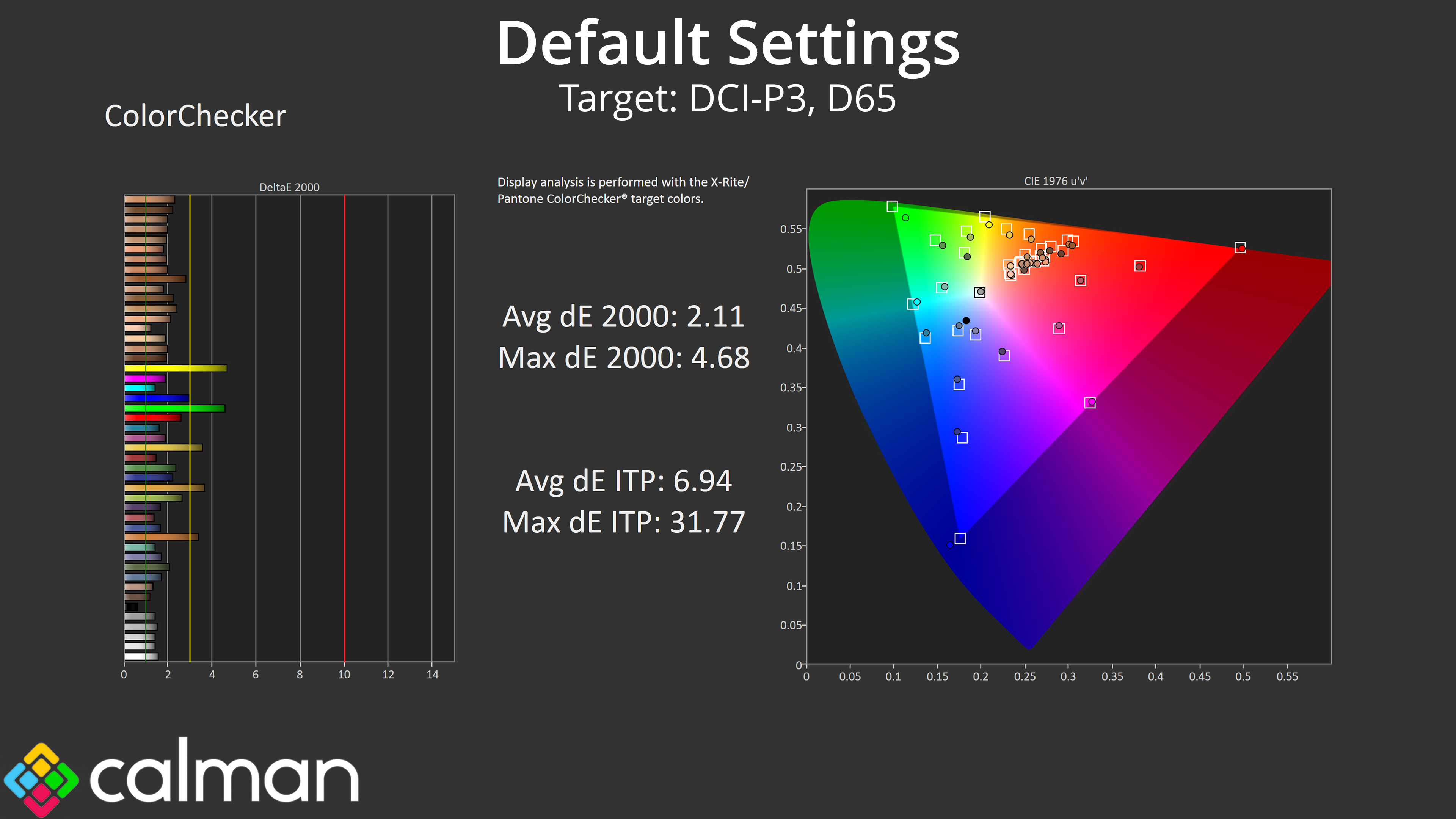
The same goes for colour accuracy – relative to sRGB we're looking at an average dE of 2.92 which is to be expected given the oversaturation, though it does improve to 2.11 relative to DCI-P3.
sRGB Emulation Mode
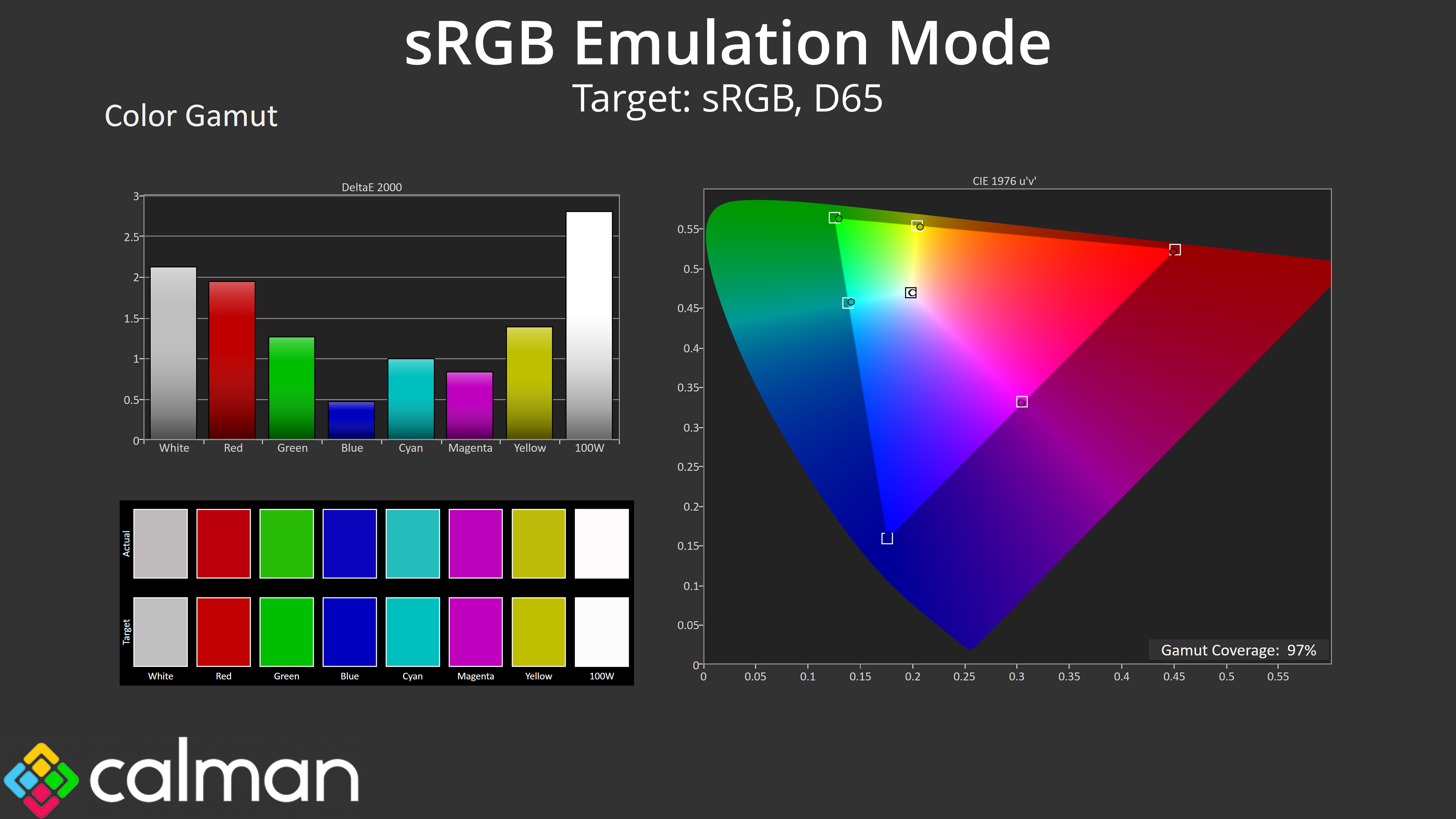
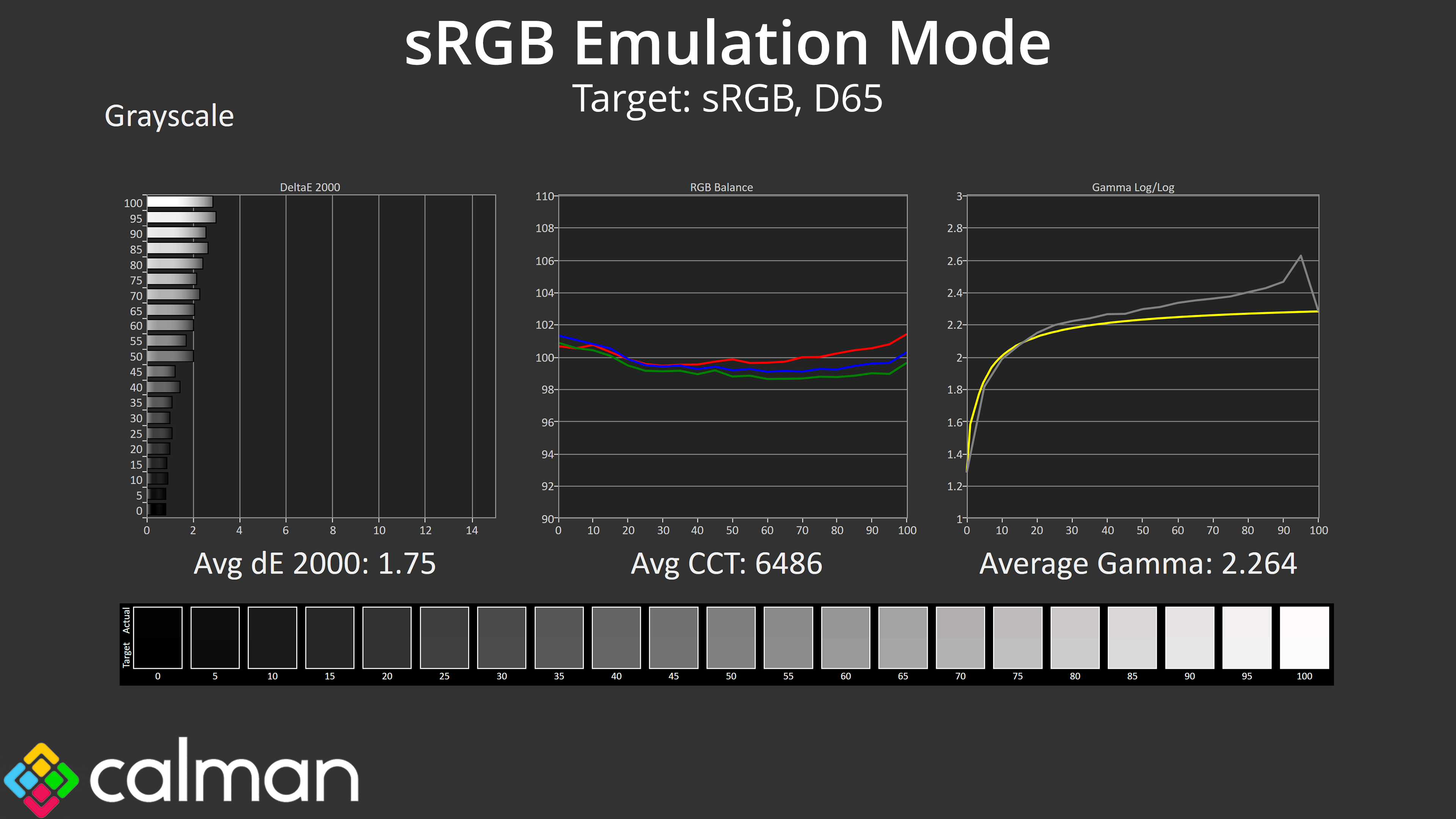
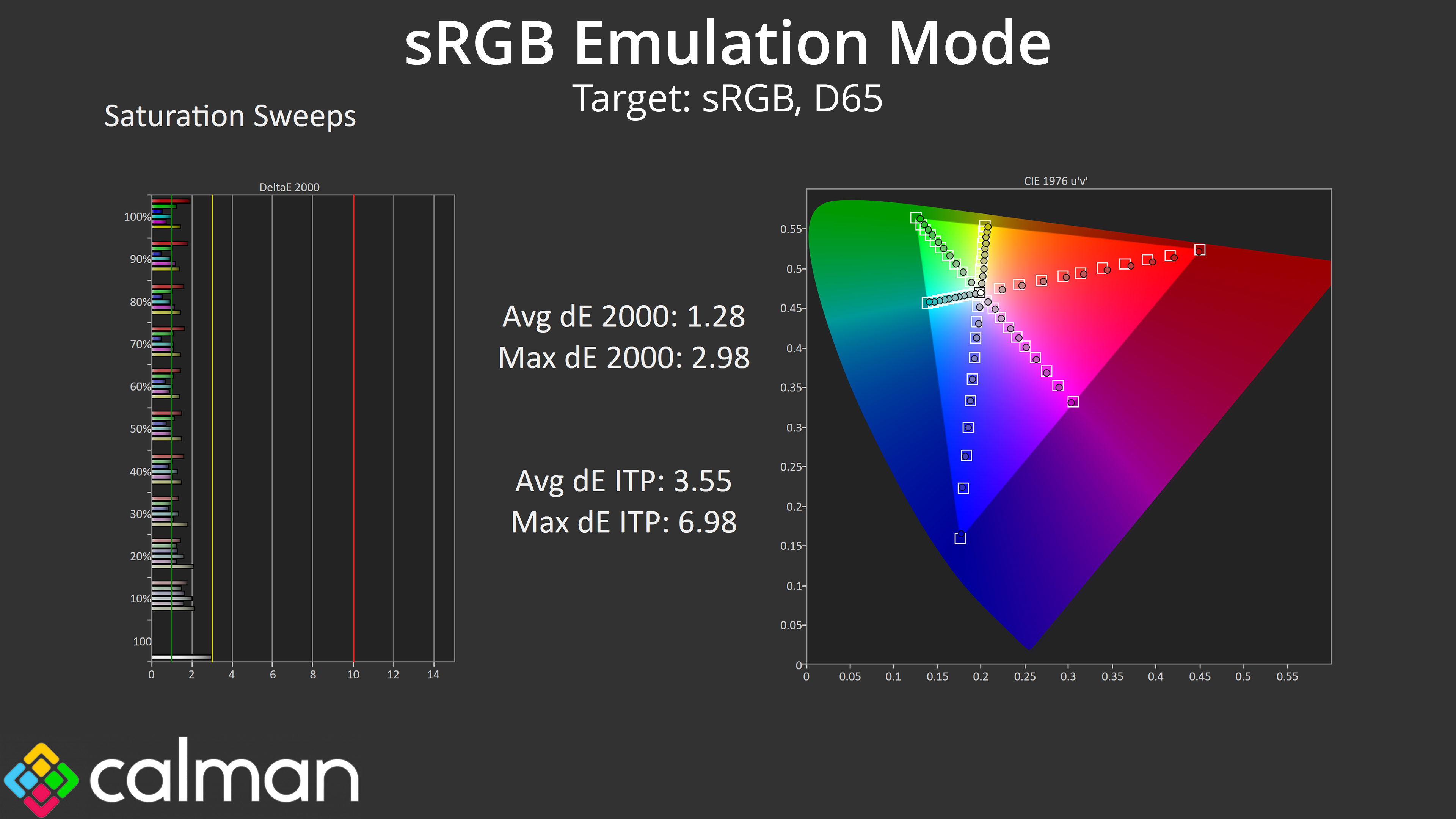
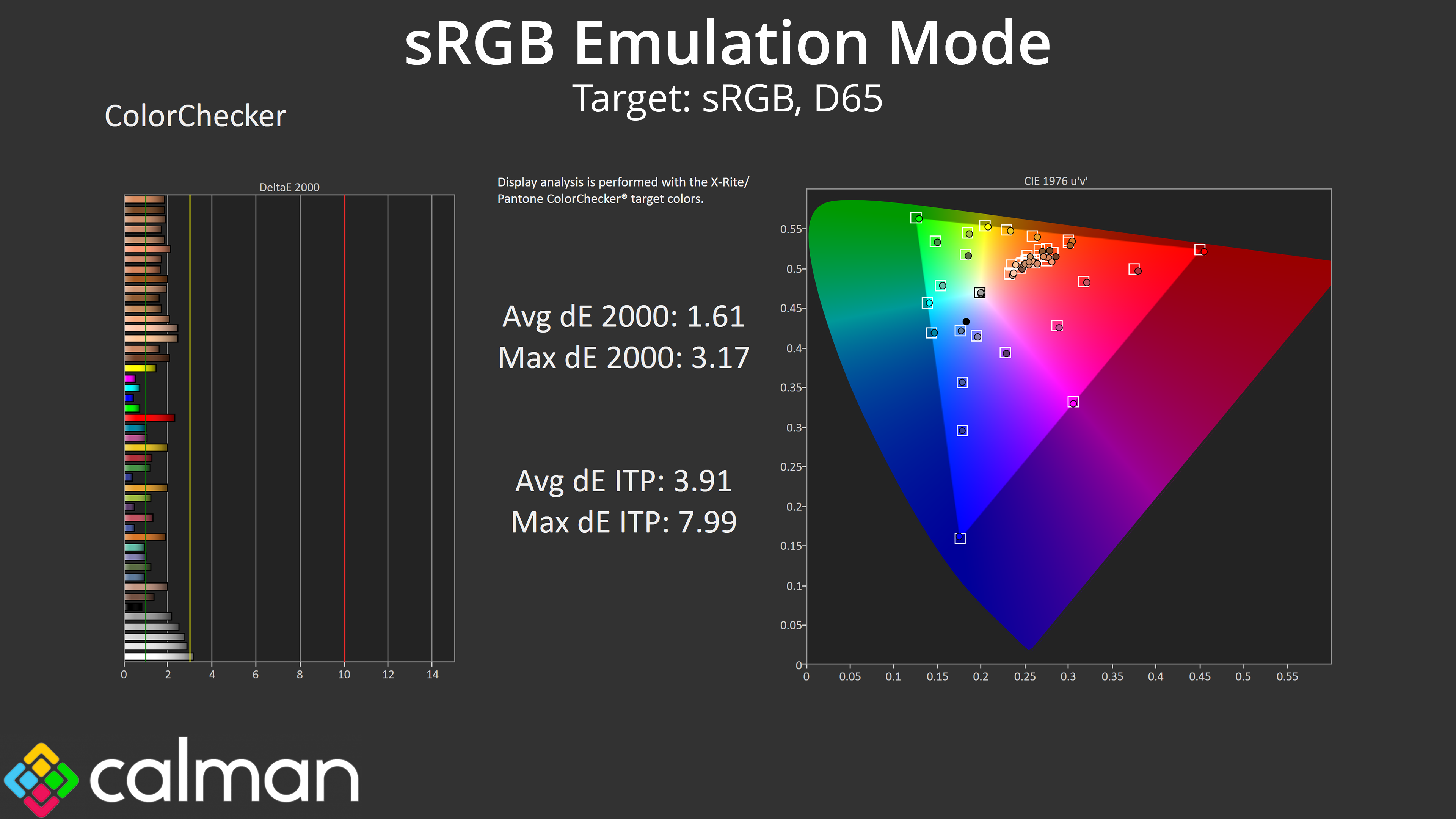
Thankfully Evnia also provides an sRGB mode in the OSD which works pretty well. It clamps the gamut to prevent oversaturation while also delivers accurate greyscale, though gamma does get slightly too high towards the end of the curve. Both saturation and colour accuracy dE figures are much improved over stock, though, making this mode well worth using.
Calibrated Results
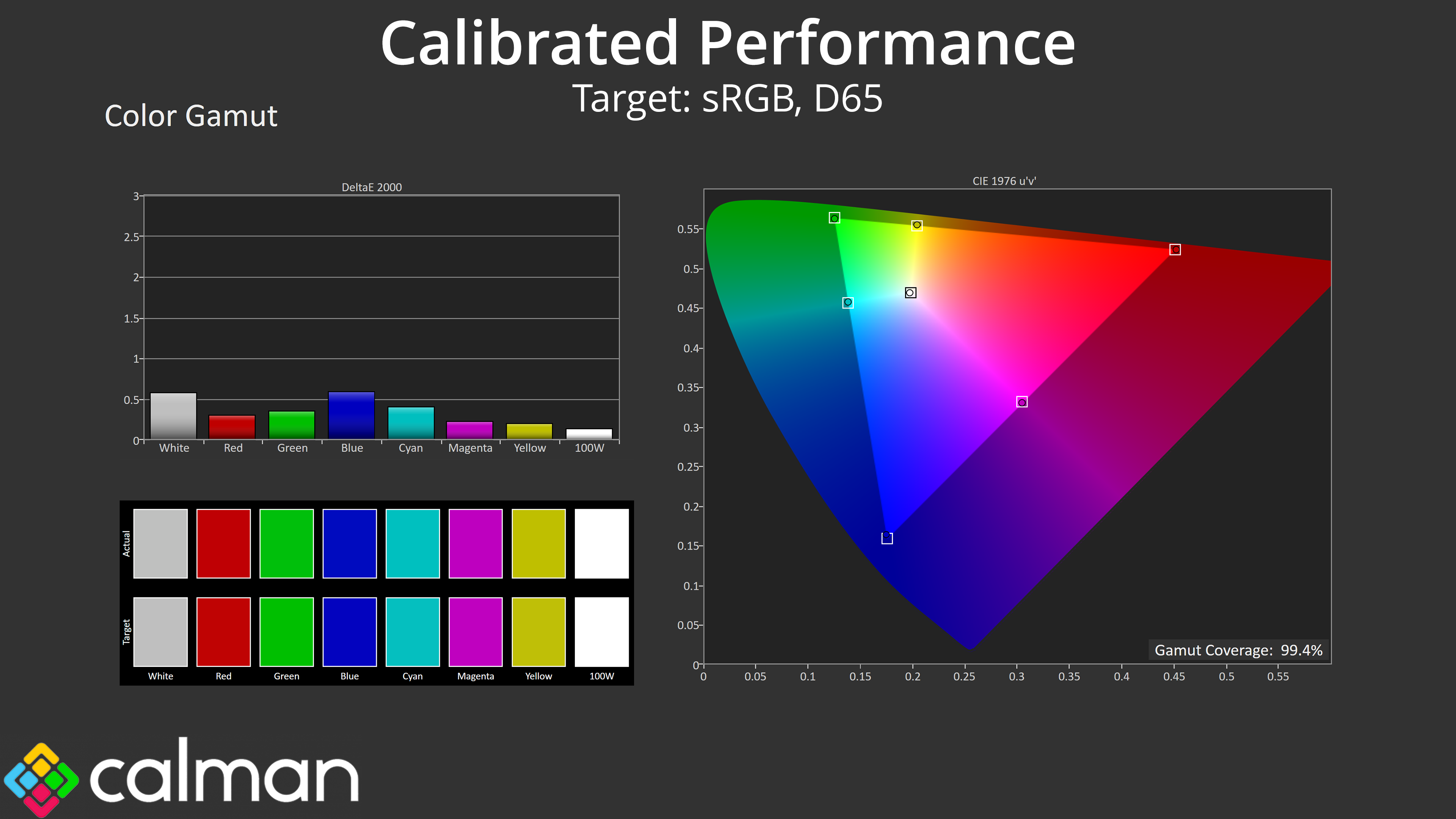
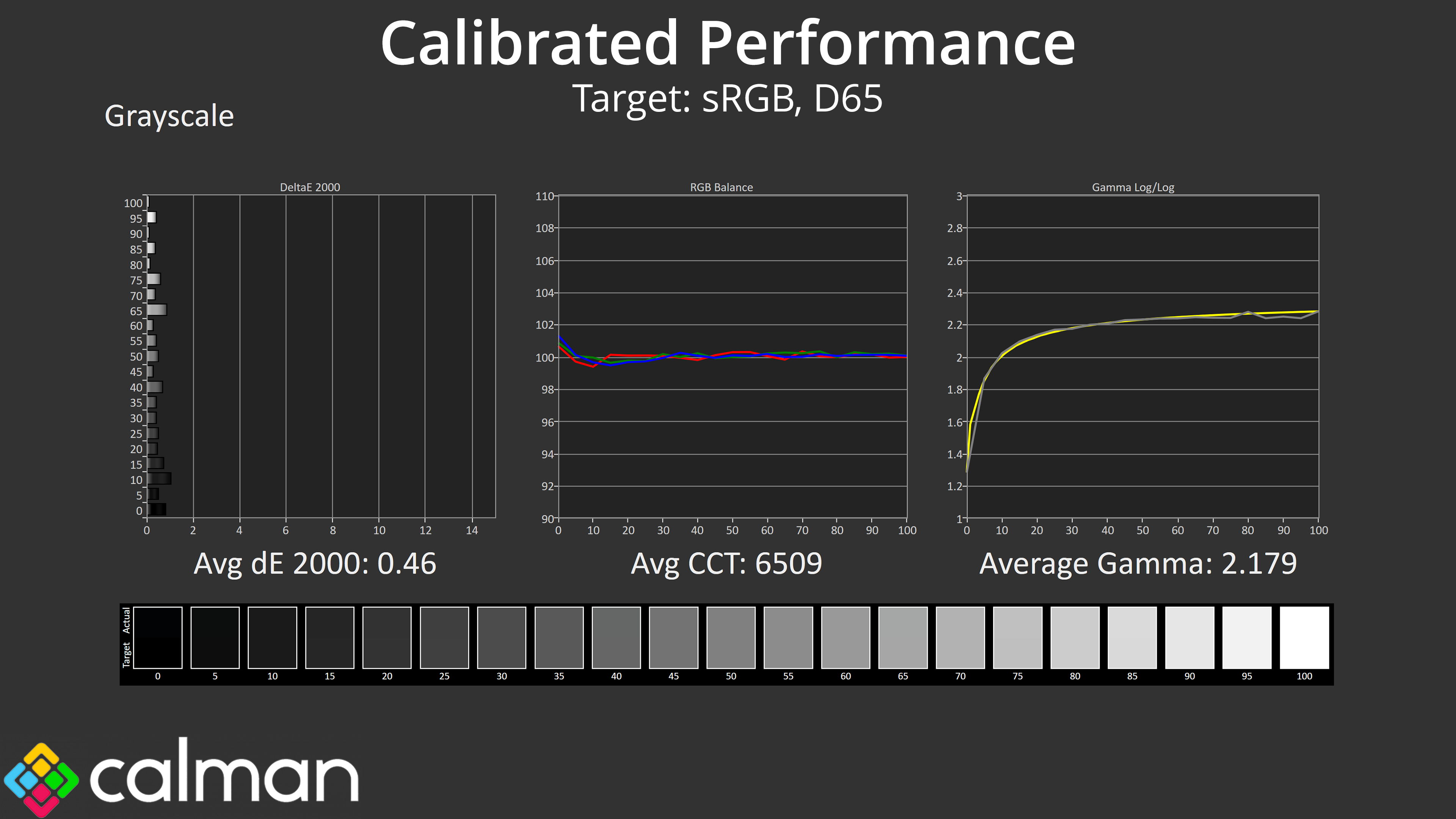
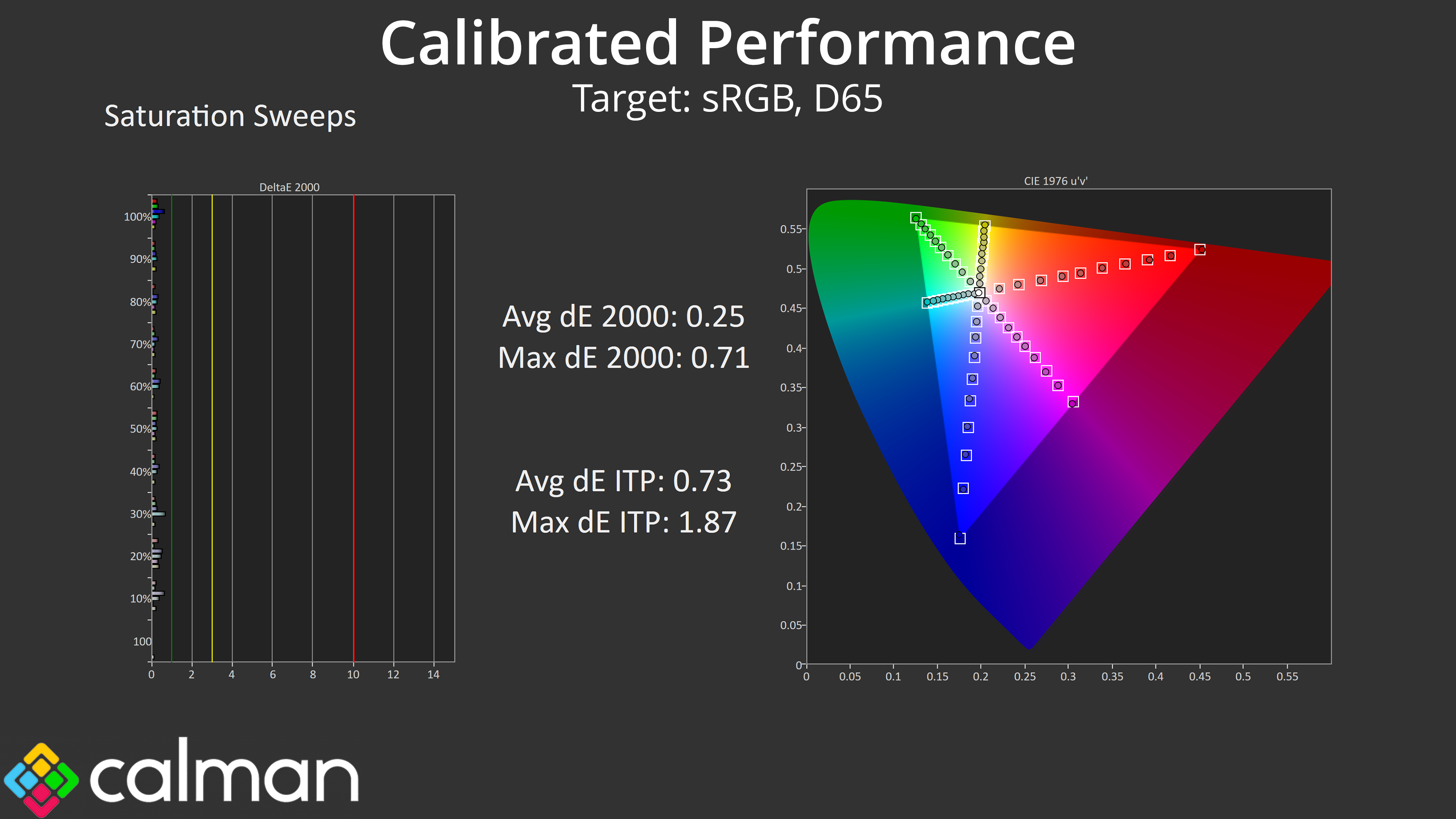
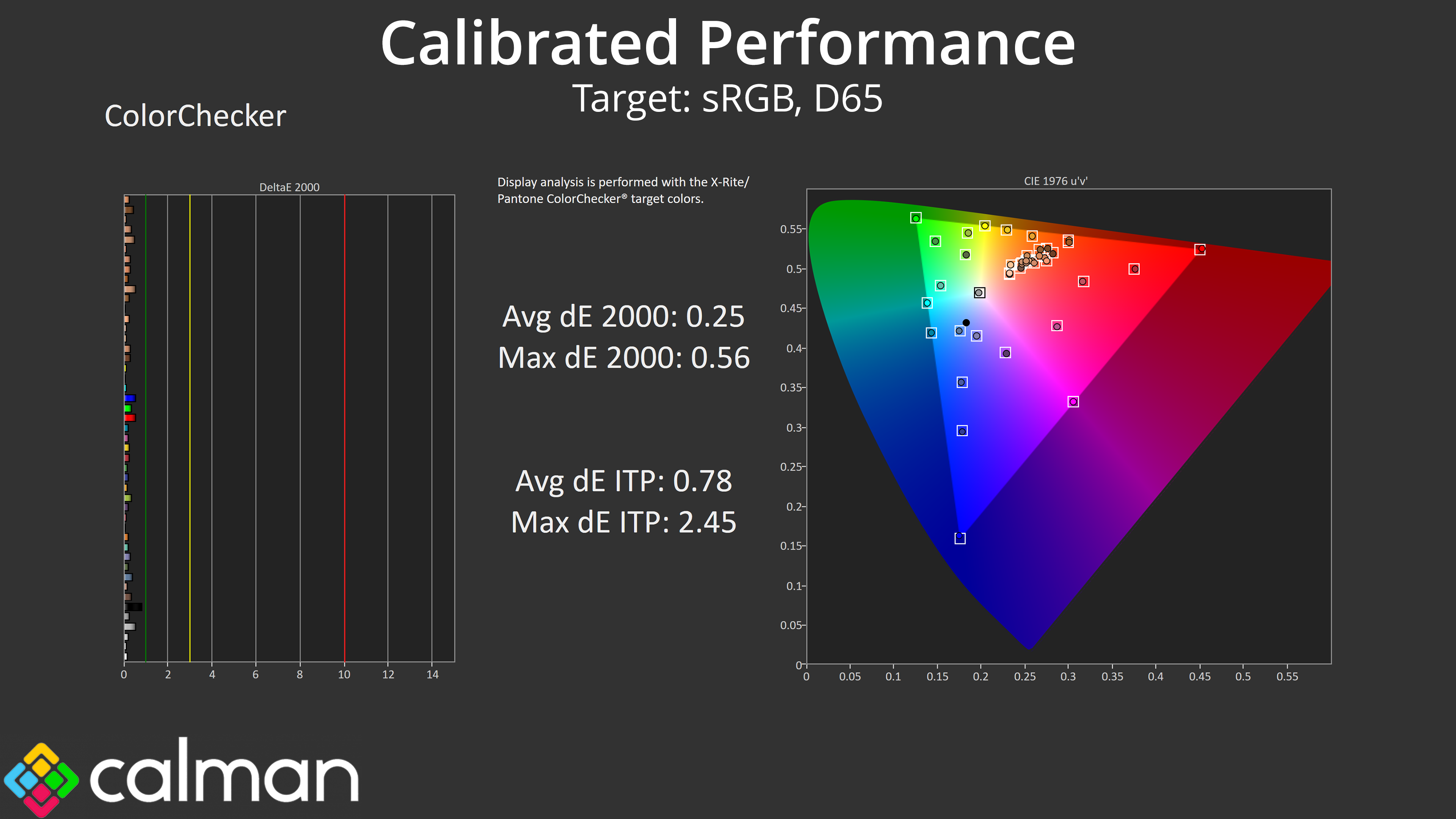
Of course, for the best results we also ran a full calibration, and that led to stellar accuracy across the board. I can't imagine too many people will be calibrating a £150 gaming monitor, but it goes to show what the panel is capable of if you have the right software and hardware tools.
We use the Open Source Response Time Tool (OSRTT), developed by TechTeamGB, for our response time testing. This measures grey-to-grey response times and presents the results in a series of heatmaps, the style of which you may be familiar with from other reviews.
Initial Response Time is the time taken for the panel to transition from one colour to another, where lower values are better. We present the initial response time, so overshoot is not taken into account and is measured separately. We use a fixed RGB 5 tolerance for each transition.
Overshoot is the term given for when a monitor's transition exceeds or goes beyond its target value. So if a monitor was meant to transition from RGB 0 to RGB 55, but it hits RGB 60 before settling back down at RGB 55, that is overshoot. This is presented as RGB values in the heatmaps – i.e. how many RGB values past the intended target were measured.
Visual Response Rating is a metric designed to ‘score' a panel's visual performance, incorporating both response times and overdrive. Fast response times with little to no overshoot will score well, while slow response times or those with significant overshoot will score poorly.
We test the 27M2N3501PA at 260Hz, using all four of the overdrive settings found within the OSD.
260Hz
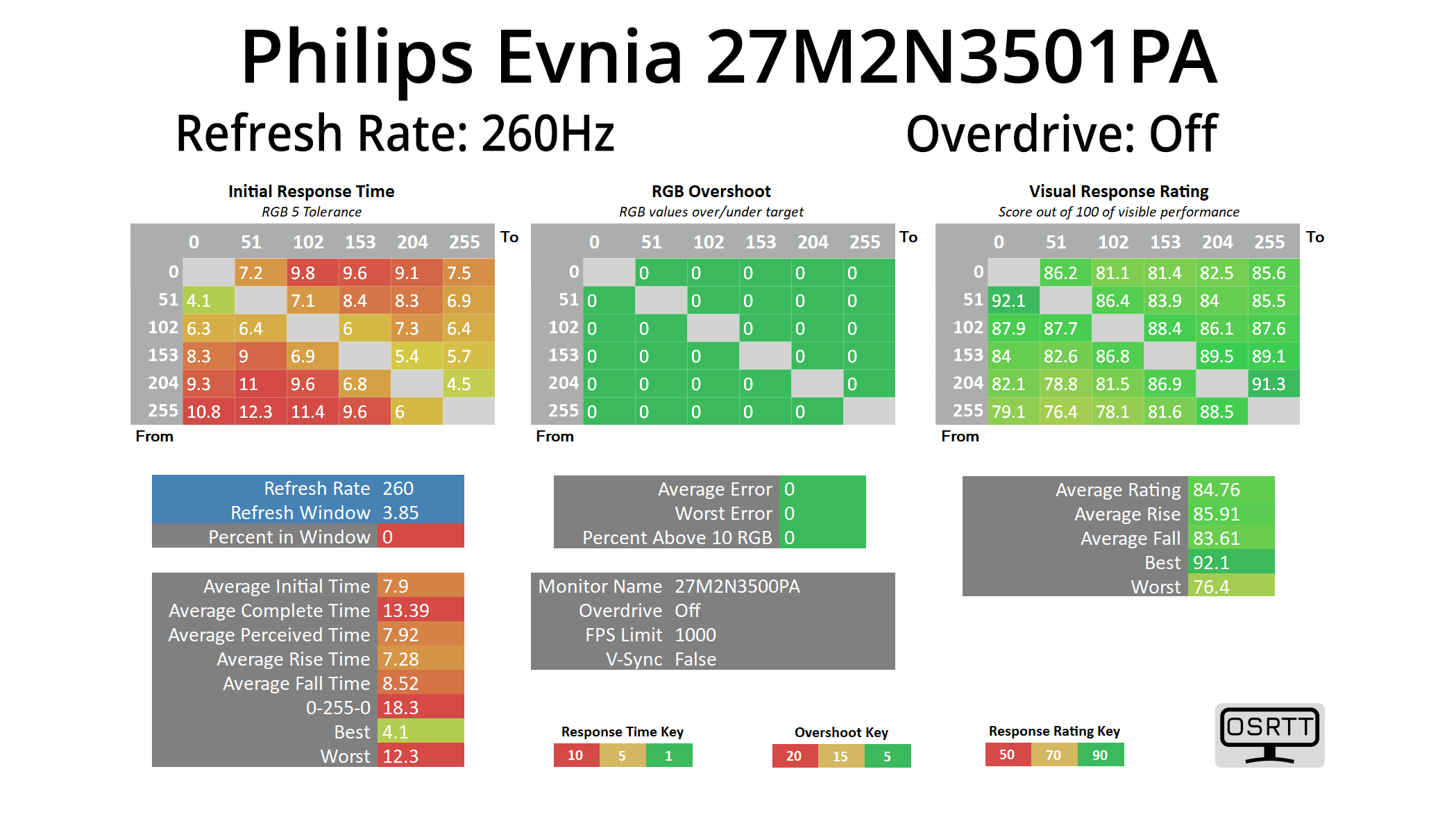
Starting with overdrive turned off at 260Hz, the 27M2N3501PA delivers results that actually aren't terrible – it's not fast by any means, but the average response time of 7.9ms without any overdrive would indicate a reasonable panel.
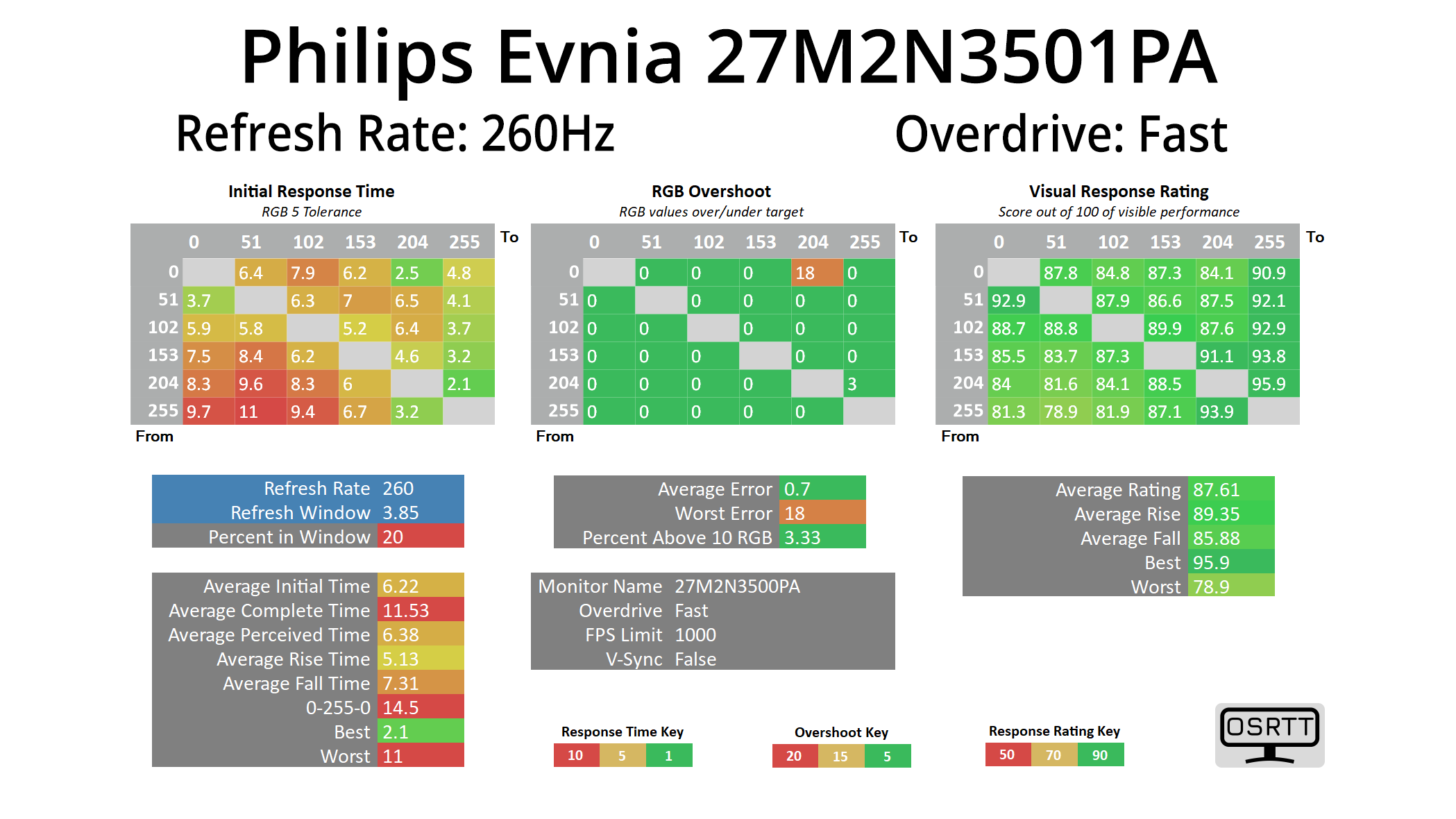
Enabling the Fast overdrive mode speeds things up to 6.22ms on average, while only one transition shows a small amount of overshoot.
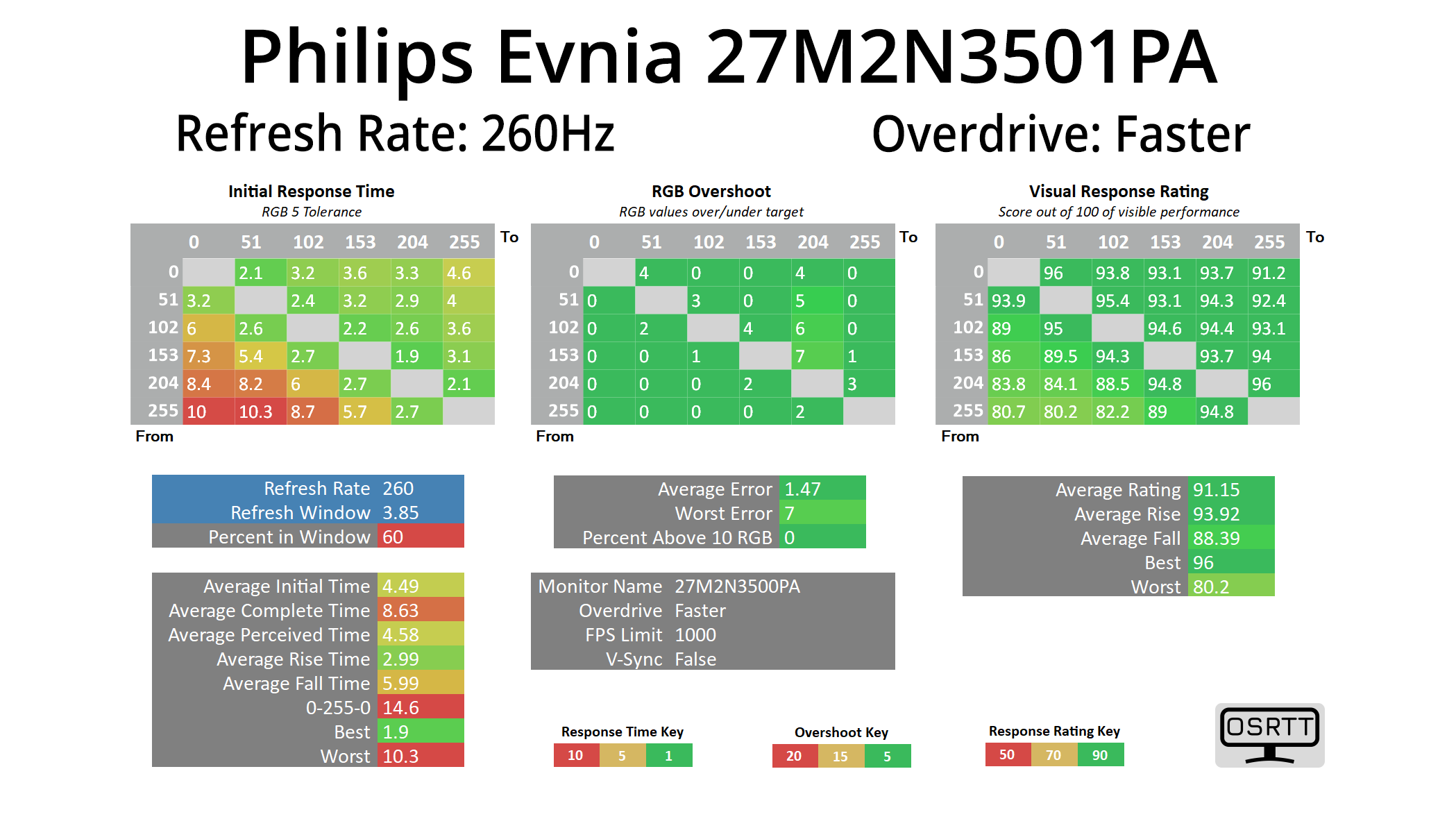
The Faster mode is clearly the best though, with barely any overshoot across the board while the average response time improves to 4.49ms. There are still some slower transitions in the bottom left corner, indicating slower fall times from a full white image, and that results in 60% refresh rate compliance. It'd be more accurate to call this a 220Hz panel based on our testing, though it's safe to say that's a small margin of difference!

Lastly we tested the Fastest mode, though this introduces a lot of overshoot so isn't worth using.
Variable overdrive?
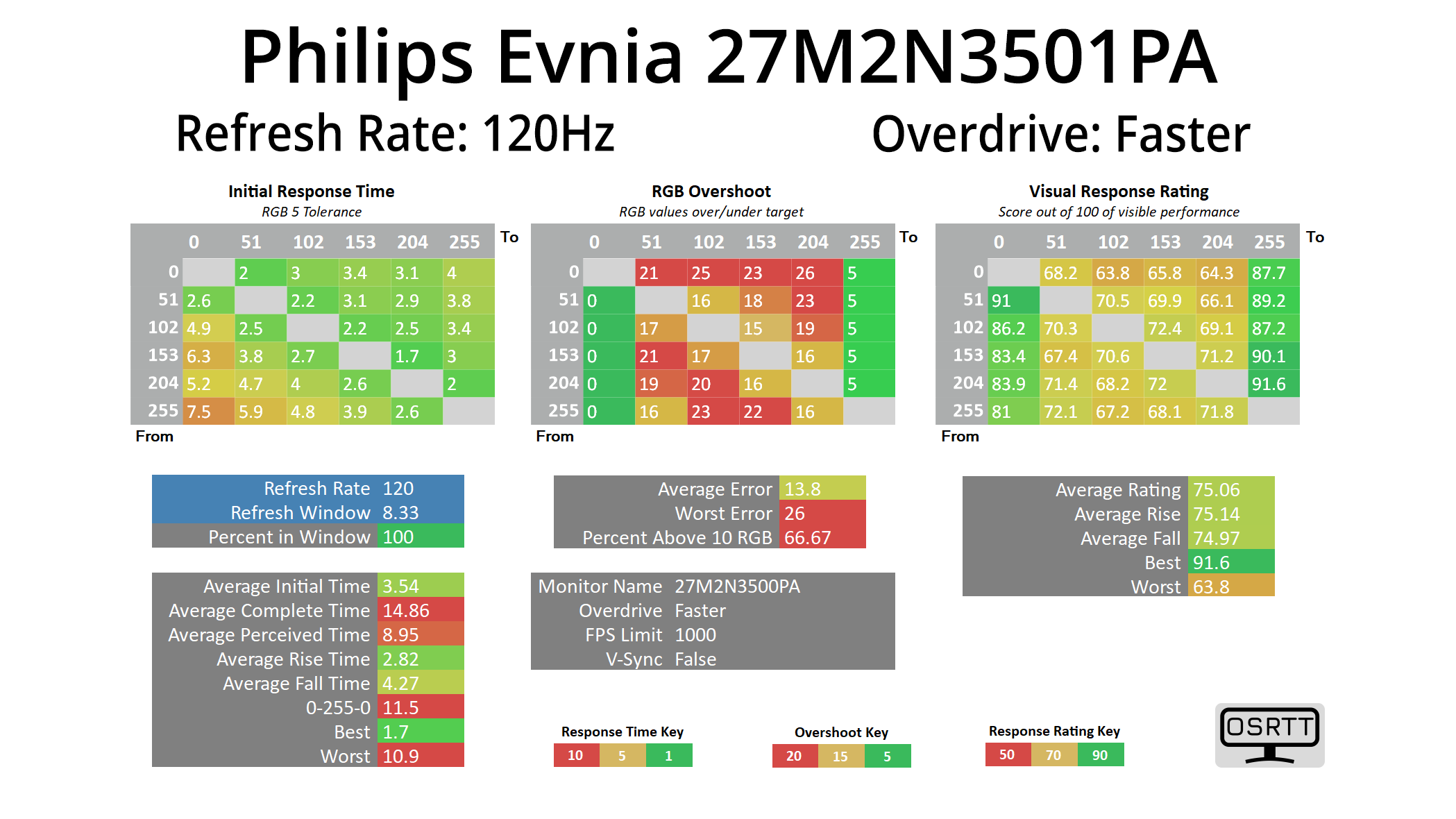
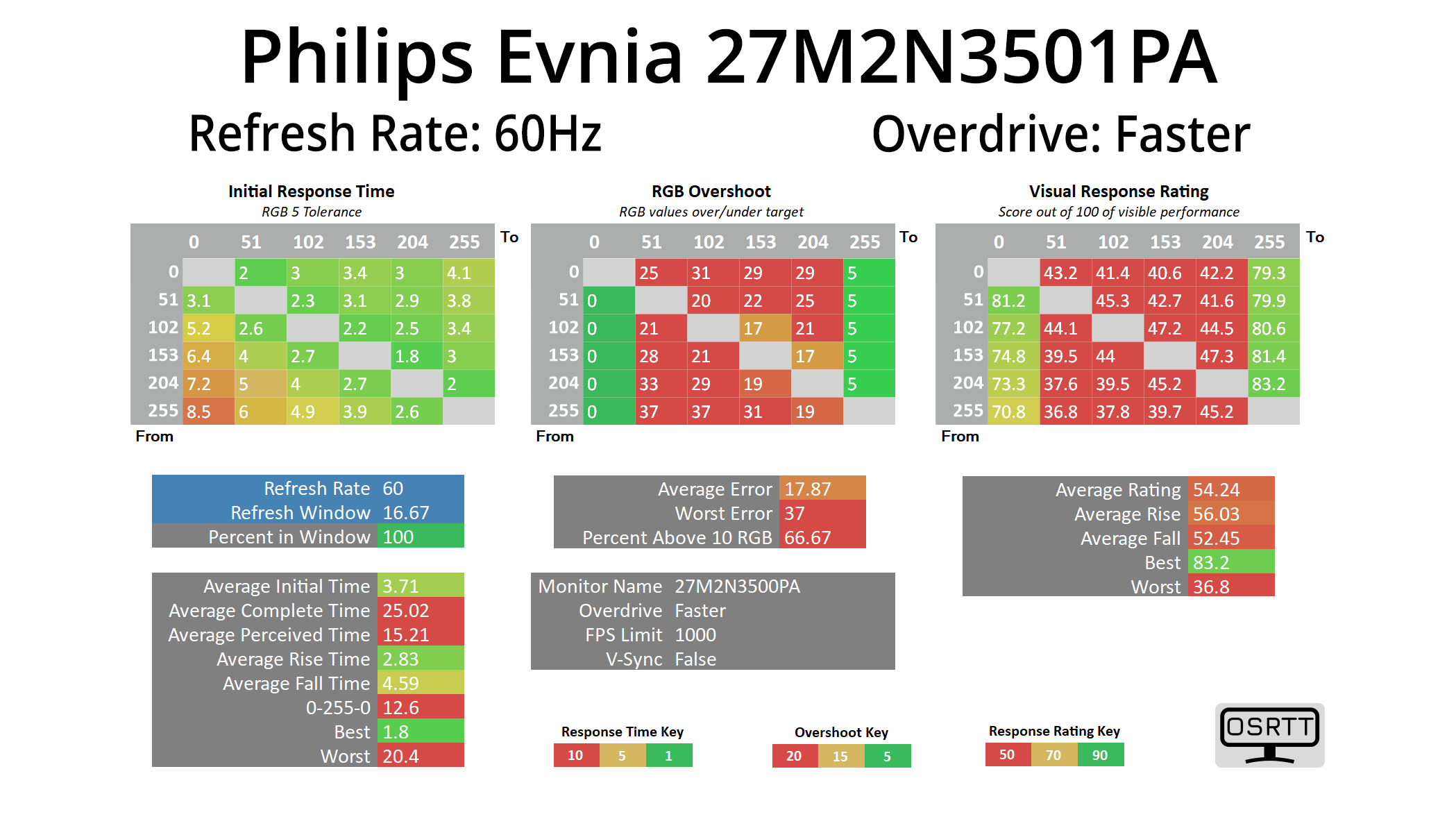
Given the Faster mode is clearly the best option, I also tried it at 120Hz and 60Hz to see if variable overdrive has been implemented – sadly, it hasn't, given overshoot gets progressively worse as the refresh rate drops.
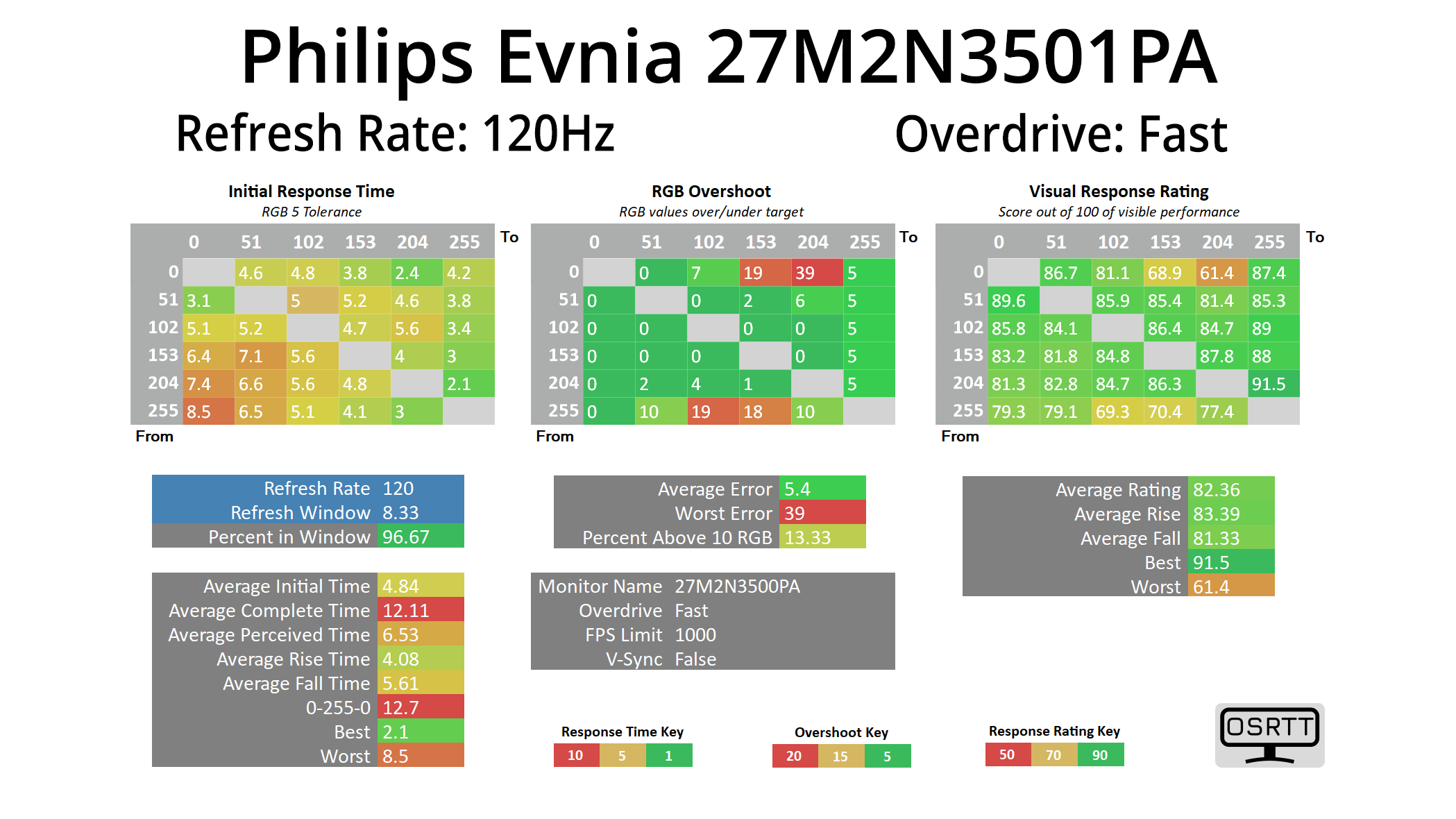
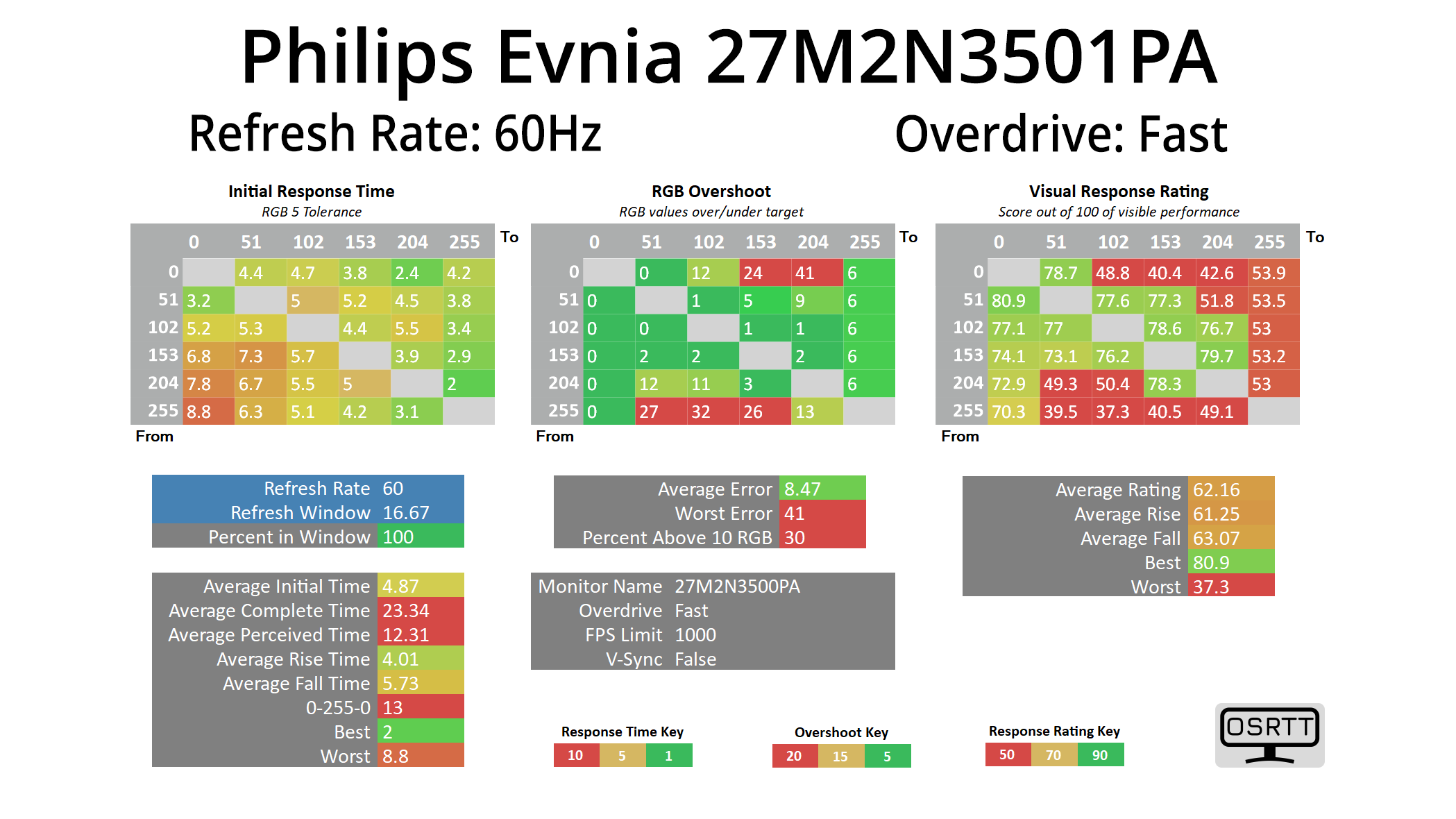
That means you will be better off using the Fast mode if you're playing games at or below 120fps, whereas Faster only makes sense above that. It's not ideal for adaptive sync gamers as you don't want to be adjusting the overdrive mode too often, but it's not unexpected to see the lack of variable overdrive given the price of the monitor.
Response time comparison
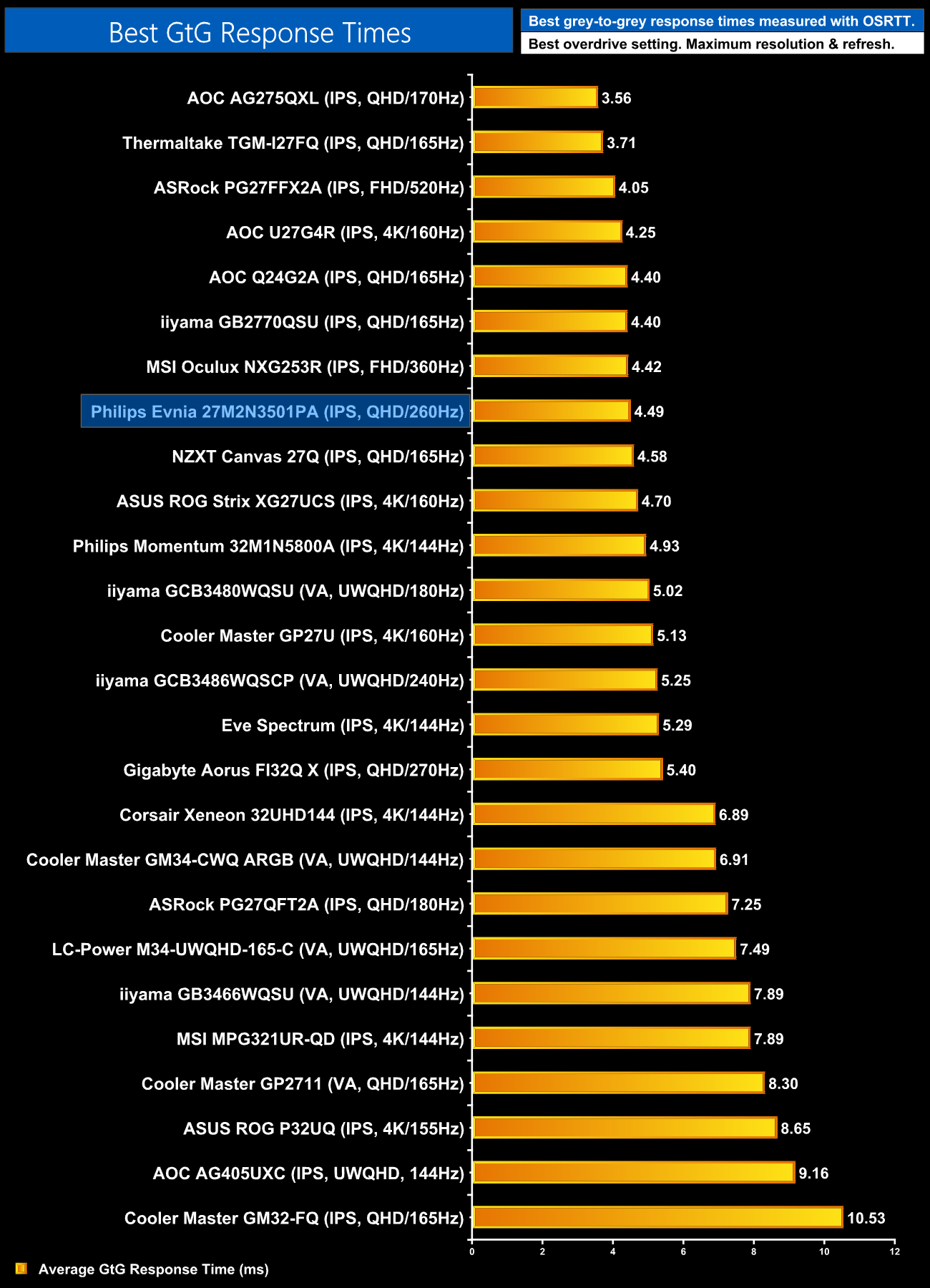
Overall though, the speed on offer is impressive, with the 27M2N3501PA sitting towards the top of our response time chart. Not bad at all for £150!
Motion clarity
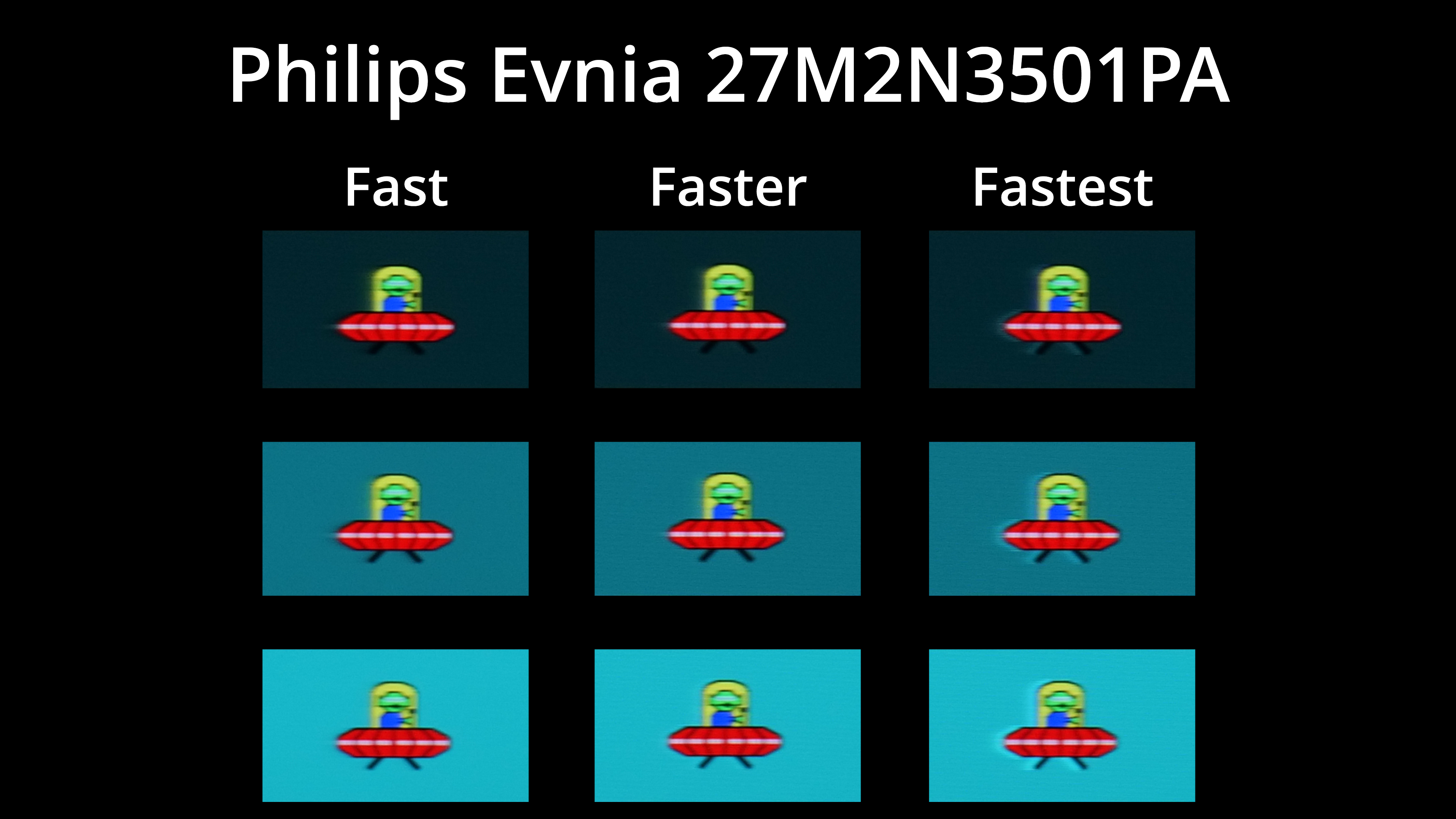
We also have a visual representation of the three overdrive modes, and overall motion clarity is very solid using the Faster mode. You can see the overshoot that's brought on by the Fastest mode too, so I wouldn't recommend that one!
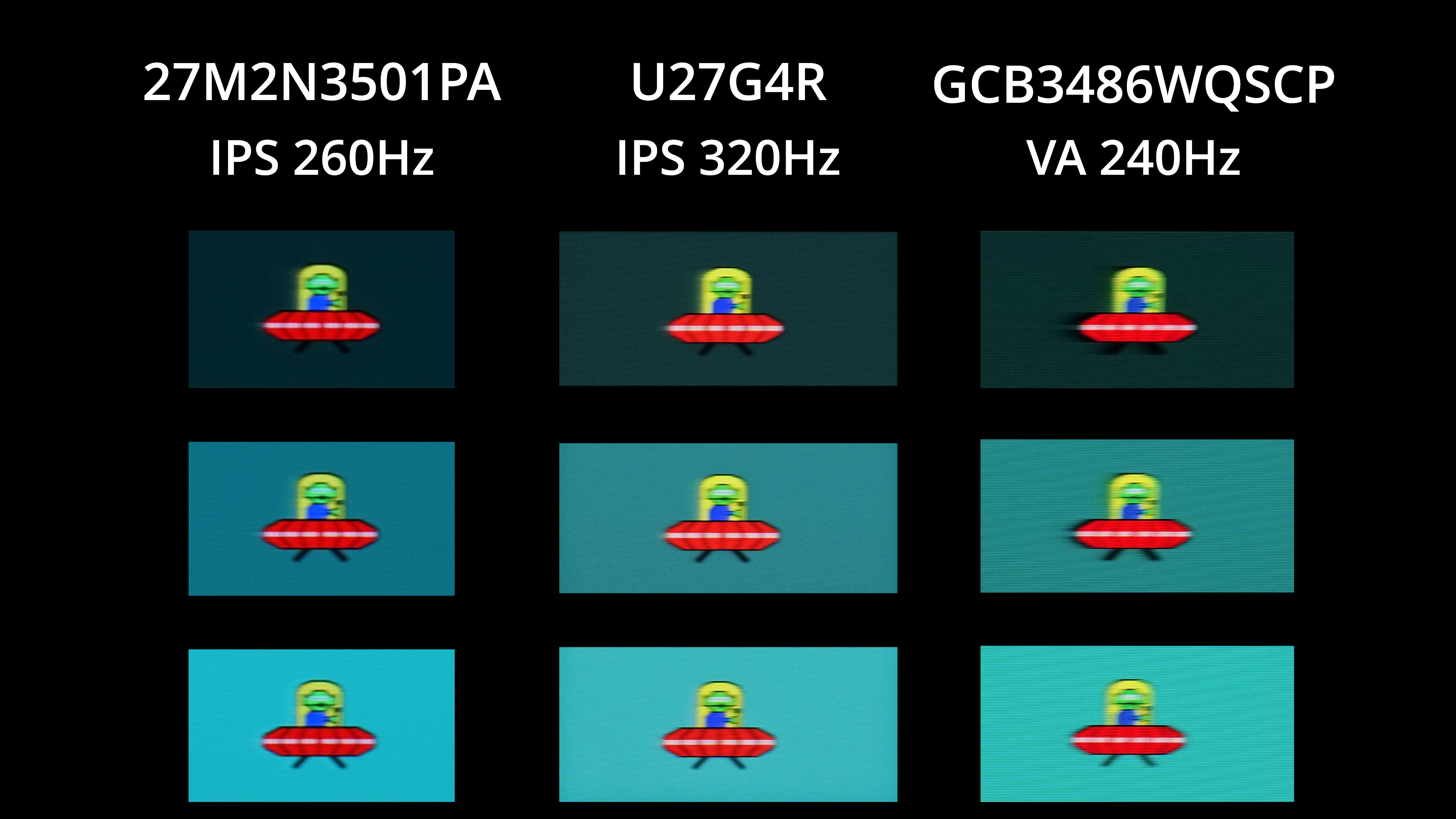
I've not tested any screens that are this cheap for a while, so for some comparisons I've included the AOC U27G4R and the iiyama GCB3486WQSCP which are both on the more affordable end of the spectrum, but are closer to £300 than they are £200. Even then, the 27M2N3501PA comes out favourably – motion clarity is pretty similar to the 320Hz mode on the U27G4 and is clearly better than the VA panel iiyama is using, so that's good to see.
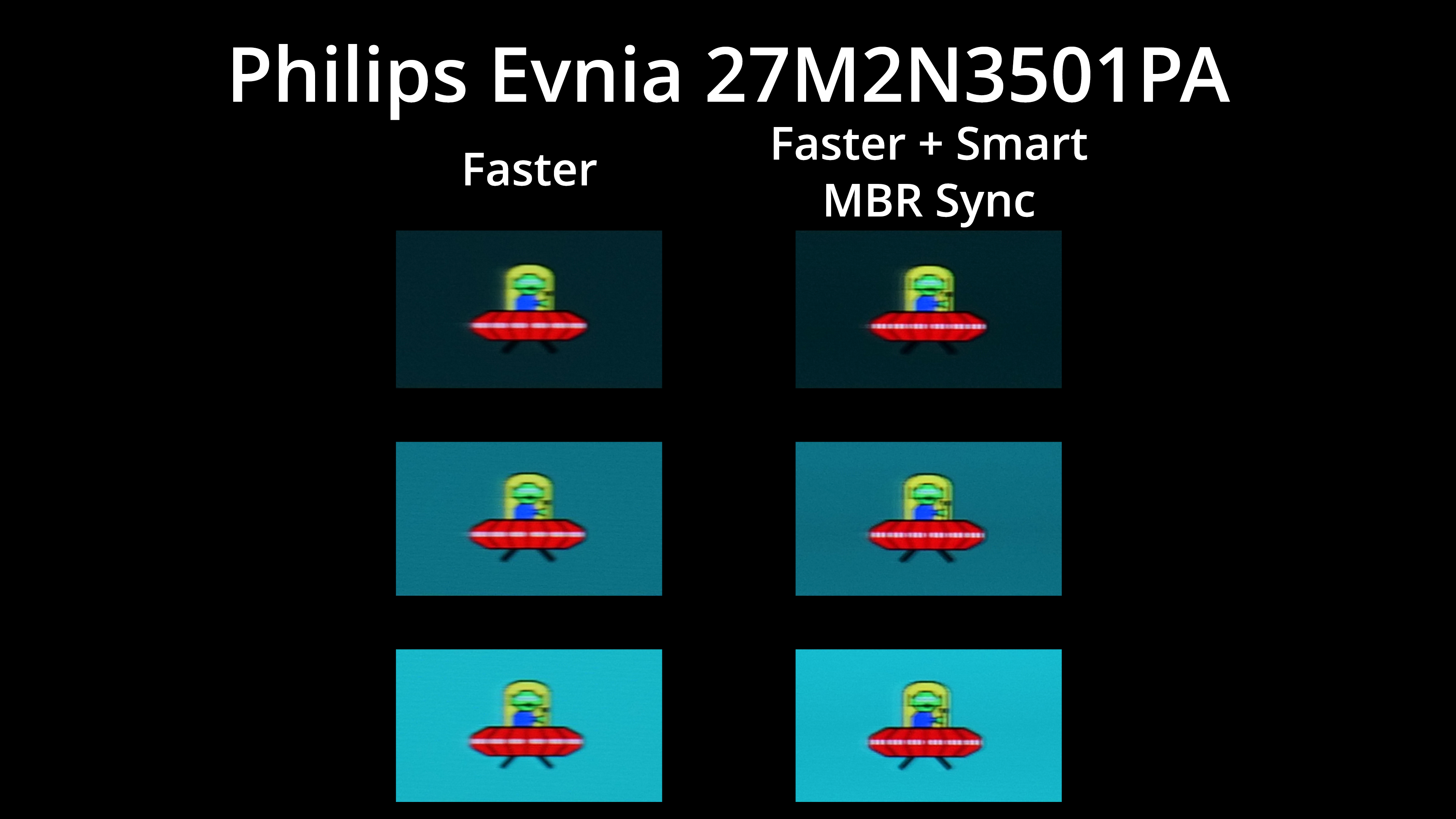
Evnia also includes Smart MBR Sync, which is a backlight strobing mode that does work with adaptive sync. The good news is that it doesn't cap brightness, unlike some other screens, and it works reasonably well – it does default to the Fastest overdrive mode for some reason, but you can manually change that in the OSD. There is just a hint of signal crosstalk, resulting in a small double-image effect, but it could be worth using if you are looking for another boost to motion clarity.
We again use the Open Source Response Time Tool (OSRTT), developed by TechTeamGB, to report monitor input latency.
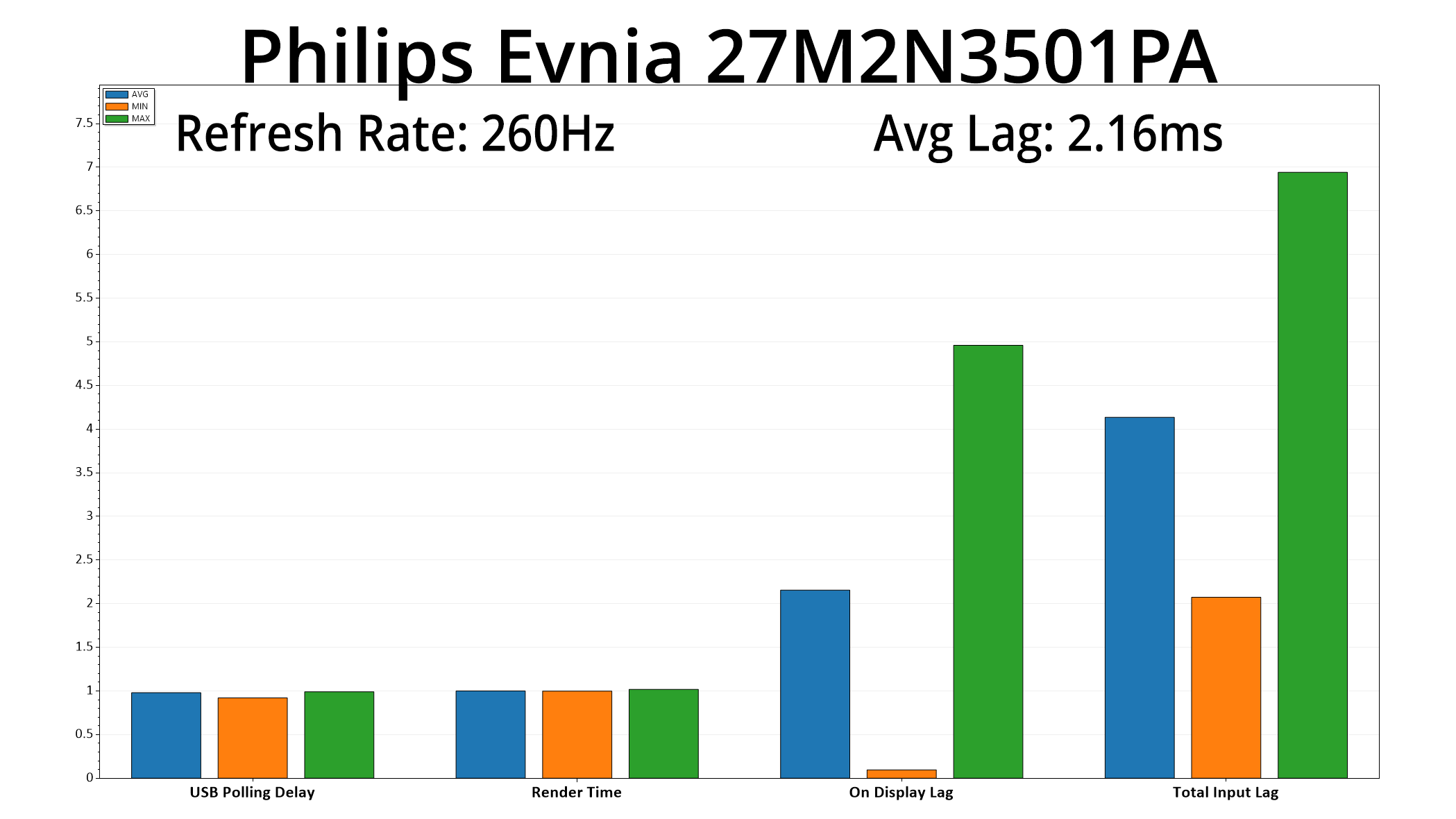
It's also good to see the lag is nice and low, averaging 2.16ms, barely more than half a frame at 260Hz so it's not a concern.
The first thing to establish with the Philips Evnia 27M2N3501PA is that, despite all of its positive points, it is not a perfect monitor.
Corners have been cut to meet the aggressive price point, including the lack of any USB ports or modern connectivity options, while the two HDMI ports are limited to 144Hz at 1440p due to their 2.0 spec, rather than being HDMI 2.1. The lack of variable overdrive also isn't ideal, while there is a small gamma spike resulting in some lost dark shadow detail.
However, and this is quite a resounding however, those negative points are completely overlooked when we factor in both how good this monitor is for gaming, and the fact that it's currently retailing for just £150. It's really quite a bargain, to get a 1440p 260Hz display that offers this kind of speed along with the impressive factory calibration. Yes, our testing did suggest that the ‘real world' refresh rate is closer to 220Hz than it is 260Hz, but the difference is marginal and our BlurBusters UFO images speak for themselves – motion clarity is very good, indeed.
On the topic of pricing, we have based a lot of this review on the £150 price which is currently shown on OCUK and other retailers. Yes, this is a temporary deal that, according to Evnia, is in place to the 31st October – but I'd argue this monitor is a bargain even the full price of £200. The fact that the 27M2N3501PA is already on sale at £150 suggests to me it will likely hit that price again in the future, possibly around Black Friday or in the Boxing Day sales, so it's worth keeping an eye out if you miss this month's deal.
Whatever the case, it's hard not to be impressed by the sheer bang-for-buck offered by the Evnia 27M2N3501PA. Yes, it does lack some features and some areas could be better executed, but if you're in the market for a fast IPS panel at a great price, look no further.
Pros
- Already great value at £200, let alone the £150 deal price.
- Impressive motion clarity for gaming.
- Low latency.
- Generally solid factory calibration.
- Decently wide gamut.
- Capable sRGB mode.
- Included stand can do height adjust, swivel, tilt and pivot.
- White design helps it stand out from the crowd (but may not be for everyone).
Cons
- Lacks any kind of USB passthrough, Type-C charging or KVM functionality.
- HDMI ports are HDMI 2.0, therefore limited to 144Hz at 1440p.
- Small gamma spike for dark shades.
- No variable overdrive.
KitGuru says: It's easily the best value screen I've reviewed all year.