KitGuru KitGuru.net – Tech News | Hardware News | Hardware Reviews | IOS | Mobile | Gaming | Graphics Cards



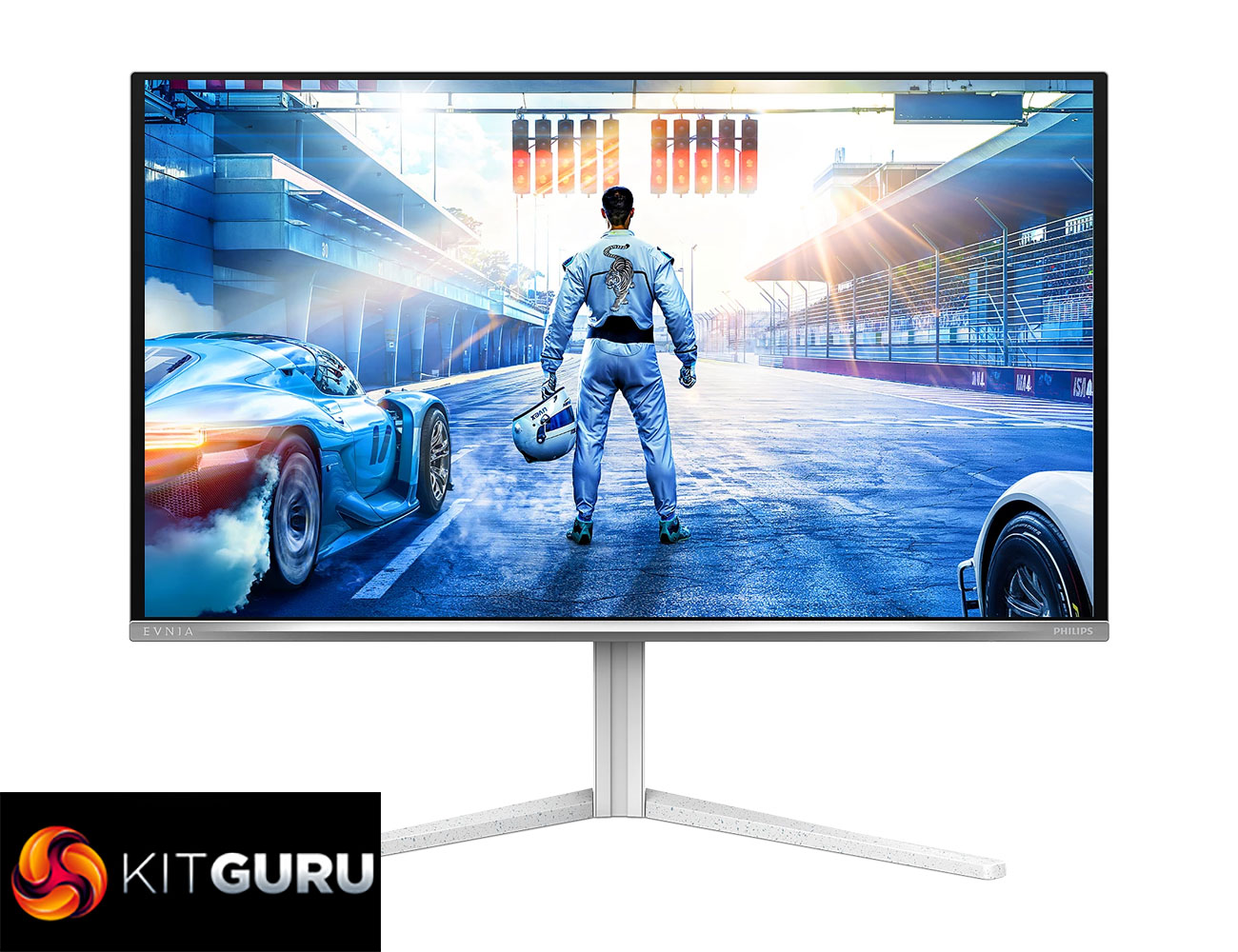
OLED monitors are getting cheaper and cheaper, and today's screen is quite possibly the most affordable we have ever looked at. We're talking about the Philips Evnia 27M2N6501L, a display which utilises a 3rd Gen Samsung QD-OLED panel with a 27in 1440p resolution and 240Hz refresh rate. It offers all the key benefits of OLED technology, including effectively infinite contrast, near-instant response times and super-wide gamut coverage to give just three examples. Launching at just £399 here in the UK, we find out if it's worth buying.
Timestamps
00:00 Intro
00:54 Affordable OLEDs and pricing info
02:10 Design first impressions
02:28 Ambiglow lighting
03:15 I/O + OSD menu
04:20 QD-OLED characteristics
05:34 Out of the box panel testing
07:38 sRGB and calibrated results
08:18 Response time / motion clarity examples
09:35 Real-world gaming experience
10:41 HDR testing
12:37 Closing thoughts
If you're looking for an affordable OLED monitor, chances are you will have come across both the Philips Evnia 27M2N6501L, and AOC's Q27G4ZDR. Both share the same panel and cost £400, but we decided to focus on the Philips offering as it also offers Ambiglow lighting, plus I think the design is more visually appealing.
Prices for other QD-OLEDs have been getting lower and lower though, with AOC's AG276QZD2 hitting £379 during Black Friday, while Gigabyte's MO27Q2 is currently £429. Safe to say there's a lot of competition, so let's find out how the 27M2N6501L performs.
Specification:
- Panel size: 26.5″ / 67.3 cm
- Aspect ratio: 16:9
- Monitor panel type: QD OLED
- Pixel pitch: 0.2292 x 0.2292 mm
- Brightness: SDR: 200 nits (APL 100%), HDR: 400 nits (APL 10%)
- Display colours: 1.07B (10 bits)
- Colour gamut (typical): Adobe RGB 98%; DCI-P3 99%; sRGB 147.5%; NTSC 120%*
- Contrast ratio (typical): 1.5M:1
- SmartContrast: Mega Infinity DCR
- Response time (typical): 0.03 ms (Grey to Grey)*
- Viewing angle: 178º (H) / 178º (V) @ C/R > 10000
- Picture enhancement: SmartImage game
- Maximum resolution: 2560 x 1440 @ 240 Hz (DP / HDMI)
- Effective viewing area: 590.42 (H) x 333.72 (V) mm
- Scanning frequency: 30k–390 kHz (H) / 48–240 Hz (V)
- sRGB: Yes
- Delta E: < 2 (sRGB)
- Flicker-free: Yes
- Pixel density: 111 PPI
- Display screen coating: Anti-reflection, 2H
- Low input lag: Yes
- EasyRead: Yes
- G-SYNC: Yes
- HDR: HDR10
- Pixel format: RGB Q-Stripe*
- Smart Crosshair: Yes
- Stark ShadowBoost: Yes
- ClearMR tier: 13,000
- Smart Sniper: Yes
- Shadow Boost: Yes
- SoftBlue technology: Yes*
- Signal input: HDMI 2.1 x 2, DisplayPort 1.4 x 1
- Audio (In/Out): Headphone out
- HDCP: HDCP 1.4 (HDMI/DisplayPort), HDCP 2.3 (HDMI/DisplayPort)
- USB hub: USB 3.2 Gen 1 / 5 Gbps, USB-B upstream x 1, USB-A downstream x 2 (1 for fast charge)
- Plug and Play compatibility: DDC/CI, Mac OS, sRGB, Windows 11/10
- User convenience: Power On/Off, Menu/OK, Input/Up, Game Settings/Down, SmartImage game/Back
- Other convenience: Kensington lock, VESA mount (100 x 100 mm), LowBlue Mode, MultiView
- Ambiglow: Ambiglow 3-sided
- Height adjustment: 130 mm
- Pivot: ±90°
- Swivel: ±30°
- Tilt: -5° ~ 20°
Firmware tested: V1.01
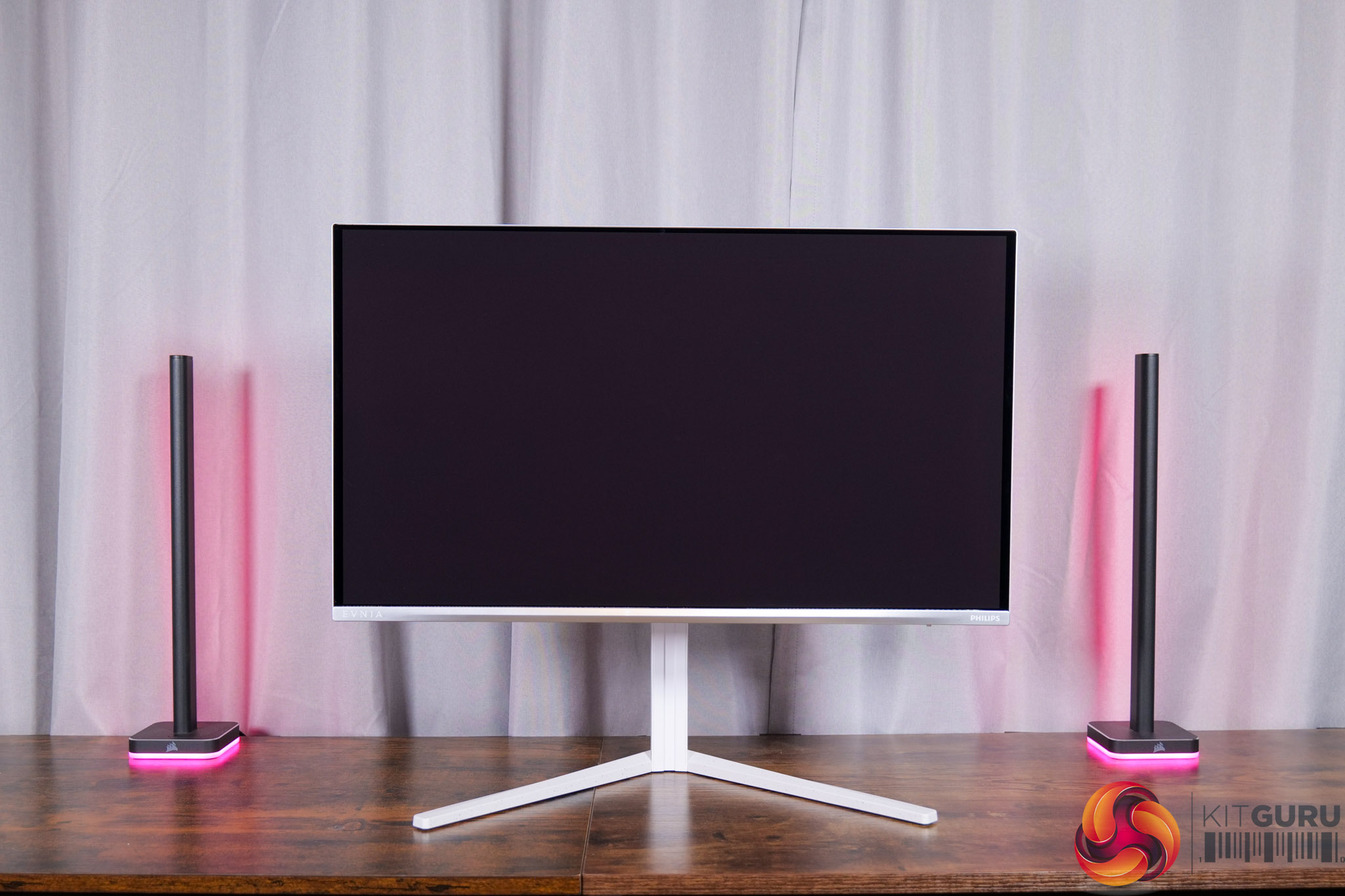
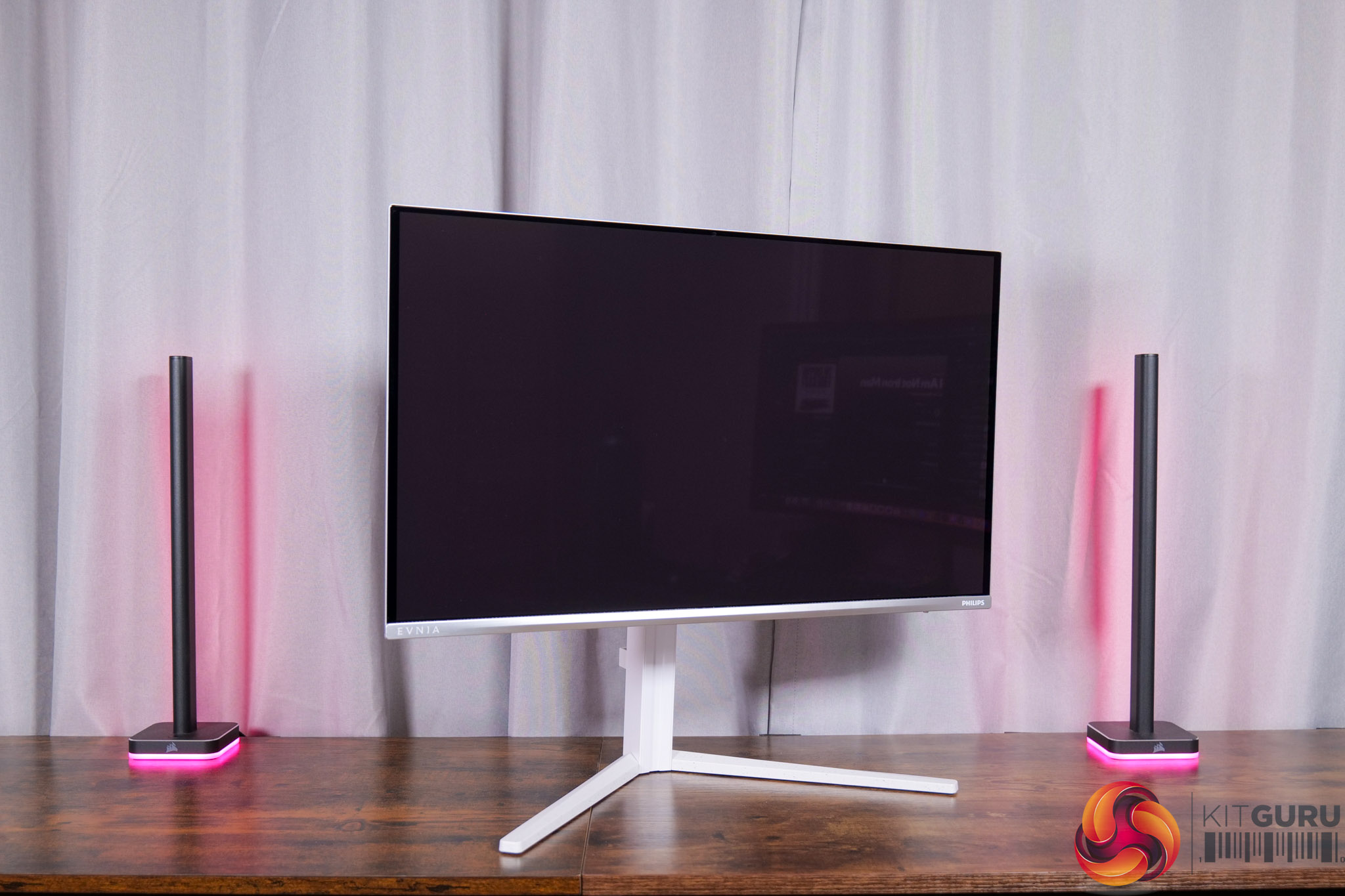
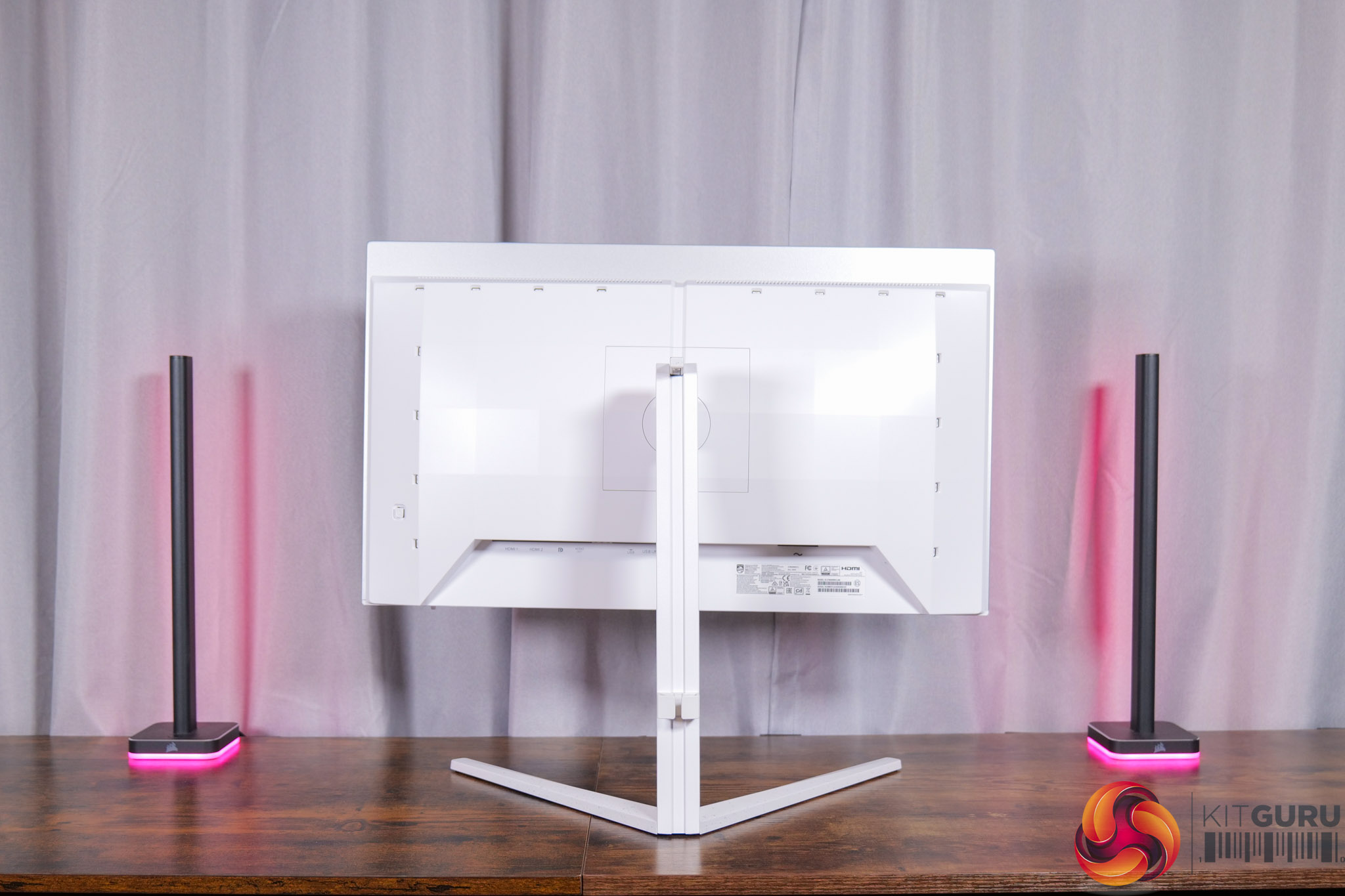
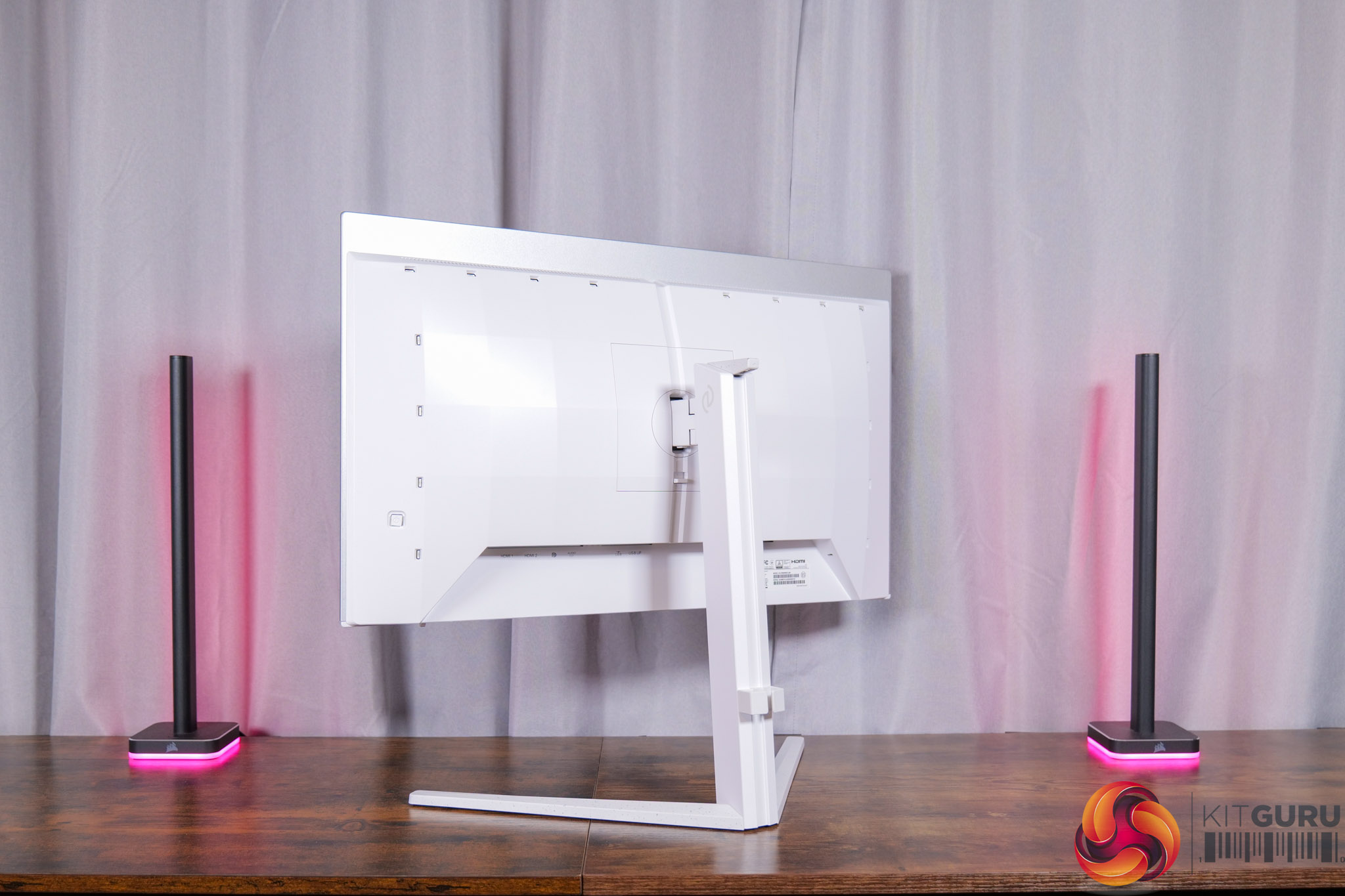
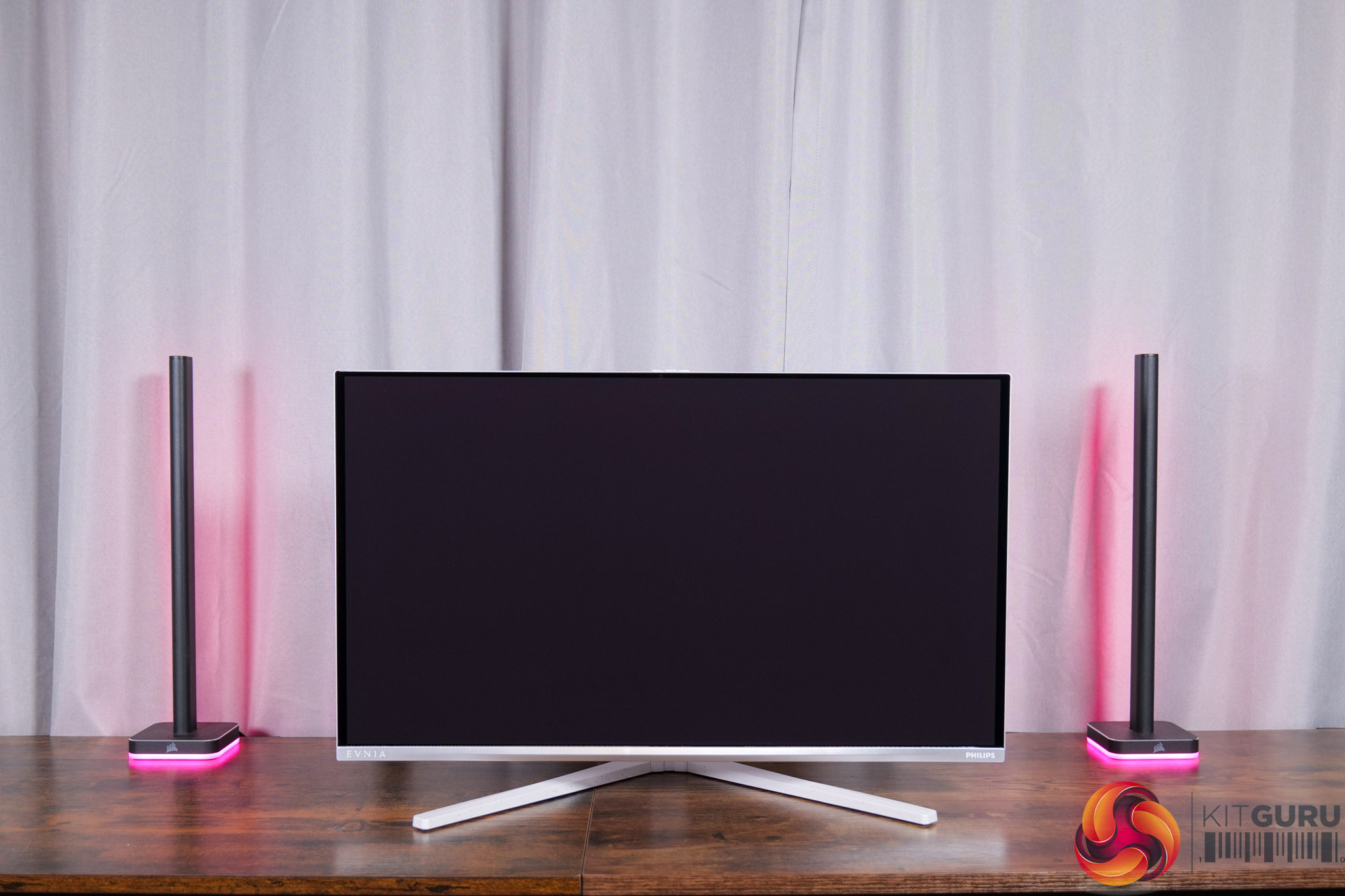
Starting off with the design of the 27M2N6501L, it'll be familiar to anyone who's seen our previous Evnia reviews, given it shares the same bright white aesthetic with some silver accents, and that extends right down to the v-shaped foot. The look certainly won't be for everyone, but it does stand out compared to the sea of all-black gaming monitors on the market.
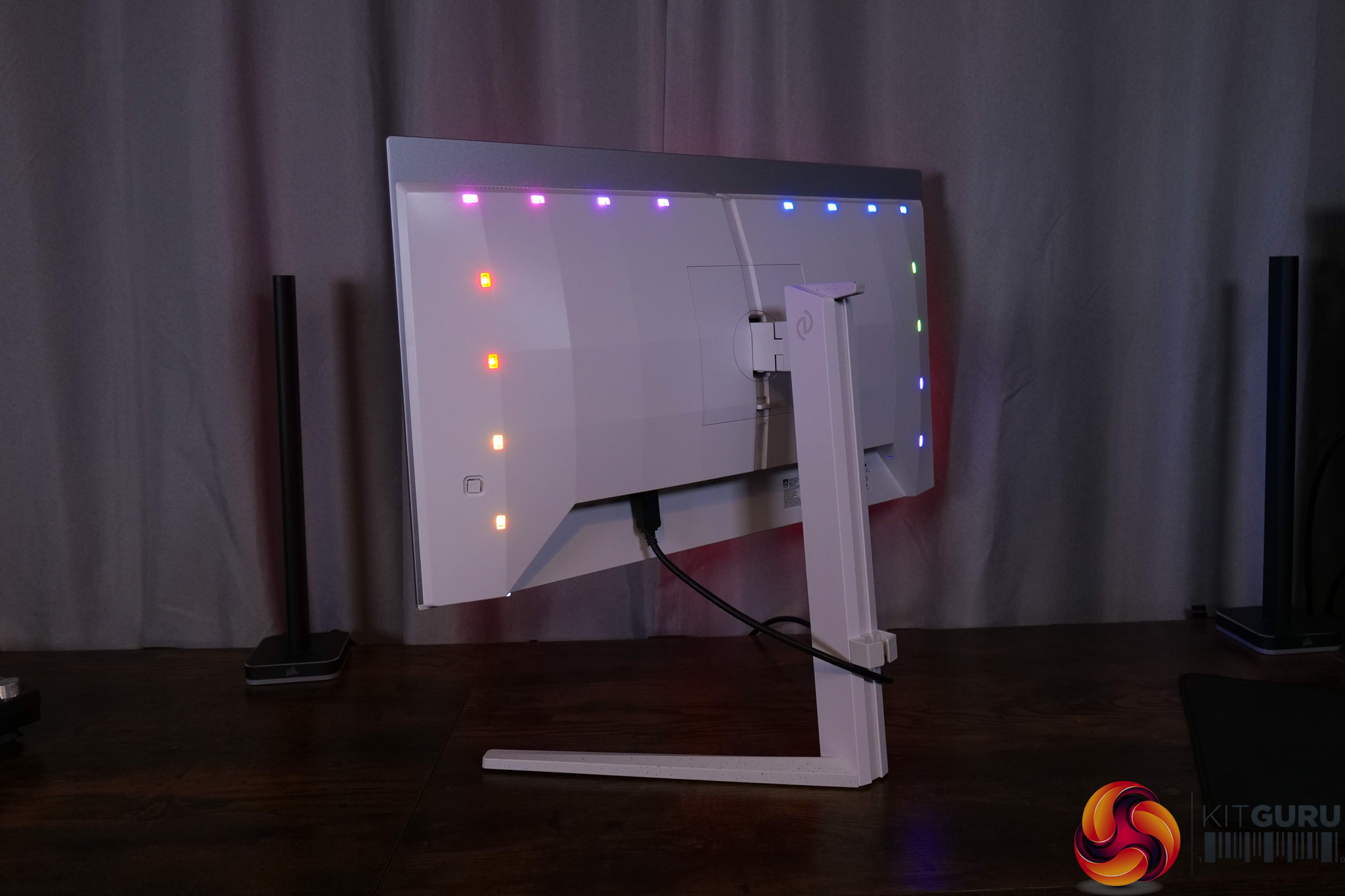
Philips has a big value-add in the form of its Ambiglow lighting which can be configured in the OSD. It offers three rows of LEDs and you can configure it to any colour you want, or the most useful option is the ‘Follow Video' mode, where the lights change based on what content is being displayed, and this can definitely add to the immersion factor while gaming. Considering the 27M2N6501L is the same price as AOC's Q27G4ZDR but offers Ambiglow as an extra, that alone is enough to make it more appealing.
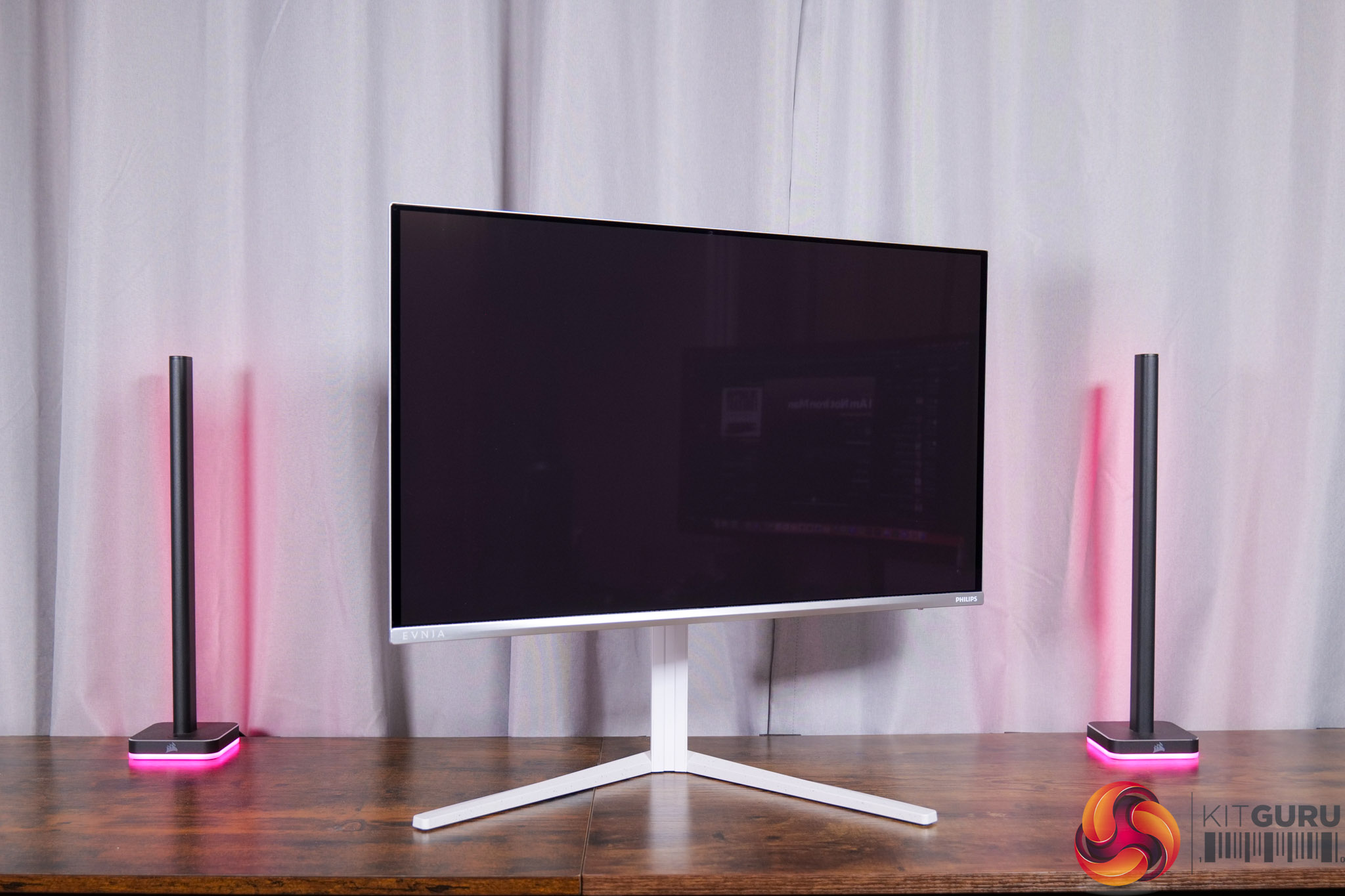
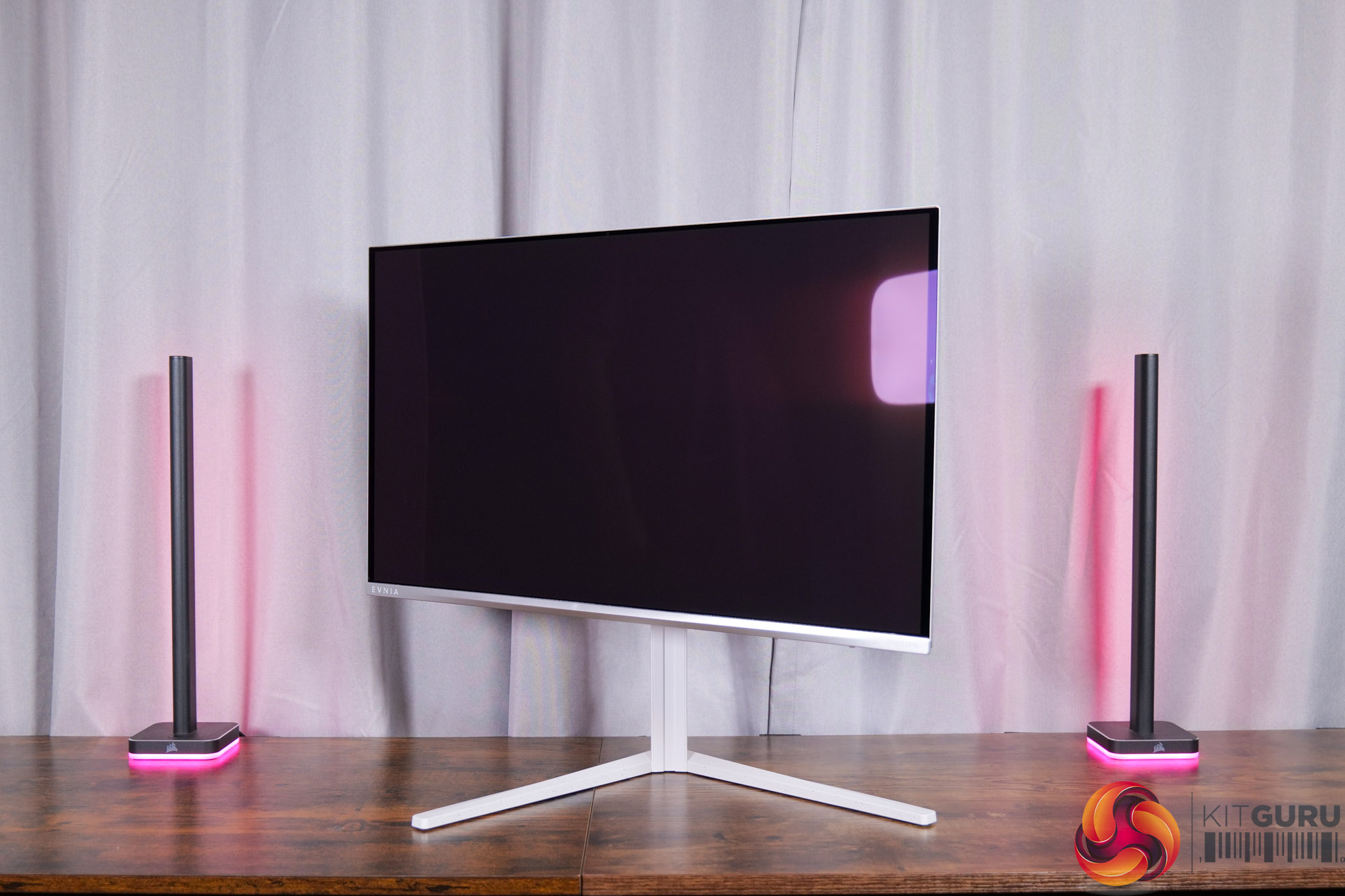
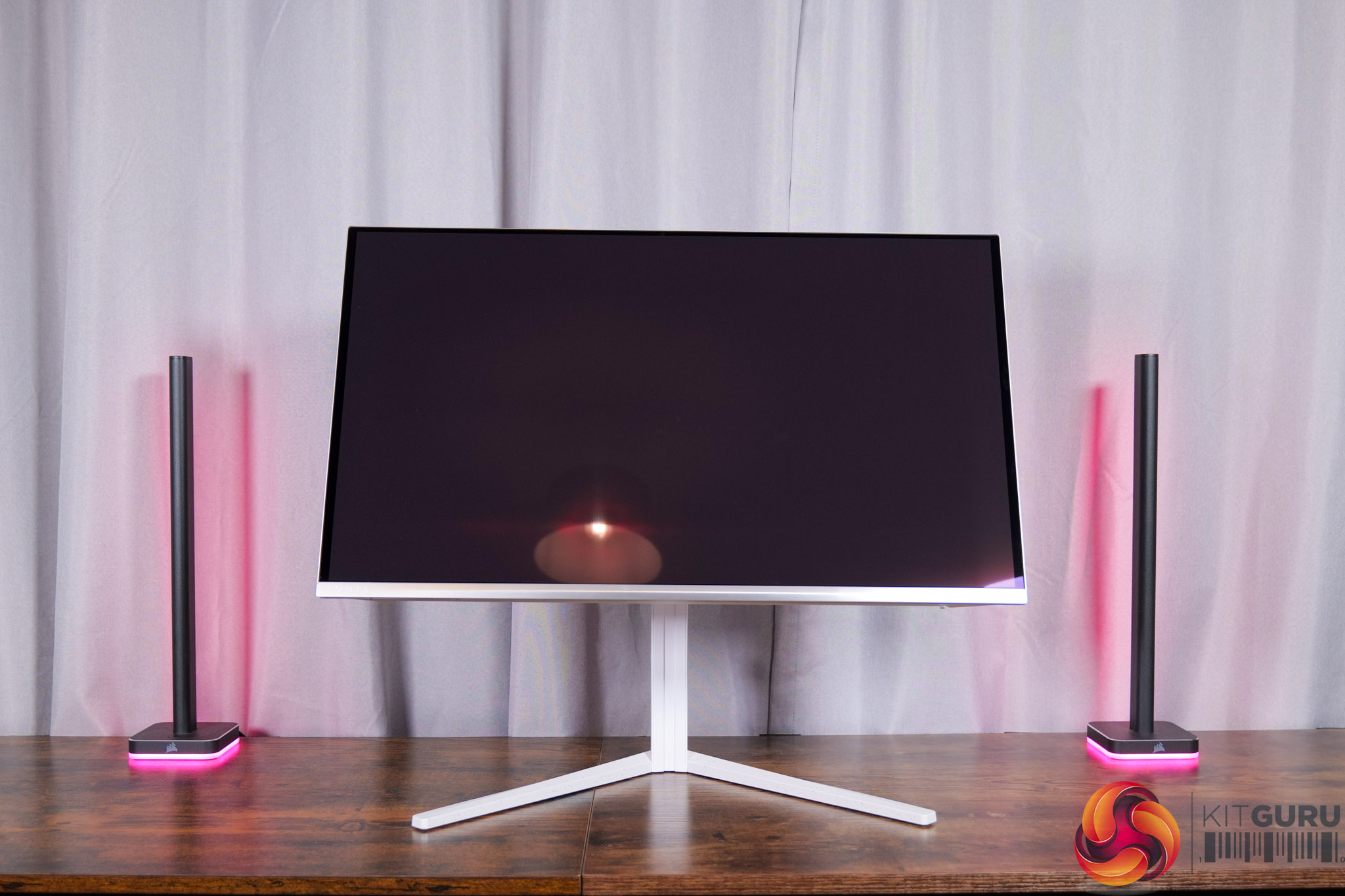
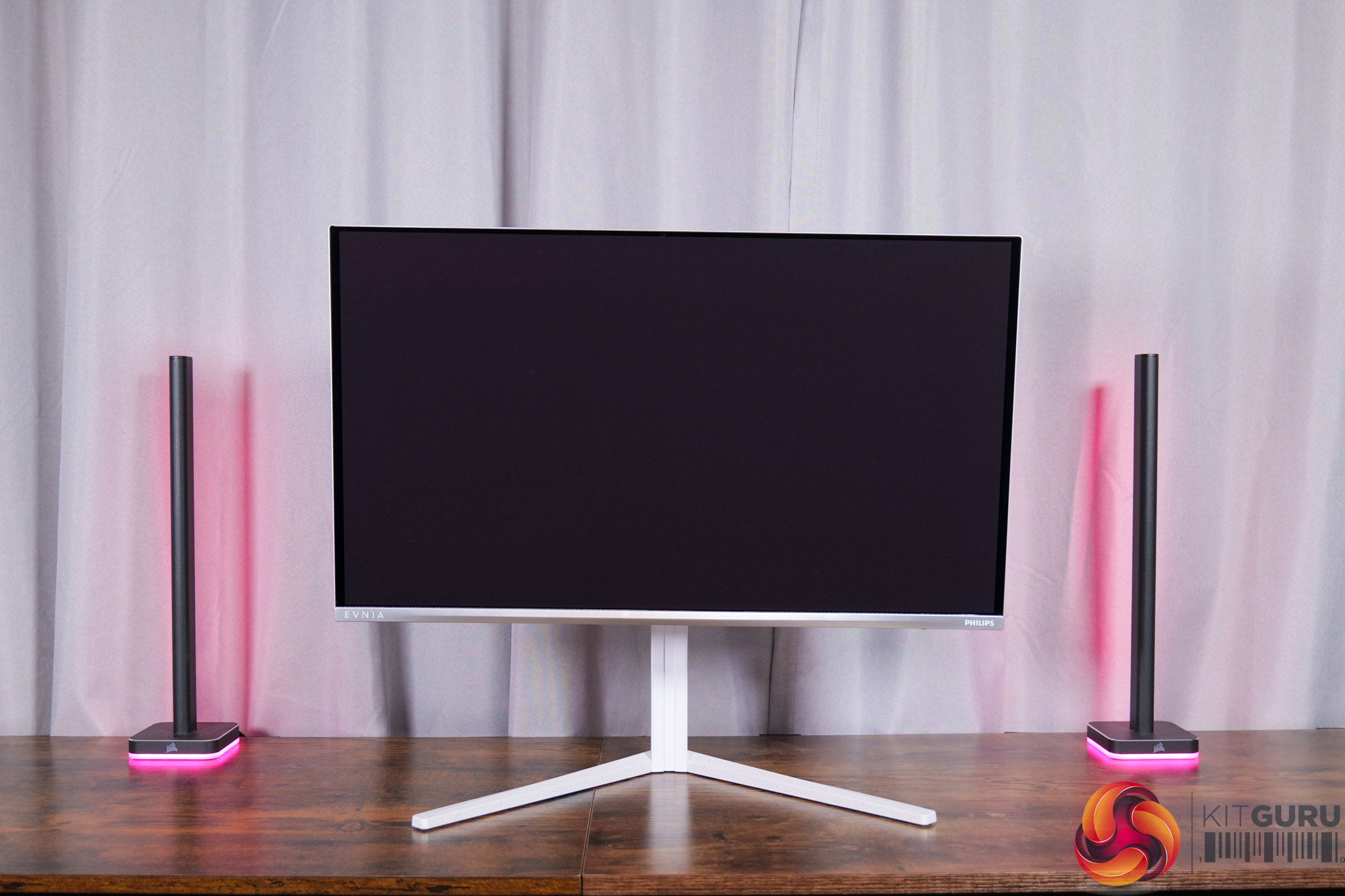
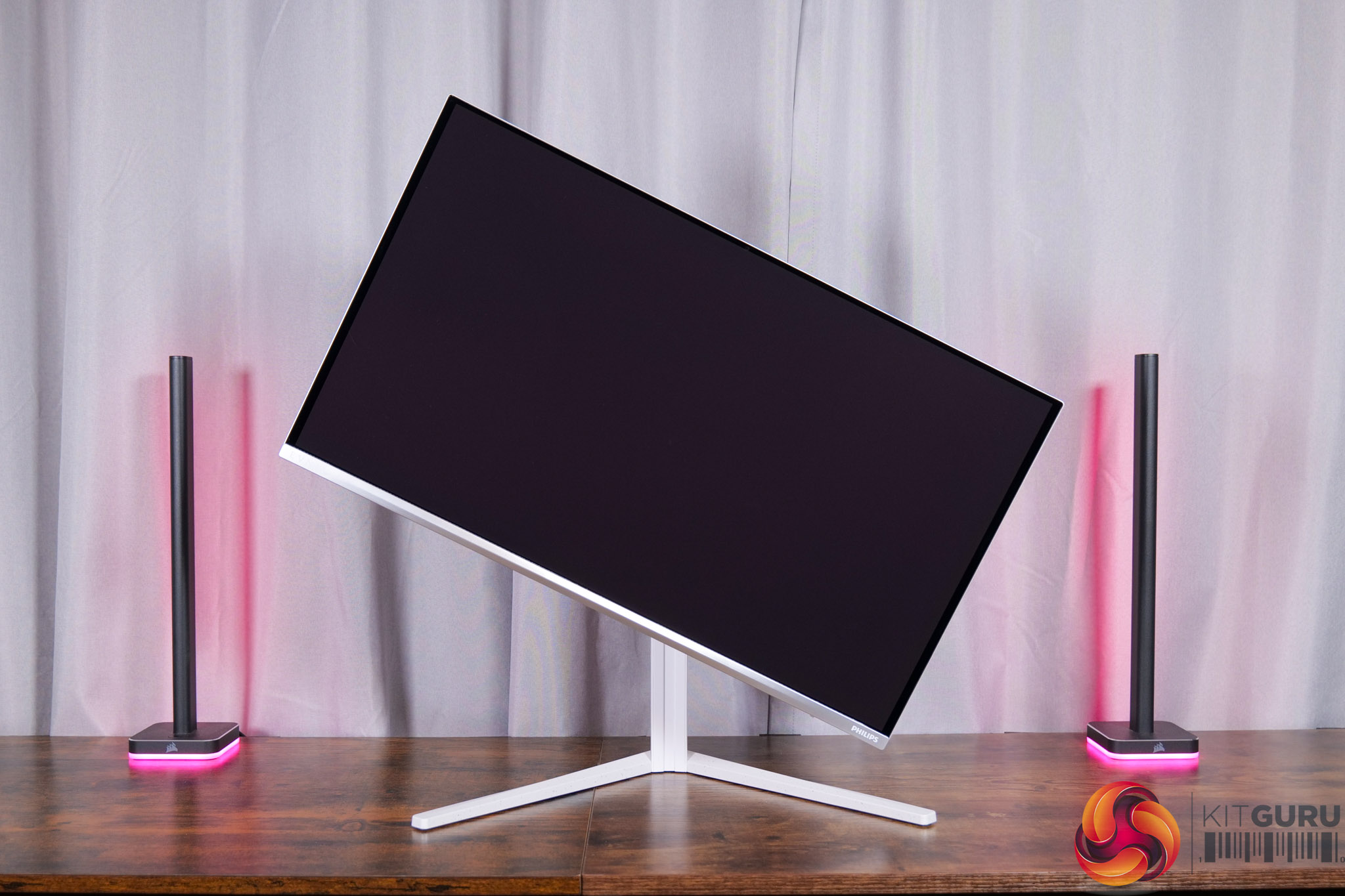
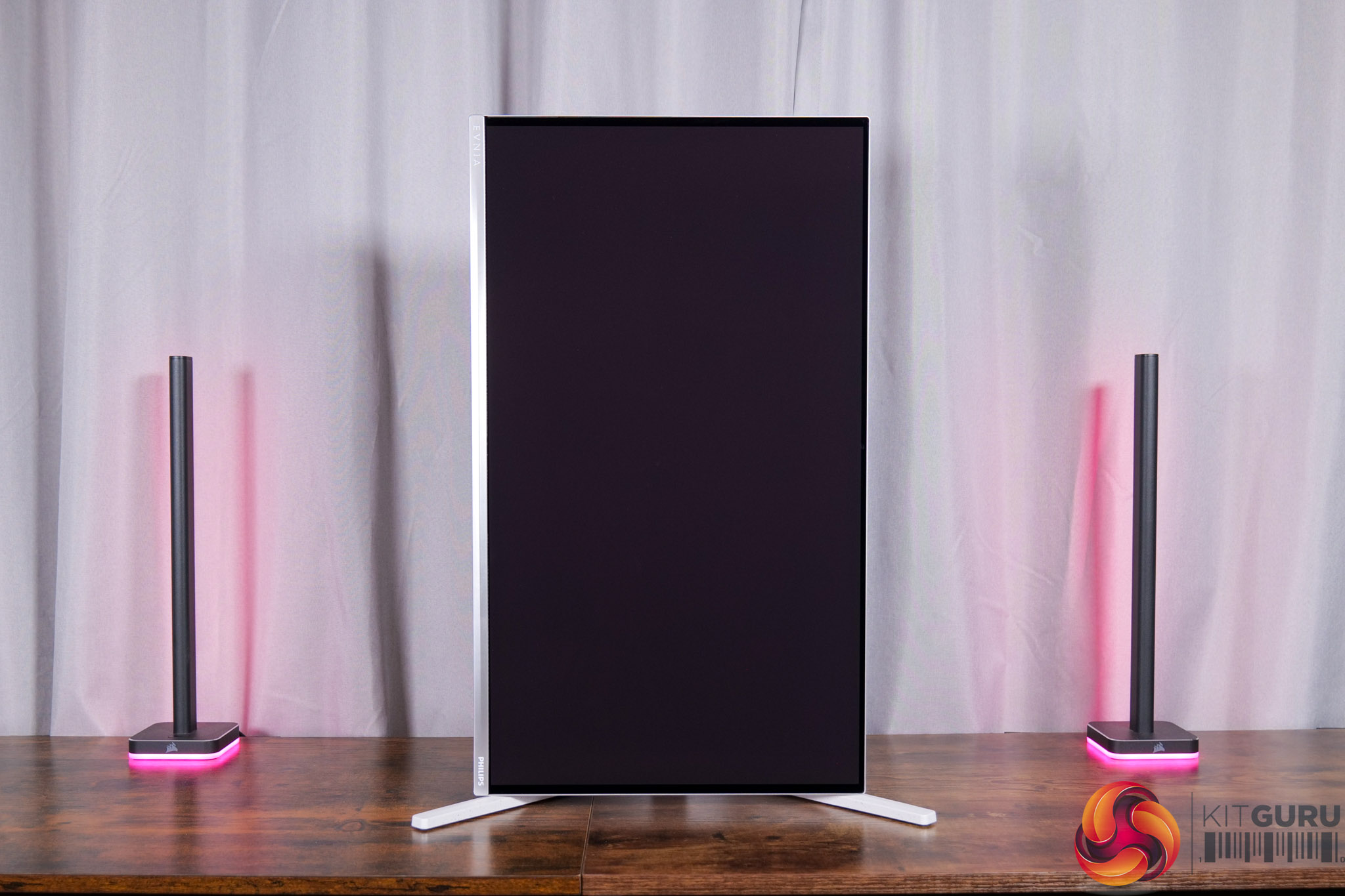
The stand offers the full range of ergonomic adjustments too, with 130mm of height adjustment, 30 degrees of swivel in both directions, tilt from -5 to 20 degrees, and then full 90 degree pivot functionality so the display can be used vertically. VESA 100×100 mounts are also supported.
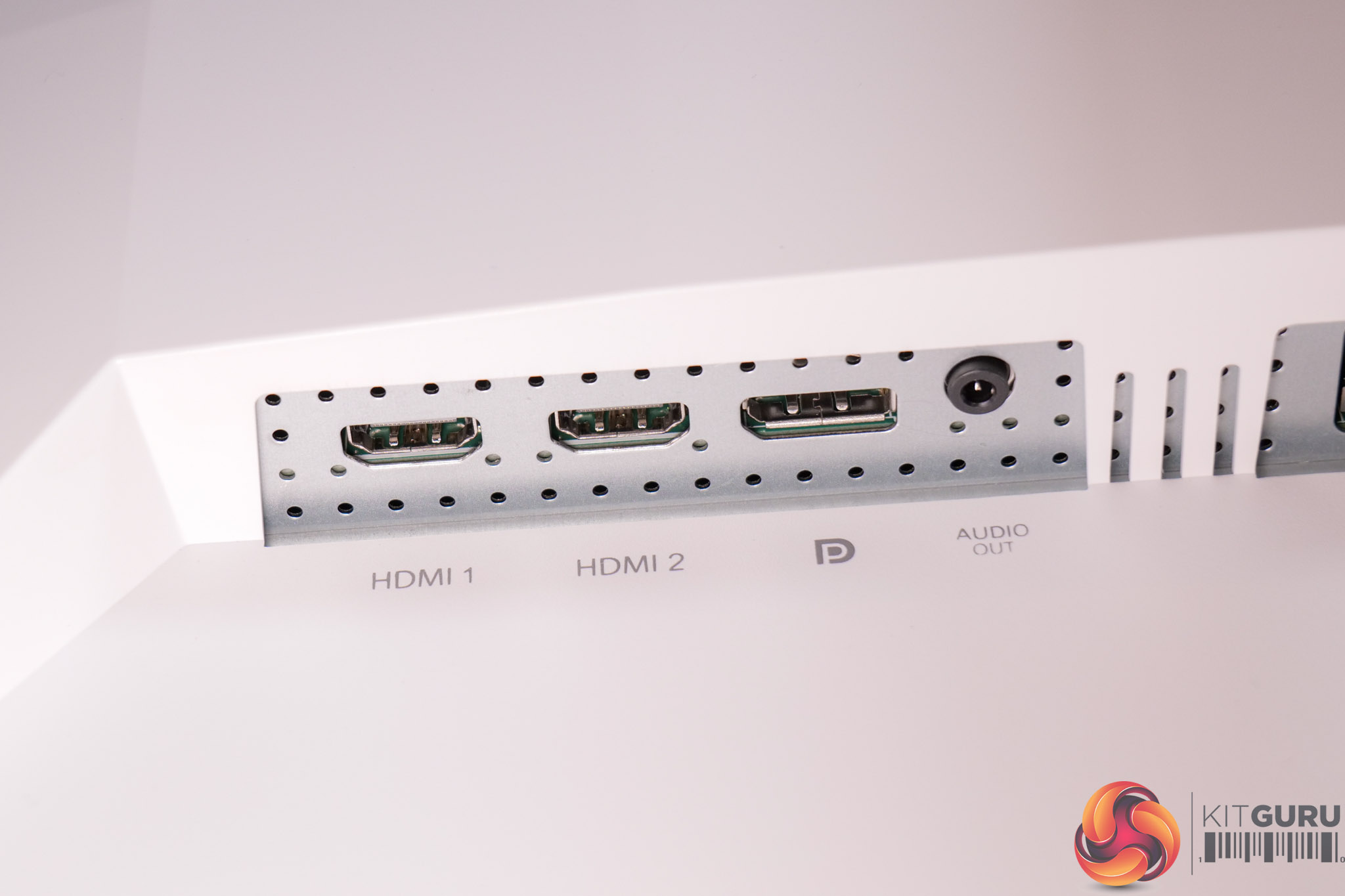
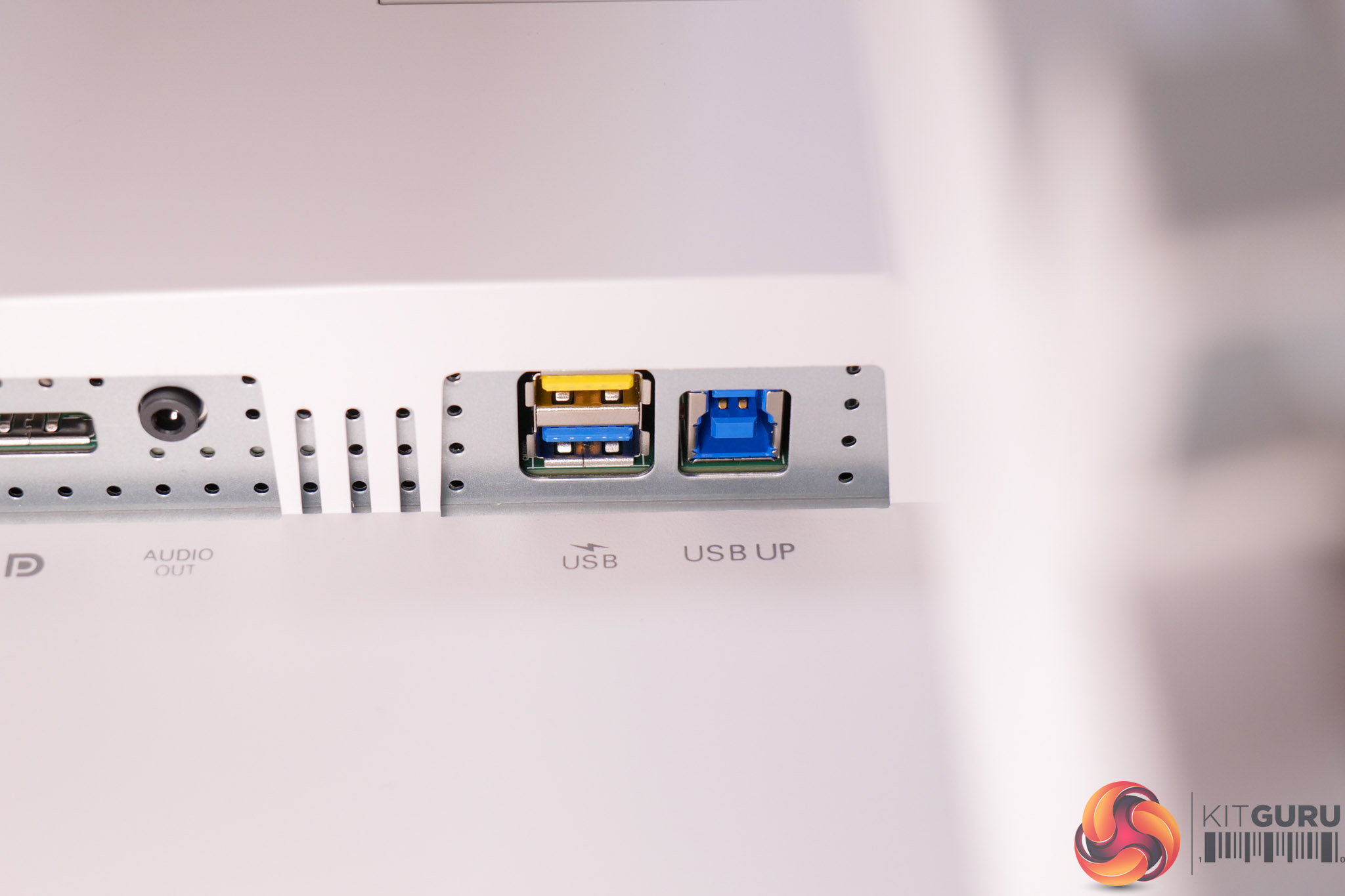
As for connectivity, we find 2x HDMI 2.1 ports and 1x DisplayPort 1.4, while there's a two-port USB hub, with the yellow one denoting fast charge support. That's it, otherwise, so no USB-C or KVM functionality, which have clearly been ditched to save on costs.
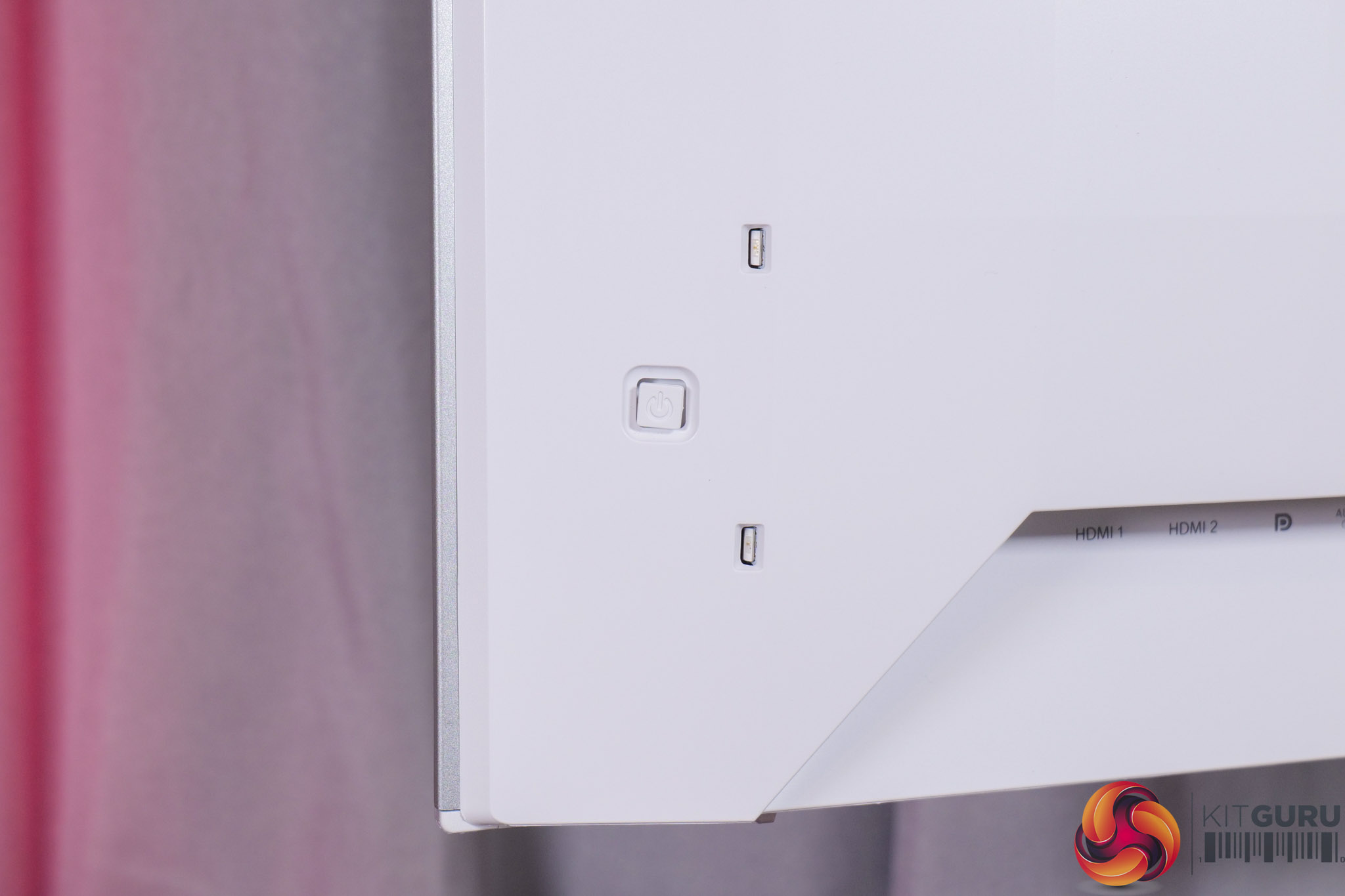
It's good to see a joystick used to navigate the OSD though, positioned on the back in the bottom right corner.
As for the OSD, everything is split into 8 main tabs, as you can see here:
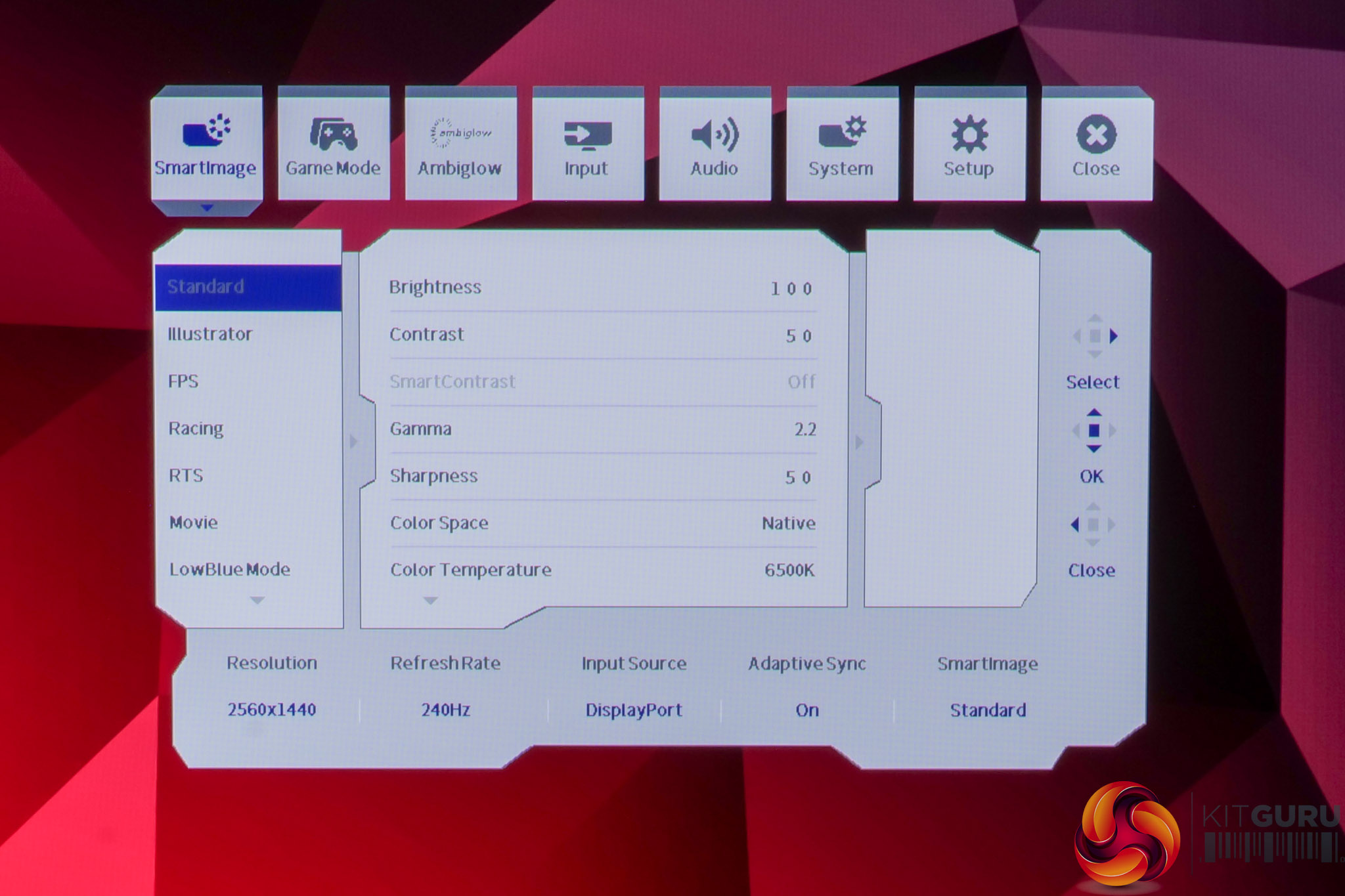
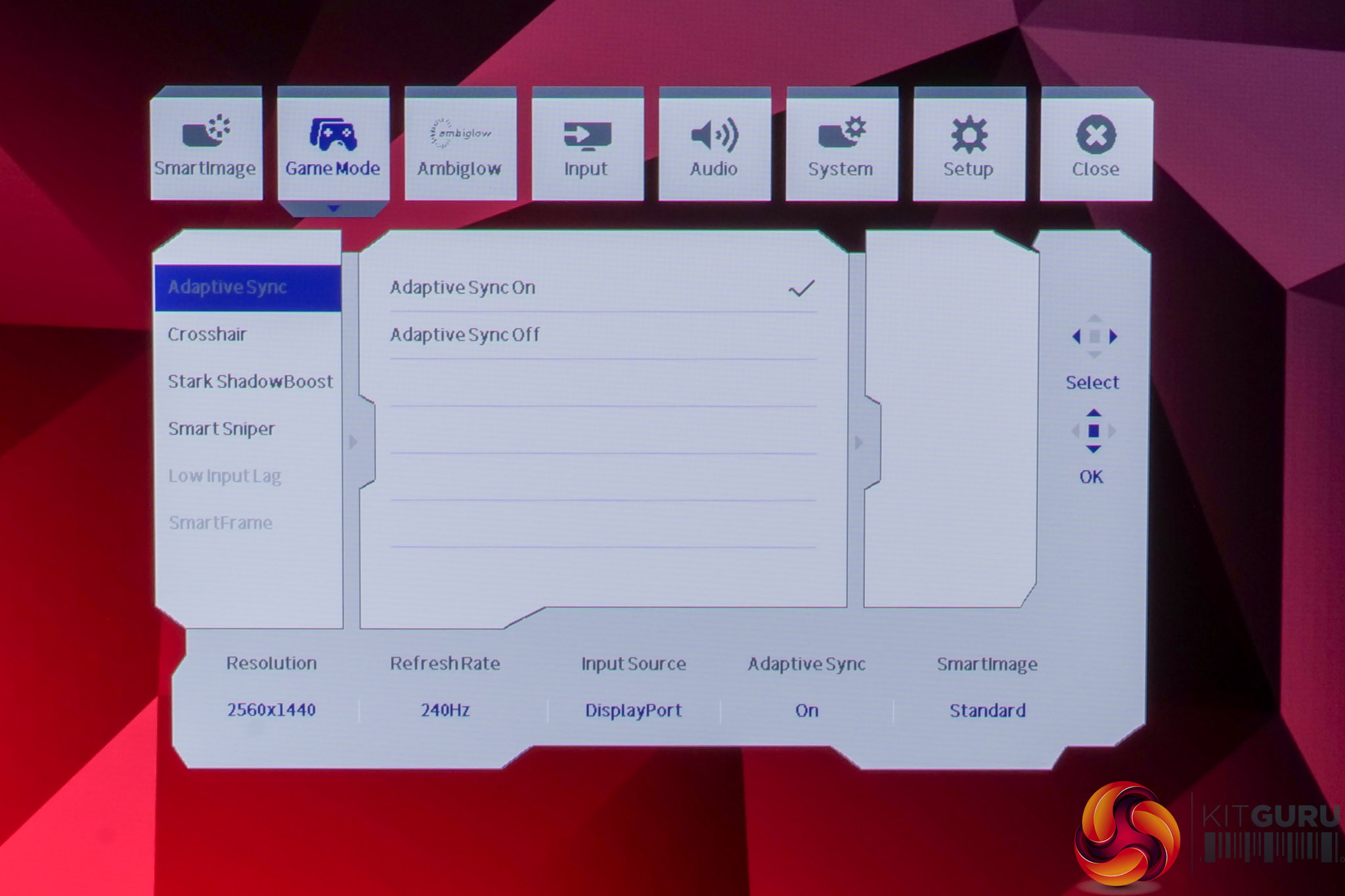
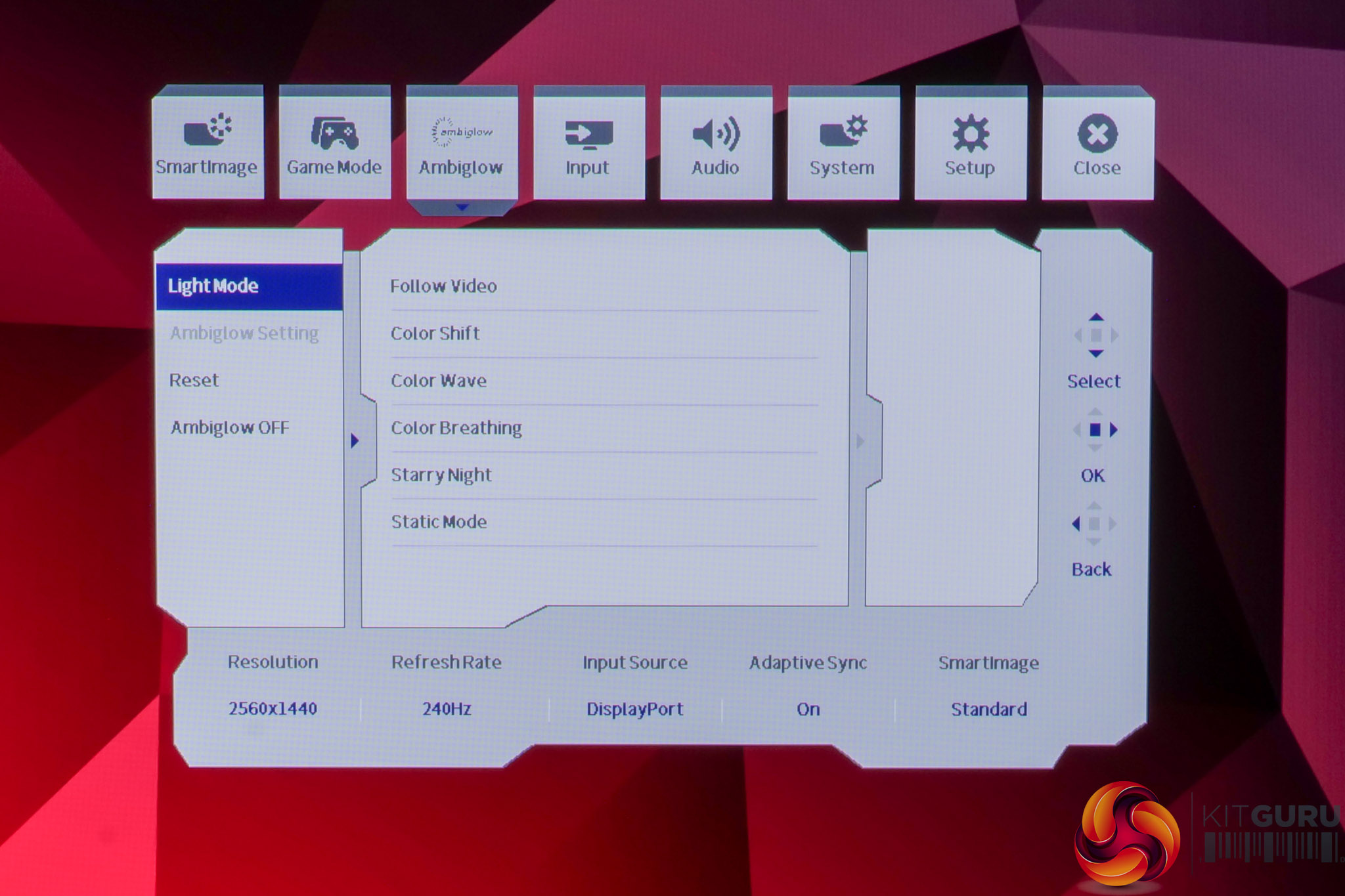
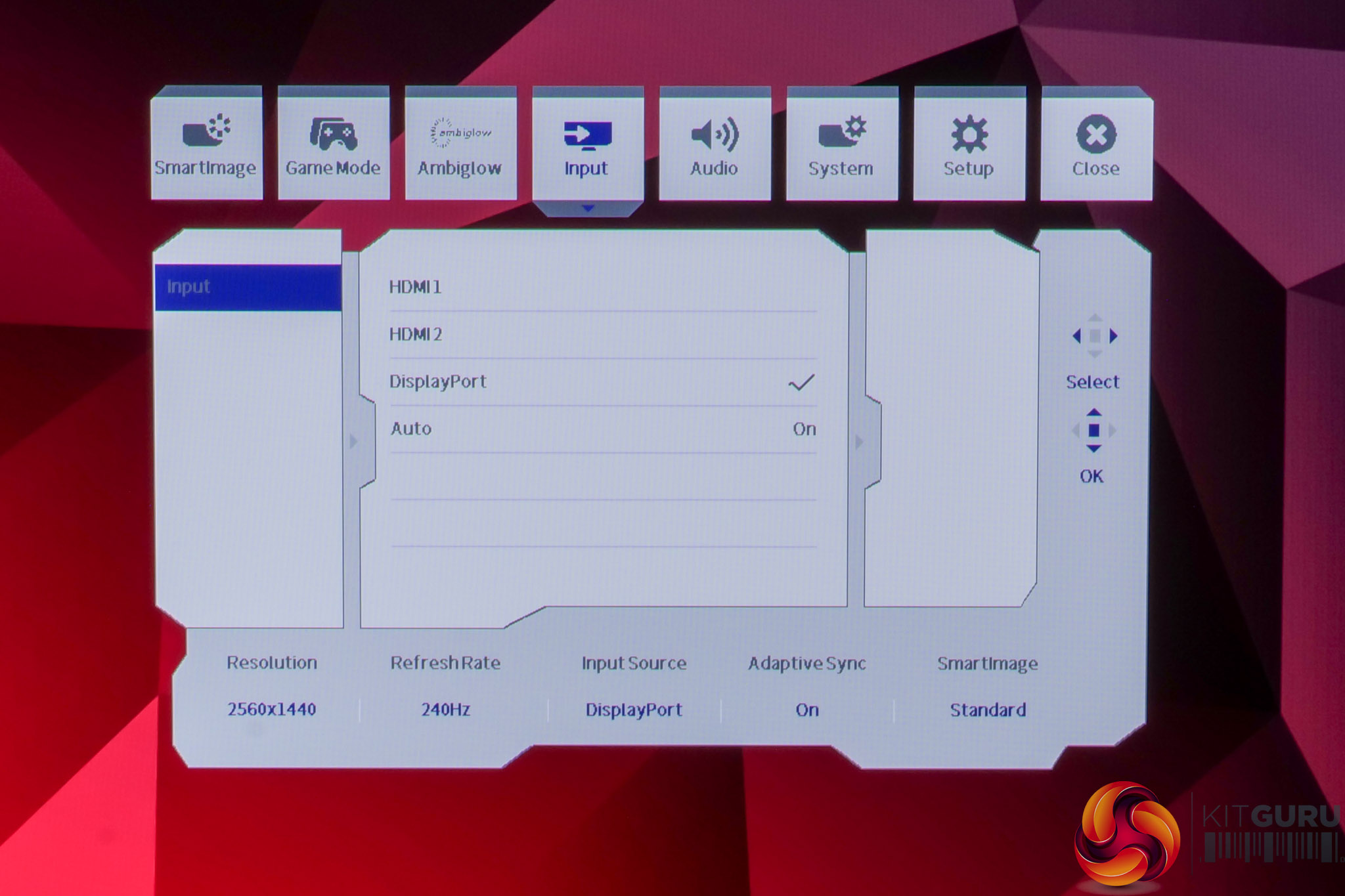
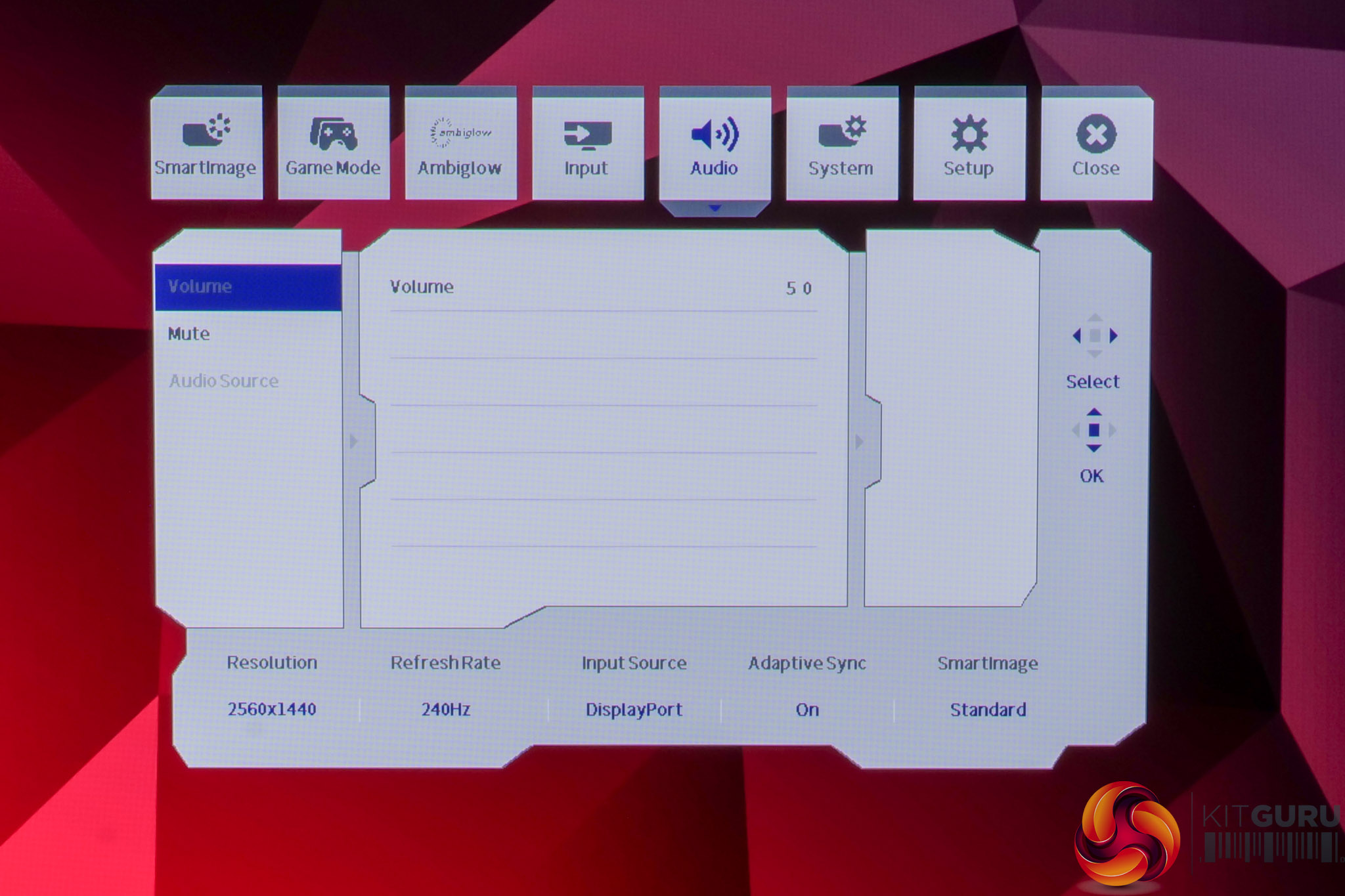
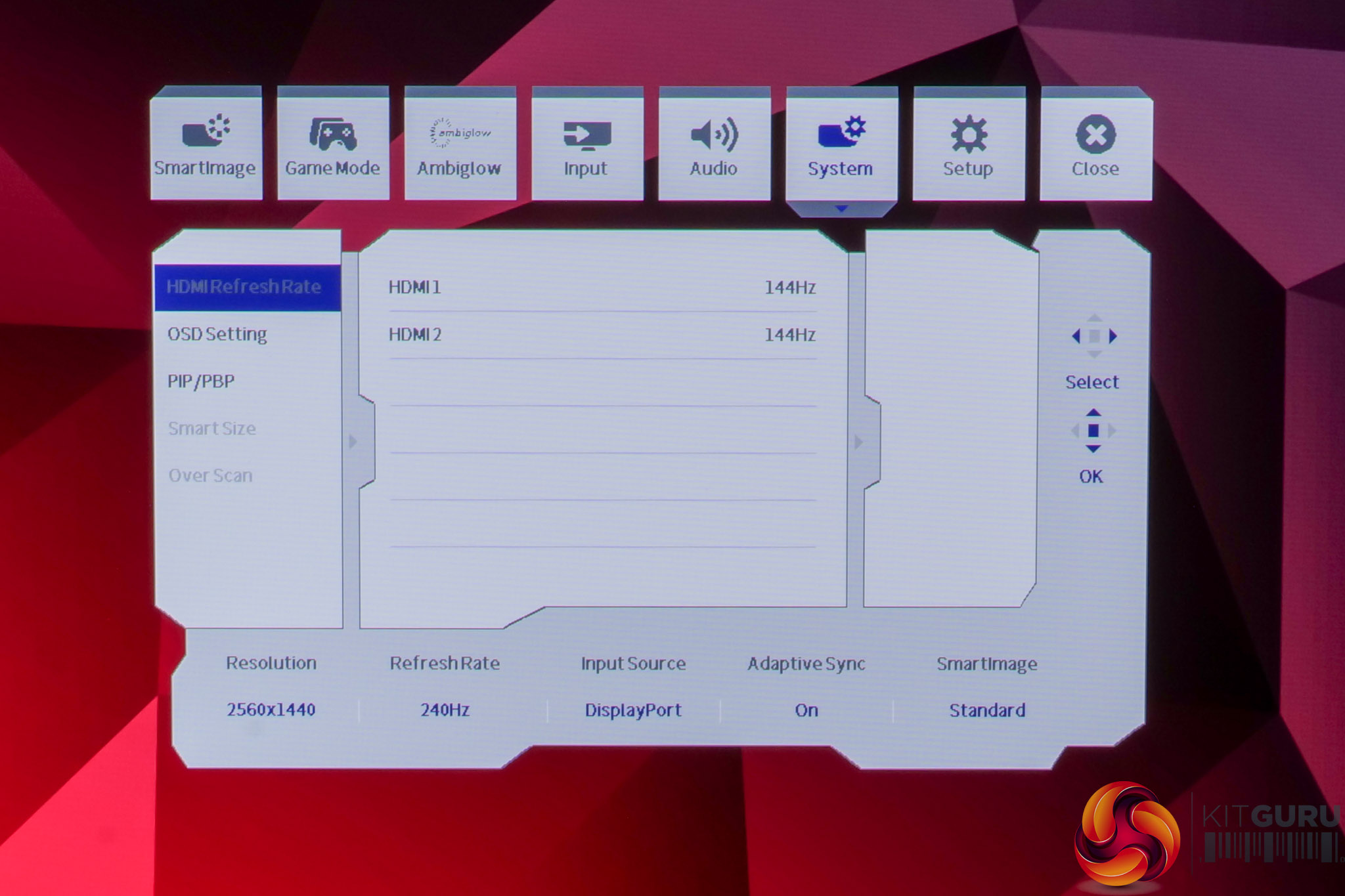
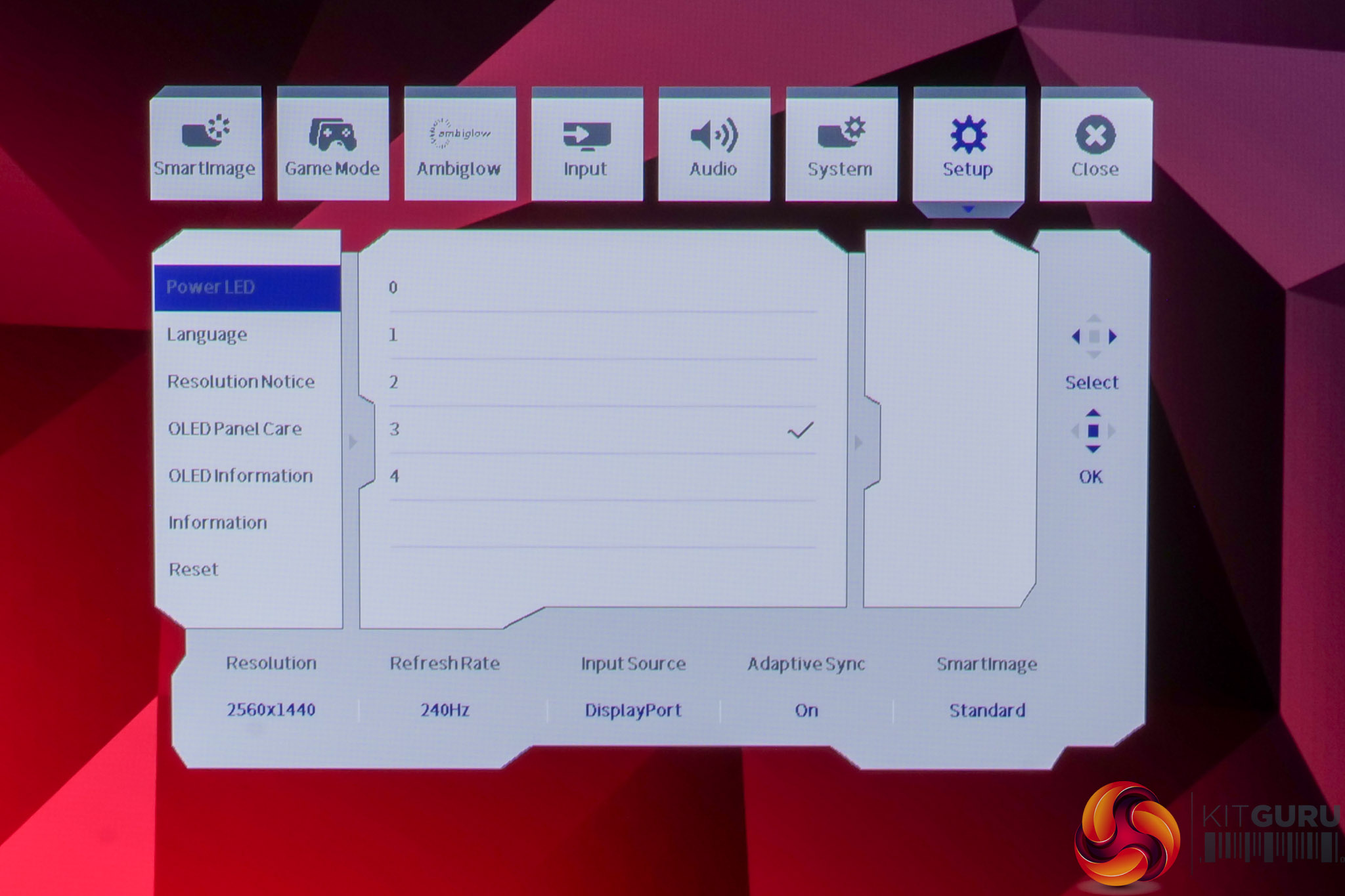
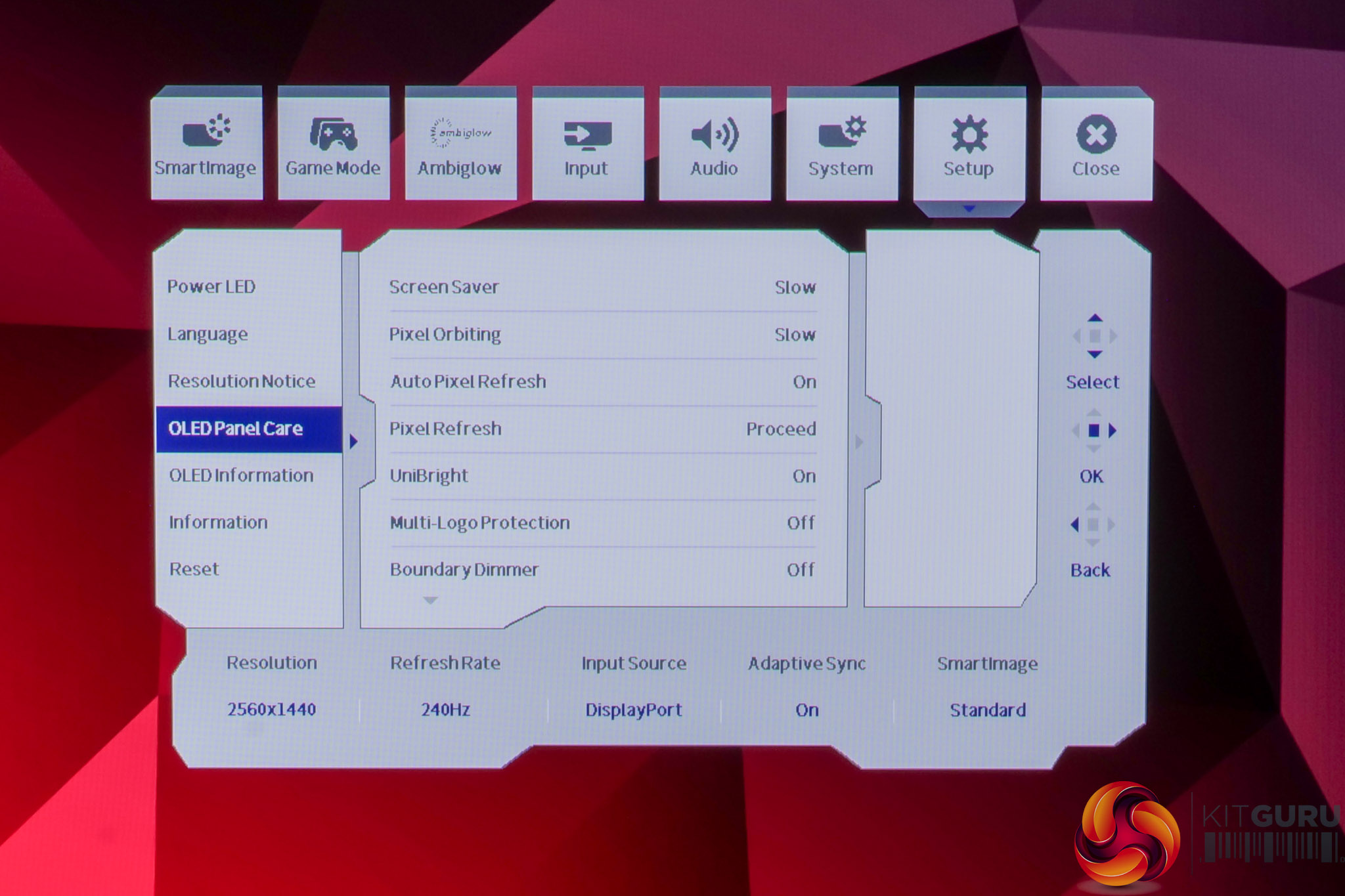
The OSD system appears unchanged since we last looked at an Evnia screen. It's certainly not the prettiest UI going, but it has a good number of features and is easy to navigate using the joystick. My only real complaint is that there are no customisable shortcut options – being able to quickly adjust brightness without diving into the main OSD itself is always a welcome feature to me.
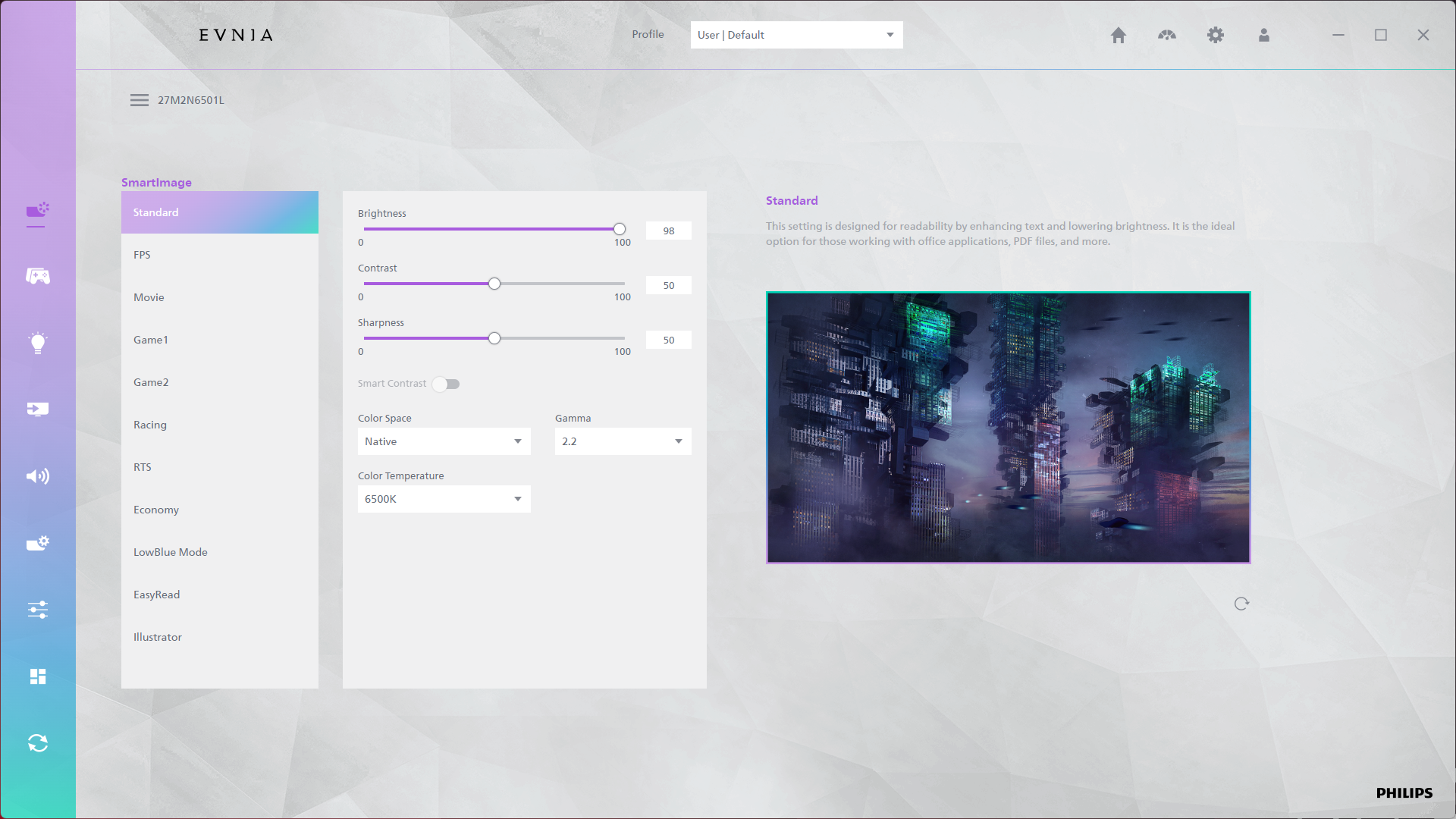
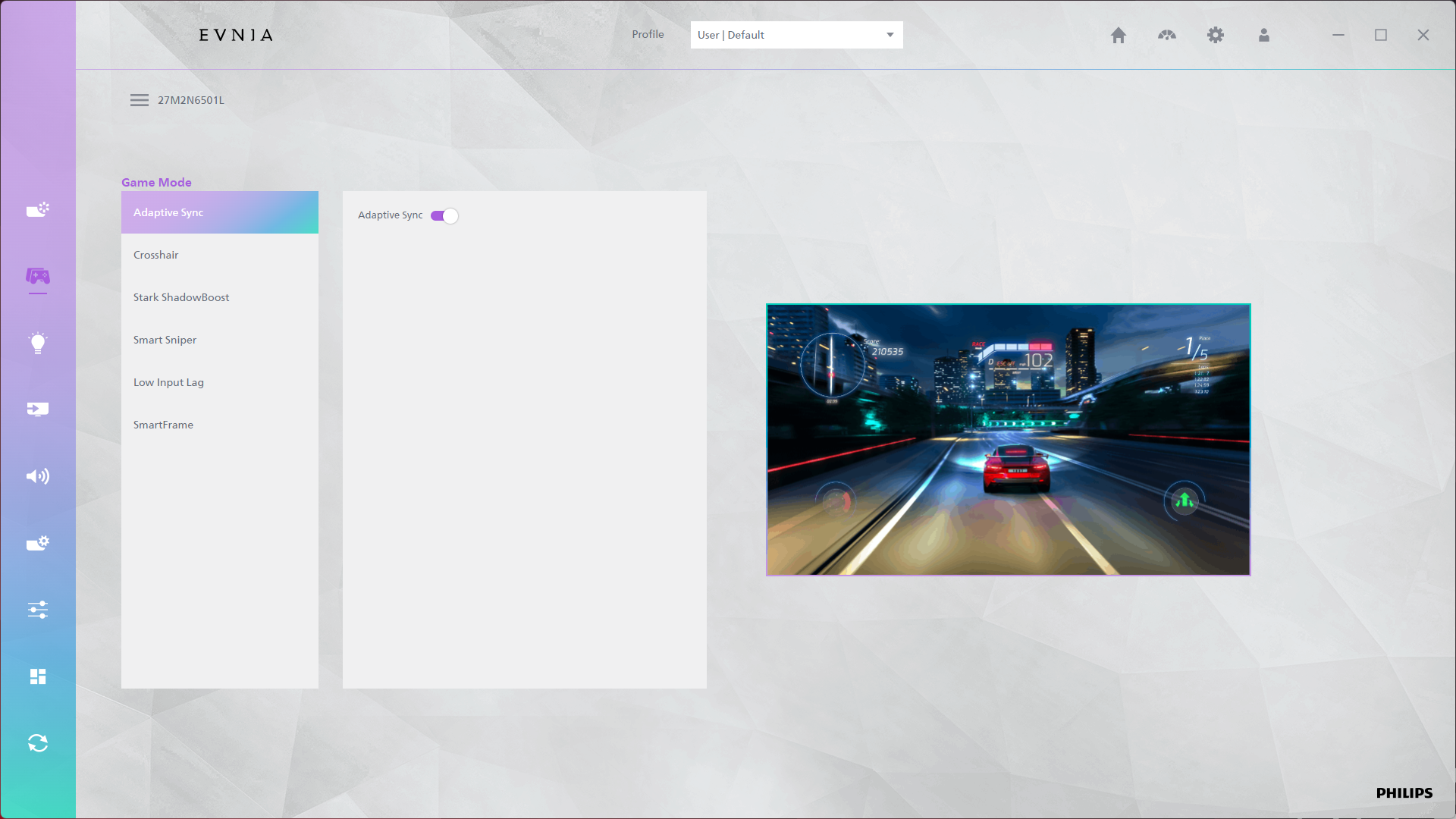
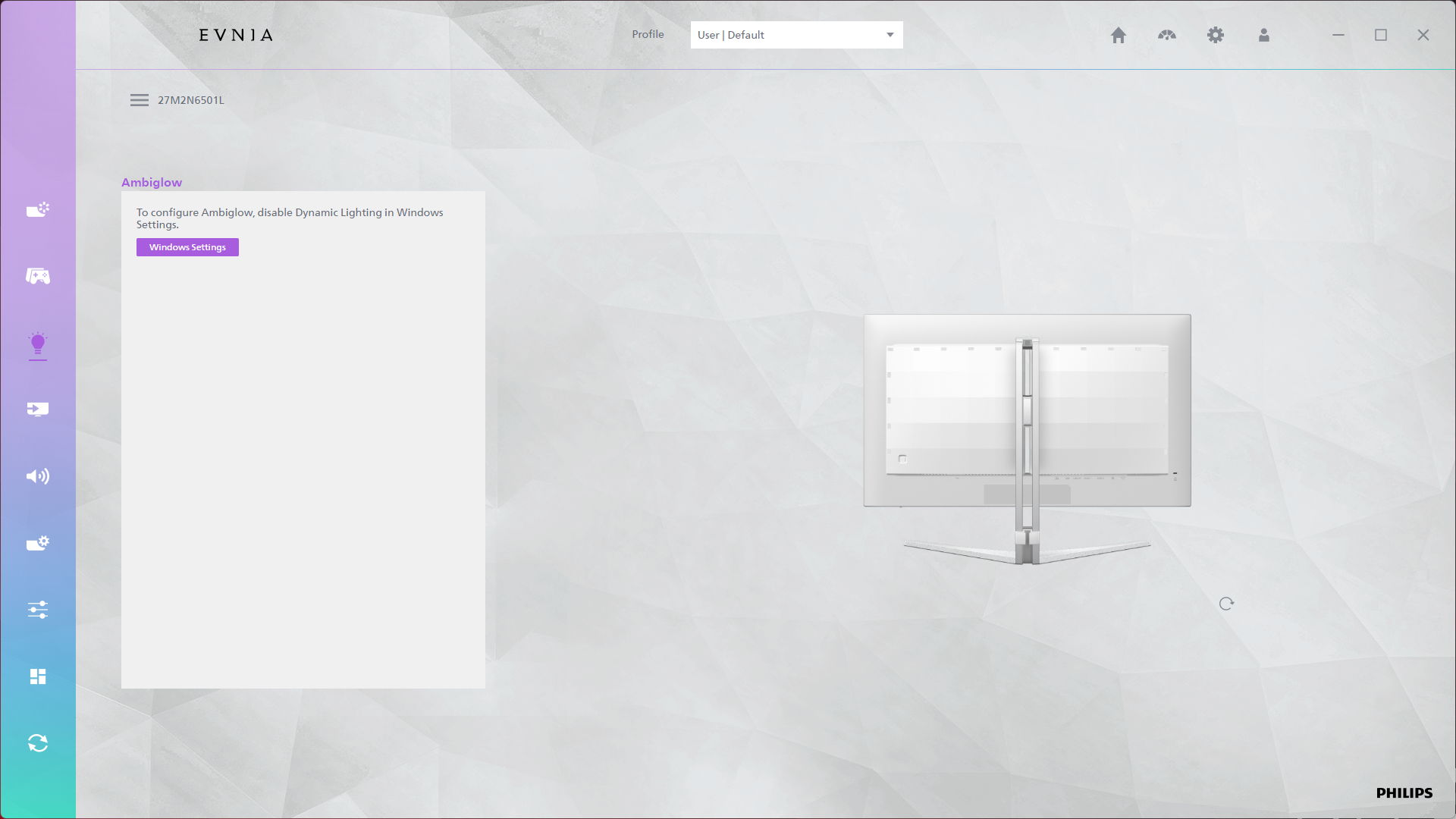
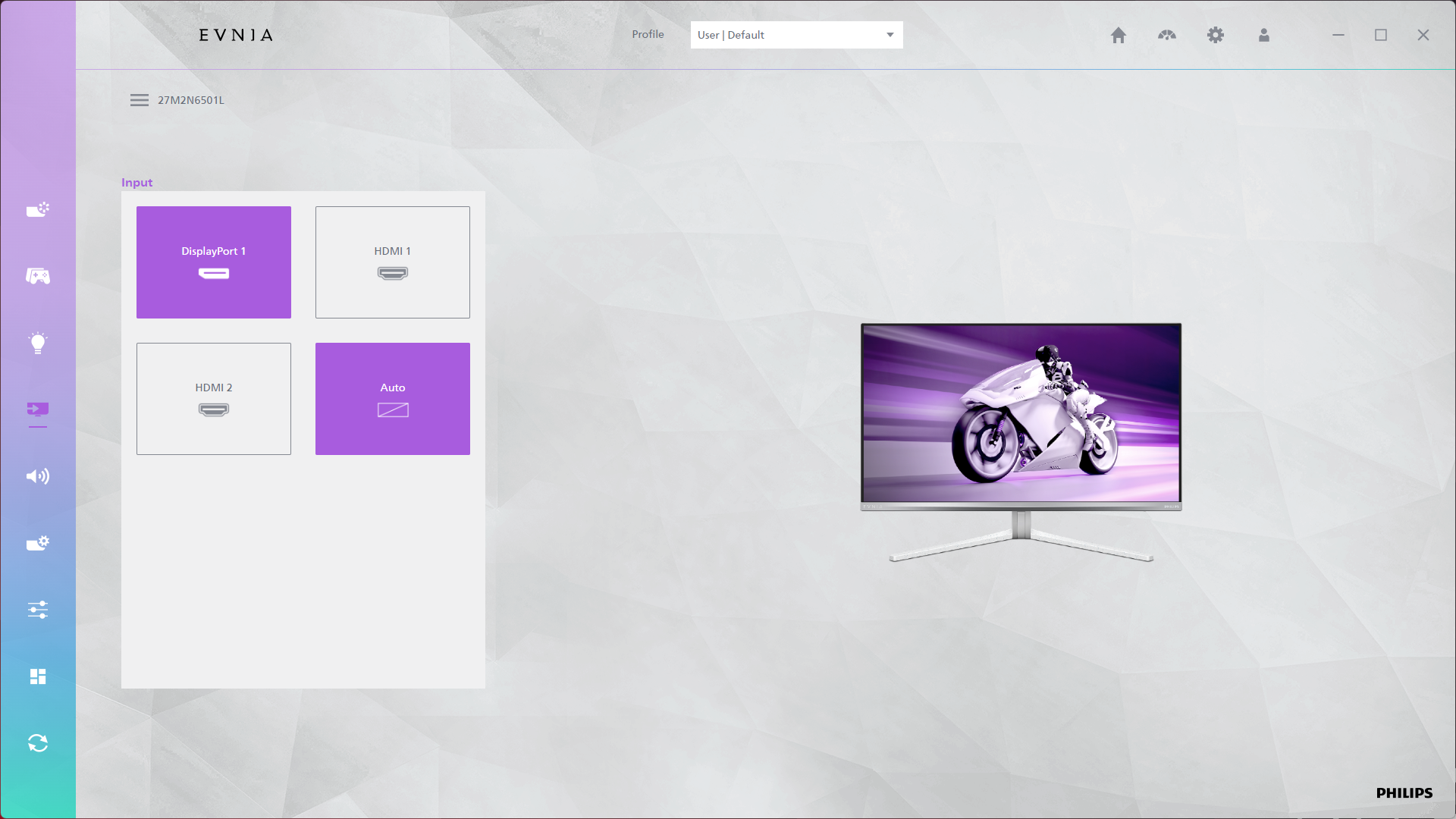
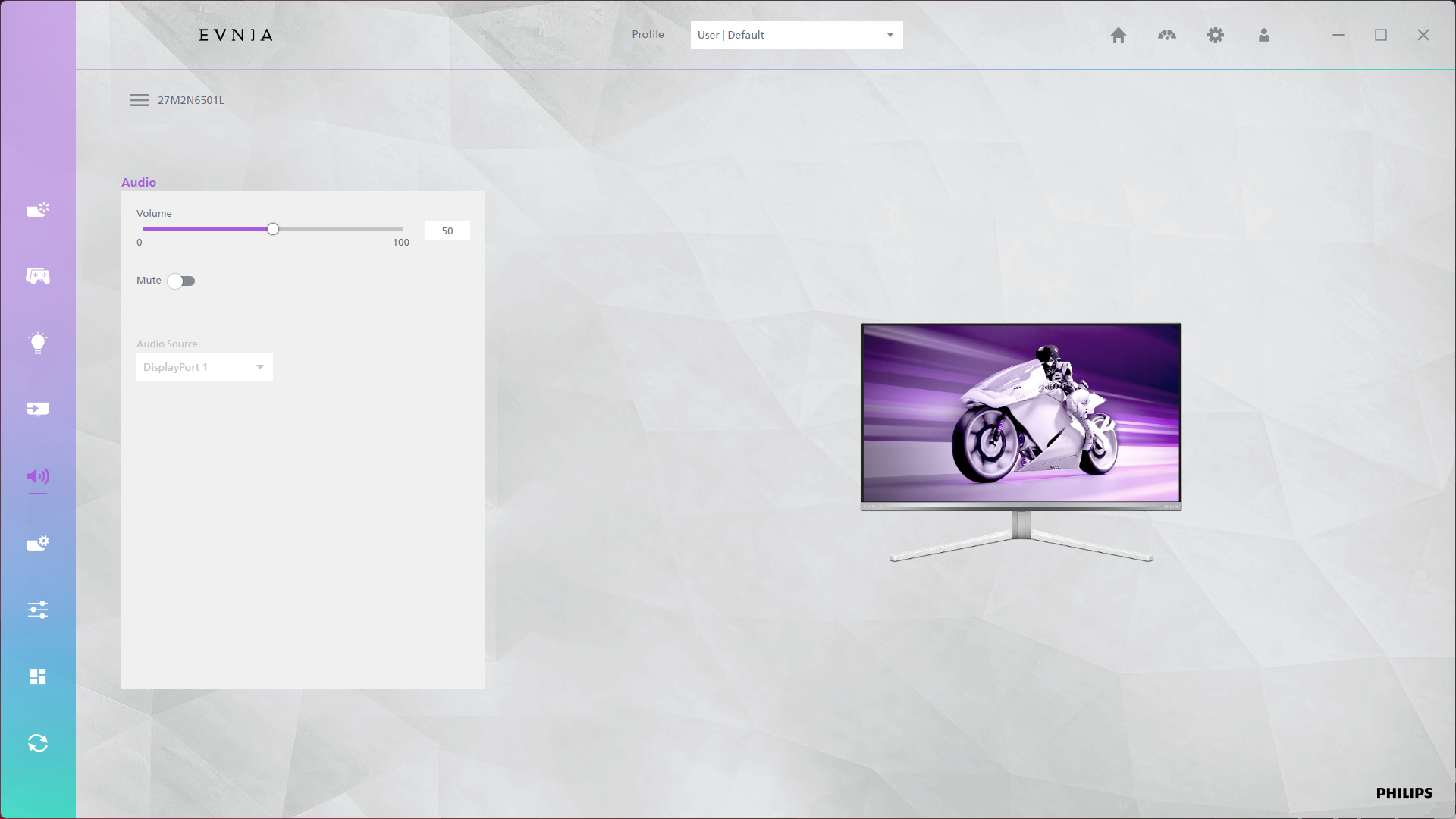
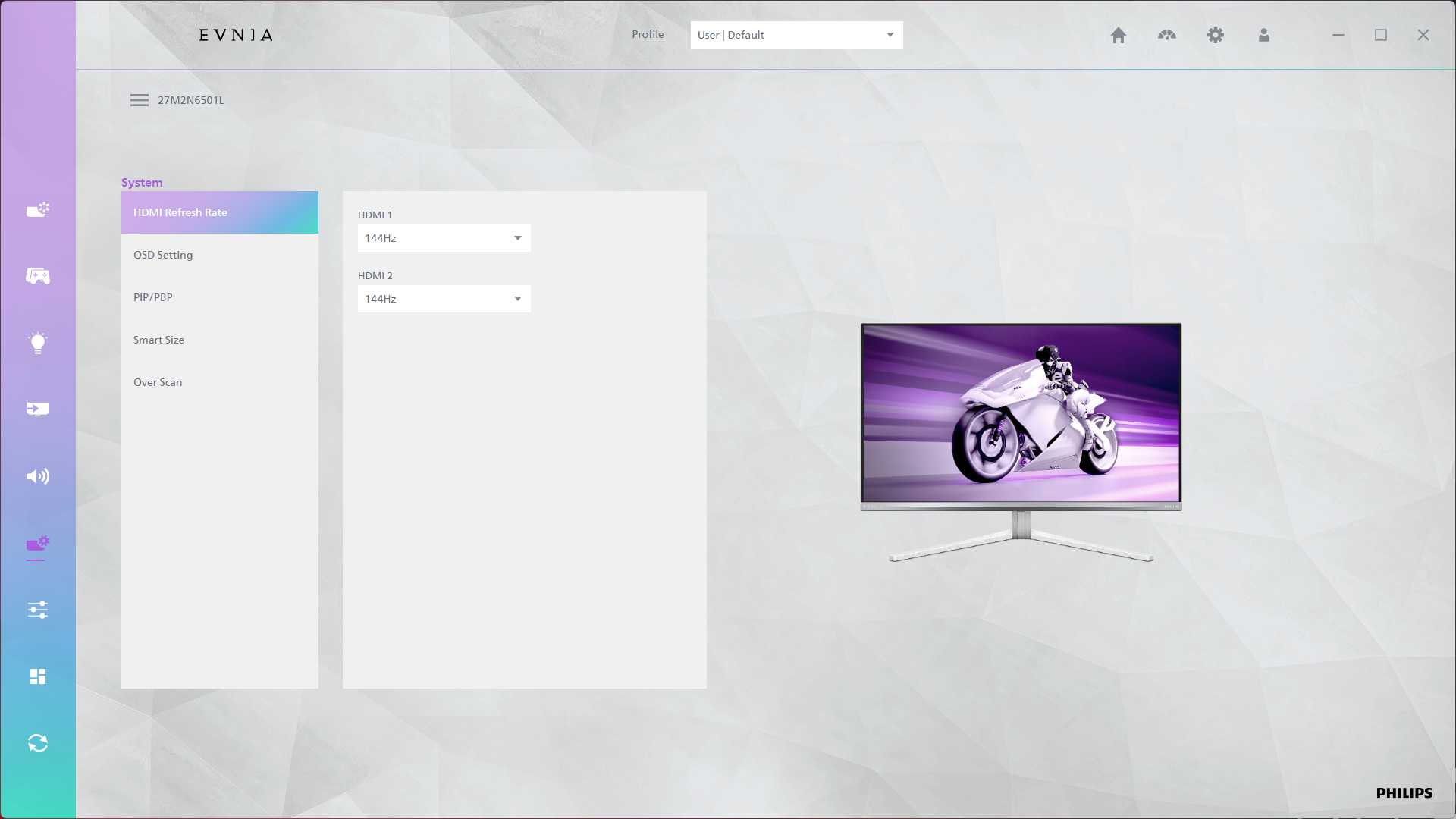
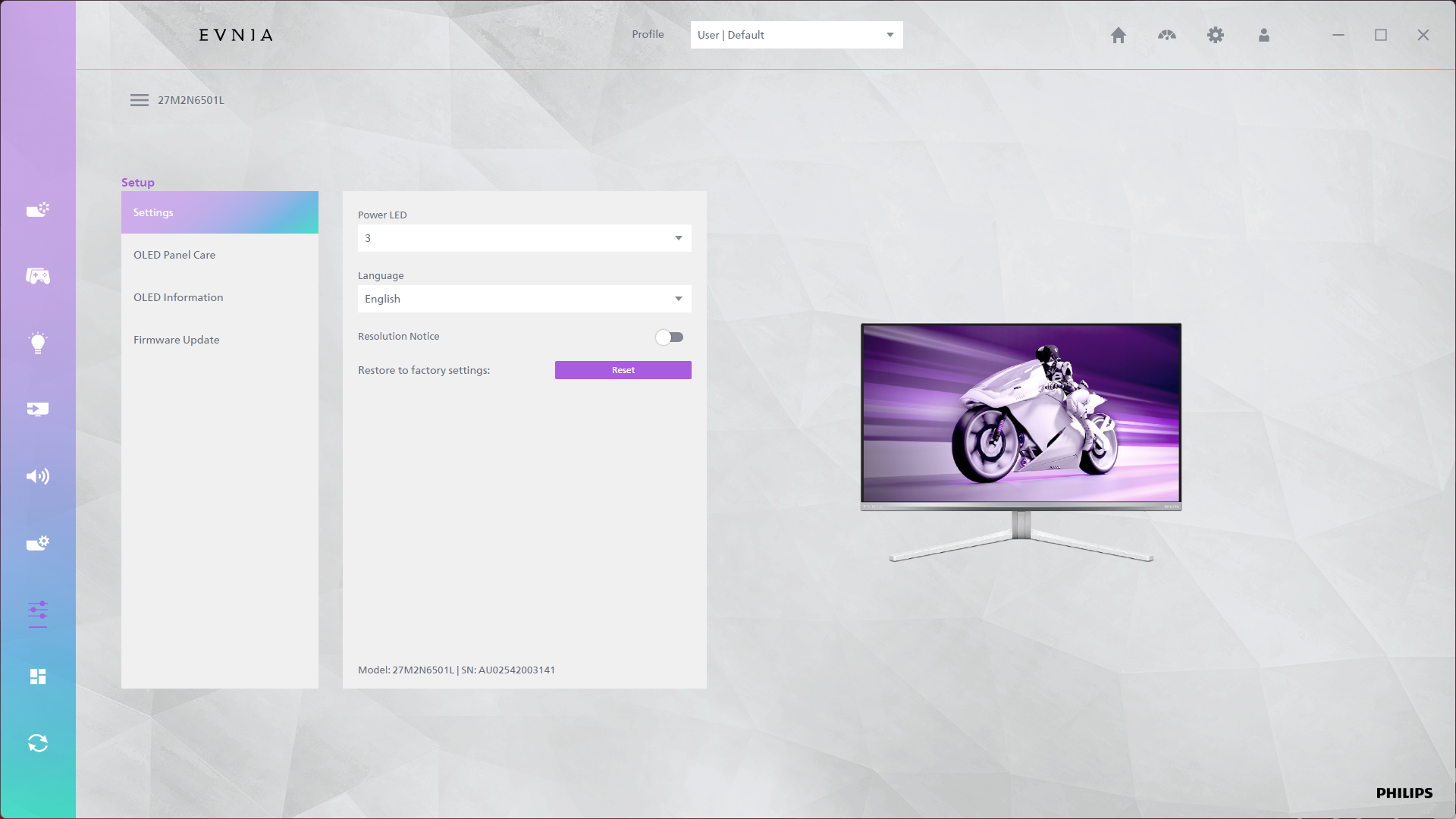
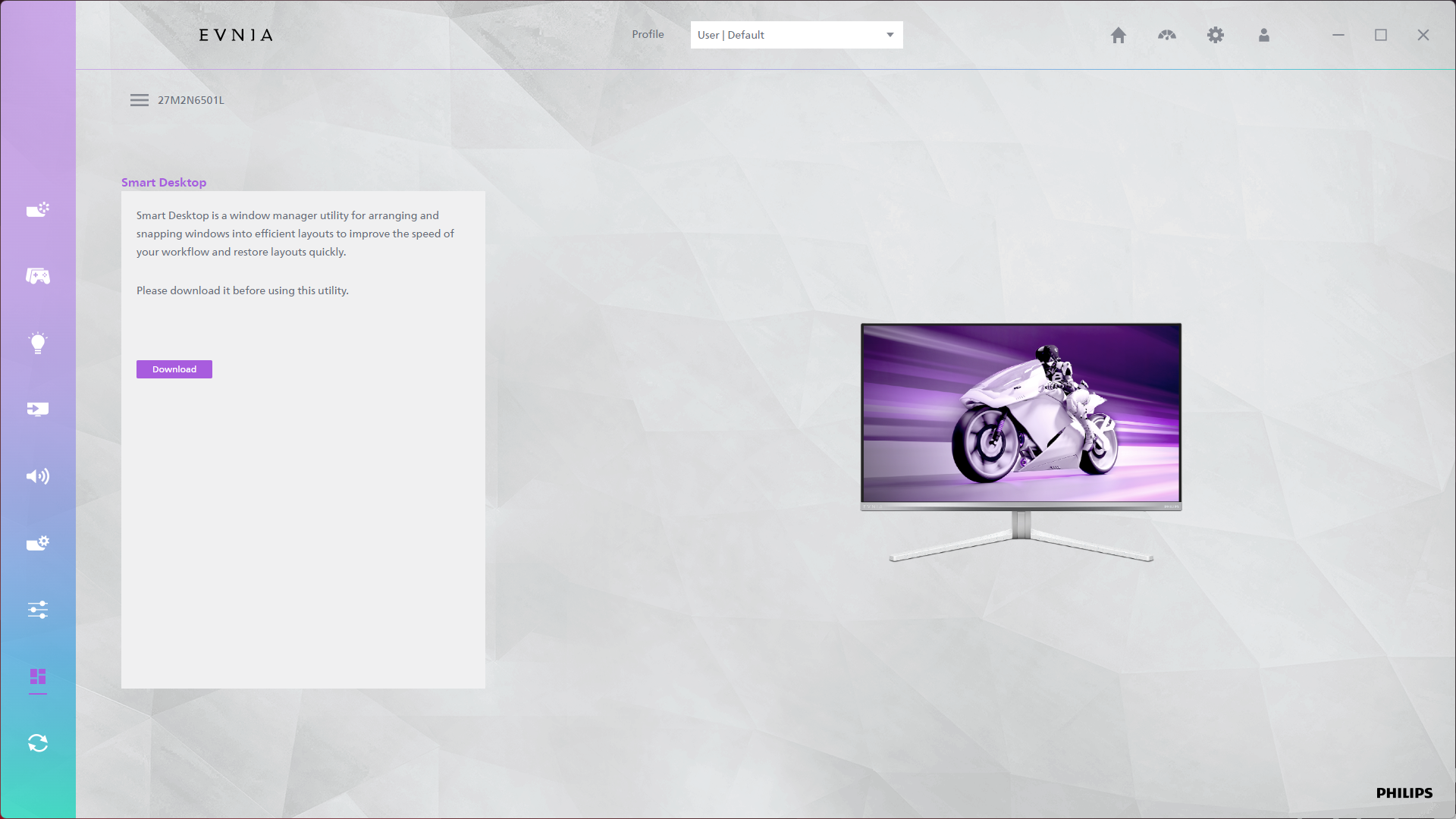
There's also the option to use Evnia Precision Center, a Windows-based software that lets you adjust the monitor's settings directly from your PC. It seems absolutely fine in my usage though it can be a bit slow, but it's a nice-to-have extra feature and supports firmware updates, so that's always appreciated.
Our main test involves using an X-Rite i1 Display Pro Plus colorimeter and utilising Portrait Display's Calman Ultimate software. The device sits on top of the screen while the software generates colour tones and patterns, which it compares against predetermined values to work out how accurate the screen is.

The results show:
- A monitor’s maximum brightness in candelas or cd/m2 at various levels set in the OSD.
- A monitor’s contrast ratio at various brightness levels in the OSD.
- Gamut coverage, primarily focusing on sRGB and DCI-P3 colour spaces.
- Greyscale accuracy, measured across 20 shades, with an average colour balance reported.
- The exact gamma levels, with a comparison against preset settings in the OSD.
- The colour accuracy, expressed as a Delta E ratio, with a result under 3 being fine for normal use, and under 2 being great for colour-accurate design work.
We first run these tests with the display in its out-of-the-box state, with all settings on default. If there is an sRGB emulation option or other useful mode then we may test that too. We then calibrate the screen using the Calman Ultimate software and run the tests again.
You can read more about our test methodology HERE.
Default settings
Brightness and Contrast (Full Screen)
| OSD Brightness | White Luminance (cd/m2) | Black Luminance (cd/m2) | Contrast Ratio |
| 0% | 8.8 | 0.00 | ~Infinite |
| 25% | 55.6 | 0.00 | ~Infinite |
| 50% | 102.5 | 0.00 | ~Infinite |
| 75% | 150.7 | 0.00 | ~Infinite |
| 100% | 201.2 | 0.00 | ~Infinite |
Kicking off with brightness testing, this is the probably the biggest indicator that Philips is using a lower quality panel than other QD-OLEDs, given it peaks at just over 200 nits. For reference, every other QD-OLED I've tested can do 250-260 nits for a full screen white, so this is a definite step down, and it could be something to consider as OLEDs aren't the brightest anyway for regular SDR usage.
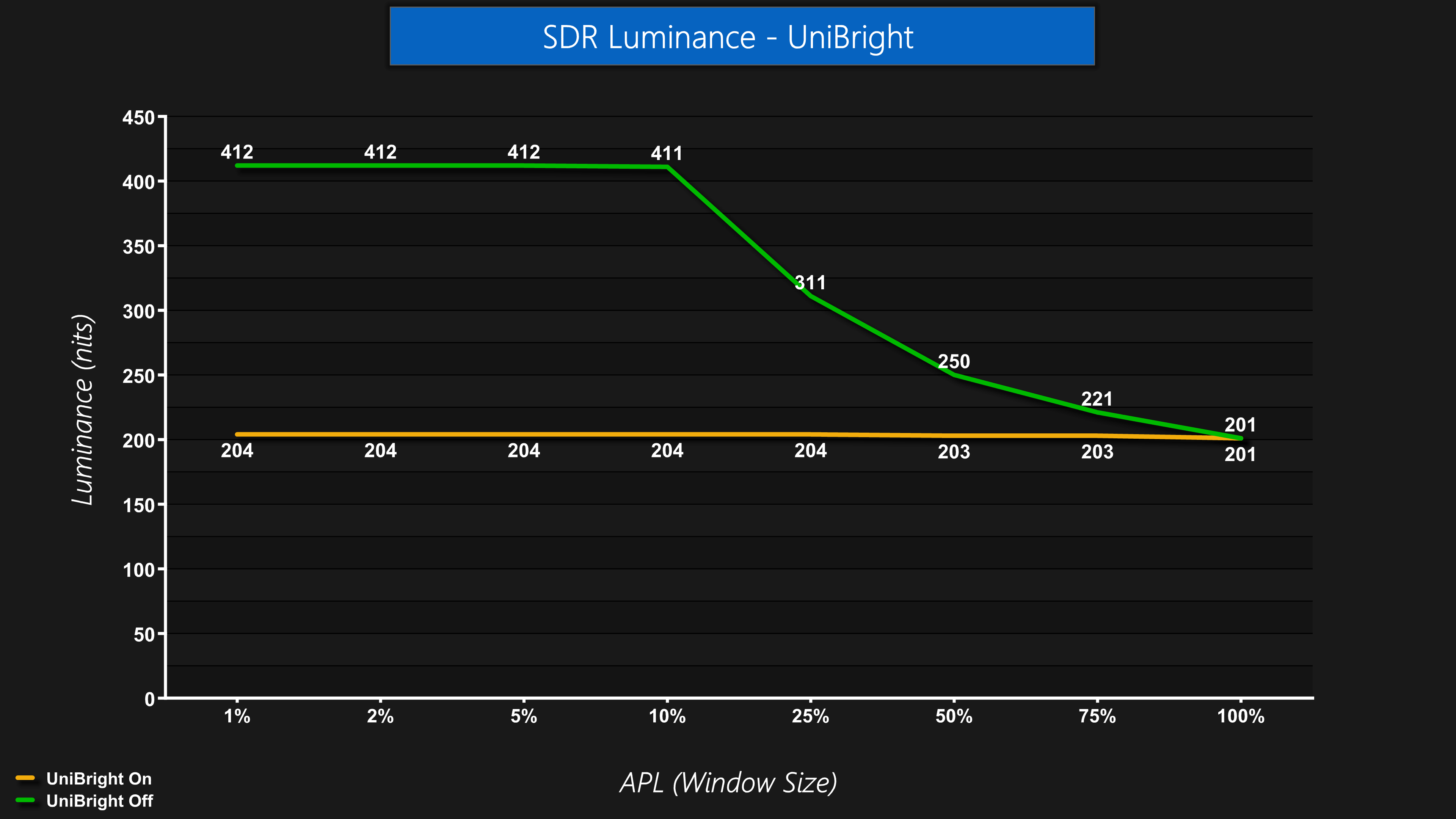
By default, output luminance is completely steady regardless of APL, or window size, and this is thanks to the ‘UniBright' setting, actually found within the OLED Panel Care sub-menu. You can disable this which will let you achieve higher peak brightness for smaller window sizes, but that results in noticeable dimming as the window size increases. It's good to have the option, though, so users can adjust to their preference.
Screen Uniformity
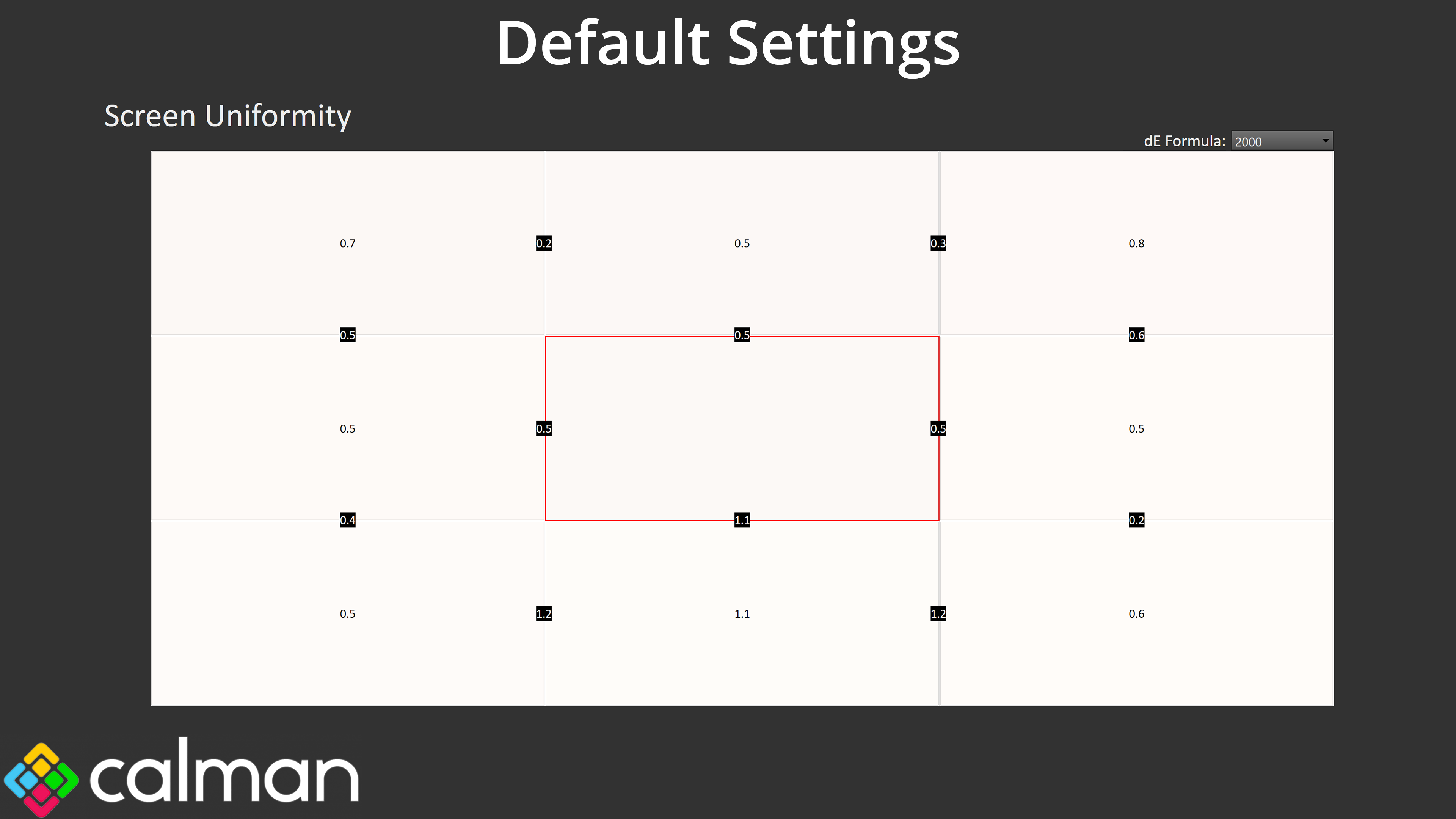
As we'd expect from an OLED, overall panel uniformity is very good indeed with very little deviation across the panel.
Gamut (CIE 1976)

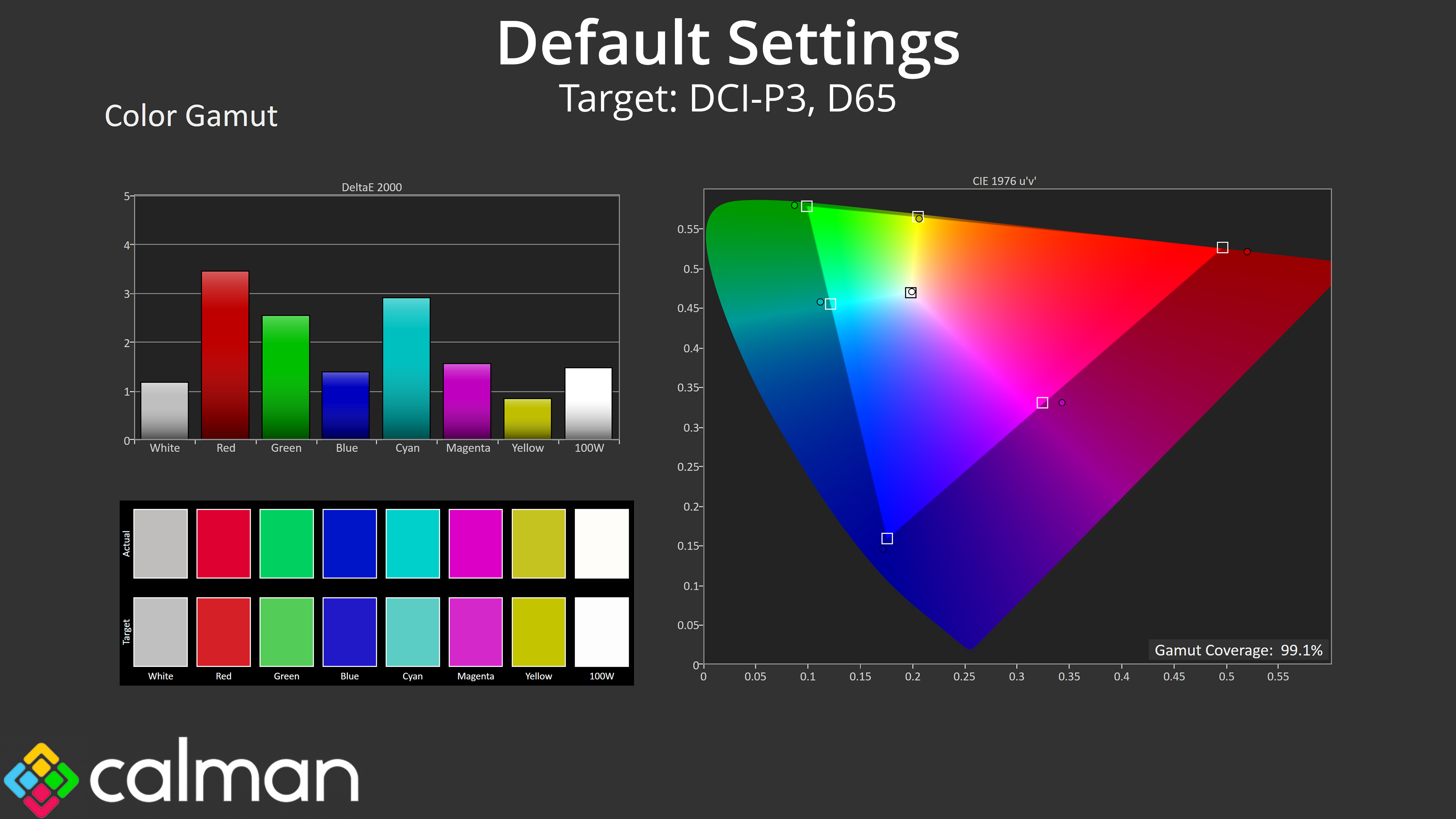
| Colour space | Coverage (%) |
| sRGB | 140.9 |
| DCI-P3 | 99.1 |
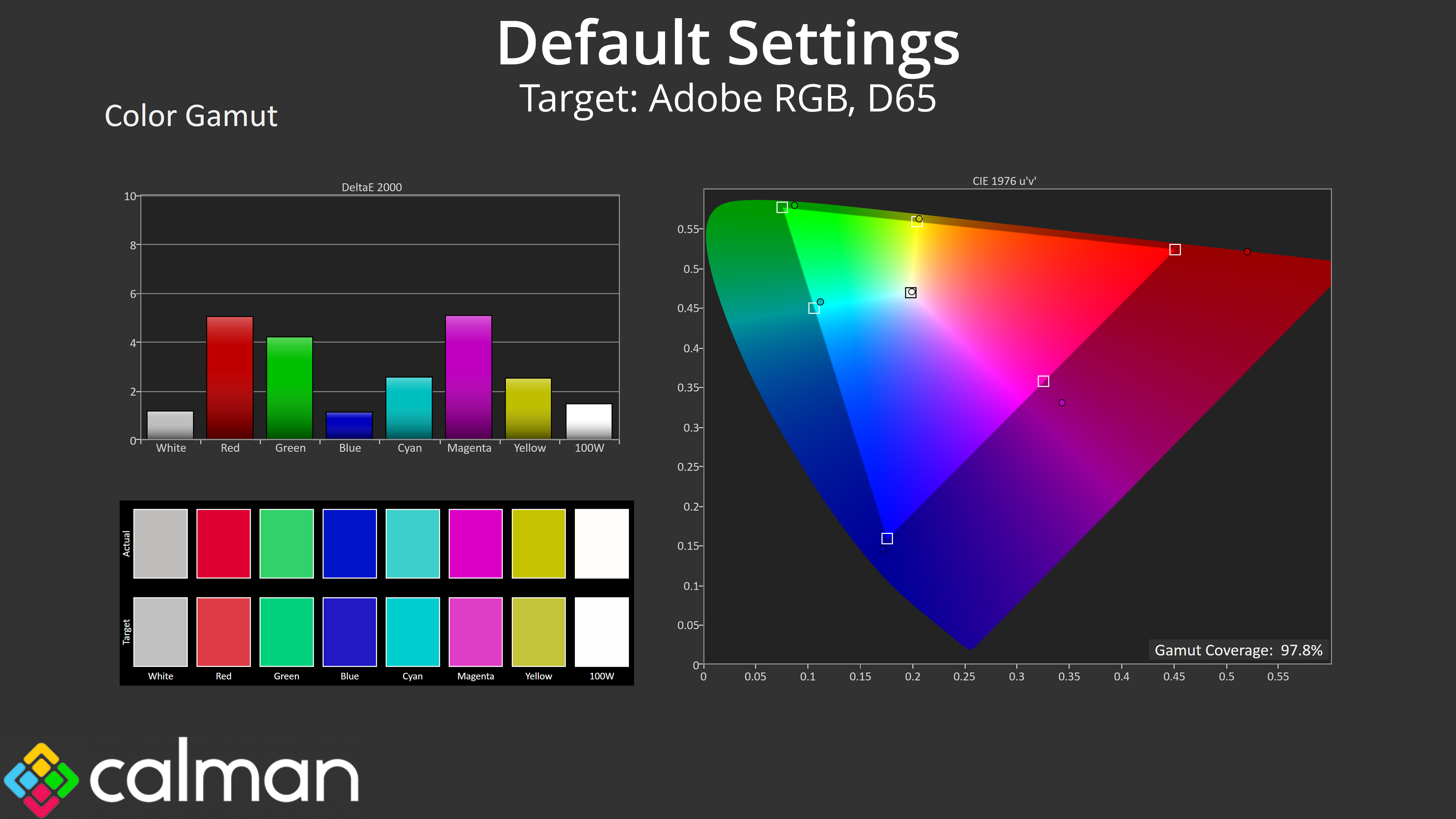
| Adobe RGB | 97.8 |
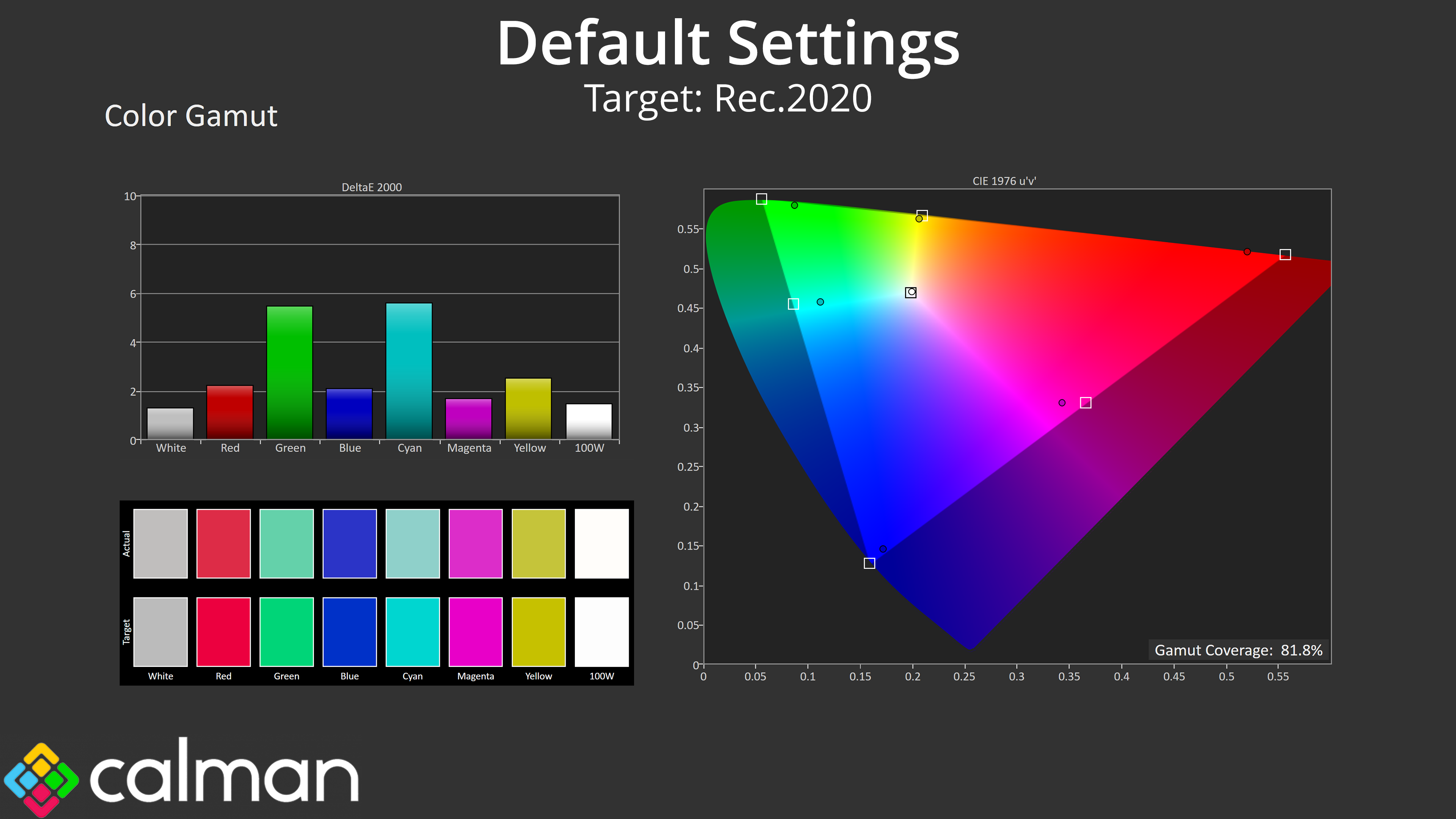
| Rec.2020 | 81.8 |
Gamut is also typical of a QD-OLED, given it far surpasses the sRGB space and offers 99.1% DCI-P3, 97.8% Adobe RGB, alongside 81.8% Rec.2020.
Greyscale
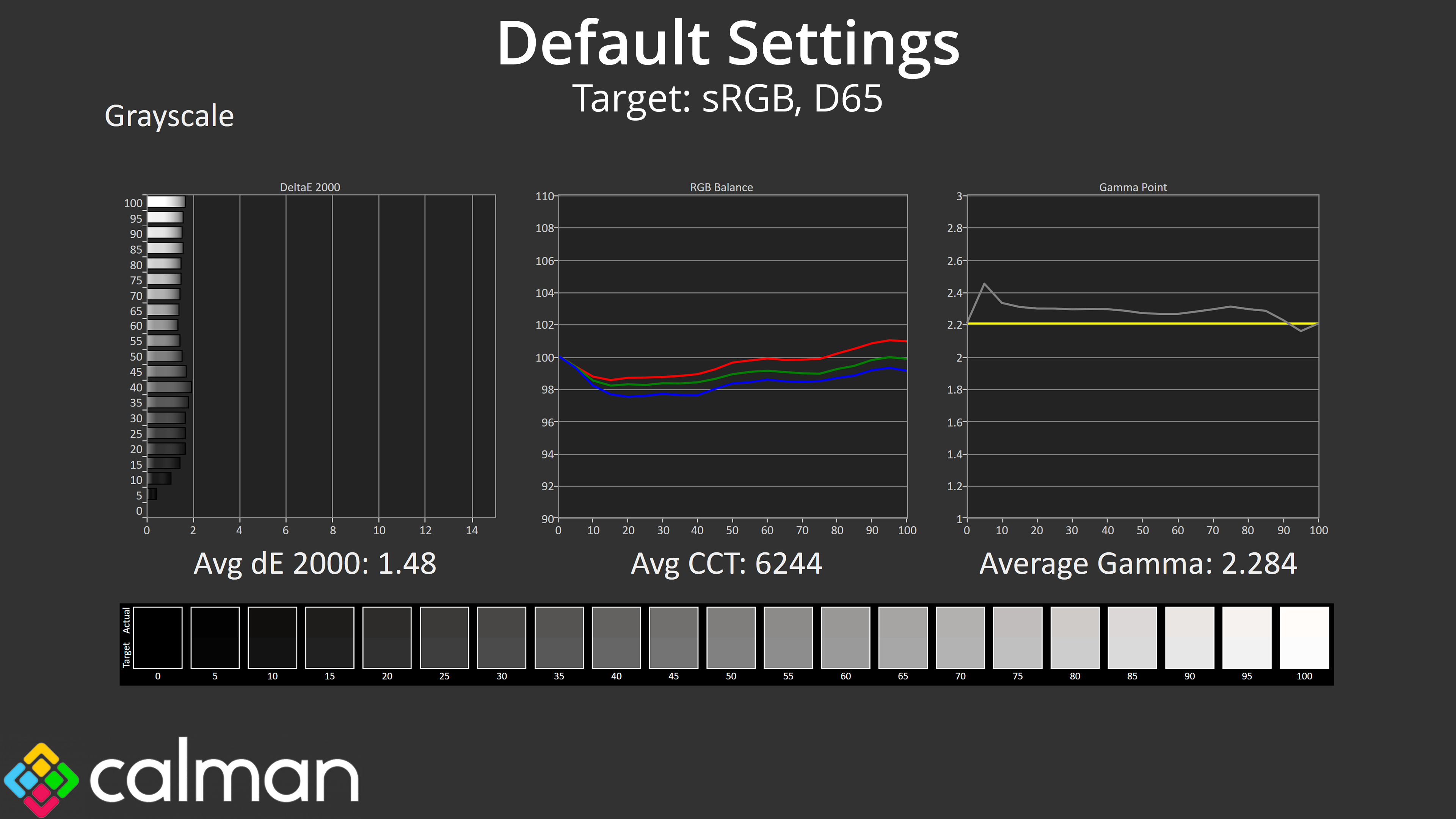
I'm also pleased to say that general factory calibration is solid. The colour balance is oh so slightly warm, averaging 6244K, but that's barely a 4% deviation from the 6500K target, so it's hardly noticeable. Gamma is also solid, a touch high across the range but averages 2.284 without any significant peaks or dips. Overall, the greyscale deltaE 2000 averages 1.48, indicating very good accuracy indeed.
Saturation
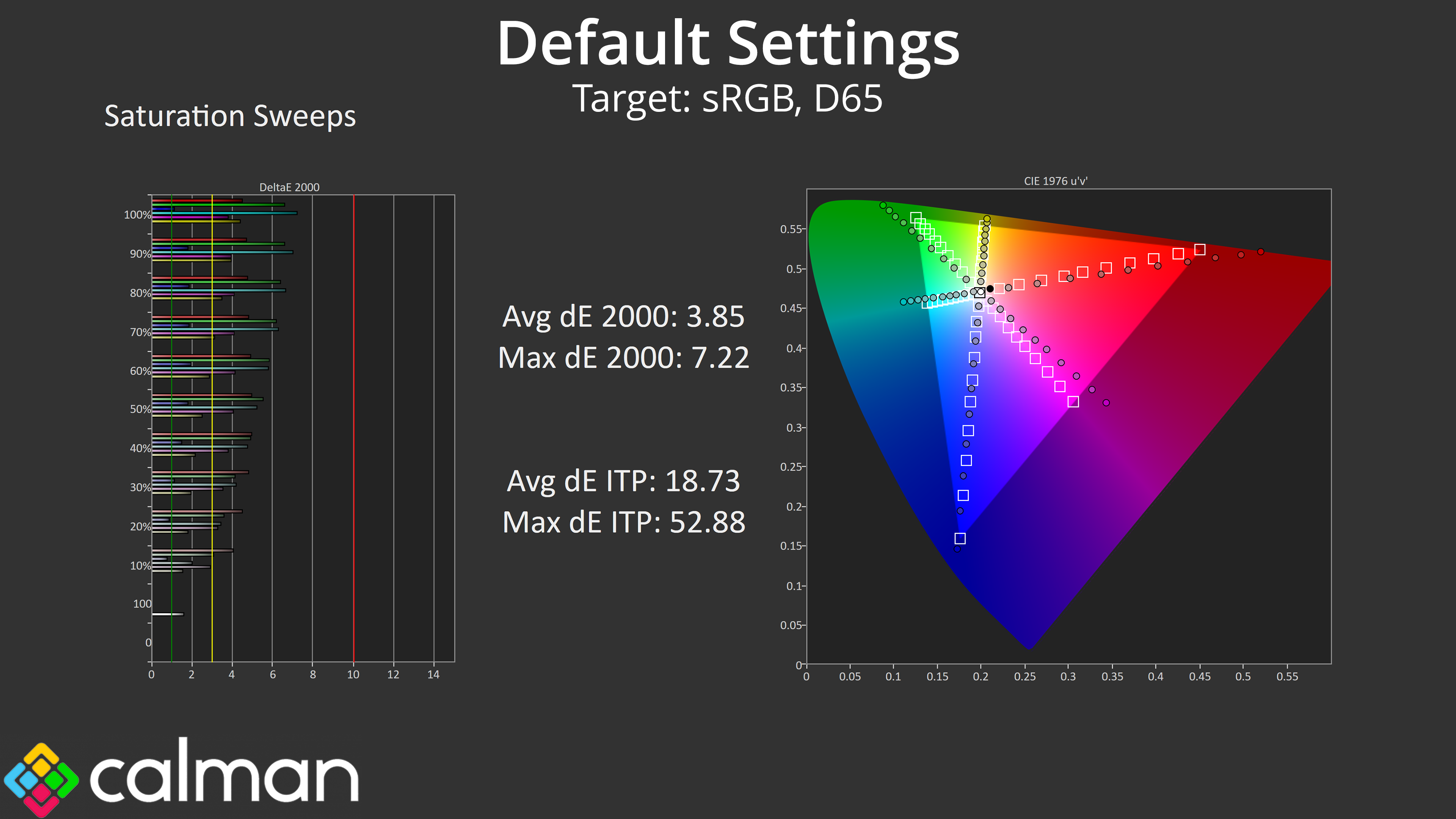

Saturation levels are high, as we'd expect from a QD-OLED, leading to a fair degree of inaccuracy relative to both the sRGB and DCI-P3 colour spaces.
Colour Accuracy

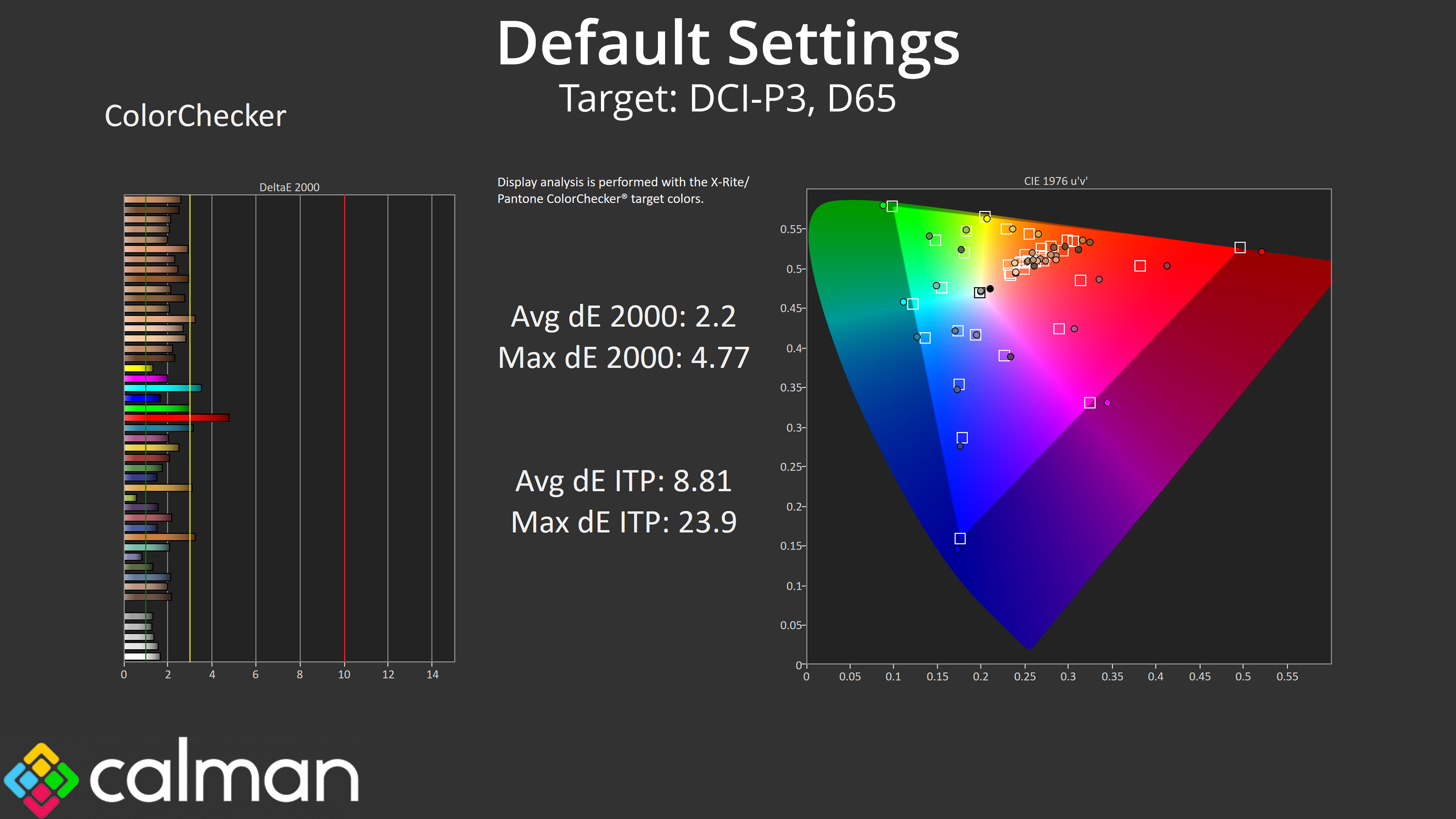
That has a knock-on effect for our colour testing, too – the average dE 2000 of 4.64, relative to sRGB, is very similar to other panels achieve, as is the improved 2.2 average when testing against the DCI-P3 space.
sRGB Emulation Mode


Philips does also include an sRGB mode in the OSD and this does a good job of clamping the gamut to prevent over-saturation. Greyscale is much the same as it was before, though there's one dip towards the end of the gamma curve, but saturation and colour accuracy average deltaEs have improved into the 1.2-1.5 range, so this mode is well worth using, without being the absolute best we've ever tested.
Calibrated Results
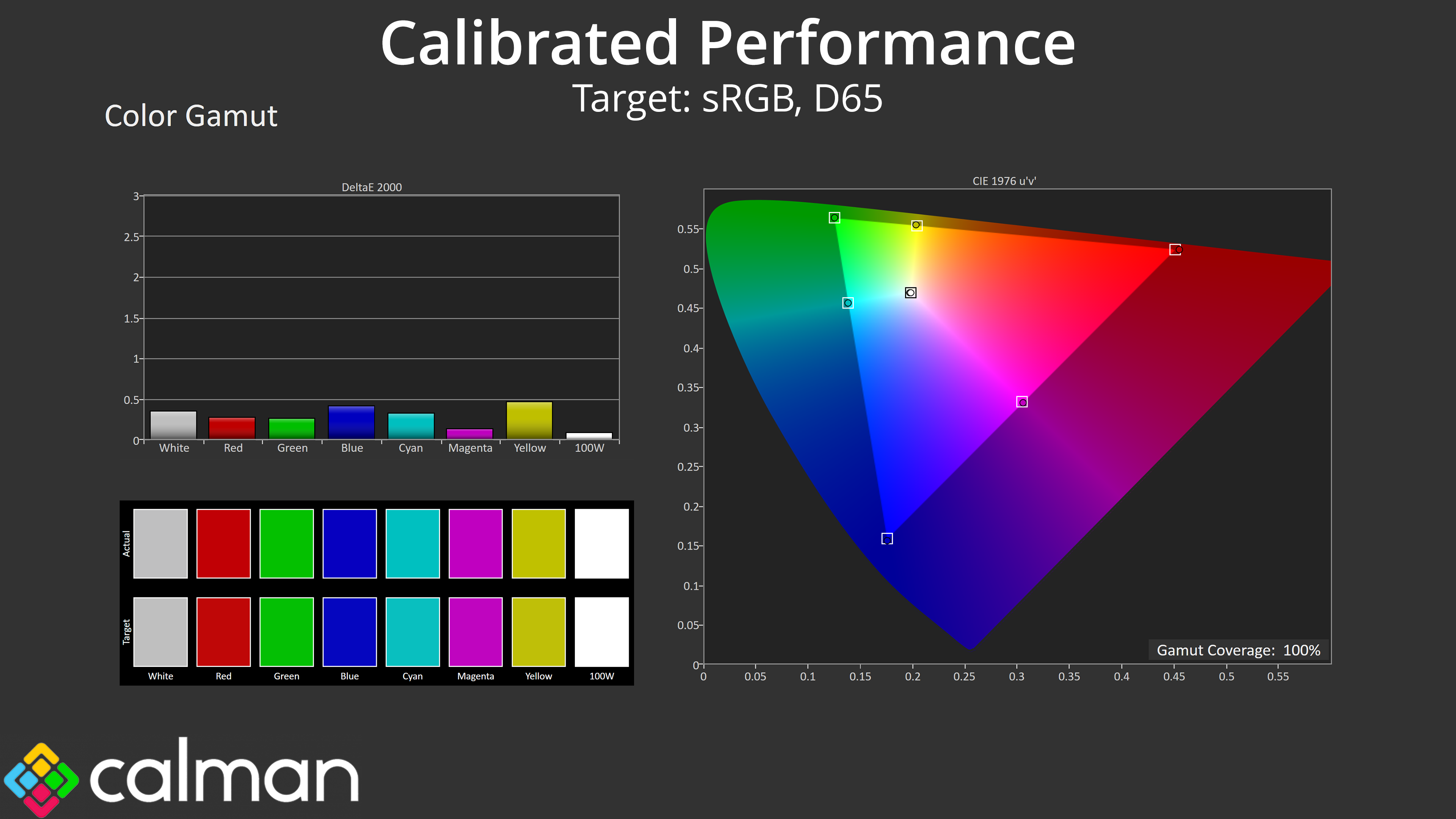
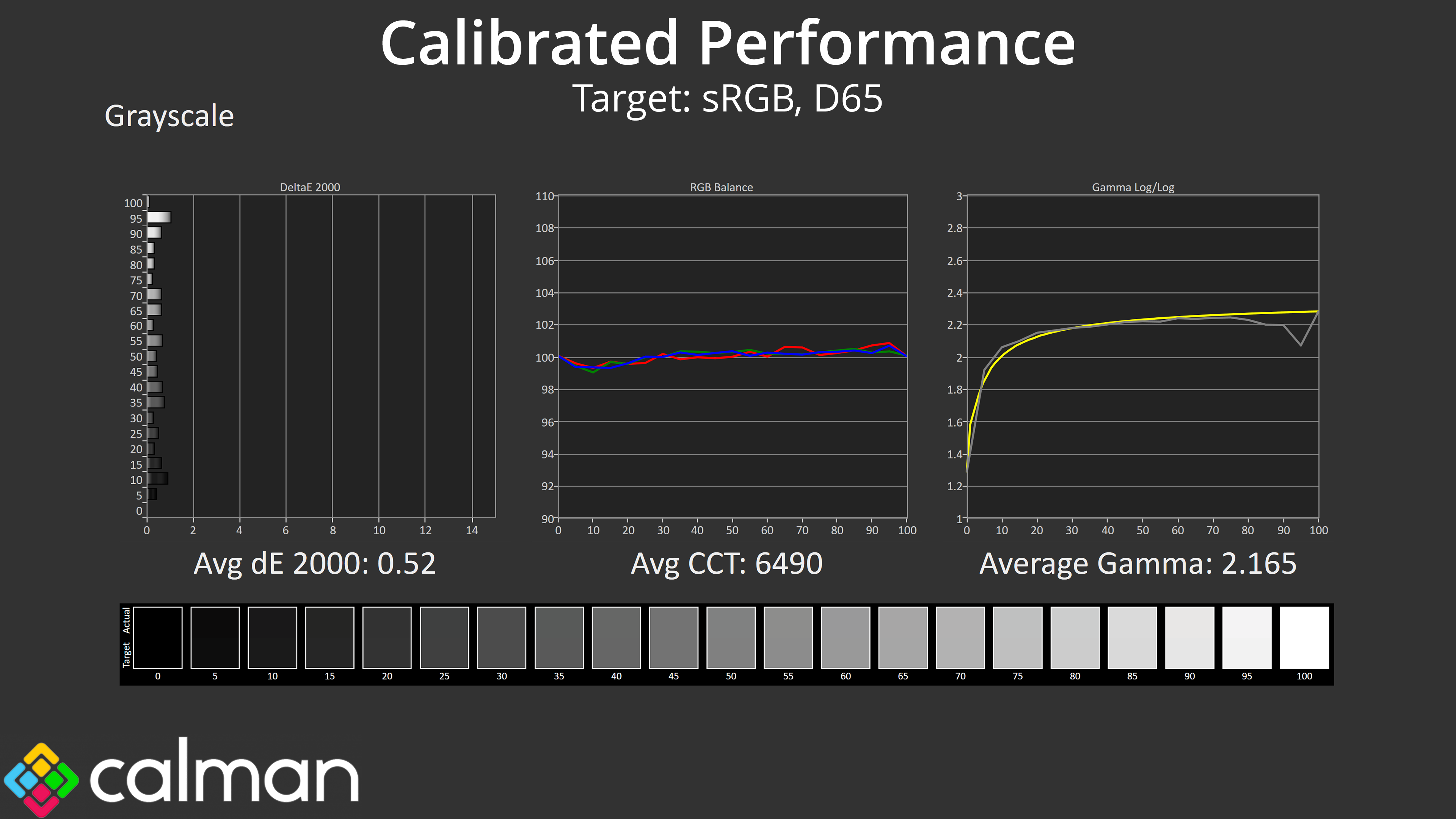
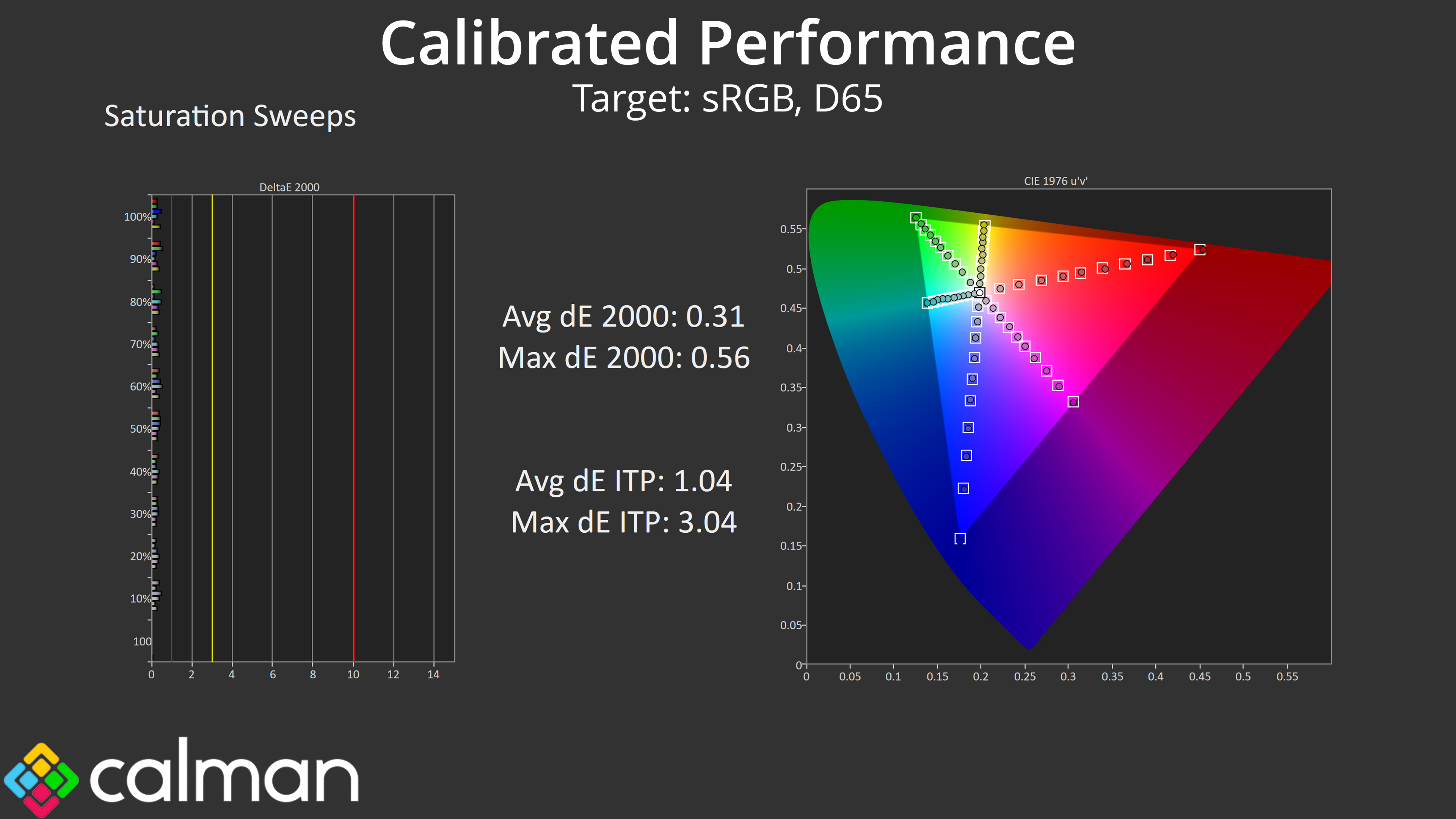
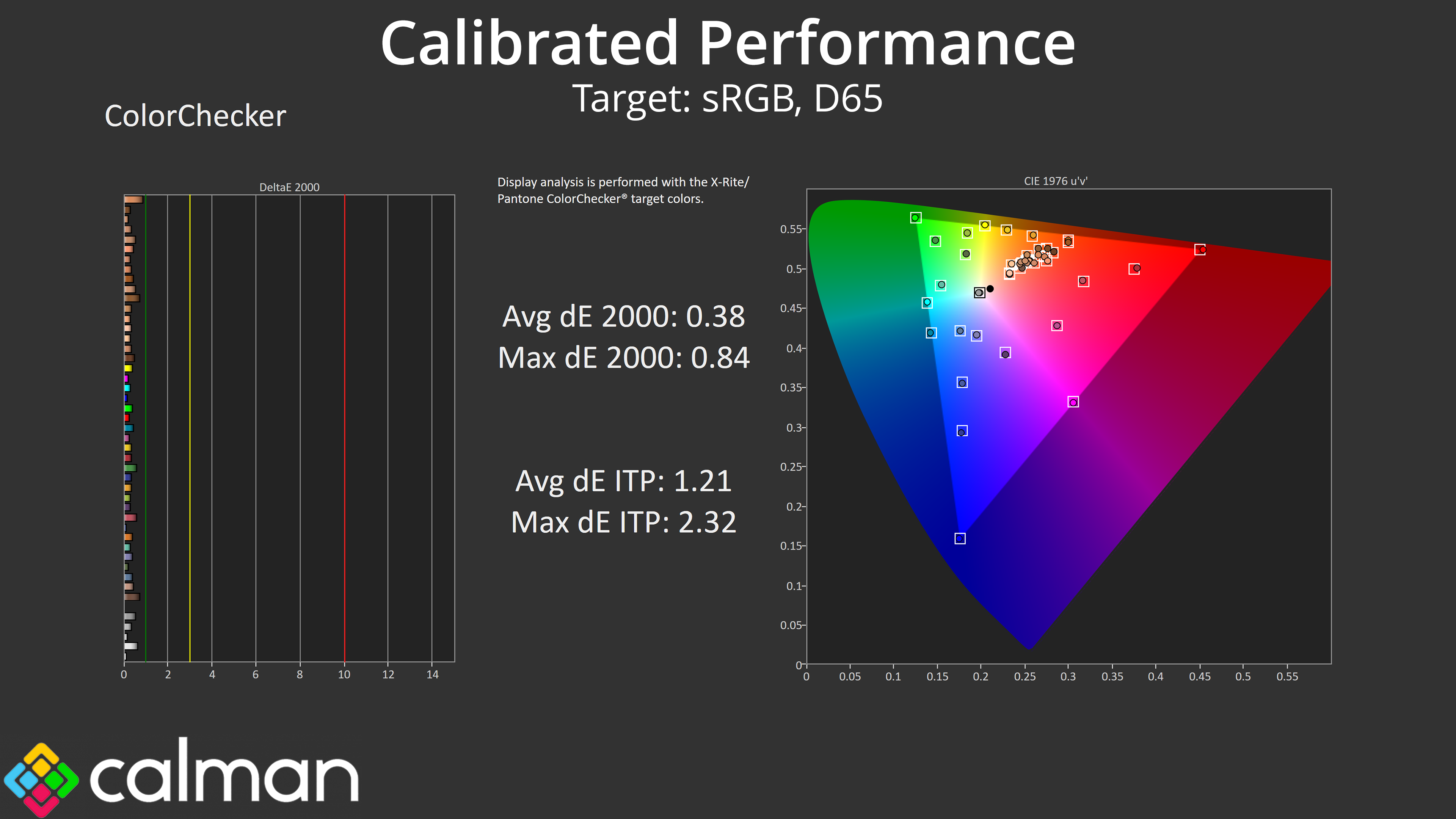
For peak performance we ran through a full calibration using Calman Ultimate. I can't imagine too many people will be calibrating a budget OLED, but you never know and the results go to show what the panel is capable of if you have the right software and hardware tools.
HDR Testing
Following on from the SDR results on the previous page, here we re-test the relevant areas of the display with HDR enabled.
In terms of HDR modes, Philips offers three preset modes, plus a Personal option. They are all more or less the same, just with different settings for Light Enhance and Colour Enhance, which is basically shadow boost and saturation levels for HDR. I tested the HDR Game mode, alongside the Personal mode with both enhancement options set to 0.
Brightness
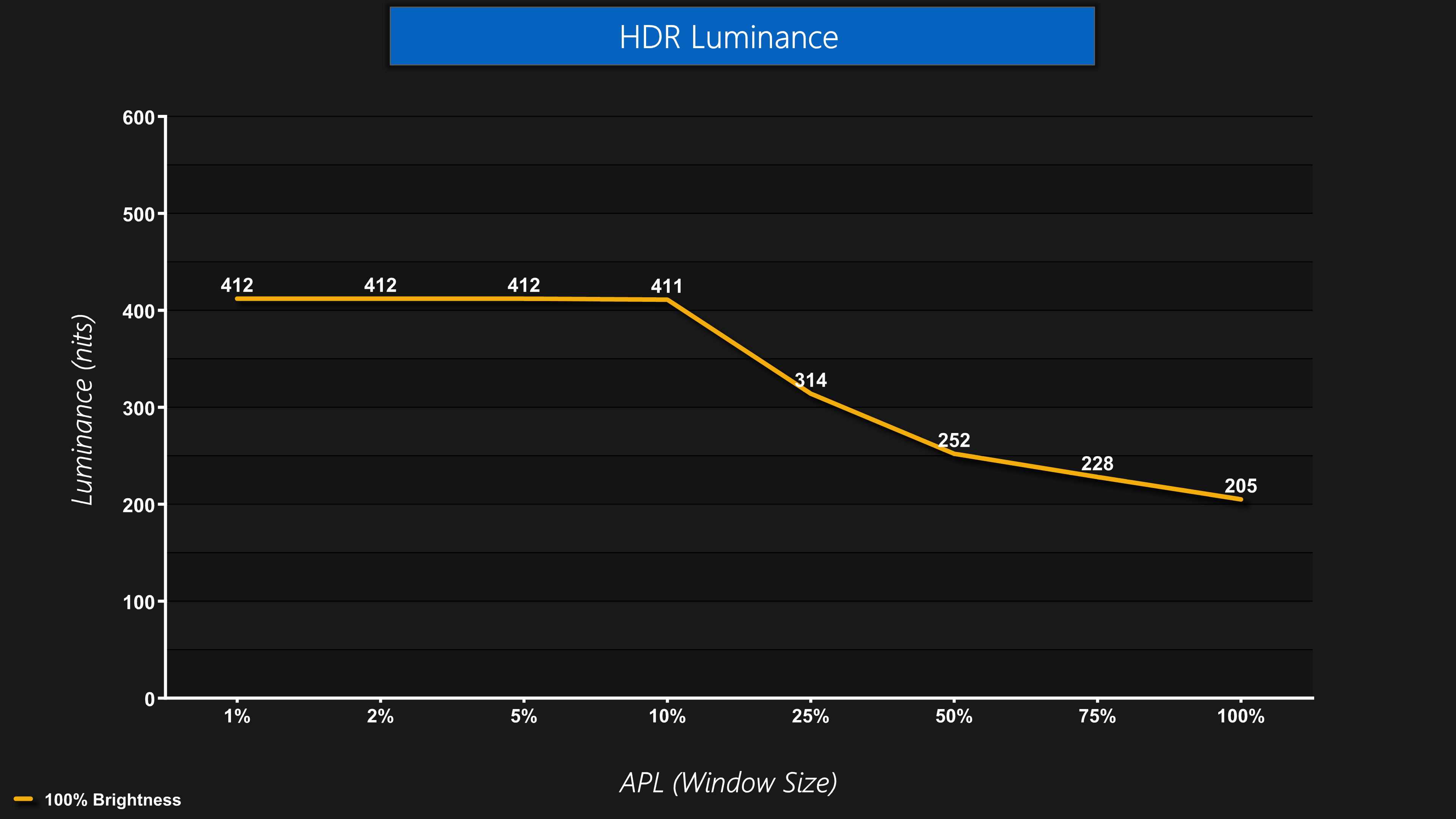
The first thing you need to know about the HDR is that the 27M2N6501L will not get as bright as other QD-OLEDs. It only offers peaks of up to 412 nits, basically mirroring True Black 400 behaviour, and there is no Peak 1000 nit option or an equivalent.
This could be disappointing for some – Philips actually told me it's because this panel uses what they call ‘Edge' technology, and it simply doesn't get as bright as other QD-OLEDs, but it's this limitation which allows them to reduce the price. You do still get some increase in brightness over SDR for window sizes up to 10% APL, but you don't get the more searing highlights of up to 1000 nits, which other QD-OLED screens can provide.
Greyscale
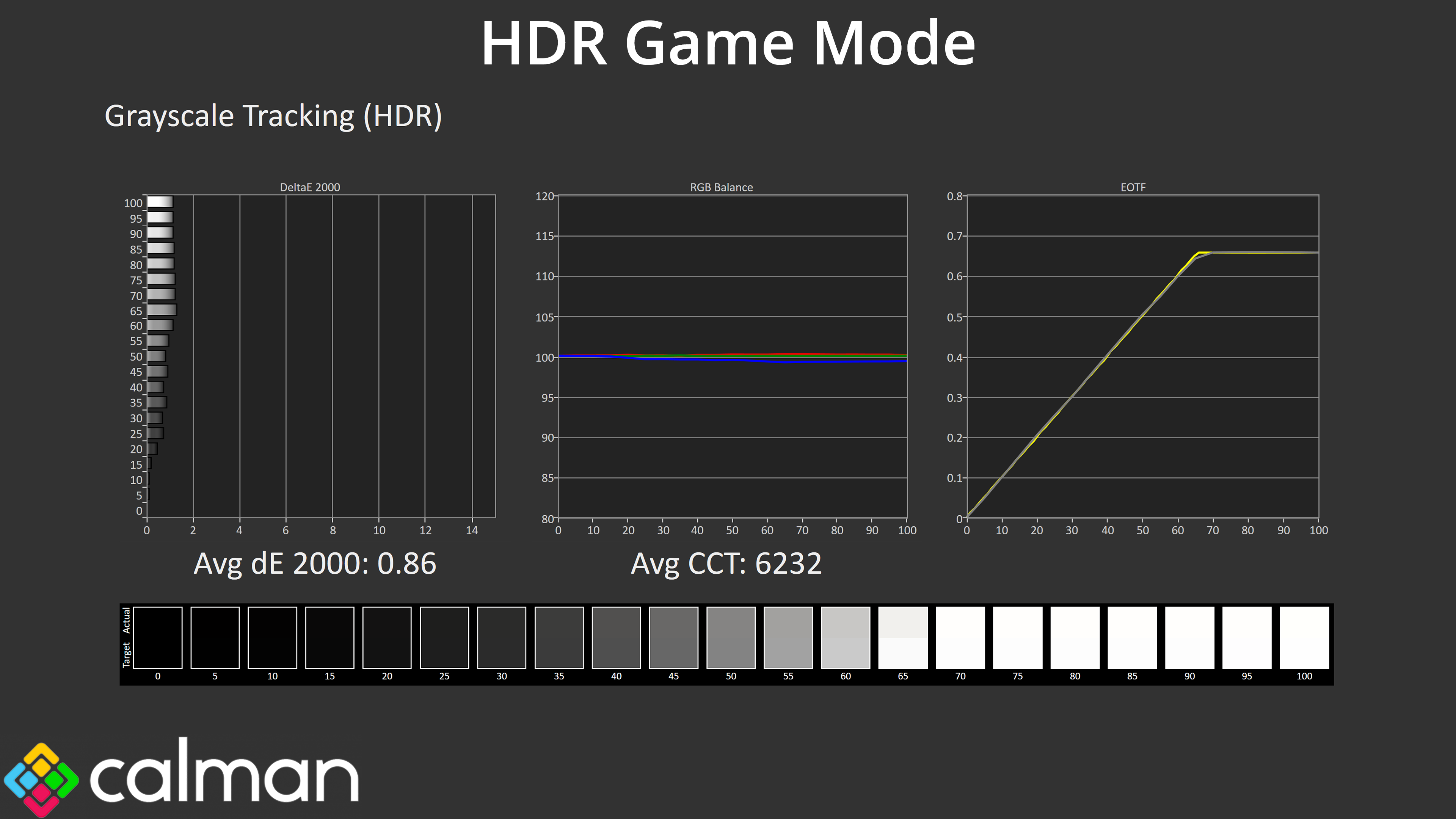
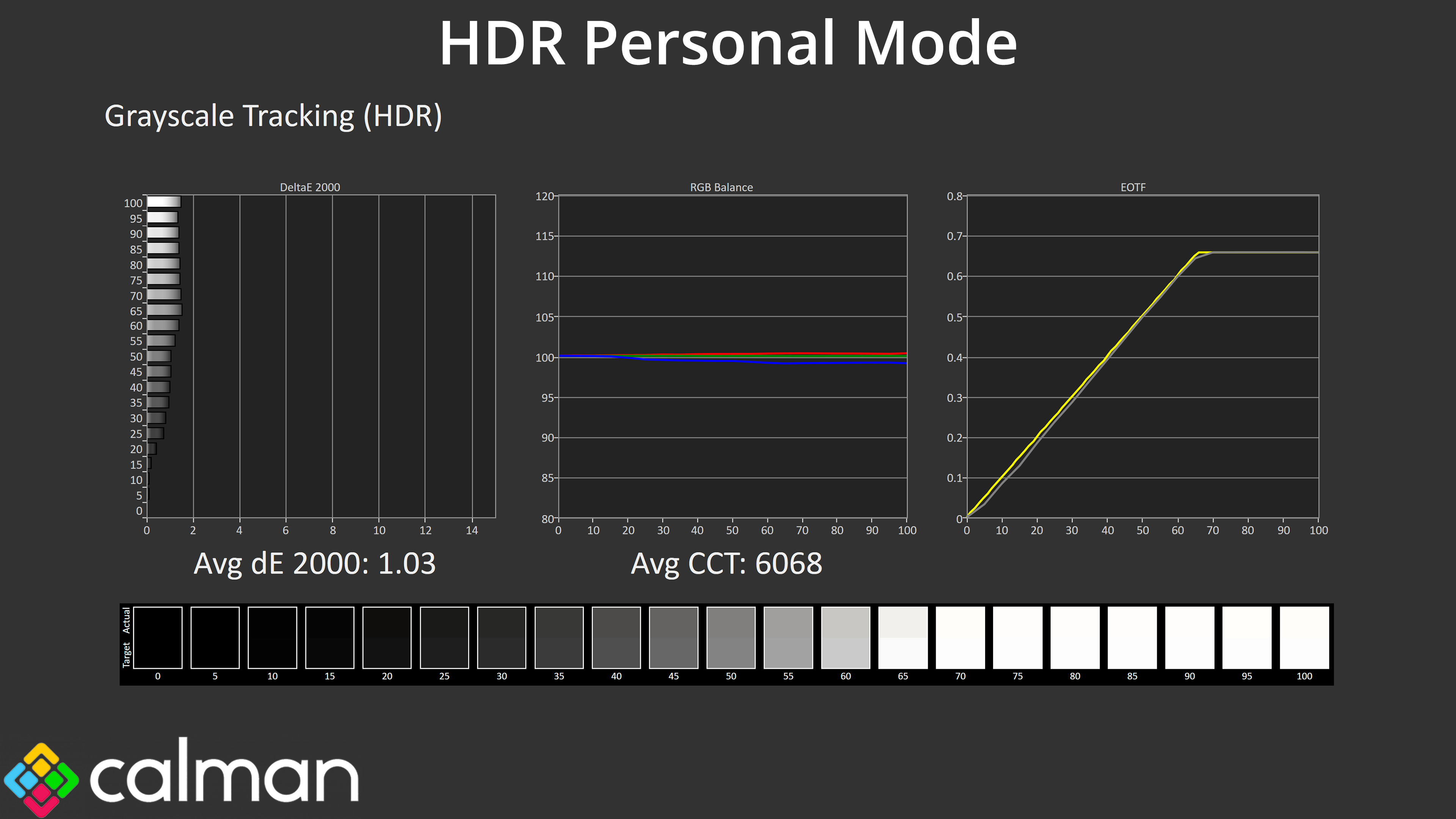
Overall greyscale is very similar between the two modes I tested, too, with a very even colour balance. EOTF tracking is also very close between the two, being nice and accurate as we'd expect from what is effectively a True Black 400 mode – though it does lack the official certification.
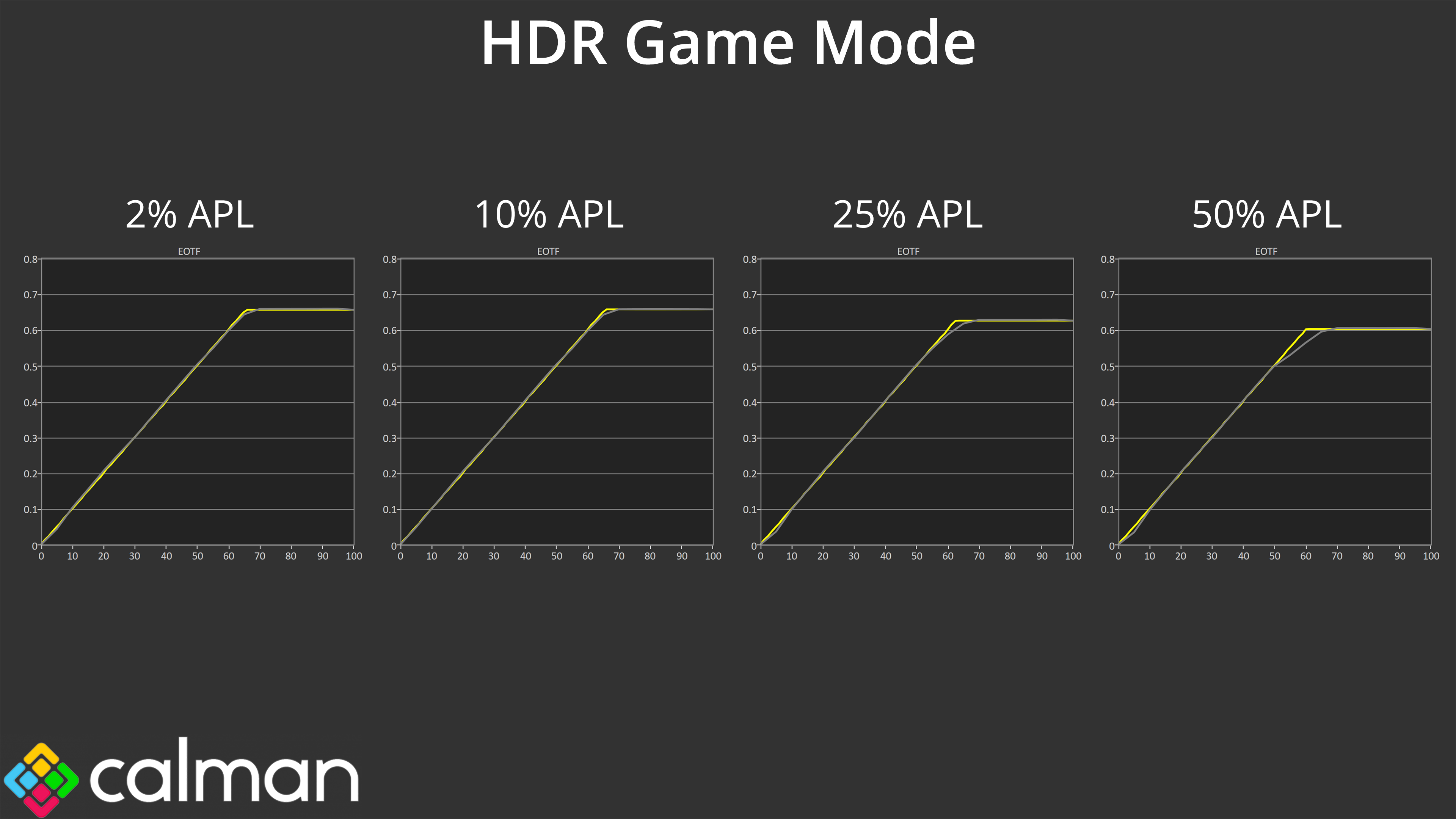
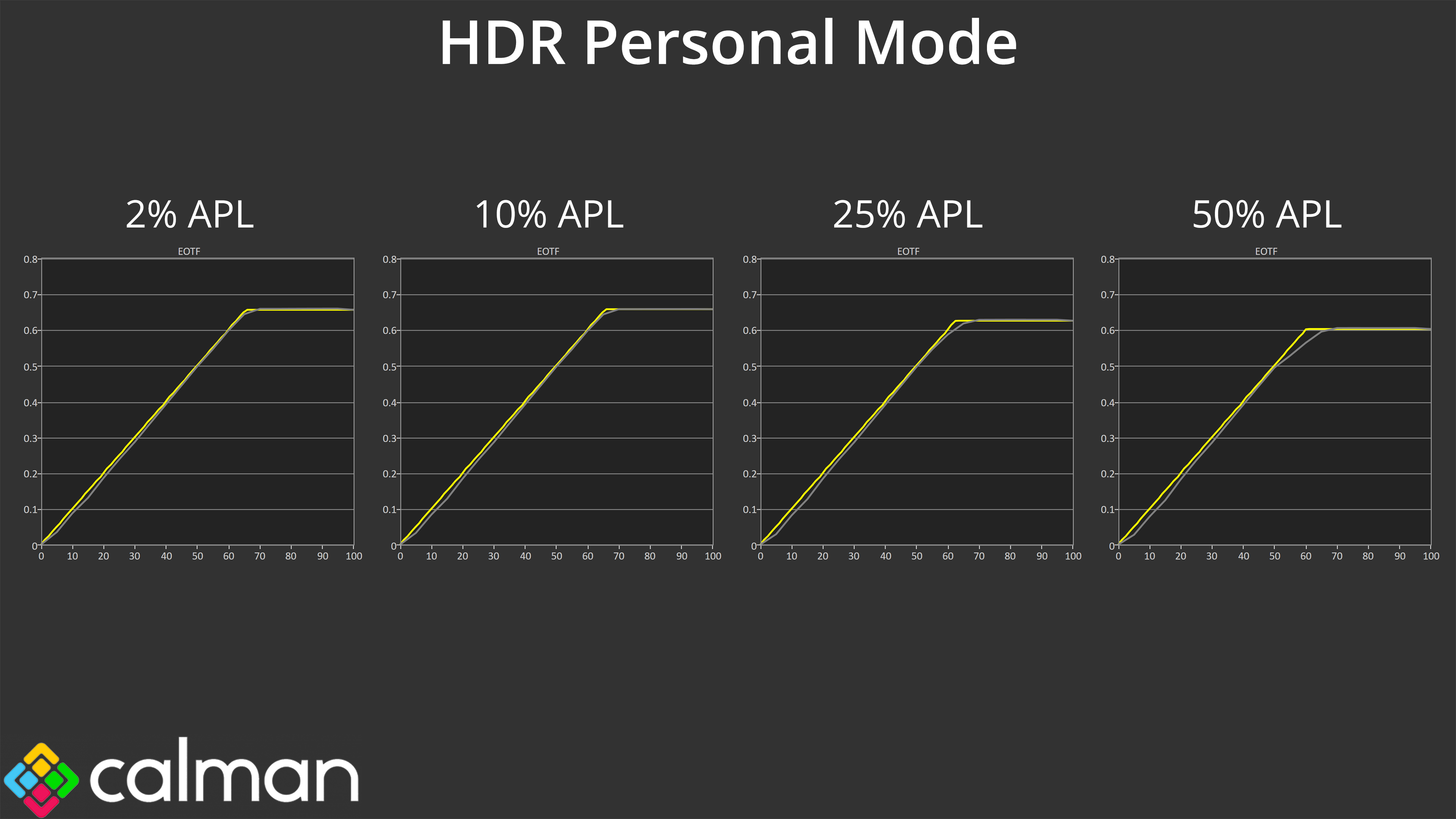
Looking at EOTF tracking across a range of window sizes, we can see that the HDR Game mode is actually slightly more accurate – the HDR Personal mode is ever so slightly dark across the curve, but the differences are small. Putting the two side-by-side we're only talking about minor differences to the final image, so I don't think it will matter too much which HDR mode you use, especially as they all share the same brightness behaviour.
Colour Accuracy
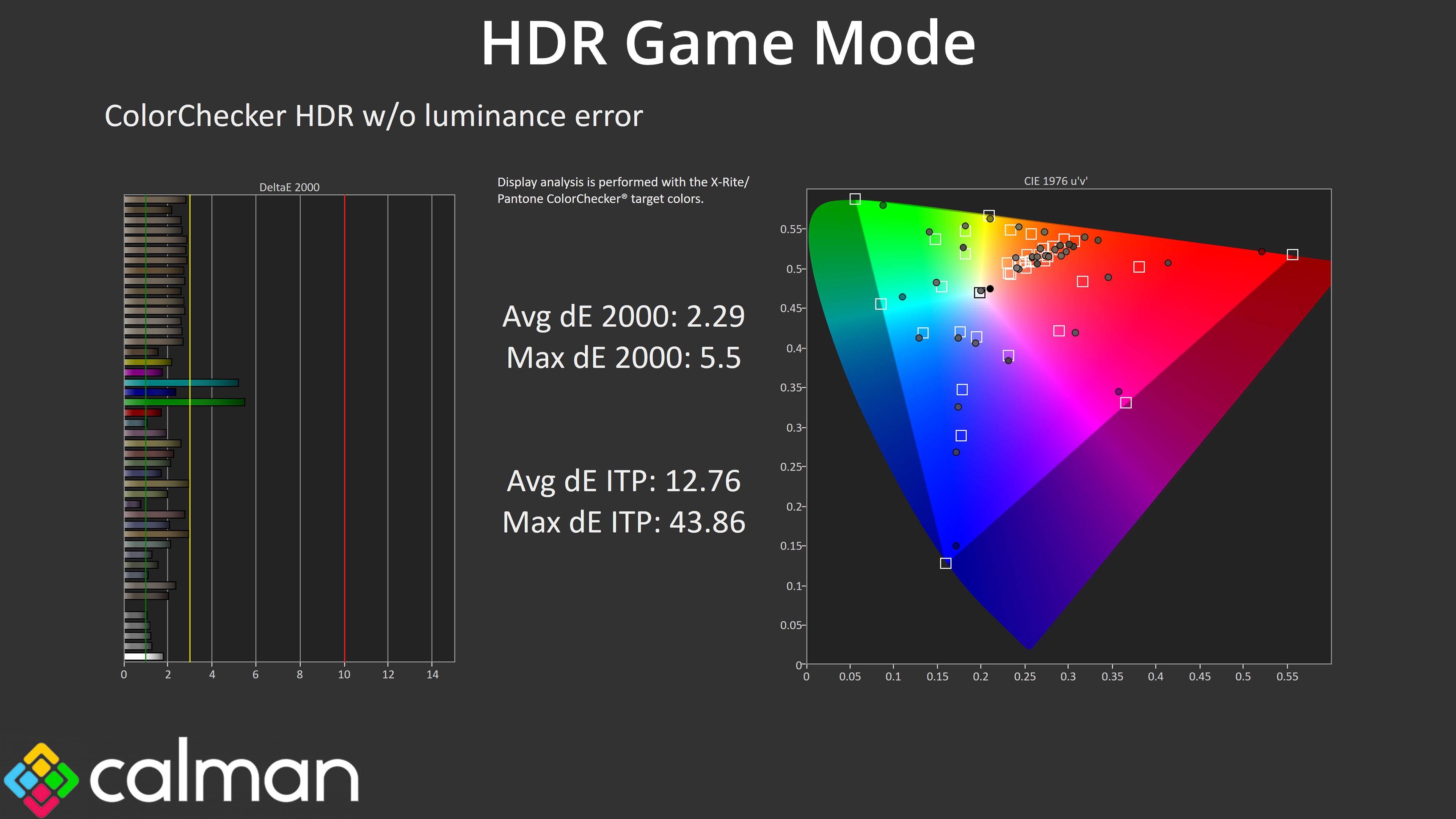
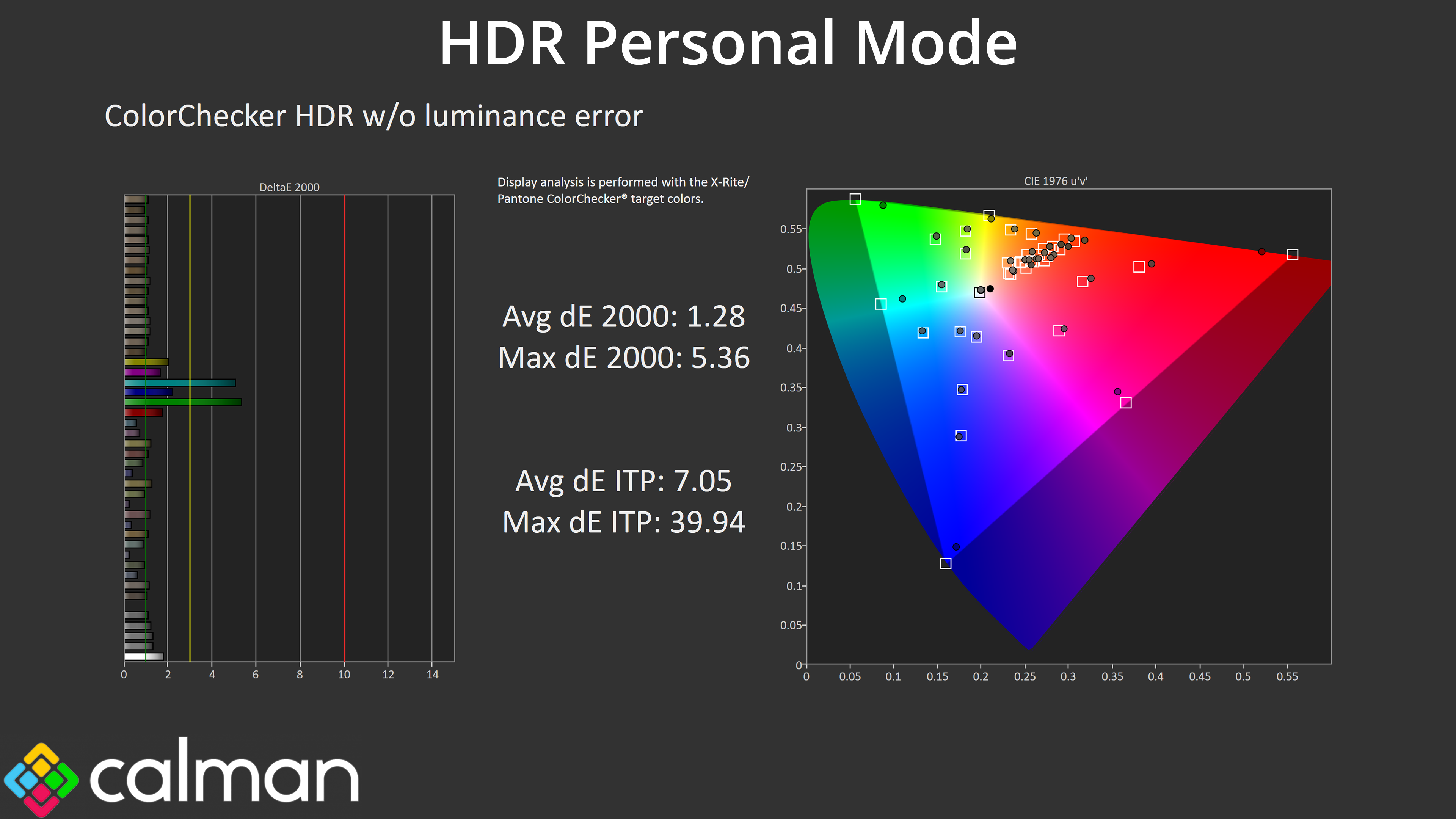
The HDR Personal mode is technically more colour accurate though, given it's not using any of the ‘enhancement' settings that are present on the other modes, so that could be a factor for some.
We use the Open Source Response Time Tool (OSRTT), developed by TechTeamGB, for our response time testing. This measures grey-to-grey response times and presents the results in a series of heatmaps, the style of which you may be familiar with from other reviews.
Initial Response Time is the time taken for the panel to transition from one colour to another, where lower values are better. We present the initial response time, so overshoot is not taken into account and is measured separately. We use a fixed RGB 5 tolerance for each transition.
Overshoot is the term given for when a monitor's transition exceeds or goes beyond its target value. So if a monitor was meant to transition from RGB 0 to RGB 55, but it hits RGB 60 before settling back down at RGB 55, that is overshoot. This is presented as RGB values in the heatmaps – i.e. how many RGB values past the intended target were measured.
Visual Response Rating is a metric designed to ‘score' a panel's visual performance, incorporating both response times and overdrive. Fast response times with little to no overshoot will score well, while slow response times or those with significant overshoot will score poorly.
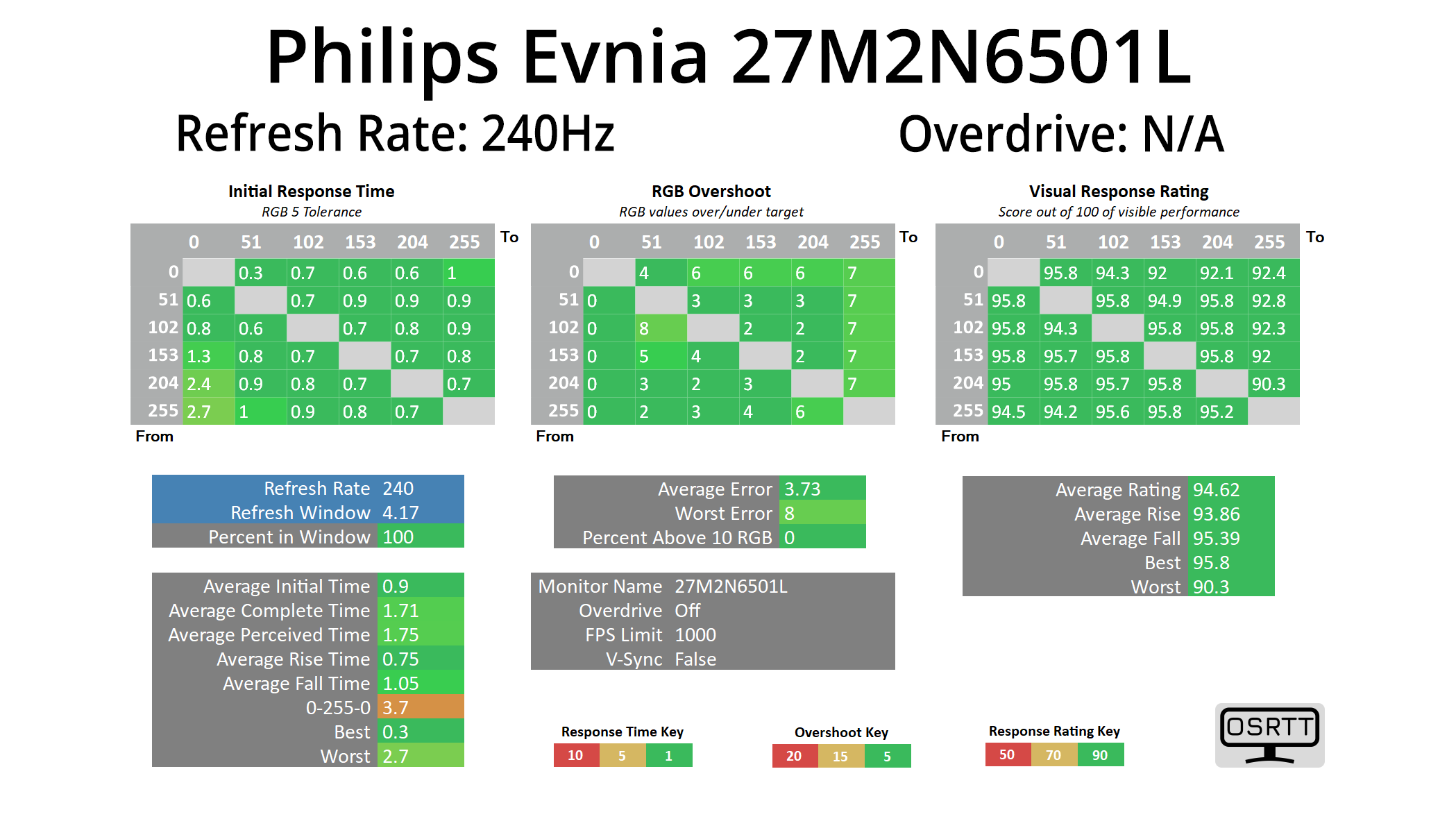
In terms of response times, we only tested at 240Hz given we know that all OLED monitors are all about as fast as each other when it comes to response times, and that is the case regardless of the refresh rate used.
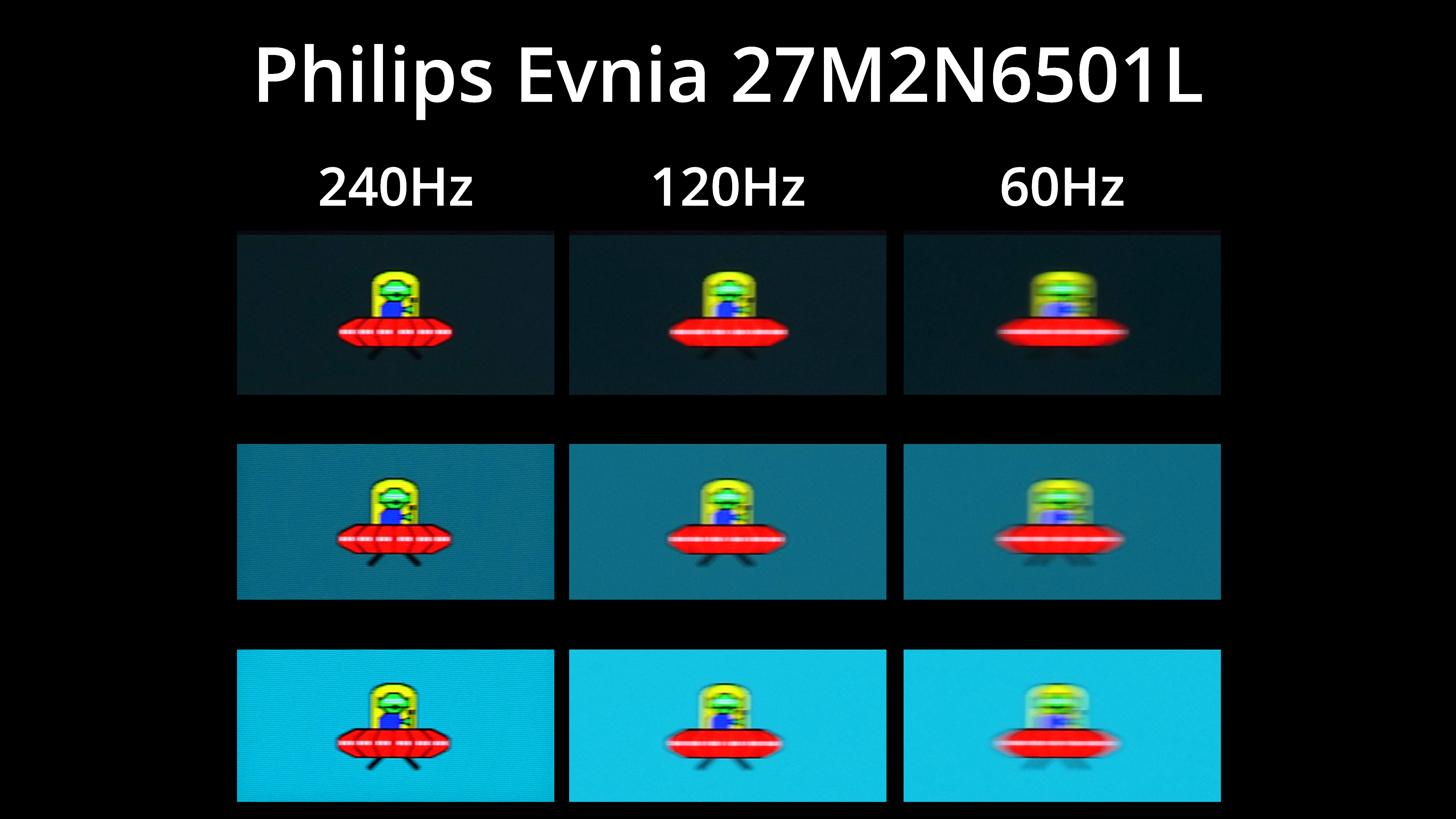
Of course, that doesn't mean motion clarity will be the same regardless of the refresh rate – the higher you can push the refresh, the smoother things look. The jump from 120Hz to 240Hz, for instance, is quite noticeable, but you can also note there is zero ghosting at any given refresh rate target.
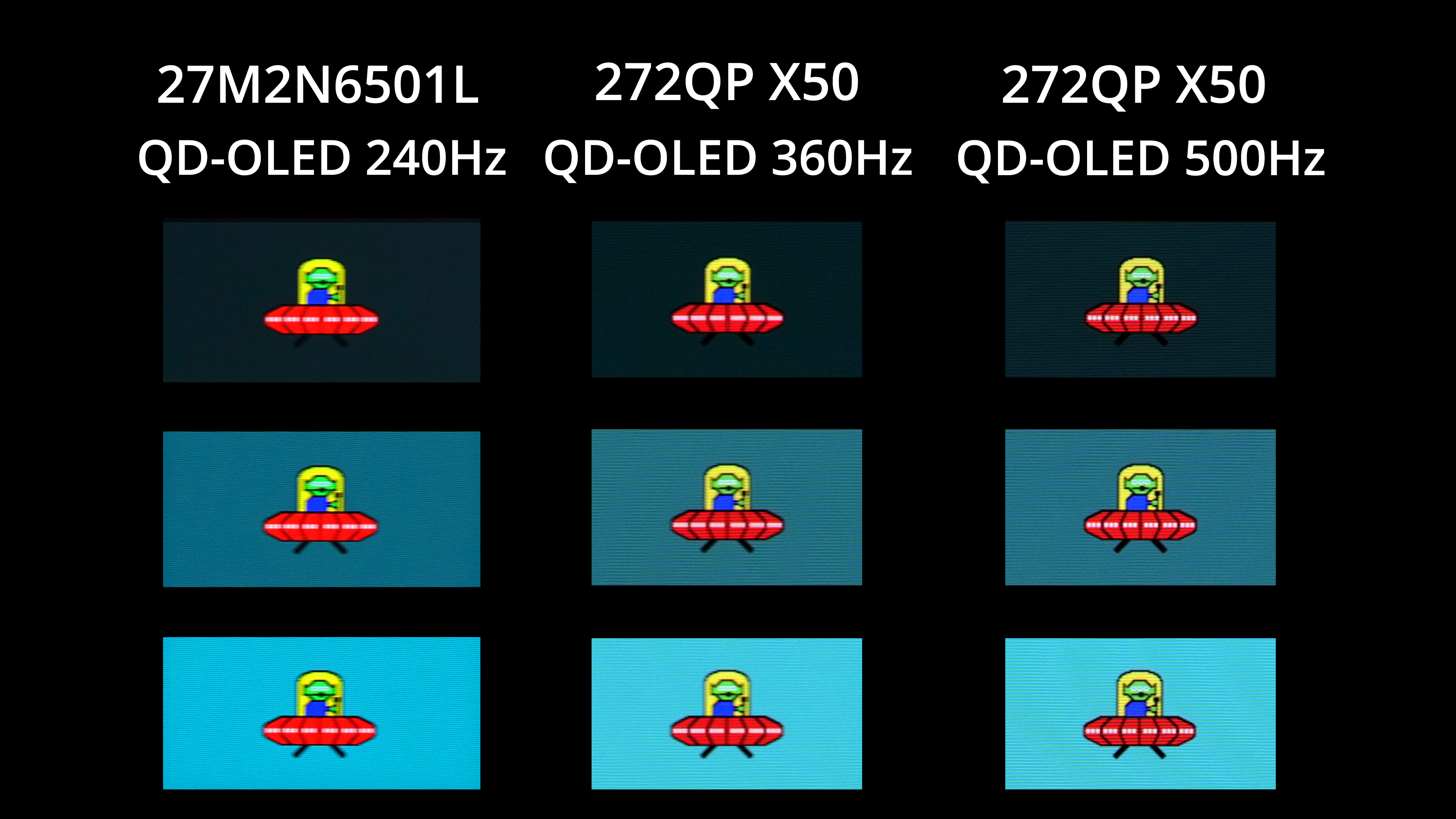
Other OLEDs can deliver even faster refresh rates though, with plenty of 1440p/360Hz models on the market, not to mention the MSI 272QP X50 which can hit 500Hz. The higher the refresh goes, the better image clarity becomes – but you also have to weigh up cost, and whether or not your system is actually capable of driving over 240fps at 1440p resolution in the games you play.
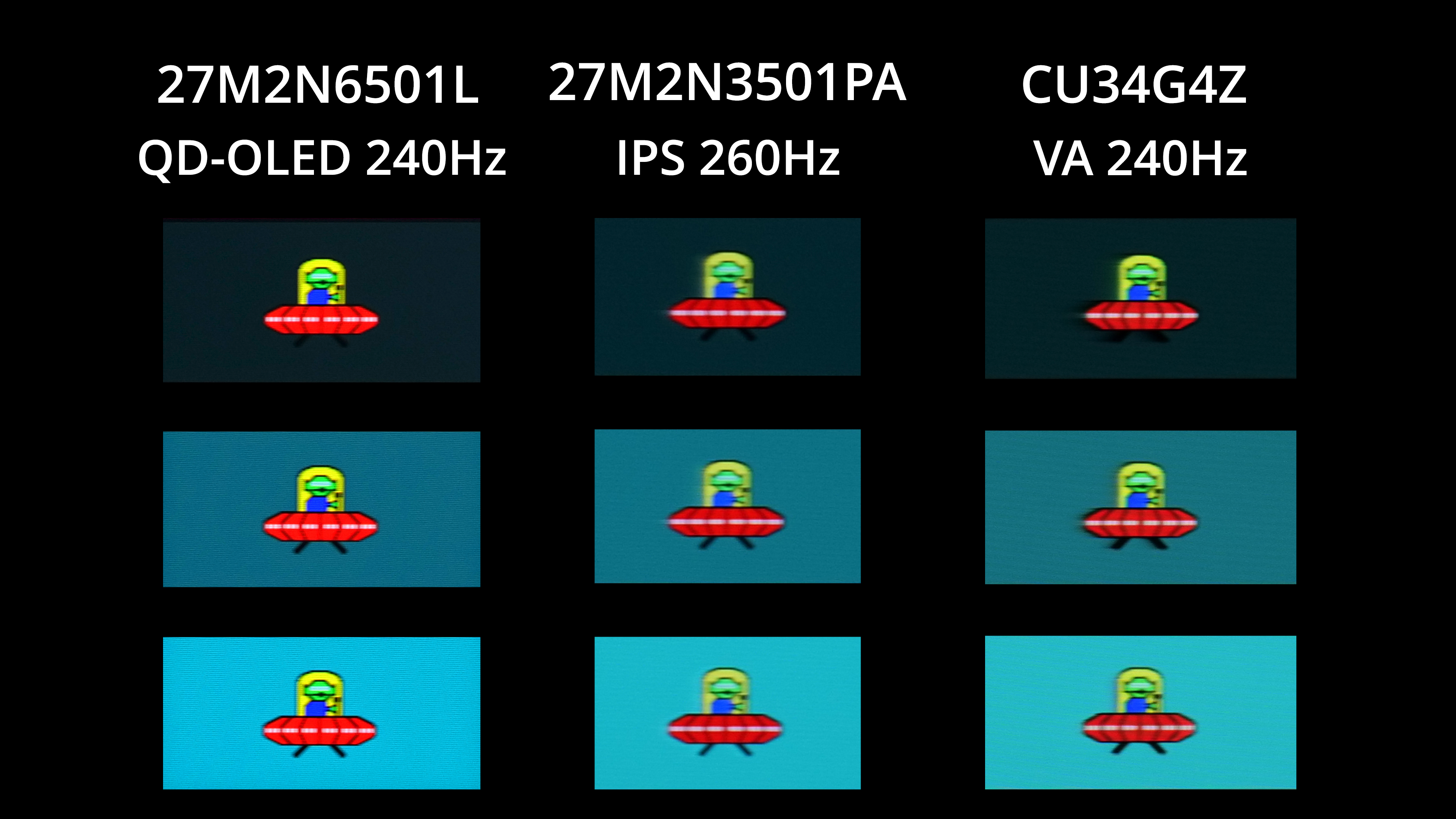
Compared to LCD panels though, a 240Hz OLED is going to look significantly better – there's no ghosting or overshoot for one, while general motion clarity is several steps ahead of both IPS and VA options that I've tested at a similar refresh rate. As far as gaming goes, it really is a wonderful technology.
We again use the Open Source Response Time Tool (OSRTT), developed by TechTeamGB, to report monitor input latency.
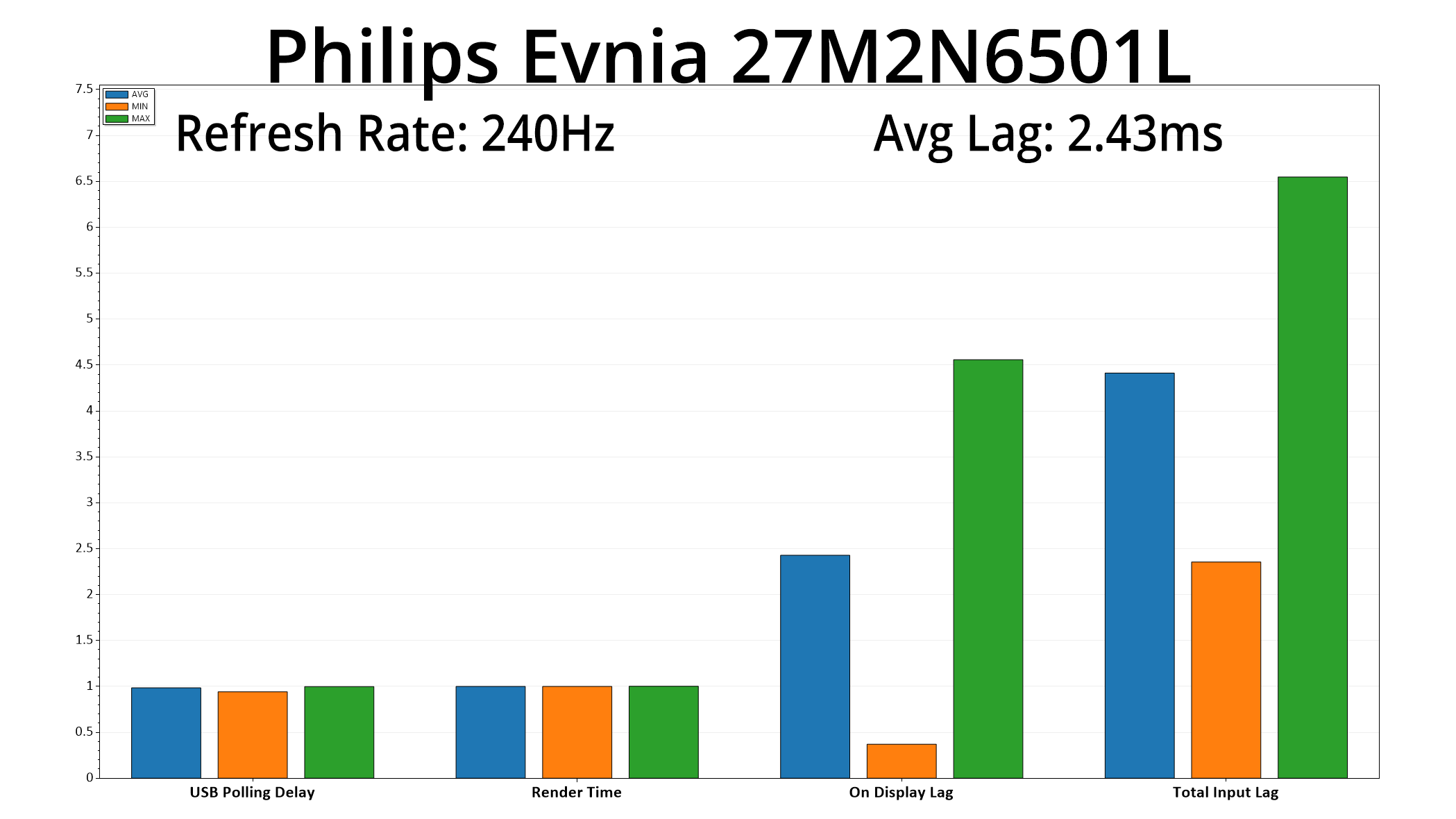
Latency is no problem either, given the 27M2N6501L averaged 2.43ms. A single frame at 240Hz lasts for 4.17ms, so the latency here is equivalent to a little over half a frame – nothing at all to worry about.
It's been fascinating to analyse the Philips Evnia 27M2N6501L over the last week, given its £399 MSRP positions this as one of the cheapest OLED monitors on the market.
The pricing situation is worth digging into a little deeper, as while it has the lowest launch price of any OLED I've reviewed, we've also seen loads of deals on OLED monitors in recent weeks which complicate the picture. AOC's AG276QZD2 hit just £379 during Black Friday, for instance, while Evnia's own 27M2N8500 – a faster 360Hz model – is routinely down at £430.
That's especially significant considering the limitations of the panel used in the 27M2N6501L – namely, it doesn't get nearly so bright as other QD-OLEDs, hitting just 201 nits for SDR and topping out at 412 nits in HDR based on our testing. Every other QD-OLED we've tested is capable of 250-260 nits in SDR for a full screen white, while also delivering 1000 nit highlights in HDR.
In every other area, however, performance is as you'd expect from a 1440p 240Hz QD-OLED – factory calibration is strong, the gamut is very wide, plus you get the incredible motion clarity that is a hallmark of OLED technology, far surpassing anything that a 240Hz LCD would be capable of. Based on the price and who this screen is targeting, it's definitely worth reiterating that if you've not used OLED before, the difference between this and your typical IPS or VA panel is absolutely huge, so if you're on the fence I cannot recommend the technology enough for gaming, it really will transform the appearance of your favourite titles.
But back to the 27M2N6501L specifically, in the end it all comes down to pricing. As good as it is to see an OLED monitor launch with an MSRP below £400 – albeit by the tiniest of amounts – I can't help but feel Evnia hasn't gone far enough, based on the prices that other QD-OLEDs have hit over the Black Friday and Christmas sales. It's a funny one – if Evnia had waited to launch this screen 'til January or February when all the deals had died down, it would probably look stronger on paper, but there's just no getting away from the fact that the AG276QZD2 at £379 would be both brighter and cheaper than the 27M2N6501L.
It's still absolutely worth buying, even with its limitations, I just think the retail price needs to settle lower than it has currently, in order to justify the reduced brightness versus the rest of QD-OLED market.
We found it listed on OCUK for £399.95 HERE.
Pros
- Very wide gamut.
- Effectively infinite contrast ratio.
- Very fast response times.
- 1440p isn't impossible to drive at 240fps.
- Accurate HDR modes, mirroring True Black 400 behaviour.
- Solid sRGB emulation mode.
- 2x HDMI 2.1.
- Feature-rich OSD.
- Included stand can do height adjust, swivel, tilt and pivot.
- White design helps it stand out from the crowd (but may not be for everyone).
- Attractive pricing, if not the absolute cheapest.
Cons
- Brightness caps out at 200 nits in SDR.
- Also lacks a Peak 1000 nits mode for HDR, given it tops out at 410 nits there.
- Other QD-OLEDs provide stiff competition, especially the AG276QZD2 which has been on sale £379 very recently.
- No USB-C or KVM support.
- Design won't be for everyone.
KitGuru says: OLED is getting cheaper and cheaper – there are definitely some limitations to be aware of, but the Philips Evnia 27M2N6501L could be a great entry-point into this market segment. It just needs to be cheaper than other QD-OLED panels to justify its lower brightness levels.