KitGuru KitGuru.net – Tech News | Hardware News | Hardware Reviews | IOS | Mobile | Gaming | Graphics Cards


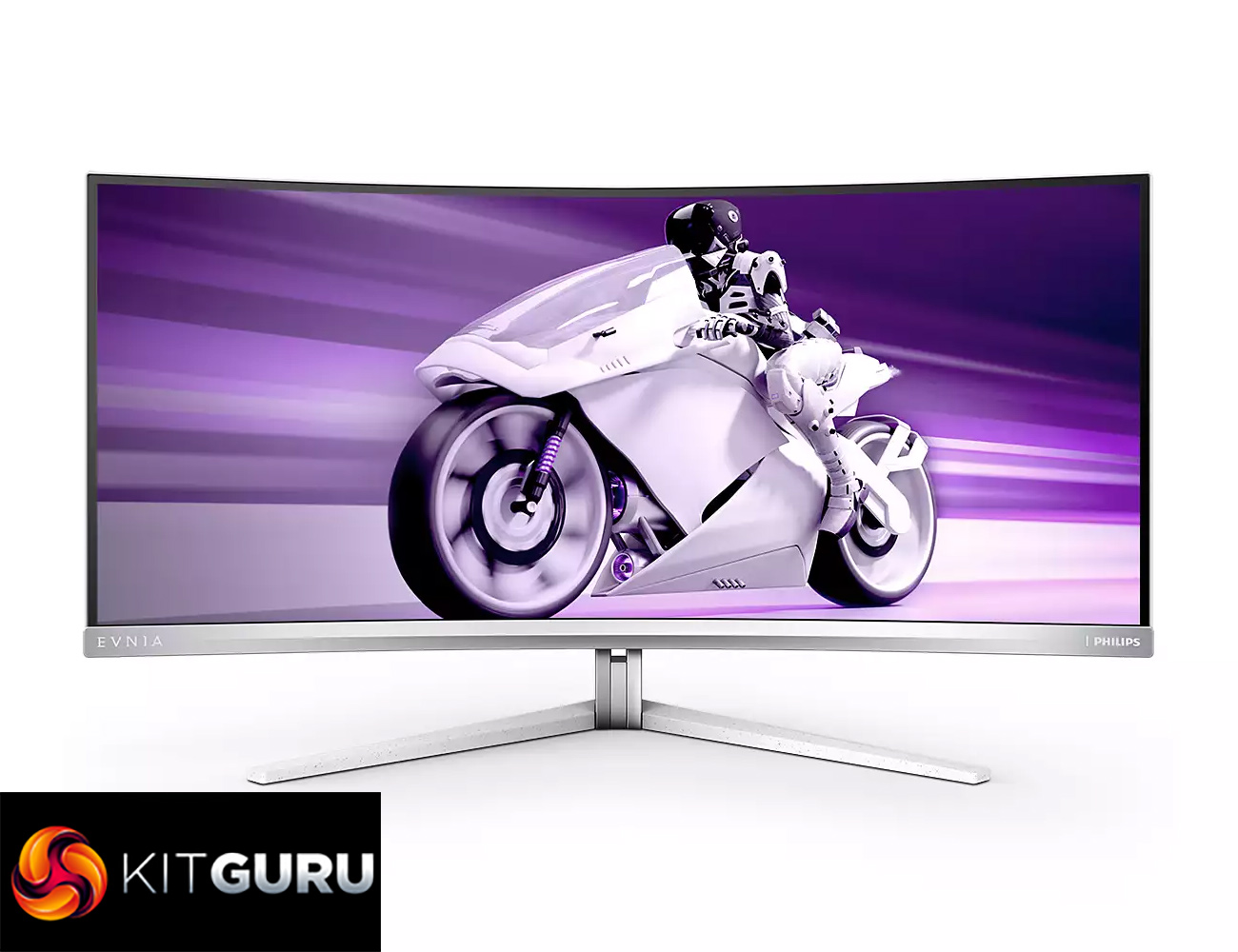
Today we can present a KitGuru first – our first review of a Philips Evnia monitor! Launched towards the end of 2022, Evnia is a new gaming brand from Philips, replacing the Momentum line-up. We're starting in the high end with the Evnia 34M2C8600, a QD-OLED ultrawide retailing for £1150 here in the UK. Offering a clean design, alongside all the benefits that an OLED monitor brings, could this be your next gaming display?
There's been a recent boom in the OLED monitor market, and for good reason. Typically offering near-instant response times, incredible contrast and real HDR, I personally think OLED monitors make a lot of sense for gamers. The Philips Evnia 34M2C8600 is a QD-OLED display, offering a 3440×1440 resolution at a 175Hz refresh rate. It features an eye-catching design, Philips Ambiglow lighting and DisplayHDR True Black 400 certification. Priced at £1150, let's find out how good this screen really is.
Specification:
- Monitor Panel Type: QD OLED
- Panel Size: 34 inch / 86.36 cm
- Display Screen Coating: Anti-reflection, 2H
- Effective viewing area: 800.1 (H) x 337.1 (V) – at a 1800R curvature*
- Pixel format: RGB Q-Stripe*
- Aspect ratio: 21:9
- Maximum resolution: HDMI: 3440 x 1440 @ 100 Hz, DP/USB-C: 3440 x 1440 @ 175 Hz
- Pixel Density: 109.68 PPI
- Response time (typical): 0.03 ms (Grey to Grey)*
- Low Input Lag: Yes
- Brightness: SDR: 250 (APL 100%) nit, HDR: 450 (APL 10%) nit, HDR E/P: 1000 (APL 3%) nit
- SmartContrast: Mega Infinity DCR
- Contrast ratio (typical): 1,000,000:1
- Pixel pitch: 0.2315 x 0.2315 mm
- Viewing angle: 178º (H)/178º (V) @ C/R > 10000
- Flicker-free: Yes
- HDR: DisplayHDR True Black 400 certified
- Colour gamut (min.): DCI-P3: 99.3%*
- Colour gamut (typical): NTSC 121.3%*, sRGB 148.8%*, Adobe RGB 97.8%*
- Adaptive sync: Yes
- Ambiglow: 4 sided
- Connectivity:
- HDMI 2.0 x 2
- DisplayPort 1.4 x 1
- USB-C x 1 (DP Alt mode, Video, Data and Power Delivery)
- USB Hub: USB 3.2 Gen 1 / 5 Gbps, USB-B upstream x 1, USB-A downstream x 4 (with 1 for fast charge B.C 1.2)


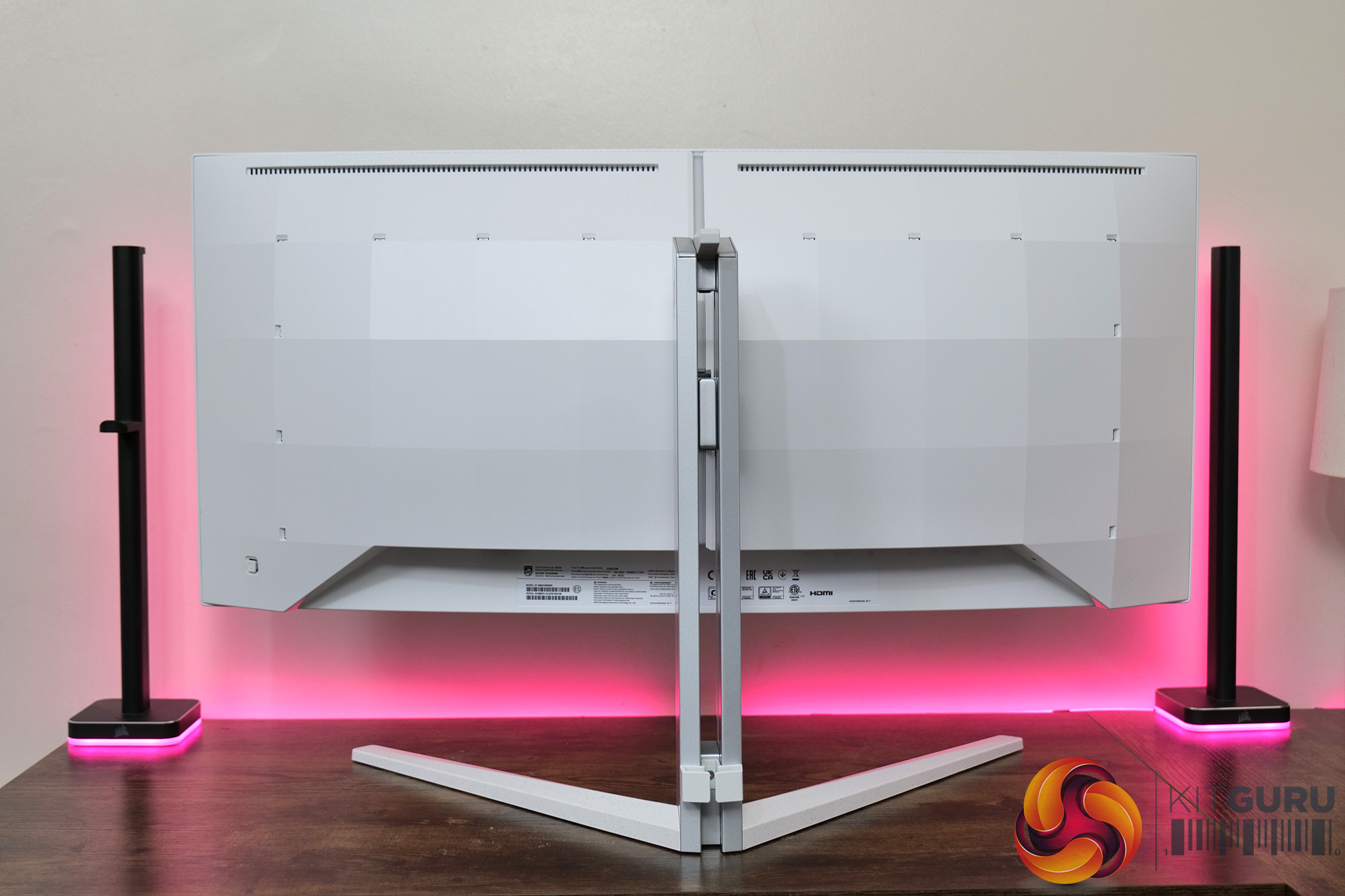
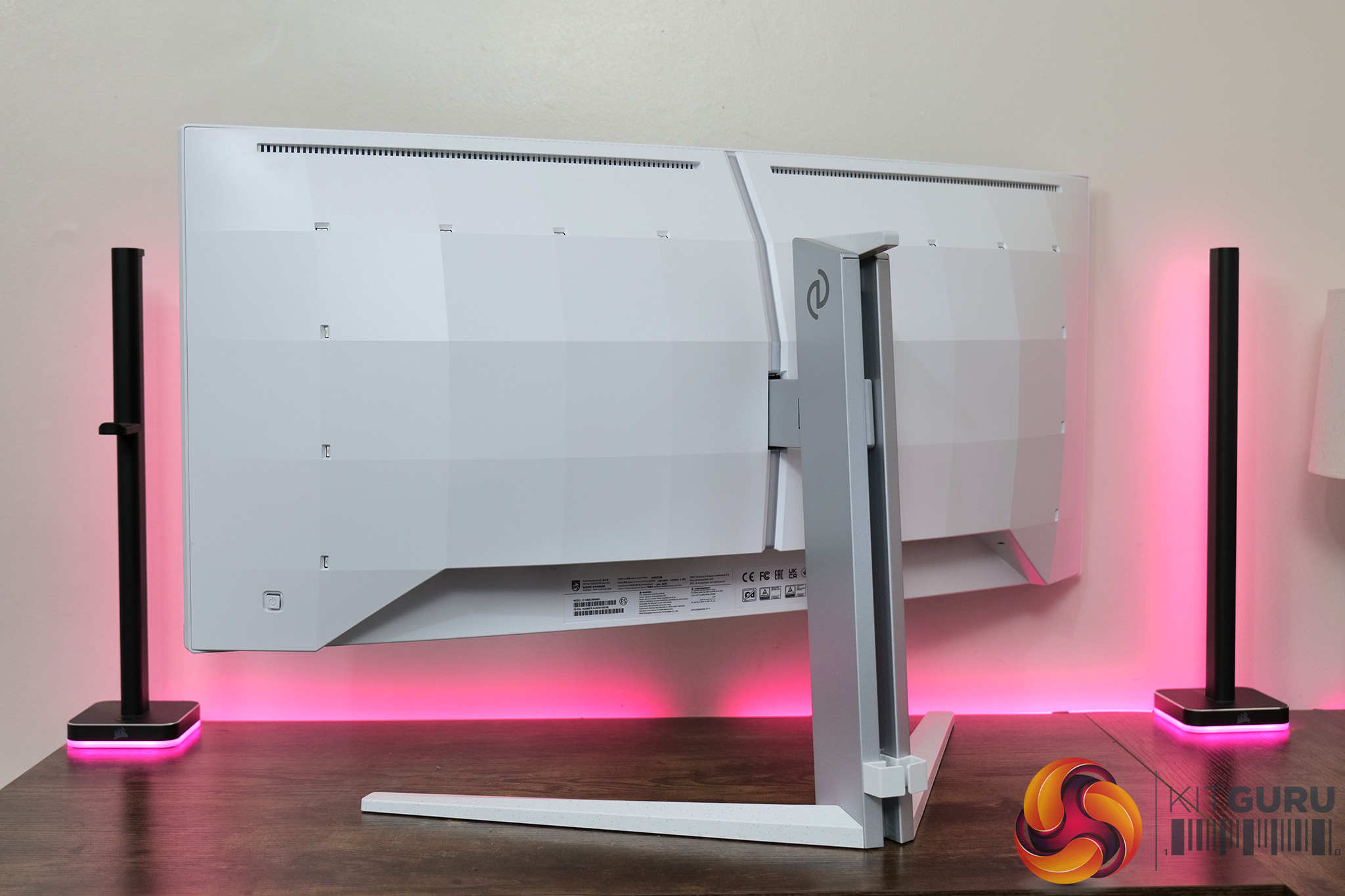
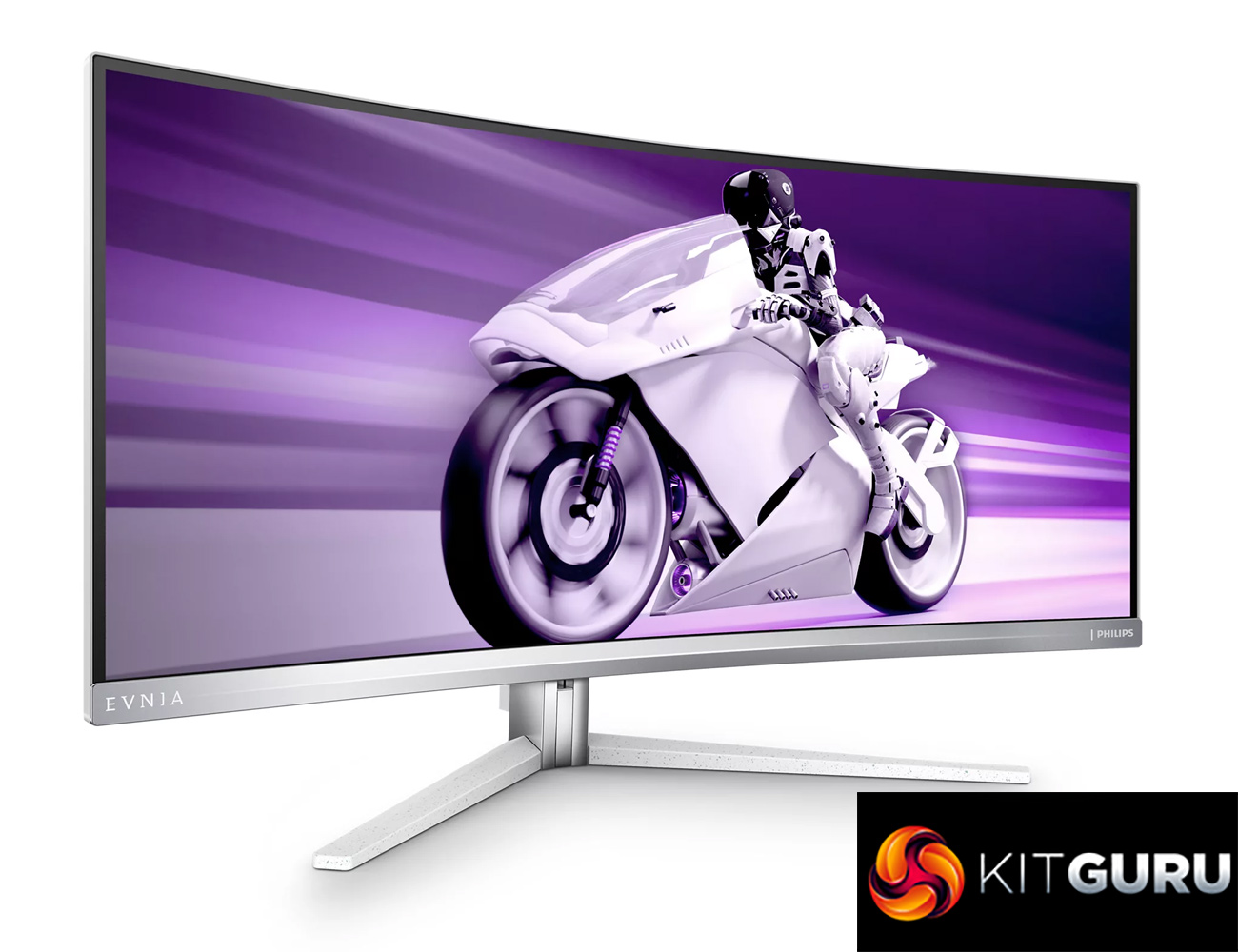
If you've seen any other Evnia products before, you will know that the company does things a little differently. Instead of an all-black aesthetic, the 34M2C8600 is rather eye-catching with its white and silver design. The base of the stand and the rear of the display are matte white, while the front bezel and stand are silver. The v-shaped foot even features some coloured speckles giving this quite a unique appearance.
It's definitely a bit different, but whether or not you like the look will obviously be subjective. I personally appreciate that there's a bit of visual flair here, though perhaps I am just boring, as I'd rather have something completely black on my desk.
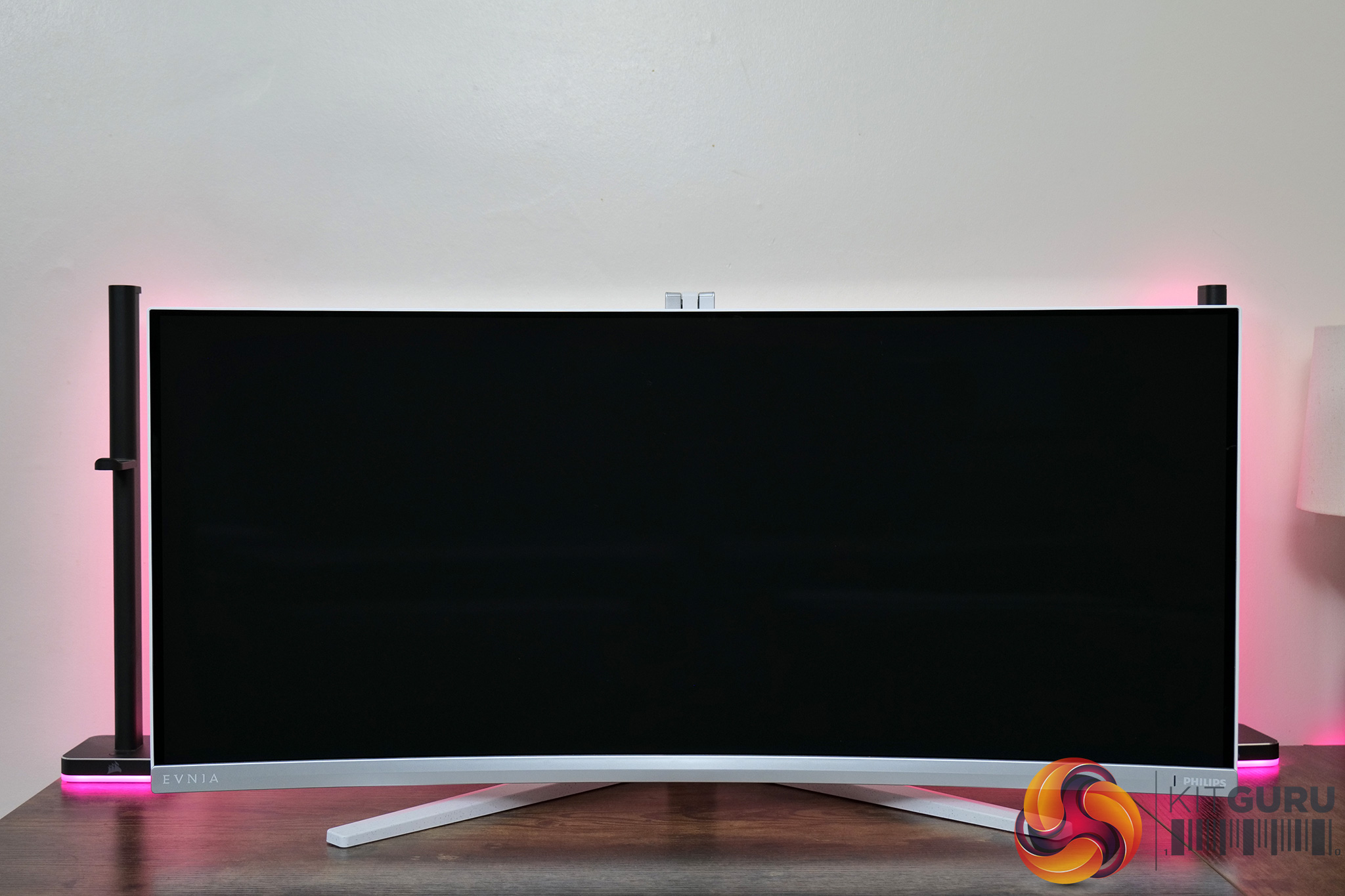
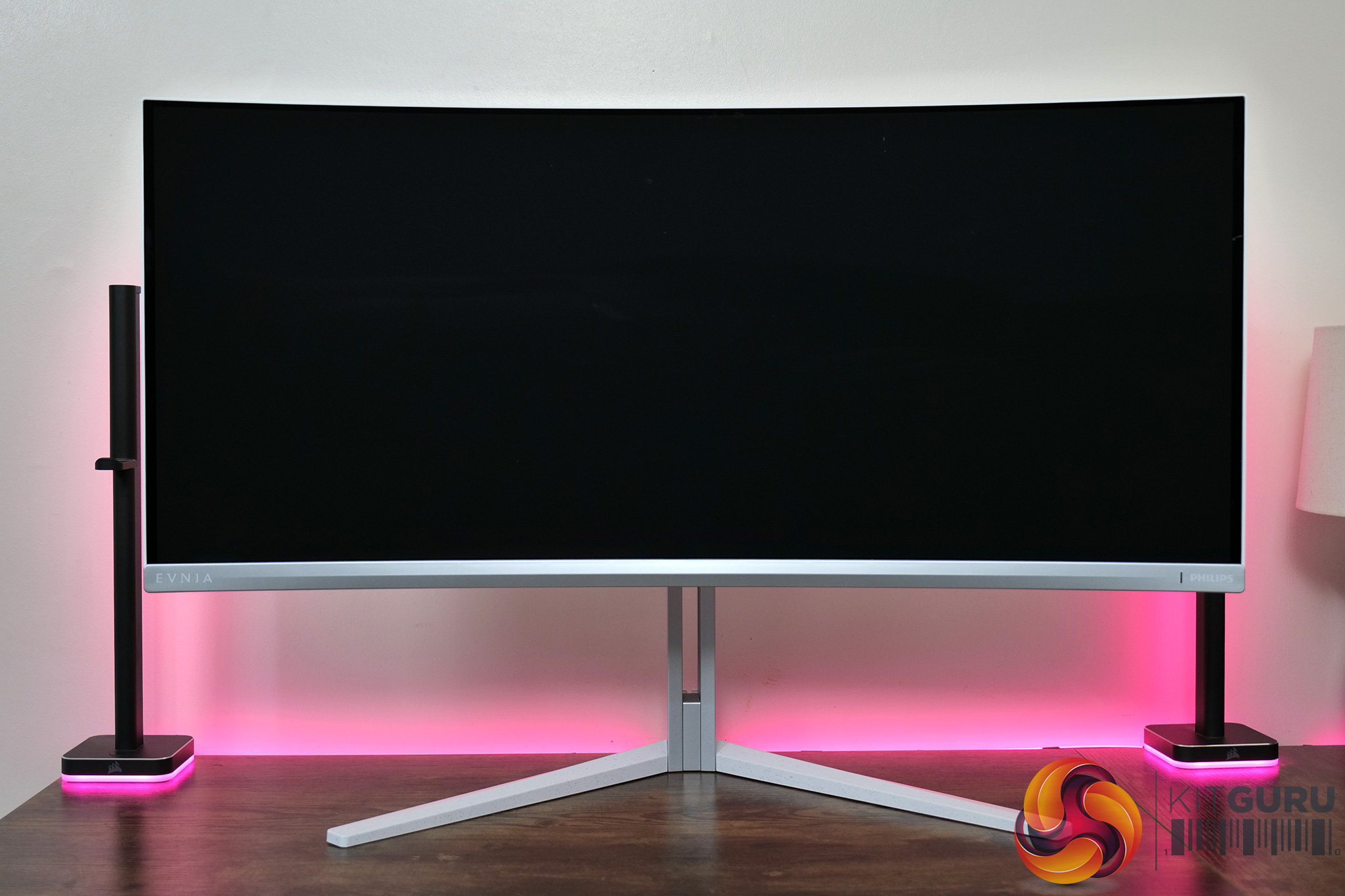
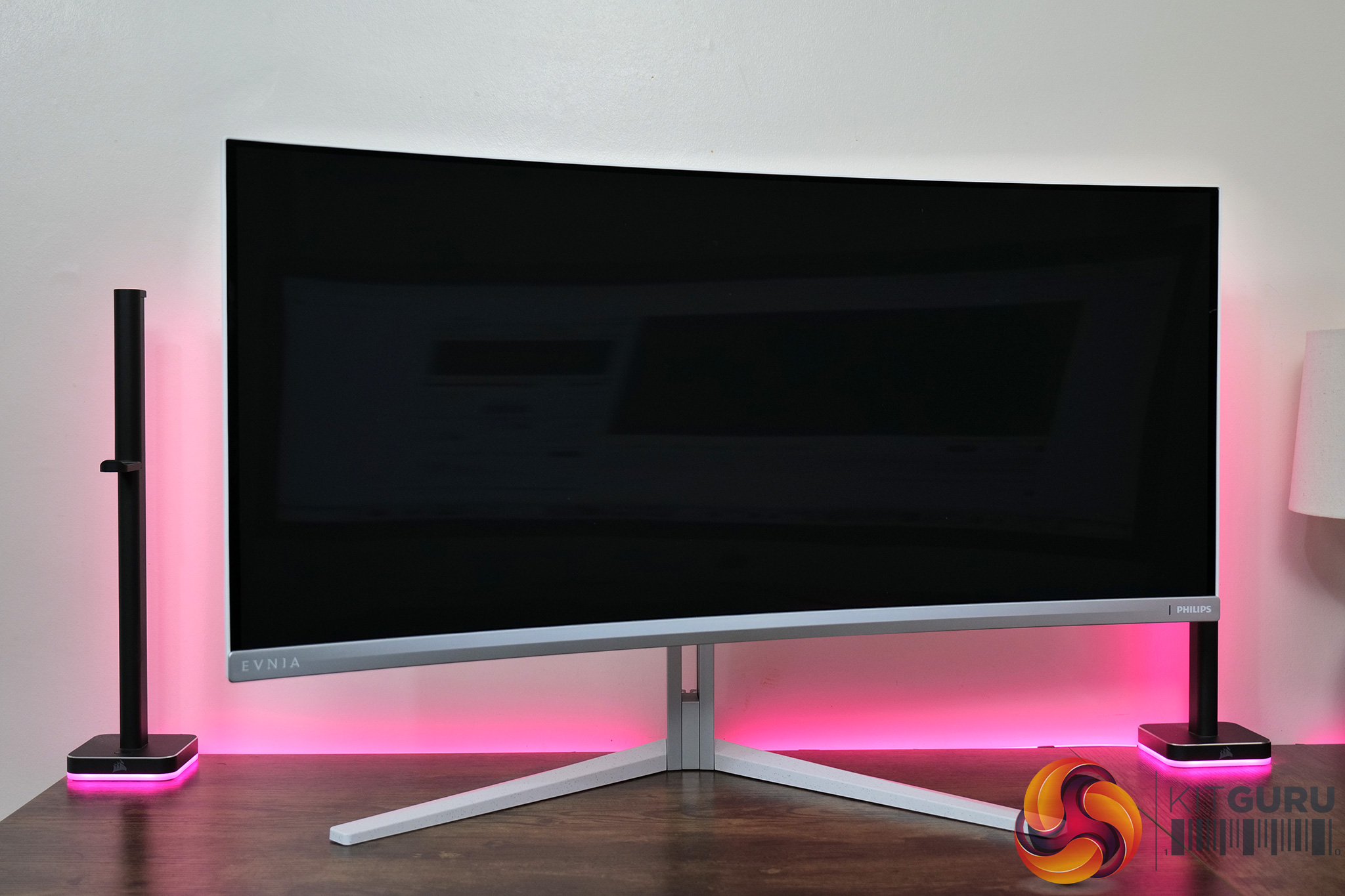
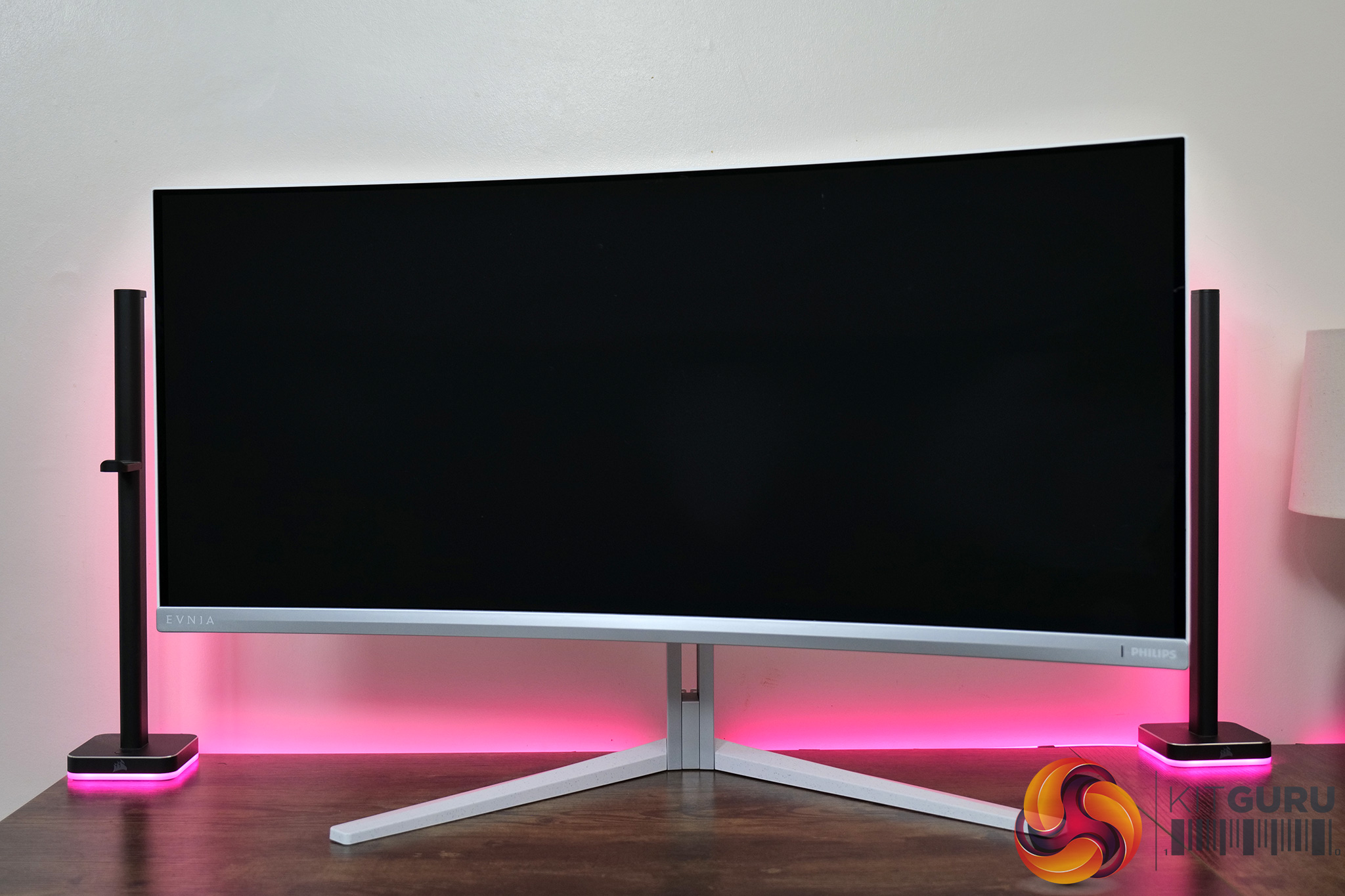
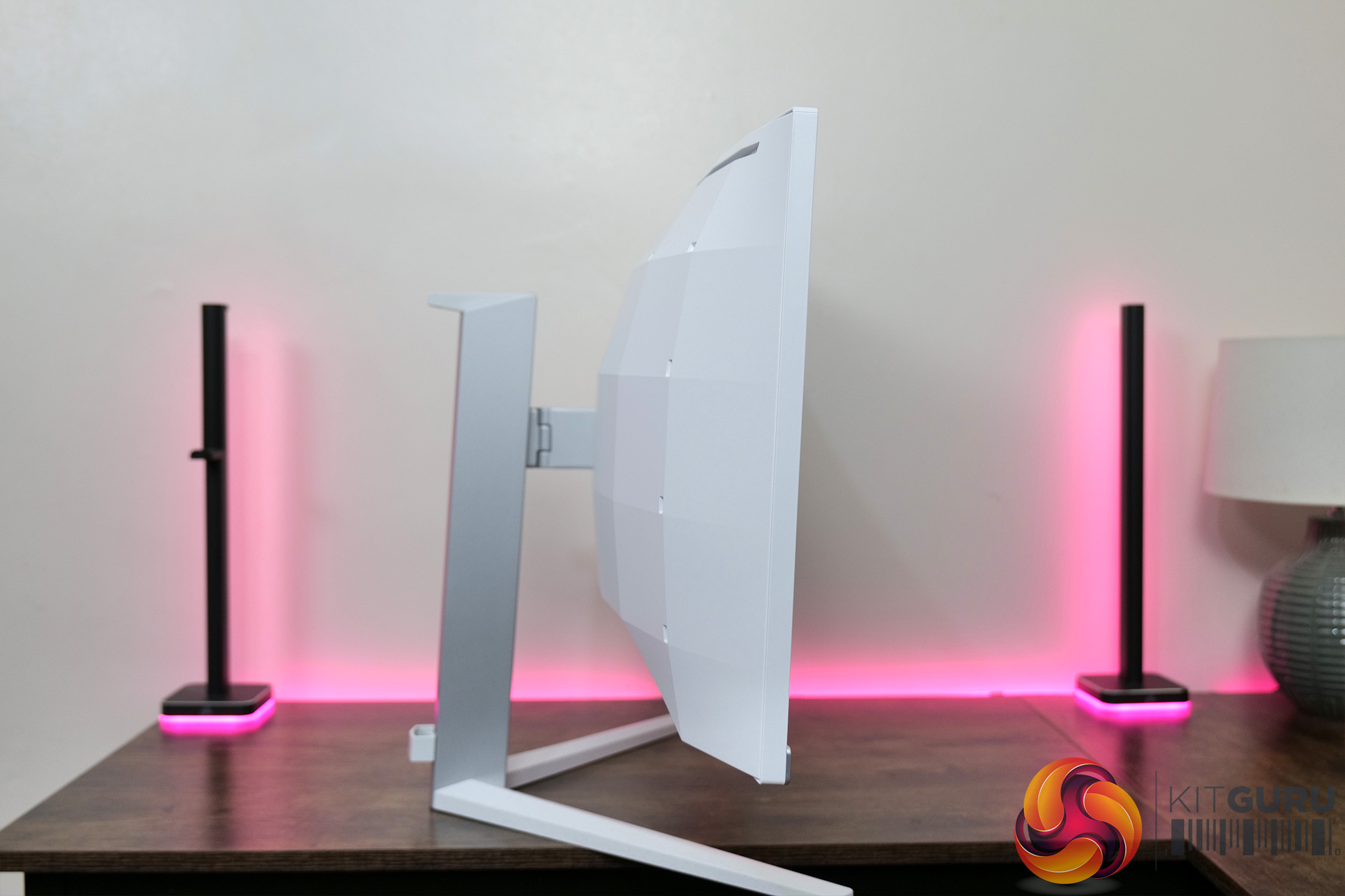
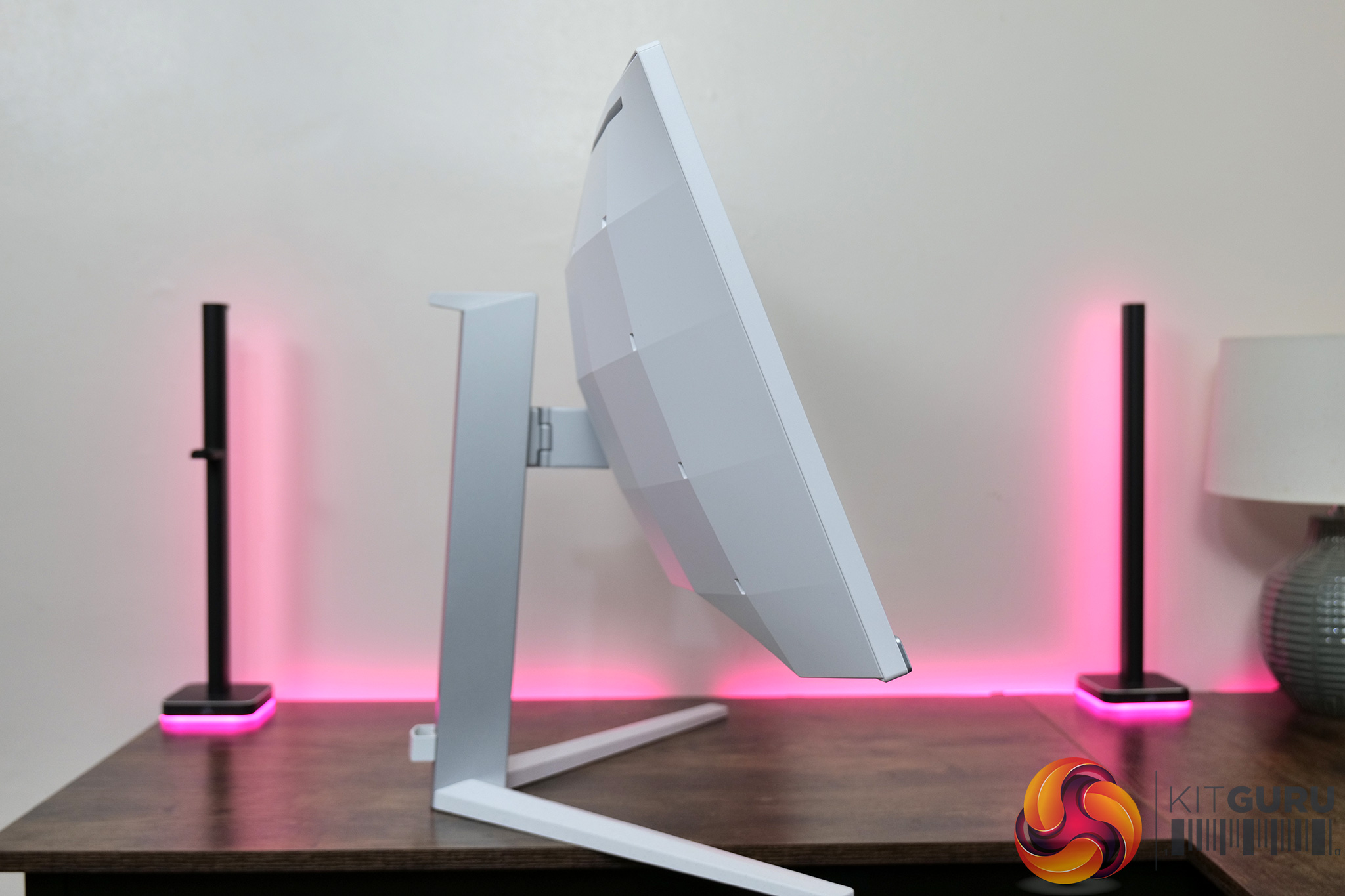
Whatever your thoughts on the aesthetic, the included stand has a good variety of ergonomic adjustments. This includes 150mm of height adjustment, 20 degrees of swivel both left and right, as well as tilt from -5 to +20 degrees. There's no pivot/rotation function here, but considering this is a curved ultrawide, it's not a real loss in my opinion. VESA 100×100 mounts are also supported for those who want to use a third party stand or arm.

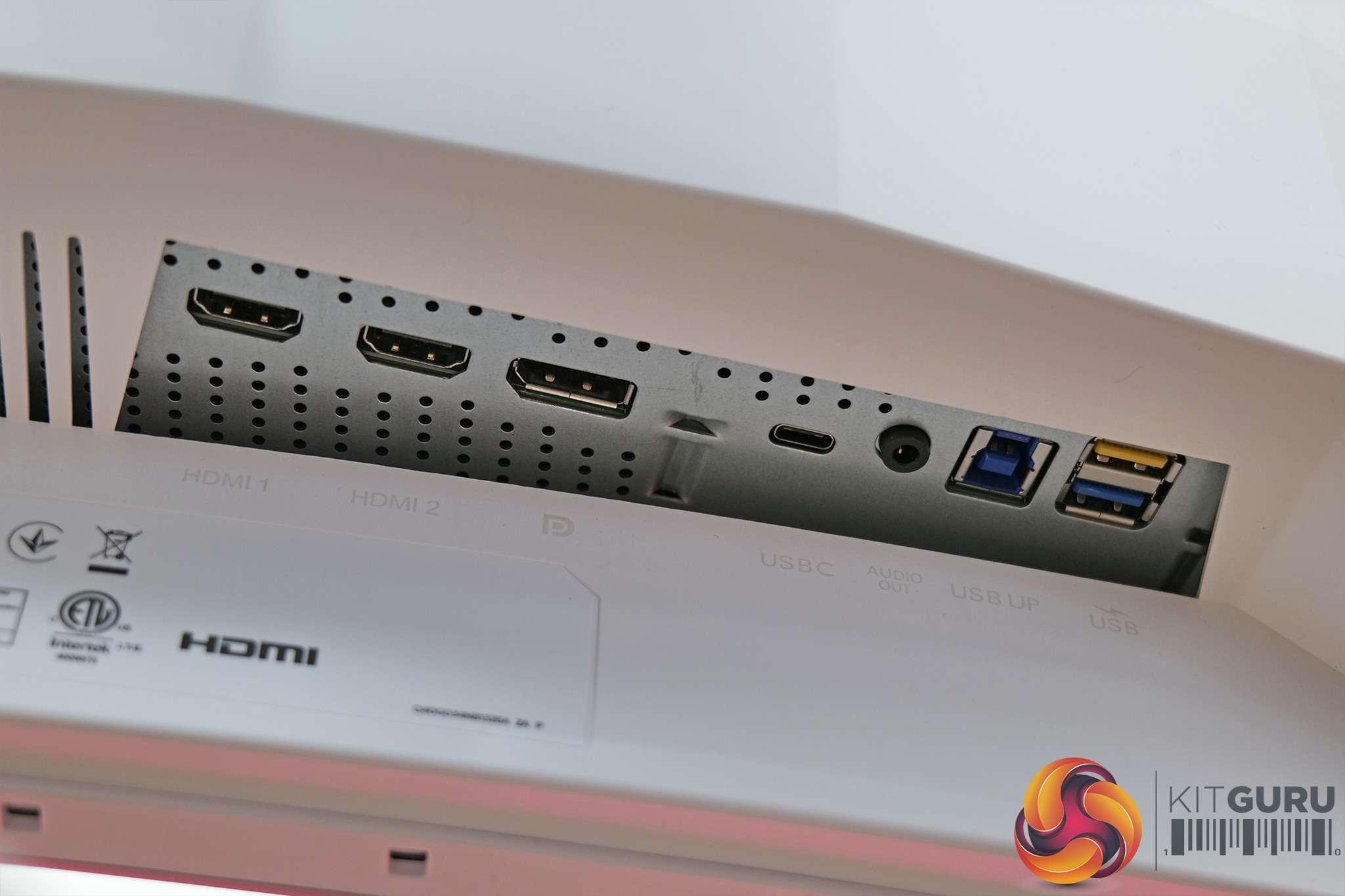
On the rear of the display, we also find a small joystick used to navigate the OSD. There are no other buttons on the monitor – everything is done via this joystick, or by using the SmartControl software which is shown on the next page.
Lastly, we come to the connectivity. Here there's a total of four video inputs, 2x HDMI 2.0, 1x DisplayPort 1.4 and 1x USB-C which supports DP-Alt mode as well as 90W power delivery. I have to say it is a definite shame to see HDMI 2.0 ports here, and not HDMI 2.1 – this means you're limited to 100Hz at 3440×1440 when using a HDMI cable, a real missed opportunity in my opinion as there's no hardware G-Sync module, so no need to compromise.
Back to the I/O, we find a 3.5mm audio jack too, as well as one USB upstream cable, and two downstreams – both 5Gbps, but the yellow one supports fast charging BC 1.2. There's also a pair of 5W speakers.
As for the OSD, everything is split into 8 main tabs, as you can see here:
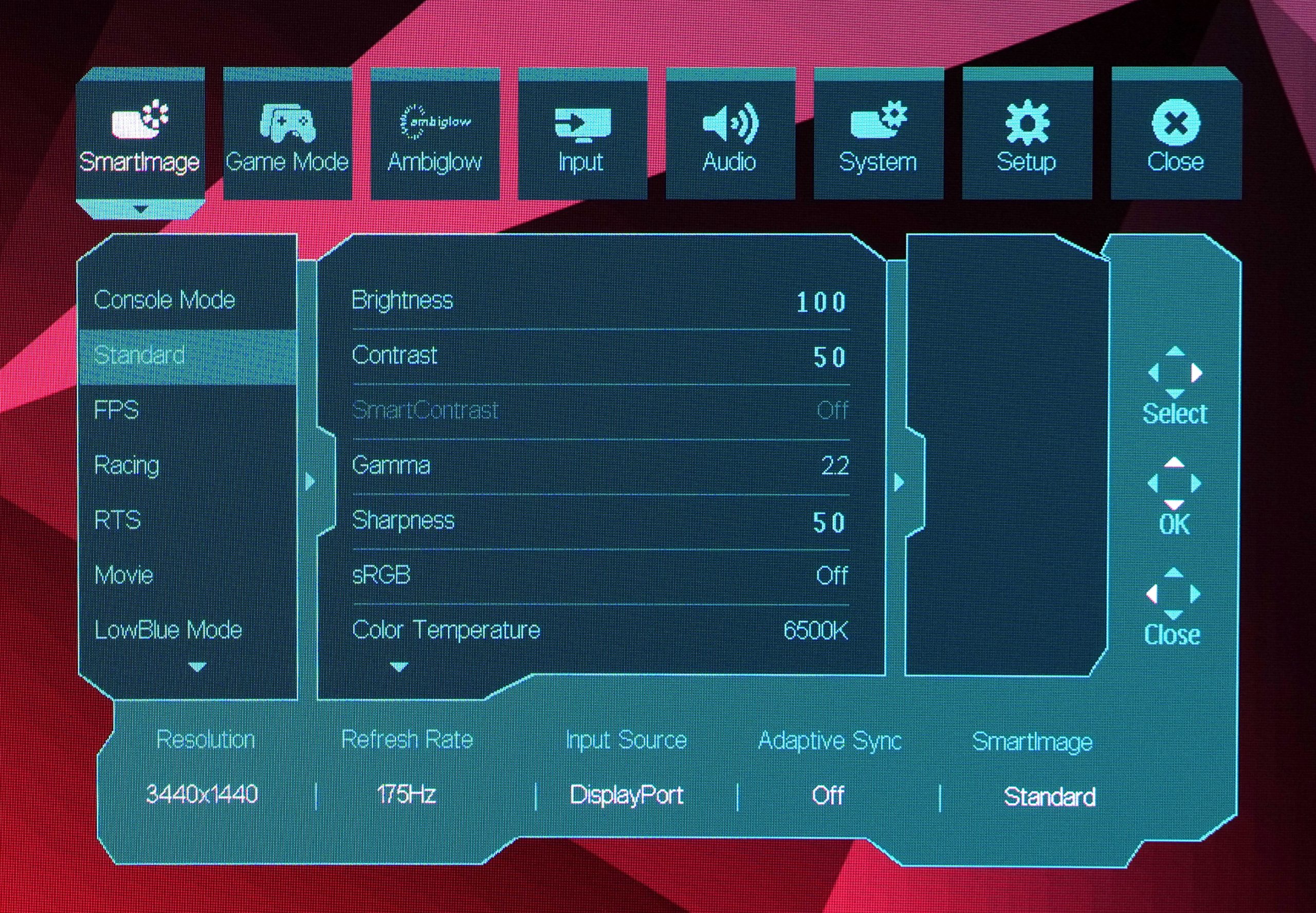
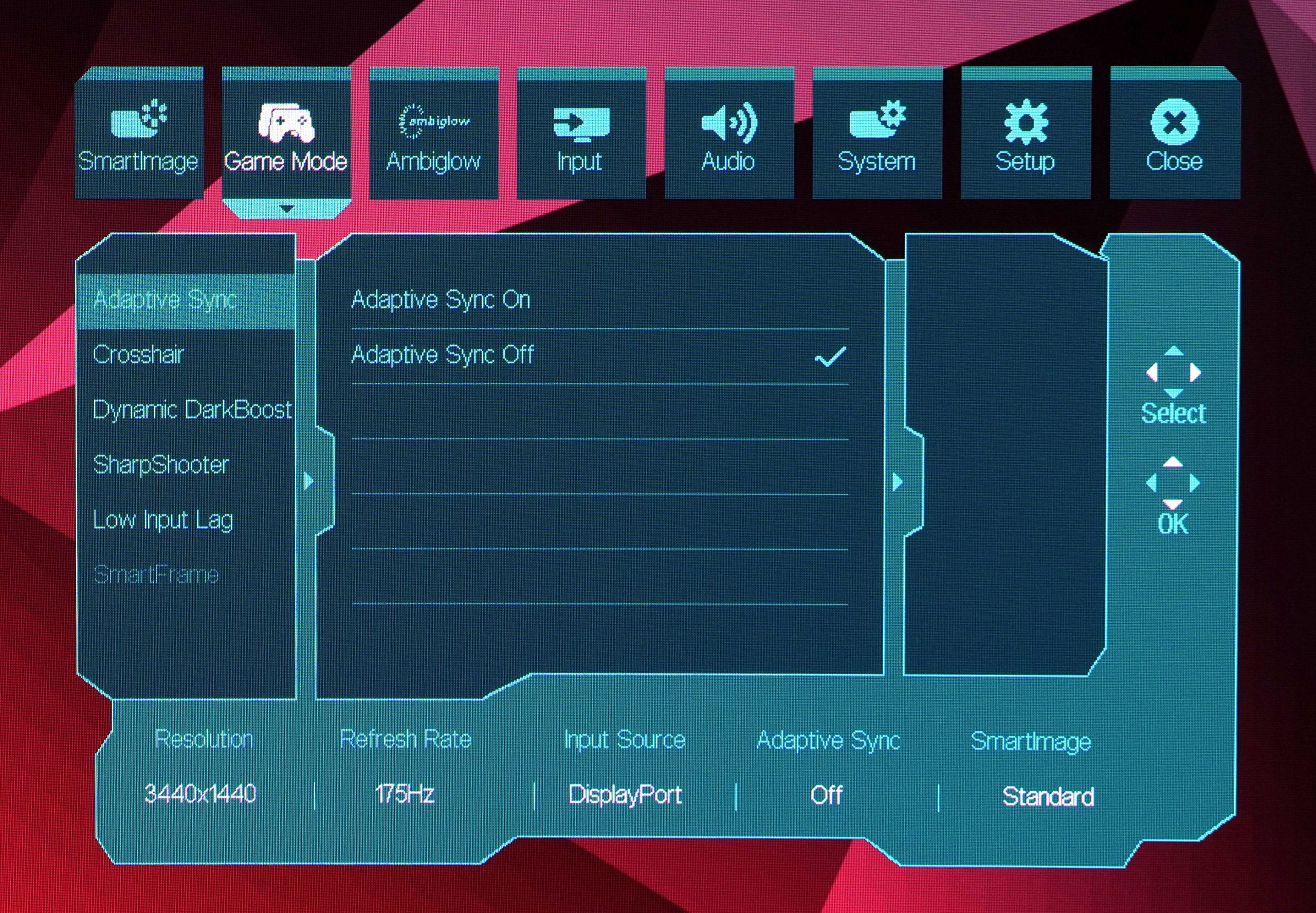
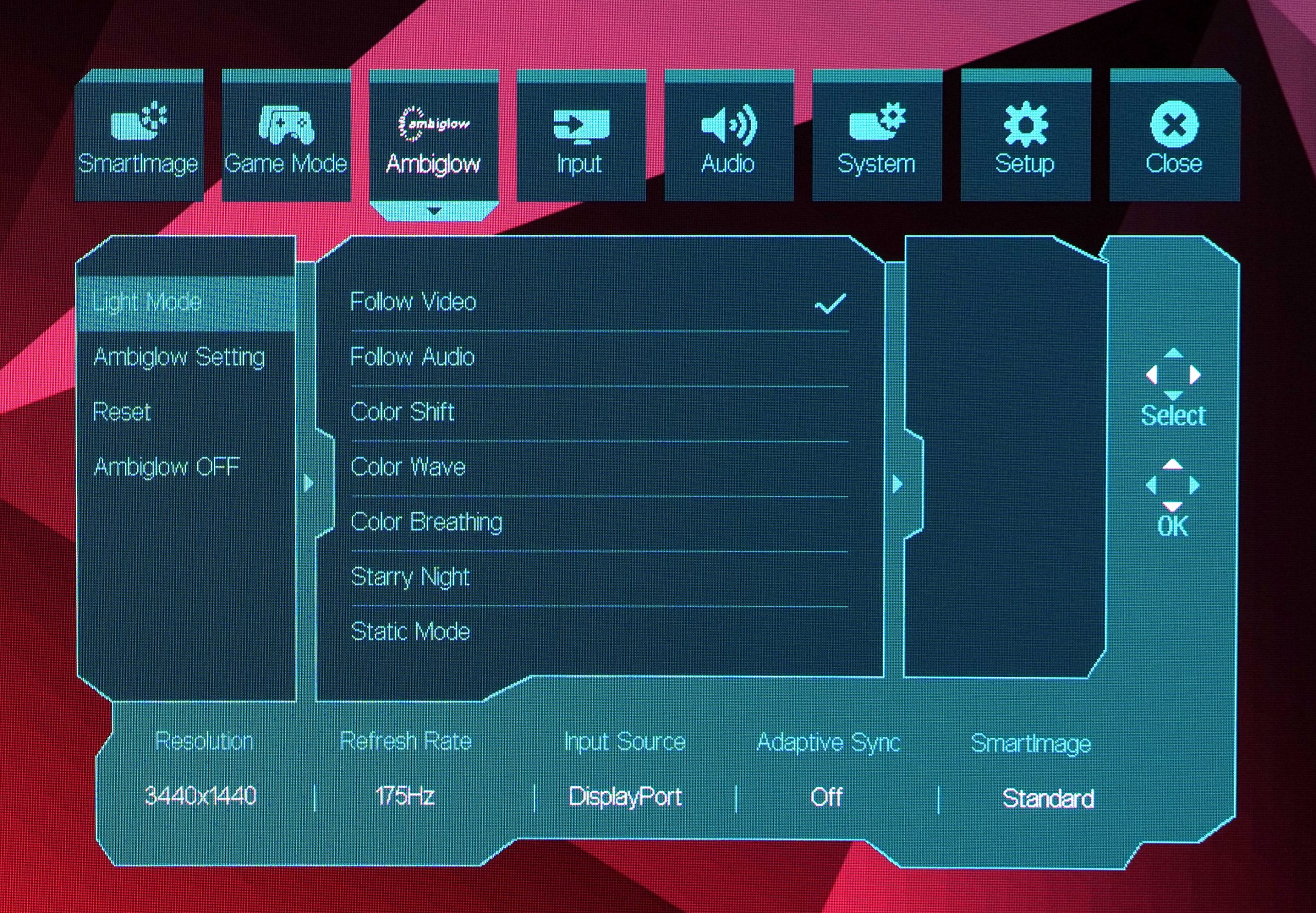
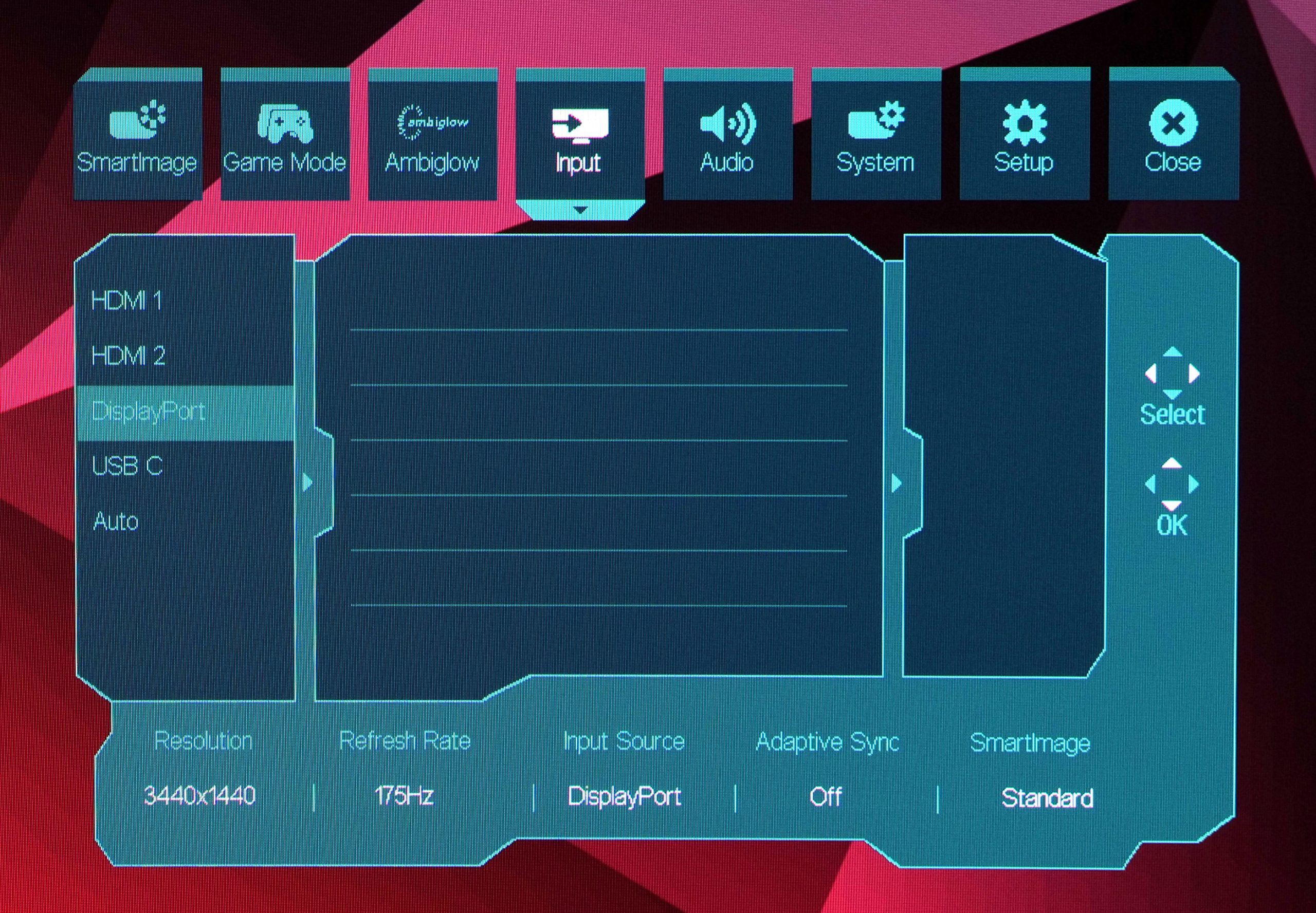
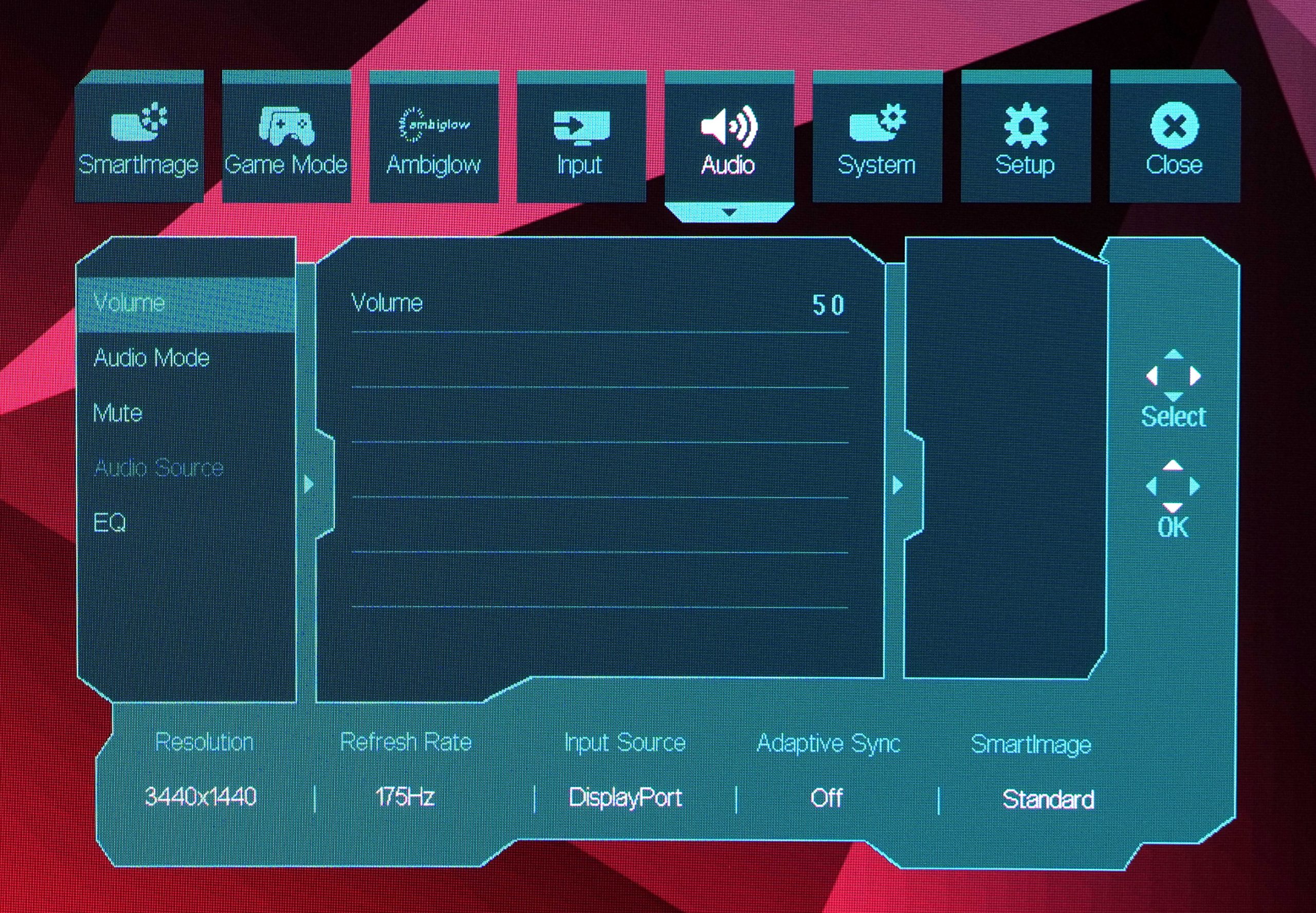
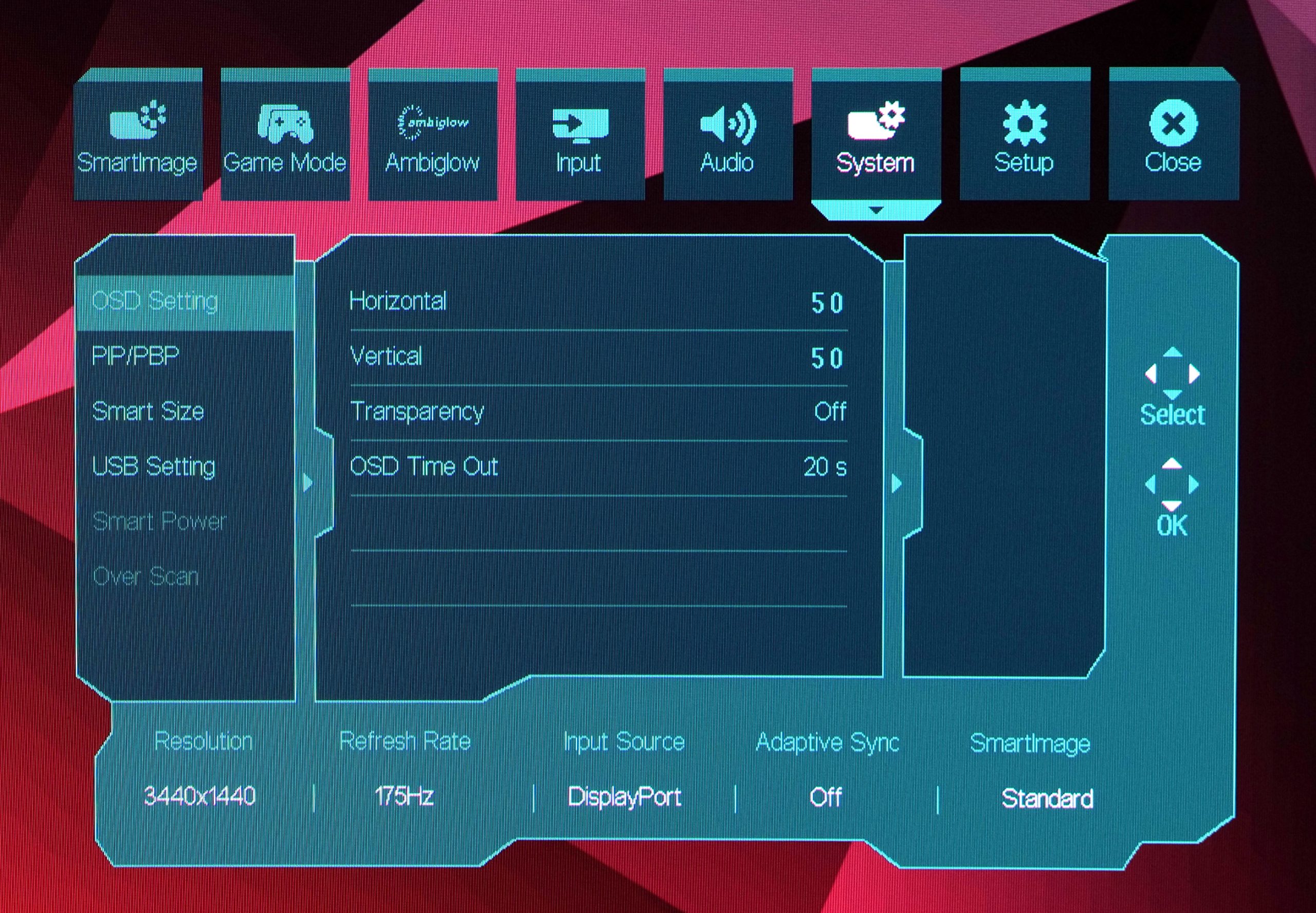
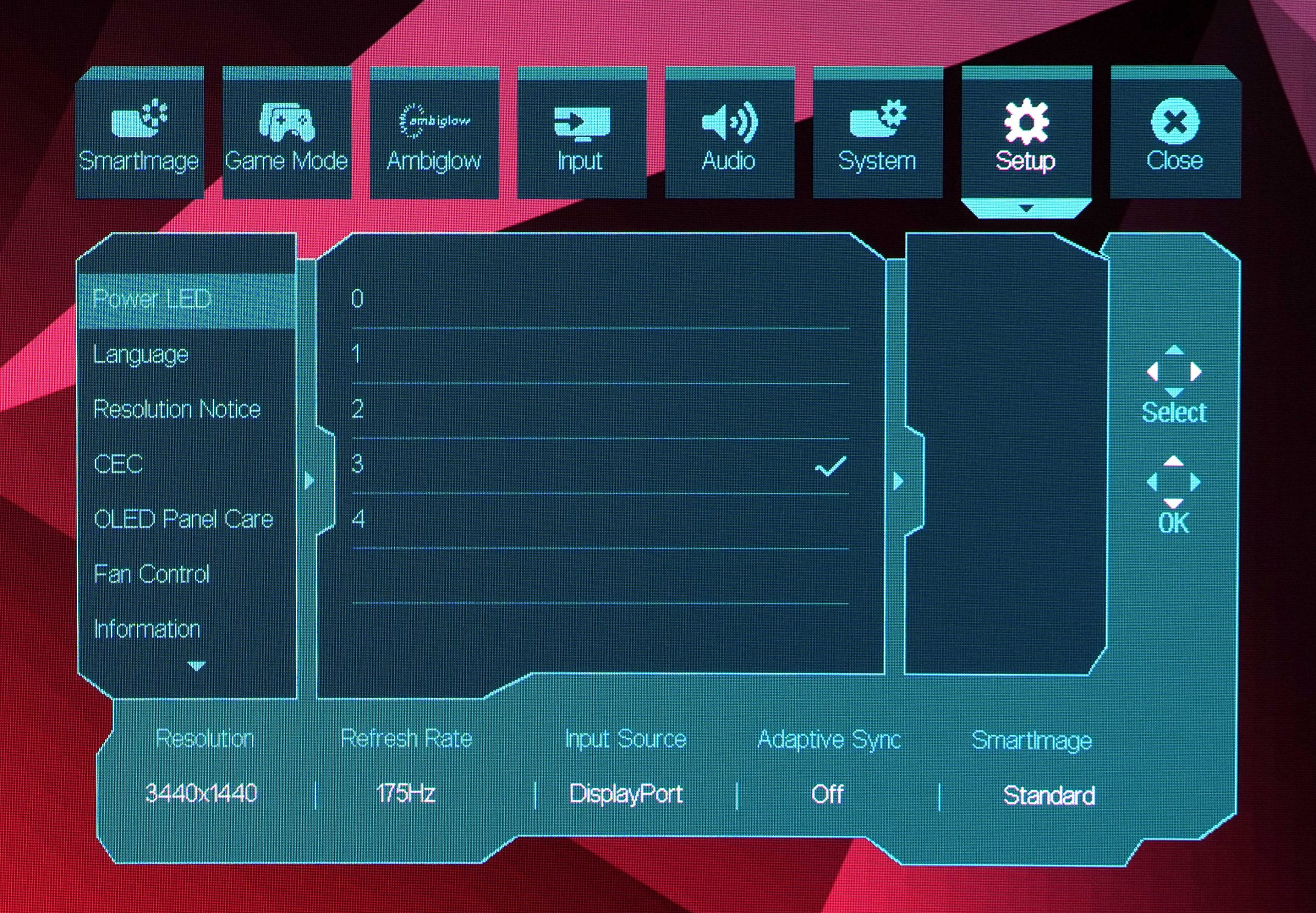
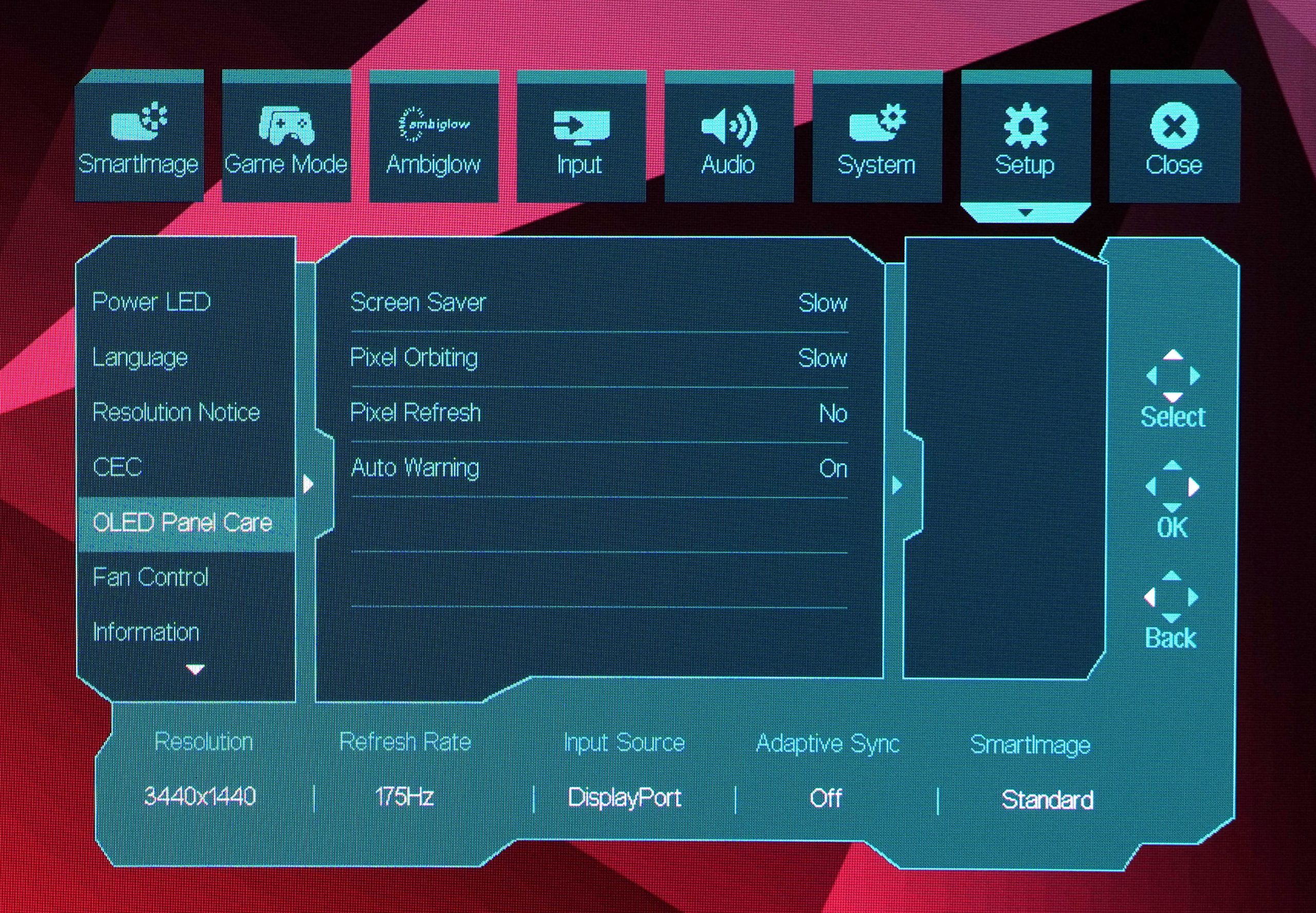
To be honest, the OSD used by Evnia here is pretty ugly and doesn't match the clean and modern aesthetic that exudes from the design of the monitor itself. It works well enough and things are mostly easy to navigate with the OSD. That said, it does confuse me slightly that instead of clicking the joystick to ‘accept' or enter a particular setting, you have to push the joystick to the right – it's not the end of the world but it takes some getting used to.
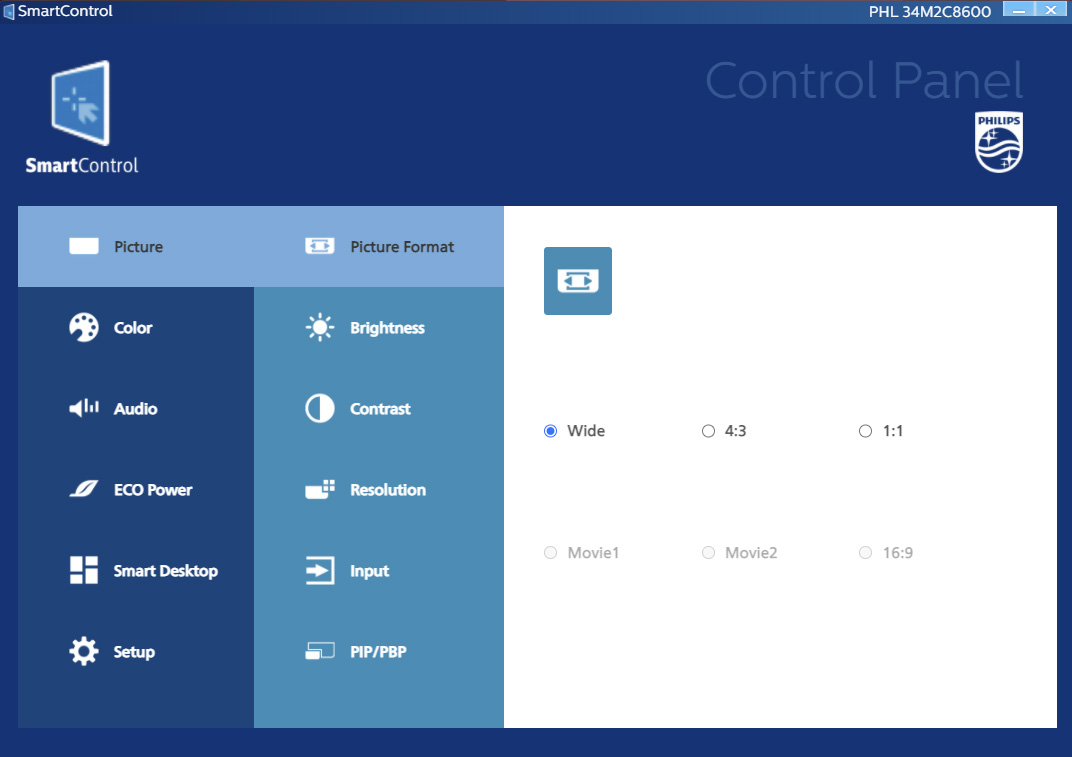
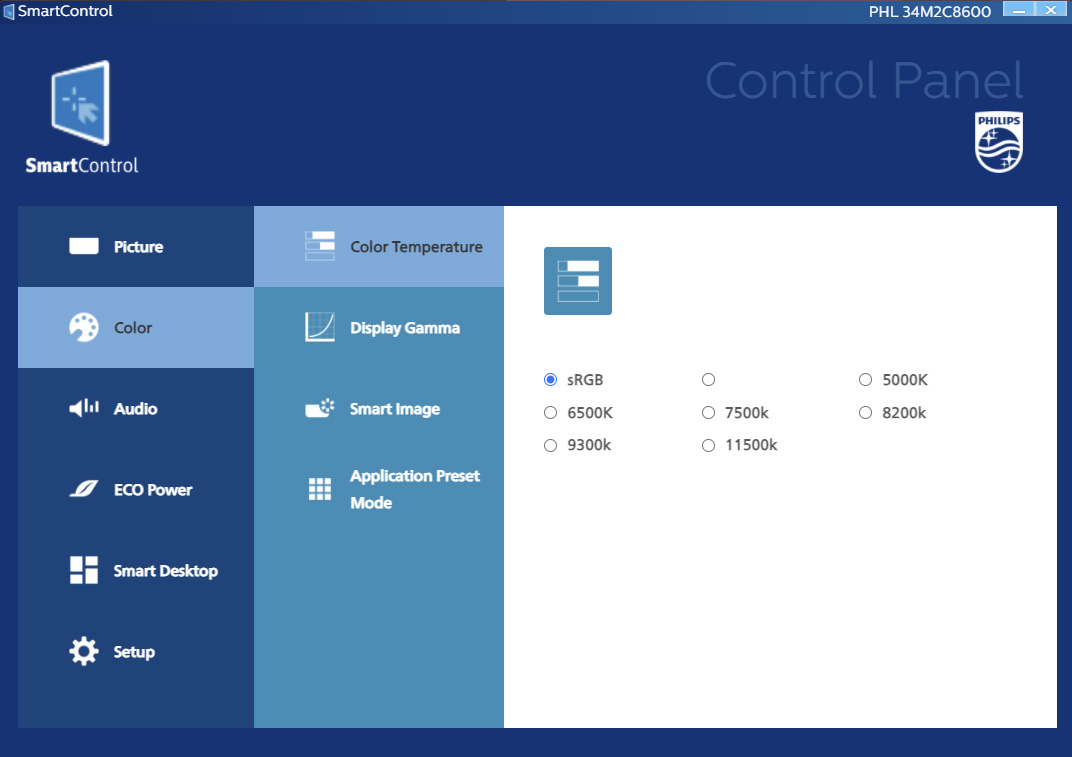
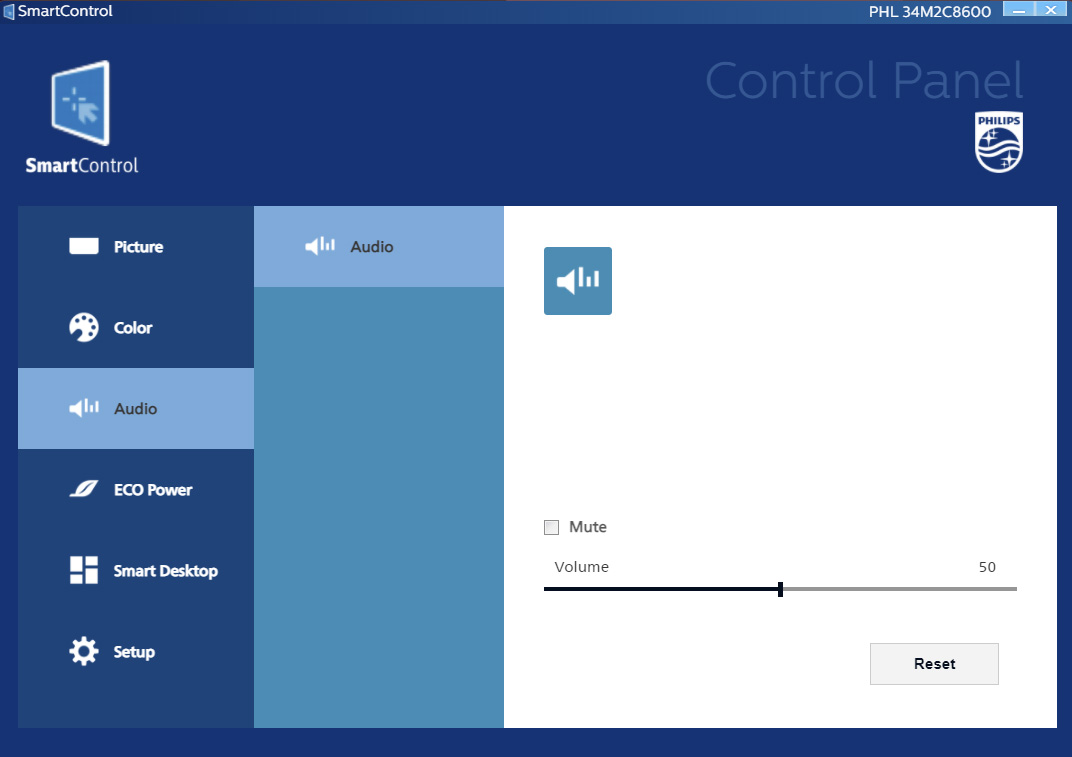
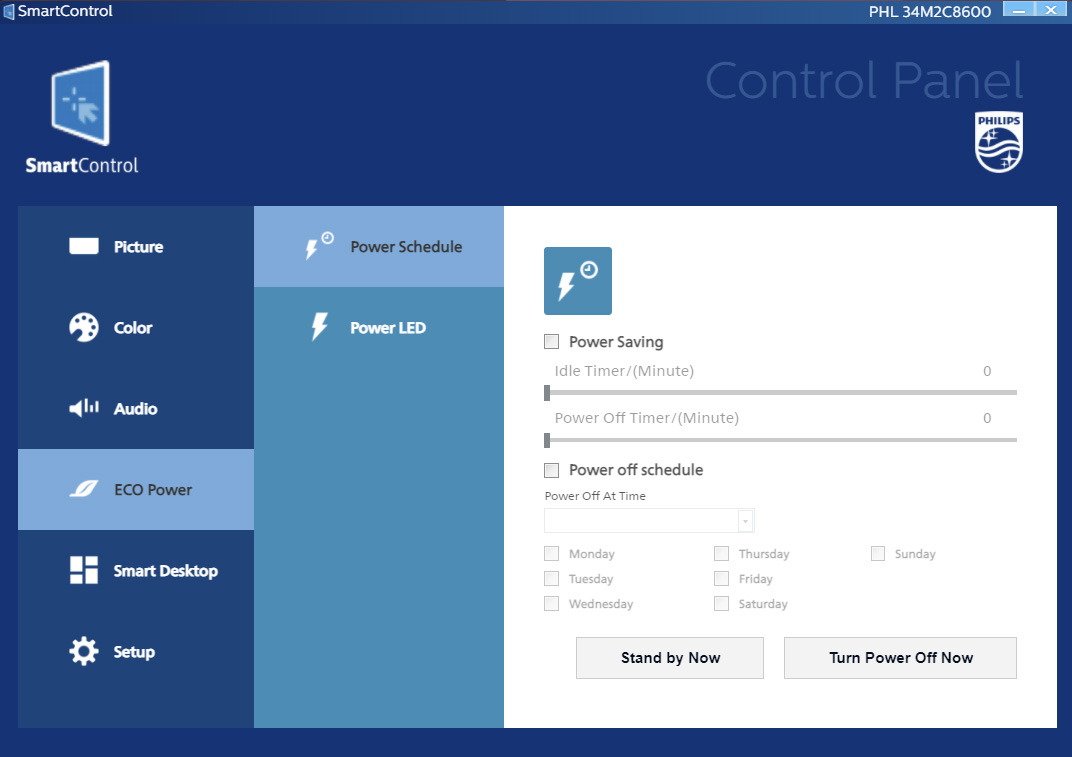
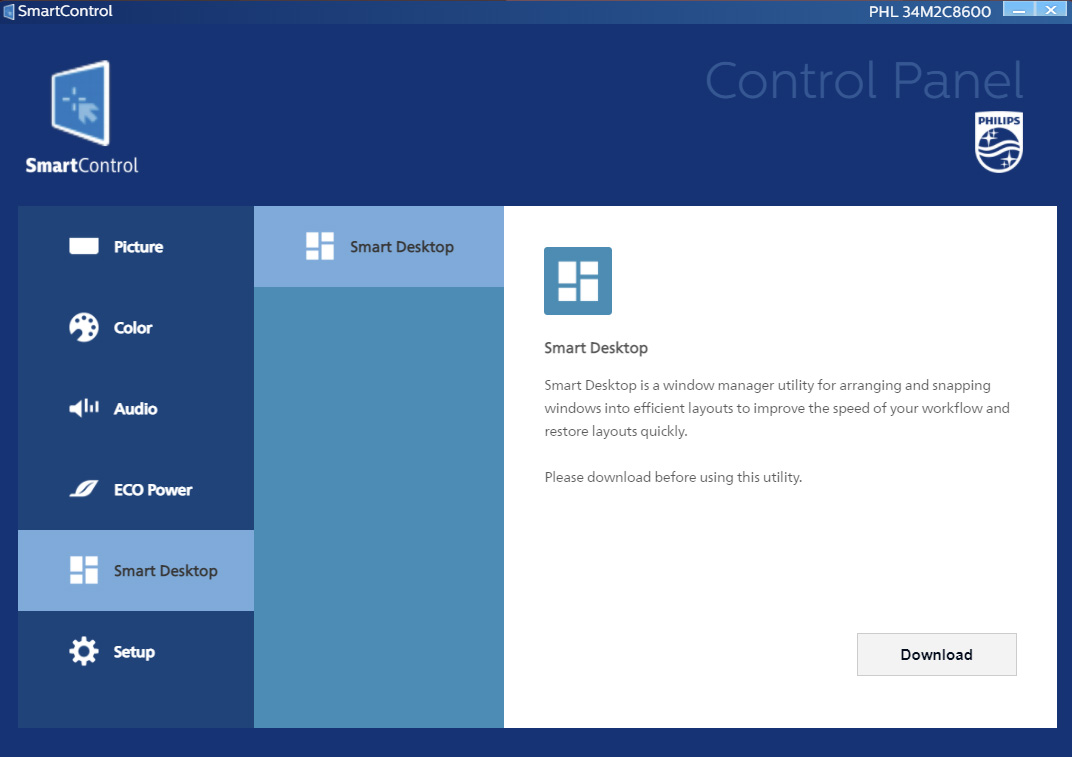
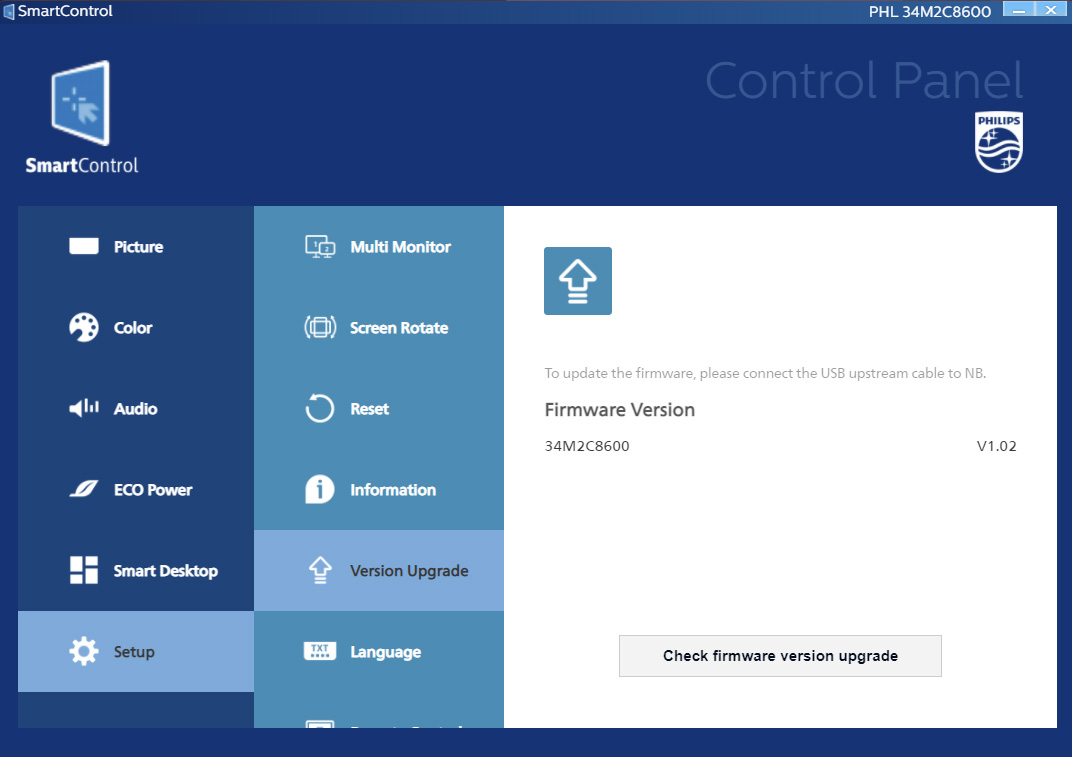
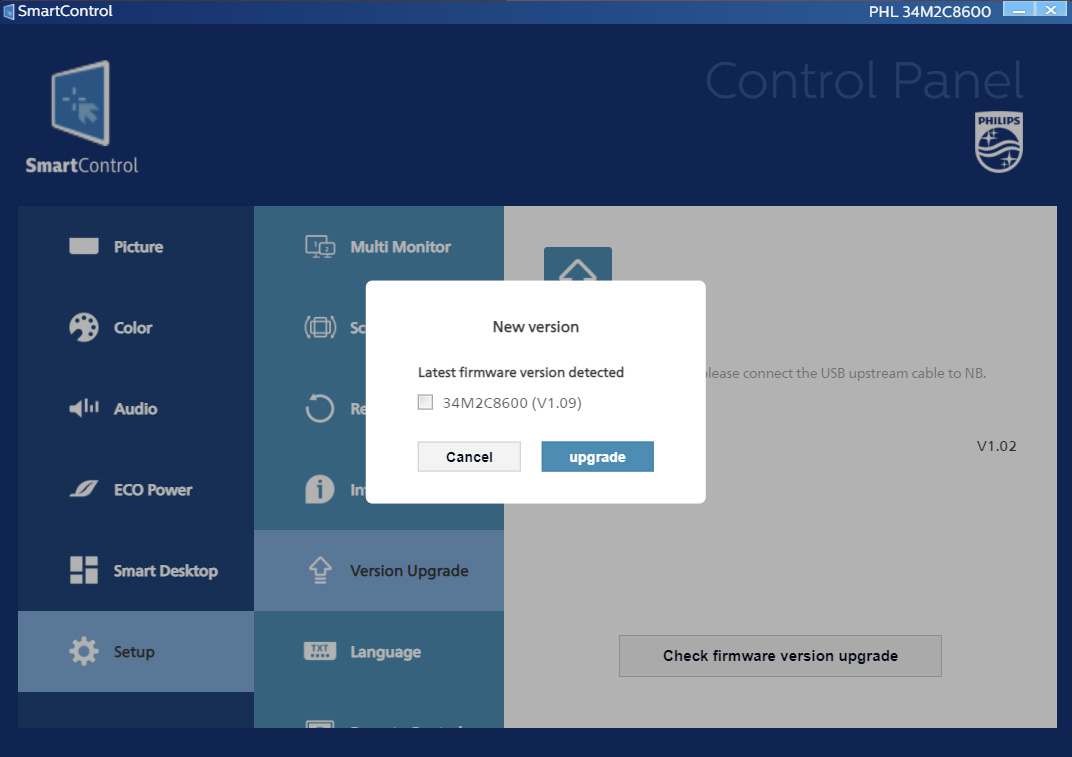
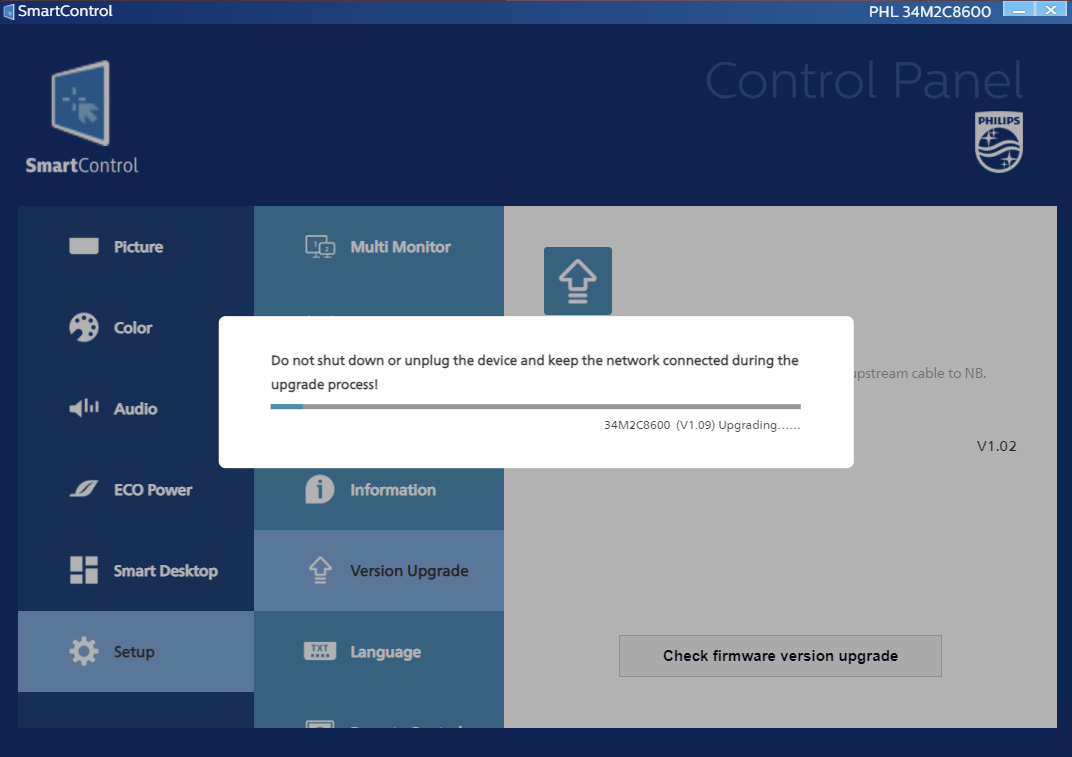
There is also a Windows-based app to control the monitor's settings, named SmartControl. I have previously said this software looks like it came ‘straight out of the Windows XP era' and that doesn't appear to have changed. It does, however, at least let you tweak the various settings without using the joystick if that's your preference. I suspect it will be most useful for upgrading the firmware however, something that I did myself when my unit arrived and it worked without a hitch. That's a definite plus point considering some monitors simply don't have user-upgradable firmware at all.
Our main test involves using a DataColor SpyderX Colorimeter to assess a display’s image quality. The device sits on top of the screen while the software generates colour tones and patterns, which it compares against predetermined values to work out how accurate the screen is.
The results show –
- A monitor’s maximum brightness in candelas or cd/m2 at various levels set in the OSD.
- A monitor’s contrast ratio at various brightness levels in the OSD.
- The brightness deviation across the panel.
- The black and white points.
- The colour accuracy, expressed as a Delta E ratio, with a result under 3 being fine for normal use, and under 2 being great for colour-accurate design work.
- The exact gamma levels, with a comparison against preset settings in the OSD.
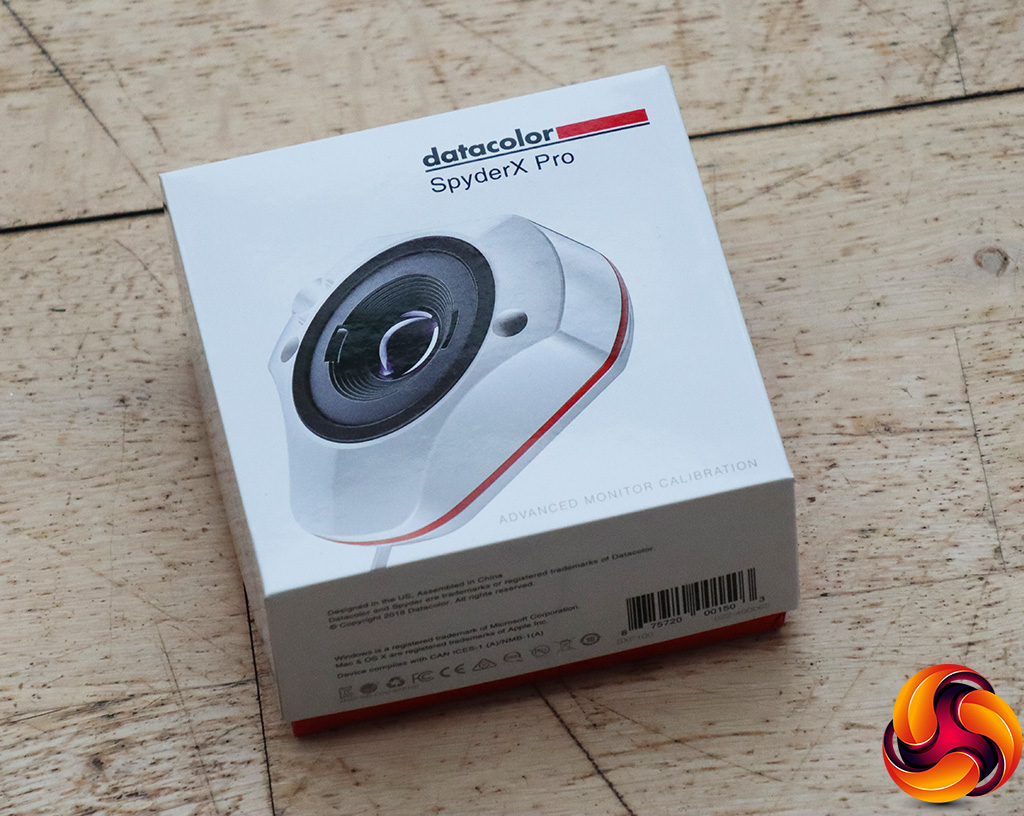
We first run this test with the display in its default, out-of-the-box state, with all settings on default. We then calibrate the screen using the Spyder software and run the test again.
Pre-calibration
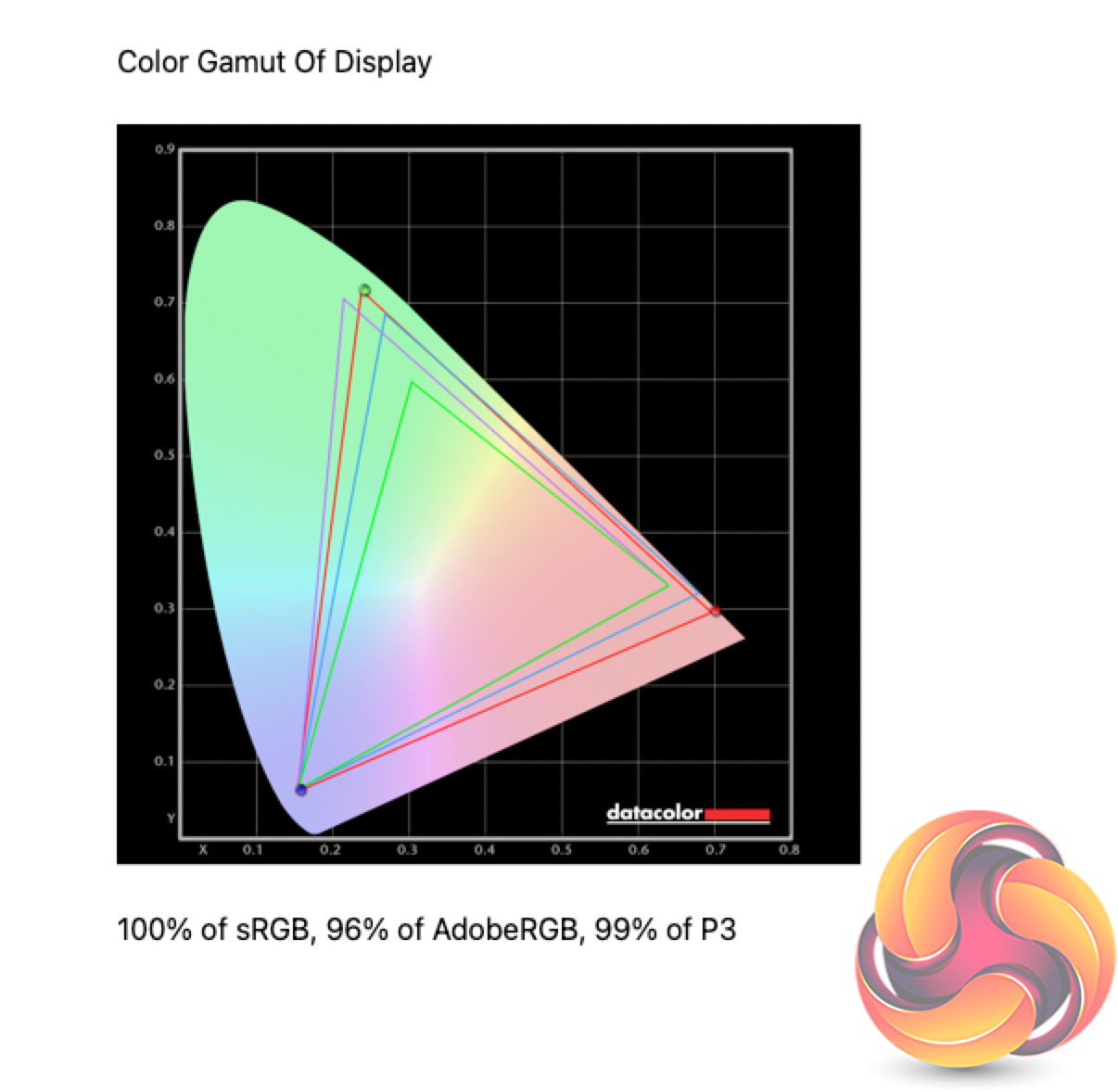
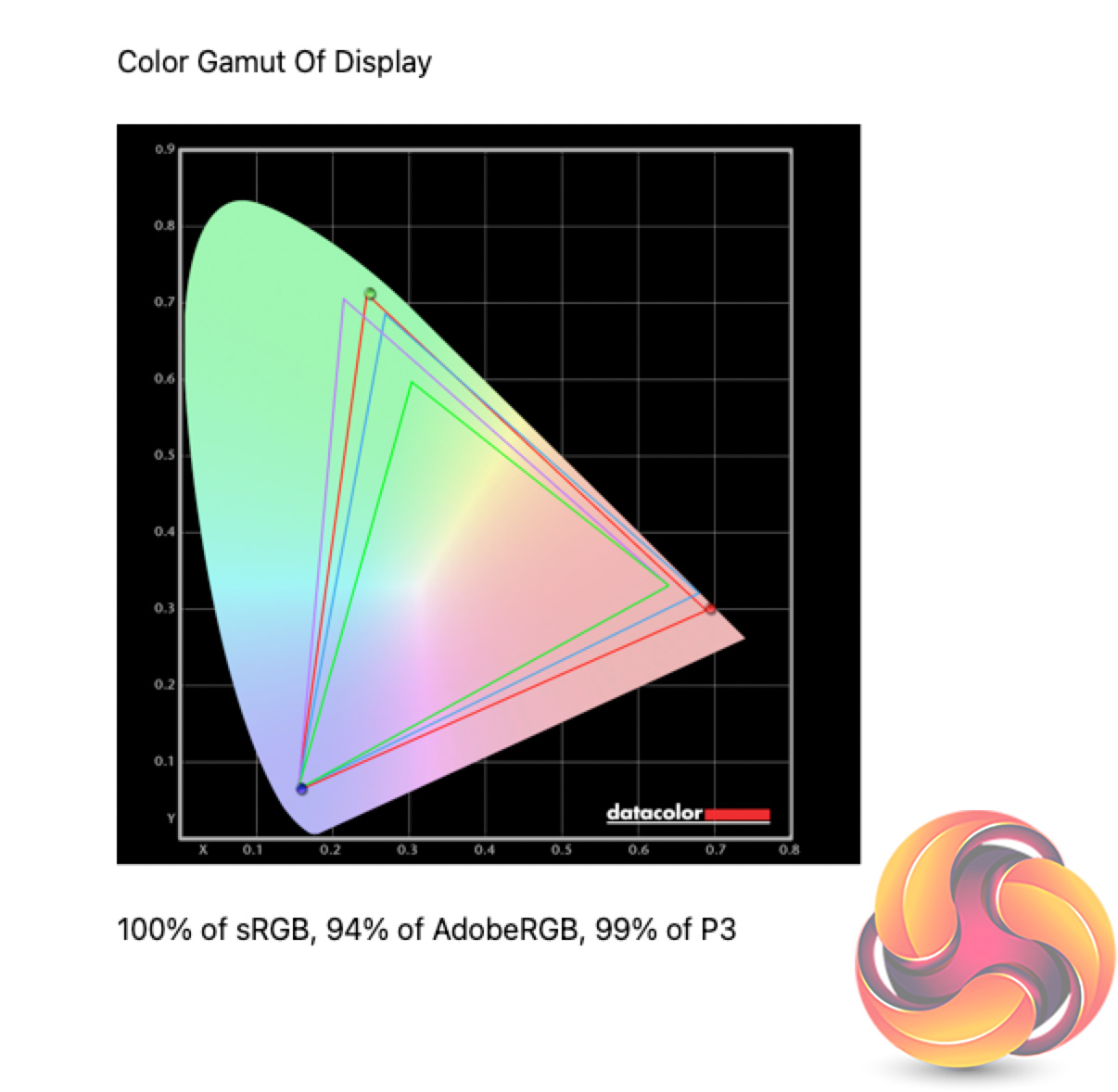
Looking first at the 34M2C8600's gamut, we of course find 100% sRGB coverage, alongside 96% AdobeRGB and 99% DCI-P3 reporting. The quantum-dot layer certainly helps with incredibly wide gamut coverage here.
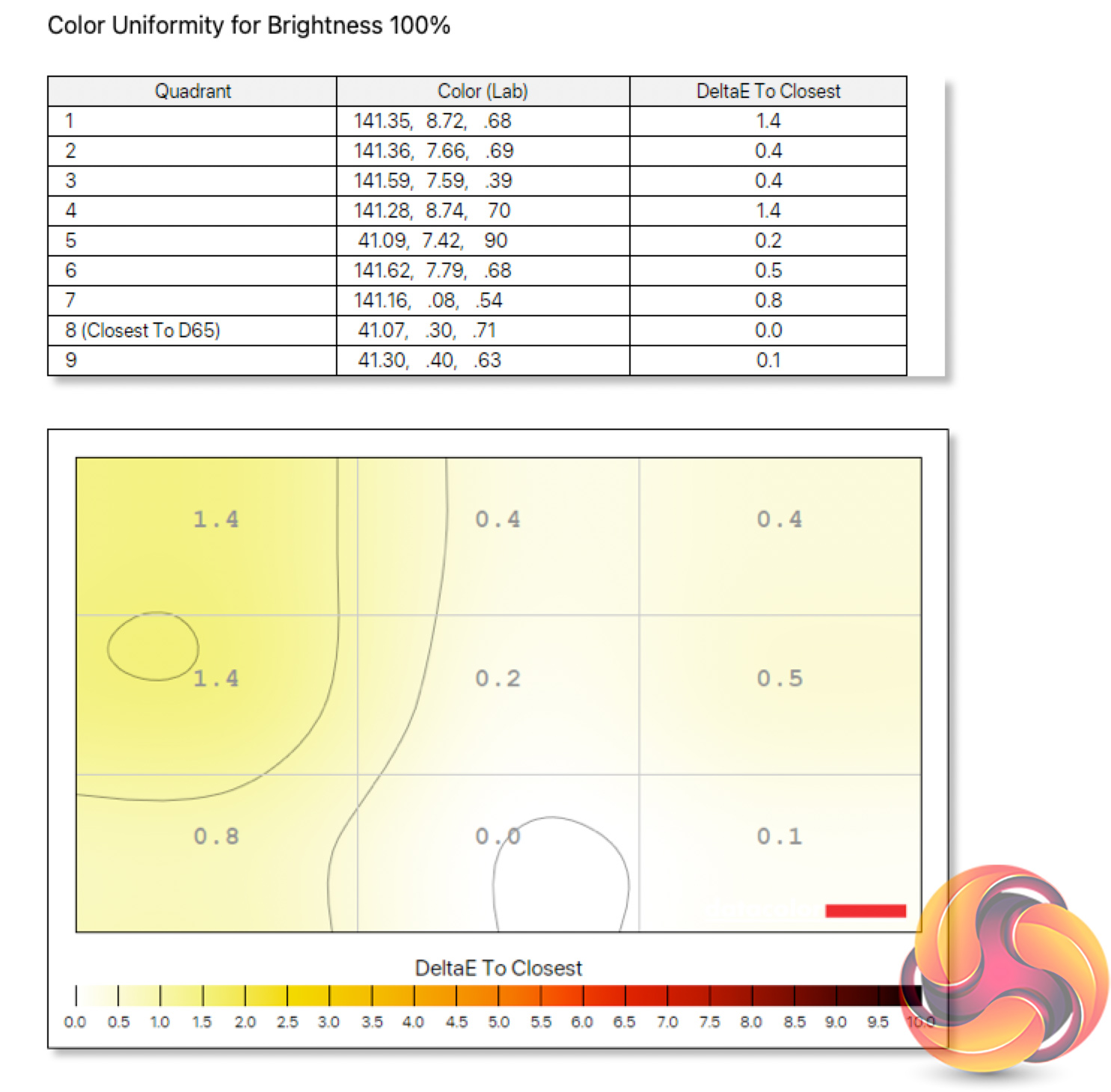
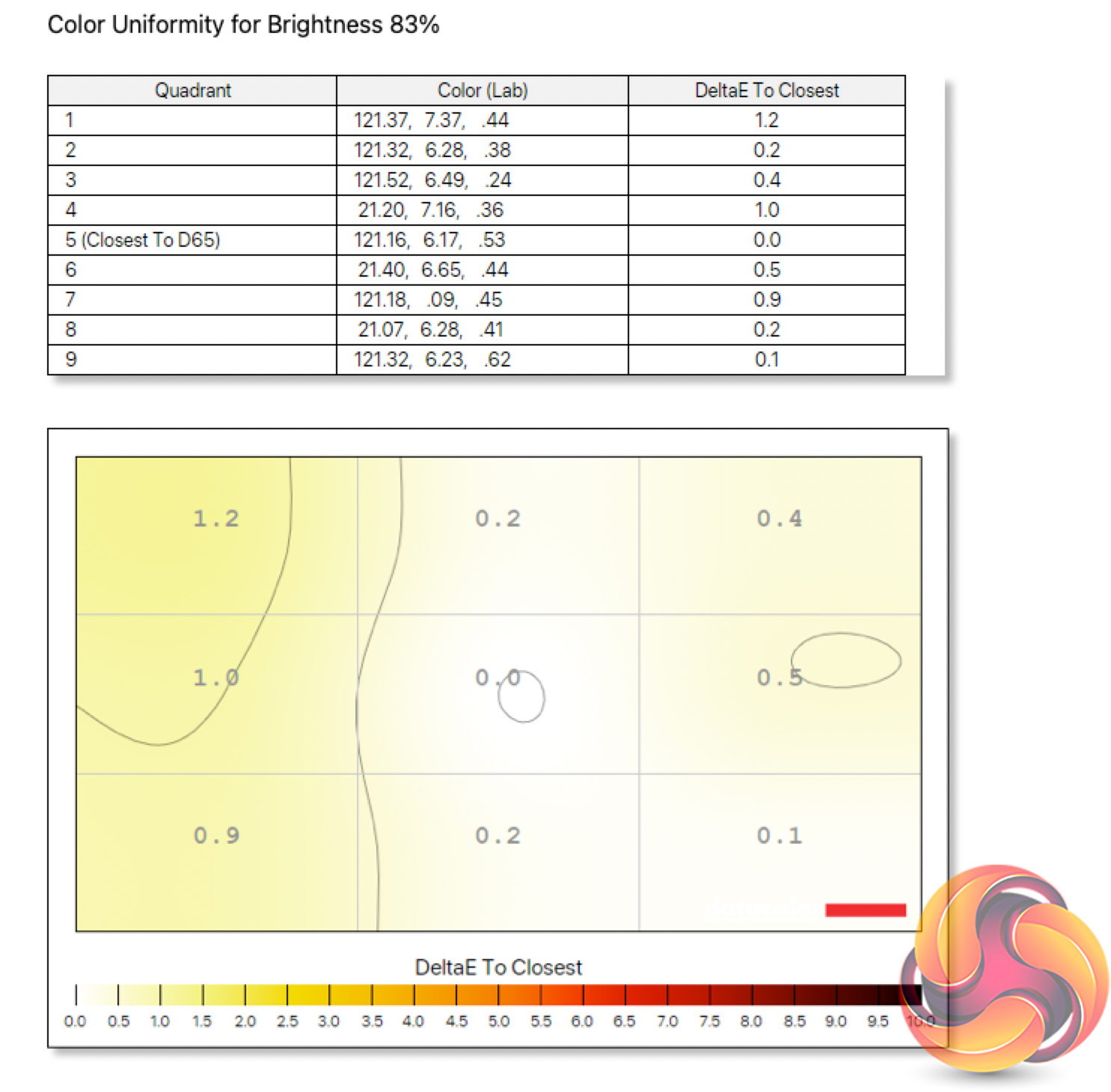
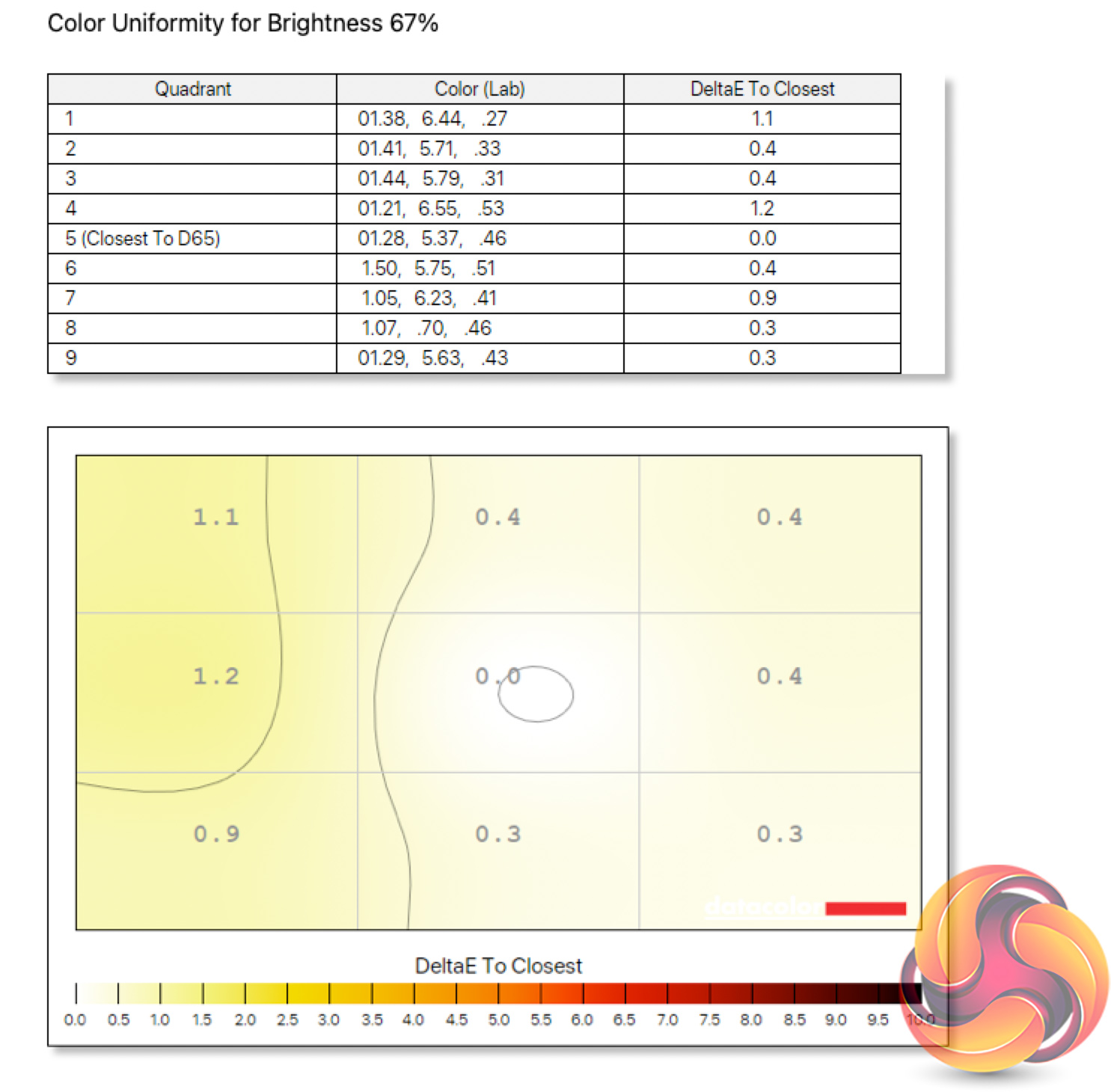
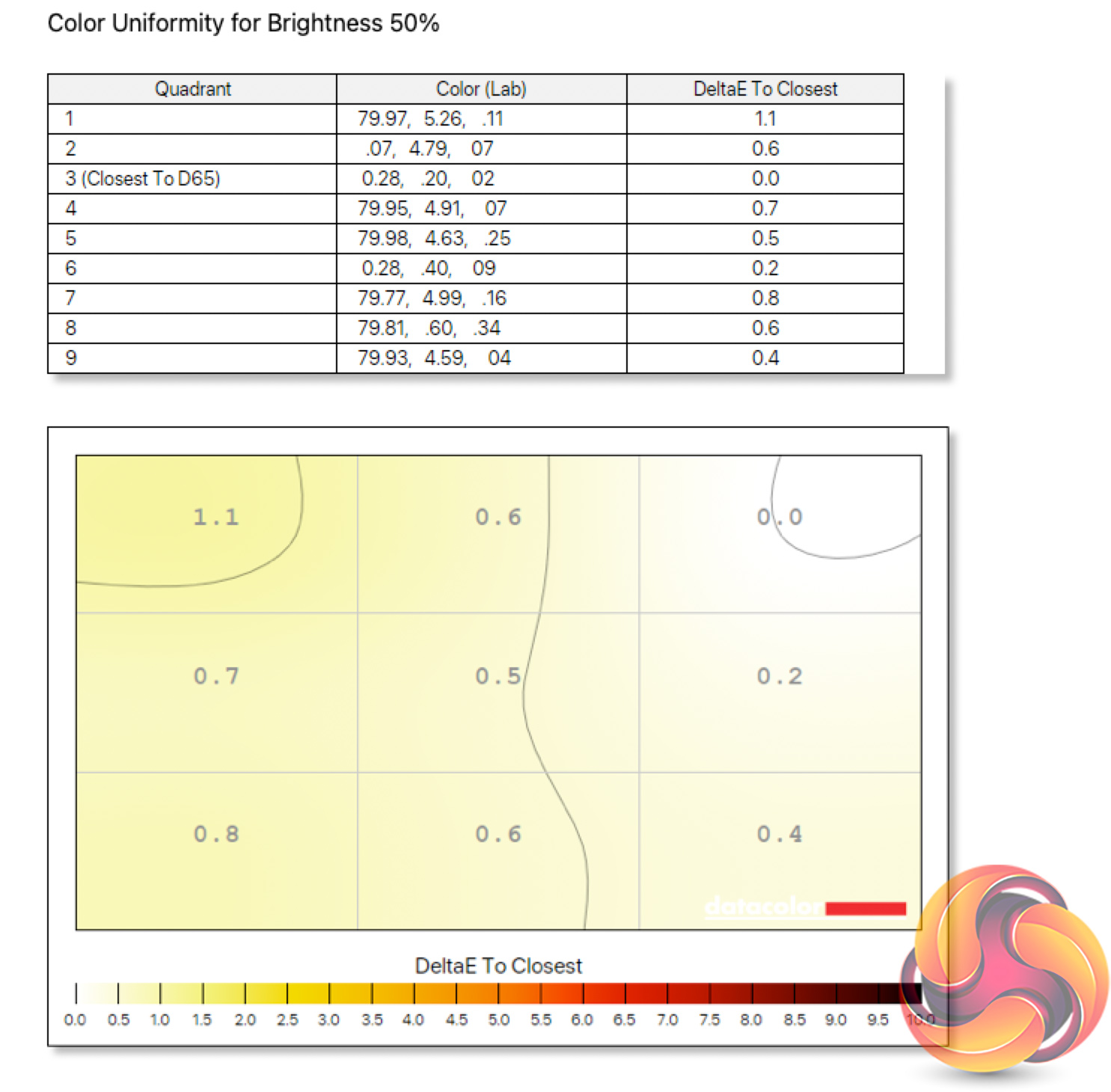
One of the more underrated aspects of an OLED display is that panel uniformity is typically much better than your average LCD. With no need for a backlight LED that has to light the entire panel, the self-emitting nature of OLED pixels ensures near-flawless colour balance uniformity.
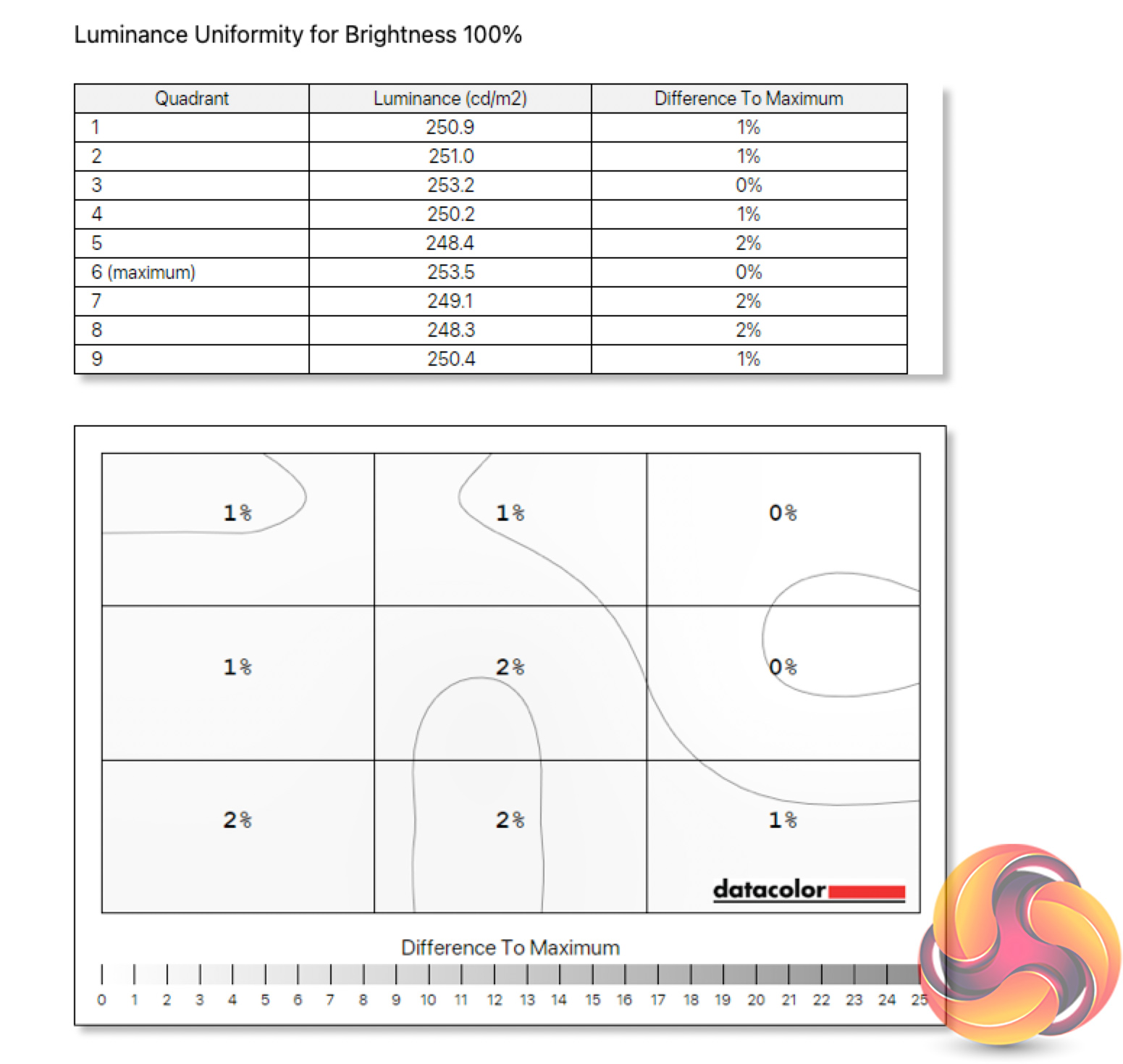
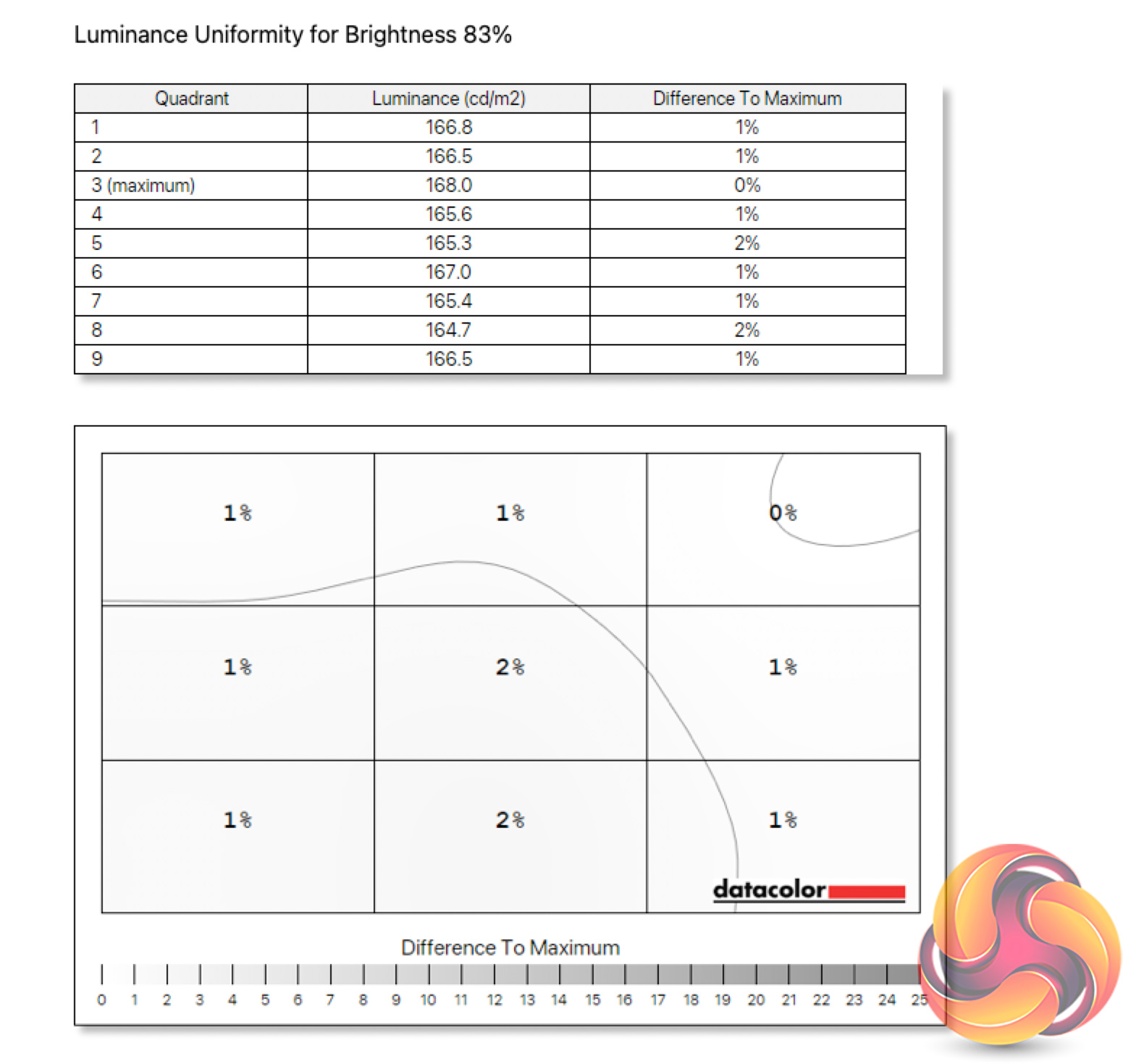
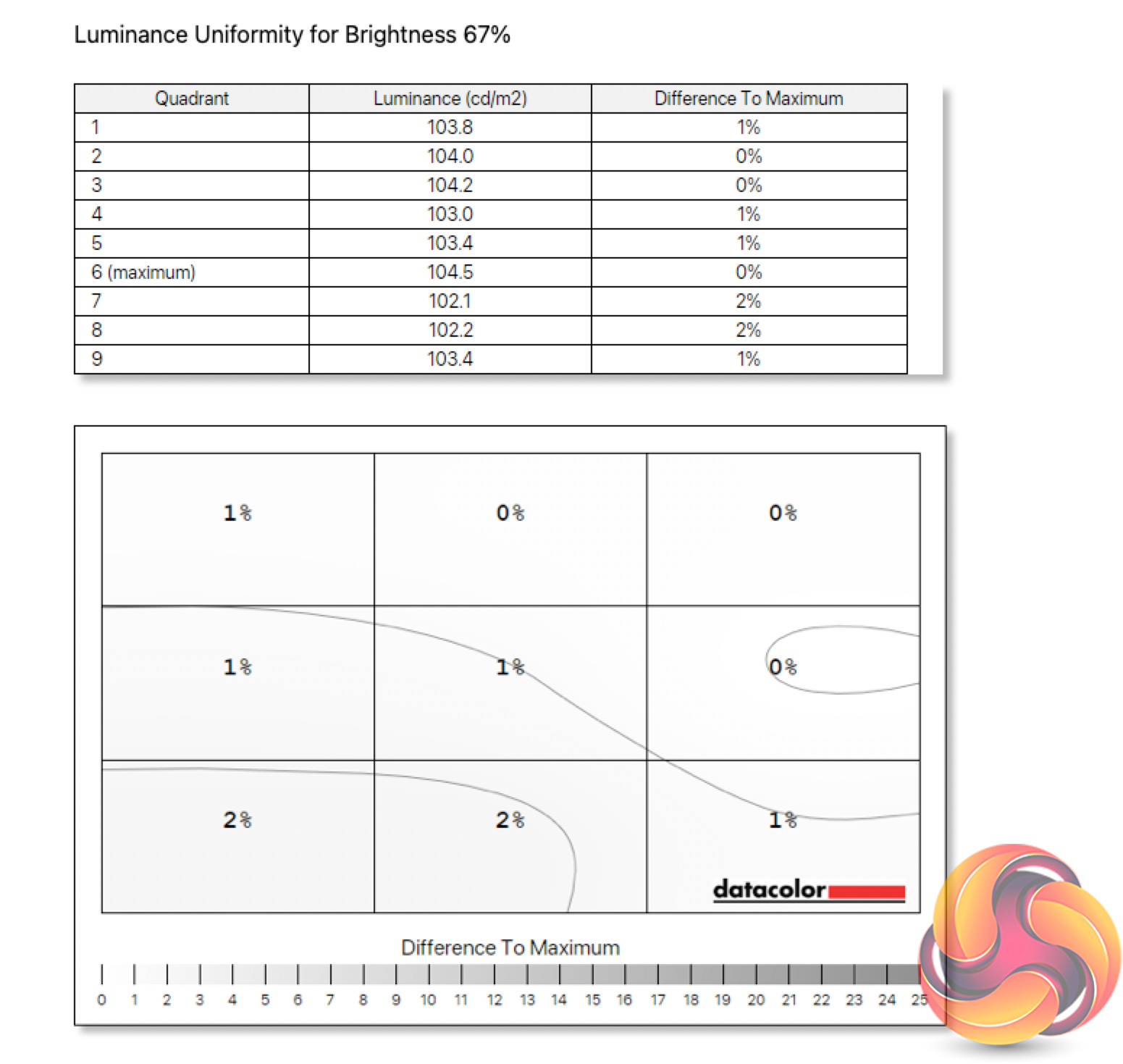
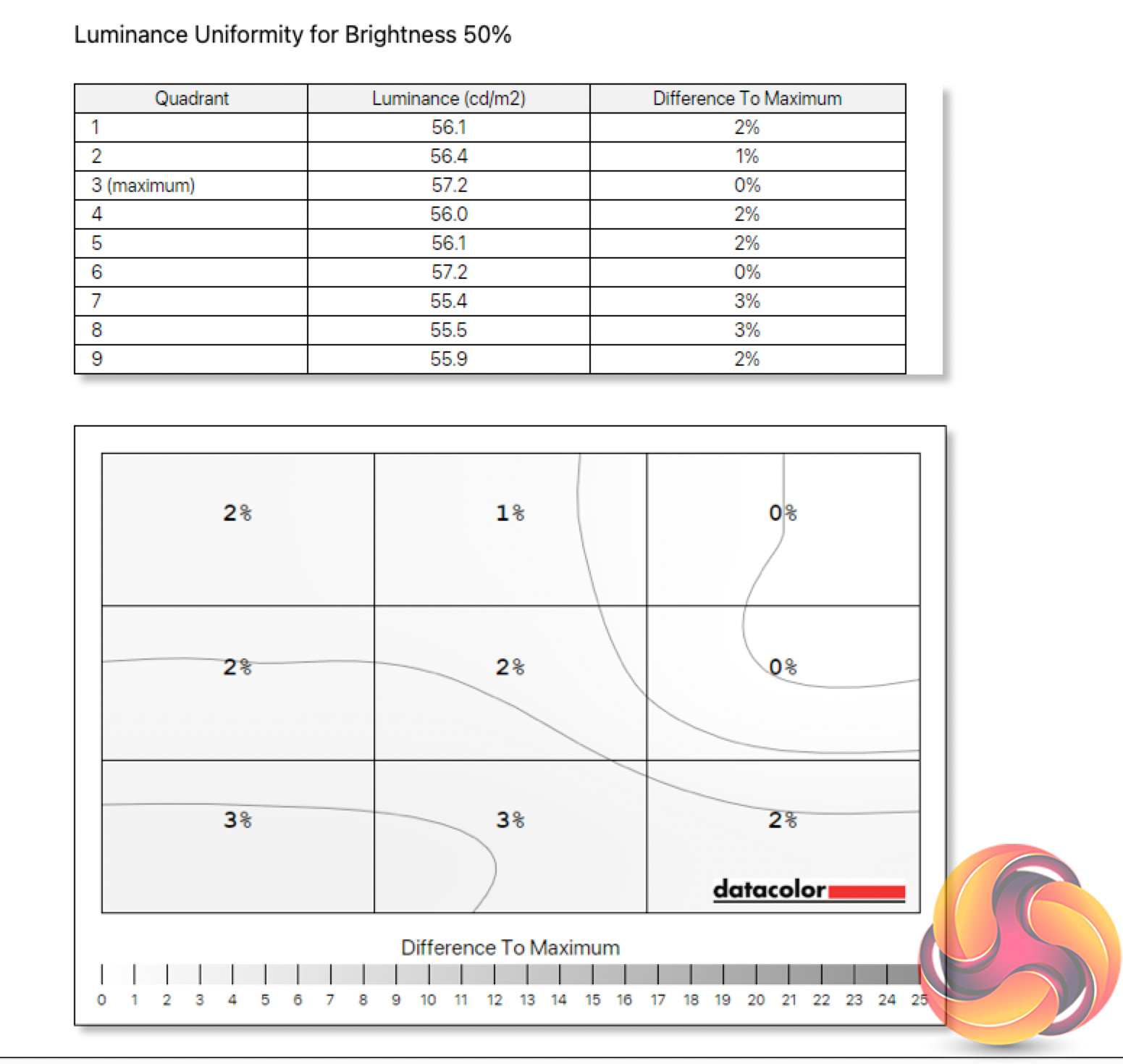
The same can be said for luminance uniformity. At worst there's just a 2% deviation across the screen, making this the most uniform display I have ever tested when also factoring in the colour balance accuracy.
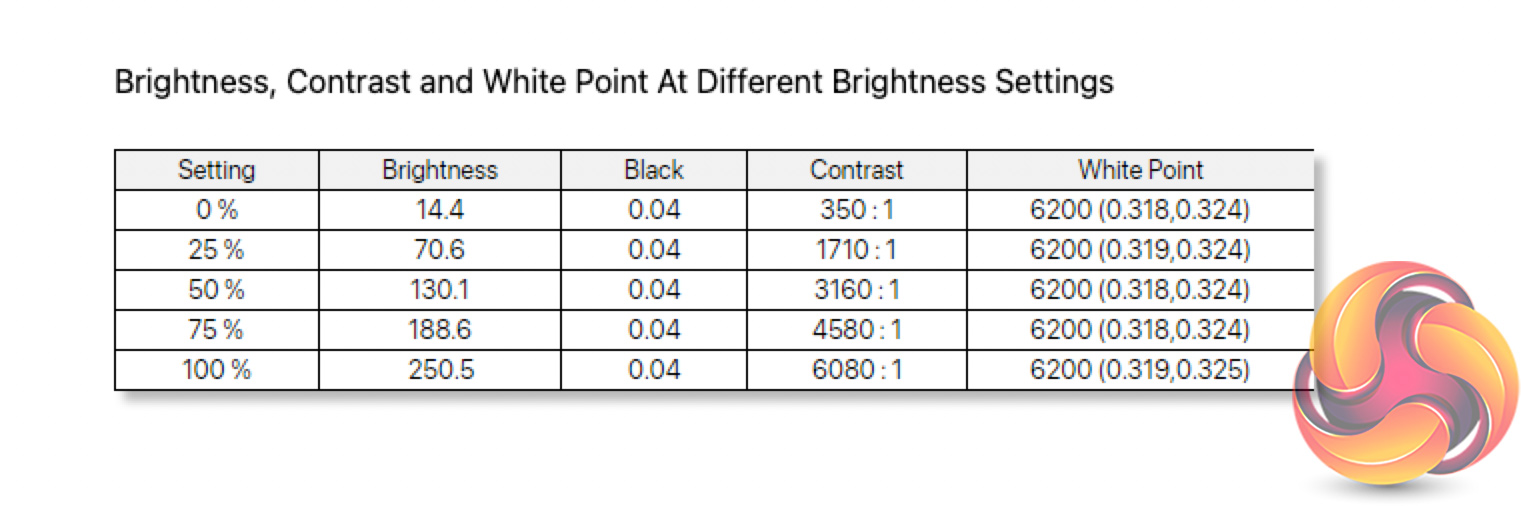
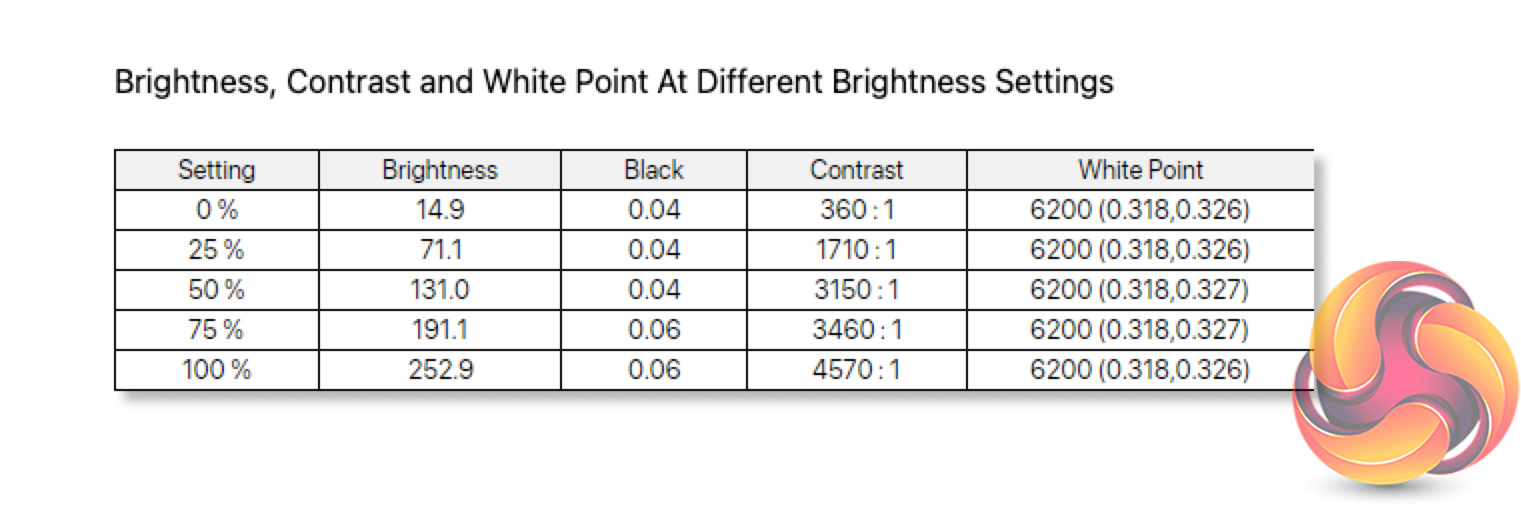
We have more detailed brightness testing below, but to give you an idea we registered a peak of 250 nits in SDR mode. The 34M2C8600 can also get impressively dim, going as low as 14 nits. White point isn't far off perfect either, it's a touch warm at 6200K, but that's only a marginal deviation from the 6500K target.
I would add, however, that you can safely ignore the contrast figures reported – that's a limitation of the Spyder unit itself, rather than the panel. After all, as an OLED screen, we get effectively infinite contrast as the pixels turn off to display a pure black image.
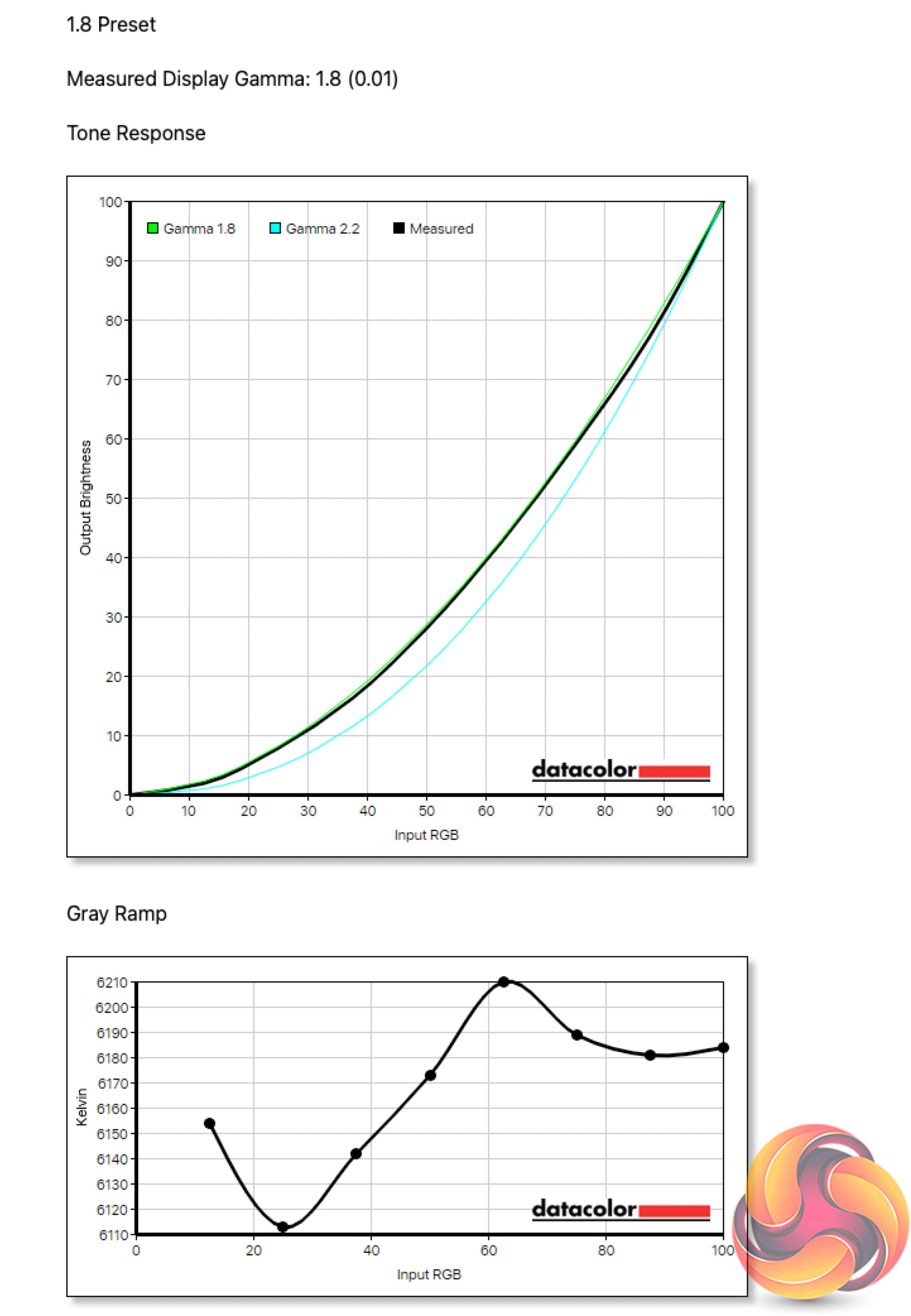
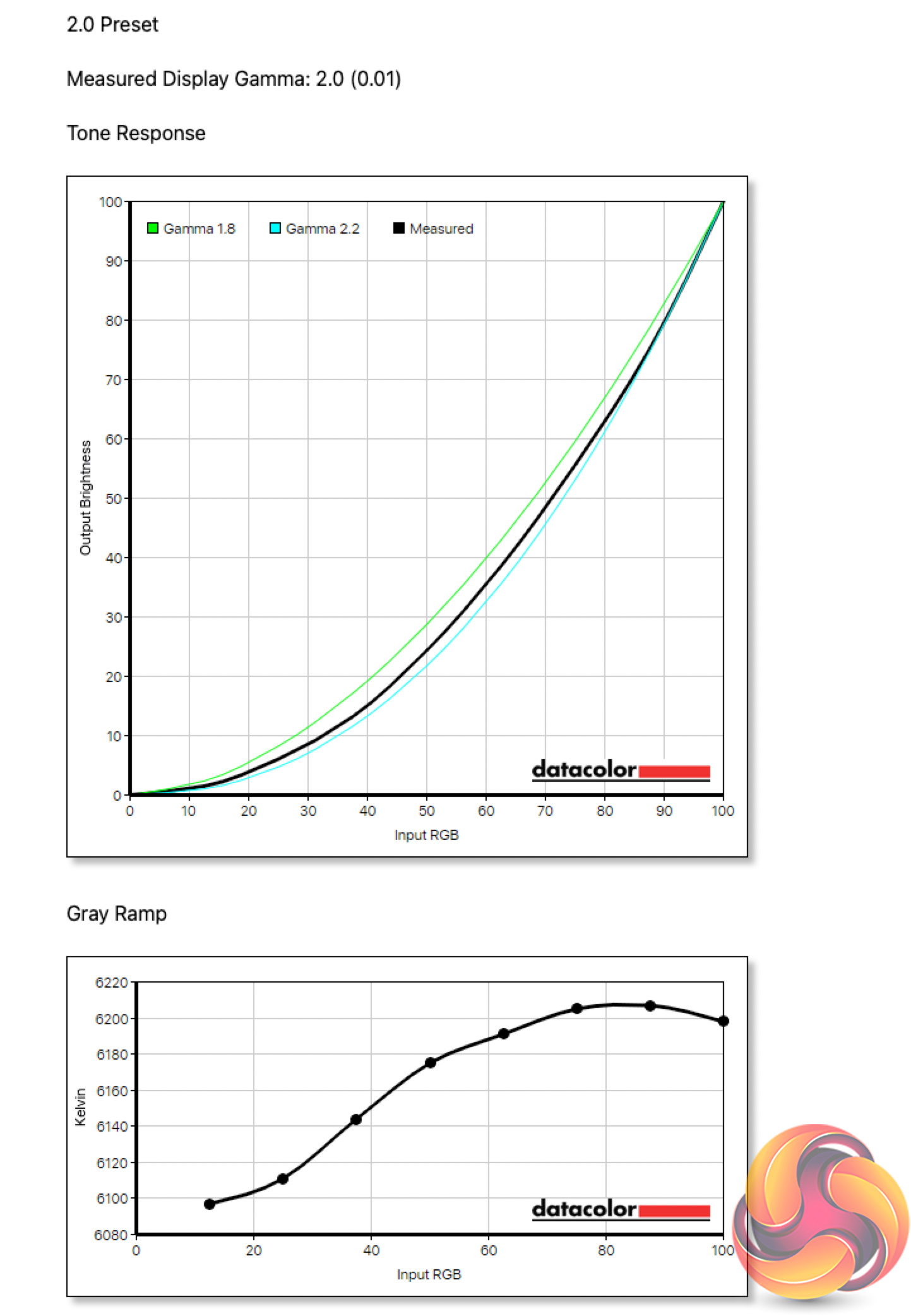
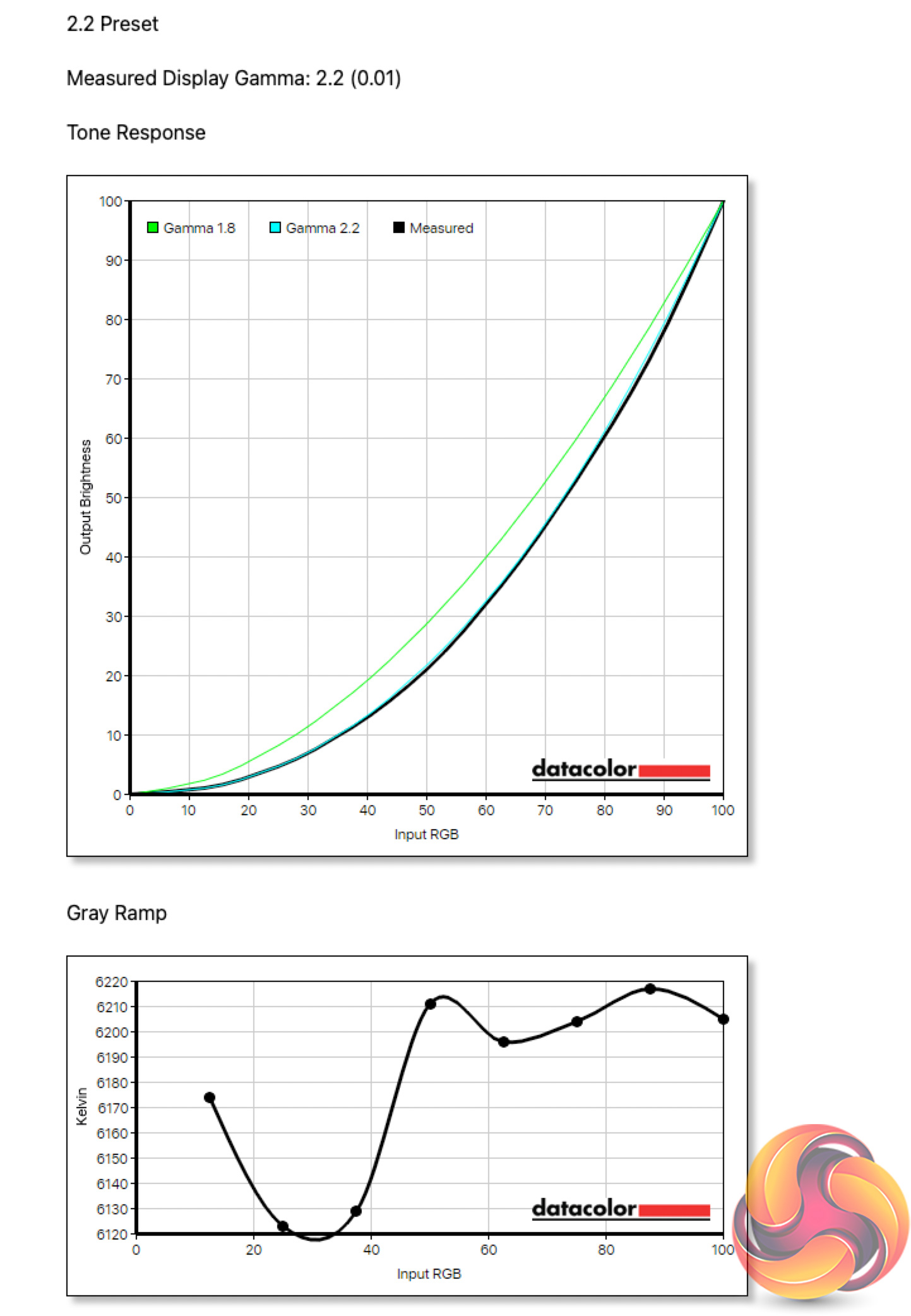
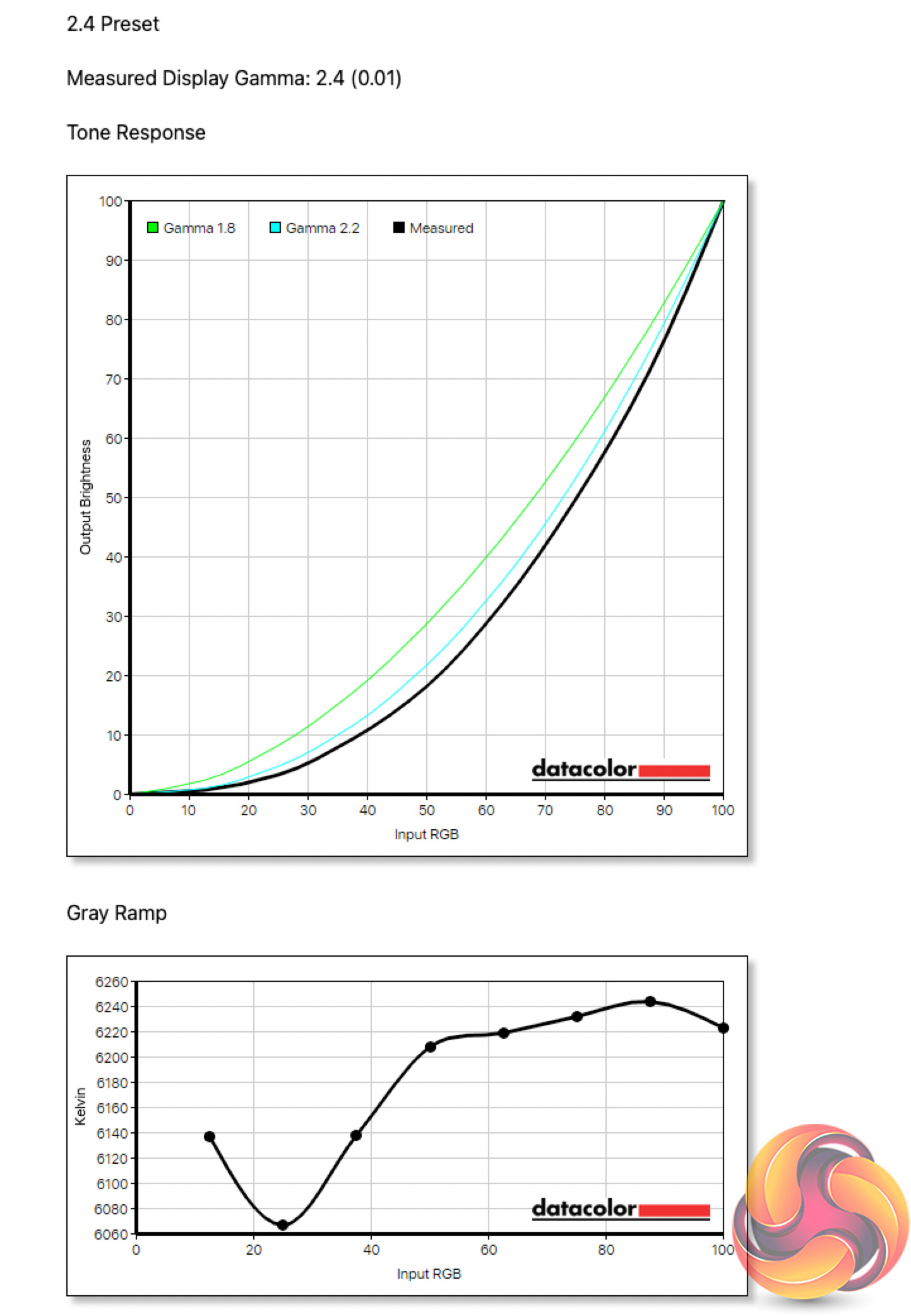
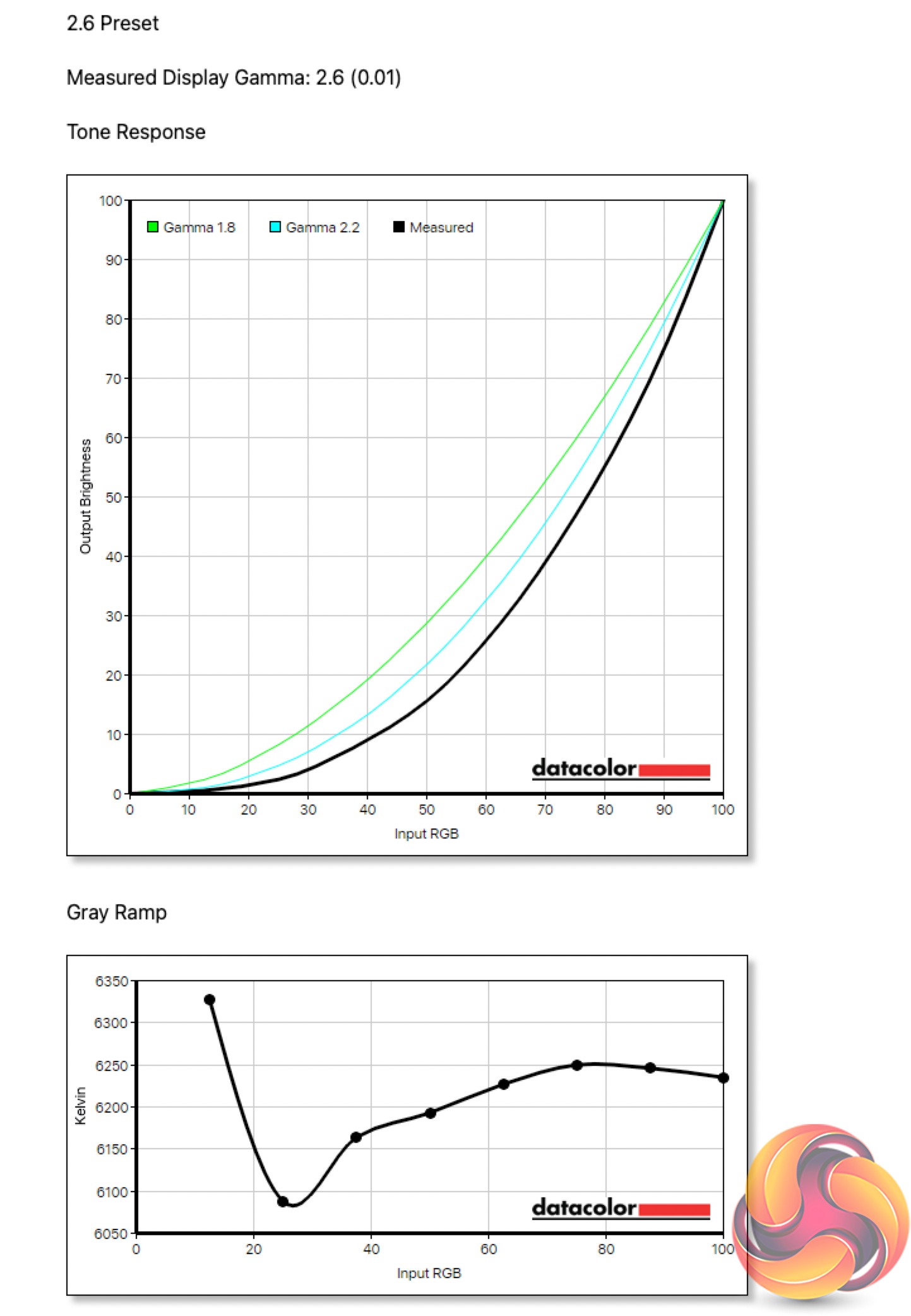
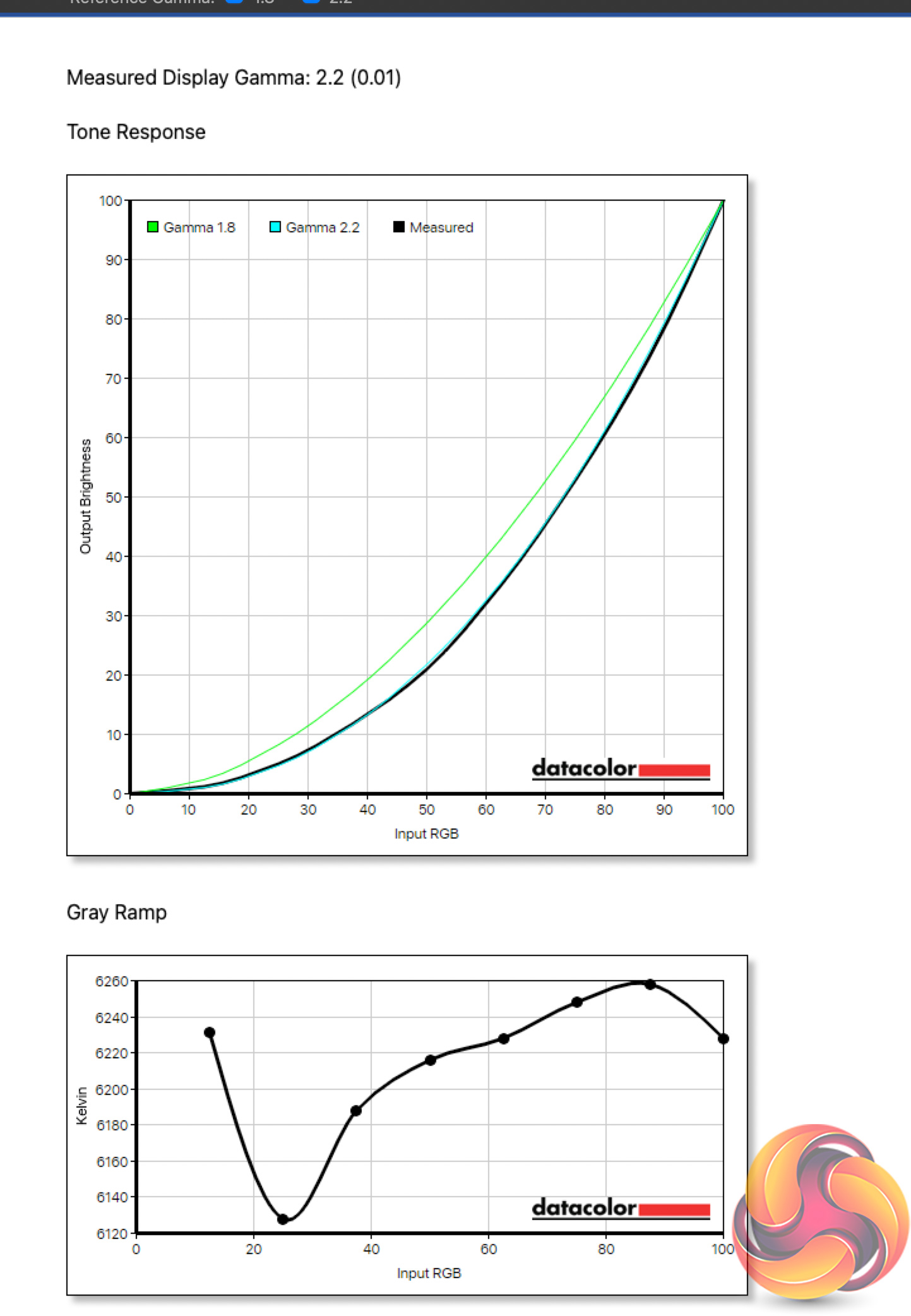
Of the five gamma presets, all registered near perfect results and hit their targets. The 2.2 preset is the default and tracks perfectly.
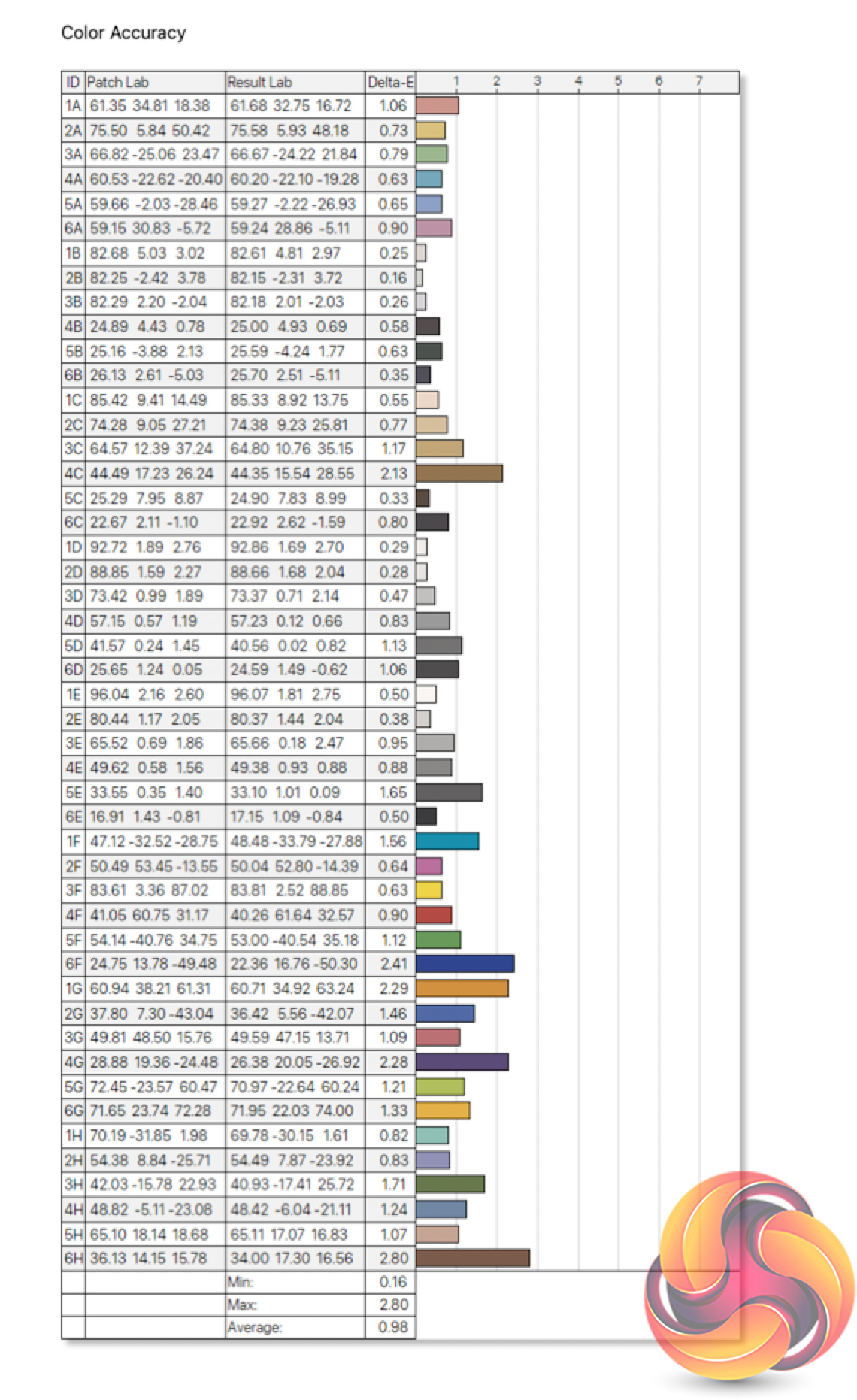
Out of the box colour accuracy is very good too. We find an average deltaE of 0.98, while the worst result doesn't exceed 2.80, so Philips Evnia has done a great job factory calibrating the screen.
Post-calibration
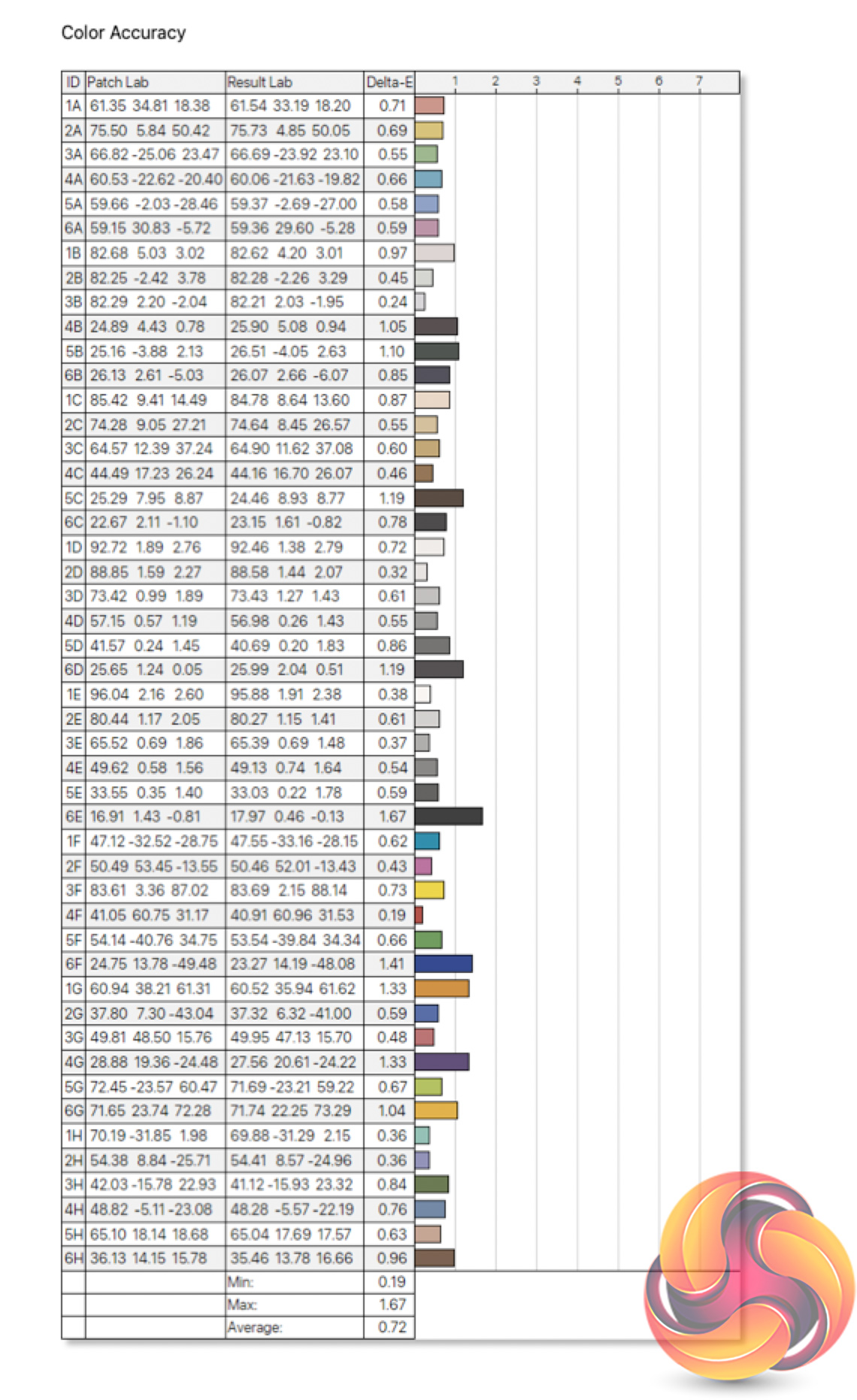
Calibrating doesn't change much and isn't worth doing for the majority of users. The overall colour accuracy did improve further, to incredibly impressive levels considering the average deltaE of 0.72 and a maximum of 1.67, but gamers need not worry about the default settings.
Luminance/APL
The APL, or Average Picture Level, is something we don't usually test, but as the 34M2C8600 is an OLED screen, this is quite an important aspect when using the monitor on a daily basis. APL refers to how much of the screen is displaying a light image, versus a dark image. This is important as the lighter an image on screen, the more pixels have to turn on at higher power levels, resulting in a dimmer image.
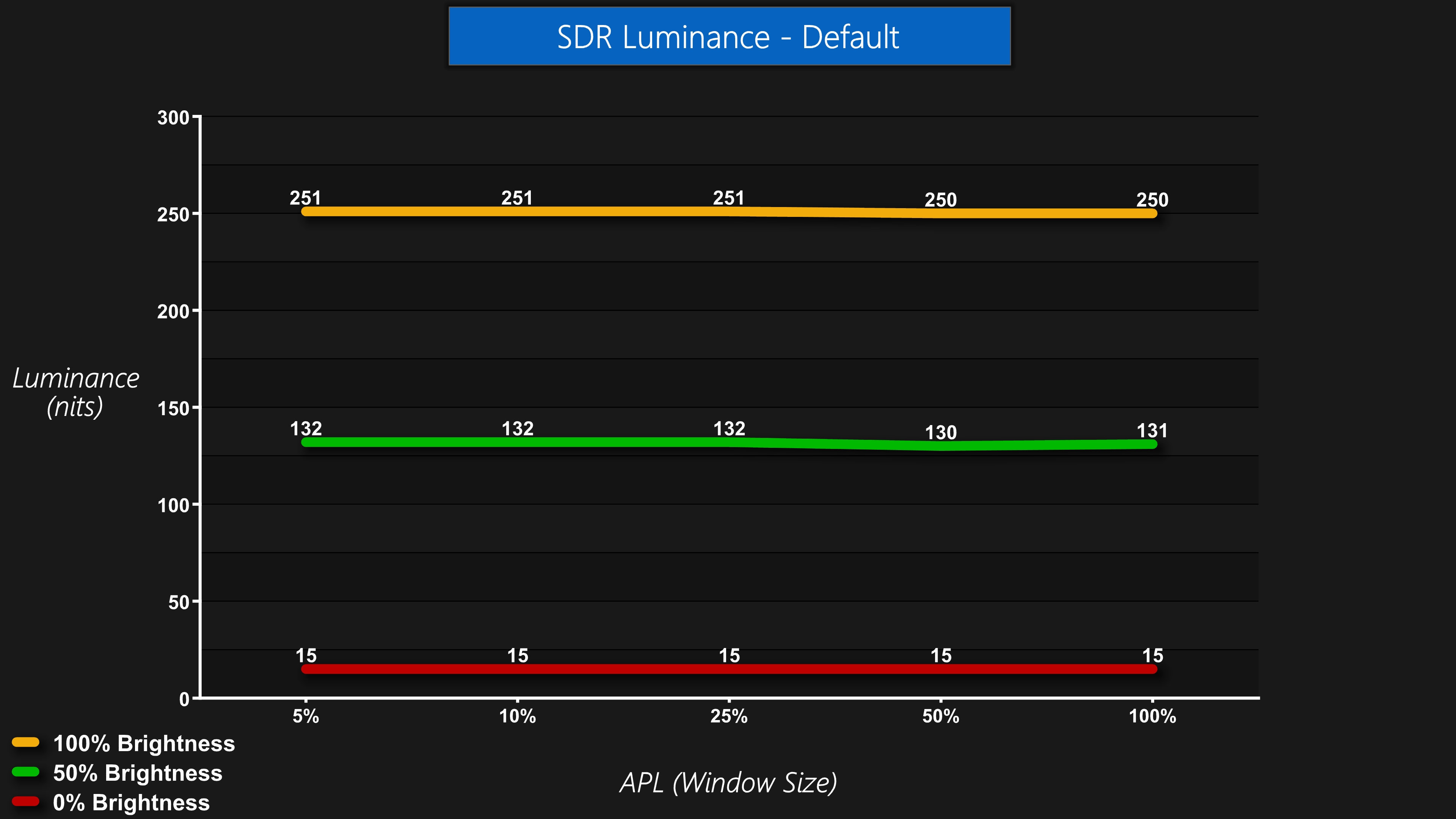
Using default SDR settings, Evnia has done very well to avoid any changes in luminance, even with small APL windows. There was no measurable increase in luminance when at the 5 APLs as shown above, with essentially a locked 250 nit full luminance regardless of APL when using 100% brightness set within the OSD.
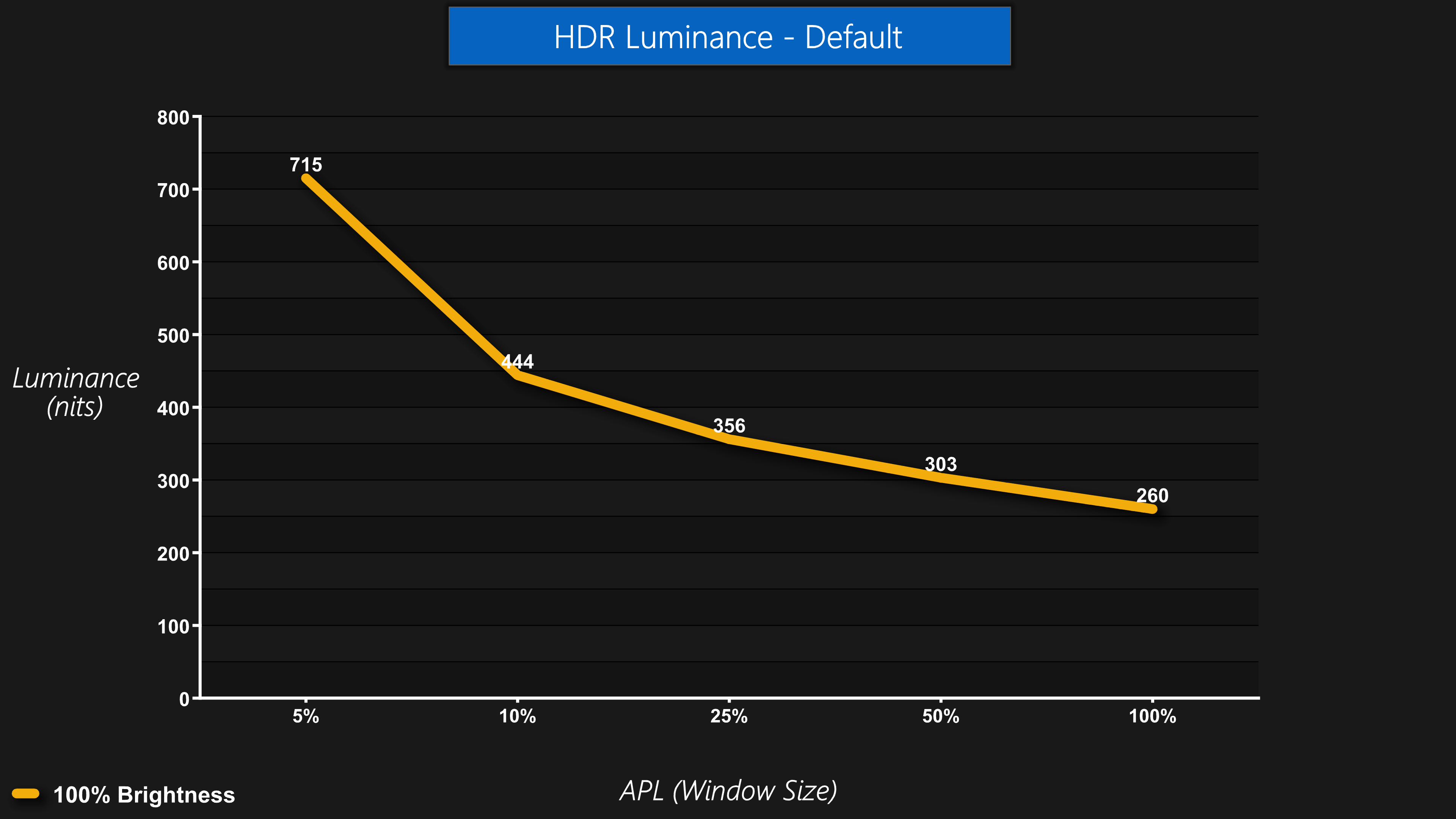
Of course, that changes when we engage HDR, something we would fully expect. In the default HDR mode we measured a peak luminance of 715 nits for a 5% APL, which is not bad at all. Evnia does claim a peak of 1000 nits for 3% APL, but unfortunately we're not yet able to test such a small window with our current hardware – something we hope to change soon! From there, brightness drops off fairly quickly, to 444 nits at 10% APL, before gradually sloping off at 25% APL and larger.
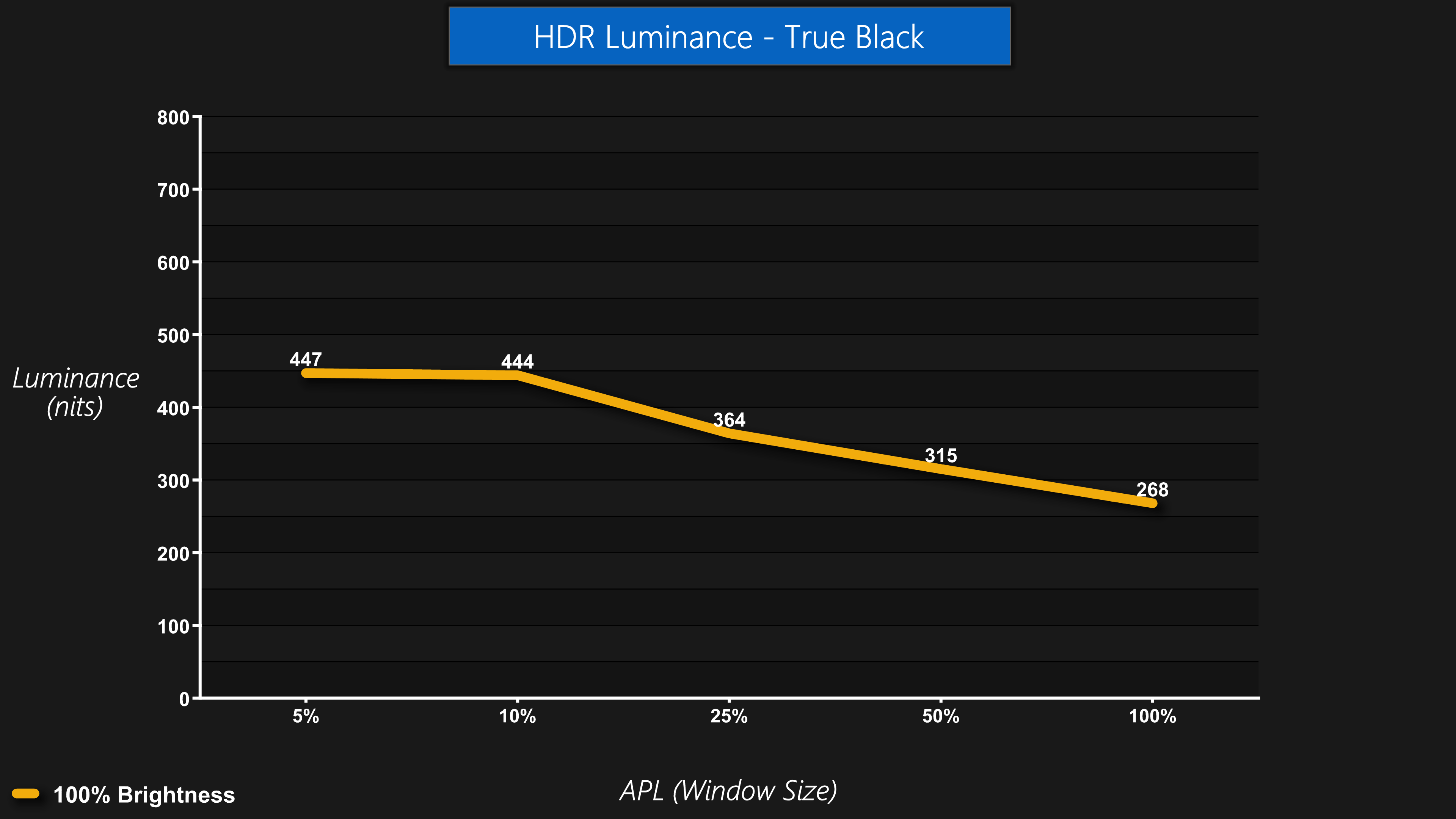
We also tested the HDR True Black mode. As the 34M2C8600 is VESA DisplayHDR TrueBlack 400 certified, I thought this mode might act similarly to the Alienware AW3423DW – and it does. Essentially, this mode caps the peak brightness to a level that's considerably lower than in the default HDR mode. It's still over 400 nits, 447 nits at 5% APL to be precise, but this has the benefit of making any changes in luminance much less noticeable – the line is much flatter on the above chart, as luminance doesn't change that significantly regardless of APL. I personally prefer the highlights to get as bright as possible, but it's good to have this option for those who want it.
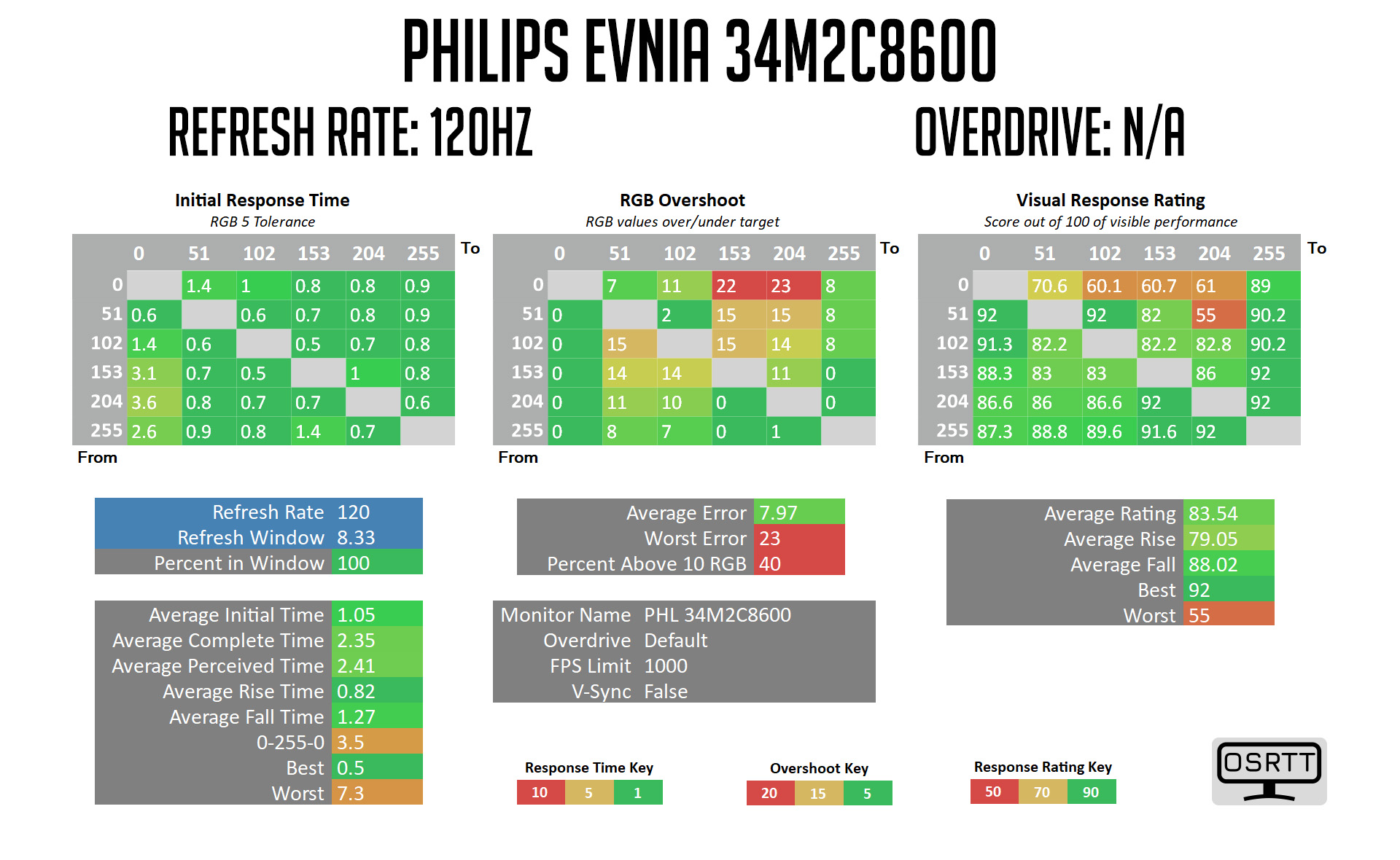
Monitor response time testing is a new addition to our reviews, where we use the Open Source Response Time Tool (OSRTT), developed by TechTeamGB. This measures grey-to-grey response times and presents the results in a series of heatmaps, the style of which you may be familiar with from other reviews.
Initial Response Time is the time taken for the panel to transition from one colour to another, where lower values are better. We present the initial response time, so overshoot is not taken into account and is measured separately. We use a fixed RGB 5 tolerance for each transition.
Overshoot is the term given for when a monitor's transition exceeds or goes beyond its target value. So if a monitor was meant to transition from RGB 0 to RGB 55, but it hits RGB 60 before settling back down at RGB 55, that is overshoot. This is presented as RGB values in the heatmaps – i.e. how many RGB values past the intended target were measured.
Visual Response Rating is a metric designed to ‘score' a panel's visual performance, incorporating both response times and overdrive. Fast response times with little to no overshoot will score well, while slow response times or those with significant overshoot will score poorly.
We test the 34M2C8600 at 175Hz, 120Hz and 60Hz. There are no overdrive options as this is an OLED panel.
175Hz
120Hz
60Hz
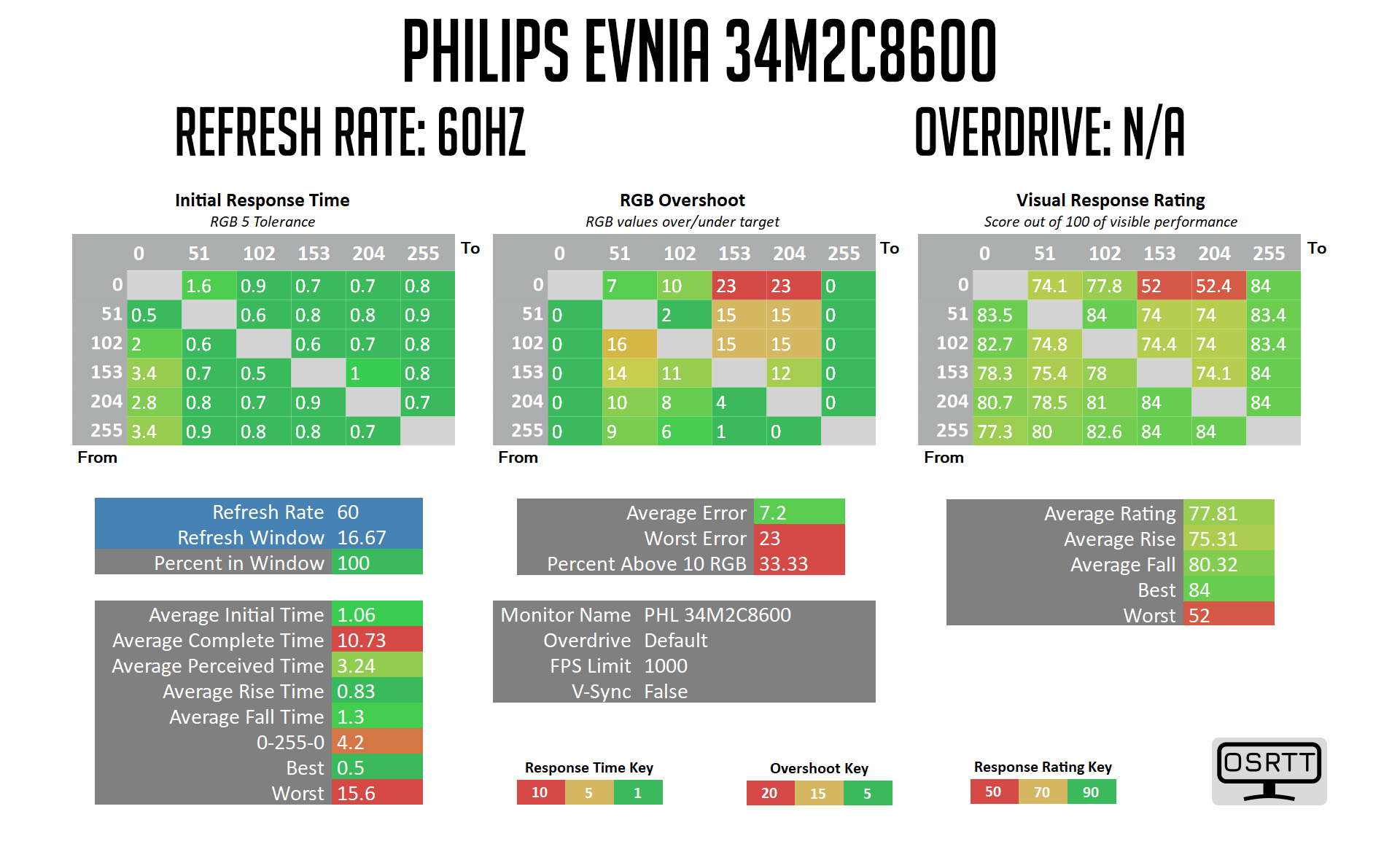
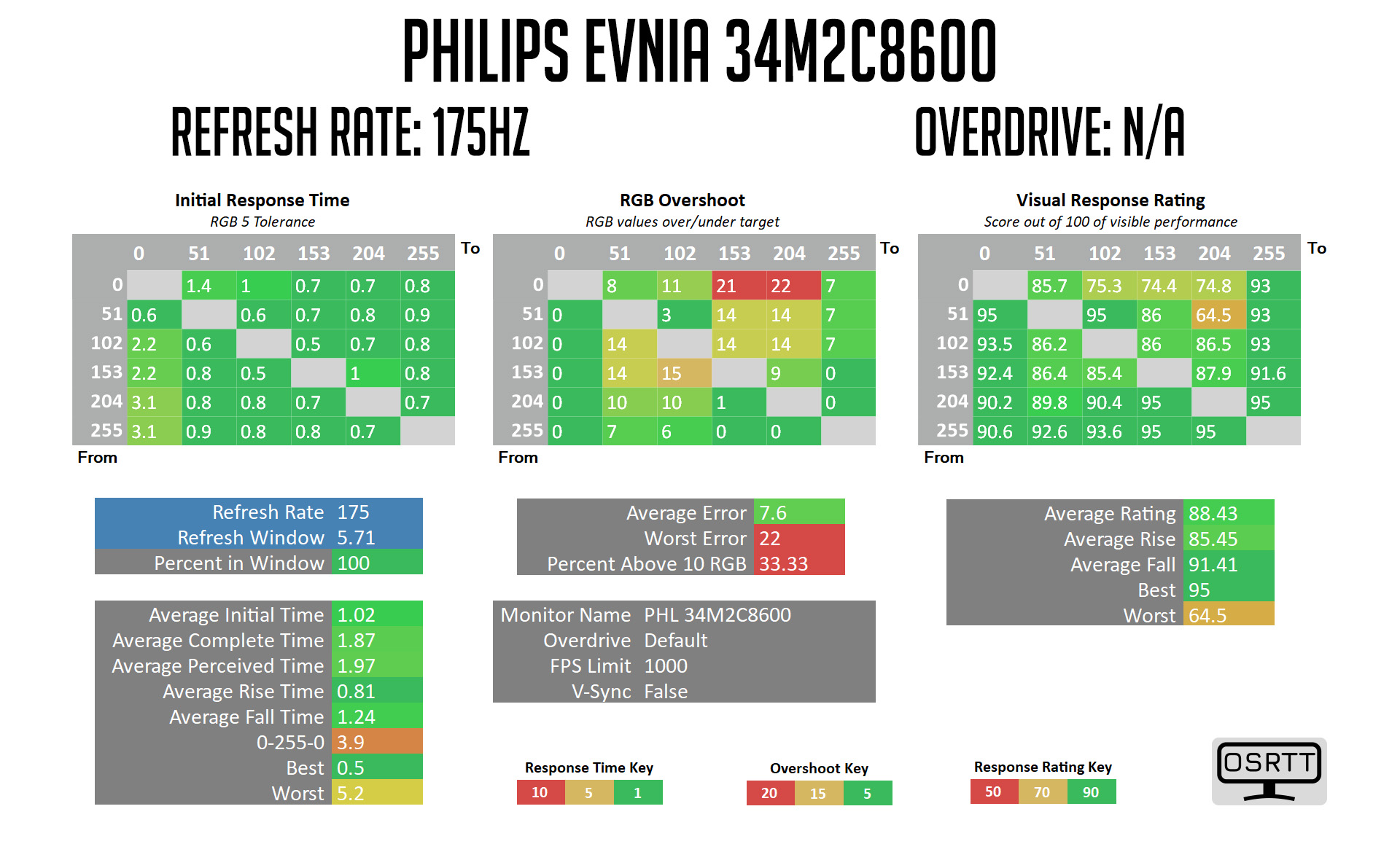
As you can see, across the refresh range we have near instant grey to grey response times, averaging barely 1ms. This is of course where OLED shines, and it means ghosting is simply not an issue for gaming. Of course, motion clarity is another matter, and due to the grab-and-hold nature of OLED screens, at lower refresh rates there will be some blurring. At 175Hz though, it's a very clean and fast experience.
Overshoot?
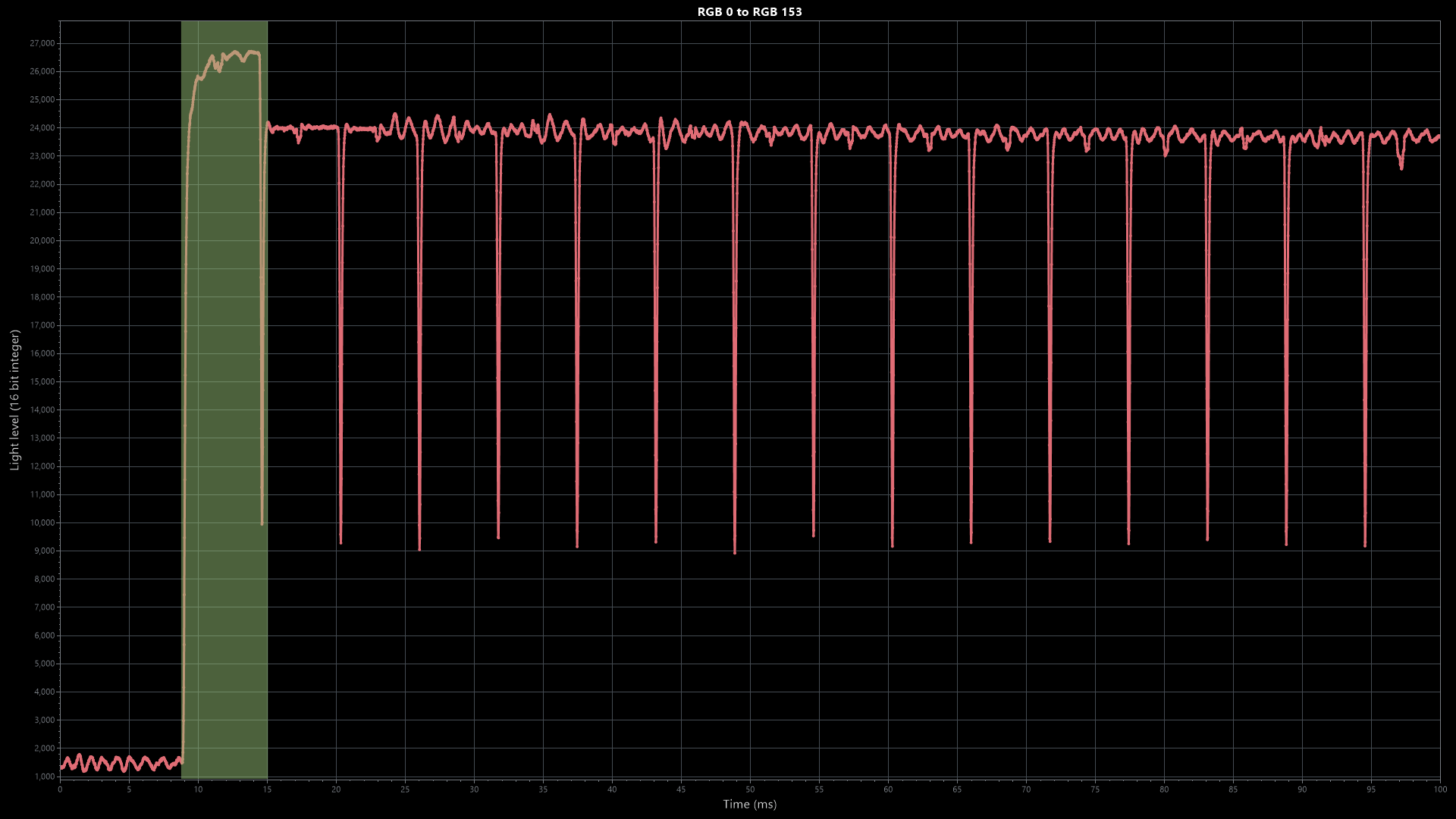
You will have noticed some reported overshoot on the above heatmaps, though. The worst offenders are transitions from RGB 0 (the top row of the heatmaps), where the screen goes from effectively being off, to transitioning to a lighter shade, such as RGB 0 to RGB 153 as you can see above. This is something we've previously discussed in our AW3423DW review and it's a characteristic of all OLED monitors we've tested.
The reason appears to be, that for an OLED to display a black screen, the pixels have to turn off, so to turn them back on again and transition to another colour requires a small jolt of power which can cause the monitor to exceed its target colour, before it is able to correct itself near-instantly.
It's really not noticeable when gaming, but it is a trend among OLED screens.
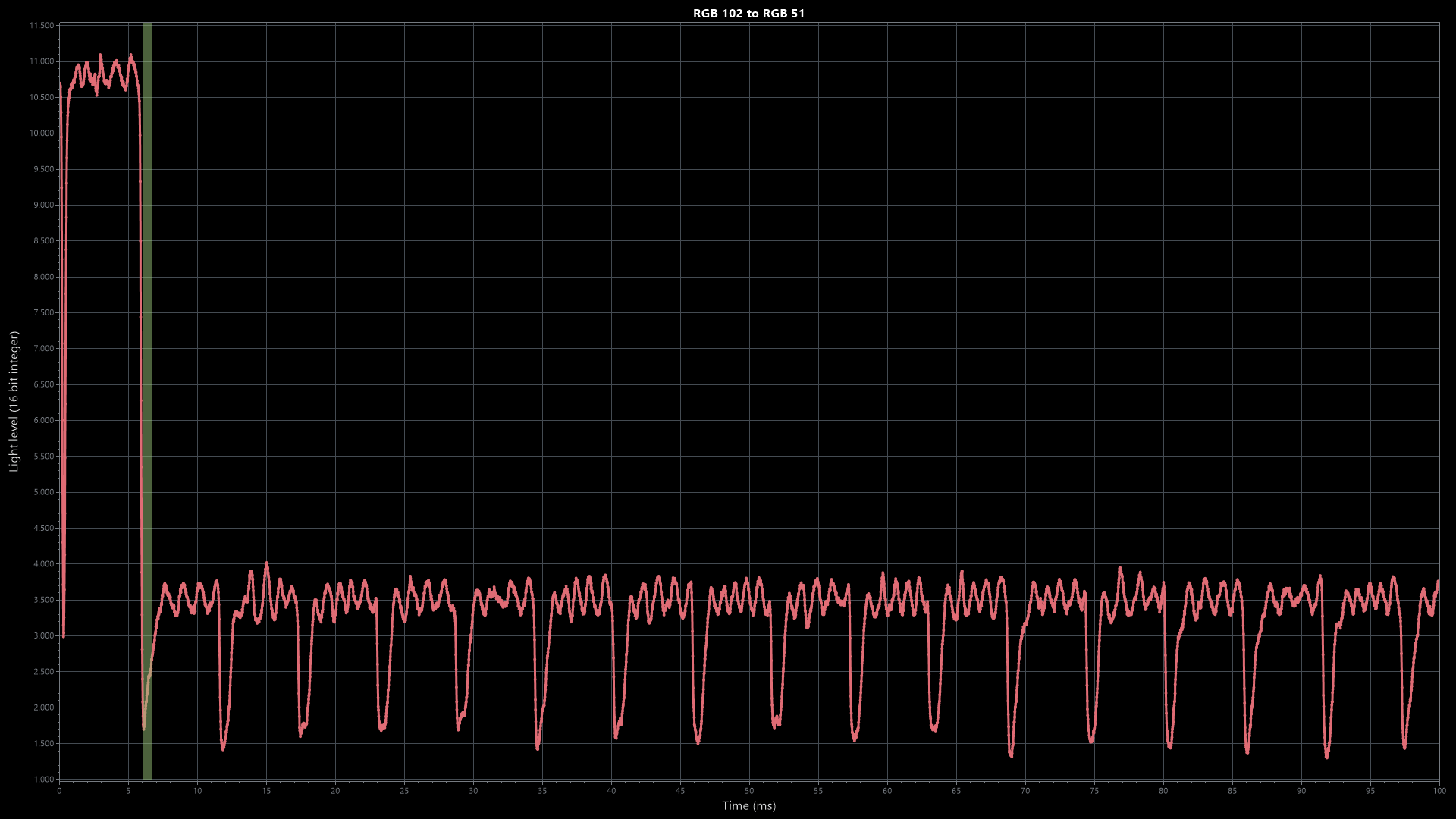
There are other transitions that report overshoot however, such as RGB 102 to RGB 51 to give just one example. I don't believe this is actual overshoot in the usual sense of the word, but there seems to be a small amount of luminance variation when the screen displays certain shades – hence the ‘squiggly' line, instead of something flatter. This is not visible to eye at all, but a sensitive instrument is able to detect it. This is why I think more overshoot is shown on the heatmaps than is actually taking place. From a usability perspective, it's a complete non-issue, but it's interesting nonetheless.
Average results
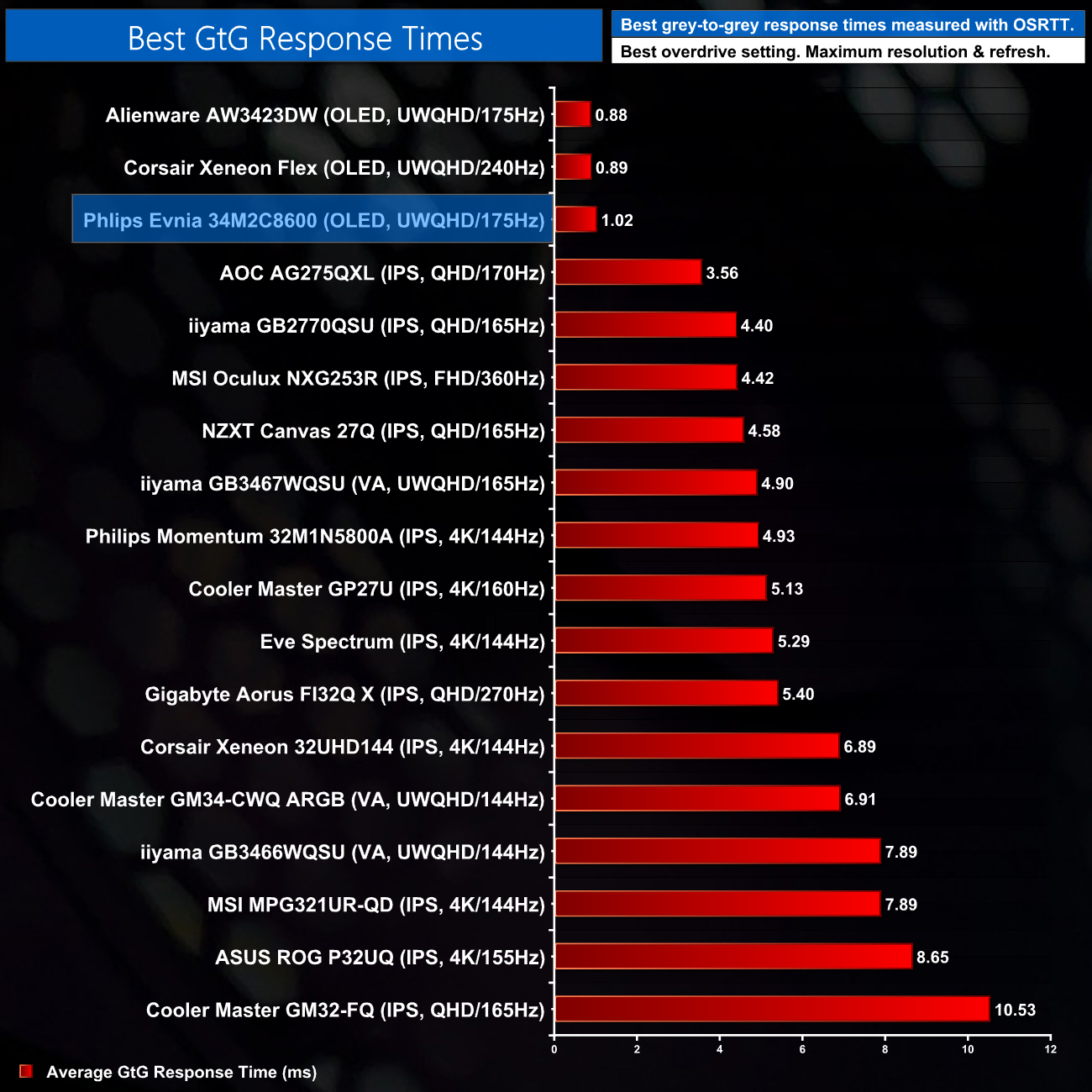
Overall then, as we'd expect the 34M2C8600 is up there as one of the fastest monitors we've tested, with its 1.02ms response time sitting alongside the two other OLEDs on our chart. It's over three times as fast as the fastest LCD we've tested, which goes to show why I really love OLED screens for gaming.
Display latency is another area of our testing, where we use Nvidia’s Latency and Display Analyzer Tool (LDAT V2) to measure display latency. Display latency is the signal processing delay of a display from when a frame starts scanning out on the GPU to when the screen responds. LDAT detects the first observable change (6% increase from the initial brightness).
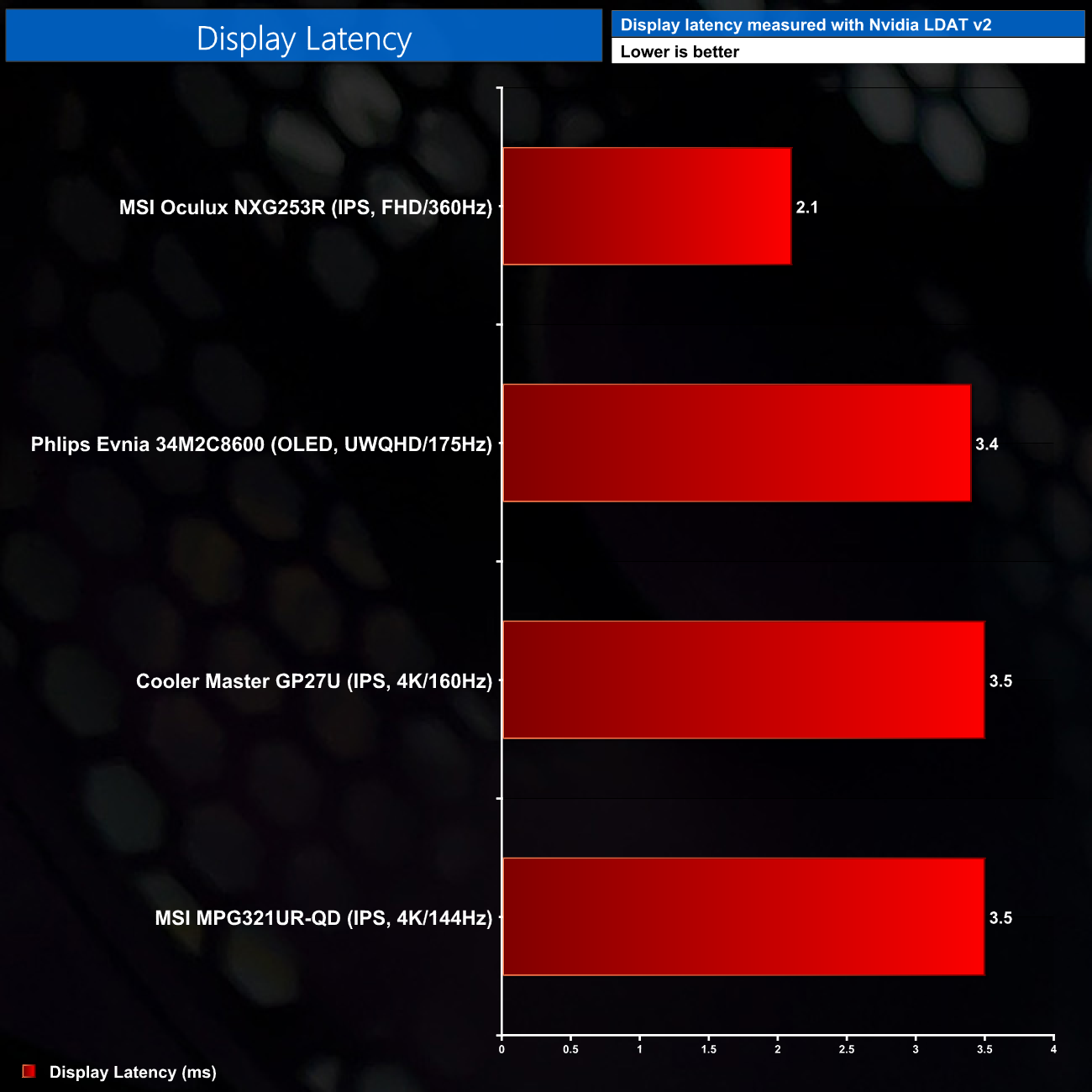
As for display latency, this isn't an issue for the 34M2C8600, it's 3.4ms display latency figure – as reported by Nvidia's LDAT V2 – is right in line with some other screens we've tested with similar refresh rates, though a 1080p 360Hz monitor is that bit faster.
Today marks the first time we have gone hands-on with a Philips Evnia monitor, and the 34M2C8600 is a compelling option for those looking to splash out on an OLED monitor.
Using the same 3440×1440 QD-OLED as the Alienware AW3423DW, manufactured by Samsung, it's no surprise that overall image quality and brightness is very similar between the two – and that is a very good thing indeed. Likewise, response times are absolutely rapid, barely registering above 1ms on average.
HDR performance is fantastic, too. If you haven't tried a proper HDR display I can't recommend it enough, the difference between this and something with an edge-lit backlight really is night and day. Full screen SDR brightness tops out at 250 nits, which is fine, though modern LCDs are able to far surpass this, so if you work or game in a particularly bright environment, this could be something to consider.
Evnia has clearly put a lot of effort into the design of the monitor. It's certainly eye-catching, with a white and silver aesthetic that looks swish and modern. I'm not sure if it will have universal appeal though, I know I'd personally prefer an all-black design, and while Evnia does offer some of its monitors in a black colourway, if you want the 34M2C8600 it's white or nothing.
There are some other quirks of the QD-OLED technology that merit further discussion. The first is the sub-pixel structure, which Evnia describes as an ‘RGB Q-stripe'. What exactly that means I'm not sure, but it quickly became obvious it's the same triangular layout as the Alienware AW3423DW, with a green pixel at the top, above the red and blue pixels. This does cause some fringing around text, but as I said in my AW3423DW review, I really don't think it's that noticeable – certainly in my view, LG's WOLED layout is much worse for text legibility.
Just like the AW3423DW as well, Evnia is using a ‘semi-glossy' coating on the 34M2C8600 – in fact, it may well be the same exact coating as the end result is very similar. This has come in for criticism as the coating can reduce black levels – depending on your levels of ambient lighting, in brighter environments the blacks can get washed out and take on more of a grey appearance. I personally think this is a good compromise though, as it does a decent job of muting reflections and you still get better contrast and black-levels than you would from an LCD anyway.
I am perplexed by the lack of HDMI 2.1 however, particularly so as the 34M2C8600 does not have a hardware G-Sync module. This means only the DisplayPort 1.4 and USB-C inputs are able to operate at 3440×1440 and the maximum 175Hz refresh rate, whereas the two HDMI 2.0 ports are limited to 100Hz – a definite loss of utility if you were planning on connecting the monitor to a PC and console.
That's a tough pill to swallow considering the Alienware AW3423DF does support HDMI 2.1 and is currently on sale for just £789 here in the UK. That makes it over £350 cheaper than the 34M2C8600, despite both using the same Samsung panel. The Evnia does have its advantages, as some may want to pay a small premium for the design, Ambiglow lighting and KVM functionality.
Even then however, the price difference is more than enough to make anyone looking for a new QD-OLED think twice. The Philips Evnia 34M2C8600 is still a very impressive display and if you do pick one up, you will not be disappointed. When well-established rivals are offering near-identical monitors for hundreds of pounds less however, you can't help but feel the 34M2C8600 could do with a price cut to keep it competitive.

You can buy the Philips Evnia 34M2C8600 from Overclockers UK for £1149.95 HERE.
Discuss on our Facebook page HERE.
Pros
- Very fast ~1ms response times.
- Effectively infinite contrast ratio.
- Top-tier HDR performance, with a choice of modes.
- Very colour accurate.
- Incredible brightness and colour temperature uniformity.
- Perfect gamma tracking.
- Eye-catching design.
- Integrated KVM.
- Ambiglow lighting.
Cons
- Design won't appeal to everyone.
- No HDMI 2.1, despite there also being no hardware G-Sync module.
- Ambient lighting can reduce appearance of black levels due to the semi-glossy coating.
- Colour fringing around text may be noticeable for some.
- Similar competitor models are currently available with hefty discounts.
KitGuru says: It's a cracking monitor and really excels while gaming. Considering the lack of HDMI 2.1 however, and the price of some of its rivals, the 34M2C8600 could stand to come in a couple hundred pounds cheaper.