KitGuru KitGuru.net – Tech News | Hardware News | Hardware Reviews | IOS | Mobile | Gaming | Graphics Cards


Curved screens used to cost a considerable amount of money, so it's surprising to see Acer's ED273 deliver its curvature in 27in form for around £170. Lots of 27in screens are more expensive than this even without the curve – so this is already a potential bargain.
This isn't a member of the Predator gaming range, however. It has a few benefits for that type of user, but it's not specifically aimed at gamers. The 27in diagonal is home to a Full HD VA panel, rather than the 2,560 x 1,440 resolution that is frequently found at this screen size. The VA technology generally provides great contrast, but has other drawbacks.
In particular, the response is just 4ms grey-to-grey, although this is normal for VA and IPS panels, with only TN usually being faster. Acer itself claims an immense 100,000,000:1 contrast, but this will be with dynamic contrast enabled, and we've seen a more believable 3,000:1 mentioned by unofficial sources. The brightness level is a fairly minimal 250cd/m2.
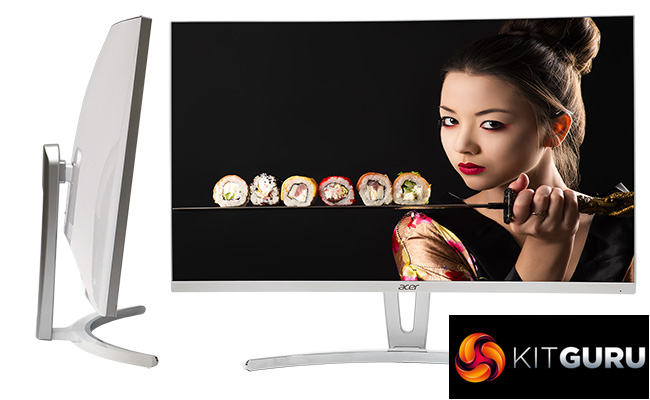
The screen curve is a relatively deep 1800R, meaning that if you created a full circle it would have a radius of 1800mm. Samsung uses the same curve, but many screens use a wider circle such as 2100R that is allegedly less immersive. There is FreeSync adaptive refresh support, but as the highest rate is just 60Hz, this is only of limited use.
The ED273 sports a rather retro range of inputs. Although there is HDMI, it's only version 1.4, and otherwise you only get DVI-D Dual-Link and VGA. There are also built-in 3W speakers with accompanying analog minijack input and output, but no USB hub. So apart from the curviness, this is a pretty standard screen. The price is the main surprise. Let's find out if this is a shapely bargain or a bulbous false economy.
Specification:
- Screen size: 27-inch, 16:9 aspect
- Native resolution: 1,920 x 1,080
- Refresh rate: 60Hz
- Panel type: VA
- Contrast ratio: 3,000:1 (typical)
- Brightness: 250cd/m2
- Response time: 4ms Grey-to-Grey
- Display inputs: HDMI 1.4, DVI-D Dual Link, VGA
- USB hub: No
- Tilt: 5 degrees forward, 15 degrees backward
- Raise: No
- Swivel: No
- Other: Audio output, audio input, 3W stereo speakers
Retail Price: £168.20 (inc. VAT)
The Acer ED273 comes in an unexciting brown box. But your mother always told you that you shouldn't judge a book by its cover, and we will assume she meant monitors as well.
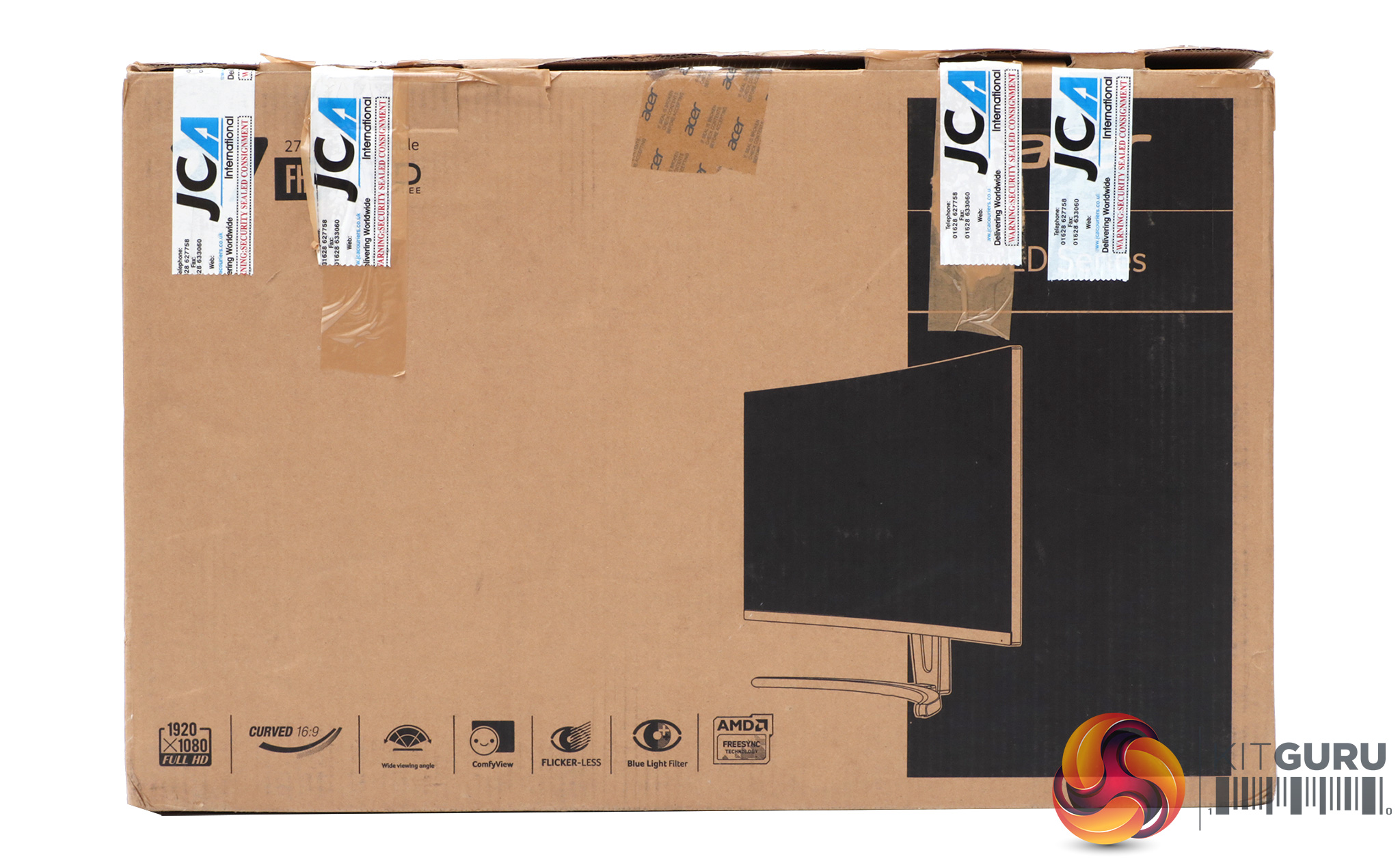
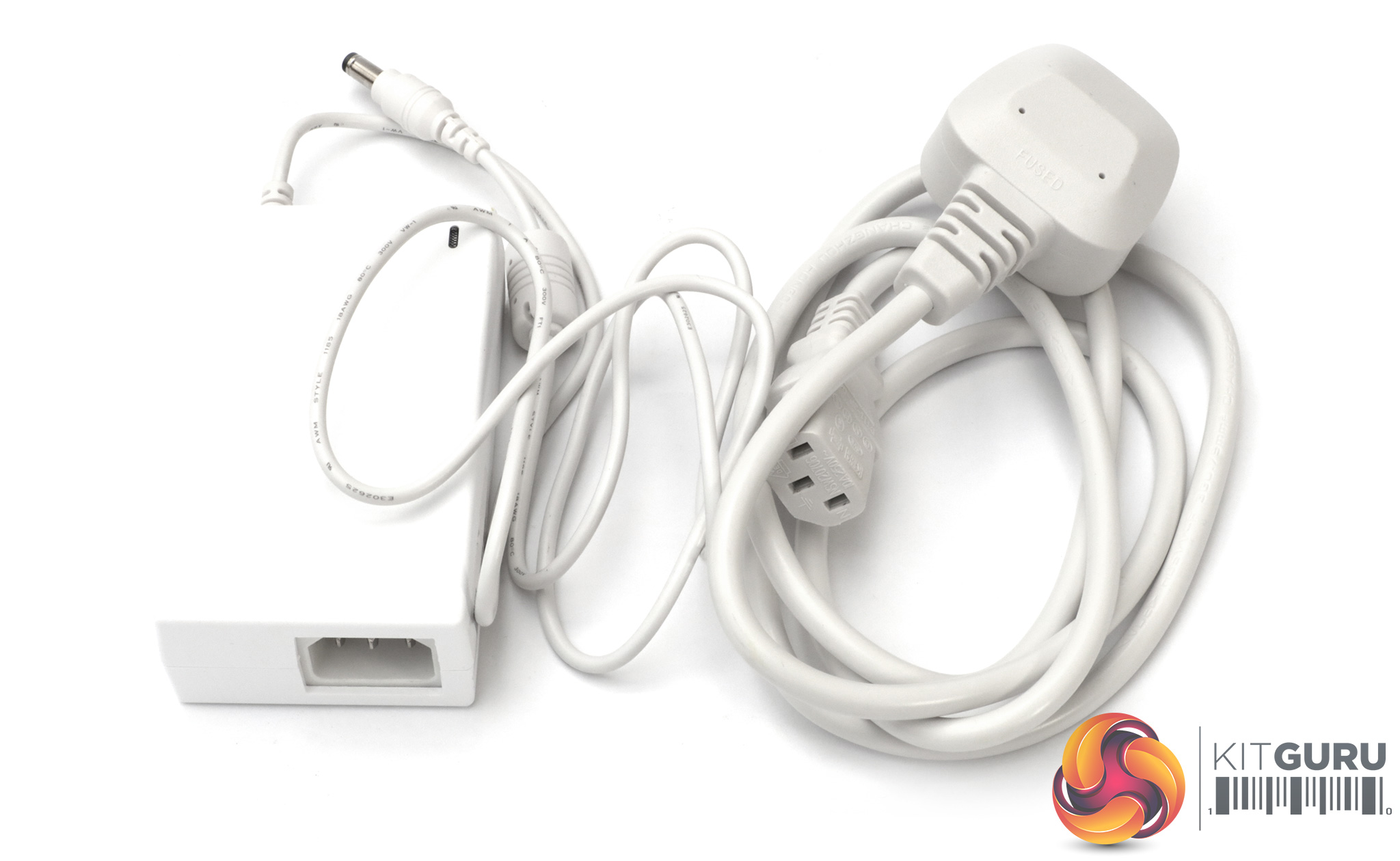
Having said that, you don't get much in the box. There's the external power supply and associated kettle power lead. But you only get a VGA cable, not HDMI or DVI-D. There is an audio cable for routing audio from an analog sound card output, however. Most of these had gone missing before our review sample reached us.
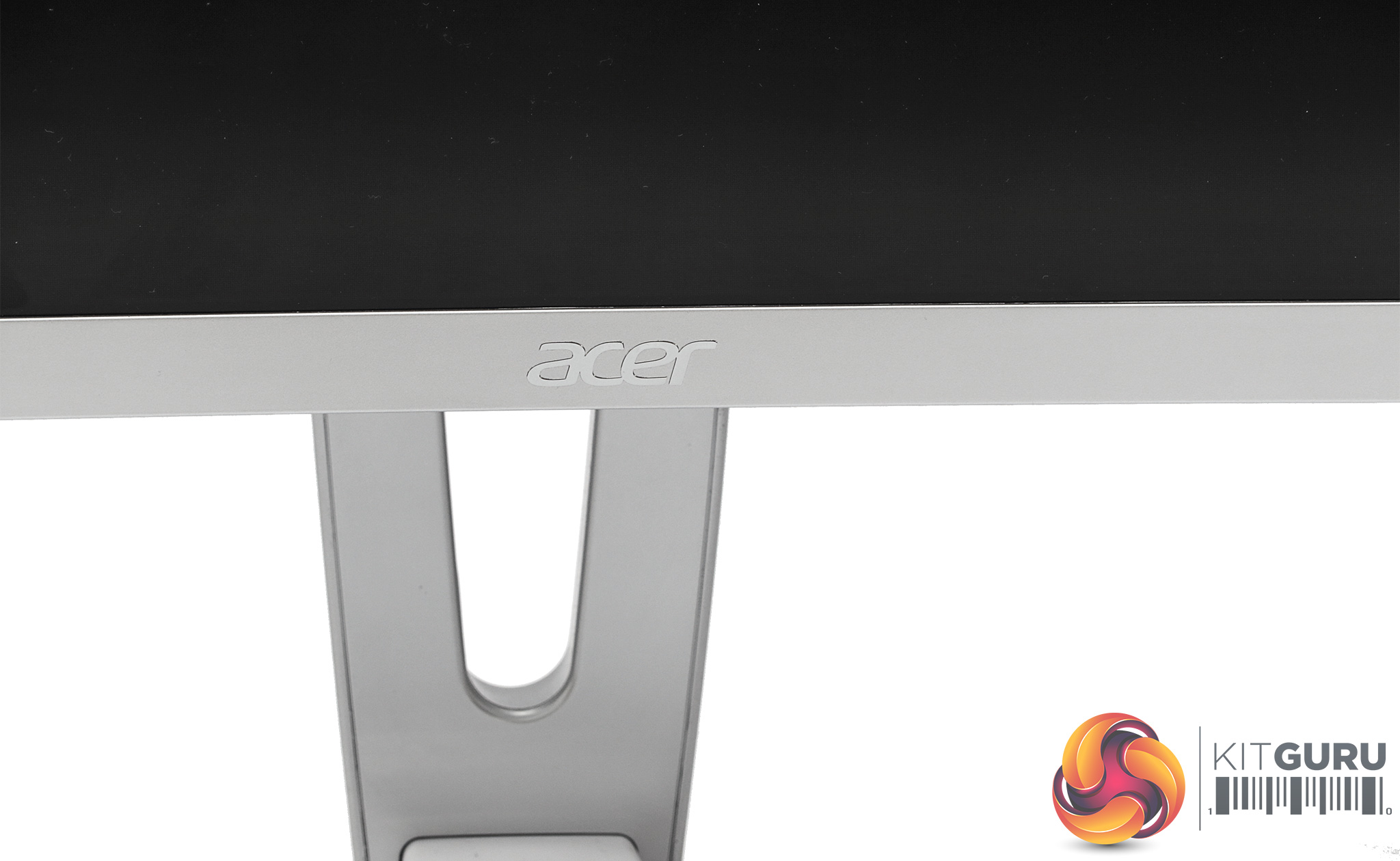
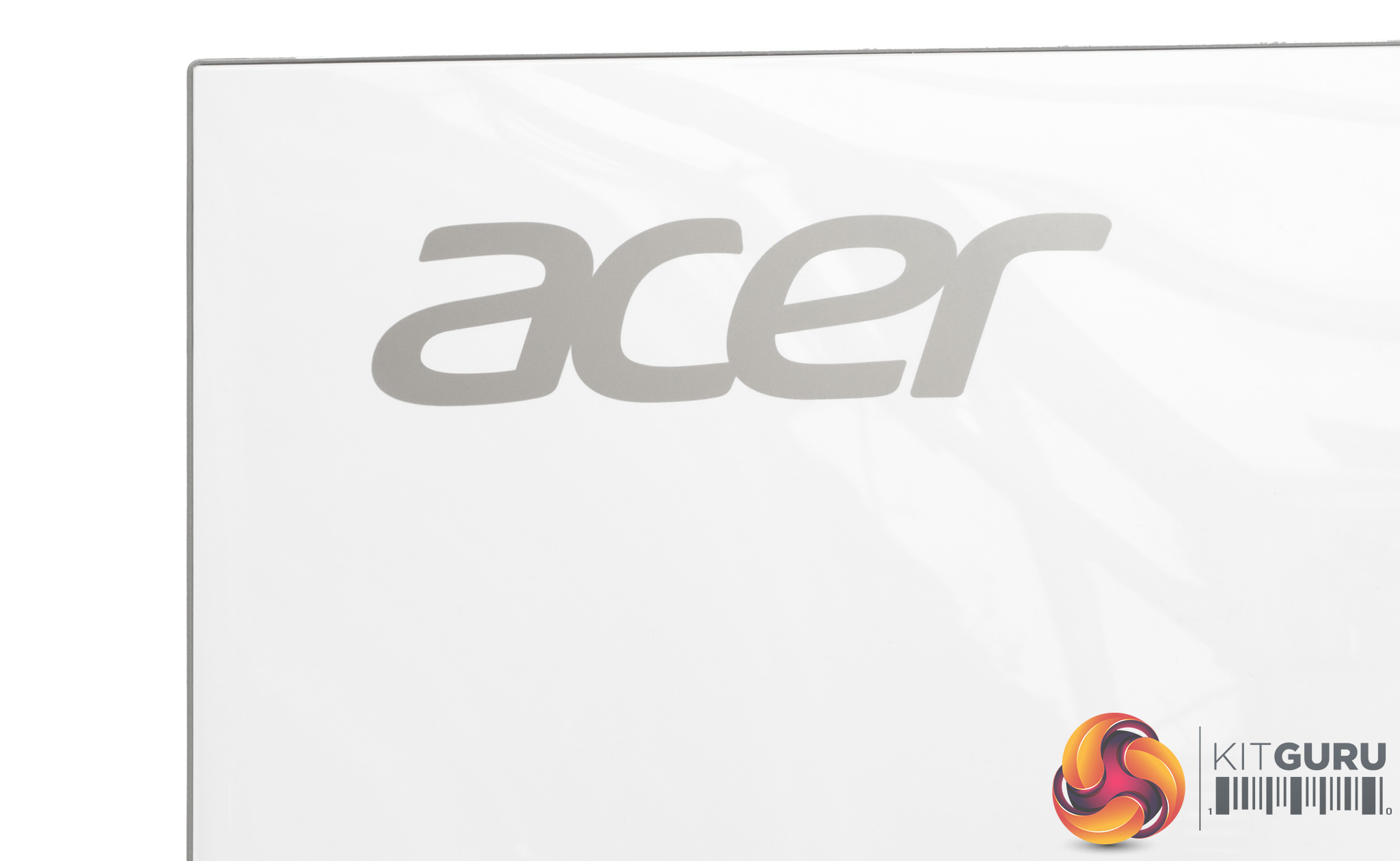
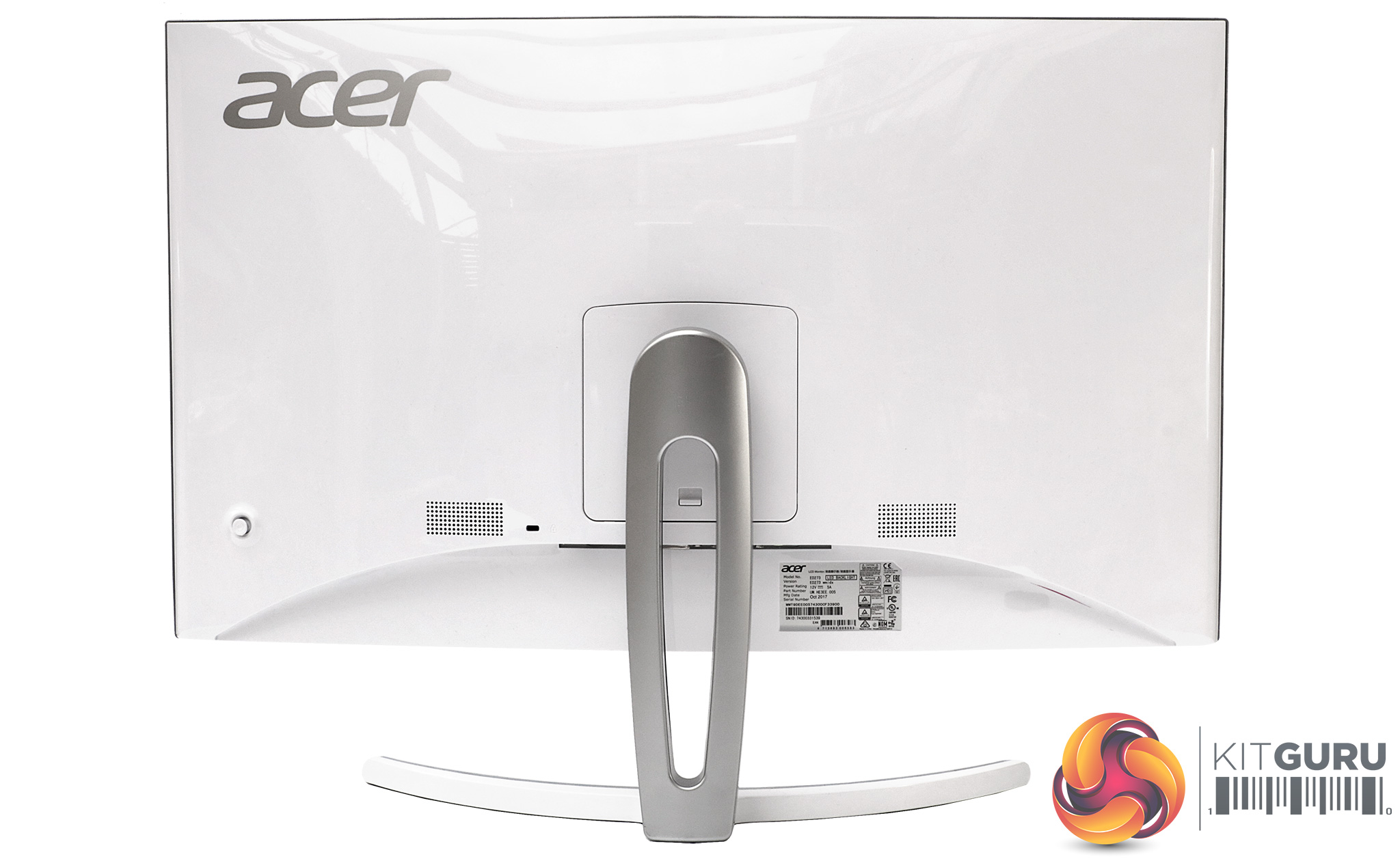
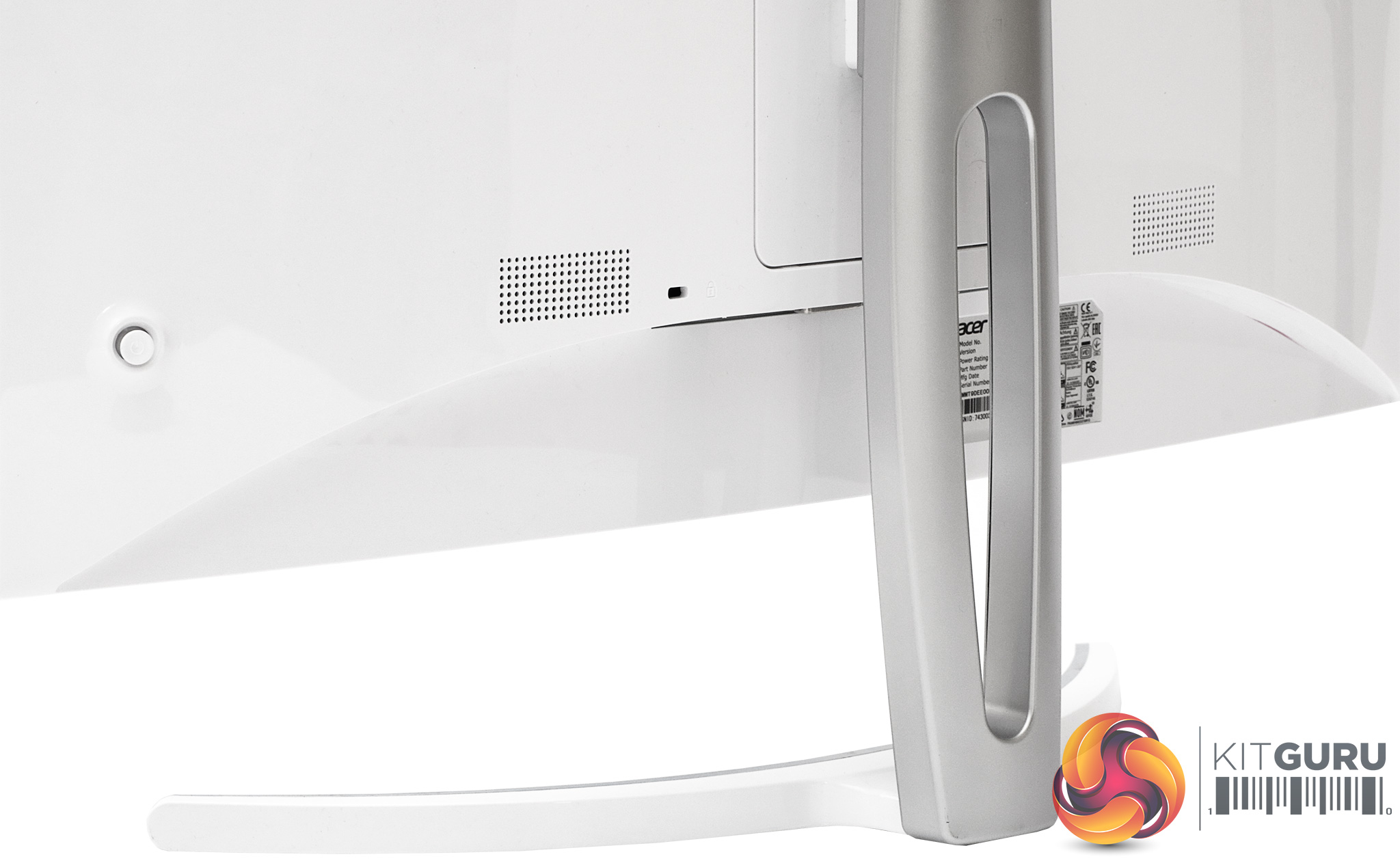
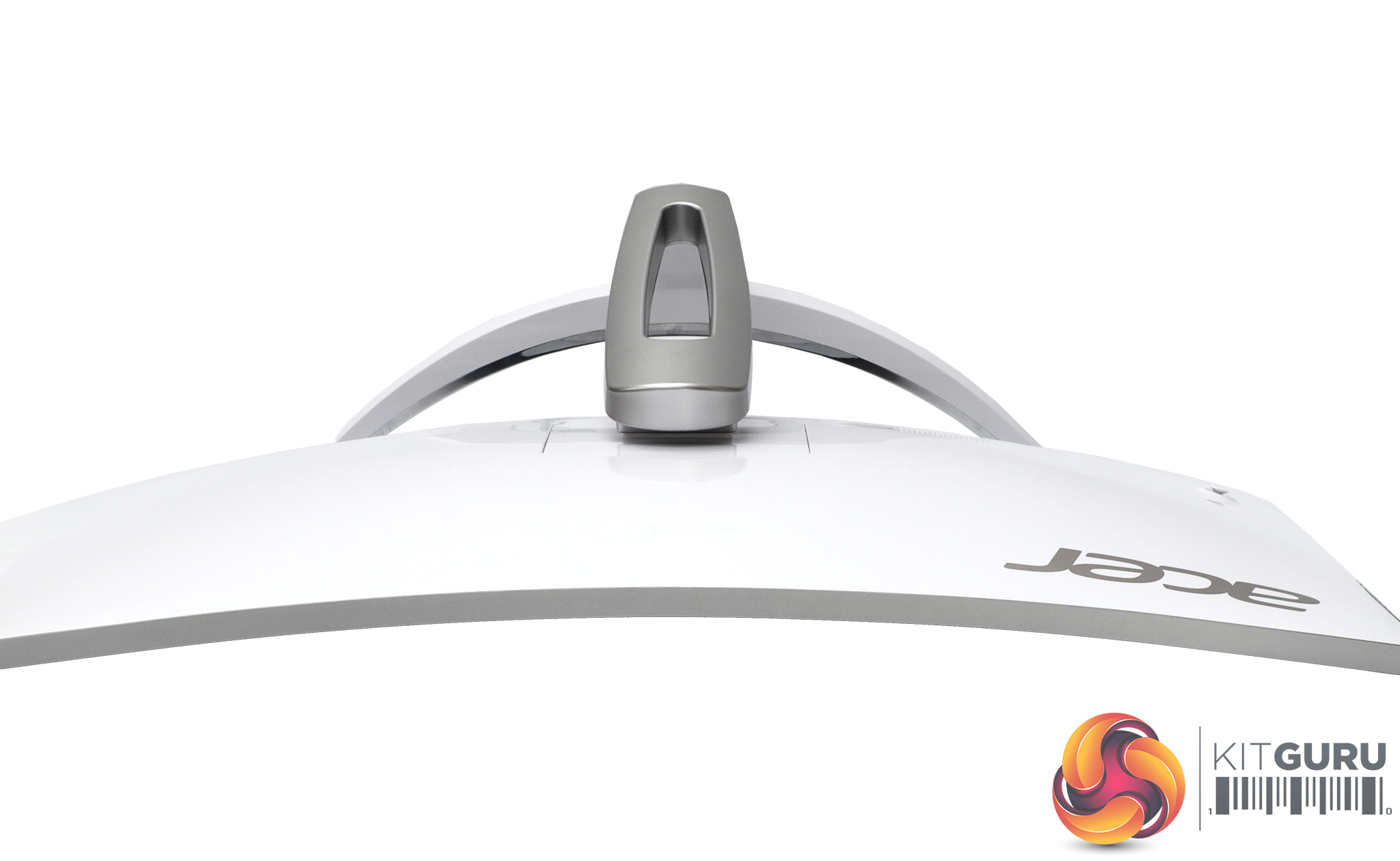
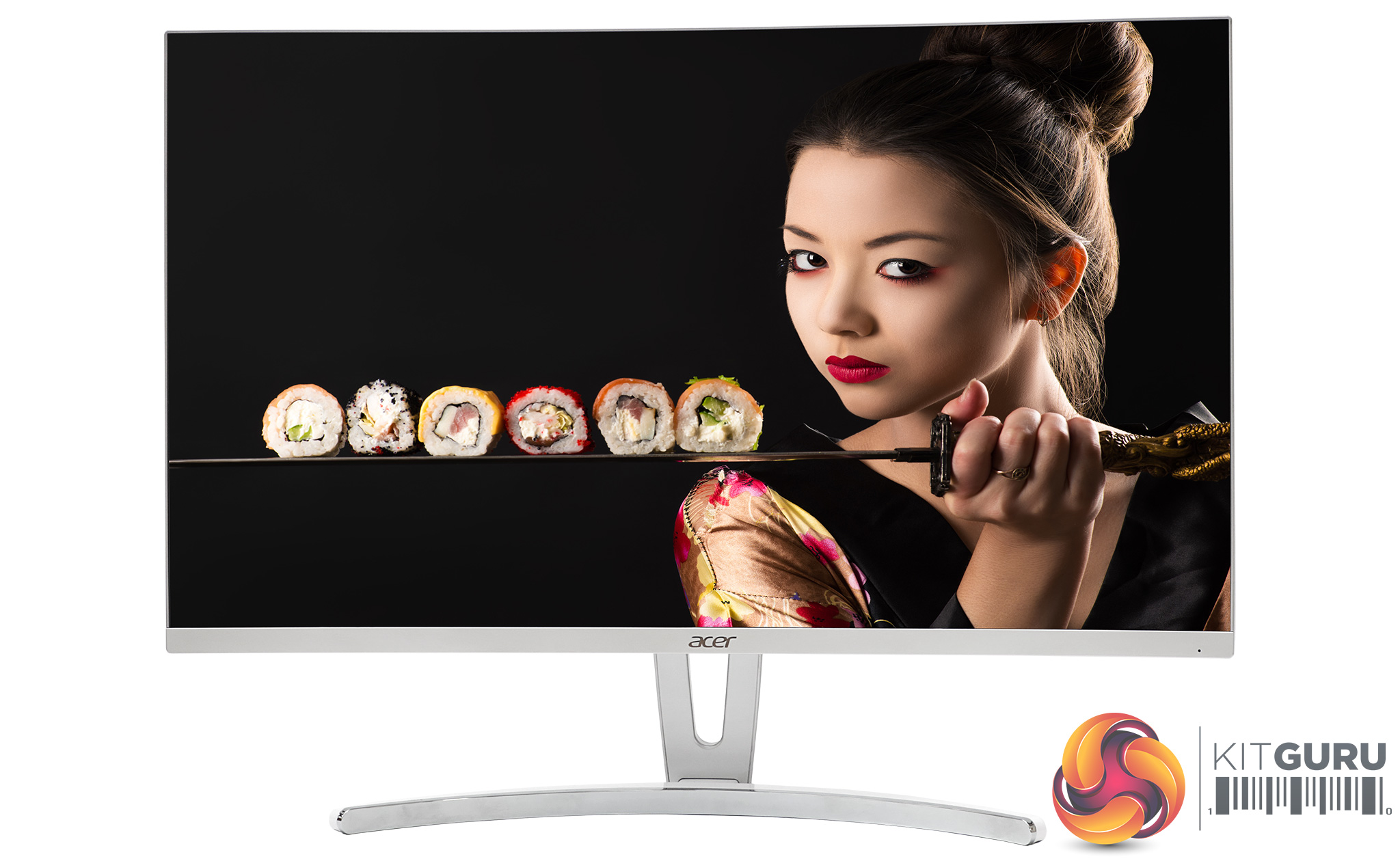
There's no denying this is a stylish screen, with the white plastic, chrome effect and brushed metal working together with the frameless display to give a very modern appearance. The chrome strip on the stand base is a little ostentatious, but works with the shiny Acer logo, making it just about the right side of tasteful.
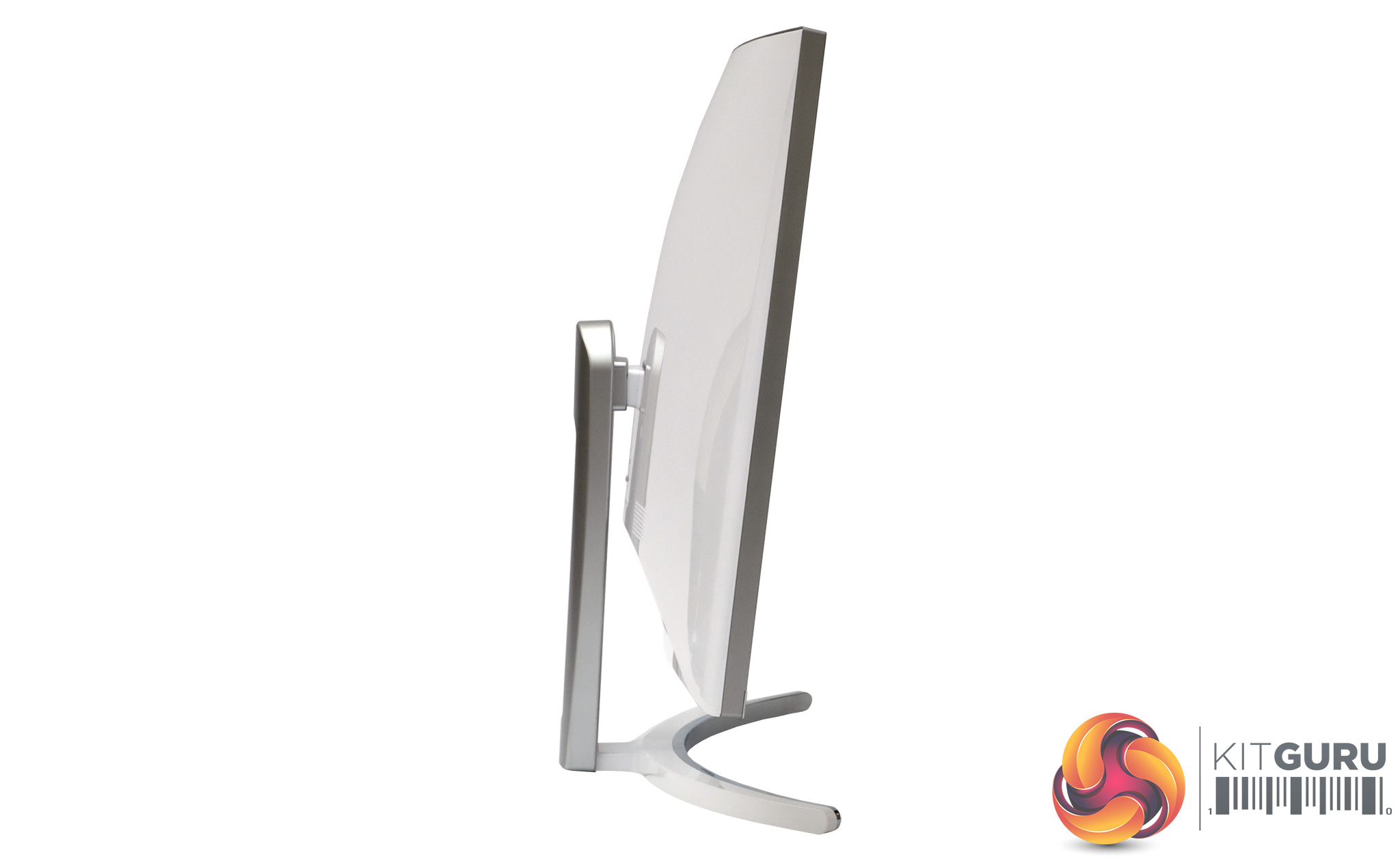
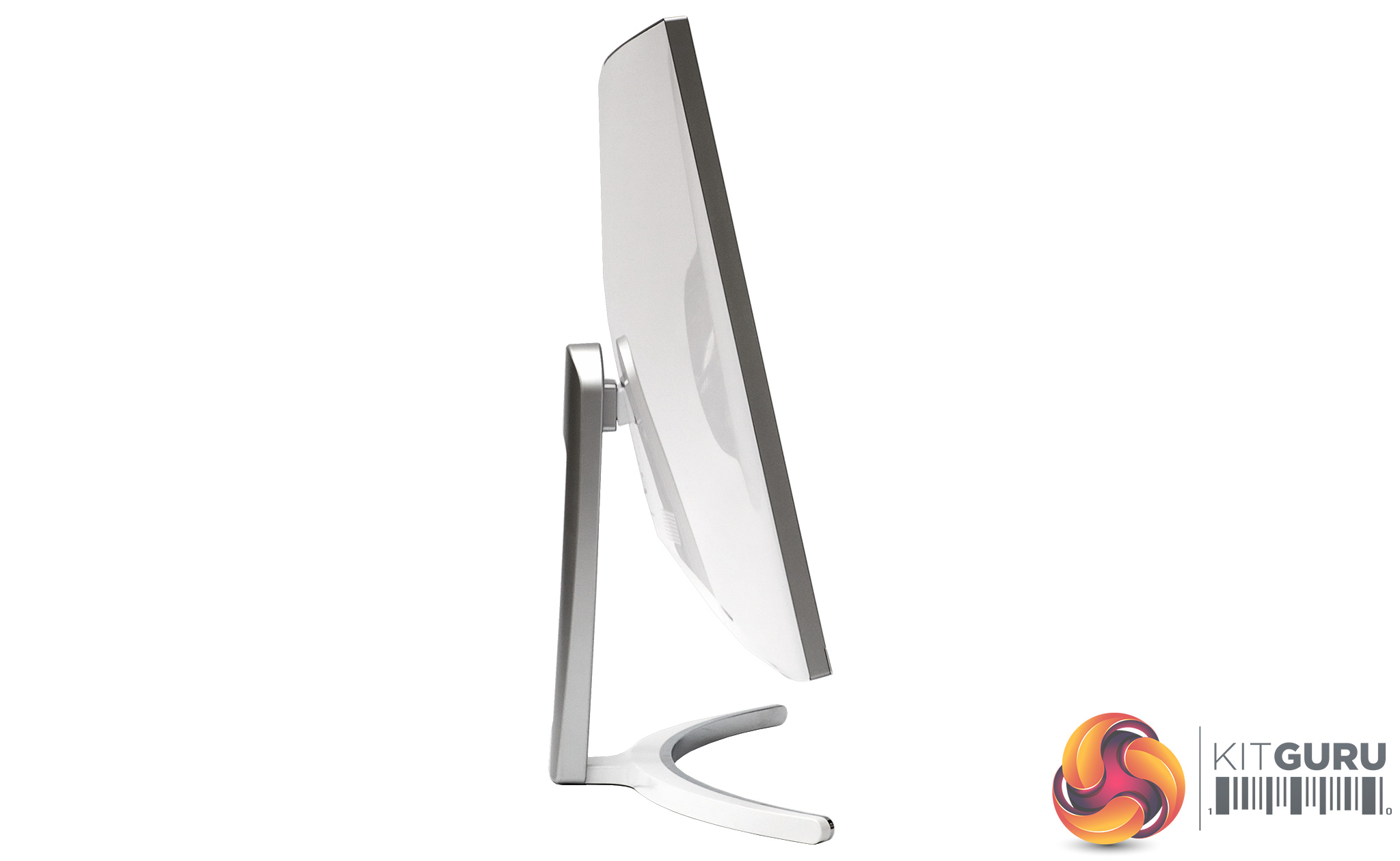
There are precious few adjustment options available. You can't raise and lower or rotate the ED273 on its stand. You can't rotate it into portrait mode, either, although we've never understood why you would want to do that with a curved panel. The only adjustment you can make is tilting five degrees forward or 15 degrees backward.
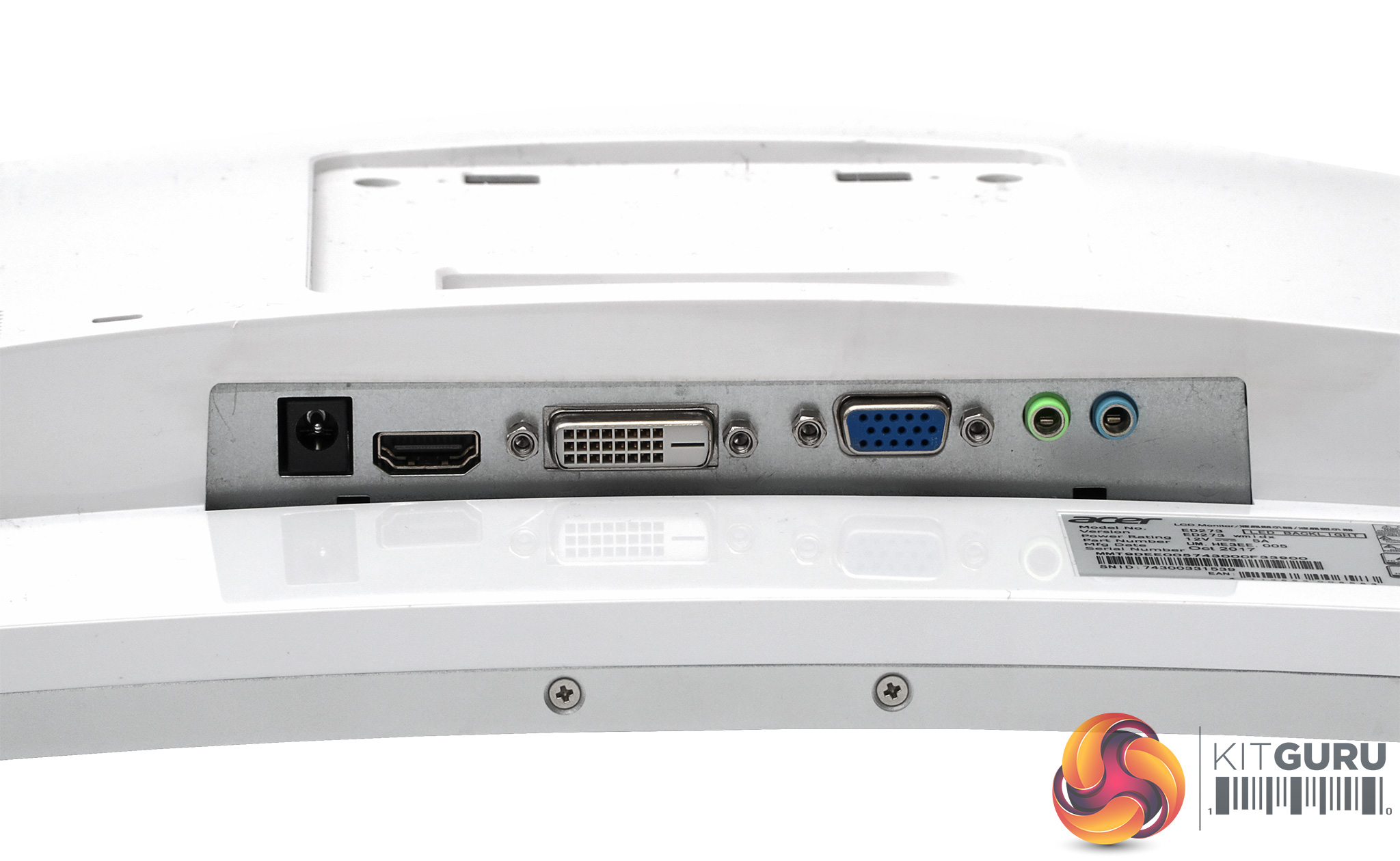
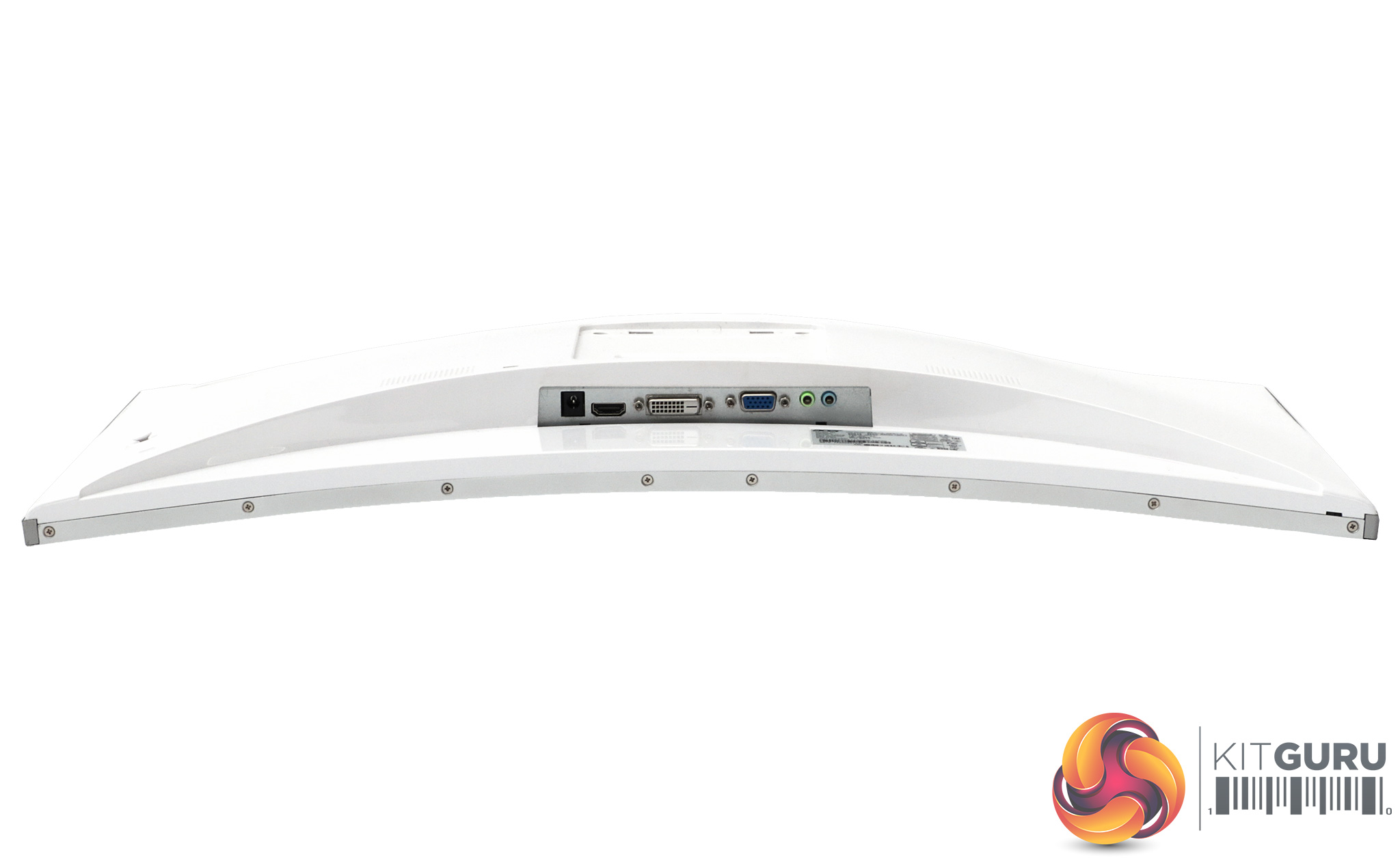
Thanks to the external power supply, only a small connector is required for electrical input. Next along is the HDMI 1.4 port, followed by the somewhat retro Dual-Link DVI-D port and VGA. Finally, there are minijacks for analog audio input and output.
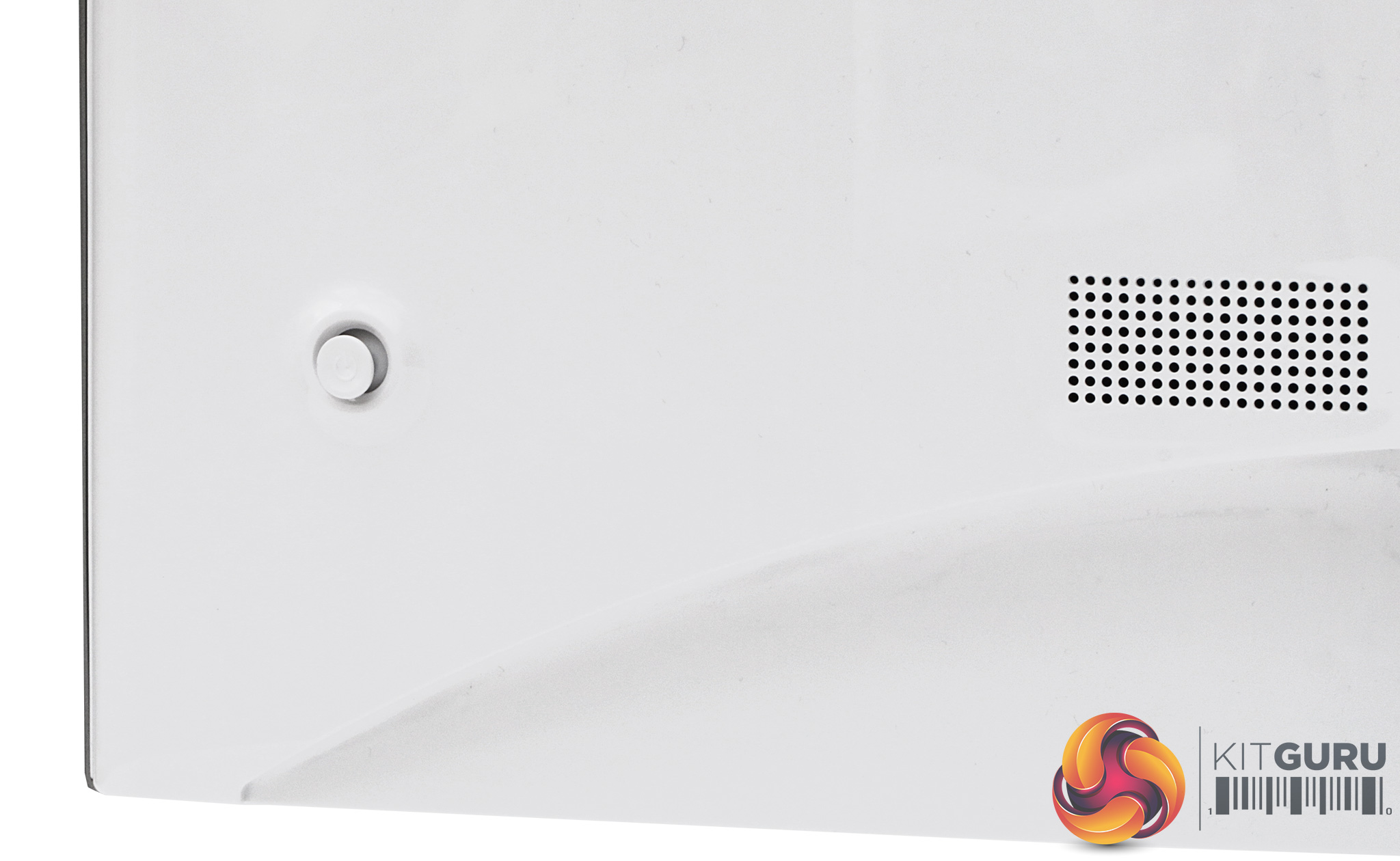
Reach around the back on the right and you'll find this joystick, which is the sole method for controlling the menu system, which we will turn to in the next section.
We have to admit that the joystick control system is a slightly annoying example of its genre. Pushing the joystick in turns the monitor off and on, whereas most joystick systems use this for selection. So until you get used to this, you will be forever turning your screen off and on instead of selecting the item you want.
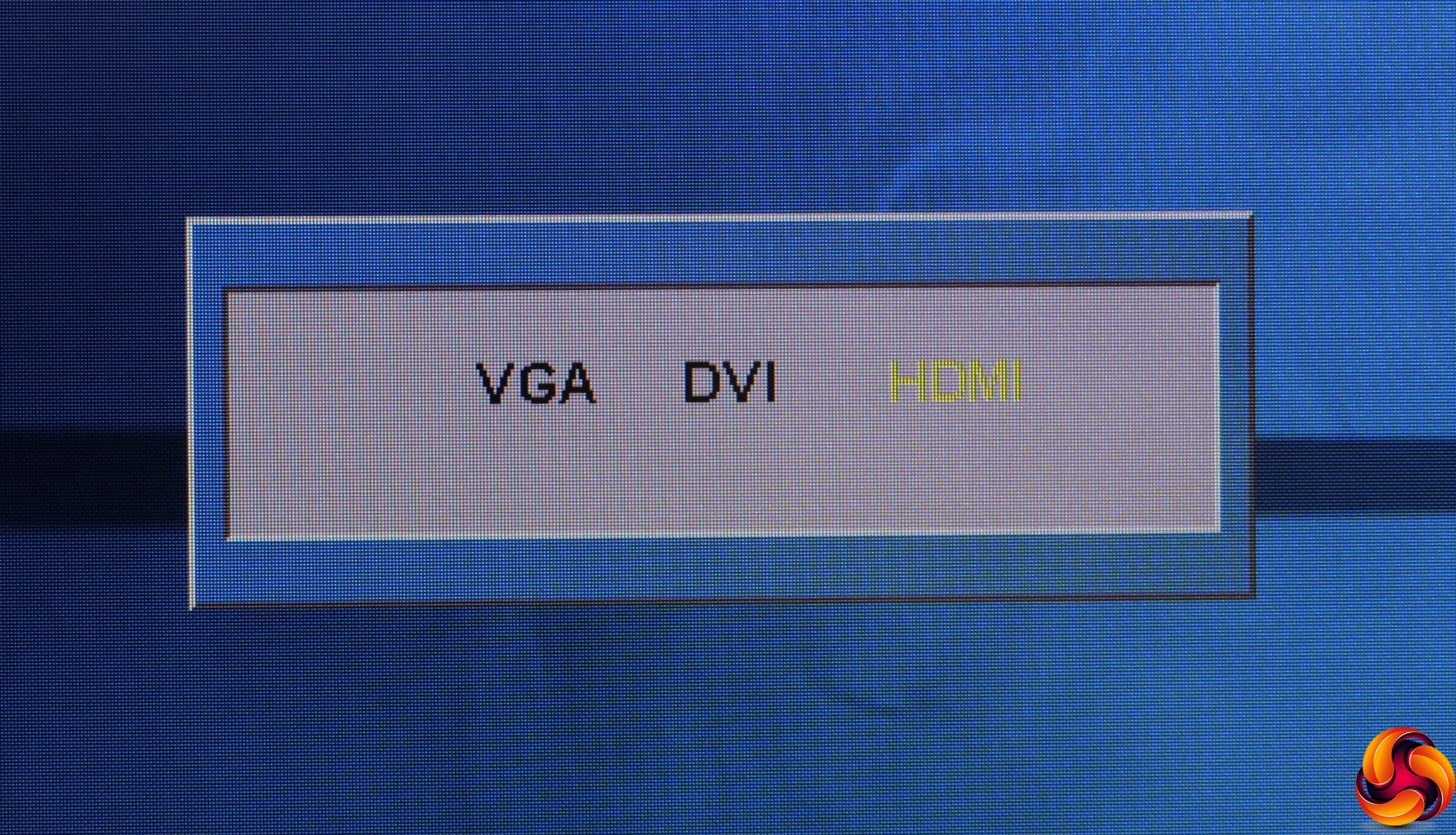
Pulling the joystick down calls up a quick menu for selecting one of the three inputs manually. You then cycle between the options with further motions up or down, which is a bit counter-intuitive when they're listed left to right. Whatever you do, don't press to select though, because that will just turn the screen off.
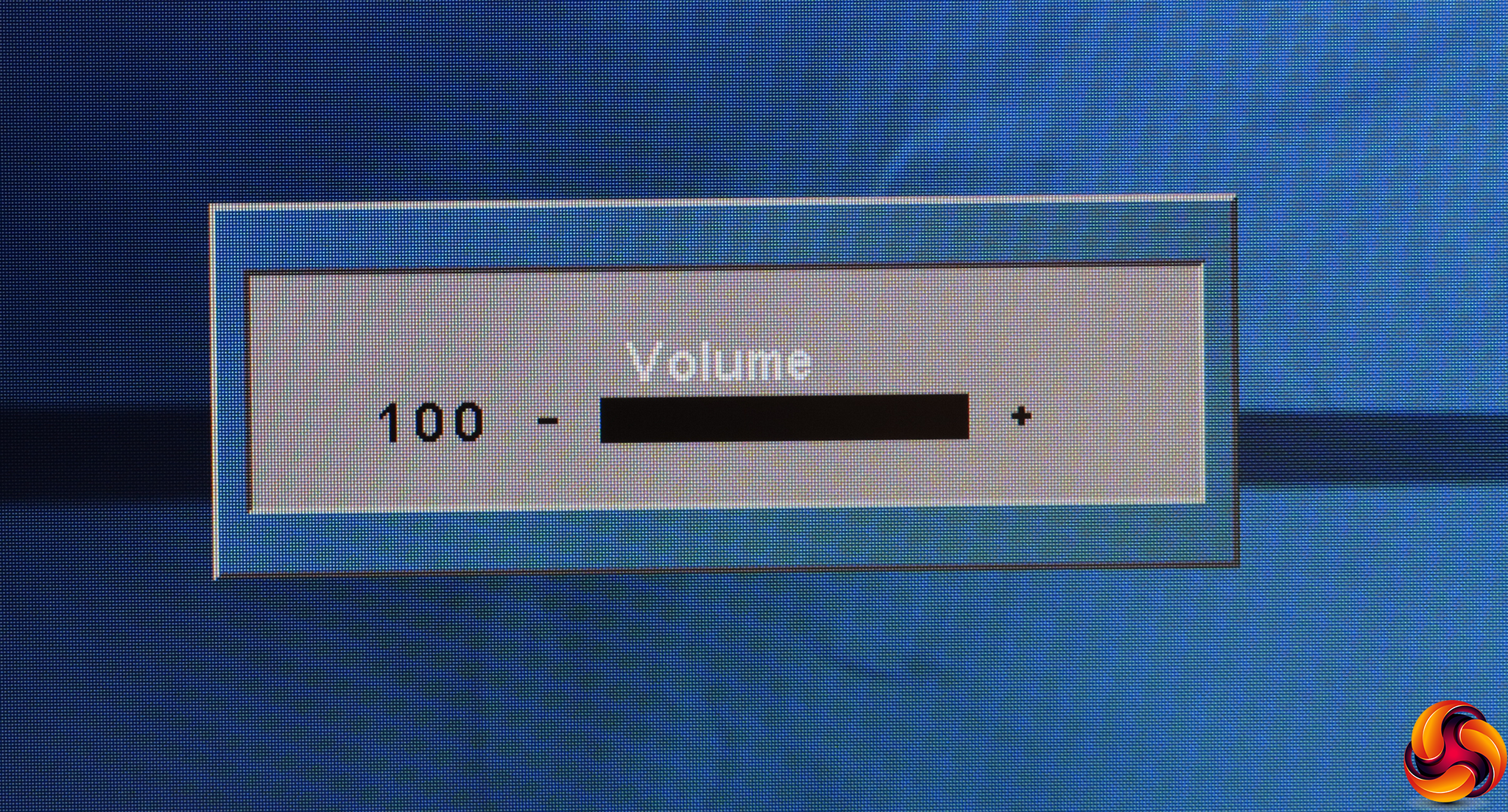
Push the joystick up and you can change the volume of the built-in speakers. Again, up and down change the value, not left to right, and don't press that joystick in!
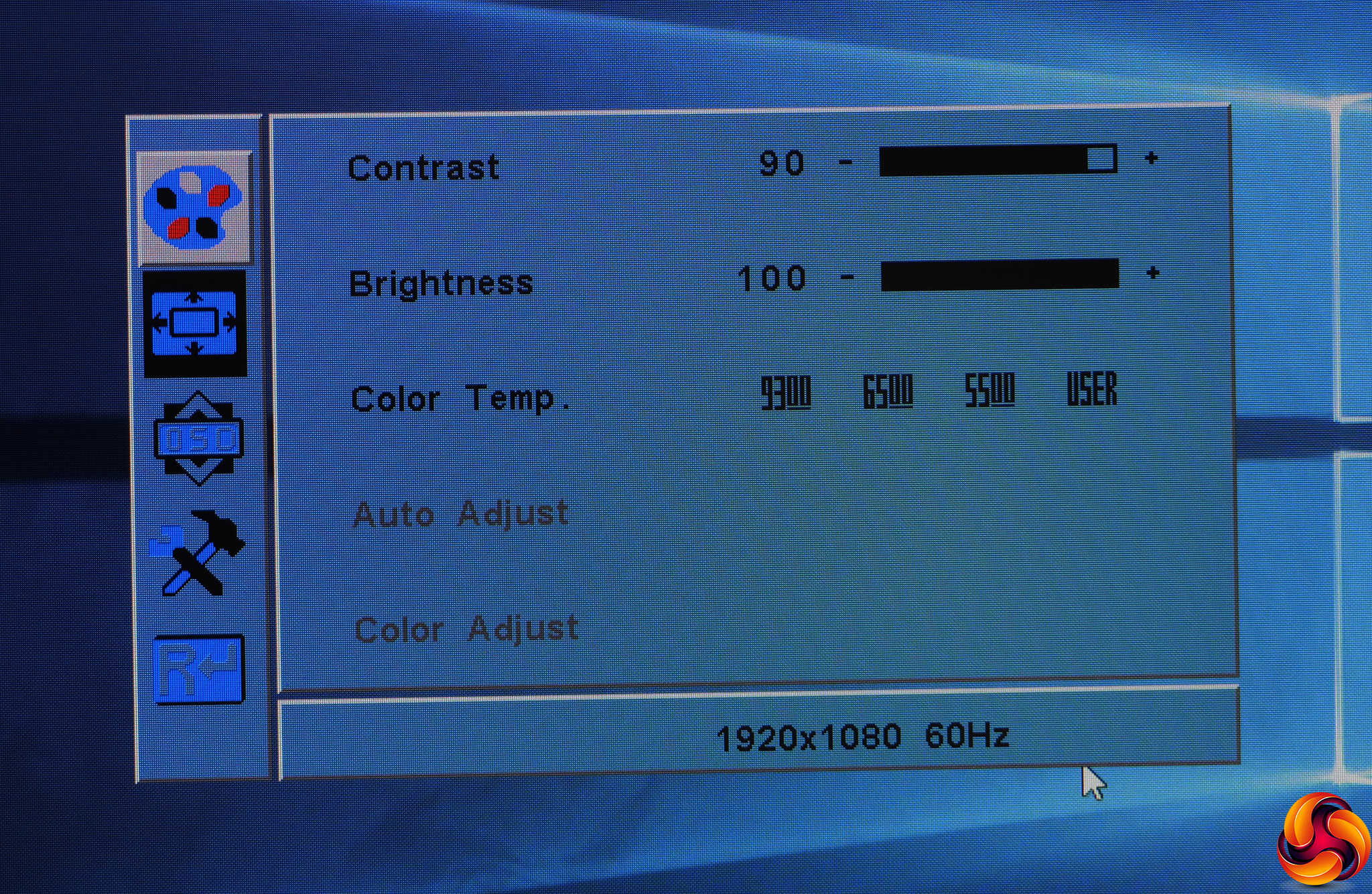
Pushing the joystick left doesn't do anything, so your final option is to push it right, which calls up the main menu. The first portion of this to appear is the colour section, and it's not exactly full of options. You can adjust contrast, brightness and colour temperature. The latter provides 9300K, 6500K and 5500K options, plus a User mode that enables direct adjustment of RGB values.
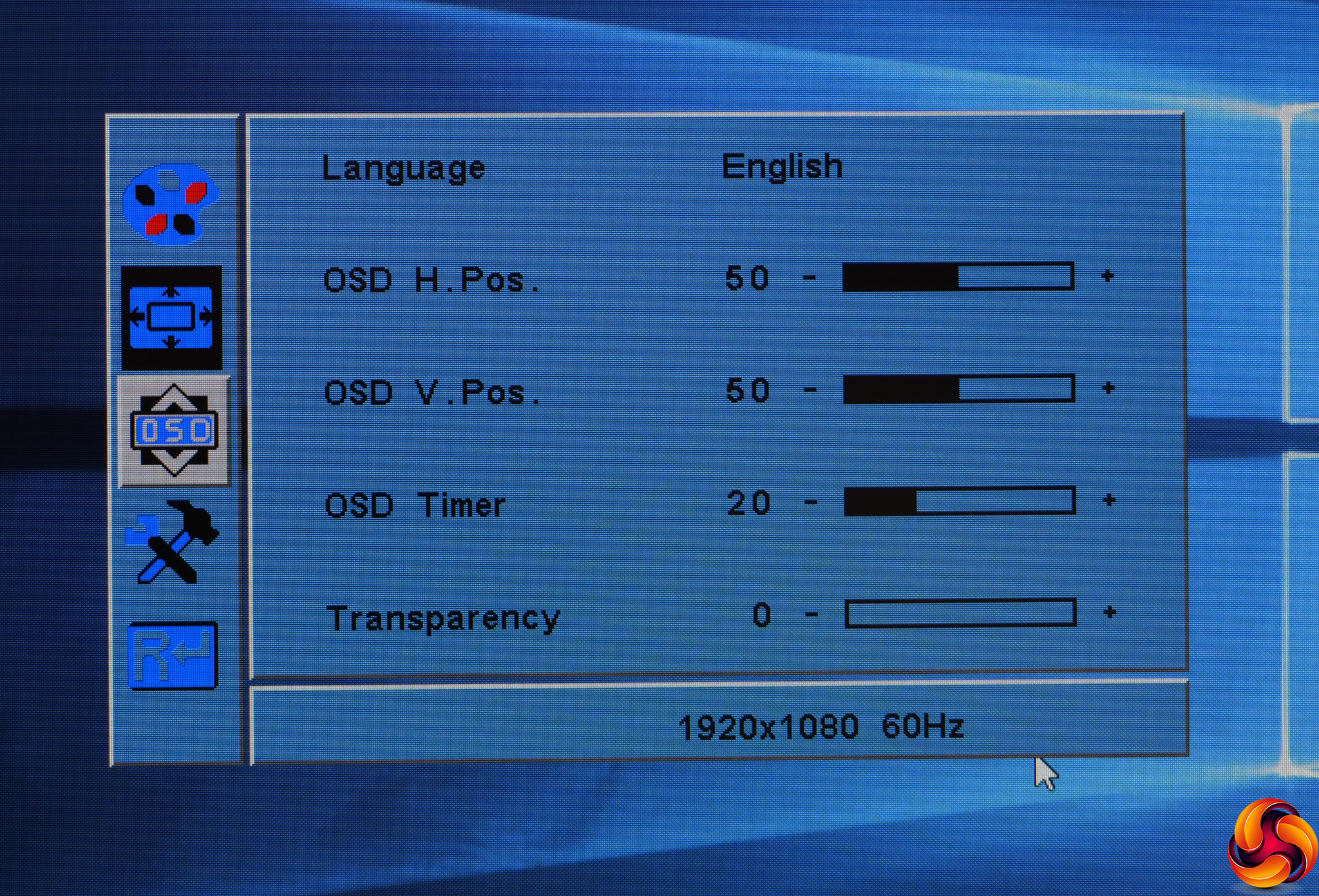
The next menu option is for positioning an analog signal, which we weren't using, so we move directly to the next one after that, which controls the positioning and transparency of the OSD.
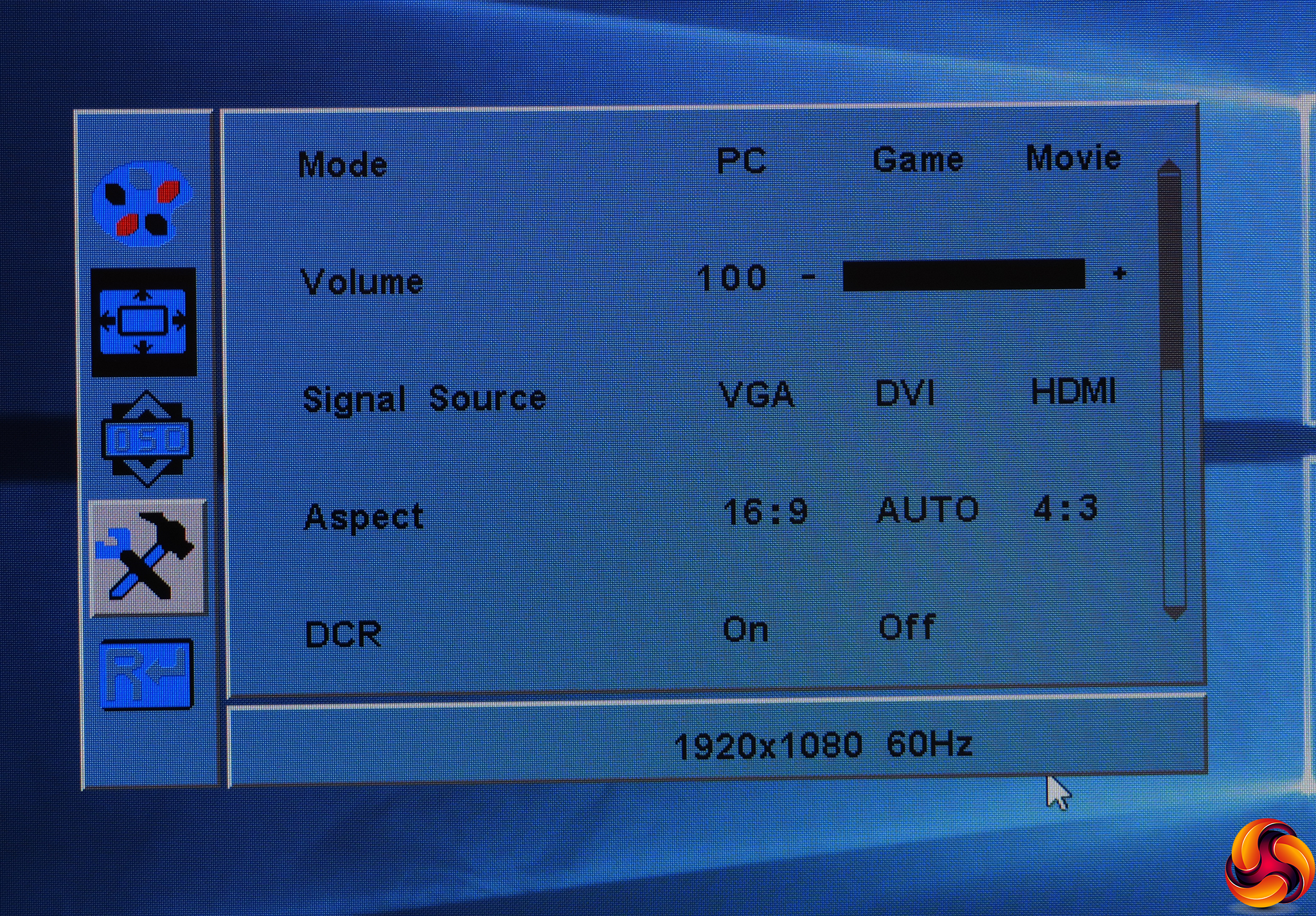
Next along is a setup option where you can invoke the PC, Game and Movie presets, adjust the speaker volume (again), select the video signal source manually (again), force an aspect ratio, and enable dynamic contrast to provide the ludicrous values mentioned in the specification. This works by raising and lowering the backlight to provide a greater perceived contrast than the screen pixels themselves can provide.
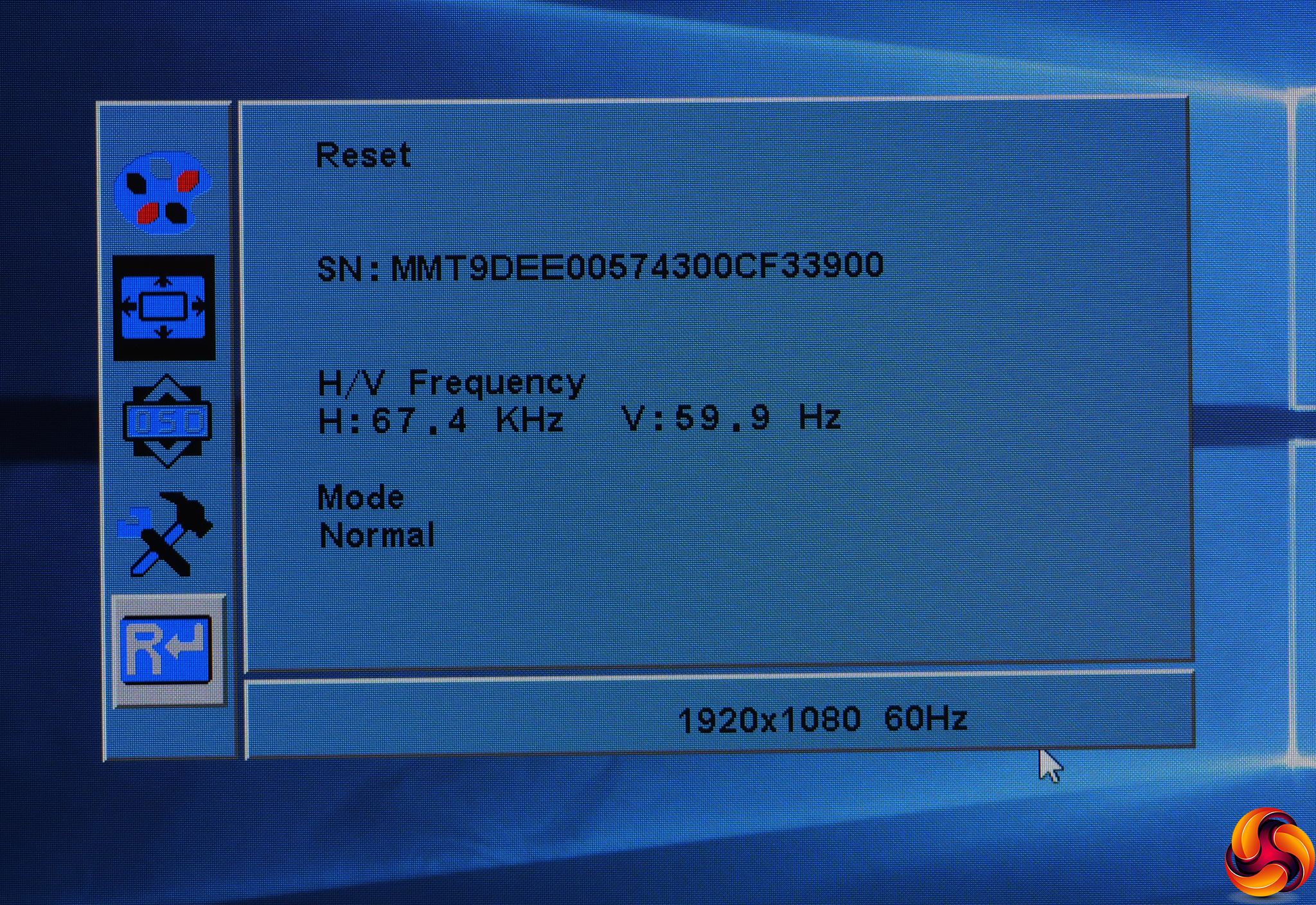
The final menu option is primarily informational, with just the ability to reset everything to default included as a function.
Overall, this is one of the most limited OSDs we've seen, with few presets, no gamma adjustment, and no bonus advanced features whatsoever. The essential basics are there, including direct RGB adjustment, but this is obviously an area where Acer has cut costs. Next, let's find out if Acer has cut costs in the quality department as well.
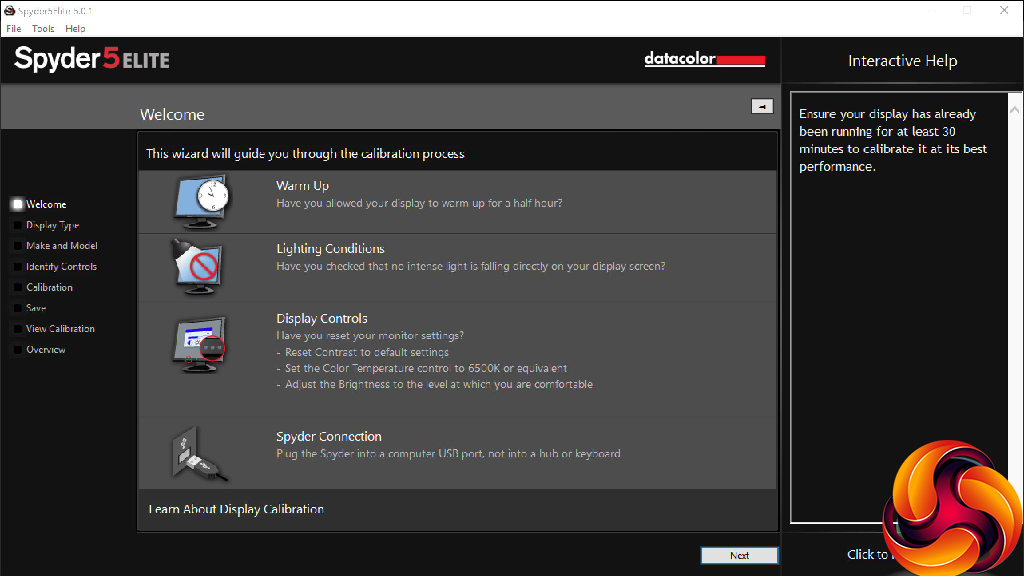
Our main test involves using a DataColor Spyder Elite 5 Colorimeter to assess a display’s image quality. The device sits on top of the screen while the software generates colour tones and patterns, which it compares against predetermined values to work out how accurate the screen is.
The results show –
- A monitor’s maximum brightness in candelas or cd/m2 at various levels set in the OSD.
- A monitor’s contrast ratio at various brightness levels in the OSD.
- The brightness deviation across the panel.
- The black and white points.
- The colour accuracy, expressed as a Delta E ratio, with a result under 3 being fine for normal use, and under 2 being great for colour-accurate design work.
- The exact gamma levels, with a comparison against preset settings in the OSD.
We first run this test with the display in its default, out-of-the-box state, with all settings on default. We then calibrate the screen using the Spyder software and run the test again.
We always test the display subjectively on the Windows desktop, using it for general tasks such as browsing and word processing, and with games as well, even if the display is not intended solely for that purpose.
We pay careful attention to any artefacts, ghosting or motion blur, and enable any gaming-specific features, such as adaptive-sync settings like G-Sync or FreeSync, using a compatible graphics card in our test PC.
We performed the quality tests on the ED273 at its native 1,920 x 1,080 resolution in the default mode, after resetting the OSD, which uses a 60Hz refresh. Our test system was equipped with an AMD Radeon Vega Frontier Edition graphics card, which also supports FreeSync.
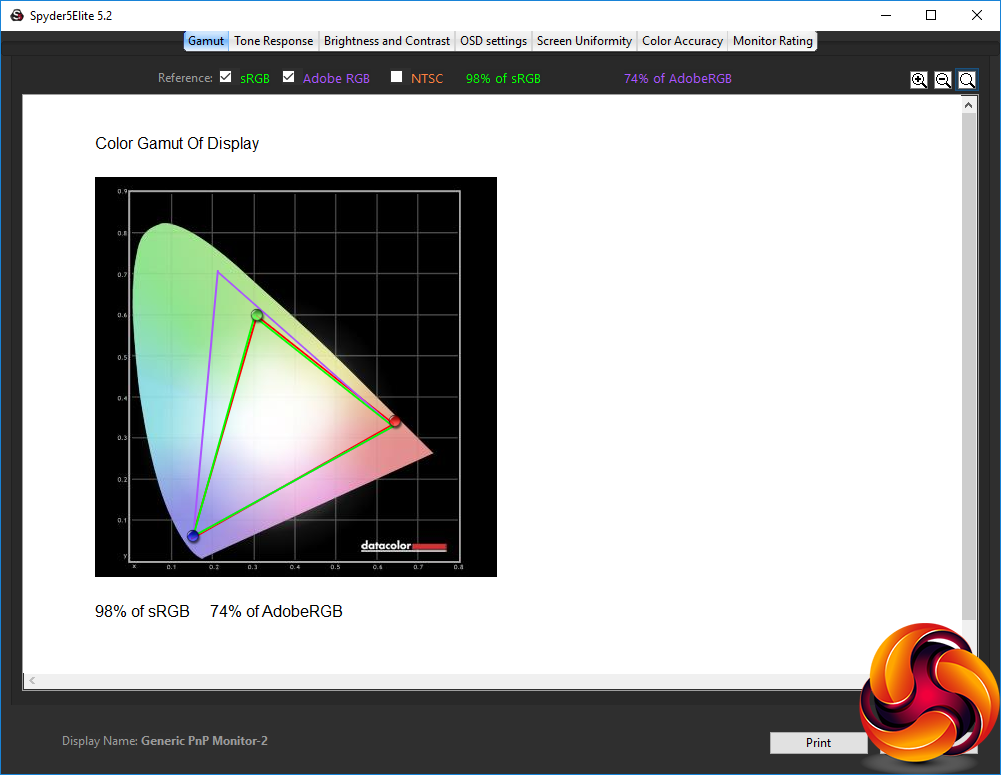
Things don't get off to a great start with the gamut. The ED273 can't even manage 100 per cent of sRGB – falling just shy at 98 per cent – and only achieves 74 per cent of AdobeRGB, which is also a rather lowly score.
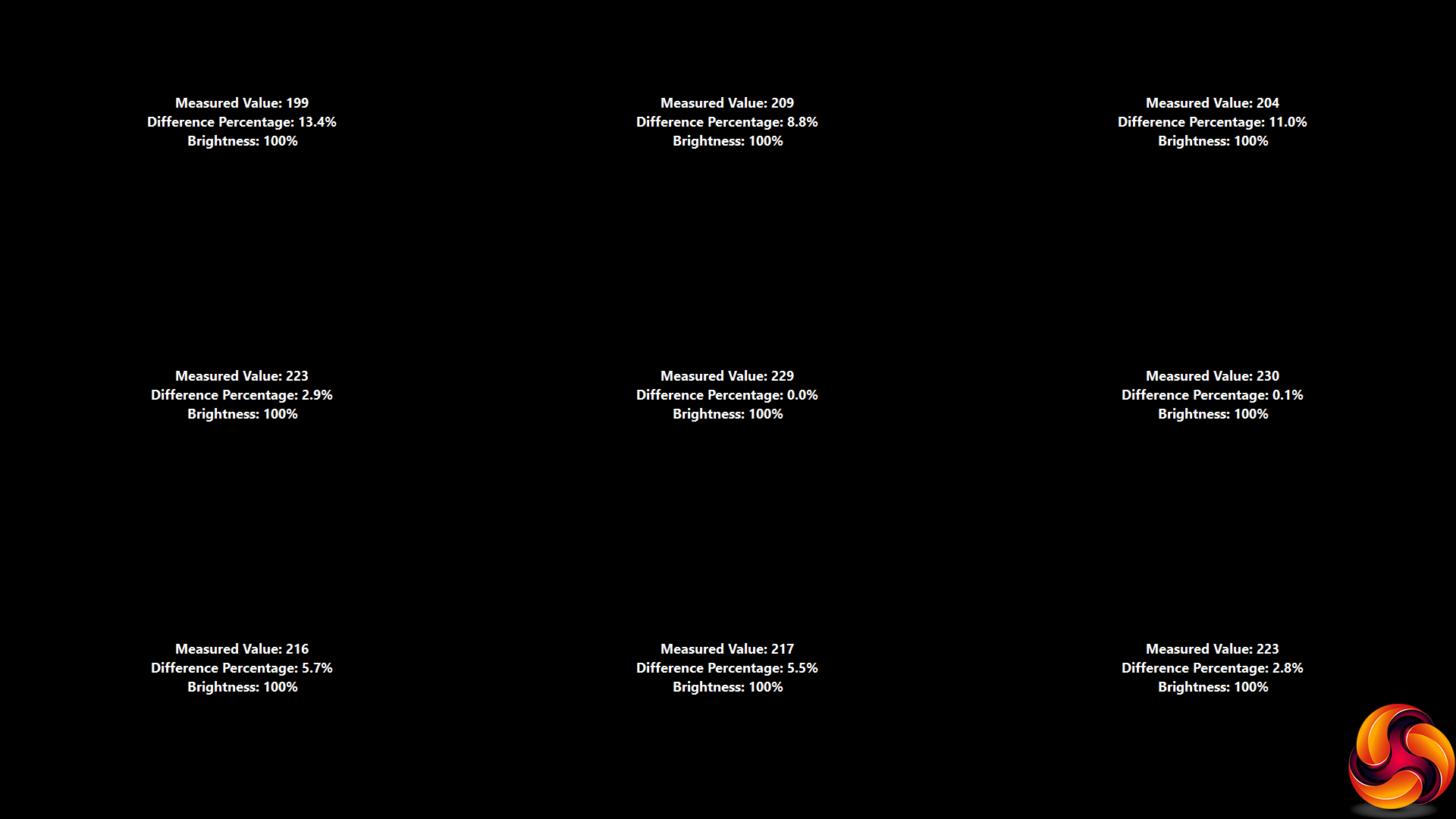
The story doesn't improve that much when it comes to brightness uniformity, with a lot of aberration along the top edge of the screen, and particularly in the top corners.
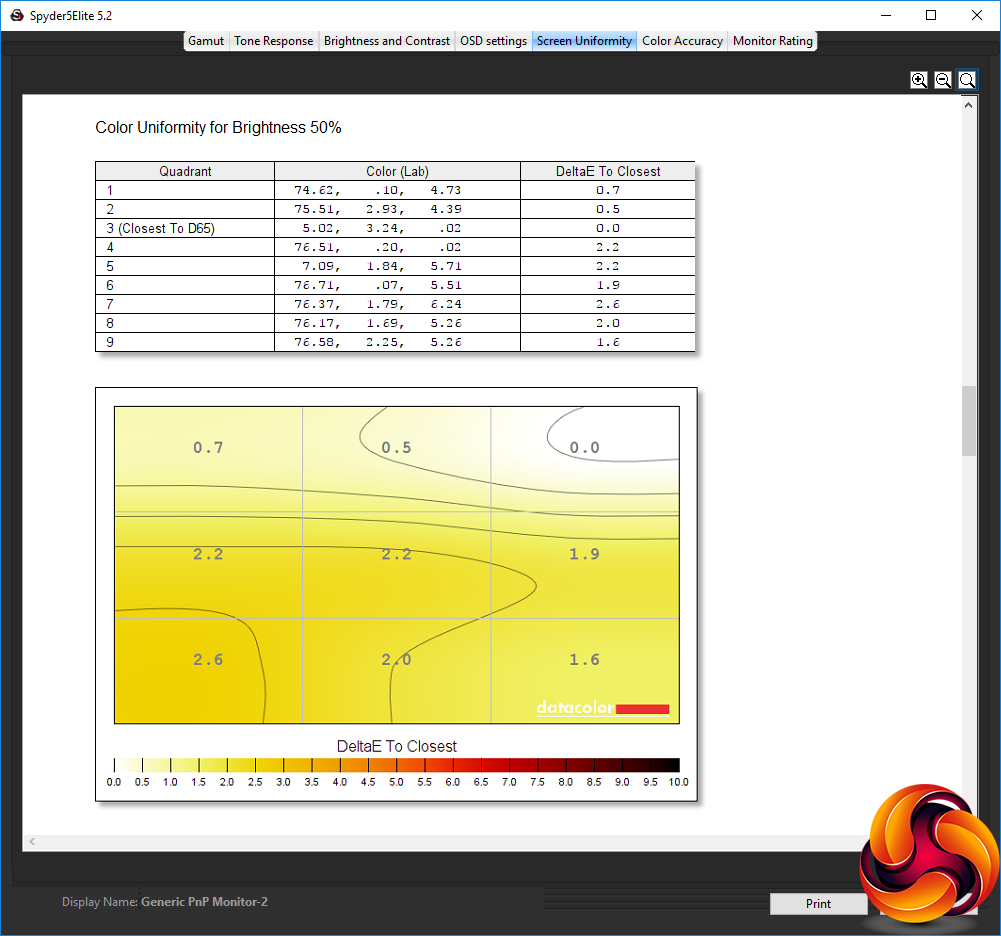
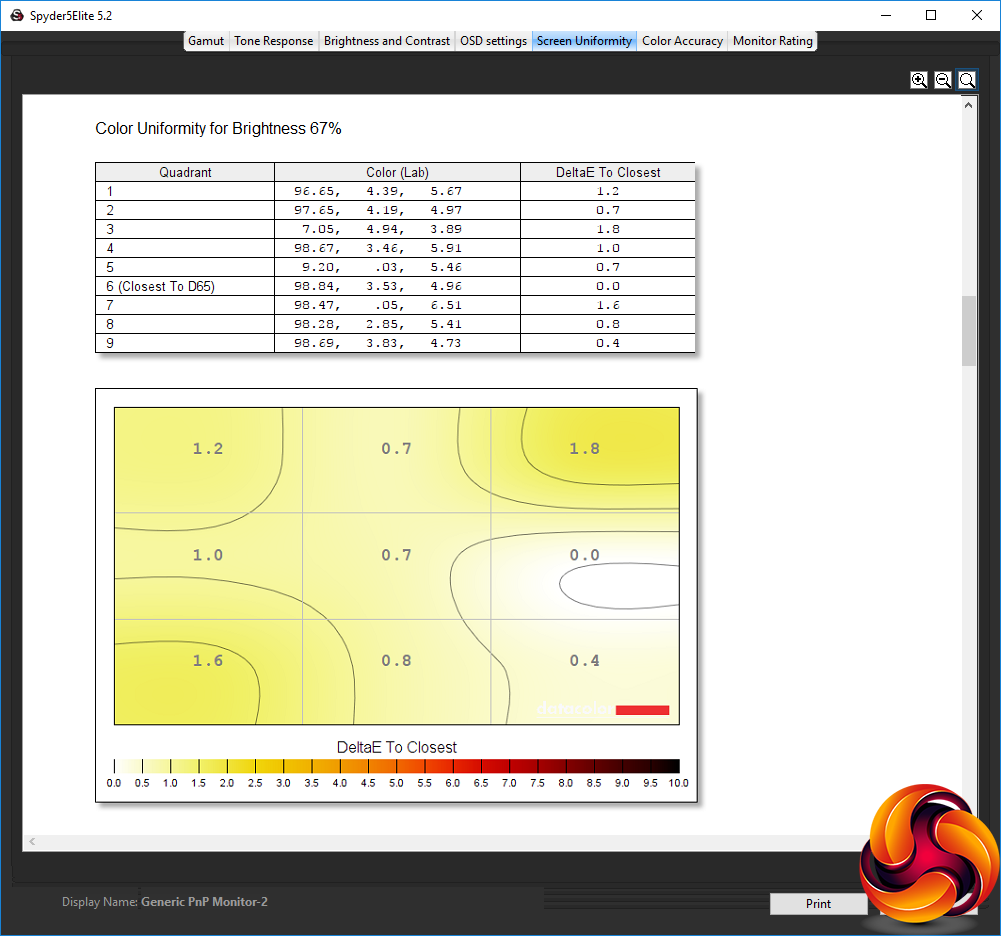
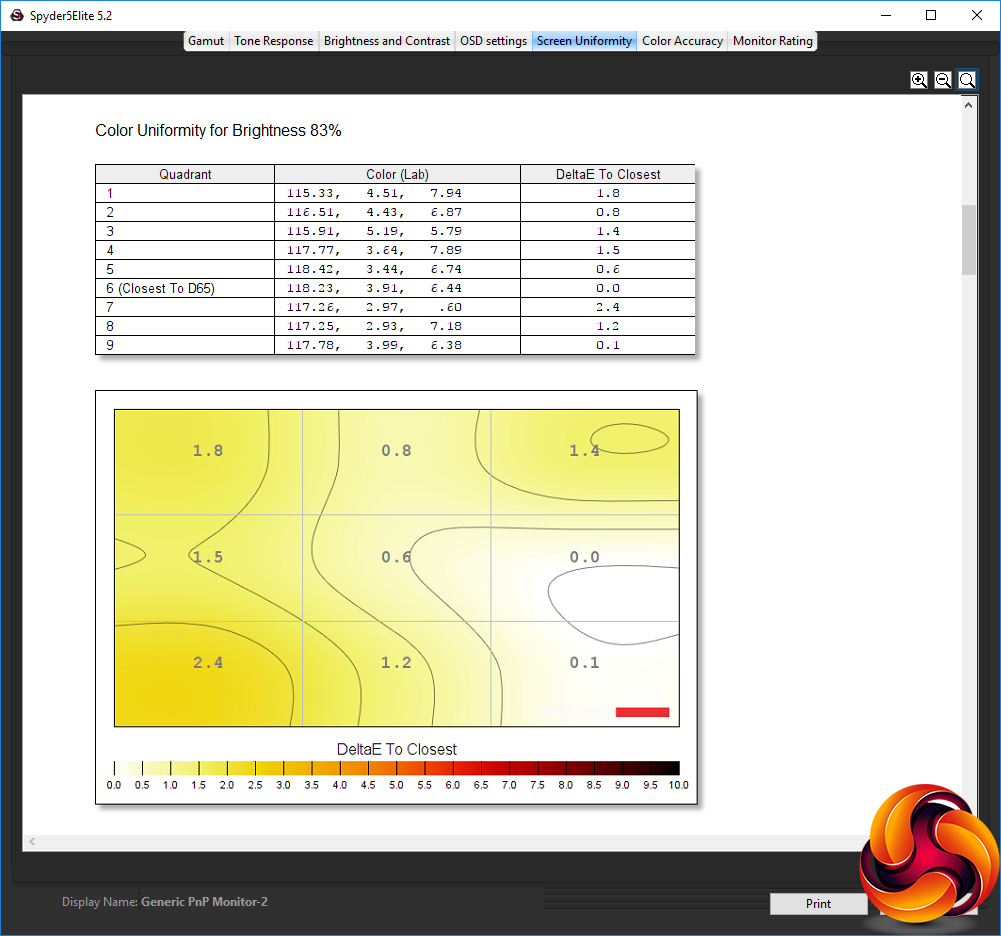
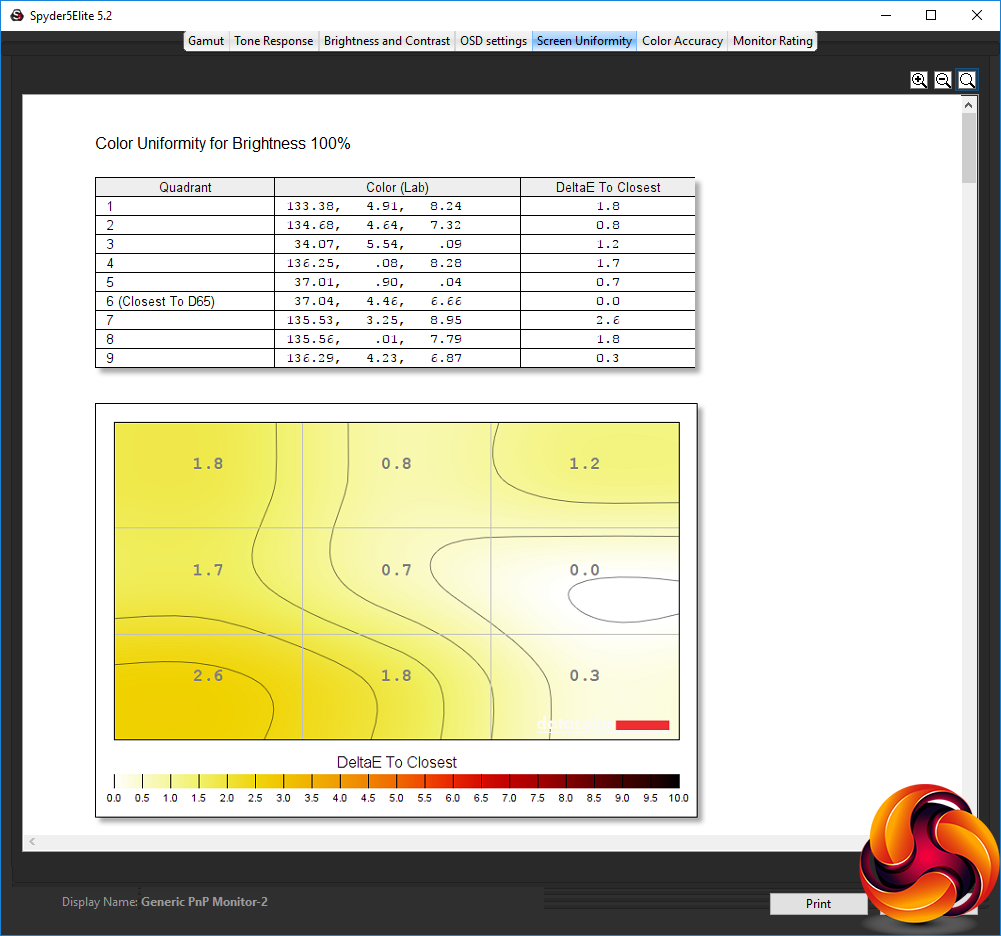
Colour uniformity, however, is much more impressive, with very little variation across the screen at any point or brightness level.
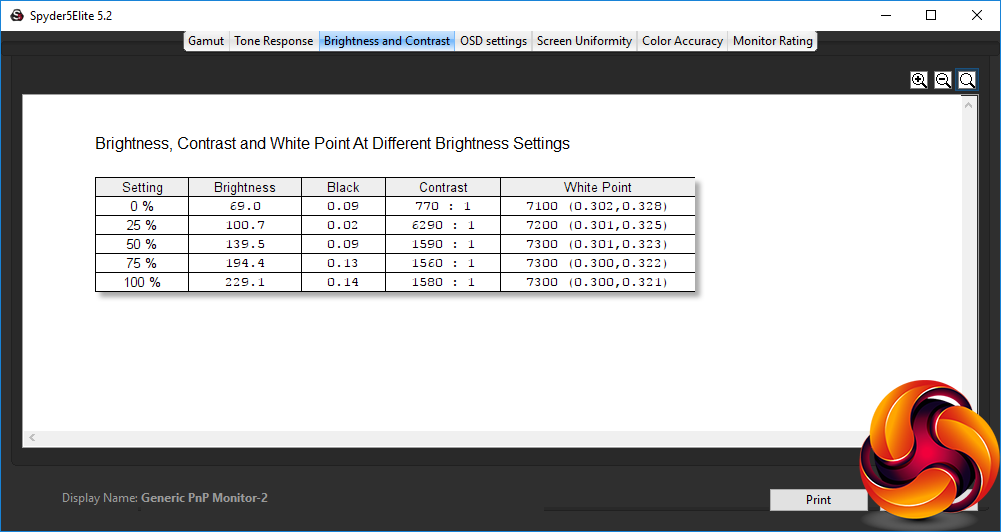
Although the extremely high contrast specification, which is with dynamic contrast enabled, isn't borne out in the real world, contrast is still very good at all brightness levels. We have come to expect good contrast from VA panels. This is not a very bright monitor, however, only achieving 229.1cd/m2 even at 100 per cent. This is below the 250cd/m2 spec. The white point is fairly consistent, sticking at 7300K at 50 per cent brightness and above. It doesn't dip too far below that at lower levels, either.
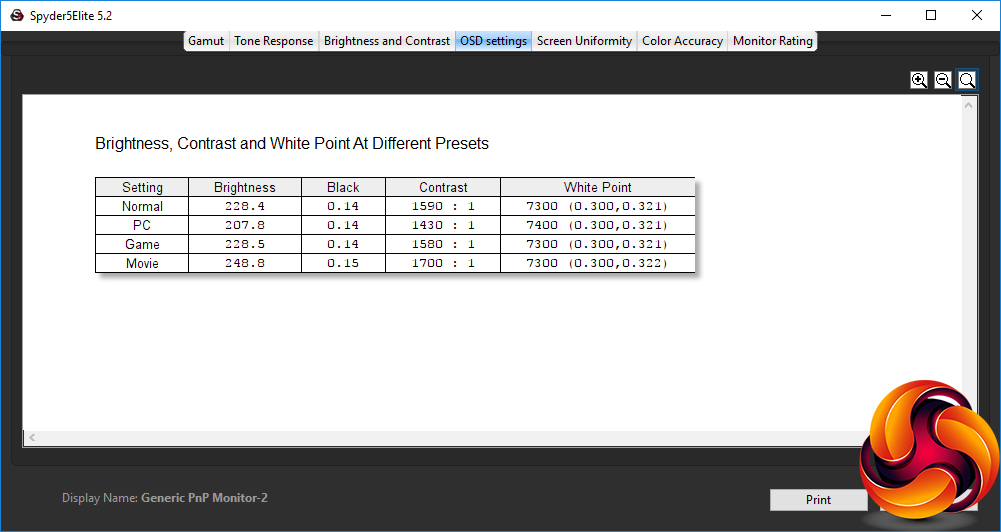
There really isn't a lot of variation between the OSD presets. You can see that the Normal and Game options are the same, because Game is actually the default mode after a reset. The PC mode has a lower brightness and slightly higher 7400K white point, while Movie mode actually achieves close to the specified 250cd/m2 brightness, with the highest 1,700:1 contrast. The black level is also marginally higher. But there really isn't much to differentiate these options other than the brightness levels.
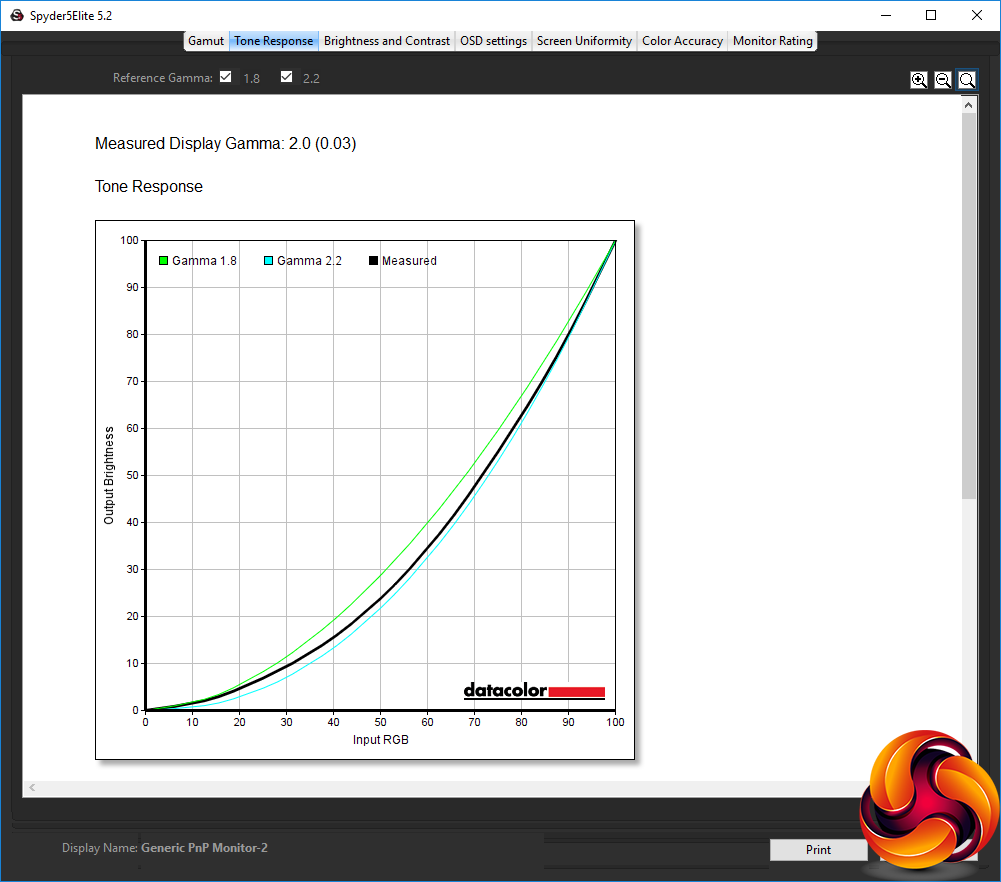
There are no gamma options on this monitor, but the default settings equate closely to 2.0. This is lower than most screens, which usually rest around 2.2.
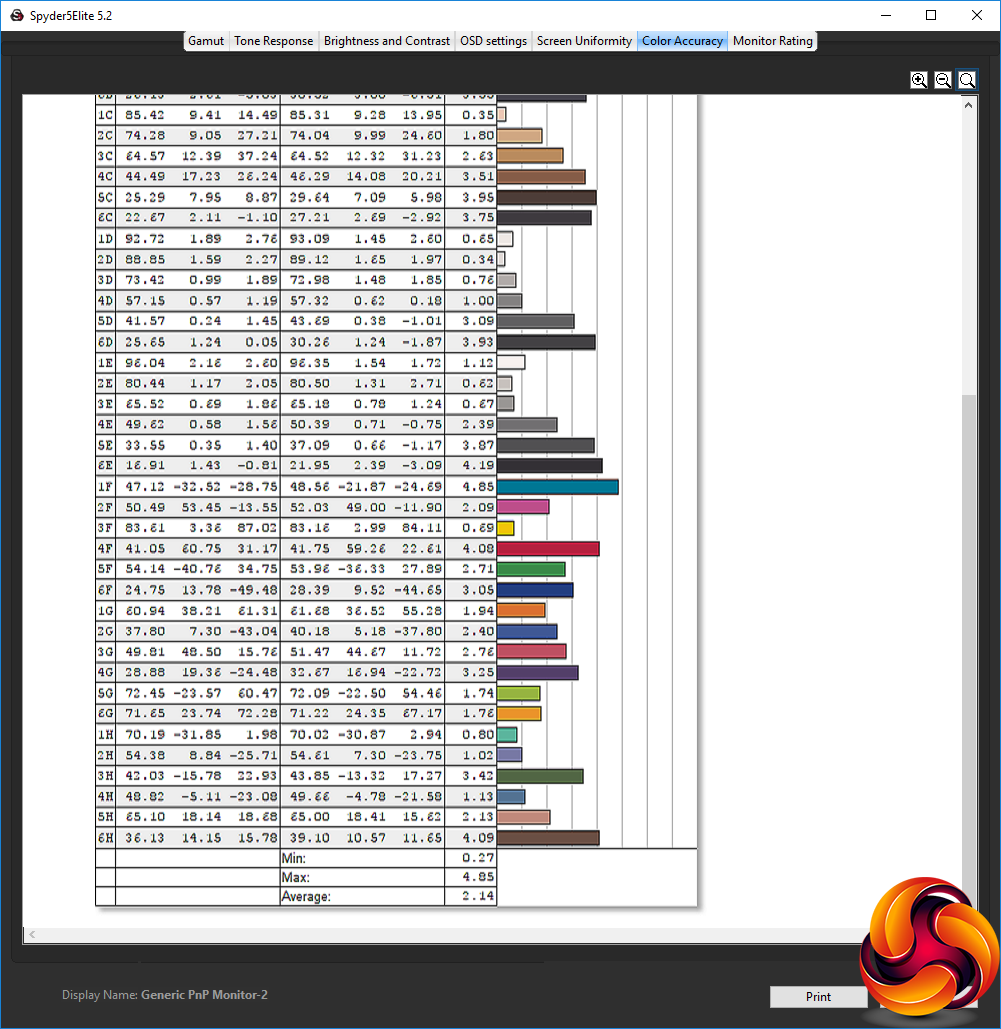
So far, this screen hasn't particularly excelled in the quality department, but the colour accuracy score isn't that bad. With an average variance of 2.14, it's not up with the very best, but punches above its price, which is definitely to be commended.
However, is it possible to squeeze a little more out of this screen with calibration? We used the Spyder's facilities to see if we could improve performance.
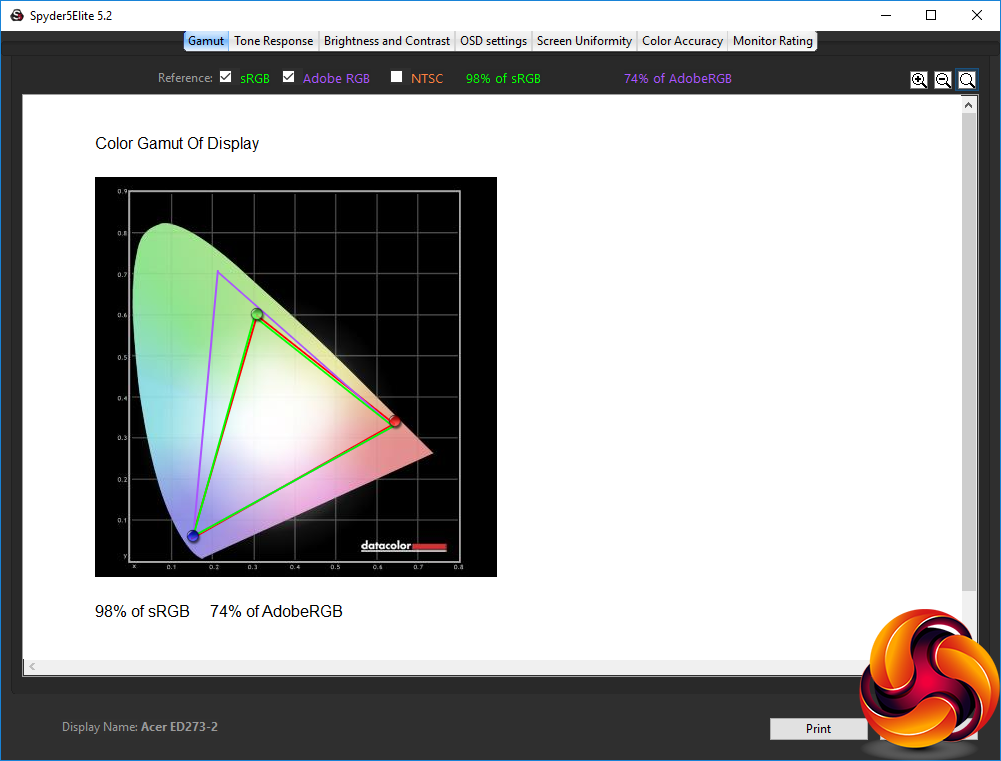
No change to the gamut, which remains as poor as it was before.
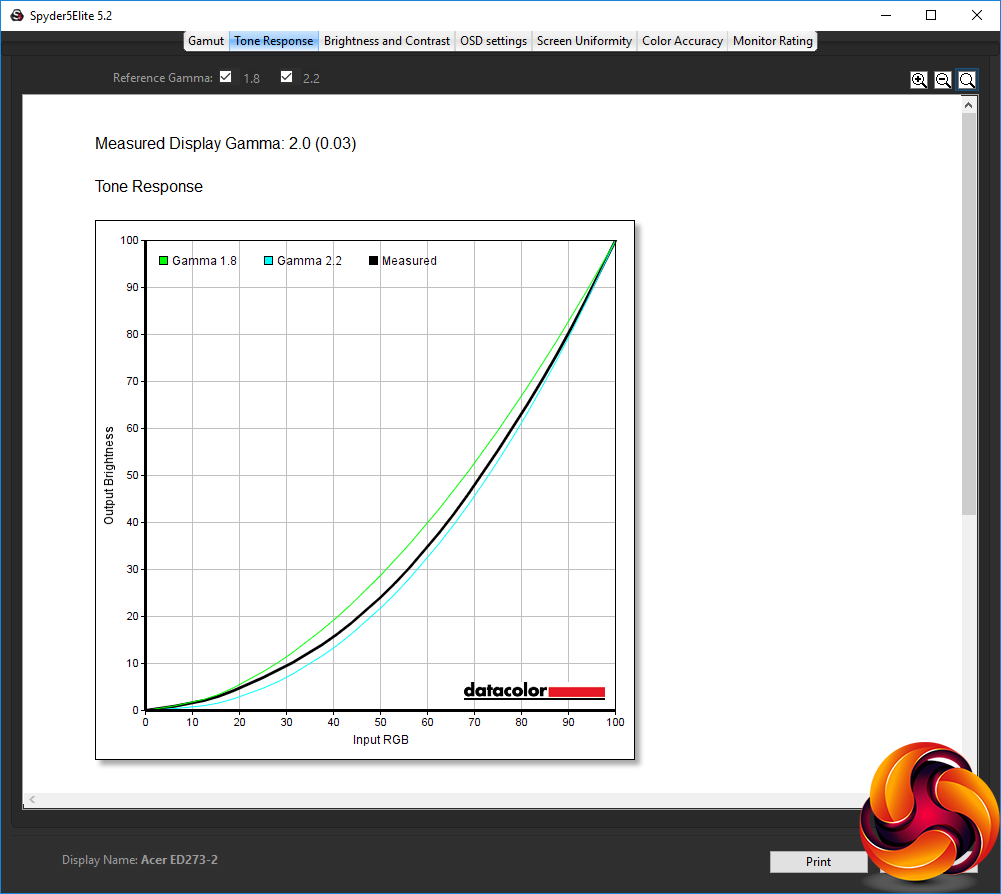
The gamma is identical, too, with a fairly solid 2.0 value.
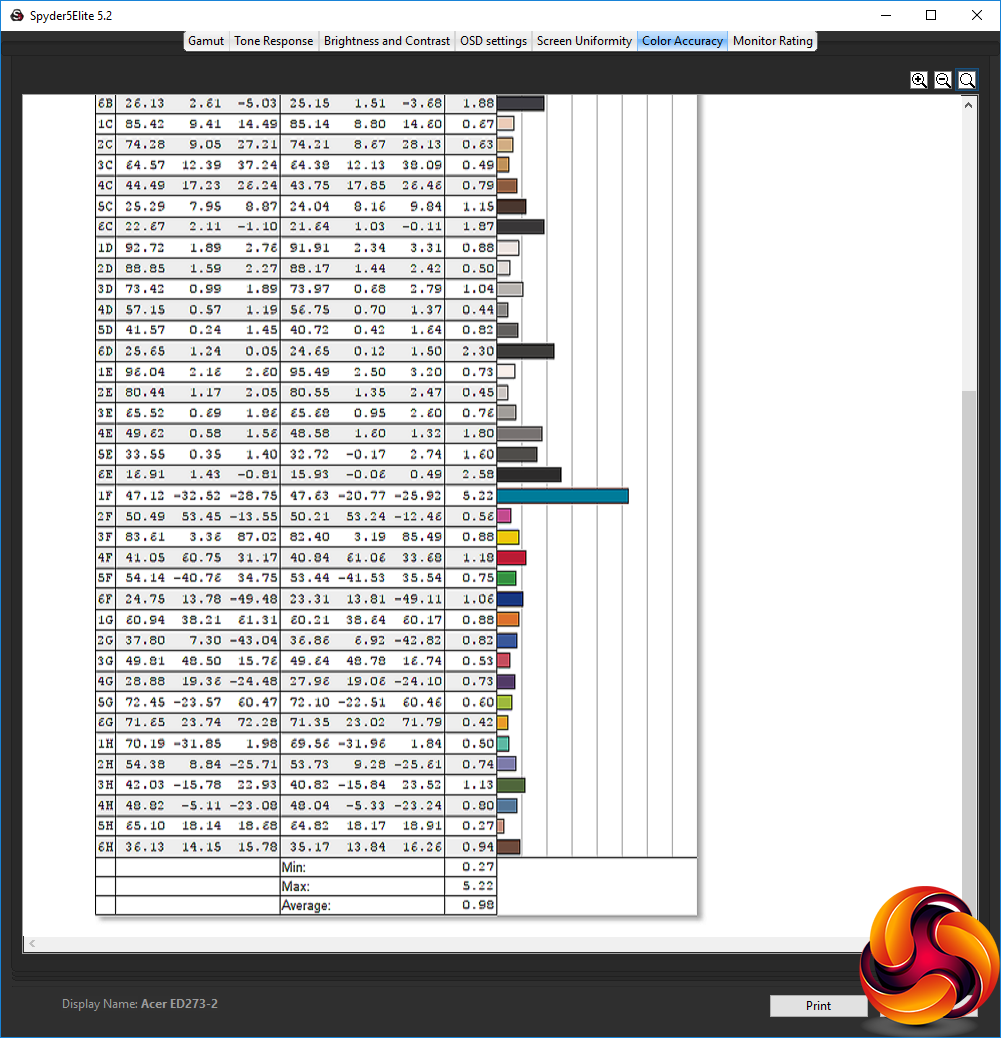
The good news is that colour accuracy is now an impressive 0.98 average variance, although there are some large variations with specific hues. You usually only see this level with premium screens.
Overall, the ED273 is a very mixed bag. The colour accuracy is decent, and excellent when calibrated. The colour uniformity is also very good. But in most other areas this is a very average screen, and lack of OSD features rather limits your options too.
We tried the screen out in everyday tasks, including a few games, and while the curviness aided immersion a little, the gaming experience in particular was average. But we have been rather spoilt by high refresh screens with adaptive synchronisation in the last couple of years, so going back to a screen without this will always seem less responsive.
The Acer ED273 is definitely not a premium monitor for a budget price. The OSD is minimal in features and clunky in design. There are some clear issues with brightness uniformity and the gamut is a bit restricted. It's also disappointing to see no DisplayPort connection on a monitor in 2018.
But on the plus side this is a 27in curved screen for well under £200, and colour accuracy is above what you would expect for this price, particularly when calibrated. Colour uniformity is also good. So the ED273 is definitely a cut above “cheap and nasty” as well.
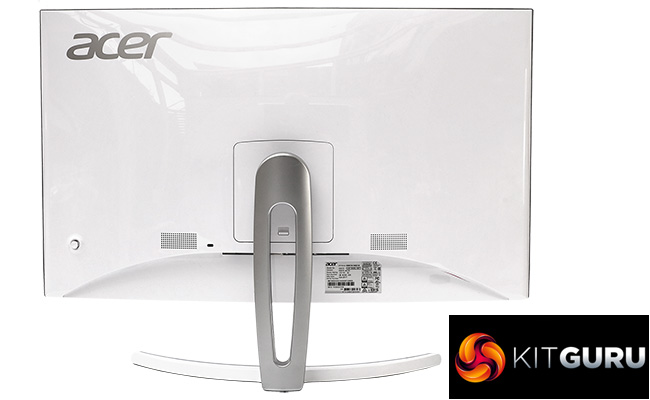
You can't really expect bonus features like a USB hub in a budget monitor, but the design of this screen doesn't look cheap either. There are at least built in speakers, which may be somewhat weedy but can be handy if you mostly use headphones anyway and don't want the extra clutter of desktop speakers.
All in all, the Acer ED273 is a decent budget choice. For under £170, you get a sizeable 27in curved screen in an attractively styled package, with very good colour accuracy for the money. If you're really serious about your gaming, look out for the ED273A version, which is essentially the same panel but with upgraded circuitry to provide 144Hz refresh, for around £60 more. That could be an even greater bargain, as it has a DisplayPort connection as well and could provide a very lost cost entry point for high framerate FreeSync gaming.
The Acer ED273 is available from Amazon for £168.20 HERE.
Pros:
- Great value for 27in curved screen.
- Good colour accuracy, and excellent when calibrated.
- Good colour uniformity.
- Built-in speakers.
Cons:
- Limited OSD options.
- Restricted gamut.
- Poor brightness uniformity.
- No DisplayPort connection.
- No USB hub.
KitGuru says: The Acer ED273 is great value for a curved 27in screen, although it has a limited OSD and slightly narrow gamut.