KitGuru KitGuru.net – Tech News | Hardware News | Hardware Reviews | IOS | Mobile | Gaming | Graphics Cards


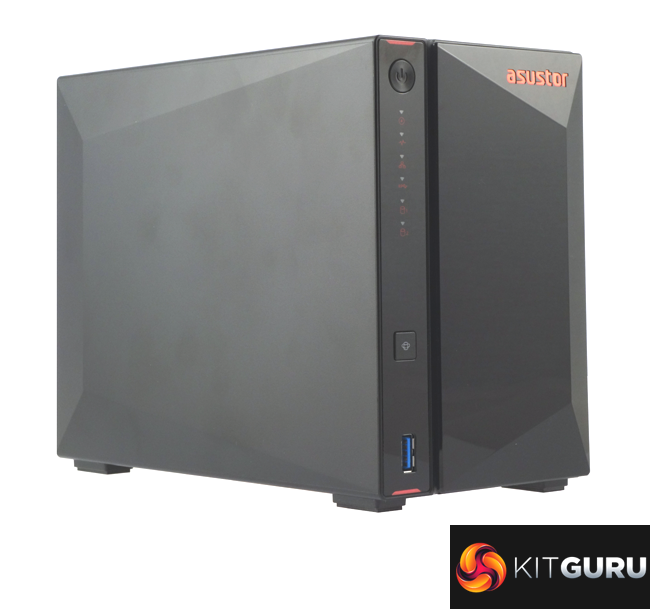
The 2-bay AS5202T NAS is one of the first members of a new product line from Asustor called Nimbustor, alongside a 4-bay AS5304T model – the AS5304T is the Nimbustor 4, while the AS5202T is the Nimbustor 2. The new model line sees a world's first, with the introduction of 2.5-Gigabit Ethernet ports to the Asustor range and both Nimbustor models come with a pair of 2.5GbE ports.
At the heart of the AS5202T is an Intel Celeron J4005 Dual-Core CPU. The 14nm J4005 is clocked at 2.0 GHz, with a boost speed of up to 2.7GHz, and supports DDR4/LPDDR4 memory up to 2400MHz. Our review sample came with a single 2GB DDR4-2400 module installed in one of the two SO-DIMM slots but the motherboard supports a maximum of 8GB (2 x 4GB).
Headline Sequential speeds quoted by Asustor are reads of 563MB/s with writes at 561MB/s. However, the devil is in the detail as these figures were obtained using both 2.5GbE connections set up in a Link Aggregation mode. With a single 2.5GbE connection the official figures is 283 MB/s for both reads and writes. The AS5202T also has a dedicated hardware AES 256-bit encryption engine.
Asustor back the NAS with a 3-year warranty.
Physical Specifications
- Processor: Intel Celeron J4005 Dual-Core 2.0 GHz (burst up 2.7GHz).
- Memory: 2GB DDR4-2400.
- Gigabit Ethernet Ports: 2 x 2.5.
- Rear panel connectors: 2 x USB 3.2 Gen 1, 1 x HDMI 2.0a.
- Front panel connectors: 1 x USB 3.2 Gen 1.
- RAID support: JBOD, RAID 0, 1.
- Cooling: Active, 1 x 70mm.
- Drive Bays Supported: 2.
- Maximum hard drive size supported: 16TB.
- Maximum Capacity: 32TB.
- Internal File System support: Default EXT4 but also supports Btrfs.
- Dimensions (D x W x H): 230 x 114 x 170mm.
- Weight: 1.6kg.
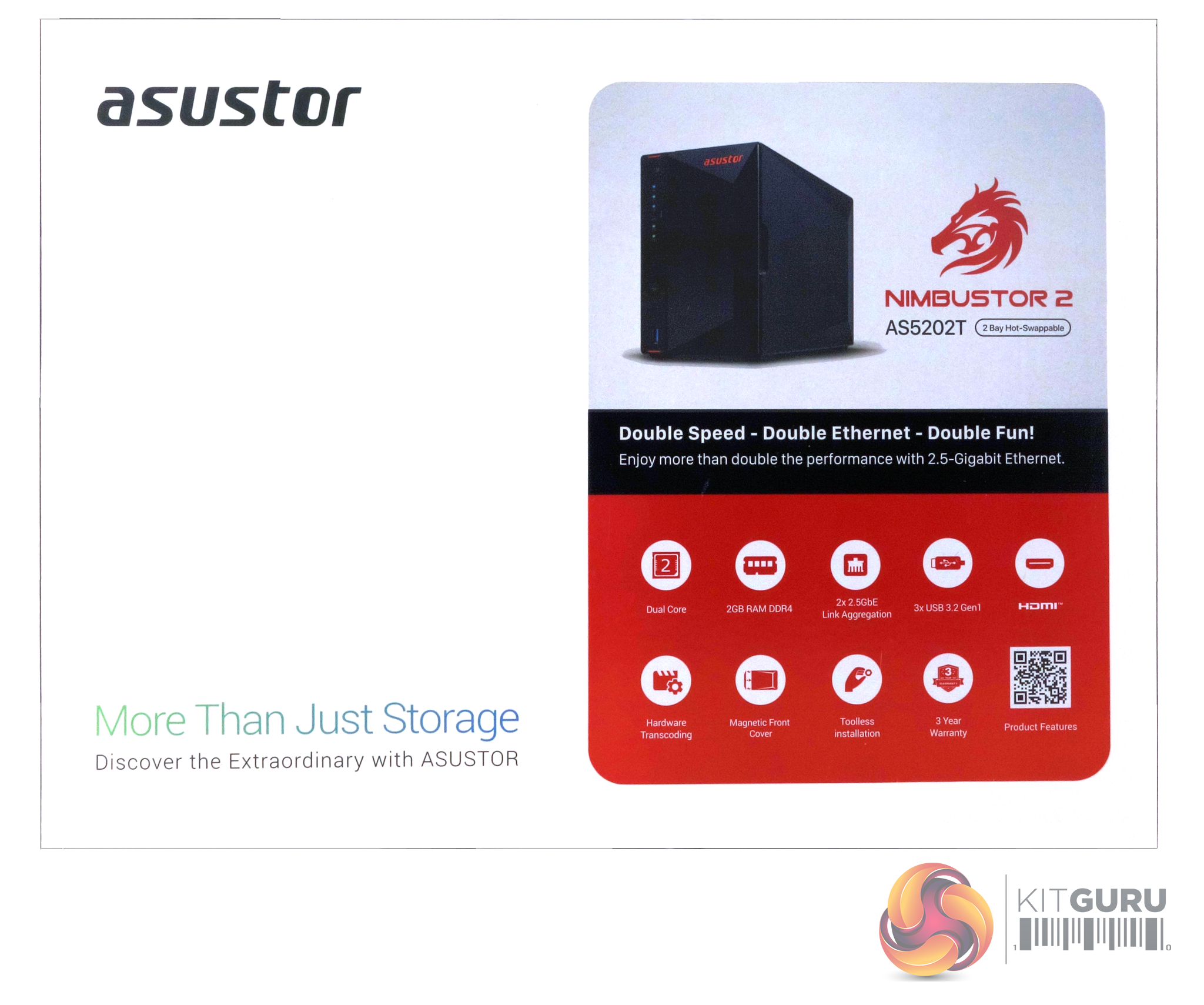
The AS5202T comes in a compact box. The front of the box has a large sticker on it displaying an image of the drive along with the model number and dragon head Nimbustor logo.
The rear of the box is just plain black with the Asustor name picked out in white.
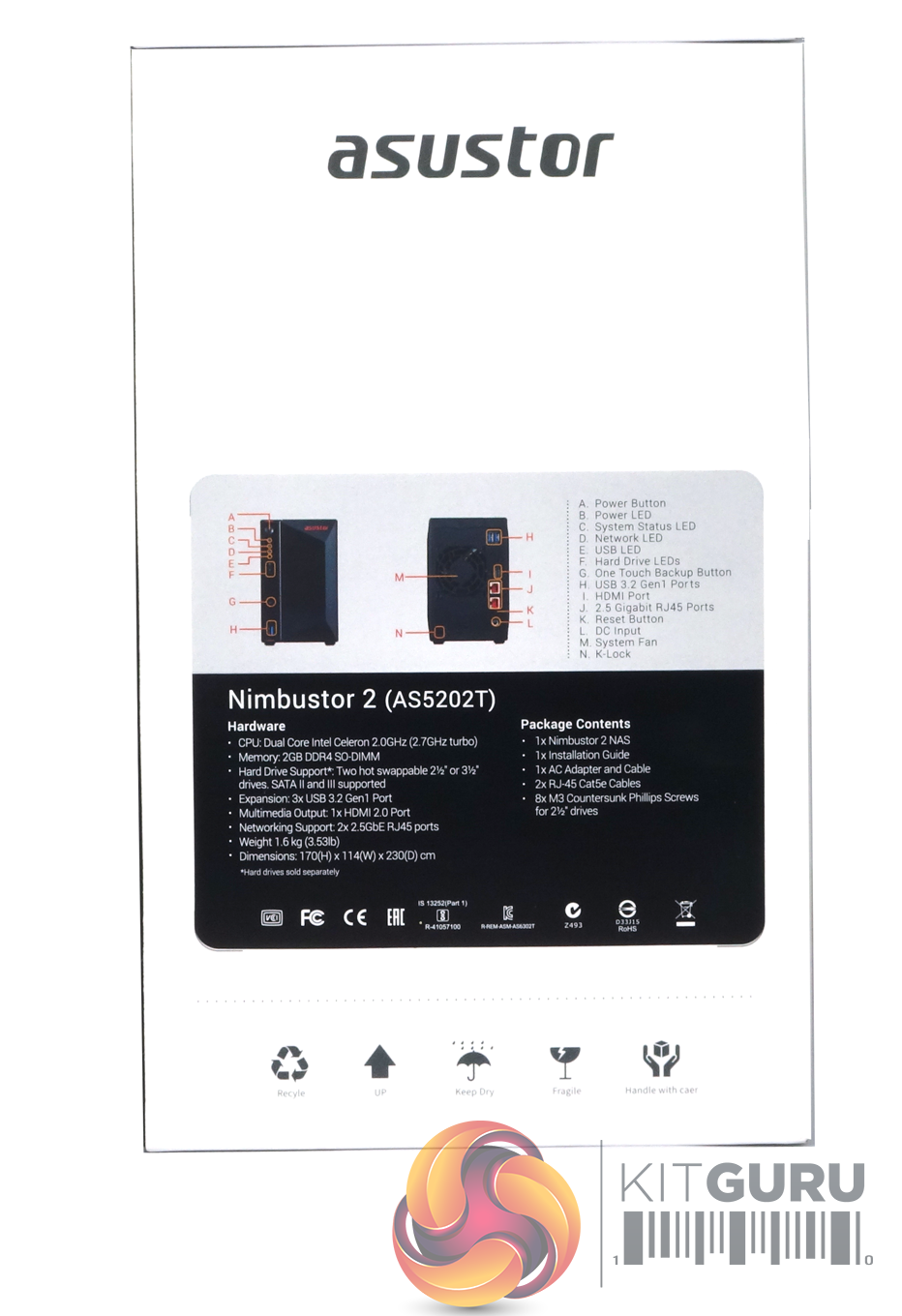
One end of the box has a sticker with images of the front and rear of the unit showing a list of external features. Under this is a panel displaying a detailed list of the hardware inside the NAS and the contents of what's bundled in with the NAS.
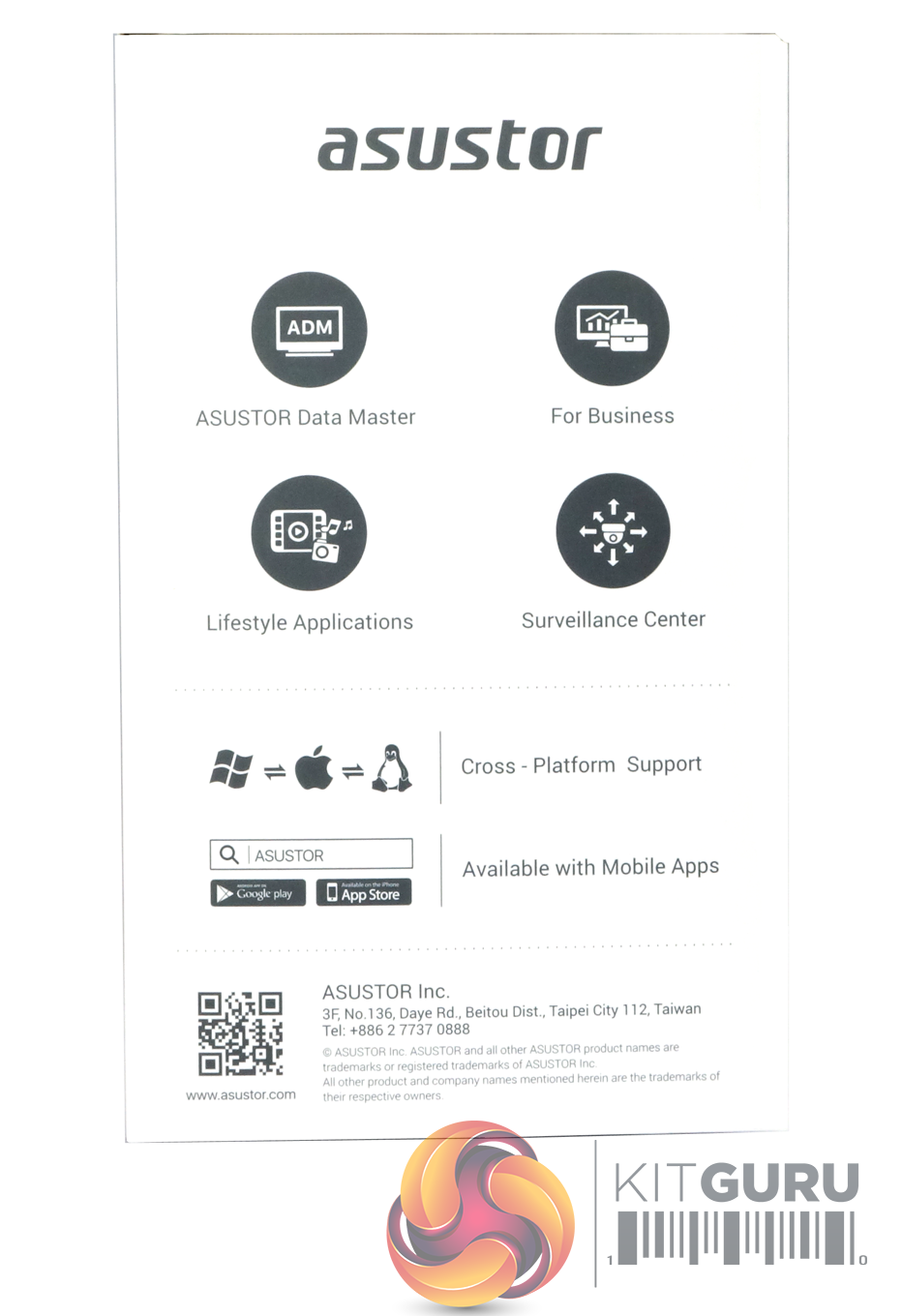
The other end panel displays icons for; Asustor Data Master, For Business, Lifestyle Applications and Surveillance Center. Under this are icons displaying cross platform support and mobile app support.
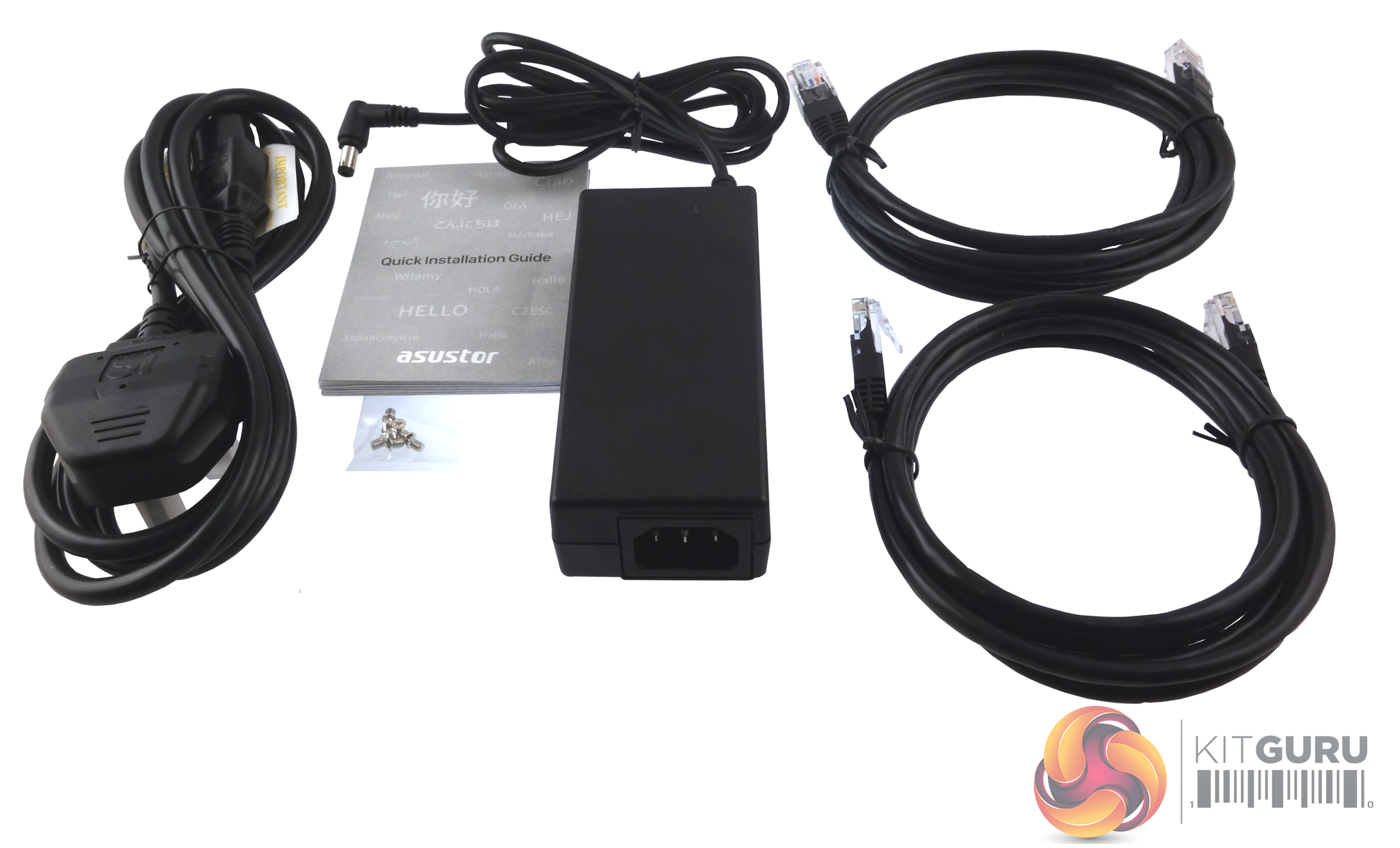
The box bundle contains a Delta Electronics DPS-65VB 65W power adapter, a pair of Cat5e LAN cables, enough screws to secure 2.5 drives in the drive bays if required and a Quick Start Guide.
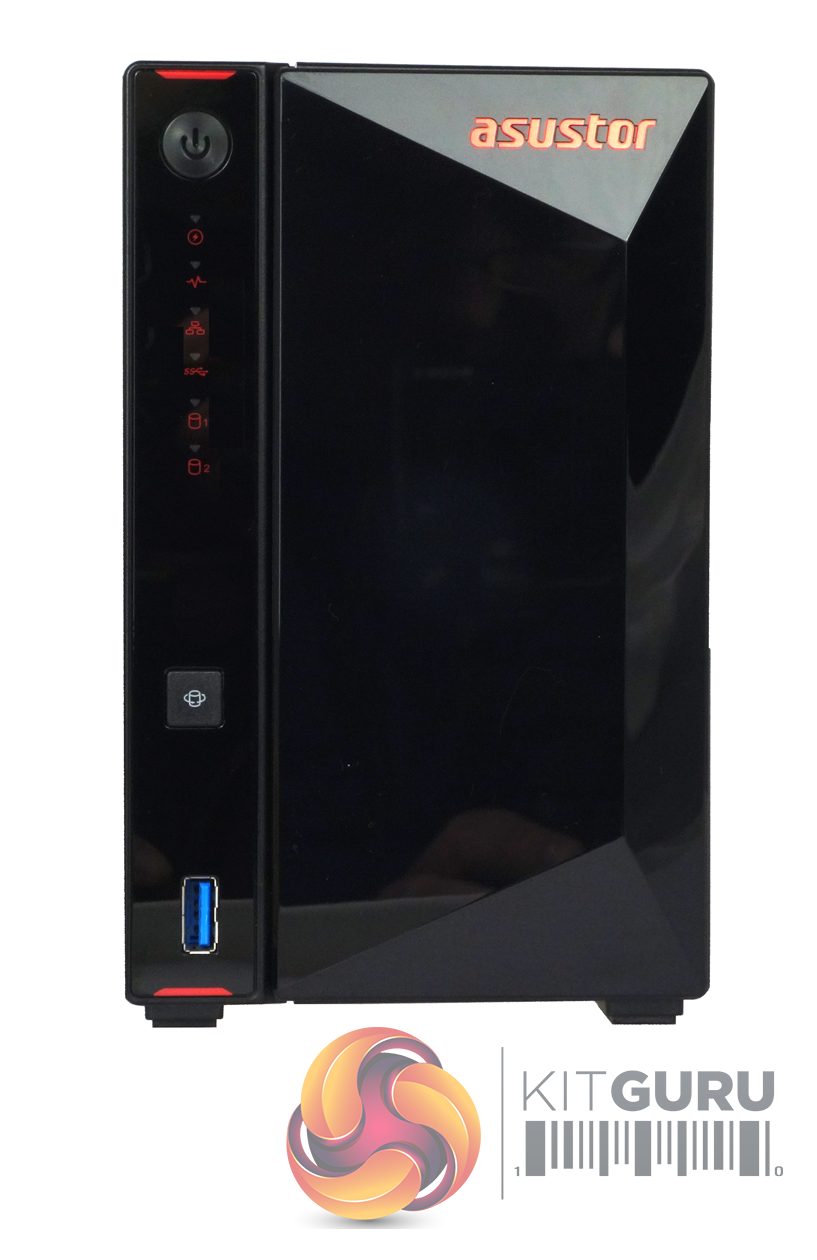
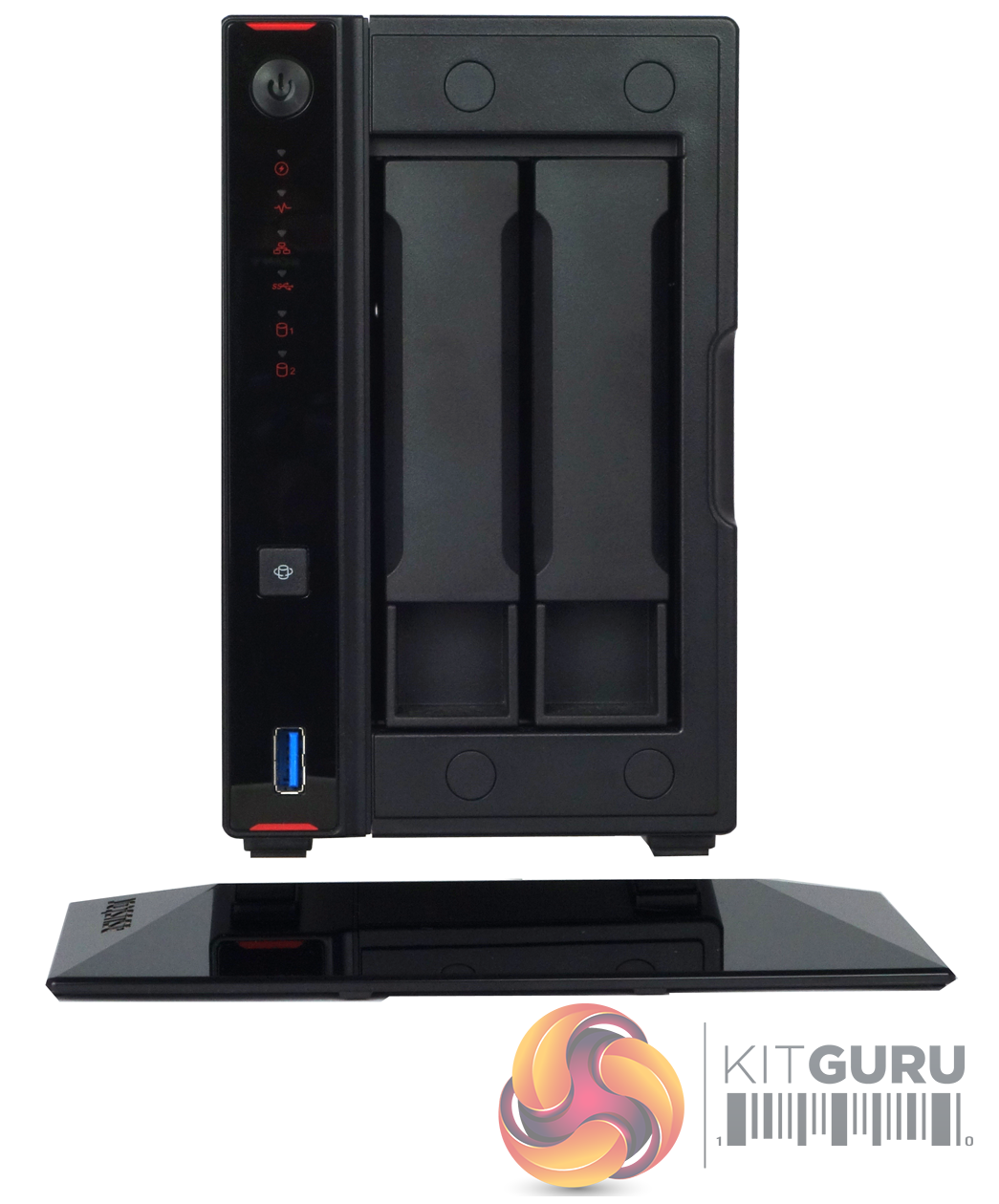
The AS5202T is a compact two-bay NAS, measuring 230 x 114 x 170mm (D x W x H), and it sports Asustor's diamond-cut exterior design that was introduced with the AS40**T family. However, the detailing finishes for the NAS are different as befitting the new Nimbustor series (AS5202T & AS5304T) so that the Asustor name, top and bottom flashes of the power button panel and labels for the LEDs are now finished in red.
Most of the front bezel is the cover for the pair of vertically mounted drive bays. This cover is held on by four small magnets making it very quick and easy to access the drives. To the left of the cover sits the power button and the LED indicators. From top to bottom these are; power, system status, network (glows blue for 1GbE, purple for 2.5GbE), USB and finally two LEDs displaying hard drive activity/status. Below these sits the One Touch copy button for the front USB 3.1 port that sits towards the bottom of this front side of the NAS.
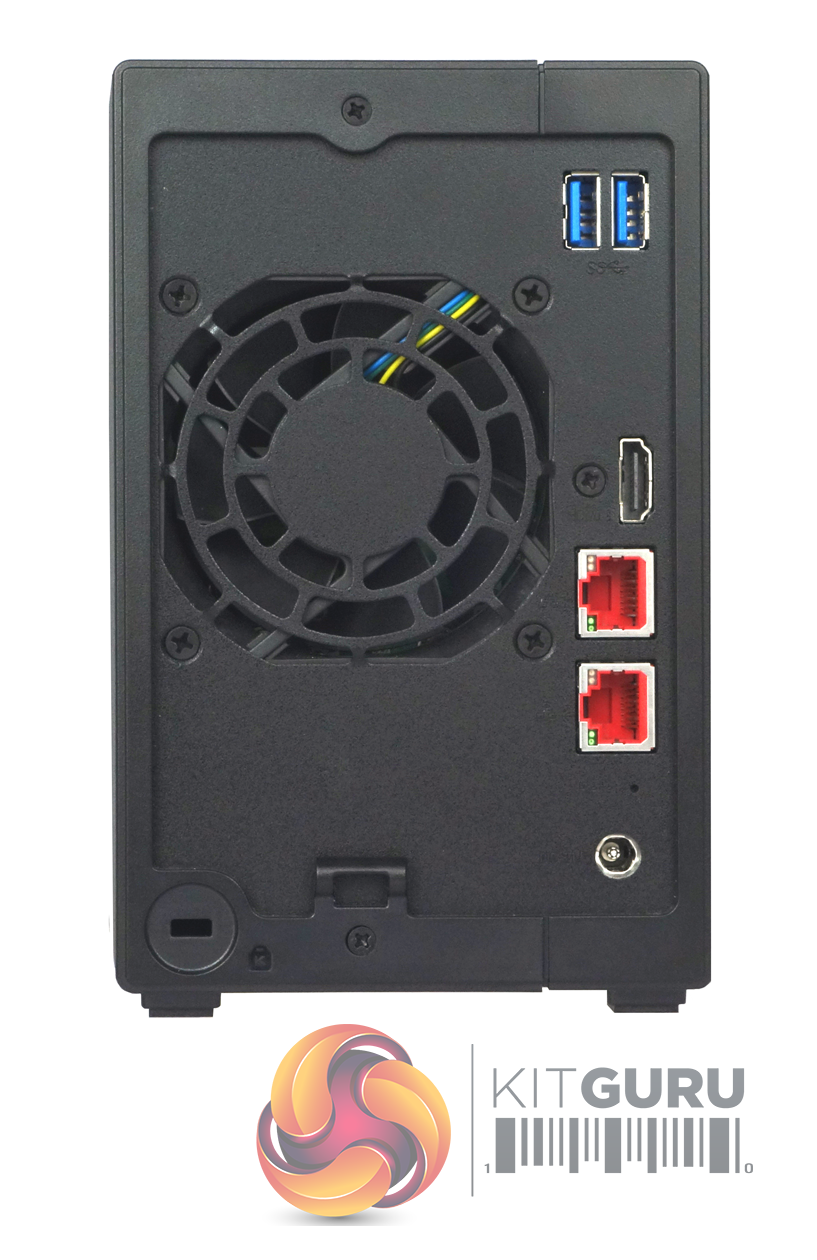
The rear panel of the NAS is dominated by the grill for the 70mm cooling fan. To the upper right of the fan sit a pair of USB 3.2 Gen 1 ports. Sitting beside the grill are the pair of 2.5GbE ports, above which sits a HDMI 2.0a port.
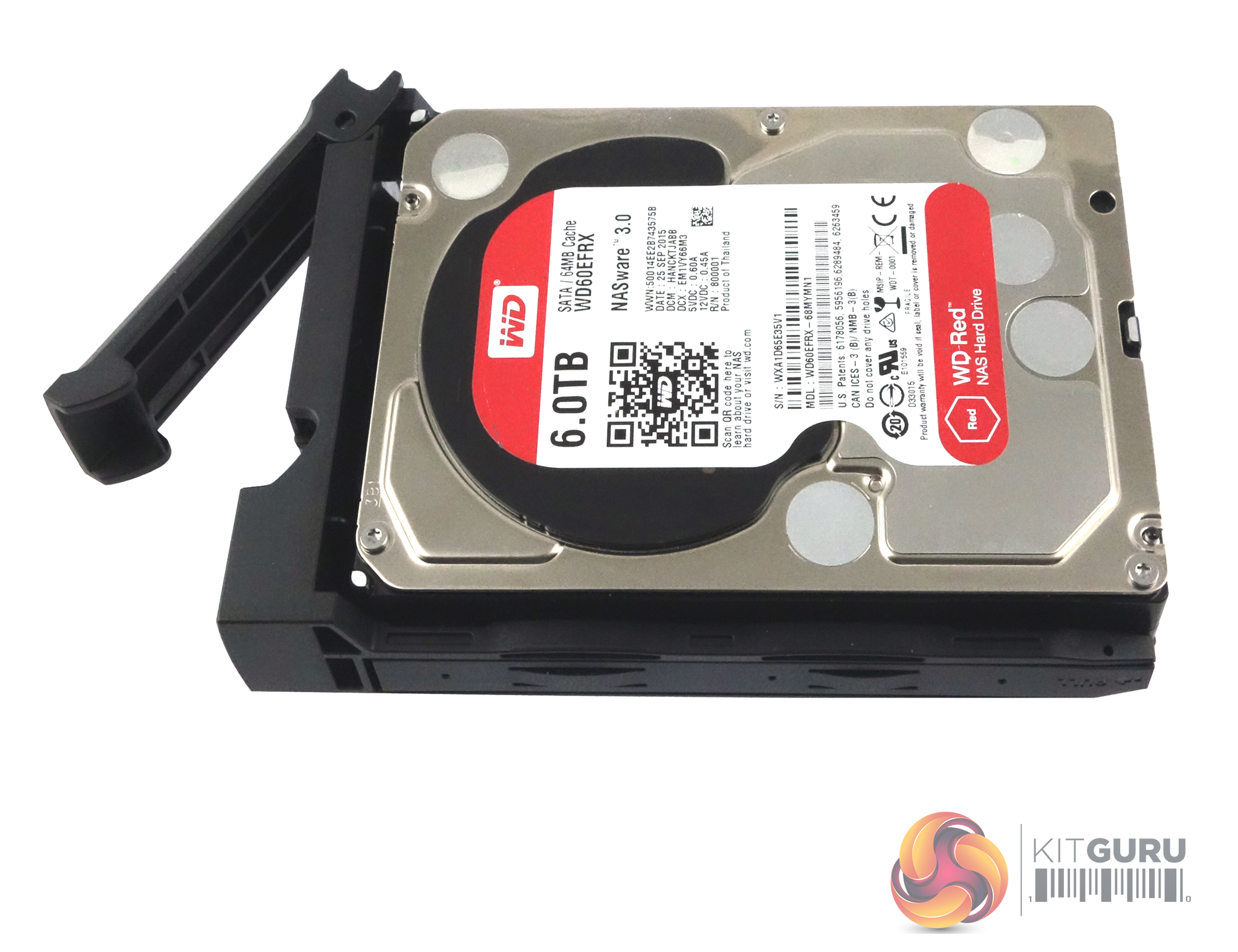
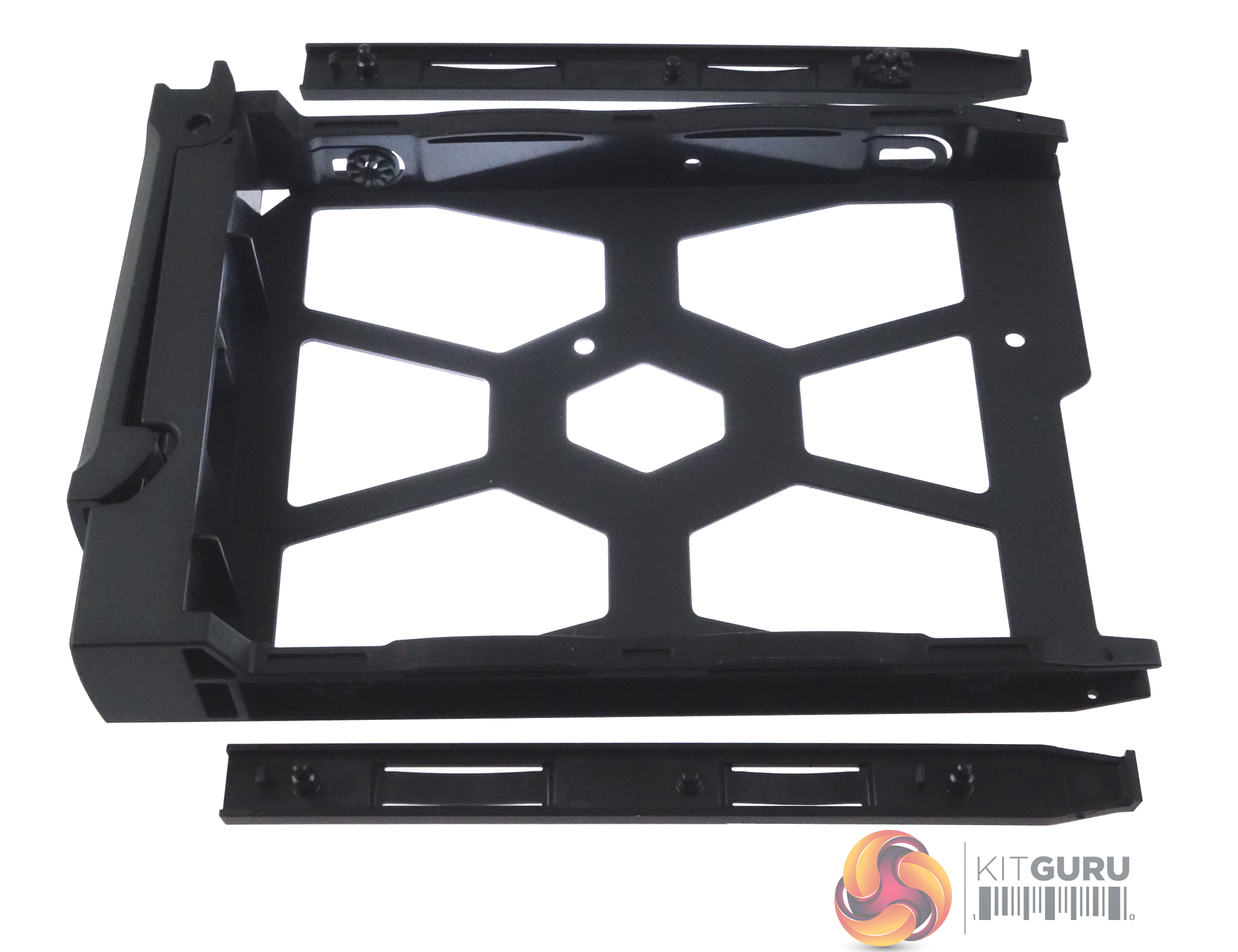
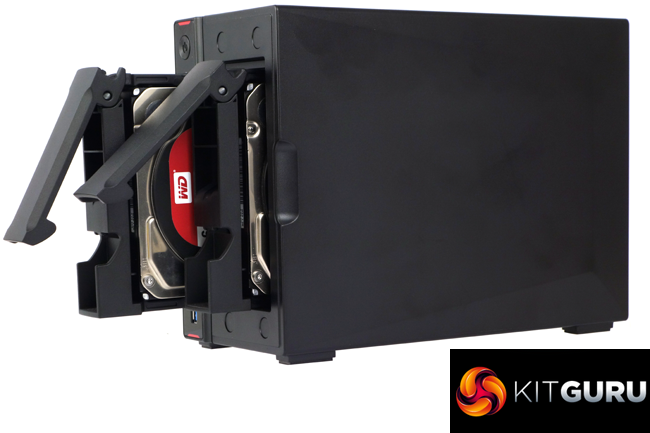
The AS5202T uses a tool free system to hold the hard drives in place. Two plastic strips with built-in pins fit into the sides of the drive tray with the pins pushing through a vibration deadening grommet into the hard drive sides. It’s simple but very effective.
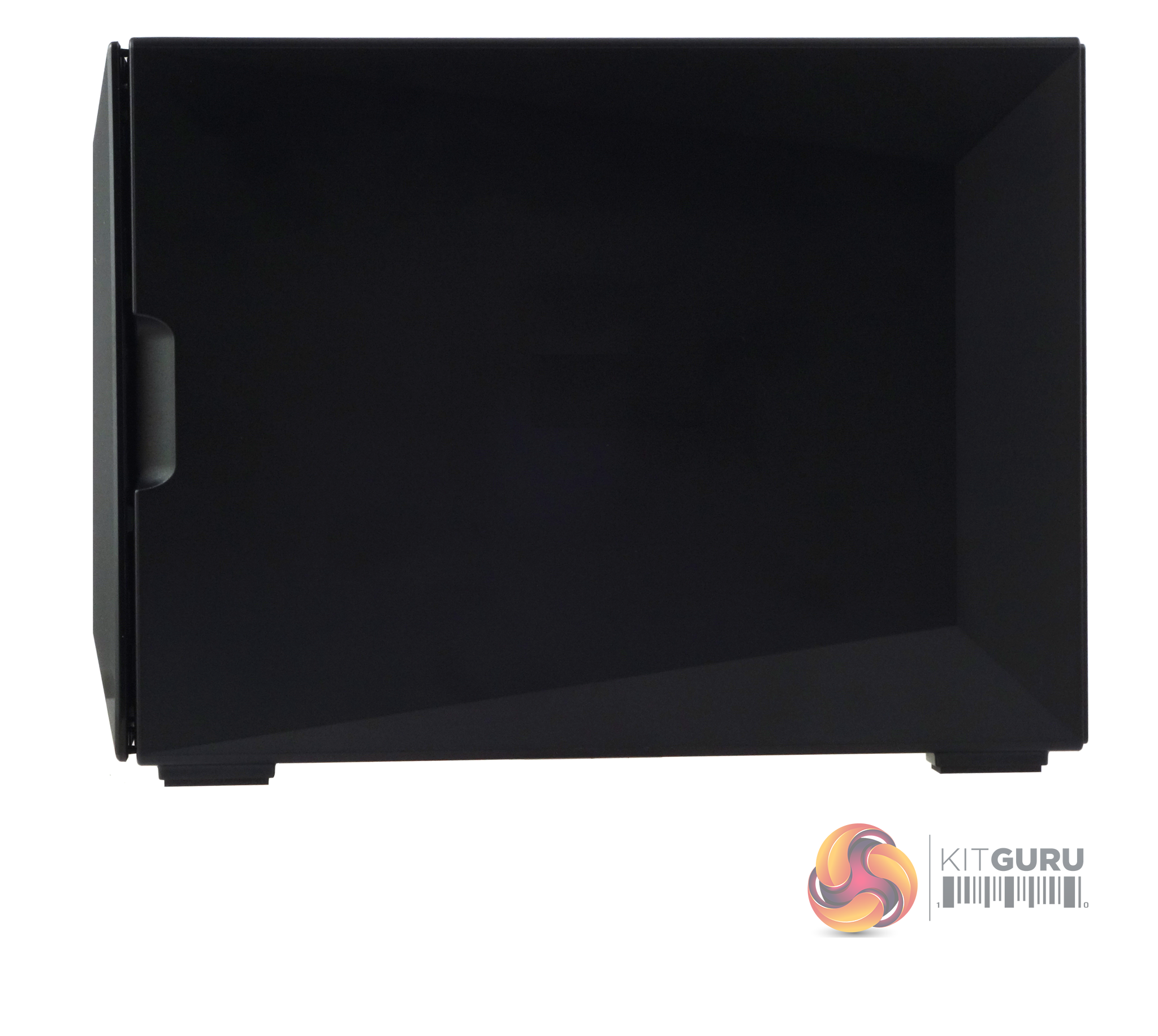
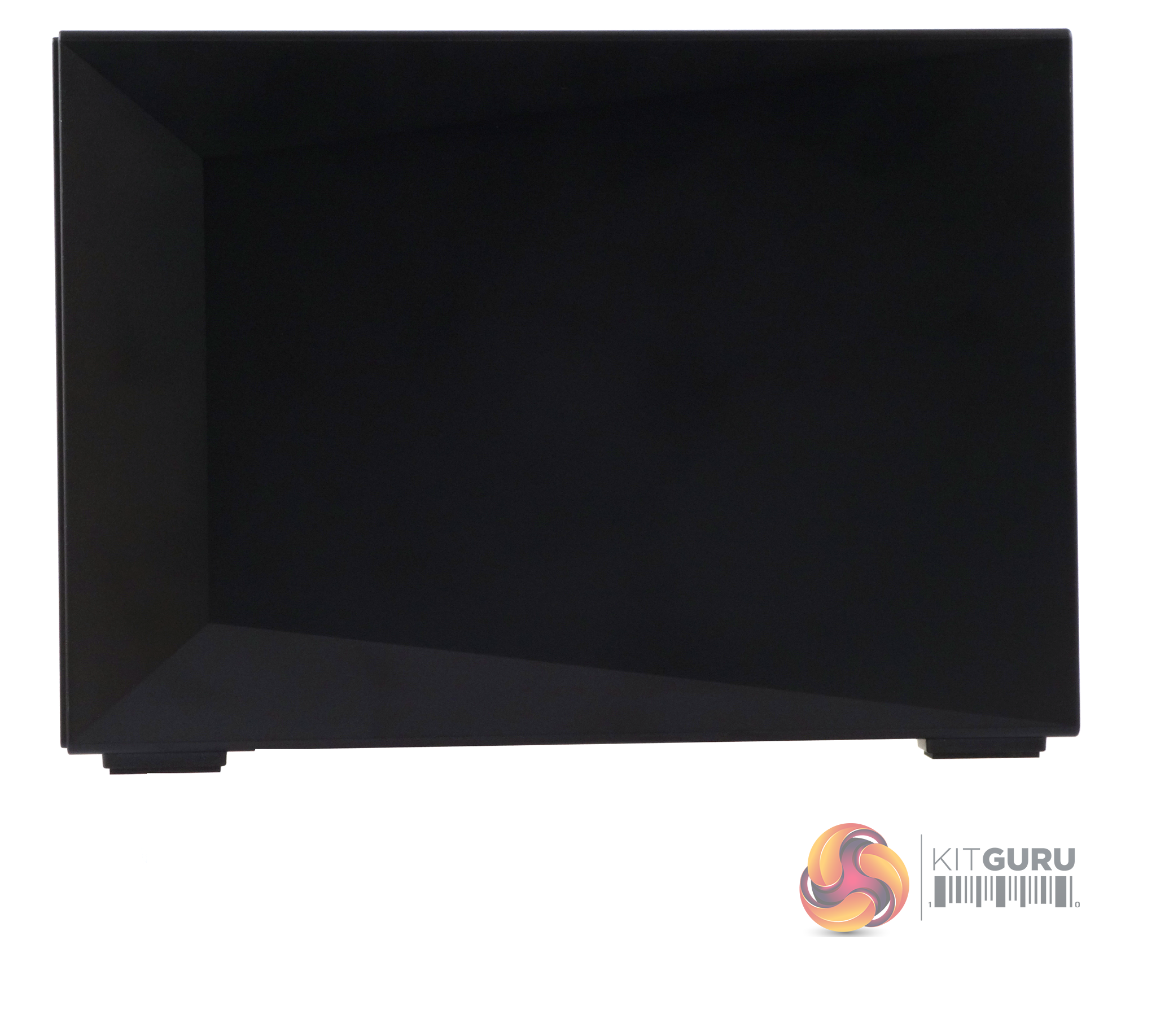
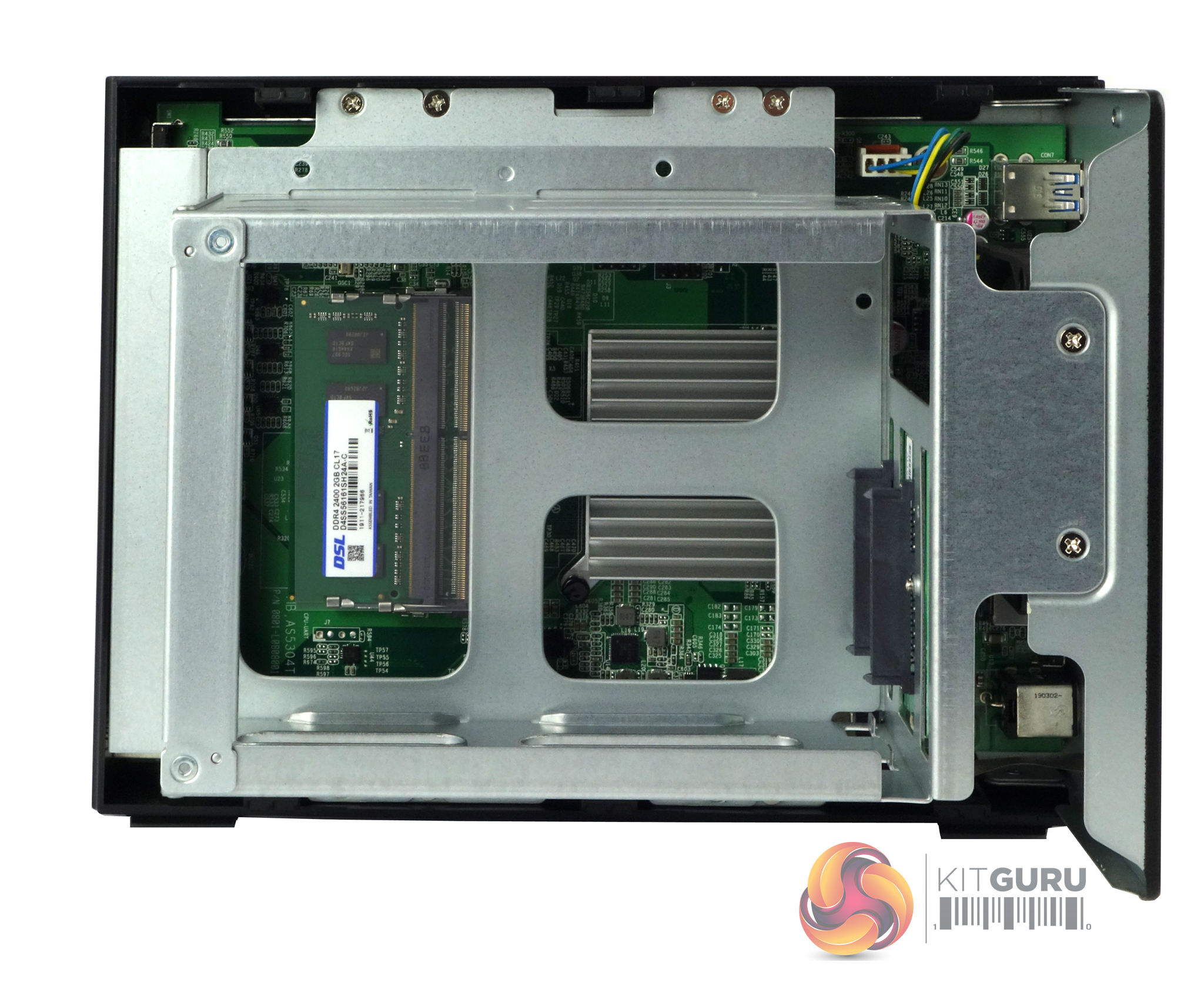
To access the two SO-DIMM slots, you need to remove the cover by undoing the two screws in the rear panel that hold it to the chassis. The memory slots sit under the hard drive cage and support a maximum of 8GB (2 x 4GB) DDR4-2400.
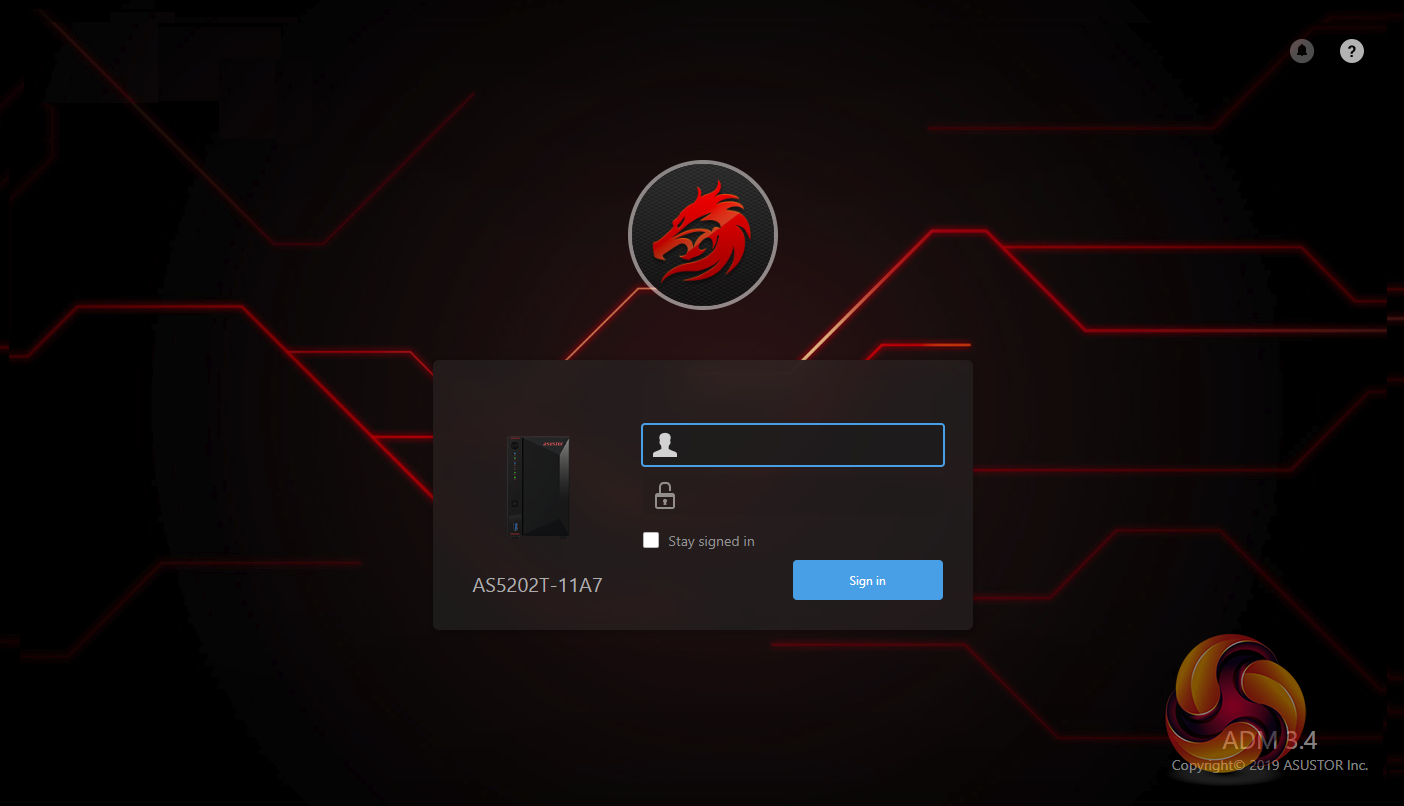
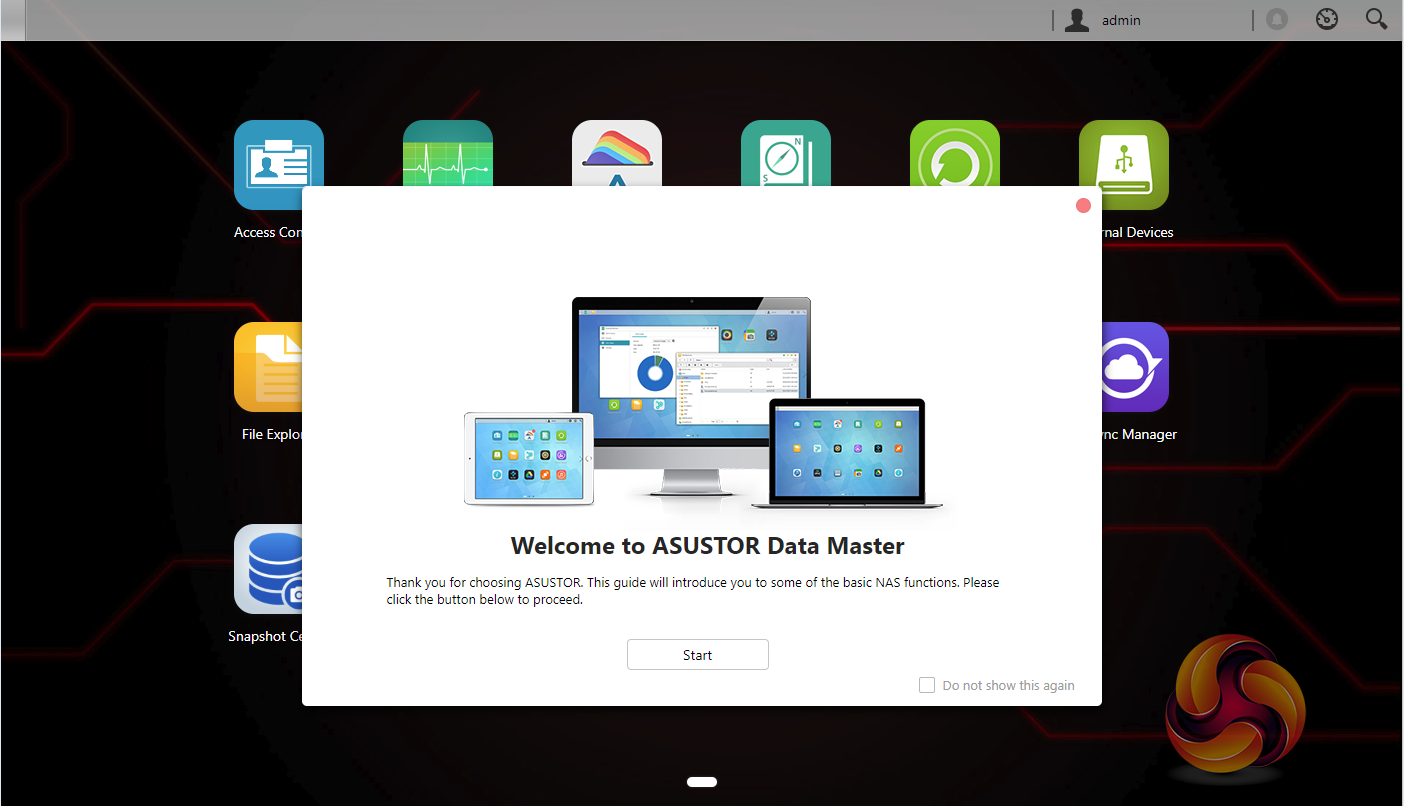
Asustor’s ADM (Asustor Data Master) OS is a constantly evolving GUI (version 3.4.1:R7QS at the time of writing) and is easy to install, navigate through and is one of the most feature rich around particularly when it comes to add on apps. After you’ve logged in for the first time, a welcome to ADM guide window pops up. ADM 3.0 sees a fresh new look for the OS – and as a word of caution, the new version has a modified file structure you won’t be able to roll back the software after upgrading.
For the Nimbustor series, Asustor has refreshed the look of ADM 3.4 with a new theme that, to quote Asustor, ‘introduces a new red and black e-sports aesthetic to appeal to tech enthusiasts'.
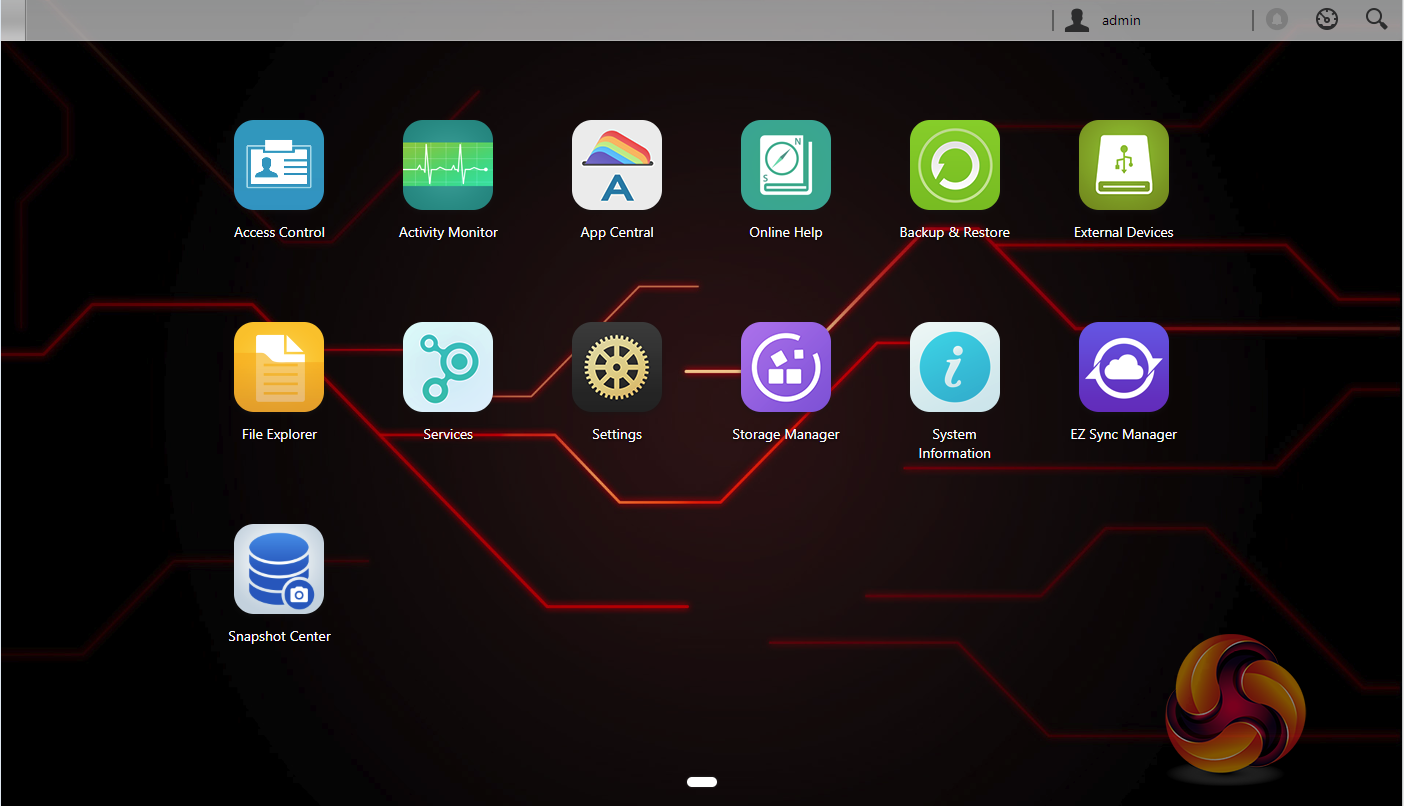
The main ADM page shows the major sections of the OS, although for speed it might be handier to have some form of side menu on this main page to help you get to what you are looking for a little quicker.
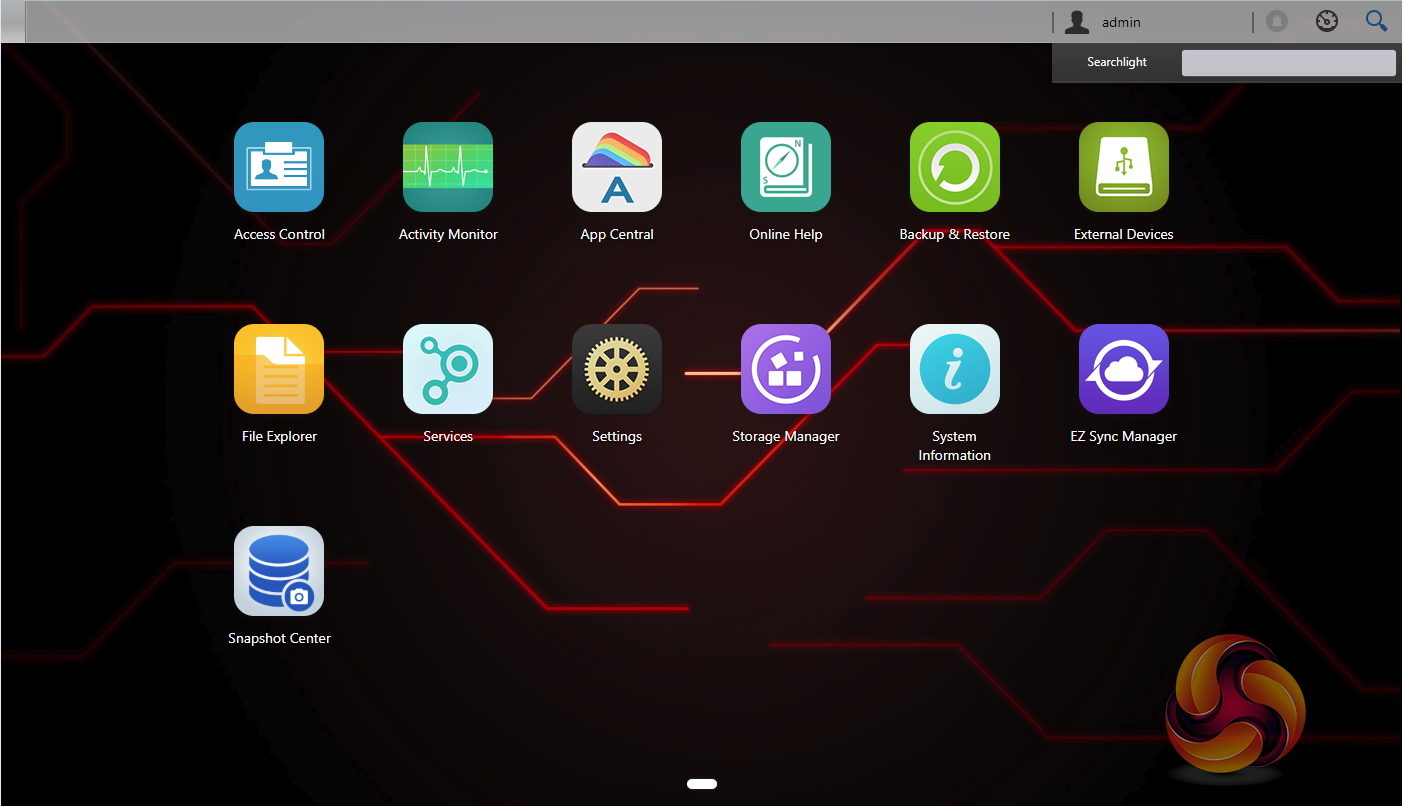
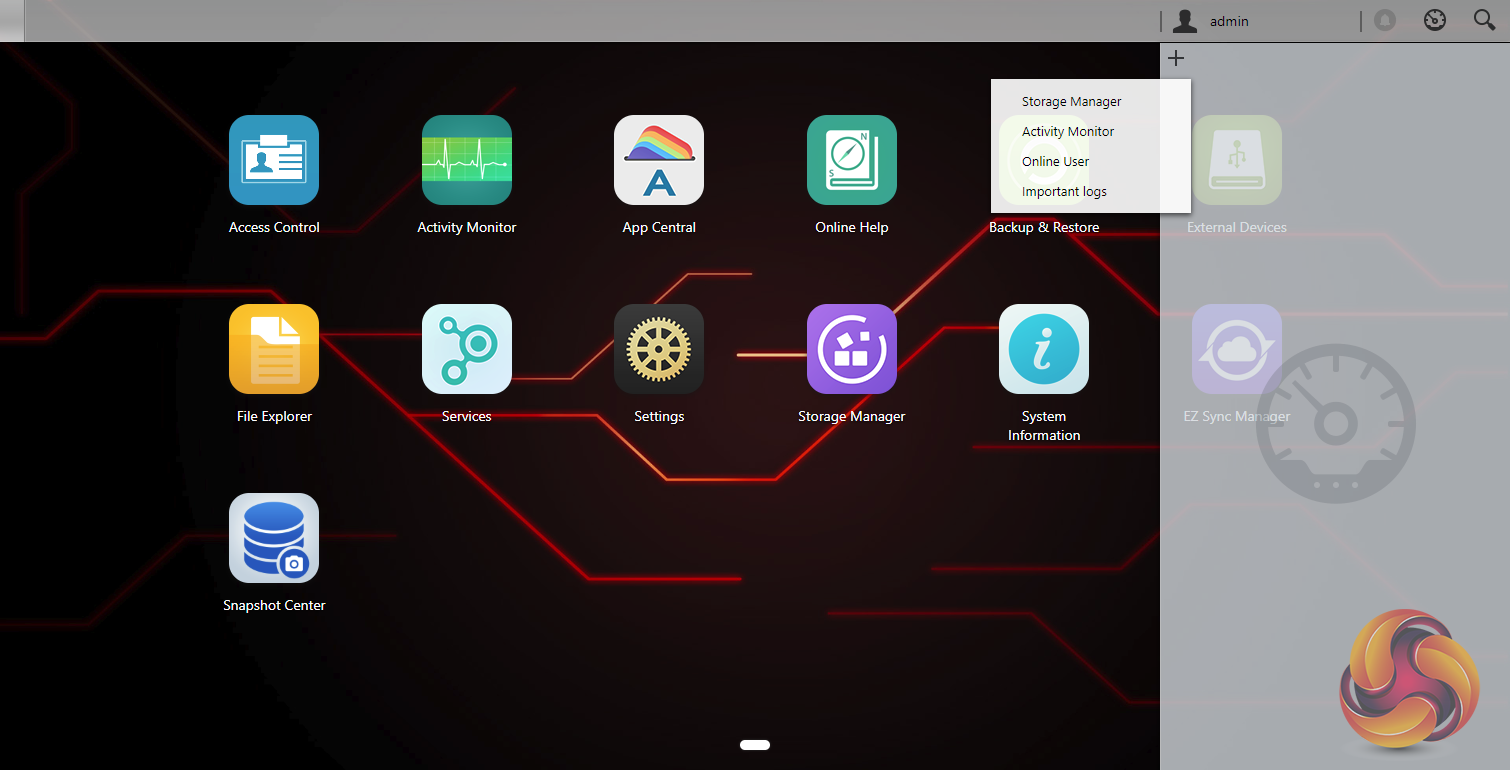
At the top of the main menu window are three icons; admin, tools and search. The admin drop down has five options; personal, sleep, restart, power off and sign out. The personal section is where you can configure the account password, E-mail address, description and ADM language. The search icon links to Searchlight, Asustor’s own search tool, designed for running fast and precise searches for files on the NAS.
To the left of the search icon is the tools icon. This drops down a number of widgets that display various NAS functions for easy monitoring. With ADM 3.0 these can now be individually tailored to a user’s needs including the ability to monitor system status in real time without having to open an app.
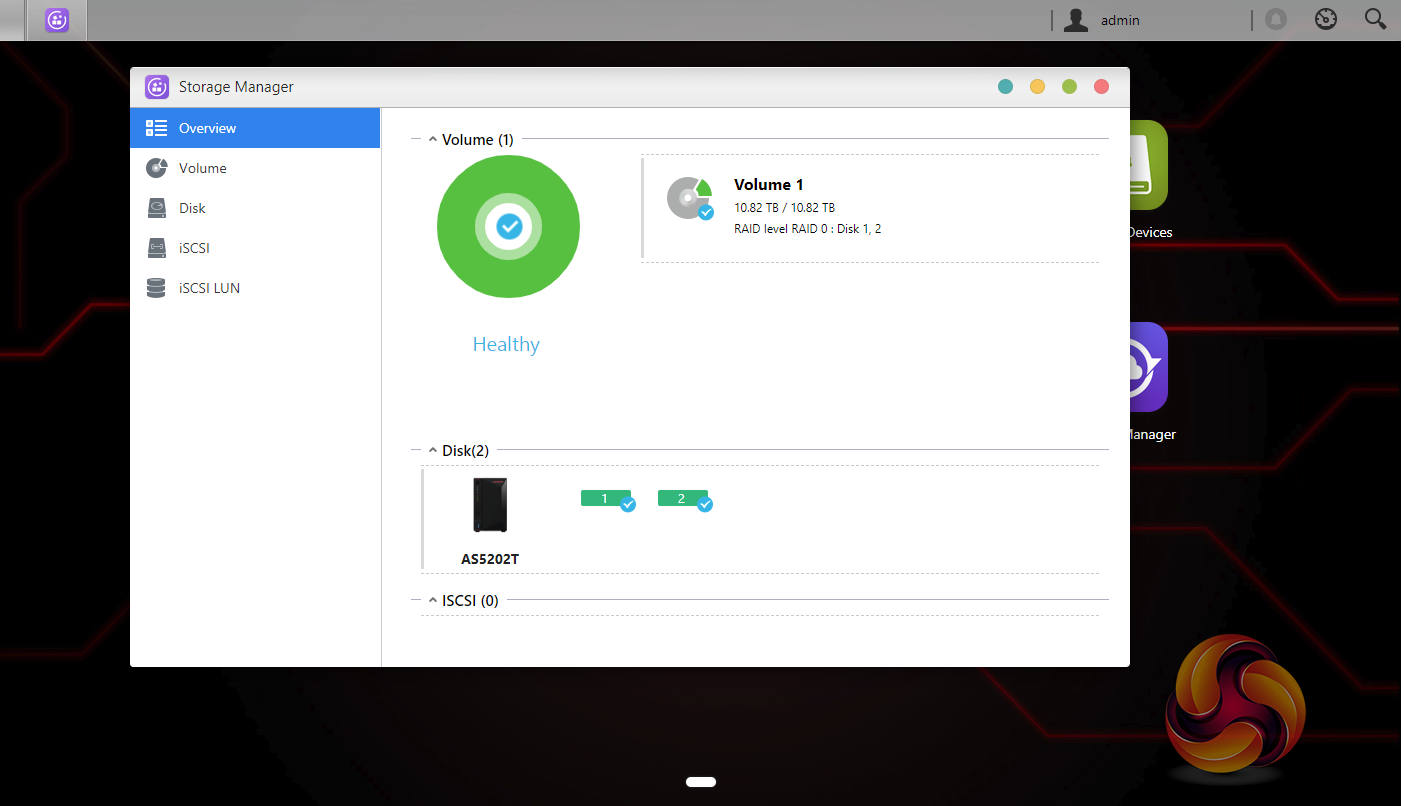
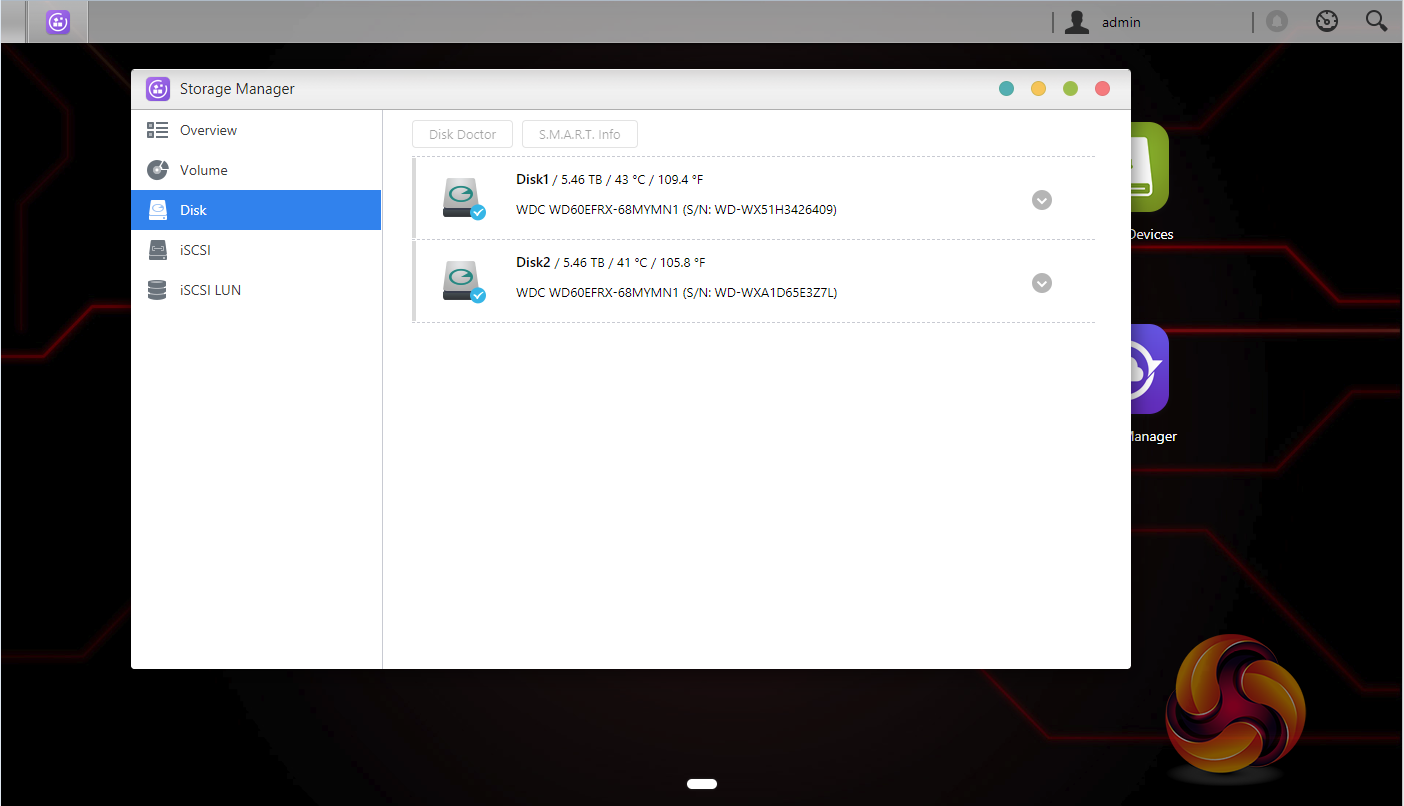
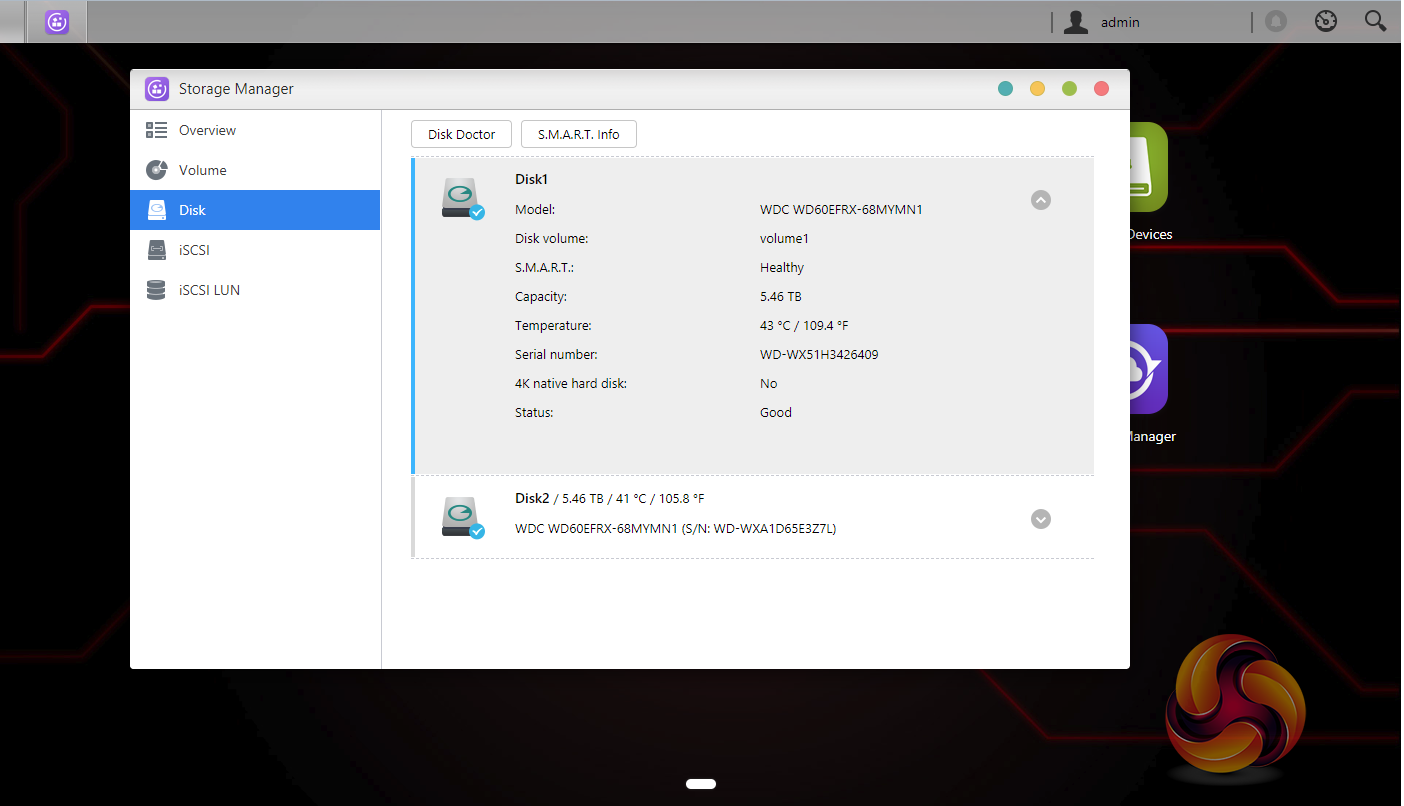
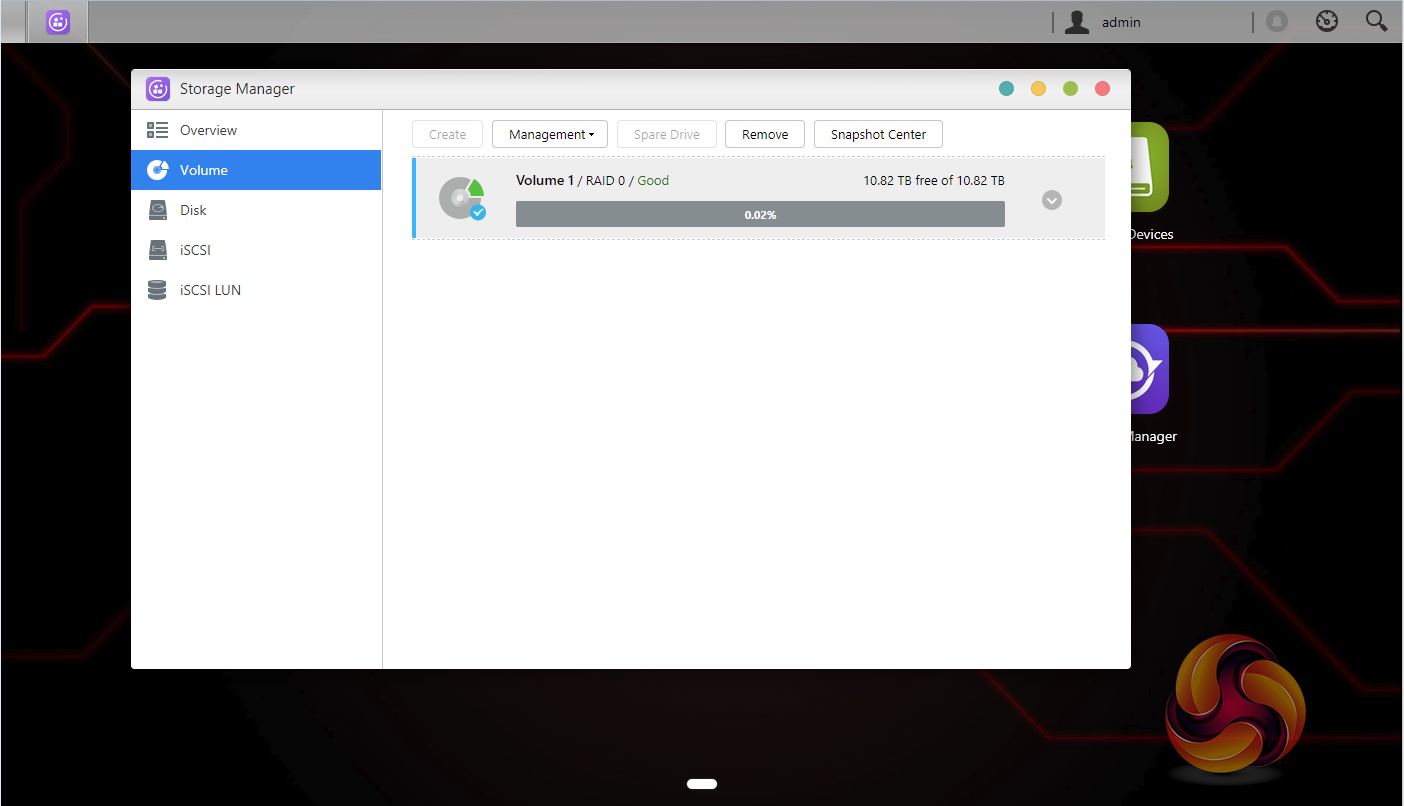
As with any NAS, disk management, RAID and volume creation are at the heart of things. Storage Manager looks after all things disk related and has had a refresh with ADM 3.0 with a list type interface and an added overview section.
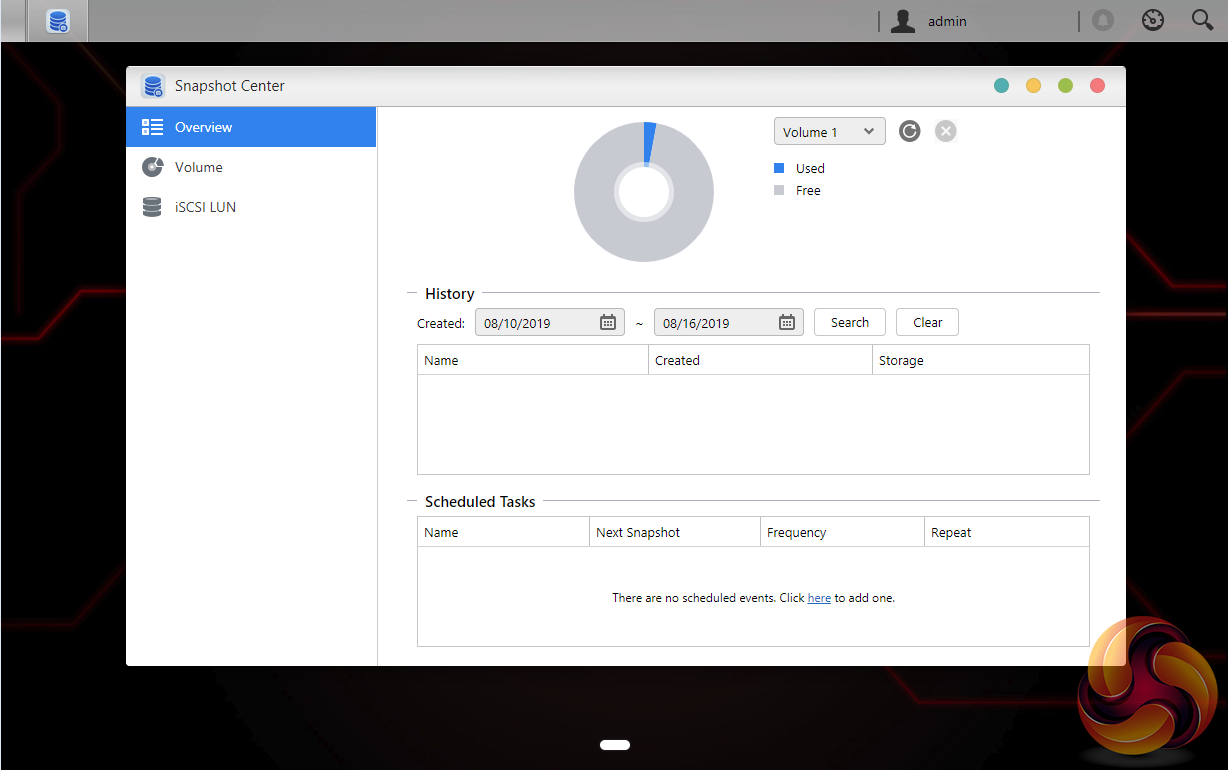
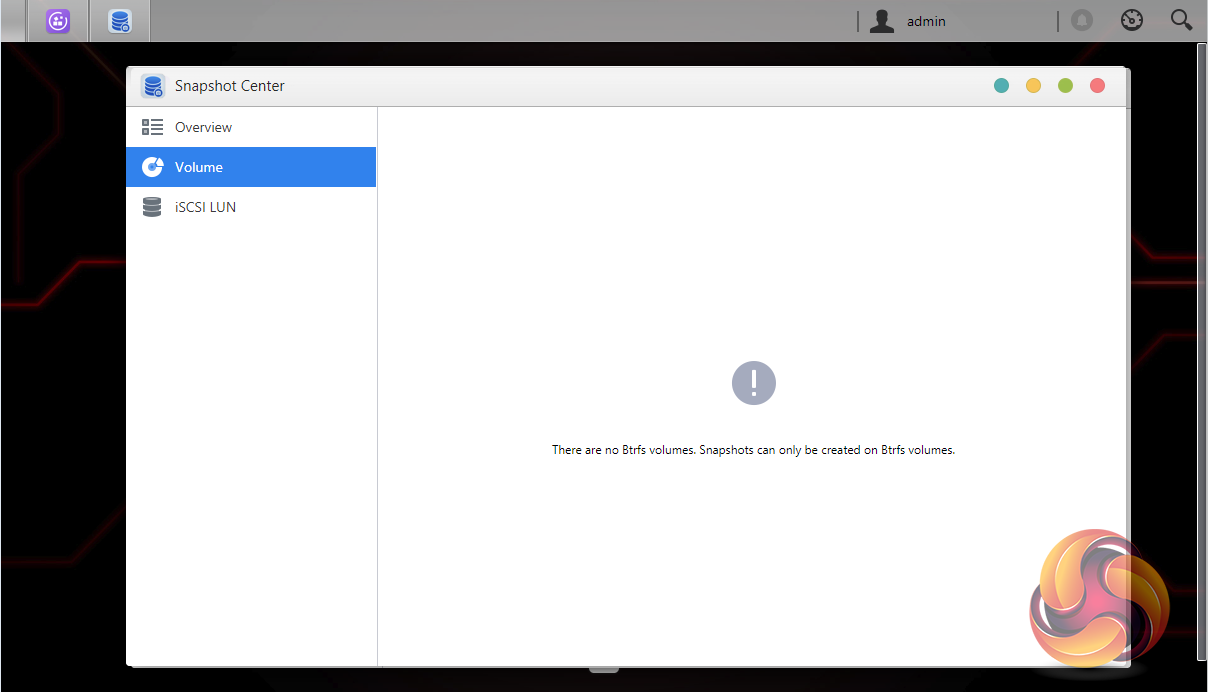
Snapshot Center is a new feature for Asustor NAS devices (from ADM 3.3 onwards) to utilize Btrfs and iSCSI volumes to take snapshots of the information inside a NAS. Snapshot Center supports up to 256 snapshots of a volume and can be done every five minutes, creating a backup that can be restored easily if data is damaged or lost.
ADM provides the AS5202T with a pretty comprehensive set of backup options. Data can be backed up remotely (either as backup source or destination), via FTP, internally, externally and to the cloud.
The front USB port is used for one touch backups. It can be configured to transfer data from a USB device to the NAS or back the other way. You can setup backup methods (copy or synchronisation) and folder paths from within the settings page.
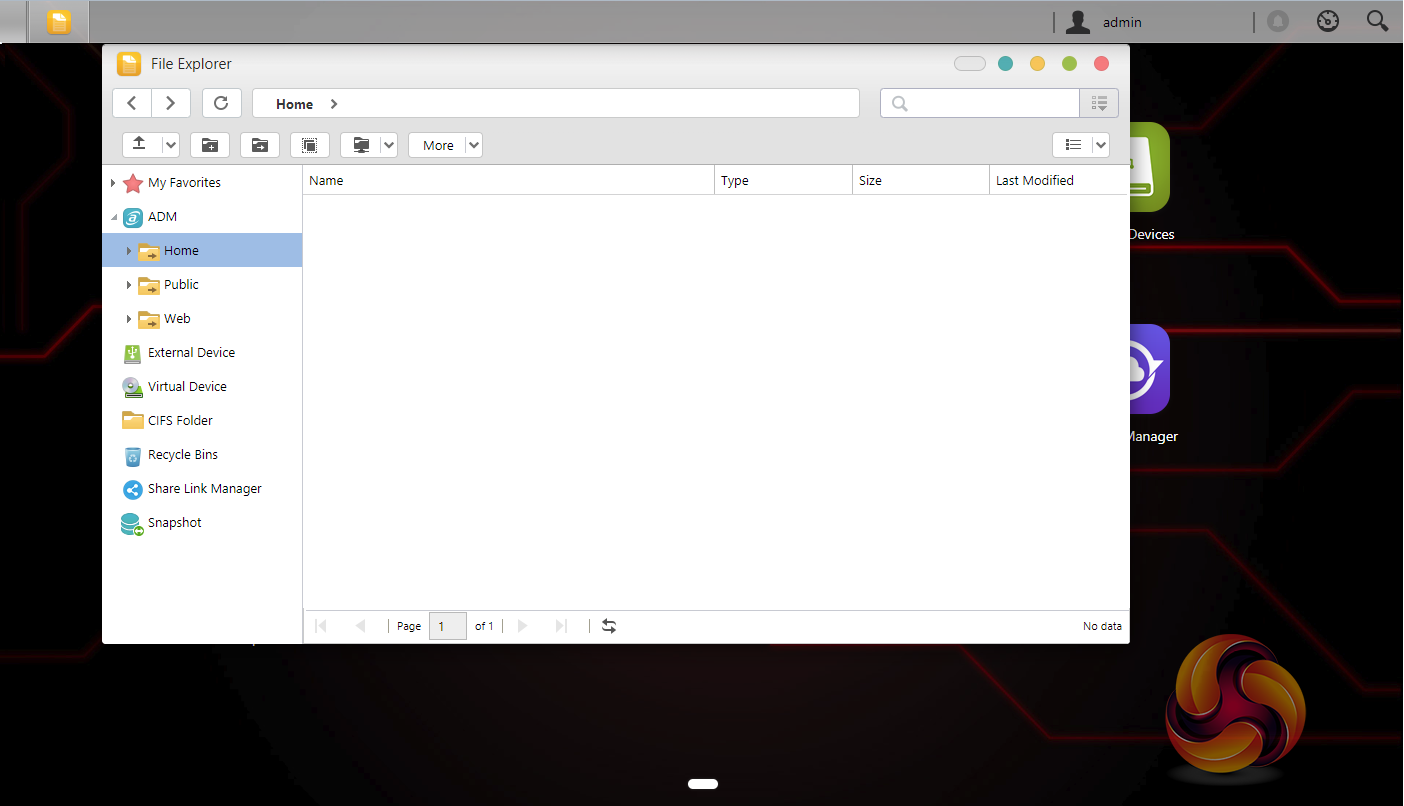
With File Explorer you can browse photos and play music straight from within it, either single or multiple songs. It also supports video playback of files while searching.
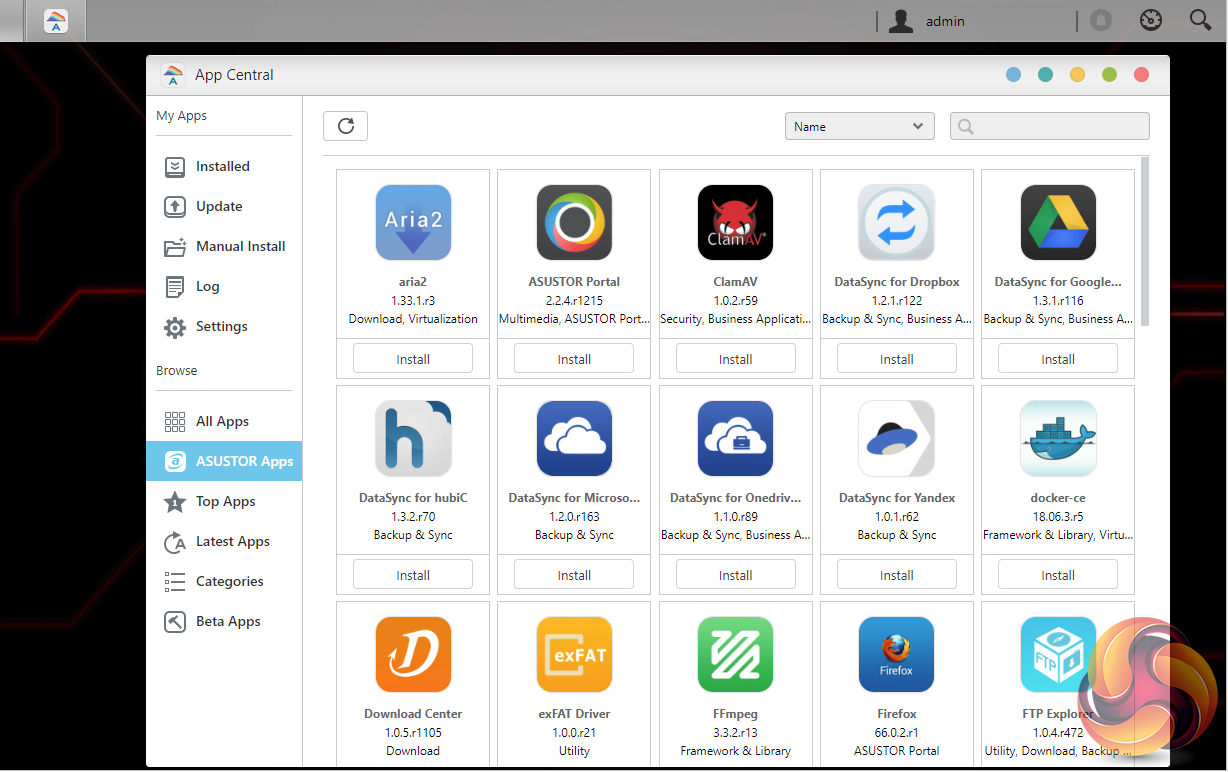
App support has always been one of ADM’s strong points, as one glance at the App Central menu confirms. App Central is the control centre for app management and shows installed apps, all available apps and updates. At the time of writing, the list of available apps listed for the AS5202T is over 220 and counting. New for ADM 3.0 is App Central upgrade prompts. If there are items that can be upgraded, App Central will now indicate which ones these are, instead of waiting for an overall ADM upgrade.
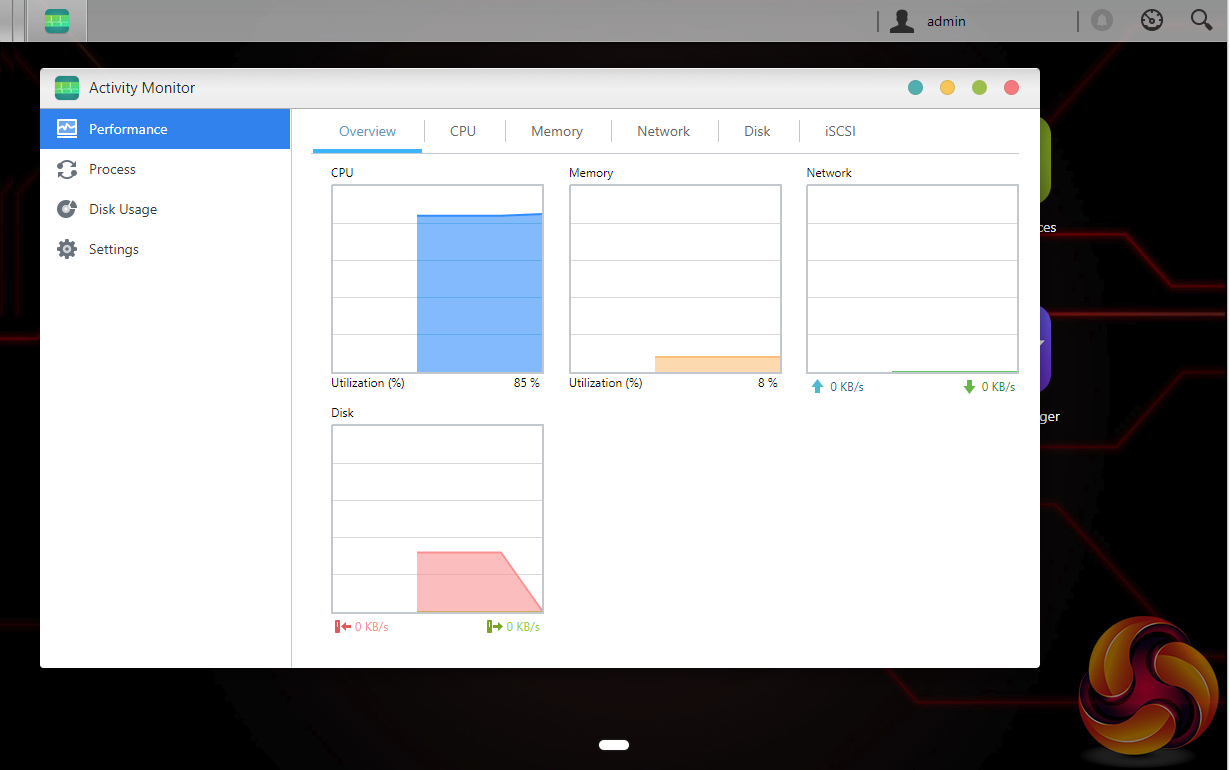
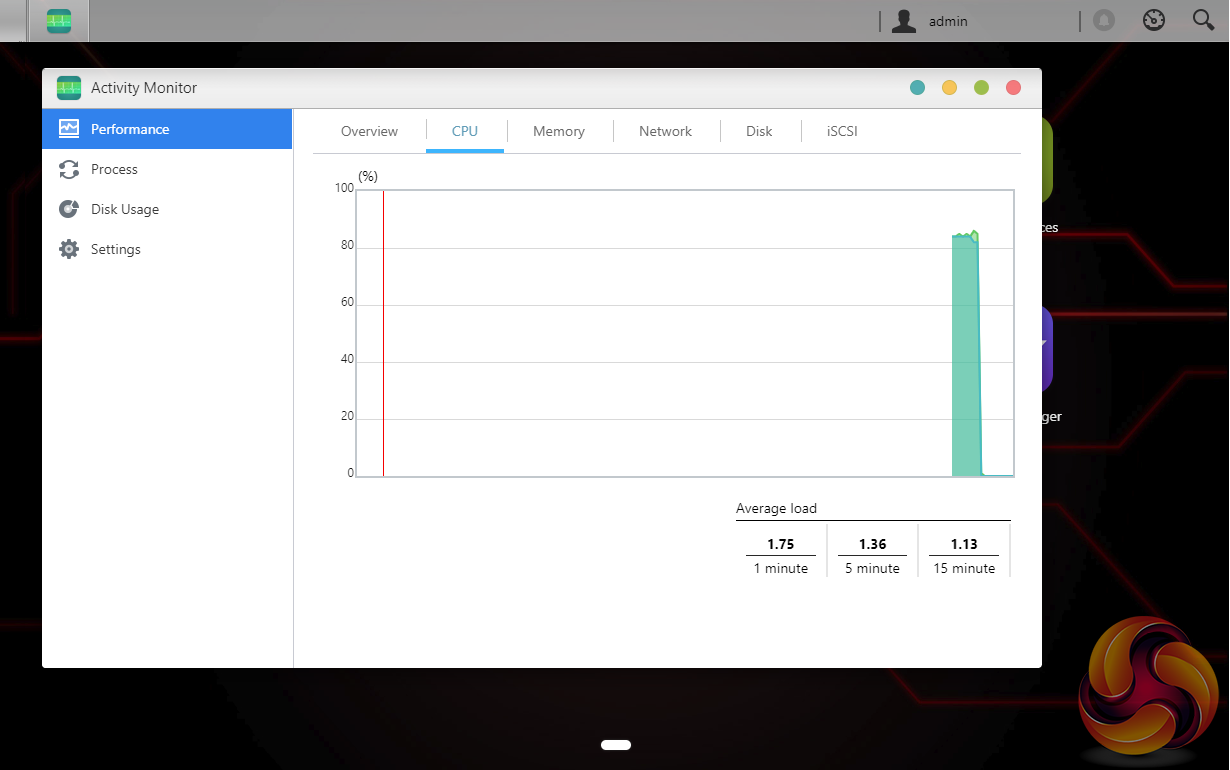
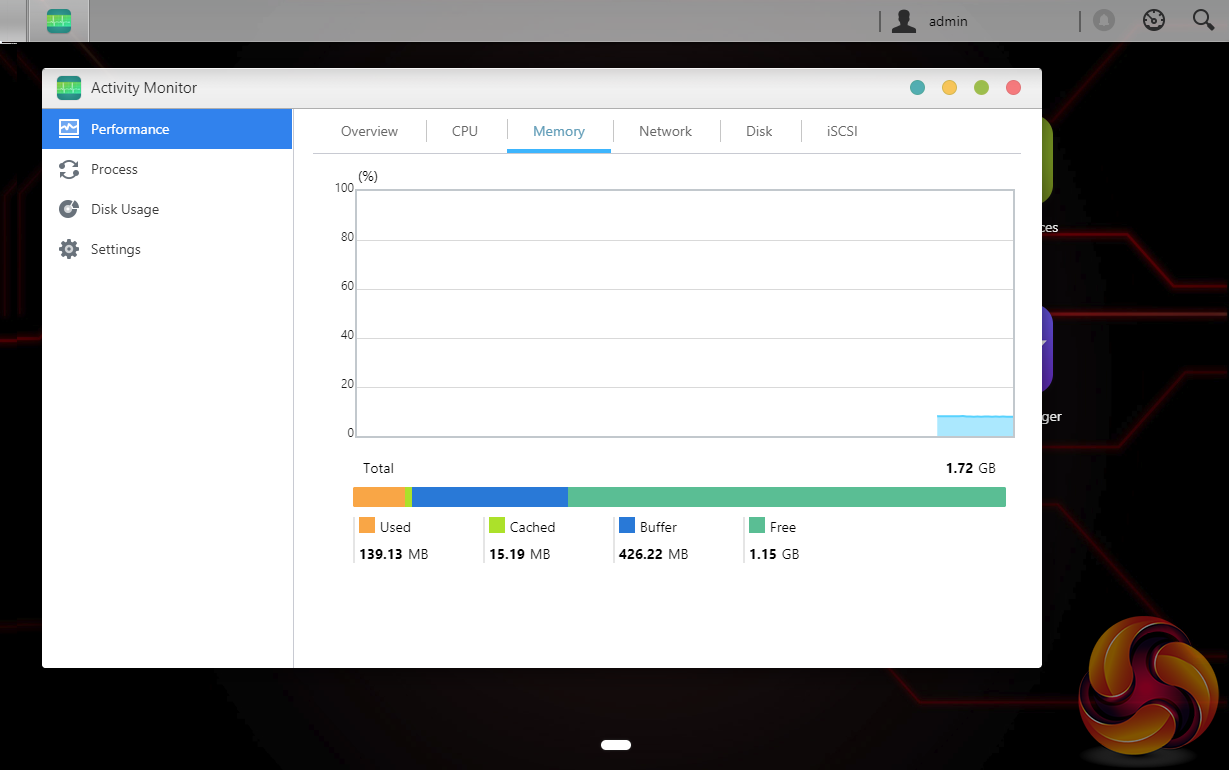
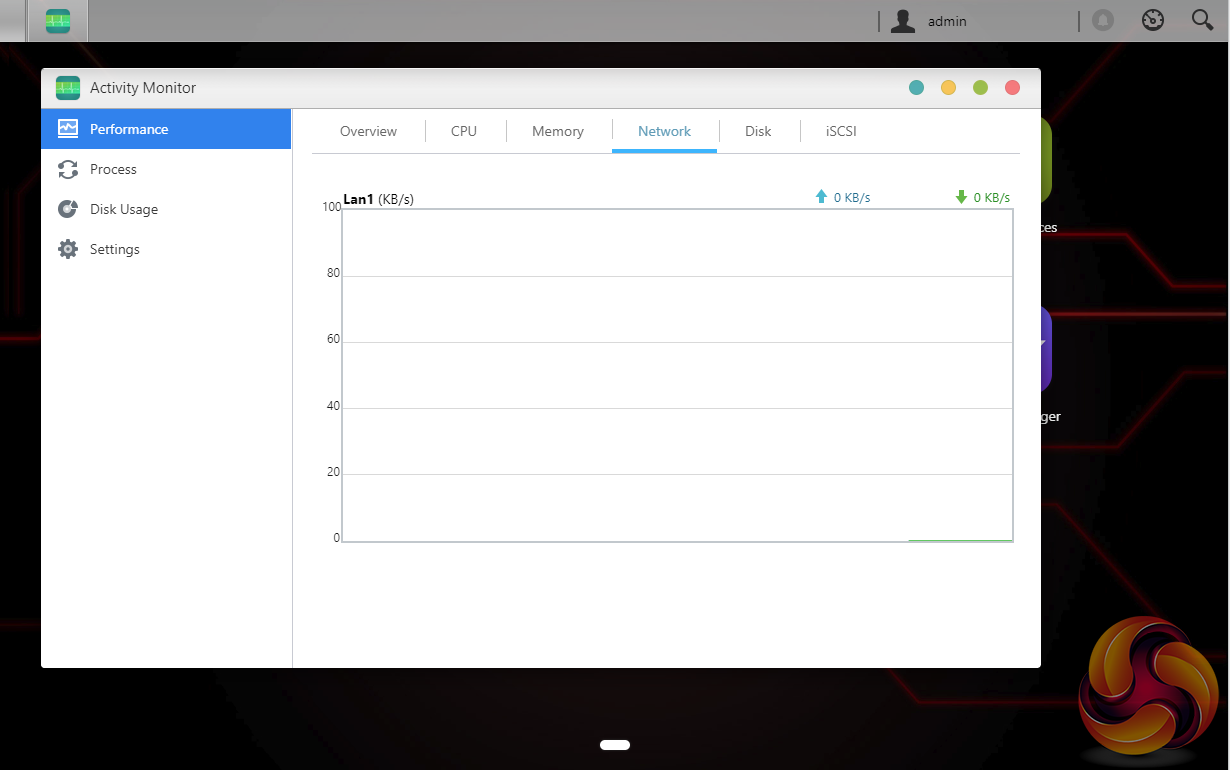
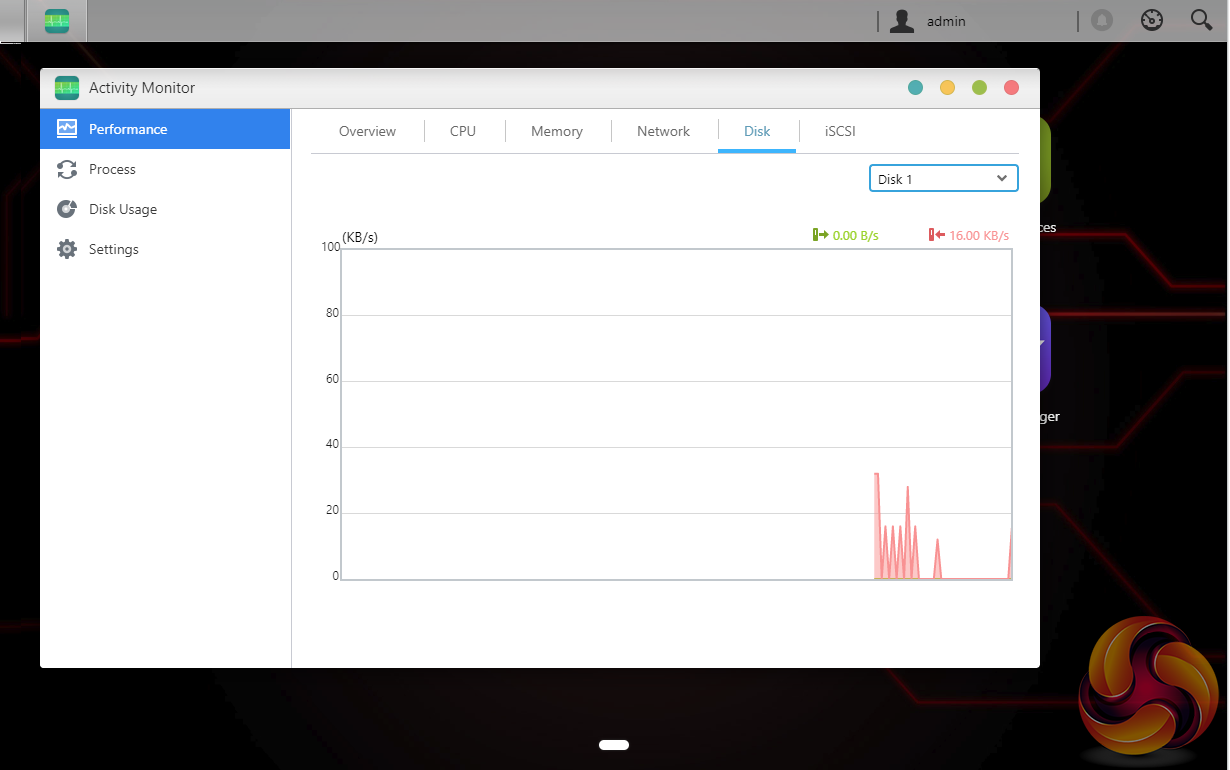
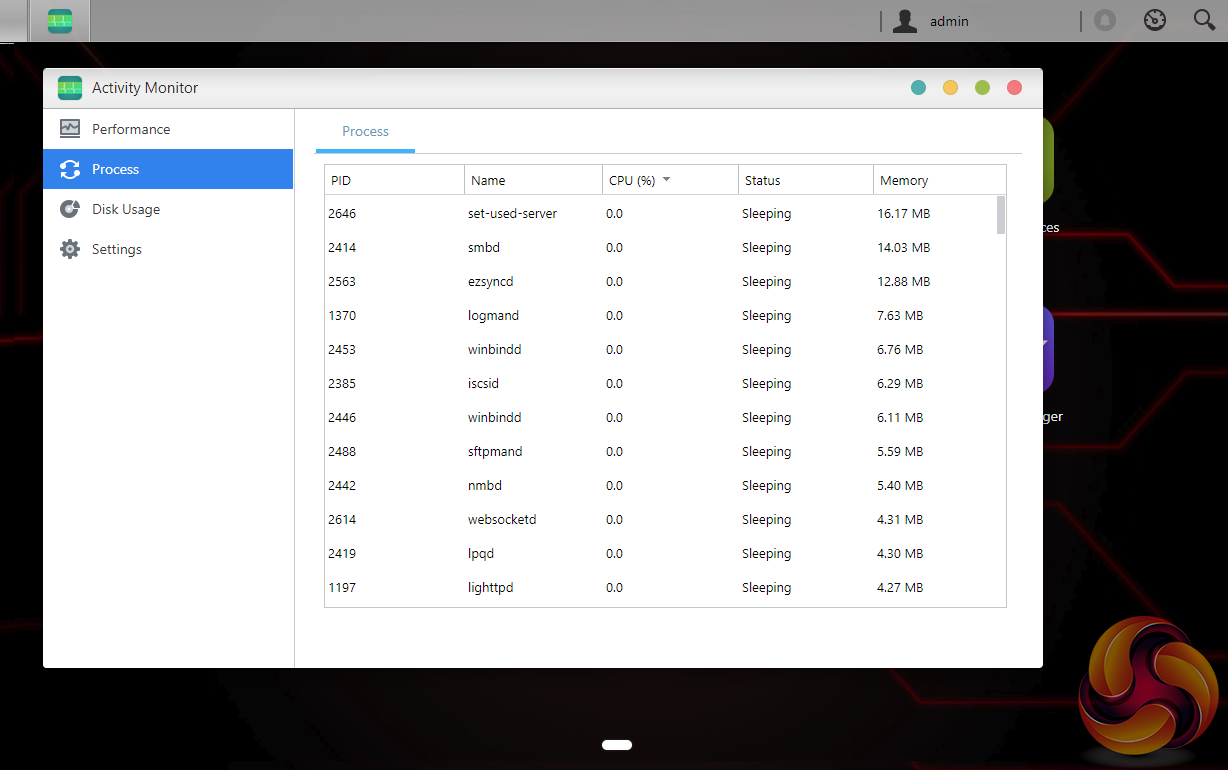
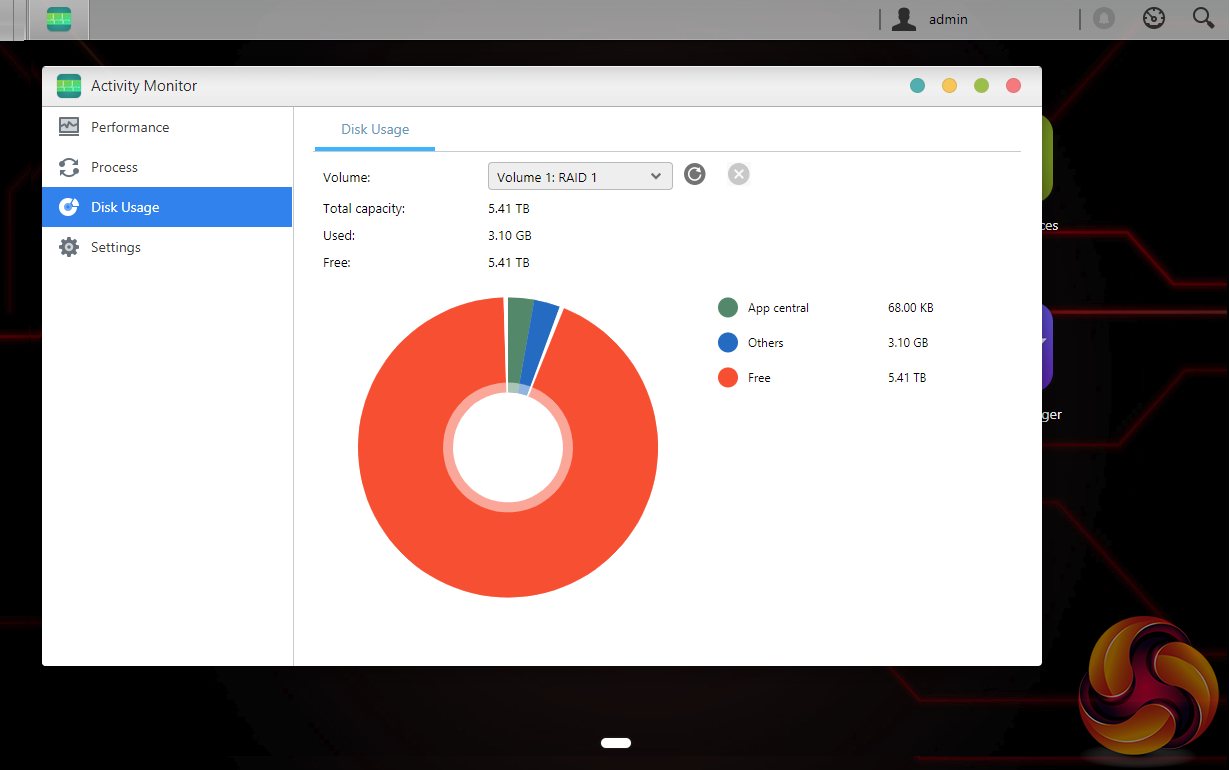
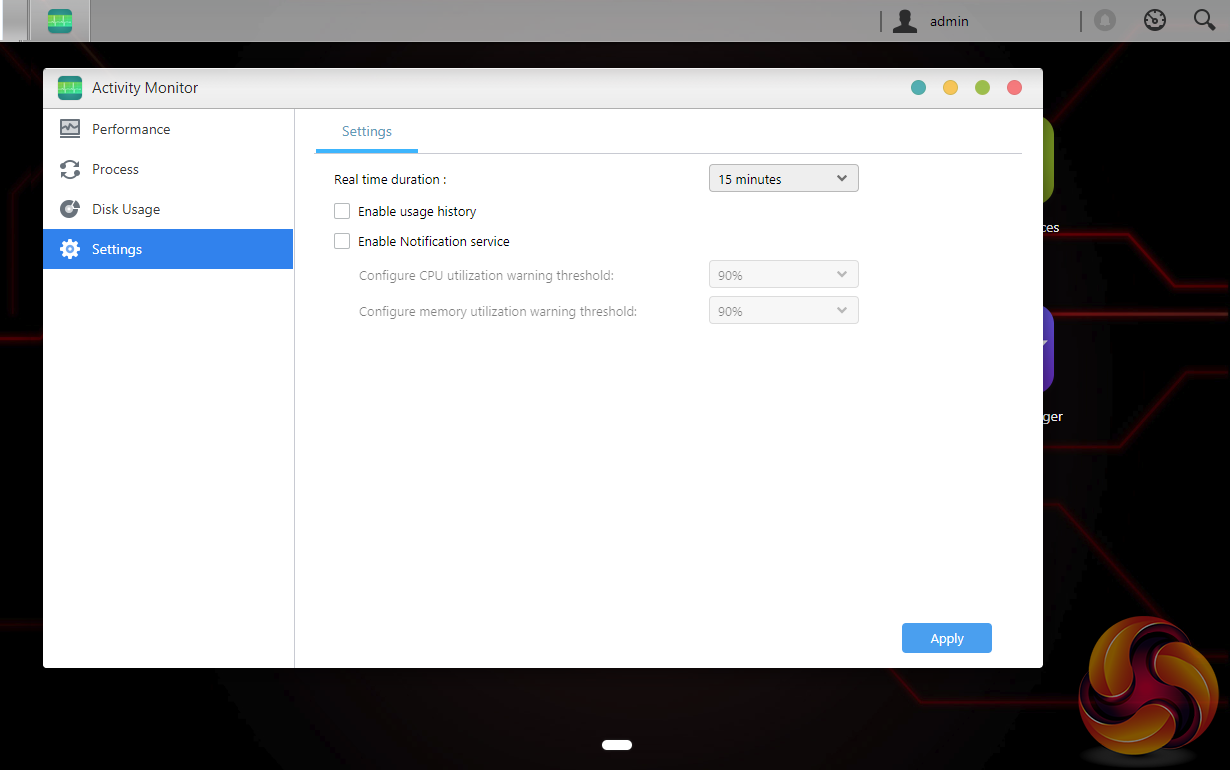
The Activity Monitor has been updated with a new interface and icons and supports real-time monitoring of the NAS system and resources.
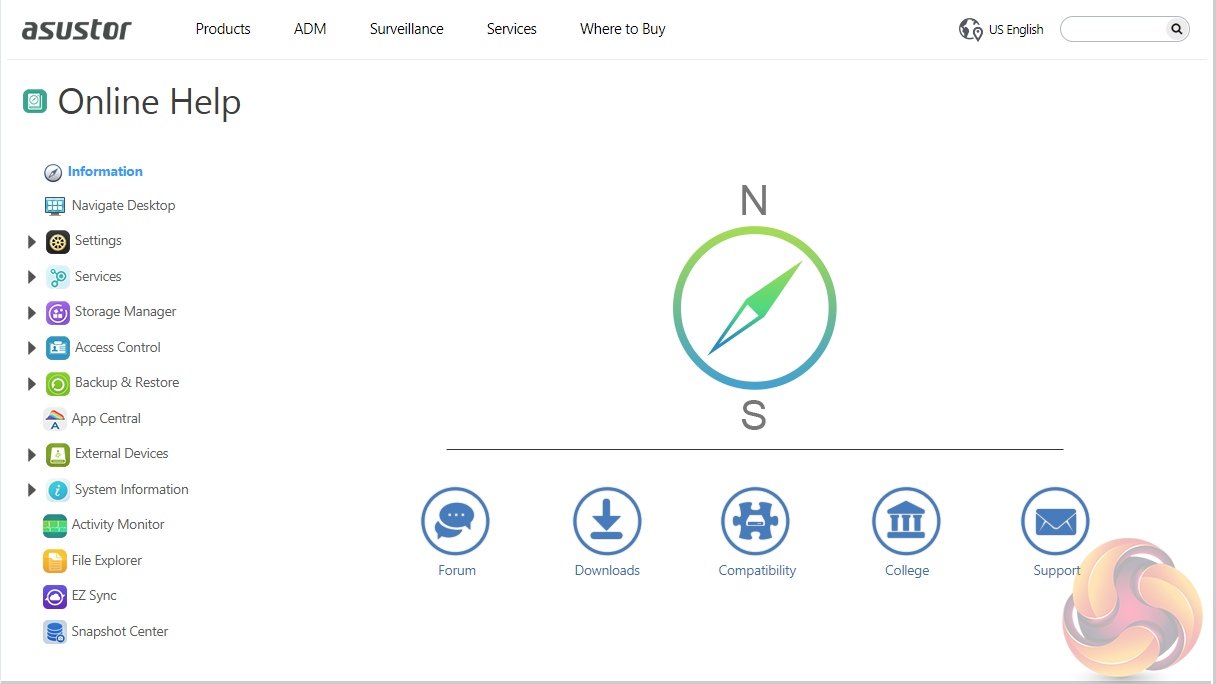
The ADM Help page has five links to various parts of the Asustor web site where you can find help and advice if you have problems with the NAS. The Forum button takes you to the Asustor online forum and Downloads is a direct link to the download pages. Compatibility is a useful addition as it takes you to the Asustor Compatibility page, a very handy selection of hardware compatibility tables. Another useful link is to the Asustor College. Here you will find a collection of online easy to follow courses to learn all aspects of the NAS and its functions. The final link takes you direct to the Asustor online Support Center.
MyArchive
One very clever backup solution that ADM brings to the table is called MyArchive. This allows hard drives to be used as removable drives so you can swap between different collections of data as and when you need it. Recently upgraded, MyArchive now supports EX4, NTFS and HFS+ file systems.
Data security, particularly in an office environment, is paramount and MyArchive drives have AES 256-bit encryption support and to add another layer of protection a USB device can be used as a physical encryption key.
Asustor Portal
With Asustor Portal there’s no need to turn on your computer when you want to play videos or browse the internet. You need only simply connect your NAS to any HDMI ready display. It comes preloaded with YouTube and Netflix and by loading the additional URL-Pack, even more streaming sites become available including Plex, Vimeo and Youku.
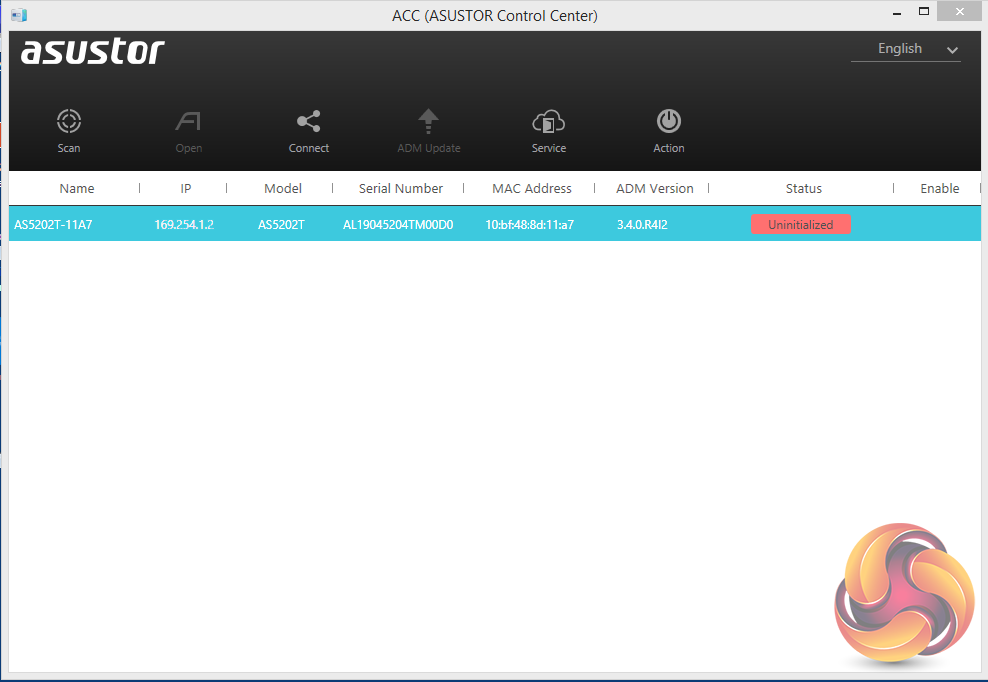
Setting up the AS5202T is a pretty straightforward and painless task; it only takes around 10 minutes to load the OS and get the unit ready for use, although waiting for the disks to fully synchronise obviously takes a great deal longer, e.g. around 10 hours for a RAID 1 array. The first job is to download the Asustor Control Center from the Asustor website. This app will search your network to find any Asustor NAS units on the network.
Actually, you can do a lot more with the ACC than just find the NAS to install ADM. There are six menu buttons on the top of the GUI; Scan, Open, Connect, ADM Update, Service, and Action. The first two are pretty self-explanatory, Scan for the NAS and Open, opens a web browser and connects to ADM. Clicking on the connect button gives you three options to connect to the data on the NAS; map a shared folder, create a remote file folder (via WebDAV or FTP) or connect via FTP.
The ADM Update button checks for ADM updates and if there are any starts the upgrading as soon as you’ve logged into the NAS. The Service button provides a shortcut to Photo Gallery and/or Surveillance Center if you have either of them installed. The final Action button provides access to power controls; Wake-on-LAN, Find Me, Night Mode, Sleep Mode, Restart, and Shut Down but only after logging in administrator details.
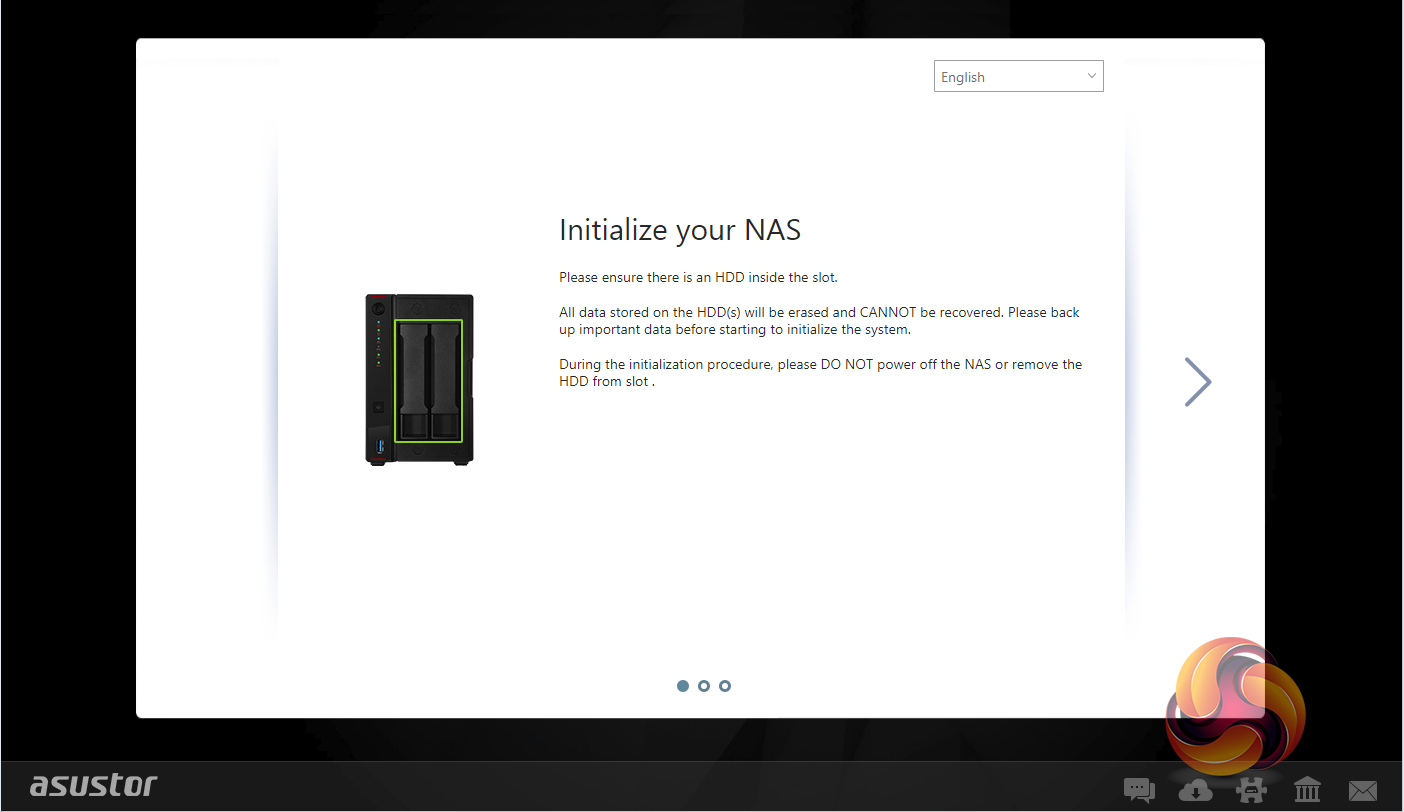
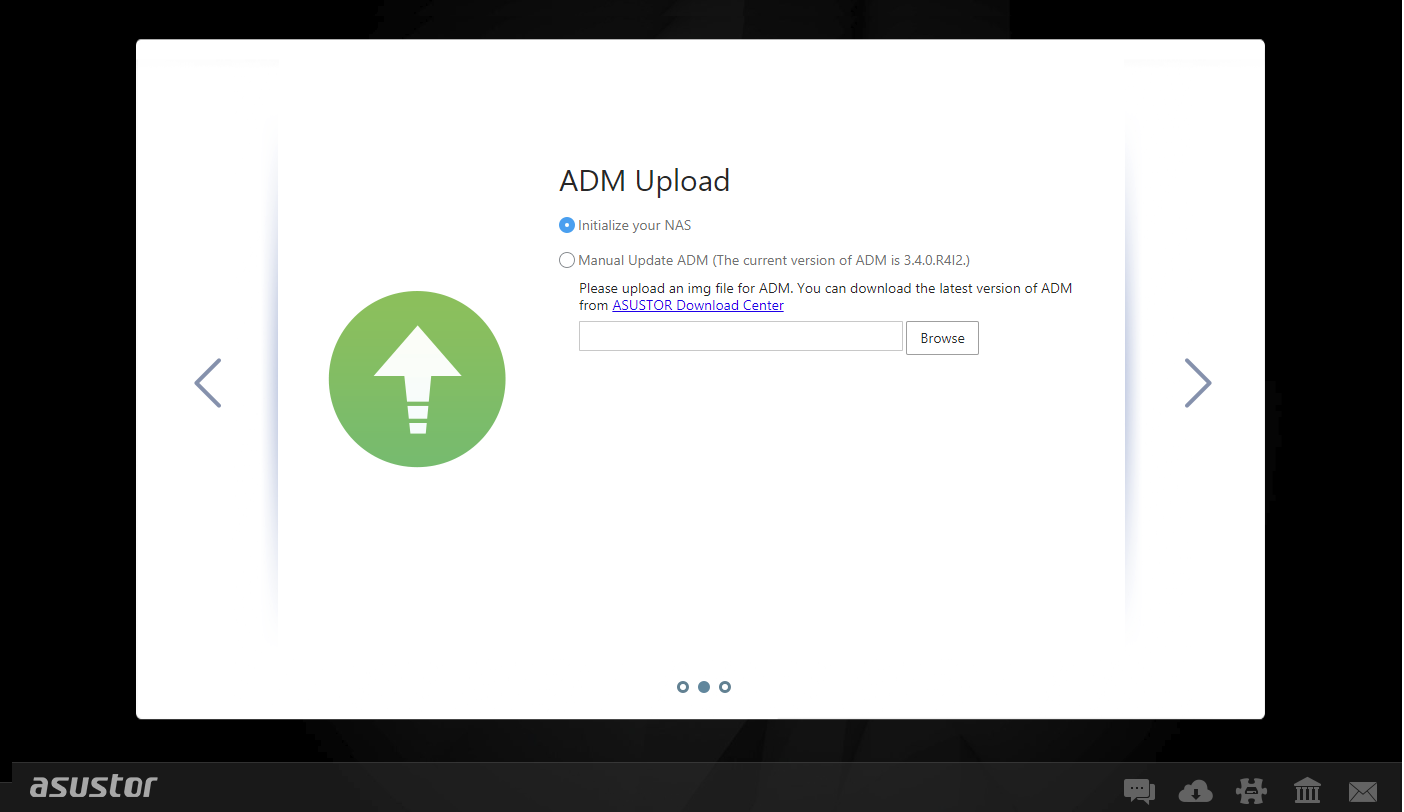
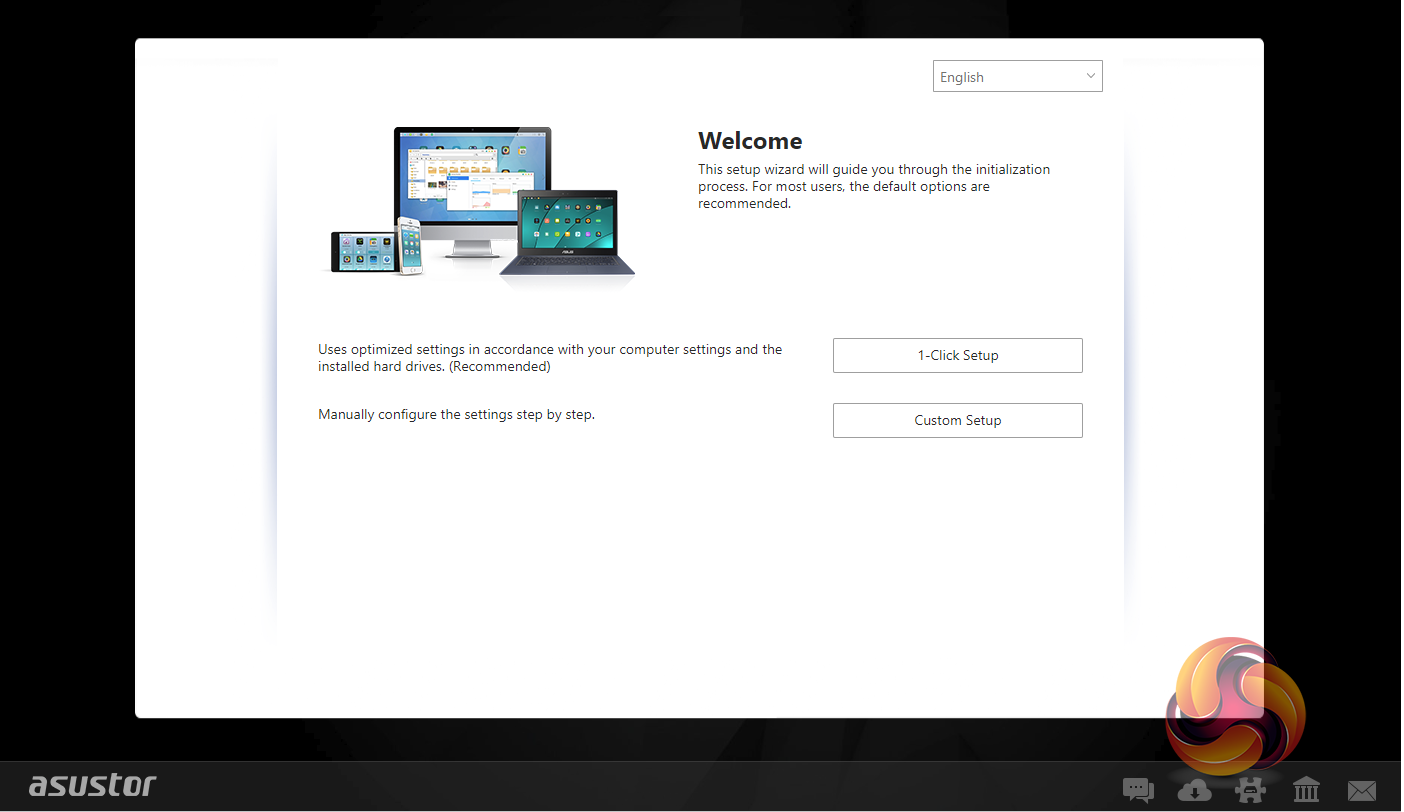
Once the ACC has located the NAS and you select it, the welcome screen appears. There are two ways to setup the device; 1-Click Setup and Custom. With the 1-Click method you simply enter name for your NAS, choose a password and then select how you want the storage to be set up and that’s about it. The Custom method gives you more detailed choices as can be seen from the screens below.
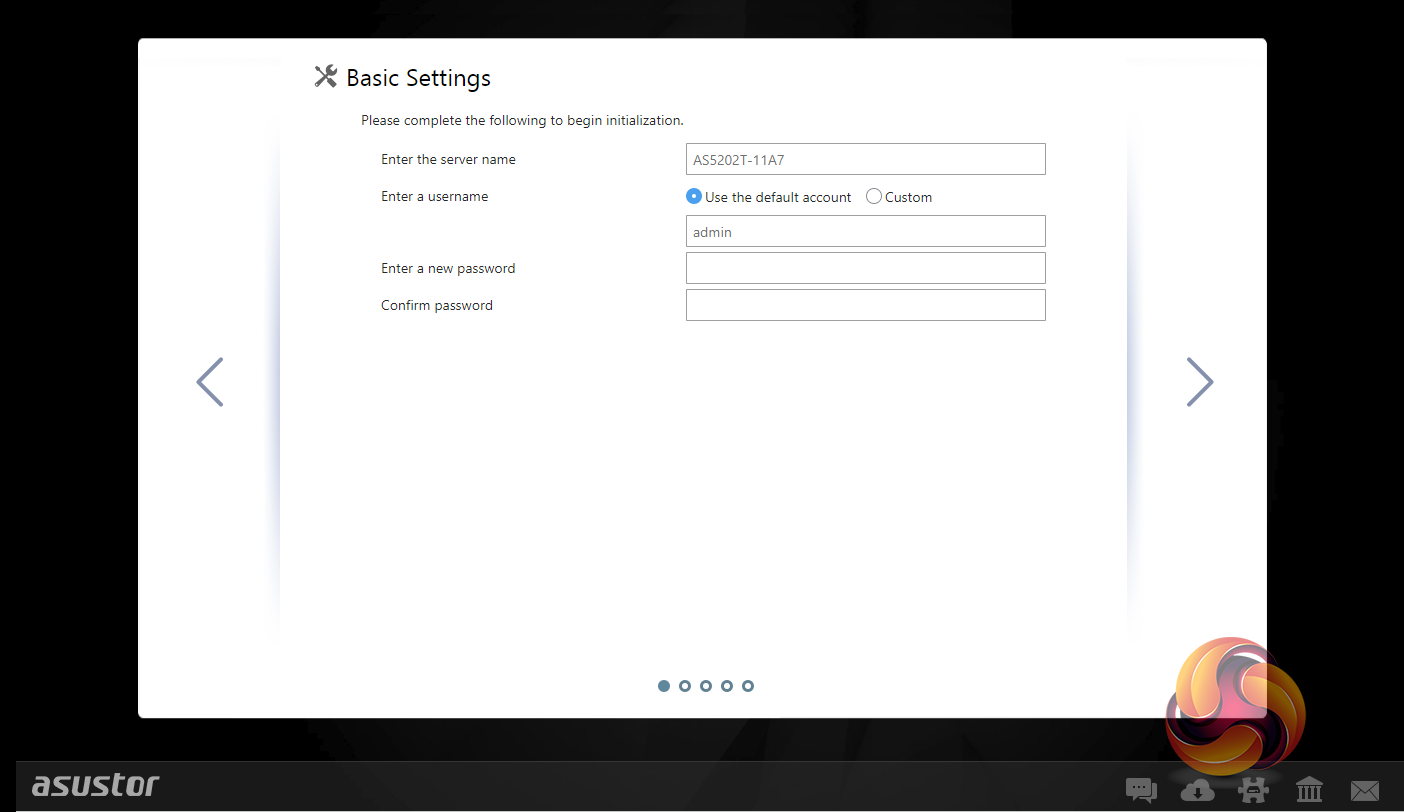
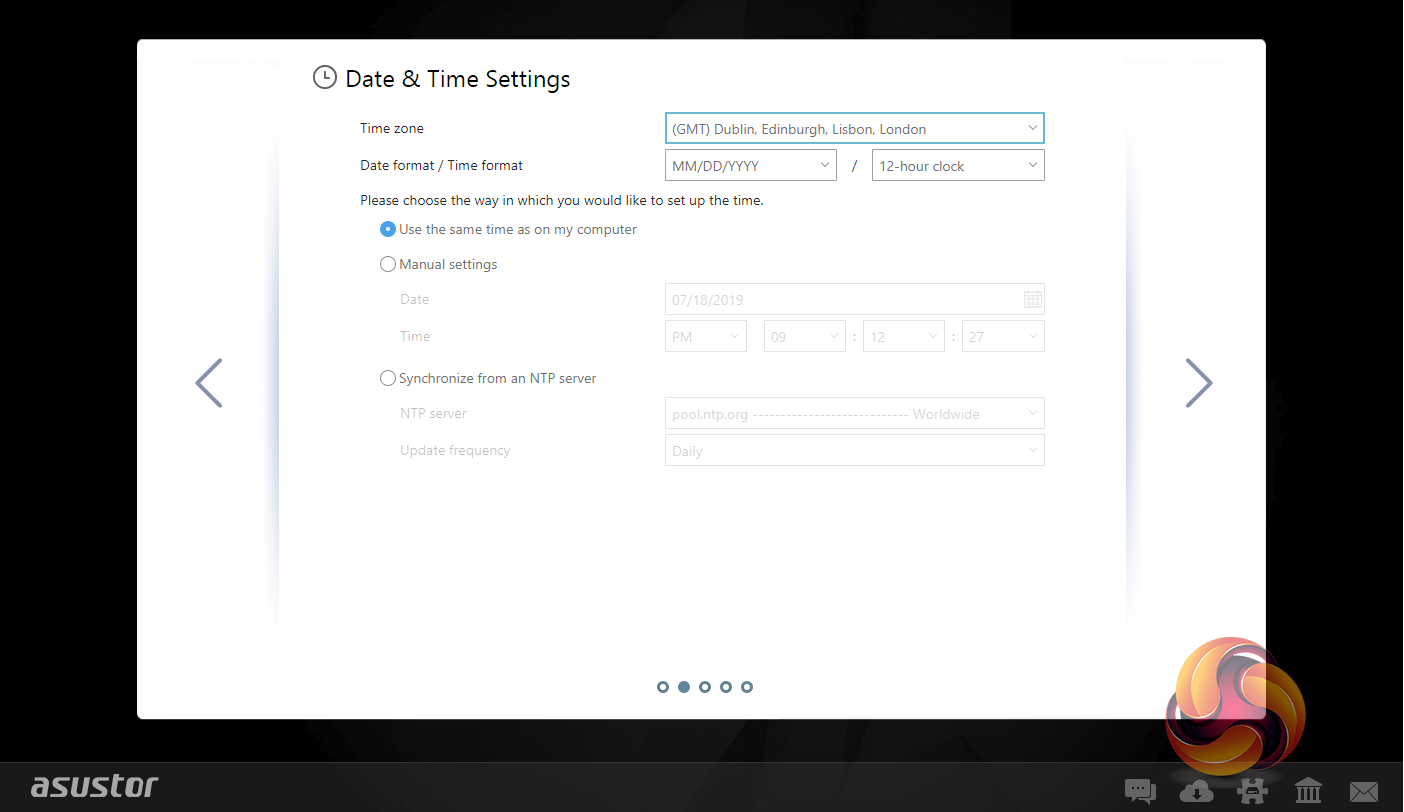
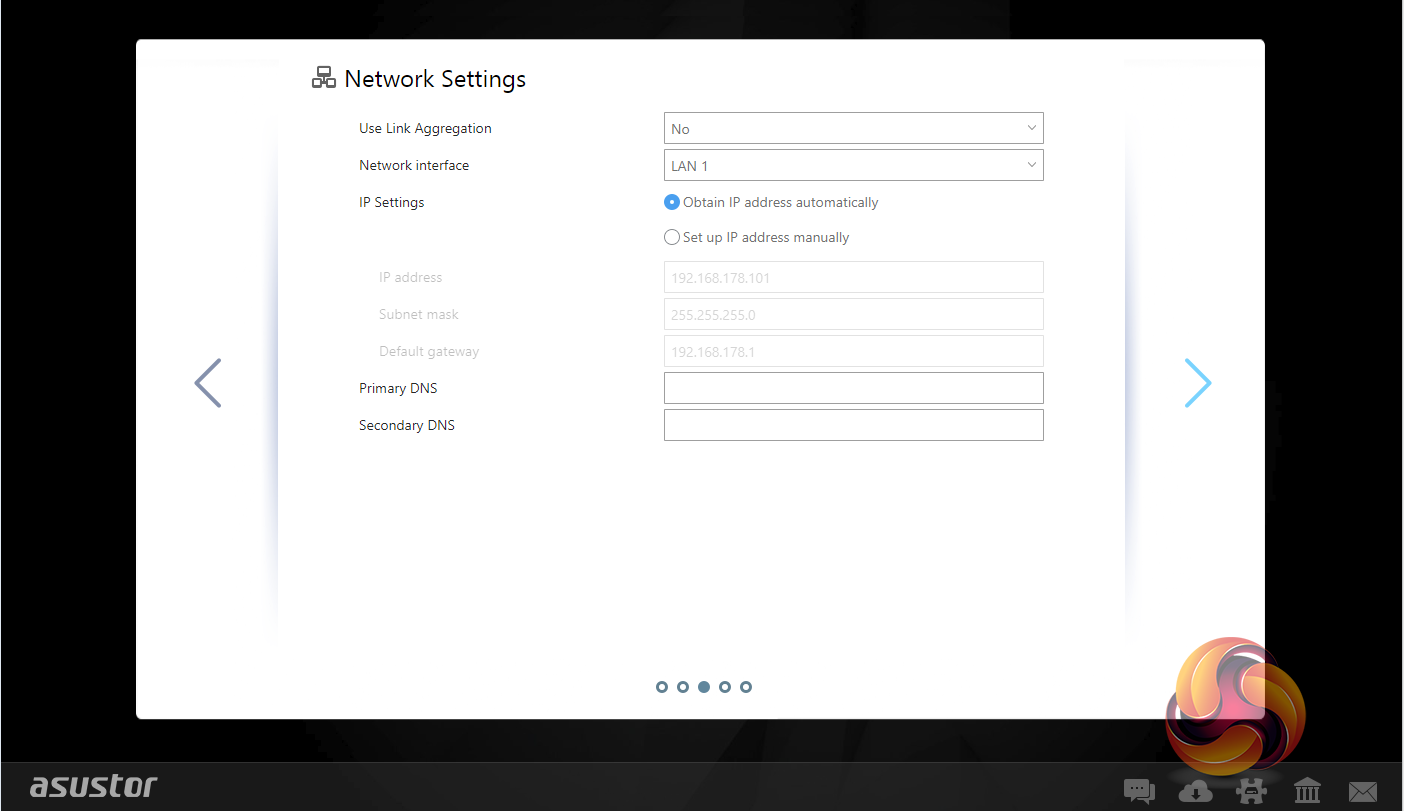
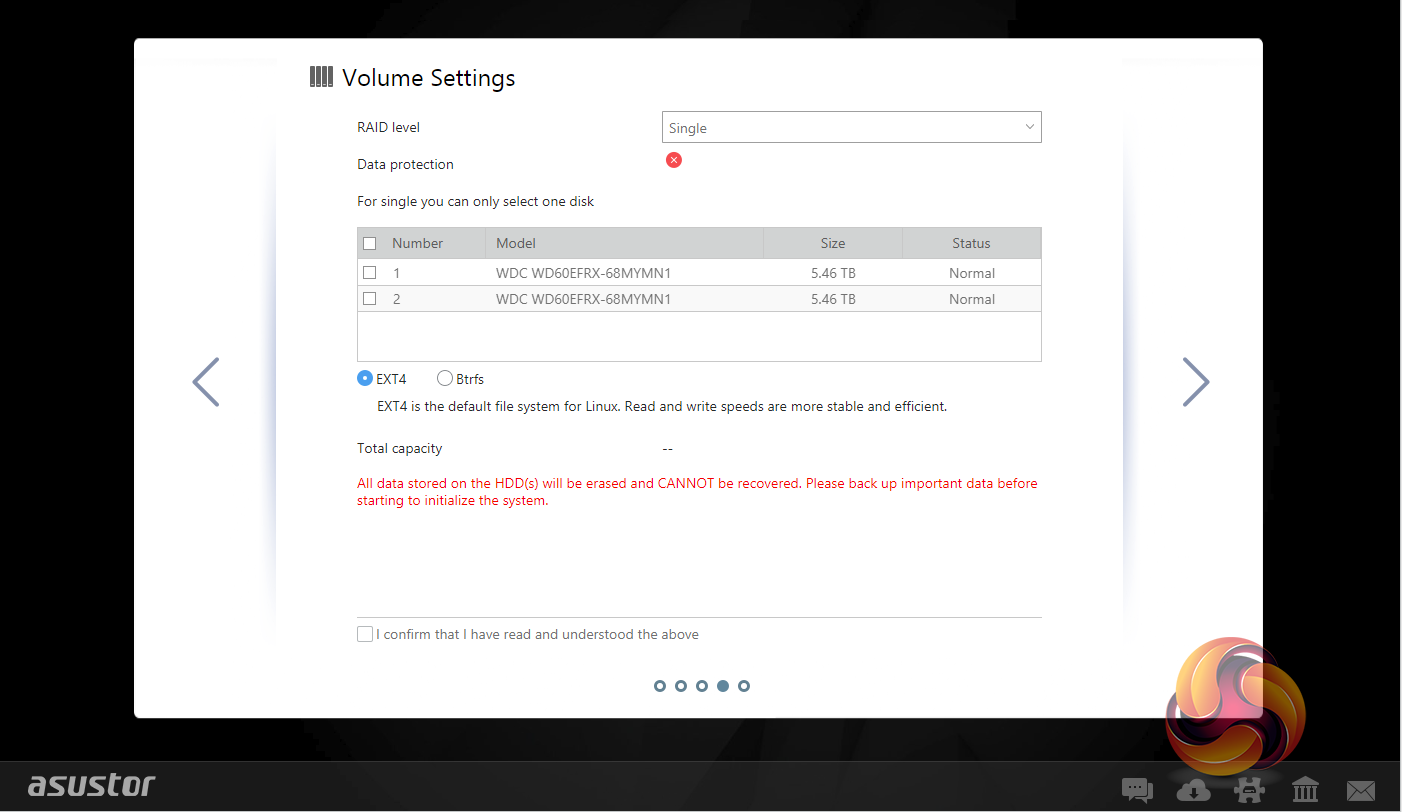
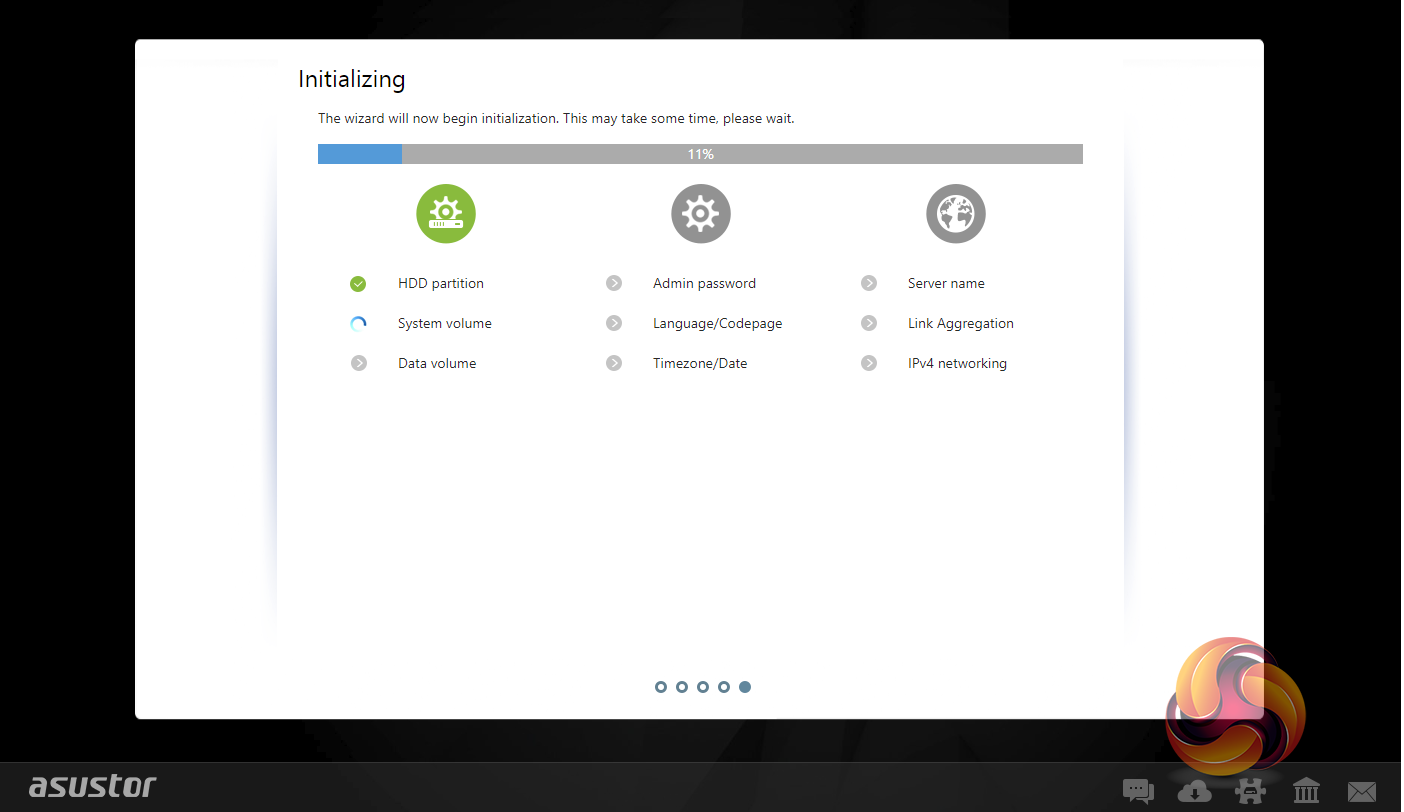
Whichever method you choose to set the NAS up, each stage along the install process is checked off on the initialisation page so you always know what’s happening during the install procedure.
You can also setup the AS5202T without using a PC. With Asustor’s AiMaster app on your smartphone (Android and iOS), you can find the NAS on a network, configure it and initialise it.
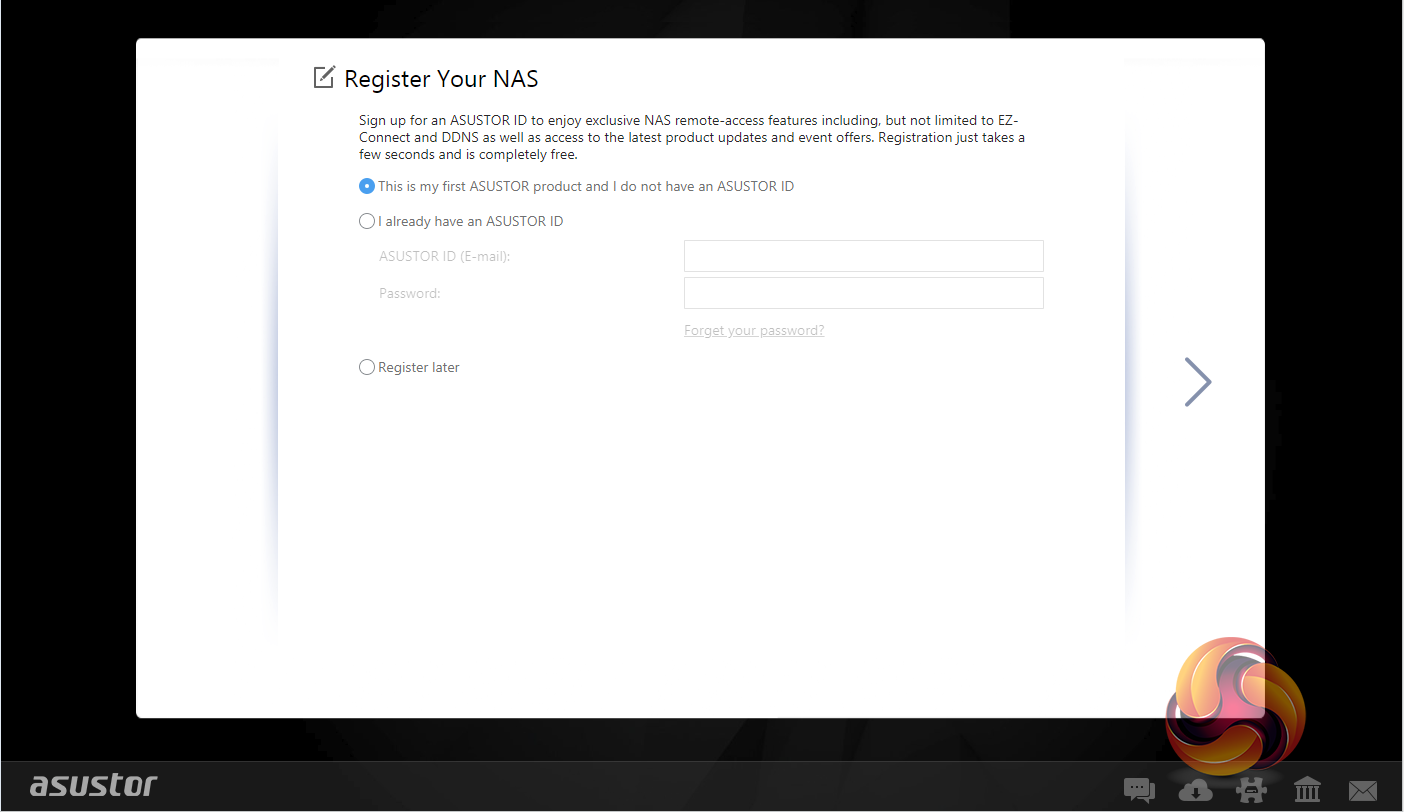
The last job is the register the NAS. Registering it provides an Asustor ID which you will need to download apps from App Central. It will also be needed if you should require the technical support centre.
To test the AS5202T we used a pair of 6TB Red drives (WD60EFRX, 5,400rpm class, 64MB cache), built into all the RAID arrays supported by the device; RAID 0 and 1 and then tested at both 1GbE and 2.5GbE.
To test the 2.5GbE connection, we used an Asus XG-C100C 10GbE card and a Cat7 cable.
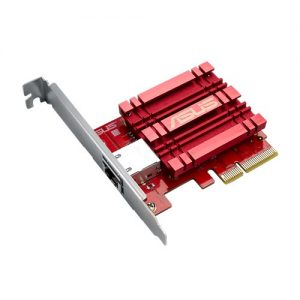
Thanks to Asus for their support with this. You can see more information on this card on the ASUS site, over HERE.
Software:
Atto Disk Benchmark.
IOMeter.
Intel NASPT.
The ATTO Disk Benchmark performance measurement tool is compatible with Microsoft Windows. Measure your storage systems performance with various transfer sizes and test lengths for reads and writes. Several options are available to customize your performance measurement including queue depth, overlapped I/O and even a comparison mode with the option to run continuously.
Use ATTO Disk Benchmark to test any manufacturers RAID controllers, storage controllers, host adapters, hard drives and SSD drives and notice that ATTO products will consistently provide the highest level of performance to your storage.
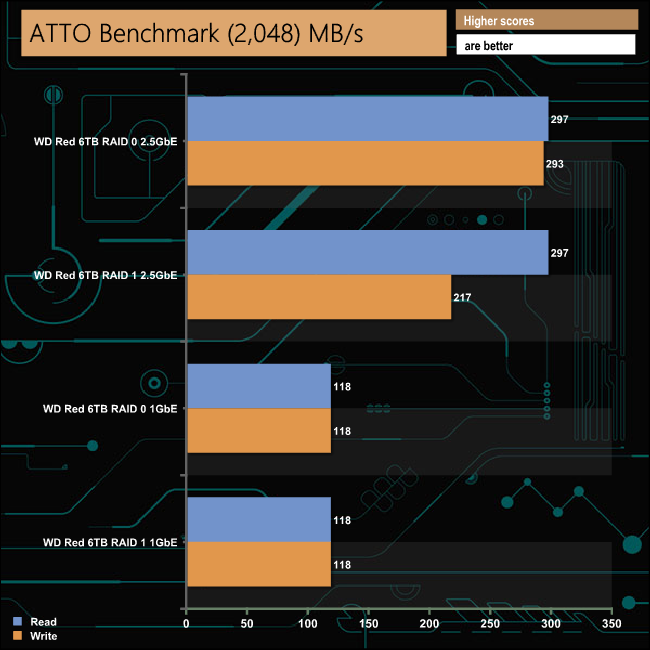
Asustor's official maximum read/write speeds for the AS5202T are 563MB/s and 561MB/s respectively for a RAID 1 array, but those headline figures are with both 2.5GbE ports setup in Link Aggregation mode. With just a single 2.5GbE connection we saw a read figure for both RAID 0 and RAID 1 of 297MB/s, with RAID 0 writes at 293MB/s and RAID 1 writes at 217MB/s. The 118MB/s figure for both arrays is what you would expect for 1GbE connection.
Intel’s NASPT (NAS Performance Toolkit ) is a benchmark tool designed to enable direct measurement of home network attached storage (NAS) performance. NASPT uses a set of real world workload traces (high definition video playback and recording, video rendering/content creation and office productivity) gathered from typical digital home applications to emulate the behaviour of an actual application.
We’ve used some of the video and office apps results to highlight a NAS device’s performance.
HD Video Playback
This trace represents the playback of a 1.3GB HD video file at 720p using Windows Media Player. The files are accessed sequentially with 256kB user level reads.
4x HD Playback
This trace is built from four copies of the Video Playback test with around 11% sequential accesses.
HD Video Record
Trace writes an 720p MPEG-2 video file to the NAS. The single 1.6GB file is written sequentially using 256kB accesses.
HD Playback and Record
Tests the NAS with simultaneous reads and writes of a 1GB HD Video file in the 720p format.
Content Creation
This trace simulates the creation of a video file using both video and photo editing software using a mix of file types and sizes. 90% of the operations are writes to the NAS with around 40% of these being sequential.
Office Productivity
A trace of typical workday operations. 2.8GB of data made up of 600 files of varying lengths is divided equally between read and writes. 80% of the accesses are sequential.
Photo Album
This simulates the opening and viewing of 169 photos (aprrox 1.2GB). It tests how the NAS deals with a multitude of small files.
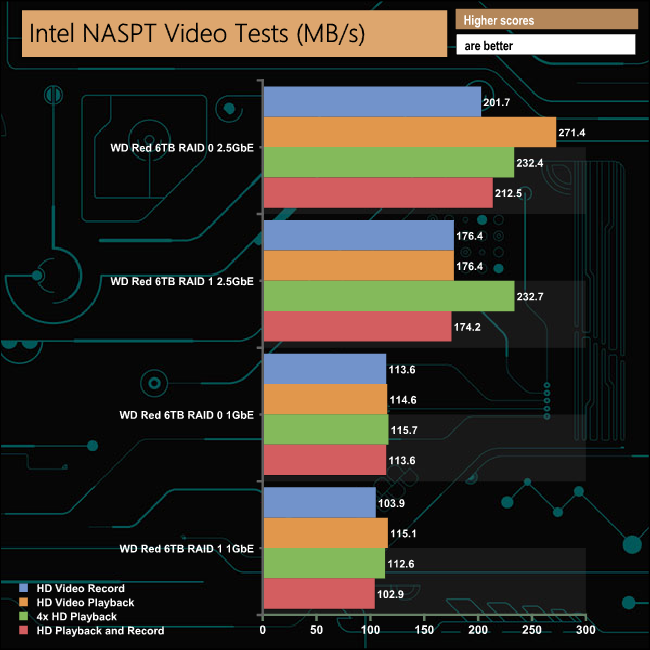
The fastest bandwidth figure for the AS5202T in the video tests of Intel's NASPT benchmark was the 271.4MB/s achieved in the HD Video Playback test, with the disks in a RAID 0 array with a 2.5GbE connection.
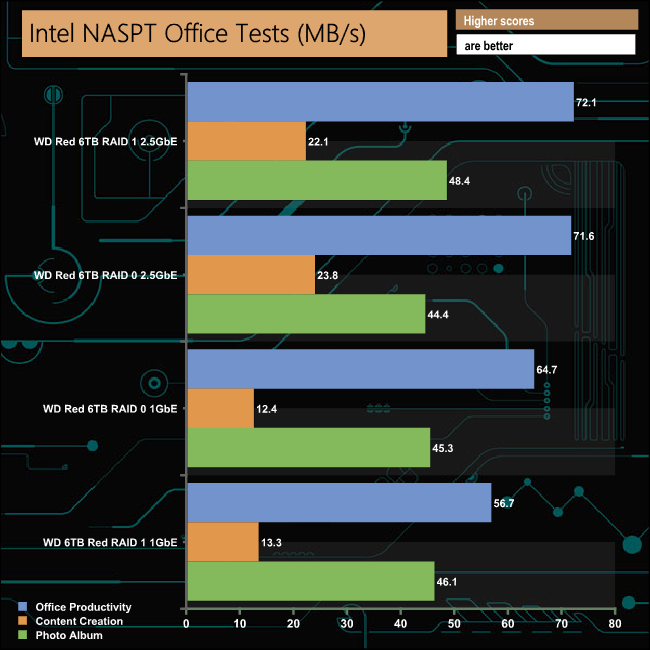
The only real improvement in performance using the 2.5GbE connection in the NASPT Office part of the benchmark comes in the Content Creation tests where the faster connection sees almost a doubling in performance.
IOMeter is another open source synthetic benchmarking tool which is able to simulate the various loads placed on hard drive and solid state drive technology.

The 2.5GbE connection shows its worth in our backup/restore test. In the backup test it bumps the transfer rate up by 87MB/s for RAID 0 and 79MB/s for RAID 1, while we saw increases of 122MB/s (RAID 0) and 96MB/s (RAID 1) when restoring the data.We tested the AS5202T with a number of scenario’s that it may face in the real world. The settings for these scenarios are as follows.
File Server
512MB file size, 16KB Block size, 80% Read 20% Write 100% Random, I/O queue depth 128
Web Server
1GB file size, 16KB Block size, 100% Read 0% Write 100% Random, I/O queue depth 64
Workstation
1GB file size, 16KB Block size, 70% Read 30% Write, 50% Random 50% Sequential, I/O depth 1
Database
2GB file size, 4KB Block size, 90% Read 10% Write, 90% Random, 10% Sequential, I/O queue depth 128
Media Streaming
160GB file size, 64K Block size, 98% Read 2% Write, 100% Sequential, Boundary: 4K, I/O depth 64, Threads/Workers: 8
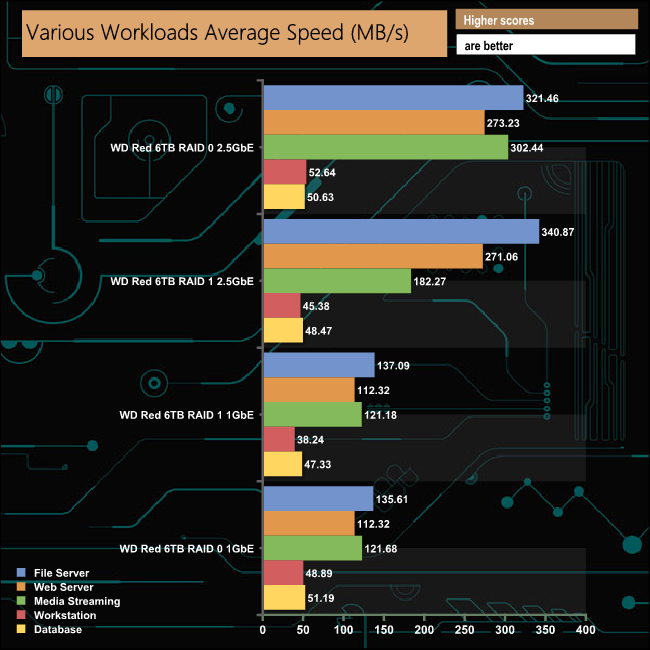
The Asustor AS5202T displays strong performance in our workload scenarios, even when it's using the 1GbE connection. The best figure we saw from the tests was the 340.87MB/s for the File Server test with the disks built into a RAID 1 array, using a 2.5GbE connection.
To test real life file/folder performance we use a number of different file/folder combinations to test the read and write performance of the NAS device. Using the FastCopy utility to get a MB/s and time taken for each transfer, the data is written from and read back to a 240GB SSD.
We use the following file/folder types:
- 100GB data file.
- 60GB iso image.
- 60GB Steam folder – 29,521 files.
- 50GB File folder – 28,523 files.
- 12GB Movie folder – 24 files (mix of Blu-ray and 4K files).
- 10GB Photo folder – 621 files (mix of .png, raw and .jpeg images).
- 10GB Audio folder – 1,483 files (mix of mp3 and .flac files).
- 5GB (1.5bn pixel) photo.
- BluRay Movie.
- 21GB 8K Movie demos.
- 11GB 4K Raw Movie Clips (8 MP4V files).
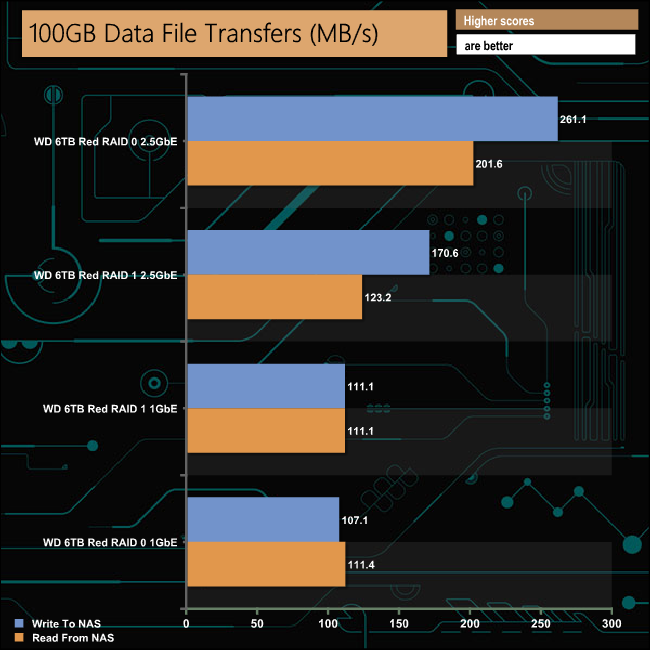
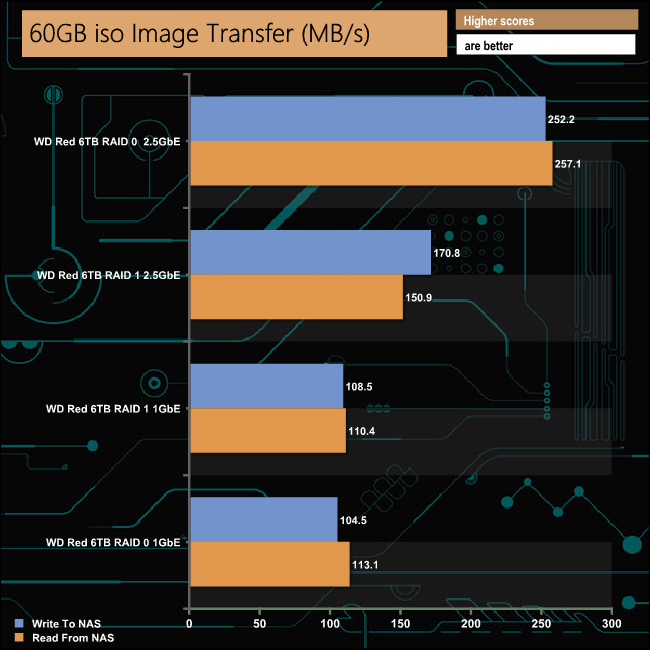
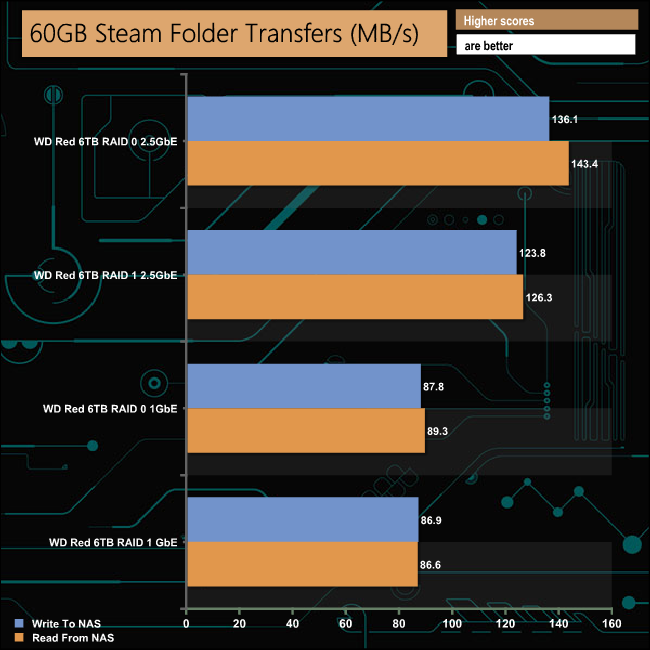
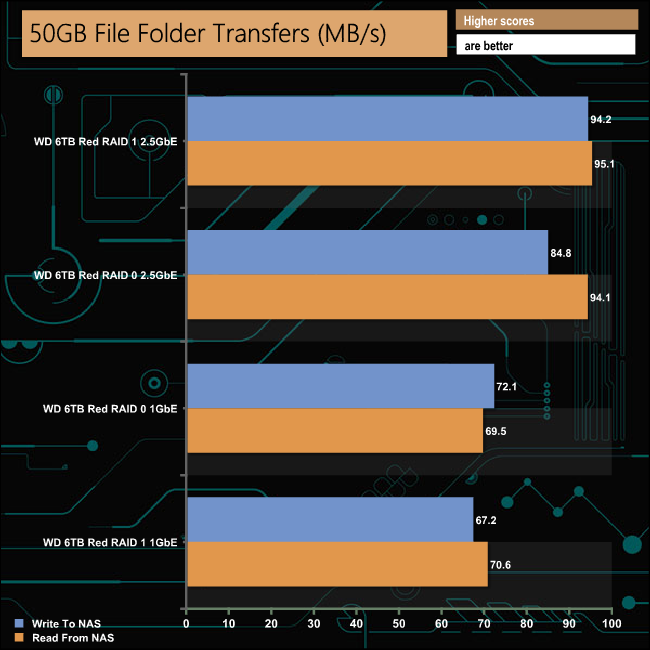
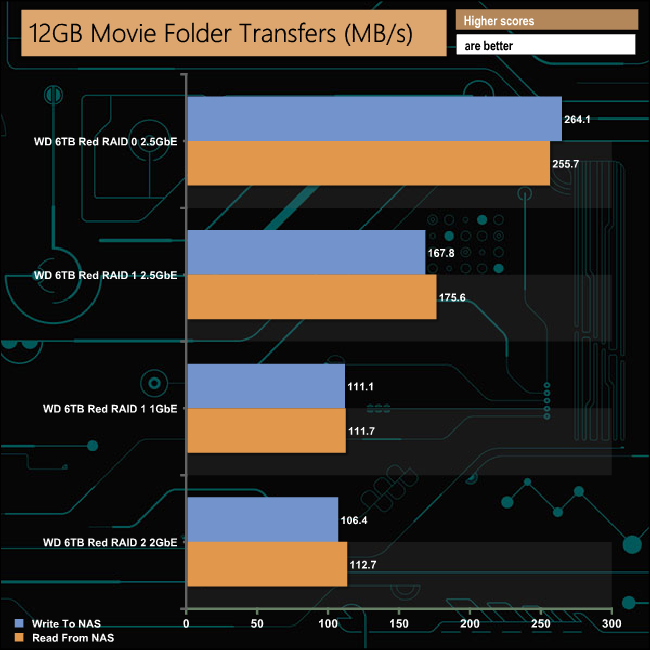
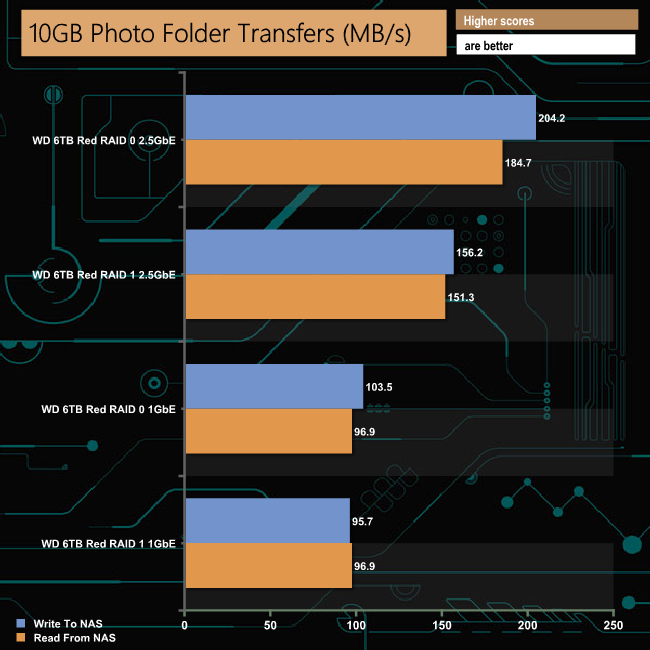
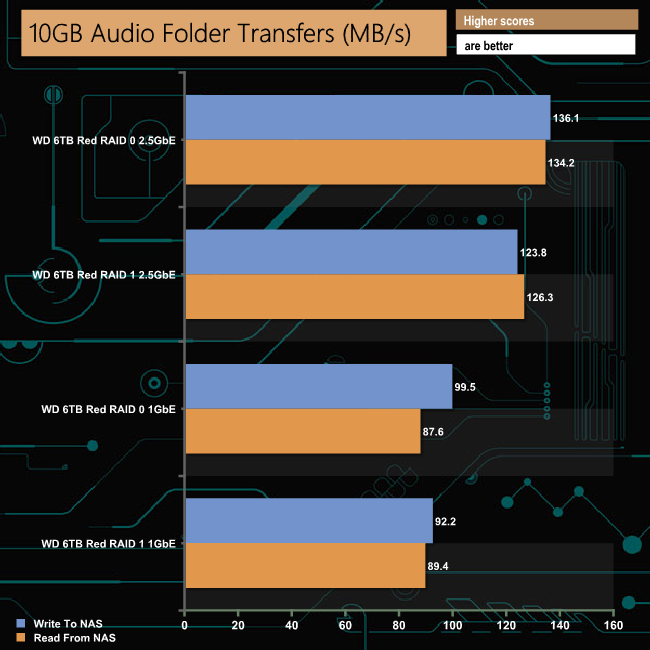
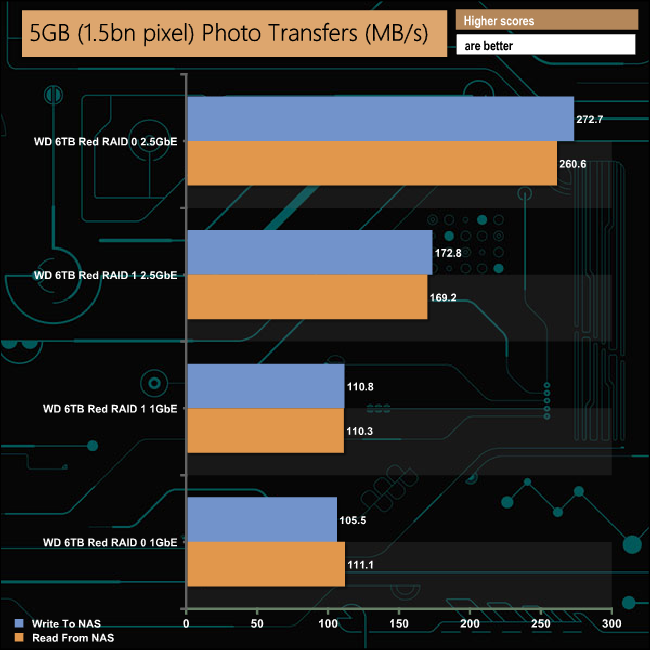
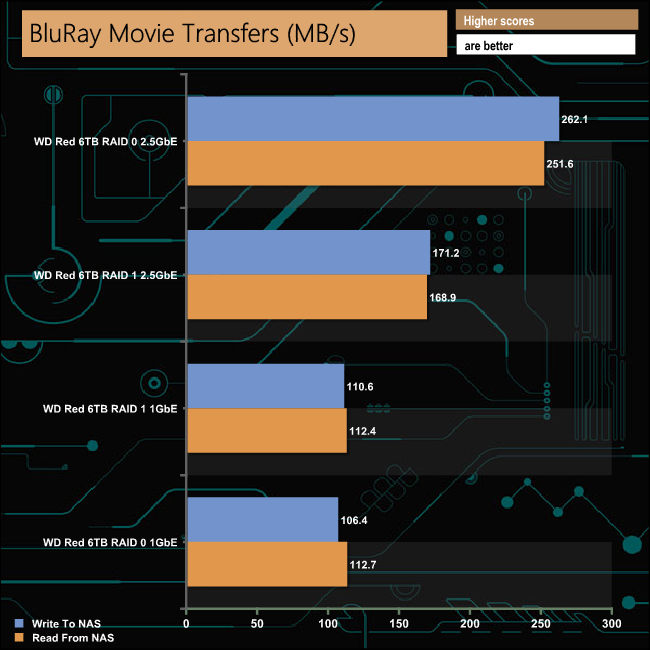
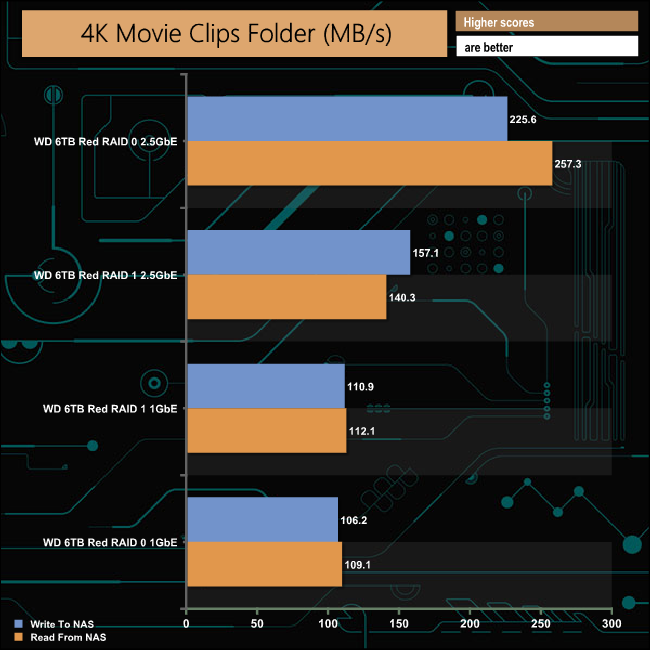
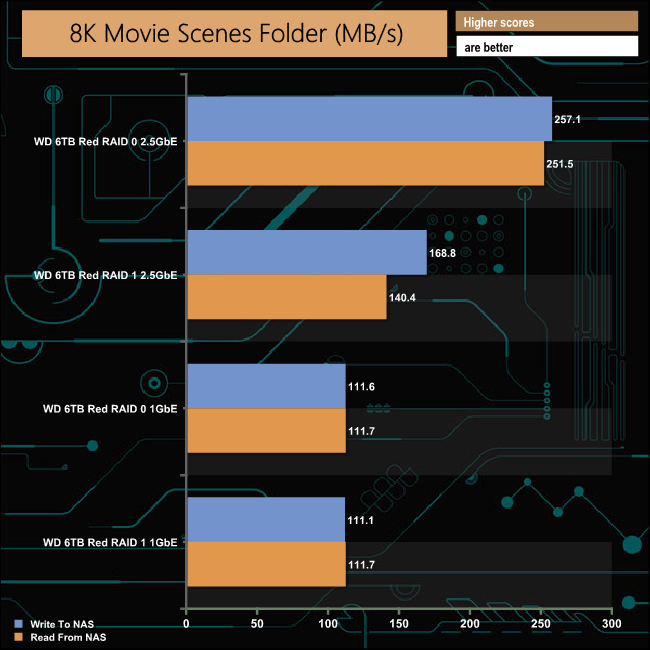
Click to enlarge
The AS5202T dealt with our real life file transfer tests with ease. With a 2.5GbE connection we got over well over 200MB/s transfer rates for most of the tests, with the exception of the ones dealing with folders containing a lot of small-sized files. The 60GB Steam and 10GB Audio folders produced over 100MB/s for read and writes which is much faster than the transfer rates for the same tests with a 1GbE connection. For the 50GB file transfer tests there wasn't that much of a difference between the two connection speeds in either RAID array.
We tested the peak power consumption of a NAS at the wall during a run of CrystalDiskMark 5.0.2 as this version of the benchmark runs the read and write benchmark suites separately so it's easier to monitor what power the device is using during each function.
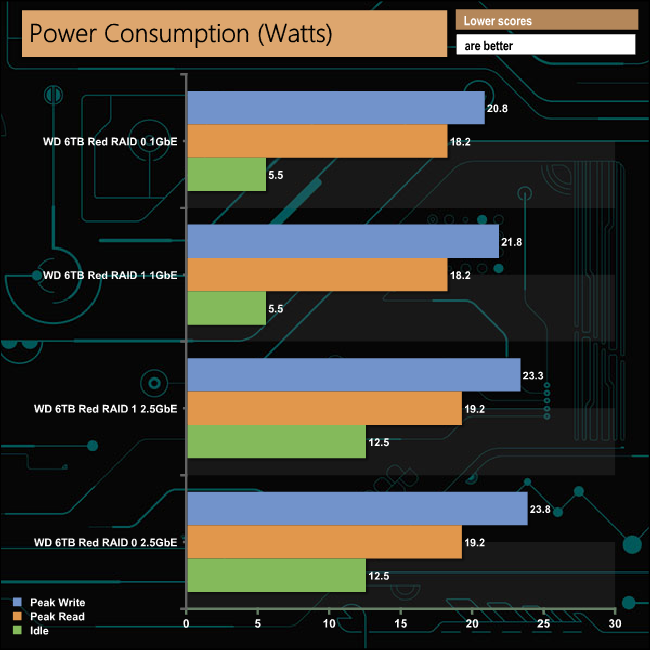
The Intel Celeron J4005 processor that powers the AS5202T has a TDP of 10W, so the system is quite frugal when it comes to power. Asustor's official power ratings for the NAS are 17W in normal operation and 10.5W with the disks in hibernation, these figures are taken using WD Red 6TB drives. We use WD 6TB Red drives to test with but our active read/write figures are taken when the NAS is being pushed very hard during the running of the CrystalDiskMark benchmark, so can be looked at as worst case scenario.
We've already looked at an Asustor NAS that brought 10GbE to the consumer space, with the 4-bay AS4004T (review here), but Asustor have now brought out two new NAS devices for the mainstream market, the 4-bay AS5304T and the 2-bay AS5202T, that are the world's first to feature 2.5GbE networking support. In fact, the new NAS only has 2.5GbE ports – there are no 1GbE ports, though the 2.5GbE ports are backwards compatible all the way down to 1GbE anyway.
Asustor have created new branding for the launch of the two new devices aimed at creators, gamers and enthusiasts – Nimbustor. The AS5202T is the Nimbustor 2 and the AS5304T is the Nimbustor 4. The new models use the same diamond-cut aesthetics introduced with the AS40**T family but with red detailing to denote the new product line, so the Asustor name, top and bottom flashes of the power button panel and labels for the LEDs are finished in red.
ADM (Asustor Data Master) is one of the best NAS OS currently available. Easy and quick to install, it is straight forward enough to navigate around. Easy to use for first time users, the OS also offers plenty of features for the more advanced user to be able to fine tune the NAS to their own requirements. It is constantly kept updated with more advanced main features and even more additions to an already impressive list of apps in App Central. From the 3.3 version of ADM, Asustor has introduced support for the Btrfs file system which in turn brings Snapshot support and better data protection.
The AS5202T comes with a HDMI 2.0a port which supports 4K media at 60fps, a real performance boost over HDMI 1.4b (30fps) which is the more commonly used in NAS devices. The new NAS also sees the introduction of a new HEVC/ VP9 10bit Profile2 encoding engine which performs the neat trick of providing smoother video streaming and playback while reducing CPU usage. Plex Pass is supported as well as third-party media players.
The latest version of ADM also brings support for the latest version of Takeasy. Takeasy can now download videos from subscribed YouTube and Twitch channels automatically allowing the creation of personal archives of channel content.
The two bay AS5202T, at the time of writing, supports up to 32TB of internal storage space – but if this should not be enough, no problem as it supports Asustor's expansion units. The AS5202T supports up to three AS6004U expansion units via its three USB ports. The AS6004U is a four bay unit which supports drives up to 16TB to give a capacity of 64TB – meaning that by using all three USB ports of the AS5202T, the total amount of supported capacity is a very impressive 224TB.
Although 10GbE hardware prices are dropping, currently it still is an expensive option for the home user. With the AS5202T, Asustor have offered another pathway to faster networking speeds with a well featured NAS that is competitively priced.

We found the Asustor AS5202T on Overclockers UK for £309.95 (inc VAT) HERE
Pros
- 2.5GbE ports.
- ADM O/S.
- 4K 60fps support.
Cons
- Lack of PCIe slot for upgrading.
KitGuru says: Not content with bringing 10GbE to the consumer market at a pretty affordable price, Asustor is now bringing 2.5GbE to the same segment, again in a competitively priced package.