KitGuru KitGuru.net – Tech News | Hardware News | Hardware Reviews | IOS | Mobile | Gaming | Graphics Cards


We tested the DS1520+ with a number of scenarios that it may face in the real world. The settings for these scenarios are as follows.
File Server
512MB file size, 16KB Block size, 80% Read 20% Write 100% Random, I/O queue depth 128.
Web Server
1GB file size, 16KB Block size, 100% Read 0% Write 100% Random, I/O queue depth 64.
Workstation
Transfer Size: 8K Reads: 80% Writes: 20% Random: 80% Boundary: 8K Outstanding IO: 64 Threads/Workers 4.
Database
2GB file size, 4KB Block size, 90% Read 10% Write, 90% Random, 10% Sequential, I/O queue depth 128.
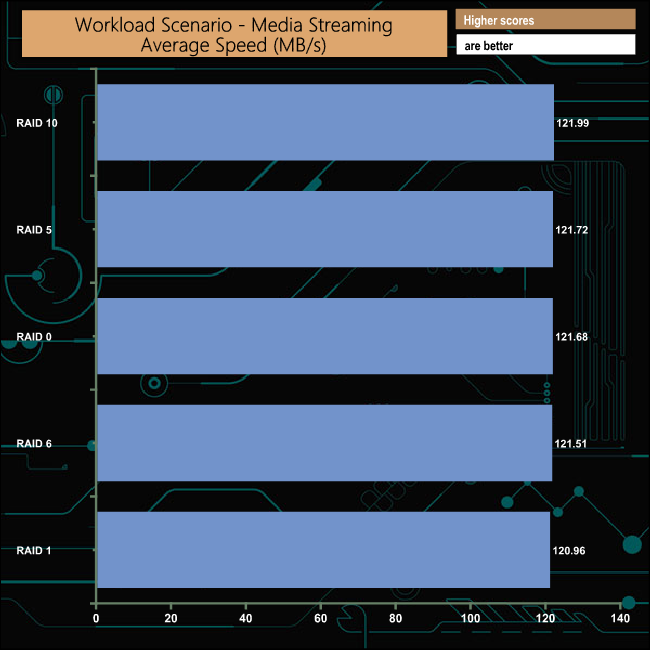
Media Streaming
160GB file size, 64K Block size, 98% Read 2% Write, 100% Sequential, Boundary: 4K, I/O depth 64, Threads/Workers: 8.
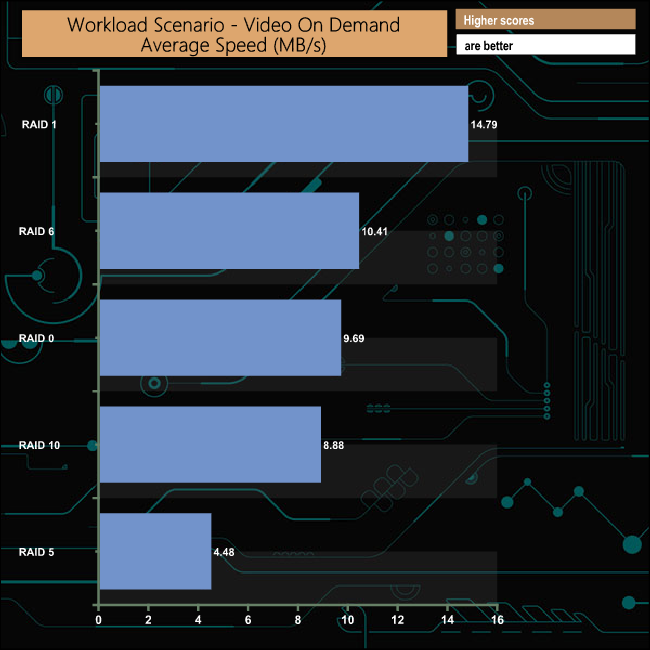
Video On Demand
160GB file size, 128K Block size, 100% Read, 100% Random, Boundary: 4K, I/O depth 512, Threads/Workers: 8.
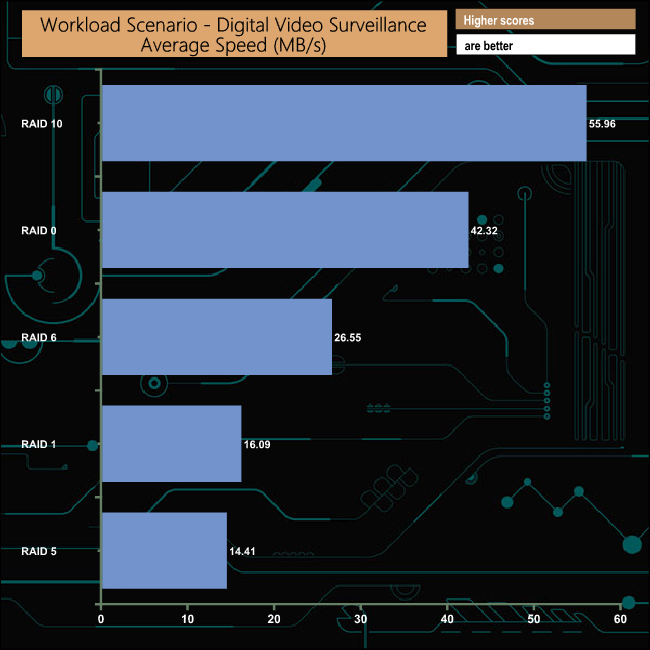
Digital Video Surveillance
160GB file size, 128K Block size, 90% Read 10% Write, 100% Sequential, Boundary: 512K, I/O depth 64 Threads/Workers:8.
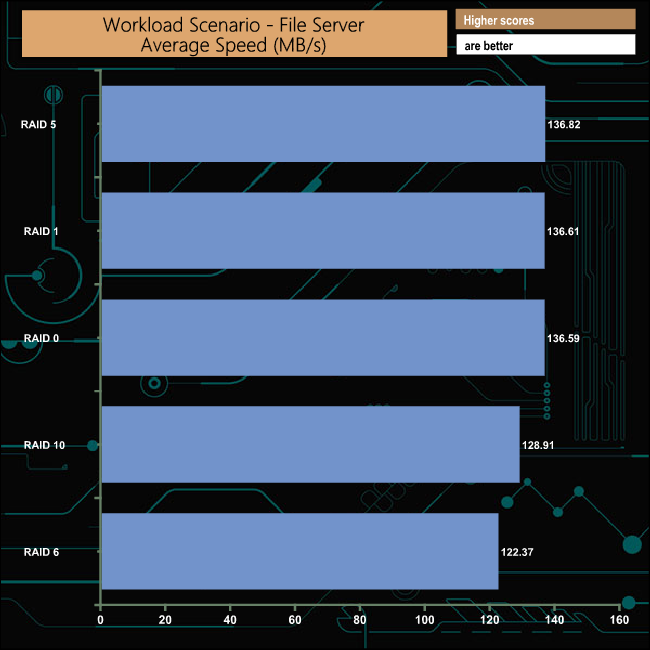
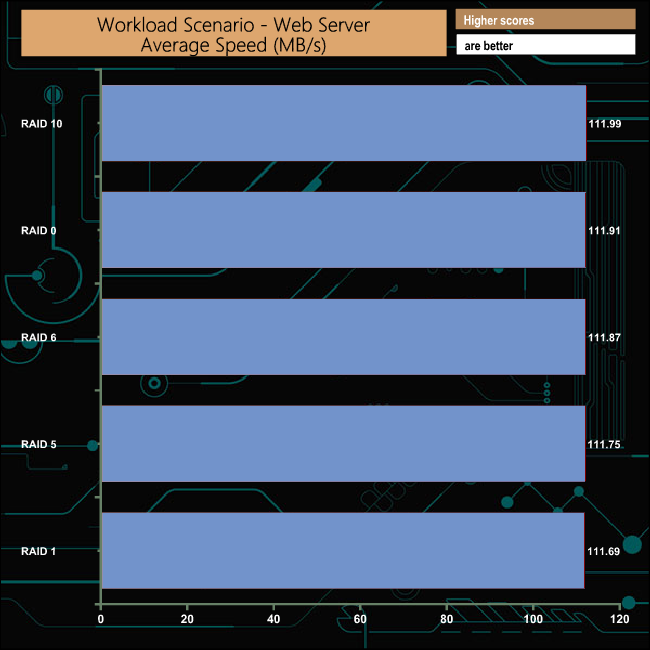
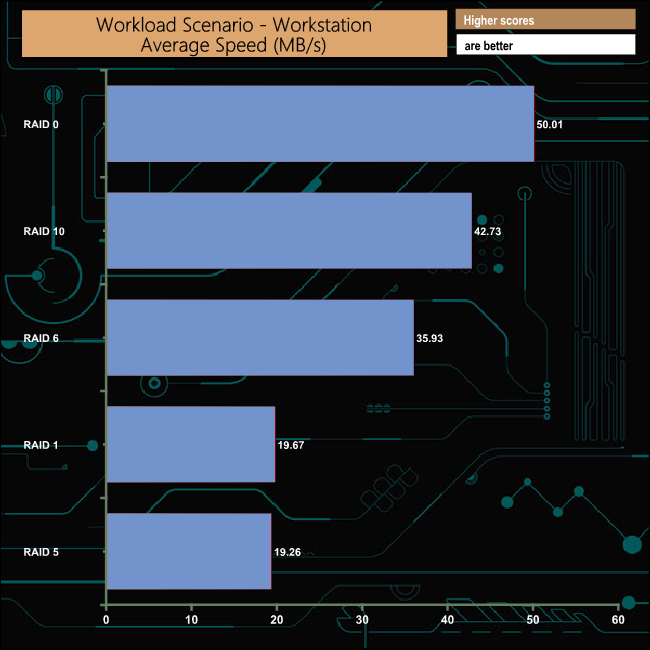
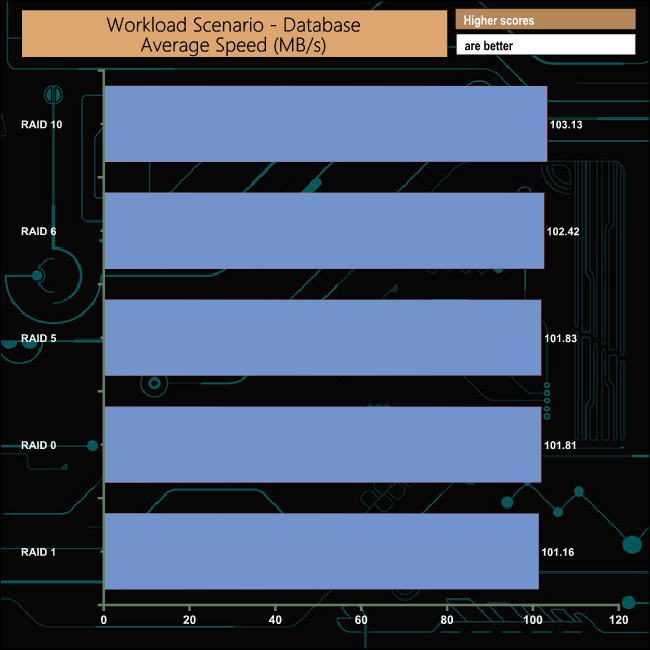
We also tested the DS1520+ in a few scenarios it might be used for in an office environment. It produced average bandwidth speeds of 132.06MB/s and 111.84MB/s for the File Server and Web Server tests respectively, 33.97MB/s for the Workstation test and 102MB/s when tested with the Database trace.