 KitGuru KitGuru.net – Tech News | Hardware News | Hardware Reviews | IOS | Mobile | Gaming | Graphics Cards


Today we take a look at AMD's second graphics card based on the 28nm ‘Fiji' Silicon. The Sapphire Fury card is the first to hit our labs, and it features a new version of their highly acclaimed ‘Tri-X' cooling solution. To reduce the retail price against Fury X – the new (non X) Fury model ditches the all in one liquid cooler and has 56 of the 64 compute units on the silicon enabled to yield a total of 3,584 stream processors. At around £445 inc vat it is priced almost identically to rival GTX980 solutions – but can it compete?
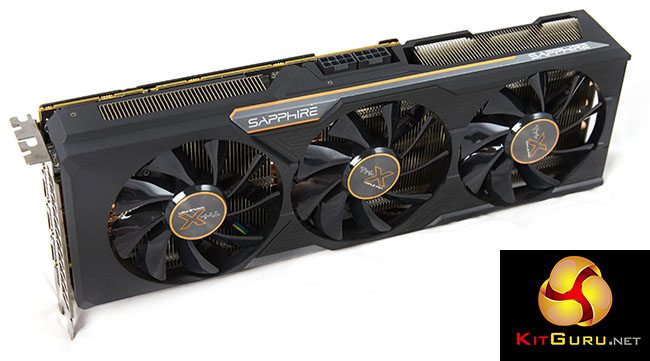
There is no doubt that Fury is an important SKU for AMD as it is going to be priced around £80+ less than the flagship Fury X, subsequently targeting a broader enthusiast audience interested in buying a modified GTX980.
The Fury X card certainly has potential (review HERE) but AMD really need to work on dropping UK prices a little – £530 to £600 (OCUK prices at time of publication) is going to a difficult sell for them right now. Some good news for potential Fury X customers – from what we have been told, Revision 2 of this card is already hitting retail – with noted pump and coil whine issues resolved. The Fury X walked away with our ‘Worth Considering' award last week and it will be interesting to see how the Sapphire's Tri-X air cooler deals with the Fiji architecture.
If you want a brief recap of Fiji, the new architecture and HBM memory, visit this page.
| GPU | R9 390X | R9 290X | R9 390 | R9 290 | R9 380 | R9 285 | Fury X | Fury |
| Launch | June 2015 | Oct 2013 | June 2015 | Nov 2013 | June 2015 | Sep 2014 | June 2015 | June 2015 |
| DX Support | 12 | 12 | 12 | 12 | 12 | 12 | 12 | 12 |
| Process (nm) | 28 | 28 | 28 | 28 | 28 | 28 | 28 | 28 |
| Processors | 2816 | 2816 | 2560 | 2560 | 1792 | 1792 | 4096 | 3584 |
| Texture Units | 176 | 176 | 160 | 160 | 112 | 112 | 256 | 224 |
| ROP’s | 64 | 64 | 64 | 64 | 32 | 32 | 64 | 64 |
| Boost CPU Clock | 1050 | 1000 | 1000 | 947 | 970 | 918 | 1050 | 1000 |
| Memory Clock | 6000 | 5000 | 6000 | 5000 | 5700 | 5500 | 500 | 500 |
| Memory Bus (bits) | 512 | 512 | 512 | 512 | 256 | 256 | 4096 | 4096 |
| Max Bandwidth (GB/s) | 384 | 320 | 384 | 320 | 182.4 | 176 | 512 | 512 |
| Memory Size (MB) | 8192 | 4096 | 8192 | 4096 | 4096 | 2048 | 4096 | 4096 |
| Transistors (mn) | 6200 | 6200 | 6200 | 6200 | 5000 | 5000 | 8900 | 8900 |
| TDP (watts) | 275 | 290 | 275 | 275 | 190 | 190 | 275 | 275 |
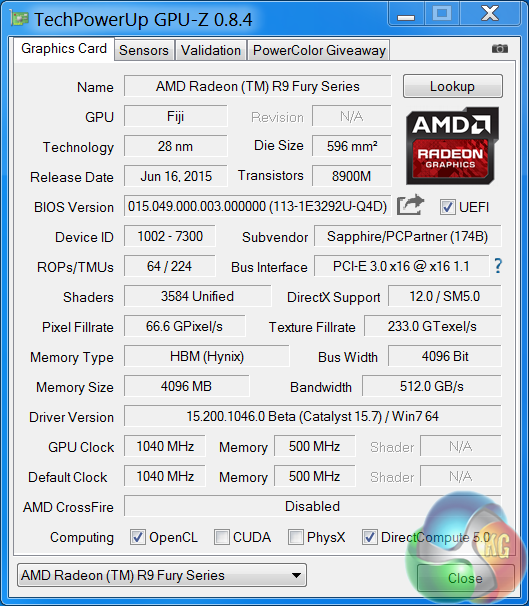
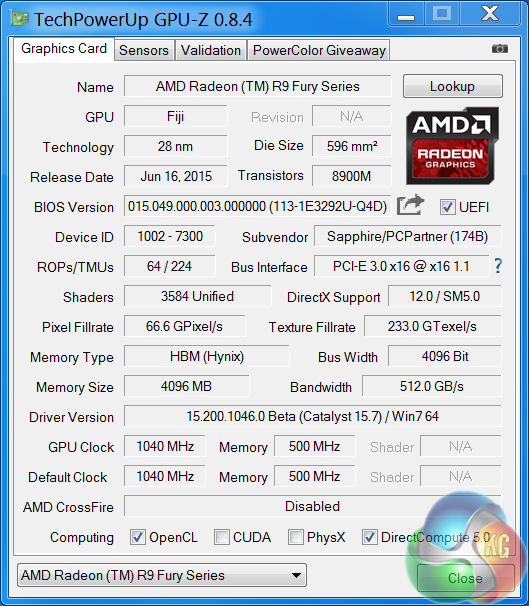
Sapphire are releasing two versions of the Tri-X Radeon R9 Fury – a standard edition with the core clock at 1,000mhz and a limited edition OC model with the BIOS set at 1,040mhz. We look at the OC model today in this review.
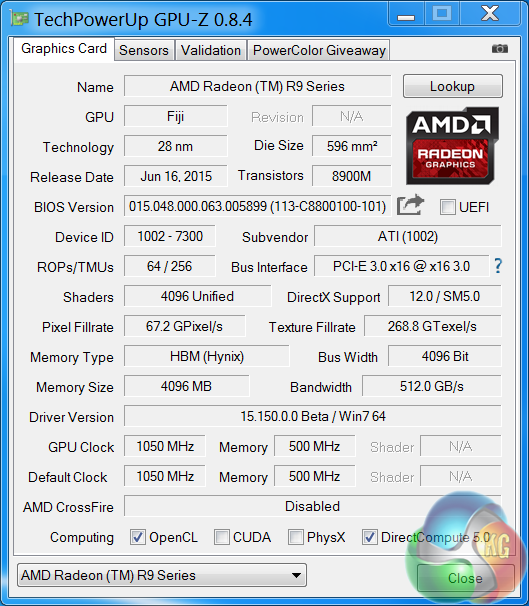
The R9 Fury GPU is built on the 28nm process and is equipped with 64 ROPS, 224 texture units and 3,584 shaders. The more expensive Fury X has 64 ROPS, 256 Texture units and 4,096 shaders. They both have 4GB of HBM (Hynix) memory across a super wide 4096 bit memory interface. Bandwidth rating for both cards is 512 GB/s.
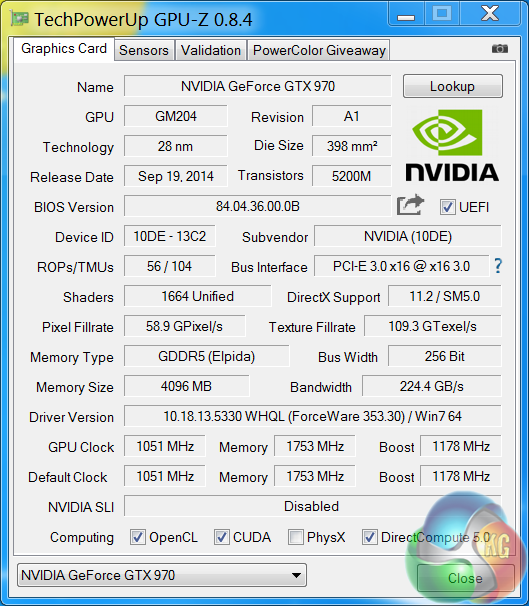
I have spent the last couple of weeks testing all our Nvidia and AMD hardware with Catalyst 15.6 beta and Forceware 353.30 drivers. A couple of days before this Fury launch AMD emailed me to say that their latest Catalyst 15.7 beta driver was available.
Subsequently I haven't had time to test all AMD hardware with this driver, however I did make time before launch to test Fury and Fury X with the latest Catalyst 15.7 beta.
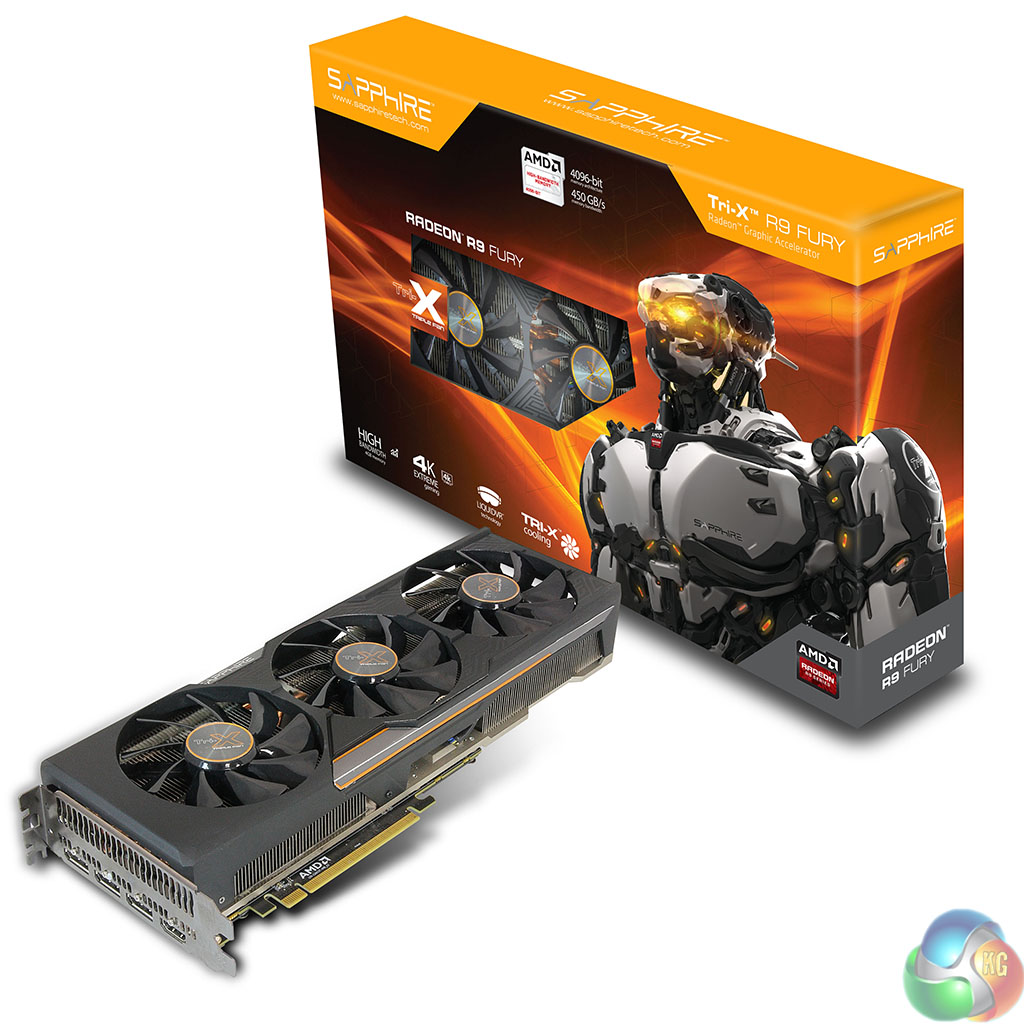
The Sapphire Tri-X Radeon R9 Fury ships in a colourful box featuring an image of a robot. We didn't get a retail box and accessories, the image above was supplied by Sapphire directly.
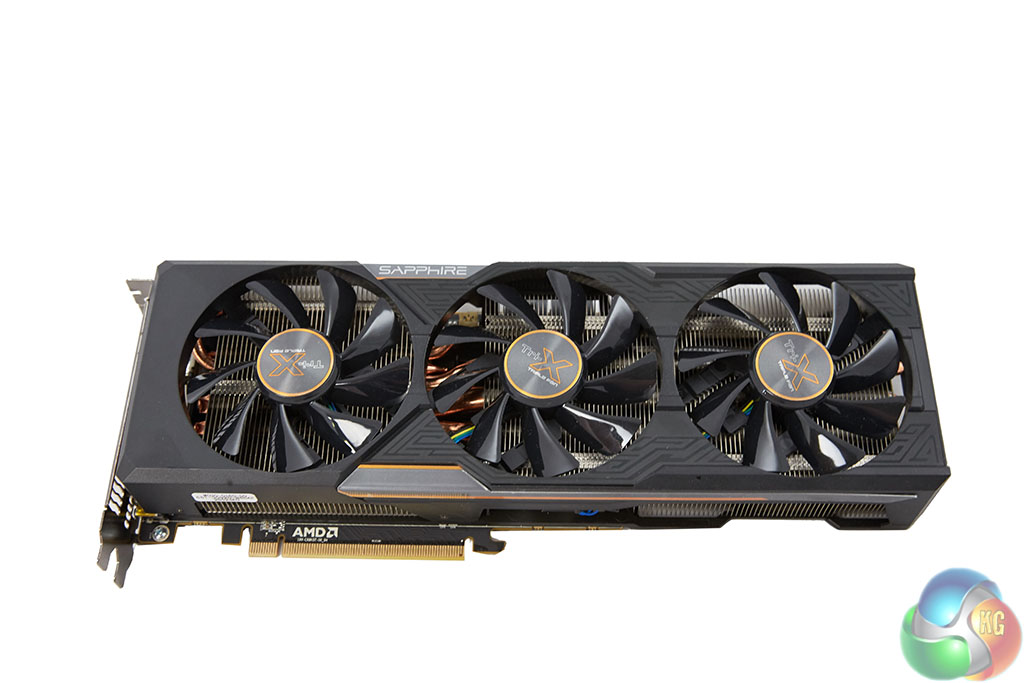
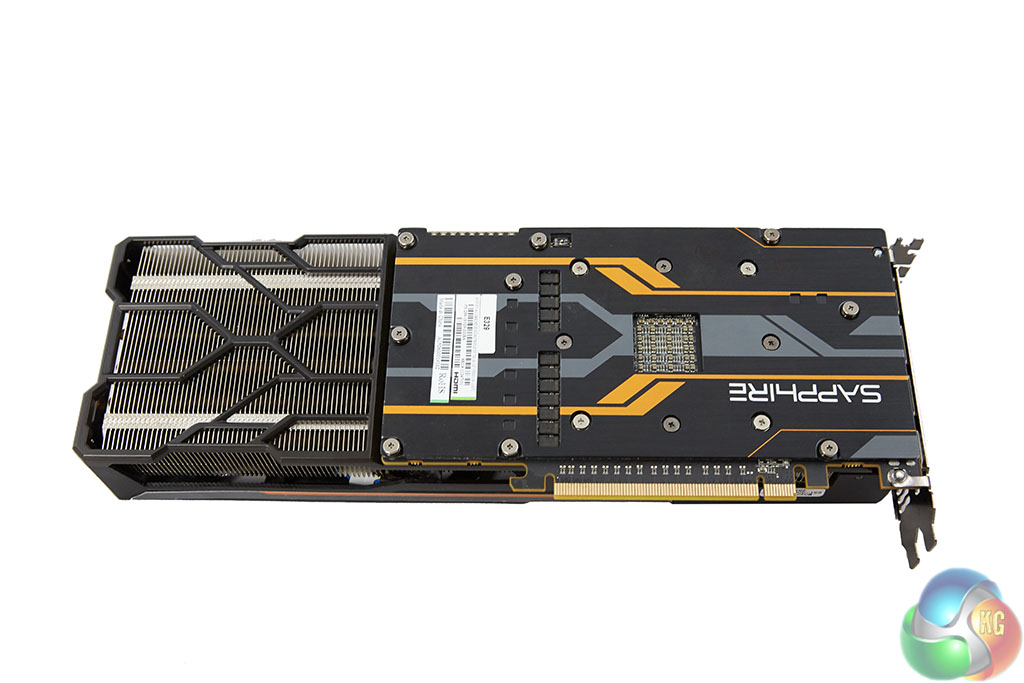
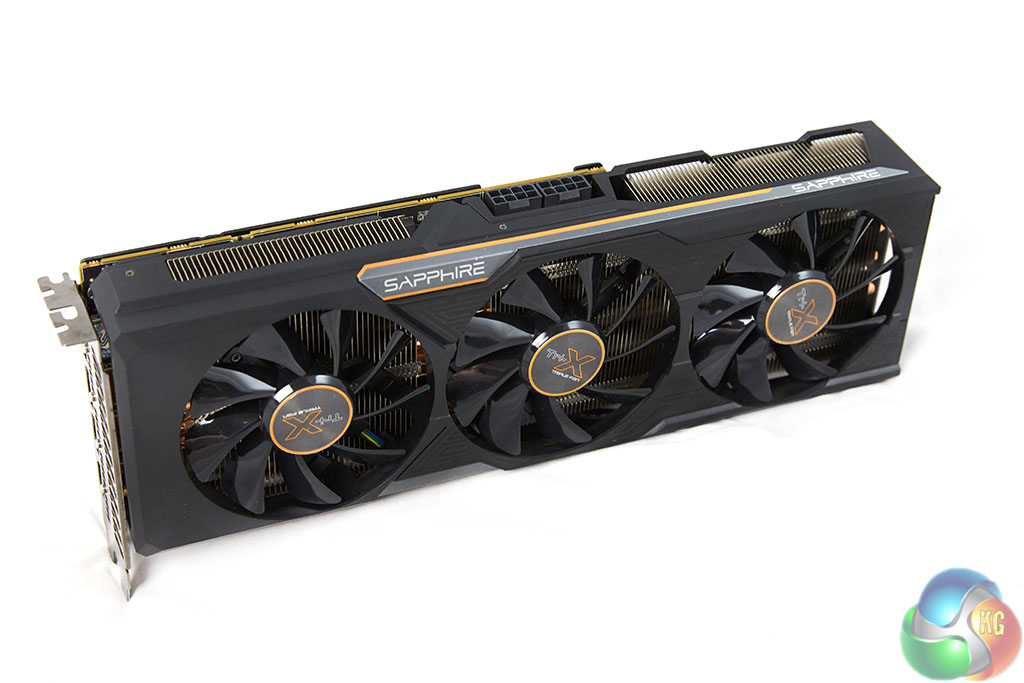
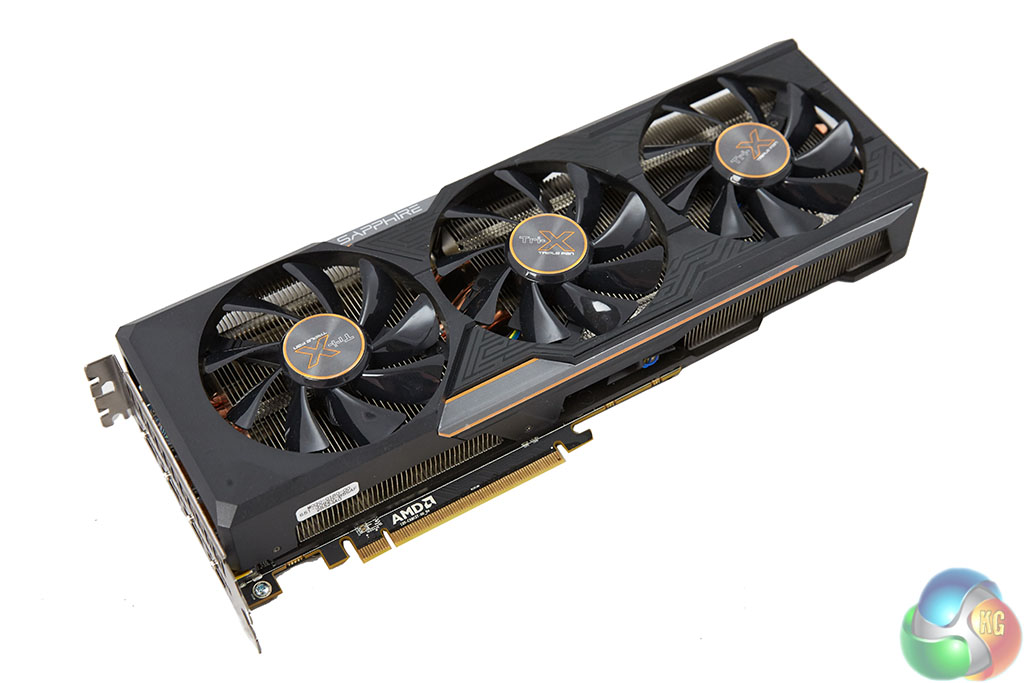
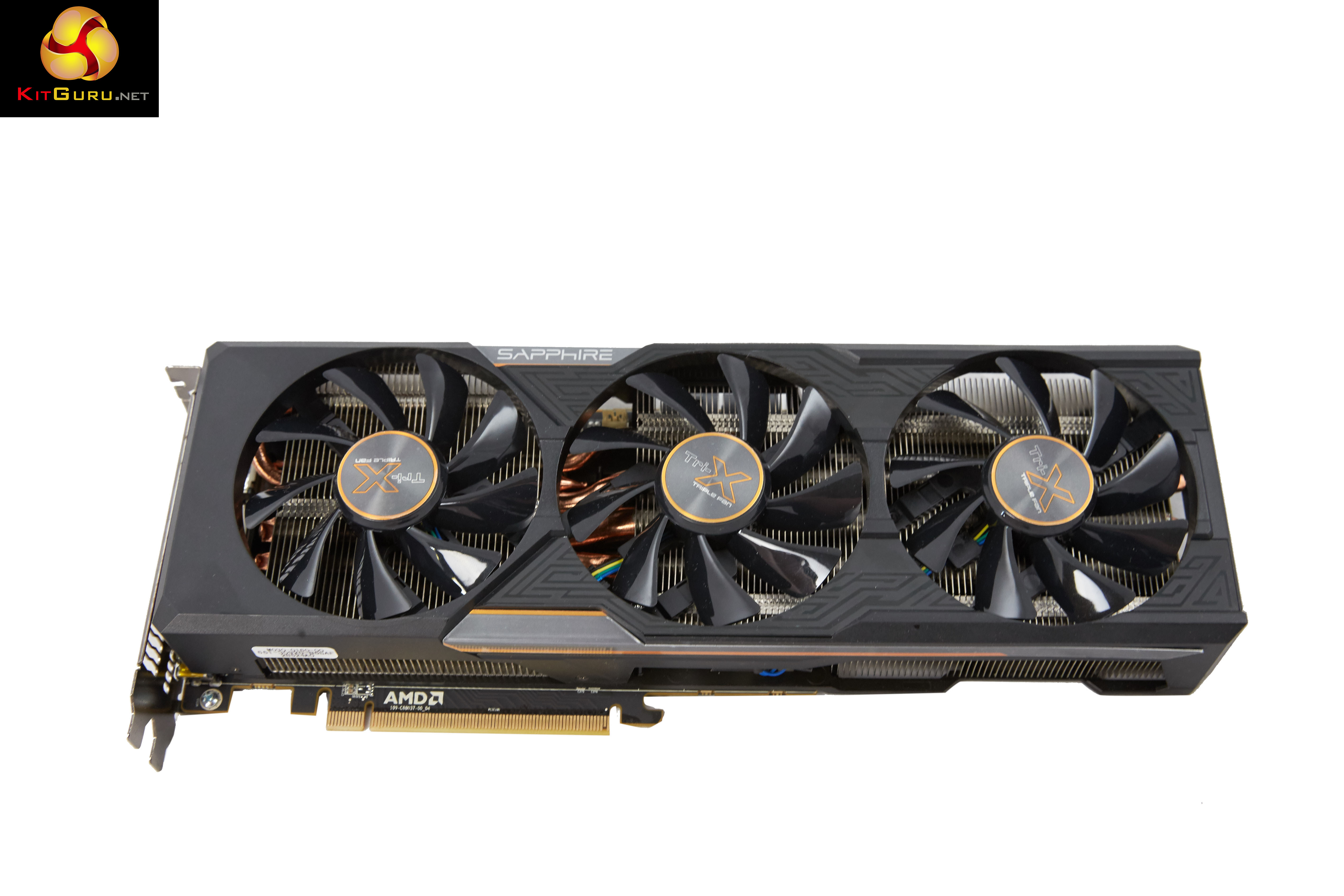
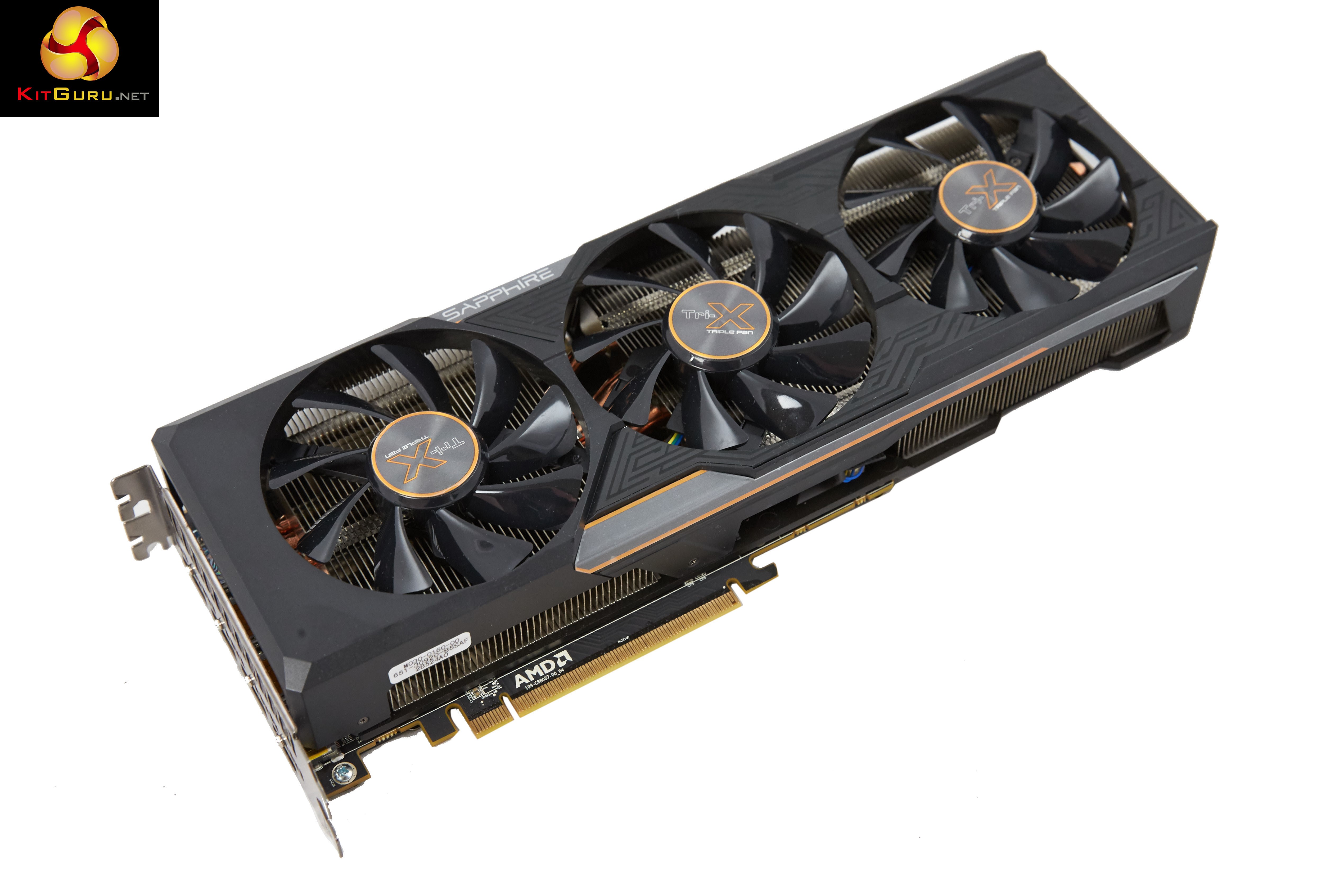
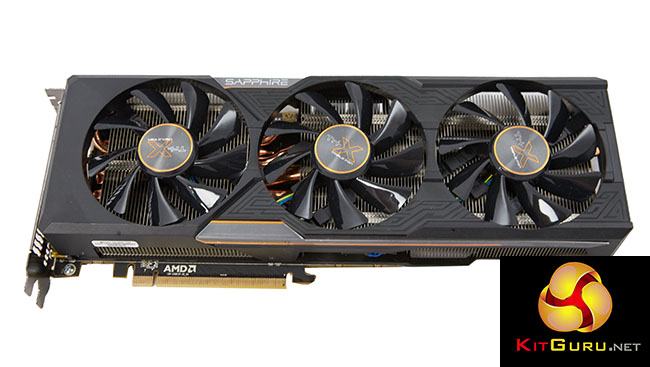
Sapphire have fitted a huge three fan cooler to the Fury PCB underneath with an extension plate supporting the long cooler above. It is a 2.2 slot card and measures 306 (L) x 114 (W) x 49 (H).
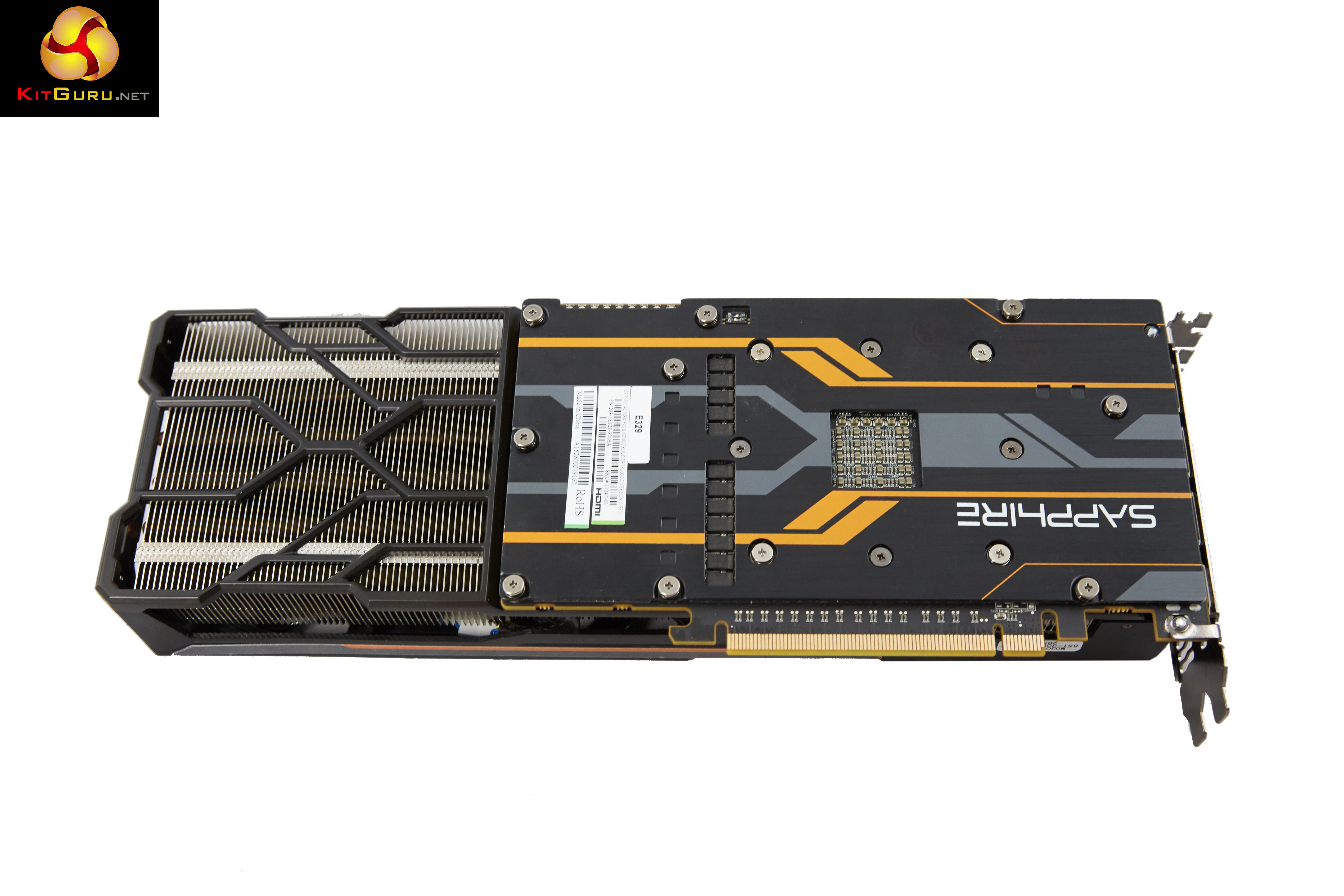
Sapphire claim the cooler assembly is extended beyond the PCB to improve air circulation. The cooler shroud is mounted directly to the PCB frame. This Fury card is also fitted with a thick aluminum backplate – always good to see as this can help eliminate unpleasant hotspots under intensive load conditions.
The cooler is fitted with three Aerofoil fans with dual ball bearings. There is an advanced fan control system to set temperature by arbitrating multiple sensors and Intelligent Fan Control (IFCII) stops fans under light load.
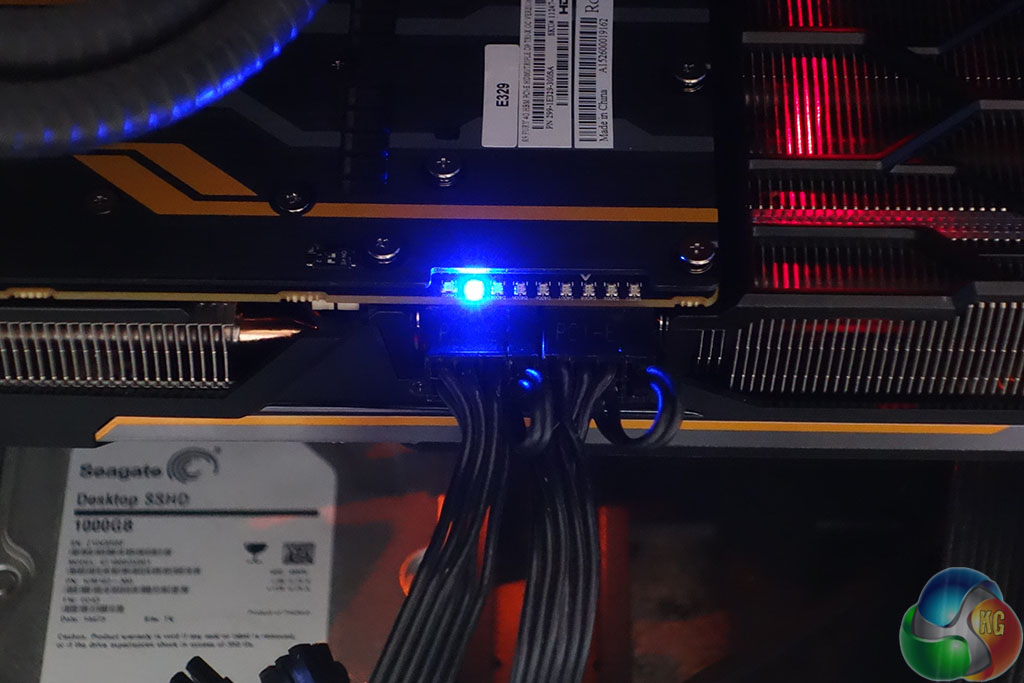
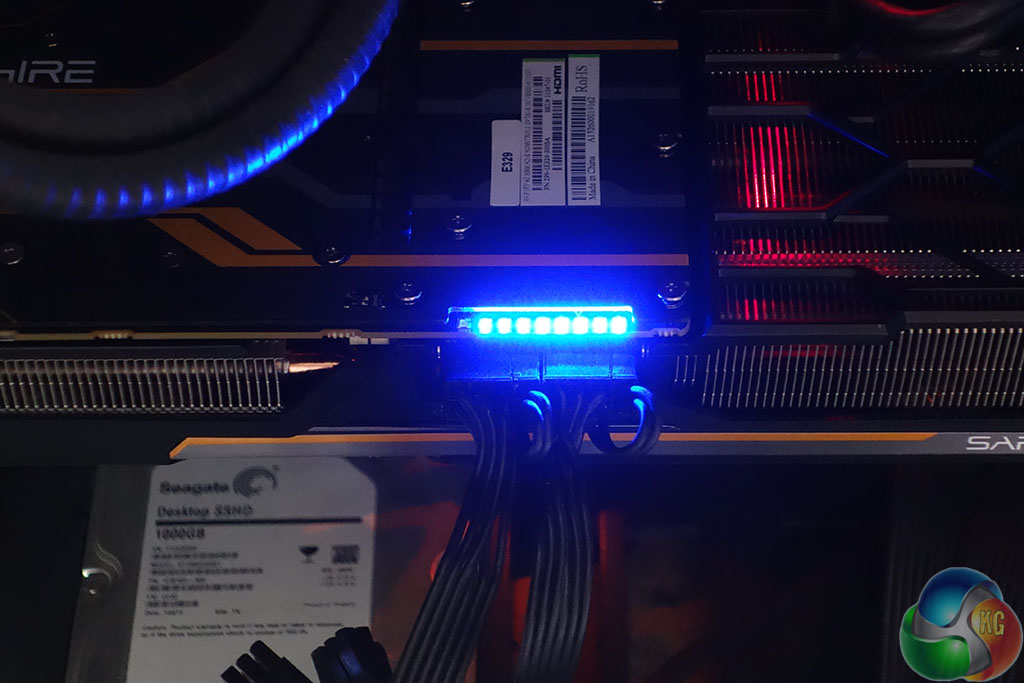
The card incorporates an LED along the side, which is easily seen during operation. This LED system indicates the state of activity. It also highlights AMD ZeroPower Mode – when a single LED is showing. When all 8 LEDs are lit, the card is fully loaded.
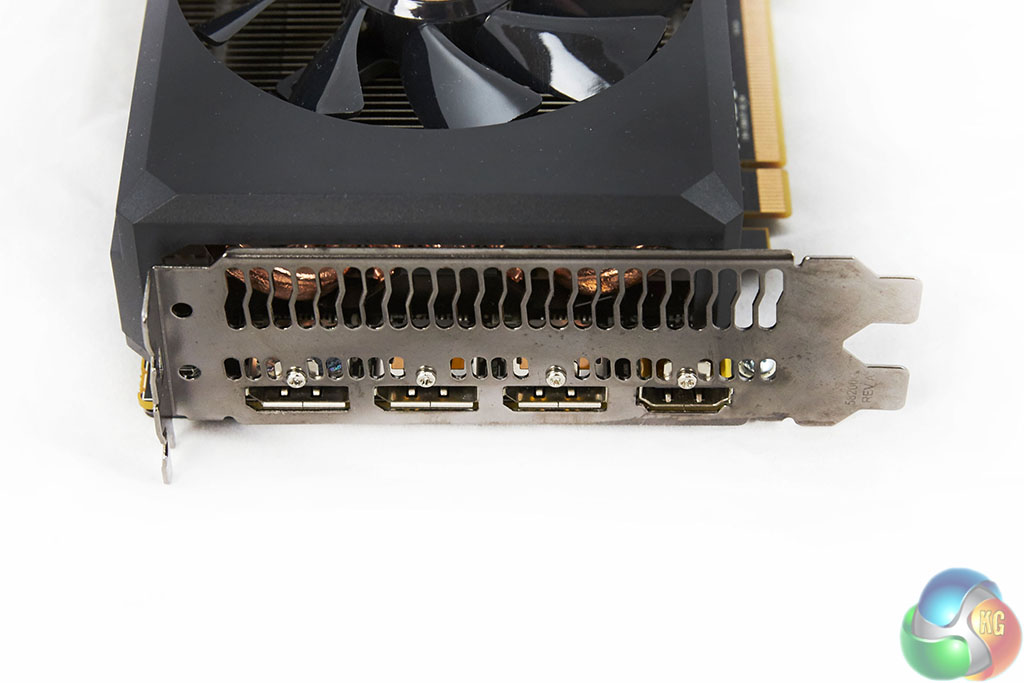
AMD have ditched VGA and DVI connectivity on the rear I/O plate – opting for DisplayPort 1.2a and HDMI ports. We have no problems with this, especially as the card ships with a DVI converter cable, however there is one, rather niggling issue. AMD are still using HDMI 1.4a ports on their cards which are limited to 30hz at Ultra HD 4K.
If you want to game on a large Ultra HD 4K television it is likely it won’t have a DisplayPort connector – only a small percentage do. You are therefore not able to get 60hz at the native resolution … and no one wants to play games at 30hz. Nvidia cards have had full HDMI 2.0 support now for quite some time. This may not be an issue for many, but we have already noticed enthusiast gamers complaining about AMD’s lack of HDMI 2.0 support, on our Facebook page. I think this is a rather glaring oversight by AMD.
On a more positive note, the card supports 4 monitors natively and up to six monitors with an MST hub or by Daisy chaining. There is full support for AMD Freesync, VSR, Liquid VR and bridgeless Crossfire.
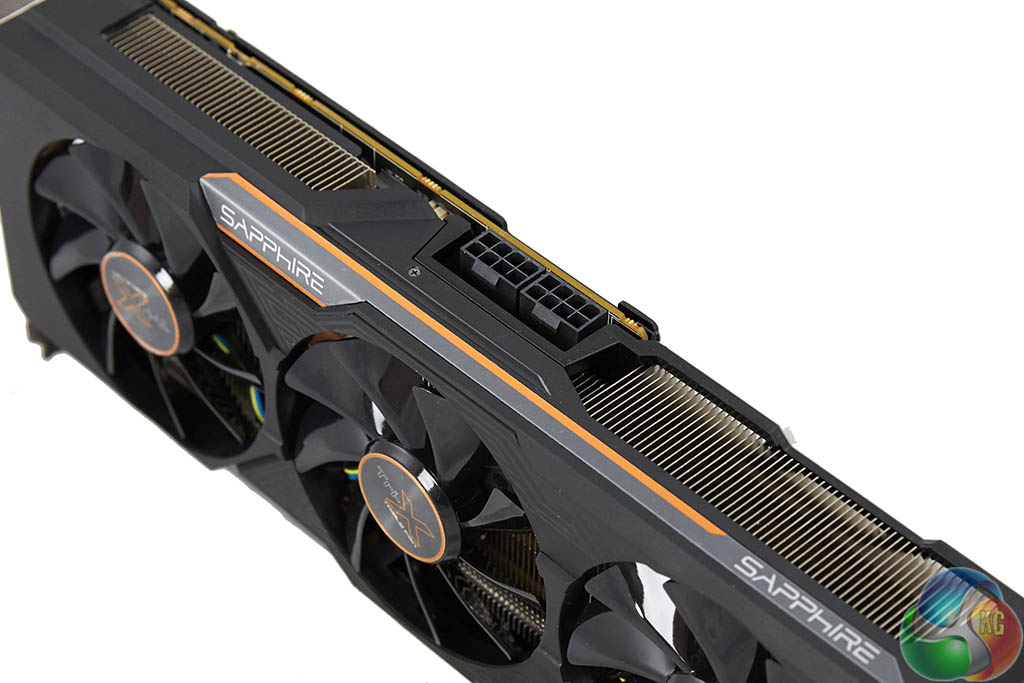
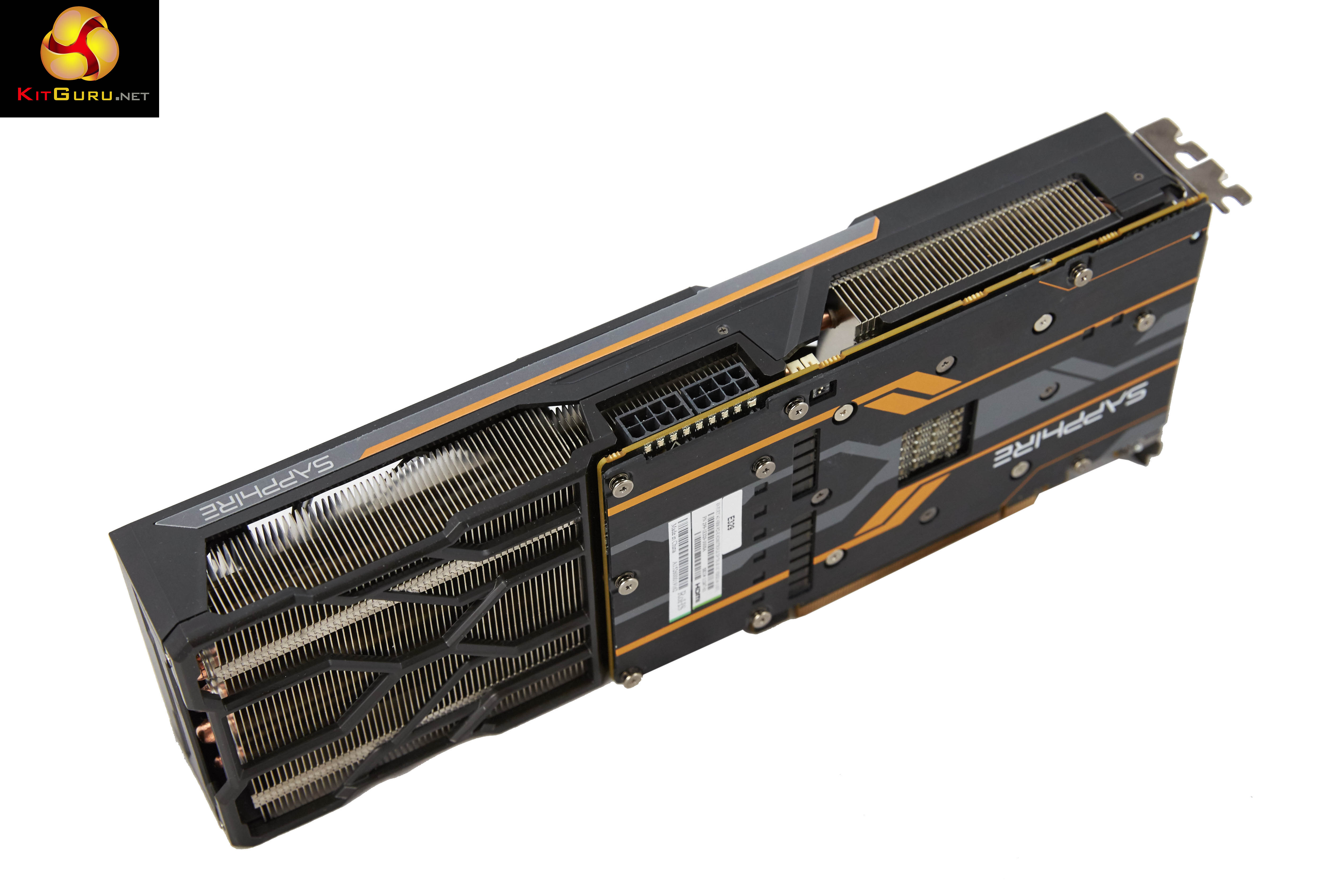
The Fury card takes power from two 8 pin PCI e connectors – which are in the ‘middle' of the card, but actually at the end of the PCB itself if you look closely.
It is worth pointing out that this card has two BIOS configurations – one specifically installed to help with overclocking. I will detail this in more detail on the next page.
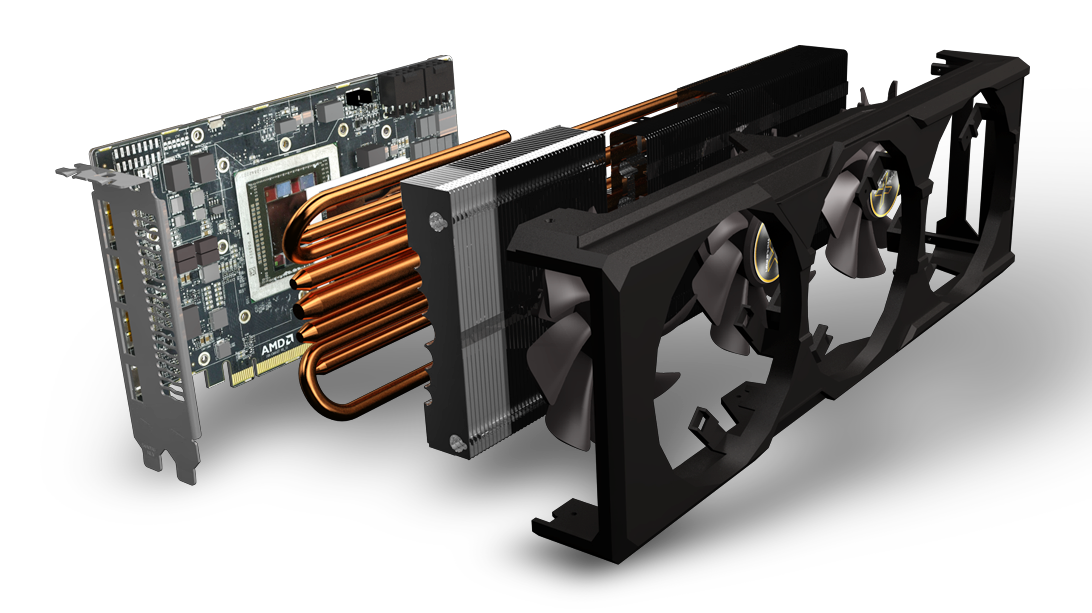
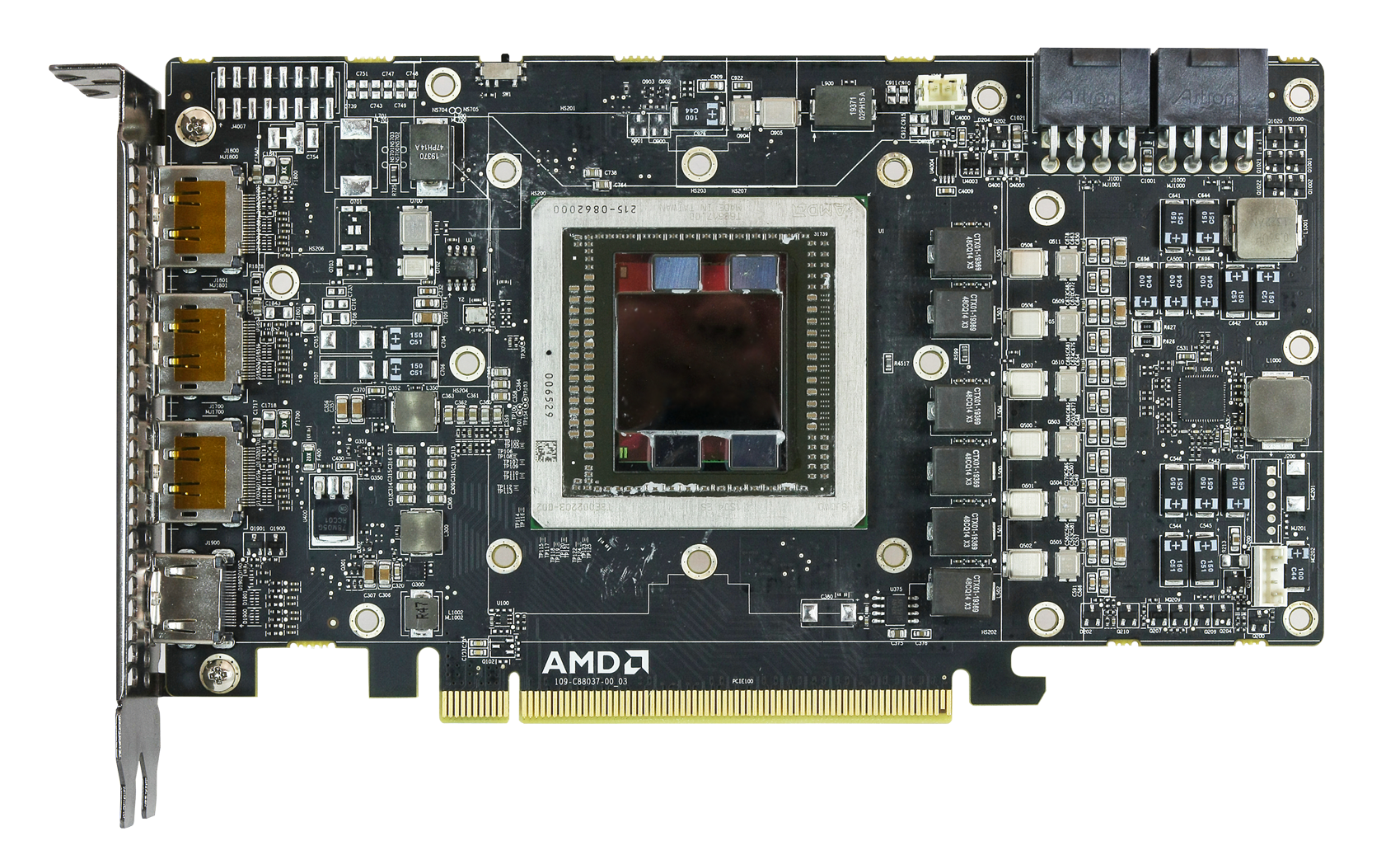
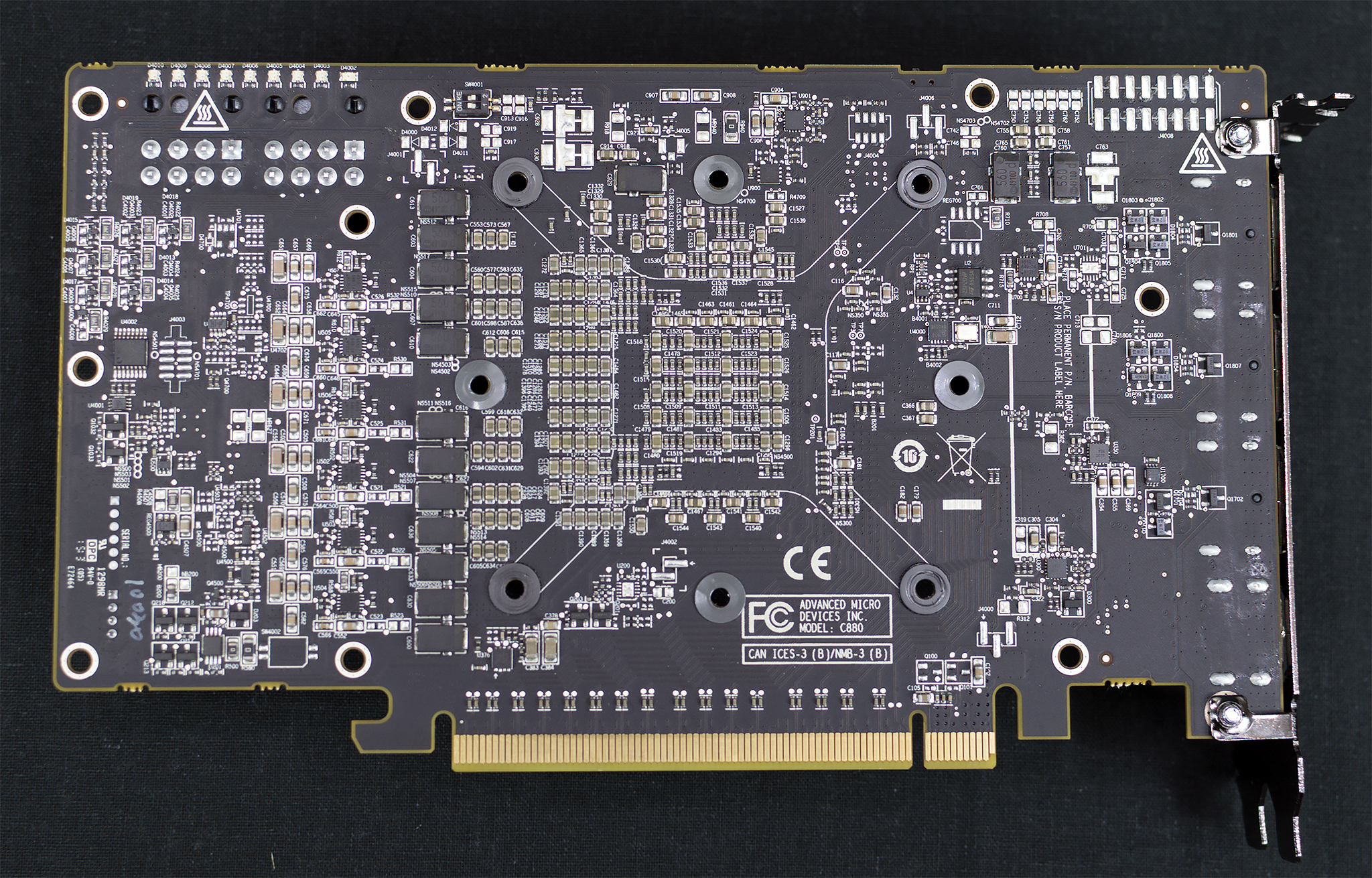
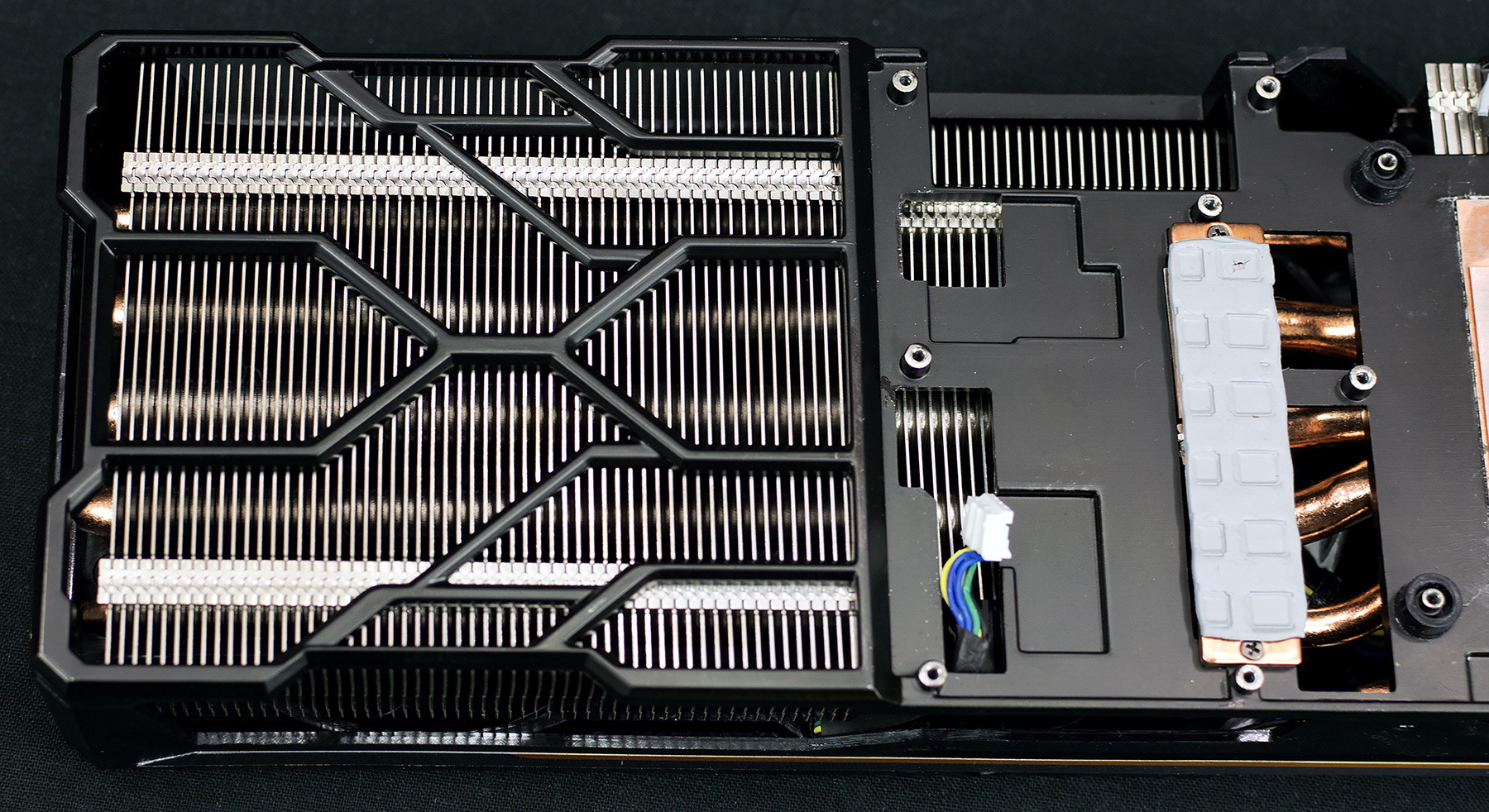
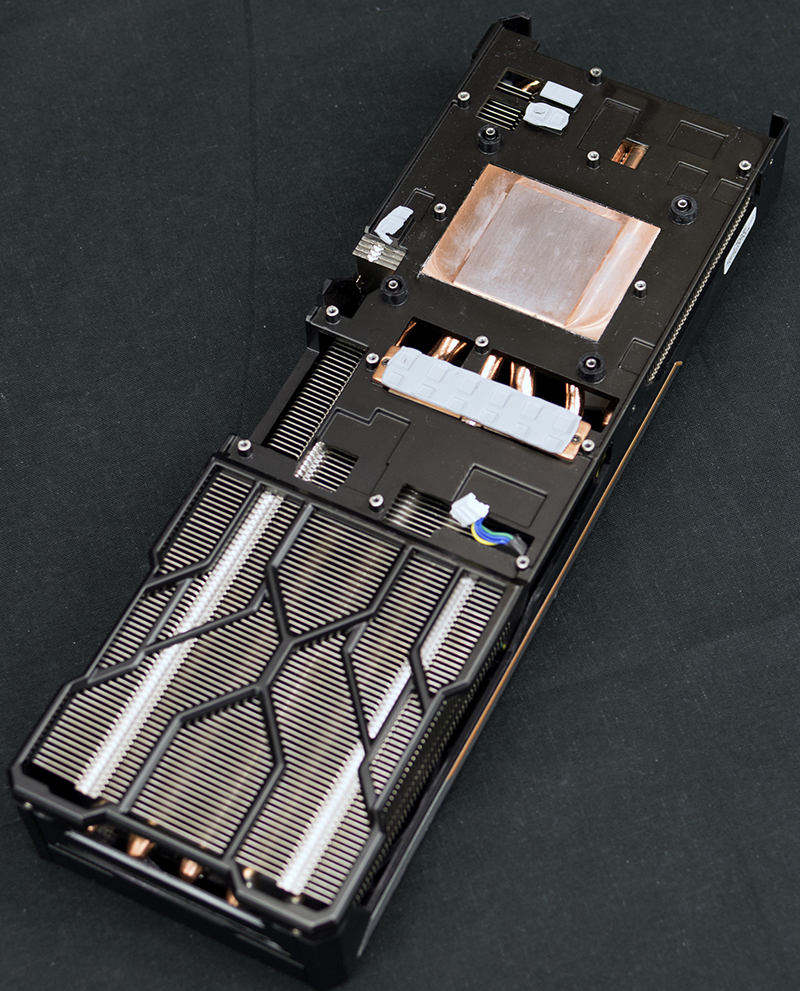
Sapphire asked us not to disassemble the Fury and they supplied their own board/cooler shots – pictured above. The cooler is comprised of a multi heatpipe array with 1x 10mm, 2 x 8mm and 4x 6mm heatpipes. They are using high density stacked cooler fins on the heatsinks. A solid copper transfer plate is incorporated into the cooler – to help maximise heat transfer. As we spent a lot of time retesting all our cards with the latest AMD and NVIDIA drivers we felt it was worthwhile adding in results from the Fury 4GB with it overclocked to breaking point. How far did we manage to get it clocked?
It is worth highlighting that the Sapphire Tri-X Radeon R9 Fury 4GB ships with a dual bios switch.
They are configured as:
329P05HU.Q4C (UEFI, 75C, ASIC power limited to 300W)
329P05HU.Q4D (UEFI, 80C, ASIC power relax to 350W)

We used the Q4D bios for all testing today, although we did measure power consumption from both BIOS settings later in the review.
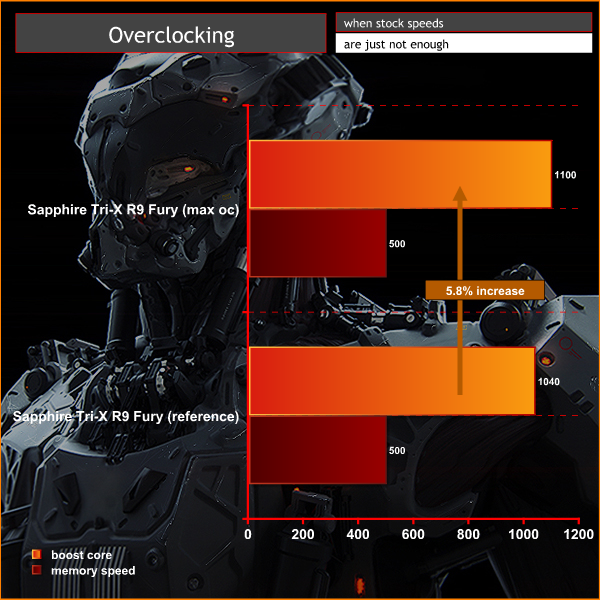
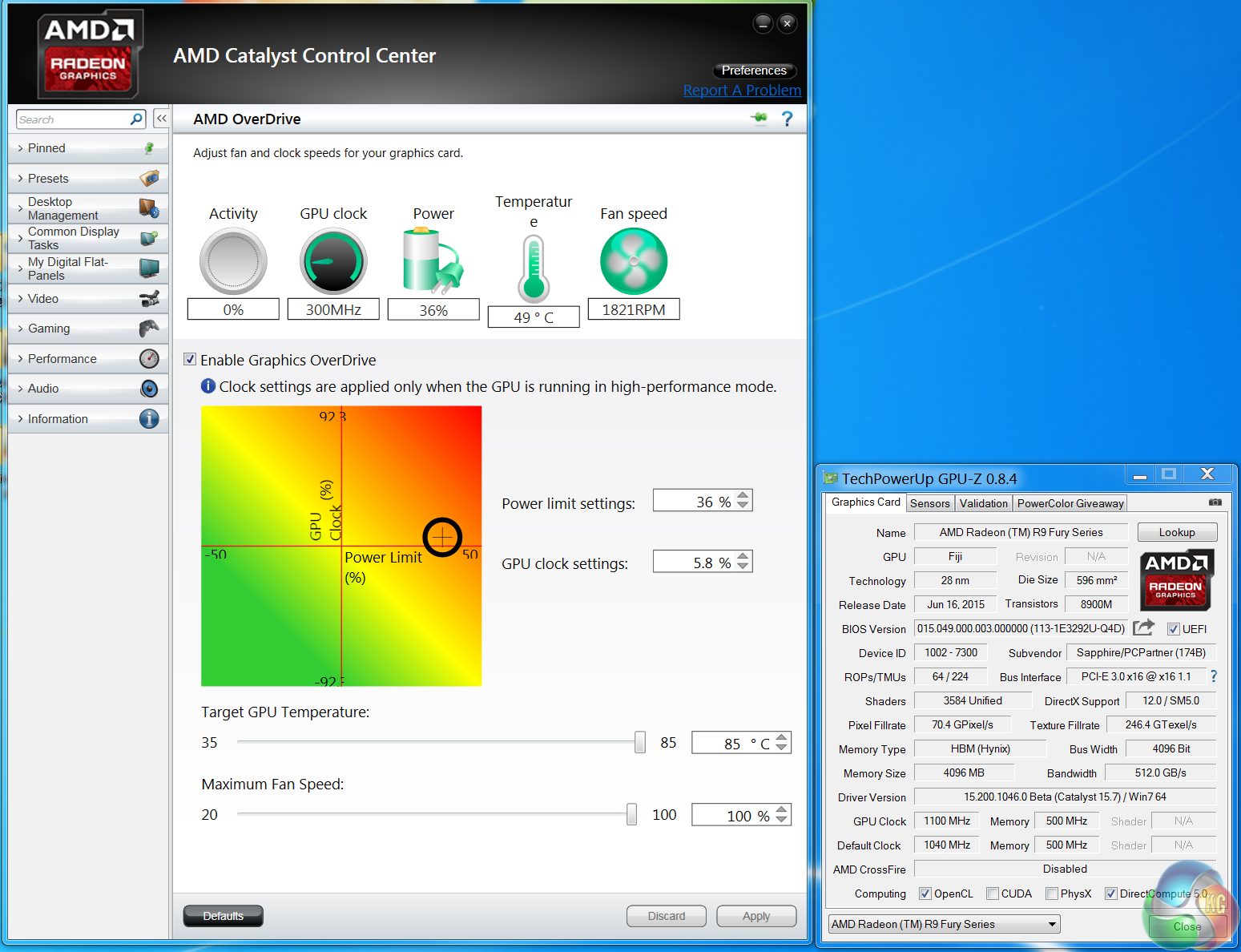
Right now overclocking the memory proves difficult – the option is locked by default and the slider has disappeared completely with Catalyst 15.7. For now we managed to overclock the core by 60mhz to 1,100mhz. Increasing the power limit past 36% didn’t help improve the GPU clocks further. As a side note, between 1,105mhz and to 1,140mhz the card didn't hard lock although I noticed some red speckles appearing from time to time on the screen when gaming which could indicate long term issues if run at that speed.
All our graphs today will show performance from the Fury 4GB at ‘out of the box’ speeds, along with a yellow arrow pointing upwards to indicate additional results at 1,100mhz.
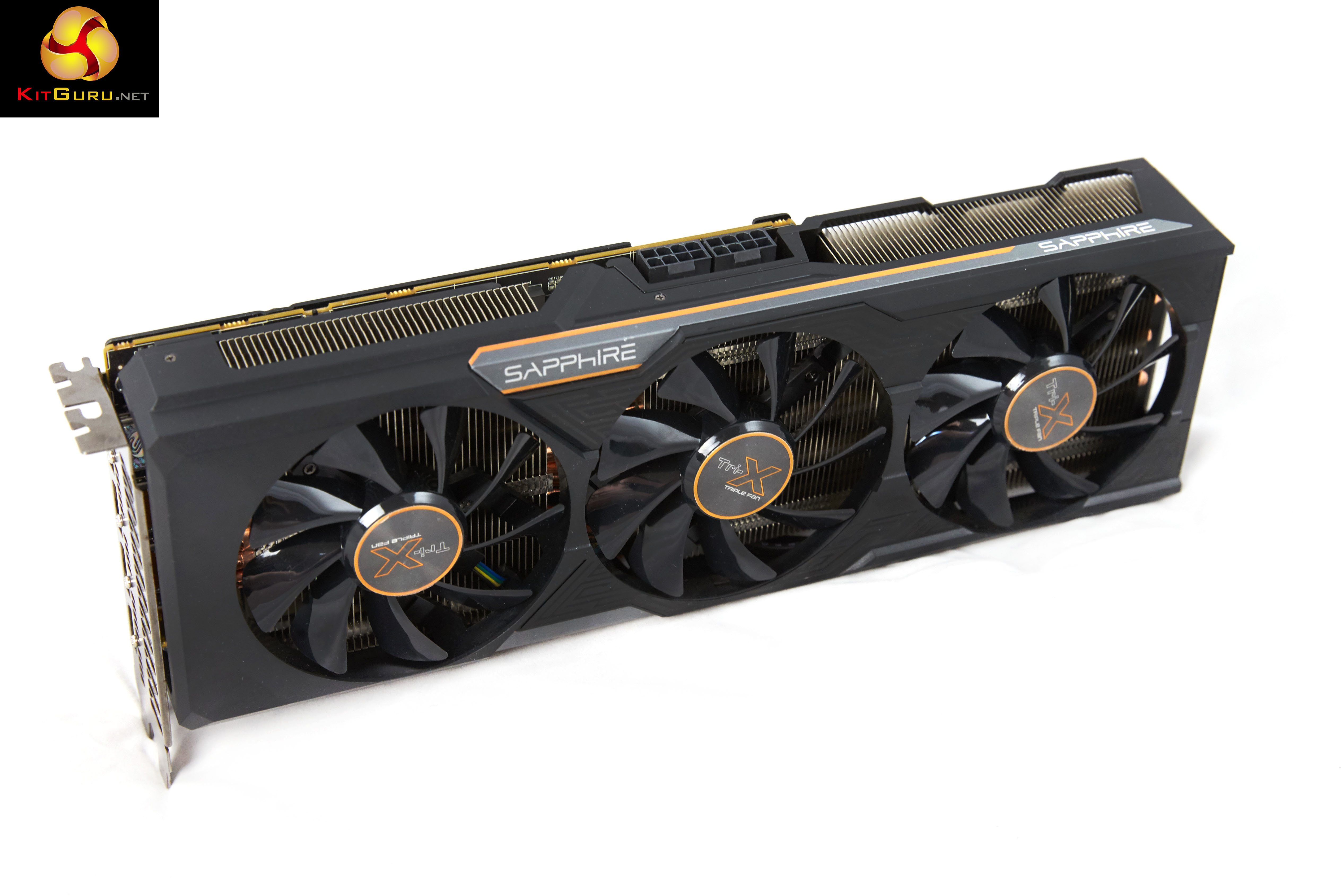
On this page we present some high resolution images of the product taken with a Canon 1DX and Canon 28-70mm F2.8 lens. These will take much longer to open due to the dimensions, especially on slower connections. If you use these pictures on another site or publication, please credit Kitguru.net as the owner/source.
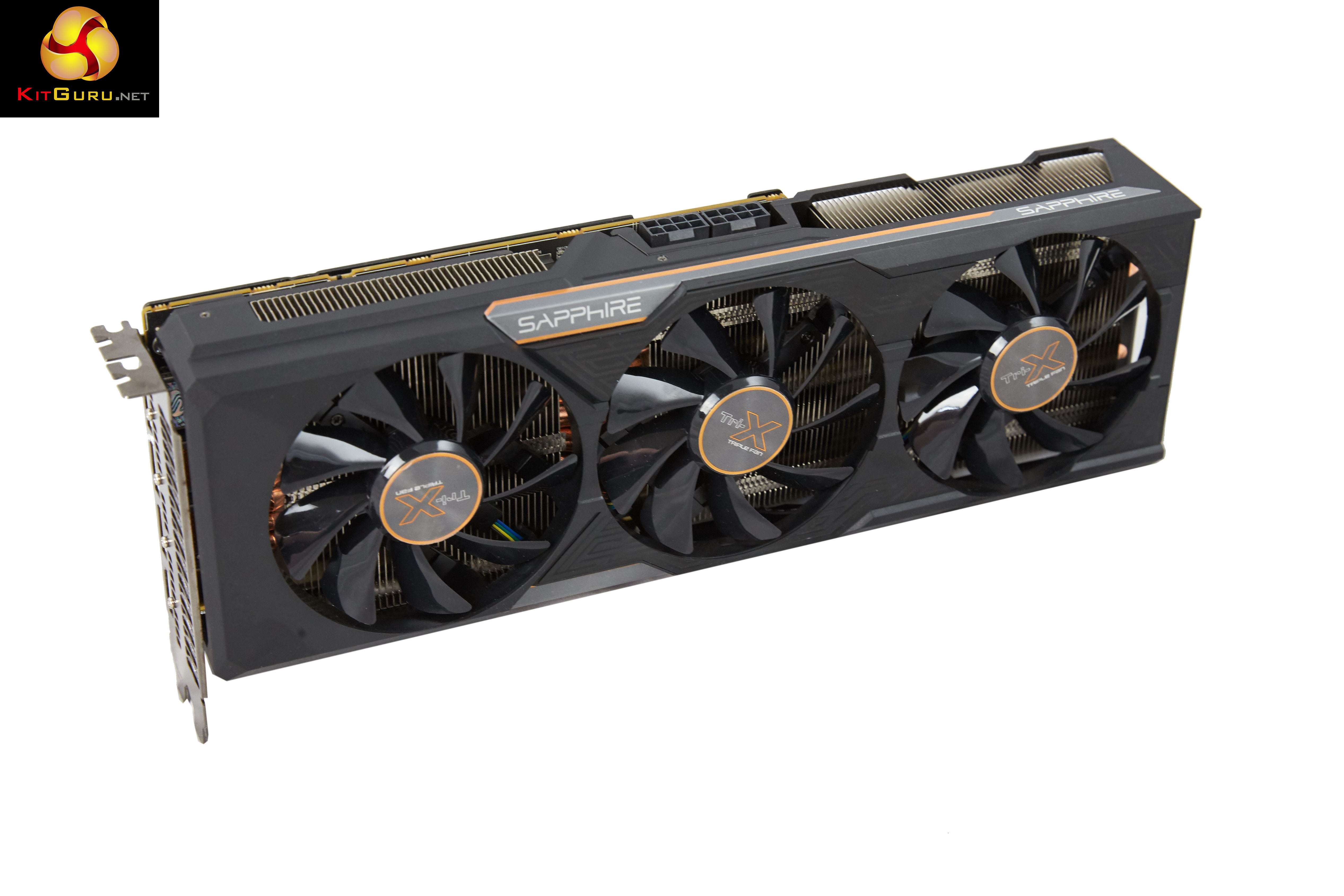
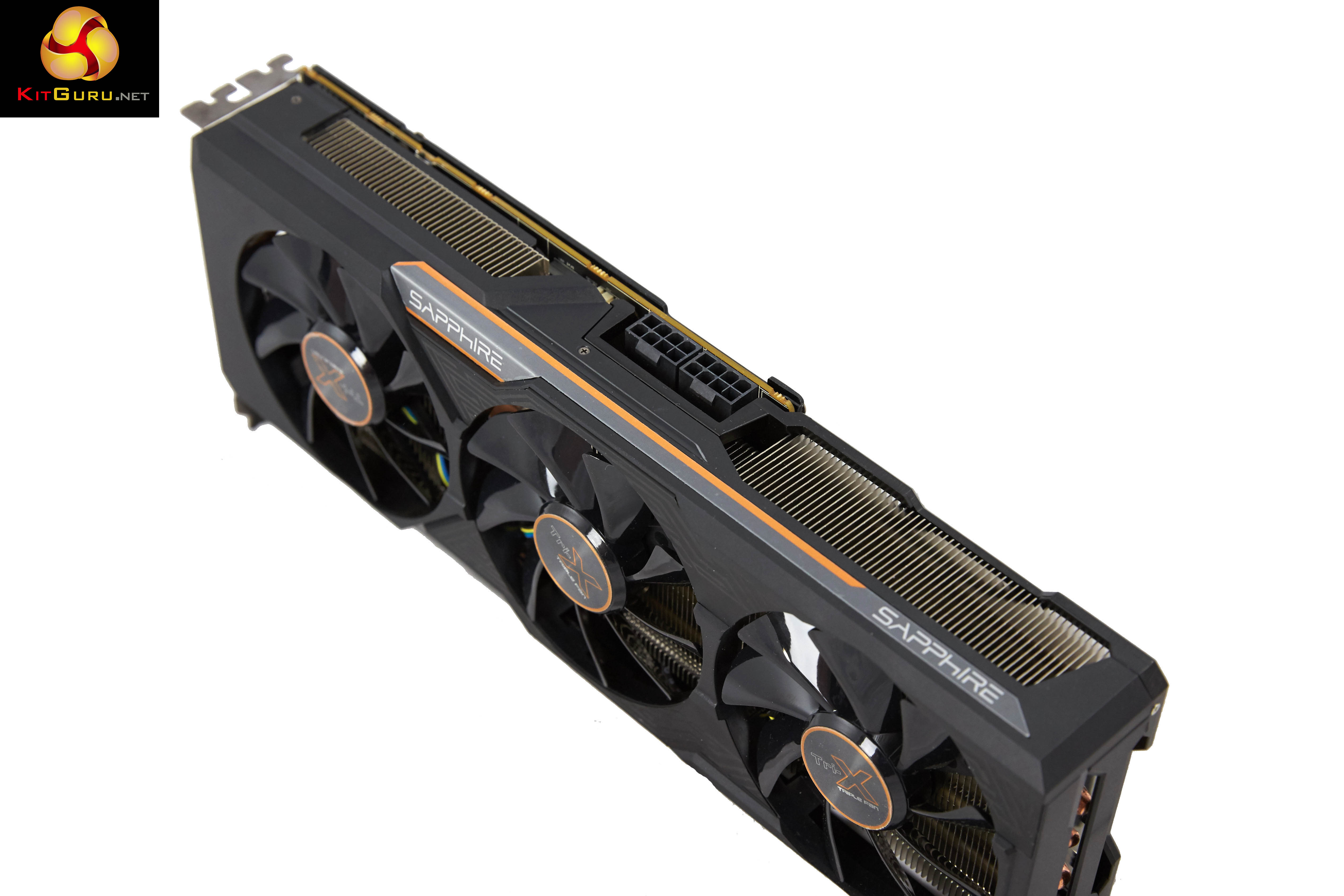
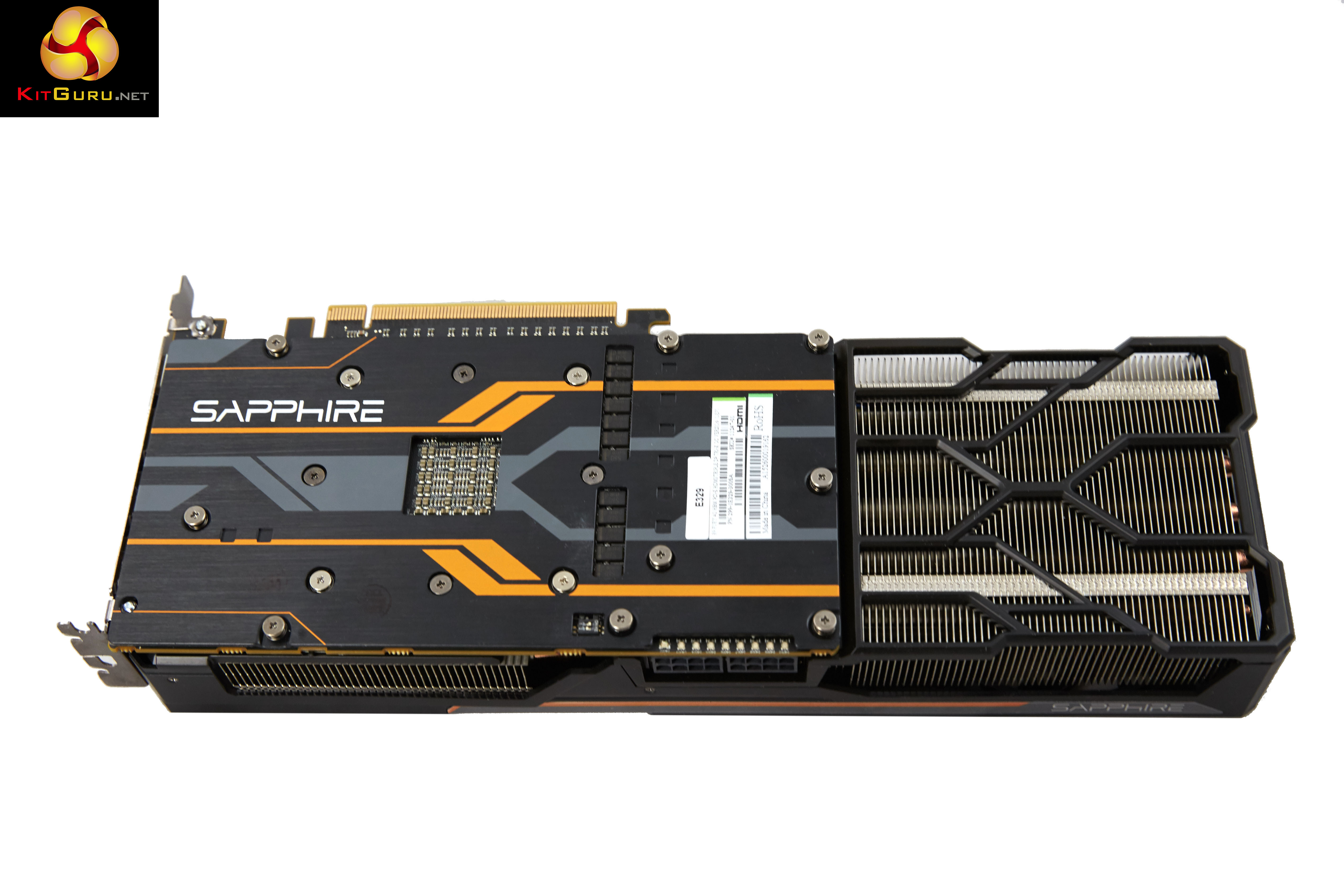
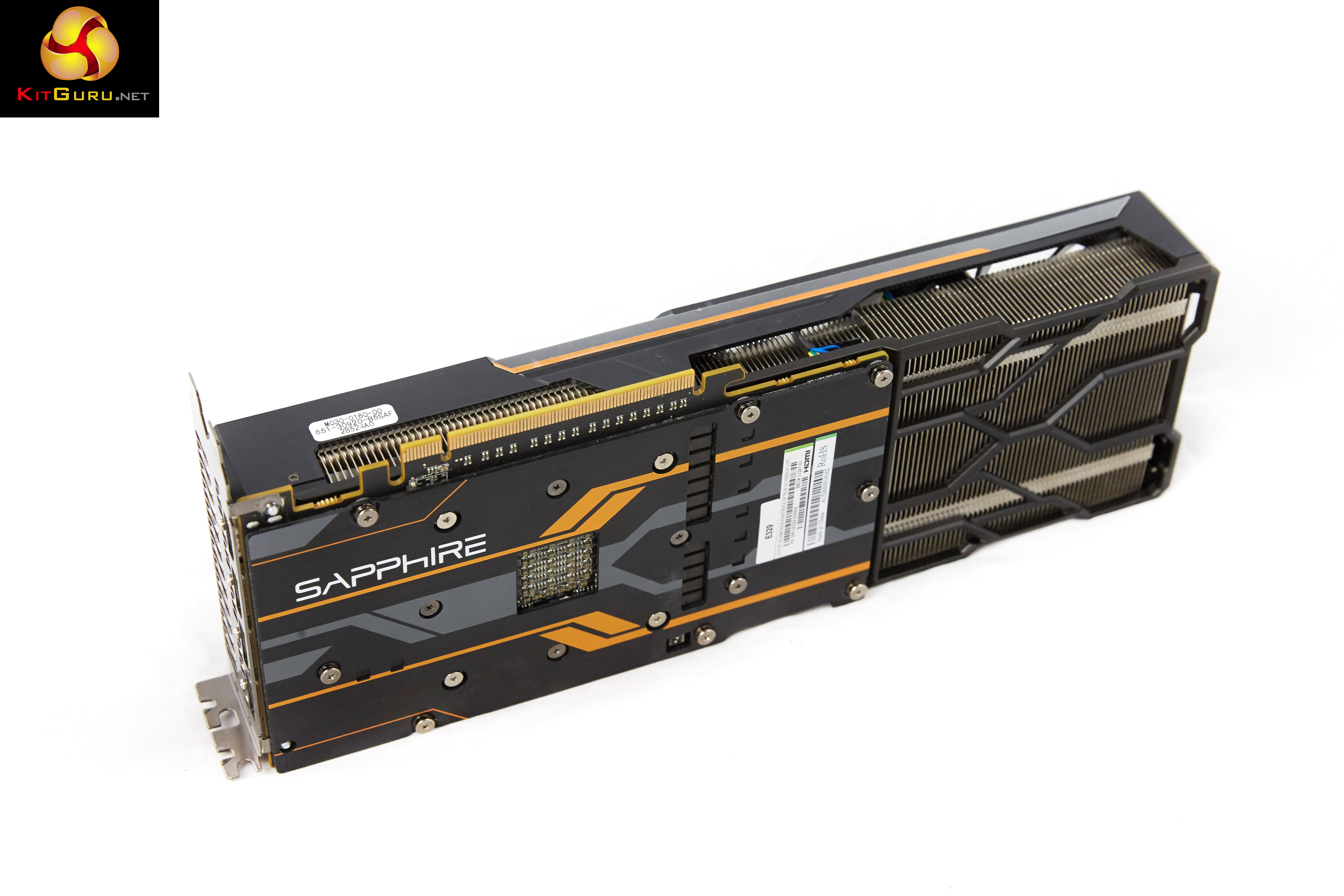
For the last couple of weeks I have been testing and retesting all the video cards in this review with the latest 15.6 Catalyst and 353.30 Forceware drivers. I have also selected some new game sections to benchmark during our ‘real world runs’. As we would expect, a couple of days before this Fury launch AMD emailed me to say that their latest Catalyst 15.7 beta driver was available.
I haven't had time to re-analyse all AMD hardware with this specific driver, however The Sapphire Tri-X R9 Fury is tested with Catalyst 15.7 beta. I managed to make time to re-test our Fury X sample with the same driver, to ensure the best possible results.
If you want to read more about our test system, or are interested in buying the same Kitguru Test Rig, check out our article with links on this page. We are using an Asus PB287Q 4k and Apple 30 inch Cinema HD monitor for this review today.
Due to reader feedback we have changed the 1600p tests to 1440p, and we have also disabled Nvidia specific features such as Hairworks in The Witcher 3: Wild Hunt as it can have such a negative impact on partnering hardware.
Anti Aliasing is also now disabled in our tests at Ultra HD 4K as readers have indicated they don’t need it at such a high resolution.
If you have other suggestions please email me directly at zardon(at)kitguru.net.
Cards on test:
Sapphire Tri-X Radeon R9 Fury 4GB (1,040 mhz core / 500 mhz memory) & (1,100mhz core)
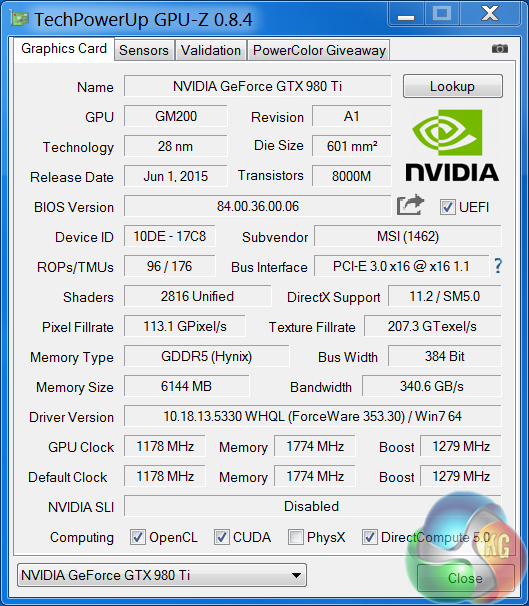
MSI GTX980 Ti Gaming 6G (1,178 mhz core / 1774 mhz memory)
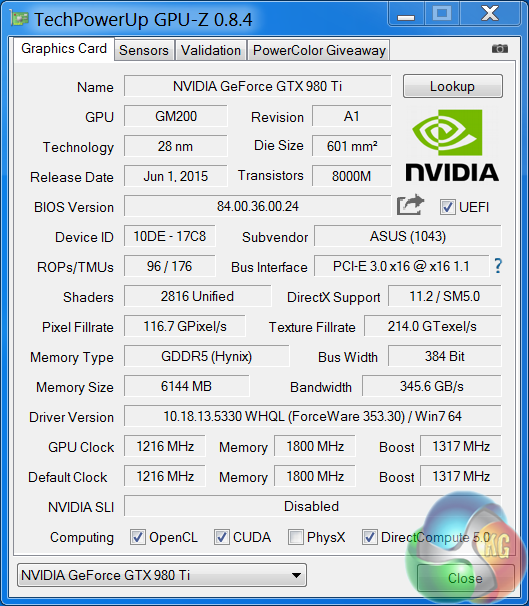
ASUS STRIX Gaming GTX 980 Ti DirectCU 3 (1,216 mhz core / 1800mhz memory)
Visiontek Radeon R9 Fury X 4GB (1,050mhz core / 500mhz memory) & (1,130mhz core)
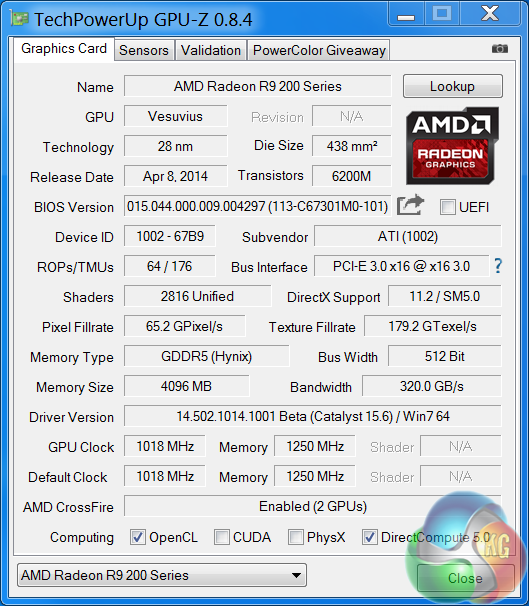
Sapphire R9 295X2 (1,018 mhz core / 1,250 mhz memory)
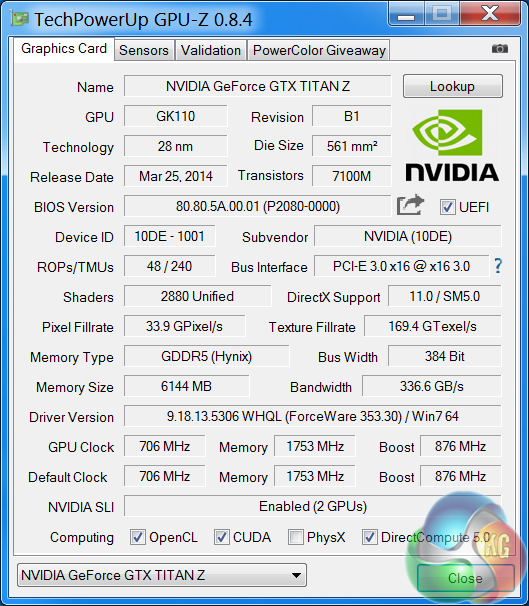
Nvidia Titan Z (706mhz core / 1,753 mhz memory)
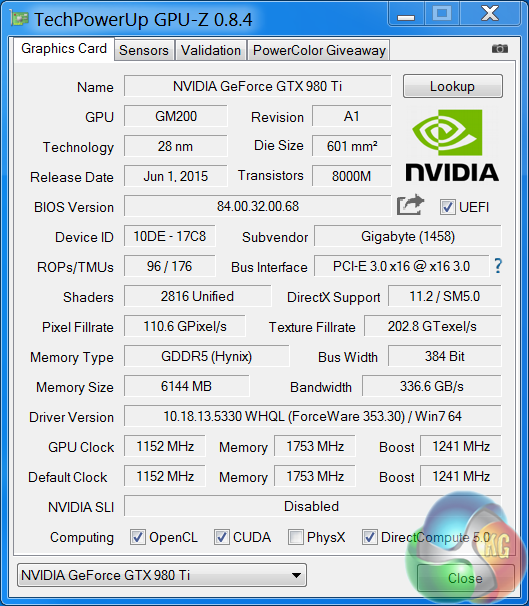
Gigabyte GTX980 Ti G1 Gaming (1,152mhz / 1,753 mhz memory)
Nvidia Titan X (1,002 mhz core / 1,753 mhz memory)
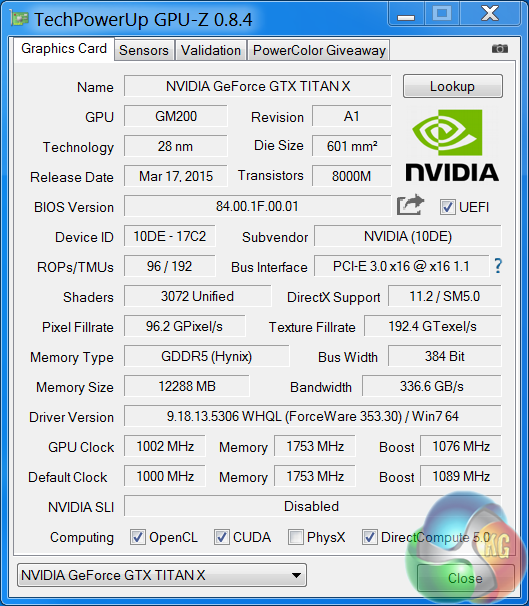
Nvidia GTX 980 Ti (1,000 mhz core / 1,753 mhz memory)
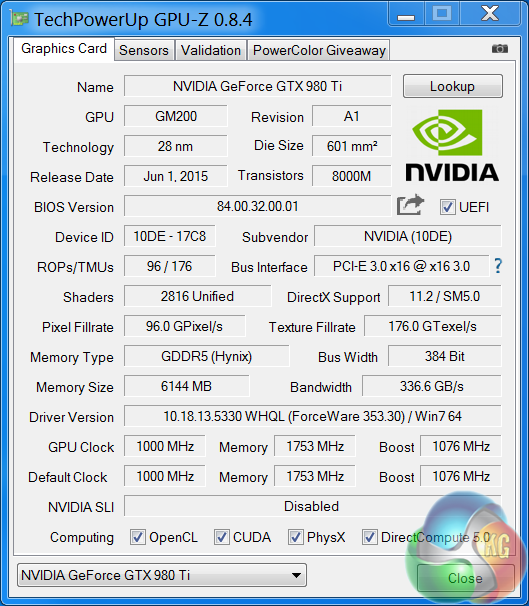
Asus GTX980 Strix (1,178 mhz core / 1,753 mhz memory)
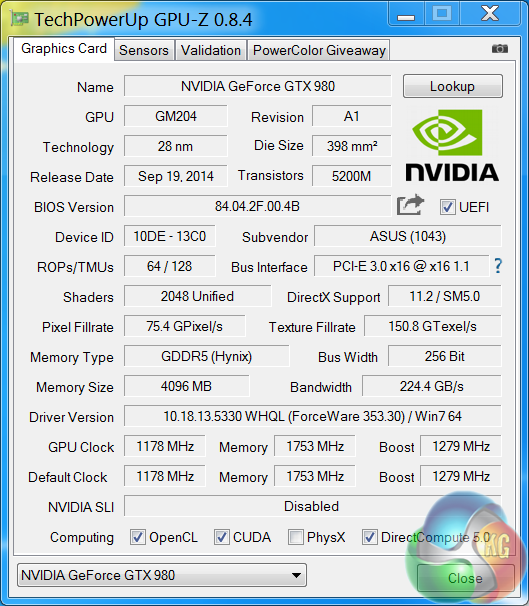
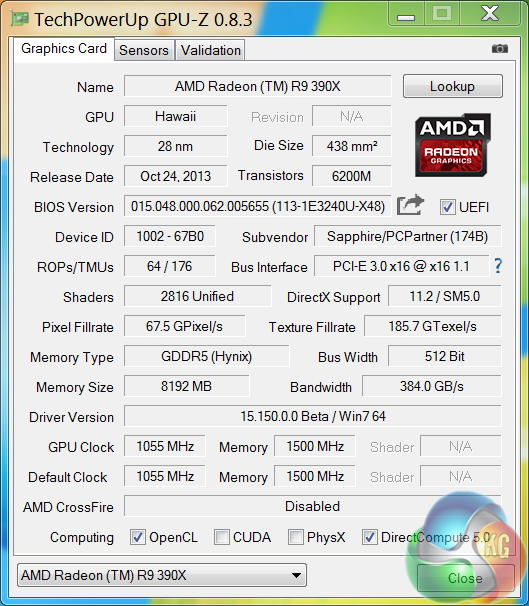
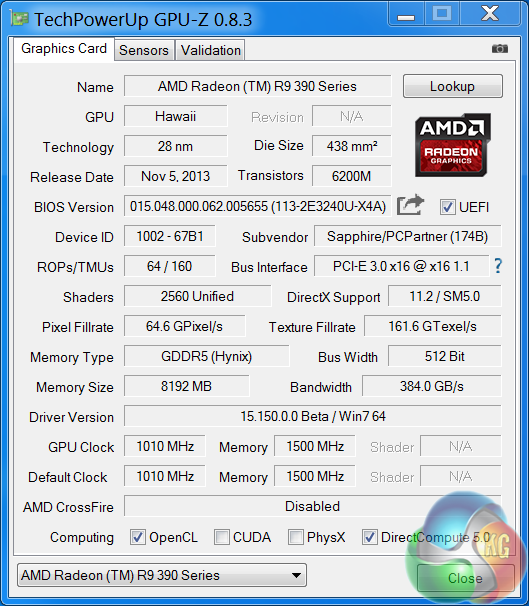
Sapphire R9 390 X 8GB (1,055 mhz core / 1,500 mhz memory) & (1,144mhz core / 1631 mhz memory)
Sapphire R9 390 Nitro 8GB (1,010 mhz core / 1,500 mhz memory) & (1,125mhz core / 1637 mhz memory)
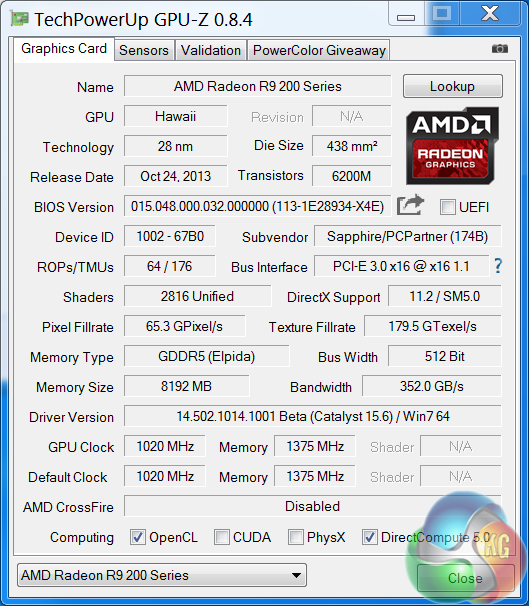
Sapphire R9 290 X 8GB (1,020 mhz core / 1,375 mhz memory)
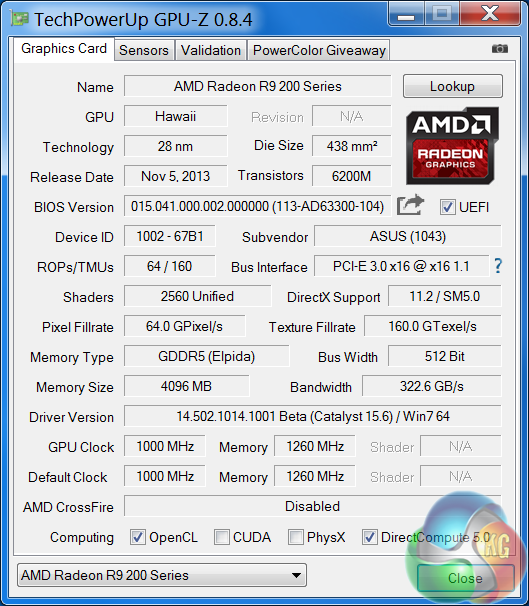
Asus R9 290 Direct CU II ( 1,000 mhz core / 1,250 mhz memory)
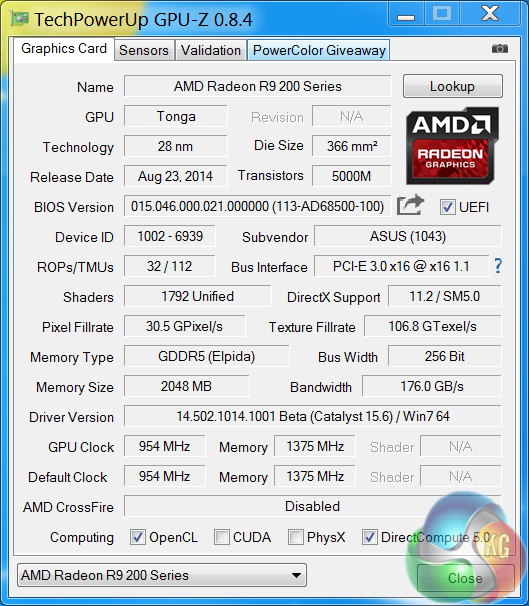
Asus R9 285 Strix (954 mhz core / 1,375 mhz memory)
Palit GTX970 (1,051 mhz core / 1,753 mhz memory)
Software:
Windows 7 Enterprise 64 bit
Unigine Heaven Benchmark
Unigine Valley Benchmark
3DMark Vantage
3DMark 11
3DMark
Fraps Professional
Steam Client
FurMark
Games:
Grid AutoSport
Tomb Raider
Grand Theft Auto 5
Witcher 3: The Wild Hunt
Metro Last Light Redux
We perform under real world conditions, meaning KitGuru tests games across five closely matched runs and then average out the results to get an accurate median figure. If we use scripted benchmarks, they are mentioned on the relevant page.
Game descriptions edited with courtesy from Wikipedia.
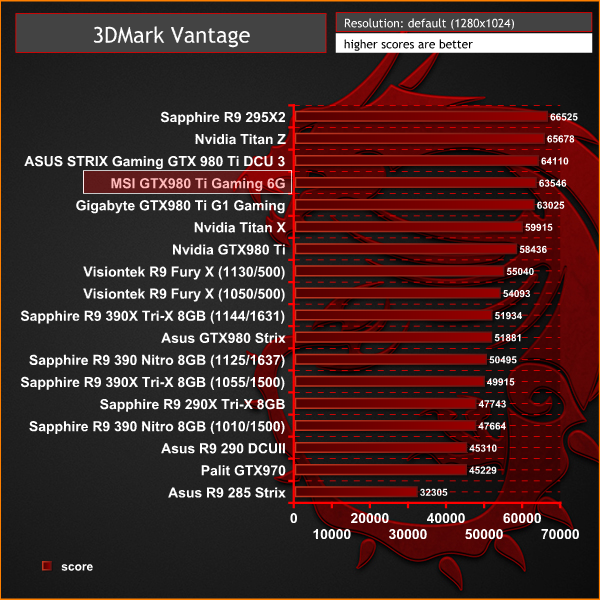
Futuremark released 3DMark Vantage, on April 28, 2008. It is a benchmark based upon DirectX 10, and therefore will only run under Windows Vista (Service Pack 1 is stated as a requirement) and Windows 7. This is the first edition where the feature-restricted, free of charge version could not be used any number of times. 1280×1024 resolution was used with performance settings.
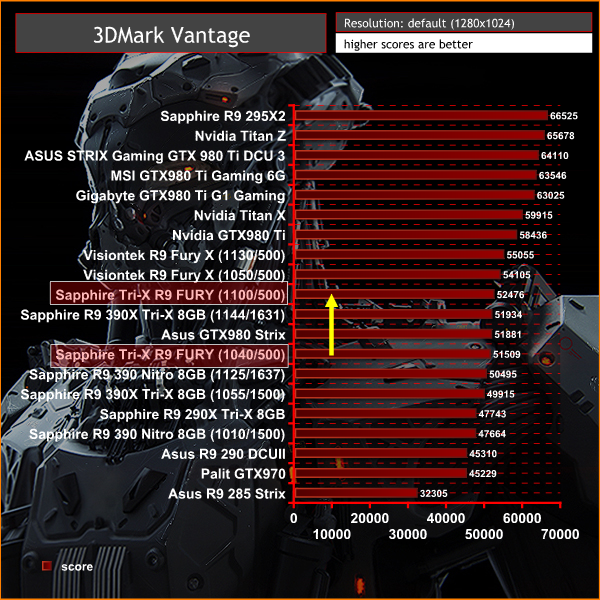
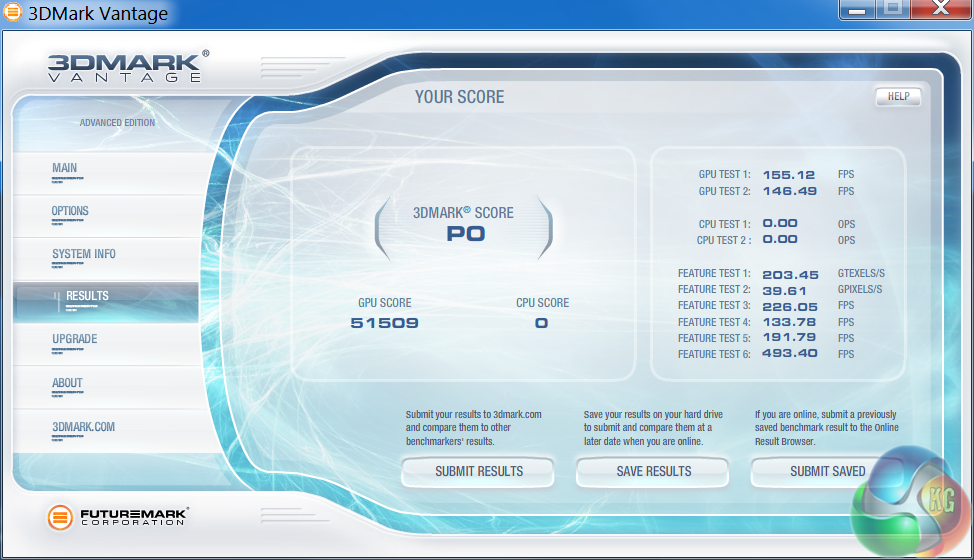
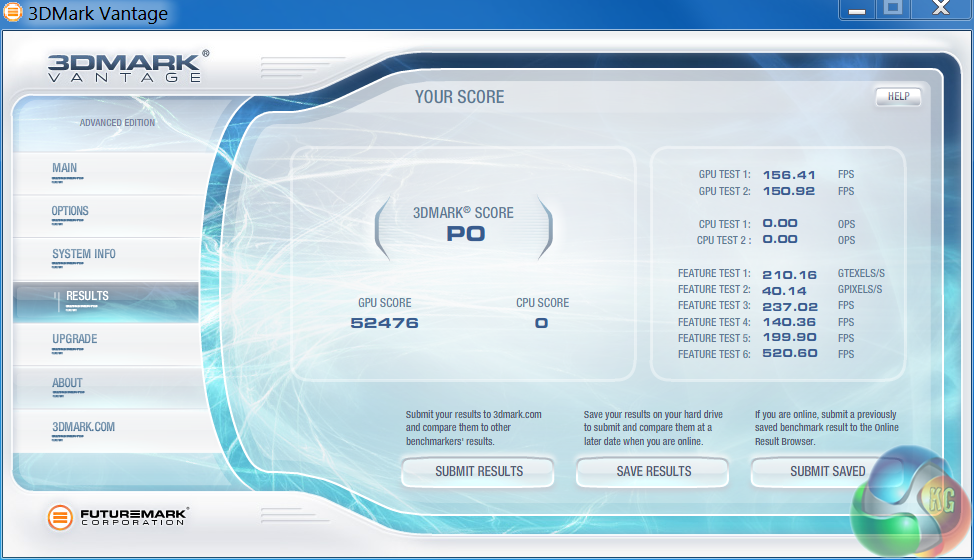
3DMark Vantage gives a good indication of performance with older Direct X 10 titles. The Sapphire Tri-X R9 Fury scores well at default settings – 51,509 points. When pushed to the 1,100mhz limit, the score increases to 52,476 points.
When manually overclocked, the Fury pushes past the Asus GTX980 Strix.
3DMark 11 is designed for testing DirectX 11 hardware running on Windows 7 and Windows Vista the benchmark includes six all new benchmark tests that make extensive use of all the new features in DirectX 11 including tessellation, compute shaders and multi-threading. After running the tests 3DMark gives your system a score with larger numbers indicating better performance. Trusted by gamers worldwide to give accurate and unbiased results, 3DMark 11 is the best way to test DirectX 11 under game-like loads.
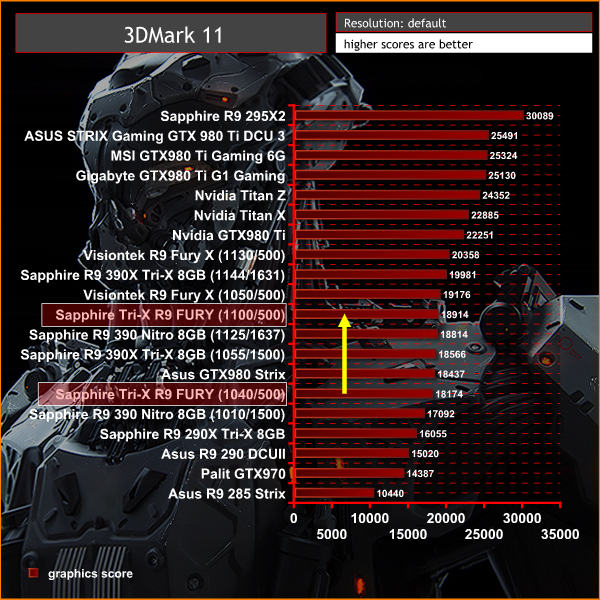
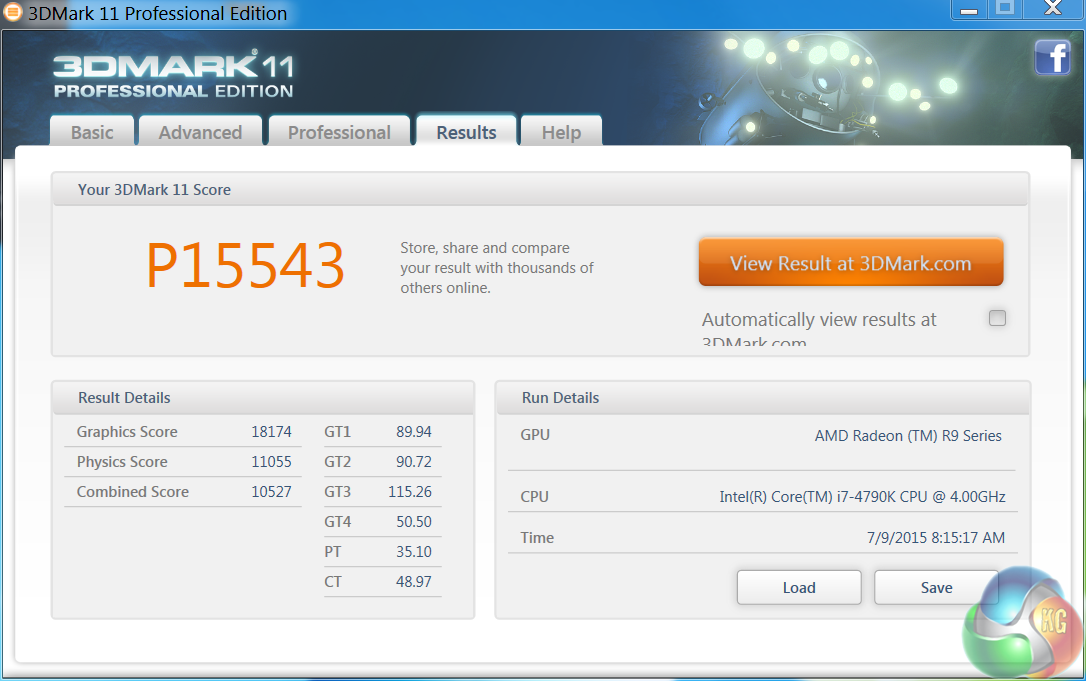
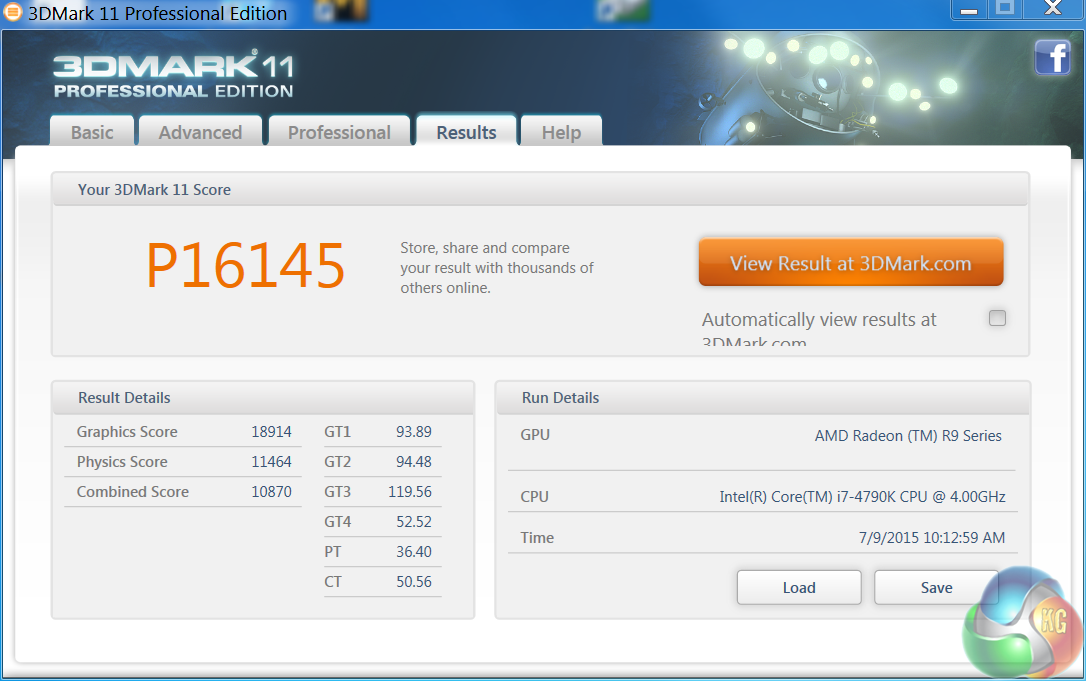
At default out of the box settings, the Sapphire Tri-X Radeon R9 Fury is very closely matched against the Asus GTX980 Strix. When manually overclocked to 1,100mhz the card manages to almost match the Fury X model at reference clock speeds.
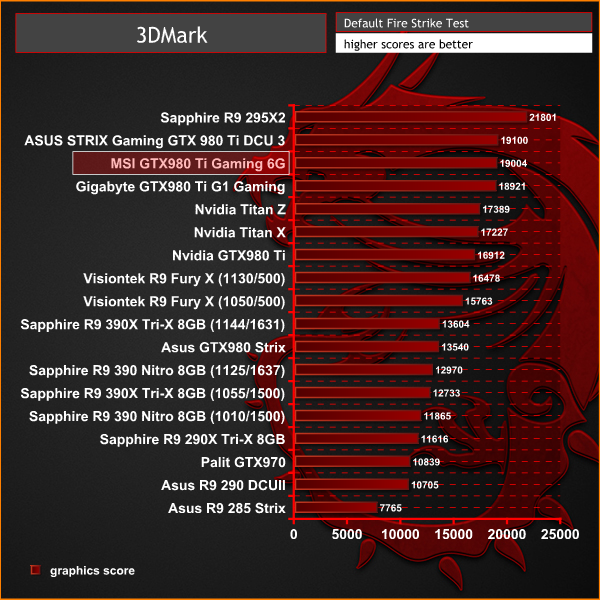
3DMark is an essential tool used by millions of gamers, hundreds of hardware review sites and many of the world’s leading manufacturers to measure PC gaming performance.
Futuremark say “Use it to test your PC’s limits and measure the impact of overclocking and tweaking your system. Search our massive results database and see how your PC compares or just admire the graphics and wonder why all PC games don’t look this good.
To get more out of your PC, put 3DMark in your PC.”
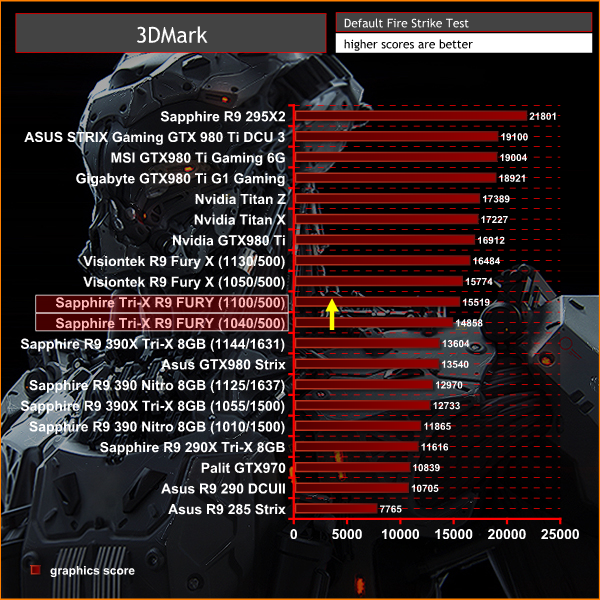
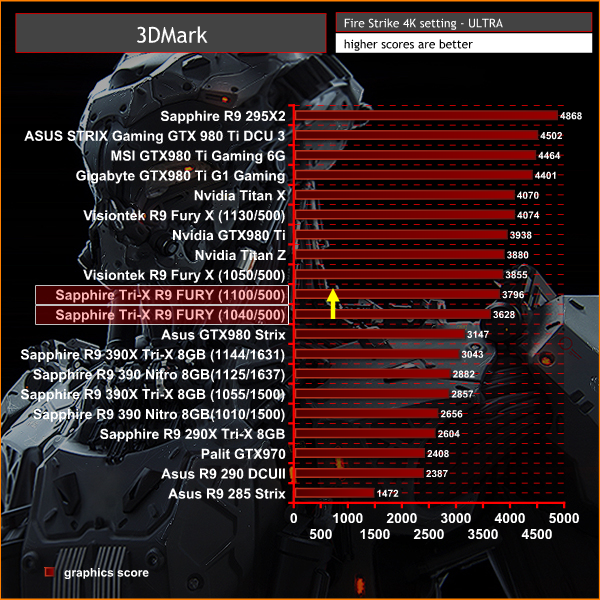
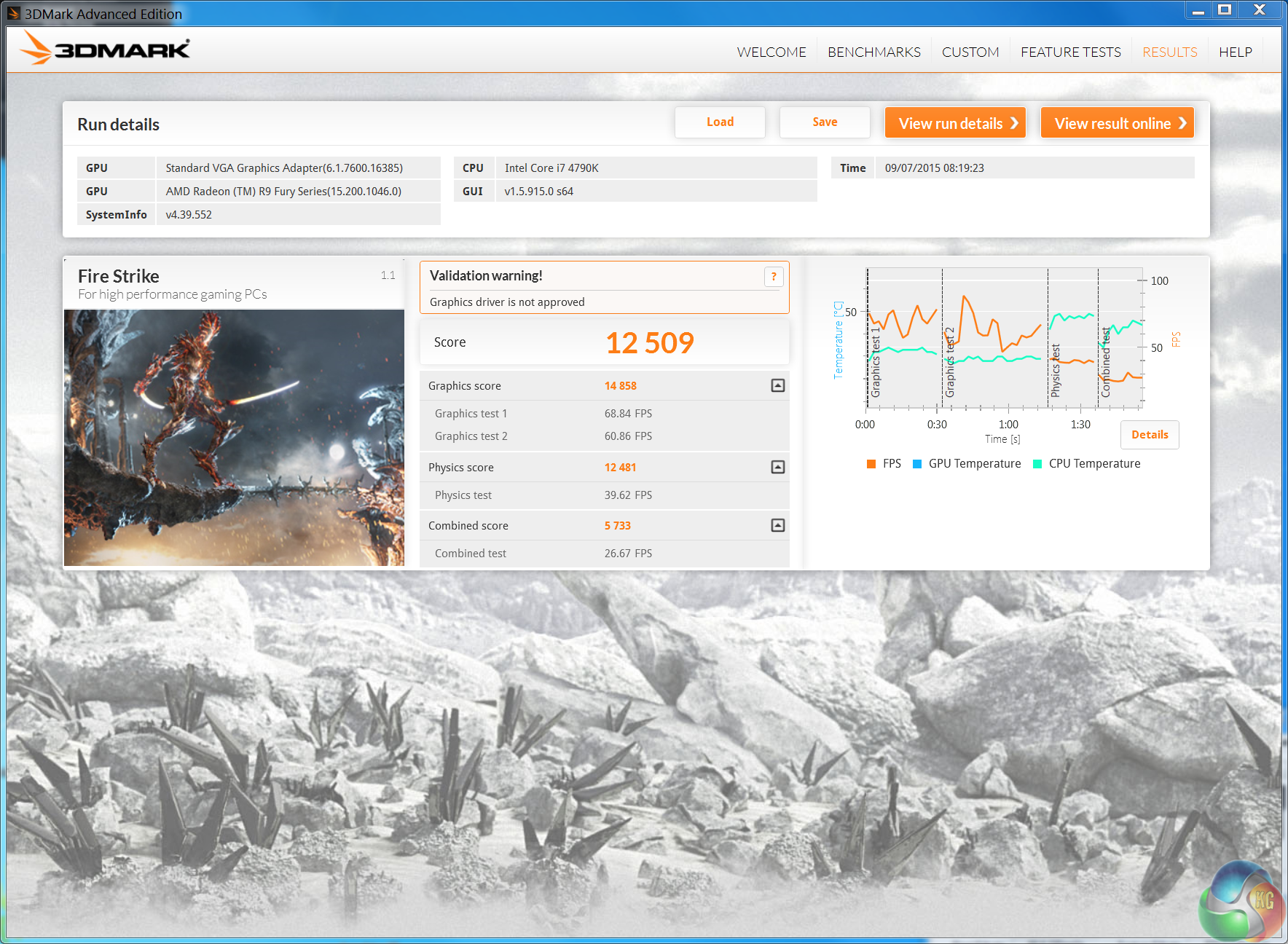
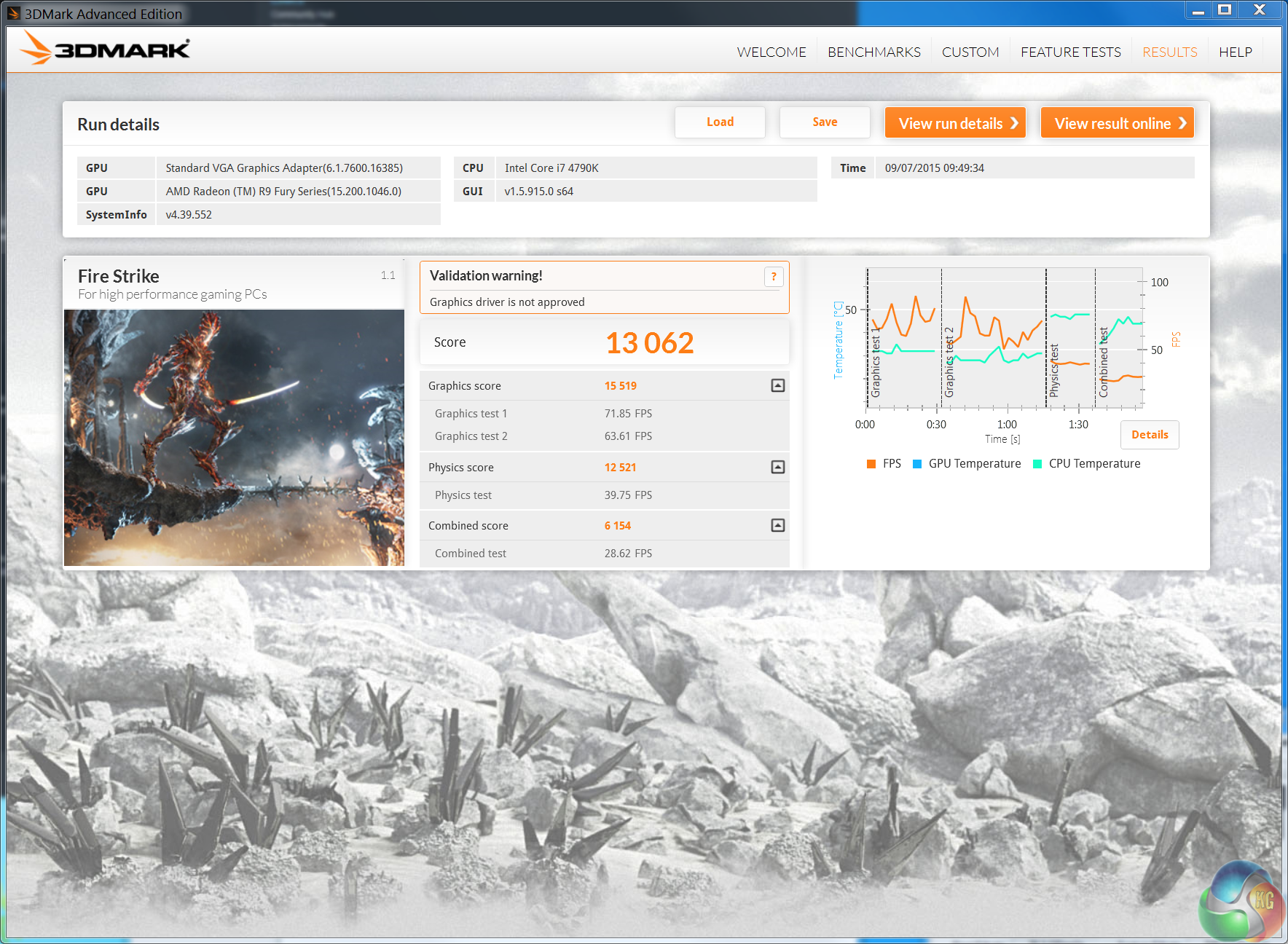
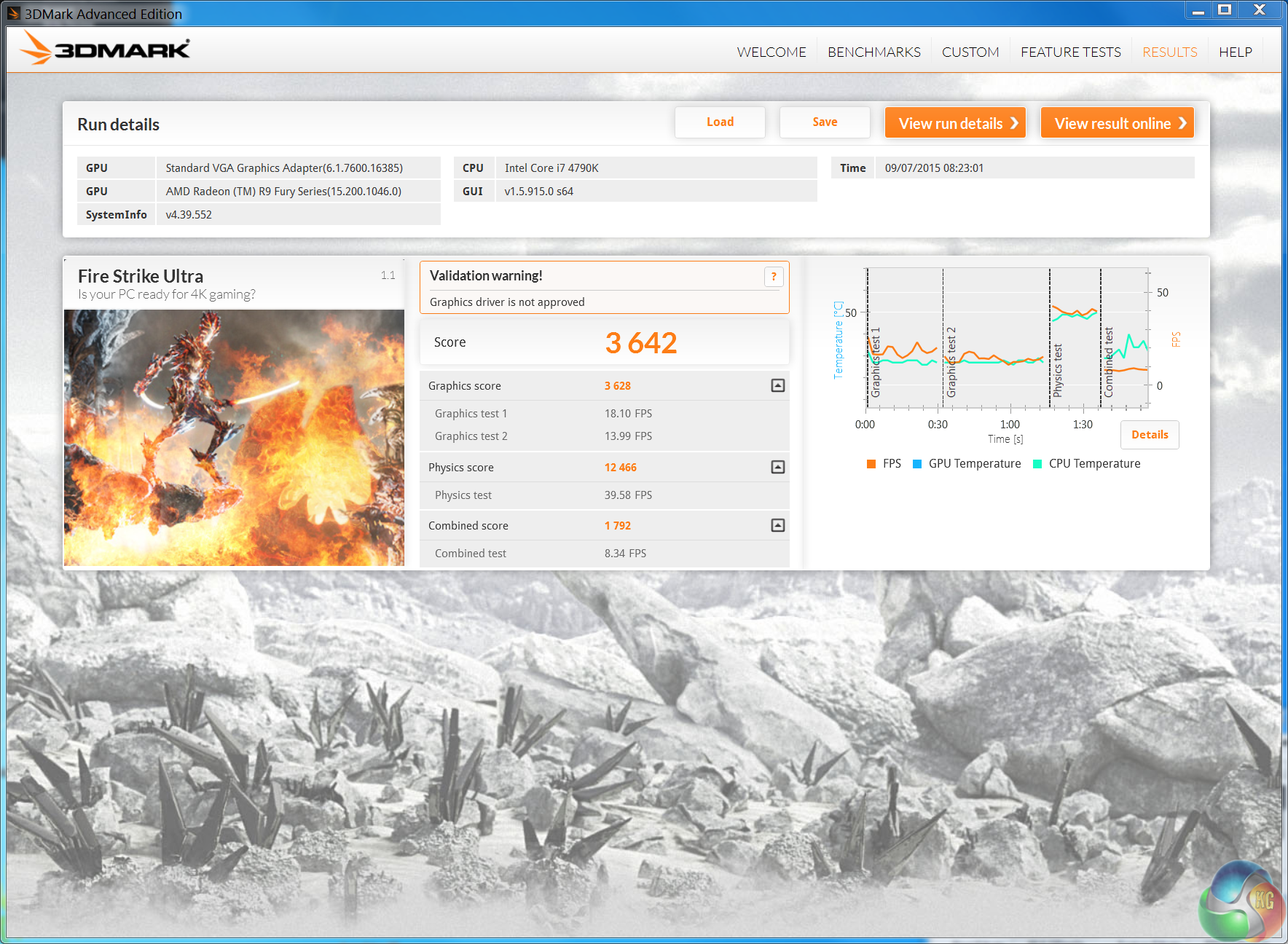
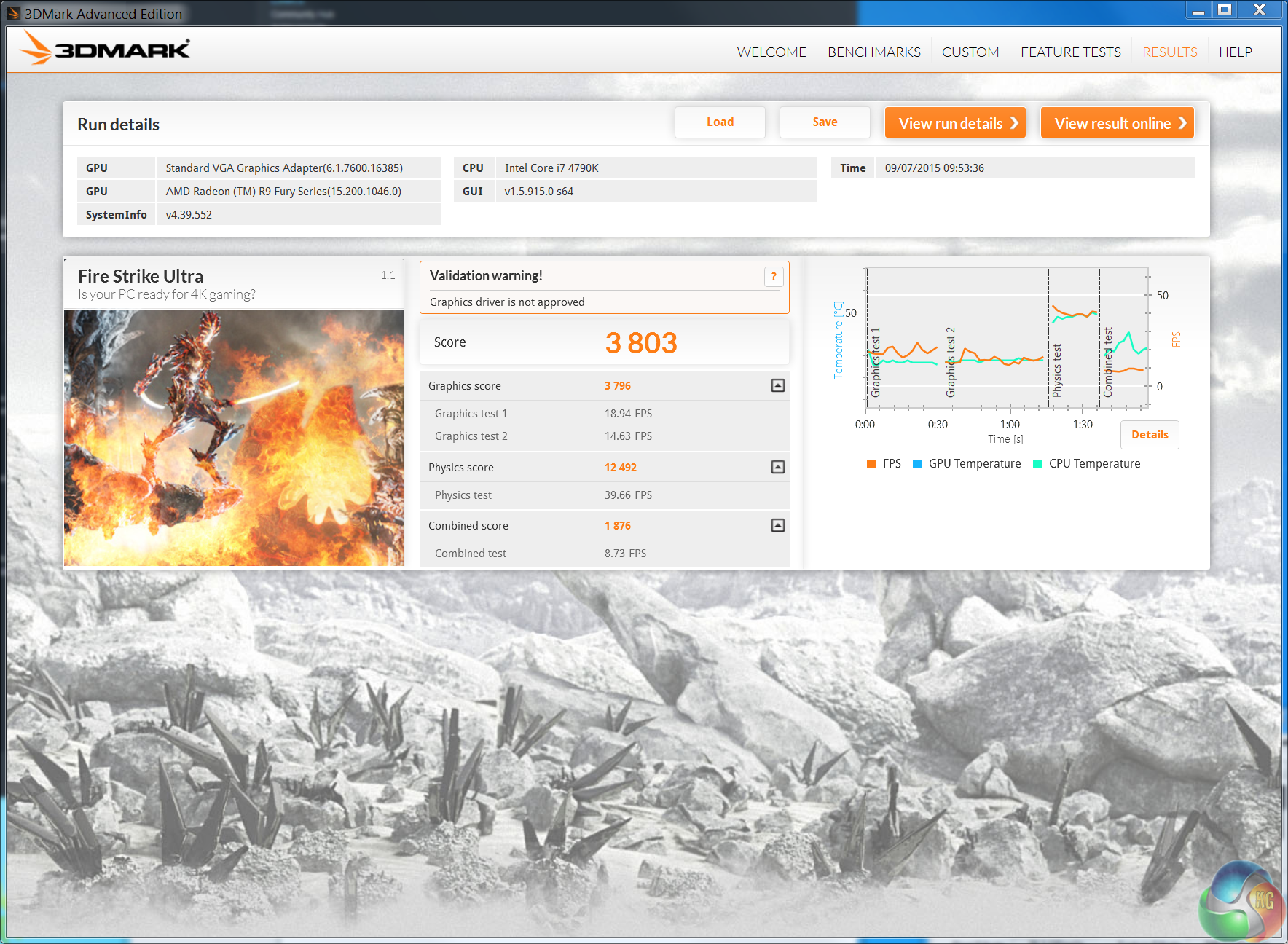
The latest Direct X 11 benchmark from Futuremark is a better indication how current games will run on the latest hardware. We can see that even at default clock speeds the Sapphire Tri-X R9 Fury outperforms the Asus GTX980 Strix. When overclocked to 1,100mhz the performance is very closely matched against the reference clocked Fury X.Unigine provides an interesting way to test hardware. It can be easily adapted to various projects due to its elaborated software design and flexible toolset. A lot of their customers claim that they have never seen such extremely-effective code, which is so easy to understand.
Heaven Benchmark is a DirectX 11 GPU benchmark based on advanced Unigine engine from Unigine Corp. It reveals the enchanting magic of floating islands with a tiny village hidden in the cloudy skies. Interactive mode provides emerging experience of exploring the intricate world of steampunk. Efficient and well-architected framework makes Unigine highly scalable:
- Multiple API (DirectX 9 / DirectX 10 / DirectX 11 / OpenGL) render
- Cross-platform: MS Windows (XP, Vista, Windows 7) / Linux
- Full support of 32bit and 64bit systems
- Multicore CPU support
- Little / big endian support (ready for game consoles)
- Powerful C++ API
- Comprehensive performance profiling system
- Flexible XML-based data structures
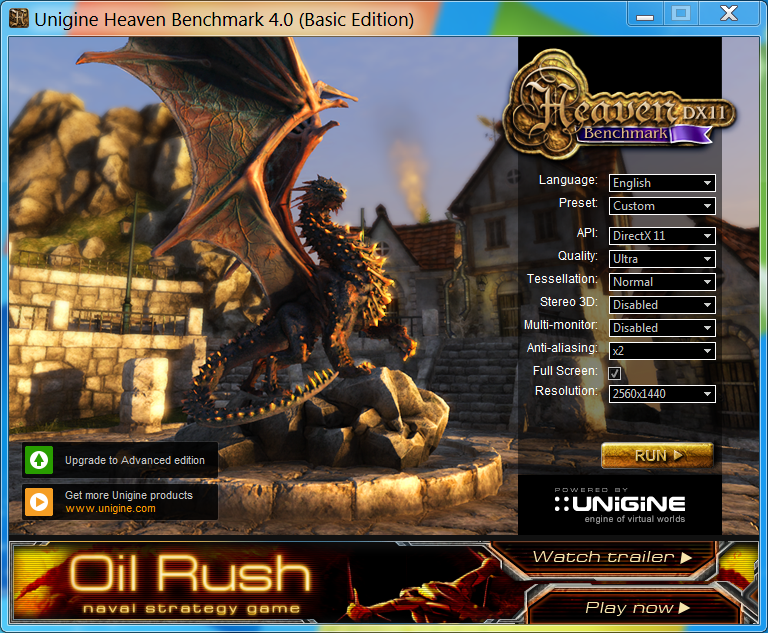
We test at 2560×1440 with quality setting at ULTRA, Tessellation at NORMAL, and Anti-Aliasing at x2.

AMD have been improving Tessellation performance and the R9 Fury card scores very well at these settings, outperforming the GTX980 Strix card by a couple of frames per second.
Grid Autosport (styled as GRID Autosport) is a racing video game by Codemasters and is the sequel to 2008′s Race Driver: Grid and 2013′s Grid 2. The game was released for Microsoft Windows, PlayStation 3 and Xbox 360 on June 24, 2014. (Wikipedia).
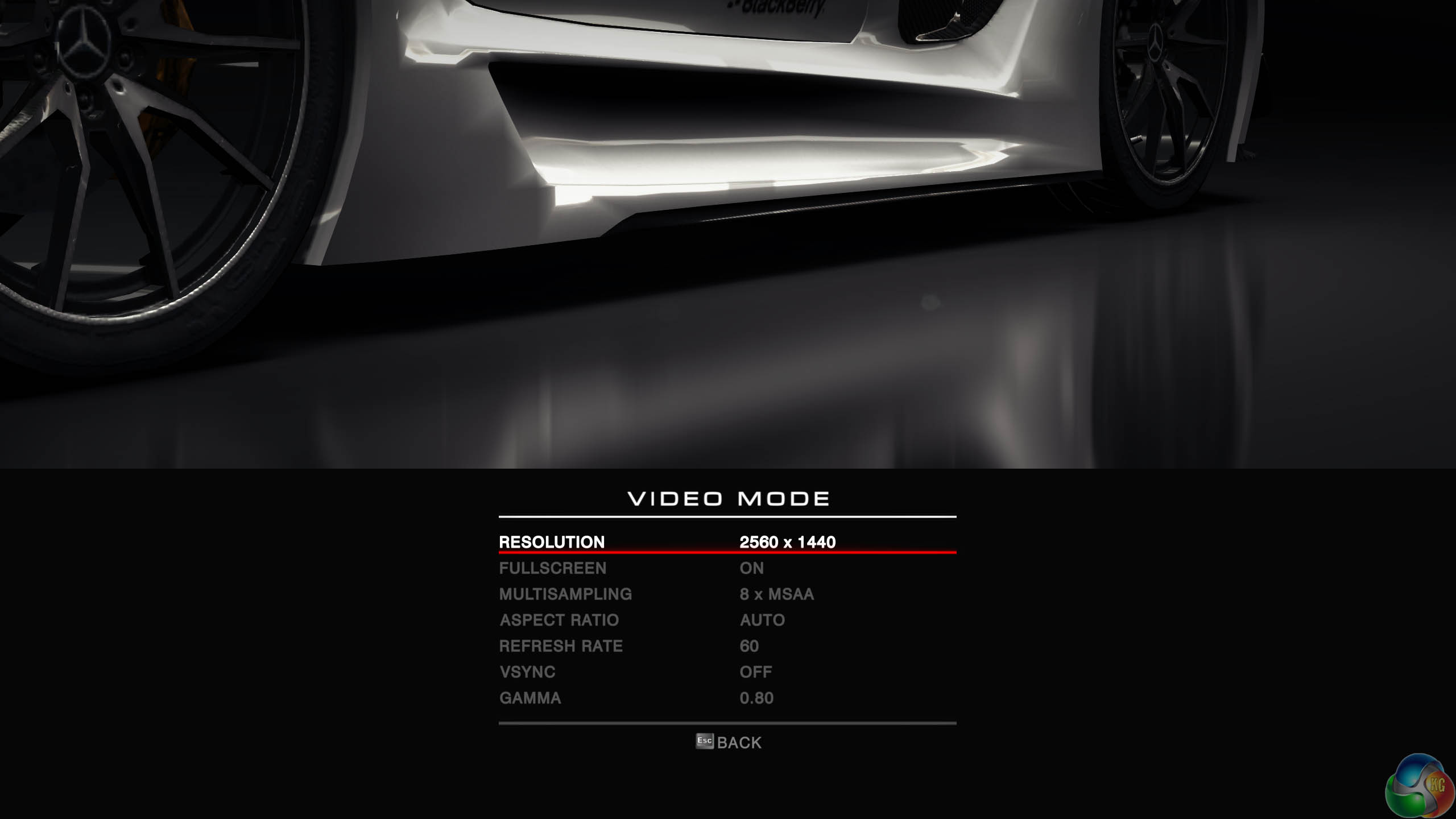
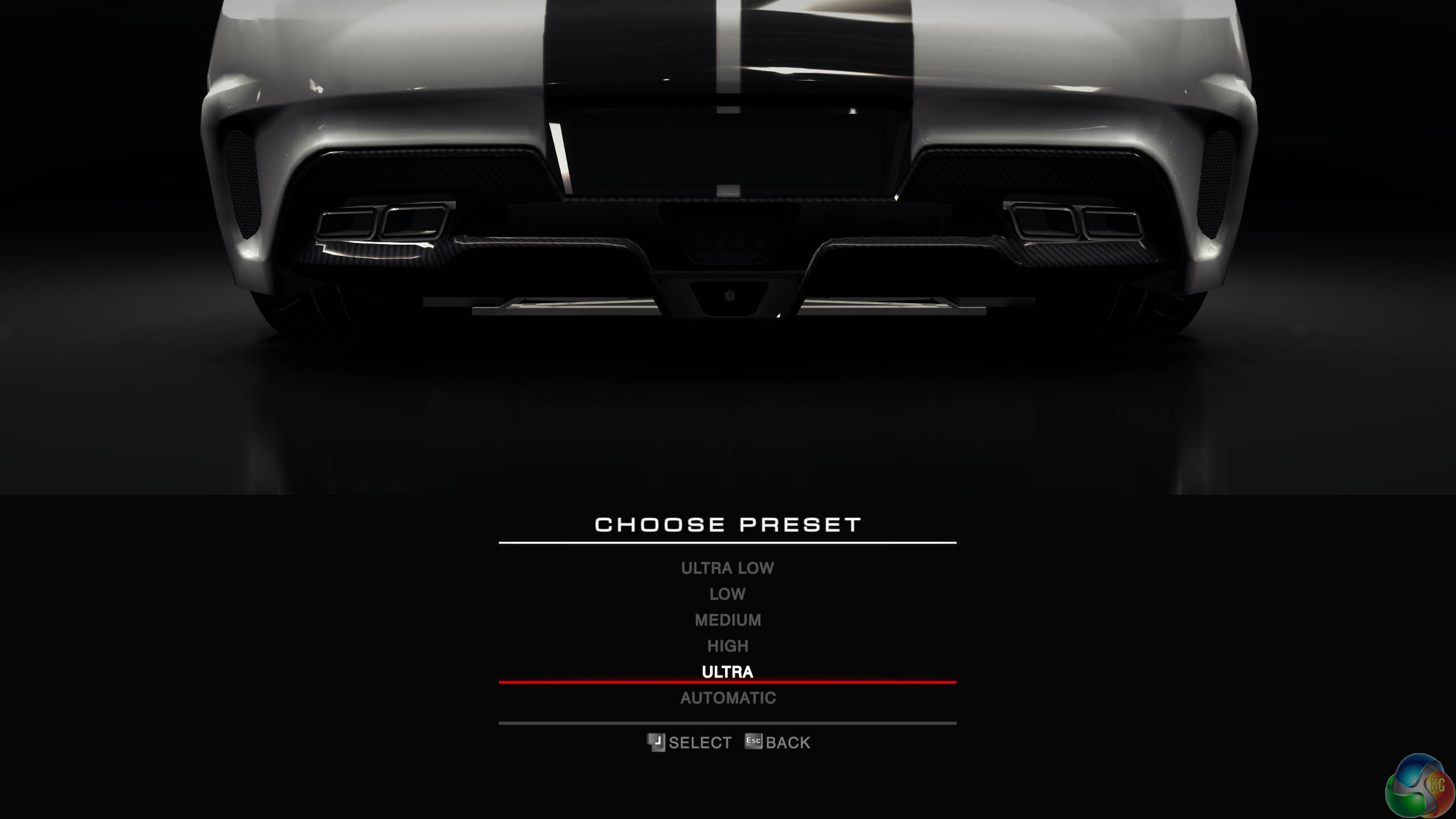
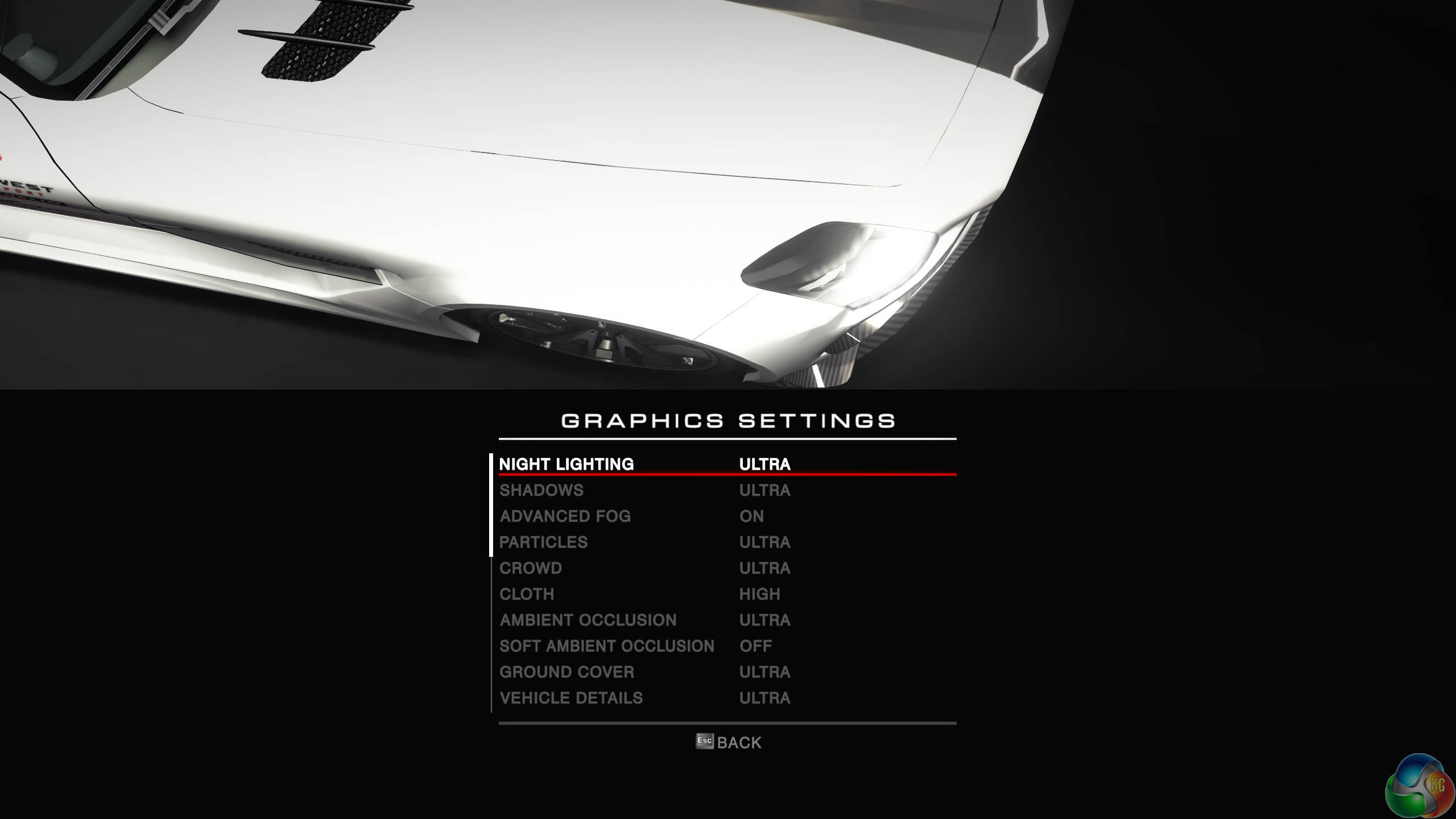
We test with the image quality on ULTRA and 8x anti aliasing enabled.
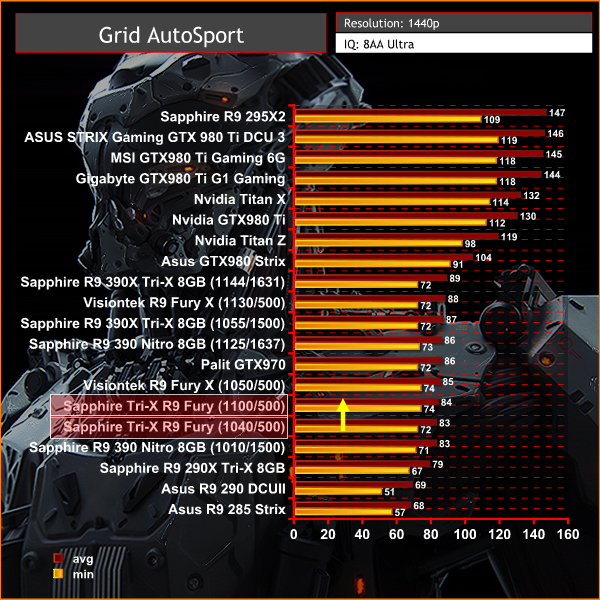
We noticed some performance increases with the latest Catalyst driver in this game although 1440p performance with this engine is still weaker than Nvidia cards in a similar price bracket.
Grid Autosport (styled as GRID Autosport) is a racing video game by Codemasters and is the sequel to 2008′s Race Driver: Grid and 2013′s Grid 2. The game was released for Microsoft Windows, PlayStation 3 and Xbox 360 on June 24, 2014. (Wikipedia).
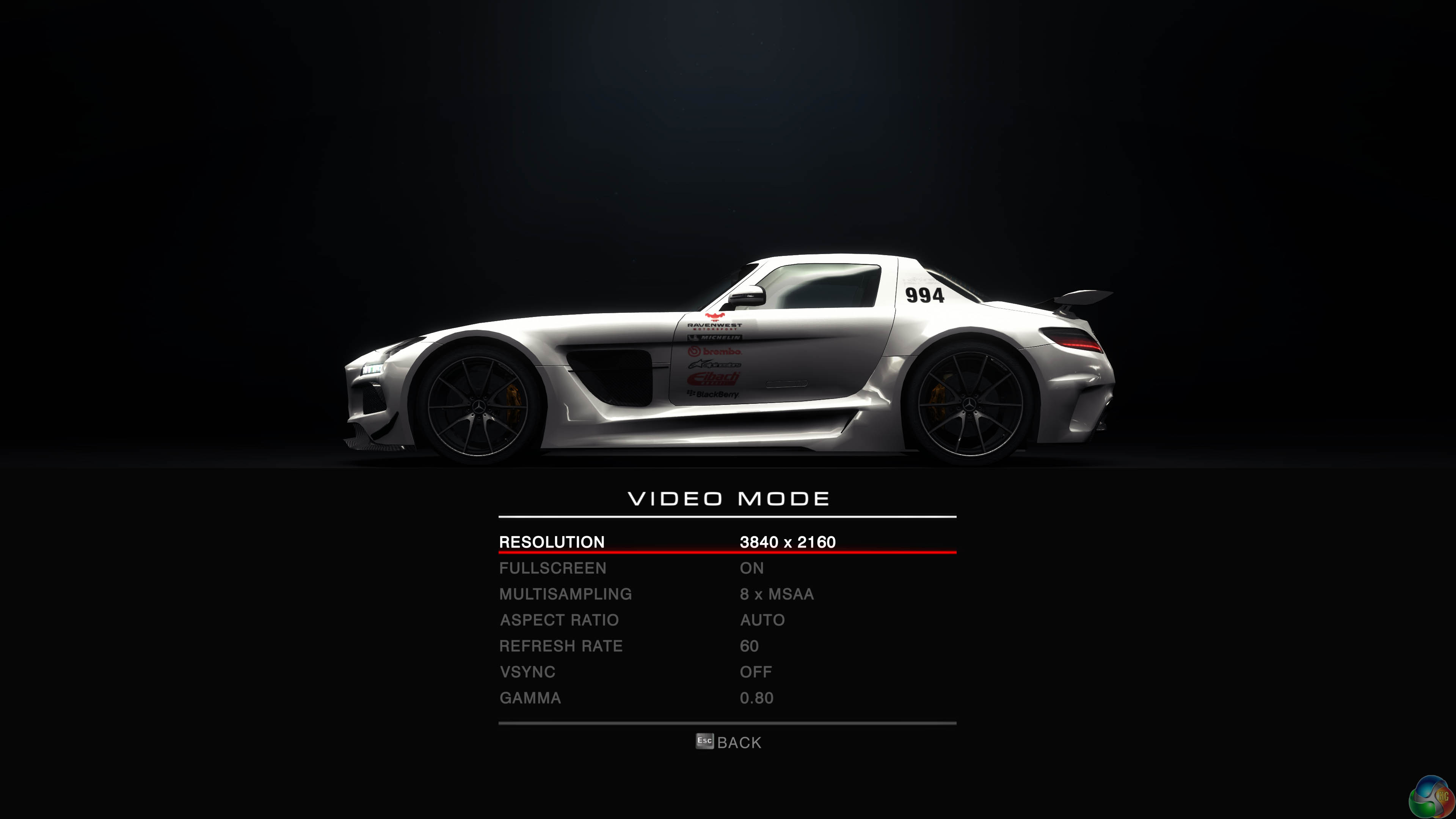
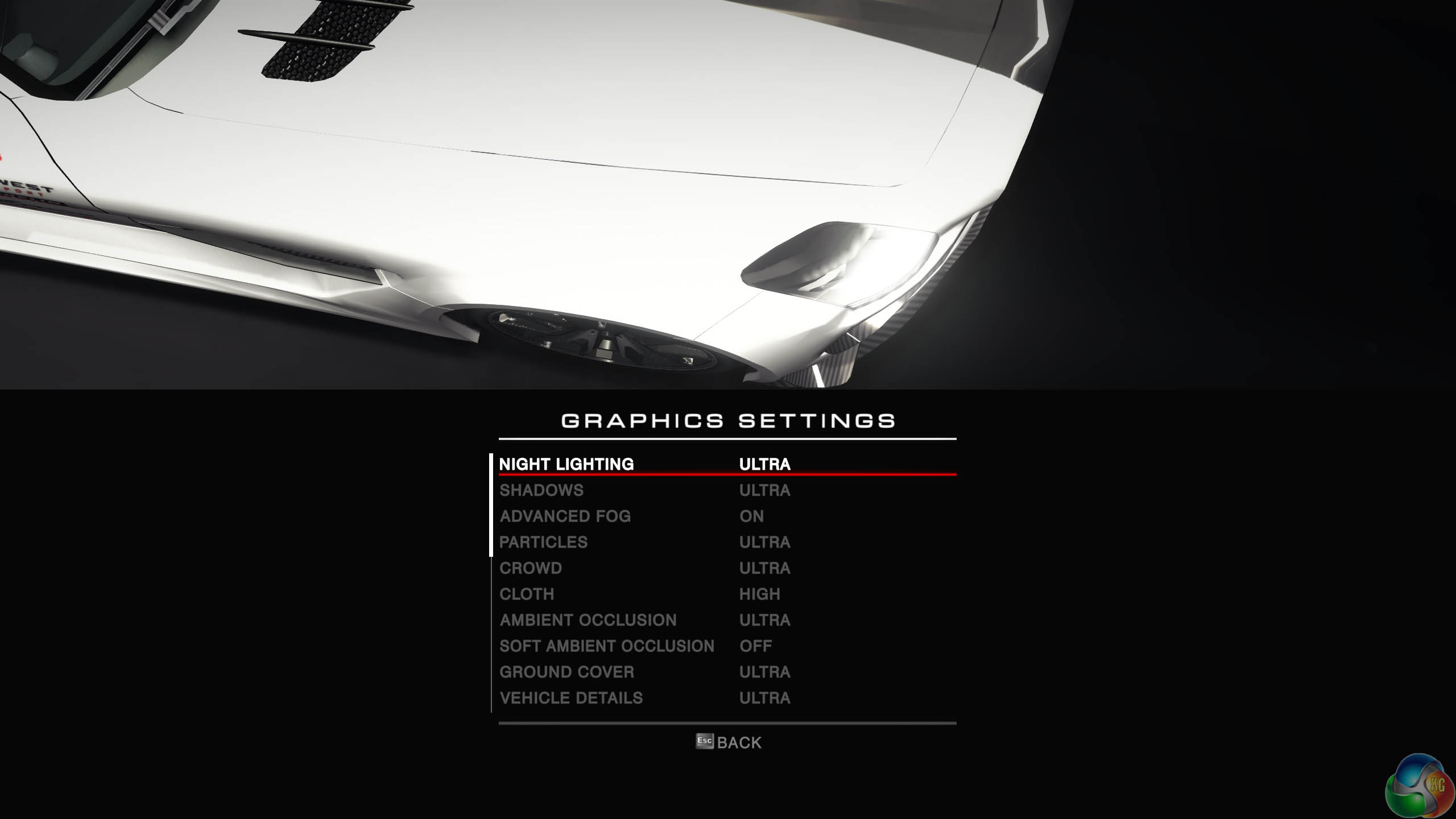
We test with the image quality on ULTRA and 8 anti aliasing enabled.
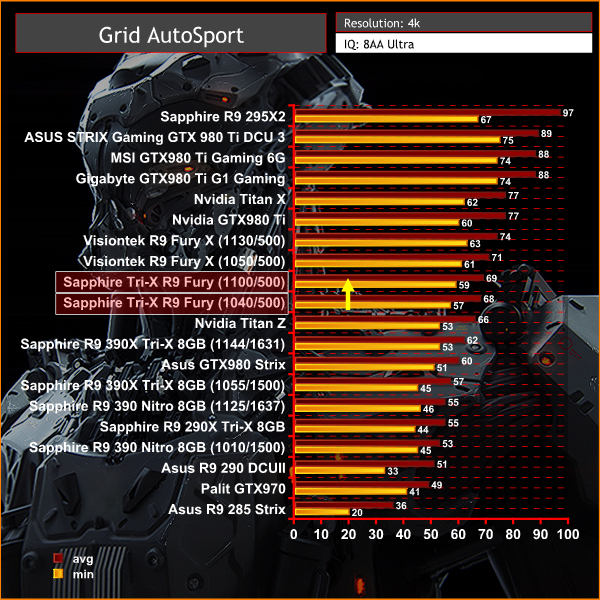
At Ultra HD 4K resolutions the Fury cards perform much better – the high bandwidth architecture can shine. The GTX980 Strix is clearly outperformed at 3840×2160 with these high image quality settings.
Tomb Raider received much acclaim from critics, who praised the graphics, the gameplay and Camilla Luddington’s performance as Lara with many critics agreeing that the game is a solid and much needed reboot of the franchise. Much criticism went to the addition of the multiplayer which many felt was unnecessary. Tomb Raider went on to sell one million copies in forty-eight hours of its release, and has sold 3.4 million copies worldwide so far. (Wikipedia).
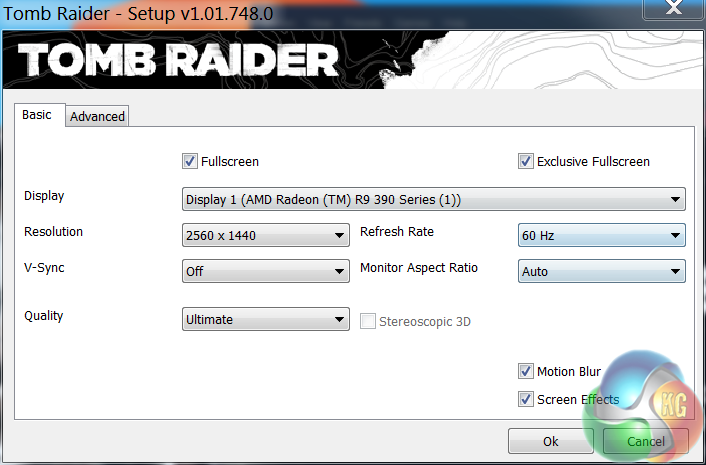
We test at 1440p with the ‘ULTIMATE’ image quality profile selected.
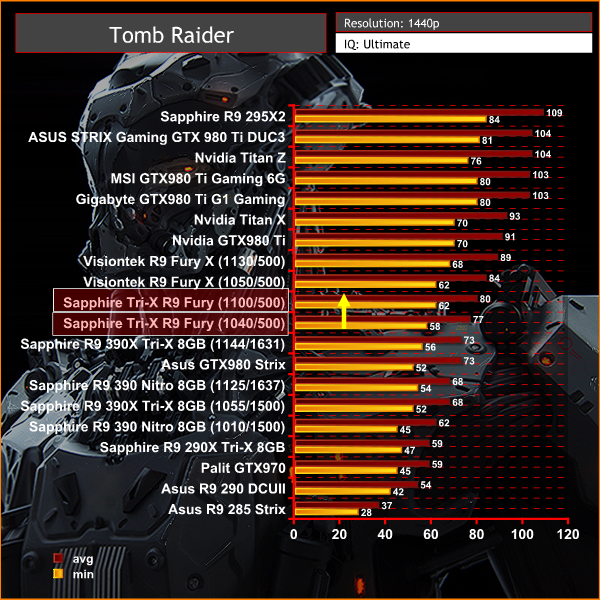
The Sapphire Tri-X Radeon R9 Fury delivers an excellent gaming experience at 1440p, averaging close to 80 frames per second at default out of the box clock settings. When overclocked, the final frame rates are only 4 behind the more expensive liquid cooled Fury X. The Asus GTX980 Strix cannot keep up.Tomb Raider received much acclaim from critics, who praised the graphics, the gameplay and Camilla Luddington’s performance as Lara with many critics agreeing that the game is a solid and much needed reboot of the franchise. Much criticism went to the addition of the multiplayer which many felt was unnecessary. Tomb Raider went on to sell one million copies in forty-eight hours of its release, and has sold 3.4 million copies worldwide so far. (Wikipedia).
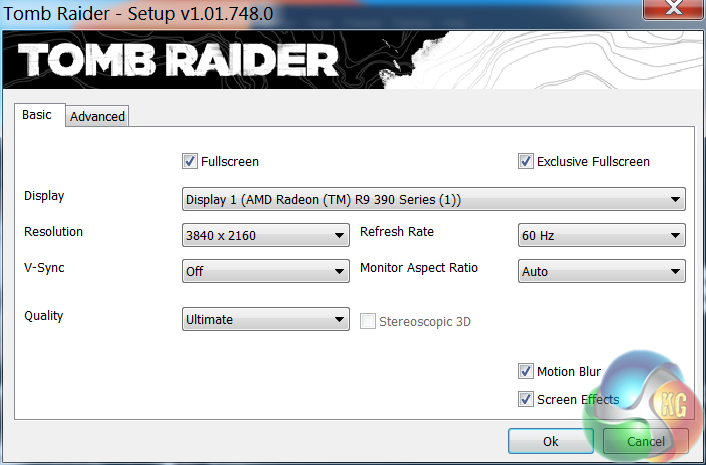
We test at 3840×2160 (4K) with the ‘ULTIMATE’ image profile selected. We normally reduce the image quality profile to ‘ULTRA’ at this resolution, but we decided to keep it at the highest image quality possible.
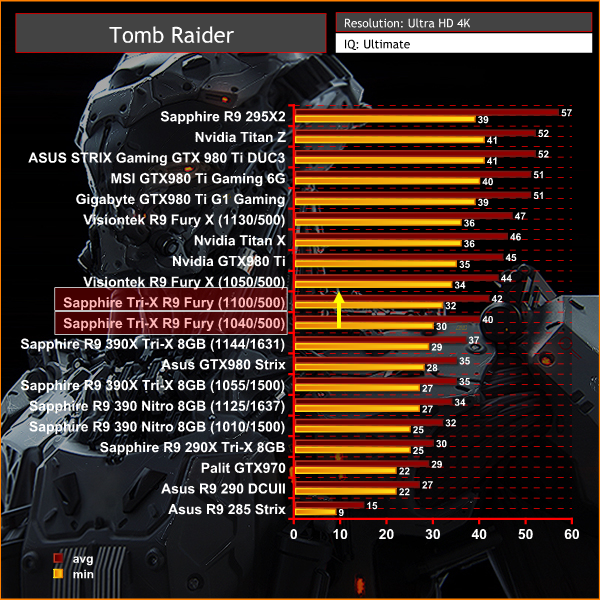
4K is the stomping ground for Fury, outperforming the manually overclocked R9 390X and GTX980 Strix by a clear margin. When we manually overclock the Fury it falls only 2 frames per second behind the more expensive Fury X.
The Witcher 3: Wild Hunt (Polish: Wiedźmin 3: Dziki Gon) is an action role-playing video game set in an open world environment, developed by Polish video game developer CD Projekt RED. The Witcher 3: Wild Hunt concludes the story of the witcher Geralt of Rivia, the series’ protagonist, whose story to date has been covered in the previous versions. Continuing from The Witcher 2, the ones who sought to use Geralt are now gone. Geralt seeks to move on with his own life, embarking on a new and personal mission whilst the world order itself is coming to a change.
Geralt’s new mission comes in dark times as the mysterious and otherworldly army known as the Wild Hunt invades the Northern Kingdoms, leaving only blood soaked earth and fiery ruin in its wake; and it seems the Witcher is the key to stopping their cataclysmic rampage. (Wikipedia).
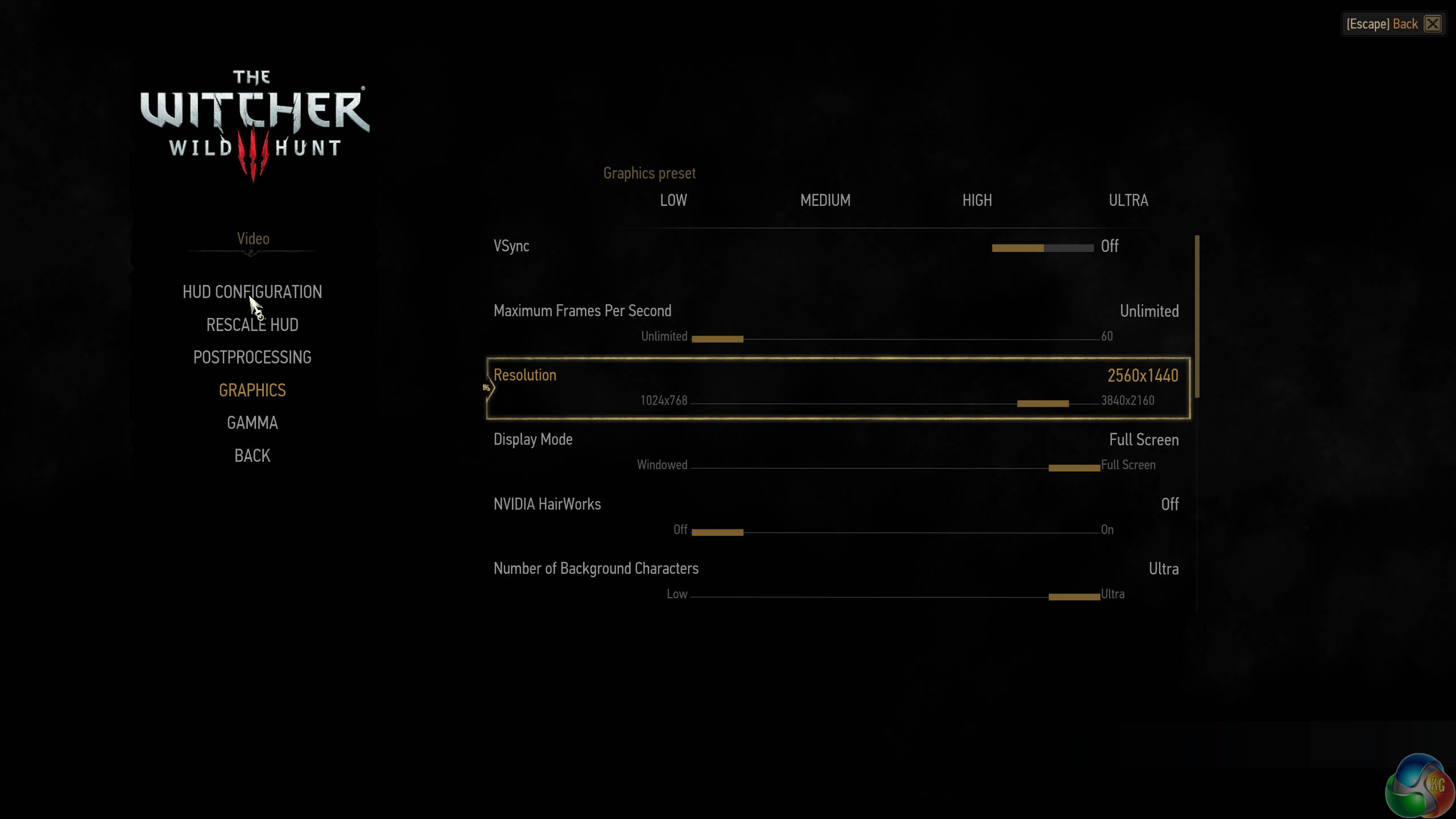
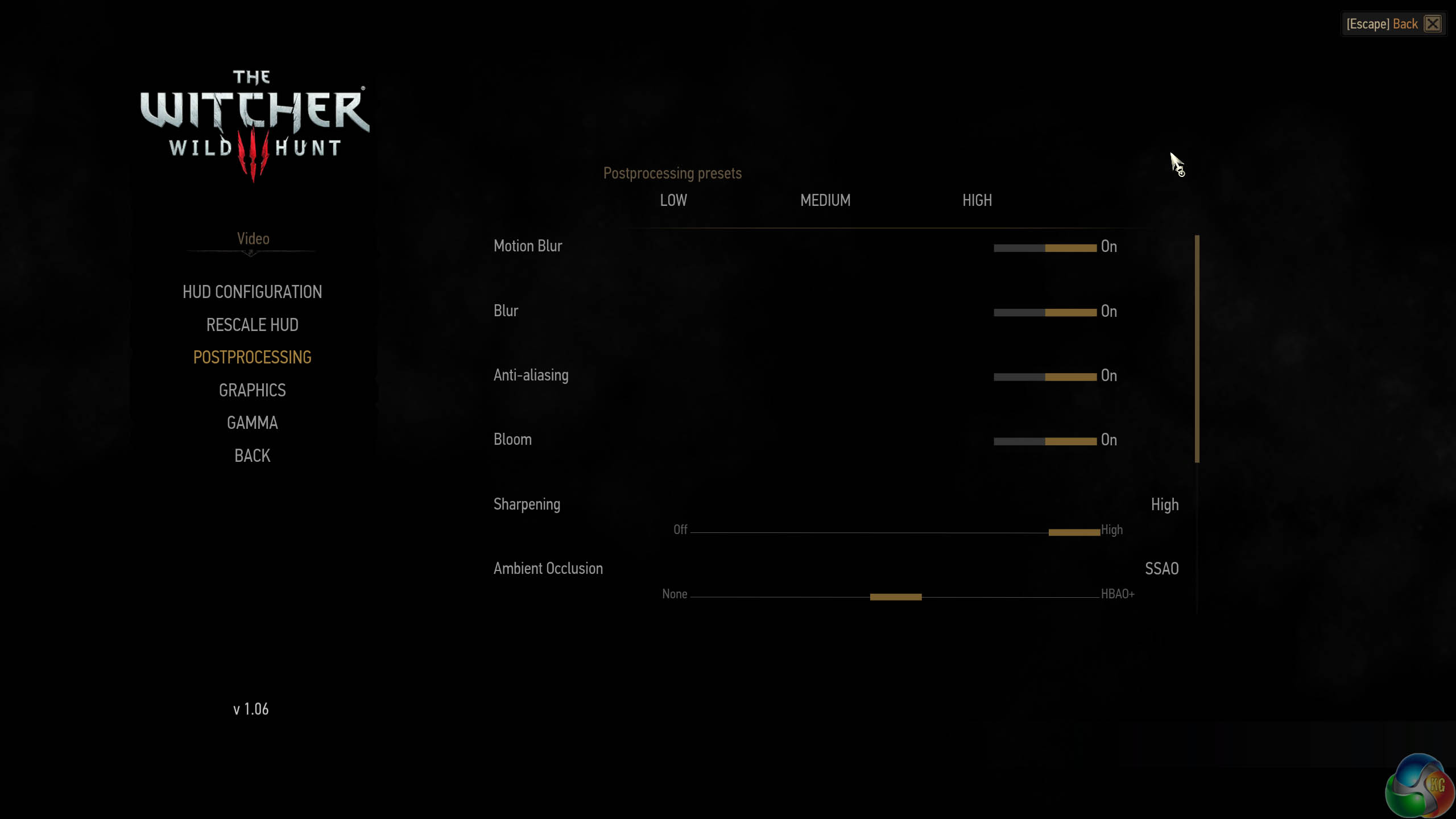
We test with the highest image quality settings, although I have disabled the Nvidia Hairworks option specifically as it does kill frame rate on many cards. Graphics Preset is on ULTRA and Postprocessing is on HIGH.
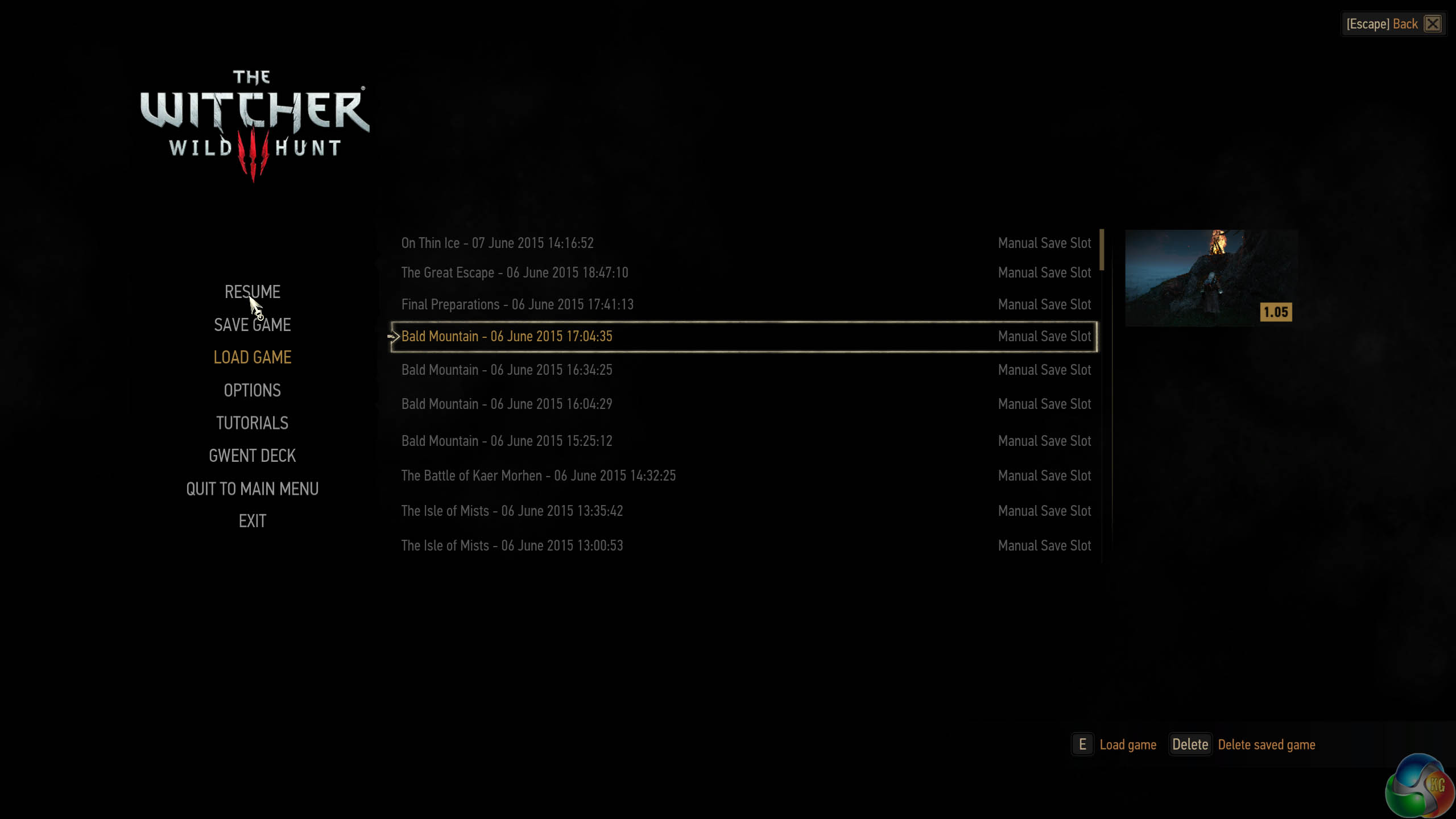
I have played The Witcher 3 for around 85 hours and I have completed the single player campaign. I tested the game today by playing 4 different save game stages for 5 minutes each, then averaging the frame rate results for a real world indication of performance – one of the map sections we tested is one of the most demanding in the game and our results can be considered strictly ‘worst case'. The Witcher 3 is a dynamic world, so it is important to run tests multiple times to remove any discrepancies.
This is one of the greatest PC games ever released in my opinion, so I spent around a total of 48 hours benchmarking it for this review alone – it should be on your must have list, if you don't have it already.
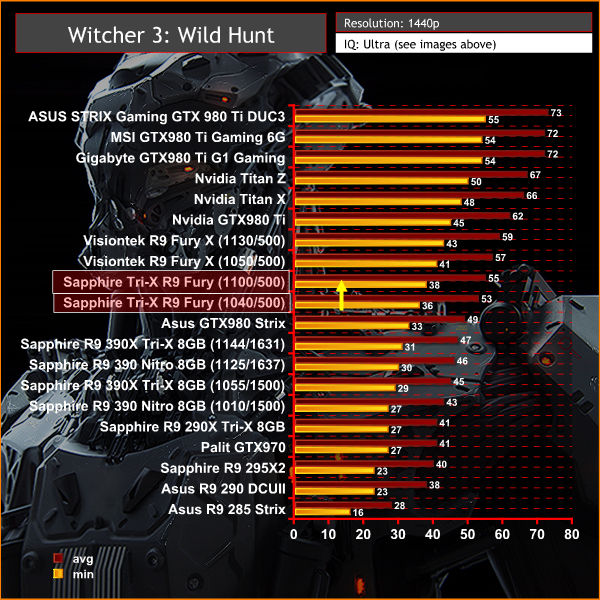
The Sapphire Tri-X Radeon R9 Fury outperforms the modified GTX980 card by around 4 frames per second, and when overclocked it falls in just behind the reference clocked Fury X.
The Witcher 3: Wild Hunt (Polish: Wiedźmin 3: Dziki Gon) is an action role-playing video game set in an open world environment, developed by Polish video game developer CD Projekt RED. The Witcher 3: Wild Hunt concludes the story of the witcher Geralt of Rivia, the series’ protagonist, whose story to date has been covered in the previous versions. Continuing from The Witcher 2, the ones who sought to use Geralt are now gone. Geralt seeks to move on with his own life, embarking on a new and personal mission whilst the world order itself is coming to a change.
Geralt’s new mission comes in dark times as the mysterious and otherworldly army known as the Wild Hunt invades the Northern Kingdoms, leaving only blood soaked earth and fiery ruin in its wake; and it seems the Witcher is the key to stopping their cataclysmic rampage. (Wikipedia).
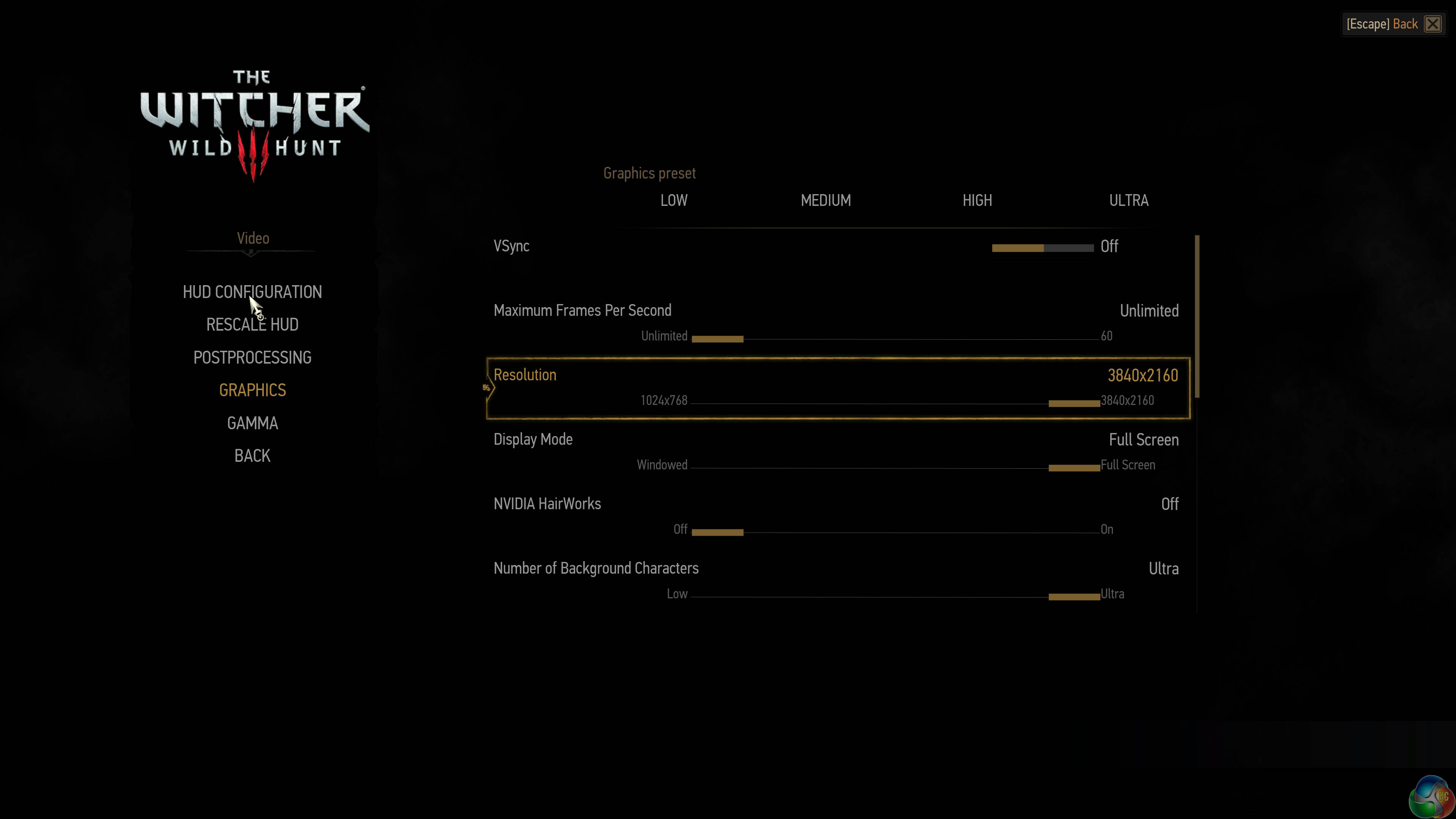
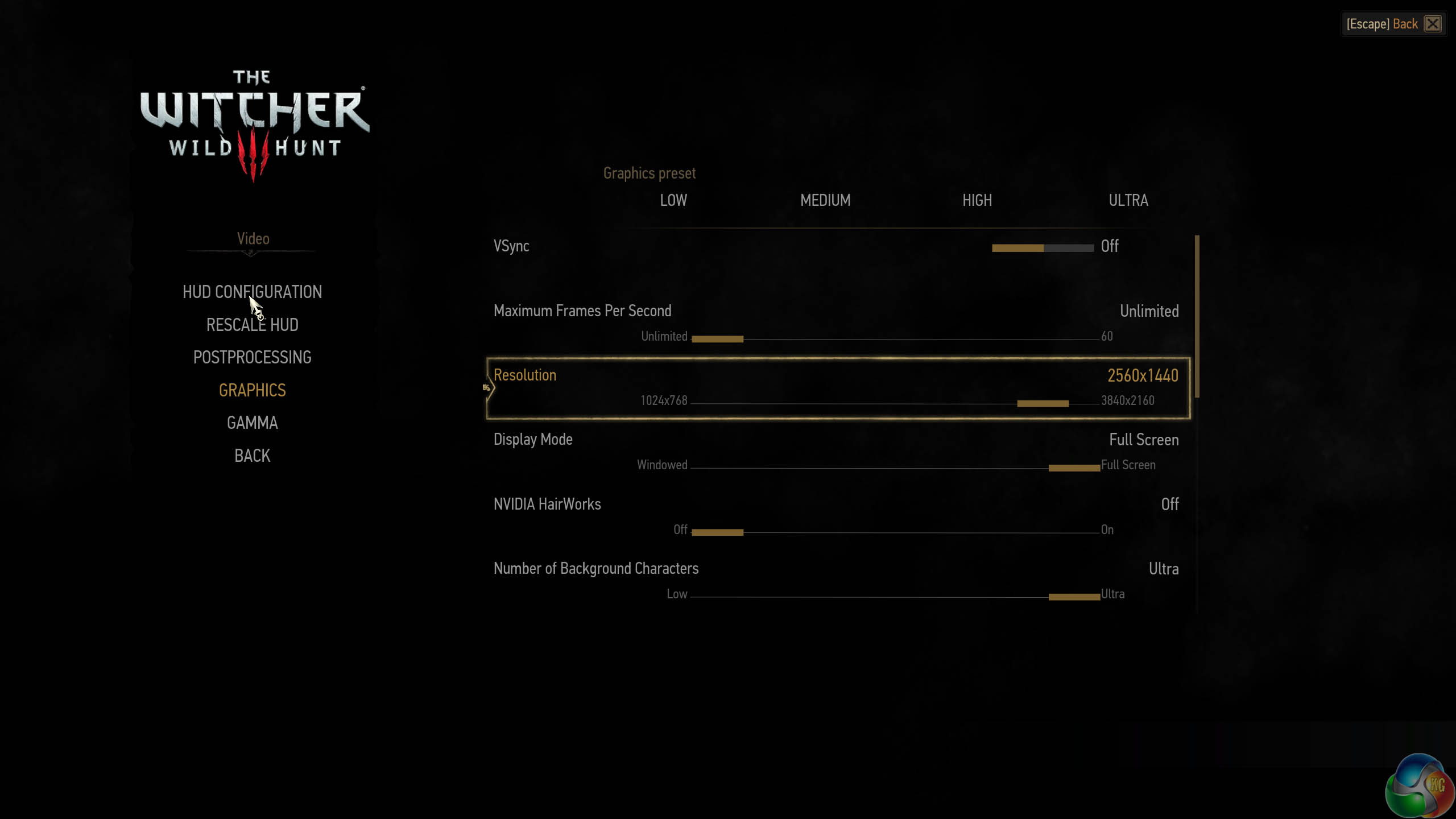
We test with the highest image quality settings, although I have disabled the Nvidia Hairworks option specifically as it does kill frame rate on many cards. Graphics Preset is on ULTRA and Postprocessing is on HIGH.
I have played The Witcher 3 for around 85 hours and I have completed the single player campaign. I tested the game today by playing 4 different save game stages for 5 minutes each, then averaging the frame rate results for a real world indication of performance – one of the map sections we tested is one of the most demanding in the game and our results can be considered strictly ‘worst case'. The Witcher 3 is a dynamic world, so it is important to run tests multiple times to remove any discrepancies.
This is one of the greatest PC games ever released in my opinion, so I spent around a total of 48 hours benchmarking it for this review alone – it should be on your must have list, if you don't have it already.
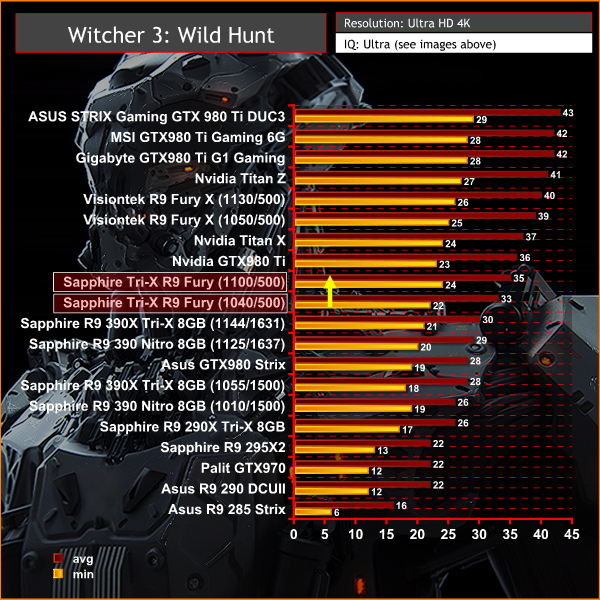
These results are really interesting at Ultra HD 4K because while the Fury outperforms the GTX980 Strix it is the result after overclocking that is particularly interesting. At 1,100mhz the Fury actually manages to almost match the reference clocked GTX980 ti, dropping only 1 frames per second average.Grand Theft Auto V is an action-adventure game played from either a first-person or third-person view. Players complete missions—linear scenarios with set objectives—to progress through the story.
Outside of missions, players can freely roam the open world. Composed of the San Andreas open countryside area and the fictional city of Los Santos, the world of Grand Theft Auto V is much larger in area than earlier entries in the series.
The world may be fully explored from the beginning of the game without restrictions, although story progress unlocks more gameplay content. (Wikipedia).
We maximised every slider – FXAA was enabled, although we left all other Anti Aliasing settings disabled – based on reader feedback from previous reviews. ‘Ignore Suggested Limits’ was turned ‘ON’.
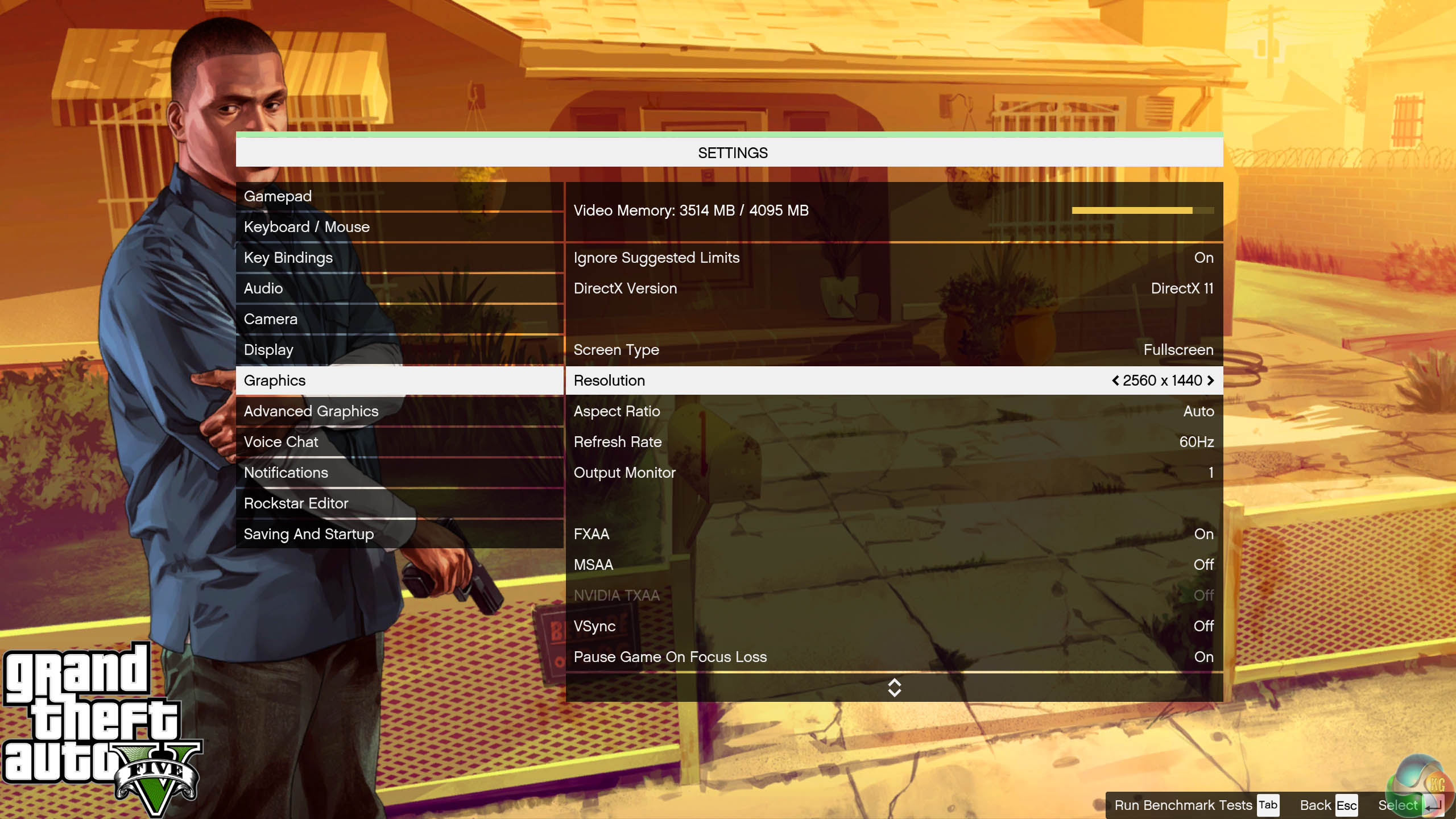

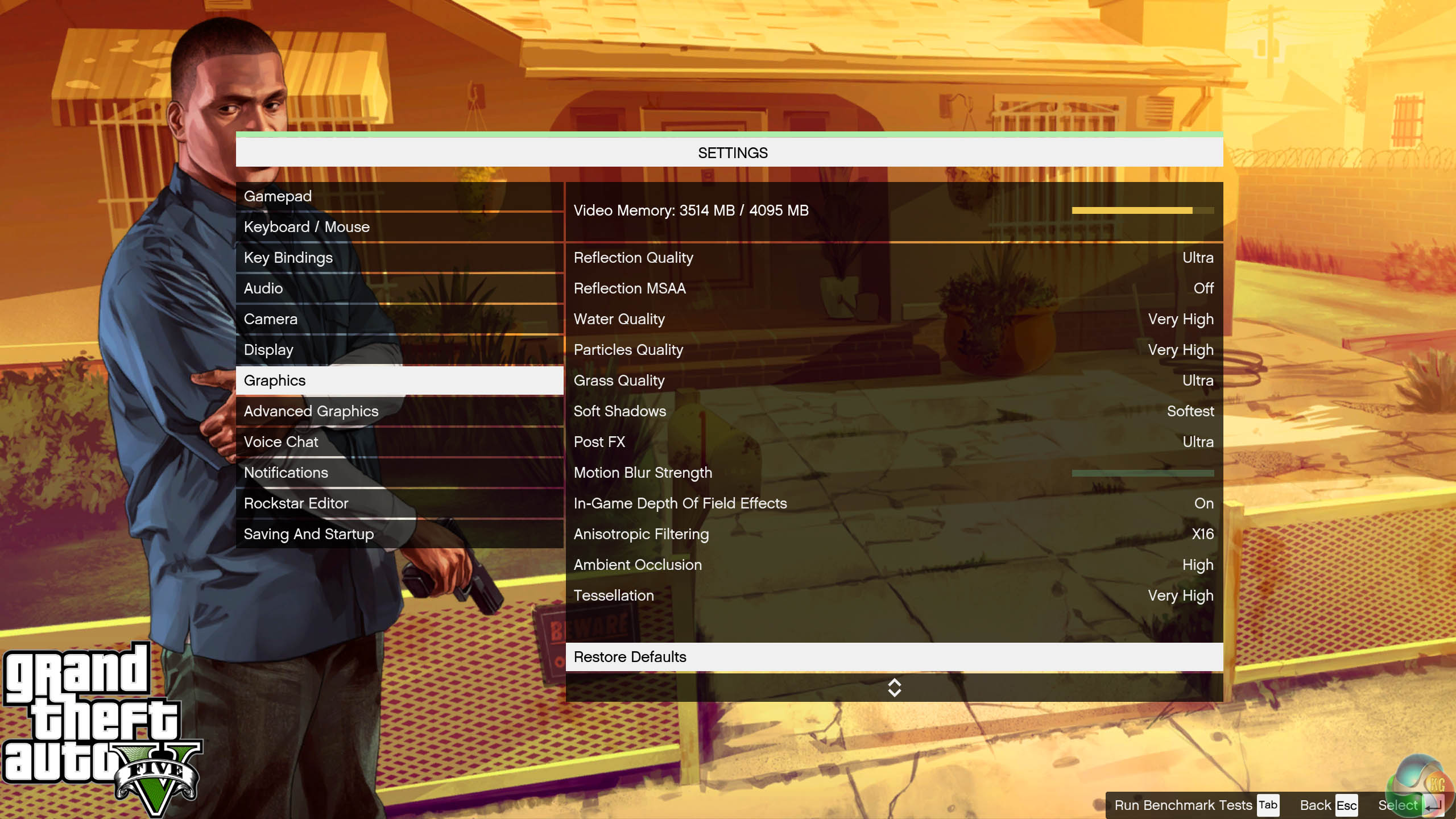
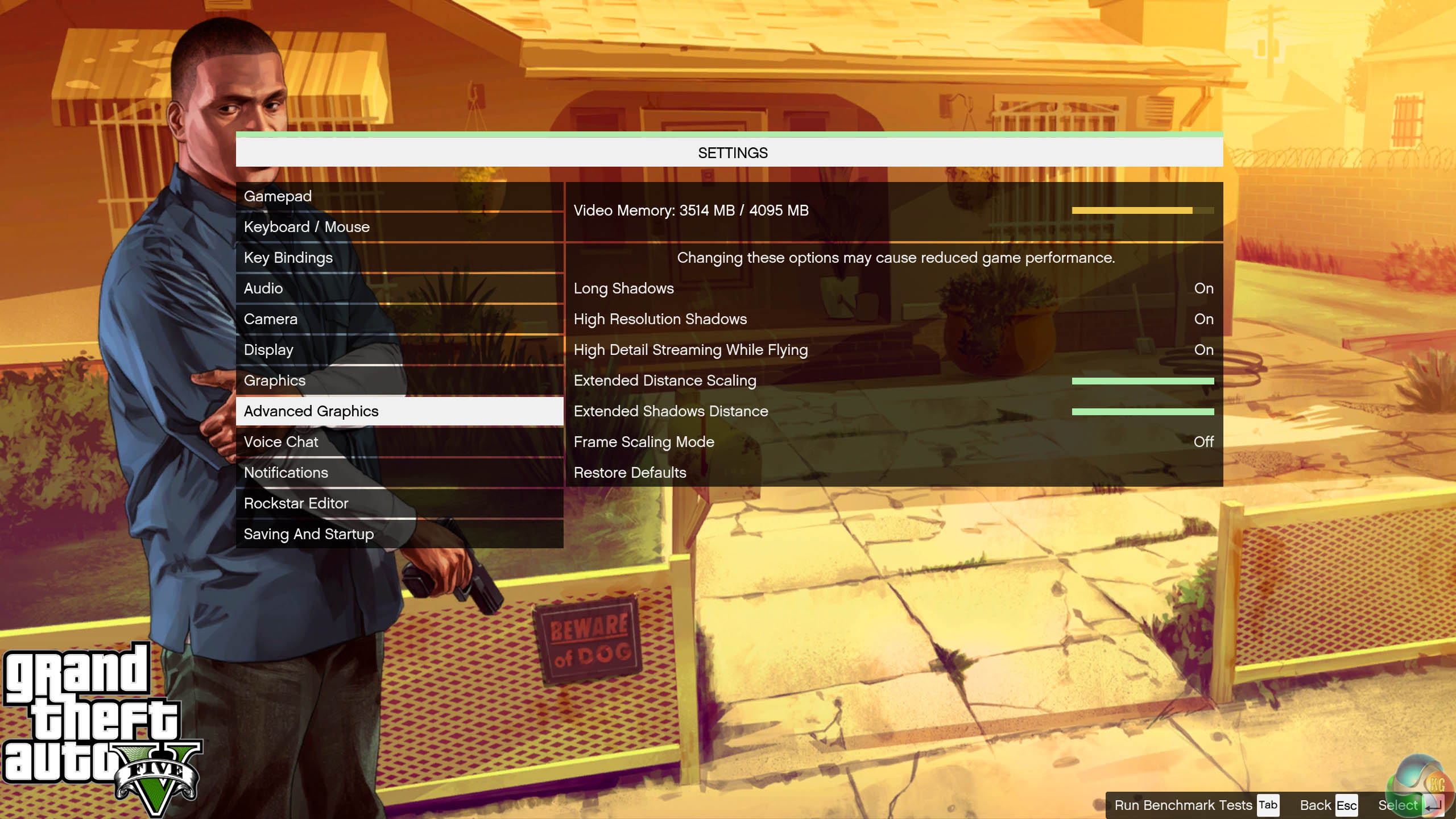
We found some intensive sections of the Grand Theft Auto 5 world and tested each card multiple times to confirm accuracy. The game demanded around 3.5GB of GPU memory at 1440p and just over 4GB at 4K.
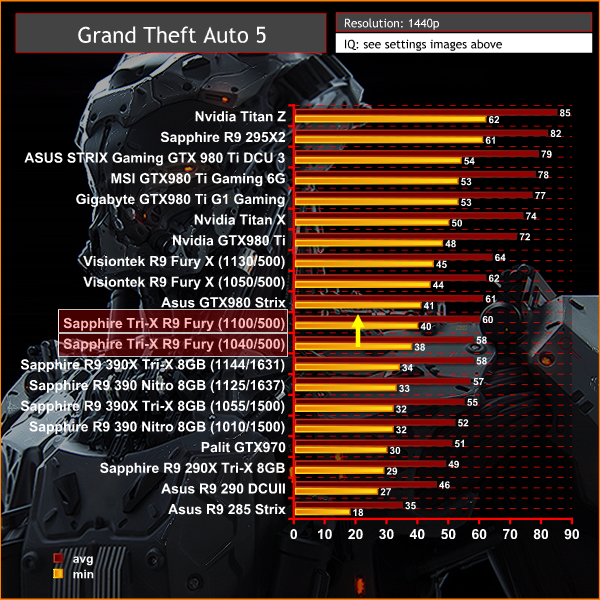
1440p is clearly not the main focus for high bandwidth architecture of the Fury. The GTX980 takes this one, by a very close margin.
Grand Theft Auto V is an action-adventure game played from either a first-person or third-person view. Players complete missions—linear scenarios with set objectives—to progress through the story.
Outside of missions, players can freely roam the open world. Composed of the San Andreas open countryside area and the fictional city of Los Santos, the world of Grand Theft Auto V is much larger in area than earlier entries in the series.
The world may be fully explored from the beginning of the game without restrictions, although story progress unlocks more gameplay content. (Wikipedia).
We maximised every slider – FXAA was enabled, although we left all other Anti Aliasing settings disabled – based on reader feedback from previous reviews. ‘Ignore Suggested Limits’ was turned ‘ON’.
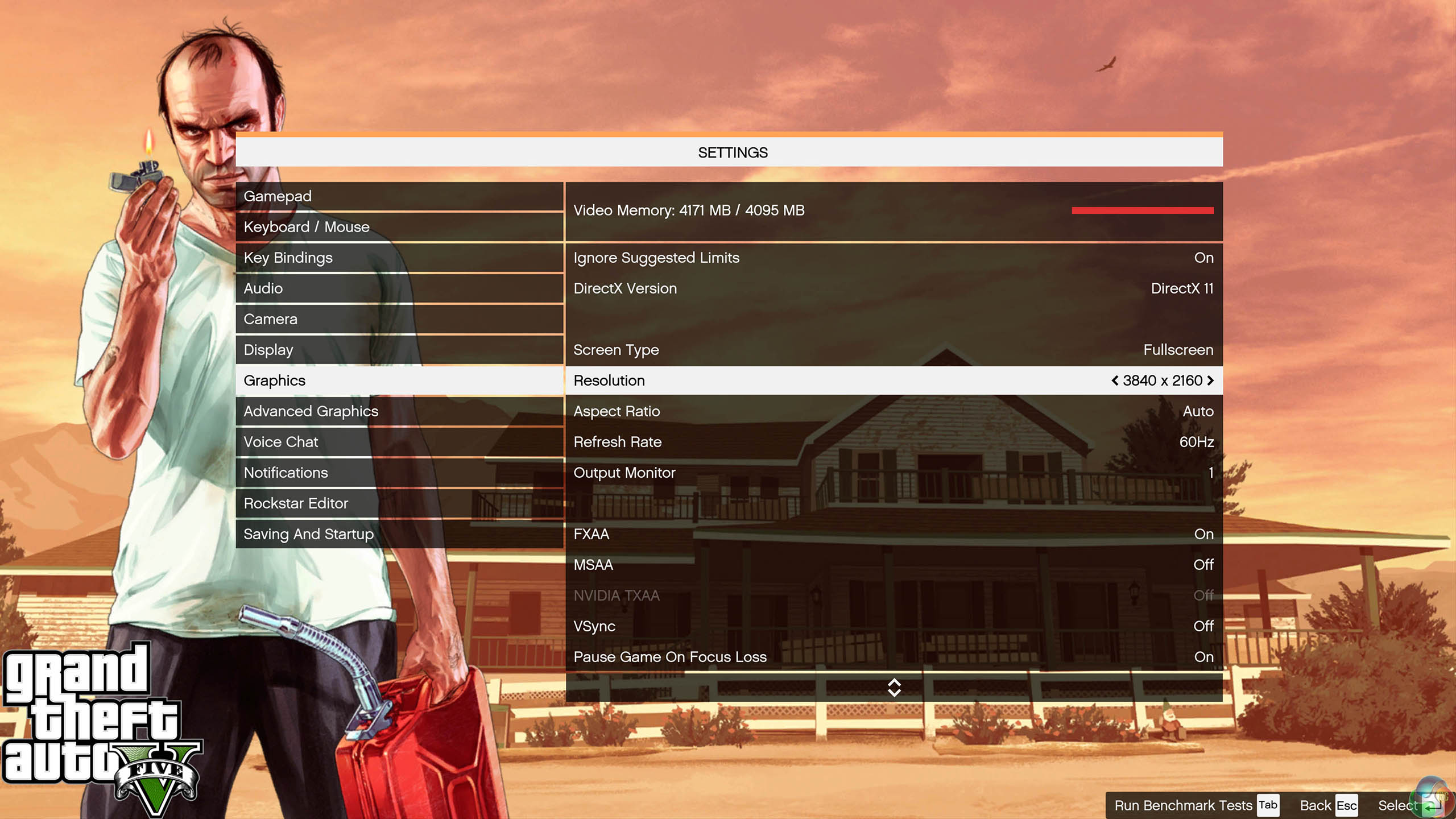
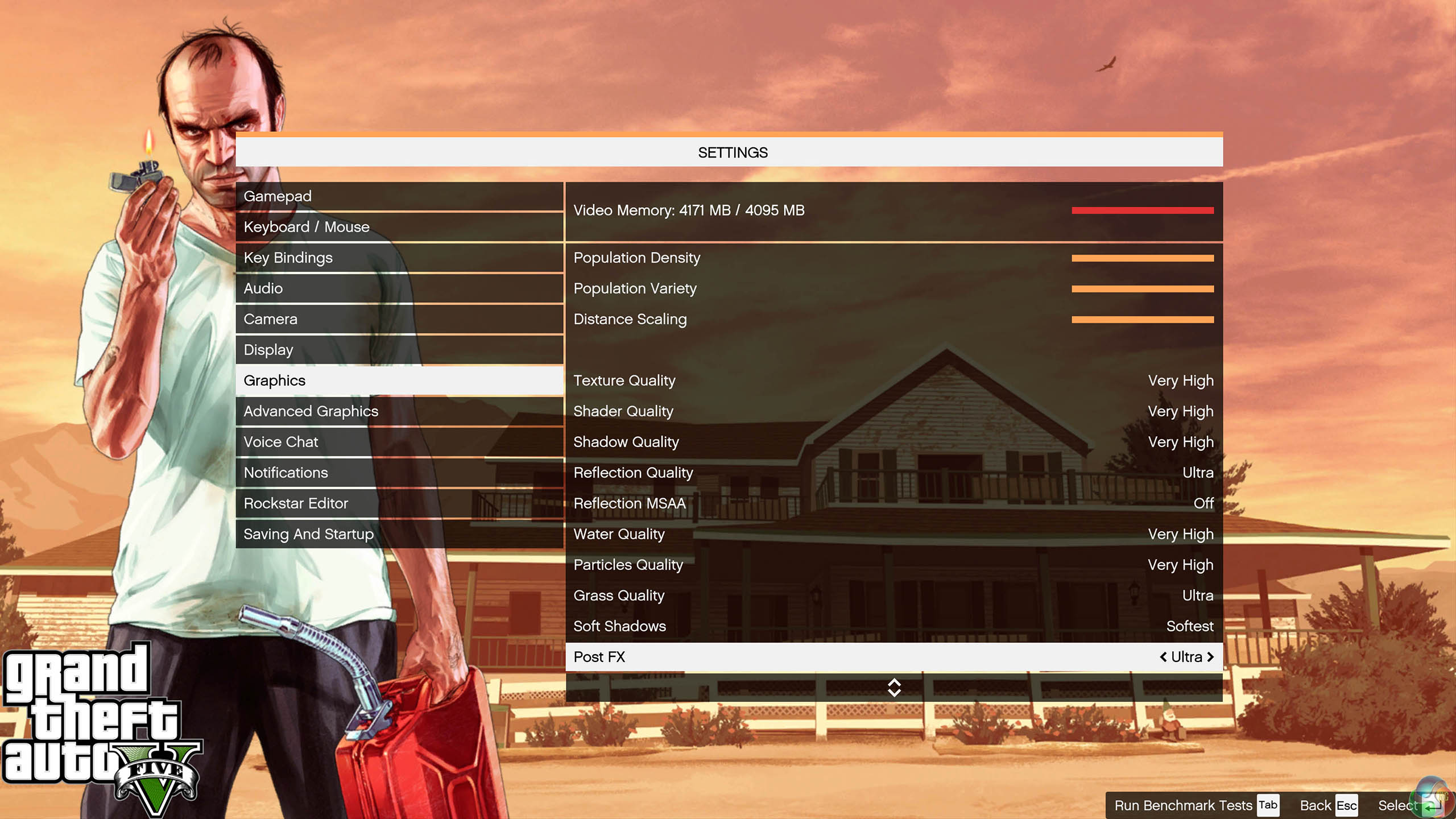
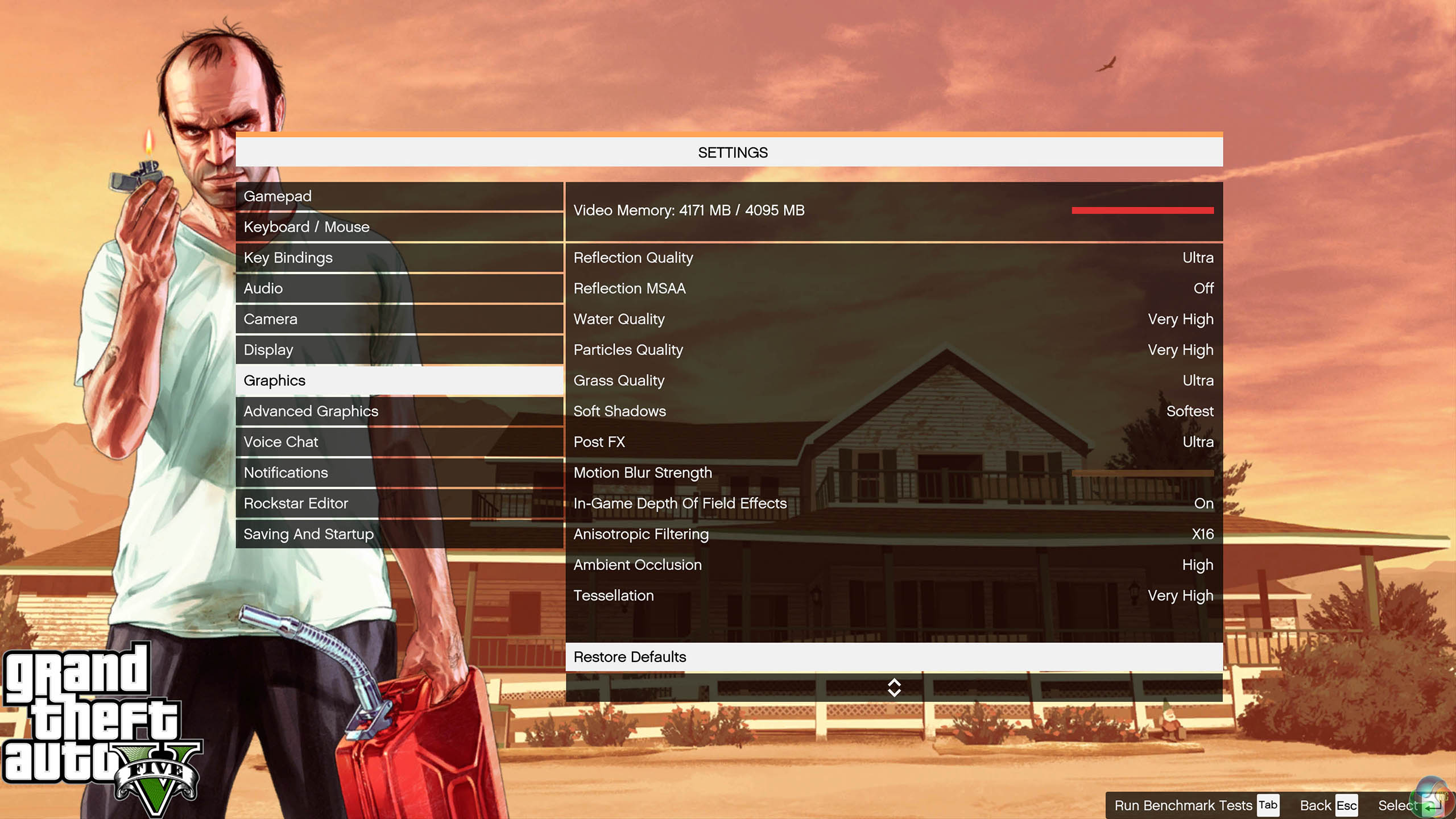
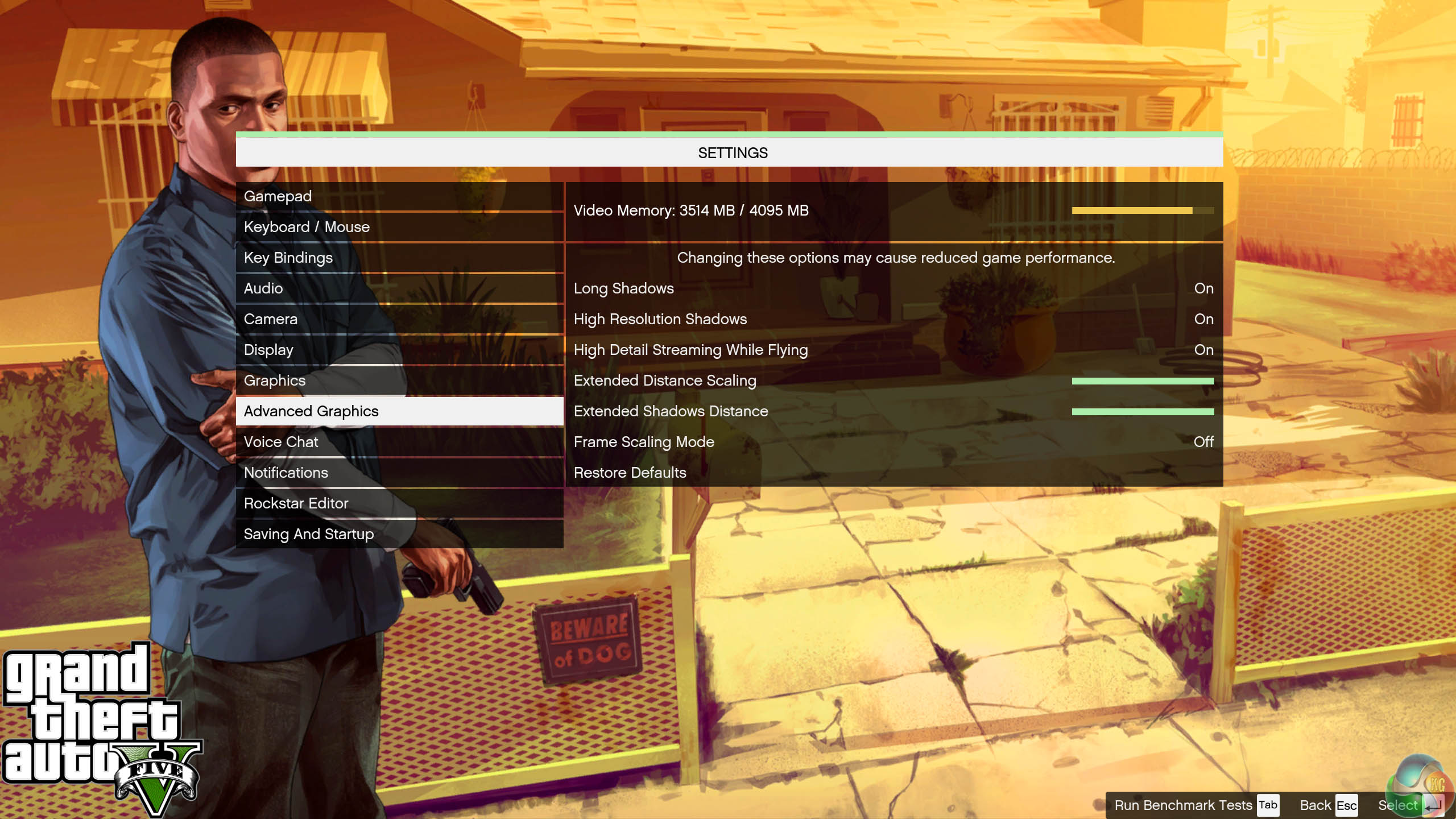
We found some intensive sections of the Grand Theft Auto 5 world and tested each card multiple times to confirm accuracy. The game demanded around 3.5GB of GPU memory at 1440p and just over 4GB at 4K.
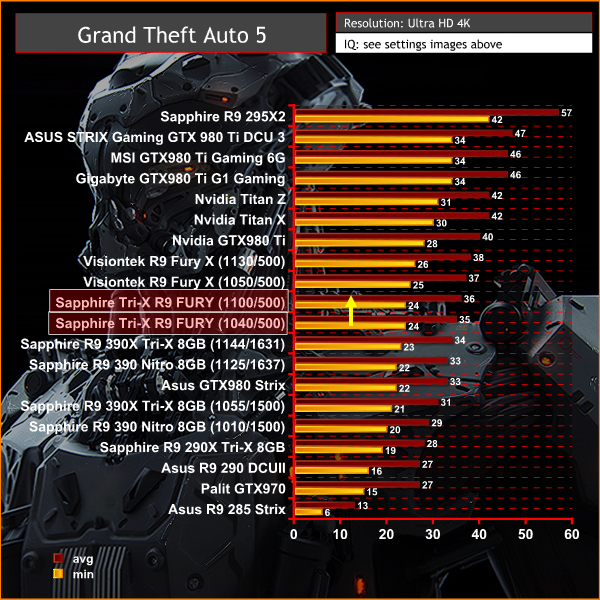
A very difficult engine to power at this settings, when running at 4K resolutions. Still there is a clear margin against the GTX980, in favour of the Fury card. Fury X has the edge, but its quite close when we overclock the Fury to the limits.
On May 22, 2014, a Redux version of Metro Last Light was announced. It was released on August 26, 2014 in North America and August 29, 2014 in Europe for the PC, PlayStation 4 and Xbox One. Redux adds all the DLC and graphical improvements. A compilation package, titled Metro Redux, was released at the same time which includes Last Light and 2033. (Wikipedia). We test with following settings: Quality-Very High, SSAA-off, Texture Filtering-16x, Motion Blur-Normal, Tessellation-Normal, Advanced Physx-off.
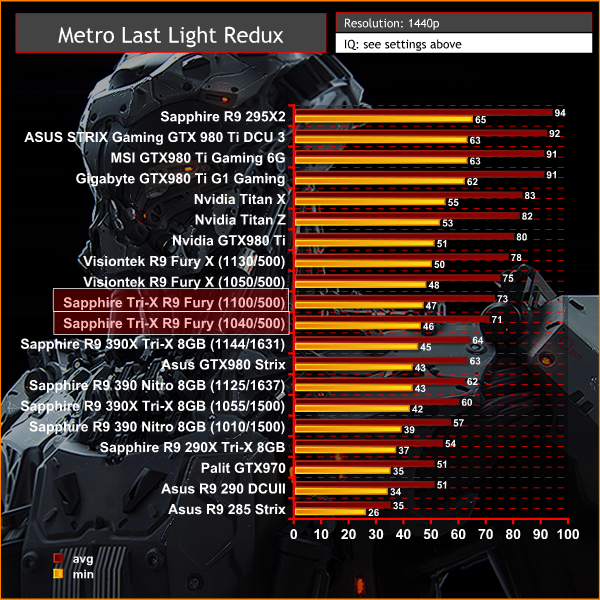
Perfectly playable at 1440p with very high image quality settings. The GTX980 can't keep up with the Fury with this engine.
On May 22, 2014, a Redux version of Metro Last Light was announced. It was released on August 26, 2014 in North America and August 29, 2014 in Europe for the PC, PlayStation 4 and Xbox One. Redux adds all the DLC and graphical improvements. A compilation package, titled Metro Redux, was released at the same time which includes Last Light and 2033. (Wikipedia). We test with following settings: Quality- High, SSAA-off, Texture Filtering-16x, Motion Blur-Normal, Tessellation-Normal, Advanced Physx-off.
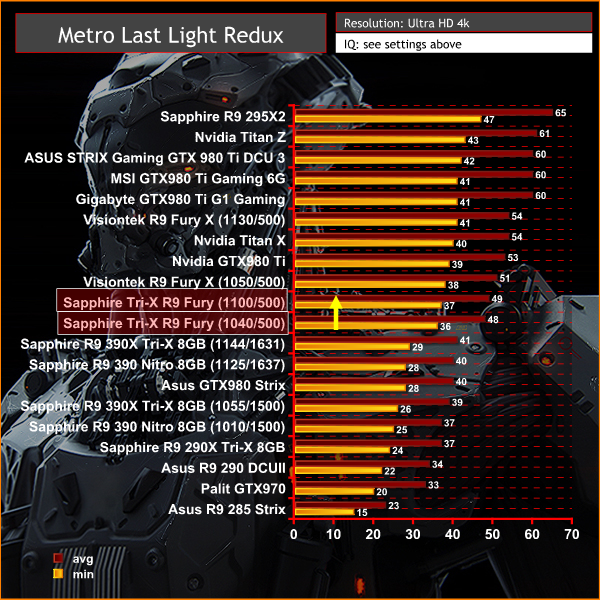
A great set of results at Ultra HD 4K, and we can see how the new AMD architecture manages to pull away from the GTX980 at the highest resolutions. The Fury X delivers superb results at these settings with this engine, and the Fury can't quite catch up, even when manually overclocked.
The tests were performed in a controlled air conditioned room with temperatures maintained at a constant 23c – a comfortable environment for the majority of people reading this.Idle temperatures were measured after sitting at the desktop for 30 minutes. Load measurements were acquired by playing Crysis Warhead for 30 minutes and measuring the peak temperature. We also have included Furmark results, recording maximum temperatures throughout a 30 minute stress test. All fan settings were left on automatic.
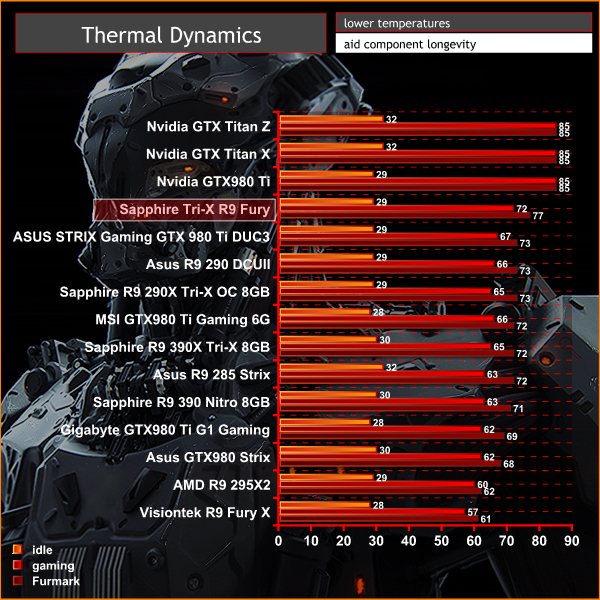
Obviously the air cooler can't deliver the same low temperatures as the Cooler Master all in one liquid cooler fitted to the Fury X.
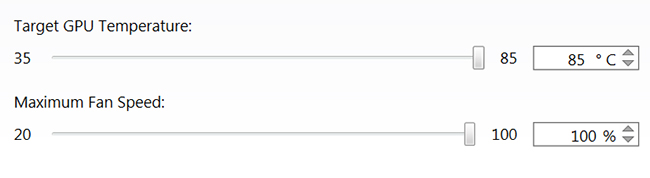
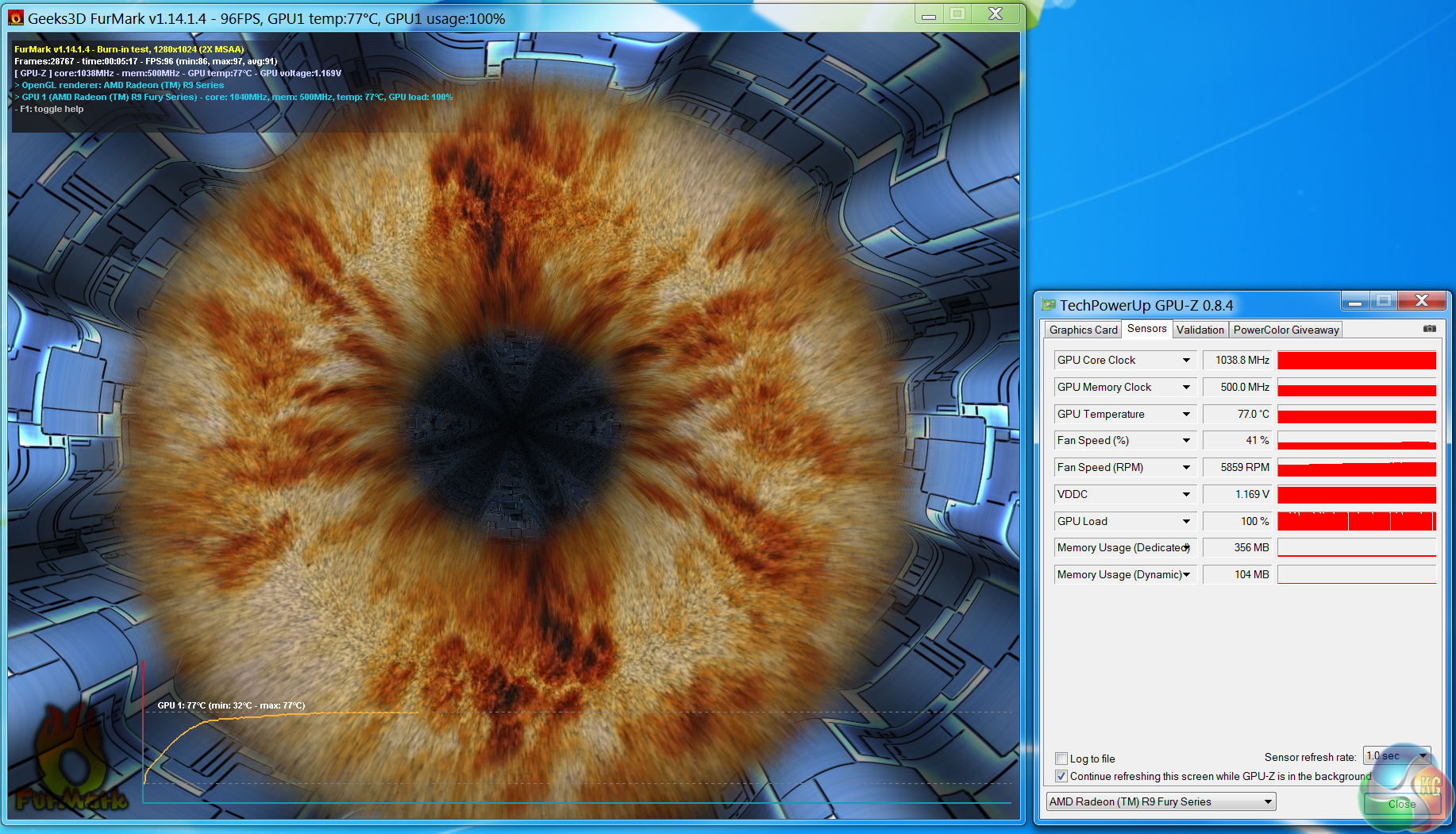
That said, the results are not too bad, considering Catalyst Control Center default settings are to maintain an 85c limit. Even when stressed with the synthetic Furmark, temperatures peak at 77c.
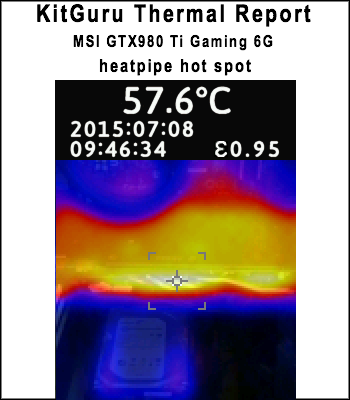
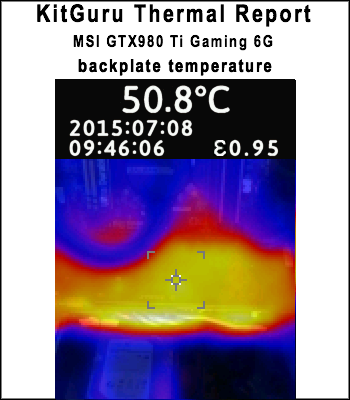
We install the graphics card into our system and measure temperatures on the back of the PCB with our Fluke Visual IR Thermometer/Infrared Thermal Camera. This is a real world running environment.
Details shown below.
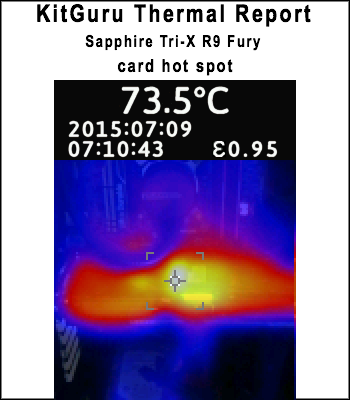
The backplate on the Sapphire Tri-X R9 Fury helps to negate hotspots. The hottest part of the card measured 73.5C after 1 hour of gaming.
We have built a system inside a Lian Li chassis with no case fans and have used a fanless cooler on our CPU. The motherboard is also passively cooled. This gives us a build with almost completely passive cooling and it means we can measure noise of just the graphics card inside the system when we run looped 3dMark tests.
We measure from a distance of around 1 meter from the closed chassis and 4 foot from the ground to mirror a real world situation. Ambient noise in the room measures close to the limits of our sound meter at 28dBa. Why do this? Well this means we can eliminate secondary noise pollution in the test room and concentrate on only the video card. It also brings us slightly closer to industry standards, such as DIN 45635.
KitGuru noise guide
10dBA – Normal Breathing/Rustling Leaves
20-25dBA – Whisper
30dBA – High Quality Computer fan
40dBA – A Bubbling Brook, or a Refrigerator
50dBA – Normal Conversation
60dBA – Laughter
70dBA – Vacuum Cleaner or Hairdryer
80dBA – City Traffic or a Garbage Disposal
90dBA – Motorcycle or Lawnmower
100dBA – MP3 player at maximum output
110dBA – Orchestra
120dBA – Front row rock concert/Jet Engine
130dBA – Threshold of Pain
140dBA – Military Jet takeoff/Gunshot (close range)
160dBA – Instant Perforation of eardrum
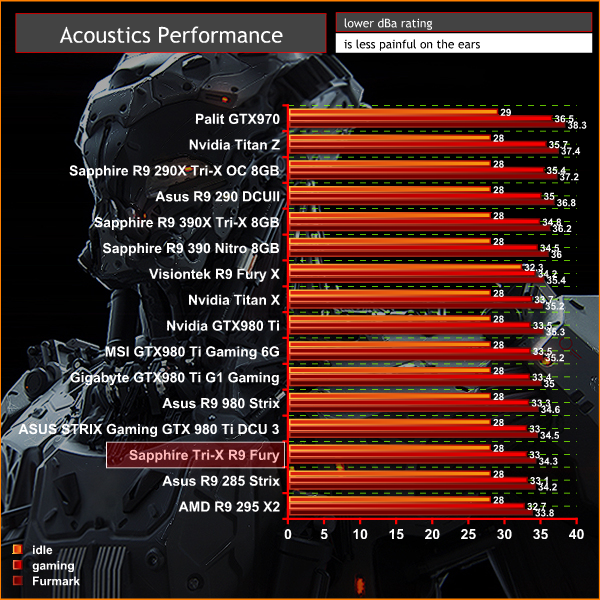
The Sapphire Tri-X R9 Fury is an exceptionally quiet graphics card. Under idle or low load conditions the fans disable completely and the card is silent (our equipment is limited to an accurate minimum reading of 28dBa). Under load the card measures 33 dBa which is very quiet indeed. A single case fan would likely drown out the fans on the Sapphire card completely.
Due to coil whine and pump noises associated with our Rev 1 sample of Fury X, the Sapphire Tri-X R9 Fury was noticeably quieter than the liquid cooled, higher cost model. We have not been able to get our hands on a Rev 2 sample of Fury X yet to compare, but we will in due time.
We tested the Sapphire Tri-X R9 Fury 4GB for coil whine by running some intense stress tests and games at over 500 frames per second. We noticed a little, but it is barely noticeable.
We measure power consumption from the whole system when idle and when gaming, excluding the monitor.
We measure power consumption under load with the two bioses configured on the card:
329P05HU.Q4C (UEFI, 75C, ASIC power limited to 300W)
329P05HU.Q4D (UEFI, 80C, ASIC power relax to 350W)
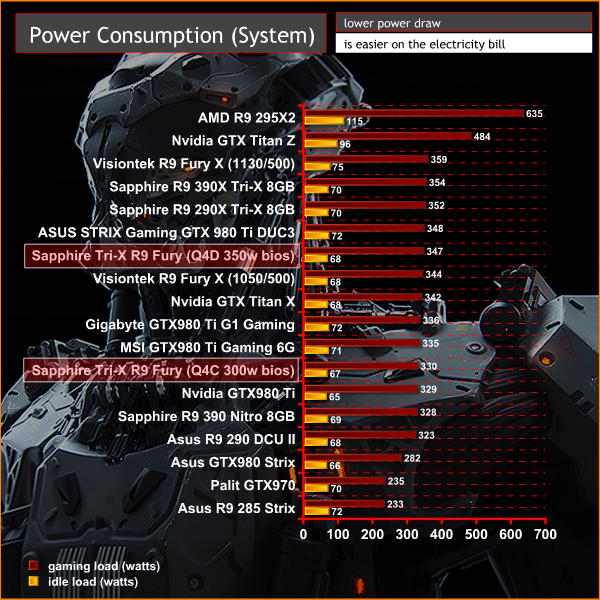
System power consumption in a non overclocked state with the Q4C BIOS enabled under load is 330 watts. When we switch to the Q4D BIOS, the system power demand under load increases to 347 watts.
I tested the Fury X card earlier this month and while impressed with various aspects of the new Fiji architecture I couldn't help but feel a little disappointed that it wasn't able to compete in a head to head against the GTX980Ti. There was no doubt that AMD's new solution could deliver great results at Ultra HD 4K resolutions, but the enhanced GTX980 Ti partner cards were clearly the superior solution at much the same price.
We await another look at the 2nd revision of the Fury X in the coming weeks, because our overall analysis was negatively impacted by excessive pump noise and intrusive coil whine issues. The updated version of the card should be hitting etailers very soon, although UK stores don't seem to be listing a ‘Fury X – Rev 2' on their pre-order pages. Our own Fury X came from the American retail channel after launch and it was a Rev 1 card, therefore we advise you check with the store before placing an order.
Many of our readers have been waiting on the air cooled Fury cards to become available and our analysis of the latest Fiji based Sapphire Tri-X Radeon R9 Fury paints a very positive picture indeed.
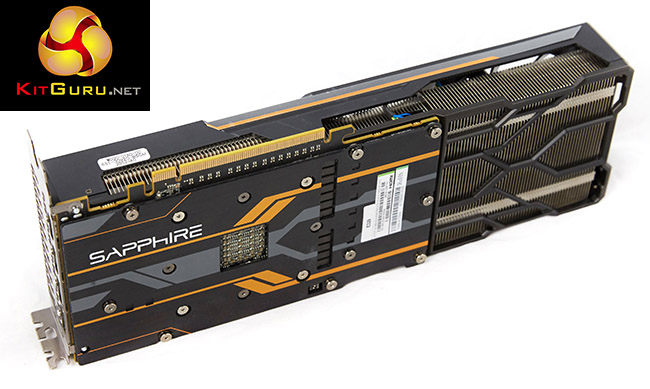
Sapphire have ditched the enclosed ‘all in one liquid cooler' and outfitted this Fury model with the latest revision of their Tri-X air cooler. Our analysis has shown it is a class leading solution, equipped with three low noise Aerofoil fans that spin down completely when the card is running an idle or low load state. There is an advanced fan control system to set temperature by arbitrating multiple sensors – the end result is that the three 90mm fans actually never spin that fast, regardless of the load.
Sapphire have fitted the card with a backplate and an extension to the cooler assembly to increase air circulation. A solid copper transfer plate is fitted alongside a multi heatpipe array featuring a single 10mm, two 8mm and four 6 mm heatpipes.
Performance from the Fury card is certainly not lacking, especially at Ultra HD 4K resolutions. The direct comparison against the Asus GTX980 Strix (£420 at Amazon HERE) shows the Fury card winning all of the time at 3,840×2,160, and losing out only a couple of times in some game engines at 1440p. The high bandwidth nature of Fiji means it does tend to really shine when gaming at 4K.
With all the hype and AMD's marketing focus about Fiji architecture and prowess at 4K resolutions – why still use HDMI 1.4a and not HDMI 2.0 ports? Gamers who own an HDMI equipped 4K television set are limited to 30hz at the native 4K resolution. I just bought a new 55 inch Sony 4K TV with full Amazon Prime and Netflix support for 4K streaming – yet if I use AMD's latest Fury hardware, my refresh rate is limited to 30hz at 4K – no one wants to play games with a 30hz limitation. Of course this isn't a problem if you use a monitor with Displayport but based on research and what I have read on our own Facebook page, this lack of HDMI 2.0 connectivity is a real bugbear for gamers.
The AMD Fury is clearly designed to target and outperform the GTX980, and we intentionally selected an (almost) equally priced Asus GTX980 Strix for the comparison today. The problem for AMD is that Nvidia partners such as Palit have dropped their prices recently, and their Jetstream model is available for only £379.99 inc vat. The overclocked enhanced Palit model is only £10 more, at £389.99 inc vat. The excellent Gigabyte GTX980 Windforce model is also now £389.99 inc vat. How much for Fury?
We have been told that AMD Fury pricing will start around £420 and more expensive enhanced models such as this overclocked Tri-X model will be priced up to £450 inc vat. Retail pricing can drop in the weeks after a new product launch, so perhaps AMD will work with partners and etailers to drop their prices a little more.
Fury is definitely a stronger launch than Fury X. Fury pricing seems to be between £80 and £180 less (£420-£450 compared to £529.99-£599.99) and there are no coil whine or pump issues to discuss today. This Tri-X cooler is the companies best cooler yet and reinforces Sapphire's long history of producing the finest coolers for AMD cards.

Stock is due to land at Overclockers UK soon – check this page for updated Fury pricing information soon.
Sapphire are giving away one of these cards today via SAPPHIRE NATION. Head to THIS page today for more information.
Discuss on our Facebook page, over HERE.
Pros:
- quieter than the liquid cooled (Rev 1) Fury X sample we tested.
- fitted with high grade backplate.
- high grade fans and clever profile implementation produce little noise, even under load.
- outperforms the GTX980 at Ultra HD 4K, often by a clear margin.
- doesn't get too hot under load.
- when overclocked to 1,100mhz it isn't too far behind reference clocked Fury X.
- Sapphire's dual bios configuration with enhanced power delivery is a welcome addition.
Cons:
- Price point could be more aggressive.
- No HDMI 2.0 support.
- core clock overclocking headroom is limited.
- no Catalyst Control Center option for memory overclocking at this stage.
Kitguru says: The Sapphire Tri-X Radeon R9 Fury is a fantastic graphics card. It is powerful enough to outperform the GTX980 and the high bandwidth architecture delivers a wonderful gaming experience at Ultra HD 4k. The latest iteration of the Tri-X cooler sets a new standard for AMD cooling solutions – it is silent when idle and very quiet under extended heavy load.

You Guys shuld do the test with the new drivers. But its a great review. Thanks
“but based on research and what I have read on our own Facebook page,
this lack of HDMI 2.0 connectivity is a real bugbear for gamers.”
Let’s be honest – what percentage of gamers are actually using 4k televisions that only have HDMI 2.0 inputs? Is it even 1%?
What percentage of the gamers making noise about Fury’s lack of HDMI 2.0 are actually using 4k televisions that only have HDMI 2.0 inputs? More to the point, what percentage of the people complaining about it aren’t ever going to own a 4k television that only has HDMI 2.0 inputs, and are just complaining because they don’t like AMD and want something to hang their complaints on?
The number of people using 4k HDMI 2.0-only televisions for their monitors who are also building their own HTPC and will be disappointed by Fury’s lack of HDMI 2.0 is so small that I’m pretty sure AMD doesn’t care – they have a much bigger market to focus on. By the time 4k HDMI 2.0-only monitors become mainstream enough that it’s necessary (assuming that ever happens), Fury will be LONG obsolete.
Besides, HDMI is on its way out anyway.
Some DP to HDMI 2.0 adapters are going to hit the market soon, so no problem at all.
And if you buy a 600$ card.. i think you can afford a 10$ adapter 😉
I absolutely agree. But the people complaining about Fury’s lack of HDMI 2.0 will NEVER hear that.
It’s about future proofing and also it’s kinda weird to leave it out
Very nice card, but the Sapphire wording is upside down!
Also, more and more people will be using a TV as 4K gaming is pointless on a 28″ screen, it’s suited to a big screen experience
“future proofing” isn’t an issue because by the time there is a sizable enough proportion of gamers using 4k HDMI 2.0-only televisions for their gaming that it becomes necessary, Fury will be obsolete. I don’t have the numbers handy but I’m willing to bet a nice shiny quarter that today, and by a year from now, the number of people gaming on 4k HDMI 2.0-only televisions is and will be still less than 1% of gamers.
I’d also be willing to bet that of the people making noise about the lack of HDMI 2.0 on Fury, 85% of them (or more) do not own a 4k HDMI 2.0 television and will not own one in the next year or two – they’re complaining because they want to complain.
There are 4k tv with DP, so if we speak for future.. you can purchase a tv with dp 1.3 port.
But big problem of tv play is ghosting, many see it on fast gaming lcd, on tv panel will be way worst.
Not my problem… got a 28″ 1440p… i don’t really need a 4k tv, i don’t even use the one in my house…
Its probably a fairly small percentage, although we have seen quite a few people complain about a lack of hdmi 2.0 support on our facebook page. I own a large sony 4k tv myself and i cant really use any amd cards to game on it otherwise its 30hz. Most of the 4k tvs in the uk seem to be primarily hdmi only, although ive seen some panasonic with a single displayport, although i dont think some of their models have yet to get netflix 4k certification.
Sure its a small percentage, but i fail to see why amd cant add an hdmi 2.0 port, most devices you connect to a television have hdmi connectors (consoles, sky and virgin media boxes, blu ray players etc) so it seems unlikely it will ‘die overnight’ to be replaced by displayport. Nvidia have hdmi 2.0 support so it would be good for amd to add it.
It’ll look the right way once its plugged into your motherboard facing outwards. 🙂
why didn’t they test it , benchmark it with Pcars.. oh wait…
We did use the 15.7 beta drivers for fury and fury x. We didnt have time to test all amd hardware again as the 15.7 beta was only given to us a few days ago.
Ah good point, I’m using a bitfenix prodigy, so wouldn’t work in such a case!
15.7 beta? Don’t they have a WHQL version of it already?
why do you increase the power so much but not core voltage?
correct me if im wrong but i thought the steps where..
1. take the core as high as you can on default
2. increase power limit and see if there is more from the core
3. well your going to want to make sure there is a good handle on temps and stability at this point
4. increase core voltage and clock.. maybe need another power increase so yeah it gets a little more advanced and a understanding of what is going to tell you if your voltage,power, or just at the limit of the chip.
Unless you’re referring to a different driver, the 15.7’s aren’t beta, they’re WHQL. I think that’s where the confusion is coming from.
The suggestion I’m making is that a large proportion of the quite-a-few-people complaining about a lack of HDMI 2.0 support on your Facebook page are people who wouldn’t ever buy an AMD card even if it DID have HDMI 2.0 support. They just want another reason to complain about AMD.
Everybody who decide a purchase should consider the image quality as a factor.
There is a hard evidence in the following link, showing how inferior is the image of Titan X compared to Fury X.
the somehow blurry image of Titan X, is lacking some details, like the smoke of the fire.
If the Titan X is unable to show the full details, one can guess what other Nvidia cards are lacking.
I hope such issues to be investigated fully by reputed HW sites, for the sake of fair comparison, and to help consumers in their investments.
AMD is going to be selling DP to HDMI 2.0 adapters.
-Part-time working I Saw at the draft which said $19958@mk7
bg…
http://www.GlobalCareersDevelopersCrowd/lifetime/work...
The driver we used was the driver amd sent us directly three days before this review was published and as the gpuz screenshot shows it says 15.7 beta. The whql driver looks identical and was released around the same time this review was published (maybe a little earlier, but certainly not time enough to test both fury cards with).
We tried everything, the screenshot just shows one variable. Once our card hit 1100mhz there was nothing left regardless of settings.
Yes they do now, but three days before the review was published that is the driver amd sent us directly. Its the same driver anyway.
i’d like to see some Fury X and Fury crossfire tests from you guys. i know there are benchmarks out there but i want to see you guys do it.
Is there likely to be a re-review of the top graphics cards upon the DX12 release? It’d be interesting to see how the new hardware fairs with the new software
Why are most of the people always complaining about that lack of HDMI 2.0 on the Fury (x)? I mean there are tons of DisplayPort to HDMI cables on the market nowadays… It is not like people won’t buy this card because of that.
< ??????.+ zeldadungeon+ *********<-Part-time working I Saw at the draft which said $19958@mk11 < Now Go Read More
<???????????????????????????????
1
Because they need a reason to complain about (and bash) an AMD product.
99% of the people complaining about HDMI 2.0 would never buy an AMD card anyway but they’ll spend hours of their day finding a reason to complain about it, and then complaining about it.
Win10 preview already has DX12 running on it and it is a free download. You can test it yourself.
Go with the help of kitgur’u… My Uncle Mason recently got a stunning red Jeep Grand Cherokee SRT by working part-time off of a pc.
You can try here ⇢⇢⇢ Start Job Here
more likely Nvidia fans
i just bought a Sapphire R9 Fury X 4GB HBM AIO Liquid Cooled GPU $389.99 @ newegg.com, Wed. Sept. 14th, for the sapphire AMD reference Design board & CM AIO H2O cooler, and i could give two shits of having HDMI 2.0, as i only have either a 24″ Benq LED Monitor with only DVI-D & VGA, or a 1080p Sanyo 42″ Inch HDTV with HDMI 1.1/1.2 or whatever, its a 5 yr old HDTV 1080p max, but using VSR…
(AMD’s Virtual Super Resolution) in the Display tab of radeon settings, i can set my games to 3200×1800 resolution, almost 4k, might as well be considered 4k, it might as well be…. and looks no different to me than my friends PC with Nvidia GTX 1070 6GB GPU with HDMI 2.0 @ 4K 3200×1800….
YUP, i call them nShitia GPUs, cuz nvidia cheats in everything… i used to be an nvidia fanatic, till they destroyed 3Dfx.. fuckin’ nshita basterds..
AMD needs to dominate the GPU & CPU MARKETS….
so COMPETITION can RISE / and PRICES DROP / Drastically, on both, Nvidia and Intel hardware… example…
AM4 Zen 8c/16 Thread cpu, theoretically at $299-$399? intel equivalent $600-$2000..
(ME)Um… no thanks intel, im with AMD On this one.. sorry, your too expensive, is there still 24k gold in your CPUS intel?…(INTEL) NO? (ME)DAMN…
i wish assholes would just stop dissing AMD, one day they will dominate, and AMD haters out there will cry?? over the price they paid for their cards…….
damn
https://www.techpowerup.com/gpuz/details/844m9
I must admit I went with a GTX970 with the intention that when I gather a little more money, to go to a better card still supported by my CPU. But what I notice almost directly is that although their shaders are faster, they give me poor image and lightning quality compared to my Old HD6950 2GB wich is remarkable considering my old card is a lot older then this new GTX970. For some reason the market makes AMD look weak in theory while in practice AMD cards outshine the market. I got lured in with commercials and Nvidia lovers claiming Nvidia was a lot better… but now I get the feeling that those people work for Nvidia and get money for luring consumers in their trap.