 KitGuru KitGuru.net – Tech News | Hardware News | Hardware Reviews | IOS | Mobile | Gaming | Graphics Cards


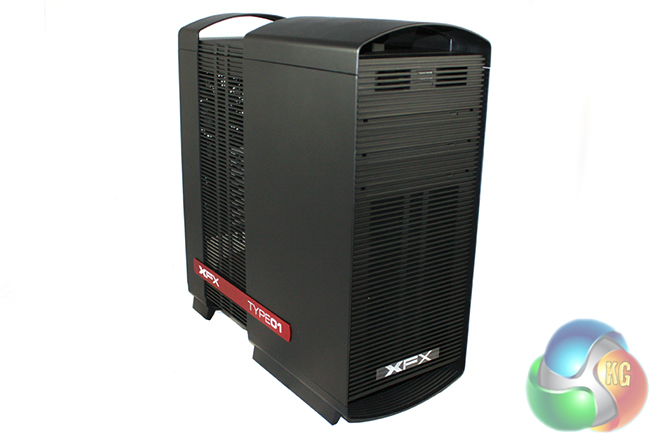
Today we are going to take a look at the XFX Type01 Bravo … the companies first attempt at a PC Case. Until now, XFX's range of products has consisted predominantly of graphics cards and power supplies, so it will be interesting to see if the Type01 Bravo can be competitive against the market leaders.
Over the last couple of years the PC chassis market has become heavily populated, with brands such as Corsair and Bitfenix making a lot of impact with enthusiast gamers. With tight profit margins throughout the PC industry it is not surprising that XFX has decided to expand their portfolio.
The Type01 Bravo will hit the market around the £130 mark, meaning it will go head to head against some of the finest, high end enthusiast grade chassis designs available today.
Features
- Unique XFX floating case design.
- Modern minimalist design style.
- Seamless hidden disc drive bays with folding doors.
- Three(3) 5.25” External Toolless Drive Bays.
- Eight (8) Internal 3.25“ Toolless Drive Bays.
- Support up to 8 fans from 120mm to 200mm.
- Up to Eight (8) PCI Expansion slots.
- Top I/O ports including Four (4) USB 3.0 and Audio I/O.
- Mic& Headphone HD audio ports.
- Open Mesh Bottom With Filter.
- Water Cool Ready.
- Isolated bottom mount PSU design.
- Solid and light ABS plastic construction.
- Standard Mid Size tower height.
- Full ATX motherboard compatibility.
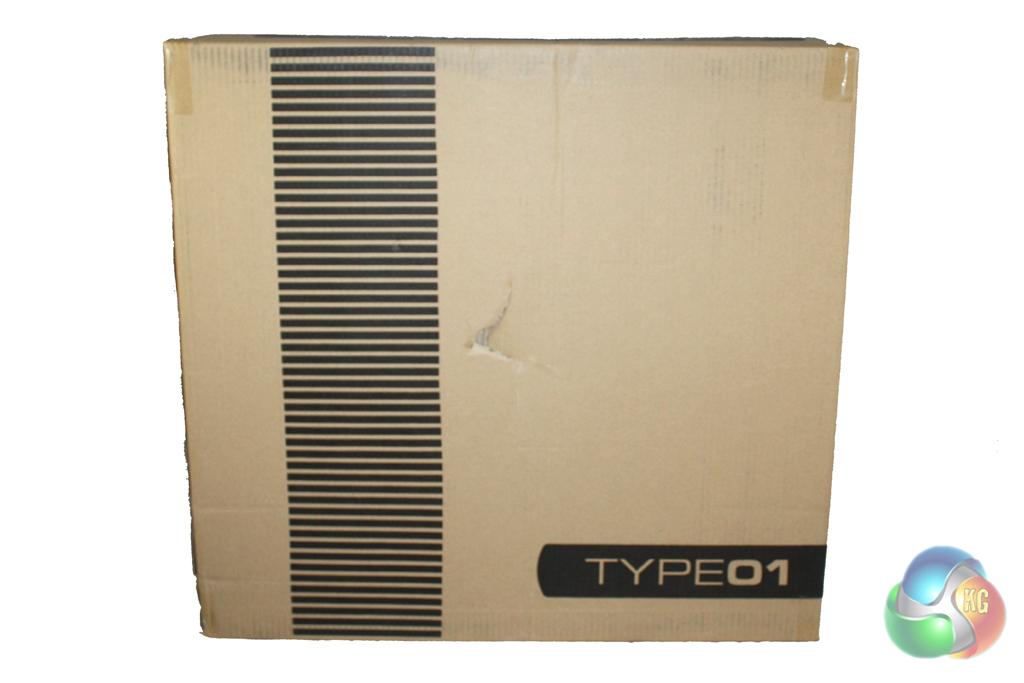
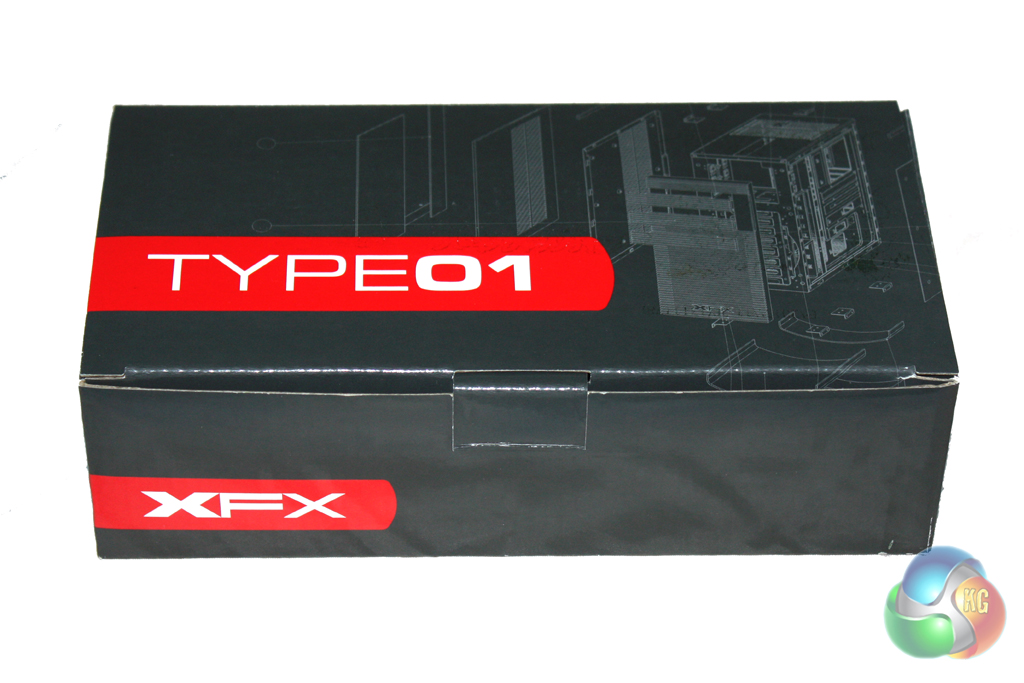
The XFX Type01 Bravo is supplied in a traditional looking box decorated in a black and brown livery. The front simply features a Type01 logo alongside a pattern which hints at the design of the case within.
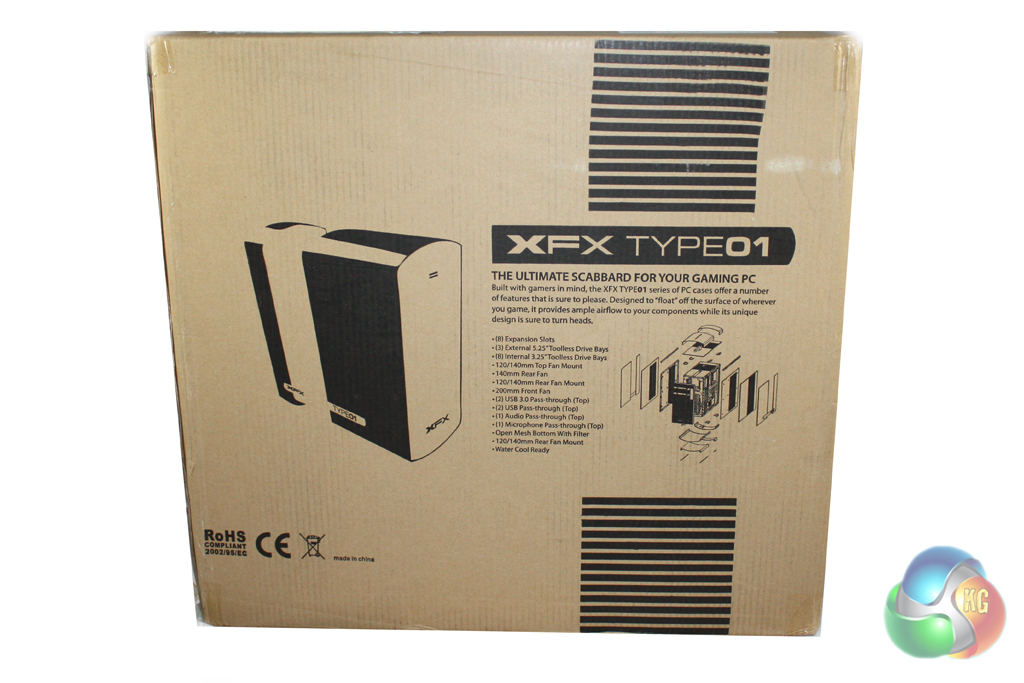
The flip side of the chassis reveals a small image of the case alongside details of the key features. The box is very good quality and the internal packaging is more substantial than most cases – so it is fairly unlikely that this case will be damaged in transit.

The included accessories are supplied within a small box inside the chassis. The bundle consists predominantly of all of the accessories required for installation. XFX have clearly put some thought into this, though, as they have separated all of the different types of screws into clearly labelled bags.
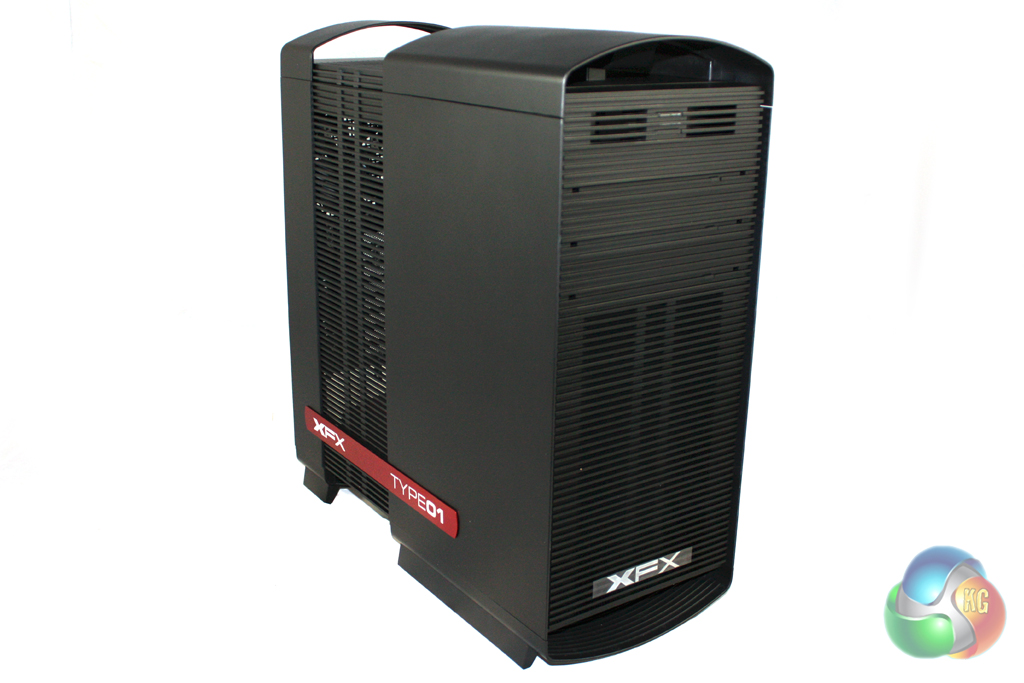
It is clear from a glance that XFX are trying to differentiate the Type01 Bravo from the competition. Unusually at this price point, the Type01 is finished almost entirely in plastic even though there is a sturdy steel chassis underneath. It would appear that XFX has done this to help them achieve a unique aesthetic design.

The front of the case features a slotted design which helps disguise large vented areas. There are three external 5.25” drive bays in total, although there is an adapter supplied to convert one of these to an external 3.5” bay if required. There is a 200mm fan pre-installed in the front of the case, although this can be replaced with dual 120mm fans if desired.

We find the front panel connections on the top of the case near the front. These consist of two USB 2.0 ports, two USB 3.0 ports and headphone and microphone jacks.
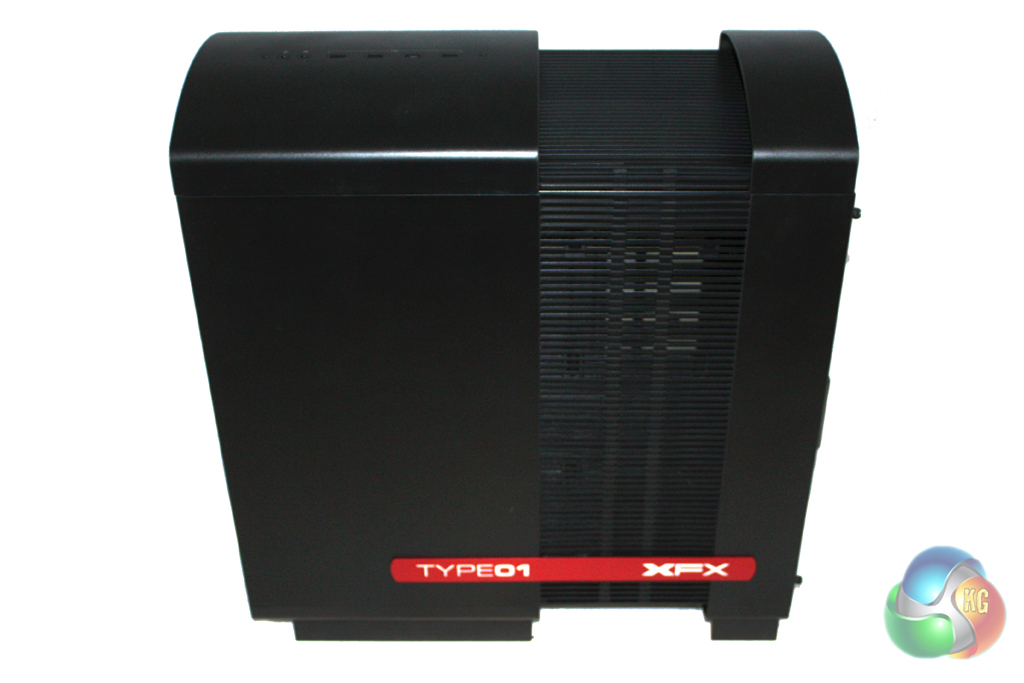
There is a large vent which spans the top of the case and both sides which should help to provide a decent level of ventilation to the components within.
This is accessorised with a large red XFX Type01 badge on either side which infuses some excitement into the design. One of the drawbacks of this vented design is that there isn’t a side panel window in the case. This is likely to put off some enthusiasts and we hope that XFX will release a version of the case with a side panel window in due course.
These vents aren’t dust filtered either, which is disappointing considering the price of the case. Another drawback of this design is that the relatively narrow width of the vent means that XFX’s engineers haven’t been able to find room for dual fan vents in the roof of the case. This is a key feature for cases at this price point due to the popularity of 240 mm water cooling units such as the Corsair H100i.
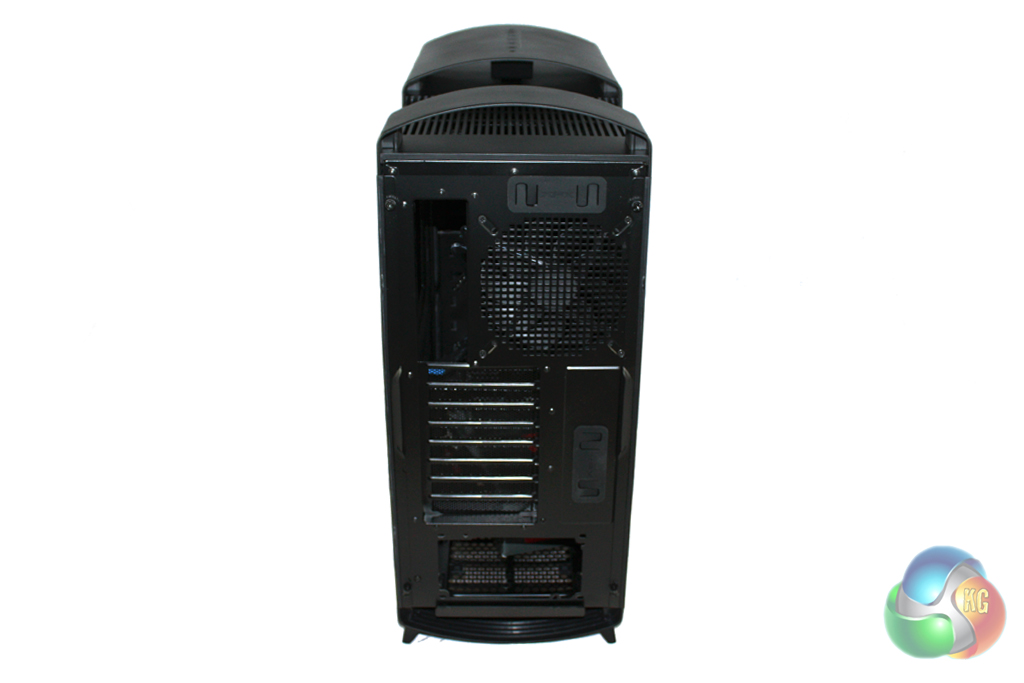
Moving round to the rear of the case, the layout is traditional in implementation. The power supply mounting points are at the bottom and there is a 140 mm exhaust fan vent alongside eight vented expansion slot covers.
Opening up the case is simple thanks to the use of thumbscrews, however the side panels are quite bulky and heavy due to the plastic skin covering the metal backbone of the chassis.
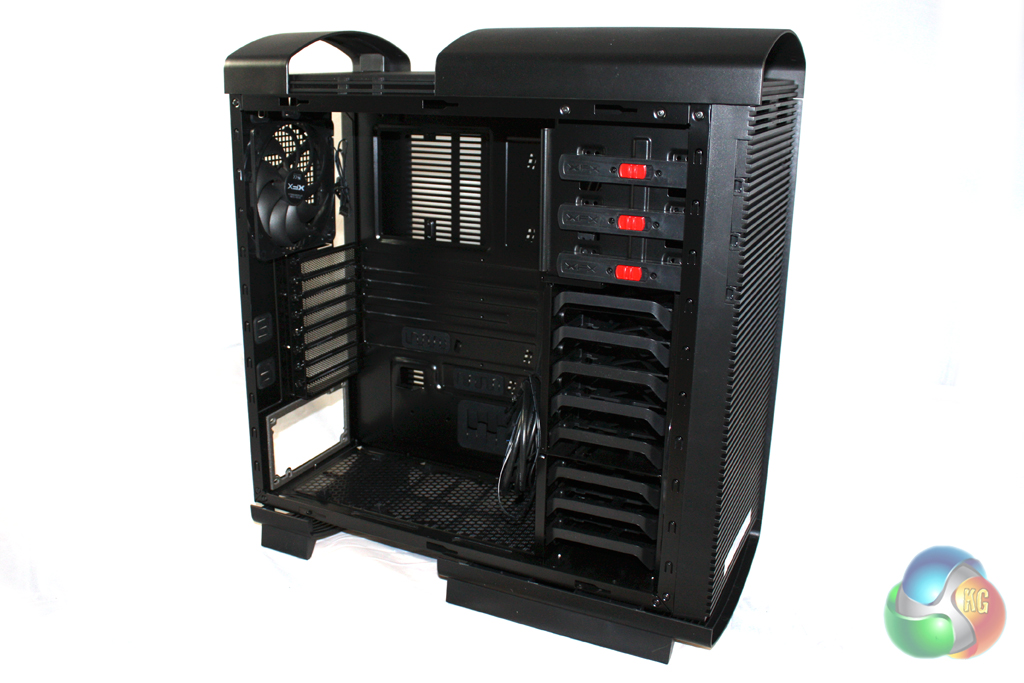
There is a decent amount of room to work with in the case and the interior is painted entirely in black which should complement most component choices nicely. It is a shame that you won’t be able to see your components inside, though, as there is no side window.
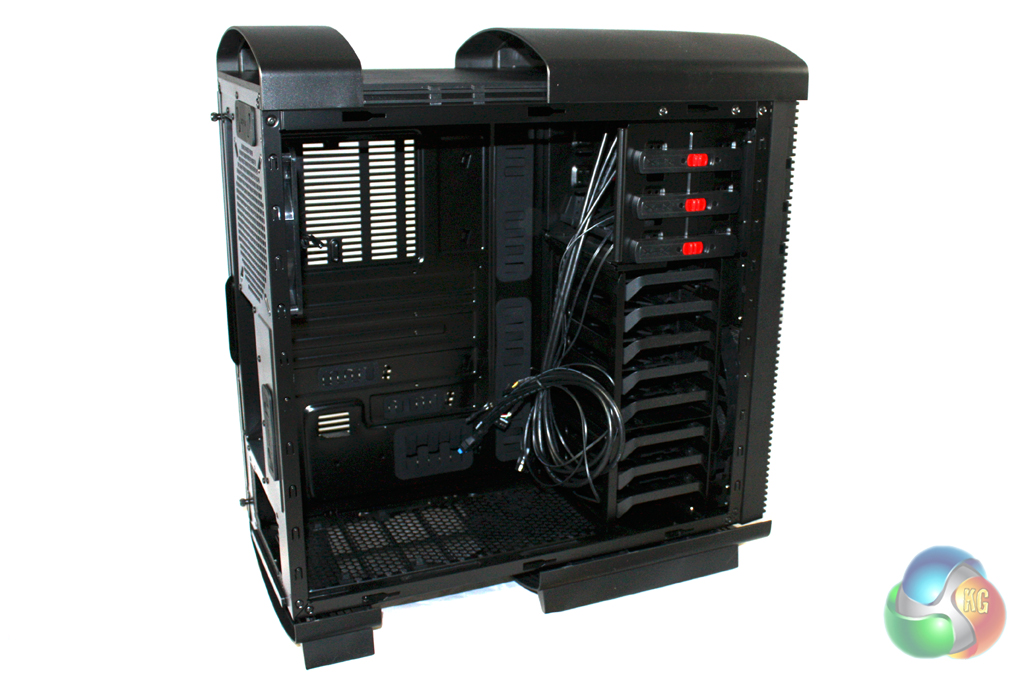
The internal layout of the case is clean with the drive bays located over on the right hand side of the interior. There are eight bays in total, although five of these can be adjusted to cater for longer graphics cards.
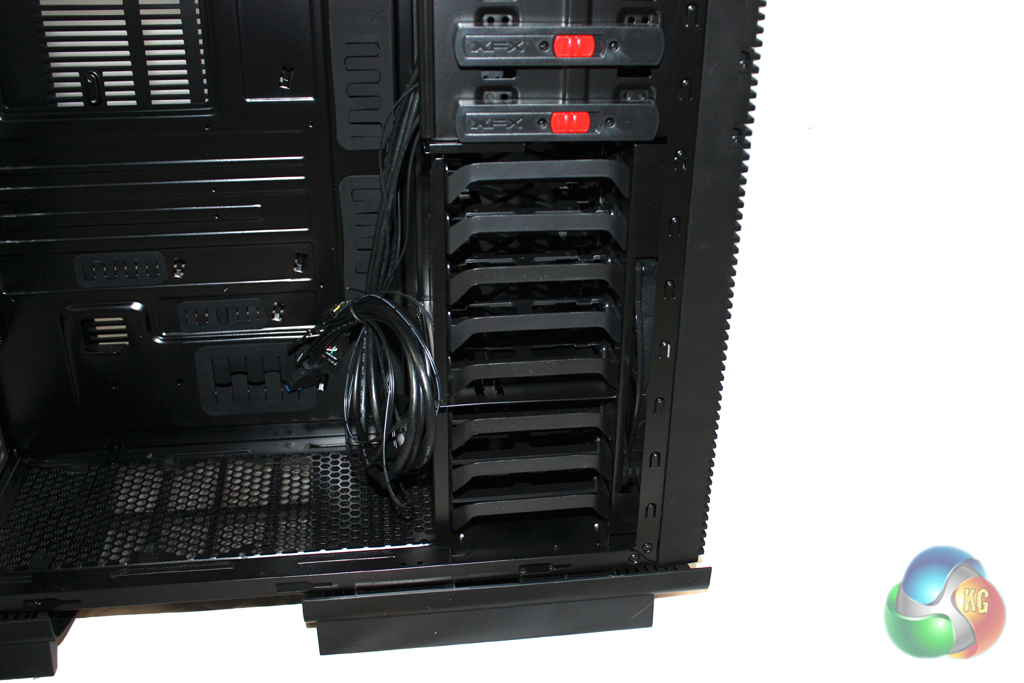
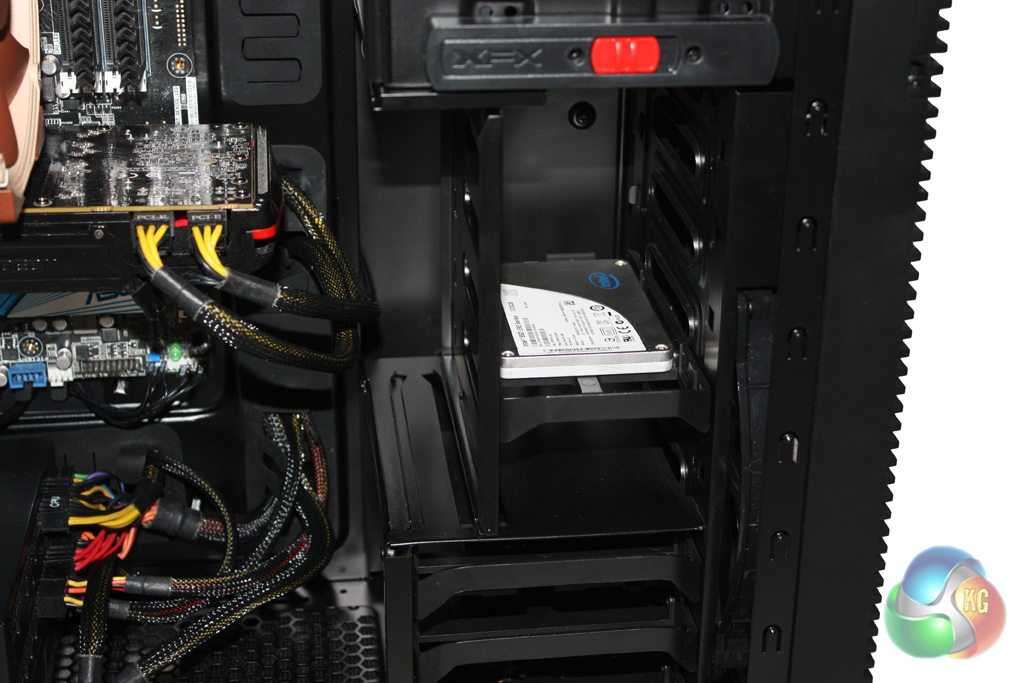
XFX give users the option to either remove the left panel of these five drive bays altogether or move it inwards, restricting these five bays to 2.5” drives only. We chose to move this in slightly, installing a 2.5” solid state drive into the case.
Unfortunately, the right hand panel of the drive cage isn’t removable and will obstruct airflow significantly. It also means that installing a 240 mm radiator in the front of the case isn’t possible.
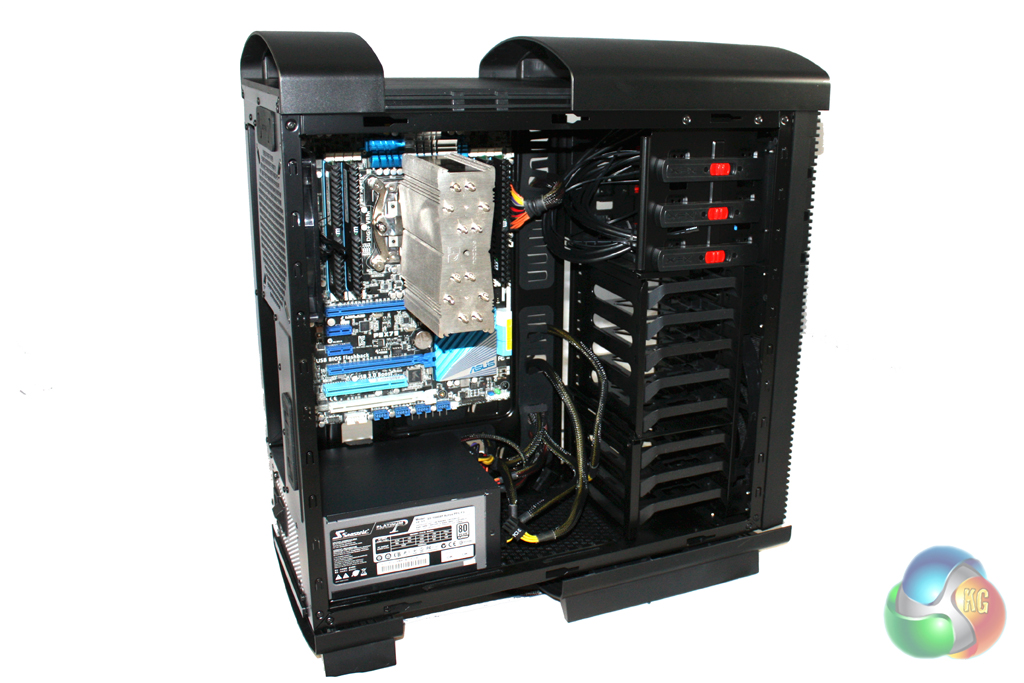
Installing a motherboard into the system is straightforward, although we were required to install the stand-offs prior to screwing down the motherboard. XFX supply a small socket to help tighten them with a screwdriver, simplifying this process a little.
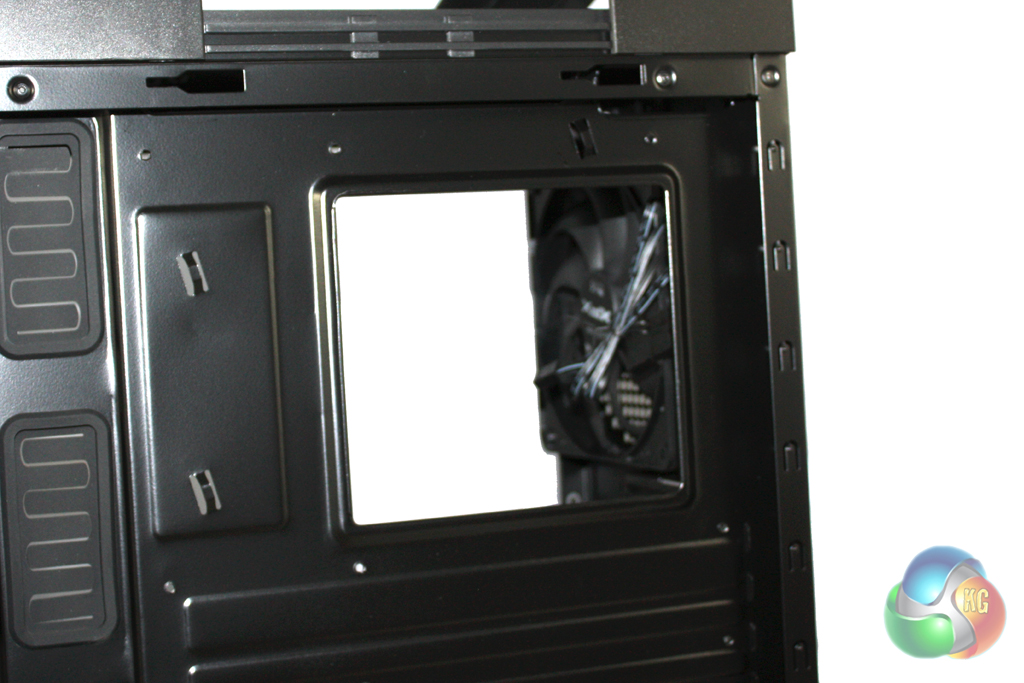
There is a reasonably large cutout in the motherboard tray to facilitate the installation of a CPU cooler. This will be especially useful for those users who are planning to upgrade their CPU cooler at a later date as it means that they won’t have to remove the motherboard from the system before doing so.
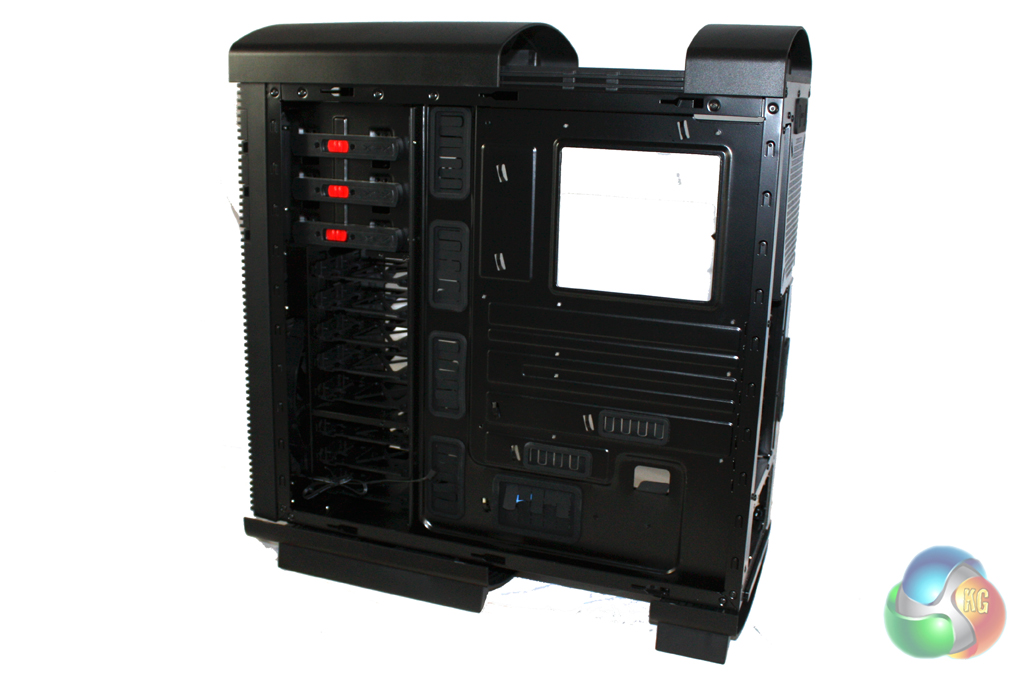
We find a reasonable amount of room behind the motherboard tray for cable routing although we would have liked a few extra millimetres. There also isn’t enough room to install fans on the inside of the large fan vent in the side panel which makes us question whether it is useful at all. There are plenty of holes cut into the motherboard for cable routing, though, which should help you to achieve a tidy build. We particularly liked the addition of extra holes along the bottom edge of the motherboard which are ideal for the front panel header cables.
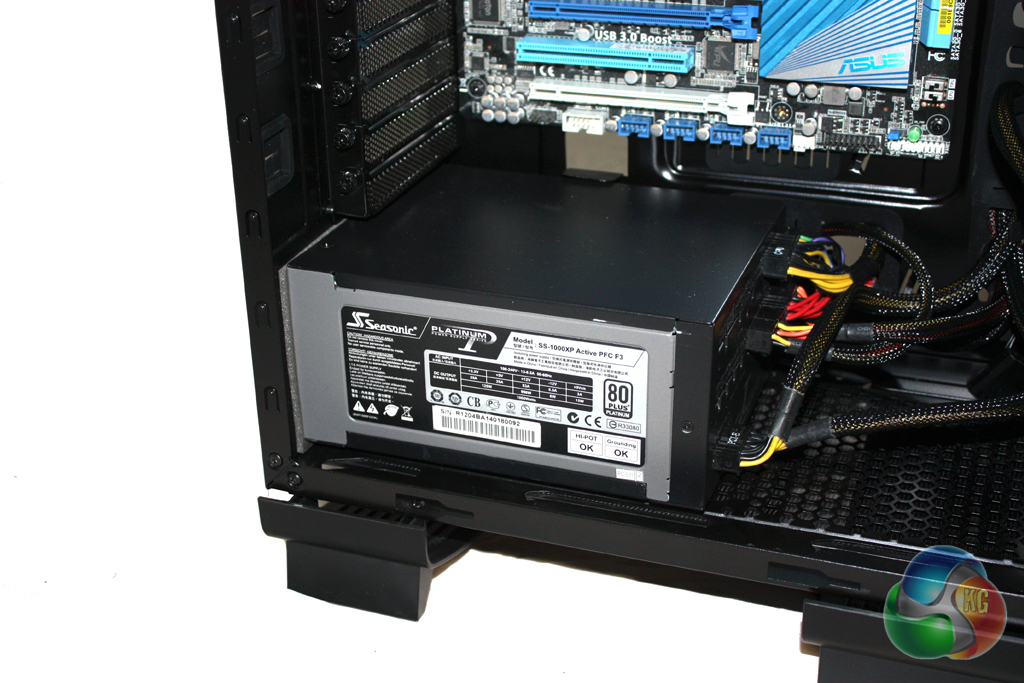
There is plenty of room for long power supplies in this case and there are more than enough holes cut into the motherboard tray to handle the cables.
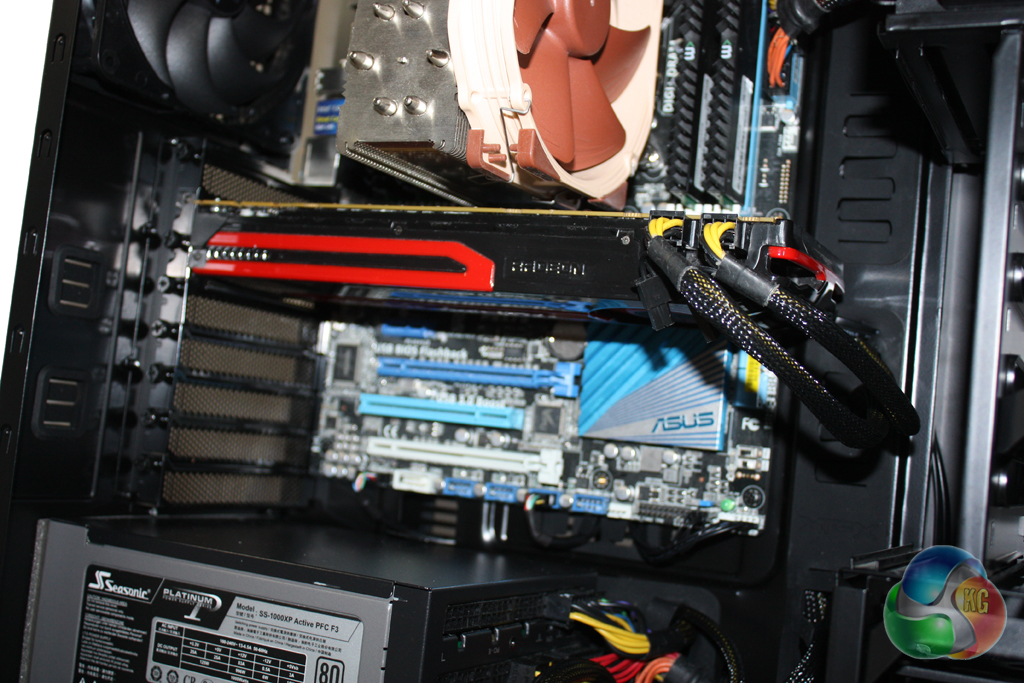
Finally we installed a AMD Radeon 7950 graphics card into the system which was very easy indeed. Expansion devices are secured with thumbscrews although we would recommend tightening these with a screwdriver if possible to ensure they are secured as tightly into place as possible.
For our tests we will be using a Noctua NH-U14S to cool the Intel Core i7-3930K CPU in the XFX Type01 Bravo. Our test system also features an AMD Radeon HD 7950 graphics card.
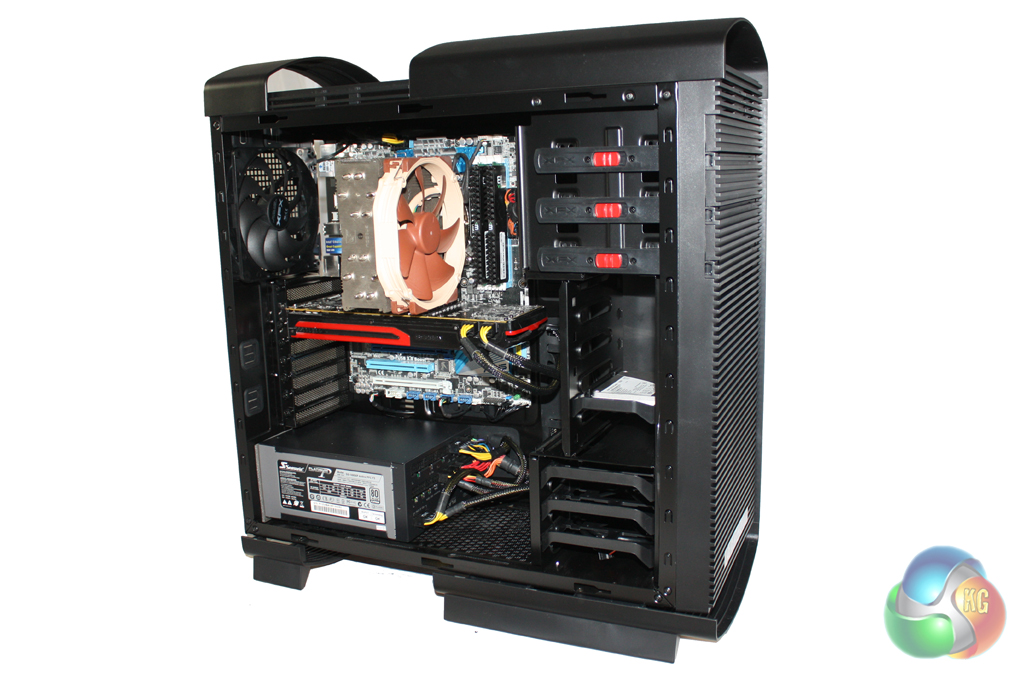
We manually overclocked the i7-3930K to 4.3 GHz by increasing the multiplier to 43x, leaving the baseclock set at 100 MHz. The voltage was increased to 1.35V to achieve this frequency.
Test System:
- Processor: Intel Core i7-3930K
- Motherboard: Asus P9X79
- Cooler: Phanteks Noctua NH-U14S
- Thermal Paste: Arctic Cooling MX-2.
- Memory: 16GB (4x 4GB) Mushkin Blackline 1600 MHz
- Graphics Card: AMD Radeon HD 7950.
- Power Supply: Seasonic Platinum 1000W
- System Drive: Intel SSD 330 Series 120 GB
- Monitor: Viewsonic VX2260WM.
Software:
- Microsoft Windows 7 Home Premium (64-bit).
- CPUID Hardware Monitor.
- Prime95 64-bit.
- Furmark V1.10.6
To test the thermal performance of the XFX Type01 Bravo we loaded our test system for 15 minutes using Prime95 and Furmark and recorded the maximum temperatures reached using CPUID Hardware Monitor. We then restarted the system and left it for 15 minutes before recording idle temperatures.
Room temperature was maintained at 20 degrees C for the duration of our tests.
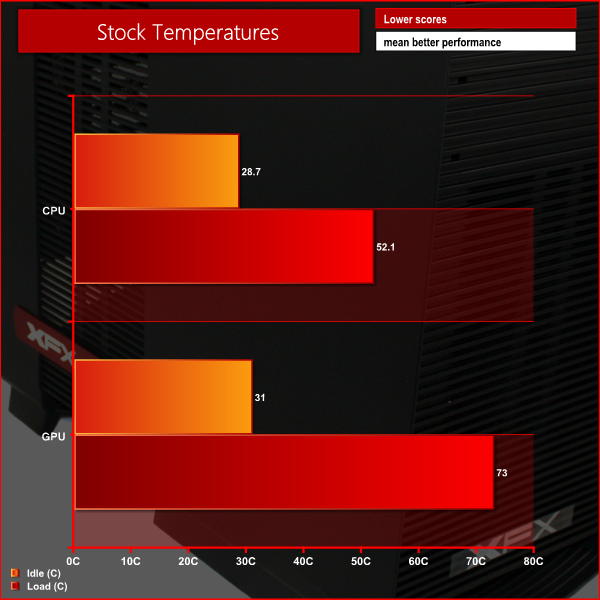
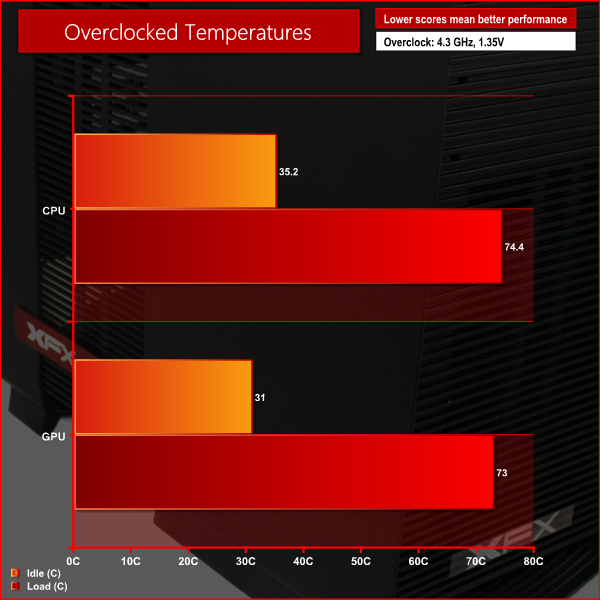
These temperatures are about what we would expect considering the cooling configuration of this case.
To conduct our noise level tests, we replaced the graphics card in our system with a AMD Radeon HD 5550 Silence which was passively cooled. We also momentarily disconnected the fans on the CPU cooler so we were only taking into account the noise generated by the fans in the case.

This case is quiet, thanks to the low number of fans employed. Most enthusiasts will probably choose to install additional fans however to enhance cooling performance.
Overall we are impressed with what the Type01 Bravo brings to the table and it is a good indication that XFX have a bright future ahead if they continue to design chassis for the enthusiast audience. It is clear that XFX are trying to differentiate themselves from the competition from an aesthetic point of view – as the Type01’s design is unique.
Even though the Type01 is finished almost entirely in plastic, it is crafted to high standards and underneath the plastic is a sturdy steel backbone. For those people who have a particular aversion to plastic we understand that the ‘Alpha’ version of the case will be constructed from high grade aluminum … so it may be prudent to wait for that version.
We were impressed with the thermal and acoustic performance of the case in our tests, although XFX only install two fans as standard. We were a little disappointed that they didn’t include an exhaust fan in the roof of the case as this would have helped to improve the air flow. Sadly there isn’t room for a 240 mm radiator to be fitted here either.
At a price of around £130 from Scan, we feel that the Type01 Bravo is a little overpriced considering the features that are on offer, but it remains a good choice for those who are looking to build an attractive air-cooled system. Those planning to build a water-cooled system should probably consider an alternative such as the Corsair Obsidian 650D.
Discuss on our Facebook page, over HERE.
Pros:
- Unique design.
- Flexible drive configuration.
- Reasonable performance.
- Decent cable routing options.
Cons:
- Lack of 240 mm radiator support.
- No dust filters on side vents.
- Hard drive cage cannot be removed entirely.
KitGuru says: A good option if you are looking for a distinctive case to build an air cooled system.


To me the idea of “reasonable” performance from a case priced at £130 is ridiculous. There are a lot of cases on the market for far less than that with far more features and better build quality. The lack of 240mm rad support is something which shouldnt be overlooked nowadays when the CLC watercoolers from Corsair, NZXT and Antec are so commonly used. Even for an air-cooled build it’s easy to find better than this. They’ve priced themselves way out of the market in my opinion.
130 is nothing, lets get real here, High performance parts all drop a price around 100-150 pounds each.
PSU will set you back 100
GPU will set you back 300
CPU = 250
SSD = 130-150
So really why not invest in a High quality case? I am not saying by any means that this case is high quality “Solid and light ABS plastic construction.” I would not pay 130 for a plastic case.. if it was a Brushed Steel/Plastic/CarbonFiber design maybe.
The actual design looks good for airflow and would be more optimal for people using air cooling as a preference over Liquid cooling.
I will end this with a comment on the design, its interesting, different and looks very efficient but doesn’t look finished or polished at all. It will have to be extremely good for the price compared to Corsair/CoolerMaster designs which come out a bit cheaper but are un-interesting and standard looking (Professional style I would call it) nothing wrong with them just some prefer an alien or different type of look to make their pc stand out.
Overprice but still worth buying, a good option for air-cooling despite lack of air filters, flexible drive configuration apart from the fact that it actually isn’t, the list of contradictions here just keep mounting up. The last page just sound like your trying to polish a turd to give it an award it clearly doesn’t deserve.