KitGuru KitGuru.net – Tech News | Hardware News | Hardware Reviews | IOS | Mobile | Gaming | Graphics Cards


No matter how many buttons your mouse has, some gamers want more of them. That is why rodents like the Razer Naga exist, offering more function in a mouse than almost any other. Designed with MOBA and MMOB gamers in mind, the Naga also comes with all of the strong features of a Razer peripheral, including decent build quality and strong back-end software. Yes it has full support for the Chroma lighting system too.
The Razer Naga Chroma also incorporates the uber-sensitive Razer 5G laser sensor, with a DPI range that extends all the way up to 16,000 DPI. It is more than you will ever need of course, but better there than not.
With the MMO focus, the Naga has some specific functions in the software which are intriguing. Each game has its own preset, though you can adjust and customise them to your own tastes. More on this shortly.
Features and specifications
- Sensor: 16,000 DPI 5G
- Mechanical thumb grid: 12 programmable buttons
- Backlighting: Chroma RGB
- Additional function: Tilt-click scroll wheel
- Polling rate: 1,000HZ
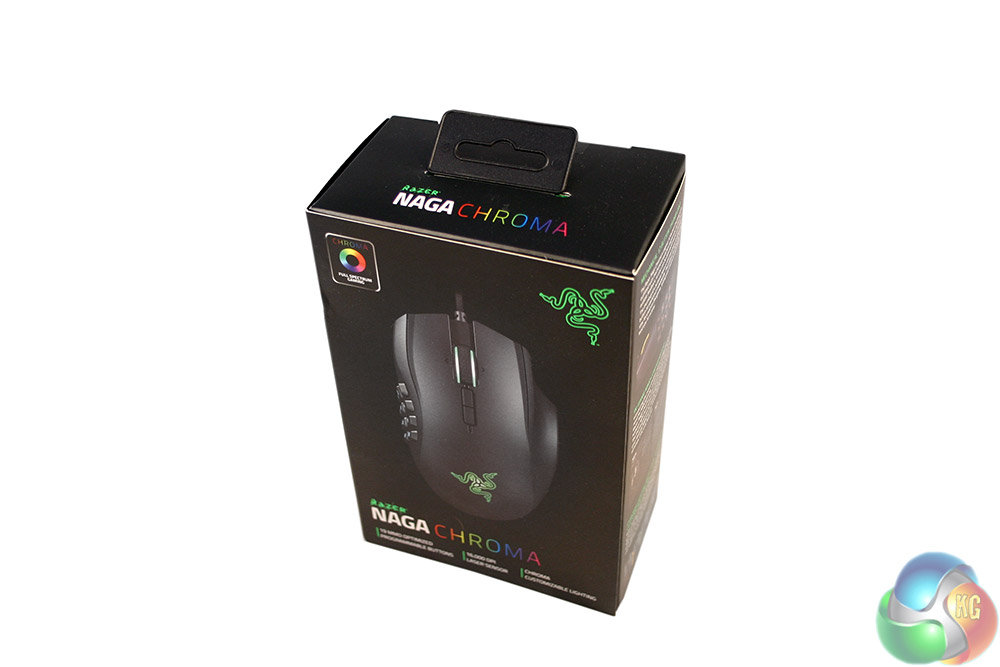
Packaging for the Razer Naga Chroma 5G MMO is very much like some of the other Razer products we have reviewed as of late. It flips open at the front to showcase the mouse and breaks down some of the key features with attractive images.
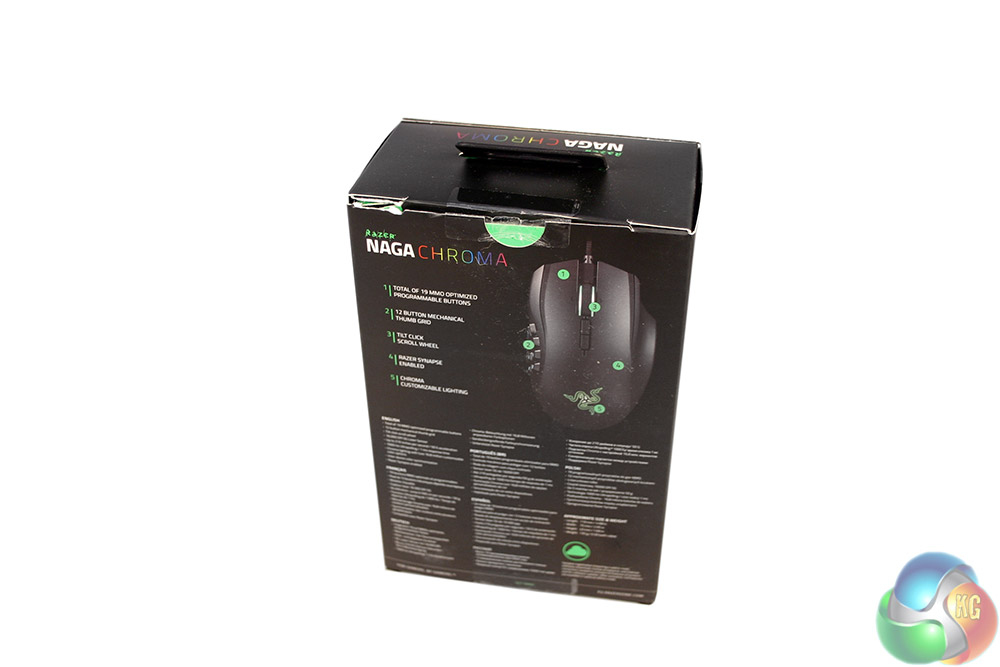
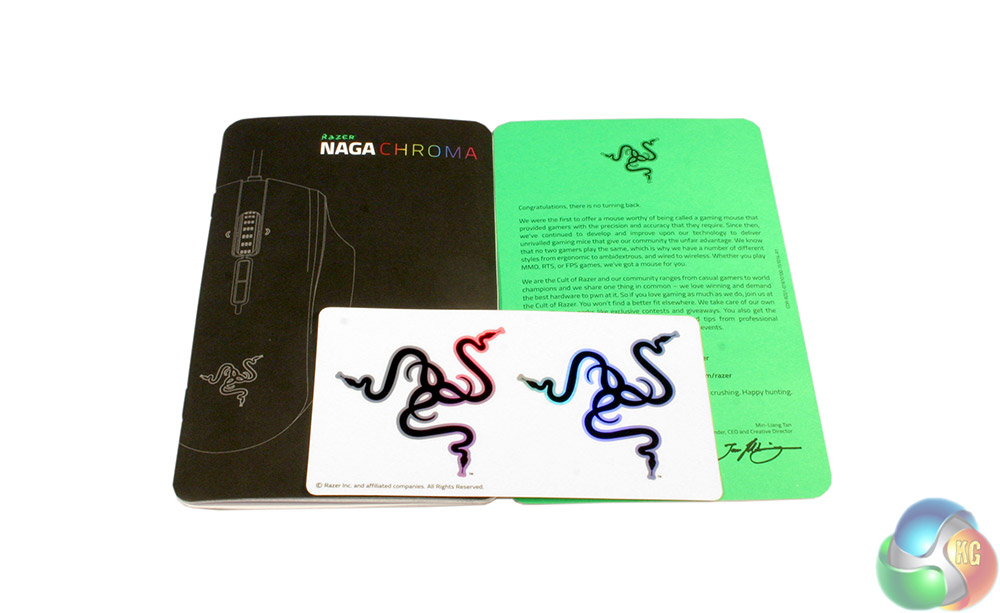
The rear goes into a little more detail and addresses those who speak other languages, so a single unified packaging is all that is required. Along with the mouse itself you receive the usual pair of stickers, a ‘welcome to the Razer club' note, and a quick set up guide.
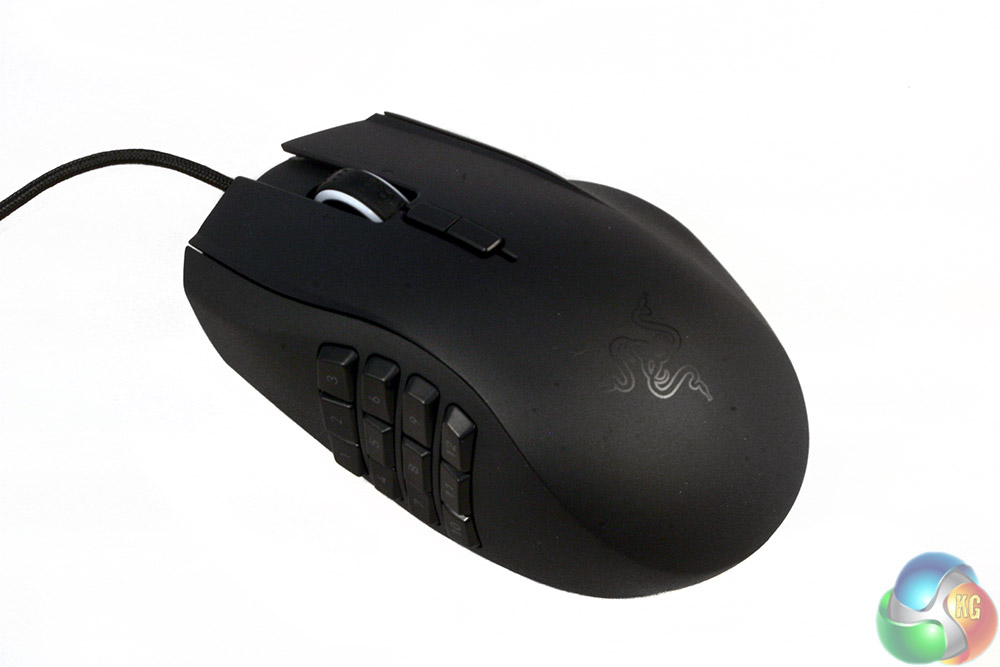
The Razer Naga Chroma 5G MMO is easily identifiable as a Razer mouse from the outset. It has that classic matt-black paint job and features a clear cut Razer logo at the rear, so that when it is powered up the light shines through.
The frame is split up into three distinct sections, a top and two sides and though the build feels sturdy, there is a little creaking if you press down on it all. It is also very much a right handed mouse, as there is unlikely to be anyone with a hand shape that would fit this in reverse. Also you need your thumb for all those buttons. Good luck getting your pinky to bend around to touch those without difficulty!
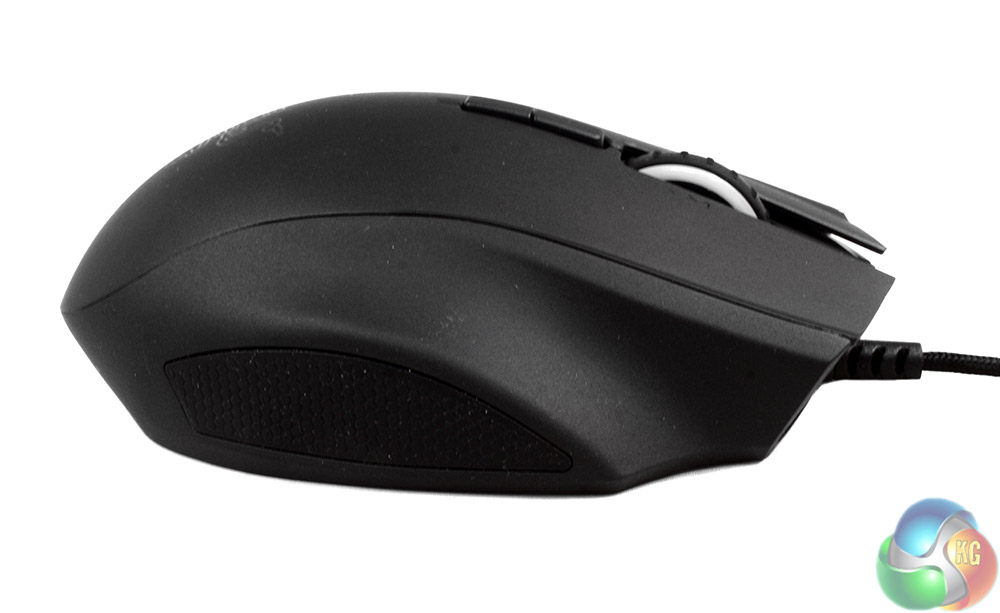
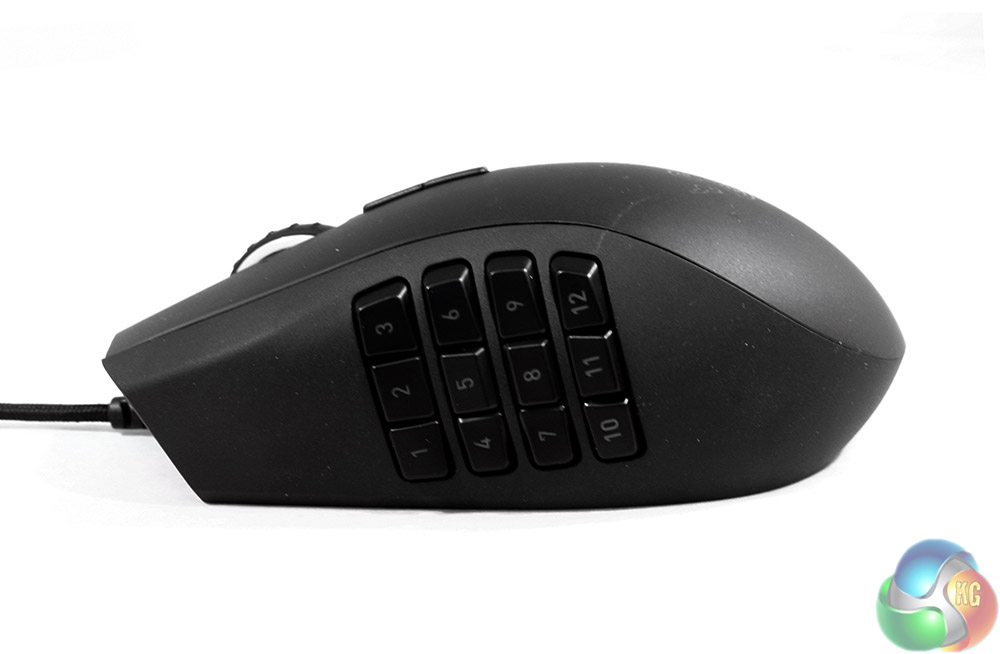
Unlike most mice, the two sides of the Razer Naga Chroma 5G MMO are very different. The right hand side features a long, plastic finger rest and a rubber patch below it to give you additional grip. In contrast, the left hand side does not have much in the way of additional grip or a rest, but it does have 12 distinct, mechanical buttons, which feel a little loose in their housing when joggled.
A little like the Corsair Scimitar, the Naga does not however feature a shiftable button position.
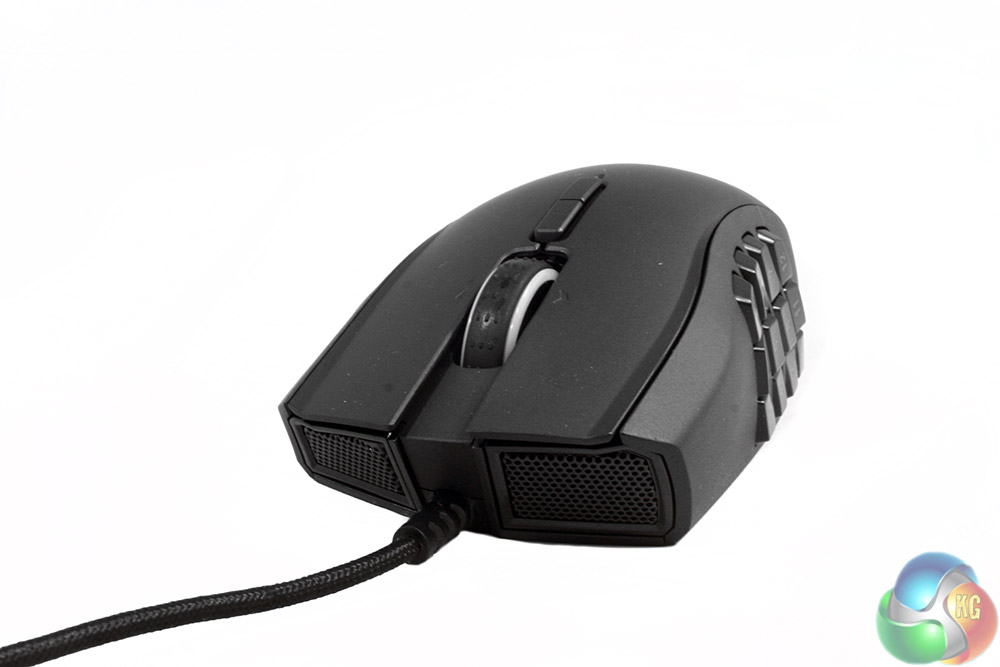
At the front end are the usual pair of aerating grills, with a pair of left/right mouse buttons and a rubber coated, light-up scroll wheel between them. Behind that is a couple of DPI selectors, providing up and down functionality.
An interesting style point to note is that the left/right mouse buttons, although part of the main mouse body, are slightly embedded in the frame, leaving short ridges on each side.
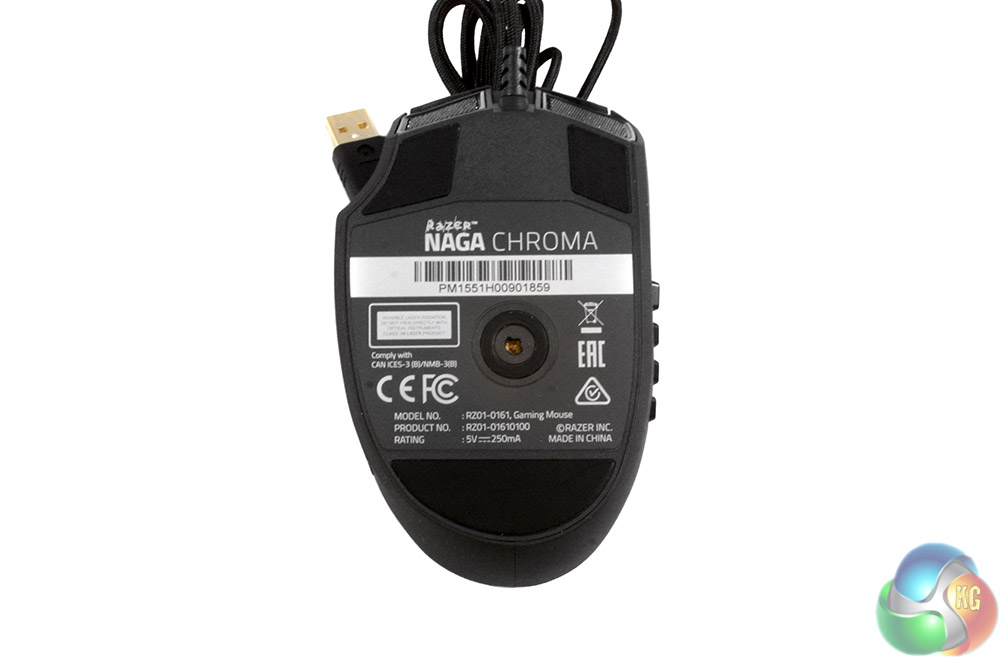
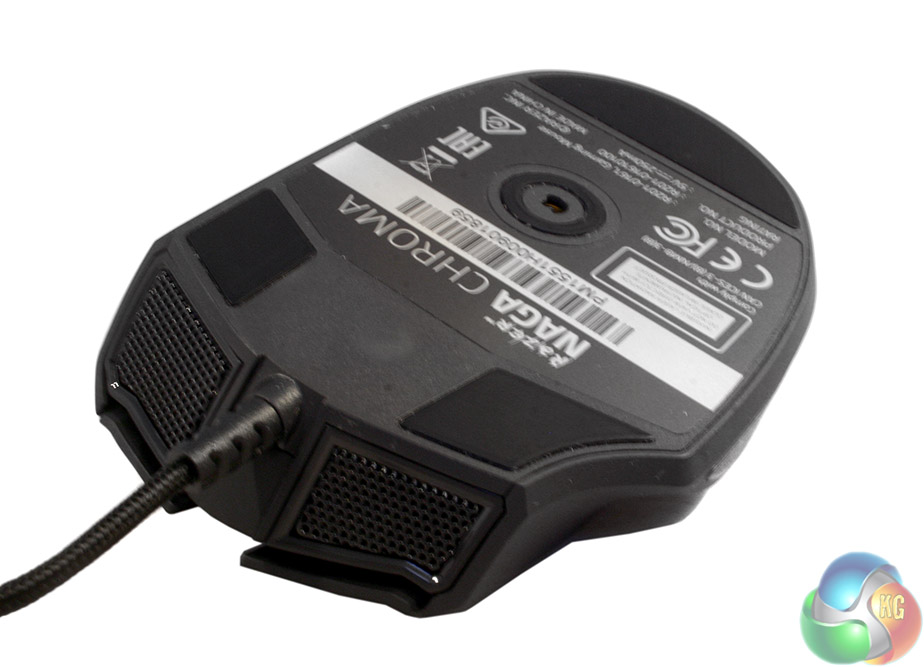
On the underside of the Razer Naga Chroma, we have a centrally located 5G laser sensor and a trio of PTFE feet. At the front end is a notable protector at the base of the cable, which should help prevent shearing over long-term use.
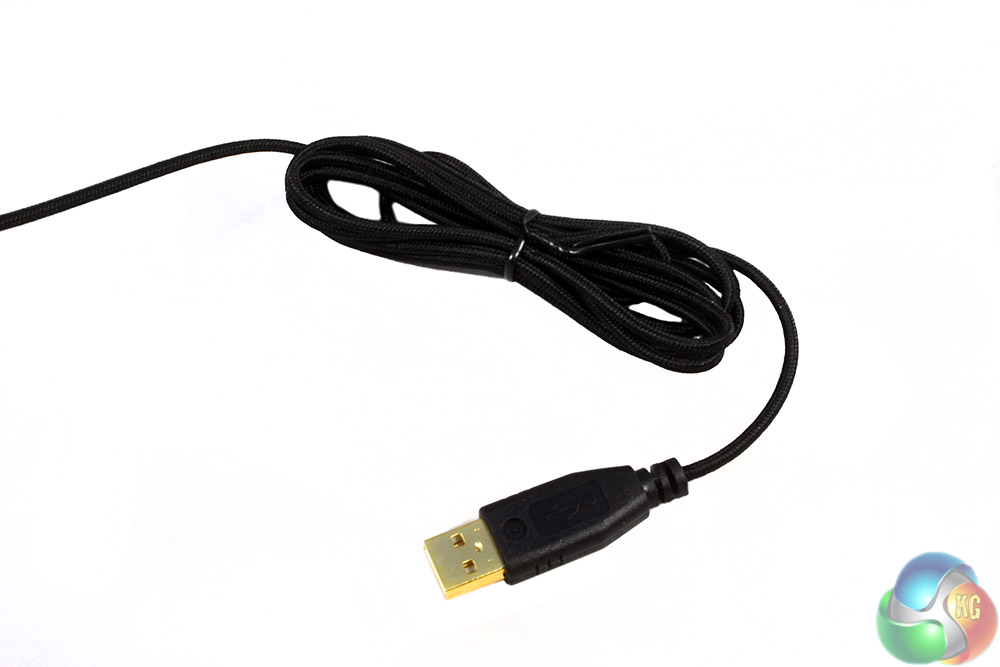
Speaking of which, the cable itself is braided with a smooth coating, so should not catch or drag at all. It also has a gold plated USB connector to improve durability.
Testing a mouse like the Razer Naga Chroma 5G MMO is much the same as other mice, with a few changes. We do the usual general purpose web browsing and photo editing tests, but the gaming tests take a slightly different tack. Although I used the same FPS and RTS tests as usual, due to the MOBA/MMO/RPG focus this mouse has with its multitude of buttons, that is where the majority of testing took place.
I also made sure to pay special attention to key-remapping and the customisation made available by all those extra buttons and the back-end Synapse software.
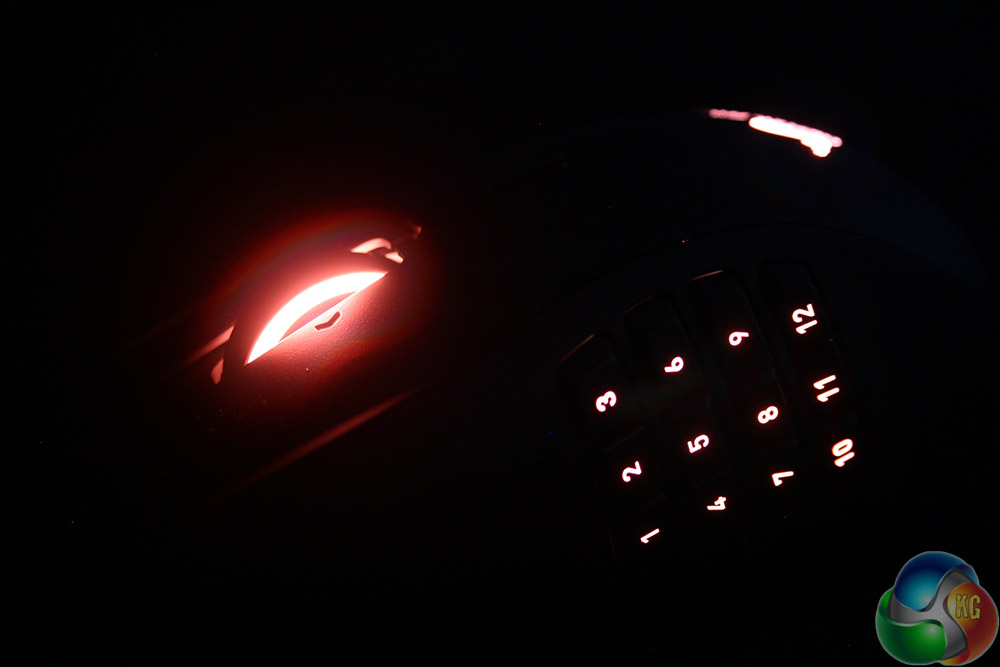
Starting off with more typical gaming in first person shooters and less button heavy titles, I found the Naga Chroma is a solid performer. The 5G laser sensor that Razer has been putting in almost all of its latest generation gaming mice is as capable as ever.
It offers a huge 16,000 DPI to play around with which seems a little overkill, even for users rocking multiple 4K panels. Better yet though, it allows for minute adjustments of sensitivity, so if you want to customise the DPI to something very specific, you can do.
Although more than capable in faster paced titles however, I found the design and shape of the Naga makes it more accustomed to a slower paced experience.
I think that is at least partially down to my more regular usage of finger and claw grip mice – there is definitely an adjustment period – but palm grip designs just do not feel like they have quite the same fast-twitch control as smaller mice.
That is not to say they are not competitive however, as of course a mouse like this works just as well in MOBA's as it does in MMOs and RPGS and those can be some of the most fast paced games out there. With those in mind, I spent a number of games in Heroes of the Storm and League of Legends, even sometimes using just the mouse to control the game, with abilities and weapons mapped to the various buttons on the sides.
Although it can again take a little adjustment, I felt relatively competitive in unranked games – though I was never a high-level MOBA gamer in the first place.
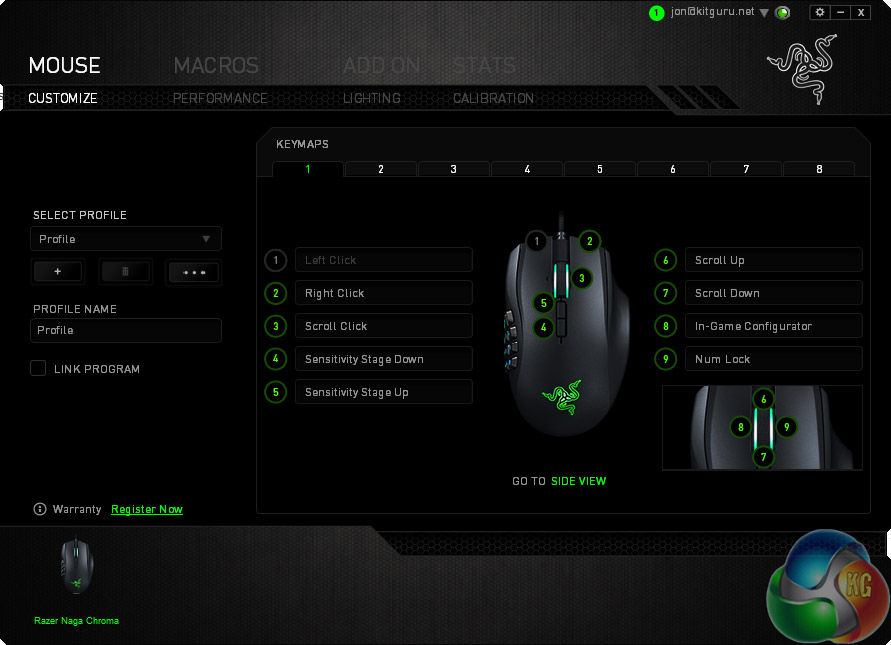
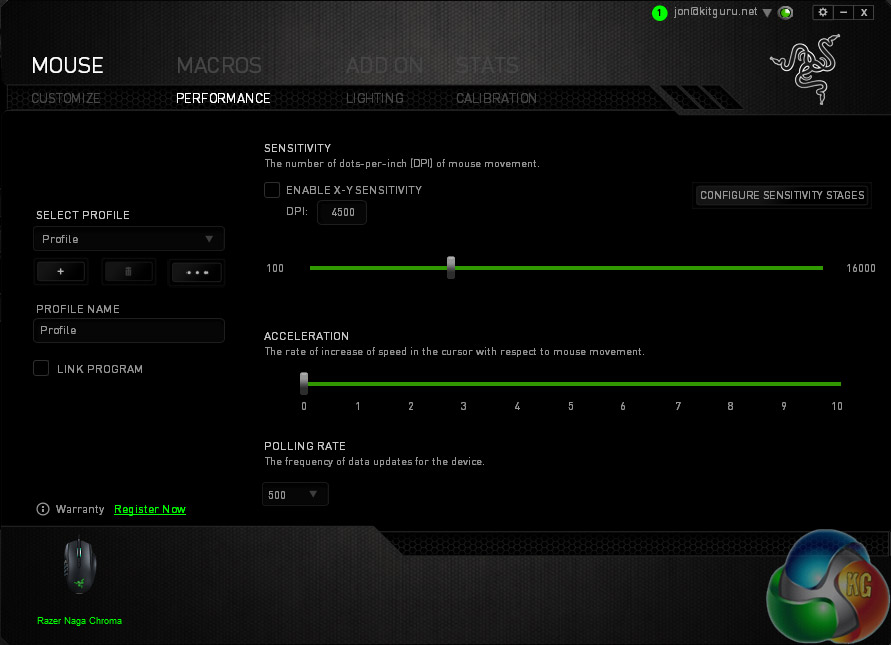
Button configuration options in the Synapse software are deeper than other mice
As much as the Razer Naga Chroma 5G MMO is strong in any game you play it really shines in titles sporting a lot of keyboard shortcuts that you would rather not have to press with another hand. If you play MMOs, or even more single player focused RPGs that have a lot of commands, remapping them to your new Naga Chroma makes a lot of sense.
Changing what buttons do what on this mouse is incredibly easy thanks to the Synapse software. It is intuitive and easy just jumping into the back-end and doing everything before booting up a game, but you can then have it load that particular set up when you boot the game.
Better than that, there is an in-game configurator that can be turned on. When that is in play, a simple tilt of the control wheel (at default mapping) pulls up an overlay that lets you remap the mouse's functions without leaving the game. There were also no problems with the software forgetting things as it seemed to do with the recently reviewed Razer Orochi.
Testing these functions out in a few different games, I found that although perfectly capable for use in frantic MMO action like PvP, I do not know if you will ever beat two handed speed with a single handed peripheral, since pressing buttons requires you to think of something else other than targeting with the mouse.
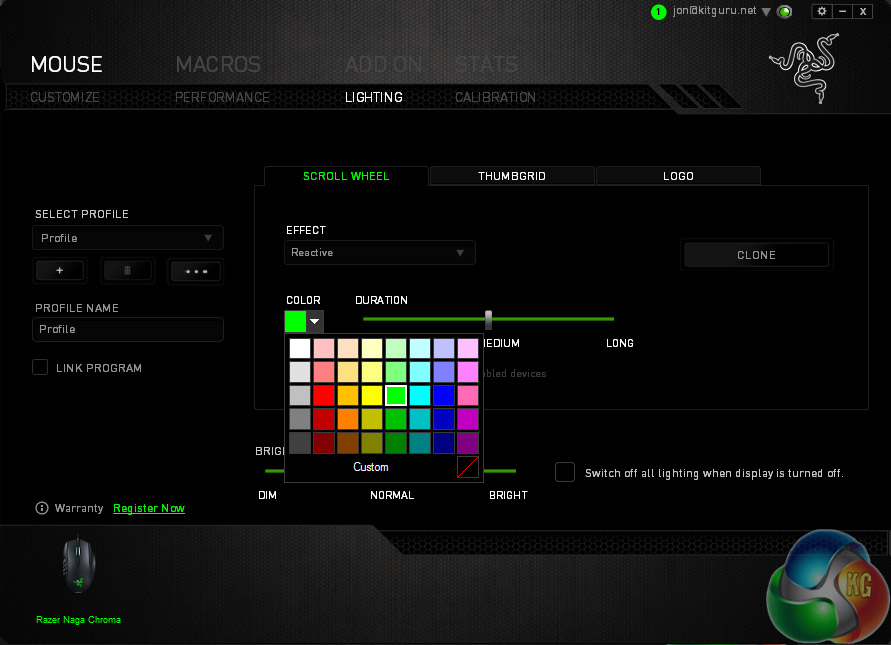
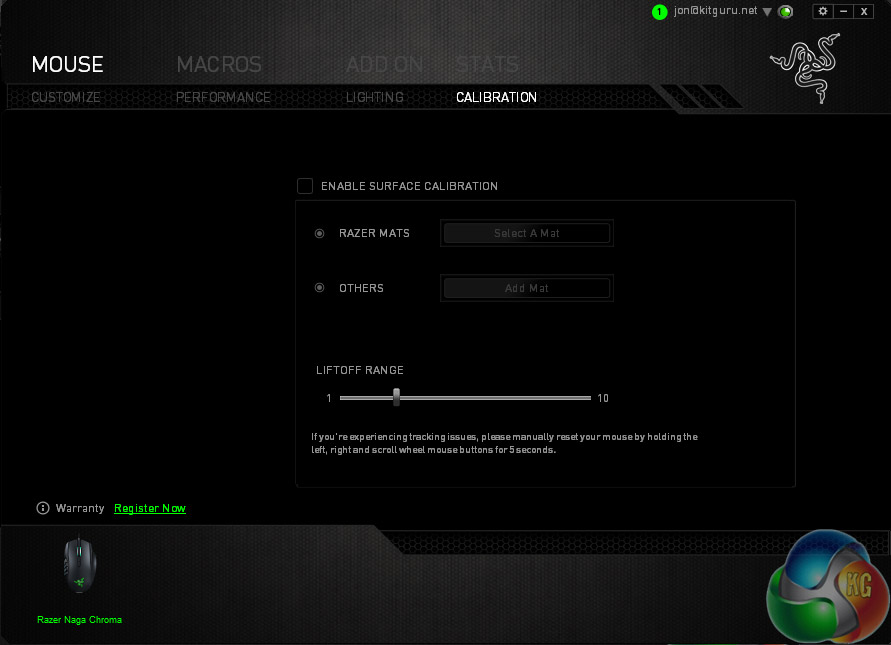
Lighting options are a little more limited on this mouse than rodents like the Mamba, but still deep and varied
The real charm of this mouse comes to play in slower titles. Switching everything to a single hand can make complicated MMOs and RPGs much more relaxing. If you are working your way through the Enhanced edition of Divinity Original Sit for example, the many button commands there can be within reach of your right-hand's fingertips.
Considering it is a turn based game, the pressure eases off even more and remapping buttons stops being about beating an opponent and more about improving the experience for the gamer.
Thanks to the modularity of the Synapse software and the Razer Naga Chroma 5G MMO, if you grow bored of slower paced games and want to jump into something with a bit more adrenaline attached, you can do so easily enough. Changing profiles and key-remapping on the fly is also possible through the in-game configurator, so if you want to go from PvE to PvP with a different character, with different abilities and therefore a different button layout, you can still do so without leaving the game.
Outside of gaming the Naga Chroma is a comfortable mouse to use over long periods. The palm grip style gives your hand and wrist plenty of support and its smooth, lightly textured surface is soft against your palm and provides a measure of grip should there ever be some perspiration build up.

The in-game key remapper is fantastic.
There is also adequate support for ring and little fingers on the right hand side.
The scroll wheel is a little loud and might annoy some users, but that rubbing grind can give you an additional cue on how far you have scrolled, which others may find useful. The tilt left/right click works very well however, giving additional functionality in and out of games.
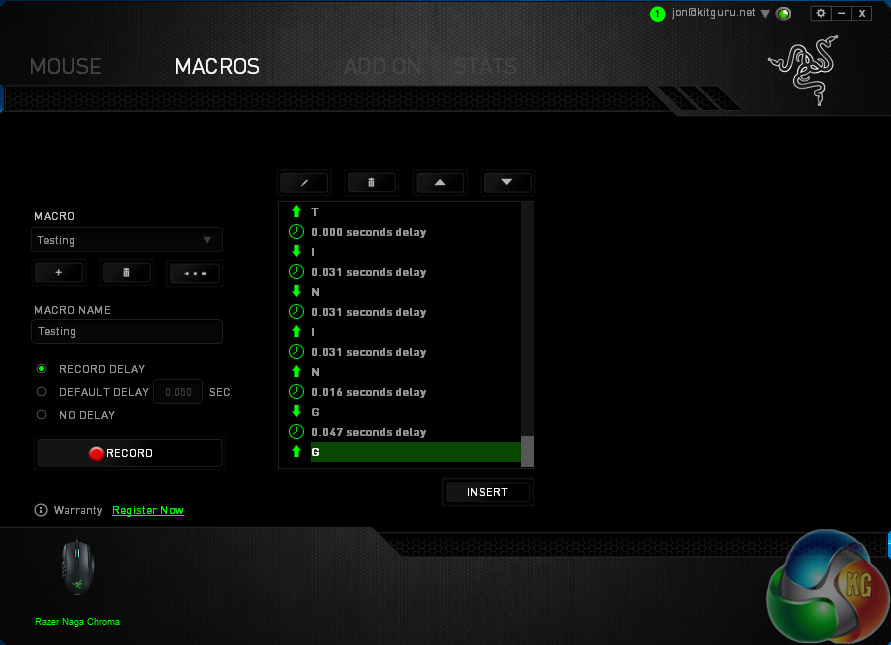
Macro recording is as deep as usual
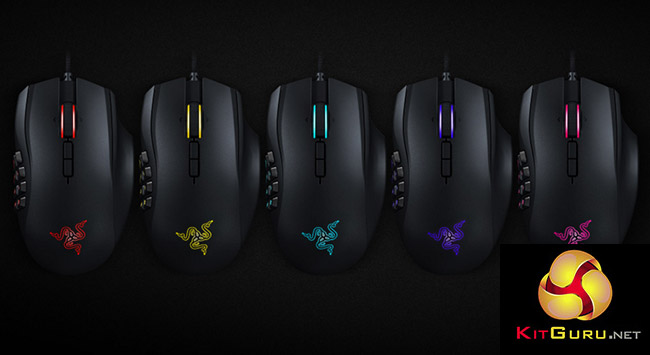
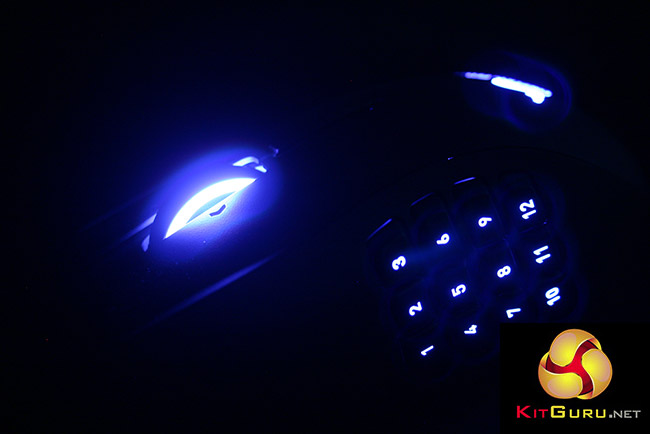
On top of it all, the Razer Naga Chroma even looks good because it has that deep, customisable Chroma lighting package. It does not have the full Chroma configurator support that the likes of the Razer Mamba does, but then it only supports lighting on the back logo, buttons and scroll wheel – there is no wireless base station or light strips to play with on this mouse.
Although I tend to prefer the physical shape of am ambidextrous mouse, there is no denying that the Razer Naga Chroma 5G MMO is a wonderful mouse. It has a comfortable shape that supports both finger and palm grip gaming and offers so much customisation and functionality for RPG, MMO and MOBA gamers that it proves difficult to recommend a competitor.
We have seen similar mice with the likes of Corsair's Scimitar mouse, but the layout on the Naga Chroma feels tighter and easier to navigate. The multitude of buttons can take some time to get used to and I sometimes pressed the wrong button during frantic moments. That said, I enjoyed the Razer Naga Chroma 5G MMO most as a way to streamline slower experiences than augment faster paced ones.
This is more personal preferences however – I make no claims to being a competitive player.
The only other minor issues that comes to mind with this mouse is that the scroll wheel is a little noisy and if you are looking for an FPS gaming mouse, you probably want something smaller, lighter and with the ability to grip lower on the sides without pressing buttons. If that is what you want though you are reading the wrong review.
All in all, the Razer Naga Chroma 5G MMO is a fantastic gaming mouse; easily one of the best of Razer's new crop of releases. It features the excellent 5G laser sensor that Razer has installed in all its latest mouse and adds all the functionality of the traditional Naga design but with a few modern improvements that take it to a whole new level.
When combined with the deep and intuitive Synapse back-end software, there is little holding it back.
You can buy the Razer Naga Chroma 5G model at the official Razer store for £70.

Buy from Overclockers UK for £69.95 inc vat HERE.
Discuss on our Facebook page over HERE.
Pros
- Razer 5G laser sensor offers over the top 16,000 DPI and good accuracy.
- Solid design, great build quality.
- Multitude of customisable buttons, all within easy reach.
- Great for MMOs, RPGs, MOBAs.
- Comfortable over long periods of use, good wrist support.
- Chroma lighting is deep and has many options.
Cons
- Huge DPI and 12 buttons feels like overkill.
- Scroll wheel can be noisy.
- Not perfectly suited for all game genres.
KitGuru Says: The Razer Naga Chroma 5G is a flagship mouse for the MMO and RPG world. It offers near endless customisation and functionality with more buttons than most will ever need, but for those that do, this mouse is the perfect choice.