 KitGuru KitGuru.net – Tech News | Hardware News | Hardware Reviews | IOS | Mobile | Gaming | Graphics Cards


The RP-AC56 is a 2×2 802.11ac wireless extender, designed to compete with and outperform typically affordable offerings. It’s an upgrade from Asus’ older AC750 model, and comes with a nifty music streaming function, for wireless audio playback from a tablet or smartphone.
Although the RP-AC56 is the second wireless extender we’ve looked at from Asus recently, it’s a completely different beast, and a far more straightforward offering than the ultra-powerful and pricey EA-AC87 4×4 wireless bridge (Review HERE) which is really best suited for use with a 4×4 MIMO router such as the Asus RT-AC87U.
Instead, the RP-AC56 competes with traditional wireless range extenders. Pretty much every networking company sells them, from BT to Netgear and D-Link, so Asus has some tough competition on its hands.
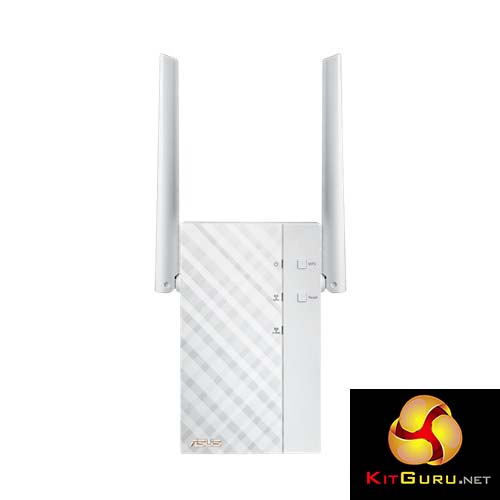
To meet this challenge, Asus has kitted out the RP-AC56 with a particularly useful feature: 2×2 MIMO 802.11ac, with a pair of external antennas on the outside of the unit, for speeds up to 866Mbit/sec. Although that’s not the fastest AC standard out there, it is still one heck of an improvement over 802.11n and certainly indicates much better performance than you’ll get from an 802.11n-only model.
802.11ac in a router usually makes a big difference to wireless performance, with better speeds at both short and long range, so this could be a big upgrade.
And importantly, the AC56 is a dual-band device, so it can extend both 2.4GHz and 5GHz 802.11n networks as well. Although it only goes up to 300 Mbps over 802.11n, it ensures backwards compatibility with older routers and devices.
Specification:
- Extend your existing 802.11ac dual-band Wi-Fi network with speeds up to 1167 Mbps.
- Two external antennas enhance Wi-Fi signal coverage and boost your Wi-Fi everywhere.
- Quick and secure setup with just a press of the WPS button.
- Smart LED signal indicator helps you find the best location for optimum Wi-Fi performance.
- Rotating mains plug for flexible positioning in any power socket.
- ASUS AiPlayer app for streaming music, with multi-protocol support.
- ASUS ExpressWay uses full-speed device connections to boost performance.
- Roaming Assist helps you to get a stable connection everywhere in the home or office.
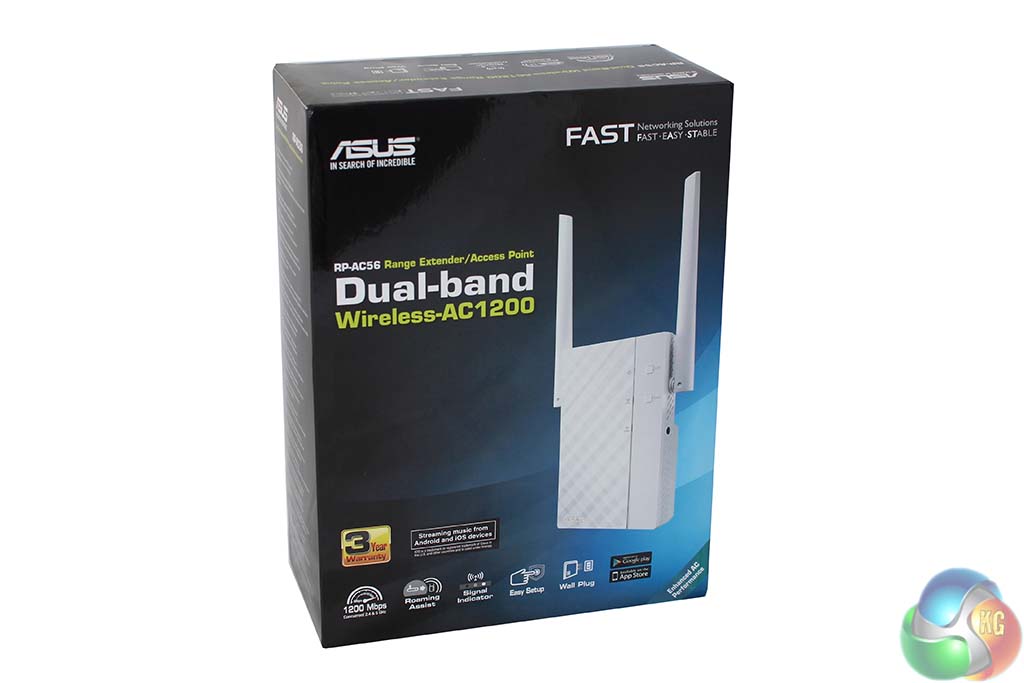
The RP-AC56 arrives in fairly standard Asus packaging, listing the main features along the bottom. The box is deceptively larger than you might expect from a wireless extender, for reasons that become clear when you open it.
On the back of the packaging, you get a quick history lesson in the evolution of Asus wireless extender models. Indeed, the older AC750 and N600 used internal antennas, and were nowhere near as fast.
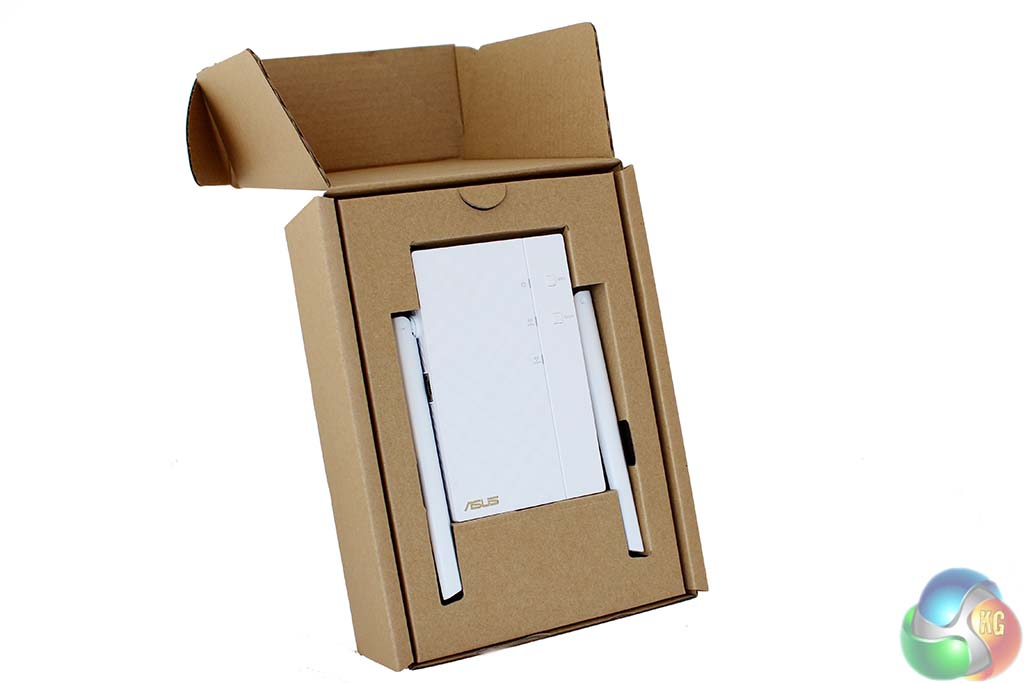
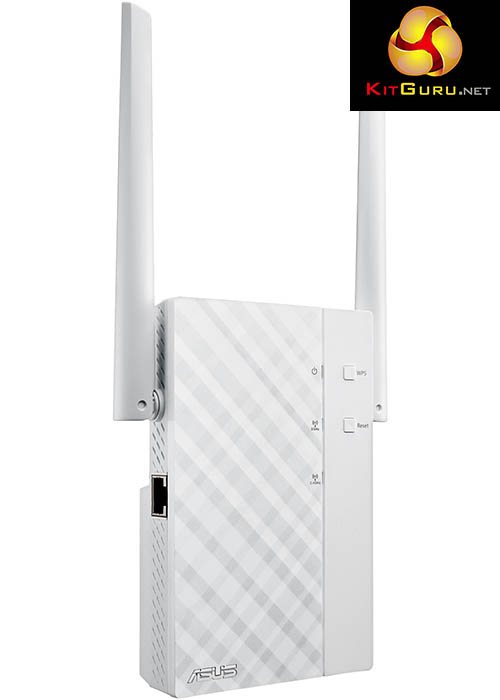
Open the box and its clear why Asus has needed such large packing – the antennas come physically attached to the unit, when most firms bundle detachable antennas with routers.
Each antenna measures around 5.5-inches long, with the unit measuring about the same from top to bottom. In a dual-socket power outlet, it’s possible the RP-AC56 will obscure access to the second socket.
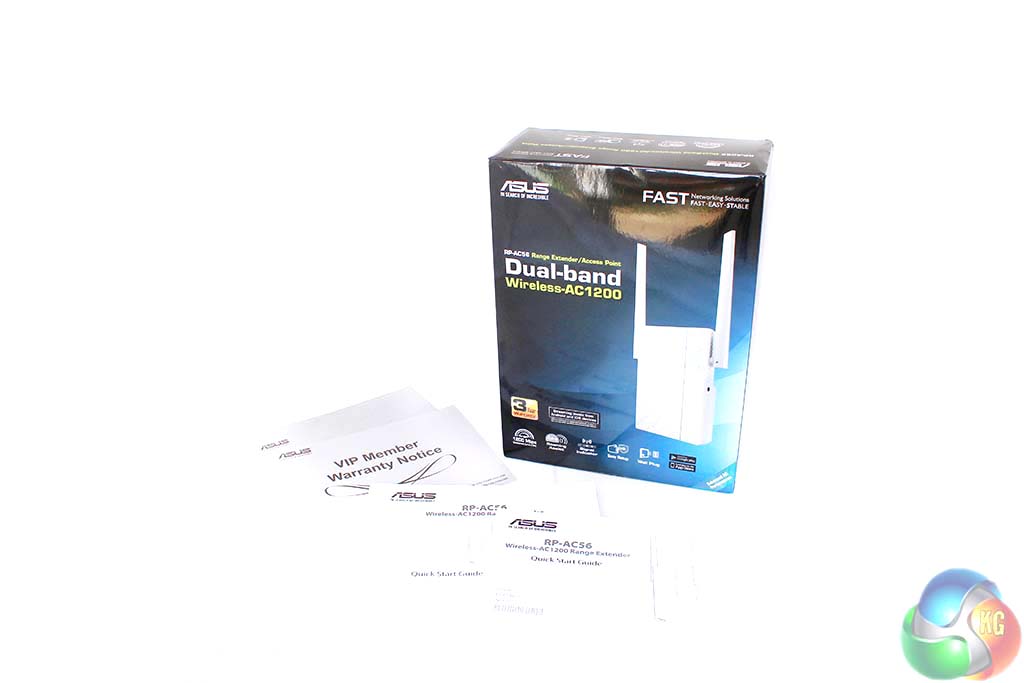
In the box is the usual warranty tat, along with two copies of a quick start guide in a variety of languages. No other hardware is included.
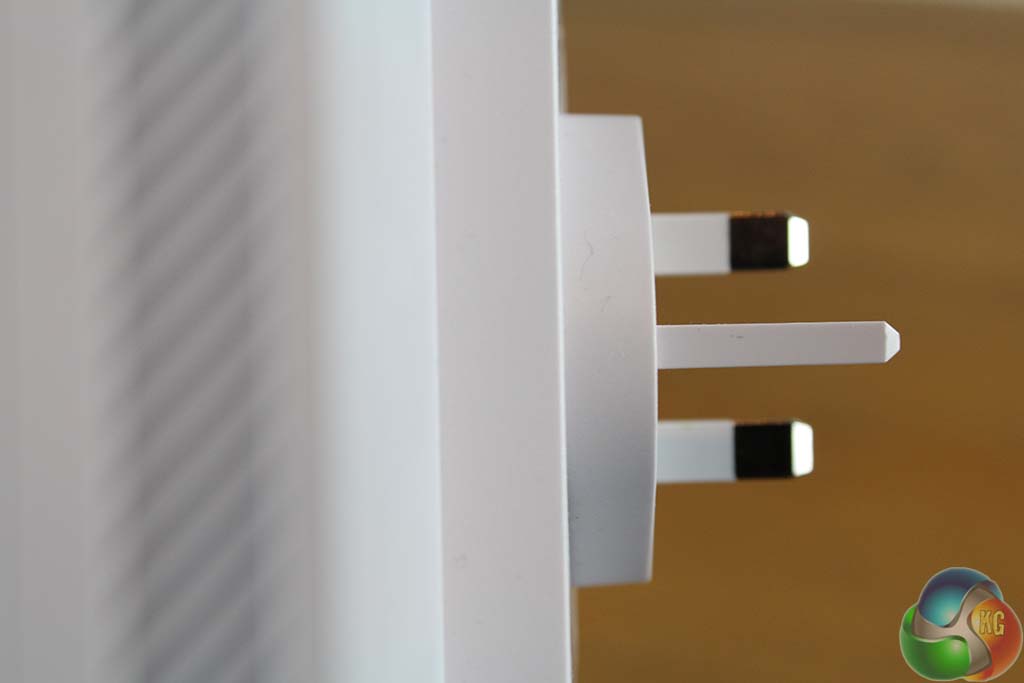
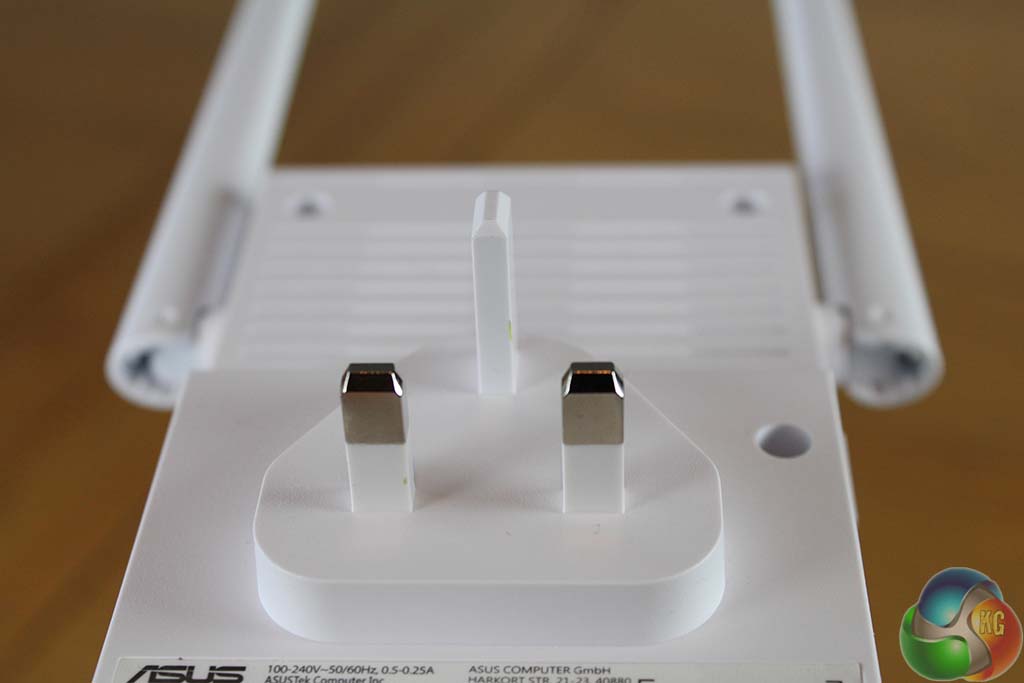
Although Asus’ specification describes the RP-AC56 as having a rotating mains plug, this was absent from the UK version, making it even less flexible in most dual-socket power outlets.
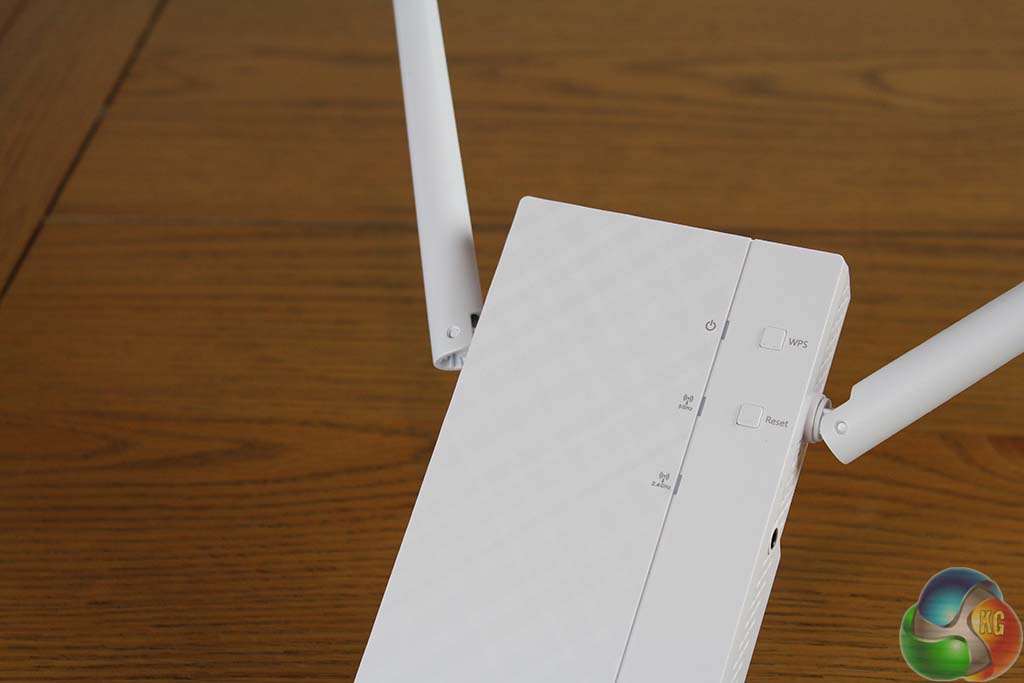
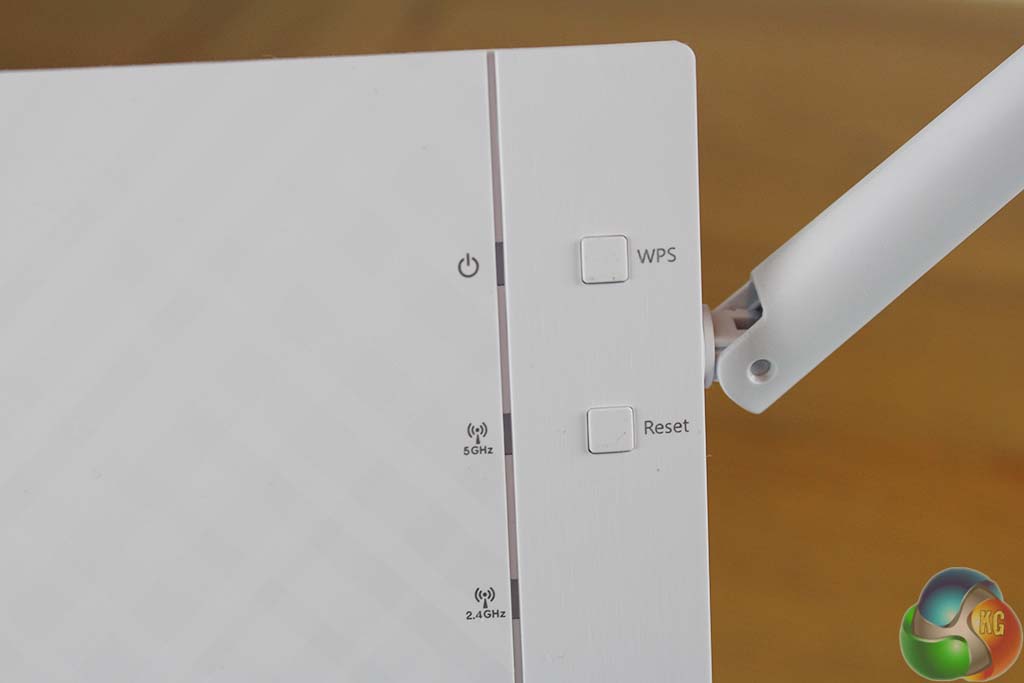
At the front of the unit are three LEDs indicating whether the device is powered on, and status of both 2.4GHz and 5GHz outputs. These are either green, yellow or red to show the signal strength.
There are two buttons as well, for WPS connectivity and a hard reset.
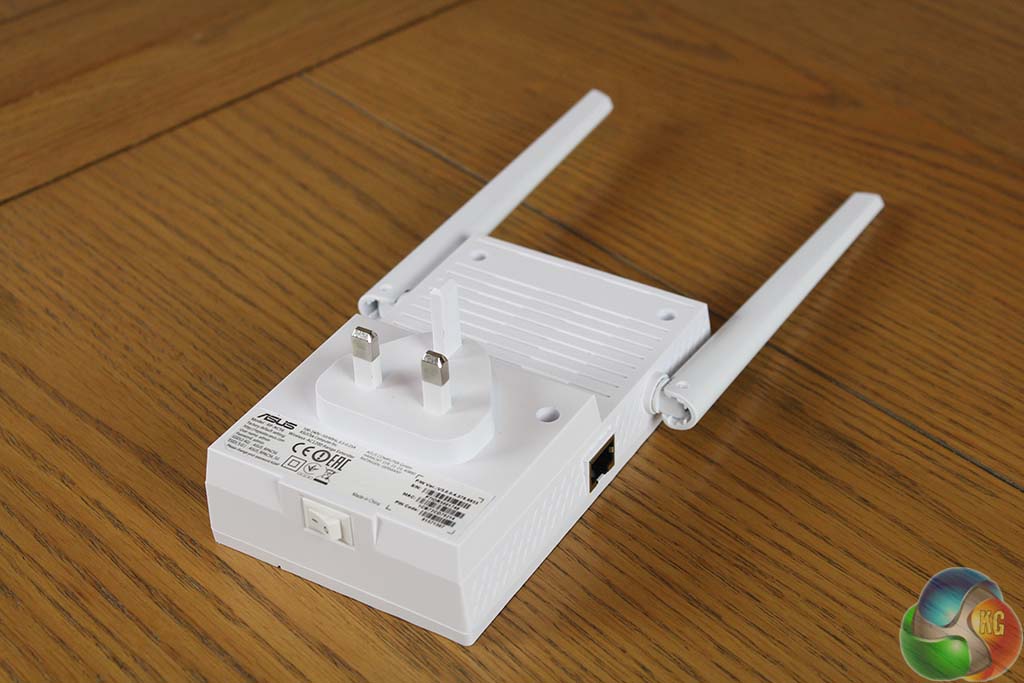
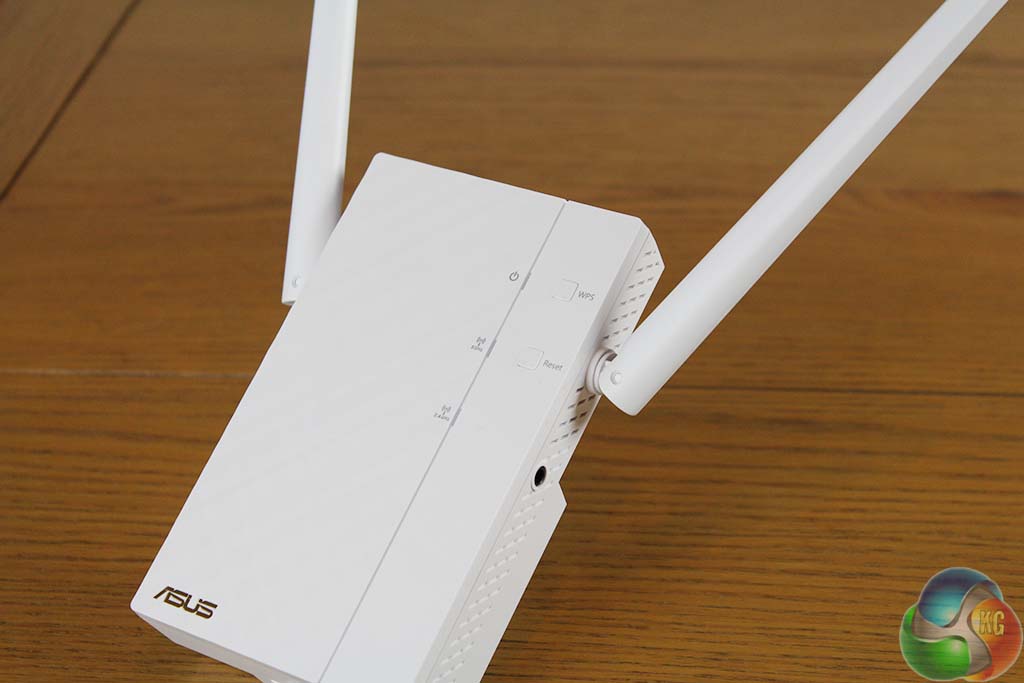
At the side is a gigabit Ethernet port, for a physical computer connection, used for configuring the unit.
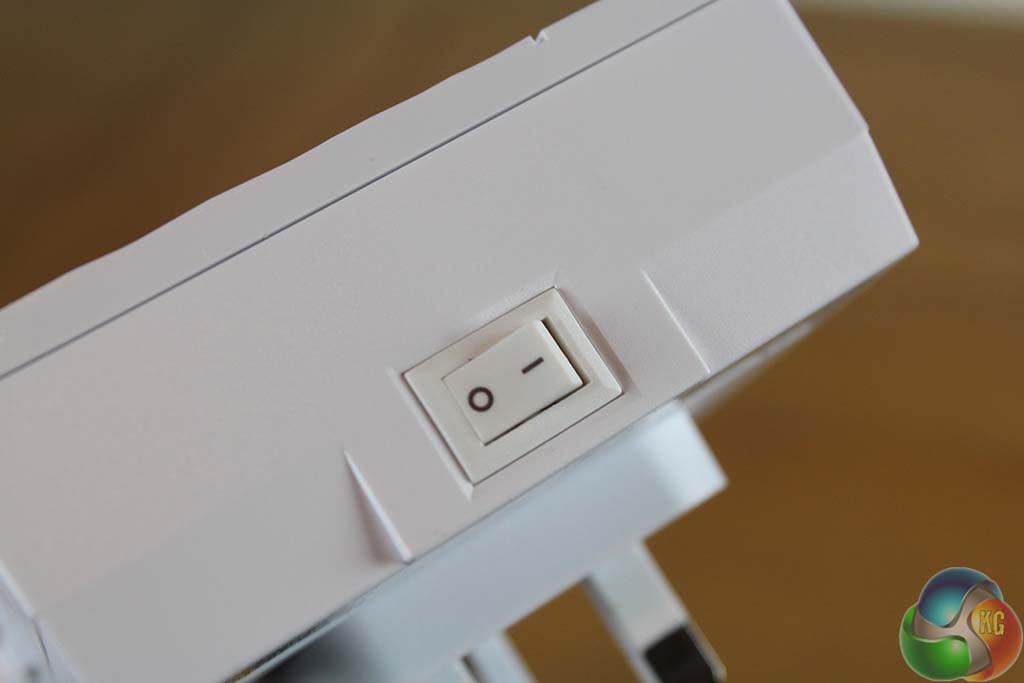
Underneath is a hard power switch. And there’s a 3.5mm audio jack at the side, used for playback of music streamed to the RP-AC56.


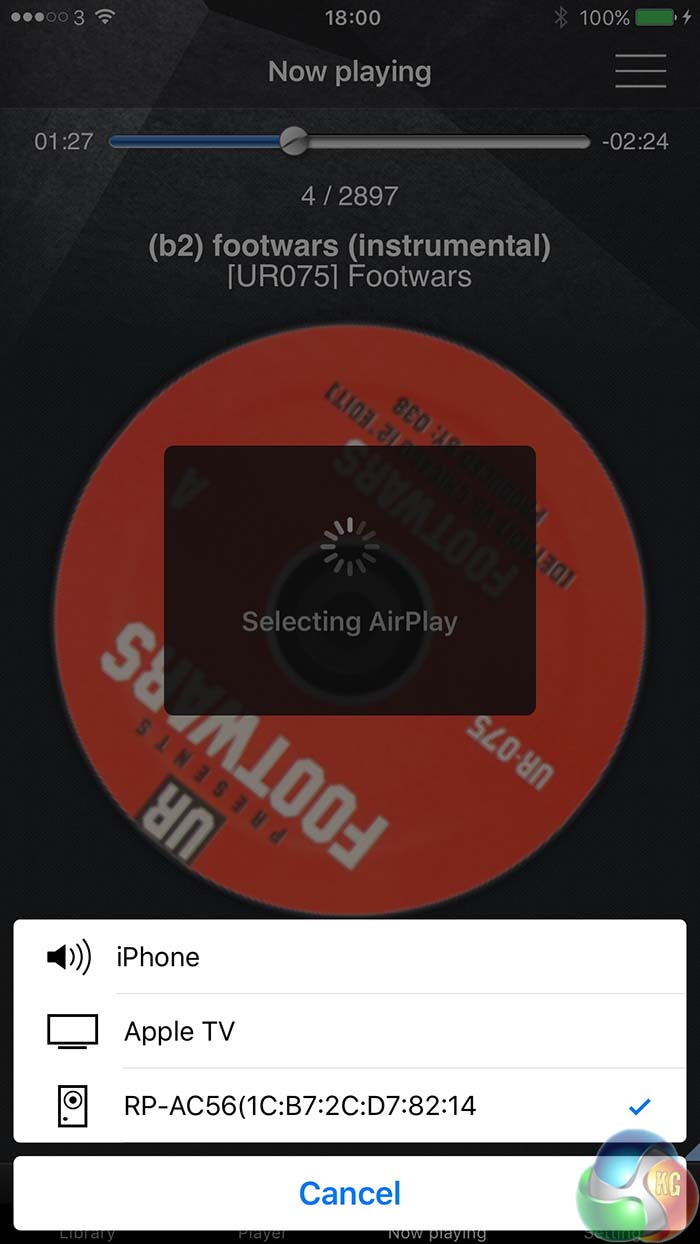
With a pair of speakers attached and the Asus AIPlayer app on your smartphone or tablet, the RP-AC56 effectively becomes a wireless speaker, albeit over Wi-Fi rather than Bluetooth.
There’s not much to say about the setup process as it’s quite straightforward, as one might hope for a simple device such as this.
We used a gigabit Ethernet cable to connect a computer to the RP-AC56 for configuration, logging in via a browser to the default 192.168.1.1 address.
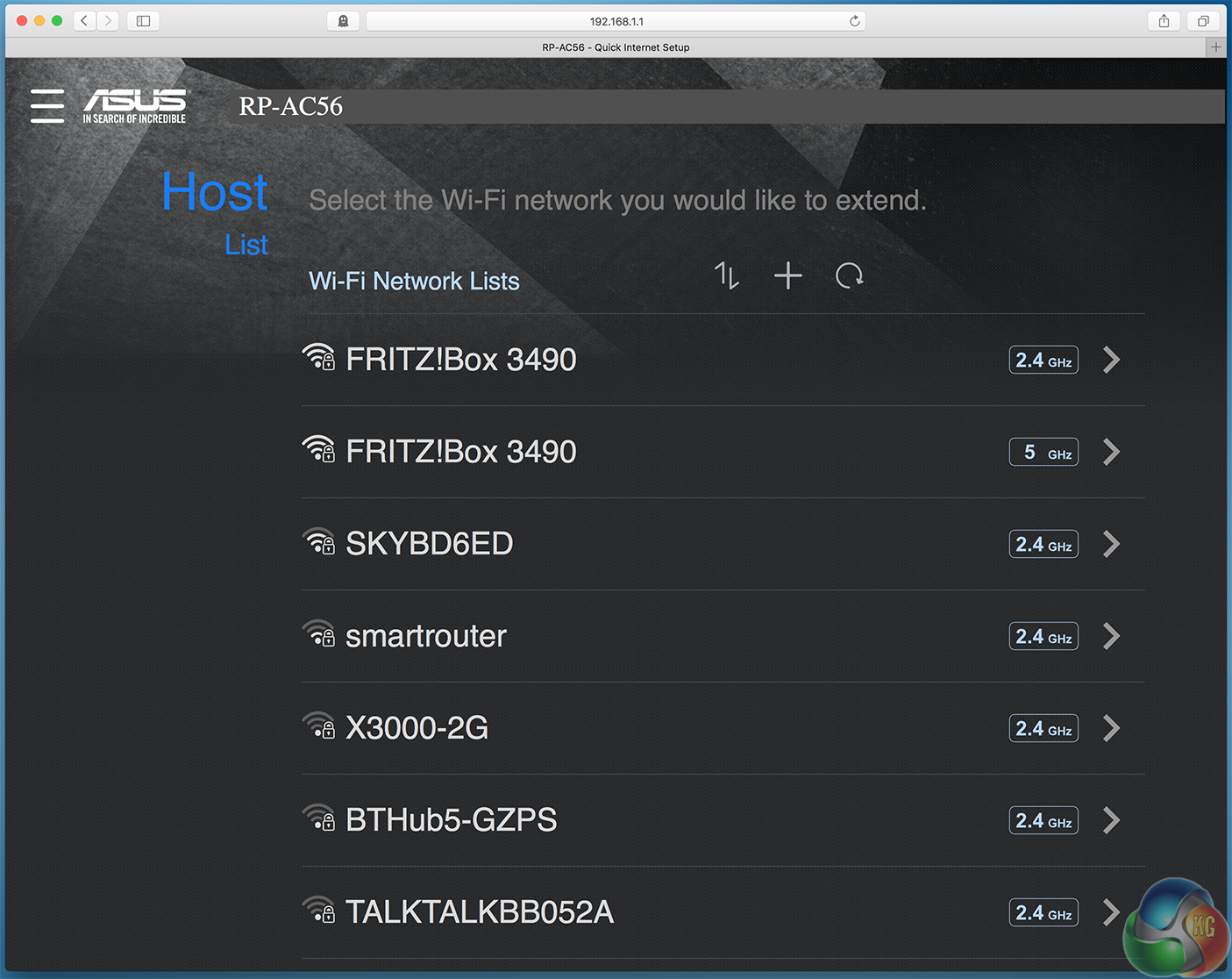
No username or password is required. Instead you get a list of both 2.4GHz and 5GHz wireless networks within range, indicated with larger, user-friendly lettering. You can manually add a hidden wireless network if you want.
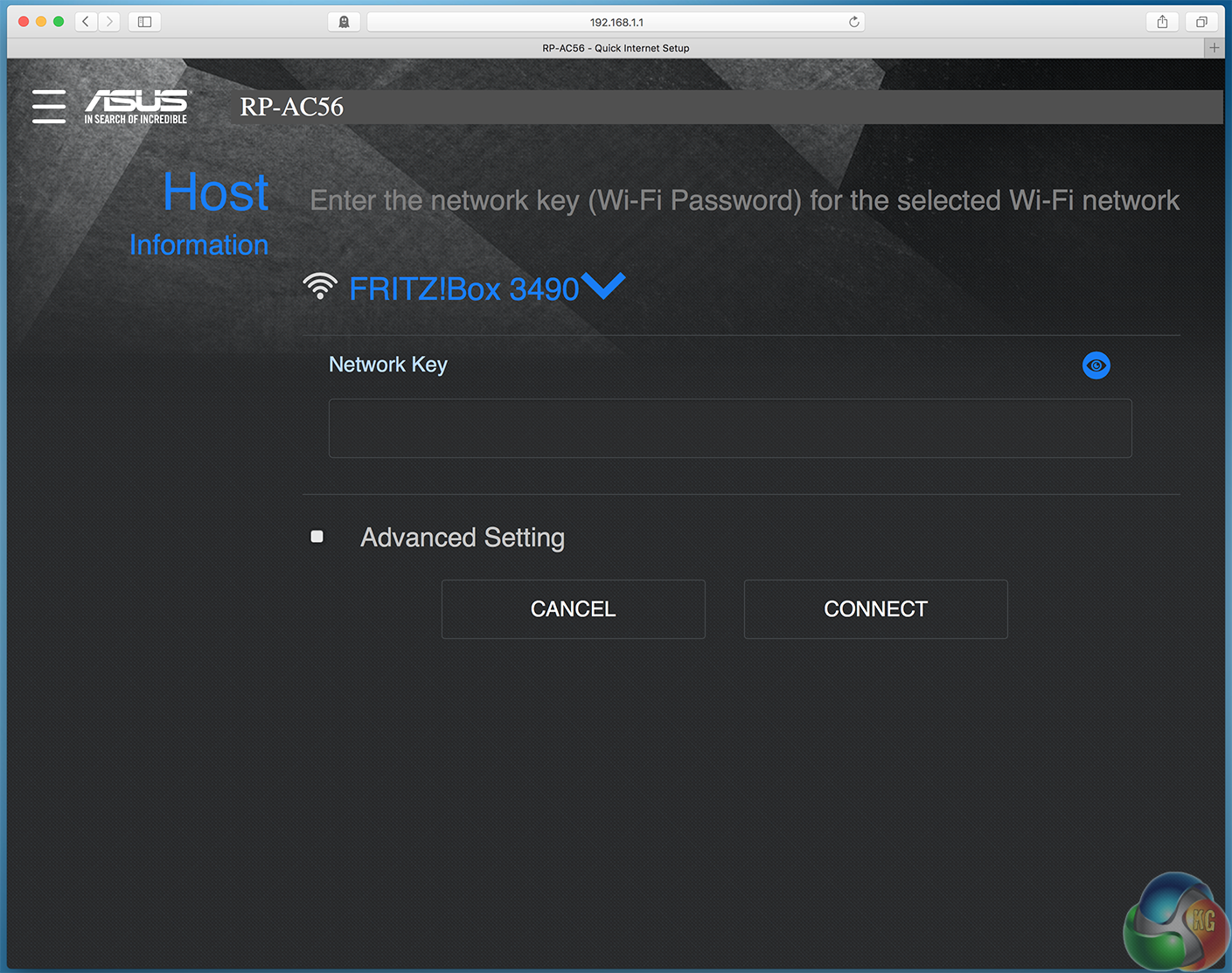
Select a network and you just need to enter the network’s key, then click Connect.
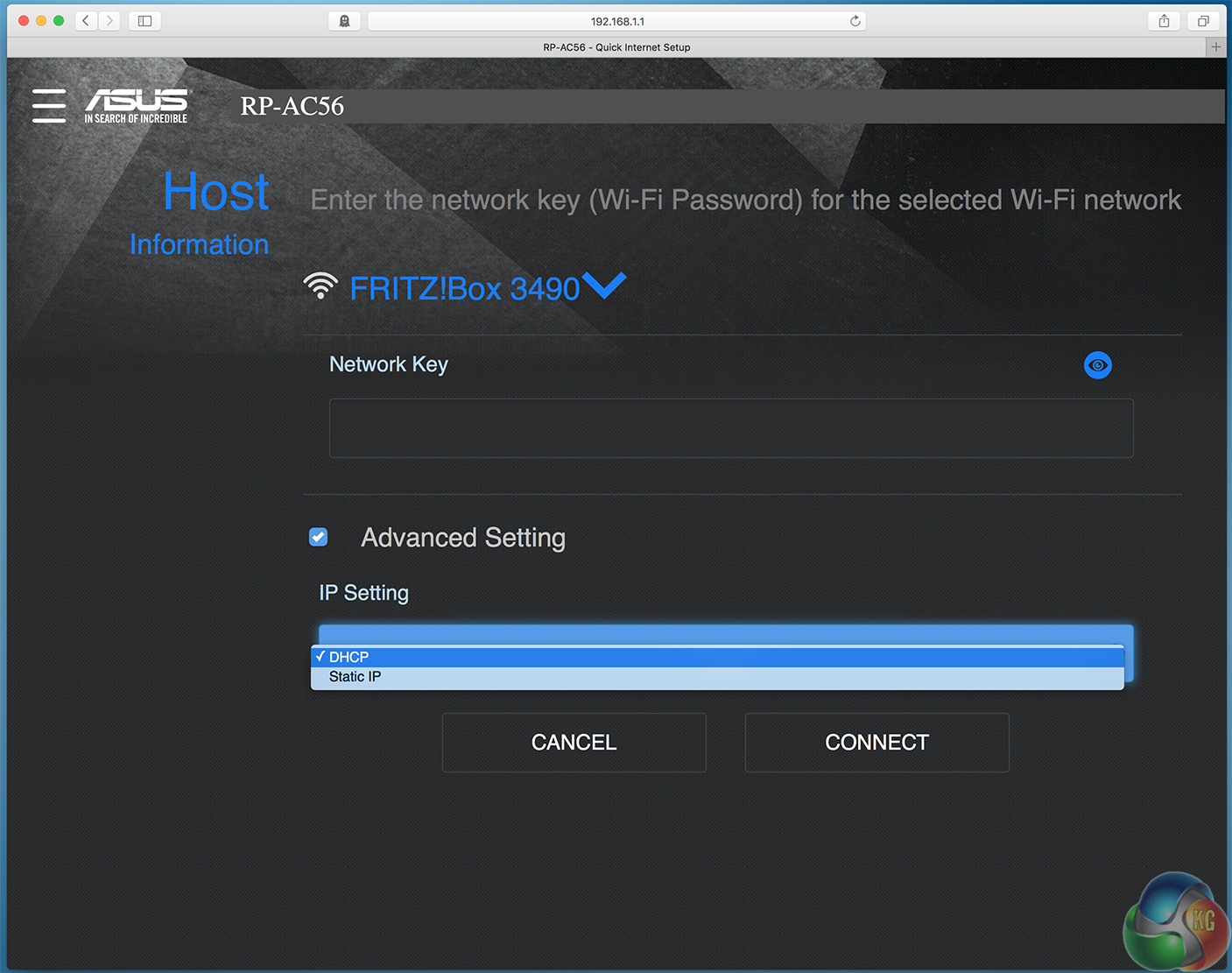
The advanced setting is just a static IP or DHCP selection, with no other options available.
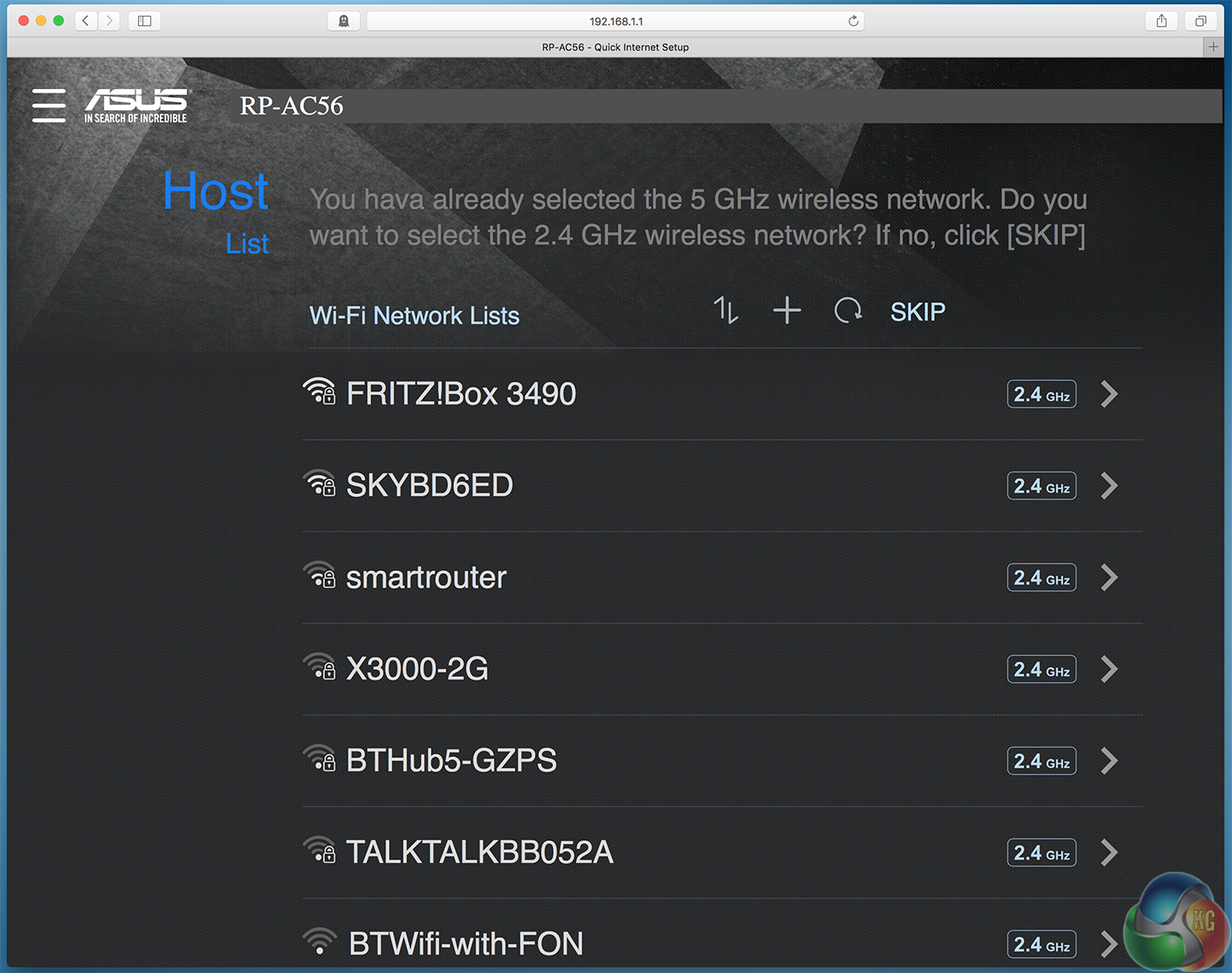
As we began with 5GHz, the software prompted us to choose an additional 2.4GHz network as well, with connection in the same way.

Before finishing the setup process you get a summary of the connection settings.
Notably, the RP-AC56 does not behave like a bridge, which extends a network but remains invisible to the user, but it instead creates a second network SSID with ‘_RPT’ appended to the end of the name, so you’ll always know when you’re connected to the extender and when you’re connected to your router. All the same settings are forwarded between the router and the extender, and your computer’s IP address comes from the DHCP server in the router.
In use, we were able to use network services on computers connected to the main router (such as browsing shared folders) just as easily when connected to the extender, proving all settings were indeed forwarded.
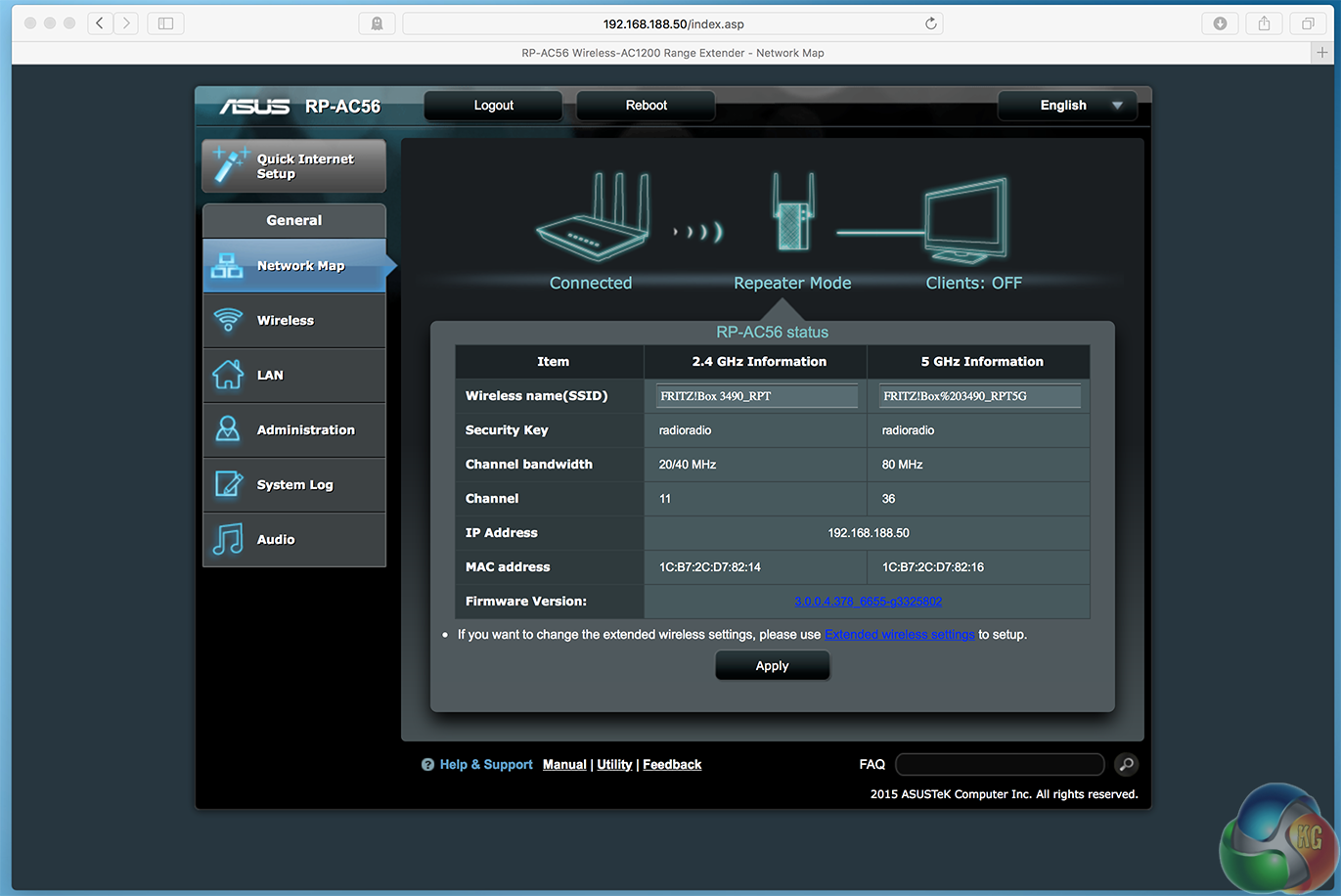
There’s more. If you type the IP address of the RP-AC56 into a web browser after initial setup you’ll see an interface with more advanced settings, which looks just like that the one used in Asus’ full-sized routers.
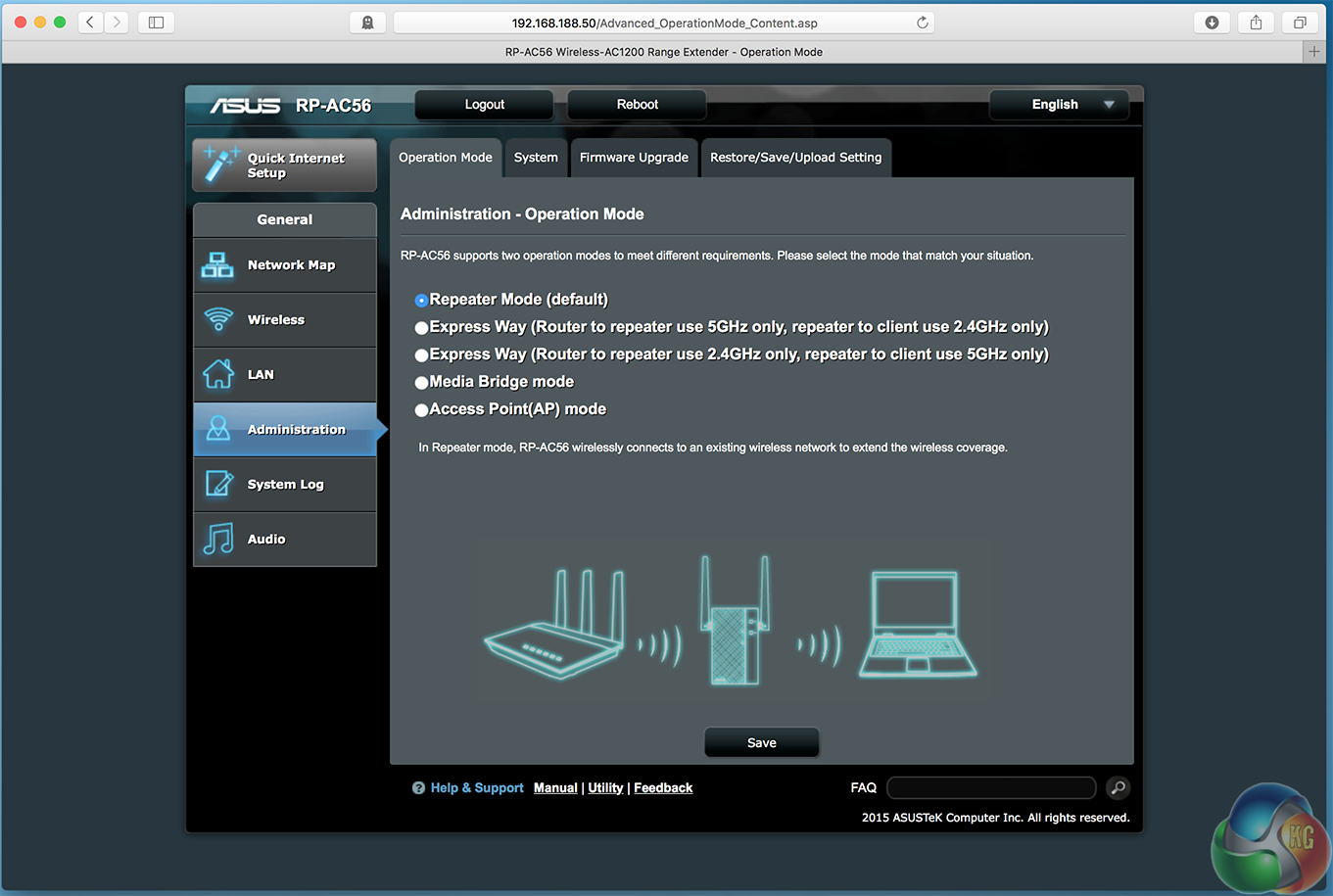
Here, you can turn the RP-AC56 enable a wireless access point, media bridge or adjust the extender configuration.
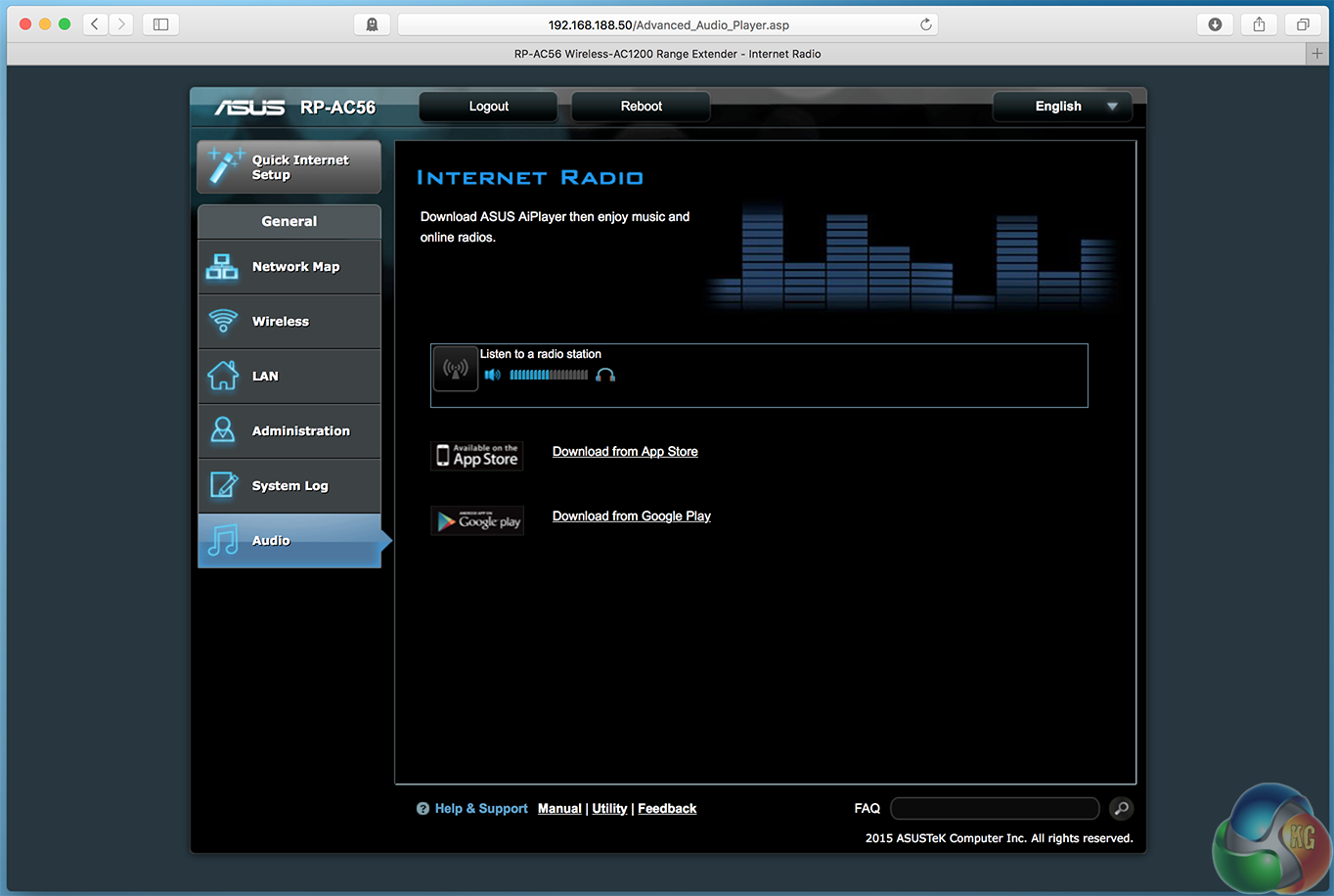
You can play internet radio directly from attached speakers.

And usefully, upgrade the firmware, among other functions.
Testing a wireless extender is somewhat different from testing a router. Performance is affected by more than just the distance between the client and the unit you are testing, as there’s a second wireless connection, between the unit and the router itself.
That’s what an extender does. You find an area where your wireless signal is good, set the extender up there, and it gives you extra range, as the name implies. It will not work at all if you place the extender somewhere with poor coverage.
Additionally, the performance will be affected by how fast your router is in general. You cannot get 802.11ac performance from a router that can only do 802.11n speeds. We used a fast AVM Fritz! Box 3490 router, capable of 600Mbit/sec 802.11ac performance.
We placed the extender on the ground floor around five metres beneath our main router on a top floor, made sure it had a good connection to the main router, then measured wireless performance exactly the same way we would as in any router review: one metre, five metres and ten metres away.
To test, we used the Mac software WiFi Perf, running on an iMac connected to the main router via a wired connection, and measured its transfer rates using a 2013 MacBook Pro with a 3×3 802.11ac wireless configuration.
Here are the results:


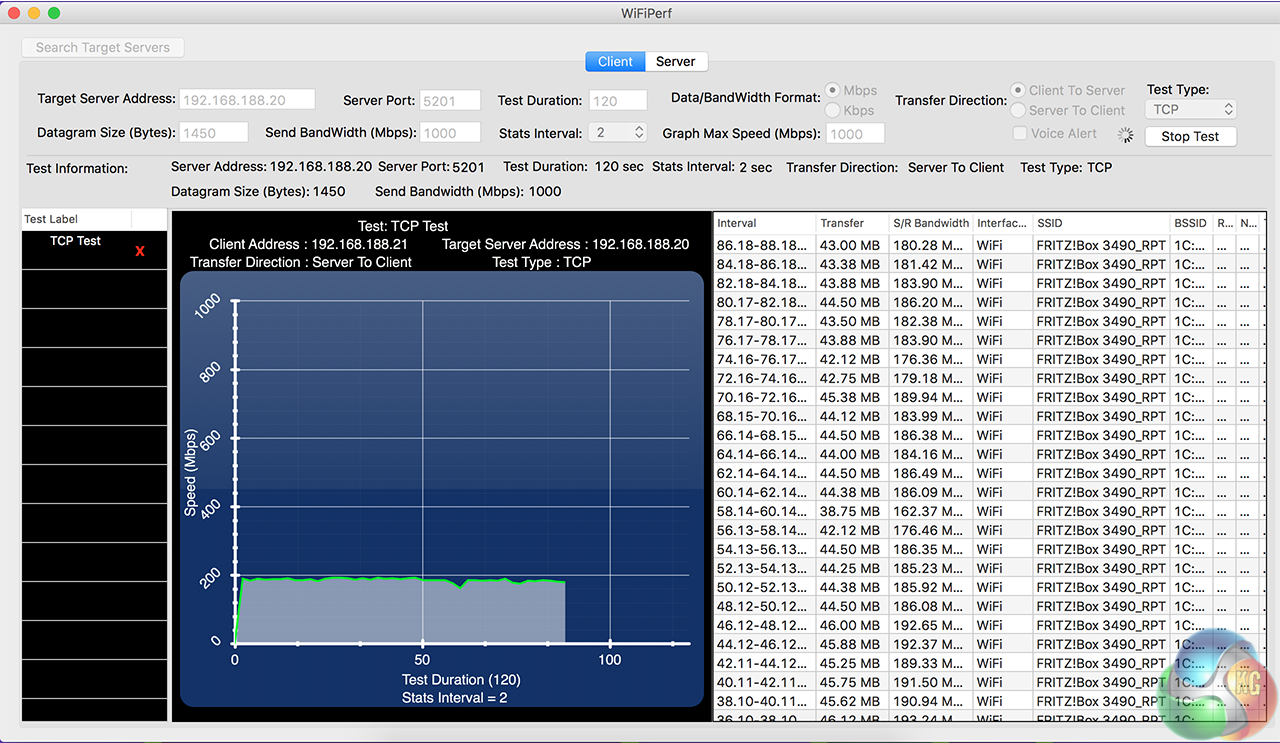
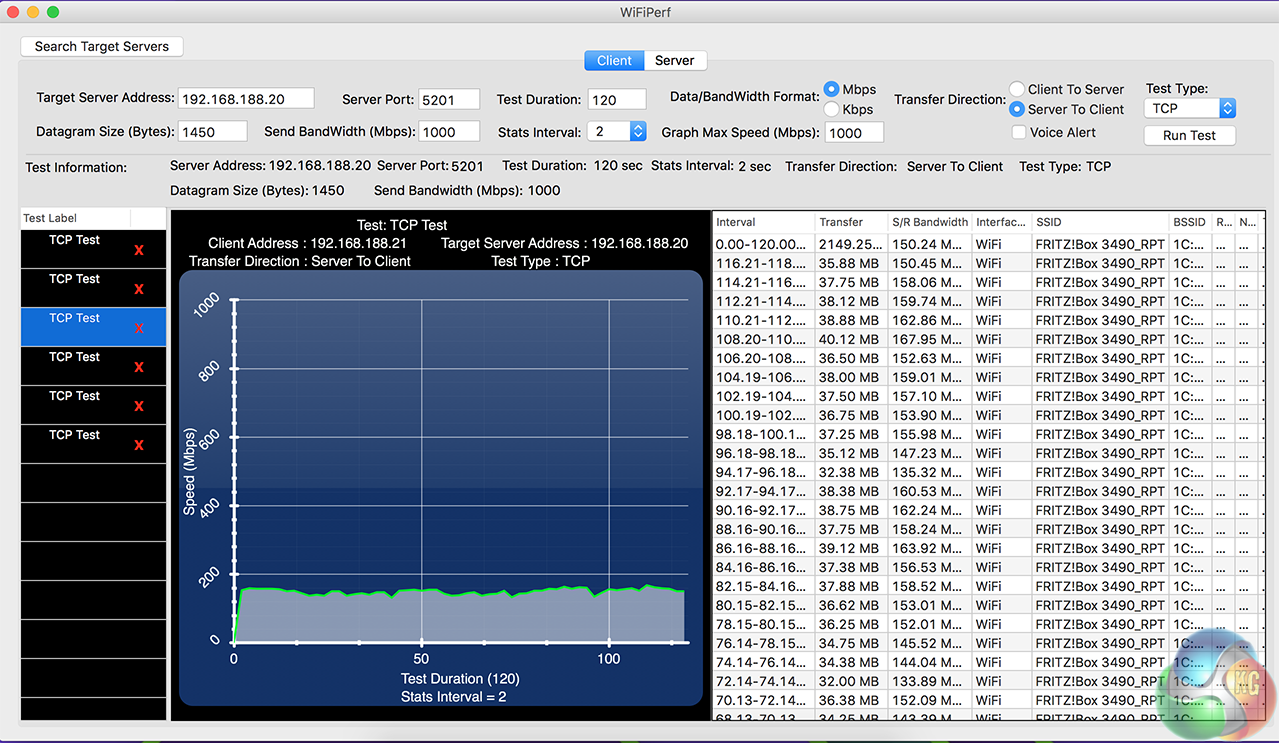
These results are slightly disappointing, at least compared with the wireless performance of an actual 3×3 802.11ac router, which can manage 600Mbit/sec.
They’re not entirely unexpected. Wireless extenders typically have a lower specification than a router, with a less powerful processor, and less memory, which makes it less capable of dealing with a large number of wireless packets. Also this a 2×2 802.11ac router, so speeds will be a bit lower than with a 3×3 router.
But to make sure we were getting the right results, we ran a few more tests, and completely disabled 802.11n, even though we had made sure our first set of results were connected via 802.11ac.
We also moved the extender to have direct line of sight with the router, 2 metres away.
Here are the brief short-range results of this second test.
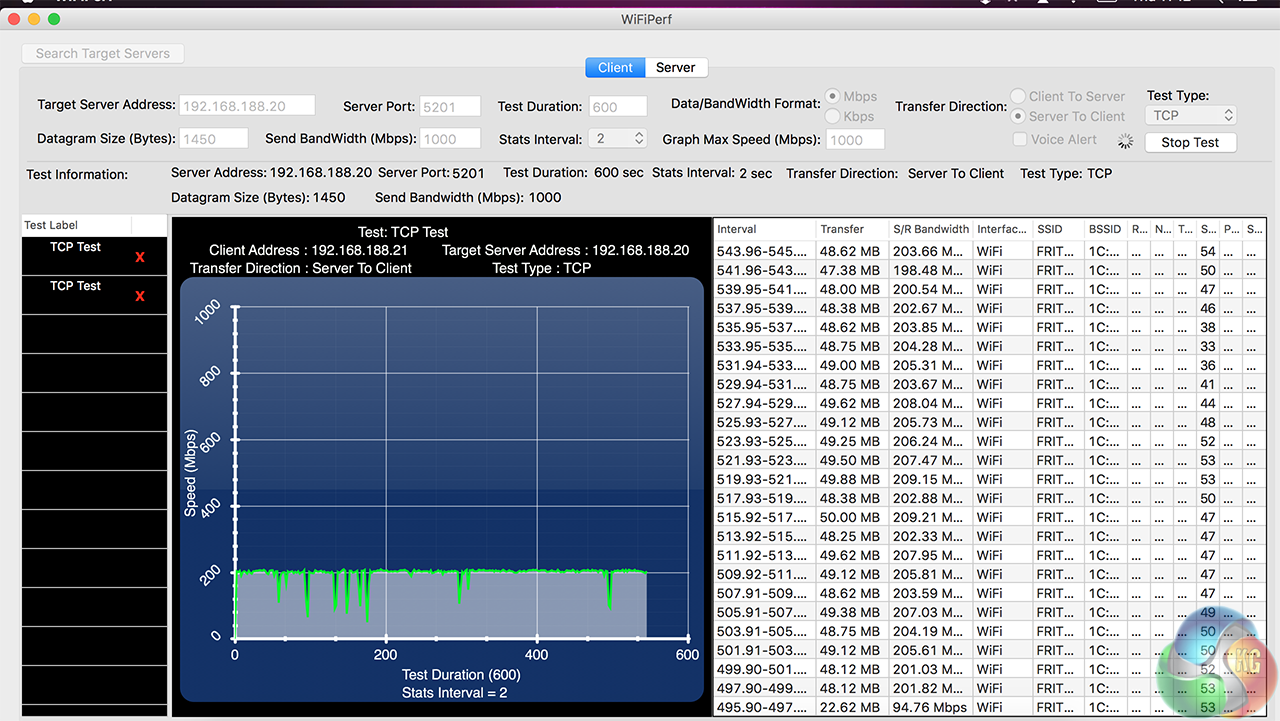
They’re slightly better, breaking 200Mbit/sec, but not by much. It does seem the extender is bottlenecking the wireless speeds.
From our tests, we can conclude the Asus RP-AC56 isn’t as fast as having a close-range connection to a 3×3 802.11ac wireless router. Instead, our tests showed you get a solid speed between 150 and 200 Mbit/sec, which obviously drops a bit at range.
Does this make it a poor product? Absolutely not. For a start, although its performance isn’t light years ahead of competing extenders, it still measures up well, since some of the entry-level models are very poor indeed. If you place the RP-AC56 correctly so it covers an area where you have no existing coverage, it will serve its purpose well.
It will be fine for browsing, streaming, and downloading files at a good speed. Maybe not something as demanding as uncompressed 4K video, but the vast majority of people just want to get online somehow in an area where their existing router has poor coverage, and the RP-AC56 solves that problem.
And its software, in true Asus fashion, is excellent. There are not many configuration settings, but that is a good thing. It is really simple with big bold text. You could trust your mum to set it up, as long as she knows the details of her existing wireless network.
The advanced settings give you more control, if you need it.
If you want better performance, it seems you might need to spend a bit more, and for that, Asus has the EA-AC87.
And then there’s the secondary music streaming feature, which surprised us by working quite well too. It’s not exactly a Sonos, but the AIPlayer app is much better than a lot of media software that networking firms usually regard as a secondary feature, and don’t put the effort in.
The Asus RP-AC56 is a simple device. Although it isn’t as fast as we had hoped, it does what it says on the tin, offers some great software that’s really straightforward to use and with its audio streaming function, a small extra that the majority of other extenders don’t offer.
Discuss on our Facebook page, over HERE.
Pros:
- Simple to set up and configure
- 2×2 802.11ac support
- Music streaming function
Cons:
- Not as powerful as an actual router
- Physical dimensions may block access to some plug sockets
Kitguru Says: The RP-AC56 is worth buying for its simple but solid software, music streaming feature and the value of simply having a wireless extender to improve coverage, rather than a particularly noticeable performance gain.


Do you have to connect it via Ethernet? Or can you connect it via WiFi then have it extend that same WiFi?