 KitGuru KitGuru.net – Tech News | Hardware News | Hardware Reviews | IOS | Mobile | Gaming | Graphics Cards


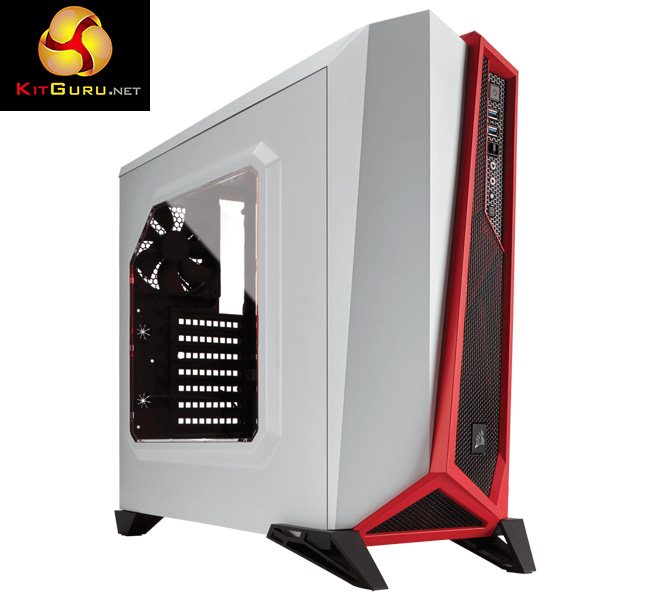
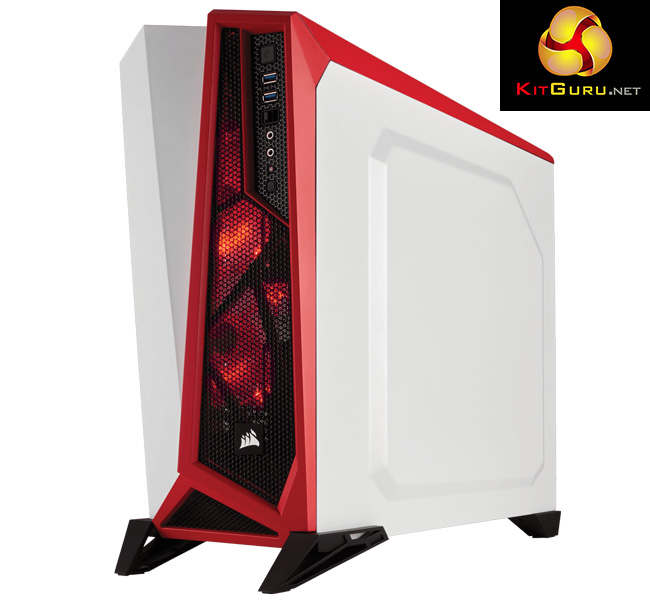
With its aggressive, angular fascia – and a name to match – the Corsair Carbide SPEC-ALPHA is certainly a case that grabs your attention. While the SPEC-ALPHA does have an emphasis on its ‘modern' styling, Corsair are also keen to point out the range of features included with the case – including a 3-speed fan controller, 2x 120mm LED fans and support for up to four SSDs.
We have recently covered a few of Corsair's latest cases – our review of the Carbide 270R, for example, can be found over HERE. Today, however, our attention turns to the Carbide SPEC-ALPHA. Priced at £79.99 from Overclockers UK, the sample in for review today is the white-and-red model. However, you can also buy the SPEC-ALPHA in black-and-silver if that is more your style. This review assesses the features, practicality and cooling performance of the case before giving a final verdict.
Specification
- Weight: 5.7kg
- Colour: White/Red
- Case Form Factor: Mid-Tower
- Dimensions: 518mm x 220mm x 474mm (L x W x H)
- Case Motherboard Support: MicroATX, ATX, Mini-ITX
- Maximum GPU Length: 380mm
- Maximum CPU Cooler Height: 156mm
- Maximum PSU Length: 190mm
- Case Expansion Slots: 7
- Case Drive Bays: (x3) 3.5in, (x4) 2.5in
- Case Material: Steel
- Case Power Supply: ATX (not included)
- External Connections: (x2) USB 3.0, (x1) Headphone Port, (x1) Microphone Port
- Fan Mount Locations Front: (x2) 120mm, Top: (x2) 120mm, Rear: (x1) 120mm
- Fans Included Front: (x2) 120mm, Rear: (x1) 120mm
- Radiator Mount Locations: Front: 120/240mm, Rear: 120mm
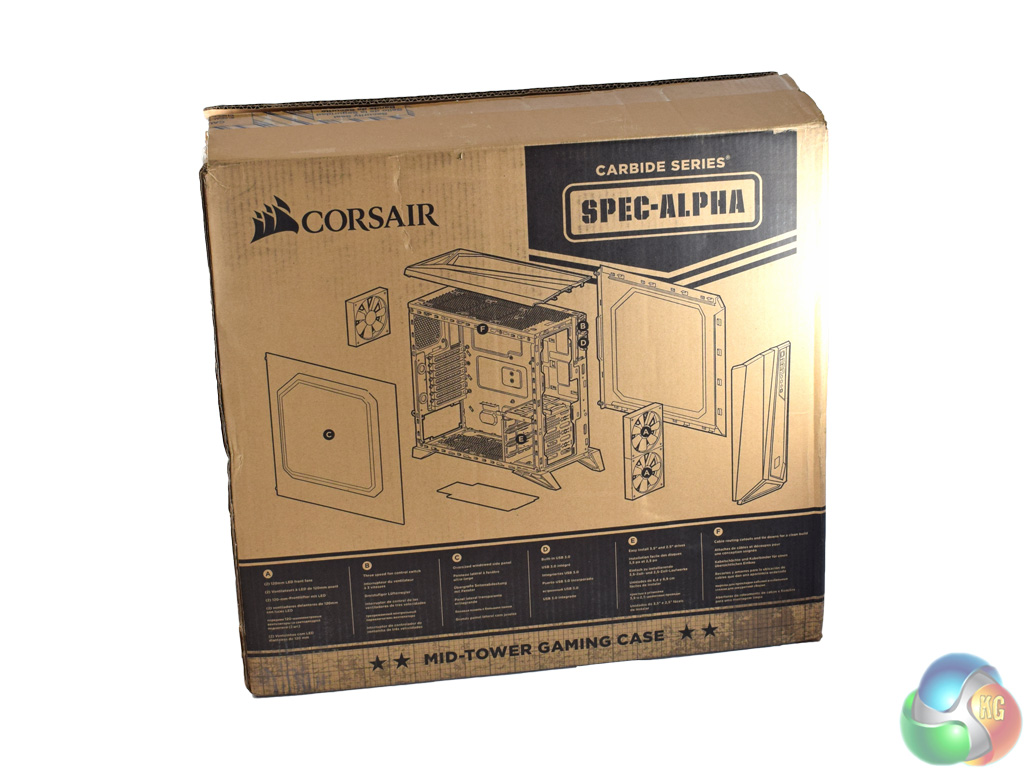
The Corsair Carbide SPEC-ALPHA ships in a fairly typical brown box.
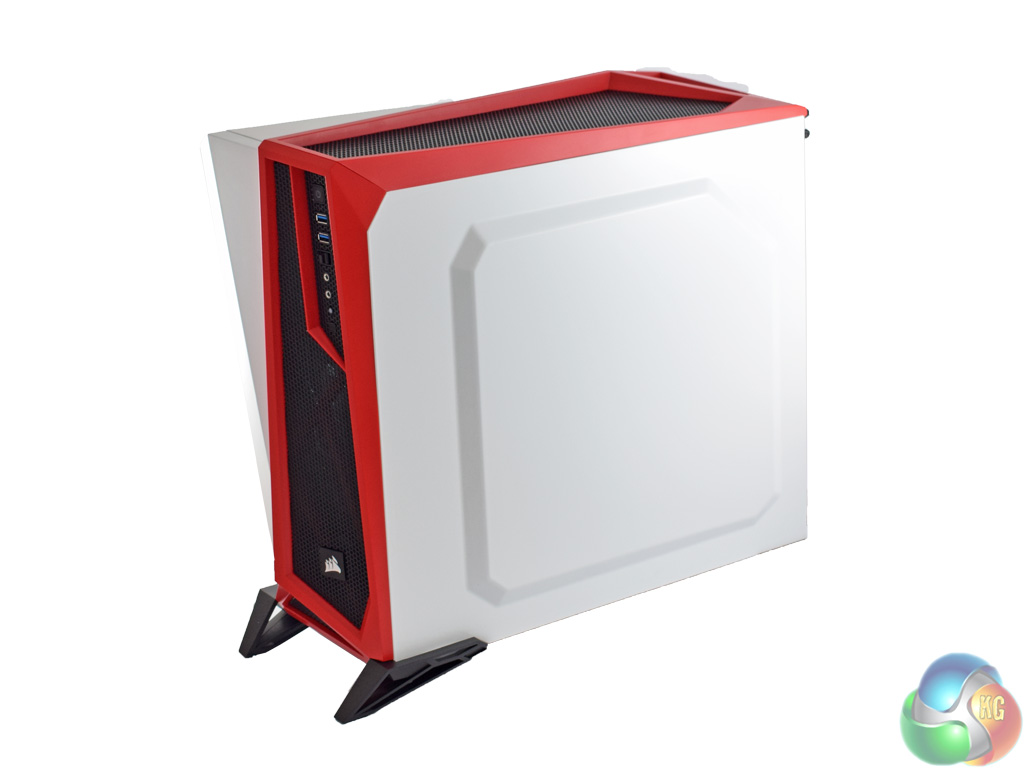
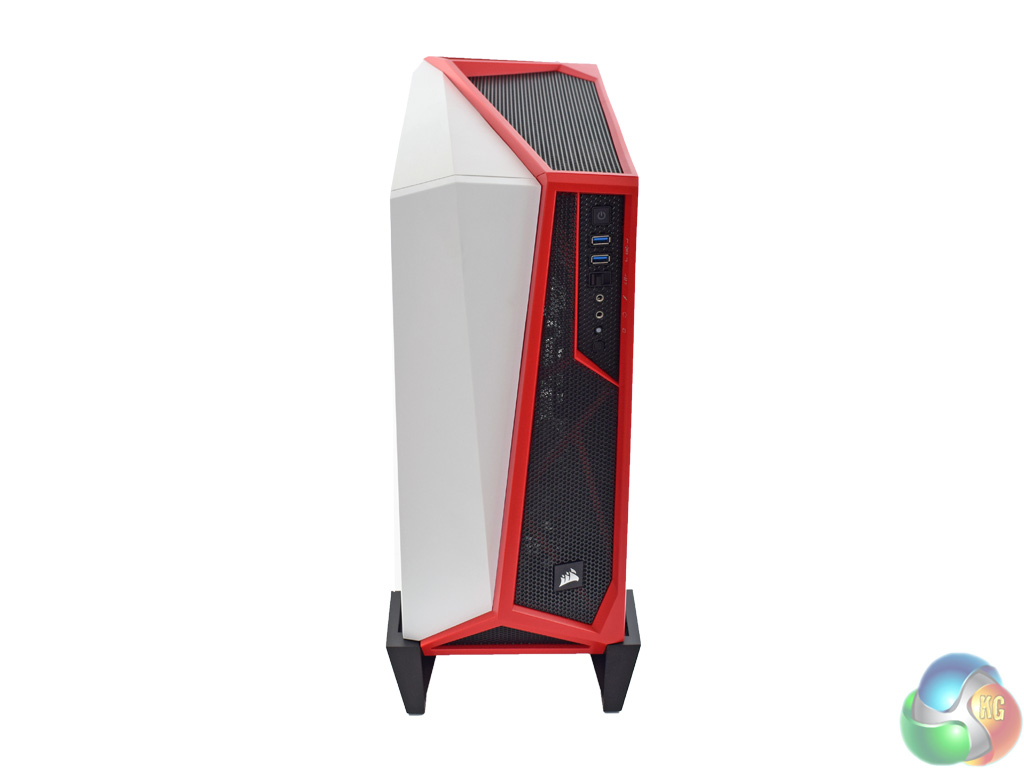
Once the case is free of its protective packaging, the first thing anyone will notice is the angular style of the chassis. Corsair call it a ‘modern, angular appearance', and it is certainly a stereotypical ‘gamer' look.
The front and top panels do serve some function, though – they feature large mesh sections, which should hopefully help airflow and keep temperatures down. We assess the performance of the SPEC-ALPHA later in the review.
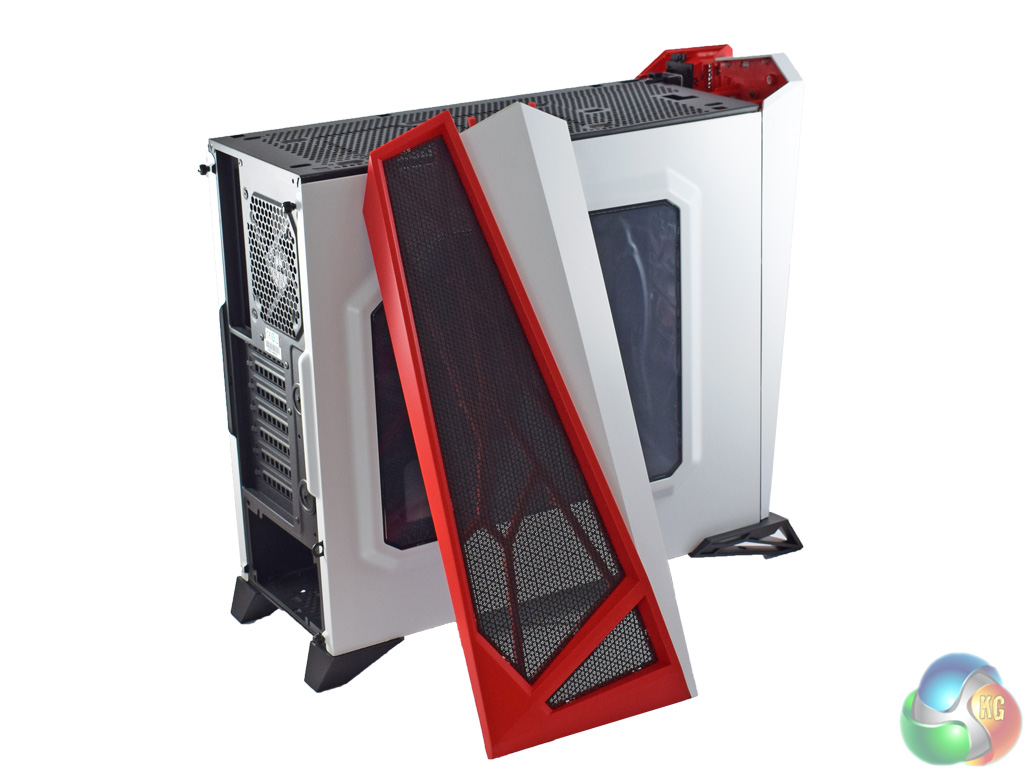
Incidentally, both the front and top panels are removable. The front panel is held in by some retention clips, while the top panel uses an extra 2 thumbscrews to keep it in place.
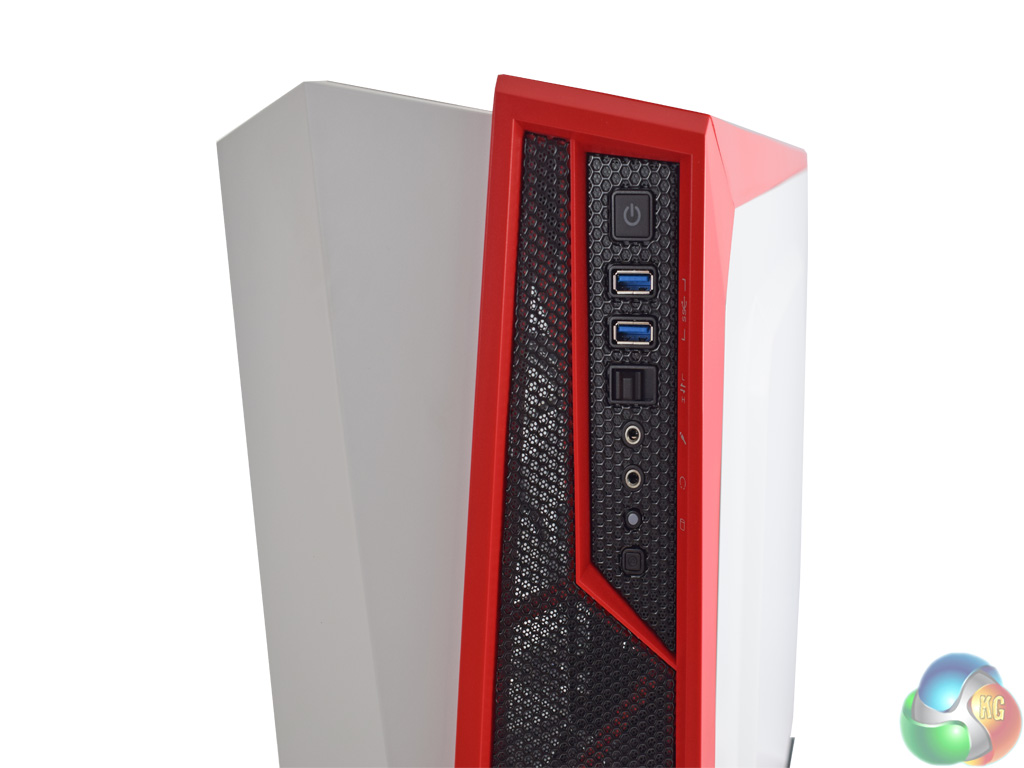
The front I/O is typical of a case in this price range, consisting of 2x USB 3.0 ports, headset jacks and a power button. However, one thing worth noting which is not always included at this price point is the fan controller. It is positioned just below the USB 3.0 ports, and is a 3-speed slider.
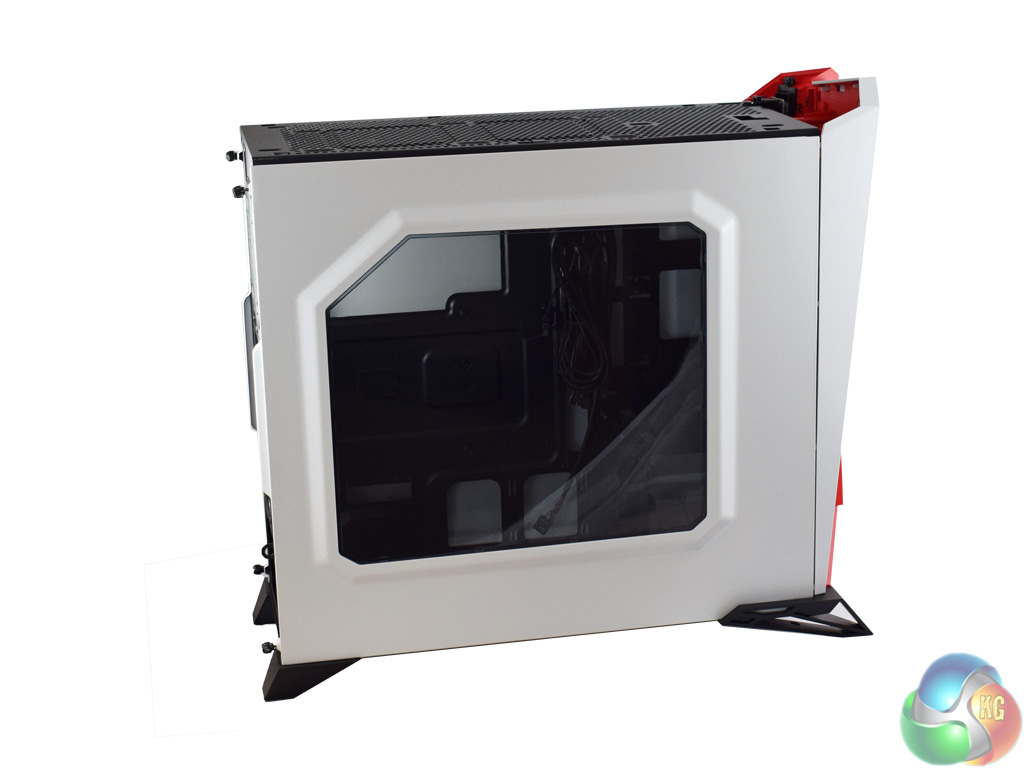
The main side panel is of course windowed – Corsair call it a ‘panoramic side window' which is a bit ambitious to my mind, but it is certainly large enough to show off the components that matter.
Also worth noting is that both side panels have protruded sections. This should allow more room for cable management when we come to building in the chassis.
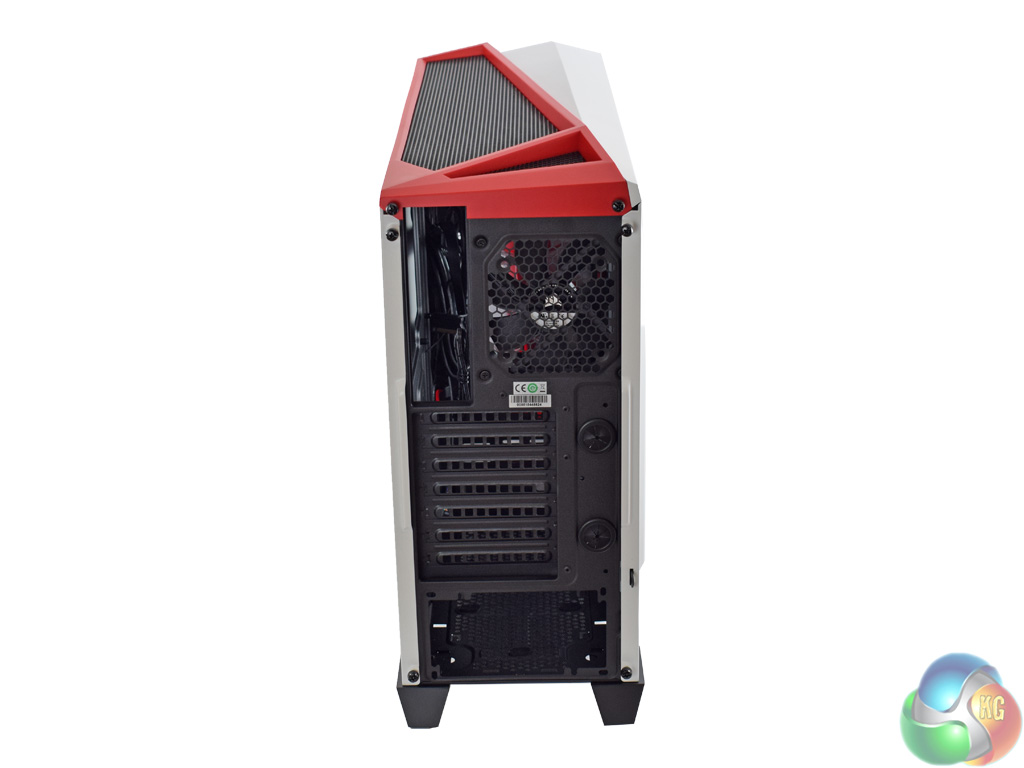
Lastly, the rear of the chassis features the usual 7 expansion slots. You can also spot the 4 thumbscrews – 2 for each side panel. These are captive thumbscrews, too, something I appreciate as it means you do not have to keep track of any removable thumbscrews when building a PC.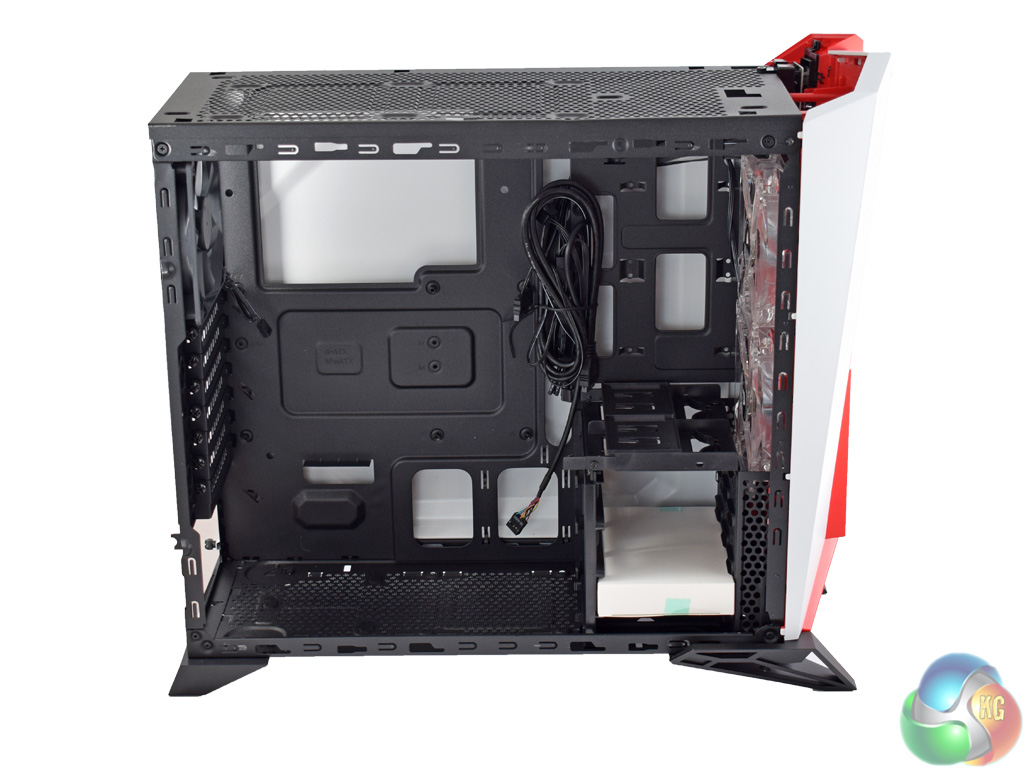
Taking off the windowed side panel allows us to get a good look at the innards of the SPEC-ALPHA.
It is worth noting the lack of external 5.25in bays – this means there is plenty of open space to work with in the chassis. While the whole case measures 518mm x 220mm x 474mm (L x W x H), without the front and top panels the actual chassis itself is quite compact, too.
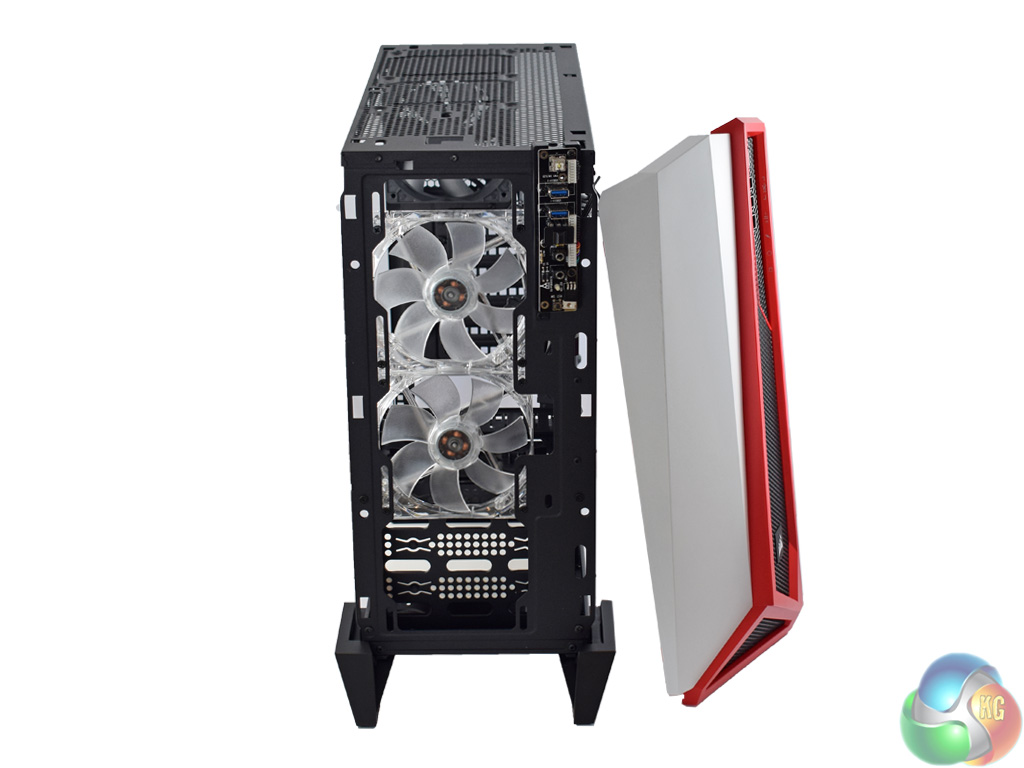
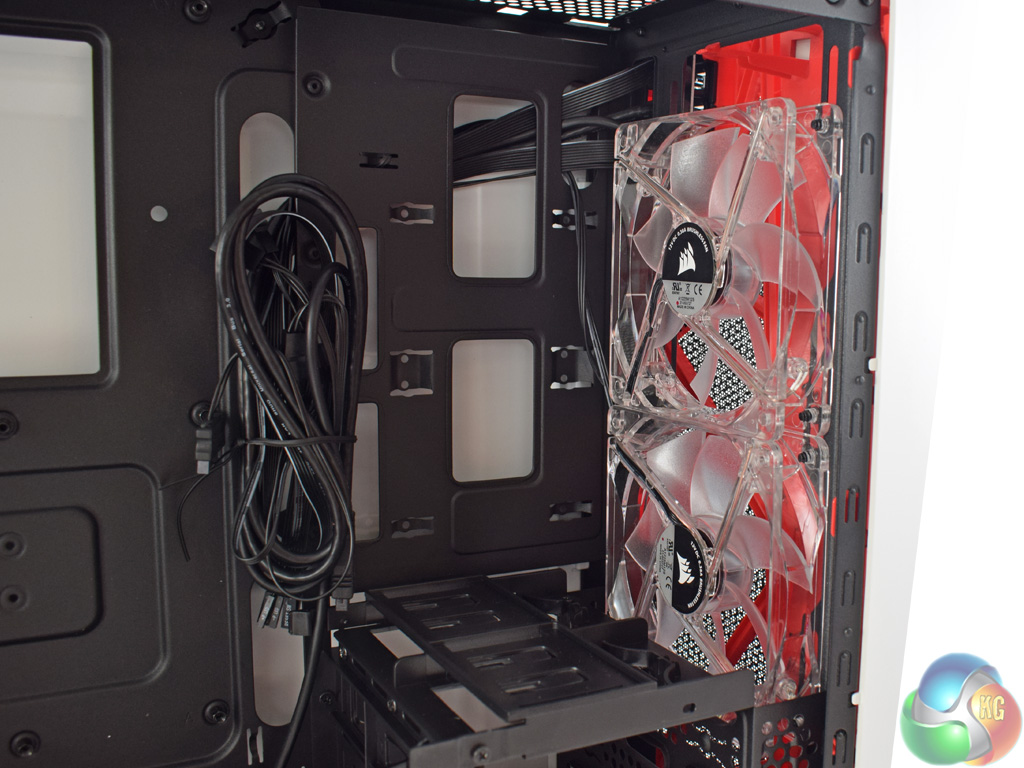
Starting at the front of the case, one great feature of the SPEC-ALPHA is the inclusion of 2x 120mm LED fans. These are connected to the fan controller out-of-the-box so you do not even have to worry about setting them up.
The fans themselves have red LEDs integrated into the four corners – this matches the white-and-red colour scheme very nicely, and allows you to see more of the internal components when the windowed panel is on.
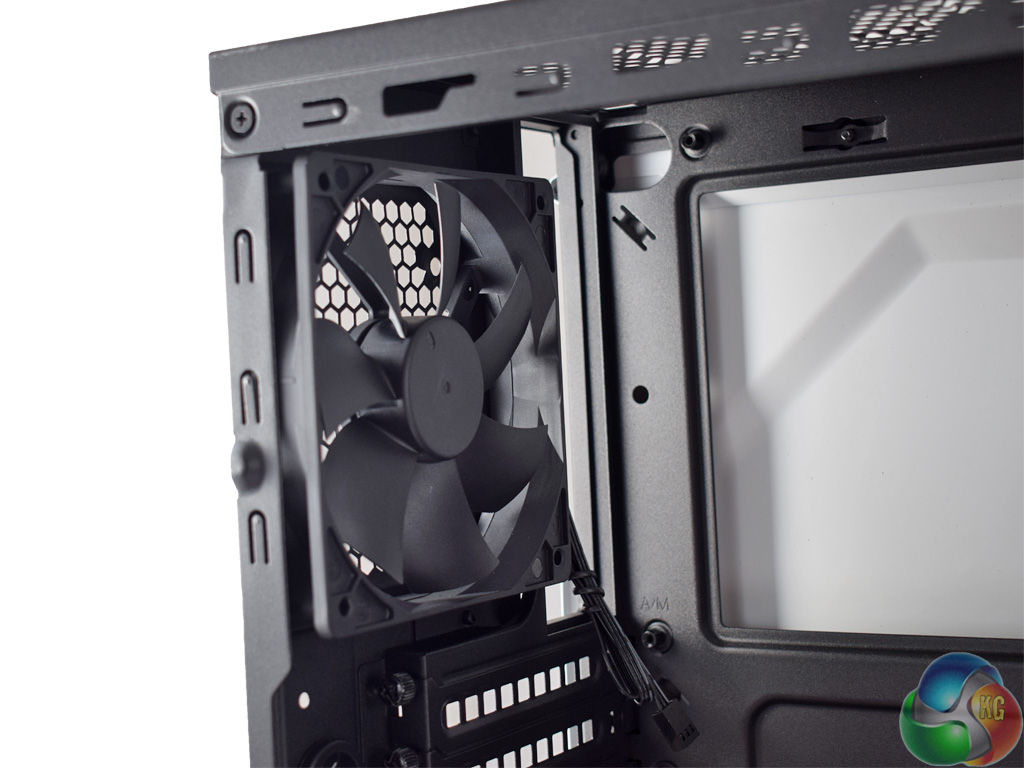
There are no fans included in the top of the case – though it can support up to 2x 120mm fans – but at the rear of the case another 120mm unit comes pre-installed. This is not connected to the fan controller by default, but it is an easy job to get it hooked up.
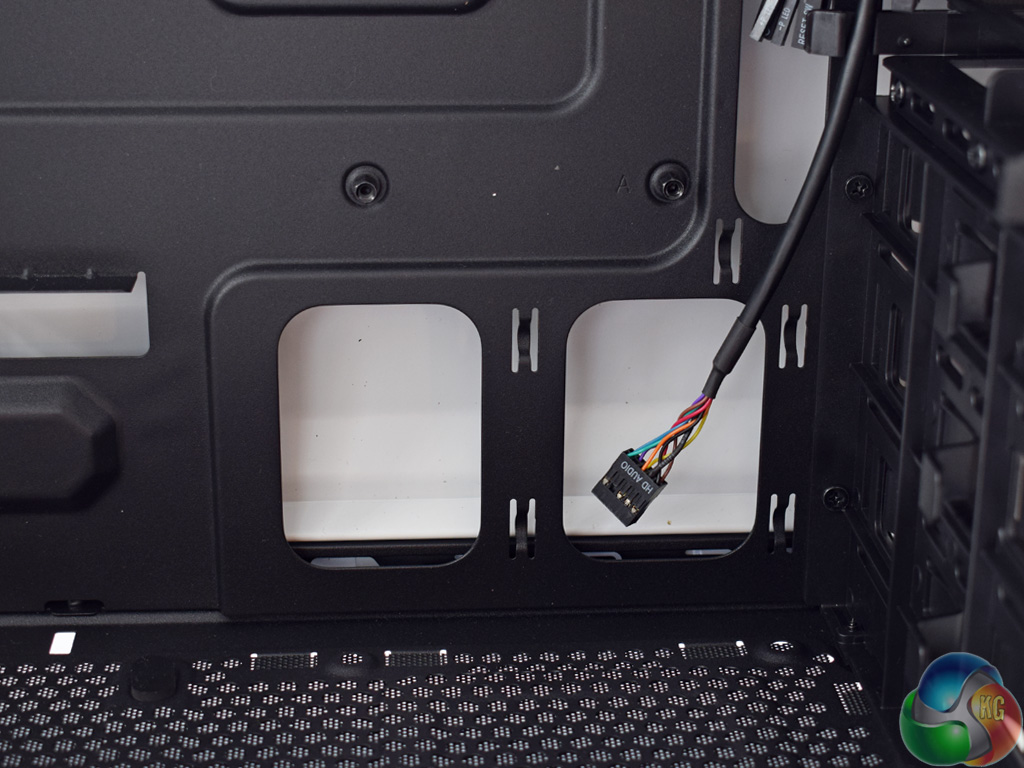
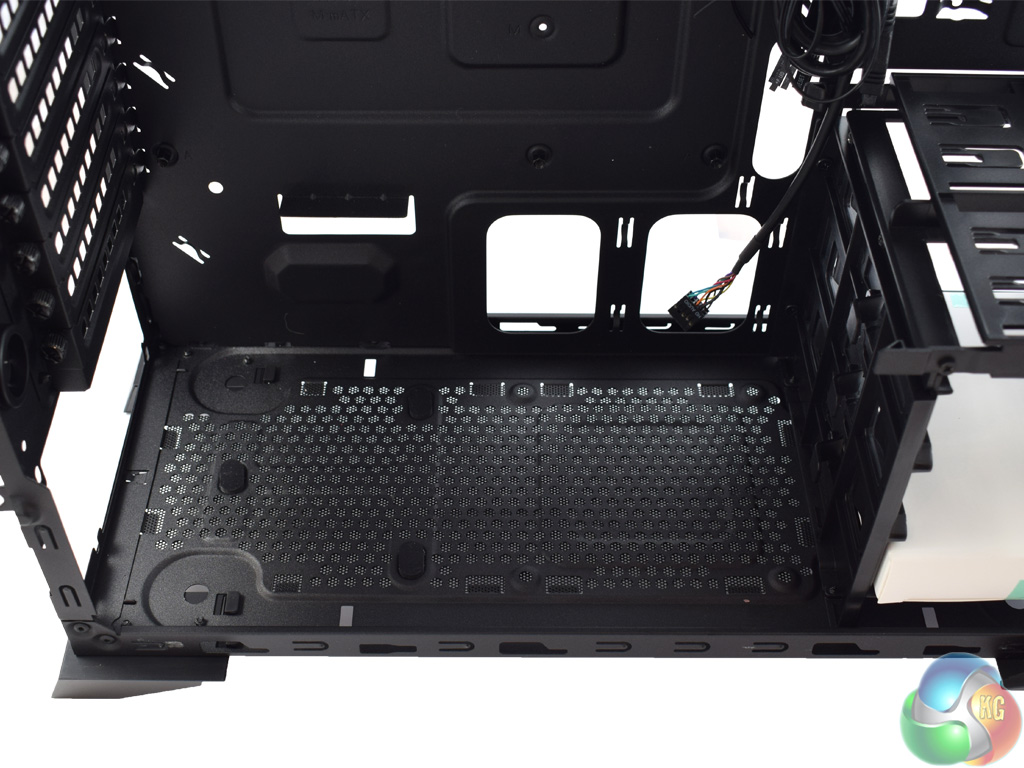
The SPEC-ALPHA features plenty of cable management cut-outs, too, along the bottom and sides of the motherboard tray. Later in the review we assess the practicality of building in this case, so hopefully these cut-outs will help.
The bottom of the case also includes a large dust filter, although it is not mounted using a rails-and-sliders system – which makes it harder to remove. Still, any filtering is better than no filtering, particularly if you want to mount your power supply fan-side down.
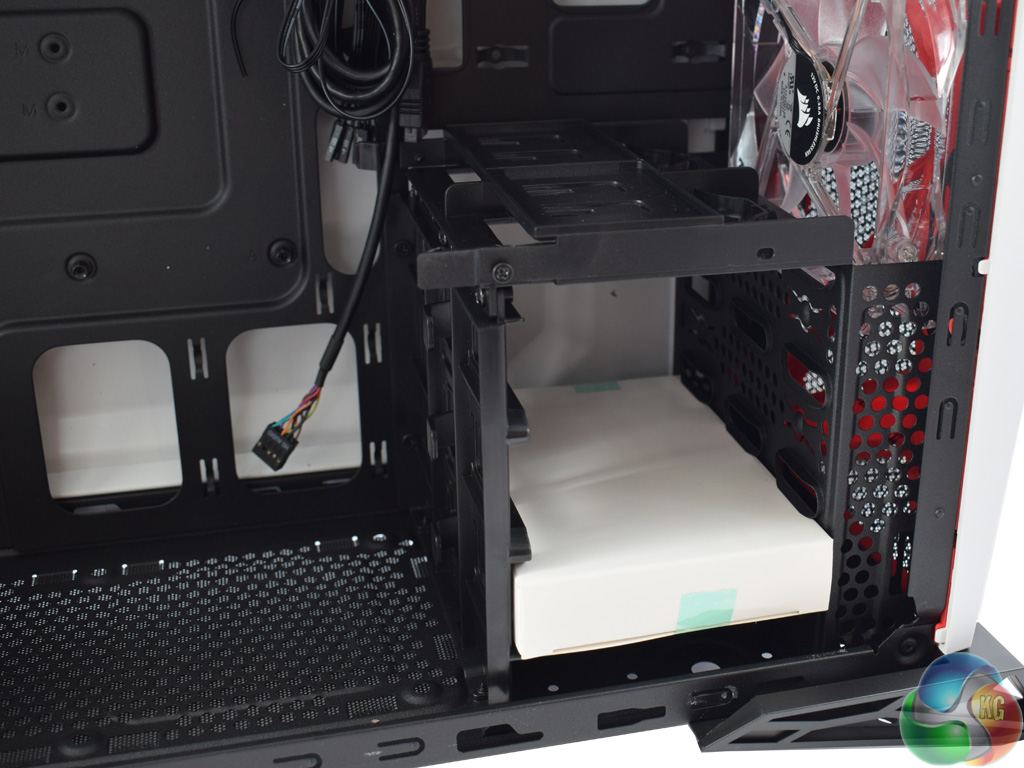
Cleverly positioned below the two front intake fans is a 3-bay drive cage. I say this is clever as it simply means air will blow over the cage, rather than through it – with the latter obviously restricting airflow, which is not ideal.
The drive cage itself features an entirely tool-free installation method – simply slide in your drive and it will lock into place. Also noteworthy is that the top of the drive cage features two smaller caddies for 2.5in drives.
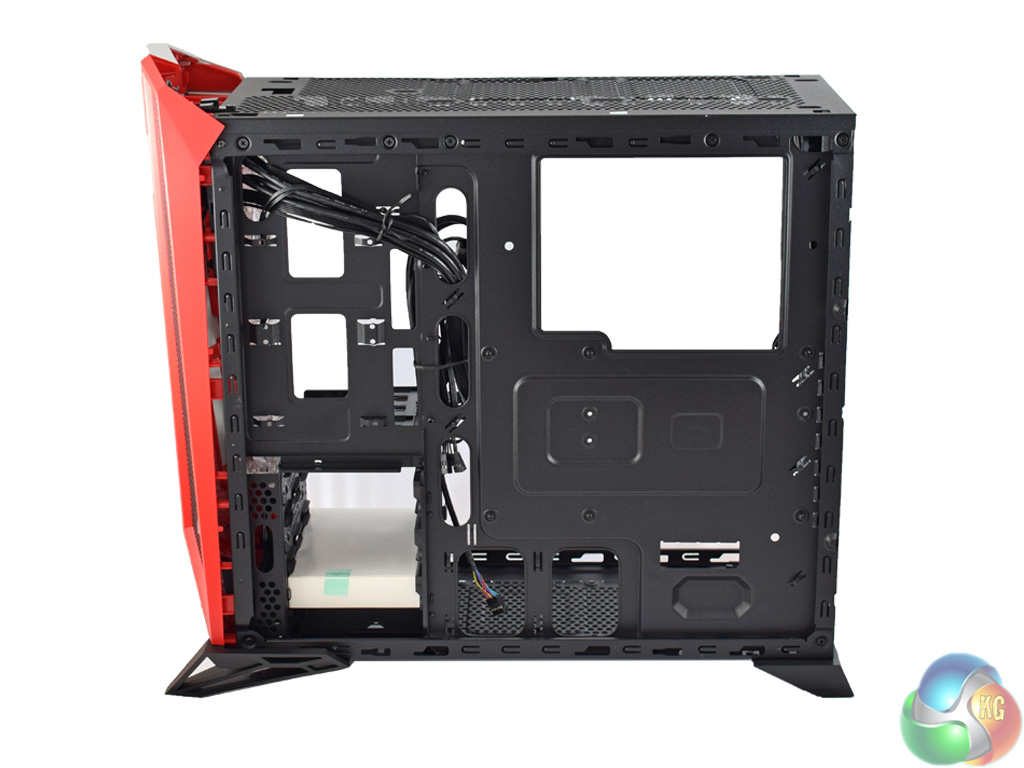
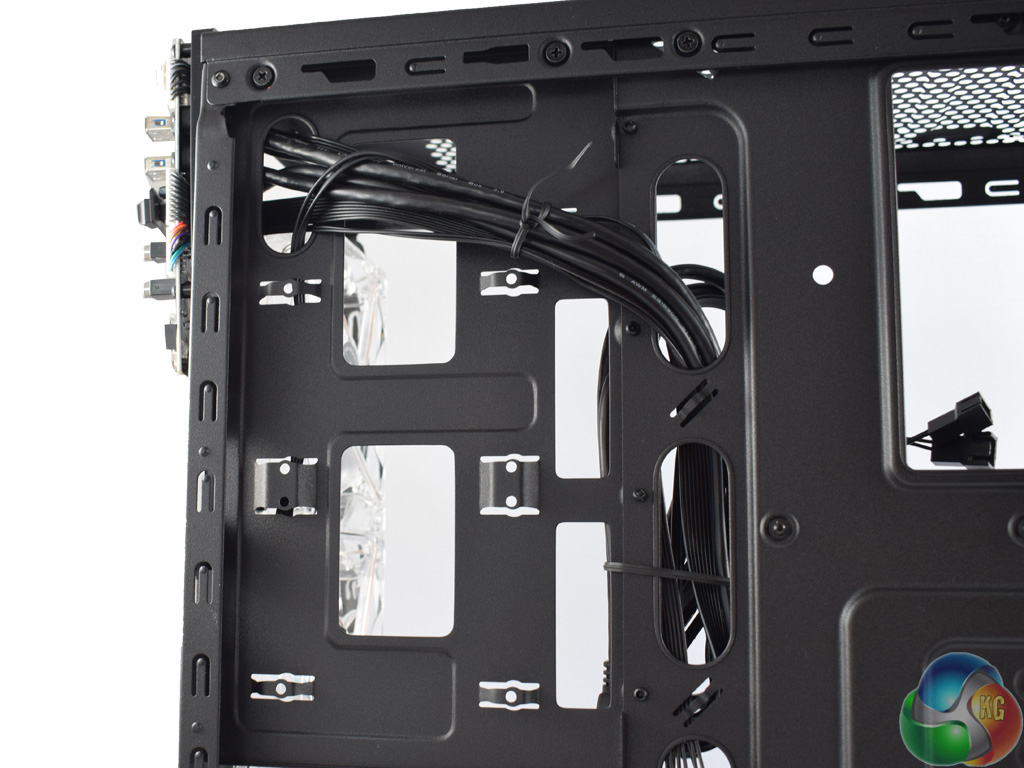
Lastly, we take a look behind the motherboard tray.
Here, it is good to see a large cut-out behind the CPU socket. This allows easy access to your CPU cooler's backplate, meaning you can swap out the cooler without removing the motherboard should you wish.
The image on the right also shows two horizontal 2.5in drive mounts positioned to the left of the motherboard tray. 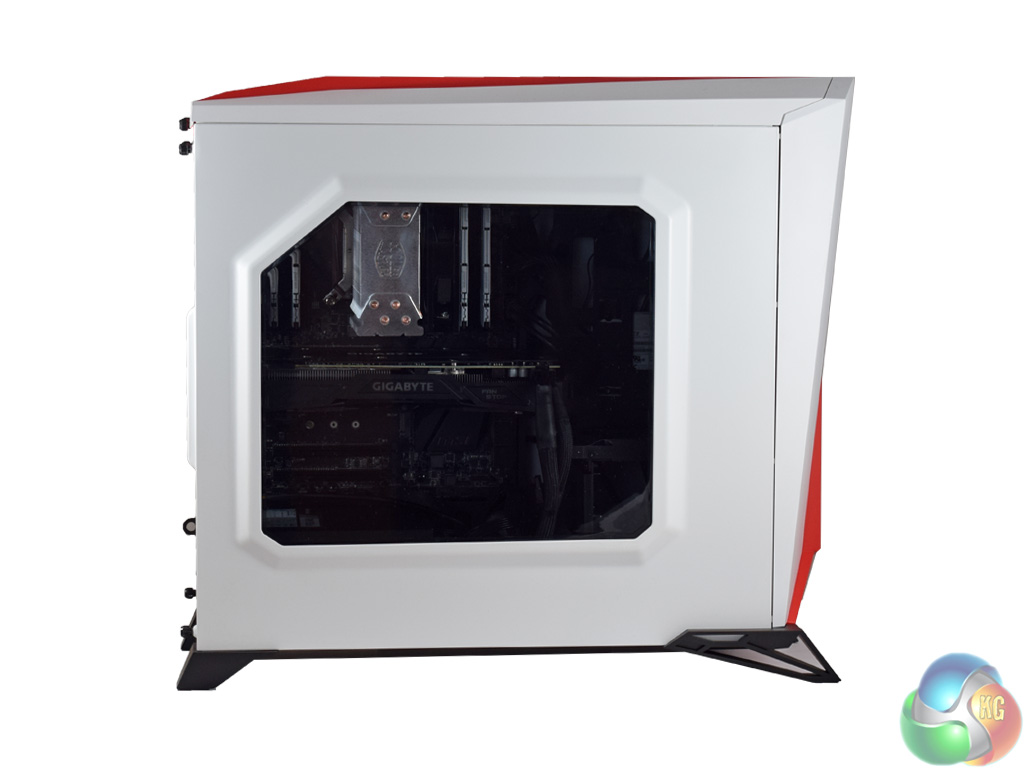
On this page we present images of the system we installed in the SPEC-ALPHA, as well as a discussion of the pros and cons of building in the chassis.
First, you can see the windowed side panel is tinted. An LED would strip would go a long way to illuminate the innards of the system – but the front LED fans do an admirable job by themselves.
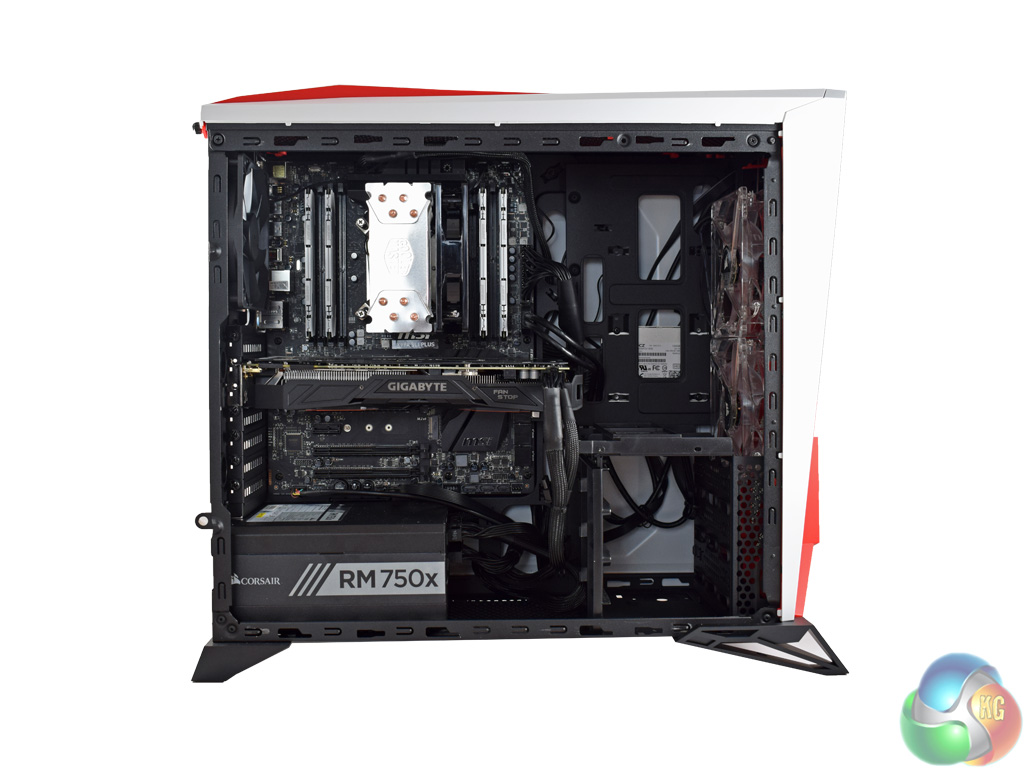
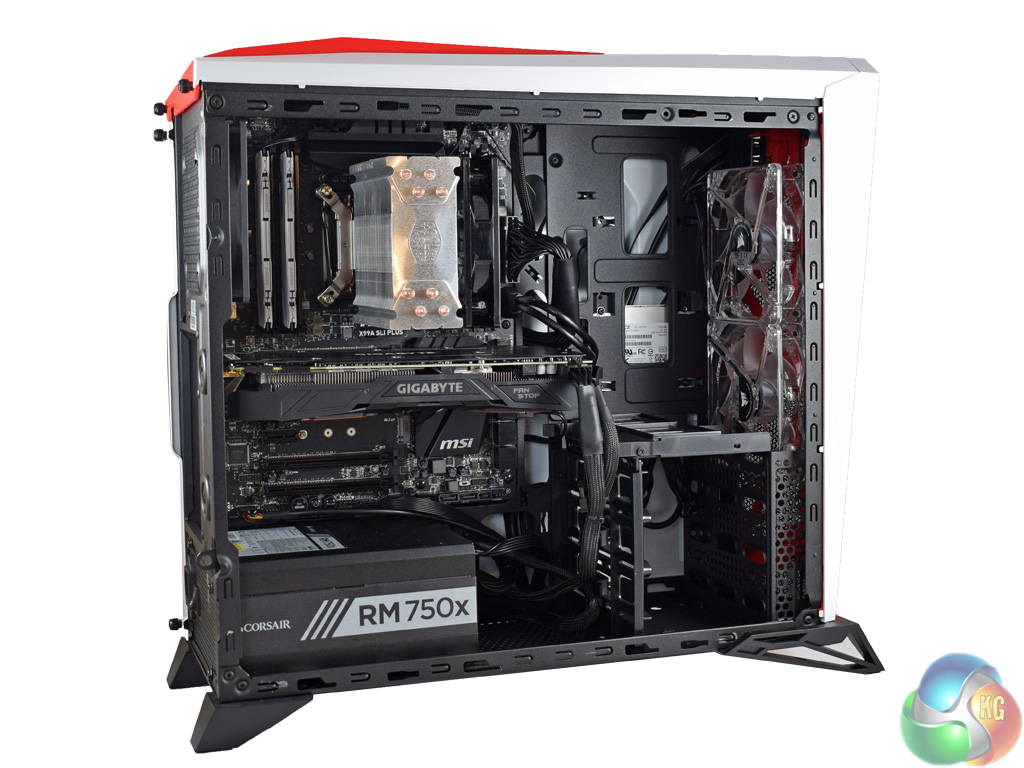
Above, we get our first look at the fully-built system with the side panel removed.
I must admit, I was not overly happy with how it turned out – and I will explore why this is below. For now, it is clear that the build is quite messy. I found cable management quite tough, resulting in visible cables and cable bulges.
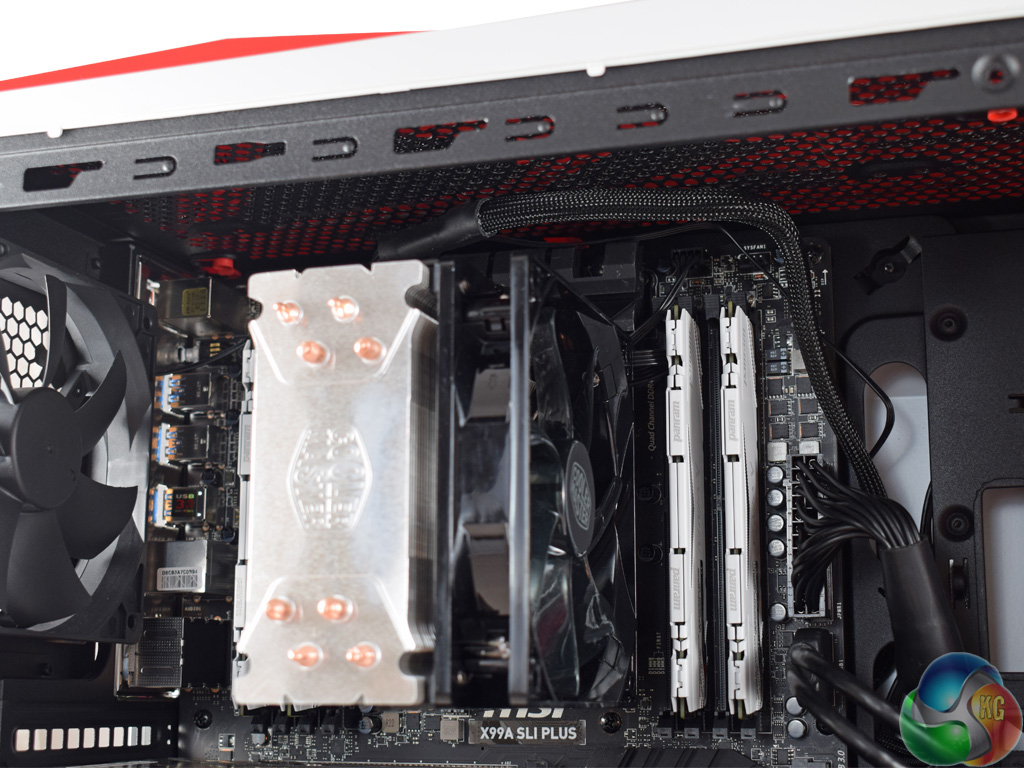
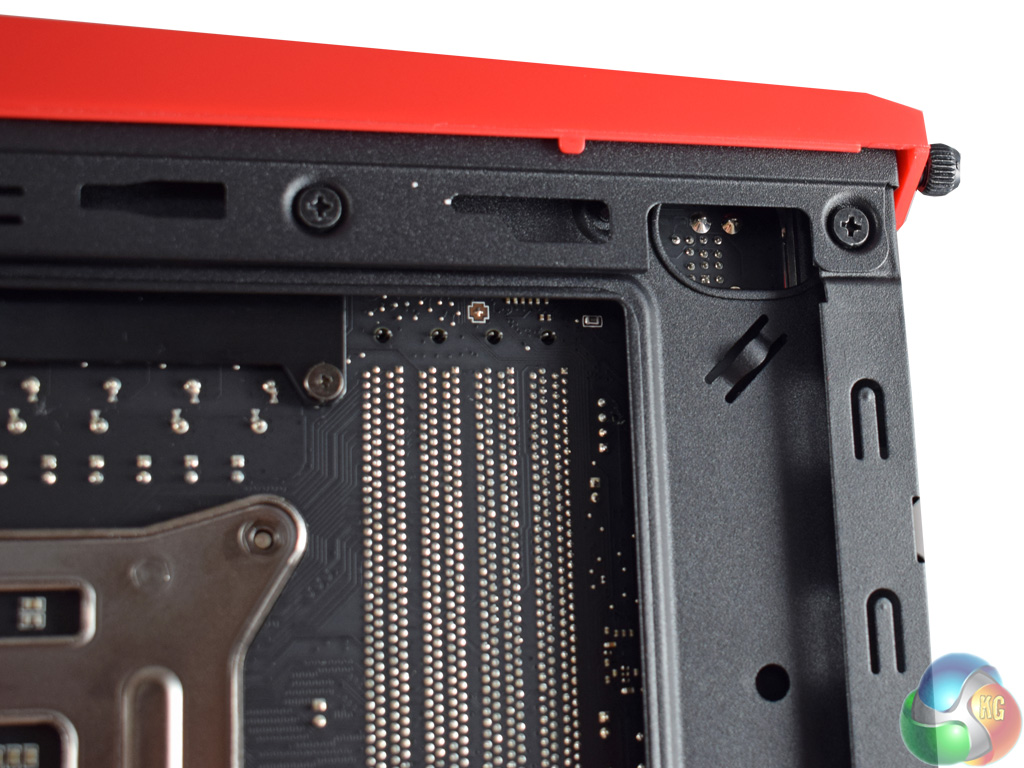
The first reason for this is the complete lack of cut-outs at the top of the case. This meant I had to route the 8-pin EPS connector across the top of the motherboard, which never looks good. The rear fan cable, too, had to come across the motherboard.
To be fair to Corsair, there is one cut-out at the top of the motherboard tray, in the far corner (as pictured). However, as you can see in the image above, it is completely covered by an ATX motherboard. I tried pre-routing the power cable, but the motherboard would not fit with it passed through the cut-out. This is quite disappointing as we would expect better from a £80 case.
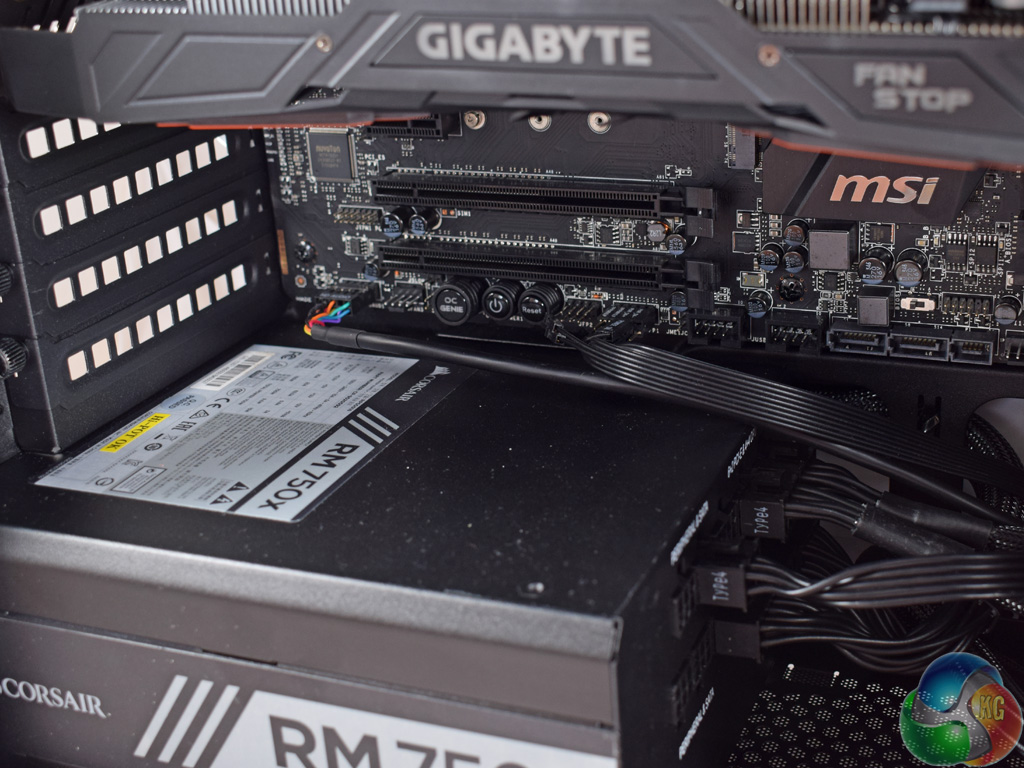
The same can be said at the bottom of the chassis. With the power supply installed, the cut-out for the front-panel connectors is completely obscured – so I had to route these across the motherboard as well.
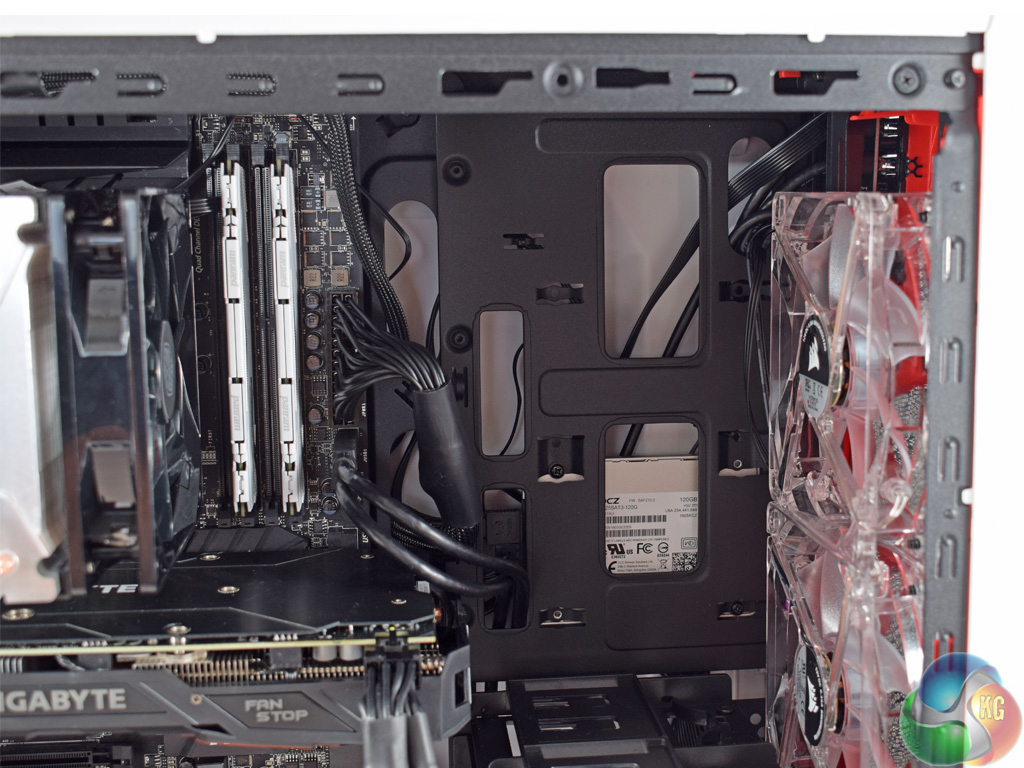
That being said, one of the case's problems elsewhere is actually too many cut-outs. As you can see above, the section of the case next to the front fans sports a number of cut-outs. However, this means you get a direct view of the backside of any 2.5in drive you choose to install there, as well as any cabling routed behind the motherboard.
I would have preferred to see a solid panel, keeping only the two cut-outs directly next to the motherboard to use for the 24-pin and USB 3.0 cables.
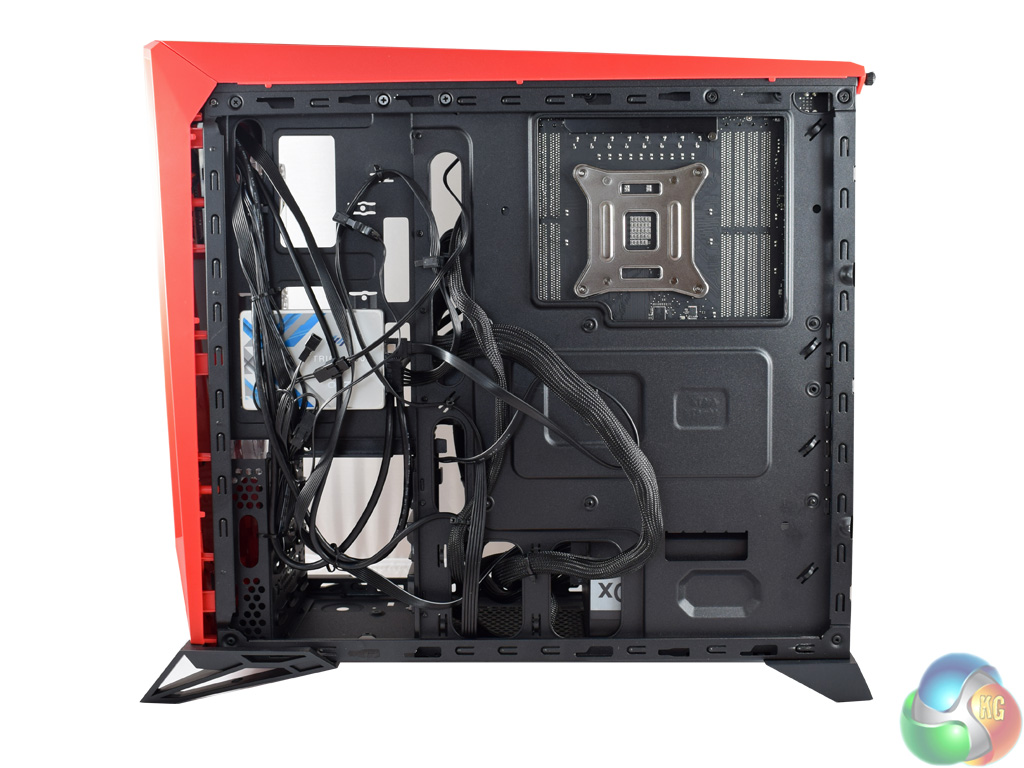
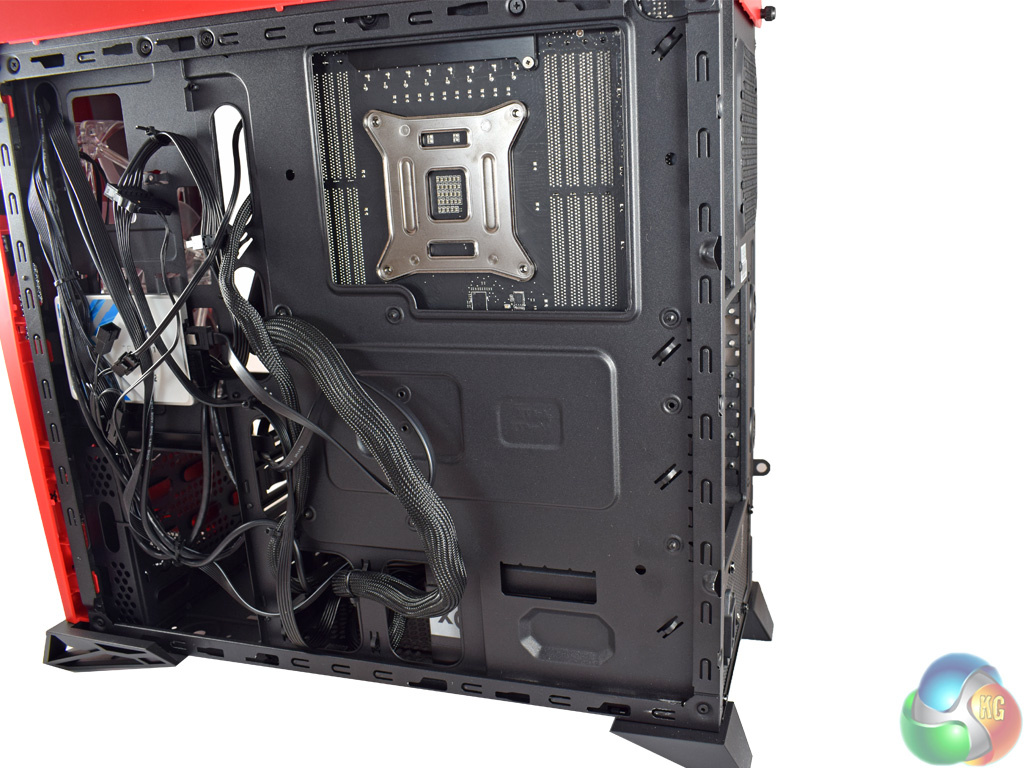
Turning to the other side of the case, things are not much better.
Along the left-hand side (as we are looking at it in the images above) I was able to tie down the fan controller and front panel cables fairly easily. However, the bulky 24-pin cable would look terrible when viewed from the front if I routed it there.
I would have liked to tie it down across the motherboard tray, but there are no tie down points in the middle – only around the edges. This means the 24-pin cable sticks out somewhat. Fortunately, both side panels feature protruded sections as I mentioned previously – this allows the panels to still slide on with relative ease as there is space for excess cabling.Testing a case consists of finding out how the chassis deals with heat generated by the installed components, and how much noise it produces while doing so.
To create excess heat, I ran Prime95 26.6 and 3DMark Fire Strike simultaneously to stress both the CPU and GPU. After 15 minutes, I recorded the maximum temperatures for each component to report here.
To test the Corsair Carbide SPEC-ALPHA, I installed the following components:
- Intel i7-5820K
- MSI X99A SLI Plus Motherboard
- 4x4GB Panram Ninja V 3000MHz DDR4 RAM
- Gigabyte G1 Gaming GTX 1070
- Cooler Master Hyper 212 LED CPU Cooler
- Corsair RM750x Power Supply
- OCZ Trion 150 SSD
Thermal dynamics
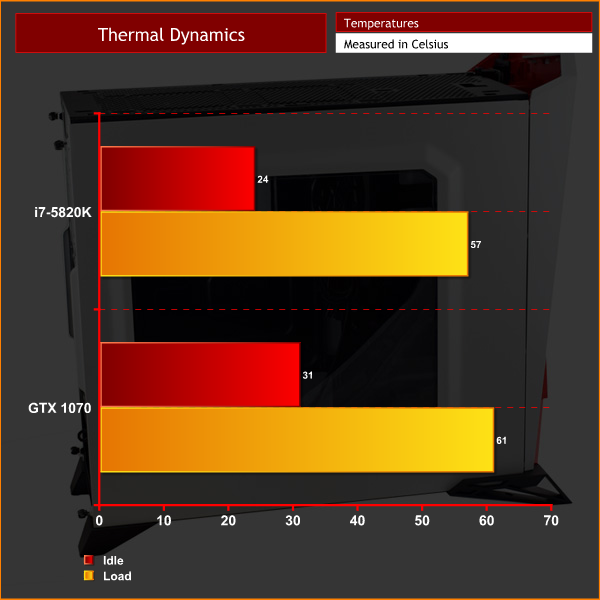
As the SPEC-ALPHA includes a fan-controller, I tested with the included fans connected to the controller. I set the controller to run at ‘medium' speed to give a balance of airflow and noise-levels which most users would be happy with.
As you can see, cooling performance is excellent. The two front intake fans provide great airflow to the CPU and GPU, while the rear fan exhausts hot air effectively. The mesh front panel must also help here, as airflow is less restricted than if a solid panel had been used.
Acoustics
Using the ‘medium' fan speed, the 3 case fans are audible, but barely. There is a gentle whirr coming from the case, but it is inoffensive enough to be drowned out by even quiet music. The ‘low' fan speed is effectively silent, but I would avoid the ‘high' setting unless you use a gaming headset, as it is particularly raucous – I would imagine it is running the fans at 100% which is never an ideal situation to be in.Aimed squarely at the modern gamer, the Corsair Carbide SPEC-ALPHA grabs your attention with its funky visuals.
That being said, I cannot help but feel Corsair are limiting themselves by going with such an aggressive design. If you like that sort of thing you will love this case, but it could well alienate those who prefer a more minimal approach.
The SPEC-ALPHA is not just about the visuals though, as there are a range of decent features across the chassis. For one, there is an integrated fan controller – something that is fairly uncommon at this price point.
Speaking of fans, the 3x 120mm fans installed out-of-the-box provide excellent cooling. This situation is also helped by the mesh panels at the front of the case – airflow is much less restricted than it would be if a solid panel had been used, for instance.
That being said, building in the case is tricky. There are not enough cut-outs for the front panel and CPU power cables, while there are too many cut-outs to the right of the motherboard – all of which results in a messy build with cables being too visible for my liking.
That does hold back the Corsair Carbide SPEC-ALPHA, but it could still be an option if you love the aggressive styling – particularly given the impressive out-of-the-box cooling performance.

You can pick one up for £79.99 inc. VAT from Overclockers UK HERE.
Discuss on our Facebook page, over HERE.
Pros
- Funky visuals.
- Great cooling out-of-the-box.
- Fan controller.
- LED intake fans.
Cons
- We had to route the CPU power connector across the motherboard.
- No tie-down points in the middle of the motherboard tray.
- Aggressive styling may not be for everyone.
KitGuru says: If you love the angular design, the Corsair Carbide SPEC-ALPHA offers great cooling out-of-the-box. However, it is quite tricky to build in – more thought is needed in that area from Corsair.


Fugly
nice housing
£80 for this?
Poor cable management, weak cooling options, angular with red accents (ie the standard “gamer” aesthetic, a marmite design to say the least) .
For ~£15 less you can have the NZXT Source 340, which offers a simpler, cleaner look with far better cable routing. If you want a Corsair equivalent, the carbide 270R comes in at the same price as the nzxt option, with similar cable management, a similar look, and even better cooling options, for multiple rad water loops.
Or for £75 is the king of this price range – the Fractal Define S. Excellent cable management, solid build quality, and room for up to a 420mm rad on top (or a 360 if going x120), up to 360mm on the front, a 120mm on the bottom and a 120 or 140mm on the rear.
Not sure what corsair are thinking with this tower, they lose to one of their cheaper cases for functionality (the carbide 270r) and gets demolished at the price point by the define S.
Google is paying 97$ per hour! Work for few hours and have longer with friends & family! !mj199d:
On tuesday I got a great new Land Rover Range Rover from having earned $8752 this last four weeks.. Its the most-financialy rewarding I’ve had.. It sounds unbelievable but you wont forgive yourself if you don’t check it
!mj199d:
➽➽
➽➽;➽➽ http://GoogleFinancialJobsCash199HomeVideoGetPay$97Hour… ★★✫★★✫★★✫★★✫★★✫★★✫★★✫★★✫★★✫★★✫★★✫★★✫★★✫★★✫★★✫★★✫★★✫★★::::::!mj199d:….,….
what would you recommend around those prices for someone who ‘d like to have the possibility to mount at least three 3.5″ mechanical drives without sacrificing quality-usability-neatness
http://www.fractal-design.com/home/product/cases/define-series/define-s
The define S, fits 3x 3.5″ and 2x 2.5, can fit multiple radiators too (should you aio cool your cpu and have a hybrid cooler for your card, along with solid cable management. For me it’s the best case in its price point.
where i stay its price at the moment is more than £85 ( >100 euros ) and that’s a bit over the price range i have in mind.
besides this i am skeptical about the way the drives are mounted. is that convenient ? isn’t a problem that ssd’s are behind the mobo ?
what about CD/DVD drives? Where is the slot for them outside?
there isn’t one