 KitGuru KitGuru.net – Tech News | Hardware News | Hardware Reviews | IOS | Mobile | Gaming | Graphics Cards


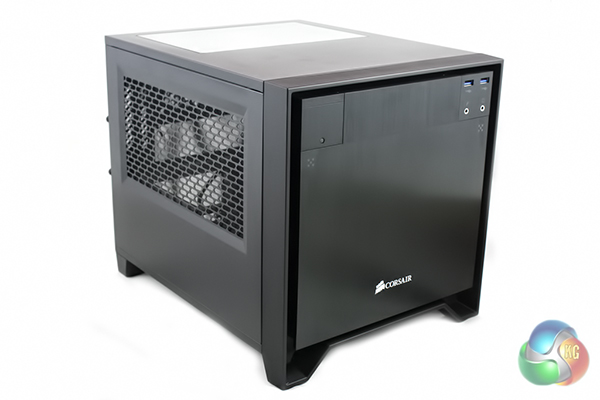
Today we are going to take a look at the latest case in Corsair’s Obsidian line up, the 250D. This appears to have been designed specifically for those who are looking to build a compact gaming system – therefore putting it in direct competition with the Bitfenix Prodigy.
The Bitfenix Prodigy has become a very popular case amongst the enthusiast audience looking to build a compact gaming PC that is easily transportable to LAN parties and events. Other case manufacturers have recognised this and have designed competing models in response.
Corsair have been producing quality chassis for a few years now and have developed a substantial range in this time. We have been very impressed with their cases we have tested in recent months, so we are interested to see what their first mini-ITX case has to offer.
Features
- Aluminum front fascia and thick steel construction.
- Overall dimensions 290mm (H) x 277mm (W) x 351mm (D)
- Top window for component visibility.
- Thumbscrew backplate removal for PSU and hard drive access.
- Easily removed dust filters on all intakes.
- Simultaneously fit two 3.5″/2.5″ drives, two 2.5″ drives, one 5.25″ drive, a full sized PSU, a 290mm long GPU, and a 240mm radiator.
- Front panel USB 3.0, headphone and mic ports, and power and reset buttons.
- Innovative three panel removal for sides and top panel, with thumbscrews.
- Front fan 200mm, 140mm, or 120mm compatible (AF140L 140mm included)
- Side fans dual 120mm compatible (AF120L 120mm included)
- Rear fans dual 80mm compatible
- Tons of cable routing tie downs for easy cable maintenance.
- Tool free installation of all drives.
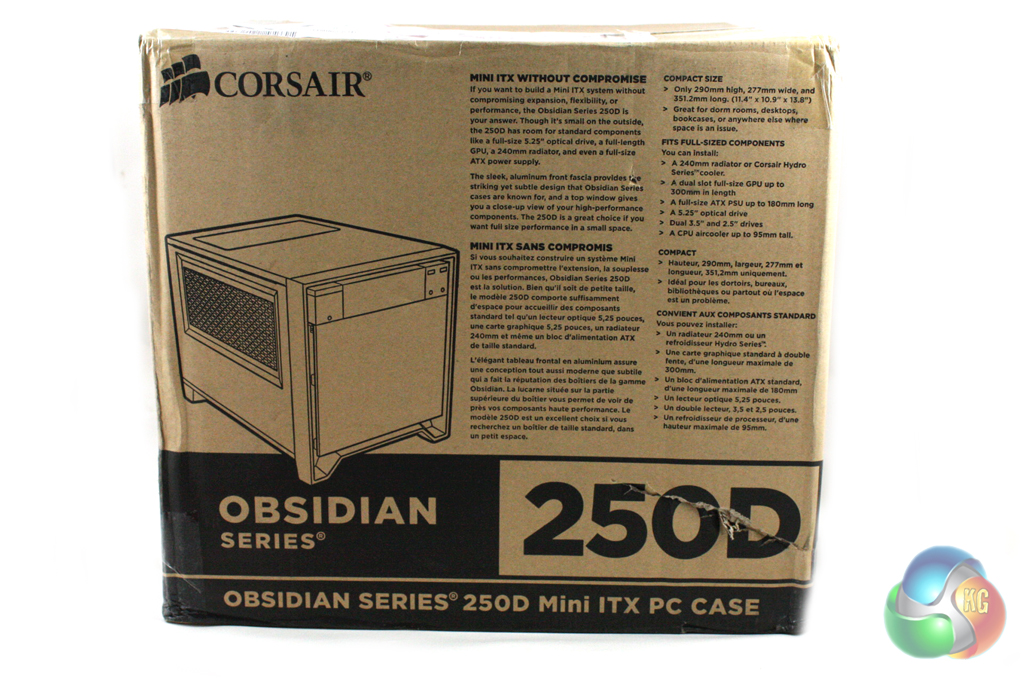
The Corsair Obsidian 250D is supplied in a compact box, which reflects the comparative size of the case within. The front of the box features a fairly large image of the case alongside a list of its features.
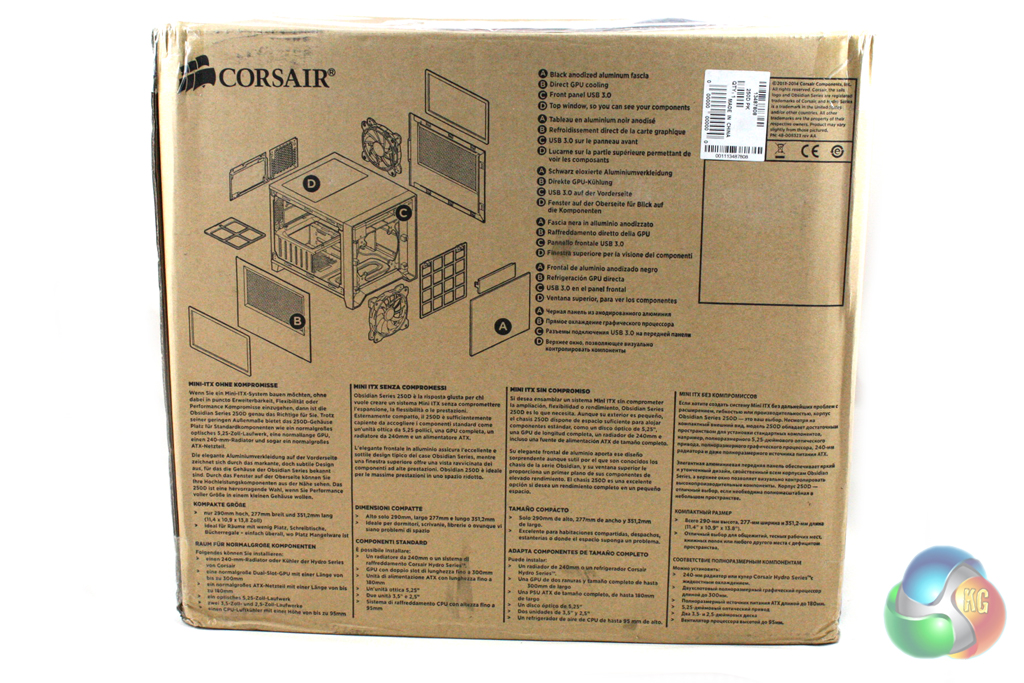
Turning the box around reveals an exploded view of the case which is used to describe the features in more detail. The box feels very good quality and should, in conjunction with the internal packaging, protect the case from negligent couriers.
Inside the box, the accessories for installation are supplied in a small cardboard box which is wedged into one of the drive bays to keep it secure during transit. Corsair also supply a detailed installation manual to guide us through the process.
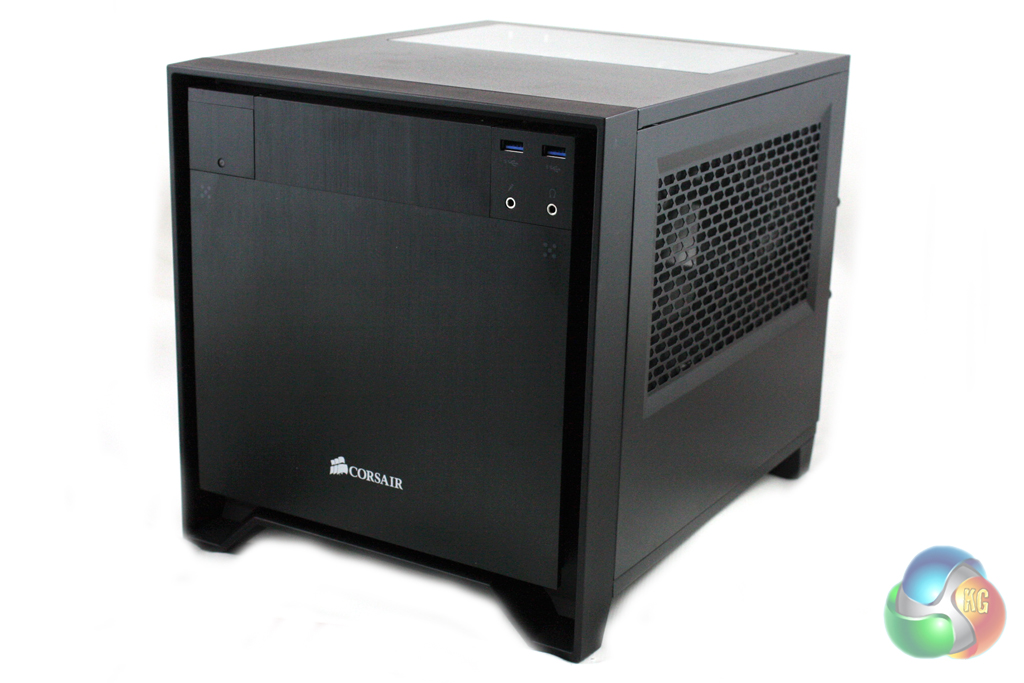
The aesthetic design of the Corsair 250D is very similar to other cases in the Obsidian series, combining a brushed aluminium effect front panel with a sturdy steel chassis. This makes for an understated design that wouldn’t look out of place in any environment.
This is one area in which the Obsidian 250D differs greatly from the Bitfenix Prodigy, which has a much flashier design and is available in a multitude of colours.
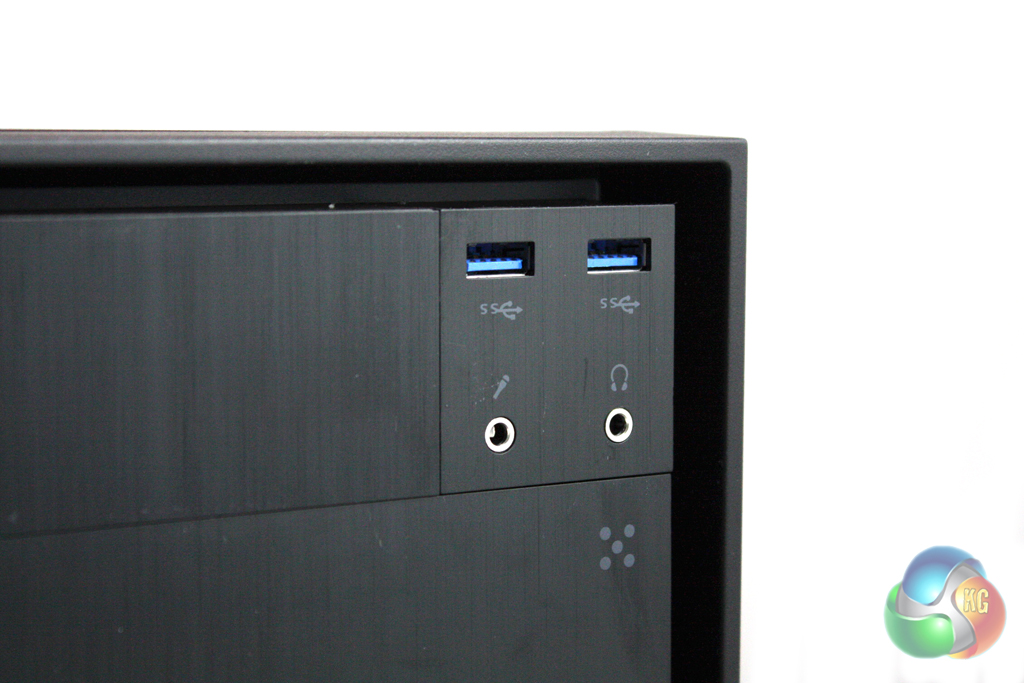
The front panel of the case features a single 5.25” expansion bay, located between the power button on the left and the front panel connections on the right. These connections consist of two USB 3.0 ports and headphone and microphone jacks.
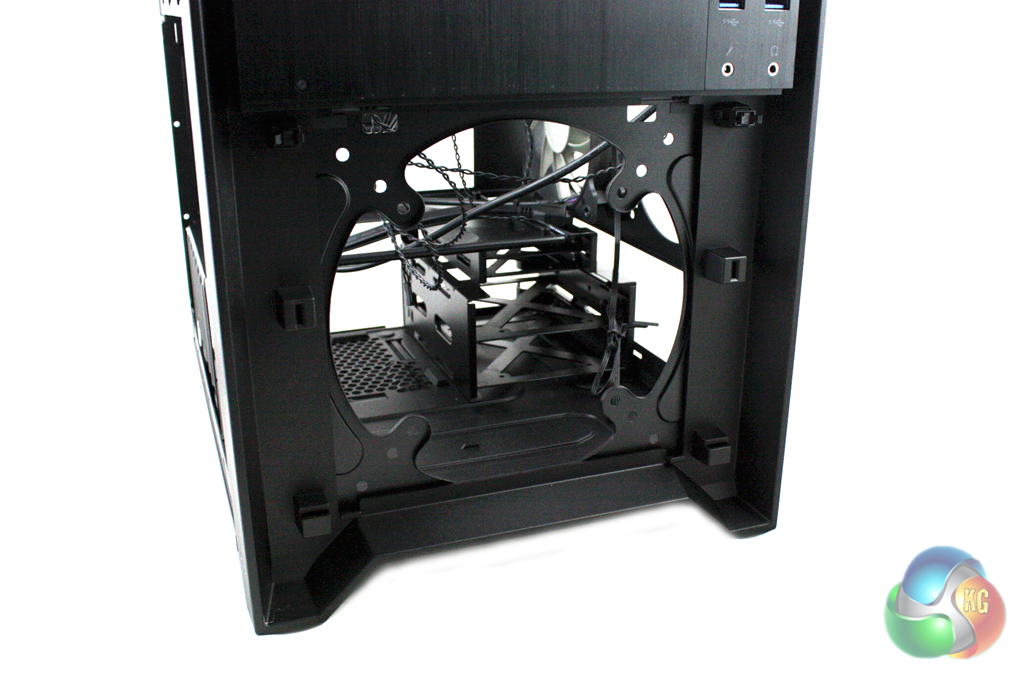
Removing the pop-out cover that is located in the front of the case reveals mounting points for either a 120mm, 140mm or 200mm fan in this location. While this panel doesn’t feature a fan vent, there are gaps around the edge which allow air flow to the fan. Corsair include a 140mm fan here with the case, although we removed this in our tests to fit a Corsair H75 water cooling unit in this location.
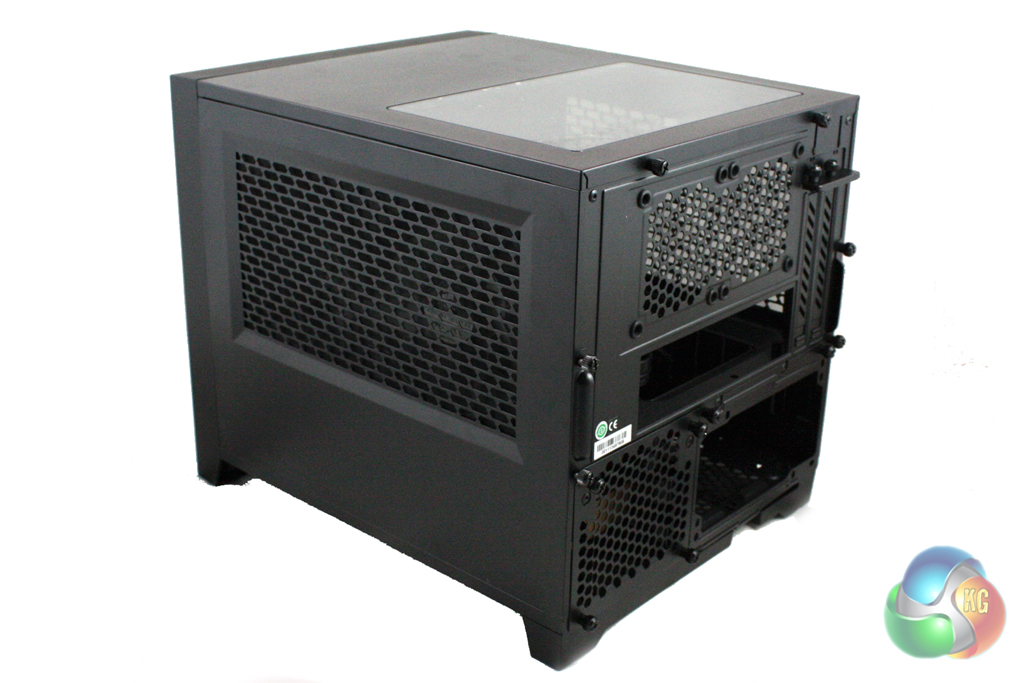
Both the left and right side panels of the case feature large vents to provide airflow to the inside of the case. The vent in the left side panel is designed to provide airflow for your graphics card, while the right side panel covers two 120mm fan locations, which could be used to fit a 240mm radiator. We only had the Corsair H105 available to try in this location at the time of testing, but unfortunately it was too thick. We understand that there is room for a Corsair H100i in this location, though.
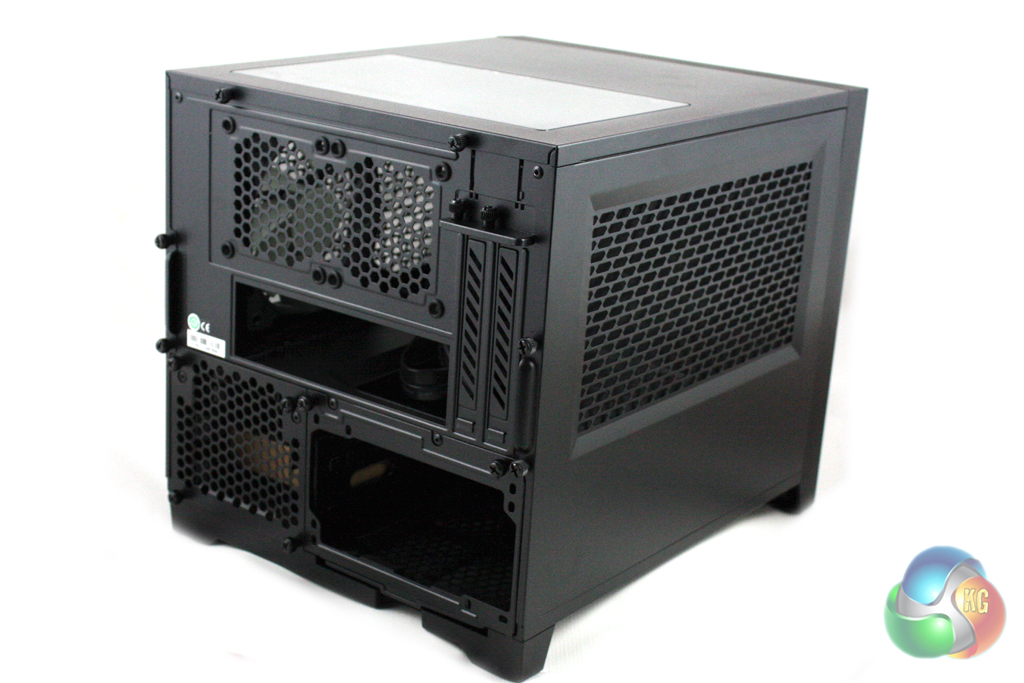
There is a large acrylic window in the roof of the case which gives us a top-down view of the motherboard within.
Moving round to the rear of the case, we can see that the Obsidian 250D has an unconventional internal layout, with the motherboard being orientated horizontally in the case, above the power supply. There is space for two 80mm exhaust fans in the rear too.
Accessing the inside of the Corsair Obsidian 250D requires us to remove both the left and right side panels as well as the roof of the case. The inside of the case is painted entirely in black, which will complement most component choices nicely.
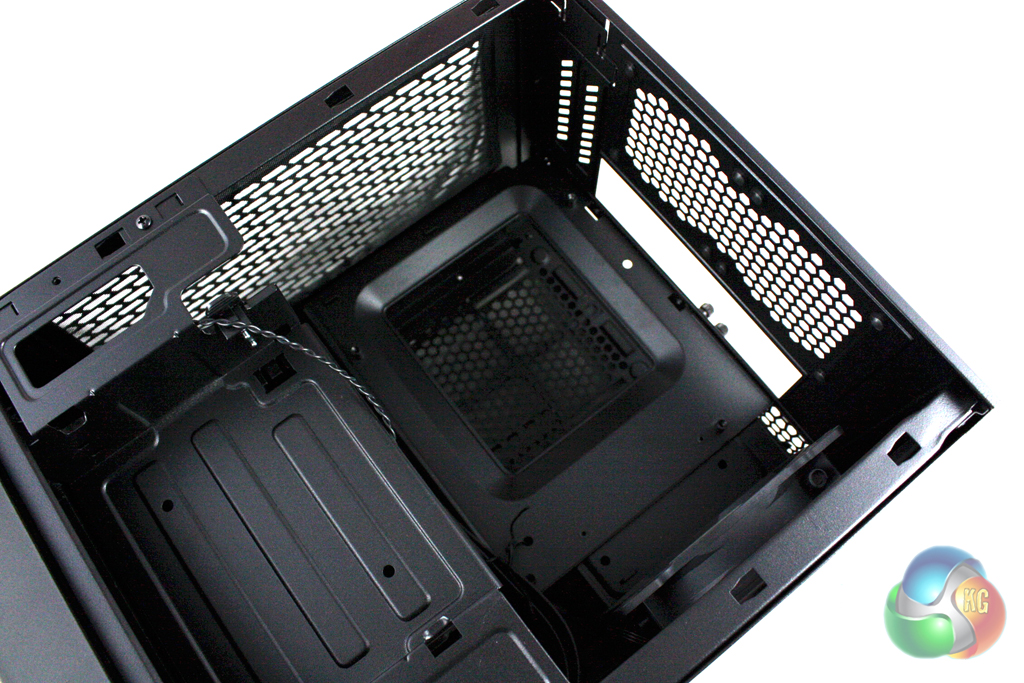
The internal layout of the Obsidian 250D is arguably more practical than that of the Bitfenix Prodigy. It allows for the installation of longer power supplies and, although there aren’t as many, the drive bays are more conveniently located.
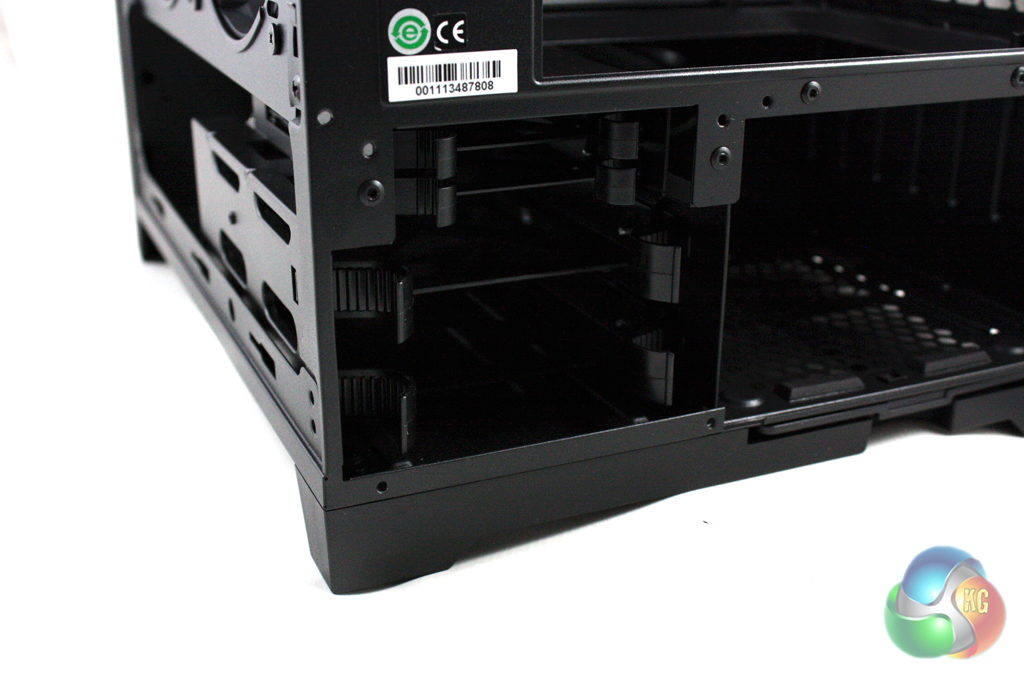
There are four drive bays in total, two which support 3.5” units and two which support 2.5” units. These should fulfill the storage needs of the vast majority of users, apart perhaps for those who are looking to build a home server.
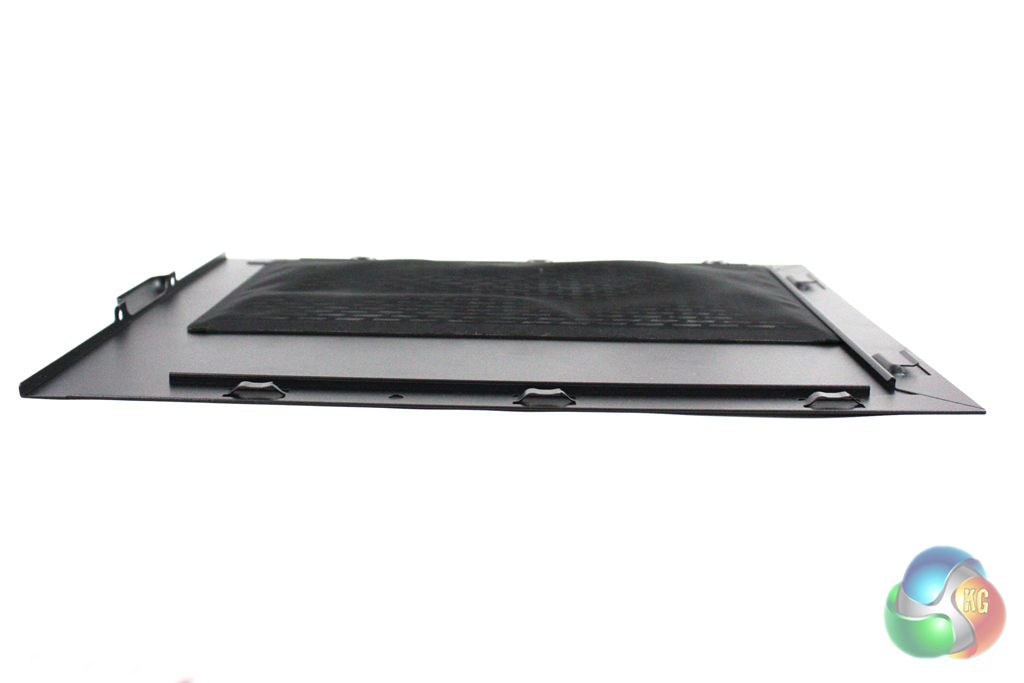
The side panels of the system feature magnetic dust filters which can be removed extremely easy for cleaning. Unfortunately, these aren’t completely flat and we found that one of them actually interfered with the fan blades in our test system, forcing us to remove it altogether.
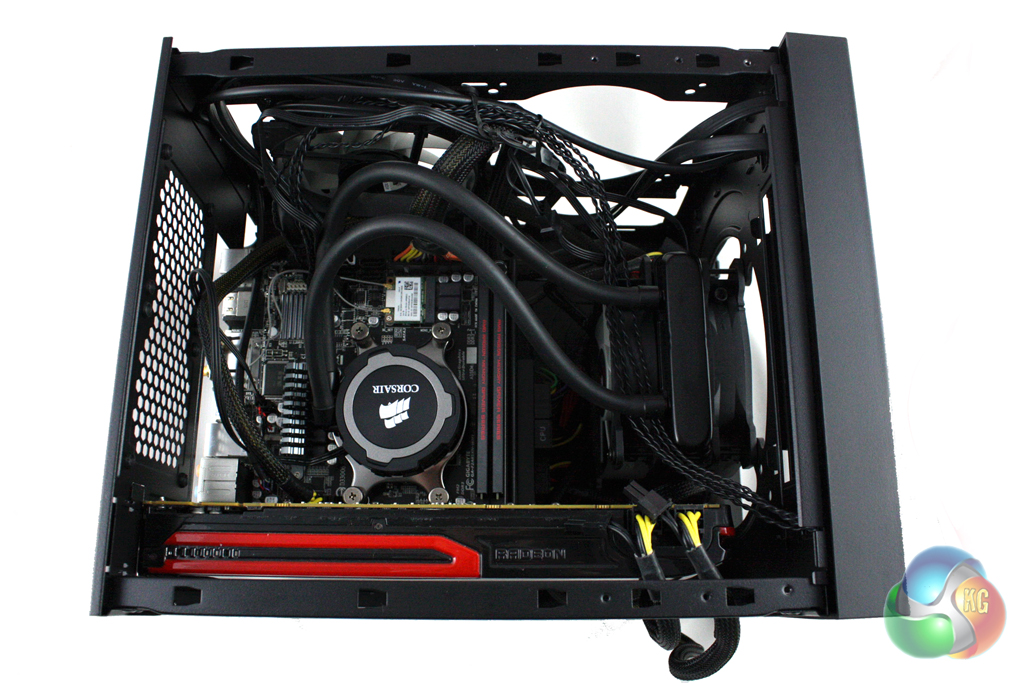
Installing a system into the Corsair Obsidian 250D is a little more challenging than a conventional case, particularly when it comes to cable routing.
We would recommend that you consider where you’re going to route all of the cables before installing any of the components, as it will save you time in the long run.
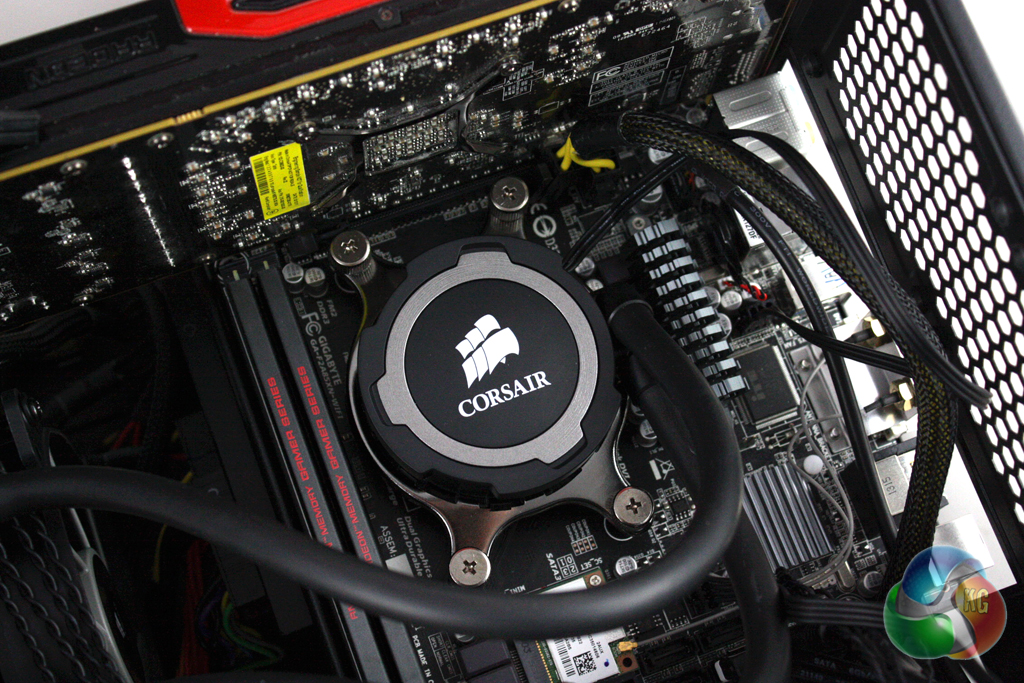
First of all, we installed the motherboard into the case, along with our Corsair H75 water cooling unit. As the Corsair H75 makes use of a push-pull fan configuration, it is too thick to install in the side of the case. Consequently, we were forced to install it in the front of the system. We chose to direct its fans so that the cooler exhausts out of the front of the system, and reconfigured the side fan to suck cool air into the system.
Installing a power supply into the case is a fairly simple process. First we must attach a bracket to the power supply and slide it into the back of the case. Then the cables can be routed into position throughout the case.
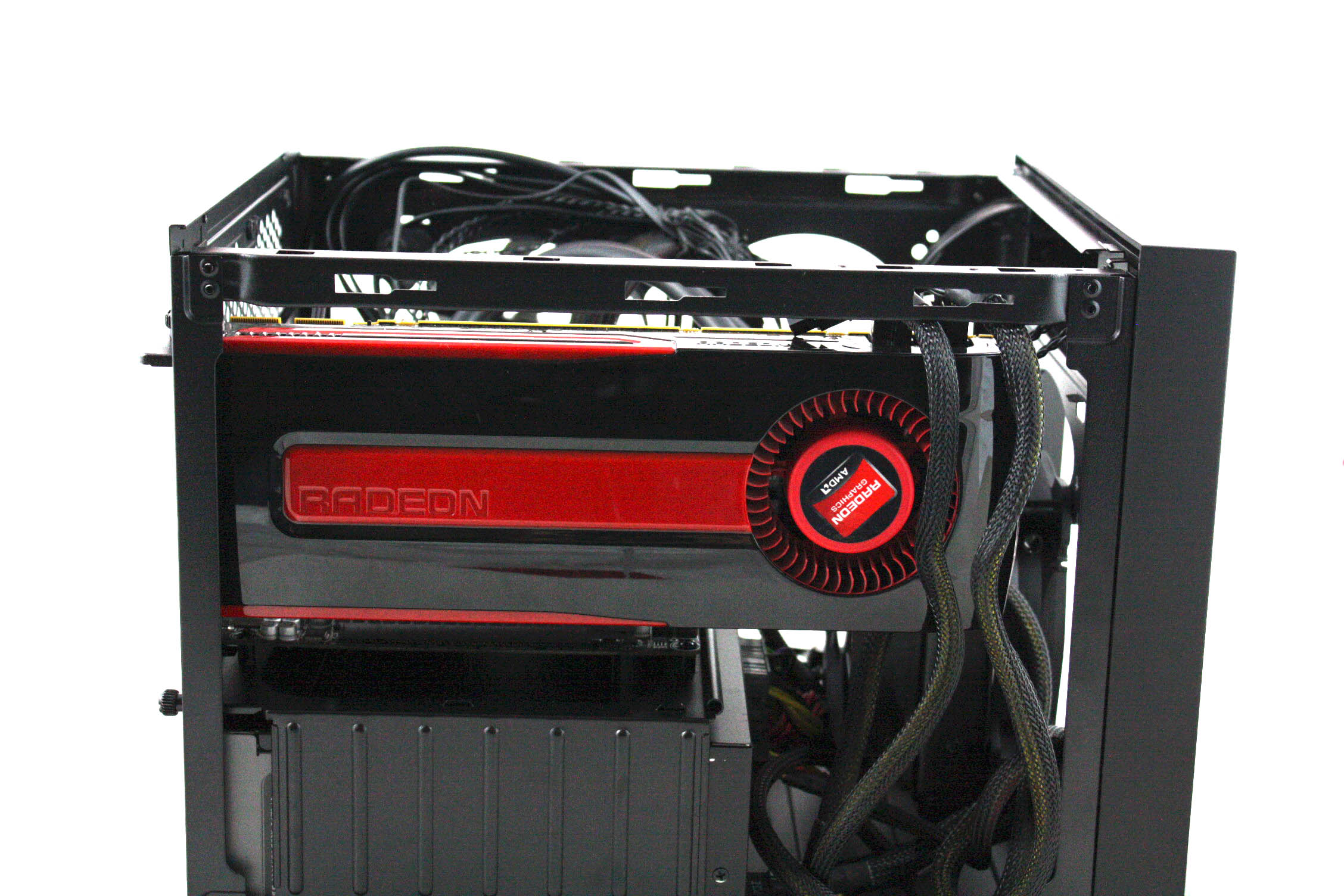
Finally, we installed the graphics card in the system which is fairly simple, requiring two thumbscrews only.
For our tests we will be using a Corsair Hydro H75 to cool the AMD A10-6790K APU in the Corsair Obsidian 250D. Our test system also features an AMD Radeon HD 7950 graphics card.
We manually overclocked the AMD A10-6790K to 4.6 GHz by increasing the multiplier to 45x, leaving the baseclock set at 100 MHz. The voltage was increased to 1.425V to achieve this frequency.
Test System:
- Processor: AMD Vision A10-5790K
- Motherboard: Gigabyte F2A85XN-WiFi
- Cooler: Corsair Hydro H75
- Thermal Paste: Arctic Cooling MX-2.
- Memory: 8 GB AMD Radeon 2133 MHz
- Graphics Card: AMD Radeon HD 7950.
- Power Supply: Seasonic Platinum 1000W
- System Drive: Intel SSD 330 Series 120 GB
- Monitor: Viewsonic VX2260WM.
Software:
- Microsoft Windows 7 Home Premium (64-bit).
- CPUID Hardware Monitor.
- Prime95 64-bit.
- Furmark V1.10.6
To test the thermal performance of the Corsiar Obsidian 250D we loaded our test system for 15 minutes using Prime95 and Furmark and recorded the maximum temperatures reached using CPUID Hardware Monitor. We then restarted the system and left it for 15 minutes before recording idle temperatures.
Room temperature was maintained at 20 degrees C for the duration of our tests.
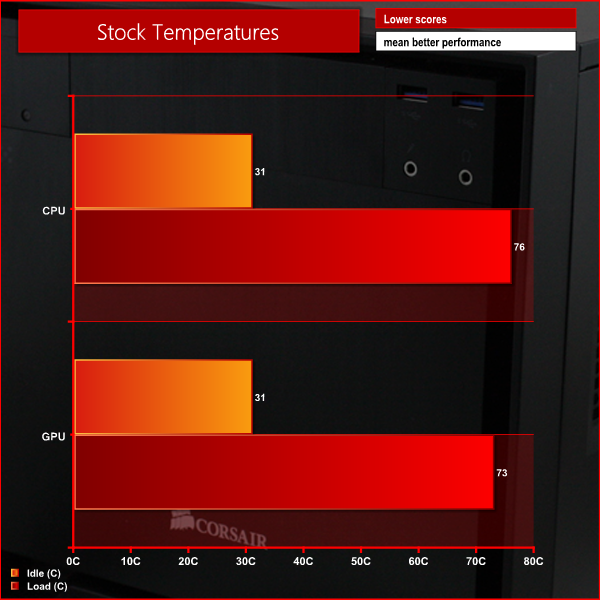
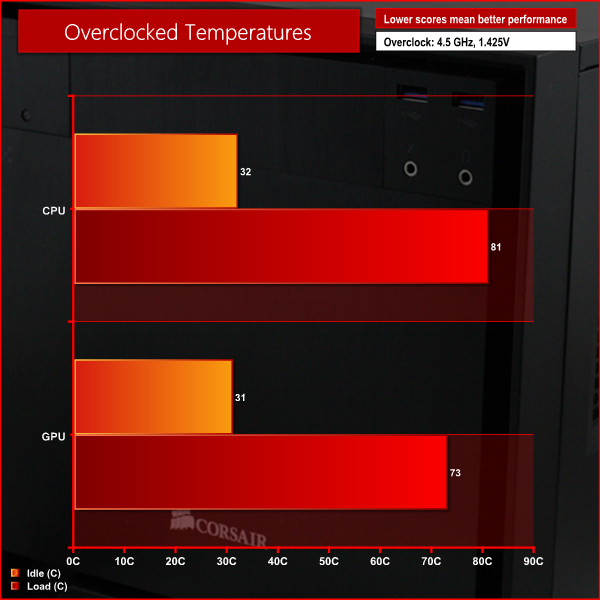
Overall we are very impressed with these temperatures, as they show that you can achieve a significant overclock in this case.
To conduct our noise level tests, we replaced the graphics card in our system with a AMD Radeon HD 5550 Silence which was passively cooled. We also momentarily disconnected the fans on the CPU cooler so we were only taking into account the noise generated by the fans in the case.
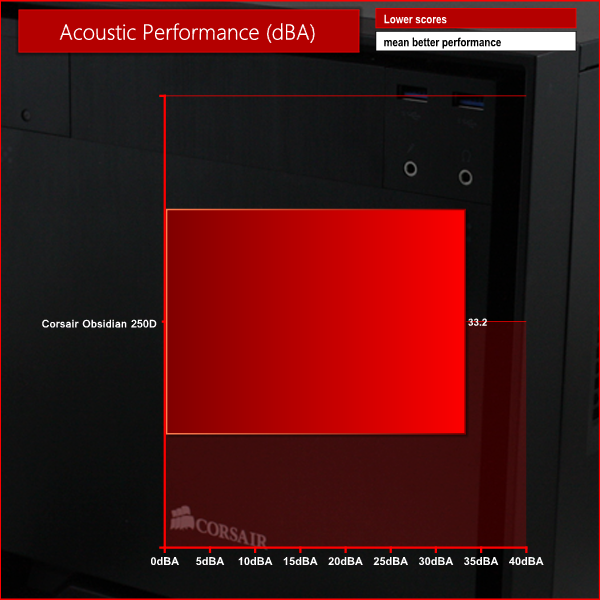
This graph shows that the Obsidian 250D remains fairly quiet, even when under load. This is particularly impressive for a case with so many air vents!
Overall we are very impressed with what the Corsair Obsidian 250D has to offer. Even though Corsair are clearly targeting a similar market to that served by the Bitfenix Prodigy, the two cases are very different. The Obsidian 250D is a much more subdued design than the Prodigy, which is likely to make it appeal to a different type of enthusiast user.
The functional design of the case is also very effective. The internal layout has been very well thought out, meaning it is easy to build a formidable gaming system into this case. There is space for a long graphics card, as well as room for a large power supply and a Corsair H100i CPU cooler. This gives you the potential to build a very powerful system inside.
The Corsair Obsidian 250D performed very well in our tests, achieving both impressive temperature and acoustic performance. We expect that you would be able to achieve even more impressive temperatures and acoustics with a Corsair H100i installed in the system.
We only noted two significant negative points when testing the chassis. Firstly, there is only room for two 3.5″ drives and two 2.5″ drives. While this will be enough for many, some users may require more spaces. Secondly, the dust filter on the side panel doesn't lay flat, meaning it comes into contact with the fan blades.
At a price of £72 inc VAT from Overclockers UK, the Obsidian 250D is very similar in price to the Bitfenix Prodigy. Both cases are very good value for money and offer something very different in appearance. We would recommend the Obsidian 250D in particular if you are looking to install a long power supply in your system.
Discuss on our Facebook page, over HERE.
Pros
- Understated design.
- Supports 240 mm radiator.
- Solid build quality.
- Well designed internal layout.
Cons
- Limited storage configuration options.
- Poorly designed dust filter.
KitGuru says: The Corsair Obsidian 250D is a very impressive, diminutive chassis, suited to house high end components.


I think putting the ports on the front of the case ruins the appearance, they should be on the side or top. Just my 2 cents.
Other than that good looking chassis.