 KitGuru KitGuru.net – Tech News | Hardware News | Hardware Reviews | IOS | Mobile | Gaming | Graphics Cards


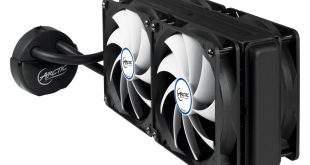
Typically, the better performing 240mm+ watercooling AIOs command a price premium. After all, in our 6 way round-up back in July, the coolers which claimed the top two spots both cost in excess of 100 pounds. However, Arctic are trying to change that with the Liquid Freezer 240, which costs just £75.95.
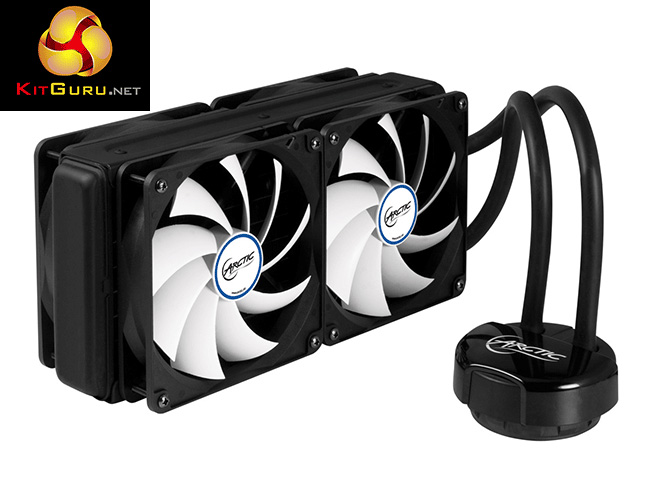
For that price, the Arctic Liquid Freezer 240 offers consumers four of Arctic's F12 fans, a 38mm-thick radiator and a clean, minimal design. For the money, it certainly seems like an enticing deal – but before jumping to any conclusions we must assess the performance of the unit. In this review we go over the installation process, raw cooling performance as well as noise output to see if the Liquid Freezer 240 is worthy of your money.
Specifications
- Supports Intel Socket: 1150, 1151, 1155, 1156, 2011*, 2011-3* (*SQUARE ILM (80 x 80 mm spacing) only)
- AMD Socket: AM2(+), AM3(+), FM1, FM2(+)
- Max. Cooling Performance: 350 Watts
- Recommended for TDP up to: 300 Watts
- Radiator width: 120mm
- Radiator length: 272mm
- Radiator depth: 38mm
-
Voltage: DC 5V – 12V
-
Power Consumption: 2.0 W
-
Cold Plate: Micro Skived Fin, Copper
-
Tube Length: 326 mm
-
Tube Diameter:
-
Outer 10.6 mm, inner 6.0 mm
-
Pump Dimensions (w/o tubes): 82 x 82 x 40mm (L x W x D)
-
Radiator Material: Aluminium
-
Fan: 120 mm x 4
-
Fan Speed: 500 – 1350 RPM (PWM)
-
Airflow: 74 CFM / 126 m³/h per fan
-
Voltage: DC 12 V
-
Current: 0.25 A (max)
-
Noise Level: 0.3 Sone
-
Connector: 4 Pins with PST
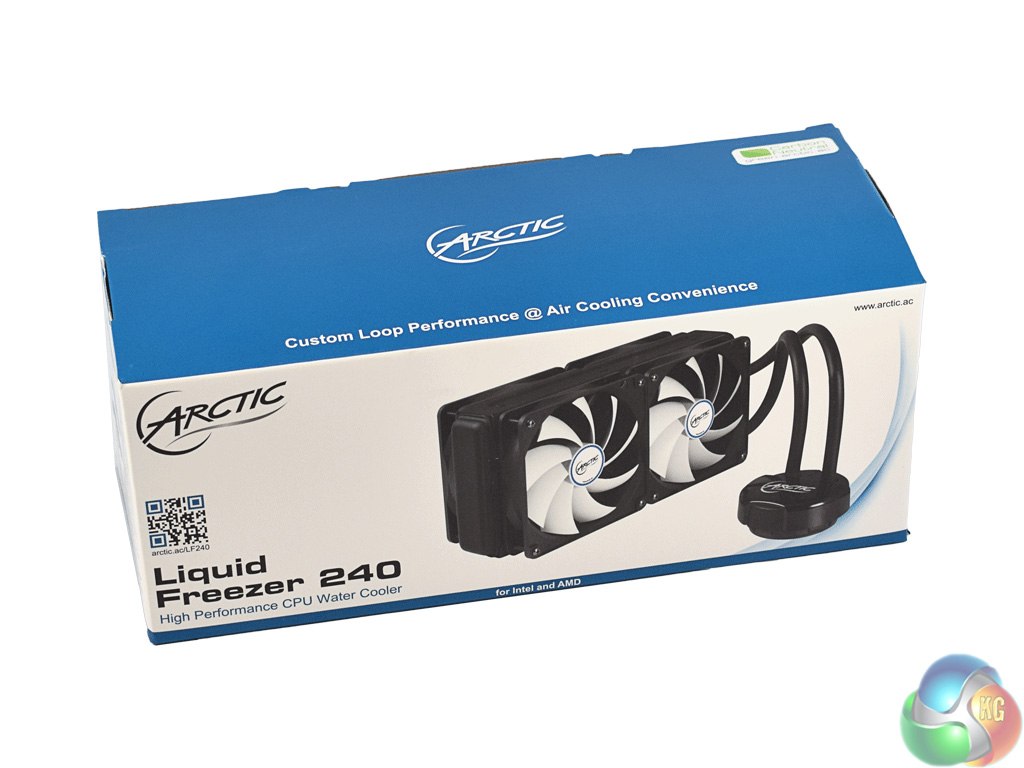
The Arctic Liquid Frezer 240 ships in a simple yet attractive blue-and-white box.
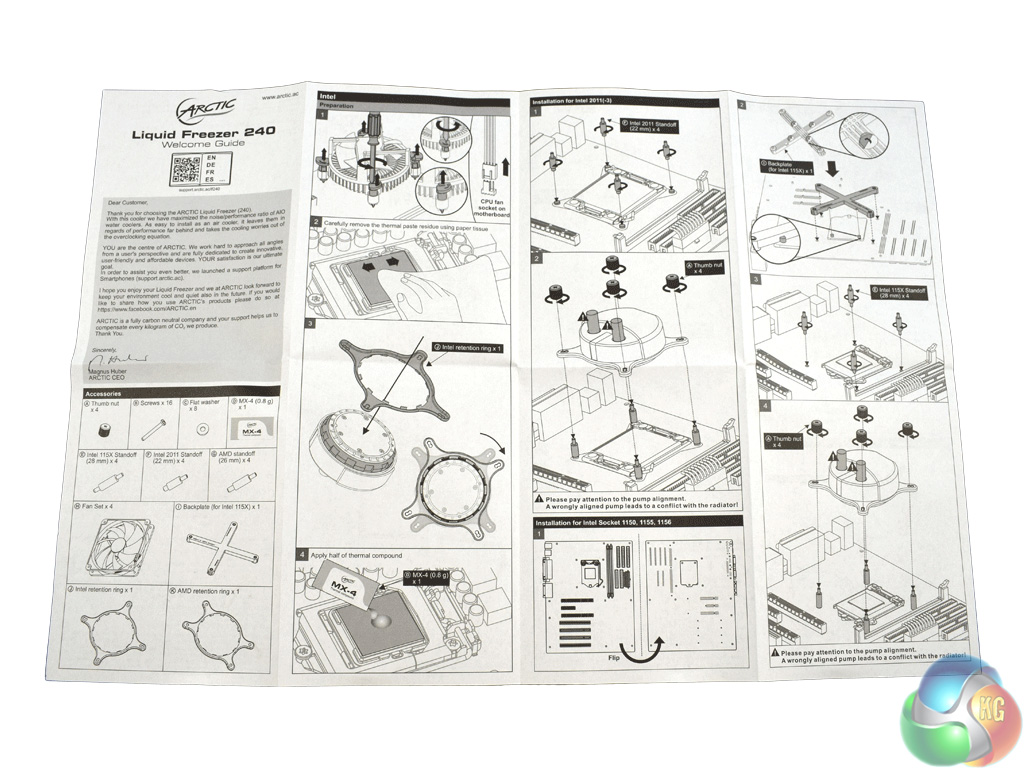

Inside, there is an instructions booklet which I found easy to use, as well as the usual accessories – a backplate, mounting brackets and an assortment of screws.
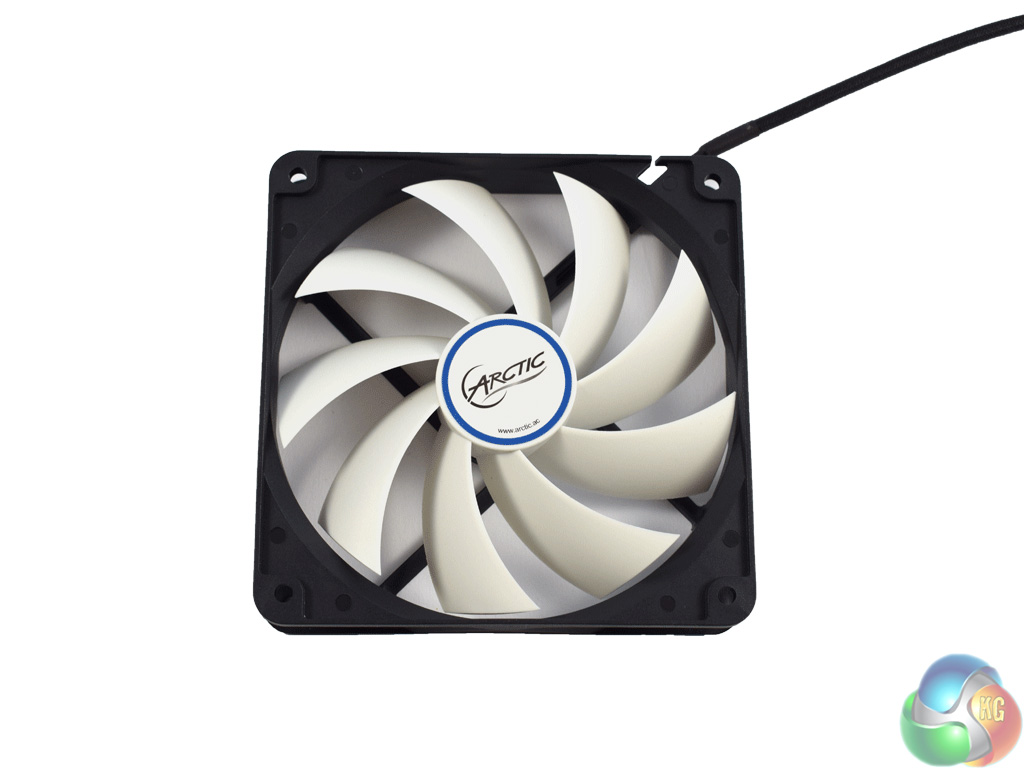
The four fans that come with the Liquid Freezer 240 are Arctic F12 fans. Each come with long, 60cm PWM cables for extra flexibility, and operate at a maximum of 1350RPM.

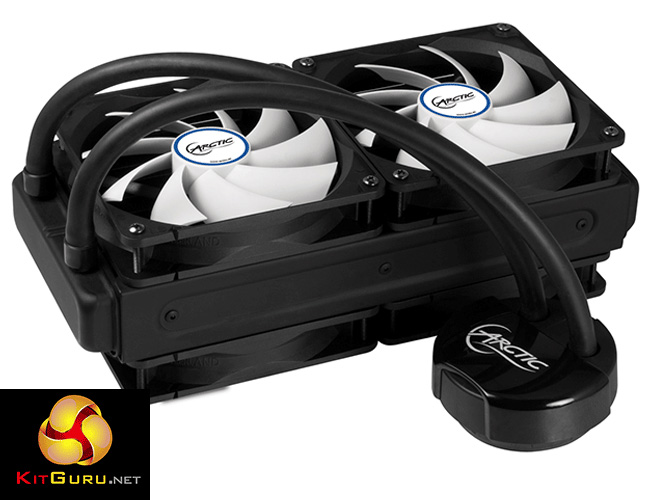
Getting our first look at the cooler itself, we can see the radiator is comparatively thick for a 240mm AIO – as it measures 38mm in depth. The Corsair H100i V2, for example, is 30mm thick, while the Thermaltake Water 3.0 240 RGB edition is just 27mm thick. This should give the Liquid Freezer a performance boost as there is more surface area, allowing for extra heat dissipation.
Also worth mentioning is the rubber tubing. While it does not look as good as the braided hoses on Corsair's latest coolers, the rubber tubing is very flexible, meaning there is zero resistance when you come to mount and install the pump.
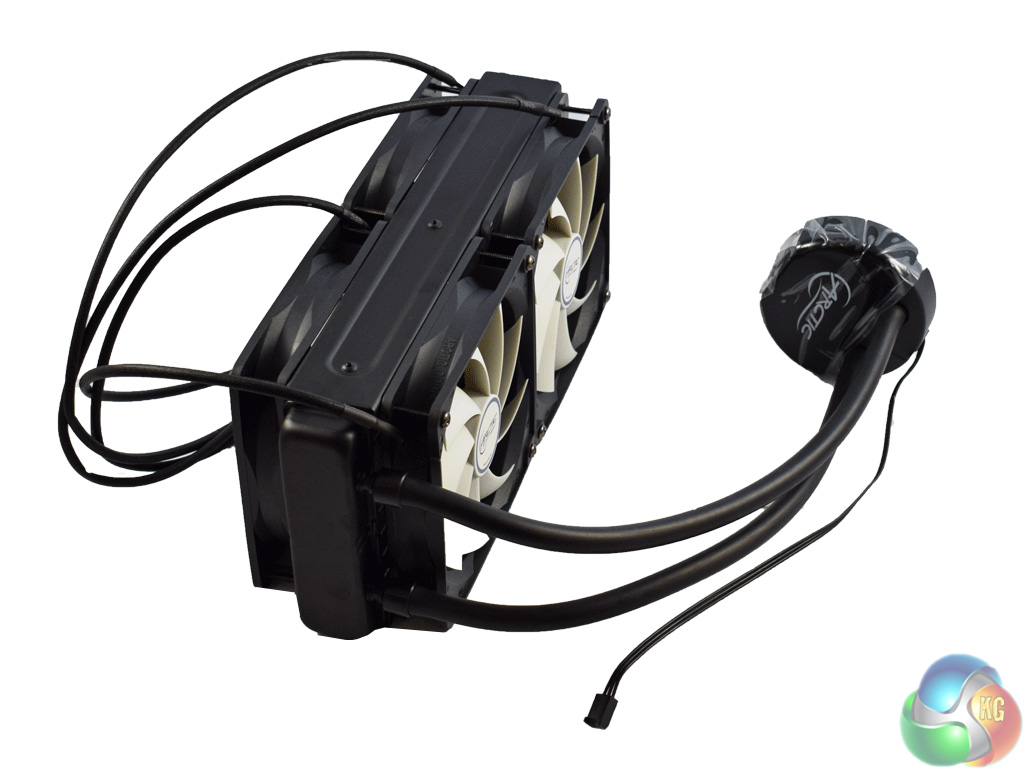
Above you can see the cooler with all four fans screwed into place. The pump has a 3-pin power header, and Arctic have done something funky with the fan cables.
Essentially, Arctic have designed the cables to be daisy-chained, meaning each fan plugs into another until the last fan plugs into a fan header on your motherboard. This means only one fan header is necessary – cutting out the need for a fan controller or PWM hub. However, things could get messy quickly, so just be careful to manage the cables as there is a fair bit of excess cabling.
Also of note is that the total thickness of the radiator, with a fan either side, is 88mm. Definitely worth checking your case's dimensions to make sure you won't obstruct your motherboard if you install this AIO.
The installation process for the Liquid Freezer 240 is very, very easy. In-fact, I wish all cooling manufacturers did it like this.
As a disclaimer, we installed the AIO on a motherboard using the LGA 1150 socket. The process below reflects that.
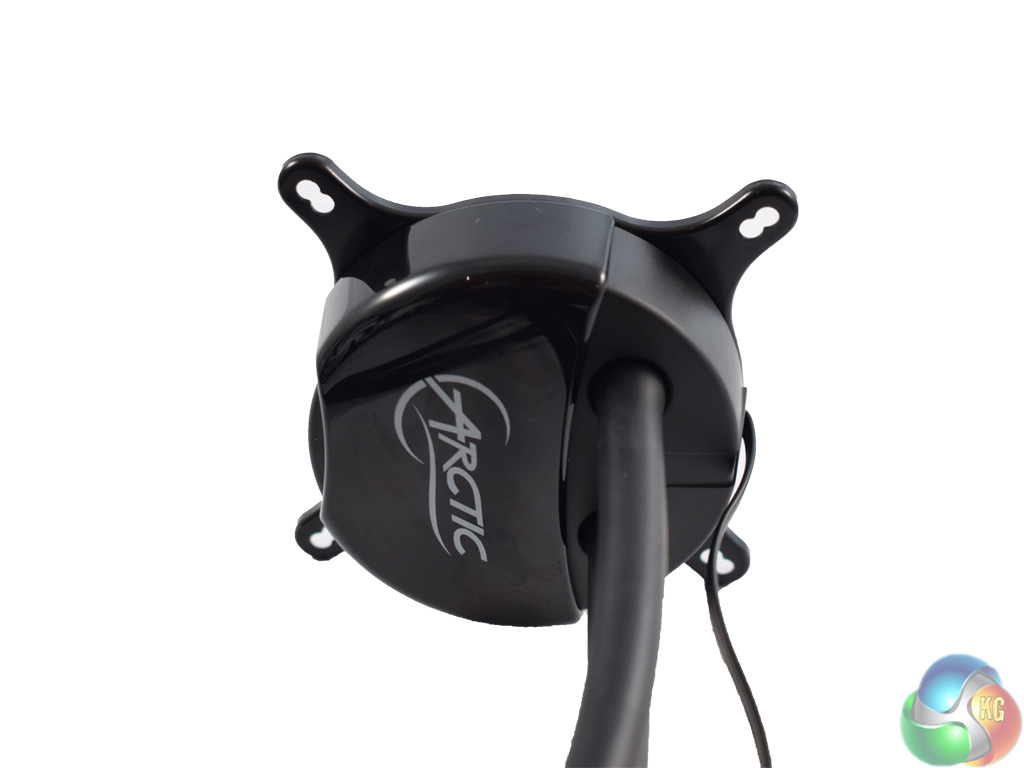
First, you need to install the retention plate – for Intel sockets, in this case. Simply put it in place, and rotate to lock.
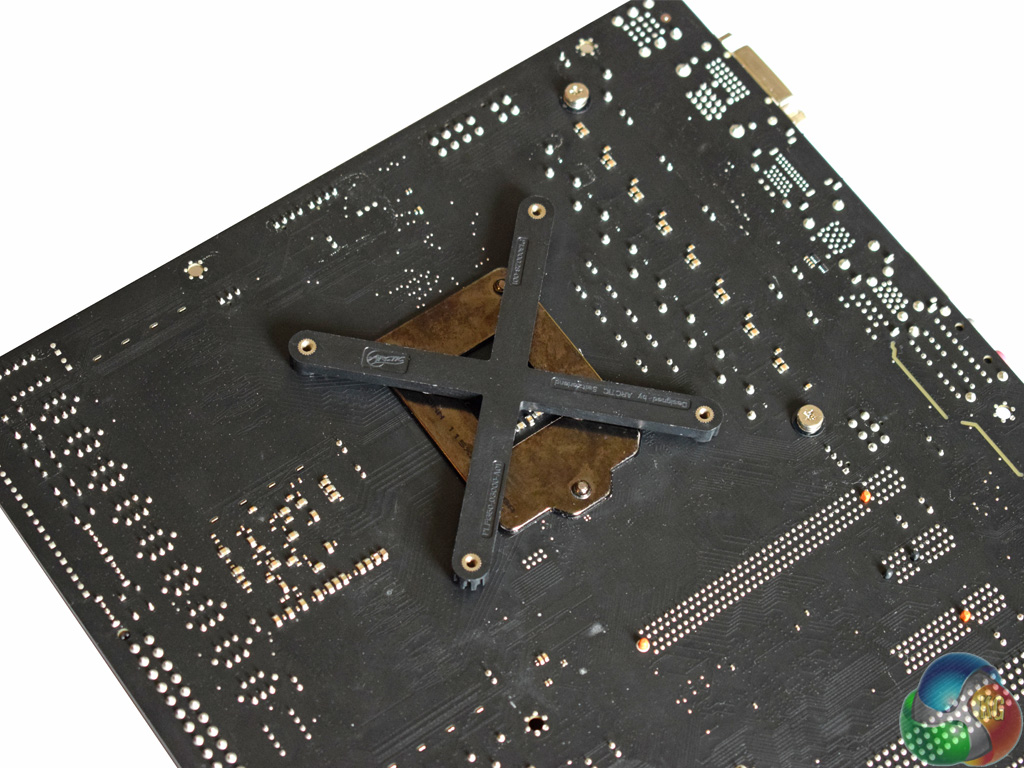
Next is the backplate. All you need to do is slot it in place – although it must be oriented a certain way, as there are protrusions coming from the motherboard socket which prevent it from lying flush otherwise.
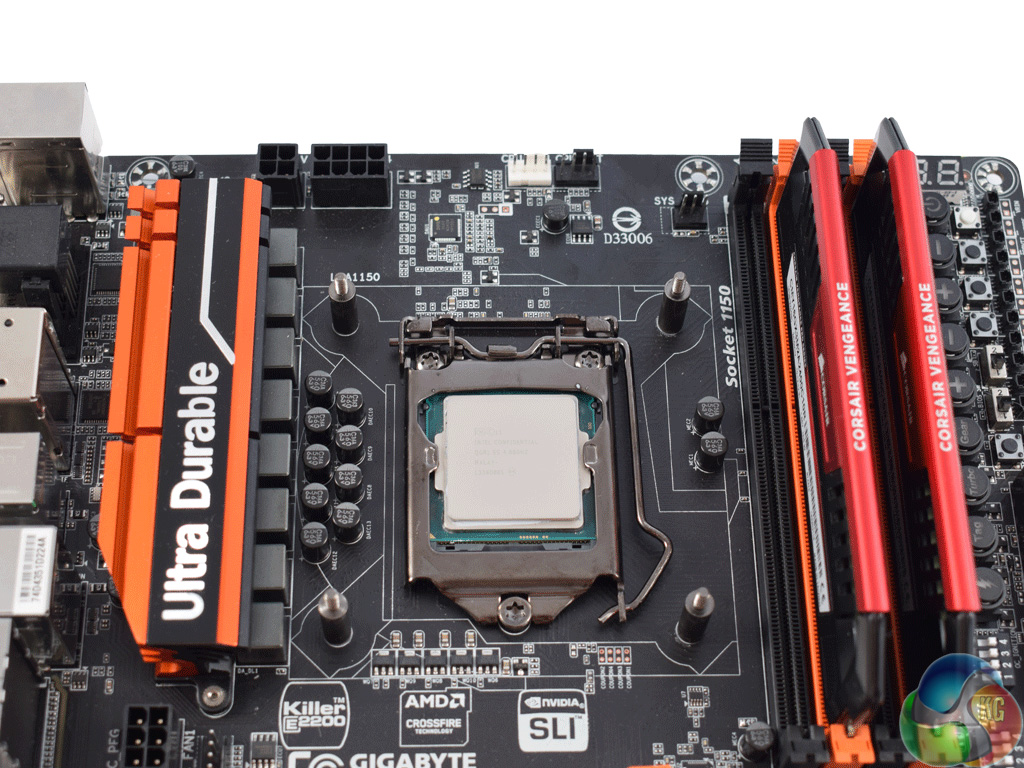
Four standoffs then screw into the backplate.
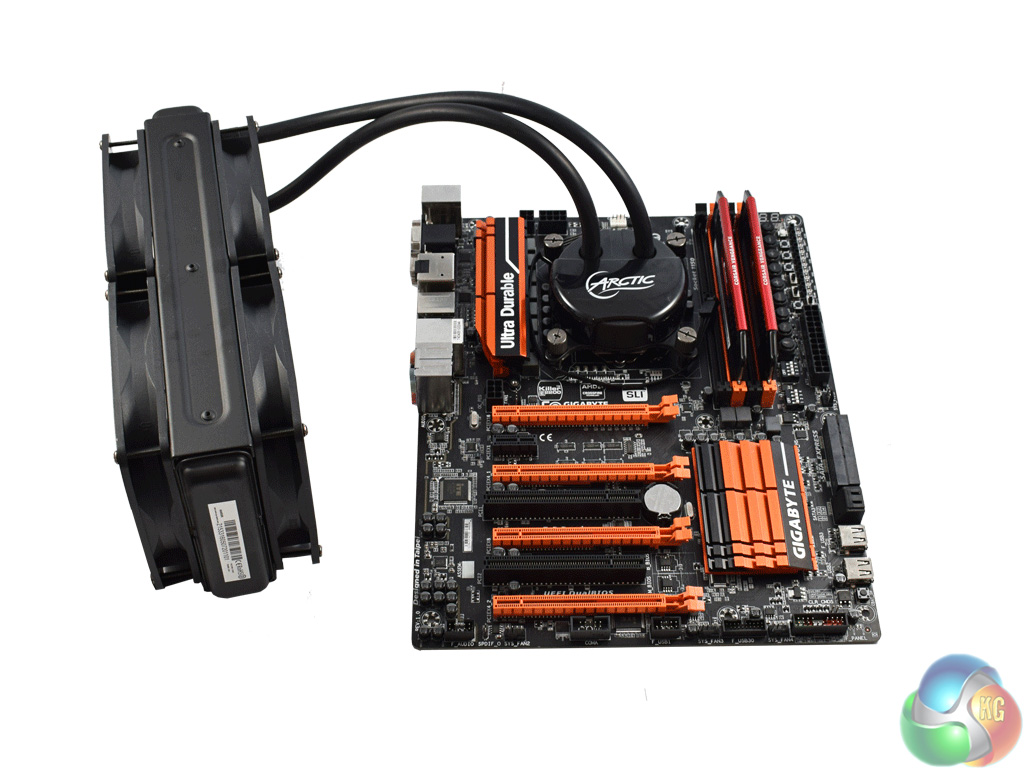
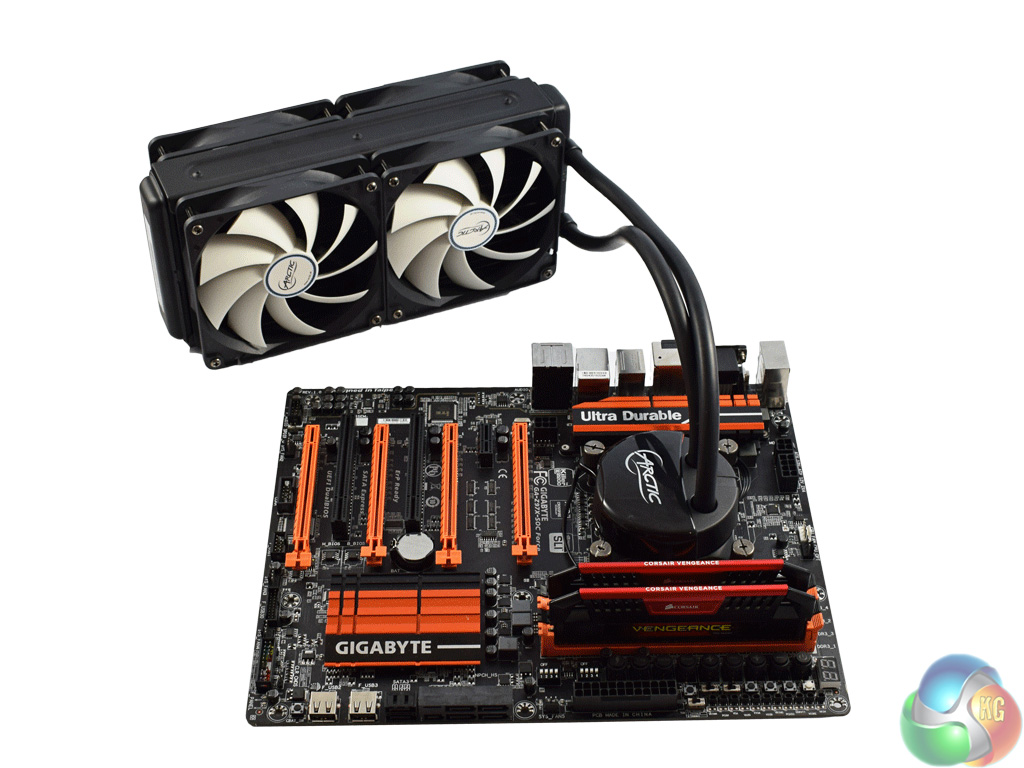
After that, all you need to do is put the cooler in place and tighten it down with four thumbscrews.
It is a very easy process and takes hardly any time at all. In-fact, I spent more time screwing the fans onto the radiator than I did actually mounting the cooler itself.To test all AIO coolers, we devised an easily repeatable test with no variables other than the coolers themselves. This ensures that figures from every cooler we test are comparable with each other.
Test rig
Using an open-air test bench, we deploy an Intel Core i7-4790K plugged into a Gigabyte Z97X-SOC Force motherboard. Alongside this is 16GB of 2400MHz Corsair Vengeance DDR3, as well as a 120GB OCZ Trion 150 SSD. Powering everything is a Corsair RM750x PSU.
The test process
Testing coolers involves taking a total of 4 temperature readings per cooler. First, we measure the idle temperature of the i7-4790K at stock speeds (turbo boost disabled), before measuring its temperature under load at stock speeds. Next, we overclock the CPU to 4.5GHz using a 1.3 Vcore, ensuring greater heat output. In its overclocked state we then measure the idle and load temperatures of the CPU again.
To ward off potential comments or questions, we know 4.5GHz using a 1.3 Vcore is not the ‘best' overclock – this particular CPU could reach that frequency at closer to 1.25 on the Vcore, which is more efficient. That is not the point, however. We are trying to stress the coolers to see how they deal with excess heat … hence the higher than necessary Vcore.
Where possible, each cooler’s fans are plugged directly into the motherboard using the CPU_Fan or CPU_Opt headers. Some AIOs, however, ship with their own fan controllers or PWM hubs. If we are unable to plug the fans directly into the motherboard, it is specified in the performance section of the review.
An idle reading comes from leaving Windows on the desktop for 15 minutes. A load reading comes from running Prime95’s (version 26.6) Small FFTs test for 15 minutes – enough time for temperatures to plateau.
Noise output
Unfortunately I am unable to properly measure the sound output of AIO coolers using a digital sound meter. This is because I am based alongside a busy road (with high ambient noise levels). Using a sound meter is, as such, not possible as there are variables out of my control. However, I will try my best to subjectively describe the noise output in a helpful manner.Temperatures
All temperature charts are sorted with lowest load temperatures at the top.
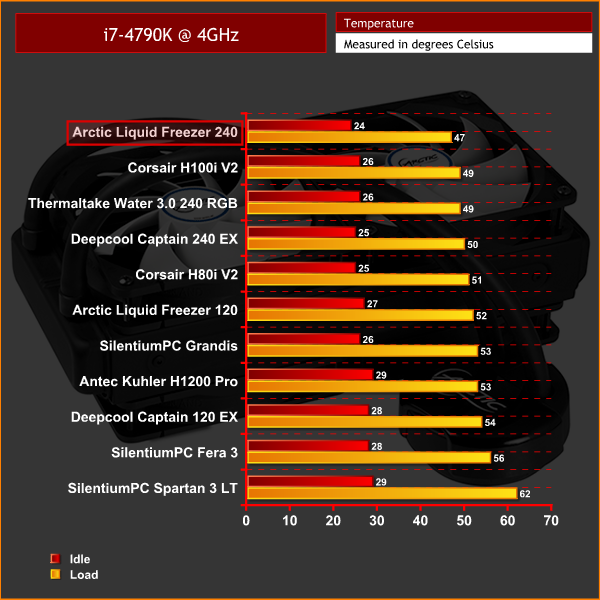
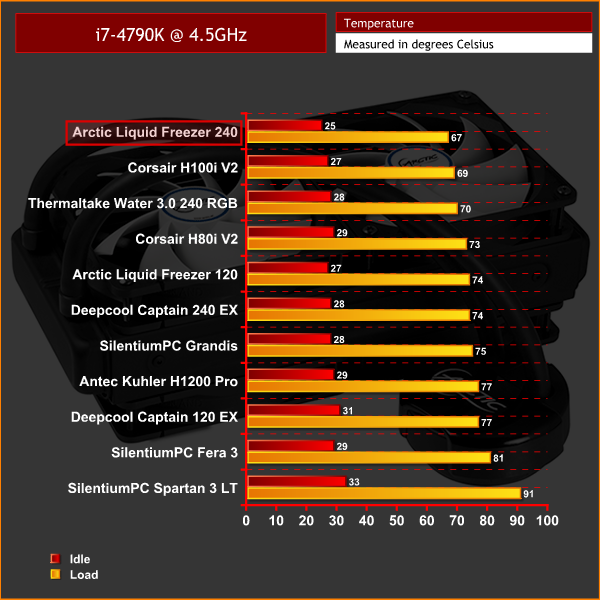
As you can see, the Arctic Liquid Freezer shot to the top of both our cooling charts. That's right – it out-performs both the Corsair H100i V2 and the Thermaltake Water 3.0 240 RGB units, despite it costing over £30 less than both those coolers.
Clearly, having a thicker radiator pays dividends. I also think, though I could not find official specifications online, the Liquid Freezer has a high fins-per-inch (FPI) density. This means it needs extra fan-power to push air through, but there is extra surface area to maximise cooling performance.
Four fans configured in push/pull is more than enough to get air through the radiator, too. The bottom line is, though, the Liquid Freezer 240 is an exceptional performer for the money.
Noise output
Like nearly all the coolers I have tested, the fans spin at a very low rpm when the system is idling, meaning it is not audible above ambient noise. The pump does whine a little bit, but I test using an open-air test bench which is right next to me. I am certain the pump noise would be eliminated when positioned inside a chassis, as it is hardly noisy in the first place.
Thanks to the four fans, even under load, the Liquid Freezer does not get too loud. This is because having two fans pushing air, and another two fans pulling air out of the radiator, means the four fans do not have to spin very fast to achieve the same results that two fans would. It seems contradictory and almost illogical, but having four fans makes the cooler quieter than if it only had two fans.
That said, the fans are still audible, but they are by no means intrusive. They also ramp up reasonably slowly, meaning they do not suddenly become very loud. This helps the noise from catching your attention and becoming a distraction.Despite the cheaper price of the Arctic Liquid Freezer 240, it is by no means a slouch.
For starters, it looks sleek thanks to its minimalistic design. Installation of the cooler is also very easy, comprising a backplate, four standoffs and then four thumbscrews. Even if you have never installed a CPU cooler in your life, you will have no problems mounting this AIO.
More importantly, cooling performance is exceptional. The Liquid Freezer 240 went right to the top of both of our charts, displacing the Corsair H100i V2 as the ‘KitGuru king of coolers.' Clearly, the extra fans and thicker radiator helps the Liquid Freezer 240 edge ahead.
It is also reasonably quiet – having four fans mean they can spin at a slower speed while pushing a similar amount of air as a single pair of fans at higher speed.
And then it costs just £75.95. That is £34.04 cheaper than the H100i V2, despite it outperforming the Corsair cooler.
As such, the Arctic Liquid Freezer 240 should be making any shortlist if you are thinking of getting a new CPU cooler. I'd even go as far to say as don't even bother with a shortlist – just get this one.

You can buy the Arctic Liquid Freezer 240 from OverclockersUK for £75.95 HERE.
Discuss on our Facebook page HERE.
Pros
- Cheaper than the competition.
- Better performing than the competition.
- Flexible tubing.
- Easy installation.
- Quiet.
Cons
- Four fan cables could get messy.
KitGuru says: The Arctic Liquid Freezer delivers in spades. It offers top performance, low noise levels and a sleek appearance, all for a fair price.


How many watts does the test PC and/or CPU consume at 4.5 GHz under load?
Good question Rob. Next time I get a cooler in for review I will find out and get back to you. I don’t use a GPU, so I can’t imagine much more than 200W – maybe 250.
Wow this sounds great. I just hope I can get all 4 fans to fit into my case!
If it doesn’t fit in your case just put two fans outside and then the radiator and 2 fans inside the case
Also, be sure to have then sucking cooler air from outside rather than the other way around and then fit removable mesh filters to the intakes to cut down on dust being sucked in, this also creates positive pressure in the case so you don’t have to worry about dust being sucked in through every gap and vent hole the case has
If you want to take it a step further get some Perspex or plastic and create a wind tunnel to the rear exhaust fan at the back on most cases. This works like a PSU then taking cooler air from outside but not allowing it once its taken heat from the radiator into the main volume of the case itself as its instantly vented straight out of the back. Modern PSU/case combos do this too by the PSU sucking air through a (normally dust filtered) hole on the bottom and venting straight out of the back. You can even forgo the rear exhaust fan if you want as with 4 fans already sucking the air in I doubt a 5th one at the rear would do much and could be forced to spin faster than it wants by the airflow from the cooler anyway
If you do that however make sure to compensate for the main volume of the cases air flow though by using all other available fan locations as intakes
With a bit of imagination and not that much extra work you can get some excellent results and temps. I’ve been doing it this way for well over 2 decades on desktops and servers, and have even done similar with air coolers using a duct from one intake fan to the intake (push) on an air cooler then another duct from the exhaust (pull) fan on the cooler to an exhaust fan on the case. This makes even the relatively cheap evo 212 work amazingly well especially if you swap out the fans for something like corsair or arctic fans (2z92mm on the cooler and 2×120/140mm as the case intake and exhaust)
I really don’t find a 15 minutes stress test enough for an AIO cooler. Water temperatures don’t equalize in such short time. You should leave it at least 45 minutes under stress to get an accurate measurement. I consider these results invalid.