KitGuru KitGuru.net – Tech News | Hardware News | Hardware Reviews | IOS | Mobile | Gaming | Graphics Cards


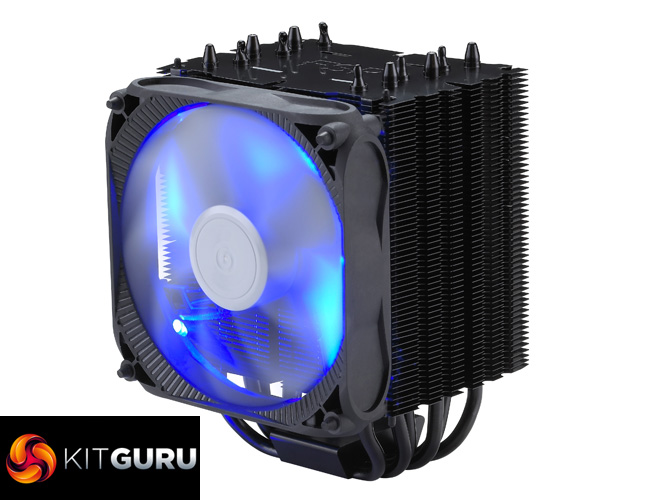
While you may know FSP as a power supply manufacturer, the company is currently branching out into areas, including air coolers. Today we take a look at the Windale 6 air cooler, with an MSRP of $47.99. Up against stiff competition, how does FSP fair on its air cooling debut?
Previously, our man Leo Waldock visited FSP HQ and reported on the new Windale coolers. Well, today we can go one better with our review of the brand-new FSP Windale 6 air cooler. It is always interesting when a company tries something new, so will the Windale 6 be a hit or will it be quickly forgotten? Let's find out.
Specification
- Model: AC601
- Thermal resistance: 0.09℃/W
- Dimensions: (LxWxH) 122 x 110 x 165 mm
- Weight: 823g
- Heatsink Material: Aluminium Alloy with black plating
- Heat-pipe: 6mm x 6PCS
- Fan Speed: 600-1600 RPM (PWM) ± 15%
- Bearing Type: Sleeve Bearing
- Fan Air Flow: 60 CFM ± 10%
- Noise Level: 32 dBA
- Rated Voltage: 12 VDC
- LED: Blue LED
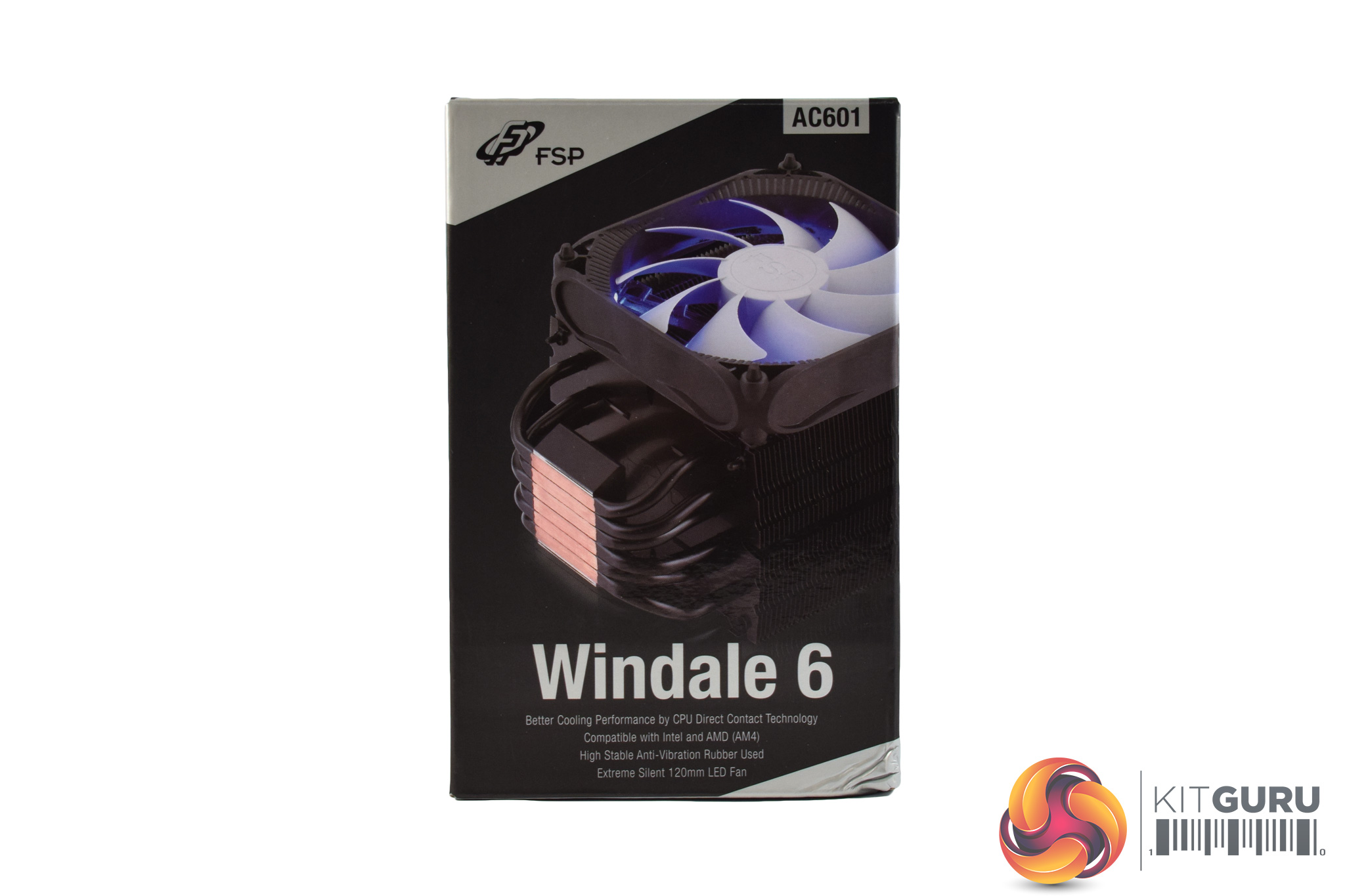
The FSP Windale 6 ships in a dark, comparatively plain box, with a photo of the cooler visible on the front.
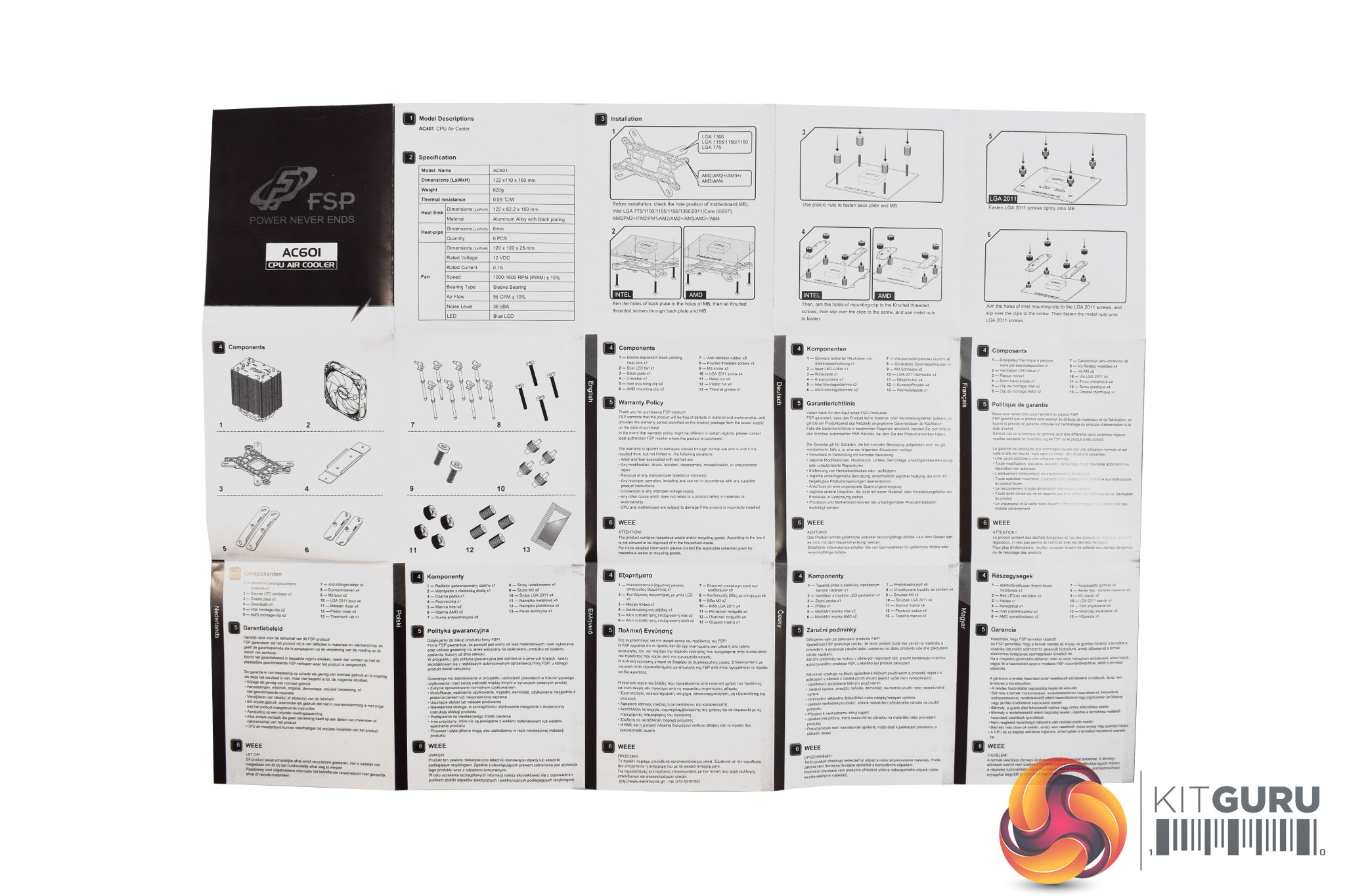
Inside, the manual is helpful with clear diagrams and additional written instructions.
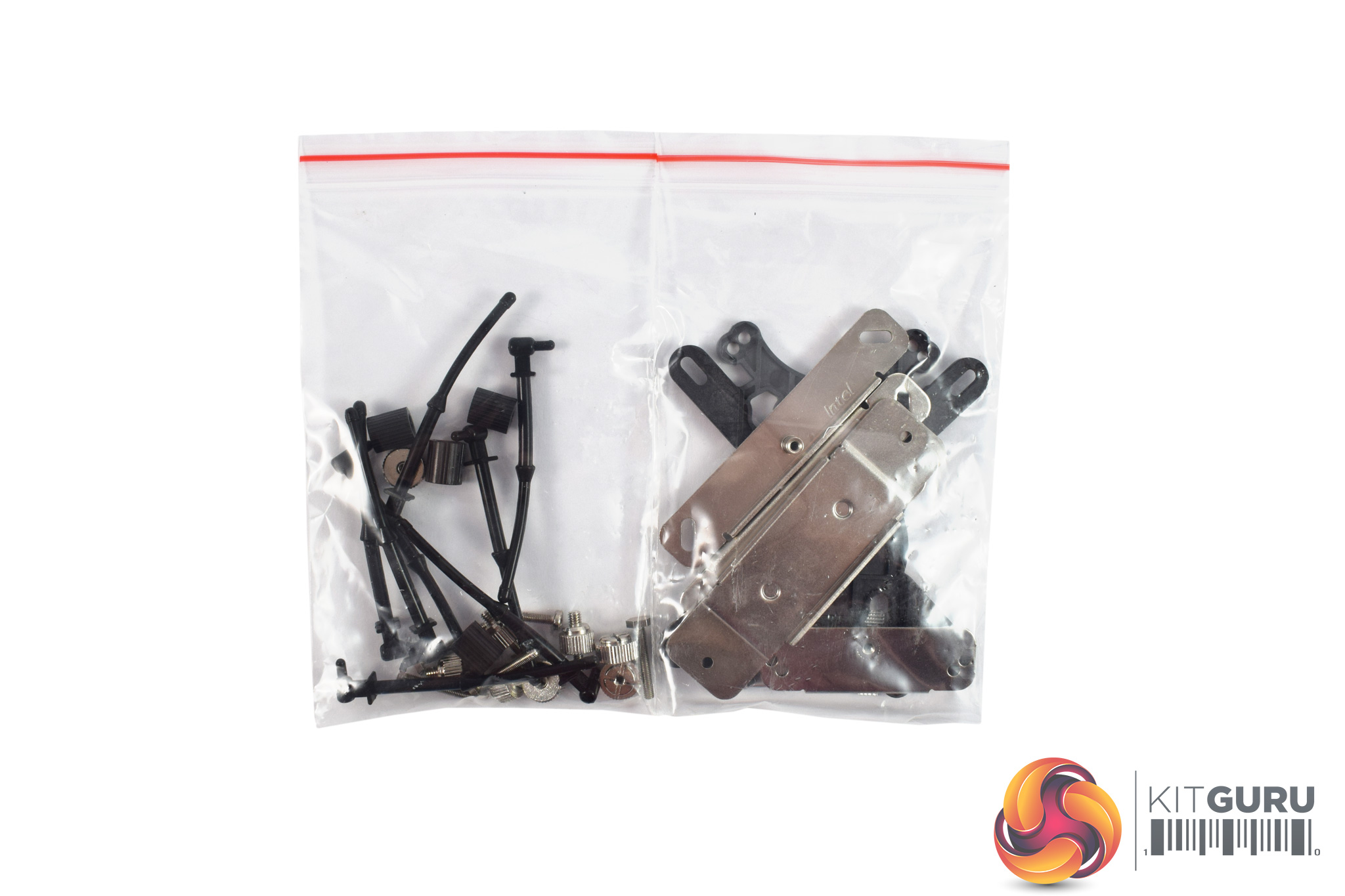
All of the mounting hardware ships in two small bags, though they are not labelled.
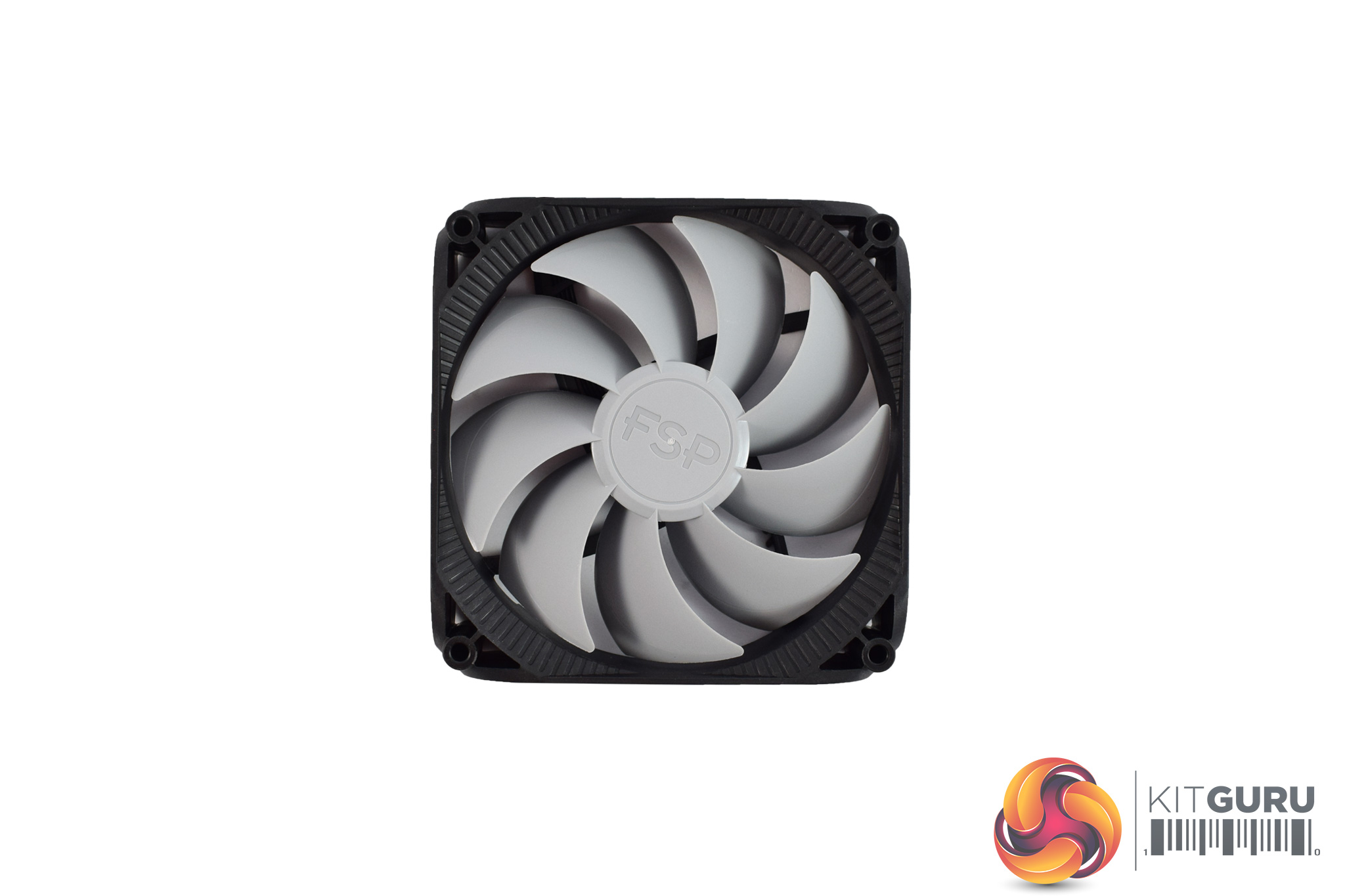
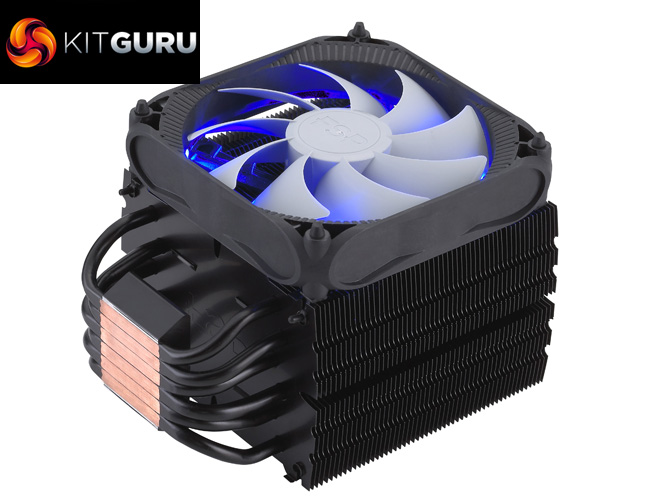
The 120mm fan uses grey fan blades set in a black housing, which is perhaps not the most exciting design. It does also sport blue LEDs in the each corner, though, which should add some pizzazz.
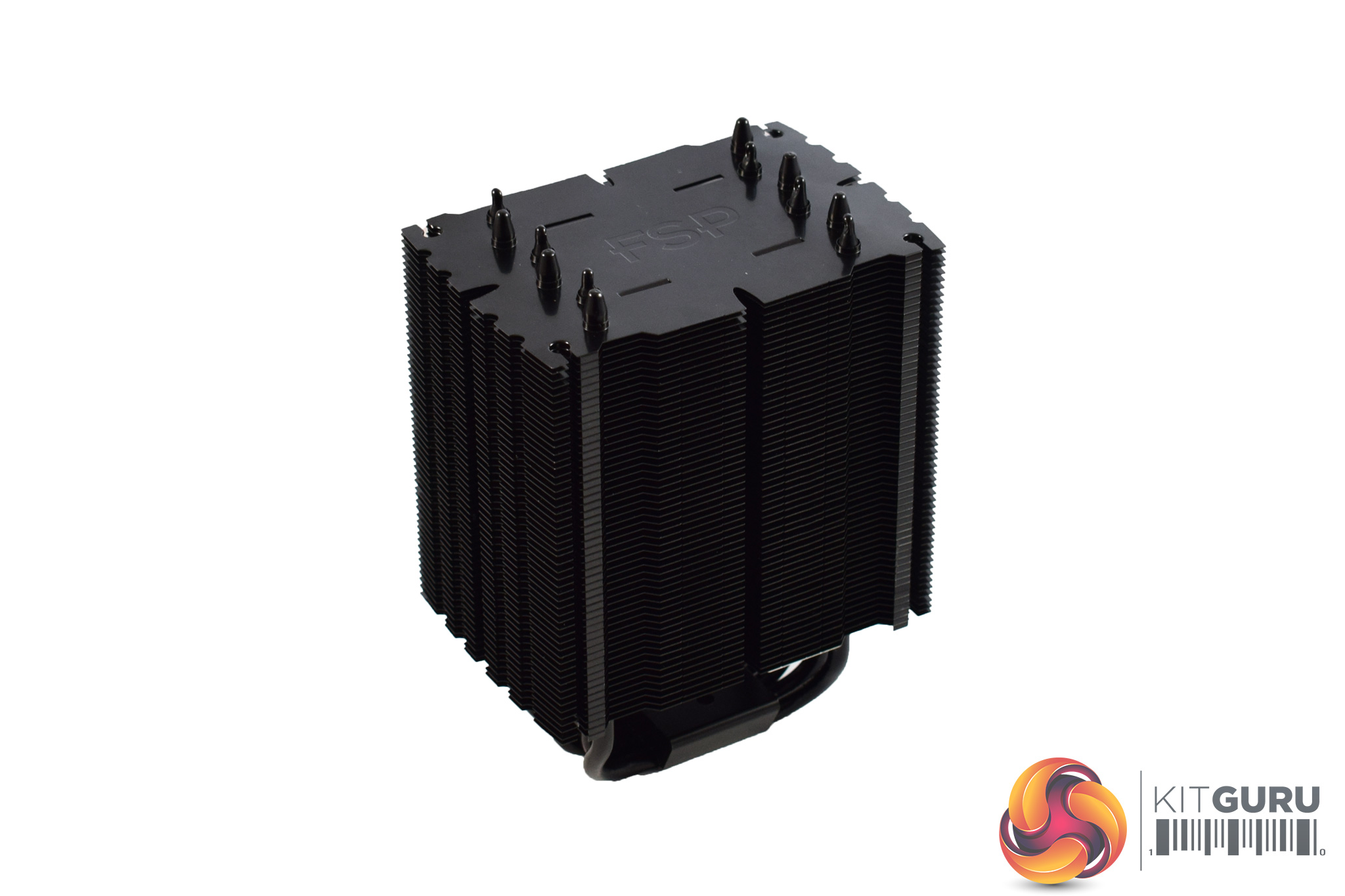
The heatsink itself is definitely well-sized, measuring (LxWxH) 122 x 110 x 165 mm, and it is very black. It is made from an aluminium alloy and sports 6x 6mm heatpipes (hence the name, Windale 6).
Here I will walk you through the installation process. It is worth noting we test using a Z97 motherboard – socket LGA 1150. The process below reflects that.
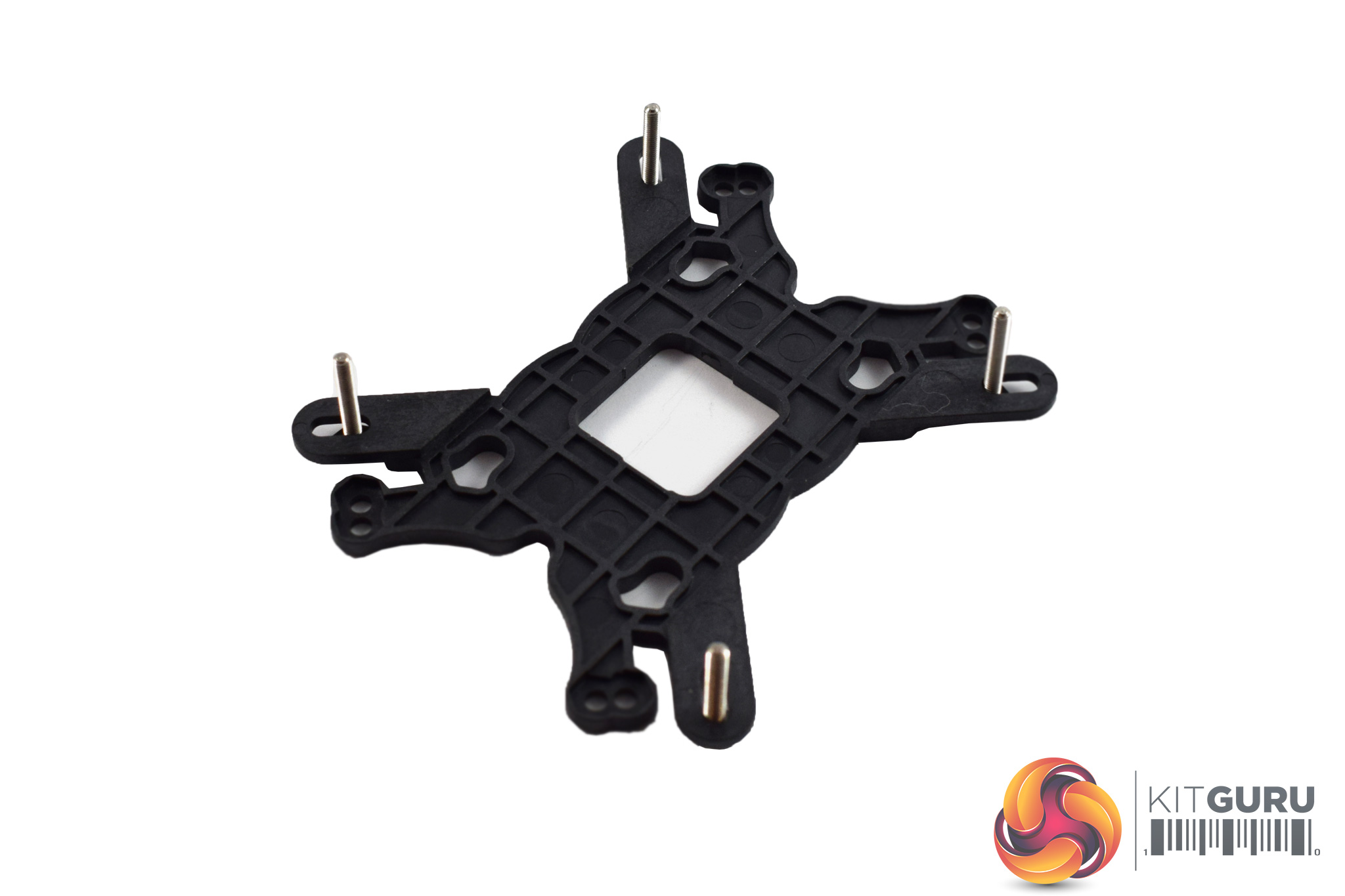
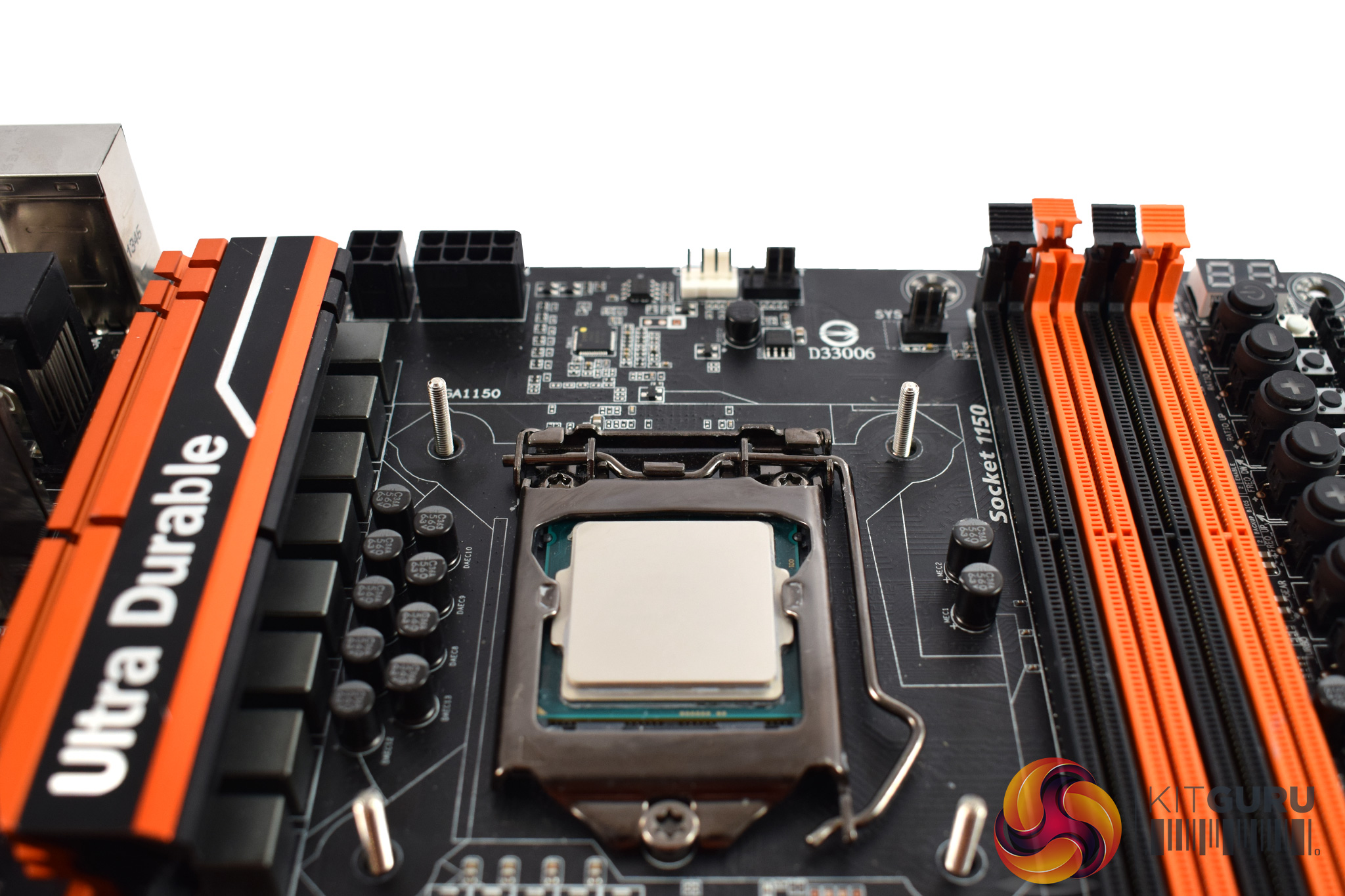
The first thing to do is prepare the backplate. For LGA 115x motherboards, four long screws need to be placed through backplate's arms.
Then, slot the backplate screws through the motherboard's socket holes.
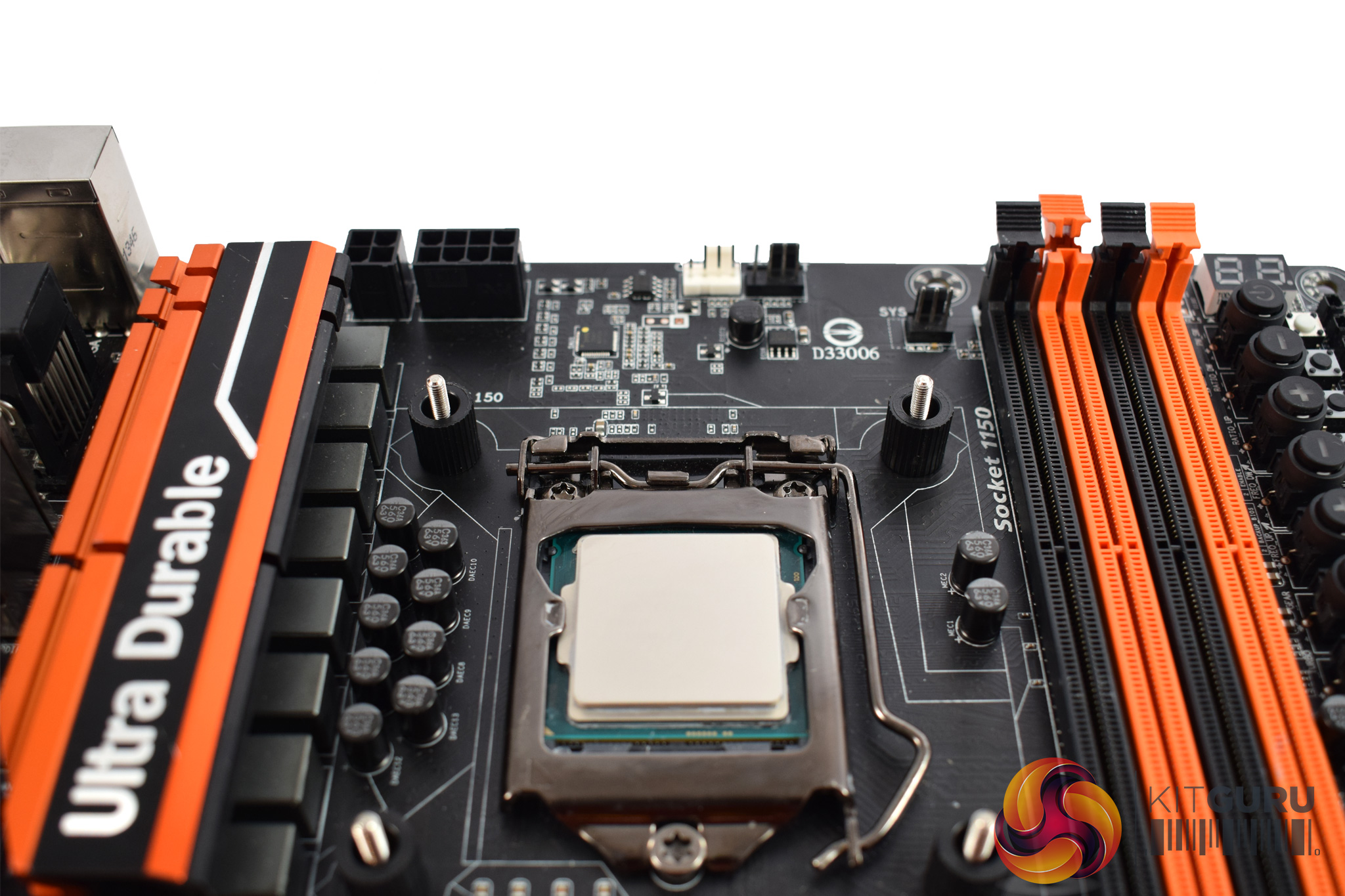
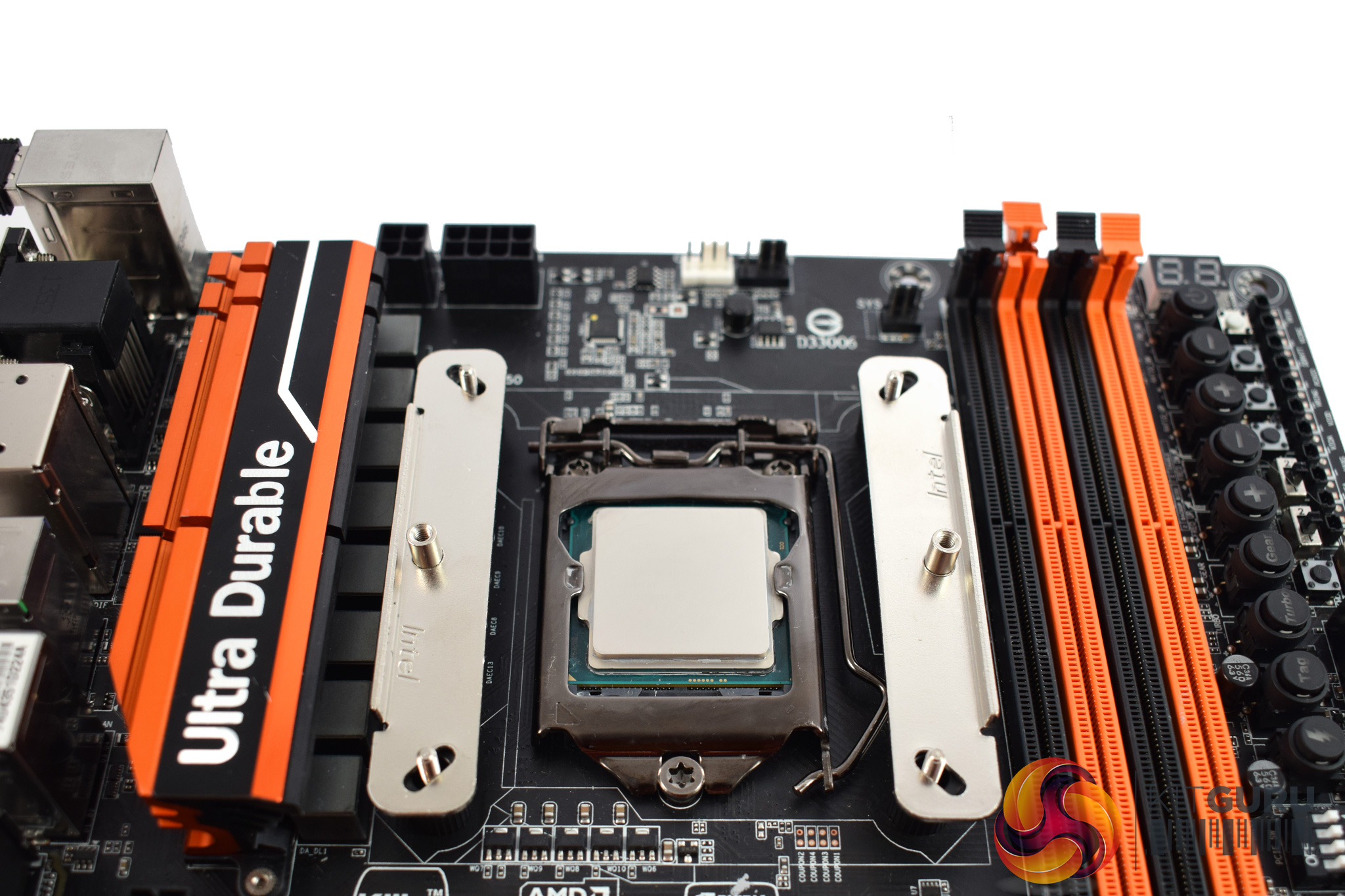
After that, four black spacers should be placed on-top of those screws.
Two rails then fit on-top of the spacers.
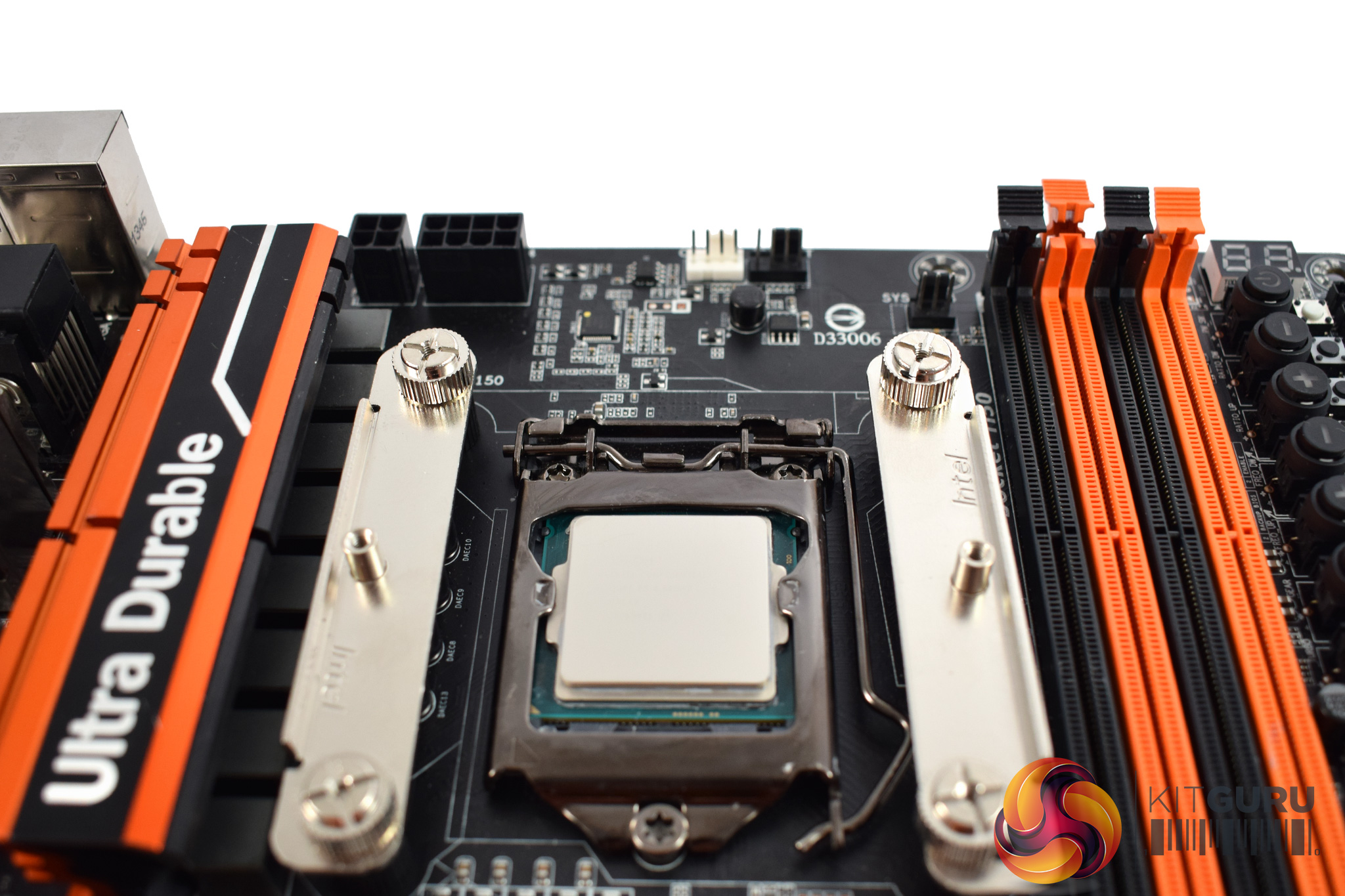
These rails are secured to the screws using four thumbscrews/nuts.
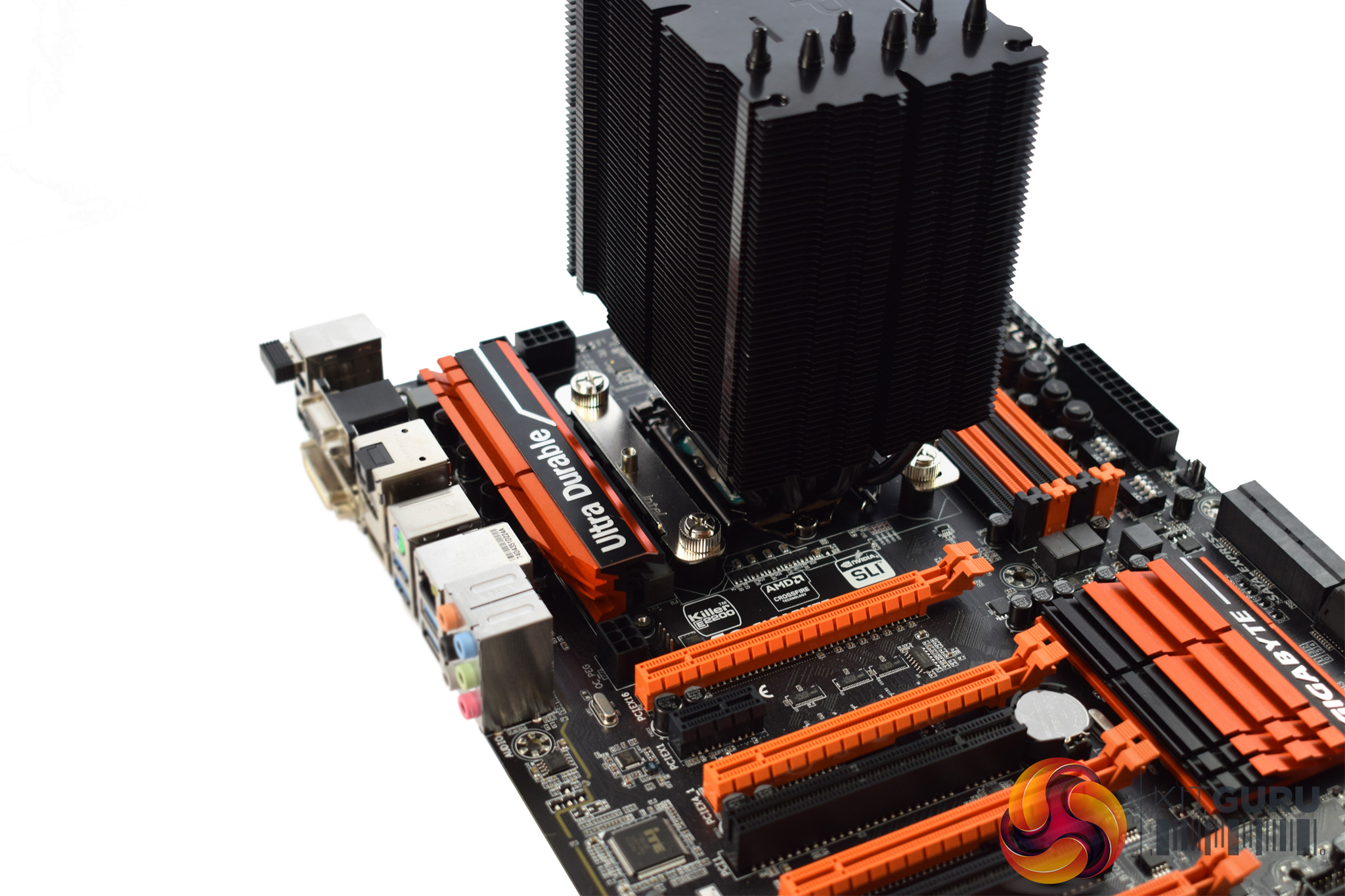
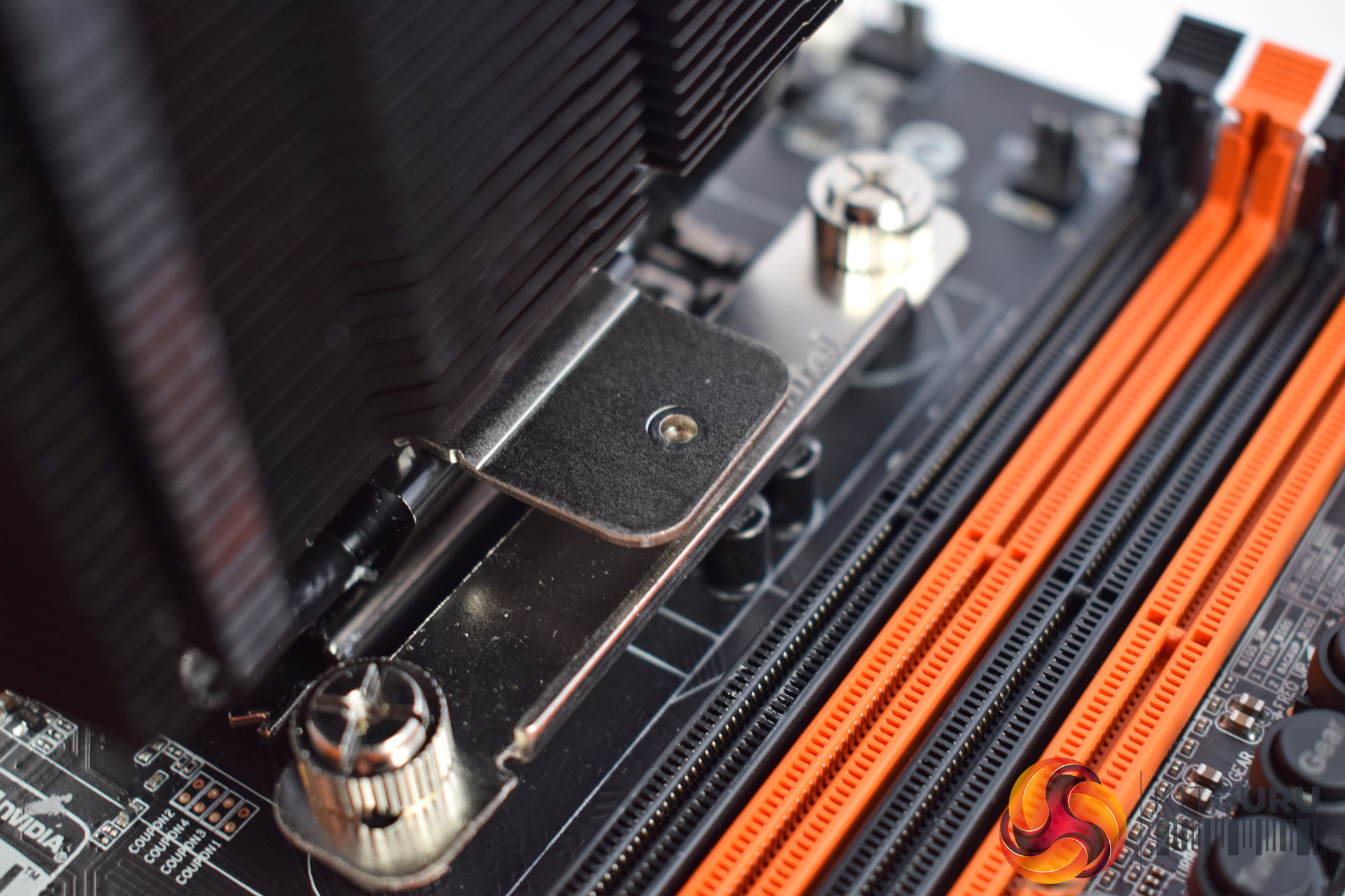
Once you've done that, you can mount the cooler to the processor.
The Windale 6 has a pre-installed a bracket which aligns with the rails (as you can see above.) Simply screw the heatsink to the rails to secure it.
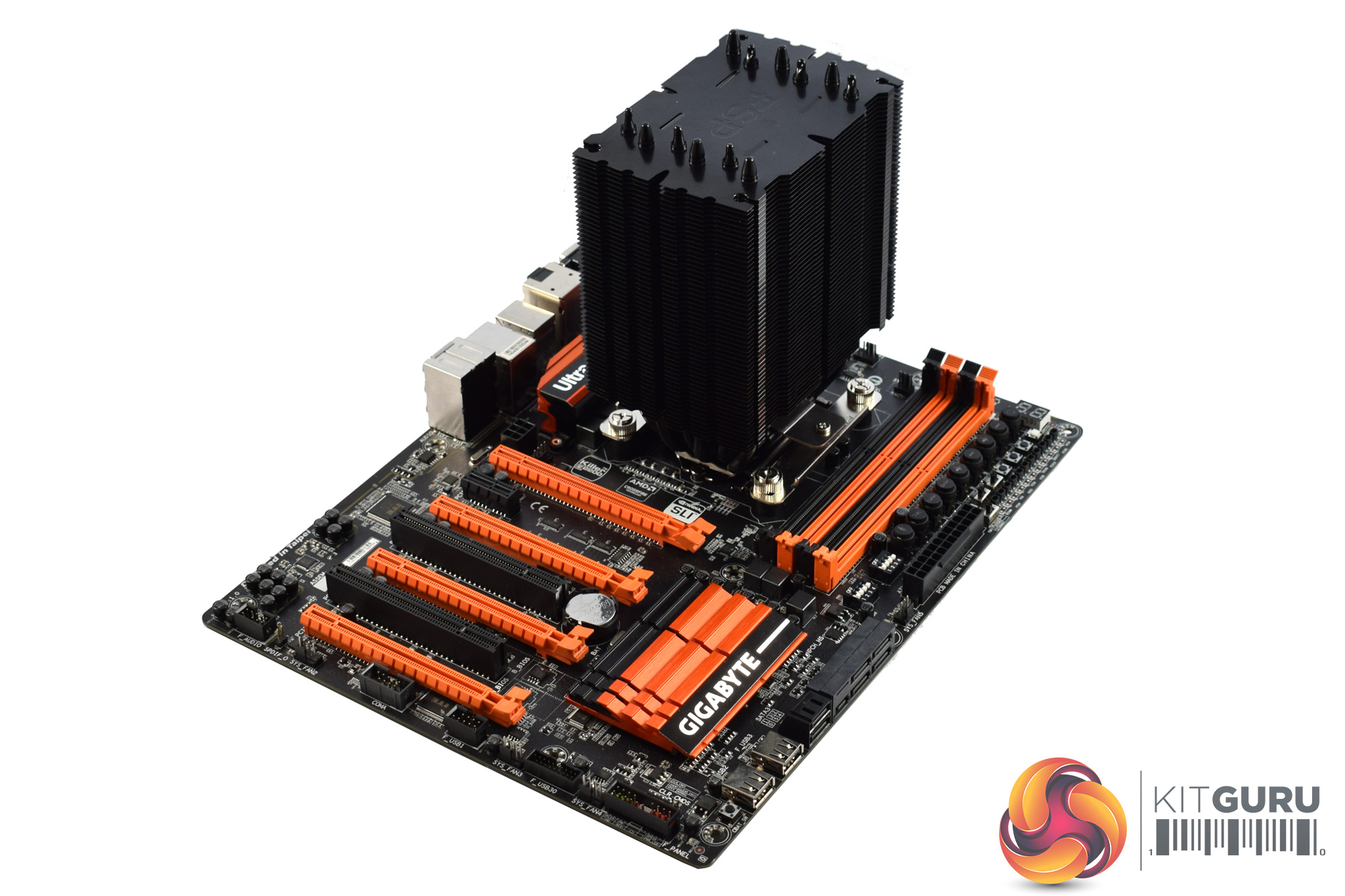
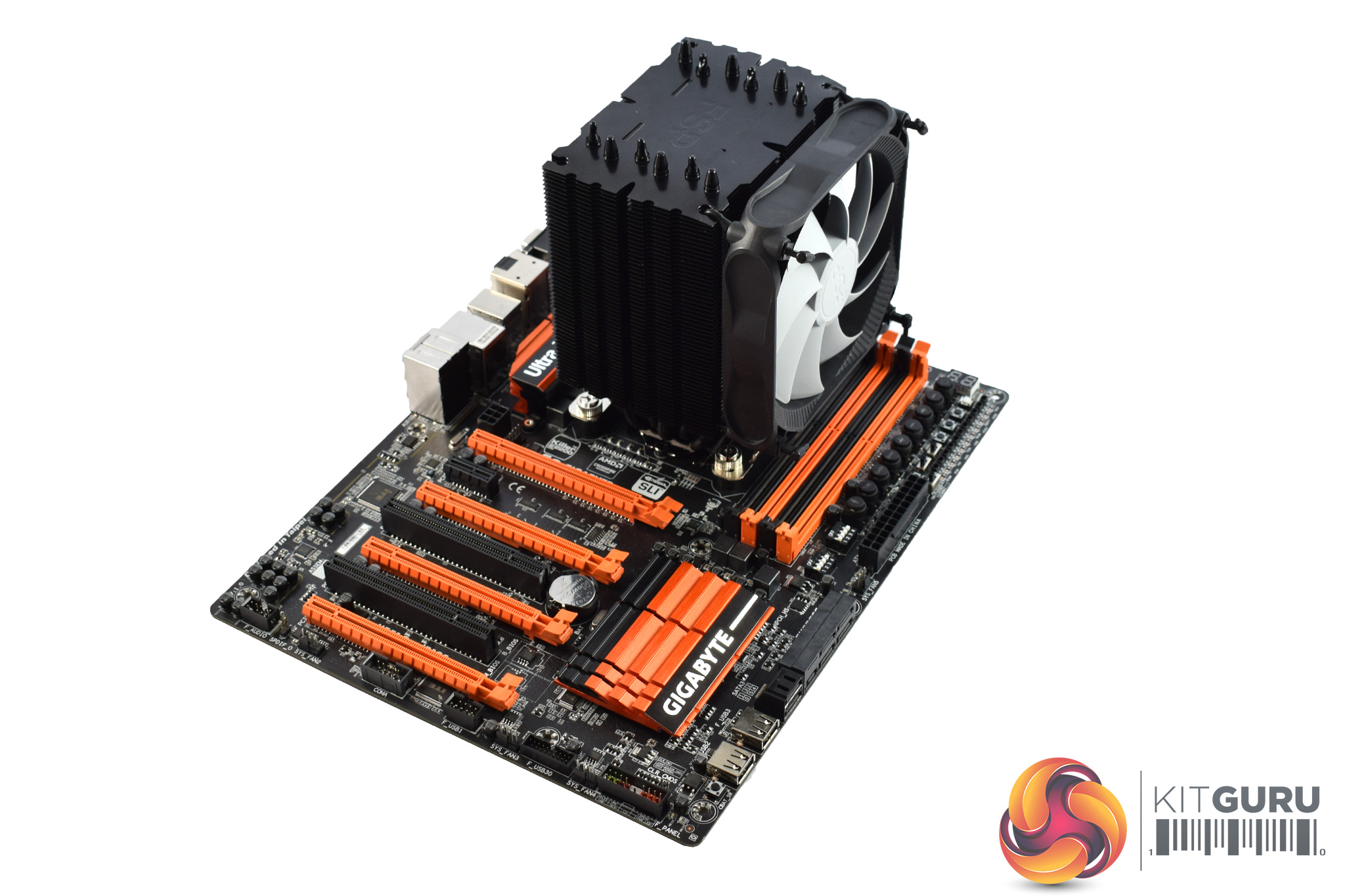
After that, the heatsink is fully installed, and you just need to attach the fan. FSP has done something interesting here, as the fan attaches using rubber mounts which you thread through the fan and into the heatsink. It's a bit fiddly but hopefully it should remove any fan vibration.
All-in-all, installation is pretty conventional and quite straightforward. However, I must mention that two DIMM slots on our test motherboard were rendered inaccessible by the Windale 6 – only the lowest profile sticks would fit.To test all CPU coolers, we devised an easily repeatable test with no variables other than the coolers themselves. This ensures that figures from every cooler we test are comparable with each other.
Test rig
Using an open-air test bench, we deploy an Intel Core i7-4790K plugged into a Gigabyte Z97X-SOC Force motherboard. Alongside this is 16GB of 2400MHz Corsair Vengeance DDR3, as well as a 120GB OCZ Trion 150 SSD. Powering everything is a Corsair RM750x PSU.
The test process
Testing coolers involves taking a total of 4 temperature readings per cooler. First, we measure the idle temperature of the i7-4790K at stock speeds (turbo boost disabled), before measuring its temperature under load at stock speeds. Next, we overclock the CPU to 4.5GHz using a 1.3 Vcore, ensuring greater heat output. In its overclocked state we then measure the idle and load temperatures of the CPU again. The figures we present are temperature deltas – meaning we take each temperature reading and minus the ambient temperature from it. This allows us to test in an environment that is not temperature-controlled.
To ward off potential comments or questions, we know 4.5GHz using a 1.3 Vcore is not the ‘best’ overclock – this particular CPU could reach that frequency at closer to 1.25 on the Vcore, which is more efficient. That is not the point, however. We are trying to stress the coolers to see how they deal with excess heat … hence the higher than necessary Vcore.
Where possible, each cooler’s fans are plugged directly into the motherboard using the CPU_Fan or CPU_Opt headers. Some AIOs, however, ship with their own fan controllers or PWM hubs. If we are unable to plug the fans directly into the motherboard, it is specified in the performance section of the review.
An idle reading comes from leaving Windows on the desktop for 15 minutes. A load reading comes from running Prime95’s (version 26.6) Small FFTs test for 15 minutes – enough time for temperatures to plateau.
Noise output
Unfortunately I am unable to properly measure the sound output of CPU coolers using a digital sound meter. This is because I am based alongside a busy road (with high ambient noise levels). Using a sound meter is, as such, not possible as there are variables out of my control. However, I will try my best to subjectively describe the noise output in a helpful manner.Temperatures
All temperature charts are sorted with lowest load temperatures at the top.
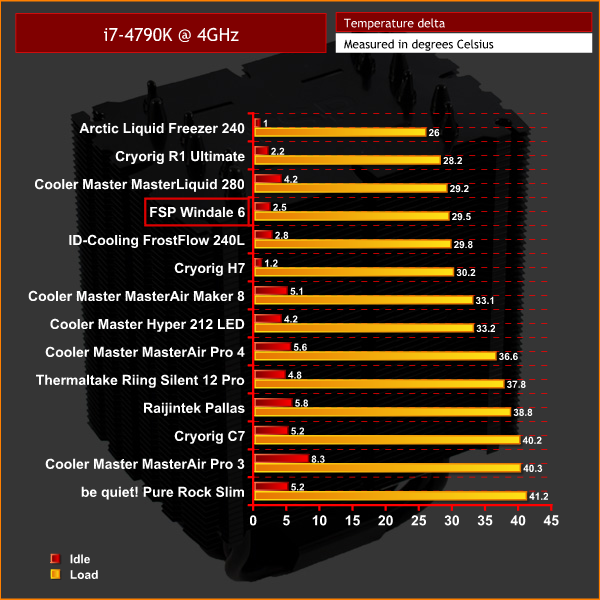
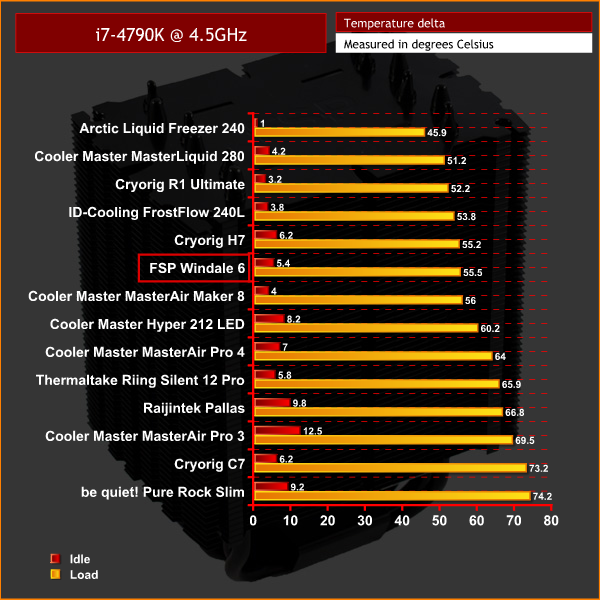
Overall performance of the Windale 6 is quite good. It is towards the top of the charts across both tests, even beating out the Cryorig H7 with the CPU at stock clocks.
The H7 does come back and just manages to pip the Windale 6 when our CPU was overclocked, but the performance is still pretty good, if not class-leading, considering its size and price.
Acoustics
In terms of acoustics, the Windale 6 is pretty easy on your ears. It is not audible with the system idling, and under load its 120mm fan remains unobtrusive. It is audible, yes, but the noise is pretty consistent and low-pitched, so I think it is a success.The Windale 6 marks FSP's first venture into the air cooling market.
It is a pretty inoffensive-looking cooler, with its all-black aesthetic, while its blue-only LED fan adds something extra. Overall I wouldn't say it is jaw-droppingly attractive, but I have seen much uglier coolers in my time.
It is also easy to install, using the classic rail-mounting system, and you will be up and running in no time. However, we do have to mention that, on our test motherboard at least, the cooler did overhang the first two DIMM slots, so that is definitely worth bearing in-mind.
Thermal performance is generally pretty solid, and it definitely pushes the Cryorig H7 close. However, that Cryorig cooler does just pip it to the post when running an overclocked CPU, so the Windale 6 won't win any awards for raw performance.
It is nice and quiet though, as its fan does not spin up past 1600 rpm. This means you will quickly forget it is running, even with your system under load.
As such, we are happy to recommend the FSP Windale 6. It is definitely a conservative first cooler from FSP, but it delivers good performance and low noise levels which is always a good thing. The Cryorig H7 is the better performer, while it also costs slightly less, so that remains our go-to air cooler under £40, but you could do a lot worse than FSP's Windale 6.
It is not currently available in the UK, but its MRSP is $47.99 so expect similar pricing here. You can head over to the Windale 6's product page by following THIS link.
Discuss on our Facebook page, over HERE.
Pros
- All-black aesthetic.
- Easy to install.
- Good performance.
- Unobtrusive noise levels.
Cons
- Cryorig H7 is, marginally, an all-round better bet.
- Overhung our first two DIMM slots.
KitGuru says: While it may not be spectacular, FSP has delivered a very solid cooler at the first time of asking.