KitGuru KitGuru.net – Tech News | Hardware News | Hardware Reviews | IOS | Mobile | Gaming | Graphics Cards


For about the last decade, all-in-one coolers have been the preferred choice for cooling high-performance mainstream desktop processors, especially with PC enthusiasts and gamers who want to extract the maximum performance from the CPU through overlocking. Air cooling the CPU has mostly been limited to low power, budget systems, however over the last couple of years, we have seen a resurgence in air cooling of high-performance processors with large tower coolers such as the Noctua NH-D15, the be quiet! Dark Rock Pro series and more recently the Deepcool Assassin III.
During this downturn in the use of high-end air coolers, some manufacturers completely stopped producing CPU tower coolers to focus their R&D on all-in-one liquid coolers exclusively. One of those companies that halted air cooler manufacturing was Corsair, but now they are back and aiming at the big boys with the new A500 dual tower cooler.
One of the key features that Corsair has been pushing while marketing the A500 tower cooler is the unique fan mounting method it has deployed. Unlike many of the large tower coolers currently on the market that use a spring clip mechanism to mount the fans, Corsair has opted for a more substantial method that includes rigid plastic frames with a Slide-and-Lock height adjustment mechanism for improved RAM clearance. It will be interesting to see how well this works later during the installation process.
Another interesting design choice Corsair has taken with the A500 is the decision to use two different heat pipe dimensions. All the heat pipes are manufactured from copper and are direct touch design, meaning they all have direct contact with the CPU IHS. However, the two central pipes are 8mm diameter while the outer two are 6mm diameter. Corsair claims this will improve cooling at high TDP compared with coolers that have heat pipes of all the same diameter.
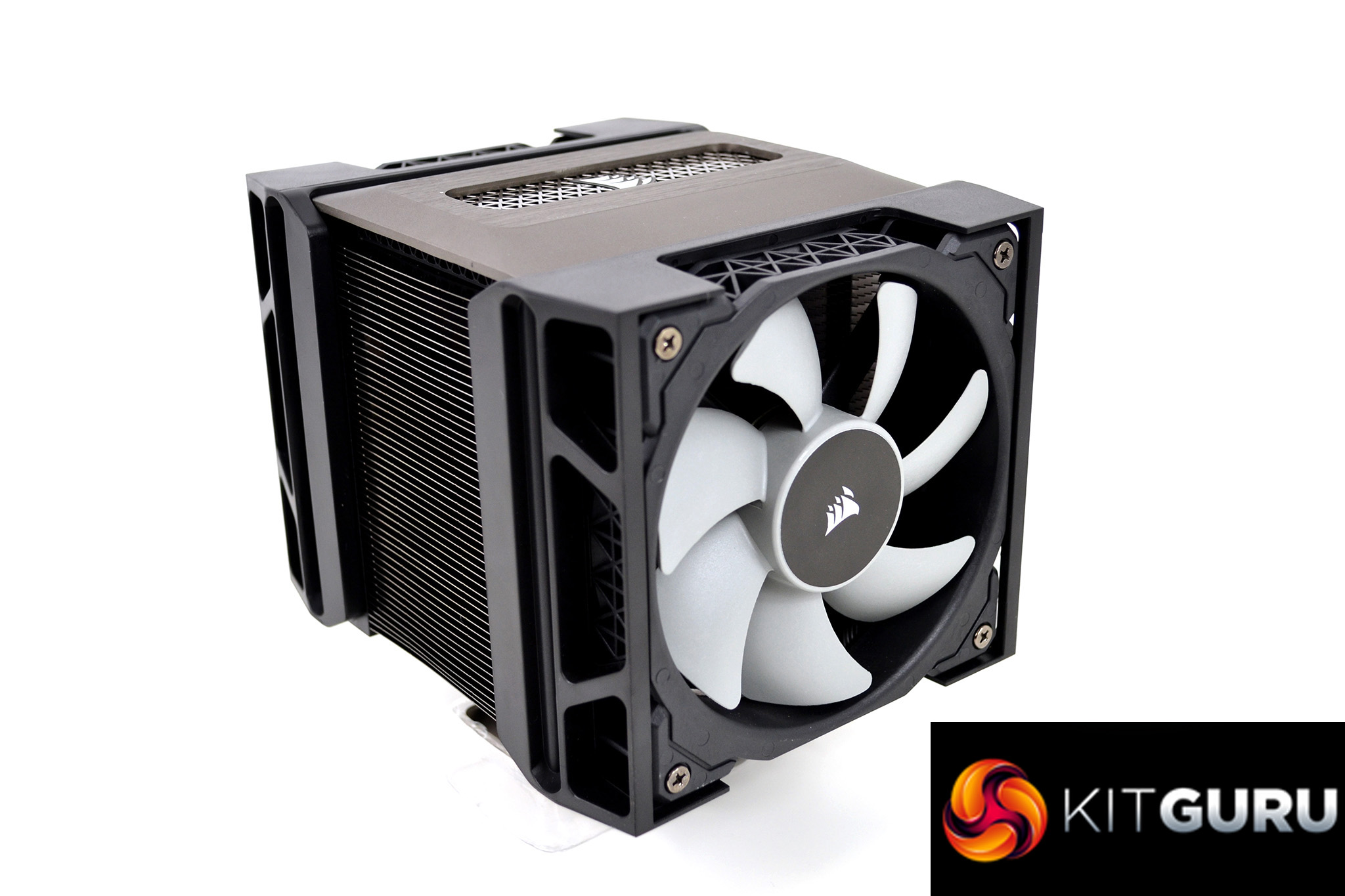
To ensure adequate airflow is always passing over the cooler, Corsair has equipped the A500 with two PWM controlled 120mm ML120 high static pressure fans. The ML120 fans that come with the A500 are the regular non-RGB type since Corsair wanted to retain an understated appearance in the A500, as the company expects it to be used more commonly in workstation type systems, where function is more important than aesthetics.
Corsair has introduced an optimised retention method to make installation of the A500 as quick and straightforward as possible. For AMD installations, the A500 utilises the stock backplate while Intel systems require replacing the backplate with a Corsair supplied solution with specific standoffs for the socket type. On AMD sockets, the Corsair A500 uses a simple screw and spacer retention method. However, we will go over the Intel installation method in detail later.
According to Corsair, the A500 has been designed to provide pure performance with understated looks. To achieve maximum cooling performance, it is recommended to run the fans at 100% RPM. However, since the ML120 fans can run at a speed up to 2,400RPM, PWM control would be much more suited to everyday use. In its own internal synthetic testing, Corsair found the A500 has an average thermal resistance lower than similar style coolers from rival manufacturers, so we expect to see good thermal performance results when we come to test the cooler ourselves later.
In terms of how the Corsair A500 performance measures up to the competition is something we will find out during this review. To purchase the A500 at the moment will set you back around £89.99 in the UK – this places it right in the line of other high-end dual tower coolers such as the Noctua NH-D15, be quiet! Dark Rock Pro 4 and the Deepcool Assassin III, but can it match their performance levels? Let's dive in and see.
Key features
- Dual heatsink design
- Four heat pipes
- Two 120mm fans
- Adjustable fan height for RAM clearance
- Understated aesthetics
- Simple installation method
Specification
| Heatsink Dimensions | 137mm x 169mm x 103mm |
| Heatsink Dimensions w/Fan | 144mm x 169mm x 171mm |
| Cold Plate Type | Direct-Contact Heatpipe |
| Fan Dimensions | 120mm x 120mm x 25mm |
| Fan Speed | 2400 RPM |
| Number of Fans | 2 |
| Fan Model | ML Series |
| Fan Airflow | 75 CFM |
| Fan Static Pressure | 4.2 mm-H2O |
| Noise Level | 36 dBA |
| Heatpipe Material | Copper |
| Heatsink Material | Aluminium |
| Maximum RAM Height (Stock Fan Position) | 45mm |
| Cooling Socket Support | Intel 1150/1151/1155/1156 Intel 2011/2011-3/2066 AMD AM4 AMD AM3/AM2 |
Unboxing and First Look
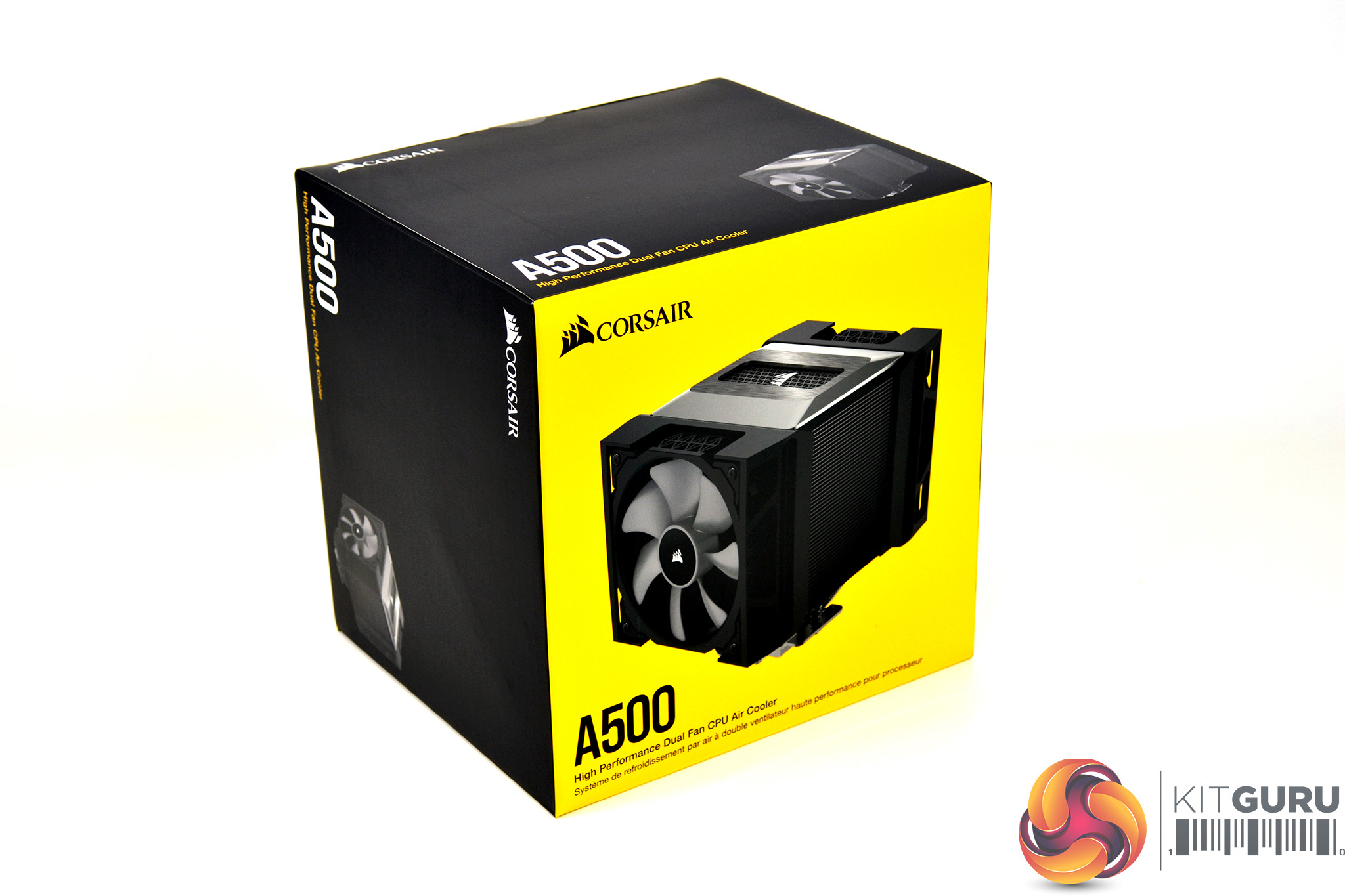
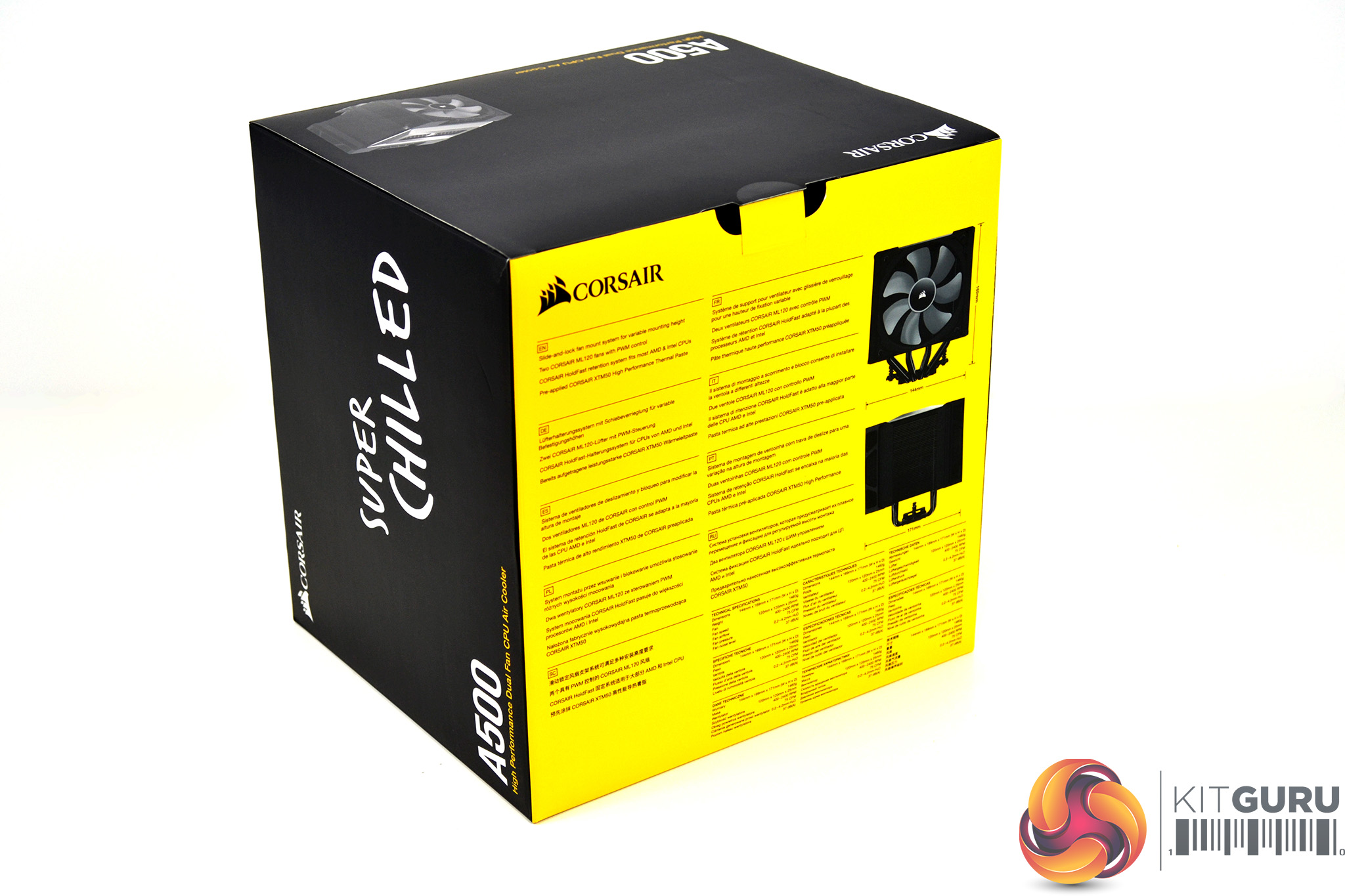
The Corsair A500 cooler arrives packaged inside a thin cardboard box, sporting the traditional Corsair yellow and black colour scheme. On the front of the packaging is a large glossy image of the cooler with Corsair and A500 printed in the top and bottom corners. On the rear, key features and specifications are listed along with images of the cooler, with detailed dimensions included.
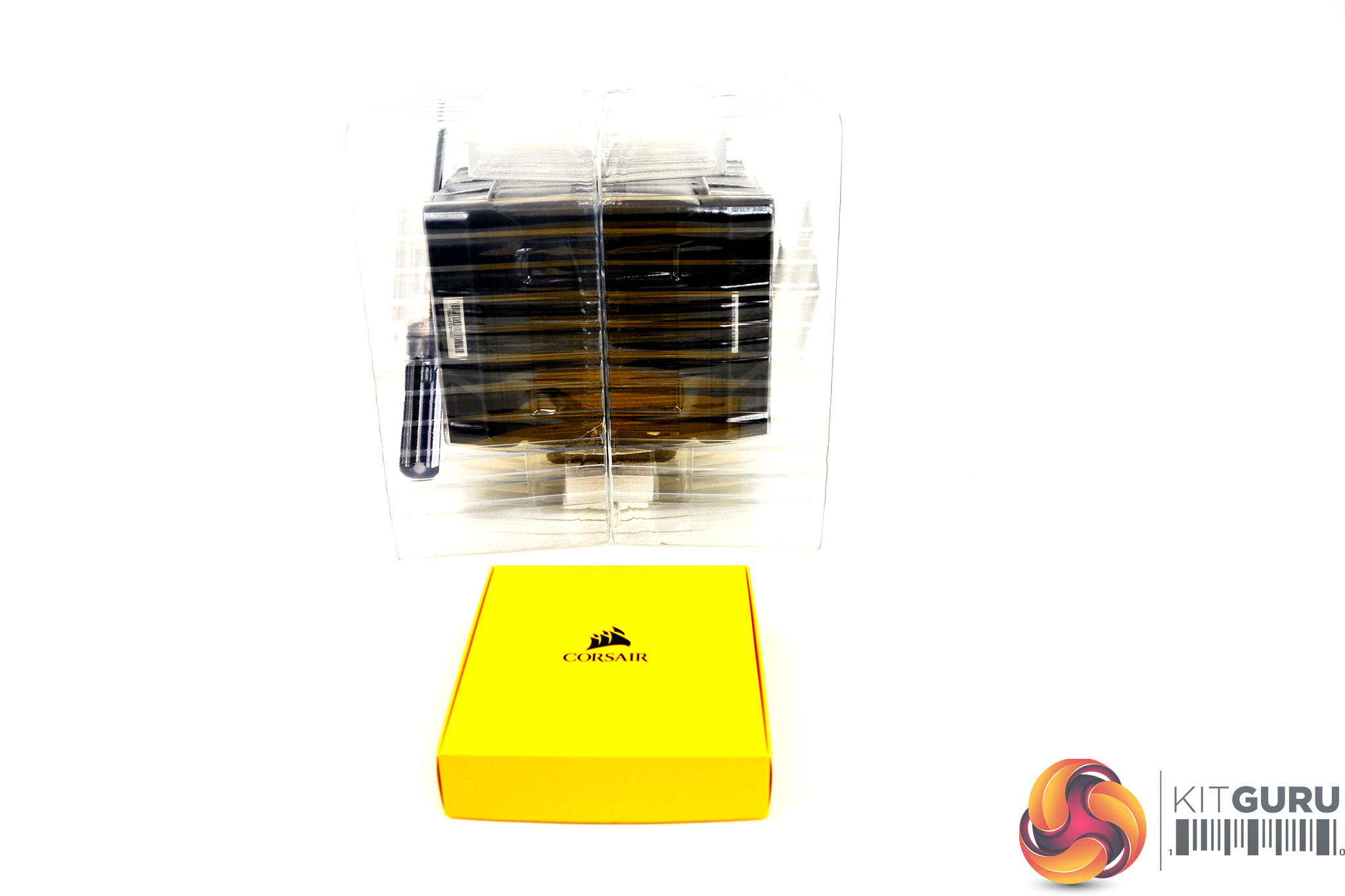
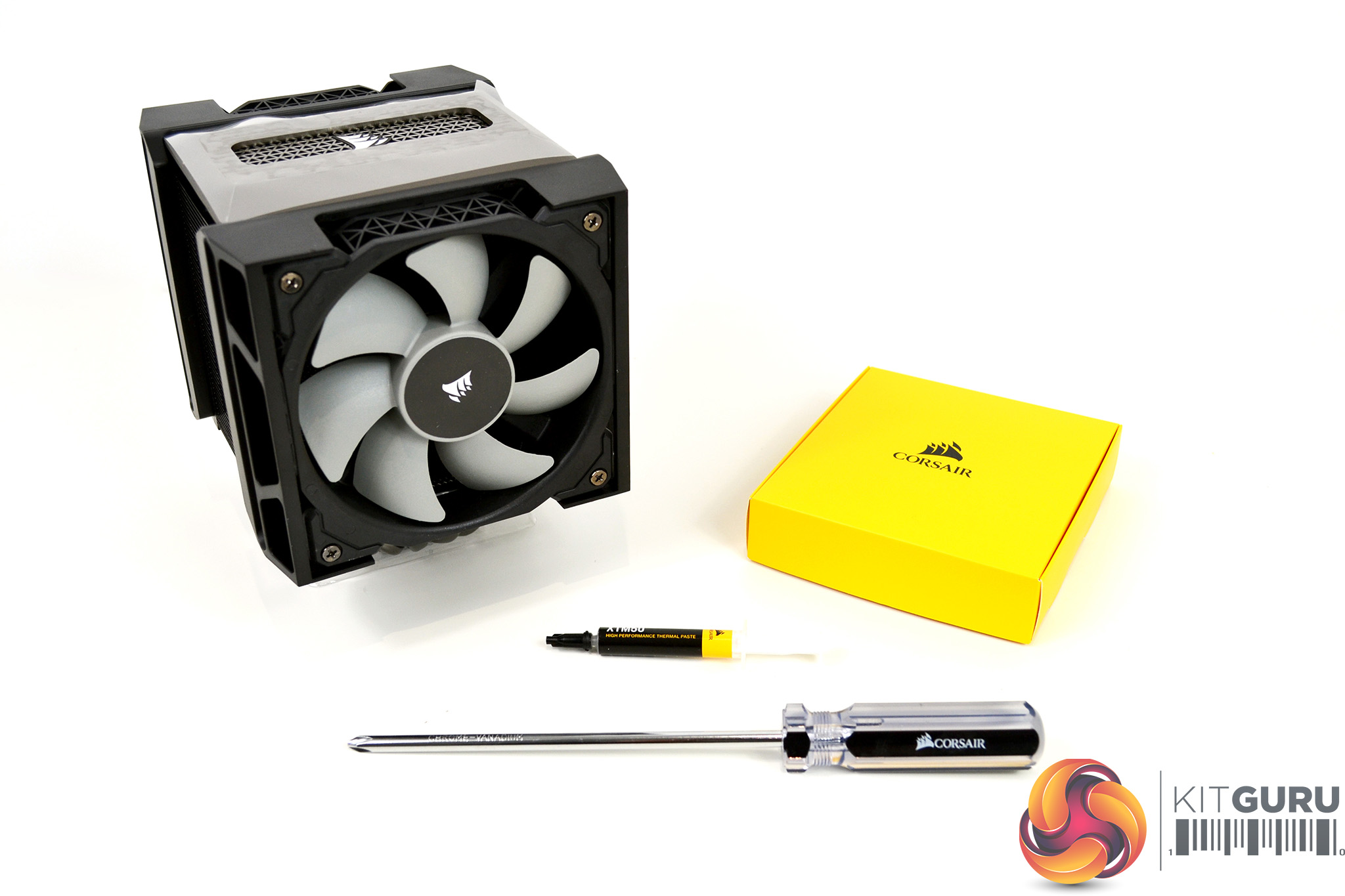
Inside the cardboard box, Corsair has further protected the cooler from potential damage during shipping with a corrugated plastic cover. Included in the packaging is a smaller box that contains mounting hardware, cables and instructions. Corsair has also included a Philips screwdriver to help with installation and an extra tube of its XTM50 thermal compound in addition to the pre-applied thermal compound on the base of the cooler, which is a nice touch.
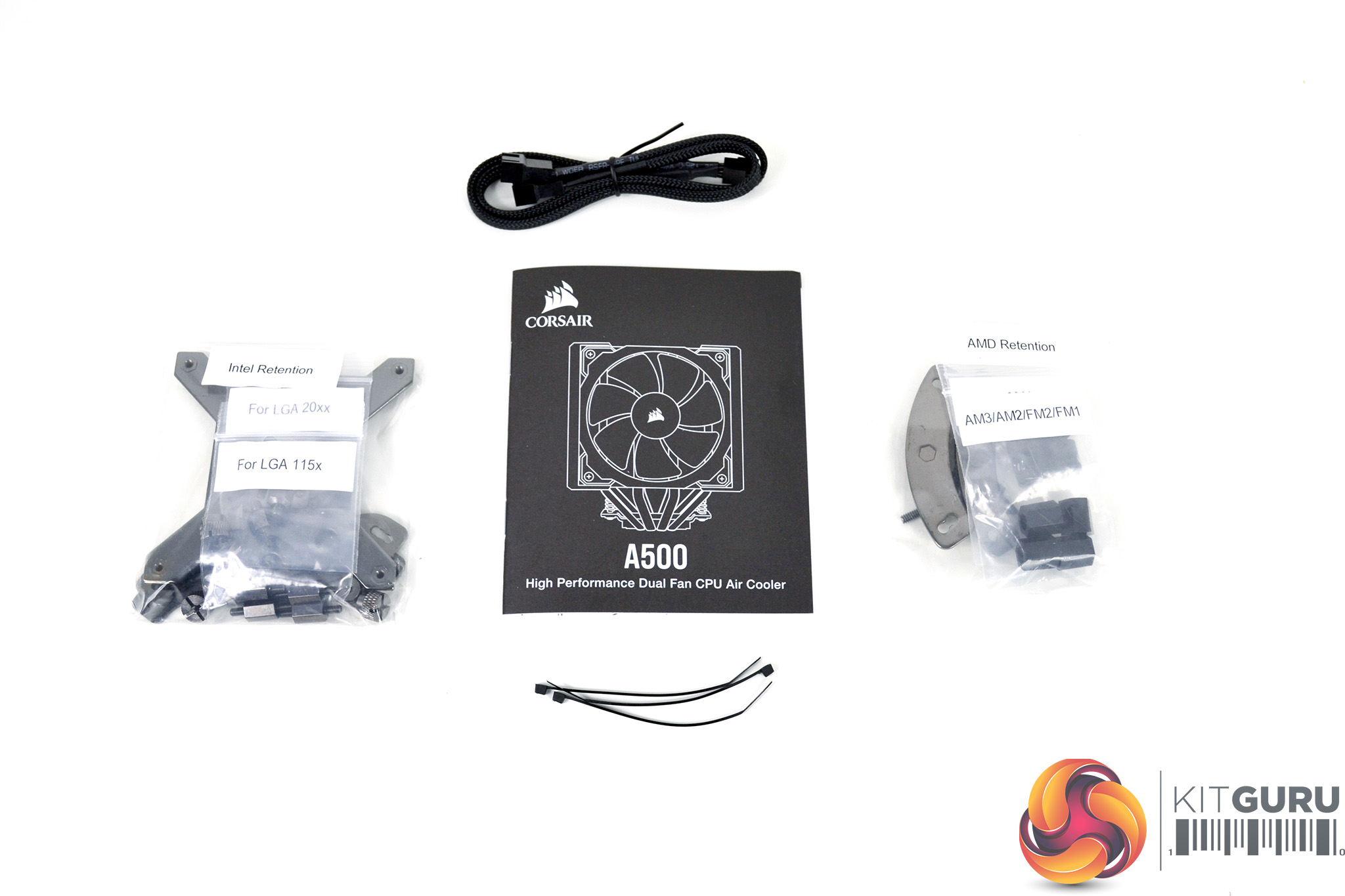
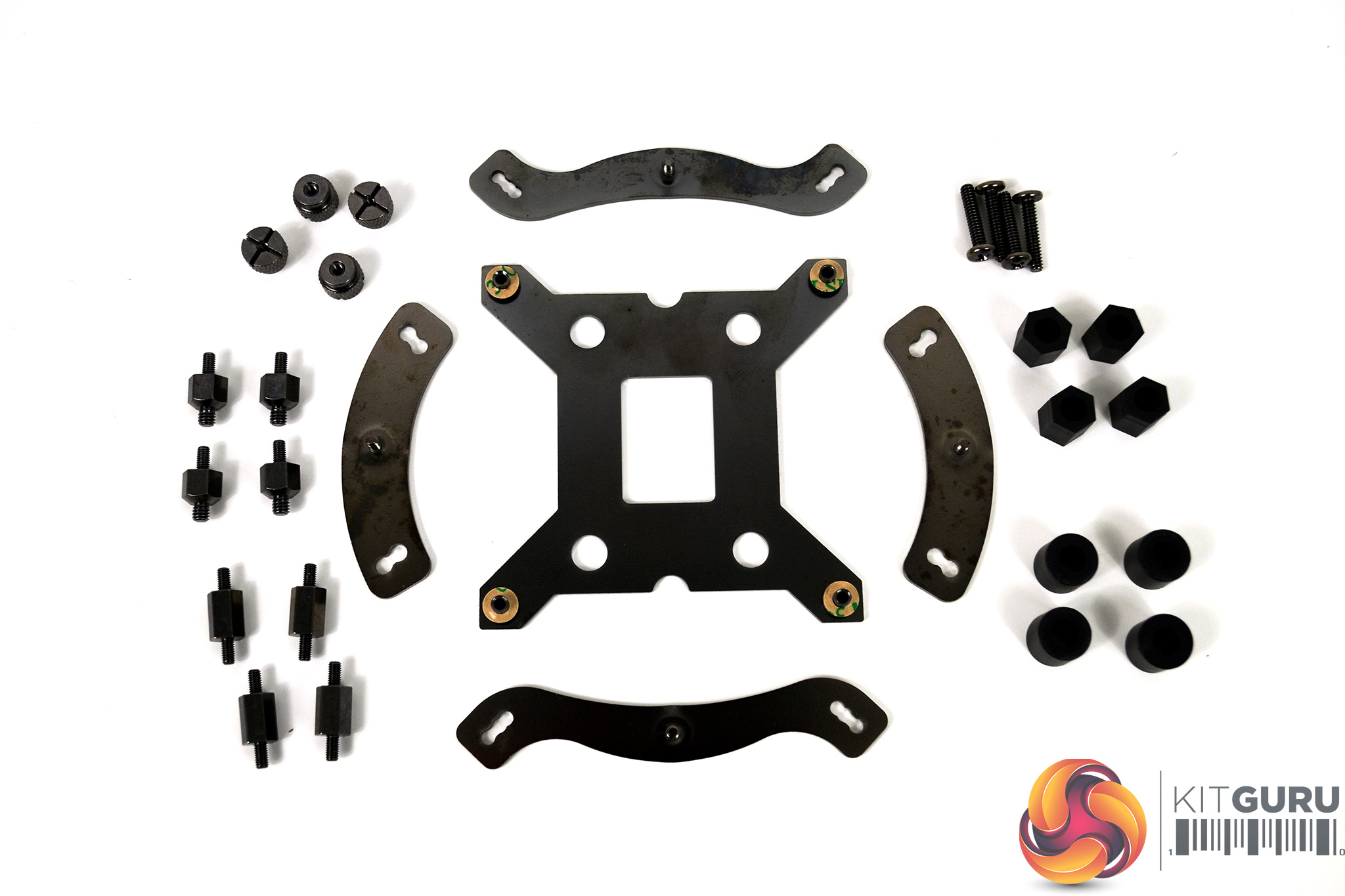
Inside the smaller yellow box is all the mounting hardware required to install the A500 on either AMD or Intel desktop platforms, as well as an installation manual, fan splitter cable and a few zip ties for good measure. Mounting hardware is sorted into bags that are labelled to represent the socket type each part is for. Once removed from the bags, we can see exactly what is included.
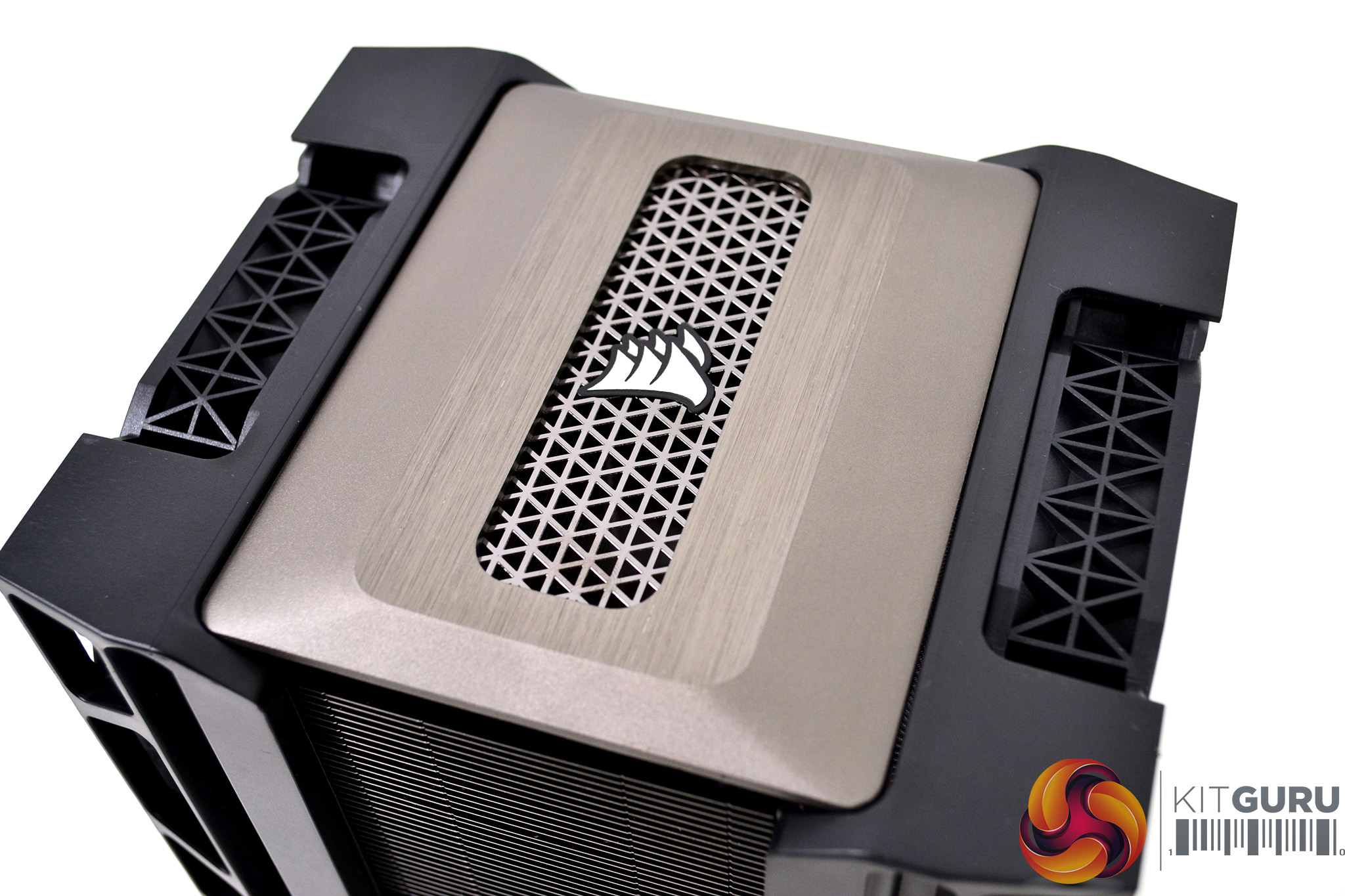
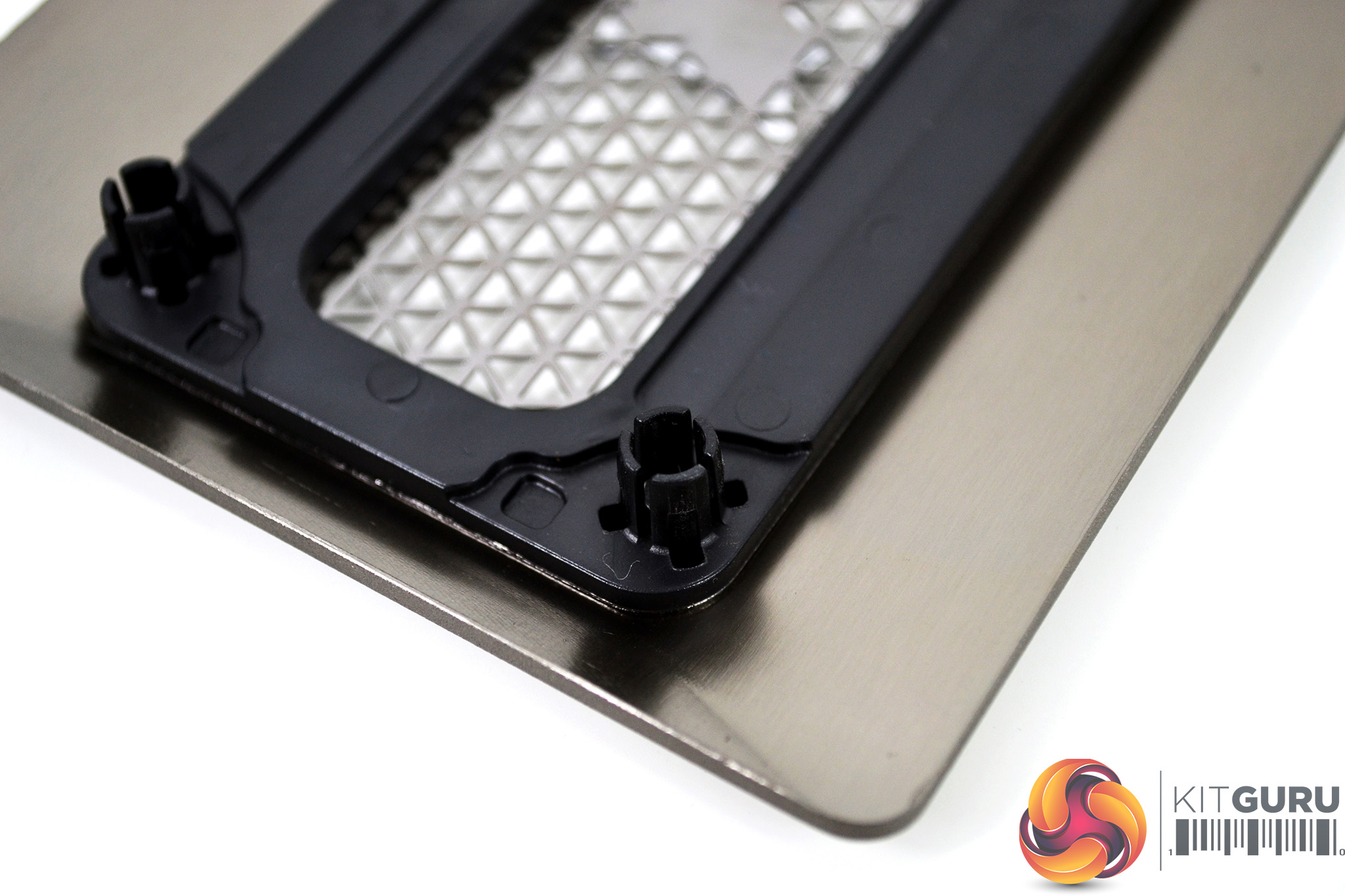
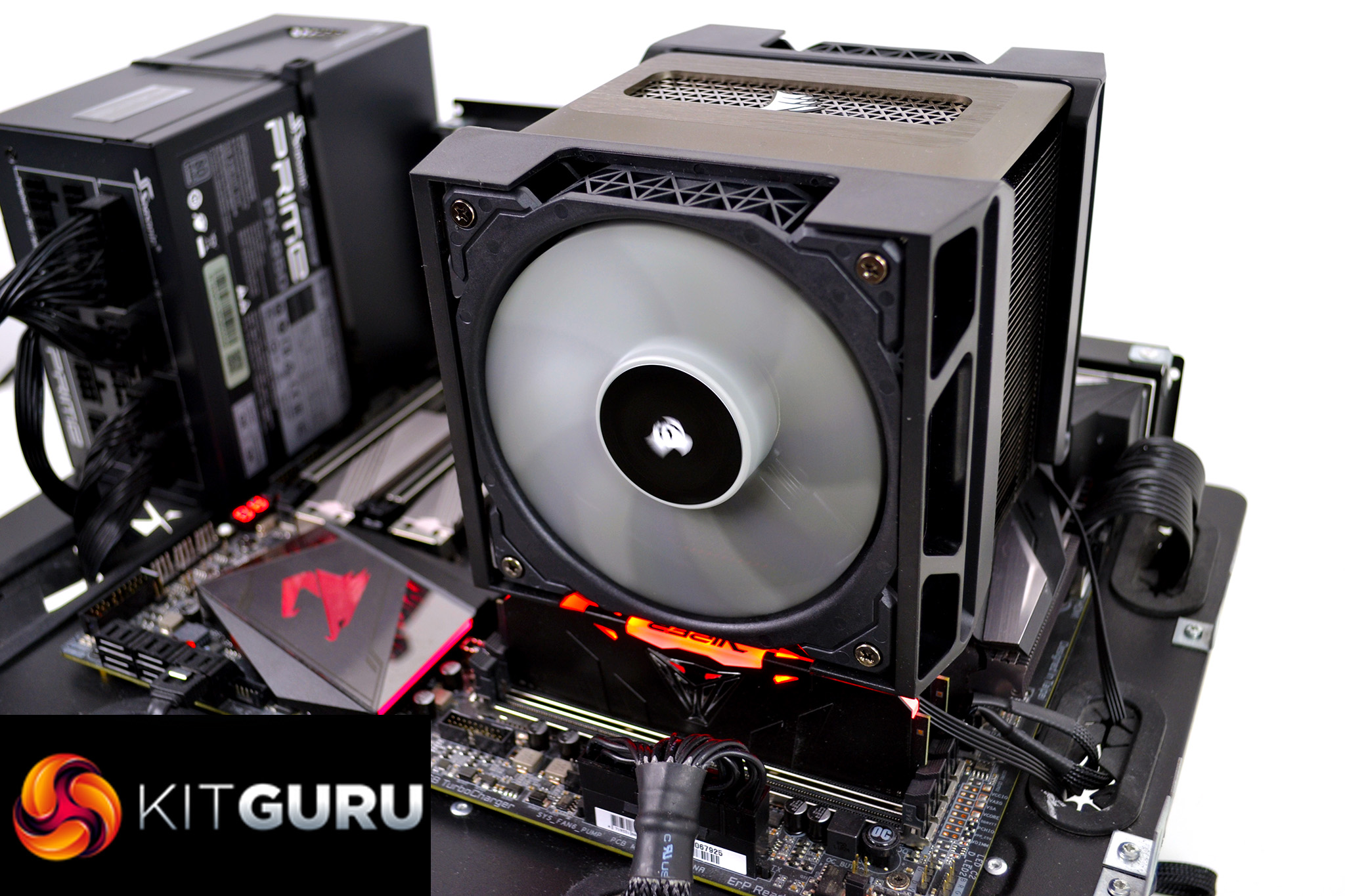
So onto the cooler itself – let’s start from the top. A removable panel manufactured from aluminium with a brushed finish provides both an understated and premium appearance. The top panel is removable for installation purposes and is located on top of the heatsink via plastic push-fit fittings.
No tools are required to remove the top panel and it can be orientated two ways around, so the Corsair logo will always face the correct way no matter how the cooler is installed.
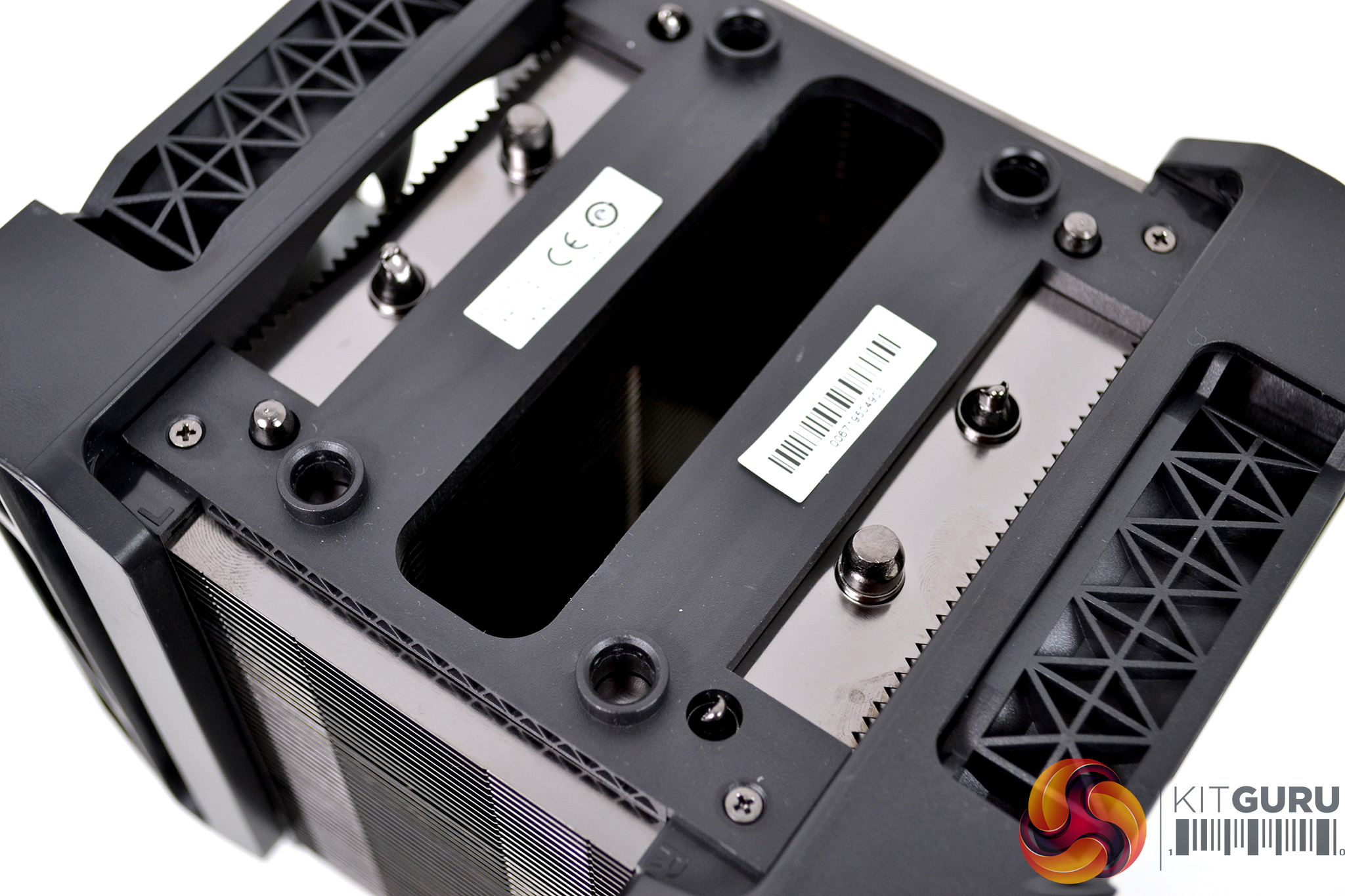
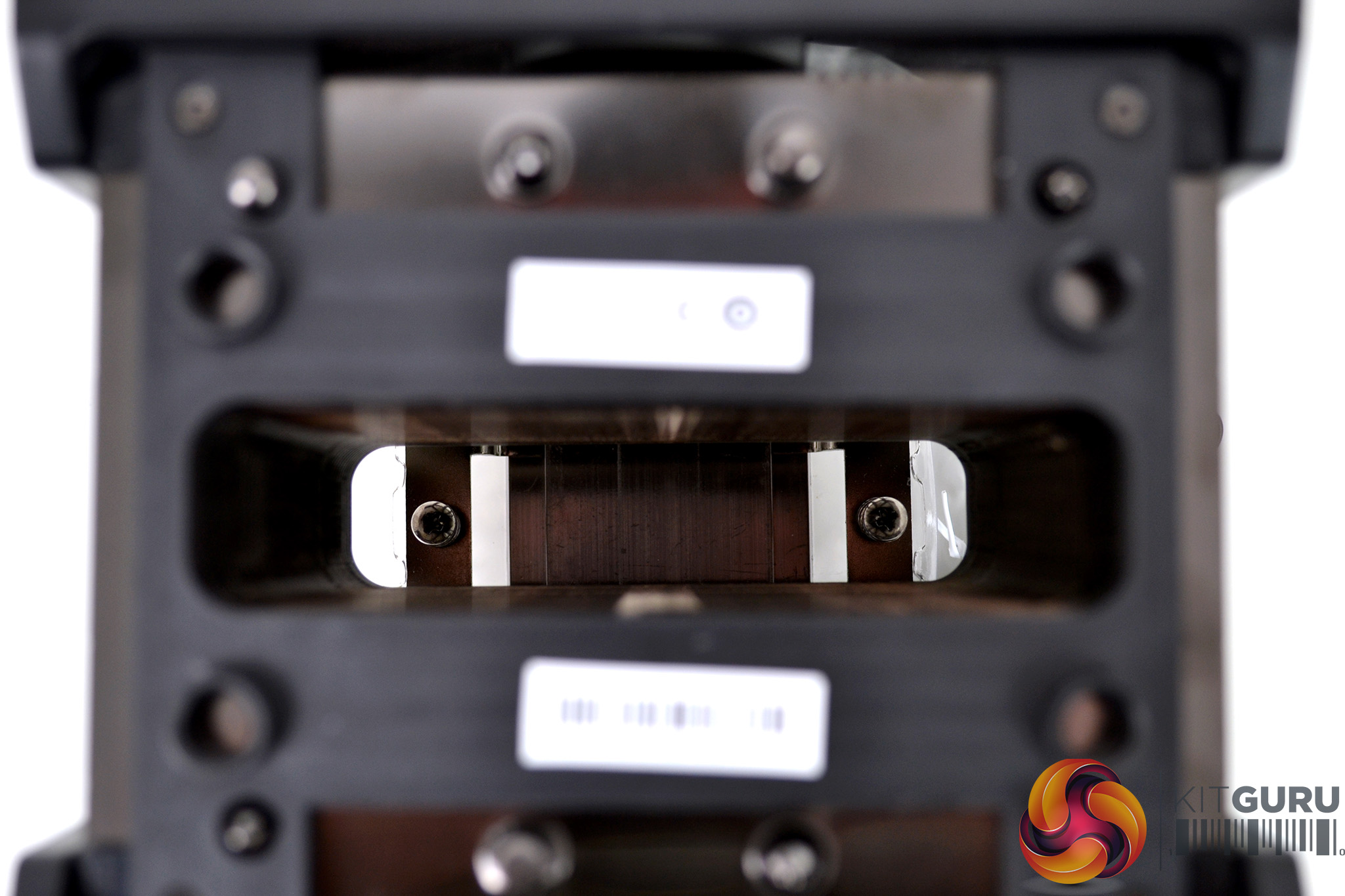
With the Aluminium top panel removed, we can see that the heatsink links the dual tower design together, unlike similar coolers from other manufacturers that have completely separated heatsinks. This cut out in the centre is necessary to gain access to the screws during installation and provides plenty of access to the screw heads.
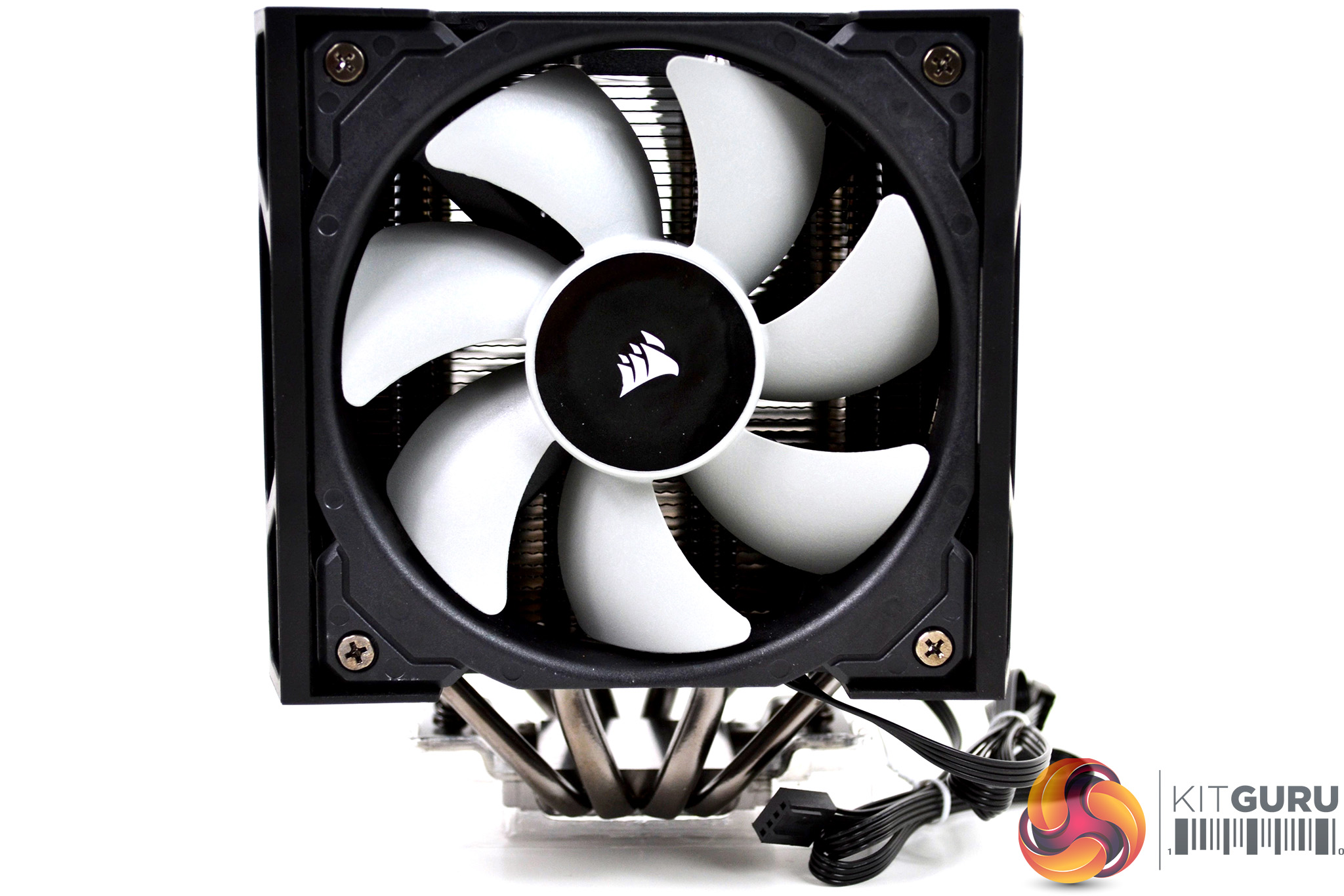
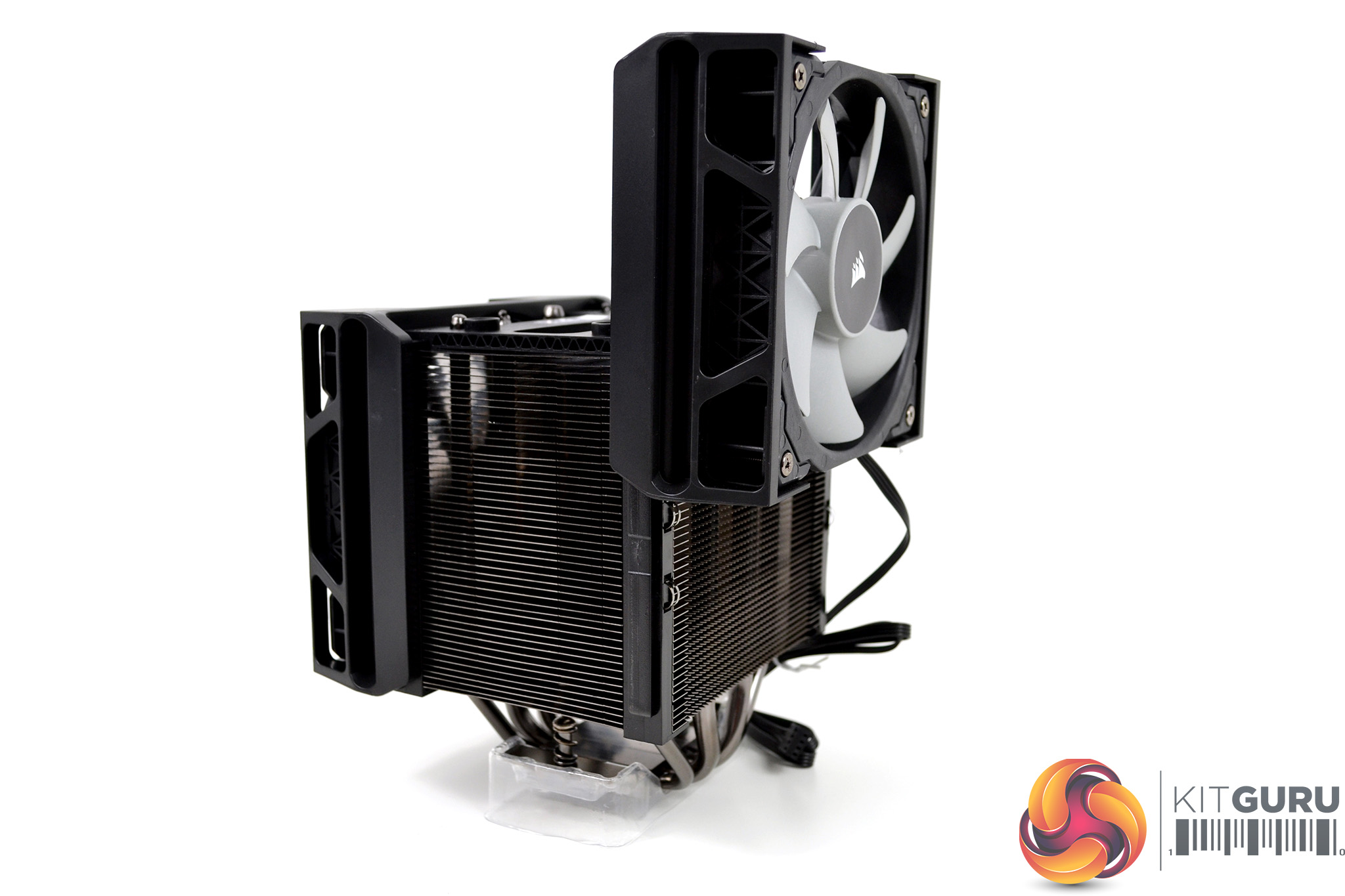
At their lowest point of adjustment, the fans provide approximately 45mm of RAM clearance, which should be adequate for plenty of memory modules. Taller memory modules with large heatsinks and RGB lighting will require more clearance, which isn't a problem for the A500. As we can see clearance is almost unlimited, however, the higher you adjust the fans, the less efficient at cooling they become. Internal dimensions of the PC case would determine the maximum height too.
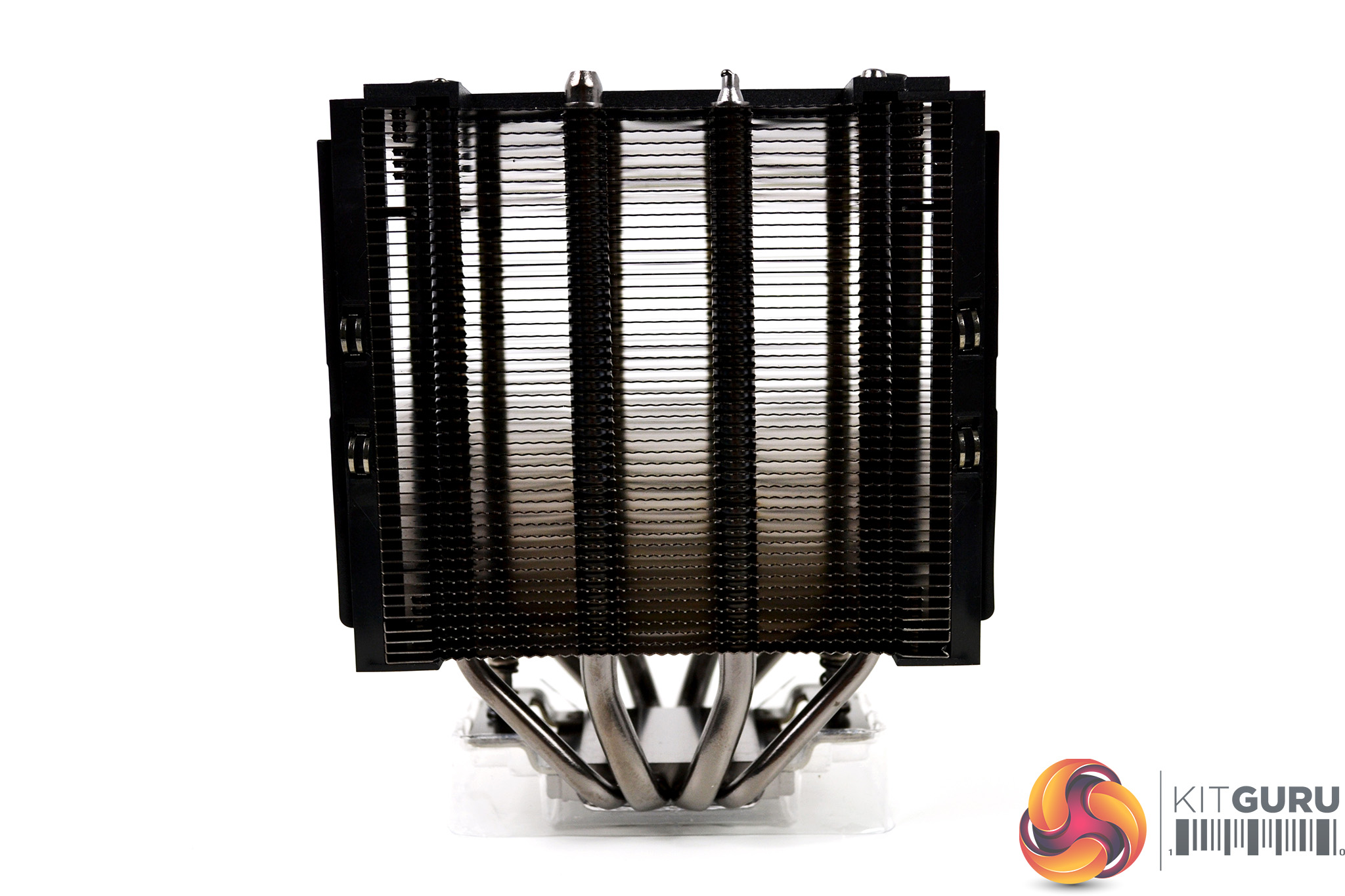
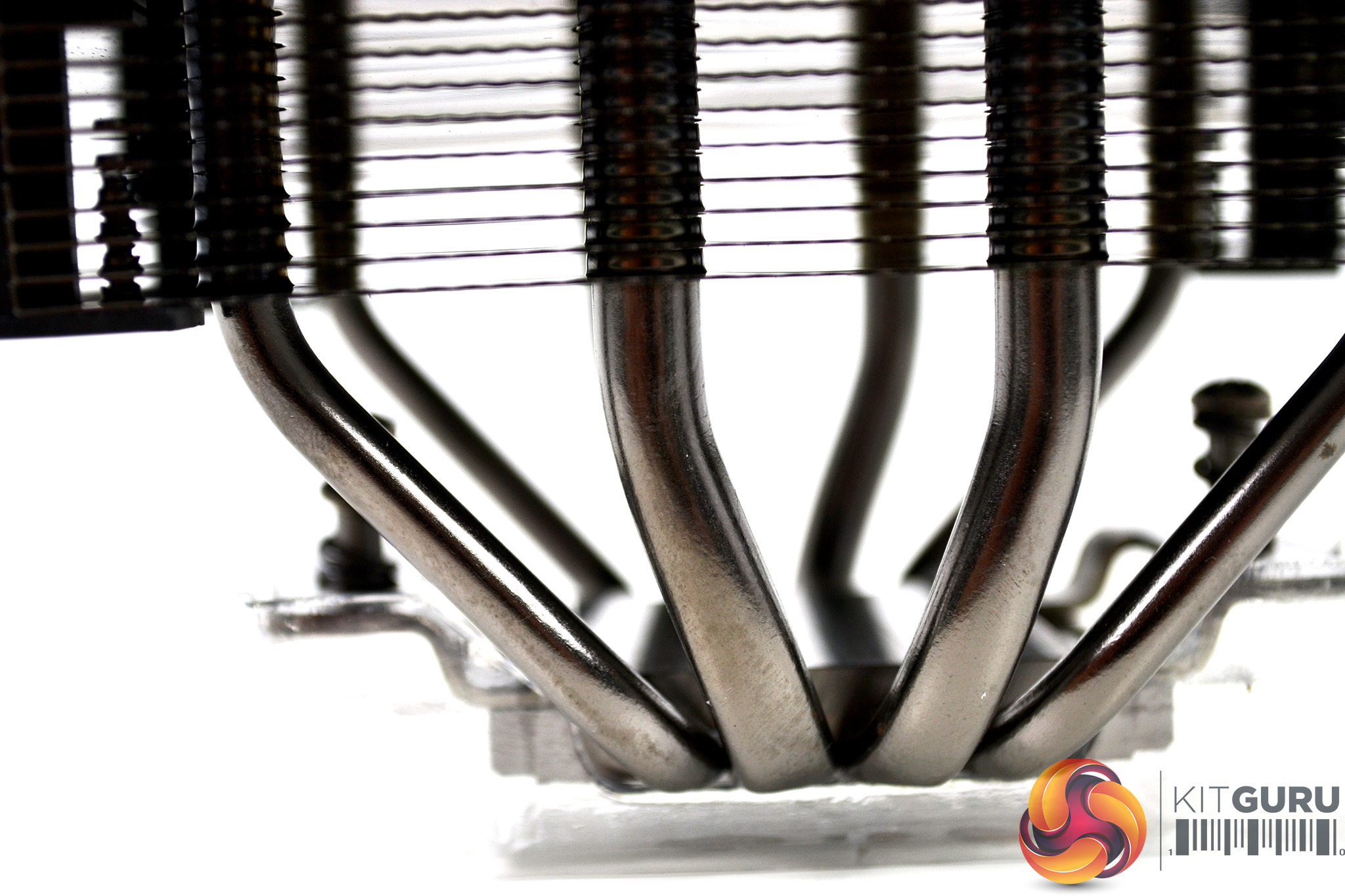
With the fans removed completely, we can get a closer look at the heatsink design. The heatsink fins are manufactured out of aluminium and are finished in a dark silver anodised effect. We can see the size difference between the inner and outer heat pipes which also sport the same anodised finish, which continues onto the thermal transfer base plate.
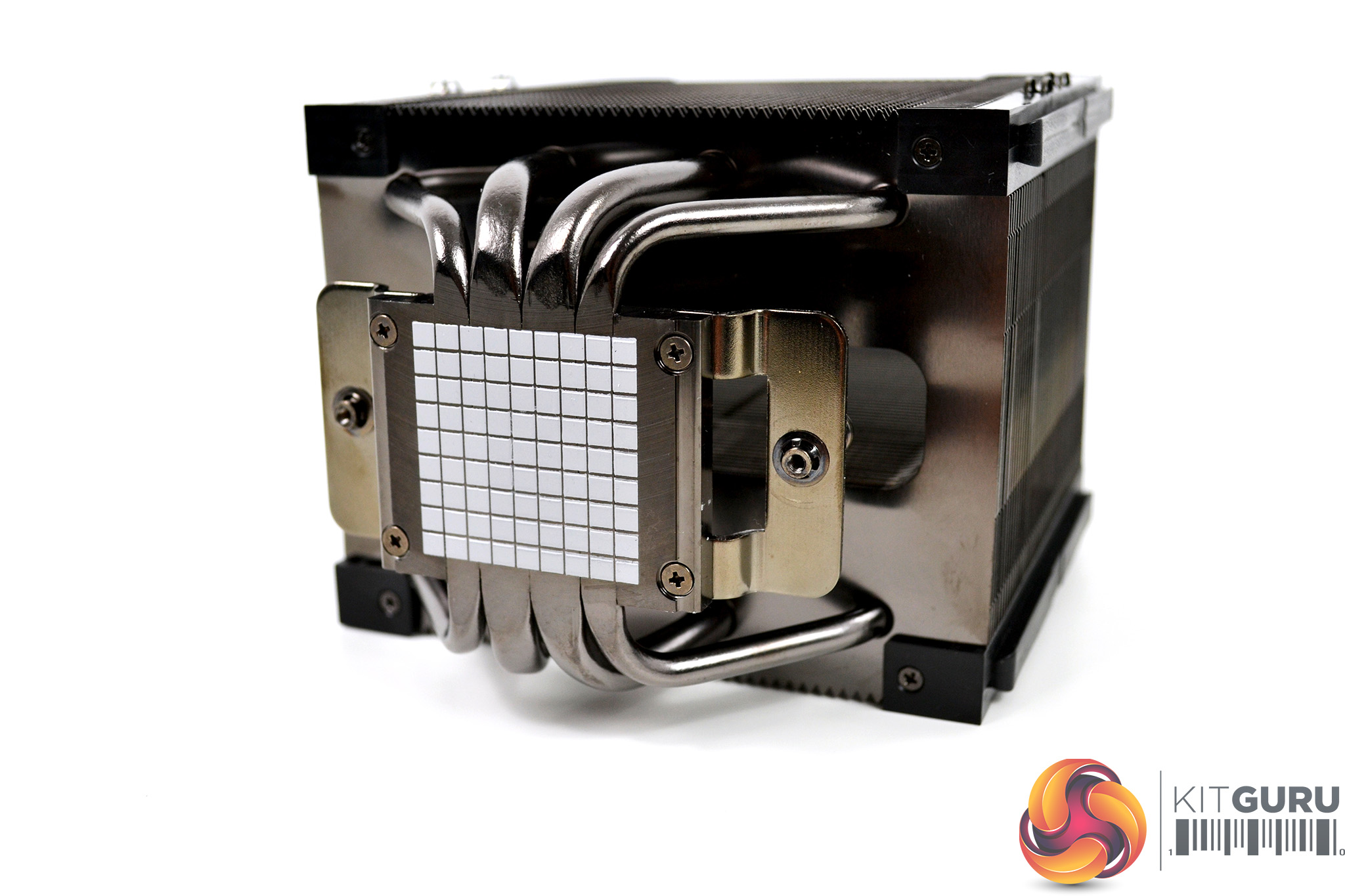
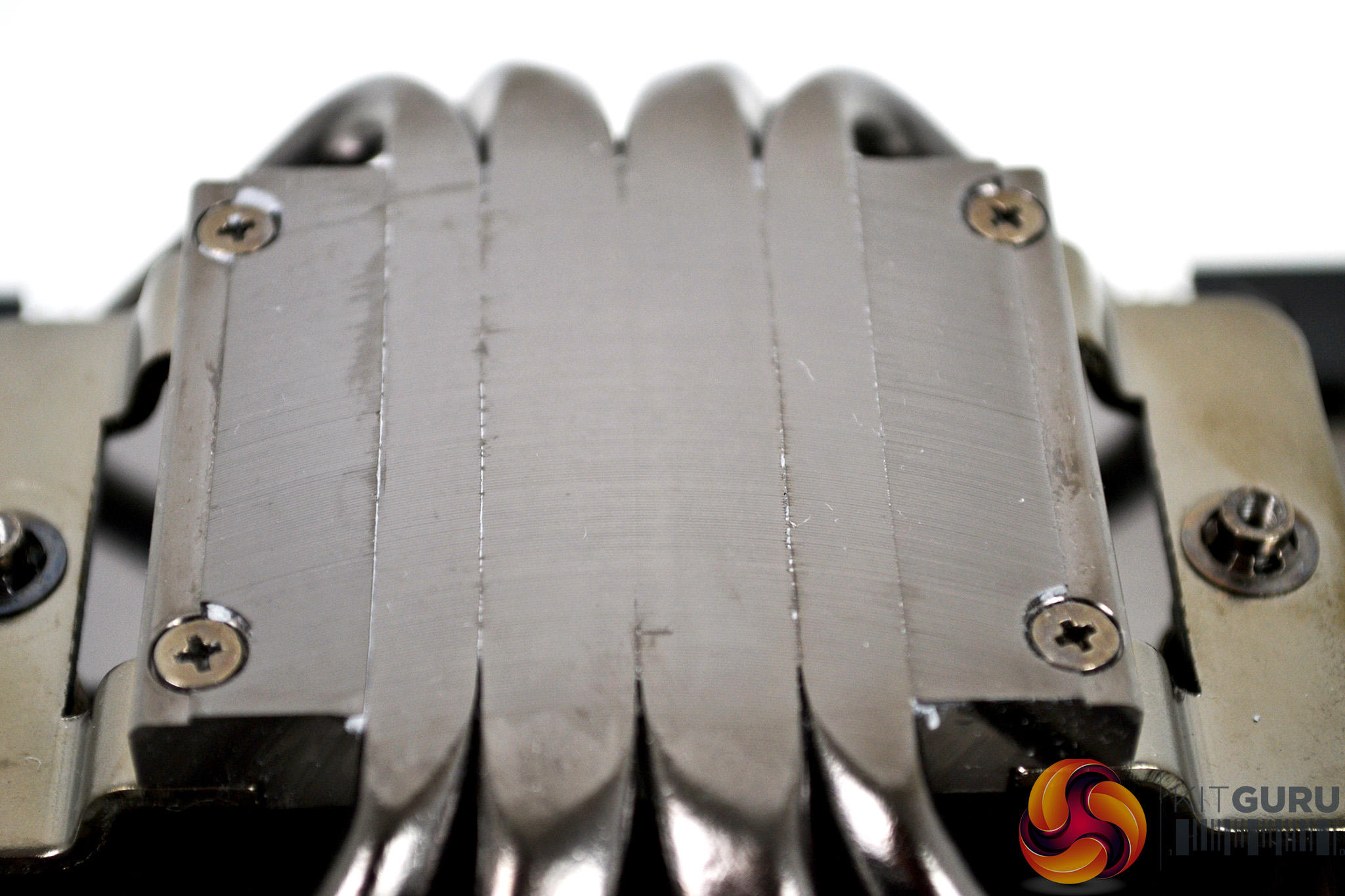
The base plate comes with mounting brackets pre-installed, as well as a pre-applied coating of Corsair XTM50 thermal compound in a grid pattern. With the thermal compound removed, we can see the base plate has a machined finish. There are some small ridges where the heat pipes join – this should fill in with thermal compound and will hopefully not adversely affect thermal transfer performance.
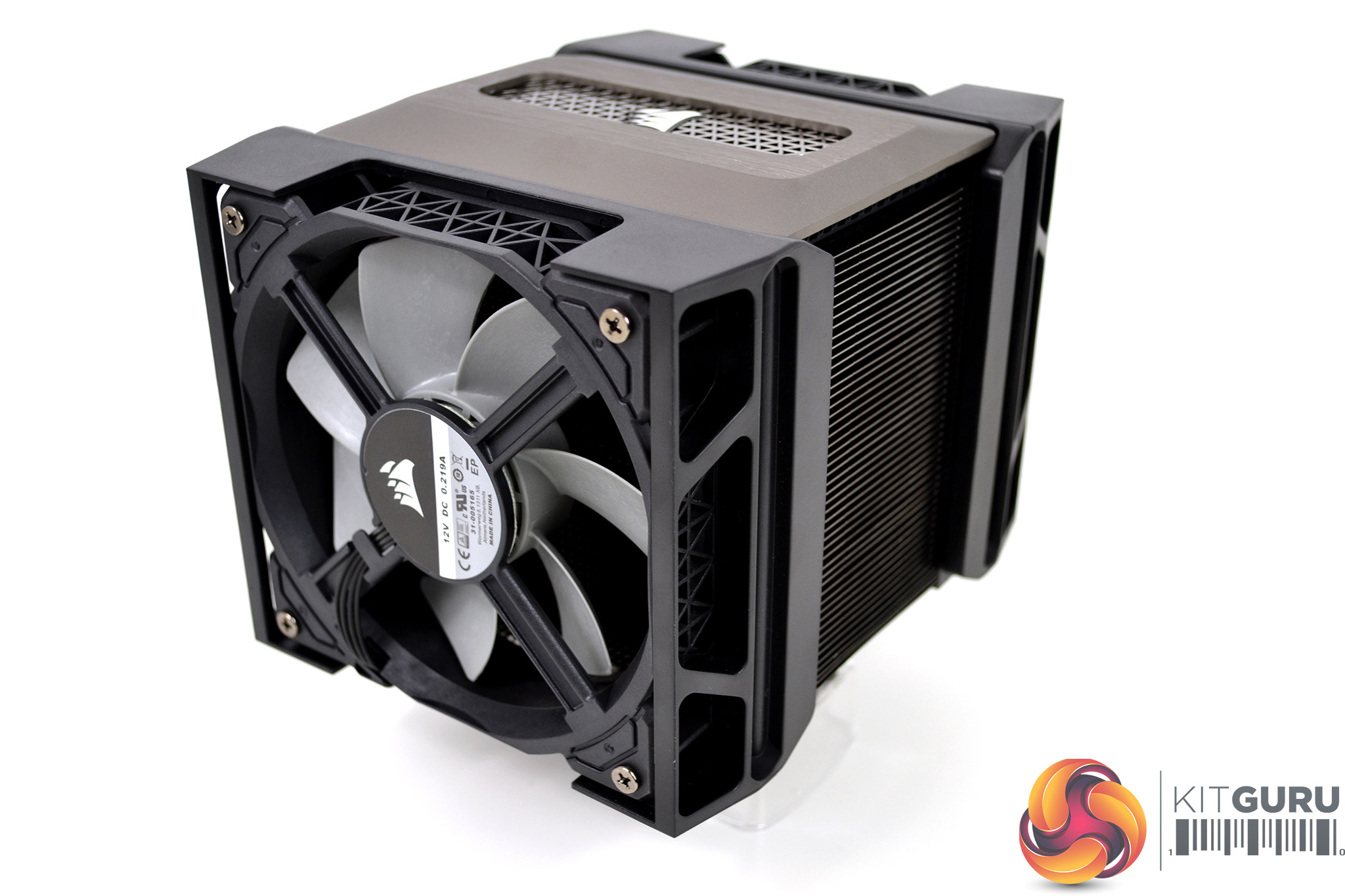
Overall, we like the understated and premium appearance of the Corsair A500 – the fan mounting and adjustment mechanism looks very good which should make installation a simple process compared to the fiddly spring clip system we are used to. The lack of RGB lighting may not appeal to everyone, but we think it suits this design and the audience Corsair are targeting with this product.
Installation process
Our test system is Intel Z390 based, therefore, we will be following the relevant Intel 115X socket installation procedure which requires the installation of a specific Corsair backplate. AMD installation utilises the stock backplate.
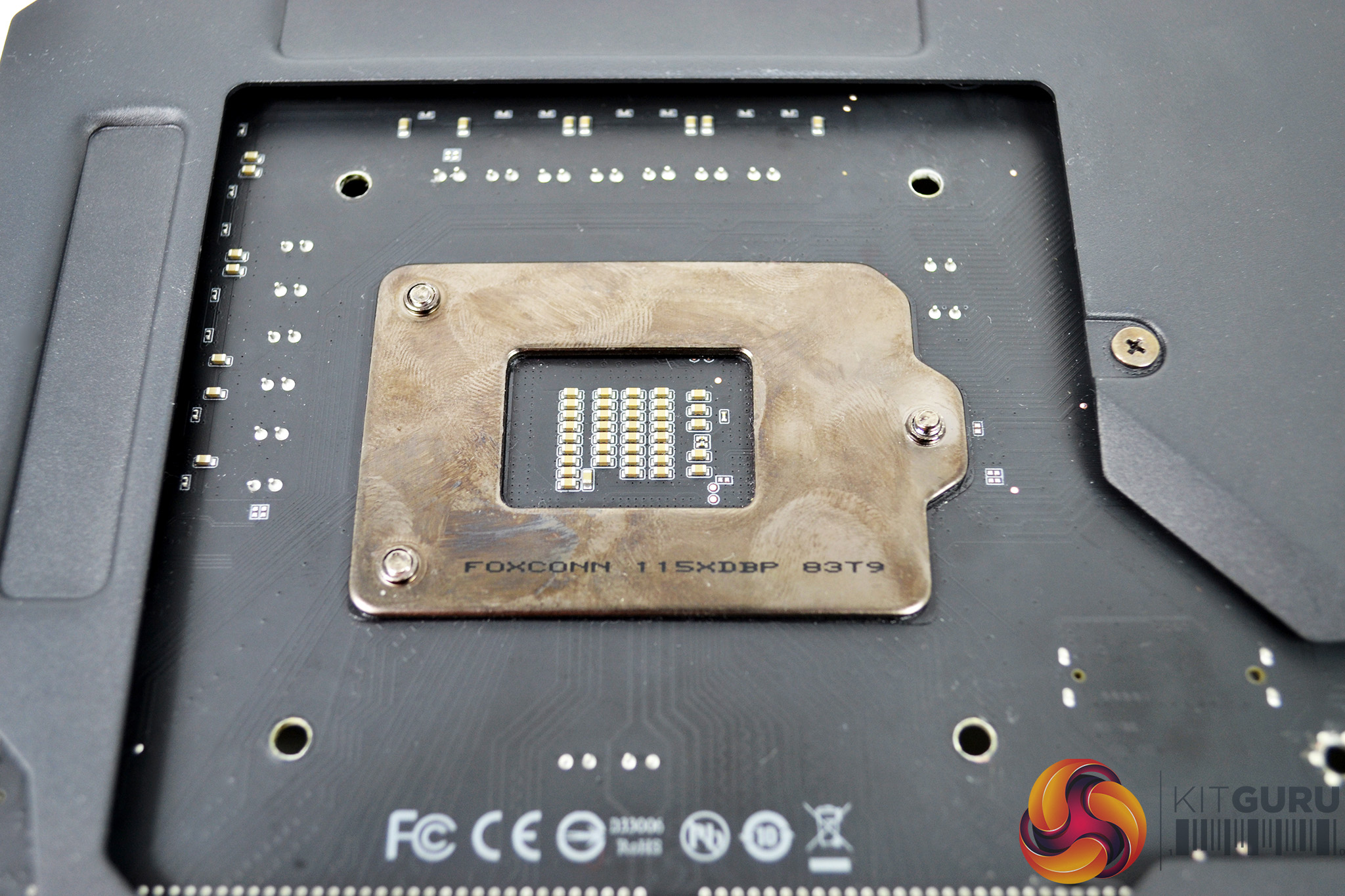
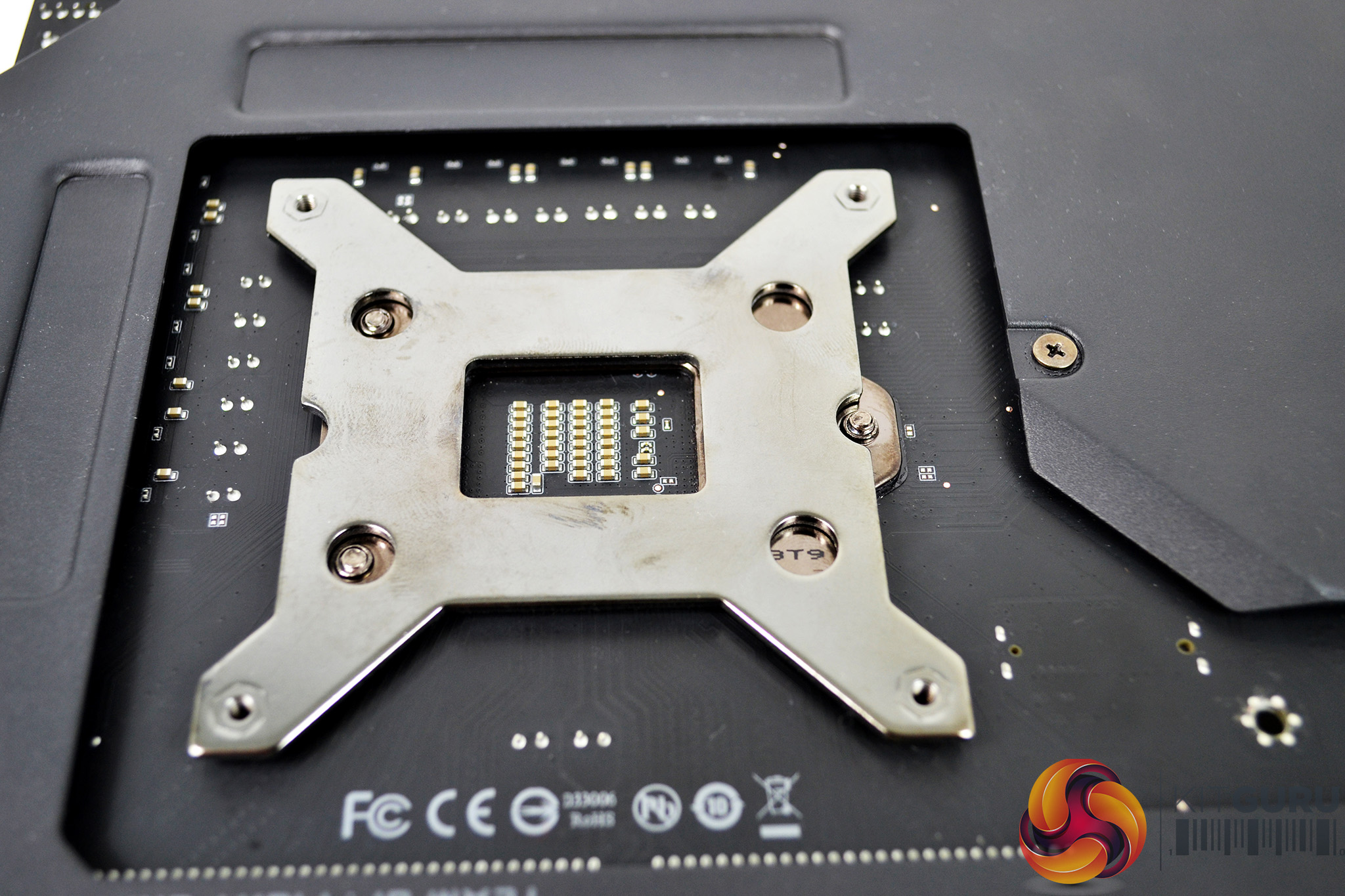
The first stage of installation for the Corsair A500 on Intel platforms is to prepare the motherboard. This consists of fitting the Corsair retention backplate by turning the motherboard upside down and aligning the backplate in position over the four holes around the CPU socket.
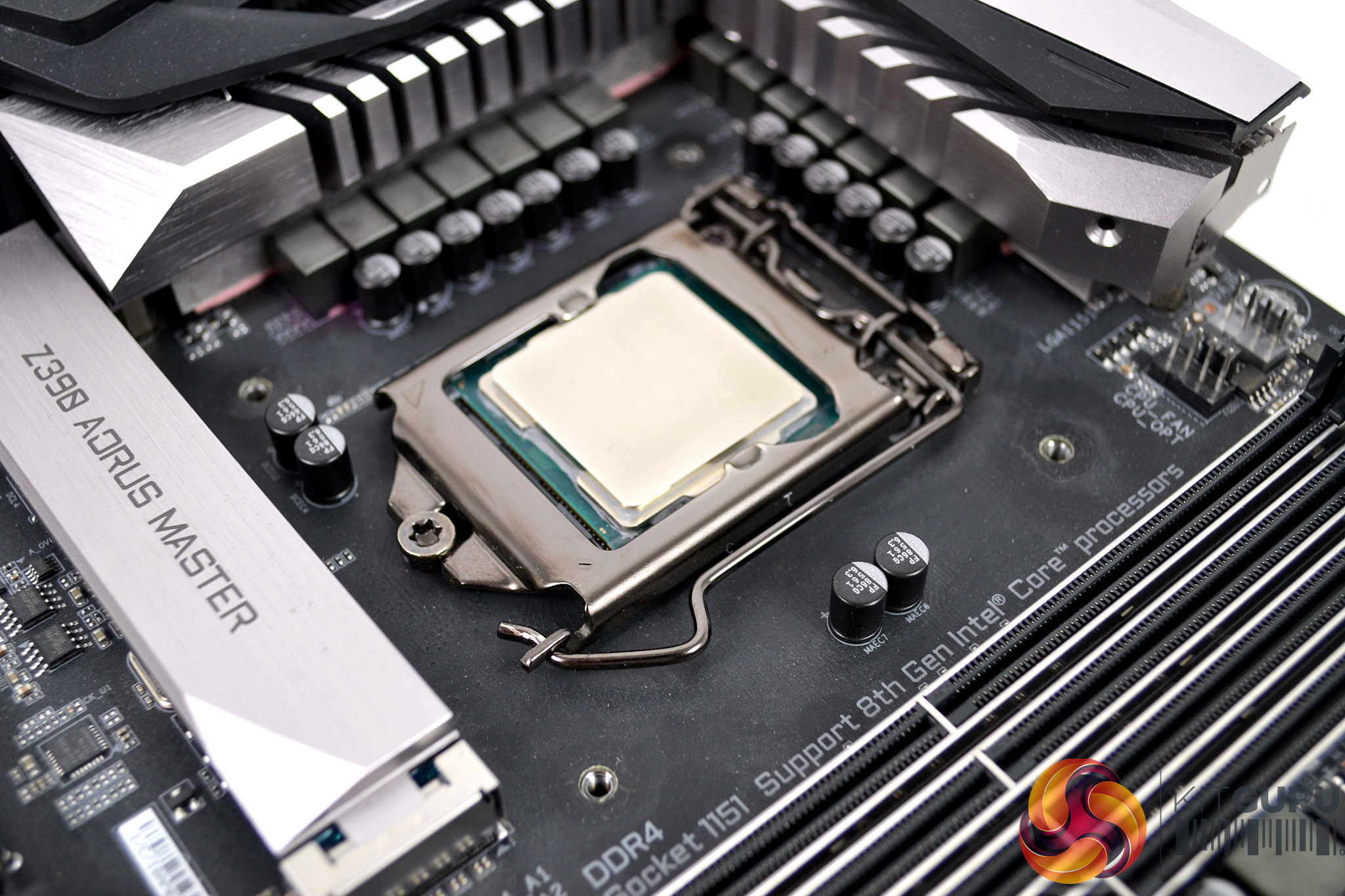
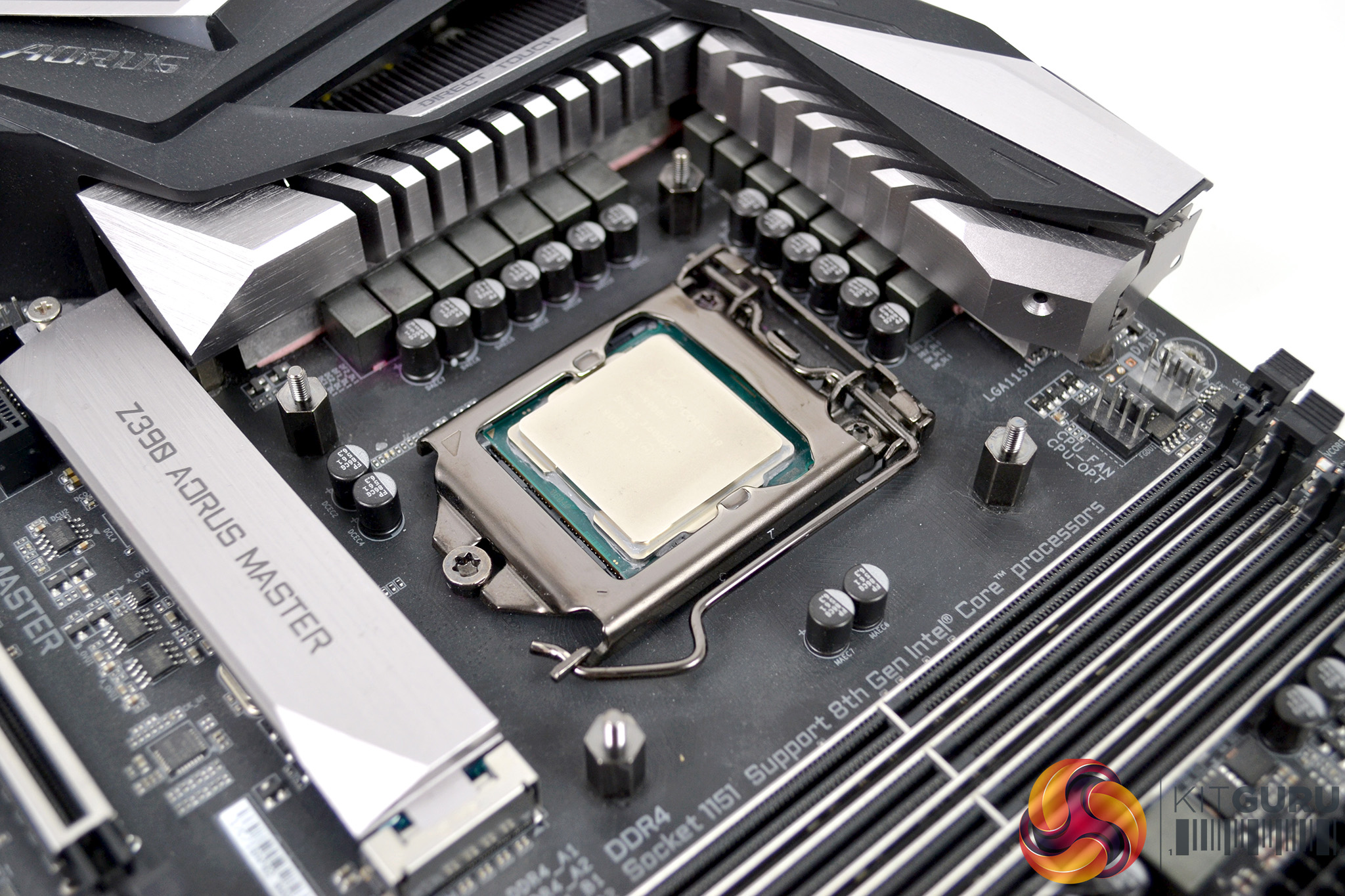
While holding the backplate in position, flip the motherboard back the correct way up and locate the bag of standoffs that correspond with your motherboard socket type. Now screw the standoffs to the backplate by hand until tight – this will fix the backplate in position and allow the upper brackets to be installed.
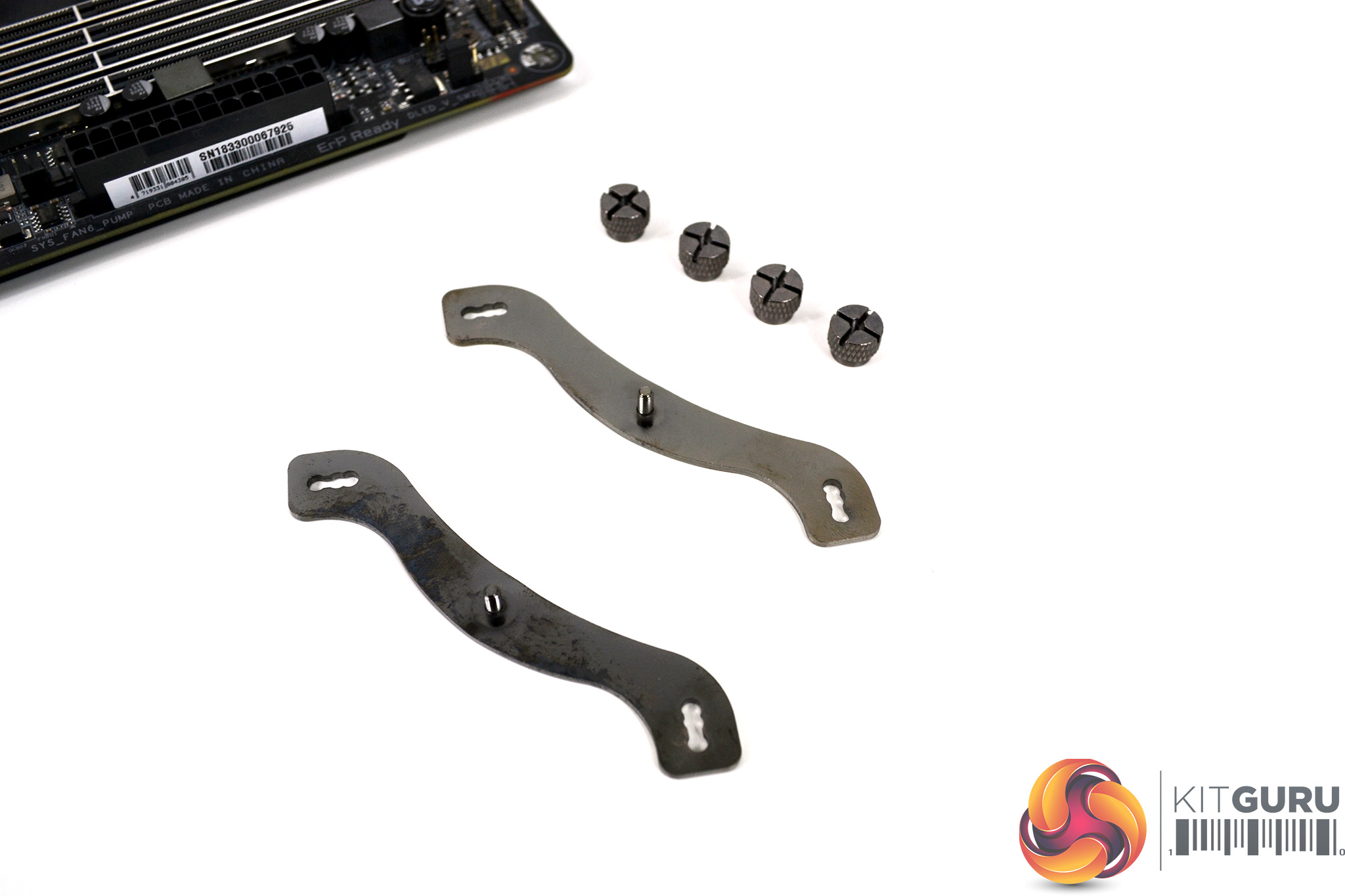
Next, take the Intel upper retaining brackets out of the bag labelled ‘Intel Retention', along with the Intel retaining thumbscrews. Place the brackets over the standoffs you just installed and fix them in place with the thumbscrews. Tightening by hand should be enough to hold them in place. We recommend nipping them up with a Philips screwdriver for extra peace of mind.
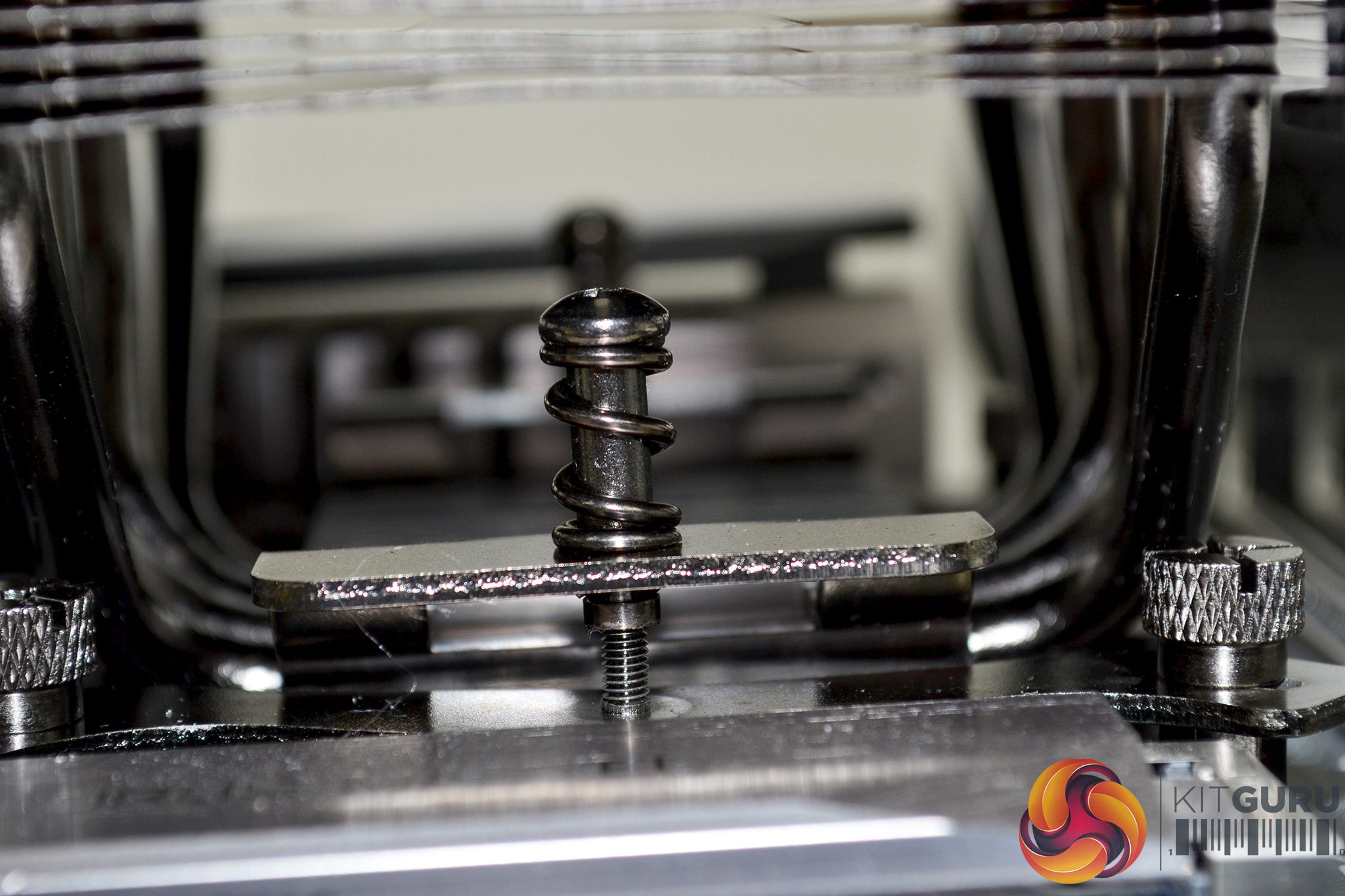
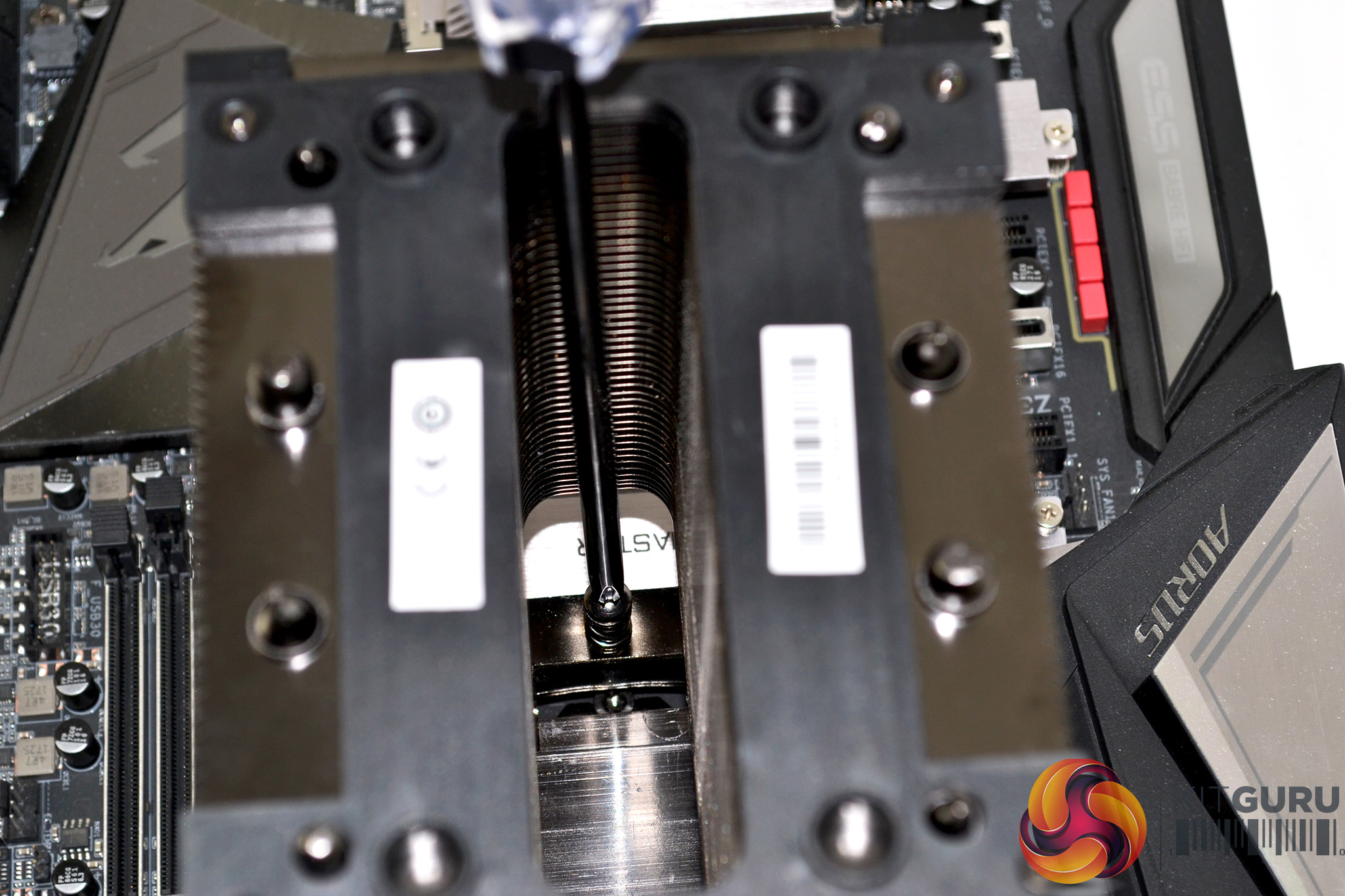
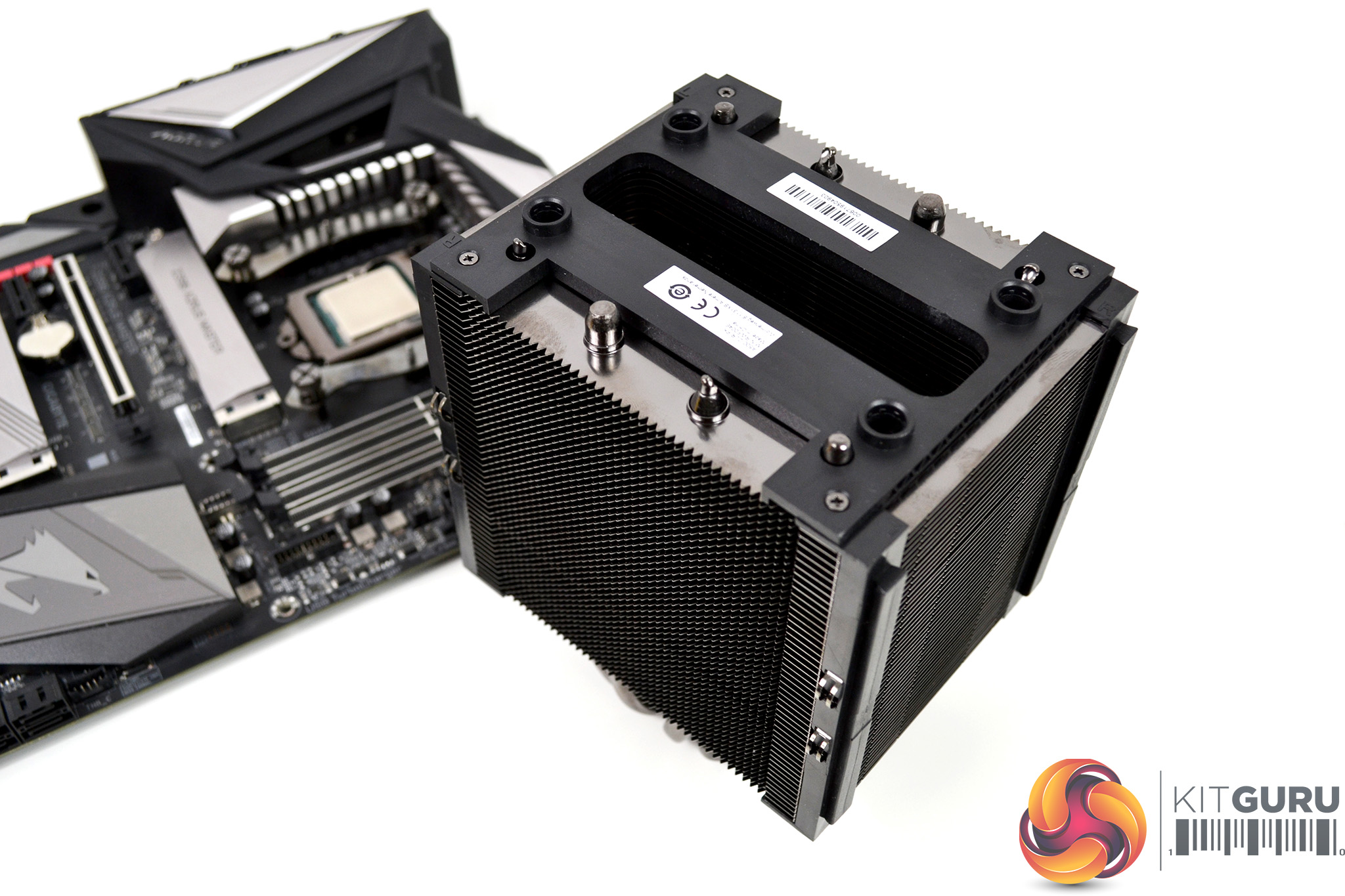
For the next step, remove the top cover from the heatsink and place the cooler in position over the mounting bracket and align the captive screws with the thread. Now using the included Philips screwdriver to reach the screw heads through the centre of the heatsink, fix them in place by tightening each screw evenly and a few turns at a time to ensure an even spread of pressure, until both screws are fully tightened.
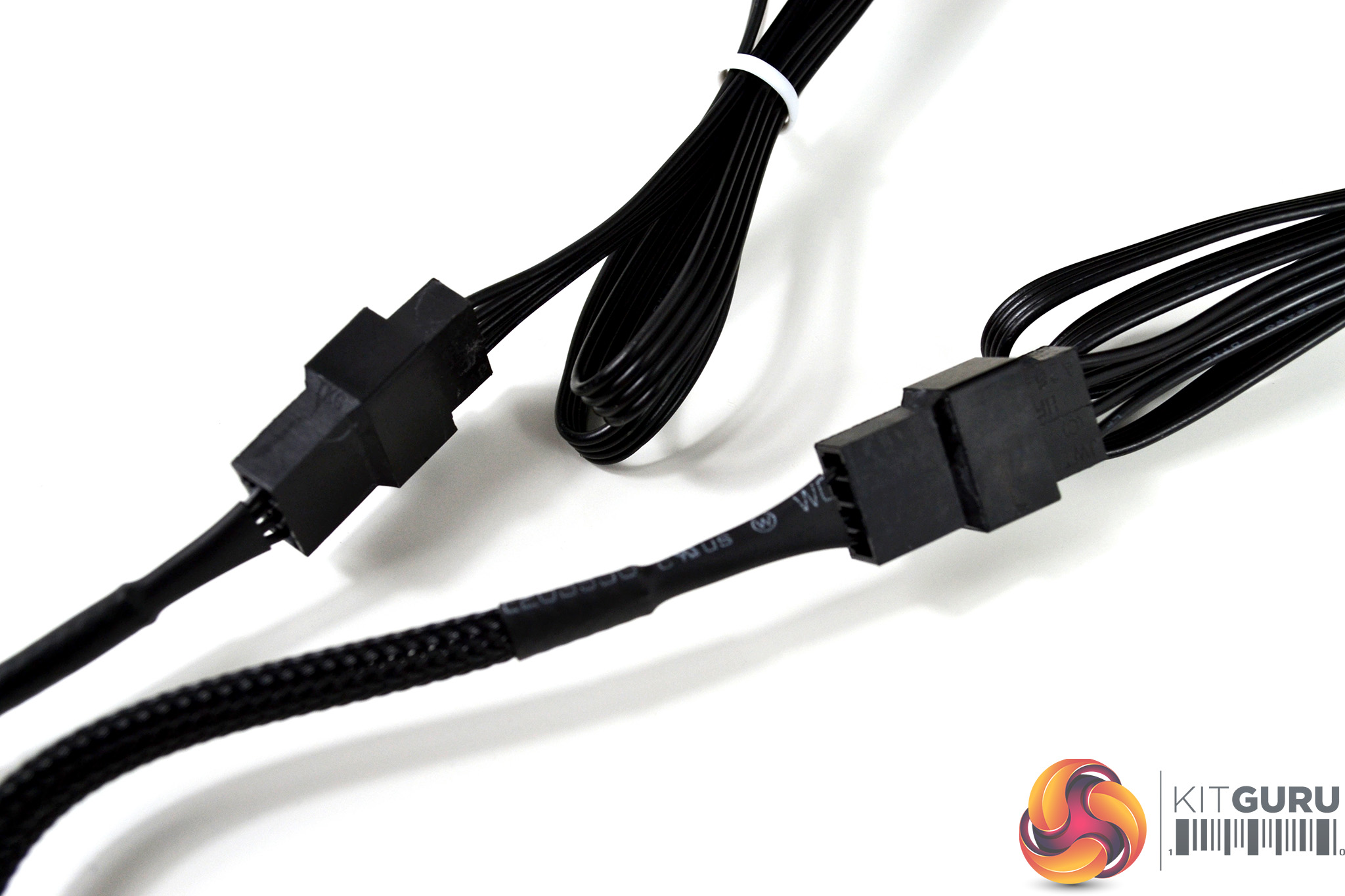
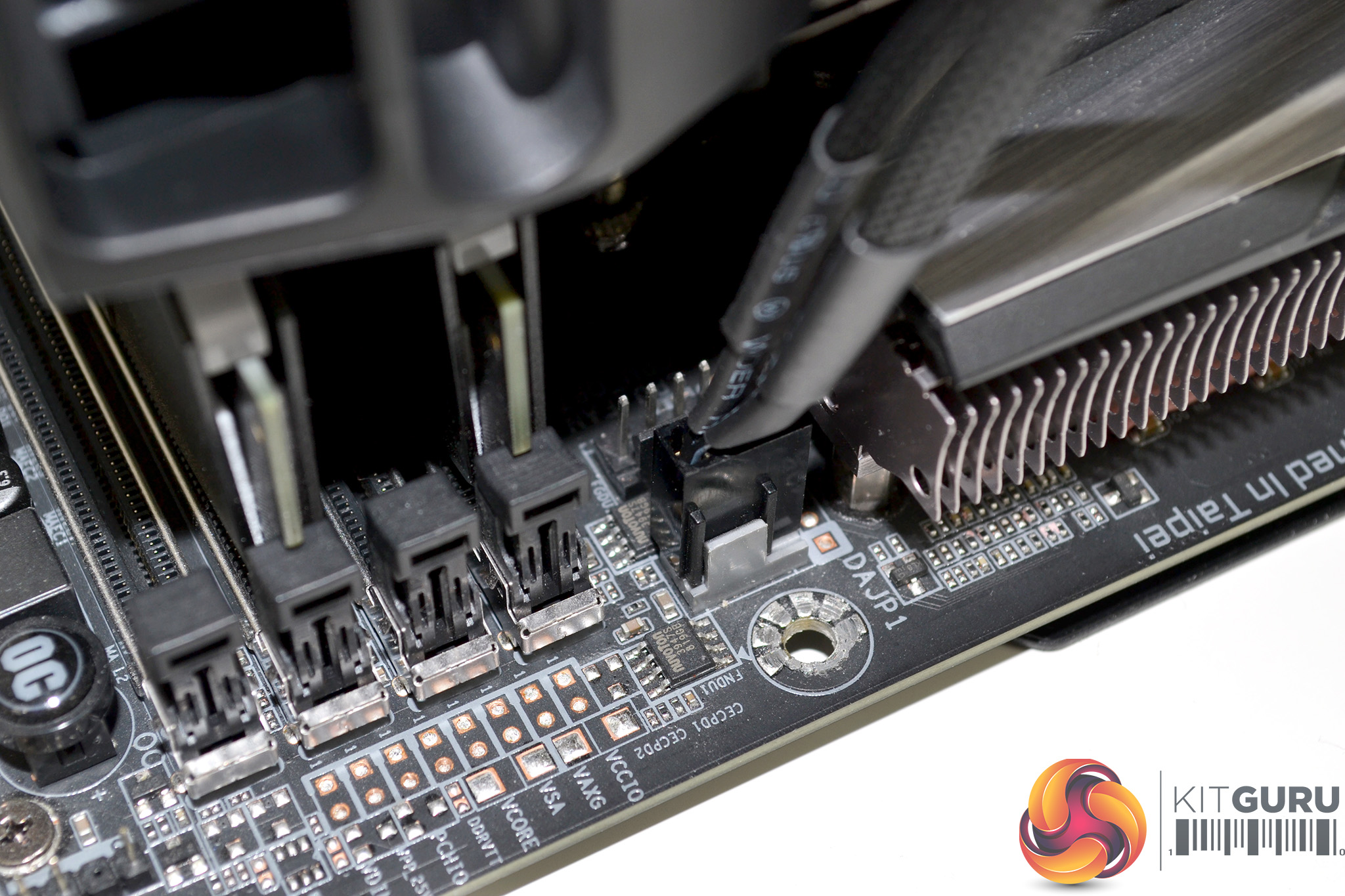
To complete the installation process, we must connect the fans to the motherboard. Using the provided fan splitter cable, connect both fans together and then plug the 4-pin female end of the splitter cable to the motherboard CPU_FAN header. Our Gigabyte motherboard has a grey CPU_FAN head – this may be a different colour on other motherboard brands, so check the manual to be certain.
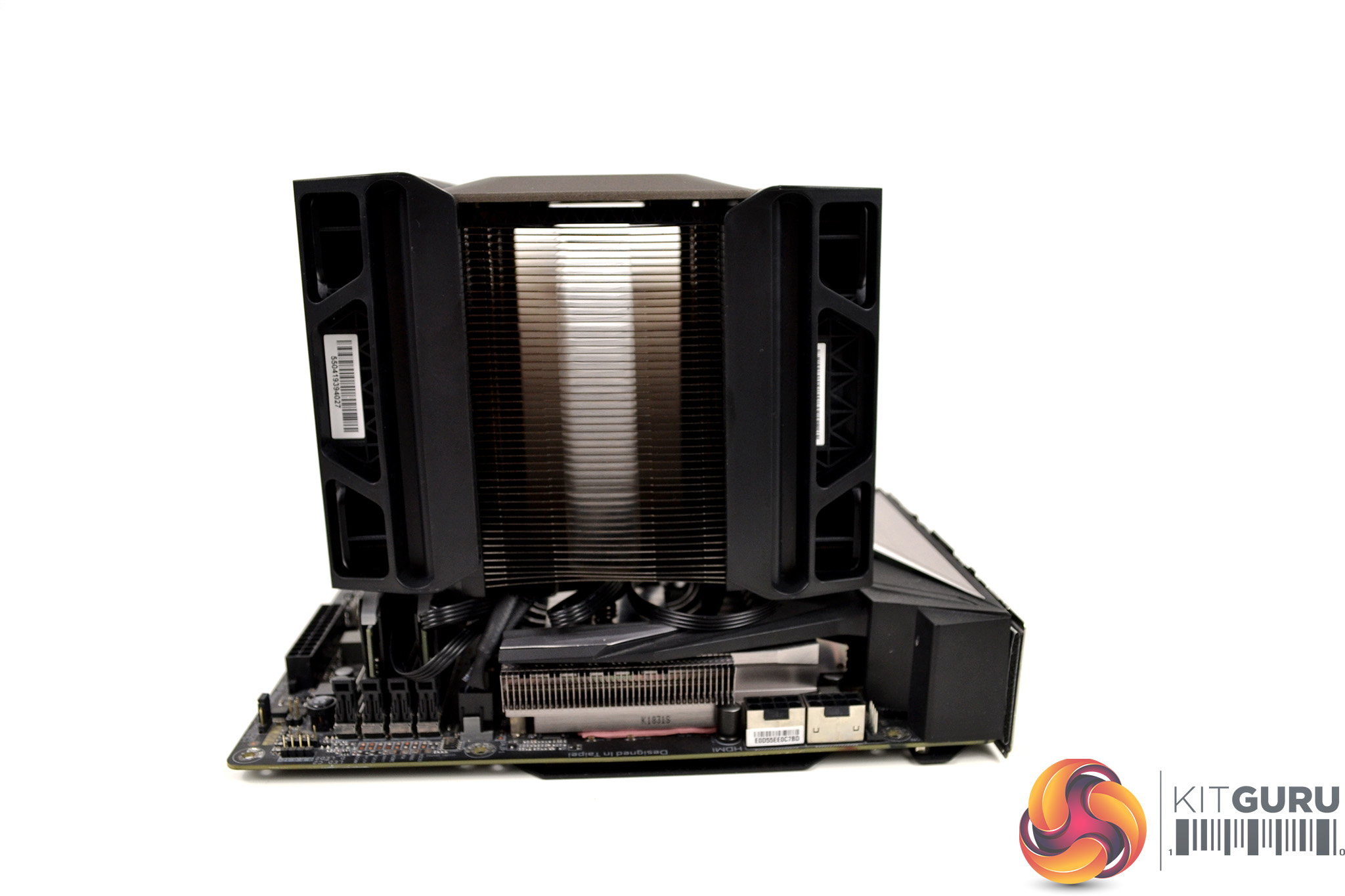
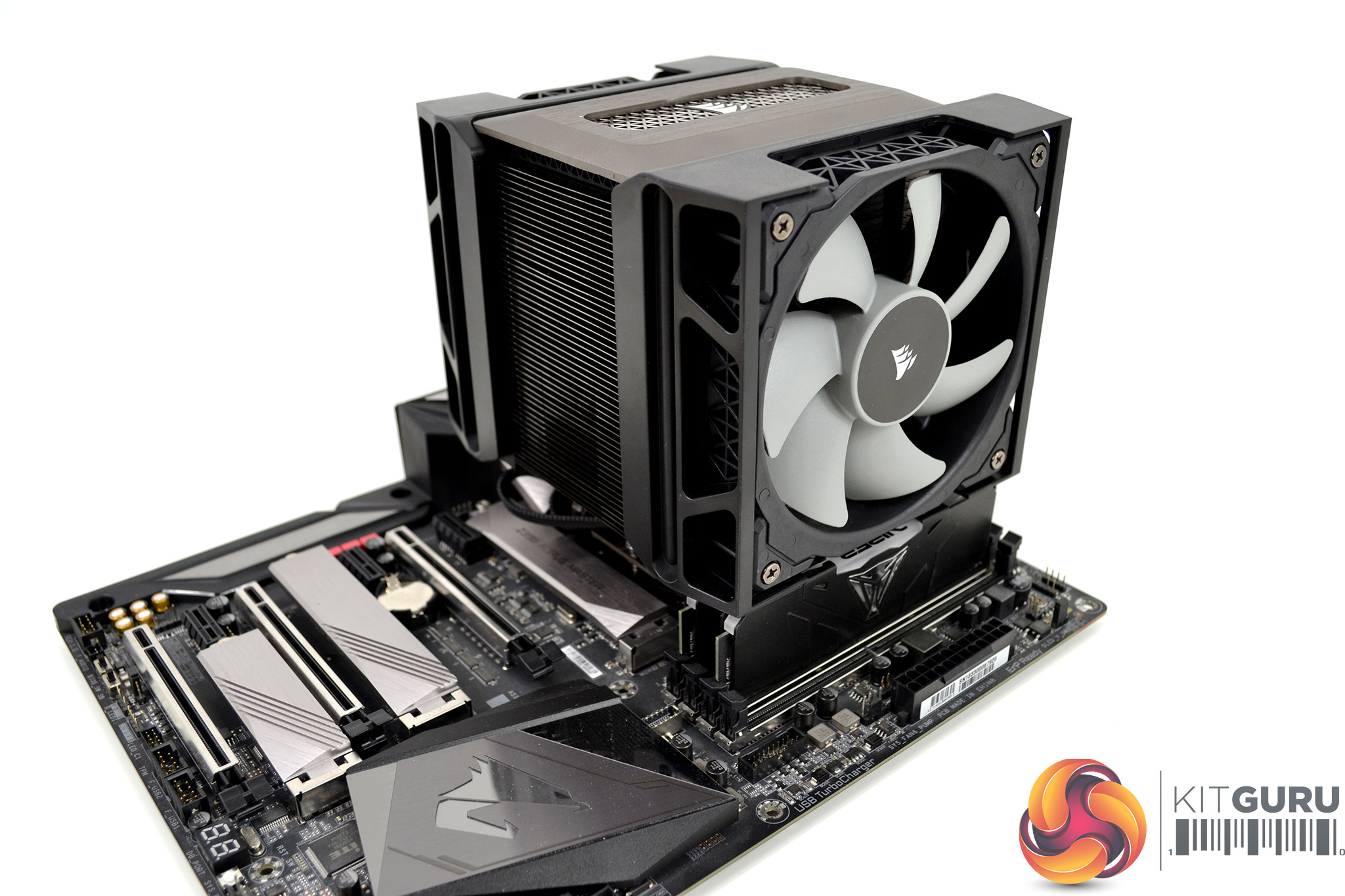
Overall, the installation process Corsair has implemented in the A500 is very quick and simple. Even on the Intel platform where fitting a backplate is necessary, the whole process only takes approximately 10 minutes, so AMD installation should be even quicker since the stock backplate is retained.
Testing Methodology: Thermals/Acoustics
To measure the performance of CPU coolers, we devised an easily repeatable series of tests. The only variable is the coolers themselves to ensure the results can be accurately compared against one another.
Test Rig
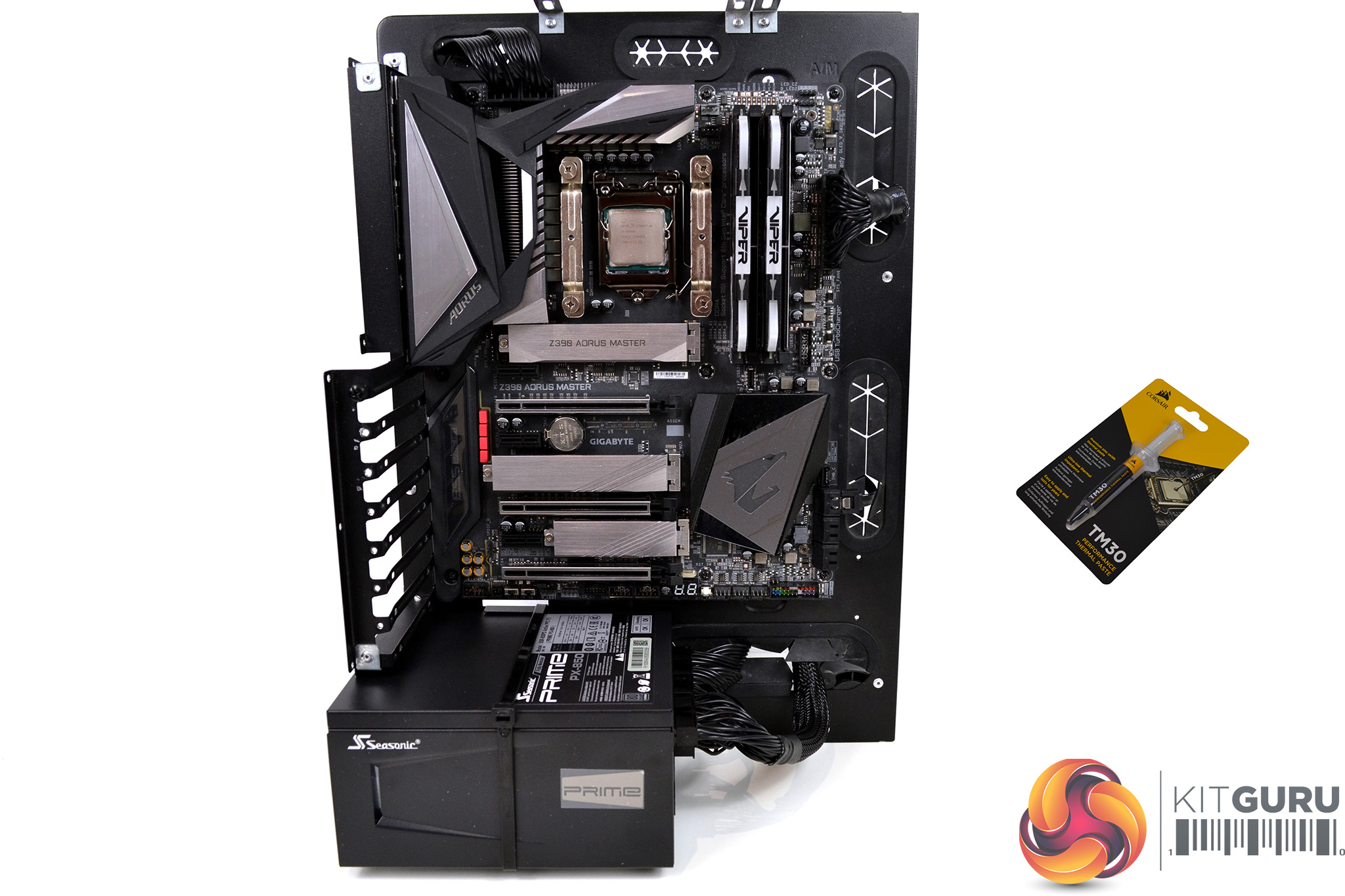
To reflect current hardware demands, the KitGuru test bench comprises of an Intel Z390 platform and included is the Intel Core i9-9900k CPU, mated with a Gigabyte Z390 Aorus Master motherboard and 16GB (2x 8GB modules) Patriot Viper RGB RAM running at 3600mhz CL16. Our storage device is a Corsair Force LE 120GB SATA SSD. Power to the test system is managed by a Seasonic Prime PX-850 PSU. Corsair TM30 thermal compound is used at all times to ensure consistency.
Thermal Testing Procedure
The procedure will consist of several tests that will produce six temperature readings for each cooler. The data can then be used to compare thermal dissipation performance.
First, we will lock the Core i9-9900k at its 3.6GHz all-core base clock speed, with a 1.15V Vcore applied in the BIOS. Then, let the system idle in windows for 15 minutes and measure temperature. At the same frequency, we will then measure the load temperature.
To simulate overclocked frequency, we will then lock the Core i9-9900k to 4.7GHz on all cores with a 1.20V Vcore and run the same idle and load test again. To measure an extreme overclocking situation, we will lock the Core i9-9900k frequency to 4.9GHz on all cores with 1.30V Vcore and run the tests one final time – this should push the limits of the cooling performance of even the very best CPU coolers.
Admittedly, the overclocked frequencies/voltage may not be the highest achievable, nevertheless, it will give us a good set of data to compare the effect frequency/voltage changes have on temperature.
The temperatures presented in the graphs will be average Delta temperatures measured over the length of the test. We will calculate the Delta temperature by deducting the ambient temperature in the test room from the measured CPU temperature, both at idle and under load.
All idle temperatures are measured by letting the system idle in Windows for 15 minutes. Load temperatures are achieved by running AIDA64 stressing CPU, FPU and cache again for 15 minutes. This should give the CPU enough time to reach its maximum temperature. Throughout testing, Load Line Calibration will be set to level 6 (turbo) in BIOS and all CPU Fans/pumps set to maximum RPM.
Noise Testing
Noise levels will be measured with our sound meter at a distance of 1 meter from the test bench. The cooler’s fans will be set to their maximum RPM rating. Ambient noise level in the room is measured at 37.5dBA and the peak noise level of the cooler will be recorded in dBA.
Performance and Comparisons
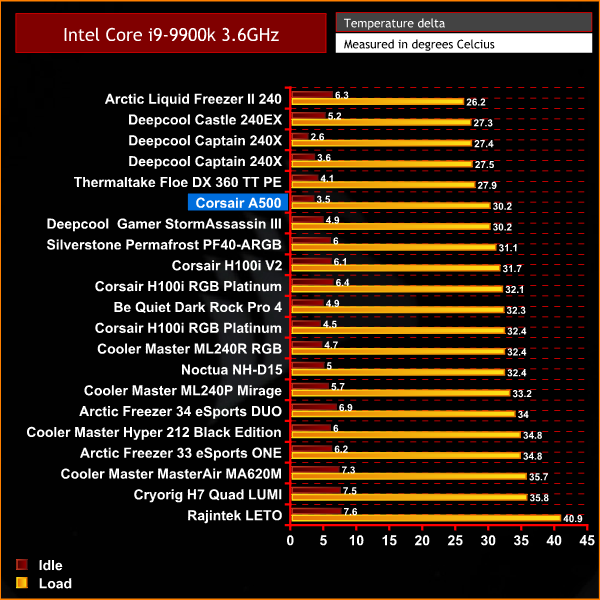
The Corsair A500 gets off to a great start in our thermal performance tests. With all the Intel Core i9-9900K cores locked at 3.6 GHz, the A500 turns out to be our best-performing CPU air cooler by matching the load temperature recorded by the Deepcool Assassin III, with just a slightly lower idle temperature reading.
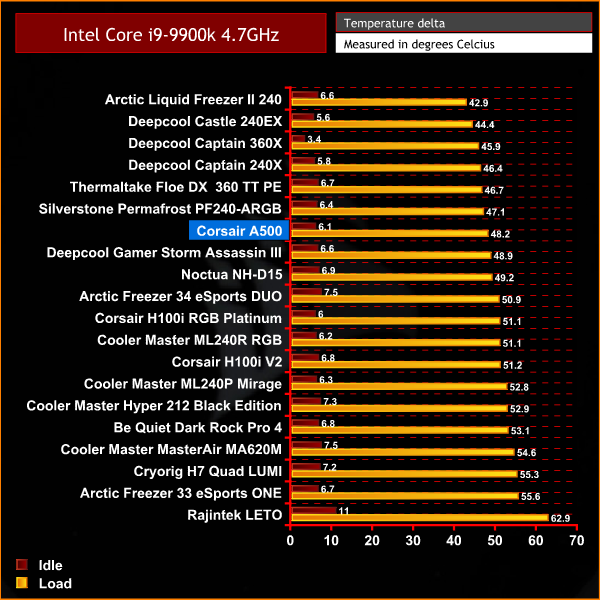
It's a similar story with the Intel Core i9-9900k locked at 4.7 GHz. The Corsair A500 performs marginally better with the CPU under load than the next best air cooler in the chart. Again, the idle temperature recorded by the A500 is the best of any CPU air cooler we have tested to date.
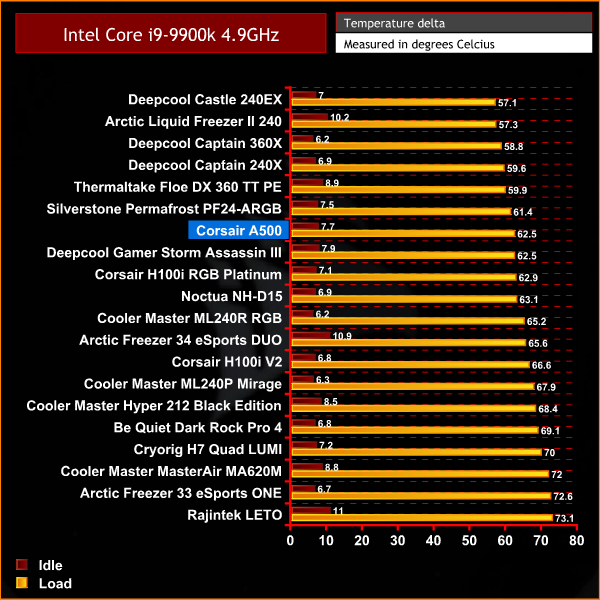
Our testing shows that the Corsair A500 is worthy of its big boy price tag as it is the best CPU air cooler in terms of raw thermal dissipation performance recorded on our test bench. With the Intel Core i9-9900k locked at 4.9 GHz across all cores, the Corsair A500 performs excellently.
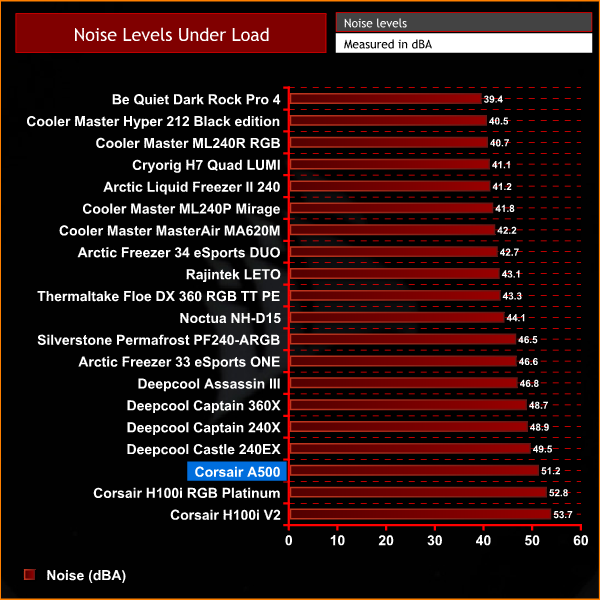
This best in class performance does come at a cost and that cost is noise output. The Corsair A500 is one of the loudest coolers we have tested yet and is the loudest air cooler by some margin.
Closing Thoughts
We got our first glimpse of the Corsair A500 at CES 2020 and the guys were pretty impressed with its appearance. Corsair marketed the A500 as a high-end CPU air cooler, with thermal dissipation performance to rival some of the current market leaders. This is something you often hear from manufacturers and a lot of the time it can be just marketing spiel. However, their claims are accurate, so hats off to Corsair in that respect.
The first thing you notice about the Corsair A500 when you take it out of the box is its premium appearance and feel. It is instantly noticeable that it has been built using high-quality materials, has a good weight to it and the understated appearance looks very sleek. We have no doubt that it would fit the style of almost any type of modern PC system build.
Not only does it look great, in terms of thermal dissipation it performs very well too. During our testing, the Corsair A500 could more than adequately cool the Intel Core-i9 9900K processor we use in our test bench, which is no mean feat. The Intel Core i9-9900k is a demanding processor to cool, especially when the all-core frequency is pushed to 4.9 GHz and the CPU is pulling close to 180W of power. Regardless of this, the A500 handled cooling with ease, which is very impressive.
Corsair claim to have implemented a simple and quick installation method in the A500 and that is true. Installation on our socket 115X test bench took around 10 minutes, which included fitting a backplate to the motherboard. On AMD systems, installation time should be significantly shorter since the A500 utilises the stock AMD backplate retention method. The mounting system of the fans and fan height adjustment is well thought out too with a sliding mechanism that's used. No more fiddly spring clips holding the fans to the heatsink is something we really liked.
While the Corsair A500 performs excellent in terms of thermal dissipation, this does come at a cost, which is the noise levels of the fans. At 100% speed (2400 RPM) the A500 fans are extremely loud, to a point where they become annoying. If you look at the result of our thermal test at 4.9 GHz, the A500 provides just 1°C improvement over the Noctua NH-D15. However, the A500 produces 7dBA more noise than the NH-D15 which is very noticeable and would be irritating to users sat close to the PC for long periods.
Over the last year, I have tested many CPU coolers with various noise levels. To give you an idea of just how loud the fans are, while I was testing the Corsair A500 my wife arrived home from work and the first thing she said was “what is that noise?”. This is something that has not happened before while testing a CPU cooler – my wife doesn’t have what you would call sensitive hearing normally and she was in a different room to where I was testing.
So if you or someone that you live with has sensitive hearing, then the Corsair A500 may not be for you, especially if the fans are likely to be running at 100% RPM for long periods. However, the fans can be set to operate in PWM mode, meaning the speed will adjust based on CPU temperature. If your system’s CPU is running at stock core frequency, the fan noise may well be more subtle and less annoying, which may make the A500 a more attractive proposition.
If you are simply looking for raw thermal dissipation performance and don’t care about noise levels, in terms of raw thermal performance, the Corsair A500 is the best performing CPU air cooler according to our testing and is priced around a similar amount to other rival CPU air coolers of this style. So for its raw thermal performance and attractive appearance, our opinion is that the Corsair A500 is worth buying.

The Corsair A500 is available to pre-order for £89.99 from Overclockers UK HERE.
Discuss on our Facebook page HERE.
Pros
- Attractive understated appearance.
- Excellent raw thermal dissipation performance.
- Quick and simple installation process.
- High quality build and finish.
Cons
- Noise levels high with fans set at maximum RPM.
KitGuru says: The Corsair A500 provides excellent raw cooling performance, great looks and a speedy installation method. However, noise levels can become loud when the fans are running at full speed, so it may not prove suitable for everyone.