KitGuru KitGuru.net – Tech News | Hardware News | Hardware Reviews | IOS | Mobile | Gaming | Graphics Cards


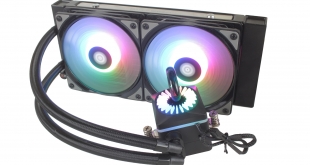
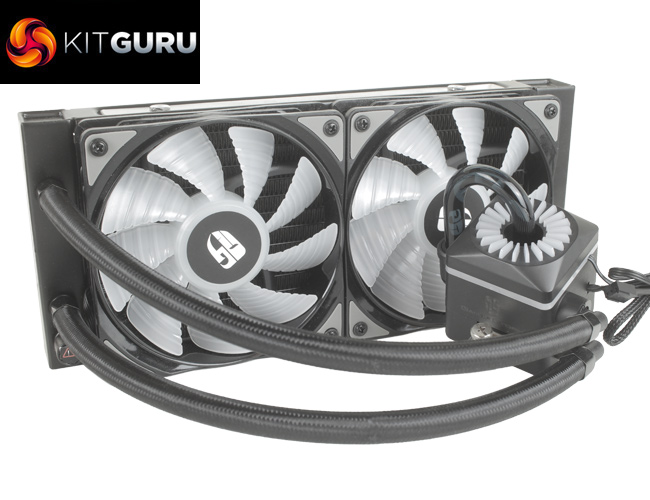
You'd be excused for confusing the Deepcool Captain 240 EX with the new Captain 240 PRO, as both share the same distinct CPU block aesthetic. There is a more noticeable difference in price, though, given the Captain 240 PRO retails for £119.99, making it almost £30 dearer than current pricing of the Captain 240 EX. The Captain 240 PRO does have more features to justify the higher price, however, including the addition of addressable RGB LEDs and Deepcool's new patented Anti-leak Tech.
Specification:
- Model: CAPTAIN 240 PRO
- Radiator Material: Aluminum
- Radiator Dimensions: 290 × 120 x 27mm
- Tubing Length: 300mm
- Fan Dimensions: 120 x 120 x 25 mm
- Fan Speed: 500 – 1,800 RPM ±10% (PWM)
- Fan Air Flow: 69.34 CFM (Max)
- Fan Air Pressure: 2.42 mmAq
- Fan Noise Level: ≤30 dBA
- Fan Connector: 4-Pin (PWM)
- Pump Connector: 3-Pin Pump cable
- LED Control: Addressable RGB LED
- Intel socket compatibility: Intel LGA 1150, 1151, 1155, 1366, 20XX
- AMD socket compatibility: AMD FM1, FM2, FM2+, AM2, AM2+, AM3, AM3+, AM4, TR4

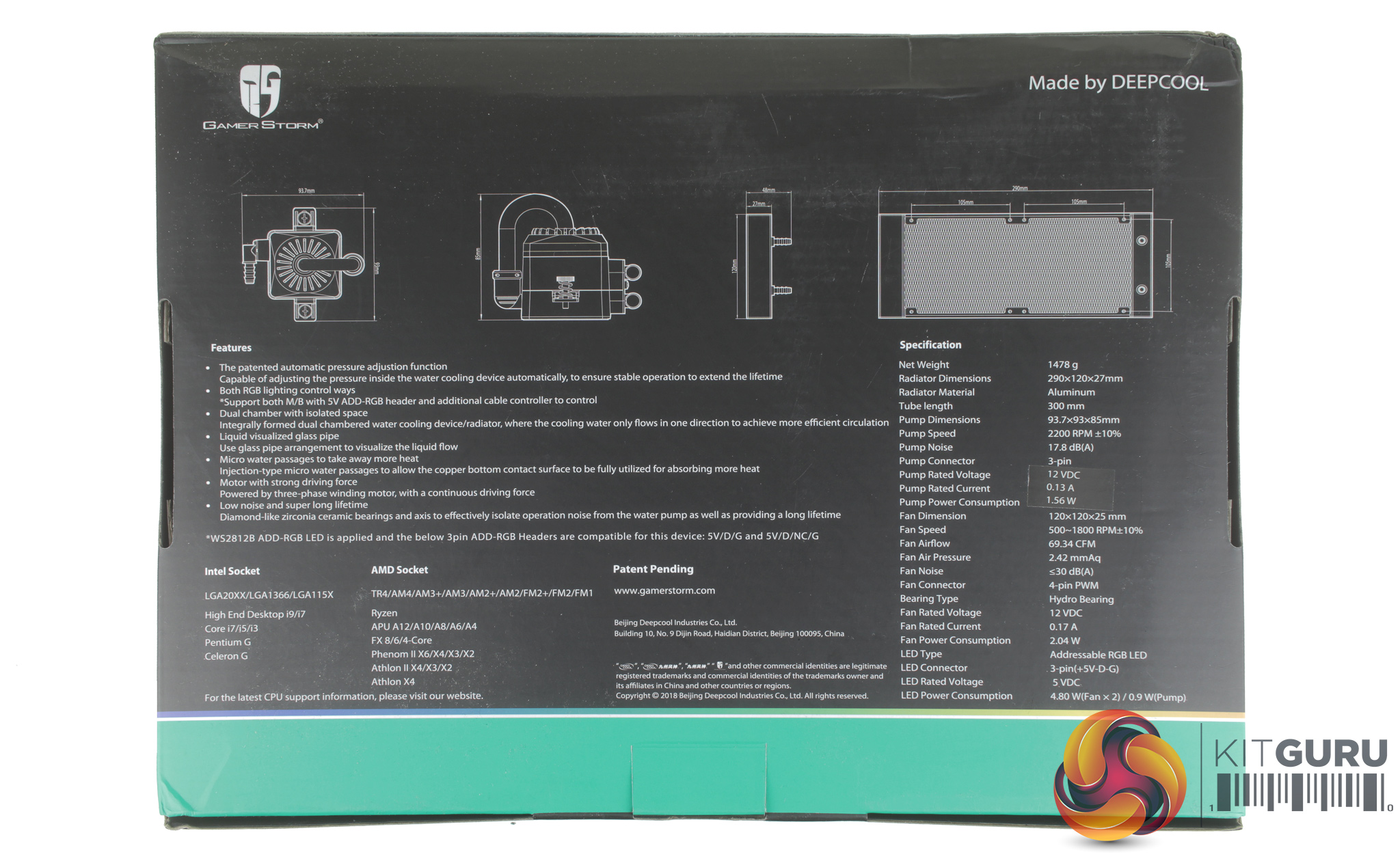
Taking a look at the cooler's box, it features a similar colour scheme to most Deepcool coolers. The front features a large image of the Captain 240 PRO and information on its addressable RGB lighting. The Captain 240 PRO is specified to work with ASUS Aura Sync, GIGABYTE RGB Fusion, MSI Mystic Light Sync, and ASRock Polychrome software.
The rear of the box included some more detailed information on the dimensions of the cooler and its full specification.
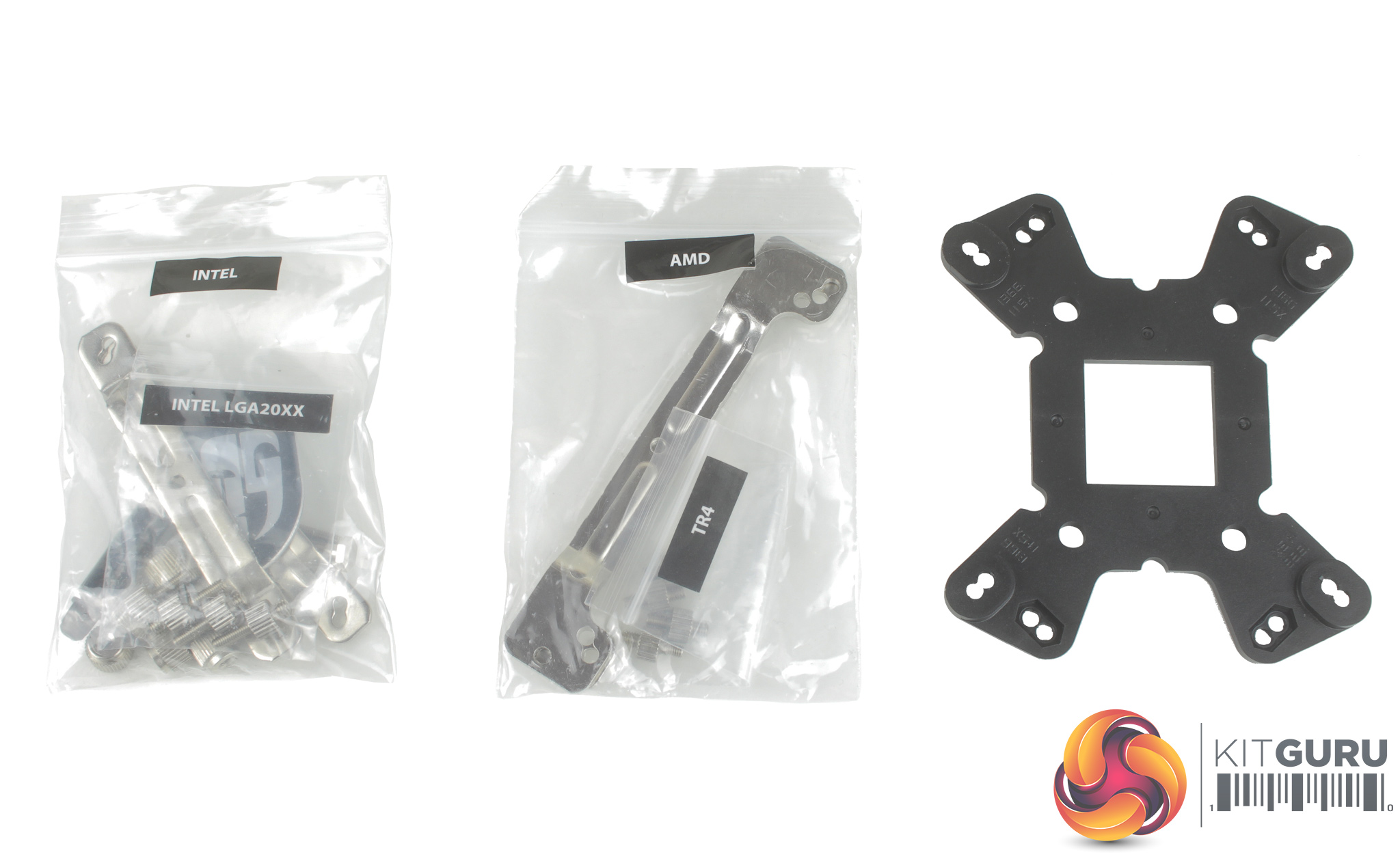
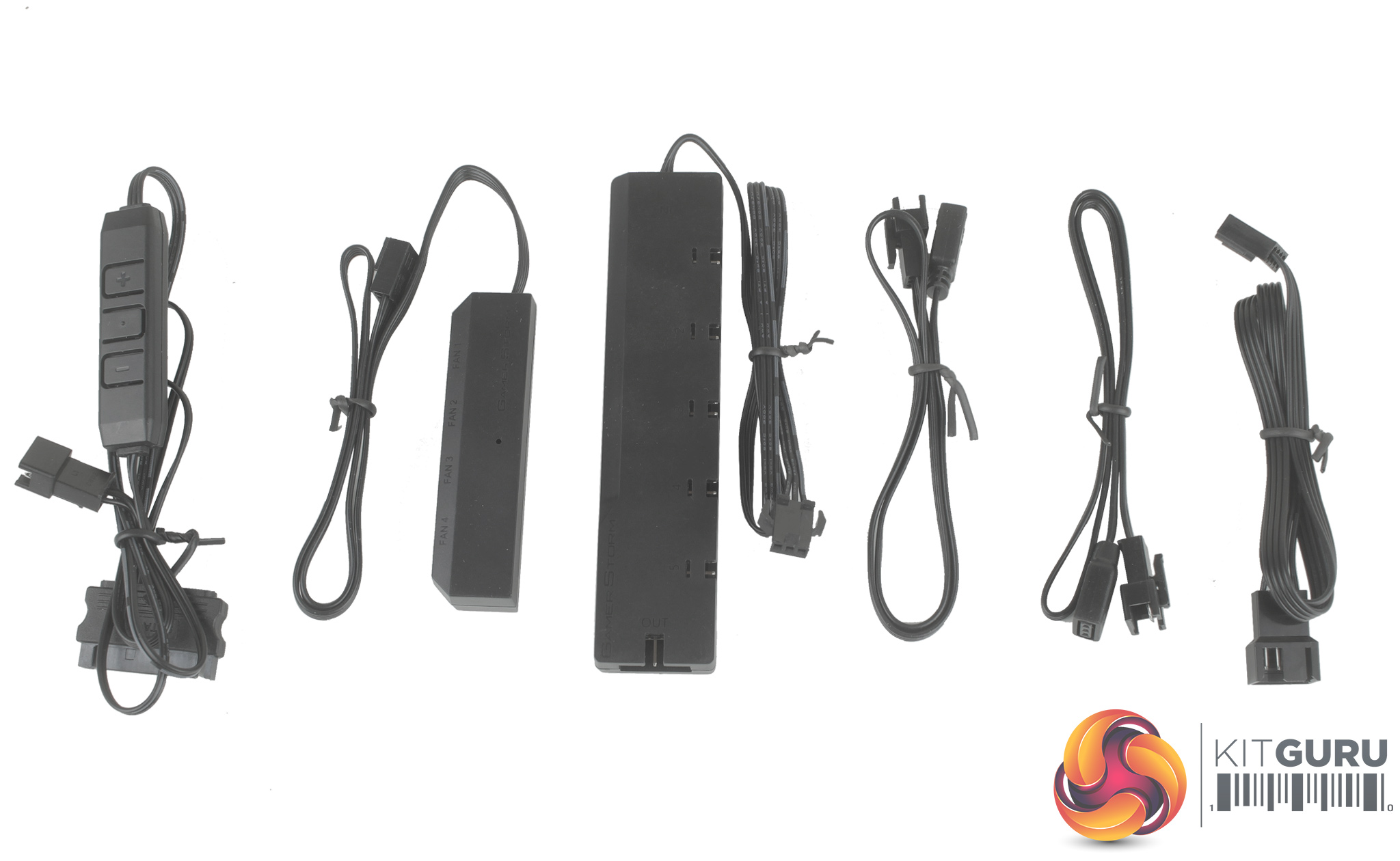
Inside, we find a large accessories box filled with mounting hardware for current Intel and AMD mounts, along with a number of RGB adapter cables, RGB controller, and two control hubs. There's one hub for the lighting and another for the fans, allowing you to connect up to four 4-pin PWM fans, while the LED hub allows you to connect up to 6 LED devices.
It's worth noting that 3 of the LED ports are required for the two fans and CPU block, so there is space for adding potentially a further three ARGB LED fans. These hubs do feel a little plasticky but are solid enough, and it's nice to see adhesive strips on both hubs to help with cable management.
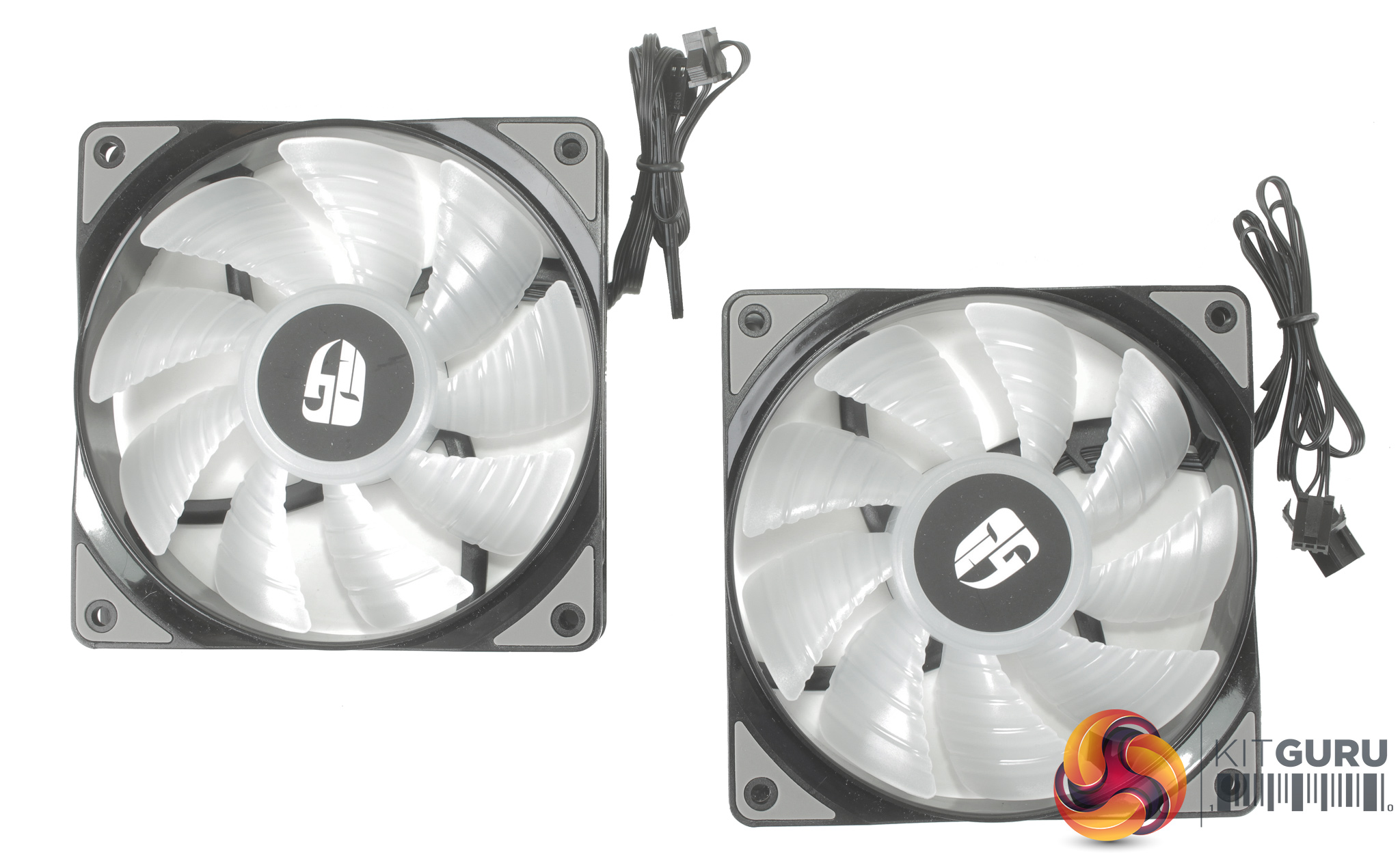
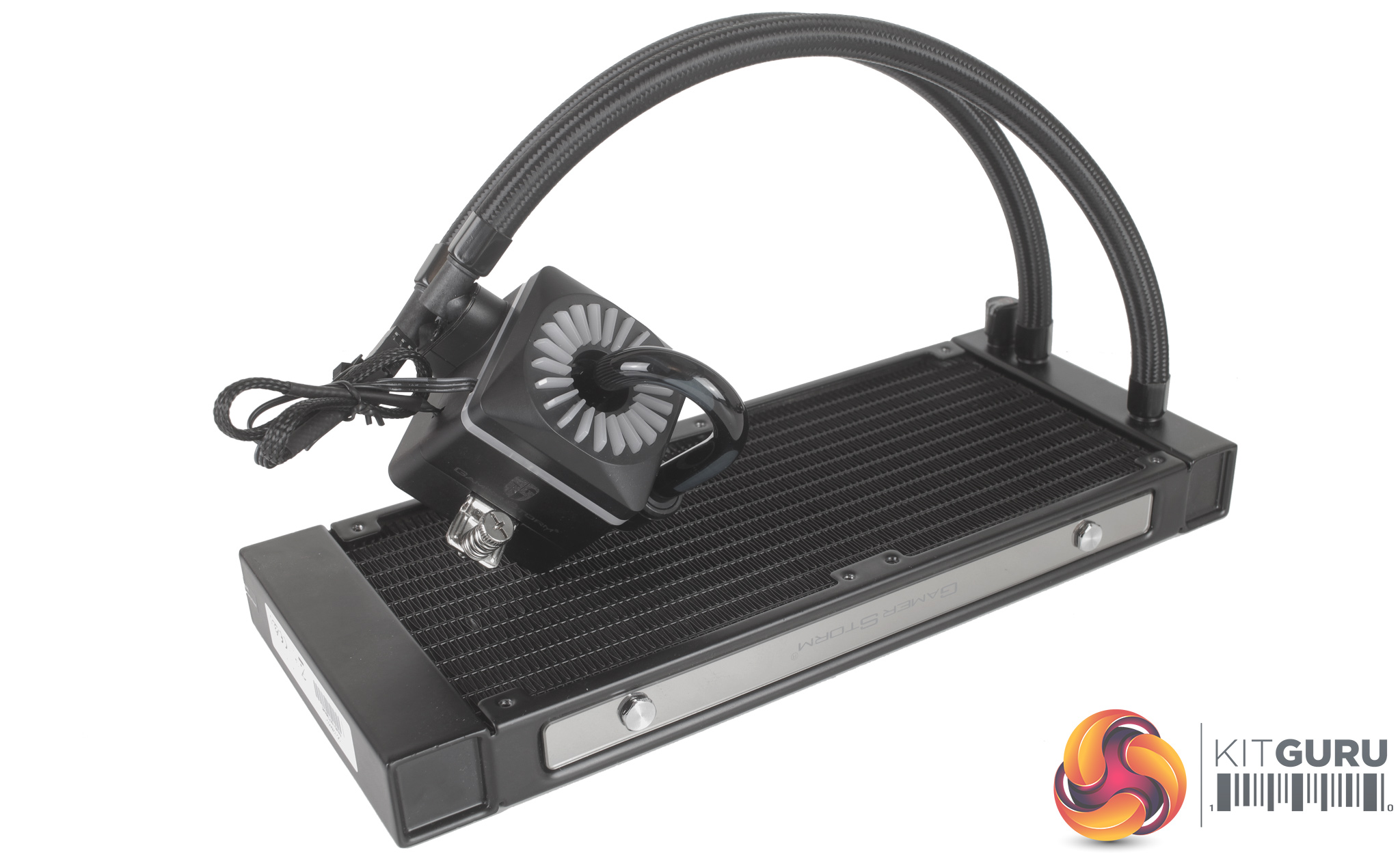
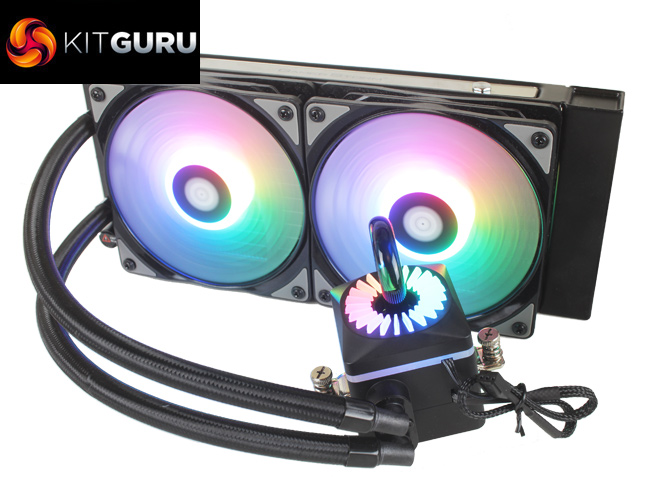
The included fans each feature 9 blades and rubber isolation pads in each corner. Connection-wise they use two separate cables – one 4-pin PWM, and a second proprietary 3-pin RGB LED cable. Looking at the cooler itself, the CPU block has quite a unique look and does still have some visual similarities to the Captain EX 240.
The radiator design is a bit squarer, with dimensions of 290 x 120 x 27 mm. Both the sides look pretty fancy with mirrored reflective panels running down either side.
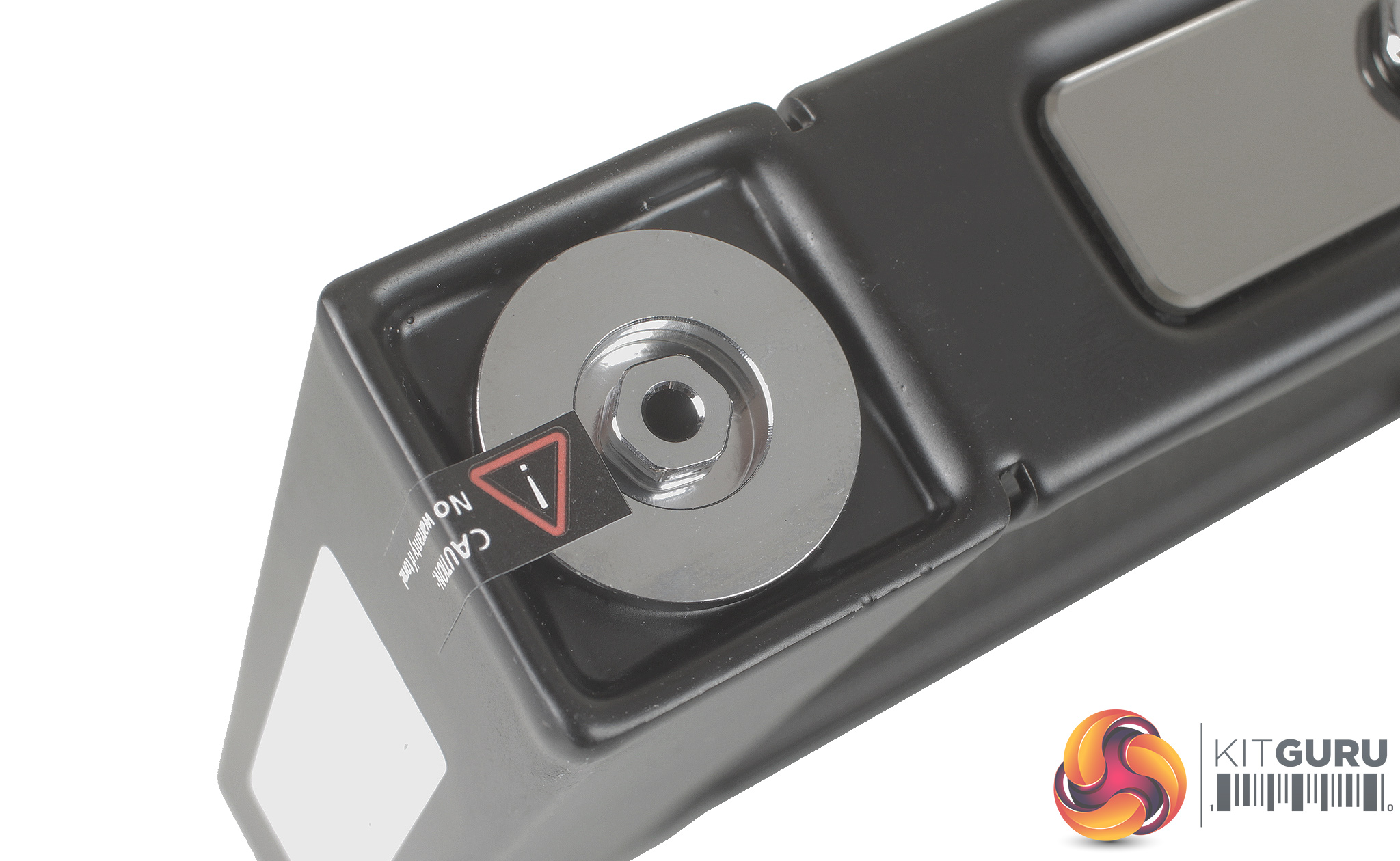
Checking one of the radiator's corners, we find Deepcool's patented Anti-leak Tech system. Rather than being a valve, the Anti-leak Tech is essentially an elastic pressure-relief bag which sits within an open space inside the radiator surrounded by coolant.
As the pressure increases, it causes the pressure-relief bag to shrink, expelling air and balancing the cooler's internal pressure. When the pressure decreases, say when you power down your system, the elastic pressure-relief bag simply re-inflates by drawing air back into just the bag. This should lead to a completely leak free, completely sealed, self-pressurising cooler.
If there is any potential of a pressure level build up due to quick changes in temperature – say when turning your system on and off – the Anti-leak Tech should take care of it. Given we only spend a limited amount of time with each cooler it's impossible for us to say how this will work over years of use – but it is good to know Deepcool has an added feature specifically designed to prevent leaks.
As we now test using a Z170 motherboard socket LGA1151, the installation process below reflects this.
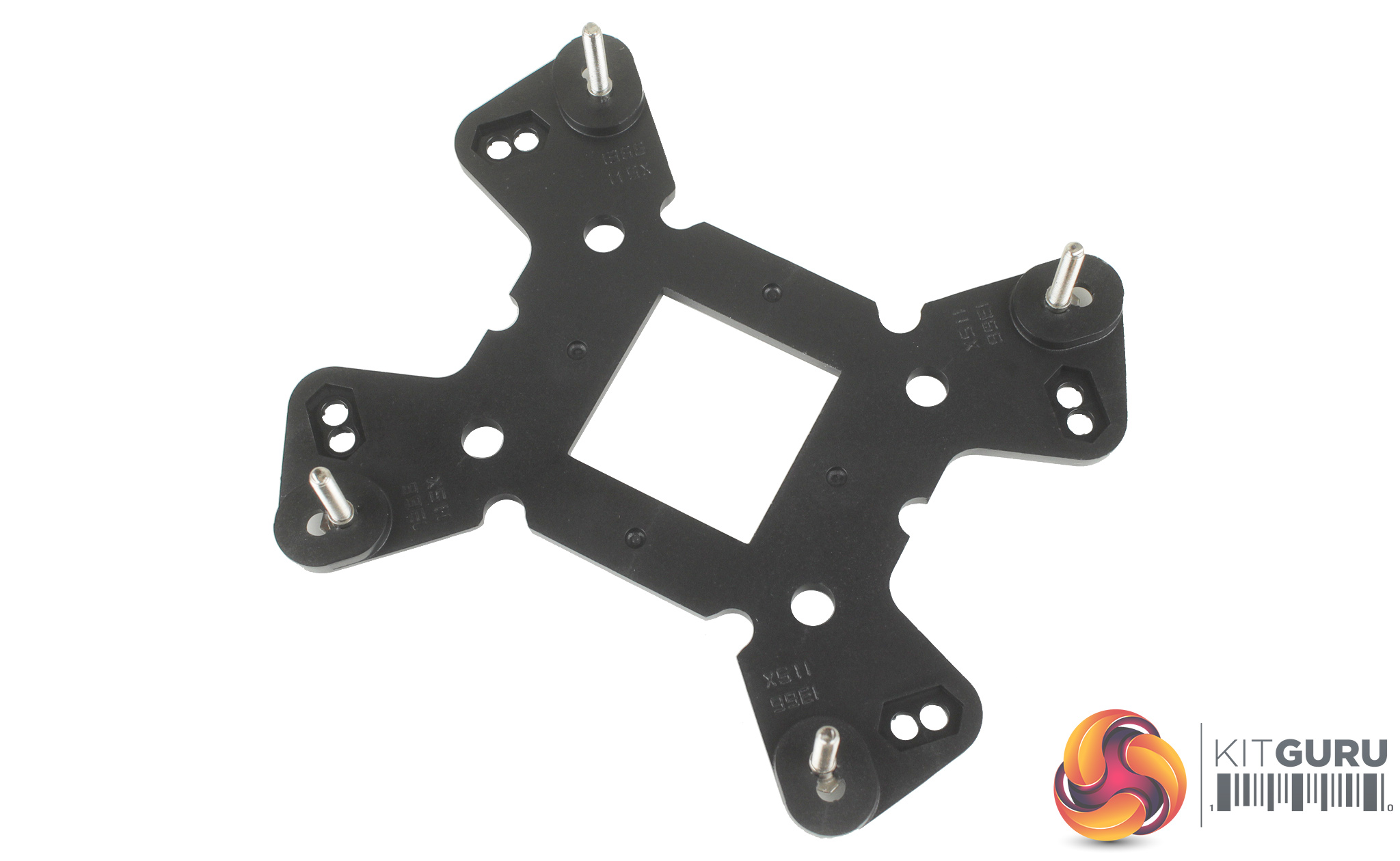
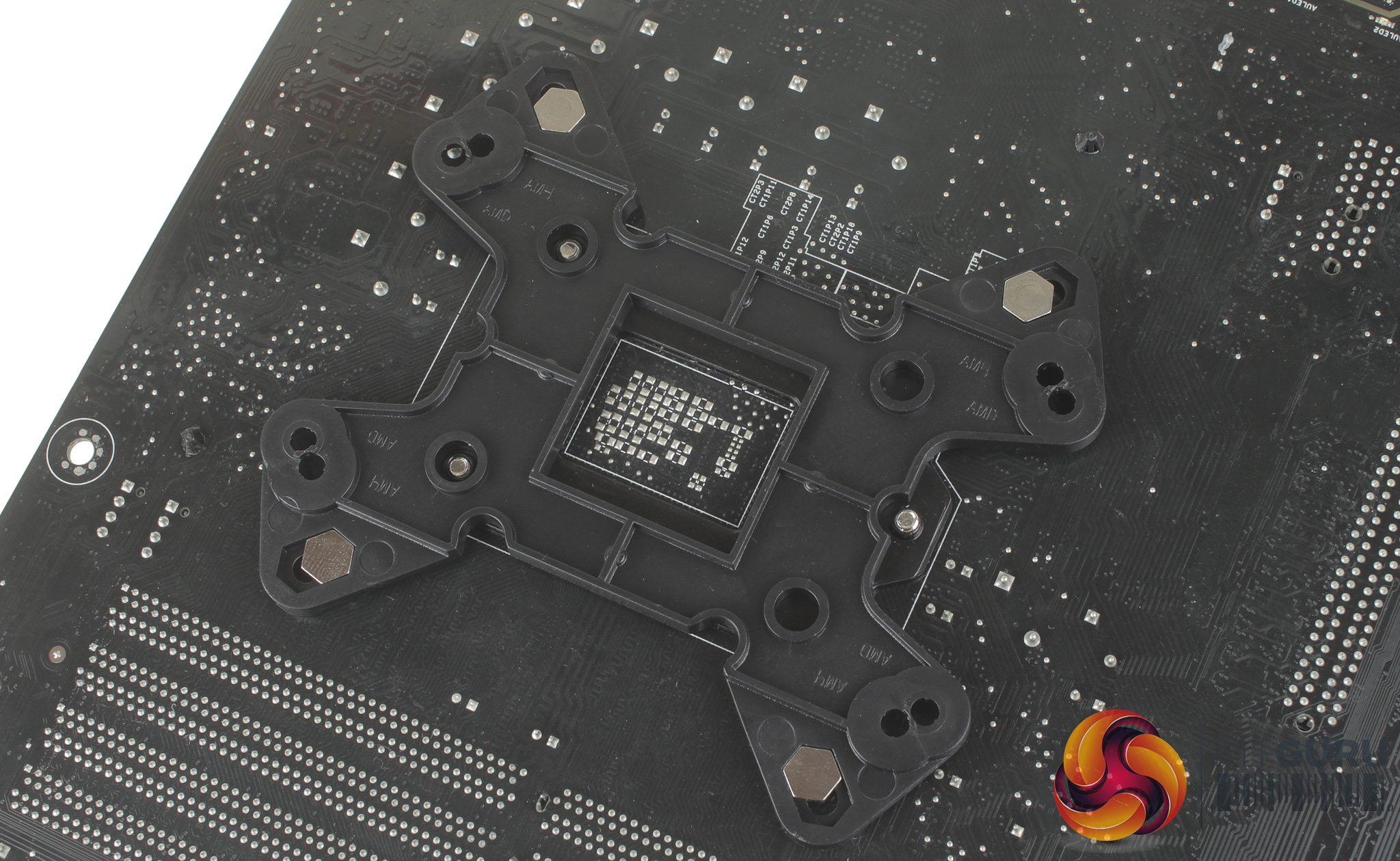
Installation does require a few stages but is overall a relatively simple process.
Starting with the backplate, you simply pass the long hex screws through the backplate's designated spaces and firmly push them into place. With the backplate prepared, you can slot it into the rear of your motherboard, and using the four screw down spacers, firmly fix it in place.
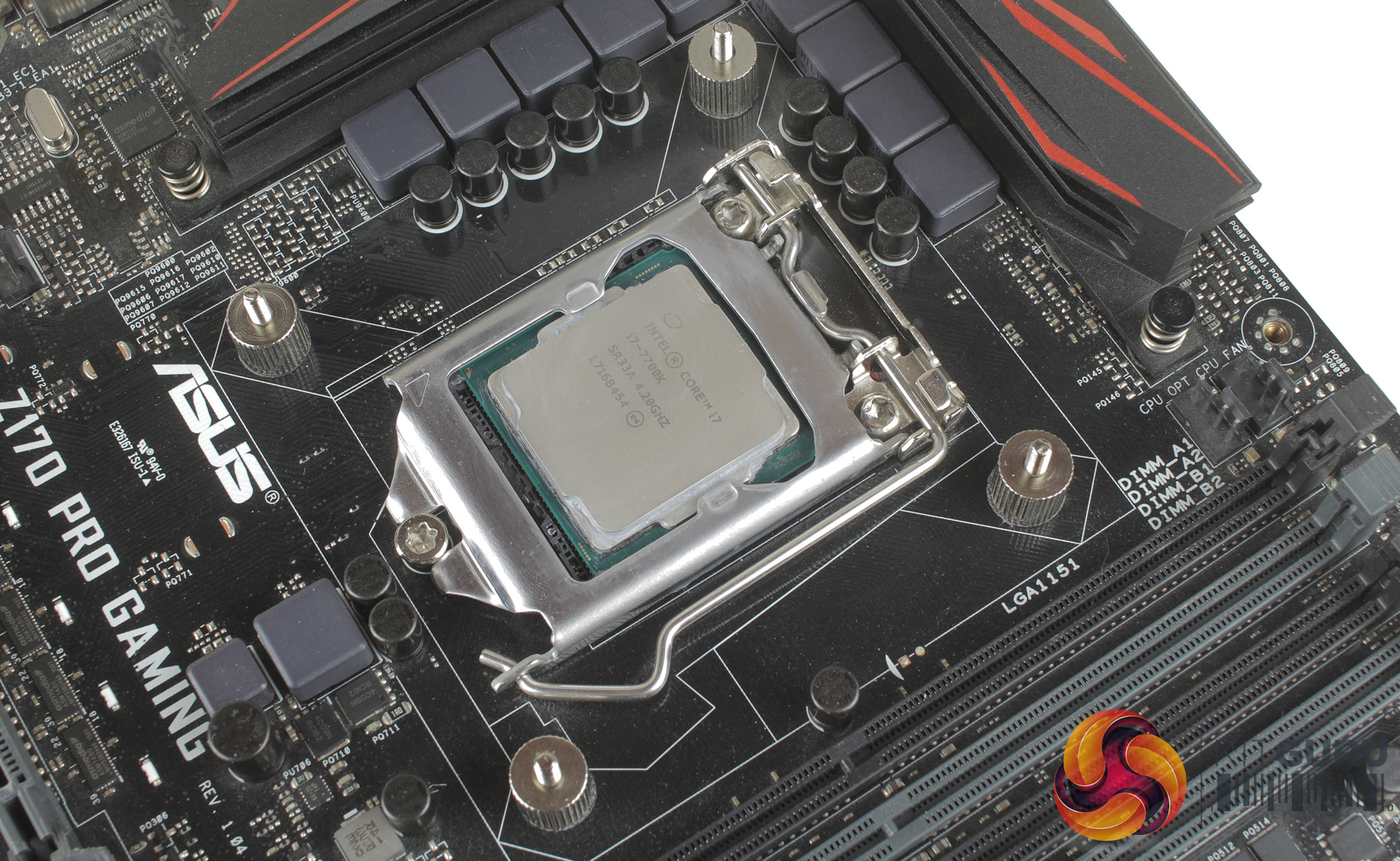
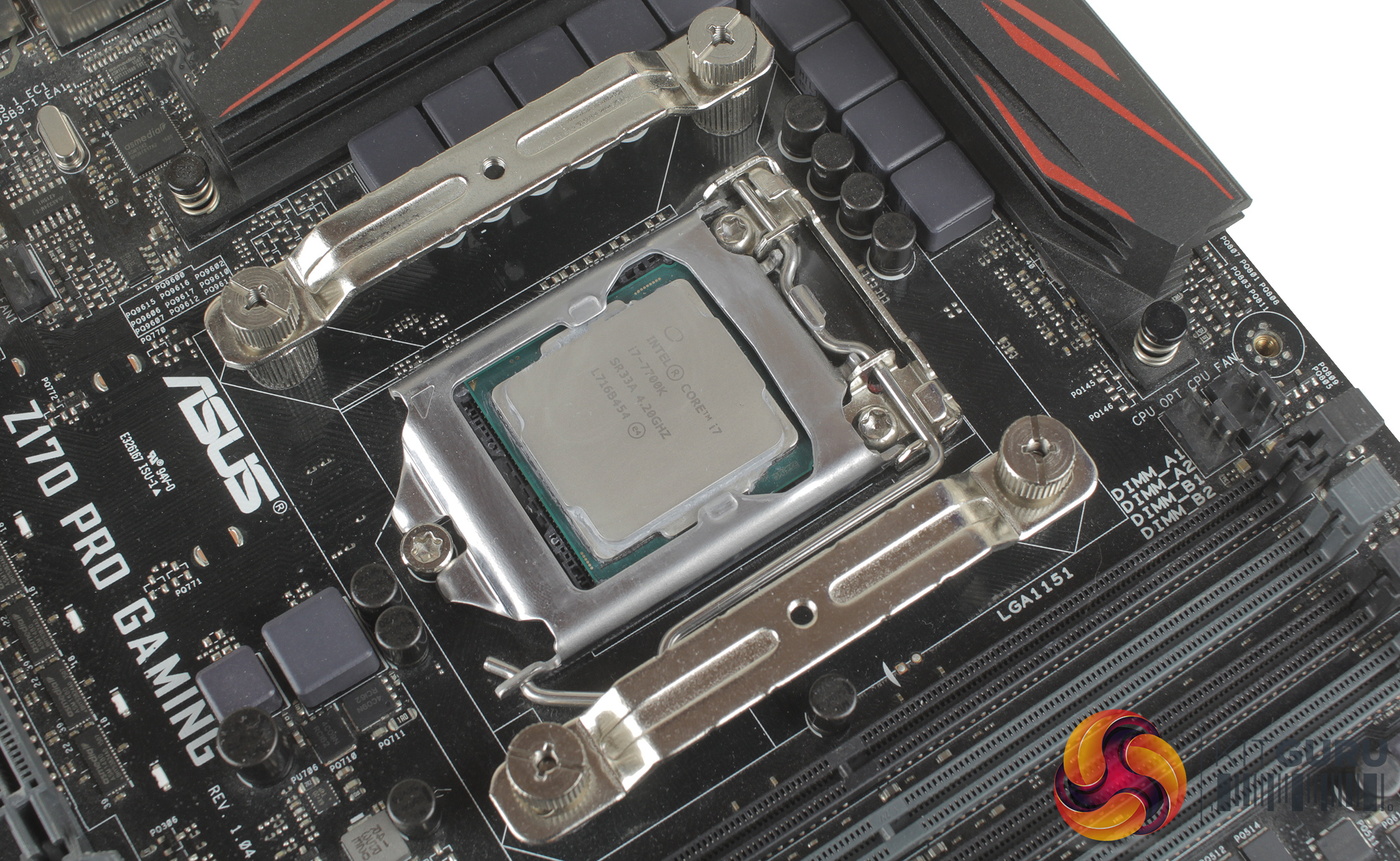
With the backplate in place, you can install the Intel or AMD specific mounting brackets. Once these are in place, four smaller thumbscrews can be installed to hold these brackets in place. It is worth noting at this stage that the orientation of these brackets will dictate which way the CPU block will be installed.
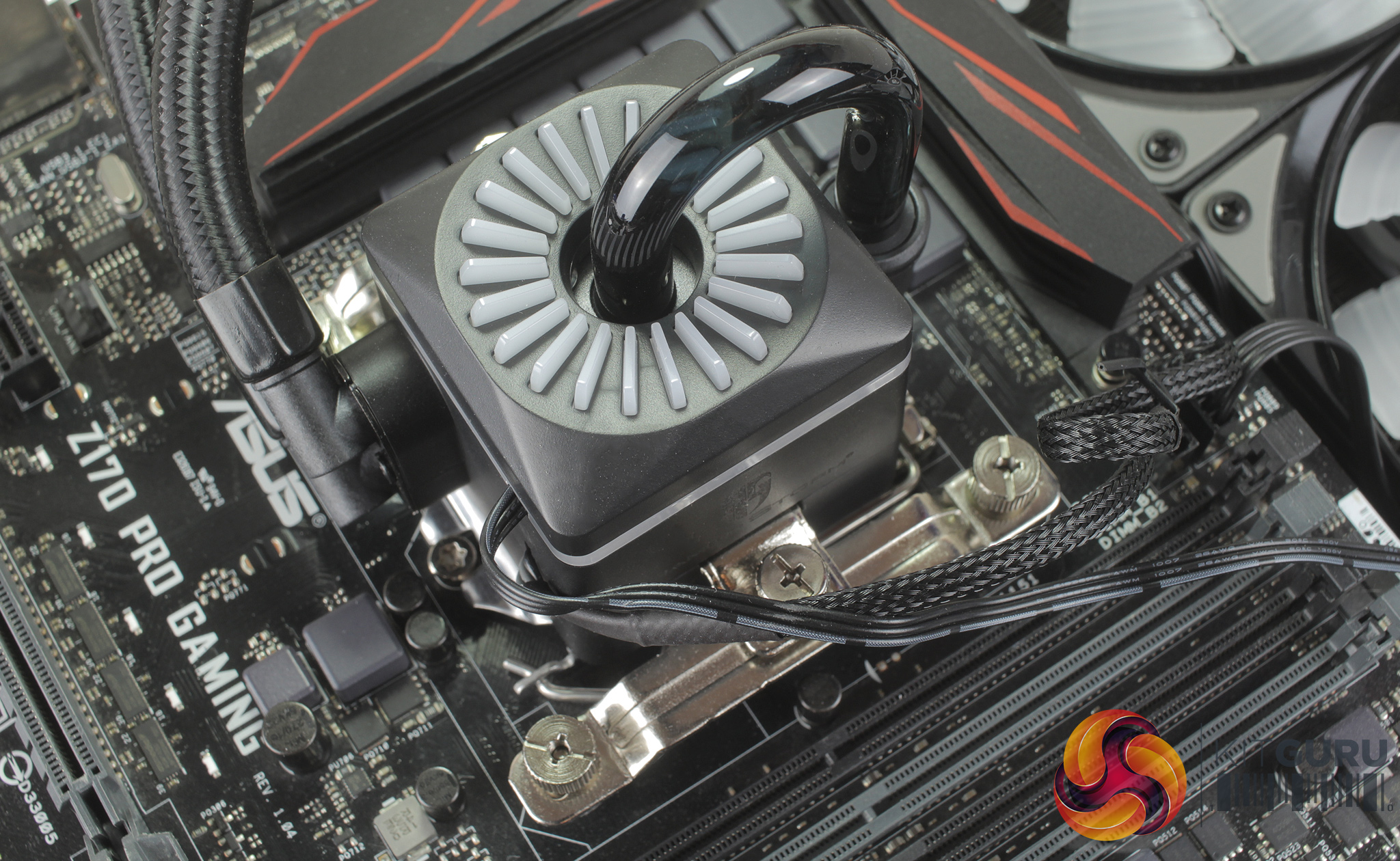
You can then apply your thermal paste, of which a small tube is included, and firmly secure the CPU block with the pre-installed sprung retention screws.
Taking a quick look at the lighting, you have access to a number of different effects such as static, pulsing, spiralling, and a series of dual-colour spiral effects that are made up of complementing colours. Lighting on the CPU block is split into two zones, both the top blades on the block and a second LED ring running around the sides of the block.
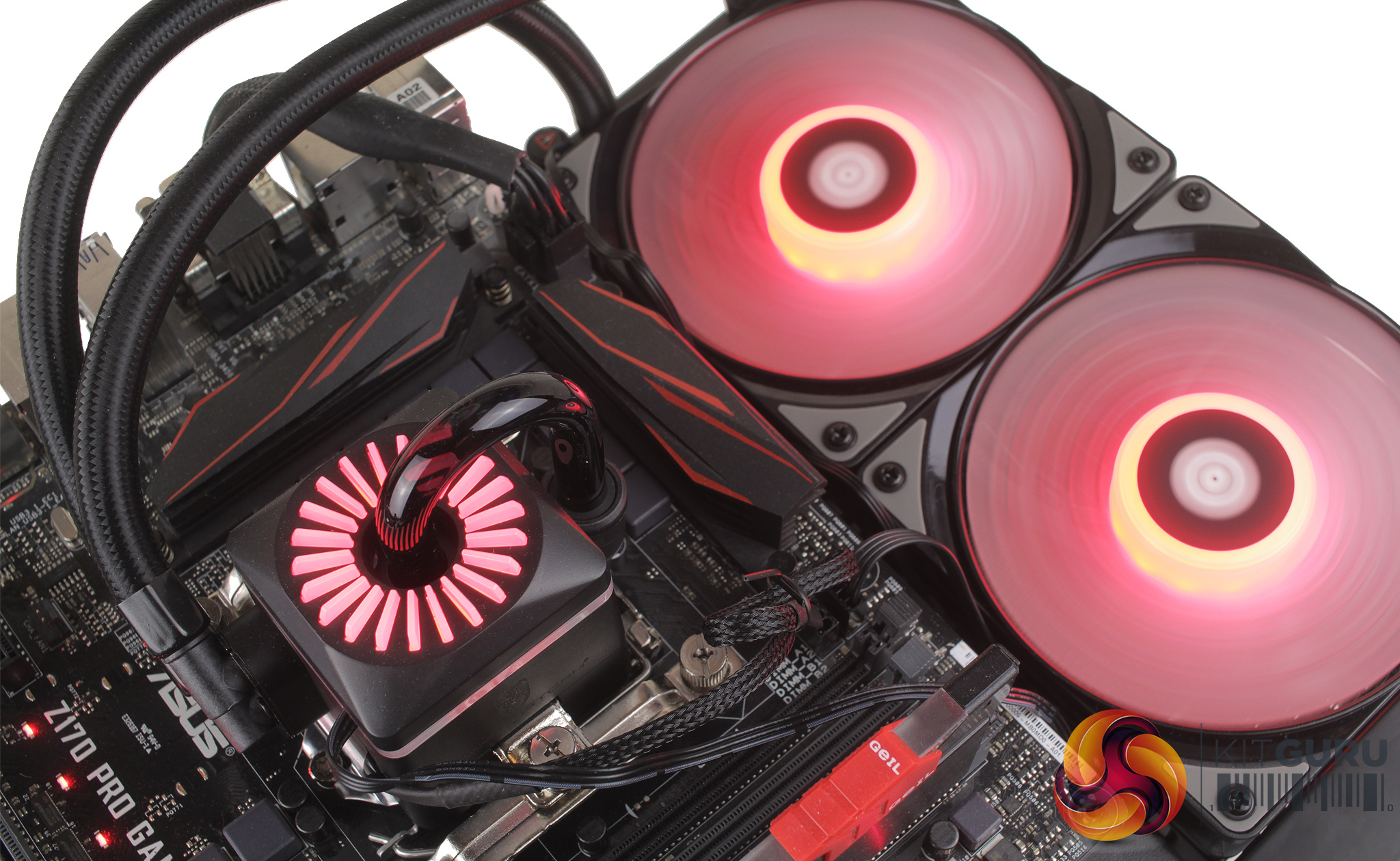
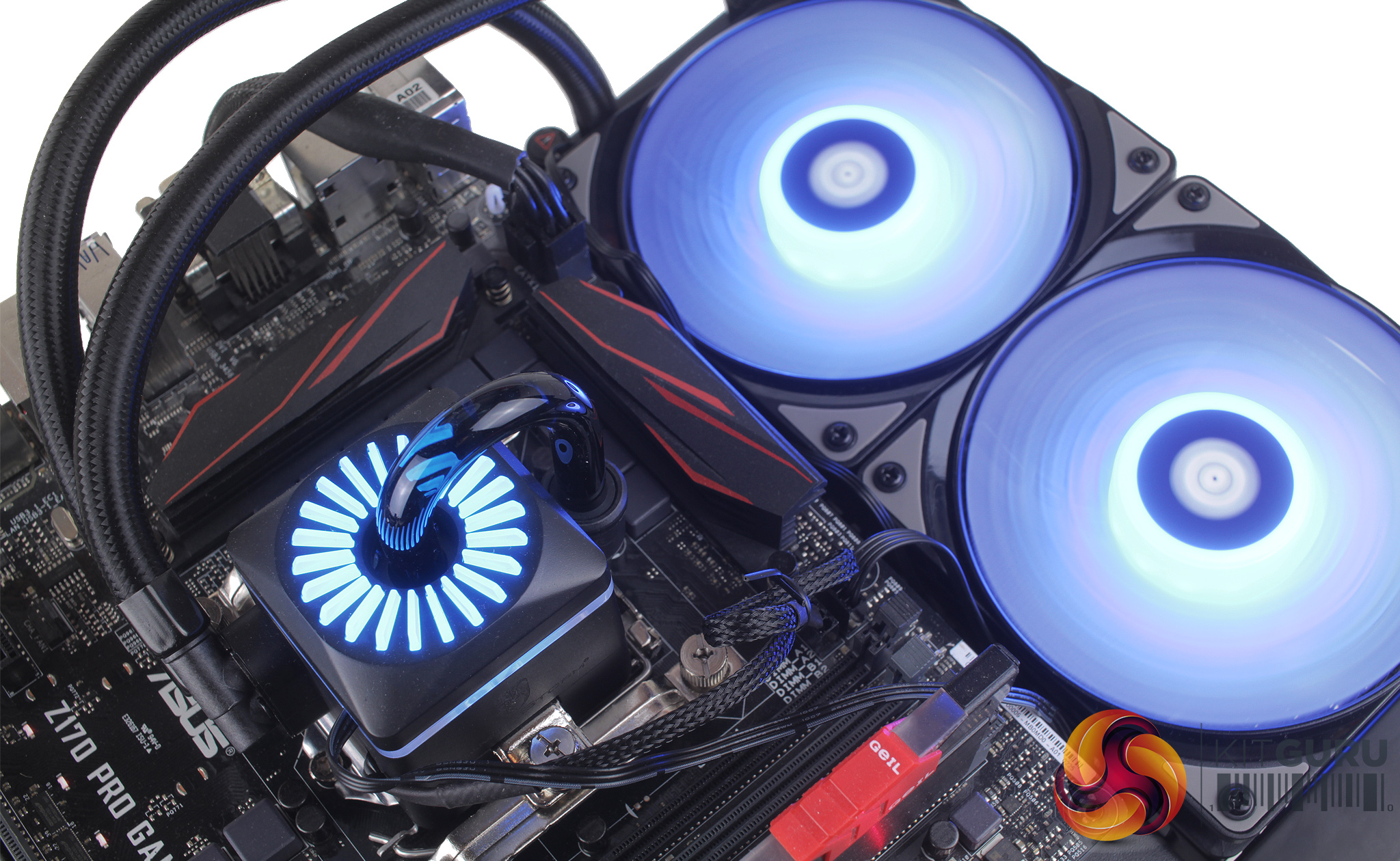
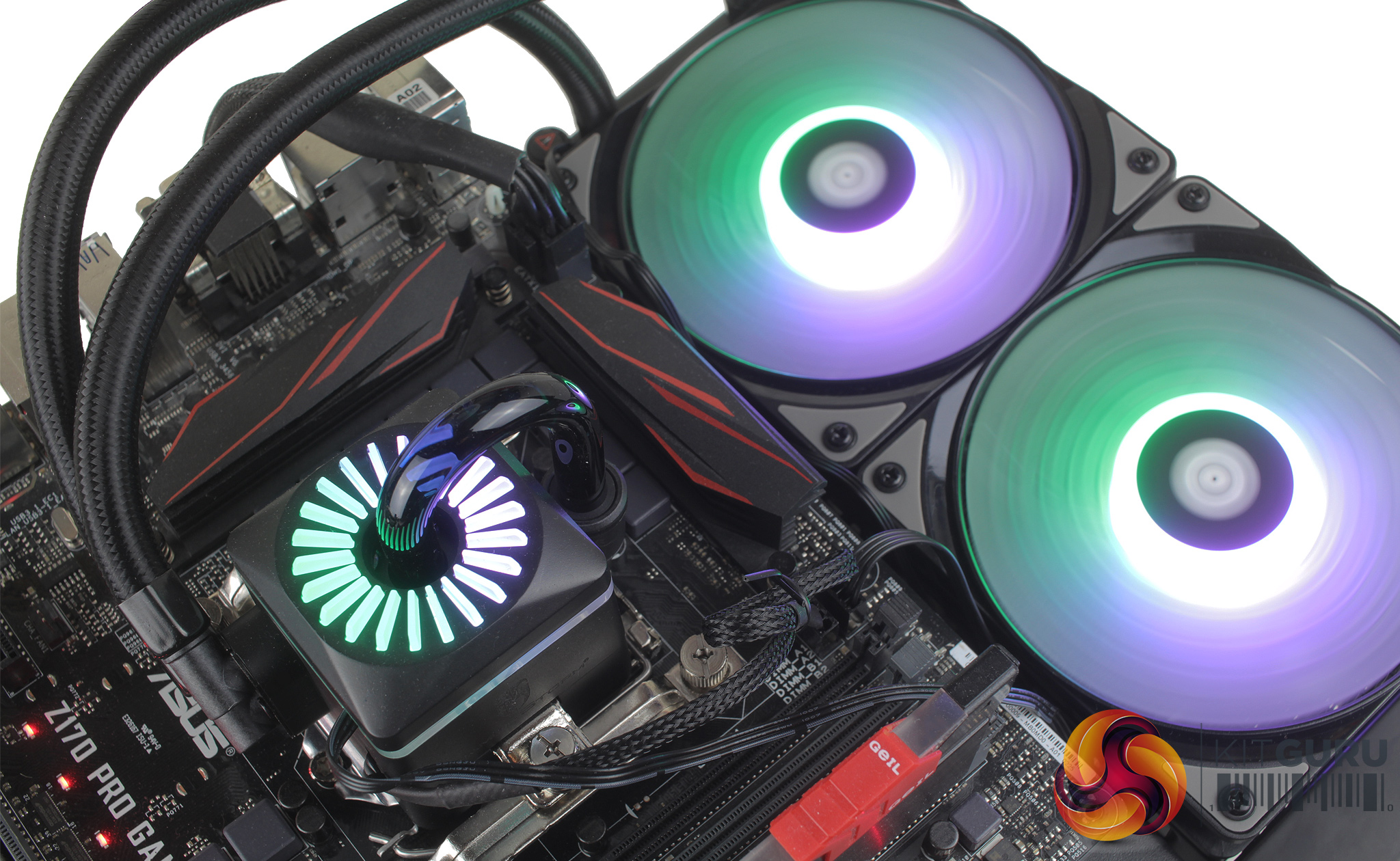
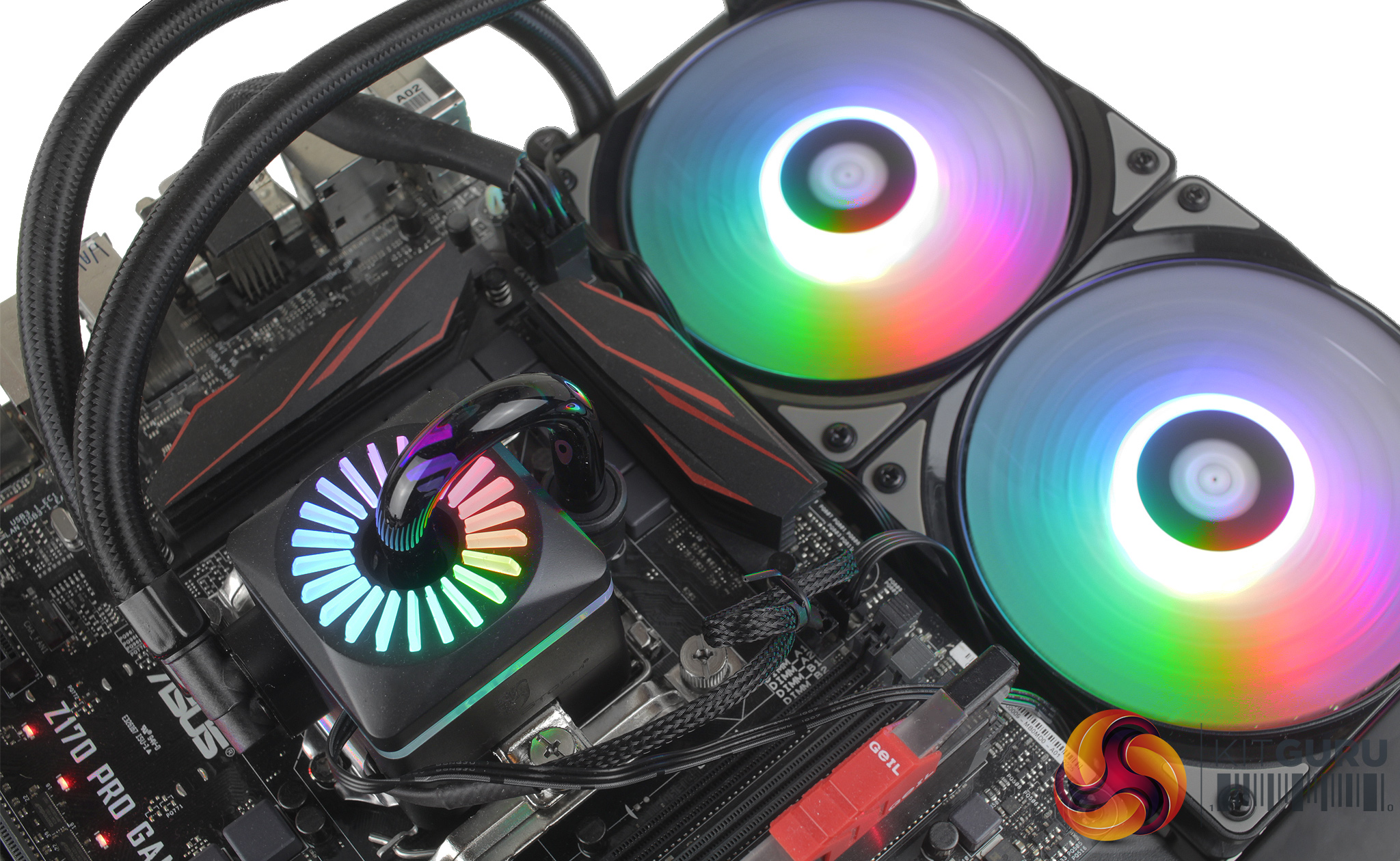
The full RGB rainbow mode transitions from colour to colour smoothly thanks to the addressable nature of the installed RGB LEDs, and you can adjust the speed of these transitions using the controller.
The controller itself is simple enough to use – you cycle forward and backward through the available effects, using the top and bottom buttons, with the centre button controlling speed.
To test all CPU coolers, we devised an easily repeatable test with no variables other than the coolers themselves. This ensures that figures from every cooler we test are comparable with each other.
Test rig
At KitGuru we have recently updated our testing setup, and now test temperatures on the Z170 platform. For the CPU we are testing with the Intel Core i7-7700K installed in a ASUS Z170 Pro Gaming motherboard. For RAM we have a single 8GB stick of Geil EVO X RGB for some added bling running at 3200MHz, and storage is handled by a 120GB SanDisk SSD Plus. Powering our bench is a Seasonic Prime Platinum 650W PSU.
The test process
For testing, we run a number of tests including 4 separate temperature readings per cooler. We first measure the idle temperature of the i7-7700K locked in at 4.0GHz before measuring its temperature under load at the same frequency.
For a representation of overclocks, we run the i7- 7700K at 4.5GHz with a 1.275 Vcore applied both at idle and load. Following this we run the i7- 7700K at 5.0GHz with a 1.35 Vcore as well to really push thermal limits. The temperatures we present are temperature deltas, where the ambient temperature of the testing environment is deducted from the temperature taken from the CPU for both idle and load. We are aware that a 4.5GHz overclock with a 1.275 Vcore applied is not representative of the best setting possible for the i7-7700k, but this does allow us to simulate performance of coolers whether you are using a less powerful CPU such as an i3 or i5 processor, or a more powerful hotter CPU like our overclocked i7-7700k.
An idle reading comes from leaving Windows on the desktop for 15 minutes. A load reading comes from running Prime95’s (version 26.6) Small FFTs test for 15 minutes – enough time for temperatures to plateau. We use HWInfo64 v5.82 to measure temperatures.
Noise output
We measure noise levels with our sound meter positioned 1 foot away from the test bench. The peak noise level is presented. We have measured the noise floor (i.e. ambient noise levels of the room) to be 34 dBa, and when tested at stock clocks, the vast majority of coolers do not emit noise levels above this figure. Thus, we present one chart with noise levels taken during our overclocked CPU test run.
Temperatures
All temperature charts are sorted with lowest load temperatures at the top.
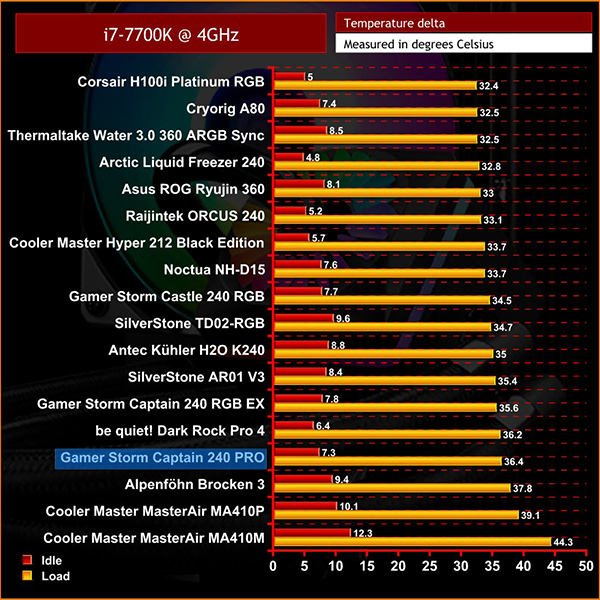
Looking at stock temperatures for our 7700K, the Captain 240 PRO's position on the chart may not look that competitive – but bear in mind it is only 4 degrees behind the leader of the pack, the Corsair H100i Platinum.
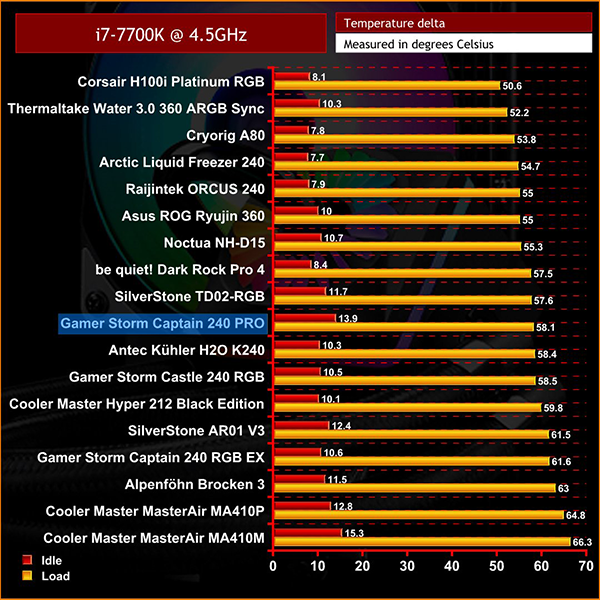
At 4.5GHz the Captain 240 PRO sits middle of the pack, with a peak temperature reading of 58.1 degrees at full load. This is still a good result, putting it ahead of coolers like the Kuhler H20 K240 and Castle 240 RGB.
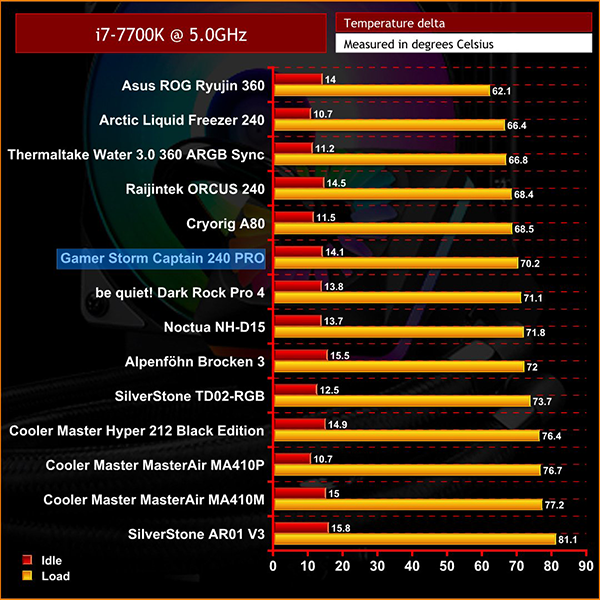
With our i7-7700k at 5GHz, the Captain 240 PRO does a good job of handling the higher temperature output, sitting at 70.2 degrees – which is impressively only just behind the larger 280mm Cryorig A80. Temperatures are slightly higher at idle, but basically on par with a similar cooler like the Orcus 240.
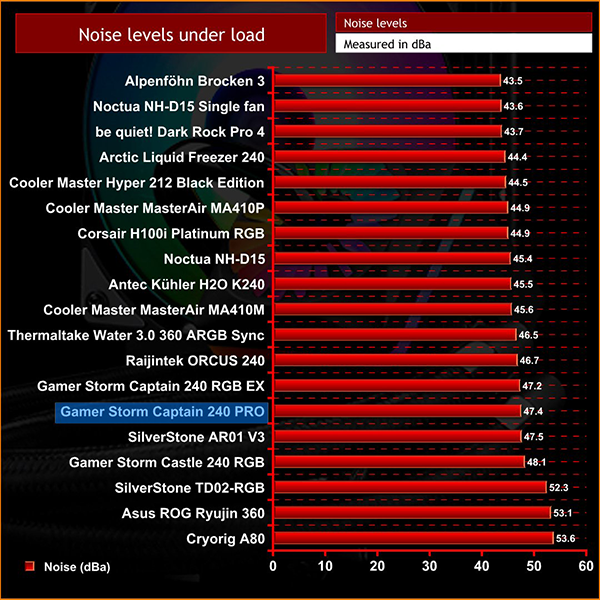
Noise under load, however, did see the Captain 240 PRO's fans ramp up to 47.4 dBa, which is essentially identical to the previously tested Captain 240 RGB EX. This can be attributed to how similar both coolers are, even down to the included fans.There really is a lot to appreciate with the Deepcool Captain 240 PRO, especially when compared to the slightly older Captain 240 EX. In terms of appearance, the PRO does feature the same CPU block aesthetic, but with the addition of the RGB LED ring which wraps around the sides of the block.
The radiator has also been improved, as it now features mirrored strips running down either side which is a simple touch to improve aesthetics. There are even improvements to the included accessories, like a larger fan splitter and an LED hub which leaves space for adding more RGB fans or even LED strips down the line.
Clearly, Deepcool has made a real effort upgrading almost all parts of the original Captain 240 EX to create the newer PRO version, but one of the most impressive upgrades is the included Anti-leak Tech system which should mean the cooler operates completely leak-free.
Overall, I do think that makes the Deepcool Captain 240 PRO a very good option at £119.99. It's not the outright best performing cooler, but it is very solid across the board and boasts impressive lighting, too.
The Deepcool Captain 240 PRO is currently available from SCAN for £119.99 HERE.
Pros
- Patented Anti-leak Tech is great for cooler longevity.
- Addressable RGB support for all major motherboard manufacturer's software.
- Fan and RGB LED hubs included, with room for expansion.
- Improvements have been made to not only radiator features, but also aesthetics.
Cons
- Included fan and LED hubs feel a little plasticky.
- Some cables being braided, and some left bare, looks a little untidy.
KitGuru says: At £119.99, the Deepcool Captain 240 PRO is a feature-rich cooler that ticks a lot of boxes, while the addition of its Anti-leak Tech gives you extra peace of mind.