KitGuru KitGuru.net – Tech News | Hardware News | Hardware Reviews | IOS | Mobile | Gaming | Graphics Cards


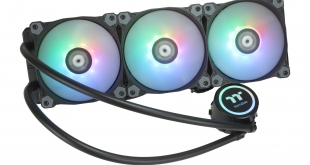
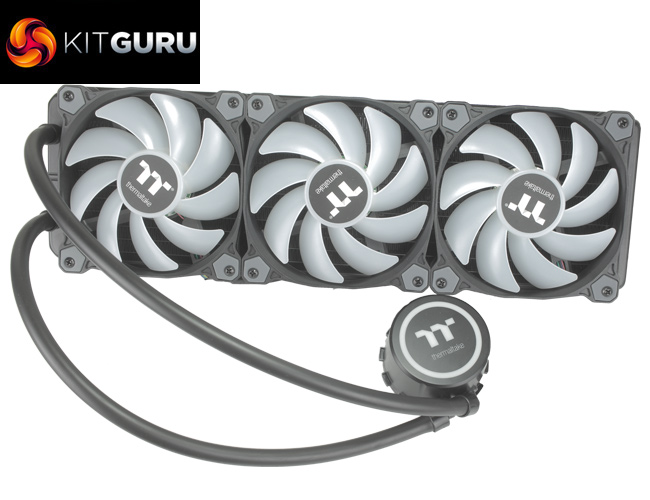
There's a lot to unpack from the name of the Thermaltake Water 3.0 360 ARGB Sync. The ‘360' obviously refers to its 360mm radiator, and we know ARGB = Addressable RGB lighting. The ‘Sync' aspect references software compatibility for the Water 3.0 360 with current motherboards, and it’s great to see that the cooler supports ASUS Aura Sync, GIGABYTE RGB Fusion, MSI Mystic Light Sync, and AsRock Polychrome software.
Priced at £158.99, this is not the cheapest liquid cooler we've ever seen – there are a few 360mm AIO coolers on the market for a little less, with some closer to the £110 mark. That being said, it will be interesting to see how the additional £50 is justified, whether it is with features or sheer performance.
Specification:
- Model: Water 3.0 360 ARGB Sync
- Radiator Material: Aluminum
- Radiator Dimensions: 394 × 120 x 27mm
- Tubing Length: 400mm
- Tubing Material: Rubber
- Fan Dimensions: 120 x 120 x 25 mm
- Fan Speed: 500 – 1,500 RPM (PWM)
- Fan Air Flow: 56.45 CFM (Max)
- Fan Pressure: 1.59 mm-H2O
- Fan Noise Level: 25.8 dBA
- Fan Connector: 4-Pin (PWM)
- Pump Connector: 4-Pin Pump cable
- LED Control: ARGB controller or 5V addressable RGB header
- Intel socket compatibility: Intel LGA 1150, 1151, 1155, 1156, 1366, 2011, 2011-3, 2066
- AMD socket compatibility: AMD FM2, FM1, AM4, AM3+, AM3, AM2+, AM2
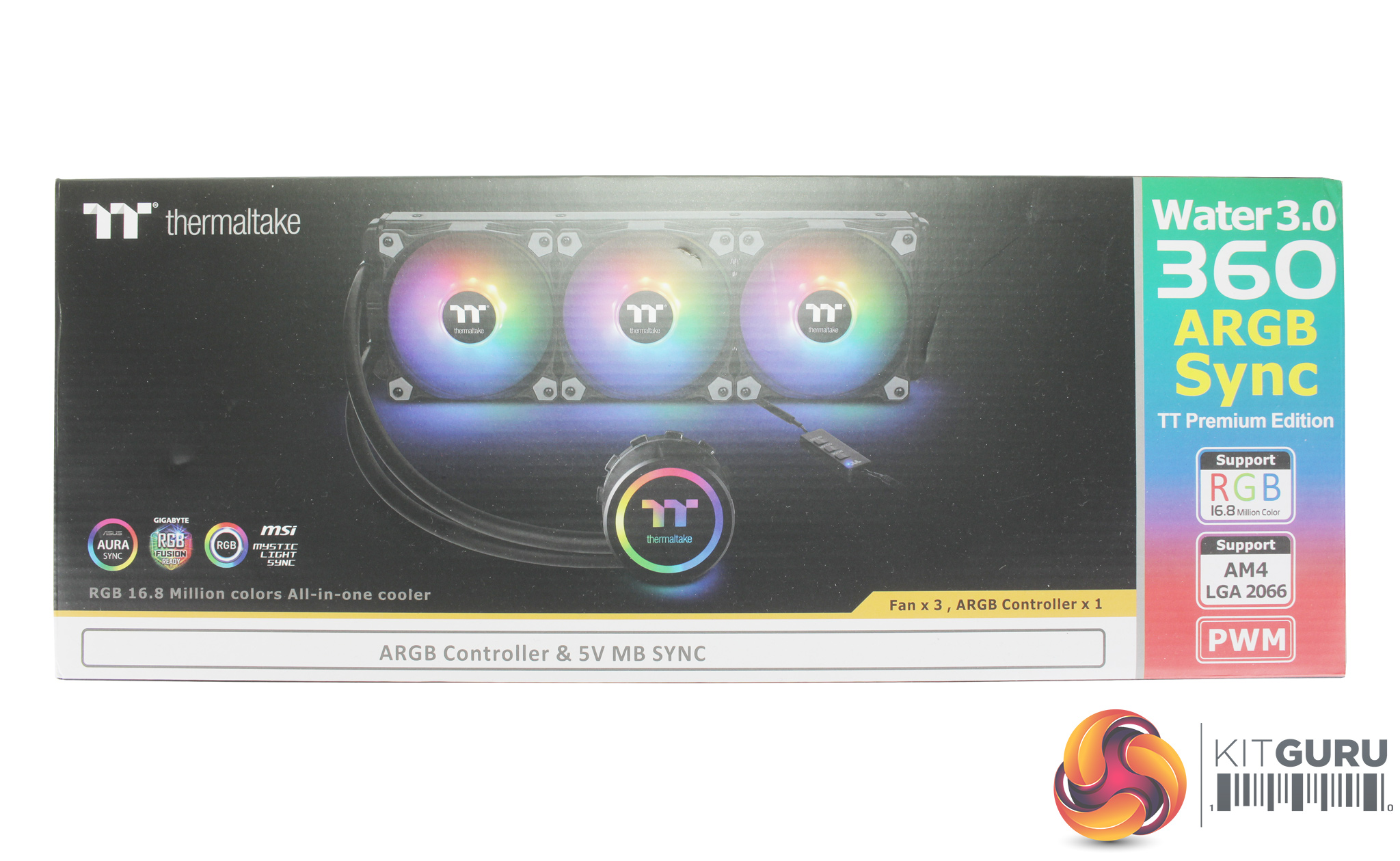
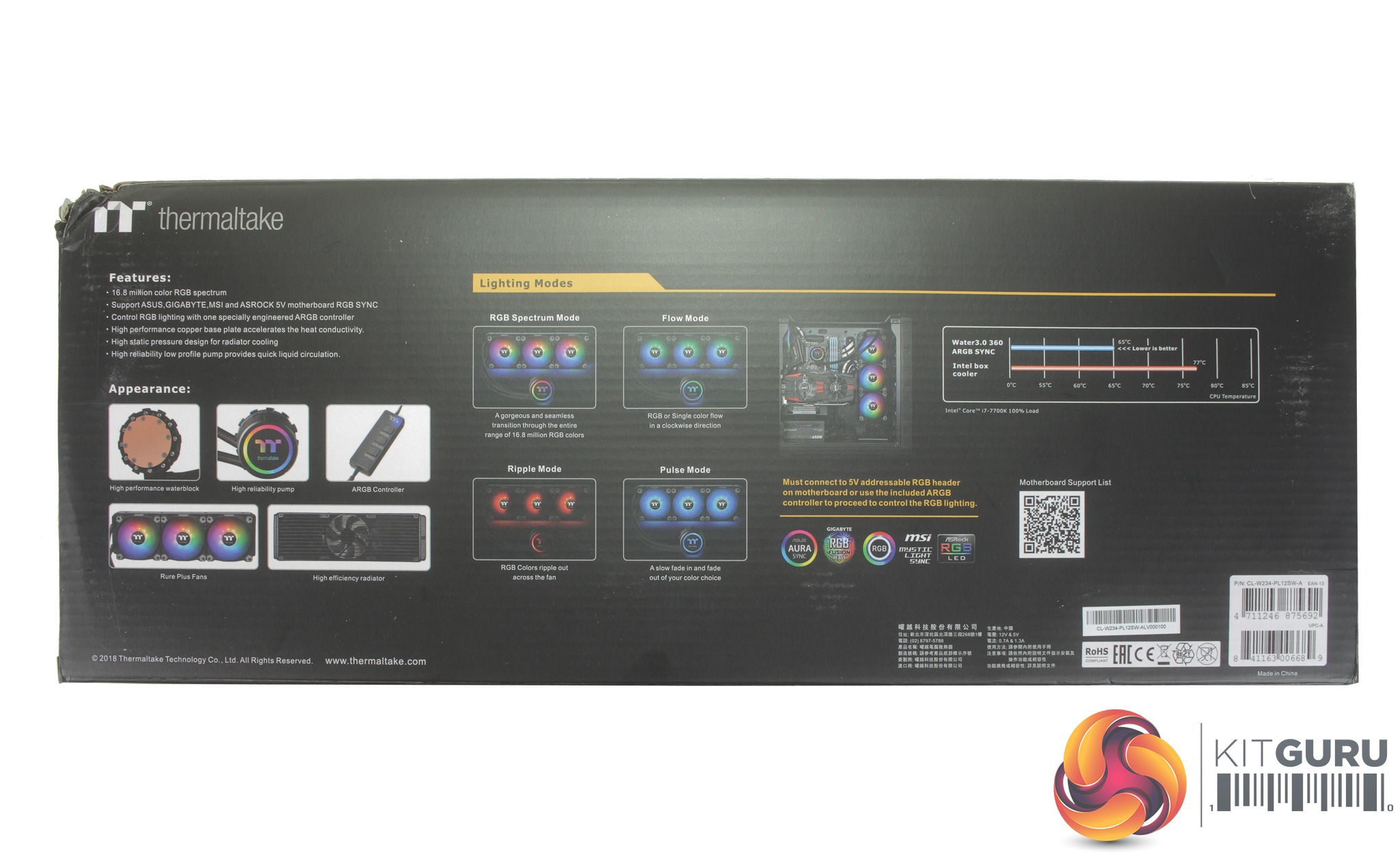
The box, as expected, is pretty vast considering the size of the radiator included. The front of the box shows a large clear picture of the cooler itself, along with some core features of the cooler like its ARGB lighting and socket compatibility. The rear of the box provides some more key features and specs for the cooler.
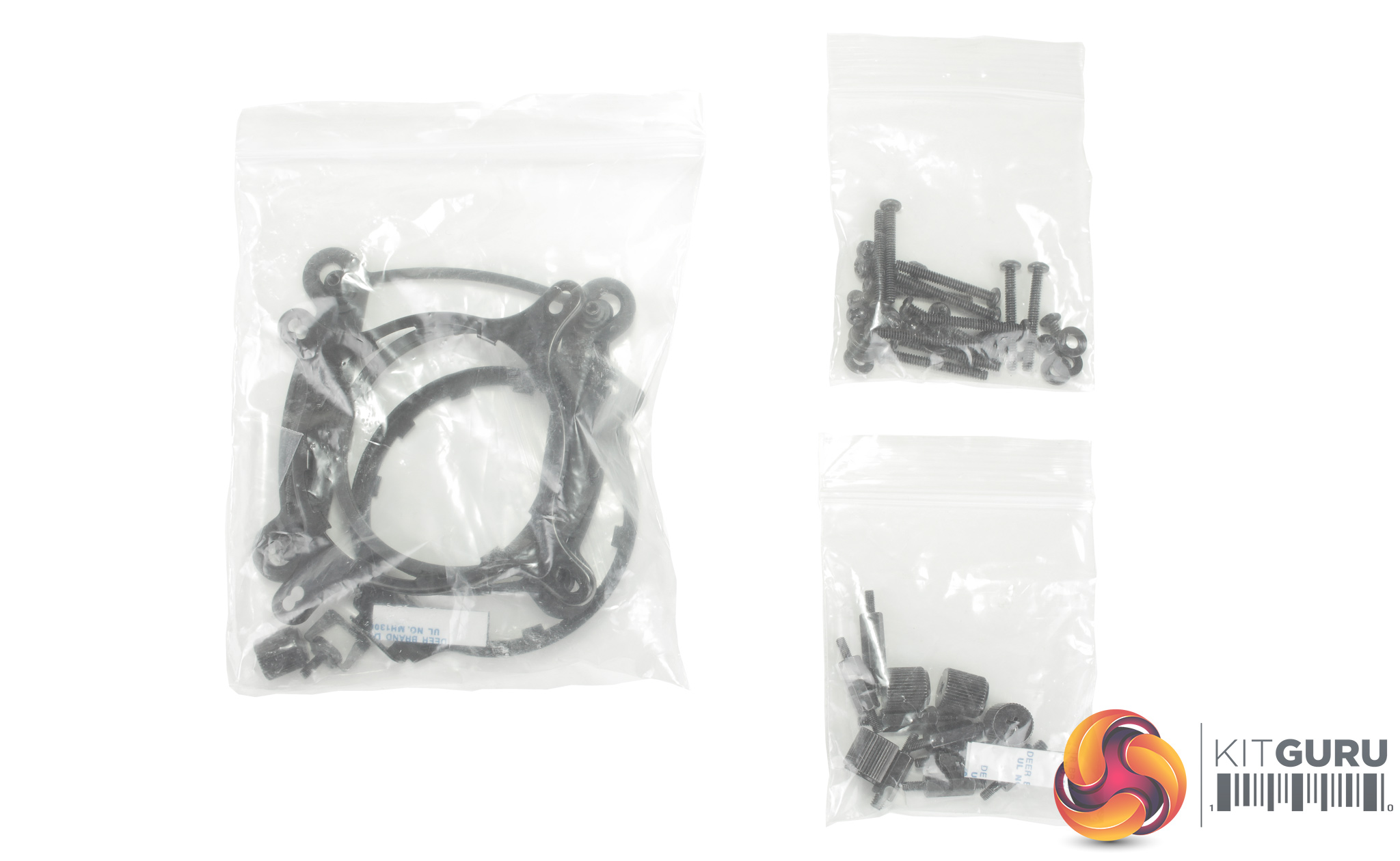
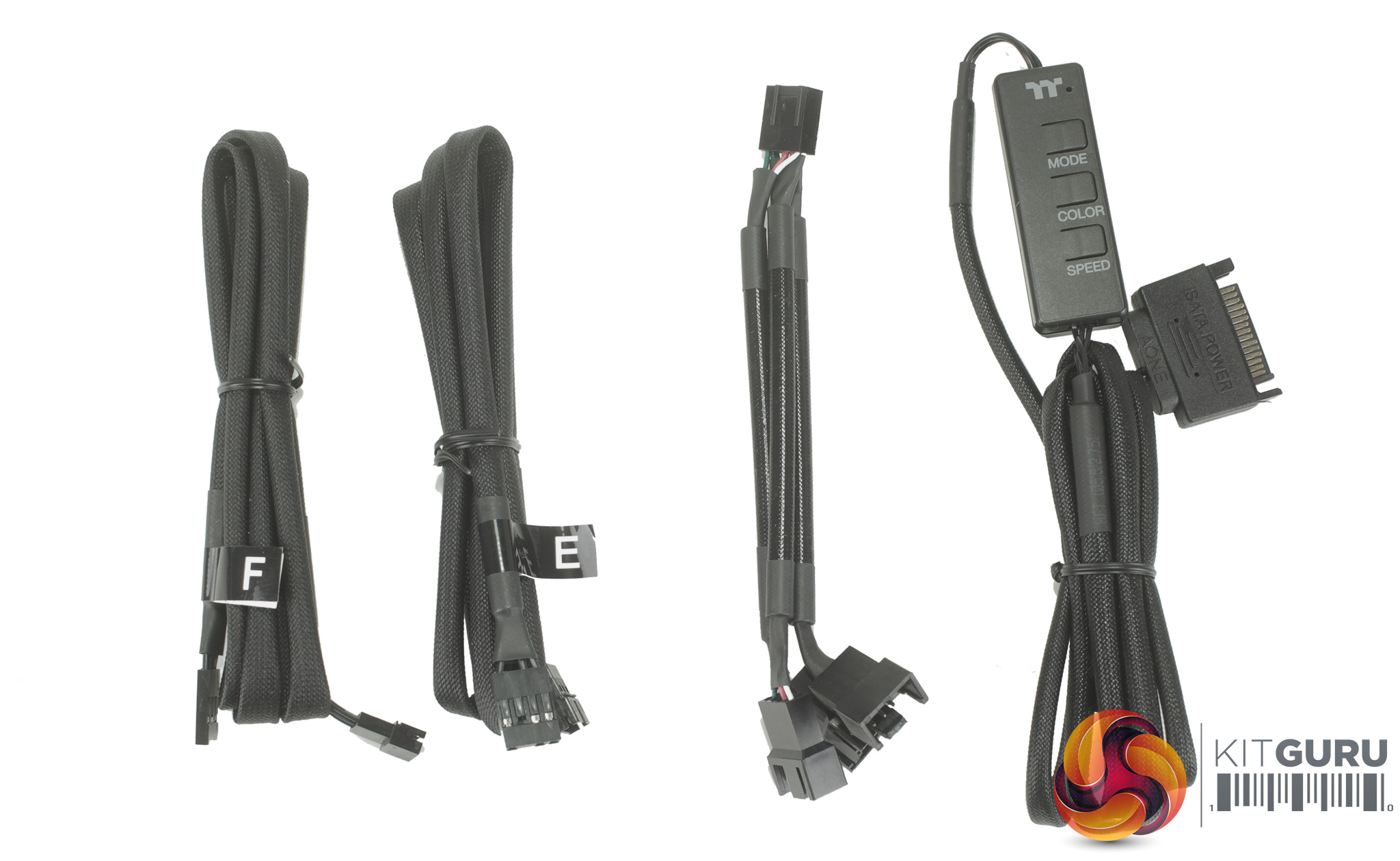
Opening the box we find some installation instructions, a few bags of mounting hardware for current Intel and AMD sockets, a bunch of additional cables and adapters for connecting the three fans, as well as all of the lighting. Speaking of the lighting, a SATA powered controller comes included, but there are also two adapters for controlling the lighting via your motherboard's ARGB header.
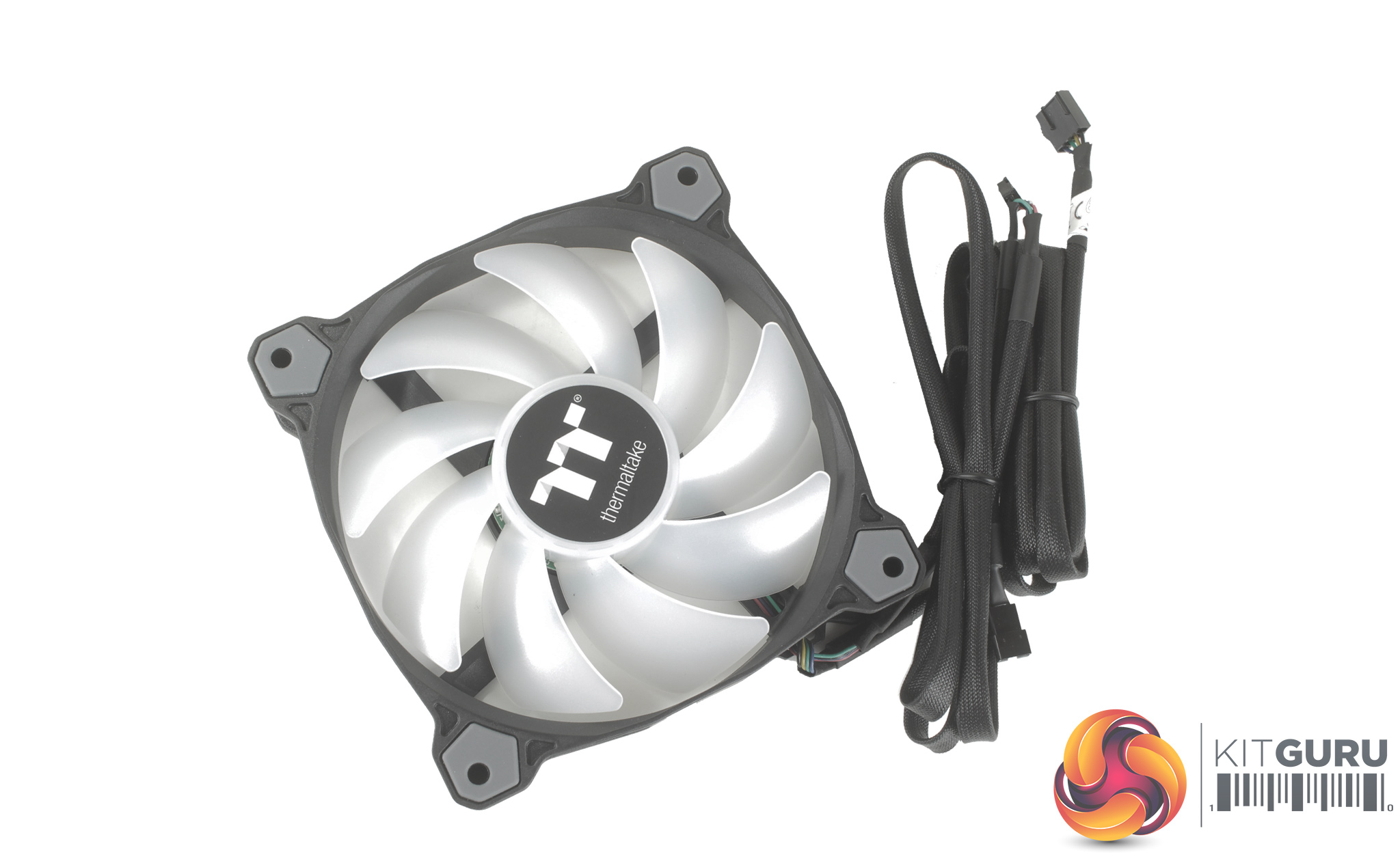
The fans in question are Thermaltake Pure 12 ARGB Sync radiator fans which feature a 9 blade design and operate between 500 – 1500 RPM. Along with rubber anti-vibration mounts, each fan features a separate connector for lighting (which can be daisy-chained), and a 4-pin PWM connector. Both cables are also coated in a black rubber heat shrink, which definitely gives a cleaner aesthetic.
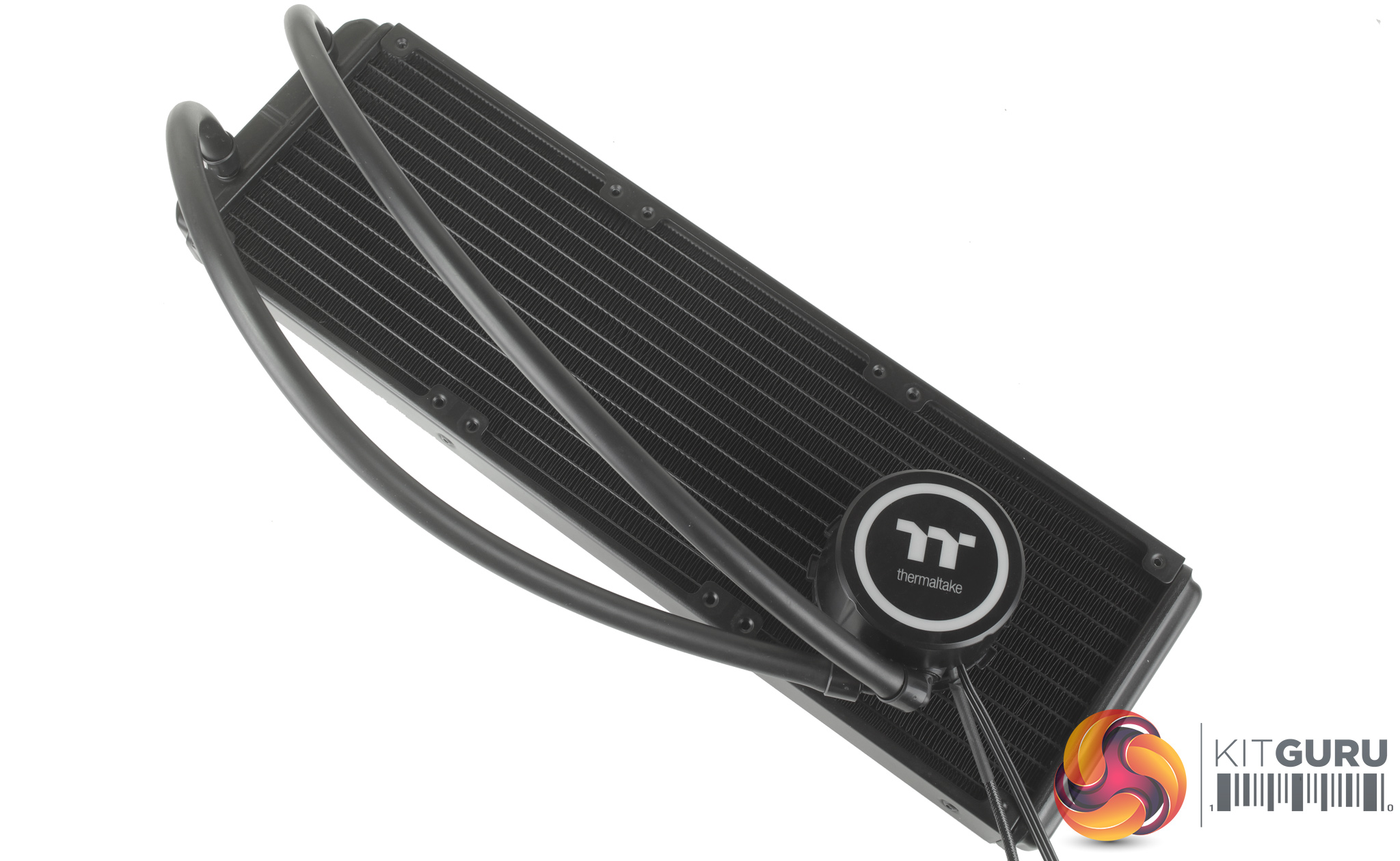
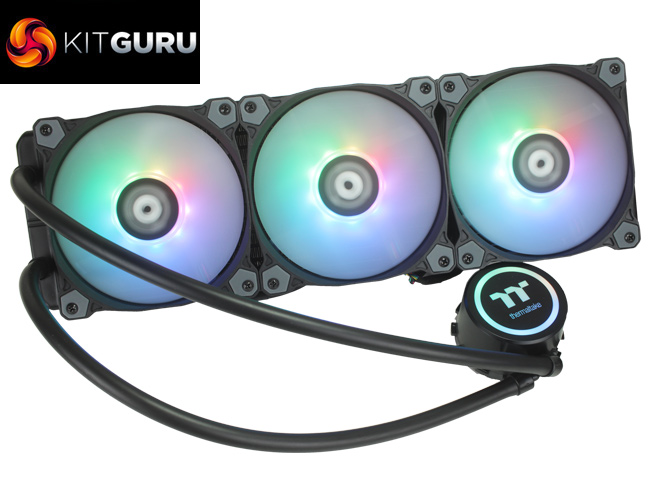
Taking a look at the cooler itself, there is a bit of bulk to the CPU block thanks to the addition of RGB lighting for the Thermaltake logo, but otherwise it looks like a familiar Asetek design. The radiator itself measures 394 x 120 x 27 mm and the tubing, although not braided, is a full 400mm long which is more than enough length to reach the front or top of your chosen case.
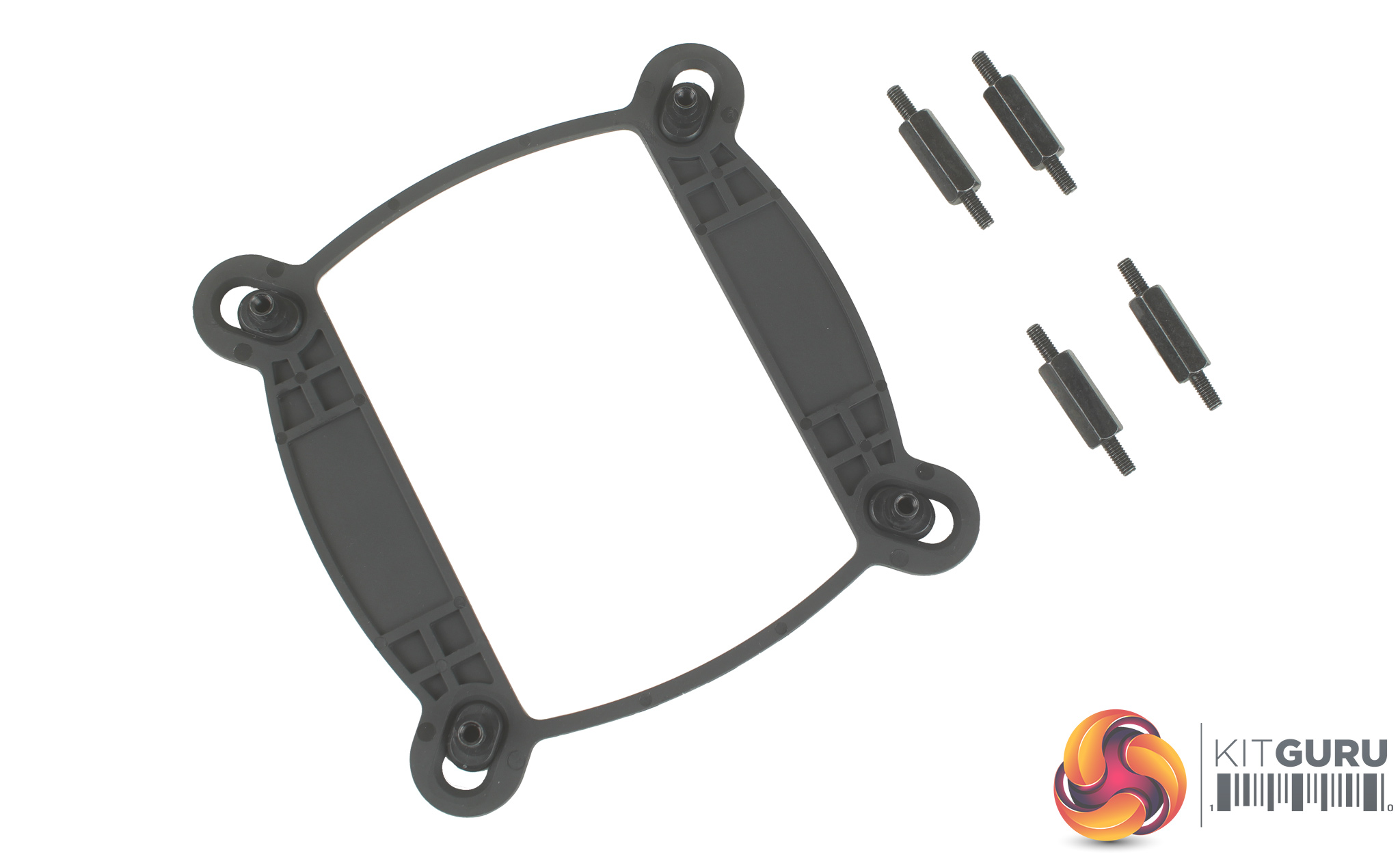
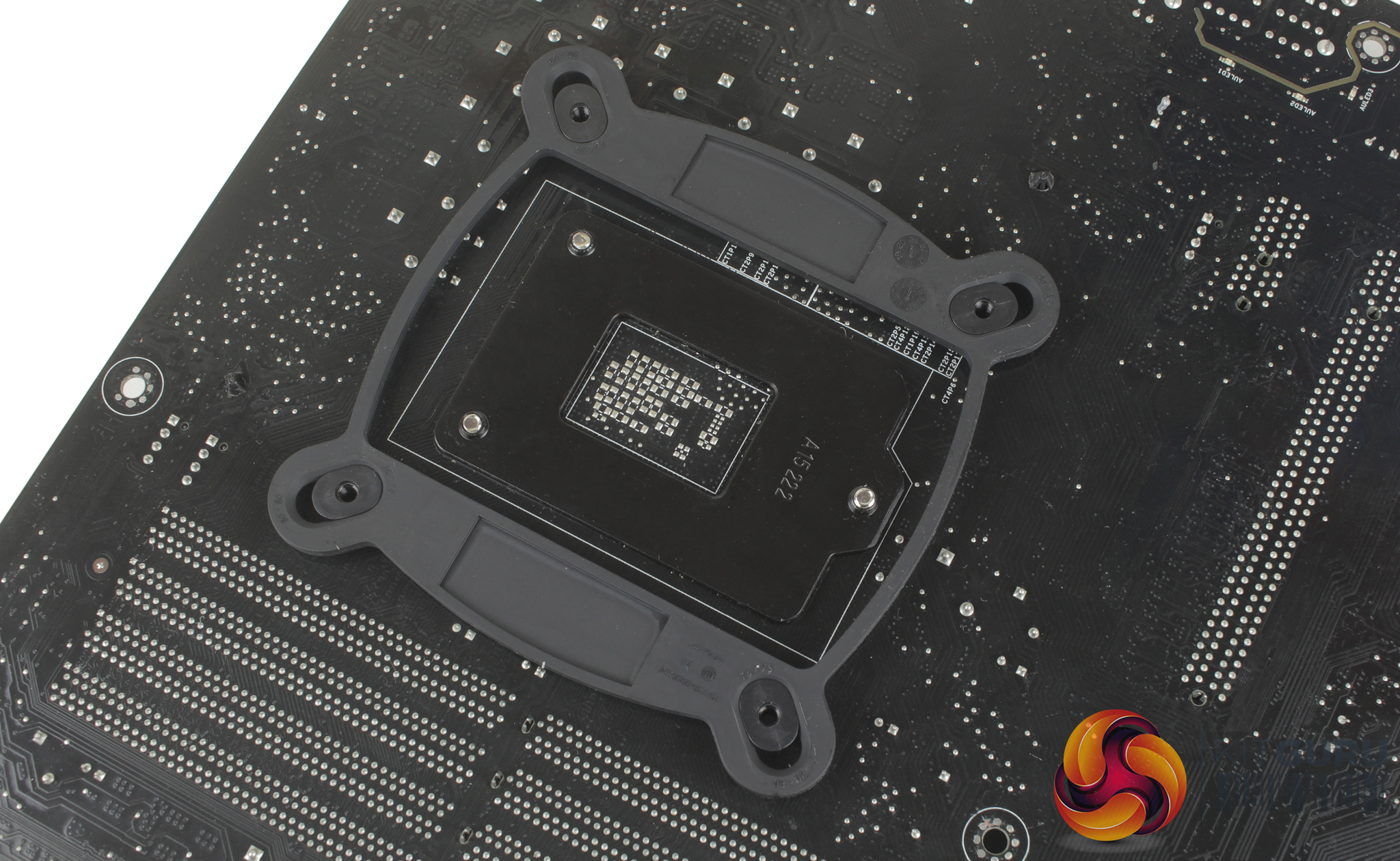
As we now test using a Z170 motherboard socket LGA1151, the installation process below reflects this.
For installation, all you need to do is adjust the mounts on the backplate to ensure they will pass through the motherboard mounting holes, and sit the backplate in place.
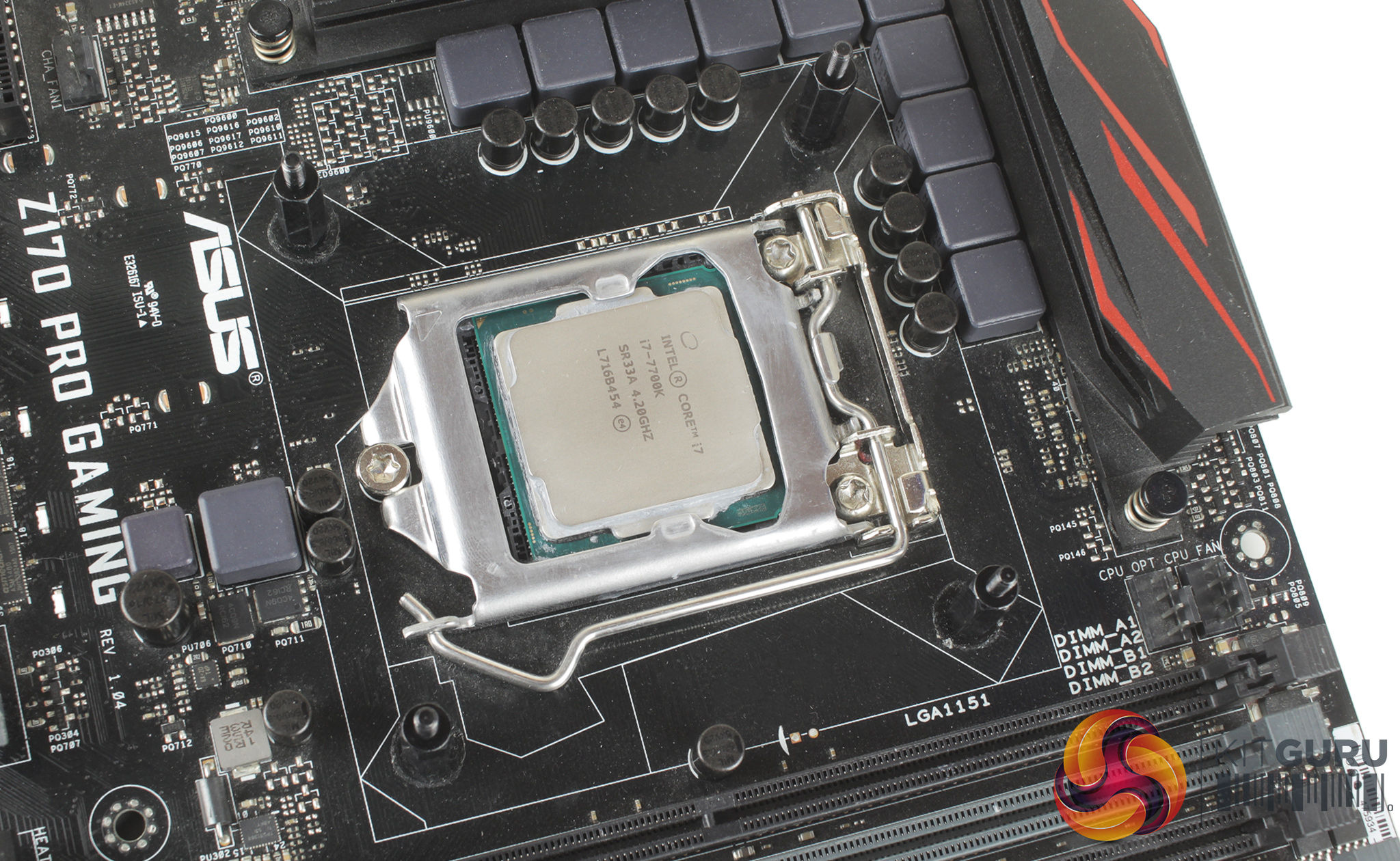
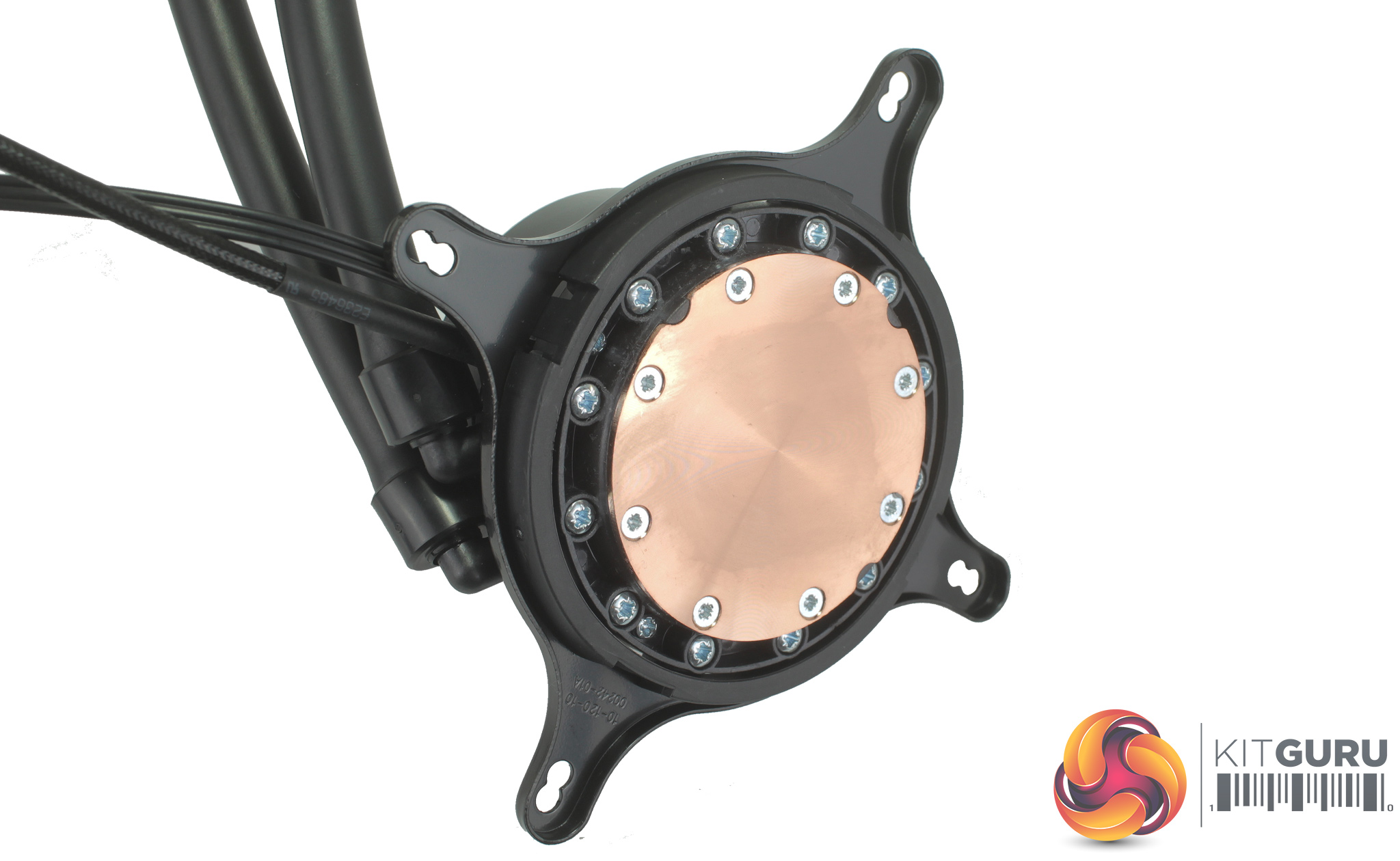
Four double threaded standoffs can then be screwed in to hold the backplate in place. You then need to attach the mounting bracket to the CPU block itself, with options for Intel and for AMD, and the bracket is clipped on using a plastic retention mount.
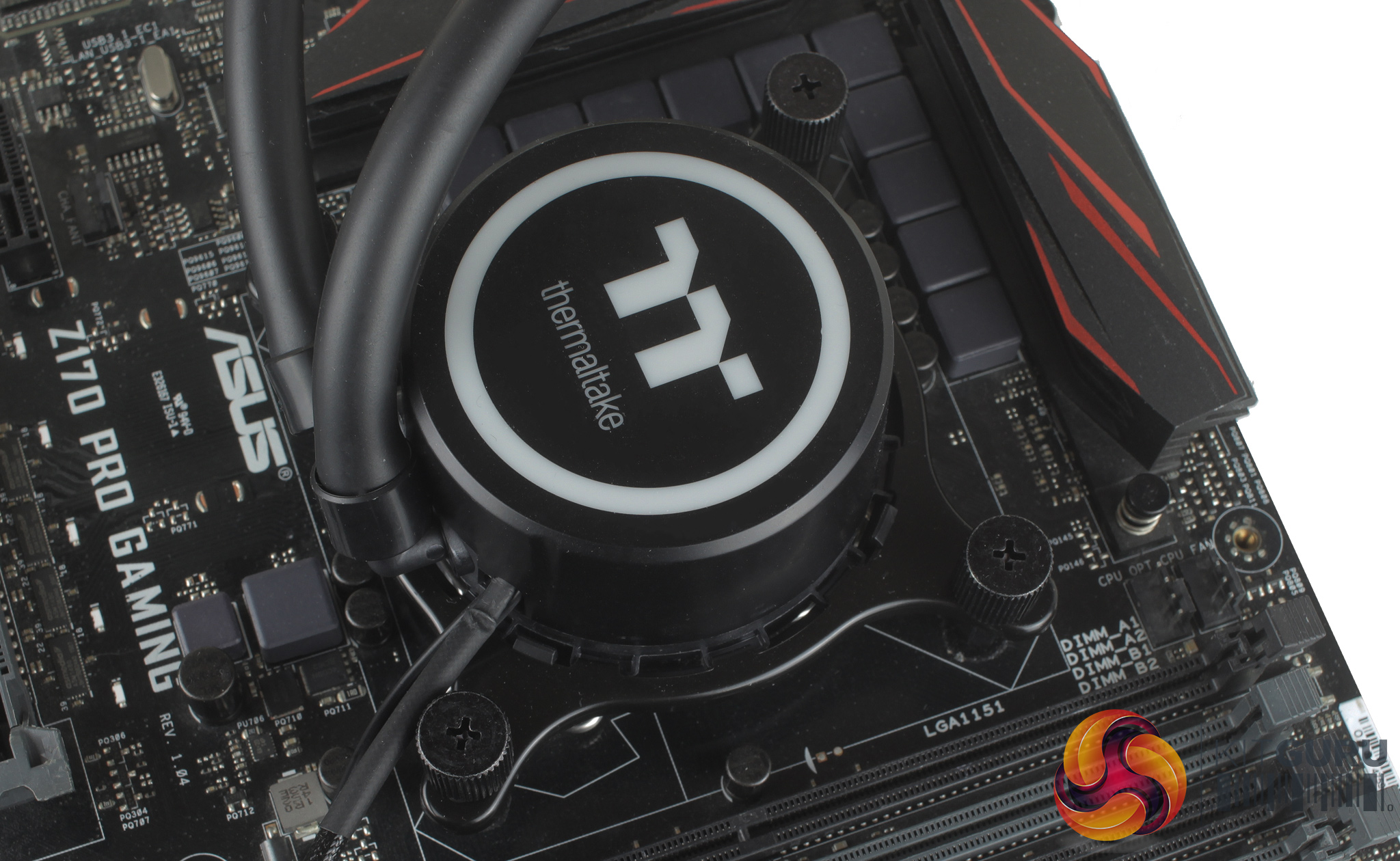
Thermal compound is included and pre-applied, but as per usual this was removed and replaced to ensure consistency with our testing. With our thermal paste applied, mounting the block is just a simple case of placing it atop your CPU, and firmly tightening it down with the four included thumbscrews.
It is overall a very simple and straightforward process which barely takes 5 minutes.
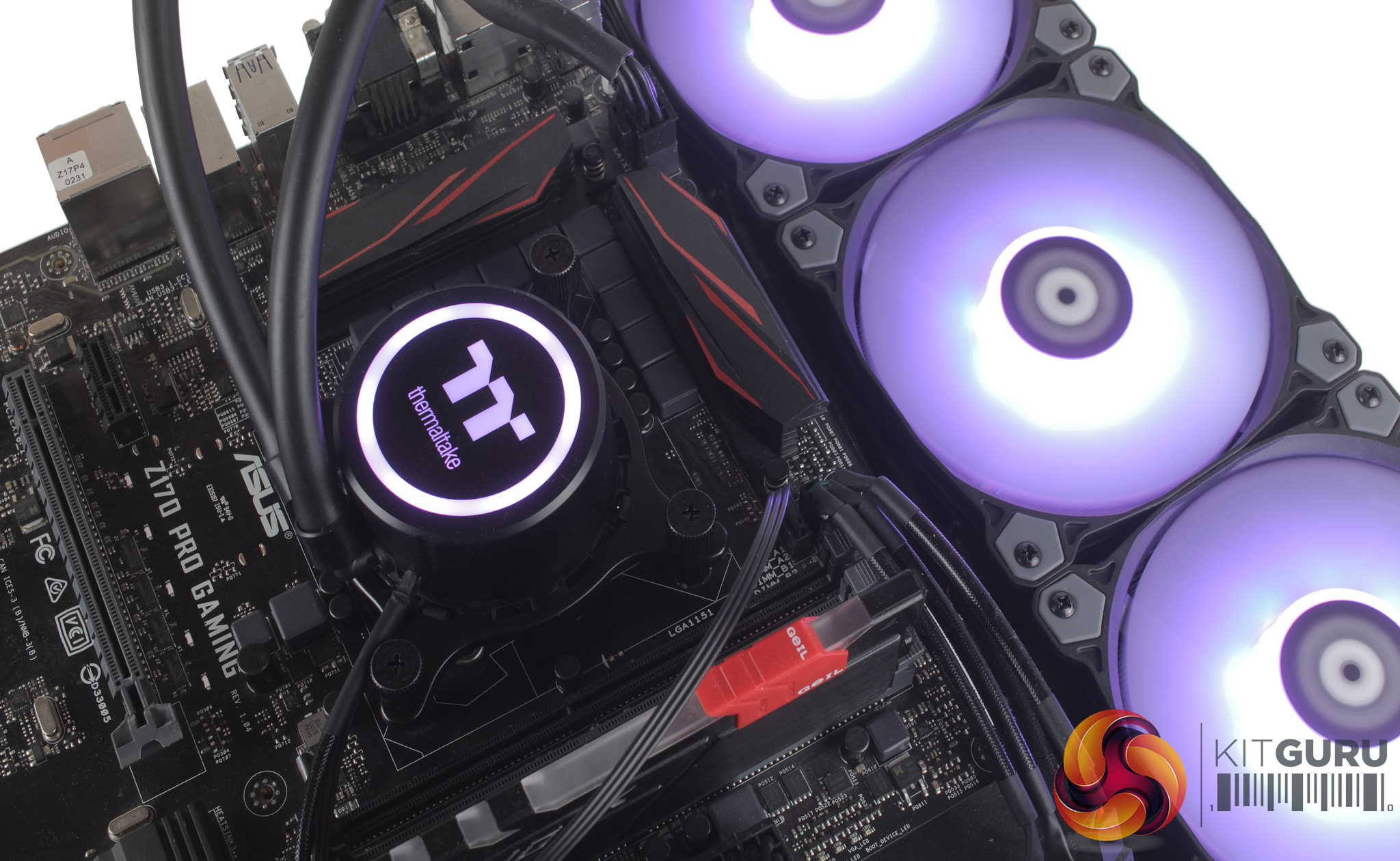
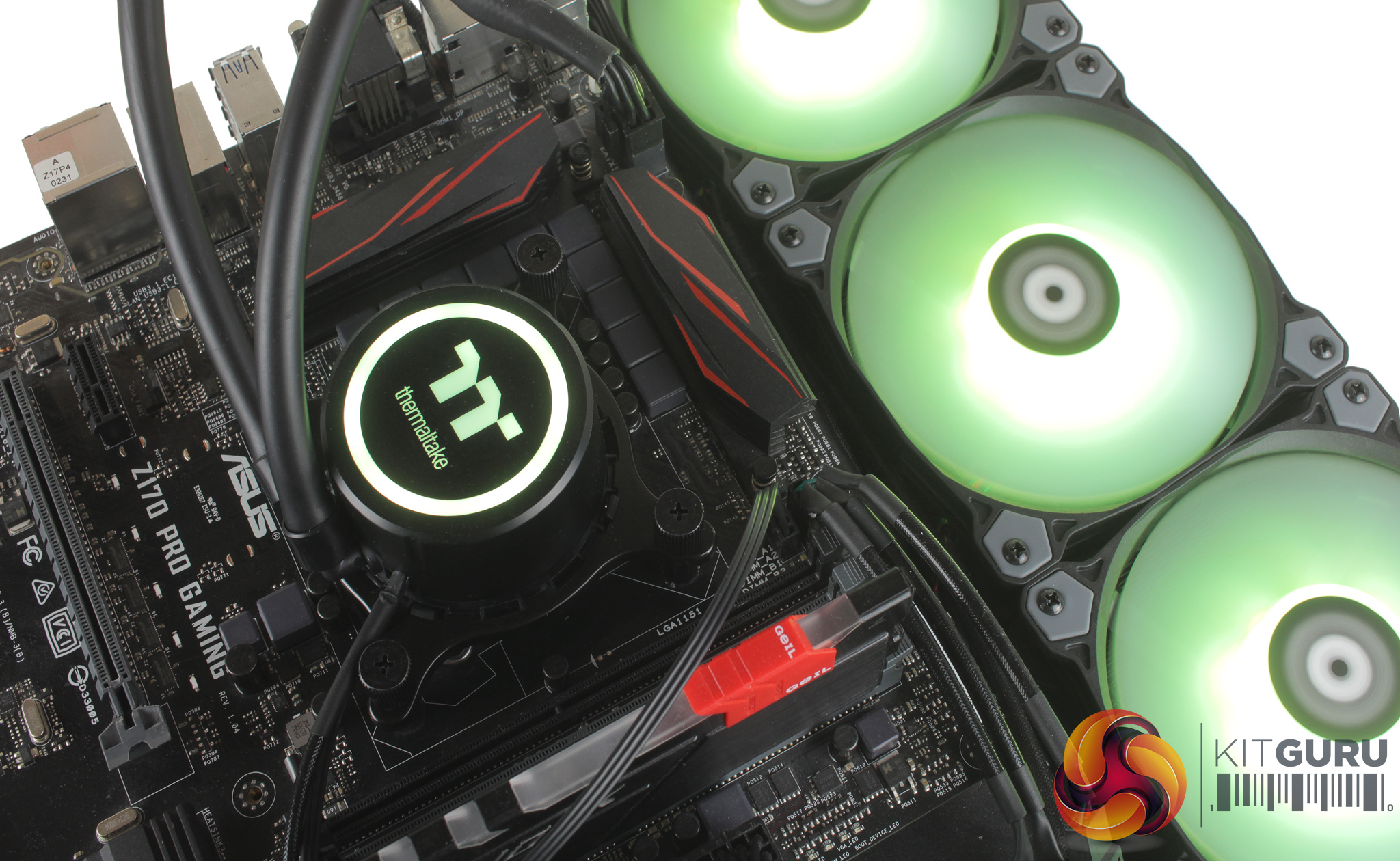
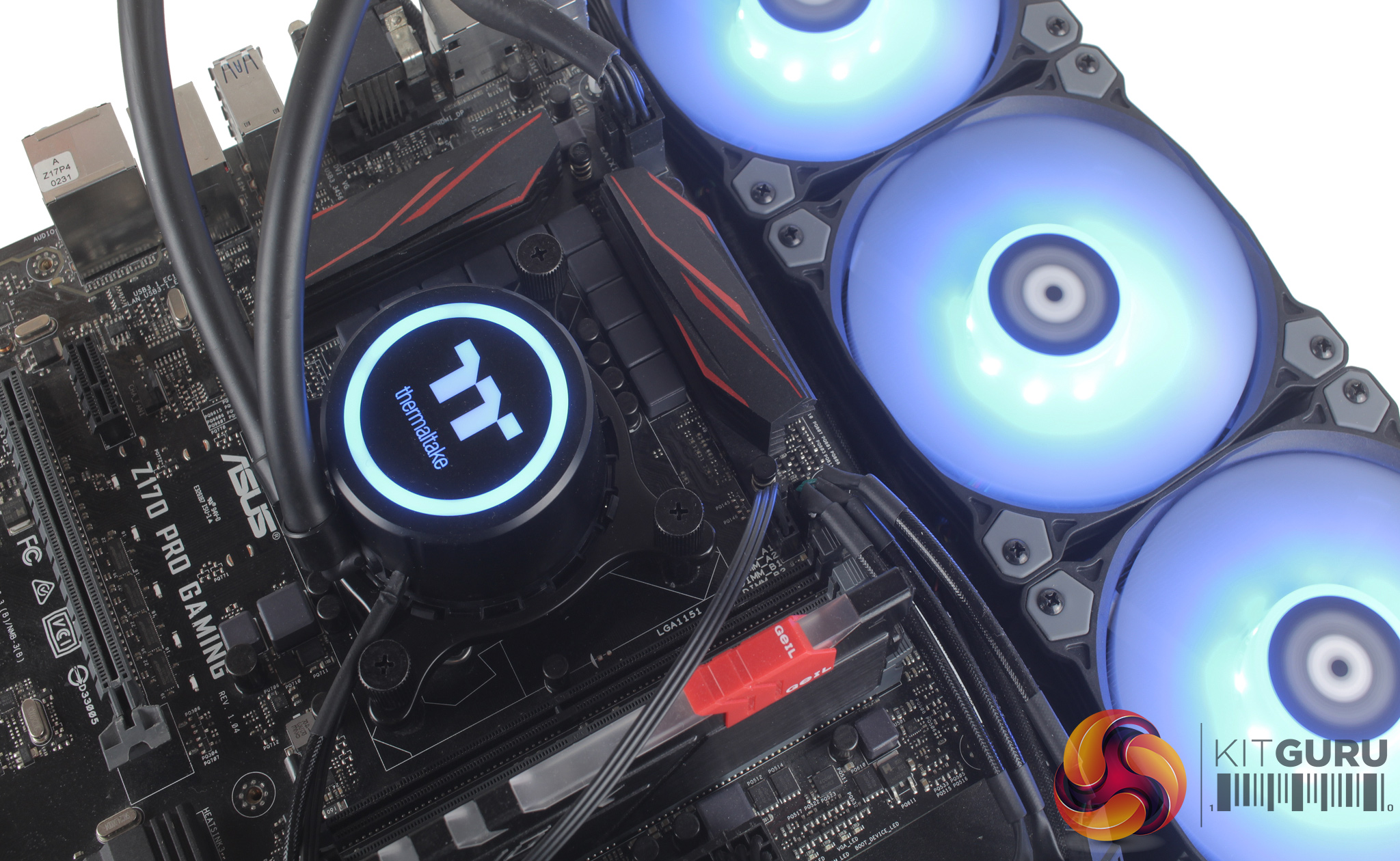
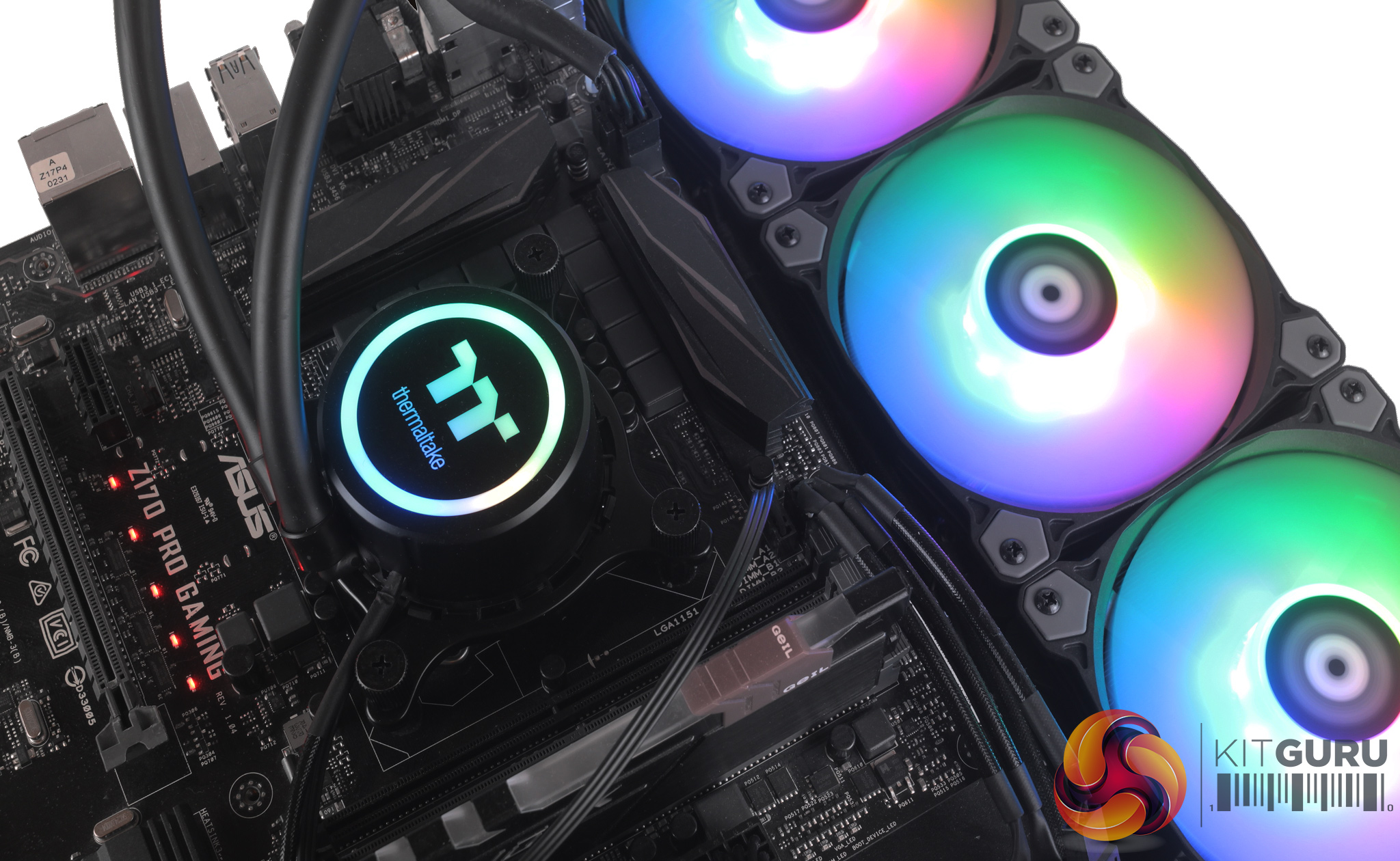
Each fan features a male and female proprietary connection for RGB lighting, so you can daisy-chain them together which is good if you are looking to expand your LED setup by adding additional Thermaltake fans.
For our testing, the lighting was controlled through the included controller, and the first thing to say is that there are a number of different preset effects to choose from – including flow, ripple, pulse, blink, wave, static and the full RGB spectrum. Transitions, thanks to the addressable nature of the RGB LEDs, are nice and smooth, and pretty seamless really. The sheer number of LEDs – across the pump and three fans – definitely gives the cooler a wow-factor.
To test all CPU coolers, we devised an easily repeatable test with no variables other than the coolers themselves. This ensures that figures from every cooler we test are comparable with each other.
Test rig
At KitGuru we have recently updated our testing setup, and now test temperatures on the Z170 platform. For the CPU we are testing with the Intel Core i7-7700K installed in a ASUS Z170 Pro Gaming motherboard. For RAM we have a single 8GB stick of Geil EVO X RGB for some added bling running at 3200MHz, and storage is handled by a 120GB SanDisk SSD Plus. Powering our bench is a Seasonic Prime Platinum 650W PSU.
The test process
For testing, we run a number of tests including 4 separate temperature readings per cooler. We first measure the idle temperature of the i7-7700K locked in at 4.0GHz before measuring its temperature under load at the same frequency.
For a representation of overclocks, we run the i7- 7700K at 4.5GHz with a 1.275 Vcore applied both at idle and load. Following this we run the i7- 7700K at 5.0GHz with a 1.35 Vcore as well to really push thermal limits. The temperatures we present are temperature deltas, where the ambient temperature of the testing environment is deducted from the temperature taken from the CPU for both idle and load. We are aware that a 4.5GHz overclock with a 1.275 Vcore applied is not representative of the best setting possible for the i7-7700k, but this does allow us to simulate performance of coolers whether you are using a less powerful CPU such as an i3 or i5 processor, or a more powerful hotter CPU like our overclocked i7-7700k.
An idle reading comes from leaving Windows on the desktop for 15 minutes. A load reading comes from running Prime95’s (version 26.6) Small FFTs test for 15 minutes – enough time for temperatures to plateau. We use HWInfo64 v5.82 to measure temperatures.
Noise output
We measure noise levels with our sound meter positioned 1 foot away from the test bench. The peak noise level is presented. We have measured the noise floor (i.e. ambient noise levels of the room) to be 34 dBa, and when tested at stock clocks, the vast majority of coolers do not emit noise levels above this figure. Thus, we present one chart with noise levels taken during our overclocked CPU test run.
Temperatures
All temperature charts are sorted with lowest load temperatures at the top.
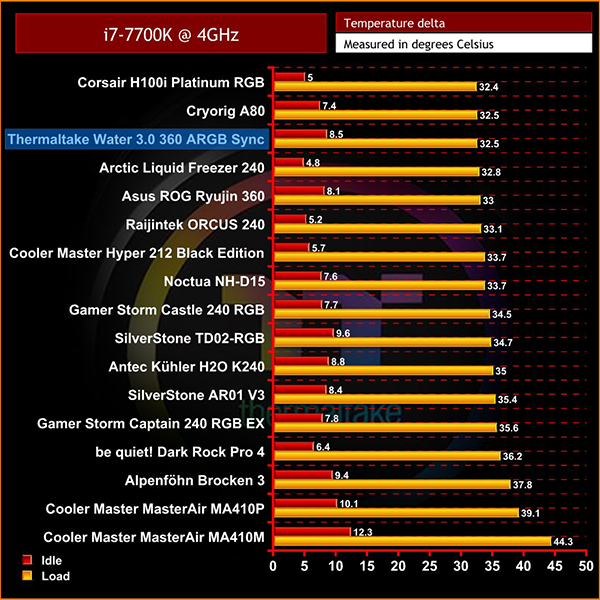
With our i7-7700k locked in at 4GHz, performance is outstanding – as we would expect from such a large cooler – but it even surpasses the Asus ROG Ryujin 360. If you're not looking to overclock, you can game safe in the knowledge the Thermaltake Water 3.0 360 ARGB will keep your CPU practically frosty, but realistically you'd be installing this cooler with an intention to reach some higher clock speeds.
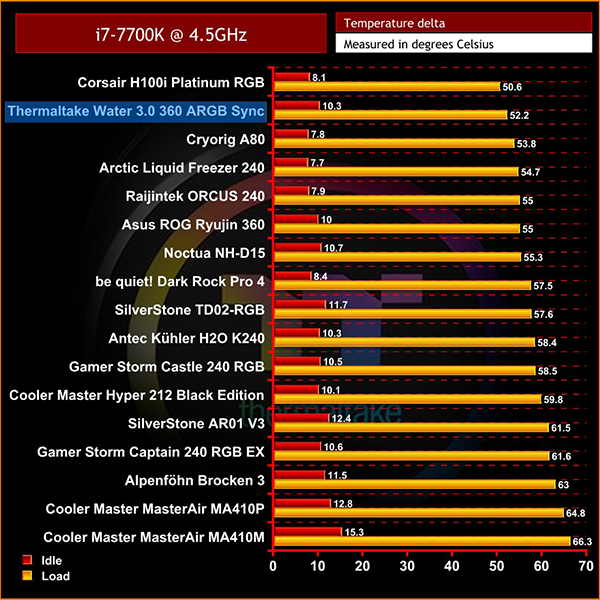
At 4.5GHz, we still see great performance from the cooler, with it only being outpaced by the H100i Platinum RGB from Corsair. Impressively, the Water 3.0 is still outperforming its closest competitor, the Ryujin 360, by a couple of degrees.
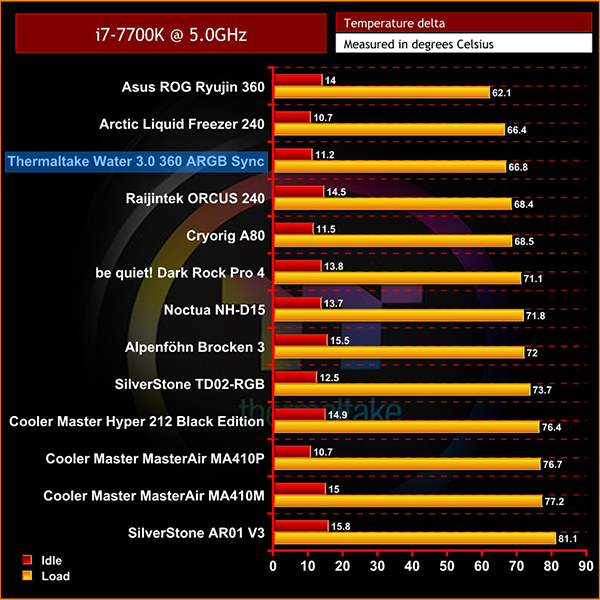
At 5GHz, little changes although the Water 3.0 360 ARGB does move into 3rd place, dropping behind the Ryujin 360 for the first time.
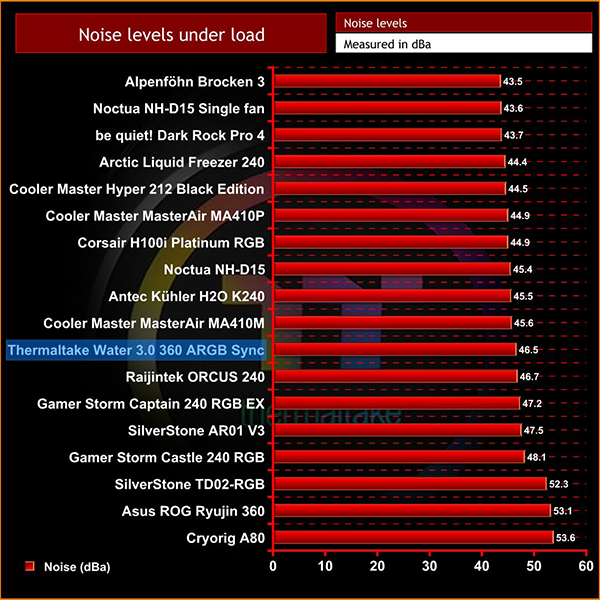
Although we have tested some quieter coolers, the Water 3.0 360 ARGB still offers reasonable acoustic performance. Although the Ryujin found itself running cooler in our 5GHz testing, the trade-off is that it produces significantly more noise.
For a 360mm AIO liquid cooler, the Thermaltake Water 3.0 360 ARGB Sync is a very capable unit.
On the surface, it looks like a reasonably conventional 360mm AIO, with it's Asetek pump and standard installation method. Diving deeper, however, reveals Thermaltake has done a lovely job with its ARGB lighting. Not only are there easily enough preset effects and and colours to keep you happy when using the included controller, you also get support for ASUS, MSI, Gigabyte and ASRock motherboards that have an ARGB header for even greater control.
Performance is pretty much as expected for a 360mm AIO, given it improves over a 240mm or even 280mm AIO cooler. This AIO sat within the top three positions of each of our different clock speed tests, with performance similar to that of the ASUS Ryujin. If you want to overclock your CPU to the max, though, we did see the Ryujin perform slightly better with our i7-7700K overclocked to 5GHz, but the Water 3.0 360 is not far behind at all.
As an overall package, the Thermaltake Water 3.0 360 ARGB Sync is a very good AIO. It is slightly more expensive than some competing 360mm coolers – but then balanced against that, you get the wonderful ARGB illumination from the CPU block and three included fans, so anyone looking for a high-performance yet blinged-out liquid cooler would be well served by the Water 3.0 360.

The Thermaltake Water 3.0 360 ARGB Sync is currently available from Overclockers UK for £158.99 inc. VAT HERE
Pros
- Three high-quality Thermaltake ARGB fans included.
- The black rubber coating on CPU pump and fan cables help with a more premium feel.
- Installation very easy as it follows Asetek mounting.
- Great options for controlling the ARGB LEDs with a controller included, as well as adapters for supported motherboards.
Cons
- A little dearer than some similarly sized AIO coolers.
- Outperformed by the ASUS ROG Ryujin at 5GHz.
KitGuru says: In terms of value for money, the £158.99 price point may seem a little steep considering there are some cheaper 360mm AIO coolers available. When you consider the impressive ARGB lighting capabilities of this cooler, however, it makes for an appealing proposition for anyone looking for a high-performance AIO that also has excellent LED lighting.