KitGuru KitGuru.net – Tech News | Hardware News | Hardware Reviews | IOS | Mobile | Gaming | Graphics Cards


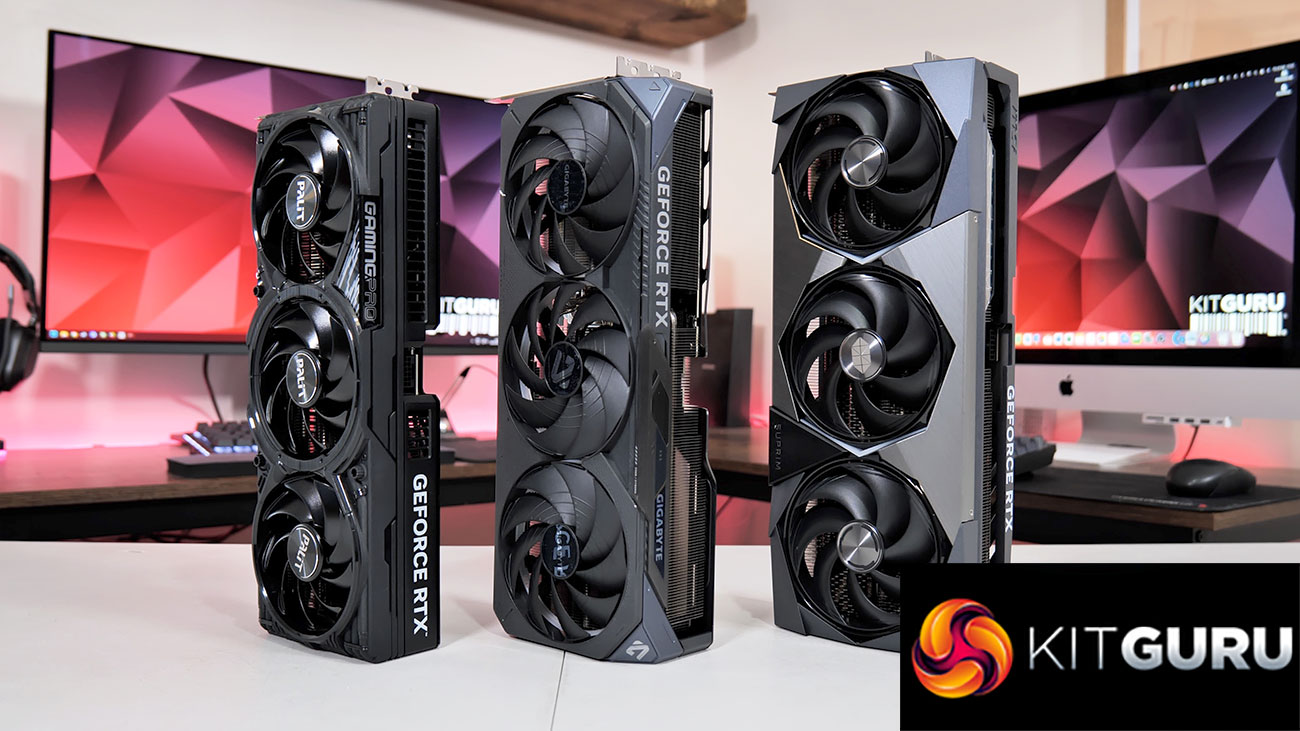
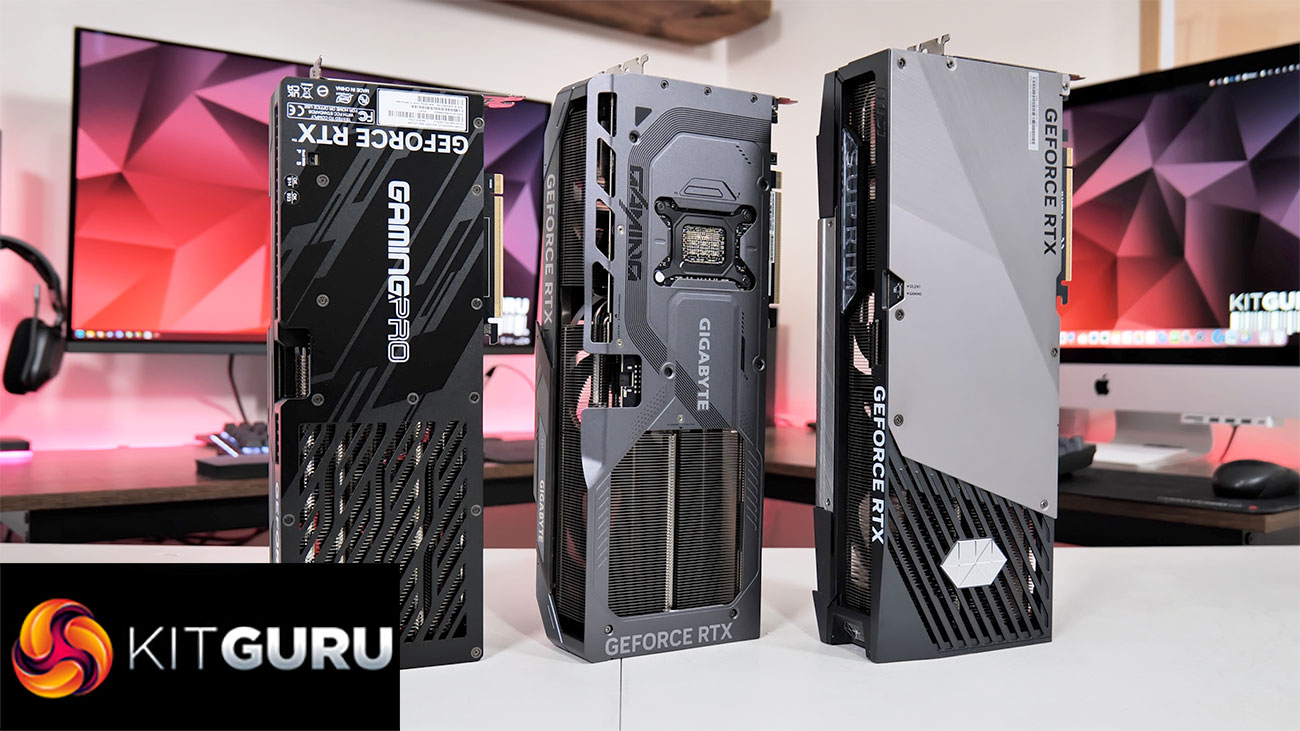
Today we are looking at no less than three RTX 5080 partner cards. We have the Gigabyte Gaming OC, MSI Suprim SOC, and the Palit GamingPro OC. With prices ranging from £1115 up to an eye-watering £1380, we put these three cards through their paces, looking at gaming performance, thermals, noise levels, power draw and more to see how they compare…
Timestamps
00:00 Intro
01:18 Gigabyte Gaming OC design
02:53 Gaming OC PCB + heatsink
03:46 MSI Suprim SOC design
05:15 Suprim SOC PCB + heatsink
06:05 Palit GamingPro OC design
07:27 GamingPro OC PCB + heatsink
07:44 Test setup
08:12 Thermals
08:46 Gigabyte thermal putty re-assembly testing
09:45 Noise and noise-normalised thermals
10:58 Gaming benchmarks, clock speed
12:17 Overclocking
13:38 Closing thoughts and pricing discussion
Following on from our launch day RTX 5080 review, today we are assessing the three partner cards we were sent for review. The MSI RTX 5080 Suprim SOC is undoubtedly the most premium of the bunch, priced at nearly £1400, while it uses the same cooler and heatsink design as we found on the RTX 5090 model, so we're expecting good things when it comes to thermal performance.
The Gigabyte RTX 5080 Gaming OC isn't quite so expensive at £1250, but is still designed to offer a suitably high-end experience, while Palit's RTX 5080 GamingPro OC is the cheapest of the bunch, but still very expensive at £1115. Let's find out exactly how each of these cards perform.
| RTX 5090 | RTX 5080 | RTX 4090 | RTX 4080 Super | RTX 4080 | |
| Process | TSMC N4 | TSMC N4 | TSMC N4 | TSMC N4 | TSMC N4 |
| SMs | 170 | 84 | 128 | 80 | 76 |
| CUDA Cores | 21760 | 10752 | 16384 | 10240 | 9728 |
| Tensor Cores | 680 | 336 | 512 | 320 | 304 |
| RT Cores | 170 | 84 | 128 | 80 | 76 |
| Texture Units | 680 | 336 | 512 | 320 | 304 |
| ROPs | 176 | 112 | 176 | 112 | 112 |
| GPU Boost Clock | 2407 MHz | 2617 MHz | 2520 MHz | 2550 MHz | 2505 MHz |
| Memory Data Rate | 28 Gbps | 30 Gbps | 21 Gbps | 23 Gbps | 22.4 Gbps |
| L2 Cache | 98304 KB | 65536 KB | 73728 KB | 65536 KB | 65536 KB |
| Total Video Memory | 32GB GDDR7 | 16GB GDDR7 | 24GB GDDR6X | 16GB GDDR6X | 16GB GDDR6X |
| Memory Interface | 512-bit | 256-bit | 384-bit | 256-bit | 256-bit |
| Memory Bandwidth | 1792 GB/Sec | 960 GB/Sec | 1008 GB/Sec | 736 GB/Sec | 716.8 GB/Sec |
| TGP | 575W | 360W | 450W | 320W | 320W |
First, a quick spec recap. Unlike the RTX 5090, which is built on the GB202 die, RTX 5080 uses smaller silicon as it is a full implementation of the GB203 die, measuring 378mm2. Comprised of 7 Graphics Processing Clusters (GPCs), each holds up to eight Texture Processing Clusters (TPCs), with a total of 42. Each TPC is home to two Streaming Multiprocessors (SMs), giving us 84, and each SM still holds 128 CUDA Cores, meaning the RTX 5080 has a total of 10752 shaders. We also find 84 RT cores, 336 Tensor cores, 336 Texture Units, and 112 ROPs.
This time around, however, there's no node-shrink, and GB203 remains fabricated on TSMC's N4 node, as per the RTX 40-series. As such, rated clock speed is barely changed this generation, with the RTX 5080 rated at 2617MHz, compared to the RTX 4080 Super's 2550MHz boost.
The memory configuration is also fairly similar, but sports one key upgrade – GDDR7 memory. The RTX 5080 comes equipped with 16GB, running at 30Gbps, and that puts total memory bandwidth at 960 GB/s, a 30% increase over the RTX 4080 Super. L2 cache remains at 65MB.
Power draw has also increased, with the RTX 5080 sporting a 360W TGP. This is something we focus on closely in this review, using our enhanced GPU power testing methodology, so read on for our most detailed power and efficiency testing yet.
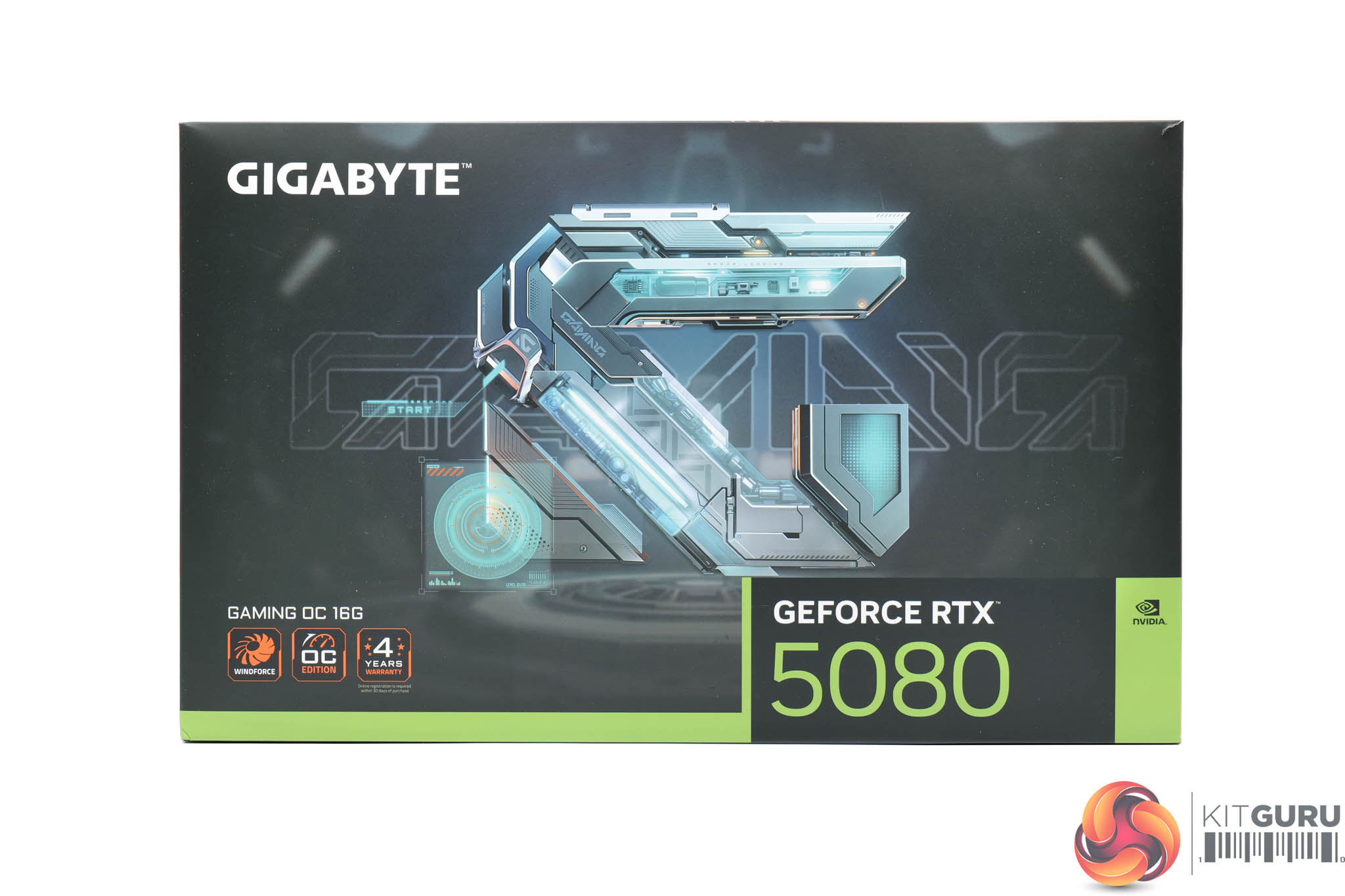
Gigabyte's RTX 5080 Gaming OC ships in a black box with a large ‘G' for ‘Gaming' logo on the front.
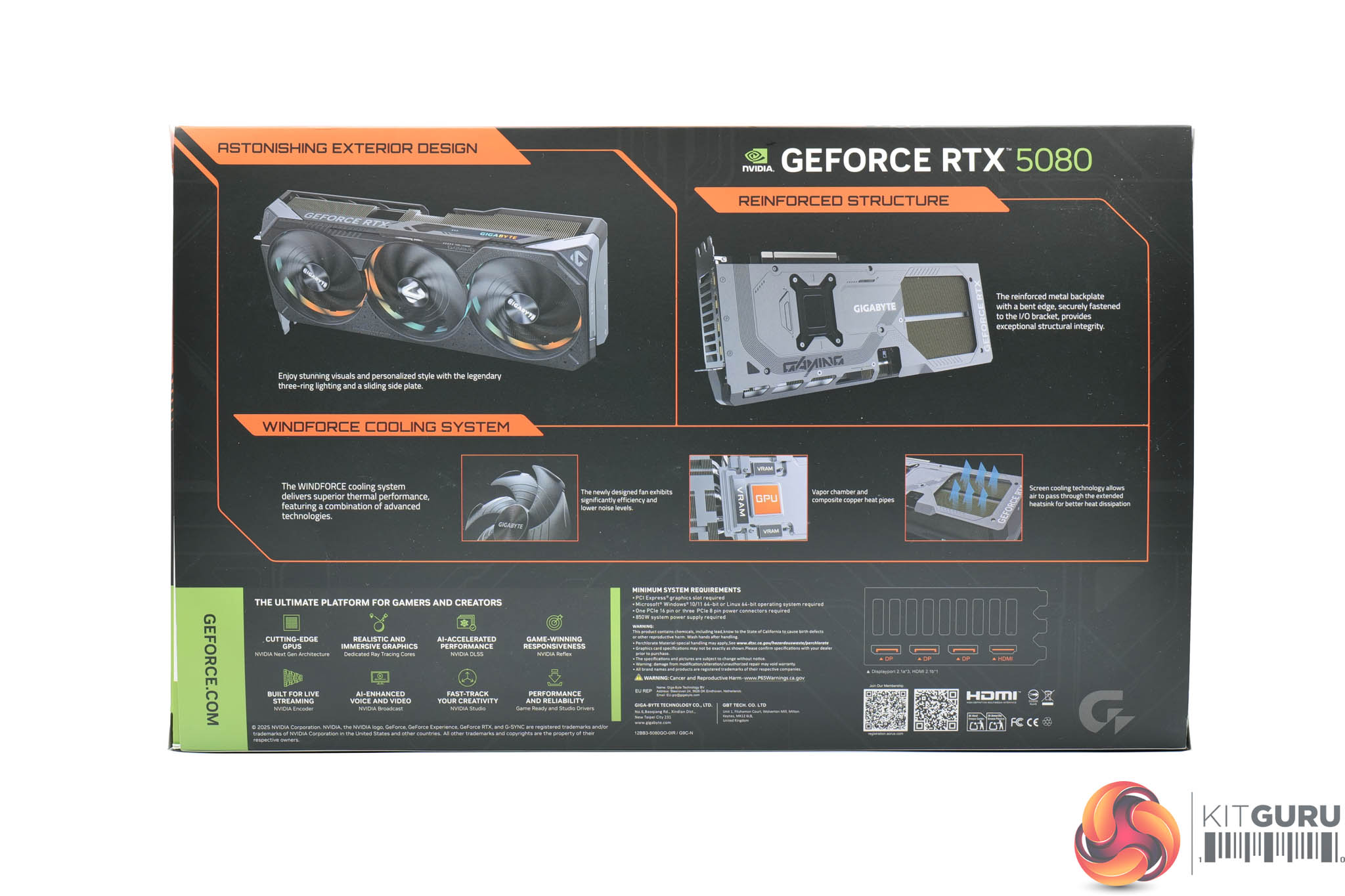
On the back, Gigabyte highlights a few key features of the card and its cooling system.
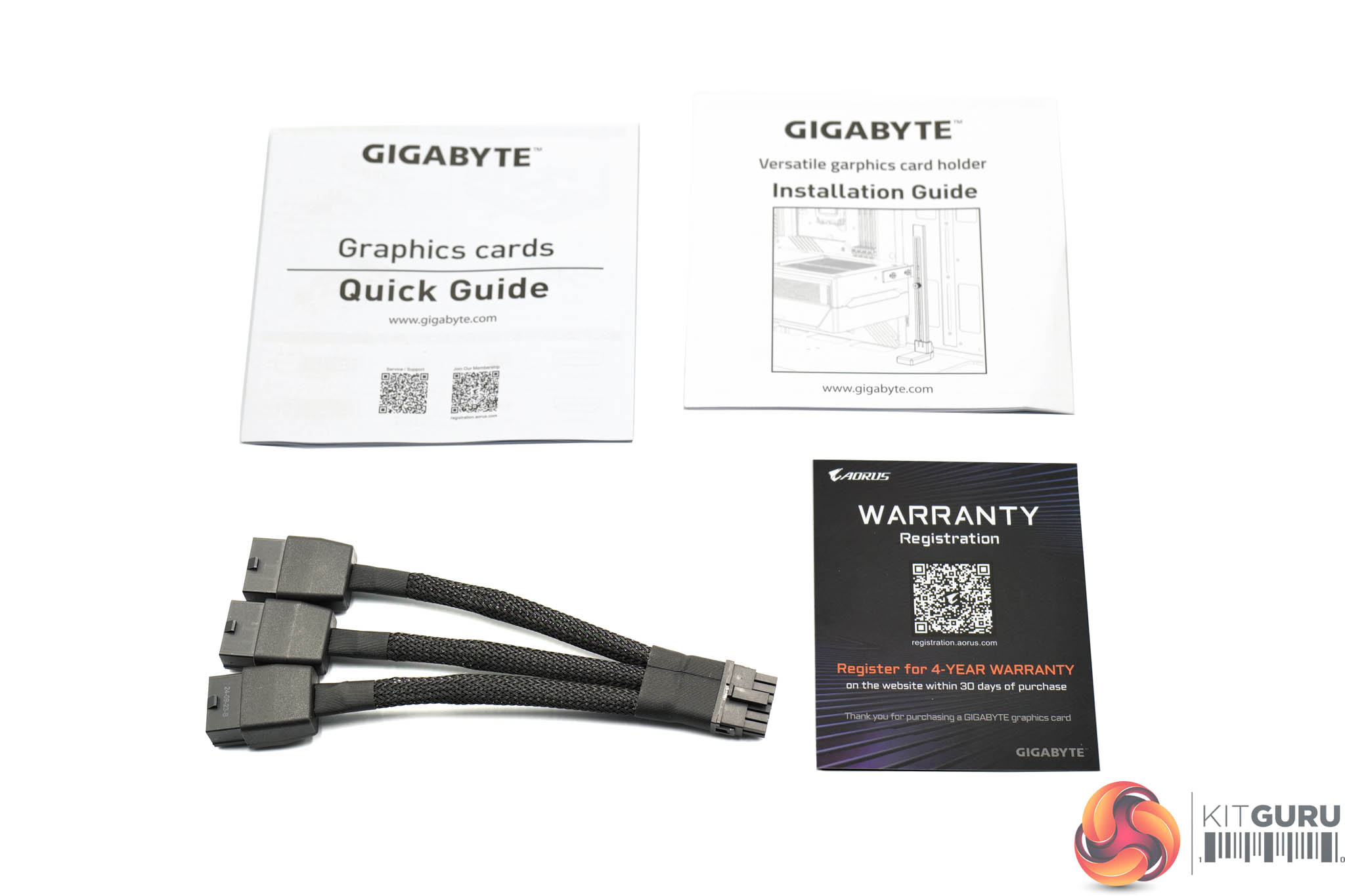
Inside there's a few quick-start guides and a warranty note, alongside the triple 8-pin PCIe power adapter.
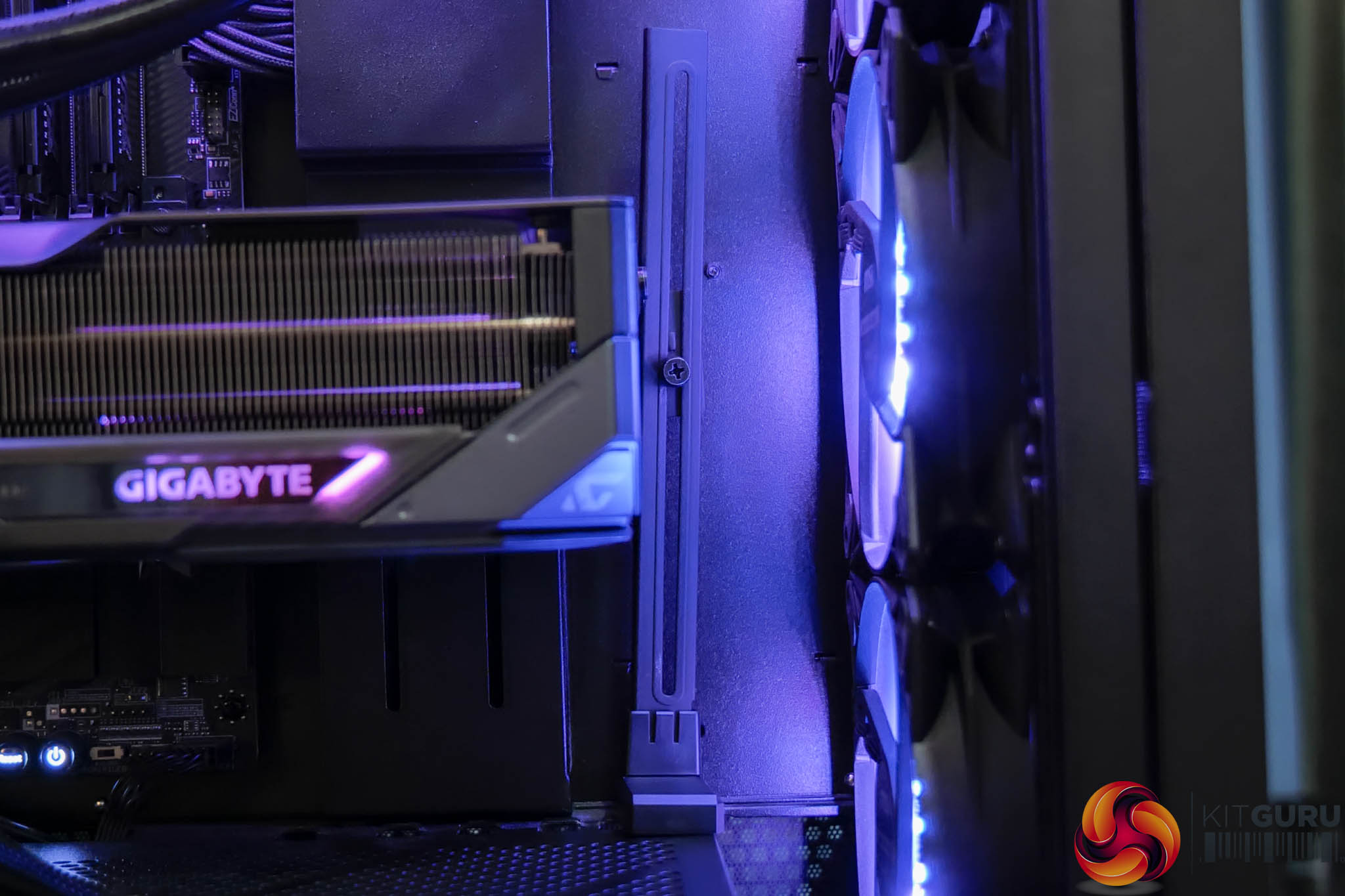
Gigabyte also includes a GPU support bracket which screws into the end of the card to avoid any unwanted sagging.
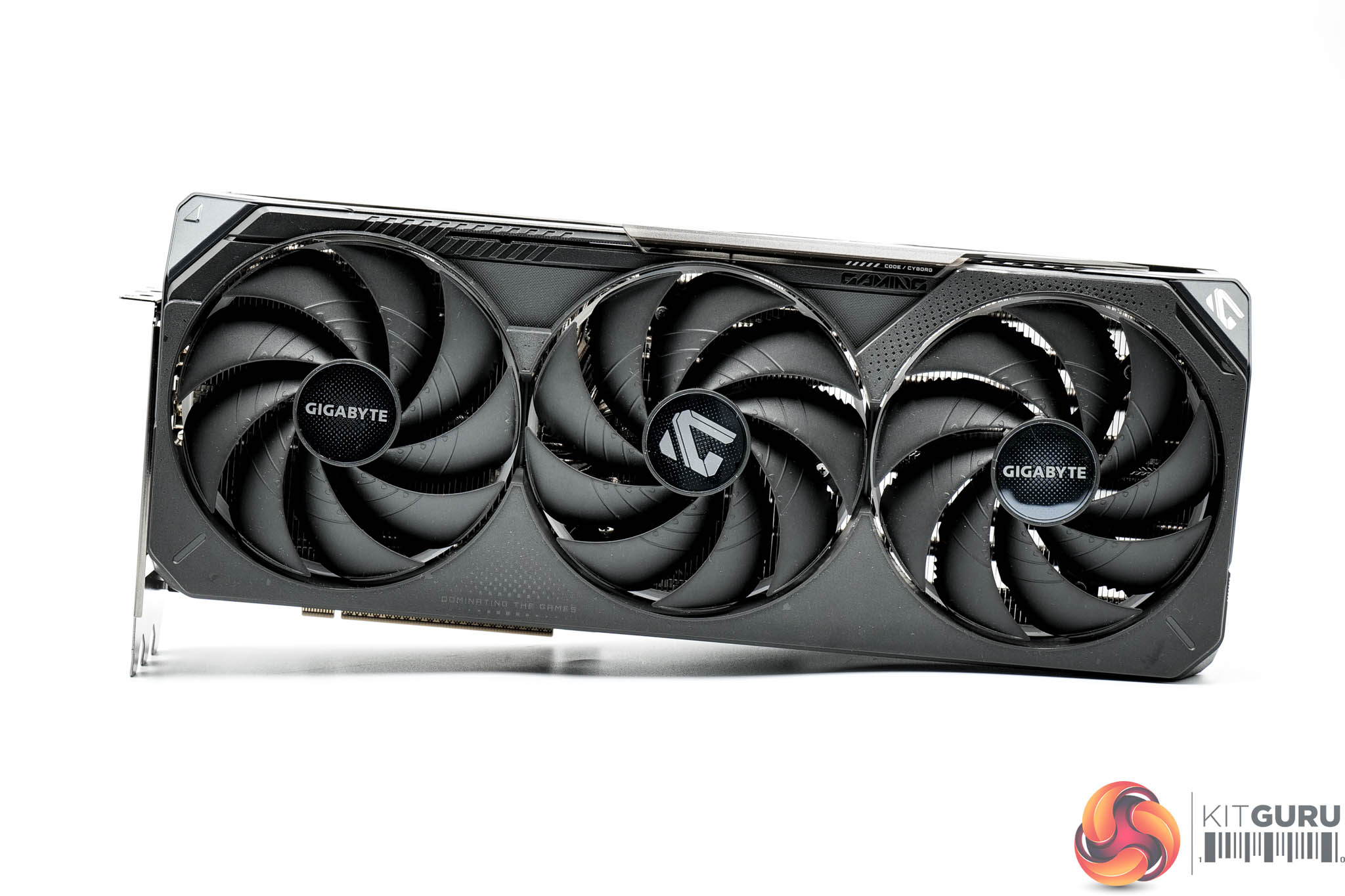
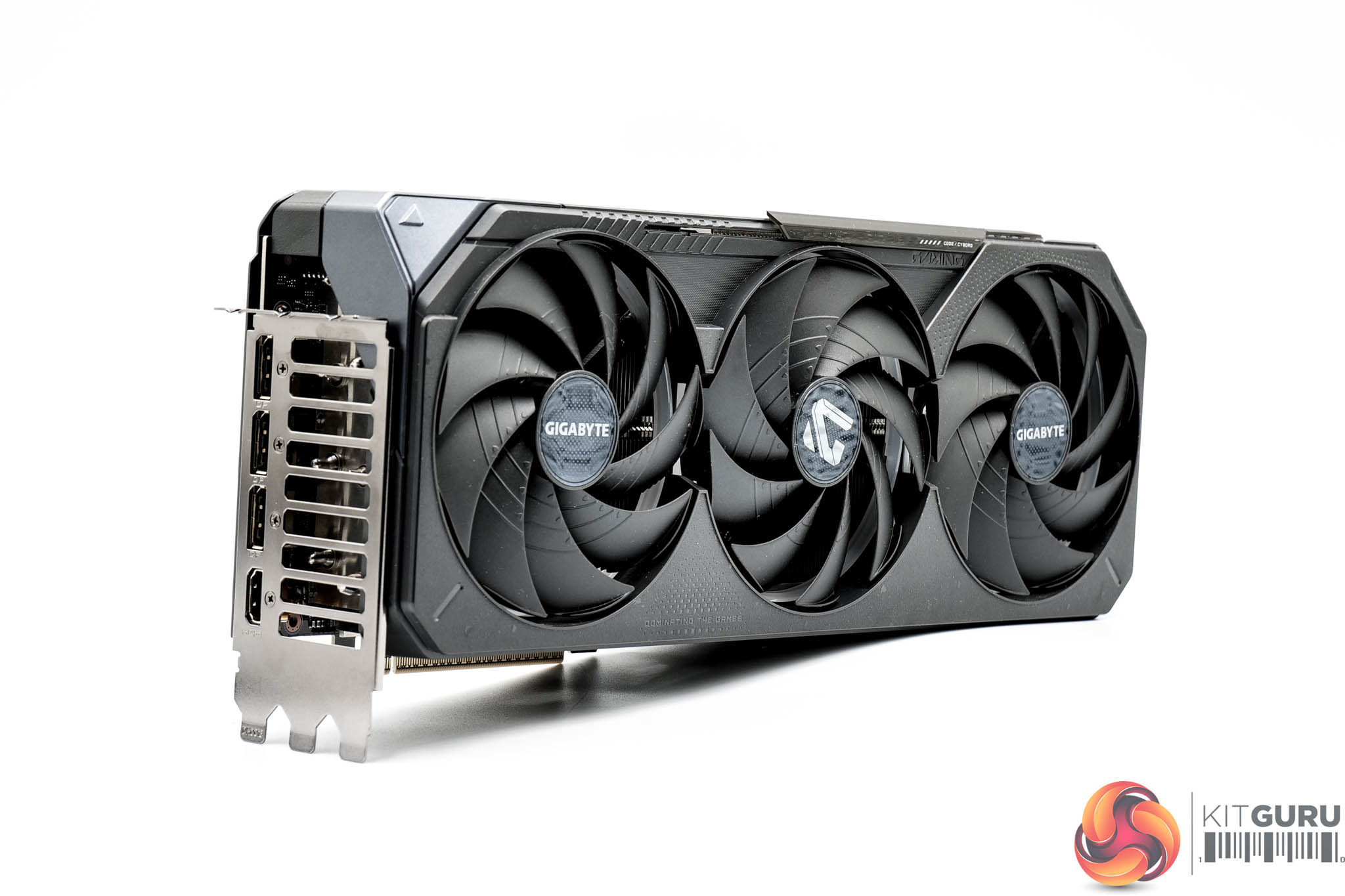
As for the card itself, while not fully identical to the Gaming OC design of the 40 series – such as the 4080 Super – the overall aesthetic is very similar. That means we find a matte black plastic shroud, and Gigabyte makes a point of emphasising that this is ‘textured' plastic, which adds some visual interest.
The three fans, which make up part of the Windforce cooling solution, are named ‘Hawk' fans and each measure approximately 110mm in diameter. As we have seen for many years on Gigabyte cards, the central fan spins in reverse relative to the outer two.
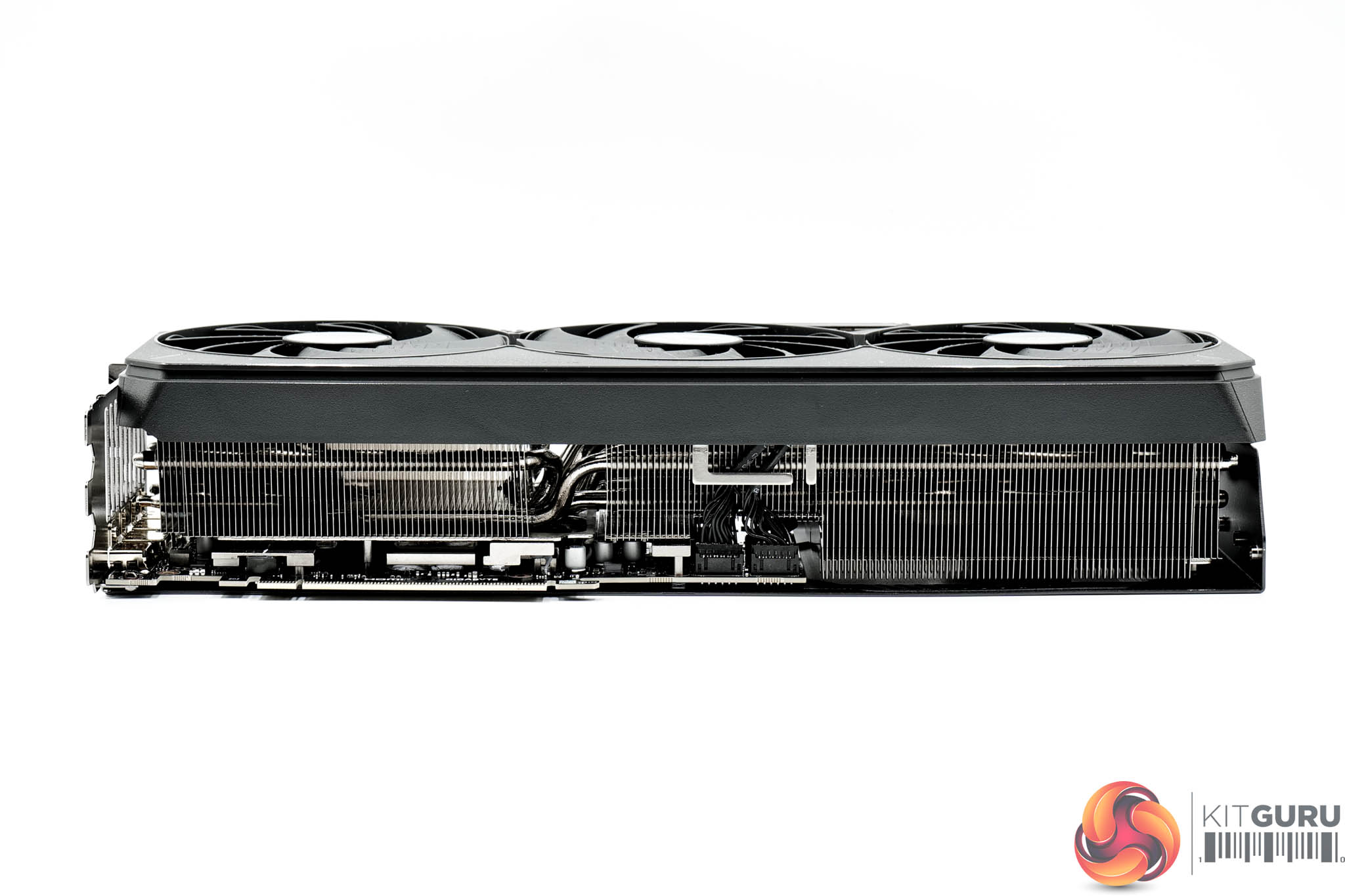
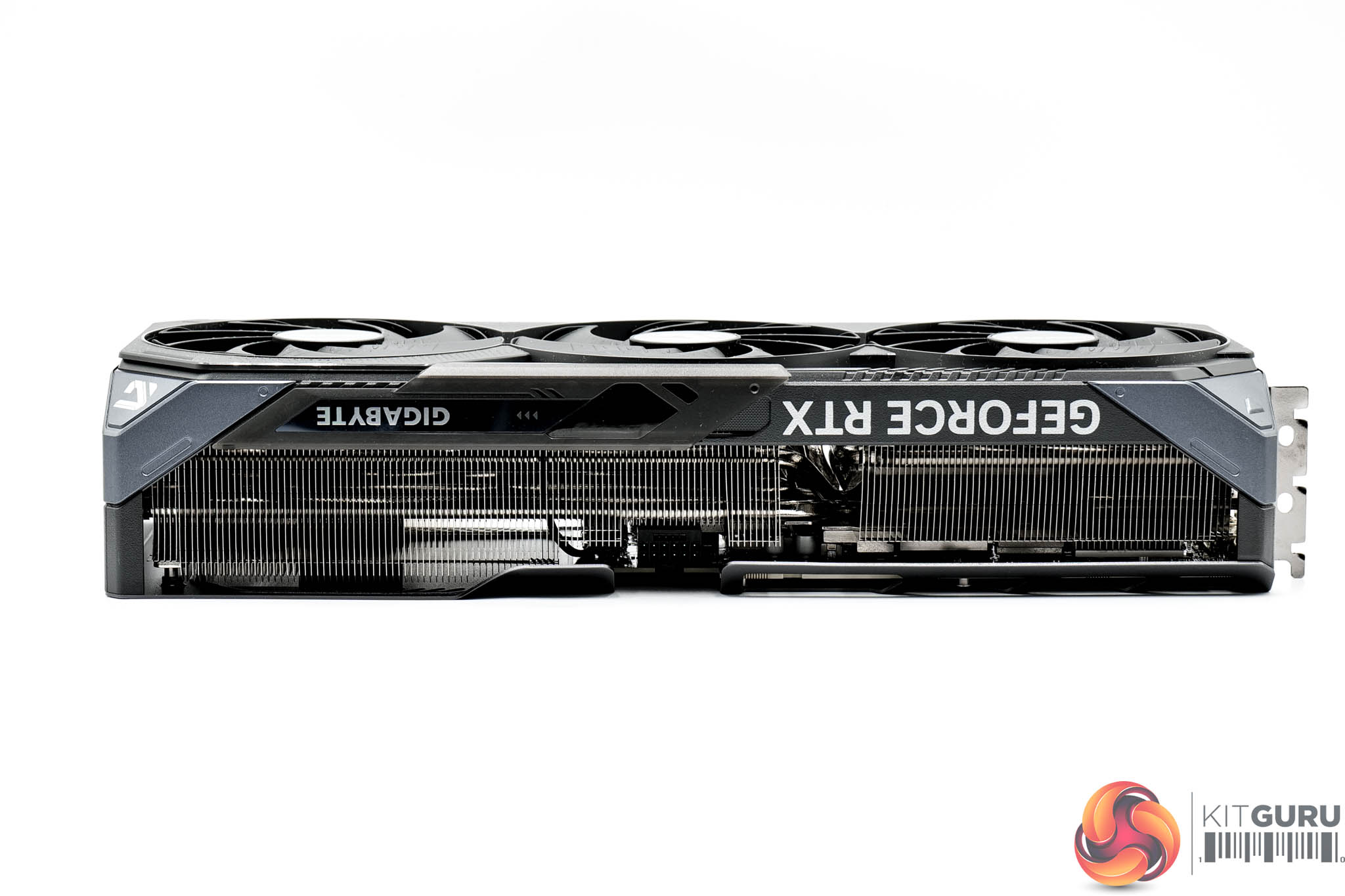
In terms of its size, the Gaming OC measures in at 340 x 140 x 70mm, while it weighed in at 1793g on my scales.
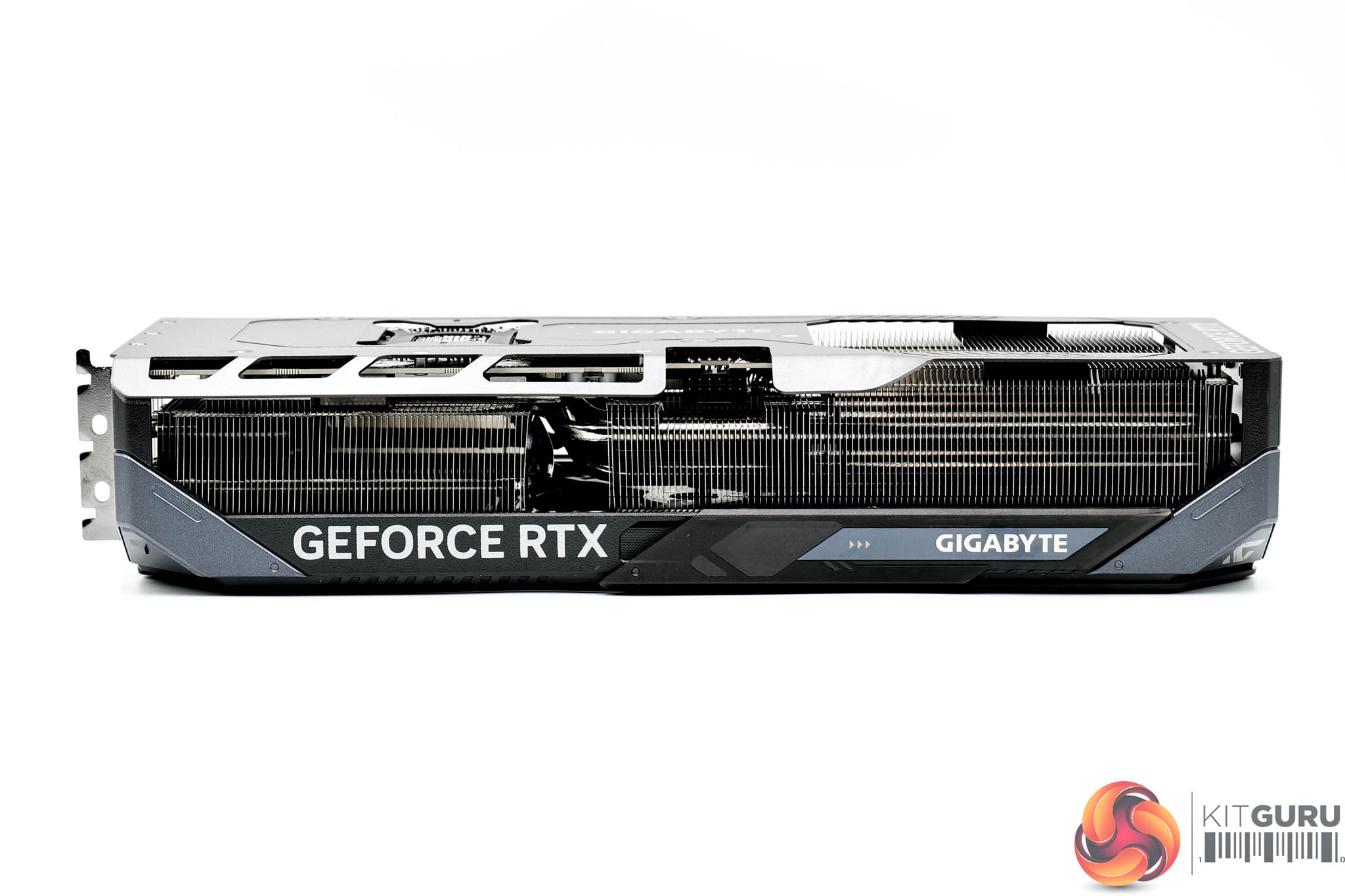
The front side of the card is home to the GeForce RTX and Gigabyte logos – the latter of which is one of the RGB zones on the card.
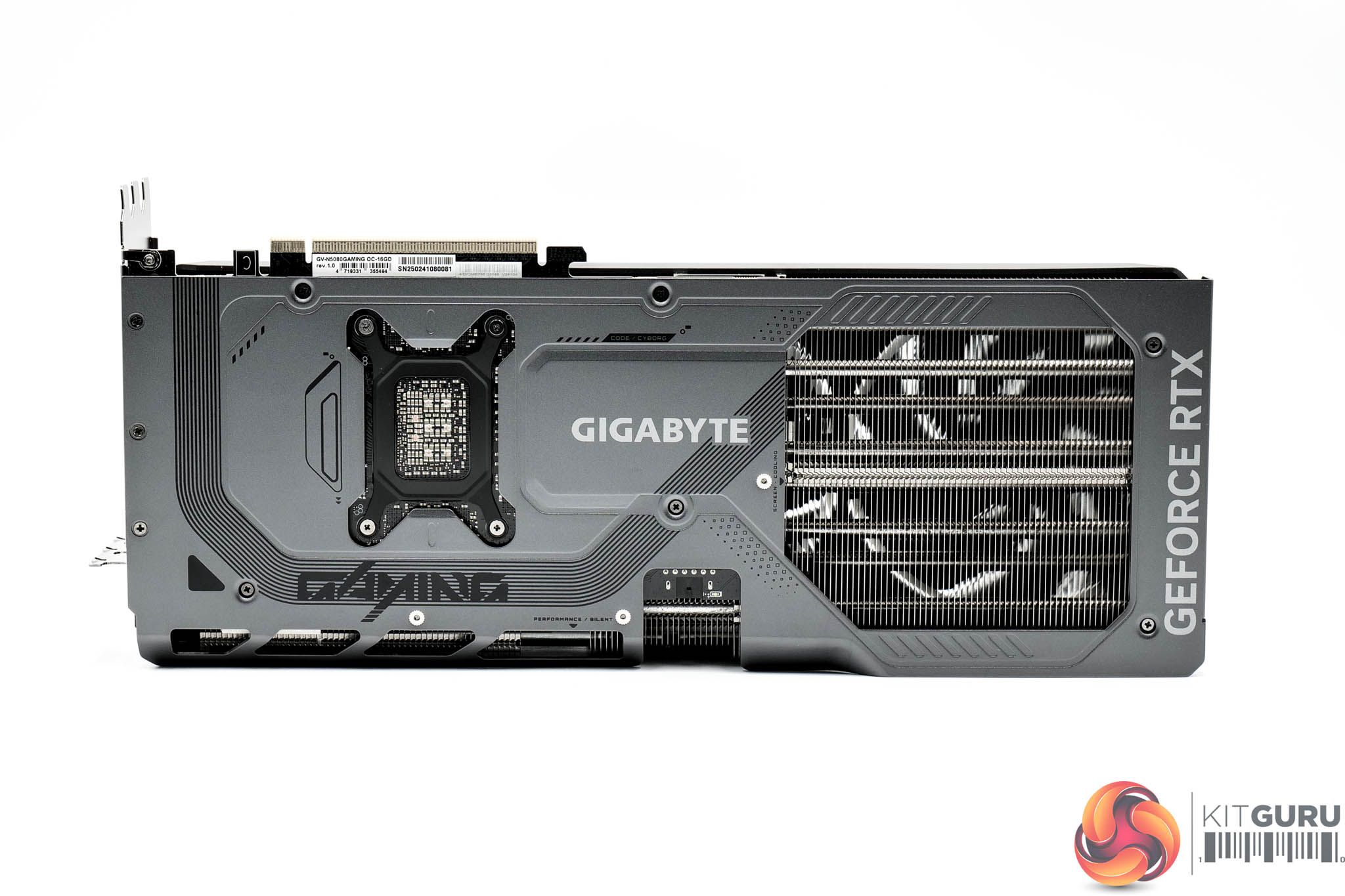
As for the backplate, this made of a grey metal and while it is full-length, there is a very sizeable ‘flow through' area to improve with heat dissipation. It's interesting that the backplate ‘wraps over' the side slightly, which Gigabyte claims improves overall structural rigidity – in any case, it looks pretty cool.
You will also note the BIOS switch positioned on the back, offering a choice of either the Silent or Performance modes depending on your preference – the only difference is the fan speed.
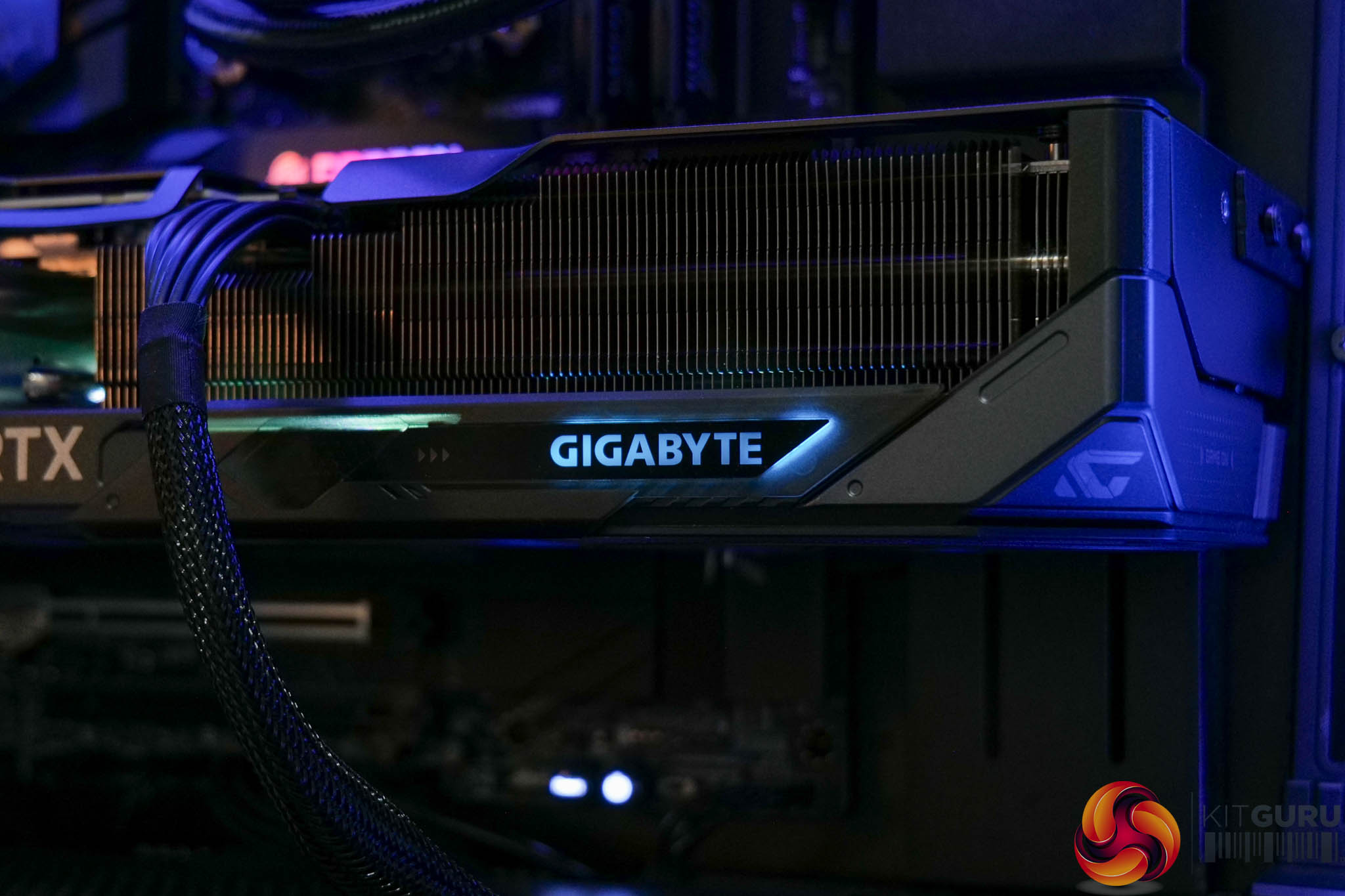
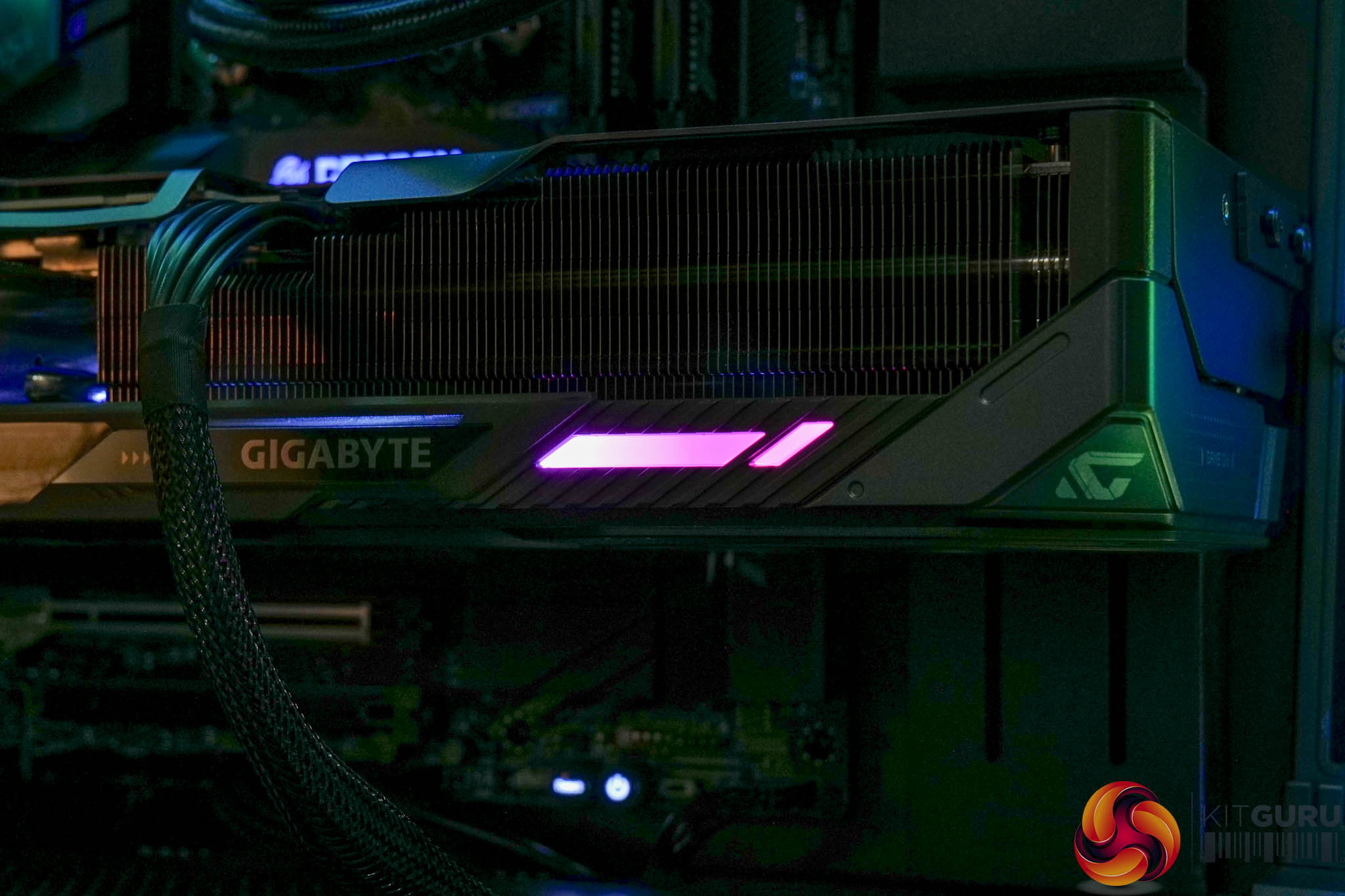
Remember that Gigabyte RGB logo we mentioned a moment ago? Well, there's actually a sliding cover here, so you can either have the RGB shining through the Gigabyte logo, or you can opt to see the LED strip itself.
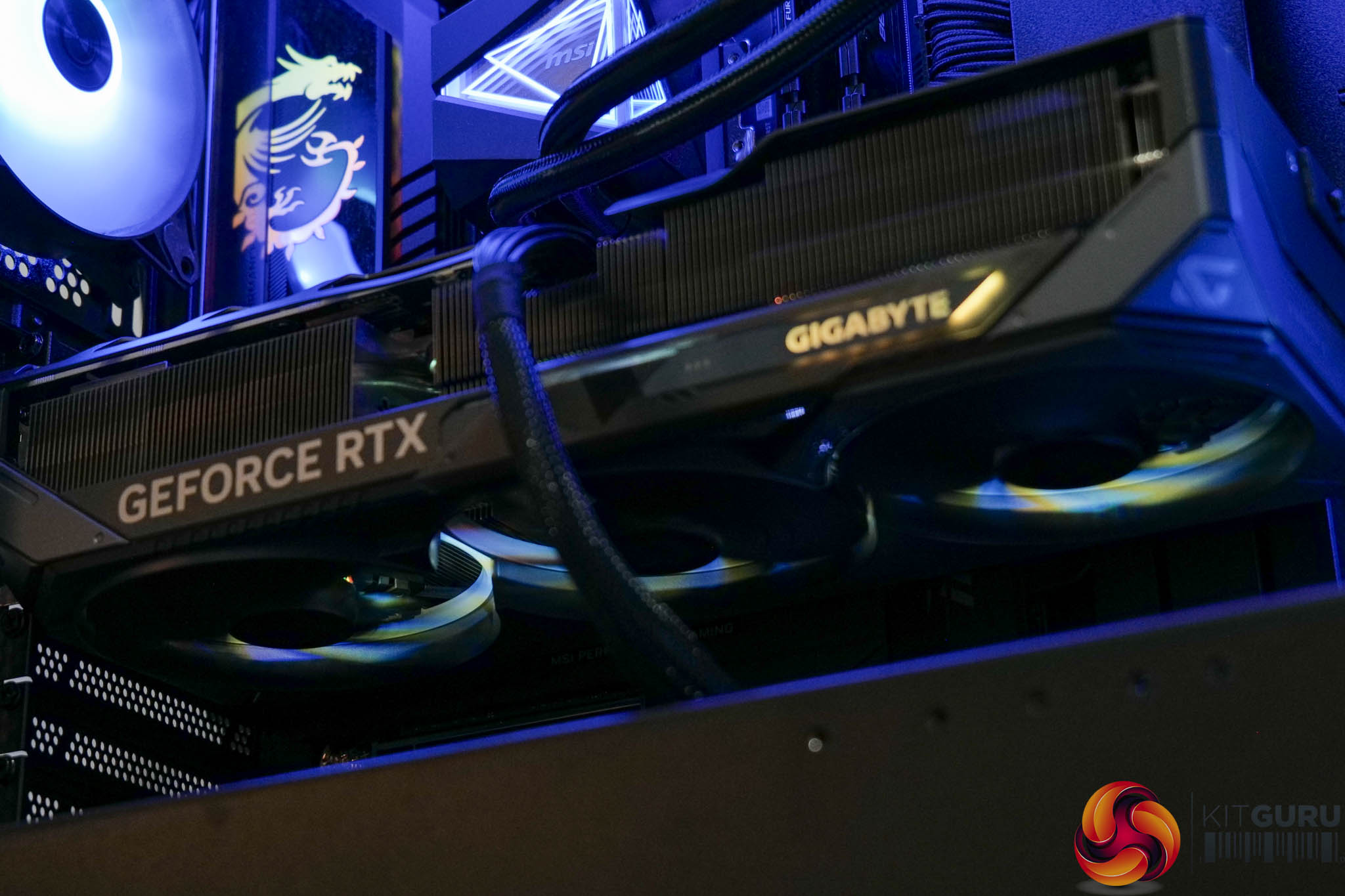
There's also RGB LEDs positioned on the outer edges of the fans, and this is all controllable within the Gigabyte Control Center software.
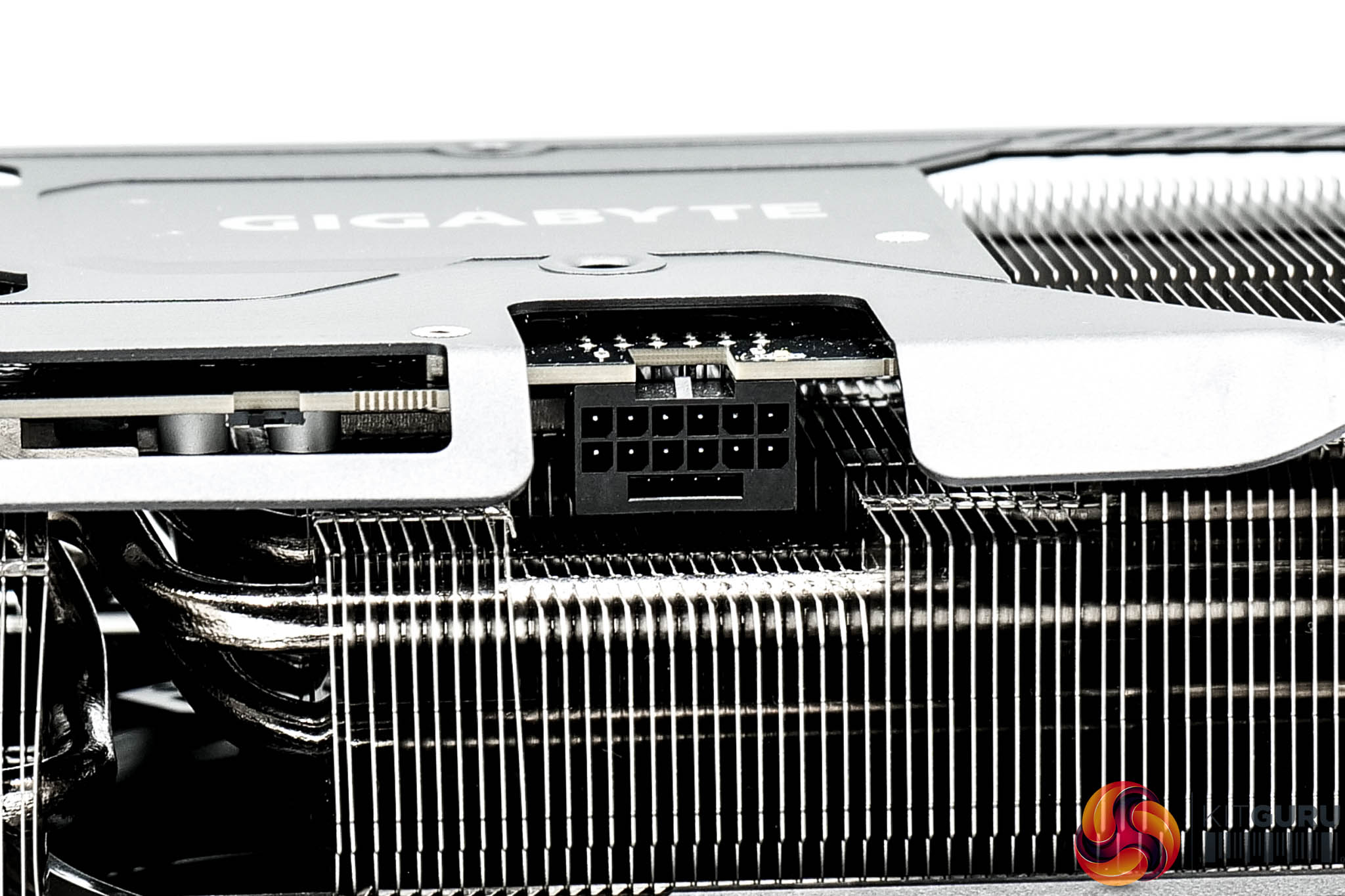
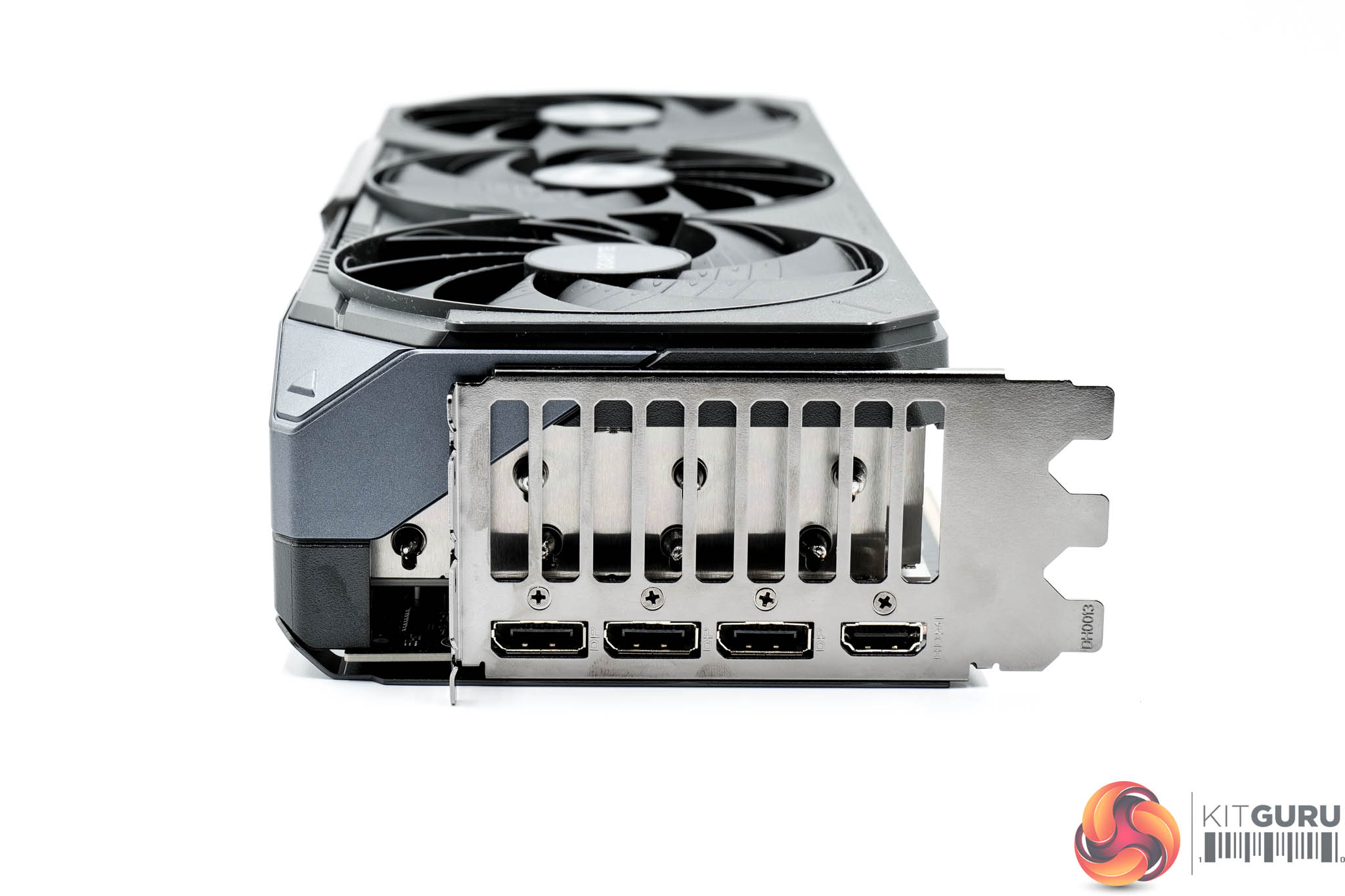
As expected, power is delivered by a single 12V-2X6 connector. Display outputs consist of three DP 2.1 and one HDMI 2.1 ports.
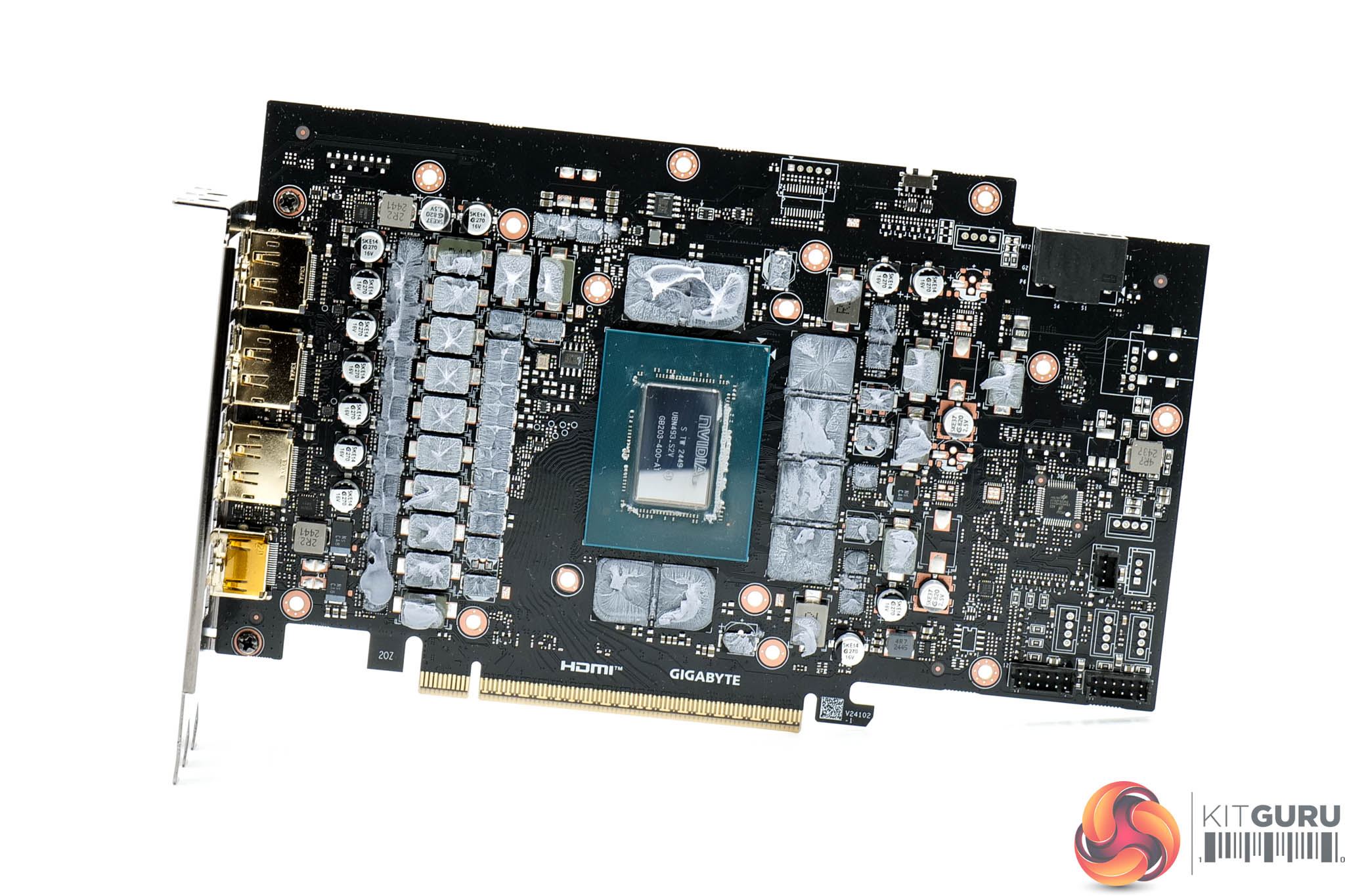
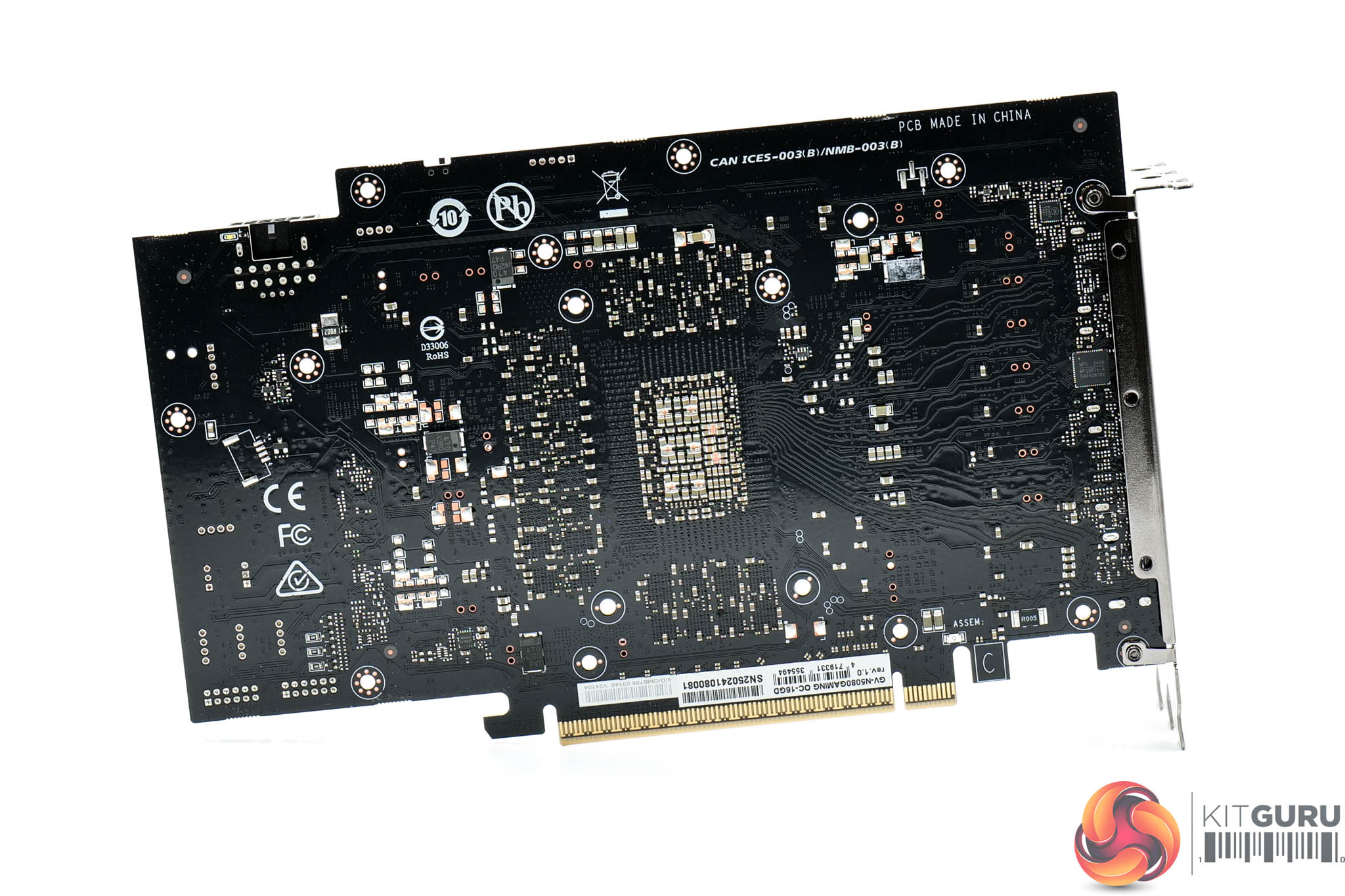
Moving onto the PCB, Gigabyte has opted for a 14-phase VRM for the GPU and a 3-phase VRM for the memory, all using Monolithic Power Systems MPS MP87993 MOSFETs, rated at 50A according to HWBusters. A Monolithic MP29816 controller is used for the GPU, with a Monolithic MP2988 controller for the memory.
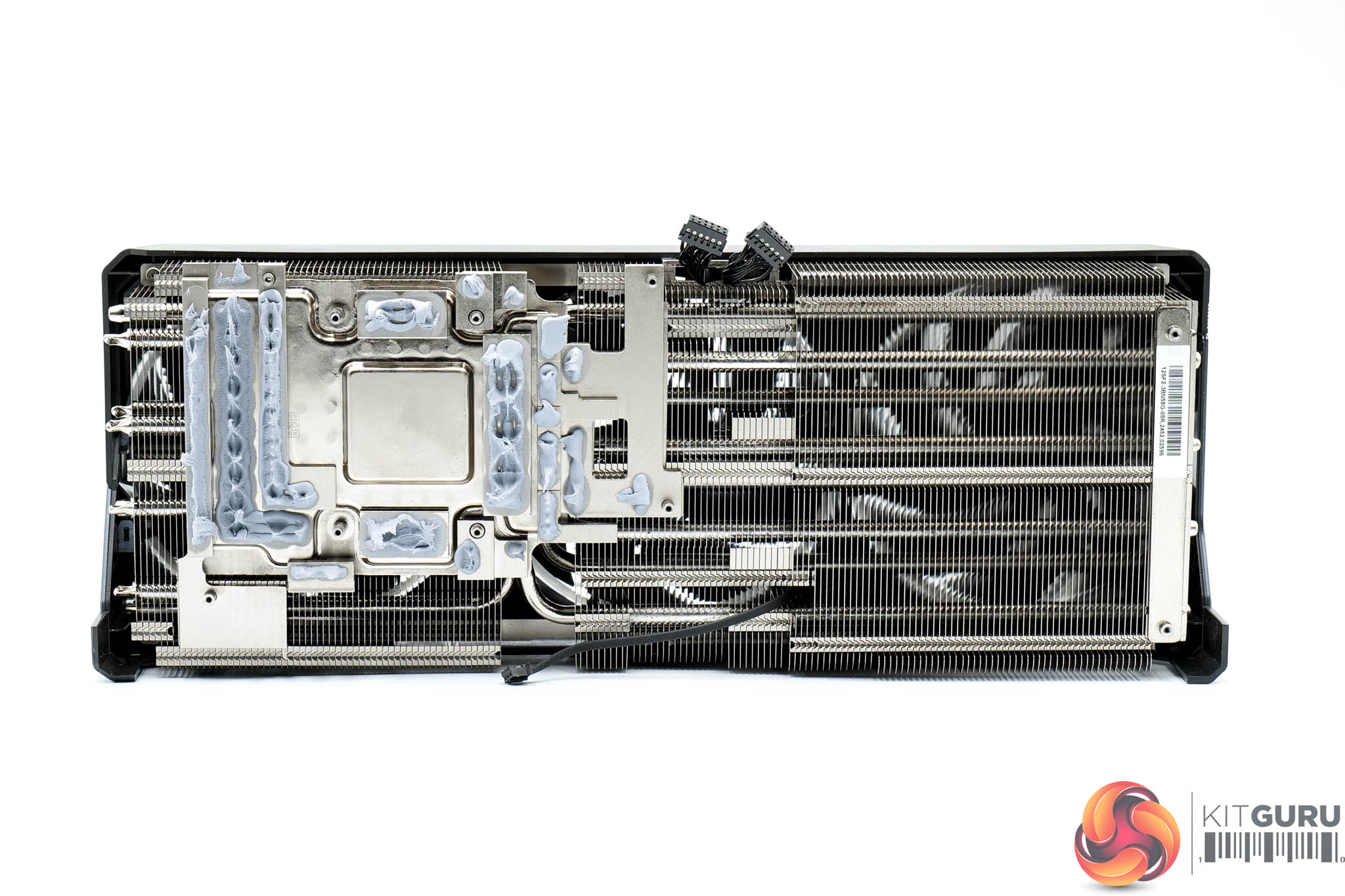
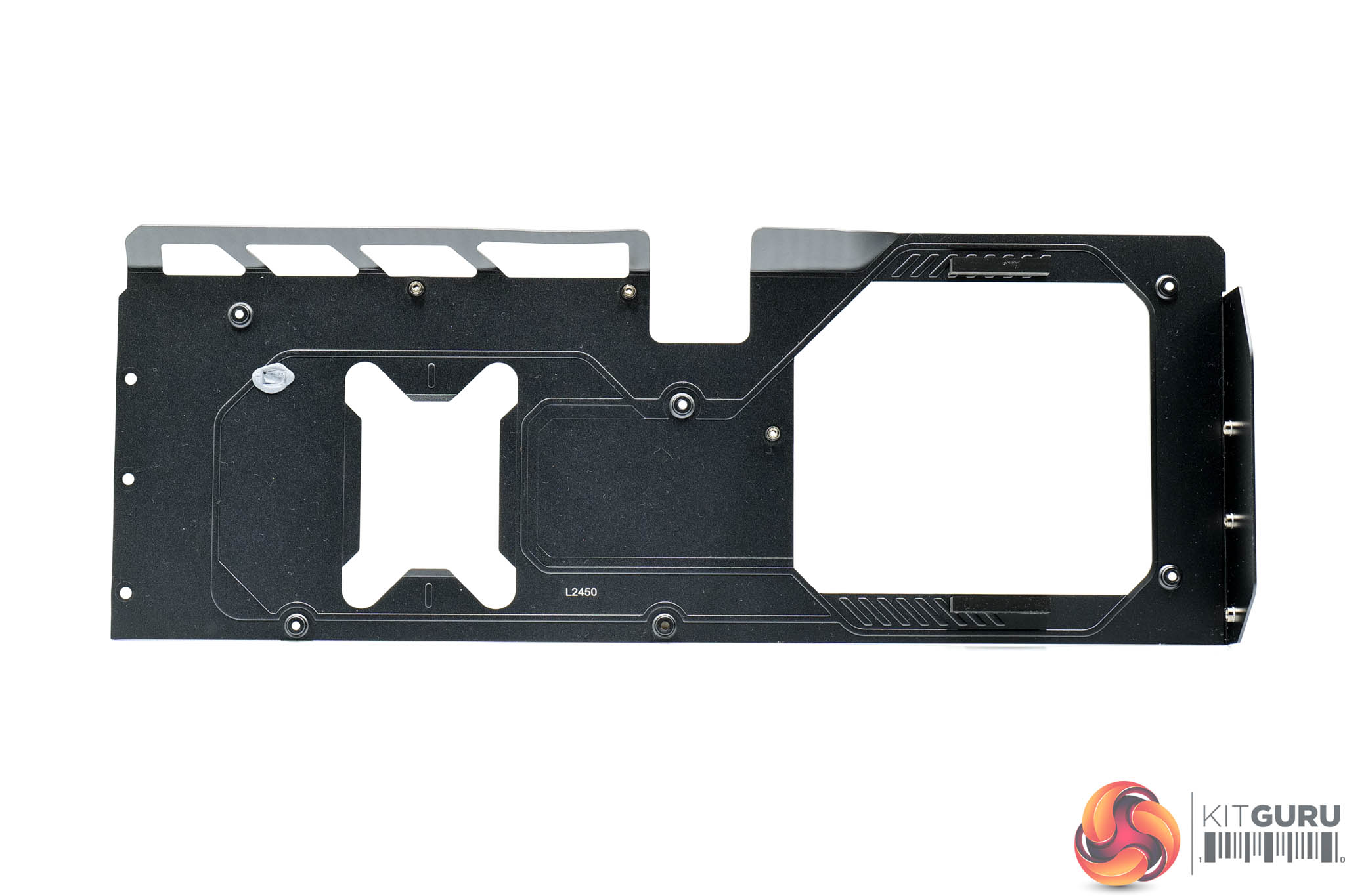
As for the heatsink, Gigabyte is using a vapour chamber to contact the GPU die, VRAM and MOSFETs. The heatsink itself utilises a total of nine heatpipes and a dense fin stack.
You will also have noticed that Gigabyte is not using thermal pads, but something they call ‘server grade thermal conductive gel', AKA thermal putty. I asked Gigabyte why they went in this direction and they sent me the following response:
‘Our purpose in using putty is not to improve thermal performance but to reduce failure. We've already incorporated it in some of the RTX 40 series models, and the RMA cases related to memory and other electronics failures have significantly dropped, as it eliminates the possibility of thermal pads shifting or being pulled by the gravity. As so, we believe this provides more stability using scenarios to the gamers. The thermal performance between putty and pads can be considered the same.'
It's important to note that Gigabyte recommends the excess thermal putty be cleaned off and re-applied upon disassembly.
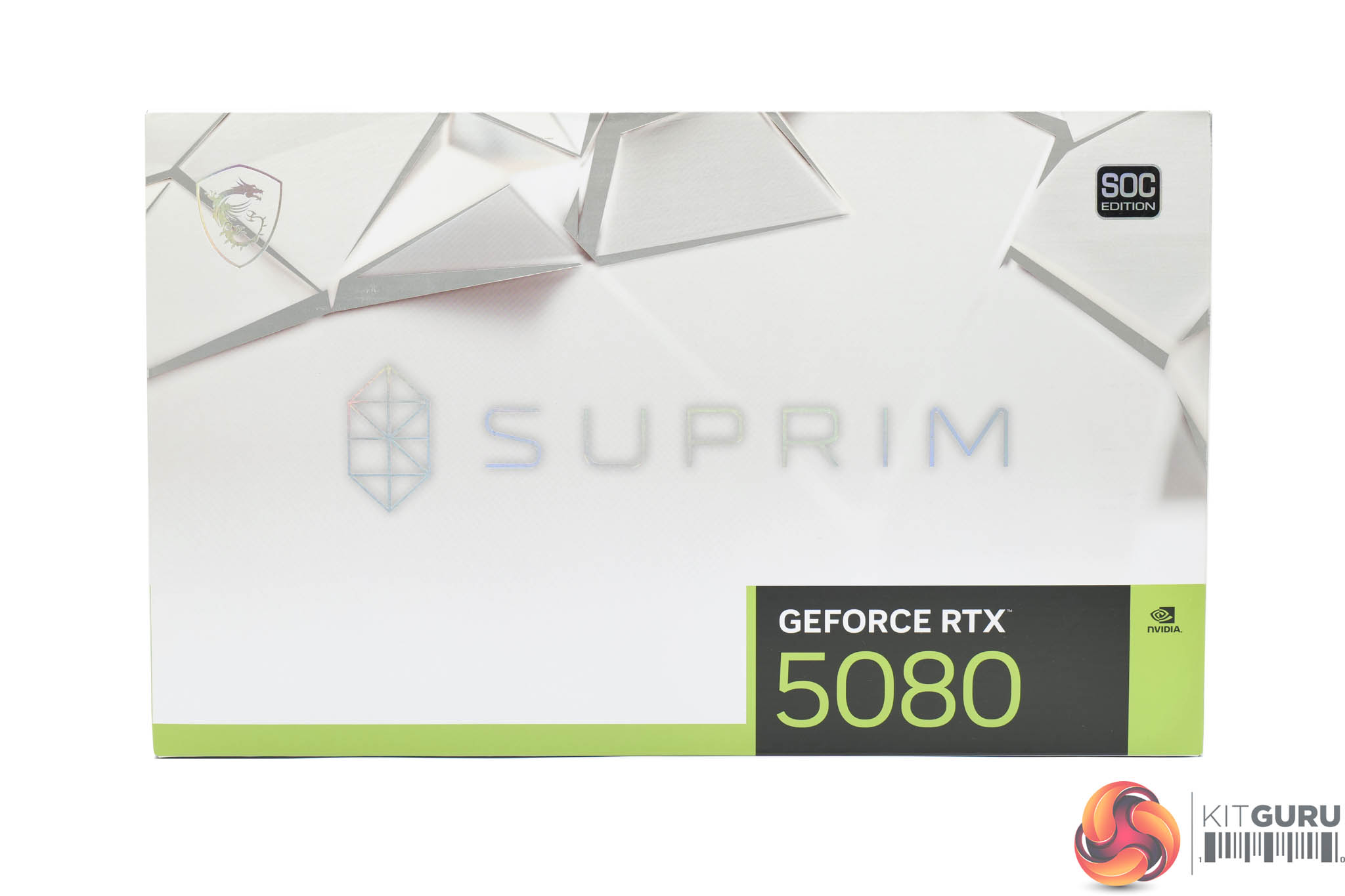
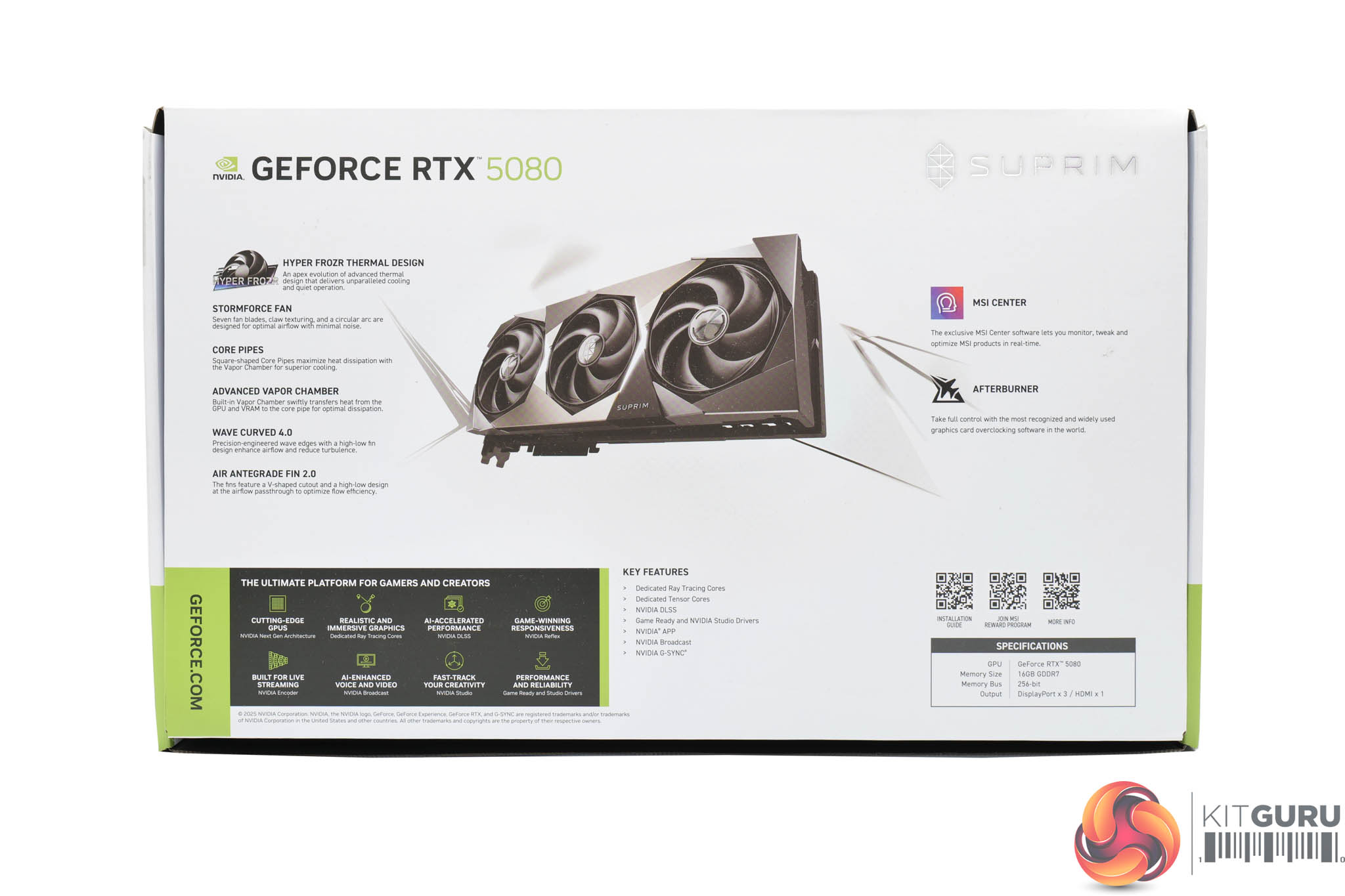
As for the MSI RTX 5080 Suprim SOC, this ships in a white box with the Suprim logo visible on the front. On the back, MSI highlights the key features of the card itself.
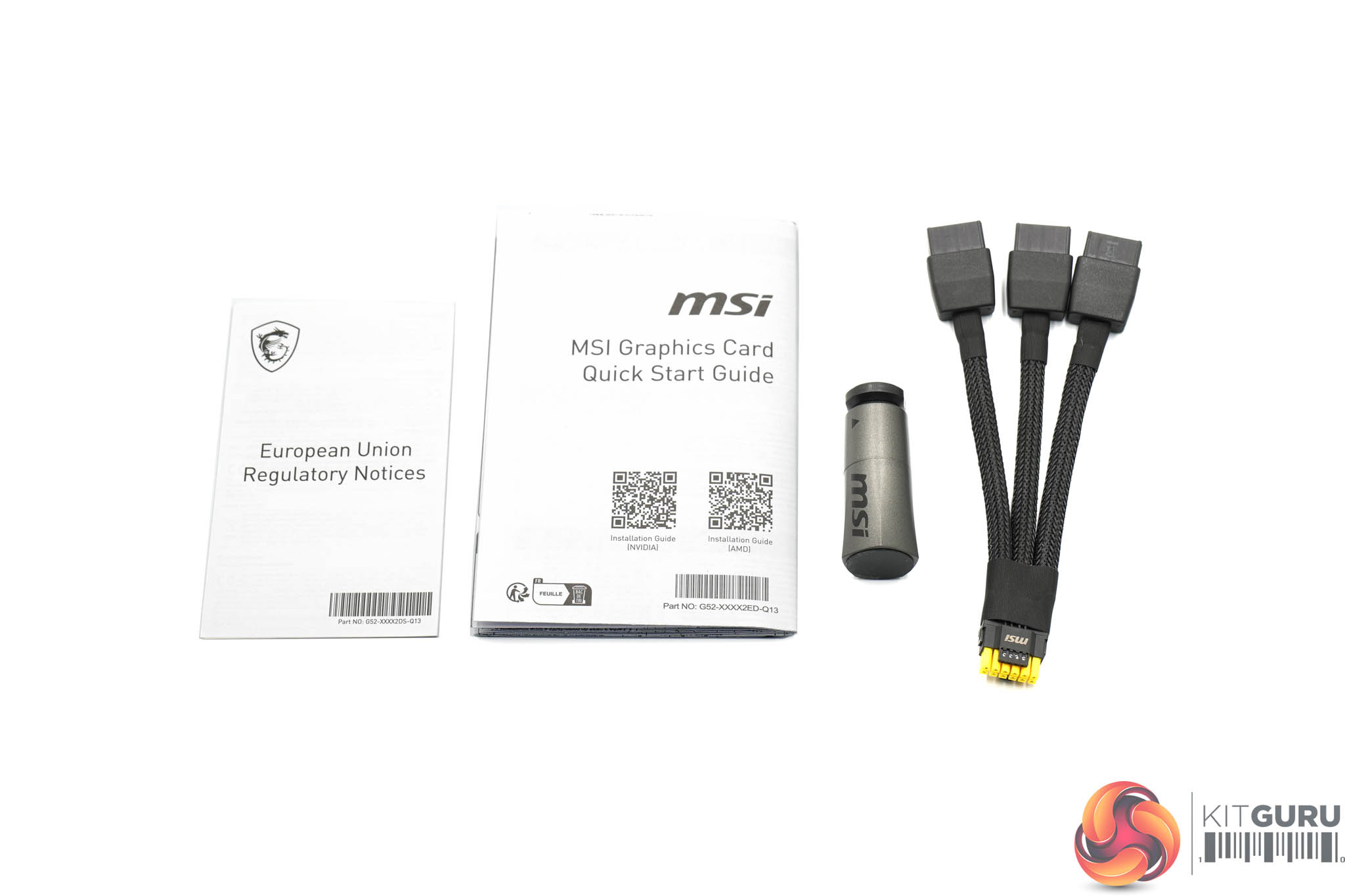
Inside, MSI includes a couple of leaflets, a small GPU support stand, alongside the triple 8-pin power adapter.
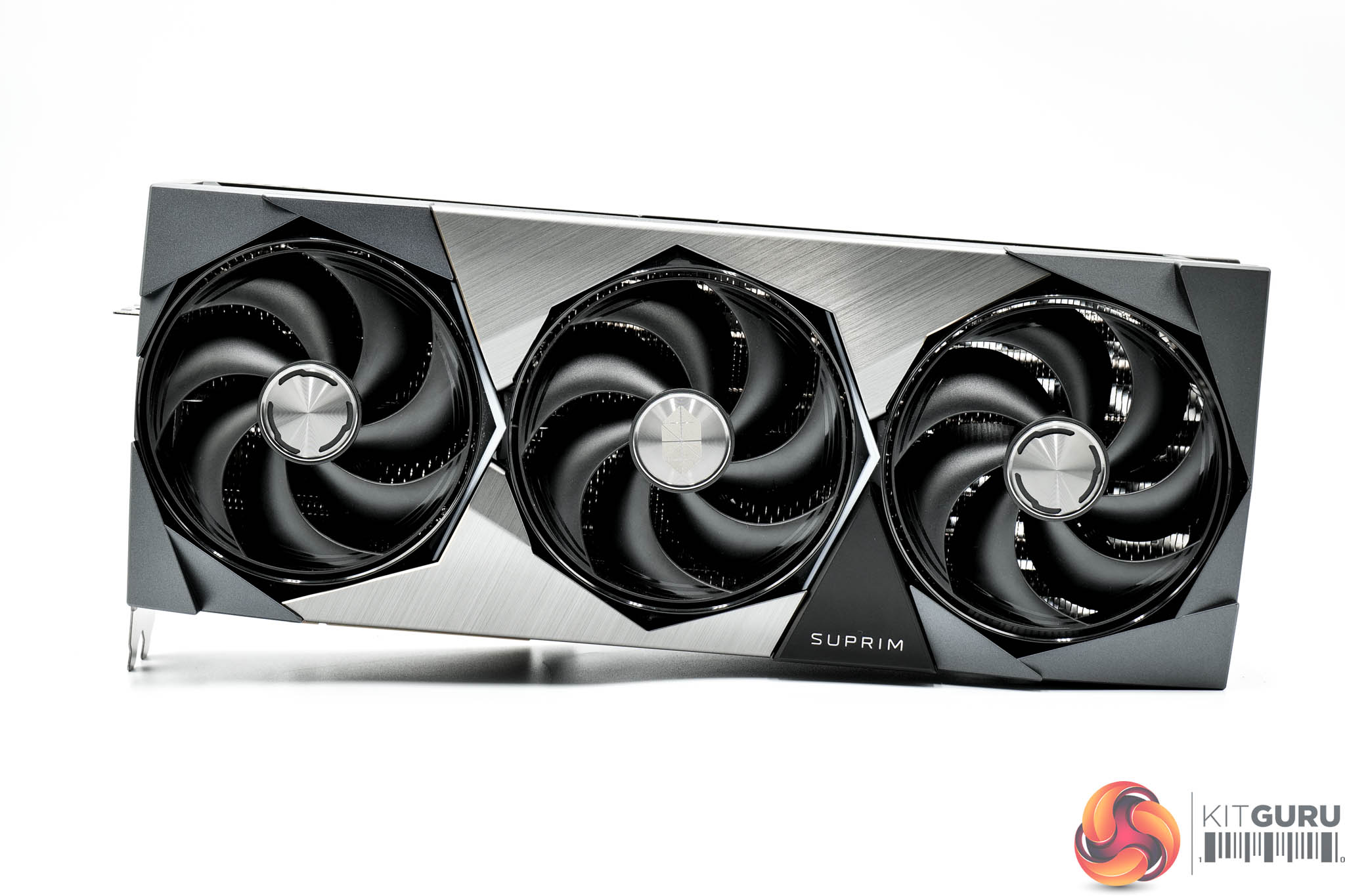
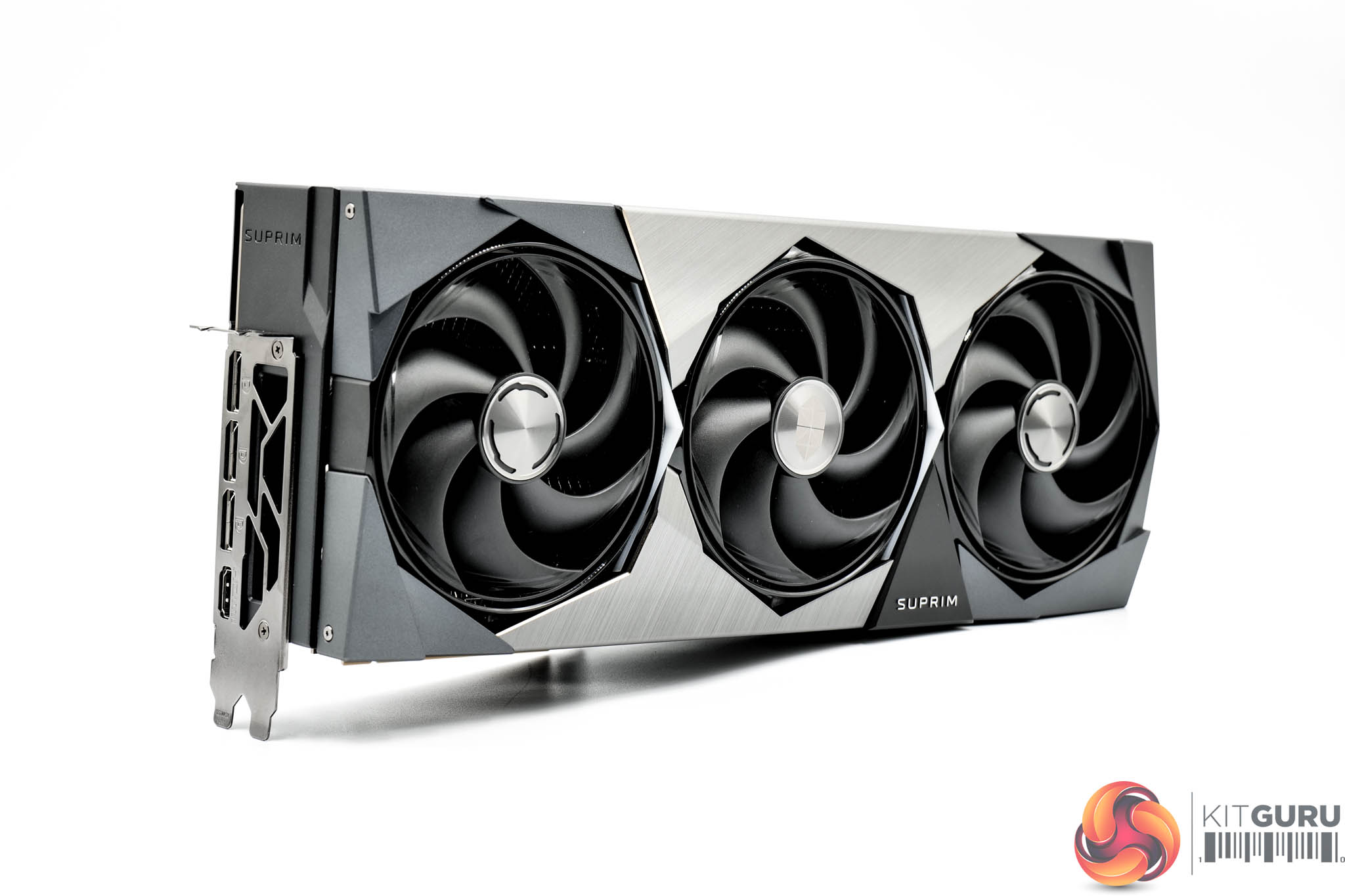
Visually, the graphics card is identical to the RTX 5090 Suprim SOC model we reviewed last week. That means we have the same angular, almost blocky aesthetic, with the shroud comprised of a combination of rigid plastic and some brushed metal sections. It's certainly a good looking card and it's very well built, too.
MSI is using what it calls the ‘Hyper Frozr' thermal design, and that includes three Stormforce fans, each of which measures 100mm in diameter.
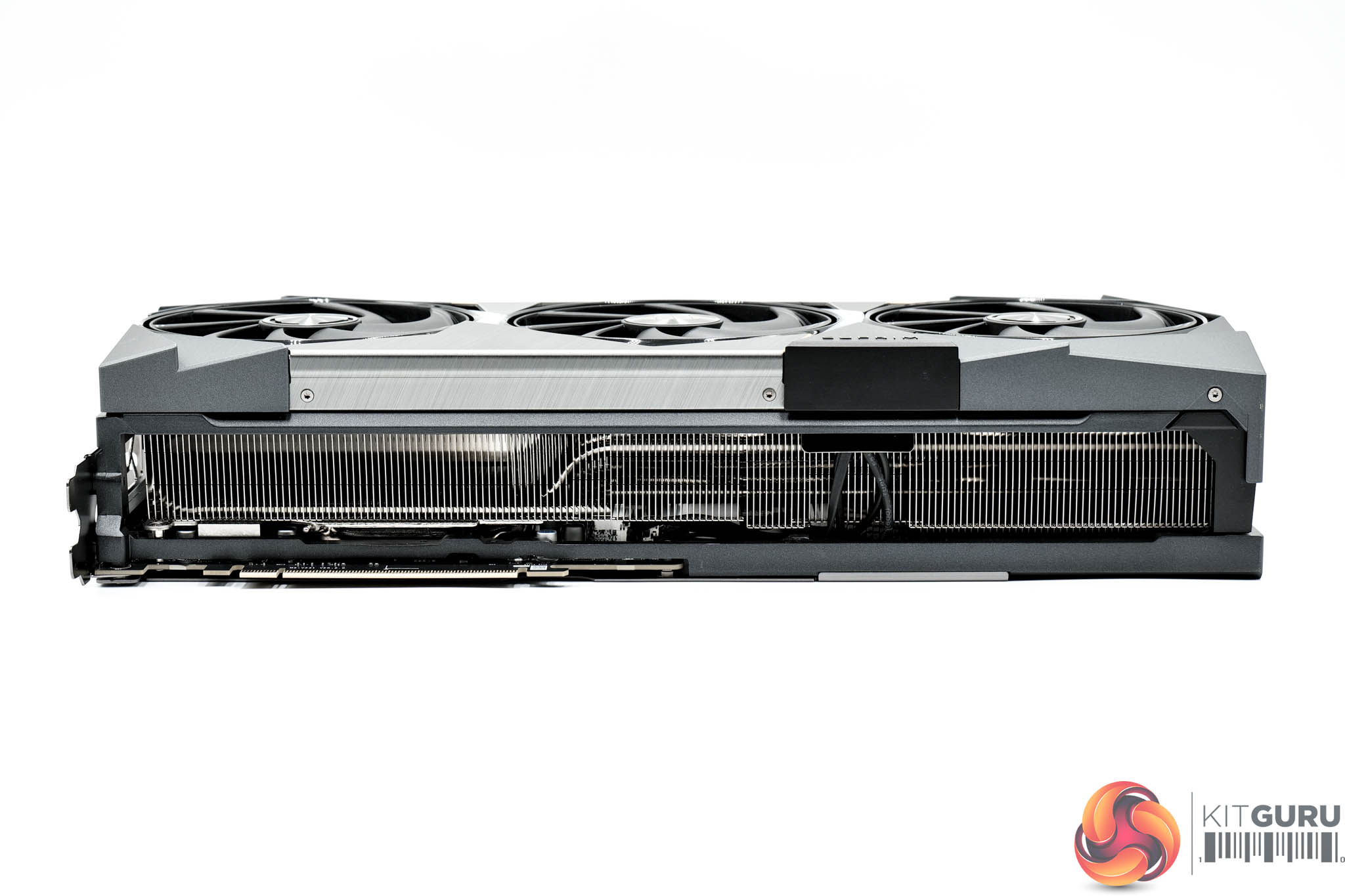
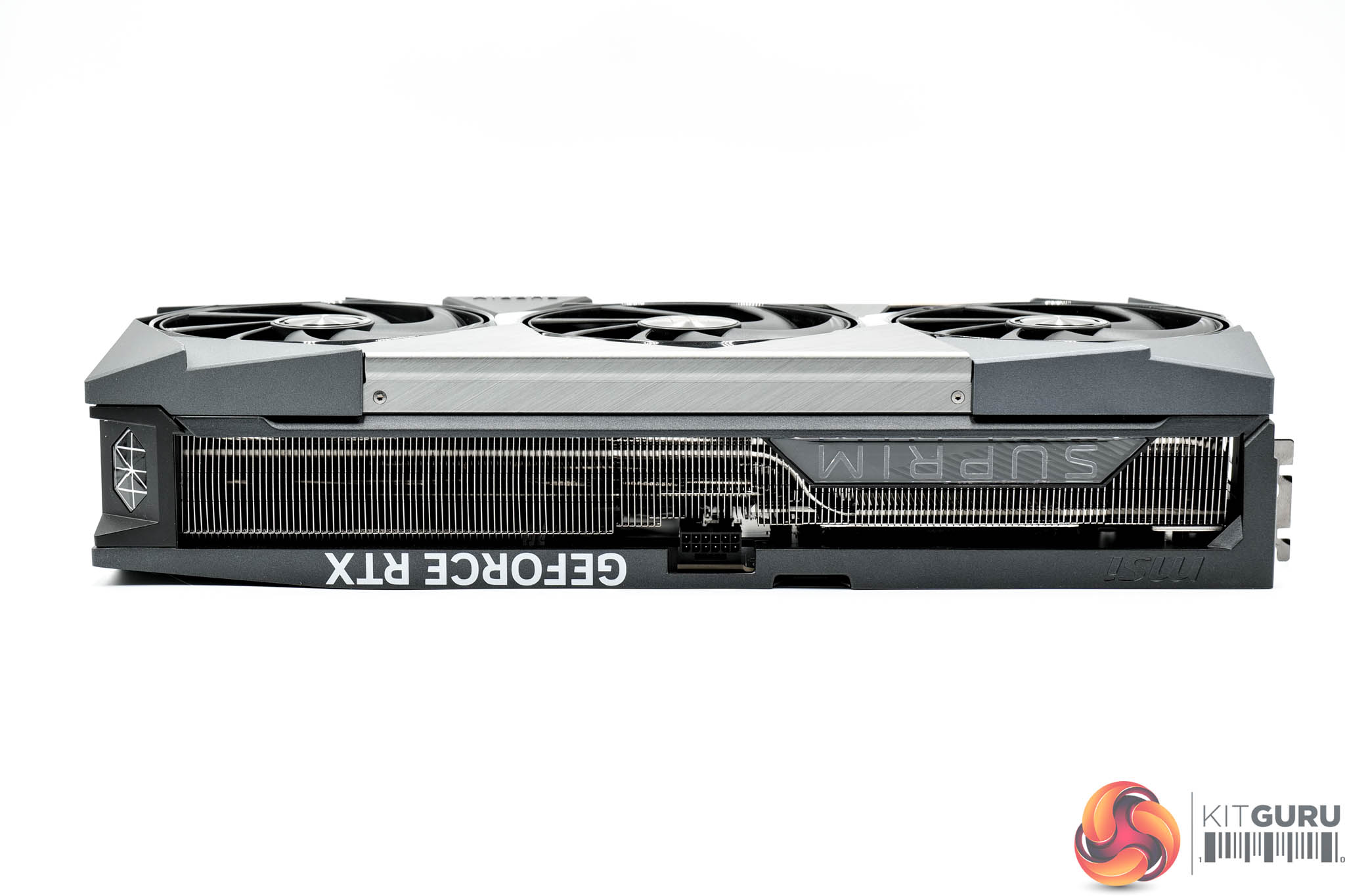
Dimensions are identical to the 5090 version, too, coming in at 359 x 150 x 76 mm. The 5080 is a touch lighter though, at 2661g, though that is still very heavy.


The front side of the card is home to the GeForce RTX and Suprim branding – the latter of which acts as one of the card's RGB zones.
As for the backplate, MSI has opted for a single piece of metal that extends about three quarters of the length of the card – the rest is left open to act as a ‘flow through' area, so air can pass directly through the heatsink, to aid cooling performance.
You can also spot the dual-BIOS switch, with a choice of Gaming or Silent modes – both share the same clock speeds, the only difference is the fan curve.
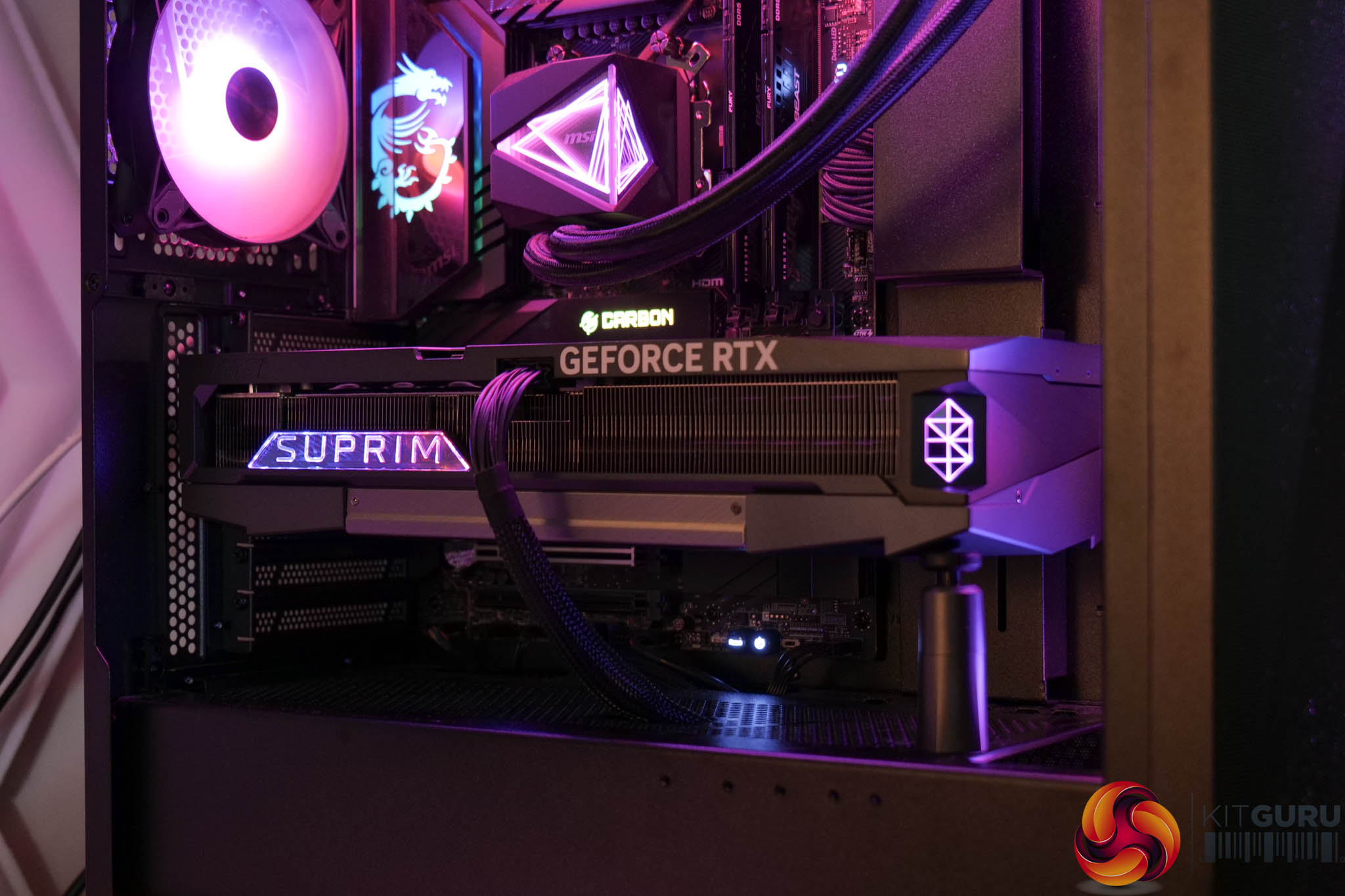
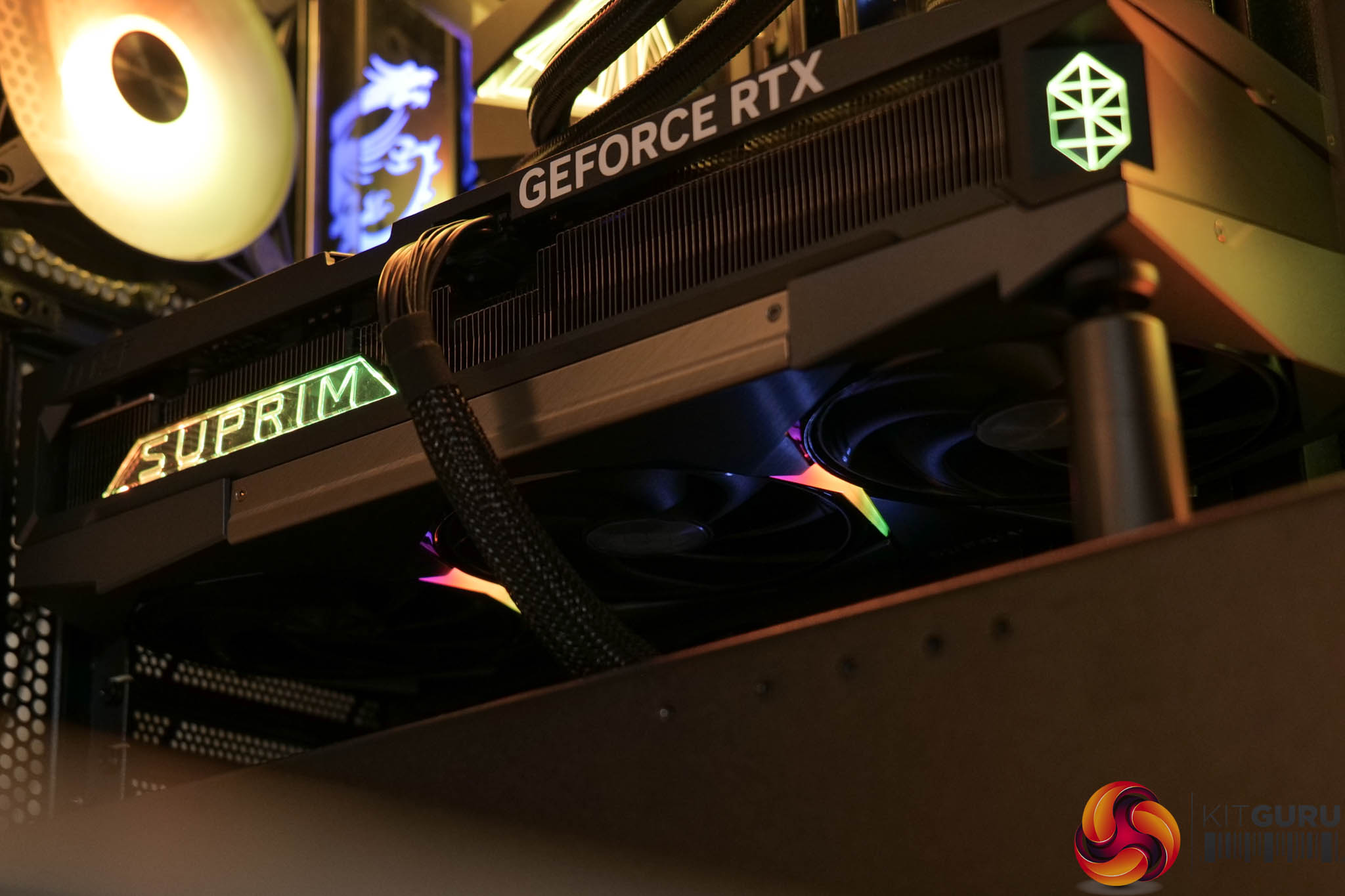
Above you can see the RGB lighting, with the Suprim logos on the side, along with the LED strips either side of the central fan, acting as the RGB zones. MSI Center is used to control the lighting.


As expected, power is delivered by a single 12V-2X6 connector. Display outputs consist of three DP 2.1 and one HDMI 2.1 ports.


Moving onto the PCB, here MSI has opted for a beefy 16-phase VRM for the GPU and a 3-phase memory solution. It's no surprise to see more MPS MP87993 MOSFETs used across the board, and just like the other cards on test today, a Monolithic MP29816 controller is used for the GPU, with a Monolithic MP2988 controller for the memory.


The heatsink is so the same as with the RTX 5090 model. That means no less than eleven heatpipes are used throughout the fin stack, while the GPU and memory contacts with a vapour chamber. Smaller, separate baseplates are used to contact the MOSFETs.
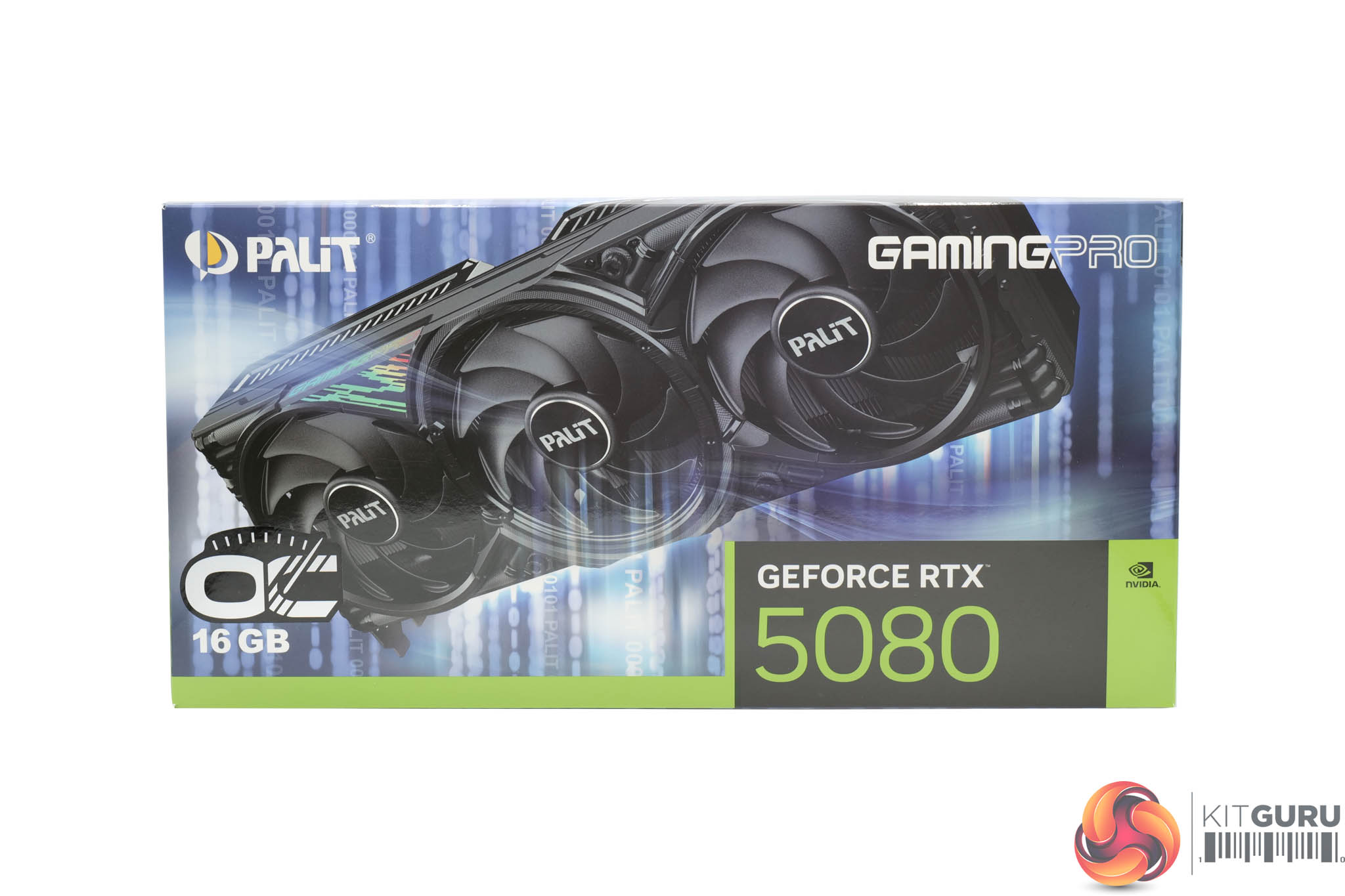
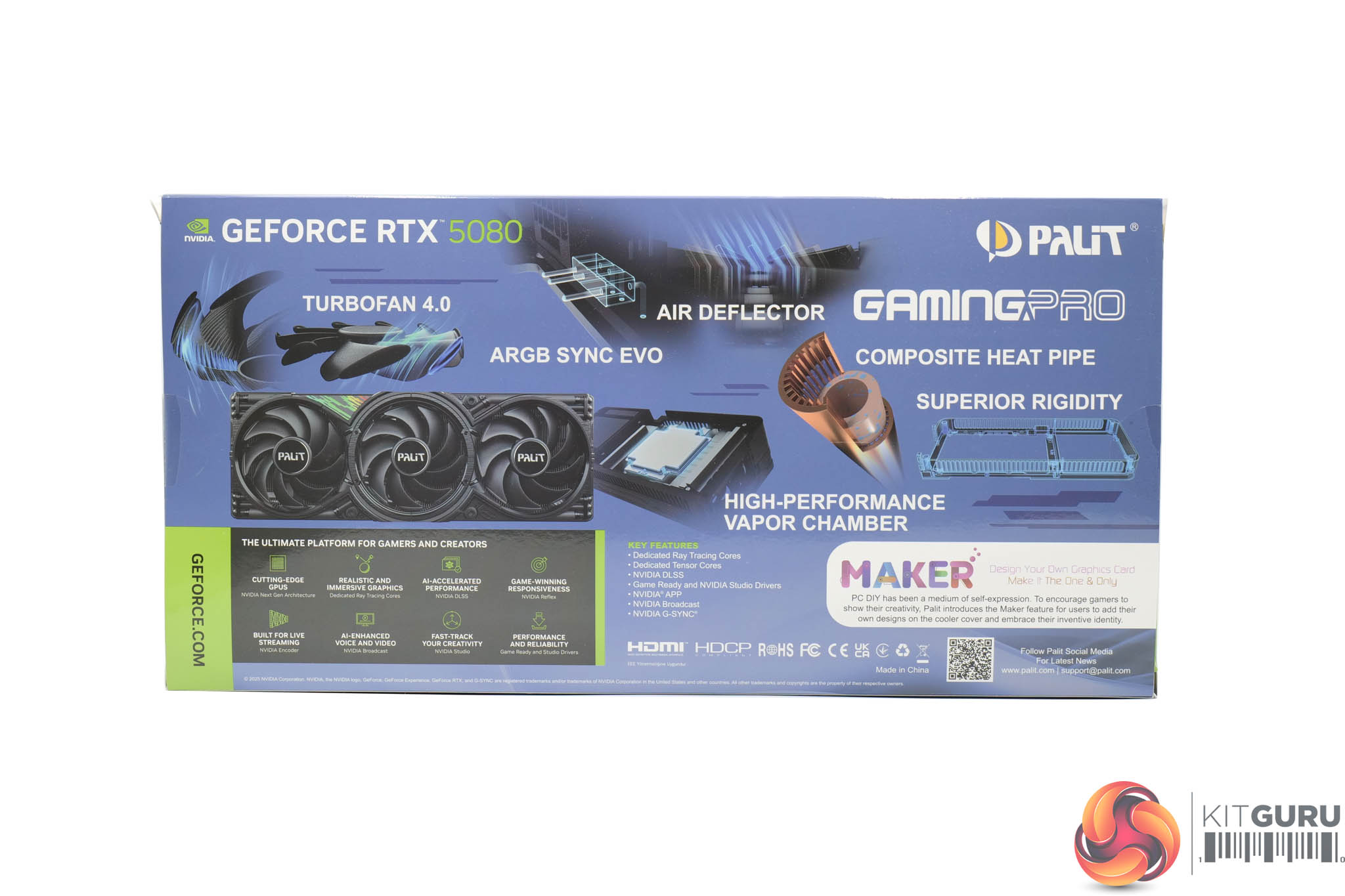
The Palit RTX 5080 GamingPro OC ships in a blue box with a large image of the graphics card visible on the front. On the back, Palit mentions a few key areas of the graphics card.
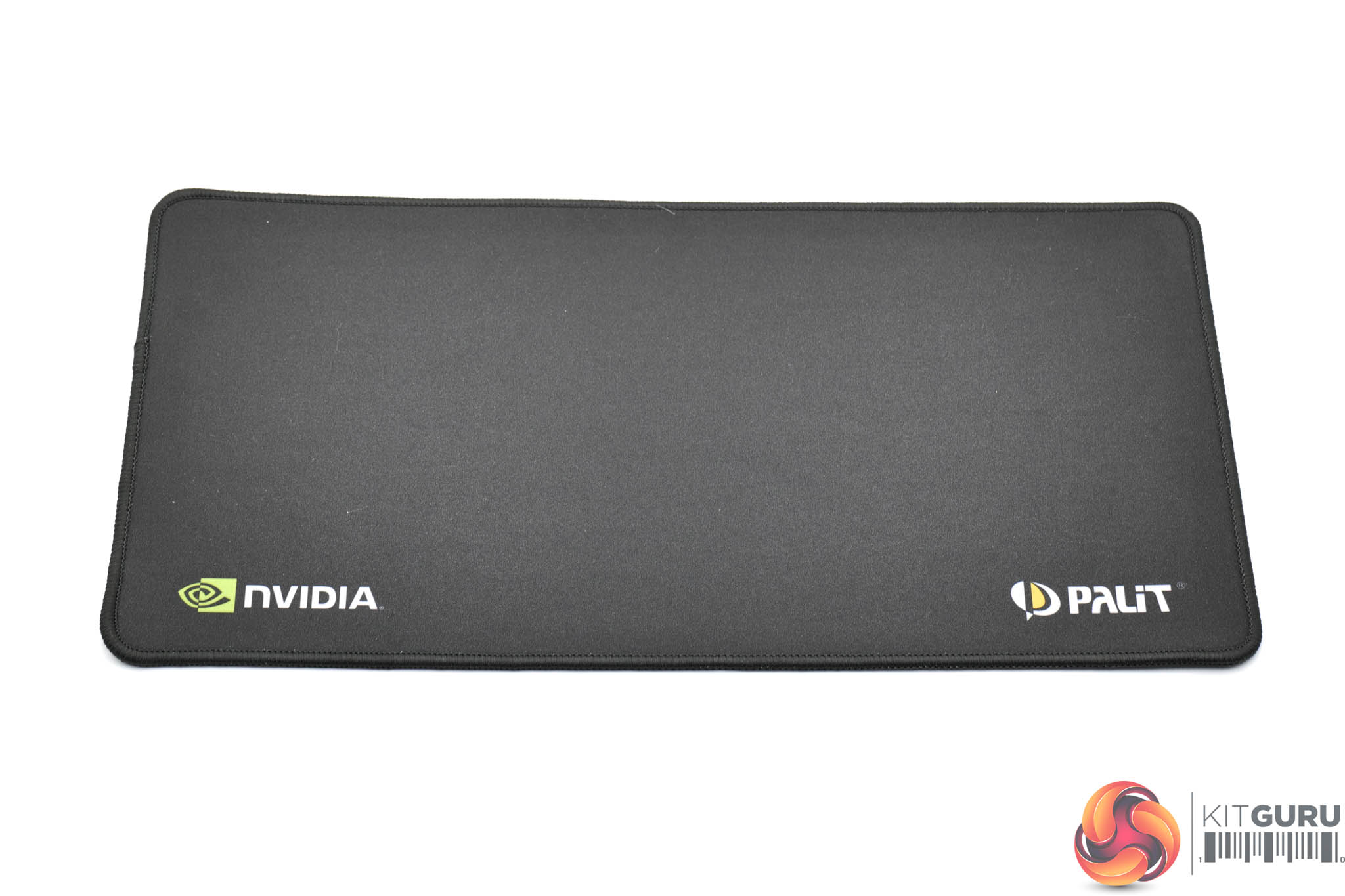
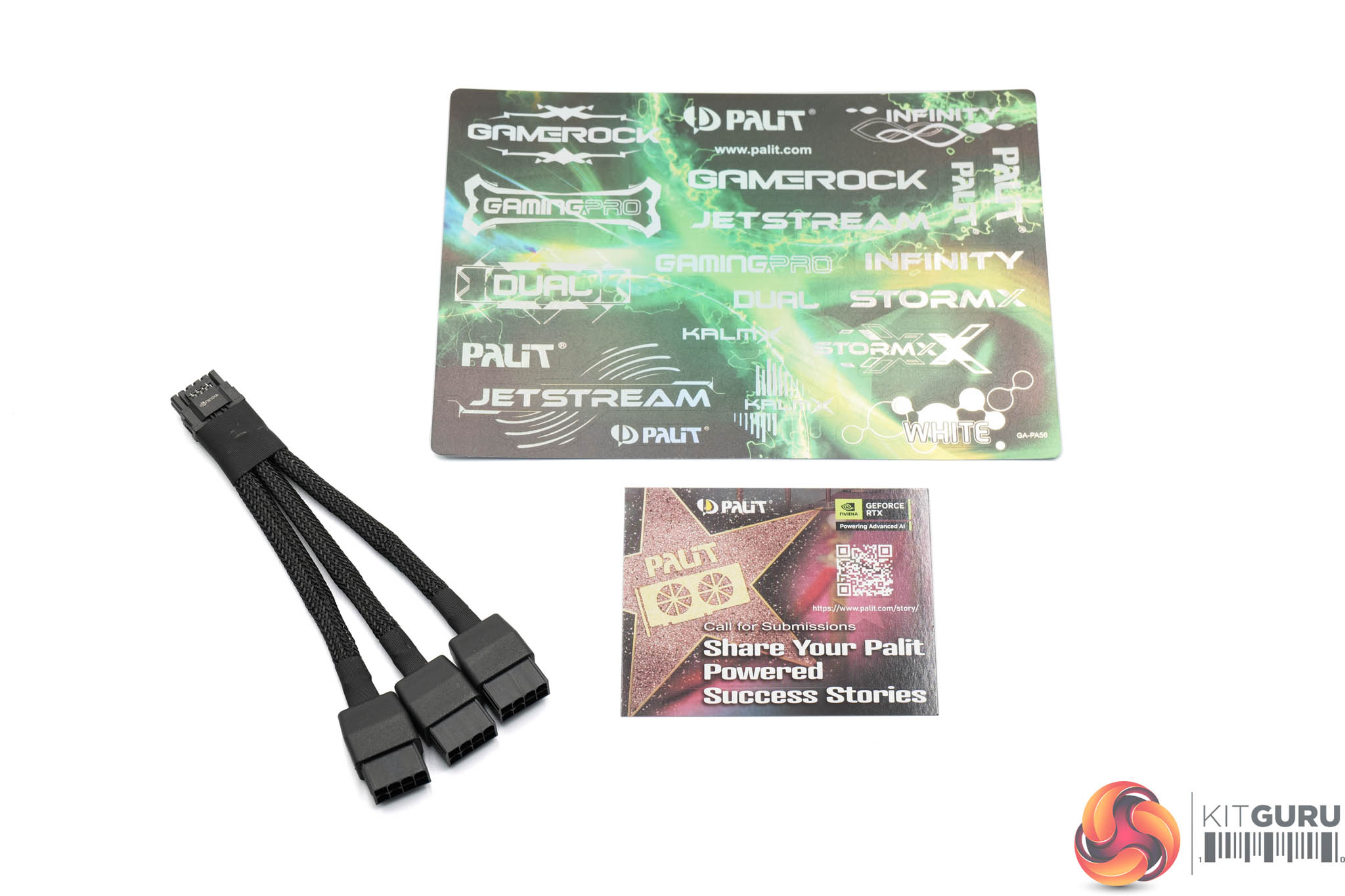
Inside, a small mousepad is included, Nvidia and Palit branded, along with a whole bunch of stickers and the triple 8-pin power adapter.
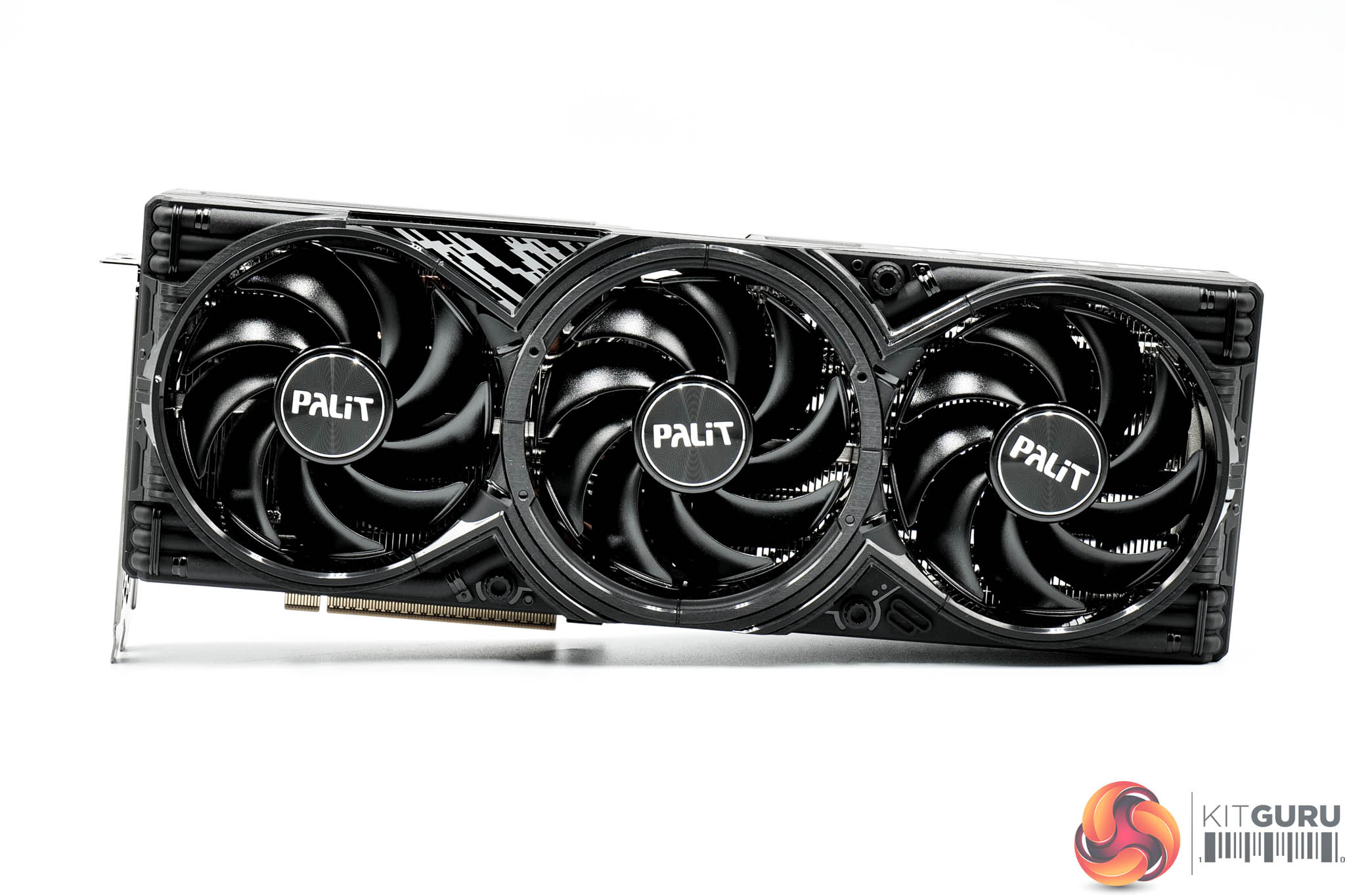
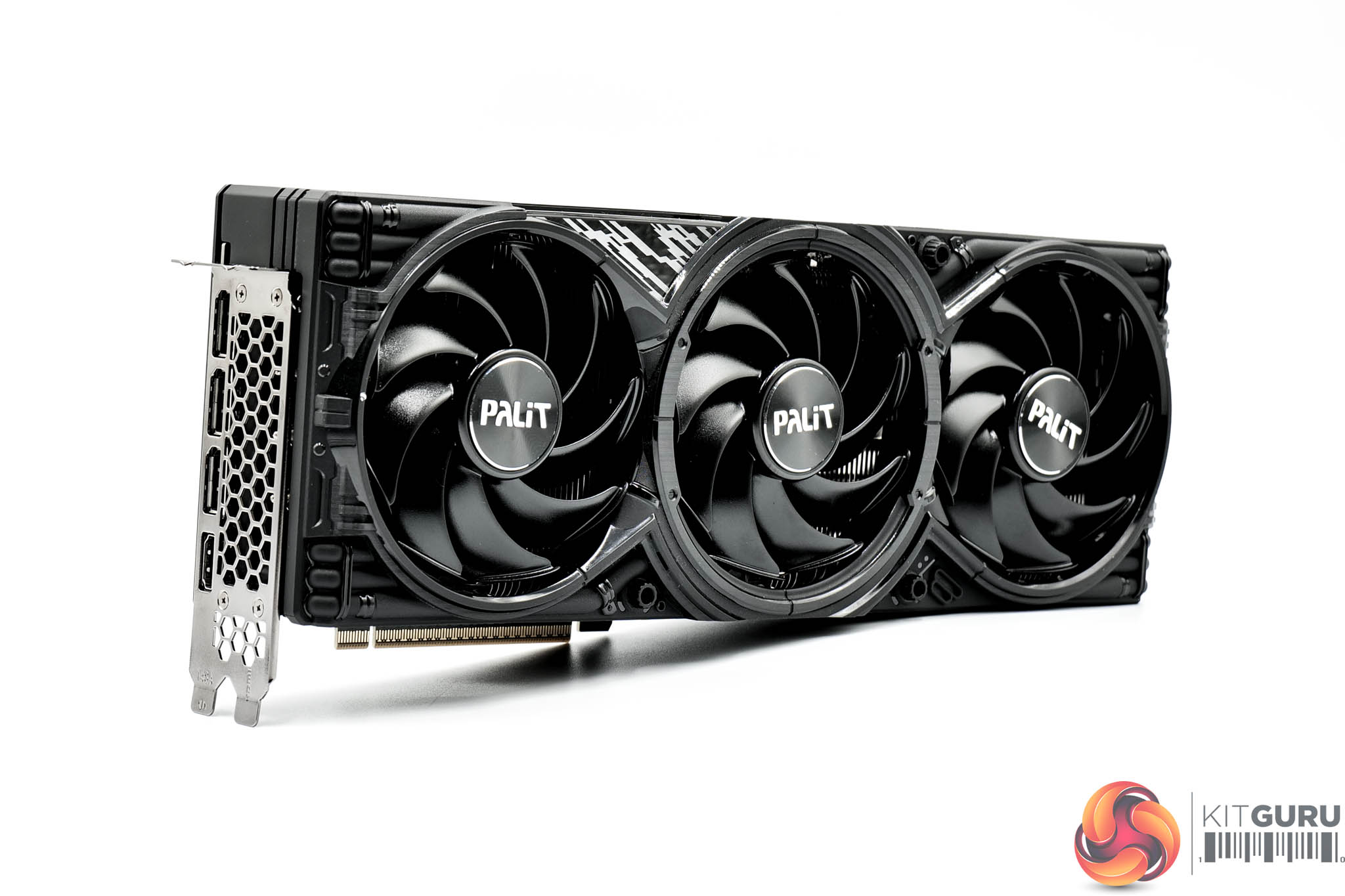
The graphics card itself is probably the least exciting to look at of the three today. It's just plain black all over, but with some glossy sections which add some reflectivity. It's not necessarily ugly, but I'd say it's definitely behind the Suprim and Gaming OC in terms of my personal preferences.
It does still offer three fans as part of the cooling solution, with each measuring 100mm in diameter.
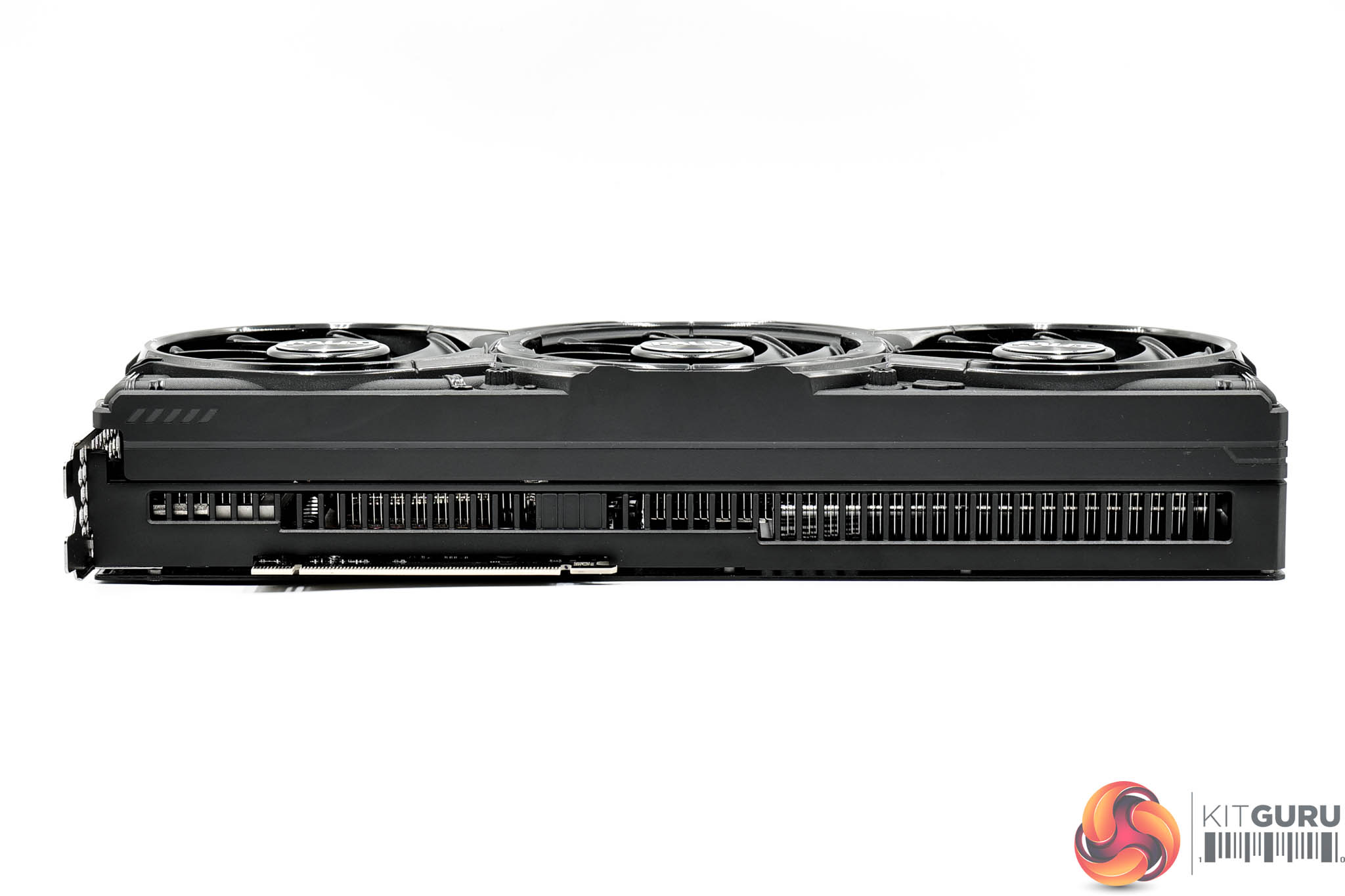
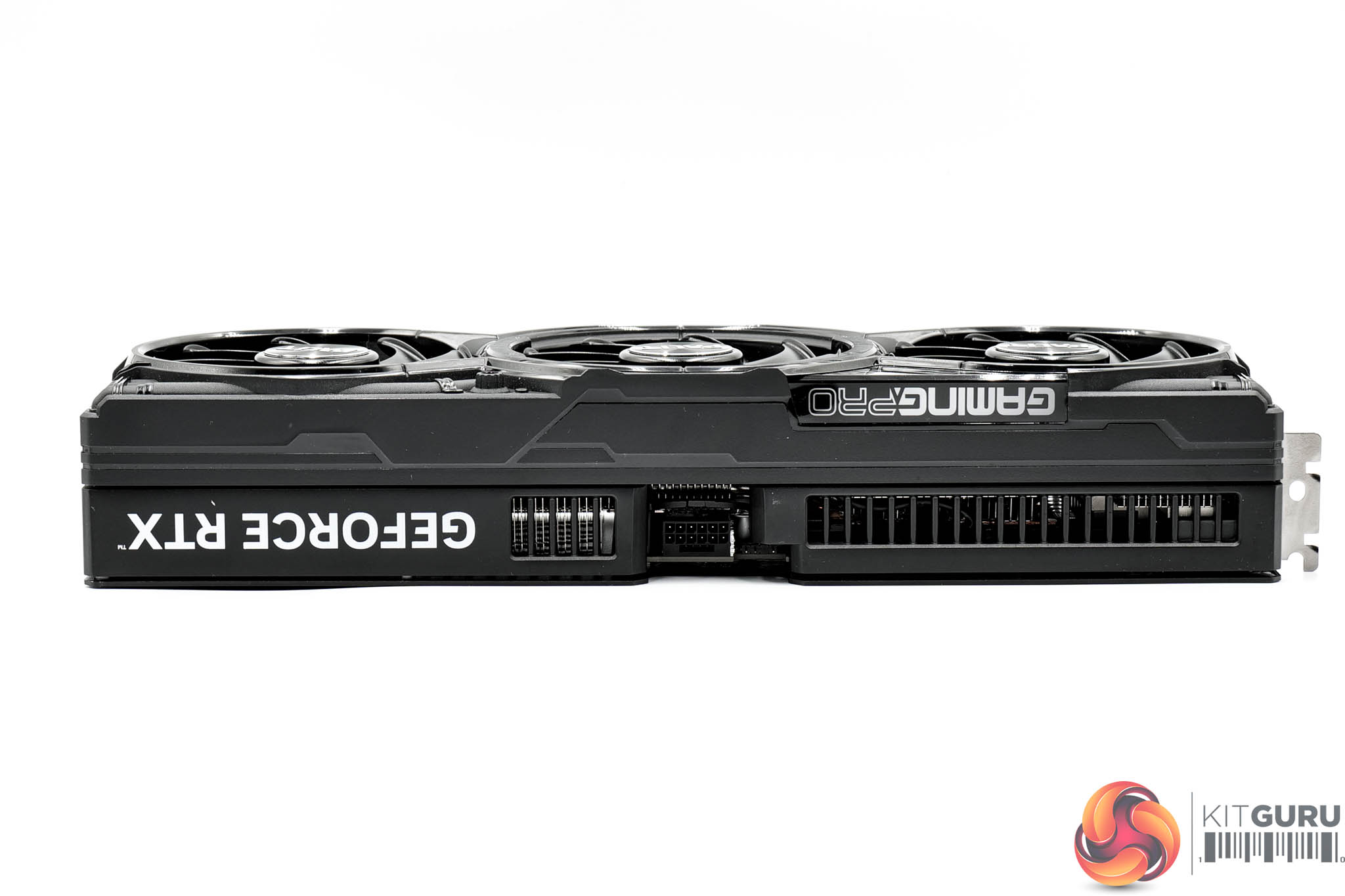
In terms of its size, it's also the smallest card on test today, measuring 331.9 x 127.1 x 60 mm. It also weighed in at 1582g on my scales.
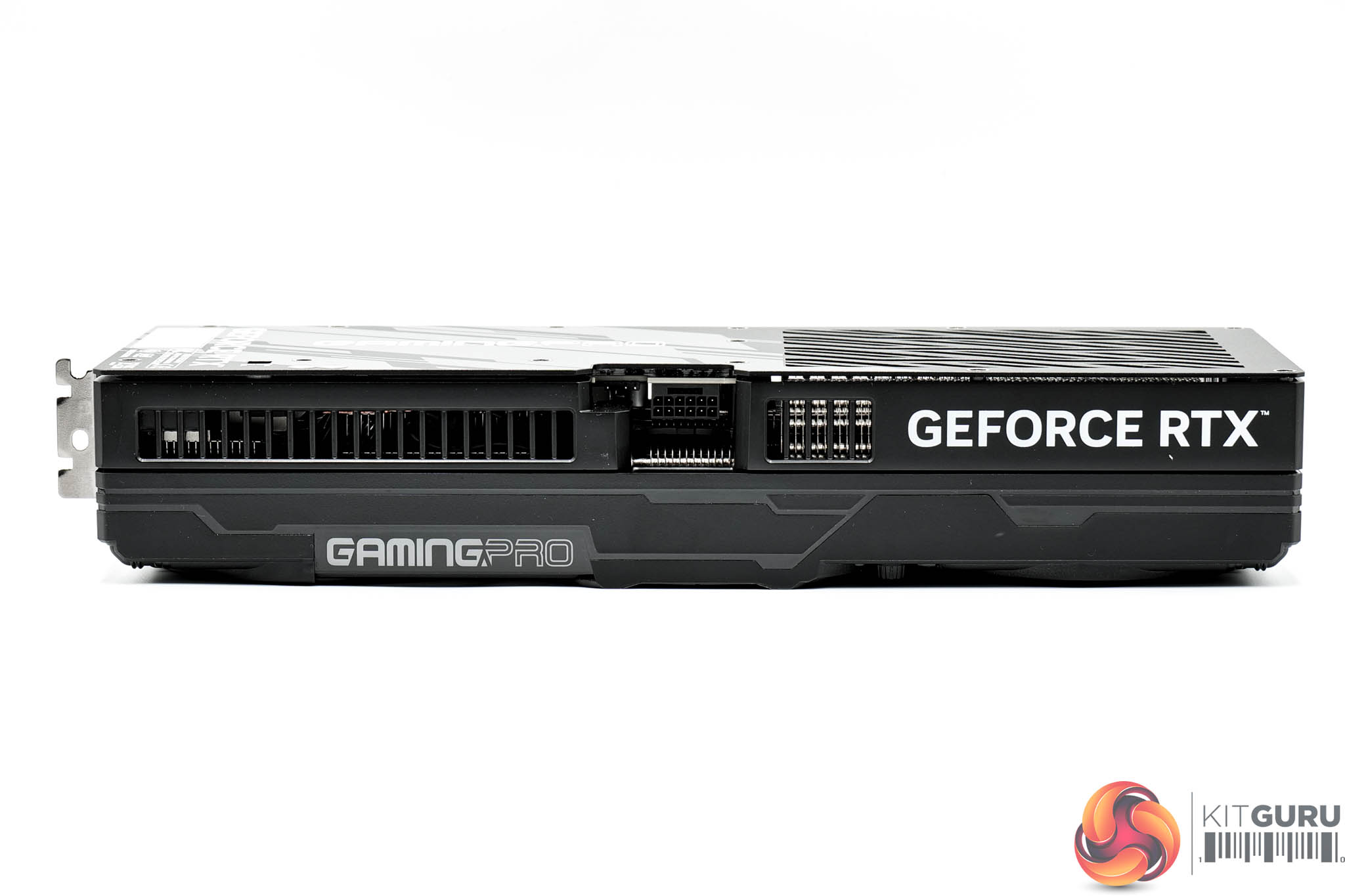
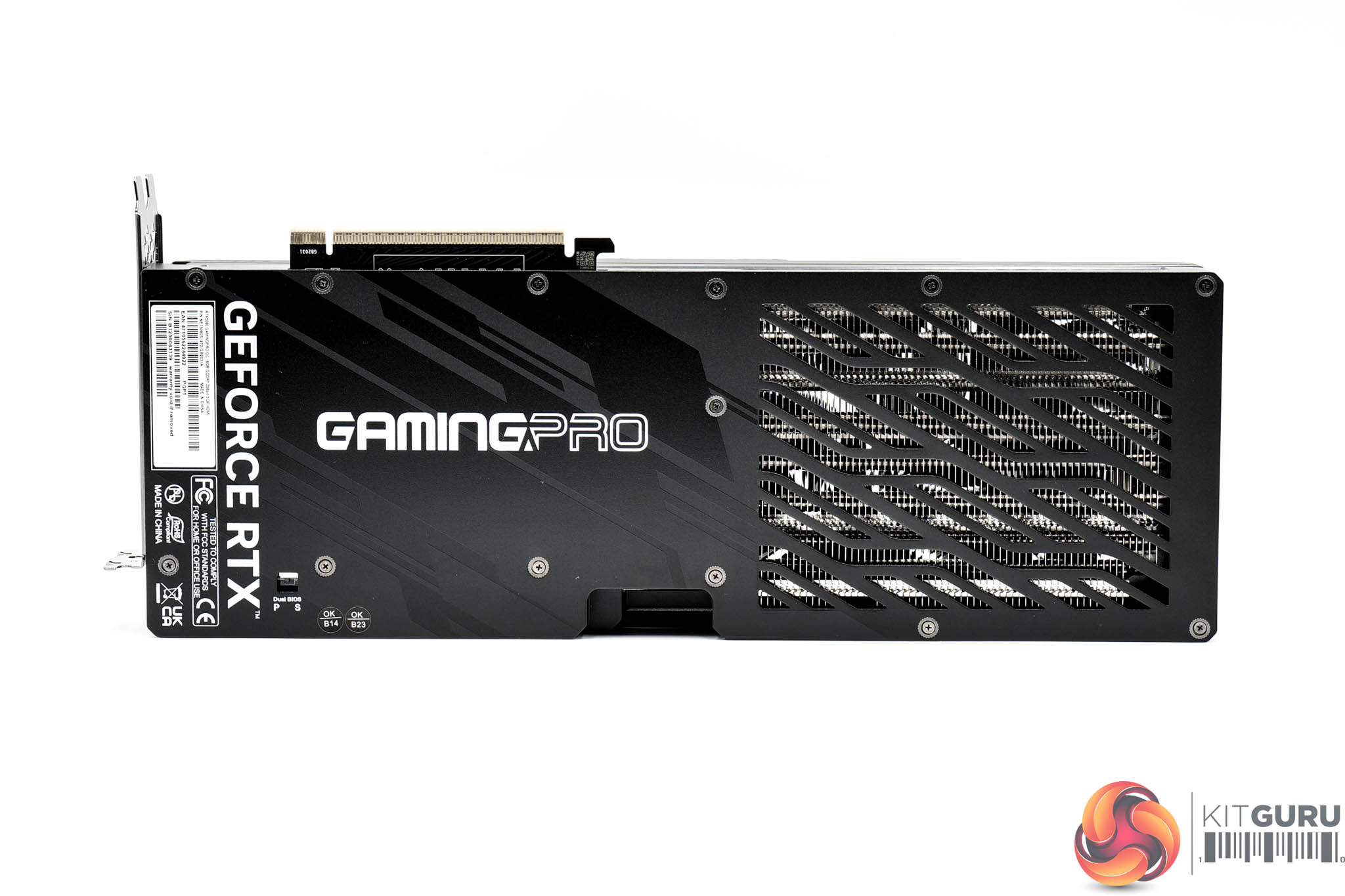
The front side of the card is home to the GeForce RTX and GamingPro logos, the latter of which is illuminated by RGB LEDs.
As for the backplate, it's another full-length metal design, but almost half of it has been cut out to act as the ‘flow through' area, though it's not completely open as Palit has opted for a vented approach.
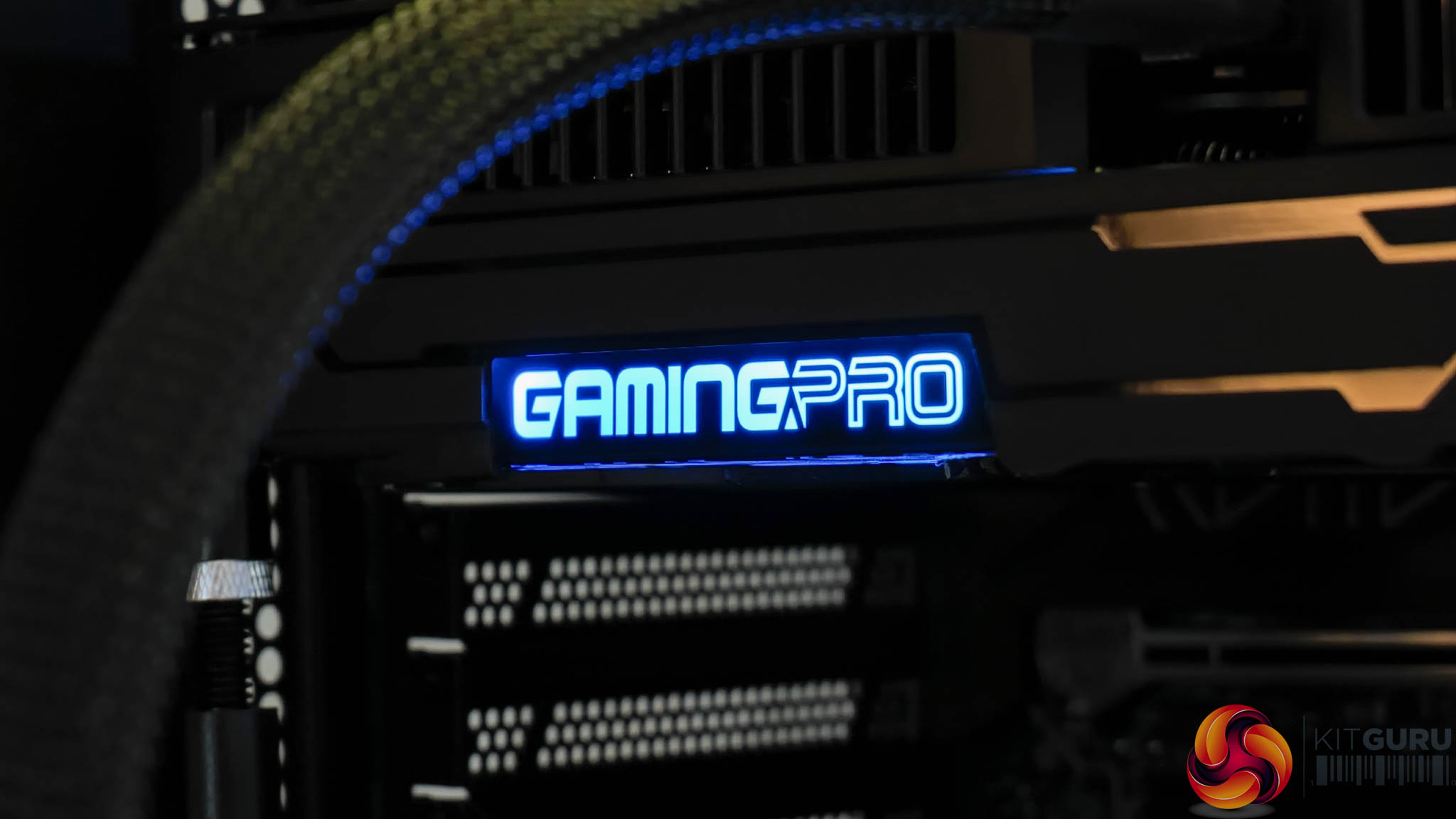
Here we can see the RGB lighting in action, and you can also connect an ARGB cable to the card and control the lighting via your motherboard if that is your preference.
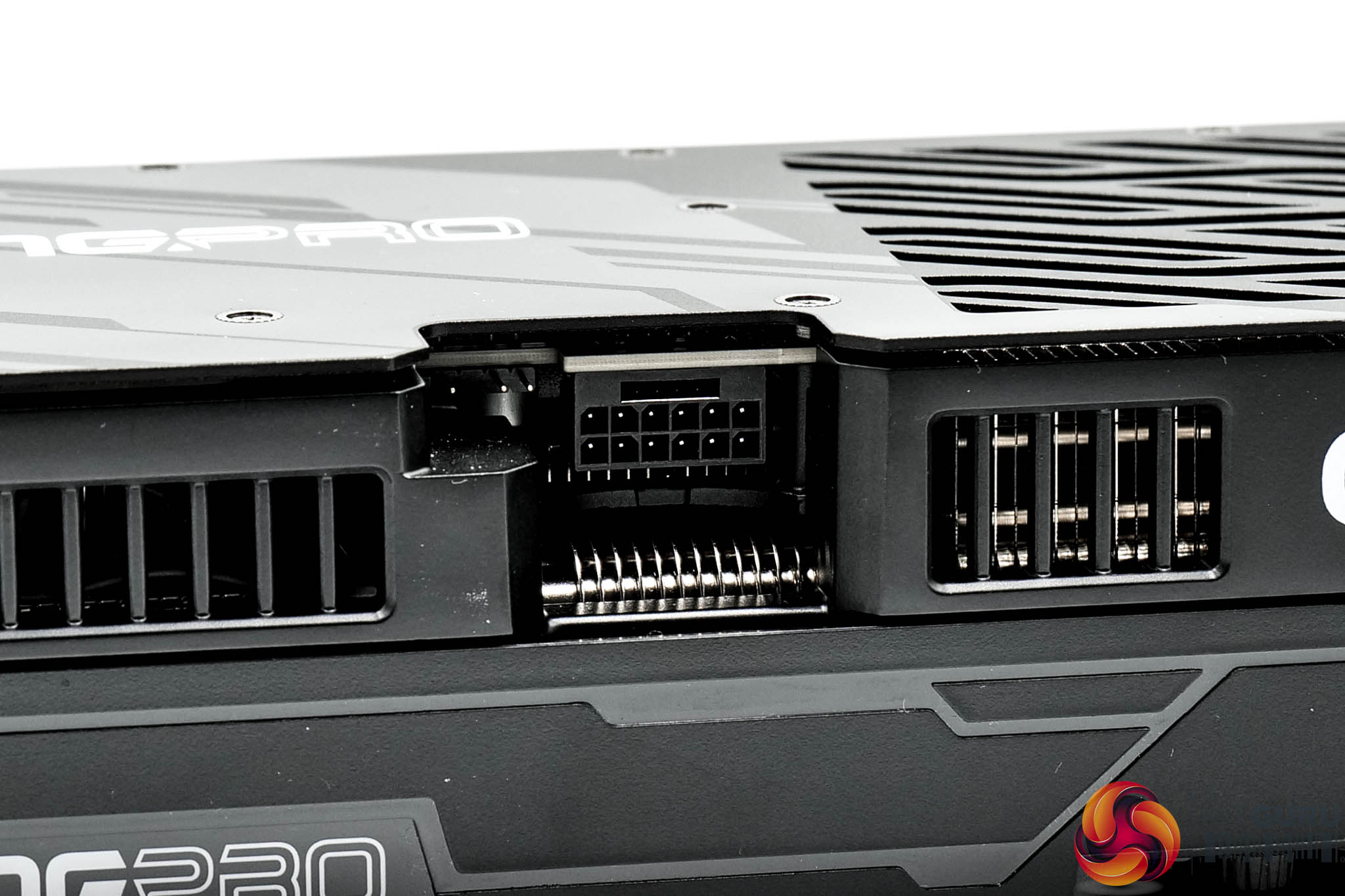
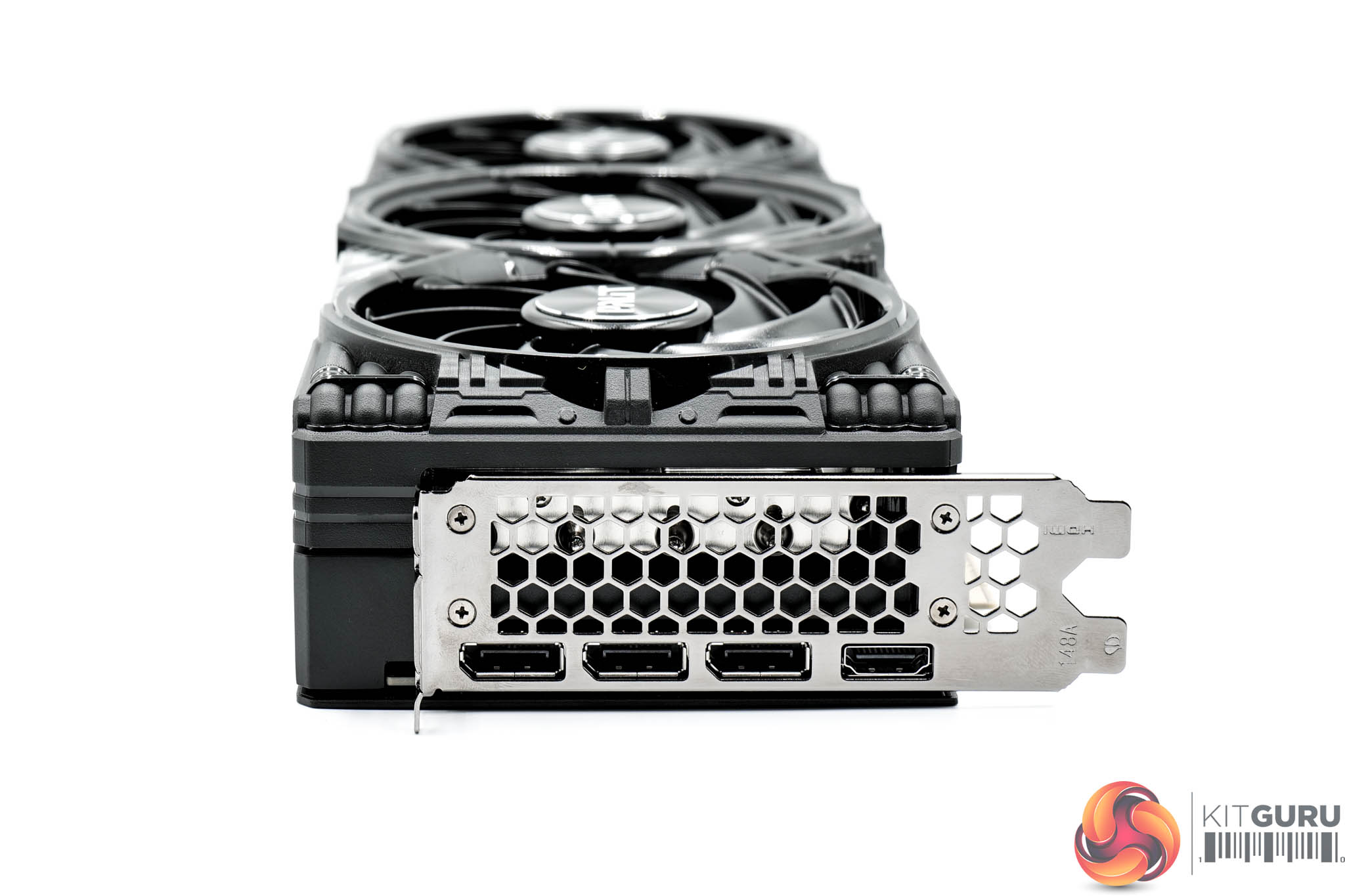
As expected, power is delivered by a single 12V-2X6 connector. Display outputs consist of three DP 2.1 and one HDMI 2.1 ports.
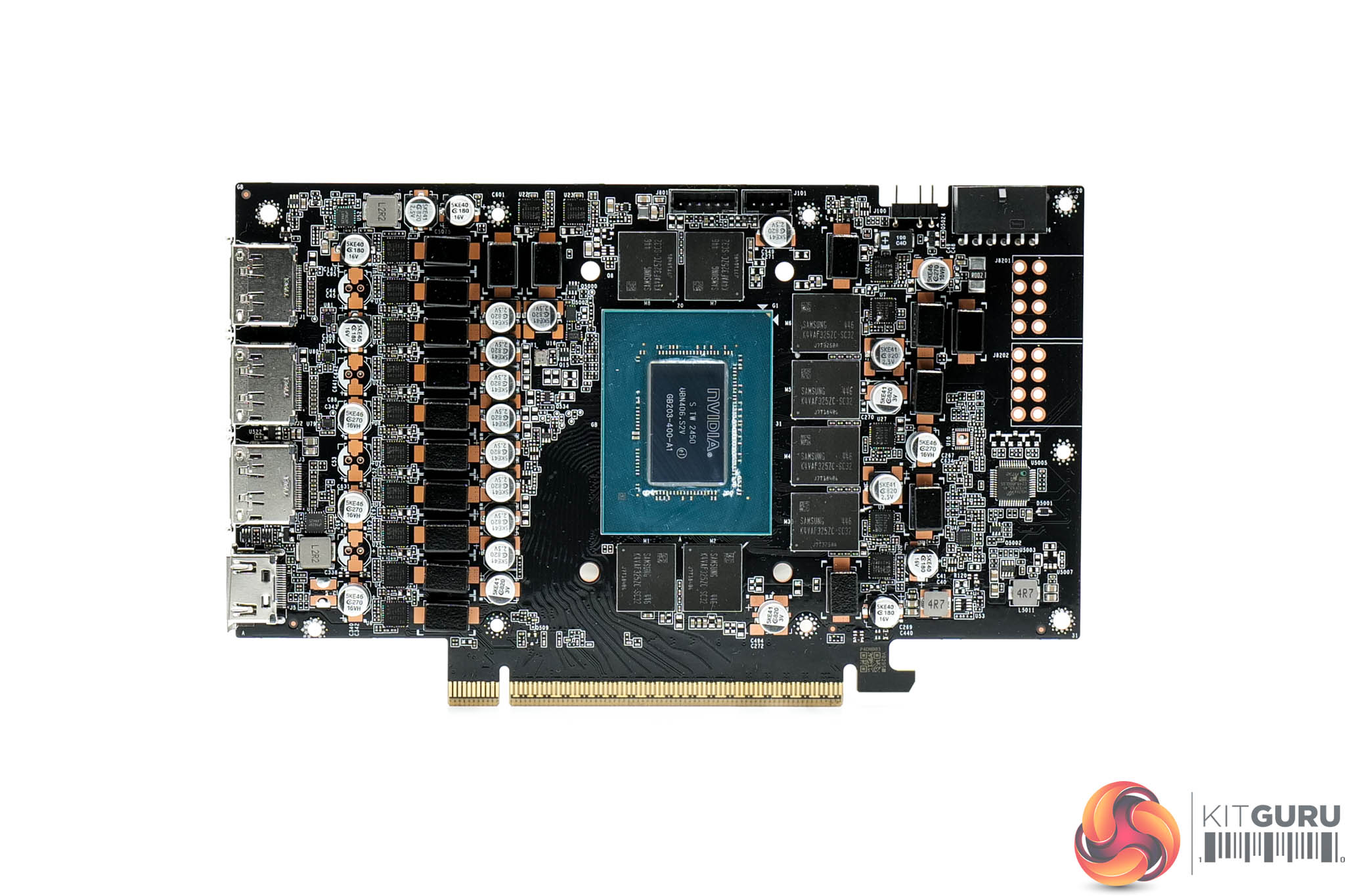
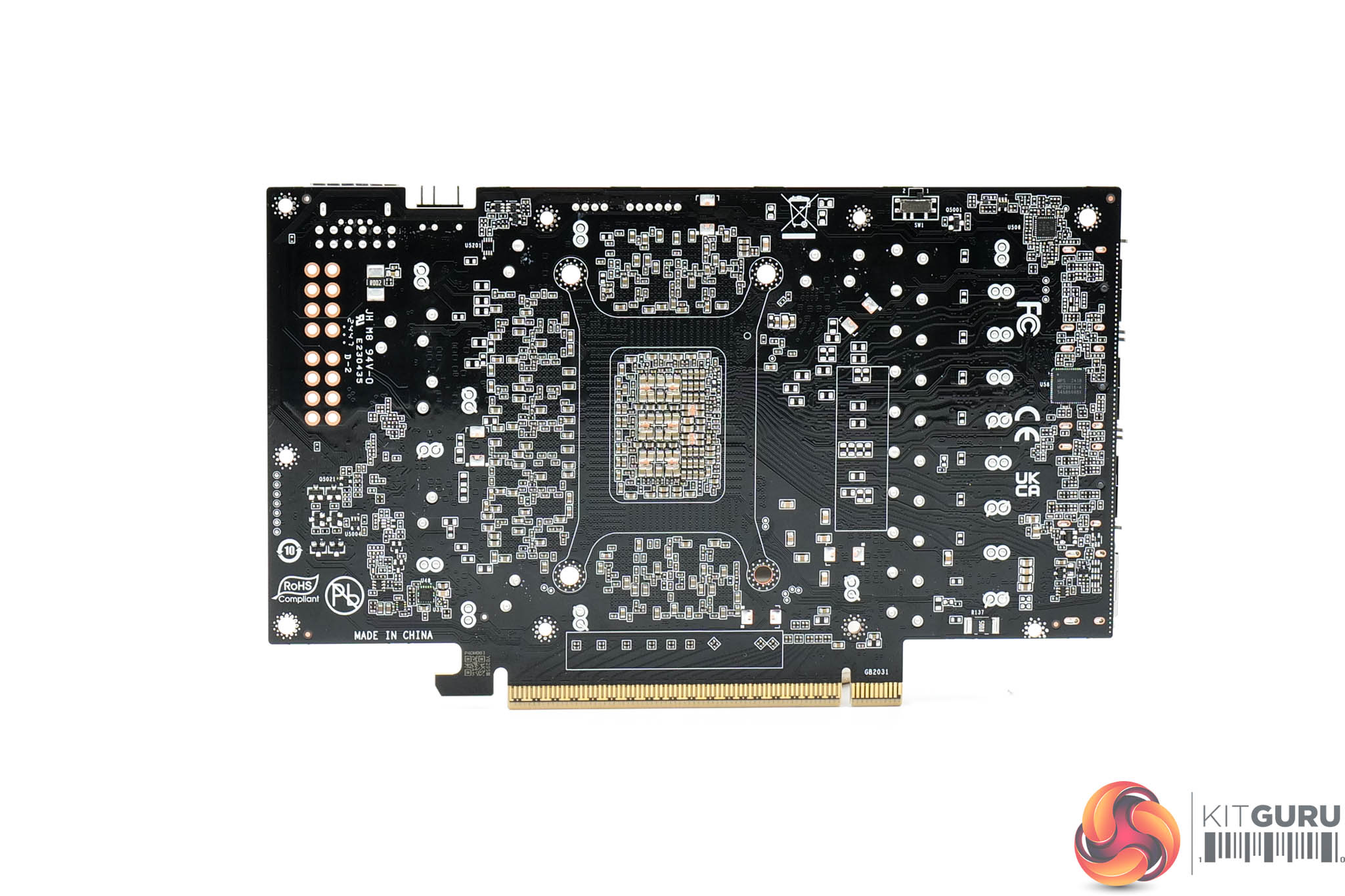
Moving onto the PCB, the design here is very similar to the Gaming OC, given we find a 14-phase GPU VRM and a 3-phase memory VRM, all using 50A MPS MP87993 MOSFETs. Once more, a Monolithic MP29816 controller is used for the GPU, with a Monolithic MP2988 controller for the memory.
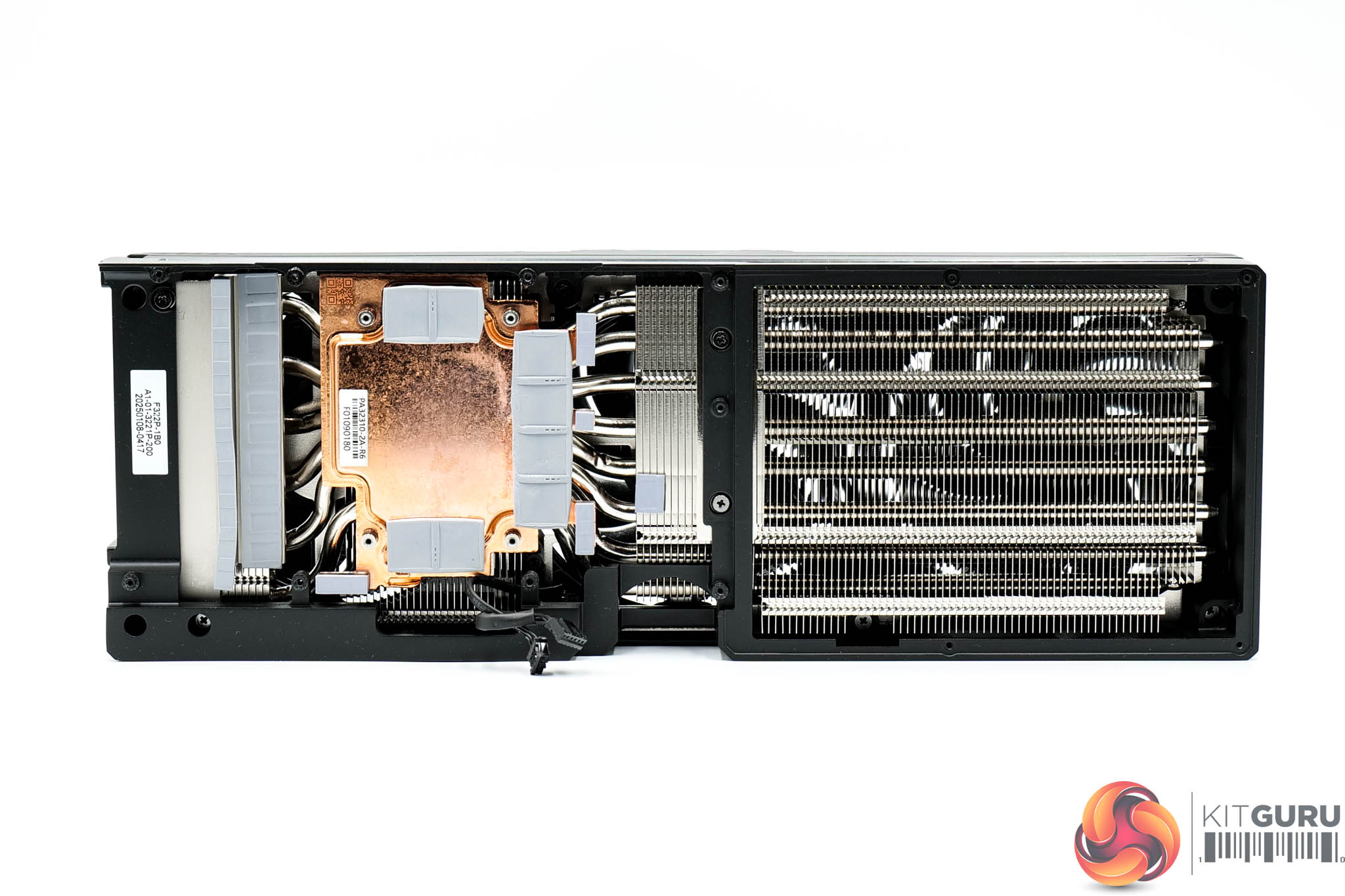
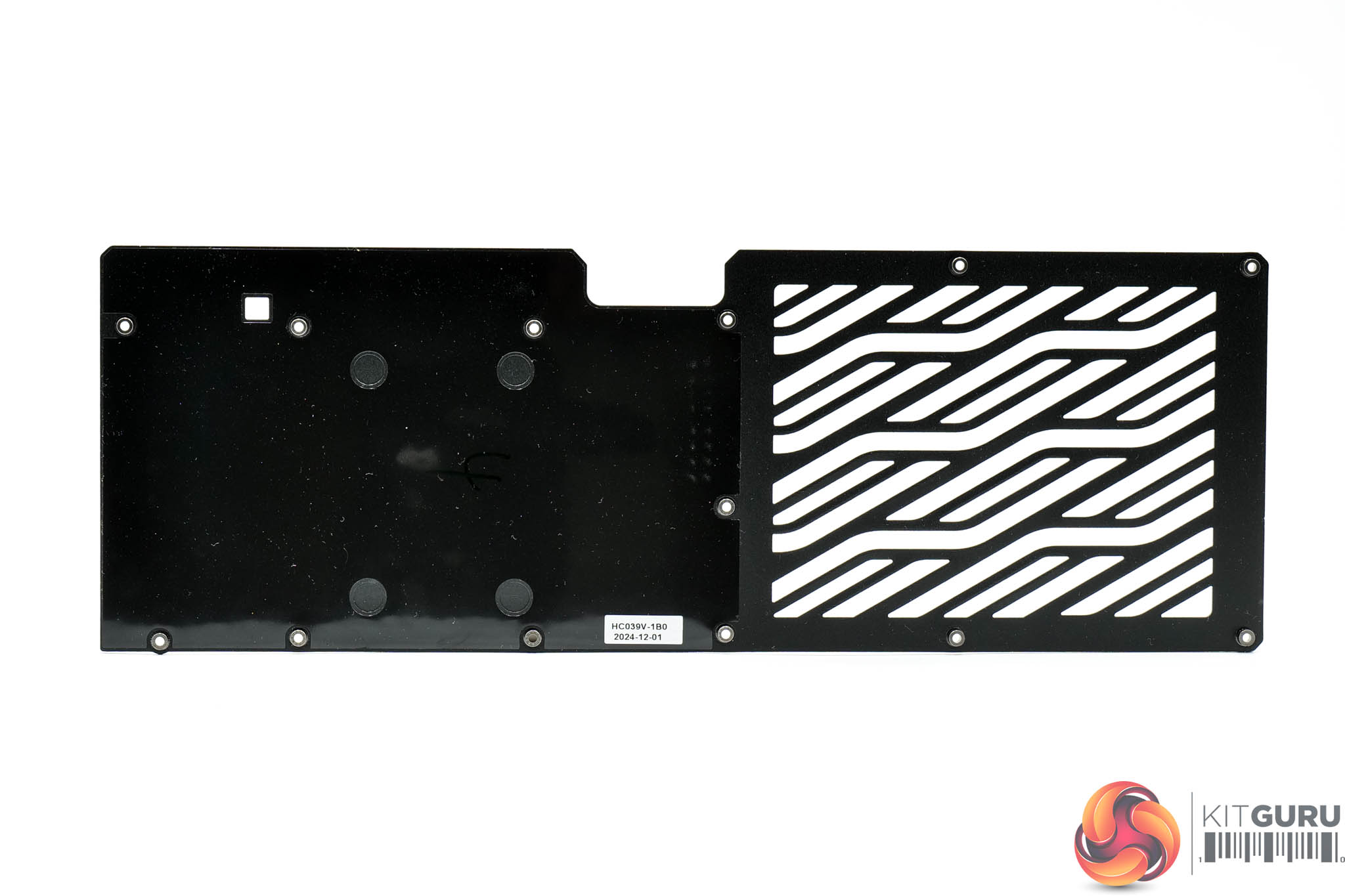
Palit is also using a vapour chamber to contact the GPU and memory, though the MOSFETs are cooled by separate baseplates. The fin stack utilises a total of eight heatpipes.
Driver Notes
- AMD GPUs were benchmarked with the Adrenalin 24.12.1 driver.
- Nvidia GPUs (except for RTX 5090 and RTX 5080) were benchmarked with the 566.14 driver.
- RTX 5090 was benchmarked with the 571.86 driver supplied to press.
- RTX 5080 was benchmarked with the 572.02 driver supplied to press.
Results are only directly comparable where this exact configuration has been used.
Test System:
We test using a custom built system powered by MSI, based on AMD's Zen 5 platform. You can view the Powered by MSI store on AWD-IT's website HERE.
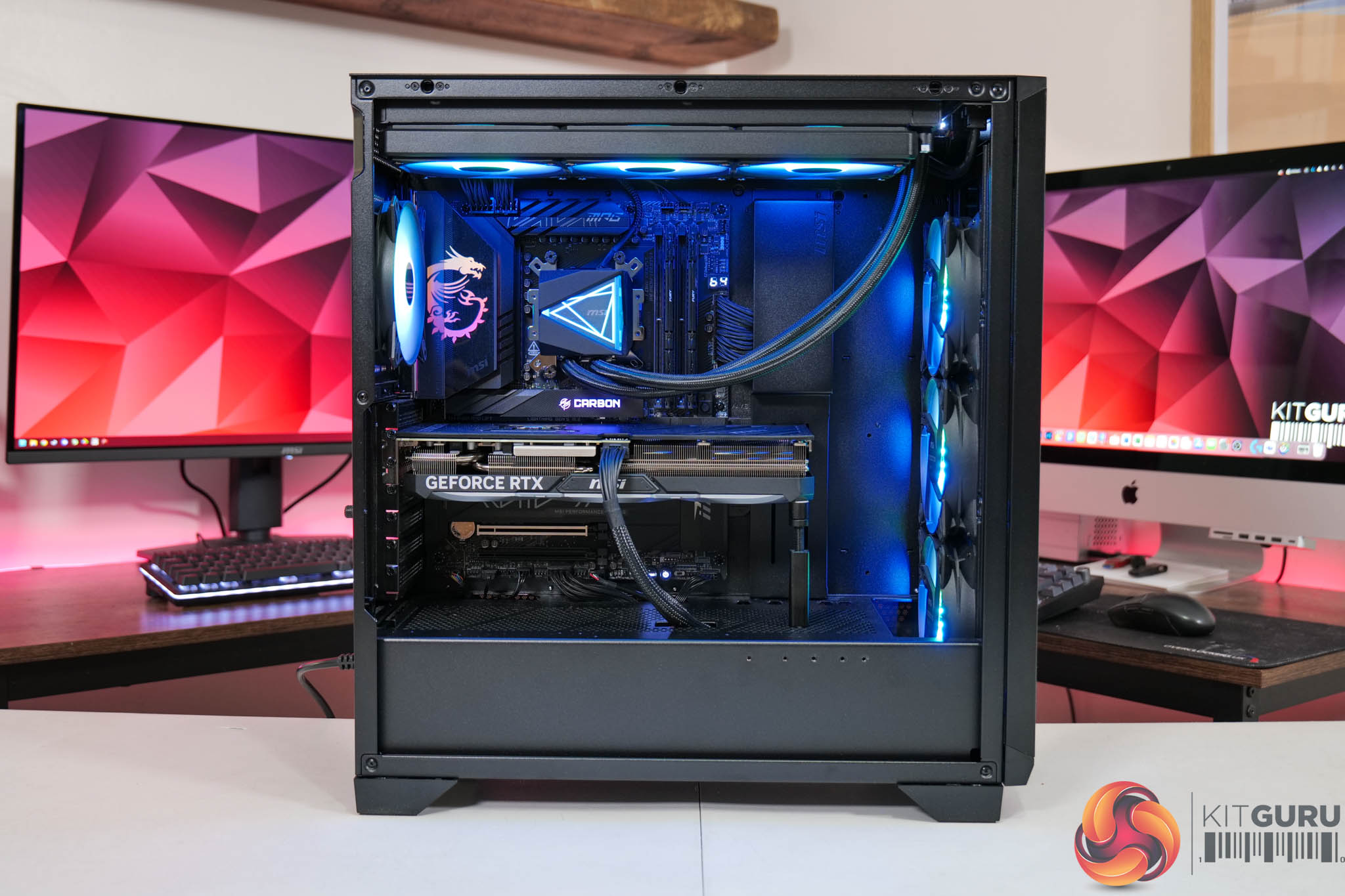
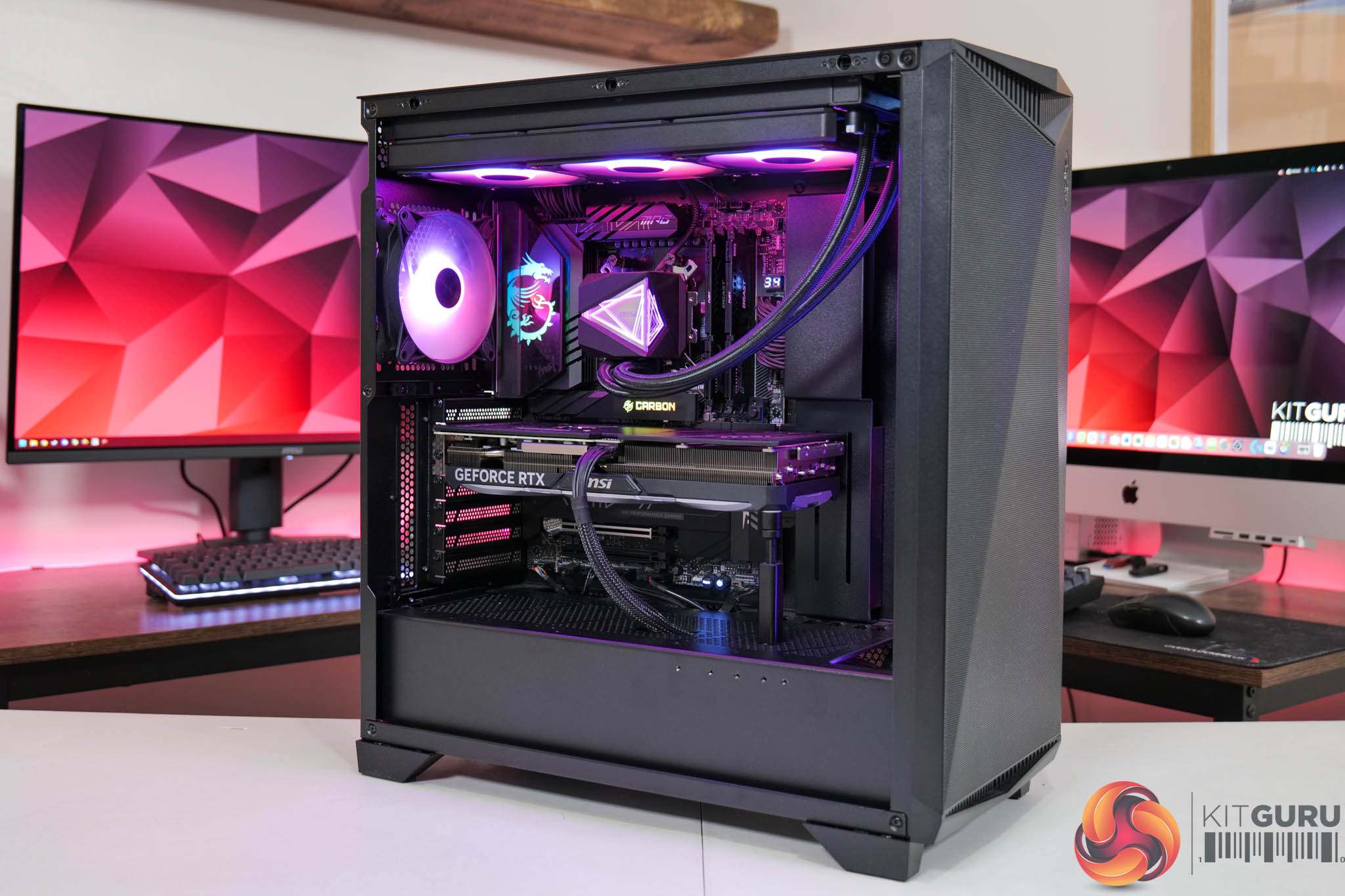
| CPU |
AMD Ryzen 7 9800X3D
|
| Motherboard |
MSI MPG X870E Carbon WiFi
|
| Memory |
64GB (2x32GB) Kingston Fury Beast DDR5 6000MT/s CL30
|
| Graphics Card |
Varies
|
| SSD |
4TB Kingston NV3 Gen 4 PCIe NVMe
|
| Chassis | MSI MPG Gungnir 300R Airflow |
| CPU Cooler |
MSI MAG CoreLiquid i360
|
| Power Supply |
MSI MEG Ai1300P
|
| Operating System |
Windows 11 23H2
|
| Monitor |
MSI MPG 321URX QD-OLED
|
| Resizable BAR |
Enabled for all supported GPUs
|
Comparison Graphics Cards List
- AMD RX 7900 XTX 24GB
- AMD RX 7900 XT 20GB
- Sapphire RX 7900 GRE Nitro+ 16GB
- AMD RX 7800 XT 16GB
- Sapphire RX 7700 XT Pulse 12GB
- Nvidia RTX 5090 FE 32GB
- Nvidia RTX 5080 FE 16GB
- Nvidia RTX 4090 FE 24GB
- Nvidia RTX 4080 Super FE 16GB
- MSI RTX 4070 Ti Super Ventus 3X 16GB
- Nvidia RTX 4070 Super FE 12GB
- Nvidia RTX 4070 FE 12GB
- Nvidia RTX 4060 Ti FE 8GB
- Nvidia RTX 3080 Ti FE 12GB
All cards were tested at reference specifications. For factory overclocked cards, this means we manually ‘undo' the overclock via MSI Afterburner or AMD/Intel's built-in tuning tools. Or, for cards like the Sapphire RX 7900 GRE Nitro+, we enable the reference-clocked BIOS instead of the default OC BIOS.
Software and Games List
- Alan Wake II (DX12)
- Black Myth: Wukong (DX12)
- Cyberpunk 2077 (DX12)
- F1 24 (DX12)
- Final Fantasy XVI (DX12)
- Forza Horizon 5 (DX12)
- Ghost of Tsushima (DX12)
- Horizon Forbidden West (DX12)
- The Last of Us Part 1 (DX12)
- A Plague Tale: Requiem (DX12)
- Ratchet and Clank: Rift Apart (DX12)
- Returnal (DX12)
- Senua's Saga: Hellblade 2 (DX12)
- Shadow of the Tomb Raider (DX12)
- Starfield (DX12)
- Star Wars Outlaws (DX12)
- Total War: Warhammer III (DX11)
We run each benchmark/game three times, and present mean averages in our graphs. We use FrameView to measure average frame rates as well as 1% low values (99th percentile) across our three runs.
Here we test three games, all at 3840×2160 resolution using maximum image quality settings.
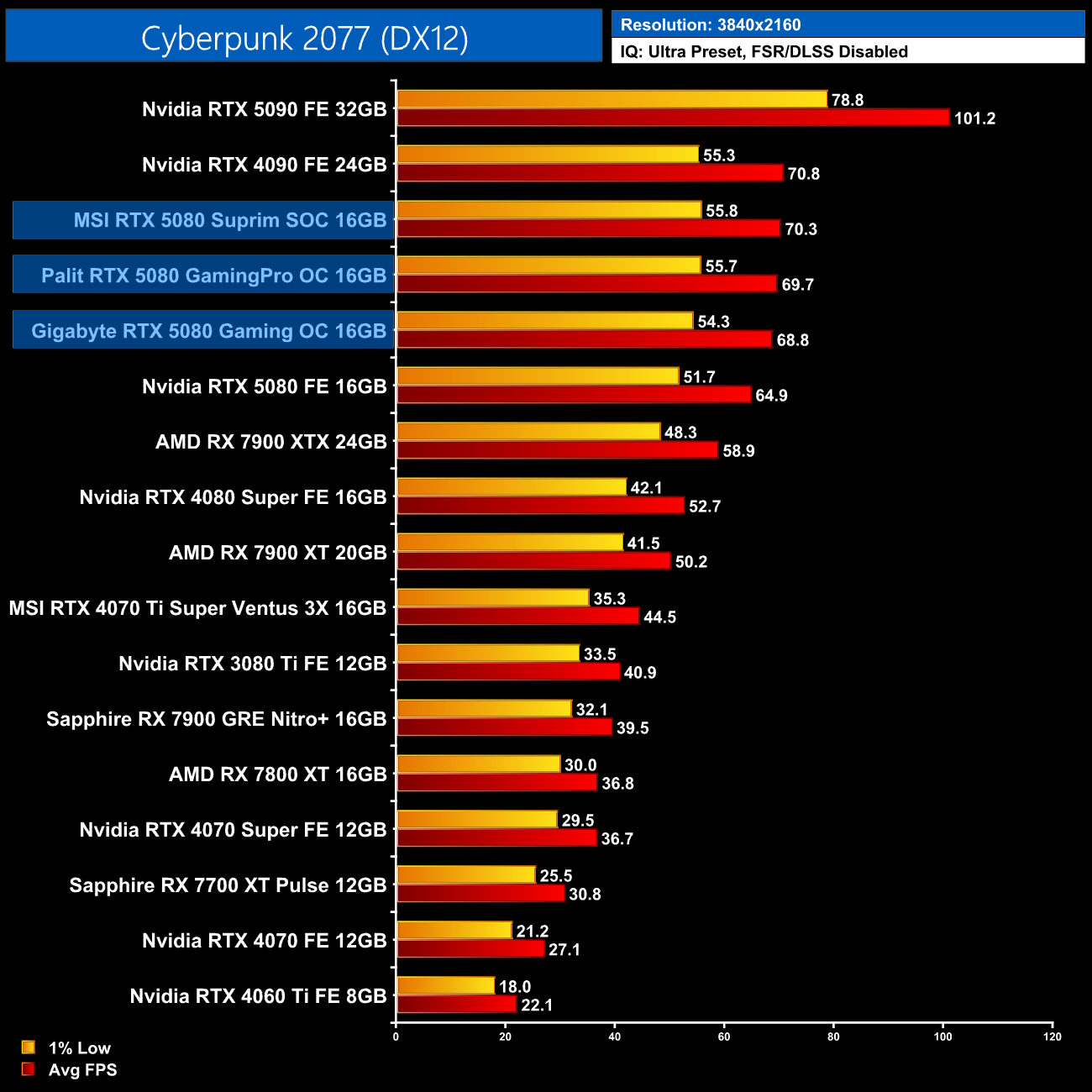
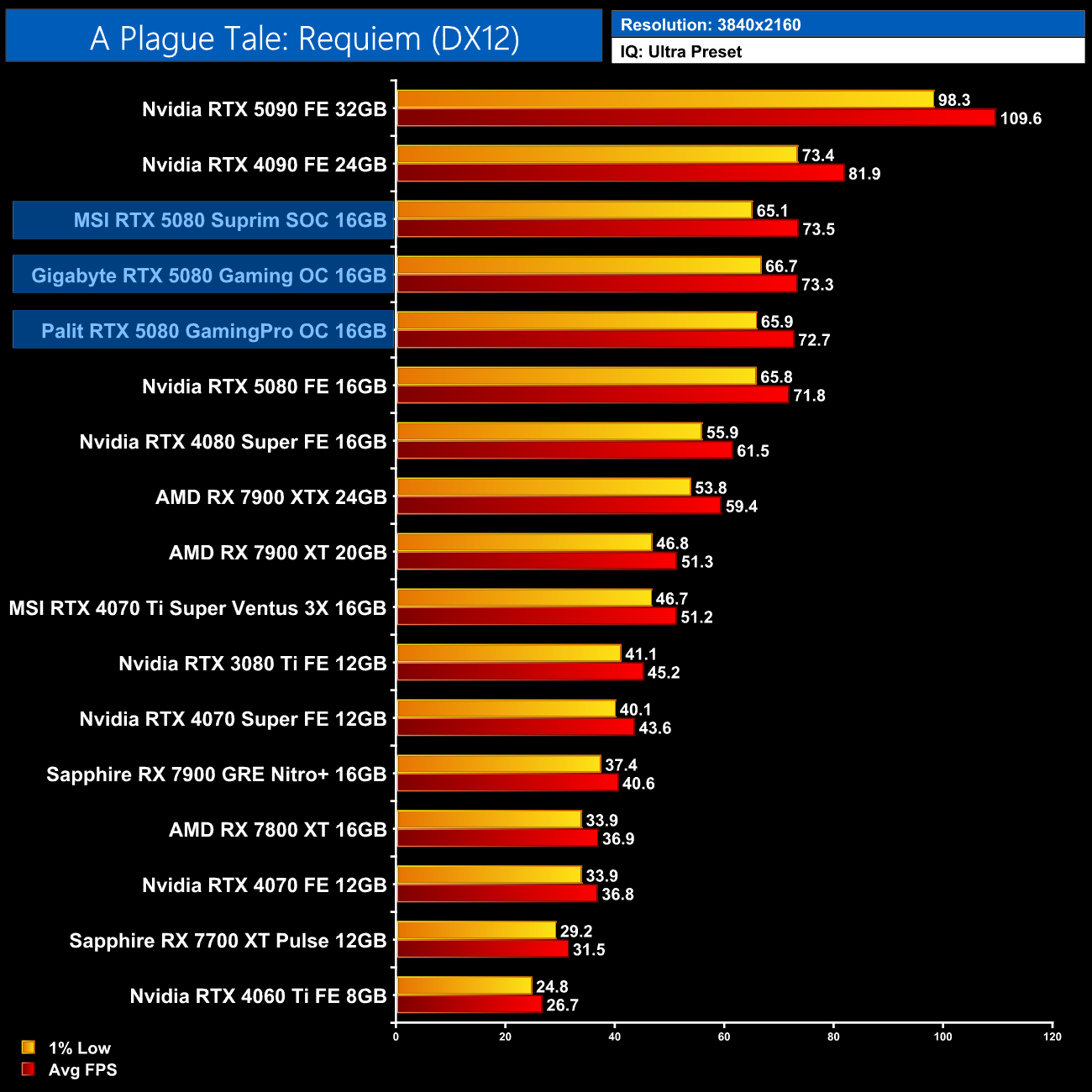
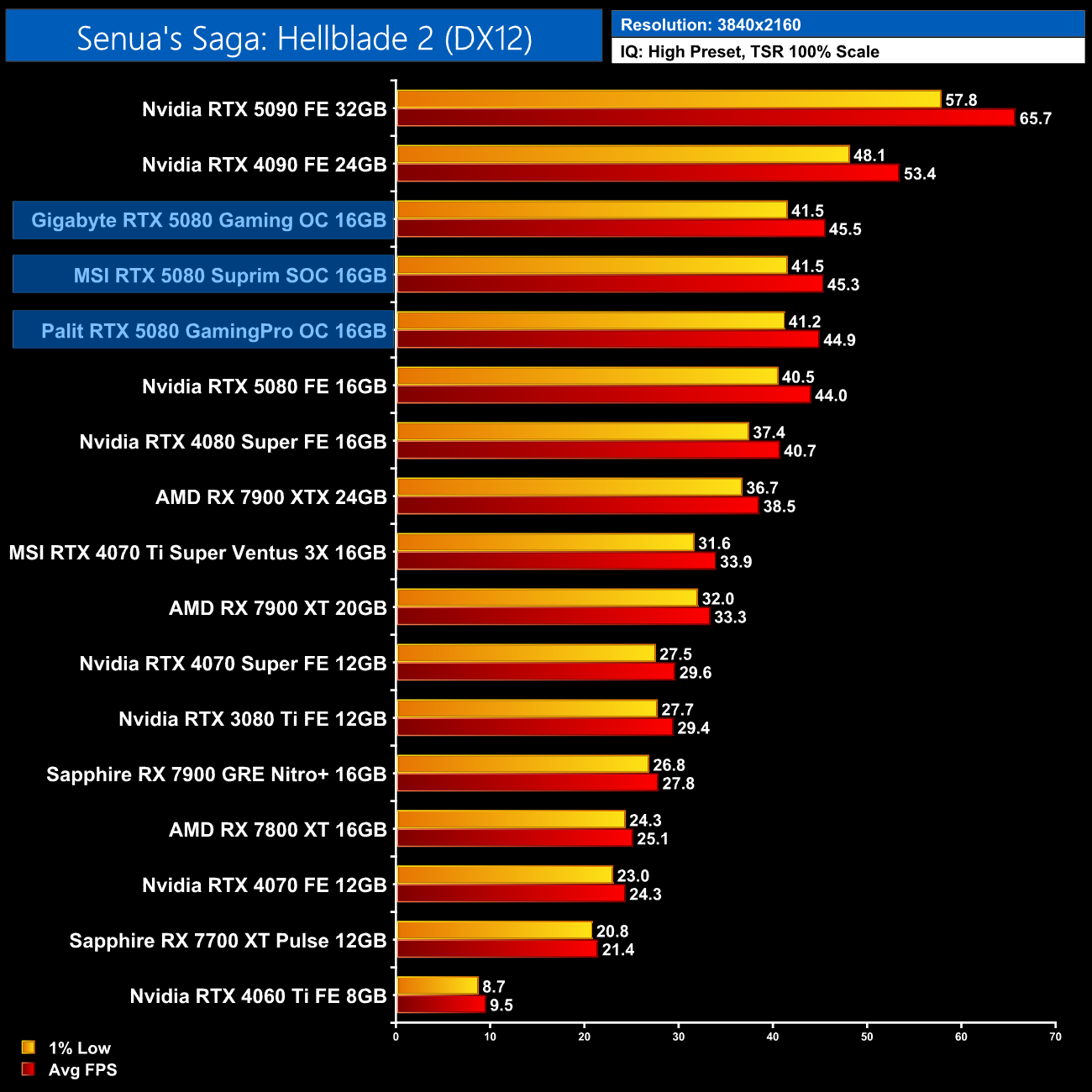
We don't focus too heavily on game benchmarks in our partner cards reviews as performance doesn't tend to change a whole lot when compared to the reference models. In this instance, all three RTX 5080s we are reviewing today perform functionally identically, given there's typically less than a single frame separating all three – there's no way you'd actually spot the difference between the cards when gaming in the real world.
Here we present the average clock speed for each graphics card while running A Plague Tale: Requiem for 30 minutes. We use GPU-Z to record the GPU core frequency during gameplay. We calculate the average core frequency during the 30 minute run to present here.
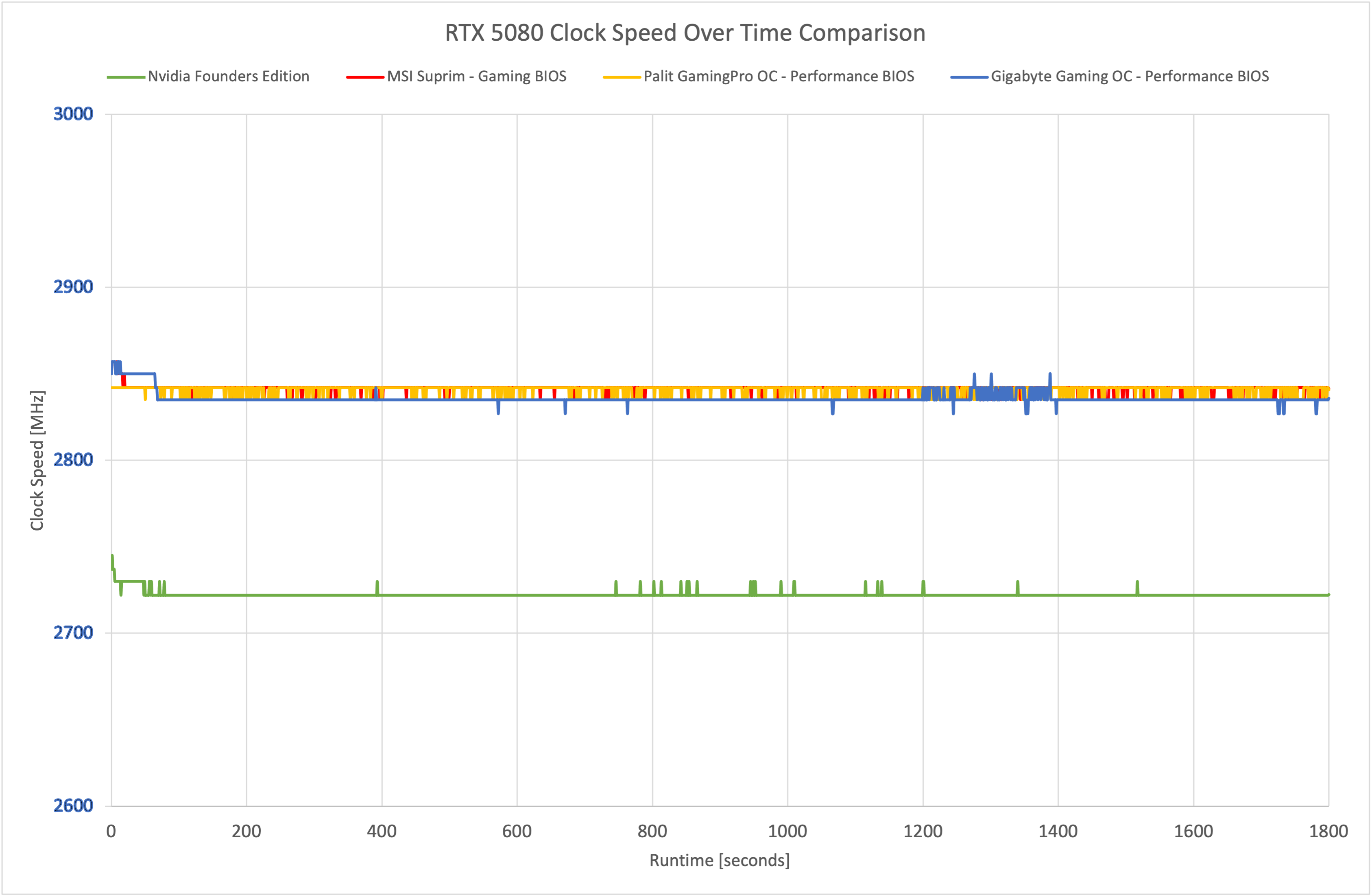
The reason for such similar gaming performance is because all three cards clock at basically the same levels. Here you can see the performance/gaming BIOS modes and the frequency plots overlap each other for basically the entirety of our thirty-minute stress test.
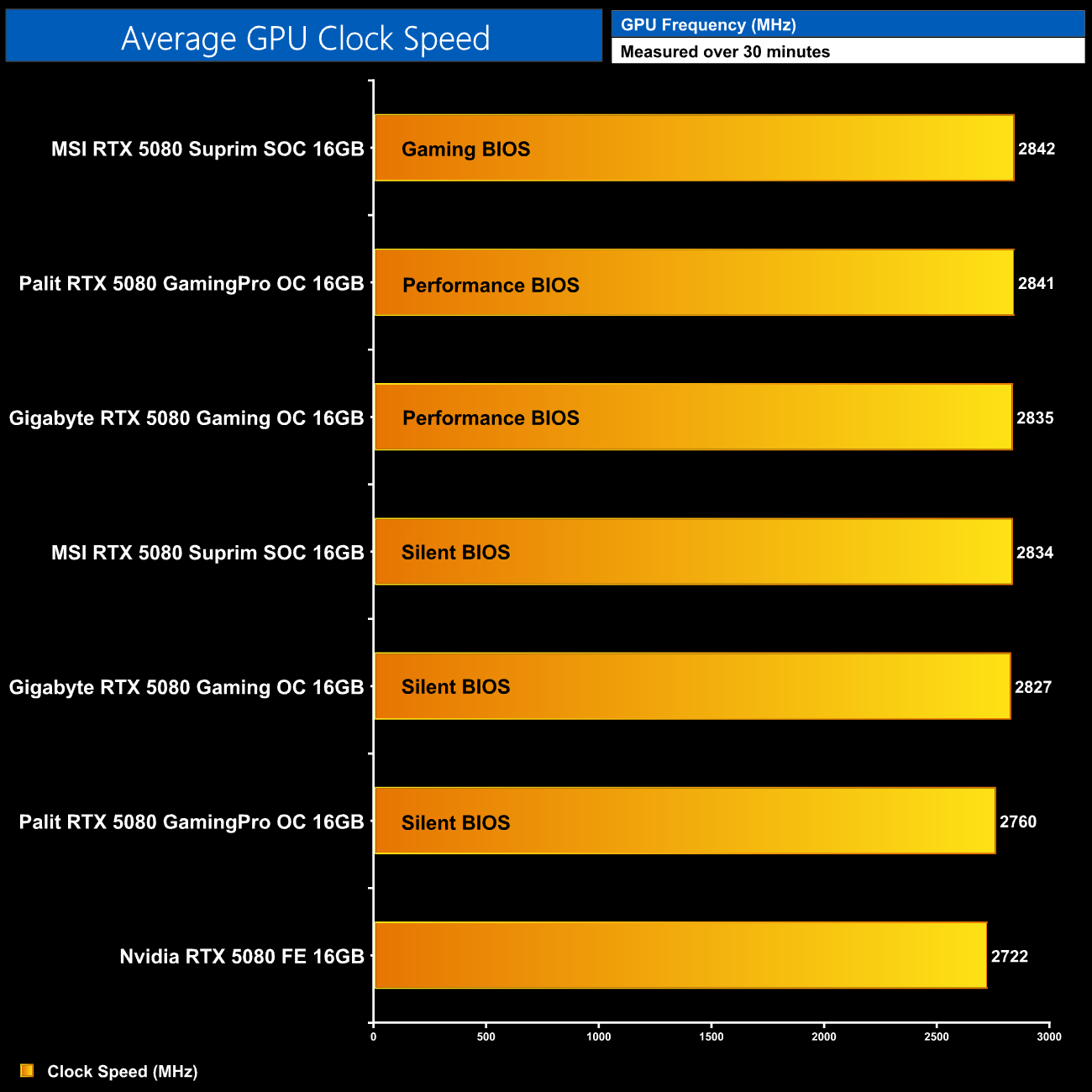
In fact, averaged over the duration of our stress test, just 7MHz separates the MSI, Palit and Gigabyte models. I also tested the Silent BIOS modes, with only the Palit coming in noticeably slower than the rest – but still ahead of the Founders Edition.
For our temperature testing, we measure steady-state GPU temperatures under load. A reading under load comes from running A Plague Tale: Requiem for 30 minutes.
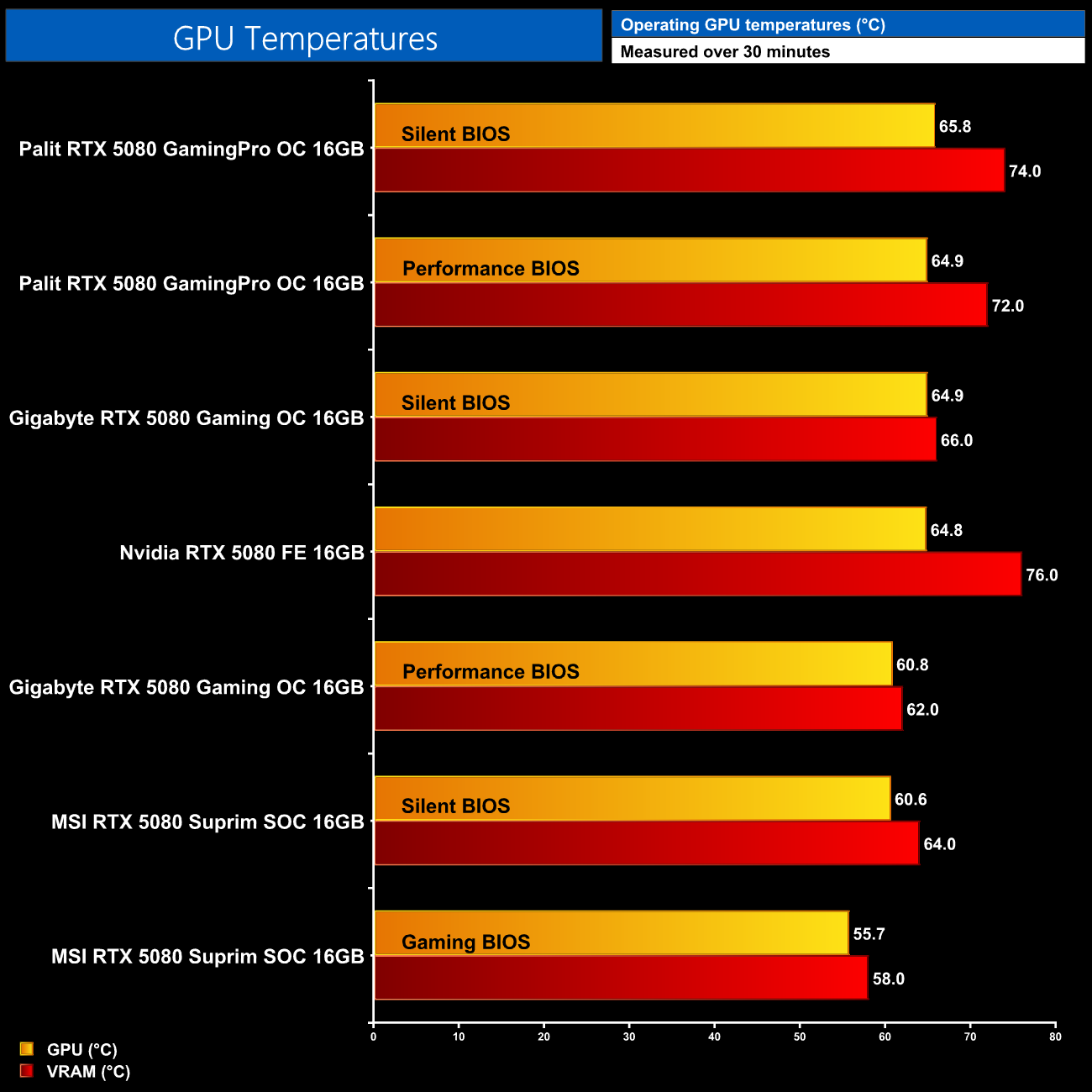
As for thermal performance, here I've tested both BIOS modes for all three cards, and honestly, the results are as expected. The MSI Suprim SOC does offer the lowest raw thermals, but I was hoping to see that given it's using the same cooler from the RTX 5090 Suprim SOC. The Gaming OC Performance BIOS is in third place, while its Silent BIOS – and both modes of the Gaming Pro OC – all hover around the 65C mark.
We take our noise measurements with the sound meter positioned 1 foot from the graphics card. I measured the noise floor to be 32 dBA, thus anything above this level can be attributed to the graphics cards. The power supply is passive for the entire power output range we tested all graphics cards in, while all CPU and system fans were disabled. A reading under load comes from running Cyberpunk 2077 for 30 minutes.
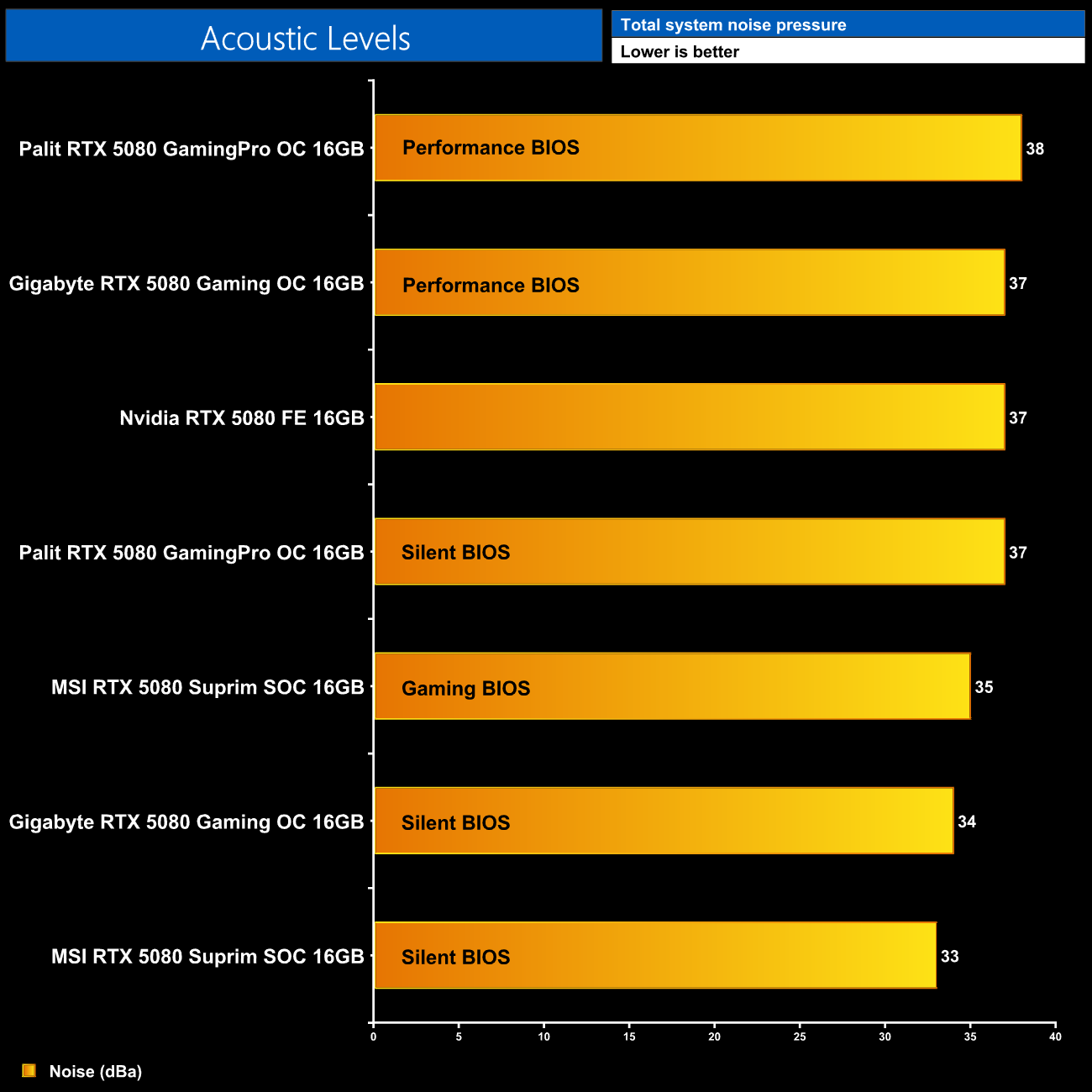
The good news continues as all three cards are fairly quiet. Now the GamingPro OC using its Performance BIOS does run a hair louder than the Founders Edition, while its Silent BIOS is only 1dBA quieter. As it turns out, the former runs the fans at 42% speed, while the latter only drops that to 39%, so there's really not much of a difference.
The MSI Suprim is the quietest card tested, when using its Silent BIOS, and that sees fan speed hit just 1100rpm. That said, the Gaming OC isn't much louder at all, with its three fans spinning up to 1280rpm.
Following on from our stock thermal and acoustic testing, here we re-test the operating temperature of the GPU, but with noise levels normalised to 40dBa. This allows us to measure the efficiency of the overall cooling solution as varying noise levels as a result of more aggressive fan curves are no longer a factor.
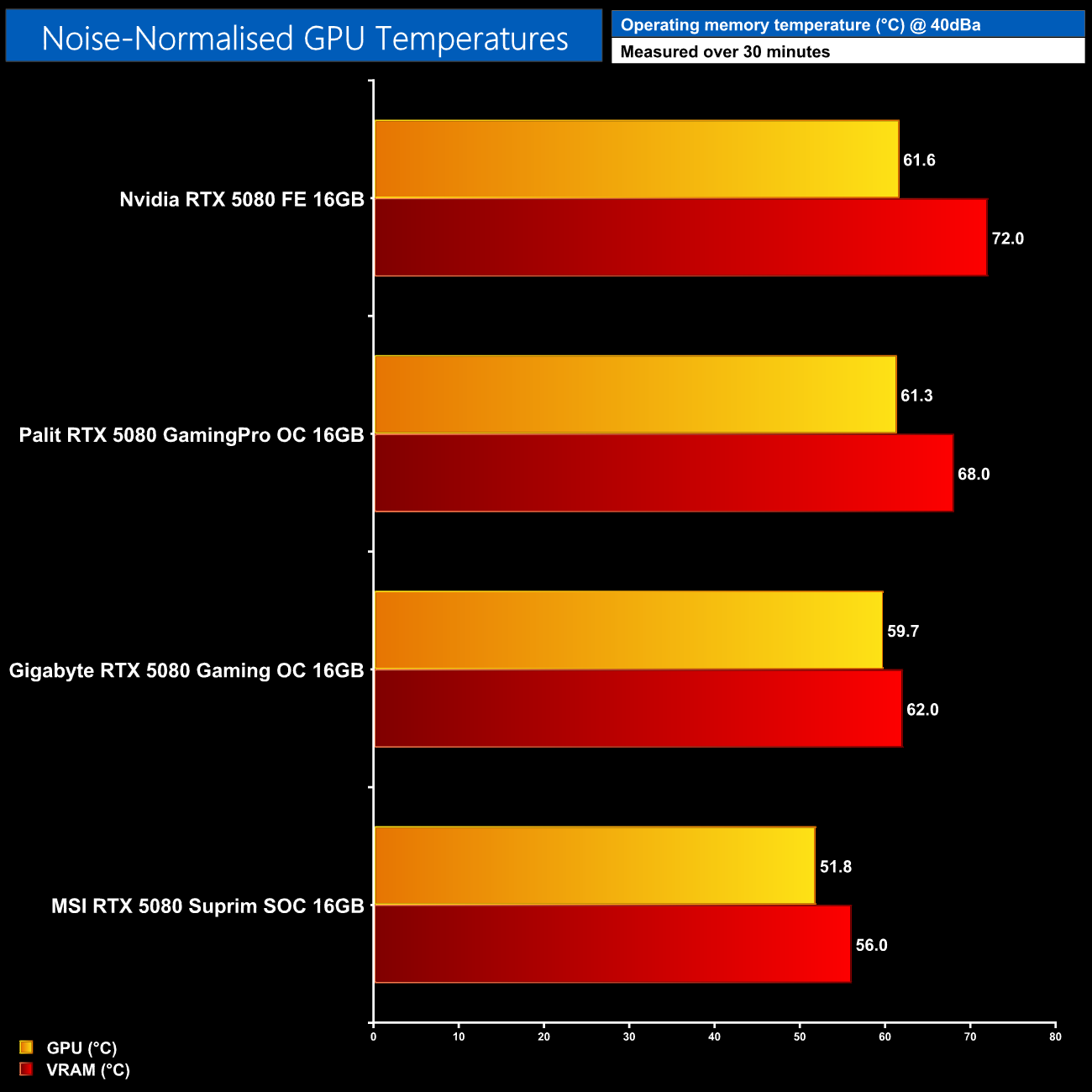
To really get an idea of the efficiency of each cooler, we re-test with noise output normalised to 40dBA. At the top we have the Founders Edition, running the hottest, though the GamingPro OC isn't a huge improvement, barely dropping GPU temperature, though VRAM thermals do improve by 4C. Next is the Gaming OC, with the GPU and VRAM and 59.7C and 62C, respectively, but there is a clear gulf between that and the MSI Suprim SOC. We would expect that one to perform the best considering it's the biggest and heaviest card on-test!
Power draw
We use Nvidia PCAT to measure power draw of the graphics card only, with readings from both the PCIe slot and the PCIe power cables combined into a single figure. We use A Plague Tale: Requiem (4K/2160p) for this testing.
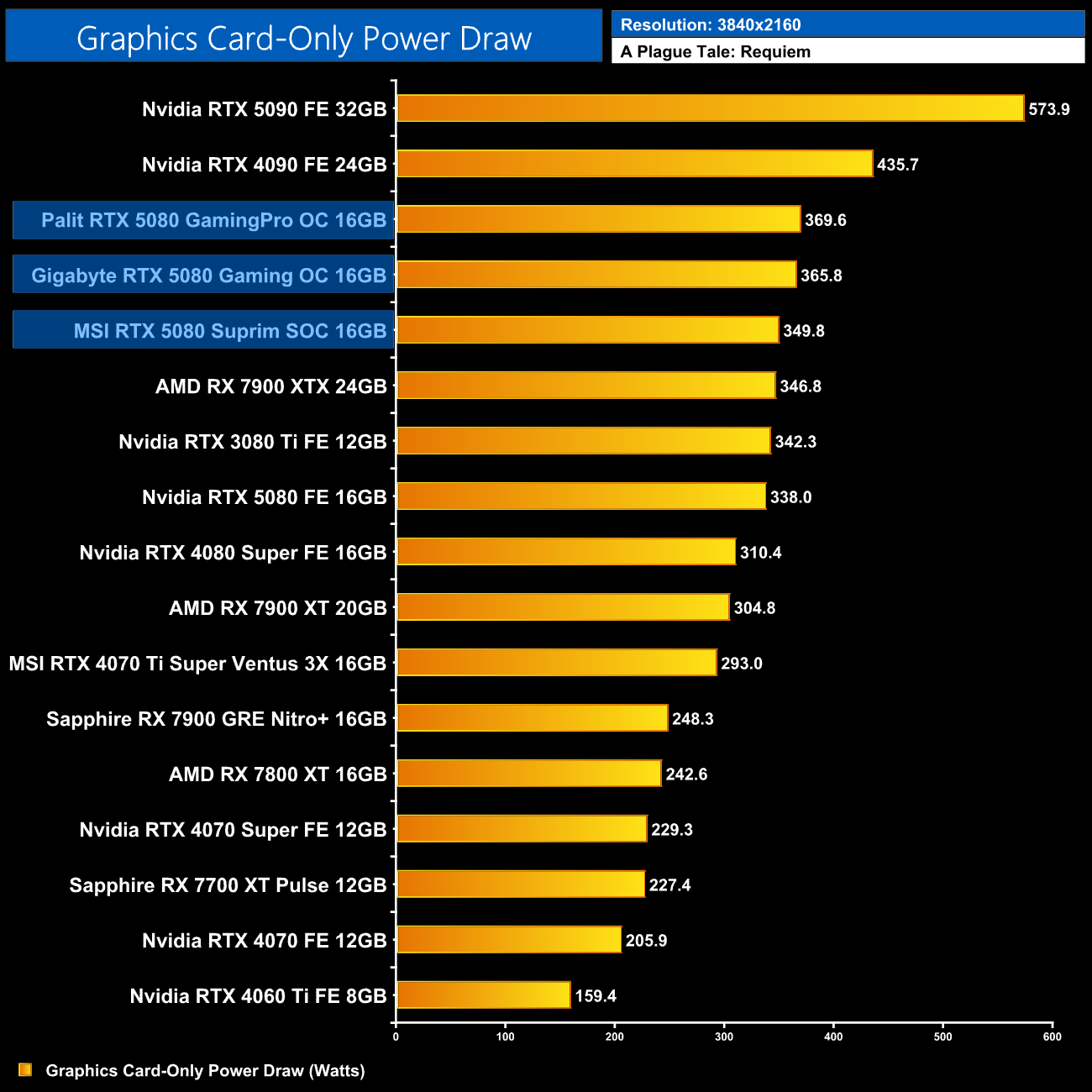
Interestingly, we do observe some difference in power draw – the GamingPro OC drew just under 370W in our testing, ahead of the Gaming OC on 366W, while the Suprim was even more efficient at just 350W – perhaps due to its beefier VRM?
Performance per watt
Combining the power draw values shown above with the performance data, we present performance per watt for each graphics card tested:
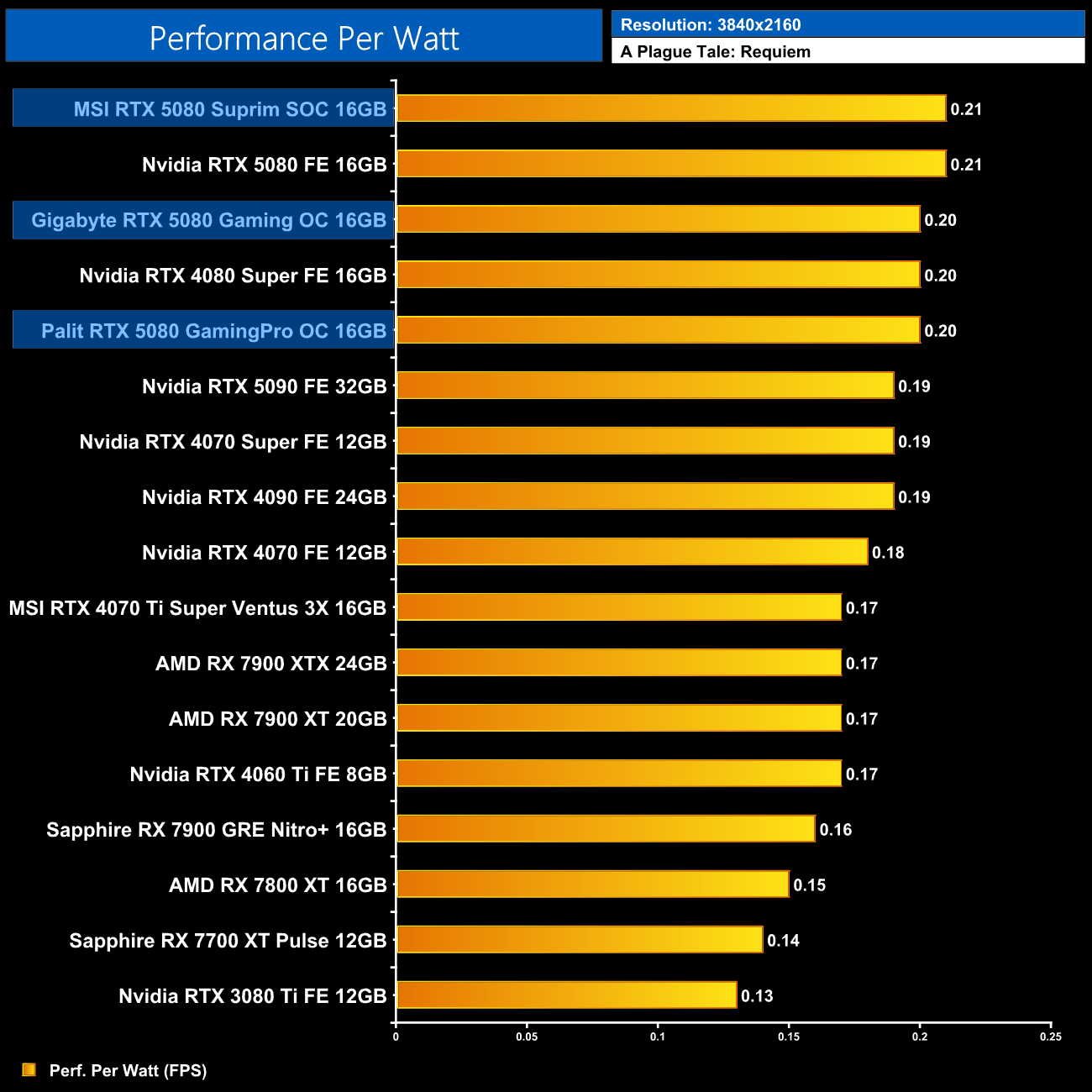
That lower power draw means the Suprim is top dog when it comes to performance per Watt, but the differences are very small between all three cards on test today.
For our manual overclocking tests, we used MSI Afterburner. Our best results are as below.
Gigabyte Gaming OC
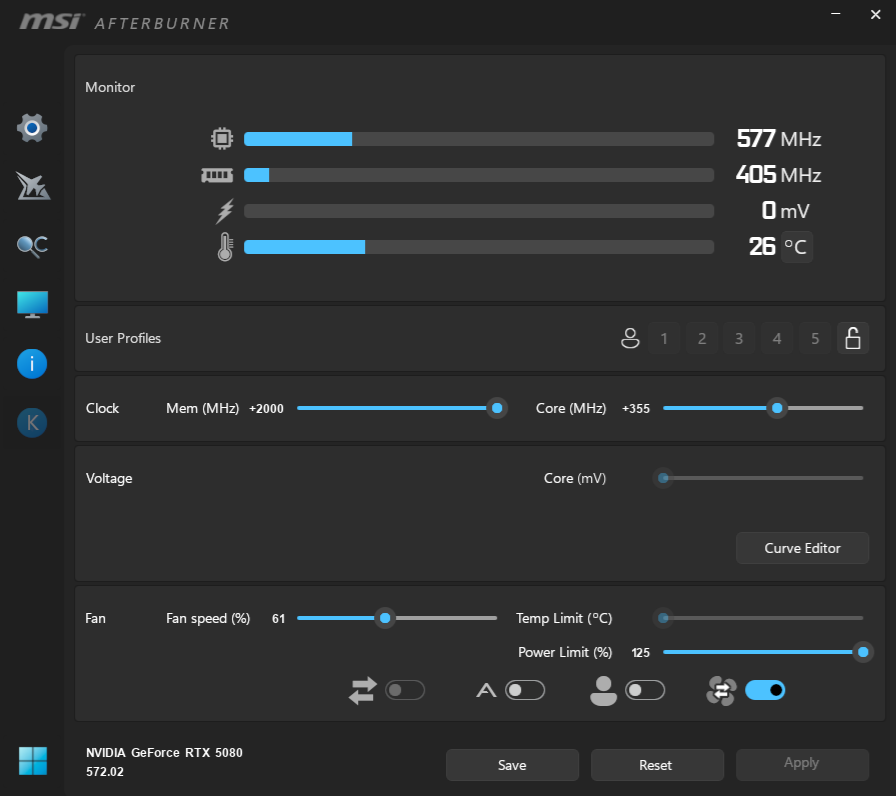
The Gaming OC allowed us to max out the memory slider, while we added 355MHz to the GPU. Interestingly, the Gigabyte allows for the biggest adjustment to power limit, with the slider going up to 125%, a 450W maximum.
MSI Suprim SOC
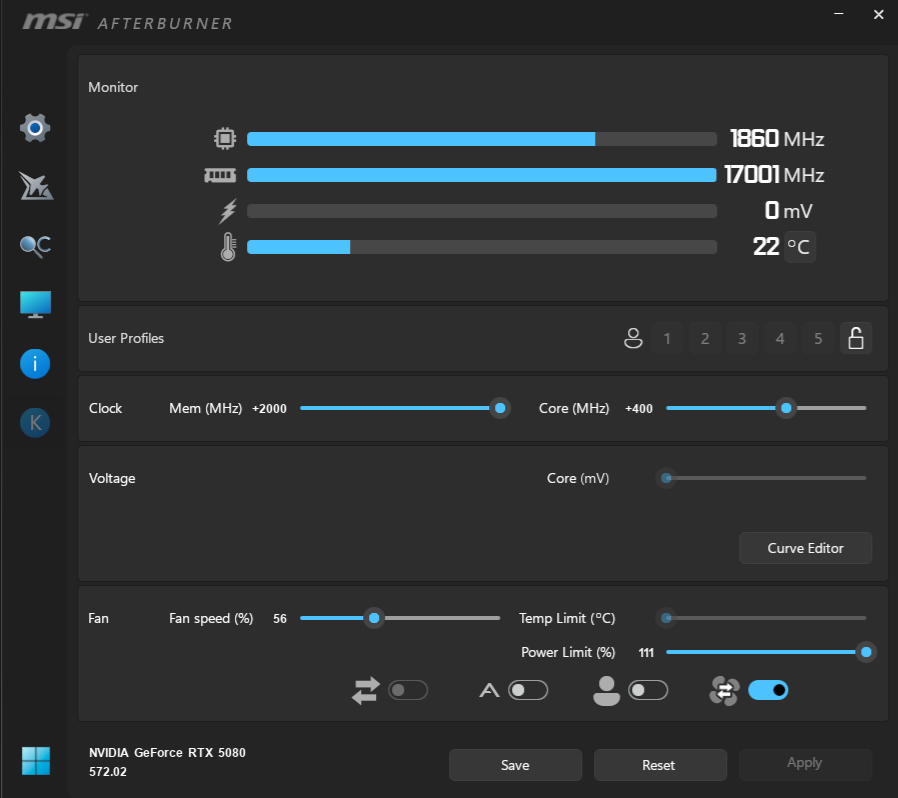
The Suprim SOC also allows some power adjustment, but only up to 111%. We were still able to maximise the memory slider and we added 400MHz to the GPU.
Palit GamingPro OC
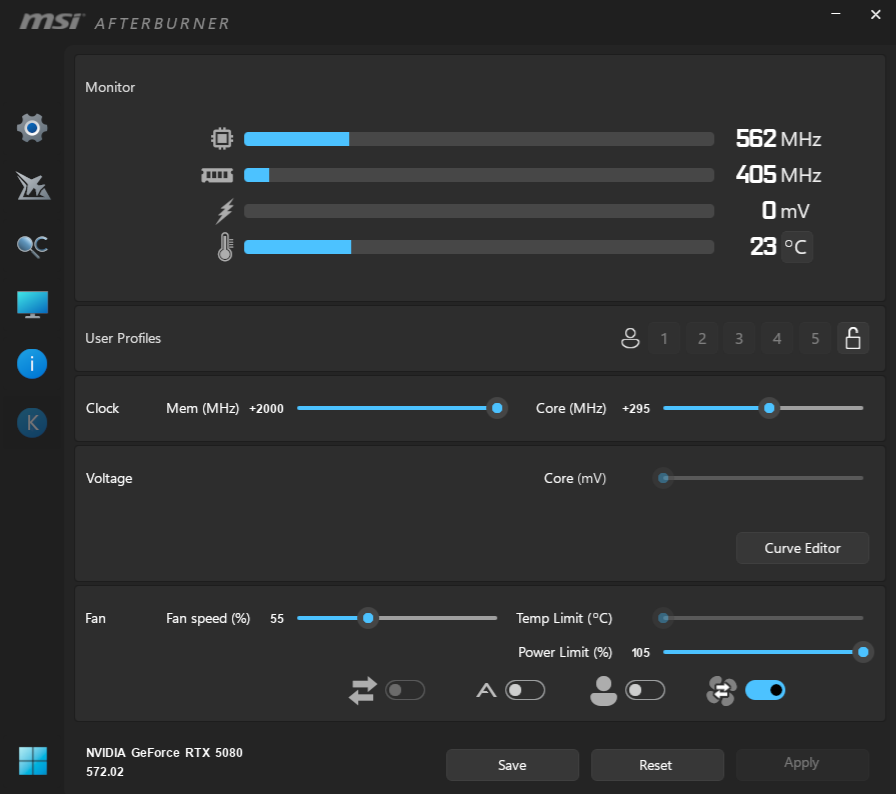
Lastly, the GamingPro OC has the smallest power limit adjustment, up to 105%. We again maxed out the memory slider and added 295MHz to the GPU.

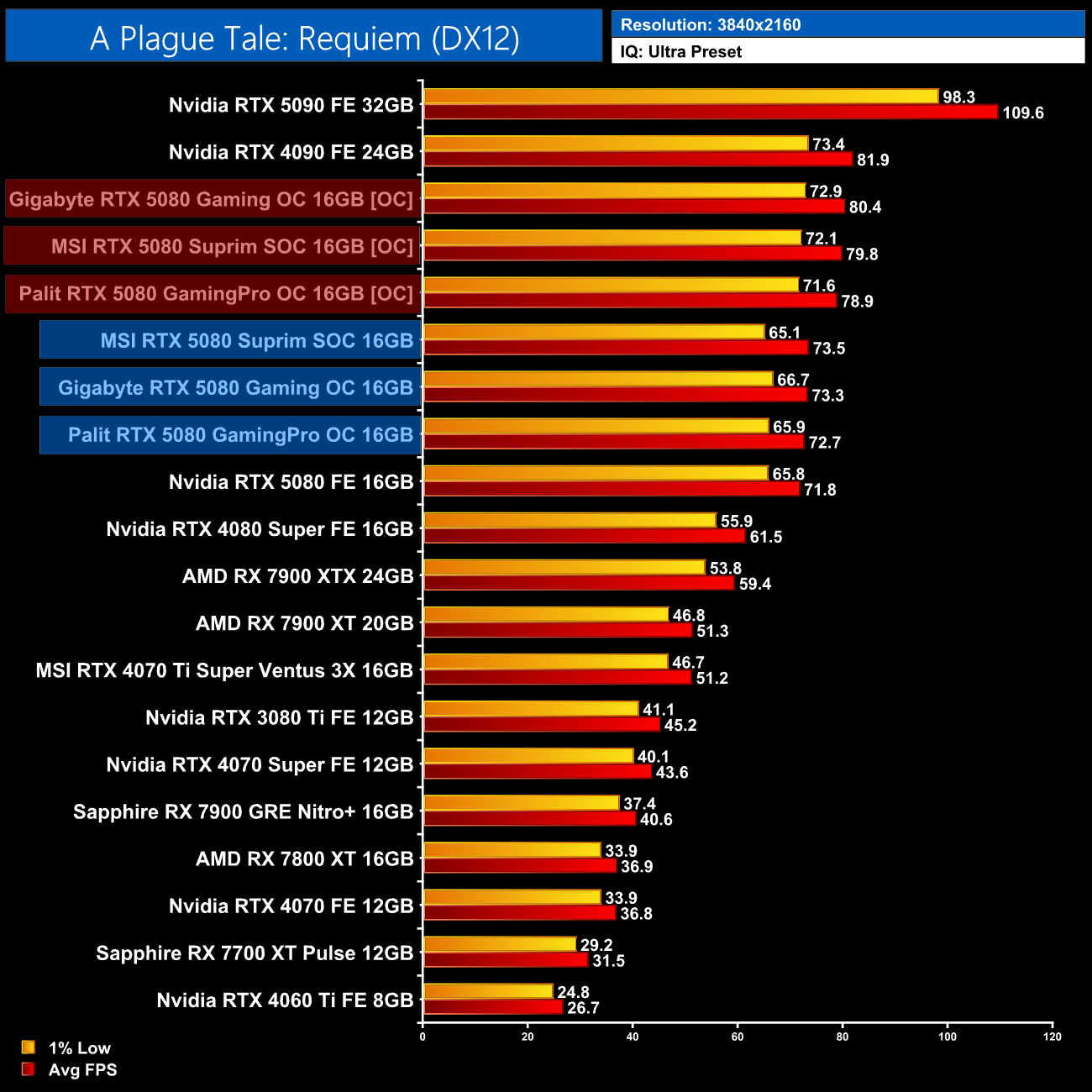
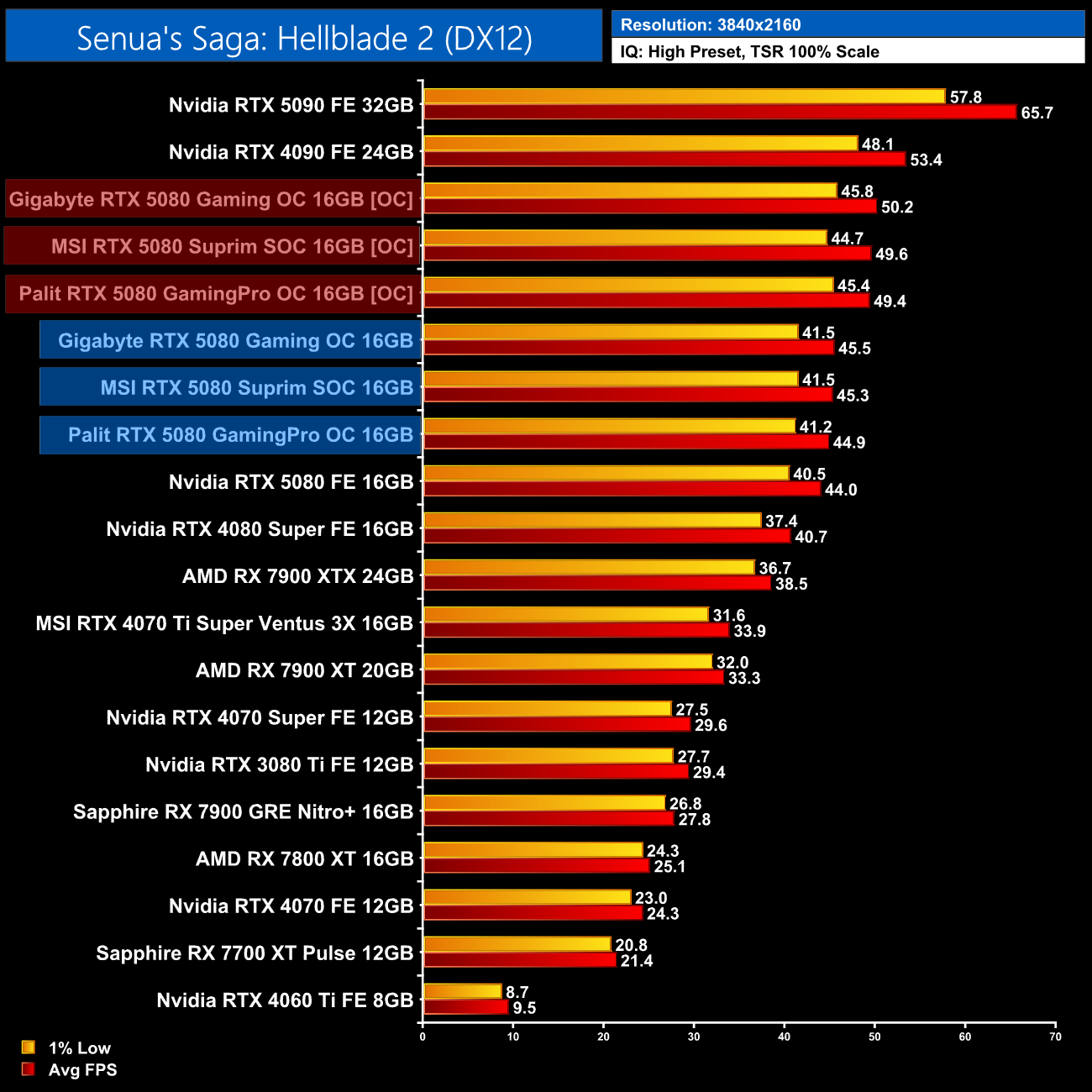
Now all three overclocks were pretty impressive, and all three models ran at over 3150MHz, resulting in gains of 7-10% over the stock results. There;s very little to split between the three in terms of which one overclocked the best, the Gaming OC was a frame ahead on a couple of occasions, but nothing at all significant.
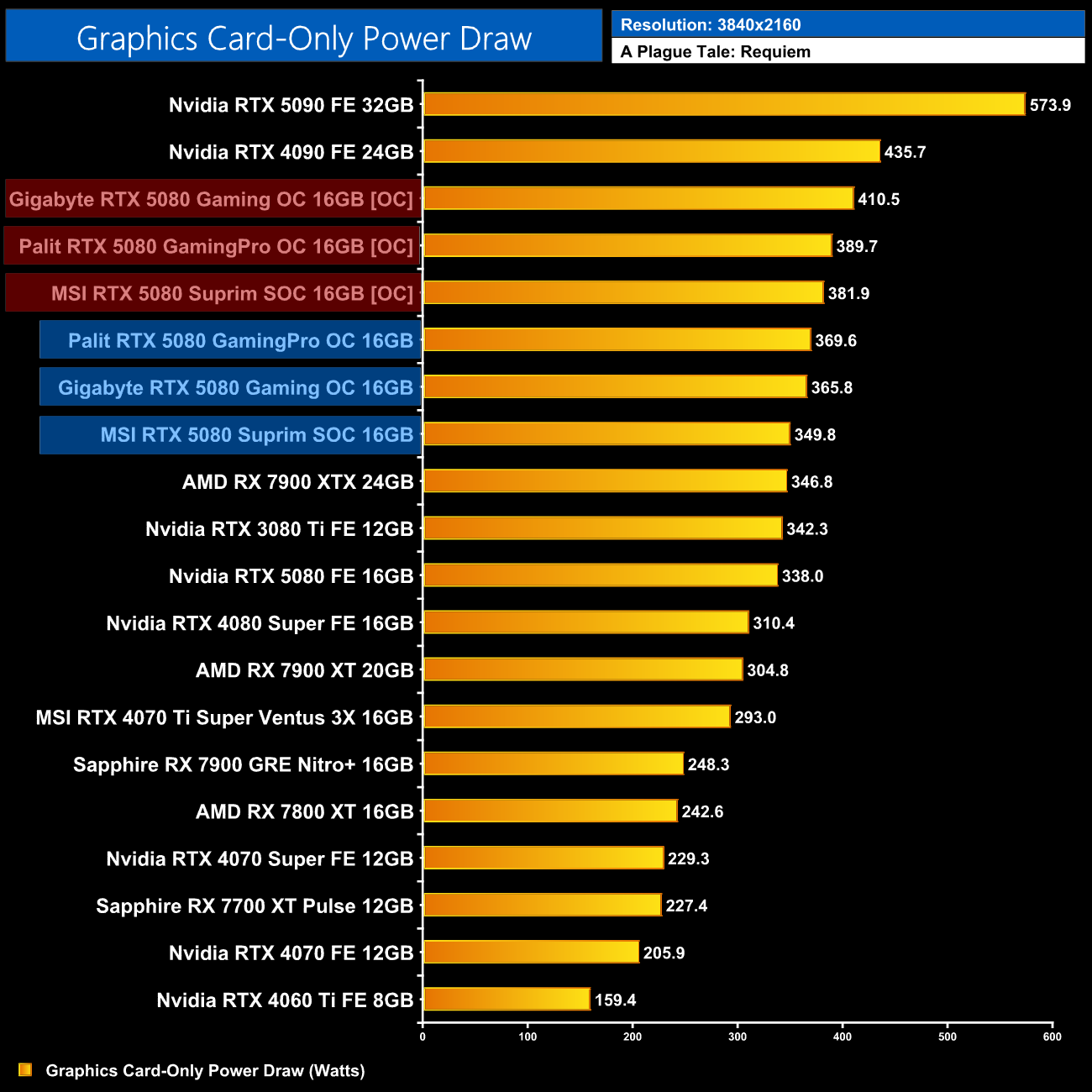
The Gaming OC did see the biggest increase to power draw though, hitting 410.5W, a 20W increase over the GamingPro OC on 389.7W, while the Suprim SOC was the most frugal at just under 382W.
Today we have put no less than three RTX 5080 partner cards through their paces and I have to say, I'd be happy to own any of the three here.
Palit's RTX 5080 GamingPro OC may be the least interesting from a visual perspective, but that's just my personal opinion and you could prefer something like this that's a bit less flashy. It also has the benefit of being the smallest of the three cards tested, while still producing solid thermal results, though it did run the hottest in our noise-normalised test, barely beating the Nvidia Founders Edition.
The Gigabyte RTX 5080 Gaming OC strikes arguably a better balance of aesthetics and performance, given it is a larger cooler but packs in more RGB lighting and an arguably more stylish backplate. Its heft also means it delivers slightly more eye-catching thermal results, this time dropping VRAM temperatures by 10C over the Founders Edition in our noise-normalised test.
It's the MSI RTX 5080 Suprim SOC that is hands-down the best from a thermal perspective, given it ran almost 8C cooler than the Gaming OC when noise-normalised. It is comfortably the biggest card on test today, however, and actually uses the same cooler as the RTX 5090 Suprim SOC, so it will take up four slots in your system and it weighs over 2.5Kg.
Pricing is another hugely important angle to consider though, and one where the more premium models may flatter to deceive. After all, the MSRP is meant to be £979, yet the Suprim is listed for pre-order at nearly £1400, while the Gaming OC is up for £1250. That means the MSI card is actually a staggering 41% price premium over the MSRP, while the Gaming OC is looking at a 28% premium – slightly more palatable but still very high.
As such, I actually think its the Palit GamingPro OC I'd recommend first. It's not the flashiest card, or the best from a technical perspective, but at £1115, it's only a 14% premium over the MSRP. In fact, if you get the non-OC model, the difference is just 8%, which is a lot more like it.
Overall then, pricing is clearly a real and significant issue for the RTX 5080. The GPU as a whole only makes sense considering its meant to be the same price as the out-going RTX 4080 Super, given the performance gains are underwhelming at best. But, considering the RTX 4090 is always the fastest card, some of these prices are at the point where a used model of the 40 series flagship actually makes a lot more sense to me – and that is a worrying time for the RTX 5080 indeed…
Gigabyte RTX 5080 Gaming OC
Pros
- Reasonable performance gains over the RTX 5080 Founders Edition.
- Competitive thermal performance.
- Our sample hit 3.2GHz when overclocking with relative ease.
- DLSS 4 has improved Ray Reconstruction and Super Resolution scaling.
- Multi Frame Generation enables higher frame rates than would otherwise be possible.
Cons
- £1250 asking price is a 28% premium over the MSRP.
- Can't match the Suprim SOC in terms of thermals.
- It's pretty large.

MSI RTX 5080 Suprim SOC
Pros
- Reasonable performance gains over the RTX 5080 Founders Edition.
- Clearly offers best-in-class thermal performance.
- Our sample hit 3.2GHz when overclocking with relative ease.
- DLSS 4 has improved Ray Reconstruction and Super Resolution scaling.
- Multi Frame Generation enables higher frame rates than would otherwise be possible.
Cons
- £1380 asking price is an eye-watering 41% premium over the MSRP.
- Used RTX 4090 arguably makes more sense considering the 5080 is slower.
- It's absolutely enormous!
Palit RTX 5080 GamingPro OC
Pros
- Reasonable performance gains over the RTX 5080 Founders Edition.
- Easily the best value of the three models tested.
- Our sample hit 3.15GHz when overclocking.
- Smallest card we tested today.
- DLSS 4 has improved Ray Reconstruction and Super Resolution scaling.
- Multi Frame Generation enables higher frame rates than would otherwise be possible.
Cons
- Not the most eye-catching design.
- Thermal performance isn't as good as the Gaming OC or Suprim SOC.
- Still very expensive at £1115.
KitGuru says: RTX 5080s definitely need to get cheaper to make any sense. As it is, the GamingPro OC is probably the way to go given it has the smallest price hike over the £979 MSRP.